#tech-support
1 messages · Page 626 of 1
 verbal timber
then fresh install
verbal timber
 pearl peak
how to add base sprite
pearl peak
how to add base sprite
you don't
 twilit bloom
thanks
 verbal timber
?tag resetcache
 pearl magnetBOT
For missing sprites on the 6.6 update, talk to the help man in any Pokémon center and navigate to Advanced Options -> Other -> Reset -> Clear Sprite Cache. Video
verbal timber
?tag missingsp
pearl magnetBOT
If you're encountering missing sprites
**If you just updated to 6.6, do the reset cache steps mentioned in this #announcements message post.
**The game comes with all sprites preinstalled, up until the February 2025 Pack.
The remaining packs will be downloaded as you play, as long as you have "Download Data" turned on and your device is connected to wifi. You do not need to do anything for them.
Keep in mind, the auto download does not have infinite speed or capacity and will not trigger if you are not actively encountering new sprites (ex; battling, checking the Pokedex, etc.).
After downloading X amount of sprites per time unit Y, it will be paused for a bit. We cannot adjust this limit and there is nothing you can do as the player to skip it or make it go faster.
The first time you encounter a base Pokemon, it will select a random one of all sprites, if it is a new one that hasn't been downloaded yet, it will show as missing.
The same goes for fusions but with a little more nuance. To keep it simple, think of it the same.
Again, nothing wrong with your game. You just hit a download cap.
Note: Updating your game resets all your auto-downloaded sprites. do not attempt to "fix" this with updating. It will just make everything start from the beginning.
If you would like to manually import the latest sprite packs, they are located in #spritepack-releases and further instructions can be found HERE
verbal timber
- make sure download data is on
- sprite will be grabbed as you play [via title screen, battles, and fusing]
 mellow gorge
The game said there is a version 6.6.1 and that i should download it. I updated it and now it doesn't turn on
verbal timber
mellow gorge
The game said there is a version 6.6.1 and that i should download it. I updated ...
in what way
mellow gorge
I open the lancher, start the game and then the game pops up and closes itself
pearl magnetBOT
 No tag
 olddata\ found.
verbal timber
?tag olddata
pearl magnetBOT
The most likely reason your game is opening and closing is due to improperly updated game files. We mention in #downloads to not update ANY files versions below 6.6.0.
If you're using the Launcher:
- Reinstall version 1.1.2 of the launcher from #downloads
- Open the settings tab
- Click "Reset Config"
NOTE: The original path that the launcher shows will be your old game folder. That folder should be deleted. The new game folder will be inPIFLauncher(#.#.#)/GameFiles/InfiniteFusion
If you're not using the Launcher:
Use the Lightweight installer guide to install in a NEW folder ➡️ Click Here⬅️
If you are on a non-Windows device, follow the [guide](#tech-support message) for your device to reinstall.
Reinstalling on Windows does not affect Save Files in any way.
verbal timber
^do that
mellow gorge
Thanks
 broken dune
Good day. Excuse me, my computer dont have much memory, is possible install the game in an external memory? I ask before try and do a mess.
 placid cliff
How do I check which version of the game I have?
verbal timber
broken dune
Good day. Excuse me, my computer dont have much memory, is possible install the ...
you mean storage?
not recommended
verbal timber
placid cliff
How do I check which version of the game I have?
title screen
placid cliff
Gotcha, thanks.
 worldly sand
how do i change key binds?
 clear edge
It seems strange I'm getting that black screen thing happening today even though it was running fine last night, and any other time.
Title screen takes a while to appear and can't see the continue screen at all. Checked the Performance tab in Task Manager and nothing is nearly reaching it's limit
 turbid terraceBOT
Hey @clear edge! Black screen in this game is the loading screen. The duration of the black screen depends on YOUR computer and YOUR internet.
- If you get the message below while opening the game, this means to stop clicking/pressing buttons on the screen as it is loading.
- If you get the message while in game, this means your computer is struggling.
- Use our performance tips to help your issues: [More Info](#tech-support message)⬅️⬅️
 broken dune
verbal timber
you mean storage?
broken dune
verbal timber
you mean storage?
How bad... how many gb y need to play?
verbal timber
4-5GB
verbal timber
worldly sand
how do i change key binds?
?tag keybinds
pearl magnetBOT
You can press F1 (FN + F1 on laptops) to change your keybindings!
Be aware, controllers will be auto mapped to buttons depending on which controller you plug in.
If you want to remap buttons on controller, you need to use Steam since this game doesn't support it. How to use Steam: [Guide](#tech-support message)
 verbal timber
clear edge
It seems strange I'm getting that black screen thing happening today even though...
verbal timber
clear edge
It seems strange I'm getting that black screen thing happening today even though...
?tag restart
pearl magnetBOT
If you are having sudden performance issues out of nowhere, restart your computer (no joke). Don’t shut down the computer as it just puts it to sleep. Use the restart option to free up processes on your computer.
This has fixed this issue for many people
worldly sand
verbal timber
?tag keybinds
thanks
broken dune
verbal timber
4-5GB
i will try! thank you wish me lucky
clear edge
Tried both restart and shut down and still having issues
verbal timber
clear edge
Tried both restart and shut down and still having issues
?tag performance
pearl magnetBOT
Performance Issues - Freezing? Lag? Long Black/Loading Screens? [More Info](#tech-support message)
verbal timber
?tag wifi
pearl magnetBOT
Going to sound weird, but turn off WiFi/internet on your device and try again. For some reason, even though your internet might be working just fine, something about this game clogs it up. Once you are in game, if issue persists, turn off Download Data as well.
verbal timber
the restart tip is part of the performance tips, but still
steps 2-7 and then add on the wifi thing if needed
if none of it helps, the problem is your end; either your device isn't up to snuff or is too OP
 queen orbit
Ok so for some reason my pokemon infinite fusion isn't updating
 clear edge
If anything then, might be the internet
verbal timber
queen orbit
Ok so for some reason my pokemon infinite fusion isn't updating
fresh install, you have an outdated version of the launcher
queen orbit
okay so I just reinstall everything?
verbal timber
delete the piflauncher folder and get a new download of the launcher stuff
should resolve the problem
"should" being the keyword
queen orbit
okay
clear edge
clear edge
If anything then, might be the internet
Definitely the internet. No idea what's going on today.

Looks like reports have been made so much be something with the provider
 knotty spade
I got some normal sprites dome blank sprites and question marks after downloading full Sprite pack and after update
Even did the cache reset
queen orbit
verbal timber
delete the piflauncher folder and get a new download of the launcher stuff
it worked
verbal timber
knotty spade
I got some normal sprites dome blank sprites and question marks after downloadin...
why did you download the full pack
the game comes with all the sprite packs up to feb 2025
you effectively readded a bunch of sprites the game already had
queen orbit
ok so my laptop im running on is going to be trashed soon how do I transfer my saves
verbal timber
also the packs are ONLY if you are playing offline
verbal timber
queen orbit
ok so my laptop im running on is going to be trashed soon how do I transfer my s...
?tag save
pearl magnetBOT
Your save files and backups are in: C:\Users\YOURNAME\AppData\Roaming\InfiniteFusion
- The game folder includes a shortcut to the location above named
Savefileyou can double click. Each save corresponds to a slot (e.g., Slot A saves as File A.rxdata). - To transfer, copy the save file to the same location on the new device.
- For non-Windows devices, refer to the workaround guide for your device: [HERE](#tech-support message)
https://cdn.discordapp.com/attachments/700790080175996938/1327016763719684226/image.png?ex=6781882b&is=678036ab&hm=f10dd293ef9e2c0e6a8b1944e6a5a2e0e5539ca0fe75de7a0f948414df861b88&

 topaz nest
Can someone help me, I don’t know what this error means
 verbal timber
topaz nest
Can someone help me, I don’t know what this error means
verbal timber
topaz nest
Can someone help me, I don’t know what this error means
where did you get your game files from
topaz nest
I did a brand new install
I followed the guide, deleted all previous files, downloaded the new update and ran the installer
 glossy silo
I got this notification trying to update my game
 verbal timber
glossy silo
I got this notification trying to update my game
verbal timber
glossy silo
I got this notification trying to update my game
fresh install
your launcher is out of date
delete your existing piflauncher folder
verbal timber
topaz nest
I did a brand new install
rerun the installer, your game is missing a map
 eternal pivot
im having the same problem. do yall want the error log?
new install and new launcher
 tropic solar
Uhhh i'm stuck on the press any key to continue screen...
verbal timber
eternal pivot
im having the same problem. do yall want the error log?
if you are getting the same error, make sure you have launcher v1.1.2
verbal timber
tropic solar
Uhhh i'm stuck on the press any key to continue screen...
enter
eternal pivot
verbal timber
if you are getting the same error, make sure you have launcher v1.1.2
it is 1.1.2
 queen ravine
I think my team's sprites are corrupted. I updated to the most recent version and every pokemon in my party have reverted to their default Japeal sprites, and the help man, reversing x2 and restarting didn't help. In the dex it shows the different options, but all of them are the default sprite.
verbal timber
queen ravine
I think my team's sprites are corrupted. I updated to the most recent version an...
?tag missingsp
pearl magnetBOT
If you're encountering missing sprites
**If you just updated to 6.6, do the reset cache steps mentioned in this #announcements message post.
**The game comes with all sprites preinstalled, up until the February 2025 Pack.
The remaining packs will be downloaded as you play, as long as you have "Download Data" turned on and your device is connected to wifi. You do not need to do anything for them.
Keep in mind, the auto download does not have infinite speed or capacity and will not trigger if you are not actively encountering new sprites (ex; battling, checking the Pokedex, etc.).
After downloading X amount of sprites per time unit Y, it will be paused for a bit. We cannot adjust this limit and there is nothing you can do as the player to skip it or make it go faster.
The first time you encounter a base Pokemon, it will select a random one of all sprites, if it is a new one that hasn't been downloaded yet, it will show as missing.
The same goes for fusions but with a little more nuance. To keep it simple, think of it the same.
Again, nothing wrong with your game. You just hit a download cap.
Note: Updating your game resets all your auto-downloaded sprites. do not attempt to "fix" this with updating. It will just make everything start from the beginning.
If you would like to manually import the latest sprite packs, they are located in #spritepack-releases and further instructions can be found HERE
verbal timber
?tag resetcache
pearl magnetBOT
For missing sprites on the 6.6 update, talk to the help man in any Pokémon center and navigate to Advanced Options -> Other -> Reset -> Clear Sprite Cache. Video
verbal timber
eternal pivot
it is 1.1.2
then i dunno, you should be able to play the game just fine
eternal pivot
verbal timber
then i dunno, you should be able to play the game just fine
when i launch it, the start screen shows up then goes away, almost like it launch crashed
queen ravine
verbal timber
?tag resetcache
that worked, thanks!
knotty spade
verbal timber
why did you download the full pack
bcz mod told me so
verbal timber
eternal pivot
when i launch it, the start screen shows up then goes away, almost like it launc...
?tag olddata
pearl magnetBOT
The most likely reason your game is opening and closing is due to improperly updated game files. We mention in #downloads to not update ANY files versions below 6.6.0.
If you're using the Launcher:
- Reinstall version 1.1.2 of the launcher from #downloads
- Open the settings tab
- Click "Reset Config"
NOTE: The original path that the launcher shows will be your old game folder. That folder should be deleted. The new game folder will be inPIFLauncher(#.#.#)/GameFiles/InfiniteFusion
If you're not using the Launcher:
Use the Lightweight installer guide to install in a NEW folder ➡️ Click Here⬅️
If you are on a non-Windows device, follow the [guide](#tech-support message) for your device to reinstall.
Reinstalling on Windows does not affect Save Files in any way.
eternal pivot
verbal timber
?tag olddata
thanks!!
tropic solar
verbal timber
enter
ty ;-; i haven't played in a while and i forgor
eternal pivot
verbal timber
?tag olddata
that worked lol i was wondering if that was the cause after i read the error log xD ty
 last elk
?tag reshuffle
pearl magnetBOT
After any new game update, you need to rerandomize the settings you have enabled.
If you have only pokemon randomized, you need to Reshuffle Wild Pokemon. If you have more options, reshuffle each.
This is done in the Pokemon Center -> Update Man (guy in black suit) -> Click Advanced Settings -> You will see the Reshuffle options
 viral crow
verbal timber
delete your existing piflauncher folder
viral crow
verbal timber
delete your existing piflauncher folder
does this remove your savedata? or keep it intact?
verbal timber
viral crow
does this remove your savedata? or keep it intact?
your save is not tied to your game folder in any capacity
unless you are on android, or steamdeck [only if you are reinstalling]
 rose wren
hey i redownloaded the game, allways when i am about to fight a trainer my game crushs
 tranquil veldt
what is the command to get the full file downloads again?
my net is too unstable to download it using CLI
 rustic gust
I have the verdant bob and it disappears every other step. Is this a known issue?
verbal timber
rose wren
hey i redownloaded the game, allways when i am about to fight a trainer my game ...
do you get an error with the crash, and if so, screenshot it and post it here
verbal timber
tranquil veldt
what is the command to get the full file downloads again?
i don't think the alt download has been updated to 6.6+ yet
verbal timber
rustic gust
I have the verdant bob and it disappears every other step. Is this a known issue...

tranquil veldt
verbal timber
i don't think the alt download has been updated to 6.6+ yet
ty
rose wren
verbal timber
do you get an error with the crash, and if so, screenshot it and post it here
yea give me a sec
rose wren
verbal timber
do you get an error with the crash, and if so, screenshot it and post it here
this one
 verbal timber
rose wren
this one
verbal timber
rose wren
this one
?tag randerror
pearl magnetBOT
When randomizing the game, you can only randomize Trainers and Gym leaders if you are playing Classic or Randomized Mode.
Randomizing trainers on Remix and Expert Mode will crash trainer battlers.
Steps:
- Go to a Pokemon Center and talk to Help Man (guy in black suit)
- Select Advanced Settings -> Randomizer Settings -> Turn Trainers/Gyms OFF
 rose wren
okay ty
 lilac siren
Hello. I've increase max storage boxes of PC using this:
But now, everytime i capture a pokemon y get this error and the game crashes:
[2025-06-14 20:22:02 +0200]
[Infinite Fusion version 6.6.1]
Exception: NoMethodError
Message: undefined method `maxPokemon' for #<PokemonStorage>
Backtrace:
004_PokemonStorage.rb:240:in pbStoreCaught' 008_PokeBattle_BattlePeer.rb:32:in pbStorePokemon'
001_PokeBattle_BattleCommon.rb:15:in pbStorePokemon' GameplayUtils.rb:996:in promptCaughtPokemonAction'
001_PokeBattle_BattleCommon.rb:73:in block in pbRecordAndStoreCaughtPokemon' 001_PokeBattle_BattleCommon.rb:59:in each'
001_PokeBattle_BattleCommon.rb:59:in pbRecordAndStoreCaughtPokemon' 003_Battle_StartAndEnd.rb:517:in pbEndOfBattle'
003_Battle_StartAndEnd.rb:344:in pbBattleLoop' 003_Battle_StartAndEnd.rb:314:in pbStartBattleCore'
Somebody can help me, please? Thanks
glossy silo
A lot of my custom sprites are gone now, I just updated to latest version
verbal timber
lilac siren
Hello. I've increase max storage boxes of PC using this:
https://discord.com/ch...
so, to clarify, you edited the game files
 severe rampart
Can someone help me?
 verbal timber
glossy silo
A lot of my custom sprites are gone now, I just updated to latest version
verbal timber
glossy silo
A lot of my custom sprites are gone now, I just updated to latest version
?tag missingsp
pearl magnetBOT
If you're encountering missing sprites
**If you just updated to 6.6, do the reset cache steps mentioned in this #announcements message post.
**The game comes with all sprites preinstalled, up until the February 2025 Pack.
The remaining packs will be downloaded as you play, as long as you have "Download Data" turned on and your device is connected to wifi. You do not need to do anything for them.
Keep in mind, the auto download does not have infinite speed or capacity and will not trigger if you are not actively encountering new sprites (ex; battling, checking the Pokedex, etc.).
After downloading X amount of sprites per time unit Y, it will be paused for a bit. We cannot adjust this limit and there is nothing you can do as the player to skip it or make it go faster.
The first time you encounter a base Pokemon, it will select a random one of all sprites, if it is a new one that hasn't been downloaded yet, it will show as missing.
The same goes for fusions but with a little more nuance. To keep it simple, think of it the same.
Again, nothing wrong with your game. You just hit a download cap.
Note: Updating your game resets all your auto-downloaded sprites. do not attempt to "fix" this with updating. It will just make everything start from the beginning.
If you would like to manually import the latest sprite packs, they are located in #spritepack-releases and further instructions can be found HERE
verbal timber
?tag resetcache
pearl magnetBOT
For missing sprites on the 6.6 update, talk to the help man in any Pokémon center and navigate to Advanced Options -> Other -> Reset -> Clear Sprite Cache. Video
verbal timber
severe rampart
Can someone help me?
you didn't follow our android guide exactly
lilac siren
verbal timber
so, to clarify, you edited the game files
Yes, like says in that message. Now I have 90 boxes but when i capture something, game crashes
verbal timber
lilac siren
Yes, like says in that message. Now I have 90 boxes but when i capture something...
cool wanted to double check
?tag rule23
pearl magnetBOT
Rule 23. Any modifications to the game's code (that includes mods, edited gamefiles and "cheats") voids your support ( tech-support / gameplay-help )
lilac siren
Ok, Thanks and sorry 😦
verbal timber
you will need to delete your infinitefusion folder and reinstall
that is the ONLY help you will get regarding that
lilac siren
Ok, understood, again, sorry
 halcyon belfry
I went to the guy in all black at the Pokecenter then to advance options then to other options and clear sprite cache
viral crow
should i replace them? or would that delete my save files?

 shut stag
ive played for a few hours after the update and cleared caches and sprites still arent showing up
 north pier
 nova bison
I was playing the game normally but then I was prompted with an update which my friend recommended me to download, now for some reason, I can't play. I load it up but the client closes itself.

 viral crow
should i replace them? or would that delete my save files?
viral crow
viral crow
should i replace them? or would that delete my save files?
any1 gonna answer or?
 frozen grove
viral crow
should i replace them? or would that delete my save files?
frozen grove
viral crow
should i replace them? or would that delete my save files?
You’re supposed to redownload to a NEW folder and delete your old folder but according to the folder names, you’re just extracting the same zip twice for some reason
frozen grove
nova bison
I was playing the game normally but then I was prompted with an update which my ...
?tag olddata
pearl magnetBOT
The most likely reason your game is opening and closing is due to improperly updated game files. We mention in #downloads to not update ANY files versions below 6.6.0.
If you're using the Launcher:
- Reinstall version 1.1.2 of the launcher from #downloads
- Open the settings tab
- Click "Reset Config"
NOTE: The original path that the launcher shows will be your old game folder. That folder should be deleted. The new game folder will be inPIFLauncher(#.#.#)/GameFiles/InfiniteFusion
If you're not using the Launcher:
Use the Lightweight installer guide to install in a NEW folder ➡️ Click Here⬅️
If you are on a non-Windows device, follow the [guide](#tech-support message) for your device to reinstall.
Reinstalling on Windows does not affect Save Files in any way.
frozen grove
north pier
There’s no error here
 median raptor
updated to the new version and sprites are missing and i cant change them
verbal timber
median raptor
updated to the new version and sprites are missing and i cant change them
?tag missingsp
pearl magnetBOT
If you're encountering missing sprites
**If you just updated to 6.6, do the reset cache steps mentioned in this #announcements message post.
**The game comes with all sprites preinstalled, up until the February 2025 Pack.
The remaining packs will be downloaded as you play, as long as you have "Download Data" turned on and your device is connected to wifi. You do not need to do anything for them.
Keep in mind, the auto download does not have infinite speed or capacity and will not trigger if you are not actively encountering new sprites (ex; battling, checking the Pokedex, etc.).
After downloading X amount of sprites per time unit Y, it will be paused for a bit. We cannot adjust this limit and there is nothing you can do as the player to skip it or make it go faster.
The first time you encounter a base Pokemon, it will select a random one of all sprites, if it is a new one that hasn't been downloaded yet, it will show as missing.
The same goes for fusions but with a little more nuance. To keep it simple, think of it the same.
Again, nothing wrong with your game. You just hit a download cap.
Note: Updating your game resets all your auto-downloaded sprites. do not attempt to "fix" this with updating. It will just make everything start from the beginning.
If you would like to manually import the latest sprite packs, they are located in #spritepack-releases and further instructions can be found HERE
verbal timber
?tag resetcache
pearl magnetBOT
For missing sprites on the 6.6 update, talk to the help man in any Pokémon center and navigate to Advanced Options -> Other -> Reset -> Clear Sprite Cache. Video
median raptor
when i am opening the game the intro plays and then the background stays black, the music keeps playing but i cant do anything
knotty spade
Ive tried reset cacheive tried reinstslling the game ive tried downloading full Sprite pack (mod told me) but i still got question mark sprites blank sprites and some normal sprites
frozen grove
median raptor
when i am opening the game the intro plays and then the background stays black, ...
?tag wifi
pearl magnetBOT
Going to sound weird, but turn off WiFi/internet on your device and try again. For some reason, even though your internet might be working just fine, something about this game clogs it up. Once you are in game, if issue persists, turn off Download Data as well.
frozen grove
knotty spade
Ive tried reset cacheive tried reinstslling the game ive tried downloading full ...
What mod told you to download the full pack?
You should only do that if you play offline
knotty spade
Nogat or something
frozen grove
They aren’t a mod
frozen grove
 quasi abyss
jinx owe me a soda
quasi abyss
jinx owe me a soda
You want coke? 
quasi abyss
yes .
frozen grove
 north pier
@verbal timber @frozen grove Ty ty
knotty spade
^
frozen grove
Yea, they aren’t a mod but they are correct about performance mode
But the full pack doesn’t include base mons in a way you can import them
So there’s nothing else you can do to make them show up (outside of not using performance mode and being connected to WiFi)
knotty spade
Cant i just switch back to last version and undo all this
 bronze fiber
why did my infinite splicers disappear from my inventory?
quasi abyss
frozen grove
https://tenor.com/view/cocacola-gif-27063268
Thak u.... Im tho tirty
 regal geyser
bronze fiber
why did my infinite splicers disappear from my inventory?
regal geyser
bronze fiber
why did my infinite splicers disappear from my inventory?
#1381838397076803594 message known bug
frozen grove
knotty spade
Cant i just switch back to last version and undo all this
We don’t support old versions
knotty spade
My laptop starts blinking black constsntlywhen i play non performance and only stops if i dont play on fulls cree@frozen grove
Full screen*
 desert plume
Hi not sure if anyone else has said anything baout this but it seems quests arent updating to say they are completed anymore when you finish them. Just wanted to say something about it! You still get the rewards when they finish but they never leave the ongoing tab of the quest book
regal geyser
desert plume
Hi not sure if anyone else has said anything baout this but it seems quests aren...
Were they started before the last patch?
desert plume
regal geyser
Were they started before the last patch?
Yes im pretty sure they were
regal geyser
Then it's a known issue
desert plume
Ah okay!
frozen grove
knotty spade
My laptop starts blinking black constsntlywhen i play non performance and only ...
…so just don’t play fullscreen?
You should also check your graphic drivers
But you can change the size of the windowed screen by dragging the corner of the game window
 quasi plank
Hello i'm playing on my mac and i wanted to take my save and continue on windows it "works" but the sprites aren't the same why is that ?
like my pidgeot + sandslash only gives me the auto generated one and i can't change it because it's the only version
frozen grove
quasi plank
like my pidgeot + sandslash only gives me the auto generated one and i can't cha...
?tag resetcache
pearl magnetBOT
For missing sprites on the 6.6 update, talk to the help man in any Pokémon center and navigate to Advanced Options -> Other -> Reset -> Clear Sprite Cache. Video
 tired light
can i play the game randomized
 sharp bolt
been away from the game for a while, what happened to some of the custom sprites? my machamp / palkia fusion dosnt look like it did
 proud moss
So like, do I just have to wait for the update? It says it's not available on Android yet but I followed the steps anyways and still get the prompt for the update
 harsh epoch
tired light
can i play the game randomized
harsh epoch
tired light
can i play the game randomized
?tag randomizer || can't do it on first save, so just start new game, save, go back to title screen and start another game
pearl magnetBOT
To unlock randomized mode: Create a new game, save in Pallet Town, and create a 2nd new game. More options will appear since the 1st save is locked to Classic Mode.
Our randomizer doesn't offer true randomization meaning each Pokemon or item you find is **not ** going to be random each time. Instead we offer the below for Pokemon:
Global:
- Makes it so that if Pidgey was randomized to Pikachu on route 1, all Pidgeys on all routes are Pikachu.
Area:
- Better randomization than Global. Makes it so that each route has their own randomized set of encounters.
For more questions on other randomizer settings, checkout the Randomized Mode Wiki Page
harsh epoch
proud moss
So like, do I just have to wait for the update? It says it's not available on An...
Android hasn't been updated yet, so yeah, just gotta wait
 vestal pewter
been playing the game for a while, suddenly the game freezes after intro cutscene, the music continues playing but no visuals. any solutions/fixes? thanks
harsh epoch
sharp bolt
been away from the game for a while, what happened to some of the custom sprites...
?tag resetcache , then keep playing
pearl magnetBOT
For missing sprites on the 6.6 update, talk to the help man in any Pokémon center and navigate to Advanced Options -> Other -> Reset -> Clear Sprite Cache. Video
 white heart
?
 white heart
but if i needed to it would update the app automatically no?
verbal timber
no

 regal geyser
It's possible the sprite was removed
verbal timber
there's also the bit of the top sprite looks like it is for machoke, the bottom sprite looks like it is machamp
which means it is the wrong mon and hasn't evolved yet
regal geyser
Considering the author has left the server, chances are they took the sprites with them
?tag importsp
pearl magnetBOT
To successfully import your own custom sprite, please follow these steps:
Sprite Requirements:
- Format: The sprite must be in
.pngformat. - Naming Convention: Name your sprite according to the game's dex numbering. For example, a fusion of Aegislash and Goodra should be named
329.446.png.
Importing Your Sprite:
- Ensure your sprite meets the criteria above.
- Open your game folder and navigate to
Graphics/CustomBattlers/Sprites to import. - Paste your sprite into this folder.
In-Game Instructions:
- Launch the game.
- The game will automatically detect the new sprites.
- If you have an existing sprite that you're replacing, select the option "Replace All the old sprites with the new ones" when prompted.
Once completed, you can view your custom sprite in-game from the Pokedex's Sprite tab.
sharp bolt
regal geyser
Considering the author has left the server, chances are they took the sprites wi...
thx
white heart
verbal timber
no
where is the app installment then? i forgot alr
 worldly magnet
I'm playing Randomized Mode with legendaries randomized, when I fought Jirachi in the dream it was a Kyurem in battle, but then it was just a regular Jirachi in my party, is this normal?
If not then bummer
verbal timber
white heart
where is the app installment then? i forgot alr
on your pc somewhere
 solar stag
I am a bit confused on how to start the quests to get to pinkan island. I had the quest to catch pokemon in rocket balls, but have since completed mt. ember with the triple fusion, so the team rocket side isn't available anymore, but I also never reported any of the crimes to the police, so how do I start the quest? The boat is in Goldenrod, but there's no police NPCs
white heart
verbal timber
on your pc somewhere
wait what? no? isnt it in google somehwere?
pearl magnetBOT
All of our Official Guides to install the game are located here: [CLICK HERE FOR GUIDES](#tech-support message)
verbal timber
if you need to get a fresh install then use the guide, otherwise if you already have it installed, check your pc for the files
?tag cheating
pearl magnetBOT
Per Rules 23 and 24 in #rules, we will NOT assist with ANY code modifications or cheats. Modifying game files in any way VOIDS all tech and game support from us.
Attempting to edit code to enable debug will not work. Debug is only obtainable as an in-game reward for catching all 501 Base Pokémon.
The ONLY fix for your error is to delete your game folder and reinstall using the files linked in #downloads . Reinstalling will not affect your save files.
 floral sphinx
Mb
verbal timber
solar stag
I am a bit confused on how to start the quests to get to pinkan island. I had th...
you can only do the rocket side then
you need to have helped/reported rocket before to get the police side for pinkan island
otherwise it is all rocket
floral sphinx
Game glitched and lost 3 of my mons so I figured I'd try it didn't relise their was a rule. I've been in this server for like a year+ so been a while since I read rules my bad
solar stag
verbal timber
you can only do the rocket side then
Yea but I just tried to complete the quest where you need to catch 4 pokemon with rocket balls, but when i took the elevator in celadon to get to the hideout, it was empty and my quest failed
 low comet
hey i have the problem When I start the game it closes automatically
regal geyser
?tag olddata
pearl magnetBOT
The most likely reason your game is opening and closing is due to improperly updated game files. We mention in #downloads to not update ANY files versions below 6.6.0.
If you're using the Launcher:
- Reinstall version 1.1.2 of the launcher from #downloads
- Open the settings tab
- Click "Reset Config"
NOTE: The original path that the launcher shows will be your old game folder. That folder should be deleted. The new game folder will be inPIFLauncher(#.#.#)/GameFiles/InfiniteFusion
If you're not using the Launcher:
Use the Lightweight installer guide to install in a NEW folder ➡️ Click Here⬅️
If you are on a non-Windows device, follow the [guide](#tech-support message) for your device to reinstall.
Reinstalling on Windows does not affect Save Files in any way.
regal geyser
?tag missingsp
pearl magnetBOT
If you're encountering missing sprites
**If you just updated to 6.6, do the reset cache steps mentioned in this #announcements message post.
**The game comes with all sprites preinstalled, up until the February 2025 Pack.
The remaining packs will be downloaded as you play, as long as you have "Download Data" turned on and your device is connected to wifi. You do not need to do anything for them.
Keep in mind, the auto download does not have infinite speed or capacity and will not trigger if you are not actively encountering new sprites (ex; battling, checking the Pokedex, etc.).
After downloading X amount of sprites per time unit Y, it will be paused for a bit. We cannot adjust this limit and there is nothing you can do as the player to skip it or make it go faster.
The first time you encounter a base Pokemon, it will select a random one of all sprites, if it is a new one that hasn't been downloaded yet, it will show as missing.
The same goes for fusions but with a little more nuance. To keep it simple, think of it the same.
Again, nothing wrong with your game. You just hit a download cap.
Note: Updating your game resets all your auto-downloaded sprites. do not attempt to "fix" this with updating. It will just make everything start from the beginning.
If you would like to manually import the latest sprite packs, they are located in #spritepack-releases and further instructions can be found HERE
 royal pebble
regal geyser
royal pebble
regal geyser
Try doing the fix mentioned above
frozen grove
white heart
i have latest launcher i think
What version is your launcher?
white heart
frozen grove
What version is your launcher?
1.1.2
frozen grove
And what isn’t working?
white heart
 frozen grove
white heart
frozen grove
white heart
You can just ignore that
 hot nova
where can i find sprite packs?
white heart
frozen grove
You can just ignore that
but i cant install sprites now
because it doesnt update
white heart
ye but the app doesnt take it as an update
yes it does? the launcher could always download sprites by itself
frozen grove
If you open the game, it should be on 6.6.1
regal geyser
hot nova
where can i find sprite packs?
frozen grove
white heart
yes it does? the launcher could always download sprites by itself
Not anymore
white heart
why
frozen grove
It hasn’t for the past 7 months
white heart
i did so like 1 month ago what are you sayin
hot nova
thanks man
frozen grove
white heart
i did so like 1 month ago what are you sayin
It literally did not
But okay
white heart
istg i did 😭
white heart
so where do i download them?
cuz like if i go to my save file i have almost no custom sprites
harsh epoch
-# 
frozen grove
Did you reset the cache?
regal geyser
Are you running the game from the performance exe?
white heart
idr
frozen grove
?tag resetcache
pearl magnetBOT
For missing sprites on the 6.6 update, talk to the help man in any Pokémon center and navigate to Advanced Options -> Other -> Reset -> Clear Sprite Cache. Video
frozen grove
Do that first^
white heart
k
 wanton raven
my game is saying that the most recent version is 6.6.0 but im on 6.6.1
white heart
pearl magnet
For missing sprites on the 6.6 update, talk to the help man in any Pokémon cente...
what now?
frozen grove
wanton raven
my game is saying that the most recent version is 6.6.0 but im on 6.6.1
As long as your launcher is on 1.1.2, you can ignore that
 glossy geyser
So, after updating the game, all of my randomized encounters & quests givers reset. The encounters is fine, but now the quests won't complete after I meet there requirements. (Like Unusual Types 1)
Anything I can do?
frozen grove
glossy geyser
So, after updating the game, all of my randomized encounters & quests givers res...
Quests are borked rn
glossy geyser
Ah. Okay. RIP.
frozen grove
Dev is working on a fix
glossy geyser
Thank you. Def no rush.
Game making is hard. ^w^ 💖
wanton raven
Also my game does not give me the option to make all battles double battles. I asked in general chat earlier and i was told to make multiple saves but nothing has worked. Idk if its an issue on my end or what
frozen grove
Make sure you have a second save file and that you’re looking at the options while in that save, not on the save selection screen
wanton raven
I have two saves and i still dont see the option
frozen grove
Where’d you download from and are you loaded in the first save or the second save? (A or B)
wanton raven
I downloaded it from this discord and im on the B save file rn
 kindred crystal
Is there a way to fix the lines on mobile?
 blissful dagger
frozen grove
As long as your launcher is on 1.1.2, you can ignore that
blissful dagger
frozen grove
As long as your launcher is on 1.1.2, you can ignore that
how do i update my launcher it is at 1.1.1 after i updated my game
turbid terraceBOT
Hey @blissful dagger!
How to Update to the Latest Version (Windows)
- If you're on or above 6.6.0 double click
INSTALL_OR_UPDATE.batto update. - If you're below 6.6.0 you must either reinstall in a NEW folder (since the updater won't work due to bugs) or use the New Launcher to update.
- Reinstalling doesn’t remove or require you to move any Save Files.
- If playing on a Randomized save, make sure to reshuffle after updating. Use
?tag reshuffleif you need help.
For Non-Windows devices (Android, Mac, Steamdeck, Linux, Chromebook): Check our extended guides post
frozen grove
blissful dagger
how do i update my launcher it is at 1.1.1 after i updated my game
Reinstall the launcher
 normal beacon
I updated the game and now a lot of sprites of normal unfused pokemon are missingno question marks
How fix
frozen grove
normal beacon
I updated the game and now a lot of sprites of normal unfused pokemon are missin...
?tag resetcache
pearl magnetBOT
For missing sprites on the 6.6 update, talk to the help man in any Pokémon center and navigate to Advanced Options -> Other -> Reset -> Clear Sprite Cache. Video
normal beacon
I already did taht twice
frozen grove
?tag missingsp
pearl magnetBOT
If you're encountering missing sprites
**If you just updated to 6.6, do the reset cache steps mentioned in this #announcements message post.
**The game comes with all sprites preinstalled, up until the February 2025 Pack.
The remaining packs will be downloaded as you play, as long as you have "Download Data" turned on and your device is connected to wifi. You do not need to do anything for them.
Keep in mind, the auto download does not have infinite speed or capacity and will not trigger if you are not actively encountering new sprites (ex; battling, checking the Pokedex, etc.).
After downloading X amount of sprites per time unit Y, it will be paused for a bit. We cannot adjust this limit and there is nothing you can do as the player to skip it or make it go faster.
The first time you encounter a base Pokemon, it will select a random one of all sprites, if it is a new one that hasn't been downloaded yet, it will show as missing.
The same goes for fusions but with a little more nuance. To keep it simple, think of it the same.
Again, nothing wrong with your game. You just hit a download cap.
Note: Updating your game resets all your auto-downloaded sprites. do not attempt to "fix" this with updating. It will just make everything start from the beginning.
If you would like to manually import the latest sprite packs, they are located in #spritepack-releases and further instructions can be found HERE
blissful dagger
i updated the game and the launcher and the game is not even starting it just immediately closes
regal geyser
Did you update the launcher too?
blissful dagger
yes it is 1.1.2
regal geyser
Weird
blissful dagger
it randomly decided to start working
 harsh hollow
Im also having an issue with the game not launching after update but its also seems to not update correctly. Im getting "game was not updated successfully. Current version is 6.6.1 but the latest is 6.6.0
regal geyser
harsh hollow
Im also having an issue with the game not launching after update but its also se...
Are you also on launcher version 1.1.2?
harsh hollow
My launcher is v1.1.1 beta. How do i update the launcher
regal geyser
By deleting and reinstalling it
 jade jetty
How do I update shiny sprites? (mobile)
frozen grove
Mobile isn’t updated yet
jade jetty
Ah I see, thank you 👍
 pine trellis
what to do if now my game wont open
turbid terraceBOT
Hey @pine trellis! Black screen in this game is the loading screen. The duration of the black screen depends on YOUR computer and YOUR internet.
- If you get the message below while opening the game, this means to stop clicking/pressing buttons on the screen as it is loading.
- If you get the message while in game, this means your computer is struggling.
- Use our performance tips to help your issues: [More Info](#tech-support message)⬅️⬅️
 royal whale
why r the sprites of my pokemon different now that i updated the game
regal geyser
pine trellis
what to do if now my game wont open
Did you update from the launcher?
pine trellis
yes
regal geyser
royal whale
why r the sprites of my pokemon different now that i updated the game
If you are not using performance you need to reset cache
?tag resetcache
pearl magnetBOT
For missing sprites on the 6.6 update, talk to the help man in any Pokémon center and navigate to Advanced Options -> Other -> Reset -> Clear Sprite Cache. Video
regal geyser
pine trellis
yes
Chances are your launcher is outdated and you need to reinstall
pine trellis
regal geyser
Chances are your launcher is outdated and you need to reinstall
is there any chance you know how to do that
regal geyser
?tag guide
pearl magnetBOT
No tag guide found.
regal geyser
?tag guides
pearl magnetBOT
All of our Official Guides to install the game are located here: [CLICK HERE FOR GUIDES](#tech-support message)
regal geyser
I don't use the launcher sadly, only lightweight
pine trellis
so i have to re download the game
 regal geyser
pine trellis
so i have to re download the game
regal geyser
pine trellis
so i have to re download the game
Correct
harsh hollow
so i redownloaded the launcher, is there a way to port over my save data from my old file to the new one
regal geyser
harsh hollow
so i redownloaded the launcher, is there a way to port over my save data from my...
Your data should be safe
 weak sage
regal geyser
Are you playing random?
weak sage
regal geyser
Are you playing random?
yes
pearl magnetBOT
When randomizing the game, you can only randomize Trainers and Gym leaders if you are playing Classic or Randomized Mode.
Randomizing trainers on Remix and Expert Mode will crash trainer battlers.
Steps:
- Go to a Pokemon Center and talk to Help Man (guy in black suit)
- Select Advanced Settings -> Randomizer Settings -> Turn Trainers/Gyms OFF
regal geyser
I don't know if that's actually it though
weak sage
i try it
it also often crashes when i start
the launcher
does the light version run better?
regal geyser
Yeah
royal whale
regal geyser
?tag resetcache
where do i put this
regal geyser
Performance mode is made for things that crash and such
Follow the instructions by going to any of the suit people in the second floor of Pokémon centers
weak sage
i try downloading the light version
 regal geyser
Does it let you launch the game in performance mode?
weak sage
how do i activate it? im from germany should i launch it as admin?
regal geyser
I don't actually know if the launcher lets you play in performance mode
 regal geyser
Yeah
Maybe that'll fix your crashing issues
Though it might bork your sprites if it's a new install
weak sage
il try thanks for the help
 round totem
Is there any way to change key binds?
regal geyser
?tag keybinds
pearl magnetBOT
You can press F1 (FN + F1 on laptops) to change your keybindings!
Be aware, controllers will be auto mapped to buttons depending on which controller you plug in.
If you want to remap buttons on controller, you need to use Steam since this game doesn't support it. How to use Steam: [Guide](#tech-support message)
 regal geyser
I would wait for a tech person who can read that then :x
verbal timber
what are you attempting to do
weak sage
verbal timber
what are you attempting to do
play the game
but it keeps crashing when i try to laod in
verbal timber
just backtracked through messages, looks like this is only with randomizer
weak sage
regal geyser
I would wait for a tech person who can read that then :x
thanks a lot anyways
verbal timber
are you able to load up classic or remix with no issues?
weak sage
nope
weak sage
i mean i have no issues playing normal sry
verbal timber
oh
was a little worried cause it is rare that even classic or remix would crash with the performance option
weak sage
haha
i paid 4k for my pc 2 years ago i thought it would be able to let me play randomizer :C
verbal timber
question, i know you are on windows, 10 or 11? and then home or pro?
weak sage
11 home
verbal timber
hm
it is possible that your pc is too good for the game
newer tech and older tech don't get along well
weak sage
maybe haha
weak sage
i couldnt even start the game
now i jsut randomized the pokemon and not the npc etc and it works
verbal timber
that is from trying to randomize, i've seen an error like that
 hoary oyster
 verbal timber
hoary oyster
verbal timber
hoary oyster
fresh install
hoary oyster
?
regal geyser
What version is your launcher?
weak sage
btw i dont see any sprites
hoary oyster
 verbal timber
is deino dead again
regal geyser
Tag get is also dead
verbal timber
hoary oyster
yeah you need to fresh install, launcher is 1.1.2
hoary oyster
alr ty
 wise ruin
I am still stuck with this situation
verbal timber
wise ruin
I am still stuck with this situation
do you mean you are trying to overwrite your old save with a backup?
wise ruin
Yes
regal geyser
verbal timber
then yes, replace
wise ruin
When i delete what was save file a and put the backup file in the spot save file a was
Nothing at all showed up when launching the game again
regal geyser
Did you rename the save properly?
verbal timber
the backup save isn't named correctly
you need to rename it to match the save you deleted
wise ruin
I was
Not aware your supposed to at any point there ok then
Actually thay new link helps a ton thank you
 safe knoll
Not a massive issue but if you head south of saffron city after beating sabrina on windows V6.6.1 you can enter the race without having collected the surf HM and it locks you into the area meaning the debugger needs to be used (I could also just be very dumb as this is my first pokemon fan game)
regal geyser
That does sound like a minor annoying bug
harsh epoch
regal geyser
Kida
hoary oyster
now what
 regal geyser
It should still work
hoary oyster
the update or the game
 empty seal
how do I add one sprite to the game? I had made one and Idk how to do it I use the launcher
regal geyser
hoary oyster
the update or the game
The game
hoary oyster
oki doki
regal geyser
empty seal
how do I add one sprite to the game? I had made one and Idk how to do it I use t...
?tag importsp
empty seal
that should do something?
hoary oyster
the bot es offline
empty seal
ah
pearl magnetBOT
To successfully import your own custom sprite, please follow these steps:
Sprite Requirements:
- Format: The sprite must be in
.pngformat. - Naming Convention: Name your sprite according to the game's dex numbering. For example, a fusion of Aegislash and Goodra should be named
329.446.png.
Importing Your Sprite:
- Ensure your sprite meets the criteria above.
- Open your game folder and navigate to
Graphics/CustomBattlers/Sprites to import. - Paste your sprite into this folder.
In-Game Instructions:
- Launch the game.
- The game will automatically detect the new sprites.
- If you have an existing sprite that you're replacing, select the option "Replace All the old sprites with the new ones" when prompted.
Once completed, you can view your custom sprite in-game from the Pokedex's Sprite tab.
empty seal
thx pal
hoary oyster
regal geyser
The game
the game won't start for some reason
turbid terraceBOT
Hey @hoary oyster! Black screen in this game is the loading screen. The duration of the black screen depends on YOUR computer and YOUR internet.
- If you get the message below while opening the game, this means to stop clicking/pressing buttons on the screen as it is loading.
- If you get the message while in game, this means your computer is struggling.
- Use our performance tips to help your issues: [More Info](#tech-support message)⬅️⬅️
regal geyser
It just closes immediately?
regal geyser
No, and it shouldn't do that
hoary oyster
ah
the black screen didn't show up the first time, so i opened the launcher and tried again and it showed up for a split second before closing
turbid terraceBOT
Hey @hoary oyster! Black screen in this game is the loading screen. The duration of the black screen depends on YOUR computer and YOUR internet.
- If you get the message below while opening the game, this means to stop clicking/pressing buttons on the screen as it is loading.
- If you get the message while in game, this means your computer is struggling.
- Use our performance tips to help your issues: [More Info](#tech-support message)⬅️⬅️
 fast glacier
Did the new Update change the controller Settings by any chance!?
Played last week with normal controller functions like A is A and B is B .. I updatet today and now B is A and X is B .. Cant find anything where I can change that back?
regal geyser
?tag keybinds
pearl magnetBOT
You can press F1 (FN + F1 on laptops) to change your keybindings!
Be aware, controllers will be auto mapped to buttons depending on which controller you plug in.
If you want to remap buttons on controller, you need to use Steam since this game doesn't support it. How to use Steam: [Guide](#tech-support message)
fast glacier
Aaah thanks alot!
harsh epoch
so you have launcher ver 1.1.2, but when you start the game it doesn't start?
did you update from an old version?
 frozen parrot
yeah
pearl magnetBOT
The most likely reason your game is opening and closing is due to improperly updated game files. We mention in #downloads to not update ANY files versions below 6.6.0.
If you're using the Launcher:
- Reinstall version 1.1.2 of the launcher from #downloads
- Open the settings tab
- Click "Reset Config"
NOTE: The original path that the launcher shows will be your old game folder. That folder should be deleted. The new game folder will be inPIFLauncher(#.#.#)/GameFiles/InfiniteFusion
If you're not using the Launcher:
Use the Lightweight installer guide to install in a NEW folder ➡️ Click Here⬅️
If you are on a non-Windows device, follow the [guide](#tech-support message) for your device to reinstall.
Reinstalling on Windows does not affect Save Files in any way.
frozen parrot
resetting config worked, tysm!
 atomic lily
uh i updated my game but it says version 6.6.1, and i keep getting a message to update to 6.6.0 and then an error message saying im at 6.6.1
Im downloaded from discord
 loud sigil
atomic lily
uh i updated my game but it says version 6.6.1, and i keep getting a message to ...
loud sigil
atomic lily
uh i updated my game but it says version 6.6.1, and i keep getting a message to ...
as long as your launcher is 1.1.2 you can ignore that message
 royal storm
 tender shard
Has the android version updated?
 tall blaze
help
my game freezes every once in a while (kinda like glitching) and it goes back. its rly annoying. what do i do
 stiff whale
Is there any way to download on s Lenovo laptop
blissful dagger
nevermind it fixed itself for some reason
 verbal timber
 ocean perch
Hey how do I uninstall the files on Linux
ocean perch
Hey how do I uninstall the files on Linux
just delete the folder the games files are in
verbal timber
stiff whale
Is there any way to download on s Lenovo laptop
we have guides depending on the operating system
first pinned comment in this channel
verbal timber
tall blaze
**help**
my game freezes every once in a while (kinda like glitching) and it goe...
tall blaze
verbal timber
https://discord.com/channels/302153478556352513/308392115338084360/1383476657045...
i did it and the sprites dont load
 mossy tiger
and this?
tall blaze
mossy tiger
and this?
is that for me?
verbal timber
tall blaze
i did it and the sprites dont load
read the last post in announcements and do that
if sprites still don't load, and you have download data turned on...you hit the download cap
there is no fix nor anyway you can skip that, just keep playing and eventually your gam will be able to get sprites
verbal timber
mossy tiger
and this?
if you are using the launcher, make sure it is v1.1.2, if not, fresh install it
atomic lily
loud sigil
as long as your launcher is 1.1.2 you can ignore that message
mine was 1.1.1 i just fresh installed it
is solved now
 clever depot
Hi, I'm coming from a friend who doesn't use Discord.
A few hours ago, he said he updated the game and that when he tried to start it, it crashed.
This is a video I asked he to make after updating again and restarting the computer.
(That weird sound is a notification from his phone by the way.)
 wise kettle
How do I get the update for Pokemon infinite fusion
quasi abyss
clever depot
Hi, I'm coming from a friend who doesn't use Discord.
A few hours ago, he said h...
?tag olddata
pearl magnetBOT
The most likely reason your game is opening and closing is due to improperly updated game files. We mention in #downloads to not update ANY files versions below 6.6.0.
If you're using the Launcher:
- Reinstall version 1.1.2 of the launcher from #downloads
- Open the settings tab
- Click "Reset Config"
NOTE: The original path that the launcher shows will be your old game folder. That folder should be deleted. The new game folder will be inPIFLauncher(#.#.#)/GameFiles/InfiniteFusion
If you're not using the Launcher:
Use the Lightweight installer guide to install in a NEW folder ➡️ Click Here⬅️
If you are on a non-Windows device, follow the [guide](#tech-support message) for your device to reinstall.
Reinstalling on Windows does not affect Save Files in any way.
quasi abyss
wise kettle
How do I get the update for Pokemon infinite fusion
?tag update || assuming youre on windows
pearl magnetBOT
How to Update to the Latest Version (Windows)
- If you're on or above 6.6.0 double click
INSTALL_OR_UPDATE.batto update. - If you're below 6.6.0 you must either reinstall in a NEW folder (since the updater won't work due to bugs) or use the New Launcher to update.
- Reinstalling doesn’t remove or require you to move any Save Files.
- If playing on a Randomized save, make sure to reshuffle after updating. Use
?tag reshuffleif you need help.
For Non-Windows devices (Android, Mac, Steamdeck, Linux, Chromebook): Check our extended guides post
stiff whale
How do I download it on steam
clever depot
stiff whale
How do I download it on steam
there is no Steam version
stiff whale
Bruh
quasi abyss
stiff whale
How do I download it on steam
library, click this on the bottom left, "add non steam game"

and then choose the location
we arent on the steam store but thats how you get the game on steam
stiff whale
K thanks
quasi abyss


 stray raft
hellooo is the update out for mobile?
stiff whale
I’m a supposed to get a link or something when doing this

Because I’m stuck
Can someone help me
clever depot
quasi abyss
?tag olddata
Sorry to bother you again. But I'm not sure if I'm clear. Basically, he just have to delete and reinstall the game?
quasi abyss

quasi abyss
stray raft
hellooo is the update out for mobile?
no
quasi abyss
stiff whale
I’m a supposed to get a link or something when doing this
click browse
clever depot
quasi abyss
<:yes:807751771246034984>
LOL, okey thx
stiff whale
quasi abyss
click browse
What do I do after I click browse
quasi abyss
find your game folder
stiff whale
What if I don’t have one
quasi abyss
well you need one first
so get the game from #downloads, then you can link it up to steam
stiff whale
I’m on a Lenovo laptop so which download should I click
stiff whale
Yes
quasi abyss
so, its up to you. option 1 or 2. if you're gonna be hooking it up to steam anyway, you might be able to skip our launcher and just do option 1
frozen grove
Tbh, it doesn't make sense to use the launcher with steam
That's just putting a launcher into a launcher 
verbal timber
i heard you liked launchers with your launchers
quasi abyss
frozen grove
That's just putting a launcher into a launcher <:heehee:945800365457149992>
get a THIRD launcher
put STEAM into it
launcher in a launcher in a launcher
frozen grove
Push linux into chrome into windows
verbal timber
 frozen grove
actually
 sleek wave
Bit late, but I saw from the downloads that the launcher is going to be discontinued at some point? If I download the Lightweight installer will it wipe any of my current saves?
pearl magnetBOT
Your save files and backups are in: C:\Users\YOURNAME\AppData\Roaming\InfiniteFusion
- The game folder includes a shortcut to the location above named
Savefileyou can double click. Each save corresponds to a slot (e.g., Slot A saves as File A.rxdata). - To transfer, copy the save file to the same location on the new device.
- For non-Windows devices, refer to the workaround guide for your device: [HERE](#tech-support message)
https://cdn.discordapp.com/attachments/700790080175996938/1327016763719684226/image.png?ex=6781882b&is=678036ab&hm=f10dd293ef9e2c0e6a8b1944e6a5a2e0e5539ca0fe75de7a0f948414df861b88&
sleek wave
I see, thanks!
 thin quail
Hey guys i download the New version of PIF and i doesnt seen the sprites of every pokemon just the shadow on the floor ( clasic , randomized and remix ) do you know why ?

 ripe summit
frozen grove
Push linux into chrome into windows
ripe summit
frozen grove
Push linux into chrome into windows
Get help from that one voodoo laptop
sleek wave
I'm having the same problem with the sprites. I just see white circles with question marks though, and fused pokemon that had custom sprites just show the auto gen sprites now.
frozen grove
sleek wave
I'm having the same problem with the sprites. I just see white circles with ques...
?tag resetcache
pearl magnetBOT
For missing sprites on the 6.6 update, talk to the help man in any Pokémon center and navigate to Advanced Options -> Other -> Reset -> Clear Sprite Cache. Video
frozen grove
thin quail
Hey guys i download the New version of PIF and i doesnt seen the sprites of ever...
^
thin quail
Thanks everyone
sleek wave
Didn't work for me. Most of the sprites are still missing
 floral notch
The game works offline right?
placid cliff
I'm having the same problem as bort, and neither clearing the sprite cache nor resetting alt sprite substitutions, nor using the general "fix my game" choice from the Help Man has solved the problem.
Should I try to download the sprite packs separately? If so, where can I find them?
turbid terraceBOT
Hey @cerulean phoenix! You can download the game from: [#downloads](#downloads message)
If you need a guide, they are located: [HERE](#tech-support message)
 weak grove
I'm trying to turn on the game but the screen keeps flashing like crazy. I opened it twice before and it did it the first time but I closed it and the second time it didn't do it. I only opened the game and saved it once after getting the favourite clothes item, and now I literally can't play. Any idea what to do?
 signal crescent
Where's the Mac download video
 ionic spruce
I’m currently trying to run infinite fusion but when I select my save file and try to start the game it’s like it has me in the game but the screen is all black
Any fixes for this?
frozen grove
sleek wave
Didn't work for me. Most of the sprites are still missing
?tag missingsp
pearl magnetBOT
If you're encountering missing sprites
**If you just updated to 6.6, do the reset cache steps mentioned in this #announcements message post.
**The game comes with all sprites preinstalled, up until the February 2025 Pack.
The remaining packs will be downloaded as you play, as long as you have "Download Data" turned on and your device is connected to wifi. You do not need to do anything for them.
Keep in mind, the auto download does not have infinite speed or capacity and will not trigger if you are not actively encountering new sprites (ex; battling, checking the Pokedex, etc.).
After downloading X amount of sprites per time unit Y, it will be paused for a bit. We cannot adjust this limit and there is nothing you can do as the player to skip it or make it go faster.
The first time you encounter a base Pokemon, it will select a random one of all sprites, if it is a new one that hasn't been downloaded yet, it will show as missing.
The same goes for fusions but with a little more nuance. To keep it simple, think of it the same.
Again, nothing wrong with your game. You just hit a download cap.
Note: Updating your game resets all your auto-downloaded sprites. do not attempt to "fix" this with updating. It will just make everything start from the beginning.
If you would like to manually import the latest sprite packs, they are located in #spritepack-releases and further instructions can be found HERE
frozen grove
floral notch
The game works offline right?
Yes, but you’ll likely be missing base sprites
frozen grove
placid cliff
I'm having the same problem as bort, and neither clearing the sprite cache nor r...
Read deino’s message above^
frozen grove
weak grove
I'm trying to turn on the game but the screen keeps flashing like crazy. I opene...
?tag fullscreen
pearl magnetBOT
Using the in-game option for Full Screen can strain your graphics card and lead to Graphics issues, flashing, green lines, and more.
We recommend setting the Screen Size option to a lower setting and dragging the corners of the window to make the screen larger instead for computers having issues.
 frozen grove
signal crescent
Where's the Mac download video
frozen grove
signal crescent
Where's the Mac download video
?tag guides
pearl magnetBOT
All of our Official Guides to install the game are located here: [CLICK HERE FOR GUIDES](#tech-support message)
 fierce willow
I got the game working but but Bulbasaur isn't loading it's just an empty spot
frozen grove
ionic spruce
I’m currently trying to run infinite fusion but when I select my save file and t...
What OS are you on? (Windows home or pro)?
ionic spruce
frozen grove
What OS are you on? (Windows home or pro)?
I’m on windows
frozen grove
fierce willow
I got the game working but but Bulbasaur isn't loading it's just an empty spot
Read Deino’s message about about missing sprites
frozen grove
ionic spruce
I’m on windows
Home or pro
fierce willow
frozen grove
Read Deino’s message about about missing sprites
Ok
I'm not on 6.6 tho I'm on mobile
frozen grove
Then just ignore the part about resetting the cache. Everything else is still applicable
fierce willow
Ok thank you
 unreal jetty
how to fix this i already try every step on the guide and nothing work
 frozen grove
unreal jetty
how to fix this i already try every step on the guide and nothing work
frozen grove
unreal jetty
how to fix this i already try every step on the guide and nothing work
This is usually due to a failed extraction. Try deleting the folder and re-extracting
unreal jetty
ok
placid cliff
frozen grove
Read deino’s message above^
So the sprites will automatically download eventually? I went into the sprite chooser in the pokedex entry for some of the pokemon with missing sprites and all the sprites are still missing. Also, what exactly is the "time unit" for downloading a certain number of sprites? is it different depending on your hardware or something?
frozen grove
The limit is a set limit that only the dev knows/can change. But yes, as long as download data is on and you’re connected to the internet, the game should automatically download sprites
placid cliff
frozen grove
The limit is a set limit that only the dev knows/can change. But yes, as long as...
Ah, gotcha. Thanks!
ionic spruce
frozen grove
Home or pro
No idea what the difference is (I’m not very good with computers) but I believe home
It’s odd because I just booted up a dif save file and it worked
sleek wave
Hate to ask again, but still having sprite issues. Downloaded the monthly pack and most sprites look to be there, but sprites that were there before such as Honraid are now missing and I don't have the sprite now. I'm on the Launcher btw, if that helps.
ionic spruce
ionic spruce
I’m currently trying to run infinite fusion but when I select my save file and t...
Just to help show the issue:)

 upbeat sage
ionic spruce
Just to help show the issue:)
upbeat sage
ionic spruce
Just to help show the issue:)
Looks like you’re on Win 10/11 Pro
 surreal crown
this has been showing up every time i try and update my game and not sure what to do and when i try and launch the game it just opens then closes
 turbid terraceBOT
Hey @surreal crown!
How to Update to the Latest Version (Windows)
- If you're on or above 6.6.0 double click
INSTALL_OR_UPDATE.batto update. - If you're below 6.6.0 you must either reinstall in a NEW folder (since the updater won't work due to bugs) or use the New Launcher to update.
- Reinstalling doesn’t remove or require you to move any Save Files.
- If playing on a Randomized save, make sure to reshuffle after updating. Use
?tag reshuffleif you need help.
For Non-Windows devices (Android, Mac, Steamdeck, Linux, Chromebook): Check our extended guides post
 lyric hare
My quests aren't completing after I do the final step, how do i fix this? Unsure if its all of them but I wasnt having the issue a few days ago.
 upbeat sage
lyric hare
My quests aren't completing after I do the final step, how do i fix this? Unsure...
upbeat sage
lyric hare
My quests aren't completing after I do the final step, how do i fix this? Unsure...
Known issue, working on a fix
upbeat sage
 charred estuary
i double clicked insgtall or update.bat
charred estuary
i double clicked insgtall or update.bat
You can ignore that
charred estuary
upbeat sage
You can ignore that
I open the game and it only shows me black and closes the game again
upbeat sage
charred estuary
I open the game and it only shows me black and closes the game again
?tag update
pearl magnetBOT
How to Update to the Latest Version (Windows)
- If you're on or above 6.6.0 double click
INSTALL_OR_UPDATE.batto update. - If you're below 6.6.0 you must either reinstall in a NEW folder (since the updater won't work due to bugs) or use the New Launcher to update.
- Reinstalling doesn’t remove or require you to move any Save Files.
- If playing on a Randomized save, make sure to reshuffle after updating. Use
?tag reshuffleif you need help.
For Non-Windows devices (Android, Mac, Steamdeck, Linux, Chromebook): Check our extended guides post
upbeat sage
reinstall
surreal crown
charred estuary
I open the game and it only shows me black and closes the game again
yeah im having the same problem
charred estuary
upbeat sage
reinstall
How should i reinstall it?
charred estuary
What about gamefiles where i had the magic boots
turbid terraceBOT
Hey @charred estuary! Magic Boots are an IN GAME reward for catching all unfused 501 Pokemon in a non-randomized file (Dex number 1-501). After doing so, the Developer in Celadon will reward you with them. Putting them on will unlock DEBUG options that you can play with.
Use ?tag proof to see how you get the Dex Completionist Role for earning the Magic Boots in Discord.
upbeat sage
pearl magnet
# How to Update to the Latest Version (Windows)
- If you're on or above 6.6.0 do...
these instructions
upbeat sage
charred estuary
What about gamefiles where i had the magic boots
Deleting your game folder does not delete your saves
charred estuary
Alright
upbeat sage
As said in the message I linked
lyric hare
upbeat sage
Known issue, working on a fix
Came with the updates? Thanks for letting me know

 lyric hare
charred estuary
Im unclear, so should i delete the whole file or just the launcher
lyric hare
charred estuary
Im unclear, so should i delete the whole file or just the launcher
I had this issue before I just made a backup of my save file and deleted everything else. Fresh installed.
 gentle kraken
I uhhhh am stuck in trees after I finished a race and I accidentally overwrote my save
kindred crystal
Use the debugger
gentle kraken
ngl I forgot it was an item and not a menu feature
thank you and sorry for wasting your time
 pearl frost
Can I download the new patch 6.6.1 in the mobile?
weak grove
pearl magnet
Using the in-game option for Full Screen can strain your graphics card and lead ...
Is there anyway to remove the top bar from the screen? Also I soft reset it once and it worked before but it's not working again. It flashed a few times but I restarted my laptop, and it worked twice without flashing. Is there going to be a way to prevent this somehow?
harsh epoch
not rly. fullscreen just ends up breaking
best you can do is maximize the screen with the top right square
quasi abyss
correct
 remote remnant
My game folder has an item called "save files" listed in it. Are you sure I can delete the Infinite Fusion folder and all its contents and then reinstall with no issues for my saves?
 sterile pivot
i dont know what keybind is for the quick actions menu for my bike and pokeradar
turbid terraceBOT
Hey @sterile pivot! Looking for the Pokéradar? You can obtain it from Professor Oak's Assistant on Route 24, but she only appears after you meet her in the Cerulean Pokécenter.
When you use the Pokéradar, a repel automatically activates and grass will shake. This indicates which tile the Pokémon is in. If you are having issues with the encounters fleeing or need more info, use the Wiki Page: Wiki LINK
remote remnant
sterile pivot
i dont know what keybind is for the quick actions menu for my bike and pokeradar
Default for me was D. So try that.
remote remnant
sterile pivot
i dont know what keybind is for the quick actions menu for my bike and pokeradar
Also, that should have been in gameplay help. This is for issues with the game itself.
harsh epoch
remote remnant
My game folder has an item called "save files" listed in it. Are you sure I can ...
it's just a shortcut to your actual save folder location
harsh epoch
sterile pivot
i dont know what keybind is for the quick actions menu for my bike and pokeradar
?tag keybinds]
pearl magnetBOT
No tag keybinds] found.
harsh epoch
?tag keybinds
pearl magnetBOT
You can press F1 (FN + F1 on laptops) to change your keybindings!
Be aware, controllers will be auto mapped to buttons depending on which controller you plug in.
If you want to remap buttons on controller, you need to use Steam since this game doesn't support it. How to use Steam: [Guide](#tech-support message)
 balmy dune
Whenever I try to save this error pops up. I downloaded the launcher and updated to 6.6.1 and it still happens. What should I do?

and then it just closes my game and when I go to load another one up it says "New Game"
 surreal plinth
i dont know if this is where i report a small bug not game breaking but just something i noticed


 drifting bridge
Can someone help me with this?

I don't quite get what this means, I haven't update the game for a while (about 2 months), and when I tried to do it this happens
harsh epoch
drifting bridge
Can someone help me with this?
?tag olddata
pearl magnetBOT
The most likely reason your game is opening and closing is due to improperly updated game files. We mention in #downloads to not update ANY files versions below 6.6.0.
If you're using the Launcher:
- Reinstall version 1.1.2 of the launcher from #downloads
- Open the settings tab
- Click "Reset Config"
NOTE: The original path that the launcher shows will be your old game folder. That folder should be deleted. The new game folder will be inPIFLauncher(#.#.#)/GameFiles/InfiniteFusion
If you're not using the Launcher:
Use the Lightweight installer guide to install in a NEW folder ➡️ Click Here⬅️
If you are on a non-Windows device, follow the [guide](#tech-support message) for your device to reinstall.
Reinstalling on Windows does not affect Save Files in any way.
harsh epoch
sorry brainfart,
if you have launcher 1.1.2 just ignore it
if you dont
?tag update
pearl magnetBOT
How to Update to the Latest Version (Windows)
- If you're on or above 6.6.0 double click
INSTALL_OR_UPDATE.batto update. - If you're below 6.6.0 you must either reinstall in a NEW folder (since the updater won't work due to bugs) or use the New Launcher to update.
- Reinstalling doesn’t remove or require you to move any Save Files.
- If playing on a Randomized save, make sure to reshuffle after updating. Use
?tag reshuffleif you need help.
For Non-Windows devices (Android, Mac, Steamdeck, Linux, Chromebook): Check our extended guides post
drifting bridge
harsh epoch
if you have launcher 1.1.2 just ignore it
Nope I don't, will download the new one now
drifting bridge
harsh epoch
delete files/folder you have
Everything?
Will I not lose my save files?
harsh epoch
the important thing is just installing to a fresh folder
your save is stored separately/elsewhere
sterile pivot
do i need to download the new version as a new file? or is the old file updated?
drifting bridge
How do I check if I've successfully updated the game?
turbid terraceBOT
Hey @drifting bridge!
How to Update to the Latest Version (Windows)
- If you're on or above 6.6.0 double click
INSTALL_OR_UPDATE.batto update. - If you're below 6.6.0 you must either reinstall in a NEW folder (since the updater won't work due to bugs) or use the New Launcher to update.
- Reinstalling doesn’t remove or require you to move any Save Files.
- If playing on a Randomized save, make sure to reshuffle after updating. Use
?tag reshuffleif you need help.
For Non-Windows devices (Android, Mac, Steamdeck, Linux, Chromebook): Check our extended guides post
drifting bridge
Heh
harsh epoch
you start the game
drifting bridge
Yes I did
 quasi pelican
Hi! i just updated the game and encountered some troubles:
Some sprites are dispeared (fixed with the guy on the pokemon center)
Miniature of fused pokemon are no more "half body half head" but just the complete miniature of the head
Mission are bugged. I just completed a mission (fisherman bitten in the safari zone), the message of "completed quest" and the reward are given but the mission is still marked as "uncompleted" and not counted as complete
harsh epoch
mini sprites has a fix, just gotta find it for you
missions are indeed bugged
being worked on
quasi pelican
Ok thx, so i can just continue to play and in the future updates will everything got fixed? or is prefered to stop play until then? thank you a lot 🙂
harsh epoch
quasi pelican
Ok thx, so i can just continue to play and in the future updates will everything...
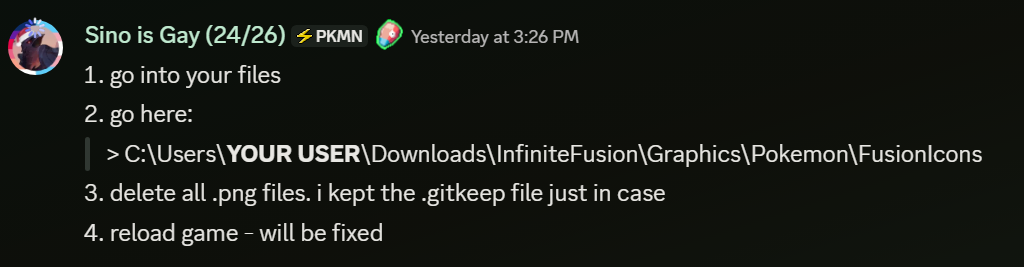
up to you
 split gate
6.6 isn't stable for Android should I get the version below
split gate
harsh epoch
6.6 isnt even out for android
That's what I meant so idk what to do
Also will a phone with 8gb of ram be able to run game properly
harsh epoch
wait for update or play outdated and update later
it depends more on the type of phone
split gate
Samsung s24
harsh epoch
some phones despite being new might not be compatible
like newer google pixel cant run it at all
the android guide has a phone compatibility section
so
?tag android
pearl magnetBOT
Check our Official Android guide ➡️ HERE.⬅️ If you didn't follow this guide, DELETE and UNINSTALL everything.
All Android bugs/workarounds are in the guide. If your issue isn't listed, there's no fix. No dedicated mobile version of IF will be developed in the future.
Note: Android has not yet been updated to 6.6! Please be patient while we wait for a stable build.
drifting bridge
harsh epoch
https://i.imgur.com/Xtad8Eh.png
Does this fix the head miniature bug? My friend also had the same bug but he doesn't have discord, I want to give him this picture to help him
quasi pelican
drifting bridge
Does this fix the head miniature bug? My friend also had the same bug but he doe...
Yes it worked for me
 earnest plank
I play on an Android moto phone
My version of the game is the latest one available (redownloaded and reconfigured according to the guide yesterday)
I got an issue in randomizer mode in which a nincada sprite used in pokeradar menu doesn't unload when the pokeradar menu is closed (by running away in battle or leaving the patch of grass)
turbid terraceBOT
Hey @earnest plank! To unlock randomized mode: Create a new game, save in Pallet Town, and create a 2nd new game. More options will appear since the 1st save is locked to Classic Mode.
Our randomizer doesn't offer true randomization meaning each Pokemon or item you find is **not ** going to be random each time. Instead we offer the below for Pokemon:
Global:
- Makes it so that if Pidgey was randomized to Pikachu on route 1, all Pidgeys on all routes are Pikachu.
Area:
- Better randomization than Global. Makes it so that each route has their own randomized set of encounters.
For more questions on other randomizer settings, checkout the Randomized Mode Wiki Page
verbal timber
relaunch the game
earnest plank
Did
verbal timber
should have fixed it
earnest plank
The sprite does unload when the encounter table changes and I reopen the radar menu
turbid terraceBOT
Hey @earnest plank! Looking for the Pokéradar? You can obtain it from Professor Oak's Assistant on Route 24, but she only appears after you meet her in the Cerulean Pokécenter.
When you use the Pokéradar, a repel automatically activates and grass will shake. This indicates which tile the Pokémon is in. If you are having issues with the encounters fleeing or need more info, use the Wiki Page: Wiki LINK
verbal timber
in any rate, I can't help more, android isn't updated yet and we don't offer assistance with older versions
harsh epoch
thats just something that happens with pokeradar even outside of android
ive had it happen to me a ton
just best to ignore it and itll go away
earnest plank
harsh epoch
thats just something that happens with pokeradar even outside of android
K
weak grove
All unfused pokemon are showing up as question marks for me
verbal timber
?tag missingsp
pearl magnetBOT
If you're encountering missing sprites
**If you just updated to 6.6, do the reset cache steps mentioned in this #announcements message post.
**The game comes with all sprites preinstalled, up until the February 2025 Pack.
The remaining packs will be downloaded as you play, as long as you have "Download Data" turned on and your device is connected to wifi. You do not need to do anything for them.
Keep in mind, the auto download does not have infinite speed or capacity and will not trigger if you are not actively encountering new sprites (ex; battling, checking the Pokedex, etc.).
After downloading X amount of sprites per time unit Y, it will be paused for a bit. We cannot adjust this limit and there is nothing you can do as the player to skip it or make it go faster.
The first time you encounter a base Pokemon, it will select a random one of all sprites, if it is a new one that hasn't been downloaded yet, it will show as missing.
The same goes for fusions but with a little more nuance. To keep it simple, think of it the same.
Again, nothing wrong with your game. You just hit a download cap.
Note: Updating your game resets all your auto-downloaded sprites. do not attempt to "fix" this with updating. It will just make everything start from the beginning.
If you would like to manually import the latest sprite packs, they are located in #spritepack-releases and further instructions can be found HERE
verbal timber
?tag resetcache
pearl magnetBOT
For missing sprites on the 6.6 update, talk to the help man in any Pokémon center and navigate to Advanced Options -> Other -> Reset -> Clear Sprite Cache. Video
split gate
If I put my randomness degree at max can anything in the game spawn
verbal timber
not really a tech support question, but yes
 white gyro
is there somewhere i can check how to update the gamer without fucking up the game by trying to do it 
turbid terraceBOT
Hey @white gyro!
How to Update to the Latest Version (Windows)
- If you're on or above 6.6.0 double click
INSTALL_OR_UPDATE.batto update. - If you're below 6.6.0 you must either reinstall in a NEW folder (since the updater won't work due to bugs) or use the New Launcher to update.
- Reinstalling doesn’t remove or require you to move any Save Files.
- If playing on a Randomized save, make sure to reshuffle after updating. Use
?tag reshuffleif you need help.
For Non-Windows devices (Android, Mac, Steamdeck, Linux, Chromebook): Check our extended guides post
white gyro
?tag reshuffle
pearl magnetBOT
After any new game update, you need to rerandomize the settings you have enabled.
If you have only pokemon randomized, you need to Reshuffle Wild Pokemon. If you have more options, reshuffle each.
This is done in the Pokemon Center -> Update Man (guy in black suit) -> Click Advanced Settings -> You will see the Reshuffle options
 gusty prairie
i found a bug that let me use strenght without the badge


 split gate
How do I download the custom sprites cause they're not showing up when I fuse
verbal timber
gusty prairie
i found a bug that let me use strenght without the badge
uh
well the only way that would happen is if you were using debug
verbal timber
split gate
How do I download the custom sprites cause they're not showing up when I fuse
scroll up a bit and see the bot messages about missing sprites and resetting the sprite cache
gusty prairie
the guy at the top of the tower in lavender town gave me the pokeflute then i moved the snorlax and got the hm then i went to the guy at route 13 that give a object that give strenght and gave strenght to one of my pokemon and it triggered the quest
verbal timber
gusty prairie
the guy at the top of the tower in lavender town gave me the pokeflute then i mo...
that isn't possible
gusty prairie
because of the pokemon move by itself i forced it to move to the beach and when it's on the towel i clicked on the pokemon
verbal timber
you get the pokeflute from lavender tower
you get strength from moving the snorlax south of lavender
 rose dune
How do I change the settings to fit mobile version?
gusty prairie
verbal timber
you get strength from moving the snorlax south of lavender
i got the pokeflute and moved the snorlax and got the hm, sorry
thanks
 hybrid turtle
Any idea why this might be happening on Route 4 when I try to interact with a Vulpix?

 strange tusk
why download this game is so hard? i dont want the launcher cause its NOT WORKING, where is the download file for god sake!!! why its so hard to find it !? it even says to download a clean file but ITS NOT SAYING WHERE!
regal geyser
Are you following the guide for the lightweight launcher then?
There are just launcher or lightweight launcher option
 midnight tusk
hey i have a problem with launching the game

he say this everytime i try to launch the game
 somber agate
when i updated the game this popped up and i cant open the game now

 frozen zealot
midnight tusk
frozen zealot
midnight tusk
you need to plug headphone or speakers
openal error is because the game can't find audio device
midnight tusk
oh ok thank you
frozen zealot
somber agate
when i updated the game this popped up and i cant open the game now
1.1.1 launcher, delete it and reinstall new one
somber agate
what about my game files
frozen zealot
somber agate
what about my game files
it's the launcher, not the game
somber agate
ok thanks
 lunar marsh
@turbid terrace why wont my game open?
regal geyser
?tag olddata
pearl magnetBOT
The most likely reason your game is opening and closing is due to improperly updated game files. We mention in #downloads to not update ANY files versions below 6.6.0.
If you're using the Launcher:
- Reinstall version 1.1.2 of the launcher from #downloads
- Open the settings tab
- Click "Reset Config"
NOTE: The original path that the launcher shows will be your old game folder. That folder should be deleted. The new game folder will be inPIFLauncher(#.#.#)/GameFiles/InfiniteFusion
If you're not using the Launcher:
Use the Lightweight installer guide to install in a NEW folder ➡️ Click Here⬅️
If you are on a non-Windows device, follow the [guide](#tech-support message) for your device to reinstall.
Reinstalling on Windows does not affect Save Files in any way.
lunar marsh
My game is on version 6.5.1, how do i download to the latest version?
upbeat sage
hybrid turtle
Any idea why this might be happening on Route 4 when I try to interact with a Vu...
update
that’s a very old bug
upbeat sage
lunar marsh
My game is on version 6.5.1, how do i download to the latest version?
?tag update
pearl magnetBOT
How to Update to the Latest Version (Windows)
- If you're on or above 6.6.0 double click
INSTALL_OR_UPDATE.batto update. - If you're below 6.6.0 you must either reinstall in a NEW folder (since the updater won't work due to bugs) or use the New Launcher to update.
- Reinstalling doesn’t remove or require you to move any Save Files.
- If playing on a Randomized save, make sure to reshuffle after updating. Use
?tag reshuffleif you need help.
For Non-Windows devices (Android, Mac, Steamdeck, Linux, Chromebook): Check our extended guides post
 regal geyser
Not the right channel, but to get triple fusions you need to progress into the very late game
upbeat sage
 stoic grove
?tag triples
pearl magnetBOT
To unlock Triple Fusion, you will need to complete the Lake of Rage event.
For a List of all unlockable Triple fusions, Check out the Triple Fusion Wiki Page
 dark condor
hi there, I'm very sorry if this isn't the right channel to ask this, but I'm quite confused and even a little concerned about my save game. I just updated the game to version 6.6.1 along with updating with the new sprite packs. After doing this, ALL of the pokemon in my party had their sprites reset and I cannot select the sprites I used again in the sprite menu. At first I thought this was because the artists asked to remove their work (which is fine) but upon checking the sprites for my Jirachi/Diancie fusion, I noticed that I can select the purple version of the sprite I used. (the sprite I used before updating was by the same artist and it was the exact same sprite but the purple parts were blue) So I don't think it's a matter of artists removing their work if it's the exact same sprite and artist...
Is the removing of sprites intentional or not? and is there anything I can do to fix it?
super sorry for the convoluted question but I'm honestly just so confused and idk how to word it better </3

 pure jetty
Thank you so much for asking... cause i have the same issue
regal geyser
?tag resetcache
pearl magnetBOT
For missing sprites on the 6.6 update, talk to the help man in any Pokémon center and navigate to Advanced Options -> Other -> Reset -> Clear Sprite Cache. Video
pure jetty
Ooooooooooooh
dark condor
Sweet! I’ll try this once I get home 
 keen viper
Tried to update my game, but it's telling me that the newest version is 6.0.0 and that I'm already on 6.0.1. When I try to play, the game window opens, but closes after just a few seconds
 lean nymph
i’m missing a whole bunch of sprites for just normal Pokemon and the cache reset didn’t restore them is there any other solution to this issue
verbal timber
keen viper
Tried to update my game, but it's telling me that the newest version is 6.0.0 an...
...
6.0 is old
i think you are reading things wrong
you are better off getting a fresh download of the files and doing a new install
 ripe isle
Since the update all my sprites have either gone or changed?
keen viper
verbal timber
6.0 is old
Was reading things wrong but it's still saying the newest version is an older version

Idk what happened but I'll just redownload
 meager loom
Hey
Since the update most of my sprites have been changed to the basics one's from japeal is it normal ?
 pearl magnetBOT
If you're encountering missing sprites
**If you just updated to 6.6, do the reset cache steps mentioned in this #announcements message post.
**The game comes with all sprites preinstalled, up until the February 2025 Pack.
The remaining packs will be downloaded as you play, as long as you have "Download Data" turned on and your device is connected to wifi. You do not need to do anything for them.
Keep in mind, the auto download does not have infinite speed or capacity and will not trigger if you are not actively encountering new sprites (ex; battling, checking the Pokedex, etc.).
After downloading X amount of sprites per time unit Y, it will be paused for a bit. We cannot adjust this limit and there is nothing you can do as the player to skip it or make it go faster.
The first time you encounter a base Pokemon, it will select a random one of all sprites, if it is a new one that hasn't been downloaded yet, it will show as missing.
The same goes for fusions but with a little more nuance. To keep it simple, think of it the same.
Again, nothing wrong with your game. You just hit a download cap.
Note: Updating your game resets all your auto-downloaded sprites. do not attempt to "fix" this with updating. It will just make everything start from the beginning.
If you would like to manually import the latest sprite packs, they are located in #spritepack-releases and further instructions can be found HERE
verbal timber
?tag resetcache
pearl magnetBOT
For missing sprites on the 6.6 update, talk to the help man in any Pokémon center and navigate to Advanced Options -> Other -> Reset -> Clear Sprite Cache. Video
lean nymph
verbal timber
?tag missingsp
okay this helps explain everything a lot more indepth than what ive seen so far, thank you for being so helpful!
 visual aspen
So if I'm on 6.5.1 is it worth even updating if the new update is buggy?
regal geyser
Well you won't get any tech support for outdated versions
 fossil owl
how to i upload my own sprite to the game
regal geyser
?tag importsp
pearl magnetBOT
To successfully import your own custom sprite, please follow these steps:
Sprite Requirements:
- Format: The sprite must be in
.pngformat. - Naming Convention: Name your sprite according to the game's dex numbering. For example, a fusion of Aegislash and Goodra should be named
329.446.png.
Importing Your Sprite:
- Ensure your sprite meets the criteria above.
- Open your game folder and navigate to
Graphics/CustomBattlers/Sprites to import. - Paste your sprite into this folder.
In-Game Instructions:
- Launch the game.
- The game will automatically detect the new sprites.
- If you have an existing sprite that you're replacing, select the option "Replace All the old sprites with the new ones" when prompted.
Once completed, you can view your custom sprite in-game from the Pokedex's Sprite tab.
fossil owl
ty
 arctic kite
my character is running to the right infinitely and im not sure how to stop it, ive unplugged my keyboard, quit out, etc etc
verbal timber
arctic kite
my character is running to the right infinitely and im not sure how to stop it, ...
do you have a controller plugged in as well
sounds semi similar to issues with switch controllers where they just repeatedly send inputs to the game and freak out
arctic kite
No i do not, the issue appeared with my controller a few days ago so i've just been using my keyboard
just tabbed back into the game and it looks like it fixed itself after about 10 minutes so im good now
 wet portal
How do I fix the issue of it saying my game is on 6.6.1 but needs 6.6.0?
 muted narwhal
hey i have a problem that when i try to open my game it gives the error creating openAL context i have tried updating the game but it dass not go away any help?
verbal timber
muted narwhal
hey i have a problem that when i try to open my game it gives the error creating...
plug in headphones/speakers/etc
verbal timber
wet portal
How do I fix the issue of it saying my game is on 6.6.1 but needs 6.6.0?
if you are using the launcher, make sure it is v1.1.2
wet portal
It is, but even not using the launcher, it just closes immediately.
pearl magnetBOT
The most likely reason your game is opening and closing is due to improperly updated game files. We mention in #downloads to not update ANY files versions below 6.6.0.
If you're using the Launcher:
- Reinstall version 1.1.2 of the launcher from #downloads
- Open the settings tab
- Click "Reset Config"
NOTE: The original path that the launcher shows will be your old game folder. That folder should be deleted. The new game folder will be inPIFLauncher(#.#.#)/GameFiles/InfiniteFusion
If you're not using the Launcher:
Use the Lightweight installer guide to install in a NEW folder ➡️ Click Here⬅️
If you are on a non-Windows device, follow the [guide](#tech-support message) for your device to reinstall.
Reinstalling on Windows does not affect Save Files in any way.
The most likely reason your game is opening and closing is due to improperly updated game files. We mention in #downloads to not update ANY files versions below 6.6.0.
If you're using the Launcher:
- Reinstall version 1.1.2 of the launcher from #downloads
- Open the settings tab
- Click "Reset Config"
NOTE: The original path that the launcher shows will be your old game folder. That folder should be deleted. The new game folder will be inPIFLauncher(#.#.#)/GameFiles/InfiniteFusion
If you're not using the Launcher:
Use the Lightweight installer guide to install in a NEW folder ➡️ Click Here⬅️
If you are on a non-Windows device, follow the [guide](#tech-support message) for your device to reinstall.
Reinstalling on Windows does not affect Save Files in any way.
muted narwhal
verbal timber
plug in headphones/speakers/etc
tried that did nothing
verbal timber
muted narwhal
tried that did nothing
then your audio is not being registered properly
openal error means the game can't find audio
muted narwhal
how can i fix it?
verbal timber
not something we help with, as the issues lies outside the game
muted narwhal
ok thank you anyways
wet portal
verbal timber
if you are using the launcher, make sure it is v1.1.2
That fixed it, thank you.
 karmic talon
Hey so my sprites got reset to other sprites I didn’t like how do I change sprites?
 edgy talon
I've downloaded the latest Sprite Pack and instillaed the Fusion sprites to it's designated folder as the instructions read.
But now I'm wondering where's I'm supposed to move the Base sprites to?
 frozen lichen
Im still missing a lot of sprites since first update i also went to the game fix man in the pokecenter and cleared sprite cache but now im missing different sprites and i reinstalled the game did clear cache mutliple time but everytime i miss different sprites
verbal timber
edgy talon
I've downloaded the latest Sprite Pack and instillaed the Fusion sprites to it's...
no where
those base sprites aren't used by the game normally
edgy talon
verbal timber
those base sprites aren't used by the game normally
Than why do some non-fused pokémon have alternate sprites when playing the game?
Because when I look at them in the pokédex they have more than 1 design to choose from.
verbal timber
because base sprites have their own sprite sheets
but the base sprites in the sprite packs aren't in there
 quartz siren
 cunning thicket
Howdy, I've played Infinite fusion before and I didn't have any issues then but it's been a few years since. When I redownloaded the game, it seemed to kinda spazz out as if the game kept inputing commands and I could not do anything to stop it. If anybody has a solution please let me know. I know it's an odd way to explain it but I'd like to enjoy the game again if possible. Thanks!
turbid terraceBOT
Hey @cunning thicket! You can download the game from: [#downloads](#downloads message)
If you need a guide, they are located: [HERE](#tech-support message)
verbal timber
cunning thicket
Howdy, I've played Infinite fusion before and I didn't have any issues then but ...
unplug your controller
verbal timber
quartz siren
no error, if using the launcher, get a fresh install of those files
cunning thicket
verbal timber
unplug your controller
I do have a controller that I use for other games but it's not used for this, would that still impact it?
 rotund trellis
how thick is the file because I was just going to follow the leightweight installer guide but when I downloaded it from mediafire it says its 2.2GB and that just doesnt seem right
 crude quiver
Hello all, I was trying to find the fatalis sprite for Charizard/Charizard and it doesn't seem to be in the game. I'm on the most current version and have used the advanced repair, but it's still not there. Do I need to custom add it or since it's theoretically in the game already do I just need to redownload the sprites somehow?
 pale pine
crude quiver
Hello all, I was trying to find the fatalis sprite for Charizard/Charizard and i...
pale pine
crude quiver
Hello all, I was trying to find the fatalis sprite for Charizard/Charizard and i...
couldve been removed by the person who made the sprite
crude quiver
Hadn't considered that, unfortunate
It seems to have been absent for at least two months so that may be the case
regal geyser
rotund trellis
how thick is the file because I was just going to follow the leightweight instal...
Yup that's correct
But you have to consider
There's like 3/4 years of sprites in there
There's more than a hundred thousand sprites afaik
verbal timber
cunning thicket
I do have a controller that I use for other games but it's not used for this, wo...
if it is plugged in it could be interfearing with the game
verbal timber
rotund trellis
how thick is the file because I was just going to follow the leightweight instal...
around 2GB is the right ballpark
 hoary island
hello, is there a ticket system for thecnicall issues or is it a free questions kind of thing?
regal geyser
free questions 😄
hoary island
ok then, so, i installed the latest version of the game as per the instructions of the discord and i´ve also cleared the sprite chache with the help man, but for some reason most of the pokemon sprites still appear invisible or like question marks
my only thinking is that maybe my current safefile is corrupted, because this ssafe file was created from a previous version of the game
verbal timber
?tag missingsp
pearl magnetBOT
If you're encountering missing sprites
**If you just updated to 6.6, do the reset cache steps mentioned in this #announcements message post.
**The game comes with all sprites preinstalled, up until the February 2025 Pack.
The remaining packs will be downloaded as you play, as long as you have "Download Data" turned on and your device is connected to wifi. You do not need to do anything for them.
Keep in mind, the auto download does not have infinite speed or capacity and will not trigger if you are not actively encountering new sprites (ex; battling, checking the Pokedex, etc.).
After downloading X amount of sprites per time unit Y, it will be paused for a bit. We cannot adjust this limit and there is nothing you can do as the player to skip it or make it go faster.
The first time you encounter a base Pokemon, it will select a random one of all sprites, if it is a new one that hasn't been downloaded yet, it will show as missing.
The same goes for fusions but with a little more nuance. To keep it simple, think of it the same.
Again, nothing wrong with your game. You just hit a download cap.
Note: Updating your game resets all your auto-downloaded sprites. do not attempt to "fix" this with updating. It will just make everything start from the beginning.
If you would like to manually import the latest sprite packs, they are located in #spritepack-releases and further instructions can be found HERE
 lucid ore
error near the end, when I try run/click play the game it just vansishes
verbal timber
lucid ore
error near the end, when I try run/click play the game it just vansishes
no error
?tag olddata
pearl magnetBOT
The most likely reason your game is opening and closing is due to improperly updated game files. We mention in #downloads to not update ANY files versions below 6.6.0.
If you're using the Launcher:
- Reinstall version 1.1.2 of the launcher from #downloads
- Open the settings tab
- Click "Reset Config"
NOTE: The original path that the launcher shows will be your old game folder. That folder should be deleted. The new game folder will be inPIFLauncher(#.#.#)/GameFiles/InfiniteFusion
If you're not using the Launcher:
Use the Lightweight installer guide to install in a NEW folder ➡️ Click Here⬅️
If you are on a non-Windows device, follow the [guide](#tech-support message) for your device to reinstall.
Reinstalling on Windows does not affect Save Files in any way.
 magic quarry
lucid ore
magic quarry
lucid ore
Great fix, sorry if it should have been obvious. Thanks for the help 🙂
 verbal nova
So my game said it needed an update so i updated it but instead of updating to 6.6.0 mine updated to 6.6.1, resulting in it not being able to open the game. What do I do to fix this?
verbal timber
verbal nova
So my game said it needed an update so i updated it but instead of updating to 6...
fresh install the launcher, that should resolve the shenanigans
 inland fable
Hi, so I updated to the latest version of infinite fusions because my game gave me a notifcation for it. I followed the steps in download to update and everything works smoothly, I can launch the game just fine. However, a lot of the sprites are missing as question marks. Is there an additional sprite pack I need to download?
 kindred dew
inland fable
Hi, so I updated to the latest version of infinite fusions because my game gave ...
kindred dew
inland fable
Hi, so I updated to the latest version of infinite fusions because my game gave ...
This happens when playing offline AFAIK, and I've had it happen when I was having network connectivity issues. Could be firewall settings as well.
verbal timber
inland fable
Hi, so I updated to the latest version of infinite fusions because my game gave ...
?tag missingsp
pearl magnetBOT
If you're encountering missing sprites
**If you just updated to 6.6, do the reset cache steps mentioned in this #announcements message post.
**The game comes with all sprites preinstalled, up until the February 2025 Pack.
The remaining packs will be downloaded as you play, as long as you have "Download Data" turned on and your device is connected to wifi. You do not need to do anything for them.
Keep in mind, the auto download does not have infinite speed or capacity and will not trigger if you are not actively encountering new sprites (ex; battling, checking the Pokedex, etc.).
After downloading X amount of sprites per time unit Y, it will be paused for a bit. We cannot adjust this limit and there is nothing you can do as the player to skip it or make it go faster.
The first time you encounter a base Pokemon, it will select a random one of all sprites, if it is a new one that hasn't been downloaded yet, it will show as missing.
The same goes for fusions but with a little more nuance. To keep it simple, think of it the same.
Again, nothing wrong with your game. You just hit a download cap.
Note: Updating your game resets all your auto-downloaded sprites. do not attempt to "fix" this with updating. It will just make everything start from the beginning.
If you would like to manually import the latest sprite packs, they are located in #spritepack-releases and further instructions can be found HERE
verbal timber
?tag resetcache
pearl magnetBOT
For missing sprites on the 6.6 update, talk to the help man in any Pokémon center and navigate to Advanced Options -> Other -> Reset -> Clear Sprite Cache. Video
kindred dew
I did a fresh install to upgrade from 6.4.6 to 6.6.1 on my Steam Deck following this guide: https://hackmd.io/@PIF-Tech/SteamdeckGuide. PIF now crashes on launch after a brief black screen. Installed in folder on the steam desktop and launched using Proton Experimental (as had been working for 6.4.x). Any suggestions?
turbid terraceBOT
Hey @kindred dew! Black screen in this game is the loading screen. The duration of the black screen depends on YOUR computer and YOUR internet.
- If you get the message below while opening the game, this means to stop clicking/pressing buttons on the screen as it is loading.
- If you get the message while in game, this means your computer is struggling.
- Use our performance tips to help your issues: [More Info](#tech-support message)⬅️⬅️
verbal timber
kindred dew
I did a fresh install to upgrade from 6.4.6 to 6.6.1 on my Steam Deck following ...
if you get an error with the crash, we'd need a screenshot of it
inland fable
kindred dew
This happens when playing offline AFAIK, and I've had it happen when I was havin...
I'm definitely connected to the internet and i checked my firewall and made sure to give infinite all permissions just in case. So I guess i'll try the manual download?
verbal timber
inland fable
I'm definitely connected to the internet and i checked my firewall and made sure...
the manual download is only if you are playing OFFLINE
kindred dew
No error - window just closes in less than a decond
verbal timber
kindred dew
No error - window just closes in less than a decond
?tag olddata
pearl magnetBOT
The most likely reason your game is opening and closing is due to improperly updated game files. We mention in #downloads to not update ANY files versions below 6.6.0.
If you're using the Launcher:
- Reinstall version 1.1.2 of the launcher from #downloads
- Open the settings tab
- Click "Reset Config"
NOTE: The original path that the launcher shows will be your old game folder. That folder should be deleted. The new game folder will be inPIFLauncher(#.#.#)/GameFiles/InfiniteFusion
If you're not using the Launcher:
Use the Lightweight installer guide to install in a NEW folder ➡️ Click Here⬅️
If you are on a non-Windows device, follow the [guide](#tech-support message) for your device to reinstall.
Reinstalling on Windows does not affect Save Files in any way.
kindred dew
pearl magnet
The most likely reason your game is opening and closing is due to improperly upd...
I'm on Steam Deck, followed the guide as mentioned in my original post
inland fable
verbal timber
the manual download is only if you are playing OFFLINE
Oh then if the sprites are missing and I have the correct 6.6.1 version should I just wait for the auto downloads when playing?
verbal timber
inland fable
Oh then if the sprites are missing and I have the correct 6.6.1 version should I...
i poked the bot 2 times to answer your issue
kindred dew
verbal timber
that is the only fix
But i've literally performed that step. I followed that guide to update, which produced the error, and your advice is to... follow that guide to update.
 exotic root
android version is working on 6.5.1 already ?
verbal timber
kindred dew
But i've literally performed that step. I followed that guide to update, which p...
not update
verbal timber
exotic root
android version is working on 6.5.1 already ?
its been on 6.5.1 for awhile
exotic root
6.6.1** sorr
verbal timber
kindred dew
But i've literally performed that step. I followed that guide to update, which p...
you basically need to reinstall
cunning thicket
verbal timber
if it is plugged in it could be interfearing with the game
Gotcha, I just had the USB plugged it but I didn't consider that. I'll give it a try but much appreciated!
verbal timber
kindred dew
But i've literally performed that step. I followed that guide to update, which p...
just make sure when you do reinstall you follow the video guide so you don't lose your saves
kindred dew
verbal timber
you basically need to reinstall
Right, which i did, following that guide. I performed a fresh install by deleting my old folder and redownloading 6.6.1 into the same location, as specified in the gide you've linked.
verbal timber
then you wouldn't be getting the problem you are having
the issue of the game opening briefly and then closing shortly after is due to updating from a version that wasn't meant to update
thus why i poked the bot about olddata
kindred dew
verbal timber
then you wouldn't be getting the problem you are having
I have performed a fresh install according to the guide, I promise, and am still seeing the black screen crash. I did the fresh install minutes ago. I'm performing it a gain right now just to be sure (currently downloading another copy of the game from the link included in the guide to be safe)
turbid terraceBOT
Hey @kindred dew! Black screen in this game is the loading screen. The duration of the black screen depends on YOUR computer and YOUR internet.
- If you get the message below while opening the game, this means to stop clicking/pressing buttons on the screen as it is loading.
- If you get the message while in game, this means your computer is struggling.
- Use our performance tips to help your issues: [More Info](#tech-support message)⬅️⬅️
kindred dew
Alright, can confirm after a second fresh install following the guide for Steam Deck that the problem is still recurring and the game crashes on launch
inland fable
verbal timber
i poked the bot 2 times to answer your issue
Sorry I don’t mean to irritate you. I just did those already and while I do get it takes time some of the sprites I had already on my Pokémon are gone
So I guess I just thought those would come back quicker than news ones while battling.
I’ll be patient. Thanks anyway ^^
 edgy vapor
Hey there, I don't know if this is the right place to ask, but while playing the game, using pure balls always seemed to fail capture, while status balls always seemed to succeed, regardless of pokemon status. I checked the scripts and the code for the balls has a "if battler.status ==0" on the pure ball and "if battler.status != 0" on the status ball. When replacing it with "battler.status == :None" and "battler.status != :None" respectively, they seem to be "fixed",with the pure ball capturing better pokemon with no status, and the status ball capturing only status-afflicted pokemon. But I have no Idea why, as ruby should see 0 as the enum 0, which is none.
verbal timber
inland fable
Sorry I don’t mean to irritate you. I just did those already and while I do get ...
?tag alts
pearl magnetBOT
To change a Pokemon's sprite to an alternative one, go to their Pokedex entry (this can be done from their summary screen) and go to the "Sprites" tab. Here you can scroll through the different available sprites.
https://www.youtube.com/watch?v=VOY_mxJ-Bx8
 inland fable
Thank you again! But I do know about this and already checked. Some of them are just gone and that’s probably just me hitting the download cap like your previous tag said
frozen grove
inland fable
Thank you again! But I do know about this and already checked. Some of them are ...
You did reset the cache right?
regal geyser
That's likely known
But there's an Out of Bounds unown in Mt Ember 
It's not even out of bounds, it's just if you try to surf on the outside of the island
 ocean slate
When updating, the game removes the custom sprites I've set up? Or removes only those that are built-in?
inland fable
frozen grove
You did reset the cache right?
I did!
 rain flower
quick question is the reddit google doc link safe?
if you guys dont know what im referring to, i assume no
verbal timber
rain flower
quick question is the reddit google doc link safe?
it is out of date
use the guides here
rain flower
ok thanks\

 kindred dew
@verbal timber FYI - After double-checking every step in the Steam Deck installation instructions for 6.6.1 (here https://hackmd.io/@PIF-Tech/SteamdeckGuide), including deleting all files and performing a fresh install three times total, PIF still crashed on launch. I had to copy a working install from a windows device in order to get things running on Steam Deck. I have no idea what the issue was but will provide whatever information I can if anyone wants to follow up.
verbal timber
 solemn folio
did you follow our android guide exactly?
 narrow swift
In my game disappeared all custom sprite
solemn folio
verbal timber
did you follow our android guide exactly?
I believe so
narrow swift
i updated the game 10 minutes ago
solemn folio
it's been black screen for solid 10 minutes
turbid terraceBOT
Hey @solemn folio! Black screen in this game is the loading screen. The duration of the black screen depends on YOUR computer and YOUR internet.
- If you get the message below while opening the game, this means to stop clicking/pressing buttons on the screen as it is loading.
- If you get the message while in game, this means your computer is struggling.
- Use our performance tips to help your issues: [More Info](#tech-support message)⬅️⬅️
narrow swift
do you know why?
verbal timber
solemn folio
I believe so
then double check to make sure your device is not listed in the incompatible section
no video but sound is often indicative of your device not being compatible with the game
verbal timber
then if it isn't listed at all in either direction, try using the performance application to run the game
solemn folio
performance application?
verbal timber
InfiniteFusion-performance
if the problem persists even with that, your device isn't compatible
nothing we can do to remedy that
solemn folio
where can I get that
verbal timber
it is in your game files
might be named game-performance
cause i forgot mobile is still on v6.5.1
 empty cosmos
I have done the Clear sprite cache like 5 times but it still hasn't fixed all of the sprites what do I need to do?
verbal timber
empty cosmos
I have done the Clear sprite cache like 5 times but it still hasn't fixed all of...


?tag missingsp
pearl magnetBOT
If you're encountering missing sprites
**If you just updated to 6.6, do the reset cache steps mentioned in this #announcements message post.
**The game comes with all sprites preinstalled, up until the February 2025 Pack.
The remaining packs will be downloaded as you play, as long as you have "Download Data" turned on and your device is connected to wifi. You do not need to do anything for them.
Keep in mind, the auto download does not have infinite speed or capacity and will not trigger if you are not actively encountering new sprites (ex; battling, checking the Pokedex, etc.).
After downloading X amount of sprites per time unit Y, it will be paused for a bit. We cannot adjust this limit and there is nothing you can do as the player to skip it or make it go faster.
The first time you encounter a base Pokemon, it will select a random one of all sprites, if it is a new one that hasn't been downloaded yet, it will show as missing.
The same goes for fusions but with a little more nuance. To keep it simple, think of it the same.
Again, nothing wrong with your game. You just hit a download cap.
Note: Updating your game resets all your auto-downloaded sprites. do not attempt to "fix" this with updating. It will just make everything start from the beginning.
If you would like to manually import the latest sprite packs, they are located in #spritepack-releases and further instructions can be found HERE
solemn folio
It's still a black screen shall I wait few minutes tho
turbid terraceBOT
Hey @solemn folio! Black screen in this game is the loading screen. The duration of the black screen depends on YOUR computer and YOUR internet.
- If you get the message below while opening the game, this means to stop clicking/pressing buttons on the screen as it is loading.
- If you get the message while in game, this means your computer is struggling.
- Use our performance tips to help your issues: [More Info](#tech-support message)⬅️⬅️
solemn folio
guess it's no use, @verbal timber Thanks a lot man, you're a great help
 quaint fiber
 onyx bluff
how is that possible 😭😭
onyx bluff
how is that possible 😭😭
Having the same issue here
verbal timber
onyx bluff
how is that possible 😭😭
make sure you have launcher v1.1.2
solemn folio
really wanted to play this tho lol
 rigid glen
hi it's strange i can buy fancy meal but i haven't any money
verbal timber
solemn folio
really wanted to play this tho lol
nothing we can do about that, game was only ever made for windows pcs; anything else is a work around
mobile is the second worst offender for playing
solemn folio
I'll try it in my laptop later
verbal timber
rigid glen
hi it's strange i can buy fancy meal but i haven't any money
shhh don't question it
onyx bluff
verbal timber
make sure you have launcher v1.1.2
Oh right thanks
verbal timber
just take the "free" meal that can't be used
as for the being broke bit
?tag money
pearl magnetBOT
Ways to Make 💰
- Mankey paw resale [saffron city + crimson city, nerfed to hell, you will lose money before it is profitable]
- Coffee resale [celedon cafe + any pokemart] - Buy for 200, sell for 350
- Rock smash farming [Ruins of Alph best spot]
- Payday + amulet coin
- E4 Rebattling
- Rebattling the last trainer in rock tunnel or swimmer east of Knot Island (only these 2 rebattles give money)
- Fishing Contest in Vermillion (Every win after the first gives 10k and you can reuse the same Magikarp)
sleek wave
empty cosmos
I have done the Clear sprite cache like 5 times but it still hasn't fixed all of...
I had the same problem wand tried resetting the customs as well. I just talked to the Glitch guy and asked him to fix the game and it corrected anything that was wrong. Just make sure your game is updated first.
rigid glen
verbal timber
just take the "free" meal that can't be used
yes i know but i have bought one 80 fancy meal when I had no more money
verbal timber
again...don't question it
empty cosmos
sleek wave
I had the same problem wand tried resetting the customs as well. I just talked t...
Alright Thank you
 torpid falcon
i havent played this game in while but where do you put the custom battle sprites
 zinc rapids
hello, I have the PIFLauncher v1.1.2 and the game version 6.6.1 but when I launch the game I have the traditional black screen, and then the game closes
turbid terraceBOT
Hey @zinc rapids! Black screen in this game is the loading screen. The duration of the black screen depends on YOUR computer and YOUR internet.
- If you get the message below while opening the game, this means to stop clicking/pressing buttons on the screen as it is loading.
- If you get the message while in game, this means your computer is struggling.
- Use our performance tips to help your issues: [More Info](#tech-support message)⬅️⬅️
 turbid tendon
kindred dew
Alright, can confirm after a second fresh install following the guide for Steam ...
turbid tendon
kindred dew
Alright, can confirm after a second fresh install following the guide for Steam ...
Did you ever get a fix
verbal timber
zinc rapids
hello, I have the PIFLauncher v1.1.2 and the game version 6.6.1 but when I launc...
?tag olddata
pearl magnetBOT
The most likely reason your game is opening and closing is due to improperly updated game files. We mention in #downloads to not update ANY files versions below 6.6.0.
If you're using the Launcher:
- Reinstall version 1.1.2 of the launcher from #downloads
- Open the settings tab
- Click "Reset Config"
NOTE: The original path that the launcher shows will be your old game folder. That folder should be deleted. The new game folder will be inPIFLauncher(#.#.#)/GameFiles/InfiniteFusion
If you're not using the Launcher:
Use the Lightweight installer guide to install in a NEW folder ➡️ Click Here⬅️
If you are on a non-Windows device, follow the [guide](#tech-support message) for your device to reinstall.
Reinstalling on Windows does not affect Save Files in any way.
 storm locust
Hey guys, found a small bug next to the nugget bridge.
This water tile is walkable!
Device: Linux (wine)
Game Version: 6.6.1
Where did you get your game files from? Discord Link
Description of Issue + Steps to Reproduce: Just walk there
What you were doing in game when the issue arose: Doing quests and walking around
Attach screenshots of the issue. Especially if you get a crash error:
 zinc rapids
verbal timber
?tag olddata
zinc rapids
verbal timber
?tag olddata
thanks 🙂
verbal timber
it is well documented
storm locust
Oh true, sorry about it, I was looking for Walkable, Water, etc and I was not able to find it
rigid glen
 cedar tree
I finally got my game to work be reinstalling my launcher but now the fusion sprites i had are gone, i know other people have hjad these problems so is there a solution yet?
kindred dew
turbid tendon
Did you ever get a fix
I had to copy a working install from my Windows laptop (used Warpinator/Winpinator for that). Official installation/reinstallation instructions pinned in this thread didn't work
kindred dew
verbal timber
did you follow our android guide exactly?
I followed the Steam Deck guide, since that's what I'm running on. Does the Android guide include relevant steps that the Steam Deck/Linux guides don't?
 worldly pelican
ISSUES WITH THE UPDATE!
Up updated my game today, but now all my custom sprite pomemon are now all the Japeal computer generated sprites!
I cant change them back, and now all my mons look ugly! What do i do?!?
 serene wing
Can someone tell me how to update the game on joiplay
turbid terraceBOT
Hey @serene wing!
How to Update to the Latest Version (Windows)
- If you're on or above 6.6.0 double click
INSTALL_OR_UPDATE.batto update. - If you're below 6.6.0 you must either reinstall in a NEW folder (since the updater won't work due to bugs) or use the New Launcher to update.
- Reinstalling doesn’t remove or require you to move any Save Files.
- If playing on a Randomized save, make sure to reshuffle after updating. Use
?tag reshuffleif you need help.
For Non-Windows devices (Android, Mac, Steamdeck, Linux, Chromebook): Check our extended guides post
worldly pelican
ISSUES WITH THE UPDATE!
Up updated my game today, but now all my custom sprite pomemon are now all the Japeal computer generated sprites!
I cant change them back, and now all my mons look ugly! What do i do?!?
regal geyser
serene wing
Can someone tell me how to update the game on joiplay
Game is not updated to 6.6.X on Android yet afaik
worldly pelican
Can someone please help me, ALL sprites are now gone!
In the box, its either a question mark with a circle around it, or just blank
regal geyser
?tag resetcache
pearl magnetBOT
For missing sprites on the 6.6 update, talk to the help man in any Pokémon center and navigate to Advanced Options -> Other -> Reset -> Clear Sprite Cache. Video
worldly pelican
thank you nugat. It worked.
Also, quick question about the update.
I see theres now three different options to open the fame.
Game, Infinite fusion (with the new logo), and InfiniteFusion-Performance.
Whats the difference between these programs?
 stark delta
hey i just updated the game after not playing in a while and now it just doesnt open?
i tried all 5 of these and they all close instantly
 regal geyser
worldly pelican
Also, quick question about the update.
I see theres now three different option...
regal geyser
worldly pelican
Also, quick question about the update.
I see theres now three different option...
Game is the legacy exe, Infinite Fusion is the new one, and performance mode is there to address the crashes and/or lagging on lower end PCs
Performance does not download sprites automatically and takes longer to load though
regal geyser
stark delta
hey i just updated the game after not playing in a while and now it just doesnt ...
If you updated from below 6.6, you should reinstall everything
stark delta
ah ok
guess who just permanently deleted the save file folder
was thinking of starting from the start anyway
but goodbye my shinnies that i made custom sprites for
regal geyser
Check your recycle bin?
stark delta
i did shift delete so they gone but its all good
cedar tree
Do we know how to get sprites to work yet?
regal geyser
cedar tree
Do we know how to get sprites to work yet?
Beyond resetting cache, not really
cedar tree
Ok, no worries
 fossil grail
I've noticed since I've installed the new update that I no longer encounter fused Pokemon in wild battles. I've tried using Fusion Incenses and I never encounter any fused Pokémon.
 dry plinth
I downloaded the recent version from the link in #downloads
But something about the zip is not right. The versions are not matching and I'm having issues with the launcher.
 regal geyser
That's normal, the name of the folder wasn't updated
What matters is the version of the launcher when you open it
worldly pelican
yeah i was also wondering cause in battle sprites are now fixed for me, but in the box, the sprites no longer show both pokemon of a fused one.
Its confusing trying to find a fusuon i made earier 😞
regal geyser
worldly pelican
yeah i was also wondering cause in battle sprites are now fixed for me, but in t...
For that you need to delete some folder stuff
Let me find it