
#tech-support
1 messages · Page 48 of 1
 molten carbon
 safe quail
Well, no, that's the mediafire, not the mega
 safe quail
Yea
molten carbon
should i download it to a new folder or the same one
safe quail
Again u should not download it to cloud storage so it would be a good idea to download to somewhere in local storage
Like ur documents folder or ur desktop
molten carbon
and i dont ever use mega do i just click the green download button?
 molten carbon
safe quail
Again u should not download it to cloud storage so it would be a good idea to do...
molten carbon
safe quail
Again u should not download it to cloud storage so it would be a good idea to do...
ok
i did
safe quail
U will see 2 5.0 .zips
molten carbon
4 versions are there
molten carbon
its downloading
 merry harness
ok so
some sprites were missing on my game
so i checked the CustomBattlers folder and since i was on an outdated version, i downloaded the new one and replaced it
 turbid drift
Wondering where I can find surf race in game's coding
merry harness
but now my pokemon still use the autogenerated sprites
safe quail
U probably replaced wrong
 merry harness
well the files are there
molten carbon
ok
safe quail
Either one of the other drives is alos fine
molten carbon
should i put it in a new folder?
safe quail
If u wanna
safe quail
merry harness
well the files are there
Yea the files being there doesn't mean anything if the file isn't formatted properly
Show me ur custombattlers folder
merry harness
1sec
molten carbon
do i have to move my save file to the new folder or is it just automaticaly knoiw
safe quail
Ur computer's file system looks a bit weird but if u originally installed the game under this account on this pc it should be fine
molten carbon
ok
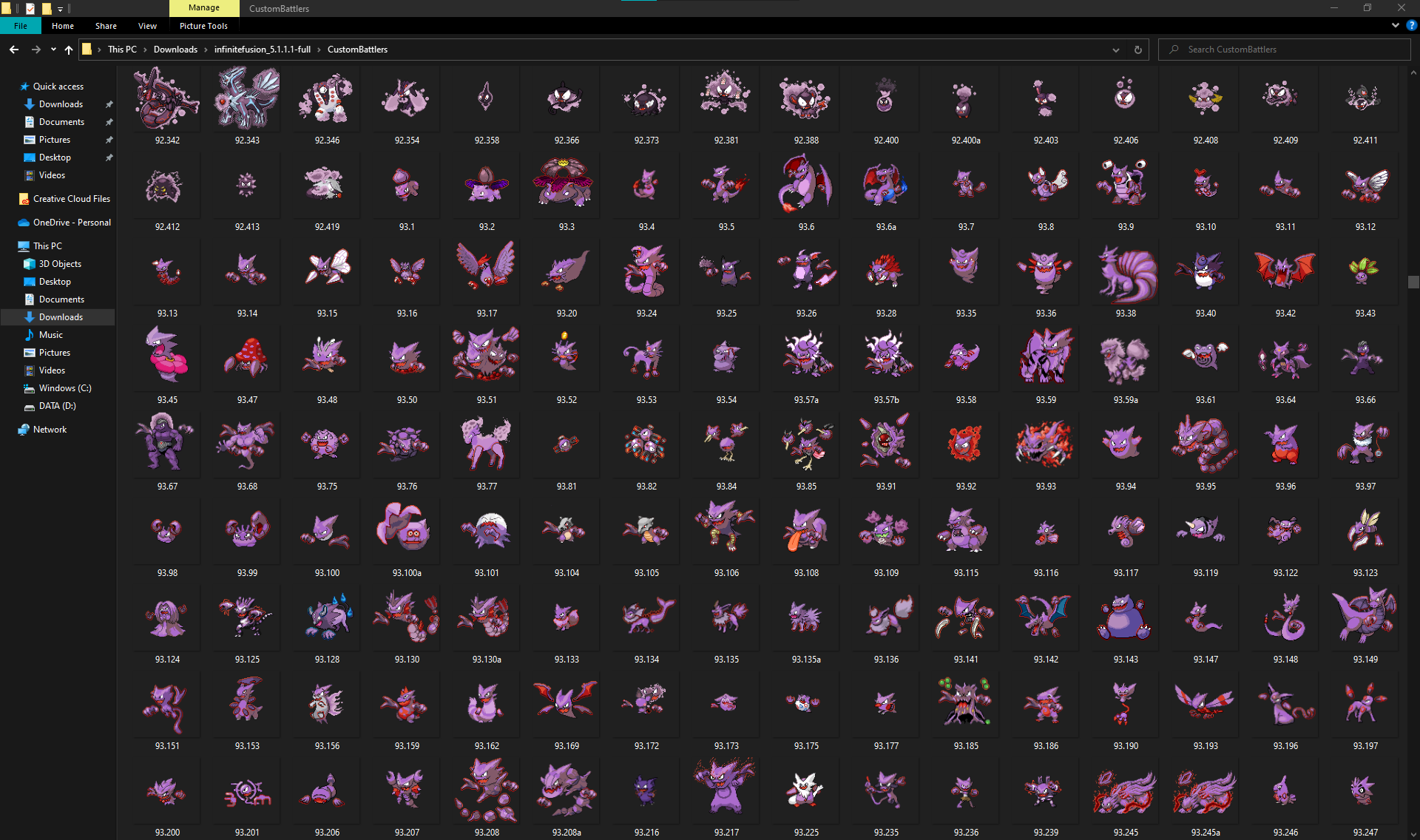
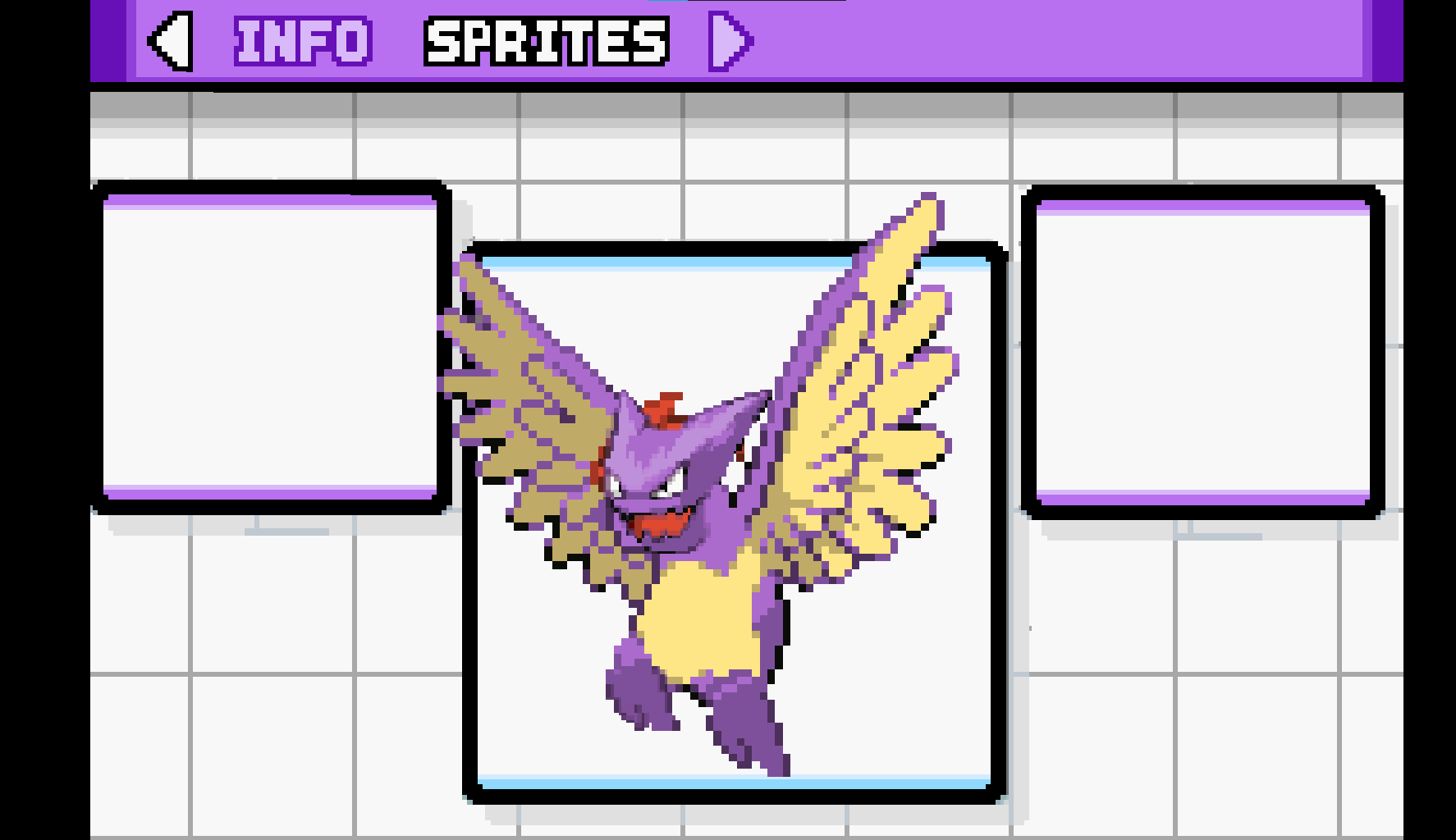 safe quail
Right, can I see just the first page of the folder
U shouldn't need to upload to imgur, u can just upload to discord
merry harness
i'm aware, but the game is on my desktop and discord is on my laptop at the moment.
safe quail
I would just use browser discord or smth temporarily while working on this but sure
merry harness
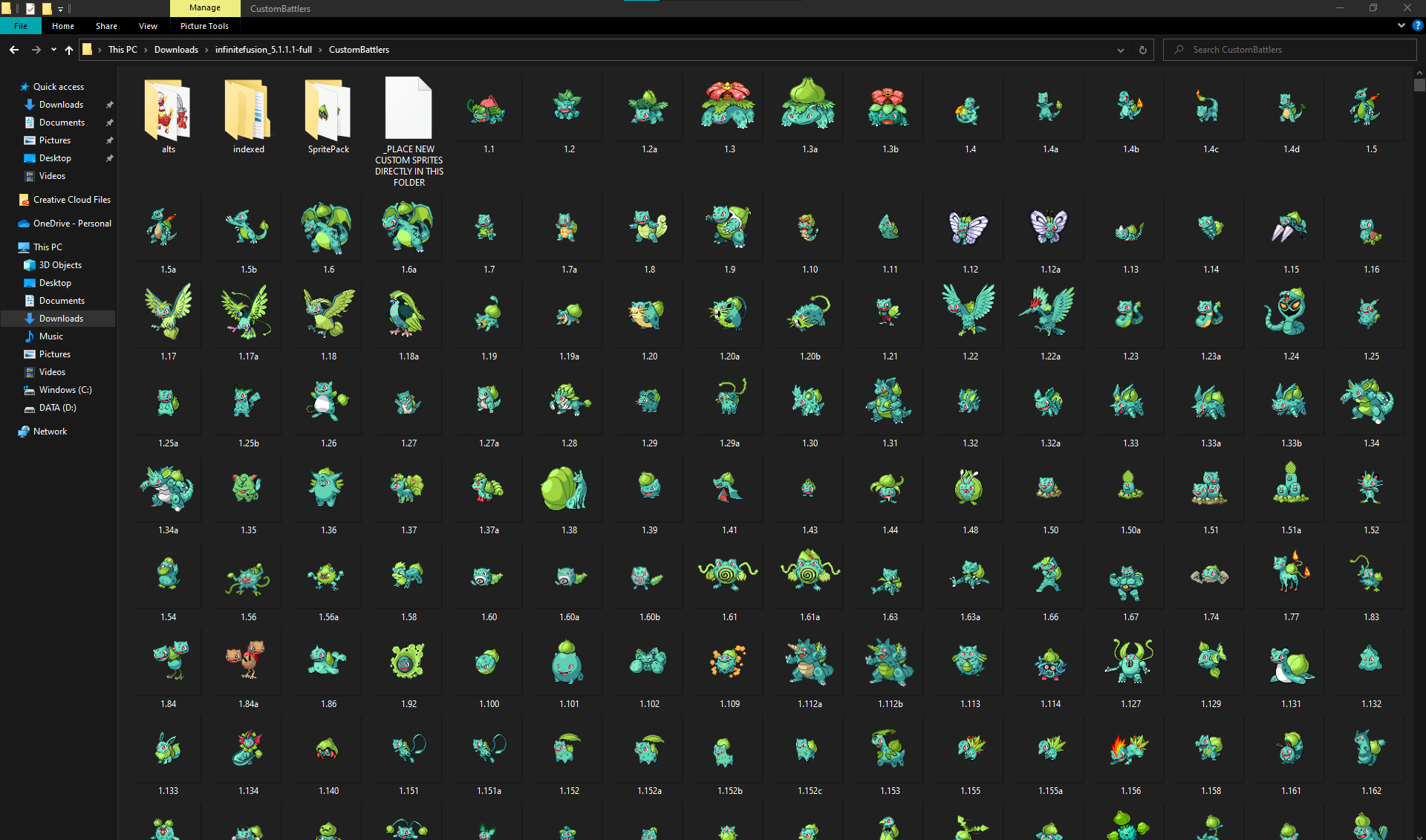 safe quail
Ok so the folder looks organized properly but why isn't it in ur graphics folder
merry harness
...ah.
 sick wadi
I'm trying to download the full version of the game from the mirror 2 link, but each time I do, my antivirus detects the trojan virus along with two things named "backdoor," is this normal?
also seems to happen when i download from the first link as well
safe quail
Well being named backdoor is a new one and a bit concerning
False positives for casdet!rfn trojan is common
Esp. if u first tried to download using Opera, but it's become more common on other browsers as well
sick wadi
should i try with a diff browser?
safe quail
U can try, but if typically once it's been flagged on one browser, the issue persists on others
If u wanna download u probably need to turn off real-time protection in windows security and then turn it back on after
I always recommend scanning the .zip again before extracting just to see if the antivirus says the same thing
I'm not sure if it ever has or not tho, no one's ever gotten back to me on that lol
sick wadi
it tells me it detects it mid-download so it never gets to finish
merry harness
that seems to have worked. thanks for the help! :D
safe quail
safe quail
If u wanna download u probably need to turn off real-time protection in windows ...
Did u do this
I meant scanning the .zip after a successful download
Files inside a .zip can't do anything until u extract them or open the archive, so as long as ur downloading a .zip and not a raw .exe u should have that buffer
sick wadi
will do 🫡
 vocal thunder
i got this error when starting the new version pokemon fusion using an old save
Script '001_pokemon.rb' line 1144: NoMethodError occured.
undefined method '[]' for nil:NilClass
So this is an error with the No Levels Mode added in 5.1.2
U can fix it by opening the file in question, finding that line, and putting a # in front of that line and the next 2 lines
sick wadi
safe quail
Did u do this
Okay so after downloading the light version I only got one threat named backdoor and when I scanned them in a secluded folder it still gave me the same threat. However, I noticed that the "affected items" it listed no longer actually existed to I just stopped caring :]
safe quail
Ok, interesting
What were the affected items
My antivirus has never flagged so idk what this looks like at all
sick wadi
some game that failed to download from itch.io ages ago, the files didn't exist on my computer but there were shortcuts I can't delete since they are corrupted
safe quail
Ah ok, so no system files
It's weird that it thinks the new threats would target those files but w/e
vocal thunder
okay that fixes it thank you
turbid drift
is there way to nurf npc surf race thing?
 indigo chasm
@prime beacon
 prime beacon
Oh, it wasn't changed
indigo chasm
Hey Ferrous wehave a question for setting a custom sprite
ive been trying to help guess place a custom sprite
 slender bough
so like im trying to download the game now im stuck with a casdet rfn thing coming from my wd
indigo chasm
The game is recognizing it
prime beacon
 indigo chasm
but she is unable to switch to it
prime beacon
It says it's already the displayed sprite
indigo chasm
however she is able to switch the sprites of other mons
prime beacon
But it isn't
 indigo chasm
im stumped
prime beacon
Did I do something wrong?
safe quail
Oh, hi
safe quail
I don't think u did anything wrong
I think what's happening is that the sprite pack was formatted slightly improperly
indigo chasm
@_@
 turbid terraceBOT
Vaporeon's IF Pokédex number is 134!
safe quail
dex kyogre
turbid terraceBOT
Kyogre's IF Pokédex number is 340!
safe quail
Should be 340.134.png in ur 340 index in ur graphics folder
indigo chasm
we named her desired sprite 340.134 and the ugly sprite 340.134a
oh it has to also say.png?
indigo chasm
mm
prime beacon
Well actually I just named the custom sprite 340.134a
safe quail
Can u just screenshot the sprite in the folder so I can see what's happening
indigo chasm
so one is a and one is just .134?
safe quail
I would need to know what's stopping u from getting into the game in order to help u
prime beacon
While the default 340.134 is untouched
safe quail
Ok, that's an issue with the experimental no levels mode
 inner flicker
im wondering how this happened? ive been playing normally and i think i fused this thing at one point but its stats arent supposed to be this high...
 safe quail
dw bout it
In order to fix this
U can open the file named in the error, find line 1144, and put a # in front of that line and the next 2 lines
indigo chasm
o.o
safe quail
inner flicker
im wondering how this happened? ive been playing normally and i think i fused th...
I think this will fix itself when u level it up again, not sure
indigo chasm
game so buggy
safe quail
prime beacon
While the default 340.134 is untouched
Well to be clear, the only "default" the game is seeing should be located in the battlers folder, not the custombattlers folder
indigo chasm
oh?
prime beacon
Oh really?
prime beacon
I still find it kind of weird how the game recognizes the custom sprite, as seen in the screenshot
turbid terraceBOT
Hey @prime beacon! Are you trying to add more custom sprites to your game? You can find the most up to date sprite pack containing all custom sprites in #downloads! To add them to your game, simply copy all the files into your game's CustomBattlers folder. The pack also contains alts and things such as joke sprites and regional variants, which you can also add to your game if you wish.
You can swap between alts of a given fusion in-game, using the Pokédex!
safe quail
Custombattlers is like a coat of paint over the battlers folder
U can choose to take that coat of paint off in the pokedex like we're seeing
prime beacon
Wait, so is that why it isn't working?
indigo chasm
so then we need to create a copy of the desired sprite, name it the same, and place in battlers?
safe quail
No
Assuming that the custombattlers index has both a 340.134 and a 340.134a and it's still not working
prime beacon
Actually
indigo chasm
both are recognized by the pokedex
safe quail
Let me finish
prime beacon
340.134a is the only one in the custombattlers index
indigo chasm
alright
safe quail
Yeah, the custombattlers folder needs its own 340.134 before it can start having alt sprites
prime beacon
Ooooh
indigo chasm
ah...
safe quail
Generally u shouldn't mess with the battlers folder
The game needs to be able to recognize every battlers sprite in order to run
The custombattlers folder is what we use to modify visuals without damaging the game
indigo chasm
mm
safe quail
However
Some of the sprites in the sprite pack are named improperly
Which can lead to instances like this
indigo chasm
._.'
 forest fable
I have a question
safe quail
Shoot
prime beacon
Alright thanks man
prime beacon
Just to be sure, I have to close and reopen the game for it to update, right?
safe quail
I would recommend it
forest fable
How can I tell if the new sprite folders is activated?
prime beacon
Alright then, I'll get back to you if it doesn't work
indigo chasm
\o/
prime beacon
But I think it will, so thanks in advance
safe quail
Aight
safe quail
forest fable
How can I tell if the new sprite folders is activated?
wym activated
The only way to know for sure that the game can see the new sprites is by finding one in the game
forest fable
Ah okay
 obtuse basalt
i put the eggs in the eggs folder and i dont see the new eggs in game
 onyx echo
Is there a key combo that speeds the game up? Seems I've hit something and my game is running at 2x speed.
safe quail
obtuse basalt
i put the eggs in the eggs folder and i dont see the new eggs in game
Which eggs folder, there are 2
safe quail
onyx echo
Is there a key combo that speeds the game up? Seems I've hit something and my ga...
Q on kb, LB on pad
onyx echo
TY
obtuse basalt
@safe quail D:\pokemon Infinite Fusion\Graphics\Pokemon
safe quail
Try the eggs folder in the battlers folder instead
obtuse basalt
whats no qa
safe quail
It means "no quality assurance," it's a bunch of sprites that were submitted but weren't officially accepted
obtuse basalt
340.105 is a nice one lol
 runic knoll
So I'm confused (sorry for any interruption) and I think this is the right channel to ask for help

 safe quail
Move the game folder to ur desktop
runic knoll
Ok now what
safe quail
Try to run the game again
runic knoll
Still getting the same thing
safe quail
Ok, can I see the game folder
runic knoll
I think this is it
 safe quail
I've never seen that icon used for .dll files
safe quail
It all needs to be together
indigo chasm
outside the folder?
runic knoll
Ohh
indigo chasm
infinute fusions 5.1.2.4 or whatever
runic knoll
Got it
indigo chasm
that whole folder goes on deskytoppy
runic knoll
Oh it's working thank you
indigo chasm
woo
safe quail
Randomized in what way
They may have just been re-generated
Interesting
I don't think lugia learns psystrike
That's typically Mewtwo's signature move
If u go to the move reminder, can u remember the regular moves or does it seem that they stay randomized?
Yea that's a weird bug, idk what caused it
Most people can't transfer saves from 4.9 to 5.1 to begin with
Yea the patch doesn't work like that
Yea I'm not too concerned
 ember basalt
When I downloaded the game it already came with a custombattlers folder so should I replace it with the full sprites pack that’s located in the downloads channel
 worldly pewter
I'm new, where would I find information on the message "the game has detected the battery is low ...." ¿
safe quail
ember basalt
When I downloaded the game it already came with a custombattlers folder so shoul...
Yea, drag the sprite pack's custombattlers folder into the graphics folder and let it replace all unique files
Unless ur on mac
Mac has to do smth else
safe quail
Yeah, so mac's replace function is slightly dfiferent
worldly pewter
I apologize for interrupting
ember basalt
safe quail
Yeah, so mac's replace function is slightly dfiferent
Do you know what to do for mac
safe quail
So instead u need to open the sprite pack's custombattlers folder, highlight all sprites, and copy them into the game's custombattlers folder
safe quail
worldly pewter
I'm new, where would I find information on the message "the game has detected th...
The game has no function to detect battery
ember basalt
And do u know what to do with the other files that come with the download
safe quail
They're miscellaneous sprites that u would have to overwrite the defaults to use
ember basalt
Do u know where I would copy it into
safe quail
It varies depending on which sprites
ember basalt
Alright thank you so much
worldly pewter
This is what I'm getting 😦 I didn't think it could but I'm getting this message.......maybe cause my phone's battery is low??
 turbid terraceBOT
Hey @worldly pewter! The game isn't made to be played on mobile! You can try to use Joiplay to run it, but the game will likely be very slow, glitchy, or downright unplayable.
You can try following this guide: https://youtu.be/jADyChlJbF0
Nothing can likely be done about issues experienced on mobile, unfortunately. You can ask for help in the video's comments section if you'd like.
No dedicated mobile version of IF will be developed in the future.
worldly pewter
Also this game works great on mobile! I just was curious is all
turbid terraceBOT
Hey @worldly pewter! The game isn't made to be played on mobile! You can try to use Joiplay to run it, but the game will likely be very slow, glitchy, or downright unplayable.
You can try following this guide: https://youtu.be/jADyChlJbF0
Nothing can likely be done about issues experienced on mobile, unfortunately. You can ask for help in the video's comments section if you'd like.
No dedicated mobile version of IF will be developed in the future.
 odd flax
Hey I keep getting this error does anyone know why?

 bold solstice
i keep getting this as well after beating blaines gym
safe quail
worldly pewter
This is what I'm getting 😦 I didn't think it could but I'm getting this message...
Yea probably
worldly pewter
safe quail
The game has no function to detect battery
Hey! I plugged in my phone and it disappeared! Didn't even come back when I restarted like it was before! I unplugged my phone and restarted it and it came back!. That's really cool! Thanks for making me notice it!
turbid terraceBOT
Hey @worldly pewter! The game isn't made to be played on mobile! You can try to use Joiplay to run it, but the game will likely be very slow, glitchy, or downright unplayable.
You can try following this guide: https://youtu.be/jADyChlJbF0
Nothing can likely be done about issues experienced on mobile, unfortunately. You can ask for help in the video's comments section if you'd like.
No dedicated mobile version of IF will be developed in the future.
safe quail
Game isn't made for mobile so I'm surprised it has the ability to detect battery at all
worldly pewter
Yea! It noticed my phone battery is low if I plug it in it goes away it's pretty neat
turbid terraceBOT
Hey @worldly pewter! The game isn't made to be played on mobile! You can try to use Joiplay to run it, but the game will likely be very slow, glitchy, or downright unplayable.
You can try following this guide: https://youtu.be/jADyChlJbF0
Nothing can likely be done about issues experienced on mobile, unfortunately. You can ask for help in the video's comments section if you'd like.
No dedicated mobile version of IF will be developed in the future.
safe quail
odd flax
Hey I keep getting this error does anyone know why?
This is a save incompatibility
worldly pewter
Thanks for y'all's help!
safe quail
odd flax
And what can I do about it?
Depends, but probably not a lot
odd flax
So it’s likely I won’t be able to open the game anymore?
safe quail
Oh, if u just wanna open the game that's doable
But ur save might be toast
What were u doing last
odd flax
Thats fine I barely started
bold solstice
if its any help i had just beat blaine and was entering the ferry area and before i could the game started that
i can walk into routes and things but most building cause this error
pokmeon battles work fine
odd flax
safe quail
What were u doing last
I was walking back to Oak’s lab after getting the parcel and I might’ve quit without saving idk I was tired
safe quail
odd flax
Thats fine I barely started
So in order to delete ur savefile u would open the savefile location shortcut in the main game folder and then delete the files that are there
That should let the game run
safe quail
bold solstice
i can walk into routes and things but most building cause this error
What error are u talking ab again
bold solstice
 bold solstice
safe quail
What error are u talking ab again
bold solstice
safe quail
What error are u talking ab again
yes
safe quail
That's unusual
bold solstice
i can also teleport just fine
safe quail
U can try to extract the Data folder from the .zip and replace ur game's Data folder
I don't fully believe this is an issue with ur savefile
Altho that's what a marshal file error is
bold solstice
i was getting freeze problems with blaines pokmeon using skydrop and then this started happening after
i had to shut the game off when he would skydrop cause i was waiting 3 minutes for it to resume
safe quail
Right, I remember that
bold solstice
ive quit without saving before with no problems so i dont think thats caused it
safe quail
Same
bold solstice
it gives this error on the trasition black screen
turbid terraceBOT
Hey @bold solstice! Are you having trouble starting the game? If you are launching v5, and your screen is stuck on black at startup, don't worry, it's normal. Leave the game running for a few minutes and it will work eventually.
Do not click on the window during this, otherwise you'll get the error below and the game will close.
https://cdn.discordapp.com/attachments/308392115338084360/994274889055875142/Capture.PNG
 bold solstice
not this one
safe quail
I've already said all I can say on the matter lol
bold solstice
let me try that
odd flax
safe quail
So in order to delete ur savefile u would open the savefile location shortcut in...
It works now thx
safe quail
dope
bold solstice
if this doesnt work should i try migrating my save file to a redownloaded version of the game?
safe quail
The save file wouldn't need to be migrated, it's already in the right place
U can try that, but I think if replacing the Data folder doesn't work then there probably is smth wrong with the savefile, nothing else should be causing the game to crash this way
I can try to poke around in the scripts to see if I can find anything fixable but probably not
bold solstice
if not it is what it is
 heady oar
Not sure if this question belongs here, but I want to cheat in money to infinite fusions, but the only way I've found is by using Cheat Engine, my computer detects this as a virus. Is Cheat Engine safe to download?
safe quail
I've heard conflicting reports on cheat engine
Depending on how far in u are, infinite fusions already has an infinite money loop
heady oar
I haven't started yet
bold solstice
oop
heady oar
Well technically I did but didn't realize that randomizing shop items also randomized pokeballs and such so I gotta restart.
safe quail
I don't really mess with save editing, sorry
heady oar
Honestly I'm thinking being lazy isn't worth risking my computer anyways.
Thanks though.
bold solstice
safe quail
The save file wouldn't need to be migrated, it's already in the right place
your solution fixed it
 sick skiff
Is there a way to go in the secret garden even though you already beat brock
bold solstice
safe quail
The replacing the data folder?
yes
 summer lagoon
Hey guys, Does anyone have any ideas on how to fix this?
 safe quail
Huh
That's new
Bad Image is also a weird error to give with a file that is not an image
summer lagoon
I'll try re extracting it
safe quail
Yeah, that's what I would do
summer lagoon
safe quail
Yeah, that's what I would do
I'll let you know how I go
safe quail
Sure
summer lagoon
safe quail
Sure
Worked that time, Maybe I downloaded the sprite pack wrong
summer lagoon
Hmmmm, thats weird then
So what pack should I download from #downloads for sprites?
The 1st, 2nd or 3ed link?
safe quail
There are 2 sprite pack 1-87 links
Which is every sprite
There is 1 sprite pack 87 link
Which is just the sprites made in february
summer lagoon
safe quail
Which is just the sprites made in february
Ahhh, I see, and what one do I extract into the graphic folder?
 summer lagoon
Oh! Ok/
safe quail
U just want the CustomBattlers folder
summer lagoon
Easy, thank you so much
safe quail
np
 clear jay
Howdy! I'm just trying to update the game. Havent played in it a few months. I'm getting slightly confused with the patching directions.
It says in order to patch to get the latest version of the game. But if just download the latest version of the game then wouldn't it mean i dont have to download the patch?
safe quail
There is a patch-only .zip available
However
Often, savefiles have not been able to transfer from earlier than 5.1
Due to changes in story
clear jay
So then if I have 5.1.1, i can just download the patch?
safe quail
That should be fine
5.1.1 is a more stable version overall so I've kept my installs separate
But I mostly play on 5.1.2 nowadays bc I haven't encountered the issues that most seem to have
 rigid kayak
Hey my Pc says after dowload that the game is a trojan virus is thsi game safe??
safe quail
So far it has been, a false positive for casdet!rfn is common
 sleek locust
Ah good to know its a false positive, joined this disc to check that lmao
So I assume I can just allow it on device and no problems will arise? :3
safe quail
There haven't been any to my knowledge
There was 1 guy who said he had an issue and had to reformat his pc but I think he was just too quick to trust his antivirus to accurately diagnose the .zip
If ur still concerned, u can download the .zip and scan it afterwards, before extracting
sleek locust
Yee I doubt its an actual problem given how popular this game is
safe quail
It might like the file more
sleek locust
I have had many false positives downloading stuff from Opera anyway
safe quail
And files in a .zip can't do anything unless it's extracted/opened
Yeah, Opera is by far the most common source of false positives here
sleek locust
Hey thanks for your response and reassurance btw
safe quail
np
 foggy yew
I am once again asking for trying to play it for the first time
 safe quail
Search for the error in the discord and follow the bot's checklist
foggy yew
oh it works now
arigato
 shy grotto
is there a way to fix the black background

oh nvm its all good
i fixed it when i entered a battle
 ocean ermine
im in the menu and no keys are working
 gritty smelt
Not sure if this belongs in this channel but I'm trying to play the game on my phone and I'm following android setup guide but apparently my version of android is too new for joiplay and I can't install it from the playstore
turbid terraceBOT
Hey @gritty smelt! The game isn't made to be played on mobile! You can try to use Joiplay to run it, but the game will likely be very slow, glitchy, or downright unplayable.
You can try following this guide: https://youtu.be/jADyChlJbF0
Nothing can likely be done about issues experienced on mobile, unfortunately. You can ask for help in the video's comments section if you'd like.
No dedicated mobile version of IF will be developed in the future.
gritty smelt
is there a way too get around this? I found a 2 week old comment under the setup guide but it didn't get any replies.
Looked at r/joiplay and it seems like there are very frequent problems with infinite fusion so I'll just play it on pc instead 🥲
 tawny sluice
gritty smelt
Not sure if this belongs in this channel but I'm trying to play the game on my p...
tawny sluice
gritty smelt
Not sure if this belongs in this channel but I'm trying to play the game on my p...
Try to get the patreon release of Joiplay. It's free.
The version on the Play Store is from 2021 and doesnt work properly.
 wind cedar
ocean ermine
im in the menu and no keys are working
wind cedar
ocean ermine
im in the menu and no keys are working
press f11?
 slender crescent
ocean ermine
im in the menu and no keys are working
slender crescent
ocean ermine
im in the menu and no keys are working
try F1, that opens your keybindings
 celest pike
is there anyway to fix this?
 slender crescent
celest pike
is there anyway to fix this?
slender crescent
celest pike
is there anyway to fix this?
as suggested in another thread - your game folder is too many folders deep on your computer. It needs to be saved somewhere with a shorter path.
For instance, if it your game was saved in C:/users/yourname/downloads/temporaryfiles/today/infinitefusion5.1.1/, you should move the infinitefusion folder somewhere closer to the C drive - so move it to C:/infinitefusion/
slender crescent
Can a <@&306953740651462656> PM me? I've been mucking about in my game's code to fix some bugs, and I'm wondering if there's a way for me to be able to help with bugfixes in a way that other people care about, or in a way I might be able to actually share them other than randomly posting game files. Thanks!
 rough idol
slender crescent
Can a <@&306953740651462656> PM me? I've been mucking about in my game's code to...
rough idol
slender crescent
Can a <@&306953740651462656> PM me? I've been mucking about in my game's code to...
not a mod obviously but there's a github. i imagine you can make a pull request perhaps

GitHub
A heavily modified RPG Maker XP game project that makes the game play like a Pokémon game. Not a full project in itself; this repo is to be added into an existing RMXP game project. - GitHub - infi...
yea, searching messages from frog he says if you ever have a bugfix, don't hesitate to make a pull request
slender crescent
Thanks, I hadn't found that
ocean ermine
guys im getting random rgss script stuck errors when fusing some mons
turbid terraceBOT
Hey @ocean ermine! Are you having trouble starting the game? If you are launching v5, and your screen is stuck on black at startup, don't worry, it's normal. Leave the game running for a few minutes and it will work eventually.
Do not click on the window during this, otherwise you'll get the error below and the game will close.
https://cdn.discordapp.com/attachments/308392115338084360/994274889055875142/Capture.PNG
ocean ermine
not on startup only when fusing some mon, like pidgey and yanma
slender crescent
ocean ermine
not on startup only when fusing some mon, like pidgey and yanma
Only specific mons? Can you post a screenshot of the specific error?
ocean ermine
its that exact error^
slender crescent
ocean ermine
its that exact error^
Only specific mons? Can you merge other mons fine?
ocean ermine
yeah some specific mon, it happened with pichu and pidgey and with spinarak and bulbasaur
slender crescent
ocean ermine
yeah some specific mon, it happened with pichu and pidgey and with spinarak and ...
Try turning off Download Sprites from the options menu
 ocean ermine
if i downloaded sprite pack 1-87 i shouldnt need it on right?
slender crescent
ocean ermine
if i downloaded sprite pack 1-87 i shouldnt need it on right?
correct, but the newest version still tries to check online to see if there are newer files.
slender crescent
ocean ermine
the pokemon just turn into question marks now
Yes-ish. It means there's no custom sprite and you don't have the generated ones downloaded
ocean ermine
i have pack 1-87 downloaded and installed
slender crescent
ocean ermine
i have pack 1-87 downloaded and installed
Right, that's all the custom ones - but not the computer-generated ones.
ocean ermine
ah the computer generated doesnt work unless download is turned on?
slender crescent
ocean ermine
ah the computer generated doesnt work unless download is turned on?
I believe that's how it works, yes. But clearly your computer was stopping you from downloading the generated ones, which was crashing your game
ocean ermine
i have a beefy pc, i might try run as admin see if that fixes it

 hot flicker
 broken pollen
This keeps on coming up and then it crashes
broken pollen
This keeps on coming up and then it crashes
If your game is randomized, maybe try randomizing it again
 nocturne coral
keeps happening whenen i join the game

im gonna send my sprite pack tomake sure cuz a guy told me to
broken pollen
hot flicker
If your game is randomized, maybe try randomizing it again
I Think it worked thanks
hot flicker
nocturne coral
keeps happening whenen i join the game
Something is wrong with that specific file. Go into your custombattlers folder and look for 18.78.png
It may even be the folder named 18 in the custombattlers folder
 slender crescent
nocturne coral
yh i found smth called 18.78.png
slender crescent
nocturne coral
yh i found smth called 18.78.png
try just removing that file from your custombattlers folder
nocturne coral
kk
 astral violet
The bottom of my sprites are all becoming Hoothoot. Started when I caught a wild Rathoot and it made the mon next to it have the Hoothoot bottom. Then when I moved things around it changed the ones next to those.

 sterile pivot
i switched randomized pokemon from global to area and now no pokemon are spawning
slender crescent
sterile pivot
i switched randomized pokemon from global to area and now no pokemon are spawnin...
That's a bug that happens sometimes. Try re-randomizing
sterile pivot
slender crescent
That's a bug that happens sometimes. Try re-randomizing
re randomizing?
slender crescent
sterile pivot
re randomizing?
talk to the update man and tell him to randomize your pokemon again, it will rebuild your encounters file
sterile pivot
slender crescent
talk to the update man and tell him to randomize your pokemon again, it will reb...
ok im gonna try that
sterile pivot
slender crescent
talk to the update man and tell him to randomize your pokemon again, it will reb...
thx, it worked
 loud kraken
Hello. I am having some issues with downloading the game and I'm hoping I could get a hand
slender crescent
loud kraken
Hello. I am having some issues with downloading the game and I'm hoping I could ...
what's the problem of the day?
loud kraken
slender crescent
what's the problem of the day?
I followed the steps laid out in the download files and have extracted the zipped folder to a new folder. But my folder is constantly crashing and when I am able to double click the game, it opens a notes
slender crescent
sorry, your folder is crashing? What does that mean?
hot flicker
loud kraken
I followed the steps laid out in the download files and have extracted the zippe...
You need to download WinRAR or 7zip to extract the file. Windows chokes on it
 left leaf
I have a problem with loading the game, after each battle or upon entering each new path it takes a long time to load. How can I solve this problem? Help me
turbid terraceBOT
Hey @left leaf! Are you having trouble starting the game? Here are a few common errors you might be experiencing:
If you're getting the "missing Game.ini" error, your game is not finding its necessary folders for some reason. Here's a list of things that may fix the issue:
- Make sure that you have extracted the files from the ZIP, and aren't running the game straight from the zipped folder.
- Make sure the game.exe file is in the folder with everything else. You might've moved it while trying to make a shortcut or something.
- Rename the folder with the extracted files to a name without numbers or special characters, e.g. "PokemonInfiniteFusion".
- Move the entire folder somewhere else on your computer. Moving it to the desktop seems to work for most people.
- Redownload and re-extract the game in full.
If you are launching v5, and your screen is stuck on black at startup, don't worry, it's normal. Leave the game running for a few minutes and it will work eventually.
Do not click on the window during this, otherwise you'll get the error below and the game will close.
https://cdn.discordapp.com/attachments/308392115338084360/994274889055875142/Capture.PNG
loud kraken
hot flicker
You need to download WinRAR or 7zip to extract the file. Windows chokes on it
I see. Got it thanks
nocturne coral
still keeps happening
 turbid terraceBOT
Hey @gritty smelt! The game isn't made to be played on mobile! You can try to use Joiplay to run it, but the game will likely be very slow, glitchy, or downright unplayable.
You can try following this guide: https://youtu.be/jADyChlJbF0
Nothing can likely be done about issues experienced on mobile, unfortunately. You can ask for help in the video's comments section if you'd like.
No dedicated mobile version of IF will be developed in the future.
astral violet
The bottom of my sprites are all becoming Hoothoot. Started when I caught a wild Rathoot and it made the mon next to it have the Hoothoot bottom. Then when I moved things around it changed the ones next to those. Is this a common bug? It looks normal on the title menu when the game starts. Restarting the game does not fix it, neither does turning the DNA sprites off and on again. v5.1.2.4

 mighty pewter
what do i do if the 'RGSS card' is stuck
turbid terraceBOT
Hey @mighty pewter! Are you having trouble starting the game? If you are launching v5, and your screen is stuck on black at startup, don't worry, it's normal. Leave the game running for a few minutes and it will work eventually.
Do not click on the window during this, otherwise you'll get the error below and the game will close.
https://cdn.discordapp.com/attachments/308392115338084360/994274889055875142/Capture.PNG
 tawny nexus
Whenever I talk to a trainer to fight, it crashes the game. And here’s what pops up with one trainer in Fuchsia gym
 loud kraken
hot flicker
You need to download WinRAR or 7zip to extract the file. Windows chokes on it
loud kraken
hot flicker
You need to download WinRAR or 7zip to extract the file. Windows chokes on it
Hey I used you're video and I'm all set now thank you so much
 fervent jolt
whenever i try to run the game
 obtuse basalt
is there any mods for mini maps and real time location of the player
gritty smelt
Is there a known fix for this? I'm having the same problem
I searched for "line 35" messages on the server but the last few messages of people having the same problem were mostly ignored
rough idol
gritty smelt
I searched for "line 35" messages on the server but the last few messages of peo...
people dont really know how to help with mobile versions of the game, its not officially supported
 plucky jackal
im on chromebook with linux activated is there anyway to play infinite fusions
 median drift
went to play the game today and now it doesn't register any buttons from any of my controllers(i have confirmed all of them work) any idea how to fix?
hot flicker
plucky jackal
im on chromebook with linux activated is there anyway to play infinite fusions
Download steam and then add the game to your steam library
sterile pivot
hey can someone help me
when i kill a pokemon or enter a building i have a black screen for like 20 seconds
turbid terraceBOT
Hey @sterile pivot! Are you having trouble starting the game? If you are launching v5, and your screen is stuck on black at startup, don't worry, it's normal. Leave the game running for a few minutes and it will work eventually.
Do not click on the window during this, otherwise you'll get the error below and the game will close.
https://cdn.discordapp.com/attachments/308392115338084360/994274889055875142/Capture.PNG
 wanton silo
how do I fix this
 sterile pivot
can anyone help me if i leave a building i get a black screen in the game
turbid terraceBOT
Hey @sterile pivot! Are you having trouble starting the game? If you are launching v5, and your screen is stuck on black at startup, don't worry, it's normal. Leave the game running for a few minutes and it will work eventually.
Do not click on the window during this, otherwise you'll get the error below and the game will close.
https://cdn.discordapp.com/attachments/308392115338084360/994274889055875142/Capture.PNG
sterile pivot
no it isnt that
plucky jackal
hot flicker
Download steam and then add the game to your steam library
how do i add it to my steam library i have steam installed already
hot flicker
Go to your library in steam. Should be an area where you can add games. You want to hit, add non steam game
hot flicker
sterile pivot
can anyone help me if i leave a building i get a black screen in the game
Turn off download sprites and switch to DNA icons in options
 static girder
sterile pivot
can anyone help me if i leave a building i get a black screen in the game
static girder
sterile pivot
can anyone help me if i leave a building i get a black screen in the game
try launching from alt launcher if you have the full version downloaded
 proud burrow
hey i have a problem every time i encounter a fusion i crash , like in title screen when the two poke fuse i crash somebody have any suggestion for repair this crash x) ?
 spare fossil
Is there a way to re-sync the quest journal? mine has gotten out of whack somewhere. I cant register the missing chansey quest as finished even though I have the lucky egg and the completed dialouge. Also I have an extra the bell tolls quest.
wanton silo
hot flicker
Go to your library in steam. Should be an area where you can add games. You wa...
how can I fix this
 hot flicker
wanton silo
how can I fix this
hot flicker
wanton silo
how can I fix this
If I was at my computer I would try to help but I'm at work. Off the top of my head I don't know how to fix that one
wanton silo
Alright then :)
 stable bone
heyo
so i got the zip file from mirror 1 and its unzipped
i clicked on the .exe file and its saying its missing stuff? but the files its saying its missing are here, i can literally see them in the folder (its saying the zlib file and the one right above it are the missing ones)
i suppose im going to try redownloading it all together but i was wondering if anyone knew any other fixes

 hot flicker
stable bone
heyo
so i got the zip file from mirror 1 and its unzipped
i clicked on the .exe ...
hot flicker
stable bone
heyo
so i got the zip file from mirror 1 and its unzipped
i clicked on the .exe ...
Do not redownload it.
stable bone
cool ok
hot flicker
stable bone
heyo
so i got the zip file from mirror 1 and its unzipped
i clicked on the .exe ...
Tell me the name of the zip you downloaded
stable bone
#downloads , the mirror 1 link, infinitefusion_5.1.2.4-full.zip
hot flicker
Ok. You need to unzip it with 7zip or WinRAR.
stable bone
yeah its currently open in 7zip
hot flicker
Mkay. I want to see all the contents of the zip file. Should have folders and files with the two .exes
Using the windows key + shift + S will take better screenshots
rough idol
stable bone
yeah its currently open in 7zip
"open" in 7zip or have you actually unzipped it? it looks like youre just trying to run the file in the rar
hot flicker
That could be the problem as well. I thought they extracted it since they said they unzipped it
rough idol
hot flicker
That could be the problem as well. I thought they extracted it since they said ...
the raw bytes not condensed into mb form makes me think its not unzipped
hot flicker
Gotcha
rough idol
since i think thats 7zip's layout
stable bone
i downloaded it and clicked on the file and it just kinda opened in 7zip
i dont... see any options to unzip stuff? but ive also never done it before so
lemme just grab the screenshot
rough idol
ye, you need to extract it first
stable bone
ok neat!
hot flicker
Yeah that's the problem. Extract the contents to a new folder
stable bone
gotcha, thanks!
bold solstice
is there something that would cause the game to freeze constantly in pokemon battle or using certain items and not resume
nocturne coral
this keeps happening at the first rival battle when u join the game

 stoic sigil
wanton silo
how can I fix this
stoic sigil
wanton silo
how can I fix this
Hope I'm not too late but this one's usually solved by clearing your savefile folder. 5.1 version doesn't like having a Game.rxdata file in there
wanton silo
stoic sigil
Hope I'm not too late but this one's usually solved by clearing your savefile fo...
ohh thanks
 dense ore
is there a way to download it all at once?
wanton silo
well I deleted the entire thing just planning to start downloading from the start
but thanks
now I know how to fix it possibly when it comes up
stoic sigil
nocturne coral
this keeps happening at the first rival battle when u join the game
It's a missing sprite and/or a corrupted download. The foolproof solution is to switch from the light version to the full one, but you can also ask the bot for that sprite in #ask-a-bot (in this case with "showsprite charmander bulbasaur"), download the image it gives and place it in Graphics\CustomBattlers\, it should already be named 4.1.png
 orchid rivet
I may just be stupid, but I've tried updating the sprites with the new Feb sprite pack. I believe I placed it in the correct folder, however when I open the game with the alternative launcher and it asks if I would like to update sprites, I find that none of them have actually updated
stoic sigil
wanton silo
now I know how to fix it possibly when it comes up
Note that the savefolder is located outside of the gamefiles (in %APPDATA%\infinitefusion\), so if you just deleted the game files, the crash will remain
nocturne coral
stoic sigil
It's a missing sprite and/or a corrupted download. The foolproof solution is to ...
thakns but i check and it alr has that 4.1png tho
stoic sigil
nocturne coral
thakns but i check and it alr has that 4.1png tho
Yes but it's likely corrupted
nocturne coral
prob
wanton silo
stoic sigil
Note that the savefolder is located outside of the gamefiles (in `%APPDATA%\infi...
alright thanks
stoic sigil
nocturne coral
prob
So replace it with the steps I gave you, or save yourself some trouble in the long run and switch to full
nocturne coral
kk
im alr using full tho
so just say this (in this with "showsprite charmander bulbasaur") in that channel right
stoic sigil
nocturne coral
im alr using full tho
Then some of them likely got corrupted in the extraction process and you should try re-extracting the Graphics folder (and use 7-Zip or Winrar) and disable sprite downloading from the options
nocturne coral
kk
stoic sigil
nocturne coral
so just say this (in this with "showsprite charmander bulbasaur") in that channe...
Yes, "showsprite charmander bulbasaur" without quotes is the command
bold solstice
how can i restart my game i think my save file is just messed up
stoic sigil
bold solstice
how can i restart my game i think my save file is just messed up
There's a link called Savefile among the game files, you can try moving out everything there to test, no need to go deleting right away
bold solstice
is there a file called test or am i just moving everything out of the savefile folder
nocturne coral
thanks but how do download the pic tho?
stoic sigil
nocturne coral
thanks but how do download the pic tho?
Right click it
stoic sigil
bold solstice
is there a file called test or am i just moving everything out of the savefile f...
Just move everything out somewhere else for safekeeping
bold solstice
ahh ok
sterile pivot
When I launch and finally load the game it’s just blank with the version number 😭😭
stoic sigil
orchid rivet
I may just be stupid, but I've tried updating the sprites with the new Feb sprit...
If you have the full version, it comes bundled with the latest sprite pack at the time of the version's release. Only pack 87 has dropped after it
orchid rivet
stoic sigil
If you have the full version, it comes bundled with the latest sprite pack at th...
I was thinking the same thing. I have to be doing something else wrong then. For example a Scyther/Aegislash fusion I have been trying to fix. It always remains the old sprite model and I cant figure out why. I even uninstalled all the files I have related to the game yesterday and tried to redownload everything.
stoic sigil
orchid rivet
I was thinking the same thing. I have to be doing something else wrong then. For...
And the game detects the new sprites on launch by prompting about them?
orchid rivet
stoic sigil
And the game detects the new sprites on launch by prompting about them?
It has only detected them once, I prompted it to replace the old with the new. But it still did not display the new sprites. I'm assuming I may have a wrong file type, I could have unzipped the folder wrong, or even placed it in the wrong spot.
stoic sigil
orchid rivet
It has only detected them once, I prompted it to replace the old with the new. B...
If it detected them, they were inported. You sure the imported pack includes the sprites you're checking for? And that they aren't alts? Have you checked the pokedex's sprites tab for those particular pokemon?
orchid rivet
stoic sigil
If it detected them, they were inported. You sure the imported pack includes the...
I did check to see if the sprite was in the imported folder. My first concern was that maybe the sprite was updated after the Feb link was posted up in discords "downloaded" section
stoic sigil
orchid rivet
I did check to see if the sprite was in the imported folder. My first concern wa...
Did you check CustomBattlers after importing? Anything it couldn't import is left in the folder and all imported ones the game moves to the subfolder called indexed that it uses in runtime
orchid rivet
stoic sigil
Did you check CustomBattlers after importing? Anything it couldn't import is lef...
I'll have to check that and come back later if that doesn't resolve the issue.
stoic sigil
orchid rivet
I'll have to check that and come back later if that doesn't resolve the issue.
And for most leftovers in sprite pack 87, there's this:
#announcements message
astral violet
he bottom of my sprites are all becoming Hoothoot. Started when I caught a wild Rathoot and it made the mon next to it have the Hoothoot bottom. Then when I moved things around it changed the ones next to those. It looks correct on the title menu when the game starts. Restarting the game does not fix it, neither does turning the DNA sprites off and on again. v5.1.2.4. (Let me know if this is the wrong place to submit this.)


 cobalt vessel
Hey, does rare bone work with any marowak fusion?
orchid rivet
stoic sigil
And for most leftovers in sprite pack 87, there's this:
https://discord.com/chan...
This is what's shown when I'm opening the game. I'm 99% sure I have the full version. And have tried launching through both the regular and "alternative launcher"

 safe quail
 candid cave
Plug in an audio device
safe quail
cobalt vessel
Hey, does rare bone work with any marowak fusion?
what
Do u mean thick club
Rare bone does nothing afaik
Thick Club should with fusions where Marowak is the body
stoic sigil
dex scyther
turbid terraceBOT
Scyther's IF Pokédex number is 123!
stoic sigil
dex aegislash
turbid terraceBOT
Aegislash's IF Pokédex number is 329!
stoic sigil
orchid rivet
This is what's shown when I'm opening the game. I'm 99% sure I have the full ver...
Did you check the pokedex yet?
cobalt vessel
So marowak head haxorus Body wont work?
safe quail
It shouldn't
cobalt vessel
Dang
safe quail
stoic sigil
Did you check the pokedex yet?
The autogen sprite he's showing isn't Aegislash Scyther btw
Which is probably what his problem is
stoic sigil
Oooh nice catch

 stoic sigil
orchid rivet
This is what's shown when I'm opening the game. I'm 99% sure I have the full ver...
stoic sigil
orchid rivet
This is what's shown when I'm opening the game. I'm 99% sure I have the full ver...
There's your solution ☝️
plucky jackal
hot flicker
Go to your library in steam. Should be an area where you can add games. You wa...
Whenever I open the option to add a game not on steam it searches for ages and then whenever I open browse I cant find the file
orchid rivet
safe quail
This is honedge scyther
I knew something else was up. I completely spaced it
hot flicker
plucky jackal
Whenever I open the option to add a game not on steam it searches for ages and t...
I can't help too much with that unfortunately
safe quail
plucky jackal
Whenever I open the option to add a game not on steam it searches for ages and t...
wym u can't find the file
U know where the file is right
Like exploring normally
plucky jackal
Yeah but once I get into the browse option on steam I get loads of different files that I cant see in my files normally
safe quail
Worked fine for me

As long as u know where ur folder is u should be able to add it with no issue
safe quail
If it's slow it's probably bc the game doesn't like combined icons
sterile pivot
i have the black screen lag but i’ve been able to minimize it by running as admin, using alt launcher & clearing some space
battles and the overworld run pretty flawless tbh. even the other parts of the menu like my bag or saving . but going into my party screen lags like hell n literally takes minutes to switch my moms
turbid terraceBOT
Hey @sterile pivot! Are you having trouble starting the game? If you are launching v5, and your screen is stuck on black at startup, don't worry, it's normal. Leave the game running for a few minutes and it will work eventually.
Do not click on the window during this, otherwise you'll get the error below and the game will close.
https://cdn.discordapp.com/attachments/308392115338084360/994274889055875142/Capture.PNG
sterile pivot
mons*
safe quail
So there's 2 things u can do about that
 sand osprey
Is there anyway to run this on Mac or IOS?
safe quail
U can switch combined icons to dna in options
And u can turn download sprites off in options
sterile pivot
safe quail
U can switch combined icons to dna in options
okay i’ll def try that combined icons i could give a fuck ab will be harder to tell who’s who tho lolol
safe quail
sand osprey
Is there anyway to run this on Mac or IOS?
Mac uses wine, and iOS tries to use joiplay but it frequently doesn't work very well
sterile pivot
safe quail
And u can turn download sprites off in options
what does this do? not allow me to have sprites / cs
safe quail
It means that u only use the custom sprites that u have installed
sterile pivot
that’s pretty fire but will that limit the pokémon i see
light version didn’t even help
safe quail
By default the game downloads them from the sprite pack automatically whenever a Pokemon is sent out
That's what download sprites is
But if u turn it off
U can only use whatever's already in ur local storage
If ur using light version
That's not gonna be very much
So u would have to install the sprite pack manually in order to see them all
sterile pivot
yea it was working fine before i don’t wanna limit my run but that’s unfortunate
safe quail
Installing the sprite pack is not very difficult
Altho apparently few people can follow directions
Yall would die if u bought anything from ikea
 untold moth
 untold moth
holy shit
lmao
i dragged the main exe to the main screen
instead of the
shortcut
 sterile pivot
Didn’t see this channel my screens been stuck like this for 10 minutes and I can hear the music this whole time
 safe quail
 bleak sun
how can i fix this?
bleak sun
how can i fix this?
Are u on modern mode
safe quail
sterile pivot
Didn’t see this channel my screens been stuck like this for 10 minutes and I can...
Can I see ur main game folder
bleak sun
safe quail
Are u on modern mode
yes
safe quail
So this is an issue with the modern mode files
In order to progress u need a fresh extract of the game
U would load the game on the fresh extract, beat this fight, then resume ur game on the old extract
bleak sun
so i need a complete new savegame?
bleak sun
yes
safe quail
I need u to extract all the files from it again to a different folder
Then run the .exe in that folder
Ur save file will be read by both folders without issue
bleak sun
ah so just for my brain to work i need a second gamecopy understood
safe quail
More or less yea
 bleak sun
safe quail
More or less yea
bleak sun
safe quail
More or less yea
thx
bold solstice
it looks like a curropted img?
safe quail
bold solstice
Well .png is a supported image format so not super sure
It might be
dexnum 202
turbid terraceBOT
The IF Pokédex number 202 belongs to Wobbuffet!
safe quail
U can locate that file and see if it's like blank or a question mark or smth
sterile pivot
The two sprites have colour after another 5 minutes
 safe quail
I still need to see ur main game folder
bold solstice
could the shrunken sprites be causing my game problems?
safe quail
Shrunken how
 safe quail
Where is that folder
bold solstice
in the icons folder
safe quail
Well the filepath of the error did not show the icons folder
So dw about them
What I am somewhat more worried about is that x icon seems to imply that ur game files are on cloud storage?
bold solstice
it shouldnt be its just something that started happening with a micro updated
safe quail
With a what
bold solstice
microsoft update
bold solstice
looking
it should be just the base wobefet sprite
if its 202 with out an alteration
safe quail
Right
I know that
I'm asking if ur able to open it and if it looks different than u would expect
bleak sun
thx worked totally fine
safe quail
Dope
That new copy shouldn't be in modern mode so u would play on ur old copy to continue that
bleak sun
and when this happened again just use the second extract for that part?
safe quail
Yeah
 deft nova
Apparently the game has "reached its limit". What does that mean?
bleak sun
nice thx for the fast help
safe quail
deft nova
Apparently the game has "reached its limit". What does that mean?
If u mean when it comes to adding new Pokemon
deft nova
Ya
safe quail
From a structural standpoint, the game can't support much more data than it's already carrying
safe quail
If u try to add another 20 Pokemon that means another like 15,000 fusions
Which isn't sustainable
deft nova
That makes sense
My immediate thought tho
Is to alter the sprite generation system
And then have it only generate from sprites
safe quail
Yea u could reconstruct the entire mechanic but we have exactly 1 game dev and he doesn't wanna do all that work lol
safe quail
RPGmaker XP, so Ruby mostly
deft nova
I'm studying programming, I might be able to help
safe quail
Ud have to take it up with the creator
deft nova
Lovely. I have a direction now
stoic sigil
deft nova
I'm studying programming, I might be able to help
The game has a GitHub repo! Toad has a pinned message about it on one of these channels. I'm currently working on contribution instructions cause it's a bit of a hassle
stoic sigil
And RPG Maker XP uses Ruby, but not truly. It uses a set library and Pokemon Essentials (that this game's based on) extends that with something called mkxp
stoic sigil
deft nova
A guy with zero life and too much free time has taken interest
Welcome to the club (save for free time, thanks uni)
astral violet
The bottom of my sprites get messed up when they're next to a fused Mon I catch in the wild. Is this a known bug? Most of them look correct on the title menu when the game starts. Restarting the game does not fix it, neither does turning the DNA sprites off and on again. v5.1.2.4.


 deft nova
Hey I'm in college man
safe quail
astral violet
The bottom of my sprites get messed up when they're next to a fused Mon I catch ...
It is known
deft nova
I'm just fast enough to get everything done and still have plenty of time
safe quail
It often fixes itself if u like load a new zone
But if it doesn't it's not a big issue
astral violet
New zone as in enter a new area?
safe quail
Yea
deft nova
Ooh I just found a hilarious bug
astral violet
Hm I've gone back and forth between routes and Viridian a bunch of times and it hasn't fixed. Or do I have to enter somewhere completely new?
stoic sigil
deft nova
I'm just fast enough to get everything done and still have plenty of time
I'm a Master's CS student with a job on the side and powerlifting as a hobby 😢 but the business comes in waves
safe quail
Routes and viridian don't have a transition screen but u would
've had to leave the pokecenter
Which counts
So ig it won't fix itself but it's not a big deal
astral violet
Oh, yeah that hasn't worked for me then. So there's no other known fix then?
deft nova
stoic sigil
I'm a Master's CS student with a job on the side and powerlifting as a hobby 😢 ...
Ah, hobbies.
safe quail
Not really, it's not smth that's taken priority over things like
The game not running
deft nova
And jobs
astral violet
Ya it's not a big deal compared to that lol
stoic sigil
deft nova
And jobs
Ikr
astral violet
Is it only known to happen with wild fused Mons? Not ones that you fuse yourself?
safe quail
It can happen with ur own fusions too
The icons are basically guaranteed to get confused if u use dna reversers too
stoic sigil
deft nova
A guy with zero life and too much free time has taken interest
The repo is pinned in #bug-reports-newest-version
astral violet
Ok. And there's no way to make it just like the standard sprites of the head for everyone? It's either the confused ones or the DNA symbol for all?
bold solstice
@safe quail ok so i found the file orriginally but nothing in the battlers was oppenable to view
there was an issue where for some reason half of the games files where on a drive instead of on my computer so turned off the drive and copied the entire graphics folder into the main folder, now there inst any files in 202 except the zorua fusion i used earlier
bold solstice
battlers
safe quail
Well that's no good
bold solstice
battlers now only has the viewable base sprites instead of fusions
the only incorrect one being 202
safe quail
Battlers should have every autogen sprite as well
safe quail
Idk what else ur missing so it'd be easiest to just extract a new graphics folder
U can try that first sure
 jade sail
How do I fix this
 safe quail
That's a save file incompatibility
stoic sigil
You were able to read that??
jade sail
OK but how you fix it
safe quail
I'm on my computer enhance type beat
If u don't care ab the save file u can delete it from the savefile folder
If u do care, not sure if it's salvageable
safe quail
What were u doing last
bold solstice
i think eveyrthing is as it should cause i still have auto fusions
 jade sail
safe quail
What were u doing last
jade sail
safe quail
What were u doing last
I just entered rock tunnel
bold solstice
i dont think so
safe quail
Well idk how it's running but ig u can run it as is if u want
safe quail
jade sail
I just entered rock tunnel
Any issues with saving?
jade sail
No
safe quail
Did u use anything to mess with savefile
jade sail
Maybe because I saved with title screen
jade sail
safe quail
Did u use anything to mess with savefile
No never touched it
safe quail
Hmm
jade sail
This has happened to me before 1 day I think after I download
sterile pivot
What’s the normal first load time for a slowish computer😭
safe quail
U can try extracting a new data folder and replacing the current one, but I don't think it'll help
jade sail
Oh
safe quail
Sometimes it helps with this error but only when it happens ingame
 wet sparrow
Uhhh, first time loading up and this keeps coming up
 safe quail
U can fix this by opening the file in question and putting a # in front of line 1144 and the next 2 lines
bold solstice
so it didnt break the game wobafett just doesnt exist rn lmao
sterile pivot
The Aldabra and sandshrew from the title screen are finally on screen this should not take an hour or longer to load 😭😭😭
safe quail
sterile pivot
What’s the normal first load time for a slowish computer😭
Maybe like 10min tops
sterile pivot
safe quail
Maybe like 10min tops
Welp idk why my stuff so long
 strange sparrow
help?
 safe quail
U have not responded to me the other 2 times I tried to help so ur on ur own
I'm on lunch break now so y'all gotta hold down the fort for like an hour
stoic sigil
wet sparrow
Uhhh, first time loading up and this keeps coming up
Another fix is clearing your savefile folder, it doesn't like anything extra in there, like Game.rxdata
sterile pivot
Bruh I just don’t want my load time to be over an hour any help with that
stoic sigil
safe quail
U can fix this by opening the file in question and putting a # in front of line ...
I assume this game doesn't use no levels mode then? Gotta keep this fix in mind if so, cause that could work as a save compatibility fix for a future version...
safe quail
It can but it's experimental and most people aren't using it
Gotta go to the update guy to turn it on, not an option in the mode select
And if the game isn't working bc it can't parse a check for a mode ur not gonna use
safe quail
I figure just comment out the check
safe quail
bold solstice
it looks like everything is fixed now
Dope
 astral jay
can i delete and reinstall the game but still have my savefile?
safe quail
Yes
astral jay
And I dont have to do anything before deleting?
safe quail
Nope
stoic sigil
safe quail
It can but it's experimental and most people aren't using it
Okay, thanks 🤔 But for the record, another fix is removing Game.rxdata from the save location as people still move it there with the migration batch file that was meant for 5.0 only, before save slots
The game just throws a fit if it sees saves other than keybindings or File X in there
safe quail
I'll keep it in mind for sure
astral jay
Do you thing that (reinstalling) will fix this issue?:
 astral jay
pkay
 bleak timber
Why doesnt my infinite fusion zip pack download, it just stays at 0b/s
astral jay
i turned off download sprites ingame and then closed and tried again but got the same error message
stoic sigil
astral jay
i turned off download sprites ingame and then closed and tried again but got the...
Restart you pc
Something is stuck using the files
i.e. Windows is being Windows
stoic sigil
astral jay
still same error
In that case your game must be located in some protected location like Program Files. Move the game folder to e.g. the desktop or your local user documents folder
Or run as administrator and forever live with the fear of possibly breaking some very specific script and crashing
astral jay
i think ill choose the first option
safe quail
Btw
Have u started a save file before
Option settings don't save unless they have a save file to save to
stoic sigil
Ooh and even then they don't usually save in the main menu unless you load a save and save the game
I've written a little 5.1.2.4 tech support FAQ but it's too long to send without Discord Nitro. I could send it in bits but that would be annoying to pin if I could get someone to pin it, or I could bother a mod about to send it for me
safe quail
I've been keeping my FAQs on hand since I'm usually on anyways and can just copy/paste the answers but yea an actual dedicated FAQ would be nice, assuming people would check it
The people who check pins so far have been like 1 in 100 lol
stoic sigil
I like to imagine most people do, just being here all the time paints the opposite picture because only they will message while the others would get their answers without saying anything
safe quail
Maybe so
Xillo generally seems to be the most available mod for helping with stuff but I'm sure one of the others can help too
stoic sigil
Okay thanks, I'll try DMing Xillo
sterile pivot
Now my game just stays at a black screen without even showing the version or nothing
turbid terraceBOT
Hey @sterile pivot! Are you having trouble starting the game? If you are launching v5, and your screen is stuck on black at startup, don't worry, it's normal. Leave the game running for a few minutes and it will work eventually.
Do not click on the window during this, otherwise you'll get the error below and the game will close.
https://cdn.discordapp.com/attachments/308392115338084360/994274889055875142/Capture.PNG
sterile pivot
Bruh go away bot I been waiting for 20 minutes
sand osprey
Feel like I've tried everything, has anyone had success running this on Mac using wine or playonmac or have a tutorial?
 stoic sigil
sand osprey
Feel like I've tried everything, has anyone had success running this on Mac usin...
stoic sigil
sand osprey
Feel like I've tried everything, has anyone had success running this on Mac usin...
Try the search bar on the top right
 violet wave
Solution is just to avoid those trainers or can I do something to fix it?
safe quail
I don't think u can avoid them all
U would have to turn off trainer rando
Theoretically u could turn it back on after, but u would need to turn it back off each time u need to fight a Youngster, and they're v common
violet wave
ah thats sad. Alright... thanks for the quick answers
stoic sigil
I'm gonna add an issue to the github on that... Didn't know it was just youngsters
safe quail
I'm not 100% sure it is, but I'm p sure I've only seen it with them and people who have the issue have observed it had only happened to Youngsters
The gym leader randomizer has the same issue but it can affect trainer classes other than Youngster
Or at least I think that's the only time I've seen non-Youngsters on this error
 dire prawn
Hello sorry to barge in like this, not really sure if this should go here but I'm trying to add magic boots into my game and I was wondering if there was a new code for it.
stoic sigil
safe quail
The gym leader randomizer has the same issue but it can affect trainer classes o...
But the gym leader one can be solved by reshuffling?
safe quail
Uhhh maybe? I don't think I've seen that work, but if u have then I believe u
safe quail
dire prawn
Hello sorry to barge in like this, not really sure if this should go here but I'...
U can search for magic boots hex code in the discord and ull find it
stoic sigil
dire prawn
Hello sorry to barge in like this, not really sure if this should go here but I'...

Reddit Post -https://www.reddit.com/r/PokemonInfiniteFusion/comments/11q8fcq/pokémon_infinite_fusion_cheat_table/
Video going over Cheat Engine - https://youtu.be/U29rob9MDd0
How to Play Pokémon Infinite Fusion - https://youtu.be/uvqXltkYIao
Join this channel to get access to perks:
https://www.youtube.com/channel/UCldtLePk_c4MHRdlIA43a...
stoic sigil
safe quail
Uhhh maybe? I don't think I've seen that work, but if u have then I believe u
I think I have but at this point I'm not sure anymore
safe quail
I'd be a little surprised and I'm not sure what would've gone wrong with the first rando hash compared to the next, seemed more like a script issue to me
dire prawn
stoic sigil
https://www.youtube.com/watch?v=E3B1qgEBcSk
ahh ty
violet wave
Just happend with a bug catcher
 safe quail
Damn
stoic sigil
violet wave
Just happend with a bug catcher
Could you try reshuffling your encounters at the update man and then report back?
violet wave
I did that twice already. Turned off rand npc trainers and reschuffled. Went to route 3 to clear all the youngsters and went back to turn on rand trainers again. Reshuffled and went back to route 3. Cleared two trainers without a problem. Third trainer was this bug catcher
stoic sigil
Okay thanks, the randomizer scripts must have some major issues rn then
violet wave
Yeah. Ill turn random trainers off for now. Hopefully they fix this soon. Random trainers is pretty important for replayability to me.
 stoic sigil
 ancient ether
See the first pinned message
ancient ether
I’m autistic
what does it mean 😔😔
NVM I FOUND IT
I don’t understand
I think I might be double autistic
 barren dagger
ive been trying to install infinite fusions but windows security has been finding threats from the downloads
stoic sigil
ancient ether
I don’t understand
Your save is corrupted and needs to be removed. You can find a link called Savefile in the game folder where you'll find your save
 devout kayak
barren dagger
ive been trying to install infinite fusions but windows security has been findin...
devout kayak
barren dagger
ive been trying to install infinite fusions but windows security has been findin...
This. Didn't want to bother anyone already trying to solve a problem
ancient ether
stoic sigil
Your save is corrupted and needs to be removed. You can find a link called Savef...
Does this mean I’ll have to restart..?
devout kayak
says there is a trojan in the mega file
stoic sigil
ancient ether
Does this mean I’ll have to restart..?
Unfortunately yes, if you haven't manually made backups
stoic sigil
barren dagger
ive been trying to install infinite fusions but windows security has been findin...
I'm not 100% up-to-date with the solutions to this, but you can use the search bar to the top right to find previous discussions. Opera GX flags it and for some reason only for some people Defender seems to as well. But it's a false alarm
barren dagger
ahh, its mostly a gx problem?
devout kayak
I'm assuming so, because I use it too
stoic sigil
Most have solved it by using another browser
barren dagger
stoic sigil
Most have solved it by using another browser
thanks alot man
devout kayak
Yes, much appreciated. Wanted an official answer on this in order to stay safe
stoic sigil
devout kayak
Yes, much appreciated. Wanted an official answer on this in order to stay safe
Don't take my word as "official" 😄
devout kayak
Fair enough, only a support agent 😄
stoic sigil
And completely voluntary and unsupervised 🤘
 rough condor
question is there a way to make it take a mouse click for the A and B inputs? as when ive tried it dosent do it when I've tried to change it to them
 keen dragon
 keen dragon
keen dragon
keen dragon
Anyone know how to fix this?
stoic sigil
rough condor
question is there a way to make it take a mouse click for the A and B inputs? as...
I doubt it, but you can try with the alt launcher as well
stoic sigil
keen dragon
Anyone know how to fix this?
Hey bot, what you got on mobile?
turbid terraceBOT
Hey @stoic sigil! The game isn't made to be played on mobile! You can try to use Joiplay to run it, but the game will likely be very slow, glitchy, or downright unplayable.
You can try following this guide: https://youtu.be/jADyChlJbF0
Nothing can likely be done about issues experienced on mobile, unfortunately. You can ask for help in the video's comments section if you'd like.
No dedicated mobile version of IF will be developed in the future.
 pure tartan
its normal when i use a rare candy the game stuck like 15 seconds ?
 autumn moat
My friend says his game just seizes up whenever he sends out his lampent/pikachu fusion, no crash message either but if anything is known lmk
"Doesn't happen with any other pokemon"
nvm, apparently it froze when he levelled up  no real clue what's causing it but he's saying it used to be fine

it's a randomizer run and he's around the 2nd gym iirc if it matters
ancient ether
stoic sigil
Unfortunately yes, if you haven't manually made backups
I found a way to restore it thankfully :))
 spare prawn
how do i fix this error that i keep getting? it keeps popping up whenever i go to challenge brock for my first gym badge. this error pops right after he tells me to pick my 2 pokes for the battle
 stoic sigil
ancient ether
I found a way to restore it thankfully :))
stoic sigil
ancient ether
I found a way to restore it thankfully :))
Please share it how if you did
ancient ether
stoic sigil
Please share it how if you did
Idk if it’s considered a “backup” but I went to the save file, ex: “File A” and right clicked properties and restored it to an earlier version.
My data’s no longer corrupt, and I’m only about 1 hour worth of progress behind.
Not a perfect fix but I’ll take it
stoic sigil
Ah, so Windows saved you, nice! Better start making backups from now on
ancient ether
For sure..!
stoic sigil
Like manual ones
ancient ether
How might I do that?
stoic sigil
Just make a copy of the savefile into some backup folder somewhere, I like to keep a few so I add dates to the names
Then just remember to occasionally make a new copy
ancient ether
👌👌
tawny nexus
Hey, whenever I try to fight a trainer in the Fuchsia gum it causes the game to crash and sometimes show this
 sterile pivot
I just deleted and reinstalled properly what all has to be in the game file before I launch
tawny nexus
Is there also a way I can remove and add in my save files again without having to start all over?
 winter matrix
im stuck on the f1 screen
 sterile pivot
winter matrix
im stuck on the f1 screen
sterile pivot
winter matrix
im stuck on the f1 screen
That’s where I’m stuck now too with the two Pokémon moving a pixel a century
Do you hear the intro music?
spare prawn
im still stuck with the crash screen so i cant progress in badges ;-;
sterile pivot
 winter matrix
sterile pivot
That’s where I’m stuck now too with the two Pokémon moving a pixel a century
winter matrix
sterile pivot
That’s where I’m stuck now too with the two Pokémon moving a pixel a century
some one told me in might be lording im censernd though because is of 1 fps
is on 0 fps
sterile pivot
Mine got to 0 fps too and still stayed
This place doesn’t help if it’s not just a black screen cause apparently no one knows what our issue is
turbid terraceBOT
Hey @sterile pivot! Are you having trouble starting the game? If you are launching v5, and your screen is stuck on black at startup, don't worry, it's normal. Leave the game running for a few minutes and it will work eventually.
Do not click on the window during this, otherwise you'll get the error below and the game will close.
https://cdn.discordapp.com/attachments/308392115338084360/994274889055875142/Capture.PNG
winter matrix
are you uesing patch?
sterile pivot
sterile pivot
Mine got to 0 fps too and still stayed
Stayed loading*
sterile pivot
winter matrix
are you uesing patch?
No? Are you
sterile pivot
Do you hear the music still playing anyway?
winter matrix
no
sterile pivot
I wonder what would happen to my game if I put the patch in cause it’s technically loading but just super slow
winter matrix
wait patch is a add on or is it game
sterile pivot
I’ll be honest I got no idea I assume it’s an add on I’m new to this
winter matrix
i preesed f1 and acc again then it stopped reponding
sterile pivot
Do you have the sprite packs installed?
winter matrix
yup and i used 7 zip to compress
sterile pivot
Damn I don’t and we both have similar issues tf is going on
winter matrix
its funny that there is not tech support in tech support
sterile pivot
I’ve tried multiple times to get help throughout the day for my issues and either got ignored or got told advice for a different issue
celest pike
🧌
sterile pivot
I just started downloading and trying the game today since about 11
So about 9 hours
 still jetty
 winter matrix
i down lorded in 30 min ago
still jetty
im not sure what happened but i dont know how to fix it
sterile pivot
I left it loading on my screen for about 20 mins and the music started playing and the intro scene played at a pixel a year
winter matrix
that's weird
sterile pivot
I hope I added the sprite pack right
winter matrix
oh
sterile pivot
I’ll do it now one sec
winter matrix
need help doing it
sterile pivot
This is all so weird to me 😭 Idek how to properly do it
sterile pivot
Love that the tech support is just us two guys lol
 formal vine
any input on how to stop this error?
 winter matrix
sterile pivot
Love that the tech support is just us two guys lol
winter matrix
sterile pivot
Love that the tech support is just us two guys lol
so go to sprites
open folder
open the folder in that folder
find custom battle right click and press cut
then open the game folder go to the graphics folder and press paste
sterile pivot
Blessed man my computer just doing a mini update so I’ll do that ASAP
winter matrix
if its to confusing watch a video
sterile pivot
Nope I understood perfectly I appreciate it
winter matrix
np
 opal turtle
i just downloaded the game but when i extracted it from the zip the game.ini didnt get extracted
turbid terraceBOT
Hey @opal turtle! Are you having trouble starting the game? If you're getting the "missing Game.ini" error, your game is not finding its necessary folders for some reason. Here's a list of things that may fix the issue:
- Make sure that you have extracted the files from the ZIP, and aren't running the game straight from the zipped folder.
- Make sure the game.exe file is in the folder with everything else. You might've moved it while trying to make a shortcut or something.
- Rename the folder with the extracted files to a name without numbers or special characters, e.g. "PokemonInfiniteFusion".
- Move the entire folder somewhere else on your computer. Moving it to the desktop seems to work for most people.
- Redownload and re-extract the game in full.
 sterile pivot
Sorry was gone I’m on laptop
tawny nexus
I’ve deleted and reinstalled the game, but it’s still giving me this and crashing the game
 sterile pivot
winter matrix
<@456226577798135808> are you on a laptop or pc
sterile pivot
winter matrix
<@456226577798135808> are you on a laptop or pc
Laptop
winter matrix
umm i think it mightbe a low runing lode time for pc
spare prawn
im getting a similar error in pewter city too
 sterile pivot
Oh my laptop is basically a decent pc😎 I only use it for roms anyway
winter matrix
me to
winter matrix
spare prawn
im getting a similar error in pewter city too
if you re open 2-3 times it will stop
spare prawn
i have
tawny nexus
And I haven’t had any problems with this until now
spare prawn
it's always right before i get to choose which pokes i wanna use in the gym leader battle that i get that error
 brazen mist

You blokes know how to fix this?
It running fine this morning saved closed and came back and then this
spare prawn
dont click on the screen at all when it's loading
also i love the fact you're playing pokemon and no man's sky at the same time XD
sterile pivot
That’s not the issue that happens when you click on the screen
Isn’t it a differen text that pops up with that
winter matrix
brazen mist
scroll to up untill you see the bots response
celest pike
what should i do, ive already deleted everything i can on my laptop (my laptop is horrible)
 tawny nexus
SO I FINALLY FIXED MY ISSUE!
I'm doing this randomized, and all I had to do was turn off the randomizer for gym trainers and it worked!
spare prawn
ok good to know


 safe quail
This is an error that occurs whenever the game tries to show a fusion sprite
Can u skip the intro/title screen before a fusion is made?
winter matrix
yes
safe quail
Ull want to turn the download sprites setting off in options
spare prawn
welp that whole turn off the randomizer for gym trainers didnt work for me unfortunately
safe quail
winter matrix
i gust got the game
ok and
winter matrix
nvm i got to the f1 screen
safe quail
That's for keybindings
winter matrix
i know
safe quail
ok
 lunar crystal
Gunna ask a super stupid question, how do you set up nuzlocke? I've never done it before
winter matrix
umm
safe quail
I don't think there are in-game options for it
winter matrix
its not a tech support thing
safe quail
U just hold urself to the nuzlocke rules
lunar crystal
oh, I thought that was inc. the whokle randomizer thing too mb mb
brazen mist
brazen mist
@safe quail any help please?
safe quail
winter matrix
in still stuck of the f1 screen
Yeah I'm not sure why you opened that menu and I'm not sure how the game will react to it rn
safe quail
brazen mist
<@200518408591114240> any help please?
This is an issue with ur audio devices
winter matrix
turbid terrace
Hey <@456226577798135808>! Are you having trouble starting the game? If you are ...
look at this
hot flicker
brazen mist
<@200518408591114240> any help please?
Yup. Plug in headphones or mess with your sound settings
hot flicker
winter matrix
look at this
Have you tried deleting the image that the game is getting stuck on? 37.82?
brazen mist
Ahh ok thanks lads I'll let my mate know
safe quail
I'm not even sure that he has the image