#tech-support
1 messages · Page 38 of 1
 safe quail
 blazing rock
i downloaded the zip and now i should extract it to desktop right?
safe quail
Right
blazing rock
its telling me to extract it again should i do it
safe quail
What
blazing rock
 safe quail
If you are trying to extract the entire game then yes, extract all
blazing rock
will that give me a higher chance of it working this time
safe quail
Why, did you not extract all when it asked last time
blazing rock
it didnt show me last time
safe quail
I'm not saying it gives you higher chances of working than last time I'm saying it gives you a chance for this time to work at all
It needs all files to be extracted to run
blazing rock
ok
safe quail
If they are not all extracted it will not run
 weak gazelle
any chance of 5.1.2 project files at all so we can make custom expansions and zones?
weak gazelle
is it possible to add new maps?
safe quail
I wouldn't know
weak gazelle
they released 1.0 project files
safe quail
That information does not change my answers
weak gazelle
yea
i figured i ask
i would love to make new zones XD
they did say it was final version
lucky for me rpg maker xp only 2$ on steam lol
blazing rock
safe quail
That information does not change my answers
it just launched thanks a lot sorry for my toddler computer knowledge
safe quail
Nice
blazing rock
is it like insurgence where if i go into fullscreen the game has a stroke
safe quail
People have had issues with that
blazing rock
ok
weak gazelle
image this game + open world generation
i did see in code theres a randomized dungeon? where is this located?
blazing rock
it was going good the game was running smoothly but then i opened a pc and my game crashed
it came back up really quickly but it was weird
 rough idol
weak gazelle
any chance of 5.1.2 project files at all so we can make custom expansions and zo...
rough idol
weak gazelle
any chance of 5.1.2 project files at all so we can make custom expansions and zo...
Rpg maker project files are just a basically blank .rxproj file. You can definitely make mods for this game. Only certain stuff is closed source, like the program only frog has that he uses to generate the actual fusions
 valid ferry
so im trying to get a walking wake by mixing 2 suicunes together, but its not exactly working and i just got a mega suicune


idk whats going on, but im hella lost here
weak gazelle
rough idol
Rpg maker project files are just a basically blank .rxproj file. You can definit...
yea i figured im after map editing to make new zones
rough idol
Ye, you can edit the maps
You can do just about anything to the game other than generate new fusions
weak gazelle
i just need to figure out how to make new global varible that saves
cuz i wanna do demon souls new game thing
where u can do new game+ without reseting pokemon levels
each new game+ everything is 10% higher lvl
etc
maker tool is on sale for 95% off lol
i redid some core functions like no level caps and new stats
 thin glade
anyone know how to fix the lag when walking around every few seconds it lags
 pastel minnow
how do i add the pokedex dark theme?
 next briar
idk what i did but it ended up working
 final locust
thin glade
anyone know how to fix the lag when walking around every few seconds it lags
final locust
thin glade
anyone know how to fix the lag when walking around every few seconds it lags
Same here any resolution on this?
thin glade
final locust
Same here any resolution on this?
think its just the way its made legit running a 2060 and it lags lol so just gotta play with speedup on max
rough idol
you can always give the alt launcher a try if you havent already
thin glade
ill give it a try
rough idol
it takes longer to load at first but is better with mid-playing lag
thin glade
yh currently sitting on a black screen lol
 turbid terraceBOT
Hey @thin glade! Are you having trouble starting the game? If you are launching v5, and your screen is stuck on black at startup, don't worry, it's normal. Leave the game running for a few minutes and it will work eventually.
Do not click on the window during this, otherwise you'll get the error below and the game will close.
https://cdn.discordapp.com/attachments/308392115338084360/994274889055875142/Capture.PNG
 rough idol
It'll take you like 5 min to get in
thin glade
still gives a bit of lag every now and then but it works alot better
 lethal light
hey can someone walk me through the whole instillation/download process? this is my first computer and i have no idea whats going on, i tried to follow along with what online guides said but i keep getting lost without someone helping me in real time if that makes sense
i have the free trial of winrar if it helps
in just dont know ehat to do now
 mellow tusk
yo uhh, i go to change one of the fusion sprites that i have downloaded to another thru the ingame pokedex and it the alt does not show up
 astral rover
@safe quail Everything is working dandy now! Sprites successfully downloaded and I have no issues .. for now 🙂 thanks again for the help
 modest vale
help
im currently trying to catch articuno and there is a invisible sprite trainer that is making me loop my game and i tried opening and closing my game its not working
help pls
then the invisible npc goes humph how annoying zero remaining
help pls
help
 coral galleon
any good videos i can follow im struggling
final locust
thin glade
think its just the way its made legit running a 2060 and it lags lol so just got...
Yeah I have tried on 2 systems with a 2080ti and a 3080 and still got the lag so will try the alternative launcher see if that helps my issue.
 hardy tundra
i updated the game patch and the bg for the pokemon battles are all black tested it out on a few trainer battles and wild encounters they're all the same can anyone help?
 grizzled cairn
Anyone having the issue where loading battles is very slow on 5.1.2.4?
 twilit rune
hello i got this error when fighting gio in sliph co can anyone help?

 void smelt
hey guys! ive been loving the game. just beat misty but now i keep getting crashing and errors. can anyone help me? these are the 2 errors ive gotten so far. and it wont let me play the game


can anyone help me understand how to fix it?
 void smelt
i really need help with this. its making the game unplayable 
 gusty sequoia
So im having a problem just downloading the game iv tried though mega and Xillo's mediafire link and it just says the game is a virus or is unable to be downloaded (iv tried to download about 6 times now) and i have no clue on how to solve it or if im just being really stupid
 high rampart
is there a way to download it anywhere other than on mega?
that site sucks and won't reliably download it, tried multiple times over the course of many weeks.
rough idol
high rampart
is there a way to download it anywhere other than on mega?
that site sucks and w...
check xillo's bio
high rampart
thanks
 hot flicker
void smelt
i really need help with this. its making the game unplayable <a:dracthyrcryanima...
hot flicker
void smelt
i really need help with this. its making the game unplayable <a:dracthyrcryanima...
are you randomizing the game?
hot flicker
void smelt
yes. the wild pokemon specifically
Well just in case, have you tried re randomizing the pokemon?
void smelt
yes. i had the guy fix the game. then re randomized it
so far its working. but it didnt last time.
i think what fixed it is i had set the stat ranges to a max of 250
hot flicker
void smelt
yes. i had the guy fix the game. then re randomized it
Okay. Have you tried using the alternate launcher?
ok
void smelt
i havent tried the other launcheer
hot flicker
void smelt
i havent tried the other launcheer
if you get another error, try that
void smelt
will do!
 sterile pivot
my game keeps crashing while im in my PC unfusing and fusing, does anyone know why this happens?
hot flicker
sterile pivot
my game keeps crashing while im in my PC unfusing and fusing, does anyone know w...
have you tried fusing with out being in the PC?
sterile pivot
not yet and im not even sure if its just fusing or if its just crashing in general after a few minutes. ill try fusing outside my pc
hot flicker
sterile pivot
not yet and im not even sure if its just fusing or if its just crashing in gener...
are there any error logs that pop up?
sterile pivot
yup nevermind its just crashing randomly after a few minutes with no error message. its been working fine for the last week
hot flicker
sterile pivot
yup nevermind its just crashing randomly after a few minutes with no error messa...
You didn't change any settings? Moved files? Added custom sprites since then?
sterile pivot
no not at all
hot flicker
sterile pivot
no not at all
have you tried using the alternate launcher?
sterile pivot
i wasnt aware there was one
hot flicker
try using that. It takes a LONG time to load so don't touch it while it's loading but it may help out
turbid terraceBOT
Hey @hot flicker! Are you having trouble starting the game? Here are a few common errors you might be experiencing:
If you're getting the "missing Game.ini" error, your game is not finding its necessary folders for some reason. Here's a list of things that may fix the issue:
- Make sure that you have extracted the files from the ZIP, and aren't running the game straight from the zipped folder.
- Make sure the game.exe file is in the folder with everything else. You might've moved it while trying to make a shortcut or something.
- Rename the folder with the extracted files to a name without numbers or special characters, e.g. "PokemonInfiniteFusion".
- Move the entire folder somewhere else on your computer. Moving it to the desktop seems to work for most people.
- Redownload and re-extract the game in full.
If you are launching v5, and your screen is stuck on black at startup, don't worry, it's normal. Leave the game running for a few minutes and it will work eventually.
Do not click on the window during this, otherwise you'll get the error below and the game will close.
https://cdn.discordapp.com/attachments/308392115338084360/994274889055875142/Capture.PNG
sterile pivot
what you sent got blocked and is showing a bot message
hot flicker
It didn't get blocked. My message is right above it
sterile pivot
oh i see it what does the alternate launcher look like? i only have the normal one
 gusty warren
Is there a way to add more boxes
hot flicker
did you download the lite version?
hot flicker
gusty warren
Is there a way to add more boxes
No. Not naturally
gusty warren
how about unnaturally
hot flicker
gusty warren
how about unnaturally
probably but that requires going into the game's files and editing them
 elder sable
how do u get into the game?

iv been pressing all the bottoms on f1 for a bit of time now
and nothing seems to work
hot flicker
elder sable
how do u get into the game?
what does your folder look like where you installed the game
elder sable
 elder sable
hot flicker
what does your folder look like where you installed the game
elder sable
hot flicker
what does your folder look like where you installed the game
I used winrar to extract it
hot flicker
elder sable
yeah you only downloaded the patch it looks like
hot flicker
elder sable
I used winrar to extract it
you need to download the -full game not -patch

 hot flicker
elder sable
I downloaded this 1
hot flicker
elder sable
I downloaded this 1
well unless thats not the whole folder you didn't extract everything
elder sable
hot flicker
well unless thats not the whole folder you didn't extract everything
i do " extract to (folder name) " right?
turns out it was the patch i dunno why
hot flicker
well you must have downloaded it lol
 jade sage
Is there a way to fix this error when fighting R.E.D.?

 wooden owl
Question: when updating the custom sprites, how can i make sure my randomizer includes all the new custom sprites?
turbid terraceBOT
Hey @wooden owl! Are you trying to add more custom sprites to your game? You can find the most up to date sprite pack containing all custom sprites in #downloads! To add them to your game, simply copy all the files into your game's CustomBattlers folder. The pack also contains alts and things such as joke sprites and regional variants, which you can also add to your game if you wish.
You can swap between alts of a given fusion in-game, using the Pokédex!
hot flicker
wooden owl
Question: when updating the custom sprites, how can i make sure my randomizer in...
go talk to the update man in the pokecenter. Re randomize and include custom sprites.
 zealous shale
Trying to play on Linux in Modern Mode, however I keep getting this error when trying to fight a trainer saying there was an error on line 14. I'm also not running into any wild Pokemon at all. Is this a Wine problem or an issue with the patch? It seems to work fine without the patch, although I would like to use it if possible.

I'm using the latest version of the game and the latest version of the Modern Mode patch.
hot flicker
zealous shale
Trying to play on Linux in Modern Mode, however I keep getting this error when t...
what do you mean by modern mode patch?
zealous shale
hot flicker
what do you mean by modern mode patch?
This patch, I extracted the files inside of it to the game directory and replaced all files.

Ah, I need version 4.9. That's the problem.
hot flicker
zealous shale
This patch, I extracted the files inside of it to the game directory and replace...
I was going to say. Modern mode is built in now
zealous shale
Oh, how do you enable it?
hot flicker
zealous shale
Oh, how do you enable it?
If you haven't created a save in the game before, you have to play the game until you can save. Then go back and start a new game
zealous shale
Okay, thank you
 little flint
so i soft reset my game and it gave me a shiny but the game kept crashing when i was fighting the first rival battle.... is there any way to fix this or no
 zealous shale
little flint
so i soft reset my game and it gave me a shiny but the game kept crashing when i...
zealous shale
little flint
so i soft reset my game and it gave me a shiny but the game kept crashing when i...
Looks like the shiny could be causing the problem
You might have to reset over it
hot flicker
little flint
so i soft reset my game and it gave me a shiny but the game kept crashing when i...
I'm not sure. A lot of people are getting errors with natural shiny pokemon
zealous shale
Might want to make a bug report
little flint
i already pposted this in the channel under
hot flicker
It is a well known bug. If you search for, shiny, in tech-support you will see many people having the same problem
little flint
ive had shinies before and it never crashed like this
im assuming its because its a shiny starter pokemon
but i was on the older patch when i got the shiny i havent had one in the updated patch
hot flicker
little flint
but i was on the older patch when i got the shiny i havent had one in the update...
Right. You will see that the shiny problem only started with this new patch
little flint
.....
is there a way to downgrade
to the older patch and then repatch it back
i really dont want to just delete the save file because its not even playable cuss thats dumb
hot flicker
little flint
to the older patch and then repatch it back
You just need to find an older version of the game somewhere
hot flicker
little flint
do i delete the new version
You can just make a new folder
 daring bison
So quick question
little flint
ok but then what do i do after i make a new folder
hot flicker
little flint
ok but then what do i do after i make a new folder
Extract the old game into it
daring bison
For the instillation guide in #downloads, it says to drag the custombattlers folder content into the "graphics" folder, but the custombattlers folder in the graphics folder of the game says to drag them into there. Which is it?
hot flicker
daring bison
For the instillation guide in <#926866111948001341>, it says to drag the customb...
You want to drag the images into the custombattlers folder
daring bison
Alrighty thanks sorry to interupt
 eager quail
I'm having some trouble with changing sprites in the Pokédex. I want to change the sprite of these Pokémon, but they immediately reset back to the previous sprite. When I try to do it again, it says that the sprite is already the displayed sprite. This is not true. How do I fix this?


I only have this problem with these Pokémon
hot flicker
eager quail
I'm having some trouble with changing sprites in the Pokédex. I want to change t...
I would just go into your files and delete the sprites you don't want
 stoic sigil
little flint
so i soft reset my game and it gave me a shiny but the game kept crashing when i...
stoic sigil
little flint
so i soft reset my game and it gave me a shiny but the game kept crashing when i...
Can you check if an errorlog or traceback file has been created for this in the savefile location and if it contains the same info as the image and more, and then DM it to me if so?
 visual thistle
Could someone please tell me why the sprite of the calculator is not in the list of the game ^^?
 safe quail
eager quail
I'm having some trouble with changing sprites in the Pokédex. I want to change t...
safe quail
eager quail
I'm having some trouble with changing sprites in the Pokédex. I want to change t...
Particularly if u downloaded the 87 sprite pack and not the 1-87 sprite pack, the case may be that these sprites are named improperly; they're named like alts when there is no main, they're named alt b when there's no alt a, etc.
safe quail
visual thistle
Could someone please tell me why the sprite of the calculator is not in the list...
Have u downloaded the sprite pack 1-87
visual thistle
ah! I dont think so since i just installed the game
safe quail
The calculator uses many sprites that don't come with the game by default
visual thistle
That explains! where can i find the pack?
safe quail
#downloads, the instructions should work if ur downloading 1-87 on windows
visual thistle
thanks a lot ^^!
 fast yew
dunno if this is the right place to post this, but i've been unable to use the sprite checker for a while now
at least a day. it says the body slot is a protected cell
eager quail
safe quail
Particularly if u downloaded the 87 sprite pack and not the 1-87 sprite pack, th...
Can I fix this myself?
safe quail
fast yew
dunno if this is the right place to post this, but i've been unable to use the s...
Idk what that is
safe quail
eager quail
Can I fix this myself?
yea, u would locate the files in the indexed folder and change their names if necessary
fast yew
 safe quail
This seems to me like a problem to bring up to one of the sprite managers
 mellow crane
can anyone help me with this error idk why its happening

i extracted it from the download from mega
safe quail
This is an issue with the download sprites option
Turn it off if u can, otherwise u may have to play on 5.1.1.1
mellow crane
how do i turn it off?
safe quail
It's in the options menu
 covert thorn
Hey was wondering if someone could help me >.< I reinstalled the game but before doing so i backed up the File_A savefile to import it with the new install (same patch, the feb spritepack etc).. even after making a new game, saving, closing and then replacing that file with my old it just asks me to make a new game when I launch it again. I looked around but Im not sure what i did wrong? Im using the alternative launcher too if that makes any difference
I tried to use the .bat file also for migrating save data but it cant locate it, i tried it while it was in the savefile but also tried placing it in the folder where the .bat was located etc
mellow crane
safe quail
It's in the options menu
the game wont even launch
hot flicker
covert thorn
Hey was wondering if someone could help me >.< I reinstalled the game but before...
where are you putting your save file?
covert thorn
hot flicker
where are you putting your save file?
C:\Users%USERNAME%\AppData\Roaming\infinitefusion\Game.rxdata as where the readme told me to put it. I tried named it game but also file_A
😦
 jade folio
Top 10 Reasons to Update PhysFS
1:
 covert thorn
its like it wont recognise it
hot flicker
double click the file I have highlighted. Does that take you to where your save file is?
 covert thorn
hot flicker
double click the file I have highlighted. Does that take you to where your save ...
covert thorn
hot flicker
double click the file I have highlighted. Does that take you to where your save ...
yeah it does, its in there
hot flicker
covert thorn
yeah it does, its in there
can I see that folder?
covert thorn
sure, gimme a sec
covert thorn
hot flicker
I think you are renaming the file the wrong way
right now i tried file_a, but also tried renamig it to Game
 hot flicker
Yeah remove the _
hot flicker
should be file a.rxdata
covert thorn
thats odd, thats what it saved as 
right ill give it a go
sec haha
i really apprechiate the help btw, thanks
hot flicker
No problem
 scarlet plume
I'm having some trouble downloading the game, my antivirus keeps flagging it and deleting it
safe quail
are u on opera
scarlet plume
indeed
covert thorn
hot flicker
No problem
Damn ok, that seemed to be the problem! So weird, idk why it saved as FIle_A haha 😅 Thank you so much!! 
safe quail
opera's being weird, u can try another browser
scarlet plume
alright i'll try that, thank you :)
safe quail
But usually users who tried on opera don't have any luck with others after
hot flicker
covert thorn
Damn ok, that seemed to be the problem! So weird, idk why it saved as FIle_A hah...
Depending on where you put the file, some storage devices don't like spaces in file names so it forces a _ to replace the space
safe quail
lmk if u do
covert thorn
hot flicker
Depending on where you put the file, some storage devices don't like spaces in f...
Yeah i see, that makes perfect sense! Total oversight on my end, cheers though once again for helping out haha!
hot flicker
covert thorn
Yeah i see, that makes perfect sense! Total oversight on my end, cheers though o...
No worries!
 lapis bronze

Hey, question about this
So I've been moving sprites from the downloaded folder to their specific folder in CustomBattlers
It's been working but very time consuming
I tried this by taking out a sprite from the original CustomBattlers folder that was already in the game and brought it back to the updated downloaded CustomBattlers folder.
I then dragged it into the graphics folder like it says above and it didn't add it back which means I assume it didn't work.
Do I have to replace the original CustomBattlers folder?
hot flicker
what custom sprite pack did you download?
lapis bronze
The one from last month that has all of them before this newest pack, so I believe 1-86
hot flicker
You should just extract that zip file into the custombattlers folder in your game files
But you want the zip to look like this when you extract it

if you just extract it with out going one level into the folders, you will just place a folder into your custombattlers folder instead of the images
lapis bronze

I may have misunderstood your directions, because when I did extract it into the folder it did this
Then I loaded back into the game and the sprite still isn't there
 icy oriole
Can anyone help with me getting an error message and crash whenever trying to collect my kabuto?
hot flicker
thats what it should look like when you extract the zip

I am in my games folder. I went into graphics and then selected custombattlers. I would hit OK after this
You extracted the zip into your root folder instead of going into your graphics and then custombattlers
lapis bronze
Ah that what I had thought you meant by without going one level into folders
Thank you! I had spent days clicking and dragging all the specific folders, this just saved me a lot more time 😂😂😂
hot flicker
are you randomizing your game?
icy oriole
no this is my first run
sterile pivot
Hello, how do I transfer my saved data from one user profile (personal) on my PC to another on the same PC (work user profile)? If I open pokemon infinite on my work profile there is no save file (it is seperate)
 hot flicker
icy oriole
hot flicker
icy oriole
Have you tried using the alternate launcher.exe ?
turbid terraceBOT
Hey @icy oriole! Are you having trouble starting the game? If you are launching v5, and your screen is stuck on black at startup, don't worry, it's normal. Leave the game running for a few minutes and it will work eventually.
Do not click on the window during this, otherwise you'll get the error below and the game will close.
https://cdn.discordapp.com/attachments/308392115338084360/994274889055875142/Capture.PNG
hot flicker
icy oriole
i tried but it never actually launched
It takes a long time. When you double click it, you have to wait 5 minutes
icy oriole
ill give it a try now thanks
icy oriole
hot flicker
Have you tried using the alternate launcher.exe ?
alternate launcher has given the same issue
hot flicker
Mkay. I'm really not sure what the fix would be here. Your party is open to accept the pokemon?
icy oriole
yep not too sure why its just an issue with this specific place in the game
ill try reinstall and transfer my save file
jade sage
jade sage
Is there a way to fix this error when fighting R.E.D.?
For reference I fixed this, I found I was playing an outdated version so I force-updated the version and it worked fine after ^^
safe quail
icy oriole
you didn't happen to have randomizer on, did you?
icy oriole
safe quail
you didn't happen to have randomizer on, did you?
no im playing the base game atm
safe quail
ok, nothing's changed then. Usually randomizer issues are apparent, but I've seen them look like urs so I figured it was worth asking
Also, did u get a popup menu before the fight
Asking ab using a team or smth
icy oriole
no im trying to accept a fossil from the lab in pewter
its only when i try and speak to the woman it gives me the error and crashes
icy oriole
pewter
safe quail
If it's pewter, u can try the fossil lab in cinnabar when u get there
This fossil would not be recoverable
But this is a common issue with pewter museum
That cinnabar lab doesn't seem to have
icy oriole
ye i mean with the amount of fusions im not overly fussed with one pokemon
one more question, can i respawn legendaries after beating the elite 4?
safe quail
U can get the fossil again randomly from rock smash after e4
safe quail
icy oriole
one more question, can i respawn legendaries after beating the elite 4?
Might depend on the legendary and might be after mt silver, not e4
icy oriole
Ah that’s where I’ve been going wrong thanks for the help
safe quail
I swore I was looking at a popup regarding the robot fight in cinnabar, where was that
Ah way up there
 hot heath
 safe quail
Not my forte
 worthy badge
 indigo pivot
hi after the fight against the rival in the city after the Mt Moon (i don't know the english name), the game goes black screen after each fight and a message appears "the RGSS script seems to be stuck. Infinitefusionwill now force quit"
I play on the 5.1.2 version
Thanks
turbid terraceBOT
Hey @indigo pivot! Are you having trouble starting the game? If you are launching v5, and your screen is stuck on black at startup, don't worry, it's normal. Leave the game running for a few minutes and it will work eventually.
Do not click on the window during this, otherwise you'll get the error below and the game will close.
https://cdn.discordapp.com/attachments/308392115338084360/994274889055875142/Capture.PNG
safe quail
Cerulean
indigo pivot
Yes !
safe quail
It sounds like ur pc may be having trouble with load times, u can try launching from the alt launcher and turning off download sprites in options
indigo pivot
Alt lauch Does not even launch, there is the "loading" image and direct black screen
turbid terraceBOT
Hey @indigo pivot! Are you having trouble starting the game? If you are launching v5, and your screen is stuck on black at startup, don't worry, it's normal. Leave the game running for a few minutes and it will work eventually.
Do not click on the window during this, otherwise you'll get the error below and the game will close.
https://cdn.discordapp.com/attachments/308392115338084360/994274889055875142/Capture.PNG
safe quail
how long have u waited on the black screen
indigo pivot
2 minutes
hot flicker
No
indigo pivot
I hear the music of the game I specify
safe quail
Ah, if the game appears to be running then yea it's probably not working
hot flicker
It generally takes 5 minutes to load. Double click it and let that baby cook
indigo pivot
I searched a bit because I'm used to bugs because I play fan games a lot (and I'm studying development xD) but really I'm stuck
safe quail
It's worth a shot, but typically when the alt launcher is doing work the black screen comes before the load screen, and the game freezes completely
indigo pivot
Yeah but I had waited though with the sound of the game but laughed it was the sound of the tutorial and by pressing enter it validated the text but I saw nothing
hot flicker
indigo pivot
Yeah but I had waited though with the sound of the game but laughed it was the s...
what's your computers hardware like? Sounds like the extraction went wrong
indigo pivot
my computer has no "abnormal" reaction
given the price it cost me to mount it would be stupid if it was a pokemon game that caused me a problem 🤣
hot flicker
if your computer can't load the alt launcher, something has happened poorly
given the price it cost you to mount? 🤔
I guarantee its because you extracted the game wrong or you have weak hardware
indigo pivot
1.500€
hot flicker
Okay well you extracted the game wrong then
indigo pivot
WinRAR
hot flicker
How did you extract the game then? Did you extract the patch as well?
indigo pivot
I did "extract to..." and chose a folder on another hard disk.
It was the first time I played it
hot flicker
Is that hard disk a solid state drive?
indigo pivot
Download folder HDD to SSD Games folder
hot flicker
did you download the -patch.zip and extract that?
indigo pivot
no, it was a file named infinitefusion_5.1.2.4-full.zip
hot flicker
Great. I would try extracting that to the SSD again.
indigo pivot
it works it's in progress
 pure remnant
ive been stuck on this screen for more than 5min (like several hours) then it closes itself. is there a way to fix this? (first time trying to play)
 indigo pivot
after i re launch the game ?
hot flicker
pure remnant
ive been stuck on this screen for more than 5min (like several hours) then it cl...
can I see the folder that has the game?
hot flicker
indigo pivot
after i re launch the game ?
once it is done extracting, try playing the game
pure remnant
hot flicker
can I see the folder that has the game?
its in the one named "pokemon fusions"

 hot flicker
You extracted the patch instead of the full game
pure remnant
so which one should i download and extract?
hot flicker
the one that says -full
pure remnant
then i just extract it into the same folder i have it in right
hot flicker
No. You need to delete that and make a new folder
pure remnant
after it downloaded
 hot flicker
Sounds like something happened to your internet connection.
pure remnant
hmm doesnt seem like it, connection is fine, after its finished i just get pop ups from windows defense saying theres a potential threat
and it does that
hot flicker
well, someone else mentioned the browser being the problem. Are you using opera?
indigo pivot
the bug is still there
hot flicker
pure remnant
yep
use a different internet browser
hot flicker
indigo pivot
the bug is still there
then I am not sure what to do
mellow crane
why is the game when i leave the mart or pokemon center slow in loading lavander town?
indigo pivot
WTF something weird is happening
hot flicker
mellow crane
why is the game when i leave the mart or pokemon center slow in loading lavander...
Could be a lot of problems. Try using the alternate launcher.exe
indigo pivot
my nidorkinqueen's fusion evolves again After 5 mn and the game recrash
pure remnant
hot flicker
use a different internet browser
okie doke will try
indigo pivot
Okay i think i've found the Real problem
pure remnant
hot flicker
use a different internet browser
redownloaded in different browser and got same thing

 safe quail
pure remnant
redownloaded in different browser and got same thing
safe quail
pure remnant
redownloaded in different browser and got same thing
try the mediafire link
indigo pivot

I evolved this pokemon with the moon stone.and when it takes a level it still evolves
and that's what crashes the game
pure remnant
safe quail
try the mediafire link
which is the media firelink
safe quail
Xillo's bio
safe quail
indigo pivot
I evolved this pokemon with the moon stone.and when it takes a level it still ev...
It shouldn't be a problem if nidoranf is evolving to nidorina
indigo pivot
It s not nidoranf
It s nidorina
I had nidorina and nidorino
I used a moon stone thinking of a double evolution
but only one is produced
safe quail
I see, so it shouldn't be evolving on levelup, but only the body evolving with the stone is normal
indigo pivot
I think the game says to itself it's weird it should have evolved
It was a pokemon already merge wild
safe quail
I would attempt to use another moon stone on it if u can
pure remnant
got the same issue downloading from mediafire
 indigo pivot
I don't have
safe quail
pure remnant
got the same issue downloading from mediafire
rip
safe quail
indigo pivot
I don't have
There would be one for sale for 6k money in the house with team rocket
safe quail
I still think it's worth trying to turn off download sprites and changing fused icons to dna icons
 nimble mist
Could I get some help?
indigo pivot
okay i test that
safe quail
nimble mist
Could I get some help?
what version u on
pure remnant
i got it, for somereason i have to allow it to pass on my windows defense thing lol
safe quail
It may be a false positive
safe quail
indigo pivot
your sprite is the sprite for nidoranf/nidoking btw, nidorina/nidoking would look like this by default

Only one half of the fusion can evolve at once, and the body is prioritized. If it was nidoranf/nidoranm, it would need to level up twice to become nidorina/nidorino
So the levelup evolution is expected but obviously it should not be crashing, which I think those settings should help with
 grand thunder
guys do i update the game?
safe quail
From what to what


 thick nymph
Can anyone help me cheat engine in magic boots?
safe quail
grand thunder
Cuz i keep getting this problem
Are u on rando?
grand thunder
yes
safe quail
Do u have fuse everything on?
 upbeat saffron
Is it normal when I´m trying to download the game that my anti virus programm react to the folder and says that there is a trojaner
safe quail
Rando doesn't work well in current version, if u are experiencing issues the only known fix is to turn off rando settings until u can play
upbeat saffron
?
safe quail
If u are on opera yes
upbeat saffron
safe quail
If u are on opera yes
do you mean me with that?
safe quail
yes
grand thunder
@safe quail i got fuse everything off
 winged mango
thick nymph
Can anyone help me cheat engine in magic boots?
winged mango
thick nymph
Can anyone help me cheat engine in magic boots?
There's a save file going around with them and there are tutorials to scan for an item and change it to the boots. I prefer and recommend using my Cheat Table to do it as it'll have most of what you need to find already laid out:
https://redd.it/11q8fcq
safe quail
safe quail
Rando doesn't work well in current version, if u are experiencing issues the onl...
This information still applies
safe quail
U would have to run 5.1.1.1
grand thunder
Thx for the help man
grand thunder
safe quail
U would have to run 5.1.1.1
Is a miracle i got able to instal It already lol
Is the type randomizer to global?
Or normal One Is global
safe quail
Global and Area have nothing to do with types
grand thunder
Ok
 willow token
is there a way to make the game insert a specific pokémon into a route? like a very controlled randomizer?
pure remnant
got it working!
safe quail
U would need to use the tool that was used to create the encounters data files and change the information, but idk what the information looks like inside the file bc I don't have the tool
willow token
(context: id like to do an eevee fusions only run but i dont wanna be stuck w 1 pokémon until i get to the daycare)
if anyone can think of a better way to do this im all ears lmao
safe quail
I think single species mode accomplishes this
safe quail
It would be an option under special when u start a new game
willow token
thank you!!
safe quail
I'm not sure if that affects wild encounters as well as trainer battles tho
I'm pretty sure everyone else would also be using specifically eevee fusions lol
And modes beyond classic mode have been finnicky in v5.1.2
willow token
looks like it doesnt affect wild encounters
or maybe i did it wrong
or maybe its because i cant encounter fusions yet?
 safe quail
U would be able to encounter fusions immediately, Pidgey/Rattata fusions would be on that route
willow token
sorry ive only played randomizer runs until now haha
safe quail
But either way I think the normal encounters should've been replaced too, not sure
safe quail
So I think what u would want to do, if u don't wanna go editing scripts
Is to breed a bunch of eevees first in ur previous save, then hit new game plus
willow token
yeah that was my backup plan
 worthy remnant
is there a way to improve on loading times? every time i open the inventory it freezes for about 3-4 seconds
safe quail
U can try launching from the alt launcher
worthy remnant
safe quail
U can try launching from the alt launcher
doing this already
safe quail
There are a couple of other things that impact load times in specific scenarios but if it's just the inventory, the alt launcher should be the only thing that affects that
The other things are turning off download sprites and changing fused icons to dna icons in settings
willow token
aight ive confirmed the fusions are indeed not eevee lmao
 safe quail
ok, backup plan it is
safe quail
hmm
worthy remnant
safe quail
The other things are turning off download sprites and changing fused icons to dn...
the icons did it thank you
safe quail
Interesting
willow token
it sounds like it wouldnt do wild pokémon

and tbf the route 1 trainer just has a regular pidgey anyway
safe quail
I see
willow token
my rival didnt have an eevee fusion tho
safe quail
So it probably does what it says
willow token
some gible ditto
safe quail
Yea maybe not starters if u randomized those
 mystic grove
@safe quail Thank you for putting up with my dumbass yesterday, your idea of swapping to 5.1.1.1 worked, as well as my save file was able to transfer over!
safe quail
Nice
Yea I expect saves to transfer between 5.1.2 and 5.1.1 seamlessly in 98% of scenarios
There are like 2 locations 5.1.1 wouldn't like
worthy remnant
is there a way to see specific fusions? (a website or database to search by name)
safe quail
If u want to see all* custom sprites for a specific pokemon's fusions, https://kaboom242.github.io/PokemonInfiniteFusionTool/
mystic grove
Yeah i was just in the middle of lavender town, just made it too the top and back down. Now i just need to figure out my keybindings
 green trench
i was saving the game and it caused a BSOD, restarted my pc now i get this error message when i try and launch the game
 safe quail
Yeah, that's probably corrupted
green trench
bummer, i take it i delete what's in my save file data and start from scratch?
safe quail
I haven't heard of the entire pc crashing when saving before, but yea u would delete the save from the savefile location
green trench
ah well, rip. deleting my saves allowed it to launch again, thanks
safe quail
np, hopefully it doesn't happen again
mystic grove
A doesnt work 😂
 safe quail
The A keybind is not used for much
In terms of the big boxes, C is confirm, B is cancel, A is a miscellaneous command, Z is registered item, and L is speed settings
mystic grove
ohhhh
i was thinking in terms of a, actual controller
okay that works now thank you
the older version didnt have this and it confused me lol
worthy remnant
is there an option to turn off speed up?
 marsh eagle
I’ve seen multiple people with this issue post, but can’t seem to find the solution.
When entering new areas, most of the screen will be completely blank unless/until I get into a battle. Is there a way to fix this?
safe quail
worthy remnant
is there an option to turn off speed up?
Q is the default keybind for speed cycling
safe quail
marsh eagle
I’ve seen multiple people with this issue post, but can’t seem to find the solut...
This issue appears to be connected to ur graphics card
 weary agate
the pokemon don' t appear anymore
safe quail
Are u on rando
marsh eagle
I am, yes.
safe quail
Not u
Rando or no rando has nothing to do with the tilesets disappearing
It may have to do with the pokemon disappearing tho
marsh eagle
My B 😅
safe quail
What's ur graphics card
weary agate
safe quail
Are u on rando
yes
weary agate
ok
marsh eagle
@safe quail it’s an old laptop, just looked it up and says Intel 4000
safe quail
Yup
Intel HD Graphics 4000
That is ur issue
The only "fix" I've seen is to get a different one that RPGmaker likes more
marsh eagle
🤷♂️ gotcha.
 fierce quarry
When trying to load a randomized this shows up, anyone know why?
 safe quail
What's up with ur monitor bro
marsh eagle
It’s not every location so I can mostly get by. Do you know if there are any maps out there so I can judge the layout? I know some locations are different than in the original games.
fierce quarry
safe quail
What's up with ur monitor bro
Listen it works
safe quail
Current version has been having issues with rando, if ur having problems the only solution I've seen is to turn off various rando settings until it lets u through
If it never does u can't play rando on 5.1.2
5.1.1 may work better
safe quail
marsh eagle
It’s not every location so I can mostly get by. Do you know if there are any map...
U might be able to look up each location on the wiki where it happens
 compact furnace
This comes up when I try and replace old sprites, would be grateful if anyone could let me know what I’ve done wrong
 safe quail
This is a typo generated by a coding error that I think is related to the download sprites option, but here it might not be
If it is, what u would do is say do not import new sprites and then turn off download sprites in settings
Then reboot and try again
compact furnace
Ok Thankyou so much I’ll give that a try.
 quiet lark
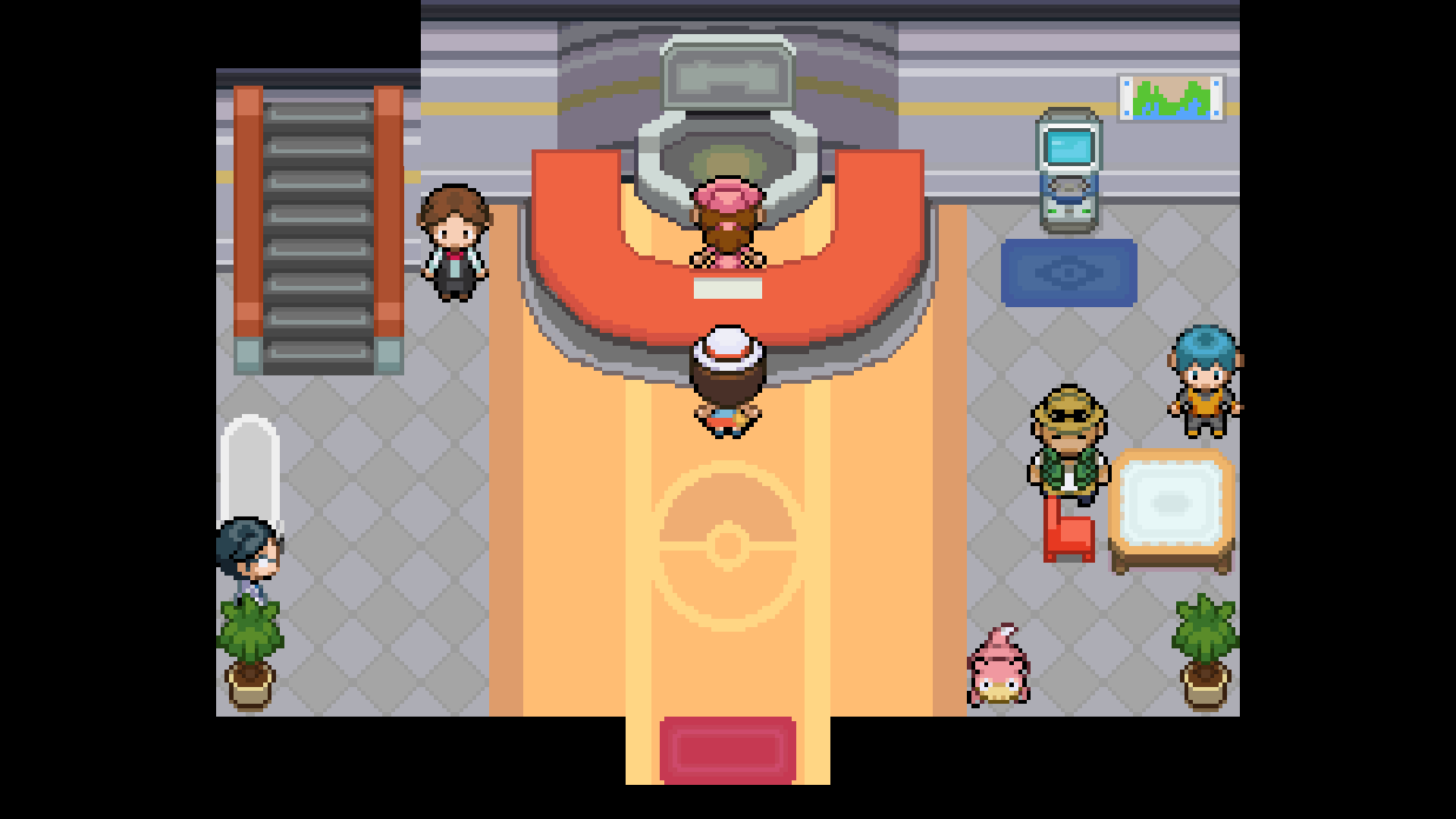
I was fighting my rival on the SS anne and lost to him. when I started my game back up I'm stuck in the pokemon center and I'm unable to do anything. the nurse says she's going to heal my pokemon then turns around and then nothing happens...the slowbro is still animated so it's not frozen, but I'm soft locked entirely...anyone help?https://i.imgur.com/to9PRUa.png
 safe quail
Can u enter ur pause menu
quiet lark
No, every input does nothing other than F1
safe quail
U probably will need to reboot the game
quiet lark
I did...the autosave is at the same point and it soft locks again...
safe quail
Ah
This is why I do not use autosave
For the record, the nurse healing ur pokemon is not part of some kind of animation
When u load in after losing a battle ur mons should just be healed
U can ask her to heal them again but it doesn't do anything
Except in this instance crash ur game
quiet lark
After I black out it sends me to the pokemon center and talkes to her automatically
quiet lark
I'm good now, for some reason It would autostart the healing dialogue at the beginning of the autosave, so I just hit no for needing healing and I'm fine now
so nevermind
safe quail
I see
 ashen drum
jade folio
Top 10 Reasons to Update PhysFS
1:
ashen drum
jade folio
Top 10 Reasons to Update PhysFS
1:
I can't seem to find out how to do this for Windows 10 LTSC. Is there any guide somewhere I might follow?
 sweet bloom
Hello, I just started the game today, I have the latest version (lite). Every time I try to unfuse any pokemon the game freezes. I don't know what I can do other than uninstall and reinstall, but don't want to loose my save. Thanks! Edit: It's been "unfusing" for ten minutes lol. The music and animation is still going so its not completely frozen
Oh and i do have autosave on
jade folio
ashen drum
I can't seem to find out how to do this for Windows 10 LTSC. Is there any guide ...
Step 1. Download Windows 10 LTSC Enterprise
Step 2. Download and run Pokémon Infinite Fusion
Step 3. pain
 shy token
Hello, tries to download the zip for the newest version of this game on Mega from my Opera GX and i got a alert that my computer now had a trojan virus after downloading it. the game also deleted itself automatically from my computer and i had no way of getting it back.
 scarlet tide
how do i go back to 5.1.1
next briar
v5.1.24 what is the hex code for the magic boots
safe quail
shy token
Hello, tries to download the zip for the newest version of this game on Mega fro...
Opera has this problem, try another browser and/or try the mediafire link. If the issue persists, you can choose to ignore it, as false positives are known to occur, but I would scan the files after downloading and see if the antivirus still doesn't like it
Files can't do anything until u open the .zip so it should be fine to scan
scarlet tide
how to go back to a earlyer version but keeping your save files
safe quail
scarlet tide
how to go back to a earlyer version but keeping your save files
U would just download and extract the old version from the mega
Save files should transfer backwards from 5.1.2 to 5.1.1 without issue as long as u didn't save in battle tower or maybe in secret forest
hot flicker
sweet bloom
Hello, I just started the game today, I have the latest version (lite). Every ti...
have you tried using the alternate launcher.exe?
scarlet tide
can i just download the old version and drag the save file into it
 obtuse gale
Anyone else having issues getting 5.1.2.4 to work on android?
turbid terraceBOT
Hey @obtuse gale! The game isn't made to be played on mobile! You can try to use Joiplay to run it, but the game will likely be very slow, glitchy, or downright unplayable.
You can try following this guide: https://youtu.be/jADyChlJbF0
Nothing can likely be done about issues experienced on mobile, unfortunately. You can ask for help in the video's comments section if you'd like.
No dedicated mobile version of IF will be developed in the future.
safe quail
scarlet tide
can i just download the old version and drag the save file into it
The save file is not in the game files
Nothing has to be done to the save file
It will be read by both versions where it is
scarlet tide
safe quail
U would just download and extract the old version from the mega
what do you mean by extract from the mega?
safe quail
What
Do you know everything you did to play the current version
Do it again but for the old version
scarlet tide
ok
shy token
safe quail
Opera has this problem, try another browser and/or try the mediafire link. If th...
tried downloading it on microsoft edge and now i can't find it and my edge keeps minimizing itself
and it also said it had a virus on it. (mediafire link)
safe quail
That's interesting, I downloaded on edge without issue
Run a scan on ur computer ig and see if it finds anything
It's common for opera users to have this issue persist after switching browsers
shy token
says no threats on the computer but it won't download it fully
safe quail
Yea, I'm more concerned about why edge would be minimizing by itself
shy token
its not doing it anymore but i can't egt the game and i've been wanting to play all day
safe quail
As I said before if u continue to have issues the only option u have to play is to decide to ignore the antivirus's flags and tell it to let the download through
shy token
it literally won't let me download, i go to download it, it downloads fully and says "Virus detected could not download" and doesn't let me try to force it through
safe quail
I don't know the exact method since I'm not having this issue and the prompt might only show up when the issue occurs, someone managed to do it before and is afaik playing fine
I'm currently running a scan after downloading from the mediafire link using chrome (which has not set off any flags so far), I can check my antivirus afterwards and see if there is a global setting for it but I doubt it and u would want to immediately revert the change after downloading the file
It looks like it would be Real-Time Protection under Windows Security
scarlet tide
i redownloaded 5.1.1 patch and extracted t my game loaded in and i cant get past the title screen
scarlet tide
so i should download full game?
safe quail
yes, because that is the full game
mystic grove
Okay, it seems the only side effect to jumping from 4.9.2 to 5.2.whatever back down to 5.1.1.1 is that a bunch of my mons have the most random moves ever


 silk surge
guys, could someone help me with this?... do i have to delete the saves? how do i do that?

 hexed bison
i try to open the game, but whenever i try it says this:
Error initializing PhysFS: no error
anyone know the cause for this? :/
DM me if so
hot flicker
silk surge
guys, could someone help me with this?... do i have to delete the saves? how do...
Yes you have to delete your saves. Double click that file to get to them

 split osprey
Error "Script Main line 14 RuntimeError ocurred. Traceback is too big. Output in traceback.log" what do you think its the issue? I just installed the game, started a save with 5 minutes in, downloaded and added the modern patch. Now mons dont appear, and when i talk to the first trainer that error shows up
hot flicker
split osprey
Error "Script Main line 14 RuntimeError ocurred. Traceback is too big. Output in...
why did you add the modern patch? How did you even find that?
split osprey
hot flicker
why did you add the modern patch? How did you even find that?
i saw there were patches, read quickly the modern patch and though "it looks cool to add", and then blam, i put it
hot flicker
split osprey
i saw there were patches, read quickly the modern patch and though "it looks coo...
You understand that patches are for games that are old and you need to update them, with the patch right? How old is that patch? What is the date of its creation?
split osprey
hot flicker
You understand that patches are for games that are old and you need to update th...
oh, damn, i didnt know that, i added the modern mode ver 2
hot flicker
split osprey
oh, damn, i didnt know that, i added the modern mode ver 2
Right. Find out when it was made. I'm sure the site you got it from shows when it was uploaded or w/e
split osprey
i got it from this discord, in the fusion faq, but i just read it, its only compatible with version 4.9
hot flicker
Great. Now you know what happened
 elfin bane
so it's only compatible with v4.9 huh? @hot flicker
hot flicker
elfin bane
so it's only compatible with v4.9 huh? <@148305322975559680>
Yes. The current version of the game has it already
hot flicker
elfin bane
weird
Yes
hot flicker
elfin bane
or is it post game
The very first time is forced to classic. You will have a gen 1 experience pretty much. But just save and start over and then you can choose modern
elfin bane
w a t
save, reset the game and then u can choose modern if u press new game?
why am i so dumb ;-;
hot flicker
Yall don't try to problem solve it enough
hot flicker
lol np
 fading quail
Any way to reduce lag ingame? I get frame drops every so often when running around etc, was hoping there was settings in windows i can change etc
 flint gull
why is my screen all blck with my charecter
hot flicker
fading quail
Any way to reduce lag ingame? I get frame drops every so often when running arou...
Yes, try going into the game's settings and turning off fused icons and turn off downloading sprites. You may try the alternate launcher as well
hot flicker
flint gull
why is my screen all blck with my charecter
try using the alternate launcher
flint gull
hot flicker
try using the alternate launcher
says i cant
hot flicker
flint gull
says i cant
Well that sounds bad. What does your folder look like?
fading quail
hot flicker
Yes, try going into the game's settings and turning off fused icons and turn off...
When i try using alternate launcher nothing happens just black screen for minutes on end, when i try closing it then rgss script seems to be stuck and it corce quits
turbid terraceBOT
Hey @fading quail! Are you having trouble starting the game? If you are launching v5, and your screen is stuck on black at startup, don't worry, it's normal. Leave the game running for a few minutes and it will work eventually.
Do not click on the window during this, otherwise you'll get the error below and the game will close.
https://cdn.discordapp.com/attachments/308392115338084360/994274889055875142/Capture.PNG
hot flicker
fading quail
When i try using alternate launcher nothing happens just black screen for minute...
You need to let that baby cook. Let it sit there. Takes at least 5 minutes
fading quail
hot flicker
You need to let that baby cook. Let it sit there. Takes at least 5 minutes
Thanks, guess im just impatient😂
hot flicker
Yes 
flint gull
 hot flicker
flint gull
^^^
hot flicker
flint gull
^^^
Its not on your one drive or on an external hard drive is it?
flint gull
its in a random folder i made for it
hot flicker
flint gull
its in a random folder i made for it
yes but on what hard drive? What storage device?
 dire salmon
I used the debug tool to add items to my save file, but it un-randomized pokemon abilities. Is this a glitch or is this intended?
flint gull
hot flicker
yes but on what hard drive? What storage device?
uh i dont quit know actually..
 smoky field
anyone know why the Pokemon Infinite Fusion.exe application doesn't launch the actual game?
fierce quarry
How to cheat in rare candies?
hot flicker
fierce quarry
How to cheat in rare candies?

This is a video going over Cheat Engine being used in Pokémon Infinite Fusion. It goes over duping money and items.
Formula 2(x) + 1
x = The value you want to change.
HOW TO INSTALL CHEAT ENGINE -
https://www.youtube.com/watch?v=UyfcXffSslM&ab_channel=iwanMods
Pokémon Infinite Fusion Website - https://www.pokecommunity.com/showthread.p...
hot flicker
smoky field
anyone know why the Pokemon Infinite Fusion.exe application doesn't launch the a...
Because you did something wrong? what does your folder look like
smoky field
 smoky field
hot flicker
Because you did something wrong? what does your folder look like
smoky field
hot flicker
Because you did something wrong? what does your folder look like
I thought for the most part i was okay at this but i guess now lol
Not*
hot flicker
smoky field
I thought for the most part i was okay at this but i guess now lol
You have an old version. Game.exe was used with 5.0
Did you try updating it or something?
 hot flicker
O.O
smoky field
Like how the how to download page said and then used the recent patch
hot flicker
Yeah you dun messed up
smoky field
So should i just download 5.1.2.4 solo
hot flicker
You want 5.1.2.4-full Go back and download that. Delete all of that
smoky field
Okay
hot flicker
It's amazing what some of you do. I will be making a video going over all of the most common problems. This was a new one
smoky field
Lmfao
 brazen lava
hey does anyone know what to do if a custom sprite disappeared?
smoky field
hot flicker
It's amazing what some of you do. I will be making a video going over all of th...
gotta wait 4 hours due to mega having the transfer quote exceeded
fierce quarry
What is the hex codes for potions and magic boots?
hot flicker
smoky field
gotta wait 4 hours due to mega having the transfer quote exceeded
Try using a vpn
 sand mist
Hi! Not sure where I should post this but I downloaded the newest sprite pack but now the game just freezes when I try to fuse certain Pokemon together, what do I do??
turbid terraceBOT
Hey @sand mist! Are yo having trouble downloading the game? You can find the download of the game in #downloads! To run it, simple unzip all of the files into a folder, then click the .exe file. Be mindful that the game takes a few minutes to load, don't touch the black window before it does!
Hey @sand mist! Are you trying to add more custom sprites to your game? You can find the most up to date sprite pack containing all custom sprites in #downloads! To add them to your game, simply copy all the files into your game's CustomBattlers folder. The pack also contains alts and things such as joke sprites and regional variants, which you can also add to your game if you wish.
You can swap between alts of a given fusion in-game, using the Pokédex!
hot flicker
sand mist
Hi! Not sure where I should post this but I downloaded the newest sprite pack bu...
try turning off fused sprite icons in the settings and turning off download sprites. Also try using the alternate launcher
sand mist
Alright!
 limpid quest
whenever i download the game it just says virus detected

 worn stag
Hey everyone, love the game and have just started playing it. I use v5.1.2 on PC. If i move my save to my Android with v5.0.36.4 i can play fine. I am just wondering whether or not i can keep moving my saves and playing in different versions without corrupting the game. Has anyone tried it? thanks in advance
turbid terraceBOT
Hey @worn stag! The game isn't made to be played on mobile! You can try to use Joiplay to run it, but the game will likely be very slow, glitchy, or downright unplayable.
You can try following this guide: https://youtu.be/jADyChlJbF0
Nothing can likely be done about issues experienced on mobile, unfortunately. You can ask for help in the video's comments section if you'd like.
No dedicated mobile version of IF will be developed in the future.
 zealous inlet
Hey, whenever I try to start a battle with G the game freezes and we just stare into each others eyes. I've tried uninstalling/reinstalling the game w/ the latest version (patch included). Tried using a diff sprite pack as well, issue persists. This wasn't a problem a few days ago so I'm not sure what changed.
 limpid quest
whenever i download the game it just says virus detected and it wont let me open anything
mellow crane
when i updated the game my pokemons moves sets changed why?
silk surge
hot flicker
Yes you have to delete your saves. Double click that file to get to them
and thanks for the help
 frank parrot
Hi who can help me in a bug?
I see all the map black
I only see my character and pokemons
I cant see the map
Hi who can help me?
 visual bear
got this error message in a crash. just curious as to what the cause is, cause ive had a similar message and crash twice now.
 flint gull
flint gull
flint gull
anyone? the map is just black everywhere, i can see pokemon and charects. just no map
 sinful maple
This happens when I encounter a pokemon in the safari zone

 spiral spruce
mellow crane
when i updated the game my pokemons moves sets changed why?
spiral spruce
mellow crane
when i updated the game my pokemons moves sets changed why?
because moves got added and it changed some of the IDs of moves
just go to the move reminder to fix it
mellow crane
spiral spruce
because moves got added and it changed some of the IDs of moves
i did that thank u can u help me when i use a rare candy the game freezes for a sec
spiral spruce
no.
mellow crane
do u know anyone that can
spiral spruce
no
mellow crane
its becuase of the fusion spirits in my party
 tall holly
If your party screen is lagging, you can toggle the icons in the options to DNA symbols
 sharp nymph
So I recently updated my game with the feb patch and dragged the new graphics to the graphics folder but unfortunately all of the custom sprites in my game vanished and they're all funky looking
can someone tell me where I went wrong...
 tall holly
I would assume you're missing the sprite, and going by what you said before, that seems to be likely
Download the latest compilation sprite pack and put all of the fusions into your custombattlers folder
hexed bison
flint gull
this looks like the start of some creepypasta pokemon game
sharp nymph
tall holly
Download the latest compilation sprite pack and put all of the fusions into your...
Do I just take the custombattlers folder or should I also take the other two files?
tall holly
Take the images inside the pack's custombattlers folder, not the folder itself
sharp nymph
just that folder?
tall holly
Yes
sharp nymph
oki thankyouu
 cedar portal
 tall holly
No idea
Idk what that error is. My advice is to reinstall the game, and extract the files to a new foldee using Winrar or 7zip
sharp nymph
tall holly
Yes
Unfortunately that didn't help
 worn stag
Even after downloading the fixed extensions zip, I still have many PNG files that linger in the custom battlers folder and aren't indexed. Any idea as to why? They all seem to be Bidoof fusions for some reason. I also tried renaming them with lower case .png to no avail.

 covert thunder
sharp nymph
covert thunder
sharp nymph
I had this problem after patching. I think the patch changed how the sprites are stored and used?
Anyway, I fixed it with a fresh download of the full game
sharp nymph
covert thunder
I had this problem after patching. I think the patch changed how the sprites are...
how did you move your saved file?
safe quail
You don't, the save file is in a location separate to game files
However
The httpcalls issue is related to the download sprites feature
sharp nymph
So do I just delete the old dowload of the full game?

 sharp nymph
safe quail
Turning off download sprites should also circumvent this issue
sharp nymph
safe quail
Turning off download sprites should also circumvent this issue
tried that but didnt work
safe quail
Game isn't made for mobile, there's no reason to expect it to function or function well
I feel like you may have a different issue but if download sprites is turned off, the game has no internet connectivity, so httpcalls would not be used for anything
covert thunder
 gaunt whale
Try restarting and not using speedup.
sharp nymph
I have a question, if your game is glitched like that, the first instinct is to restart the game but if you save your game in that glitched scene will it load your game still glitched?
covert thunder
sharp nymph
I have a question, if your game is glitched like that, the first instinct is to ...
It depends on the glitch.
 tawny umbra
Hey I'm running the game on Parallels (Mac) and I'm having trouble importing custom sprites. Does anyone know why?
script `999M_Main.rb´line 38: Errno::EACESS ocurred

 hearty nacelle
where do i find ralts
 carmine thicket
you know what's going on? it gave me this message, whereas yesterday it was working fine

 plucky dust


 twilit sedge
I am having a problem where the pokeradar does not register me interacting with the shaking grass.
turbid terraceBOT
Hey @twilit sedge! Are you having trouble with the Pokéradar? You get it from the scientist in Cerulean City's Pokécenter. She gives you the Exp share as a quest reward there, and then will go to Route 24, where she will give you the radar.
When using it, make sure you have a repel active, or else you may only get regular encounters.
More info here: https://infinitefusion.fandom.com/wiki/Pokéradar
twilit sedge
yanmega, you're not helping xD
 manic arrow
I cannot get past the credits after kanto elite four, it endlessly goes between the credits playing and the save prompt.
 mint star
Hello I'm not sure if this is the right place to ask but I downloaded the custom sprite pack and followed the directions but some of the sprites (Example Umbreon/Arbok 197.24) weren't updated. Am I missing a step to get the custom files used by the game? I did say yes to updated the game sprites when opening the game.
sharp nymph
Where do I find the alt sprites?
 fierce saffron
can anybody know how to fix this? its just blackout if i go to another route, i have to encounter first then its back to normal, is it a way to fix this?

 fierce oxide
does anyone know how to fix this?

 halcyon briar
should I be moving the indexed folder's sprites into the main one or do they work where they are already?
 snow lava
When I try to change the Sprite appearance in the Pokedex it doesn't work. Can somebody explain or is it a technical issue?
 faint galleon
Hi, I have two main issues: 1) lag spikes causing pausing for example during a running animation 2) Really long transitioning times with black screens, for example leaving buildings or battles. Any tips? I have installed the patch and the newest version.
turbid terraceBOT
Hey @faint galleon! Are you having trouble starting the game? If you are launching v5, and your screen is stuck on black at startup, don't worry, it's normal. Leave the game running for a few minutes and it will work eventually.
Do not click on the window during this, otherwise you'll get the error below and the game will close.
https://cdn.discordapp.com/attachments/308392115338084360/994274889055875142/Capture.PNG
faint galleon
turbid terrace
Hey <@788784983237066753>! Are you having trouble starting the game? If you are ...
nope, that's not it lol
stoic sigil
faint galleon
Hi, I have two main issues: 1) lag spikes causing pausing for example during a r...
- Use the alt launcher to preload most things at the cost of startup time
- Make sure you have the full (non-light) version and disable sprite downloading in options
- Make sure the game is located on an SSD if available
The rest is unfortunately a hardware issue, the game is pretty CPU intensive
stoic sigil
halcyon briar
should I be moving the indexed folder's sprites into the main one or do they wor...
The indexed folder is what the game uses and imports any custom sprites to. Don't touch it
stoic sigil
fierce oxide
does anyone know how to fix this?
This is unfortunately a corrupted save
stoic sigil
halcyon briar
oh ok so all the sprites outside it are excess then?
If you have already launched the game and let it import what it could then any image files still directly under CustomBattlers (not in subfolders) are images it couldn't use, usually because they are in the wrong format (e.g. JPEG) or they are base sprites
halcyon briar
ok sweet thanks
faint galleon
stoic sigil
- Use the alt launcher to preload most things at the cost of startup time
- Make...
Thanks, I tried just running the alt launcher and everything works fine even though I didn't change the other two things
stoic sigil
faint galleon
Thanks, I tried just running the alt launcher and everything works fine even tho...
Good. Yeah, that list was just a selection of tricks to try
faint galleon
yep
 gloomy hearth
Why am I unable to change keybinds for my SN30 Pro+?
 robust mantle
Just tried doing the fight at the top of mt silver, got killed, respawned with the slowed effect and can't get rid of it, tried reloading and still persisting
 patent bridge
Hey first time trying Infinite and I installed on mobile with Joiplay and the custom sprite but I got a compile error?
 turbid terraceBOT
Hey @patent bridge! The game isn't made to be played on mobile! You can try to use Joiplay to run it, but the game will likely be very slow, glitchy, or downright unplayable.
You can try following this guide: https://youtu.be/jADyChlJbF0
Nothing can likely be done about issues experienced on mobile, unfortunately. You can ask for help in the video's comments section if you'd like.
No dedicated mobile version of IF will be developed in the future.
 timid hare
Is there anyone who can help me get the game to run on mac?
I have a virtual machine up and running but for some reason it wont run
sharp nymph
Why can't I find the alt sprites in the pokedex? The last time I played I made sure that my zoroark alakazam is pure black, now its yellow and black and I can't switch it back, where did the alt sprites go?
 spring parcel
Anybody who's used JoiPlay know what's going on?
 limpid quest
what is the newest version of the game?
 daring sinew
downloaded the newest version the other day got a normal save file loaded to work and wanted to start up the randomizer, i kept getting this crash error when randomizing not sure if its just tied to gym leaders and dont know how to fix it if anyone can help?
 hot flicker
daring sinew
downloaded the newest version the other day got a normal save file loaded to wor...
hot flicker
daring sinew
downloaded the newest version the other day got a normal save file loaded to wor...
did you update and older game or did you download a full version?
For those wondering how to get the magic boots using cheat engine, I highly recommend watching this video https://youtu.be/E3B1qgEBcSk

Reddit Post -https://www.reddit.com/r/PokemonInfiniteFusion/comments/11q8fcq/pokémon_infinite_fusion_cheat_table/
Video going over Cheat Engine - https://youtu.be/U29rob9MDd0
How to Play Pokémon Infinite Fusion - https://youtu.be/uvqXltkYIao
Join this channel to get access to perks:
https://www.youtube.com/channel/UCldtLePk_c4MHRdlIA43a...
 rotund pond
This is on my screen each time I try to play
 hot flicker
rotund pond
This is on my screen each time I try to play
hot flicker
rotund pond
This is on my screen each time I try to play
your save file is corrupted :[
rotund pond
How do u get a new save file ;-;
hot flicker
you have to go to your save file location and delete that save
in the folder where the game is located is a file that will take you there if you double click it
daring sinew
hot flicker
did you update and older game or did you download a full version?
I got it from the latest mega update
covert thunder
rotund pond
How do u get a new save file ;-;
Wait, have you recently updated your game?
hot flicker
daring sinew
I got it from the latest mega update
Right. I am just asking if you patched an older version of your game or you downloaded the full version
rotund pond
covert thunder
Wait, have you recently updated your game?
I got the latest one [I think...]
5.1.2.4
daring sinew
hot flicker
Right. I am just asking if you patched an older version of your game or you down...
Full version
covert thunder
But did you used to play on an older version? Is that where the save data originated?
hot flicker
daring sinew
Full version
and then what do you mean by you got a normal save file to work?
rotund pond
covert thunder
But did you used to play on an older version? Is that where the save data origin...
I don't think so
Probably
hot flicker
rotund pond
I don't think so
Have you played infinite fusion in the past?
rotund pond
hot flicker
Have you played infinite fusion in the past?
Yes
rotund pond
hot flicker
in the folder where the game is located is a file that will take you there if yo...
This correct
 daring sinew
hot flicker
and then what do you mean by you got a normal save file to work?
daring sinew
hot flicker
and then what do you mean by you got a normal save file to work?
I can load up a new file on classic and no problems loading anything, but when I select the randomizer mode and choose ye settings I want abd such it gives me that error
turbid terraceBOT
Hey @daring sinew! Do you have questions about Randomized mode? Find more info about it and its various settings on the Wiki: https://infinitefusion.fandom.com/wiki/Randomized_Mode
Note: You need to have an existing save file before the game lets you restart in Randomized mode!
hot flicker
rotund pond
This correct
well before we delete it, that is the right spot. What Akaidu is asking is if you played the game when it was version 4.8
covert thunder
rotund pond
This correct
My brother in Christ use the Windows Snipping Tool.
covert thunder
daring sinew
I can load up a new file on classic and no problems loading anything, but when I...
Have you tried doing the randomiser on a new save file?
hot flicker
daring sinew
I can load up a new file on classic and no problems loading anything, but when I...
have you tried playing through the game with out randomizing to see if any other errors pop up?
daring sinew
Yep
covert thunder
Did that work?
daring sinew
daring sinew
I can load up a new file on classic and no problems loading anything, but when I...
Running classic works fine it’s anything with randomizer something to do with gym leaders would crash but getting to Brock everything worked fine with no crashes
rotund pond
I've dealt with this before
But it was never fixed to I deleted the game and I'm just now coming back
Back then each time i try and play the game a loading screen with a large DNA splicer, then it would pops up forcing me to close the game
daring sinew
It’s when creating a new file for the randomizer after selecting yes to all the randomizer settings it crashes
hot flicker
rotund pond
Back then each time i try and play the game a loading screen with a large DNA sp...
yes delete that save. That will fix everything
covert thunder
daring sinew
It’s when creating a new file for the randomizer after selecting yes to all the ...
So it crashes both on a new file and an existing save?
covert thunder
rotund pond
I've dealt with this before
Deleting your save data WILL fix it, but you lose any progress.
rotund pond
rotund pond
This correct
All 3 things correct
daring sinew
covert thunder
So it crashes both on a new file and an existing save?
Existing file works, I can’t make a randomized save file because it crashes when parsing the fusion data
turbid terraceBOT
Hey @daring sinew! Do you have questions about Randomized mode? Find more info about it and its various settings on the Wiki: https://infinitefusion.fandom.com/wiki/Randomized_Mode
Note: You need to have an existing save file before the game lets you restart in Randomized mode!
rotund pond
covert thunder
Deleting your save data WILL fix it, but you lose any progress.
I'm willing to Plat again
daring sinew
daring sinew
downloaded the newest version the other day got a normal save file loaded to wor...
^
covert thunder
daring sinew
Existing file works, I can’t make a randomized save file because it crashes when...
But can you randomise the existing save?
rotund pond
rotund pond
All 3 things correct
^
daring sinew
covert thunder
But can you randomise the existing save?
I thought you could only do that from creating a new save file
Not an existing one
covert thunder
rotund pond
^
Should probably work from deleting just game.rxdata depending on how the error came about originally
If that doesn't work, then delete the folder contents
covert thunder
daring sinew
I thought you could only do that from creating a new save file
Upstairs in any large Pokécentre there's a guy in the corner that does all kinds of things, including randomising
He can also be talked to to fix your files if something got a bit screwy from an update or previous rando attempt.
You could either use him to randomise your existing save, ask him to look at your files and fix any issues he finds then try a new save again, or see what else he has to offer that you like the sound of
daring sinew
Ah thank you I’ll look into it, I wanted to start a randomized with random starters and such, I’m still wondering if it’s something with having custom sprites only for gym leaders
covert thunder
One other thing: Are you using the normal launcher or the alt launcher? And do you have the download sprites option enabled?
daring sinew
Normal and yes I do
covert thunder
daring sinew
Ah thank you I’ll look into it, I wanted to start a randomized with random start...
Custom sprites for leaders? As in you've added sprite packs?
daring sinew
Ah that might be it, i read that the light gives you everything download so i didnt have to do it manually since it just grabs it via the internets
rotund pond
Ok last thing
covert thunder
Yeah, the downloaders can be a bit wonky for these fan games. I recommend downloading the full fresh pack.
daring sinew
Alright I’ll do that when I get the chance ty!
rotund pond
How do I put ALL the custom sprites into the game files correctly
turbid terraceBOT
Hey @rotund pond! Are you trying to add more custom sprites to your game? You can find the most up to date sprite pack containing all custom sprites in #downloads! To add them to your game, simply copy all the files into your game's CustomBattlers folder. The pack also contains alts and things such as joke sprites and regional variants, which you can also add to your game if you wish.
You can swap between alts of a given fusion in-game, using the Pokédex!
covert thunder
daring sinew
Ah that might be it, i read that the light gives you everything download so i di...
So, a few things to try at:
0)Try to randomise an existing game file (just to test the process works)
- Disable the sprite download option in-game
- Use the alt launcher (longer boot time, but runs better in-game)
- The randomiser guy in the Pokécentre
covert thunder
rotund pond
How do I put ALL the custom sprites into the game files correctly
I don't mess with custom sprites - I see too many errors pop up around them to fuss with it, sorry. 😅
rotund pond
It's OK lol
daring sinew
covert thunder
So, a few things to try at:
0)Try to randomise an existing game file (just to te...
Will do 
hot flicker
rotund pond
It's OK lol
https://youtu.be/Qfx-0whB9nA watch that
This video will show you how to install custom sprites into your Pokémon Infinite Fusion ver. 5.1.X game. If you have any questions please leave them in the comments I am more than happy to help!
Pokémon Infinite Fusion DISCORD - https://discord.gg/Wjkjtpw
Join this channel to get access to perks:
https://www.youtube.com/channel/UCldtLePk_c4M...
 wary ember
where can I test sprites to see if they'll work on the game
covert thunder
daring sinew
Will do <a:romNod:1009150129737052190>
I just tested a new save file randomisation on the alt launcher of a completely vanilla fresh download of the game.
It worked.
One thing I noticed in the settings that I didn't ask you about is the option to only randomise Pokémon with custom sprites - I know the custom sprites for gym leaders makes their mons feel more special, but when I randomised I left that option off. Did you enable it for yours?
daring sinew
yes
covert thunder
Okay, I'll run a quick test with custom sprites, then
covert thunder
daring sinew
yes
Did the same thing with custom sprites for gym trainers and it worked fine.

These tests were performed following the list I gave you: no automatic downloads of sprites, using the alt launcher, on a fresh unmodded download of the game.
 warm stone
Anyone know where triple fusion sprite files are found?
 woven oriole
Does anyone know why my Umbreon/Gyarados pokemon doesn't have the updated sprite? I have the updated sprite pack and checked the sprites in the pokedex, but it looks like this instead.
 safe quail
dex umbreon
turbid terraceBOT
Umbreon's IF Pokédex number is 197!
safe quail
dex gyarados
turbid terraceBOT
Gyarados's IF Pokédex number is 130!
safe quail
It's in your alts folder
woven oriole
My folders show it's the updated sprite
safe quail
You need to pull it out of your alts folder and either put it in custombattlers and reboot the game or put it into the 197 index manually
Once it's there your Pokedex should allow you to switch the sprite
woven oriole
ahh ty. that worked
 warm raven
I think i messed up my game, it wont move off the loading screen
 unborn mica
Which version did you download
warm raven
The most recent released, its worked recently but this morning it just wasnt
unborn mica
Like the patch, the full version or the light one?
warm raven
full
unborn mica
I have no clue then
 broken mirage
Hi, I get an error everytime I'm trying to get the fossile in pewter city, is there any way to solve this ? :
 safe quail
No, but u can use the cinnabar lab instead which hasn't been having this problem
This fossil wouldn't be recoverable, but u can get one by random chance post-e4 from rock smashing
broken mirage
Allright, thank !
covert thunder
warm raven
I think i messed up my game, it wont move off the loading screen
Have you tried the alt launcher?
Wait, won't move off the loading screen? Which screen specifically do you mean?
 slate spoke
I just got the game and it feels like its running too fast
 torpid pollen
I'm getting an "error 14 traceback is too big" error, is there any way to fix this?
covert thunder
You might've accidentally hit one of the speedup hotkeys
slate spoke
which would it be
covert thunder
torpid pollen
I'm getting an "error 14 traceback is too big" error, is there any way to fix th...
Can you use ALT + PrtScr to show us the full error message?
slate spoke
it doesn't show it on the key bindings
covert thunder
slate spoke
which would it be
I genuinely don't know the default keys. I think it's one of A, S, D or Z
safe quail
It's Q
covert thunder
Lmao I couldn't have been more wrong if I tried
torpid pollen
 safe quail
This is a common issue, the full traceback is monstrous and afaik doesn't help us understand what went wrong
But the Gio fight in Silph Co and a few of the rival fights are known to cause it
torpid pollen
Is there a fix?
torpid pollen
Is it know if it's the pokemon that are causing the error, or is it just the game scripting?
safe quail
Only things I would try (don't save during any of it) are using the debugger key item or the fix game option at the update guy in the pokecenter
It's a scripting issue with the fight itself, not the Pokemon therein
The game appears to mismatch some info when it calls a method called "has_key?"
The input it's given is a list of what looks like object strings for every NPC fight in the game
torpid pollen
Damn, shame
 void maple
does someone know, where i can find my save file when im playing on android with joiplay, cause normally they are in a appdata file but i know if there something similar an android
turbid terraceBOT
Hey @void maple! The game isn't made to be played on mobile! You can try to use Joiplay to run it, but the game will likely be very slow, glitchy, or downright unplayable.
You can try following this guide: https://youtu.be/jADyChlJbF0
Nothing can likely be done about issues experienced on mobile, unfortunately. You can ask for help in the video's comments section if you'd like.
No dedicated mobile version of IF will be developed in the future.
 ivory heath
Hey, I was trying to download the game on mega yesterday but my computer keeps saying that it’s a virus.
safe quail
Opera GX?
ivory heath
Yeah
safe quail
yeah
ivory heath
It says that it’s a virus on opera and then windows defender warns me
safe quail
U can try a diff browser but typically once uve had this issue on opera it persists elsewhere
I've never seen it start anywhere other than opera tho
ivory heath
Okay I will try that
safe quail
If that doesn't work, u can try the mediafire link, and if that doesn't work, u can choose to ignore the warning by turning off real-time protection in Windows Security, but I would recommend scanning the .zip before extracting it and seeing if windows has an issue with it after it's already been downloaded
warm raven
covert thunder
Have you tried the alt launcher?
its loaded now, guess i had to wait about 10 minutes
safe quail
It can be a long time even on decent pcs
 minor pilot
Everytime i load the game it says this please help me

I downloaded the Sprites, The Newest Version, And other stuff
safe quail
u would have to turn download sprites off
 main prairie
I just restarted a Nuzlocke and before getting a single HM, I can use any HM move that doesn't require opening a menu. Like cut, strength, surf, etc. Is there a fix for that?
safe quail
I actually had that too, but it was only after getting magic boots
Are u using magic boots
main prairie
Don't even know what that is. I turned on the debug to cheat in an item in a different playthrough. is that what it is?
safe quail
yes
main prairie
Thank you!
safe quail
magic boots is the in-game debug tool
minor pilot
now my game only shows this please help me 😦

@safe quail how to fix this
I tried pressing Space Shift And Enter and none have worked
safe quail
U deleted what exactly
safe quail
Can I see ur main game folder
minor pilot
alr
Here is a screen shot fo the thign that holds stuff

the file with game aspects is a Zipped file
inside a file i made
safe quail
yea this doesn't look like the complete game files
minor pilot
and here is what inside the zipped game file is
 safe quail
The zipped files don't do anything until u extract them
safe quail
I would take the zip out of that folder, delete that folder, and then remake the folder when you extract the files
safe quail
extract all should be an option in the right click menu
U have extracted these files before, u know how to do it
Unzipping and extracting are the same thing
sterile pivot
My game crashed while I was doing the bricks and planks quest and when I tried to re-open it, it wouldn't let me back into the game for some odd reason
minor pilot
oh ok
safe quail
Does it give u an error
sterile pivot
Im gonna see if I can get a picture of it
 hollow gale
hey guys, i keep getting a script error on the silph co. giovanni fight. it says that the traceback is too big. can anyone help?
sterile pivot
its working now but all of my data was wiped till Cerulean city
safe quail
safe quail
This is a common issue, the full traceback is monstrous and afaik doesn't help u...
@hollow gale
sterile pivot
during a randomizer nuzlocke too sad times.
safe quail
strange
At least u kept some progress tho
I was not expecting that to be an outcome
sterile pivot
It'll be fine. At least it wasn't a full data wipe
hollow gale
safe quail
<@213191697864196099>
i can send the traceback error file if needed or give you whatever other info
hollow gale
oh i see. thank you. thought that was a reply to me lol
 eager wadi
having an issue where the game freezes up when i try and fuse pokemon
safe quail
Turn off download sprites
 bitter flint
torpid pollen
bitter flint
torpid pollen
what solutions or possible options i have with this? i have the same issue
hot flicker
I think there is a way of solving it but it is very difficult to do. Are you running modern mode?
hollow gale
the debugger and update guy did not work. any other options other than just cheating to skip silph co or chalking the save file?
safe quail
Not certain that first option would accomplish anything
hot flicker
are you running modern mode tbow?
hollow gale
i believe so @hot flicker
hot flicker
Well maybe someone who is a bit brighter can explain this but this is what I have seen as a solution. You need to go through your game's files and take out modern mode. This will force it to run classic. You beat Giovanni and you put the modern mode back into it. That's what I have seen in the past
safe quail
Checks out to me, not sure where the necessary code would be tho or if it's all in one place
Ideally there'd just be a "modern mode yes/no" variable we could flip off
hollow gale
yeah i have no idea where i would even start with that
safe quail
same for the download sprites option for a diff issue
hollow gale
do you know what file i would need to open to mess with thatg?
hot flicker
Try this instead. Extract the game into a different folder and play that and see if the problem persists
I was digging through old messages to see if I can find where they talk about the solution
hollow gale
so basically re-extract the .zip and move my save file to that?
safe quail
The save file is not in the game files
It does not need to be moved
Both extracts will find it where it is
hollow gale
i see. ill try that
hot flicker
hollow gale
i see. ill try that
I found a bit of a blurb of what to do. Sounds like you can just move your data folder out of your main folder. Download the patch. Move the patch's data folder to your original folder. Beat Giovannia. Move your old data folder back
to do this, you have to drag the “Data” folder from the base game patch into the folder you have your game in, replace the files with the same name, and then play the fight. After which, you can drag in the Modern Mode “Data” folder and resume playing like normal.
[7:40 AM]
If you downloaded the full game pre-patched, you might have to download the version patch, but it’s small
 stiff crater
I'm having some minor lag issues. Is this where i ask
 warped jetty
ok for some reason the download is a trojan for me
safe quail
LOL so if we can't locate the variable we just replace the whole folder with a default
cute
safe quail
warped jetty
ok for some reason the download is a trojan for me
Opera GX?
warped jetty
windows defender saying it is
safe quail
Right but are u using opera gx
warped jetty
yes
safe quail
safe quail
U can try a diff browser but typically once uve had this issue on opera it persi...
Start here
hot flicker
stiff crater
I'm having some minor lag issues. Is this where i ask
You can try using the alternate launcher. Turn off fused icons and turn off download sprites
stiff crater
ok
stoic sigil
safe quail
Ideally there'd just be a "modern mode yes/no" variable we could flip off
Modern mode is just an overwrite that replaces two data files and a few images. I could look into a simple mechanic that would choose which files to use, but right now I'm busy with studies
stiff crater
hot flicker
You can try using the alternate launcher. Turn off fused icons and turn off down...
Alternate launcher doesnt even start for me
safe quail
stoic sigil
Modern mode is just an overwrite that replaces two data files and a few images. ...
I see
hot flicker
stiff crater
Alternate launcher doesnt even start for me
Does a black screen pop up?
turbid terraceBOT
Hey @hot flicker! Are you having trouble starting the game? If you are launching v5, and your screen is stuck on black at startup, don't worry, it's normal. Leave the game running for a few minutes and it will work eventually.
Do not click on the window during this, otherwise you'll get the error below and the game will close.
https://cdn.discordapp.com/attachments/308392115338084360/994274889055875142/Capture.PNG
stiff crater
hot flicker
Does a black screen pop up?
yeah
hot flicker
stiff crater
yeah
Its loading. Takes about 5 min. Let it cook
stiff crater
ah ok