#tech-support
1 messages · Page 20 of 1
 meager spire
 inland hawk
my buddy downloaded the game the other day and ive watch him play it and everynow and then when he walks into a area the ground will go black but if he can get into a fight it will come back but not all the time and even when he backs out and in it sometimes loads in but again, not everytime. im asking how to fix this on his behalf
 opaque sigil
meager spire
Hi. I'm trying to extract the contents of the version 5.1.1.1 full folder but it...
opaque sigil
meager spire
Hi. I'm trying to extract the contents of the version 5.1.1.1 full folder but it...
5.1.1.1-full works.
Is your failing to extract or does it extract but doesn't start?
 sage vapor
how do i play on mac
meager spire
opaque sigil
5.1.1.1-full works.
Is your failing to extract or does it extract but doesn't st...
It looks like it is extracting but doesn't start.
opaque sigil
It probably made the game folder with the same name as the zip, remove the version from the folder name.
sage vapor
i have files but i dont know how to start the game up?
meager spire
opaque sigil
It probably made the game folder with the same name as the zip, remove the versi...
So just rename the folder by removing the version and that should work?
opaque sigil
it should, basically the entire file path for the game can't have dots.
meager spire
OK. Thx, I'll try it and let you know if it works.
I got rid of the version number and it still won't extract.
opaque sigil
is your game zip file 1.3 gb?
meager spire
Its 1.33 gb.
meager spire
So then why won't it extract? If this doesn't work should I just play on the other version that the file comes with? The other game version is 5.0.36.4.
opaque sigil
Try using 7zip, if that program can't extract it, then it means the file got corrupted during download.
meager spire
It worked. Thanks.
 nimble trout
is there any fix to the main launcher being very laggy? alternate works just fine but takes forever to launch, i didn't use to get any lag on main, i saw something about going back to the last version? would that work?
 fair trellis
is there a way to change the general catch rate
im not trying to make it easier to catch the legend spawns i want to leave those the same but im playing the randomizer and its getting impossible to catch anything early game
 boreal storm
anyway to make the game faster? getting a lot of lag when in the pc trying to fuse pokemon
fair trellis
boreal storm
anyway to make the game faster? getting a lot of lag when in the pc trying to fu...
i use the fast forward key for me its "q" you could try that
 deft drift
try DNA icons in options also
 white bridge
Anyone know how to get the custom sprites working for max? I copy and pasted the files into custom battlers folder and they’re not showing up
 turbid terraceBOT
Hey @white bridge! Are you trying to add more custom sprites to your game? You can find the most up to date sprite pack containing all custom sprites in #downloads! To add them to your game, simply copy all the files into your game's CustomBattlers folder. The pack also contains alts and things such as joke sprites and regional variants, which you can also add to your game if you wish.
You can swap between alts of a given fusion in-game, using the Pokédex!
deft drift
what do you mean for max?
 sterile pivot
Maybe they mean mac and it auto corrected?
white bridge
Ah yes you’re right I meant mac sorry
 torn depot
Can I fix my screen from stop being black whenever I faint a pokemon or do something
 hidden tendon
help
 white bridge
I keep extracting the custom files to the graphics folder and custom battlers but they’re not showing up in game
deft drift
white bridge
I keep extracting the custom files to the graphics folder and custom battlers bu...
if you're following the wiki guide, make sure the custombattlers folder you paste it in to is in right click the wine wrapper, show package contents --> resources/drive_c/program_files/(name of Infinite Fusion folder)/Graphics/Custombattlers and not the one you originally extracted
 low vapor
@deft drift just a quick question! For that monthly download of custom sprites in the downloads channel here. When we download that, do we just move the whole custombattlers folder from that into the custom battlers folder in the main game files or do we have to do every individual sprite?
deft drift
you have to move the sprites into that folder, but the easiest way is to rename the sprite pack folder to custombattlers and then paste it in the graphics folder
that should merge the contents of the two folders
 minor rock
with the full 5.1.1.1 download, do I need to get the spirt pack 1-85 too?
minor rock
Ooooo okie
thats easy then, I do the other download
I have super slow internet so, its easier this way anyways 😛
white bridge
deft drift
if you're following the wiki guide, make sure the custombattlers folder you past...
I tried doing this way, as well as the second method you said to Archangel and neither resulted in the game mentioning or showing any of the custom sprites
turbid terraceBOT
Hey @white bridge! Are you trying to add more custom sprites to your game? You can find the most up to date sprite pack containing all custom sprites in #downloads! To add them to your game, simply copy all the files into your game's CustomBattlers folder. The pack also contains alts and things such as joke sprites and regional variants, which you can also add to your game if you wish.
You can swap between alts of a given fusion in-game, using the Pokédex!
deft drift
white bridge
I tried doing this way, as well as the second method you said to Archangel and n...
can you take a screenshot of your custombattlers folder?
white bridge
Sure should I send it in here or?
deft drift
ye
 exotic jewel
I just downloaded and followed all the directions to patch 5.0 to 5.1.1.1, however, when I try to open the game, nothing happens—no usual black screen or error or anything. What do I do? I tried scrolling through here but I didn’t see anything similar. Yes I did restart my computer after patching.
turbid terraceBOT
Hey @exotic jewel! Are you having trouble starting the game? If you are launching v5, and your screen is stuck on black at startup, don't worry, it's normal. Leave the game running for a few minutes and it will work eventually.
Do not click on the window during this, otherwise you'll get the error below and the game will close.
https://cdn.discordapp.com/attachments/308392115338084360/994274889055875142/Capture.PNG
 white bridge
this is the current state of it @deft drift
 low vapor
Can you change the movement controls to be wasd instead of the arrow keys?
Is there a place to do that?
 nova crane
low vapor
Can you change the movement controls to be wasd instead of the arrow keys?
nova crane
low vapor
Can you change the movement controls to be wasd instead of the arrow keys?
Press F1
low vapor
nova crane
Press F1
Thanks!
nova crane
You're welcome!
 snow mortar
can anybody help me? im not sure how to install the custom sprites
turbid terraceBOT
Hey @snow mortar! Are you trying to add more custom sprites to your game? You can find the most up to date sprite pack containing all custom sprites in #downloads! To add them to your game, simply copy all the files into your game's CustomBattlers folder. The pack also contains alts and things such as joke sprites and regional variants, which you can also add to your game if you wish.
You can swap between alts of a given fusion in-game, using the Pokédex!
snow mortar
im just not exactly sure where to place the folders
exotic jewel
exotic jewel
I just downloaded and followed all the directions to patch 5.0 to 5.1.1.1, howev...
Whelp I figured this out, had to delete the JSON file. Now I have a new problem. The battle back backgrounds aren't loading. It is just a black void. Any ideas?
 spare glade
Assuming not, but just thought I'd ask, is there a way to play on Mac other than using a Windows emulator?
 spiral spruce
no
spare glade
Rip, thanks for letting me know
white bridge
I erm am using a Mac and tried to extract the custom sprites folder to the custom battlers folder as well as renaming it custom battlers folder and merging the two, but the sprites still don’t show up game nor does the game mention there being any when I start it up
 white elk
How do I get the game downloaded fully onto my pc I have the files downloaded lost on how to get it on
deft drift
white bridge
this is the current state of it <@156897572680630272>
the images need to go directly into that top level custombattlers, and they'll be moved into indexed after startup
white bridge
Do you know an easy way to directly move the images all at once there? There’s a lot of files 😅
deft drift
spare glade
Assuming not, but just thought I'd ask, is there a way to play on Mac other than...
the current 'most working' guide for mac is here: https://infinitefusion.fandom.com/wiki/FAQ
deft drift
white bridge
Do you know an easy way to directly move the images all at once there? There’s a...
you can change the way the folder is displayed, or you can option-drag to merge the folders
if you look up "merge folders on mac" it should show up
deft drift
white elk
How do I get the game downloaded fully onto my pc I have the files downloaded lo...
extract the zip with winrar or 7zip, and then do all this stuff: game.ini
turbid terraceBOT
Hey @deft drift! Are you having trouble starting the game? If you're getting the "missing Game.ini" error, your game is not finding its necessary folders for some reason. Here's a list of things that may fix the issue:
- Make sure that you have extracted the files from the ZIP, and aren't running the game straight from the zipped folder.
- Make sure the game.exe file is in the folder with everything else. You might've moved it while trying to make a shortcut or something.
- Rename the folder with the extracted files to a name without numbers or special characters, e.g. "PokemonInfiniteFusion".
- Move the entire folder somewhere else on your computer. Moving it to the desktop seems to work for most people.
- Redownload and re-extract the game in full.
deft drift
snow mortar
im just not exactly sure where to place the folders
the images just need to go into the graphics/custombattlers folder
white bridge
I'm getting this issue @deft drift
 deft drift
I'm not sure what that ini is in there for or why it's misnamed like that, but likely you can replace the one in the folder with one from the override
turbid terraceBOT
Hey @deft drift! Are you having trouble starting the game? If you're getting the "missing Game.ini" error, your game is not finding its necessary folders for some reason. Here's a list of things that may fix the issue:
- Make sure that you have extracted the files from the ZIP, and aren't running the game straight from the zipped folder.
- Make sure the game.exe file is in the folder with everything else. You might've moved it while trying to make a shortcut or something.
- Rename the folder with the extracted files to a name without numbers or special characters, e.g. "PokemonInfiniteFusion".
- Move the entire folder somewhere else on your computer. Moving it to the desktop seems to work for most people.
- Redownload and re-extract the game in full.
white bridge
deft drift
I'm not sure what that ini is in there for or why it's misnamed like that, but l...
Alright so I was able to put the folder in there but should the sprites themselves be in there and not the folder with the sprites in them?
deft drift
the exact path the images should be in is graphics/custombattlers
 undone sail
I tried to use waterfall down in cerulean cape, but nothing happened. The animation played but I stayed in place
deft drift
as long as the images are directly in that folder it should work
deft drift
undone sail
I tried to use waterfall down in cerulean cape, but nothing happened. The animat...
if you can take screenshots and post them in #overworld-bug-reports that would be the most helpful
undone sail
deft drift
if you can take screenshots and post them in <#419999926727081996> that would be...
It definitely works other places, just not that location
deft drift
yup, that's what that channel is for
 winged fractal
I still don't know how to fix it should I try to modify the file myself ?

 white elk
My screen has been black for 10 minutes
 rough idol
winged fractal
I still don't know how to fix it should I try to modify the file myself ?
rough idol
winged fractal
I still don't know how to fix it should I try to modify the file myself ?
this game isn't built for mobile
turbid terraceBOT
Hey @rough idol! The game isn't made to be played on mobile! You can try to use Joiplay to run it, but the game will likely be very slow, glitchy, or downright unplayable.
You can try following this guide: https://youtu.be/jADyChlJbF0
Nothing can likely be done about issues experienced on mobile, unfortunately. You can ask for help in the video's comments section if you'd like.
No dedicated mobile version of IF will be developed in the future.
sterile pivot
winged fractal
I still don't know how to fix it should I try to modify the file myself ?
You need to add scipt 004_game_map.rb to the folder other then that the tile set that's tied to that is gone from where it needs to be
winged fractal
I need to move 004_game_Map.rb to another folder or do I need a folder that I don't have
@sterile pivot
sterile pivot
winged fractal
I need to move 004_game_Map.rb to another folder or do I need a folder that I d...
Chchchh... where is It located rn
And what version are you on
 topaz steppe
how am I able to download this unreleased sprite to the game?
turbid terraceBOT
Hey @topaz steppe! Are yo having trouble downloading the game? You can find the download of the game in #downloads! To run it, simple unzip all of the files into a folder, then click the .exe file. Be mindful that the game takes a few minutes to load, don't touch the black window before it does!
 sterile pivot
Is it a png?
topaz steppe
jpeg
sterile pivot
Hasta be a png
sterile pivot
What is the jpg named
topaz steppe
also would it appear with the white in the background
sterile pivot
It might.
 sterile pivot
So rename the file to .png
topaz steppe
then?
sterile pivot
Then send it to me and I'll see
sterile pivot
One sec I'll see if I can just send you my set up
sterile pivot
winged fractal
And for me?
I'll dm you
 neat sequoia
Attempting to fuse Ledyba and Mankey and when I hit Fuse the screen goes black and I get the Error message "[-1, 0]"
Any thoughts?
sterile pivot
huh nope tbh sounds like a sprite error like it doesn't exist
deft drift
neat sequoia
Attempting to fuse Ledyba and Mankey and when I hit Fuse the screen goes black a...
what version are you on and are you fusing from the PC?
if so you might want to try just fusing in your party, not from a box
white bridge
I managed to actually make the sprite thing worse and most of the custom sprites that were there are gone, so I’m gonna redownload the files and game, where can I find the save data and transfer it on Mac?
 meager ore
so...
error message: " no game scripts specified (missing game.ini?) "
ver 5.1.1.1
(this is literally a copy of the zip i used on my desktop version that runs with no issues, so corruption or missing info is unlikely)
edit: lol wtf bot step 3 was the solution, should probably toss that into the readme/instructions
turbid terraceBOT
Hey @meager ore! Are you having trouble starting the game? If you're getting the "missing Game.ini" error, your game is not finding its necessary folders for some reason. Here's a list of things that may fix the issue:
- Make sure that you have extracted the files from the ZIP, and aren't running the game straight from the zipped folder.
- Make sure the game.exe file is in the folder with everything else. You might've moved it while trying to make a shortcut or something.
- Rename the folder with the extracted files to a name without numbers or special characters, e.g. "PokemonInfiniteFusion".
- Move the entire folder somewhere else on your computer. Moving it to the desktop seems to work for most people.
- Redownload and re-extract the game in full.
 glacial egret
i have a problem when ever i get in and out of places and when i end a pokemon battle theres a 9-15 seacond delay until i can move(when the dela happens im either stuck on a black screen or a slightly black ish pokemon fighting scene if i catch it kill it or end a trainer battle
turbid terraceBOT
Hey @glacial egret! Are you having trouble starting the game? If you are launching v5, and your screen is stuck on black at startup, don't worry, it's normal. Leave the game running for a few minutes and it will work eventually.
Do not click on the window during this, otherwise you'll get the error below and the game will close.
https://cdn.discordapp.com/attachments/308392115338084360/994274889055875142/Capture.PNG
 wooden rivet
glacial egret
i have a problem when ever i get in and out of places and when i end a pokemon b...
wooden rivet
glacial egret
i have a problem when ever i get in and out of places and when i end a pokemon b...
Try using the Alternate Launcher - it will take longer to boot the game up initially, but those transitions should be much faster
 ember fern
Just finished downloading the game and opened it. It's been on this screen for a while now. Do I need to do something or is this just the game loading?

 polar bloom
Is there a fix for this?
 opaque sigil
If you're playing a randomizer, it might've generated something invalid there
Second floor of the pokemon center you can re-randomize it
polar bloom
So just avoid that area or reshuffle?
opaque sigil
Or avoid the area
polar bloom
ok thank you
opaque sigil
If it errors somewhere else then it's better to reshuffle
spare glade
deft drift
the current 'most working' guide for mac is here: https://infinitefusion.fandom....
Thank you!
 worldly tapir
Whenever i try to open the game it keep saying that it cant find zlib1.dll and x64-msvcrt-ruby300.dll if anybody can help me thanks
 sweet ibex
Game stopped responding so i closed it and now it doesnt open anymore. It opens a task but no window. This happened once before and i thought my pc had some issue since there were other problems too and it didnt happen while playing. Both times i was playing modern mode and early in the playthrough.
 undone shale
how do i install the game other than on Mega? it isnt downloading for me.
 limber pelican
 storm needle
How do I get passed error 35 I don't have access to a computer
storm needle
How do I get passed error 35 I don't have access to a computer
Game was not optimized for phone, the dev has confirmed they’re not going to push bug fixes for Joiplay
turbid terraceBOT
Hey @limber pelican! The game isn't made to be played on mobile! You can try to use Joiplay to run it, but the game will likely be very slow, glitchy, or downright unplayable.
You can try following this guide: https://youtu.be/jADyChlJbF0
Nothing can likely be done about issues experienced on mobile, unfortunately. You can ask for help in the video's comments section if you'd like.
No dedicated mobile version of IF will be developed in the future.

 hallow walrus
So, how do i fix this? I was version 4.8 playing on a randomizer and updated to the most recent version. I talked to the update man to "fix my game" and when i went to the viridian forest, i am getting this black floor/void glitch. Any help?
 turbid terraceBOT
Hey @hallow walrus! Do you have questions about Randomized mode? Find more info about it and its various settings on the Wiki: https://infinitefusion.fandom.com/wiki/Randomized_Mode
Note: You need to have an existing save file before the game lets you restart in Randomized mode!
 tough sluice
how do i fix this?
 sweet ibex
Game stopped responding so i closed it and now it doesnt open anymore. It opens ...
sweet ibex
sweet ibex
Game stopped responding so i closed it and now it doesnt open anymore. It opens ...
sfc scan fixed some files but i cant be sure which is the cause and which is the effect
it did cause another program to act in the same manner
hallow walrus
hallow walrus
So, how do i fix this? I was version 4.8 playing on a randomizer and updated to ...
WHAT THE- I JUST FIXED IT LMAO
AND I DON'T EVEN KNOW HOW

 hot flicker
undone shale
how do i install the game other than on Mega? it isnt downloading for me.
hot flicker
undone shale
how do i install the game other than on Mega? it isnt downloading for me.
Use a VPN
 elder reef
my game is not starting after 20+ min waiting after the intro cutscene and seeing this

 viscid kettle
Anyone know how to solve this?
 undone shale
hot flicker
Use a VPN
undone shale
hot flicker
Use a VPN
How would that help?
deft drift
tough sluice
how do i fix this?
No real fix for this, it’s a corrupted save file. Read the pin
deft drift
worldly tapir
Whenever i try to open the game it keep saying that it cant find zlib1.dll and x...
Make sure the game is fully extracted, and do all this: game.ini
turbid terraceBOT
Hey @deft drift! Are you having trouble starting the game? If you're getting the "missing Game.ini" error, your game is not finding its necessary folders for some reason. Here's a list of things that may fix the issue:
- Make sure that you have extracted the files from the ZIP, and aren't running the game straight from the zipped folder.
- Make sure the game.exe file is in the folder with everything else. You might've moved it while trying to make a shortcut or something.
- Rename the folder with the extracted files to a name without numbers or special characters, e.g. "PokemonInfiniteFusion".
- Move the entire folder somewhere else on your computer. Moving it to the desktop seems to work for most people.
- Redownload and re-extract the game in full.
deft drift
ember fern
Just finished downloading the game and opened it. It's been on this screen for a...
Try the alternative launcher. If that doesn’t work, a restart, updating your graphics drivers, or making sure your computer is using your GPU instead of onboard graphics usually fixes this for people
Make sure no files got dropped during extraction by using 7zip or winrar also helps some people, since the default windows one just loses files sometimes
tough sluice
deft drift
No real fix for this, it’s a corrupted save file. Read the pin
the message also appears if I delete and re-download the game
any solution?
 turbid star
do I need to download the sprit pack if i downloaded the full game from mega?
and if i need to, how to I apply it to the game
deft drift
tough sluice
the message also appears if I delete and re-download the game
any solution?
you need to delete the save file, which should be in C\Users\User\AppData\Roaming\infinitefusion
redownloading the game won't fix anything since the save will be looked for in the same location
deft drift
turbid star
and if i need to, how to I apply it to the game
the game has sprite packs up to 84 included in the 5.1.1.1 full iirc, so if you want the 1600~ from january you need to download 85
just put them in the custombattlers folder
 leaden coral
Can I fix this?
 turbid star
deft drift
the game has sprite packs up to 84 included in the 5.1.1.1 full iirc, so if you ...
turbid star
deft drift
the game has sprite packs up to 84 included in the 5.1.1.1 full iirc, so if you ...
alright thanks, so i just unzip sprite pack 85 directly into custombattlers?
tough sluice
deft drift
you need to delete the save file, which should be in C\Users\User\AppData\Roamin...
ok thanks
deft drift
turbid star
alright thanks, so i just unzip sprite pack 85 directly into custombattlers?
the images need to sit directly inside custombattlers without any wrapping folders
exotic jewel
exotic jewel
Whelp I figured this out, had to delete the JSON file. Now I have a new problem....
Figured this out thanks to a random idea from another user having similar audio issues. Updating to 5.1.1.1 from 5.0 caused the game to be unable to find the necessary background files, and the reason is kinda dumb. It is because the files have uppercase letters when they shouldn't. I downloaded spacetornado renamer, set settings to "lowercase all" and took care of everything in 5 minutes. Works perfectly, all backgrounds and assets (that I could immediately test) are now present. (tags for searching: black void blank battle battlebacks background disappearing missing)
turbid star
oh ok thanks. Ill just copy paste the all the sprites into custombattlers
also is there was day to make the unzipping of the main game file faster. I know my pc can unzip faster than 200 kbps
but it wont go higher
leaden coral
leaden coral
Can I fix this?
Do I have to re download?
deft drift
leaden coral
Do I have to re download?
game.ini
turbid terraceBOT
Hey @deft drift! Are you having trouble starting the game? If you're getting the "missing Game.ini" error, your game is not finding its necessary folders for some reason. Here's a list of things that may fix the issue:
- Make sure that you have extracted the files from the ZIP, and aren't running the game straight from the zipped folder.
- Make sure the game.exe file is in the folder with everything else. You might've moved it while trying to make a shortcut or something.
- Rename the folder with the extracted files to a name without numbers or special characters, e.g. "PokemonInfiniteFusion".
- Move the entire folder somewhere else on your computer. Moving it to the desktop seems to work for most people.
- Redownload and re-extract the game in full.
deft drift
turbid star
also is there was day to make the unzipping of the main game file faster. I know...
you can try 7zip or winrar, they tend to be slightly faster and more reliable
turbid star
alright thanks for the help. Im really excited to play this
deft drift
but its bottlenecked by your hard drive write speed so if you don't have an ssd may just be doomed
deft drift
exotic jewel
Figured this out thanks to a random idea from another user having similar audio ...
this is really good to know, thanks
leaden coral
deft drift
game.ini
I changed the name
 deft drift
not the name of the exe, the name of the folder its in
and you also need to move it to the desktop and all the other steps if you haven't
leaden coral
Are the instructions pinned here?
leaden coral
I found instructions for steam deck but none for pc
deft drift
turbid terrace
Hey <@156897572680630272>! Are you having trouble starting the game? If you're g...
they aren't pinned but they are an auto bot response
there's also a file called DOWNLOAD INSTRUCTIONS.txt in the folder where you downloaded the game from
turbid terraceBOT
Hey @deft drift! Are yo having trouble downloading the game? You can find the download of the game in #downloads! To run it, simple unzip all of the files into a folder, then click the .exe file. Be mindful that the game takes a few minutes to load, don't touch the black window before it does!

 exotic musk
 covert maple
annyone have a solution with this?
covert maple
annyone have a solution with this?
I have this same problem and was coming here to find a solution
covert maple
exotic musk
I have this same problem and was coming here to find a solution
great to meet you
exotic musk
covert maple
great to meet you
It's nice to meet you as well. What are you running this on?
covert maple
exotic musk
It's nice to meet you as well. What are you running this on?
the normal thing
deft drift
covert maple
annyone have a solution with this?
if you're randomized, you need to go into the pokecenter upstairs and rerandomize
covert maple
that works `
deft drift
known issue where it just breaks sometimes for whatever reason, still being looked into
covert maple
?
deft drift
it should yeah
covert maple
@deft drift thank you
deft drift
@exotic musk same fix for you probably
covert maple
@exotic musk heres the solucion
exotic musk
Thank you! I'll try again in a second.
covert maple
@exotic musk tell if it works im watching a movie rn
exotic musk
@deft drift mine happens in the alt launcher and it Has been doing it before I could even get to a pokemon center.

 deft drift
 idle furnace
<@&1069286137530679327> if one of you could help with this it would be appreciated :>
Likely its an extraction issue where the infinite fusion folder isn't quite set up right so if someone could help them get set up that would be super good
hot flicker
I wish I could just not at a computer. :[
 fair matrix
Can anyone explain why my game is lagging now? It was perfectly fine yesterday

 rough delta
search the same issue ig? like search "has:image in:#tech-support"?
or search for NilClass
 stiff zinc
rough delta
or search for NilClass
stiff zinc
rough delta
or search for NilClass

I've been getting the following error pop-up:…
sterile pivot
idle furnace
What pokemon is the npc tossing out
 sinful hound
sterile pivot
What pokemon is the npc tossing out
sinful hound
sterile pivot
What pokemon is the npc tossing out
76 is golem
fair matrix
Any way to fix lag?
 pine dagger
Alright so from what I've seen someone had the same error earlier this morning but didn't see a fix and looked it up and nothing so does anyone have a solution for this error?
 pine dagger
Hi there @sterile pivot you said that you're gonna DM the dude who had the same error so I wanted to ask if there is a solution for it and sorry for the ping BTW
sterile pivot
pine dagger
Hi there <@456226577798135808> you said that you're gonna DM the dude who had th...
Yes it's fixed.
He can play it now he just has the same issue that I have where map tiles are wonky and not all there but its still all functional and it's not in all places
Celidon and a mansion are the only two I'm aware of
pine dagger
sterile pivot
He can play it now he just has the same issue that I have where map tiles are wo...
Alright how exactly can I fix it then?
Is there something I need to change in the script?
sterile pivot
What do you mean?
pine dagger
pine dagger
Alright so from what I've seen someone had the same error earlier this morning b...
Yes
opaque sigil
There is a desktop app for mega?
 iron hamlet
what do i do when im here?

 timid lodge
Hello, do I place the custom sprites pack 1-85 into the CustomBattlers folder or the "indexed" folder within it? The note isn't clear
opaque sigil
Custom Battlers
timid lodge
Thank you!
 acoustic reef
is there an easy way to fix this?

 opaque sigil
Did you create a shortcut for the launcher or did you just copy the launcher?
acoustic reef
i followed a video tutorial. i extracted the files. i have no idea what that is, ive never extracted files before so i have no idea
pine dagger
sterile pivot
On mobile?
When you see this send me a DM or reply to this how exactly I'm suppose to fix the error and thanks in advance
sterile pivot
pine dagger
When you see this send me a DM or reply to this how exactly I'm suppose to fix t...
All I did was send him my data file I can't do that from my phone I'll have to do it when I get home
 unkempt jetty
the game has been stuck on this screen for around 10 minutes, for some reason its just a black screen, I don't know if its just loading or if this is some kind of error.
 turbid terraceBOT
Hey @unkempt jetty! Are you having trouble starting the game? If you are launching v5, and your screen is stuck on black at startup, don't worry, it's normal. Leave the game running for a few minutes and it will work eventually.
Do not click on the window during this, otherwise you'll get the error below and the game will close.
https://cdn.discordapp.com/attachments/308392115338084360/994274889055875142/Capture.PNG
 jade timber
My game is loading very slowly but the audio is fine, why is my game loading this slow even though i cave nothing in the background
snow mortar
Is there an easy way to edit settings? I set the BST for wild Pokémon to 500 but literally every wild fusion is a legendary. Can I make the wild Pokémon pool more diverse/random?
sterile pivot
Umm my game crashes when i win s battle
nimble trout
is there any fix to the main launcher being very laggy? alternate works just fine but takes forever to launch, i didn't use to get any lag on main, i saw something about going back to the last version? would that work?
timid lodge
Is there any way to improve load times mid-game? I was warned of long load times when booting up the game but not upon finishing battles or entering/leaving zones.
deft drift
nimble trout
is there any fix to the main launcher being very laggy? alternate works just fin...
not any consistent fixes unfortunately - you can try setting PC icons to DNA which should help in the party screen and pc, but no real fixes for overarching performance stuff other than using the alt launcher
deft drift
timid lodge
Is there any way to improve load times mid-game? I was warned of long load times...
alternative launcher like above, slower boot up but fixes loadscreens
I believe performance is being looked at, but there's like 176k pokemon in the game
unfortunately there's often not a great way to get around it doing very large searches and such
timid lodge
I see, thanks for response
deft drift
sterile pivot
Umm my game crashes when i win s battle
can you take a picture of the crash? and which fights you're crashing on?
deft drift
jade timber
My game is loading very slowly but the audio is fine, why is my game loading thi...
You can try the alternative launcher like other people have, fixes slow loading for some people
deft drift
iron hamlet
what do i do when im here?
either copy or move should work - I suggest move
after that you need to choose the startup executable on the wrapper, and that needs to be Pokemon Infinite Fusion.exe which should be inside the wrapper at resources/drive_c/program_files/(name of Infinite Fusion folder)
 scarlet crane
Is there a way to fix when the game freezes momentarily when entering battles or new areas
 tall holly
I believe not, v5.1 has an issue with that
 delicate plume
Hello everyone! I'm having this error. I remember someone above me having this problem too. Here's the traceback.log file. I am playing in Modern Mode and on Hard difficulty, if that makes any difference.
Thank you to anyone who can help!!
 deft drift
delicate plume
Hello everyone! I'm having this error. I remember someone above me having this p...
deft drift
delicate plume
Hello everyone! I'm having this error. I remember someone above me having this p...
yup, known issue on modern atm - best bet is to switch to normal mode, beat the fight, and switch back
just do this, basically: #tech-support message
delicate plume
deft drift
yup, known issue on modern atm - best bet is to switch to normal mode, beat the ...
Thank you so much!
scarlet crane
tall holly
I believe not, v5.1 has an issue with that
Unfortunate not a big deal though
 timid flower
After installing and patching I get this error. Any idea what i'm missing?
 nova crane
scarlet crane
Is there a way to fix when the game freezes momentarily when entering battles o...
nova crane
scarlet crane
Is there a way to fix when the game freezes momentarily when entering battles o...
Try the alternate launcher
General 5.1 PSA
5.1 takes awhile to load maps and stuff, which means loading times in-between buildings and battles and stuff take awhile, you can avoid this by using the alternate launcher included in the main (not patch) download of 5.1, this launcher takes longer on startup, but minimizes loading times in-between screens
nimble trout
so would going back to the last version make the main launcher not laggy?
nova crane
Yes, but you'd still get the longer load times, imo, I'd just use the alternate launcher in 5.1
timid flower
timid flower
After installing and patching I get this error. Any idea what i'm missing?
Was able to fix by moving full resource folder to desktop rather than downloads folder
nimble trout
i didn't really get any long load times before, it just started suddenly
i've been using the alternate launcher but having to wait minutes without clicking the game everytime i want to play is kind of annoying
 round knoll
how many gigabytes of ram is recommended for IF?
 merry bear
Hello, I hope someone can help me. What happens is that the game goes well only when a fight ends, it takes a long time to go out and be able to continue or when I go out from somewhere, for example, the Pokémon center or the store, but I don't know, it slows down in everything else.
 granite hemlock
Hey could anyone potentially help me get the game running, I believe I have all the right pieces just need some guidance on how to get it up and running
I have used GBA emulators before but haven't used a 3ds one before
nimble trout
well its not a romhack so it doesn't really use any emulators
you just run the launcher
granite hemlock
Oh, in that case is it even possible to run on a mac?
nimble trout
no idea about that
granite hemlock
dang
pine dagger
sterile pivot
All I did was send him my data file I can't do that from my phone I'll have to d...
Alright when you have the time send it to me
turbid terraceBOT
Hey @manic oar! Are you having trouble with the Pokéradar? You get it from the scientist in Cerulean City's Pokécenter. She gives you the Exp share as a quest reward there, and then will go to Route 24, where she will give you the radar.
When using it, make sure you have a repel active, or else you may only get regular encounters.
More info here: https://infinitefusion.fandom.com/wiki/Pokéradar
 flat gale
does anyone know where the mkxp.json file is located? im trying to update my game and i cant find it
 lucid sparrow
timid flower
Was able to fix by moving full resource folder to desktop rather than downloads ...
lucid sparrow
timid flower
Was able to fix by moving full resource folder to desktop rather than downloads ...
this is wierd i got the same thing how is moving the whole folder to the desktop fix it
 jolly bloom
Hi how can i fix a black background problem? Im playing 5.01 in my laptop
No background is loading
hot flicker
jolly bloom
Hi how can i fix a black background problem? Im playing 5.01 in my laptop
Make sure your drivers are updated
hot flicker
flat gale
does anyone know where the mkxp.json file is located? im trying to update my gam...
Don't update it. Just download the newest -full.zip your save will be there
hot flicker
merry bear
Hello, I hope someone can help me. What happens is that the game goes well only ...
Try using the alternate launcher.exe
jolly bloom
hot flicker
Make sure your drivers are updated
Already checked, all my drivers are updated. Anymore workaround in this? It mostly happens on towns
hot flicker
jolly bloom
Already checked, all my drivers are updated. Anymore workaround in this? It most...
Just try to extract it again.
 zealous fern
Is there anyway to fix it? I tried just deleting the folder but it said it couldn't be located.
 deft drift
granite hemlock
Oh, in that case is it even possible to run on a mac?
deft drift
granite hemlock
Oh, in that case is it even possible to run on a mac?
It’s possible, there should be instructions in the wiki faq

Pokémon Infinite Fusion Wiki
1.: How do I play the game? How do I patch/update it? Download either on Discord (#announcements) or the Pokécommunity thread. You do NOT need an Emulator. What you need: A file compression software installed on your computer. (WinRAR, 7-Zip or WinZip - all 100% free or permanent trial versions, do NOT trust shady/paid downloads) ~1GB of free d...
zealous fern
zealous fern
Is there anyway to fix it? I tried just deleting the folder but it said it could...
It worked for the first hour or so but when i closed it that was the message i got.
sterile pivot
ok so in 01/15/2023 3:48 PM at #downloads channel there was a file to donwload that says sprite pack so i got the file but and i extract it and i got 3 folders custom battle, others and unfused icon
now i already know where to add the CustomBattle folder but where do i add the others and unfused pokemon folder?
 ebon cedar
Hi is it normal that I can do nothing to continue the story after badge 3 ?
 deft drift
ebon cedar
Hi is it normal that I can do nothing to continue the story after badge 3 ?
deft drift
ebon cedar
Hi is it normal that I can do nothing to continue the story after badge 3 ?
you need to go to lavender town via rock tunnel, go back up to the second gym town and use cut to go right
ebon cedar
deft drift
you need to go to lavender town via rock tunnel, go back up to the second gym to...
I am in lavendertower xD
deft drift
then you need to go beat rocket & gym 4 at celadon
just go east and through the tunnel
ebon cedar
You mean here with the one gym girl to catch Teamrockets secret base yeah
 deft drift
are you sure the water is down? it absolutely should do something
you need to be on the upper level when you step on it, while the sewers aren't flooded
ebon cedar
Yes I try it multiple times 😅
deft drift
I think you should read the walkthrough https://docs.google.com/document/d/1TPNmJhpHhekCH6v3JWTdgWup67qZgOg2bquJjTbDpHY/edit?usp=sharing

Google Docs
Pokemon Infinite Fusion Walkthrough (for v5.0.36) Written by Knuckles3&Knuckles Outdated - Outdated stuff will be highlighted in red This is a guide of where to go and what to do to progress through Pokemon Infinite Fusion. For the most part the game follows the general progression of the Kanto ...
 steady kelp
how do i fix i followed step by step in the tt
 ebon cedar
deft drift
I think you should read the walkthrough https://docs.google.com/document/d/1TPNm...
ebon cedar
deft drift
I think you should read the walkthrough https://docs.google.com/document/d/1TPNm...
Ye maybe is buggy by me.or.so., will try to fix it tomorrow by the npcs
deft drift
ebon cedar
Ye maybe is buggy by me.or.so., will try to fix it tomorrow by the npcs
I can almost guarantee it isn't a bug, you just need to do this

 cursive moat
Hey, i got a small issue with custom sprite packs! I unpacked them and get this now, with no sprite actually showing. Did I import something wrong? https://i.imgur.com/TQcAYXF.png
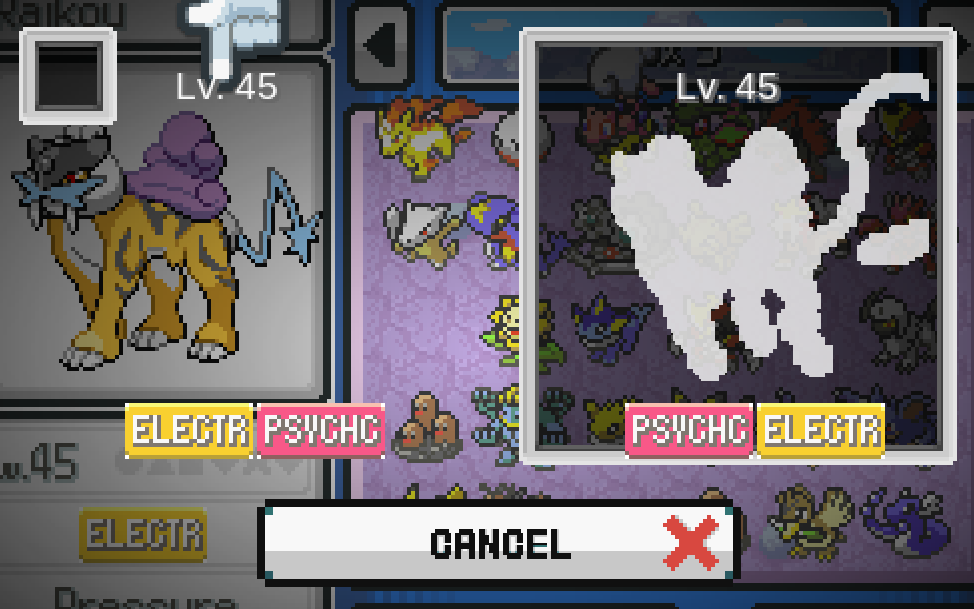
playing on 5.1.1
even when fusing, no sprite actually shows up
deft drift
did you restart the game after you installed the sprite pack? also, make sure that when you added the sprite pack, the images were pasted straight into the custombattlers folder
cursive moat
I restarted it and it prompted me to select options of "Keeping old" and "Replacing old with new", i chose the latter, and I pasted it according to a tutorial on youtube, with each folder placed in their corresponding ones in the graphics folder
i'll quickly restart again to see if that fixes it but going to title screen didn't fix it
deft drift
so in 5.1, sprites are auto-moved from custombattlers to custombattlers/indexed/{head folder}
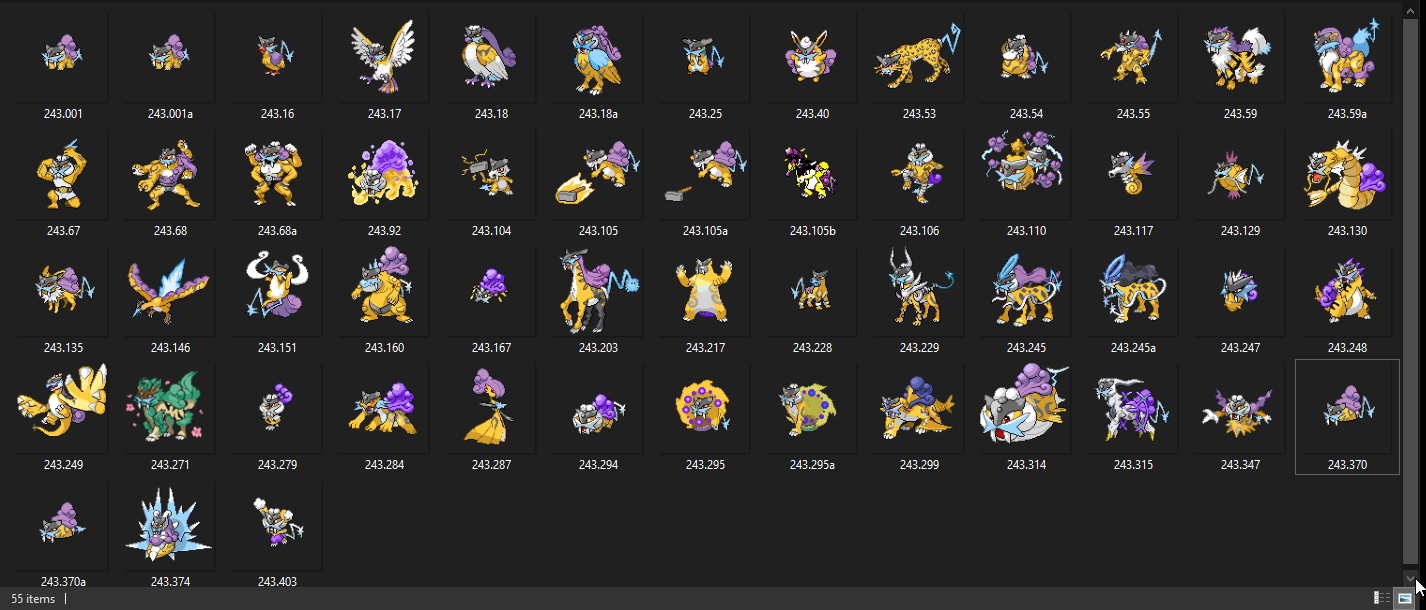
can you check that folder for a custom sprite for the raikou head? Should be in custombattlers/indexed/243
 opaque sigil
243.151, it's there
cursive moat
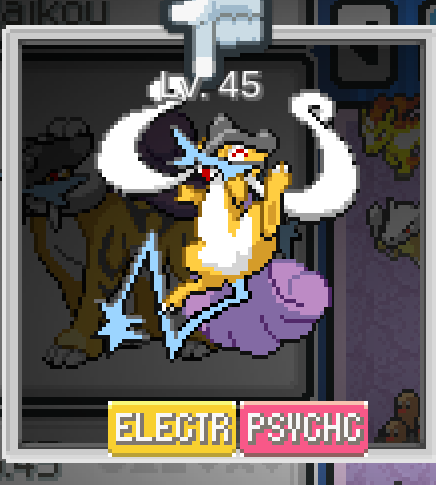
ah the restart seems to have fixed it!
deft drift
hmm yeah looks like it's there
cursive moat
 deft drift
nice, good to hear
 somber locust
Hey so I've just installed the game and it seems to running quite a bit faster than it should (I checked a youtube playthrough to make sure), does anyone know how I might fix this?
deft drift
Q is the default speed up button, just press it once or twice more and it'll probably slow down
 round robin
Hey there is Like a 20 Second loading Screen after fleeing from the Battle
Is there any way to load faster?
deft drift
the alternative launcher has a longer startup but loads faster ingame for some
round robin
deft drift
the alternative launcher has a longer startup but loads faster ingame for some
Ill give it a shot
 opaque mantle
i think this question goes here, so i want one of the custom sprites that arent in a sprite pack yet to be in my game, how would i go about adding it if possible? or do i just have to wait untill its in a sprite pack?
turbid terraceBOT
Hey @opaque mantle! Are you trying to add more custom sprites to your game? You can find the most up to date sprite pack containing all custom sprites in #downloads! To add them to your game, simply copy all the files into your game's CustomBattlers folder. The pack also contains alts and things such as joke sprites and regional variants, which you can also add to your game if you wish.
You can swap between alts of a given fusion in-game, using the Pokédex!
viscid kettle
viscid kettle
Anyone know how to solve this?
Sorry, did we get to the bottom of this?
opaque mantle
turbid terrace
Hey <@739261801707077662>! Are you trying to add more custom sprites to your gam...
that doesnt exactly answer my question
pine dagger
@sterile pivot sorry for the ping just wanted to remind you about the data folder
 finite garden
my game crashes when i go into battle
 stoic bramble
when i try to use surf it says that i need a gym badge but i already defeated the gym leader
opaque sigil
It's changed from vanilla, you need to beat the gym in Saffrom.
stoic bramble
ok thx
deft drift
opaque mantle
i think this question goes here, so i want one of the custom sprites that arent ...
you can download it directly from discord and put it in graphics/custombattlers
 twin vigil
Hi do someone know how to access the game because this screen apears and i'm stuck
 stiff zinc
how to change sprites
 slow hornet
Is there a way to cheat in HM: Cut? cause the captain wont give it to me no matter what angle I talk to him from. I
Anyone?
 minor crag
Hey can anyone help me, i fought the 7th gym, caught 2 of the legendary birds and went to jhoto to Goldenrod but i can't find Giovanni anywhere and his gym in veridian is still closed. I tried to fix the game with the npc but nothing changed
minor crag
I went to the goldenrod shop basement but there wasn't anybody
 dull crescent
can some one help me i dont know how to download the game it self with out problem
turbid terraceBOT
Hey @dull crescent! Are yo having trouble downloading the game? You can find the download of the game in #downloads! To run it, simple unzip all of the files into a folder, then click the .exe file. Be mindful that the game takes a few minutes to load, don't touch the black window before it does!
dull crescent
witch one from the download do i download
can some one help me
is there another way to get it with out mega
@chilly kayakhey can you help me i cant get it cuss i cant use mega
deft drift
We don't have a alt download source other than mega, no - the version you need is 5.1.1.1 full
 frozen ember
Hi, my game is running smoothly so far (haven’t made much progress), but I noticed walking through doors take around 7 seconds to load. Is this normal?
deft drift
for some people it is - try the alternative launcher, should have an exe in the same folder
deft drift
the startup will take slightly longer but load times should be faster
as far as I know it shouldn't stop progress
 delicate osprey
Soo... how do I add in the custom sprites? I know it's supposed to go in the custom battler folder, but do I put the whole folder in there or the images
And how exactly do I switch the sprites in the pokedex? I checked it out but I couldn't see how to do it
turbid terraceBOT
Hey @delicate osprey! Are you trying to add more custom sprites to your game? You can find the most up to date sprite pack containing all custom sprites in #downloads! To add them to your game, simply copy all the files into your game's CustomBattlers folder. The pack also contains alts and things such as joke sprites and regional variants, which you can also add to your game if you wish.
You can swap between alts of a given fusion in-game, using the Pokédex!
delicate osprey
I need something more specific 😭
deft drift
just the images
you can only swap the sprites of mons that have more than one custom sprite, so make sure that's the case. Otherwise, the 'actual' images that are used are in custombattlers/indexed/(head pokemon pokedex ID/ so make sure that after you do the import on boot up that the new sprite is in that folder
flat gale
is https://www.pokemoncoders.com/pokemon-infinite-fusion/ a safe place to download 5.1.1.1?

Fuse a Pokemon to create a new species with unique ability with Pokemon Infinite Fusion. Over 22k fusions available and lots of unique features available for you to enjoy.
if not can somebody point me toward a good link for the game
delicate osprey
Oh umm
How would I unzip all these images to the file without having to select it manually?
deft drift
flat gale
is https://www.pokemoncoders.com/pokemon-infinite-fusion/ a safe place to downlo...
as far as I can tell, the download link leads to the same URL as the mega link in #downloads, but you're probably safer to get it from here
deft drift
delicate osprey
Oh umm
How would I unzip all these images to the file without having to select ...
you can rename the spritework folder to CustomBattlers, and then drag and drop it into the same folder that custombattlers already exists in
that should do a merge if you're on windows
 mystic tusk
why does it look like this? 😄
 spiral spruce
mystic tusk
why does it look like this? 😄
spiral spruce
mystic tusk
why does it look like this? 😄
be more specific.
mystic tusk
It should look like this
 spiral spruce
did you try changing it with the pokedex?
mystic tusk
WTF?! are you telling me there is even more options?! i feel so stupid, thanks for the help
 wise mist
Interesting
 novel flower
Does anyone know how to do install the custom spritepacks?
turbid terraceBOT
Hey @novel flower! Are you trying to add more custom sprites to your game? You can find the most up to date sprite pack containing all custom sprites in #downloads! To add them to your game, simply copy all the files into your game's CustomBattlers folder. The pack also contains alts and things such as joke sprites and regional variants, which you can also add to your game if you wish.
You can swap between alts of a given fusion in-game, using the Pokédex!
minor crag
There is nobody in the team rocket hideout in goldenrod can anyone help me i'm stuck
 heady shadow
How do I load up the game I use WinRAR
Someone please help me
Please
Does anyone know how to load up the game
minor crag
Is it possible to just bypass this guy because he won't go away even after i have all the other 7 badges and found 2 of the legendary birds

 dreamy needle
Does anyone know how to fix this/what might be happening?

 chrome tapir
heady shadow
How do I load up the game I use WinRAR
chrome tapir
heady shadow
How do I load up the game I use WinRAR
Just extract it and run game.exe
Anyone play on Joiplay and get decent performance? I have lag of about 2 whole minutes every single time I exit a battle
 tall slate
With a full team of fused pokemon I'm getting a whole 10 seconds of lag every time I open up the pokemon menu for my party. Whether it be during-battle, using an item, doing a trade, ect. With only 5 pokemon it's like 2 seconds of lag but when I have a 6th I have to wait so much longer every single time the menu opens.
chrome tapir
Ew. I think I may hold off on playing on my phone for a few years.
turbid terraceBOT
Hey @chrome tapir! The game isn't made to be played on mobile! You can try to use Joiplay to run it, but the game will likely be very slow, glitchy, or downright unplayable.
You can try following this guide: https://youtu.be/jADyChlJbF0
Nothing can likely be done about issues experienced on mobile, unfortunately. You can ask for help in the video's comments section if you'd like.
No dedicated mobile version of IF will be developed in the future.
dreamy needle
I got the last message to go away by not shuffling npc trainers, but I'd really like to be able to at least randomize the pokemon. Does anyone know of a fix for this?

 minor flame
Whenever i interact with pokemon in the menu, i get lag spikes. Anybody else having this issue and know how to solve it?
 quartz ice
Do I need anything specific to extra with a mac book air 2020?
tall slate
minor flame
Whenever i interact with pokemon in the menu, i get lag spikes. Anybody else hav...
Try changing "Fusion Icons" to DNA in the options menu. It'll get rid of the lag but you're gonna have to rely on memorizing which pokemon is which
 lethal hinge
heady shadow
Someone please help me
lethal hinge
heady shadow
Someone please help me
extract the zip to a folder first
minor flame
tall slate
Try changing "Fusion Icons" to DNA in the options menu. It'll get rid of the lag...
Thank youu
 willow niche
Quick question, is the pokemon party sprites bugged at the moment? Because I only see DNA icons instead of the two pokemon halves. Unfused pokemon do show up though
 spiral spruce
its in options to change it.
 worldly swallow
 willow niche
spiral spruce
its in options to change it.
willow niche
spiral spruce
its in options to change it.
I did try that but it still remains as DNA icons
 noble plaza
anyone know how long it usually takes to download the game since its been more than an hour for me
turbid terraceBOT
Hey @noble plaza! Are yo having trouble downloading the game? You can find the download of the game in #downloads! To run it, simple unzip all of the files into a folder, then click the .exe file. Be mindful that the game takes a few minutes to load, don't touch the black window before it does!
delicate osprey
I added the custome battler sprites
But it doesn't seem to be working
 glad oriole
I heard there was a mobile version through the medium of google search, but I trust the discord more than random nonsense on google. I'm really only asking cause mega keeps crashing when I try to download stuff on my laptop, and my phone seems to run everything better than my pc anyways and may actually have better hardware.
turbid terraceBOT
Hey @glad oriole! The game isn't made to be played on mobile! You can try to use Joiplay to run it, but the game will likely be very slow, glitchy, or downright unplayable.
You can try following this guide: https://youtu.be/jADyChlJbF0
Nothing can likely be done about issues experienced on mobile, unfortunately. You can ask for help in the video's comments section if you'd like.
No dedicated mobile version of IF will be developed in the future.
 stone fjord
Having an issue where the game doesn't seem to be detecting my Custom Battlers folder. Anyone got any advice?
 past rivet
Anybody know how to fix my pokemons stats being messed up?
I have a lvl 71 Reshirom with 25 hp
 steep lake
So I downloaded all the sprite packs last month and I put them in my game, but when I load up my game, the custom sprites aren't there. Am I doing something wrong? Do they need to be kept in their original folders in the index or do I put them all in the custom battlers folder?
 soft shale
Hey I need help, I keep trying to open the application and I get an error message that "zlib1.dll" was not found, and then I get another message that says "x64-msvcrt-ruby310.dll" was not found. They both suggest re-installing and I don't know how
delicate osprey
stone fjord
Having an issue where the game doesn't seem to be detecting my Custom Battlers f...
Yeah I'm having the same issu
Also seems to be effecting the non custom sprites
sterile pivot
Anyone know how to fix
 nova crane
sterile pivot
Anyone know how to fix
nova crane
sterile pivot
Anyone know how to fix
read pinned
sterile pivot
Pinned?
 modern mountain
okay, weird question. when randomizing wild pokemon, is there a way to export the list of area's and encounter rates?
nova crane
sterile pivot
Pinned?
Pinned comments
 prisma ocean
Hi folks! I'm on v 5.1.1.1, just downloaded the patch and applied it to my old 5.0. I'm finding that oddly enough the L-stick on my controller is functional, but the buttons (A B Y X L R) don't seem to work in IF. I'm trying to use F1 to map them and when I press the buttons on cue, there's no response. I was just using this controller with mGBA just fine, so it's not the controller. Does anyone have any tips before I resort to finding a keyboard-mapping program?
nova crane
prisma ocean
Hi folks! I'm on v 5.1.1.1, just downloaded the patch and applied it to my old 5...
Couple of suggestions for you:
Restart the game/computer
Try reopening the f1 menu
Redownload the full 5.1.1 version
Try a different controller if you have one
 strange gyro
What should i do if i cant download the rom
whenever i click the link it always says mega.nz has failed to connect
 unique crag
I get this everytime I go to fight giovanni with the rival and I have no clue how to fix it, I tried rerandomizing but it still does it so I have no clue

 small garnet
is there a specific version im supposed to be extracting as the latest one keeps crashing during extraction?
glad oriole
I'm having this same issue, I've been trying to extract the latest version for ages now. I've discovered that I can however extract it using my phone using the rar app and I'll now be trying to trasnfer the extracted file from my phone to google drive so I can have it on my pc
turbid terraceBOT
Hey @glad oriole! The game isn't made to be played on mobile! You can try to use Joiplay to run it, but the game will likely be very slow, glitchy, or downright unplayable.
You can try following this guide: https://youtu.be/jADyChlJbF0
Nothing can likely be done about issues experienced on mobile, unfortunately. You can ask for help in the video's comments section if you'd like.
No dedicated mobile version of IF will be developed in the future.
 rotund viper
Any explanation on what this error means exactly?
 deft drift
small garnet
is there a specific version im supposed to be extracting as the latest one keeps...
deft drift
small garnet
is there a specific version im supposed to be extracting as the latest one keeps...
The IF zip tends to freak out the default windows extractor, try 7zip or winrar
deft drift
glad oriole
I'm having this same issue, I've been trying to extract the latest version for a...
Same for you, likely either of those two apps would work
deft drift
strange gyro
whenever i click the link it always says mega.nz has failed to connect
You can try a vpn or clearing your cookies
small garnet
i finally got it to extract but now im getting this. what do i do?
 small garnet
deft drift
The IF zip tends to freak out the default windows extractor, try 7zip or winrar
small garnet
deft drift
The IF zip tends to freak out the default windows extractor, try 7zip or winrar
thank you btw.
 tribal quartz
i'm trying to launch the game, i have the start intro where you see two pokemon fusionning as an ad form the corp, but just after that the game freeze and crash, then it tell me the RGSS file is stuck
turbid terraceBOT
Hey @tribal quartz! Are you having trouble starting the game? If you are launching v5, and your screen is stuck on black at startup, don't worry, it's normal. Leave the game running for a few minutes and it will work eventually.
Do not click on the window during this, otherwise you'll get the error below and the game will close.
https://cdn.discordapp.com/attachments/308392115338084360/994274889055875142/Capture.PNG
tribal quartz
thanks bot but it's aint the problem :(
small garnet
missing game.ini
turbid terraceBOT
Hey @small garnet! Are you having trouble starting the game? If you're getting the "missing Game.ini" error, your game is not finding its necessary folders for some reason. Here's a list of things that may fix the issue:
- Make sure that you have extracted the files from the ZIP, and aren't running the game straight from the zipped folder.
- Make sure the game.exe file is in the folder with everything else. You might've moved it while trying to make a shortcut or something.
- Rename the folder with the extracted files to a name without numbers or special characters, e.g. "PokemonInfiniteFusion".
- Move the entire folder somewhere else on your computer. Moving it to the desktop seems to work for most people.
- Redownload and re-extract the game in full.
tribal quartz
i'm stuck on that and it doesn't seems to continue even if i wait
 deft drift
tribal quartz
i'm stuck on that and it doesn't seems to continue even if i wait
deft drift
tribal quartz
i'm stuck on that and it doesn't seems to continue even if i wait
Try the alternative launcher, startup is slower for some, but it also sometimes has better performance
deft drift
It should be in the same folder, called alternative launcher.exe
If you downloaded 5.1.1.1 full
tribal quartz
OK mine is alternate launcher, I wasn't sure
I'll try when I've more battery lmao, if it doesn't work I'll come back
small garnet
where do i go to get the sprite packs
turbid terraceBOT
Hey @small garnet! Are you trying to add more custom sprites to your game? You can find the most up to date sprite pack containing all custom sprites in #downloads! To add them to your game, simply copy all the files into your game's CustomBattlers folder. The pack also contains alts and things such as joke sprites and regional variants, which you can also add to your game if you wish.
You can swap between alts of a given fusion in-game, using the Pokédex!
 modern dawn
Hello, after a blue screen, i got this message when restarting the game :/ Any idea ?

 sacred frigate
missing game ini
turbid terraceBOT
Hey @sacred frigate! Are you having trouble starting the game? If you're getting the "missing Game.ini" error, your game is not finding its necessary folders for some reason. Here's a list of things that may fix the issue:
- Make sure that you have extracted the files from the ZIP, and aren't running the game straight from the zipped folder.
- Make sure the game.exe file is in the folder with everything else. You might've moved it while trying to make a shortcut or something.
- Rename the folder with the extracted files to a name without numbers or special characters, e.g. "PokemonInfiniteFusion".
- Move the entire folder somewhere else on your computer. Moving it to the desktop seems to work for most people.
- Redownload and re-extract the game in full.
willow niche
Is it possible to save more than one sprite alt of the same pokemon fusion? Because I want to put in the aggron/aegislash sprites I've seen so far
tall holly
It should be, if you name then like, "333.329a" "333.329b" etc, whatever the dex number of the fusion is, then yeah they'll all appear in the dex
 digital rune
Forgive me for being a tech noob, but why is the "A" ingame button stuck to enter on my keyboard. I have switched the binding to L on the keyboard but it wont work
steady kelp
in the mobile version do i need to download the old version or the latest one?
turbid terraceBOT
Hey @steady kelp! The game isn't made to be played on mobile! You can try to use Joiplay to run it, but the game will likely be very slow, glitchy, or downright unplayable.
You can try following this guide: https://youtu.be/jADyChlJbF0
Nothing can likely be done about issues experienced on mobile, unfortunately. You can ask for help in the video's comments section if you'd like.
No dedicated mobile version of IF will be developed in the future.
slow hornet
Is there a way to cheat in HM: Cut? cause the captain wont give it to me no matter what angle I talk to him from.
I've been softlocked by this bug and I'd really like to NOT reset my entire damn randomiser run.
IT looks like there's several people asking this over time and nobody's getting an answer. Can someone do something here? THis is gatting a bit silly.
 sweet ledge
My game is having long loading times, is it normal or can I patch it ?
tall holly
It's normal. If you're playing v5.1 it has slightly slow load times
sweet ledge
slightly ? I have like near a minute loading time when I have like none whenever I play on my pc
 novel flame
hey, just a small question. if i want to use the custom sprites, i move them all over into the same folder as the game/launcher is, right? last time i did this i had to reinstall everything
tall holly
Yes, you put the sprites you want into your game's custombattlers folder
novel flame
perfect, thank you
modern dawn
Hello, after a blue screen my save got corrupted... Do you have a solution to repair the save ?
 elder stone
how do i check which version of the game i have? (so i don’t accidentally download something i shouldn’t)
hot flicker
elder stone
how do i check which version of the game i have? (so i don’t accidentally downlo...
Right when you boot up the game it tells you what version you have
elder reef
I still am unable to get my game to get to past the into cutscene
even after hours of waiting
hot flicker
elder reef
I still am unable to get my game to get to past the into cutscene
Can I see the folder that contains the game?
 hot flicker
that might be the issue. You should download the full game instead of updating. Did you update from 5.0 to 5.1.1.1?
hot flicker
Delete everything and just redownload the game. Your save is kept somewhere else so you wont remove that
elder reef
so just go back one step on the file path and delete the whole file for my fusion
asking this because i dont want to delete my shiny save
hot flicker
Yes delete that folder and download infinitefusion_5.1.1.1-full.zip Your save is somewhere else, in appdata
elder reef
thx
does the new version have all the new custom sprites?
asking because I am a little tired rn
tall holly
I think it's behind by like 2 packs
elder stone
hot flicker
Right when you boot up the game it tells you what version you have
ah thank you
also to download the patch do i just straight up download it or i have to extract it to the folder where i have everything else
hot flicker
elder stone
also to download the patch do i just straight up download it or i have to extrac...
What version is your game?
elder stone
hot flicker
What version is your game?
4.9.2
hot flicker
elder stone
4.9.2
You do not want to update it. More than likely your save will not work with the new version
Unless you are okay starting over. But you don't want to download the patch. Just download the full game
 glacial mason
I'm trying to open up the file for infinite fusions and it's not even letting me. The download bar in file explorer loads slow and nothing comes out of it. What's this mean?
elder stone
so just download the 5.1.1 full zip? alright thanks
hot flicker
glacial mason
I'm trying to open up the file for infinite fusions and it's not even letting me...
Did you extract the game?
hot flicker
elder stone
so just download the 5.1.1 full zip? alright thanks
Yes
glacial mason
hot flicker
Did you extract the game?
hold on it's miraculously working now ty ty
 cyan gyro
does anyone know if there's a way to fix all opposing pokemon being one half pixel in the dead center of their sprites

like so

anything with cleffa's head is utterly demolished by this
deft drift
cyan gyro
does anyone know if there's a way to fix all opposing pokemon being one half pix...
Unfortunately we don’t have a fix for this yet, sorry
Just has to do with how the rescaling is done by rpgmaker
cyan gyro
I see, alright
 topaz ibex
for installing the sprite packs do I need to drag all 3 to the graphics folders, or just the custom battlers (also is there any point in using the 1-85 sprite pack, or should I just find the few new ones manually?)
 glad oriole
We've run into this problem where we've finally managed to get the game running on mobile, but now we can't actually start the game becauseclicking the on screen enter button on Joiplay isn't working to name our character
turbid terraceBOT
Hey @glad oriole! The game isn't made to be played on mobile! You can try to use Joiplay to run it, but the game will likely be very slow, glitchy, or downright unplayable.
You can try following this guide: https://youtu.be/jADyChlJbF0
Nothing can likely be done about issues experienced on mobile, unfortunately. You can ask for help in the video's comments section if you'd like.
No dedicated mobile version of IF will be developed in the future.
deft drift
glad oriole
We've run into this problem where we've finally managed to get the game running ...
you need to change text entry in settings to cursor iirc
deft drift
topaz ibex
for installing the sprite packs do I need to drag all 3 to the graphics folders,...
only the images that you want as sprites you need to put inside custombattlers. Other should only have optional sprites
glacial mason
hi im back I'm trying to open any of the roms I have with desmume and it's not popping up
 solid flower
I was messing with my custom sprites folder and now the sprites won't load. When I initially was messing with it there was a folder that held all the sprites as sorted into different folders. I didn't realize that folder needed to be in there, so I took all the folders out to leave them loose in the CustomBattlers folder. What would be the best way to fix this?
deft drift
glacial mason
hi im back I'm trying to open any of the roms I have with desmume and it's not p...
the game isn't a rom - it's an executable you need to run directly
glacial mason
whats that mean?
deft drift
solid flower
I was messing with my custom sprites folder and now the sprites won't load. When...
if you download the latest spritepack and put the images directly in custombattlers, the game on startup should redistribute the files into the Indexed/ subfolders
glacial mason
the 'roms' in question are; blaze black + volt white, <<<the sequels of those, sacredgold + storm silver
solid flower
deft drift
if you download the latest spritepack and put the images directly in custombattl...
Thanks! I really appreciate it
deft drift
glacial mason
whats that mean?
it means it's an application that runs like discord, or chrome, or anything else - once you extract it, just start "Pokemon Infinite Fusion.exe" by double clicking it
glacial mason
ah i see cheers
glacial mason
deft drift
it means it's an application that runs like discord, or chrome, or anything else...
by any chance would you know what I'd have to do to get those roms that arent infinite fusion working on desmume? the ones i mentioned aren't popping up
solid flower
deft drift
if you download the latest spritepack and put the images directly in custombattl...
does that also mean that if I want to put more sprites in the game, I can just put them straight into CustomBattlers and the game will automatically sort them? Awesome!
deft drift
glacial mason
by any chance would you know what I'd have to do to get those roms that arent in...
I don't know what your setup looks like, probably not the best place to ask - try #other-pokemon-games
slow hornet
Is there a way to cheat in HM: Cut? cause the captain wont give it to me no matter what angle I talk to him from.
I've been softlocked by this bug and I'd really like to NOT reset my entire damn randomiser run.
IT looks like there's several people asking this over time and nobody's getting an answer. Can someone do something here? THis is gatting a bit silly.
deft drift
slow hornet
Is there a way to cheat in HM: Cut? cause the captain wont give it to me no matt...
if there's no answers it's likely because we don't have a fix yet, sorry. I don't see the duplicate reports you're mentioning, though - could you link them? I'm aware of item randomizers breaking surf but not of it breaking cut
slow hornet
@deft drift
i missjudged the quantity upon closer inspection, but still.
in the mean time, is there a way to simply cheat in cut?
deft drift
I'll make sure to keep it in mind for now, but as far as I know we don't have a workaround at the moment
you can look online for rpgmaker save editors but we don't have any support for it atm
 small finch
i started the game but its just on the title screen but how do i get past that do i just wait?
nvm
glad oriole
Ok so the next issue we're having is that we started the game, got through the advertisement, and all the textures are glitched
I mean it works, all the collision and interactions seem fine, but the textures for the environment are seriously messed up
sacred frigate
i can't cancel out of an attack when i select fight
 carmine matrix
Soooo, I've catch them all, he's supposed to give me something maybe magic boots right? Because if so I'm not getting anything

or I'm wrong and that is not a thing anymore?
 upper gate
posting here instead of general since it's a little more tech-y: does anyone know if there's an endpoint or something that gives a list of the pokemon available in Infinite Fusion? I'm making a pokemon suggestion tool and I'd like the available pokemon to be up to date, and right now it looks like I'd have to scrape the wiki page/filter out the names, and I'd rather not do that if I don't have to 😅
 static scroll
carmine matrix
Soooo, I've catch them all, he's supposed to give me something ~~maybe magic boo...
static scroll
carmine matrix
Soooo, I've catch them all, he's supposed to give me something ~~maybe magic boo...
Iirc you can't have used the randomizer in the same playthrough if you want to get them
carmine matrix
well, I definitively haven't used it to get anything
but idk if I've activated at least one time messing around, that'd suck
 graceful flame
how do i search for pokemon of a specific type using the pokedex?

cause i feel like im summoning satan
sterile pivot
Anyone know where to find pinned comments
upper gate
sterile pivot
Anyone know where to find pinned comments
in Discord it's top right, next to search bar

 merry stirrup
Hi. I’m getting lots of this. Sometimes when I get to specific rooms or routes/caves, the map doesn’t load. Mostly loads okay after a battle but then happens again when exit/re-enter. Have tried fix man. Any ideas?
 wide depot
So.. Weird black screen, sits there for maybe a minute or so, I dunno, bro just kind of appears everytime I finish a battle, or exit a building to go outside, anyway to fix this? I've been told using the Alternate Launcher would fix it, but would like to know if that is true, and if there is any other way if not.
turbid terraceBOT
Hey @wide depot! Are you having trouble starting the game? If you are launching v5, and your screen is stuck on black at startup, don't worry, it's normal. Leave the game running for a few minutes and it will work eventually.
Do not click on the window during this, otherwise you'll get the error below and the game will close.
https://cdn.discordapp.com/attachments/308392115338084360/994274889055875142/Capture.PNG

 plain apex
wide depot
So.. Weird black screen, sits there for maybe a minute or so, I dunno, bro just ...
plain apex
wide depot
So.. Weird black screen, sits there for maybe a minute or so, I dunno, bro just ...
Alternate launcher seems to help for reducing the black screen load times
It was unplayable on my surface with the standard, but tried it about 5 minutes ago via alternative and it worked really well
turbid terraceBOT
Hey @plain apex! Are you having trouble starting the game? If you are launching v5, and your screen is stuck on black at startup, don't worry, it's normal. Leave the game running for a few minutes and it will work eventually.
Do not click on the window during this, otherwise you'll get the error below and the game will close.
https://cdn.discordapp.com/attachments/308392115338084360/994274889055875142/Capture.PNG
plain apex
No ty
wide depot
plain apex
Alternate launcher seems to help for reducing the black screen load times
It was...
Alright! I'm currently giving it a shot, and things seem to be loading faster, thanks!
 analog panther
Hello
I've been attempting to download the game on mobile but for some reason it won't open
turbid terraceBOT
Hey @analog panther! The game isn't made to be played on mobile! You can try to use Joiplay to run it, but the game will likely be very slow, glitchy, or downright unplayable.
You can try following this guide: https://youtu.be/jADyChlJbF0
Nothing can likely be done about issues experienced on mobile, unfortunately. You can ask for help in the video's comments section if you'd like.
No dedicated mobile version of IF will be developed in the future.
analog panther
What emulator should be used on pc
deft drift
wide depot
So.. Weird black screen, sits there for maybe a minute or so, I dunno, bro just ...
it is true as far as I know
loadup time is longer but loads between maps should be faster
deft drift
analog panther
What emulator should be used on pc
the game is a standalone executable, on windows you just double click it to start
analog panther
deft drift
the game is a standalone executable, on windows you just double click it to star...
Thank you
 late rune
I launch the game and play just fine the first time but after I close it and come back later and I relaunch the game not even a window pops up, the only fix is to restart my system which is a pitfa if i have other things running. Would it be possible to get help with this?
 short valley
the game takes a bit to load after an encounter, battle, going into a building/area is there anyway to fix this or is it something i have to deal with
sterile pivot
why is the loading screen take so long? for like after battles, entering places and etc? I've tried using alternate loader but that didn't work
nvm it works now
 silver jacinth
 rich needle
I have a question. A pokefusion that has more than one artwork, for example 1.1 - 1.1a - 1.1b. I know you can choose which art to keep in your dex, but my question is, if you find this fusion in the wild, will it randomly choose an art or will it always be the main one?
turbid terraceBOT
Hey @inner notch! Are you having trouble starting the game? If you're getting the "missing Game.ini" error, your game is not finding its necessary folders for some reason. Here's a list of things that may fix the issue:
- Make sure that you have extracted the files from the ZIP, and aren't running the game straight from the zipped folder.
- Make sure the game.exe file is in the folder with everything else. You might've moved it while trying to make a shortcut or something.
- Rename the folder with the extracted files to a name without numbers or special characters, e.g. "PokemonInfiniteFusion".
- Move the entire folder somewhere else on your computer. Moving it to the desktop seems to work for most people.
- Redownload and re-extract the game in full.
 inner notch
is there any way to change the controls?
late rune
inner notch
is there any way to change the controls?
Press f1
inner notch
thankyou
deft drift
short valley
the game takes a bit to load after an encounter, battle, going into a building/a...
there should be an alternative launcher exe in the same folder that should have a longer startup but faster game load times
deft drift
rich needle
I have a question. A pokefusion that has more than one artwork, for example 1.1 ...
I believe the current way is that it's set to always choose whatever the main one is (or the one you chose it to be, if you changed it)
short valley
deft drift
there should be an alternative launcher exe in the same folder that should have ...
thank you helped
 amber shore
I'm having a hard time getting the game to work on my windows 10 laptop any advanced
rich needle
deft drift
I believe the current way is that it's set to always choose whatever the main on...
Thanks for the reply Ignus!
 alpine stream
deft drift
there should be an alternative launcher exe in the same folder that should have ...
alpine stream
deft drift
there should be an alternative launcher exe in the same folder that should have ...
Came here looking for this solution. Thank you!
 primal crypt
If I am having a lot of slow down playing the game on joiplay is there a way to make it run faster
sterile pivot
how do you change controller buttons everytime im on the menu to change it my game is playing to the inputs
 wanton summit
how can i fix this
 deft drift
wanton summit
how can i fix this
deft drift
wanton summit
how can i fix this
make sure the game is fully extracted, use 7zip or winrar if the default windows one isn't working
 floral nimbus
I got this error.
 deft drift
floral nimbus
I got this error.
deft drift
floral nimbus
I got this error.
likely the file didn't extract properly like above, check to make sure it exists, and if it doesn't, reextract 5.1.1.1 full
 tepid summit
do i put the entire sprite pack folder directly into the custombattlers folder?
 proven blaze
I keep getting a black screen that lasts for a while after each battle and exiting a building anyway to fix this?
turbid terraceBOT
Hey @proven blaze! Are you having trouble starting the game? If you are launching v5, and your screen is stuck on black at startup, don't worry, it's normal. Leave the game running for a few minutes and it will work eventually.
Do not click on the window during this, otherwise you'll get the error below and the game will close.
https://cdn.discordapp.com/attachments/308392115338084360/994274889055875142/Capture.PNG
proven blaze
turbid terrace
Hey <@710589583904997416>! Are you having trouble starting the game? If you are ...
yeah naw
deft drift
proven blaze
I keep getting a black screen that lasts for a while after each battle and exiti...
Try the alternative launcher, has faster loads for some, though startup will take longer
 wary silo
guys do i extract the sprite pack into graphics or custombattlers?
was wondering cause there is a custom battlers folder in the sprite pack
 cedar kelp
I was wondering if there is a fix for the game being choppy/laggy. I downloaded the latest version and it was running super smooth, but i launched it today and its choppy and laggy and slow. I tried reinstalling it and going the "fix game" option but nothing is fixing the issue
wooden rivet
wary silo
guys do i extract the sprite pack into graphics or custombattlers?
Put every png file from the sprite pack directly into CustomBattlers
wary silo
i put all the sprite pack folders into the graphics file which merged the custombattlers folders
when i launched game it said it found new sprites...so i guess it worked
i still dont know why my nidoking blastoise dosent look like the one on the custom sprite search site
wooden rivet
Some of them have alternates, which you can change by going to the Pokédex

 proven ruin
how do i get rid of this green screen?

 raven monolith
Hello, can someone explain to me? I did not install any patch. I just downloaded the "full game" link
 turbid terraceBOT
Hey @raven monolith! Are yo having trouble downloading the game? You can find the download of the game in #downloads! To run it, simple unzip all of the files into a folder, then click the .exe file. Be mindful that the game takes a few minutes to load, don't touch the black window before it does!
proven ruin
proven ruin
how do i get rid of this green screen?
help me with this
 muted thunder

this is what my folder looks like
if i open infinite fusion launcher it says no game.ini found
turbid terraceBOT
Hey @muted thunder! Are you having trouble starting the game? If you're getting the "missing Game.ini" error, your game is not finding its necessary folders for some reason. Here's a list of things that may fix the issue:
- Make sure that you have extracted the files from the ZIP, and aren't running the game straight from the zipped folder.
- Make sure the game.exe file is in the folder with everything else. You might've moved it while trying to make a shortcut or something.
- Rename the folder with the extracted files to a name without numbers or special characters, e.g. "PokemonInfiniteFusion".
- Move the entire folder somewhere else on your computer. Moving it to the desktop seems to work for most people.
- Redownload and re-extract the game in full.
Hey @muted thunder! Are you having trouble starting the game? If you're getting the "missing Game.ini" error, your game is not finding its necessary folders for some reason. Here's a list of things that may fix the issue:
- Make sure that you have extracted the files from the ZIP, and aren't running the game straight from the zipped folder.
- Make sure the game.exe file is in the folder with everything else. You might've moved it while trying to make a shortcut or something.
- Rename the folder with the extracted files to a name without numbers or special characters, e.g. "PokemonInfiniteFusion".
- Move the entire folder somewhere else on your computer. Moving it to the desktop seems to work for most people.
- Redownload and re-extract the game in full.
 left idol
Help! I am stuck in a black screen only showing me the controls. What can I do?
turbid terraceBOT
Hey @left idol! Are you having trouble starting the game? If you are launching v5, and your screen is stuck on black at startup, don't worry, it's normal. Leave the game running for a few minutes and it will work eventually.
Do not click on the window during this, otherwise you'll get the error below and the game will close.
https://cdn.discordapp.com/attachments/308392115338084360/994274889055875142/Capture.PNG
left idol
 proven ruin
help! when i launch the game i see a green screen
 tall holly
We have a solution for that pinned in this channel
 plush brook
I imported new custom sprites for aegislash/machamp but it did not change in game, any fixes?
do I have to like unfuse and refuse them?
 tight vine
Is anyone available to talk me through (very slowly) adding the "sprite pack 1-85" to the game. I am very new to this and don't understand
 quartz fulcrum
how to patch
 inland ginkgo
Not sure if this is the right place to ask, but I downloaded the Sprite Pack. Now, I understand where the Custom Battler folder is meant to be copied to, but what should I do about the Unfused Icons and Other folder that also come with the pack?
tight vine
inland ginkgo
Not sure if this is the right place to ask, but I downloaded the Sprite Pack. No...
Second this, i am also unsure
 halcyon trout
can you help me solving this problem?

 clever coral
can somebody help me please 😦
i can not have two hms surf and strength i talk with both and it came you got it but i have nothing in my inventory ...

 languid pier
i got this error when hit F12 button
 sterile pivot
Hey eusine wont give me the azure flute because i fused my articuno and zapdos with other pokemon is there any way to still get the flute?
 primal crypt
Help! I am having a lot of slow down playing the game on joiplay is there a way to make it run faster
 peak vault
When I try to open the game it just does this. I didn't click the alternate launcher by the way

Please help

 spark mulch
raven monolith
Hello, can someone explain to me? I did not install any patch. I just downloaded...
spark mulch
raven monolith
Hello, can someone explain to me? I did not install any patch. I just downloaded...
having the same error here
the same as this

 umbral ivy
Some custom sprites are not showing up in the pokedex, I have the sprite pack installed and placed it into the CustomBattlers folder and I replaced all older sprites when I entered my save file.
turbid terraceBOT
Hey @umbral ivy! Are you trying to add more custom sprites to your game? You can find the most up to date sprite pack containing all custom sprites in #downloads! To add them to your game, simply copy all the files into your game's CustomBattlers folder. The pack also contains alts and things such as joke sprites and regional variants, which you can also add to your game if you wish.
You can swap between alts of a given fusion in-game, using the Pokédex!
halcyon trout
what's that means?

 patent wing
Quick question, where should I extract the sprite packs?
turbid terraceBOT
Hey @patent wing! Are you trying to add more custom sprites to your game? You can find the most up to date sprite pack containing all custom sprites in #downloads! To add them to your game, simply copy all the files into your game's CustomBattlers folder. The pack also contains alts and things such as joke sprites and regional variants, which you can also add to your game if you wish.
You can swap between alts of a given fusion in-game, using the Pokédex!
 regal quail
so uh, not sure whats happening here
 deft drift
regal quail
so uh, not sure whats happening here
deft drift
regal quail
so uh, not sure whats happening here
try plugging in headphones, there's an issue that looks similar (though not exactly like) to this that's caused by having no audio device
deft drift
umbral ivy
Some custom sprites are not showing up in the pokedex, I have the sprite pack in...
make sure you fully restart the game, and that the custom sprites were moved into the indexed/ directory inside custombattlers. They should be in a subfolder based on the head dex number
umbral ivy
deft drift
make sure you fully restart the game, and that the custom sprites were moved int...
By fully restarting you mean quiting out of the game right?
deft drift
 dusk crow
after the intro plays the screen just turns black
dusk crow
after the intro plays the screen just turns black
try the alternative launcher, and make sure the game is fully extracted, if not either of those, usually a restart or a graphics driver update fixes this
umbral ivy
ok
deft drift
 unborn cedar
OpenGL 2.0 😭 ❓
unborn cedar
OpenGL 2.0 😭 ❓
usually you just need to update your graphics drivers / install one specifcally for opengl 2.0
deft drift
inland ginkgo
Not sure if this is the right place to ask, but I downloaded the Sprite Pack. No...
they are optional, you don't need them
umbral ivy
deft drift
yup
All of the sprites are in the right locations and everything is in indexed, however they still wont show up even after the restart
deft drift
can you take a screenshot of the sprites in question in their folder?
dusk crow
deft drift
try the alternative launcher, and make sure the game is fully extracted, if not ...
what does the alternate launcher do. also i fixed the problem
 gentle wagon
i keep getting this crash when im trying to claim this fossil in pewter city

is there any fix for this?
umbral ivy
deft drift
can you take a screenshot of the sprites in question in their folder?
yeah for example

 deft drift
I need to see the folder path
 deft drift
and you did a full restart, right? like completely shut down the game
umbral ivy
yee
deft drift
not just going back to the main menu
umbral ivy
yeah
regal quail
deft drift
try plugging in headphones, there's an issue that looks similar (though not exac...
OH. RIGHT. my computer forgot that its speakers existed so that makes a ton of sense. thank u
deft drift
might be that something is holding the images hostage so it cant load the game
turbid terraceBOT
Hey @deft drift! Are you having trouble starting the game? Here are a few common errors you might be experiencing:
If you're getting the "missing Game.ini" error, your game is not finding its necessary folders for some reason. Here's a list of things that may fix the issue:
- Make sure that you have extracted the files from the ZIP, and aren't running the game straight from the zipped folder.
- Make sure the game.exe file is in the folder with everything else. You might've moved it while trying to make a shortcut or something.
- Rename the folder with the extracted files to a name without numbers or special characters, e.g. "PokemonInfiniteFusion".
- Move the entire folder somewhere else on your computer. Moving it to the desktop seems to work for most people.
- Redownload and re-extract the game in full.
If you are launching v5, and your screen is stuck on black at startup, don't worry, it's normal. Leave the game running for a few minutes and it will work eventually.
Do not click on the window during this, otherwise you'll get the error below and the game will close.
https://cdn.discordapp.com/attachments/308392115338084360/994274889055875142/Capture.PNG
deft drift
try fully restarting your comp - should kill any hanging processes
umbral ivy
How?
deft drift
if that doesn't work, run as admin - might be that the game can't access the folder due to permissions/where you have the game running from
like turn off your computer and turn it back on again
umbral ivy
deft drift
if that doesn't work, run as admin - might be that the game can't access the fol...
do you have any other ideas, other than reinstalling the game?
deft drift
you can try reinstalling the spritepack by dumping the contents of it into custombattlers, might just be that it isn't detecting the update for some reason and just needs to be reinit'd
also, if you updated from 5.0.36, you might just need to reinstall 5.1.1.1 full - your save should auto transfer
umbral ivy
I didn't update the game from a older version. I just installed the latest version. So I don't think that, that would be the issue
I will try redumping the spritepack though
 tepid ruin
im getting constant black screens during the game (not just the first one that takes a while), everything i leave/enter a pokecenter, house, pokemon battle or anything that resets the map it takes like 2 mins of black screen and i have no idea what to do
turbid terraceBOT
Hey @tepid ruin! Are you having trouble starting the game? If you are launching v5, and your screen is stuck on black at startup, don't worry, it's normal. Leave the game running for a few minutes and it will work eventually.
Do not click on the window during this, otherwise you'll get the error below and the game will close.
https://cdn.discordapp.com/attachments/308392115338084360/994274889055875142/Capture.PNG
inland ginkgo
deft drift
they are optional, you don't need them
Okay, got it. Thank you! That explains the inconsistency in naming of folders for those two.
deft drift
tepid ruin
im getting constant black screens during the game (not just the first one that t...
try the alternative launcher, might work for you
tepid ruin
it doesnt 🙁
deft drift
startup will be slightly longer but the load times should be shorter
if you have no loading screen from the alt launcher, that's expected, might just need to wait
tepid ruin
the game starts normally on both launchers
but the problem persists
i tried re-installing the game and nothing works
instead of the usual half-second black screens i get like 3 minute long ones
turbid terraceBOT
Hey @tepid ruin! Are you having trouble starting the game? If you are launching v5, and your screen is stuck on black at startup, don't worry, it's normal. Leave the game running for a few minutes and it will work eventually.
Do not click on the window during this, otherwise you'll get the error below and the game will close.
https://cdn.discordapp.com/attachments/308392115338084360/994274889055875142/Capture.PNG
deft drift
if it's just loading between scenes (going in and out of houses, battles, etc) the only other option I know of is installing the game on a ssd instead of a disk hard drive if you have an external one
unfortunately the game has a lot of data due to the 176k mons, so the slowdowns are just a side affect on some computers
 primal cave
Hello, I am new and I am trying to figure out how to download the game
turbid terraceBOT
Hey @primal cave! Are yo having trouble downloading the game? You can find the download of the game in #downloads! To run it, simple unzip all of the files into a folder, then click the .exe file. Be mindful that the game takes a few minutes to load, don't touch the black window before it does!
primal cave
Could you tell me how to do this, I recently got this laptop and Idk how to unzip all the files and everything else, I tried to watch a YouTube vid on how to download it, but everytime I would download it and open it then it would play the intro animation or just show a blank black screen. Idk what to do other than download if someone could help me understand how to do this, please and thank you for helping me.
turbid terraceBOT
Hey @primal cave! Are you having trouble starting the game? If you are launching v5, and your screen is stuck on black at startup, don't worry, it's normal. Leave the game running for a few minutes and it will work eventually.
Do not click on the window during this, otherwise you'll get the error below and the game will close.
https://cdn.discordapp.com/attachments/308392115338084360/994274889055875142/Capture.PNG
primal cave
But how do you unzip the files and put it into a file ?
 sonic elbow
Is there a way to put a sprite from sprite-gallery, that is currently not in the game, into it? Like copy/paste the .png file into a specific folder? (hope this is the right place to ask this)
nevermind, found it
deft drift
primal cave
But how do you unzip the files and put it into a file ?
download winrar or 7zip, then you open it in one of those applications, or right click and hit extract
I recommend googling zip files
 rotund pond
each time i start the game i get a loading screen of a DNA splicer before something pops up saying incompatible marshal file
i would show a picture but i dont know how to screen shot on a pc
may i upload my file to show what im talking about
 tropic vine
my battle backgrounds arent working anymore there is just a black background sprites are loading correctly tho is there a way to fix that?
 modest epoch
What do I do after extracting both sprite and game files?
 full fern
so i just downloaded the new sprite pack and i was wondering if there was an easy way to sort them into the indexed folder
deft drift
they should get sorted into indexed on startup
deft drift
modest epoch
What do I do after extracting both sprite and game files?
start the game by double clicking it
modest epoch
Which file? The sprite or game?
The video provided told me to open it
Using WinRAR
modest epoch
deft drift
start the game by double clicking it
?
 graceful osprey
sonic elbow
nevermind, found it
graceful osprey
sonic elbow
nevermind, found it
Can you say how, plz?
graceful osprey
modest epoch
Which file? The sprite or game?
Pokemon infinite fusion.exe
deft drift
modest epoch
?
a zip file is an archive - all it does is holds stuff. you need to go to wherever you extracted the files inside, and open the exe mentioned
deft drift
graceful osprey
Can you say how, plz?
just paste it into custombattlers
graceful osprey
deft drift
just paste it into custombattlers
Thx
graceful osprey
deft drift
a zip file is an archive - all it does is holds stuff. you need to go to whereve...
Shouldn't edhegog extract and replace with the patch first?
deft drift
graceful osprey
Shouldn't edhegog extract and replace with the patch first?
so for this, no
modest epoch
Sorry I do not know how to screenshot
 graceful osprey
deft drift
you don't need the patch if you're not updating from an old version
graceful osprey
deft drift
you don't need the patch if you're not updating from an old version
Oh. I didn't know that when i installed my game for the first time (5.1.1.1) should i reinstall?
modest epoch
They are all in one folder
deft drift
graceful osprey
Oh. I didn't know that when i installed my game for the first time (5.1.1.1) sho...
probably, but it shouldn't matter
deft drift
modest epoch
They are all in one folder
go into the folder at the top, the one without a zipper on it
modest epoch
I’m in
graceful osprey
deft drift
probably, but it shouldn't matter
Ok then, thx a lot
deft drift
modest epoch
I’m in
double click the thing named Pokemon Infinite Fusion.exe
deft drift
all that means is that you have the option in the file explorer set to not show extensions
 lyric furnace
ok if im correct i hit replace all old sprites right ??
 deft drift
yes
lyric furnace
ok
graceful osprey
in the spritepacks zip, there are more folders than custombattlers, what should i do with that folders?
 novel dove
Hello
I am wondering if the download would work on mac
If you could please answer this question that would be great, thanks in advanced!
deft drift
graceful osprey
in the spritepacks zip, there are more folders than custombattlers, what should ...
they are optional files, you can use them if you want, or just delete them
there's icons in the pack but they don't work
deft drift
novel dove
I am wondering if the download would work on mac
There's a guide in the wiki faq, https://infinitefusion.fandom.com/wiki/FAQ
graceful osprey
oh, i see, thx
in the new sprite pack, there's a file called desktoa.ini, is that normal?
turbid terraceBOT
Hey @graceful osprey! Are you having trouble starting the game? If you're getting the "missing Game.ini" error, your game is not finding its necessary folders for some reason. Here's a list of things that may fix the issue:
- Make sure that you have extracted the files from the ZIP, and aren't running the game straight from the zipped folder.
- Make sure the game.exe file is in the folder with everything else. You might've moved it while trying to make a shortcut or something.
- Rename the folder with the extracted files to a name without numbers or special characters, e.g. "PokemonInfiniteFusion".
- Move the entire folder somewhere else on your computer. Moving it to the desktop seems to work for most people.
- Redownload and re-extract the game in full.
deft drift
that file is for configuring localized filenames, shouldn't hurt anything
graceful osprey
oh, interesting, sorry for the bothering
deft drift
not a bother, all good
 royal scarab
I keep getting errors that are forcing me to shut the game down. Seems to be happening with NPC trainers.
Script '003_lnterpreter.rb' line 189: RuntimeError occured.
Script error in event 11 (coords 23,7), map 490 (Route 3):
Exception: ArgumentError
Message: Invalid argument passed to method.
Expected nil to be one of [Symbol, GameData:Species, String, Integer],
but got NilClass.
script:
pbTrainerBattle(PBTrainers::YOUNGSTER,"Calvin",_l("l lost!?"),false,0,false)
Backtrace:
004 Validation.rb29:in Validate'
001_GameData.rb26:in bet'
GeneralUtils.rb:117:in OetPokemon'
GeneralUtils.rb:121 :in OetSpecies'
013_Trainer.rb:200:in
Sounds like it's calling on the wrong argument in the script?
graceful osprey
deft drift
they are optional files, you can use them if you want, or just delete them
one last question, if i want a fusion like a Spamton or Jevil (from Deltarune) reference, what folder should i copy? i remember seeing the Devilsknife in #fusions time ago
 weary briar
my sprites are all gone
i replaced /custombattlers folder with the downloaded folder
and now everything is gone
because thats what the discord told me to do
specifically, the 1-86
 neon tree
I think i have probs at the Pokemon tower. after the fight with my rival we saw tr but there were no fight against them. and next room with the hunting ghosts the stairs didnt work. did i miss smth?
(version 5.1.0.1)
minor crag
Is it possible to go back on a save because i accidentally save instead of going to main menu
rotund pond
each time i try and play the game a loading screen with a large DNA splicer, then this pops up forcing me to close the game

 cinder sierra
I recieve this error code when ecountering pokemon in route 3

 analog crest
 solid urchin
Can someone help me on the new sprites?
I just need to move everything on (img 1) to the folder in (img 2)?

 opaque sigil
solid urchin
Can someone help me on the new sprites?
I just need to move everything on (img ...
opaque sigil
solid urchin
Can someone help me on the new sprites?
I just need to move everything on (img ...
Yes
turbid terraceBOT
Hey @solid urchin! Are you having trouble starting the game? If you're getting the "missing Game.ini" error, your game is not finding its necessary folders for some reason. Here's a list of things that may fix the issue:
- Make sure that you have extracted the files from the ZIP, and aren't running the game straight from the zipped folder.
- Make sure the game.exe file is in the folder with everything else. You might've moved it while trying to make a shortcut or something.
- Rename the folder with the extracted files to a name without numbers or special characters, e.g. "PokemonInfiniteFusion".
- Move the entire folder somewhere else on your computer. Moving it to the desktop seems to work for most people.
- Redownload and re-extract the game in full.
solid urchin
oh
opaque sigil
desktop.ini is just junk
solid urchin
Ok, then copy all the png to CustomSprites folder and the other to the Graphics?
solid urchin
opaque sigil
Don't blindly apply others
I mean, i want over the automatically generated ones
Is it how it will work?
Or they will be over even the custom ones?
opaque sigil
Others is alts, sprites with no QC and miscelaneous stuff not related to pokemons
graceful osprey
graceful osprey
one last question, if i want a fusion like a Spamton or Jevil (from Deltarune) r...
Can someone help me with this, please?
solid urchin
graceful osprey
Can someone help me with this, please?
You have to copy it to CustomBattlers
rotund pond
rotund pond
each time i try and play the game a loading screen with a large DNA splicer, the...
can someone help me with this
graceful osprey
solid urchin
You have to copy it to CustomBattlers
Thx a lot
 frank shadow
What do I need to do in order to select alternate base pokemon sprites via the pokedex? I have a Blastoise and wanted to use the different sprites
please ping when responding
 novel adder
i want to add the galarian birds and other regional forms to the game. what do i have to do to add them?
 untold magnet
Um I have a problem so after using the pokeflute against to wake up snorlax my character dissapeared
idk what to do
ok nvm after I entered a builiding it appeared again
 topaz turret
how do I add the 1-86 sprite pack to my gane?
turbid terraceBOT
Hey @topaz turret! Are you trying to add more custom sprites to your game? You can find the most up to date sprite pack containing all custom sprites in #downloads! To add them to your game, simply copy all the files into your game's CustomBattlers folder. The pack also contains alts and things such as joke sprites and regional variants, which you can also add to your game if you wish.
You can swap between alts of a given fusion in-game, using the Pokédex!
 topaz turret
the sprites in the new pack are not indexed. what do I do?
rotund pond
rotund pond
each time i try and play the game a loading screen with a large DNA splicer, the...
still waiting for help on this
@sterile pivot
primal crypt
If I am having a lot of slow down playing the game on joiplay is there a way to make it run faster
topaz turret
what do I do with the Others file?
 vast locust
mega won't let me download the files cause my quota's exceeded, but im probably gonna forget about it by tomorrow when i have more, is there another way to download it?
graceful osprey
topaz turret
the sprites in the new pack are not indexed. what do I do?
The game indexes them, just copy the sprites into graphics/custombattlers and when the game finishes loading and asks if replace with the new sprites or keep the old, tell to replace with the new sprites
topaz turret
graceful osprey
The game indexes them, just copy the sprites into graphics/custombattlers and wh...
okey.
graceful osprey
topaz turret
what do I do with the Others file?
It really has stuff related to pokemons, like custom sprites for the triple fusions, but that is if you wanna spoil yourself their appearance (if didn't seen them in the game) and put that custom sprites into their proper folder (like i did  )
)
In case you wanna, you have to grab the sprites of "Triples" and put them on Graphics/Battlers/Special
Also rename the sprites that need it
 heavy oak
heavy oak
heavy oak
is there anyone that can explain this cause it is happening with more of the npcs now
 pliant grove
how do i transfer a fiile from 1 computer to another i have tried everything and the game does not recognixe the file at all
royal scarab
heavy oak
is there anyone that can explain this cause it is happening with more of the npc...
Same issue here. Waiting on a response hopefully soon.
Just random NPCs I run into.
heavy oak
yeah got stuck right after brock's gym. all the npc's make the game crash so I can't even avoid them
royal scarab
heavy oak
yeah got stuck right after brock's gym. all the npc's make the game crash so I c...
Yup. Same exact place with me too.
heavy oak
the two trainers i need to fight
royal scarab
Leave Brock's, go on the route, then two of the NPCs get bugged. Can't bypass one of them.
Stuck game.
heavy oak
Well we have to wait and see. Hopefully it gets done soon
 tiny falcon
hello what do i do with this?

 frail lantern

 latent stump
With the new sprite files how do I download them?? Or are those sprites already in my game??
turbid terraceBOT
Hey @latent stump! Are yo having trouble downloading the game? You can find the download of the game in #downloads! To run it, simple unzip all of the files into a folder, then click the .exe file. Be mindful that the game takes a few minutes to load, don't touch the black window before it does!
 scarlet bay
Hey, I have a friend on Mac who used Winery through this tutorial https://infinitefusion.fandom.com/wiki/FAQ#:~:text=2.%3A Can I play it,or Virtual Machine%2FWindows Emulator . He got the game to open but the screen was black. Music played and the game version text on the opening screen showed up but the entire time the screen was black besides the text on the opening menu. We tried using Wine and Winebottler too but it didn't work.
 deft tree
hi, where do i put the custom trainer sprites? im trying to play as elaine but my trainer card, battle transition, and pokeball throws are still leaf
 novel harbor
my game crashed out of nowhere and when i tried to start it this showed up idk what to do

 strange night
Hey how do you add the newest sprite pack to your game?
turbid terraceBOT
Hey @strange night! Are you trying to add more custom sprites to your game? You can find the most up to date sprite pack containing all custom sprites in #downloads! To add them to your game, simply copy all the files into your game's CustomBattlers folder. The pack also contains alts and things such as joke sprites and regional variants, which you can also add to your game if you wish.
You can swap between alts of a given fusion in-game, using the Pokédex!
 near sable
How to start the game with no audio devices

 delicate scarab
hey at my friends pc the game want fully unzip
opaque sigil
 earnest fractal
PLS HELP MEEEEE
earnest fractal
PLS HELP MEEEEE
Pinned message has instructions for that exact error
 worthy jolt
sorry to come in just for this but
I get this after doing all as in the readmes

I have pasted the patch in the folder as stated and added the custom sprites.
This is how my folder is arranged atm
 opaque sigil
Take the _5.1.1.1-full out of the folder name
 elder reef
My game is no longer letting me randomize
I have tired many times and I keep getting the pikachu only start
even when I have selected randomize and have every option select
 charred locust
It is telling me that my RGSS script seems to be stuck
turbid terraceBOT
Hey @charred locust! Are you having trouble starting the game? If you are launching v5, and your screen is stuck on black at startup, don't worry, it's normal. Leave the game running for a few minutes and it will work eventually.
Do not click on the window during this, otherwise you'll get the error below and the game will close.
https://cdn.discordapp.com/attachments/308392115338084360/994274889055875142/Capture.PNG
 bitter wraith
how do i update the game to add the new sprite pack?
turbid terraceBOT
Hey @bitter wraith! Are you trying to add more custom sprites to your game? You can find the most up to date sprite pack containing all custom sprites in #downloads! To add them to your game, simply copy all the files into your game's CustomBattlers folder. The pack also contains alts and things such as joke sprites and regional variants, which you can also add to your game if you wish.
You can swap between alts of a given fusion in-game, using the Pokédex!
bitter wraith
how do i import new sprites
 jade haven
 frigid flower
i need some help with setting up the game on mac
frigid flower
i need some help with setting up the game on mac
I just got it to work on my mac, if you want i can dm you the steps i did and link videos i used to help me
 summer fossil
Having an issue where the surf guy at the safari zone doesn't give you surf(On a randomizer run) Any suggestions for a way past this?
rotund pond
novel harbor
my game crashed out of nowhere and when i tried to start it this showed up idk w...
this happened to me as well
 spark wraith
I have an issue where when I want to fuse two pokemon, I have a small window popping up with two numbers in it and the fusion doesn't complete. I haven't had this issue before nor changed anything in my folders shortly before this issue popped up, would anyone know how to fix it?
tried it out and I can fuse in the party, just not in my boxes
(the numbers seem to be the spot of the two pokemon within their box that I try to fuse)
 sweet magnet
im only able to see my game in a small window instead of full screen and it used to work in fullscreen a few months ago is there a way i can fix it and make it fullscreen or atleast bigger then a small window?
 silver palm
Has anyone managed to fix the joiplay error 35 in the latest version?
merry stirrup
Tiny mushroom quest won’t work, says I need -3 tiny mushrooms. I’ve got loads and it won’t register with the NPC. Any ideas how to fix?
Also, I don’t seem to have flash despite having completed 9 quests and spoken to the reward guy
cedar kelp
How do i fix frequent freezing?
 torpid apex
Being stuck on pure black screen upon first boot is normal correct?
turbid terraceBOT
Hey @torpid apex! Are you having trouble starting the game? If you are launching v5, and your screen is stuck on black at startup, don't worry, it's normal. Leave the game running for a few minutes and it will work eventually.
Do not click on the window during this, otherwise you'll get the error below and the game will close.
https://cdn.discordapp.com/attachments/308392115338084360/994274889055875142/Capture.PNG
 lilac inlet
bonjour, j'ai un petit problème avec mon jeu quand je le lance il me dit que 2 ficher sont introuvable x64-msvcrt-ruby310.dll et zlib1.dll malgré que j'ai installer le jeu plusieurs fois si quelqu'un peux m'aider je lui en serais reconnaissant
 dusk scroll
how to update your game Pokemon infinite fusion, My game version currently is at 4.9.2 and i wanna know how to install an update to get to the newer versions
spiral spruce
you need to full download v5
dusk scroll
spiral spruce
you need to full download v5
do i just replace the files
dusk scroll
ok does it save my saves?
spiral spruce
yes, but you need to move your save files over
 wooden vapor
is there a download that isnt a mega?
spiral spruce
dusk scroll
where are the save files
in the file thats labled save file
dusk scroll
is it in the data cuz i dont see it
heavy oak
is there any information on how to fix this?
 deft drift
if you're randomized, you can try rerandomizing
if you're on modern mode, the usual fix for broken trainers is to do that fight on normal mode and then switch back
 cunning cape
i have been trying to get some different sprite appearances into my game like the gardevaor aiegaslash spear fusion but i see the file for it is in custom battlers but the appearance does not appear in my poxedex


 covert stream
Hello, I'm Hydrus, today I'm playing Pokémon Infinite Fusion, I finished passing the poison gym (soul medal), after that I didn't see the opponent to face me at the entrance of the pokemon center.
I gave him the same and later when I went to saffron city and I saw that lance did not appear and that all the sequence as the fight with the members of team rocket to get the rocket ID did not happen I got scared and I started to look for information on whether this was a Bug. I found nothing. I went to the debbugger man in Fuchsia city and I hit Fix Bug and guess what happened .... nothing.
I'm getting worried because without this being fixed I can't continue with the adventure and go to SILPH C.O.
I have the latest version available, 5.1.1.1.1
Help
wooden rivet
The Rocket ID is no longer in the game, so don't worry about that

 opaque sigil
 fleet furnace
How to fix?
fleet furnace
How to fix?
Remove _5.1.1.1-full from the folder name.


 sterile pivot
My games freeze sometimes can you help me
 balmy kiln
I downloaded the video guide I'm using is like telling me to extract stuff and I don't see the extract here button
 rough bobcat
Good day, my game stayed like this after adding the sprites, they were all the ones from the pack of more than 100 mb, is it normal???
 opaque sigil
fleet furnace
didnt work
opaque sigil
fleet furnace
didnt work
Ok, so I'm gonna need more info to be able to help you then.
Are you trying to run it on the desktop through a shortcut or did you copy the launcher straight to the desktop?
Is there any dots on the file path for the game?
 river trail
why game laggy
river trail
is there a way to make the game less laggy
opaque sigil
river trail
is there a way to make the game less laggy
Try the alternate launcher
river trail
there is no top floor to mon center
opaque sigil
river trail
there is no top floor to mon center
Pewter is the first center with a second floor.
river trail
I see
 tired zenith
Hello.
I'll probably ask for download help in a moment, but currently I'm downloading the main game.
I'll be asking how to properly set up the main game to actually enable it to be ran and probably ask about the Sprite Packs.
turbid terraceBOT
Hey @tired zenith! Are you trying to add more custom sprites to your game? You can find the most up to date sprite pack containing all custom sprites in #downloads! To add them to your game, simply copy all the files into your game's CustomBattlers folder. The pack also contains alts and things such as joke sprites and regional variants, which you can also add to your game if you wish.
You can swap between alts of a given fusion in-game, using the Pokédex!
 tall robin
why doesnt my reuniclus/absol fusion look like this? it isnt an alt sprite either

for comparison mine looks like this
 opaque sigil
Did you add the spritepacks?
tall robin
opaque sigil
Did you add the spritepacks?
what sprite packs
opaque sigil
tall robin
opaque sigil
<#926866111948001341>
how do i add them?
solid urchin
Does anyone know how to change the safe file to alter things like Pokémon IV, EV and etc?
 velvet marsh
can someone help me with this?

 dire garden
Why is my game running at 0 fps? Did I download it wrong?
 tiny falcon
Can 5.1 work in joiplay now?
fleet furnace
opaque sigil
Ok, so I'm gonna need more info to be able to help you then.
Are you trying to r...
 opaque sigil
fleet furnace
opaque sigil
fleet furnace
Drag it back into the game folder.
Then drag it onto the the desktop with the right click and select "create shortcut"
dire garden
Okay it gave me an error now

 zinc parcel
wait ok i have the new sprite packs, how do i patch them into my game
solid urchin
@opaque sigil do you know how to alter the save file?
solid urchin
zinc parcel
wait ok i have the new sprite packs, how do i patch them into my game
Just copy to the “custom sprites” folder inside “graphics”
cedar kelp
How do I fix frame large and super long transitions?
opaque sigil
solid urchin
<@241702606441807873> do you know how to alter the save file?
Nope, there isn't a tool for it, you're either looking at generic rpg maker save editors or a hex editor.
solid urchin
opaque sigil
Nope, there isn't a tool for it, you're either looking at generic rpg maker save...
Well I would take either
opaque sigil
Search them up then
zinc parcel
solid urchin
Just copy to the “custom sprites” folder inside “graphics”
As in replace?
solid urchin
The problem is, when I try to open the file it’s just in chinese or some language like that
solid urchin
zinc parcel
As in replace?
Nono, copy everything (only png) from the new download that you just installed to the custom sprites
opaque sigil
solid urchin
The problem is, when I try to open the file it’s just in chinese or some languag...
Cause it's your notepad program doing its best to try and make sense of what's shown.
You have to use a hex editor to even get a chance to edit it.
zinc parcel
solid urchin
Nono, copy everything (only png) from the new download that you just installed t...
Wait. Copy everything in the folder. But not the folder itself. And paste into the graphics folder
solid urchin
zinc parcel
Wait. Copy everything in the folder. But not the folder itself. And paste into t...
Yep
zinc parcel
oof
solid urchin
Copy every png to that folder
zinc parcel
im downloading packs 1-86 
solid urchin
Just ctrl + A
solid urchin
zinc parcel
im downloading packs 1-86 <a:sweats:537478476081659912>
Oh
That’s other way lol
opaque sigil
solid urchin
Which you think it’s more readable?
Haven't used any tools for save editing on rpg maker, it's more of a something I heard mentioned.
Hex editor is bad for readability. But it can handle anything.
zinc parcel
solid urchin
Just ctrl + A
oh yeah lol
solid urchin
solid urchin
Just ctrl + A
But with that it was really fast
Just unselect the 3 other files in the folder
solid urchin
opaque sigil
Haven't used any tools for save editing on rpg maker, it's more of a something I...
Hmmmm interesting
Gonna check it later
Thanks
dire garden
Can someone help me?
 cedar kelp
Does anyone know how to fix a lag issue?
opaque sigil
Try the alternate launcher
 barren ember
Hello i think i have some technical issue
cedar kelp
The alternate launcher is just a black screen
turbid terraceBOT
Hey @cedar kelp! Are you having trouble starting the game? If you are launching v5, and your screen is stuck on black at startup, don't worry, it's normal. Leave the game running for a few minutes and it will work eventually.
Do not click on the window during this, otherwise you'll get the error below and the game will close.
https://cdn.discordapp.com/attachments/308392115338084360/994274889055875142/Capture.PNG
barren ember
And im not sure if its because the version of the game or im playing at android
turbid terraceBOT
Hey @barren ember! The game isn't made to be played on mobile! You can try to use Joiplay to run it, but the game will likely be very slow, glitchy, or downright unplayable.
You can try following this guide: https://youtu.be/jADyChlJbF0
Nothing can likely be done about issues experienced on mobile, unfortunately. You can ask for help in the video's comments section if you'd like.
No dedicated mobile version of IF will be developed in the future.
barren ember
Owh i see
cedar kelp
opaque sigil
Try the alternate launcher
Do I have to wait long if it’s just black screening or is something wrong
turbid terraceBOT
Hey @cedar kelp! Are you having trouble starting the game? If you are launching v5, and your screen is stuck on black at startup, don't worry, it's normal. Leave the game running for a few minutes and it will work eventually.
Do not click on the window during this, otherwise you'll get the error below and the game will close.
https://cdn.discordapp.com/attachments/308392115338084360/994274889055875142/Capture.PNG
opaque sigil
Alternate launcher does take a long while to launch
covert stream
wooden rivet
The Rocket ID is no longer in the game, so don't worry about that
How do I end up with silph co then, when I get to the last room there is no lance, there is a scientist
cedar kelp
opaque sigil
Alternate launcher does take a long while to launch
Mine is just this for over 5 min now
 opaque sigil
It's doing its thing, don't touch that window, it'll start eventually
cedar kelp
Ok
tired zenith
Okay it's done downloading. How do I unzip the game or something like that?
dire garden
Same error with the alternate launcher, can I please get some help?
 tired zenith
Okay uh, I tried to double-click the download-
cedar kelp
tired zenith
Okay uh, I tried to double-click the download-
Use 7-zip or any other application to extract it into a folder
dire garden
cedar kelp
Use 7-zip or any other application to extract it into a folder
Can you not just extract it the normal way?
tired zenith
Okay got it but the fact is the entire thing's got a green bar loading now-
tired zenith
dire garden
Can you not just extract it the normal way?
I don't think most people have WINRar.
cedar kelp
dire garden
Can you not just extract it the normal way?
Sometimes the default application won’t work properly
dire garden
cedar kelp
Sometimes the default application won’t work properly
Could that be linked to this error?
 cedar kelp
Besides 7-zip is free and ez to use
tired zenith
also this is going on rn as I double-clicked the download.
 cedar kelp
dire garden
Could that be linked to this error?
cedar kelp
dire garden
Could that be linked to this error?
Not sure, you can try reinstalling and use 7zip
tired zenith
Not sure what's happening.
dire garden
cedar kelp
Not sure, you can try reinstalling and use 7zip
Alr
tired zenith
I think it's happening because it's such a large file and it's trying to open up.
OOP-
it's open now
nvm.
Okay so, what's the next step of the download?
cedar kelp
After you extract it you can launch it
wide depot
Alright, in the midst of whatever this debacle is! My game is running just FINE, except for some parts, when it comes to fusion, the game kind of just, freezes for a momento, maybe a 1 minute or so, if not more, even when using the PC, when I click the first Pokémon to fuse, the game just stops for a bit.