
#Komet
505 messages · Page 1 of 1 (latest)
 blissful elbow
New Beta Release!
I've released the first Preview Build of 1.2.0.
Changelog:
Incremental Cull Cache Removal
- Replaced full cache rebuilds with direct slot removal for re-tessellated chunks.
- Reduced unnecessary cache misses across 4–8 pools.
- Added support for open appends during streaming to avoid unnecessary rebuild fallbacks.
Rebuild Attribution in Hitch Logs - Hitch log entries now report rebuild contribution as (X rebuilds, N pools).
- Makes it easier to identify whether 11–16 ms sweeps are caused by cache rebuilds.
Frustum Culling for AnimatableRenderer - Added stage-specific frustum checks for animated block entities.
- Skips rendering only when fully outside the relevant stage frustum.
- Shadow stages use the corresponding light-space bounds.
- Avoids unnecessary shader, lighting, uniform, UBO, and draw calls.
Dedicated Pool for Chunk Mesh Clones - Added size-class pooling for per-face arrays and custom-part data.
- Reduced recurring 18 MB/s clone allocations.
- Objects are now recycled instead of being allocated and discarded after Gen1 promotion.
- Pool return is handled via TesselatedChunkPart.AddToPools rather than Dispose.
Added new Compact F7 Hud (Toggle by Pressing F7)
 honest wren
Hi i'm DinoYeOldy from moddb.
Here's the vid.
As you can see i have high hopes for your mod
my laptop really struggling with game and capture even on low settings
blissful elbow
honest wren
Hi i'm DinoYeOldy from moddb.
Here's the vid.
I see, could you maybe type in chat .komet hitch and afterwards .komet report
When you did that, you can drop your log files here so that I can take a look.
honest wren
Hera are the files.
Noticed error in main log
2.9.2026 22:48:35 [Error] [komet] could not enable 'frame + render stage measurement', running without it. This is safe but you lose the speedup.
2.9.2026 22:48:35 [Error] [komet] Exception: Ambiguous match in Harmony patch for Vintagestory.Client.NoObf.ChunkTesselator:populateTesselatedChunkPart
---> System.Reflection.AmbiguousMatchException: Ambiguous match found for 'Vintagestory.Client.NoObf.ChunkTesselator Int32 populateTesselatedChunkPart(Vintagestory.API.Client.MeshData[][][], Vintagestory.Client.NoObf.TesselatedChunkPart[] ByRef)'.
at HarmonyLib.AccessTools.<>c__DisplayClass50_0.<Method>b__0(Type t)
at HarmonyLib.AccessTools.Method(Type type, String name, Type[] parameters, Type[] generics)
--- End of inner exception stack trace ---
at HarmonyLib.AccessTools.Method(Type type, String name, Type[] parameters, Type[] generics)
at Komet.Measure.MeasurementPatches.Apply(Harmony harmony)
at Komet.KometModSystem.<ApplyPatches>b__58_5()
at Komet.KometModSystem.Patch(Action apply, String what)
maybe something to do with that
blissful elbow
Thank you for the logs, I will try to fix the issues for the next preview build:)
@honest wren
blissful elbow
honest wren
Stable version works perfectly so its not game breaking or anything
Well, the preview build is a... preview build, it's unstable with new stuff but sometimes it breaks ^^'
blissful elbow
New Preview/Beta Release (V. 1.2.0-pre.2)
Changelog:
- Fixed measurement patch failures on overloaded engine methods
- Fixed frozen GPU timing and added GPU usage tracking
- Fixed GC/allocation statistics when HUD is disabled
- Improved CPU thread budgeting for low-end hardware
- Fixed excessive shadow map quality on low-end GPUs
- Ignored false hitch reports while the game is paused
- Fixed misleading Linux thread priority reporting
- Added Harmony patch collision detection
- Added engine build fingerprint verification
- Added client-side allocation tracking and GC survivor statistics
- Added allocation sampling by thread and object type
- Added server block packet source tracking
- Added mesh pool allocation tracking
- Added per-stage GPU timing
- Added dialog identification for large Ortho hitches
- Improved diagnostics and crash/report accuracy
- Expanded verification and regression tests
As this is a preview/beta build, there may be bugs, crashes etc.
@honest wren Try it out and let me know if everything works now :)
blissful elbow
Changelog:
1.2.0-pre.3
SHA256 Checksum: d80c94ed06854f9a8d7cdcfc7fd56272481df03e1efcbc11ab7ef4b99be9fb59 Komet_v1.2.0-pre.3.zip
Github Release: https://github.com/xToast-dev/komet/releases
Everything here answers a report from someone running pre.2, or follows from one.

GitHub
https://mods.vintagestory.at/komet. Contribute to xToast-dev/komet development by creating an account on GitHub.
Fixed
- Joining a world could crash the client with a
NullReferenceExceptionin
WeatherSystemClient.OnRenderFrame. pre.2 introduced a per-frame budget on the main-thread
task drain, and a world join queues hundreds of those tasks — including the one that
finalises the level. Spreading that backlog over frames let a renderer that was already
registered draw before the packet initialising it had run. The budget now starts only once
the world is finalised: everything a join queues runs in the frame it arrives, exactly like
vanilla. Joining is lifecycle, not load, and it is not the place to save milliseconds. - Two budgets could stop working instead of falling back. The entity tesselation and
entity loading budgets reopen their window on the frame boundary and nowhere else. If that
signal ever stopped arriving while the patch stayed applied, the tesselation budget skipped
every further entity shape — permanently, for every animated creature in the world — and
held entities were never loaded. Both now notice the missing signal, run vanilla instead,
and count it on the HUD; and neither arms itself at all if the measurement it depends on
failed to apply. A budget that loses its reset has to degrade to slower, never to never. - The patch guard was quiet about the collisions that matter most. Where Komet replaces an
engine method outright (its prefix returns false), another mod's transpiler never runs, a
prefix ordered behind Komet's is never called, and a postfix sees the result of Komet's
transcription rather than the original's. All three used to be reported as "info". They are
now high/high/medium with the reason spelled out — this is the shape behind reports of the
"entities are invisible since I installed this mod" kind, and it should not need a bisect.
Added
- German HUD and chat. The F7 overlay and the
.kometreplies follow the game language;
English and German ship inassets/komet/lang. Missing translations fall back to the English
text in the source, never to a raw key. - Reproducible release builds with a published checksum. The same commit produces the same
bytes, so the SHA-256 on the download page can be recomputed rather than merely trusted. The
number is also published on the GitHub release, written by the build job.
Changed
- Logs, reports and hitch lines are English. They used to be German. These end up in bug
reports and get read by people who do not run the client that produced them — the HUD and the
chat replies are the surfaces that follow the player's language, and nothing else does. - The mod zip is stored, not compressed (~180 KB → ~450 KB). Identical data does not give
identical deflate streams across zlib implementations, so compressing would have made the
checksum unreproducible on a different machine. The download is larger; the promise holds. - The unused
MeasureRenderStagessetting is gone from the config class. It was never read.
The config layout version stays at 11 on purpose: an existingkomet.jsonkeeps working,
the leftover key is ignored, and nobody's settings get regenerated over a dead entry.
Internals
Every build runs on GitHub Actions: both mods built, the full patch and behaviour suite run
against the real game assemblies, the packaged zips attached to the run, previews published
under Releases. The SDK version is pinned in global.json — a different patch level produces
a different assembly, which is measurable and would otherwise break reproducibility silently.
- Source folders sit next to the project file and each one is its own namespace
(Culling/→Komet.Culling,Measure/→Komet.Measure). Not cosmetic: an editor rule
that derives namespaces from paths had rewritten a generated file and silently disabled the
engine-drift check.
blissful elbow
Komet 1.2.0-pre.4 released!
https://mods.vintagestory.at/komet#tab-description
(patchnotes to big, therefore an cool image :))

Komet is a performance mod, which optimizes the Vintage Story!
blissful elbow

Komet 1.2.0 Full release!
(again the patchnotes are so big, that I need to put it in an image ^^')
blissful elbow
Also now with a new Iocn drawn by me in Aseprite!
Please report any Issues here or on the Github Page!


 mental frost
Hi! Really like to see more optimization mods, thanks a lot for that
I wanted to ask if this mod has some other incompatibilities, as im getting worldgen stuck in a loop when using this mod
blissful elbow
Hello! What Mods are you using?
Do you have some logs?
I currently do not have a full incompatibility list yet, but I could improve the Mod if I receive more reports regarding issues with other Mods
mental frost
I'll get some logs, for the moment I can give my mod list, thanks for checking!
additivechiseling_0.5.1.zip
algernonsterrainsampler_1.3.0.zip
AmbientsBird.zip
apewindows-v1.22.0-1..0.zip
armoryfork_1.11.1.zip
bedspawnv2_1.7.1.zip
BetterForest_0.1.2_Custom_V19.zip
boatautopilot_1.6.2.zip
butterflydisplayV1.22.0-1.2.0.zip
CaveOnlyOresRevamp.zip
claypress_1.1.0.zip
ClimateScalePatch_1.1.0.zip
CO-idle-reanimation-1.0.0_v1.22.7.zip
combatoverhaulfork_0.18.8.zip
DarcesDriftersRedone-1.3.0.zip
Easy Building 1.2.2.zip
ElkPhysics V3.0.3.zip
EternalStew_v2.0.1.zip
EvergreenPapyrus-1.0.0.zip
fairfish_2.0.0.zip
farseer_1.4.0.zip
fastmap_122.5.1.zip
firewoodtostick.zip
FunctionalMinerBeltAndLantern.zip
gearlock-firearms-net10_1.0.8.zip
immersivemodularbackpacks_1.7.6.zip
jsonpatcheslib_1.5.9.zip
Laboros-machete_1.0.2.zip
manualcrank_1.0.1.zip
MiningDropsMoreStone.zip
Opine_Upon_Pine_v1.0.10.zip
overhaulliblegacycompat_1.2.9.zip
ProspectingScan-1.22.zip
Re-Reforged Tools v1.0.2 Custom.zip
rivers_5.0.3.zip
riversextended_0.1.0.zip
scaffolding_1.3.1.zip
shipwright_1.4.1.zip
simplewatertweaks-0.15.zip
Skyrim Music.zip
SleepingBagMod_1.0.1.zip
spinningwheel_1.2.13.zip
statushudcont_4.4.0.zip
temperatureheighttweak_0.4.0.zip
TerraPrety_7.10.2.zip
toolsanimationsfork_1.2.7.zip
tzpraisethesun_v1.0.1.zip
visiblebags_1.0.2.zip
vsimgui_1.2.7.zip
vsroofing_1.7.2.zip
WarmerElks.zip
warmweathereffects_1.6.0.zip
waterweathersimulationredux_1.2.0.zip
blissful elbow
mental frost
I'll get some logs, for the moment I can give my mod list, thanks for checking!
...
Thank you for also providing the Version Numbers of the Mods!
I'll wait till you include your log files, since otherwise I am sadly not really able to resolve the issue :/
 scenic kestrel
How good is this can people confirm, is this better than optitime and tungsten?
 edgy ember
scenic kestrel
How good is this can people confirm, is this better than optitime and tungsten?
edgy ember
scenic kestrel
How good is this can people confirm, is this better than optitime and tungsten?
Its pretty good
You can try both and see which one runs better for you
scenic kestrel
edgy ember
Its pretty good
You can try both and see which one runs better for you
Hmmm
I'll have to test it out
edgy ember
scenic kestrel
Hmmm
Personally ive got better performances after switching from optitime to komet
Dunno about optimum
Could also depends on what is causing your lag
The main difference is that i get a the occasional random crash more often and that stuff like crafting or shadows are choppy
mental frost
Sorry for not posting the log files, the 1.2.0 release seems to have fixed the issue, the world now generates without problems
scenic kestrel
edgy ember
The main difference is that i get a the occasional random crash more often and t...
Hmm crashes is pretty huge I want to create a heavy modlist for a server so I can't afford performance mods who causes more problems then fix
 distant helm
scenic kestrel
How good is this can people confirm, is this better than optitime and tungsten?
distant helm
scenic kestrel
How good is this can people confirm, is this better than optitime and tungsten?
for me, in a direct 1-1 comparison, Komet seemingly gets a higher FPS on average VS Optimum, which is already really good.
the problems.
Komet, although getting a higher average FPS, has a less stable FPS average than Optimum.
Optimum has the benefit of being able to load chunks/worlds considerably faster and with much less compute overhead through optimized code, while Komet is simply better utilization of available hardware and block-culling.
I've done recent testing using both optimum and Komet at the same time, and while the FPS gain is rather substantial (ON MY HARDWARE), it comes at the cost of severe instability.
edgy ember
@blissful elbow The mod greatly improved my pc's performances, but I'm having issues with crafting, it often lags a lot when trying to put things in the grid
There is also a bug that doesn't let you craft some blocks at random intervals, I don't know how to describe it so I recorded it. To fix it I have to restart the game
blissful elbow
edgy ember
<@530018855112933409> The mod greatly improved my pc's performances, but I'm hav...
Heya, I am currently programming a full rewrite of Komet, I will keep you updated, when I release it! :)
edgy ember
blissful elbow
Heya, I am currently programming a full rewrite of Komet, I will keep you update...
Thank you!
 wicked flax
hey I'm playing on a heavily modded server and my fps goes to shit when going from the underground to surface near my base. roughly around y=90, the worst offender "opaque" goes from 22% to almost 50%. what does "opaque mean"?
upon closer inspection, it seems to refer to blocks placed by me. no matter how many there are in frame, be it a big house or a piece of path, my FPS is low as long as there's man-made stuff in frame. the moment I turn to the forest it goes back to 60fps
server mod list:
narrowing FoV seems to SIGNIFICANTLY boost fps

I'll also include this
hope it helps with development!
oh yeah it makes sense it doesn't lag when looking at a forest but lags when looking at a path made of slabs - theres conflicts with place on slabs
blissful elbow
wicked flax
hope it helps with development!
Thank you! And yes that helps!
 tough owl
I have a problem thst only started to show up when i started to use Komet
At random intervals, there will be moments where the game freezes for a few seconds
Any idea of what could be causing it? It doesn't seem to be triggered by any action in specific
I don't recall this happening when i didn't have komet installed
blissful elbow
tough owl
At random intervals, there will be moments where the game freezes for a few seco...
This seems like the garbage collector doing stuff.
Currently I am not really able to help you, since I am doing a full rewrite of the entire Mod.
If you're adventurous you can tweak a lot of settings in the komet.json File! (It's in the ModConfig Folder!)
tough owl
blissful elbow
This seems like the garbage collector doing stuff.
Currently I am not really ab...
I understand and i'll be looking foward to the mod rewritte, but do you know aleast what settings i could tweak to help with this
blissful elbow
tough owl
I understand and i'll be looking foward to the mod rewritte, but do you know ale...
well, there are a LOT of settings, but you could try out some of the gc settings like disabling "LowLatencyGC"
something ssomething komet 2.0.0 hud & new profiler
 wicked flax
that is much cleaner than the old one
blissful elbow
wicked flax
that is much cleaner than the old one
Well, I've continued to work on it

there are now three settings
compact, normal and detailed


I wanted to make it easier to read
 sharp crypt
Definitely make a robust way of getting these windows to display over other windows, with the current version some windows can be occluded by things like the minimap or the hudclock mod’s display
blissful elbow
sharp crypt
Definitely make a robust way of getting these windows to display over other wind...
well these Windows shown here are written with the Inbuild Cairo so I am not able to make it draw above anything else sadly yet.
(Atleast I haven't found something that'll do it)
Komet
wicked flax
blissful elbow
well these Windows shown here are written with the Inbuild Cairo so I am not abl...
able to let us move them?
blissful elbow
wicked flax
able to let us move them?
yes, that is possible :)
But I need to implement it
blissful elbow
wicked flax
as long as you can move it away if other UI elements obscure it it's perfect
Yes you can :)
wicked flax
splendid!
 misty shadow
blissful elbow
misty shadow
blissful elbow
New Settings Panel :D
 narrow monolith
Yep, i got better framerate, also my chickens become astronauts 👍


 karmic ginkgo
   at SmithingPlus.ToolRecovery.CollectibleBehaviorRepairableTool.GetHeldItemInfo(ItemSlot inSlot, StringBuilder dsc, IWorldAccessor world, Boolean withDebugInfo) in /_/SmithingPlus/ToolRecovery/CollectibleBehaviorRepairableTool.cs:line 33
   at Vintagestory.API.Common.CollectibleObject.GetHeldItemInfo_Patch22(CollectibleObject this, ItemSlot inSlot, StringBuilder dsc, IWorldAccessor world, Boolean withDebugInfo)
   at Vintagestory.API.Common.Block.GetHeldItemInfo(ItemSlot inSlot, StringBuilder dsc, IWorldAccessor world, Boolean withDebugInfo) in VintagestoryApi\Common\Collectible\Block\Block.cs:line 2401
   at Vintagestory.GameContent.BlockFigurehead.GetHeldItemInfo(ItemSlot inSlot, StringBuilder dsc, IWorldAccessor world, Boolean withDebugInfo) in VSSurvivalMod\Block\BlockFigurehead.cs:line 40
   at Vintagestory.API.Common.ItemStack.GetDescription(IWorldAccessor world, ItemSlot inSlot, Boolean debug) in VintagestoryApi\Common\Collectible\ItemStack.cs:line 402
   at Vintagestory.Common.CreativeTab.CreateSearchCache(IWorldAccessor world) in VintagestoryLib\Common\GameContent\Inventory\CreativeTab.cs:line 30
   at Vintagestory.Common.CreativeTabs.CreateSearchCache(IWorldAccessor world) in VintagestoryLib\Common\GameContent\Inventory\CreativeTabs.cs:line 50
   at Vintagestory.Client.NoObf.GuiDialogInventory.<OnOwnPlayerDataReceived>b__6_0() in VintagestoryLib\Client\Systems\Gui\Dialogs\GuiDialogInventory.cs:line 60
   at Komet.Patches.ClientAllocPatches.<>c__DisplayClass16_0.<QueuePrefix>b__0()
   at Vintagestory.API.Common.TyronThreadPool.<>c__DisplayClass11_0.<QueueTask>b__0(Object _) in VintagestoryApi\Common\TyronThreadPool.cs:line 119
   at System.Threading.ThreadPoolWorkQueue.Dispatch()
   at System.Threading.PortableThreadPool.WorkerThread.WorkerThreadStart()
at System.Threading.Thread.StartCallback()```)=
(komet, smithing plus)
smithingplusplus gave me the same error
both on startup
every time
blissful elbow
https://mods.vintagestory.at/komet
 _  __   ___    __  __   _____   _____
| |/ /  / _ \  |  \/  | | ____| |_   _|
| ' /  | | | | | |\/| | |  _|     | |
| . \  | |_| | | |  | | | |___    | |
|_|\_\  \___/  |_|  |_| |_____|   |_|
       v2.0.0  //  Vintage Story 1.22
Komet 2.0.0 is out
A complete rewrite. Same game, same picture, just smoother. Built for the 1 % and 0.1 % lows, not only the average FPS.
[ SMOOTHER FRAMES ]
[x] Faster culling ....... parallel, a whole render stage at once
[x] Fewer draw calls ..... a quarter of them
[x] Fewer stutters ....... far less memory garbage

[ THE WORLD ]
[x] Faster loading ....... world ready ~19 s sooner
[x] Distant shadows ...... up to your view distance
[x] Black chunk repair ... automatic in worlds you host

[ IN GAME ]
[>] Options menu ......... Esc
[>] Performance HUD ...... F7
Multiplayer: works on any server. Komet is client side, the server does not need it. Hosting in singleplayer or LAN adds the server-side extras.
Mod devs: new API. Put your own page into Komet's options menu in a few lines, or check and pause Komet features that clash with your mod.
Download: https://mods.vintagestory.at/komet
Source & changelog: https://github.com/xtoast-dev/Komet

Komet is a performance mod, which optimizes Vintage Story!
karmic ginkgo
optimum compat y/n? :3
blissful elbow
karmic ginkgo
optimum compat y/n? :3
sadly no, but @serene otter and I are currently in talks regarding this possibly in the future
karmic ginkgo
hell yesssssssss
blissful elbow
also for all the devs under you, you have now MUCH MUCH more tools to test the performance of your mod!!

you can toggle, move and dis-/enable any window!
Komet - Performance Mod
wicked flax
AAAAA LETS FUCKING GOOOOOOO
blissful elbow
wicked flax
AAAAA LETS FUCKING GOOOOOOO
btw. since you are a dev, that might be interesting for you!
https://github.com/xtoast-dev/Komet#options-menu-and-api-for-other-mods

GitHub
Contribute to xToast-dev/Komet development by creating an account on GitHub.
There is also a Settings API so you can add your own tab aswell :) (It is still W.I.P. though, if anybody wants more features, request them on github!)
 wicked flax
woah
blissful elbow
also something something faster chunk loading
 acoustic lance
Aww mate amazing work there!
Also I wanted to ask if Komet is compatible with mods lighting mods like Lumos? I've played with Komet and Lumos both enabled and no issues so far but still wanted to confirm
 atomic flume
blissful elbow
also *something something* faster chunk loading
atomic flume
blissful elbow
also *something something* faster chunk loading
Worldgen mod compat?
blissful elbow
atomic flume
Worldgen mod compat?
nope
atomic flume
blissful elbow
nope
Landform replacement mods should work in theory, right?
Whatever only patches landforms.json
 fair island
Is it normal for Swap/ VSync to be so expensive in render passes while having vsync and framerate limit turned off? Other than that amazing update, the fps increase feels like black magic lmao
 blissful elbow
atomic flume
Landform replacement mods should work in theory, *right*?
blissful elbow
atomic flume
Landform replacement mods should work in theory, *right*?
Oh you meant that, yes this should be compatible ^^'
atomic flume
blissful elbow
Oh you meant that, yes this should be compatible ^^'
I meant in general, just wanted clarification
What is or isn't
blissful elbow
atomic flume
I meant in general, just wanted clarification
Oh, content mods should be all compatible :)
Just other Performance Mods would be a bit funky and are incompatible, but Komet logs it and drops it into your log, so you can see, what might've bricked it.
Komet automatically disables modules which interfere with other mods
blissful elbow
fair island
Is it normal for Swap/ VSync to be so expensive in render passes while having vs...
Well, it seems like a Swap/Driver Issue but I am currently on it b:
 blissful elbow
https://klipy.com/gifs/volcano-volcan
blissful elbow
blissful elbow
https://klipy.com/gifs/volcano-volcan
maybe you'll know if you see this gif on what I am building
atomic flume
I forgor, what's the ytt situation
Know tungsten/synergy/optimum have dubious compat
But I haven't tested solely with komet just yet
blissful elbow
atomic flume
I forgor, what's the ytt situation
Know tungsten/synergy/optimum have dubious c...
I am in talks with the developer of these Mods (@serene otter), compat between these mods and Komet is still unknown
blissful elbow
blissful elbow
I am in talks with the developer of these Mods (<@414218384125984780>), compat b...
however Optimum and Komet shouldn't crash together anymore since he and I implemented an anti crash patches
atomic flume
And transport tycoon?
That suite of mods (optimum, tungsten etc) + stratum doesn't work with the mod
So komet should be a good alternative if it does work, this I cannot check rn tho
 ember oriole
atomic flume
And transport tycoon?
That suite of mods (optimum, tungsten etc) + stratum does...
ember oriole
atomic flume
And transport tycoon?
That suite of mods (optimum, tungsten etc) + stratum does...
Synergy and tungsten aren’t maintained anymore as they have been fully added to Stratum besides synergy’s minor client part
So they wouldn’t be compat unless another mod does that themselves
 serene otter
ember oriole
Synergy and tungsten aren’t maintained anymore as they have been fully added to ...
serene otter
ember oriole
Synergy and tungsten aren’t maintained anymore as they have been fully added to ...
well, they are maintained, yes, but not high priority xD
about compat, peeps, calm down, it's not been a day komet 2 has been released...
blissful elbow
atomic flume
And transport tycoon?
That suite of mods (optimum, tungsten etc) + stratum does...
Fully compatible with it and also Collapsestory :)
If you receive any issues, lmk.
blissful elbow
serene otter
about compat, peeps, calm down, it's not been a day komet 2 has been released...
yes ^
atomic flume
blissful elbow
Fully compatible with it and also Collapsestory :)
Damn, also using collapsestory
Great
 ember oriole
serene otter
well, they are maintained, yes, but not high priority xD
ember oriole
serene otter
well, they are maintained, yes, but not high priority xD
For updates to new game versions and maybe some compats. So I guess that’s maintained I meant not new updates/changes to them
ember oriole
atomic flume
And transport tycoon?
That suite of mods (optimum, tungsten etc) + stratum does...
Stratum and YTT should be compatible soon and remain so as best as possible
ember oriole
serene otter
about compat, peeps, calm down, it's not been a day komet 2 has been released...
All good haha both are very new and big changes
blissful elbow
atomic flume
So komet should be a good alternative if it does work, this I cannot check rn th...
stratum works out of the box :)
blissful elbow
blissful elbow
stratum works out of the box :)
It was made in mind with it
blissful elbow
blissful elbow
It was made in mind with it
Since Komet has patches both for the Server as well as for the Client :)
serene otter
ember oriole
For updates to new game versions and maybe some compats. So I guess that’s maint...
maintained until 1.23 drops nad has more ooportunities XD
ember oriole
serene otter
maintained until 1.23 drops nad has more ooportunities XD
Yeah haha fair not much to change in between and it’s gonna be such a big change to everything
wicked flax
thats not good, Extra Overlays didnt crash with Komet before
ah it's because extra overlays is on an outdated version of dotnet ok
wicked flax
also, through trial and error I found that Advanced Chat and its dependency, Gui, cause the game to crash without a crash report
blissful elbow
So is the issue resolved?
wicked flax
well, extra overlays fork for 1.22 might help, but Advanced Chat still crashes
it could be related to my system configuration, as the client log mentioned missing gtk3 support, but there is no direct crash cause logged
blissful elbow
wicked flax
it could be related to my system configuration, as the client log mentioned miss...
Hm could you maybe try to figure out which mod interferes with Komet? So I can take a look and search for a possible fix
Maybe I‘ll open an Discord just for this Mod. @crude dagger wanna help out?
wicked flax
blissful elbow
Hm could you maybe try to figure out which mod interferes with Komet? So I can t...
I checked the mods one by one, it is Advanced Chat and its depencency. it uses a renderer separate from the vanilla gui element rendering so it makes sense
blissful elbow
wicked flax
I checked the mods one by one, it is Advanced Chat and its depencency. it uses a...
Hm I see, so this is what it bricks. Maybe the Developer of the Mod could make a compat patch to use the proper renderer
 crude dagger
blissful elbow
Maybe I‘ll open an Discord just for this Mod. <@740385941469790299> wanna help o...
crude dagger
blissful elbow
Maybe I‘ll open an Discord just for this Mod. <@740385941469790299> wanna help o...
Perchance
blissful elbow
Send you a DM! @crude dagger
 last copper
👍
atomic flume
bug? foliage color not updating, color seems to match the yearly temp average of the area, not current
 blissful elbow
atomic flume
bug? foliage color not updating, color seems to match the yearly temp average of...
blissful elbow
atomic flume
bug? foliage color not updating, color seems to match the yearly temp average of...
on it
please provide your client-main.log file
atomic flume
blissful elbow
on it
any grass at sea level acts strangely as well, it does actually follow temperature correctly
 blissful elbow
atomic flume
blissful elbow
atomic flume
and does it return to normal, when you disable komet?
atomic flume
blissful elbow
and does it return to normal, when you disable komet?
yup
blissful elbow
Could you disable Sheydermod and join back in and give me an updated client-main.log?
I need to pinpoint down on what causes this
atomic flume
ok, i did suspect it may be sheydermod but let's see
... doesn't seem to be directly caused by sheydermod at least
 atomic flume
blissful elbow
Could you disable Sheydermod and join back in and give me an updated client-main...
atomic flume
blissful elbow
Could you disable Sheydermod and join back in and give me an updated client-main...
quick check with natural foliage off... nope

expected, but
confirmed to be one of my mods
blissful elbow
atomic flume
confirmed to be one of my mods
Could you try pinpoint it down?
atomic flume
blissful elbow
Could you try pinpoint it down?
Doing it rn
this might be a really dumb way to test...
but is color somehow applied backwards as well??

 blissful elbow
atomic flume
this might be a really dumb way to test...
but is color somehow applied backwar...
blissful elbow
atomic flume
this might be a really dumb way to test...
but is color somehow applied backwar...

what the
atomic flume
@blissful elbow
i figured it out
it's snow cap melt fix

and now, the reason said mod exists...


 atomic flume
blissful elbow
https://klipy.com/gifs/what-67287
atomic flume
blissful elbow
https://klipy.com/gifs/what-67287
it was definitely something weird... maybe just a side effect of whatever is going on
blissful elbow
atomic flume
it was definitely something weird... maybe just a side effect of whatever is goi...
but it was interesting non the less
atomic flume
blissful elbow
but it was interesting non the less
genuinely have no clue how foliage color got fucked up so bad by one mod that doesn't even touch this feature directly
-# whoops, guess it does
From mod page:
Version 1.0.1 also makes the mod able to run on the client and introduced a patch to a particular shader that interacts with the altitude temperature adjustment mechanic. If you run into any issues using this mod with shader mods, try disabling "PatchColormapShader" in the client config. Clients still don't need to mod to join a server that has it, and a client with the mod can join a server that doesn't have it.
so yeah, fix is to disable that
 sleek halo
atomic flume
From mod page:
Version 1.0.1 also makes the mod able to run on the client and in...
sleek halo
atomic flume
From mod page:
Version 1.0.1 also makes the mod able to run on the client and in...
I use snow cap melt fix, sheydermod and komet, I dont see "PatchColormapShader" any any mod config or in clientsettings.json 🤔
atomic flume
sleek halo
I use snow cap melt fix, sheydermod and komet, I dont see "PatchColormapShader" ...
really?

or are you on an ancient version
sleek halo
hmm checking
oh wait some other snow cap mod I have... nvm, need to do more "research" 🙂
atomic flume
sleek halo
oh wait some other snow cap mod I have... nvm, need to do more "research" 🙂
heh
 narrow linden
2.0.0 real smoke works strangely with Komet on client; the smoke is only visible directly if you stand right next to the smoke‑generating block
wicked flax
any chance this gets more aggressive entity culling? I am 100 or so blocks away from my farm and also behind several walls, yet my gpu usage spikes each time I look in their direction
granted, the entity count is remarkable, but I wanted some kickass cheese numbers
blissful elbow
wicked flax
any chance this gets more aggressive entity culling? I am 100 or so blocks away ...
Heya, it will be even better, I am currently working on implementing my own custom Vulkan renderer and a fully new Culler
So that'll be no issue anymore
blissful elbow
narrow linden
2.0.0 real smoke works strangely with Komet on client; the smoke is only visible...
Could you maybe share some screenshots with me and also provide your client-main.log file
narrow linden
blissful elbow
Could you maybe share some screenshots with me and also provide your client-main...
Yeah, sorry
blissful elbow
blissful elbow
So that'll be no issue anymore
but that'll take some time, currently it's very very very w.i.p. and buggy
narrow linden
blissful elbow
Could you maybe share some screenshots with me and also provide your client-main...


Answer from Real Smoke dev
blissful elbow
narrow linden
Answer from Real Smoke dev
I'm in contact with him :)
narrow linden
blissful elbow
I'm in contact with him :)
yeah, I see, good to see interaction between moders
crude dagger
blissful elbow
I'm in contact with him :)
i wonder how shader incompatibilities can be avoided in the future
since how well a shader works in a given renderer specifically relies on assumptions made about said renderer
generally
blissful elbow
crude dagger
i wonder how shader incompatibilities can be avoided in the future
Well, they'll continue to happen but we can just fix and make it better
crude dagger
its true
i want to get into vulkan at some point
especially since you mentioned working on a renderer rewrite
in vulkan ^
im doing some opengl stuff today
ive never actually dabbled in multi-pass rendering myself so today i am doing just that
blissful elbow
crude dagger
especially since you mentioned working on a renderer rewrite
Hybrid Renderer :D
Vulkan will take over everything
crude dagger
all of my rendering stuff in this voxel demo is done via single-pass

i can do a lot more with multi-pass rendering, especially SSAO
blissful elbow
opengl just composites the image in a single pass
sooo the gui and particles will still be on opengl until I find a better solution
crude dagger
im also working on a complete rewrite of my chunk mesher and renderer because im changing the mesh vertex layout
crude dagger
blissful elbow
sooo the gui and particles will still be on opengl until I find a better solutio...
ohh icic
blissful elbow
But I'll write an extended API so Mod Devs can utilize my Vulkan Renderer better
You can always help out :D
crude dagger
my renderer currently uses greedy meshing to generate optimized quads, but im adapting my renderer to use naive faces instead because while it is more faces overall, im also factoring out quad vertices via geometry shading

so no more greedy quads, but i'll only use 64 bits per voxel face
rather than 128 per quad
and itll also better support shading and lighting
crude dagger
blissful elbow
But I'll write an extended API so Mod Devs can utilize my Vulkan Renderer better
oh that'd be sick
crude dagger
blissful elbow
You can always help out :D
i wish to at some point soon
ive never touched vulkan before, and ive never done VS modding
blissful elbow
well it's pretty fun
crude dagger
i want to play with komet sometime soon and see if i can get a dev build working on my machine
blissful elbow
but you need to tell vulkan to do a lot
crude dagger
so i hear
blissful elbow
crude dagger
i want to play with komet sometime soon and see if i can get a dev build working...
If you need any help with that, let me know!
crude dagger
i will :)
blissful elbow
crude dagger
i will \:)
Maybe I'll make a badge for devs :D
 crude dagger
yay yay
blissful elbow
so that they can pin their mod on it
crude dagger
lmao
wicked flax
blissful elbow
Heya, it will be even better, I am currently working on implementing my own cust...
splendid!
blissful elbow
guys and girls
I am tired, the Vulkan Renderer is now fully integrated
It's still just +7% extra Performance but I'll try to improve it (images are not needed since it's 1:1 to opengl)
atomic flume
blissful elbow
It's still just +7% extra Performance but I'll try to improve it (images are not...
Ehmmm 7% is still like 9fps for me
I'll take it gladly
blissful elbow
atomic flume
Ehmmm 7% is still like 9fps for me
I'll take it gladly
Well, it's still not my quality standard ;)
atomic flume
7% more graphics bs I can install to offset my performance gains
serene otter
blissful elbow
Well, it's still not my quality standard ;)
test with some mods to see how many crash 
blissful elbow
serene otter
test with some mods to see how many crash <:kek:991012439359356948>
Well ;) Let's see how many will break haha
 void nova
👍
blissful elbow
@fallow talon @atomic flume @serene otter 👀
atomic flume
witchcraft
atomic flume
bu why, it good
blissful elbow
atomic flume
witchcraft
and as always everything is moveable!


(+ ofc. a german button)
blissful elbow
atomic flume
bu why, it good
not yet good enough for me, this is still more or less a draft, so it's subject to change. It's still not yet there where I want it to be
atomic flume
blissful elbow
not yet good enough for me, this is still more or less a draft, so it's subject ...
unbelievable
blissful elbow
also for modders, you can actually see what's dragging your performance down (still, that window is heavily w.i.p.)

@fallow talon did a wonderful job with Real Smoke, it's performant AF
also it pops up a message on WHAT is causing lag :)
 sharp crypt
Is it possible that 2.0.0 could’ve reduced performance on some devices? Does it enable anything more intensive by default?
blissful elbow
sharp crypt
Is it possible that 2.0.0 could’ve reduced performance on some devices? Does it ...
Yes, it was rebuild from the ground up and was more or less a big big cleanup.
blissful elbow
blissful elbow
Yes, it was rebuild from the ground up and was more or less a big big cleanup.
In the next release, you'll get better performance
sharp crypt
Hmm, alr. Well forests are causing me lag again, generally the worst source of lag in the game yk.
blissful elbow
sharp crypt
Hmm, alr. Well forests are causing me lag again, generally the worst source of l...
Already fixed that issue in 3.0.0 :D
sharp crypt
Already going to 3.0???
blissful elbow
Yes, since it's a huge feature Update :)
sharp crypt
Anyway, how’s it fixed/reduced?
blissful elbow
Well, Vulkan, Better Meshing, APIs for other Mods and much much more!
blissful elbow
blissful elbow
Well, Vulkan, Better Meshing, APIs for other Mods and much much more!
I spend the past few weeks on it
sharp crypt
I was wondering if you applied a whole bunch of instancing to all the leaf models
blissful elbow
Shadow casters culled by the camera view, Front-to-back sorting for leaves and plants and Depth pre-pass for the opaque terrain
but the depth pre pass is still very buggy
But I am currently working on it
atomic flume
Trees are my biggest weak point performance wise.
 red osprey
hi, does komet focus more on graphical performance or would it help with memory issues too?
blissful elbow
red osprey
hi, does komet focus more on graphical performance or would it help with memory ...
Currently it only does CPU, GC and GPU optimizations, menory stuff is also in the future planned. However, I am the sole developer and maintainer of Komet, therefore I try to make it as best as I can.
void nova
 gilded cove
@fresh rose this might be an option to see what's causing problems
crude dagger
Oooh that’s looking awesome
blissful elbow
crude dagger
Oooh that’s looking awesome
Well, it took a hecking TON of time, especially the Vulkan part
therefore I wanted to make a quick showcase video like old Mod Videos haha
crude dagger
blissful elbow
Well, it took a hecking TON of time, especially the Vulkan part
I can tell, It looks really sweet,
blissful elbow
crude dagger
I can tell, It looks really sweet,
well, without @twilit wraith and @visual ore, I wouldn't have dug me this deep into Vulkan, so you can thank them BIG TIME :D
crude dagger
Yay yay
blissful elbow
And as always, it's still a drop-in Mod!
so no seperate Installer or altering ANY dotnet Settings :D
 visual ore
Amazing work @blissful elbow!
crude dagger
VS modding is so versatile 😭
blissful elbow
visual ore
Amazing work <@530018855112933409>!
Thank you! ( Komet x VSPT Compatibility ??? 👉 👈)
visual ore
crude dagger
VS modding is so versatile 😭
I have had more fun modding VS than I have playing it, and that's saying something
crude dagger
visual ore
I have had more fun modding VS than I have playing it, and that's saying somethi...
Lol is that so !?
visual ore
blissful elbow
Thank you! ( Komet x VSPT Compatibility ??? 👉 👈)
I hope so! I am not even thinking about mod compatibility at the moment. Just trying to get base 100%
crude dagger
They made this game more modular than Roblox for the heck of it it’s so funny and awesome
blissful elbow
visual ore
I hope so! I am not even thinking about mod compatibility at the moment. Just tr...
That's alright, you can hook into the Public Mod API of Komet, so you can tweak even stuff for your Mod if it's running with Komet :D
visual ore

Vintage Story with hardware path tracing. Drag to compare with vanilla.
blissful elbow
crude dagger
Am new here
blissful elbow
blissful elbow
Pre-1 :)
I find it still funky that I basically 8-10x my Performance
atomic flume
blissful elbow
I find it still funky that I basically 8-10x my Performance
HOW much 
Also on a 5500? That's convenient
blissful elbow
atomic flume
HOW much <:mindblown:431359408048439306>
Yes and it will be released tomorrow :)
atomic flume
My 5600g is nearly identical
blissful elbow
atomic flume
My 5600g is nearly identical
https://www.youtube.com/watch?v=fHqIu1lJV_0
I uploaded as well now the Video onto Youtube :)
 atomic flume
blissful elbow
Yes and it will be released tomorrow :)
atomic flume
blissful elbow
Yes and it will be released tomorrow :)
Can't wait to maybe possibly hopefully get more than 50fps in a modded forest
crude dagger
I am curious, what made you decide to reimplement the renderer in Vulkan? Were there specific optimizations you wanted to make that required more control than what OpenGL provides?
I won’t reply till later cus I need to sleep but I wanted to get that out there before i forget
blissful elbow
crude dagger
I am curious, what made you decide to reimplement the renderer in Vulkan? Were t...
Yes, it was about control. The point was to remove specific costs, not to switch APIs for its own sake.
- Recording off the main thread: VS renders terrain with lots of small draws on one thread. With Vulkan we record the command buffers on a thread of our own, so the game thread only hands off work instead of driving every draw.
- Precompiled, cached pipelines: shaders are compiled to SPIR-V and pipelines are cached on disk across starts, so there are fewer hitches from state or shader changes.
- Better depth testing for foliage: depth memory shared with OpenGL got no depth compression on my driver (RADV). With Komet's own depth image, hidden leaves are rejected before shading: measured 54 vs 9 fragments shaded per pixel in dense foliage.
- GPU-side work: occlusion and culling run as compute passes that feed the draws.
sharp crypt
blissful elbow
Pre-1 :)
How’s vulkan used and how can you enable using it without a game restart? (Feel like usually a restart is needed for changing the graphics pipeline)
 hybrid delta
doesn't Vulkan run worse than OpenGL on nvidia cards specifically, or is it up to dev's implementation?
blissful elbow
sharp crypt
How’s vulkan used and how can you enable using it without a game restart? (Feel ...
You don‘t need to restart the game! Everything is dynamically loaded, so you can swap it ad-hoc!
blissful elbow
hybrid delta
doesn't Vulkan run worse than OpenGL on nvidia cards specifically, or is it up t...
Devs implementation.
blissful elbow
Sadly, I don't have a proper Nvidia GPU, so it's a bit difficult to optimize it for Nvidia :/
I currently can't afford an Nvidia GPU, since the prices are... well, you know, datacenters are buying up everything :/
crude dagger
blissful elbow
Yes, it was about control. The point was to remove specific costs, not to switch...
Oh that depth fragment optimization is actually sweet.
The occlusion and culling passes sound super convenient as well
You make me want to get into vulkan
blissful elbow
3.0.0-pre.1 has been released!
SHA:256 / 18eabea025b824c6c8717cd45701ca44e52524763b34e44b54b1838a09cbc1e8
Komet 3.0.0-pre1 is out (pre-release) the biggest update yet
New
• Vulkan renderer (experimental): terrain, shadows, liquids, entities, sky and post effects, picked by one mode switch
• GPU occlusion culling with compute shaders (experimental)
• Own tessellator for blocks, grass and simple models
• New HUD: overlay (F7), tabbed window (Ctrl+F7), debug window (Ctrl+F8)
• .komet debug protocol and .komet profile <modid> mod profiler
• Interop API for other mods (e.g. Optimum) (thank you @serene otter <3)
• Experimental: singleplayer server in its own process
• Slimmer settings, the rest under "Show advanced options"
Faster
• Faster chunk loading, uploads and occlusion culling
• Smooth creative inventory (worst frame 2139 → 60 ms)
• Much less garbage, no more multi-second GC freezes
Fixed
• Crash when joining a world
⚠️ Pre-release: please report issues with .komet debug!

@atomic flume @crude dagger @red osprey @fallow talon :)
crude dagger
WOOT
red osprey
blissful elbow
3.0.0-pre.1 has been released!
SHA:256 / 18eabea025b824c6c8717cd45701ca44e52524...
i'll try it out 🙂 i do have an nvidia GPU, so if there's anything i should look out for that would help optimise for nvidia let me know
blissful elbow
red osprey
i'll try it out 🙂 i do have an nvidia GPU, so if there's anything i should look...
Yes, if you see any weird artifacts, visual glitches etc. let me know!
But as mentioned above, it's a pre release, so it's still buggy somewhat
red osprey
is it fully clientside?
ill be testing it on a server with like 300 mods so im definitely expecting something to go wrong haha
blissful elbow
red osprey
is it fully clientside?
Yesn't universal!
It can be run both on the server & clientside
void nova
When switching to Vulkan (all), some chunks may appear blank, and they will return to normal after breaking or placing blocks.

Will the two errors in the log have any impact?

It appears that Vulkan was not successfully enabled?
Ah, it appears that the game must be restarted for the changes to take effect.

In another modpack containing 98 mods, severe rendering errors occurred when using vk. Are there any convenient troubleshooting methods?
 sharp crypt
blissful elbow
3.0.0-pre.1 has been released!
SHA:256 / 18eabea025b824c6c8717cd45701ca44e52524...
sharp crypt
blissful elbow
3.0.0-pre.1 has been released!
SHA:256 / 18eabea025b824c6c8717cd45701ca44e52524...
Yeah!!!! Looking forward to giving it a go!
My laptop has Intel arc graphics so can see if that causes any issues, it’s also linux
Btw, wow that was fast
void nova
After running .komet debug (yes, /komet debug does not exist), the rendering of the modpack with 98 mods returned to normal.🤔
 void nova
Currently, on my computer, every Vulkan tier appears to exhibit an FPS regression relative to OpenGL.


The HUD window display indicates that OpenGL primarily consumes time in swap/vsync, whereas Vulkan (all) primarily consumes time in before.🤔
void nova
 copper compass
it seems like Komet is making the item renders in specifically the creative menu turn invisible. the item models are still visible in hotbar/survival inventory and the guidebook
blissful elbow
copper compass
it seems like Komet is making the item renders in specifically the creative menu...
This is actually a feature I implemented with lazy GUI, since the Creative GUI causes sometimes really heavy lag spikes.
But I'll take a look
void nova
Thank you for creating the mod.
@blissful elbowAdditionally, at present, when the HUD window is opened, pressing Esc causes the game screen to freeze, and no errors appear in the logs.
atomic flume
vulkan doesn't seem to be running for me with settings enabled?
 void nova
atomic flume
vulkan doesn't seem to be running for me with settings enabled?
void nova
atomic flume
vulkan doesn't seem to be running for me with settings enabled?
Have other shader mods been used? I have found that other shader mods may cause Vulkan to fail to take effect, presumably because the same method has been patched.
blissful elbow
void nova
Have other shader mods been used? I have found that other shader mods may cause ...
Yes ^
blissful elbow
void nova
<@530018855112933409>Additionally, at present, when the HUD window is opened, pr...
Hmm I see I see, what kind of GPU & CPU are you using?
is it unmodded?
void nova
blissful elbow
Hmm I see I see, what kind of GPU & CPU are you using?
i5 9300h + gtx1650
void nova
blissful elbow
is it unmodded?
unmodded?
blissful elbow
void nova
unmodded?
so are you running the game with other mods aside Komet?
void nova
There are some, but they should not cause any impact: BetterHandbook, imblocker, precisepickedup, pinyinsearch, fontsettings. I will try enabling only komet to see whether this issue still persists.
void nova
blissful elbow
so are you running the game with other mods aside Komet?
The same issue also occurs when using only Komet.
atomic flume
even having nothing but komet prevents vulkan from working
void nova
atomic flume
even having nothing but komet prevents vulkan from working
It may be necessary to check the game logs for any relevant information.
atomic flume
i assume this has something to do with it
 blissful elbow
atomic flume
even having nothing but komet prevents vulkan from working
blissful elbow
atomic flume
even having nothing but komet prevents vulkan from working
Correct, could you provide me the client-main.log File?
blissful elbow
atomic flume
i assume this has something to do with it
Yes, that might be it actually, the Hybrid Renderer needs that instruction
But I am currently building a different render path which doesn't require the Semaphone Extension
blissful elbow
Alright. I've put it up on my to do list
blissful elbow
void nova
The same issue also occurs when using only `Komet`.
Hmm, does the Hud show any Spikes?
void nova
blissful elbow
Hmm, does the Hud show any Spikes?
Uh, after pressing ESC, the game screen froze completely, and the HUD information remained as it was before the freeze.
blissful elbow
void nova
Uh, after pressing ESC, the game screen froze completely, and the HUD informatio...
Hmm, since you're running on Linux, what does your DE and Kernel say?
Since that is uncommon
void nova
 atomic flume
speaking of esc, pressing it while in the f7/f8 menus freezes the game
void nova
atomic flume
speaking of esc, pressing it while in the f7/f8 menus freezes the game
me too
🤔
void nova
 flat pilot
Apparently I got stuck after turning on vulkan on and reloading the world

I'm running CachyOS. How can I disable vulkan if komet only starts working after the world loads, it needs to be loaded to access settings, and the world straight up freezes after load so I can't even access the settings?
 atomic flume
flat pilot
I'm running CachyOS. How can I disable vulkan if komet only starts working after...
atomic flume
flat pilot
I'm running CachyOS. How can I disable vulkan if komet only starts working after...
try going in config?
flat pilot
atomic flume
try going in config?
komet-hud.json?
flat pilot
There might be an issue with rain particle collisions?
Because I get rain hit particle effects at the ground floor in the third story building
blissful elbow
flat pilot
Oh that is wild, I see that you use different mods, does it also happen when all other mods are inactive aside from Komet?
void nova
I look forward to the next update being able to improve Vulkan performance on my computer.👍
blissful elbow
void nova
I look forward to the next update being able to improve Vulkan performance on my...
I'll ping you when I'll release it :D
void nova
blissful elbow
The next update will have a lot of bugfixes with a ton of refactoring c:
void nova
By the way, will compatibility with shader mods be added in the future? Or will your own shader functionality be added (similar to OptiFine/Iris for Minecraft)?
blissful elbow
void nova
By the way, will compatibility with shader mods be added in the future? Or will ...
The second one!
Every Mod Dev can already hook into Komet and disable features and even add their own Settings in the Komet GUI.
void nova
void nova
I look forward to the emergence of shaders as powerful as those in Minecraft in the future.
 proven fern
I am running a GTX3060, 16GBof ram. My RAM is fully utilized, but my GPU and CPU are sleeping. My framerate is only at 20-30. I do play with Sheyder and DRT, but I don't get why they are so taxing when my GPU and CPU are barely used. Regardless whether it's 128 view distance or 512, it barely impacts performance. Is it really just a RAM issue?
 blissful elbow
proven fern
I am running a GTX3060, 16GBof ram. My RAM is fully utilized, but my GPU and CP...
blissful elbow
proven fern
I am running a GTX3060, 16GBof ram. My RAM is fully utilized, but my GPU and CP...
You should try out running the newest 3.0.0-pre1 Version
proven fern
My suspicions proved true: even without sheyder and DRT, frame rate is at 30. I'll test the new version and come back,
 grave raven
How well does this compare to things like Optitime, Tungsten, Synergy, etc?
ember oriole
grave raven
How well does this compare to things like Optitime, Tungsten, Synergy, etc?
Tungsten and synergy are server performance mods, not client. Both are built into Stratum, the vanilla server fork
Optitime does different performance optimizations mostly and is also built into the forked client Optimum
sharp crypt
@blissful elbow heyo, in messing around in the settings screen I realized that komet doesn’t allow using the arrow keys like the default screen does for moving sliders. In vanilla you click on a slider to focus it, then can use the left/right arrow keys to fine tune adjust. This’d be something really nice to have in komet as well
blissful elbow
sharp crypt
<@530018855112933409> heyo, in messing around in the settings screen I realized ...
Already on my todo list! Next pre.2 will have this included!
 blissful elbow
<@753041211643920425>
blissful elbow
blissful elbow
<@753041211643920425>
You can now utilize your Arrow Keys as wished! :D
(+ new fancy sliders)
(It's not perfect yet, but I hope you like it!)
I am currently fixing a lot of Bugs and Issues you guys have reported :)
 sick storm
so how many more fps % do I get with this on average vs vanilla?
ember oriole
sick storm
so how many more fps % do I get with this on average vs vanilla?
Quite a lot more, exact # not sure
It’s also that, you’re likely not able to have your view distance set to a max of 1500~ blocks. With this you can and still have more fps than vanilla at your current settings
sick storm

GitHub
First general release of VulkanStory for Vintage Story 1.22.7, Windows x64.
Included
Vulkan renderer and SDL3 window/input integration.
TAA, SSAO/GTAO, DLSS, FSR 3.1/4 and XeSS upscaling.
DLSS-G, ...
this is the same thing?
blissful elbow
sick storm
https://github.com/KillerPixelCrew/VulkanStory/releases/tag/v0.1.1
Nope
We use similar technologies
but we implement stuff differently
sick storm
blissful elbow
Nope
Do you know Special K app? For some reason it improves vintage story performance quite a bit, even tho it's not even designed to do it.
I just tested FPS on the same stuff and settings with and without your mod and special K and here are the results:
VS (vanilla): 44 FPS
VS (vanilla) + Special K: 60 FPS
VS (Komet): 60 FPS
VS (Komet) + Special K: 76 FPS
Running VS with Special K changes how the game reports its renderer from OGL to D3D11 (at least that's what RTSS is showing)
You should check this out and maybe idk implement some stuff based on it
 winter herald
I'm just glad your journey took you through whatever you did in v1.2 because that gives me the most stable experience and still gives me the best 1% lows
I'm on a 2 core 4 thread potato with and integrated intel gpu tho
 somber oak
is komet causing problems?
blissful elbow
somber oak
is komet causing problems?
Could you please elaborate a bit
you have a huge log file. What is the Issue?
somber oak
it seems that when I open the komet hud my game gets a huge lag spike then it hits another time and freezes my game
I have areound 40ish mods
I think its a compatibility issue
oh
after disabling komet my game became much smoother and loaded a lot faster
but komet was preventing memory leaks and now I m having a memory leak...
blissful elbow
somber oak
it seems that when I open the komet hud my game gets a huge lag spike then it hi...
Could you try running it only with Komet and tell me if the spike issue still persists.
somber oak
thats a lot of turning of and on of mods
gilded cove
somber oak
thats a lot of turning of and on of mods
open the mod map, put the mods you need to turn off in another map for a second and then put em back in afterwards
no need to click em one at a time
grave raven
somber oak
thats a lot of turning of and on of mods
You could also just delete all but Komet, or at least, move everything but Komet out of the folder
I am noticing a memory issue as well, but I am not sure if it is this mod or not, but since I was using it, I am gonna investigate it.
grave raven
I was unable to tell if this mod was causing the issue or not, as I wanted to investigate a memory leak issue of my own I had
Mostly because the game froze
I do have an absurdly massive mod list, but I am pruning it a bit
grave raven
somber oak
thats a lot of turning of and on of mods
Sorry to ping again, but when you do come on, I think might be useful to list all of your mods. Because while I’m a glutton with mods and have 650+ mods at the moment, it is because I have so many that I probably share a few with you. And it’s possible those shared few may be causing some kind of issue here.
It could also be useful in finding weird conflicts
blissful elbow
KOMET 3.0.0-pre.2 IS OUT!!!!!!!!!!!!!!!!!!!!!!!!!!!!!!!!!!!!!!!!!!!!!!!!!!!!!!!!!!
Komet is an awesome performance mod!
A lot of bugfixes (like A LOT), even better performance, no semaphone extension is needed anymore and much much much much MOOOOOOOOOOOOOOOOOOOOOOOOOOOOOOOOOOOOOOOORE PERFORMANCE STUFF!
And a ton of Code Cleanup, I'll work on even more Code Cleanup and CodeQL Cleanup for 3.0.0-pre.3.

Let me know if you have any Issues. Always Include your log files!
somber oak
grave raven
Sorry to ping again, but when you do come on, I think might be useful to list al...
I have fixed my issue I just had to download crafting grid performance enhancer and switching my smithing plus mod with plus plus one
grave raven
Link to the former? I am getting quite a few options
somber oak
My lag spikes were gone my fps increased from 200 to 400 and crashes stopped completely
somber oak
grave raven
Link to the former? I am getting quite a few options
I cant remember the name
Just type performance craft
I found it that way
grave raven
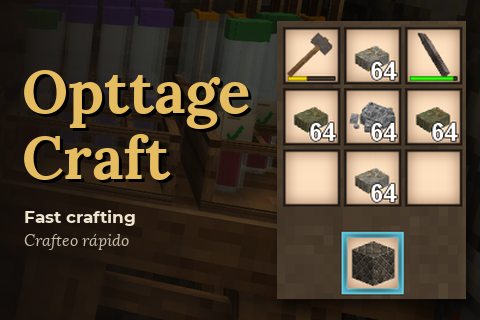
Fast crafting grid for modded servers: same recipe as the game, no more crafting freezes.
somber oak
No
its an ai generated photo of crafting grid with some stuff
I actually found this mod from the mods channel and gave it a shot and glad I did
grave raven
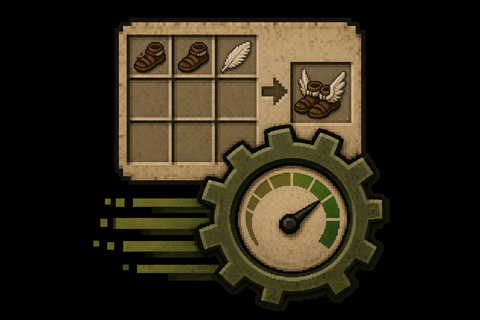
Eliminates crafting-grid recipe-matching lag via a pre-indexed O(1) lookup.
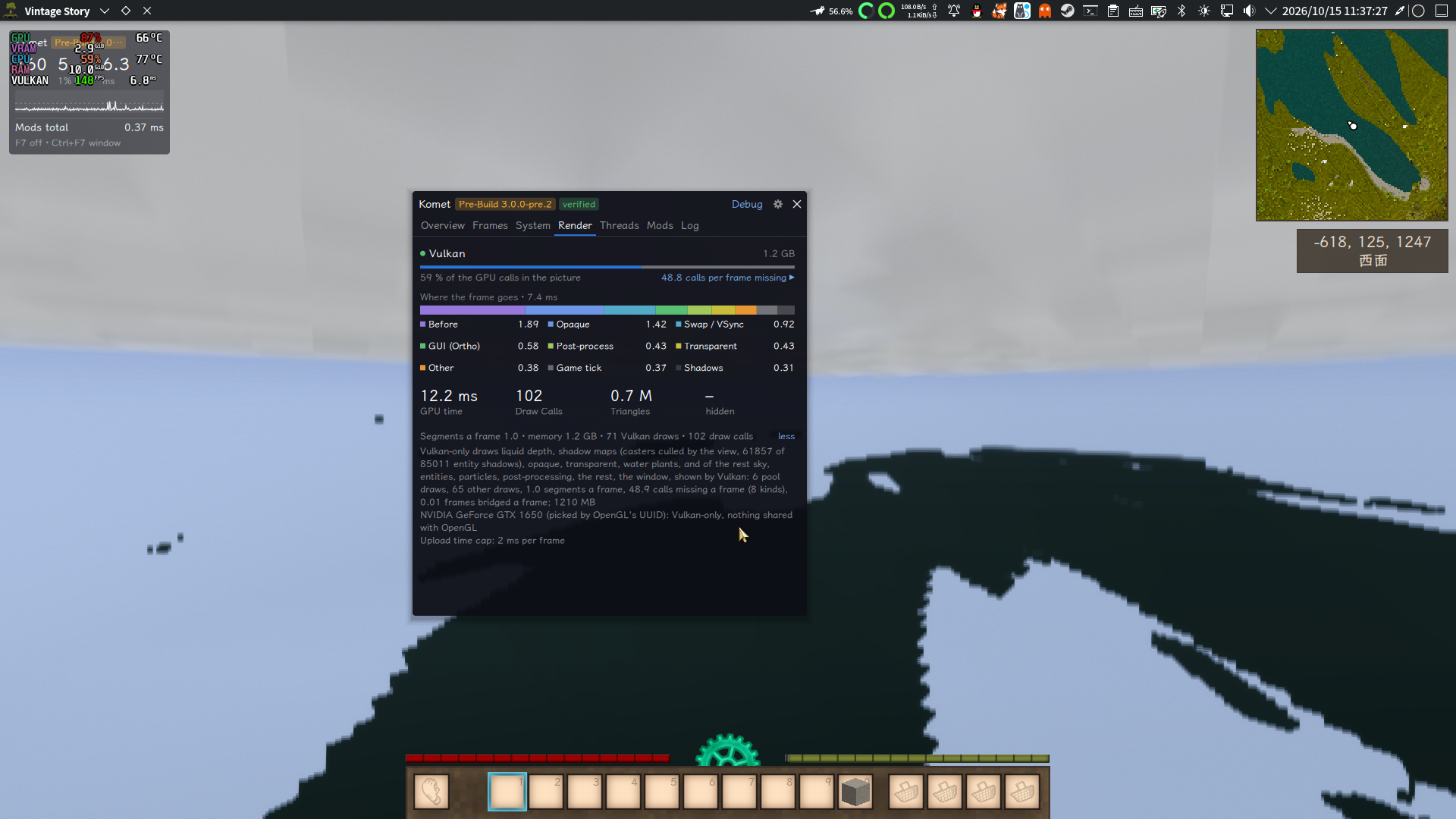
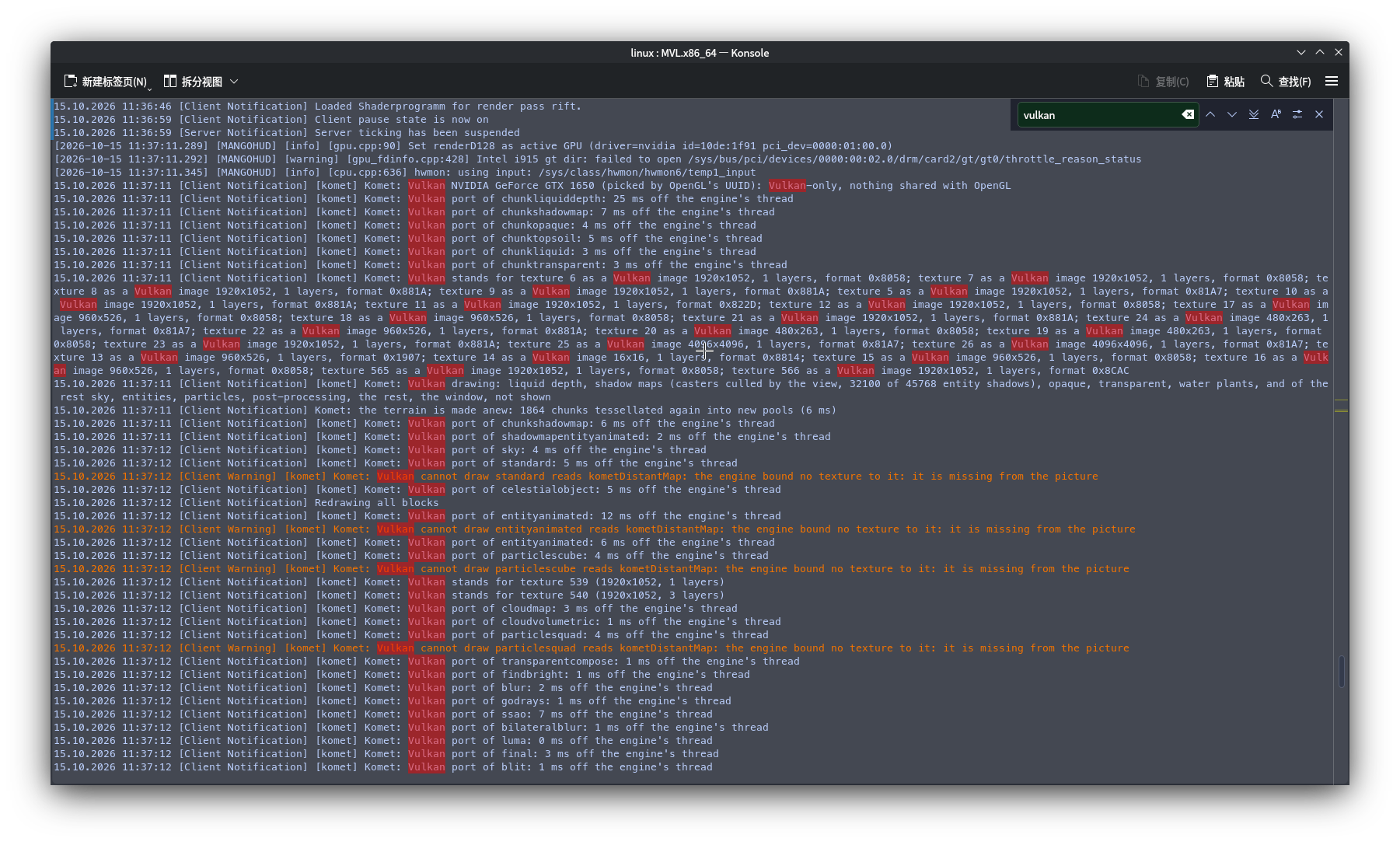 blissful elbow
void nova
🤔
blissful elbow
void nova
🤔
Are you running Komet aside other Mods?
void nova
blissful elbow
Are you running Komet aside other Mods?
I tested using only Komet, and the problem didn't change
atomic flume
yeah vulkan still doesn't work for me.
blissful elbow
void nova
<@530018855112933409> The Vulkan renderer doesn't seem to be working properly.
Found the Issue, thank you for the detailed report! The next pre.3 Build will have it fixed!
blissful elbow
atomic flume
yeah vulkan still doesn't work for me.
Found as well the Issue. It was a missing library!
void nova
 twin dawn
Hiya o/ i tried the pre.2 version and had some chunks flicker in and out of existence so i tried the 2.0.0 but its still there, any clue on what im doing wrong?

VS 1.22.7 | Komet 3.0.0-pre.2 & 2.0.0
nvm it was a SheyderMod compatibility issue i just disabled that mod
(dont i love issues that i resolve right after asking for help...)
Really love the settings UI change btw
blissful elbow
twin dawn
Really love the settings UI change btw
Thank you :D
blissful elbow
twin dawn
VS 1.22.7 | Komet 3.0.0-pre.2 & 2.0.0
nvm it was a SheyderMod compatibility iss...
I am in talks with a lot of Devs so that we can get native compatibility between Shaders and more!
 royal cedar
twin dawn
VS 1.22.7 | Komet 3.0.0-pre.2 & 2.0.0
nvm it was a SheyderMod compatibility iss...
royal cedar
twin dawn
VS 1.22.7 | Komet 3.0.0-pre.2 & 2.0.0
nvm it was a SheyderMod compatibility iss...
Disabling the Sun Shadows fixes this
ember oriole
Optitime isn’t compatible yet right?
serene otter
optitime doesn't implkement any compatibility... optimum tries to
flat pilot
serene otter
optitime doesn't implkement any compatibility... optimum tries to
So, should I just disable optitime until it does?
serene otter
flat pilot
So, should I just disable optitime until it does?
well, there's no planned compatibility layer from komet/optitime. if some of them conflicts with each other, you'll have to disable either one
 frozen sand
So... One of the players in my LAN world is receiving crashes, when accessing chests/containers on Shipwright chests. The Crashlog reports that Komet and Immersive Modular Backpacks are causing a fatal error...
As far as a bug report can get, without his logs.
Theres the log.
flat pilot
komet seems to not be compatible with optimum now?

because komet just turned itself off when i launched the world with the optimum client
blissful elbow
serene otter
well, there's no planned compatibility layer from komet/optitime. if some of the...
Correct, but for Optimum & Komet there is
We are still working on a lot of things
styles :)
something something pragmata
also more compatibility
unbind keys as wished
and much much more :D
it's still a bit buggy with setting defaults :)
This time I took some visual insiprations by the game Pragmata, but you can also set it back to the default Komet Style
(Also for Devs, you can of course create your own Styles and add them to the menu, with the Public Komet API :)
serene otter
blissful elbow
We are still working on a lot of things
indeed.
royal cedar
I'm using the latest beta version and I'm unable to apply changes. The button is there and shows changes can be applied but nothing happens when I click it. I've also tried tabbing to it but it doesn't seem possible
blissful elbow
royal cedar
I'm using the latest beta version and I'm unable to apply changes. The button is...
This is a fixed Bug in the newest pre.3 release :) It will release this week!
Pre.3 has taken a bit since I had over 100+ Bugs and Issues fixed I wanted to address
also done a lot of cleanup Stuff, added more API access for all Shader Devs, Ingame Docs and much much more
Devs should have it to have it as easy as possible to integrate their Shaders and Mods to Komets ecosystem
(Especially since there is a lot of demand for it :^)
That's why pre.3 will have native compatibility with DRTAgX, SheyderMod and Realsmoke by @fallow talon