
#Attribute Rendering Library
924 messages · Page 1 of 1 (latest)
 sturdy copper
sturdy copper
sturdy copper
 pale ice
@sturdy copper Hello! Can we also get some documentation on how one would even implement this in their mod? The only implementation example of this mod that I have is your riding equipment mod
sturdy copper
pale ice
<@292428085305933824> Hello! Can we also get some documentation on how one would...
What are you trying to implement?
pale ice
currently, my snowshoes item is riddled with a bunch of variant groups like wax treatment and warmth upgrades (might add more in the future too), so I want to transition to your mod because of that
I read the github page, but I don't know where in my mod that would go
sturdy copper
pale ice
currently, my snowshoes item is riddled with a bunch of variant groups like wax ...
Send itemtype json
Also, the library doesn't support wearables yet
pale ice
sturdy copper
pale ice
Did you try to use behaviors from the mod?
AttachableToEntityTyped for example
also ShapeTexturesFromAttributes
pale ice
no, I looked through your mod just now and I guess that it's implemented through behaviours
if it won't work for wearables, I will wait for future updates 😁
sturdy copper
pale ice
no, I looked through your mod just now and I guess that it's implemented through...
pale ice
appreciate it!
 rough wharf
Hm, does not seem to work for gui
 rough wharf
@gray tide can you please send your code for unreleased backpacks, want to add same functionality for https://mods.vintagestory.at/quiversandsheaths using this lib, but have no examples of working with shapes?
 gray tide
I can upload my version to Github tonight, but I might still make some changes to how the shapes are done, current approach is kind of inefficient...
sturdy copper
rough wharf
Hm, does not seem to work for gui
what class those lanterns have?
sturdy copper
rough wharf
Hm, does not seem to work for gui
Also, it isn't a mod's problem
ItemWearableAttachment doesn't call OnBeforeRender
bags and wearables are completely different things sadly
Which is why it works for backpacks and attachables, but doesn't work for clothing/armor
rough wharf
sturdy copper
Which is why it works for backpacks and attachables, but doesn't work for clothi...
I'v done this, and it seems to work now

Cant use behavior for refuelling logic, cause behaviors dont have merge stack methods
sturdy copper
rough wharf
I'v done this, and it seems to work now
How did you make it wearable?
You can use just Item class and behavior then
rough wharf
 rough wharf
sturdy copper
How did you make it wearable?
rough wharf
sturdy copper
How did you make it wearable?
Whould be nice to have a way to automate this nightmare

Also for throwable objects like spears I need same textures/shape fron attributes functionality but for entities
sturdy copper
rough wharf
Also for throwable objects like spears I need same textures/shape fron attribute...
It isn't implemented yet
I need to add support for blocks first
gray tide
rough wharf
Whould be nice to have a way to automate this nightmare
That feature is WIP
rough wharf
gray tide
That feature is WIP
gray tide
Most functionality is basically finished, just want to test if the multithreading works properly first, though that might not be necessary at the moment, given that there aren't that many mods yet that use attribute lib
gray tide
rough wharf
<@308593451681710080> can you please send your code for unreleased backpacks, wa...
https://github.com/wispae/expressivebackpacks/tree/main
to give some explanation, I need 2 shapes, one is parented to backpack, the other is parented to upper torso of player. I don't know why, but overlay on a wearable item doesn't seem to like it when the wearable is actually worn, since it complains it can't find the backpack. It's probably got something to do with how the game internally parents the backpack to the player shape, which shifts things around.
It's either a bug I can fix in rendering lib itself, so only 1 shape is need, or it's something in vanilla. I should test that I guess
rough wharf
Cant make shape change for this item for some reason

Item class inherits from ItemShapeTexturesFromAttributes
sturdy copper
rough wharf
Cant make shape change for this item for some reason
shape, not shapes
rough wharf
A bit inconsistent
 rough wharf
sturdy copper
shape, not shapes
rough wharf
sturdy copper
shape, not shapes
Still does not work
Attribute is present and set to correct value
sturdy copper
rough wharf
Still does not work
Do you call OnLoaded in your item class?
rough wharf
sturdy copper
Do you call OnLoaded in your item class?
Yes, it works with textures just not shape
 sturdy copper
rough wharf
Attribute is present and set to correct value
sturdy copper
rough wharf
Attribute is present and set to correct value
How do you make sure that turnedOnStr exists?
What it looks like
I can't find it anywhere
rough wharf
 sturdy copper
rough wharf
sturdy copper
rough wharf
Library expects types in types attribute
rough wharf
 sturdy copper
Completely random attributes won't work
rough wharf
Hm... Ok
sturdy copper
rough wharf
Hm... Ok
This is intended to be like that for performance reasons
sturdy copper
rough wharf
Hm... Ok
There is Variants.FromStack and Variants.ToStack
Also variants.Add("type", "something")
It was much easier for me to code it this way
I tried all possible ways to implement variants thing
Variants variants = Variants.FromStack(stack);
variants.Add("type", "something");
Variants.ToStack(stack);
slot.stack.markdirty();
Whould be nice to have static method Set that just do this in one line
And yeah, it is Set not Add
sturdy copper
rough wharf
Whould be nice to have static method Set that just do this in one line
Like Variants.Set(stack, "type", "something")?
rough wharf
sturdy copper
Like Variants.Set(stack, "type", "something")?
Yes
sturdy copper
I haven't tried it yet
sturdy copper
rough wharf
Yes
I will add it tomorrow
sturdy copper
rough wharf
Yes
Should I force people to use BlockEntityGeneric as basic BE class for their BE's so that StrongBlockBehavior works or harmony patch Block class instead?
rough wharf
sturdy copper
Should I force people to use BlockEntityGeneric as basic BE class for their BE's...
I haven't work with block, so no idea
sturdy copper
Break decal, block collisions and selections won't work without StrongBlockBehavior
rough wharf
Now model just dissappears when attribute is present
sturdy copper
rough wharf
Now model just dissappears when attribute is present
Do you have on and off shapes for turnedOnStr?
rough wharf
sturdy copper
Do you have on and off shapes for turnedOnStr?
Yes
 sturdy copper
rough wharf
Yes
sturdy copper
rough wharf
Yes
You could rename turnedOn into state
rough wharf
sturdy copper
You could rename turnedOn into state
nope, still does not work
sturdy copper
rough wharf
nope, still does not work
Try set textures with json attributes
sturdy copper
rough wharf
Yes
Are you testing it on 1.21?
sturdy copper
rough wharf
Whould be nice to have static method Set that just do this in one line
I don't know how to implement it
I tried
sturdy copper
rough wharf
Whould be nice to have static method Set that just do this in one line
Here is all I can do ```cs
public static void OverwriteVariants(this ItemStack oldStack, out ItemStack newStack, Dictionary<string, string> setVariants = null, List<string> removeVariants = null, Variants variants = null)
{
newStack = oldStack.Clone();
Variants newVariants = variants?.Clone() ?? Variants.FromStack(newStack);
newVariants.Set(setVariants);
newVariants.RemoveKeys(removeVariants?.ToArray());
newVariants.ToStack(newStack);
}
Have you a wroking example of using ItemShapeTexturesFromAttributes to change shape of an item?
sturdy copper
rough wharf
Have you a wroking example of using `ItemShapeTexturesFromAttributes` to change ...
For simple item?
rough wharf
sturdy copper
For simple item?
Any
sturdy copper
rough wharf
Any
this should workjson "shape": { "type-something": { "base": "path/to/shape2" }, "*": { "base": "path/to/shape" } }
rough wharf
This does not work


But this does display a model at least

Ok, I guess, you cant use upper case
sturdy copper
rough wharf
Ok, I guess, you cant use upper case
Does it work now with lowercase?
rough wharf
sturdy copper
Does it work now with lowercase?
Yes
Now for the model attached to player though
sturdy copper
rough wharf
Now for the model attached to player though
attachedShape?
rough wharf
Need combination of CollectibleBehaviorAttachableToEntityTyped and CollectibleBehaviorShapeTexturesFromAttributes
rough wharf
You can add https://mods.vintagestory.at/fueledwearablelights to list of mods that use you library
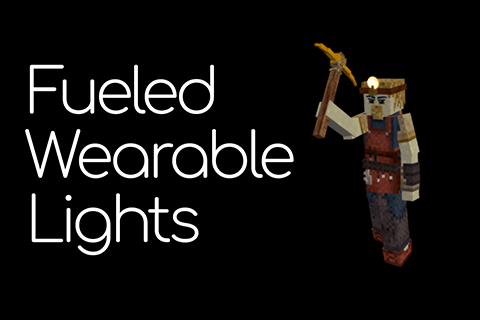
Requires Overhaul lib and Attribute Rendering Library
Adds wearable light sources that require fuel to function and can be toggle by hotkey ('L' by default). To refuel, drag fuel item onto wearable light source item in inventory.
Added items:
Head oil lamp (refueled by fat, one fat item gives 8 in-game hours of fuel)
Head clay oil lamp (refu...
sturdy copper
rough wharf
You can add https://mods.vintagestory.at/fueledwearablelights to list of mods th...
Okay
sturdy copper
@rough wharf how do I load custom IAttachableToEntity attributes without loading default IAttachableToEntity?
public override void OnLoaded(ICoreAPI api)
{
    base.OnLoaded(api);
    LoadTypes();
    attrAtta = IAttachableToEntity.FromAttributes(this);
}

public virtual void LoadTypes()
{
    if (Attributes != null)
    {
        NameByType = Attributes["name"].AsObject<Dictionary<string, List<object>>>();
        DescriptionByType = Attributes["description"].AsObject<Dictionary<string, List<object>>>();
        ContainedDescriptionByType = Attributes["containedDescription"].AsObject<Dictionary<string, List<object>>>();

        shapeByType = Attributes["shape"].AsObject<Dictionary<string, CompositeShape>>();
        texturesByType = Attributes["textures"].AsObject<Dictionary<string, Dictionary<string, CompositeTexture>>>();

        attachedShapeBySlotCodeByType = Attributes["attachableToEntity"]?["attachedShapeBySlotCode"].AsObject<Dictionary<string, OrderedDictionary<string, CompositeShape>>>();
        categoryCodeByType = Attributes["attachableToEntity"]?["categoryCode"].AsObject<Dictionary<string, string>>();
        disableElementsByType = Attributes["attachableToEntity"]?["disableElements"].AsObject<Dictionary<string, string[]>>();
        keepElementsByType = Attributes["attachableToEntity"]?["keepElements"].AsObject<Dictionary<string, string[]>>();
    }
}
It is sadly not technically possible to have both
sturdy copper
I found clean way to do that
STFA_attachableToEntity for custom attributes
Sadly, there is no other way
sturdy copper
@rough wharf I merged attachabletoentity behavior into Item and Behavior class
There is new version
rough wharf
I have to recompile my mods for 2.1.0 of the lib...
Game Version: v1.21.0 (Stable)
26/08/2025 03:48:44: Critical error occurred in the following mod: [email protected]
Loaded Mods: [email protected], [email protected], [email protected], [email protected], [email protected], [email protected], [email protected], [email protected], [email protected], [email protected], [email protected], [email protected]
System.MissingMethodException: Method not found: 'System.String AttributeRenderingLibrary.Variants.GetName(System.Collections.Generic.List`1<System.Object>)'.
   at FueledWearableLights.ShapeTexturesFromAttributes.GetHeldItemName(StringBuilder sb, ItemStack itemStack)
   at Vintagestory.API.Common.CollectibleObject.GetHeldItemName(ItemStack itemStack) in VintagestoryApi\Common\Collectible\Collectible.cs:line 1651
   at Vintagestory.API.Common.ItemStack.GetName() in VintagestoryApi\Common\Collectible\ItemStack.cs:line 389
   at Vintagestory.GameContent.GuiHandbookItemStackPage..ctor(ICoreClientAPI capi, ItemStack stack) in VSSurvivalMod\Systems\Handbook\Gui\GuiHandbookItemStackPage.cs:line 41
   at Vintagestory.GameContent.ModSystemSurvivalHandbook.onCreatePagesAsync() in VSSurvivalMod\Systems\Handbook\SurvivalHandbook.cs:line 115
   at Vintagestory.GameContent.GuiDialogHandbook.LoadPages_Async() in VSSurvivalMod\Systems\Handbook\Gui\GuiDialogHandbook.cs:line 417
   at Vintagestory.API.Common.TyronThreadPool.<>c__DisplayClass13_0.<QueueTask>b__0(Object a) in VintagestoryApi\Common\TyronThreadPool.cs:line 131
   at System.Threading.ThreadPoolWorkQueue.Dispatch()
   at System.Threading.PortableThreadPool.WorkerThread.WorkerThreadStart()
Whould be nice if I dont have to do it in the future, unless there is some big update to the lib
sturdy copper
rough wharf
```
Game Version: v1.21.0 (Stable)
26/08/2025 03:48:44: Critical error occurred ...
It was mandatory
sturdy copper
@rough wharf Does it work for 1.20.12 now?
I'm going to release it for 1.20 in an hour anyway
rough wharf
I'll just hope it works, dont want to switch to 1.20.12
 iron cove
Suggestion: increase major version when anticipating a recompile. Industry standard more or less

(ironically I say that after only bumping minor versions in my pull requests that update from .net7 to 8)
gray tide
? every little code change requires a recompile though
sturdy copper
iron cove
Suggestion: increase major version when anticipating a recompile. Industry stand...
change to what? 3.0.0?
iron cove
Presumably, but in the future
sturdy copper
iron cove
Presumably, but in the future
I released backport for old version
iron cove
It's more like a written signal that there will be breaking changes
sturdy copper
iron cove
It's more like a written signal that there will be breaking changes
There shouldn't be any
it is for 1.20 version
iron cove
I misunderstood then
rough wharf
This has to be automated, 800+ lines of stacks is madness
sturdy copper
rough wharf
This has to be automated, 800+ lines of stacks is madness
creativeInventoryStacks?
Someone wrote code for it, but I haven't merged it yet
@gray tide Is there a way to completely get rid of extra attributes in creative inventory stacks generator?
sturdy copper
rough wharf
This has to be automated, 800+ lines of stacks is madness
I can either add behavior for this now without thorough testing, or spend the next month carefully analyzing it until I fully understand it. What is better?
gray tide
sturdy copper
<@308593451681710080> Is there a way to completely get rid of extra attributes i...
what do you mean by "extra attributes"?
sturdy copper
gray tide
what do you mean by "extra attributes"?
Attributes that break recipes
Why they are even added?
gray tide
the debug attributes?
gray tide
you can just remove them, but if you compile for release they shouldn't even be in the final compiled code
sturdy copper
gray tide
you can just remove them, but if you compile for release they shouldn't even be ...
is behavior logic complete?
gray tide
apart from the untested multithreading, sure
at the moment it will just generate all stacks at once at world initialization
synchronously
sturdy copper
gray tide
apart from the untested multithreading, sure
at the moment it will just generate...
Can you make proper pull request?
gray tide
I'll remove debug attributes entirely to be sure, then quick test and I'll PR
seems to work
rough wharf
also would be nice if the lib moved to nullable=enable
sturdy copper
@rough wharf Could you test this?
rough wharf
sturdy copper
<@263749013294153729> Could you test this?
Later
sturdy copper
Okay
@gray tide Is this a much cleaner code?```cs
ShapeOverlayHelper.BakeVariantTextures(clientApi, new BakeTextureProperties()
{
TextureSource = stexSource,
Variants = variants,
TexturesByType = texturesByType,
PrefixedTextureCodes = prefixedTextureCodes,
OverlayPrefix = overlayPrefix
});
looks clean to me
hold on, I'll pull up the current code
oh yeah, way cleaner than the 6 parameters that are currently passed on
sturdy copper
rough wharf
Later
Here with shapeOverlays
I implemented both shapeOverlays and textureOverlays, but haven't tested them
sturdy copper
gray tide
oh yeah, way cleaner than the 6 parameters that are currently passed on
Do you have any shape overlays or texture overlays to test this?
gray tide
textures no, overlays, sort of
is this the kind of thing you're looking for?
https://github.com/wispae/expressivebackpacks/tree/main
sturdy copper
Any ideas how to make this more compact? https://github.com/Craluminum-Mods/TabletopGames/blob/191a1dbeed5f5cbcc744a079c35f3b54a230b63d/TabletopGames/assets/tabletopgames/itemtypes/dice.json#L129-L670
sturdy copper
gray tide
sturdy copper
Any ideas how to make this more compact? <https://github.com/Craluminum-Mods/Tab...
maybe something like
"variables": {
  "material": {
    "type-classic_cube::wood-*": "game:block/wood/debarked/{wood}",
    "type-classic_cube::stone-flint": "game:block/stone/flint"
  },
}```

and then you could do
```json
"type-classic_cube::*": {
  "material": { "base": "${material}" },
  "dot-1": {...},
  ...
  "dot-6": {...}
}
which would result in "base": "game:block/wood/debarked/{wood}" finally, maybe?
Though this might be a bit over the top tbh
or maybe it's easier to define a sort of template like
"templates": {
  "template1": {
    "dot-1": {...},
    ...
    "dot-6": {...}
  },
  "template2": {
    "dot-1": {...},
    ...
    "dot-9": {...}
  }
}```

and then maybe

```json
"template1;;type-classic_cube::wood-*": {
  "material": {...}
},
"template2;;type-d10::wood-*": {
  "material": {...}
}
still feels overcomplicated and prone to user error though
sturdy copper
Released new version for blocks with attributes
 trim copper
I'm not sure if it's this mod or the mods that depend on it causing it, but I'm seeing player models rendered incorrectly after adding both "Tabards" and "Quivers and Sheaths" which depend on ARL. Is this a known issue, is there maybe a mod incompatability that might cause it?


 sturdy copper
trim copper
I'm not sure if it's this mod or the mods that depend on it causing it, but I'm ...
sturdy copper
trim copper
I'm not sure if it's this mod or the mods that depend on it causing it, but I'm ...
Does it happen without mods?
trim copper
This is on a server so testing it would be pretty difficult. It only started happening after recently adding those two mods + dependencies. I'm seeing if removing them but leaving ARL (and overhaul lib) installed still causes the issues.
sturdy copper
I don't think it is caused by the library because capes don't have such problem
trim copper
🤞🏻
It was really strange to see it happening all of a sudden, and I figured if it was anything it had to be something providing base code, not just models. We'll see what testing reveals.
trim copper
Preliminary testing seems to indicate it's not ARL causing it. Color me surprised.
trim copper
Well, it's still happening with ARL and obviously all the other mods that depend on it still removed, so I have no idea what the heck is causing it but I can say for sure it's not ARL
 vapid rapids
trim copper
Well, it's still happening with ARL and obviously all the other mods that depend...
vapid rapids
trim copper
Well, it's still happening with ARL and obviously all the other mods that depend...
this might actually be a bug popping up in VS 1.21. i've been seeing people share screenshots of ghostpeople and such, without mention of mods.
seems to be among the multiple new issues popping up that require a fresh rejoin or restart. these weren't nearly as prevalent in my server before updating to 1.21 from 1.20.12.
trim copper
yeah, over in #mods-general we had a similar discussion, it's apparently #1414968856870654034
 naive orbit
Crashes if the texture atlas is set to small than default
29.9.2025 17:48:21 [Error] Exception: Texture bigger than max supported texture size!
   at Vintagestory.Client.NoObf.TextureAtlasManager.PopulateTextureAtlassesFromTextures() in VintagestoryLib\Client\Render\Atlas\TextureAtlasManager.cs:line 470
   at Vintagestory.Client.NoObf.ClientSystemStartup.loadBlockAtlasManagerAsync(IList`1 blocks) in VintagestoryLib\Client\Systems\Startup.cs:line 531
clientsettings:
    "maxTextureAtlasWidth": 1024,
    "maxTextureAtlasHeight": 512,
Sure, it's easy enough to just change my settings, but they should have worked anyway
sturdy copper
naive orbit
Crashes if the texture atlas is set to small than default
```
29.9.2025 17:48:21...
Isn't it vanilla bug?
The library doesn't do anything strange with texture atlas
naive orbit
No, it worked fine until I installed this
sturdy copper
naive orbit
No, it worked fine until I installed this
The library shouldn't do anything when no mod is using it
It just can't
naive orbit
The code it traced back to was for adding an image to the atlas and checking if it fit. I'm not really sure why this mod would need an image bigger than 1024x512
I also had Draconis installed
sturdy copper
naive orbit
The code it traced back to was for adding an image to the atlas and checking if ...
Vanilla bug then
I can't fix it in my library because it is vanilla atlas code issue
I don't even know how and what to fix
naive orbit
Not a vanilla bug, but let me check draconis
Huh, Draconis has lots of 512x512 textures. Maybe it is a vanilla bug, off by one or something
or a weird interaction with an entity using up most of the atlas just by itself
sturdy copper
naive orbit
Crashes if the texture atlas is set to small than default
```
29.9.2025 17:48:21...
my atlas is set to 16384x16384
 finite crypt
does ARL also handle collision boxes?
sturdy copper
finite crypt
does ARL also handle collision boxes?
Not yet
sturdy copper
finite crypt
eh ill live with it until it is
What you want to do
finite crypt
trying to make a system for metal pipes which work in a similar way to oneroof
and pipes have way smaller collision boxes than a full block
was trying to do it with variants but holy shit i hate pipe rotations
sturdy copper
finite crypt
and pipes have way smaller collision boxes than a full block
I can make test version. If it works okay, i will release it
sturdy copper
finite crypt
trying to make a system for metal pipes which work in a similar way to oneroof
Try this
finite crypt
god damn you work fast
i stopped modding for a bit but ill try it once i get back to it
finite crypt
is there an opposite to selectiveElements?
sturdy copper
finite crypt
is there an opposite to selectiveElements?
disableElements?
sturdy copper
finite crypt
is there an opposite to selectiveElements?
Do you need it for attachableToEntity?
finite crypt
no
I use selective elements to determine pipe directions, but I need to select every single part related to it at root
well now that i think about it, it would be the same amount of code either way
nvm
sturdy copper
finite crypt
I use selective elements to determine pipe directions, but I need to select ever...
You can have it in composite shape
QuantityElements, SelectiveElements and IgnoreElements
finite crypt
what does quantityElements do?
sturdy copper
no idea
 deep trench
Hey, I wanted to ask what all you've got working with the attribute rendering library, since I'm trying to gauge if the overhaul I have planned for Visored Helmets would be easier to do with it or not. Specifically, I am swapping between two shapes (ideally just rotating a single cuboid in the one shape), and changing the stats of the helmet. Currently I accomplish that with swapping between variants of the helmet, but that means every helmet is two helmets, and I'd rather optimize that if I can
finite crypt
sturdy copper
Try this
crashes everytime i start a world
finite crypt
deep trench
Hey, I wanted to ask what all you've got working with the attribute rendering li...
I've been using a single shape file to render 64 different possible models of pipes
its really neat
finite crypt
ah shit forgot to send the logs
i stopped modding so ill send them over the next time i do itt
deep trench
@sturdy copper Do you think Visored Helmets would be a mod that would benefit from your library? I ask because the whole thing I've been trying to do with the overhaul is remove the variants, but in theory, if I could figure out how to just rotate a cuboid, then I wouldn't need a second shape at all
sturdy copper
deep trench
<@292428085305933824> Do you think Visored Helmets would be a mod that would ben...
I couldn't figure out how to fix wearable class
sturdy copper
deep trench
How does it work with tabards, then?
It just does
deep trench
I am confused
finite crypt
sturdy copper
Where is crash?
sturdy copper
finite crypt
Fixed
 tawny flame
I love this library, really appreciate your work! I've got two questions: 1. How can i update the blockentity for new variants after i changed them via my own blockbehavior? (chatGPT wrote me a relfection code block, thats works, but seems overcomplicated) 2. How can i set variant dependent block drops using the ShapeTexturesFromAttributes behavior?
tawny flame

GitHub
A mod for the game Vintage Story. Contribute to R0teroktober/MedievalArchitecture development by creating an account on GitHub.
sturdy copper
tawny flame
I love this library, really appreciate your work! I've got two questions: 1. How...
Why reflection
The library is hard dependency
sturdy copper
tawny flame
for reference: https://github.com/R0teroktober/MedievalArchitecture/blob/master/...
Do thisxml <ItemGroup> <PackageReference Include="CraluminumMods.VintageStory.AttributeRenderingLibrary" Version="2.3.0" PrivateAssets="all" /> </ItemGroup>
sturdy copper
tawny flame
I love this library, really appreciate your work! I've got two questions: 1. How...
Try this
tawny flame
i need a method to call for a block update when i change the variant in runtime. ChatGPT told me, currently only possible with reflection method. or overriding the attribute rendering behavior
tawny flame
sturdy copper
Try this
does this version support variant specific drops?
sturdy copper
tawny flame
i need a method to call for a block update when i change the variant in runtime...
chatgpt doesn't know anything
sturdy copper
tawny flame
does this version support variant specific drops?
yes
tawny flame
it helped me a lot actually. whats the method to call for block update within the behavior then?
sturdy copper
sturdy copper
Do this```xml
<ItemGroup>
<PackageReference Include="CraluminumMods.VintageS...
@tawny flame
tawny flame
i have this already
all other methods work, i just can't find a method for this case
sturdy copper
tawny flame
i have this already
If you did it, then you can do this
bebehavior.Variants.Set(otherVariants);```try this```cs
var bebehavior = world.BlockAccessor.GetBlockEntity(blockSel.Position)?.GetBehavior<BlockEntityBehaviorShapeTexturesFromAttributes>();
bebehavior.Variants.Set(otherVariants);
bebehavior.MarkDirty();
yes, but when i do MarkDirty(true) it does not update correctly. Would be great if i could call a method from the attributerenderingbehavior
sturdy copper
tawny flame
yes, but when i do MarkDirty(true) it does not update correctly. Would be great ...
You need to it this way
tawny flame
yes, i do it. but this does not call GetOrCreateMesh. maybe you could write a method i can call. it's just a suggestion. it works with the reflection method from chatgpt
sturdy copper
tawny flame
yes, i do it. but this does not call GetOrCreateMesh. maybe you could write a me...
Does any other class call OnTesselation?
tawny flame
no
sturdy copper
I can't reproduce this
tawny flame
i just use variant.set method
sturdy copper
There are a lot of my mods that work fine with the library
tawny flame
your library works fine, it was just a suggestion
sturdy copper
tawny flame
i just use variant.set method
Are you 100% sure you call it on server side?
tawny flame
actually no, let me check
sturdy copper
You don't need to use reflection since everything in the library is accessible with just api
tawny flame
okay, to be more precise: The variant changes correctly. I can set the variant, and read it. But the shape of a placed block is not redrawn. Only when i reload the chunk. When i pick the block in creative mode the itemstack is also correct.
sturdy copper
tawny flame
okay, to be more precise: The variant changes correctly. I can set the variant, ...
blockEntity.MarkDirty(true)
sturdy copper
tawny flame
okay, to be more precise: The variant changes correctly. I can set the variant, ...
try
tawny flame
when i try this, it does not redraw the shape (from new variant), because it's not calling your GetOrCreateMesh
finite crypt
does BlockShapeTexturesFromAttributes actually do anything with ignoreElements?
using selectiveElements gets stuff to work but ignoreElements doesn't do anything at all
sturdy copper
finite crypt
using selectiveElements gets stuff to work but ignoreElements doesn't do anythin...
Did you use it in shape?
finite crypt
yes
finite crypt
sturdy copper
Did you use it in shape?
 finite crypt
sturdy copper
I will try tomorrow
finite crypt
sturdy copper
I will try tomorrow
🙏
lifesaver
i did not want to select like 200 elements
horrifying that selectiveElements doesn't automatically get child elements as well
sturdy copper
finite crypt
horrifying that selectiveElements doesn't automatically get child elements as we...
It probably does. Look at vanilla examples
finite crypt
Is there any other possible way to exclude elements?
sturdy copper
finite crypt
Is there any other possible way to exclude elements?
Not yet
finite crypt
damn
sturdy copper
finite crypt
Is there any other possible way to exclude elements?
here I implemented ignoreElements
i forgot to implement it for placed block mesh, here is fixed version
finite crypt
thanks, will try it out in a bit
 turbid oar
Hi there. What would it entail to apply this to a mod introducing a hundred or so new blocks? And how would chiseling with those blocks be effected by it?
I’m looking to potentially apply it to https://discord.com/channels/302152934249070593/1425022578472259666
sturdy copper
turbid oar
Hi there. What would it entail to apply this to a mod introducing a hundred or s...
Chiseling isn't technically possible for blocks with attributes
turbid oar
sturdy copper
Chiseling isn't technically possible for blocks with attributes
Ah. So using this library would make the blocks unusable for chiseling?
sturdy copper
turbid oar
Ah. So using this library would make the blocks unusable for chiseling?
Yes
Due to vanilla limitations
turbid oar
Gotcha, ty.
sturdy copper
finite crypt
thanks, will try it out in a bit
Does it work?
finite crypt
sturdy copper
Does it work?
it worked ye
big thanks
i didnt end up testing the collision selection boxes though since I used a different way to generate them
finite crypt
is it possible to have different lightHSVs per shape? I want to add multiple states between on and off which have different levels of brightness but I'm not sure if I can do that with ARL only
 sturdy copper
finite crypt
is it possible to have different lightHSVs per shape? I want to add multiple sta...
sturdy copper
finite crypt
is it possible to have different lightHSVs per shape? I want to add multiple sta...
Not yet
sturdy copper
finite crypt
is it possible to have different lightHSVs per shape? I want to add multiple sta...
It looks like it isn't possible to implement
There is nothing I can do
finite crypt
unfortunate
sturdy copper
finite crypt
unfortunate
You need to implement it in your code
In block class
Your block class should inherit from BlockGeneric
finite crypt
alright ty
finite crypt
just tried shapeInventory and it works
sturdy copper
finite crypt
just tried shapeInventory and it works
How did you code selection and collision boxes?
finite crypt
sturdy copper
How did you code selection and collision boxes?
look at GeneratePipeBoxes
sturdy copper
finite crypt
https://github.com/NtPossible/GasNetwork/blob/master/GasNetwork/src/Blocks/Block...
So you are not using attributes for this
finite crypt
yeah I wasn't sure how I couldve used the attributes to have auto generated colsel boxes
sturdy copper
finite crypt
yeah I wasn't sure how I couldve used the attributes to have auto generated cols...
If it is just pipe of one size, then it is okay
But if you add bigger or smaller pipes, then you would need to use attributes probably
finite crypt
sturdy copper
If it is just pipe of one size, then it is okay
pipes of a different model/size are different files
ive got thin pipes and normal pipes
i set their thickness in attributes and generate them with that function
so I could use ARL for that?
sturdy copper
finite crypt
so I could use ARL for that?
Yes
finite crypt
how
sturdy copper
finite crypt
how
Did you reference the library in csproj?
sturdy copper
finite crypt
else I wouldn't be able to have all possible different pipe shapes
Also, before you release your mod, make sure to notify me so that I could update the library on moddb and nuget
finite crypt
will do
sturdy copper
@tawny flame @finite crypt I released new version of the lib
2.4.0 on both moddb and nuget
If you need only the API part, use reference for 2.4.0 nuget version
tawny flame
Nice! Will try it when i have time. At the moment, I am still unable to create an item stack with special variants.
sturdy copper
tawny flame
Nice! Will try it when i have time. At the moment, I am still unable to create a...
Where exactly?
tawny flame
In my blockbehavior. I'm replacing a Block and want it to drop with it's current Variant. But i don't know how
 graceful pelican
@sturdy copper I kept seeing this pop up in my console, wanted to know what this meant
   at AttributeRenderingLibrary.VariantExtensions.FindByVariant[T](Variants variants, Dictionary`2 inDictionary, T& result)
   at AttributeRenderingLibrary.BlockBehaviorShapeTexturesFromAttributes.GetCollisionBoxes(IBlockAccessor blockAccessor, BlockPos pos, EnumHandling& handled) in C:\Users\dana_\Source\Repos\AttributeRenderingLibrary\AttributeRenderingLibrary\BlockBehavior\BlockBehaviorShapeTexturesFromAttributes.cs:line 383
   at Vintagestory.API.Common.BlockGeneric.GetCollisionBoxes(IBlockAccessor blockAccessor, BlockPos pos) in VintagestoryApi\Common\Collectible\Block\BlockGeneric.cs:line 121
   at Vintagestory.API.MathTools.CachingCollisionTester.<>c__DisplayClass2_0.<GenerateCollisionBoxList>b__0(Block block, Int32 x, Int32 y, Int32 z) in VintagestoryApi\Math\CollisionTester.cs:line 512
   at Vintagestory.Common.BlockAccessorBase.WalkBlocks(BlockPos minPos, BlockPos maxPos, Action`4 onBlock, Boolean centerOrder) in VintagestoryLib\Common\API\BlockAccessorBase.cs:line 343
   at Vintagestory.API.MathTools.CollisionTester.ApplyTerrainCollision(Entity entity, EntityPos entityPos, Single dtFactor, Vec3d& newPosition, Single stepHeight, Single yExtra) in VintagestoryApi\Math\CollisionTester.cs:line 50
   at Vintagestory.API.Common.EntityBehaviorPassivePhysics.MotionAndCollision_Patch0(EntityBehaviorPassivePhysics this, EntityPos pos, Single dt)
   at Vintagestory.API.Common.EntityBehaviorPassivePhysics.OnPhysicsTick(Single dt) in VintagestoryApi\Common\EntityBehavior\BehaviorPassivePhysics.cs:line 380
   at Vintagestory.Server.PhysicsManager.DoWork(Int32 threadNumber) in VintagestoryLib\Server\PhysicsManager.cs:line 1127
How to reproduce it?
I will never fix it if I can't reproduce it
graceful pelican
sturdy copper
How to reproduce it?
I will do some more digging, just wanted a good idea on a starting point on where to go first 😅
I'm not 100% sure how to read this to pinpoint a start on how it was produced
 cerulean minnow
Hi :) I'm trying to make a mod that adds some custom elk medallions, and I want it to be compatible with vanilla variants riding equipment.
The main part of the mod just crafts a given medallion into a custom version, and then lets it be craftable back.
How would I go about "saving" the color and metal attributes when inputting the medallion in the crating grid, so I can output the same vanvar item as a returnedStack?
Also do I need to have the class declaration included in my grid recipe json file?
sturdy copper
cerulean minnow
Hi :) I'm trying to make a mod that adds some custom elk medallions, and I want ...
What class?
try```json
returnedStack: {
type: "item",
code: "itemcode",
attributes: {
types: {
anytype: "{anytype}",
anytype1: "{anytype1}",
anytype2: "{anytype2}",
}
}
}
 {
   "recipeGroup": 1,
   "ingredientPattern": "M",
   "ingredients": {
     "M": {
       "type": "item",
       "code": "game:hoovedwearables-face-*-temporal",
       "quantity": 1,
       "name": "medallion",
       "attributes": {
         "types": {
           "color": "{color}",
           "metal": "{metal}"
         }
       },
       "returnedStack": {
         "quantity": 1,
         "type": "item",
         "code": "game:hoovedwearables-face-{medallion}",
         "attributes": {
           "types": {
             "color": "{color}",
             "metal": "{metal}"
           }
         },
         "allowedVariants": [
           "face1",
           "face7",
           "face13"
         ]
       }
     }
   },
   "width": 1,
   "height": 1,
   "shapeless": true,
   "output": {
     "type": "item",
     "code": "game:gear-temporal",
     "quantity": 1
   }
 }
Thank you! I tried like this for your suggestion, but it didn't work. Am I doing it wrong?
sturdy copper
cerulean minnow
```
{
"recipeGroup": 1,
"ingredientPattern": "M",
"ingredients": {
...
It is not possible then
Vanilla grid crafting functionality is extremely limited and doesn't allow this
cerulean minnow
aw man
sturdy copper
I have no idea how to implement this
Also I never needed such functionality because I always used the library with mods where you craft items in custom GUIs
cerulean minnow
thats fair
sturdy copper
Vanilla items with attributes have exactly the same problem
It is not just my library
graceful pelican
sturdy copper
How to reproduce it?
I just need to know what this means honestly, I'm confused on it, as it keeps spamming logs in the console. Not sure what I even did to cause this to be fair.
sturdy copper
graceful pelican
I just need to know what this means honestly, I'm confused on it, as it keeps sp...
Did you set anything to null?
graceful pelican
sturdy copper
Did you set anything to null?
have not touched this mod at all
graceful pelican
sturdy copper
Did you set anything to null?
to confirm, there isn't even a modconfig in my folder for this mod. to even allow me to touch it, nor did I fork it in any way
sturdy copper
I don't know what it can be
 fallen viper
@sturdy copper
Hi, I have a question. I'm currently studying attribute libraries, and I have two questions:
Is it possible to stitch multiple shapes together in one item (like textures, where there can be multiple shapes)?
I know vanilla shapes support parameters like model rotation by degrees (this is often used in various blocks), but are there any parameters that shift a shape along the coordinate grid (I need this for conditional variable shape positioning in an item)?
sturdy copper
fallen viper
<@292428085305933824>
Hi, I have a question. I'm currently studying attribute l...
Offset?
fallen viper
sturdy copper
Offset?
Yes, it works? I mean in vanilla, I just haven't seen it used anywhere.
sturdy copper
fallen viper
<@292428085305933824>
Hi, I have a question. I'm currently studying attribute l...
There are also shape overlays
tawny flame
Hi, how do i setup the collisionBoxes as attribute? I need them to be different depending on the shape attribute
sturdy copper
tawny flame
Hi, how do i setup the collisionBoxes as attribute? I need them to be different ...
Same as for any other properties
tawny flame
the wiki confused me. thanks, its working now
sturdy copper
cerulean minnow
```
{
"recipeGroup": 1,
"ingredientPattern": "M",
"ingredients": {
...
@cerulean minnow
What if you try this```json
{
"recipeGroup": 1,
"ingredientPattern": "M",
"ingredients": {
"M": {
"type": "item",
"code": "game:hoovedwearables-face-*-temporal",
"allowedVariants": ["face1", "face7", "face13"],
"quantity": 1,
"name": "medallion",
"returnedStack": {
"type": "item",
"code": "game:gear-temporal",
"quantity": 1
}
}
},
"width": 1,
"height": 1,
"shapeless": true,
"copyAttributesFrom": "M",
"output": {
"quantity": 1,
"type": "item",
"code": "game:hoovedwearables-face-{medallion}"
}
}
can try later ^^ thank you
sturdy copper
@jade oyster
 jade oyster
@sturdy copper I didn't start yet changing the mod, startet a run with @sterile flame to see how we'll need to balance the mod (with 125 other mods 🙈 planty of yours as well ^^ ) but i'll get to you should i need help, thanks again for pointing me to your library 🙂
sturdy copper
jade oyster
<@292428085305933824> I didn't start yet changing the mod, startet a run with <@...
How many blocks do you plan to add to your mod?
jade oyster
sturdy copper
How many blocks do you plan to add to your mod?
well in essence for all build-able blocks we need a stand-in for the construction site :? atm we have for every cobble-stone site one block defined that has for every stone type, clay type and direct one variant and for ashlar, brick, refractory we have the same or similar
sturdy copper
jade oyster
well in essence for all build-able blocks we need a stand-in for the constructio...
insane
jade oyster
sturdy copper
insane
well in terms of work, it wasn't that much thanks to transformation and so on :? but the amount of variants it produces is quite something yes ^^
sturdy copper
jade oyster
well in terms of work, it wasn't that much thanks to transformation and so on :?...
With the library you would only have 1 variant for all blocks
jade oyster
sturdy copper
With the library you would only have 1 variant for all blocks
yes, i got that ^^ but working on changing the mod takes time and atm we're playing a bit till we're start making bigger changes
 oak grail
@sturdy copper
I'm having trouble getting the recipes set up if you don't mind taking the time.
hpspinningwheelwheelitem, hpmoaitem and hpsinningwheelframe are all items using your library as well.
So how do I inherit their wood types in the recipe to output the correct wood types spinningwheel?
Or is this not possible and i need to make a bunch of recipes manually?
{
  "ingredientPattern": "__W,_M_,_CF",
  "ingredients": {
    "W": { "type": "item", "code": "hpspinningwheelwheelitem*"},
    "M": { "type": "item", "code": "hpmoaitem*"},
    "F": { "type": "item", "code": "hpspinningwheelframe*"},
    "C": { "type": "block", "code": "game:chair-*" }
  },
  "width": 3,
  "height": 3,
  "output": {
    "type": "block",
    "code": "spinningwheel:hpspinningwheel-north",
    "quantity": 1,
    "attributes": {
      "types": {
        "wood": "{wood}"
      }
    }
  }
}
 oak grail
I figured it out me dumb dumb.
{
  "ingredientPattern": "__W,_M_,_CF",
  "ingredients": {
    "W": { "type": "item", "code": "spinningwheel:hpspinningwheelwheelitem" },
    "M": { "type": "item", "code": "spinningwheel:hpmoaitem" },
    "F": { "type": "item", "code": "spinningwheel:hpspinningwheelframe" },
    "C": { "type": "block", "code": "game:chair-*" }
  },
  "width": 3,
  "height": 3,
  "copyAttributesFrom": "W",
  "output": {
    "type": "block",
    "code": "spinningwheel:hpspinningwheel-north",
    "quantity": 1
  }
}
With this recipe it seems though that the only deciding factor for which variant the output will be
is based on copyAttributesFrom is there any way to ensure it checks all of the ingredients are the same variant for it to work?
sturdy copper
oak grail
With this recipe it seems though that the only deciding factor for which variant...
You can use mergeAttributesFrom:[]
oak grail
sturdy copper
You can use mergeAttributesFrom:[]
This is better because it shows up correctly in the handbook but it's still just choosing the output based on whatever is at index 0 in the array
Guess it's just a limitation of the VS recipes?
sturdy copper
oak grail
Guess it's just a limitation of the VS recipes?
yes
oak grail
unlucky thanks for your answers
 orchid oyster
@sturdy copper I'm making a mod with items that have lots and lots of variations, and I'd appreciate some guidance on optimizing the performance and memory impact of my mod.
Let's say I have 4 properties that each have 5 variations. If I implement this in vanilla, then the game will load 5^4 = 625 items. But if I have one of them as vanilla "type", and the other three as attributes using ARL, then the performance impact would be similar to if I had 5 different items rather than 625? Thanks!
sturdy copper
orchid oyster
<@292428085305933824> I'm making a mod with items that have lots and lots of var...
Yes
oak grail
@sturdy copper How do I render the correct variant for my animations now?
sturdy copper
oak grail
<@292428085305933824> How do I render the correct variant for my animations now?
Where do you create animation and mesh for it?
oak grail
public override bool OnTesselation(ITerrainMeshPool mesher, ITesselatorAPI tessThreadTesselator)
        {
            if (animUtil?.animator == null)
            {
                // Get the facing before initializing
                if (facing == null)
                {
                    facing = BlockFacing.FromCode(Block?.LastCodePart()) ?? BlockFacing.NORTH;
                }
                // Initialize with the block's rotation
                animUtil?.InitializeAnimator("flyshuttleloom", null, null, GetRotation());
            }

            return base.OnTesselation(mesher, tessThreadTesselator);
        }
public override void FromTreeAttributes(ITreeAttribute tree, IWorldAccessor worldForResolving)
        {
                ....................
                ....................
                ....................
                // Refresh animations when state is loaded (fixes desync on world load)
                // Use a delayed task to ensure the player is fully mounted
                if (MountedBy != null)
                {
                    (Api as ICoreClientAPI)?.Event.EnqueueMainThreadTask(() =>
                    {
                        RefreshSeatAnimation();
                        // Also ensure block animation state matches
                        if (On && !clientAnimationRunning && animUtil?.animator != null)
                        {
                            animUtil.StartAnimation(new AnimationMetaData()
                            {
                                Animation = "loom_full_cycle",
                                Code = "loom_full_cycle",
                                AnimationSpeed = 1f
                            });
                            clientAnimationRunning = true;
                        }
                    }, "refreshloomanimations");
                }
            }
        }
Where do you create animUtil?
I don't see any meshes here
oak grail
this?
private BlockEntityAnimationUtil animUtil
        {
            get { return GetBehavior<BEBehaviorAnimatable>()?.animUtil; }
        }
Sorry to be frank, I barely know what i'm doing. 😬
Isn't the mesh created from OnTesselation?
sturdy copper
I have absolutely no idea how animations work
oak grail
uh oh SpaghettiOs
sturdy copper
oak grail
uh oh SpaghettiOs
spaghetti what
oak grail
sturdy copper
spaghetti what
it's an american thing lmao
 oak grail
I'm sure there's probably a way but using the vanilla variant groups the animation works just fine instead of your library 🤷♂️
@sturdy copper
sturdy copper
@gray tide Do you know how to work with animations?
sturdy copper
oak grail
I'm sure there's probably a way but using the vanilla variant groups the animati...
I never tested my library with animations
gray tide
sort of, depends on how complex the use case is that you want
oak grail
oak grail
<@292428085305933824> How do I render the correct variant for my animations now?
The use case is just to render the correct variant during the animation instead of janky like this.
gray tide
oh, could be that the variant mesh is still being added, despite the animation running?
afaik blocks with animations skip adding their mesh to the overal chunk mesh while the animation is running, as that appears to use a separate renderer
oak grail
I wonder what's going on that using regular variantGroups everything is rendered just fine during the animation. There's some sort of mismatch going on.
sturdy copper
oak grail
I wonder what's going on that using regular variantGroups everything is rendered...
Why you used variantGroups in the final version of the mod?
oak grail
sturdy copper
Why you used variantGroups in the final version of the mod?
I couldn't solve the animation issue
sturdy copper
I can't do anything on my side to help with it
oak grail
🤷♂️ not blaming you
I would have preferred to use your library
I still probably will in the future if I get around to adding rugs that can be made from the loom to add a bunch of variations
Ideally i'd like to have a system similar to heraldy banners but for rugs and different rug sizes
cerulean minnow
sturdy copper
<@391574026130030594>
What if you try this```json
{
"recipeGroup": 1,
"...
omg this worked!
cerulean minnow
@sturdy copper do you know how I would overwrite your metals colours to make them temporal gear coloured?
  "op": "addmerge",
  "path": "/texturesByType",
  "dependsOn": [
    {
      "modid": "vanillavariantsridingequipment"
    }
  ],
  "value": {
    "*-face7-temporal": {
      "yellow": { "base": "item/resource/temporalgear" }
    },
    "*-face11-temporal": {
      "pearl1": { "base": "item/resource/temporalgear" }
    },
    "*-face13-temporal": {
      "tinbronze1": { "base": "item/resource/temporalgear" },
      "brass": { "base": "item/resource/temporalgear" },
      "metal-*": { "base": "item/resource/temporalgear" }
    },
    "*-temporal": {
      "hide": { "base": "block/transparent" },
      "strap": { "base": "block/leather/plain" },
      "brass": { "base": "item/resource/temporalgear" },
      "tinbronze1": { "base": "item/resource/temporalgear" }
    }
  },
  "file": "game:itemtypes/wearable/animal/hooved.json"
}```

here is a simplified version of my texture changer. The "yellow" change for medallion 7 works, since your file `hoovedwearables-all.json` doesn't affect yellow. but things like `*-metal` and `metal` don't work. I would've thought these patches are applied after your mod, since this patch relies on vanvar riding equipmentbtw it seems like vanilla variants riding equpiment doesn't re-add the non-variant medallions to the creative inventory, nor the handbook, after this patch
        "op": "remove",
        "path": "/creativeinventory",
        "file": "game:itemtypes/wearable/animal/hooved.json",
        "side": "Server"
    },
iirc this worked in 1.20.12
(i had to grab cascade while the mod was disabled)
 turbid oar
ahoy there, i heard a rumor that ARL started supporting block chiseling? can this be confirmed or denied?
havent been able to find any clear info in it yet
sturdy copper
turbid oar
ahoy there, i heard a rumor that ARL started supporting block chiseling? can thi...
What
It is fake news
turbid oar
Alas
I think chiseling was mentioned in November ARL release, so somebody asked if Material Needs would use it.
 snow bay
@sturdy copper Not sure why this is happening.

The Error
26.1.2026 21:11:52 [Error] Exception: Object reference not set to an instance of an object.
at AttributeRenderingLibrary.VariantExtensions.FindByVariant[T](Variants variants, Dictionary2 inDictionary, T& result) at AttributeRenderingLibrary.BlockBehaviorShapeTexturesFromAttributes.GetCollisionBoxes(IBlockAccessor blockAccessor, BlockPos pos, EnumHandling& handled) in C:\Users\dana_\Source\Repos\AttributeRenderingLibrary\AttributeRenderingLibrary\BlockBehavior\BlockBehaviorShapeTexturesFromAttributes.cs:line 399 at Vintagestory.API.Common.BlockGeneric.GetCollisionBoxes(IBlockAccessor blockAccessor, BlockPos pos) in VintagestoryApi\Common\Collectible\Block\BlockGeneric.cs:line 121 at Vintagestory.API.MathTools.CachingCollisionTester.<>c__DisplayClass2_0.<GenerateCollisionBoxList>b__0(Block block, Int32 x, Int32 y, Int32 z) in VintagestoryApi\Math\CollisionTester.cs:line 512 at Vintagestory.Common.BlockAccessorBase.WalkBlocks(BlockPos minPos, BlockPos maxPos, Action4 onBlock, Boolean centerOrder) in VintagestoryLib\Common\API\BlockAccessorBase.cs:line 343
at Vintagestory.API.MathTools.CollisionTester.ApplyTerrainCollision(Entity entity, EntityPos entityPos, Single dtFactor, Vec3d& newPosition, Single stepHeight, Single yExtra) in VintagestoryApi\Math\CollisionTester.cs:line 50
at Vintagestory.GameContent.EntityBehaviorControlledPhysics.ApplyTests(EntityPos pos, EntityControls controls, Single dt, Boolean remote) in VSEssentials\Entity\Behavior\BehaviorControlledPhysics.cs:line 374
at Vintagestory.GameContent.EntityBehaviorControlledPhysics.OnPhysicsTick(Single dt) in VSEssentials\Entity\Behavior\BehaviorControlledPhysics.cs:line 511
at Vintagestory.Server.PhysicsManager.DoWork(Int32 threadNumber) in VintagestoryLib\Server\PhysicsManager.cs:line 1127
add you as a freind or just @ me if you need any more details i do not check this discord. Thank you for your time.
sturdy copper
snow bay
The Error
26.1.2026 21:11:52 [Error] Exception: Object reference not set to an ...
How to reproduce this issue?
sturdy copper
snow bay
The Error
26.1.2026 21:11:52 [Error] Exception: Object reference not set to an ...
Fixed
 torn laurel
I'm having a small issue trying to make variants for clothing. everything is working, except in the GUI it shows the limbs of the clothing stacked up on one another.
{
    "type": "item",
    code: "chiton",
    "storageFlags": 128,
    "texturesByType": { "*": { "seraph": { "base": "game:block/transparent" } } },
    "attributes": {
        "clothescategory": "upperbody",
        "wearableAttachment": true,
        "types": { "color": [ "plain", "red", "blue" ] }
    },

    "behaviors": [
        {
            "name": "AttributeRenderingLibrary.ShapeTexturesFromAttributes",
            "properties": {
                "name": {
                    "color-*": ["arltestmod:item-chiton-{color}"]
                },
                "description": {
                    "color-*": [ "arltestmod:color-{color}" ]
                },
                "shape": { "*": { "base": "arltestmod:chiton" } },
                "textures": {
                    "color-*": { "shirt": { "base": "arltestmod:basic/{color}" } },
                    "*": { "shirt": { "base": "basic/plain" } }
                }
            }
        },
        {
            "name": "AttributeRenderingLibrary.GenerateCreativeStacks",
            "properties": {
                "variantgroups": [ { "code": "color", "states": [ "plain", "red", "blue" ] }, ],
                "creativeinventory": { "general": [ "*" ], "arltest": [ "*" ] } }
        },
        { "name": "AttributeRenderingLibrary.AttachableToEntityTyped" }
    ],


    "shape": { "base": "arltestmod:chiton" },

    "maxStackSize": 1,
    guiTransform: {
        translation: { x: 8, y: 23, z: 0 },
        rotation: { x: 180, y: 120, z: 0 },
        origin: { x: 0.5, y: -0.4, z: 0.25 },
        scaleXyz: { x: -1.88, y: 1.88, z: 1.88 }
    },
    "tpHandTransform": {
        "translation": { "x": -1.8, "y": -1, "z": -1.8 },
        "rotation": { "x": 0, "y": 0, "z": 60 }
    },
    "groundTransform": {
        "translation": { "x": 0, "y": 0, "z": 0 },
        "rotation": { "x": 90, "y": 0, "z": 90 },
        "origin": { "x": 0.3, "y": 0.5, "z": 0.5299 },
        "scale": 6
    }
}
Is this just a wearable without stats?
torn laurel
correct. just a shirt with a different texture depending on the color attribute.
sturdy copper
torn laurel
correct. just a shirt with a different texture depending on the color attribute.
Did you set backdrop shape in VSMC?
torn laurel
you can see how the leg of the model is ontop

yes i did. i tried with no backdrop and directing it to the default seraph too
I should clarify it doesn't happen when using the ItemWearable class, but then it doesn't show the texture in the gui.
sturdy copper
torn laurel
```
{
"type": "item",
code: "chiton",
"storageFlags": 128,
"text...
Have you tried to add shape here too?
sturdy copper
torn laurel
yes i did. i tried with no backdrop and directing it to the default seraph too
What backdrop path?
torn laurel
sturdy copper
Have you tried to add shape here too?
<https://github.com/Craluminum-Mods/Heral...
No i havent, let me try
torn laurel
sturdy copper
Have you tried to add shape here too?
<https://github.com/Craluminum-Mods/Heral...
didnt seem to work
torn laurel
sturdy copper
What backdrop path?
"backDropShape": "entity/humanoid/seraph"
torn laurel
it only seems to do it to parts that are attached to limbs. so like the neck or chest seems to be in the right position
sturdy copper
I can try to fix it
torn laurel
I really appreciate it. 😁
sturdy copper
torn laurel
```
{
"type": "item",
code: "chiton",
"storageFlags": 128,
"text...
Can you send whole mod so that I can test it?
torn laurel
here you go
torn laurel
sturdy copper
torn laurel
```
{
"type": "item",
code: "chiton",
"storageFlags": 128,
"text...
You can't use AttachableToEntityTyped
torn laurel
If i don't i cant attach it to the player though.
sturdy copper
torn laurel
If i don't i cant attach it to the player though.
What version of the library you have installed?
torn laurel
2.5.0
sturdy copper
torn laurel
2.5.0
Here is also a fixed transform
    guiTransform: {
        translation: { x: 8, y: 0, z: 0 },
        rotation: { x: 144, y: 120, z: 0 },
        origin: { x: 0.5, y: 1.1, z: 0.4 },
        scaleXyz: { x: -1.72, y: 1.72, z: 1.72 }
    }```

I released new version with this fix
torn laurel
is the transform all you changed? i seem to get the same problem
oh i see
it works! thanks so much. this mod is a necessity for what im trying to do
sturdy copper
In 1.22 you will be able to also set stats for wearables
torn laurel
Yeah i saw that it wasn't possible yet. once it is i plan to add cuirasses too.


 weak lion
Hm, weird, it wasn't happening before.
Or maybe I didn't noticed
I asked on Food Shelves thread, but any idea what that is?
sturdy copper
no idea
cerulean minnow
cerulean minnow
btw it seems like vanilla variants riding equpiment doesn't re-add the non-varia...
@sturdy copper would you mind having a look at vanilla variants: riding equipment removing the vanilla medallions when you have time?
sturdy copper
cerulean minnow
<@292428085305933824> would you mind having a look at vanilla variants: riding e...
It doesn't remove vanilla medallions
cerulean minnow
It doesn't remove the items, it just removes them from the creative inventory in my experience with 2.2.0
sturdy copper
With 1.22 update I can now update my library to make every single block and item fully customizable with just attributes
Including any wearables, armor
anything with stats
There are no limits at all anymore
@gray tide
I can make wearable item that has trillions of variants with each of those variants having its own stats
 untold flicker
What does Ukraine have to do with it?
sturdy copper
untold flicker
What does Ukraine have to do with it?
What
untold flicker
sturdy copper
What
Just a joke.
sturdy copper
untold flicker
What does Ukraine have to do with it?
I literally live in Ukraine
untold flicker
sturdy copper
I literally live in Ukraine
Me too.
It was just a joke, no offense.
sturdy copper
sturdy copper
I can make wearable item that has trillions of variants with each of those varia...
@keen topaz
sturdy copper
I hope the link is visible now
 weak lion
Hey Dana, dunno if you saw the comment I pinged you in the moddb, just wanted to say sorry directly if that sound rude. Didn't thought it through properly
sturdy copper
weak lion
Hey Dana, dunno if you saw the comment I pinged you in the moddb, just wanted to...
Under which mod?
weak lion
sturdy copper
Under which mod?
ChandelierCraft
I suggested a video tutorial while using someone's else mod, but I was intrusive in my suggestion without considering a possible consent from the author, which I kinda forgot lol
sturdy copper
New mod image
 sturdy copper
 sturdy copper
I released 1.22 version
@keen topaz @torn laurel @tawny flame @half helm @olive snow
sturdy copper
sturdy copper
I released 1.22 version
<@690268050171101309> <@337165937935515648> <@666000655...
@royal swift
sturdy copper
sturdy copper
I released 1.22 version
<@690268050171101309> <@337165937935515648> <@666000655...
@velvet barn @spiral flint
There is full support for any wearables now
 velvet barn
We'll definitely be using that once the game is 1.22 stable.
sturdy copper
Nice
sturdy copper
oak grail
<@292428085305933824> How do I render the correct variant for my animations now?
btw, I want to add support for Animatable behavior in 1.22
Also helper methods to get both mesh and shape if you need it for your own animations
 sturdy copper
untold flicker
Де потужність?
sturdy copper
untold flicker
Де потужність?
Мене примусили
untold flicker
Хто?
sturdy copper
untold flicker
Хто?
Не скажу
sturdy copper
sturdy copper
btw, I want to add support for Animatable behavior in 1.22
@oak grail Looks like I don't need to add Animatable behavior, since you can do it with one method
Like that```cs
var ownBehavior = Block.GetBehavior<BlockBehaviorShapeTexturesFromAttributes>();
var shape = ownBehavior.GetShape(null, this.Pos, Variants, null, out _);
Blockentity.GetBehavior<BEBehaviorAnimatable>().animUtil.InitializeAnimator(
cacheDictKey: $"{Block.Code}-{Variants}",
shape: shape,
texSource: null,
rotationDeg: ownBehavior.GetRotation(Api.World, Pos));
 sturdy copper
@half helm Can you send me a mod with Halves ground storable for testing?
sturdy copper
@half helm I can't reproduce the crash
 half helm
@sturdy copper same just place the dinasour or dog plush not doggo. same json seems work in 1.21 so just crashes for me in 1.22
sturdy copper
half helm
<@292428085305933824> same just place the dinasour or dog plush not doggo. same...
Why do you use item class
half helm
sturdy copper
Why do you use item class
idk what im doing
sturdy copper
half helm
idk what im doing
try
half helm
seem to be working i place plush and no crash
deep trench
@sturdy copper Are equipment attributes supported in 2.8.1 or only in 3.0.0?
sturdy copper
deep trench
<@292428085305933824> Are equipment attributes supported in 2.8.1 or only in 3.0...
3.0.0+
deep trench
Hmph. Guess I gotta wait then
 hidden orbit
Ayy
I'm making a compass mod where the compasses will have decorative additions, like being able to paint/color the needles to make them more readable. Can I use ARL to turn off the model for the needle paint on the final item if I make it unpainted, so all the needles, painted or otherwise, are just one item with variants?
sturdy copper
hidden orbit
I'm making a compass mod where the compasses will have decorative additions, lik...
Yes, you can
half helm
@sturdy copper how i use tags with library is there example you can show me
sturdy copper
half helm
<@292428085305933824> how i use tags with library is there example you can sh...
Just like vanilla```json
"tags": {
"type-": [ "tag1", "tag2" ],
"type1-": [ "tag3", "tag4", "tag5" ]
}
 scenic gorge
Do you have any example on how to handle block entities that use multiple shapes? For example barrels (that uses emptyShape and sealedShape attributes), and Stacking ground storage (which requires stackingModel property to be specified for GroundStorable behavior). In both cases correct shapes are being used, but textures are missing, and I have a hard time figuring out what's missing as no errors are thrown. ARL 3.0.0 VS 1.22.0-rc.1
sturdy copper
scenic gorge
Do you have any example on how to handle block entities that use multiple shapes...
GroundStorable not supported
barrels have way too complex code
I wrote a lot of extra code just to make attribute typed barrels work
I won't add this to the library
half helm
sturdy copper
Just like vanilla```json
"tags": {
"type-*": [ "tag1", "tag2" ],
"type1-*": ...
i cant tags to work you know what im doing wrong
sturdy copper
half helm
i cant tags to work you know what im doing wrong
Did you register tags?
scenic gorge
Ah, so both need to stay as variant groups then, thanks!
half helm
sturdy copper
Did you register tags?
i have register the tags for with libary ?
sturdy copper
half helm
i have register the tags for with libary ?
Every tag used in vanilla is registered in separate file
Same as for every tag used in mods
You always need to register tags, no exceptions
modid/config/preloaded-tags.json
 sturdy copper
half helm
how this tag work then it not using libary and i no register it
sturdy copper
half helm
how this tag work then it not using libary and i no register it
displayed != works
scenic gorge
sturdy copper
barrels have way too complex code
Wait, does this mean anything that works in similar way also won't work with ARL? Such as planters/bowls which use , at least at first glance, similar shape system to barrels?
sturdy copper
scenic gorge
Wait, does this mean anything that works in similar way also won't work with ARL...
Maybe
My library isn't LLM or AI powered so it can't do that automatically
I need to carefully patch those edge cases manually
scenic gorge
Just wanted to make sure before I burn more time thinking it's a problem with me being dumb, and not just unsupported class 😅 I'll focus on other things for now then, reducing a million of brick block ID's to only few is already a great thing
scenic gorge
Oh nooo, so no attributed brick blocks then.
half helm
thank you dana got it working it turns out tags wont show up unless they used in recipe unlike normal item with tag and no recipes.

 lusty hatch
is it possible to combine multiple shapes, or just to have a single shape and turn on/off elements?
lusty hatch
I see mention of shape overlays in the thread, but I don't see it on the wiki
sturdy copper
lusty hatch
is it possible to combine multiple shapes, or just to have a single shape and tu...
Yes it is possible
lusty hatch
in version 3.0.0? How do I approach it?
sturdy copper
lusty hatch
in version 3.0.0? How do I approach it?
add shape overlays
They are added the same way as in vanilla
backdrop shapes work too
lusty hatch
backdrop shapes? isn't that a model editor thing? What would you use that for in game?
sturdy copper
lusty hatch
backdrop shapes? isn't that a model editor thing? What would you use that for in...
I mean ARL supports backdrop shapes for wearables
lusty hatch
same question though, haha. I'll have to look up backdrop shapes because clearly I don't know what they are, I thought they were just reference shapes in modeling so you could make sure the scale and position of you model are proper.
Can you give me an example of how the shape overlay would work? I'm assuming it's something like
"shapeoverlays": {
   "metal-*::leather-*" : [{"base" : "block/someshape"},{"base" : "armor/entity/someattachment")]
}
Sorry if this is a dumb question, shape overlays aren't really documented
sturdy copper
lusty hatch
same question though, haha. I'll have to look up backdrop shapes because clearly...
You can't do attribute matching on shape overlays
lusty hatch
ah ok, that's actually what I was asking
sturdy copper
lusty hatch
ah ok, that's actually what I was asking
"shape": {
    "base": "path/to/shape",
    "overlays": [
        {"base": "path/to/overlay"},
        {"base": "path/to/overlay2"},
        {"base": "path/to/overlay3"},
    ]
},```right, starting to remember this bit. Was experimenting with overlays in a different WIP mod a year ago or so, can't remember why I decided to go with a custom renderer instead. OK, sounds like I'll have to make my own renderer again this time too. I wanted to do attribute-based texture overlays too so it's probably best I just start from scratch and get accustomed to the codebase again
sturdy copper
lusty hatch
right, starting to remember this bit. Was experimenting with overlays in a diffe...
Why not use ARL as a base
You can override one thing in the ARL code to do what you want
Everything is fully moddable in the library
every line of the code (except harmony patches)
sturdy copper
lusty hatch
right, starting to remember this bit. Was experimenting with overlays in a diffe...
One of my mods heavily relies on attribute-based texture overlays
Chessboard uses a lot of overlays
Shape overlays are niche and almost no one is using them
lusty hatch
I can't think of any better way to have flexible data driven geometry, tbh
sturdy copper
lusty hatch
I can't think of any better way to have flexible data driven geometry, tbh
other than ARL?
You can override generation of meshes in ARL too
for every class
There is use case for everything
lusty hatch
other than shape overlays
sturdy copper
lusty hatch
other than shape overlays
But it supports them
There are 9k lines of code
lusty hatch
lol, getting mixed messages here. Can I use ARL to use attributes to add shape overlays or not?
sturdy copper
lusty hatch
lol, getting mixed messages here. Can I use ARL to use attributes to add shape o...
yes
lusty hatch
sturdy copper
You can't do attribute matching on shape overlays
then what does this mean? I clearly misunderstood
sturdy copper
lusty hatch
then what does this mean? I clearly misunderstood
I still don't know how many shapes you want to use
lusty hatch
depends on the collectable, but likely no more than 5-6. Think a helmet, that could have various horns, plumes, visors etc
sturdy copper
lusty hatch
depends on the collectable, but likely no more than 5-6. Think a helmet, that co...
is main helmet just one shape?
lusty hatch
I would think so, just a visorless simple shape. Ideally I'd want to define attachment points that handle certain classes of attachments, but for first steps just overlaying shapes that are already prepositioned would probably be a good start
sturdy copper
lusty hatch
I would think so, just a visorless simple shape. Ideally I'd want to define atta...
I would do something like thisjson "shape": { "addon1-*::addon2-*::addon3-*": { "base": "helmet/visorless", "overlays": [{ "base": "addons/{addon1}" }, { "base": "addons/{addon2}" }, { "base": "addons/{addon3}" }] }, "addon1-*::addon2-*": { "base": "helmet/visorless", "overlays": [{ "base": "addons/{addon1}" }, { "base": "addons/{addon2}" }] }, "addon1-*": { "base": "helmet/visorless", "overlays": [{ "base": "addons/{addon1}" }] } },
easy, fast and simple
Writing entire renderer to do the same thing wouldn't work for wearables
also, custom renderer is actually worst way to do that
And also the hardest
lusty hatch
well, custom mesh generator really, not a renderer
sturdy copper
ARL supports custom meshes
lusty hatch
ARL is a custom mesh
sturdy copper
lusty hatch
ARL is a custom mesh
But you can still override it
lusty hatch
Essentially what I want to support is: Attaching geometry to "slots" on a mesh, texture overlays (some possibly full-bright or tintable), and in the future animated wearables. If ARL can do all that it would save me a tonne of time for sure
sturdy copper
lusty hatch
Essentially what I want to support is: Attaching geometry to "slots" on a mesh, ...
Some mods attach things to slots on mesh like this
https://mods.vintagestory.at/quiversandsheaths

Requires Overhaul lib and Attribute Rendering Library
Adds modular sheaths and quivers.
Adds hotkeys to retrieve weapons from sheaths. All items that use hotkeys has info about what specific hotkey is used. By default, all hotkeys are mapped to 'R'. It is recommended to rebind them to more convenient keys.
Adds hotkey (F by default) for inte...
It uses ARL (very heavily)
lusty hatch
yesss, I meant to poke around in there. Its a big part of the reason I got excited to mod again. Sheathes are something AAA devs don't even bother doing, and I'm tired of magnetic swords
what do you think about tinted/glowing texture overlays?
lusty hatch
hmmm, may not. Glowing bits are probably separate shapes, and I think tinted objects might just be premade textures
sturdy copper
shape tesselator doesn't know if glowing texture should glow
I don't know what tinted textures you mean
lusty hatch
like dying cloth/leather
sturdy copper
I have two mods that use tinted texture overlays
lusty hatch
ok, well that's one down
sturdy copper
lusty hatch
ok, well that's one down
You can find gradient texture there that adds a tint to previous textures
lusty hatch
hmm, well if it's heraldry I assume you've managed to incorporate masks in the tinting, sounds like what I want there is doable. So it's just figuring out if glowing texture overlays are possible
sturdy copper
lusty hatch
hmm, well if it's heraldry I assume you've managed to incorporate masks in the t...

this cape uses gradient for example
lusty hatch
if the overlays don't bake a new texture and instead do multiple render calls I imagine I could move the glowing textures to the appropriate render pass
sturdy copper
lusty hatch
if the overlays don't bake a new texture and instead do multiple render calls I ...
All texture overlays in the game bake new texture
There is no way around it
I mean new texture with all overlays combined
lusty hatch
hmm, so glowy bits would need a separate system
sturdy copper
So if you combine
texture1 + texture2
then you get texture3, but texture1 and texture2 won't get baked into atlas
lusty hatch
the atlas is mutable at runtime?
sturdy copper
Yes
Also, you can do much more than just rendering part
You can attribute-type everything
lusty hatch
sounds a little scary but I imagine the hard bit is abstracted away. I just wouldn't want to introduce a memory leak with lots of baked textures.
still don't know how to handle a glowing overlay though.
sturdy copper
there are no memory leaks in ARL
I'm developing it for almost an year already
If there was a memory leak, there would be thousands of bug reports
it is very easy to track any mesh or texture back to the mod that generated it
lusty hatch
imagine someone built a big castle, with hundreds of banners with slightly different textures, that you saw fleetingly on the horizon for a moment. Now your atlas has blown up with these hundreds of textures that I don't imagine are culled. Its not a real memory leak, but it's close
sturdy copper
lusty hatch
imagine someone built a big castle, with hundreds of banners with slightly diffe...
They wouldn't lag at all
sturdy copper
lusty hatch
imagine someone built a big castle, with hundreds of banners with slightly diffe...
You would need 8192 banners to fill entire atlas
If user has 4096x4096 atlas
lusty hatch
I don't know what the default atlas size is, but I know I've had to increase it in the past
sturdy copper
If atlas is bigger (it is 4096x8192 by default), then tens of thousands of banners
To fill 4096x8192 atlas you would need 16384 banners
16 thousand
This is insane number
lusty hatch
kinda crazy that I've had to increase it then, just so expanded foods stopped having invisible apple cookies
sturdy copper
lusty hatch
kinda crazy that I've had to increase it then, just so expanded foods stopped ha...
expanded foods uses overlays a lot
It is very heavy mod
lusty hatch
surprisingly, ya
sturdy copper
way heavier than any mod I ever made with ARL
lusty hatch
so texture overlays bake a new texture, which is performant and that makes sense. But that does mean the whole thing glows or none of it. Maybe I can programatically add mesh scaled up by 0.00001 to put the glowing texture on? hmm, this must be doable
sturdy copper
I don't know
You can make separate faces glow
on a shape
But it is much easier to just use the shape with that glowing face instead
sturdy copper
lusty hatch
so texture overlays bake a new texture, which is performant and that makes sense...
Maybe I can programatically add mesh scaled up by 0.00001 to put the glowing texture on
Also, this can be done entirely in json
lusty hatch
its not just glowing either, I'd like to be able to have the texture be selectively refractive as well. Like having a matte cape with metallic trim.
Also this can be done entirely in json
Adding a second copy of a shape scaled up slightly to avoid z fighting with it's own texture. Sounds like it would get convoluted pretty quick, haha
sturdy copper
lusty hatch
its not just glowing either, I'd like to be able to have the texture be selectiv...
You can do that per face too
lusty hatch
ya, but the faces are unlikey to match the texture
sturdy copper
lusty hatch
ya, but the faces are unlikey to match the texture
Nope, they will 100% match the texturejson { "editor": { "allAngles": false, "entityTextureMode": false }, "textureWidth": 16, "textureHeight": 16, "textureSizes": { }, "textures": { }, "elements": [ { "name": "Cube2", "from": [ 0.0, 0.0, 0.0 ], "to": [ 1.0, 1.0, 1.0 ], "faces": { "north": { "texture": "#null", "uv": [ 0.0, 0.0, 1.0, 1.0 ], "windMode": [-1,-1,-1,-1], "reflectiveMode": 3 }, "east": { "texture": "#null", "uv": [ 0.0, 0.0, 1.0, 1.0 ] }, "south": { "texture": "#null", "uv": [ 0.0, 0.0, 1.0, 1.0 ] }, "west": { "texture": "#null", "uv": [ 0.0, 0.0, 1.0, 1.0 ] }, "up": { "texture": "#null", "uv": [ 0.0, 0.0, 1.0, 1.0 ], "glow": 200 }, "down": { "texture": "#null", "uv": [ 0.0, 0.0, 1.0, 1.0 ] } } } ]}
You can see here there are two elements one that glows and one that is reflective
lusty hatch
yes, but that's the whole face. If only part of the texture on that face is meant to glow/reflect then you're out of luck
sturdy copper
No idea then
You would need to patch existing shaders to achieve that
It is way beyond what ARL can do
lusty hatch
ya, its asking too much, I think. Even if ARL can add a scaled up copy of the shape, I don't imagine it can change the shape's property to be reflective/glow. I could build the glow/reflective layers into the model, more work but probably the better bet
lusty hatch
@sturdy copper thanks for the help btw, realizing I didn't say it before. getting a quick proof of concept together with a Forgotten Armory model is very encouraging

 keen topaz
lusty hatch
<@292428085305933824> thanks for the help btw, realizing I didn't say it before...
keen topaz
lusty hatch
<@292428085305933824> thanks for the help btw, realizing I didn't say it before...
I have been summoned! So for 1.22. i was basically thinking about doing something similar to reduce the number of shapes im gonna need. And i also have a couple of questions 😄
So you achieved this with Shape Overlay? basically having one helmet shape and 3 plume shapes?
keen topaz
sturdy copper
To fill 4096x8192 atlas you would need 16384 banners
Lets say you want all the possible combination accessible via creative inventory (now talking about thousands of pieces of different armor shapes and textures). That could probably fill the texture atlas pretty easily no? Since you have to generate everything
lusty hatch
keen topaz
I have been summoned! So for 1.22. i was basically thinking about doing somethin...
yep, shape overlays like Dana showed just above. Even messed a round a bit with combining options
 keen topaz
lusty hatch
yep, shape overlays like Dana showed just above. Even messed a round a bit with ...
keen topaz
lusty hatch
yep, shape overlays like Dana showed just above. Even messed a round a bit with ...
Very nice! That might be extremely useful 😄 Can you influence in any way where the Overlayed shapes render? Or is the position of all the shapes is defined just by the shapefile? Is it possible to render the plume in different places depending on the main shape (shape of the helmet)?
Since the helmets are different shapes / sizes etc..
Just probin if its something i could use to optimise a bit without gettin goo much of a uniform result
lusty hatch
keen topaz
Very nice! That might be extremely useful 😄 Can you influence in any way where ...
that's actually what I was going to investigate next, but Dana said that Quivers and Sheaths is attaching things to slots already using ARL so as long I understand correctly, it should be possible
keen topaz
For the texture overlays.. i will probably go the hard way.. and define all the etching and gilded decorations as Shapes and use generic metal texture for them. That way it should save the most space in the texture atlas. Im still not sure what to do with creative inventory because if ill generate everything. Itll really be just cluttered with stuff
lusty hatch
well, for what I just did here, there is only one item in the creative inventory and it's invisible, because I set the texture and shape and overlays with attributes. You don't have to include everything in the creative inventory if you don't want to
keen topaz
lusty hatch
that's actually what I was going to investigate next, but Dana said that Quivers...
Man! If you crack this and would it be possible without code. Could you let me know? I have so little time to tinker with stuff.. and also im very bad in coding 😄 so im winging a lot of it. this could really help
keen topaz
lusty hatch
well, for what I just did here, there is only one item in the creative inventory...
Yea, just not making it accessible in a creative inventory would probably solve things too
lusty hatch
keen topaz
Man! If you crack this and would it be possible without code. Could you let me k...
sure, if you're ok with me fiddling with your models I'll see what I can figure out
keen topaz
lusty hatch
sure, if you're ok with me fiddling with your models I'll see what I can figure ...
By all means do what you need 😄
lusty hatch
keen topaz
Yea, just not making it accessible in a creative inventory would probably solve ...
I think, but it's just a hunch, that with this approach you could probably just add certain representative items to the creative inventory. Maybe add a command to generate the permutation you want? I'm currently just using /debug heldstattr but you could wrap it in something easier for the end user
I did manage to break the inventory/ground renders once I added overlays though, gonna have to look into that
keen topaz
lusty hatch
I think, but it's just a hunch, that with this approach you could probably just ...
I do have a plan for far far away future. To have an interactable Block / Entity, Where you would put things in 4 slots
Main helmet
Final Plume you pre created via crafting
possibly metal nails and strips
and Metal plates of choice OR bucket with color
That would generate the item depending on materials chosen, thus creating a special crafting process to get the armors intuitively. But i just dont have the knowhow yet. 😄
For the quick access to the items, commands might actually work the best instead of Creative Inventory.
lusty hatch
you just described essentially what I'm trying to build, so I'll let you know, lol
keen topaz
 lusty hatch
just need to watch another 100 hours of anachronist blacksmith videos so I can figure out the process of actually building helmets without a welder
keen topaz
lusty hatch
you just described essentially what I'm trying to build, so I'll let you know, l...
Cant wait to see it 😄
keen topaz
lusty hatch
just need to watch another 100 hours of anachronist blacksmith videos so I can f...
Excited to see what you come up with! And if not in initiall release, ill do a compat with your mod asap 😄
sturdy copper
keen topaz
Lets say you want all the possible combination accessible via creative inventory...
Not really
keen topaz
sturdy copper
Not really
How Is that?
sturdy copper
keen topaz
I do have a plan for far far away future. To have an interactable Block / Entity...
Some of my mods already use in world crafting with attributes
Chessboard for example
You place generic board on the ground
Then interact with two items in a row
In the end you interact with a chisel
You can try tabletop games to see how it works
lusty hatch
Getting a strange issue with the shape overlays on this armor. If its in my inventory I get the warning
[Client Warning] Step parented shape modname:shapes/item/plume.json requires step parent element with name default-wearableModelRef-modname:greenwichhelm-metal-meteoriciron-plume-redHead, but no such element was found in parent shape modname:entity/armor/greenwich/greenwicharmet. Will not be visible.
the item code is greenwichhelm, with attributes metal:meteoriciron and plume:red. I think the "Head" at the end of the desired step parent name in the warning is because the plume shape has "Head" as its stepParentName, as a test. If I don't give the plume shape a stepParentName, I get this warning instead:
[Client Warning] Step parented shape modname:item/plume did not define a step parent element for parent shape entity/humanoid/seraph-faceless. Will not be visible.
[Client Warning] Step parented shape modname:shapes/item/plume.json did not define a step parent element for parent shape modname:entity/armor/greenwich/greenwicharmet. Will not be visible.
In either case the item renders normally on a player or armor stand, and has serious texture issues otherwise.
sturdy copper
lusty hatch
Getting a strange issue with the shape overlays on this armor. If its in my inve...
It would give the same issue in vanilla
lusty hatch
sturdy copper
It would give the same issue in vanilla
I did make a vanilla one to test. It renders fine on player/stand, and is missing the overlays otherwise, but the textures don't get messed up. It also doesn't give any warnings if I have a "Head" stepparent on the overlays. So not quite the same behaviour but ya it doesn't work well.
I'll try making my own mesh generator after work
 wheat wharf
Hey there, got a issue 'report' on my Butchering mod but it potentially originates from ARL. Not sure if you patch my mod in any way but thought I would try to solve this issue.

Or if you know what might be causing this?
sturdy copper
wheat wharf
Hey there, got a issue 'report' on my Butchering mod but it potentially originat...
What ARL version?
 limber geyser
wheat wharf
Hey there, got a issue 'report' on my Butchering mod but it potentially originat...
limber geyser
wheat wharf
Hey there, got a issue 'report' on my Butchering mod but it potentially originat...
It automatically patches any method that reads the attributes from a collectible.
sturdy copper
 wheat wharf
sturdy copper
wheat wharf
sturdy copper
So it's potentially fixed, I just need to tell them to update ARL?
wheat wharf
sturdy copper
What ARL version?
As if people give relevant information when coming to me with a bug report 😛
limber geyser
wheat wharf
As if people give relevant information when coming to me with a bug report 😛
Every time someone sends me their crash log and I have to ask for server-main and client-main...
 lavish grove
teaching myself to use this and I'm so ready to abuse it
sturdy copper
lavish grove
teaching myself to use this and I'm so ready to abuse it
lol
sturdy copper
lavish grove
teaching myself to use this and I'm so ready to abuse it
Have you read documentation yet?
lavish grove
I have! I'm currently working on a proof of concept converting Stonebound from explicitly declaring variantgroups to relying on it, and it's upsettingly easy
 vast bear
never had a random crash before, but i did just update these mods i presume it's smithingplus as the others i have been running with, and vs village is disabled actually.

my entire logs if it helps.
now it has crashed a 2nd time after about 60 seconds of runtime, which was the same as the previous case.
 sturdy copper
How to reproduce this?
vast bear
I had alt f3 and ctrl f10 to see if i can see anything obvious but i'm unable to copy the screenshot unless i just take a photo on my phone since the app is locked up
i just loaded up my world and moved, tried going in a different direction so it's not something based on what's happening in game as far as i can tell it's like a background calculation/cache clearup like the handbook loading up
i will try without smithing plus because that's just had it's first release for 1.22.*
mmm crashed 10 seconds into my game 5-10 seconds after i loaded up ctrl 10 but without smuthingplus.
i'm not really sure how to replicate it other than for me to try and figure out which mod is causing this suddenly by backtracking versions. (Which i am doing)
sturdy copper
vast bear
I had alt f3 and ctrl f10 to see if i can see anything obvious but i'm unable to...
try
vast bear
i haven't tried that yet, but since i backtracked dearimgui back a version it hasn't crashed, so far.
What did you change that you want me to try? or even should I for that matter, as now i'm not even sure if it was your mod that my first error pointed to.
sturdy copper
vast bear
What did you change that you want me to try? or even should I for that matter, a...
just test it with imgui version that made it crash
vast bear
Did you enable some kind of debugging as i'm noticing more errors on load that i don't believe i saw earlier
Hasn't crashed so far but atm i'm not really doing much other than some butchery/cooking in base atm.
vast bear
Well i played for about 10m+ and it hadn't crashed at all, and went out mining, like 500 or so blocks away from base, will try reenabling smithingplus
I don't know what you did but you seemed to have fixed my issue thank you @sturdy copper.
vast bear
Another day another bunch of mod updates, another crash, not sure what caused it this time it just crashed on it's own.

Loaded up again and it crashed when looking through a chest or maybe cus i have alt f3 n ctrl f10 open i was trying to see what's causing my game to spike like mad, sorry i couldn't do a screenshot

 limber geyser
vast bear
Loaded up again and it crashed when looking through a chest or maybe cus i have ...
limber geyser
vast bear
Loaded up again and it crashed when looking through a chest or maybe cus i have ...
ctrl f10 has crashed me the previous few times I tried using it (even without ARL) not sure what's up with that.
vast bear
I was getting the odd crash with ctrl f10 yesterday something is breaking it but i will try without loading it to see if it's the cause.
vast bear
Well it's not crashing without ctrl f10 up.
 plain grail
Hey Dana, ARL has been throwing an error about A Culinary Artillery and Xskills/PrimitiveSurvival. Second one is odd because I do not have primitive survival but I suppose that explains why there is a file not found there. I'm assuming that one is more of a misconfig on their side and not ARL. I'll bring this to both of those mods as well.
[Error] [attributerenderinglibrary] Failed to apply attribute redirection to ACulinaryArtillery.BlockBottle.GetContainingTransitionModifierContained, exception: System.InvalidProgramException: Common Language Runtime detected an invalid program.
   at HarmonyLib.PatchFunctions.UpdateWrapper(MethodBase original, PatchInfo patchInfo)
   at HarmonyLib.PatchProcessor.Patch()
   at HarmonyLib.Harmony.Patch(MethodBase original, HarmonyMethod prefix, HarmonyMethod postfix, HarmonyMethod transpiler, HarmonyMethod finalizer)
   at AttributeRenderingLibrary.HarmonyPatches.AttributeRedirectionPatch.ScanAndApply(Harmony harmony, ILogger logger) in C:\Users\dana_\Source\Repos\AttributeRenderingLibrary\AttributeRenderingLibrary\HarmonyPatches\AttributeRedirectionPatch.cs:line 31
-# Message too long thanks discord
5.5.2026 08:25:53 [Error] [attributerenderinglibrary] Failed to apply attribute redirection to XSkills.XSkillsItemHoePrimitive.OnLoaded, exception: System.IO.FileNotFoundException: Could not load file or assembly 'primitivesurvival, Version=1.0.0.0, Culture=neutral, PublicKeyToken=null'. The system cannot find the file specified.

File name: 'primitivesurvival, Version=1.0.0.0, Culture=neutral, PublicKeyToken=null'
   at System.ModuleHandle.ResolveMethod(QCallModule module, Int32 methodToken, IntPtr* typeInstArgs, Int32 typeInstCount, IntPtr* methodInstArgs, Int32 methodInstCount)
   at System.ModuleHandle.ResolveMethodHandleInternal(RuntimeModule module, Int32 methodToken, ReadOnlySpan`1 typeInstantiationContext, ReadOnlySpan`1 methodInstantiationContext)
   at System.ModuleHandle.ResolveMethodHandle(Int32 methodToken, RuntimeTypeHandle[] typeInstantiationContext, RuntimeTypeHandle[] methodInstantiationContext)
   at System.Reflection.RuntimeModule.ResolveMethod(Int32 metadataToken, Type[] genericTypeArguments, Type[] genericMethodArguments)
   at HarmonyLib.MethodBodyReader.ReadOperand(ILInstruction instruction)
   at HarmonyLib.MethodBodyReader.GenerateInstructions()
   at HarmonyLib.MethodCopier..ctor(MethodCreatorConfig config)
   at HarmonyLib.MethodCreator.CreateReplacement()
   at HarmonyLib.PatchFunctions.UpdateWrapper(MethodBase original, PatchInfo patchInfo)
   at HarmonyLib.PatchProcessor.Patch()
   at HarmonyLib.Harmony.Patch(MethodBase original, HarmonyMethod prefix, HarmonyMethod postfix, HarmonyMethod transpiler, HarmonyMethod finalizer)
   at AttributeRenderingLibrary.HarmonyPatches.AttributeRedirectionPatch.ScanAndApply(Harmony harmony, ILogger logger) in C:\Users\dana_\Source\Repos\AttributeRenderingLibrary\AttributeRenderingLibrary\HarmonyPatches\AttributeRedirectionPatch.cs:line 31
@limber geyser
sturdy copper
plain grail
Hey Dana, ARL has been throwing an error about A Culinary Artillery and Xskills/...
but those aren't crashes?
plain grail
sturdy copper
but those aren't crashes?
No, though I am getting a crash with no crash log which is upsetting
sturdy copper
This is crazy that ARL finds other mod's errors
limber geyser
it's not an error so much, let me finish typing geez
plain grail
last client-main log entry is the atlas being made and then nada
limber geyser
plain grail
Hey Dana, ARL has been throwing an error about A Culinary Artillery and Xskills/...
This is just ARL trying to automatically patch a method from another mod (XSkills in this case) which is supposed to only be used when another mod is present (in this case Primitive Survival)
actually those are 2 different errors no?
plain grail
interesting, so skills is just caught in the middle here? and ACA is trying to patch a mod that doesn't exist, lol
limber geyser
I was looking at the bottom one
limber geyser
XSkills has a method that can only be patched if Primitive Survival is present, and ACA is I think entirely unrelated to that
plain grail
okay so that's a non-issue I am assuming
limber geyser
the first one is non issue, second one means some attributes might not be respected by the bottle class from ACA
I'd have to look further into why it's failing
plain grail
well I found the true crash logs

if there is anything in there about ARL I'll send them over
limber geyser
.zst?
plain grail
coredump
limber geyser
oh, never seen that one for VS before lol
plain grail
neither found this on github https://github.com/anegostudios/VintageStory-Issues/issues/8958

GitHub
Game Version v1.22.0-rc7 Platform Linux Modded Vanilla SP/MP Multiplayer Description I've had this issue about 4 times now. Possibly 5. The game freezes for about 3 seconds and then closes itse...
limber geyser
I see Linux and I immediately start sweating
plain grail
LOL why's that? Linux is great :)
I have a feeling this, at least the segv, may be a system package issue, I haven't updated in a few days so let me see if this can be fixed with a package sync
limber geyser
plain grail
LOL why's that? Linux is great :)
its definitely versatile and lightweight compared to windows but it's a pain in regards to setting things up and nothing seems to work out of the box.
Also there is usually about 10 different ways to do the same thing which all require different steps which sometimes even depend on the distribution and other tooling you use.
also most time I try to do something on a linux machine (or more commonly VM) I find out that there isn't a button for it no I have to type some weird abreviated command into the terminal
like sure if you are used to that it's fine but I find it rather user unfriendly
plain grail
well #1 was true a decade or so ago for sure but I put my partner on linux recently and she's actually had less issues than she was having on windows, apart from a few things she just didn't know how to do cause it was... just not windows. But yeah you are right, you need to stay within your distro for support, otherwise you can cause problems.
Other than work I haven't touched windows in years nor do I want to and everything works great, super stable system (admittedly cause I learned my hard lessons already)
limber geyser
plain grail
well #1 was true a decade or so ago for sure but I put my partner on linux recen...
Well I haven't had any real windows specific issues so far so eh
plain grail
I love the terminal though, once you get comfortable with it you start using those "weird abbreviated commands" a lot cause it's just better than a gui :)
limber geyser
I say the exact opposite about GUI lol
plain grail
you'd be surprised though what you put up with just cause you know how to use your system, something may not seem like an issue cause troubleshooting and fixing it is routine. Doesn't mean there isn't a problem, just that you are used to resolving it! Linux has those too but imo less often and easier to resolve (once you know how -- key point)
my partner had no idea what was an issue until she switched, and she was hard to convince cause she thought she didn't have an issue lol
limber geyser
Well I've never had to troubleshoot something windows specific but that's probably mostly because my use case is rather limited.
plain grail
I think my favorite thing about linux is I've been running a system update while just chatting here with you
that's totally fair
limber geyser
limber geyser
Well I've never had to troubleshoot something windows specific but that's probab...
I can summarize it to:
gaming + programming + watching videos
plain grail
literally same with a little bit of self hosted servering
but yeah I just hate big tech, and in particular microslop pushed me off windows with their increased nannying, spying, and etc..
sturdy copper
i use windows only because visual studio community works on windows only
plain grail
linux has vscodium, not familiar with vscommunity
limber geyser
plain grail
linux has vscodium, not familiar with vscommunity
from a quick search that seems to be a linux version of Visual Studio Code.
Which should not be confused with Visual Studio
plain grail

sturdy copper
plain grail
linux has vscodium, not familiar with vscommunity
the only viable replacement for visual studio community is jetbrains rider, which costs money, so i'm stuck on windows
limber geyser
sturdy copper
the only viable replacement for visual studio community is jetbrains rider, whic...
wasn't rider made free for non-comercial usage like a year ago?
or have I confused it with something else
sturdy copper
limber geyser
wasn't rider made free for non-comercial usage like a year ago?
i need proper IDE for work as well
limber geyser
sturdy copper
i need proper IDE for work as well
Technically speaking Visual Studio is only allowed to be used comercially under certain limitations
Not that I think they are really enforced
plain grail
oh huh, I didn't know there was a difference, can't emulate with wine or vm? I use zed personally, not sure what I'm missing as I only ever used vscode before
sturdy copper
limber geyser
Technically speaking Visual Studio is only allowed to be used comercially under ...
they can't enforce it
i code a lot
multiple hours every day
Sometimes 10+ hours a day
most of the time is debugging, testing and planning obviously
limber geyser
plain grail
oh huh, I didn't know there was a difference, can't emulate with wine or vm? I u...
I've never heared of anyone sucesfully using visual studio on linux, VM would probably work but at significant performance cost (as VM's usually do)
plain grail
I want to get into coding, hard to pivot when you have other job which I hate, senior customer support for insurance 😩
limber geyser
plain grail
oh huh, I didn't know there was a difference, can't emulate with wine or vm? I u...
Visual Studio is a full on development IDE with a very large tool set where you almost always have everything you need, whereas Visual Studio Code is a lightweight bare bones editor where you need to add plugins for almost everything.
the latter being my issue, not only would I need to go and install large amount of extensions for what I need but there are also multiple extensions for stuff which often lack some features but have annoying overlap that can cause issues if you try to use it with others
plain grail
ooh I may switch to jetbrains rider, this looks nice
 limber geyser
I only worked with jetbrains back in my college days (because it was free for students) but yeah jetbrains has good stuff
plain grail
it's free non-comm like you said now :)
plain grail
okay so the xskills one is gone now, I just decided to put primitive survival in, I think I was just waiting on an update which is why I took it out come 1.22, still getting the ACA one but from what it seems that may just be ACA doing the bottles wrong possibly
guess I'll binary search recently updated mods
limber geyser
plain grail
okay so the xskills one is gone now, I just decided to put primitive survival in...
I'm already looking into it
so give it a bit
plain grail
a bit it shall have
limber geyser
Seems like it doesn't like this way of writing stuff, guess I need to debug through it
 plain grail
I can at least completely confirm the segv fault is not caused by ARL or anything depending on it
plain grail
19 mods and crashing is not a good sign lol
limber geyser
plain grail
19 mods and crashing is not a good sign lol
And still no errors in your log file at the end I presume?
limber geyser
scary
plain grail
I reinstalled all my system files, gonna reinstall VS as well
yeah vanilla is borked for me
probably gpu driver
limber geyser
sturdy copper
<@285111932107751424>
Made a PR with both the changes for ignoring the FileNotFound exceptions and the A Culinary Artillery method failing to get patched.
https://github.com/Craluminum-Mods/AttributeRenderingLibrary/pull/33
plain grail
Well I got VS running again just with wayland instead so it looks like I am back at it breaking ARL - This time I do have a crash report, I'm sure It's probably ARL exposing another mod but who knows, not me.
6.5.2026 21:22:15 [Error] [attributerenderinglibrary] An exception was thrown when trying to start the mod:
6.5.2026 21:22:15 [Error] [attributerenderinglibrary] Exception: Index was out of range. Must be non-negative and less than the size of the collection. (Parameter 'index')
   at System.SZArrayHelper.get_Item[T](Int32 index)
   at AttributeRenderingLibrary.Core.Swap[T](IList`1 list, Int32 indexA, Int32 indexB) in C:\Users\dana_\Source\Repos\AttributeRenderingLibrary\AttributeRenderingLibrary\Systems\Core.cs:line 185
   at AttributeRenderingLibrary.Core.TryOrderBlockBehaviors(Block block) in C:\Users\dana_\Source\Repos\AttributeRenderingLibrary\AttributeRenderingLibrary\Systems\Core.cs:line 144
   at AttributeRenderingLibrary.Core.AssetsFinalize(ICoreAPI api) in C:\Users\dana_\Source\Repos\AttributeRenderingLibrary\AttributeRenderingLibrary\Systems\Core.cs:line 109
   at Vintagestory.Common.ModLoader.TryRunModPhase(Mod mod, ModSystem system, ICoreAPI api, ModRunPhase phase) in VintagestoryLib\Common\API\ModLoader.cs:line 671
6.5.2026 21:22:15 [Error] Failed to run mod phase AssetsFinalize for mod AttributeRenderingLibrary.Core
Mods depending on ARL are blush and bins, bookends, desk picture frame, heraldy (banners & capes), medieval architecture, the quivers fork, scoop of jam, and table top games
plain grail
trailmodmaintained_1.3.8 and/or terrainslabstrailmodcompatibilitymaintained_1.0.5seem to be the ones so rudely causing the crash here
no idea why ARL always seems to be the one in the crash log lol
sturdy copper
plain grail
Well I got VS running again just with wayland instead so it looks like I am back...
how to reproduce this?
limber geyser
sturdy copper
how to reproduce this?
I think the issue is pretty simple

first stacktrace points to this location
where CollectibleBehaviors is re-orders based of index gotten from the BlockBehaviors
sturdy copper
damn
limber geyser
plain grail
no idea why ARL always seems to be the one in the crash log lol
ARL tries to patch every method that uses attributes in context of ItemStack so it can redirect them to be based of attribute based variants. hence it's often listed in Involved Harmony ID's even if not relevant
sturdy copper
I probably should split some logic in Core system
Maybe move it to SortBehaviors system
or BehaviorSorting
oh also i can move these to constructor like this


 limber geyser
sturdy copper
limber geyser
sturdy copper
still see plenty of duplicate code here to simplify
limber geyser
sturdy copper
where
 sturdy copper
limber geyser
sturdy copper
limber geyser
send the code please
limber geyser
    private static void TryOrderBlockBehaviors(Block block)
    {
        EnsureBlockBehaviorOrder<BlockBehaviorShapeTexturesFromAttributes, BlockBehaviorHorizontalAttachable>(block);
        EnsureBlockBehaviorOrder<BlockBehaviorShapeTexturesFromAttributes, BlockBehaviorNWOrientable>(block);
        EnsureBlockBehaviorOrder<BlockBehaviorShapeTexturesFromAttributes, BlockBehaviorHorizontalOrientable>(block);
    }

    public static void EnsureBlockBehaviorOrder<T1, T2>(Block block) where T1: BlockBehavior where T2 : BlockBehavior
    {
        if (!block.HasBehavior<T1>() || !block.HasBehavior<T2>()) return;

        int mainIndex = block.CollectibleBehaviors.IndexOf(b => b is T1);
        int otherIndex = block.CollectibleBehaviors.IndexOf(b => b is T2);
        if (mainIndex > otherIndex)
        {
            Swap(block.CollectibleBehaviors, mainIndex, otherIndex);
        }

        mainIndex = block.BlockBehaviors.IndexOf(b => b is T1);
        otherIndex = block.BlockBehaviors.IndexOf(b => b is T2);
        if (mainIndex > otherIndex)
        {
            Swap(block.BlockBehaviors, mainIndex, otherIndex);
        }
    }

    public static void Swap<T>(IList<T> list, int indexA, int indexB)
    {
        T tmp = list[indexA];
        list[indexA] = list[indexB];
        list[indexB] = tmp;
    }
Remember to double check, I just quickly put this together as example
sturdy copper
i don't have anything to test it on currently
limber geyser
I meant it more in a "read the code" kind of sense rather then a go and test it kind of sense
sturdy copper
limber geyser
I meant it more in a "read the code" kind of sense rather then a go and test it ...
Looks fine
Seems working okay
sturdy copper
limber geyser
I meant it more in a "read the code" kind of sense rather then a go and test it ...
I made it a separate system now```cs
public class BehaviorPrioritySystem : ModSystem
{
public override void AssetsFinalize(ICoreAPI api)
{
foreach (Block block in api.World.Blocks)
{
if (block == null || block.Code == null) continue;
        AddMissingBlockEntityStuff(block);
        EnsureBlockBehaviorOrder<BlockBehaviorShapeTexturesFromAttributes, BlockBehaviorHorizontalAttachable>(block);
        EnsureBlockBehaviorOrder<BlockBehaviorShapeTexturesFromAttributes, BlockBehaviorNWOrientable>(block);
        EnsureBlockBehaviorOrder<BlockBehaviorShapeTexturesFromAttributes, BlockBehaviorHorizontalOrientable>(block);
    }
}

private void AddMissingBlockEntityStuff(Block block)
{
    if (block.HasBehavior<BlockBehaviorShapeTexturesFromAttributes>())
    {
        block.EntityClass ??= "Generic";
    }
}

public static void EnsureBlockBehaviorOrder<T1, T2>(Block block) where T1 : BlockBehavior where T2 : BlockBehavior
{
    if (!block.HasBehavior<T1>() || !block.HasBehavior<T2>()) return;

    int mainIndex = block.CollectibleBehaviors.IndexOf(b => b is T1);
    int otherIndex = block.CollectibleBehaviors.IndexOf(b => b is T2);
    if (mainIndex > otherIndex)
    {
        Swap(block.CollectibleBehaviors, mainIndex, otherIndex);
    }

    mainIndex = block.BlockBehaviors.IndexOf(b => b is T1);
    otherIndex = block.BlockBehaviors.IndexOf(b => b is T2);
    if (mainIndex > otherIndex)
    {
        Swap(block.BlockBehaviors, mainIndex, otherIndex);
    }
}

public static void Swap<T>(IList<T> list, int indexA, int indexB)
{
    T tmp = list[indexA];
    list[indexA] = list[indexB];
    list[indexB] = tmp;
}
}
I'm adding multi-tier caching now
For collectible attributes
And probably other things too

Though I would still need to check if value has { or }
sturdy copper
limber geyser
I meant it more in a "read the code" kind of sense rather then a go and test it ...
look how clean it is now


public static JsonObject? GetTypedAttribute(JsonObject attributes, string attributeKey, ItemStack stack, Variants variants)
{
    if (!variants.Any) return null;

    if (attributes.Token?[ARL_ATTRIBUTES_KEY]?[attributeKey] is not JObject container) return null;

    var lookup = container.Properties().ToDictionary(p => p.Name, p => new JsonObject(p.Value));

    if (!variants.FindByVariant(lookup, out JsonObject? rawValue, out string matchedKey)) return null;

    if (rawValue == null || rawValue.Token == null) return null;

    string rawString = rawValue.ToString()!;
    bool isDynamic = rawString.Contains('{') && rawString.Contains('}');

    string cacheKey = isDynamic
        ? string.Concat("dyn|", attributeKey, "|", stack.Collectible.Id, "|", variants)
        : string.Concat("stat|", attributeKey, "|", matchedKey);

    return CollectibleAttributeCache.GetOrCreate(cacheKey, () =>
    {
        return isDynamic
            ? variants.ReplacePlaceholders(rawValue.Clone())
            : rawValue;
    });
}
string cacheKey = isDynamic
    ? string.Concat("dynamic:", attributeKey, "-code:", stack.Collectible.Id, "-types:", variants)
    : string.Concat("static:", attributeKey, "-types:", matchedKey);
The Insanity Goat!
I'm glad my little bug/crash reports are helping.
sturdy copper
limber geyser
I meant it more in a "read the code" kind of sense rather then a go and test it ...
Which one to use?
bool isDynamic = rawString.IndexOfAny(['{', '}']) != -1;
bool isDynamic = rawString.Any(x => x is '{' or '}');
bool isDynamic = rawString.Contains('{') && rawString.Contains('}');
I'd say the top one (IndexOfAny)
sturdy copper
plain grail
Well I got VS running again just with wayland instead so it looks like I am back...
Fixed in 3.1.2
plain grail
sturdy copper
Fixed in 3.1.2
hmm this still continues to occur with the [email protected], I posted nona the crash report as well.
albeit with a different patch, it looks like
sturdy copper
plain grail
hmm this still continues to occur with the [email protected], I posted non...
I think this crash would still happen even without ARL
plain grail
looks to be so
yeah it was me being an idiot, I had 2 trail mod forks which is doubtless the issue.
 lean cypress
I encountered a bug with red meat that I traced back to the Attribute Rendering Library. It’s the only mod currently active.
When the mod is active, raw red meat placed on the fire pit is treated like a cooking pot. (It doesn’t cook, and the pot’s four slots are visible, but you can’t put anything inside.)
sturdy copper
lean cypress
I encountered a bug with red meat that I traced back to the Attribute Rendering ...
i can't reproduce this
lean cypress
sturdy copper
i can't reproduce this
The first time, I enabled all the mods one by one to see which one was causing the error. Since it happened when I enabled ARL, I disabled all the mods except ARL, but the error persisted. Now I've deleted all the mods except ARL, and the error is gone. So it seems there's a mod that, when combined with ARL, causes the error. Is there a way for me to figure out which one it is?
sturdy copper
no idea
lean cypress
Wild. I am sorry to have bother with it.
lean cypress
sturdy copper
no idea
Not sure if this helps:
The only mods I've installed are ARL and Alchemy, since I initially suspected Alchemy was the cause. When I have both installed, this bug occurs. I'll post this in the Alchemy thread as well, but is there a log I could attach? Modding isn't really my strong suit, unfortunately. So, i have no idea what helps.
plain grail
try clearing your cache in between removing mods, sometimes lingering files there can cause issues
lean cypress
I see. good too know. Thank you.
limber geyser
lean cypress
Not sure if this helps:
The only mods I've installed are ARL and Alchemy, since...
also in general server-main and client-main log files are the important ones
lean cypress
limber geyser
also in general server-main and client-main log files are the important ones
Okay. Lesson learned. Thx!
sturdy copper
damn

I thought I optimized it
but i made it worse
I have no idea how to fix it anymore
Maybe it is better to not cache those at all
sturdy copper
i think i found a way to fix it
sturdy copper
lean cypress
I encountered a bug with red meat that I traced back to the Attribute Rendering ...
try new version
lean cypress
sturdy copper
try new version
Works now. \o/
 haughty wolf
I'm trying to add a clay jar item which will have variants based on color, fired state, and contents so i've been making it use ARL
but looking at the attribute for the beehivekiln recipe as used in the vanilla's jug .json, as shown below. I assume I can use the "ARL_attributes" attribute to add this recipe but the jug json references item codes for the result and i'm unsure if this would cause issues with using ARL for the item
    attributesByType:{
        "jug-red-raw":{
            beehivekiln:{
                "0": { "type": "block", "code": "jug-tan-fired" },
                "1": { "type": "block", "code": "jug-orange-fired" },
                "2": { "type": "block", "code": "jug-red-fired" },
                "3": { "type": "block", "code": "jug-brown-fired" }
            }
        },
        "jug-blue-raw":{
            beehivekiln:{
                "0": { "type": "block", "code": "jug-cream-fired"},
                "1": { "type": "block", "code": "jug-gray-fired"},
                "2": { "type": "block", "code": "jug-black-fired"},
                "3": { "type": "block", "code": "jug-black-fired"}
            }
        },
        "jug-fire-raw":{
            beehivekiln:{
                "0": { "type": "block", "code": "jug-fire-fired"},
                "1": { "type": "block", "code": "jug-fire-fired"},
                "2": { "type": "block", "code": "jug-fire-fired"},
                "3": { "type": "block", "code": "jug-fire-fired"}
            }
        }
    },
(sorry if i'm missing something obvious, I'm still working out how to use ARL)
and ig its the same for the clayforming recipe?
haughty wolf
does anyone know what I'm doing wrong in my json?
I'm trying to make the jars fireable in a pit kiln, and then in a beehive once I have that working.
I've added combustableProps but get the message "This is not a firable block or item" when I try to put dry grass on the groundstorage.
  "behaviors": [
    {
      "name": "AttributeRenderingLibrary.ShapeTexturesFromAttributes",
      "properties": {
        // add properties here
        "name": {
          "*": [ "theoldways:item-jar-{color}-{state}" ]
        },
        "shape": {
          "*": { "base": "item/clay/jar" }
        },
        "textures": {
          "color-*::state-raw": { "all": { "base": "game:block/clay/{color}clay" } },
          "color-*::state-fired": { "all": { "base": "game:block/clay/hardened/{color}" } }
        },
        "combustableProps": {
        "color-red::state-raw": {
          "meltingPoint": 600,
          "meltingDuration": 30,
          "smeltedRatio": 1,
          "smeltingType": "fire",
          "requiresContainer": false,
          "smeltedStack": { "type": "item", "code": "jar", "attributes": {"types": {"color": "red", "state": "fired"}} }
        },
        "color-blue::state-raw": {
          "meltingPoint": 600,
          "meltingDuration": 30,
          "smeltedRatio": 1,
          "smeltingType": "fire",
          "requiresContainer": false,
          "smeltedStack": { "type": "item", "code": "jar", "attributes": {"types": {"color": "blue", "state": "fired"}} }
        },
        "color-fire::state-raw": {
          "meltingPoint": 600,
          "meltingDuration": 30,
          "smeltedRatio": 1,
          "smeltingType": "fire",
          "requiresContainer": false,
          "smeltedStack": { "type": "item", "code": "jar", "attributes": {"types": {"color": "fire", "state": "fired"}} }
        }
      }
      }
    },
    ...
  ]
combustibleProps with i, not a
sturdy copper
if it won't work, then try combustibleProperties
sturdy copper
haughty wolf
thanks im so dumb
you can also do this```json
"color-*::state-raw": {
"meltingPoint": 600,
"meltingDuration": 30,
"smeltedRatio": 1,
"smeltingType": "fire",
"requiresContainer": false,
"smeltedStack": { "type": "item", "code": "jar", "attributes": {"types": {"color": "{color}", "state": "fired"}} }
}
changing the a to an i fixed it
haughty wolf
sturdy copper
you can also do this```json
"color-*::state-raw": {
"meltingPoint": 600,
"me...
good point ty
 ember hemlock
Is there a list of known incompatible mods for ARL? Or at least send my modlist here and someone can tell me if something big stands out to them
sturdy copper
ember hemlock
Is there a list of known incompatible mods for ARL? Or at least send my modlist ...
nope
ember hemlock
alright, im praying for no ARL crashes with my 125 mod strong list on a server so wish me luck 😭
 pine wadi
Hi i have the same crash as Lovyer does on the moddb page
essentially when my friend looks at an anvil his game crashes with this error:
I suspect that its related to SmithingPlus but I thought id ask here since my crash matches theres but i have a different mod list
pine wadi
sturdy copper
i reproduced this crash without ARL
ahhhh do you have any suggestions?
 ivory belfry
It'll likely be a broken patch or incompatibility in one of your mods that is breaking something to do with ingots by the lkook of it
(you know, timely response to this)
sturdy copper
ivory belfry
It'll likely be a broken patch or incompatibility in one of your mods that is b...
What issue exactly?
If you mean crash when placing an anvil or ingot on it, i reproduced it many times without any of my mods
ivory belfry
Oh no, "your" mod was referring to the person having the issue. It's not ARL fault
That's my b, I didn't hit reply on who I was replying to (plus I wasn't paying attention to time stamps)
People are quick to blame ARL for crashes just because the harmony patch gets flagged in the crash. Innocent bystander more often than not hah
 late badge
I think I managed to find a strange edge-case bug with the mod, potentially? I'm unsure exactly where it's going wrong, but, in trying to get an armor mod working with attribute rendering (Specifically I was trying to get Forgotten Armory mods running with it! And it's mostly worked?) I found that if you have variants of an item - in this case the different armor metals, along with using the AttributeRendering for colored variants - it ends up multiplying the number of entries added to the Handbook by the number of CreativeTabs that you add it to?
It's very strange. I was trying to figure out why this was happening for a while, and the only thing that seemed to fix it was only ever adding it to a single creative tab. This is the code I was using for reference, most of it anyway.
    "code": "fa-jousting-head",
    "heldTpIdleAnimation": "holdunderarm",
    "variantgroups": [
        { "code": "metal",  "states": ["iron", "meteoriciron", "steel"]},
        { "code": "cloth",  "states": ["plain", "bear"]}
    ],
    "behaviors": [
        { "name": "fajousting:HeadLock" },
        { "name": "Wearable" },
        { "name": "GroundStorable", "properties": { "layout": "Quadrants", "collisionBox": { "x1": 0, "y1": 0, "z1": 0, "x2": 1, "y2": 0.3, "z2": 1 } } },
        {
            "name": "AttributeRenderingLibrary.Wearable",
            "propertiesByType": {
                "fa-jousting-head-*-bear": {
                    "name": {
                        "*": ["fajousting:item-fa-jousting-head-frogmouth-{metalhead}-{plume}"]
                    },
                    "warmth": {
                        "plume-bear-polar": 1.5,
                        "plume-*": 1
                    },
                    "shape": {
                        "*": { "base": "entity/armor/jousting/joustingfrogmouthbearhead" }
                    },
                    "textures": {
                        "*": {
                            "seraph": { "base": "game:block/transparent" },
                            "joustinghead": { "base": "armor/entity/jousting_{metalhead}" },
                            "plume": { "base": "game:entity/humanoid/serapharmor/hide/bear/{plume}" }
                        }
                    }
                },
                "fa-jousting-head-*-plain": {
                    "name": {
                        "*": ["fajousting:item-fa-jousting-head-{style}-{metalhead}-{plume}"]
                    },
                    "warmth": {
                        "*": 0
                    },
                    "shape": {
                        "*": { "base": "entity/armor/jousting/jousting{style}head" }
                    },
                    "textures": {
                        "*": {
                            "seraph": { "base": "game:block/transparent" },
                            "joustinghead": { "base": "armor/entity/jousting_{metalhead}" },
                            "plume": { "base": "block/plume/plume{plume}" }
                        }
                    }
                },
            }
        },
        {
            "name": "AttributeRenderingLibrary.GenerateCreativeStacks",
            "propertiesByType": {
                "fa-jousting-head-*-bear": {
                    "creativeinventory": {
                        "forgottenarmoryjousting": ["*"]
                    },
                    "variantgroups": [
                        { "code": "metalhead", "states": ["{metal}"] },
                        { "code": "plume", "states": ["bear-black","bear-brown","bear-polar"] }
                    ]
                },
                "fa-jousting-head-*-plain": {
                    "creativeinventory": {
                        "forgottenarmoryjousting": ["*"]
                    },
                    "variantgroups": [
                        { "code": "style",  "states": ["frogmouth","frogmouthcrown","frogmouthdave"]},
                        { "code": "metalhead", "states": ["{metal}"] },
                        { "code": "plume", "states": ["red","green","black","blue","brown","white","purple","pink","orange","yellow","gray","plain","none"] }
                    ]
                }
            }
        }
    ],
I needed to keep the metals as variants for CombatOverhaul support, so the whole thing gets a bit messy from that... But no matter what I tried, writing this bit using just CreativeInventoryStacks or the behavior here, it seems to always duplicate it by the number of Creative Tabs you add in. In the above example it's only going to have 1 handbook entry for each variant, but if I add back in general and other tabs, it multiplies. I think it has to do with AddFinishedStacksToInventory in the VariantLoader file? A few lines down, around 154 or so, it grabs both the CreativeInventoryStacks and the Behavior, and perhaps in here is where it's expecting an item/block to only have a single variant.
late badge
It also appears that Barrel Recipes do not respect the attributes on the input items.
keen topaz
late badge
It also appears that Barrel Recipes do not respect the attributes on the input i...
Im currently in the process of migrating my mods to ARL support. And the recipes and tags are just acting very weird in general. We discussed this extensively with Dana 😁 i eventually scrapped the idea of using the crafting grid and decided to create Custom workstations (And by that adding many more variants And decoration possibilities)
Its just going very slowly because of my very busy summer 😅
late badge
Oooh, hahah, fair
I was actually using Jousting as an example and I was going to toss it your way as soon as I got it kinda cleaned up?
The grid recipes were a pain but I got it all working now, minus just... https://i.imgur.com/5dOmEIh.png


This uglyness :P
It looks like it's the 'ingredient for' the plate repairing the various armors
I'm hoping I can just use the Handbook Redirect to just check if it has no attributes and redirect to the base one with attributes.
keen topaz
Ah yes. The Black square nightmare. Im getting PTSD by just looking at the dupes. You also can't just repair by a set amount of durability. Just always to the max for anything that isnt a base item itself.
late badge
Hahaha yeah
Your idea of just adding custom like, actually... If you have it as just a single "Armorer's Workbench" of sorts for all the mods, that'd be wonderful.
And you could easily add a ton of functionality there.
keen topaz
Its gonna be three actually 😅
Im trying to expand to billions of variants.
One station Will change the cover of the Armor So you can have different Metallic colors while maintaining high tier stats.
On the second station youll apply the trims and edges that can also be from all sorts of different metals. And on the third station youll apply the cloth decorations themselves. Im also trying to keep the color pallete of all the armors from all the mods the same, So you can combine also Them interchangably... And also im mostly redoing all of the shapes to reduce clipping, unevenness etc.. Its quite a rework
late badge
That sounds amazing though, I do look forward to it :P
late badge
Holy shiiiit... That's awesome.
I might have to throw in the towel of getting a hacky version together then, hahah.
I just wanted to see if I could optimize things a tiny bit for a big modpack for me and friends :P
Well, I guess this is playable though, I just wish I could hide those dumb black squares of no shape :P
keen topaz
I do appreciate your effort! Optimisation is a big check on my to do list as well 😅... It would go certainly faster if i just migrated to ARL, if you exclude the recipe shennaningas
Ill keep you updated 😉😁
late badge
I can still like, send you everything I got if you'd like! Still only Jousting for now cause I was using it as a board to start things, but yeah :P
I was going to just see about doing it to the rest of the ones I'd love to grab, haha
-# I didn't want to have to choose just, one or two to save on RAM... so I was like, HMM. Lets reduce the number of items then.
keen topaz
late badge
I can still like, send you everything I got if you'd like! Still only Jousting f...
Totally 😉
sturdy copper
late badge
```
"code": "fa-jousting-head",
"heldTpIdleAnimation": "holdunderarm",
...
why do you use variantGroups
sturdy copper
late badge
It also appears that Barrel Recipes do not respect the attributes on the input i...
You need to use tags for that
 ashen osprey
Hello, would anyone be able to help me use Attribute Rendering Library for my items?
sturdy copper
ashen osprey
Hello, would anyone be able to help me use Attribute Rendering Library for my it...
What is the issue?
ashen osprey
sturdy copper
What is the issue?
I can't seem to get my items to generate in the creative inventory or handbook now
ashen osprey
@sturdy copper Hey are you available now? Sorry to bug you
sturdy copper
ashen osprey
<@292428085305933824> Hey are you available now? Sorry to bug you
you can write here for now and I will answer all of it later
ashen osprey
Alright, ty
ashen osprey
sturdy copper
you can write here for now and I will answer all of it later
I just cannot get anything to show up in the creative inventory for the life of me
This is the code I am using:
"creativeinventoryStacksByType": {
"tabs": ["general"],
"stacks": [
{
"type": "item",
"code": "pouch-sturdy-deluxe",
"attributes": {
"types": {
"color": "chromium",
"trim": "chromium",
"metal": "brass"
}
}
},
{
"type": "item",
"code": "pouch-sturdy-deluxe",
"attributes": {
"types": {
"color": "blue",
"trim": "chromium",
"metal": "brass"
}
}
},
{
"type": "item",
"code": "pouch-sturdy-deluxe",
"attributes": {
"types": {
"color": "red",
"trim": "chromium",
"metal": "brass"
}
}
},
{
"type": "item",
"code": "pouch-sturdy-deluxe",
"attributes": {
"types": {
"color": "green",
"trim": "chromium",
"metal": "brass"
}
}
}
]
},