#support
1 messages · Page 147 of 1
 swift meteor
swift meteor
swift meteor
yw, glhf
 ruby badge
❤️
 hollow olive
flip it? its probably horizontal
 haughty pumiceBOT
You can configure horizontal/vertical orientation, infobox groups or split infoboxes into new groups with the menu options opened with Shift + right-click. https://runelite.net/img/blog/1.6.28-Release/infobox.gif

 empty minnow
Do you have the bank item stats toggle plugin?
 raven garnet
empty minnow
Do you have the bank item stats toggle plugin?
raven garnet
empty minnow
Do you have the bank item stats toggle plugin?
yeah
is that conflicting?
empty minnow
That's what that plugin does, it toggles those options. It's supposed to turn them back on though
I bet if you turn it off it'll work fine
 small junco
any ideas as to why my runelite would be missing that link button?
 tough oasis
small junco
any ideas as to why my runelite would be missing that link button?
tough oasis
small junco
any ideas as to why my runelite would be missing that link button?
Did you press the arrow to get the menus? 😄 If not no
 viscid lantern
you have to be logged into the game
small junco
I feel like I'm losing my mind lol. Was logged in and it wasn't there, but rebooting and logging in fixed it
thanks
 vestal echo
Does the custom menu swaps plugin work for spellbook swap? I haven't been able to get it to work
 ivory heath
Hey guys --hope all is well. Noob question: does anyone code Runelite plugins in VSCode? I got to a stage where I've followed the tutorial, but whenever I launch runelite via
package org.helmetcheck;

import net.runelite.client.RuneLite

public class PluginLauncher {
    public static void main(String[] args) throws Exception {
        RuneLite.main(args);
    }
}
my plugin does not show up. Any ideas? Would love to get it working up to the stage where the plugin is recognised. Thanks in advance
Let me reformulate my question: what's the best way to test a plugin via the command line and/or directly via vs-code?
 thick panther
ivory heath
Hey guys --hope all is well. Noob question: does anyone code Runelite plugins in...
thick panther
ivory heath
Hey guys --hope all is well. Noob question: does anyone code Runelite plugins in...
Why not just use intellij?
ivory heath
I could -- but since I always use VSCode was trying to avoid having to install a new IDE
 round jacinth
Exactly as written
ivory heath
What I mean is: is there a way to test my plugin before submitting it, etc? I've done it until step 12.
tough oasis
vestal echo
Does the custom menu swaps plugin work for spellbook swap? I haven't been able ...
Menu entry swapper works for me. Haven't tried custom menu swaps though
round jacinth
ivory heath
What I mean is: is there a way to test my plugin before submitting it, etc? I've...
You should be able to run it locally to make sure it works before submitting it
haughty pumiceBOT
Jagex's third party client guidelines: https://secure.runescape.com/m=news/third-party-client-guidelines?oldschool=1
Additionally, these features have been rejected or removed from RuneLite: https://github.com/runelite/runelite/wiki/Rejected-or-Rolled-Back-Features
round jacinth
And make sure you’re not breaking rules
ivory heath
Thanks, that's what I need to figure out first
 brittle cobalt
ivory heath
Hey guys --hope all is well. Noob question: does anyone code Runelite plugins in...
ivory heath
brittle cobalt
ivory heath
Hey guys --hope all is well. Noob question: does anyone code Runelite plugins in...
ivory heath
Let me check. Thanks!!
vestal echo
tough oasis
Menu entry swapper works for me. Haven't tried custom menu swaps though
I am trying to use 1 on my keyboard to cast standard , 2 to cast ancient, and 3 to cast Arceuus. How do you have it set up?
 covert pine
Hey, I'm wondering how the listed gp prices for the grand exchange plugin work? In the sidebar it shows a price, like maybe an average? But it often seems outside the range of insta buy/sell listed on the price wiki. How often does this number update as well?

 zealous cedar
It uses the prices the wiki provides, but there is some logic where it will fallback to the jagex ge price sometimes
ivory heath
brittle cobalt
https://discord.com/channels/301497432909414422/301497432909414422/1471073996664...
Thanks this worked great!
brittle cobalt
ivory heath
Thanks this worked great!
Sweet glad it worked for you!
covert pine
But which price? The general ge price on the normal wiki or on the prices.wiki which has the instant buy/sell prices? I get that it can fallback to vanilla prices, that's understandable. But most of the time it's different, Like rn red dragon leather is vanilla 2737, but the GE plugin sidebar says 2769. Looking at the prices.wiki page for it, I see 2737 buy price and 2741 sell price. They're all different. So I assume it's not updated to be real time, which is fair. Still unsure on what actual value it's using
Sorry to be difficult, trying to understand exactly what the plugin is saying
zealous cedar
theres a lot of caching
covert pine
I see it updated to match the sell price on the wiki
 winter snow
iirc it pulls the values on client load
covert pine
So thats it then?
 mossy swan
covert pine
But which price? The general ge price on the normal wiki or on the prices.wiki w...
mossy swan
covert pine
But which price? The general ge price on the normal wiki or on the prices.wiki w...
i think it’s the average of sell/buy around the time you start the client
covert pine
It did update on search
zealous cedar
it is updated in the background as the client runs
mossy swan
oh cool
zealous cedar
but there is caching in the client and at cloudflare and also at the backend server
covert pine
And matched the sell value at that time
I was just trying to figure out exactly what value it's using.
lol
zealous cedar
I dont think its ever much more than 30mins out of date
covert pine
Okay that makes sense, it only updates every now and then but won't do it automatically you need to search again.
Ty for answers
 glossy belfry
vestal echo
I am trying to use 1 on my keyboard to cast standard , 2 to cast ancient, and 3 ...
glossy belfry
vestal echo
I am trying to use 1 on my keyboard to cast standard , 2 to cast ancient, and 3 ...
This is what i have and ive never had issues since i originally toggled it on years ago

left click is arceeus for me, shift for ancient, ctrl for standard
also impacts the altar in poh, but idc never visit that thing
 civic mango
I've had some minor issues with changes I make to runelite being reverted when I next open my game. Tagged entities being untagged, bank layouts being reset, any suggestions?
 sand fossil
civic mango
I've had some minor issues with changes I make to runelite being reverted when I...
sand fossil
civic mango
I've had some minor issues with changes I make to runelite being reverted when I...
Make sure you hit the x in the top corner of your runelite every time you are done playing. if you just shutdown sometimes it doesnt sync. or if you are playing on another pc it wont sync unless you close it
 paper raft
Does anyone have the Hit Sounds plugin? I have a custom sound for the max hit but it plays twice...any idea what's going on?

 modern parrot
so far no crashes. I deleted 'wallpaper engine' from steam
 lament maple
i got this on a plugin submission, not sure if i did anything wrong here or if this is what im supposed to be seeing.

 solid mesa
That’s correct, it needs to be reviewed now
civic mango
sand fossil
Make sure you hit the x in the top corner of your runelite every time you are do...
Tyvm
 bronze river
Hello, I am looking for help with Runelite FPS issues. I have new PC, AMD Ryzen 5 9600X 6-Core Processor (3.90 GHz), NVIDIA GeForce RTX 5070 Ti, GOODRAM 32GB (2x16GB) 6000MHz CL30 IRDM BLACK V SILVER and MSI 1TB M.2 PCIe Gen4 NVMe Spatium M470 PRO, Windows 11 Home Edition. I cant reach stable 60 FPS most of the time, and it only gets worse on 2 monitors while I have some video on 2nd monitor. I have tested my FPS in CS2 with full details, it was stable 280-300. Is this PC too weak for OSRS or what could be the reason?
 regal mauve
hello guys i have been crashing constantly these last 2 days, is this the gpu plugin?
haughty pumiceBOT
@regal mauve To find the logs, you can do one of the following:
- If your client failed to open, click the
Open logs folderbutton. - Open the screenshot directory by right-clicking 📷
Camerabutton, navigate 1 directory up, then open logs folder. - Navigate to
%userprofile%\.runelite\logson Windows or$HOME/.runelite/logson Linux and macOS.
Upload the log files named client and launcher by dragging them to Discord. If there are files prefixed with jvm_crash dated from today, upload them too.
regal mauve
 deft dust
My gim friend can see and send messages to our other gim members. But he cannot see mine, neither pms or gim chat. I can still see his, is there a fix for this?
empty minnow
Can other people see yours?
If it's just him not being able to see you then maybe he accidentally ignored you. If no one can see you then maybe you've been muted?
deft dust
Yeaaah, I came in to delete my message before anyone replied. As I've just found out I'm currently muted xD
 sand plover
regal mauve
sand plover
regal mauve
I have been constantly getting the same crash. Did you have any luck fixing?
 paper solar
I cannot log in using my Jagex credentials
 final axle
you have to launch RL via the jagex launcher
 gray light
does anyone know what is causing me to not get boss audio at tob?
 stone parcel
Maybe a hub plugin is interfering, you can test in safe mode and see if the issue persists.
haughty pumiceBOT
To enable safemode
Windows
Run the RuneLite (configure) shortcut from the windows start menu
Tick the Safe mode box, save, launch RuneLite the way you normally do.
Mac
In Terminal, run
/Applications/RuneLite.app/Contents/MacOS/RuneLite --configure
Tick the Safe mode box, save, launch RuneLite the way you normally do.
 sonic igloo
does anyone have a way to filter the 4 messages per 10 seconds every time i log in at ge? i cant exactly tell the bot maker to rot in hell to his face 🙁 and thus need a way to filter the mass amount of spam. any suggestions would be greatly appreciated!!
mossy swan
sonic igloo
does anyone have a way to filter the 4 messages per 10 seconds every time i log ...
chat filter?
round jacinth
Yeah it’s a plugin called chat filter
sonic igloo
hmmm lemme look fast
round jacinth
You can add whole words or regex to filter what people say
sonic igloo
ughh tf to add though?
round jacinth
You can find lists on Reddit by googling

GitHub
An updated regex for the RuneLite chat filter, no more annoying spam at the GE! - IamReallyOverrated/Runelite_ChatFilter
Turn off strip accents
If you use that list in the regex
sonic igloo
oh nice lmao!! Didnt realize it was quite this advanced 😮
round jacinth
Combat level muting is also sorta nice for target muting everybody lower than level 20. 🙂
sonic igloo
would i use the censor words option then i guess?
and what should be checked if anything lol?
round jacinth
Read what the settings do, censor words would just target ** those words. You probably want delete messages. Then stand in w302 ge and see if you like it
 tawdry quartz
how do i submit a report for a plugin? this plugin by Red Rookie was installed by 2 of my friends, one was auto logged out and his account was hacked for 2B, one was auto logged but they were unable to get into the account.
 haughty pumiceBOT
@tawdry quartz You've downloaded a fake client, and your account has been compromised. Remove the fake as soon as possible to minimise further damage.
The following actions should be performed from a secure computer or secure mobile device:
- Change your RuneScape password
- Remove and re-add Authenticator to RuneScape
- Change your RuneScape bank PIN
- Change your email's password
- Add 2FA to your email if you haven't got it enabled
- Check for any linked accounts by accessing the account settings page (https://www.runescape.com/account_settings)
Some fake clients also install malware, only a fresh install of your operating system can guarantee the total removal of any unwanted software.
You might also want to change any email password if you reused the same as your RuneScape account password.
Once your computer is secure, you should download RuneLite from the link available at the #welcome channel.
mossy swan
unfortunately they fell for the classic phish of "download this, it's better"
tawdry quartz
yea, i told them that, however its on the plugin hub in runelite, i thought these were verified as not malicious?
solid mesa
They probably installed something else, that isnt on the hub
tawdry quartz
 solid mesa
Tombs of Amascut stats hasn't been update in over 2 years and has 30k installs. It isn't hacking people
 gilded kayak
they definitely installed that plugin, and THEN when it wasn't working, the scammers said "oh yeah sorry download it from here <virus.com>"
and they unfortunately did that
tawdry quartz
much appreciated.. just confirmed with him that is what happened.
thats one detail he left out. thank you
gilded kayak
indeed
tawdry quartz
i try and tell everyone in my clan not to because i have known of the scam for awhile but he said it was just from the plugin hub origianlly..
mossy swan
yeah people are not smart
gilded kayak
yeah but you could just do that with anything on the hub
tawdry quartz
yup. thanks again!
 warm pivot
Hi
gilded kayak
hello
regal mauve
sand plover
I have been constantly getting the same crash. Did you have any luck fixing?
i have tried two things that seem to have fixed it (not for certain) uninstalled vanguard (the anti-cheat for lol and valorant) and i launched runelite in safe mode.
it have worked for the last 2 hours so not guaranteed but that's what i have done atleast
 harsh axle
Where would I find the default location of where plugins are stored?
I would like to locally fix a plugin an author isn't maintaining.
solid mesa
https://runelite.net/plugin-hub/ click report an issue and it'll take you to the git repo
mossy swan
harsh axle
Where would I find the default location of where plugins are stored?
I would lik...
you can’t edit the plugins that are loaded by the client
harsh axle
People have reported the issue.
solid mesa
Well if you've found the repo then you can fix it
harsh axle
And where are they stored locally? I can fork the plugin but I'm not sure where I'm storing it; it's been awhile.
solid mesa
Locally they're compiled jars. You can't modify them
harsh axle
Gotcha.
mossy swan
if you try to edit the jar, client will redownload it because it will think it’s outdated or corrupted
harsh axle
Ok so my best bet is to fork it as a "new" plugin and use that one. Wouldn't try to upload to plugin-hub as I want to support the original author.
mossy swan
you could take over the plugin
harsh axle
Wouldn't that require the original author's permission? I'm unfamiliar with that process.
harsh axle
Ok thanks. Hasn't been 30 days yet but there's been a pull request since November.
 leaden trail
gilded kayak
i dont remember what it was tho
leaden trail
gilded kayak
i dont remember what it was tho
It used to absolutely tank performance with GPU on
harsh axle
Thank you again for answering my questions, it's greatly appreciated
 nova widget
Hey guys, I've noticed that my inventory window weirdly moves around when I change my screensize, is there a way to lock it back to the default option? which plugin/setting is it under?
solid mesa
Hold Alt and right-click your inventory to reset its position
nova widget
solid mesa
Hold Alt and right-click your inventory to reset its position
thanks for that so much it fixed, Do you know what could have caused it to move around (it happened to my friend as well) we didn't manually move it around?
solid mesa
You must've accidentally moved it at one point
nova widget
solid mesa
You must've accidentally moved it at one point
Is there a runelite setting to disable the ability to do it to begin with?
solid mesa
I think it's under RuneLite. But I don't have the client open to check
Just unbind Drag hotkey
 shadow geyser
Did you end up finding the cause of your stuttering issue?
 foggy river
I've used Runelite for years on the same PC and never actually signed in to Runelite - if I was to now make a Runelite account and sign in would all my settings for the past decade or whatever be completely whiped?
 round jacinth
no
foggy river
And also what are the benefits to signing in as I've used Runelite now for years and never needed to
round jacinth
the files are local to your pc even if you log out or log in
foggy river
Cheers!
round jacinth
the benefit is a few)
- your settings and stuff are synced btween devices in case you have laptop & desktop
- your loot/other stuff shows up on the runelite website for you to see there
- in event a power outtage of some sort and your config were to be nuked locally, the cloud still has it
it's really a no brainer to turn on
after logging in turn on the cloud icon on the profile(s) you want synced and you'll be good to go, i would suggest naming it to make it obvious
 foggy river
Alright, thanks for the help
 limber path
Hey people, I’m looking for some help. My bank tag layouts have huge input lag when I rapidly withdraw items and occasionally swaps places with random items in the bank tag layout as well. Has anyone ever had or reported this issue?
It feels like something to do with anti drag but I’ve tried manipulating anti drag delay numbers and also turning the plugin off completely but no success
This also occurs when I have my bank open and I’m trying to equip the items in my inventory. It’s like sometimes clicks just don’t even register
round jacinth
is this bank tag layouts the hub version of bank tag layouts from core
limber path
The hub version I believe
haughty pumiceBOT
Support for hub plugins should be directed to the author of the plugin.
You can find the support link by searching for the plugin in the Plugin Hub panel and clicking the ? button on the plugin, or by right-clicking the plugin in the plugin panel and clicking the Support menu option.
 vast bone
limber path
Hey people, I’m looking for some help. My bank tag layouts have huge input lag w...
vast bone
limber path
Hey people, I’m looking for some help. My bank tag layouts have huge input lag w...
only in bank tags and not in the rest of the bank?
limber path
Honestly I don’t withdraw things from the bank without the tags layout plugin but I can try and then let you know what happens
 long path
Do you need to ask an author for permission before making a change to their plugin? I was reading the plugin takeover policy but not sure if that stuff applies to just making a change to their existing plugin. I don't intend on taking the plugin over or becoming the author. I've submitted a pull request with my change but stumbled upon that page and now i'm not sure.
zealous cedar
the author needs to accept the pull request
limber path
vast bone
only in bank tags and not in the rest of the bank?
it is only when I use bank tag layouts
vast bone
limber path
it is only when I use bank tag layouts
what if you're in a bank tag but layouts is off
and how long has it been like this?
long path
zealous cedar
the author needs to accept the pull request
In that case how long should I wait on the author before taking other steps?
zealous cedar
see the takeover policy
limber path
vast bone
and how long has it been like this?
for quite a long time. It's happened on multiple of my computers too. I was using a laptop for deployment and it was like this on that computer too. Maybe a year? Maybe more
I just tested with a regular non layouted tag tab and it doesn't appear to be happening. I can't withdraw items as quickly though and it only happens when speed comes into play
it also gets worse when I have the hub party panel open viewing teammates inventories
gilded kayak
one person said their bank lag went away when discord was closed
can u try that just for fun
 leaden geode
Is it possible to seperate the data orbs from the minimap? I'm wondering if it's something a plugin could do or if they're stuck to it and cant be moved like that.
 wind star
Anyone have any idea why my frames drop anytime I withdraw items from bank?
gilded kayak
what if you close discord and try
wind star
Negative, even tho discord is horribly optimized
gilded kayak
!safe does it happen in safe mode?
haughty pumiceBOT
safemode: To enable safemode
Windows
Run the RuneLite (configure) shortcut from the windows start menu
Tick the Safe mode box, save, launch RuneLite the way you normally do.
Mac
In Terminal, run
/Applications/RuneLite.app/Contents/MacOS/RuneLite --configure
Tick the Safe mode box, save, launch RuneLite the way you normally do.
wind star
Lemme check
fps is stuck at 20 should that be like that?
Im also having the tick loss (I know its bugged) show up a ton
 wind star
For the memory leak issue, would I have to uninstall the plugin causing it or just toggle it off
zealous cedar
do you know which plugin is leaking?
wind star
Negative
With the ::displayfps chat command if the Mem: goes red does that mean somethings wrong
zealous cedar
no
if you have a real memory leak you would see your fps gradutually drop to ~0 over time
 spring swan
shadow geyser
Did you end up finding the cause of your stuttering issue?
spring swan
shadow geyser
Did you end up finding the cause of your stuttering issue?
was testing plugins and found one causing stutters for me
took a while tho
wind star
I have two accounts logged in, one with fresh no plugins and it stays yellow, and then one with all plugins I normally have installed but everything disabled and it turns red from 3200000k to like 5500000k
zealous cedar
it doesnt matter if its red
wind star
Trying to find out what causes my fps to drop when taking out items from bank and depositing them one by one
Think I found it or at least something big
Item Charges Improved
gilded kayak
flatpak update
 placid warren
what do
placid warren
nah both using bolt
zealous cedar
try rebooting
gilded kayak
gilded kayak
i would expect the issue to exist on both clients
i would expect the issue i'm referencing*, to exist on both clients
placid warren
yea also when i did the update it said nothing to update so
ill reboot after this raid ig
 timid vale
Since this morning all my "East Coast" pings have been higher than most of the west coast. (I usually have around 35-40 ping on East). Anyone have any information about this?

 gilded kayak
the loss % is just a bug, but it wont show up unless it recognizes packet loss
so, you're having some packet loss
timid vale
I saw that, but what about all the east coast world pings?
gilded kayak
idunno what they did in today's downtime
zealous cedar
(those are west coast worlds)
gilded kayak
oh yes that is true
timid vale
zealous cedar
(those are west coast worlds)
right. I'm East coast and usually my east coast world ping is around 35-40
but now theyre all higher than the west coast worlds (which are now my lowest)
zealous cedar
then use the west coast worlds i guess
timid vale

my question is whether its a runelite side issue or something they did after the downtime
zealous cedar
no its not runelite side
shadow geyser
spring swan
took a while tho
Glad to hear. Do you remember which one it was?
 tardy falcon
I have my right click setup to control the camera with the camera plugin and my middle mouse button is set to the menu. Is it possible to prevent the middle mouse button from controling the camera at all?
winter snow
There's an in-game option for it
tardy falcon
Oh is there? Would you happen to know what it's called? Going to look now.
winter snow
 tardy falcon
Hm, weird. When I disable that I can still move the camera with the middle mouse button.
I appreciate you finding it for me though.
winter snow
Might be the camera plugin doing that, it turns off properly for me
tardy falcon
Strange enough, unchecking that setting also makes my right click turn into left click.
Despite the plugin saying I can use it to control camera. T_T
winter snow
Yea with that setting off, middle click just maps to a left click
Your best bet is to leave it on, and just enable both 'Right-click moves camera' and 'Middle-button opens menus' in Camera plugin
Seems closest to what you asked

 fossil summit
 worn spear
 sonic orbit
@tawdry bronze Im in the fight caves, and while the rotation predictor seems to have worked fine. unfortunately it isnt telling me where the next wave is going to be spawning.

 tawdry bronze
sonic orbit
<@241037329408458752> Im in the fight caves, and while the rotation predictor s...
tawdry bronze
sonic orbit
<@241037329408458752> Im in the fight caves, and while the rotation predictor s...
You can dm me. Just send me a screenshot of your config. I think support is generally for non-hub inquiries.
 silent wolf
i need help with saving changes on RL. I have two accounts and problem is that when I do something in plugins, for example eq preset, on both, and close both clients, then only changes from client there were closed last are saved. Is it possible synchronize both clients without closing them, so it wont happen?
round jacinth
Use different profiles
haughty pumiceBOT
silent wolf
will look at it, thx
 fair rover
so it doesnt show the lvl of wildy or who can be hit in certain parts of wild assuming its a RL issue
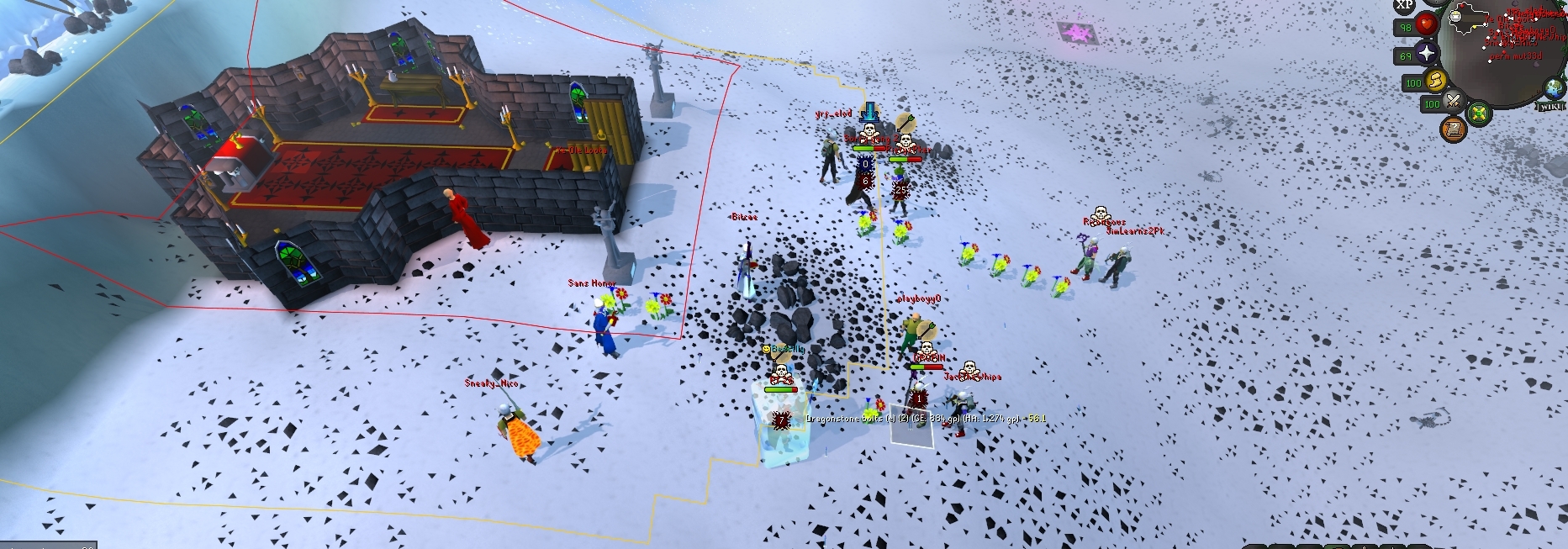

example
 tropic lily
^ was just about to say it gets hidden behind minimap sometimes
mossy swan
also moving xp drops might do that
fair rover
omg thank you guys LMFAOOO
 floral portal
 solid mesa
World Hopper > Show Ping
 urban jungle
music replacer seems to be causing me a bunch of packet drops in client since that latest update on plugin hub (even with a defaulted rl profile and a fresh install of the plugin pulled from plugin hub)
 slow isle
So, I am new to creating a plugin - I've been working really hard on it for weeks. - When it's finished, I don't know what to do from there? I would like to get it submitted for review to be added onto RuneLite, but I don't exactly know the appropriate steps to take.
haughty pumiceBOT
How to develop plugin-hub plugins: https://github.com/runelite/plugin-hub/blob/master/README.md
 bronze lagoon
I don't know what's going on with my runelite right now, it's super delayed on everything it's doing
Safe mode it's fine, but on normal client it's super delayed
I'll stand there for a few minutes (literally) then i'll move
Also keeps giving me connection lost, if I switch client, game runs with no issues
slow isle
@mossy swan Can I bother you with a personal question? Assuming you're the creator of a party hub, yes?
gilded kayak
urban jungle
music replacer seems to be causing me a bunch of packet drops in client since th...
yeah I can replicate this so I've gone ahead an disabled the plugin, thanks
gilded kayak
bronze lagoon
I don't know what's going on with my runelite right now, it's super delayed on e...
should be fixed if you restart the client, music-replacer was broken since the audio update, and the update today is big boom
bronze lagoon
Ok I'll give it a whirl now
Yeah it didn't resolve it, I got banned from the last DC
For macroing major wth
I was changing clients and it flagged me for macroing?
urban jungle
bronze lagoon
I was changing clients and it flagged me for macroing?
if you were having the issue with music replacer, my guess is that anticheat flagged you having actions queued up and getting to the server in an odd way since they werent being processed in realtime
bronze lagoon
Yeah I had music replacer active, have had it for a while
gilded kayak
it was broken until earlier, from the audio update this month
mossy swan
slow isle
<@213762071165141002> Can I bother you with a personal question? Assuming you're...
im not
 west totem
Hey all, I've got potion storage and bank tab tags (inbuilt ones, not the plugin hub plugin) I have tried a number of tricks on reddit/youtube so that it would pull my potions from storage but it doesn't seem to work for me (exporting and importing the tag tab, enabling/disabling the layout option). Only fix that I've found is to turn off "deposit to storage", put the potion into my bank, then it shows up in tag tab, remove the potion and its placeholder and it works from then on.
Is there a better way to "fix" it?
solid mesa
Typically you can duplicate-item and it fixes it
west totem
solid mesa
Typically you can duplicate-item and it fixes it
It doesn't appear in the tag tab until I deposit the potion directly into my bank first - is that expected behaviour? if so, no problem, I've got a fix that works but continue to see these tips here and there about how it's super easy and convenient to do and I get envious of them!
solid mesa
I don't think you should need to do that. Usually duplicate-item works. But I mostly use inventory setups with potion storage and not bank tags so I haven't really had the issue
 sinful tundra
Also got banned after client restart with using Music Replacer, how long does it take for Jagex to fix this?
 thick linden
hey when i run runelite.jar i get a java exception... any ideas?
nothing seems to be written to the logfile...
mossy swan
this channel is for release client support
thick linden
is runelite.jar not supported? was trying to use bolt launcher
mossy swan
oh i assumed you were trying to run phub or something since you have that role
and nobody runs the jar launcher
mossy swan
maybe ask in their discord
mossy swan
try running it in command prompt and see what it says
 mossy swan
java -jar runelite.jar?
thick linden
ah, Exception in thread "main" java.lang.UnsupportedClassVersionError: net/runelite/launcher/Launcher has been compiled by a more recent version of the Java Runtime (class file version 55.0), this version of the Java Runtime only recognizes class file versions up to 52.0 at java.lang.ClassLoader.defineClass1(Native Method) at java.lang.ClassLoader.defineClass(Unknown Source) at java.security.SecureClassLoader.defineClass(Unknown Source) at java.net.URLClassLoader.defineClass(Unknown Source) at java.net.URLClassLoader.access$100(Unknown Source) at java.net.URLClassLoader$1.run(Unknown Source) at java.net.URLClassLoader$1.run(Unknown Source) at java.security.AccessController.doPrivileged(Native Method) at java.net.URLClassLoader.findClass(Unknown Source) at java.lang.ClassLoader.loadClass(Unknown Source) at sun.misc.Launcher$AppClassLoader.loadClass(Unknown Source) at java.lang.ClassLoader.loadClass(Unknown Source) at sun.launcher.LauncherHelper.checkAndLoadMain(Unknown Source)
viscid lantern
your java is too old
thick linden
i just installed teh latest...
viscid lantern
did you add it to your path?
mossy swan
before or after your old java?
thick linden
just checked
mossy swan
errrrr
thick linden
didnt have an old java version
mossy swan
version 8 is... old
viscid lantern
did you install 8 just now?
thick linden
wait ya
viscid lantern
you need 11
viscid lantern
oracle 
mossy swan
oracle is a shit
thick linden
how odd
¯_(ツ)_/¯
hey oracle is great! they give you so much stuff to complain about!
thick linden
mossy swan
<https://adoptium.net/temurin/releases?version=11&os=any&arch=any> i guess?
thanks that did it
didnt even consider that oracle java is a really old version lol
 rocky island
sinful tundra
Also got banned after client restart with using Music Replacer, how long does it...
rocky island
sinful tundra
Also got banned after client restart with using Music Replacer, how long does it...
Wow, wth I'm so sorry, also for @bronze lagoon
I've been testing it a bunch and have had no issues (was a bug that kept spamming a cs2 script if music was off though that I didn't notice)
Is the ban temporary?
bronze lagoon
rocky island
Wow, wth I'm so sorry, also for <@250276668596420609>
I've been testing it a bu...
No it was a permanent. I've never macro'd or had any program or anything besides the official clients supported by Jagex. I was swapping between HDoS and RL to see if the issue was happening on both and even ran the client on safe mode which worked fine. When I swapped back to the regular mode(not safe) it happened again (hence the video above) and shortly after felanbird disabled the plugin I go to reload the client and I was already banned
thick linden
ya i been false banned before... that really sucks
bronze lagoon
I had maybe a 25 min window between the video and posting on here and it hit me. First time i've ever gotten banned for anything. I've never even had a mute or anything across all my accounts that I've played over the years. It didn't even give me an option to appeal it. Was a straight first time offence
bronze lagoon
I tried, I didn't have an option when I logged onto the website it was grayed out. I reached out to some mods on the osrs disc and they had me just post on the support thread they have where they can forward it to anticheat team
sinful tundra
rocky island
Wow, wth I'm so sorry, also for <@250276668596420609>
I've been testing it a bu...
 thick linden
sinful tundra
thick linden
sinful tundra
you also got wacked?
bronze lagoon
yeah this is a problem
sinful tundra
Yea
thick linden
even a macro major you should be able to appeal...
sinful tundra
When after restarting the client I saw music replacer removed from the hub I had a bad feeling
Like 10 mins later banned haha
thick linden
@bronze lagoon @sinful tundra https://support.runescape.com/hc/en-gb/requests/new?ticket_form_id=35438418198033
thats the appeal form...
sinful tundra
Oh I did appeal, however knowing Jagex support system I have no hopes for it, shouldn't they fix their mistake automatically themselves?
thick linden
yes, but well... likely no
bronze lagoon
Now it's letting me submit an appeal, it wouldn't let me from the offences page originally. Gonna try this though thank you ❤️
thick linden
ya the offsence page wont let you but the form will
thick linden
sinful tundra
Oh I did appeal, however knowing Jagex support system I have no hopes for it, sh...
long as you didnt get the auto reject after like 10 seconds you at least have a chance...
rocky island
Hope things will work out ❤️
So very sorry if my bug is what caused the ban
thick linden
id recomend that everyone hit by it posts on reddit also...
sinful tundra
No way the appeal system works, it's a joke. If they are not going to fix it themselves, then there will be no way of getting account back and I will not be making another one to start anew
 astral spear
sinful tundra
astral spear
sinful tundra
Omg this happened to me too
I also have the Music Replacer plugin enabled and posted in #general earlier to ask if a plugin might have caused my Major Macro ban this morning
astral spear
bronze lagoon
No it was a permanent. I've never macro'd or had any program or anything besides...
I read your earlier messages and that exact same thing happened to me with that exact same plugin, I restarted my client like 4 times and even in safe mode but after that I got hit with a permanent ban
 late frigate
is rl doing that lol? thats with the normal herb sack lol

I just logged in and I randomly had 170 tarromin in the sack
that was from my other account
 winter snow
Good question
late frigate
you can't get tarromin from opulent salvage and it randomly gave me a tonne of herbs when I logged in lol
winter snow
It's not RL specific, this is from mobile client
 late frigate
il report as game bug
winter snow
That's actually really frustrating
I'd just done a drake task on that character, so I had some snapdragon in there
Just straight up deleted
viscid lantern
ty for reporting that one 
 pale ermine
Soo what plugin might cause this with wildy theme poh kit
 viscid lantern
Some hub plugin
 deep pendant
round jacinth
deep pendant
round jacinth
I think the wiki has helpful things for it, or YouTube videos.
round jacinth
This channel is for core client help not how do I best configure to do content with hub stuff
 round jacinth
You can try #general
You seemed to just click install on every plugin that had the word doom in it
Idk why you would do that
But you decided to install them, we don’t know which ones you decided to try. You’ll have to remove or disable or modify them until you like em. We don’t have a catalog of everything you could set up.
viscid lantern
@bronze lagoon @sinful tundra @astral spear Could you guys share the rsns of your accounts? Feel free to tag me!
astral spear
viscid lantern
<@250276668596420609> <@1355889813353402491> <@263804922779271169> Could you guy...
Rytmipeli
sinful tundra
viscid lantern
<@250276668596420609> <@1355889813353402491> <@263804922779271169> Could you guy...
Syriot
Hah, got my appeal response, copy paste denied
 wraith frigate
pale ermine
Soo what plugin might cause this with wildy theme poh kit
wraith frigate
pale ermine
Soo what plugin might cause this with wildy theme poh kit
did u figure out fix? ive tried turning off basically all tile plugins and no dice
round jacinth
you may need to restart client after turning them off
haughty pumiceBOT
Please refer to this flowchart for further troubleshooting.
 cobalt cairn
Does anyone know of a plugin that can display a 0 "xp drop" for when you miss an attack?
or just any indication to see yep I've attacked like the xp drop gives you when you hit, while zoomed out and not necessarily looking at your character
round jacinth
i dont think so no
silent wolf
any idea if it can be fixed in other way then meddling with GPU drivers? very similar result is with GPU plugin, one of clients crashing, often at frost dragons but not only, i also saw on github someone reporting something like that, it started in last month or so
2026-02-25 15:21:56 CET [Client] ERROR injected-client - Client error
java.lang.RuntimeException: unable to map GL buffer 302 size 4194304
at rs117.hd.renderer.zone.VBO.map(VBO.java:60)
at rs117.hd.renderer.zone.VAO$VAOList.get(VAO.java:170)
at rs117.hd.renderer.zone.ZoneRenderer.drawDynamic(ZoneRenderer.java:1055)
at net.runelite.api.hooks.DrawCallbacks.drawDynamic(DrawCallbacks.java:172)
at ih.zk(ih.java:38697)
at ih.vg(ih.java:63580)
at ih.di(ih.java:2437)
at cf.ic(cf.java:3361)
at bh.lv(bh.java:8625)
at bh.lv(bh.java:8662)
at ic.lw(ic.java:8496)
at client.zc(client.java:13286)
at client.bs(client.java:11717)
at bv.bo(bv.java:475)
at bv.ou(bv.java)
at bv.run(bv.java:19059)
at java.base/java.lang.Thread.run(Unknown Source)
haughty pumiceBOT
Visit 117's HD plugin discord (https://discord.com/invite/U4p6ChjgSE) for support, issues & feedback
round jacinth
thats a hd stack trace, not gpu
silent wolf
here is gpu, tried 117hd hoping it wont happen
2026-02-25 01:58:13 CET [Client] ERROR injected-client - Client error
java.lang.RuntimeException: unable to map GL buffer (bufId: 453 size: 4194304 renderer: null version: null err: 1287)
at net.runelite.client.plugins.gpu.VBO.map(VBO.java:77)
at net.runelite.client.plugins.gpu.VAOList.get(VAO.java:157)
at net.runelite.client.plugins.gpu.GpuPlugin.drawDynamic(GpuPlugin.java:1189)
at net.runelite.api.hooks.DrawCallbacks.drawDynamic(DrawCallbacks.java:172)
at ih.zo(ih.java:6127)
at ih.ep(ih.java:44564)
at ih.di(ih.java:30380)
at cf.ic(cf.java:3361)
at bh.lv(bh.java:8625)
at bh.lv(bh.java:8662)
at ic.lw(ic.java:8496)
at client.pg(client.java:13286)
at client.bs(client.java:11717)
at bv.ae(bv.java:475)
at bv.mj(bv.java)
at bv.run(bv.java:44295)
at java.base/java.lang.Thread.run(Unknown Source)
round jacinth
try an older driver maybe
wraith frigate
for anyone having issues with tiles highlighted in new poh theme. solution is turn off port task plugin!
bronze lagoon
viscid lantern
<@250276668596420609> <@1355889813353402491> <@263804922779271169> Could you guy...
3rdAgeRose
silent wolf
round jacinth
try an older driver maybe
i hoped it can be fixed without that, but i guess it cant
round jacinth
new drivers do not care about legacy games
a new driver will add support for the newest AAA title and lose support for lego racing
sinful tundra
All good now, unbanned
astral spear
Unbanned aswell, thanks for helping <3
bronze lagoon
Likewise thank you ❤️
 foggy sedge
getting this issue when trying to login today. any idea for fixes? I have restarted my PC and also tried using Exitlag. Do i need to reboot my network?

 shy hamlet
is there an easy way to move runelite's installation location? Jagex launcher doesn't seem to be allowing me to run it anywhere but from the C drive
I looked online and I found instructions to run from a USB but it looks like a pain
zealous cedar
you can move the installation location, but not .runelite, if that is what you mean
shy hamlet
zealous cedar
you can move the installation location, but not .runelite, if that is what you m...
are there instructions posted anywhere for this? I tried just moving the files and the jagex launcher just tries to launch from the old location anyway
zealous cedar
no, you just install it to the location you want it
moving the files like that would probably prevent it from uninstalling
shy hamlet
ah ok I'll try and uninstall and reinstall thanks
wow it just worked™ that's a little embarassing, I must've not fully uninstalled properly after moving the files last time my bad
thanks!
foggy sedge
foggy sedge
getting this issue when trying to login today. any idea for fixes? I have restar...
just restarted my network and still same error occurs
zealous cedar
probably its a firewall?
foggy sedge
zealous cedar
probably its a firewall?
Ok, thanks I will look into that.
 covert turtle
I recently deleted my loot tracker data by mistake and wanted to get it back onto my client. I can see that in my .runelite folder that all the information is still there. The website is empty and so is my app, I also have the relevant json file but don't know what to do with it. Can I remedy this somehow?
zealous cedar
what data is still in the .runelite folder that you see?
covert turtle
when i open the "loots" folder, there are sub folders that are just random numbers. when i open those i can see "event" "npc" etc folders. within those all of the relevant text documents are still present
with all the information that i deleted from both app and website
zealous cedar
that is probably from a pluginhub plugin, runelite doesnt have a "loots" folder
covert turtle
is there any way to upload the information?
zealous cedar
not into the loot tracker, no
covert turtle
before the website was updated with the delete command i was able to export the json file to my pc that had all the loot information still present
is that at all useful? i couldn't find an import button on runelite website
zealous cedar
no, there is no import feature
covert turtle
Is there any chance something like that could be added in the future? Or should I move on from the idea that I can get the information back
zealous cedar
I guess there is a chance
its not common for people to export and then delete all of their loot, normally they delete it and have no backup, which has less we can do about it
covert turtle
That makes sense. I just reacted quickly to my mistake, I'll hang onto the file then in case you guys ever add that feature. Thanks for the help 🙂
 harsh falcon
 vast bone
shortest path?
solid mesa
Port Tasks, should be fixed if you update the plugin or restart runelite
 round hemlock
Any idea about the randomly closing client? plugin issue? nothing pops up
leaden trail
Post your logs
haughty pumiceBOT
To find the logs, you can do one of the following:
- If your client failed to open, click the
Open logs folderbutton. - Open the screenshot directory by right-clicking 📷
Camerabutton, navigate 1 directory up, then open logs folder. - Navigate to
%userprofile%\.runelite\logson Windows or$HOME/.runelite/logson Linux and macOS.
Upload the log files named client and launcher by dragging them to Discord. If there are files prefixed with jvm_crash dated from today, upload them too.
 cloud hound
how can i login with a legacy account? it is only letting me login with my jagex account's 1 click login
round jacinth
!logs you load jagex launcher to launch runelite for your non legacy acc
haughty pumiceBOT
To find the logs, you can do one of the following:
- If your client failed to open, click the
Open logs folderbutton. - Open the screenshot directory by right-clicking 📷
Camerabutton, navigate 1 directory up, then open logs folder. - Navigate to
%userprofile%\.runelite\logson Windows or$HOME/.runelite/logson Linux and macOS.
Upload the log files named client and launcher by dragging them to Discord. If there are files prefixed with jvm_crash dated from today, upload them too.
cloud hound
i will post my logs 1 sec. when i load regular runelite (not jagex launcher) it has my jagex account linked
round jacinth
it is probably your cheat client impacting you
cloud hound
its been deleted it was downloaded ages ago. any way i can fix that?
round jacinth
it impacted your current install
haughty pumiceBOT
You've downloaded a fake client, and your account has been compromised. Remove the fake as soon as possible to minimise further damage.
The following actions should be performed from a secure computer or secure mobile device:
- Change your RuneScape password
- Remove and re-add Authenticator to RuneScape
- Change your RuneScape bank PIN
- Change your email's password
- Add 2FA to your email if you haven't got it enabled
- Check for any linked accounts by accessing the account settings page (https://www.runescape.com/account_settings)
Some fake clients also install malware, only a fresh install of your operating system can guarantee the total removal of any unwanted software.
You might also want to change any email password if you reused the same as your RuneScape account password.
Once your computer is secure, you should download RuneLite from the link available at the #welcome channel.
cloud hound
i've reinstalled runelite like 5 times today and deleted all runelite files too
thats why i can't figure it out
round jacinth
I am not really inclined to help a cheater/botter tbh
cloud hound
no worries
 gilded swan
idk if this is the right place to look, butttttttttt my shift click to walk under isnt working. I did some googling, and I do not have the gimp plugin so that's not whats interfering.
I can shift click to go under enemies but it'll never walk -> only runs. It is set correctly in mes, so I'm a bit lost and just lookin for help.
🙏
solid mesa
Are you holding Ctrl+Shift?
gilded swan
So ctrl shift works to walk, but somehow I used to also walk with shift click
unless im just actually having a brain fart
i swear it used to work
oh derp i cant read
ctrl click walks
solid mesa
Ctrl is to toggle walk/run
solid mesa
I don't think it did
gilded swan
well shietttttttttttttt
 exotic hull
I'm starting up the game and now it is downloading an injected client jar file and it goes super slow, any reason for this?
I have a 1gbps fiber optics connection
round hemlock
if those are wrong, lmk i have about 10 crash logs from today if needed
 strong aspen
okay
todays update
just has my client on loading - please wait
i can load normal osrs client
but when i try RL it just does the loading please wait
and suggestions?
 hollow bay
got question any ideas on why its like this ?
 hollow bay
ah that would explain it
strong aspen
round jacinth
restart your client
any help for mine?
round jacinth
!safe you could check safe
haughty pumiceBOT
safemode: To enable safemode
Windows
Run the RuneLite (configure) shortcut from the windows start menu
Tick the Safe mode box, save, launch RuneLite the way you normally do.
Mac
In Terminal, run
/Applications/RuneLite.app/Contents/MacOS/RuneLite --configure
Tick the Safe mode box, save, launch RuneLite the way you normally do.
 plucky lake
hi, i cant see chat commands anymore for some reason
round jacinth
did you turn off the plugin

 strong aspen
round jacinth
!safe you could check safe
strong aspen
round jacinth
!safe you could check safe
same thing happened
round jacinth
im out of ideas
round jacinth
plucky lake
are you muted in game
plucky lake
no
round jacinth
!logs
haughty pumiceBOT
To find the logs, you can do one of the following:
- If your client failed to open, click the
Open logs folderbutton. - Open the screenshot directory by right-clicking 📷
Camerabutton, navigate 1 directory up, then open logs folder. - Navigate to
%userprofile%\.runelite\logson Windows or$HOME/.runelite/logson Linux and macOS.
Upload the log files named client and launcher by dragging them to Discord. If there are files prefixed with jvm_crash dated from today, upload them too.
plucky lake
i can only upload 10 at once
round jacinth
i dont need a million files
Upload the log files named client and launcher
client.log and launcher.log
round hemlock
sorry to ping you @round jacinth
round jacinth
plucky lake
i think the logs only show the fail message in debug mode
can you check the debug box and reload client

 vocal tusk
is there a list of all non-attackable NPCs? I want to put names over all the NPCs heads that are interactable with the NPC Indicators plugin but still use the NPC Level Overlay plugin for attackable NPCs. The level overlay seems to filter out anything not attackable so there has to be a way to get that list to put into the other plugin, right?
plucky lake
how do i get that screen?
round jacinth
round hemlock
sorry to ping you <@179369590902489088>
you have a 14th gen intel which maybe is suffering from the 14th gen intel issues that show up when playing runelite
round hemlock
ah, so my CPU fucks me again
thanks bro. appreciate it, sending this thing in the trash
round jacinth
round jacinth
plucky lake
how do i get that screen?
runelite (configure)
haughty pumiceBOT
round hemlock
round jacinth
https://discord.com/channels/301497432909414422/442492468307427330/1450623035072...
appreciate this.
plucky lake
i dont get it.. im using runelite through jagex launcer
 plucky lake
where do i see that..
round jacinth
it's on the side panel of runelite.


i guess it doesnt matter
just redownload runelite from #welcome
plucky lake
 round jacinth
yeah you should have it then
search on windows... runelite
and you'll find runelite (configure)
round jacinth
haughty pumice
<https://github.com/runelite/runelite/wiki/RuneLite-Launcher-Configuration>
which is what i linked earlier
round jacinth
check the debug box and reload runelite normaally from jagex laucnehr
ok now type !kc cox or w/e
and if it doesnt work reshare log
plucky lake
it works
round jacinth
ok so just reloading client made it work cool
you can turn off the debug box so the logs don't get spammed to hell and back
plucky lake
alright cool thank you!
round jacinth
restarting wins again
plucky lake
thank you very much
 ember nacelle
hi everyone 🙂
i recently realized i wasn't signed into runelite. I re-signed in and did 1000 salvage. then i looked at loot tracker and noticed it was a new loot tracker and everything was missing but those 1000 salvage. i logged out, closed rune lite, relogged into rs and my RL account and everything is back, but it shows just the 1000 salvage and not the existing ones.
In RL i see duplicate profiles for my account. one shows the 1k salvage and one shows the 3k salvage from prior dates. Can i ... combine them? Looks like this issue is resolved moving forward but figured i'd mention it either way
gilded kayak
you can't combine them no, we can't really fix it until someone who knows what they are doing, can replicate it consistantly
as of right now it's still in the why does this happen, stage
 spiral spade
hi, got a small issue on chat commands.. everything is on but still i can't see anything maybe someone can help me?
round jacinth
restart your client maybe
spiral spade
it work thanks been trying to fix it from the brutus update
 runic depot
Hey there, I'm running into the issue of a giant white box in the upper left side of runelite, and the rest of the screen is black. I've tried deleting the RL cache, i've tried updating drivers, I cannot seem to get it fixed
leaden trail
Are you using 117?
runic depot
No 117, No GPU both are disabled
leaden trail
Does it happen in safe mode?
haughty pumiceBOT
To enable safemode
Windows
Run the RuneLite (configure) shortcut from the windows start menu
Tick the Safe mode box, save, launch RuneLite the way you normally do.
Mac
In Terminal, run
/Applications/RuneLite.app/Contents/MacOS/RuneLite --configure
Tick the Safe mode box, save, launch RuneLite the way you normally do.
runic depot
It does unfortunately
 gilded kayak
that just seems like the game is failing to load imo
does it happen on the official client, i feel like it might
runic depot
It's on the Jagex client and when I launch runelite itself as the standalone
gilded kayak
change the jagex launcher from runelite to official client
normally i'd never assume they both have an issue, but this feels like one that it could
runic depot
Yeah official client works, but the runelite doesn't oddly
runic depot
Nope, none at all
gilded kayak
does the  tab load, when ur out of safe mode
runic depot
It does
gilded kayak
then i really dont know
cuz there's some issue like 10 people have had, where the client is full black and the does not load
but no idea what caused that
 dense swift
This is the new POH wildy theme. Is this something on runelite setting?
 solid mesa
Update the port task plugin or restart runelite
dense swift
solid mesa
Update the port task plugin or restart runelite
I’ll try that, thank you
 deep gulch
from a search it seems like client freezing/crashing in the MM2 caves is a semi-known issue. Is there a known solution other than disabling GPU/117? (if that even is a solution)
3rd crash of the day killed me down there 🙁
solid mesa
You can increase your heap
deep gulch
I don't suppose you know what the default is off the top of your head? 😂
solid mesa
768MB
deep gulch
ty, will give it a go
doubled it for now, seems to have made a difference, but I won't know until I know
 sudden zephyr
one of my plugins wont stay on it turns off right after i turn it on
was workin fine a few hours ago
gilded kayak
does it have a name
sudden zephyr
Tutor Timer
deep gulch
its brand new
haughty pumiceBOT
Get support for the Tutor Timer Plugin Hub plugin here: https://runelite.net/plugin-hub/show/tutor-timer.
You can also find the support link by searching for the plugin in the Plugin Hub panel and clicking the ? button on the plugin, or by right-clicking the plugin in the plugin panel and clicking the Support menu option.
 sharp torrent
My email was stolen. I can log into RuneScape via Runelite, but when I try to access it through the website, it says the information is incorrect. Can anyone help me?
@haughty pumice
gilded kayak
that's an OSRS account, not RuneLite, we have no access to your account in any way
 gleaming pike
hi, unsure if there's an easy answer i missed, but is there a way to make all infoboxes/overlays, etc show manually just so i can arrange everything, without having to meet each requirement?
basically i want to arrange my layout without having something new pop in out of place mid-boss or whathaveyou
empty minnow
no
 midnight radish
will we get a cow boss icon in the highscore?
solid mesa
Yes, it was just forgotten about
midnight radish
so we gonna get it later on?
solid mesa
Yes, next runelite update
 merry birch
yo how do I ignore certain untradable items from being auto screenshot? I wanna keep the untradable screenshot on but some items like maniacal monkey bones or new Brutus bones just taking thousands of screenshot
 verbal flower
anyone know whats going on with entity hider, its hiding bosses when trying to hide thralls
 halcyon helm
how do i reinstall runelite without deleting settings? im not signed into an account or anything
 bitter forge
hello can i please speak to someone regarding some issues with runelite crashing, i have the log files etc. has been a issue on and off for 2-3months now cheers.
mossy swan
halcyon helm
how do i reinstall runelite without deleting settings? im not signed into an acc...
reinstalling will not delete or overwrite any settings
mossy swan
bitter forge
hello can i please speak to someone regarding some issues with runelite crashing...
post your logs
!logs
haughty pumiceBOT
To find the logs, you can do one of the following:
- If your client failed to open, click the
Open logs folderbutton. - Open the screenshot directory by right-clicking 📷
Camerabutton, navigate 1 directory up, then open logs folder. - Navigate to
%userprofile%\.runelite\logson Windows or$HOME/.runelite/logson Linux and macOS.
Upload the log files named client and launcher by dragging them to Discord. If there are files prefixed with jvm_crash dated from today, upload them too.
bitter forge
keeps randomly crashing whilst doing pvm/raids randomly, even sometimes just bank standing.
mossy swan
ok upload the logs the bot message requests you to post
bitter forge
okay
mossy swan
bitter forge
this seems to be the only way i can send it? xd
yes you drag & drop them here
it asks for more than just client log tho
 mossy swan
ok, you have an intel 14th gen processor that is known to slowly kill itself, and your microcode i think is out of date
immediately, you should update your BIOS, but unfortunately the damage is permanent and you'll need to get your processor replaced
winter snow
mossy swan
immediately, you should update your BIOS, but unfortunately the damage is perman...
They appear to be using a laptop, so might have to RMA the whole thing
bitter forge
damn, i just had my gaming laptop (around 4k worth) cleaned and reset all bios etc, thinking it was a pc problem, yet i have no trouble with the laptop besides runelite crashing and the odd error loading the jagex launcher itself
pc is about 14months old, 2months out of warranty xd
 gritty dust
Is a plugin allowed that shows who has pid during combat with ur target?
gritty dust
or atleast shows if we have pid not for target
 gusty oracle
Is there a problem with the client? I'm getting a very high ping in certain worlds.
mossy swan
gusty oracle
Is there a problem with the client? I'm getting a very high ping in certain worl...
no
haughty pumiceBOT
@gritty dust Jagex's third party client guidelines: https://secure.runescape.com/m=news/third-party-client-guidelines?oldschool=1
Additionally, these features have been rejected or removed from RuneLite: https://github.com/runelite/runelite/wiki/Rejected-or-Rolled-Back-Features
round jacinth
just because something isn't listed there doesn't mean it's allowed (recent agility stuff) so a bit of common sense can be used
winter snow
Jagex tends to get a bee in their bonnet about plugins that give any sort of PvP advantage too, so have to be super careful about that (bringing it back to the PID stuff)
gritty dust
ty
so who gonna decide if its allowed
a plugin that shows if u have pid based on ur last attack / hit splat
round jacinth
yeah pvp is a bit sacred grounds imo
 lean holly
gritty dust
a plugin that shows if u have pid based on ur last attack / hit splat
lean holly
gritty dust
a plugin that shows if u have pid based on ur last attack / hit splat
Doesn’t seem like it’s against the guidelines and the real skill expression imo is knowing that to do differently on/off PID
Plus it’s not exactly showing new information anybody can see who has PID on any client
In bh ppl are already watching their weapon animations every hit to determine PID
round jacinth
gritty dust
so who gonna decide if its allowed
jagex might even if it passes the sniff test here
 hazy lion
hey y'all! with my 200 plugins i can't find which key or plugin caused these green boxes popping up only in poh. Does anyone know what is causing this?
 solid mesa
Restart runelite and it should be fixed
hazy lion
oh awesome thank you!
lol, scrolled up AFTER i asked and saw its not the first time, sorry for the repeat question
winter snow
Once again proving people almost never restart their clients 😄
 autumn summit
yo, anyone knows how i could scrape data from clan? like combat lvl, over all skills lvls etc?
gritty dust
Highscore?
autumn summit
was thinking if i can get the memberlist from the clan and grab all their stats
gritty dust
Yea grab the username list, highscore lookup per user
winter snow
I suspect they want this for a clan that isn't the one they're currently in? 😄
autumn summit
winter snow
I suspect they want this for a clan that isn't the one they're currently in? 😄
i was thinking of automating it
my clan has 200+ people
no way im doing that by hand
solid mesa
Wiseoldman pretty much does that
 lost drum
I'm trying to get my plugins/tiles basically my entire profile from my old to new computer but I have no clue how. Can anyone help?
haughty pumiceBOT
 analog elk
ui scale is completely effed on Linux.
 solid mesa
What scale are you using and how are you setting it?
analog elk
I'm at 2160p 150% scale. Everything in-game is fine using the scaling plugin. It's the sidebar in RL though
 solid mesa
So you're not using the runelite config to set the scale?
gilded kayak
runelite has its own scaling
analog elk
Exactly
haughty pumiceBOT
analog elk
How do you do that in Linux? What is the command to run RL?
solid mesa
How are you launching runelite?
analog elk
It only says for Mac and PC
gilded kayak
 analog elk
solid mesa
How are you launching runelite?
analog elk
solid mesa
How are you launching runelite?
It's pinned to dashboard, installed as flatpak through Baazar
analog elk
gilded kayak
The command given is for Mac, not Linux
gilded kayak
yes the full command is for mac only
but it says to use --configure which is normally enough for linux users
analog elk
Yes, but how do launch RL in terminal on Linux
gilded kayak
and we can't really give 57 different commands for every linux install
analog elk
That's fair, but there has to be some kind of common directory for apps?
solid mesa
There's like 400 directories depending on which distro and how you installed it
gilded kayak
competing_standards_xkcd.png
analog elk
I was digging around in the flatpak files and found this:

how do I add --configure to this and launch it?
zealous cedar
run runelite --configure
analog elk
it just launches a .jar though
analog elk
zealous cedar
run `runelite --configure`
bash: runelite: command not found
zealous cedar
then this isnt in your $PATH
analog elk
derr duh, sorry
analog elk
zealous cedar
then this isnt in your $PATH
I put in the path to it and got:
/var/lib/flatpak/app/net.runelite.RuneLite/x86_64/stable/6ec4cee03eb0933afaee45af5dce42f8d6e172dc7efd1104d70024b8f42526fb/files/bin/runelite: line 3: /bin/java: No such file or directory
zealous cedar
ok so you dont have $JAVA_HOME set
i dont know if you are supposed to be running this script directly like that either, is that normal with flatpaks?
analog elk
Isn't there just a .app like on MacOS?
 wet zenith
is there a format / syntax i can use in the ground items list to show, for example 500 coin stack and greater and hide anything lower
solid mesa
Add Coins < 499 to hidden and Coins > 500 to highlighted items
Or don't add the highlighted if you don't want that
wet zenith
and then just put the comma after the number then?
solid mesa
Yea Vial, Ashes, Coins<499, Bones, Bucket, Jug, Seaweed
wet zenith
perfect ty this solves multiple problems for me
stone parcel
analog elk
Isn't there just a .app like on MacOS?
Personally the easiest way I found to use RuneLite configure on Linux (without Bolt) to be with the appimage, then I did --appimage-extract, extracted it, and then I can launch the "AppRun" with the --configure arg, and that seems to work.
wet zenith
or just get something like bolt launcher and just run it through gui
stone parcel
Yeah or that haha.
zealous cedar
if you arent stuck with a jagex account then id just use the appimage instead of flatpak
analog elk
I figured it out. For Bazzite users using a Flatpak, use flatpak info --show-location net.runelite.RuneLite
Then launch the net.runelite.Runelite file under bin in terminal adding --configure
analog elk
zealous cedar
if you arent stuck with a jagex account then id just use the appimage instead of...
You can't really use appimages on Bazzite unfortunately
zealous cedar
why not?
stone parcel
It sounds like you can... https://docs.bazzite.gg/Installing_and_Managing_Software/AppImage/
analog elk
Oh, I've had issues using them before for some reason
They may have updated something recently, but they wouldn't open for me
stone parcel
Gotta allow launching as program.
analog elk
I just install everything through Baazar
Easier
Anyways, appreciate the help! I'll see if adding scale to the configuration helps
stone parcel
Np, good luck. You will likely have to use whole numbers like 2.
wet zenith
solid mesa
Yea `Vial, Ashes, Coins<499, Bones, Bucket, Jug, Seaweed`
do you know why this works for coins but not for other items?
wet zenith
for example im trying to do the same for the noted big bones from kurasks but if i put big bones<5 it hides all of them including the 10 stacks they drop
wet zenith
you're right ty
i thought when you shift/alt click the little plus and minus to hide and show it was also adding/removing it from that list
vast bone
that feature doesn't know about quantities, it's kind of a bug.
analog elk
stone parcel
Personally the easiest way I found to use RuneLite configure on Linux (without B...
Bolt works like a dream actually, this is insanely better
stone parcel
Yay haha! 😄
wet zenith
the guy that made bolt is very helpful in their discord if you have any issues
wind star
Anyone have any idea why the "!pets" command doesnt work for me. I've updated the all pets collection log, the weird thing is it works on my other account with the same plugins

 buoyant bridge
wind star
Anyone have any idea why the "!pets" command doesnt work for me. I've updated th...
buoyant bridge
wind star
Anyone have any idea why the "!pets" command doesnt work for me. I've updated th...
Make sure the config for it is ticked inside the Chat Commands plugin. Also make sure to look at the "All Pets" tab on your collection log so the plugin knows the pets you have.
 wind star
It is 🙁
 daring zephyr
Hi all, I'm trying to submit my first plugin and the build keeps failing. I've tried a few fixes but can't seem to figure it out (or should I say Claude can't figure it out 💀 ) Would someone mind taking a look? PR: https://github.com/runelite/plugin-hub/pull/10757
GitHub
Sends Discord webhook notifications when rare implings (Magpie, Ninja, Crystal, Dragon, Lucky) are spotted. Includes world number and location callouts. Requires the built-in Implings plugin with &...
buoyant bridge
daring zephyr
Hi all, I'm trying to submit my first plugin and the build keeps failing. I've t...
Your plugin doesn't have the LICENSE file on the root folder, maybe that's why?

 buoyant bridge
Another thing you could try, make sure to use the template build.gradle as much as possible, I see yours is different from the template
daring zephyr
Kk
gilded kayak
why would it be different anyway
did you just ask claude to do it, without putting actually any effort in for what to do
daring zephyr
Cause it's vibe coded
mossy swan
maybe this is something you cant vibe code all the way
buoyant bridge
Normally you should start from the template always
It might be better to regenerate from the template and put your plugin code back in from there
daring zephyr
Claude works quite well to make the actual plugin, but I guess it doesnt shine too well on these final steps
 clear stratus
buoyant bridge
It might be better to regenerate from the template and put your plugin code back...
clear stratus
buoyant bridge
It might be better to regenerate from the template and put your plugin code back...
i would second this
also, can dink do this?
gilded kayak
no
clear stratus
:wah:
mossy swan
err maybe it could with the built-in impling plugin?
daring zephyr
There is a plugin called Discord Notifer that almost does what I want - you configure it to send any RL notification to a Discord channel via webhooks, but it wont say the location and world of the imp
gilded kayak
dink has the world and regionId in the extra json
but that doesn't show up in the discord notif, it's for people who know how to read the data and forward it how they want
 dark terrace
Hi! For some reason I can't log into runelite but I totally can with no issue on the base game launcher on my phone
I copy pasted the exact same characters and it keeps saying invalid user or password
solid mesa
You need to use the jagex launcher to launch runelite
dark terrace
solid mesa
You need to use the jagex launcher to launch runelite
Yeah ok im a moron thank you so much
 median spoke
i'm having issues with the woodcutting plugin, with forestry the random event stuff just keeps crashing out
median spoke
no, with like the struggling mulch random event, once i get the right combination, the highlighted squares just stop working
hollow olive
it should only keep the right combination
median spoke
it doesnt even show that
it shows all the ground indicators then disapears entirely when i get the right combo
once it happens again ill screen record it
im gonna restart client first
 warm crypt
anyone else having laggy client?
 feral rivet
does the runelite flatpak run under the same gid as the user? I don't even know where to ask about this ngl
stone parcel
What are you trying to solve?
feral rivet
on pop_os, one of the noble lion rolling releases bricked the default params for net.ipv4.ping_group_range so icmp echos don't work anymore (everything using it is timed out in runelite)
trying to figure out how to allow runelite to make unprivileged icmp echos
stone parcel
Ahhh, yeah that's more than I understand haha.
solid mesa
You probably want to try this too #development message
feral rivet
can't post in that chat but I got "0 1" cause that's the default from the linux kernel
I know the issue is ubuntu not including default params
its a known and fixed issue on debian but just not ubuntu and anything built on it
stone parcel
Oh my output very different from the other's I am seeing. If there is still interest in results from that I got 0 2147483647 as the output. Popos 22.04
solid mesa
That should be the same as this
 stone parcel
Ahhh cool.
feral rivet
yeah that allows all users and system processes to use icmp echos
if you run id -g and set your range to be what it spits out it'll only let things run by the user echo
its a giganiche bug on 24.04
since practically everything has tcp fallback
and those defaults aren't bricked
w/e I'll edit my systemd config to be 0 to 32bit integer limit
zealous cedar
I thought I fixed that so it does tcp fallback again
feral rivet
im on 1.12.18 could be that its not the latest maybe(?)
tbh its really weird the kernel defaults are to only allow privileged icmp echos
while im here how do I fix opening sidebar icons doing this
 stone parcel
I want to assume this is Nvidia on Wayland?
feral rivet
yeah
stone parcel
There is a support topic about it in Torms (Bolt/Linux RS) discord I think about this:
https://discord.com/channels/828918474784768010/1456428161444221052
Doesn't sound like anyone has solved it there yet, maybe trying X11 if possible.
feral rivet
something like this?
 stone parcel
Ummm, not sure about that. I was thinking trying with the entire system in X11. But maybe.
feral rivet
lmao bolt just explodes if you turn that on nvm
stone parcel
Dang lol.
feral rivet
oh no, cosmic just doesn't have any support for running as x11 mb
zealous cedar
oh, are you looking at the pluginhub ping plugin and not the core ping stuff?
feral rivet
zealous cedar
oh, are you looking at the pluginhub ping plugin and not the core ping stuff?
yeah specifically yuh25's ping graph
doesn't seem to have tcp fallback
since it seems most distros default to 0-2.1b I've changed my defaults cause idk its already reported as an oversight on 24.04
world hopper ping reporting has been working through all this in short
zealous cedar
yeah the world hopper ping stuff was all changed recently
feral rivet
works perfectly so no issues there
 torpid cedar
how do i fully uninstall a plugin if i want a fresh start no not reset
gilded kayak
it seems like a loaded question
because you're suggesting the reset button doesn't do what u want
torpid cedar
like can i delete the file on my desktop
torpid cedar
gilded kayak
because you're suggesting the reset button doesn't do what u want
it didn't still has a glitch
gilded kayak
can you be more specific instead
torpid cedar
its with resource packs
gilded kayak
oh lol
nvm dont be more specific
i dont even want to think about what it could be
torpid cedar
this line between username and text isnt being rendered

but same settings same path it shows up on another account
verbal flower
anyone know the difference between temple osrs plugin and the xp updater templeosrs check mark?
viscid lantern
you dont have to ask in 2 places at the same time btw
xp updater does this https://github.com/runelite/runelite/wiki/XP-Updater and the templeosrs plugin does this https://runelite.net/plugin-hub/show/temple-osrs
 narrow tangle
is anyone else experiencing "weirdness" with the anti drag plugin?
i feel like the 10ms im used to is still dragging things where until recently it wouldnt with my switches
ESPECIALLY in the bank interface
Also i AM using instant inventory but ive been using both together forever with no issues until recently
swift meteor
narrow tangle
Also i AM using instant inventory but ive been using both together forever with ...
I have been experiencing a similar issue, but I thought it was just something going on in my client or something. I turned off instant inventory and it seems to have improved
narrow tangle
i turned off instant inventory and the issue is gone.
weird all of a sudden theres a weird conflict
narrow tangle
i lied its back without that plugin on
the clients been stuttering really badly lately too idk whats going on
its anywhere thers a lot of animations i noticed
never had these issues before recently
 surreal halo
Pardon me, does anyone have advice for starting Runelite when using Mozilla VPN? I have an exception for Runelite and the Jagex Launcher on the VPN.
 topaz scaffold
are there any known issues with boos information seetings? I can't seem to get the panel to show up
solid mesa
haughty pumiceBOT
solid mesa
Try turning on IPV4
surreal halo
solid mesa
Try turning on IPV4
Thank you thank you! I'll report back with the result.
topaz scaffold
I mean boost* whoops
solid mesa
No. You've maybe moved it and it's hidden. Can try swapping to fixed classic or reziable modern and see if it appears
surreal halo
solid mesa
Try turning on IPV4
Pardon me. I'm in the configuration menu and have read through the client-arguments page, but still do not understand what IPv4 is and where I make that change in the configuration menu.
solid mesa
Do you see the checkbox that says IPV4?

If not, download runelite and reinstall it and it should be there.
surreal halo
Ok, I do not. I'll reinstall runelite.
topaz scaffold
solid mesa
No. You've maybe moved it and it's hidden. Can try swapping to fixed classic or ...
no luck swapping modes
solid mesa
Can you screenshot your client showing the boost information config as well as your levels page?
surreal halo
solid mesa
Do you see the checkbox that says IPV4?
I resinstalled Runelite, enabled IPV4 in the configuration menu, and everything works. Thank you very much, and have a nice morning, day, and evening, adjusting for your time zone.
topaz scaffold
solid mesa
Can you screenshot your client showing the boost information config as well as y...
 solid mesa
You dont have any boosted levels. What are you expecting to see?
topaz scaffold
is it not able to display boost like the woodcutting boost from multiple people on a tree?
solid mesa
No, there's a PR to add it to the woodcutting plugin but it hasn't been added. There is a plugin Tree Count that shows it though
feral rivet
yeah all invis boosts won't show on the boosts overlay
topaz scaffold
thanks; I'll grab tree count then
 acoustic lily
So im not sure what to do, trying to help a friend. His client for some reason doesnt take screenshots automatically anymore, like screenshots for when get a collection log, pet, etc. Even dink to send screenshots to a discord channel that doesnt work ether.
 plucky rock
could someone help im not sure how to fullscreen rl
 silent jetty
Having an issue where my runelite client crashes upon me opening a second client, turned off 117/gpu and anything else I thought could be conflicting with it, what are the next steps?
Ran runelite in safemode, and same thing happens.
 eternal compass
why will my Runelite not recognize my email and password as correct on my Acer Chromebook.
i got it up and running through terminal coding but it says incorrect email and password.
solid mesa
You need to use the jagex launcher to launch runelite if you have a jagex account
eternal compass
it is not compatible with an Acer chromebook.
but i put the coding in my terminal and it ran Runelite.
 wind yacht
hey, having issue with my runelite. when i switch profiles, my main profile keeps resetting to how it was months ago. and its not saving correctly.
plucky rock
is it safe to pick up drops from randoms in the grand exchange some dude was just dropping items n i did pick some up it was hard tho
viscid lantern
plucky rock
is it safe to pick up drops from randoms in the grand exchange some dude was jus...
Yep thats fine, be careful of people dropping them in the wilderness though, they might be luring and hoping to kill you for your items, also #runescape is the right channel for ingame questions
viscid lantern
wind yacht
hey, having issue with my runelite. when i switch profiles, my main profile keep...
Are you using the plugin presets plugin? That could be screwing with things
plucky rock
viscid lantern
Yep thats fine, be careful of people dropping them in the wilderness though, the...
tyty and sorry i thought that was for talk about vanilla runescape
wind yacht
viscid lantern
Are you using the plugin presets plugin? That could be screwing with things
nope
wind yacht
viscid lantern
Are you using the plugin presets plugin? That could be screwing with things
took me few hour to sort what i lost out and when i switched profile, it keeps resetting.
 shut forge
 cedar gyro



 hollow pilot
Anyone else having an issue with Ping Grapher plugin? About 2-3 weeks ago it doesn't properly show ping
 zealous cedar
are you using linux?
hollow pilot
Yep
I assumed it was something like that because all my other friends aren't having the issue
zealous cedar
sudo sysctl -w net.ipv4.ping_group_range="0 2147483647"
ember nacelle
I understand this might be a system thing, but I can't get RL audio (notification sounds, etc) to come out of my bluetooth headphones. I have multiple sets of headphones plugged in, but the default is set to my BT ones. I am listening to music htrough them too.
i'm on a mac m3 chip as well. I can't find any settings or anything where I can port audio from one app to a certain output, and I don't have any tools on my computer for that. I understand it's probably me and not RL but wanted to ask if someone had any advice
Edit: runescape sounds do come though, like the music. Just not notification sounds
Edit2: if i change the notification sound to Custom, it works. it just doesn't work on native. Notification sounds for runelite are enabled in my system settings.
edit3: downloaded a custom sound that i liked and put in my settings. all good now
 fast kernel
Some areas don't load properly. It's fine on mobile so must be a RL issue. I've tried disabling all graphics plugins I can think of but it hasn't made a difference
 regal mauve
Hello guys my runelite keeps crashing, for some reason it works fine for the first 1-1,5 hours of gameplay and then as soon as I come close to the 2 hour mark my client crashes. I can play for longer if I am not bossing.
I have tried:
Switched between gpu and the 117 plugin.
Upping the cache size in the 117 plugin.
Changed my graphics drivers to both older and newer versions.
Uninstalled runelite and reinstalled.
Put my whole computer in performance mode.
Turned off and on scheduled GPU acceleration.
For some reason restarting my computer often resolves the issue and i can play for another hour. But it's hella frustrating.
stone parcel
Could test in safe mode.
haughty pumiceBOT
To enable safemode
Windows
Run the RuneLite (configure) shortcut from the windows start menu
Tick the Safe mode box, save, launch RuneLite the way you normally do.
Mac
In Terminal, run
/Applications/RuneLite.app/Contents/MacOS/RuneLite --configure
Tick the Safe mode box, save, launch RuneLite the way you normally do.
stone parcel
Or maybe something in logs
haughty pumiceBOT
To find the logs, you can do one of the following:
- If your client failed to open, click the
Open logs folderbutton. - Open the screenshot directory by right-clicking 📷
Camerabutton, navigate 1 directory up, then open logs folder. - Navigate to
%userprofile%\.runelite\logson Windows or$HOME/.runelite/logson Linux and macOS.
Upload the log files named client and launcher by dragging them to Discord. If there are files prefixed with jvm_crash dated from today, upload them too.
regal mauve
stone parcel
Or maybe something in logs
i have tried playing in safe mode and it have worked for about and hour (that's the longest i have played with it (never got any crashes with it)) but the graphics are so shit that i don't want to play the game.
In the logs I have interpreted it as some sort of memory problem.
fast kernel
regal mauve
i have tried playing in safe mode and it have worked for about and hour (that's ...
I'll swap your shit graphics for my no graphics lol
stone parcel
The idea of safe mode is to narrow down what the issue is.
If it doesn't crash in safe mode then its caused by a hub plugin or gpu.
You could try putting the mentioned logs here though, and see if anyone here can find any useful insights.
regal mauve
stone parcel
If it doesn't crash in safe mode then its caused by a hub plugin or gpu.
alright i will do some test tomorrow and play a longer session or maybe today. What can i do if it's one of my plugins that makes the crash? can i repair it somehow?
regal mauve
stone parcel
You could try putting the mentioned logs here though, and see if anyone here can...
will send em over
 tawdry hazel
The description for Event ID 4096 from source VBScriptDeprecationAlert cannot be found. Either the component that raises this event is not installed on your local computer or the installation is corrupted. You can install or repair the component on the local computer.
If the event originated on another computer, the display information had to be saved with the event.
The following information was included with the event:
VBScript is scheduled for deprecation. Our telemetry indicates that your system is currently utilizing VBScript.
We strongly recommend identifying and migrating away from any VBScript dependencies at the earliest.
The following process has been detected as using VBScript. The associated process tree and call stack are provided below to assist in identifying the scenario in which VBScript was invoked.
ProcessName = "wmic.exe"
ProcessTree = "WMIC.exe;RuneLite.exe"
CallStack = "vbscript.dll+0x6A0B6;vbscript.dll+0x566CF;vbscript.dll+0x4024A;msxml6.dll+0x1113C6;msxml6.dll+0x10E482;msxml6.dll+0x215AC;msxml6.dll+0x4670A;msxml6.dll+0xCA1F7;msxml6.dll+0xCBA85;msxml6.dll+0xCB94D;wmic.exe+0x276BD;wmic.exe+0x2173E;wmic.exe+0x25D45;wmic.exe+0x3BCD0;wmic.exe+0x3909F;wmic.exe+0x18F4;KERNEL32.DLL+0x2E8D7;ntdll.dll+0x8C40C"
ProcessTreeEnhanced = "WMIC.exe("wmic cpu get name");RuneLite.exe("<path>\RuneLite.exe -c -J -XX:+DisableAttachMechanism -J -Drunelite.launcher.blacklistedDlls=RTSSHooks.dll,RTSSHooks64.dll,NahimicOSD.dll,NahimicMSIOSD.dll,Nahimic2OSD.dll,Nahimic2DevProps.dll,k_fps32.dll,k_fps64.dll,SS2DevProps.dll,SS2OSD.dll,GTIII-OSD64-GL.dll,GTIII-OSD64-VK.dll,GTIII-OSD64.dll -J -Xmx768m -J -Xss2m -J -XX:CompileThreshold=1500 -J -Dsun.java2d.d3d=true -J -Dsun.java2d.opengl=false -J -Drunelite.launcher.version=2.7.6 -J <path>.runeliteWMIC.exe("wmic cpu get name")")"
The message resource is present but the message was not found in the message table
^This is what event viewer tells me when I reset my pc after it completely freezes up
please someone tell me there is something I can do, I have a 14700k and a 5070 TI there is no reason runelite should be freezing my pc
stone parcel
regal mauve
This might be related to the 13the/14the gen Intel issues. I notice you are on microcode 0x12b, I've seen it recommended to be on at least 0x12f.
Idk if your log is exactly this issue, but it might not hurt to update the microcode.
tawdry hazel
How do you update microcode?
mossy swan
update bios
stone parcel
My response was for the prior person.
mossy swan
stone parcel
This might be related to the 13the/14the gen Intel issues. I notice you are on m...
fwiw the log will be basically random garbage
regal mauve
stone parcel
This might be related to the 13the/14the gen Intel issues. I notice you are on m...
will look into it
stone parcel
tawdry hazel
How do you update microcode?
I'm not sure about you issue sorry. Hopefully someone else knows.
tawdry hazel
thank you ):
tawdry hazel
tawdry hazel
The description for Event ID 4096 from source VBScriptDeprecationAlert cannot be...
So after a few days of this issue freezing my whole PC into a brick, I may have possibly found the solution, remove VBscript from windows, I will test and see if runelite freezes again and let you all know. If someone else has any information about this issue please share with me as this has been getting me killed at raids and inferno due to the freezes lol
daring zephyr
Anyone know if it's possible to multi-log dev clients? AKA how would one go about testing a plugin that interacts between 2 or more accounts like the Prop Hunt plugin? I'm using IntelliJ and the accounts are on the same Jagex account.
zealous cedar
there isnt a good way to do that unfortunately
 cunning gyro
Can't find anyone else running into this issue and may be barking up the wrong tree, anyone know anything about RuneLite client not working with Bolt? This just started today
Can use official or HDOS clients just fine it's just RuneLite won't launch with Bolt
mossy swan
should probably ask in the bolt discord first
zealous cedar
what error do you get?
cunning gyro
mossy swan
should probably ask in the bolt discord first
Didn't realize there was one, my bad. Missed it when I first skimmed the Bolt page
cunning gyro
zealous cedar
what error do you get?
None afaik
But I'll go bug Bolt discord now
 zealous cedar
weird, maybe it is a bolt bug yeah
 whole yew
EDIT: SOLVED - CONTEST CLOSED - Guys, I am offering 10m in-game to anyone who can provide a working solution to my GPU plugin issues... I will provide screenshots on whats happening and stuff I have already tried in the next few messages --- as seen in the video^^ the second i turn on GPU, it works for the game, but blackscreens my runelite client... in order to get runelite back to normal, I then have to navigate "in the dark" to disable GPU, and close the client, to restart it with GPU disabled in order to get my client back to "normal"
I have tried, downloading the appropriate ASUS Drivers, done all updates through armoury crate & radeon software applications, tried same procedure with "Skybox" plugin both on & off, tried 117 HD & GPU (Legacy), all have the same issues. The problem began seemingly randomly, and I cannot find anymore info online. if anyone has any questions just lmk and ill send screens
zealous cedar
wow never seen that before
gilded kayak
fun
whole yew
some add'l details on wut im running on
 haughty pumiceBOT
Graphical artifacts? Try disabling hardware acceleration: https://github.com/runelite/runelite/wiki/Disable-Hardware-Acceleration
 oblique plume
have you done that
whole yew
haughty pumice
Graphical artifacts? Try disabling hardware acceleration: <https://github.com/ru...

I believe I have, tried that quite early on
gilded kayak
thats not what that page says
whole yew
oh lemme read
gilded kayak
that'd be cool
whole yew
okay, did that, rebooted the client and tested the same as video, no change :/
 oblique plume
unfortunate
whats your current gpu driver version
i know 25.10.2 is a good one that fixes some issues weve seen
havent seen this before though
fast kernel
fast kernel
Some areas don't load properly. It's fine on mobile so must be a RL issue. I've ...
Anyone have any ideas what this could be caused by?
fast kernel
Do you know how to do that when running through Linux on a Chromebook?
 delicate olive
does anyone know if theres a way to show pb times for bosses that are not tracked by jagex?
seems like the only ones that have pb kill times are the ones with speed trialist challenges
whole yew
oblique plume
whats your current gpu driver version
do these screens answer the question?


I think the "plugable" thing is weird... had one of those pop up due to a recent update in my audio drivers and wreaked havoc there until I found a workaround
oblique plume
i believe this says youre on 26.2.2
whole yew
should i attempt to roll-back the driver version? is that even a thing?
 toxic cradle
i have got the same problem, did you resolve your issues ?
whole yew
oblique plume
yea
HOLY F*** you did it bro!

I do get this weird message when trying to open RadeonSoftware now, but i dont really care about that lol
 whole yew
oblique plume
yea
whole yew
oblique plume
yea
You want the 10M in-game? much appreciate your help dude super huge
whole yew
oh lol that makes my attempt at an incentive even more funny - either way huge shout to this discord, much appreciate the help guys
fast kernel
Anyone here good with Linux? I can't even find the RL directory lol
fast kernel
It doesn't show anything. Even LS is blank. I have no idea where Bolt/RL is installed to 🤷
gritty dust
[ -d "$HOME/.var/app/com.adamcake.Bolt/data/bolt-launcher" ] && echo "$HOME/.var/app/com.adamcake.Bolt/data/bolt-launcher" || find "$HOME" -type d \( -path "*/com.adamcake.Bolt/data/bolt-launcher" -o -name ".bolt-launcher" -o -name "bolt-launcher" \) 2>/dev/null | head -n 1
paste that in ur terminal
fast kernel
/home/myname/.var/app/com.adamcake.Bolt/data/bolt-launcher
gritty dust
nice
fast kernel
Do you know how I'd run safe mode with this?
stone parcel
Bolt > ⚙️ > OSRS > Configure RuneLite > Safe mode
fast kernel
stone parcel
Bolt > ⚙️ > OSRS > Configure RuneLite > Safe mode
Thank you. Didn't realise the Configure RuneLite was a button. Thought it was a title or something
stone parcel
Haha yeah it is a bit strange looking. There is an update for Bolt, (idk if its available for all) that makes it look more like an actual button lol.
fast kernel
Hasn't made a difference. Areas still not loading in properly

I kind of expected Safe Mode to disable all the plugins
stone parcel
All hub plugins + gpu.
oblique plume
low detail?
fast kernel
oblique plume
low detail?
You beautiful, buff squirrel
No idea when that got turned on. Didn't even know it was a thing
mossy swan
its the best plugin
 tame citrus
is there any way to change the orientation of an anchor point? i'm trying to use custom vital bars in the anchor next to the inventory and i'm wanting them to move vertically rather than horizontally, how would i achieve this?
 mossy swan
it would need to be a setting in the plugin
haughty pumiceBOT
Get support for the Custom Vital Bars Plugin Hub plugin here: https://runelite.net/plugin-hub/show/custom-vital-bars.
You can also find the support link by searching for the plugin in the Plugin Hub panel and clicking the ? button on the plugin, or by right-clicking the plugin in the plugin panel and clicking the Support menu option.
oblique plume
i dont think a plugin can edit the behavior of an anchor
mossy swan
yeah bunt it can render them differently
oblique plume
tru