#support
1 messages · Page 143 of 1

 fresh cosmos
for anyone else coming in with the same question, it was anabling 'Inventory item options' that allowed me to wear items while banking
 floral cradle
 round jacinth
camera plugin does a `hold ctrl to zoom` thing
round jacinth
camera plugin does a `hold ctrl to zoom` thing
yeah i had that on none first, i made it ctrl to zoom
didnt work with it on none either first
now does 🙂
 pure glen
Would a plugin that says Crystal / Flame / Acid phase at the beginning of each olm phase be breaking Tos?
So that u wouldnt need to ahve the chat box up to read the game message
 hollow forge
my mouse cursor is getting duplicated all of a sudden today. not using custom cursor plugin. doesn't happen in safe mode (with no gpu plugin). running win11. updated gpu driver. what is really strange is that it only happens on the right side of the game client. additionally if i turn on custom cursor (which i dont use typically) it doesn't work inside the game client window. it will show a dragon scimmy cursor in the runelite window but not the game client.
i also cant get a good screenshot cause both windows native screenshots and sharex dont include the second cursor (osrs is gaslighting me)
floral cradle
think it could have just been a bug and i needed to restart lol
round jacinth
pure glen
Would a plugin that says Crystal / Flame / Acid phase at the beginning of each o...
if watchdog plugin is enabled there then you can
but if watchdog plugin is disabled at cox then probably not allowed no
 mild wave
None of my GPU plugins are working... usually. Sometimes they'll work just fine. I'm thinking it might be having trouble identifying which GPU to use; is there a launch option I could use to point RL in the direction of the correct GPU?
 gilded kayak
!logs maybe the logs say
 haughty pumiceBOT
To find the logs, you can do one of the following:
- If your client failed to open, click the
Open logs folderbutton. - Open the screenshot directory by right-clicking 📷
Camerabutton, navigate 1 directory up, then open logs folder. - Navigate to
%userprofile%\.runelite\logson Windows or$HOME/.runelite/logson Linux and macOS.
Upload the log files named client and launcher by dragging them to Discord. If there are files prefixed with jvm_crash dated from today, upload them too.
pure glen
round jacinth
but if watchdog plugin is disabled at cox then probably not allowed no
okay it's disbled in cox yea
mild wave
I tried running runelite --help but it doesn't really explain how to use the options and there aren't any man pages
round jacinth
then i dont think a different plugin that would do that would be ok
there isnt man pages for runelite
https://github.com/runelite/runelite/wiki this is a resource for information
mild wave
gilded kayak
!logs maybe the logs say
2025-10-30 17:39:04 MDT [main] INFO  net.runelite.client.RuneLite - Java VM arguments: -XX:+DisableAttachMechanism -Xmx768m -Xss2m -XX:CompileThreshold=1500 -Dsun.java2d.opengl=false -Drunelite.launcher.version=2.7.2 -XX:ErrorFile=/home/hunter/.runelite/logs/jvm_crash_pid_%p.log
2025-10-30 17:39:06 MDT [Preloader] INFO  net.runelite.client.rs.ClientLoader - injected-client 18942800810.303
2025-10-30 17:39:06 MDT [main] INFO  n.r.client.account.SessionManager - No session file exists
2025-10-30 17:39:06 MDT [main] INFO  n.r.client.config.ConfigManager - Profile 'default' (sync: false, active: true, id: 3733825838106)
2025-10-30 17:39:06 MDT [main] INFO  n.r.client.config.ConfigManager - Using profile: default (3733825838106)
2025-10-30 17:39:06 MDT [main] INFO  n.r.c.plugins.kourendlibrary.Library - Library is now reset
2025-10-30 17:39:06 MDT [main] INFO  n.r.client.discord.DiscordService - Initializing Discord RPC service.
2025-10-30 17:39:07 MDT [main] INFO net.runelite.client.RuneLite - Client initialization took 2850ms. Uptime: 3585ms```that is a section of the logs yes
hollow forge
actually i think my mouse cursor issues may be related to gpu issues as well and am looking for the same thing. out of curiosity are you on an ASUS laptop?
mild wave
hollow forge
actually i think my mouse cursor issues may be related to gpu issues as well and...
I'm on a desktop with a nvidia GPU running Linux, so no. What mouse cursor problems are you having?
 stone parcel
Flatpak update
hollow forge
ah alright then. i sent my issues a bit above but it doesnt sound related
gilded kayak
2x mouse is a side effect of your laptop having 2 gpu's
hollow forge
yea that seems to be the case
gilded kayak
but yes your issue is flatpak update and mention ur on linux next time
mild wave
I'm not using flatpak
mild wave
that doesn't make any sense whatsoever
gilded kayak
ok
well when you want to do it and see the gpu plugin suddenly start working ill be here
mild wave
On NixOS with flatpak not installed how would flatpak update even do anything?
stone parcel
It might be a driver issue, maybe reboot might help. Can happen after updates.
Most people that have that issue are using Bolt via flatpak.
mild wave
reboot does occasionally help, but not always. That's why I asked about a launch option for setting the GPU every time. I'm thinking maybe setting --hw-accel OPENGL might work
 oblique plume
you can try that
but its pretty much always driver issues
and most of those are because your system updated but flatpak didnt yet, which is why the default answer is flatpak update
gilded kayak
also because when i posted the logs command, you copy pasted the contents into discord instead of the file
which people only do when they use flatpak discord and don't understand that its sandboxed
so the upload feature "doesn't work"
mild wave
that's not why I did that, I'm just used to posting code blocks into Discord because I spend a lot of time in coding servers
I would have never thought of hitting an "upload log file" button
oblique plume
people think theyre being nice by curating what they send
but they have no idea what were looking for
so just give us the whole log
mild wave
it sounds like I need to override the runelite derivation
oblique plume
this isnt a channel to talk about development
this is for people who dont know how to use a computer to recieve assistance with using a computer
so we cannot trust anything they say
mild wave
alright nevermind then I'll figure it out myself
at least I know what to look for now, thank you for that
hollow forge
gilded kayak
2x mouse is a side effect of your laptop having 2 gpu's
is there a good way of telling RL to use just one of them?
gilded kayak
maybe but the answer has been given by people who don't explain themselves well
also the answer might also require picking the weaker gpu
cuz they say the lose fps
hollow forge
bleh. that really sucks.
oblique plume
i wonder if disabling hw accel works
hollow forge
ive tried using the nvidia control panel to use the nvidia gpu for RL and it didnt seem to take. same happened when i told it to use integrated
oblique plume
like one gpu is going client and one is rl
haughty pumiceBOT
Graphical artifacts? Try disabling hardware acceleration: https://github.com/runelite/runelite/wiki/Disable-Hardware-Acceleration
hollow forge
yea that seems to be the case
in task man you can see it using both
alright ill give it a shot
 muted copper

Idle notifier set to give notification when prayer hits 22
However, it has recently been giving super delayed notifications
Audio beep happens at 18 prayer instead of 22, a full 7 seconds too late
 open token
been getting this visual/camera bug in cox lately, does anyone know what plugin might be causing it?
i already tried all cox plugins and the camera plugin
 gilded kayak
it'll be fixed eventually™
hollow forge
oblique plume
i wonder if disabling hw accel works
no dice sadly
stone parcel
It's scary but some bios have the option to disable the igpu, not sure if that is worth trying here...
hollow forge
lol dont worry im not scared of that type of thing
im gonna try updating some other drivers real quick
stone parcel
Oh that reminds me I think someone with this issue said they rolled back a windows update.
hollow forge
that is certainly a possibility too. i have had some really bad issues with windows updates in recent history on my other PC
stone parcel
 twin vault
Is there a means to search for specific words in the widget inspector?
 gilded kayak
no just click the widget u want with that picker button near the minimap
twin vault
Picker button near the minimap? In the game window? I dont see anything...
round jacinth
you use the picker and then riht click the widget area
and you'll get a huge list of widgets and you can then try to find it
hollow forge
ok i think im good now??? i feel bad because i should have checked after each step i just took, but the issue is gone now.
stone parcel
Haha well thats good.
twin vault
round jacinth
you use the picker and then riht click the widget area
I dont understand where the widget picker is. If it's supposed to be in the game window, it isn't as far as I can tell.
 round jacinth
it would be up around the xp orb if it was around, not sure why it isnt there
 twin vault
Found it. Had to just relaunch the widget inspector. Shit is so tiny tho god damn
hollow forge
im going to document some further details and the steps ive taken for anyone else who runs into this.
keywords: shadow cursor, double cursor, dual gpu, igpu, two cursors
hardware/software details: Asus ROG Zephyrus G14 GA401IV laptop with Nvidia RTX 2060 Max-Q, AMD Ryzen 9 4900HS, running Windows 11. razer mouse w/ razer software (not by choice).
steps tried that did not resolve:
- turning off hardware acceleration
- turning off other plugins
- using nvidia control panel to force runelite to use a specific gpu
- update nvidia gpu driver
- restart
steps tried that did resolve (in order):
- update igpu driver
- restart
- update touchpad driver
- restart
extra info: i use a fantastic open source app for managing asus laptops instead of asus's "armory crate" software called G-Helper. i also used that to disable some extraneous asus services. not sure if that has any effect.
anyway thanks for the help y'all ❤️
edit - i did not roll back any windows updates
 vapid ermine
pure glen
Would a plugin that says Crystal / Flame / Acid phase at the beginning of each o...
vapid ermine
pure glen
Would a plugin that says Crystal / Flame / Acid phase at the beginning of each o...
cox additions plugin got "show phase panel" that will show small infobox with just phase name color coded aswell, or you can highlight his head tile with phase color in it aswell
pure glen
vapid ermine
cox additions plugin got "show phase panel" that will show small infobox with ju...
ohh okay so I guess it allowed then haha. Sometimes the tos are a bit tricky to interpret
 bright narwhal
Hellooooo
https://static.runelite.net/runelite-api/apidocs/net/runelite/api/clan/ClanMember.html
How do I get the "Last seen" date for clan members using RuneLite API?

 round jacinth
i think you'd specifically need to open the widget that shows it

and just read it from there
when the widget loads just loop through the rows
bright narwhal
ok thank you zom!
haughty pumiceBOT
Please refer to this flowchart for further troubleshooting.
 worthy atlas
is there a way to tell my total plugin hub plugin count? I dont wanna have to manually count them all...
nvm
 nova siren
Hey all! Love RuneLite. Such a great client. One thing that I noticed recently is that the prayer bonus sometimes isn't being included when using the "Show time left" setting in the default Prayer plugin. I have 2 accounts and it shows correctly for one, and does not for the other. It's been a few days and still no luck. I saw someone post of a Facebook group about a prayer drain bug, and i'm thinking they were seeing the same thing. A few people in the comments said they saw a prayer drain bug too. I've tried relaunching the client, changing plugin settings, disabling and re-enabling the plugin, and opening the gear interface. World hopping, relogging, changing gear does not resolve it


Hmm. I switched runelite profiles, logged out, relaunched, then switched back to the main profile and the time shows correctly!
twin vault
Anybody know if there is archives of the old bank interface's widget data?
 warped orbit
Hello again! I was just wondering if anyone could help me with this. I've run out of ideas as to what the issue would be and I am unable to play on runelite. Any help would be appreciated.
During that time, I have tested pretty much all of my hardware and it seems to be running normally. Don't know what else to do tbh.
 silver mist
has there been a change to how clicks are registered for mac? I remember that previously, if i were focused on another window, i would have to click inside of runelite to focus it before any of my clicks were registered. now, whatever I click, it registers immediately even if i was previously focused on another window. im asking because i typically play 2 accounts at once, and just caught a temporary ban on one, and im wondering if it's somehow thinking im auto double clicking when swapping between windows
i know on pc it does it where switching between windows your click registers on the first try
but im noticing its not behaving like that with other windows on mac. like if i try to click a hyperlink on one window while focused on another window. i still need to double click there. it seems to only be runelite
 untold niche
I'm getting a full black screen when I sign in with RuneLite. The login page loads fine but when i go to the welcome screen, it's just totally black. Tried clicking around to hit the enter game button, but it either didn't work or didn't do anything.
Nothing's changed in my setup except I had to replace a monitor, but the replacement monitor is the same model as one of my existing monitors. I also tried launching RuneLite in safe mode and doing a full reinstall and had the same exact thing happen. Official client is fine.
Anyone have any clue what might be going on?
Also just noticed while trying to troubleshoot, can't access plugin hub (trying to install debug helper). It's stuck on loading
gilded kayak
we don't know what's causing that, it's not really widespread
ur like maybe the 4th person
untold niche
Dang. Alright
warped orbit
untold niche
I'm getting a full black screen when I sign in with RuneLite. The login page loa...
Just like me fr. Whenever I did a clean install of runelite, I was able to login but whenever I walked into a chunk, the game would lag for a minute before my character turned invisible
 winter ether
what's the two/hour when the top number reflects how many actual ore I mined?

 solid mesa
It uses xp tracker so if you haven’t reset your xp tracker it’ll be inaccurate
winter ether
idk what you mean
 empty minnow
It's tracking your mining from many many hours ago so even if you mined 219 in the past hour it is averaging it across many hours
silver mist
#support message anyone have any info on this??
i had a friend who plays on mac confirm she also noticed the difference in how clicks work
vs how they did even a few weeks ago
 zealous cedar
theres been no changes to the way clicks work
 obsidian wasp
anybody with the widget inspector open know the ID for the new Group Storage button in the bank UI?
 marsh hornet
another question, how do i get github-verified role? not seeing it anywhere
haughty pumiceBOT
Use /ghauth command to get github roles and be allowed to post in #development
 rich lynx
@zealous cedar sorry for the ping, recreated the PR without the AI generated test + PR
zealous cedar
are you trying to get me to ban you or what
rich lynx
saw your message on the previous PR, made the necessary changes on a new branch myself without any AI - not sure im following?
im sorry that offended you
 keen hazel
thank you, Adam
untold niche
untold niche
I'm getting a full black screen when I sign in with RuneLite. The login page loa...
Wish I could be help to people who this affected, but just to document my own journey, I stepped away for a few hours, came back and it's suddenly better now. Made no changes since the last time it didn't work, didn't even restart my computer in the interim
untold niche
Computers work in strange and mysterious ways
 silk dome
hey maybe im silly but im looking at this flow chart and wondering how to complete the first step which is opening in safe mode
gilded kayak
did you follow the part that says "i cant find the shortcut"
or "i'm on macaroni os"
haughty pumiceBOT
To enable safemode
Windows
Run the RuneLite (configure) shortcut from the windows start menu
Tick the Safe mode box, save, launch RuneLite the way you normally do.
Mac
In Terminal, run
/Applications/RuneLite.app/Contents/MacOS/RuneLite --configure
Tick the Safe mode box, save, launch RuneLite the way you normally do.
silk dome
ngl i feel slow for not seeing it still lmao
 verbal flower
anyone know if frozenicon plugin is alloweed?
solid mesa
Its on the hub, so its allowed
 gilded marsh
Has anyone else experienced their loot logger rolling back on some NPCs/Loot sources?
This is the second time it has happened, with both times being from Sailing content. My loot from Opulent Salvage has been rolled back, as well as my loot from Great White Sharks. I haven't noticed it yet with any non-Sailing related content. I've never touched the settings in the Loot Tracker, and it typically works fine when I switch between devices. Is there any way to sort of get my numbers back closer to where they should be?
 gilded kayak
loot logger or loot tracker
 versed spindle
Sorry for the delay. I just checked and I'm not using flatpak
I might try a hard uninstall, reinstall. But can't seem to find instructions for that for linux versions of the app
DOes anyone know how to do that? (Ideally whilst preserving configs, etc)
gilded marsh
gilded kayak
loot _logger_ or loot tracker
my apologies for the mix up. It's the Loot Tracker.
The Loot Logger seems to be a bit behind as well, but not nearly as much as the Loot Tracker is.
 bleak egret
Is there a plugin dev focused discord around or is here the best place to ask questions?
I want to make an RSMV auto lyric typer but unsure if that'd break X or Y rules
 final axle
Auto typing is 100% against the rules
 slim karma
anyone have any idea what causes this

(something is causing the floor above to load in as well)
 gentle scarab
roof removal plugin
slim karma
ty that fixed it, i turned it off and on
 hushed lake
Bluntsystems
 compact spear
Haha weed
 rotund skiff
hi all, where does runelite get the default browser from on linux? anytime i click a link i get a separate instance of firefox that doesn't have my profile
 harsh spire
wich plugin gives me this? i'd like to change something on it

 bronze river
Hello, I bought new pc 2 months ago and Im having problems with fps drops (using Runelite). I have 32 GB ram, RTX 5070 TI, AMD Ryzen 5 9600X 6-Core Processor, Windows 11 and I get constant fps drops to 40-30 in some places. Is this PC too weak to run osrs in stable 60 FPS or what might be the issue? I have 300+ FPS in CS2 with full details, I also noticed whenever I have youtube on 2nd monitor and osrs client on another it gets even worse. Anyone had that issue and knows what to do?
 sharp schooner
Hey , idk what is wrong with my runelite. I tried everything but still the problem seem to not go away.
 round jacinth
sharp schooner
Hey , idk what is wrong with my runelite. I tried everything but still the probl...
round jacinth
sharp schooner
Hey , idk what is wrong with my runelite. I tried everything but still the probl...
Are you on a roof? I see like 5% of a very cropped screen
 sharp schooner
round jacinth
Are you on a roof? I see like 5% of a very cropped screen
sharp schooner
round jacinth
Are you on a roof? I see like 5% of a very cropped screen
the room was all dark for some reason
round jacinth
!safe
haughty pumiceBOT
safemode: To enable safemode
Windows
Run the RuneLite (configure) shortcut from the windows start menu
Tick the Safe mode box, save, launch RuneLite the way you normally do.
Mac
In Terminal, run
/Applications/RuneLite.app/Contents/MacOS/RuneLite --configure
Tick the Safe mode box, save, launch RuneLite the way you normally do.
round jacinth
It’s some hub plugin or GPU causing it
 verbal glacier
Hello, I was curious if anyone is getting an error logging in, "malformed login packet". The official client and on mobile logs in fine.
round jacinth
Internet issue if some sort
verbal glacier
very strange
 modern viper
Hello, after switching computers my Loot Tracker reset my kills. I was able to see all my previously tracked kills in the website, but as soon as I logged in with runelite in game, the kills on the website started from 0, overwriting previous kills. I was able to export loot-tracker.json file before this happened, but I have not found information about what to do with it. Is there anything I can do?
round jacinth
you can't import that export
haughty pumiceBOT
 crisp elbow
When using the RL (Config) for client arguments of writing credentials on a Mac, the client breaks and says that it should be moved to the trash. Anyone know how to work this?
round jacinth
where does it say it should be moved to trash? is there a screenshot?
crisp elbow
I'm posting on behalf of a friend, so no screenshot at the moment. I assume when trying to launch RL through J-launcher after having changed the client arguments.
round jacinth
im not really interested in game of phone tag when they can join here and explain their issue
the insecure write is only for developers and they should read the guide
modern viper
round jacinth
you can't import that export
so if my previously tracked kills are no longer showing in the website nor ingame, they are gone forever?
crisp elbow
Yes we are setting up the IDE development for plugin dev and have followed the guide.
round jacinth
modern viper
so if my previously tracked kills are no longer showing in the website nor ingam...
yes i believe so
confirm you don't have a dupe profile

dupe as in if i had 2 ZJs, I have 1 ZJ, one normal and one Pvp Arena.
modern viper
nope its just the two characters I have. The kills in question are Vyrewatches, those 116 I have killed just now which overwrote the previous. It appears that they are the only ones that reset
 round jacinth
Are you playing between two computers?
Like you did some vyre on laptop then switched to desktop?
modern viper
Yes I switched to a new SSD recently, I coppied the runelite folder and everything though
round jacinth
thats not what i asked, i was wondering if you had been playing on 2 different devices
One thing i can think of is the 116 was sent from laptop, you never closed laptop & desktop had the client open and you went to kill the 117th vyre but that was the first from the POV of the desktop
but i dont know if that's a thing
modern viper
nope this is all from the current setup Im playing on, hasnt been any other devices
round jacinth
!logs
haughty pumiceBOT
To find the logs, you can do one of the following:
- If your client failed to open, click the
Open logs folderbutton. - Open the screenshot directory by right-clicking 📷
Camerabutton, navigate 1 directory up, then open logs folder. - Navigate to
%userprofile%\.runelite\logson Windows or$HOME/.runelite/logson Linux and macOS.
Upload the log files named client and launcher by dragging them to Discord. If there are files prefixed with jvm_crash dated from today, upload them too.
round jacinth
Do you have other issues like if you were to toggle a plugin and restart client does that plugin go back to being off/on or other resets?
modern viper
nope, everything else is how it should be and exactly as it was before switching ssd
could it be that I killed a few vyres before I realized that I was not logged in with runelite in the top right of the screen, which caused the new kills to overwrite the previous?

but I feel like that should not happen
round jacinth
if you copied over your .runelite folder from 1 pc to the other (one harddrive to another in your case) it would keep you logged in
i would imagine logging in and then getting a kc would start adding new kc to the existing kc instead of wiping it, but idk.
At least it was only 116 kc i suppose
modern viper
well 116 is the current count, before it was 31k or so which got wiped
oblique plume
hmm i could maybe see that happening
modern viper
yea for example, now I see every other mob kills that are in the website, only thing that reset was vyres
round jacinth
one of the metrics in the kc information is the last loot and it's some time stamp, i wonder if it compares the old time with current time and assumes you wiped it local and then sends it up
oblique plume
but i dont see how you would be able to copy over .runelite and not be signed in though
round jacinth
if you sign out and then kc 1 thing to have 1 logged event fresh, then sign in it may tell server you have 1 kill at 1/30/2026 and this is our new loot tracker
i think you not being logged in cooked it
oblique plume
acting like you hit the reset button and then killed another thing?
round jacinth
yeah
if i sign out and reset a monster the site wouldnt know i reset, if i log back in and get 1 kc it might reset web with the new kc type of thing
modern viper
if only it was possible to influence the kc somehow, as I have the exported file with all the correct data :(
round jacinth
the export of the data is more for other people to make tools to parse and do stuff with their data
not to manipulate and import it back in
modern viper
alright well at least I know what happened, thankyou for the help
versed spindle
I solved my problem by removing my old instillation (turns out I'd installed it from the Ubuntu Snap store) and re-installing via the instructions on the wiki.
I don't know if the snap store version is out of date, or even if it should be there at all. But I thought I would let you guys know just in case there's a problem
zealous cedar
The snap version is up to date and should be ok
versed spindle
zealous cedar
The snap version is up to date and should be ok
Cool, so it was just the old "un-and-re install" panacea
 woven shell
I might be being an idiot, but I can't seem to get the widgets for favourited fairy rings? At the very least they aren't in the array returned by client.getWidget(InterfaceID.FairyringsLog.CONTENTS).getDynamicChildren()?
 tribal rapids
how to turn off seeing party members hitsplats?

refering to the pink and blue numbers.
zealous cedar
I think its a feature the "custom xp drops" plugin added recently
tribal rapids
oh damn, went trough half of my plugins trying to figure it out thanks
 runic sonnet
Is it possible to filter out this "Clock" spam when trying to use the Var Inspector? Making it difficult to see anything relevant when it cycles through every tick

 rocky wasp
runelite keeps freezing
rocky wasp
nice
haughty pumiceBOT
@rocky wasp Many plugins from the pluginhub break the client in subtle or not-so-subtle ways, including causing issues like client freezes. We do not support pluginhub plugins because we do not make or quality control them, and do not recommend their use.
Run the RuneLite (safe mode) shortcut, or with a Jagex account, first run the RuneLite (configure) shortcut and tick the Safe mode box, then launch RuneLite via the Jagex launcher.
This temporarily disables the GPU plugin and all hub plugins which will allow you to confirm the issue is caused by one of those plugins and isn't a core RuneLite issue.
If the issue is caused by a hub plugin, you should isolate which plugin it is and then uninstall the plugin.
 signal summit
Can I do plugin dev on Linux with a Jagex account? The instructions https://github.com/runelite/runelite/wiki/Using-Jagex-Accounts don't mention Linux and I normally use Bolt launcher

GitHub
Open source Old School RuneScape client. Contribute to runelite/runelite development by creating an account on GitHub.
round jacinth
yes you can use linux to do dev via a jagex acc via bolt launcher
bolt just places the files in a different spot than ~/.runelite i think
signal summit
got it, I'll see if I can find them
gottem ~/.var/app/com.adamcake.Bolt/data/bolt-launcher/.runelite/credentials.properties
Gotta add the --insecure-write-credentials to Runelite launch options too
 light bronze
Hi, i use key remapping plus and have remapped the "Combat options" to 1 key, but it also blocks me from using 1 in chat options. I feel like i remember this not being a problem, but i have also messed around a lot in my plugins and settings, so could be something i caused myself. Anyone know a good solution/fix?
 fast cliff


 zealous cedar
open the spellbook plugin config and click "reset"
 silver condor
Hey all, just started messing about with plugin dev. Followed instructions, getting this when I try to run the freshly-setup plugin (setup via ./plugin-hub/create_new_plugin.py):
```
Caused by: java.lang.IllegalAccessError: superclass access check failed: class net.runelite.client.ui.OSXFullScreenAdapter (in unnamed module @0x689eb690) cannot access class com.apple.eawt.FullScreenAdapter (in module java.desktop) because module java.desktop does not export com.apple.eawt to unnamed module @0x689eb690
This is on macOS / ARM. RuneLite version: 1.12.14.1, OSRS version: Rev 235, launcher version: 2.6.11.

Any ideas what I'm doing wrong here?use java 11
 nova cape
Has anybody experienced this error when using the plugin template? I get this when using an up to date runelite version in build.gradle, but if I go back to lets say 1.12.3, I can run the code perfectly fine.
Could not resolve lwjgl-3.3.2-natives-linux-arm64.jar (org.lwjgl:lwjgl:3.3.2)
zealous cedar
I think you just need to force ij to reload the project
nova cape
Doesn't work sadly, unless that is something other than restarting the IDE? Or rerunning gradle
round jacinth
invalidate caches or ?
nova cape
round jacinth
invalidate caches or ?
Yeah I have done this
Switch back to 1.12.3.. instantly works, very strange
zealous cedar
maybe gradlew assemble --refresh-dependencies
nova cape
I'll keep looking into it thanks for the help though
 haughty kelp
im curious as the reason for the loot tracker raandomly resetting specific monsters
gilded kayak
are the specific monsters imps, gauntlet, brimstone chest, tree boss whos name im forgetting
oblique plume
Hespori
gilded kayak
yes
 hoary basalt
HELP I CANT RIGHT CLICK INGAME AND THERE IS A TILE EVERYWHERE MY MOUSE HOVERS
 mortal pond
Maybe the ground object hider plugin?
haughty kelp
gilded kayak
are the specific monsters imps, gauntlet, brimstone chest, tree boss whos name i...
i meaan its haappened with cg loot or calvarion or anything rlly
gilded kayak
then i dont know no
mortal pond
haughty kelp
i meaan its haappened with cg loot or calvarion or anything rlly
I think if you restart your client the loot tracker will load the loot for those enemies again.
 wide anvil
Why did my Runelite spawn identical profiles with identical names to already existing ones? Whenever it loads up, the profile it chooses is one of the cloned ones with zero plugins, but it’s the same name?
And when I switch to the proper one, it gets stuck on loading - please wait.
final axle
just say neigh to botting 
haughty kelp
mortal pond
I think if you restart your client the loot tracker will load the loot for those...
that ddidnt fix even tho i haave saay 200kc on caalvarion logged before in loot tracked todday i did 40 and it only shows the 40\
 timid rock
nova cape
Doesn't work sadly, unless that is something other than restarting the IDE? Or r...
timid rock
nova cape
Doesn't work sadly, unless that is something other than restarting the IDE? Or r...
i had to nuke the folder in the cache
 orchid jacinth
hey im having trouble runelite keeps crashing in dmm think it could maybe a plugin the normal client runs fine for me
haughty pumiceBOT
flowchart: Please refer to this flowchart for further troubleshooting.
round jacinth
!safe you can confirm if safe mode works fine
haughty pumiceBOT
safemode: To enable safemode
Windows
Run the RuneLite (configure) shortcut from the windows start menu
Tick the Safe mode box, save, launch RuneLite the way you normally do.
Mac
In Terminal, run
/Applications/RuneLite.app/Contents/MacOS/RuneLite --configure
Tick the Safe mode box, save, launch RuneLite the way you normally do.
 torpid cedar
how do i copy my spellbook plugin from on profile to next? i just want my filtered spellbooks
round jacinth
Duplicate the original profile. This will copy the rest of the stuff too tho.
torpid cedar
yes but i only want the spellbook stuff not the rest
round jacinth
Then it’s manual and takes a minute or so
 leaden trail
You can't just copy that
round jacinth
No
torpid cedar
damn
round jacinth
Take a screenshot of the one you want to copy, it couldn’t take more than 2 minutes to copy
The moving of them is an insert based drag and drop so just go from first to last and you’ll be done quick
torpid cedar
so u can copy individual plugin settings
round jacinth
People use import and export of settings to share stuff like bank tags or tile markers. Other stuff like prayer order and magic order is so personal preference that it doesn’t make sense
torpid cedar
since we have multiple accounts not every single plugin data can be the same
ya but my account one lets say isnt a main so i can have a different prayer setup which is fast but therse 4 spellbooks
and i have some spells hidden and reordered for all etc
round jacinth
Again, a dupe of a profile would copy them all but also have other stuff
I get it. It can’t be done.
torpid cedar
no worries ill do it manually comparing the two
round jacinth
The amount of time you just were asking about it it could’ve been done
torpid cedar
nah i have them organized and reordered and some hidden
gona take me a solid 20-30 mins
round jacinth
You order them first then hide them.
 jovial walrus
when making a party plugin and using Party Service, am I able to read any info submitted by StonedTurtle's partyhub, or no b/c I'm not registering it?
zealous cedar
I think because the class isnt visible to you you cant subscribe to it?
 short tree
Idk if anyone else reported them crashing during the last breach of dmm? (I crashed in Kourend)
Genuently no clue what could've caused it as it was the same character client that kept crashing over and over
gilded kayak
!LOGS
haughty pumiceBOT
To find the logs, you can do one of the following:
- If your client failed to open, click the
Open logs folderbutton. - Open the screenshot directory by right-clicking 📷
Camerabutton, navigate 1 directory up, then open logs folder. - Navigate to
%userprofile%\.runelite\logson Windows or$HOME/.runelite/logson Linux and macOS.
Upload the log files named client and launcher by dragging them to Discord. If there are files prefixed with jvm_crash dated from today, upload them too.
gilded kayak
oops shouting
gilded kayak
cool discord update
the download button doesn't do anything anymore
thats fucking lit
gilded kayak
do you have these new ugly buttons
 round jacinth
no
~92 hub plugins but i dont see an obvious crash, gpu complained once and then they immediately reloaded client
gilded kayak
i always get the new shitty discord features first
round jacinth
other stuff complained too
gilded kayak
lucky me
round jacinth
like CompanionPetPlugin
 glad badge
i'm trying to run the /ghauth cmd to get access to #development & I got the oauth code, but running the command just makes the bot think forever, re-ran it, same problem.
 round jacinth
it could be broken and needs a reboot
 deft fulcrum
Is it possible to enable GPU in safe mode? I'm trying to see whether something I have installed is preventing me from enabling GPU.
solid mesa
No
deft fulcrum
Is there a log which may help shed some light on this
haughty pumiceBOT
To find the logs, you can do one of the following:
- If your client failed to open, click the
Open logs folderbutton. - Open the screenshot directory by right-clicking 📷
Camerabutton, navigate 1 directory up, then open logs folder. - Navigate to
%userprofile%\.runelite\logson Windows or$HOME/.runelite/logson Linux and macOS.
Upload the log files named client and launcher by dragging them to Discord. If there are files prefixed with jvm_crash dated from today, upload them too.
deft fulcrum
I've used tail -f .runelite/logs/*.log and then tried to enable the GPU plugin already. Are there other logs?
No entries are added when I try to enable the GPU
hmm I'm using Bolt. I wonder whether the logs are going somewhere specific to that
OK yeah. ./.var/app/com.adamcake.Bolt/data/bolt-launcher/.runelite
```
2026-01-30 19:29:09 PST [AWT-EventQueue-0] DEBUG n.r.client.config.ConfigManager - Setting configuration value for runelite.gpuplugin to true
2026-01-30 19:29:09 PST [AWT-EventQueue-0] DEBUG n.r.client.plugins.PluginManager - Plugin GpuPlugin is now running
2026-01-30 19:29:09 PST [AWT-EventQueue-0] DEBUG n.runelite.client.eventbus.EventBus - Registering class net.runelite.client.events.ConfigChanged - EventBus.Subscriber(object=net.runelite.client.plugins.gpu.GpuPlugin@d675f9f, method=public void net.runelite.client.plugins.gpu.GpuPlugin.onConfigChanged(net.runelite.client.events.ConfigChanged), priority=0.0, lambda=net.runelite.client.plugins.gpu.GpuPlugin$$Lambda/0x0000734858e01e60@594faa5c)
2026-01-30 19:29:09 PST [AWT-EventQueue-0] DEBUG n.runelite.client.eventbus.EventBus - Registering class net.runelite.api.events.GameStateChanged - EventBus.Subscriber(object=net.runelite.client.plugins.gpu.GpuPlugin@d675f9f, method=public void net.runelite.client.plugins.gpu.GpuPlugin.onGameStateChanged(net.runelite.api.events.GameStateChanged), priority=0.0, lambda=net.runelite.client.plugins.gpu.GpuPlugin$$Lambda/0x0000734858e02098@33675c5a)
2026-01-30 19:29:09 PST [AWT-EventQueue-0] DEBUG n.runelite.client.eventbus.EventBus - Registering class net.runelite.api.events.PostClientTick - EventBus.Subscriber(object=net.runelite.client.plugins.gpu.GpuPlugin@d675f9f, method=public void net.runelite.client.plugins.gpu.GpuPlugin.onPostClientTick(net.runelite.api.events.PostClientTick), priority=0.0, lambda=net.runelite.client.plugins.gpu.GpuPlugin$$Lambda/0x0000734858e022d0@5d9c961)
2026-01-30 19:29:09 PST [Client] ERROR n.r.client.plugins.gpu.GpuPlugin - Error starting GPU plugin
java.lang.RuntimeException: unable to find a fb config
at net.runelite.rlawt.AWTContext.createGLContext(Native Method)
at net.runelite.client.plugins.gpu.GpuPlugin.lambda$startUp$1(GpuPlugin.java:302)
at net.runelite.client.callback.ClientThread.invokeList(ClientThread.java:119)
at net.runelite.client.callback.ClientThread.invoke(ClientThread.java:101)
at net.runelite.client.callback.Hooks.tick(Hooks.java:241)
at client.qy(client.java:61967)
at client.bf(client.java)
at bm.bo(bm.java:463)
at bm.ou(bm.java)
at bm.run(bm.java:12538)
at java.base/java.lang.Thread.run(Thread.java:1583)
2026-01-30 19:29:09 PST [Client] DEBUG net.runelite.client.callback.Hooks - Graphics reset!
2026-01-30 19:29:09 PST [AWT-EventQueue-0] DEBUG n.r.client.config.ConfigManager - Setting configuration value for runelite.gpuplugin to false
2026-01-30 19:29:09 PST [AWT-EventQueue-0] DEBUG n.r.client.plugins.PluginManager - Plugin GpuPlugin is now stopped
2026-01-30 19:29:09 PST [Client] DEBUG net.runelite.client.callback.Hooks - Graphics reset!
flatpak update
deft fulcrum
uuh I'm not sure that Bolt uses flatpak..
Oh it does.
Nice
Thank you
Wait is Adam adamcake?
 mossy swan
deft fulcrum
Wait is Adam adamcake?
mossy swan
deft fulcrum
Wait is Adam adamcake?
no, different adam
zealous cedar
no

 open lion
Any idea why my GPU plugin is loading the upper floors of CoX in the air?
solid mesa
Turn off roof removal
open lion
Thanks I'll try that
 warm fossil
anyone know if there's a plugin that prevents your camera from zooming out between world hopping
Was trying out the eclipse red wines method on my iron and everytime I world hop it unzooms a considerable amount making it tedious. not sure if I have a conflicting plugin causing this or missing a plugin setting
haughty pumiceBOT
Use /ghauth command to get github roles and be allowed to post in #development
solid mesa
warm fossil
anyone know if there's a plugin that prevents your camera from zooming out betwe...
The Camera Smoothing plugin is doing that to you
warm fossil
solid mesa
The Camera Smoothing plugin is doing that to you
damn thats lame, I really like that plugin. the snappy scratchy zoom from default is annoying. ty tho
short tree
short tree
idk if this showed anything that could cause my crashes?
 warm trellis
Hello! I have this weird problem where my game at some point randomly gets stuck on about 0.5 fps and it's not only the game, my whole system will lag like this, even if I close the game and everything else, it remains like this until I reboot my PC and then it will work normally for some time. rinse and repeat. Any ide what may be causing this?
glad badge
if you're using 117hd, turn its model caching to legacy and set it higher than 512mb. that's what fixed it for me
@warm trellis
warm trellis
glad badge
if you're using 117hd, turn its model caching to legacy and set it higher than 5...
I'm not using it unfortunately. The only plugin I have is quest helper. I have realized today that the problem occured mainly during quest dialogue or cutscenes. Maybe it's QH?
glad badge
Not sure, id doubt that, QH is fairly lightweight, it doesn't do anything super intense that would cause that. I'd just wait for someone who knows what they're talking about 😅 I'm not the best to help ya unfortunately
leaden trail
If it continues after closing the client it's probably something like a GPU driver issue. I'd try rolling back to an older version
 jolly tinsel
I have a bug when doing kq, sometimes when i step under she dissapears and is not clickable? Is this a plugin causing this? Anyone else? Thanks.
oblique plume
Entity hider?
jolly tinsel
oblique plume
Entity hider?
i tried with that and it didnt make a difference
oblique plume
You can try safemode and see if it happens there
haughty pumiceBOT
Many plugins from the pluginhub break the client in subtle or not-so-subtle ways, including causing issues like client freezes. We do not support pluginhub plugins because we do not make or quality control them, and do not recommend their use.
Run the RuneLite (safe mode) shortcut, or with a Jagex account, first run the RuneLite (configure) shortcut and tick the Safe mode box, then launch RuneLite via the Jagex launcher.
This temporarily disables the GPU plugin and all hub plugins which will allow you to confirm the issue is caused by one of those plugins and isn't a core RuneLite issue.
If the issue is caused by a hub plugin, you should isolate which plugin it is and then uninstall the plugin.
jolly tinsel
oblique plume
You can try safemode and see if it happens there
thanks will try that
 echo tangle
has anyone had this happen?

it happens no matter where I'm at for internet or what internet i use. only thing that works is mobile hotspot. normal client and every game on my laptop works too its only runelite that doesnt ive done multiple network resets. switched between different wifis. restarted the laptop, revo uninstalled everything and redownloaded runelite, cleared cache ive made runelite an exception to the firewall,
Edit: ive tried IPv4 and 6, did a full wipe of laptop and reinstalled everything from scratch, ive tried cleared DNS, changed to 0.0.0.0
 novel geode
i am a new player
why i cant creat a acc

 grizzled quartz
Lots of people playing for a temp event, just try again later
 mint valve
What is the protocol with hub plugins with an inactive developer? I'd like this plugin to be updated but Enriath is inactive https://github.com/Enriath/external-plugins/pull/150
 slim thorn
I'm just after a bit of help if possible. I just got a new PC but now Runelite has low FPS with the 117 HD plugin. Not too sure why.
haughty pumiceBOT
Visit 117's HD plugin discord (https://discord.com/invite/U4p6ChjgSE) for support, issues & feedback
 twilit zenith
Since the last couple of days my RuneLite freezes and Windows freezes also, I'm not entirely sure if this is related or an RuneLite issue, but is anyone else encountering such an issue? It made me lose quite a bit so far
RuneLite logs show nothing weird tbh
Reverted back to previous NVIDIA driver, hopefully that will fix it!
gilded kayak
that's what i would think yes
basically only gpu freezes or crashes computers these days
echo tangle
echo tangle
has anyone had this happen?
Yo?
stone parcel
Looks like one of the last people with that said removing Norton helped them, do you have any 3rd party antivirus/antimalware?
echo tangle
stone parcel
Looks like one of the last people with that said removing Norton helped them, do...
No ive completely wiped everything off my laptop only thing i have is windows defender and i have it so its bypassed in the firewall
gilded kayak
did you have them
echo tangle
No
gilded kayak
you worded it like you did that's why i asked
and as you already are aware just use your mobile hotspot to start runelite, and switch back to your internet once it's oepn
open*
 lilac cloud
im getting this error when loading up rs any tips?
 gilded kayak
and as you already are aware just use your mobile hotspot to start runelite, and...
gilded kayak
gilded kayak
and as you already are aware just use your mobile hotspot to start runelite, and...
you can also do this probably
 gilded kayak
that's a different error
gilded kayak
...why?
echo tangle
We got 2 different ones
gilded kayak
they didn't suggest they had the same error
gilded kayak
what would you like me to do
you already confirmed the problem is your internet, since it stops happening when using your phone
or something on your computer
echo tangle
@lilac cloud would try that and check ur fire wall
And cant switch between hotspot and wifi without getting kicked
gilded kayak
just don't log into the game?
echo tangle
So thats not feasible hotspot is like 700 ping
gilded kayak
open the client, swap, log into the game
echo tangle
“Failed to login”
echo tangle
If i try to load up the game on wifi i get the message of the picture ive sent
If i load up on hotspot i can load and login but its at 700 ping
So if i load it up with hotspot then switch to wifi i cant log in “failed to log in”
gilded kayak
i'm very confused why you keep saying different pieces of proof that your problem is internet
i already know that
gilded kayak
i'm defintiely not confused lol
breaking down that the issue is clearly internet but asking for support here is very odd
echo tangle
Its not my internet because it happens no matter what internet im on (home, work, out of state) doesnt matter
lilac cloud
how would i allow rs to pass my firewall?
echo tangle
Maybe theres a file or something or something in the logs i should look for
That someone in here has knowledge of….
gilded kayak
lilac cloud
how would i allow rs to pass my firewall?
your error says nothing about firewall
lilac cloud
ahh ok
gilded kayak
you should probably just either restart your internet, or use your phone as a hotspot to launch the client
or a vpn
lilac cloud
im going to restart my pc
gilded kayak
echo tangle
That someone in here has knowledge of….
afaik this sort of thing that isn't internet, is only caused by AV like what was mentioned above
otherwise i don't know what apps you could have, that would cause this
if it's a work laptop btw then it's probably something they did
echo tangle
gilded kayak
otherwise i don't know what apps you could have, that would cause this
Brother lol remember i wiped my entire laptop to figure this out. The only app i have is Jagex launcher and runelite lol
gilded kayak
yes i remember you said that but i also don't have your laptop infront of me
so i can't confirm that's true
gilded kayak
nobody ever has a reason to lie in here
but they often do
but they don't realize they're lying
gilded kayak
gilded kayak
nobody ever has a reason to lie in here
well i guess cheaters do but that's unrelated to this
echo tangle
Exactly lol whole different topic.
stone parcel
Some laptops have 3rd party antivirus installed by default, so depending on the method of wiping there could still be factory installed programs.
 restive summit
Not sure if its like a GPU issue or if its a camera setting or something I'm not aware of, been noticing that when I've been doing challenge mode chambers of xeric the previous floor is showing. So, if I'm on floor 2 floor 1 is blocking my view, never noticed this issue until after the bank UI changes recently, any ideas? I can play around it worst come to worst but its a lil annoying
gilded kayak
roof removal
little hehexd bug trying to fix a different roof issue
everything in the game is a roof or a bridge
gilded kayak
gilded kayak
everything in the game is a roof or a bridge
this is only sort of a joke
restive summit
you kinda broke my brain with that ngl LOL
ty appreciate your help and knowledge 🙏
echo tangle
stone parcel
Some laptops have 3rd party antivirus installed by default, so depending on the ...
Just microsoft defender n firewall
stone parcel
Might be worth testing with those entirely disabled then.
lilac cloud
restarted pc and reinstalled runelite now this is popping up
 gilded kayak
you should probably just either restart your internet, or use your phone as a ho...
gilded kayak
gilded kayak
you should probably just either restart your internet, or use your phone as a ho...
.
 royal grove
anyone know if theres a way to disable the mouse tooltip when hovering over an infobox? doesnt seem to be an option in the regular runelite settings
 solid mesa
There is not
royal grove
gotchu, ty
 ionic barn
Hi, I'd like to ask a question in #development , but I don't have permissions to message in there
haughty pumiceBOT
Use /ghauth command to get github roles and be allowed to post in #development
 midnight radish
is there a plugin for light box solve?
zealous cedar
its part of the puzzle solver plugin
 empty minnow
It should show the solution In the title bar, or tell you what buttons to click to figure out the solution
 plush dove
Anyone got any idea why everyone seems to have the wrong gear on and doesn't update?
I keep seeing people in the wrong gear in DMM. Guessing it's a plugin but I haven't changed anything recently.
 cyan atlas
client crashed 5 times b2b during dmm breach, jw if this is a known issue? can send client logs tmw if not
haughty pumiceBOT
Many plugins from the pluginhub break the client in subtle or not-so-subtle ways, including causing issues like client freezes. We do not support pluginhub plugins because we do not make or quality control them, and do not recommend their use.
Run the RuneLite (safe mode) shortcut, or with a Jagex account, first run the RuneLite (configure) shortcut and tick the Safe mode box, then launch RuneLite via the Jagex launcher.
This temporarily disables the GPU plugin and all hub plugins which will allow you to confirm the issue is caused by one of those plugins and isn't a core RuneLite issue.
If the issue is caused by a hub plugin, you should isolate which plugin it is and then uninstall the plugin.
round jacinth
its probably a hub plugin
cyan atlas
kk np ill dig into it tmw was just checking/flagging in case
solid mesa
Points?
 half burrow
Ok im hoping someone on here can help me out. My buddy had a microsoft edge update today and ever since hes updated his browser his Runelite client gives him constant freezes that last anywhere from 2-5 seconds. We have cleared caches, uninstalled/reinstalled. Updated java and drivers. What do we do lol
It happens constantly like literally every 5-10 min
He also has crashes saying Malformed Login Packet errror
Also ever other game runs perfect
gilded kayak
sounds like microsoft
half burrow
We thought that as well and we tried using a different browser and it did nothing
round jacinth
malformed packet is probably coincidental
gilded kayak
the entire OS is tied into edge
round jacinth
its jagex saying their internet is bad for a moment
half burrow
If jagex internet bad why isnt it doing this to me when i use it?
mossy swan
when can we recommend installing linux
round jacinth
when it works
round jacinth
half burrow
If jagex internet bad why isnt it doing this to me when i use it?
because your connection is different from theirs
half burrow
he has 2k up and down fiber
mossy swan
round jacinth
when it works
it just works 
round jacinth
i dont think jagex is handling 2k up/down
and they're not speedtest.net
you, your router, your isp on the way to the to jagex and back is different than theirs and its having a hiccup
half burrow
So what could i do to fix this?
We play hardcore accounts and i dont want this being a issue
round jacinth
most people wait it out and come back tomorrow and it is fixed
then dont do risky content for now
or try a vpn
half burrow
seriously? just waiting is the issue?
He been using the same internet for a year with zero issues
round jacinth
do you expect us to fix it
stone parcel
Well you are hoping whatever hiccup or network issue resolves itself.
round jacinth
when we dont control it
half burrow
Zom are you a mod?
round jacinth
no
gilded kayak
mod zom
half burrow
Ok ill dm a mod
gilded kayak
tell everyone
gilded kayak
dont bother i'll give you the same answer
round jacinth
and told you what i said
mossy swan
don’t dm us
round jacinth
lol
round jacinth
gilded kayak
mod zom
imagine the society
gilded kayak
banana vendors on every corner
stone parcel
If the malformed packet and the freezing issue are separate, the freezing might be plugin related.
haughty pumiceBOT
safemode: To enable safemode
Windows
Run the RuneLite (configure) shortcut from the windows start menu
Tick the Safe mode box, save, launch RuneLite the way you normally do.
Mac
In Terminal, run
/Applications/RuneLite.app/Contents/MacOS/RuneLite --configure
Tick the Safe mode box, save, launch RuneLite the way you normally do.
round jacinth
if it works (minus the malformed packet thing) while in safe mode it means gpu or hub plugin issues
half burrow
ok ty
Will i be able to run this in safe mode if i launch it through the jagex client
stone parcel
Sure.
half burrow
Ty
Safe Mode didnt work. Still freezing unfortunatley
Hasnt crashed from malformed packet tho
So thats a plus
round jacinth
I believe that to be coincidental or the thing we said that fixes itself after waiting, fixing itself from waiting
but the freezing happening in safe mode is maybe bad
can you get a recording of the freeze in safe mode?
half burrow
working on that no w
half burrow
round jacinth
can you get a recording of the freeze in safe mode?
So i cant send the recording because file size it too big but to paint you a picture. Im running, i freeze for 2-3 seconds and then it like fast fowards to where my character should of been. This is happening constantly
haughty pumiceBOT
open command prompt, type this in:
ping -t oldschoolXXX.runescape.com
where the XXX is your world minus 300, for example world350 = 50
round jacinth
can you run this too
stone parcel
You can try to leave that running, and then play the game until you encounter the issue, and then see what the cmd window says for the same time as the issue.
round jacinth
when you said freeze earlier i thought of it as client freeze not internet lag, its maybe network if the command prompt agrees
you just put in 5
half burrow
ping -t oldschool5.runescape.com so like this?
round jacinth
if you did that in terminal and it didnt work it would tell you
half burrow
ok
Also not sure if this helps this problem also happens in the official client as well
stone parcel
Dang, not a great sign. :\
half burrow
just tried running it through jagex official client and same problem happens
round jacinth
i think your internet is having issues, leave that command running and it will say it for sure
regardless of client
half burrow
On the command prompt the second it froze it says request timed out
gilded kayak
internet internet internet internet internet internet internet internet internet internet internet internet internet
half burrow
ok well thats good to know. Now i get to find out how to fix that lol i appreciate yalls help greatly
Still Blows my mind this all happened from a edge update lol and now its a mysterious internet issue. Who knows. lol
stone parcel
Maybe just coincidence, but yeah that is wild lol.
half burrow
yall have a good night! thanks again
gilded kayak
it probably didn't i just said my thing at at first cuz microsoft sucks
half burrow
true haha
 dreamy jackal
can anyone help ?
 crisp dune
you're asking about magic spells you can't see?
right-click spellbook tab and enable spell reordering, then un-hide the spells you've hidden
solid mesa
Or click filters and make sure theyre all on

 haughty minnow
how to make all my prayers show, i filtered them before but i want all of them on now, i disabled all filters but still aint showing

 solid mesa
You can reset the configuration of the prayer plugin to restore them. Or right click the prayer icon and enable prayer reordering and unhide them
haughty minnow
ty
 frosty ember
Question regarding "Loot Tracker" is there a way for a user export their data from a separate computer and transfer it to a new one?
Importing profile does not do it. I assume its hidden inside some file somewhere.
 cyan ferry
https://github.com/117HD/RLHD/pull/655
I have been trying to get this to run for hours upon hours, im at the point of punching my desk and pulling out my hair. I cannot manage to run this on my own because im a total moron who barely understands english. Ive tried to follow every imaginable guide i can find but everything is either 1-3 years outdated or tells me to do everything i already did.
GitHub
Added a day/night toggle to the plugin, built and refined off of the work done by Kured: https://github.com/Kured/RLHD/tree/Kured on the PR #211
FEATURES
Full day/night cycle that respects the cur...
if anybody can tell me what the hell i am supposed to do to make this work i would appreciate it incredibly
 blissful cradle
hi there! I asked this in the irc, but to my knowledge didn't get a response, so I'm trying in here instead..
I'm trying to work out why split tunneling no longer works with proton vpn, which has made me try out the workarounds described in #15098, which in turn has got me confused about a couple things..
from the last gist in issue #15098 I'm given the impression that we are not to modify config.json manually, instead check the IPv4 checkbox and -Djava.net.preferIPv4Stack=true to JVM Arguments, so I've done that instead
but after saving those options, the last entry of vmArgs in config.json is "-Djava.net.preferIPv4Stack\u003dtrue" which doesn't really make sense to me (notice that the = is replaced with the escape sequence \u003d)
I know 0x3d is the ascii character =, but I'm at a loss as to why split tunnelling isn't working and this seems to be the only mysterious thing that is happening. if I manually overwrite it, it is reset by restarting runelite so I don't rally know what to do
also just to be clear the literal "\u003d" escape sequence is present in the file, it's not just a view text viewer. if I xxd it all 6 individual chracters are present. I obviously don't know if this is causing the issue, but it is weird to me that runelite consistently overwrites this instead of just using the actual = character

also ftr I'm on a mac, where utf-8 is the goto encoding, unlike windows which to my knowledge uses utf-16. idk if the "\u003d" escape sequence is encoded as [0x3d], [0x00, 0x3d] or [0x3d, 0x00], but hypothetically this could be a regression that doesn't affect windows users (which I assume are in the majority) maybe?
solid mesa
Open RuneLite (Configure) and check the box that says IPv4
blissful cradle
solid mesa
Open RuneLite (Configure) and check the box that says IPv4
I already have
 solid mesa
There's no need to do any of the other stuff you've mentioned. You only check the IPv4 box and nothing else
You shouldn't need the JVM args
blissful cradle
ehh, removing the jvm args and saving causes the config.json to be:
```bash
$ cat /Applications/RuneLite.app/Contents/Resources/config.json
{
"classPath": [
"RuneLite.jar"
],
"mainClass": "net.runelite.launcher.Launcher",
"vmArgs": [
"-XX:+DisableAttachMechanism",
"-Drunelite.launcher.nojvm\u003dtrue",
"-Xmx768m",
"-Xss2m",
"-XX:CompileThreshold\u003d1500",
"--add-opens\u003djava.desktop/com.apple.eawt\u003dALL-UNNAMED",
"-Djava.net.preferIPv4Stack\u003dtrue",
"-Djava.net.preferIPv4Stack\u003dtrue"
]
}%
which is even more wrongI assume I can reset it by removing the trailing two lines of "-Djava.net.preferIPv4Stack\u003dtrue"?
or I guess by reinstalling runelite
yea reinstalling runelite resets it to
```bash
$ cat /Applications/RuneLite.app/Contents/Resources/config.json
{
"classPath": [
"RuneLite.jar"
],
"mainClass": "net.runelite.launcher.Launcher",
"vmArgs": [
"-Xmx768m",
"-Xss2m",
"-XX:CompileThreshold=1500",
"--add-opens=java.desktop/com.apple.eawt=ALL-UNNAMED",
"--add-opens=java.desktop/sun.awt=ALL-UNNAMED"
]
}
unsurprisingly, split tunneling is still broken with that config.json
I used /Applications/RuneLite.app/Contents/MacOS/RuneLite --configure to check the IPv4 box again, which sets the config.json to
```bash
$ cat /Applications/RuneLite.app/Contents/Resources/config.json
{
"classPath": [
"RuneLite.jar"
],
"mainClass": "net.runelite.launcher.Launcher",
"vmArgs": [
"-XX:+DisableAttachMechanism",
"-Drunelite.launcher.nojvm\u003dtrue",
"-Xmx768m",
"-Xss2m",
"-XX:CompileThreshold\u003d1500",
"--add-opens\u003djava.desktop/com.apple.eawt\u003dALL-UNNAMED",
"-Djava.net.preferIPv4Stack\u003dtrue"
]
}%
and yea split tunneling is still broken
if I manually change it to a = instead of the \u003d escape sequence it is reset to \u003d upon restarting runelite. this really does seem like a bug, does it not?
like I don't know how that escape sequence is interprested, but linux and macos doesn't use widechars like windows does, so I imagin it would cause unexpected behaviour
how may I see which vmArgs are applied to a running runelite?
yea I don't know what is happening, but every time I save the RuneLite --configure form with IPv4 checked it adds another "-Djava.net.preferIPv4Stack\u003dtrue" to the vmArgs. if I uncheck it and save it only removes one of them, which I assume doesn't cause the IPv4 setting to actually be disabled in practice, but when you run RuneLite --configure again, the IPv4 checkbox is unchecked. this has to be a bug
hmm I actually did comment this earlier, but after reinstalling the config.json is:
```bash
$ cat /Applications/RuneLite.app/Contents/Resources/config.json
{
"classPath": [
"RuneLite.jar"
],
"mainClass": "net.runelite.launcher.Launcher",
"vmArgs": [
"-Xmx768m",
"-Xss2m",
"-XX:CompileThreshold=1500",
"--add-opens=java.desktop/com.apple.eawt=ALL-UNNAMED",
"--add-opens=java.desktop/sun.awt=ALL-UNNAMED"
]
}
but on running runelite the first time (not with `--configure`, just like normal from jagex launcher) it becomes:
```bash
cat /Applications/RuneLite.app/Contents/Resources/config.json
{
"classPath": [
"RuneLite.jar"
],
"mainClass": "net.runelite.launcher.Launcher",
"vmArgs": [
"-XX:+DisableAttachMechanism",
"-Drunelite.launcher.nojvm\u003dtrue",
"-Xmx768m",
"-Xss2m",
"-XX:CompileThreshold\u003d1500",
"--add-opens\u003djava.desktop/com.apple.eawt\u003dALL-UNNAMED"
]
}%
```
so it's clearly replacing all occurrances of "=" characters with the escape sequence "\u003d", in addition to other things. here's the diff:
```bash
diff config.json fresh-config.json
7,8d6
< "-XX:+DisableAttachMechanism",
< "-Drunelite.launcher.nojvm\u003dtrue",
11,12c9,11
< "-XX:CompileThreshold\u003d1500",
< "--add-opens\u003djava.desktop/com.apple.eawt\u003dALL-UNNAMED"
---
> "-XX:CompileThreshold=1500",
> "--add-opens=java.desktop/com.apple.eawt=ALL-UNNAMED",
> "--add-opens=java.desktop/sun.awt=ALL-UNNAMED"
14c13
< }
\ No newline at end of file
---
> }
```@solid mesa you have any ideas/thougts? should I submit an issue?
 sacred geyser
possible silly question , how do i tell if in stalled the 32 or 64b client? version 1.12.14.1 , rev 235, launcher 2.7.6
round jacinth
cyan ferry
https://github.com/117HD/RLHD/pull/655
I have been trying to get this to run fo...
This pr is 6 months old it might be so old it doesn’t run on its own and has to catch up to their master branch and fixed otherwise.
round jacinth
sacred geyser
possible silly question , how do i tell if in stalled the 32 or 64b client? vers...
Task manager would tell you if you’re a 32bit app and  tells you the versions.
round jacinth
round jacinth
This pr is 6 months old it might be so old it doesn’t run on its own and has to ...
This channel is for core client help not how to compile Java or how to get a hub plugin to work
haughty pumiceBOT
Visit 117's HD plugin discord (https://discord.com/invite/U4p6ChjgSE) for support, issues & feedback
round jacinth
You can ask them for help but I think it’ll be hard to do without a lot of work
 zenith breach
wiped my computer, reinstalled runelite and now im getting stuck connecting to server... and theres a loading - please wait top left. any ideas? my homie said he saw me login but logged out immediately
sacred geyser
round jacinth
Task manager would tell you if you’re a 32bit app and <:info_icon:93851442315540...
Thank you !
round jacinth
zenith breach
wiped my computer, reinstalled runelite and now im getting stuck connecting to s...
!safe check safe mode
haughty pumiceBOT
safemode: To enable safemode
Windows
Run the RuneLite (configure) shortcut from the windows start menu
Tick the Safe mode box, save, launch RuneLite the way you normally do.
Mac
In Terminal, run
/Applications/RuneLite.app/Contents/MacOS/RuneLite --configure
Tick the Safe mode box, save, launch RuneLite the way you normally do.
zenith breach
round jacinth
!safe check safe mode
Didn’t work
blissful cradle
round jacinth
!safe check safe mode
I know this wasn't in response to me and I don't mean to hijack this thread or w/e but after enabling safe mode and ipv4 on macos split tunneling is still broken, but enabling safe mode was clearly applied as only the base plugins seem to be loaded now, so I guess that sort of rules out the whole "not reading config.json" hypothesis correctly 🥲
I've tried reading all of https://github.com/runelite/runelite/issues/15098 and applying those workarounds, but nothing seems to work. what are the next logical steps to resolving this?
GitHub
Type Incorrect behavior Operating System Windows OS Version Windows 10 Bug description Using the Mullvad VPN windows app i'm connected to my VPN. Within the app you can choose applications to u...
round jacinth
blissful cradle
I know this wasn't in response to me and I don't mean to hijack this thread or w...
if split tunnel doesn’t work then you maybe don’t have it configured correctly, idk.
I don’t know why folks run a desktop level vpn, just turn it off and use the vpn as a browser extension as a work around
blissful cradle
round jacinth
if split tunnel doesn’t work then you maybe don’t have it configured correctly, ...
I have things that need proxying running outside of my browser unfortunatey, hence I'm trying to use split tunneling for its primary purpose
stone parcel
The IPv4 checkbox in configure didn't help?
blissful cradle
stone parcel
The IPv4 checkbox in configure didn't help?
no
I don't mean to spam the support channel if it isn't welcome here but I have been trying to figure out what is going on with config.json
^and documenting my troubleshooting steps as much as posibble but I have no idea if anyone is actually following it lol
stone parcel
Sorry yeah I didn't read all of that at first. 😆
round jacinth
Idk. It works for people or it doesn’t. I don’t know what to do about it. Some vpns work and others don’t. Not sure if it’s a runelite problem to care either
 mossy plume
i had to reset my pc, and lost everything. any idea how to recover my runelite account? D:
haughty pumiceBOT
stone parcel
You can hope it was cloud synced.
Or depending on the method of resetting, there might be a "windows.old" folder.
mossy plume
system reset PC havent played in a long time and forgot my pin to get into pc
round jacinth
System reset as in you reformatted it to zero it out?
mossy plume
not full factory reset but cleared everything off of it.
round jacinth
haughty pumice
<https://github.com/runelite/runelite/wiki/FAQ#my-plugins-are-gone-or-my-config-...
Read this otherwise.
blissful cradle
round jacinth
Idk. It works for people or it doesn’t. I don’t know what to do about it. Some v...
I mean given the aformntioned issue (https://github.com/runelite/runelite/issues/15098) and its 20+ replies it clearly has been in runelites interest at some point, but if this has changed I will be glad to show myself out lmao
GitHub
Type Incorrect behavior Operating System Windows OS Version Windows 10 Bug description Using the Mullvad VPN windows app i'm connected to my VPN. Within the app you can choose applications to u...
round jacinth
I don’t have authority on what matters and doesn’t. Adam created that IPv4 function and it fixed it for many folks. Those are the only replies in that discussion that matter
You can make a discussion thread and post about it and see if anybody has resolution for you
Maybe your vpn provider doesn’t work
blissful cradle
I am troublshooting/debugging as we speak, just unsure of where to take my diagnostics
round jacinth
or Mac makes it not work or it’s Java or generic issue that makes it not runelite specific anymore
And idk either, I use vms for machines that need to be in vpn so I don’t have to worry about this stuff
Rather than 1 machine and trying to split it up connection wise
stone parcel
To add one more exciting layer to this, iirc only specific versions of my vpn program worked for split tunneling + RuneLite, and if I updated the vpn it no longer worked. Just something else to consider haha.
 open marsh
does anyone know how i can get rid of this (channel) next to my name i cant type anything the normal way i have to use / to talk and im not even in a cc or fc
 stone parcel
Right-click all tab and select public chat mode I think.
stone parcel
Yay! Np 😄
mossy plume
so when i try to long into RL at the top right with the green login prompt, is it specifically connected to google?
 normal mantle
had same issue thx
round jacinth
mossy plume
so when i try to long into RL at the top right with the green login prompt, is i...
yes
 swift meteor
is the boss timers plugin currently not working or did i do something to mess mine up? it's not showing up for araxxor or amoxliatl for me.
ok yeah it's definitely something i did because the plugin is working just fine on a new runelite profile
the problem went away after i switched back to my original runelite profile from the new profile for whatever reason
so no help needed as my problem is resolved, but does anyone have an idea for why this happens?
 plugin you installed is breaking it
swift meteor
plugin you installed is breaking it
swift meteor
Yeah fair
 viral trail
My mouse suddenly freezes when i enable the GPU plugin. Itll freeze for 1-2 seconds as i try to move it. When i turn off GPU plugin it works fine. Any ideas on how to fix? Here are my gpu settings
 gilded kayak
the gpu plugin uses your gpu, so i would probably downgrade your drivers and see if it stops happening
viral trail
Short clip showing whats happening. I am spinning my mouse in a circle the entire time
 oak pecan
Runelite is freezing / logging me out due to malformed packets when tabbed into certain games (most recent case, highguard).
117HD / gpu plugins turned on or off doesnt seem to change anything, setting priority in task manager hasn't helped either.
haughty pumiceBOT
open command prompt, type this in:
ping -t oldschoolXXX.runescape.com
where the XXX is your world minus 300, for example world350 = 50
gilded kayak
can u do that and let it run in the background
and then note what shows up, when you get malformed packet
oak pecan
kk will do, gives me an excuse to play more highguard
oak pecan
gilded kayak
and then note what shows up, when you get malformed packet

no change whatsoever
and pinged 180 while on world 480


 frail palm
hello can anyone help with this , been having this issue since yesterday
my client is giga fucked pardon my language
haughty pumiceBOT
Graphical artifacts? Try disabling hardware acceleration: https://github.com/runelite/runelite/wiki/Disable-Hardware-Acceleration
frail palm
GOAT thank you!!!
empty minnow
There's an in game setting that auto switches to your last channel
viral trail
gilded kayak
the gpu plugin uses your gpu, so i would probably downgrade your drivers and see...
I tried deleting the drivers and reinstalling. I didn’t have the option to roll back. It did not fix it
 hearty laurel
I keep having AMD driver timeouts that freeze my game. This only seems to be happening during fights with corrupted Hunlef. How can I fix, it's the worst timing.
cyan atlas
gilded kayak
why not dig today so we can disable it
had to get off for the night, just got a chance to do so now. cant tell for sure but i see both interacthighlight and customizablexpdrops, looks like one of them crashed it? fwiw i was south of varlamore and lots was happenning from breach
```
2026-01-31 00:04:08 EST [Client] WARN n.r.c.ui.overlay.OverlayRenderer - Error during overlay rendering
java.lang.ArrayIndexOutOfBoundsException: Index 8388 out of bounds for length 184
at net.runelite.client.plugins.interacthighlight.InteractHighlightPlugin.findTileObject(InteractHighlightPlugin.java:211)
at net.runelite.client.plugins.interacthighlight.InteractHighlightOverlay.renderMouseover(InteractHighlightOverlay.java:100)
at net.runelite.client.plugins.interacthighlight.InteractHighlightOverlay.render(InteractHighlightOverlay.java:70)
at net.runelite.client.ui.overlay.OverlayRenderer.safeRender(OverlayRenderer.java:742)
at net.runelite.client.ui.overlay.OverlayRenderer.renderOverlays(OverlayRenderer.java:336)
at net.runelite.client.ui.overlay.OverlayRenderer.renderOverlayLayer(OverlayRenderer.java:238)
at net.runelite.client.callback.Hooks.drawScene(Hooks.java:508)
at jh.dw(jh.java:37303)
at bj.jd(bj.java:3277)
at es.jk(es.java:3005)
at by.me(by.java:8688)
at by.me(by.java:8725)
at fj.md(fj.java:8559)
at client.qv(client.java:13633)
at client.bn(client.java:11699)
at bm.bs(bm.java:497)
at bm.rn(bm.java)
at bm.run(bm.java:8475)
at java.base/java.lang.Thread.run(Unknown Source)
2026-01-31 00:09:59 EST [Client] WARN n.runelite.client.eventbus.EventBus - following log message logged 1000 times!
2026-01-31 00:09:59 EST [Client] WARN n.runelite.client.eventbus.EventBus - Uncaught exception in event subscriber
java.lang.NullPointerException: null
2026-01-31 00:19:59 EST [Client] WARN n.runelite.client.eventbus.EventBus - following log message logged 1000 times!
n.runelite.client.eventbus.EventBus - following log message logged 1000 times!
2026-01-31 00:40:00 EST [Client] WARN n.runelite.client.eventbus.EventBus - Uncaught exception in event subscriber
java.lang.NullPointerException: null
2026-01-31 00:50:00 EST [Client] WARN n.runelite.client.eventbus.EventBus - following log message logged 1000 times!
2026-01-31 00:50:00 EST [Client] WARN n.runelite.client.eventbus.EventBus - Uncaught exception in event subscriber
java.lang.NullPointerException: null
2026-01-31 00:52:05 EST [Client] WARN n.runelite.client.eventbus.EventBus - Uncaught exception in event subscriber
java.lang.NullPointerException: null
at com.xpdrops.CustomizableXpDropsPlugin.onStatChanged(CustomizableXpDropsPlugin.java:491)
at net.runelite.client.eventbus.EventBus$Subscriber.invoke(EventBus.java:70)
at net.runelite.client.eventbus.EventBus.post(EventBus.java:223)
at net.runelite.client.callback.Hooks.post(Hooks.java:217)
at client.pl(client.java:56282)
at client.qk(client.java:38550)
at client.qc(client.java:13749)
at client.ql(client.java:12648)
at client.bf(client.java:11642)
at bm.bo(bm.java:463)
at bm.ou(bm.java)
at bm.run(bm.java:12538)
at java.base/java.lang.Thread.run(Unknown Source)
2026-01-31 01:00:00 EST [Client] WARN n.runelite.client.eventbus.EventBus - following log message logged 1000 times!
2026-01-31 01:00:00 EST [Client] WARN n.runelite.client.eventbus.EventBus - Uncaught exception in event subscriber
java.lang.NullPointerException: null
2026-01-31 01:10:00 EST [Client] WARN n.runelite.client.eventbus.EventBus - following log message logged 1000 times!
2026-01-31 01:10:00 EST [Client] WARN n.runelite.client.eventbus.EventBus - Uncaught exception in event subscriber
java.lang.NullPointerException: null
ur 2 late now adam already looked into it
cyan atlas
😬
gilded kayak
something with the projectiles at breach fly so far off the screen big boom
cyan atlas
that checks out
 tulip fossil
What would cause my drops to appear twice in the chatbox? Thanks!
 gilded kayak
the red ones are probably the notify in chat setting, in the runelite plugin
that's not the name but that should be good enough
game message notifications might be the name
oak pecan
asking again incase some new faces have potential solutions, when focused on other games (highguard in this case) runelite freezes and sometimes logs me out due to malformed login packets, no plugin disabling or setting change has seemed to fix it
leaden trail
The second half of that is your connection
Does it unfreeze when you swap back to RuneLite?
zenith breach
round jacinth
!safe check safe mode
this didnt work but it just fixed itself. off safe mode now too
ty
oak pecan
leaden trail
Does it unfreeze when you swap back to RuneLite?
yeah itll unfreeze and basically speed back up to catch up
as for the connection side of things, it only ever happens when im tabbed into highguard so would highguard beinterfering with my connection? earlier on felanbird asked for a pingtest while it was ongoing and there was no disruptiuonu
leaden trail
oak pecan
yeah itll unfreeze and basically speed back up to catch up
Do you have gsync/freesync enabled?
oak pecan
leaden trail
Do you have gsync/freesync enabled?
as part of 117hd / gpu plugin?
leaden trail
No in your GPU drivers
oak pecan
leaden trail
No in your GPU drivers
no
 opal stream
I'm going to guess no - but is there any granular text options other than small/regular/bold for UI elements/tooltips etc
small sometimes looks too small, bold looks great but is too much when theres alot of loot etc, so i was curious if there was an actual font scale slider
round jacinth
I need to turn off my double click react…. I think my pocket is doing it.
opal stream
its ok u can cathandshake me
verbal flower
runelite client keeps crashing
mossy swan
verbal flower
runelite client keeps crashing
are you doing a breach?
 final fossil
runelite crash at breach normal?
gilded kayak
it'll be fixed tomorrow, i don't think entity hider should be related
i guess the root issue is a projectile so maybe
zealous cedar
if you turn off gpu it should stop crashing
 visual pewter
anyone know why the music keeps turning it self on everytime i lvl up?

 leaden mica
hi, how can i put "?" on mac? doesn't let me
haughty pumiceBOT
If one of your keys isn't working in game, you've most likely bound it to a feature of a plugin. The Debug Helper hub plugin can show what keys are bound to what plugins.
 vast bone
leaden mica
its installed
vast bone
leaden mica
its installed
but did you use the tool in it
the tool for keyinds
in the side panel
leaden mica
 leaden mica
 vast bone
dunno then.
vast bone
you could try safe mode to see if a hub plugin is doing something weird
not every keybind shows up in that debug tool
haughty pumiceBOT
To enable safemode
Windows
Run the RuneLite (configure) shortcut from the windows start menu
Tick the Safe mode box, save, launch RuneLite the way you normally do.
Mac
In Terminal, run
/Applications/RuneLite.app/Contents/MacOS/RuneLite --configure
Tick the Safe mode box, save, launch RuneLite the way you normally do.
leaden mica
idk i'm always using this one ¿ instead xd
vast bone
I feel like I've seen people say stuff like this before but I can't find it in discord search if it is real.
vast bone
leaden mica
idk i'm always using this one ¿ instead xd
lmao that would be funny XD
 exotic bronze
For about 2 weeks now I've experienced some odd stutter when switching gear/ taking out and depositing stuff into the bank, I tried reinstalling runelite, moved it to an SSD, made sure im using 64bit, cleared the cache, and the only thing I've been able to pinpoint is that turning menu entry swapper off stops it entirely, is anyone able to troubleshoot this? : o
gilded kayak
!safe maybe some hub plugin you have installed, try safe mode
haughty pumiceBOT
safemode: To enable safemode
Windows
Run the RuneLite (configure) shortcut from the windows start menu
Tick the Safe mode box, save, launch RuneLite the way you normally do.
Mac
In Terminal, run
/Applications/RuneLite.app/Contents/MacOS/RuneLite --configure
Tick the Safe mode box, save, launch RuneLite the way you normally do.
exotic bronze
It appears to persist even in safemode : o
hard to tell without gpu, looks choppy by nature x)
 vital frost
all my accounts have (channel) after the name and i have to / to type in public chat
 final axle
type /@p
final axle
did you spam some @ symbols in clan chat
vital frost
no
final axle
there's an in-game setting for Chatbox Mode - Set Automatically you might have on
vital frost
its off
final axle
idk somehow you got off public chat
vital frost
/@p fixed it anyway, thanks very much
 sterile grove
My Runelite keeps on crashing since I have installed windows 10 and had to reinstall everything --> Loading - please wait --> eventually I get "malformed login packet"

Resetting my standard browser does not solve this BTW
 sour cove
I don't have access to the #development channel, and I'm wondering if someone could help me with accessing live price data from runelite - as an api, any help would be appreciated.
sour cove
 viscid lantern
<https://oldschool.runescape.wiki/w/RuneScape:Real-time_Prices>
viscid lantern
<https://oldschool.runescape.wiki/w/RuneScape:Real-time_Prices>
Thank you. Will look in to that 👍
 astral current
!logs
haughty pumiceBOT
To find the logs, you can do one of the following:
- If your client failed to open, click the
Open logs folderbutton. - Open the screenshot directory by right-clicking 📷
Camerabutton, navigate 1 directory up, then open logs folder. - Navigate to
%userprofile%\.runelite\logson Windows or$HOME/.runelite/logson Linux and macOS.
Upload the log files named client and launcher by dragging them to Discord. If there are files prefixed with jvm_crash dated from today, upload them too.
 narrow tinsel
hi all, I've been working on a project where I track my flipping statistics. So far I've been inputting the buy/sell data manually, and I was wondering if it was possible to write a plugin to runelite for personal use that reads out GE events and then writes it to my local server. Is something like that even allowed? Thanks in advance 🙂
oblique plume
Theres a dozen plugins that already do this so yes
narrow tinsel
i was mostly wondering if it was allowed to develop a plugin just for my own use, without the intention of it being put on the plugin market place (dont think anyone would want to send their data to my server). Or is that a general requirement for writing plugins
oblique plume
We cant stop you from doing whatever you want locally
narrow tinsel
fair, I just wanted to make sure I color within the lines so I dont end up getting banned or so, hence the question haha
round jacinth
if you dont break rules you don't get banned
tracking your spending on the ge is fine
narrow tinsel
perfect. Thanks a ton 🙂
round jacinth
almost every dev uses their main/only account for development.
there is no risk to running local
haughty pumiceBOT
Jagex's third party client guidelines: https://secure.runescape.com/m=news/third-party-client-guidelines?oldschool=1
Additionally, these features have been rejected or removed from RuneLite: https://github.com/runelite/runelite/wiki/Rejected-or-Rolled-Back-Features
narrow tinsel
great! Thanks! 😄
 last willow
can anyone help me with this
 frosty ember
sterile grove
frosty ember
sterile grove
are you running a VPN?
If not clear your game cache.
.runelite\cache\* & .runelite\jagexcache\oldschool\LIVE\main_file_cache.* (all files starting with that name)
Personally I clear my cache everytime the game updates.
frosty ember
last willow
can anyone help me with this

I suggest Inventory Setups instead of this one though.
last willow
frosty ember
I suggest `Inventory Setups` instead of this one though.
okay thank you
last willow
frosty ember
how do you color them

 frosty ember
oh thats a completely different plugin haha
give me a moment ill find it for you

its a base plugin
shift + right click on any item and choose the color
last willow
oh okay thank you
 atomic sphinx
is there anyone here familiar with unpotted reminder plugin? I cant seem to get it to work properly. I've initially set the tresholds to 114/108/108, and that resulted in constant alerts when scything. then I thought that maybe it applied to the +boost number, but now I'm not getting any alerts.

i had magic off during the constant alerts, turning it on did not give me alerts when lowering the threshold
frosty ember
plugin is probably bugged. It hasent been updated in 2 years.

Make a bug report on their github.
atomic sphinx
shame
frosty ember
Well make a report and maybe it will be fixed.
atomic sphinx
did so. but if its not being updated anymore itm ay not get fixed, i mean
atomic sphinx
no, just the steps I was taking to reproduce it
buddy also has the same issue so its likely not just me
hmm odd, seems if you log out and log back in it fixes itself for some reason?
not even disabling and reenabling the plugin or anything
frosty ember
atomic sphinx
not even disabling and reenabling the plugin or anything
without logs devs cant really do much to fix bugs.
atomic sphinx
frosty ember
without logs devs cant really do much to fix bugs.
ah, didn't know that
guess jagex auto-pulls the logs then if u make a bug report
(inside the main game)
 bright oriole
i cant log into my jagex acc atm any way to fix this
oblique plume
Ask jagex
 dawn grail
Hello guys, when i hover my mouse over items or anything i get a small "examine box" or whatever u call it, whats the option to remove it ? 🙂
viscid lantern
Mouse Tooltips plugin
dawn grail
thanks broski ❤️
 craggy orchid
Hey ya'll. I pulled from my own repo where someone made some changes to some of the code. No changes to any gradle files for 2 months, but now I'm getting this in IntelliJ. What the helly? I've tried a bunch of things. Should I just nuke all gradle in the project folder and rebuild? What could of caused this in the first place?
I should add it worked perfectly fine before I pulled the changes.
 atomic sphinx
bright oriole
i cant log into my jagex acc atm any way to fix this
atomic sphinx
bright oriole
i cant log into my jagex acc atm any way to fix this
oh you were the developer of this plugin? hope you can fix your situation soon. I hope its just a question of having your authenticator at home or something and not an issue with the account thats more annoying :X
 misty plover
Hey, in the past few days, my alt's client randomly loses F-key functionality + keyboard functionality, and doesn't restore until I close the whole client.
I'm able to click around during this time, but keyboard just does not respond.
Have another pet hunter reporting the same issue 🤔
 shy kelp
Hello is there anyway to make the discord sidebar go away while in VC and playing? Just curious. thanks for reading!
gilded kayak
the what
oblique plume
Disable it?
shy kelp
 shy kelp
oh ok ty!
craggy orchid
craggy orchid
Hey ya'll. I pulled from my own repo where someone made some changes to some of ...
Alright idk I just downloaded the jar from the lwjgl website and put it into the required folder and my plugin builds again. If anyone knows how the hell this happened I am really curious.
vast bone
craggy orchid
Alright idk I just downloaded the jar from the lwjgl website and put it into the...
you have to delete something in .m2 I think
the lwjgl stuff in there
craggy orchid
vast bone
the lwjgl stuff in there
Yeah that's where I put the JAR. It's strange I haven't ever touched that folder. All of a sudden I was getting this gradle build problem even though no commits were made to it for over two months and it worked perfectly before
craggy orchid
vast bone
I think that's what i did
I'll remember that for next time if it happens again. So far it's working fine again. Thanks a lot
 narrow galleon
Greetings, can I use rune lite from on ios phone?
leaden trail
No there's no mobile version of RuneLite
 onyx haven
can someone help with with ground items plugin? it seems to disabled itself i tried holding alt, double pressing alt, restarting pc and client, reseting settings. nothing seems to work
 worn sky
help im stuck on this small windowed runescape, unsure what i did to make it smaller and would like to bring my client back to full screen
onyx haven
check either in game or on runelite in client

 onyx haven
can someone help with with ground items plugin? it seems to disabled itself i tr...
onyx haven
onyx haven
can someone help with with ground items plugin? it seems to disabled itself i tr...
seems to be related to this its nonstop errors
2026-02-02 14:36:35 CST [Client] WARN n.r.c.ui.overlay.OverlayRenderer - following log message logged 1000 times!
2026-02-02 14:36:35 CST [Client] WARN n.r.c.ui.overlay.OverlayRenderer - Error during overlay rendering
java.lang.ArrayIndexOutOfBoundsException: null
 agile pond
is it possible to get these to stack right to left. So the new colum goes to the left instead of the right? tried doing shift flip and a few other things.
 onyx haven
agile pond
is it possible to get these to stack right to left. So the new colum goes to the...
onyx haven
agile pond
is it possible to get these to stack right to left. So the new colum goes to the...
hold alt drag it left to right or up and down
leaden trail
onyx haven
seems to be related to this its nonstop errors
2026-02-02 14:36:35 CST [Client]...
Post your full log, that error tends to follow whatever issue we actually care about
agile pond
onyx haven
hold alt drag it left to right or up and down
been trying to alt drag it too just cant seem to get it to sit how i would like it. not the biggest deal tho
onyx haven
leaden trail
onyx haven
Probably unrelated but you have some file permissions issues that are likely to cause other problems.
Make sure all clients are closed.
Run the client as administrator ONCE (launch it standalone even if you usually launch via the Jagex launcher)
Once you're at the login screen, close the client and set it to not run as administrator. Then you can launch how you normally do
onyx haven
ok i did that yea that did not fix the issue. the weird thing is it only happens on one account but both use the same profile on runelite.
opal stream
I am no longer able to access potion storage if I am in a bank tag tab, is this a known issue?
onyx haven
i disabled a bunch of stuff maybe this will be easier to see what is going on.
 timid fossil
I just signed into runelite for the first time and opened it through jagx and added the quest helper plugin but when i select it on the side bar it says i need to sign in but im signed into runelite program and on runescape. Do i need to login to the plugin?\
solid mesa
Try logging out of runescape and logging in again
empty minnow
opal stream
I am no longer able to access potion storage if I am in a bank tag tab, is this ...
have you restarted anytime recently? I thought that was fixed. It works fine for me
atomic sphinx
onyx haven
i disabled a bunch of stuff maybe this will be easier to see what is going on.
i have the same thing going on at the moment. tried restarting client ,didnt help
simultaneously i dont see any numbers over the storage chest on my boat rn
same error you have
onyx haven
yea i think its a sailing issue i left my boat and it works fine
just tried it can 100% confirm its if you are on a boat
atomic sphinx
interesting
atomic sphinx
onyx haven
just tried it can 100% confirm its if you are on a boat
just wondering, can you see the x/x on your storage chest on the boat?
onyx haven
no
 onyx haven
overlays in general are broken on boat it seems
atomic sphinx
yeah
leaden trail
onyx haven
just tried it can 100% confirm its if you are on a boat
Adam committed what looks like a fix for it so it should be fixed with the next client release
atomic sphinx
sweet
 azure wing
In runelite, is there a way to have the prayers and inventory scaled up while having the chat window scaled down?
I want big prayers to click without the chat dominating half my screen
gilded kayak
there is not, explicitly resizing the prayer interface is against plugin rules
azure wing
Got it. That's good to know. Ty
 carmine ibex
made a new profile for dmm and i can't for the life of me find where i turned on the progress bars till next lvl on the skills tab. does anyone know where i can turn this back on?
 viscid lantern
 carmine ibex
thank you sir. didn't realize a new profile meant i had to re-install non-stock plugins. figured everything was still there but set to defaults/off
gilded kayak
you probably wanted to duplicate the existing profile, not new profile
 obtuse sparrow
need help with menu entry swapper
i want the left click to be chase, but no matter what i do "walk here" is always on top

i tried turning it on and off
there has to be another plugin that overwrites this but i can't find it
viscid lantern
you probably have to uncheck this in the ingame settings
 viscid lantern
nope
 waxen harbor
Not sure how I did it but Ground Items isn't working at all for me anymore. Restarting, new profile, turning it off and on all does nothing. Double tapping alt also does nothing. Any ideas?
gilded kayak
its 🅱️roken on boats
waxen harbor
Interesting. Freshly broken? It worked in the past
gilded kayak
idk why nobody who reports it mentions that they are on a boat tho '_>'
yes freshly broken
waxen harbor
interesting
gilded kayak
we push out some changes on monday that will be required during the game update on wednesday
so it was going to break then anyway
waxen harbor
Well it doesn't hurt my afk salvage gameplay
gilded kayak
adam already fixed it here #development message but since it's not exactly a critical issue it might not get fixed till game update time
just a mild inconvenience
zealous cedar
theres a pretty good github outage going on atm so cant do much anyway
gilded kayak
that's also true
 vestal path
my ground items isnt working ive tried restarting runelite, my pc, i tried double clicking alt, i tried holding alt i dont see +/-. Ive tried toggling the plugin off and on
viscid lantern
its broken when you are on a boat atm
vestal path
ah im on a boat ok
 tame ermine
damn i was going insane looking for something related to this lmao thank god i saw that comment
 lime sorrel
It would seem I'm having an issue with Java's garbage collector on runelite. About every 30 seconds or so, i'll have a missed input. Doesn't matter what the action is, whether it be typing, moving the camera, or clicking etc. Any thoughts?
haughty pumiceBOT
@lime sorrel Many plugins from the pluginhub break the client in subtle or not-so-subtle ways, including causing issues like client freezes. We do not support pluginhub plugins because we do not make or quality control them, and do not recommend their use.
Run the RuneLite (safe mode) shortcut, or with a Jagex account, first run the RuneLite (configure) shortcut and tick the Safe mode box, then launch RuneLite via the Jagex launcher.
This temporarily disables the GPU plugin and all hub plugins which will allow you to confirm the issue is caused by one of those plugins and isn't a core RuneLite issue.
If the issue is caused by a hub plugin, you should isolate which plugin it is and then uninstall the plugin.
round jacinth
Does it misbehave in safemode?
short tree
is there a checklist i can do to see why one of my clients is having random freezes for a second
lime sorrel
haughty pumice
<@328360382684987392> Many plugins from the pluginhub break the client in subtle...
I will give that a try
round jacinth
short tree
is there a checklist i can do to see why one of my clients is having random free...
!flow
haughty pumiceBOT
flowchart: Please refer to this flowchart for further troubleshooting.
 craggy sail
Hi,
I just got a new computer and downloaded runelite, and it appears none of the text for any plugin is functional. examples include- Cargo hold not displaying capacity (plugin on), ground items not displaying text (tried pressing Alt, disabling and enabling, etc)
i assume I am missing something big for everything to not work, any advice?
ive tried reinstalling, deleting cache, restarting computer, etc
vast bone
gilded kayak
adam already fixed it here https://discord.com/channels/301497432909414422/41989...
here ^
craggy sail
alright...appreciate it. I was going crazy, figuring something was wrong with the new computer/install
Just FYI, ground items doesn't work off boats either
gilded kayak
ye that's what i noted in the message geheur bumped
i assume the ground items bug is the cause of the sailing plugin bug
craggy sail
alright, i appreciate everything you guys do!
 restive depot
How do I get rid of % loss in top right corner near ping? https://i.imgur.com/KIW9e2W.png . It's very bothersome that I can't toggle it off without getting rid of seeing my ping.
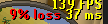
Under world hopper, if I uncheck display ping, it gets rid of it. But, I want to see my ping while I play.. Just not see % loss.
mossy swan
fix your internet not to have packet loss
restive depot
I'd love that, but this indicator was never there before!
mossy swan
yes it’s new
 compact sage
Hey guys.
Does anyone know why Ground Items isn't properly hiding items?
I have a minimum value of 100k set, but it's still showing anything above the 20k highlighted items.
gilded kayak
cuz theres a bug when ur on a boat
compact sage
Im playing DMM
gilded kayak
i'm not aware of it being broken outside of boats
compact sage
I even had it ticked 'Show highlighted items only' and it still shows regular items.
gilded kayak
oh my god this dmm is isnide a giant boat
it all makes sense
xd
mmm i do see that happening
 subtle plaza
do ground items no longer show up on a boat when sailing? like if i drop an item on my boat. i also made sure it wasnt' hidden
it did yesterday
gilded kayak
yes it's 🅱️roken
subtle plaza
okkkk 😄 i am not crazy
dawn grail
i keep getting windows notifications when i lvl up on dmm, how do i remove
dawn grail
boys? 🙂
 winter snow
Turn off 'Screenshot levels' in the Screenshot plugin
Or, if you actually do want to have screenshots saved of levels, you can turn off 'Enable tray notifications' or even 'Send notifications while focused' under the RuneLite options
dawn grail
thanks alot man
 jovial tangle
hi im haveing issue with rune light since april wen i go to certain area with high pixel or playar count its unbarably laggy frum 120 fps to 10-15 fps .-.
i just die 3 times in dedman moad dew to the unpleyable of it so i m finaly trying to fix
BUT when i go to rune light safe moad it will NOT lag .-.
i tryed turning off ALL da plugins in rune light but it still lag
my computar: 9950x3d 5070 ti 96 gb ram .-.
i am on 64 bit rune light i balieve
hapy februery .-.
i just daleted evry single plugin hub plugin and its still laging me .-.

oh wow nvm i just rastarted rune light and fps is FIX O_O i wondar witch plugin hub was dewing me like dat .-. i alrady die for milions dew to lag in past wow
feals sooo good on 120 fps again thx guise for da halp .-.
on side note somhow da plugins reinstaled themself??? O_o

 fossil summit
is this real
 fossil nest
found the ground items issue i was about to ask for get answered haha
any issues with custom cursor not working?
mine just stopped
 north gazelle

 oblique plume
yes
 tiny bridge
I'm having issues with my cursor, I have both on top of each other, one is slightly bigger than the other one
idk if anyone is having this same issue
empty minnow
do you have a laptop with two GPUs?
final axle
someone posted this the other day
#support message
tiny bridge
empty minnow
do you have a laptop with two GPUs?
yeah, it has a dedicated gpu and the integrated one from the processor
empty minnow
tiny bridge
yeah, it has a dedicated gpu and the integrated one from the processor
yeah checkout what midriff sent
tiny bridge
Cool, thanks 🙂
 slim harness
any suggestions for ground items plug in not working?
Ive hit ALT to ensure i didnt turn it off, reinstalled runelite no luck reset the plug in
viscid lantern
its broken on boats currently
 steady arrow
tiny bridge
idk if anyone is having this same issue
steady arrow
tiny bridge
idk if anyone is having this same issue
I've been dealing with this double cursor shit for days on my laptop, and most of the solutions mentioned here either didn't work consistently or it reduced performance. The only thing that has consistently worked has been changing this, anything 125 or above and the double cursor appears. Has the side affect of making the font a bit weird on the runelite sidebar but thats better than two cursors or bad performance. Good luck

the other solutions could work for you btw just relaying my experience and hope it helps
oblique plume
thats so weird
steady arrow
probably the only thing to add would be it occured after a windows update which is probably not suprising these days
stone parcel
Did you try rolling back the windows update? One person claimed that helped them.
steady arrow
yeah I did but I didn't have any luck with that
stone parcel
Oh wow, dang.
steady arrow
was pretty disappointing but will live with my temporary solution for now, was driving me mental over the weekend