#support

1 messages · Page 141 of 1

finite tusk
#

Very strange one here; with menu entry swapper enabled i'm having momentary client freezes when equiping gear. Annoyingly this is causing FPS jitters and a few yellow clicks here and there.

I've tried disabling every plugin I had on except MES and the problem persisted. Turned them all back on except disabled MES and the problem went away. Weirdly, the issue is compounded when using the 'deposit worn items' button in the bank so the client freezes for a good second.

Any easy way to 'reset' the plugin options or figure out what specifically is causing this? I've tried toggling some options like bank shift-click equip and customisable options but no luck there.

Cheers!

solid mesa
#

Someone said closing discord fixed it. You're only the third person to have this issue

finite tusk
#

No dice on that I'm afraid. Missed that conversation sorry, probably searched for something a bit too specific

#

It also still does the same in safe mode, disabled MES fixes it there too

solid mesa
#

The first person showed a video of it in safe mode and they said closing discord fixed it for them. But Adam hasn't been able to replicate it

finite tusk
#

Yeah I just found that, no worries I get that it's probably super niche and has a bunch of prerequisites to replicate. At least I can turn off MES I guess, or is there a simple way to reset any custom swaps etc? Might be some conflicting with one another, though I've reset any for items handled by a config option

quartz wren
#

Anyone know how I can get a current OBJ of the world and/or a world map with no icons and height map?
I've tried using OSRS Environment Exporter (github project) but its outdated and doesn't work with the latest versions of the map. I also tried the Creator's Kit plugin but could only find 3D model exports for individual ground objects, NPCs and items.

rich otter
#

Found a bug, when I right click "lookup" to see someones stats Delve Calculator plugin pops up on the right not he high scores

zealous cedar
#

click "report issue" on the delve calculator page and tell the author about it

bright narwhal
#

Hi. Widget question: I'm trying to access 229.3 Messagebox.TEXT inside Chatbox.CHATMODAL but having problems reading it with the runelite API (the problem is probably me).
(the screenshot shows 229.4 in the control tree which is the Messagebox.CONTINUE control, 229.3 is just above it in the control tree)

  1. What's the correct way to read Messagebox.TEXT inside Chatbox.CHATMODAL?

The end goal is actually to stop the "This player has accept aid turned off." message popping up after "Recruit" player menu item is clicked, just because it's annoying. I don't care if they have accept aid turned off. I would prefer if it wasn't a Chatbox modal and might add a game message instead to replace it.

#

2) Is using the runelite API to click continue for accept aid dialog, to stop that message, allowed?

zealous cedar
#

you cant auto click through dialogs no

bright narwhal
#

End goal changed to: Record a count of how many times I've seen that damn "not accepting aid" message😆

raw ingot
#

Having an issue with game freezing shortly after logging in. Occurs on both official client and runelite. Tried running in safe mode and still getting the issue. Uninstalled and reinstalled as well as GPU drivers and not seeming to have any luck. Anybody ran into anything similar?

bitter birch
#

how can i debug freezes? my client will just freeze for maybe 5-10 seconds then go back to normal. ive looked through the logs but they dont look like they have anything about freezes

feral karma
#

Using the Notes, I made extensive notes on various slayer tasks yesterday, and today they are all gone. I think what did it was that I wrote the notes on my PC, then closed the lid and went on to my mac where I believe I logged into Runelite (same profile) OR it was just that when I booted my PC today apparently it had decided to update and restart itself.

Now, did a bit of googling and it seems the "settings.properties" and "notes.notesData=" does not exist any more, so I am really eager for some up-to-date advice on how to recover my lost notes, if possible 🙂

round jacinth
frigid hill
#

does anyone have any idea what could be causing this / what i should investigate? (bump)

chilly viper
#

Hi - I can't log in at all. I changed my name via the website whilst i was at mount quidamortem and I think something messed up with either party hub plugin or parties in game which is causing issues when trying to log in. I can log in fine via vanilla launcher but when I try runelite i just get stuck on log in screen as 'loading'

solid mesa
#

Have the Tasks Tracker plugin?

round jacinth
#

some one should just disable=not leagues on it tbh

solid mesa
#

then we get the same freezing and lockups during leagues 6 like we got during leagues 5

stiff thunder
#

Can anyone help me out with HD117? Had it working last night - updated my graphics driver this morning and now the HD117 won’t turn on. It says it conflicts with GPU. Even when GPU is turned off.

haughty pumiceBOT
junior ocean
#

Is there anyway to make the text on the sidebar not look so wonky when the scaling has been changed for the UI? I scaled my UI up to 1.25 because the text was too small to read but now all the text just looks off, especially numbers.

whole hearth
#

How can i show only f2p worlds / have all f2p worlds at top of world switcher list? cant find any info on this anywhere

full moss
#

where? runescape has a default filter for the ingame, or are you talking the runelite world hopper?

whole hearth
#

runelite world hopper

#

well the "world switcher" tab on the right of my screen (forgive me im new)

hollow olive
#

you could go into the plugin settings and set it to filter only free worlds

full moss
whole hearth
#

thankyou so much

kindred shuttle
#

It is also happening to me, I'm a linux user lol

chilly viper
haughty pumiceBOT
#

Many plugins from the pluginhub break the client in subtle or not-so-subtle ways, including causing issues like client freezes. We do not support pluginhub plugins because we do not make or quality control them, and do not recommend their use.

Run the RuneLite (safe mode) shortcut, or with a Jagex account, first run the RuneLite (configure) shortcut and tick the Safe mode box, then launch RuneLite via the Jagex launcher.

This temporarily disables the GPU plugin and all hub plugins which will allow you to confirm the issue is caused by one of those plugins and isn't a core RuneLite issue.
If the issue is caused by a hub plugin, you should isolate which plugin it is and then uninstall the plugin.

subtle plaza
solid mesa
#

Hold alt and right-click it?

subtle plaza
#

i tried

#

you cant

oblique plume
#

What's the chance its just like always done that

subtle plaza
#

i dont think its been like that before

gilded kayak
#

if that's a tiny window that's probably expected

unique jackal
#

Does anyone know how to make the login screen fill the whole window? There's a large black border on the bottom.

empty minnow
#

Stretched mode plugin

unique jackal
#

I have that but it's not working

#

Stretched Mode makes it bigger but still not fill the whole window

#

Oh I see, if I make Resizable scaling more than 100% it starts to work

empty minnow
#

Yeah you have to manually choose the size that fits your screen

brave rock
#

for some reason my runelite is freezing

#

everytime i clik on a np it freezes and have to resetart again

void wing
#

I can't turn on either the regular gpu or 117hd plugins

#

the region locker gpu plugin works

#

but the other 2 don't

void wing
#

nvidia

blissful fiber
#

I have a problem with the chat; it won't let me type in the public chat because a clan icon appeared next to the player's name. How do I remove it?

void wing
#

3070

gilded kayak
#

are u secretly on linux

blissful fiber
void wing
#

not secretly?

#

why would that be a secret

#

it worked fine before

gilded kayak
#

idk cuz u didn't mention it

#

and you need to mention if ur on linux

#

because the linux answer is almost never the same answer as windows

void wing
#

I was digging for my logs

gilded kayak
#

just flatpak update

void wing
#

do I need to update bolt then? because that's how I lauch runelite

#

or just flatpak update in general

gilded kayak
#

usually people just flatpak update and it handles it

#

idk what's actually been updated

#

if a blind flatpak update doesn't work, someone had a different fix

void wing
#

thank you for the help felanbird

#

looks like the flatpak update command fixed it

#

so I don't need to do the other steps

gilded kayak
#

very good

soft plover
#

couple questions

is it possible to see chronological order of plugin installs somehow?

what is the best way to disable all plugins on runelite, but allow them to be restored easily?

#

SOMETHING is causing me massive input delay when pickpocketing at decent speeds, checked steamclient and it does not have the same issue

solid mesa
#
  1. No
  2. Search for "hub" and turn off all the ones that are on
soft plover
#

thanks!

haughty pumiceBOT
#

To enable safemode

Windows

Run the RuneLite (configure) shortcut from the windows start menu
Tick the Safe mode box, save, launch RuneLite the way you normally do.

Mac

In Terminal, run
/Applications/RuneLite.app/Contents/MacOS/RuneLite --configure
Tick the Safe mode box, save, launch RuneLite the way you normally do.

solid mesa
#

Safe mode is a single toggle to turn off all hub plugins (and gpu) as well for testing

soft plover
#

bless, ty

#

just wanna verify, i shouldnt need to uninstall a plugin fully to test this, just toggling them off should be enough?

#

it did work as intended in safemode, so i presume the issue is a random plugin

#

oh. interesting. in case anyone else runs into this. the Boss Buddy plugin will load all of your pick pocket loot attempts, and the memory it uses will all but crash you

#

i presume this also happens to bosses with large amounts of kc

round jacinth
#

that's a hub plugin anyhow,

haughty pumiceBOT
#

Support for hub plugins should be directed to the author of the plugin.
You can find the support link by searching for the plugin in the Plugin Hub panel and clicking the ? button on the plugin, or by right-clicking the plugin in the plugin panel and clicking the Support menu option.

fluid palm
#

how do I turn on the GPU utilization in-game so I can see it can't find the setting

round jacinth
#

the gpu plugin

fluid palm
round jacinth
#

are you talking about the frames per second indicator?

fluid palm
#

the 96.96%

round jacinth
#

that's not related to gpu utilization at all

#

that's some plugin about tracking ticks

lyric cedar
#

im having micro stutters every time i equip/swap gear. looking through the discord it looks like a few other people have mentioned it recently. has anyone figured out why?

solid mesa
#

One person said closing discord fixed it for them

turbid bay
gilded kayak
#

amazing

turbid bay
#

i mean he was trying to find the plugin name

#

one of us gave it to him

#

one didnt

mossy swan
#

teach a man to fish or something

dusty drum
#

Does RuneLite safemode do more than disable plugins? Just wondering if it fixes my issues, does that guaranteed mean that it was caused by a plugin?

mossy swan
#

but basically 99.999% is gonna be either hub plugin (95%) or gpu (the rest)

dusty drum
#

got it, thanks

white storm
#

Runelite stuck on Loading - please wait. Tried turning off GPU plugin some other plugins. Did a re install as well, still stuck. Any ideas? Is it likely a random plugin doing this or maybe something else?

#

Was working this morning 🤷‍♂️

haughty pumiceBOT
#

@white storm To enable safemode

Windows

Run the RuneLite (configure) shortcut from the windows start menu
Tick the Safe mode box, save, launch RuneLite the way you normally do.

Mac

In Terminal, run
/Applications/RuneLite.app/Contents/MacOS/RuneLite --configure
Tick the Safe mode box, save, launch RuneLite the way you normally do.

gentle forge
#

Just a quick question about Runelite. How do I back everything up? For example if my drive ever failed for whatever reason, how can I get back my runelite profile and settings? Is there something built into it that can help?

white storm
#

Wont launch in safemode 🙁

#

Still stuck on loading please wait

#

Nvm, Windows update was the issue I guess?

dusty drum
#

Is disabling a plugin enough to check if it is the cause of crashes? Or should it be fully uninstalled?

chilly viper
#

safe mode worked though

gentle forge
dusky nacelle
#

if im killing minotaurs that drop iron arrows but im using iron arrows to kill them what plugin/setup of ground items should i use so i would only see +5 iron arrow stacks not the single ones?

#

i removed timers and it looks little less messy

oblique plume
#

you can put iron arrow<5 in hidden items

dusky nacelle
ripe breach
#

My patches show weeds even tho I have stuff growing in them

Frog random is messed up, shows the frog talking to me but hides the princess

When I did recruitment drive it didn’t show the animals that were taken across the bridge, they were still visible on the original spot

empty minnow
ripe breach
empty minnow
empty minnow
ripe breach
#

But it’s the same with every patch currently

empty minnow
#

Hmm, I've seen that with the anglers rest patch but not every patch

ripe breach
#

Every patch just is stuck on weeds for me

empty minnow
#

Interacting with the patch or toggling GPU plugin might fix it

#

At least temporarily

ripe breach
#

Already tried both, nothing changes

empty minnow
#

Have you had your client open for awhile?

ripe breach
#

Restarted it after I had these issues

empty minnow
#

Hmm, I've got no clue then. Maybe someone else has an idea

#

You could try safe mode and see if that helps

haughty pumiceBOT
#

To enable safemode

Windows

Run the RuneLite (configure) shortcut from the windows start menu
Tick the Safe mode box, save, launch RuneLite the way you normally do.

Mac

In Terminal, run
/Applications/RuneLite.app/Contents/MacOS/RuneLite --configure
Tick the Safe mode box, save, launch RuneLite the way you normally do.

solid mesa
#

I know with hardwood patches it’s a jagex bug

ripe breach
gilded kayak
#

Adam is aware of this but not 100% sure why it's happening

limpid talon
#

anyone else have issues swapping between profiles atm?
seems like only half the plugins are actually switching, and the indicator will still say im on the original profile

#

tried restarting client, issue persists

haughty pumiceBOT
#

To find the logs, you can do one of the following:

  • If your client failed to open, click the Open logs folder button.
  • Open the screenshot directory by right-clicking 📷 Camera button, navigate 1 directory up, then open logs folder.
  • Navigate to %userprofile%\.runelite\logs on Windows or $HOME/.runelite/logs on Linux and macOS.

Upload the log files named client and launcher by dragging them to Discord. If there are files prefixed with jvm_crash dated from today, upload them too.

limpid talon
#

not sure if this helps, but i noticed it doesnt open the loading screen when swapping profiles either

oblique plume
#

what loading screen

limpid talon
oblique plume
#

afaik thats only for when it needs to get a new plugin

#

i guess if your profiles have different hub plugins on them then that would be normal

limpid talon
#

that is the case, yeah

oblique plume
#

log says there are multiple hub plugins that arnt handling the switch well and are probably locking it up

limpid talon
#

anything i can do on my end to resolve this? worked fine until now 😦

oblique plume
#

trim your hub plugins

#

or you could setup launch commands to launch rl with a specific profile so you arnt actually switching

oblique plume
#

By default the profile loaded on startup will be the one that was most recently active. To load a specific profile on startup you can pass --profile=<profilename> to the launcher.

limpid talon
#

im scrolling through the client.log right now, any keywords i can look for to see the plugins that are acting up? at a glance it all kinda looks the same to me

oblique plume
#

IllegalStateException

#

really just any exception

limpid talon
#

ah yeah quite a few there. thanks!

solar loom
#

hey there, I have a question for the development chat but I dont seem to have access. It says to use the /ghauth command to get the role, and that asks me for an OAuth token and I am not sure where to get that from

gilded kayak
#

ignore that and just run it anyway

solar loom
#

figured id ask here to try and learn where to go (im probably just missing something easy)

#

oh ok

gilded kayak
astral veldt
#

did you ever find a fix for this?

glacial lodge
#

sadly not

bright current
#

known issue or am I troubleshooting this more? Havent changed anythign just opened up today like this

vapid plaza
#

idk why, but things were working fine for me last update, but this one has everything messed up again. i even had gpu off and turned off everything and still get issues. maybe my pc cant take runelite idk

bright current
summer sluice
#

Anyone know what causes the "Line Markers" plugin to erase lines made? I feel like after every update (unconfirmed if its every update that does it) I have to reimport my line markers

haughty pumiceBOT
#

Get support for the Line Markers Plugin Hub plugin here: https://runelite.net/plugin-hub/show/line-markers.
You can also find the support link by searching for the plugin in the Plugin Hub panel and clicking the ? button on the plugin, or by right-clicking the plugin in the plugin panel and clicking the Support menu option.

zealous cedar
#

what does your code look like?

bright narwhal
#
        Widget messageBox = client.getWidget(WidgetInfo.CHATBOX_MESSAGEBOX);
        if (messageBox == null)
        {
            return;
        }

        String text = messageBox.getText();
        if (text == null || text.isEmpty())
        {
            return;
        }
zealous cedar
#

you shouold be using InterfaceID.Messagebox.TEXT

stuck totem
#

Hey, I'm having an issue with the idle notifier plugin where the notification timeout for prayer notifications keeps getting reset to 10000ms no matter what i do. Anyone know how to fix this?

#

I've tried to reset it, and i've restarted my client just in case

raw grove
#

Unsure where to post this, but found a bug with Entity Hider.
With it checked as 'Hide others' random events', you cannot see your own frog prince, only the origina frog that spawns.

Via search it looks like there was some pull requests for this back in 2023, but yeah >.>

uncut wren
#

is there a way for me to get my updated pbs for awakened dt2 bosses on my runelite? i did it last week on a friends computer and i cant get it to update on my runelite profile

full moss
uncut wren
vast bone
#

There might be something in the poh which lists your pbs

#

Idrc

uncut wren
#

ye i thought so too if i used adventure book but its not updating it

glacial mirage
#

Hello, having some issues with my runelite client. Its just black screen and does not load. Ive tried redownloading it multiple times. It works on my other computer so I dont know whats the issue.

full moss
#

this thread might help with your black screen?

#

@glacial mirage

glacial mirage
#

Thanks I just had to put it on safe mode lol

hollow hollow
#

Can you even login to runelite dev with a jagex account?

full moss
#

yes you need to set up a credentials file - i cant remember off the top of my head but im sure its in the readme somewhere

haughty pumiceBOT
hollow hollow
#

Eh, I open runelite from IDEA but dont get the dev tool in the sidepane?

ripe herald
#

i had to enable developer tools listed in the plugins

hollow hollow
#

I can't find that plugin

empty minnow
#

You have to add --developer-mode

gray wedge
#

For some reason whenever i restart my client, the overlay color setting in the 'runelite' settings gets reset? To be precise, i havent actually changed the color, just the opacity.

empty minnow
#

Resource packs?

gray wedge
#

ill try turning it off and restarting client real quick

empty minnow
#

Can also just see if you have the setting on that allows it to edit the overlay colors

gray wedge
#

looks like thats it. thank you!

stoic cairn
#

Probably a longshot, but I switch computers frequently, one utilizes GPU and the other does not. Is there a way to force override sync profile settings? or is my only option to disable/reenable GPU and stretched mode settings every time if I want to utilize profile syncing?

oblique plume
#

you could use the plugin profiles hub plugin and set it up to toggle between two states

#

i dont know how to use it myself, but i know people do use it for that exact purpose

stoic cairn
stoic cairn
oblique plume
#

no no its a plugin on the profile

#

that toggles multiple settings to a state you setup in it

stoic cairn
#

This one?

oblique plume
#

it seems quite complicated to setup correctly but people do use it

#

no

stoic cairn
#

Ah, I was searching "profile". Thanks!

oblique plume
#

yea i mispoke earlier, didnt remember the full name

stoic cairn
#

This plugin is awesome, thanks a lot!

oblique plume
#

yw

royal thicket
#

Interface Styles -> Condense player options I guess

rigid shale
#

using !kc GOTR shows my account only has 14 kills yet it has over 1500. ive tried looking in collection log to resync it but it doenst change

timid dawn
solid mesa
#

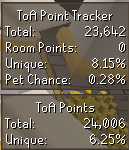
Because ToA points aren't sent by Jagex (like CoX) so plugins have to approximate it based on your damage, deaths, etc. and plugins can be doing different estimations

leaden trail
#

The one from "Tombs of Amascut" is more likely to be correct (or less wrong) though, probably

timid dawn
#

allrgiht, ty

old breach
#

i keep getting this on only one specific account where my client just totally freezes

#

and i have to x log

oblique plume
#

Does the sidebar work?

old breach
#

wym sidebar?

#

the plugins yes

oblique plume
#

Get the debug helper hub plugin

#

When it freezes again go to the debug panel and click dump threads

#

Then post that here

old breach
#

ok

#

can that be done after i x my client?

#

since i mostly pk and if i dont x log instantly its higher chance of dying xd

oblique plume
#

no

#

it has to be clicked while the game is frozen

old breach
#

roger that

grave tusk
#

getting weird stutters everytime i attack a npc every attack it stutters tried creating a new profile with no plugins and that fixed it so im pretty sure its a certain plugin causing it
if any1 knows please let me know

runic grail
#

How do I add --scale=2 to to target because only a shortcut of RuneLite.exe has "target" and I'm on Jagex Launcher so it doesn't have "Login "Name" but instead offers to enter credentials

full moss
#

RuneLite (Configure) if youre on windows

runic grail
#

onto "Client arguments"?

full moss
#

yeah

runic grail
#

ok cool thx

full moss
#

i think 😅

stone parcel
#

There is a scale option in configure.

runic grail
#

what should i type into it

stone parcel
#

2

runic grail
#

aight thx

sand charm
#

can anyone help me why this has changed for me its gone into 2 separate boxes now, btw its when i right click on a player?

zealous cedar
#

its part of interface styles

sand charm
#

youre a legend ! thankyou so much @zealous cedar

unkempt forum
gilded kayak
#

that's pretty normal these days sadly

oblique plume
#

the plugin hub is perfect and has no flaws

grave tusk
zealous cedar
#

It has 33 installs globally so probably almost none else has that issue

#

Looks like it does a whole bunch of file syncing to disk everytime you get an xp drop

#

so I would expect that to lag basically anytime you get an xp drop really

grave tusk
#

yeh exactly

oblique plume
#

the plugin hub is perfect and has no flaws

dusky nacelle
#

Is there some bot report plugin

solid mesa
#

Not that actually does anything

plucky ibex
#

I have a question and I'm not sure this is the place to ask it, but... I play on a 3440x1440 monitor with stretched mode and the custom cursor plugins. I can't find a way to scale the cursor size up while using the custom cursor plugin and my cursor is way too small. Does anyone know how to fix this issue?

zealous cedar
#

I dont think you can scale the cursor unless you enable the windows scaling

plucky ibex
#

well that's the thing, I'm not sure that windows cursor scaling affects the cursor while the custom cursor plugin is enabled

#

So I didn't know if there was another way to scale it

runic grail
#

Hmm... I scaled RL from RuneLite (configure) (1.25x), but text seems bad, almost unreadable—is this normal? Can it be fixed somehow?

oblique plume
#

yep

runic grail
#

yep as in

empty minnow
#

It's normal unfortunately

runic grail
#

gf

hearty thicket
#

what plugin allows you to right click copy a chat message in game?

fresh jolt
#

Anyone know how to have loot tracker reset on only one profile, on one osrs account, when i reset on one profile it resets on all profiles

round jacinth
#

the loot tracker is assigned to the account already

#

it's a bit confusing maybe but the profile settings like for main/iron/group/pure are the settings like bank tags, tile markers etc

the farming timers, loot trackers and stuff are tied to your account and not those settings

#

just login with your other account, it should have its own loot tracker there to load

fresh jolt
#

well, bascially, i want to reset the data for a clan event but dont want participants to have to remove all of their tracked loot, is there a way to do this? track loot for an event and then have their old tracked loot available after the event (all on one osrs account)

round jacinth
#

No I don’t think so

#

They can take a picture of their log before and compare it to the other

fresh jolt
#

right okay

#

the issue with that is previous loot fluxuating in price

#

affecting result of event

round jacinth
#

The quantity of items wouldn’t

#

Idk what your event is but if I have a log that says I have a bandos chest plate and then get another during the event I just look at the items not the value

fresh jolt
#

basically gp earnt over a period, so would include regular drops too

#

not just uniques

round jacinth
#

Oic. There might different loot tracker hub plugins that may help

fresh jolt
#

so would be tricky for everyone to track all items obtained, even small

#

yeah i hope so

round jacinth
#

You do not want to tell people to reset their loot tracker on runelite

#

They will be mad

#

When they see that they’re cooked on recovering it. It won’t happen

fresh jolt
#

hahah exact problem im facing

#

i dont know what resource to use

round jacinth
#

If you have anybody on your crew that’s any good at programming they could make a tool that does the math to diff the value from an old json of loot tracked and new one and that would be your value

thick panther
round jacinth
#

The runelite site can export loot trackers

#

Or hub plugins

fresh jolt
fresh jolt
round jacinth
fresh jolt
#

oh ok

#

thanks for ur help btw

#

might just have to change event to uniques only

hazy knot
#

what setting would i use to prevent these bars from moving when i resize my game? Is it possible to have all the elements on screen stay in their postion and just scale with window size?

#

normally they are like this, when in full window

gilded kayak
#

they can only do that if they are in their default spot (alt+right-click)

hazy knot
sacred pollen
#

Getting stuck here

round jacinth
#

does it work in safe mode?

#

!safe

haughty pumiceBOT
#

safemode: To enable safemode

Windows

Run the RuneLite (configure) shortcut from the windows start menu
Tick the Safe mode box, save, launch RuneLite the way you normally do.

Mac

In Terminal, run
/Applications/RuneLite.app/Contents/MacOS/RuneLite --configure
Tick the Safe mode box, save, launch RuneLite the way you normally do.

sacred pollen
#

doesn't work in safe mode

#

getting the same error state

round jacinth
#

what's the error state?

sacred pollen
#

I mean the state in the picture

round jacinth
#

are you positive it's safe mode?

sacred pollen
#

yes

#

it says safe mode in the title

gilded kayak
#

if you leave safe mode does the pluginhub load for you

sacred pollen
#

just staying on Loading...

gilded kayak
#

ya ok this is just internet afaik

sacred pollen
#

no

gilded kayak
#

the first one is the game and this is our service

#

"no"

#

two different things aren't loading, not internet

#

lol

sacred pollen
#

I'm literally typing to you now

#

same pc

gilded kayak
#

dats heat

#

good thing the internet isn't a light switch or that would matter

sacred pollen
#

I can log in on the official client, my friend also says it does log me in to the game

gilded kayak
#

we use the login system that was used in your browser in the 2000s

#

the login system for the official client was actually made this century

round jacinth
#

jagex seems to think otherwise when you use runelite, and runelite is almost never the issue. you using discord to chat with us is not the same as asking jagex if you can login

round jacinth
# sacred pollen

this not loading is you not being able to connect to specific stuff too, not jagex so clearly something is wrong

sacred pollen
#

is runelite java based?

round jacinth
#

yes

sacred pollen
#

okay, I wonder if its maybe related to an env setup?

#

I just installed the new jdk version 25

round jacinth
#

that doesn't matter no

sacred pollen
#

with intellij

round jacinth
#

are you launching from intellij or a shortcut?

sacred pollen
#

just the shortcut

round jacinth
#

then no it doesn't matter

#

runelite's installer ships its own jdk 11 to use

compact sun
#

every raid room i go into it puts my ingame brightness to the min, any suggestions would help me a ton

#

idk what plugin is doing it so idk how to help you lol sorry

round jacinth
compact sun
#

i use gpu not 117

round jacinth
#

your in game brightness is changed? hmmm

sacred pollen
#

in this state, if I resize, its acting like runelite isn't responding

round jacinth
#

!logs

haughty pumiceBOT
#

To find the logs, you can do one of the following:

  • If your client failed to open, click the Open logs folder button.
  • Open the screenshot directory by right-clicking 📷 Camera button, navigate 1 directory up, then open logs folder.
  • Navigate to %userprofile%\.runelite\logs on Windows or $HOME/.runelite/logs on Linux and macOS.

Upload the log files named client and launcher by dragging them to Discord. If there are files prefixed with jvm_crash dated from today, upload them too.

round jacinth
#

you can try to reinstall runelite

#

but i doubt anything will change

gilded kayak
#

i feel like if this is an issue the answer will be stupid

#

but without access to the hub we wont get the answer, since that's where the debugging plugin is

sacred pollen
#

I tried a windows uninstall then reinstall, going to hard delete everything

round jacinth
#

i dont think there is anything you can do

sacred pollen
#

I didn't see an error in the logs

round jacinth
#

just go to bed and maybe your isp has fixed it by tomorrow

#

you'll regret nuking everything just for it to actually do nothing.

frank raft
#

I've got a weird bug to share, if anyone can help or direct me where to send this off to.

Most days for the past 4 weeks, I've consistently been d/c'd between 10:30 - 2:05AM with the error "failed to login".

Runelite logs at default logging level only show that I received a HTTP 400 response from the auth server. Not entirely sure if runelite's sending a malformed request, or if the auth server I'm connected to is blipping. Leaning towards the former. Happens regardless of if there's any client activity on my end. Doesn't occur in conjunction with any other errors in the logs.

I play on the same computer between 10am - 2am most days. Not contiguously, but enough to say this bug never triggers during the morning/day/afternoon -- only at night.

My network is stable, cloudflare connection test shows 0% packet loss, 2ms jitter, 8-10ms ping.
Haven't tested on Fedora, but happens consistently on Windows.

#

Repeat log messages in the same minute are login retries.

round jacinth
#

similar to above, your connection to cloudflare doesn't matter, its the connection to jagex that matters

haughty pumiceBOT
#

@frank raft open command prompt, type this in:

ping -t oldschoolXXX.runescape.com

where the XXX is your world minus 300, for example world350 = 50

round jacinth
#

have this running (or the equal for fedora)

#

and see when you have bad packets or lag or w/e if the terminal also agrees with you

frank raft
#

I'll have to remember to run this tomorrow, since it's already triggered its one time tonight

#

I should've mentioned this only happens once per night

round jacinth
#

my friend's internet when he lived at his old house disconnected at 9:45 pm on the dime every night

#

didn't matter the game, didn't matter the activity

#

the isp just did something and it broke and forced a dc, if you're only watching media you'd never know (because of buffering)

#

but if you're on osrs or a fps game or otherwise you'd know

frank raft
#

I can confidently say nothing is wrong with my internet when the bug triggers

round jacinth
#

i do not think runelite is the source of the bug, so far its batting a 1000.

compact sun
#

im drunk rn ill try again after work tom, but yeah after raid room, somtimes before the raid room it changes the britenes settings, it has to be some fuck ass plug in i have in stalled but i have no idea how to even attempt to track it

round jacinth
#

!flow can help maybe

haughty pumiceBOT
sacred pollen
#

definitely not internet related @round jacinth I was able to log fully in through runelite on another pc

round jacinth
#

there is an ungodly amount of variables that i can't try to explain if it's pc focused

#

if it doesn't work safe mode then it's internet or a broken install

sacred pollen
#

yeah, I'm quite surprised its pc related

round jacinth
#

you never did share logs

sacred pollen
#

I can share them, but there's not an error in there

round jacinth
#

ok

frank raft
#

I appreciate the help Zom, but I think I'm going to have to do some more digging to see why the auth server sent me back a 400 response. The timings line up too well with when the issue happens.

Normally I would run a pcap and analyze traffic.. but I seriously think that might get me banned if I start decrypting traffic.

sacred pollen
frank raft
# sacred pollen

I'm not sure what the latest driver is for your GTX 1060, but it might be worth updating from 560.94 --> 591.74 and retesting

#

Element artifacting like that can happen when screen draws aren't happening as expected

#

Normally when the plugins hub doesn't load, it's an issue with your connection to the CDN (cloudflare), but it's entirely possible your loading the results... it's just that they're not displaying because of screen draw issues.

round jacinth
#

do you have day-night-brightness plugin?

#

you were not transitioning between rooms when your brightness changed, your brightness changed when you hit a loadline

compact sun
haughty pumiceBOT
#

To find the logs, you can do one of the following:

  • If your client failed to open, click the Open logs folder button.
  • Open the screenshot directory by right-clicking 📷 Camera button, navigate 1 directory up, then open logs folder.
  • Navigate to %userprofile%\.runelite\logs on Windows or $HOME/.runelite/logs on Linux and macOS.

Upload the log files named client and launcher by dragging them to Discord. If there are files prefixed with jvm_crash dated from today, upload them too.

round jacinth
#

can you post your logs too

ashen lake
#

Anyone else noticing unplayable draggin while equipping stuff from the bank interface? fresh install of runelite not too long ago, had the same issue prior. Gearing up after closing bank is world of a difference and produces 0 drag.

#

I think lowkey its been a year+ that its been a thing (for me) on different operating systems aswell (win10,win11) so i just forced myself to close bank everytime im gearing for something

sacred pollen
#

My issue may have been the OneDrive sync causing weird issues since it was out of space?

#

I disabled that, updated graphics drivers, and its working now

round jacinth
#

Not sure. You shouldn’t have .runelite in one drive tho

sacred pollen
#

Yeah I'm not 100% sure what exactly fixed it

tawdry badge
#

Anyone know how to stop Runelite from overwritting sound files? I want the DT2 jingle sound for collection log. I'm using "tedious collection log" to replace the .wav file but it keeps being overwritten with the original file when I restart runelite

#

I made sure the new file was also a .wav and same name

solid mesa
#

It would have to be a supported feature of the plugin. You cant just modify plugin files

tawdry badge
solid mesa
#

No clue, never used the plugin before

tawdry badge
#

ok I think I got it to work through the c engineer plugin and replacing the file there, don't think it was overwritten

tepid ferry
#

Is it possible to check the ids of objects/npcs/projectiles etc while in the client is active?

#

im just not confident that what is named actually represents what im looking for

solid mesa
#

Developer tools

tepid ferry
#

Great, thank you.

quiet oxide
#

Where would some report a bug for a plugin? It's small but I think loot tracker counts addditional drops from hueycoatl as an additional kill. for example, I have 25 kc and loot tracker is saying 28 as I've received two drops from the unique table and one from the tertiary table

full moss
#

on plugin-hub you can search the plugin, click into it and top right it says "report an issue"

vast bone
#

That's not a phub plugin

#

Just a standard GitHub issue will do lol

haughty pumiceBOT
vast bone
#

Uh, not that, mb

#

The issues tab on that page

quiet oxide
#

are we talking the issues 1.6k tab up at the top or posting in discussions

vast bone
#

Issues

quiet oxide
#

gotcha

vast bone
#

Issues are for bug reports

tepid ferry
#

I'm struggling to find the ids of specific animations, will i just have to find them an add them manually?

slow acorn
#

Hey sorry but clicking download takes me here

dawn hawk
slow acorn
#

I've tried a few times for some 10~20 minutes

dawn hawk
#

try the direct url then

slow acorn
#

Same issue... I wonder if some connection issue on my end

dawn hawk
#

yea, seems like it, I just tried it, works perfectly fine

#

try with a different web browser

slow acorn
#

Same on Opera and Firefox. I wonder if a region lock as I'm in Japan

full moss
#

im getting a few issues on other websites atm, i wonder if some service has gone down somewhere

#

ah mine was an issue with NordVPN, disabled and things are working fine now

supple marlin
#

Im stuck on loading please wait any fixes?

oblique plume
quiet oxide
#

Oh I suppose that makes sense, thanks! I submitted the bug report anyway cause I didn't know.

round jacinth
#

That’s how any animation is found, you do it then you write it down

#

They’re sorta named but the jagex name they have is a bit odd. They’ll name stuff like heroic_leap_2

#

Where is it used? You wouldn’t know unless you ran into it at while guthix sleeps on your way to tds

woven nebula
#

Laltely when switching from profiles I get these plugins showed upwhile i dont even have them on that profile installed, feel like

empty minnow
#

Hub plugins can do that if they're not coded well

woven nebula
#

Any1 i can do to fix it?

empty minnow
#

You can restart after changing profiles or report it to the plugin author

vast bone
tepid ferry
#

then i read that they were moved to graphicids but they arent all there

round jacinth
#

Not sure. You’ll have to look at core’s animationid file and see if the information there makes sense with the variables they have

#

What are you trying to find?

tepid ferry
#

Its alright it was faster to just go and make sure i had the right id anyway.
I'm working on a plugin right now but it's still pretty buggy, so I don't want to submit it to the plugin hub yet.
I just want to use it myself to test it out on the main client. Is there a way I can just build a .jar file and load it into RuneLite manually? Or do I have to keep running it through IntelliJ every time I want to use it?

oblique plume
#

cant run unverified plugins with release

tepid ferry
#

Thats fair enough, but its perfectly find to just keep playing within the dev build>

oblique plume
#

ye

shy pollen
#

My quest list is empty, i've tried clearing cache, turning off plugins/etc, when I launch with jagex client quest list shows up fine.

stone parcel
#

You can try safe mode to see if it works there.

#

!safe

haughty pumiceBOT
#

safemode: To enable safemode

Windows

Run the RuneLite (configure) shortcut from the windows start menu
Tick the Safe mode box, save, launch RuneLite the way you normally do.

Mac

In Terminal, run
/Applications/RuneLite.app/Contents/MacOS/RuneLite --configure
Tick the Safe mode box, save, launch RuneLite the way you normally do.

solid mesa
#

Jagex bug if sorting alphabetically. They’re fixing it in the cold fix in like 35 minutes

shy pollen
stone parcel
#

Oh.

shy pollen
#

that would make sense, iirc I have it set to alphabetical

#

yep, switching to classic fixes it

solar plover
#

Hi. I just joined to ask about Runelite performance. Ive been playing with HD plugin and stuck on 60fps. I have unlocked fps and tried to use lower graphical settings, GPU plugin and without but no use. My pc is pretty good so that shouldnt be a problem anyway. Sometimes when I log in, the fps jumps to where I've put the target fps but then rapidly decreases to the 60fps. I was thinking since im playing through Jagex launcher, could that be linked to this? Ive looked for fixes to this but havent found one yet so I figured this would be my best choice.

haughty pumiceBOT
hollow olive
#

think u should double check that your monitor is running higher than 60hz and also maybe could be vsync or similar running on your graphics card software that is doing this capping

woven nebula
solar plover
quasi canopy
#

Has anyone else noticed that Opponent Information has suddenly started showing everything in percents? I have tested on men, guards, goblins, cows, Phantom Muspah, and Vet'ion to have some variety (I know it has issues with newer NPCs) and all have the same result regardless of what Display Style I have selected in the plugin.

quasi canopy
zealous cedar
#

It has to download the npc hitpoints at startup, if that fails for any reason it will do that

quasi canopy
#

Interesting, I wonder if it had something to do with loading two clients too quickly or something

unreal mirage
#

have there been any reports of changes to the GPU plugin since today's update that would cause changes to UI rendering? it looks noticeably worse w/ GPU plugin setting - UI scaling set to xBR.

the first screenshot was taken minutes before the update today, the second screenshot is after restarting the client, and the third screenshot is without the GPU plugin:
before today's update: https://i.imgur.com/Of1RVgW.png
after today's update: https://i.imgur.com/TNrFEjH.png
no GPU plugin: https://i.imgur.com/7bd1TKF.png

i've tried the simple solutions of restarting the client and PC. i do not play with with the Stretched Mode plugin. did i turn on/off a plugin or setting that may be causing this issue?

zealous cedar
#

there are definitely no gpu plugin changes in todays update

unreal mirage
#

aight not sure what the issue is so ill just switch to a different ui scaling

#

actually, i solved the issue. earlier, i had changed scale in RuneLite (Configure) to 1.5 to test if it would give me the same client size because i play on Windows zoom 150%. it does give the same client size but it messes with the resolution. removing the scaling flag solved the issue.

lunar wagon
#

Any idea what could cause this error? It occurred like 2 or 3 times in the last week and causes the game to freeze.

java.lang.AssertionError: null
    at net.runelite.client.plugins.gpu.FacePrioritySorter.uploadSortedModel(FacePrioritySorter.java:185)
    at net.runelite.client.plugins.gpu.GpuPlugin.drawDynamic(GpuPlugin.java:1194)
    at net.runelite.api.hooks.DrawCallbacks.drawDynamic(DrawCallbacks.java:172)
    at jh.dm(jh.java:18163)
    at jh.ka(jh.java:41952)
    at jh.go(jh.java:40143)
    at jh.dw(jh.java:15025)
    at bj.jd(bj.java:3277)
    at es.jk(es.java:3005)
    at by.me(by.java:8688)
    at by.me(by.java:8725)
    at fj.md(fj.java:8559)
    at client.qv(client.java:13633)
    at client.bn(client.java:11699)
    at bm.bo(bm.java:497)
    at bm.xr(bm.java)
    at bm.run(bm.java:10179)
    at java.base/java.lang.Thread.run(Thread.java:829)```
ashen lake
gilded kayak
#

and it stopped going away when they closed discord

ashen lake
#

Tried that didnt work for me

gilded kayak
#

unfortunate

#

cuz that's the only thing we have to go off of

#

other than one of the bank pluginhub plugins

ashen lake
#

So its a known issue? Or is it like a rare occurance

gilded kayak
#

sometimes people come in here and say their bank is lagging, but they have a bunch of bank hub plugins

#

and didn't try getting rid of them

#

do you have a bunch of bank hub plugins

ashen lake
#

Only got tag lay outs

gilded kayak
#

then i guess its not that

ashen lake
#

tried disabling all 3 bank plugins

#

Still same

#

Ive yet to try on vanilla client tbh maybe its just rs itself

nimble bluff
#

Hi all, recently my birdhouse counter in Loot Tracker reset. I believe it happened when I logged into a new computer and used RuneLite there. Is there any way of restoring/combining my old counter and current?

gilded kayak
#

combine no, restore old maybe

nimble bluff
#

hm ok ill try this

#

oh you know what, I think I did some birdhouses on my default profile, then i switched back to sync. is there a way to combine the two

gilded kayak
#

no thats why i said combine no

nimble bluff
#

oh 🙁

#

ill try to restore old then?

#

how would i restore old

halcyon cloud
#

my alt (has his own profile) doesnt get his RuneLite settings saved when i restart client. any fix?

nimble bluff
gilded kayak
#

did only the bird houses reset

#

is everything else there

#

cuz that's probably just because u haven't done any bird house runs since yama came out

#

when we had to start a new instance of them

nimble bluff
#

yea from what i can tell i think only bird houses reset. but i've done 400 since i noticed it reset to 0, this happened only in the past 2-3 weeks

#

and i noticed it happened suspiciously around the time I tried logging into a new computer, where I downloaded runelite and jagex launcher

gilded kayak
#

what's the chance u hadn't done any bird houses since yama came out like i suggested

#

before the 400

#

cuz the only bug that exists is the entire loot tracker starts a new instance, not 1 boss/npc/whatever

#

except for the yama update when a few things had to start a new list

#

brimstone chest, imps, birdhouses etc

nimble bluff
#

yama came out months ago tho right

gilded kayak
#

yes but that's the point of the question

#

before the 400 you did, did you take a huge break from doing birdhouses

nimble bluff
#

I see. No I didn't, I've done them daily

bronze lagoon
#

does anyone know what these boxes are around my character? it's not the npc aggression area, i've turned that off

leaden trail
#

Multicombat lines maybe

bronze lagoon
#

thats exactly what it was, tyvm

twin scroll
#

I thought that the Hull option for NPC Indicators was supposed to outline their clickable area, but I notice with Yama it is incorrect. Did I have it wrong?

nimble bluff
#

I have two runelite profiles, one's "default" the other's "sync." cloud sync is on only for "sync." if I turn it on for "default" and log out and relog to runelite, will my loot tracker sync up

oblique plume
#

Hull is not exactly the clickbox

#

The loot tracker is always synced regardless of if a config profile is

vast bone
#

it's like if you put a rubber band around the clickbox

#

I believe there is a clickbox option isn't there?

vast bone
twin scroll
solar plover
stone parcel
#

Do you have "Equipment Enforcer"?

ember leaf
#

Let me try

#

I believed i didnt have that before

kind saddle
#

What's the name of that plugin that creates such chaos in bloat?

compact sun
#

still having issues with my runelite changeling my brightness setting to min

#

if there was a way to log this, and what was causing it would be great, teach me master runelite wizards

round jacinth
#

Does it happen in safe mode?

#

!safe

haughty pumiceBOT
#

safemode: To enable safemode

Windows

Run the RuneLite (configure) shortcut from the windows start menu
Tick the Safe mode box, save, launch RuneLite the way you normally do.

Mac

In Terminal, run
/Applications/RuneLite.app/Contents/MacOS/RuneLite --configure
Tick the Safe mode box, save, launch RuneLite the way you normally do.

compact sun
#

can you do that with jagex accounts?

#

im pretty sure its one of the many plugins i have installed, just trying to narrow down what it is...

bitter bone
#

Click the option that says safe mode

compact sun
#

ahh one sec

bitter bone
#

Then launch the normal thing

compact sun
#

so it normally changes on raid rooms, but its been doing it randomly now when it loads new sections of the map

#

oof it forced logged me out trying to get to scurrius

#

in the safe mode

#

seems fine so far

patent quiver
#

Hey folks, very odd bug but wondering if this is known or anyone else can corroborate with this.

While I have the sidebar open, I notice while panning the camera with middle mouse wheel down that my game will freeze very briefly (maybe 0.5 sec?) and then resume. It occurs maybe 3-6 times every minute and is very frustrating. The only solution seems to be to close the sidebar and then the freezes stop, but there are some activities where it's great to have the sidebar open. Running on 2.7.3

haughty pumiceBOT
patent quiver
#

To add to it, I feel like it's most noticeable during herb farm runs, so I wonder if maybe there are some checks going on like compost, patch occupied, etc. that might be routinely causing some sort of lock contention or lag?

gilded kayak
#

probably this

compact sun
#

safe mode just confirms that its a plug in that fucking my shti up, i need a method to track wich one it is

haughty pumiceBOT
patent quiver
# gilded kayak probably this

Interesting, just started from top down and exiting MSI afterburner + rivatuner (as background processes) actually solved my problem on reloading runelite

#

tyvm o7

#

actually wait it still happens, it's specifically with the farming timer sidebar open, Time Tracking

bitter bone
#

Are you sure it's a runelite problem? I had a similar problem recently but it was due to Windows 11 being crap. It was solved by reboot each time I ran into it

#

The reason I ask is because I thought it was RuneLite until I saw it happen after I closed the client

patent quiver
#

I disabled HW acc, and rebooted runelite, seems to be fine now even with the Time Tracking tab open

onyx valley
#

Experimenting with plugin development - within IntelliJ, is there a way to filter the debug log? Eg, to only show output from my plugin?

solid mesa
onyx valley
#

I am flipping through various docs, but does anyone have an offhand example of how to play a given sound ID?

onyx valley
#

Thanks, flipping through the watchdog plugin and it uses clientThread.invokeLater stuff, looks like this approach is much simpler

safe atlas
#

some1 knows why i keep having crashes?

full moss
#

whats it say in the logs when you open logs folder?

muted vortex
#

wierd gpu crash thats never happened b3fore (many years), i will get the logs next time (too late now unless you want to give instructions to find them in the file system)

haughty pumiceBOT
#

To find the logs, you can do one of the following:

  • If your client failed to open, click the Open logs folder button.
  • Open the screenshot directory by right-clicking 📷 Camera button, navigate 1 directory up, then open logs folder.
  • Navigate to %userprofile%\.runelite\logs on Windows or $HOME/.runelite/logs on Linux and macOS.

Upload the log files named client and launcher by dragging them to Discord. If there are files prefixed with jvm_crash dated from today, upload them too.

muted vortex
#

2026-01-22 10:34:10 GMT [Client] ERROR injected-client - Client error
java.lang.RuntimeException: unable to map GL buffer 528 size 4194304
at net.runelite.client.plugins.gpu.VBO.map(VBO.java:76)
at net.runelite.client.plugins.gpu.VAOList.get(VAO.java:157)
at net.runelite.client.plugins.gpu.GpuPlugin.drawDynamic(GpuPlugin.java:1190)
at net.runelite.api.hooks.DrawCallbacks.drawDynamic(DrawCallbacks.java:172)
at jh.dm(jh.java:18163)
at jh.ka(jh.java:41952)
at jh.go(jh.java:40143)
at jh.dw(jh.java:15025)
at bj.jd(bj.java:3277)
at es.jk(es.java:3005)
at by.me(by.java:8688)
at by.me(by.java:8725)
at fj.md(fj.java:8559)
at client.qv(client.java:13633)
at client.bn(client.java:11699)
at bm.bo(bm.java:497)
at bm.xr(bm.java)
at bm.run(bm.java:10179)
at java.base/java.lang.Thread.run(Unknown Source)

#

sry ill upload the full file

safe atlas
#

026-01-22 11:45:00 CET [Client] ERROR injected-client - Client error
java.lang.RuntimeException: unable to map GL buffer 419 size 4194304

#

having those aswell

muted vortex
#

seems like a gpu buffer issue this crash, but i also noticeover 2000 uncaught exceptions from BetterNpcHighlight

bronze atlas
#

Have a new GPU/117HD crash since this morning, Ubuntu 24.04 AMD:

java.lang.RuntimeException: unable to find a fb config
    at net.runelite.rlawt.AWTContext.createGLContext(Native Method)
    at net.runelite.client.plugins.gpu.GpuPlugin.lambda$startUp$1(GpuPlugin.java:302)
    at net.runelite.client.callback.ClientThread.invokeList(ClientThread.java:119)
    at net.runelite.client.callback.ClientThread.invoke(ClientThread.java:101)
    at net.runelite.client.callback.Hooks.tick(Hooks.java:241)
    at client.bd(client.java:52161)
    at client.bf(client.java)
    at bm.bs(bm.java:463)
    at bm.gc(bm.java)
    at bm.run(bm.java:16938)
    at java.base/java.lang.Thread.run(Thread.java:1583)```
#

Is this a known issue? Seems a few people are experiencing the same, not sure if runelite changed or something AMD/Java/Linux side going wrong

leaden trail
#

That's not 117 that's core GPU

bronze atlas
#

I know, but the exact same issue occurs on both

tepid drift
#

any way anyone can help me optimize runelite for my pc using adrenalin? i used to be able to do it with nvidia but i switched to amd
thanks 🙏

bronze atlas
#

I saw the RL version got bumped from 1.12.12.1 to 1.12.13 yesterday, not sure if that commit went in with that

#

Meh, maybe not, the same issue happens on HDOS too

round jacinth
oblique plume
#

Thats what makes it better

#

Better at spamming the logs

zealous cedar
muted vortex
#

nah i havent tried since

#

ill post again if it consistently happens

keen igloo
#

is there a way to get notifications for only noted forms of a drop? Im currently at sulphur naguas and want to be notified only for their noted coal drop, but not the single coal they drop in non noted form

solid mesa
#

Add coal>1 to the highlighted drops

keen igloo
chrome ravine
#

Who do I need to talk to about login issues with Runelite

solid mesa
#

Logging into the game? Or logging into runelite with a google account?

chrome ravine
#

logging into the game through the runelite client

#

i can log in on the official client

solid mesa
#

Make sure you're using the jagex launcher if you have a jagex account

chrome ravine
#

in the jagex launcher it just says intall runelite

#

but i've already installed it

gilded kayak
#

are you on a mac

chrome ravine
#

yessir

gilded kayak
#

runelite absolutely has to be in the applications folder

#

jagex will not look for it anywhere else, on mac

chrome ravine
#

ok ill double check that

#

i think that was the problem

#

it let me launch runelite from the jagex launcher

#

thank you guys

old breach
#

Happens after i get a kill in wildy or recent out of combat

#

only on one of my accs aswell

oblique plume
#

try disabling rsnhider

zealous cedar
#

its probably rsn hider yeah, that plugin doesnt really work

old breach
#

that mgiht make sense

#

i use it on other accs and it doesnt dc

#

but this acc the rsn hider is same rsn as the login

zealous cedar
#

when you install it it says This plugin can freeze your client and make it unusable. We recommend not using it.

#

so yeah

old breach
#

aight thanks, appreciate the help @oblique plume @zealous cedar

delicate dirge
oblique plume
#

is this from when its frozen?

delicate dirge
#

Each drop makes the game hitch a little bit from Duke

#

The bigger the drop the harder it will hitch

haughty pumiceBOT
#

Many plugins from the pluginhub break the client in subtle or not-so-subtle ways, including causing issues like client freezes. We do not support pluginhub plugins because we do not make or quality control them, and do not recommend their use.

Run the RuneLite (safe mode) shortcut, or with a Jagex account, first run the RuneLite (configure) shortcut and tick the Safe mode box, then launch RuneLite via the Jagex launcher.

This temporarily disables the GPU plugin and all hub plugins which will allow you to confirm the issue is caused by one of those plugins and isn't a core RuneLite issue.
If the issue is caused by a hub plugin, you should isolate which plugin it is and then uninstall the plugin.

delicate dirge
#

I tried that exact thing and the same thing happened

oblique plume
#

do you have the sidebar open when it behaves like this

delicate dirge
#

I’ve tried with both side bar open and closed and same thing happens

oblique plume
#

not sure then

#

can you get a vid

#

in safemode

delicate dirge
#

okay i just tried a full trip on safe mode and didnt feel the hitch when i got drops

#

should i go through and just start uninstalling unused plugins from plugin hub till its fixed?

haughty pumiceBOT
hollow olive
#

read through yellow (or green i guess)

tall thunder
#

where can i see screenshots on RL?

solid mesa
#

Right click the screenshot button and open folder

safe atlas
#

2026-01-22 22:00:13 CET [Client] ERROR injected-client - Client error
java.lang.RuntimeException: unable to map GL buffer 386 size 4194304
at net.runelite.client.plugins.gpu.VBO.map(VBO.java:76)
at net.runelite.client.plugins.gpu.VAOList.get(VAO.java:157)
at net.runelite.client.plugins.gpu.GpuPlugin.drawTemp(GpuPlugin.java:1240)
at jh.bm(jh.java:59690)
at jh.go(jh.java:58877)
at jh.dw(jh.java:15025)
at bj.jd(bj.java:3277)
at es.jk(es.java:3005)
at by.me(by.java:8688)
at by.me(by.java:8725)
at fj.md(fj.java:8559)
at client.qv(client.java:13633)
at client.bn(client.java:11699)
at bm.bo(bm.java:497)
at bm.xr(bm.java)
at bm.run(bm.java:10179)
at java.base/java.lang.Thread.run(Unknown Source)

#

keeps crashing, anyone knows a solution>?

zealous cedar
#

can you look at what gpu driver version you have and when it was last updated?

tall thunder
#

ill keep looking, thanks

fervent basalt
#

my runelite has been crashing a lot today.. I did change my bios from legacy to UEFI

steady epoch
#

is there a setting to center the potion icon in the infobox

zealous cedar
#

I think thats just how it is, eg its off center in the inventory too

steady epoch
#

ah ok was just a nitpick anyway, thanks for answering

full moss
delicate sedge
#

Is there a way to detect which tab I’m currently on when checking for example scoreboards of ToB? How can I tell if I’m in Entry/Normal/Hard mode? I looked at the widget inspector but couldn’t find anything that indicates which tab is active

steady epoch
#

i thought maybe i messed up my setting somewhere

full moss
meager sundial
#

having a really weird and niche issue where whenever i restart my client this setting turns off no matter what i do. Does anyone know why that could be happening?

empty minnow
#

Do other settings save correctly?

zenith fossil
#

idk what changed but i am no longer showing hitsplats on any enemies? if i do its very rare and inconsistent? any advice on where to look ive tried enemy plugins but cant find anything

gilded kayak
#

probably entity hider

zenith fossil
#

hmmm that was indeed the culprit, turned off npc 2d because of salvaging

#

tyvm <3

meager sundial
remote spear
#

I lost my loot tracker and I was wondering if there was any way of getting it back

haughty pumiceBOT
round jacinth
#

if you actually followed ll then i think it means its gone

analog ivy
#

my xp globes are showing liek 2 or 3k per hour, when im doing way more, i already tried turning them off fo ra while then turning them on but they still shwo way lower than what im doing

solid mesa
#

Do you have save between sessions on? You probably just need to reset your xp/hr

obtuse marsh
solid mesa
#

How do you normally launch runelite?

obtuse marsh
#

Can anyone advise what the right format is? I tried this in target but it didn't fix the issue

"C:\Program Files (x86)\Jagex Launcher\JagexLauncher.exe" --hw-accel=OFF

obtuse marsh
solid mesa
#

Well you wouldn't pass the arg to the jagex launcher

#

Search for "Runelite (configure)" and change hardware acceleration to off

obtuse marsh
#

I did that as well

solid mesa
#

Then you dont need to do method 2

#

Its one or the other. Not 2 steps

obtuse marsh
#

all the way at the bottom

#

Could there be an issue with using both Method 1 and 2? I'd like to follow 2 but was unsure of the syntax

solid mesa
#

I don't know why it says to use method 2. If you've done it using runelite configure it should be fine

obtuse marsh
#

I am continuing to experience crashes despite disabling hardware acceleration 🙁

haughty pumiceBOT
#

To find the logs, you can do one of the following:

  • If your client failed to open, click the Open logs folder button.
  • Open the screenshot directory by right-clicking 📷 Camera button, navigate 1 directory up, then open logs folder.
  • Navigate to %userprofile%\.runelite\logs on Windows or $HOME/.runelite/logs on Linux and macOS.

Upload the log files named client and launcher by dragging them to Discord. If there are files prefixed with jvm_crash dated from today, upload them too.

solid mesa
#

If you're on amd you should probably try driver 25.10.2

obtuse marsh
solid mesa
#

25.10.2 is known to be pretty good. Newer drivers have some issues

obtuse marsh
#

I'll give it a try, thanks!

tribal gate
#

Hi, my right click examine to see GE prices in the chat randomly stopped working the other day, cant find a setting for it, is there a chance i fat fingered a command to turn it off

mossy swan
tribal gate
#

ill try, its been like this for a few days now

#

na still isnt working

bronze lagoon
#

Is there a way to get it so the world during winter is not like blindingly white?

full moss
gilded kayak
#

if there was something it would be in 117 settings, but you know

#

it really is that blindingly white when it snows

full moss
#

there is a "World Recolor" plugin, not sure how well it works

bronze lagoon
#

Yeah the options arent even maxed out for me just some stuff is very difficult at times to see. I love the winter aspect but its rough

bronze lagoon
#

Yeah just turning on world recolor actually gives the road and inside houses a darker color, really makes it pop

full moss
#

that actually doesnt look bad at all

bronze lagoon
#

yeah it is 100% easier on the eyes as opposed to white on light brown

still fable
#

Hey, I'm having an issue where I download a pluggin on runelite on the pluggin hub and it doesn't appear in the configuration menu and the pluggin isn't working all together. I'm restarted my game, app and computer and yet nothing is working.

full moss
#

do you have any plugins (wondering if youre in safe mode?)

brave cape
#

I accidently clicked this scrolling discord at night, tl;dr guy crashing is most likely unstable or degraded 14th gen intel cpu

full moss
#

"damn im gonna have to read this now its open"

wheat pier
#

Hi, is this a bug with the GPU plugin? i've returned to play osrs in the past 2 weeks and ive noticed a few graphical issues and dont know whats causing it

the gpu plugin on my alt is the same/configured the same (not the legacy one) as the main, yet the main is acting differently (scouting in this example)

#

theres also issues with vasa crystals tweaking out and random lines etc

#

this vasa line does remind me of a loading line when that plugin was a thing

empty minnow
#

Do you have the barracuda trials plugin installed?

#

That removes transitions everywhere instead of just in trials

wheat pier
#

ty

#

alts profile doesnt have the plugin

#

the reloading is fixed ❤️

verbal pond
#

Dear community, i'm facing some problems with runelite on my new laptop. I get weird disconnections and it is not my wi-fi. When i play with jagex client is is smooth. When i play with Runelite (sychronized profile) it has some input lag. I do have video's if needed. What can i do?

oblique plume
#

Does it behave that way in safemode

haughty pumiceBOT
#

To enable safemode

Windows

Run the RuneLite (configure) shortcut from the windows start menu
Tick the Safe mode box, save, launch RuneLite the way you normally do.

Mac

In Terminal, run
/Applications/RuneLite.app/Contents/MacOS/RuneLite --configure
Tick the Safe mode box, save, launch RuneLite the way you normally do.

verbal pond
#

i will try that a.s.a.p. thank you for the quick response!

surreal parrot
#

is there a way to use the credentials file without going to the runelite folder everytime & renaming them?

round jacinth
#

no

#

ideally you do not need to run more than > 1 account in dev mode

surreal parrot
#

i just have a couple accounts on diff jagex launcher so instead of relogging i use those

#

wanted to know if i could make like a shortcut that would 1click start accs

round jacinth
#

no

surreal parrot
#

😔

round jacinth
#

jagex launcher already does the one click login

winter snow
#

idk why you'd need to keep switching anyway

surreal parrot
#

2 jagex accs

round jacinth
#

:<

#

I think you can request jagex to combine them but if youre > 20 characters then yeah two jagex accs

#

bolt launcher might have a solution for multuple jagex accs if there is one

verbal pond
solid mesa
#

Turn off safe mode then disable half your hub plugins until you find the one causing the issue

fallow mirage
atomic crown
#

Ah the dreaded I have 300 plugins installed and I don't know which one is causing my issue

fallow mirage
#

who else got a red square

#

and how to remove it

round jacinth
#

you have a hub plugin maybe adding it

#

you have to troubleshoot which one it is

fervent basalt
#

i get this pop up almost every half an hour it seems

zealous cedar
#

does client.log say unable to map GL buffer in it somewhere?

fervent basalt
#

yeah it does

zealous cedar
#

we think that this is an amd driver bug that is new, but we have only seen 3 people with it sofar

#

and none of them have really provided much info

fervent basalt
#

I do indeed have AMD, got a popup from the amd software yesterday saying to change my bios from Legacy to UEFi and since then it started crashing

zealous cedar
#

can you provide what driver version you have and also when that driver was last updated?

fervent basalt
zealous cedar
#

can you find when it was installed?

fervent basalt
#

it seems on the 8th of January as well

zealous cedar
#

can you try rolling back to an older driver version and see if any of those work and if so which one?

fervent basalt
#

i dont have the option to click rollback

cursive cobalt
#

tbf, I'm on same distro, and haven't experienced any crashes at all

#

10~+ hour days since the 8th specifically

round jacinth
#

i think that is partly of why adam is asking the "what driver did you have before" as that may have details as to why it's so rare

fervent basalt
#

i didnt have any crashes before but amd adrenalin did give this pop up yesterday which I changed afterwards

#

so i assume it has something to do with that

stoic cairn
#

Trying to troubleshoot a plugin with just the public client, so bear with me, but with this message "[Client] DEBUG injected-client - Chat message type GAMEMESSAGE: Mahoganyáplanks:á<col=ef1020>9</col>", is anything "subscribed" to game messages getting the corrupt space "á" or is that just an artifact of debug output to command line?

solid mesa
#

Its likely just your command line has the wrong encoding set

stoic cairn
#

ah, do you know which is correct? Seems like UTF-8 isn't it either

solid mesa
#

On my mac it's UTF-8

file -I ~/.runelite/logs/client.log 
/Users/cooper/.runelite/logs/client.log: text/plain; charset=utf-8
summer berry
#

weird question but is there a way to raise the resolution of marked objects and tiles so the lines arent all pixelated

#

highlighted agility stuff doesnt have this problem weirdly

solid mesa
#

No, stretched mode happens after overlays so it does that

summer berry
#

darn

meager sundial
zealous cedar
#

maybe a pluginhub plugin is turning it off?

meager sundial
#

I was thinking that but can’t really figure out which one it could be

#

That’s a trial and error situation isnt it

solid mesa
#

I think one of the soulreaper axe plugins turns it off

tribal gate
lone crystal
#

Hey! Perfectionist support incoming.. Did anyone ever figure out how to match the colour of the clan name in clan broadcasts to match the "clan chat channel name" colour... See the one in the image is a blue for broadcast messages..

I found this on github which is the issue I mention, which says to "apply color to clan name on broadcasts #18791" but I can't see which setting this is indicating for me to change to achieve this.. anyone have an idea?: https://github.com/runelite/runelite/pull/18791

GitHub

This PR fixes an discrepancy/bug regarding to the chat message manager&#39;s coloring of the clan name and guest clan name on broadcast type messages, currently the channel name is left uncolor...

oblique plume
#

Its a bug

lone crystal
#

oh so still not possible?

oblique plume
#

Ye

fresh cosmos
#

is there a plugin that tells me how to highlight what to click for unlocking hot air ballon transpiration locations?

final axle
#

quest helper has them I think

fresh cosmos
#

mint thanks brother

thorny wharf
#

Is there a way to remove the sound of Cerb lava pool and/or when they disappear?

gilded kayak
#

put the ids in annoyance mute

#

oh actaully those are the leagues 5 version

#

idk it's probably on this list somewhere

thorny wharf
#

I tried finding it but couldn't, anyone who happen to know what the ids are?

gilded kayak
#

i doubt it

#

try sound swapper's debug mode to show what sounds are playing in the room

analog ivy
#

omfg i had no idea ther wer options on those ones i toggled it off see what happens

solid mesa
#

Right click the bars in xp tracker and click reset xp/hr

thorny wharf
#

seems like it's those 3, I'll test it out

gilded kayak
#

oh my god

#

so they named them l5_cerb_lava but it's actually just the normal version

thorny wharf
#

😂

thorny wharf
#

Is this the right way to put em?

gilded kayak
#

hover the muted sounds thing and it should say in the tooltip

#

if it says "comma seperated" then 123,456,789,etc

round jacinth
thorny wharf
#

yes worked fine, thx guys

round jacinth
#

you can put comments in it if you care:

3350,mm2 gorilla1,
3351,mm2 gorilla2,
3352,mm2 gorilla3,
3528,mm2 gorilla magic,
3529,mm2 gorilla magic,
3191,mm2 boulder?```
#

just put the comment in their own ,comma,

#

it just wants the value in a csv to match the ID (which is an number/int), words would be skipped

meager sundial
#

thank you so much

light bronze
#

Can anyone point me to the link where i can read about whats allowed and whats not for plugins?

haughty pumiceBOT
light bronze
#

ty sir

twilit gyro
#

hey all, new to custom menu swap - i don't see the setting for being able to shift-click purchase 50 items at a time in shop?

vast bone
#

isn't that under "ui swaps" in "menu entry swapper" plugin

twilit gyro
#

that's what i see everywhere, but I don't see ui swaps in the plugin at all?

vast bone
#

that's a different plugin

twilit gyro
#

oof

vast bone
#

you can also shift-right-click the item in the shop too

twilit gyro
#

got it sorted, ty!

vast bone
#

np

twilit gyro
#

i didnt realize it was integral to RL and not an external plugin

tawny sorrel
#

any idea why my client goes black every time i click on it? randomly started happening today. did no windows or drivers updates before it started. then reinstalled graphics drivers when it started

final axle
twilit gyro
#

forgive me my liege

#

coming back onto OSRS for the first time since 2006 haha

#

the whole runelite thing is a whole new world for me

#

super op just gotta learn my way around it !

hollow olive
#

https://github.com/runelite/runelite/wiki
^^on the sidebar on the right you can see the default plugins already in core runelite and some details about it. thats in the 🔧 menu when u open up the client sidebar

haughty pumiceBOT
#

safemode: To enable safemode

Windows

Run the RuneLite (configure) shortcut from the windows start menu
Tick the Safe mode box, save, launch RuneLite the way you normally do.

Mac

In Terminal, run
/Applications/RuneLite.app/Contents/MacOS/RuneLite --configure
Tick the Safe mode box, save, launch RuneLite the way you normally do.

round jacinth
#

does it also break in safe mode

tawny sorrel
round jacinth
#

if you take off safe mode but turn off GPU does it also behave perfectly fine?

tawny sorrel
#

after turning off safemode it loaded up perfectly fine but it had my gpu turned off already. turned gpu back on, restarted and it loaded up fine again

round jacinth
#

safemode turns off gpu & hub plugins

#

that's the purpose of safe mode, to see if base runelite works or not

tawny sorrel
#

does it turn anything else off that i need to retoggle after turning safemode off?

#

that seemed to fix it

round jacinth
#

no

#

it just doesnt load external hub plugins nor enable gpu

#

so your fix was restarting the client

#

(effectively)

#

lol

tawny sorrel
#

hopefully forever lol, ty for the help. ill come back if it breaks again

round jacinth
#

if it doesnt happen in safe mode but it happens outside of it then either a hub plugin is some how impacting it or it's the gpu (or drivers)

light bronze
#

Hi, so im reading the guidelines for whats allowed for plugins at it seems to be mostly combat related. Would a plugin that highlights crossbowmen when firing, tile markers under flames for wizards etc be allowed (sepulchre)?

solid mesa
light bronze
#

Interesting, thank you. If anyone else can weigh in it would be greatly appreciated

compact sun
#

Still having issues with brightness randomly changing, has gotten worse in the last week, any time i interact with or move, or click something brightness changes

gilded kayak
#

the warning at the top of the hub is there for a reason

#

we only really care if the default plugins work as expected

compact sun
#

is there anyway i can see a dubug screen so i can see whats causing the change?

gilded kayak
#

no we don't have such a thing

#

that's not really something that happens to people

compact sun
#

thanks for the help lmfao

gilded kayak
#

we gave you help

compact sun
#

no you didn't haha

#

but ok

gilded kayak
#

yes i did haha

compact sun
#

link back to that i can't find it in the search bar

haughty pumiceBOT
compact sun
#

ty

round jacinth
#

can you just share your logs

haughty pumiceBOT
#

To find the logs, you can do one of the following:

  • If your client failed to open, click the Open logs folder button.
  • Open the screenshot directory by right-clicking 📷 Camera button, navigate 1 directory up, then open logs folder.
  • Navigate to %userprofile%\.runelite\logs on Windows or $HOME/.runelite/logs on Linux and macOS.

Upload the log files named client and launcher by dragging them to Discord. If there are files prefixed with jvm_crash dated from today, upload them too.

round jacinth
#

@compact sun

compact sun
#

im going though every plug in rn manually

round jacinth
#

i will find the answer for you

sterile light
#

Take this with a grain of salt, but someone I talked to the other day said they got a temporary ban while thieving Ardougne knights. They were using Windows MouseKeys (which I know is allowed), but then they used the key remapping plugin to change the spacebar to numpad 5. If thats truly what they we're doing, my assumption is the combination of mousekeys and key remapping is what caused it.

I’m just wondering if there’s any truth to this or if its just blatantly false. Thanks!

round jacinth
#

just share the logs

compact sun
#

zom teach me how to do that and ill sahre them

round jacinth
#

the command above tells you how.

compact sun
#

ope sorry

#

one sec

round jacinth
#

it just incercepts the key event and replaces with a different bind

#

it's safe and always has been safe to do ahk to remap 1::2 or pageup::leftclick or pageup::numpad5

#

i don't tend to trust randoms about their experience but false bans do happen but the false bann wasn't from a CORE runelite feature of keyremapping

sterile light
#

Alright sweet thank you. So either they weren't sharing all the information or it was a false ban then.

round jacinth
#

yes

#

if you take a look at the key remapping plugin it's just a catch key event, replace it with another one with conditionals such that users can use their keyboard to chat with others

#

without the remaps happening

#

ahk as a program does that but can't check that stuff... so its ahk with a brain 🙂

sterile light
#

Thanks a ton for the explanation! Makes perfect sense

I really appreciate you guys big time btw. I have so much respect for everything you do. If jagex are the bones of this community, you guys are the glue keeping it all together. Huge props!

round jacinth
#

thank the greens and blues im just a guy

#

they keep the lights on.

compact sun
#

ok i got figured out... stupid day and night cycle plug in...

round jacinth
#

wow!

compact sun
#

yeah sorry guys... i don't remember installing that plug in haha

round jacinth
#

i asked!

#

you were very confident back then :<

#

if you shared your logs, the first thing i was going to check was if you had that plugin infact, installed.

compact sun
#

yeah, i have so many plugins haha

ionic citrus
#

Any experts know what plugin makes my screen flash red the second I kill Araxxor?

solid mesa
#

Turn on RuneScape > Game Message Notifications to see. But it could be idle notifier out of combat notifications

ionic citrus
#

have both of those turned off

#

still happens

solid mesa
#

Well turn on RuneLite > Game Message Notifications to see what the notification is

ionic citrus
#

it was the stupid boss screen shots

#

thanks for the help

lunar parcel
#

morning - im looking to see how to import loot tracker log off the website to my client - for some reason on the website i have x2 of my username and separate loot trackers under the same name.

leaden trail
#

You can't import or combine them

lunar parcel
#

so all my loot tab is gone? seems odd because you can download it as a file but doesnt do anything

halcyon cloud
#

My UI Scaling gets disabled randomly and stays stuck for weeks at a time. Turning it on/off and resetting my client does not fix it. Any solution?

fluid tree
#

for few months now when i login, (runelite via jagex launcher) i cant click play, and if i do, i cant move in game for like 10-20 seconds. (in inferno i die instantly)

#

any ideas?

haughty pumiceBOT
#

Many plugins from the pluginhub break the client in subtle or not-so-subtle ways, including causing issues like client freezes. We do not support pluginhub plugins because we do not make or quality control them, and do not recommend their use.

Run the RuneLite (safe mode) shortcut, or with a Jagex account, first run the RuneLite (configure) shortcut and tick the Safe mode box, then launch RuneLite via the Jagex launcher.

This temporarily disables the GPU plugin and all hub plugins which will allow you to confirm the issue is caused by one of those plugins and isn't a core RuneLite issue.
If the issue is caused by a hub plugin, you should isolate which plugin it is and then uninstall the plugin.

simple bough
#

Hi ive just got a new PC using windows, and ran into an issue where the GPU plugin wont turn on. as soon as i enable it, it instantly turns off. ive tried a number of things to try to fix it.

  • installing older nvidia display drivers didnt fix it (even after restart and reinstalling runelite

  • i tried making sure runelite runs from my gpu and not onboard

  • i changed 3d settings in nvidia app to always use GPU for programs

  • ive tried running runelite with no plugin hub plugins installed

  • turned off hardware acceleration using runelite (configure) and on pc settings

is this a known issue for some users at the moment?

oblique plume
#

Is your monitor plugged in to the gpu

simple bough
#

Yeah I checked that too, I’ll try messing with the other ports

#

doesnt seem to be an issue with that, other games are running well and running off the GPU

light laurel
empty minnow
#

Yeah I noticed that awhile ago, I think it broke at some point

#

Probably should've reported it 😬

light laurel
#

Not sure if its broken on fishing and mining specs but notice it were not working while doing forestry earlier

light bronze
#

If i already have a fork of the plugin hub for another plugin, do i just add my new plugin to the same fork?

full moss
#

youll need to sync it because there will be lots of updates since you last used it

#

plus youll porbably have it saying "commits ahead" because of your other plugin

light bronze
#

Ah ye, ty

full moss
#

if you pref UI, if you go to your forked repo on github, it will offer to help, you can "sync" and then discard the commits that are ahead (on basis they are finished/merged)

light bronze
#

Yessir, just found it! ty

#

i made a second branch for the new plugin

empty minnow
#

Yeah idk why I was thinking you meant putting two plugins in one plugin repo not plugin-hub

#

So you're fine

steep cedar
#

RuneLite stuck on loading screen
"loading - please wait."
"Connecting to server..."
runelite osrs
i removed recent plugins and turned some off retried still happening
like it started when i was playing. my game froze randomly and then when i rejoined i can choose server hit play but then it just loads infinitely.
I can join game on normal runescape client still

round jacinth
haughty pumiceBOT
#

safemode: To enable safemode

Windows

Run the RuneLite (configure) shortcut from the windows start menu
Tick the Safe mode box, save, launch RuneLite the way you normally do.

Mac

In Terminal, run
/Applications/RuneLite.app/Contents/MacOS/RuneLite --configure
Tick the Safe mode box, save, launch RuneLite the way you normally do.

steep cedar
#

i can join on my alt and play runelite tho

round jacinth
#

it didnt load in safe mode but it loads on a different account?

#

same world?

steep cedar
#

yes the other account doesnt need safe mode either

round jacinth
#

then idk, figure it was just connection issues

#

!logs

haughty pumiceBOT
#

To find the logs, you can do one of the following:

  • If your client failed to open, click the Open logs folder button.
  • Open the screenshot directory by right-clicking 📷 Camera button, navigate 1 directory up, then open logs folder.
  • Navigate to %userprofile%\.runelite\logs on Windows or $HOME/.runelite/logs on Linux and macOS.

Upload the log files named client and launcher by dragging them to Discord. If there are files prefixed with jvm_crash dated from today, upload them too.

steep cedar
#

nvm my alt aint working anymore either lol

finite tusk
deep epoch
#

so do u have to do everything with custom menu swaps?

#

it happened to my friend and turning off mes also worked for him

finite tusk
#

I reset the plugin config, and then also removed all of the plugin configuration from the properties file(s) to see if it was a specific one but was still happening so I can only really say that turning it off removes the issue

deep epoch
#

oh ok, at least custom menu swaps can do everything

finite tusk
#

I dont use that but if it works for you go ahead

round jacinth
vast willow
#

Runelite wont let me stream on discord, any reason why?

round jacinth
#

discord decided not runelite usually

#

try the other streaming options

#

like share the entire desktop

#

or try using ot turning off the "advanced streaming hook" thing

gilded kayak
#

uhuhuh

#

u need to be more specific about your problem so u dont get generic answers

#

but i can sense that the answer to your issue is, restart discord while runelite is open

urban igloo
vast willow
#

fixed lol

#

ty

north folio
#

has anyone figured out why cox points overlay gets lost? I havent had the overlay for a long time and turning on and off the plugin doesnt fix it.

solid mesa
#

You maybe moved it behind somewhere else? Can try going into fixed mode and see if you see it to reset its position

north folio
#

full screen i dont see it, is that different than fixed mode

solid mesa
#

Yea like fixed-classic

north folio
last mirage
#

How do get "help for dummies" using the skills calculator..... I'm lost.

#

Any indepth instructions and/or examples?

empty minnow
#

What are you trying to do? Just set the level you want to get to and then it'll tell you how many of a particular thing you have to do to get there

last mirage
#

The list goes on, even has some with a red line behind.

solid mesa
#

Red line means you dont have the level to make it

last mirage
#

I'm just trying to figure it all out. Is it saying I have to make all that?

solid mesa
#

No, if you want to get from your level to 49 you would need to make 158 strength potions or clean 3153 guam leaves

last mirage
#

So essentially a manual or guide or something to teach me how to read and incorporate.

empty minnow
#

It just lists all the possible options

last mirage
#

I'm getting it now. Thanks for the assistance. 🙂

full moss
north folio
#

any ideas on my cox point issue?

twilit gyro
#

are there any plugins that can help improve the speed of enchanting many items? like speed up the UI/interaction, etc?

solid mesa
#

You can manually cast it. But not really.

full shadow
#

how do i changen the all chat back

#

to normal