#support
1 messages · Page 139 of 1
 mossy swan
 sullen vapor
I tagged cooked lobster as such. Why isn't raw lobster showing up when I search for "fish"?

 leaden niche
My game keeps freezing for a split second, then I end up with this message in game chat (I've not done anything that would cause this). Has anyone else been experiencing this?

Video of it happening here
 empty minnow
do you have the last seen online plugin? Haven't seen people mention that message but it does cause a lot of lag
leaden niche
empty minnow
do you have the last seen online plugin? Haven't seen people mention that messag...
I don't, no.
 rocky tiger
leaden niche
Video of it happening here
rocky tiger
leaden niche
Video of it happening here
Just looks like dc.
 haughty pumiceBOT
open command prompt, type this in:
ping -t oldschoolXXX.runescape.com
where the XXX is your world minus 300, for example world350 = 50
leaden niche
rocky tiger
Just looks like dc.
I thought that, but I have two accounts open on the same world. Happens to one but not the other.
Reply from 8.26.16.201: bytes=32 time=84ms TTL=54
rocky tiger
Have you tried restarting that client already?
Also the point of testing ping is to see if any packets are being dropped when the disconnect message is happening.
 vapid salmon
Hey I'm having trouble figuring out how to pass RuneLite the --configure arg on linux (ubuntu 24), and not finding anywhere via search. Any help?
 zealous cedar
how do you launch runelite usually?
 full moss
Do you have the Runelite (Configure) instance like on windows (sorry total ignorance to linux)
vapid salmon
Bolt or snap app
zealous cedar
bolt has a configure button you can click
for the snap you just run runelite --configure i think
 stone parcel
 vapid salmon
zealous cedar
for the snap you just run `runelite --configure` i think
vapid salmon
zealous cedar
for the snap you just run `runelite --configure` i think
omg brilliant ty
(the bolt/snap launched command yields a scary long java call, that alternative is so relieving)
 oblique plume
sullen vapor
I tagged cooked lobster as such. Why isn't raw lobster showing up when I search ...
oblique plume
sullen vapor
I tagged cooked lobster as such. Why isn't raw lobster showing up when I search ...
Lobster is a different item than Raw Lobster so this is expected behavior
if you are refering to the variation feature, this is reserved for items that "degrade"
 main stump
how to creat a runlite acct
 solid mesa
Runelite uses google accounts for auth
vapid salmon
Hiii back again, I'm still struggling to get any dev credentials following the doc below with either the Bolt launcher config or snap.
https://github.com/runelite/runelite/wiki/Using-Jagex-Accounts
I have a dev instance launching via IntelliJ, that part is smooth. Just can't log in.
The snap launcher doesn't persist changes to the config, so it's blank the next time I open it and I can see in the launch log that 'client arguments' is none.
Bolt launcher at least persists the --insecure-write-credentials client arg setting but no credentials.properties file is being created after launch or re-login.
I know a linux env is maybe less common / supported, but any advice is much appreciated!

GitHub
Open source Old School RuneScape client. Contribute to runelite/runelite development by creating an account on GitHub.
 white pebble
Sorry if this is not the right place to ask this, but is there a way to reorder or sort by alphabetical order or organize in some way these "buttons" on the right hand side of RL? https://i.imgur.com/ZgHSH40.png

If not is there a place you recommend to suggest to someone who would have knowledge to perhaps implement that?
 gilded kayak
vapid salmon
Hiii back again, I'm still struggling to get any dev credentials following the d...
gilded kayak
vapid salmon
Hiii back again, I'm still struggling to get any dev credentials following the d...
it's probably in bolt's .runelite folder
empty minnow
white pebble
Sorry if this is not the right place to ask this, but is there a way to reorder ...
no, it's been attempted many times but hasn't been implemented. Some plugins do allow you to customize the order of the individual icon but you can't generally order them overall
white pebble
empty minnow
no, it's been attempted many times but hasn't been implemented. Some plugins do ...
ahhh gotcha, well no need for me to suggest then if it's something you guys have thought of (dont know why i entertained the idea it wasn't something someone already suggested 🤣)
Would be sick if someone figures out how to implement it one day. Would save me so and my friends so much time
full moss
oh yeah a nice drag and drop would be nice i agree, ive had this thought also before 😄
white pebble
my blind ass has to slowly scroll through every little icon to find the one that i want, hovering over each one and reading the name one by one 🤣
 winter snow
A lot of people have the thought, but in practice its a lot more difficult than you would expect to do it right
vapid salmon
vapid salmon
Hiii back again, I'm still struggling to get any dev credentials following the d...
so I found a creds file in Bolt's app data folder
(~/.var/app/com.adamcake.Bolt/data/bolt-launcher/creds)
I will see if I can feed this to the dev instance for login
 spice fable
is the GPU plugin maintained by Runelite or a dev?
solid mesa
Runelite
spice fable
I keep getting errors in my debug for out of bounds, is this normal?
2026-01-06 19:50:04 CET [Client] DEBUG n.r.client.plugins.gpu.GpuPlugin - error drawing entity
java.lang.ArrayIndexOutOfBoundsException: Index 1024 out of bounds for length 1024
        at net.runelite.client.plugins.gpu.FacePrioritySorter.uploadSortedModel(FacePrioritySorter.java:172)
        at net.runelite.client.plugins.gpu.GpuPlugin.drawTemp(GpuPlugin.java:1246)
        at jh.xo(jh.java:30465)
        at jh.zk(jh.java:22323)
        at jh.dw(jh.java:64275)
        at bj.jd(bj.java:3277)
        at es.jk(es.java:3005)
        at by.me(by.java:8688)
        at by.me(by.java:8725)
        at fj.md(fj.java:8559)
        at client.qv(client.java:13633)
        at client.bn(client.java:11699)
        at bm.bs(bm.java:497)
        at bm.ec(bm.java)
        at bm.run(bm.java:42827)
        at java.base/java.lang.Thread.run(Thread.java:829)
it can be maybe
spice fable
Not doing anything weird, just in my bank and i see it pop up often
 upper gazelle
Can someone please list the list of apps the clash with runelite? Thanks in advance....
oblique plume
Why
 scarlet lantern
Hi, i am playing on Linux Fedora using Bolt Launcher and Runelite, is there any way to fix the scaling within runelite? Game is fine but side bar is very small.
oblique plume
the scale option
in the configure window
you might only be able to use whole integers though and 2 could be too big for you
scarlet lantern
where can i find that
oblique plume
bolt has a configure runelite button
scarlet lantern
i dont see it
solid mesa
Its a pink wrench that doesnt look like a button
spice fable
its a pink wrench button
scarlet lantern
thank you
 quasi harness
Hi guys! just got back into osrs and having been loving runelite so far however something has happened and I don't know why.
I have been playing on one monitor but today I plugged in my second and as soon as I did that it's almost like the game just got really grainy, especially on stretched mode.
I don't play HD I just use the GPU plugin.
I have unplugged my second monitor but unfortunately it still looks a bit off. I might be tripping I'm not sure.
quasi harness
GPU is on. Does stretched mode usually cause a bit of a blurry look?
solid mesa
Yes. It’s stretching the pixels
sullen vapor
anyone know of a plugin to help filter or highlight the best items to alch in my bank? I'm an ironman so I don't care about GE prices, and all the plugins seem to be about that
empty minnow
alch heatmap I think
or bank value heatmap
something like that
oh its just "bank heatmap"
sullen vapor
"high alc profit" does this as well with a bit of tweaking
 twin scroll
Roof removal doesn't work properly in this building at Pisc where Khaled is

 glossy hornet
just got a new laptop, keeps logging me out every few mins if that any one else had this ?
leaden niche
rocky tiger
Just looks like dc.
Just to come back to this, looks like it's an OSRS thing - friend of mine encountering it too on mobile.
 devout latch
I somehow keep randomly getting "connection lost" too though it logs me out with something about "unable to login". Can't for the life of me figure out where it's coming from. 3 accounts simultanously on 3 diff worlds, no other connection issues.
Running 2 RL and 1 official client now just to see if it's client related but it's driving me nuts
yesterday all 3 clients crashed at once so i'm suspecting a plugin but idk :/
glossy hornet
mine keeps loggin me out nothing to do with internet connection etc
 woeful prism
Hello, my screenshot plugin will screenshot while I have my client open for anything. However, if I am alt-tabbed out and on any other application it will screenshot. Is there a fix to this so when I'm playing it will automatically screenshot? EDIT-I guess they are being taken, i'm just not getting notified when they are taken even with it selected in the settings.
 leaden trail
You probably need to go into your RuneLite settings and turn on "notify when focused" assuming you want those notifs
woeful prism
Yes! Thank you so much Dura!
 silk wind
Any way to restore my plugins and setting just swapped to a new pc. logged into to Runelite and clicked the sync button thinking it would pull the plugin profile down but instead seemed to sync it back up now both machine are missing my plugin set up
haughty pumiceBOT
leaden trail
But if you synced over it with a blank profile they're probably gone
silk wind
Yeah that's what im kinda expecting tbh. But ty will give that ago
 turbid bay
I was just looking at my loot tracker on the website, and realized that it's missing almost all of my CG kc that I did a year or so ago. I hadn't logged into runelite until after I finished CG - so is all of the loot from those loot trackers before login just permanently lost? It's still same PC/install of runelite, just that ~6months ago or so I logged into runelite to start syncing between PC's and seem slike everything pre-that is gone
ah was just looking at some screenshots and looks like actually may have been everything before a namechange that I'm not seeing? any ways to reimport that or something, Id ont see that char name on RL website at all
solid mesa
Anything before Yama should be name The Gauntlet and anything after Yama should be named Corrupted Hunllef
turbid bay
solid mesa
Anything before Yama should be name The Gauntlet and anything after Yama should ...
yeah theres nothing for the gauntlet, also verified w/ some other mobs like moons of peril that I did pre-namechange it has no data for
solid mesa
Most other things didn't change the loot tracker name
turbid bay
tbh its not a big deal if I can't get the data back, just wondered if it was expected to lose
i mean character namechange
looks like everything from when I had my old name it has no data on
 blissful dragon
Hey guys this is a minor issue but was curious if there's a solution. Curious if there's any way to get more accurate ge prices for items? For example dragon nails are still 6k gp but it's actually like 58k on ge-tracker
 errant ice
I have had issues with random crashes where my pc start lagging and then runelite randomly crashes
happens every few hours sometimes within 2h sometimes after like 10h
Anyone willing to check on the event viewer logs
 dark wind
errant ice
I have had issues with random crashes where my pc start lagging and then runelit...
dark wind
errant ice
I have had issues with random crashes where my pc start lagging and then runelit...
im also having this issue ^
if someone could help that'd be awesome
haughty pumiceBOT
To find the logs, you can do one of the following:
- If your client failed to open, click the
Open logs folderbutton. - Open the screenshot directory by right-clicking 📷
Camerabutton, navigate 1 directory up, then open logs folder. - Navigate to
%userprofile%\.runelite\logson Windows or$HOME/.runelite/logson Linux and macOS.
Upload the log files named client and launcher by dragging them to Discord. If there are files prefixed with jvm_crash dated from today, upload them too.
 silver fractal
for me it's been happening when launching it through IntelliJ, never while playing
dark wind
do i just drag em in here?
stone parcel
Yeah.
dark wind
 frigid prairie
my inventory setup no longer pulls from potion storage. Stopped today. Anyone recommend a fix?
figured it out
had placeholders of the potions
errant ice
🙏🏻
 round jacinth
dark wind
any chance someone can check please cheers
round jacinth
dark wind
any chance someone can check please cheers
you have a ton of hub plugins, probably just need to reduce em
dark wind
round jacinth
you have a ton of hub plugins, probably just need to reduce em
so we just back to this
round jacinth
it could be cooked cpu
13th/14th gen intel damaged themselvess
and crash on runelite for some reason
errant ice
does my crash log same the same, i included the crash file if that tells something
round jacinth
oh i maybe saw your log and not theirs...
jesus
i thought there was a message gap
dark wind
🤣
round jacinth
i looked at this.
generically though chernobly
you factually have too many hub plugins
and could see magbe less issues with less plugins installed lol
errant ice
issue with mine is that i have recently deleted a bunch of plugins not installed new then randomly started having problems, but i assume the crash file tells nothing about what excatly caused the crash
round jacinth
idk how to read them, i just was checking for the microcode/intel quick finger point
sometimes you can read them because theres a more obvious ram issue but most of the time its the silly 13/14th gen intel thig
errant ice
super fair
round jacinth
the intel microcode thing is a really really big issieu for runelite for somereason
and its intel's fault not runelite's
i keep seeing 0x12b is good and other times its not so maybe its bad.. i can find both examples lol
 swift nimbus
every time i log into jagex launcher/runelite (fresh startup) - ground items plugin automatically has these items hidden. is there anyway to stop this? i have to manually erase this every single time I launch the game

 covert wasp
Hey all, just joined! Is anyone on linux having issues with stretch mode not working?
solid mesa
swift nimbus
every time i log into jagex launcher/runelite (fresh startup) - ground items plu...
Just leave one item in the hidden items list. If its totally empty it adds that
round jacinth
covert wasp
Hey all, just joined! Is anyone on linux having issues with stretch mode not wor...
what isnt working can you elaborate
swift nimbus
solid mesa
Just leave one item in the hidden items list. If its totally empty it adds that
thank you!!
covert wasp
round jacinth
what isnt working can you elaborate
I'm using a tiled Window Manager (Niri) and when I full screen Runelite (Running via bolt) the game stays in the top left corner and the rest of the window is black
I can force it using a community plugin called "Full screen" though
round jacinth
seems issue with your wm on linux
full screen plugin can cause other issues as the big ass disclaimer says lol
covert wasp
Y u p
That's why I would rather not use it lol
Ever see anyone complain about using this on niri or hyprland? They're both wayland tiled WMs
round jacinth
you can search discord for those keywords
 ebon river
im using runelite on my acer laptop. For some reason it is not allowing me to have quest helper in the tab. Any suggestions?
haughty pumiceBOT
Visit Zoinkwiz's Quest Helper plugin discord (https://discord.com/invite/XCfwNnz6RB) for support, issues & feedback
 wise yoke
hi there
i am unable to log into runelite, when i enter my login details it is saying if you have upgraded to jagex, you must login via that instead. when i download the launcher it still does not allow me to log into runelite.....
full moss
do you launch via the jagex launcher?
oblique plume
if so you need to disable running as administrator on runelite
wise yoke
i did launch the jagex launcher and tried loggin in that way but i am still getting the error on the login page
wise yoke
oblique plume
if so you need to disable running as administrator on runelite
How do i do that?
oblique plume
its be a property on the runelite exe
wise yoke
?
full moss
assuming windows


 wise yoke
i'm using a mac
oblique plume
then i dont think this behavior can happen
and youve mis informed us on what youre doing
 wise yoke
I'm not following, i have downloaded the launcher but i am still getting this issue
oblique plume
click the play button in the launcher
 full moss
did you already have runelite open before that?
wise yoke
no not before
full moss
im not sure if this will help, but have you tried restarting your machine after install?
wise yoke
yeah
oblique plume
this will be the first time ive seen this if so, and i dont know what you would do
wise yoke
i've even removed the installation and tried re-downloading it
oblique plume
in windows this is caused by RL having elevated permissions preventing the jagex launcher from sending the login token on launch
but mac doesnt have that sort of thing to my knowledge
wise yoke
i see
 glass isle
can I get the download link for the 24.2 version?
oblique plume
what 24.2 version

 glass isle
from grithub @zealous cedar gave me the link in the past but idk where it went
oblique plume
this says install not play
zealous cedar
hi
oblique plume
zealous cedar
you only should need that if you have a really old macos version
wise yoke
 glass isle
I do lol a version 10.10.5
zealous cedar
is there a reason you cant upgrade past yosemite?
wise yoke
oblique plume
this says install not play
but when i install it, these photos show the route it takes me to login
oblique plume
this very clearly shows you arnt using the jagex launcher to launch RuneLite
 lucid basalt
amateur developer here, pulled from master and now the pom.xml file has gone. Lost all the maven lifecycle commands. Anyone know where I can look at the latest docs about this change?
oblique plume
it uses gradle now
oblique plume
you have to install it to applications because macs think theyre cool making you do some manual step
glass isle
any way to get around this
 wise yoke
oblique plume
you have to install it to applications because macs think theyre cool making you...
wise yoke
oblique plume
you have to install it to applications because macs think theyre cool making you...
it is on my applications
oblique plume
upgrade your OS
oblique plume
the pictures youre posting say you arnt
mossy swan
wise yoke
it still says 'install'?
restart your mac and it should then show "play"
zealous cedar
glass isle
any way to get around this
wise yoke
ok, let me restart it again
mossy swan
oblique plume
you have to restart it still???
idk if you need to restart the whole mac or just jagex launcher
glass isle
zealous cedar
http://sigterm.info/runelite/2.4.2/RuneLite-x64.dmg
you're the best! thanks
zealous cedar
you should really consider trying to update to a newer os
 wide anvil
Does anyone know the plugin/setting that shows a little infobox/boost box of the protect item logo whenever your protect item is turned off in the wilderness?
empty minnow
Is it not just the prayer plugin? Or is that only combat prayers
round jacinth
its some hub plugin that reminds you that it is off
i think there is enough context to find it
 valid cargo
Hello guys
I have issue with my acc someone can help me?
mossy swan
valid cargo
Hello guys
I have issue with my acc someone can help me?
runelite is just a client to play runescape, we don't handle runescape accounts.
mossy swan
google "runescape support" i guess
leaden trail
!new
haughty pumiceBOT
newplayer: If you are new to OSRS, make sure to follow this excellent guide on OSRS wiki: https://oldschool.runescape.wiki/w/New_player_guide. You can also join the official OSRS Discord here: https://discord.gg/osrs
leaden trail
That's Jagex's server
 tough oasis
Is there a way I can see which sounds are currently playing for me? I'm extremely annoyed by the sound of the Shayzien bank by the botd teleport but can't for the life of me figure out what it is
round jacinth
visual sounds can show sounds
solid mesa
Visual Sounds
round jacinth
and annoyance mute then can mute sounds by id
tough oasis
round jacinth
and annoyance mute then can mute sounds by id
Exactly what I was trying to do but going and guessing in the list of sounds wasn't easy 😄
Appreciate the help guys!1
I've written all the sounds listed by the plugin, however, it doesn't mute the sound. I've tried both comma and line seperated although neither worked. Any clue?
 full moss
tried the names instead of id? not heard of the plugin before so not sure how it works 😄
 lapis elm
use a comma not a newline
tough oasis
lapis elm
use a comma not a newline
Doesn't work either
lapis elm
how do we know
tough oasis
full moss
tried the names instead of id? not heard of the plugin before so not sure how it...
Asks for the id it seems
 haughty pumiceBOT
Support for hub plugins should be directed to the author of the plugin.
You can find the support link by searching for the plugin in the Plugin Hub panel and clicking the ? button on the plugin, or by right-clicking the plugin in the plugin panel and clicking the Support menu option.
lapis elm
ask @round jacinth
tough oasis
lapis elm
how do we know
" I've tried both comma and line seperated although neither worked. Any clue?" From my earlier message
empty minnow
Did you try it in both ambient and whatever the other box is?
round jacinth
tough oasis
Asks for the id it seems
it does indeed want ids
and i think you should do commas
it's a comma delimited list
tough oasis
round jacinth
and i think you should do commas
Doesn't work with commas either. Something isn't getting muted
round jacinth
turn off and turn back on the plugin
after adding values to the ambient mute list
ambient sounds are added after you load a zone, toggling the plugin off and on should reload the zone
tough oasis
Seems to be muting none of the sounds I've put in the list according to the visual sound plugin. But does work for other when I turn it off
I've tried teleporting/worldhopping but these persist
round jacinth
¯_(ツ)_/¯
just because the ambient sound is there on the left side is listed doesnt mean it's not removed from the area though and the video is muted so i can't confirm if this is pebcak or not
the list based muting is working though afaik
tough oasis
round jacinth
just because the ambient sound is there on the left side is listed doesnt mean i...
Can't seem to change my recording setting to include sound. But it's a few different glass clinking/coin sounds
If I mute area sounds the sound isn't there anymore. And it's only a sound I hear in this specific bank
Don’t flame me for how I recorded but this is with sound
round jacinth
I’ll get you the sound.
 spiral rose
Hi yall, any help with the literal download of Runelite. I have the jagex launcher on my new to me pc and when I click download on runelite it shows Unable to Connect. Firefox can’t establish a connection to the server at release-assets.githubusercontent.com.
any help is appreciated. I tried looking for solutions myself and couldn't find anything useful.
round jacinth
tough oasis
Can't seem to change my recording setting to include sound. But it's a few diffe...
adding -1 will remove it.
-1 will also mute a lot of other ambient sounds in the game. The way ambient sounds work is it's a primary sound effect (think wind woosh) + <list, of, other, sounds>

so one of these sounds 2021,2024 is the actual coin
but as of now i cannot remove the coin_drop sound from the -1, you have to block all of it
zealous cedar
spiral rose
Hi yall, any help with the literal download of Runelite. I have the jagex launch...
round jacinth
That is what this is maybe showing, -1 contains 2116, 2115, 2119, its my screenshot but backwards
 tough oasis
I've added -1 but that sound was only one of the many sounds playing in this area
And there are still a bunch of sounds
round jacinth
2120,2185,-1,1992,2184,2182 are the only ambient sounds there
spiral rose
zealous cedar
https://sigterm.info/runelite/2.7.6/RuneLiteSetup.exe
My PC is warning me about clicking through this link
 desert hornet
Hi, my RL client saves my last used login. However, I have 2 accounts, is there a possibility to have 2 separate .exe's/shortcuts which saves the login? I know this was possible 3-4yrs ago, I think with a local file with the email/user written in it
tough oasis
round jacinth
2120,2185,-1,1992,2184,2182 are the only ambient sounds there
Oh I turned it on and off and now -1 works to mute them!!!
Thank you so much
round jacinth
spiral rose
My PC is warning me about clicking through this link
It maybe warns you of any .exe from any site that isn't "trusted" but that's Adam (creator of RuneLite)'s site as a back up of github
tough oasis
Was going crazy over that stupid sound legit
round jacinth
tough oasis
Oh I turned it on and off and now -1 works to mute them!!!
I am contacting the visual sounds author to maybe correct how he displays these sounds...
oblique plume
desert hornet
Hi, my RL client saves my last used login. However, I have 2 accounts, is there ...
you can try the --profile arg
spiral rose
round jacinth
It maybe warns you of any .exe from any site that isn't "trusted" but that's Ada...
TY, it worked. @zealous cedar
haughty pumiceBOT
round jacinth
tough oasis
Was going crazy over that stupid sound legit
you maybe should delete all of those extra values you put in there of the 2120 etc and just use -1.
twin scroll
Will we ever be blessed with the ability to relocate the UI for announcements and private messages?
 tough oasis
round jacinth
you maybe should delete all of those extra values you put in there of the 2120 e...
tough oasis
round jacinth
you maybe should delete all of those extra values you put in there of the 2120 e...
Yep removed everything else! Ty again
 ornate cipher
is anybody else getting a build error when executing the javadoc task it complains about a h3 tag in RuntimeTypeAdapterFactory
oblique plume
are you using java21?
ornate cipher
ah i am not
oblique plume
no, dont
thats the only issue i know with javadoc
it doesnt work on 21 for some reason
ornate cipher
error: heading used out of sequence: <H3>, compared to implicit preceding heading: <H1>
- <h3>Registering Types</h3>
^
it wants it to be a h2
wide anvil
round jacinth
i think there is enough context to find it
There is one that's named like protect item blah blah blah, but that's not the one I'm looking for. The one I saw in a video looks like it's a Runelite plugin, because the infobox looks exactly like the boxes you see when taking a sip of a divine potion, etc.
rocky tiger
ornate cipher
error: heading used out of sequence: <H3>, compared to implicit preceding headin...
You don't need run the full build. If you run net.runelite.client.RuneLite intellj will build just what you need. Or run the shadowJar task under client if you just need a jar to run.
zealous cedar
 wind owl
anyone else akkah is flickering?
wind owl
anyone else akkah is flickering?
seems to be a jagex bug
wind owl
thought it was me because im watching boaty its not occuring in his raids
zealous cedar
its only with the ayak
wind owl
yeah i thought that at first
then i know boaty got ayak
but relize he using bofa
guess ill get a shadow this raid
 obsidian night
Question, i have the runelite plugin "runecrafting utilities". It should make that when the bank inventory is open the rune pouch is left click for "fill" and at an altar the pouch is left click for "empty".
Now in general this behaviour seems to be working as expected, ... unless im at an altar with essence in my inventory and the pouch is half empty.
So when I start a run, the pouch is telling "empty" on left click regardless if their are essense in my inventory. But after the first craft and withdrawing essence, the pouch left click suddenly changes to "check".
This is very annoying because now trying to efficient crafting is getting delayed as i have to wait for it to detect my essence being crafted before it switches back to "empty".
The plugin logic itself can be found at: https://github.com/jpeter17/easy-empty/blob/main/src/main/java/com/easyEmpty/EasyEmptyPlugin.java
However, I think the issue is not the plugin itself but rather another setting or plugin getting in conflict with this logic.
 round jacinth
i dont think you need that hub plugin anymore?
solid mesa
Jagex changed it to automatically swap empty/fill last year
 fossil tundra
how to develop custom plugins?
haughty pumiceBOT
How to develop plugin-hub plugins: https://github.com/runelite/plugin-hub/blob/master/README.md
round jacinth
wrong 1 oops
solid mesa
 round jacinth
wow actually last year almost to the day
obsidian night
yea but that default Jagex fill and empty thing works a bit different, if i keep spam clicking in bank then it keep switching between filling and emptying and my pouch degrades.
So the plugin idea is way better as it prevents that during missclicks or missed ticks
solid mesa
You cant turn off the jagex setting so I think you have to live with the plugin jank or just turn it off and use the jagex solution
obsidian night
I cant seem to find any way to disable the default Jagex setting but im still wondering why it now seems to work 90% of the cases, in bank the plugin did the overwrite, at the altar it also seems to be working but just not when the pouch is half empty with essence already in the inventory.
solid mesa
You cant turn off the jagex setting
Beacause the plugin hasn't updated in 4 years and jagex changed something a year ago
 sinful sentinel
After the most recent jagex update my runelite just freezes on launch
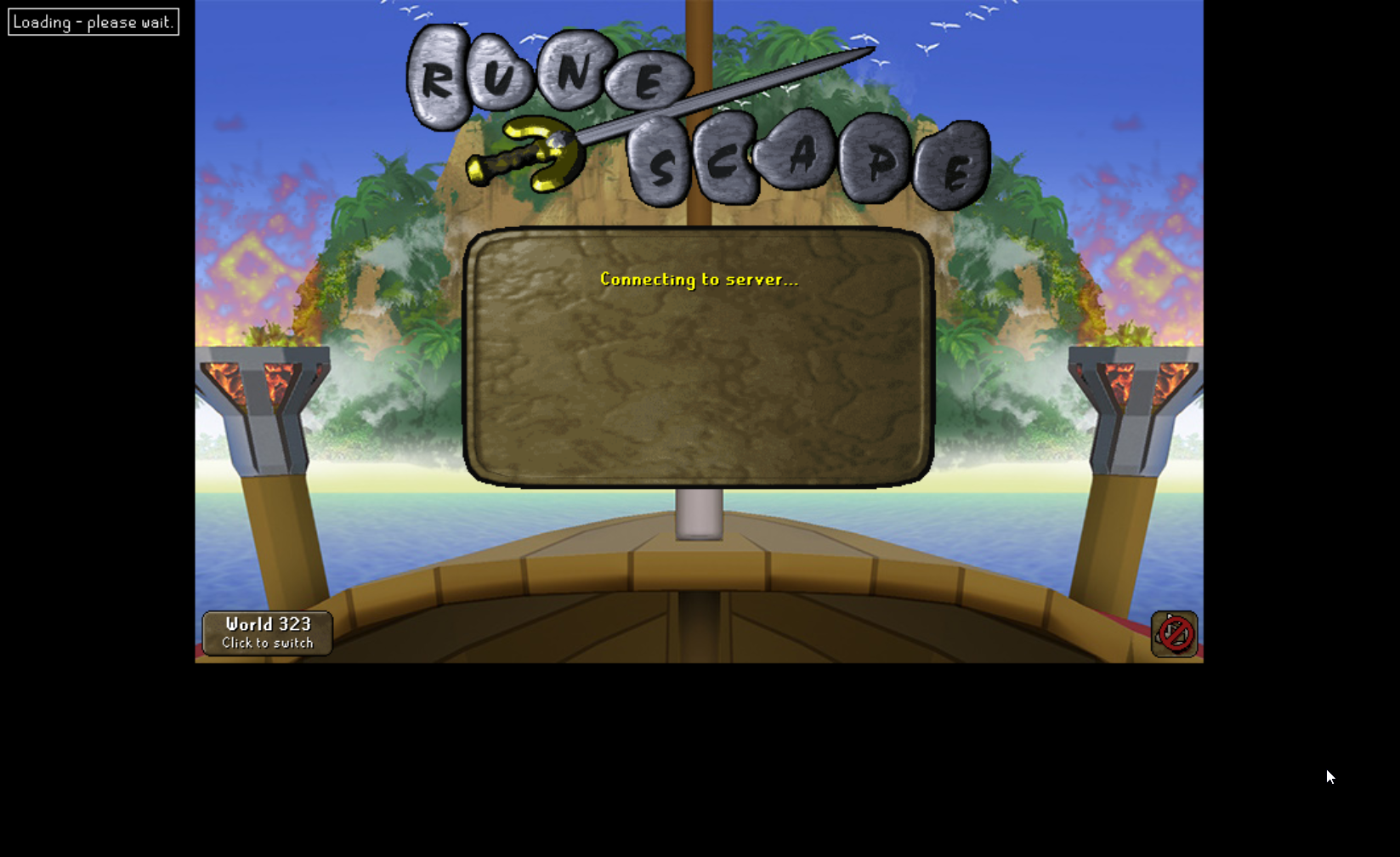
this is only with jagex launcher account, regular accounts are fine, with all the same plugins, any ideas on how to fix?
haughty pumiceBOT
To enable safemode
Windows
Run the RuneLite (configure) shortcut from the windows start menu
Tick the Safe mode box, save, launch RuneLite the way you normally do.
Mac
In Terminal, run
/Applications/RuneLite.app/Contents/MacOS/RuneLite --configure
Tick the Safe mode box, save, launch RuneLite the way you normally do.
sinful sentinel
So it'll launch now, but any idea why only jagex launcher accounts are freezing? If its a faulty plugin wouldn't it be happening to all my accounts?
gilded kayak
it would not no thats not always how bugs work
sinful sentinel
is there a way for me to figure out whats causing it other than manually turning off or disabling my plugins 1 by 1?
round jacinth
gotta hunt for it
gilded kayak
the logs could say
if the problem plugin decided to log "i am die goodbye forever"
but not always likely
 unique jackal
I'm trying to shrink the client down very small so that I can fit multiple characters in a small section of my screen. I set scale in "RuneLite (configure)" to 0.3825 which worked great except that it shrunk the RuneLite UI so small that I can't read the plugin settings even when I expand the window. Is anyone aware of a method where I can shrink my client really tiny, but then when I expand it the RuneLite UI also gets larger?
rocky tiger
No. Setting scale under 1 you are making it render with less pixels than is required. Details will be lost.
Scale is a Java setting that applies to whole application.
unique jackal
What about a way to disable the clients minimum window size? So the runelite UI will remain the same size, but I can still adjust the window borders freely? Is there a client argument or jvm argument or something for that?
rocky tiger
Jagex sets a min width and height. There is no way to override that.
 summer grotto
been gone for a while and I just re-pulled the latest master for the runelite client which made the switch from maven to gradle
but now when I try to run runelite, it complains about "error: package com.google.common.base does not exist" among other things... so something is wrong with my gradle setup... I've tried resyncing but still see the error
full moss
Is there a cache? If so tried deleting it? Or forcing a rebuild?
silver fractal
Hi, was there any solution/reason for why the pc randomly lags like crazy and runelite crashes?
was trying to scroll through the channel but didn't find it
full moss
when was the last time you restarted your computer? could be ram usage
silver fractal
good point, i'll see if it helps
 tulip ermine
I currently have a jagex account linked to the jagex launcher. recently i found an old personal note with login details from a legacy old rs account.
i tried downloading runelite separetly to log into this legacy account.
Howeve, when i open runelite, it automatically shows and attempts to use the character linked to my jagex account, even when the jagex launcher is completely colosed.
Is it still possible to log into legacy account directly via runelite, or does runelite alwyas force login through the jagex accounts system?
full moss
hmm when i open runelite directly it always asks me for a username and password
its only if i use the launcher it prepopulates
but its worth checking to see if youve got a "credentials.properties" in the runelite folder
winter snow
Basically this
haughty pumiceBOT
@tulip ermine To find the logs, you can do one of the following:
- If your client failed to open, click the
Open logs folderbutton. - Open the screenshot directory by right-clicking 📷
Camerabutton, navigate 1 directory up, then open logs folder. - Navigate to
%userprofile%\.runelite\logson Windows or$HOME/.runelite/logson Linux and macOS.
Upload the log files named client and launcher by dragging them to Discord. If there are files prefixed with jvm_crash dated from today, upload them too.
 tacit inlet
how can i import my runelite plugins to a new computer? im signed in and everything
haughty pumiceBOT
 fleet shoal
thank you! i legit just setup ,my pc and was gonna ask
tacit inlet
so if the sync doesnt work im kinda screwed?
stone parcel
You can copy the folder.
fleet shoal
Confused coz im going from macbook to windows pc
stone parcel
Same steps i'm pretty sure.
 prime kelp
I don't think im getting proper forestry notifications at ironwood trees. I was when I was doing forestry at yews earlier though. Any thoughts?
solid mesa
Do you have notify when focused turned on? I got notifications at ironwoods no problem
 honest tusk
Seems I'm the only one being afflicted by this, but default plugin Regeneration Meter is causing client to die when active. Can run as normal with it disabled, enabling it immediately freezes the renderer. Resetting the plugin was insufficient to cure the issue. Not entirely sure if I need to dump a cache or other...
Abbreviated stack trace:
Nevermind, can't post the stacktrace; but it's coming at at net.runelite.client.plugins.regenmeter.RegenMeterOverlay.renderRegen(RegenMeterOverlay.java:107)
at net.runelite.client.plugins.regenmeter.RegenMeterOverlay.render(RegenMeterOverlay.java:79)
and the exception thrown is java.lang.NoSuchMethodError: 'sun.java2d.marlin.DTransformingPathConsumer2D$CurveBasicMonotonizer sun.java2d.marlin.DTransformingPathConsumer2D$CurveBasicMonotonizer.curve(double, double, double, double, double, double, double, double)'
zealous cedar
can you paste the full error? you should be able to
honest tusk
ill pastebin it... clyde is complaining 'your message could not be delivered' when i put the full trace
zealous cedar
weird
honest tusk
https://pastebin.com/JS29paht it carries on with a lot more of the same but my debugging experience tells me the first one is the interesting one
Pastebin
Pastebin.com is the number one paste tool since 2002. Pastebin is a website where you can store text online for a set period of time.
zealous cedar
id assume your runelite install is corrupt probably. or your PC is dying maybe
try reinstalling runelite
honest tusk
Will do. Would be suprised if the PC is out to lunch, was perfectly happy until today's game patch (hence my assumption about a bad cache)
It's back alive on reinstall. I'm going toi start re-importing the %userprofile%.runelite directory's relevant bits and see if it survives or if I can isolate the problem child
zealous cedar
this is just a corrupt java install it wouldnt be caused by a plugin or anything
its probably just your hardware
honest tusk
Will spin up memtest86/crystaldiskinfo and the like later to see if any of the components have had it. Cheers for glancing at the logs
 scarlet patio
https://github.com/runelite/plugin-hub/pull/10005
Think I figured out the runelite audio source. I was using another method prior as it helps cut tts on menu transition. But this should be sufficient. Its a little janky though as the TTS isn't as fluid with the runelite audio stream.
GitHub
Accessibility Plus
Accessibility Plus is a RuneLite plugin that improves accessibility and readability in Old School RuneScape by enhancing dialog UI and adding optional high-quality text-to-speech...
upper gazelle
Hello , is there a way to make the graphics smoother on boss fights? I have an rtx 5070 ti and yet with 2 clients one maximized on one monitor and another in window mode on my second monitor. For example when fighting Vorkath , the animation on the dodged are quite jagged and also woox walking isn't all that smooth as i have experienced it with HDOS which of course is no comparison to runelite , but none the less , i feel the animation could be alot more fluid. Any comments or thoughts or fixes? I have tried 117hd plugin defaulted settings and also GPU settings and the latter seems a bit smoother but i don't feel the sacrifice is necessary. Please comment.
mossy swan
have you tried animation smoothing?
by default osrs animations are very low framerate so smoothing can improve it a lot
upper gazelle
I have animation smoothing
upper gazelle
mossy swan
have you tried animation smoothing?
yes i have that as well
mossy swan
do you have a video of what you mean then?
upper gazelle
I do but , maybe i am just used to HDOS being so much superior in their graphics output , but i cannot complain.
 tawdry lodge
Hey all, does anyone know what's the status on the Bank Tag Generation plugin support? Or, has anyone been able to get the combining categories command to work (if you've previously had issues)? Any info appreciated
Edit: relevant log
java.lang.NullPointerException: Cannot invoke "java.util.List.stream()" because the return value of "com.mitchbarnett.wikibanktagintegration.BucketQuery$Response.getBucket()" is null
    at com.mitchbarnett.wikibanktagintegration.WikiBankTagIntegrationPlugin.getIDsFromJSON(WikiBankTagIntegrationPlugin.java:291)
    at com.mitchbarnett.wikibanktagintegration.WikiBankTagIntegrationPlugin$1.onResponse(WikiBankTagIntegrationPlugin.java:214)
    at okhttp3.RealCall$AsyncCall.execute(RealCall.java:174)
    at okhttp3.internal.NamedRunnable.run(NamedRunnable.java:32)
    at java.base/java.util.concurrent.ThreadPoolExecutor.runWorker(Unknown Source)
    at java.base/java.util.concurrent.ThreadPoolExecutor$Worker.run(Unknown Source)
    at java.base/java.lang.Thread.run(Unknown Source)
Get support for the Bank Tag Generation Plugin Hub plugin here: https://runelite.net/plugin-hub/show/bank-tag-generation.
You can also find the support link by searching for the plugin in the Plugin Hub panel and clicking the ? button on the plugin, or by right-clicking the plugin in the plugin panel and clicking the Support menu option.
tawdry lodge
@viscid lantern Thanks, but my issue has already been reported on github by another person a month ago, there's not been any response aside from me and others upvoting it
I've read and googled all I could otherwise find before asking here 😬
 viscid lantern
then you have to wait and hope the author sees the issue and fixes it
tawdry lodge
I understand, I was simply asking if anyone found any workarounds or knows if the plugin is abandoned.
 hidden wedge
So i bought a bond
Can u highlight what specific things i should do as a member now.
I am new (i just completed starter quests) and have 20 hp and 20 prayer
-# lot appreciated and sorry for asking dumb question lmao
full moss
in the native runescape settings you can turn on activity advisor which gives a basic idea re quests, quest helper also has an "optimum quest path" option

unlocking quests will basically give you a good base of what to do, as it takes you round the whole members area
empty minnow
hidden wedge
So i bought a bond
Can u highlight what specific things i should do as a membe...
I would ask in #runescape . This channel is for client support
Although the person above me also gave a good answer
hidden wedge
Right
 pearl sable
PLEASE TELL ME HOW TO REMOVE THIS TILE

Its bugged
suddnly appeared and it can't be removed
and its triggering my fkn ocd
haughty pumiceBOT
Many plugins from the pluginhub break the client in subtle or not-so-subtle ways, including causing issues like client freezes. We do not support pluginhub plugins because we do not make or quality control them, and do not recommend their use.
Run the RuneLite (safe mode) shortcut, or with a Jagex account, first run the RuneLite (configure) shortcut and tick the Safe mode box, then launch RuneLite via the Jagex launcher.
This temporarily disables the GPU plugin and all hub plugins which will allow you to confirm the issue is caused by one of those plugins and isn't a core RuneLite issue.
If the issue is caused by a hub plugin, you should isolate which plugin it is and then uninstall the plugin.
pearl sable
 full moss
since youre onyl at ge as well, does right clicking the world icon on minimap and clearing ground markers get rid? (read it and make sure it says clear 1 or however many markers you see in your area first..)
gilded kayak
that's not even close to the answer to his problem
pearl sable
No bro its not even a tile thats the freaking problem
And i did try it if ur wondering
gilded kayak
haughty pumice
Many plugins from the pluginhub break the client in subtle or not-so-subtle ways...
.
 full moss
it was just a suggestion, listen to the other person
stone parcel
Now do the other thing.
pearl sable
@haughty pumice Please help me, my OCD is on the roof
stone parcel
Lol.
empty minnow
felan has literally told you what to do
pearl sable
Oh
pearl sable
empty minnow
felan has literally told you what to do
i didnt know this message was for me
mb
oblique plume
acktually 🤓 it was me
empty minnow
oops, felan repeated alex's message*
gilded kayak
oblique plume
acktually 🤓 it was me
ur just a figment of our imaginations
oblique plume

empty minnow
There is no RuneLite support discord, it's all in your head
oblique plume
that would be such a boon for the mental
full moss
the best client software has no clients
pearl sable
haughty pumice
Many plugins from the pluginhub break the client in subtle or not-so-subtle ways...
Through safe mode the tile disapeared
now when i switched off safe mode, it appeared back on...
empty minnow
That means it's definitely a hub plugin you installed that's doing it
So now you just have to figure out which one
pearl sable
i see...
full moss
time for you to go turn them off one by one
pearl sable
fk me
gilded kayak
or you know
pearl sable
all worth i guess
gilded kayak
start with the tile ones
round jacinth
isn't it just radius markers..?
round jacinth
you said that is a spawn point of one of the items

 round jacinth
np
full moss
i was thinking this
 hexed depot
Hello I'd like to report a very concerning runelite issue
winter snow
Then by all means go ahead
hexed depot
Is this the correct place? should I dm someone? who works here 🤣
lapis elm
dm @haughty pumice
hexed depot
Today i was interacting with a scammer. I like to follow along and see what their latest tactics are. Today, a scammer could see my inventory realtime. I was not streaming, i was not in party hub, I've installed runelite via the Jagex launcher, and I've only ever pulled plugins from the hub - never side loaded.
they proved it by naming the exact items i took from my bank within 10 seconds
zealous cedar
scammers can be tricky, probably some of your assumptions here are wrong since what youre describing isnt possible
hexed depot
They named the exact 3 items i pulled from my bank - very random ones. within 10 seconds of me withdrawing them.
and before that, they noted the general gear in my inventory.
full moss
i guess it depends what plugins also you installed from the plugin hub as well, for example having the GIM plugin that you can see all your gims invo and whats in their bank on the groupiron website, is quite exposing
hexed depot
Hm, I'm a main account - does that apply?
zealous cedar
Probably they tricked you into installing a computer virus or something. did you get hacked immediately after?
hexed depot
Nope I did not get hacked or lose anything. I don't suspect I'm hacked either.
zealous cedar
maybe you were just in a party and dont know it
 silent marsh
I'm having weird issues with Jubbly Jive tile markers in Ground Markers. When I import shark rank, it says "imported 49" as expected, but if I export them it only sees 22, and the actual marker data that is displayed after import is corrupted somehow, with some markers getting switched around. https://oldschool.runescape.wiki/w/The_Jubbly_Jive#Routes_&_Tile_markers
empty minnow
when you export it only exports what is loaded I beleive
so there's only 22 right around you, the other 27 are on the rest of the course probably
I can't comment on whether the tile markers are accurate tho
silent marsh
the tile marker data like numbers displays correctly on https://runelite.net/tile/show/ , but not in my client

 empty minnow
are you sure those numbers are from tile markers and not from the sailing plugin?
silent marsh
yup, sailing plugin off

based on the marker data, the top left should be 15/16/17, the right side should be 7/8/9/10
empty minnow
did you previously have swordfish markers?
wonder if those aren't getting overwritten or something. I would think they would but idk
silent marsh
ooh interesting, I cleared my markers, restarted runelite, and imported again, and they're correct now
might be entirely user error, thanks
 granite tide
hey yall, my RL has been crashing every now and then lately and wanted to see if someone can figure out why? I looked at the logs and see Better NPC Highlight there on the bottom--is that why? Not sure how to read crashlogs
zealous cedar
what happens when it crashes?
 thorny wharf
Hey so I have a question, I transferred my Rune lite files from one disk to another, now while starting up Runelite I lost all my settings etc
haughty pumiceBOT
granite tide
zealous cedar
what happens when it crashes?
I have no idea, i'm just afking salvaging lately and then randomly see a crash. It crashed once in CG too though while I was prepping
gilded kayak
how do you know it crashed if you don't know what happens
does it just disappear, is it frozen, etc
granite tide
Ohh that's what you meant, sorry! It just disappears as if x'd out--no freezing or stuttering
gilded kayak
mmm
are there any jvm_crash files in that logs folder
i believe that better npc spam is not fatal it's just crying
granite tide
Yep, from today
full moss
at the risk of being told im totally wrong again, when was the last time you restarted your computer?
granite tide
I turn my pc off every night lol
rocky tiger
@granite tide Do you have another older crash log to compare?
granite tide
Yep, here's one from a few weeks ago
rocky tiger
Any others today/recent?
The first was in 117 hd plugin but that one wasn't so was seeing if there was a pattern or just by chance.
granite tide
Not from today or near this one, i had more crashes near that time though.
rocky tiger
Ok now those look the same as first one. All in rs117.hd.utils.buffer.GpuIntBuffer.putFloatVertex.
I couldn't tell you what that means but you could ask in 117 hd discord for help from a dev.
haughty pumiceBOT
Visit 117's HD plugin discord (https://discord.com/invite/U4p6ChjgSE) for support, issues & feedback
granite tide
ahh okay thank you so much!
rocky tiger
Your java version isn't latest RL uses so you could go ahead and rerun installer. I'm sure that isn't why but doesn't hurt to update.
Latest launcher version is 2.7.6 you can check  on sidebar.
pearl sable
Boys, any idea how to fix his prayer bar?
 round jacinth
Prayer plugin of some sort
 glossy locust
Looking for assistance with double cursor appearing on runelite. Does anyone have a fix without having to disable GPU plugin?
gilded kayak
if it's a laptop i guess google
i know one guy said that was the problem but i don't think he explained well how he fixed it
so i can't really instruct you well
glossy locust
Okay, Ill do some digging to see what I can find. Thank you
I do have two GPUs I just found it
gilded kayak
very good
see if this helps you https://github.com/runelite/runelite/issues/19662#issuecomment-3614777662
i think the "less quality on amd" is an issue of the pre-sailing gpu plugin
glossy locust
Thank you
 spring swan
is there like a process monitor for runelite not sure if somethign was updated today incorrectly or not but been stuttering alot (not on other games ive tested) and thinking it might be a plugin or seomthing but unsure how to go about that
glossy locust
Yeah I can’t figure it out. It’s only occurring on runelite for me
stone parcel
If you right click the desktop is there an "advanced display settings" option?
glossy locust
I found display settings option And then it brought me up to advanced display in settings
 stone parcel
Dang, I was hoping to get to nvidia settings. I don't suppose anything in that section you found mentions specific application rules?
If not, maybe you could try looking in the start menu for nvidia control panel, or nvidia app, or whatever it might be called nowadays lol.
glossy locust
Haha I do have the Nvidia control panel. An suggestions on what I should do in there
spring swan
spring swan
is there like a process monitor for runelite not sure if somethign was updated t...
any one know?
i tried even a new runelite profile with gpu without gpu with 117 without 117 low detail, no other plugins still perma stuttering for example in CG (workin on my ironman for bowfa)
tried restarting updating graphics driver still nothin so im not sure why runelite specifically is being fucky
others games no issues tho
gilded kayak
did you restart the client during the switch to the new profile
spring swan
yep
basically did a CG run with each setting after a restart
still giga stuttering to the point its kinda unplayable like im getting kc's just barely but im forced to tank nados cause game stutters for 2 seconds here and there
gilded kayak
!safe can you post a video in safe mode showing the stutter
haughty pumiceBOT
safemode: To enable safemode
Windows
Run the RuneLite (configure) shortcut from the windows start menu
Tick the Safe mode box, save, launch RuneLite the way you normally do.
Mac
In Terminal, run
/Applications/RuneLite.app/Contents/MacOS/RuneLite --configure
Tick the Safe mode box, save, launch RuneLite the way you normally do.
spring swan
so im overprepping a ton just to make up for uncontrollable damage
like record me doing it?
spring swan
its not really stutterint in safe mode
solid mesa
That means one of your hub plugins is causing the stutter
stone parcel
glossy locust
Haha I do have the Nvidia control panel. An suggestions on what I should do in t...
Iirc there is a section for application profiles, try to see if there is a way you can set RuneLite to only use a chosen GPU.
 vague silo
question for anyone who knows!
i just threw windows 10 into the trash and got bazzite because i refuse windows 11
how would i go about getting runelite app on the jagex launcher? it's only the official launcher as an option despite being logged in on and having runelite installed on this pc once more
just it's on linux now not windows
haughty pumiceBOT
Using Jagex accounts on Linux is not officially supported by Jagex, but there are some third party community guides to make it work https://help.jagex.com/hc/en-gb/articles/13413514881937-Downloading-the-Jagex-Launcher-on-Linux
stone parcel
Bolt is probably the simplest.
vague silo
haughty pumice
Using Jagex accounts on Linux is not officially supported by Jagex, but there ar...
i did the top one on the github thing, i can run the launcher through wine, but can't seem to get the runelite app working on it despite it stating runelite is native and comes with it, which i think is odd
if bolt is simplest i may go for that tho
spring swan
gilded kayak
it's a truly fresh profile without gpu
is there anythjing liek a preformance manager i was talking about b4 tho so i can deduce what might be causing it?
glossy locust
stone parcel
Iirc there is a section for application profiles, try to see if there is a way y...
I will try this
stone parcel
Oh yeah the nmlynch94 one has an issue right now where the drop down to select a client doesn't work. If you use the arrow keys on that dropdown you should be able to choose RuneLite.
vague silo
that's wacky lmao
 bitter bone
spring swan
is there anythjing liek a preformance manager i was talking about b4 tho so i ca...
bitter bone
spring swan
is there anythjing liek a preformance manager i was talking about b4 tho so i ca...
No
stone parcel
gilded kayak
their own fault for updating wine tbh
 tired zenith
Ever since I enabled & then disabled the "Hide Fade Transition" option in the Tombs of Amascut plugin. I no longer have fade transitions throughout the game. Even removing the plugin the issue persist.

Any elpers
round jacinth
removing the plugin & restarting?
round jacinth
then another plugin or something is changing it
where are you expecting a transition?
tired zenith
No where specific I just notice it in random places and of course all throughout toa
 jaunty widget
Hey, not sure where to ask this, but I usually play on 120 ping on UK worlds (I play from the Middle East and UK worlds are my lowest ping) - but after the latest game update this week, suddenly my lowest ping is now 190… I haven’t changed anything in my home setup, I play wired Ethernet connection as well, so nothing from my side has changed, but now my lowest available ping is now 190 - which is kinda bad … any idea how to fix this or is this something even to be asked here ? Thanks
mossy swan
jaunty widget
Hey, not sure where to ask this, but I usually play on 120 ping on UK worlds (I ...
internet changes daily
most likely the route for your connection to jagex has changed and is taking a longer route now
you could try using a vpn

 final axle
rainbow rave, you installed it
 trim jewel
can anyone tell me where I can find the icons for the bosses as expressed in the highscores?
 gilded kayak
they're in the game cache
trim jewel
damn, not hosted anywhere either jagex cdn or wiki?
gilded kayak
we have a cache viewer https://abextm.github.io/cache2/#/viewer/sprite but thats about it
trim jewel
sweet ill see if I can make that work! thank you
 sudden raven
anyone else run into randomly client lag recently? My computer handles high intensity games no issue and when i run into this lag my temps are just great. Sometimes runelite just drops frames hard for like 20-30 seconds.
trim jewel
You dont have the mappings somewhere from boss to cacheID? I have found a bunch of them but they are of course scattered
gilded kayak
the hiscores plugin would have them
trim jewel
sweet
 plush venture
searched and nothing. when I click my GPU plugin to ON it doesn't stick just remains off. Same with 117. seems it's not using my computers GPU but I don't know what else to do. My Windows GPU has the game in it though
gilded kayak
plush venture
searched and nothing. when I click my GPU plugin to ON it doesn't stick just rem...
amd?
plush venture
Yeah. It was my driver….. it’s on auto update. Thanks for the response
gilded kayak
indeed

 haughty pumiceBOT
Get support for the Clan Chat Webhooks Plugin Hub plugin here: https://runelite.net/plugin-hub/show/clan-chat-webhook.
You can also find the support link by searching for the plugin in the Plugin Hub panel and clicking the ? button on the plugin, or by right-clicking the plugin in the plugin panel and clicking the Support menu option.
 kind saddle
How do I generate the key with this?
 solid mesa
You're probably best asking on their github. None of us wrote the website so we don't know
kind saddle
🙁
 drifting geyser
kind saddle
How do I generate the key with this?
drifting geyser
kind saddle
How do I generate the key with this?
maybe browser extension blocking the stylesheet?
kind saddle
That's not it, even on mobile it's the same thing
Please try to get involved in this, if you would be so kind
mossy swan
no thank you
pearl sable
pearl sable
Boys, any idea how to fix his prayer bar?
I still dnt know why the placment is this awkward?
winter snow
This is normal standing on terrain that isn't level
pearl sable

I beleive this is how it should look like?
mine is awkward as fk
nvm
Resolved

 brisk salmon
pearl sable
Resolved
brisk salmon
pearl sable
Resolved
hi sorry, how did u resolve it? i also have the same thing
pearl sable
brisk salmon
hi sorry, how did u resolve it? i also have the same thing
I didn't do anything, i thought it was bugged cuz i was testing it on goblins lol
but when i went to Delve, it seems fine
brisk salmon
ahh thanks, because when i used it a few years ago, it was always levelled, now the gap changes depending on my camera orientation
 hybrid orchid
I had a plugin that turned on all these tiles in Olm and never bothered to turn them off a while ago, now i've turned off every plugin to do with chambers and they don't disappear, not manually marked, not in tile packs
Anyone know where it's from or how to remove/
 full moss
tile markers plugin pack?
 rough hinge
hybrid orchid
I had a plugin that turned on all these tiles in Olm and never bothered to turn ...
rough hinge
hybrid orchid
I had a plugin that turned on all these tiles in Olm and never bothered to turn ...
miasma tiles hub plugin by de0
hybrid orchid
Thank you! smart man
 frail sage
Im dealing with microstutters every like thirty seconds that last like half a tick but freezes my game enough to get me killed and be frustrating. anyone experience this and know a fix? ive updated drivers messed with vsync etc to no avail
haughty pumiceBOT
@frail sage Many plugins from the pluginhub break the client in subtle or not-so-subtle ways, including causing issues like client freezes. We do not support pluginhub plugins because we do not make or quality control them, and do not recommend their use.
Run the RuneLite (safe mode) shortcut, or with a Jagex account, first run the RuneLite (configure) shortcut and tick the Safe mode box, then launch RuneLite via the Jagex launcher.
This temporarily disables the GPU plugin and all hub plugins which will allow you to confirm the issue is caused by one of those plugins and isn't a core RuneLite issue.
If the issue is caused by a hub plugin, you should isolate which plugin it is and then uninstall the plugin.
frail sage
yea just did that and its 100% a plug in issue, time to do some digigng
 eternal forge
Issue started happening since last night.
After like an hour or so in-game, my clicks start to not register at all. And it's not a DC, as my account is confirmed to be online and is actively gathering material in my inventory (salvaging).
Any advice? I can provide a video clip next time it happens.
MacOS Silicon btw.
What's interesting is I am dual logged and my 2nd client does not have any issues whatsoever in relation to that.
full moss
are both using the same profile and plugins?
 wraith needle
👋 I got a new computer and imported my properties into runelite. Also on the runelite website I have my loot trackers exported. I'm noticing that my loot tracker isn't correctly updating with the loot from my old pc - it's showing all the loot I've gotten on my new pc. For example, I have 25k vyrewatch kills on the old, and on the new it's showing ~500. I've closed runelite / restarted my computer multiple times since this. I guess I'm curious if I can import a loot tracker or how to go about getting it synced
eternal forge
full moss
are both using the same profile and plugins?
Not the same plugin profile, but since the alt account (without issues) is using a duplicated profile for my primary account
I'd say it's pretty close in the plug-ins that are toggled on
haughty pumiceBOT
wraith needle
haughty pumice
<https://github.com/runelite/runelite/wiki/FAQ#my-loot-tracker-data-is-gone>
i found a duplicate profile, deleted it, but the loot tracker is still inaccurate after restarting
it's tracking new kills just fine, but isn't correctly showing the historical kills from the other pc
round jacinth
the loot tracker is not the same as the plugin settings
if i made a new profile right now and switched to it to have a vanilla runelite experience, i would still have this as my loot tracker

farming timers/loot and other stuff is assigned to the rsprofile not the plugin profile
wraith needle
is there any way to import a tracker to sync it?
round jacinth
idk if you can import a loot tracker via the rsprofile stuff
 charred wind
You cannot import anything to loot tracker
round jacinth
im making a comment that the profile != loot tracker
oblique plume
Maybe you deleted the wrong duplicate
wraith needle
i checked the duplicate again and it still looks correct
it's basically like i have two different branches for the same user
oblique plume
Are you saying you still have a duplicate?
wraith needle
profile on runelite.net/account, no
but the tracker there and the tracker in my client are out of sync
oblique plume
The client only loads so much data on start so dont expect to see everything
wraith needle
right - i know it pulls recent things, but i have since killed numerous npcs that should have updated it but that's not happening
ex: my tracker on runelite.net shows 25988 vyrewatch
i killed 500 vyrewatch yesterday
my loot tracker in the client only shows 500 vyrewatch
oblique plume
Do you have the remember loot option checked
wraith needle
i do, yes
oblique plume
Dunno
wraith needle
ooh, i normally play with info off, but it says i'm not signed in - this is different than the account plugin right?
round jacinth
the email you signed in on runelite.net
is the one you should be signed in on the client
info plugin just shows that email
wraith needle
where do i sign in on the client?
round jacinth
account plugin has to be on and you clic kthe green door if you see it
oblique plume
Well, that'll do it
wraith needle
the interesting thing though is i never played with that on before
round jacinth
you evidently did.
oblique plume
You dont need the plugin on after you make the session
wraith needle
is account plugin == runelite.net account?
oblique plume
Yes
wraith needle
oblique plume
You dont need the plugin on after you make the session
oh
testing it
that did it 🤦
thanks @round jacinth @oblique plume
round jacinth
click the  icon while you're on the profile page
to ensure your settings are also get sycned between devices
wraith needle
not sure i'm seeing that icon

 timid dawn
akkha is turning invisable when i hit it with a ayak, anyone else have/had this problem?
round jacinth
jagex bug
timid dawn
sad
wraith needle
round jacinth
oh on that profile
i do now see two profiles with the same name - the bottom one is synced butt he top one isn't - i assume i ccan just use the synced one without issue
round jacinth
on that side panel?
wraith needle
correct
round jacinth
you can have both if you want but i'd rename one so its obvious for which is which
or you can delete it, deleting it just removes the entry from the side panel and not actual file on the system
wraith needle
round jacinth
or you can delete it, deleting it just removes the entry from the side panel and...
ah this is what i was wondering, perfect
glossy locust
Has anyone else had an issue with double cursor showing up. I literally am striking out with finding a way to fix this
empty minnow
You already got the only answer we currently have
I think this is from the same guy on that GitHub comment that was linked before but you can see if this message has any more detail that might help: #support message
Unlikely but there is also this: https://github.com/runelite/runelite/wiki/GPU-FAQ#there-are-two-mouse-cursors-when-gpu-is-on

GitHub
Open source Old School RuneScape client. Contribute to runelite/runelite development by creating an account on GitHub.
 dim juniper
anyone know what plugin has the trade screenshots? my client stopped taking screrenshots of trades. i dont see the option in the screenshots plugin config.
solid mesa
Runewatch
dim juniper
legend thank you
 hazy knot
Hey im getting an error when trying to turn on 117 or GPU plugin. It says that says it can't be used since windows can't determine who published it, then gives me the name of the dll but it's just a bunch of random letters/numbers. I have tried turning antivirus off, realtime protection off, adding an exception to firewall, and restarting my pc
not sure how to fix it but
"If you see this message, it means that an app, service, or piece of hardware that you’re using has tried to load a driver, app, or other file that isn’t properly signed"
gilded kayak
try deleting your AppData/Local/Temp folder
thats what the last guy said he did
maybe also restart
 flint marsh
whats with the sidebar logic
flint marsh
i dont want my client to get larger after collapsing sidebar, i want my client to revert to how it was / remain the same
leaden trail
RuneLite -> keep window size
hazy knot
gilded kayak
try deleting your `AppData/Local/Temp` folder
deleted it, restarted pc, same issue sadly
leaden trail
Or keep game size since your phrasing is a bit ambiguous
hazy knot
im using amd graphics if that helps
gilded kayak
it doesn't cuz the only issue report was
leaden trail
Roll back your drivers probably
hazy knot
leaden trail
Roll back your drivers probably
will try
gilded kayak
closing the issue I fixed by deleting that folder
flint marsh
leaden trail
Or keep game size since your phrasing is a bit ambiguous
thank you wow cant believe ive not realized theres probably a setting for that
hazy knot
okay so rollinbg back my drivers didn't work, deleting the temp folder didnt work either
auto driver updates are off, and im using a version from october that was fine
🥲
gilded kayak
https://github.com/runelite/runelite/issues/19718 this is all we have to go on unfortunately
mossy swan
maybe its time to upgrade to linux 
hazy knot
i just switched over from linux rip
 hazy knot
i use unreal engine a lot and it was giving me problems lol or i'd still be on linux, fuck windows
im going to try deleting my temp folder one more time
 crisp dune
fair enough
hazy knot
still no luck sadly
I fixed the issue by disabling smart app control in windows and disabling "EnableEULA" via registry
gilded kayak
Fun
eternal forge
RuneLite bot has DM to contact mods role but when I try to DM not allowed. Still going through issue I mentioned this morning. #support message


java.lang.NullPointerException: null``` gilded kayak
it's the dm's with strangers setting
it goes backwards when its a bot or something
but if it always happens after about an hour it's just one of your hub plugins leaking
!safe you can confirm it by doing something for an hour in safe mode
haughty pumiceBOT
safemode: To enable safemode
Windows
Run the RuneLite (configure) shortcut from the windows start menu
Tick the Safe mode box, save, launch RuneLite the way you normally do.
Mac
In Terminal, run
/Applications/RuneLite.app/Contents/MacOS/RuneLite --configure
Tick the Safe mode box, save, launch RuneLite the way you normally do.
eternal forge
gilded kayak
it's the dm's with strangers setting
What does this mean?
gilded kayak
you have a discord setting on that prevents random people from dming you
but it works backwards and effects bots
eternal forge
Yeah I'll change it
leaden trail
Just post here for support
If you sent that issue to modmail we would just tell you to post here
eternal forge
I already posted it. #support message
gilded kayak
yes and i already answered here
 sullen vapor
can I somehow make shift + click my "deposit all" shortcut for ALL items when in the bank, without having to assign this for each item?
rocky tiger
sullen vapor
can I somehow make shift + click my "deposit all" shortcut for ALL items when in...
Custom menu swaps hub plugin.
leaden trail
I think it's an option in MES as well
dark wind
I have had issues with random crashes where my pc start lagging and then runelite randomly crashes
happens every few hours sometimes within 2h sometimes after like 10h is there any fix to this that any1 knows i see alot of people with the same problem
round jacinth
The last time you posted a log there was no obvious issues besides a ton of hub plugins and the suggestion is still the same, to reduce the total or find the bad acting ones
haughty pumiceBOT
Many plugins from the pluginhub break the client in subtle or not-so-subtle ways, including causing issues like client freezes. We do not support pluginhub plugins because we do not make or quality control them, and do not recommend their use.
Run the RuneLite (safe mode) shortcut, or with a Jagex account, first run the RuneLite (configure) shortcut and tick the Safe mode box, then launch RuneLite via the Jagex launcher.
This temporarily disables the GPU plugin and all hub plugins which will allow you to confirm the issue is caused by one of those plugins and isn't a core RuneLite issue.
If the issue is caused by a hub plugin, you should isolate which plugin it is and then uninstall the plugin.
 light bronze
Hi, im entirely new to this so i have a question
If my changes in my PR request are better suited as a an external plugin in the hub, will you let me know in the PR request (when you get to it ofc)? This is regarding PR #19777
zealous cedar
hmm is there a pluginhub plugin for drift net fishing?
zealous cedar
lol
light bronze
Its important to me though, so if it were to be rejected, i would try to figure out how to make a plugin
 next canopy
timid dawn
akkha is turning invisable when i hit it with a ayak, anyone else have/had this ...
next canopy
timid dawn
akkha is turning invisable when i hit it with a ayak, anyone else have/had this ...
same here
gilded kayak
i think jagex is fixing that
or i thought they did
are u sure its still happening
next canopy
im watching a streamer and it just happened to them
swift nimbus
i copied this code : then i right clicked my world map, and clicked "import ground markers" - it was for doom. but it didn't work, and the markers are not at the boss cave. ground markers/tile indicators/tile packs are all on (im kinda confused)

any idea what i did wrong?
swift nimbus
no i just figured that would be there for delve 1-5 as well
gilded kayak
you figured incorrectly unfortunately
round jacinth
the comment in the copy paste even says that
tile markers for delve 6 and beyond lol
swift nimbus
oh ok 🙂 yea i've never used tile markers before haha ty
tbh i'd rather they were just there all the time so i can still practice on delve 5
round jacinth
with wave 5 not having any attack after first race car dash it doesnt really matter to practice
gl with the doom grind
swift nimbus
guess ur right xd ty
 white forum
using linux mint.. my fps is constant 60 (capped) - but the game still stutters when im doing hespori or toa wardens etc - why? using the normal gpu plugin
 sturdy token
I've been getting this error for over a week now. I restart my computer a couple times every night to get it to start runelite but sometimes like tonight it just doesn't work. Any help is appreciated. Restarted router and everything.

 pastel otter
how do i get the Libary bookcase tiles to show up again after i got the wrong scroll i was looking for?
 full moss
if you search another again does it not then re-appear? i used to collect one of each before handing in for speed, and it used to always show all of them even if i had 1
 winged matrix
Hello!
I am trying to install runelite, but i keep getting a "fatal error" as per the attached.
Unsure what i can try to bypass this, for reference i am on a MacBook Pro and i am only able to use the Apple Silicon download
 haughty pumiceBOT
gilded kayak
haughty pumiceBOT
gilded kayak
i think if you check disable tls verification it should work
sullen vapor
I want to install RuneLite on a friend's computer and have all my plugins there; is signing in to my Google account on his computer the only way to transfer the plugins, or is there a manual method?
haughty pumiceBOT
gilded kayak
we don't really support transfering plugins between people as there will be a bunch of things the new user is confused by
and then they're going to come here and ask us about hub plugins nobody even knows about
gilded kayak
pastel otter
how do i get the Libary bookcase tiles to show up again after i got the wrong sc...
there's an invalid pattern Jagex added a bit back, u have to hop to another world without the bad pattern, or wait for it to reset itself
haughty pumiceBOT
@winged matrix Run in Terminal: sudo rm -rf /var/root/.mitmproxy. Enter your Mac password and then press enter. You may have to reboot after.
 dapper grail
HI, my client has crash 3 times within 30 minutes and im not sure why. I wanted to try the safe mode but the steps for that look a bit complicated. Could i get some help please
 stone parcel
Click the windows button on the keyboard, type RuneLite, hopefully one option there says "safe mode" in the name.
dapper grail
got it thank you
stone parcel
😄 np
 misty mulch
I see that runelite has a --profile=<profile_name> client arg. Is there a way to utilize it via the jagex launcher? As in have a different profile per char?
oblique plume
The chain link icon on the profike
misty mulch
oblique plume
The chain link icon on the profike
Oh wow I totally missed that, thank so much! ❤️
 swift sand
Good evening,
I have a problem with runelite where my idle notifier stops working after a couple of minutes of playing.
When I restart runelite idle notifier works again but stops working after a couple of minutes.
I don't know what triggers it, the only thing I know is that i see a lot of late xpdrops coming in and after that happens idle notifier doesn't work anymore.
Is there maybe anyone that would have any idea what makes idle notifier stop working. Could there be a plugin that interferes with idle notifier?
haughty pumiceBOT
Many plugins from the pluginhub break the client in subtle or not-so-subtle ways, including causing issues like client freezes. We do not support pluginhub plugins because we do not make or quality control them, and do not recommend their use.
Run the RuneLite (safe mode) shortcut, or with a Jagex account, first run the RuneLite (configure) shortcut and tick the Safe mode box, then launch RuneLite via the Jagex launcher.
This temporarily disables the GPU plugin and all hub plugins which will allow you to confirm the issue is caused by one of those plugins and isn't a core RuneLite issue.
If the issue is caused by a hub plugin, you should isolate which plugin it is and then uninstall the plugin.
misty mulch
oblique plume
The chain link icon on the profike
after linking an account, the chain icon is now gone on all profiles, how does one reset it?
stone parcel
You have to be logged into the game for it to show iirc.
misty mulch
stone parcel
You have to be logged into the game for it to show iirc.
You're absolutely right, I jumped the gun! Ty
 torn ermine
got a new computer, but my pbs and kcs don't seem to be syncing to it. I've tried opening the adventurers log and that, but didn't work. Any tips?
it appears that i somehow am getting duplicated profiles
and i can't delete the profile on the runelite client
nvm got it fixed, export the profile, switched to default, deleted the one i was using then reimported
i guess that messed up the pbs i got while it was messed up though - nvm solved upon rekilling boss
 halcyon imp
Anyone had trouble the Better loot discord not working? It doesn't seem to share any drops to my clans web book? Everyone else works fine
 steady epoch
is there a way to reduce the size of the icon in fishing spots?
round jacinth
halcyon imp
Anyone had trouble the Better loot discord not working? It doesn't seem to share...
They’re maybe using dink which is the better discord webhook plugin
dark wind
round jacinth
The last time you posted a log there was no obvious issues besides a ton of hub ...
i deleted over half and only have around 50 total now with alot disabled
round jacinth
do you have any jvm crashes from the last few days?
 round jacinth
Better NPC highlight is broken for a lot of people and is just spammy idk if it crashes tho
Not really no
You can post it but idk what I’ll get out of it
dark wind
i have the same warn message for tob qol
will that be the same as better npc highlight
round jacinth
Idk because they’re actually different plugins.
It’s often people say they’re the same error as each other or same error as another user when it’s not the same
haughty pumiceBOT
Please refer to this flowchart for further troubleshooting.
 tawny orchid
Not sure if anyone else is having this issue, but when I have YouTube playing and maximize the RuneLite window, the audio of the video starts popping. If I minimize the window (or play in windowed mode) there is no popping. THis only happens when RuneLite is open.
 ornate plover
if i delete a repo will it auto-deprecate the plugin?
zealous cedar
why would you want to do that?
ornate plover
I remade my plugin into a more generalized utility and want to delete my level 3 clues version
since they merged my generalized one
zealous cedar
you can send a pr with disabled=true to delist it
ornate plover
kk ty
 sick geode
Is eye of ayak hitting akkha still making him disappear?
leaden trail
That's a Jagex bug afaik, and I believe so
solid mesa
Wont be fixed till wednesday
sick geode
Ohh I see. Tyty
 keen saffron
Ive been encountering a reoccuring issue with TOA audio. Some sounds like akkha steps, p1 warden mage/range attack audio, final warden regular attack and tile flips all missing. Im sure there are other sounds too which are gone
Previously i removed the annoyance mute plugin and it seemed to fix it but its back
Area sounds and sound effects both turned on, tried with a new runelite profile and the issue did not disappear. Anyone experienced similar?
 muted copper

If i disable this plugin, I'm unable to re-enable it unless I restart RuneLite first.
Never had this issue with any other plugins.
gilded kayak
that would just be bad coding from the author
 atomic sphinx
Help: I just clicked the "add radius marker" button and suddenly everything in the sidebar disappeared
please tell me I did not wipe 2 years worth of radius markers XD
round jacinth
Maybe you did
haughty pumiceBOT
Get support for the Radius Markers Plugin Hub plugin here: https://runelite.net/plugin-hub/show/radius-markers.
You can also find the support link by searching for the plugin in the Plugin Hub panel and clicking the ? button on the plugin, or by right-clicking the plugin in the plugin panel and clicking the Support menu option.
atomic sphinx
wipes forehead phew got them back
any interaction with the plugin makes the thing happen again though
posted the issue on the github
ty
 proper stone
Hello @haughty pumice I am having an issue on a Bank Tags plugin where I want to withdraw or deposit X amount of something it comes up with "Show Items whose names or tags contain the following text: (To show only tagged items, start your search with tag: ) . Then I am stuck in a loop and unable to withdraw specified amounts - how do I fix this?
round jacinth
does that issue happen in safe mode?
haughty pumiceBOT
@proper stone To enable safemode
Windows
Run the RuneLite (configure) shortcut from the windows start menu
Tick the Safe mode box, save, launch RuneLite the way you normally do.
Mac
In Terminal, run
/Applications/RuneLite.app/Contents/MacOS/RuneLite --configure
Tick the Safe mode box, save, launch RuneLite the way you normally do.
round jacinth
you seem to be selecting the edit tags option on items
proper stone
Im not sure its literally been fine until I "X" withdraw or even deposit once I enter in my amount it then goes to the quote above, and I cant do either
round jacinth
i imagine when you hover over these impacted items the top left where it says what you're about to do says edit-tags
check safe mode i guess to see if a hub plugin i ssome how how causing your issues
round jacinth
can you get it to happen on safe mode
proper stone
nu
round jacinth
so it behaves correctly on safe mode?
proper stone
no does not work
It could potentially be an option in the plguin that I can disable I just want to know which one it woudl be
round jacinth
can you show a recording of it not working in safe mode for me
include the top title bar of the client too, so record full frame
turbid bay
any idea why I wouldn't see specific loot items on my loto tracker online? specifically gauntlet loot from before yama, I can still see the loot file w/ all of the data but gauntlet isn't on the character/profile anywhere on the site (and it's in the correct char's folder)
round jacinth
the search at the top doesnt search for the npc it searches for their drops
are you sure it's not there?
solid mesa
Search for crystal shard yea
 twin dirge
I have a friend trying to install runelite for the jagex launcher but they're running into the issue where their windows username has an exclamation mark, how can you change that?
round jacinth
they make a new windows profile
turbid bay
solid mesa
Search for crystal shard yea
yep its just not including anything in the original gauntlet file it looks like
 round jacinth
do you have a duplicate profile of the same name on the site?
turbid bay
nope
and checked every other profile jsut to double check it wasnt somehow going in one of them
round jacinth
you'd see two of the same name + type if there was a dupe
p the pepega is on here twice but the second one is PVP Arena as that's a world type
 turbid bay
yeah theres no dupe of this char
round jacinth
ok
turbid bay
ther eis a dupe ofa totally dif char but not the char thats missing loot
round jacinth
then maybe your loot is just gone some how
haughty pumiceBOT
round jacinth
may have more but idk
 eager sun
wheres my clue solver
solid mesa
Do you have the puzzle solver plugin turned on?
eager sun
yea ive just done a few on other clues
😭
tried relogging, turning it on and off, reseting the plugin
why has it forsaken me
bitter bone
Just do what we did back in 2008. Find a website that lets you set the tiles and then follow it
round jacinth
eager sun
tried relogging, turning it on and off, reseting the plugin
Drop the box
Sometimes it takes a bit to solve
eager sun
round jacinth
Drop the box
worked, he gave me another puzzle, so strange id never seen this
👍
ty!
 sand pasture
my main is on resizable -classic layout,,, my other iron man client profile is on fixed small client ,, my question is if i lock client size on main runelite profile will it lock all my runelite profiles??
idk if im wording that right, i just want to launch my main client in the big resizable and my iron client in fixed mode





 solid mesa
Turn off Mouse Tooltips
 hearty thicket
o lmao ty
 random lynx
Is there a way to create your own auto snap boxes when you hold Alt to an interface box and then you right click it back to its home place
is there a way to create custom of those zones?
solid mesa
No
random lynx
damn
 dusky hound
What's the best place to report bugs in a plugin?
Nevermind, found the github for the plugin
full moss
theres a report button on the runelite plugins page
 coarse bolt
do we have any docs on what each of these files under profiles2 actually does? i am looking for a minimum collection of configs to sync to another device to retain the client configs and plugins. so, if i do not need all three of them, i will only take what is required. default-42021465109092.properties seems like a pretty readable config mapping, but i am not sure i comprehend what the other two do
 haughty pumiceBOT
coarse bolt
haughty pumiceBOT
coarse bolt
oh, looks like there used to be a cloud sync, as per that link. either it is gone now or i do not see the icon for some other reason. and it seems third-party plugin settings are not a part of the profile, so i should copy the entire .runelite... that's quite a lot of files overall. is it safe to assume that there are no breaking configs present, such as a fixed resolution, so if copying from a system hooked up to a 1080p monitor to a 2160p it won't force a downscale? that's just an example. if the configs are dynamically generated for the new environment, or don't even exist in such nature, then i am fine with syncing the entire directory without true knowledge of what is inside of it
 languid umbra
after logging in i cant click the play button for like 10 seconds, how can i fix this
light bronze
zealous cedar
hmm is there a pluginhub plugin for drift net fishing?
I am making it into a plugin on the hub as i have some more features and stuff i want to do, so it seems like the best way to do it. Can i just copy the old files for old features and functionality, and then add my features on top? Or is that like bad etiquette
empty minnow
coarse bolt
oh, looks like there used to be a cloud sync, as per that link. either it is gon...
Cloud sync is absolutely still available
coarse bolt
empty minnow
Cloud sync is absolutely still available
interesting! any idea why i cannot see the cloud sync icon that the docs above mention? attaching my screenshot and that in the docs for reference

 haughty pumiceBOT
How to develop plugin-hub plugins: https://github.com/runelite/plugin-hub/blob/master/README.md
coarse bolt
oh, i think i can guess why. i likely need to be signed in to runelite to unlock that option, correct? the issue is that runelite only supports google account sign ins, and i do not use google
no issue. as long as .runelite does not include potentially destructive configs, i'll just sync over the entire directory
empty minnow
Yeah that should be fine then
 modest arch
im having an issue where my client will stop taking inputs for about a half second every time the loot tracker updates. The video is an example, im spam clicking the whole time and you can see at the moment the drop appears my clicks stop registering
this only happens when the loot tracker tab is open too
gilded kayak
there's a remux recordings button in OBS to convert it to a format discord supports
but it's probably just fixed by disabling hw accel
haughty pumiceBOT
Graphical artifacts? Try disabling hardware acceleration: https://github.com/runelite/runelite/wiki/Disable-Hardware-Acceleration
 charred bear
On linux and if I have a jagex account, is there a way to use runelite without any sandboxing, containers or such so that it uses .runelite in my home folder?
modest arch
gilded kayak
but it's probably just fixed by disabling hw accel
this worked and ty for the obs tip as well
round jacinth
charred bear
On linux and if I have a jagex account, is there a way to use runelite without a...
I think not. Bolt puts it where ever they want it, but you can symlink it
 agile tundra
anyone know how to correct this? The fishing plugin on one of my profiles no longer shows fish caught/fish per hour, but it works fine if I switch to another profile within RL. I've tried resetting the plugin, reloading, toggling it off/on etc.
 gilded kayak
some hub plugin you installed is probably breaking it
which would match up with switching to a profile, without that plugin
 languid bear
does runelite have crash logs? i get rare random crash to desktops with no error messages and want to troubleshoot
charred bear
round jacinth
I think not. Bolt puts it where ever they want it, but you can symlink it
yeah, tried bolt too. The problem was that it doesnt use my user for anything so if I were to open a wiki page from inside runelite then it would open browser with a bolt specific profile and I cant put the browser tab with my other browser tabs.
I guess the only way is to write the login credentials and raw dog it without any launchers
languid bear
actually i think i figured it out with event viewer. looks like drivers.
The description for Event ID 1 from source NVIDIA OpenGL Driver cannot be found. Either the component that raises this event is not installed on your local computer or the installation is corrupted. You can install or repair the component on the local computer.
If the event originated on another computer, the display information had to be saved with the event.
The following information was included with the event:
Unable to recover from a kernel exception. The application must close.
Error code: 3 (subcode 7)
(pid=23132 tid=7708 runelite.exe 64bit)
round jacinth
charred bear
yeah, tried bolt too. The problem was that it doesnt use my user for anything so...
This is a Firefox bug
Afaik
charred bear
ill try that, thanks
charred bear
gilded kayak
ran into issue on linux and didn't look at the repos issues
to be fair its a closed issue on github and the project has been moved to codeberg :D
agile tundra
gilded kayak
which would match up with switching to a profile, without that plugin
just spent the last 30 mins double checking this. same exact plugins as the profiles that work, nothing on the hub is skilling based that I have installed
gilded kayak
u can't compare that because normal ancient teleports breaks all alching hub plugins
agile tundra
hm. odd. yeah i havent installed or changed anything since yesterday and it was working then
may just have to make a new profile and redo it
 warm chasm
anyone else having issues sharing your runelite application in discord lately? happening for all of my friends. sharing "screen" works but then it shows your entire desktop which isn't always convenient
gilded kayak
restart discord while runelite is still open
 vestal niche
guys is it normal for runelite to just crash and close?
gilded kayak
maybe
for people on 13th and 14th gen cpu's it is normal
for other people no not really
vestal niche
i have a good pc
thats nt the problem
i was using team viewer for remote access
and it just closed down
im worried im getting hacked or what
my pc is 10th gen
idk im just being paranoid whatever
gilded kayak
are you doing something that would get you hacked
if ur not then* i wouldn't really be worried about getting hacked
coarse bolt
your first reaction should really be to check the logs if an unexpected process termination happens
white forum
round jacinth
I think not. Bolt puts it where ever they want it, but you can symlink it
Anyone else has graphic stutters on linux?
fps stays the same but the game still goes laggy (toa wardens when pyramids come down for example)
coarse bolt
the comment you are replying to has nothing to do with your question. but no, i am personally not experiencing any weird behavior
most of the time, it's either hardware acceleration or the gpu plugin. try playing around with those. also, monitor and debug your cpu and gpu resources so you manage to isolate it at least a little...
 steep gorge
is there a setting i can change so it tells me where to go when im in my poh?


also just before the first screenshot it told me to TP to the GE:varrok only to then tell me to tp to my house
haughty pumiceBOT
Visit Zoinkwiz's Quest Helper plugin discord (https://discord.com/invite/XCfwNnz6RB) for support, issues & feedback
empty minnow
I think more technically it's shortest path, which I believe just doesn't work inside the PoH
winter snow
I imagine it's quite difficult to do shortest path when not using set positions for things 😄
steep gorge
so if i want to use shortest path i have to disable the poh options and just remember what tps i have? okok no worries
empty minnow
winter snow
I imagine it's quite difficult to do shortest path when not using set positions ...
iirc it isn't that hard except all the house rooms share tiles so if you have any duplicate rooms it would be totally wrong
winter snow
makes sense
steep gorge
so if i remove my duplicate room it would work correctly? am i understanding that correctly
empty minnow
No
steep gorge
apologies
warm chasm
gilded kayak
restart discord while runelite is still open
thank you! no idea why this started happening like a month ago
empty minnow
steep gorge
so if i remove my duplicate room it would work correctly? am i understanding tha...
I believe it just doesn't support pathing inside the PoH at all due to the reasons I mentioned
gilded kayak
warm chasm
thank you! no idea why this started happening like a month ago
it might technically be our fault as a side effect of a fix for something else
but it also might be a discord bug
solid mesa
Shortest Path doesn't actually learn what you have in your house. It just assumes you have everything you have the level to build. So it assumes you have every teleportation portal
steep gorge
solid mesa
Shortest Path doesn't actually learn what you have in your house. It just assume...
but it still doesnt tell me what one to use
 thorn gazelle
does anyone know if this drawing issue is plugin-specific or more widespread? I was planning on opening an issue on the deep sea trawling plugin repo for this
but if it's a widespread issue then it wouldn't make sense to open an issue on the guy's repo
empty minnow
Someone brought that up in the dev channel iirc, I feel like it was the author of that plugin but not 100% sure
 west pewter
I also get that bug and I'm not using that plugin.
thorn gazelle
west pewter
I also get that bug and I'm not using that plugin.
what kind of highlighting if it's not deep sea trawling?
is it also sailing related
west pewter
Yeah outline of the shoal, maybe its just that entity.
thorn gazelle
ah, so you just manually highlighted it, not relying on a specific plugin
i wont open the issue on his repo then
 tribal reef
My runelite keeps freezing and crashing my entire computer after a few minutes of gameplay which doesnt happen on the standard client
tribal reef
I am playing on a surface pro I have used the last few months and it says everything is up to date do you still think it could be graphics driver?
gilded kayak
i do yes because like 90% of computer crashes are gpu in this point in time
apps dont crash computers anymore
runelite uses the browser version of osrs so being on the latest drivers can be the issue
tribal reef
ok how would I know if my graphics driver needs updated when I go to device manager I don't see an option to update the graphics driver i have 117hd on i will turn it off and see if it keeps happening.
gilded kayak
if it stops happening u want to downgrade probably
i'm sure there's a nice indian man on youtube with a instructional video how to downgrade the drivers on* a surface pro
 austere blaze
Anyone know where screenshots are stored within Linux?
final axle
if you right click the screenshot button in the top right it should have an option to open the screenshots folder
austere blaze
https://github.com/TormStorm/jagex-launcher-linux Installed from here

GitHub
Community projects to install the Jagex Launcher and use Jagex Accounts in Linux - TormStorm/jagex-launcher-linux
Oh here we go, thanks
Was looking in the wrong area
There we go

Planning on getting my first 99 so this is useful for the record
 elfin wadi

GitHub
Open source Old School RuneScape client. Contribute to runelite/runelite development by creating an account on GitHub.
tribal reef
gilded kayak
i'm sure there's a nice indian man on youtube with a instructional video how to ...
Turning off 117hd did fix the issue thx man
 dim terrace
Hey Friends,
Would this be a good place to submit a note related to the World Hopper plugin?
zealous cedar
what do you mean by a note?
dim terrace
If you filter with "High Risk", that also includes world 579, which is 'PvP World - High Risk'
I was jumping through high risk worlds doing some shopscape on my UIM, and almost had an incident haha.
zealous cedar
hmmm that is not great
 mental juniper
Is the runelite client to server connection down? I logged in and noticed my loot tracker is empty. I then noticed that the plugin hub is loading forever. Then I noticed it says I have no profiles set up. Is this on my end or Runelite's end? I can log in just fine and see my loot tracker on the website. This is happening on both my laptop and my desktop.