#support
1 messages · Page 95 of 1
 zealous cedar
Check client.log?
 left granite
No audio specific issues in the logs.
zealous cedar
audio is a common problem on linux so yes other people have that
i dont know much about it
left granite
Yea that's fair, trying to break bricks with my head to get it working so
Going to see if it's specific to RuneLite, or Jagex Launcher specific.
Or rather Java specific 😂
 sonic birch
you can probs search this discord for pulse and find some suggestions
but linux and audio is a bad combination indeed
left granite
sonic birch
you can probs search this discord for pulse and find some suggestions
Yea, seems everyone with pulse audio is having a bad time.
 solid mesa

 stone parcel
Maybe this is helpful https://github.com/Adamcake/Bolt/issues/12#issuecomment-1870638373
left granite
stone parcel
Maybe this is helpful https://github.com/Adamcake/Bolt/issues/12#issuecomment-18...
I was just looking at this launcher.
and this
 stone parcel
Idk about that post 🤷 but sounds like the person in the Bolt issue solved it by switching to pipewire. And there is that environmental variable solution in there too.
 silk geyser
Any help for that i want make game Fullscreen
 solid mesa
Stretched Mode

 lost niche
xd
silk geyser
؟
 haughty pumiceBOT
 silk geyser
Thanks so much
 stoic quest
does anyone know what this infobox is? I want it to go away https://i.gyazo.com/7857f2aeb6ebfdd0ffe0a0a6c6b5c9ca.png

its some sort of pet plugin, it says "Tiny Tempor" when i hover it, a pet i got recently
haughty pumiceBOT
flowchart: Please refer to this flowchart for further troubleshooting.
stoic quest
looks like it was the "CatvRat" plugin, thanks
 clear stratus
Hub Quality
 karmic robin
I'm getting constant notifications mining in MLM, idle notifier is OFF, I even tried disabling MLM/Mining plugins and still get pinged on almost every pay-dirt mined. Under runelite plugin settings it's not set to ping on item drops
sonic birch
!flow
haughty pumiceBOT
flowchart: Please refer to this flowchart for further troubleshooting.
sonic birch
then you can rule out all hub plugins
could also enable game message notifications in the runelite config so you can maybe determine the plugin of origin
karmic robin
thx will try it
looks like this is the culprit but idle notifier is off so idk gonna try the flowchart
 solid mesa
karmic robin
looks like this is the culprit but idle notifier is off so idk gonna try the flo...
solid mesa
karmic robin
looks like this is the culprit but idle notifier is off so idk gonna try the flo...
AFK Threshold
karmic robin
that was it, ty!
 deep epoch
would it be possible to add "cm" as a valid alternative to "cox cm" for the pb command
 edgy locust
What plugin hides the "attack" option on maniacal monkeys? They only have an examine option for me
solid mesa
Custom Menu Swaps?
edgy locust
solid mesa
Custom Menu Swaps?
I don't think so?

I'm dumb forgive me
"man*" includes "maniacal monkey"
 mortal quarry
This is a weird one. I have this one slot in my bank that sometimes shows up invisible. I can't reproduce it consistenly. Here's an example - it's the slot where the Karil's skirt is. I had a different item there previously and the same thing happened occasionally. In this clip, it becomes visible automatically after a short amount of time, but usually this doesn't happen until I scroll down in the tab or otherwise interact with my bank in some way. Any ideas what could be causing this?
solid mesa
Karil's skirt is broken, jagex bug
mortal quarry
Oh, no fucking way. I guess I misremembered a different item being in that slot previously. I see others have the same issue. Thanks for confirming, can't believe that's actually it haha
Just in case anyone else finds this, my skirt is completely non-degraded ("Karil's leatherskirt" - not (100) or any other numberical suffix), but I believe it was happening before when it was in a degraded state too
 slender remnant
how to fix this

 mossy swan
try again?
 snow leaf
so regarding my runelite freezing, I have 2 thread dumps midfreeze now stored and another one afterwards that was not frozen. I've compared all 3 side by side two at a time but i dont really know what im looking for.
 oblique plume
Look at what the client thread is doing
 broken otter
is anyone else having issues with runelite not having any audio? is there a solution to audio issues without having to restart the client?
 leaden trail
Why not restart the client?
 bleak gazelle
logged into runelite for the first time in a couple weeks, and i'm missing a majority of my custom bank layouts on the left. i still have 10 remaining, but the other 20 or 30 for various bossing/tasks are no longer there. does anyone have any insight?
haughty pumiceBOT
bleak gazelle
haughty pumice
<https://github.com/runelite/runelite/wiki/FAQ#my-plugins-are-gone-or-my-config-...
saved my life ty
was a random named profile that was changed for some reason
 lilac heart
anyone knows what plugin provides this? whenever i press shift, this appears

 round jacinth
Hub plugin you installed
lilac heart
yeah i installed it long time ago, but i can no longer find it in my installed pluginhub plugins
i literally went over everything
i have no idea what plugin is giving this overlay
round jacinth
Could be indentificator which means you didn’t check all the hub plugins?
round jacinth
🙂
lilac heart
how did u figure it out btw
round jacinth
Drop down on the search bar has a plugin hub search to help find only hub stuff
I found it with a tool
I searched for text that the screenshot had (crude regex) and scanned for probable one and confirmed
That repo has all the text of all the Java code for all the hub plugins so you can search for text to see “what plugin is doing putting “you can’t walk here” into the chat” or whatever.
Some times useful for things like this, otherwise it’s a gimmick and isn’t helpful lol
left granite
left granite
and this
I return with a solution for Linux Mint, and getting it running.
While I have not tested the Jagex Launcher from GitHub. I've had luck with Bolt (Not a Flatpak) from the official repository and running the executable directly on Linux.
That being said here's what you need to do to get audio working.
- Download Bolt (From GitHub)
- Download RuneLite Flatpak from Software Manager (net.runelite.Runelite)
- Find Where Java is Located
readlink -f $(which java)
- Navigate to the path before java (You're looking for Java 21)
cd /usr/lib/jvm/java-21-openjdk-amd64/bin/
- Move original java file, and rename to
java-real
sudo mv ./java ./java-real
- Create a new file called
javawe're going to write a shell script in it. This shell script will add some arguments.
Keep note that you may need to update the/usr/lib/jvm/java-21-openjdk-amd64/binpath in the script
sudo nano ./java
Copy this script, right-click paste in terminal.
#!/bin/bash
echo "$*" | grep -i "\ runelite.jar"

arguments=$(echo "$*" | sed "s/net\.runelite\.client\.RuneLite//g")

if [ "$?" -eq 0 ]; then
  /usr/lib/jvm/java-21-openjdk-amd64/bin/java-real $arguments -Djavax.sound.sampled.Clip=com.sun.media.sound.DirectAudioDeviceProvider -Djavax.sound.sampled.Port=com.sun.media.sound.PortMixerProvider -Djavax.sound.sampled.SourceDataLine=com.sun.media.sound.DirectAudioDeviceProvider -Djavax.sound.sampled.TargetDataLine=com.sun.media.sound.DirectAudioDeviceProvider net.runelite.client.RuneLite
else
  /usr/lib/jvm/java-21-openjdk-amd64/bin/java-real $*
fi
If you don't know how to save with nano it's CTRL + X and then Y, then Enter
- Make the new java shell script executable.
sudo chmod a+x ./java
- Run Bolt, Run RuneLite from Bolt.
- Audio???
Hope this helps someone. Based on this solution: https://github.com/Adamcake/Bolt/issues/19
Here's a pavucontrol screenshot for ref if you're successful.
 left granite
Additional information, if you're using the com.jagex.Launcher you have to modify the script as follows to get it working.
You have to modify this file:
~/.local/share/flatpak/runtime/com.jagex.Launcher.ThirdParty.RuneLite/x86_64/stable/active/files/jre/bin/java
For the shell script you do (move the original java like above, and then add this shell script:
#!/bin/bash

echo "$*" | grep -i "\ runelite.jar"

arguments=$(echo "$*" | sed "s/net\.runelite\.client\.RuneLite//g")

ls /app/ThirdParty/RuneLite/jre/bin/

if [ "$?" -eq 0 ]; then
        /app/ThirdParty/RuneLite/jre/bin/java-real $arguments -Djavax.sound.sampled.Clip=com.sun.media.sound.DirectAudioDeviceProvider -Djavax.sound.sampled.Port=com.sun.media.sound.PortMixerProvider -Djavax.sound.sampled.SourceDataLine=com.sun.media.sound.DirectAudioDeviceProvider -Djavax.sound.sampled.TargetDataLine=com.sun.media.sound.DirectAudioDeviceProvider net.runelite.client.RuneLite
else
        /app/ThirdParty/RuneLite/jre/bin/java-real $*
fi
its almost certainly better to not really do any of this at all and instead edit sound.properties
left granite
zealous cedar
its almost certainly better to not really do any of this at all and instead edit...
Problem is if you have a Jagex Account, you have to launch the Jagex Launcher am I wrong?
zealous cedar
what
left granite
There's two types of accounts Jagex has, the Jagex Accounts and the old ones. If you have an old one you can use RuneLite directly.
If you have or upgraded to a Jagex account you have to launch the jagex launcher and then runelite to get the login to work.
zealous cedar
yeah I get that, you can use the jagex launcher to launch runelite
left granite
zealous cedar
yeah I get that, you can use the jagex launcher to launch runelite
Correct, but on Linux it's a bit different because the RuneLite that is bundled with it is a third-party flatpak.
This is all we get access to:

and modifying settings.json and putting the arguments in there doesn't work either.
zealous cedar
ok so edit jre/conf/sound.properties instead of the like 20 step mess you made above
 knotty estuary
or use a distro where sound works???
zealous cedar
gnome: use a distro where the sound works??
also gnome: my distros gpu doesnt work
knotty estuary
Hey hey hey, I know my situation is absurd
zealous cedar
lol
knotty estuary
I bought this machine because I wanted to tinker with arm linux lol
left granite
zealous cedar
ok so edit jre/conf/sound.properties instead of the like 20 step mess you made a...
Yea, so this doesn't work either.
knotty estuary
knotty estuary
or use a distro where sound works???
like, sound didn't work on my arch install with Runelite until I installed the right package, then it worked. my sound on Fedora Asahi Linux just worked out of the box with runelite with the builtin speakers
left granite
 zealous cedar
left granite
Yea, so this doesn't work either.
zealous cedar
left granite
Yea, so this doesn't work either.
remove the random 'D' characters
left granite
Unless I'm meant to do something else here.
That works, and is a solid solution. Thanks Adam.
In summary then (for Linux) no audio, no sound, no music
RuneLite from JagexLauncher
for com.jagex.Launcher with com.jagex.Launcher.ThirdParty.Runelite
sudo nano ~/.local/share/flatpak/runtime/com.jagex.Launcher.ThirdParty.RuneLite/x86_64/stable/active/files/jre/conf/sound.properties
javax.sound.sampled.Clip=com.sun.media.sound.DirectAudioDeviceProvider
javax.sound.sampled.Port=com.sun.media.sound.PortMixerProvider
javax.sound.sampled.SourceDataLine=com.sun.media.sound.DirectAudioDeviceProvider
javax.sound.sampled.TargetDataLine=com.sun.media.sound.DirectAudioDeviceProvider
RuneLite via Software Manager with Bolt
for net.runelite.RuneLite
sudo nano /var/lib/flatpak/app/net.runelite.RuneLite/x86_64/stable/active/files/jre/conf/sound.properties
javax.sound.sampled.Clip=com.sun.media.sound.DirectAudioDeviceProvider
javax.sound.sampled.Port=com.sun.media.sound.PortMixerProvider
javax.sound.sampled.SourceDataLine=com.sun.media.sound.DirectAudioDeviceProvider
javax.sound.sampled.TargetDataLine=com.sun.media.sound.DirectAudioDeviceProvider
I've opened up a PR in that larger GitHub repository with solutions for the audio so hopefully that gets merged in.
zealous cedar
in what?
left granite

GitHub
Community projects to install the Jagex Launcher and use Jagex Accounts in Linux - TormStorm/jagex-launcher-linux
zealous cedar
oh
left granite
This is the GitHub repository that Jagex links too on their site.
I used ai to throw together a golang script to patch the files, and I'll go and review it later but it appears to be working correctly so I'll throw up a executable for it later
Need to make sure it's not doing anything funky
 delicate olive
is this still actually a concern? and how would i go about backing up my installation in case it does?
 solid mesa
Yes it is a concern, that plugin almost always breaks
delicate olive
ah, getting sick of accidentally double clicking my title bar (yes im an idiot) when trying to move anywhere thats right at the top of the screen
 rose drum
Hi, I am having problems with runelite, it shows me this error. I tried the solutions given in the 'troubleshooting steps' but none worked for me. Any help? I can share the log it generated if you want
 leaden trail
The log file would help, yes
leaden trail
I need launcher.log too
rose drum
Where can I find it?
leaden trail
Oh your config is probably corrupted, try renaming your .runelite folder to something like .runelite-old and launching again
rose drum
ok, let me try
leaden trail
Unless you're cloud syncing it won't have your settings iirc but we'll get to that next
leaden trail
You can follow the steps here to import the profile from the folder you just renamed
haughty pumiceBOT
 scenic inlet
some places look like this for me, when I step on the roof here. What could be the cause ?

 final axle
scenic inlet
some places look like this for me, when I step on the roof here. What could be t...
final axle
scenic inlet
some places look like this for me, when I step on the roof here. What could be t...
low detail mode, specifically the option to hide lower planes I believe
 mossy ether
Hey, thanks for coming back and posting this. Appreciate it. ❤️
 sage atlas
How do i get rid of this fps counter blocking the top right of my screen i dont need it on. Any suggestions?
 stone parcel
I thjink for that one you type ::displayfps into chat
sage atlas
Awesome thanks that worked appreciate it!
 twin vault
Anybody here familiar with the Chat Panel plugin?
Ahhh, nvm. Doesn't do what I thought it did.
oblique plume
Party
stone parcel
twin vault
Ahhh, nvm. Doesn't do what I thought it did.
If there is anything you want added you can put a suggestion on the plugin's github :)
 lime geode
cant login on runelite it says my account has been involved in serious rule breaking but it hasnt I can login and play on the official client and there are no offenses on runescape website
stone parcel
Sounds like you are trying to login to different accounts.
leaden trail
!new
haughty pumiceBOT
newplayer: If you are new to OSRS, make sure to follow this excellent guide on OSRS wiki: https://oldschool.runescape.wiki/w/New_player_guide. You can also join the official OSRS Discord here: https://discord.gg/osrs
leaden trail
You're better off talking to Jagex
lime geode
im playing on the runescape client rn only runelite gives me this msg
has this happened before?
leaden trail
No
lime geode
weird
stone parcel
There is often confusion on the different emails and logins used with Jagex Accounts vs Character login info.
leaden trail
If you're logging into RuneLite via the Jagex launcher, which you would need to be doing if you're playing on the official client, and it's the same account, then it's a Jagex issue
lime geode
Yeah thats what im doing, ill reach out to them then ty
 analog saddle
I have runelite set to give me a notication+hightlight screen when I stop minning which works great.
The issue is sometimes when I click over to restart mining even tho my click registers and I start mining again the notication and screen highlight dont go away, sometimes it does and sometimes it doesn't any ideas?
 zealous snow
Hello, I was wondering how hard would it be to make a plugin to add voices to quests, mainly 2 parts:
-extracting the dialogue from the game, with some line ID so it can be linked back to the line and preferably also the speaker id (this could be pulled from qiki quest transcriptions if its easier)
-implementing the dialogue back into runescape and making it trigger whenever the dialogue window diplays a line that was voiced - would it be possible to do this automatically for every line or would it need to be manually added for each individual?
I do have some coding knowledge but ive never worked on anything runelite, would this be something that is doable
solid mesa
Like this?
 snow leaf
"Client" #30 daemon prio=1 os_prio=-2 cpu=122786093.75ms elapsed=485951.36s tid=0x0000022e2a2a5800 nid=0x15aec waiting on condition  [0x0000003f0daff000]
   java.lang.Thread.State: TIMED_WAITING (sleeping)
    at java.lang.Thread.sleep(java.base@11.0.20/Native Method)
    at ir.xx(ir.java:8799)
    at ir.ip(ir.java:61936)
    at ir.aj(ir.java:21169)
    at ir.kq(ir.java)
    at bo.run(bo.java:6693)
    at java.lang.Thread.run(java.base@11.0.20/Unknown Source)```
```java
"Client" #30 daemon prio=1 os_prio=-2 cpu=122783734.38ms elapsed=485944.06s tid=0x0000022e2a2a5800 nid=0x15aec runnable  [0x0000003f0daff000]
   java.lang.Thread.State: RUNNABLE
    at org.lwjgl.opengl.GL15C.nglBufferSubData(Native Method)
    at org.lwjgl.opengl.GL15C.glBufferSubData(GL15C.java:475)
    at net.runelite.client.plugins.gpu.GpuPlugin.updateBuffer(GpuPlugin.java:1898)
    at net.runelite.client.plugins.gpu.GpuPlugin.postDrawScene(GpuPlugin.java:963)
    at jg.cf(jg.java:20793)
    at by.ie(by.java:3412)
    at gv.mr(gv.java:8930)
    at gv.mr(gv.java:8967)
    at gg.mh(gg.java:8801)
    at client.po(client.java:13966)
    at client.bf(client.java:12089)
    at bo.rp(bo.java:501)
    at bo.va(bo.java)
    at bo.run(bo.java:30798)
at java.lang.Thread.run(java.base@11.0.20/Unknown Source)```when my client freezes the here are some of the dumps for client thread
i have couple of others as well but not sure if they are it
the thread sleeping one has occured 3times
zealous snow
solid mesa
Like this?
haa yes, i need to test it, but how hard would it be for example to make your own version assuming the actual voice acting wouldnt be an issue
solid mesa
Depends how well you know programming and java I guess
zealous snow
i havent worked in java in 10 years at least, but i think i could manage somewhat, what im more worried it learning the runelite specifics
 amber root
sorry for the bad screenshot, but i saw this on a video and i'm looking for the plugin that blurs the member skills
 solid mesa
Probably Skills Progress Bars > Always darken members skills
zealous snow
solid mesa
Depends how well you know programming and java I guess
i guess i'll try and see how it goes, but whenever modding stuff the language is the easy part and the game stuff is hard, remember modding terraria and c$ was easy to pick up, but learning which game functions to modify to do what was a major pain
stoic quest
is it possible to utilize split tunneling to exclude runelite from my vpn?
I've tried adding both the Runelite.exe and JagexLauncher.exe to exclusions in my vpn but it still fails to login
haughty pumiceBOT
solid mesa
Turn on IPV4
stoic quest
solid mesa
Turn on IPV4
the option isnt there for me? https://i.gyazo.com/d10b0de6d9a7bf7c5107a17f9365c0c2.png
 stoic quest
solid mesa
Download Runelite from <#432655530352181248> and reinstall (you won't lose your...
stoic quest
solid mesa
Download Runelite from <#432655530352181248> and reinstall (you won't lose your...
this fixed it tysm
 willow wind
attack,Scurrius*
attack,Giant rat*
is this correct for prioritizing giant rat thru custom menu entry swap?
round jacinth
test it?
But yeah, bottom one is priority as the last swap to happen
willow wind
i tried without the wildcard and it didnt work so i added it and it still didnt work :/
i dont think it is needed either way
but yeah idk why its not working
round jacinth
If you go to another location you can confirm how ordering works by being somewhere with two stacking and attackable things
willow wind
should the plugin not just prioritize the mob based on the order you set
assuming they are overlapping
i have it set for frems in colo and it works
just not with scurrius/giant rat
solid mesa
you just need attack,giant rat*
round jacinth
examine,obelisk*
attack,obelisk*
This works to examine the TOA obelisk if there isn’t an attack option on it.
Attack if it can be attacked, the moment it dies it becomes an examine
But yeah you only need the attack rat because it’ll put it on top
willow wind
oh i see
round jacinth
Yours should work but maybe the caps are breaking if some how, not familiar but lowercase works
round jacinth
not sure, maybe it’s not on a new line either
willow wind
also is * not a wildcard in this case?
i feel like it shouldnt be needed if the name is an exact match
round jacinth
it is, it makes it so that attack,man* ignores the combat level but also makes it so maniacal monkeys are effected
solid mesa
Because otherwise you need attack,Giant Rat (level-46)
 lost lotus
So im trying to complete that easy quest that gives you 10k gold and asks you all these security questions
I get to the end, it says I havent upgraded my jagex account.
I did that.

now its doing this.
clear stratus
(☝️ answered in #runescape )
 tropic root
hi guys, my client keeps crashing whenever i have two clients open. it will be stable for 30 minutes to an hour, but will then randomly crash
 bleak scroll
(MLM) Idle animation notifications set to 1000ms delay are making me idle every swing and then the Idle interaction notifications simply do not trigger. Don't have this issue elsewhere...
 final axle
considering a tick is 600ms you maybe should set it a bit higher
mossy swan
in mlm you could just abex's idle notifier from hub
final axle
that too
mossy swan
in mlm you need like 3000ms delay or something silly
bleak scroll
wtf fair enough thanks guys will try that plugin too!
final axle
just make sure you turn it off if you ever do tick manip mining if you value your sanity
bleak scroll
itsworking.gif
 tame crest
I'm having an issue when switching profiles it plays a really loud jingle and I'm wondering if anyone knows a fix or what is causing the issue
round jacinth
tame crest
I'm having an issue when switching profiles it plays a really loud jingle and I'...
If you have instant idle notify it plays a in game sound if the config changes which could happen when a profile changes, that’s my only guess.
 junior rapids
idk if this is the right channel but any idea how to add cuztomise sound in AudibleLootNotification plugin?
haughty pumiceBOT
Get support for the AudibleLootNotification Plugin Hub plugin here: https://runelite.net/plugin-hub/show/audiblelootnotification.
You can also find the support link by searching for the plugin in the Plugin Hub panel and clicking the ? button on the plugin, or by right-clicking the plugin in the plugin panel and clicking the Support menu option.
junior rapids
thanks
willow wind
mossy swan
in mlm you could just abex's idle notifier from hub
abex should only be enabled for mining right?
wish they could merge it with the default idle plugin as a setting
mossy swan

 wild bramble
I tried searching for it and couldn't find a clear answer - is the flatpak for Runelite on Flathub legit? It says the latest version is 2.7.1 when the actual latest version afaik is 1.11.10.2
I know runelite is often the target of phishing attacks so just want to make sure
 gilded kayak
it has the ☑️ as we verified it to be real, via runelite.net
you're comparing RuneLite launcher version to RuneLite game version, we're actually on 2.7.5
but that's just because there's been no linux-related changes to the RuneLite launcher, so no need to update
wild bramble
Ah perfect then. Thanks so much!
gilded kayak
the repo is here btw https://github.com/flathub/net.runelite.RuneLite so you can see the recent merger of commits. plus the author of a bunch of them, is Adam- who's github main page shows he's in the org
 haughty minnow
is there a way to auto type a sentence in rs multiple times?
solid mesa
No, autotyping is against the rules
 hollow olive
if you right click the chat tile thing theres setup auto chat but idk what it does
haughty minnow
how do u make people on ignored list show up with red above names/map
solid mesa
I don't think it's ignored players. Player Indicators > Highlight others > Enabled
 ashen portal
i accidentally deleted my runelite folder, and now when I try to reinstall, this error pops up
 stone parcel
Might be some sort of antivirus software messing stuff up.
 white mango
ive been lagging in game but not anywhere else, i was told that runelite peeps here might be able to provide assistance if its clientside? Thanks in advanced
round jacinth
white mango
ive been lagging in game but not anywhere else, i was told that runelite peeps h...
can you show a recording of the lag you're seeing i guess? use OBS and upload the video here as a mp4 file
it's either network lag or it's lag from hub plugins
white mango
its like random freeze/dcs for a few secs
round jacinth
then maybe its just your internet anyways and i dont need a video
white mango
kindof hard to get a recording it feels like server lag
stone parcel
You can try leaving cmd running with this and see if it shows an issue at the same time you see it in-game.
haughty pumiceBOT
open command prompt, type this in:
ping -t oldschoolXXX.runescape.com
where the XXX is your world minus 300, for example world350 = 50
white mango
i already can see my ping in the game on top right is that going to be any different?
stone parcel
Well, by running this in CMD it shows if your whole computer is having issues connecting to the server, or if RuneLite is having issues.
stone parcel
You are supposed to leave this running to compare what happens to it at the same time you have your issues.
stone parcel
Okay, good luck!
stone parcel
Alright, so there is some issue between your computer's connection and Jagex's severs sometimes. Might be worth trying to restart router.
 stoic olive
Whenever i try to log in the screen freezes at "Loading - please wait"
Anyone has a clue how to fix it?
zealous cedar
try using safe mode
haughty pumiceBOT
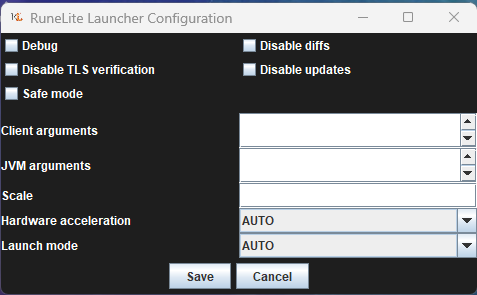
To enable safemode
Windows
Run the RuneLite (configure) shortcut from the windows start menu
Tick the Safe mode box, save, launch RuneLite the way you normally do.
Mac
In Terminal, run
/Applications/RuneLite.app/Contents/MacOS/RuneLite --configure
Tick the Safe mode box, save, launch RuneLite the way you normally do.
stoic olive
But jagex accounts don't work with safe mode
zealous cedar
yes they do
stoic olive
got it, thanks ±'
round jacinth
is that happening when you move your mouse where a roof would be?
mossy swan
can you get a video of that?
 crystal lintel
just installing new version of runelite seeing if thats the issue
 ornate kite
How do I get certain item drops to flash on my screen?
solid mesa
Add them to highlighted items in ground items and turn on notify for highlighted drops
 mortal pond
ornate kite
How do I get certain item drops to flash on my screen?
mortal pond
ornate kite
How do I get certain item drops to flash on my screen?
the watchdog plugin is a good option for this too, if you don't want all of your highlighted drops to flash your screen
 tulip ermine
Anyone know what these black lines could be between the client and Windows? I was messing around with resolutions recently, so it might be related.
 ornate kite
mortal pond
the watchdog plugin is a good option for this too, if you don't want all of your...
ornate kite
mortal pond
the watchdog plugin is a good option for this too, if you don't want all of your...
i see nothing for my screen to blink
mortal pond
ornate kite
i see nothing for my screen to blink
here's how to use it https://youtu.be/6uT45Nn6Hlw?t=48
(you would choose a new alert for spawned object, rather than game message)
 sharp igloo
Discord notifs are weird and show up via runelite i tried to turn it off, now when im in runelite the discord notifs dont show up on my bottom right corner but i hear the ping
willow wind
https://runelite.net/plugin-hub/show/day-night-brightness i installed this and then uninstalled, but now my brightness is kinda screwed up
anyone know how to reset it default brighrness?
clear stratus
if you uninstall a plugin and it still seems to be doing things, just restart your client
willow wind
ive restarted multiple times since
final axle
probably just mess with the vanilla brightness setting in-game?
haughty pumiceBOT
final axle
specifically https://oldschool.runescape.wiki/w/Settings#Display
willow wind
thanks
 polar spear
keep getting There was a fatal error stating runelite. RuneLite is unable to connect to a required server while downloading the bootstrap. Please check your internet connection. my internet connection is good
 charred wind
what happens if you open this in browser: https://static.runelite.net/bootstrap.json
polar spear
using the jagex launcher was working fine the other day just started today
charred wind
yes but what if you try opening this in a browser https://static.runelite.net/bootstrap.json
polar spear
you want me to paste the whole thing here?
charred wind
no, are you saying the browser isn't giving you an error?
looks something like this?
 polar spear
yep no error
charred wind
can you send a screenshot of the error you're getting when you start runelite
polar spear
 charred wind
are you using a VPN
polar spear
nope
charred wind
do you have an antivirus
polar spear
yes
charred wind
what antivirus, and what happens if you disable it then launch runelite
polar spear
malwarebytes let me try
willow wind
try resyncing ur date and clock in windows settings
 narrow flax
Hello, my runelites been randomly crashing without warning
I tried looking myself but I cannot see where the failure is haha
polar spear
resyncing not working
narrow flax
I am sorry I don't know what that means
charred wind
tibby they're experiencing a different issue
narrow flax
OOPS
haughty pumiceBOT
@narrow flax To find the logs, you can do one of the following:
- If your client failed to open, click the
Open logs folderbutton. - Open the screenshot directory by right-clicking 📷
Camerabutton, navigate 1 directory up, then open logs folder. - Navigate to
%userprofile%\.runelite\logson Windows or$HOME/.runelite/logson Linux and macOS.
Upload the log files named client and launcher by dragging them to Discord. If there are files prefixed with jvm_crash dated from today, upload them too.
narrow flax
I do not have any JVM crash files dated for the last few months
my runelite just randomly closes outta nowhere without warning
narrow flax
 charred wind
i zee. Does it crash in Safe Mode?
haughty pumiceBOT
To enable safemode
Windows
Run the RuneLite (configure) shortcut from the windows start menu
Tick the Safe mode box, save, launch RuneLite the way you normally do.
Mac
In Terminal, run
/Applications/RuneLite.app/Contents/MacOS/RuneLite --configure
Tick the Safe mode box, save, launch RuneLite the way you normally do.
leaden trail
It probably is this
haughty pumiceBOT
Delete your %userprofile%/.runelite/cache folder or run this command in command prompt run as Administrator:
rmdir /s "%userprofile%\.runelite\cache"
I will try this and safe mode and come back later 🙂 ty gamers
leaden trail
I very much doubt you'd have your issue in safe mode but you should probably try uninstalling some hub plugins anyway because you have a boatload of them
narrow flax
yes, I have many lol
leaden trail
That will certainly not help with stability issues
clear stratus
it's time to limit users to 10 hub plugins 🤝 /s
 ember adder
trying to split tunnel runelite from using my VPN when i launch the app. i've added the javaw.exe and RuneLite.exe paths in the excluded section of my VPN. When i try to fire up runelite it still gets stuck at "connecting to update server" and fails to launch. Anyone know if there is way to make it so runelite is excluded from a VPN ?
haughty pumiceBOT
stone parcel
Try to check the IPv4 checkbox here.
leaden trail
If you don't have the checkbox, reinstall RuneLite from the link in #welcome without deleting anything
ember adder
ya i dont have the box, ill try reinstalling it
polar spear
any other ideas?
charred wind
Did you try after disabling malwarebytes
 worthy tapir
hello guys; i got the next problem when loggin in; Its says this;

How can i solve this?
clear stratus
you can use the jagex launcher to continue playing
 clear stratus
you can either migrate to one, or wait. a jagex account gives you more login attempts
polar spear
now its getting to preparing runescape fetching applet viewer to there was a fatal error stating runelite
ember adder
it worked, thanks yall
polar spear
yeah Malwarebytes and regular windows security
stone parcel
Might want to also completely exit malwarebytes after turning it off, it might like to linger.
tulip ermine
I found the perfect position for my RuneLite window. Is there any way to save or lock this position so it always opens in the same place? If so, how can I do that?
polar spear
stone parcel
Might want to also completely exit malwarebytes after turning it off, it might l...
didn't work
when is was happening to me this morning after restarting my pc a couple of time it work
heres the log with out the boosterstrap error
polar spear
leaden trail
I don't remember if anyone asked
restarted my pc now its working again
 dusk lake
My runelite world switcher tab does not display ping for any worlds, just "-". any known fix?
broken otter
leaden trail
Why not restart the client?
kinda of a slow process. ran into this issue during a raid and didnt want to restart.
 wide gate
anyone know why my custom hotkeys under custom menu swaps randomy just gets wiped
leaden trail
You can stick to asking in a single channel
 primal ingot
when i use the arrow to open the runelite panel on the right, nothing opens. It does adjust and the right border gets slightly bigger like its opening something, but i cant see anything or find a way to make it bigger/visible?
any ideas?
ive redownloaded everything, and cleared every cache
stone parcel
So clicking that > should open and close the sidebar where all the plugin icons are, then if you click one of those plugin icons it should open and expand the side panel, where the config and stuff are.
primal ingot
yeah, when i click it, nothing shows up, ive used runelite for a long time but never had this issue
not sure what's causing it
 lilac thistle
is there a way to make runescape full screen and it hide my taskbar
primal ingot
you can go to your taskbar settings and make it so your taskbar will hide itself when you fullscreen
lilac thistle
it does with other programs not sure why it doesnt with runelite
primal ingot
ah gotcha
lilac thistle
just had to spam it i guess gg
primal ingot
lol nice
 fresh fulcrum
hello please i have an emergency i was installing new plugins and i must have ticked something on in one of them and now all of my inventory items are set to use?? any help? 5m for solution if fast enough
 crisp dune
If you're having this problem only after installing a bunch of plugins, try uninstalling those plugins
 hollow basalt
Hello I need help. I ALT+Right clicked on some overlay and now it disappears after like 1 sec when I log in. I am doing Mage Arena Training and the overlays are not working at all now
This window and this one is only up for 1 second when I log in :/

 mossy swan
can you send a screenshot of the runelite window?
and are you actively doing mta, or did you stop because overlays disappeared?
hollow basalt
I just started with it but it's really annoying to do when the overlay is not there
Runelite window?
mossy swan
the game
hollow basalt
Like this or?
 hollow basalt

Doing the enchanting room right now and the helper showing which cube color is active is only there first 1 sec when i relog
 haughty pumiceBOT
To find the logs, you can do one of the following:
- If your client failed to open, click the
Open logs folderbutton. - Open the screenshot directory by right-clicking 📷
Camerabutton, navigate 1 directory up, then open logs folder. - Navigate to
%userprofile%\.runelite\logson Windows or$HOME/.runelite/logson Linux and macOS.
Upload the log files named client and launcher by dragging them to Discord. If there are files prefixed with jvm_crash dated from today, upload them too.
mossy swan
enchantment does not have an overlay, just the hint arrow though
so it might be getting destroyed by some hub plugin
hollow basalt
The video I am watching has these. Having the little one in the bottom right would help a lot so I know which color is active, Is there any other way to know which color is active currently?

Hmm ill try to get logs
mossy swan
those are i think runescape overlays, not sure why they wouldnt show
the mta plugin does not remove them as far as i can tell
mossy swan
do you have the xp drops enabled?
if you drag those around they might make some other overlays not render
hollow basalt
I tried enabling and disabling xp drops, tried that with every plugin that I have
mossy swan
!xpdrops
haughty pumiceBOT
We are using vanilla XP drops. To configure them: https://github.com/runelite/runelite/wiki/XP-Drop
mossy swan
the jagex xp drops that is
hollow basalt
yeah
But you see here when I relog then they show for 1-2 sec

It was the same in every MTA room (Even before I enter the rooms)
Oh I got it to work now
mossy swan
yeah try resetting the position of your xp tracker
hollow basalt
I just had to make a new profile with no plugins installed
 mossy swan
interesting
hollow basalt
Yea.. so it has to be some of my downloaded ones messing with it, idk how to figure out which one though.. because I tried disable/enable all of them
Maybe I have to relog once I turn one of them on/off. Do you know if I can somehow sort so I see my downloaded ones?
hollow basalt
ooooh thanks!
maybe this could be helpful for others if they have this problem, ive seen some reddit posts about it but no solution
This was the one causing the problem apparently
 mossy swan
man that plugin breaks everything
hollow basalt
Ohh really? thanks for helping btw!
 mossy swan
!logs
haughty pumiceBOT
To find the logs, you can do one of the following:
- If your client failed to open, click the
Open logs folderbutton. - Open the screenshot directory by right-clicking 📷
Camerabutton, navigate 1 directory up, then open logs folder. - Navigate to
%userprofile%\.runelite\logson Windows or$HOME/.runelite/logson Linux and macOS.
Upload the log files named client and launcher by dragging them to Discord. If there are files prefixed with jvm_crash dated from today, upload them too.
 native ether
mossy swan
!logs
native ether
mossy swan
!logs
Do upload here
mossy swan
yes
native ether
Let me know what the problem is and where the solution is.
mossy swan
native ether
Let me know what the problem is and where the solution is.
you are running out of heap space, probably you should uninstall some hub plugins.
native ether
mossy swan
you are running out of heap space, probably you should uninstall some hub plugin...
Let me introduce some of it.
From any useless
 dense bough
hey, ive been having a problem where my runelite keeps closing every 20 minutes or so
haughty pumiceBOT
Please refer to this flowchart for further troubleshooting.
dense bough
ill have look - just pputting this error code here if this makes sense ( i'm not overly good with compters)
A fatal error has been detected by the Java Runtime Environment:,
EXCEPTION_ACCESS_VIOLATION (0xc0000005) at pc=0x000001303feeb39f, pid=15620, tid=12440,
JRE version: OpenJDK Runtime Environment Temurin-11.0.24+8 (11.0.24+8) (build 11.0.24+8),
Java VM: OpenJDK 64-Bit Server VM Temurin-11.0.24+8 (11.0.24+8, mixed mode, tiered, compressed oops, g1 gc, windows-amd64),
Problematic frame:,
J 12057 c2 net.runelite.client.callback.Hooks.post(Ljava/lang/Object;)V (9 bytes) @ 0x000001303feeb39f [0x000001303feeb060+0x000000000000033f],
id:browse
dense bough
mossy swan
oh dear, you have a 14900
dense bough
well that doesnt sound good!
mossy swan
see here #support message
dense bough
damn thats... not ideal lol
dense bough
so its basicly an issue with one of my cores?
mossy swan
more likely with your cpu
intel has extended warranty on them, but i guess you have a laptop, so it's gonna be a pain to get the manufacturer to replace it
dense bough
yeah - my laptop is less than a year old so i guess i can try that
mossy swan
but the steps i outlined there should be enough to prove to the manufacturer that its cpu (and some core on it) thats broken
you telling them "runelite crashes on my laptop" makes them blame runelite instead of the laptop
dense bough
yeah ill have a play around with them - thanks os much for your help!
 obtuse dawn
hello for some reason i have gold coins on the top left of my client, how can i remove them?

 buoyant badge
Is there an easy way to export/transfer certain (not every) plugin settings between runelite profiles? Or is the only way through the profile properties text documents?
leaden trail
We don't support manually editing configs like you're talking about trying to do. You're going to almost certainly break things and that's not something we'll help fix
buoyant badge
What about specific plugins as a whole (client resizer for example)?
I'm assuming no again? I'll just have to make my notes of what I need to transfer from which profile
 fading minnow
Just curious as to what is causing this "Ask" tooltip when hovering over certain players?

It's always PlayerName: Ask
round jacinth
fading minnow
Just curious as to what is causing this "Ask" tooltip when hovering over certain...
you installed a hub plugin that adds it player pronouns
i would advise to stop installing random hub plugins without knowing what they do
ashen portal
my antivirus put runelite folder in quarantine, and when i restored the folder, runelite wouldn't open so i uninstalled, but now when i try to install again this error pops up at the end of setup
 stone parcel
Probably want to get rid of that antivirus.
zealous cedar
try disabling your av?
leaden trail
Third party av in 2025 is kind of a scam
 daring shoal
round jacinth
daring shoal
round jacinth
there is no runelite acc, runelite is the client to play oldschool runescape
haughty pumiceBOT
If you are new to OSRS, make sure to follow this excellent guide on OSRS wiki: https://oldschool.runescape.wiki/w/New_player_guide. You can also join the official OSRS Discord here: https://discord.gg/osrs
ashen portal
thanks for info, i'm not very proficient in tech 😅
haughty pumiceBOT
If you are new to OSRS, make sure to follow this excellent guide on OSRS wiki: https://oldschool.runescape.wiki/w/New_player_guide. You can also join the official OSRS Discord here: https://discord.gg/osrs
haughty pumiceBOT
If you want to launch separate instances of RuneLite each with a different loaded profile, see:https://github.com/runelite/runelite/wiki/General-Features#profiles
hollow olive
someone should mute that guy
stone parcel
The osrs website is where you make an osrs account.
 glossy perch
Has anyone gotten nvidia Instant Replay recording to work properly with runelite? This used to work pretty well for me with desktop recording enabled. However, some update a while back seems to have broken this, as the replay feature would occasionally be turned off. Some reading online indicates this is some sort if IP protection feature if a copywritten content player is detected at the same time as desktop recording it is disabled, but not sure if this is actually the case.
I've also tried adding runelite.exe as an autodetected app in the NVIDIA Control Panel. This does work to enable replay on runelite, but the resolution of the recording is terrible to the point it is unusable, and there is also flickering in the video where black frames of runescape within runelite are being inserted (the game view is all black, but the runelite interface / sidebar are visible).
Does anybody have any solutions? I know other constant recording options exist, but the nvidia overlay is already something I use, so it's auto enabled whenever I need it and works great for other games, just not osrs, so I'd prefer to keep using it if possible. Thanks
leaden trail
OBS offers similar functionality
A lot of Nvidia stuff is just broken entirely with RuneLite for whatever reason
glossy perch
Can you autolaunch it in the background and autodetect the current application?
 wild palm
for me it always just works 🤷♂️
i do have it record my desktop aswell so its not just focused on RL only.
fresh fulcrum
i accidentally ticked on some in-plugin setting and theres an overlay stating "all items are in use" and i cannot figure out where i ticked it on at and its driving me insane pls halp pls
solid mesa
Can you screenshot the overlay?
fresh fulcrum
@solid mesa
 wild palm
dont eat it plugin
fresh fulcrum
wtf
wild palm
such a useless plugin XD
fresh fulcrum
i looked at that and was like "well theres only one option and its unticked"
thank you so much ❤️ @wild palm
glossy perch
wild palm
i do have it record my desktop aswell so its not just focused on RL only.
That used to work great for me, but something broke it a few months ago. Not sure if it's a driver issue, interaction with some other program, etc... Guess I'll try to mess with my settings some more
 summer geode
Can someone help me with the Plugin "Discord Notifications"? I have my discord webhook set up and collection log and quests completion enabled. It works for quests and sends a screenshot, but doesn't do anything whenever i hit someone on the collection log. Anyone got any tips to fix it?
solid mesa
I would recommend using Dink
 tranquil wedge
Hey everyone can anyone help with the following crash happening with Runelite, just started yesterday. I see others have been pointed to it being a cpu issue with the 14th gen but mine is 12th. Any help would be appreciated, thanks!
mossy swan
tranquil wedge
Hey everyone can anyone help with the following crash happening with Runelite, j...
might be a memory issue or something like that. try running https://memtest.org/
tranquil wedge
mossy swan
might be a memory issue or something like that. try running <https://memtest.org...
thanks will check on that
 craggy nest
Can you still highlight each different clue step of a same clue tier? I've got 2 different steps currently for beginners but when I go to select a colour for one, they both highlight the same colour
oblique plume
beginners and masters are all the same ID
craggy nest
ah ok
oblique plume
the others actually are a whole different item for each step
 heavy grove
runelite is continuisly using my jagex launcher account but I want to use a legacy account when i boot runelite it automaticly starts jagex launcher account any has an idea?
haughty pumiceBOT
@heavy grove To find the logs, you can do one of the following:
- If your client failed to open, click the
Open logs folderbutton. - Open the screenshot directory by right-clicking 📷
Camerabutton, navigate 1 directory up, then open logs folder. - Navigate to
%userprofile%\.runelite\logson Windows or$HOME/.runelite/logson Linux and macOS.
Upload the log files named client and launcher by dragging them to Discord. If there are files prefixed with jvm_crash dated from today, upload them too.
 mossy swan
runelite is hard to run
 atomic sundial
mossy swan
runelite is hard to run
atomic sundial
mossy swan
runelite is hard to run
Suerly shouldnt use 100% of my gpu tho
mossy swan
runelite also doesnt use gpu in the same way as other games, so the actual gpu power usage may be lower
atomic sundial
It's locked to 60 fps
Now i took down draw distance from 70 to 50
Okay now it's at 60-70% 🙌
 wet perch
when i launched runelite today it messed with all my profiles, mixing them up between my different accounts, I lost all my bank tags and tile markers because of this
haughty pumiceBOT
wet perch
I dont have a profiles folder, only a profiles2 folder
stone parcel
That's alright.
wet perch
so i cant reimport my older profiles
stone parcel
 wet perch
none of the other profiles are recent enough
stone parcel
If you want you can send a screenshot of the contents of the profiles2 folder, with the file size and date modified visible, and maybe someone here can figure out which one to try.
 faint hare
Curious if this is happening to anyone else, but when trying to remove potions from my bank layout (default runelite version), they just...don't go away?
Armor pieces and such do, but not my potions. (no need to have them in there showing next to chugging barrel)
wet perch
its just weird because it basically overwrote what i previously had, with the config from another account
even though i have them all linked to the respective accounts
round jacinth
screenshot the profiles2 folder showing the additonal info as kalil requested, perhaps you're checking the wrong one
wet perch

i have 3 accounts, all linked to different profiles, and my main acocunt profile got overwritten by my 3rd account's config, so all my bank tags, and tilemarkers etc are all wrong
round jacinth
i do see 2 different sizes 184, 237 (there is more but the other sizes are close to those two) 217 maybe is the third
i do not know how profile A loaded as profile A would ever write over profile B, i don't think it can happen, that's the point of profiles
¯_(ツ)_/¯
wet perch
idk either, it was fine yesterday, and its the 2nd time this happened but in the other scenario, Profile B my iron overwrote Profile C my 3rd account not my main
but now Profile C overwrote Profile A, despite them all being linked to their respective accounts
I found it
i guess it got renamed when runelite updated?
idk
cuz i dont touch this shit ever
but thanks for the help man
 warped relic
Can someone explain to me best way to move Loottracker Data from 1 pc to another ? because apparantly i cant get it to load on my other pc... 🤷♂️
haughty pumiceBOT
warped relic
Already done so... but it wont load 🤷
oblique plume
you moved the folder or are syncing?
warped relic
I had every profile on my other pc to Synch, I coped entire folder replaced on new pc logged in with same profile having synch on and everything
oblique plume
that just works then so idk what you did wrong
warped relic
Ree
 ashen stratus
 clear stratus
no
runelite and the official client are two completely separate codebases, so RL can't really reuse it
i suspect we are going to start seeing this question a lot
warped relic
Wild to me is everything else synchs just fine... and i can see all my loot online on runelite site under my profile... i just can't get it to synch into the client...
 novel birch
Hey guys quick question: do you know if it’s still possible to log in to runelite without using Jagex? I have a slow pc so no other choices than linux, and trying to figure out my options (and btw I do not own an old regular non-jagex linked osrs acc). Thanks alot 🙂
solid mesa
You can use the Bolt launcher on Linux with Jagex accounts
oblique plume
warped relic
I had every profile on my other pc to Synch, I coped entire folder replaced on n...
perhaps you did this after signing in to the rl account to sync
in which case you would have this problem
haughty pumiceBOT
deep epoch
would it be possible to add "cm" as a valid alternative to "cox cm" for the pb command
round jacinth
yes it’s possible, just submit a PR (maybe it’s been requested before too)
solid mesa
Do you mena Status Bars > Show Restores? Or Item Stats?
warped relic
oblique plume
perhaps you did this after signing in to the rl account to sync
Yeah i did move the Folders/Data after synch and logg in first time i admit, Any fixes ?
 violet cedar
how come trade delay/level up interfaces toggles are missing from in game settings now
solid mesa
You'd have to ask Jagex, but it may be related to this

 swift cradle
does anyone know how to fix runelite crashes? Like i do skilling, bossing and it hard freezes, sometimes randomly closes.
Using GPU plugin, not 117hd.
Specs should be fine to run it 😄
 swift cradle
and that translates to what exactly?
charred wind
You have an i9-14900. The 13th and 14th gen processors have a microcode flaw that cook themselves
Let me search this channel, just a moment
do this
run that in CMD and paste what you get here
 stone parcel
Not sure what the 0x00000116 for version means, or how it translates to the other microcode version numbers....
charred wind
but dunno if that's an affected firmware
leaden trail
Everything other than 0x12f is I think
swift cradle
so basically im fucked.
charred wind
Intel might still be doing replacements for stuff affected by meltdown
swift cradle
because as i am reading, i get all of this, bsod, random freezes
leaden trail
There's an extended warranty program
leaden trail
You're probably going to want to contact your laptop manufacturer
leaden trail
swift cradle
did clean windows install, did not help.
It wouldn't
This is a "permanent hardware damage" issue
charred wind
pc has permanent brain damage
 leaden trail
None of those specs really matter tbh
swift cradle
yeah im trying to find the firmware shit 😄
charred wind
gl king
leaden trail
swift cradle
yeah im trying to find the firmware shit 😄
It's the "revision" field
haughty pumiceBOT
To find the logs, you can do one of the following:
- If your client failed to open, click the
Open logs folderbutton. - Open the screenshot directory by right-clicking 📷
Camerabutton, navigate 1 directory up, then open logs folder. - Navigate to
%userprofile%\.runelite\logson Windows or$HOME/.runelite/logson Linux and macOS.
Upload the log files named client and launcher by dragging them to Discord. If there are files prefixed with jvm_crash dated from today, upload them too.
leaden trail
Or just go to that folder and send one of the jvm_crash logs you inevitably have
swift cradle
i dont ha ve that at the moment, since i did a format.
okay, so, my cpu is affected as i can understand.
116 is old, 128 is new
okay, so this was the latest crash.
2025-07-10 04:14:14 EEST [Client] ERROR injected-client - Client error
java.lang.IncompatibleClassChangeError: Class net.runelite.api.Point does not implement the requested interface java.awt.Shape
at java.desktop/sun.java2d.marlin.DMarlinRenderingEngine.getAATileGenerator(Unknown Source)
at java.desktop/sun.java2d.pipe.AAShapePipe.renderPath(Unknown Source)
at java.desktop/sun.java2d.pipe.AAShapePipe.fill(Unknown Source)
at java.desktop/sun.java2d.pipe.PixelToParallelogramConverter.fill(Unknown Source)
at java.desktop/sun.java2d.SunGraphics2D.fill(Unknown Source)
at com.attackranges.AttackRangesOverlay.drawBorders(AttackRangesOverlay.java:154)
at com.attackranges.AttackRangesOverlay.drawAttackableSquares(AttackRangesOverlay.java:102)
at com.attackranges.AttackRangesOverlay.renderPlayer(AttackRangesOverlay.java:73)
at com.attackranges.AttackRangesOverlay.render(AttackRangesOverlay.java:47)
at net.runelite.client.ui.overlay.OverlayRenderer.safeRender(OverlayRenderer.java:734)
at net.runelite.client.ui.overlay.OverlayRenderer.renderOverlays(OverlayRenderer.java:328)
at net.runelite.client.ui.overlay.OverlayRenderer.renderOverlayLayer(OverlayRenderer.java:235)
at net.runelite.client.callback.Hooks.drawAboveOverheads(Hooks.java:512)
at jv.dr(jv.java:20091)
at jv.am(jv.java:136)
at by.ie(by.java:3427)
at gv.mr(gv.java:8930)
at gv.mr(gv.java:8967)
at gg.mh(gg.java:8801)
at client.po(client.java:13966)
at client.bf(client.java:12089)
at bo.bv(bo.java:501)
at bo.kw(bo.java)
at bo.run(bo.java:17494)
at java.base/java.lang.Thread.run(Unknown Source)
2025-07-10 04:19:51 EEST [RuneLite] INFO net.runelite.client.RuneLite - RuneLite 1.11.11 (launcher version 2.7.5) starting up, args: none
fresh fulcrum
what the hell have i done now
 solid mesa
Interface Styles > Condense player options
 warped aurora
For context: this is at the very end of a kephri fight in a 500 boost i was doing for 2 people to get transmogs. I started recording seconds after i realized what was happening and up to this point in the fight the swarms were rendering correctly. Im on runelite so this isnt a rendering issue with the new update because thats official client stuff only right? Granted it look like 25 minutes of kephri to get to this point in the fight and its a very uncommon situation to be in but still not very cool that i lost an hour of mine and two others time. I turned off all runelite additional settings mid fight and that lost me my f keys for some reason. Not really relevant i guess. I think the swaarms started spawning correctly shortly after? But I rewartched it and i still saw the swarms rendering late well after i return runelite to defult settings mid fight. At 3:00-3:20 in the video you can hear the other two on the balcony say they are having the same rendering issue on their clients. https://youtu.be/85uAUM1GyO4
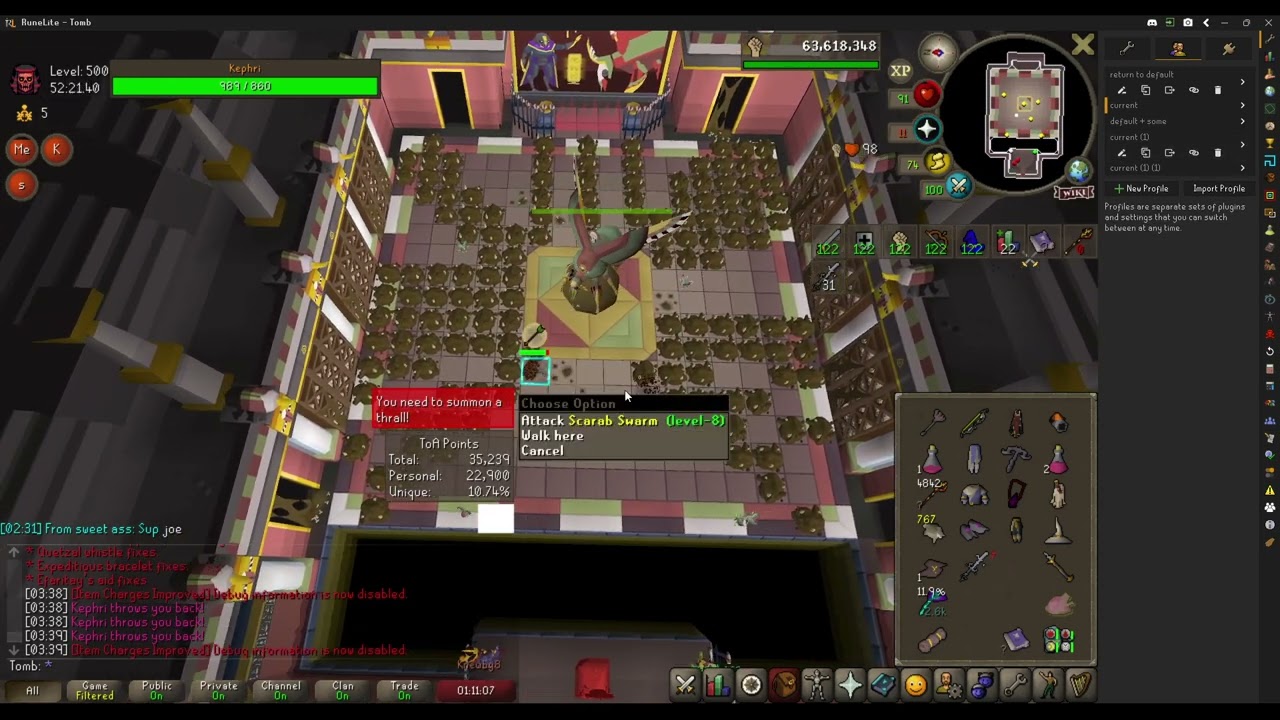
Youll notice even after i return runelite to default settings the swarms are rendering late.
 left sundial
swift cradle
okay, so this was the latest crash.
2025-07-10 04:14:14 EEST [Client] ERROR inj...
left sundial
swift cradle
okay, so this was the latest crash.
2025-07-10 04:14:14 EEST [Client] ERROR inj...
also getting this
 fluid canopy
cant edit or delete system variables?
i think my game keeps crashing because of low memory but im not sure, happens a couple times per session.
 leaden trail
Are you on an administrator account?
 heavy badge
Did you figure out how to use split tunneling on Runelite?
Whenever I use split tunneling on Runelite through Mullvad VPN I get that exact error
 round geode
heavy badge
Whenever I use split tunneling on Runelite through Mullvad VPN I get that exact ...
round geode
heavy badge
Whenever I use split tunneling on Runelite through Mullvad VPN I get that exact ...
I did get it working with the help of these lovely folks in this Discord. What ended up working for me was going to the Start Menu > RuneLite Folder > run RuneLite (configure) - tick off IPv4 and that'll let you correctly tunnel Runelite when using the Jagex Launcher
heavy badge
thank you mr bear man
round geode
No worries, I hope this helps you!
heavy badge
mr bear man
heavy badge
round geode
No worries, I hope this helps you!
i don't have tick off IPv4...
 haughty pumiceBOT
Download and install the updated RuneLite launcher from the website link in #welcome. You don't need to uninstall your current version. You will not lose any settings or plugins.
round geode
heavy badge
i don't have tick off IPv4...
You might need to reinstall Runelite like described here: #support message
heavy badge
round geode
You might need to reinstall Runelite like described here: https://discord.com/ch...
ok thank you mr bear man
leaden trail
You should drop what you're doing and look up how to update your microcode and then look at a warranty with the laptop manufacturer
Microcode 0x116 means your CPU is SERIOUSLY cooking itself
swift cradle
thing is, i did the latest bios update, no option to update more.
found some reddit guide to update it, did notn work.
 terse yarrow
is there a way to show fishing spots on pvp worlds
round jacinth
do they not show up the same way a regular fishing spot does?
round jacinth
hopping to world 539 to check this out
terse yarrow
me too to kill you
round jacinth
ill be harder than the contracts you conquered
i am a falador guard

anyways let me go check this fishing spot
terse yarrow
🥶 🥶 🥶
round jacinth
they dont seem to work on normal worlds either
terse yarrow
yeah that's kinda strange they were working on regular worlds for me yesterday but now they seem to be missing
oblique plume
what
terse yarrow

 scarlet steppe
please help me
 oblique plume
theres a lot of fishing spots therer
 oblique plume
because they dont have anything to fish with
round jacinth
is that the normal behavior? you need a fishing tool to get them to show? so barbarian fishing never shows them?
i grabbed a rod and now they show up
oblique plume
its been normal behavior for about 7 years
oblique plume
also its incredibly incorrect to say fishing spots dont work
when instead they just arnt highlighted
terse yarrow
oblique plume
also its incredibly incorrect to say fishing spots dont work
🤓 🤓 🤓 🤓 🤓 🤓
scarlet steppe
Does anyone know how to fix this?
 sharp igloo
When I have runelite opened and I get a discord notif I hear the ping but it doesnt show up in the bottom right.
When I have Runelite minimized however, I see all my discord notifs
round jacinth
windows is probably supressing them when you have a full window open (like a video game)
sharp igloo
how to fix that?
round jacinth
no clue, im guessing that is the thing that is happening
sharp igloo
round jacinth
no clue, im guessing that is the thing that is happening
i think ur right because i was getting overlays which was annoying and I turned it off on runelite, how dod i turn it back on again 👀
 spare trout
Hey there, just created an account on the Jagex site for OSRS and downloaded RuneLite but when I try to login it says Incorect username or password and says "If you have upgraded to a jagex account, you need to login using the Jagex Launcher istead". Did I sign up incorrectly?
 empty minnow
You need to launch RuneLite through the Jagex launcher
Which you can download on the Jagex osrs site
haughty pumiceBOT
The Jagex launcher (https://www.jagex.com/en-GB/launcher) will let you login and fully supports RuneLite. Login problems are a Jagex issue and there is nothing we can do about it.
spare trout
Ahhh ok thanks
narrow flax
Been expirencing crashes, usually during ToA or CG
Like... maybe once a day,
came here with the same issue last night and was told to clear cache and to cut out plugins
I've significantly cut down on my plugins and it has still crashed.
Any suggestions?
 charred wind
Any crash logs in your logs folder?
charred wind
Try disabling AMD CBS in BIOS
or whatever their Intel SpeedStep equivalent is
might be called CPB (Core Performance Boost)
leaden trail
Do you have a lot of those logs in there?
narrow flax
Crash logs?
leaden trail
jvm_crash logs yes
narrow flax
like 5 from the last 3 years
leaden trail
I see an error from resource packs in your client log but I don't think that would be fatal
To be clear when you say crash do you mean your client is closing out or just freezing?
narrow flax
One moment I'm gaming and then poof, no warning no freeze
poof 1 tick to the desktop
I'll try culling a lil more plugins, that AMD CBS CPB thing, am I gonna miss it when it's gone?
I'll also try that pretty directly
stone parcel
Personally I lost some performance when turning it off, but not too bad. It was like 10-15% or something.
leaden trail
narrow flax
I'll try culling a lil more plugins, that AMD CBS CPB thing, am I gonna miss it ...
It's probably not related to your issue tbh so you can probably just leave it on
mossy swan
for anyone not on 13/14th gen you should probably recommend running memtest (not the windows one)
leaden trail
Especially if you only have a small number of JVM crashes over several years
 crude nest
Hi there! I am having an issue with launching runelite through jagex launcher. I had this problem already like a year ago and i gave up. Now i gave it another shot, i did a clean win11 installation, but it's the same issue. Osrs launches through jagex launcher,but if i choose runelite it gives me this error. I tried launch runelite itself,but nothing happens,it does not respond at all,not even an error.

 scenic condor
Hi guys having an issue with Jagex account/non jagex account, ive logged out of the Jagex account to log into an ironman (which is non jagex) but every time i open runelite it is still showing the jagex account character. Doesnt allow me to log out on runelite
 haughty pumiceBOT
@scenic condor To find the logs, you can do one of the following:
- If your client failed to open, click the
Open logs folderbutton. - Open the screenshot directory by right-clicking 📷
Camerabutton, navigate 1 directory up, then open logs folder. - Navigate to
%userprofile%\.runelite\logson Windows or$HOME/.runelite/logson Linux and macOS.
Upload the log files named client and launcher by dragging them to Discord. If there are files prefixed with jvm_crash dated from today, upload them too.
leaden trail
scenic condor
Hi guys having an issue with Jagex account/non jagex account, ive logged out of ...
If you post your logs I can take a look
crude nest
crude nest
Hi there! I am having an issue with launching runelite through jagex launcher. I...
bump?
leaden trail
!new
haughty pumiceBOT
newplayer: If you are new to OSRS, make sure to follow this excellent guide on OSRS wiki: https://oldschool.runescape.wiki/w/New_player_guide. You can also join the official OSRS Discord here: https://discord.gg/osrs
scenic condor
leaden trail
If you post your logs I can take a look
do i upload the notepad file?
2025-07-10 19:57:14 BST [RuneLite] INFO net.runelite.client.RuneLite - Client initialization took 10102ms. Uptime: 11527ms
2025-07-10 19:57:14 BST [Client] ERROR m.resourcepacks.overrides.Overrides - color previously defined at line 1083, column 1 (line 1086, column 1)
2025-07-10 19:57:14 BST [Client] ERROR m.resourcepacks.overrides.Overrides - color previously defined at line 1090, column 1 (line 1093, column 1)
2025-07-10 19:57:15 BST [Client] INFO n.r.client.plugins.gpu.GpuPlugin - Using device: AMD Radeon RX 5700 XT
2025-07-10 19:57:15 BST [Client] INFO n.r.client.plugins.gpu.GpuPlugin - Using driver: 4.6.0 Compatibility Profile Context 25.6.1.250522
2025-07-10 19:57:16 BST [Client] ERROR injected-client - Client error: Login authentication error. Response code: 401 Unauthorized Response body:
round jacinth
yes the entire file
round jacinth
I was hoping it'd be a bit more obvious to call out but alas you cleaned up i think.
Your issue is happening because of the cheats you were using.
scenic condor
what cheats?
im using jagex launcher
genuienlly dont cheat so if theres something there i want it gone
round jacinth
a jagex acc does not load when you load runelite via runelite's shortcut
unless you're developing or cheating and if you were developing you'd not have this problem
scenic condor
im so confused aha
i made a copy of the folder and tried opening it that way, could be that
 cerulean plover
Whats a normal framerate youre supposed to get using the 117 HD plugin? Idk if it's something to do with the new amd drivers (ive been having some weird issues with it lately) or if something changed with the plugin since I last played, but I'm struggling to crack 40 fps, when before I was easily able to hit 100-140 fps. It's not just the fps either, my whole pc visually starts locking up when I zoom out. All other games seem to be fine though.
 pulsar bison
cerulean plover
Whats a normal framerate youre supposed to get using the 117 HD plugin? Idk if i...
pulsar bison
cerulean plover
Whats a normal framerate youre supposed to get using the 117 HD plugin? Idk if i...
i use these settings and I'm able to consistently get at least 150 fps. ignore the "fps target" option; i put it very high to check my max framerate


you could try enabling "use faster model hashing" and increasing your cache size? draw distance also tanks your framerate, in addition to shadow draw distance. i add some light fog in the distance to mask the draw distance and improve framerate
cerulean plover
use faster model hashing is already enabled for me
pulsar bison
the zooming out tanking your fps makes me imagine that it's a draw distance thing. what's yours set to?
cerulean plover
idk, these are the settings that were saved to my runelite account, they should be fine for my system
cerulean plover
pulsar bison
the zooming out tanking your fps makes me imagine that it's a draw distance thin...
everything is maxed
my gpu should be fairly solid, ive never had a modern game (unless its ue5) go below 100 fps
pulsar bison
cerulean plover
everything is maxed
if nothing changed, then it could be a driver issue. but i would save your settings and try mine and see if it improves
cerulean plover
well i did try setting everything to the lowest possible settings and it was still going to maybe like 50-60
ill try downgrading drivers
pulsar bison
- then try reinstalling the plugin and reapplying your settings
if you're bothered by low fps, you could also try the "Lossless Scaling" app (available on steam)
cerulean plover
pulsar bison
if you're bothered by low fps, you could also try the "Lossless Scaling" app (av...
i dont think that would work very well with amd
pulsar bison
cerulean plover
i dont think that would work very well with amd
i think that app works better with amd if anything
cerulean plover
does it? I thought amd had shit upscalers
pulsar bison
i use it to fullscreen runelite and do a 4x frame multiplier. in most games it results in bad ghosting but for whatever reason, it works very well with runescape's graphics and looks absolutely fine
pulsar bison
cerulean plover
does it? I thought amd had shit upscalers
amd's proprietary upscaler is FSR. nvidia's is DLSS.
"Lossless Scaling" is an upscaler and frame generator, but it works by basically looking at the frame and trying to guess what the next one will look like
so it works quite differently to FSR and DLSS but yeah it works very nicely for OSRS. i can set my fps to 40 and the game looks extremely smooth
cerulean plover
pulsar bison
amd's proprietary upscaler is FSR. nvidia's is DLSS.
"Lossless Scaling" is an u...
it uses its own?
pulsar bison
if you're willing, you could try it on steam and refund it within two hours if it doesn't suit you or doesn't work
pulsar bison
cerulean plover
it uses its own?
yeah. it uses its own technology
cerulean plover
hmm interesting, didn't know that. I'll consider it ig, there really shouldn't be any issues with my gpu though.
pulsar bison
cerulean plover
hmm interesting, didn't know that. I'll consider it ig, there really shouldn't b...
if you try it:
i use these settings
then to use it, you press "Scale" and then tab into runelite, wait for the 5s timer to finish and it will start frame gen. you can select the "draw fps" option to see if it's working
 cerulean plover
aight
pulsar bison
so i lock to 100fps and then it "looks" like i have 400
 cerulean plover
I'm trying 2 different major driver versions rn, see if that does anything
pulsar bison
cerulean plover
I'm trying 2 different major driver versions rn, see if that does anything
gl! lmk if you manage to improve the situation
 idle river
cerulean plover
Whats a normal framerate youre supposed to get using the 117 HD plugin? Idk if i...
idle river
cerulean plover
Whats a normal framerate youre supposed to get using the 117 HD plugin? Idk if i...
monitoring this, I've been getting really awful fps when zoomed out since last week i feel like
haughty pumiceBOT
Visit 117's HD plugin discord (https://discord.com/invite/U4p6ChjgSE) for support, issues & feedback
stone parcel
Maybe they can be more helpful.
idle river
I wonder if it's related to 117 at all - I don't use it, just the gpu plugin
but my issue is very similar, fps tanks when zoomed out
pulsar bison
idle river
monitoring this, I've been getting really awful fps when zoomed out since last w...
the lossless scaling thing is a life saver 🙏
idle river
thank you for the information, I'll try it out
stone parcel
If you feel like it started recently it's probably a fair idea to try some older GPU drivers.
idle river
I feel like it very specifically started about a week ago, but ive been using the same settings / rig since then. couldn't hurt to try some older drivers though
it only seems to happen in busy areas - zoomed out in hosidius, priff, and shayzien
doesn't happen when zoomed out in yama lair, for example
Thank y'all for the input. I'll try some of the fixes recommended here, perhaps later tonight
pulsar bison
fwiw, i only installed the plugin recently and i'm not having noticeable fps issues. i do have a very beefy system though. i mention this though bc it could be that a recent update to it had a faulty update process and i avoided that by essentially fresh installing it?
pulsar bison
idle river
Thank y'all for the input. I'll try some of the fixes recommended here, perhaps ...
gl!
delicate olive
are there any plugins to disabled these loot to inventory buttons? i keep pressing them by mistake
 cerulean plover
alr I tried major driver versions 24 and 25 and the performance is still bad :/
ig could be my chipset drivers maybe, adrenalin had those updated as well recently. I cba though, I'll just stick to the GPU plugin.
fluid canopy
leaden trail
Are you on an administrator account?
I'm guessing not, I've had some trouble in the past deleting certain microsoft files that required a massive amount of effort because of that. Usually never creates any problems though. Not sure what to do though =[
cerulean plover
Umm... I upgraded to the most recent driver (that wasnt meant for my gpu) and updated my java, and now I don't that have that locking up issue anymore and am somewhat comfortably holding 80 fps.
so... yay?
the performance is still kinda shit though
charred wind
Runelite likes older drivers
but I think GPU experimental on the hub plays better with AMD cards iirc
fluid canopy
bra my game keeps crashing now but i've changed nothing
3 crashes in 3 minutes
wat the helly
haughty pumiceBOT
@fluid canopy To find the logs, you can do one of the following:
- If your client failed to open, click the
Open logs folderbutton. - Open the screenshot directory by right-clicking 📷
Camerabutton, navigate 1 directory up, then open logs folder. - Navigate to
%userprofile%\.runelite\logson Windows or$HOME/.runelite/logson Linux and macOS.
Upload the log files named client and launcher by dragging them to Discord. If there are files prefixed with jvm_crash dated from today, upload them too.
fluid canopy
ill check it out thank you
charred wind
Launcher version is also outdated I think
fluid canopy
the crash logs were from yesterday idk why but it didnt create any today
but i updated this morning
charred wind
Updated what
fluid canopy
the launcher
jagex launcher
im able to edit now so should i remove the text completely or increase it?
 charred wind
I’d delete it
fluid canopy
ok :D
'tis gone
still getting this when i launch

and still crashing 😭
i made it a whole 53 seconds
zealous cedar
you might have to restart the jagex launcher after changing it
 zealous cedar
no idea
fluid canopy
strange, one of the installed launchers doesn't have that in the target box.
its just grey

thank you for the assistance
every time it crashes the memory use gets stuck at some random value ~460mb even after deleting the env variable
 zealous cedar
try installing 64bit runelite
 verbal jolt
Having a weird issue today. When I open my world map, there's a bone icon on top of the X to close the map, and as soon as I hover my mouse over it (hover, not even click), my game freezes. I can still click through the plugin windows on the side panel, but game must be hard closed and reset to unfreeze. Any ideas?
 round jacinth
Probably a hub plugin adding that icon and then redoing something infinitely when you hover over
!flow
haughty pumiceBOT
flowchart: Please refer to this flowchart for further troubleshooting.
verbal jolt
Thanks! I'll check that chart out
verbal jolt
verbal jolt
Having a weird issue today. When I open my world map, there's a bone icon on top...
For follow up, or in case anyone else runs into this issue. Unchecking this option for the "Death Indicator" plugin fixed this issue
 round jacinth
I’d submit an issue to their GitHub that it’s broken
verbal jolt
Gotcha, I'll do that
round jacinth
It shouldn’t crash people because they hover over it lol 🙂
verbal jolt
yeah xD it's gotta be a newer issue cause I've always used this plugin and never had this problem til today haha
round jacinth
I think they changed that pop up map when they added ctrl+m hotkey to open it? Idk
The creator of that hub plugin will have to confirm what’s different I guess
clear stratus
the creator appears to be adam
 atomic fern
hey guys, i'm trying to use the dink plugin to get discord webhooks working, every time i paste the url and go back out of the plugin the url just disappears and won't save, anyone know how to do this?
i have it working just fine on another plugin
gilded kayak
do you have it working fine from a previous day, does attempting to change the URL in that other plugin work today
this sort of thing tends to happen when RuneLite is prevented from writing your new settings to your settings files
oop u got muted
well i didn't think the plugin was broken anyway
fluid canopy
still not sure whats causing the crashes. created a fresh profile in runelite, only enabled shortest path besides all of the default plugins.

and of course default client works but wtf i just want my quest helper
haughty pumiceBOT
@fluid canopy To find the logs, you can do one of the following:
- If your client failed to open, click the
Open logs folderbutton. - Open the screenshot directory by right-clicking 📷
Camerabutton, navigate 1 directory up, then open logs folder. - Navigate to
%userprofile%\.runelite\logson Windows or$HOME/.runelite/logson Linux and macOS.
Upload the log files named client and launcher by dragging them to Discord. If there are files prefixed with jvm_crash dated from today, upload them too.
leaden trail
Post your logs and we can look
 woeful sky
Hey Guys, I've been having this issue for a while where my friend changed their name a few months ago and I can't dm them or hop to them because the display name that Runelite tries to message is not the same as his actual RSN, the issue cannot be replicated on the official client. I have also cleared my %userprofile%.runelite cache as well as reinstall the client
 gilded kayak
!safe you try safe mode
haughty pumiceBOT
safemode: To enable safemode
Windows
Run the RuneLite (configure) shortcut from the windows start menu
Tick the Safe mode box, save, launch RuneLite the way you normally do.
Mac
In Terminal, run
/Applications/RuneLite.app/Contents/MacOS/RuneLite --configure
Tick the Safe mode box, save, launch RuneLite the way you normally do.
mossy swan
i guess uninstall whatever hub plugin that broke it
gilded kayak
lit
can u tell us what one, that seems like a problem
but it's possible running safe mode once gave the plugin the bashing it needed, incase u didn't confirm it to still happen again, on the first startup after leaving safe mode
mossy swan
you didnt ping them so they're forever gone
 gilded kayak
hmm
woeful sky
seems like renaming muspah to "the grumbler" wasnt worth it after all
gilded kayak
x d
haughty minnow
will "clear ground markers" under world map wipe marked tiles only from one perticular area ( a room) or all marked tiles that i have saved in the whole game?
crisp dune
only the ones nearby, and it will warn you of exactly how many will be deleted
haughty minnow
ok ty
fluid canopy
leaden trail
Post your logs and we can look
there are no new logs since yesterday, same ones as earlier. i dont know how to force a crashlog to save
leaden trail
I need the ones just called client.log and launcher.log
You won't have a jvm crash log for this because it's not a jvm crash
fluid canopy
its not generating a new client.log and launcher.log and im not sure why. im about to blow up my pc for real sauce i cant do anything
every time i move and a new part of the map loads i just freeze and have to task manager, GPU plugin is off this is giving me aids
 violet frost
!questhelper
haughty pumiceBOT
Visit Zoinkwiz's Quest Helper plugin discord (https://discord.com/invite/XCfwNnz6RB) for support, issues & feedback
 lusty bear
every time i open the game i have to change the output method from either my dac or default to the other option in order to hear anything has anyone had this before its really annoying
its the audio output in volume mixer
 rustic wraith
lusty bear
every time i open the game i have to change the output method from either my dac...
rustic wraith
lusty bear
every time i open the game i have to change the output method from either my dac...
Similar issue with my setup. running audio through Wavelink and i have to switch input or output devices everytime i start up runelite
 bleak cliff
Hello, is it idle notifier that keeps spamming the world idle in my ear? I can't figure out what plug ins says an audible ''Idle''
haughty pumiceBOT
Many plugins from the pluginhub break the client in subtle or not-so-subtle ways, including causing issues like client freezes. We do not support pluginhub plugins because we do not make or quality control them, and do not recommend their use.
Run the RuneLite (safe mode) shortcut, or with a Jagex account, first run the RuneLite (configure) shortcut and tick the Safe mode box, then launch RuneLite via the Jagex launcher.
This temporarily disables the GPU plugin and all hub plugins which will allow you to confirm the issue is caused by one of those plugins and isn't a core RuneLite issue.
If the issue is caused by a hub plugin, you should isolate which plugin it is and then uninstall the plugin.
 stable tangle
i have 0 sounds on jagex launcher runelite , what do i have to do? 🙂 (edit all other sounds work on the pc)
rustic wraith
stable tangle
i have 0 sounds on jagex launcher runelite , what do i have to do? 🙂 (edit all ...
 tawdry wedge
Having an issue with RuneLite where I only get a white screen when launching, even in safemode, any suggestions?
 zealous cedar
hmm check the client log?
tawdry wedge
not seeing any error messaging in it
 polar widget
hi team, i'm also having an issue launching RL, and only works somewhat normally after i turn off the GPU plugin when it was working normally before. any suggestions on how to get this issue resolved?
oblique plume
maybe your gpu drivers changed and they dont work well
haughty pumiceBOT
To find the logs, you can do one of the following:
- If your client failed to open, click the
Open logs folderbutton. - Open the screenshot directory by right-clicking 📷
Camerabutton, navigate 1 directory up, then open logs folder. - Navigate to
%userprofile%\.runelite\logson Windows or$HOME/.runelite/logson Linux and macOS.
Upload the log files named client and launcher by dragging them to Discord. If there are files prefixed with jvm_crash dated from today, upload them too.
oblique plume
you can post the logs too
stone parcel
Drag and drop.
polar widget
i just reverted back to my old nvidia drivers and its working now
including with the GPU plugin
 sour mango
How come when I use official runelite (clean profile, gpu activated), I get only about 25-40 fps and lots of stuttering and needs a lot of tweaking to get up to 50 (but still a bit laggy in some areas). Meanwhile I just tried a ||private server|| that uses runelite but modified it, can run flawlessly on 50 fps without any stuttering even when in same areas? If I use GPU it's even smoother... What's going on?
zealous cedar
how do you expect us to know the answer to that?
 mortal hamlet
Hi I've just installed RL on Fedora (through Bolt) and everything seems to be working fine except for the focus behavior during inactivity. I do get the notification, but the RL window doesn't pop-up into the foreground. I was wondering if this just doesn't work on Linux or if I have to change some settings in my distro/DE.
stone parcel
Yeah force focus doesn't work on all Linuxs. Kinda hit or miss.
mortal hamlet
Shame 😦 Thanks for the response though!
stone parcel
There are a few PR attempting to fix this, but a Linux person would need to find a solution that works on most/all WMs. https://github.com/runelite/runelite/pull/16676
sour mango
zealous cedar
how do you expect us to know the answer to that?
I assume they have removed all of your bloat like telemetry, feature creep, background services etc, that can be the only answer I can think of? Surely you must know what is slowing down the client for low-end users
I run runelite at 800mb ram + 10% cpu on idle in osrs, the other client uses 350mb and 4% cpu on idle
zealous cedar
lol
sour mango
Is there a way I can strip down RL to this point?
zealous cedar
sure, edit the code if you want.
sour mango
zealous cedar
sure, edit the code if you want.
ya honestly might be worth it, half the cpu and ram usage is such a big improvement icl
it would be Runelite Lite version 🤣
tawdry wedge
polar widget
i just reverted back to my old nvidia drivers and its working now
This worked for me as well.
 cinder olive
Hi, I have really low fps when zooming out with the camera. I have around 20fps when zoomed out and 130fps when zoomed in. I have tried to play around with the GPU settings and reinstalled runelite, deleted the folders but still the performance is really bad. I have a ryzen 5 3600 and radeon 6600 so like i can play witcher 3 and gta V with 60+ fps but osrs is around 20-30 fps which im not sure why
oblique plume
amd drivers seem to have issues a lot
you can try the experimental gpu plugin on the hub
for some reason amd likes it better
 pulsar basin
Can anyone help with an Intellij question around the change from 1.11.11 to 1.11.12 Snapshot? Everytime runelite updates the API / version i'm unable to run an install within maven. I checked the pom.xml files and they seem to match? I'm not well versed in coding if anyone could help I'd appreciate it.
oblique plume
but it can have some rendering issues while its still in expermient mode
cinder olive
oblique plume
for some reason amd likes it better
Its the same unfortunately if not worse, just tried it. Not sure why am I getting into the 10 fps range... So there is basically no way to fix this if i have amd?
 oblique plume
try a different driver
if you can get 22.5.1 thats the best one we know of i think
24.12.1 is newer and someone sadi it was working before
cinder olive
oblique plume
24.12.1 is newer and someone sadi it was working before
I have this version currently :/ trying to roll backnow to 22.5.1
 wild pumice
Hi, im attempting to login via jagex launcher but i seem to be stuck on the screen "connecting to server"
have confirmed with my clanmates that i do indeed login but it doesn't show for me, i can demonstrate via share screen
 dark tusk
How can you change the banktag layout(default banktags not the hub plugin) option from the default to zigzag pattern
Sometimes I see the option, other times I don't, what am I missing?
 cinder olive
oblique plume
if you can get 22.5.1 thats the best one we know of i think
cinder olive
oblique plume
if you can get 22.5.1 thats the best one we know of i think
ok so 22.5.2 is definitely better getting 30-35 fps instead of 15-20. Is that it, is it normal? I don't need 200fps my monitor is 165hz but i really want at least stable 60
 near agate
Are these the right settings to get the reset bounds on sand crabs?
 solid mesa
Should be, if you have Always Active on then you don't need anything in NPC names
 frank stratus
World Hopper "Show Ping" setting not working?
near agate
Ah figured it out, I had to tp out and come back for the lines to work
 devout quail
guys after making my alt, my bank tabs have dissapeared off my main acc's RL (clue tab boss tab etc etc) does anyone know how to get this back?
 haughty pumiceBOT
 gusty reef
is there a way to have this text outlined?

the outline infobox text option on runelite doesnt work for this
round jacinth
i think your resource pack overrides it?
gusty reef
ill check
i disabled resource packs and disabled and reenabled every other related settings for outline
still nothing
should i restart?



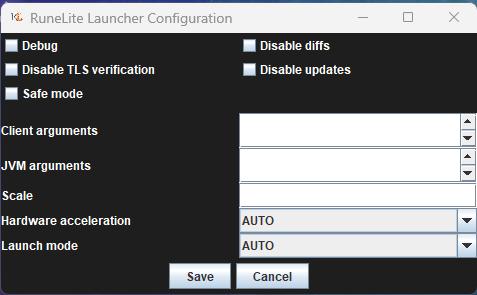 gusty reef
leaden trail
Yeah
gusty reef
leaden trail
Yeah
restarting didnt change it
is it safe to assume that this function just doesnt work with the clue helper plugin?
 fathom wolf
dark tusk
How can you change the banktag layout(default banktags not the hub plugin) opti...
fathom wolf
dark tusk
How can you change the banktag layout(default banktags not the hub plugin) opti...
enable and then disable the plugin hub bank tag layouts* plugin, the default plugin then has the zigzag option as well
would be nice if the regular plugin had this by default, having to do this^ sucks
dark tusk
This sounds like a bug if anything, I shouldn't need the hub plugin in the first place
solid mesa
Nobody has wanted to make a plugin to add zigzag to Bank Tags
dark tusk
solid mesa
Nobody has wanted to make a plugin to add zigzag to Bank Tags
I find that wild as default is awkward for fast gearing.
I would think zigzag is the most popular option
 vast bone
solid mesa
Nobody has wanted to make a plugin to add zigzag to Bank Tags
vast bone
solid mesa
Nobody has wanted to make a plugin to add zigzag to Bank Tags
bruh I made that plugin
fathom wolf
it is, people usually just don't have potion storage so they keep using the hub plugin
solid mesa
vast bone
bruh I made that plugin
I know, but nobody has wanted to make a plugin that only adds zizag to Core Bank Tags
dark tusk
I was also under the impression core banktags got the layouts implemented cause geheur didn't want to maintain hub layouts(with the new bank option shenanigans)?
solid mesa
Do you have notify when focused turned on?
vast bone
the reason it was added is because adam wanted to add it
now, I did also enjoy that I didn't haev to update it for stuff like potion storage
but that was not planned afaik.
I could add potion storage to it if I find time.
vast bone
solid mesa
I know, but nobody has wanted to make a plugin that only adds zizag to Core Bank...
does BTL interfere with the base plugin's layouts?
solid mesa
I haven't looked into it much. But Core Bank Tags just has a default layout. But Adam has said hub plugins can register their own layouts to work with Bank Tags
dark tusk
with BTL enabled
 fathom wolf
just enable it and disable it, the zigzag option works for the default plugin then
vast bone
is there anything wrong with leaving it on the whole time?
dark tusk
Future support troubleshooting here xD
fathom wolf
i think it adds more options so you can accidentally create a layout for the hub plugin
which you don't want if you need potion storage to work
vast bone
oh yeah I guess it does
I could add an option to disable it doing anything other than the layout but that is kind of weird.
fathom wolf
just adding zigzag functionality to the default plugin would be easier
dark tusk
Personally I don't use potion storage, it's just an awkward interaction atm
In my mind I want to stick with the core option, but for this one literally use-case I need to re-toggle the hub plugin
fathom wolf
fathom wolf
just enable it and disable it, the zigzag option works for the default plugin th...
since it just works this way
vast bone
seems like it's only the "enable layout" option at the bottom that would have to be hidden.
 glass isle
Hellooo, not sure this is where id ask, but i have hard reset computer without saving anything, how do i setup my runlite acc ? im looking at the wiki but not sure im doing it correctly
i have profiles on Runelite site
oblique plume
you just sign in
but if you wernt syncing your config profile before then it wont be there in client
the website shows you rsprofiles which are not config profiles
glass isle
so then its just data at that point ? if i log in and nothing is set correctly
oblique plume
if you dont have a synced profile then you dont have your profile from before
glass isle
so the profiles on website do nothing, gotcha
oblique plume
theyre rsprofiles not config profiles
 shut sky
is anyone else getting these jagex files on their desktop, and knows how to stop that from happening?
 leaden trail
shut sky
is anyone else getting these jagex files on their desktop, and knows how to stop...
leaden trail
shut sky
is anyone else getting these jagex files on their desktop, and knows how to stop...
Reddit
Explore this post and more from the runescape community
You probably did what's described there
 green rampart
OS+distro: Linux fedora 6.14.11-300
I've had two runelite crashes now while using the runelite appimage. No log files were created my ~/.runelite dir. Should I stop using the appimage?
stone parcel
Not even a client or launcher log?
 ebon ravine
Since yesterday I've had a weird instance happen on 2 new devices(from january)where during the Sol Heredit fight(on my pc) and during Araxxor(on my laptop) the game just froze the frame when holding down middle mouse button to turn my camera. During the freeze the game just goes on as normal cause I can hear sound but it freezes the frame for quite a long time making it unresponsive to click anywhere. Was wondering if anyone else heard of a similar problem? I'll try make a video tomorrow if I get to Sol or can replicate it inside the colosseum. Can't seem to replicate it anywhere else, not even at Nex or GGs.
To add, it's 2 different mice used so it's not a hardware problem 🙂
stone parcel
Maybe a hub plugin, maybe a network thing. There are people around here that can tell based on a video.
If it's easy to recreate you could try safe mode though and see if it happens there.
haughty pumiceBOT
To enable safemode
Windows
Run the RuneLite (configure) shortcut from the windows start menu
Tick the Safe mode box, save, launch RuneLite the way you normally do.
Mac
In Terminal, run
/Applications/RuneLite.app/Contents/MacOS/RuneLite --configure
Tick the Safe mode box, save, launch RuneLite the way you normally do.
twin vault
Is there a way to prevent loot tracker from erasing the older ones?
solid mesa
It can only keep the most recent things otherwise the client would be too laggy.
mortal pond
fwiw the older ones aren't really "erased", they just don't get loaded until you get loot from them & restart your client
solid mesa
You can also see all the loot online if you're logged into runelite https://runelite.net/account/loot-tracker
twin vault
solid mesa
You can also see all the loot online if you're logged into runelite <https://run...
Does that keep things indefinitely?
solid mesa
Yes
 lethal kayak
New to Runelite, I've seen it said within Runelite there should be a gpu plugin to increase view distance. It doesn't appear in mine so is that outdated information?
solid mesa
GPU is already installed not on the  tab
tab
lethal kayak
Picture for reference, it's not here as far as I can tell
 hollow olive
r u in safe mode
lethal kayak
Oh I think so
lethal kayak
That worked, thanks for the quick help lads
 slate saddle
This is a plugin hub plugin issue, but hoping someone has run into it. So I got the potion storage thing from mastering mixology. This made my bank tags all break - but no problem because I watched this video https://www.youtube.com/watch?v=R0ZLd93nsWQ and it showed how to fix them. All you do is "export with layout" and then "re import (with layout)" and while the tag and items do come back, the white arrows at the bottom vanish and I can't get them back. I used them to modify my bank tag and now I don't know how to modify them. First pic is before export (potions are gone, white arrows are there). Second is after import (potions are there, white arrows are gone)


Easy guide to get your bank tag layouts to work with the new potion storage.
- Disable "Always deposit to potion store" in menu (top right settings)
- Export Tag Tab with Layout (right click tab)
- Import Tag Tab (top left +)
- Exit Bank
- Enable "Always deposit to potion store" in menu (top right settings)
Guides Playlist: https://www.youtub...
charred wind
Should be able to right click the bank tag to do layout