#support
1 messages · Page 91 of 1
 vast bone
 haughty pumiceBOT
Graphical artifacts? Try disabling hardware acceleration: https://github.com/runelite/runelite/wiki/Disable-Hardware-Acceleration
vast bone
although often that is not for the sidebar scrolling but for stuff updating on it
might be worth a try though
 fallen veldt
Hello runelite helpers.
Can someone please help me?
When i DWH spec, it shows in the info box that i hit one hammer, and it's been drained by 30%.
With emberlight, it just shows i hit one emberlight spec. There's a way to make it show a number, instead of a percent. Like, if the defense is 100, instead of showing me 30%, i want it to show me 70. If i remember right, the info box shows the defense skill icon, and shows the "70". I've tried the white party plugin, the blue party plugin, special attack plugin.. party defense tracker plugin.. i can't figure this one out. Thank you!
(I'll attach a photo to hopefully make it easier to understand)

 oblique plume
its an option in discord
the log should probably say why it wont download, chances are if you have problems with one file youl have issues with more, so manually getting it isnt gonna solve much
haughty pumiceBOT
To find the logs, you can do one of the following:
- If your client failed to open, click the
Open logs folderbutton. - Open the screenshot directory by right-clicking 📷
Camerabutton, navigate 1 directory up, then open logs folder. - Navigate to
%userprofile%\.runelite\logson Windows or$HOME/.runelite/logson Linux and macOS.
Upload the log files named client and launcher by dragging them to Discord. If there are files prefixed with jvm_crash dated from today, upload them too.
oblique plume
fallen veldt
Hello runelite helpers.
Can someone please help me?
When i DWH spec, it shows ...
itl be a hub plugin that does it, idk which
fallen veldt
oblique plume
itl be a hub plugin that does it, idk which
I've reset every plugin that may affect it, i wonder if it doesn't work with these two weapons.. ?
oblique plume
perhaps
fallen veldt
I just tried the BGS - it shows i hit a 61, doesn't show the defense remaining, ugh
 hexed arrow
oblique plume
the log should probably say why it wont download, chances are if you have proble...
hexed arrow
oblique plume
the log should probably say why it wont download, chances are if you have proble...
#support message
its some ISP problem, was looking if its possible to sideload files
oblique plume
then the second part of my statement still holds true
hexed arrow
well, yeah. i was looking for like repository folder from github
 swift jasper
Hi, Over the past few days, Runelite keeps freezing periodically. The frequency as well as durations of the freezes have been escalating . Whereas a few days ago the client would freeze every 5-ish minutes for 1-2 seconds, it is now freezing every 30-40 seconds for ~5-ish seconds. Sometimes, it freezes as early as after I click the "Play Now" button. Needless to say, I am not able to boss or go to the Wilderness or otherwise enjoy smooth gameplay. I have tried, in order,
- Restarting RuneLite
- Restarting my laptop (Automatic restart as well as shutting down and manually starting my laptop)
I am on a 2024 M3 15-inch Macbook Air with Sequoia 15.5 running. Afaik, my OS and drivers are up to date. RuneLite version 1.11.10.1, Launcher version 2.7.3, OldSchool version Rev 231
Any recommendations for what else I can look into? Is this a known issue? My symptoms are similar to those described here https://github.com/runelite/runelite/issues/18972

GitHub
Type Crash or hang Operating System Windows OS Version 11 Bug description Randomly freeze/stall for 2-3 seconds. I have had this issue for a few weeks now and have tried everything to get this sort...
haughty pumiceBOT
Many plugins from the pluginhub break the client in subtle or not-so-subtle ways, including causing issues like client freezes. We do not support pluginhub plugins because we do not make or quality control them, and do not recommend their use.
Run the RuneLite (safe mode) shortcut, or with a Jagex account, first run the RuneLite (configure) shortcut and tick the Safe mode box, then launch RuneLite via the Jagex launcher.
This temporarily disables the GPU plugin and all hub plugins which will allow you to confirm the issue is caused by one of those plugins and isn't a core RuneLite issue.
If the issue is caused by a hub plugin, you should isolate which plugin it is and then uninstall the plugin.
swift jasper
haughty pumice
Many plugins from the pluginhub break the client in subtle or not-so-subtle ways...
I am not sure where the RuneLite (safe mode) or RuneLite (configure) shortcuts are. Are these on the Launcher or Terminal command line?
 mortal pond
swift jasper
I am not sure where the `RuneLite (safe mode)` or `RuneLite (configure)` shortcu...
mortal pond
swift jasper
I am not sure where the `RuneLite (safe mode)` or `RuneLite (configure)` shortcu...
They should show up when you search for RuneLite in your start menu
swift jasper
mortal pond
They should show up when you search for `RuneLite` in your start menu
Found #support message. Trying it now
swift jasper
swift jasper
Found https://discord.com/channels/301497432909414422/442492468307427330/1382386...
The issue persists in safe mode. Any other recommendations? My ping does not appear to fluctuate at all during these freezes
haughty pumiceBOT
To find the logs, you can do one of the following:
- If your client failed to open, click the
Open logs folderbutton. - Open the screenshot directory by right-clicking 📷
Camerabutton, navigate 1 directory up, then open logs folder. - Navigate to
%userprofile%\.runelite\logson Windows or$HOME/.runelite/logson Linux and macOS.
Upload the log files named client and launcher by dragging them to Discord. If there are files prefixed with jvm_crash dated from today, upload them too.
oblique plume
can post client log too in case its saying something
swift jasper
oblique plume
those logs look fine
swift jasper
oblique plume
those logs look fine
I agree. I didn't see anything peculiar in them. But the symptoms persist. I will try restarting my computer and opening RuneLite in safe mode again
swift jasper
swift jasper
I agree. I didn't see anything peculiar in them. But the symptoms persist. I wil...
It seems to be fine after the machine restart. Whatever it was, it may have been cached or maybe just hasn't had time to recur yet. If it continues to be fine in safe mode, I will try to reintroduce plugins and try to isolate which one is causing the issue. Is the use/presence of plugins the only difference between regular and safe mode?
oblique plume
yes
haughty pumiceBOT
Support for hub plugins should be directed to the author of the plugin.
You can find the support link by searching for the plugin in the Plugin Hub panel and clicking the ? button on the plugin, or by right-clicking the plugin in the plugin panel and clicking the Support menu option.
 vocal flint
anyone able to help why I have no sound for notifications on windows now please
oblique plume
lots of reasons
windows like to just decide not to play any
you can set the notification sound setting to custom and RL will instead play the sound and not request windows to do it
vocal flint
wherew is best for other wavs?
oblique plume
theres a default one you dont have to provide it
vocal flint
ye but its like a popping noise aint it
oblique plume
idk
mortal pond
vocal flint
anyone able to help why I have no sound for notifications on windows now please
have you tried restarting windows? there have been a few times where my notification sounds stopped working after a windows update, and rebooting has always fixed it for me
vocal flint
yep tried it mate
 leaden trail
Do you have do not disturb or focus mode/whatever they call it enabled?
vocal flint
I don't
 fallow sleet
Does anyone else have an issue with discord dms not pinging you when you have runelite open? Like, when it's currently maximized and the active window.
leaden trail
Are you streaming?
fallow sleet
I'm not.
 radiant rampart
Hello! My Menu Entry Swapper plugin has become bugged. Whenever I set anything in the bank to be "swap left click -> placeholder" it instead sets to "withdraw all but one." The rest of the plugin is functioning normally. I cant find any info on google or the plugin wiki about this. Does anyone have any ideas how I could fix it, that doesn't involve resetting the whole plugin?
 gilded kayak
do you have the placeholder 🔒 at the bottom disabled
I believe it's not something we can fix, abex said this when someone opened the first issue about it #development message
(and Adam acknowledged not being able to fix it either)
radiant rampart
gilded kayak
do you have the placeholder 🔒 at the bottom disabled
it is disabled, yes.
so, there are no answers for this, unfortunately? :/
gilded kayak
the answer is it's just not possible to do anymore, due to Jagex changes
we should probably make it so the plugin can't do that swap anymore
but we haven't
(when that setting is disabled)
radiant rampart
but it doesnt seem to be a problem for everyone, it still works for my clannies...
you dont think resetting the plugin would fix, either?
thanks for your answers 🙂
 magic otter
Hi all, my item stats plugin keeps resetting (unchecking the equipment stats and other checkboxes every time i login) - any ideas how to fix this so it stays on permanently?
 vast bone
did you install the plugin (named something like "toggle equipment stats")
try disabling it if you did.
magic otter
i've got "bank item stats toggle" could that be it?
magic otter
vast bone
try disabling it if you did.
i've just uninstalled this, fingers crossed and thank you!
vast bone
that's probably the one
magic otter
vast bone
that's probably the one
tysm!
 faint marsh
Hey I’m having an issue runelite just continuously crashes but the OG client has no issues please help 😦
haughty pumiceBOT
To find the logs, you can do one of the following:
- If your client failed to open, click the
Open logs folderbutton. - Open the screenshot directory by right-clicking 📷
Camerabutton, navigate 1 directory up, then open logs folder. - Navigate to
%userprofile%\.runelite\logson Windows or$HOME/.runelite/logson Linux and macOS.
Upload the log files named client and launcher by dragging them to Discord. If there are files prefixed with jvm_crash dated from today, upload them too.
faint marsh
So upload the client log to here? Or you want the JVM_crash_pid one?
 solid mesa
Upload the log files named client and launcher by dragging them to Discord. If there are files prefixed with jvm_crash dated from today, upload them too.
faint marsh
solid mesa
I think you just have a damaged 13th gen Intel CPU
faint marsh
but why does the normal client run fine?
leaden trail
What if you install the 64 bit client?
faint marsh
i have tried both 64 and 32 bit
solid mesa
Runelite seems to make the issue more apparent than other processes for some reason
faint marsh
so is there a work around becuase i usually dont have problems playing anything else or doing anything else?
solid mesa
The work around is unfortunately get a CPU that isn't damaged
faint marsh
damn im confused why other games work fine that require alot more CPU though?
leaden trail
You're not on the latest microcode unfortunately
faint marsh
what does that mean?
leaden trail
Because it uses the CPU in a different way
You should probably rma your CPU as I would imagine it's started to cook itself
faint marsh
is there a way i can test my CPU because i run other stuff all the time no problem its just runelite giving me an issue
solid mesa
There is a diagnostic tool https://www.intel.com/content/www/us/en/download/15951/intel-processor-diagnostic-tool.html although people have had the tool say pass when the CPU is damaged
faint marsh
because i run new world highest settings no problem same PC and that takes up ALOT more CPU so im genuinely confused
and the OG client has no problems
solid mesa
It isn't about how hard the CPU is run
gilded kayak
you can't use the OG client it's long gone, the client you are talking about is very new
faint marsh
well i mean like the original jagex launcher jusr runescape client
gilded kayak
yes I know that client is very new
we don't know why it happens but people with this gen CPU the client just crashes randomly for them
well other than those who are sure it is actually this 13th gen problem
leaden trail
It's kind of a progressive thing but RuneLite is often the first thing to have issues and then they start showing up elsewhere
Do you have other JVM crash logs or just the one?
faint marsh
i have some others but there all jsut related to the same issue as far as i can see
ive seen on other forms people with the same processor have similar issue but theres not been a fix found as of yet
im gonna try and update all my drivers and BIOS see if that helps any
solid mesa
There is no fix, your CPU has been permanently damaged
But Intel has done an extended warranty
faint marsh
leme try this and ill update yall bc i had ALOT of updates lol
leaden trail
Updating doesn't really help when the damage has been done
faint marsh
I Mena from what I can tell I just finished the updates did about 6 vork kills it seems to be running a lot better
No crash yet fingers crossed lol
It seems a lot better but I’ll keep an eye on it
solid mesa
Unless you are in a situation where you cannot I would highly recommend getting Intel to RMA you CPU as it has been permanently damaged and is likely to get worse.
faint marsh
Okay I’ll check into it do I go through the intel website?
solid mesa
solid mesa
 solid mesa
Ground Items
solid mesa
Check the settings
 solid mesa
You will get lootbeams for items >10m gp
 dreamy jackal
i did it for 1mil
solid mesa
Doesn't look like it
 dreamy jackal
i changed it to high
solid mesa
Did you drop an item on the ground over 1m to check?
solid mesa
I don't use loot beams
dreamy jackal
why not?
solid mesa
Personal preference
dreamy jackal
saving up for arcae now
 willow wind
what is it that makes GPU experimental plugin perform so much better than vanilla GPU on amd/linux?
in prif i get 40 fps with GPU, and 200+ with GPU experimental and with the exact same settings. but its so buggy that i can't really use it as a long term solution
 vale violet
anyone know if there is a fix for the crafting skill menu?
 stone parcel
Jagex is working on that one. " will be fixed in an upcoming update" they claim.

 tender scarab
if im making some quick changes to fix the build workflow after submitting a pr that has not been merged, should I just close the pr and reopen with the altered commit hash?
 rocky tiger
@tender scarab Just update commit hash in phub fork. The bot will update link in PR and rerun the checks.
tender scarab
rocky tiger
<@337335068127264768> Just update commit hash in phub fork. The bot will update ...
gotcha ty :D
 rocky mist
does "remember client position" only default to your main monitor?
 whole gorge
Does anyone know why my runelite plugins like Mahogany homes or Farming won't populate information on the screen?
Works fine on my desktop, but not my macbook
Ive even went as far as starting a new runelite profile and still nothing
solid mesa
You may have moved them off screen. Can try going to fixed mode to move the overlay
whole gorge
solid mesa
You may have moved them off screen. Can try going to fixed mode to move the over...
Unfortunately fixed mode didn't change anything. What's odd though, is that my slayer task does appear (in all modes)
 rocky mist
I have two accs on the same tile, same camera point and zoom and client size, but they're centered differently. anyone know whats going on there?
 gentle scarab
the direction/speed you came to that tile from can have an effect and there might still be some built-in random offsets to throw off color bots
rocky mist
oh damn, makes sense.. thank you! it was lowkey triggering my ocd lol
 stone swan
Hi, was wondering if there is any update on the bug with Menu Entry Swapper? When trying to select the 'Bank Withdraw shift-click' option to 'Placeholder', it does not work. Has been an issue for over 2 months and on Github. Thanks. https://github.com/runelite/runelite/issues/18914

GitHub
Type Incorrect behavior Operating System Windows OS Version Windows 10 Bug description Since the OSRS update on April 9, 2025. The placeholder option for MES is no longer working correctly. All the...
stone swan
radiant rampart
but it doesnt seem to be a problem for everyone, it still works for my clannies....
I'm still having the same issue. Has been raised on Github by people before but no-one ever assigned to it to fix the bug. https://github.com/runelite/runelite/issues/18914
GitHub
Type Incorrect behavior Operating System Windows OS Version Windows 10 Bug description Since the OSRS update on April 9, 2025. The placeholder option for MES is no longer working correctly. All the...
 round jacinth
People don’t get assigned to fix stuff people just decide to fix stuff
I’m trying to remember if this is something jagex could fix there was a lot of wonky bank stuff because of their new bank options thing they did for charging items on withdraw
stone swan
round jacinth
People don’t get assigned to fix stuff people just decide to fix stuff
I'm only saying that cause it says 'No one assigned' on the issue page
 full wind
Does anyone know how to m ake it so the icons are all on a single line above the chat box?
I used to have it like that but alt+left click to reset it by accident and now I cant remember how to get it back to how I had it before 😦
 oblique plume
alt drag the bounding box to be longer
 quaint python
Where can I find this? Thank you in advance
 full wind
oblique plume
alt drag the bounding box to be longer
full wind
oblique plume
alt drag the bounding box to be longer
Thanks king
 oblique eagle
Does notes app not update between runelite clients?
oblique plume
configs are only loaded at startup
oblique eagle
can you explain like im 5 and just received my first computer
oblique plume
changes in one wont affect another if its already open
oblique eagle
thank you liege
 kind rune
hi guys, can some1 help me please?
i just start up my pc and suddenly my runelite was gone
so i redownload it and when i try to instal i get this message
 stone parcel
I'm finding ancient posts (2009, 2011) blaming antivirus softwares for "MoveFile failed code: 5", for different games, but maybe helpful. 🤷
But RL just being gone on startup definitely makes me think antivirus going wild.
 worldly fern
Hello. I've been lagging and disconnecting for months. I changed my router, cables and even PC. Nothing seemed to help. Today i tried to complete 1 toa raid and dced at akkha. You guys are my last hope.
kind rune
stone parcel
But RL just being gone on startup definitely makes me think antivirus going wild...
Ok Thanks! Ill check it 🙂
haughty pumiceBOT
@worldly fern open command prompt, type this in:
ping -t oldschoolXXX.runescape.com
where the XXX is your world minus 300, for example world350 = 50
stone parcel
Here, try leaving this running, and see if the cmd window shows issues at the same time you experience them in game.
round jacinth
you can try to run this while you play the game and see if you dc from osrs and that window is showing disconnects too
 vital ember
 round jacinth
jagex disagrees
that error is happenign prior to even getting runelite to launch
so maybe ask them
worldly fern
alright will do this, ty
 shrewd berry
hello, i have 2 accounts, on one of them it shows my xp drops whenever i am pvp or pvm, but on my 2nd account it does not show my xp drops, it is selected/toggled on
any suggestions?
haughty pumiceBOT
We are using vanilla XP drops. To configure them: https://github.com/runelite/runelite/wiki/XP-Drop
shrewd berry
haughty pumice
We are using vanilla XP drops. To configure them: <https://github.com/runelite/r...
thank you
that worked 😄
worldly fern
well i lagged big time at kephri but i didnt lose any fps and the ping was stable
round jacinth
the command prompt thing showed no issues you're saying?
haughty pumiceBOT
flowchart: Please refer to this flowchart for further troubleshooting.
 round jacinth
can you share the entire logs instead
worldly fern
oblique plume
Client error: Login authentication error. Response code: 400 Error servicing REST query: auth.runescape.com Response body:
looks like connection issues to me
kind rune
stone parcel
I'm finding ancient posts (2009, 2011) blaming antivirus softwares for "MoveFile...
yup it was my antivirus who deleted runelite
 smoky spoke
I don't know if this is the place for questions rather than than issues.
But is it possible to reorder overlays within a group? My XP drop and XP Globes plugins sit the wrong way around in the group and I can't seem to change it so the xp drops are below the globes.
I typically just have the xp drop not actually in the group, and just placed below and behind it. But it causes the drops to be misaligned if I ever open the side bar. So I'm curious if there's any actual way to have it functioning how I want it to?

 subtle turret
Getting this fatal error when trying to start up runelite. Anyone have any suggestions on how to troubleshoot?
 round jacinth
your clock is wrong
subtle turret
I’ve got it set to automatically update and seems to be right
round jacinth
reset the time so it can re allign anyways
subtle turret
Ok I will try
 zenith steppe
anyone know how to fix weird blurry spots from gpu settings
oblique plume
just spots?
zenith steppe
yea
subtle turret
Clock has been reset and I get to login page but keep getting this error. Any ideas?
 round jacinth
that error is now a different one, since you fixed the clock
leaden trail
That's usually just a connection error
subtle turret
Let’s go! I’m in! Appreciate the help
 hasty olive
Is there a way to make the sidebar bigger to see better?
haughty pumiceBOT
solid mesa
Change the scale
hasty olive
@solid mesa thank you, some plugins wont work correct?
leaden trail
Why would that break plugins?
 celest yew
i have potion storage and had to export/import them to use the pots again. but now the edit button in the bottom right corner isnt there. can you get it back?
gilded kayak
the edit button?
are you talking about the button that generates the layout, from the  plugin, bank tag layouts?
if by pots you mean the pots from potion storage, you use the default bank tags plugin for that, not the hub plugin
celest yew
no in the bottom right theres white arrows you can click if your inventory is different
gilded kayak
the default plugin does not have that button
celest yew
 round jacinth
bank tag layouts (hub plugin) does not support potion storage, you have to use core's bank tags if you want potion storage to work with layouts, you can import bank tag layouts (hub) into core's bank tags
gilded kayak
that button very clearly does exactly what I said it does?

but yes as I and zom* said, that button comes from the hub plugin
celest yew
im saying that button isnt there lol but i guess it just doesnt work. hopefully its not wonky eventually
gilded kayak
do you have that hub plugin installed?
celest yew
 vast bone
the auto layout stuff on the vanilla bakn tags plugin is on the right-click of the tag tab on the right side of the screen
left side*
celest yew
no it just disappears if i export/import the set up so it works with potion storage
 hollow whale
any ideas why client crashes when teleporting?
gilded kayak
!logs the logs probably know
haughty pumiceBOT
To find the logs, you can do one of the following:
- If your client failed to open, click the
Open logs folderbutton. - Open the screenshot directory by right-clicking 📷
Camerabutton, navigate 1 directory up, then open logs folder. - Navigate to
%userprofile%\.runelite\logson Windows or$HOME/.runelite/logson Linux and macOS.
Upload the log files named client and launcher by dragging them to Discord. If there are files prefixed with jvm_crash dated from today, upload them too.
gilded kayak
these logs say that hub plugins are running out of memory
either get rid of some or increase the memory limit
haughty pumiceBOT
gilded kayak
ctrl+F memory on that page
 deep dirge
Does anyone know why my pings dont work in party. I've tried changing everything and disbaling any remapping plugins
vast bone
are you holding the hotkey and then clicking?
gilded kayak
(they weren't)
 tropic gale
https://gyazo.com/ad74ea308fcc61249e1b58409265a9ea anyone know what's going on with my runelite?
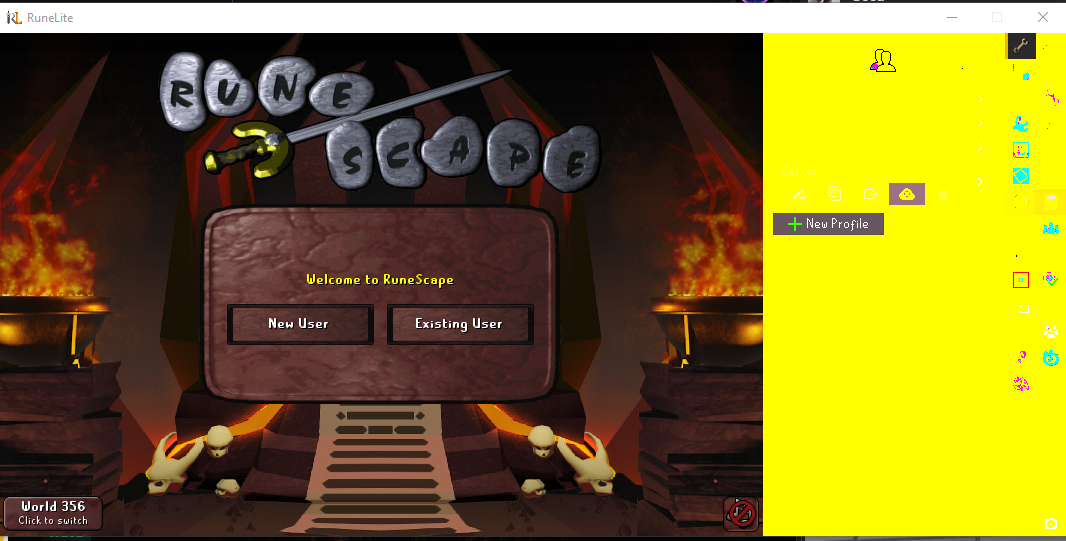 oblique plume
Nvidia hdr
tropic gale
tropic gale
https://gyazo.com/ad74ea308fcc61249e1b58409265a9ea anyone know what's going on w...
found a temp solution. ran the safe mode then opened the regular client. would love to know what happened here though, if anyone's seen it
worldly fern
round jacinth
then maybe it's a hub plugin rather than network lag
well i did run this in safe mode and it's lagging the same way
even tho ping is stable and FPS dont drop
any solution?
gilded kayak
tropic gale
found a temp solution. ran the safe mode then opened the regular client. would l...
?
 oblique plume
It's not the answer they were looking for
gilded kayak
well it's the correct one
tropic gale
gilded kayak
?
I didn't see that reply, thank you. will look into that.https://gyazo.com/5cbf03e4b0f1c510b7e8f6da61bca2de
 gilded kayak
ghost
i figured alex was just in my imagination anyway
i find this funny so i will believe it to be true
oblique plume
Im always muted 
gilded kayak
if he has u muted i'm gonna be mad because i never found a way to mute people and not have that annoying ONE BLOCKED MESSAGE popup show up
tropic gale
i don't have you muted, i opened the disc link on my nonprimary browser, and had the name antwan on it, realized i wasn't logged in so swapped back to primary, but messages were rolling through the browser instead of my app lol.
gilded kayak
fun
oblique plume
Nah its just a common theme with me
tropic gale
on another note, i can't activate the nvidia hdr cause i don't have HDR10 display?
gilded kayak
mmm that sounds like problem
i see the messages alex was probably originally thinking of, #support message back when the feature was in beta
i told them to report the issue since it was new as of that day
i guess they didn't 😿
or at least, there was a new beta version that day
tropic gale
Oh yep, that was my client. What was weird, I opened up a client an hour before and it was fine. Tried to log in my second account and felt like i was in a rave early 2010s.
 charred wind
gilded kayak
if he has u muted i'm gonna be mad because i never found a way to mute people an...
charred wind
gilded kayak
if he has u muted i'm gonna be mad because i never found a way to mute people an...

 north hearth
For some reason when trying to view more info about crafting it's showing the thieving tree instead
 solid mesa
Jagex bug to be fixed Wednesday
north hearth
Sweet
willow wind
to anyone that uses linux + amd and has severe performance issues (which has plagued me for a while) like incredibly low fps in zones like prif/fossil island (~30fps) and/or symptoms of system being bogged down (laggy cursor, videos, animations, etc), the two current workarounds are to use the experimental GPU plugin (very glitchy, but performs butter smooth; i get 200+ fps in prif with max settings, kinda ridiculous) or install amd proprietary drivers for linux (amdgpu-pro) which can work on top of the open source kernal drivers, so you can invoke it for whatever apps need it and have the rest of the system continue to use the open source kernal drivers. you can find discussion about it in this github issue: https://github.com/runelite/runelite/issues/16354.
the workaround of disabling "Compute Shaders" in the GPU plugin fixed the issue of the rest of my system being incredibly laggy, but it did not fix (and actually decreases) the in-game performance, so I highly do not recommend that approach.
this is for anyone that comes across this via a search, hopefully this helps. like i said, this plagued me for quite a while and honestly made me not want to play osrs on linux for some time

GitHub
Open source Old School RuneScape client. Contribute to runelite/runelite development by creating an account on GitHub.
if you have trouble getting the relevant oglp driver files on non-arch systems distros like ubuntu send me a dm. i had quite a few issues and spent a long time trying to figure out how to get the driver files to install without overriding my base kernal driver.
tropic gale
yoo, back with another question. my fps drops pretty bad during yama waves, think that's something with the ping issue? started to notice that more when us west worlds were affected. Can't tell if i noticed it more because i'm also lagging, or just dealt with it this whole time.
leaden trail
It's more likely to be a bad hub plugin if it's consistently during one situation like that
 latent ridge
Hey just coming back to the game and it seems no type of VPN is allowed now. Which file should I select for split tunneling? I tried runelite.exe but its still giving me a connection error. I need to keep my VPN on for the rest of my computer due to ISP limitations and would love to be able to play while I'm doing other stuff on my pc
gilded kayak
open runelite (configure) and check the ipv4 box
latent ridge
Sorry where can I find that? RL folder or jagex launcher? I only see a config.json on folder
stone parcel
!configure
haughty pumiceBOT
!configure command not found!
gilded kayak
it's in your windows start menu
if you don't see it there re-download run the runelite installer
latent ridge
I was about to ask, re-download it is. I will update once i do it
Worked like a charm ty so much!
 rancid abyss
Anyone have a clue why my visual tick indicator's color settings aren't working properly? I want it to be so that each tick in a 7 tick cycle is a different color box, but right now it's only changing color at the star of every new rotation (when it goes back to tick 1)
I reset colors to their defaults
 haughty pumiceBOT
Get support for the Visual Metronome Plugin Hub plugin here: https://runelite.net/plugin-hub/show/visual-metronome.
You can also find the support link by searching for the plugin in the Plugin Hub panel and clicking the ? button on the plugin, or by right-clicking the plugin in the plugin panel and clicking the Support menu option.
 sleek blaze
Okay so I've been playing on my new pc for around 2 months now and I wanna merge the old tracked loot from my old laptop to my new pc
the first and obvious option to do so is simply to sign in with runelite which I did but it ended up overwriting the 2 months of gameplay I had
so I decided to export the old and the new json files and merge them together
 burnt tiger
question
sleek blaze
but the thing is after doing so I realized that theres no loot-tracker.json to be replaced to begin with
burnt tiger
has anyone have been getting crashes lately?
sleek blaze
 burnt tiger
my game has crashed 5 times on GOTR just today
i have updated runelite and see if that fixes the issues
haughty pumiceBOT

Trevor159
it work
SQL for database migration
ALTER TABLE `users` ADD `oauth_provider` ENUM('GOOGLE', 'DISCORD') NOT NULL DEFAULT 'GOOGLE' AFTER `username`, DROP INDEX `username`, ADD UNIQUE(`username`, `oauth_provider`);
 lyric locust
good morning, when i logged in this morning all my settings where reset to a build from like 4 years ago. anybody got an idea how i can get my settings back?
haughty pumiceBOT
lyric locust
i tried everything from the above link and still can not find my settings
 rough phoenix
hi everyone. how do you get this tag color option within npc indicators? i cannot seem to find out how to get it
 solid mesa
Shift right click again after the mob has been tagged
rough phoenix
iv tried that and it doesnt work?

im trying to tag monkeys in toa but using this as an example

these are my settings

 haughty pumiceBOT
To enable safemode
Windows
Run the RuneLite (configure) shortcut from the windows start menu
Tick the Safe mode box, save, launch RuneLite the way you normally do.
Mac
In Terminal, run
/Applications/RuneLite.app/Contents/MacOS/RuneLite --configure
Tick the Safe mode box, save, launch RuneLite the way you normally do.
vast bone
lyric locust
i tried everything from the above link and still can not find my settings
dunno then unfortunately
lyric locust
back to the drawing board then 🙂 i have that quite often with other games aswell and it is bugging me alot that like every 2-4 weeks a game resets all their settings
rough phoenix
solid mesa
not sure what i changed but played around and it now appears thank you
vast bone
I can't tag my demon butler properly either.
might have to use tag-all?
since every time you enter your poh it's rebuilt or somethign like that.
yeah tag-all works
rough phoenix
yeah i think youre right tag-all was the issue. i was using the butler as an example because i was trying to tag the toa monkeys and after tagging the monkey that wouldnt appear but tag all seems to allow it which makes sense
lyric locust
lol now my runelite crashed aswell 😂 man my day is getting better and better
 deep pike
Does it work to build a plugin and put it in the ./runelite/plugins folder? I can't seem to get my plugin to load this way
rocky tiger
@deep pike Run gradle jar and put it in ~/.runelite/sideloaded-plugins You need to be in --developer-mode
deep pike
rocky tiger
<@99726710601162752> Run gradle jar and put it in ~/.runelite/sideloaded-plugins...
That worked, thanks!
 drifting kraken
Hi, I noticed that my presaved profiles have been wiped today, anyway how to revert the lost information?
 real rivet
Hello , sorry to ask but do we have an ETA on olm/tob toa projectile fix ?
 mossy swan
unfortunately no
haughty pumiceBOT
 sage hound
It seems other's are having similar issues that I've had for atleast a year. When RuneLite updates, my settings revert to an older cached file of settings. My loot tracker reverts to older kc's and wipes any recent session data it had. If i recolor something in ground items, they get reverted to the old color etc. Happens everytime an update happens. Wipes any new settings I change aswell as recent session data up to the previous update. Is there a fix for this?
round jacinth
updates don't interact with your settings files, you maybe have this issue when ever you generically play the game and only notice because you rstart client once a week
you maybe have permission issues'
you can confirm if its permission issues if you change a setting like a new ground item to highlight and then log out and restart client and see if it's still highlighted
sage hound
okay so I just did what you said, I highlighted a new ground item, logged out, restarted client. The item is still highlighted however my loot tracker of the npc I was killing (abberant spectres) is now 453kc. Before I logged out, i took a ss of my current task which was only 204kc. Why did this pull an older cached file of more kc?

 round jacinth
you maybe have duplicate profiles on the site
check out the site
and you'll pick one to delete i think, you can't merge em
sage hound
I'm looking at the site and I have a few different accounts but no duplicates. When I check my profiles2 folder I am seeing more than 1 profile there. Felanbird was helping me a long time ago with an issue that I shared my profile with him and he edited. Should I delete any duplicates there?
round jacinth
no i wouldn't delete anything there
loot tracker is not pulled from a profile
loot is in the $rsprofile file which is shared between accs, it just loads the loot for the acc you login with
idk what is happening you can maybe share logs and some1 can take a look
idk what to look for
sage hound
The only place I see duplicate profiles of the same name are in the profiles2 folder. There are several too. I feel like the issue is coming from there
round jacinth
it isnt but ok
this is the stuff that loads, you label here and it's associated with 1 file on the other side

you can have 10000 files in there but only 1 profile here and it'll pick the right file every time
did you manually modify your file at some point and brick it
sage hound
I havent messed with any of these files myself, I sent my profile to felanbird maybe 6 months to a year ago that he deleted some info saying that any file size over 500mb (iirc) has issues with the cloud or something. So he deleted alot of info in my profile and the original issue (had to do with infoboxes resetting) wasn't fully resolved.
This is why I have multiple profiles in the folder, one of them is even named "felanbirdnew" which was on 7/17/2024
round jacinth
can you dm me your $rsprofile file so i can take a peek? i don't know what is happening, but this is sorta why we dont manually fix files as it causes problems
that file only contains loot and farming timers and other stuff tied to the account, not plugin settings
oblique plume
the loot tracker only loads so much loot, it just grabs the most recent # of entires and shows them
if you kill something it is now more recent so if there were entries dropped off because they were too old, now they are not and so you see them
round jacinth
Would it ever go from 204kc to 453kc? It would either load all or none for an item, wouldn’t it?
And when you got the kc it would fetch the rest if it wasn’t loaded
 sacred moth
Every. Single. Time I open Runelite, it defaults back to this background. No matter if I have the Login Screen plugin enabled or disabled; no matter if I have a specific background selected -- as you can see I have it set to Yama and it still reverts back to this one..... WHY?!

 zealous cedar
probably a diffrent plugin is changing it
leaden trail
Resource packs maybe?
 candid bobcat
anyone ever have this bug happen? tried restarting pc, reinstalling runelite, reinstalling/rolling back graphics drivers. super weird
oblique plume
round jacinth
Would it ever go from 204kc to 453kc? It would either load all or none for an it...
They did the 204 that session
round jacinth
and on reload it combined?
oblique plume
That's how its always worked
round jacinth
okay i thoght it would fetch the original kc and +1 to it then add the rest of the 203 of the session
ty alex
 heady owl
Is there a plugin or way to hide special attack details on mouse hover? anyone know
sage hound
what is the determining factor of them being "too old" if I may ask? because it makes it hard to keep track of your current slayer task if say there is an update and you relaunch the client and the tracker pulls up a much bigger loot tracker with additional loot than what you've done that task
oblique plume
just time
sage hound
If you were to reset the tracker and then relaunch runelite say after every slayer task, would it prevent from reloading the bigger loot tracker ? Or do you know of a way to keep it from loading the different tacker? It kinda defeats the purpose of a tracker if its not accurate ya know. Be great for content creators to not lose data they may have been working on.
round jacinth
it didn't load a different tracker it just combined them later?
 silk sapphire
Stupid question, but does Runelite run on Linux?
sage hound
possibly, its hard to tell. In my above example's I posted earlier of abberant spectres, i was currently doing shows 0 brimstone keys but after reloading runelite it shows 11 so was that added ? Maybe, but either way its different than what i was currently working on which skews an accurate representation of what i was doing at the time
gilded kayak
silk sapphire
Stupid question, but does Runelite run on Linux?
yes
now if your question is, does the Jagex launcher run on linux, the answer is no but there's workarounds
 hollow olive
i think the website one should show the most up to date? idk though
if it's so bad then use the default osrs client tracker perhaps
silk sapphire
gilded kayak
now if your question is, does the Jagex launcher run on linux, the answer is no ...
Damn
silk sapphire
gilded kayak
now if your question is, does the Jagex launcher run on linux, the answer is no ...
Links to workarounds?
haughty pumiceBOT
Using Jagex accounts on Linux is not officially supported by Jagex, but there are some third party community guides to make it work https://help.jagex.com/hc/en-gb/articles/13413514881937-Downloading-the-Jagex-Launcher-on-Linux
oblique plume
sage hound
possibly, its hard to tell. In my above example's I posted earlier of abberant s...
In what way is it inaccurate
If you do not want it to load your historical data you can disable that
That doesnt mean historical data is inaccurate though
gilded kayak
haughty pumice
Using Jagex accounts on Linux is not officially supported by Jagex, but there ar...
lol

surely it's not bad design to display page does not exist, when the page is loading
sage hound
Thats true, what I meant was for example, earlier when I first wrote to zom about this. I was doing an abberant spectre task and I had 204kc on the task. The task wasn't over yet (I like to screenshot my loot at the end of the task for a yt video). I relaunched runelite and when I logged back in, it was showing 453kc and the tracker had additional loot from what I was currently doing. Which will be innacurate for the current task I was doing. Another example, I just recently did 1k zilyana and after about 400ish kc, runelite had an update which I reloaded the client and upon login it was showing a total kc of 528kc with 2 acb's etc that I hadn't gotten in the 400ish kc I did prior to restarting the client. Makes it really hard to show an accurate representation of what I'm doing for a video because I can't get back that most previous tracker anymore. If I turn off "remember loot" and then runelite has an update and I relaunch the client, wouldn't that also delete what i was working on aswell?
gilded kayak
if the outcome you want is the data to only go away once you are finished with it, you need to be right-click and resetting each entry
sage hound
gilded kayak
if the outcome you want is the data to only go away once you are finished with i...
I do this all the time, but upon reloading the client it loads a tracker of a bunch of kc.
gilded kayak
then your issue is probably the same issue you had before, your files permissions have been screwed up and the client can't do what it's supposed to
because it definitely deletes them when told to, when other things aren't interfering
or, "all the time" is not always, and the ones you are loading are ones u didn't delete
 rustic glacier
yo, im having issues with getting my runelite profile to stay saved. Whenever i relaunch the client, my settings completely disappear. I've placed my properties file in the profile folder, signed out and signed back in, tried to cloud sync it etc and it still wont work, does anyone have any recommendations.
Thank you in advance
round jacinth
you maybe have permission problems and you can reinstall runelite from #welcome , run runelite once as admin and see if it behaves again
rustic glacier
round jacinth
you maybe have permission problems and you can reinstall runelite from <#4326555...
thanks for the advice, ill try that because i do admit i havent attempted that yet
round jacinth
do not actively run runelite as admin
just open in admin and close and dont run in admin unless some one here asks you to next time 🙂
sage hound
I am sure there is an issue going on, that is why I originally asked for help here. If I reset them, they will reset on my current session back to 0. I will do 3kc or something and then log out. But say a couple days go by and then runelite has an update. I relaunch runelite and log in to it showing 427kc or some big loot tab. So I lost that 3kc or whatever I did before relaunching the client (or it was added into the 427kc it pulled after relaunch) either way that skews what i was currently working on. I will try that zom, and I don't run it as admin currently but I will do as you say and hopefully fixes the issue. Will I lose any plugin's or plugin settings if I am logged into the client ? I wont right cause thats all saved to my account?
round jacinth
I will try that zom, and I don't run it as admin currently but
this was for the other guy who just mentioned an issue
rustic glacier
sage hound
I am sure there is an issue going on, that is why I originally asked for help he...
im losing everything not just kcs
 haughty pumiceBOT
rustic glacier
haughty pumiceBOT
rustic glacier
yeah, im still getting the same issue after reinstalling it and running it as an admin, it auto defaults to a blank profile
Interestingly enough if i use that blank profile it auto defaults to and i install plugins, it does actually keep them
round jacinth
you should only loaded as runelite the once and then closed and reloaded it without admin
can you enable debug mode in runelite(configure) and reload normally tapir
rustic glacier
ye doing that now
round jacinth
im hoping it mentions it cant find the profile or something, not sure
sage hound
my apologies to reiterate, just want to confirm that If I uninstall runelite and reinstall, will I lose any plugins or settings? I am signed into the client with my runelite account, which means I won't lose settings right?
round jacinth
reinstalling/uinstalling runelite does not delete .runelite folder which contains all of the settings/screenshots
if you don't delete the c:\users\yourname\.runelite your settings are intact
sage hound
okay thats what I thought, great I will do that now
round jacinth
i only am advising to reinstall runelite to ensure they're on latest launcher such that running as admin fixes permission problems if they exist
because older version of launcher do not fix that stuff, but still load updated clients
haughty pumiceBOT
Download and install the updated RuneLite launcher from the website link in #welcome. You don't need to uninstall your current version. You will not lose any settings or plugins.
round jacinth
is what i should've linked instead of me saying so
rustic glacier
round jacinth
can you enable debug mode in runelite(configure) and reload normally tapir
where would i see the error messages?
round jacinth
just link the .log file here
haughty pumiceBOT
To find the logs, you can do one of the following:
- If your client failed to open, click the
Open logs folderbutton. - Open the screenshot directory by right-clicking 📷
Camerabutton, navigate 1 directory up, then open logs folder. - Navigate to
%userprofile%\.runelite\logson Windows or$HOME/.runelite/logson Linux and macOS.
Upload the log files named client and launcher by dragging them to Discord. If there are files prefixed with jvm_crash dated from today, upload them too.
rustic glacier
leaden trail
Your problem is that you seem to have your .runelite saved to OneDrive
zom idk why you asked to have them run in debug
round jacinth
because i was hoping to see why it wasn't pulling a file correctly
rustic glacier
leaden trail
Your problem is that you seem to have your .runelite saved to OneDrive
the .runelite file ive always accessed has always been on my local C: drive, and i've only really had this problem recently.
round jacinth
leaden trail
Your problem is that you seem to have your .runelite saved to OneDrive
they're importing from onedrive, not actually running from onedrive?
n.r.client.config.ConfigManager - Profile '' (sync: true, active: true, id: 906920112800)
the only odd thing i see is your profile has no name to it
but i dont think that matters
idk
and you're getting a 500 response when trying to sync profile
or retrieve it if i'm reading this right?
rustic glacier
something weird is happening, bc this issue has happened for about a week
i have like a file of all my plugins just on my desktop, at the moment when i import it, and click the cloud sync it does actually save the profile however its just blank so im not sure why
works fine when i reupload it though
idk if that matters though im just throwing shit at the wall atm
round jacinth
can you share the launcher log
rustic glacier
rustic glacier
round jacinth
can you share the launcher log
lmk if you need anything else
round jacinth
i sorta asked for others to take a look because im out of ideas, your permissions look fine and idk what else it could be
rustic glacier
round jacinth
i sorta asked for others to take a look because im out of ideas, your permission...
its okay, you had more of an idea than me.
Firmest, grippiest handshake to you
im okay losing all my screenshots and everything as long as i can keep the settings
round jacinth
you can just move the entire .runelite/screenshot to another directory to back them up anyways
a nuclear option is to rename .runelite, when you run runelite it will recreate it (without any settings) and then you import in the profile
you wouldn't lose anything unless you deleted the renamed .runelite dir
rustic glacier
gonna try that
round jacinth
dont have runelite running when you do it
rustic glacier
ye even that didnt work
 dull current
I've been using metronome for a while now but for some reason the sound level is very low. I set it to max in settings, but in order to hear it I have to setting my game volume between 5-7%, and even that it's barely audible. Does anyone know what could be causing this? Or is this normal?
This occurs for both the built-in and a plugin-hub metronome
Edit: occurs both for audio output from my laptop, as well as when using headphones.
I have tried the following:
- updated audio drivers
- changed RL audio in volume mixer (both metronome and in-game sounds went up and down together)
- turned off sound enhancements in device settings
- turned off audio enhancements in windows sound settings
- switched mono/stereo modes
- equalize sound levels for headphones
- looked into the multi-metronome plugin decompiled code, seems like it's just taking a standard sound effect and the sound level range is taken from there as well. Seems like the issue is unrelated to the two plugins (or at least, not the cause).
On the attached image you can see the max volume, as well as the volume from the metronome ticks. Roughly 10 percent.

 hollow olive
shift right click'

 rose harbor
Thanks!
and one more question

Is it possible to always have public chat?
so I don't have to switch chat every time
gilded kayak
does typing /@p like it says not work?
otherwise it's one of the buttons at the bottom all/public/whatever, but i don't remember where
right-clicking them should show u some settings, one of them is the one u want
hollow olive
its on All
right click All
shrewd berry
cant pick it up, tried logging out and logging back in but nothing
shows i have 16 cannon balls
solid mesa
If you can't pick it up you'll probably have to reclaim it from Nulodion
rocky tiger
@rose harbor Open game settings > chat > untick Chatbox Mode - Set Automatically
rose harbor
rocky tiger
<@1155467338351648848> Open game settings > chat > untick `Chatbox Mode - Set Au...
thx sir!
 strong timber
i'm trying to get the profile from my previous computer to load into my new computers runelite, can anyone help troubleshoot why the profile isn't being recognized?
gilded kayak
you needed to click the ☁️ button to turn it orange 
or if you see
default
default
these are 2 different profiles despite having the same name
strong timber

this is what i'm dealing with
but none of these seem to be the data from the original computer
idk what i'm doing wrong
all of these appear to be cloud syncing and aren't the original state
gilded kayak
where are all of those plugins on the sidebar coming from, if this is not the correct profile?
you said this is a new computer so i would expect none of those to be there
strong timber
i was using this new computer for a few days and just got some of the basic plug ins i normally used off the hub
but i'd like to just go back to original state that i have stored
gilded kayak
are those 's orange from you clicking them on this computer
strong timber
yes
gilded kayak
then you either,
- didn't sync the settings from the other computer
- overrode the settings with these ones
strong timber
yeah the other computer is irrepairable, can't get it to turn on again, doubt it was cloud synced
i'd love to just erase everything i have here and start fresh
from the .runelite settings i have from the other hard drive
gilded kayak
that is very possible, just turn the sync's off and delete them
if you have the .runelite folder from the other hard drive, then you just want to click import profile and select the files from the profiles2 folder
strong timber
like for example, my main priority is the bank tags and stuff
alright i'm afraid to delete these new random profiles
but it is what it is
strong timber
because for the last few days i've been tweaking/downloading
in case my other hard drive was screwed
gilded kayak
ok then the approach you probably want to do instead is this
strong timber
but i actually got the data off of it
gilded kayak
in the %userprofile% folder, you should see .runelite
close RuneLite and rename that folder to .runelite-new_computer or something
then you can just copy paste the entire backed up .runelite folder, next to it
and the client will not know anything changed, it just looks for a .runelite folder and reads it
strong timber
i should have turned off the orange clouds first maybe
but i'm doing what you're saying rn
copying 50k items in lol
gilded kayak
i didn't say to copy items into anything
you rename one folder, and move the other one
strong timber
yeah i'm just moving it
gilded kayak
oh you mean copy* like that I see
strong timber
it's a copy of my runelite from 5/27 when my computer crashed

which of these am i importing in?
gilded kayak
if you are copying the entire folder, there will be no need for importing, the client will just recognize them
strong timber
it doesn't for some reason
gilded kayak
doesn't in what sense
strong timber

it's still the same profiles when i loaded up runelite just now
they're there cause of cloud sync
but i don't see a new profile after this new boot up
all of those had the orange cloud and i just unchecked them all
gilded kayak
ok then you want to import default-0 that's the one with your plugin settings
gilded kayak
probably delete the other profiles if u really don't care about them, toggle cloudsync back on for the important one and then restart
to be sure everything works fine
strong timber
doing that now
gilded kayak
if something goes wrong for some reason, obviously just import the backup again
strong timber
yep
gilded kayak
unlikely but good to give an instruction anyway
gilded kayak
very good
strong timber
thanks again
dull current
dull current
I've been using metronome for a while now but for some reason the sound level is...
Bumping this issue related to metronome audio levels, haven't been able to resolve it myself
 fading palm
hello, when i try to log into the launcher it tells me my ps/us is incorrect, and to use the jaggex launcher instead if i have upgraded my account to that, can anyone help me to log in with my account pls
gilded kayak
you have to do exactly what it says
fading palm
i made sure the ps/us wasnt incorrect
gilded kayak
use the Jagex launcher
solid mesa
use the jaggex launcher instead if i have upgraded my account to that
gilded kayak
inside the Jagex launcher is an option to launch RuneLite
fading palm
okay thanks, appreciate that
gilded kayak
dull current
Bumping this issue related to metronome audio levels, haven't been able to resol...
metronome sound works fine for me as the default is loud as shit
but on windows yes the audio that comes from the client will be quiet, no matter what the audio is, if you have RuneLite set to low volume, in volume mixer
 ionic imp
are logs kept anywhere for client crashes?
haughty pumiceBOT
To find the logs, you can do one of the following:
- If your client failed to open, click the
Open logs folderbutton. - Open the screenshot directory by right-clicking 📷
Camerabutton, navigate 1 directory up, then open logs folder. - Navigate to
%userprofile%\.runelite\logson Windows or$HOME/.runelite/logson Linux and macOS.
Upload the log files named client and launcher by dragging them to Discord. If there are files prefixed with jvm_crash dated from today, upload them too.
ionic imp
Great, EXCEPTION_ACCESS_VIOLATION (0xc0000005) error which can mean 10,000,000 different things
round jacinth
If you shared the file some one else can provide better context
ionic imp
Not sure what personal details are in that log. There's a pretty big that on GitHub about it though, which I'm looking though
Thread*
solid mesa
The only thing thats really personal is your windows username
dull current
gilded kayak
but on windows yes the audio that comes from the client will be quiet, no matter...
I don't have it set to low, as I explained the game sounds themselves are very loud. The metronome volume is about the same as the game volume set to 7%
round jacinth
ionic imp
Not sure what personal details are in that log. There's a pretty big that on Git...
Some times it’s related to 13/14th gen Intel or bad overclock or what ever which some one here could maybe recognize quickly, without it it’s hard to help you while you guess
¯_(ツ)_/¯
ionic imp
round jacinth
Some times it’s related to 13/14th gen Intel or bad overclock or what ever which...
Running a memory check, soon as I get back in I'll look. Not overclocked and I'm running a 14900hx i9
leaden trail
ionic imp
Not sure what personal details are in that log. There's a pretty big that on Git...
if you're looking at #10628 it's pretty unlikely to be the same anymore
oh if you're on a 14900 your CPU probably is cooking itself
ionic imp
leaden trail
oh if you're on a 14900 your CPU probably is cooking itself
thermally you mean?
leaden trail
seeing as you're on an older microcode and looking at where that crashed that's consistent with "13/14th gen intel starting to fail" yeah
ionic imp
leaden trail
seeing as you're on an older microcode and looking at where that crashed that's ...
starting to fail eh. Just bought this laptop last month lol.
leaden trail
I would probably recommend against any 13th and 14th gen intel CPUs
they're pretty borked
ionic imp
cpu definetely cookin tho with rl running

 stark horizon
someone got the flowchart?
haughty pumiceBOT
Please refer to this flowchart for further troubleshooting.
rocky tiger
That one?
stark horizon
ty, thats it
 honest blade
HI MY CHAMBER OLM SPECAIL DISAPEARING AND I HAVE ALL NPC S HULL MARKED I RESTART RUNELITE IT WORKS THEN IT JUST GOES BACK HALF HOUR LATER
srry for caps
solid mesa
Disabled the projectile replacement in the plugin. Cox additions I think it is?
solid mesa
Correct, should be fixed in the next runelite client update
 alpine hemlock
Hi! Does anybody know why my client sometimes randomly 1 tick closes down?
Happened twice now within 5 minutes
haughty pumiceBOT
To find the logs, you can do one of the following:
- If your client failed to open, click the
Open logs folderbutton. - Open the screenshot directory by right-clicking 📷
Camerabutton, navigate 1 directory up, then open logs folder. - Navigate to
%userprofile%\.runelite\logson Windows or$HOME/.runelite/logson Linux and macOS.
Upload the log files named client and launcher by dragging them to Discord. If there are files prefixed with jvm_crash dated from today, upload them too.
alpine hemlock
Do I drag the files into here?
mossy swan
yes
 sweet crescent
With item charges improved, many items show as red even when they are not empty. Anyone know how to sort this?

amulet shows as red despite many charges
 haughty pumiceBOT
Get support for the Item Charges Improved Plugin Hub plugin here: https://runelite.net/plugin-hub/show/tictac7x-charges.
You can also find the support link by searching for the plugin in the Plugin Hub panel and clicking the ? button on the plugin, or by right-clicking the plugin in the plugin panel and clicking the Support menu option.
sweet crescent
Thank you
 robust totem
Not sure if this is the place to ask but
I was just wondering if someone could merge a hopefully small change to the visual metronome
To make a toggle so it can anchor to mouse
I tried doing it myself and I cannot figure out for the life of me to make it work
haughty pumiceBOT
Support for hub plugins should be directed to the author of the plugin.
You can find the support link by searching for the plugin in the Plugin Hub panel and clicking the ? button on the plugin, or by right-clicking the plugin in the plugin panel and clicking the Support menu option.
round jacinth
Indeed the wrong place to ask for a feature.
charred wind
Just put an overlay over the whole client that flashes every tick
robust totem
Already asked the plugin maker who isn't playing often and doesn't want to spend the time on it
round jacinth
Then that’s the response you get /shrug
 edgy leaf
anyone know why i cant empty my herbs from the herb sack into the bank? I dont have an option for it, same as the gem bag
 alpine hemlock
haughty pumice
To find the logs, you can **do one of the following**:
- If your client failed t...
alpine hemlock
haughty pumice
To find the logs, you can **do one of the following**:
- If your client failed t...
Here they are.
 wary dew
anybody know how to fix that white bar on top?
 zealous cedar
its from running runelite in win8 compatiability mode
wary dew
zealous cedar
its from running runelite in win8 compatiability mode
jagex launcher aswell or just RL?
Oh welp already fixed, tysm
leaden trail
I think either can cause that though
wary dew
ye when i run RL through jagex launcher it still does it
Man annoying ass fuck, i turned it off on both and its still doing it again (nvm restarting both apps fixed)
whole gorge
Does anyone know why my runelite plugins like Mahogany homes or Farming won't populate information on the screen? It works fine on my desktop, but not my macbook.
Ive even went as far as starting a new runelite profile and still nothing. The odd thing is that some HUDs like Slayer do pop up.
 oblique plume
Are you syncing a profile and using that on each
 tulip otter
Hello--if there is a plugin that has been with an open PR for an update for a few weeks and is awaiting review for an update (after correcting for something), is there a way to make sure it wasn't accidentally passed over since its last review a few weeks ago?
solid mesa
If it has been a few weeks it is likely a very large PR which takes longer to review
tulip otter
solid mesa
If it has been a few weeks it is likely a very large PR which takes longer to re...
there was one comment and it was dealt with a couple weeks ago, but that makes sense, sorry to bother
 pulsar parrot
hello
I can't start runelite and i think it might be my vpn i excluded jagex launcher and oldschool client
but i haven't excluded runelite
haughty pumiceBOT
pulsar parrot
 leaden trail
Check the ipv4 box
pulsar parrot
leaden trail
Check the ipv4 box
what's that?
solid mesa
haughty pumice
<https://github.com/runelite/runelite/wiki/RuneLite-Launcher-Configuration>
Follow these instructions
pulsar parrot
solid mesa
Follow these instructions
thanks so much
 tepid fractal
did you fix this
When I open Runelite, my Show spec. attack regen is always turned off. It used to always be on but recently this issue started. Anyone else having this issue? Or any ideas on how to fix? Have been turning it on manually the past few days.
^this is happening to me too. Anyone know what may be causing this?
haughty pumiceBOT
Many plugins from the pluginhub break the client in subtle or not-so-subtle ways, including causing issues like client freezes. We do not support pluginhub plugins because we do not make or quality control them, and do not recommend their use.
Run the RuneLite (safe mode) shortcut, or with a Jagex account, first run the RuneLite (configure) shortcut and tick the Safe mode box, then launch RuneLite via the Jagex launcher.
This temporarily disables the GPU plugin and all hub plugins which will allow you to confirm the issue is caused by one of those plugins and isn't a core RuneLite issue.
If the issue is caused by a hub plugin, you should isolate which plugin it is and then uninstall the plugin.




 faint furnace
https://github.com/runelite/runelite/issues/19062 is jagex aware of this? Any eta on when it will get fixed?

GitHub
Type Incorrect behavior Operating System Windows OS Version Windows 11 Bug description Animation Smoothing does not work for the attack animation when you fire Tumeken's Shadow. The non-smoothe...
gilded kayak
are you going to ask about this every few days
solid mesa
Jagex likely does not care because their client does not have animation smoothing
faint furnace
so most likely this wont get fixed at all by them?
round jacinth
that’s what has been said for thr last 3 weeks of you asking yes
faint furnace
i cant be the only bothered from this? As its a main weapon item.. It really ruins the whole gameplay
solid mesa
Other people have noticed but nobody else has brought it up again after being told smoothing was disabled because the animation was broken
faint furnace
but as i understand correct, when u equip tumeken it basicly disables animation smoothing for everything no?
gilded kayak
some people have noticed yes but i don't think they are bothered that their weapon no longer freaks out and spins
faint furnace
if it was only tumeken that lagged i would be fine, but it makes everything else also stutter..
when i equiped sang staff it was all smooth again
gilded kayak
yes we are not able to split animations up
disabling one to prevent it from freaking out, disables all the players animations
faint furnace
yeah i understand, srry for being annoying about it but it just rlly sucks :/
 outer frost
all my plugis just randomly dissapeared. any ideas?
haughty pumiceBOT
 near saddle
I'm confused as to what could be causing severe performance degradation in these logs. Is it the adrenaline cooldown plugin? Has anyone figured out what the issue is in ToA?
am I sane? This is pointing to the ToA pluigin as the exception, right?
 raven grove
outer frost
all my plugis just randomly dissapeared. any ideas?
raven grove
outer frost
all my plugis just randomly dissapeared. any ideas?
My Plugind disappeared as well. Tries to log out and log back in. No profiles in the folder have the stuff I had previously. Any fix to this by chance?
zealous cedar
the source of performance degradation isnt typically something in the logs
outer frost
yeah I'm looking atm too. I haven't found a solve
haughty pumiceBOT
zealous cedar
normally you can do this to recover settings
near saddle
zealous cedar
the source of performance degradation isnt typically something in the logs
I figured maybe something was throwing continuous exceptions
raven grove
Really dont want to start from scratch. I had 30+ Inventory set ups
near saddle
and slowing it down
but since starting up runelite there have been only a couple exceptions
my gpu is sitting at like 20% utilization the entirety of the ToA
zealous cedar
except in maybe very specific cases, runelite is cpu bound and not gpu bound
near saddle
even with gpu plugin on? Regardless, neither my cpu nor gpu have much strain
zealous cedar
yeah. without the gpu plugin on it doesnt even use the gpu at all really
raven grove
zealous cedar
normally you can do this to recover settings
ive been trying this for a while now. Seems like maybe the profile I had was deleted? My computer crashed on me, and when it rebooted this all happened
zealous cedar
its probably not deleted
outer frost
raven grove
ive been trying this for a while now. Seems like maybe the profile I had was del...
that's what happened to me also
raven grove
I am on the correct email logged in, just no of the profiles have my stuff
gilded kayak
did either of you read the faq page
outer frost
I'm reading it and attempting what it suggests
gilded kayak
raven grove
yes, every word multiple times lol
then screenshot the files inside the* profiles2 folder that it mentions and post it here
oblique plume
We should just add that as a step tbh
outer frost
 oblique plume
Import 117
raven grove
 outer frost
tyvm
oblique plume
The fact you have all these tmp files in here though might mean you have permissions issues
outer frost
that worked for me
raven grove
I’ve been trying all of these. None of them have my settings unfortunately
oblique plume
So you should prob run the launcher as admin once real quick and it'll try to resolve those if they exist
gilded kayak
raven grove
you'll need to click the button at the top right, right below the x if you're using this prompt instead of windows' folder like the other guy
 raven grove
 gilded kayak
so we can see the numbers
raven grove
Hmm admin didn’t work. I’m going to try to restart computer one more time
gilded kayak
and importing Jonsousa.. doesn't load anything?
raven grove
Unfortunately not. When i import to runelite, its basically just a blank profile again
If i open up my profile in notepad, it shows there’s a lot in there
gilded kayak
do the lines in there all have .rsprofile. right in the middle of the lines
they don't have to have that, the answer no is not wrong btw
raven grove
No just the top one
oblique plume
If its "empty" it shouldn't be 150kb
gilded kayak
indeed
raven grove
When i click import, this is what pops up
 oblique plume
So it's probably got your stuff in it
oblique plume
Or you manually edited it
gilded kayak
when you open the file Jonsousa in notepad, do all the lines in there have .rsprofile. in the middle of them
raven grove
Yes
oblique plume
Also you dont have your default profile loaded did you remove it?
raven grove
 gilded kayak
that is very clearly not the file named Jonsousa
oblique plume
That's not how you spell jonsousa
raven grove
oblique plume
Also you dont have your default profile loaded did you remove it?
Thats what I’m trying to figure out. My computer crashed and it’s been like this ever since
raven grove
lol it’s the same thing. Look
 gilded kayak
ok thats fine
but it's not an "lol" when I ask you to do something, and you post a screenshot showing something other than what I asked
we're trying to help you
raven grove
And i appreciate you guys trying to help. I’m just a happy guy is all
oblique plume
Rl didnt make that file either so you must have done something of your own volition
raven grove
Hmm not sure. Once imported it doesn’t really change anything
raven grove
oblique plume
Rl didnt make that file either so you must have done something of your own volit...
I did change the name of the file. But that’s about it
gilded kayak
yes because it's not a file for profiles, it's a copy of that file called $rsprofile
but there should not be a copy of that file, unless you also did that
oblique plume
So now how can I trust that you didnt do other stuff in here though
gilded kayak
unfortunately Alex is right, this file exists because you messed with the files in here manually, so we don't know if you also deleted the file that's actually your settings
the other guy had files going back to last year, as he had not messed with anything in this folder
raven grove
That does make sense, but i have not deleted anything, which is why im perplexed. All I’ve done was rename the rs file
Nothing shows in my recycling bin. Would it just disappear if i did accidentally delete it?
oblique plume
The only thing that explains what you're saying is that something extra was done in this directory
Cuz you just have the one default profile which would have been the only loaded profile when you started rl
Everyone else with this has additional profiles in there that RL "forgot" about and just need to be reimported
You look to have started at just 1 so nothing was forgot
oblique plume
Potentially some AV deleted them
They do mess with RLs files often
Or you like signed in to a different Windows user
And so are in an entirely different .runelite folder than usual
So it looks like it reset but instead is just newly created
That wouldn't explain the rsprofile from having data in it though
raven grove
im not sure at this point. Again I appreciate it.
I tried changing users, switching emails (just in case it was on a different on), nothin. Maybe itll magically come back one day, but for now im just starting from scatch
Thanks again!
leaden trail
Are you using a VPN?
leaden trail
Do you have a firewall enabled?
gilded kayak
well the normal launcher does not load our bootstrap
so that doesn't mean anything
your issue as the error indicates, is you cannot connect to our bootstrap (important info so the client can start)
maybe try using your phone data as a hotspot and see if the client starts
yeah it's just an issue with your internet currently being able to connect to our bootstrap
since it's a requirement to start the client, the issue unfortunately seems unlikely to be on our end
as if it was, a lot of others would be here
it could literally be an issue on your ISPs and just go away in a few hours
but i can't really give you any ideas how to fix it, as i don't actaully know what the problem is
 pallid mason
So I have 2 accounts I use. My 1 account is fine to log in without an authenicator for 30 days when I click the button on log in, but my other account prompts me to auth every time I sign up. Is there a work around for that?
gilded kayak
we used to have a command for this but i don't know where it went
oblique plume
🤖
pallid mason
gilded kayak
after deleting the folder
Ok so I did delete the folder before hand and it completely nuked all my presets and everything
gilded kayak
you delete* the jagexcache folder, not the entire .runelite folder
that might reset your like client size
pallid mason
but the jagexcache was in my recycle bin
literally all my plug ins, settings, bank tabs got deleted
oblique plume
It will delete your jagex settings yea
oblique plume
There is probably something you can delete in it and still solve the authing issue without losing settings but idk it off the top of my head
gilded kayak
i know the command had the entire folder so it wasn't on that
pallid mason
yeah and I have done that before with 0 issues, but this time when I did it it pretty much wiped everything and im certain it was the jagexcache folder
gilded kayak
i can absolutely promise you we do not store anything related to your plugins, in that folder
since you know, it comes from jagex
pallid mason
I believe you, its worked countless times before
gilded kayak
you probably had a seperate issue at the same time
pallid mason
idk what caused it to this time
gilded kayak
!lost which is probably resolved by this
haughty pumiceBOT
pallid mason
Cool I'll give it a try, thanks alot 🙂
 grand spear
My runelite has been having micro freezes when moving the camera, zooming in/out, and clicking. Is there any way I can see if a specific plugin is causing issues?
charred wind
!flow
haughty pumiceBOT
flowchart: Please refer to this flowchart for further troubleshooting.
 vernal root
Has anyone had issues with the weapon charges plugin? It is no longer accurately tracking my blowpipe scales and charges. I have to manually use the "check" option to get it to update. Just started in the last few days
vast bone
I never updated it for the update where removing it from the bank charges it
if you mean my plugin.
vernal root
https://runelite.net/plugin-hub/show/weapon-charges-2
This plugin. Looks like yours
It was working perfectly until earlier this week. Now scales/darts don't deplete as they are used
vernal root
yeah I noticed it killing some slayer monsters with the BP. I may uninstall and reinstall it and see if that works. I already restarted the client
vast bone
oh I think I know why
vernal root
reinstall didn't work. I didn't realize you were in this discord but that's very convenient
vast bone
I think I know what causes it and it should be fixable.
vernal root
well I'm happy to try it out if you make changes to it. Glad I mentioned it at least
had no clue you were in this discord
 broken verge
Im trying to figure out which plugin is blocking me from typing "/" in game, is there an easy way to do this?
gilded kayak
the debug helper plugin on the hub has a display hotkeys option
 subtle crag
Is it possible to do new line in the label for a ground marker?
subtle crag
yea <br> and \n dont work unfort
gilded kayak
then probably not
subtle crag
copy that
 sonic igloo
hi guys, is the hiscores working atm? it will not load any players information 😦
gilded kayak
probably not!
if you have to ask the question "are the hiscores working" the answer is very likely "no"
Jagex is aware it's shit but it's not easy to fix
 bleak cliff
!lost
haughty pumiceBOT
 potent eagle
Hello, excuse me, could you help me please?
stone parcel
Hopefully, but we need to know what with.
potent eagle
As you can see in the video, I tried to open a Jagex and it didn't open. I wanted to know if you could help me to see what I could do in this case. I already tried to uninstall and install and it's still the same.
 ornate kite
How to reset the swap left click on a max cape? You can't scroll more down through the selection

 raw salmon
Hey I need some help please
I’m currently doing The Fremennik Trials quest and I’m at the part where I’m in the drinking competition but it won’t let me pick up the keg and the guy keeps saying he doesn’t allow strangers to pick up his beers
Idk what to do
leaden trail
 versed pulsar
i hard reset my pc, i lost my runelite setting - i thought it was on my account but now i dont have the setting anymore, can i fix it or is it lost?
think my account is from pre jagex launcher, not sure if that the problem
mossy swan
!lost
haughty pumiceBOT
leaden trail
If you didn't have it set up to cloud sync then the settings are probably gone
leaden trail
Oh that's fair
versed pulsar
havent set up anything, and in "lost settings" cant really see where my issue are.
just gonna pull my self together and set it up again and make a profile this time
leaden trail
When you say you hard reset your computer do you mean you force shut it down or did you reinstall Windows or something?
versed pulsar
reinstall it all ye
leaden trail
The client also always uses a profile
Oh yeah then unless you were cloud syncing then they're gone
versed pulsar
ye havent, thanks anyway tho - just gonna take my time and set it up again 😄
 unreal nest
For the last few days, me and my brother have been having a bunch of weird problems (We play on the same computer)
When it started, a bunch of random plugins only one of us used turned on for the other.
Several plugins would be unavailable (as in strait up invisible) on logging in, and could only be turned back on by switching profile.
Now it's not automatically changing profile when one of us logs in.
Any idea whats going on/how to fix it?
haughty pumiceBOT
mossy swan
you have profiles tied to accounts and those dont have some hub plugins installed i guess
unreal nest
hub plugins?
It used to work fine then everything broke all of a sudden.
gilded kayak
I would probably click the
External Resources:
Open RuneScape Wiki
as the wiki has more descriptive guides
raw salmon
Ya I think my game is broken idk what to do
gilded kayak
your game definitely isn't broken, the plugin is probably just mistaken at what part of the quest you are at
 jolly dew
I had a power surge last night and when I lauched Runelite after, it seems to have changed all my profile settings to one I had probably a few years ago. Some plugins I have installed recently are missing, 117HD settings are completely different, my UI even looks a bit different, and all my presets from Inventory Setup are gone. Is there any way to revert to my old settings before the power surge? haha. I doubt it, but figured I'd ask here.
haughty pumiceBOT
jolly dew
haughty pumice
<https://github.com/runelite/runelite/wiki/FAQ#my-plugins-are-gone-or-my-config-...
Thanks you so much. I found my missing profile.
 rotund schooner
hey, when i log into a runelite account, why do i get logged in as a completely different one that i did not log in as?
gilded kayak
a RuneLite account, or an oldschool runescape account
rotund schooner
runelite account
rotund schooner
its via my google login yeah, and everything is clear besides my mails being linked together, but i do pick the option to log in as a different account
gilded kayak
i worded my questions like that because like 9/10 times the user actually does mean their osrs account
so it never hurts to be very specific
rotund schooner
nah i get that, im just confused af lol
gilded kayak
gilded kayak
try clearing your browser cache
this would still be my suggestion
rotund schooner
it didnt fix anything but its fine ty for the help anyway 🫡
 idle glacier
Good afternoon all, I've recently moved to Linux Mint and the current RuneLite UI (sidebar) is tiny.
Changing the scale on the display does help but then everything else is massive, I've done some searching and found the RuneLite launcher configuration and ran this to change the scale (tried both adding 2.0 to the scale field and --scale=<2.0> in the client arguments field).
In the terminal it does say the launcher configuration was updated and the scale is listed correctly, however when opening RuneLite nothing has changed and the UI is still tiny, any recommendations on what to try next?
(thanks in advance)
charred wind
ahem @viscid lantern 👀
solid mesa
--scale=2.0 not --scale=<2.0>
idle glacier
solid mesa
`--scale=2.0` not `--scale=<2.0>`
Also tried this and unfortunately not working 😢
solid mesa
Are you using bolt? I think it has the scale option in bolt somewhere
idle glacier
Hmm ill have a look into that, all im using is the appimage download from the RuneLite website
stone parcel
That might not save config changes, if my experiences are normal. I had to like unpack it or something, probably a better way though.
zealous cedar
i dont think --configure works with the appimage because it tries to write to a readonly fs
but --scale directly will work
idle glacier
Yes using --scale directly does work, is there anyway i can make runelite always at that scale as if i use the app image after that it defaults to normal
I can probably google to find that out but if you can help 😄
stone parcel
I think you can add that command to your desktop entry for RuneLite, if using a desktop entry.
idle glacier
Set up a desktop entry with the scale command added so it now works.
Thanks everybody for supporting 🙂
ionic imp
So crashed again, threw my log into chatgpt. Gave me this. Think it is legit?

Gonna disable the plugin for a bit to see if it hels
zealous cedar
no. it wont help. but you could try it
 rare wing
Anyone have an issue trying to hold alt and dragging windows around? I see when i hold alt it highlights all my windows like I'm attempting to move, but clicking anything does not allow me to drag things around
 serene palm
So my client seems to be freezing during Toa random times mainly
Kepri
Wardens
Akkah some
Wondering is this some broken plugin I do download a lot
gilded kayak
extremely likely yes
serene palm
Hmm someone told me to check my client logs or files is that smart?
gilded kayak
unlikely that freezing will be listed in the logs, especially since you are already aware that you install a lot of plugins
serene palm
Yeah there updating Toa could be why it happens at tob with sote
 spare kindle
Any idea why runelite could be randomly crashing? just started happening today
spare kindle
raw salmon
can someone help me with monkey madness please?
i have the monkey greegree equipped but the guy isnt sending me into the cage and idk what to do
 crisp dune
This channel is for client support, I recommend asking in #runescape
 lone juniper
Having this interesting problem with the runelite EXE that is causing the jagex to not recognize the exe. I think it happens after I launch through Jagex launcher but the exe keeps changing its name to "RuneLite_1750423921706.exe"
 lone juniper
To many digits and nothing corresponding to a time/date in that string and I think its the same string everytime it changes
lone juniper
zealous cedar
that isnt something which we do
I assumed but wasn't sure if it was something that might have been reported before that someone maybe found a fix for
hollow olive
lone juniper
To many digits and nothing corresponding to a time/date in that string and I thi...
looks like a unix timestamp converting to an hour ago
antivirus??
lone juniper
hollow olive
antivirus??
Ah could be, Recentally installed MBytes to do some scans
 ionic ivy
Watchdog > Starter Alerts > Kraken > Fishing Explosive Used
 wanton laurel
quick question, is there a limit on how large a plugin can get?
crisp dune
in general? no. on the plugin hub? yes, we limit them to 10mb
wanton laurel
crisp dune
in general? no. on the plugin hub? yes, we limit them to 10mb
is there a way to get around the 10mb limit on phub?
crisp dune
No, we don't want to distribute >10mb files
what are you doing that creates such a large jar?
wanton laurel
sound package
leaden trail
Is it something that can't already be accomplished with any of the other sound related plugins?
crisp dune
You can host the sounds separately and download them at runtime
wanton laurel
leaden trail
Is it something that can't already be accomplished with any of the other sound r...
as far as i know no
wanton laurel
crisp dune
You can host the sounds separately and download them at runtime
so like keep them in the github respotory and make it so the plugin downloads them the first time its run?
crisp dune
yes
wanton laurel
i understand ,thanks for the info
 clear stratus
wanton laurel
as far as i know no
clear stratus
wanton laurel
as far as i know no
what are you trying to make here?
 lament sail
What plugin or plugins control what appears in farming patches when you're outside of render distance of them? For example, I'll see a yew tree in my patch before I get into render distance, when I really have a willow planted.
I assume there is some sort of world cache that's being pulled from. Most of the time, on my client, the farming patch displayed out of render distance is inaccurate.
I guess what i am really asking is which plugin's cache to clear in order to fix this issue, or if this issue is even really fixable.
solid mesa
The game does, not a plugin
lament sail
hmm, ty
solid mesa
It's not really anything you can fix. The game only transmits data when you're close to a patch. With the short render distance of the CPU render you'd never know. You only notice due to the extended render distance of GPU/117HD
lament sail
That's weird, the account I'm on i've never planted some things and those things are showing in render distance farming patches
wanton laurel
clear stratus
what are you trying to make here?
i already made the plugin ,its voiceover for yama that activates when ever he speaks in game
solid mesa
The game just renders a default state until you get close enough and the server transmits what is actually planted
lament sail
Well I guess that means that there's opportunity for a plugin to be made to display the right plants
gotcha
solid mesa
You'd have to track what the right plant is, which isn't really possible as you don't know if it's fully grown or diseased until the server tells you, which is when the game changes what is rendered
lament sail
you could use the info from the time tracking plugin, and display them as default diseased as to not bait the player. Also I swear sometimes time tracking shows me crops are diseased without me having been in the area but I could totally be wrong on that
 worldly trellis
Does anyone happen to know where these webhook options come from?
 solid mesa
lament sail
you could use the info from the time tracking plugin, and display them as defaul...
solid mesa
lament sail
you could use the info from the time tracking plugin, and display them as defaul...
You must've gotten close enough to the patch
lament sail
solid mesa
You must've gotten close enough to the patch
yeah, i figured
worldly trellis
worldly trellis
Does anyone happen to know where these webhook options come from?
nevermind, it's the Discord screenshot plugin
clear stratus
crisp dune
You can host the sounds separately and download them at runtime
we could maybe add another audioplayer overload for URL
zealous cedar
im not sure that is a good idea since then we have to manage caching and stuff
clear stratus
true
 indigo path
I am trying to enchant a Skills Necklace using the Lvl-5 spell. I get the message that I have to do this in the Mage Training Arena. I am in the Mage Training Arena, so what am I doing wrong?
 gilded kayak
OXFORD COMMA CONFUSION
OH MY GOD
i'm pretty sure it can only be cast on dragonstone amulets, rings, necklaces, AND on the shapes in the MTA
not on accessories in the mta
indigo path
Tyty. Arrgghh, lol
 compact spear
Casting enchant wouldn't do anything on a skills necklace anyway cos that's not how you recharge it
gilded kayak
oh yes that too (maybe only)
casting it turns it from a dragonstone necklace -> skills necklace
compact spear
Dragonstone scroll/heroes(?) guild basement of the fountain or rune to recharge, right?
gilded kayak
ye
indigo path
So if I make a dragonstone necklace, I can use the spell to create one. But I cannot recharge it that way.
compact spear
Correct
gilded kayak
yes it's only for making the item
compact spear
It's an enchant spell, not a recharge spell
indigo path
So the short answer is recharge correctly or just sell at GE and buy a new one. 😁
Thanks very much!
 acoustic lily
is there any way to change the color of the dark purple text game messages for like potion running out or ammys breaking, etc
 gilded kayak
probably with force recolor on the hub
but as a note, it does not retroactively recolor old messages, so don't assume it doesn't work because of that
acoustic lily
anything is worth trying, ty
acoustic lily
gilded kayak
probably with `force recolor` on the hub
have you used it before? I dont understand the config for the plugin at all
gilded kayak
no i just know it's the answer to "can i recolor this chat message"
acoustic lily
caz this config like makes no sense how to setup
 stone parcel
Having never used it myself, would you just type "your poison resistance,", set group 1 for whichever chat mode and that work?
gilded kayak
i right-clicked the force recolor name at the top and clicked the support button, and the readme seems to suggest it's
text you want recolored::1 and it will change the color, to the color you have set for group 1
acoustic lily
so I would type "your poison resistance has worn off: :1" then change 1 color to what I want if im understanding that correctly
gilded kayak
yes but there's no space in the :'s
acoustic lily
alrighty ill give that a try and see what happens
acoustic lily
gilded kayak
yes but there's no space in the :'s
would you assume if im adding more than 1 text line id put a comma between them?
gilded kayak
just guessing because i assume the author is sane, it's probably new line
otherwise changing,text like this, would look fucking, awful and be really, painful to edit
but
text words phrase1
text words obama2
would be really clean
try putting your mouse over matched text
and see if a tooltip of info shows up
darn it is comma seperated
that's so sad
 ruby path
so after lots of trial and error, i've come to the conclusion there's an issue with my second monitor with runelite for some reason that's causing stuttering. If i unplug my other monitor and use it standalone, i get no lag. If i have both plugged in and play any different game i have no lag. Does anyone have any suggestions for settings etc I can change? I really can't work out what the issue is at all
solid mesa
It’s most likely a setting in your GPU or a bad graphics driver. Or maybe VSync if you only have it enabled on one monitor?
ruby path
solid mesa
It’s most likely a setting in your GPU or a bad graphics driver. Or maybe VSync ...
hmm not sure, tried like 3 different GPU drivers and none fix it. Vsync is set to use 3d application setting which i believe is just whatever the app has set for it?
 naive ferry
i did what https://github.com/runelite/runelite/wiki/FAQ#i-want-to-transfer-my-settings-to-another-computer said and copied my runelite folder to my new pc
but now my client keeps crashing every few hours randomly, or freezing rather, and being unresponsive with no errors in log files from the time of the crash, should i just reinstall and do a normal profile sync instead?

GitHub
Open source Old School RuneScape client. Contribute to runelite/runelite development by creating an account on GitHub.
my drivers on the new pc are all up to date
nothing else on the pc crashes, just the runelite client i'm actively playing on
if i have 2 clients open only 1 of them freezes, the one im actively playing on
haughty pumiceBOT
To find the logs, you can do one of the following:
- If your client failed to open, click the
Open logs folderbutton. - Open the screenshot directory by right-clicking 📷
Camerabutton, navigate 1 directory up, then open logs folder. - Navigate to
%userprofile%\.runelite\logson Windows or$HOME/.runelite/logson Linux and macOS.
Upload the log files named client and launcher by dragging them to Discord. If there are files prefixed with jvm_crash dated from today, upload them too.
leaden trail
Post your logs and we can look @naive ferry
naive ferry
crash happened at 23:09 or 23:10
23:12 is when i restarted the client
it crashed yesterday too twice, whiling hopping to buy runes
if you want those logs too
idk what exact times it crashed on those thought
leaden trail
Do you have any JVM crash logs?
 azure schooner
does anyone know if there an easy method of detecting whether an item (ItemStack) is a pet or would I need to do a name comparison for every pet
 narrow mason
i dont know where to ask this
I am a just a player that has been experincing alot of crashes while playing osrs recently
it started happening after yama release
round jacinth
azure schooner
does anyone know if there an easy method of detecting whether an item (ItemStack...
You’d compare against something, whether item id when inventory or NPC id or what ever when it’s not in inventory
narrow mason
heard maybe i should come here aftersome trouble shooting of my own
haughty pumiceBOT
@narrow mason To find the logs, you can do one of the following:
- If your client failed to open, click the
Open logs folderbutton. - Open the screenshot directory by right-clicking 📷
Camerabutton, navigate 1 directory up, then open logs folder. - Navigate to
%userprofile%\.runelite\logson Windows or$HOME/.runelite/logson Linux and macOS.
Upload the log files named client and launcher by dragging them to Discord. If there are files prefixed with jvm_crash dated from today, upload them too.
narrow mason
okay I will try working on that today when i get a chance
been split between wiether its a runelite issue or a power supply unit issue i just dont know ill aim to do this and see first ig
narrow mason
ye im pretty slow on this stuff like i said ill aim to do sooner