I use intelliJ with gradle to get runelite.
This works fine nearly always, sometimes i have to tweak my version of runelite from 'latest.release' to something else. Noticed this a few times.
However, this time latest.release tells me i should update runelite.
Going to '1.11.10-SNAPSHOT' works but most of my plugins and plugin hub doesn't work. (downloading plugin manifest failed"
I saw in the Development channel that there was a rollback, but not sure if i should change something. If there's no solution, fine by me, just playing with normal runelite works like a charm, but i enjoy working on my spotify plugin in the evening and this has been the case for a day so just wondering if i'm doing something wrong here regardin 'latest.release'. Thought it wouldn't harm to ask.
#support
1 messages · Page 90 of 1
 bronze stream
 haughty pumiceBOT
We don't provide builds of pluginhub plugins for snapshot versions. Usually you can pass -Drunelite.pluginhub.version=<current RL version> as a VM option to load the plugins built against the release into your build, which will work if there are no ABI changes. If there are ABI changes, build the plugins yourself and place them into the sideloaded-plugins directory when running in developer mode.
 oblique plume
thats not actually whats happening there
latest release is prob cached to something else since a new release was jsut made
just put the actual release version in and itl be fine
 solid mesa
Going to '1.11.10-SNAPSHOT' works but most of my plugins and plugin hub doesn't work. (downloading plugin manifest failed"
Is the snapshot issue though
oblique plume
yea but its not the fix they need
instead they should be instructed to develop against the current release instead of the development snapshot
unless specifically they need to evaluate upcoming api changes
bronze stream
I see, thanks for the info to both of you. I usually don't use snapshot, but to be completly honest, not really keeping track of what to use when.
It seems 1.11.8 works like a charm now, i thought it was 1.11.9 but that one also failed (hence why i resorted to this channel). 🙂
Thanks a million guys.
oblique plume
because 1.11.9.1 is the current release
 cunning current
Howdy! I came by to see if anyone was having a similar problem to me. My runelites been logging me out at random points lately with a "Failed to log in" message.
it happens randomly like could be 20 minutes could be 5 hours
And i havent really changed anything / done any new plugins 🤔
 gilded kayak
!logs
haughty pumiceBOT
To find the logs, you can do one of the following:
- If your client failed to open, click the
Open logs folderbutton. - Open the screenshot directory by right-clicking 📷
Camerabutton, navigate 1 directory up, then open logs folder. - Navigate to
%userprofile%\.runelite\logson Windows or$HOME/.runelite/logson Linux and macOS.
Upload the log files named client and launcher by dragging them to Discord. If there are files prefixed with jvm_crash dated from today, upload them too.
gilded kayak
you probably have some response from jagex in your logs
cunning current
Not sure how to read these specifically but im seeing alot of log-in authentication errors and something about blocking network calls
solid mesa
It says Upload the log files named client and launcher by dragging them to Discord. you don't have to read them yourself
solid mesa
Yes
gilded kayak
this just looks like a connection issue
cunning current
the fact that it just immediately boots me off is just weird. cause it started happening out of the blue
usually its just like a short "connection lost" message and keeps me playing but lately its just "failed to log in bye"
 leaden trail
Just getting booted immediately can happen
cunning current
Weird. I'll have to look into my net then. Thanks for the help! Appreciate yer time.
 dire heath
Hey guys, I am setting up a new PC, and having some issues with the windows taskbar that I didn't use to have. I like to have the taskbar hidden and not pop up when my mouse goes to the bottom of the screen. It didn't use to pop up on my old pc. Is this a runelite setting I'm missing or a windows setting? I can't find any information anywhere on this
gilded kayak
you probably don't have custom chrome enabled in the RuneLite plugin settings
dire heath
I'm using the same runelite profile from my old PC, though. Would that not carry over if it were a plugin setting?
 obtuse dawn
Does anyone know why these teleports are showing above the red tile on my client?
 solid mesa
Shortest Path
dire heath
Figured it out. Always on top in the Runelite plugin settings
gilded kayak
my client has no issues with the taskbar even with that setting disabled
but i have custom chrome enabled
 glad loom
My emojis are weird, seems to be only the cat one and the 😄

And emoji pallet is missing even after reinstalling
haughty pumiceBOT
Some hub plugins failed to build against the latest RuneLite version, this means that they're not available until the owner updates them.
solid mesa
The emoji plugin changed but they look alright for me
 gilded kayak
haughty pumice
Some hub plugins failed to build against the latest RuneLite version, this means...
gilded kayak
haughty pumice
Some hub plugins failed to build against the latest RuneLite version, this means...
in this case, the plugin that displays the default emojis didn't fail to build, but since we migrated,* the way it used to figure out the list of emojis is no longer correct
 proud nacelle
The cat and 😄 emojis look super weird as was previously mentioned
solid mesa
Can you post the emoji codes for them? I don't want to look them up
 viscid lantern
:3 is the cat
proud nacelle
:3 and :D
viscid lantern
:D definitely looks a bit funky
 mossy swan
wow those look awful
solid mesa
They changed to use a sprite sheet rather than individual pictures.
 viscid lantern
I think it still uses individual pictures
 solid mesa
 viscid lantern
looks like it retained the corners of the mouth in the worst way when scaling down?
 solid mesa
Yea comparing the two it didn't downscale very well
 viscid lantern
😭

 round jacinth
we need that pixel art guy to SAVE us
 hollow olive
blursed
 red fox
hi how to do make the notification timeout lower than 10000ms. I change it and when i go back to it , it changes back to 10000ms , seem to be stuck.

 glacial void
I have an issue with my runelite showing a small white border on top of my rune lite whenever i have it maximized. on monitor 1, the white border appears only if my display is at 100% and is very slim but when i change it to 125% the border disappears. However, the issue persists when i have my runelite on monitor 2, which has a different resolution than monitor 1 (60hz monitor 2 vs 240hz monitor 1). The white border is even bigger and wondering how I can get rid of it.
I have all my drivers updated etc and I even messed with the runelite option enable custom window chrome but I dont like that having unchecked because checked option looks better on the eyes.
 stone parcel
I think that is the thing from running it with win8 compatability mode.
I found these instructions:
"right-click runelite.exe and the jagex launcher exe, go to the compatability tab and make sure windows 8 compat isn't enabled
if it is, disable it on either or both, and close and open them again"
glacial void
its not enabled
stone parcel
Danggg
 ripe dirge
hey pals has anyone reported anything about randomly getting a bunch of dead clicks?
red fox
hi how to do make the notification timeout lower than 10000ms. I change it and when i go back to it , it changes back to 10000ms , seem to be stuck.

notification timeout stuck at 10000ms is the problem
and on Runelite notification timeout can be changed to anything without getting stuck
 uncut ice
for toa final boss the ground is blacked out for me almost impossible to do this boss. did I turned on a plugging on accident for this? I want to be able to see the ground again
round jacinth
maybe low detail or blindfold plugin?
uncut ice
it looks like this
 round jacinth
looks like what blind fold would do
but while you're in that room, you can just figure it out
turn off stuff after the gight is over and find out
uncut ice
i dont even have blindfold installed its quite weird
so install it and mess around with the settings?
gilded kayak
no turn plugins off until it's fixed
a plugin you never installed would not be effecting your client
uncut ice
so its a bug within the client itself?
gilded kayak
what
it's almost certainly a plugin you installed from the 
unless it's low detail
which is a default plugin
uncut ice
so randomly turn them offs and see what sticks?
ripe dirge
run runelite on safe mode beast
see if its fixed then ull know if its a plugin hub plugin or not
gilded kayak
he's not going to want to do a full toa run in safe mode just to confirm it's a hub plugin
it absolutely is
ripe dirge
then turn some off
that would deal with tiles
anyone know what would be causing these dead clicks
https://gyazo.com/1f1878bd0ca7575c4175326c1dbd3ed8

tested diff mouse, turned on anti drag to 100 and still dead clicking randomly
gilded kayak


i can replicate nothing happening if i have movement like that
where i click nowhere near the item but it looks like the item was clicked down
ripe dirge
thats just cause of shadow play
it puts my cursor offf a little bit
sec
last 2 switches set anti drag to 1k so it cant be a drag
 uncut ice
ripe dirge
then turn some off
uncut ice
ripe dirge
then turn some off
im in the room now tried turning my pluggings off nothing worked
ripe dirge
did you run runelite in safe mode
glad loom
glad loom
My emojis are weird, seems to be only the cat one and the 😄
Also maybe this is only an OS X thing…everyone has said their emojis are normal
 gleaming forum
trouble installing on mac seq? any suggestions
stone parcel
Maybe make sure you are using the correct download for your type of mac.

There are 2 options in there.
 vivid wind
petition to bring this guy back --------> 😺
i miss him so much you wouldnt understand
please fix the emoji plugin code gods
mossy swan
vivid wind
petition to bring this guy back --------> 😺
you can give your support by thumbing up https://github.com/runelite/runelite/issues/19065
vivid wind
mossy swan
you can give your support by thumbing up <https://github.com/runelite/runelite/i...
i will try
thank you for being a part of the cause
 tawdry cedar
Hello, I'm trying to do Giants' Foundry but the Refinement HUD is like, in the middle of my screen instead of at the top and I can't seem to move it
 warm anchor
hello, i have a small question. i just bought a new laptop and i want to play runelite on there aswell but lost all my settings,plugins and stuff. is there a way to get them back from one laptop to another or is it that i have to do it all manually?
leaden trail
warm anchor
hello, i have a small question. i just bought a new laptop and i want to play ru...
Do you have access to the other one still?
If so, do this
haughty pumiceBOT
warm anchor
thanks a lot saves me a whole lot of efford!
 digital mantle
I've got an issue on MacOS where clicking Play (launched via Jagex Launcher) sometimes just crashes RL. Is there anything known about it, or if not, what kind of debug info would be useful for a bug report?
Usually if it happens, waiting about 20 seconds on the login screen lets me log in, but that's very unscientific
mossy swan
digital mantle
I've got an issue on MacOS where clicking Play (launched via Jagex Launcher) som...
try turning off compute shaders in gpu
if that doesn’t help…
!flow
haughty pumiceBOT
flowchart: Please refer to this flowchart for further troubleshooting.
oblique plume
tawdry cedar
Hello, I'm trying to do Giants' Foundry but the Refinement HUD is like, in the m...
did you move the xp tracker box down
 foggy fern
nvm fixed it
 lament hazel
ANYONE know how to fix / have this issues with runelite? it was fine before i left out this morning
oblique plume
you must have installed it
lament hazel
thanks none the less
 unique flume
Hello runelite people, I am making some modifications on custom menu swapper so that I can train construction by pressing click repeatedly.
The reason I want a plugin is because sometimes it gets stuck based on the demon butler/planks count etc. If I have some logic like this:
        customHides.clear();
        String remove = "Remove,Door*\n";
        String build = "Build,Door space*\n";
        String talk = "Talk-to,Demon butler*\n";
        boolean rng = Math.random() > 0.5;
        if (plankCount > 9) {
            if(rng) {
                customSwaps.addAll(loadCustomSwaps(build+talk+remove));
            } else {
                customSwaps.addAll(loadCustomSwaps(talk+build+remove));
            }
        } else {
            customSwaps.addAll(loadCustomSwaps(talk+remove));
            customHides.addAll(loadCustomSwaps(build));
        }```

is this ok by jagex TOS? Can I get in trouble for making menu swapping dependent on inventory counts and adding some rng to stop getting stuck?i dont know what you're trying to accomplish by doing this
unique flume
round jacinth
i dont know what you're trying to accomplish by doing this
I just want to be able to click with a wireless numpad with my left hand while I do other stuff
round jacinth
The reason I want a plugin is because sometimes it gets stuck based on the demon butler/planks count etc. If I have some logic like this:
unique flume
if I just click mindlessly it gets stuck
round jacinth
well yeah its a pattern you get into
unique flume
would be nice to not need to look at the screen
round jacinth
2 tables made, remove, send butler away to get more planks, you build 2/remove 2 and by the time he comes back you're in cycle
 clear stratus
yes
unique flume
clear stratus
yes
the rng or the checking the inventory plank count?
clear stratus
modifying the client to direct clicks based on game state in this way is against tos. you are making the client play the game for you
round jacinth
yeah i think that's the case too
haughty pumiceBOT
Jagex's third party client guidelines: https://secure.runescape.com/m=news/third-party-client-guidelines?oldschool=1
Additionally, these features have been rejected or removed from RuneLite: https://github.com/runelite/runelite/wiki/Rejected-or-Rolled-Back-Features
viscid lantern
its also on the rejected list
unique flume
viscid lantern
its also on the rejected list
ohhh
ok thanks
seems clearly against the rules, lol I wasted some time but I learnt how to mess with plugins at least
viscid lantern
not a waste of time then since you learned a new thing 
unique flume
true
ripe dirge
Anyone know why I’m getting deadclicks randomly tested with anti drag set so it can’t be dragging
(Last two switches on mages book)
 zealous cedar
do you know if it was working before the update ~3 hours ago, and when was it last working?
oblique plume
could you perhaps have control pressed
oblique plume
ripe dirge
https://gyazo.com/3cebbb506870771f65bcb82b8d03ecbf
they reported it here before update already
 hoary basalt
has the new update messed up anyone elses settings
haughty pumiceBOT
ripe dirge
Didn’t have control pressed during testing and @zealous cedar did not this gif was from last night
Will test again soonish, ty if already fixed
haughty pumiceBOT
hoary basalt
haughty pumice
<@1276076193795539005> <https://github.com/runelite/runelite/wiki/FAQ#my-plugins...
thank you i had to import my old account
closed and reopened runelite and it remembers my stuff now
tawdry cedar
oblique plume
did you move the xp tracker box down
it does indeed seem to move with the XP tracker box height with an offset, thanks
 rocky tiger
vivid wind
petition to bring this guy back --------> 😺
rocky tiger
vivid wind
petition to bring this guy back --------> 😺
@zealous cedar Old :3 was grinning_cat 0x1f63a is what they mean.
 vivid wind
oh my god yes
zealous cedar
oh, its just the wrong one then
vivid wind
please i miss him i post him in chat every day 50 times and we also have a name for him
this is all i want in life
zealous cedar
there are some other people complaining about the renders being low res which I dont get because I dont know how the old emoji were made
vivid wind
maybe some just size down strangely or someone has to re draw them kinda
rocky tiger
You can still use that now by typing :grinning_cat: but should be changed for :3 later. I'll go test all the old triggers and make sure they match old emoji.
 winter tinsel
I go to open the crafting guide and get hit with this, any ideas?
 viscid lantern
jagex bug
 winter tinsel
oh legend, ty
vivid wind
rocky tiger
You can still use that now by typing ```:grinning_cat:``` but should be changed ...
you totally saved my day
and im not really joking either
 abstract spruce
Probably a bug. It says ready on special patches even though I got nothing planted in any of the ones I checked. All compost bins are empty. Any way to get rid of it? I tried logging in- and out of RuneLite without any success. Maybe I can go into RuneLite files and delete something there? It's very annoying always being fooled that my stuff is ready..
 stone parcel
There was a reply under your last message about this, did you try what they were curious about?
#support message
abstract spruce
Yeah and it persists..
I figured maybe someone else had more experience regarding this issue
stone parcel
https://github.com/runelite/runelite/issues/13006 Looks like quite a few, but idk if you will find many people with more expereince about this stuff than Alex.
abstract spruce
Considering reinstalling runelite and trying a new account
stone parcel
@abstract spruce I noticed you said "All compost bins are empty" but Alex said "what happens if you fill all of them".
I was just able to get the "Ready" thing to go away by filling the compost bin in the farming guild.

Maybe just my situation though.
abstract spruce
Yeah I did it this morning, I filled all bins I got access to. When I unlock priff Ill try filling ath one troo..
Thx a lot for your input
 acoustic island
zealous cedar
there are some other people complaining about the renders being low res which I ...
acoustic island
zealous cedar
there are some other people complaining about the renders being low res which I ...
https://github.com/dekvall/twemoji might be of help
The "creation" part of the readme
zealous cedar
Wow this would have been useful last week https://github.com/runelite/twemoji
looks like this is doing downscaling of pngs instead of svg renders
acoustic island
not fully convinced that all the original emojis were made that way but might be close enough
like these are slightly different lol
i think i don't remember how the original one was made, probably manually in photoshop or something
several were made using dekvall's method so probably that's better to apply on all
zealous cedar
they might be resized from the 72x72 renders twiemoji already has
atm i am doing svg renders to 13x13
using inkscape
dkvl might remember
acoustic island
maybe there's a clue in the stripped metadata

for cat.png
might be hard to recreate programmatically 😀
but i see ~no difference between it and dkvl's cat unless i zoom in, so maybe it's good enough to use his mogrify thing
zealous cedar
it wouldnt be hard to make the emoji building script accept in overrides I guess for the images
acoustic island
yeah that could work as well
oblique plume
stone parcel
https://github.com/runelite/runelite/issues/13006 Looks like quite a few, but id...
i wrote my thoughts there so we dont forget, if thats something you want to test, go for it, i no longer have membership
stone parcel
I was just trying to figure out how to poke around at it, but tbh I'm concerned using the insecurewrite thing with my main to go to farming guild in Intellij. 😅
And none of my alts show the Ready thing. :\
stone parcel
Alrighty, I'll give it a go. 😄
oblique plume
only gotta start the jagex launcher once every 3 months or so to refresh, its nice
stone parcel
Ahhhh that will save a fair bit of logging in and out haha.
oblique plume
yea its great
one button login but still dont have to use jagex launcher
Past me had a different idea
But basically the same
443 back then is the same line as 463 now
stone parcel
Hmmm, I added && prediction.getProduce() != Produce.EMPTY_COMPOST_BIN && prediction.getProduce() != Produce.EMPTY_BIG_COMPOST_BIN at the end of that line, but it still seems to show "Ready" when empty.
I refilled and emptied to make sure.
&& prediction.getCropState() != CropState.EMPTY shows "Ready" too.
Not that it is impossible I am doing something wrong. 😅
oblique plume
Dunno then
The farming tracker is quite complex
It's prob triggering off something else
stone parcel
It does seem like a lot, but I wouldn't give up on your solution due to my testing performance haha, could be my error.
ripe dirge
still getting deadclicks after update - on first defender click, then last halo https://gyazo.com/d44efec424146a61def04a8096abf45a
 zealous cedar
can you try safe mode?
ripe dirge
yh will do
zealous cedar
and do you know when it was last working?
ripe dirge
tbh i dont i started noticing it last night took a break before then, thought i was just rusty till i watched clips back
and is there a way to run safe mode via jagex launcher?
haughty pumiceBOT
To enable safemode
Windows
Run the RuneLite (configure) shortcut from the windows start menu
Tick the Safe mode box, save, launch RuneLite the way you normally do.
Mac
In Terminal, run
/Applications/RuneLite.app/Contents/MacOS/RuneLite --configure
Tick the Safe mode box, save, launch RuneLite the way you normally do.

 main cobalt
i have menu entry swapper setup so that "shift click" should be "withdraw all" but it doesnt seem to work
withdraw 5 will work, but none of the others
also works on my regular iron with the same settings, this is my GIM that is having issues
leaden trail
Is it in group storage?
If so, there's a PR to fix it but it hasn't been reviewed/merged into the client
https://github.com/runelite/runelite/pull/18929
leaden trail
Does that happen in safe mode?
haughty pumiceBOT
To enable safemode
Windows
Run the RuneLite (configure) shortcut from the windows start menu
Tick the Safe mode box, save, launch RuneLite the way you normally do.
Mac
In Terminal, run
/Applications/RuneLite.app/Contents/MacOS/RuneLite --configure
Tick the Safe mode box, save, launch RuneLite the way you normally do.
main cobalt
ill try in a min
main cobalt
leaden trail
Does that happen in safe mode?
same result in safe mode
actually, all of them work now besides withdraw all
tried resetting MES to default with no change either
 frozen warren
Whats the plugin that shows the asterisk next to tagged npc? anyone know please?
 chilly jewel
Whenever I click on Runelite, it disables Nvidea Instant Replay stating "A protected app is preventing desktop capture". It doesn't do this with my browser open, it doesn't do it for any other game, it stays on if I don't click on Runelite, but the second I click on Runelite, it disables it.
I have no idea if anyone else has a solution or has dealt with this, but it's been driving me nuts. Any solutions are welcome.
leaden trail
That might be one of the applications that totally breaks RuneLite
I think OBS has a similar feature though
chilly jewel
The problem is it only occurs with Runelite. If it was an issue with a bunch of other software/windows, I'd be more than happy to switch, but it's only this one that causes problems. My browsers don't even cause any issues. I've been trying to figure out the issue for weeks now, lol
leaden trail
Yeah I think it's blacklisted from interacting with RuneLite
gilded kayak
instant replay is not on our list of applications-we-intentionally-block, but it's been actively broken for people for literally years and i don't think we know why
leaden trail
Ah
gilded kayak
some people do not have the problem for basically forever
and then it appears
i'm not aware of it returning an error like that tho
leaden trail
I thought there was something Nvidia blacklisted but maybe I was thinking of something else
chilly jewel
Yeah, I was doing well for a while, then all of a sudden it started shutting it off. I've been trying to find ways to disable it entirely from interacting with Runelite, but nothing wants to play nice
gilded kayak
we do have the ge force experience blocked because it will break the client otherwise
chilly jewel
Might just have to not grind while playing other games unless I get lucky enough for it to just stop doing it again, lol. Appreciate it ❤️
Well. I just found the problem. I have no clue why, but the latest Nvidea driver just straight up breaks itself and throws the protected app error every time. I downgraded back to 576.40 and suddenly it stopped doing it. I'm going to chalk this up to Nvidea doesn't know how to write drivers and constantly breaks this feature.
gilded kayak
good assumption
that's like at least 60% of all GPU issues here
"my gpu plugin doesn't work after today's update, i didn't change anything"
there was no update
they did update their drivers
chilly jewel
I don't even remember updating my graphics drivers, that's the frustating part
Sorry for that guys, I know it's frustrating to see the same type of issues that are well out of your hands.
gilded kayak
at least your issue was interesting
chilly jewel
I have never seen it say an app was protected in any regard.
chilly jewel
Well, at least now you have an annoying solution. Revert your drivers back one and see if it still happens.
 past sluice
hi all, random question. Trying to mega afk (literally away from pc).
Is there an existing way to send player health/prayer the way the http-server plugin does? I've seen it has /inv /stats and /equip but nothing for hp. Trying to hack together a way to get notifications that aren't on discord 😆
Discord has a minimum 1 minute timeout for push notifications so the webhooks aren't ideal
haughty pumiceBOT
Jagex's third party client guidelines: https://secure.runescape.com/m=news/third-party-client-guidelines?oldschool=1
Additionally, these features have been rejected or removed from RuneLite: https://github.com/runelite/runelite/wiki/Rejected-or-Rolled-Back-Features
leaden trail
Plugins which expose player information over HTTP.
 leaden trail
Did you install an OSRS font for Photoshop or something?
 north prism
nope
mossy swan
boosts your font 
gilded kayak
boosted
mossy swan
alien 
 safe nexus
Anyone that can help with this issue?

Happened during an nvidia driver update, reinstalled old one but same issue
haughty pumiceBOT
Graphical artifacts? Try disabling hardware acceleration: https://github.com/runelite/runelite/wiki/Disable-Hardware-Acceleration
past sluice
leaden trail
> Plugins which expose player information over HTTP.
ah gotcha, ty 👍
 icy smelt
is there a bug currently with switching items? whenever im switching items "fast" its not registering
zealous cedar
someone else said that earlier but I am not sure
icy smelt
ripe dirge
@icy smelt l0l
it was me
https://gyazo.com/3d699b05f18d244203fd654b496181d7 @icy smelt 5 seconds in my gif
 zealous cedar
there was some small changes to some of the input handling code for mouse clicks but I do not really see anything here questionable
ill look more closely
ripe dirge
3 sec in mine i click legs and crossbow both dont register but body did
it was record wtih shadowplay is why the mouse centering is off
icy smelt
zealous cedar
ill look more closely
check my clip instead, pem is to stinky and switches to fast
ripe dirge
i tried using the OG client and it seems to be fine
safe mode also causes the issue (prob cause anti drag is in safe mode)
safe nexus
Okay i disabled hardware acceleration through runelight (configure) but I am not sure how to get rid of the artifacting on the runelite (configure) popup lol
 zealous cedar
wow that is yellow
gilded kayak
ow
safe nexus
it gets worse the more I move my mouse over it lol
gilded kayak
is this amd image sharpening?
oblique plume
They said they got nvidia
viscid lantern
is this nvidia image sharpening?
gilded kayak
oh my god
oblique plume
🦋
gilded kayak
i didn't see the original message
stone parcel
Iirc there was some like forced HDR thing in nvidia that did that.
zealous cedar
icy smelt
check my clip instead, pem is to stinky and switches to fast
I do think this is a bug
icy smelt
zealous cedar
I do think this is a bug
do we just wait for a solution?
solid mesa
Yes, there is nothing you can do right now
 ruby path
anyone know how to tell which plugins save settings locally and which ones link to your runelite account?
 near aspen
i got a problem
Since the update, I've lost all my plugins and everything has just been reset, even though I'm logged into RuneLite.
haughty pumiceBOT
gilded kayak
ruby path
anyone know how to tell which plugins save settings locally and which ones link ...
everything should be saved to settings unless the plugin clearly has a folder in your .runelite folder
then it's probably doing stuff with the file(s) in there
ruby path
gilded kayak
everything should be saved to settings unless the plugin clearly has a folder in...
tyvm
near aspen
So i got still my plugins in the folder on my pc but when i want to import them on runelite it doenst work
bcs they cant find them
gilded kayak
you're importing a profile, in the profiles2 folder
oblique plume
The plugins folder is merely a cache
gilded kayak
not anything in the plugins folder
haughty pumiceBOT
leaden trail
Follow the steps there^
oblique plume
The profile holds the information on which plugins to use
 kind orchid
So, I don't think the current version of Runelite likes AMD RDNA4 (RX 9000 series, like the 9070 XT) GPUs.

This happens any time I have GPU or HD enabled
haughty pumiceBOT
Graphical artifacts? Try disabling hardware acceleration: https://github.com/runelite/runelite/wiki/Disable-Hardware-Acceleration
kind orchid
haughty pumice
Graphical artifacts? Try disabling hardware acceleration: <https://github.com/ru...
Doesn't work, unfortunately. I can swap my old RDNA3 (Radeon 7900XTX) GPU into my PC and it'll work. It does this only when my RX 9070 XT is installed.
gilded kayak
probably your driver version then
like 85% of all issues anyone has in this discord, with gpu
kind orchid
Done DDUs already and installed the latest versions
stone parcel
Older can be better sometimes. 😁
kind orchid
HDOS and standard client also work, it's just Runelite w/GPU enabled
gilded kayak
yes we are applying gpu to a game written on a rock somewhere in the uk in the late 90s
the standard client is very new i don't know anything about what hdos does
kind orchid
Oh well. Wish I could contribute to try and fix this but I'm not much of a programmer. And I don't want to add work to anyone's plate. If I figure something out I'll put it in here.
kind orchid
No luck
oblique plume
Do you have HDR on
This guy mentioned that to someone and then they said it get fixed after
Ohh wait you weren't the guy with the yellow screen
Don't think that's relevant then
kind orchid
Nah, I've got some weird scaling issue it seems
I posted my screenshot above, hard to explain what it is
 full tangle
I think OSRS is knocking at me through sound. Is there a plugin for that? I tried searching through plugins for idle, sound, and knock but nothing came up.
 lapis elm
any specific scenarios ?
full tangle
I was in the Pest Control bank the last time. I think at the GE another. It might be banking or idle related. I know it's not the C Engineer one as not only was it uninstalled at the time I didn't know it existed.
oblique plume
Knocking as in someone knocking on your door sound
full tangle
Yeah
oblique plume
Or like the metronome woodchopping sound
Idk any that do the knocking on your door sound, so probably some hub plugin
full tangle
the Woodcutting and metronome should have both been off at PC. I prolly got it off of the hub. It's probably recent.
gilded kayak
i tried to search the hub plugins code for knock in the chance whatever plugin was nice enough to name the file knock.wav but i do not see anything
full tangle
Thanks. I should have thought of that but didn't
gilded kayak
well u don't have a search for plugin-hub code
so i would have been really impressed if u managed to think of it
oblique plume
It's normal for people to not think of plugins they intentionally installed as causing issues
full tangle
gilded kayak
well u don't have a search for plugin-hub code
I don't. You're right. I was saying I could search the plugin hub for knock.
gilded kayak
mmm
i c
well here's a list of the plugins that have .wav in their code
maybe ur using one of these
i guess that's all i'm doing this very unoptimized searcher froze
full tangle
I'm pretty sure I found it. There's a plugin called Meme Effects that I got that has "enable mortar and pestle bonk". I had turned it on then forgot. It activated after trying to crush some chocolate. Thanks everyone!
gilded kayak
gilded kayak
well here's a list of the plugins that have .wav in their code
hey it was on the list, yippee
full tangle
Yeah!
 raw raft
hey i need help from someone that can helkp me out with a plugin that cost me my bank
 rancid abyss
Hey this person could be full of crap, but they claim this plugin essentially led to them being hacked/hijacked. No idea of the veracity of the claims, but I figure I'd bring it to the attention of those who know what they're doing
round jacinth
scammers lurk at toa bank and try to peddle a cheat plugin, claiming its something not on hub and they must download their version
and then they got for everything they have
plugins on the hub are safe

this disclaimer is accurate for every hub plugin
rancid abyss
He claims he never messes with unofficial clients and specifically mentioned it was this one from the plugin hub. A friend who loves to look for sketchy plugins also says it's doing something with report/logging IP, but that's far beyond my realm of expertise
gilded kayak
unfortunately this person you are telephoning almost certainly got themselves phished and doesn't believe it, or doesn't want to admit it, the scammers pick random plugins that aren't the very obvious most popular ones as the example
but it has nothing to do with the plugins available on the plugin-hub, in the real RuneLite. They link people fake websites that look the same, and that's usually where they download the client from
 calm violet
Would an item not being recognized by Quest Helper be better reported here or their own discord?
gilded kayak
their discord
calm violet
Cool, thanks
 dense tendon
how do u disable manual cast prioritising pets, can u type something in custom menu swaps
 mossy stump
can you delete all bank tags in one go?
mossy stump
dense tendon
how do u disable manual cast prioritising pets, can u type something in custom m...
idk if this will do it but try enabling the "Move follower options lower down" in the game settings not rl settings
 steady dock
Today when I logged in I found that all my xp trackers were reset. I didn't initiate this (at least not intentionally)
is there anyway to prevent this in the future? or does it happen every so often?
round jacinth
unless you turn off the setting to retain xp tracking stuff on the xp tracker plugin it shouldn’t go away between restarts without manually resetting it
hollow olive
i think if you log into a pvp arena world and back it resets tracker
idk about other worlds but i think it happened to me yesterday while i was hopping around
steady dock
oh I don't pvp
I did accidentally log to a speedrun world. would that possibly reset it?
round jacinth
Yea same thing
Those worlds with their own account you use that isn’t the main game one probably all reset tracker
If Josh’s observation is right about the pvp arena world thing
steady dock
cool. cool cool. thanks everyone
zealous cedar
@icy smelt@ripe dirge that should be fixed now
 feral canyon
Hello! I think something was updated in runelite plugins. My plugin no longer displays it's content. would the update to 1.11.10 or more recent update have broken it? It was working last week

Im happy to update my code if needed.
zealous cedar
check the logs?
 boreal mesa
when using the experimental gpu plugin with expand pitch limit enabled in camera, i can't click into the distance as far as i would like because of dead clicks
this doesn't happen with the regular gpu plugin though. just wanted to check if that's normal?
zealous cedar
that is probably not expected
 haughty minnow
hi guys, my vardorvis projectiles isnt working today, its bugged, i keep changing the settings, i even deinstalled and reinstalled it but no change
any help pls
feral canyon
After reviewing the logs, I am not seeing a specific error for my plugin... Will keep investigating
past sluice
haughty minnow
hi guys, my vardorvis projectiles isnt working today, its bugged, i keep changin...
A RuneLite plugin to change the projectiles of Vardorvis' prayer-disabling attacks - Issues · InfernoStats/vardorvis-projectiles
solid mesa
haughty minnow
hi guys, my vardorvis projectiles isnt working today, its bugged, i keep changin...
If you're using Better NPC Highlight the plugin is just very broken. You can try turning it off and back on which usually fixes it
hollow olive
has anyone really figured out why it bugs out and needs to be switched on/off
leaden trail
There were some projectile changes I think so that plugin probably just broke
haughty minnow
leaden trail
There were some projectile changes I think so that plugin probably just broke
it worked yesterday, did the changes happen todaY>
hollow olive
the plugin has been unreliably not starting for maybe more than a month now
solid mesa
They happened yesterday
haughty minnow
worked fine yesterday tbh
leaden trail
Josh we aren't talking about better npc highlight
hollow olive
oh
solid mesa
hollow olive
has anyone really figured out why it bugs out and needs to be switched on/off
Ritken was looking into it but he couldn't reproduce yesterday
haughty minnow
ahhh there goes my vardorvis progress
solid mesa
Boss just isn't possible without the plugin
past sluice
haughty minnow
ahhh there goes my vardorvis progress
U doing awakened or...?
haughty minnow
yeh
haughty minnow
solid mesa
Boss just isn't possible without the plugin
its awakened , i cba dieing cause i couldnt see the orb well loll
clear stratus
solid mesa
Ritken was looking into it but he couldn't reproduce yesterday
there was a patch to core that should have addressed the startup failure
(patch #development message)
solid mesa
Oh that's right, I forgot you found that
clear stratus
@hollow olive that explains a startup failure at least and it explains why the toggle fixed it. there could be other issues but i'm guessing that was the main one and support traffic for it will slow down
 errant beacon
Something is still off with projectiles in 1.11.10.1: https://streamable.com/s45u2o

I have not yet tested on 1.11.11-SNAPSHOT but I assume the minor version was for the porjectile issues
zealous cedar
the projectiles look ok to me
errant beacon
yeah if I have projectile theme set to Default
zealous cedar
what is that
zealous cedar
i dont know anything about that
errant beacon
Did an API change with projectiles that may be causing replacemnent projectiles to not work?
errant beacon
I see
so I'd assume I'd need to update the plugin to get the functiuonality back?>
zealous cedar
i dont know
errant beacon

OSRS: Theatre of Blood Quality of Life Enhancement Features for RuneLite External Plugin Hub - damencs/tob-qol
Looks like this code is affected by the API change and just doesn't readd the projectile
zealous cedar
chinbompa still works and it does projectile replacement so not sure
maybe see what it does
errant beacon
I'm testing now, I moved to the new projectile APIs
errant beacon
There is a NPE that happens everytime a projectileMoved event is sent
Let me try to get the stack trace
 vast bone
chimbompa is still broken on 1.11.10.1, no other hub plugins on.
launched a client with a new profile and installed chinbompa. explosions appear on the ice giants but no projectiles are visible at all.
it was like this yesterday for me too on SNAPSHOT #development message (no explosion graphic though)
errant beacon
Yeah I am also unable to add new projectiles
 ornate wolf
 static ivy
Anyone know why my world switcher is no longer showing the US East/West icons?
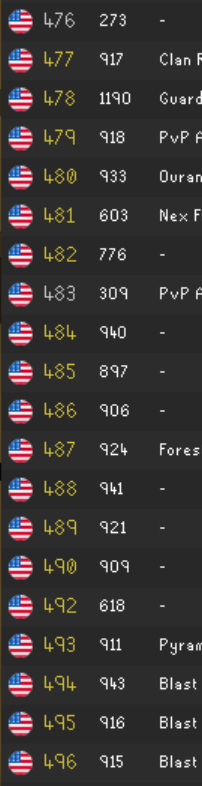
couldnt identify a setting in myplugins
gilded kayak
maybe jagex changed the thing we look at, to see what coast it is

 gilded kayak
poop
mine aren't
i will check the logs
i see nothing in these logs
ok if i turn the plugin off and back on it works
where error
static ivy
static ivy
Anyone know why my world switcher is no longer showing the US East/West icons?
Nvm i forgot ive been experiencing an issue where my profile isnt loading. Swapping to my alts profile and back to my mains profile fixed it
gilded kayak
it's definitely not a nvm it's broken for me too
solid mesa
I've had it break in the past and just assumed it was a network issue and never looked into it.
 storm bane
ive got tob QoL plugin on and when i have inferno style orbs at sote, it makes them invisible. anyone know a fix for this?
solid mesa
I think it's just broken from the jagex projectile changes
Need the plugin author to fix it
gilded kayak
ok maybe it is internet, down detector thinks lots of stuff is down
storm bane
ahh sweet i was going mad thinking ive changed something and its messed my plugin up lol
errant beacon
floor: 0 sourcePoint LocalPoint(x=5056, y=8256, worldView=-1) targetPoint LocalPoint(x=5056, y=7872, worldView=-1) targetActor notnull startCycle 163168 endCycle163369 both points make sense
^ this is a sote projectile standing in front of him
diff is 384 which is 3 tiles as expected
storm bane
my friend has toa ones on and its working for him
errant beacon
it depends on what RL version they're running
storm bane
when i click toa they are still invis?
errant beacon
it's likely if they restart the client it will break for them
the broken version is 1.11.10.1
you can check RL version on the sidepanel -> (i) info icon
storm bane
ahh yeh he has 1.11.10.0
storm bane
ahh thanks lev, thought i was going mad lol
errant beacon
np
 charred wind
gilded kayak
ok maybe it is internet, down detector thinks lots of stuff is down
charred wind
gilded kayak
ok maybe it is internet, down detector thinks lots of stuff is down
Cloudflare
 royal birch
solid mesa
Need the plugin author to fix it
royal birch
solid mesa
Need the plugin author to fix it
I don't think it's a plugin issue. It looks like the projectiles are being created way too late and in completely wrong spots. This is with using getSourcePoint and friends (even though the deprecated functions are stubbed to be correct still).
 charred wind
What happens without animation smoothing
royal birch
charred wind
What happens without animation smoothing
same thing
errant beacon
royal birch
I don't think it's a plugin issue. It looks like the projectiles are being creat...
yeah we had this issue in blert and ART, thought the projectile offset changed but it worked in -SNAPSHOT
i am just unable to create new projectiles in latest release
(even in SNAPSHOT)
 red brook
So is this a jagex issue then?
leaden trail
charred wind
Cloudflare
I think AWS
mossy swan
everything
zealous cedar
chinbompa was working earlier, is it broken now lol
 lusty path
Hey there, when I opened my game today all my plugins were removed but I can see them all in the plugins folder. Tried changing to different profiles and back even though I only had 1 profile before but it doesn't seem to be doing anything. Any ideas?
mossy swan
lusty path
Hey there, when I opened my game today all my plugins were removed but I can see...
!lost
haughty pumiceBOT
lusty path
Tried it all still nothing 😦
stone parcel
Make sure to try step 4 really good, if you are still having issues you can send a screenshot of the profiles2 folder contents with the file size and date modified visible.
lusty path
i'm probably (definitely) just low iq so i'll send my profiles2 folder

assumed it'd just be the top one i'd need to import
royal birch
zealous cedar
chinbompa was working earlier, is it broken now lol
Yeah. I saw some explosions initially but mostly it's just removing the projectiles and nothing happens
 zealous cedar
yeah seems it broke when i fixed that other thing
both the get() and create() apis used wrong coordinates which made chinbompa effectively actually work
but i fixed the get coordinates but not the create
royal birch
That's what I figured when I saw the projectiles being created but in weird spots 😅
stone parcel
lusty path
i'm probably (definitely) just low iq so i'll send my profiles2 folder
Hmmm, maybe try importing the default-18507.... one.
lusty path
lmao this was it, sorry for being braindead thank you
stone parcel
Yay! I'm glad you got your settings back! No worries! 😄
 proud violet
my runelite has been randomly crashing is there a way to look at logs and understand what is causing the crashes?
haughty pumiceBOT
To find the logs, you can do one of the following:
- If your client failed to open, click the
Open logs folderbutton. - Open the screenshot directory by right-clicking 📷
Camerabutton, navigate 1 directory up, then open logs folder. - Navigate to
%userprofile%\.runelite\logson Windows or$HOME/.runelite/logson Linux and macOS.
Upload the log files named client and launcher by dragging them to Discord. If there are files prefixed with jvm_crash dated from today, upload them too.
leaden trail
Turn off 117
proud violet
alright
leaden trail
If you go to their discord they may know how to resolve that issue
haughty pumiceBOT
Visit 117's HD plugin discord (https://discord.com/invite/U4p6ChjgSE) for support, issues & feedback
proud violet
ill try that
ty
do you know the direct issue i should ask them or just let them know its crashing
solid mesa
I'd probably upload the same jvm crash you did here
 inland rune
my party ping doesn't work, tried a fresh rl profile with all plugins disabled, done a fresh x64 install and all that. it blocks my chat from typing the letter, but no ping
mossy swan
inland rune
my party ping doesn't work, tried a fresh rl profile with all plugins disabled, ...
hold the key and click with your mouse
inland rune
mossy swan
hold the key and click with your mouse
Fml
 silver sapphire
My loot is gone from tracker after getting a new pc. if I kill the monster(s) and reload client, will it show back up?
Or do I need to copy some files?
raw raft
Runelite is fucked. If it wasnt for your bullshit client id still have gp
 half gulch
Hey there
Using runelite now for several years and never had any issues before, but since the last couple of days the client laggs from time to time. I lose some ticks and it's more difficult to prayer flick when that happens. Ping is constant between 8 and 9ms and I'm mainly playing german world if that matters.
Does someone else also expirienced any issues like that? Maybe a suggestion if it could be from a plugin? Haven't changed much in the recent weeks, also deinstalled a lot of plugins because that was my first guess.
Also played around in my GPU plugin after googling some stuff, but that didn't help much.
raw raft
Maybe make your shitty client safe.
haughty pumiceBOT
The link in #welcome is the only download link for RuneLite. Beware of fake clients which use the name "RuneLite" that may steal your game credentials or infect your PC. All features of RuneLite are free and are included with the client.
silver sapphire
haughty pumice
<@1256794929573793854> <https://github.com/runelite/runelite/wiki/FAQ#my-loot-tr...
I read this, it doesnt answer my question
solid mesa
Hub plugins are verfied not to be malicious. It's very likely you downloaded a fake client or got phished from a website or email
leaden trail
You aren't really telling us any information about what your situation is so we can't really do anything without that
haughty pumiceBOT
raw raft
It all started from a plugin
solid mesa
Or from a bot client?
mossy swan
are you the guy who posted on reddit and deleted the post
raw raft
I never deleted a post
leaden trail
Was this plugin installed from the plugin hub or were you trying to side load it?
raw raft
The hub. And it didnt act right. Tombs of amascus plugin it logs what you type. I noticed it when i was applying and was in the group. Before starting a raid
Its approved for some reason
leaden trail
Post your logs and I'll check which one
haughty pumiceBOT
To find the logs, you can do one of the following:
- If your client failed to open, click the
Open logs folderbutton. - Open the screenshot directory by right-clicking 📷
Camerabutton, navigate 1 directory up, then open logs folder. - Navigate to
%userprofile%\.runelite\logson Windows or$HOME/.runelite/logson Linux and macOS.
Upload the log files named client and launcher by dragging them to Discord. If there are files prefixed with jvm_crash dated from today, upload them too.
raw raft
Okay im not a wizz at pc's so give me a sec
leaden trail
The second bullet point is probably the fastest way for you to do it in that case
raw raft
Not sure what that means
leaden trail
- Open the screenshot directory by right-clicking 📷
Camerabutton, navigate 1 directory up, then open logs folder.
Upload the log files named client and launcher by dragging them to Discord. If there are files prefixed with jvm_crash dated from today, upload them too.
half gulch
Is there a debuff or place to check ressources needed from runelite? Like which plugin uses how many ressources etc. to try to spot my issue?
leaden trail
No
half gulch
leaden trail
No
Ty for your answer 👍
Is this something common in the recent days that people have similar issues as me or is the problem on my side? 🙂
#support message
raw raft
Do i dm them to you.?
solid mesa
Post in this channel is fine
leaden trail
Just upload them here
raw raft
Im not finding logs
leaden trail
Post a screenshot of what's in your .runelite folder
raw raft
 leaden trail
Go up a level
raw raft
what do you mean go up a level that is the first thing i see when i go to screenshots
leaden trail
You want to go to the folder that your screenshots folder is in
solid mesa
This button in the file explorer
 leaden trail
You're one level too deep
raw raft
okay now what.? i went me to screen shot this.?
leaden trail
Yeah
raw raft
 leaden trail
Click the logs folder
raw raft
ok
leaden trail
And your logs are in there
raw raft
it says too mnany uploads
leaden trail
Just the one called client and the one called launcher
leaden trail
Do you have a client log with today's date in the file name as well?
If not can you upload yesterday's?
charred wind
Yes
haughty pumiceBOT
@raw raft You've downloaded a fake client, and your account has been compromised. Remove the fake as soon as possible to minimise further damage.
The following actions should be performed from a secure computer or secure mobile device:
- Change your RuneScape password
- Remove and re-add Authenticator to RuneScape
- Change your RuneScape bank PIN
- Change your email's password
- Add 2FA to your email if you haven't got it enabled
- Check for any linked accounts by accessing the account settings page (https://www.runescape.com/account_settings)
Some fake clients also install malware, only a fresh install of your operating system can guarantee the total removal of any unwanted software.
You might also want to change any email password if you reused the same as your RuneScape account password.
Once your computer is secure, you should download RuneLite from the link available at the #welcome channel.
leaden trail
You should probably follow those
raw raft
it wont let me unlink
liinked accounts on osrs home page
ive already emailed jagex
and posted about it on twitter
 mortal pond
What happens when you try to unlink?
dire heath
Can anyone help? I just got a new PC and runelite keeps freezing completely at random times. I've checked my logs and every single time it happens the last message to show up right as the crash happens is this:
2025-06-12 16:14:20 MDT [RuneLite] INFO n.r.client.discord.DiscordService - Initializing Discord RPC service.
I tried disabling all plugins related to discord, but it just happened again with the same message
mossy swan
dire heath
Can anyone help? I just got a new PC and runelite keeps freezing completely at r...
thats unrelated
raw raft
it says manage steam/amazon i click on it and it goes to profiles instead
mossy swan
!flow
haughty pumiceBOT
flowchart: Please refer to this flowchart for further troubleshooting.
 native fulcrum
Hey boys, have recently been having some issues with my runelite randomly crashing. Ive provided some of the recent crashlogs and hope someone is able to provide some issue on why/how this is happening. It happens ~once or twice a day.
Something that might be related, but could also be entirely unrelated, is that whenever I try to open the Jagex launcher it will show an error message with 'unable to load skin', Ive also provided a screenshot of this message. This usually happend twice or three times before being it actually opens.
 mossy swan
haughty pumice
**flowchart**: Please refer to [this flowchart](<https://raw.githubusercontent.c...
mossy swan
haughty pumice
**flowchart**: Please refer to [this flowchart](<https://raw.githubusercontent.c...
@dire heath this for you
dire heath
I'll take a look thank you
mossy swan
native fulcrum
Hey boys, have recently been having some issues with my runelite randomly crashi...
14th gen intel 
mortal pond
raw raft
it says manage steam/amazon i click on it and it goes to profiles instead
Steam & Amazon always say "Manage" even if nothing is linked btw, but you should still check.
Could you try using a private browsing window? (press ctrl+shift+n in your browser, or ctrl+shift+p)
Sometimes that fixes issues on the site
raw raft
or else idk how to delete the shit from the fake client
native fulcrum
mossy swan
14th gen intel <:comfiSalute:1166746678238396476>
You think this is the sole cause?
mossy swan
native fulcrum
You think this is the sole cause?
it pops up pretty often yeah... and runelite seems to trigger the issue very easily
native fulcrum
hm thats not what I was hoping to hear haha. I assume there arent really any known fixes for it?
 late crescent
Can I get some gpu graphical settings for a laptop? Amd radeon graphics card ryzen 5000 series 5
mossy swan
native fulcrum
hm thats not what I was hoping to hear haha. I assume there arent really any kno...
no, but it's covered under warranty
native fulcrum
I guess ill have to look into that. Thank you
ripe dirge
zealous cedar
<@615998112095273012><@255539717788008448> that should be fixed now
ur a beast, ty man
 lofty sable
I have 3 clients running right now. When i click between them, occasionally the client i clicked too will flash a bright white for like a milisecond.. Not sure what's going on and never has happened before. Been 3 days now Ive noticed I think.
 versed island
how do i get in to contact with a person that made a plugin in pluginhub?
haughty pumiceBOT
Support for hub plugins should be directed to the author of the plugin.
You can find the support link by searching for the plugin in the Plugin Hub panel and clicking the ? button on the plugin, or by right-clicking the plugin in the plugin panel and clicking the Support menu option.
versed island
ty
 patent bluff
How can I sync my profiles between two computers? (Desktop and laptop)
round jacinth
enable cloud sync
 rustic palm
hi not sure where to ask, so apologies if this isnt the correct place to, but i'm not able to see projectiles from sotetseg nor the prayer orbs from olm. does anyone know what plugin might be causing this? i did check entity hider, even turned it on and off as i spectated a random tob team at sote, and didnt seem to be it
solid mesa
Projectile replacement is broken. You'll have to turn off plugins for now and wait for the next client release
rustic palm
okay i see tyvm for quick response
 burnt bison
hello guys!
 gray sandal
Hi guys, playing BA with friends, he has no UI, I also notice his XP drops are coming up weirdly stacked in the bottom right, is this related and how do we fix?

XP drops appear only in a ~20px vertical space and scroll slowly
leaden trail
Hold alt and right click the XP tracker to reset the position
gray sandal
Any fix for missing BA interface?
leaden trail
Resetting the position of the XP tracker should probably fix that
red fox
i cant interact with this menu in bank tag layouts

and this inventory setup layout

its been broken for a while now
😭
 night current
Does anyone know how to get rid of this spam from the chatbox after every kill?
 oblique plume
option in loot tracker
night current
oblique plume
option in loot tracker
Thank you
 glass prism
Has anyone had issues since relatively recently where every time my PC resumes from sleep, half of the Runelite clients i have open will be totally unresponsive to input, and can only be killed in Task Manager? and the other half are just working fine.
Started within the past month
oblique plume
i know of issues where the gpu driver doesnt recover in time and runelite full closes when resuming from sleep
dunno about just unresponsive
glass prism
The client is usually still there, showing the menu, with animations playing, but cannot click on anything.
Sometimes, the menu screen will be all messed up, with graphical elements ghosting in multiple areas of the screen, but that only happened a couple times.
Mind you, this is happening on multiple of my PCs, not just one, and started all at the same time.... otherwise I'd just be suspecting GPU issues
 atomic fractal
Hey guys, I seem to be having issues with the screenshot plugin.
From what I've noticed its not capturing level ups, collection logs, or Valuable drops
leaden trail
I think people have reported this before. The client really just doesn't handle waking from sleep gracefully unfortunately
Regardless, we recommend closing the client whenever you are aren't actively using it, which would prevent this from occurring
leaden trail
atomic fractal
Hey guys, I seem to be having issues with the screenshot plugin.
From what I've ...
If you bind a hotkey to take a screenshot and do that, does it take one?
 woeful delta
My in game crafting guide current pulls in the tabs (left) from thieving instead of crafting. I'm currently looking through plugins to see if something could be causing this, but I don't run with many in addition to the baseline and nothing crafting related so not sure what could be causing it
 oblique plume
jagex broke it
woeful delta
gotcha, tyty ❤️
 opal blaze
nope, i logged in at the GE on both accounts
is the GE considered unsafe? @gilded kayak
 stable tartan
hey im having issues when doing olm. im unable to see the orbs coming at me when he does his special attack ie blue, green, and red orbs
opal blaze
oh wow i didn’t know this. i thought it was some sort of runelite to jagex error and would be umbrellad under development
i logged into the accounts with runelite only
oblique plume
stable tartan
hey im having issues when doing olm. im unable to see the orbs coming at me when...
projectile swap plugins arnt working, turn them off
stable tartan
which plugin is that one under?
oblique plume
dunno, you installed it
atomic fractal
leaden trail
If you bind a hotkey to take a screenshot and do that, does it take one?
yes
atomic fractal
leaden trail
I think people have reported this before. The client really just doesn't handle ...
its weird its taking screenshots of everything else. deaths, boss kills, etc
just not the important things 😅
leaden trail
Can you post a screenshot of your settings?

 charred wind
Do you have the combat achievement popup enabled in Jagex settings
atomic fractal
yep
charred wind
Interesting. Let me see if I have a CA I can go get rq to test
round jacinth
charred wind
Interesting. Let me see if I have a CA I can go get rq to test
we can pot duo hmt perfect lmk
charred wind
Oh do you have the collection log popup enabled in Jagex settings
atomic fractal
yes
charred wind
when did it stop working? Did it ever work?
oblique plume
i dont think you regualrly get 5m drops
also it goes off the message ffrom jagex
so if that isnt on then it cant fire
atomic fractal
oathplate legs
horn
ohhh
as in game message? which im assuming wont show if set to filter
oblique plume
no its a game option to show a valuable drop message
 dusty goblet
Hi there
Just joined because I'm a bit stuck on one of the plugins
Visual Sounds
I'm completely deaf in both ears and I understand in some boss fights, audio cue helps people react; whether that is a pray flick or complete an action etc
I can't seem to get this to work
Do I need to get an ID for what I want from here: https://oldschool.runescape.wiki/w/List_of_sound_IDs and add the ID to tagged sounds?

This page lists the IDs for in-game sounds. A full list of their respective files can be found here.
round jacinth
some areas/regions that plugin turns off
but otherwise for support on a hub plugin
haughty pumiceBOT
Support for hub plugins should be directed to the author of the plugin.
You can find the support link by searching for the plugin in the Plugin Hub panel and clicking the ? button on the plugin, or by right-clicking the plugin in the plugin panel and clicking the Support menu option.
 junior cedar
Hey, ive been directed here by the support team of osrs. When doing Toa im getting logged out at wardens p3 with this message

its happened 3 times in a row, is there anyway to get the logs on whats causing this disconnection?
stone parcel
The logs might not show that, but here is where they are, and you can send them here to have others look into them too.
haughty pumiceBOT
To find the logs, you can do one of the following:
- If your client failed to open, click the
Open logs folderbutton. - Open the screenshot directory by right-clicking 📷
Camerabutton, navigate 1 directory up, then open logs folder. - Navigate to
%userprofile%\.runelite\logson Windows or$HOME/.runelite/logson Linux and macOS.
Upload the log files named client and launcher by dragging them to Discord. If there are files prefixed with jvm_crash dated from today, upload them too.
dusty goblet
round jacinth
but otherwise for support on a hub plugin
Thanks, I can see the developer is Box of Hats - I can't see how to reach out to them for questions
round jacinth
you can make an issue on their github or try to find their discord name and @ them
dusty goblet
Hmm yeah I don't see them in here heh.
 idle plume
is there a list of rules for what's allowed for plugins
haughty pumiceBOT
Some specific features that RuneLite can't currently accept: https://github.com/runelite/runelite/wiki/Rejected-or-Rolled-Back-Features
idle plume
ty
 timber cargo
@empty minnow clicking through chatbox when it is transparrent breaks if theres a clan notifcation. Idk if its a known issue
leaden trail
charred wind
Interesting. Let me see if I have a CA I can go get rq to test
"kill a hellhound" on a QSR world set up for DS2 is my go to if I need to trigger that
 ocean ferry
Ive been trying so hard to make a plugin that locally overlays the prayer overheads with Ruinous powers overheads but i fail to get the plugin added to my runelite build. Is this even possible ?
haughty pumiceBOT
How to develop plugin-hub plugins: https://github.com/runelite/plugin-hub/blob/master/README.md
solid mesa
Are you following that guide?
 junior mist
can anyone help me out with getting runelite to prompt windows notifications in the bottom right of the screen - i used to have it but can't get it to work anymore, i just get a runelite icon in my tray which lights up
solid mesa
Do you have focus or do not disturb turned on in windows?
 coral linden
Heya! 👋 New to runescape!
I'm on Linux and I installed the runelite client via flathub
I clicked new user, which took me to Jagex website to create an account, i created one and tried to log in via runelite but it says:
"Incorrect username or password. If you have upgraded to a Jagex account, you need to log in using the Jagex Launcher instead"
But I can't get the jagex launcher since im on Linux (i think?)
Anyone know how to resolve this?
haughty pumiceBOT
For support with using Jagex accounts on Linux, visit Torm's Discord https://discord.gg/aX7GT2Mkdu
viscid lantern
sorry wrong link initially, check there @coral linden
junior mist
junior mist
can anyone help me out with getting runelite to prompt windows notifications in ...


 coral linden
viscid lantern
sorry wrong link initially, check there <@367568690033459201>
coral linden
viscid lantern
sorry wrong link initially, check there <@367568690033459201>
Thanks! <3
 tender scarab
coral linden
Heya! 👋 New to runescape!
I'm on Linux and I installed the runelite client via ...
tender scarab
coral linden
Heya! 👋 New to runescape!
I'm on Linux and I installed the runelite client via ...
easiest way (for me) was 1 step: install bolt launcher, thats it :D
 empty minnow
timber cargo
<@129454566747013120> clicking through chatbox when it is transparrent breaks if...
empty minnow
timber cargo
<@129454566747013120> clicking through chatbox when it is transparrent breaks if...
With the Clean Chat plugin? I've got a PR to rework the entire plugin up so that bug should go away once that's merged. Not sure when that'll be though
timber cargo
empty minnow
With the Clean Chat plugin? I've got a PR to rework the entire plugin up so that...
Yes, exactly, how great to hear! im a fan of hiding irrelevant screen text/clutter, so your plugin was great. Gl with the coding boss
 torn imp
Hi there, I’m having FPS instability when using Runelite that makes it difficult to play. I have been using HDOS for a while because I consistently get 200+ FPS but when I switch back to runelite, I’m struggling to maintain 90 and see drops below 40 frequently. I’ve tweaked with the GPU and 117HD plugins to try optimization, but I continue to have the issue.
chilly jewel
I have great news for anyone who was invested in the protected app issue I was having with Instant Replay.
I have zero idea why this happens and assume it's a bug with the Nvidea driver, but a restart fixes the issue. When you open a DRM protected site like Spotify, it shuts off instant replay. When you close the site, or even your whole browser, instant replay now treats Runelite as the protected app. The only solution I have for you is to restart your whole PC and everything will work again.
oblique plume
dang
 faint furnace
Hello, ive seen that animation smoothing has been turned off for tumeken, is that something that will be fixed?

 faint furnace
oh, has it been notified to jagex?
it makes some of the counters feel stuttering which kinda ruins the vibe of smooth gameplay..
round jacinth
i dont think jagex cares, there are a bunch of things where animation smoothing is diabled because it doesnt look good as a repeatable cycle
¯_(ツ)_/¯
they dont have to until their enhanced client also smooths probably
faint furnace
oh, but this means when equping tumeken animation smoothing turns off basicly?
faint furnace
yeah but i didnt get the part where animation was turned off entirely
i thought it was only for tumeken
idk im stupid haha
round jacinth
it's off for various items like chain mace
it's not every item, we calledo ut shadow at that time because that is what you were complaining about before i thought
¯_(ツ)_/¯
it is what it is
we cant fix it
faint furnace
would using sanguinu fix the issue for me basicly?
 weak reef
is there a plugin that lets you set a custom number of runecrafting runs before it reminds you to repair? I vaguely feel like I've seen one like that before
 finite swan
ToB QoL inferno themed sotetseg balls doesnt show at all, why's that?
stone parcel
finite swan
np, sorry probably get that alot nowadays
stone parcel
No worries, hopefully will be fixed with next RL version. 😄
finite swan
sweet 😄
solid mesa
weak reef
is there a plugin that lets you set a custom number of runecrafting runs before ...
Not that I've seen. But do you have Show pouch fills enabled in Runecraft?
weak reef
yeah
but it only seems to try and fit 7 laps before it degrades into a 5 count for some reason
solid mesa
Like I said it's RNG so it's just an approximation
weak reef
I'm not convinced it's rng, honestly. it keeps happening the same every time I've payed atention and watched it
solid mesa
Do you want to see the client scripts that shows the mechanics? It is as documented on the wiki
weak reef
I mean, a link would be reassuring, I suppose
idk if it would help much beyond that
I'm not a programmer'
solid mesa
gilded kayak
(it's rng)
weak reef
I opened a couple of those in visual studio, and I guess it looks as you've described, but jagex's implementation baffles me
leaden trail
That's typical Jagex
solid mesa
I just NPC contact everytime the Runecraft overlay says 1. NPC contact doesn't cost that much
weak reef
I guess I could do that
 little hemlock
Hello, my runelite is suttering a lot. I reset my PC and checked for any driver updates, but that didn't seem to help. Is this the right channel I could request some help in to see if there is a runelite issue I might have? Tyvm
haughty pumiceBOT
Many plugins from the pluginhub break the client in subtle or not-so-subtle ways, including causing issues like client freezes. We do not support pluginhub plugins because we do not make or quality control them, and do not recommend their use.
Run the RuneLite (safe mode) shortcut, or with a Jagex account, first run the RuneLite (configure) shortcut and tick the Safe mode box, then launch RuneLite via the Jagex launcher.
This temporarily disables the GPU plugin and all hub plugins which will allow you to confirm the issue is caused by one of those plugins and isn't a core RuneLite issue.
If the issue is caused by a hub plugin, you should isolate which plugin it is and then uninstall the plugin.
round jacinth
Check if it works correctly in safe mode.
little hemlock
Will do, tyvm
 spiral moat
Hey, just a question about pressing tab to reply to pms (Mac user here) - I used to be able to press tab to cycle through people that had pmed me, now when I press tab I only get the option to message the person whose message is most recent - any thoughts?
 zealous estuary
item charges improved plugin makes blood moon armor charges show up as info boxes - ive tested that its that plugin since turning that off removes the info boxes, but I can not find the blood moon armors themselves on the infobox part of the plugin at all... am I blind, or is the plugin just broken?
 haughty pumiceBOT
Get support for the Item Charges Improved Plugin Hub plugin here: https://runelite.net/plugin-hub/show/tictac7x-charges.
You can also find the support link by searching for the plugin in the Plugin Hub panel and clicking the ? button on the plugin, or by right-clicking the plugin in the plugin panel and clicking the Support menu option.
oblique plume
just toggle stuff untill it changes
oblique plume
spiral moat
Hey, just a question about pressing tab to reply to pms (Mac user here) - I used...
is your chat history plugin on
 fresh sentinel
Recently switched from Windows to Fedora, noticed very weird tick timings. Anyone had the same issues?
 charred wind
Probably unrelated
 hexed arrow
Hello, after restarting client got this

 cursive hinge
Hello, looking for some support. Using runelite through the offical jagex launcher and every time in am Priffdinis main city, my FPS drops to 13 FPS consistantly. I am using the GPU plugin with 60 FPS. I experience quite a few drops as well while in Varlamore main city, however, that seems to spike and settle inconsistently. Prif however is guaranteed consistent however with this frame drop. Can anyone offer me some guidance on how to fix this please?
gilded kayak
fwiw prif is the most intensive area in the game
 topaz nimbus
Could try the prif scenery deloader plugin thing
I forget what it’s called so that’s probably not super helpful
cursive hinge
topaz nimbus
I forget what it’s called so that’s probably not super helpful
found it. i will give it a try thank you
 true pawn
cursive hinge
found it. i will give it a try thank you
true pawn
cursive hinge
found it. i will give it a try thank you
you using HD plugin?
hexed arrow
hexed arrow
Hello, after restarting client got this
Any help to download bootstrap? no errors, just infinite download.
can open https://static.runelite.net/bootstrap.json
gilded kayak
what if you instead try to Invoke-Webrequest https://static.runelite.net/bootstrap.json in Windows Powershell
hexed arrow
gilded kayak
what if you instead try to ```
Invoke-Webrequest https://static.runelite.net/boo...
 haughty pumiceBOT
To find the logs, you can do one of the following:
- If your client failed to open, click the
Open logs folderbutton. - Open the screenshot directory by right-clicking 📷
Camerabutton, navigate 1 directory up, then open logs folder. - Navigate to
%userprofile%\.runelite\logson Windows or$HOME/.runelite/logson Linux and macOS.
Upload the log files named client and launcher by dragging them to Discord. If there are files prefixed with jvm_crash dated from today, upload them too.
gilded kayak
actually have you tried using your phone as a hotspot to launch the client
once the client is open you can swap back to your internet
hexed arrow
gilded kayak
actually have you tried using your phone as a hotspot to launch the client
not a option atm
gilded kayak
wow!
that is an impressive amount of network errors
i unfortunately think it might be your internet
and by think i mean i personally am 100% sure
hexed arrow
awesome, i love my ISP
Thank you for help, boss👍
gilded kayak
xd
 twin vault
Was there an update to loot tracker? My cg loots now split between "Corrupted Hunleff" and "The Gauntlet."
gilded kayak
we listen to Jagex telling us what items were dropped, instead of having to figure it out ourselves
but mr the gauntlet chest is a special case, so it didn't get merged with the old loot from before the change (yama update)
twin vault
I understand some of those words
solid mesa
In short, yes
gilded kayak
the answer to your question is yes
twin vault
Can I merge the two, or is it just like this from here on out?
solid mesa
No
gilded kayak
no, it should be like this forever unless jagex changes something for some reason
twin vault
Well, I mean in the plugin settings somewhere. Transfering the old loot to the new one.
solid mesa
No
gilded kayak
the data is not in a user readable form
if you try to do it you probably will lose all your settings
twin vault
Ahh, rip.
I think I set up redunant back ups of all the settings lmfao. I'm nutty about my loot tracker data.
It is nice tho tbh, because I think now it only tracks actual Hunleff kills?
solid mesa
It will always be accurate now. No more scythes from araxxor
Hespori is also split between new/old. It's just how it is after the change
twin vault
Better now than even later. I'm a fan.
solid mesa
Overally it's a net postive. It will correctly track ring of wealth, bonecrusher, and ash scantifier as well
twin vault
Oh wow.
junior mist
junior mist
can anyone help me out with getting runelite to prompt a windows notification in the bottom right corner when idle/afk is up? I used to have it working but I only now have Runelite glowing in my tray area
solid mesa
I think it's most likely a setting in your OS eating the notifications. Everything in runelite looks correct
Any chance you have full screen media? Like youtube?
stone parcel
Also do other windows notifications from programs work?
junior mist
nah nothing else seems to be working either for notis and yes I have full screen media
solid mesa
So yea it's probably windows and not runelite. A lot of times having full screen media disables notifications
junior mist
ahhh right ill give it a mess around - cheers
red fox
red fox
i cant interact with this menu in bank tag layouts
can i uninstall runelite and install it again to fix issues like this ? or is it another plugin conflicting?
solid mesa
Uninstalling is unlikely to do anything. You can try making a new profile and installing only bank tag layouts
red fox
solid mesa
Uninstalling is unlikely to do anything. You can try making a new profile and in...
okay let me do that now , i'll update you.
okay yes, I can interact with it now, just having that installed.
I wonder what plugin stopped it?
solid mesa
The best way would probably be to disable half your plugins, restart runlite to be safe, and double check if it works. If it does re-enable half those, if it doesn't disable another half of your plugins. Continuing half at a time until you've narrowed it down to one.
red fox
thanks yes, thats worked on a different issue before:) thanks
found the plugin conflicting! now fixed! thanks
solid mesa
What is it?
red fox
Idk why I downloaded this anyway
it stopped me from doing any search functions on inventory setups and bank tag layouts with it on
It's really not worth it
' Item search ' breaks
and any menu like that.
red fox
solid mesa
What is it?
you looking into the code or something?
solid mesa
Depending on the plugin I would've filed an issue. But that plugin seems to do as adertised. But at least now I can mention it if other people have the same issue
red fox
yep . glad i could help with further issues
 hollow meadow
Anybody had experiences with Runelite stuttering? Like in game will lag/stall for a 1/2 seconds at a time every few moments?
Turned off gsync, vsync, uninstalled/resinstalled RL, retsart launcher/client, restarted pc, removed all unused plugins
vivid wind
just wanted to say thanks for fixing the cat emoji
my life is in order again
 neon basin
can the top left questhelper menu be scaled down in fixed classic mode?

 ivory bronze
anyone know why every time i restart runelite all settings i changed are lost?
including client size / plugins installed / banktags made etc
 eternal tapir
my runelite freezes when i pickpocket, how can i find out what plugin is causing the freeze?
haughty pumiceBOT
@eternal tapir Many plugins from the pluginhub break the client in subtle or not-so-subtle ways, including causing issues like client freezes. We do not support pluginhub plugins because we do not make or quality control them, and do not recommend their use.
Run the RuneLite (safe mode) shortcut, or with a Jagex account, first run the RuneLite (configure) shortcut and tick the Safe mode box, then launch RuneLite via the Jagex launcher.
This temporarily disables the GPU plugin and all hub plugins which will allow you to confirm the issue is caused by one of those plugins and isn't a core RuneLite issue.
If the issue is caused by a hub plugin, you should isolate which plugin it is and then uninstall the plugin.
leaden trail
!flow
haughty pumiceBOT
flowchart: Please refer to this flowchart for further troubleshooting.
leaden trail
You can follow the process outlined there although it will likely take a bit
ocean ferry
Anyone know if its possible to change overhead icons with for example ruinous powers overlay ? (client side only)
lapis elm
No
 copper night
I'm a fan of the Player Indicator plugin, is there a way for me to add to it, such that an icon displays next to their name that they're an ironman/hcim/gim/ main, etc.?
zealous cedar
no
copper night
Is it simply not allowed?
zealous cedar
its not technically feasible without spamming the hiscores with a like 3 or 4 lookups per player, but the hiscores dont work well enough for that to work
copper night
ah, I see, thanks!:)
cursive hinge
true pawn
you using HD plugin?
No just the GPU plugin
 fringe token
I've tried to search for it, but is there a way to stop world hopping to certain worlds, such as BH/PvP worlds?
 dapper bear
Any idea of how i can reach to the person who made this plugin? loved it but it has been broken for like 14 days or so

same with Citizens one sadly. Ik it is from the hub but maybe you guys have any idea?
 stone parcel
If you click that ? in the image it will take you to a page with a report issue button.
dapper bear
Oh cheers imma try that!
stone parcel
That will take you to github, where you can check if the issue already exists and make it if it doesn't. Gl 😁
leaden trail
fringe token
I've tried to search for it, but is there a way to stop world hopping to certain...
The world hopper world filter
 lean compass
Chat Commands plugin not showing correct KC counts for me for some reason - it's like 70 below my actual CG KC. anyone know how to troubleshoot?
leaden trail
Did you do mobile KC or something?
Check the ring of wealth boss log and it should update
lean compass
ty ty
fringe token
leaden trail
The world hopper world filter
If I use the shortcut, it still tries to hop to that world
It doesn't show on the side bar, but the shortcut doesn't respect it
hollow meadow
Does anybody know how I can resolve this stutter/lag? Pls
zealous cedar
looks like network lag
leaden trail
Do you have quick hop out of danger enabled?
hollow meadow
leaden trail
Do you have quick hop out of danger enabled?
No
leaden trail
That's your problem
hollow meadow
zealous cedar
looks like network lag
Gonna sound dumb but how can I fix that? My ping is mostly fine and I'm using a wired connection to a powerline adapter
zealous cedar
maybe get a better connection
 stark hawk
I thought plugins where saved ro my profile and when i reinstalled runelite they where all gone?
haughty pumiceBOT
round jacinth
Unless you deleted the .runelite directory nothing was lost
stark hawk
Ahh I had to full fact reset my pc
 fossil summit
hollow meadow
Gonna sound dumb but how can I fix that? My ping is mostly fine and I'm using a ...
fossil summit
hollow meadow
Gonna sound dumb but how can I fix that? My ping is mostly fine and I'm using a ...
powerline is your problem probably
round jacinth
stark hawk
Ahh I had to full fact reset my pc
Unless you synced the profile, then it was reset with the rest of the pc
 hollow stone
Hey guys, new here. Anyone having issues with duplicate logs for same mob on loot tracker?
For osrs
rocky tiger
If you can name the specific ones I can be sure of issue.
gilded kayak
we shifted to listening to Jagex tell us what the loot is, instead of figuring it out ourselves
some of them did not merge together with this change
hespori, gauntlet
hollow stone
For example, implings has started showing a new tab even though I have 2k in another tracker of same imp
gilded kayak
implings are one as well
hollow stone
Gotcha, so its a runelite issue and not something I've done? Lol
gilded kayak
it's not an issue it's just unlucky
rocky tiger
They could have written code to migrate stuff but they didn't.
hollow stone
I gotcha, so this isn't a problem, its just how its gotta be from now on
gilded kayak
we intended to only migrate NPCs but special cases like the gauntlet chest is actually mr the gauntlet chest
rocky tiger
Was like a week where both were sent so would have ended up with dupes anyway.
gilded kayak
but yes unless jagex makes some unecessary change it should work like this forever
hollow stone
I see, so its unfortunate but the new tracker will be the main log now and the other one is just old news
gilded kayak
ye
it cleanly merged together for basically every npc, except the few i mentioned
i'm classfying all implings as 1 npc for my point but yeah
hollow stone
Thank you guys for the speedy responses. At least I dont have to wonder now.
Thanks guys 🙂
 stable dome
hi all, I've been blessed with a 5k screen, but my resizable mode is all scuffed now -- modern resizable that is.. classic resizable does work? any ideas?
 rocky tiger
You can reset moved interfaces with alt right click.
 winged sigil
I can't get my GPU plugin to work. It just auto turns off when i try to toggle it on.
gilded kayak
!logs
haughty pumiceBOT
To find the logs, you can do one of the following:
- If your client failed to open, click the
Open logs folderbutton. - Open the screenshot directory by right-clicking 📷
Camerabutton, navigate 1 directory up, then open logs folder. - Navigate to
%userprofile%\.runelite\logson Windows or$HOME/.runelite/logson Linux and macOS.
Upload the log files named client and launcher by dragging them to Discord. If there are files prefixed with jvm_crash dated from today, upload them too.
haughty minnow
projectiles fix when>?
gilded kayak
projectiles work, it's just plugins that add projectiles that dont work
haughty minnow
will it be fixed by next update?
ivory bronze
does anybody know how to stop runelite from resetting the changes you make every time u restart it
digital mantle
ivory bronze
does anybody know how to stop runelite from resetting the changes you make every...
I find if I force-quite RL (or it crashes etc) then it doesn't save config. If I close it normally, it remembers my changes
Right now I'm getting a notification every time my character comes out of combat, and I can't figure out what to disable to get rid of it - anyone have any thoughts?
I've turned off Idle Notifier completely so it shouldn't be that, but I can't see what else might be doing it
mossy swan
digital mantle
Right now I'm getting a notification every time my character comes out of combat...
turn on "game message" notifications under runelite and read what it says
digital mantle
Nice, I never knew that was a thing. It says "Your NPC has despawned!"
Ahaaaa
It's the splash helper, telling me the thing I'm (not) splashing on has died. Thanks a lot for the tip about the message, that's helpful for the future
ocean ferry
Is it possible to render in old sprites ? like the Tokaar cape model and swap it for the firecape (locally client side only) ? or for example locally change sprites of certain monsters
solid mesa
You can swap to things that are in the cache, like old torva, but can't replace things that aren't in cache.
 sacred fossil
is anyone else having issues with tob qol not showing sotetseg attacks? i noticed the same thing with vardorvis ranged attacks. i had to turn off the vardorvis projectiles plugin.
gilded kayak
plugins that change (behind the scenes they are adding) projectiles are broken rn
sacred fossil
gilded kayak
plugins that change (behind the scenes they are adding) projectiles are broken r...
got it thanks. do you know if projectile theme needs to be default or does the entire plugin need to be off? for tob qol
gilded kayak
i believe someone said default should work
 simple slate
hi scapers, i replaced the c engineer collection log sound to alkans "new collection" but it gets overwritten with c-engineers. Any way to get around this?
haughty pumiceBOT
Get support for the C Engineer: Completed Plugin Hub plugin here: https://runelite.net/plugin-hub/show/c-engineer-completed.
You can also find the support link by searching for the plugin in the Plugin Hub panel and clicking the ? button on the plugin, or by right-clicking the plugin in the plugin panel and clicking the Support menu option.
 true crescent
Crafting pop up shows up as thieving in the client, unsure if this is runelite or jagex
gilded kayak
jagex
it's in the update
blog that is
"we are aware thieving shows up in the crafting tab"
haughty pumiceBOT
 formal canyon
I'm getting some weird lag issue happening. I usually play my iron and my main, and noticed it for the first time on Friday, I haven't changed any settings since I played last weekend where it was fine. If I scroll in loot tracker, or even in the highscores lookup, or in a built up area like Priff my frames will drop like no tomorrow, see top right. As you can see in the vid my mouse is still moving around fine as with no lag pc side. Issue persists in safe mode

I can also scroll in my bank with no frame drops what so ever, but as soon as i scroll side bars the frames drop crazy,

 merry saddle
I used to run the AppImage through Steam %command% but now once the Parent process (downloading bootloader) finishes, steam ends the game. Anyway to fix this?
 tiny moth
Anyone know how to disable the discord overlay notifications that come up in the RL client? Not sure if this is a rl thing or a discord thing




