#support
1 messages · Page 83 of 1
 rocky shell
its not even perfectly opens in top left , its just slightly off the top
heres how it appears to me, it opens in that spot every time , even if I move the window , even tried restarting client with window in another location, nothing changes

 stone parcel
Oh, that color picker interface does function differently than the normal config ones.
Just recreated that with a clue scroll.
rocky shell
its the same for all options were I can pick a color
stone parcel
If you try a to change a color from the config panel like this, does it appear in a different spot?
 rocky shell
thats one actually opens on the cursor it seems
stone parcel
Weird, the others must not use the same setLocation thing.
rocky shell
it seems when its "pick" from inside the game window it opens in that weird location
from the plugin settings it opens on the cursor
stone parcel
Yeah, I'm wondering if there was a reason they didn't apply the same location logic to the in-game stuff. Maybe it's harder to find the relative location or something. 🤷
rocky shell
In this message it open kinda near the cursor #runelite message
 oblique plume
That's because I put my inventory at the top left of the screen
So I could capture the smallest area and include all the info
stone parcel
Ahhh I see.
We can't know if we can help unless we know the issue.
I see one called "Mage Arena 2 Memory", maybe that is helpful.
 zinc brook
It doesn't do anything
 floral rover
Anyone tried nmz plug in potion not flashing on screen like before?
 solid mesa
Quest Helper has one for MA2
solid mesa
floral rover
Anyone tried nmz plug in potion not flashing on screen like before?
Someone else said that yesterday so maybe it's broken
floral rover
I asked yesterday unless it was someone else to
solid mesa
Yes

You have notifications on for both and have notifications set to flash? Did you customize either notification?

 floral rover
solid mesa
You have notifications on for both and have notifications set to flash? Did you ...
floral rover
solid mesa
You have notifications on for both and have notifications set to flash? Did you ...
Ya nothing
rocky shell
oblique plume
That's because I put my inventory at the top left of the screen
Still don't explain why its currently opening the window far from the client. as seen here #support message
 carmine bridge
Anybody here using the Sound Swapper plugin? It says to place the replacement .wav file in the SoundSwapper folder in the RuneLite folder, but I cannot find such a SoundSwapper folder in it. Even searched with Everything 😇
 haughty pumiceBOT
Get support for the Sound Swapper Plugin Hub plugin here: https://runelite.net/plugin-hub/show/sound-swapper.
You can also find the support link by searching for the plugin in the Plugin Hub panel and clicking the ? button on the plugin, or by right-clicking the plugin in the plugin panel and clicking the Support menu option.
 viscid lantern
but you likely just have to make that folder yourself then
carmine bridge
Never mind, momentary blindless. Got it working! Thanks though
 native ether
Why is the sound not working?
Image
 haughty pumiceBOT
Get support for the Hunllef Helper Plugin Hub plugin here: https://runelite.net/plugin-hub/show/hunllef-helper.
You can also find the support link by searching for the plugin in the Plugin Hub panel and clicking the ? button on the plugin, or by right-clicking the plugin in the plugin panel and clicking the Support menu option.
native ether
It works but there is no sound.
 gilded kayak
that sounds like it doesn't work
and if you click that link, the only open issue is about how the plugin causes audio not to work in the whole client
so that would make sense
 cold laurel
using the gpu plugin instead of the 117hd (as ppl told me that theres some mini delays in the 117hd). i noticed that the ground looks like this in some spots with the square grid, is there a way to smooth these tiles out ?

 visual pewter
is it possible to change the color from drops off this dark green?
 gilded kayak
probably with force recolor on the hub
but it doesn't recolor it retroactively so don't think it's not working, because the old messages didn't change color
visual pewter
gilded kayak
probably with `force recolor` on the hub
tyvm
 true niche
Hey guys, I've just came back to OSRS, I'm doing Farming. All my trees were done but I didn't get a notification even tho the bells are highlighted. How come?
 merry wren
anyone have any idea why animation smoothing causes shadow to do a whirly bird animation after the attack?
can send vid if needed
 leaden trail
I think someone just submitted a fix for that recently
merry wren
oh awesome! does it go through a review then get put into a release? I don't know how it works 🙂
 pale belfry
How do I get back to a defualt user / pass login for runlite. I cant get it off my jagex account login
leaden trail
pale belfry
How do I get back to a defualt user / pass login for runlite. I cant get it off...
Post your logs
leaden trail
merry wren
oh awesome! does it go through a review then get put into a release? I don't kno...
Someone will have to review it yes. I can't really give a timeline on it though
haughty pumiceBOT
@pale belfry To find the logs, you can do one of the following:
- If your client failed to open, click the
Open logs folderbutton. - Open the screenshot directory by right-clicking 📷
Camerabutton, navigate 1 directory up, then open logs folder. - Navigate to
%userprofile%\.runelite\logson Windows or$HOME/.runelite/logson Linux and macOS.
Upload the log files named client and launcher by dragging them to Discord. If there are files prefixed with jvm_crash dated from today, upload them too.
merry wren
leaden trail
Someone will have to review it yes. I can't really give a timeline on it though
thank you!
 clever sky
having issues with too many login attempts wont let me log in. Have to constatly type my password in sometimes it works sometimes not
gilded kayak
 sinful swift
Hello All.
Im in need of some help. My PC bluescreened while jagex laucher and runelite were open. Now when I log in all my settings have reset aswell as all my Plugins. Any ideas or am i just stuffed and have to try and rest them all menually ??
haughty pumiceBOT
sinful swift
haughty pumice
<https://github.com/runelite/runelite/wiki/FAQ#my-plugins-are-gone-or-my-config-...
OMG Life Saver
 chrome quartz
is there anything that could cause the XP /hr reporting from the built in xp tracker pluging to be incorrect? for some reason it is sa ying my xp per hour is 2194 b ut i got more than that in 5 min
 shrewd forge
Hey I need help guys I can’t get on my discord on my iMac and I purchased auto eat on tablet
 fast bane
Hello, I'm experiencing a reoccurring issue and am very perplexed. For the past 5 logins(~7 days real time) I've experienced the same issue of being instantly logged out with a "failed to login" screen on the home login page. No disconnecting screen or anything. I then have about 20 seconds of login attempts before the launcher actually attempts to login. This typically happens quite a while after initial login, often times with many quick hops before it happens (hopping 8 times for zammy kc, then the logout happens in zammy's room). It has also happened 2 minutes after leaving a 40 minute TOA raid. I'm using the jagex launcher through runelite. I have no internet connectivity issues on my end that I'm aware of. Often streaming on the side as well as immediately loading a new browser page to test connectivity after being booted. The most recent time, I launched a new runelite window immediately and got a message like "fatal load error" and couldn't open the page. Any advice would be greatly appreciated!!
gilded kayak
chrome quartz
is there anything that could cause the XP /hr reporting from the built in xp tra...
we save xp across sessions now b/c it was the main reason people didn't restart their clients
you can turn it off in the xp tracker plugin settings
chrome quartz
gilded kayak
you can turn it off in the xp tracker plugin settings
ohh is it doing it across my entire game time?
gilded kayak
not all of it, but the xp it has saved
the xp/hr just shows up wrong because it's comparing to 0/1 second(s)
true niche
Hey guys, I've just came back to OSRS, I'm doing Farming. All my trees were done but I didn't get a notification even tho the bells are highlighted. How come?
gilded kayak
jagex does not send the tree data on login, unless you are near the tree
true niche
Ah
gilded kayak
we save them ourselves
so the client wouldn't know about tres you planted a long time ago
true niche
So whats the point in the notification bell??
gilded kayak
it will notify you about the tree it knows about, completing
if your issue is that a tree you planted while using runelite today, isn't working, that's something else
true niche
no no, I just wanted to know why I wasn't getting notifications when trees had been planted a while back as I've just came back to the game, I thought they would notify on login.
gilded kayak
did you have your old settings when you came back today? or was it a fresh start
true niche
Had my old settings
gilded kayak
not sure then maybe we throw out super super super old data?
i'm not sure about that
solid mesa
Or you got notified before you last stopped playing. It only notifies once, not every single login
gilded kayak
fast bane
Hello, I'm experiencing a reoccurring issue and am very perplexed. For the past ...
when you disconnect you can be sent back to the login screen with any error Jagex feels like, it doesn't have to absolutely be "disconnected" failed to login is one of the ones they use
haughty pumiceBOT
open command prompt, type this in: ping -t oldschoolXXX.runescape.com where the XXX is your world minus 300, for example world350 = 50
gilded kayak
you can do this in the background, if* when you disconnect, the pinging in cmd also errors, then it's 100% your connection to Jagex's servers
fast bane
Thanks so much for the help. I'm not a big tech guy and am a bit confused by your instructions. How do I open the command prompt?
And will it only give me useful information in the short time that I'm DC'd?
gilded kayak
you can search it in the windows start menu
it will just constantly ping jagex's servers, and either will error at the time you disconnect, or the #mswill suddenly spike to some huge number
fast bane
I wrote "ping -toldschoolXXX.runescape.com" with XXX being 184 (world 484) and recieved "IP address must be specified"
fast bane
Awesome thanks. So now it's running a constant stream of pings. Should I reference this if I have the issue again to determine if it's a server issue vs a local issue?
gilded kayak
it wont really say what the problem is, but it will confirm that your connection is suddenly dying
since cmd is not runelite but has the same issue connecting
fast bane
Sorry, I'm way over my head. I really appreciate the help though. Next time I have this connection issue and look at cmd and potentially see a disconnection or huge spike, what would I do next?
gilded kayak
check the name of your router and make sure it's not the nighthawk r7000p
otherwise you'll just need to do generic internet debugging
we had a list of generic stuff to do but i cant find it
chrome quartz
is there any way to enable RTTS to run and hook runelite for system diagnostics while playing?
fast bane
Pretty sure it's not the nighthawk. It's an AT@T fiber optic modem. Are you thinking it's probably an issue on my local end then? I haven't seen an issue arise in any other use cases. Also have had this setup for a year or two without this issue
gilded kayak
could be an issue literally anywhere in the chain
your end, on* your ISPs end, jagex's (probably not likely's) end
not anywhere i could point you tho sadly
fast bane
Okay, thanks again for the help. I'm still confused about what to do with the info from cmd though. What will that tell me? Any advice on troubleshooting beyond that?
solid mesa
If command prompt tells you Request timed out. that means the issue is not with runelite, but with your internet
fast bane
Oh dang I'm seeing that prompt frequently haha. Again I'm sorry for the lack of information I have, but I'm getting a stream of "replies" from cmd and "request timed out" after a handful consistently. It's like 5-10 of the former and 1 of the latter for the outputs. Been logged in RL the whole time with no noticable lag
If I'm a lost cause, I'll stop spamming the chat
17 ticks, 22 ticks, 16 ticks is the frequency of "request timed out" prompts
solid mesa
You have some sort of internet issue could be anything from
- Your network drivers are bad
- Your ethernet cable is bad
- Your router is bad
- Your ISP is bad
- Jagex is dropping packets
fast bane
With these request timed out prompts, I'm able to play the game fine. It's only when I get a sudden DC/logout that I have an issue. I'm running off wifi on a laptop and have had this setup for years. I was able to get zuk kc's, do raids, etc. The ping/lag isn't a problem. Just instant logouts. Is this relevant?
solid mesa
It's very likely that your ISP is just being bad and your laptop and setup is fine and there's nothing you can do other than just wait and hope your ISP gets better.
fast bane
Copy that. Thanks so much for the help. What a great resource this is (first time reaching out). Is there a patreon or anything else I can support you guys with?
haughty pumiceBOT
If you are looking to support RuneLite, you can do so through our Patreon: https://www.patreon.com/runelite
fast bane
Are you guys answering my questions part of runelite's team? (I'm very ignorant)
oblique plume
were all volunteers
fast bane
Well kudos to y'all. I have a bunch of zammy dupes I'd be happy to drop over to you 🙂 (3446 dry on hilt)
leaden trail
Ooof
 midnight niche
Is there a way to export settings from my client on a seperate PC? I'm not entirely sure which account the original is linked to
haughty pumiceBOT
midnight niche
haughty pumice
<https://github.com/runelite/runelite/wiki/FAQ#i-want-to-transfer-my-settings-to...
Thank you! I will look into it, much appreciated.
 ivory isle
Since coming back to osrs a week ago or so, I've been dealing with a weird bug. My game will randomly drop from 165 fps steady to about 22-25 fps and stay steady at that. Sometimes after a while it will fix itself, but I usually have to alt-tab and alt-tab back in. Anyone know what this could be?
 crisp galleon
@small musk If I just use the ongametick instead of scheduler and some sort of counter for timing, would this be okay?
Only runs when the plugin is enabled as far as I know?
 small musk
remind me which plugin this is again?
prison sentence
lemme check
it would be possible, but it's far less work for you to just add a startUp and shutDown to your overlay class which init and shutdown the scheduled service, respectively
it'd be like 8 loc
startUp() {
  scheduler = ...;
  scheduler.scheduleAtFixedRate(...);
}

shutDown() {
  scheduler.shutdownNow();
}
also you don't need executor and scheduler, your scheduler thread can just do the lookup itself, but that part wouldn't be blocking
if you keep executor, put it in startUp and shutDown as well
finally, wrong channel, use #runelite for hub dev chat
crisp galleon
Awesome thanks, will look into it a bit more
 violet garden
I have the option "Recolor menu hidden items" selected (Ground items). Is there a way to also change the color of "examine"?

 thick panther
violet garden
I have the option "Recolor menu hidden items" selected (Ground items). Is there ...
thick panther
violet garden
I have the option "Recolor menu hidden items" selected (Ground items). Is there ...
Are you using Chance Man?
 cold dirge
I was in here some months ago, and I'm back with seemingly the same issue (i haven't play much since Leagues)
RL seems to crash at random, and IDK how to replicate it. Last time around November with this issue I systematically spent time disabling 1 core at a time on my processor through my BIOS to get to the bottom of this; and other software on my computer had been crashing at random until I found the problematic core so I believed it to be an issue with my computer and not RL, however, since then I have RMA'd both my processor (For the aforementioned reason), RMA'd my mb for a different reason, and also upgraded my GPU for general reasons)
This time around I don't know how to approach this, as I've not had any issues with other software on my computer unlike last time I popped in here.
Only plugin hub plugins are these pictured, minus wikisync which i just removed by accident.
I know it's not super helpful to not have reproduction steps but as far as I can tell it only happens when I'm in combat (super irritating to test / try to repro) . Right now all I can do to investigate further is trying those plugins off 1 at a time and see if I can do combat for more than 10 minutes without a crash; but even having identified the plugin I'd still love to be able to still actually use all the pictured ones so identifying the problematic one is only have of the battle
Windows 10, intel i9-14900KS, rog strix z790-a gaming wifi d4, 64gb ram, 5080.
Whoever was trying to help me back then pointed out there were some known issues with this mb/cpu series combination with melting or whatever... but RMAing them was cheaper than full replacement, so
 thick panther
!logs
haughty pumiceBOT
To find the logs, you can do one of the following:
- If your client failed to open, click the
Open logs folderbutton. - Open the screenshot directory by right-clicking 📷
Camerabutton, navigate 1 directory up, then open logs folder. - Navigate to
%userprofile%\.runelite\logson Windows or$HOME/.runelite/logson Linux and macOS.
Upload the log files named client and launcher by dragging them to Discord. If there are files prefixed with jvm_crash dated from today, upload them too.
thick panther
@cold dirge
cold dirge
cold dirge
I was in here some months ago, and I'm back with seemingly the same issue (i hav...
srry
thick panther
Try removing betternpchighlight it's causing you issues
 gusty reef
is there a plugin that removes the overhead chat?
i know theres entity hider but that also removes overhead prayers
cold dirge
thick panther
Try removing betternpchighlight it's causing you issues
yeah i see that in the client file, forgot to look there ty
is this just from unuhandled errors in the plugin?
cold dirge
gusty reef
is there a plugin that removes the overhead chat?
set public: show none?
gilded kayak
cold dirge
yeah i see that in the client file, forgot to look there ty
is this just from u...
it's from incorrect handling in the plugin
everyone has it
gusty reef
cold dirge
set public: show none?
i was thinking of something that allows me to read chat while also hiding the overheads, but this is also pretty good
thank you
cold dirge
gusty reef
i was thinking of something that allows me to read chat while also hiding the ov...
i think "hide" does this or maybe it does the opposite of what you want
gusty reef
cold dirge
i think "hide" does this or maybe it does the opposite of what you want
yeah haha
hides chat and keeps overhead text
cold dirge
gilded kayak
everyone has it
like knokwn issue with this plugin in particular you mean? or generally with plugins from the hub?
gilded kayak
that plugin is currently broken
cold dirge
i see, ty
 mossy swan
man i can’t believe they plugin has been causing so much support traffic for weeks and it’s still broken
 stone island
is there a plugin to be able to see regular spec bar while weilding a SRA?
 flint stag
anyones plug ins fail to load up tried restarting the client a couple times
 prime mantle
 mossy swan
probably remove whatever hub plugin you installed that would do that
 rare oak
mossy swan
man i can’t believe they plugin has been causing so much support traffic for wee...
rare oak
mossy swan
man i can’t believe they plugin has been causing so much support traffic for wee...
Better (at causing support traffic) NPC Highlight
 wet scroll
Hopefully I worded this well enough, lol...
Does Jagex Accounts work well with multiple characters and including having multiple RL clients open, each with their own profile config?
How does RL configs get saved coming from Jagex's launcher?
(that is, assuming that process differs to the standalone RL client somehow)
 zealous cedar
yes. what do you mean by how do the configs get saved?
leaden trail
The launcher is just a launcher. Once the client is running and logged in there's no difference
 warped mango
Any ideas what might be going on with my client on startup where no plugins seem to load even though the correct profile is active? My initial guess is that I am starting my main & alt account at nearly the same time and its not playing nice.
leaden trail
Post your logs
haughty pumiceBOT
To find the logs, you can do one of the following:
- If your client failed to open, click the
Open logs folderbutton. - Open the screenshot directory by right-clicking 📷
Camerabutton, navigate 1 directory up, then open logs folder. - Navigate to
%userprofile%\.runelite\logson Windows or$HOME/.runelite/logson Linux and macOS.
Upload the log files named client and launcher by dragging them to Discord. If there are files prefixed with jvm_crash dated from today, upload them too.
 dense sierra
I'm trying to get this to remind me to bring book of the dead into taverly dungeon/cerb lair


i think i have it right? but idk
isn't working
haughty pumiceBOT
Support for hub plugins should be directed to the author of the plugin.
You can find the support link by searching for the plugin in the Plugin Hub panel and clicking the ? button on the plugin, or by right-clicking the plugin in the plugin panel and clicking the Support menu option.
 supple moss
I get crazy bad fps drops at gotr even with entity hider on
 fringe token
How would I go about finding what caused this?

It's probably an issue with 117, I'll wager, but in hours, this is the first time it has happened
haughty pumiceBOT
Visit 117's HD plugin discord (https://discord.com/invite/U4p6ChjgSE) for support, issues & feedback
leaden trail
supple moss
I get crazy bad fps drops at gotr even with entity hider on
You probably have a bad hub plugin installed
 mild wind
fringe token
How would I go about finding what caused this?
mild wind
fringe token
How would I go about finding what caused this?
This happened to me too once! Crazy weird but super interesting to see. Happened in Edgeville for me
 lone sundial
Hey all, I just got a new laptop and wanted to try some osrs again. Tried downloading Runelite but I'm getting "This program does not support the version of Windows your computer is running." I don't know a lot about computing (or discord) but any help would be appreciated! 🙂
solid mesa
You probably have an ARM laptop and need to download the Windows ARM version
zealous cedar
what kind of laptop is it?
supple moss
leaden trail
You probably have a bad hub plugin installed
would I just go through and uninstall plugins?
lone sundial
It's a Samsung Galaxy book I believe. Not sure what an ARM version is but I'll do some googling
zealous cedar
lone sundial
It's a Samsung Galaxy book I believe. Not sure what an ARM version is but I'll d...
do you mind opening https://deploy-preview-510--runelite.netlify.app/, right click the "download" button and click copy link, and then paste the link here?
lone sundial
Chrome, but I can use edge if that's better?
zealous cedar
go to start, search "about this pc", and screenshot what it shows there
or hit Copy and juat paste that
lone sundial
 zealous cedar
you want this download
 lone sundial
Okay that's great, thanks for the help!
 sonic birch
supple moss
would I just go through and uninstall plugins?
sonic birch
supple moss
would I just go through and uninstall plugins?
!flow
haughty pumiceBOT
flowchart: Please refer to this flowchart for further troubleshooting.
 floral plank
Hey guys my friend doesnt seem to get his !kc command working. In chat commands its on. He also doesnt see other peoples command? He has killed the boss recently and opent up his clog from that boss. Anyone has any idea?
leaden trail
Have him come in here
Providing support through an intermediary needlessly overcomplicates things
floral plank
Ill tell himn
 slender dagger
Anyone have any idea what may be causing this weird flickering with my click options? I thought maybe a bug with Menu Entry Swapper, but the issue persists even after disabling MES. It only started happening recently and I don't think I changed my configuration. I haven't noticed issues in other games/applications, so I think it's a RuneLite specific issue and not a general computer/hardware issue. https://streamable.com/p7t2kv
 zealous cedar
surely its a pluginhub plugin? try safe mode
 obsidian radish
does anyone know how to fix opponent info? i have it set to show both but it only shows %. ive been trying to fix this for months
 slender dagger
zealous cedar
surely its a pluginhub plugin? try safe mode
slender dagger
zealous cedar
surely its a pluginhub plugin? try safe mode
Thanks for the quick response. I usually launch RuneLite through the Jagex Launcher via Steam. If I want to launch in safe mode, I assume I need to do that manually instead?
haughty pumiceBOT
To enable safemode
Windows
Run the RuneLite (configure) shortcut from the windows start menu
Tick the Safe mode box, save, launch RuneLite the way you normally do.
Mac
In Terminal, run
/Applications/RuneLite.app/Contents/MacOS/RuneLite --configure
Tick the Safe mode box, save, launch RuneLite the way you normally do.
slender dagger
Thanks, I'm trying that now. Is there any way to filter plugins in Runelite to only show third party ones? If safe mode does fix it, I'd like to enable my third party ones one at a time to try to isolate which one may be the issue
stone parcel
Yeah, you can search the plugin list for "Hub"
Or there is a dropdown menu, can select there.
slender dagger
Ah perfect, thanks!
So far, it's been perfect in safe mode. Gonna test here a bit longer but this is encouraging. Thanks for the help guys!
sonic birch
obsidian radish
does anyone know how to fix opponent info? i have it set to show both but it onl...
don't have that info for certain bosses. you likely got problems with raids or dt2 bosses
obsidian radish
sonic birch
don't have that info for certain bosses. you likely got problems with raids or d...
ah ok it was for araxxor. so is it like that for everyone then?
sonic birch
idk if it happens for that one specifically, but you can test if it works on men in lumbridge
if it works on them, it's whatever. if it does not, restart your client
araxxor might be entered in some funky way on the wiki, which the scraper cant deal with
leaden trail
oh this reminds me I need to look into something that wasn't getting scraped correctly
sonic birch
dt2 bosses!
sonic birch
maybe it'll get fixed in 2027
leaden trail
it's a scraper issue not a wiki issue
sonic birch
ikr, otherwise I woulda spampinged cook
 foggy rover
Profile sync broken?
I logged into same account in new computer and plugins all missing
leaden trail
Did you set it to cloud sync?
 dry panther
has there been an update for Osrs and Runelite as a fair few of my plugins are not loading
haughty pumiceBOT
stone parcel
Maybe that.
dry panther
ill check now thank you
 fickle spindle
i cant log into my account
stone parcel
Oh? What does it say?
fickle spindle
it says eee
1 sec
incorrect username or password
when i log into runelite website it only lets me sign into it through google, and when i try to find the place where i can change the password, i cant find it
stone parcel
Anything else, about Jagex accounts perhaps?
leaden trail
you need to use the Jagex launcher to launch RuneLite
leaden trail
Did you make your account in the past 2 years or so?
Launching RuneLite with the Jagex launcher gives you the same client as without it, it just changes how you log in
fickle spindle
ohhhh okei
i havent played in a while or even been up to date on how anyhting works
ive just remembered to use runelite client
leaden trail
did you launch with the Jagex launcher in the past?
fickle spindle
nope, i used the runelite client
gilded kayak
check that username/password on http://runescape.com/ , not our website, if you can login with the button top right, and your username and password works, then just download the jagex launcher

RuneScape
Play the best MMORPG RuneScape for free. Join the millions of others already exploring the fantasy game world of Gielinor.
if it doesn't work, then you'll need to password reset
fickle spindle
alright thank you! got it fixed now 😄
zealous cedar
@lone sundial are you still around and can test this again? https://deploy-preview-510--runelite.netlify.app/
 glad gate
Is it possible that my hooks.json is generating wrong hooks?
How do find the correct hooks otherwise
zealous cedar
what?
 drowsy linden
Is there a way to adjust RuneLites scaling?
I've got the game sized correctly but can't make the sidebar any bigger without changing monitor scale in windows which lowers the games overall resolution
 gilded kayak
!config
haughty pumiceBOT
gilded kayak
open that prompt, put 1.5 or 2.0 or whatever, in the scale box
drowsy linden
you're a lifesaver. Thats exactly the parameter I was looking for. I shoulda checked the docs first. thank you
 glad veldt
Could you please explain to me why my account is not logging in even though I have already registered in the 3 places you mentioned?
 charred wind
Launch Runelite through the Jagex launcher
Assuming you’re a new player. Also this discord is for RuneLite client support
glad veldt
charred wind
Launch Runelite through the Jagex launcher
I already created an account on both, nothing is logging in
charred wind
That’s not something anyone here is going to be able to help you with
haughty pumiceBOT
If you are new to OSRS, make sure to follow this excellent guide on OSRS wiki: https://oldschool.runescape.wiki/w/New_player_guide. You can also join the official OSRS Discord here: https://discord.gg/osrs
charred wind
Another xBR L
 novel torrent
Hi there, I eh, keep getting bruteforced for my bank pin, sometimes it gets it but it bypasses the warning that it's incorrect for some reason. (how I lost 600m on two accounts).
Odd part is is triggers when dying, doesn't use my mouse, don't have any virusses ongoing cause i deepscanned it with different anti-virusscanners, is it possible that there's a plug-in that got hacked or something? haven't installed a new one since last year orso
sometimes it just randomly starts
It just teleports to the desert and dies there
oblique plume
what
haughty pumiceBOT
@novel torrent You've downloaded a fake client, and your account has been compromised. Remove the fake as soon as possible to minimise further damage.
The following actions should be performed from a secure computer or secure mobile device:
- Change your RuneScape password
- Remove and re-add Authenticator to RuneScape
- Change your RuneScape bank PIN
- Change your email's password
- Add 2FA to your email if you haven't got it enabled
- Check for any linked accounts by accessing the account settings page (https://www.runescape.com/account_settings)
Some fake clients also install malware, only a fresh install of your operating system can guarantee the total removal of any unwanted software.
You might also want to change any email password if you reused the same as your RuneScape account password.
Once your computer is secure, you should download RuneLite from the link available at the #welcome channel.
 sharp ether
groundmarkers is making my fps drop like crazy in colosseum, just turning it on off importing/exporting makes it really bad, fps changes from 100 to 200-230, I dont use 117d but use GPU plugin, fps was fine a few days before but now some content is unplayable
fps bad in other places too suddenly
 bold edge
Any idea why true tile on Bloat in HMT disapears for me occasionally?
 round jacinth
better NPC highlight is broken
Just use normal NPC tagging on bloat or radius markers. Both do true tiles. Not everything needs the tag by id
 crude violet
I'm having some trouble with RuneLite and managing multiple profiles. I use two accounts via the Jagex Launcher, My iron and my "main" the but changes I make to bank tags in one profile aren't being backed up properly. For example, if I make a change on my iron's bank tags, then close runelite, the changes aren't reflected the next day when i open again. Could this be related to cloud sync? As it stands, its turned on..
Also, does RuneLite automatically launch with the correct profile? For instance, if I open account #1 and have a corresponding RuneLite profile, will it load that profile automatically? Right now, I have to manually select the correct profile every time I start RuneLite, which is a bit inconvenient.
oblique plume
the chain link icon is used to link a profile to a game account, so it will auto switch to that profile when logging in with the rs account
For example, if I make a change on my iron's bank tags, then close runelite, the changes aren't reflected the next day when i open again.
is that profile used by anything else
 silk thicket
Hi, not sure if !kc command is part of base RL or some plugin but does anyone know wh it might show wrong kc? It works fine for everything except for graardor. I have 2156 kc, it shows 1624. Has been like that for almost a year already.
oblique plume
you did kc on not RL
silk thicket
Does it not sync with anything?
crude violet
oblique plume
the chain link icon is used to link a profile to a game account, so it will auto...
Ah, perfect. I didn't have this setting turned on so i'll do that now.
crude violet
oblique plume
> For example, if I make a change on my iron's bank tags, then close runelite, t...
Nope. This is the only profile I use for that specific account and cloud sync is turned on for it
oblique plume
but does anything else use it
crude violet
No, i don't believe so but perhaps it was a case where runelite launched on my other char in the profile since i didn't have the chain function turned on
oblique plume
yea, that could be it
it could have failed to sync as well which would show in the logs, but its usually having the profile open somewhere else and an edit on that overwriting the other
crude violet
oblique plume
it could have failed to sync as well which would show in the logs, but its usual...
Hmmmm, for some reason, the chain link isn't available on my second runelite window?

 oblique plume
you have be be logged in
crude violet
Ah, okay. And I should have cloud sync turned on for both profiles, correct?
oblique plume
for whaever profiles you want to sync
crude violet
Thanks for your help!
 gleaming vessel
I'm having an issue with being unable to remove a world from favorites in the world hopper plugin. No matter what I do or filter, it still shows the two worlds at the top of the list. Even when it says it's removed and the only option is to add the world to favorites, it's still pinned to the top. Any suggestions?
oblique plume
you favorited it in game
gleaming vessel
How do I remove that?
oblique plume
prob right click
gleaming vessel
Right click gives the option to favorite or switch.
Nevermind, I see now you have to right click it at the bottom. If you right click the same world above it doesn't give that option. Thanks @oblique plume
 obsidian pagoda
I'd like to know if there's any way of resetting sync via the cloud without opening the runelite client. I unfortunately fell for a scam and was hijacked by a plugin called Ikov. Since then I've formatted my pc, changed my passwords and I'm no longer using runelite precisely because I'm afraid Cloud Sync will download this plugin again
haughty pumiceBOT
You've downloaded a fake client, and your account has been compromised. Remove the fake as soon as possible to minimise further damage.
The following actions should be performed from a secure computer or secure mobile device:
- Change your RuneScape password
- Remove and re-add Authenticator to RuneScape
- Change your RuneScape bank PIN
- Change your email's password
- Add 2FA to your email if you haven't got it enabled
- Check for any linked accounts by accessing the account settings page (https://www.runescape.com/account_settings)
Some fake clients also install malware, only a fresh install of your operating system can guarantee the total removal of any unwanted software.
You might also want to change any email password if you reused the same as your RuneScape account password.
Once your computer is secure, you should download RuneLite from the link available at the #welcome channel.
oblique plume
it cant download a plugin that doesnt exist
leaden trail
I don't think cloud sync is a concern yeah
oblique plume
instead you manually installed something from an attacker and compromised yourself
obsidian pagoda
oblique plume
instead you manually installed something from an attacker and compromised yourse...
That's exactly it, but I had just started playing again and didn't know about these risks, but as it didn't appear in the plugins tab I didn't realize it was being monitored, possibly infecting some files. So I'm afraid of downloading it again and cloud sync sending me the infected files
oblique plume
just dont installed hacked clients anymore
if you have to do something manually, its wrong
obsidian pagoda
In this case, the file I downloaded was supposed to be a private server (I know, I was stupid) but apparently it infected my runelite.
obsidian pagoda
oblique plume
just dont installed hacked clients anymore
As I had just returned, this was for the nostalgia of playing again with a maces account before maxing out my original one, it wasn't to automate anything
obsidian pagoda
oblique plume
if you have to do something manually, its wrong
Oky, thx
leaden trail
If someone at the GE is telling you to download something it's prooooooooooobably a bad idea
obsidian pagoda
leaden trail
If someone at the GE is telling you to download something it's prooooooooooobabl...
Back in 2007-2009 these private servers were very famous, including the one in question "ikov" (I used to play on it) I was very stupid to believe that it would still be around
leaden trail
leaden trail
If someone at the GE is telling you to download something it's prooooooooooobabl...
.
That statement stands
obsidian pagoda
But thanks for your help guys
obsidian pagoda
leaden trail
That statement stands
Yup, thx ❤️
After that, I watched videos to learn about the types of scams and hijacks, and now I'm shielded
 tawdry rampart
Is there an addon that will have my screen flashing as soon as I stop mining?
leaden trail
Idle Notifier?
round jacinth
idle notifier does that, some people set the interval too low and you maybe would like "abex's notifier" instead
try core first then consult hub tho
solid mesa
Abex's Idle Notifier is nice because it notifies you as soon as the resource despawns
 glossy pumice
is it possible to save a client size per profile? for example, having a small afk profile, and a larger default profile?
oblique plume
theres a hub plugin called client resizer that can do that i think
 soft falcon
Anyone know what plugin this is? Pretty annoying to see numbers an icons on my person
 round jacinth
certainly a hub plugin
 hollow olive
probably one of the (hub)cox plugins options for overload/enhance time or something like that
 exotic plover
Does anyone know why i cant log in? It says "If you have upgraded to a Jagex Account you need to log in using the Jagex Launcehr instead" Does this mean i cant use runelite?
 fickle perch
3rd party account login thing
what you wanna do is install the jagex launcher and login to it then select runelite as the thing before clicking play
exotic plover
Thank you!
 celest yew
https://i.imgur.com/9qk0xIB.png
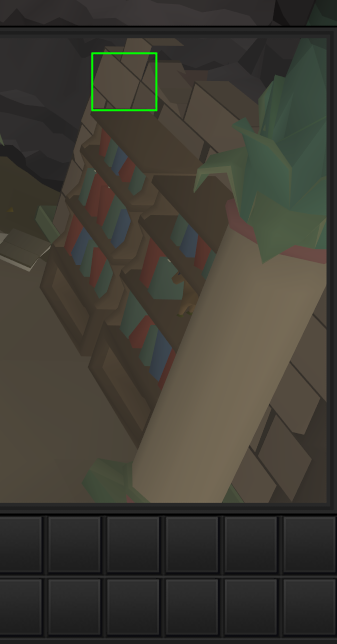
screen markers keeps forcing me to put one here so im unable to set one anywhere else in my inventory
 fresh cosmos
can anyone help me? roofs are hidden on the official client, but on runelite theyre still there... ive retoggled Hide roofs, in the official osrs settings, tried downloading the 'Roof Toggle' plugin, still not working. any help would be appreciated
oblique plume
roof removal plugin
it actually turns them on in order to dynamically remove hovered ones
fresh cosmos
https://i.imgur.com/rTA4ZEd.png
even with the 'Roof Toggle' plugin downloaded, and the hotkey to remove roofs pressed, it still doesnt hide them. i dont even know how roofs got turned on, in the first place. theyve always been off, for me
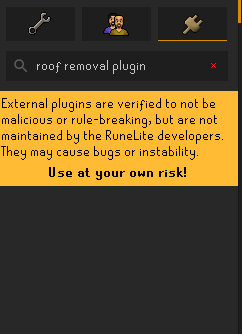
its weird because i can use the official client, no problem but as soon as i login via runelite, roofs are there. might just start using a new account
stone parcel
Thats the hub.
 fresh cosmos
thank god that worked. osrs was almost unbearable with roofs lol
 clever nimbus
I have been trying to get my boosts to stack just to the left of my inventory, vertically. It's easy to set up, however when my client closes, some of the times, it's coming back in unexpected spots. It would also be nice if it would move when I open the plugin hub. Is there any way to prevent the moving?
 solid mesa
If they aren't added to an anchor point then they will move when you change the client size
clever nimbus
What is an anchor point? That sounds like what i'm missing
leaden trail
anchors are the blue boxes
And no you can't move them, since I feel that particular follow up question coming 🤣
clever nimbus
blue boxes?
leaden trail
When you hold alt to drag you'll see them
clever nimbus
So a setup like this is just dependent on it never moving or changing sizes?
 solid mesa
Correct
clever nimbus
Alright, at least gives me an idea of how to make it work, thanks.
 opal stream
Any ideas on what could be causing the "Lookup" option to be stuck on "Kick" when im outside of my POH?
doesn't go away until I click "Kick" which actually moves my character to the target until it obviously can't kick them cause we're in the open world
opal stream
nope 492
gilded kayak
well it didn't actually matter i just assumed it was related to lots of people being on the server
but i could replicate it semi-frequently a bit back, i still think it's jagex's fault
but i explicitly tested on 330
opal stream
I kind of assumed so tbh, especially since clicking kick actually walked me over to the person
if it was visual i'd assume it to do nothing
 wet gull
how i stop this warning and when change world too

 crisp dune
That's an ingame dialog, we don't control it
solid mesa
 wet gull
thanks
ivory isle
I'm having a big problem with random fps loss for extended periods of time until I alt tab. Trying to figure out if a specific plugin causing it. Is there a way to enable extensive logging to see if certain plugins are making way more function calls or something?
 remote cove
Hello, very new to Runescape/RL, is there a way to show NPC/mob names above their heads?
gilded kayak
you could go into the NPC indicators plugin in* the sidebar, and type * into the NPCs to highlight box
and then disable highlight hull and enable draw names above NPC
remote cove
You rock thank you!
mossy swan
!logs
haughty pumiceBOT
To find the logs, you can do one of the following:
- If your client failed to open, click the
Open logs folderbutton. - Open the screenshot directory by right-clicking 📷
Camerabutton, navigate 1 directory up, then open logs folder. - Navigate to
%userprofile%\.runelite\logson Windows or$HOME/.runelite/logson Linux and macOS.
Upload the log files named client and launcher by dragging them to Discord. If there are files prefixed with jvm_crash dated from today, upload them too.
 late mantle
ty 😄
 old gorge
Not sure what's going on as normally it's fine but every time I join a populated GOTR world my client is freezing
 brisk temple
Hi guys, I've been losing my mind. Everytime I talk to an npc, it skips the dialogue all the way to the end where I get to choose an option. For example, if I left click the banker it takes me to the end without letting me read the dialogue. I checked and theres nothing wrong with my spacebar key, I cleared cache, I restarted, I checked java, idk whatt else to do. Please help
gilded kayak
!logs
haughty pumiceBOT
To find the logs, you can do one of the following:
- If your client failed to open, click the
Open logs folderbutton. - Open the screenshot directory by right-clicking 📷
Camerabutton, navigate 1 directory up, then open logs folder. - Navigate to
%userprofile%\.runelite\logson Windows or$HOME/.runelite/logson Linux and macOS.
Upload the log files named client and launcher by dragging them to Discord. If there are files prefixed with jvm_crash dated from today, upload them too.
old gorge
It seems to be when the abyssal npc's start spawning
gilded kayak
your issue is almost certainly something you installed from the 
!safe do a game in safe mode to confirm
haughty pumiceBOT
safemode: To enable safemode
Windows
Run the RuneLite (configure) shortcut from the windows start menu
Tick the Safe mode box, save, launch RuneLite the way you normally do.
Mac
In Terminal, run
/Applications/RuneLite.app/Contents/MacOS/RuneLite --configure
Tick the Safe mode box, save, launch RuneLite the way you normally do.
gilded kayak
or pretend to do the game since u wont have the gotr plugin, but it's probably the cause so
old gorge
I've tried turning off my GOTR plugins to no avail, will try safe mode
 prisma hornet
is there a way to increase the UI size of runelite (not runescape) on linux? can´t find anything in the profile setting, nor in the plugins. I use a 4k monitor and can barely see the runelite icons.
haughty pumiceBOT
oblique plume
the scale param there
prisma hornet
perfect. setting scale to 2.0 in configurator doesn´t seem to work, but passing the --scale=2.0 in cli seems to work
I am happy with that.
 loud hearth
help getting rid of this, wanna type in public
 leaden trail
Do /@p I think
loud hearth
ok ill try it ty
leaden trail
It's been a while since I've played so I might be remembering incorrectly
prisma hornet
1.75 doesnt seem to work in cli either, only 2.0 and 1.0. interesting.
loud hearth
leaden trail
It's been a while since I've played so I might be remembering incorrectly
ty may rng bless u
 oblique plume
prisma hornet
1.75 doesnt seem to work in cli either, only 2.0 and 1.0. interesting.
oblique plume
prisma hornet
1.75 doesnt seem to work in cli either, only 2.0 and 1.0. interesting.
thats an os thing, gotta enable fractional scaling
based on the configurator not working, youre gonna be on linux
so good luck
prisma hornet
oblique plume
based on the configurator not working, youre gonna be on linux
yep I am on arch, and am not using fractional scaling, but good to know that it relies on that
soft falcon
hollow olive
probably one of the (hub)cox plugins options for overload/enhance time or someth...
I just looked through them I might be blind but I didn't see any option to disable
 round jacinth
try just turning off the plugin itself to see where it could belong to
hollow olive
soft falcon
I just looked through them I might be blind but I didn't see any option to disab...
its almost likely this one
 round jacinth
eyes plugin
soft falcon
hollow olive
its almost likely this one
Thank you i dont how that even got turned on
 modern nebula
Has anyone gotten RuneLite running on Linux with a Jagex account? (If there's a way to open it in safe mode on Linux, I don't know how!) I've been trying a couple different methods to get the Jagex Launcher onto my Chromebook, but haven't had any luck yet. Edit: I got it with Bolt!
zealous cedar
a lot of people have luck with bolt, but i dont know if it works on chromebooks or not.
stone parcel
Yeah, link to instructions if allowed: https://github.com/TormStorm/jagex-launcher-linux?tab=readme-ov-file#chromebook
crisp dune
Links are fine, it's just the markdown links which get blocked by automod
 whole anchor
hey can anyone help me about jagex
 haughty pumiceBOT
If you are new to OSRS, make sure to follow this excellent guide on OSRS wiki: https://oldschool.runescape.wiki/w/New_player_guide. You can also join the official OSRS Discord here: https://discord.gg/osrs
whole anchor
should i join jagex discord or something?
solid mesa
Yes, the jagex server was linked in the message directly below yours
 clever ginkgo
it keeps going up, is there a known issue I could try to apply a fix?
 stone parcel
I think he is saying turning the gpu plugin off and on* again would reset the memory.
But that works too.
 naive gazelle
old gorge
Not sure what's going on as normally it's fine but every time I join a populated...
naive gazelle
old gorge
Not sure what's going on as normally it's fine but every time I join a populated...
any chance you're a rainbow rave enjoyer? I'm having similar issues and after turning off the plugin it seems to have relieved the freezes I was having
jk it just started happening again hmm
modern nebula
zealous cedar
a lot of people have luck with bolt, but i dont know if it works on chromebooks ...
That's how I finally got it, thank you!
true niche
Hey guys, I've temporarily switched computers and my tag tabs have gone? How come?
oblique plume
We're you syncing your settings from the old computer
true niche
My PC is currently in the shop, did I need access to it to be able to do it?
oblique plume
Yes
true niche
then no, I didn't have chance as there is issues currently with my PC
 prime sorrel
Would anyone be able to help me figure out why I get booted from the game, the login screen says " Failed to Login, please try again" If I click, play, it says "Your account is still logged in or last world using is unavail, try later". My internet connection isn't dropping, everything works, i've ran test to confirm no drops. World is fine, friends still on.... Happens multiple times a day.
I tried to maybe find a log, this is only thing I saw that jumped out at me ..... Client error: Login authentication error. Response code: 400 … SSLHandshakeException: Remote host terminated the handshake
leaden trail
how are you testing your connection?
prime sorrel
Using WINMTR to path to a known good source, and ensuring during that timeframe, there are no packets being lost to anywhere else
I'm sometimes in a discord call as well, and I don't disconnect \ lose communication, etc
haughty pumiceBOT
open command prompt, type this in:
ping -t oldschoolXXX.runescape.com
where the XXX is your world minus 300, for example world350 = 50
leaden trail
your connection to other places != your connection to the game server
prime sorrel
I understand that, just trying to ensure that my local connection wasn't the problem. Like random disconnects or drops at me or my isp directly
I can give that a try and see if I notice a drop during the time I get the error
Thank you Dura!!
solid mesa
Do you have inventory item options on in the bank?

 slender cedar
Sorry to bother you busy programmers, but what would be causing the game client to crash my amd program/graphics card.
after about 5-8 minutes, screen goes black, and a bug report comes from "rl_operations"
haughty pumiceBOT
To find the logs, you can do one of the following:
- If your client failed to open, click the
Open logs folderbutton. - Open the screenshot directory by right-clicking 📷
Camerabutton, navigate 1 directory up, then open logs folder. - Navigate to
%userprofile%\.runelite\logson Windows or$HOME/.runelite/logson Linux and macOS.
Upload the log files named client and launcher by dragging them to Discord. If there are files prefixed with jvm_crash dated from today, upload them too.
 uncut meteor
 haughty pumiceBOT
@uncut meteor Visit 117's HD plugin discord (https://discord.com/invite/U4p6ChjgSE) for support, issues & feedback
leaden trail
slender cedar
after about 5-8 minutes, screen goes black, and a bug report comes from "rl_oper...
This sounds like a GPU driver crash but your logs are showing Better NPC highlight being a bit angry (it's broken so that checks out), so you could try disabling that
slender cedar
Okay, thank you very much for your help, ill give that try an disable that.
now if its a gpu driver, there all upto date. could it just be my gpu overall?
leaden trail
You could try rolling back to an older driver
slender cedar
okay. thanks again.
 stable plume
i tried searching the discord and reinstalling the plugin but does anyone else have this issue with ping graph?

 quartz wagon
Brutal bank lag, as I go to open bank, Every time. I've tried everything that I know to try to fix this issue, and can't quite seem to find a fix. This issue isn't present on the vanilla client.
Also If I play for ~20 minutes, I begin lagging between ticks if I'm doing any action-- Clicking brews/ food. Swapping between inventory/prayer tabs, etc. Can provide video if needed, also, But I suspect these issues are linked.
gilded kayak
!safe
haughty pumiceBOT
safemode: To enable safemode
Windows
Run the RuneLite (configure) shortcut from the windows start menu
Tick the Safe mode box, save, launch RuneLite the way you normally do.
Mac
In Terminal, run
/Applications/RuneLite.app/Contents/MacOS/RuneLite --configure
Tick the Safe mode box, save, launch RuneLite the way you normally do.
gilded kayak
confirm it doesn't happen in safe mode, and when it doesn't it's one of the plugins you installed causing it
hopefully a bank one but it could be most things
quartz wagon
Gotcha, Will try that now, thank you.
quartz wagon
gilded kayak
hopefully a bank one but it could be most things
Does this work if I have a Jagex account?
gilded kayak
yes
the jagex launcher is basically just double-clicking runelite.exe for you
the (configure) settings are applied to runelite before that happens
quartz wagon
Loading in, now.
Seems to work fine, in this setting.
I've tried disabling every plugin when you search "Bank" in the sidebar and the lag does still occur.
let me remove a few plugin hub plugins
gilded kayak
then you might have to expand past that easy answer
crisp galleon
Is there a way to search for non default plugins?
gilded kayak
hub
quartz wagon
just in the hub, yeah.
crisp galleon
Ah sweet that's cool
quartz wagon
@gilded kayak do you believe if I go through and cut things off and see what the lag does, That I'll pinpoint which plugin is causing it? Or do you have to fully uninstall/ reload runelite, etc?
uninstall the plugion then reload runelite**
gilded kayak
if it's broken enough, only turning it off/removing it might not be good enough
a restart would confirm, so you might want to do half the plugins and restart
maybe start with removing the ones u really dont need, restart, and if that doesn't work then disable half & restart until you find it
quartz wagon
Seems as though After removing some plugins from the hub, Deleting 5-10 bank layout tabs, deleting a bunch of notes i had stored in the side panel, that my issue has been fixed. Thank you for your time and help, @gilded kayak Runelite is crutial to my enjoyment of the game, and I wouldn't be nearly as happy of a gamer without it. Thank y'all for your continued support!
I one day wish to become a supporter, when the money is right.
 spark imp
Posting a reminder here that 117 HD and Video Recorder are not compatible! My dumb ass didn't realize VR was on, so I went through a huge troubleshooting spree that led me to places that would not have solved my issue.
 strong edge
I started playing after a hiatus and my npc highlights broke
have they changed NPC IDs recently
gilded kayak
no better npc highlight has been broken for weeks
well i guess technically they could have changed an ID, but seems unlikely
much more likely your issue is just, the current issue
violet garden
is it possible to change this red color in chat to a different one?
 solid mesa
Force Recolor probably can
 trail crag
Ive Lost all My bank tags and some plugins. IS there some issue?. Plz snswer 🫤
haughty pumiceBOT
 autumn summit
Yo guys, anyone knows why my game screen occasionally freezes, happens rarely
Only way to get it back to normal is close the client and launch it again
I’ve extra allocated memory for runelite, know it runs on 4gb of ram instead of 2
Still getting the random freeze tho
leaden trail
It's almost certainly a bad hub plugin
Are you still able to interact with the sidebar when it freezes?
 restive dagger
anyone here know whats this about? this is when im trying to launch runelite thru launcher

^reinstalled runelite and it worked, thought it would be launcher problem but apparently no
autumn summit
leaden trail
Are you still able to interact with the sidebar when it freezes?
Yes
Last time it happened was when I teleported to wilderness crabs
A friend of mine was having the same issue but at sand crabs
I think it might be gpu related
leaden trail
I don't think that's the case
Download debug helper from the plugin hub, and when the client freezes click the green bug icon in the sidebar and press the "dump threads" button in the panel that opens up. That'll copy something to your clipboard. Paste that into a file and DM the file to @haughty pumice and someone can take a look at it
 dusk lintel
Hey guys, there's this guy in a Facebook group of osrs that needs a little help.
He says that he doesn't know what plugin is doing this and wants to figure out the best way to get it deactivated but not removing everything with fresh profile

 echo wolf
restive dagger
anyone here know whats this about? this is when im trying to launch runelite thr...
echo wolf
restive dagger
anyone here know whats this about? this is when im trying to launch runelite thr...
im having same issue i can't get on
restive dagger
echo wolf
im having same issue i can't get on
i reinstalled runelite when that happened
if ur launcher is just buggy i think u should wait
 brave garden
jagex servers are overwhelmed thats all
echo wolf
i can log in with steam
violet garden
network error
 uneven garnet
restive dagger
anyone here know whats this about? this is when im trying to launch runelite thr...
uneven garnet
restive dagger
anyone here know whats this about? this is when im trying to launch runelite thr...
same issue here
https://www.reddit.com/r/runescape/comments/1kmc4n8/login_issue_may_14th/
This is from rs3 reddit, seems like Jagex knows what is going on
Reddit
Explore this post and more from the runescape community
leaden trail
dusk lintel
Hey guys, there's this guy in a Facebook group of osrs that needs a little help....
Have him come in here. We can't really provide support through a middleman

 lyric latch
steam works, but not the jagex launcher
wet gull
Can I open my own account on steam,? or Open a new account for me
 autumn nebula
mobile is also working. Seems to be the infra behind the launcher is impacted
wet gull
okay thx guys
hollow olive
autumn nebula
mobile is also working. Seems to be the infra behind the launcher is impacted
yet another jagex account L
round jacinth
dusk lintel
It’s a hub plugin they need to turn off
 left beacon
does OSRS work now?
round jacinth
If it wasn’t working this would be on fire
You can see people streaming the game and using it runelite right now
left beacon
round jacinth
You can see people streaming the game and using it runelite right now
true sorry didnt even realize mb
round jacinth
Instead you could say what your problem is instead of asking if others have a problem
What issue are you seeing
round jacinth
does it say ?
 errant shell
Hello guys!
I recently downloaded a full screen plugin to try it play on full screen, however it was kinda messy so I uninstalled the plugin. But from what I observe, it messed up with the font and text inside of runelite itself... For example the Grand Exchange plugin shows numbers differently than it is used to be and doesn't look good.
Also the plugin icons at the bar are kinda blurred as well.... How can I fix this? Tried to change profile to fresh new one, didn't work. I even reinstalled Runelite and no luck... It's the same... Anyone have any idea how can I fix that?

 round jacinth
are you confusing it with the "improved plugin"?
haughty pumiceBOT
To enable safemode
Windows
Run the RuneLite (configure) shortcut from the windows start menu
Tick the Safe mode box, save, launch RuneLite the way you normally do.
Mac
In Terminal, run
/Applications/RuneLite.app/Contents/MacOS/RuneLite --configure
Tick the Safe mode box, save, launch RuneLite the way you normally do.
round jacinth
can you get a video of it not working in safe mode
 viscid kelp
hi i have a bug to report,
viscid lantern

viscid kelp
i used to be able to drop my items on the same tick as killing a monster, and it would show up in the rune lite loot tracker
i used this all the time on my uim to keep track of which items i was dropping, to make sure nobody else took them
but now it doesnt work anymore. can you add a toggle to bring back the good loot tracker?
zealous cedar
oh was that timeout only 60s?
viscid lantern
yup
zealous cedar
my mistake
viscid kelp
what!
zealous cedar
wow it lets me do up to a week
viscid kelp
just in time for the next update
zealous cedar
oh no
 haughty pumiceBOT
@mild island Graphical artifacts? Try disabling hardware acceleration: https://github.com/runelite/runelite/wiki/Disable-Hardware-Acceleration
 mild island
thanks it seems it helped
 torn ether
The update seems to have wiped my plugin settings, is there any way to get these back?
haughty pumiceBOT
 slow elbow
my in game sound randomly dissapearing, can't turn it back on only with client reset any tips?
oblique plume
you got hunlef helper?
slow elbow
oblique plume
you got hunlef helper?
no
oblique plume
dunno then
glossy pumice
what do i need to change in my idle notifier plugin for this to not happen during level up screenshots?
 crisp dune
I don't think that's idle notifier. Do you have Screenshot > Notify when taken enabled?
And if so, is your default notification in RuneLite settings set up to have a screen flash?
 haughty pumiceBOT
Get support for the Line Markers Plugin Hub plugin here: https://runelite.net/plugin-hub/show/line-markers.
You can also find the support link by searching for the plugin in the Plugin Hub panel and clicking the ? button on the plugin, or by right-clicking the plugin in the plugin panel and clicking the Support menu option.
 kind saddle
?
zealous cedar
line markers is a pluginhub plugin, so we cant suggest much more than simply don't use the plugin
 wind owl
any help with setting up watch dog to pop up a message when mark of darkness/ward if arceuss runs out?
haughty pumiceBOT
Support for hub plugins should be directed to the author of the plugin.
You can find the support link by searching for the plugin in the Plugin Hub panel and clicking the ? button on the plugin, or by right-clicking the plugin in the plugin panel and clicking the Support menu option.
errant shell
errant shell
Hello guys!
I recently downloaded a full screen plugin to try it play on full ...
Anyone have any idea about this?
gilded kayak
wasn't there a warning when you installed the plugin that said it will probably break your runelite on windows?
slow elbow
my in game sound randomly dissapearing, can't turn it back on only with client reset any tips? (still got this)
gilded kayak
it's probably some other plugin
slow elbow
it's giga annoying
 fallen bough
when is animation smoothing for shadow getting fixed?
solid mesa
I believe it should be in today's update https://github.com/runelite/runelite/commit/e075bd3cd84db2bde0fe1b0f87ec50c95523956c
viscid lantern
I think they mean its no longer smoothed, which is correct since the animation glitched
so it was blacklisted from animation smoothing
errant shell
gilded kayak
wasn't there a warning when you installed the plugin that said it will probably ...
Yeah, but why it's exactly the same even when I reinstall it? I need a new device to fix that issue?
zealous cedar
I don't think we know why it does that
fallen bough
viscid lantern
I think they mean its no longer smoothed, which is correct since the animation g...
correct
viscid lantern
It not smoothing anymore is by design, not a bug
round jacinth
i dont recall it being broken to be fair, do we have a video of the bugged behavior
viscid lantern
it glitched all the way at the end of the animation(which I personally didnt mind)
fallen bough
viscid lantern
It not smoothing anymore is by design, not a bug
my 144hz eyes need it back
viscid lantern
not an option atm sadly
 grim solstice
Guys is there a way to add/move the hotspots? (The blue squares that dynamically adapt)
round jacinth
no
grim solstice
So sad
im trying a modern look with bars for HP/prayer/run/special
and that would be lovely
round jacinth
our goat react supply ran dry and the developer who promised the feature quit runescape to persue a career in simulator racing instead
viscid lantern
round jacinth
i dont recall it being broken to be fair, do we have a video of the bugged behav...
https://github.com/runelite/runelite/pull/18979 the pr has a vid
round jacinth
and hes KILLING it
i dont think i've ever seen it do that
and ive used like 10k charges XD
grim solstice
manually added em there, but damn i wanted em "dynamic"
 round jacinth
we know why you'd want em
they're hard to make
the UX to add them and the UI to move them/create them would be quite hard
that's why its not done
it's maybe just impossible to do well
 round jacinth
issue is when ever you resize the screen those non anchored stuff move
but otherwise if you always play a certain size its fine 🙂
grim solstice
yeah im switching to playing 1080p fixed modern style
the Stretched mode fixed layout was making me feel sad
this way is just so crisp
 empty minnow
viscid lantern
not an option atm sadly
empty minnow
viscid lantern
not an option atm sadly
Yeah really wish we could disable looping the animation but still smooth it, but I guess that might not be possible tho and the animation smoothing stuff isn't public 🤷
 wide gate
 gilded kayak
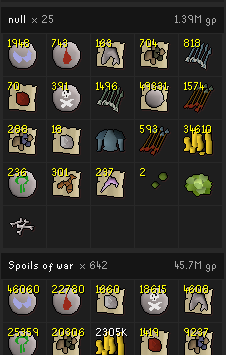
what crates
gilded kayak
mm
we changed to use jagex's official loot tracker today so it's definitely an issue because of that only for NPCs so this is likely unrelated
 quasi ferry
i have an issue with the item charges plugin, when i use a binding necklace it doesnt accurately go down and i have to click check b4 it does, is there something i can do so it does it automatically?
empty minnow
Isn't that the case for pretty much every item that has charges? Always have to check the first one
Aside from teleport jewelry which has separate items for each charge level
quasi ferry
ye but after you check it, it normally (atleast for me in the past) would when crafting runes automatically go down in charges in the overlay box and the charges on the necklace itself
round jacinth
yeah once you checked it once it was calibrated until some1 went to mobile
some1 else reported similar issue earlier but after asked for logs/video of it they never responded
haughty pumiceBOT
To enable safemode
Windows
Run the RuneLite (configure) shortcut from the windows start menu
Tick the Safe mode box, save, launch RuneLite the way you normally do.
Mac
In Terminal, run
/Applications/RuneLite.app/Contents/MacOS/RuneLite --configure
Tick the Safe mode box, save, launch RuneLite the way you normally do.
round jacinth
be sure you're not using the hub plugin called "improved" charges or w/e
quasi ferry
its the same in safe mode
round jacinth
can you record it briefly and report it to github
quasi ferry
sure how do i report to github?
round jacinth
round jacinth
can you record it briefly and report it to github
recording must happen in safe mode
follow the steps it says to do
oblique plume
What does the chat say when you use it
It reads that to know if it's using a charge
 quasi ferry
filtered
round jacinth
can you screen cap the unfiltered
quasi ferry
 round jacinth
lol
You (partially succeed to )?bind the temple's power into (mud|lava|steam|dust|smoke|mist) runes\.
the new message said Mud rune.
rather than mud runes.
classic jagex
oblique plume
That's just not grammatically correct though so jagex just be fumbling
 indigo stirrup
Why do I disconnect? Only when I talk to NPCs. Only happens with runelite
 gilded kayak
!logs
haughty pumiceBOT
To find the logs, you can do one of the following:
- If your client failed to open, click the
Open logs folderbutton. - Open the screenshot directory by right-clicking 📷
Camerabutton, navigate 1 directory up, then open logs folder. - Navigate to
%userprofile%\.runelite\logson Windows or$HOME/.runelite/logson Linux and macOS.
Upload the log files named client and launcher by dragging them to Discord. If there are files prefixed with jvm_crash dated from today, upload them too.
quasi ferry
round jacinth
`You (partially succeed to )?bind the temple's power into (mud|lava|steam|dust|s...
so now what?
leaden trail
we can fix it
solid mesa
You have to wait for someone to update runelite
leaden trail
I'm working on a fix now, just building to verify
quasi ferry
ow oke awesome ty, any eta if u dont mind me asking?
round jacinth
probably next runelite update
gilded kayak
no eta we only do client updates when needed
round jacinth
could be tomorrow if adam finds a reason to .1 this bish
but could be 4 weeks
who knows!
😄
quasi ferry
And when runelite is updated does it automatically update the runelite used by the jagex launcher?
crisp dune
yes
gilded kayak
yes, but there is no special runelite the jagex launcher is just clicking runelite for you
leaden trail
regex works for old and new in case it gets reverted
oh maybe I screwed that up actually E: I pasted wrong whoops
leaden trail
it's a case sensitive match isn't it? I was making sure I made the group case insensitive without screwing it up
crisp dune
leaden trail
oh maybe I screwed that up actually E: I pasted wrong whoops
+1 potato for you
prime sorrel
prime sorrel
Would anyone be able to help me figure out why I get booted from the game, the l...
would anyone be able to help me continue looking into this? ( see the message I replied to )
Ran a constant ping, and ping never drops, but issue still happens...
prime sorrel
This could be completely wrong place to even look, but if I check the client log in runelite folder, only thing I typically see around that time is smoething about a failed SSL handshake or something
could be unrelated , i'm just throwing darts here lol
 fossil summit
I remember there was a version of java without certs causing that and changing it resolved it
forever ago tho
prime sorrel
does OSRS still use Java, I'm guessing the runelite install just uses it's own container or something? I don't understand game dev stuff... but I don't think I even have Java on my computer
prime sorrel
ahh ok..
have any direction you can point me in to try and figure this thing out, Dura?
 umbral viper
Anyone know if there is a way to prevent my client from snapping to the next window when i expand the sidebar and the client is close to my monitor edge
leaden trail
prime sorrel
have any direction you can point me in to try and figure this thing out, Dura?
Can you post the logs that had the SSL error mentioned?
prime sorrel
leaden trail
Can you post the logs that had the SSL error mentioned?
certainly, here ya go https://pastebin.com/Gy22waqa
Pastebin
Pastebin.com is the number one paste tool since 2002. Pastebin is a website where you can store text online for a set period of time.
if you search this timestamp, it should bring you to the time it all happened and I was booted to the login screen
2025-05-14 16:52:43 CDT
gilded kayak
you have ssl errors for both auth.runescape.com AND api.runelite.net
prime sorrel
hmm, what does that mean or how can I address? Is that likely the issue?
leaden trail
Usually you wouldn't be able to launch the client at all, but is the time on your computer wrong?
prime sorrel
No, computer time is correct.
leaden trail
Ah yeah looking at it it doesn't look like the clock thing
gilded kayak
it doesn't say anything useful enough for me to point you in the correct direction, just that when it happens, you lose connection to both the game, and our API
which while people would think the client and the game are cousins, they have no real connection in that way, so 2 completely different websites basically
prime sorrel
Ya, I understood that RuneLite was it's completely own thing.
Before I found this discord, I tried completely removing RL from computer, all traces, and reinstalled, That didn't change anything (for what its worth)
stone parcel
Could this be some crazy antivirus related thing?
 robust ruin
so random questions guys: I had my plugins normal and perfect. Saw i wasnt signed into runelite at the top, so i decided to login, now my shit is all different, anyway to reverse?
oblique plume
Signing in shouldn't change anything
Are you sure you didn't just run into the normal default reset caused by something else
haughty pumiceBOT
robust ruin
I mean thats all i did that was different was sign in, i tagged my items, had to do some npc tagging, tiles are gone
 median nimbus
Just had a crash while doing wgs, after I teleported to my poh from the dungeon. I don't crash often at all but in case it's worth looking into:
zealous cedar
its just an oom. increase the memory limit or use less plugins.
median nimbus
oh wack I don't even have 117 on right now. Maybe that dungeon is just a lot to load? ty tho
 tall olive
Is there a way to fix the binding necklace from not auto updating?
 solid mesa
Jagex changed the message in today's update. There's a fix for it but it hasn't been released yet
 tough sun

My runescape through runelite is currently unplayable
i have no idea why this is hapopening if anyone can help T_T
stone parcel
Tunnel vision?
tough sun
Holy crap, thank you
T_T i don't ever remember clicking on it
Must've accidentally clicked over it
Thank God yall. I just got back into osrs after a year long break and was like. Welp, time to stop
LMFAO
stone parcel
Lol, glad its working now. XD
tough sun
What even is the use of tunnel vision T_T
gilded kayak
playing at work
gilded kayak
you can zoom it to show none of the client
 rough saddle
is there a way to find my account on runelite i was recently hacked and not being able have luck with jagex
 vague rover
hello, i wanted to ask, does anyone know how to change these colors? id like to be able to see yamas attachs in chat clearer over these other
 solid mesa
Probably Force Recolor
vague rover
under "chat color" i couldnt find looks somethiing like this
 solid mesa
That is not the plugin I suggested
vague rover
Ok thank you i will look again
Man i wish i could custom turn some of these off completly
i thinkthis is it thank you!@$#%!#$%!
autumn summit
leaden trail
Download `debug helper` from the plugin hub, and *when the client freezes* click...
What’s the profiling option for I’m the bug helper
 normal sigil
Can someone help me please. i have two accounts in my name on my runelite but they both contain a lot of kc's/data. Some of my Runelite loot tracker data isnt corrent or missing entirely. This happened when i bought and loaded onto a new pc in january however i didnt notice anything missing at the time as i didnt do most of the content until recently. When i did some more content it doesnt load previously earnt tracking data? i have no reset the loot tracker at all or deleted any account profiles.
Finally the third account is an account created for my sister years ago however i cannot delete that profile, when i attempt it just has an infinite loading screen but never deletes it.
Any help is appreciated, thanks.


For added content, here is a screenshot of my easy clues (again never reset loot tracker) - showing 521kc, yet the plugin shows only 410kc tracked. similar to the brimstone chests, over 500. Yet showing 3

 opaque belfry
Item Charges not auto updating, at least for binding necklace
leaden trail
opaque belfry
Item Charges not auto updating, at least for binding necklace
Yeah it's a known issue, Jagex changed the message a little
 main heron
moving from a laptop to a pc, any idea how to have the same runelite settings/plugins?
opaque belfry
leaden trail
Yeah it's a known issue, Jagex changed the message a little
to be fixed by next week update, or before?
leaden trail
opaque belfry
to be fixed by next week update, or before?
There's a fix that got submitted last night but we found a better way to do it so I'm going to update it later today. From there it just depends on when someone can review the changes to get them added to the client, and then it'll be whenever the next RuneLite update is
haughty pumiceBOT
opaque belfry
leaden trail
There's a fix that got submitted last night but we found a better way to do it s...
sounds great. do RL updates only happen with game updates, or other days?
leaden trail
They happen when there are enough changes for there to be an update. I can't really give a more specific answer
normal sigil
@haughty pumice @zealous cedar @crisp dune can i get some support here please?
mossy swan
normal sigil
<@454996275201572864> <@143183183322677248> <@200116658507874305> can i get some...
maybe if you ask nicely and don’t ping admins
normal sigil
how am i not asking nicely? also how would anyone know not to ping an admin if it doesn't state it anywhere?
normal sigil
mossy swan
maybe if you ask nicely and don’t ping admins
how about if you have nothing constructive to say or able to help don't speak at all?
mossy swan
normal sigil
how am i not asking nicely? also how would anyone know not to ping an admin if i...
common sense and courtesy, this is a server of over 200k users
mossy swan
normal sigil
how about if you have nothing constructive to say or able to help don't speak at...
are you looking for a fight or for help with something?
normal sigil
right so your just here to cause an argument right? #support message cause apparently this isnt asking nicely?
oblique plume
bruh its 7am how you gonna expect help instantly
normal sigil
its not 7am here, its 12:36pm. should i expect everyone not to be in the UTC/BST time zone?
mossy swan
oh you asked earlier, i had no idea
oblique plume
youre not gonna like the solution though
haughty pumiceBOT
normal sigil
why what is the solution?
i saw from previous FAQ that you should be deleting a dupe name but unsure which one i would delete if they both have data?
normal sigil
mossy swan
oh you asked earlier, i had no idea
so instead of jumping down my throat mate why not just ask first?
oblique plume
whichever one you want to
normal sigil
but they both seem to have different loot trackers or both have similar such as, one has 117 tracked imps the other has 819
how can i be sure i delete the correct one too? - as i have no idea which one came first as no dates attached
oblique plume
theyre both correct
mossy swan
normal sigil
so instead of jumping down my throat mate why not just ask first?
because you are pinging admins, dming modmail and i had no other context. you could just reply to your earlier post and “bump” it
oblique plume
tbh i just scrolled past the wall of text
normal sigil
again i looked around for the "how to contact admins" or "request support" with limited information, how would i find out i cant ping an admin for support? i DM'ED mod mail over an hour after my OG post, and i asked again with a pinged message as others was getting support and mine was seeming to be ignored. Again though, unless your going to help why are you continuing to argue with me?
I asked for help and you overlooked or missed my OG post and seem to still wish to continue a discussion about it rather than either help or ignore me. At least alex is offering advice.
normal sigil
oblique plume
tbh i just scrolled past the wall of text
so if i delete either one, will i lose my tracked loot data at all?
oblique plume
you lose whats in the one you delete
normal sigil
well that sucks ass. What makes the runelite tracker create a second profile and start tracking?
oblique plume
unmoon doesnt need to give the same answer i did thats why it looks like hes not helping
mossy swan
i’m not helping you because alex is already doing that, and two people telling you things just gets confusing
oblique plume
the hashing for profiles was changed so if you log in to the game before syncing your settings on a new computer it will use the new style
but if you sync an old style hash there will now be two pointing to the same thing
thats what you have
its not deterministic which one itl select to use on startup afaik
normal sigil
i see, so now that my profile is sync'd it doesnt matter which i delete, but i will lose that data from that profile?
If i was to go get loot from something deleted from that profile, would if remember what was there on the now current profile or would it be like starting fresh?
oblique plume
itl be gone
normal sigil
fair enough, but a dupe will not be created again in the future?
oblique plume
not unless you use a new computer and play before syncing the settings again
normal sigil
right got it. Thanks.
What about my other issue of being unable to delete a profile from my runelite account? no matter what i do or how long i wait for it to be deleted, it just doesnt delete.
oblique plume
i wana say weve encountered that before but i forget what the solution was
it doesnt hurt anything to stay there though
normal sigil
ye ill wait for my OG post to be addressed just to confirm what your saying (not saying your wrong) as theres no reason to rush it right now, and hang on until i find the solution to removing this "stuck" profile.
Thanks for your help alex.
mossy swan
you won’t get any other answer
oblique plume
this is the only thing i find referencing the stuck profile stuff
someone actually made a gh issue
normal sigil
deleted what looked to be an older profile when looking at ge tracker stats as they was refencing dates 2 years ago, vs the other that was hours ago, going to relog and see what ive lost 😅
 shrewd citrus
does anyone know what plugin this is to display overhead text when a boost runs out?
 oblique plume
watchdog
shrewd citrus
Great, thanks! been looking for a while.. 🙂
silk thicket
Is it possible to anchor UI elements to other UI elements?
leaden trail
No
oblique plume
I wana say that the chatbox anchor moves with the chatbox
I dunno of any others
But you can't do an overlay on an overlay
floral plank
Hi i saw someone using a plugin where the nps was highlighted blue when heb attacked it for its hitpoints (so he killed it) it turned red. Any know which plugin this is?
Npc indicator ?
Nvm found it its Thzaar hp tracker
viscid lantern
remove the npc idle timer you installed
haughty pumiceBOT
Get support for the PvP Performance Tracker Plugin Hub plugin here: https://runelite.net/plugin-hub/show/pvp-performance-tracker.
You can also find the support link by searching for the plugin in the Plugin Hub panel and clicking the ? button on the plugin, or by right-clicking the plugin in the plugin panel and clicking the Support menu option.
solid mesa
What issues do you have with Loot Tracker?
 ornate kite
Thx but as the issues happen at same time I don't think it's specific to PVP tracker
basically every major update(jagex)
both PVP + loot tracker reset all logs at same time
shall i re-install my runelite?
haughty pumiceBOT
solid mesa
I would try that
ornate kite
i've also seen it happen once or twice when I switch between Different Characters\
Ok i will check
ty

hi step 3 link is not working, i tried to login manually from the hamburger menu and when it goes back to homepage, its not logged in?
solid mesa
What about https://runelite.net/account/loot-tracker
ornate kite
works and logged in there
i have lot of profiles there
can i pm u ?
so i can know which one to delete pls
solid mesa
You should only have one for main game, then maybe one for quest speedrunning, leagues, beta, pvp arena. You will just have to click through the profiles, look at the loot, and delete the ones with the least loot
ornate kite
each OSRS character = another profile ?
solid mesa
Yes
ornate kite
thx ~ will this help with pvptracker issue too~
 distant geode
Hey
Can someone help me
For some reason my bank tags didnt stick to my runelite
After yesterdays update i lost all my bank tabs that r on the side of rl for gearing up
haughty pumiceBOT
distant geode
Ya
They not anywhere there
I had bag tabs set for eaisy withdraw i cant find them anymore
stone parcel
You tried step 4?
distant geode
Ya bro
stone parcel
Can you post a screenshot of the profiles2 folder with size and date of the files shown?
distant geode
Idk where they went


Those random long name profiles r just be trying to import the the top 3
round jacinth
can you instead use print screen key so we can help better
i know those two pictures are one wide picture but just combine them into 1 image
 lone reef
Hey all, my loottracker doesnt seem to log any NPC kills but does log cluescroll stuff? any ideas?
gilded kayak
we changed to use jagex's official loot tracker info, for NPCs
but you can disable it apparently, so you need to boot up the official client, or mobile, and enable it again
It's the in-game setting Loot Tracker - Track loot, only available on mobile/official
lone reef
aah never figured that one out.. works like a charm. Thank u!
 mild kelp
I cant use runelite if Ive upgraded to a Jagex account?
Its telling me to use the jagex laucher instead
oblique plume
launch RL with the jagex launcher
mild kelp
ty
 viral night
what is this plugin, i want to get rid of it lol
 solid mesa
godbook I think?
viral night
tyty
prime sorrel
Is there anything further I can do as far as troubleshooting my SSL issues? Sorry to be niave, is RuneLite a community driven project, or is there somewhere I can email to see if anyone can look into it?
prime sorrel
I believe so, they said it was to the runelite API and auth.ruenscape.com too I think
Everything works, I can play for a couple hours on Runelite, before it will eventually kick me out
I haven't tried playing on mobile for like a full day or something, my phone is kinda small and I have bad vision lol
round jacinth
Who’s they in this context
gilded kayak
I read the logs and he had 400 from auth.runscape and SSL error from api.runelite.net
oblique plume
should we ask the "what router do you have" question 
do you have issues after a consistent amount of time
prime sorrel
Can't find any correlation to an amount of time before it happens. It almost never happens when I first login and start playing for a session... it's usually after at least an hour of palying I would say. After that, it feels random.
round jacinth
2 hours and 5 minutes of a session and in that interval? Lol
prime sorrel
is that what you see in the log or something?
leaden trail
What router do you have?
prime sorrel
Eero 6
prime sorrel
:[
oblique plume
it seemingly presents as one though
like you lose the ability to connect to lots of stuff at the same time
you even had a hub plugin 401 you
prime sorrel
ima 401 them if they don't start behaving
charred wind
router clearing sessions after 2 hours?
prime sorrel
ope just happened lol
Pastebin
Pastebin.com is the number one paste tool since 2002. Pastebin is a website where you can store text online for a set period of time.
justt in case maybe there is something " new " or " different" in there...
 haughty pumiceBOT
@lime lotus To find the logs, you can do one of the following:
- If your client failed to open, click the
Open logs folderbutton. - Open the screenshot directory by right-clicking 📷
Camerabutton, navigate 1 directory up, then open logs folder. - Navigate to
%userprofile%\.runelite\logson Windows or$HOME/.runelite/logson Linux and macOS.
Upload the log files named client and launcher by dragging them to Discord. If there are files prefixed with jvm_crash dated from today, upload them too.
 lime lotus
haughty pumice
<@142845281329741829> To find the logs, you can **do one of the following**:
- I...
lime lotus
haughty pumice
<@142845281329741829> To find the logs, you can **do one of the following**:
- I...
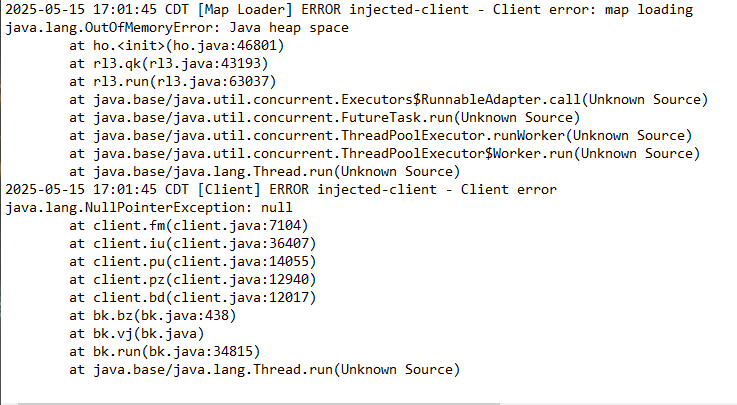



 leaden trail
disable some hub plugins
round jacinth
distant geode
If you look at the sizes and the dates they should tell you which one to try
leaden trail
I mean sending your full log would be a bit more helpful than just a snippet
round jacinth
The ones that are 116kb look good
leaden trail
but you probably just have way too many installed
distant geode
I did
But my bank tag layouts didnt stay
I had a bunch setup for quick invy setups
And cant find it anymore
stone parcel
Make sure you are double clicking to switch to the profile after importing it.
 devout kettle
I've got an issue with Inventory setup, not sure if this is the place to ask about it! It's just that everytime i select my setup it just doesnt do anything in the bank
stone parcel
Iirc you have to click a little 👁️ icon near the setup to have it show in bank.
Or maybe the filter icon...
One of those.
devout kettle
I do click the Eye and it pops up like it normally would, but for a few days now it doesnt change the bank
Ignore the messy bank, but you see what I mean
 solid mesa
You have these on?
 devout kettle
 solid mesa
Thats the problem
devout kettle
Thank you very much ahah, glad it was that simple, it fully works now!
 atomic kelp
I already checked my Firewall
 solid mesa
The problem is with your DNS not resolving static.runelite.net
atomic kelp
Okay. How do I fix it?
 final veldt
Im having the same issue right now also @atomic kelp
gilded kayak
can i bet you 2 live in the same country or area of the usa
final veldt
I live on a boat out in the ocean. Running off starlink.
final veldt
Hahaha wouldn't that be something
atomic kelp
Midwest
gilded kayak
are u using starlink also
final veldt
It's resolved itself @atomic kelp Mine is up a running again.
atomic kelp
final veldt
It's resolved itself <@936782384257458186> Mine is up a running again.
Fuck. Mine still isn't working
I'll try again tomorrow
It's getting late
Woohoo mine is now working too!
 potent geode
anyone elses item charges not working?
gilded kayak
it's easier if you don't ask a vague question, but i'll just assume you're talking about binding necklace, jagex changed the chat message this week so it no longer recognizes it
leaden trail
(which will be fixed with the next release)
gilded kayak
yeah they decided this week the message should no longer be gramatically correct
potent geode
just a fuck around not knowing how close my binding necklace is to breaking
leaden trail
gilded kayak
yeah they decided this week the message should no longer be gramatically correct
Good thing it won't depend on the message anymore
 lofty furnace
im having trouble with my freeze timer, ive got the box checked but nothing appears on my screen when im frozen
 devout cobalt
is there an issue going on with ge prices plugin?
stone parcel
Not that I've heard in here, what issue are you having with it?
devout cobalt
i restarted client and its working now, thank you
 wild creek
gilded kayak
it's easier if you don't ask a vague question, but i'll just assume you're talki...
wild creek
gilded kayak
it's easier if you don't ask a vague question, but i'll just assume you're talki...
Do you have any idea if blood moon armor has a similar issue? or have you always had to manually check bloodmoon armor
Because mine broke after saying like 90/100, Didnt update dynamically but maybe thats normal behaviour
solid mesa
I think that's from tic-tac's item charges improved. Core Item Charges does not track perilous moons charges
wild creek
solid mesa
I think that's from tic-tac's item charges improved. Core Item Charges does not ...
Yeah it is, But It just has a similar problem, cant remember if thats just how it behaves or theres an issue with live tracking of the charges/time
I thought it used to dynamically update, but wasnt sure if Im gaslightin myself
haughty pumiceBOT
Get support for the Item Charges Improved Plugin Hub plugin here: https://runelite.net/plugin-hub/show/tictac7x-charges.
You can also find the support link by searching for the plugin in the Plugin Hub panel and clicking the ? button on the plugin, or by right-clicking the plugin in the plugin panel and clicking the Support menu option.
solid mesa
I doubt it's a similar issue since there's no chat message for moons armour. But you'd have to report the issue to the plugin author
crisp dune
How long has it been since you've completed a lap of seers course? Completing another should fix it for you
 cunning horizon
Is this intended behavior or an issue where escape option takes precidence over the orb options such as activate quick-prayer?
 crisp dune
it's intended behavior
cunning horizon
Interesting, thanks
 astral glen
book of the dead's destroy option is broken. mobile and official client are functional.
gilded kayak
!safe
haughty pumiceBOT
safemode: To enable safemode
Windows
Run the RuneLite (configure) shortcut from the windows start menu
Tick the Safe mode box, save, launch RuneLite the way you normally do.
Mac
In Terminal, run
/Applications/RuneLite.app/Contents/MacOS/RuneLite --configure
Tick the Safe mode box, save, launch RuneLite the way you normally do.
astral glen
ok, if thats the case would you mind checking also? it was fine pre update. and i havent added anything since. i play a uim so drop/destroying shit is fairly common
 charred vigil
when looting the last coffin in hallowed sepulchre we are getting duplicated entries in the loot tracker
Coffin (Hallowed Sepulchre)
and
Hallowed Sepulchre Grand Coffin
assuming this will be fixed on its own
empty minnow
charred vigil
when looting the last coffin in hallowed sepulchre we are getting duplicated ent...
I would guess that's due to runelite using Jagex's loot tracker now, probably just need to remove the custom logic from the runelite side
charred vigil
empty minnow
I would guess that's due to runelite using Jagex's loot tracker now, probably ju...
thanks for the insight, hopefully the loot gets mapped somehow so we retain our loot instead of having duplicates
I also haven't noticed it happen anywhere else, just at the sepulchre not sure though
oblique plume
youll have to delete the duplicates yourself
but next release will have the fix to stop the duplicating
charred vigil
alright thanks
 hushed lynx
anyone got any idea how to get rid of this haha?
 solid mesa
godbooks plugin
 bronze isle
I've seen a few github support tickets for audio. For some reason after using artic 5 series headphones on my PC 1x I have never been able to use game sounds again across any of my audio devices - anyone ever experienced this?
They wont play via BT, via hardwire sound, via 2.4 connection etc - just no game sounds anywhere
oblique plume
i think just the device in the sound devices overview
bronze isle
no dice 😦
oblique plume
dunno then