#support
1 messages · Page 82 of 1
 haughty crater
the logs are also not showing which url its trying to reach for the certificate
i was wondering to see if they block that
 oblique plume
do you mean where its going for the bootstrap?
 sand flame
Can anybody help me with this? No error when starting runelite, but once i tap Log in this pops up everytime 😦

 solid mesa
Do you have a jagex account? You need to use the jagex launcher to launch runelite
sand flame
Cant download jagex launcher (work pc). but this method worked before with no problems
solid mesa
Did you convert your account to a jagex account?
sand flame
yes, but that was a long time ago also
solid mesa
Well then you have to use the jagex launcher
sand flame
oh well.. thanks anyways
solid mesa
Jagex acccounts HAVE to use the Jagex launcher. That's just how jagex is 🤷♂️
sand flame
thanks for the help
oblique plume
you have to regenerate it from time to time
 faint hazel
is there a way to bring back an older version of the default.properties file
betternpchighlight got nuked again and i accidentally marked another npc before resetting
and lost all my highlights
 reef moon
Oh is that why I had to reset my highlights the other day?
oblique plume
no
 frosty sand
hey @leaden trail, do you remember when you said the 14th gen intel CPUs have a tendency to cook themselves
well, mine cooked itself 🤣 so my issue was hardware-related
faint hazel
fml
 leaden trail
Yeah that checks out
 toxic atlas
any idea what might cause this scenery to stop rendering at certain camera angles only on core gpu plugin? experimental and gpu off work as expected


 round jacinth
expiremental does some stuff differently in how it renders
idk why gpu and gpu off would be different but gpu expiremental is a different thing
 frail geode
Just bought a new mouse and for some reason right click is opting to zoom camera rather than pan, it's checked in the Camera settings. Is there anything i can do?
 bitter condor
Anyone else this syncing with profile no longer works properly? Gets unsynced every day now, and also of my 4 profiles (thats all synced to cloud) some disappear some times until I completely shut down every Client

 crisp dune
Account linking has been, and is still working fine for me
bitter condor
crisp dune
Account linking has been, and is still working fine for me
You playing with 2 or more clients same time?
crisp dune
yes
bitter condor
Do you close them all down every day, or do you keep them up if computer in power saving mode?
leaden trail
You should not be doing the latter because it frequently breaks things
bitter condor
Xd
Okay so that is the problem, then? (It worked before, although not saying it is correct)
leaden trail
At a minimum it certainly isn't helping
I do think I recall people previously encountering sync issues in the past when doing the same thing
bitter condor
ok, ty!
 wanton herald
Where do we request default features to return?
solid mesa
wanton herald
I see the link but I can't figure out how to create a request/discussion
solid mesa
Go to https://github.com/runelite/runelite/discussions/ and be logged into github
wanton herald
oh you have to log in
 clear stratus
this isnt about kills left to lvl is it
wanton herald
no its about the return of chest screen shots
leaden trail
What chests?
wanton herald
idk but it apparently isn't a feature anymore only value is
any chests
old used to have this

new doesn't
 crisp dune
That is still a thing
wanton herald
and not all raid loot is tracked unless its is above the threshold
crisp dune
have you looted any chests which would put screenshots there?
wanton herald
about 100 raids at least
crisp dune
Did you look under "Boss Kills"?
wanton herald
dont see it on the screen shot plugin

now I do but it wasn't under the name I was expecting which probably lead to the confusion on my part
and oddly starts in April which is fairly new since I've been playing on this account for a while
leaden trail
The chest loot folder is for something else
crisp dune
Gauntlet and colosseum loot goes there since you can loot the chest without getting kc
leaden trail
Someone also answered your question earlier
wanton herald
I miss understood so I was looking to see if it was possible since it was in a previous edition and thought it had been removed. My mistake
I was also looking for my cox loot which wasn't in the folder which is why I'm confused
 viscid lantern
there is a resource pack discord
viscid lantern
https://runelite.net/plugin-hub/show/resource-packs theres a link here
 whole gulch
oh fuck thank you so much
 vague ore
On the struggle bus today, loaded up RL and missing several plugins, all settings are reset. I was still logged in though which is confusing
 haughty pumiceBOT
 glossy pumice
is it possible to scale the runelite client's text size? I am on a 4k monitor with 125% windows scaling, however runelite's client text is still tiny.
 haughty pumiceBOT
solid mesa
haughty pumiceBOT
solid mesa
Adjust the scale property
glossy pumice
oh thats right, totally my bad. I set it to 100% a bit back because 125% windows scaling made stretched mode with integer scaling look really weird
so am i pretty much doomed to either small RL text and smooth stretched vs wonky stretched but bigger RL text?
solid mesa
I guess if stretched mode looks wonky then yea. But the two options for scaling is stretched mode for game only and scale parameter for everything
 hollow olive
i think the recommendation is 100 windows scale and then use scale parameter for runelite ui scaling and stretched mode for game scaling
and mess with gpu alias(?)ing settings in the gpu plugin for less wonky in game text
glossy pumice
makes sense but unfortunately i just cant do 4k at 100% windows scaling, everything is just way too small
hollow olive
what about increasing your windows resolution
though probably defeats the purpose of 4k? though i'm not very knowledgable about this stuff
i use 1440p 2k pretty much
round jacinth
a 27inch 4k at 100% is quite small
glossy pumice
no worries, i just swapped over to 4k from 1440p so im getting used to everything myself
round jacinth
so scaling in windows if you have to and you can then also use the runelite scale
glossy pumice
im on 32" 4k so its a bit better than 27" would be, however at 100% scaling everything is very small
hollow olive
when in doubt just upgrade hardware heh bigger screens!
round jacinth
then adjust window's scaling
and then also later adjust the scale option in runelite
glossy pumice
ill try to mess with it a bit more, thank you guys for the suggesstions
might also try to see if there are others on 4k who would be willing to share their stretched/ client settings
this is what text looks like without scaling set to 1.0 w/ windows scaling at 125% on 4k btw

 static isle
anyone know how to fix this? no search option on the sack.
i am able to search on mobile not on RL
 haughty pumiceBOT
Many plugins from the pluginhub break the client in subtle or not-so-subtle ways, including causing issues like client freezes. We do not support pluginhub plugins because we do not make or quality control them, and do not recommend their use.
Run the RuneLite (safe mode) shortcut, or with a Jagex account, first run the RuneLite (configure) shortcut and tick the Safe mode box, then launch RuneLite via the Jagex launcher.
This temporarily disables the GPU plugin and all hub plugins which will allow you to confirm the issue is caused by one of those plugins and isn't a core RuneLite issue.
If the issue is caused by a hub plugin, you should isolate which plugin it is and then uninstall the plugin.
static isle
how do i run runelite (safe mode)
solid mesa
Use windows start menu search for Runelite (safe mode)
static isle
thanks! works fine with safemode, should i just manually turn each plugin off and on to find the issue causing one?
 gilded kayak
you can search hub in the tab where you see all your plugins, and probably turn off half instead of 1
keep doing half until u find it
 sour crane
hello i just came back to runelite from taking a break for almost 2 years and i cant seem to log in anymore and i just reseted my password and still cant log in
solid mesa
Did you migrate your account to a jagex account? If so, you need to use the jagex launcher to launch runelite
sour crane
i tried both launchers
solid mesa
Are you logged into the Jagex launcher?
sour crane
i cant log in anywhere exept for my opera gx browser
and there is no info about my account there
im just logged in
solid mesa
It seems like you're remembering the wrong credentials? Not sure
 tawny anchor
I'm new here and currently just finished tutorial and still in nodes for the ironman not yet entering the portal and seems like I am not getting any exp on any skills anymore
 rare oak
Cant xp get past lvl 3 on tut island, node is considered tut island
solid mesa
I don’t think you get xp on the node
sour crane
it says i dont have an account on jagex so i guess i will just keep trying to log into runelite
i feel like i lost my account now i cant log in at all
clear stratus
aren't jagex accounts forced now? (they are not yet)
gilded kayak
new accounts are jagex accounts
you'd know if they forced
people would never shut up about it
clear stratus
true
sour crane
i feel like i just want to cry isnt there any other way i can recover or log in i had so so so much items
 gilded kayak
but i would make sure you can't log into runescape.com first
https://www.runescape.com/community and log in top right, to confirm you can't login with those creds
gilded kayak
logged into the website or runelite
sour crane
website
gilded kayak
if you go to the my account tab in the top right
do you see this banner on the page
 sour crane
im in and i have my account fixed
 haughty pumiceBOT
round jacinth
haughty pumiceBOT
round jacinth
Oh
You mean the side panel
Around the top right there is a > icon
Click that
It’s next to the minimize client button
On the top bar
 raw lintel
ohh thankyou
round jacinth
np
 wet scroll
Ok, so if I'm understanding this right, the same idea of "profilename.properties" & "profilename2.properties" is what gets synced to my signed in email if I enable the sync on two. Correct?
round jacinth
you enable the profile, file name is sorta related but it’s not 1:1
leaden trail
Person who just deleted a message, you want to change your infobox color
 acoustic lily
anyone know how to fix better npc highlight not working with thralls when entity hider is enabled, got the same codes and outline is enabled but for me the thrall is 100% hidden with no outline but for friend is working perfectly fine with thrall outlined
gilded kayak
that plugin is broken
in certain scenarios, this being one of them i guess
(better npc highlight obviously, not entity hider)
 lapis elm
Idk works for me
gilded kayak
lapis elm
Idk works for me
it's broken when u change settings i just cba to say that to people
 wild sequoia
I have change my passwords and acc so many time and im still having trouble logging in. can someone help me please. i can sign everywhere but RL

 mossy swan
wild sequoia
I have change my passwords and acc so many time and im still having trouble logg...
mossy swan
wild sequoia
I have change my passwords and acc so many time and im still having trouble logg...
use jagex launcher to launch runelite
 dusk urchin
How come runelite installs main_file_cache.idx255 with missing index information for gamevals (aka index 24)?
wild sequoia
mossy swan
use jagex launcher to launch runelite
and how i do that?
gilded kayak
open the jagex launcher
the spot where it says official client is a dropdown menu
select runelite
play
wild sequoia
gilded kayak
play
that didnt work.
gilded kayak
make sure runelite or the jagex launcher are NOT running as admin
otherwise it's not possible for that not to work
you can't get to the play button, without logging into the jagex launcher anymore
and if you log in, then the jagex launcher can send runelite your secret codes, to give you 1-click login
wild sequoia
gilded kayak
make sure runelite or the jagex launcher are NOT running as admin
when i select Runelite in the dropdown menu the only option was to install it from the Runelite website
mossy swan
wild sequoia
when i select Runelite in the dropdown menu the only option was to install it fr...
try reinstalling runelite then
haughty pumiceBOT
Download from the link in #welcome or from the link from the Old School RuneScape home page
gilded kayak
wild sequoia
when i select Runelite in the dropdown menu the only option was to install it fr...
this was much more of a useful message than that didn't work
wild sequoia
gilded kayak
this was much more of a useful message than `that didn't work`
so what should i do? i feel like im missing out on so much without RuneLite, im being playing for over 18 years and never played on RuneLite
gilded kayak
did you try reinstalling runelite like unmoon suggested
wild sequoia
gilded kayak
did you try reinstalling runelite like unmoon suggested
yes! just did that. still telling me something is wrong
gilded kayak
does it say something is wrong or is it just stuck on install
wild sequoia
gilded kayak
does it say `something is wrong` or is it just stuck on `install`
No when i sign in on Runelite it tells me my passwords and email is wrong but i can sign in on steam and jagex
gilded kayak
you should not be met with a username/password box when starting RuneLite from the jagex launcher, if you are then one of the applications is running as admin
wild sequoia
gilded kayak
you should not be met with a username/password box when starting RuneLite from t...
OK. i had to delete all apps and redownload them and rest my computer and it worked! super excited thanks !!!!!!!!!
 royal zephyr
hi @sudden gyro could the time to level plugin allow me to see the time to any level I choose pleeeeease? tyvm ily
 plain bison
whats happening? kicks me out every couple minutes
 viscid lantern
Unstable connection
 tight talon
heyo, quick question - whats the plugin / settings called for prioritizing one npc attack option over another: e.g. kephri medic spawns over kephri herself? ty
oblique plume
custom menu swaps
haughty pumiceBOT
To find the logs, you can do one of the following:
- If your client failed to open, click the
Open logs folderbutton. - Open the screenshot directory by right-clicking 📷
Camerabutton, navigate 1 directory up, then open logs folder. - Navigate to
%userprofile%\.runelite\logson Windows or$HOME/.runelite/logson Linux and macOS.
Upload the log files named client and launcher by dragging them to Discord. If there are files prefixed with jvm_crash dated from today, upload them too.
 indigo wolf
haughty pumice
To find the logs, you can **do one of the following**:
- If your client failed t...
indigo wolf
haughty pumice
To find the logs, you can **do one of the following**:
- If your client failed t...
is there a reason doing
Open the screenshot directory by right-clicking  Camera button, navigate 1 directory up, then open logs folder.
doesn't work on the flatpak image?
round jacinth
the person who packaged that decided a different folder structure I think
The .runelite folder is not in the normal spot
$HOME/Pictures/RuneLite
Or rather
That’s where screenshots are
It’s documented on the project

GitHub
Play RuneScape with the Jagex Launcher - in Flatpak form! - USA-RedDragon/jagex-launcher-linux-flatpak
indigo wolf
I'm not using that flatpak 🤔
I think
RuneLite net.runelite.RuneLite 2.7.1 stable system```not sure, I assumed it was the same deal
indigo wolf
total 0
search everywhere for a directory named the same as your rsn
indigo wolf
oh wait... I found it
/home/deck/.var/app/net.runelite.RuneLite/.runelite/
ty, my brain seems not to be working today
 toxic aurora
Can someone help me? I am trying to log into my OSRS account with RuneLite and it isn't letting me
mossy swan
what does it say?
toxic aurora
 rare oak
Do you normally play through a jagex account?
toxic aurora
Yes
mossy swan
use jagex launcher to launch runelite
rare oak
Launch runelite through the jagex launcher
toxic aurora
How do I do that?
mossy swan
select "runelite" in the dropdown where it says "official client"
rare oak
Yes
mossy swan
everything works the same
toxic aurora
Okay I installed the quest helper plugin, now how do I get it to start working? I turned it on
haughty pumiceBOT
Get support for the Quest Helper Plugin Hub plugin here: https://runelite.net/plugin-hub/show/quest-helper.
You can also find the support link by searching for the plugin in the Plugin Hub panel and clicking the ? button on the plugin, or by right-clicking the plugin in the plugin panel and clicking the Support menu option.
Visit Zoinkwiz's Quest Helper plugin discord (https://discord.com/invite/XCfwNnz6RB) for support, issues & feedback
 true niche
How do you change the boost boxes that appear, I want to change their orientation as they are in a straight line currently, I want to make them so they go down the side of my inventory.
haughty pumiceBOT
You can configure horizontal/vertical orientation, infobox groups or split infoboxes into new groups with the menu options opened with Shift + right-click. https://runelite.net/img/blog/1.6.28-Release/infobox.gif

 paper sedge
Hi guys, not sure if anyone can help. Im experiencing crashes but cant seem to figure out if its a plug in or which one it is. Ive attached the logs, could someone advise? These crashing happen when i interact with something, like an RC altar, a ladder etc...,
 zealous cedar
its always going to be a plugin yes. I guess I would start with the ones that are erroring constantly
rare oak
paper sedge
Hi guys, not sure if anyone can help. Im experiencing crashes but cant seem to f...
Looks like cox light colors is erroring constantly in that log
leaden trail
You're running out of heap space, for one. Try disabling some hub plugins.
I'd also disable the b0aty plugin since that's not happy
paper sedge
leaden trail
You're running out of heap space, for one. Try disabling some hub plugins.
I'd ...
That might be it! I only turned that one to play with it and forgot it was on.
 fallen oasis
Hey hoping someone can help me. I plugged a new monitor into my laptop and everything on the monitor is much bigger than im used to would anyone be able to help?
haughty pumiceBOT
leaden trail
Modify the scale option there ^
fallen oasis
Like even in fixed mode it takes longer for my mouse to move across the client
Ok ill try that ty
 left inlet
Sorry if its been asked before but 2 profiles are missing I'm using the same computer and it just doesnt exist now
 stone parcel
!lost
haughty pumiceBOT
stone parcel
Step 4 in there may be helpful. 😁
left inlet
Ah yes there are like 25 profiles in there lol I was able to reimport
 split glen
@coarse token Hey Rugg, apologies if there's a better place to reach out.
I'm setting up the boss-health-indicators plugin and wanted to find out if there's a way to specify phases for verzik (and other bosses)?
I want the 35% to only show in p2 and the 20% in p3

 coarse token
split glen
<@125107503196405761> Hey Rugg, apologies if there's a better place to reach out...
coarse token
split glen
<@125107503196405761> Hey Rugg, apologies if there's a better place to reach out...
Uhhhhh hmm Ive never done tob so im not rly familiar with how that boss works. The plugin is purely based off the text in the health bar, so you wont be able to unless the boss has a different title during the fight, I dont know if verzik does
split glen
coarse token
Uhhhhh hmm Ive never done tob so im not rly familiar with how that boss works. T...
Ah I see, it's the same text so probs won't be able to split them. Thanks for the quick response!
coarse token
👍 Sorry it cant do exactly what you need, it's probably possible to add an additional filter for the npc ID or something, but it never got done up 😵
split glen
coarse token
👍 Sorry it cant do exactly what you need, it's probably possible to add an addi...
Would be a really cool addition :p
viscid lantern
That wouldnt be accepted to the hub
haughty pumiceBOT
Jagex's third party client guidelines: https://secure.runescape.com/m=news/third-party-client-guidelines?oldschool=1
Additionally, these features have been rejected or removed from RuneLite: https://github.com/runelite/runelite/wiki/Rejected-or-Rolled-Back-Features
viscid lantern
its rejected ^
split glen
Oof I see
coarse token
dinnint even know that, havent worked on the plugin in a long time 
split glen
viscid lantern
its rejected ^
Out of interest, would configNames be accepted instead of ids?
 viscid lantern
considering those would be effectively the same, no
maybe the author can manually add some Verzik (p1) thing
split glen
Cheers, thanks for the info
 vivid creek
Hi, I am using the modern layout and would like to use the functionality to close the currently open panel (e.g. inventory, prayer etc.). What I don't want is to toggle the panel on/off with the same keystroke. Is there a way to assign a special keystroke to close the currently open panel?
oblique plume
i dont think so
solid mesa
In game settings Esc to close interfaces works I believe. But you can't prevent the same key from also closing
vivid creek
Preventing the same key from also closing, and assigning a special key to only closing would be very neat. Suppose it's not possible then. Thank you guys
 hearty thicket
any idea why the Jar version would be making my 4090 sound like a dryer going full speed vs the standard windows version not making any noise
round jacinth
they should run the same, just use the standard windows version if it works..?
 olive fractal
 winged lava
for some reason when i maximize rl, i get this white border on top of rl's top portion
 zealous cedar
its due to running runelite (or the jagex launcher?) in windows 8 compat mode.
winged lava
uhhh okay i am running the jagex launcher version of rl, let me check
winged lava
zealous cedar
its due to running runelite (or the jagex launcher?) in windows 8 compat mode.
adam i love you
jagex launcher was in compat mode 🙂
 grand spear
Recently my runelite has been stuttering pretty heavily, is there any way to see if any specific plugin is adversely effecting my client?
oblique plume
no idea, havent seen that before, why are you changing stuff in there anyways
and those arnt options in the gpu plugin?
 ornate kite
2
 leaden trail
Post your logs
haughty pumiceBOT
To find the logs, you can do one of the following:
- If your client failed to open, click the
Open logs folderbutton. - Open the screenshot directory by right-clicking 📷
Camerabutton, navigate 1 directory up, then open logs folder. - Navigate to
%userprofile%\.runelite\logson Windows or$HOME/.runelite/logson Linux and macOS.
Upload the log files named client and launcher by dragging them to Discord. If there are files prefixed with jvm_crash dated from today, upload them too.
oblique plume
are you on your network?
 mild kelp
not currently
oblique plume
thats probably it
mild kelp
oblique plume
thats probably it
ahh ok, thank you
haughty pumiceBOT
To enable safemode
Windows
Run the RuneLite (configure) shortcut from the windows start menu
Tick the Safe mode box, save, launch RuneLite the way you normally do.
Mac
In Terminal, run
/Applications/RuneLite.app/Contents/MacOS/RuneLite --configure
Tick the Safe mode box, save, launch RuneLite the way you normally do.
winged lava
for some reason when RL is maximized, it does not let me open my taskbar by hovering my mouse. any ideas?
gilded kayak
you could turn off custom chrome in the RuneLite plugin if you wanted to be able to interact with the taskbar & maximize
it's like that i think because when hovering the bottom of your inventory, if the taskbar showed up that would be bad
 livid aspen
I have 2 clients open side by side but only the focused one will have 120 fps the other one will drop to 10 fps and they will swap if I swap focus. I checked nvidia settings and there is no gsync does anybody suggest how to troubleshoot this?
Ideally both 120 fps
leaden trail
Is FPS Control enabled?
livid aspen
Yes but all the "limit fps" options are unchecked
stone parcel
Maybe “Background Application Max Frame Rate” is set in nvidia settings.
Maybe a windows power plan thing too.
livid aspen
Global Max frame rate is off, and runelite I set to 120
 limber hawk
Anyone have an issue with their fkeys? my f3 doesn't work on runelite. It works in the official client. I tried updating runelite but still no luck
haughty pumiceBOT
If one of your keys isn't working in game, you've most likely bound it to a feature of a plugin. The Debug Helper hub plugin can show what keys are bound to what plugins.
limber hawk
That worked, thank you!!!
stone parcel
Yay, glad to hear it! 😄
rare oak
livid aspen
I have 2 clients open side by side but only the focused one will have 120 fps th...
I had this problem but it was cuz my cpu was running at 100C
only solve was replacing lol
 pliant hawk
sorry, silly question but what's the best way to save some settings/plugins for an uninstall/reinstall? have tried troubleshooting lag but nothing has worked
stone parcel
A reinstall is unlikely to fix lag related stuff, you would probably be better off trying safe mode or a new profile, but if you want to backup your settings the info here might help.
haughty pumiceBOT
To enable safemode
Windows
Run the RuneLite (configure) shortcut from the windows start menu
Tick the Safe mode box, save, launch RuneLite the way you normally do.
Mac
In Terminal, run
/Applications/RuneLite.app/Contents/MacOS/RuneLite --configure
Tick the Safe mode box, save, launch RuneLite the way you normally do.
stone parcel
There is safemode if you wanna try that route.
pliant hawk
I did safe mode and it worked, I did separate profiles with all plugin hub plugins off and it still lagged
stone parcel
If it was lagging on a new profile with no hub plugins and only GPU enabled, that might be a GPU driver thing, you could try a handful of older drivers if that is the case. Or if you wanted to post a video of the lag here, talented people may be able to determine if it is a network related thing too.
pliant hawk
ive posted one in here before, don't have any new clips but they couldn't even tell I was lagging when it felt absolutely miserable on my end
its also hard to clip because its so inconsistent
i just logged on to get one and my game is fine but i logged off 30 minutes ago because I couldn't even red click nex
stone parcel
Dang 🙁 yeah that's rough.
pliant hawk
oop not inconsistent enough give me 2 secs lol
i could feel it after the cough and i think its easily noticable on screen after nex headbutts me, it feels completely unplayable https://streamable.com/za91cc
 stone parcel
Now we wait for those "talented people" I mentioned to show up, because I'm not one of them lol. 😂
pliant hawk
oh if I uninstall will it delete my screenshots and whatnot or just the app
stone parcel
Screenshots and settings should be safe.
zealous cedar
what timestamp?
haughty pumiceBOT
 topaz nimbus
oops
pliant hawk
after 37 seconds my screen is rotating about 3 seconds after I input and my clicks are super chunky, and right after I yellow click through nex (player error no lag) my clicks start feeling delayed
zealous cedar
surely its just a pluginhub plugin blocking input, the client looks ok to me
topaz nimbus
pliant hawk
after 37 seconds my screen is rotating about 3 seconds after I input and my clic...
with safemode on?
pliant hawk
topaz nimbus
with safemode on?
no this is running everything, if I go into nex with safemode on I wont live long enough to see lag
topaz nimbus
?
just do masses
purely for the bug to happen
Is it only once you get lawnmowered?
pliant hawk
no my bank is a brick priff is a brick
cox runs somewhat okay but still some lag in swaps
topaz nimbus
as adam said it's most likely a plugin hub. if it's happening in prif turn safemode on and go to prif and run around
if it doesn't happen it verifies it's a plugin hub
pliant hawk
I did a con grind to stop pvm and see if it would fix itself, best thing I could come up with was it lagged less the more zoomed in I was
or at least I wasnt clicking as far as much and couldnt tell
rare oak
i thought the yellow click thru was a symptom of like ur cpu or ram throttling/peaking
leaden trail
No?
pliant hawk
gpu cpu and ram are all stable but I don't know a thing about ethernet

this could be normal as far as I know
leaden trail
As others have said it's almost certainly a hub plugin
rare oak
pliant hawk
only gpu plugin on
out of curiosity what happens if you turn gpu off
pliant hawk
its damn near impossible to troubleshoot though, if I start with the profile with everything on and turn them off to see what one it is, its still lagging by the time I'm out of plugins to turn off
if I start with only gpu on it doesnt lag, but when I turn everything else on it also won't lag until I go do something instense or something, and I can't really troubleshoot in the middle of a boss fight
leaden trail
You should be restarting after turning stuff off because a number of hub plugins don't really shut down correctly
pliant hawk
then it wont lag when I sign back in
it doesn't lag 24/7
I'm sitting in prif completely fine right now after restarting to safe mode after it lagged, then back to 117hd and the sorts with no problems
gilded kayak
yeah so, a hub plugin is causing it
pliant hawk
is there a better way to fix it other than turning the plugins off 50/50, restarting, playing for an hour until my game breaks, turning some more off and repeating?
pliant hawk
ironman afk retirement time
 fossil summit
make a nex profile
fossil summit
get a new computer
pliant hawk
fossil summit
get a new computer

 fossil summit
looks old to me
gilded kayak
oh my god basically ancient
topaz nimbus
Ancient tech
 ornate dove
Hello, I've been trying to change the default sound for the Metronome plugin for a while now and I haven't been able to make any progress. Would it be possible to replace its default sound with my own custom .wav file?
zealous cedar
I dont think it can be changed
 silent cloud
Has anyone found a workaround for running the Linux AppImage on Ubuntu 22.04? When I try to launch, it complains:
RuneLite.AppImage: /lib/x86_64-linux-gnu/libstdc++.so.6: version GLIBCXX_3.4.32 not found (required by RuneLite.AppImage)
The libstdc++6 version in the Ubuntu apt repositories only supplies up to GLIBCXX_3.4.30, and I am hesitant to mess with my system packages for fear of breaking something.
zealous cedar
you can download an older launcher release
https://github.com/runelite/launcher/releases/download/2.7.3/RuneLite.AppImage this one probably works
round jacinth
Go check your adventure log in your house
I assume you mean the !kc commands, you didn’t give an example.
 red fox
round jacinth
Go check your adventure log in your house
red fox
round jacinth
Go check your adventure log in your house
thank you! i'll do that now
hmm still not working

!kc al kharid
haughty pumiceBOT
!kc command not found!
red fox
the agility commands
is there plugins that can interfere with the chat commands?
i would like to fix this
crisp dune
red fox
the agility commands
Do another lap of the agility courses and it'll be able to display them
 weak sinew
f key remapping isnt working? i’ve tried multiple keys, remapping esc, space and ctrl all still work
i’m on mac if that effects anything there
 autumn bison
Hi, my pc just crashed while playing osrs and when i launched runelite again all my plugins were reset, and i only have the default profiles, does runelite save profiles to other places, my profiles folder only has some saved profiles from over 9 months ago
gilded kayak
you want the profiles2 folder
autumn bison
yes the profiles 2 folder is the one
i checked it and the latest profiles were from like 9 months ago
gilded kayak
can you screenshot the contents of that folder
sometimes a second pair of eyes resolves it
it's super easy to just miss the correct file
gilded kayak
gilded kayak
sometimes a second pair of eyes resolves it
and by sometimes i mean literally all the time
autumn bison
heres the folder

i tried importing some of the newest ones but they are not giving any plugins
gilded kayak
well iron-10221558... absolutely has plugins
since it's even larger than my largest profile
autumn bison
i restarted runelite, deleted profiles and imported them again and selecting the new profile, it give me any plugins but after 1-2 min it started working, don't know if it was loading the plugins or what, but its working now thanks for the help
leaden trail
If it's got a ton of plugins then yes switching to it may take a minute
 uneven kraken
Hey i have posted on github but wondering if anyone is able to help with this? https://github.com/runelite/runelite/issues/18972

GitHub
Type Crash or hang Operating System Windows OS Version 11 Bug description Randomly freeze/stall for 2-3 seconds. I have had this issue for a few weeks now and have tried everything to get this sort...
 torn badger
Does anyone know if theres a plugin that can hide the icy tornadoes in the blue moons boss fight? Each time those come out it lags my game hard and im worried its gonna crash while on my hcim
viscid lantern
you likely have a hub plugin causing lag
torn badger
thats the only place im lagging that i know of. is there a way to find out which one?
viscid lantern
disable half, restart client, try a kill, if it stops lagging its in the disabled half, if its still lagging its in the enabled half, repeat from there till you find it
torn badger
yeah i guess i could do that
haughty pumiceBOT
To enable safemode
Windows
Run the RuneLite (configure) shortcut from the windows start menu
Tick the Safe mode box, save, launch RuneLite the way you normally do.
Mac
In Terminal, run
/Applications/RuneLite.app/Contents/MacOS/RuneLite --configure
Tick the Safe mode box, save, launch RuneLite the way you normally do.
viscid lantern
you can also do a kc under safe mode first
if its stops lagging that points a big arrow towards hub plugins
viscid lantern
uneven kraken
Hey i have posted on github but wondering if anyone is able to help with this? h...
Does it happen in safemode? instructions a couple messages up ^
uneven kraken
Ive not tried in safe mode but have had all the plugins off, ill try with safe mode now and test
 smoky dew
Does anyone know why I keep getting the message 'Runescape has updated! Please restart your client', even after restarting my client
I also ended the process in task manager but still receive that message.
 gentle scarab
torn badger
Does anyone know if theres a plugin that can hide the icy tornadoes in the blue ...
gentle scarab
torn badger
Does anyone know if theres a plugin that can hide the icy tornadoes in the blue ...
let me know if you find out, ive started getting small stutters from cg tornados and might be caused by the same thing
smoky dew
smoky dew
Does anyone know why I keep getting the message 'Runescape has updated! Please r...
it seems like my launcher version is not updating for some reason - any help is appreciated
 somber trail
I'd like to report a bug on runelite please
 sweet monolith
I've been having an issue for the last few weeks whereby worlds wont load in game or on login screen, forcing me to use the default world it opens with. Any idea why? Mac user if thats relevent
haughty pumiceBOT
@smoky dew To find the logs, you can do one of the following:
- If your client failed to open, click the
Open logs folderbutton. - Open the screenshot directory by right-clicking 📷
Camerabutton, navigate 1 directory up, then open logs folder. - Navigate to
%userprofile%\.runelite\logson Windows or$HOME/.runelite/logson Linux and macOS.
Upload the log files named client and launcher by dragging them to Discord. If there are files prefixed with jvm_crash dated from today, upload them too.
oblique plume
sweet monolith
I've been having an issue for the last few weeks whereby worlds wont load in gam...
thats just connection problems to jagex afaik, the runelite sidebar world hopper probably works though
sweet monolith
ok ty vm
uneven kraken
viscid lantern
Does it happen in safemode? instructions a couple messages up ^
can confirm yes it does happen in safe mode
viscid lantern
Could you make a screen recording of the freezes you are experiencing while in safe mode?
weak sinew
weak sinew
f key remapping isnt working? i’ve tried multiple keys, remapping esc, space and...
?
oblique plume
do real fkeys even work
rare oak
when playing multiple clients (like 3-4), does signing into runelite help sync what plugins you have enabled/downloaded between the clients
currently running into a situation where if i enable a plugin on one client and close all clients in wrong order, the plugin will be disabled when reopening. Same with downloaded plugins from hub randomly disappearing
oblique plume
If you want different settings for different clients you need to use different profiles
round jacinth
- otherwise yes, each are writing to the same profile, losing settings as you noted
rare oak
i want same settings but whatever the last plugin state change was i want to be preserved, maybe id be better off creating a profile for my main and have that be independent from the other clients
oblique plume
afaik thats how it already works
rare oak
seems to be dependent on what order i close clients in
round jacinth
i think when you close a client it commits its config changes to the profile immediately, but it does periodically update the config file too
if A and B are both open, they take turns editing the config, if you install a plugin on A or make a change on B and close A and then B, B may or may not have changes to put into the file, but if it had nothing to write then A's changes persist
you should be using profiles to avoid this problem, how often are you changing settings that must match 1:1, you could probably duplicate your profile as it is today 3 times and assign them to alt1,alt2,alt3 and never have an issue again
round jacinth
round jacinth
if A and B are both open, they take turns editing the config, if you install a p...
(this is how i understand it, this could be wrong and maybe is lol)
rare oak
yeah i think profiles are the best solution for me rn, main thing that prompted me to type this is like i always have 2 accs logged in and i dled a few plugins on client A, didnt really care if they were on B at the time... Prob changed some settings on B at some point or another and when i closed and reopened client A's plugins that were dled were removed... In summary, yeah prob 2 diff profiles best for me rn lol
round jacinth
you can make profiles assigned to an account so it might be 4 profiles to make sure Acc A gets primary profile and the alts all get their variants of the duped profile

that chain icon appears when you're logged in and assigns a profile to the logged in account
rare oak
got it tyty
 native cypress
Can anyone help me troubleshoot why I'm having bad tick health ONLY inside the Araxxor cave? This is the second day of it occuring. I have tried restarting my PC, multiple in-game worlds, etc.
 mossy swan
native cypress
Can anyone help me troubleshoot why I'm having bad tick health ONLY inside the A...
mossy swan
native cypress
Can anyone help me troubleshoot why I'm having bad tick health ONLY inside the A...
pick any or all of the following:
plugin does not work
internet does not work
jagex server does not work
native cypress
Internet not working - I've been running a continuous ping to 8.8.8.8 - no fluctuations above ~5ms while this is occuring.
Jagex Server not working - This has been happening for 2 days on multiple game worlds, so doubtful.
Plugin does not work - how do I go about troubleshooting which plugin is the culprit?
I created a brand new RuneLite profile and installed ONLY the tick tracker plugin from the plugin-hub and the behavior is the same.
haughty pumiceBOT
open command prompt, type this in: ping -t oldschoolXXX.runescape.com where the XXX is your world minus 300, for example world350 = 50
mossy swan
yeah do that instead of pinging google ^
native cypress
Okay I'll try that!
mossy swan
probably its just bad internet (routing) between you and jagex
native cypress
The pings to the game world that I'm currently connected to are all between 22 and 25ms. But the in-game tick variations still persist
mossy swan
then either the server is shitting itself or the plugin is not working
hollow olive
east world?
native cypress
US-East, yes
hollow olive
east worlds are dookie :/
mossy swan
if you can notice a problem with the ticks when playing the game, its the server
native cypress
Okay, I'll try a US-West world or something! Thanks
hollow olive
at least i'm not alone on these tick spikes
rare oak
Havent noticed any ping issues on us east lately personally
native cypress
mossy swan
then either the server is shitting itself or the plugin is not working
I'm going to test a US-West world now, but as a side note - the plugin is working, it feels laggy as hell when trying to dance around Araxxor's final phase with the tick fluctuations
 faint coyote
does anyone else have client freeze issues since todays update
haughty pumiceBOT
Many plugins from the pluginhub break the client in subtle or not-so-subtle ways, including causing issues like client freezes. We do not support pluginhub plugins because we do not make or quality control them, and do not recommend their use.
Run the RuneLite (safe mode) shortcut, or with a Jagex account, first run the RuneLite (configure) shortcut and tick the Safe mode box, then launch RuneLite via the Jagex launcher.
This temporarily disables the GPU plugin and all hub plugins which will allow you to confirm the issue is caused by one of those plugins and isn't a core RuneLite issue.
If the issue is caused by a hub plugin, you should isolate which plugin it is and then uninstall the plugin.
faint coyote
ye I'm guessing some plugin broke just wondering if anyone has figured it out already
round jacinth
!flow hub plugins get updates not related to any game updates all the time and your list of hub plugins is different/unique to anybody else
haughty pumiceBOT
flowchart: Please refer to this flowchart for further troubleshooting.
faint coyote
ty
 obtuse dawn
So I restarted runelite and now I have a plugin that shows whats in my inventory only when I click off the inventory tab. What plugin is associated with this so I can turn it off?

It also shows the amount of gp in my bank, it's so annoying
solid mesa
Did you search your plugins for the word "Inventory"? Probably a good way to narrow it down
obtuse dawn
solid mesa
Did you search your plugins for the word "Inventory"? Probably a good way to nar...

 slow pendant
why has my xp and basically every text like loot changed colour and become bold?
 obtuse dawn
solid mesa
Did you search your plugins for the word "Inventory"? Probably a good way to nar...
obtuse dawn
solid mesa
Did you search your plugins for the word "Inventory"? Probably a good way to nar...
Thanks, it was 'storage'
oblique plume
slow pendant
why has my xp and basically every text like loot changed colour and become bold?
You have cleartext on
slow pendant
oblique plume
You have cleartext on
is that windows setting on pc or runelite settings?
oblique plume
Windows
slow pendant
oblique plume
Windows
thanks, i turned it off and it changed back to normal colour. seems to be a bit bigger text than before though

 twilit iron
https://i.imgur.com/HKYH16M.png Any reason why shadows look like this when using gpu experimental? It runs far better than regular gpu plugin for me so I'd really like to know
 zealous cedar
z-fighting
twilit iron
I don't understand
zealous cedar
 twilit iron
Anything that can fix it?
zealous cedar
no
twilit iron
Just a quirk of the rendering engine of that gpu plugin?
zealous cedar
yes
 small folio
@crisp dune check dm i have a scammer thats messaging me and probably others
crisp dune
Send that info to @haughty pumice please
 bold edge
anyone else has a problem with either long loading on hiscores or no result at all in the RL client
gilded kayak
are you looking up a lot of characters
Jagex's ratelimits on the hiscores are very strict, and you could hit them very easily
as for characters that have no result, they need at least 1 stat in the top 2,000,000 accounts to show up
bold edge
gilded kayak
are you looking up a lot of characters
like maybe 1 character every 5 minutes maybe
bold edge
gilded kayak
as for characters that have no result, they need at least 1 stat in the top 2,00...
they are all 120+cb, its in BH worlds
sometimes i get no result and sometimes it loads forever
gilded kayak
well 3rd answer is the hiscores are lagging today
bold edge
its not just today
gilded kayak
we're just requesting the data from Jagex so if there's an issue it's very unlikely on us
leaden trail
Highscores have been pretty rough for a couple months now I think
haughty pumiceBOT
flowchart: Please refer to this flowchart for further troubleshooting.
round jacinth
but perhaps they never found it either and you could tell us what the issue is when you figure it out 😄
faint coyote
Yes I think it was on my end. I restarted my pc and I didn't have any issues any more
 sonic fiber
Where do I meet plugin devs? I have a few questions as I make my own plugin
 cerulean stream
isn't there supposed to be a "cloud" feature, so I can just load all my plugins and settings on all my devices?
solid mesa
Yes
 cerulean stream
so I have to do it for each plugin
solid mesa
No, for each profile
haughty pumiceBOT
 pine dust
I've been having an issue with the better NPC highlight plugin. The first time I get to Sire each session, the boss is no longer highlighted, and I have to remove and re-add him to the list to get the box to show up. Is there a setting or something I need to change in order for this to persist?
leaden trail
It's pretty broken
rare oak
anyone know what plugin setting lets u do ctrl backspace to clear text u typed
nvm found it its chat commands
 thorn gyro
Hi there, I found these few lines in my logs and was wondering if they meant anything? I've been having very weird freezes recently.
2025-05-08 01:20:41 EEST [Client] ERROR n.r.client.callback.ClientThread - Exception in invoke java.lang.NullPointerException: null at client.getVarbitValue(client.java:60599) at client.getVarbitValue(client.java:44248) at net.runelite.client.ui.overlay.WidgetOverlay$XpTrackerWidgetOverlay.getPosition(XpTrackerWidgetOverlay.java:124) at net.runelite.client.ui.overlay.OverlayUtil.buildOverlayMenu(OverlayUtil.java:108) at com.betternpc.BetterNpcHighlightPlugin.render(BetterNpcHighlightPlugin.java:88)
gilded kayak
i think that's just because better npc highlight is broken for the past few weeks
but your client freezing is almost certainly caused by something you installed from the 
 wispy swan
having an issue with the ground items plugin where it's not saving any changes i make. even if i completely reset it and go back into it, everything's restored. i cant remove items from my highlighted list, i cant add items, etc. any ideas?
round jacinth
do other plugins also lose settings/reset?
wispy swan
not sure, haven't tried. just noticed this happening a few min ago
while trying to add an item to my highlighted list and remove some others
thorn gyro
gilded kayak
but your client freezing is almost certainly caused by _something_ you installed...
yea thats what im told, i made a new profile with 0 plugins from the hub and it still happened
even turned off gpu
and my current profile only uses these plugins from the hub

im not sure whats wrong with my client but id appreciate any help in getting it fixed :3
round jacinth
wispy swan
not sure, haven't tried. just noticed this happening a few min ago
some plugins auto edit the list, some ba helper plugin tags logs for example
!flow @thorn gyro we can't possibly troubleshoot for you
haughty pumiceBOT
flowchart: Please refer to this flowchart for further troubleshooting.
thorn gyro
I tried safe mode, issue did not happen in safe mode. Went back to regular runelite and turned off gpu plugin and made a new profile with 0 hub plugins, issue still happened.
 wispy swan
round jacinth
some plugins auto edit the list, some ba helper plugin tags logs for example
wispy swan
round jacinth
some plugins auto edit the list, some ba helper plugin tags logs for example
the problem is that i have three items in my highlight list that i want to remove, but when i remove them from the list and like back out of the plugin, it doesnt save. when i add a new item to the list, it also doesn't save. no idea what's going on lol
i reset the whole plugin and went back into it and the list was restored
gilded kayak
thorn gyro
I tried safe mode, issue did not happen in safe mode. Went back to regular runel...
you can't swap from a profile with broken hub plugins, to one without, if it's broken it wont clean itself up properly
try it after starting the client, to the profile with no plugins
thorn gyro
yes between every profile swap I restarted my client
when I was desperate to fix the issue I even deleted the old profile and restarted my pc then opened the client using the new profile (the one with no gpu or hub plugins)
gilded kayak
safe mode loads the client 100% for sure, without GPU or hub plugins, so i don't know what the issue could be if it doesn't happen in safe mode, but does in a profile with no hub plugins and no GPU
thorn gyro
haha yea its driving me crazy, anyway thanks for the help.
the issue seems to be random at times, when I log in it sometimes doesn't happen but other times it does.
If I'm playing for over an hour it always seems to happen near the end of the session
 stable rivet
Hey all server/log in error I’ve been dealing with for the last week roughly. I tried searching it up on google and Reddit brought me to expired 7/8 RS3 error. Essentially I have a new Lenovo legion pro 5. I get kicked out of the game every 5-25 minutes for no distinct reason. Sometimes it says I’m still logged, it also can say malformed login packet error, and others it just tells me to log back it in. But it almost x logs me out super fast. The runelite client (through jagex launcher) does not close just my account logs out. Really frustrating and have messed with some computer settings too can’t figure it out. Please open to any suggestions
zealous cedar
youre probably just disconnecting
stable rivet
I can play other computers or phone without any dc
gilded kayak
i don't think malformed login packet is ever not a connection issue
sry for triple negative
stable rivet
I just seen that for first time today but otherwise it normally logs me out
 stable raven
is it common for Runelite to essentially "reset"? I was online last night and everything was fine. I logged into about 30min ago and all of my invent setups, notes, etc.. are gone and my plugs are all over the place. I've tried running in safe mode, logging and relogging into my account and such and none of it seems to help.
gilded kayak
!lost
haughty pumiceBOT
stable raven
thank you
gilded kayak
it's not common per-say, but it's common within the for the 0.5% of people who ever come to the discord, to have a command for it
stable raven
I appreciate the info, I'll work my way through it
 viscid isle
anyone can help me locate how to turn off this red % text please?
 hollow olive

 burnt tiger
 inland vapor
I assume this is related to not making profiles and just using RL as is, but the agility lap counter is incorrect on Runelite only.
The remaining laps to next level is showing the number if I had the Fremennik Hard diary done, which my main has, but I haven’t done on this account.
crisp dune
Yeah that'd just be a bug with the agility plugin. If you're able, can you file a bug report on https://github.com/runelite/runelite/issues?
 wary creek
how can i get permission to post in #development ?
leaden trail
You can ask basic development questions in #runelite
Sending questions to modmail right after you post them also doesn't get them answered any faster
 sinful sequoia
Hello RuneLite Team,
I’ve been enjoying Old School RuneScape via RuneLite, but I’ve encountered repeated BSODs. I had to reformat my C: drive once, and the same issue just happened again—even though nothing else in my hardware or software environment has changed. It appears to be a kernel‑driver level problem.
Environment
OS: Windows 10 Pro (clean install)
CPU: Intel Core i7-8700K
GPU: NVIDIA GeForce RTX 4070 Ti Super
RuneLite Version: 1.8.28 (official release)
Reproduction & Timeline
Fresh Windows install; system files repaired (SFC/DISM/CHKDSK)
Installed Java and RuneLite
First BSOD after ~2 hours of continuous RuneLite play
Subsequent crashes within 1–10 minutes of launch
Safe Mode and Recovery Mode both loop into BSOD
Cleaned .runelite folder and reinstalled GPU drivers (DDU), but issue persists
BSOD code was like
0x00000139 KERNEL_SECURITY_CHECK_FAILURE
0x00000050 PAGE_FAULT_IN_NONPAGED_AREA
0x000000FC ATTEMPT_EXECUTE_OF_NOEXECUTE_MEMORY
0x000000D1 DRIVER_IRQL_NOT_LESS_OR_EQUAL
0x00000116 VIDEO_TDR_FAILURE
0x0000010E KERNEL_MODE_HEAP_CORRUPTION
thank you
leaden trail
VIDEO_TDR_FAILURE indicates a GPU or GPU driver issue
You can maybe try rolling back to an older GPU driver version but that's really all I've got for you
 winged nymph
how do i turn off the stupid red flashing when i get a collection log drop
I know it's something i manually enabled years ago but i hate it now
oblique plume
what is rex flashing
 oblique plume
ohh red flashing
youre getting a notification and the flash when notified setting is on
the default notification settings are configured in the notification section of "runelite" settings
winged nymph
got it thanks
viscid lantern
(gz on arma plate!)
 swift path
anyone else having issues with locking the top left inventory slot in the bank interface with left click? Right click works fine and every other inventory slot can be locked with left click.
leaden trail
Turn off the game overlay in discord
Discord the application, not the plugin in RuneLite
rare oak
launch client thru jagex launcher
 inner falcon
how can i do it i dont rememeber@rare oak
rare oak
 inner falcon
oh yea right thanks
 lone breach
how do i import all my settings
haughty pumiceBOT
 tulip ermine
just created a new profile, everthing "zero" but u can see the freeze at de 04 sec > 06 sec.
round jacinth
when you made that profile did you reload client into that profile or did you make that profile and switch to it
tulip ermine
yea i closed everything and reopen
I closed everything again and tested it once more — within a few seconds, the freezing happened again.
round jacinth
seems to happen on loading lines but im not sure what it looks like
or could be network lag?
haughty pumiceBOT
open command prompt, type this in: ping -t oldschoolXXX.runescape.com where the XXX is your world minus 300, for example world350 = 50
tulip ermine
round jacinth
or could be network lag?
nope.
but thanks for your help
round jacinth
can you confirm that through the testping thing?
gilded kayak
can you be more specific, did you happen to do turael skipping recently?
click the 👁️
you have those enemies hidden, but the client only loads x amount of recent enemies
so it's loading basically only hidden NPCs
which appears as if nothing is loaded
round jacinth
are you sure you aren't seeing the hidden npcs you ignored loot for like cows or w/e?
 gilded kayak
when you say almost all of it is gone, do you clearly see a bunch of turael skipping NPCs
 gilded gate
why does my food teleport to the old spot for some time after i drag it to a new spot? first video shows what im talking about and second video shows what it should be like. having antidrag on or off doesnt make a difference. thanks
gilded kayak
what if you right-click the turael NPCs, clear each of them*, and then restart the client
giving it a chance to load better NPCs
tulip ermine
round jacinth
can you confirm that through the testping thing?
i pmed you
round jacinth
i dont do support via dms
you can post that same screenshot here it is not a worry
tulip ermine
ok
round jacinth
they're probably not gone, they're just not rendered on the side panel anymore, go do that activity again and they will show up
the side panel doesn't load everything ever you've ever done
it stops loading old stuff eventually, the loot still exists
if you're signed in and go to runelite's site and go to your account you'd see the loot there
tulip ermine
Ping is around 199–201, which is perfectly normal for players connecting from Brazil to that world.
 round jacinth
now leave that running and see what the numbers do when you get the freeze
and if you reload the client since that?
still just the single 916k?
 twilit raft
Yes
round jacinth
maybe you deleted the old ones idk ¯_(ツ)_/¯
tulip ermine
round jacinth
now leave that running and see what the numbers do when you get the freeze
I just experienced a stutter/freeze, but the ping stayed consistent throughout.
haughty pumiceBOT
oblique plume
then you must have just deleted them i guess
haughty pumiceBOT
@tulip ermine To enable safemode
Windows
Run the RuneLite (configure) shortcut from the windows start menu
Tick the Safe mode box, save, launch RuneLite the way you normally do.
Mac
In Terminal, run
/Applications/RuneLite.app/Contents/MacOS/RuneLite --configure
Tick the Safe mode box, save, launch RuneLite the way you normally do.
tulip ermine
@oblique plume The stuttering/freeze doesn't seem to occur in Safe Mode.
solid mesa
One of your hub plugins is causing the issue
tulip ermine
solid mesa
One of your hub plugins is causing the issue
@oblique plume im back to ardy monastery and i still having freezings while running on safe mode
round jacinth
the issue for safe mode is for the other person
i think you've already determined your loot is gone
 scarlet linden
Apologies if it has been asked before. How do I reset/fix my infoboxes? Somebody told me you could separate them by dragging the one you wanted out. I tried and didn't like it, so I tried to attach it back to the main pillar (right side 3 wide) but now I continue to get new info boxes appearing where the left stack is. I have tried to drag and attach them bag and that works until (for this example shown) a new dwh spec or prayer renewal happens. If that is too confusing...I want my original 3 wide infinite tall stack back, instead of the 2 separate 3 wide stacks.
 haughty pumiceBOT
You can configure horizontal/vertical orientation, infobox groups or split infoboxes into new groups with the menu options opened with Shift + right-click. https://runelite.net/img/blog/1.6.28-Release/infobox.gif
leaden trail
You should just be able to re-group them
scarlet linden
So with that example I showed, during that raid I dragged the left stack including my dwh onto the right stack
on the next spawn of olm melee hand, I dwh spec the new hand and they were detached again
has happend with numerous things
heart timer, antipoison, antivenom, antifire, thralls, arceus spellbook recast timers, etc.
scarlet linden
haughty pumice
You can configure horizontal/vertical orientation, infobox groups or split infob...
This detach shown in this is exactly what started them to be split
oblique plume
im not sure you can combine whole groups
scarlet linden
Before I used that detach option, they were always 1 stack of 3 wide
 pseudo smelt
hello quick question! i'm using ground loot plugin and i want to see bones but it keeps adding itself to the "hidden items" tab does anyone know a fix?
crisp dune
Are you completely clearing the "Hidden items" list?
scarlet linden
oblique plume
im not sure you can combine whole groups
I think I fixed it
This picture for example

bottom right group when I shift right click had a delete group option
pseudo smelt
crisp dune
Are you completely clearing the "Hidden items" list?
yes
scarlet linden
since clicking that, everything defaults to the top left group now
crisp dune
pseudo smelt
yes
Change it instead to something like .
oblique plume
Sounds right
pseudo smelt
crisp dune
or even a space
omg thanks! i'll try this
scarlet linden
but before clicking that delete group button, even if I had dragged and attached things back to the main group, every new instance of that infobox that I had already dragged was separated again
 bleak tinsel
Any ideas why Windows 11 GPU scheduling doens't work on Runelite? I have a dual GPU setup and I have set up Runelite to render from the second non-screen GPU from Windows 11 settings and it still chooses the one that I have my screen plugged to
 dusk scroll
how do i see player names? i've come back to the game yet i cannot see peoples names
 leaden trail
Player indicators
dusk scroll
Thank you, i think the plugin is broken somehow on my end
 gilded kayak
 gilded kayak

 winged mason
any idea why my bank tag list doesnt extend all the way down anymore?
 winged mason
just changed to new pc but same screen size, same client settings etc. if i login on old pc i have an extra tab
 mortal pond
winged mason
just changed to new pc but same screen size, same client settings etc. if i logi...
mortal pond
winged mason
just changed to new pc but same screen size, same client settings etc. if i logi...
maybe the task bar is a bit bigger on your new pc, causing runelite's window to be a bit smaller?
winged mason
mortal pond
maybe the task bar is a bit bigger on your new pc, causing runelite's window to ...
still does it even if i have taskbar hidden
winged mason
mortal pond
maybe the task bar is a bit bigger on your new pc, causing runelite's window to ...
used some thing to make my taskbar 2px smaller and it fixed it lmao
 formal gate
Is there a way to disable these boxes that snap the window to a certain spot? I often want to move the inventory to very specific spots and the snap often gets in the way.
 zealous cedar
no
 midnight verge
Hey, I have a question, possible bug. My ingame sounds turn off after a period of time while playing and after logging in. I don't have an exact timeframe, but it is after at least 2 hours. The sound slider in game is still showing it's on. Even plugins that play sounds (Hunlef Helper for example) do not work when this issue pops up.
Logging off and back in does not fix it, but closing the re-opening the client does fix it.
Any insight and advice would be welcome.
solid mesa
Try turning off hunllef helper https://github.com/Loze-Put/hunllef-helper/issues/42
 fluid oxide
has anyone run into an issue of better npc highlight not working on log in? All that it takes is turning it off and then on to fix it but I can't seem to figure out what is turning it off to begin with.
stone parcel
I've been hearing it's broken/having issues lately.
gilded kayak
developer issue not user issue
if you look in your logs you'll see something about something it's doing needing to be called on the client thread
and it's not, so the client is kicking it in the stomach
 limber peak
Anyone know why all custom sound plugins dont work besides C-Engineer for me?
round jacinth
are you expecting 3 different plugins to activate their voices for the same action?
limber peak
no, even if i disable C-Engineer any other sound related plugin just has no audio
haughty pumiceBOT
Support for hub plugins should be directed to the author of the plugin.
You can find the support link by searching for the plugin in the Plugin Hub panel and clicking the ? button on the plugin, or by right-clicking the plugin in the plugin panel and clicking the Support menu option.
round jacinth
not sure tbh
 vale horizon
im getting something weird, my two monitors will shut off for a few seconds and when they come back up runelite will just be a fully white screen
anyone else getting that?
 snow dune
i'm having an issue that i can't seem to trace here, i believe it is somehow tied to the <<ground item>> plugin (which i believe is built into runelite as there is no uninstall or ''?'' button in the hub)
I keep getting the audio cue that should go off when an highlighted item is dropped every couple minutes on my client. especially when doing activities where it should not (cg , fighting barrow brothers, crafting,etc)
I've reset both the ground items plugin as well as the custom sounds plugin with no luck, also tried turning off the highlighted items sound from the custom sounds plugin with no luck. I swear it is the same audio sound though.
It would seem this started happening when i was running some callisto with a FC, leaving the FC was also not a fix
gilded kayak
!safe
haughty pumiceBOT
safemode: To enable safemode
Windows
Run the RuneLite (configure) shortcut from the windows start menu
Tick the Safe mode box, save, launch RuneLite the way you normally do.
Mac
In Terminal, run
/Applications/RuneLite.app/Contents/MacOS/RuneLite --configure
Tick the Safe mode box, save, launch RuneLite the way you normally do.
gilded kayak
vale horizon
im getting something weird, my two monitors will shut off for a few seconds and ...
almost certainly your gpu driver crashing
snow dune
snow dune
i'm having an issue that i can't seem to trace here, i believe it is somehow tie...
edit: it would seem its tied to combat actions only
even when theres no loot involved, or around
stone parcel
Does it happen in safe mode?
vale horizon
gilded kayak
almost certainly your gpu driver crashing
i tried updating drivers after the first time but that didnt help
snow dune
stone parcel
Does it happen in safe mode?
for my sound issue or bagon's monitor problem?
stone parcel
You.
snow dune
trying right now, might take some time to confirm if it does or not as it seems to happen at random times, will post an update soon
stone parcel
Okay, if it does not continue in safe mode, then it is a hub plugin causing it. 😄
snow dune
right on thanks. i'm assuming the only way to find out which one would be to turn them off one at a time to isolate the culprit?
stone parcel
Yeah, and sometimes plugins don't always shutdown correctly, so a client restart after shutting them off might be useful. You could try 50/50 with plugins on and off and repeat until you find it if that helps.
gilded kayak
for your exact scenario I would probably also go into the RuneLite plugin settings, and look for the one about writing notifications to chat
stone parcel
"under RuneLite tick the "game message notifications" box"
snow dune
yeah it does! appreciate the swift replies.
might take some time to identify which one is interfering but at least i can figure it out 🙂
vale horizon
anything else i could try btw?
gilded kayak
try downgrading
vale horizon
in what way
gilded kayak
your gpu driver version
snow dune
game message notification doesnt toggle when the sound comes in, looks like i have a long journey ahead of me with 150+ plugins activated, wish me luck 😂
vale horizon
just downgraded, will see what happens
gilded kayak
snow dune
game message notification doesnt toggle when the sound comes in, looks like i ha...
if you're saying 150 based on the number you see on client startup, there's 129 default plugins
 kindred vortex
Anyone else's RL have plugins disabled and missing quest helper?
gilded kayak
probably just restart the client
snow dune
212 on the client startup
gilded kayak
snow dune
212 on the client startup
unlucky
gilded kayak
gilded kayak
probably just restart the client
otherwise go to %userprofile%/.runelite/plugins and just delete the quest-helper_random-characters.jarfile, that fixes it for like everyone in the quest helper discord
and then restart the client again
kindred vortex
Think there may be an issue with RL through the Jagex launcher not updating
gilded kayak
runelite through the jagex launcher is literally just jagex double-clicking runelite.exe for you
and some behind the scenes technical stuff for 1-click login
kindred vortex
Idk all my plugins are disabled and quest helper icon is gone, same as right after an update
gilded kayak
do you see them disabled
or are you using the wrong word
because disabled would just mean they are turned off
kindred vortex
No they're on just not working
 crisp galleon
Any way to add a minimum and max to an int within the config?
solid mesa
Plenty of examples in core
@Range(
  min = 1,
  max = 999
)
default int fpsTarget()
{
  return 60;
}
All my favorites have been wiped as well
haughty pumiceBOT
kindred vortex
Any idea what's going on?? Or how to fix
stone parcel
Maybe the stuff in lost will help if other settings are missing too.
crisp galleon
Thanks cooper
kindred vortex
stone parcel
Maybe the stuff in lost will help if other settings are missing too.
Thank you
 hollow bay
possible to do a plugin or a wiki for clearing bank to fresh new account start
solid mesa
Yes, but not automatically
hollow bay
no it be a do it yourself thing
cba going thru 300+ items that i have no idea to keep them or not and be good for pk accs and irons for organizing and mains for space for other items
 void gate
Anyone have a solution for idle notifier not seeming to work currently?
 runic fractal
hi, did you ever fix this issue?
crisp galleon
runic fractal
hi, did you ever fix this issue?
Pretty sure someone mentioned if you export then re-import them it should fix them
void gate
runic fractal
hi, did you ever fix this issue?
theres kind of a buggy work around but works
ornate kite
kinda unrelated to runelite but is ge filters working for anyone? cannot get it to show up in the UI
runic fractal
thanks everyone
leaden trail
void gate
Anyone have a solution for idle notifier not seeming to work currently?
Can you be more specific? What is it not doing correctly?
void gate
leaden trail
Can you be more specific? What is it not doing correctly?
im just not getting the notif audio or visual flash when an action is complete and i am now "idle"
rare oak
void gate
Anyone have a solution for idle notifier not seeming to work currently?
As someone that just wiped their plugins and had to resort out idle notifier, its probably just a matter of checking and unchecking certain settings
void gate
rare oak
As someone that just wiped their plugins and had to resort out idle notifier, it...
just confused as i havent changed anything

 leaden trail
void gate
im just not getting the notif audio or visual flash when an action is complete a...
leaden trail
void gate
im just not getting the notif audio or visual flash when an action is complete a...
What specific actions are you doing?
void gate
fletching
void gate
rare oak
this one is runelite settings
have all those ticked on and nothing
was making headless arrow and arrow shafts
void gate
leaden trail
What specific actions are you doing?
well nothing canged and its working again
🤣
rare oak
i fixed it telepathically
 sudden canopy
i have a question im aware rivatuner is potentially on runelites blacklist and doesnt function with it, but is there a white list of apps that do work with runelite?
that have some of the functionality of rivatuner?
or are all such apps black listed by runelite?
round jacinth
If you look at the logs the list of the .dll files is one of the first thing logged
The black list is a few stinky programs that don’t play nice, just about everything else works fine
sudden canopy
yea ive seen reddit posts of the osd on rivatuner causing glitches
round jacinth
I would imagine since it’s rivatuner adjacent it causes problems too
sudden canopy
thats unfortunate my aio is suffering its age so my cpu temps are elevated and all over the place and i dont have the coin to replace it right now until probably next month (on a fixed income and my budget has already been allocated and im broke)
round jacinth
You can use other softwares to monitor temps and adjust fan curves that aren’t that program
sudden canopy
im likely going to be switching to an air cooler
i burnt through this aio in 2 years
because i run my computer for 16-24 hour stints
round jacinth
air supremacy
sudden canopy
yea i guess so thankfully if i go upgrade my cpu its likely going to be a r5 9600x on am5 (currently am4 with r5 5600)
both are 65w cpus
so air cooling should be plenty for them
oblique plume
you can use rivatuner it just wont be allowed to hook into RuneLite
sudden canopy
how would i get riva tuner osd to show on something else thats not the game im currently playing?
🤔
oblique plume
isnt it a standalone program
sudden canopy
yesnt
this is the non osd

i guess i could just keep this window open and shrink it
and keep it somewhere on another monitor
i just typically have a lot of clutter on my monitors
so space is a premium
hard to fit all the osd information on a seperate window
without a whole monitor being eaten up
 unique pelican
hello, I have a question, i'm about to change my PC and I want the same setting in runelite and the installed plugins I have to move to my new Pc . how should I do that ?
haughty pumiceBOT
 warped mango
Hey all, was wondering if anyone has ever ran into an issue with the client simply closing out when switching your monitor's source? This started happening recently and I cannot narrow it down to one think, saw stuff about RivaTuner and deleted that along with MSI afterburner, fresh install of GPU drivers with DDU + NVCleanInstall, and a brief look at the crash logs that all point to GPU plugin in the java frames section.
Should note the only recent thing I installed that I suspected was MSI afterburner & Rivatuner given the issue started within the past week or so even though I installed those a few weeks back.
oblique plume
Sounds like it can't handle the gpu switch over
Dunno what could be done about that
Perhaps if you turn off the gpu plugin before switching
warped mango
I guess thats an option, but it seems so sudden with no obvious cause 😢
 slate saddle
Any ideas why I don't get sound with my idle notifications? Specifically when fishing. I've tried seemingly every combination. My screen flashes and focus gets pulled to the window, but no sound. Game sounds come through, so isn't an issue with my speakers.


 crisp dune
does your OS play sounds when notifications appear?
slate saddle
For other applications yes I believe it does... I just saw that I did indeed get a tray notification for going idle just now. If you are suggesting my OS might be silencing them, I'll have to check on that. I did "upgrade" to windows 11 recently maybe something there changed
Looks like that is correct
 oblique plume
windows like to just stop making sounds sometimes
you can set the notification sound setting to custom and itl instead have RL make the sound directly
slate saddle
oblique plume
you can set the notification sound setting to custom and itl instead have RL mak...
LOL had my speakers cranked up and that custom sound scared the hell out of me. But boy did it notify me! Thanks for the suggestion
oblique plume
lol
 wide pebble
guys I'm sure there is a plugin for it but I can't find it: how do I keep track of TzHaar kills, which commonly drop nothing?
I know there is some plugin out there to do that as I've seen it being used in some videos, but idk what it's called anymore
crisp dune
I'm not aware of any plugins which track monster kills when they drop nothing
zealous cedar
does the official client loottracker track them?
wide pebble
not if it's a nothing
but I believe it was some tracker which didn't track loot, it just tracked kills
zealous cedar
im not aware of anything like that
 elder kiln
hey guys ive been developing a plugin and can get it to work when i launch rl via the intellij ide, but i cant figure out how to make the jagex launcher instance load the .jar
haughty pumiceBOT
elder kiln
im not sure if youre directing that towards me? that page shows how to log directly into runelite if you have a jagex account which isnt my issue at all
gilded kayak
that is not what that page says
like at all
i don't even know how you'd get that from that page, because you've already played runelite while using the jagex launcher, and you didn't have to do that
oblique plume
isnt that exactly what the page says
elder kiln
yeah i know my plugin already works perfectly when i launch rl directly from the intellij ide. i can log in with my jagex account in the ide instance cuz i followed that page's instructions hours ago. my problem is taking the compiled .jar file of the plugin and getting the jagex launcher instance or even a standalone instance of rl to load and run the .jar
gilded kayak
just use the IDE?
gilded kayak
they want to use a jar instead of the ide because, i'm not sure why
oblique plume
so idk what you expect
gilded kayak
i asked some other guy if there was a reason why he wanted to use the jar over the ide, but i think he said not really
elder kiln
im putting the .jar in the .runelite\plugins directory with the others i wouldnt be surprised if thats not how it works tho
oblique plume
thats not how it works
gilded kayak
you are correct it does not work like that
elder kiln
i get 7 fps in priff when im not using jagex launched instance for some reason
oblique plume
that makes no sense
elder kiln
is why i want to be able to run the plugin on it
leaden trail
Jagex launcher shouldn't affect it at all
gilded kayak
the jagex launcher clicks runelite.exe for you
oblique plume
i guess like intellij could just be eating all your perf
gilded kayak
it would be something with your IDE settings if you're having such an issue
oblique plume
and if you dont use intellij to compile the client then you notice a perf difference
gilded kayak
yeah i guess if ur dev-ing on a potato then you'd be likely to get no fps in prif
oblique plume
but i think you should also expect that difference
since theyre completely diffferent
but just because the jagex launcher launched it doesnt affect performance
elder kiln
yeah the ide is causing it
which makes me wanna not use the ide rl instance unless theres a fix somehow
i created the plugin using the example plugin repo is there a better way
oblique plume
no
 empty minnow
Do you have the GPU plugin turned on?
elder kiln
yes
empty minnow
Alternatively, would it be because you have the prif plugin hub plugin installed normally but the IDE version doesn't load plugin hub plugins by default?
oblique plume
i think it does by default
elder kiln
the ide instance has all my plugin hub plugins plus the one i made
empty minnow
oh nvm then
leaden trail
You're probably thinking of when you build core
empty minnow
oh mb, dunno why I assumed it was core
elder kiln
so the only way to get the plugin running outside of an ide instance is to get it in the plugin hub?
 floral rover
anyone know if NMZ plug is working properly?
leaden trail
In what way?
floral rover
so overload and absorption potion would flash on my screen when low now its not doing ti
 prime orchid
anyone having problems? just got dced and restarted runelite is stuck while connecting to update server
oblique plume
sounds about right
prime orchid
just restarted computer and it works. Dont know what was the problem.
gilded kayak
assuming you're on windows u should try that for every issue you ever have ever
floral rover
floral rover
so overload and absorption potion would flash on my screen when low now its not ...
Anyone can check for me?
 plush pebble
hey, so my jagex account is stuck logged to my runelite. and i cant get rid of the acc info no matter what i do. how can i reset runelite's credentials? (uninstalling and deleting the profile folder doesnt work)
gilded kayak
!logs if it's happening w/o you launching from the jagex launcher maybe the flow is stuck somewhere
haughty pumiceBOT
To find the logs, you can do one of the following:
- If your client failed to open, click the
Open logs folderbutton. - Open the screenshot directory by right-clicking 📷
Camerabutton, navigate 1 directory up, then open logs folder. - Navigate to
%userprofile%\.runelite\logson Windows or$HOME/.runelite/logson Linux and macOS.
Upload the log files named client and launcher by dragging them to Discord. If there are files prefixed with jvm_crash dated from today, upload them too.
 serene basin
why do my clicks not register when i log into my character for a few seconds
gilded kayak
!safe does it happen in safe mode?
haughty pumiceBOT
safemode: To enable safemode
Windows
Run the RuneLite (configure) shortcut from the windows start menu
Tick the Safe mode box, save, launch RuneLite the way you normally do.
Mac
In Terminal, run
/Applications/RuneLite.app/Contents/MacOS/RuneLite --configure
Tick the Safe mode box, save, launch RuneLite the way you normally do.
plush pebble
i drag the files here?
viscid lantern
yup can just drag+drop them in here
plush pebble
now i try runelite again?
serene basin
gilded kayak
!safe does it happen in safe mode?
nope doesnt happen in safe mode, assuming its a plugin hub plugin causing it then?
gilded kayak
serene basin
nope doesnt happen in safe mode, assuming its a plugin hub plugin causing it the...
likely yes
plush pebble
haughty pumice
To find the logs, you can **do one of the following**:
- If your client failed t...
didn't work i even hid the acc on the jagex launcher so idk where its pulling the info from
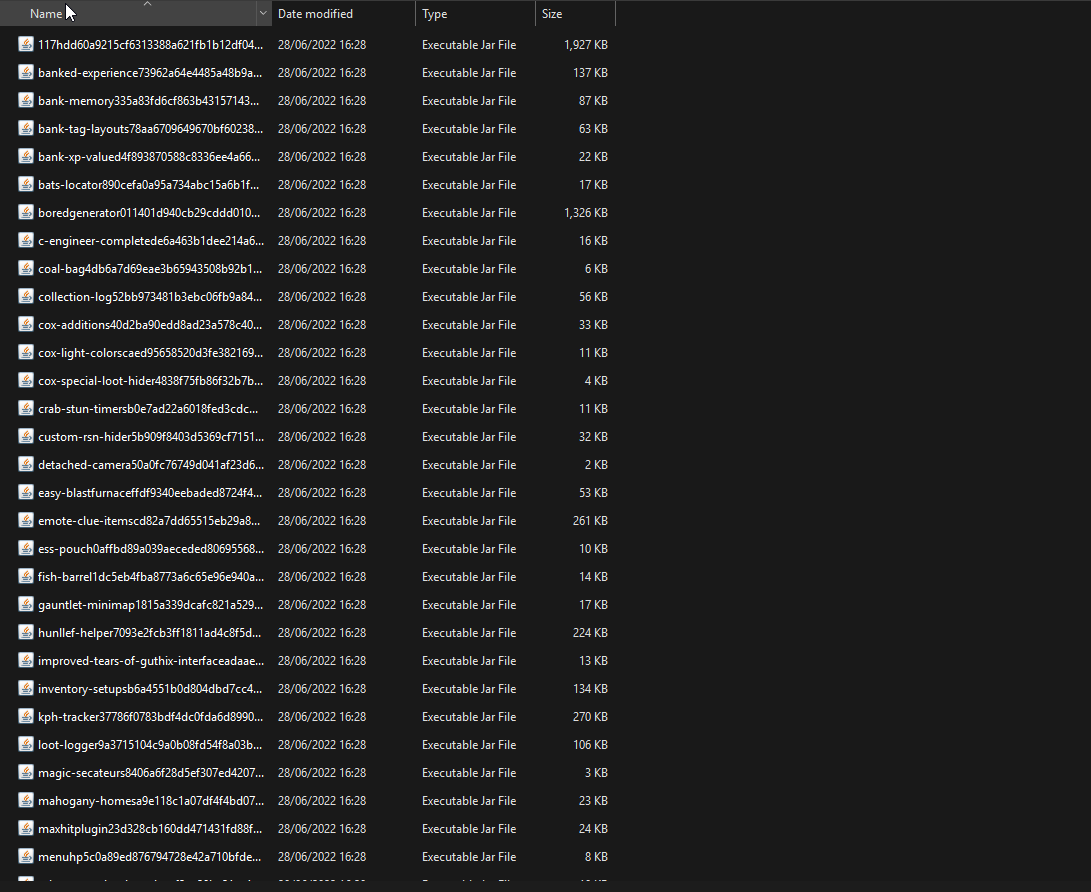





 gilded kayak
this looks like the logs of a cheat client pretending to be RuneLite, so I cannot speak for what they've done to your RuneLite install, or your account
viscid lantern
they left instantly
gilded kayak
yeah we out here
haughty pumiceBOT
Please refer to this flowchart for further troubleshooting.
 fresh cosmos
i had to redownload windows. is there a way to get my menu entry swaps back? i logged into the account i was using and nothing:/
viscid lantern
did you have cloudsync enabled on your profiles?
hollow olive
if you installed windows on top of your old without reformatting your old files should still exist
fresh cosmos
i guess not? i didnt even know of cloudsync. thought itd be enabled by default
stone parcel
Depending on how you reinstalled windows there might be a windows.old folder with old files inside.
viscid lantern
you have to manually enable it per profile, like josh said the files might still be there so its worth having a look
wide pebble
zealous cedar
im not aware of anything like that
I've found it, it's the Monster Monitor plugin
tbh I'm a bit confused how the order of icons in the side bar is determined
Monster Monitor somehow managed to sneak itself all the way up to the top, right below the wrench icon
gilded kayak
it's set by the plugin
wide pebble
and Plugin Presets is somewhere down much further, even though I'd love that to be at the top
gilded kayak
https://github.com/Zoinkwiz/quest-helper/blob/master/src/main/java/com/questhelper/QuestHelperPlugin.java#L203 i was too lazy to find monster monitor's repo
wide pebble
https://github.com/ChunkyAtlas/monster-monitor/blob/master/src/main/java/com/monstermonitor/MonsterMonitorPlugin.java#L106 no priority specified -> top of the row?
I'd assume the default would be infinity
round jacinth
I imgind the builder they interact has defaults and maybe 0 is rhe default
gilded kayak
yeah the wrench probably uses something negative
serene basin
plugin culprit is "tasks tracker"
viscid lantern
oh that tracks yeah
gilded kayak
darn i should have guessed that
viscid lantern
that has caused issues in the past
serene basin
atleast i finally guessed that
the amount of times i almost lost my urs mace or accursed sceptre in the wild
viscid lantern
if you notice an improvement with it gone, its almost certainly that plugin causing the issue 
slow pendant
Does anyone actually know how to make stretched mode text and stuff clear?
When I turn it on and go fullscreen its fine but any other window size, its pretty blurry. I've played around with GPU settings and all but I can't seem to get it. I use a 1440p 27 inch monitor
 ivory isle
Hey there, ever since coming back to osrs a couple days ago. I've had this issue where randomly my fps will drop from a steady 165 to 22-25 and stay there. It will sometimes go back to 165 after a little while or it fixes the second I alt-tab and alt-tab back in.
viscid lantern
slow pendant
Does anyone actually know how to make stretched mode text and stuff clear?
When ...
unless you are scaling by an integer ratio it will never look perfect, you can mitigate some with the GPU plugin but not all of it
 thick panther
wide pebble
https://github.com/ChunkyAtlas/monster-monitor/blob/master/src/main/java/com/mon...
thick panther
wide pebble
https://github.com/ChunkyAtlas/monster-monitor/blob/master/src/main/java/com/mon...
I defaulted it to priority 1, I can change it if you'd like
wide pebble
I think having it at some average value would make sense to me a bit more; idk what most plugins use, but having it somewhere middle of the pack would be best imo
gilded kayak
if you change it i'm pinging both of you everytime someone asks about it moving btw
wide pebble
lol please don't, if you do that I'll just block you 🙃
I mean, having some system to customise the order of icons would be great too
gilded kayak
yes of course it would be great lol
leaden trail
But yeah if that plugin changes priority now you can deal with all the support traffic from it 
gilded kayak
as you can see there isn't 40 default plugin icons, it wasn't originally written for hub plugins to add all their buttons
viscid lantern
thick panther
I defaulted it to priority 1, I can change it if you'd like
if you do that you might as well just make it a config option 
wide pebble
is there any plugin that registers multiple navbuttons?
leaden trail
I hope not
wide pebble
yea me neither
in that case, I'm not sure if this is at all doable, but would it be possible to make a plugin's config automatically have a text box added at the bottom with a label 'Side-bar icon priority' (with a tooltip explaining Determines the order in which the icons in the side bar appear), which would set the navbox's priority

assuming at most 1 navbutton per plugin, you'd only need 1 such input
leaden trail
I think some plugins just use wild numbers so it might be confusing still
wide pebble
true, but I think people just fiddling with that number would quickly have them understand what it does
and if every plugin that calls the clientToolbar.addNavigation method automatically gets such a priority customisation text box added to its config, then you could just override those wild numbers
leaden trail
wide pebble
true, but I think people just fiddling with that number would quickly have them ...
You overestimate the average support poster
 gusty oxide
can anybody help me fix this?

 random spoke
Anyone know what might be causing the world hopper plugin to not show ping anymore? I had to restart my client a few times in a row because of a sound issue I was having (not RL's fault) and now I can't see my ping anymore
 round jacinth
during busy times of day jagex stops pings or something
random spoke
It's been like this for days and I'm pretty eternally online
 honest raven
how to set my cape back to remove when theres too many options

with menu entry swapper
gilded kayak
scroll wheel?
honest raven
isnt there a plugin that makes it so u can scroll
gilded kayak
i think that menu can be scrolled
unless we forgot to add it, when jagex changed from our menu to theirs
zealous cedar
the submenus dont support scroll. make the window bigger
gilded kayak
unlucky
zealous cedar
hmm that is unfortunate
move the equpment screen up
maybe?
what is the resolution of your monitor
honest raven
1080p
zealous cedar
that doesnt seem right. are you using stretched mode maybe?
honest raven
yeah
zealous cedar
ah try turning that off
honest raven
i am indeed
ok
ohh ok
there we go
that worked ty
it was lowkey bothering me lol
 arctic forge
Any idea why the 'Forced' setting for runelite notifications doesn't pull the client forward/on top?
I am getting the noise / flashing screen etc, it just doesnt bring the client forward
gilded kayak
it doesn't work on mac/probably linux also
if you're on windows, maybe you set an override in the plugin settings, and force is not enabled in there
arctic forge
On windows, reset the plugin, still just flashing etc
 vivid idol
is there a way to add/move the green "lock" boxes where you can drag UI boxes?
solid mesa
No
 brazen plinth
my middle mouse button is right clicking in the game how do i rebind it?
hollow olive
check camera plugin? i think theres an option for middle click opens menu
 wary basin
hey, I've somehow lost all of my profiles and plugins/settings somehow. I can still see my .runelite folder with everything - any thoughts?
haughty pumiceBOT
 sterile cedar
hey, my text in runelite is pretty blurry, ingame text and also in client, any idea how to fix that ? my resolution is as it should be in windows, FXAA setting in Nvidia is turned off
 cloud steeple
Can I remove/move/change the click type on the tutorial button in the bank? I keep mis-clicking.
 gentle scarab
click that wrench and hiding the button is the first checkbox
cloud steeple
gentle scarab
click that wrench and hiding the button is the first checkbox
Thank you, 🙏 that was way simpler than I considered it would be. 🤣😅
rare oak
sterile cedar
hey, my text in runelite is pretty blurry, ingame text and also in client, any i...
Gpu plugin cant remember the setting name but the options are like xbr, bilinear cubic, nearest neighbor
Its like 5? Settings down from the top
sterile cedar
i tried that too, doesnt help :/
rare oak
Oh
sterile cedar
iit changes icons of items which is fine but text is still blurry
rare oak
Other one that could be doing it is that plugin hub plugin thar changes the scale of your client
Stretched mode or something like that? Sorry im cooked just woke up so im struggling to remember lol
leaden trail
sterile cedar
i tried that too, doesnt help :/
I think catmull-rom is the one people generally like the best for text. It's a bit subjective and setup dependent so you kinda just have to play with it
leaden trail
rare oak
Other one that could be doing it is that plugin hub plugin thar changes the scal...
Stretched mode is core, not a hub plugin, and not really the problem here in all likelihood
mossy swan
leaden trail
I think catmull-rom is the one people generally like the best for text. It's a b...
that only affects stretched mode, no?
leaden trail
I thought it affected the side panel and such as well, maybe I'm wrong. But it sounds like they're saying stretched mode itself is the issue which isn't really the problem
mossy swan
no, the side panel is not affected by that
 hasty kestrel
Hello i have a question i seem to be getting the wrong xp per hour calculations. I've reset all the pluggins but it's still not working and ideas or solutions?
zealous cedar
reset the xp tracker
hasty kestrel
I have it's still not working
zealous cedar
click this
 hasty kestrel
ooooh i'll try that and let you know thank you!
it's working now thank you so much!
 rocky shell
Hi, is there a way to reset/set the location which the color picker window appear? Currently it keeps opening on the top left side of my screen nowhere near the client.
round jacinth
Maybe it opens where it last closed from? Mine opens not there
rocky shell
I have moved it many times, It opens in the same spot every time
stone parcel
Seems to me like it is aiming to spawn the window on top of the mouse or on the current config option being clicked.
rocky shell
but it don't do that, It opens far from either the mouse or client