#support
1 messages · Page 76 of 1
 verbal tulip
 haughty pumiceBOT
To enable safemode
Windows
Run the RuneLite (configure) shortcut from the windows start menu
Tick the Safe mode box, save, launch RuneLite the way you normally do.
Mac
In Terminal, run
/Applications/RuneLite.app/Contents/MacOS/RuneLite --configure
Tick the Safe mode box, save, launch RuneLite the way you normally do.
 round jacinth
check safe mode
verbal tulip
round jacinth
check safe mode
And do what in safemode?
 gilded kayak
does it say 5 or 8
verbal tulip
doesnt safemode disable plugins?
round jacinth
it disables the hub plugins yes
you're meant to be using core, so i'm forcing core to be used lol
verbal tulip
Ok
gilded kayak
if it still says 5 in safe mode, then do a few runs and keep an eye on the counter

 gilded kayak
can you keep an eye on the number then
verbal tulip
gilded kayak
if it still says 5 in safe mode, then do a few runs and keep an eye on the count...
Scared to go past 5 cause the colossal pouch disintegrates into dust if you use it past its degredation amount
gilded kayak
see if it goes 5 -> 4 -> 3 or instead 5 -> 4 -> 4 -> 3 or something
 gray lava
@sonic birch hey not sure if it's been fixed already but for the random events hider plugin the mysterious old man is only hidden when tick mime to be hidden does that mean if i want mime to show i should un tick mysterious old man?
verbal tulip
gilded kayak
see if it goes 5 -> 4 -> 3 or instead 5 -> 4 -> 4 -> 3 or something
Ok I'll check
gilded kayak
verbal tulip
Scared to go past 5 cause the colossal pouch disintegrates into dust if you use ...
you can get a new needle by putting a regular needle in the rewards guardian
if that was to happen
verbal tulip
gilded kayak
you can get a new needle by putting a regular needle in the rewards guardian
You can???? o.o
round jacinth
Should the player lose their colossal pouch or abyssal needle, they may use a regular needle on the Rewards Guardian to obtain another abyssal needle.
Neat
 solid mesa
verbal tulip
You can???? o.o
solid mesa
verbal tulip
You can???? o.o
Yea, it's actually a moneymaker as you can turn needles into abyssal needles, then get pked and the abyssal needles turn into coins
verbal tulip
Huh crazy
Thanks for letting me know
I'd need to go through the hastle of getting the other pouches again tho
verbal tulip
gilded kayak
see if it goes 5 -> 4 -> 3 or instead 5 -> 4 -> 4 -> 3 or something
Ok so it first went 5 -> 5 -> 4-> 3 -> 2 -> 2 -> 1
Didnt go past 1
I mean me, not the plugin
I think its broken somehow
gilded kayak
i'm looking at the relevant game script and yeah it does seem the game reports 5 when you are 85+ runecrafting
verbal tulip
Thats weird
verbal tulip
gilded kayak
i'm looking at the relevant game script and yeah it does seem the game reports 5...
So jagex broke it?
gilded kayak
they're either sending the wrong value or we're handling the value wrong
i'm not sure which one right now
verbal tulip
O rip
 stark harness
came here for a solve for the same - after unlocking potion storage my tag tab layouts wouldn't display the potions from storage even if I removed the bank placeholders and duplicated.
Easy solve that lets you keep your tag tab layouts w/o adjusting individual placeholders in layouts:
- Move all potions to storage and remove their bank placeholders
- Export Tag Tab with Layout (right click tab)
- Import Tag Tab (top left +)
- Exit Bank
 proud burrow
Is there a plugin hub plugin which will act like a hcim status but for any account? With a lookup database website where you can see how much deaths each account/something similair like that?
 tepid sedge
Hi can I get some advice pls? This past week everytime I start streaming on discord my runelite keep dropping ticks/frames really bad... any idea how to fix this? never had this trouble before
 icy smelt
is there a solve for the loot tracker lagg yet?
 spring isle
I might just be blind. But is there an easy setting to select the folder to which auto-screenshots on RL are saved? Instead of the default one?
 mossy swan
spring isle
I might just be blind. But is there an easy setting to select the folder to whic...
mossy swan
spring isle
I might just be blind. But is there an easy setting to select the folder to whic...
no, you'll need to make a symlink if you want it somewhere else (like another drive)
spring isle
Ah ok,
Wouldnt this be a relative easy setting to implent? Target save folder within the RL screenshot pluggin settings?
mossy swan
maybe
might be a bit problematic with syncing profiles
what to do when your laptop and desktop have different locations etc
spring isle
Ah ye
 oblique plume
icy smelt
is there a solve for the loot tracker lagg yet?
oblique plume
icy smelt
is there a solve for the loot tracker lagg yet?
have you disabled hw acceleration yet
haughty pumiceBOT
Graphical artifacts? Try disabling hardware acceleration: https://github.com/runelite/runelite/wiki/Disable-Hardware-Acceleration
icy smelt
oblique plume
have you disabled hw acceleration yet
wouldnt that decrease my fps?
 viscid lantern
no
 hushed gust
https://www.reddit.com/r/2007scape/comments/1cdbgs4/how_to_play_runescape_while_browsing_on_a_vpn/ The first comment's link to a Github post fixed my issue. Hopefully this can help others in the future.
Reddit
Explore this post and more from the 2007scape community
 leaden trail
That's actually basically what the thing Zom said to do does
viscid lantern
its exactly what it does
leaden trail
I skimmed it so I qualified what I said in case I missed something lmao
viscid lantern
so I would undo what you did, remove the read-only from the file, and check the box in runelite(configure)
leaden trail
Plus you think I'm gonna say what Zom said was outright correct? 😜
viscid lantern
he was though!
round jacinth
that user is still not even posting which error they're getting
which felon bird asked for 3 times
hushed gust
me? I posted the screenshot of the failed to login message, that's all I was getting
hushed gust
Oh ok I see, my bad I had tunnel vision
That setting fixed it zom. Not sure if you still need logs but here you go. I didn't have the most recent launcher so needed to get that for the setting.
round jacinth
no i dont need logs anymore
but we were trying to help last night but we couldn't besides just watch you try to figure it out
glad you sorted it out
leaden trail
tbf it does read as you asking them to post logs here now, zom
hushed gust
My fault, you were fine.
round jacinth
i suppose, but im more reading from what was being said not repeating it but /shrug
🙂
 old bough
https://i.imgur.com/1pC8gdL.png hi hope someone can help, everytime i launch rl from jagex launcher, i get set in a world, i cannot hop whether before login or after login can someone help pls thanks
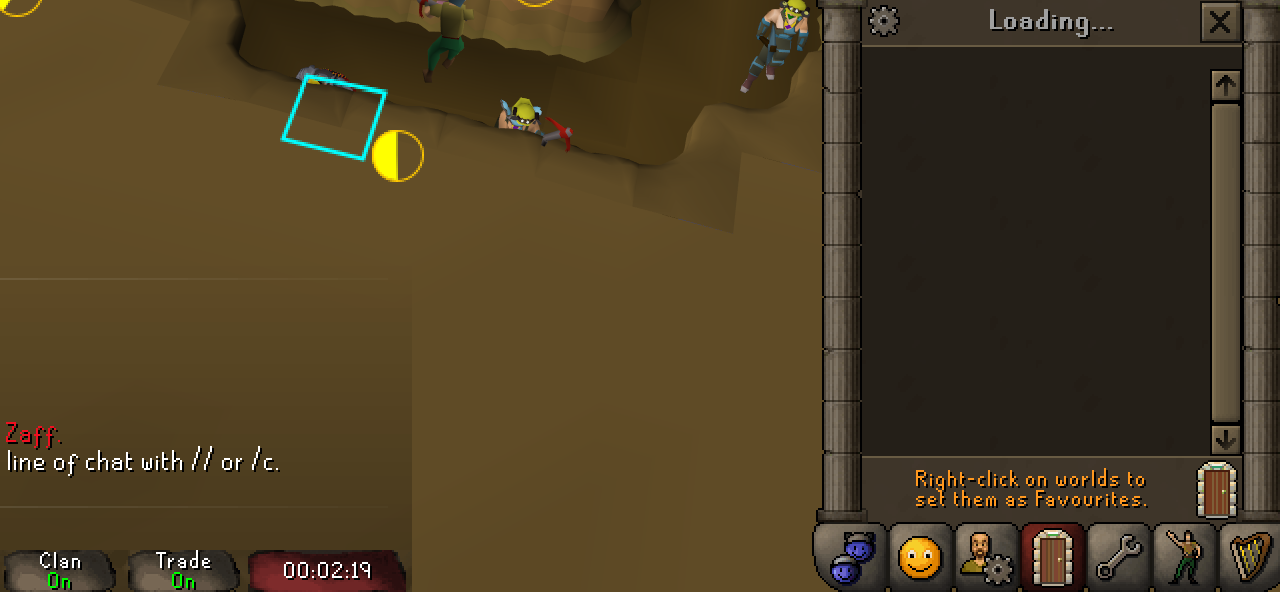 old bough
so not rl related?
old bough
ty
old bough
round jacinth
it might only work when you're at login menu
omg it worked ty, at least solved for now
 solar bridge
anyone know how to fix runelite not launching? it wont lauch from desktop or using the configure or safemode options
oblique plume
nothing happens whn you attempt it?
solar bridge
Nothing at all. I just rest my computer and now it won't launch anything at all lol I must have more issues than just runelite. Thank you though
oblique plume
lol
thats usually fixed by just reinstalling RL
but if you have other issues maybe its those other issues causing the problem
solar bridge
If it try reinstalling would I loose my settings? I never set up an account
oblique plume
no
solar bridge
Ok thank you I'll see what I can do
 celest yew
https://i.imgur.com/b4zRkOt.png
where is this red box coming from?

 celest yew
i dont even remember adding that lol thank you
round jacinth
the plugin that draws that was updated to not draw that everywhere earlier today
 grand flame
how can i see what plugin is causing this red square on the top left of my screen? i download a lot of plugins, so it's genuinely kinda hard to remember what i downloaded last
 grand flame
viscid lantern
grand flame
viscid lantern
NEVERMIND LOL
 ornate kite
Finally managed to get a couple of freezes to occur, where do the debug files generate and where should I send them?
oblique plume
it puts it on your clipboard
ornate kite
2025-04-07 16:45:14 BST [AWT-EventQueue-0] INFO  net.runelite.client.ui.ClientUI - Reset client position. Client bounds: 2876x134x804x1231
2025-04-07 16:45:14 BST [Client] ERROR n.r.client.callback.ClientThread - Exception in invoke
java.lang.NullPointerException: null
    at melky.resourcepacks.ResourcePacksManager.saveClientSprites(ResourcePacksManager.java:428)
    at melky.resourcepacks.ResourcePacksManager.updateAllOverrides(ResourcePacksManager.java:375)
    at melky.resourcepacks.ResourcePacksPlugin.lambda$queueUpdateAllOverrides$5(ResourcePacksPlugin.java:326)
    at net.runelite.client.callback.ClientThread.invokeList(ClientThread.java:119)
    at net.runelite.client.callback.ClientThread.invoke(ClientThread.java:101)
    at net.runelite.client.callback.Hooks.tick(Hooks.java:229)
    at client.ka(client.java:10503)
    at client.by(client.java)
    at bk.ap(bk.java:360)
    at bk.zz(bk.java)
    at bk.run(bk.java:25463)
    at java.base/java.lang.Thread.run(Unknown Source)
Guessing it's ResourcePacksPlugin causing the issue from that?
Scrolled back in the client.log and there's a similar error at the earlier crash today as well
oblique plume
that looks fineish to me
ornate kite
I can dump the entire client log if it's helpful, it's such a weird/inconsistent freeze
RL aspects can be interacted with fine (sidebar, plugin navigation etc) but everything in the Runescape window freezes and is unresponsive
First crash around 15:45:42 (line 650)
Second crash 16:45:14 (line 968)
leaden trail
is your client closing or is it freezing?
ornate kite
Just freezing
leaden trail
ok that's not really a crash, just for the future
crash = closing, just clearing that up because it can get a bit confusing for us
ornate kite
Yeah apologies
 river socket
herblore is locked up, cannot make potions. did druidic ritual long ago and says i need to do it before using herblore skill
ornate kite
river socket
herblore is locked up, cannot make potions. did druidic ritual long ago and says...
Same issue if you try in safe mode?
river socket
have not tried safe mode, do not know how osrs in safe mode
ornate kite
!safemode
haughty pumiceBOT
To enable safemode
Windows
Run the RuneLite (configure) shortcut from the windows start menu
Tick the Safe mode box, save, launch RuneLite the way you normally do.
Mac
In Terminal, run
/Applications/RuneLite.app/Contents/MacOS/RuneLite --configure
Tick the Safe mode box, save, launch RuneLite the way you normally do.
leaden trail
ornate kite
Finally managed to get a couple of freezes to occur, where do the debug files ge...
So you didn't quite do what I had been asking and maybe I wasn't clear.
when the client freezes, click the green bug icon in the sidebar and then click "dump threads"
that'll copy to your clipboard, so just paste into a text file and DM that to the RuneLite bot and we can take a look
ornate kite
leaden trail
So you didn't quite do what I had been asking and maybe I wasn't clear.
when th...
Got it, hopefully won't take a couple of days to get it to occur again (had two this afternoon so fingers crossed)
 twin scroll
Is there a way to make infoboxes stack from the bottom up? I want rows to be 5 long and add additional ones above, rather than below
 haughty pumiceBOT
You can configure horizontal/vertical orientation, infobox groups or split infoboxes into new groups with the menu options opened with Shift + right-click. https://runelite.net/img/blog/1.6.28-Release/infobox.gif
 twin scroll
None of that seems to do what I am looking for
solid mesa
I think vertical is the best you'll get
twin scroll
RIP, I would love to see the option added someday. I have my infoboxes above my inventory and currently they just have to grow off to the side further than I want. Or sit on top of the inventory which is bad.


 hard blaze
A lot of my plugins just kind of randomly stopped working yesterday
haughty pumiceBOT
 mossy stone
I'm using the linux .AppImage, and clicking on "New User" doesn't do anything.
I think it's an issue with all buttons that link to external pages? The discord button, and the "Can't Login? Click here." button also don't work.
I tried creating a Jagex account first, and logging in with that, but I get a note saying I need to use the Jagex launcher if I have a Jagex account, but they don't have a linux launcher.
haughty pumiceBOT
For support with using Jagex accounts on Linux, visit 7ormRS's Discord https://discord.gg/aX7GT2Mkdu
Using Jagex accounts on Linux is not officially supported by Jagex, but there are some third party community guides to make it work https://help.jagex.com/hc/en-gb/articles/13413514881937-Downloading-the-Jagex-Launcher-on-Linux
 mellow mica
Did anyone figure out how to make the RuneLite notifications in the Windows notification bar show the same as Windows 10 when you later have Windows 11? In win11 this isnt working with RuneLite.
gilded kayak
you're wording this question like you've been here before and asked about that
but i see nothing like that
afaik we're just saying "hello windows could you please send a notif with <information>"
 rugged surge
Hi y'all, new developer here. I'm trying to gain access to the development channel but need to run /ghauth first and apparently give my oauth code... Where do I find this oauth code? GitHub -> Developer Settings -> OAuth Apps lets me add a new app but asks for required fields like authorizaton callback URL. I tried generating a fine-grained PAT and using that but that didn't work. Thanks for the help!
 zealous cedar
you have to run it without an arg first
rugged surge
Ahh, that makes way more sense, thank you lol
icy smelt
oblique plume
have you disabled hw acceleration yet
i fucking love you 😘
 velvet saffron
Hello, not sure if this is the right place to ask, but I wanted to see if it would be possible to submit a ticket to confirm if a plugin idea is in compliance with Jagex. I wasn't sure if I should @ runelite or if there was another option available before doing so.
 teal agate
Can som1 assist me resolving this error when building RuneLite from Intellij ?
I got these two classes missing in "ExternalPluginClient"
 velvet saffron
gilded kayak
<https://github.com/runelite/plugin-hub/?tab=readme-ov-file#reviewing>
velvet saffron
gilded kayak
<https://github.com/runelite/plugin-hub/?tab=readme-ov-file#reviewing>
Thanks. I saw the rollback features on Github, but glad to know there is another document for reference.
 crisp dune
teal agate
Can som1 assist me resolving this error when building RuneLite from Intellij ?
...
crisp dune
teal agate
Can som1 assist me resolving this error when building RuneLite from Intellij ?
...
those definitely exist, so I'd recommend reloading your sources perhaps. https://static.runelite.net/runelite-client/apidocs/net/runelite/client/RuneLiteProperties.html https://static.runelite.net/runelite-client/apidocs/net/runelite/client/util/VerificationException.html
teal agate
Yeh just DL'd RuneLite from Git should have all the files ..
ut these warnings / errors keep showing up:
 haughty pumiceBOT
We don't provide builds of pluginhub plugins for snapshot versions. Usually you can pass -Drunelite.pluginhub.version=<current RL version> as a VM option to load the plugins built against the release into your build, which will work if there are no ABI changes. If there are ABI changes, build the plugins yourself and place them into the sideloaded-plugins directory when running in developer mode.
 vague bison
I have had this farming guild marked tile here for YEARS now. I cannot for the life of me work out what plugin is causing it or how to remove it.
It's not ground markers, I can mark that tile again and it'll show a second marker underneath the blue. Any ideas?
 solid mesa
Radius markers?
round jacinth
It’s always radius markers innit
 open ore
anyone having problems with some plugins not working
leaden trail
Can you be a little more specific?
open ore
leaden trail
Can you be a little more specific?
so i use a loot filters plugin it show in plugin hub i have it downloaded but it not showing up on my installed list
round jacinth
!logs
haughty pumiceBOT
To find the logs, you can do one of the following:
- If your client failed to open, click the
Open logs folderbutton. - Open the screenshot directory by right-clicking 📷
Camerabutton, navigate 1 directory up, then open logs folder. - Navigate to
%userprofile%\.runelite\logson Windows or$HOME/.runelite/logson Linux and macOS.
Upload the log files named client and launcher by dragging them to Discord. If there are files prefixed with jvm_crash dated from today, upload them too.
round jacinth
You can see if his failing to load in logs
But also it’s a hub plugin so feedback can be directed to them
open ore
ok tyt
stark harness
game just froze. can anyone point me in the right direction please?
felt like my game started losing clarity. noticed it was missing from my AMD game library and so had no settings associated w/ it.
Turned off hardware accel and optimized for windows, restarted comp and client.
Now seems to be pulling much heavier on gpu and dropped to single digit frames. Didnt close but froze.
solid mesa
Removing some of your 134 hub plugins would probably help
 charred wind
Are you using 117?
stark harness
yes
charred wind
Alright, are you experiencing the same problem with normal gpu plugin?
 clear blade
Hey yall, my interface is condensed so I can’t access certain icons unless I expand rune lite. What am I doing wrong?
solid mesa
There's nothing I see in the logs that point to anything specific. So I'd start disabling things. May try without 117 for a bit
charred wind
rs117.hd.HdPlugin - Using driver: 4.6.0 Compatibility Profile Context 24.12.1.241127
I dont know if this is the AMD driver
stark harness
i did just update the driver when i noticed that my game was missing from the library
maybe roll back too?
charred wind
🤷♂️
 final axle
amd drivers are a fickle beast
stark harness
any thoughts like that are helpful, so thanks
gilded kayak
if your issue suddenly started happening after you updated, then probably yeah
we're not really a latest-drivers kind of game
we're more of a break out the computer your grandpa gave you
stark harness
well that was part of the troubleshooting when i noticed game didnt look as clean
clear blade
Hey yall, my interface is condensed so I can’t access certain icons unless I expand rune lite. What am I doing wrong? I can’t access friends list because it’s partially hidden behind stats icon
gilded kayak
press & hold alt & right-click it
clear blade
You saved me! Thank you
 sage marsh
Hey y'all. So I just got a new laptop. Downloaded RL. Signed into my RL account where I have profiles saved for my main and my iron. I accidentally deleted the profile for my iron. Am I cooked?
haughty pumiceBOT
solid mesa
Might be able to import it from there
sage marsh
Not sure how to get it back. Also not sure if - when I get home from work travel - when I log onto my PC at home, if my iron's profile will still be there on that PC
sage marsh
solid mesa
Might be able to import it from there
Yeah I tried that, but RL freezes. When it doesn't freeze, it imports a "default" profile under my iron's name. Won't be home from this work trip until Friday so hopefully this didn't screw up my cloud sync. If not, I'll be able to get on my home PC and export that file then import on my laptop. If it did screw up cloud sync, I may be screwed
 shut fjord
hello,
for some reason I am getting DC's on Runescape, its login error or malform login problem. When I am getting those disconnections, Youtube, Discord and everything else is working normally. It's just DC in Runescape. Is there a chance that someone can help me with that issue? or maybe heard about similar problem that happened to other people? thanks a lot in advance.
tepid sedge
Hi can I get some advice pls? This past week everytime I start streaming on discord my runelite keep dropping ticks/frames really bad... any idea how to fix this? never had this trouble before
leaden trail
shut fjord
hello,
for some reason I am getting DC's on Runescape, its login error or malfor...
You probably just have a bad connection to Jagex
leaden trail
tepid sedge
Hi can I get some advice pls? This past week everytime I start streaming on disc...
Does it happen in safe mode?
haughty pumiceBOT
To enable safemode
Windows
Run the RuneLite (configure) shortcut from the windows start menu
Tick the Safe mode box, save, launch RuneLite the way you normally do.
Mac
In Terminal, run
/Applications/RuneLite.app/Contents/MacOS/RuneLite --configure
Tick the Safe mode box, save, launch RuneLite the way you normally do.
 vivid hill
Hi im getting some stuttering in game without losing any fps, just bought a new rig so trying to figure out what is going on. Can is post a video somewhere to show these stutters?
i feel like it is related to the amount of objects/animation that appear in game
leaden trail
vivid hill
Hi im getting some stuttering in game without losing any fps, just bought a new ...
Same question I asked the person above, does it happen in safe mode?
vivid hill
certainly a lot harder to tell as the game doesnt run as smooth as with the GPU plugin enabled. But it seems to not occur in safe mode
leaden trail
vivid hill
certainly a lot harder to tell as the game doesnt run as smooth as with the GPU ...
What if you make a new profile with just GPU enabled?
 wise token
Might be a long shot, but anyone able to remedy my performance issues in RL with 13900k + 4090 or is it just a case of old game engine? Only seeing 30% gpu/cpu usage and cant work it out, fps can drop drastically from 100+ > 40 in high dense areas and im trying to push for higher usage to help with the fps drops but not sure if its possible now lol
vivid hill
leaden trail
What if you make a new profile with just GPU enabled?
similar stutters occur with a clean profile with gpu enabled
leaden trail
vivid hill
similar stutters occur with a clean profile with gpu enabled
AMD GPU?
vivid hill
yup
leaden trail
Try rolling back your drivers then
Someeeeewhere there's a mention of a known good driver version but I'm not able to dig for it atm
vivid hill
hmm okay, ill guess ill try some older drivers, just got this gpu
leaden trail
I believe GPU (experimental) on the plugin hub has helped a lot with performance on AMD cards as well, but it's definitely buggy and unstable at times currently
 serene narwhal

Coming back from not playing in a few months. Can launch offical client but not runelite
Need some help please
oblique plume
your time is wrong
oblique plume
squirrel
ornate kite
leaden trail
So you didn't quite do what I had been asking and maybe I wasn't clear.
when th...
Got another freeze and hit dump threads, anything else before I close the client?
oblique plume
are you saying its still frozen?
i dont even see a client thread
you also have 150 direct clips
so you probably have too many hub plugins
did you post your client log before?
 upper spade
So, i usually play with 2 different windows sizes depending on what im doing. I currently have the window sizes written down and manually type them in when i want to change it, then I have to drag my inventory and map to their new location. I was just wondering if there was a better way of doing this?
haughty pumiceBOT
RL overlays and many Jagex widgets can be moved around the screen by holding the Drag Hotkey, (default: Alt) configurable in "RuneLite" settings, and left click dragging it around the screen.
Some overlays can be resized by dragging their bounds, right clicking will also reset their size and position.
They can also contain additional options, such as opening the config of the plugin that makes them, which can be discovered by shift right clicking.
round jacinth
You maybe also should be using profiles so that each profile remembers their size
haughty pumiceBOT
ornate kite
oblique plume
did you post your client log before?
Posted it after a freeze yesterday. Essentially the game client portion will just completely freeze and be unresponsive but the Runelite interface will be unaffected. #support message
I can't reliably reproduce it either
 raven terrace
does anyone have a problem in the launcher when you cant log in? for me it says that i should download the jagex launcher because there are too many login attempts even though i havent played in a while and its my first time logging in
round jacinth
the too many logins is a jagex thing not a runelite thing
raven terrace
round jacinth
the too many logins is a jagex thing not a runelite thing
but im using runelite
mossy swan
yeah but runelite is used to login to jagex game
stark harness
stark harness
well that was part of the troubleshooting when i noticed game didnt look as clea...
Closing loop, AMD driver rollback to Oct WITH DDU cleanup and removal of previous driver solved the my game freezing and frame drops. (Get to keep my 134 hub plugins, phew! 😂 )Thanks!
oblique plume
ornate kite
Posted it after a freeze yesterday. Essentially the game client portion will jus...
i dont see anything in here especially around your timestamps
oblique plume
upper spade
So, i usually play with 2 different windows sizes depending on what im doing. I ...
theres the client resizer hub plugin that does exactly what you want i think
upper spade
oblique plume
theres the client resizer hub plugin that does exactly what you want i think
😮 sweet ill check this out. thanks!
 distant aurora
if I run RuneLite through the cloned repo, how do I login as a character on my Jagex launcher account?
haughty pumiceBOT
distant aurora
Thanks!
 silk fox
my 117 disappeared


even tho its installed cant find it
nvm just uninstalled it and intalled it back it worked
good of CTRL ALT DELETE is universal
haughty pumiceBOT
Visit 117's HD plugin discord (https://discord.com/invite/U4p6ChjgSE) for support, issues & feedback
vivid hill
Is there someone who could explain these stutters? Especially noticable when moving and when objects/animations occur (when crystals appear at olm at moving side to side). Fps doesnt drop a single frame. Been at this all day and cant find a cause
oblique plume
i dont think i can see any
vivid hill
at around 16 seconds moving to the right with crystals, there are some noticable stutters
 silk herald
Yo i dont know what mod have i abled/disabled, but whenever i pass my cursor in any object, i cant see the name of the object. Does anyone know why?
oblique plume
mouse tooltips
silk herald
thanks man
 still badger
whats the difference between the default bank tag and the "bank tag layouts" plugin?
gilded kayak
probably some minimal stuff, the plugin exists from before we added layouts, to bank tags
but there's probably like 100,000 users who haven't migrated yet, so getting rid of it would be bad
 mortal cairn
Any ideas on why I'm seeing lines like this? I have a 3090ti and see this with 117 or GPU on
 charred wind
might be your interface scaling option
could also be your GPU applying some anti-aliasing/scaling from settings outside runelite
ah this is two hours later, they're gone
 stiff oar
my pc was unplugged, and upon rebooting, all the plug-in and my notes are missing. anyway i can recoop those setting?
haughty pumiceBOT
 ripe coral
have you always been able to use spec bar orb for pvp?
i thought it was disabled
(or there was a time it was)
gilded kayak
jagex made it possible a while back
march 9th 2023
Removed restrictions on the use of the Special Attack Orb in the Wilderness, PvP Worlds, and PvP Minigames.
stiff oar
haughty pumice
<https://github.com/runelite/runelite/wiki/FAQ#my-plugins-are-gone-or-my-config-...
TYVM, GOT IT. HAD A MINOR HEART ATTACK.
 royal idol
I've been having trouble debugging why my plugin shows an incorrect location for some users
I'm using the same method that others like the venge tracker plugin use to draw an icon on the player's body, but in a few cases it draws way lower than expected
solid mesa
Customizable XP Drops

 tender swan
?
gilded kayak
no idea, we don't make the hub plugins
I wouldn't think it to be possible, since the plugin reads the xp drop and attaches the max hit to it
but it could be
tender swan
your brain might be better than mine at this can you please take a minute to help me out? i really cant find it
final axle
This channel is for core Runelite support, not hub plugins
 normal agate
hey help us please
mossy swan
ok?
normal agate
i think 12 or 14 people are scamming and begging in grand exchange and they're trying to report us and says you are all scammers
mossy swan
i dont know what you mean
normal agate
jagex reporters
final axle
Maybe report yourself for cheating and botting while you’re at it 
shut fjord
shut fjord
hello,
for some reason I am getting DC's on Runescape, its login error or malfor...
any1 can help me with this ? thx in advance
leaden trail
shut fjord
any1 can help me with this ? thx in advance
It's a connection issue
Which I told you yesterday
 wet scroll
Is this something fixable? Those infoboxes just keeps duplicating and in this GIF, towards the end, I turn the plugin itself off and those inboxes remain.
Also seems like it's a recurring complaint, according to comments that I've found from searching for similar issues... Uninstalling the plugin does not get rid of the issue.
 leaden trail
Turn off the hunter rumors plugin and then restart your client
 exotic sigil
One message removed from a suspended account.
 stone lintel
i need some support guys, when ever i add quest helper or try to install the plug in
it doesnt come up
does anyone know why
its only on my mac
my pc works fine
 fast stump
anyone know what to do about this? I tried searching the error message but no dice. This occurs in the version i've been compiling myself.

It's a recent development, the other runelite client i've installed works just fine.
 stray grove
you are out of date
fast stump
i understand that much, but how fix
stone lintel
no one knows how to fix my problem?

 visual spruce
stone lintel
no one knows how to fix my problem?
visual spruce
stone lintel
no one knows how to fix my problem?
wait for the author to update the plugin
 solid palm
Perhaps after this update it will
stone lintel
nah its been happening for months now]
it just wont install the plugin properly on my runelite
does being on safemode matter?
 wintry hamlet
Anyone else client keeps crashing? Thought it was because of the quest helper plugin, but even with that turned off, about every 30seconds client fully freezes and forces a task manager shutdown
haughty pumiceBOT
To enable safemode
Windows
Run the RuneLite (configure) shortcut from the windows start menu
Tick the Safe mode box, save, launch RuneLite the way you normally do.
Mac
In Terminal, run
/Applications/RuneLite.app/Contents/MacOS/RuneLite --configure
Tick the Safe mode box, save, launch RuneLite the way you normally do.
leaden trail
wintry hamlet
Anyone else client keeps crashing? Thought it was because of the quest helper pl...
Post your logs
haughty pumiceBOT
To find the logs, you can do one of the following:
- If your client failed to open, click the
Open logs folderbutton. - Open the screenshot directory by right-clicking 📷
Camerabutton, navigate 1 directory up, then open logs folder. - Navigate to
%userprofile%\.runelite\logson Windows or$HOME/.runelite/logson Linux and macOS.
Upload the log files named client and launcher by dragging them to Discord. If there are files prefixed with jvm_crash dated from today, upload them too.
wintry hamlet
@leaden trail
Waited until the rs update itself was done, hoping that would fix it, but alas
Tried in safemode, did work, but none of the plugins I wanted to use were available
 versed oxide
anyone else load runelite this morning and all the profile settings didnt load and just have the base settings/plugins load?
haughty pumiceBOT
versed oxide
haughty pumice
<@368750789734432771> <https://github.com/runelite/runelite/wiki/FAQ#my-plugins-...
Thank you will try this
 sharp hinge
can anyone help me understand why all my tag tabs reverted their icons and most items seem to have lost their tags?


 compact reef
my runelite looks like this since todays update? I can see the rest of it if i put my mouse over it like a torch in the dark lol
 sharp hinge
compact reef
my runelite looks like this since todays update? I can see the rest of it if i p...
sharp hinge
compact reef
my runelite looks like this since todays update? I can see the rest of it if i p...
disable tunnel vision plugin
compact reef
sharp hinge
disable tunnel vision plugin
Thank you
 naive pollen
Client keeps freezing every 20 minutes or less saying (not responding) here are my logs please help. 😥
round jacinth
wise old man has some error but idk if it's a crashing/freezing one, you have almost 140 hub plugins and even one hub plugin can cause issues
you should reduce the number of hub plugins you use
!flow
haughty pumiceBOT
flowchart: Please refer to this flowchart for further troubleshooting.
naive pollen
round jacinth
you should reduce the number of hub plugins you use
Thank you I'll start here
 sturdy pond
Anybody having issues with the "plugin presets" plugin? I have it installed but it doesnt show in the plugins list nor on the side panel. I restarted the client a couple times and also uninstalled/reinstalled it

 gilded kayak
!logs it will say why a plugin failed to start, in the logs
haughty pumiceBOT
To find the logs, you can do one of the following:
- If your client failed to open, click the
Open logs folderbutton. - Open the screenshot directory by right-clicking 📷
Camerabutton, navigate 1 directory up, then open logs folder. - Navigate to
%userprofile%\.runelite\logson Windows or$HOME/.runelite/logson Linux and macOS.
Upload the log files named client and launcher by dragging them to Discord. If there are files prefixed with jvm_crash dated from today, upload them too.
naive pollen
round jacinth
you should reduce the number of hub plugins you use
went to start removing plugins and it froze trying to remove one lol. 😅
 sturdy pond
gilded kayak
!logs it will say why a plugin failed to start, in the logs
sturdy pond
gilded kayak
!logs it will say why a plugin failed to start, in the logs
I think these are the correct ones
round jacinth
naive pollen
went to start removing plugins and it froze trying to remove one lol. 😅
remove them while not logged in and then restart client after
proud burrow
my fps drops on mouse movement, what could be a cause?
naive pollen
round jacinth
remove them while not logged in and then restart client after
ah that makes sense..
round jacinth
some hub plugins are poorly written and dont like to turn off
because they stinky
you can also uninstall them from safemode
gilded kayak
grr
sturdy pond
What was that log telling you? I looked at it out of curiosity but idk lol
gilded kayak
discord needs a automatically-make-a-file button
one of the presets is corrupted
which is causing the plugin to fail to start
sturdy pond
thats super weird because theyre like the most basic presets ever, it just turns a metronome on and off lol
gilded kayak
maybe try closing RuneLite and deleting the .runelite/presets folder and see if that fixes it
well your log also has multiple days in it, which is not correct
so something is preventing the client from writing a new log file
sturdy pond
roger that, giving that a try
proud burrow
proud burrow
my fps drops on mouse movement, what could be a cause?
seems like the gpu plugin is causing this, i played with some settings and none seem to fix the issue, could it be an osx issue?
gilded kayak
it could be a gpu version issue
did you update your drivers 10 minutes before this issue started
sturdy pond
gilded kayak
maybe try closing RuneLite and deleting the `.runelite/presets` folder and see i...
This worked tysm!! I was really enjoying this plugin so far, is there anything I could do differently to try to prevent this from happening again?
round jacinth
we should probably fix your other permissions issue
reinstall runelite from the link in #welcome and run the client as admin once and then close and then play it normally
round jacinth
sturdy pond
This worked tysm!! I was really enjoying this plugin so far, is there anything I...
plugin presets wasn't updated and maybe doesn't like the new profile system that the runelite uses, other users can't get it to work at all fwiw
proud burrow
gilded kayak
i mean i believe you that the GPU plugin is the trigger, but we haven't changed it in months
proud burrow
Then it must be my gpu
gilded kayak
probably drivers yes
naive pollen
round jacinth
some hub plugins are poorly written and dont like to turn off
In theory if I switched to a runelite profile with no plugins should this fix the issues for trouble shooting purposes?
round jacinth
yes if you switch to a fresh profile with no hub plugins on
it should be without issues
naive pollen
Ok I'll give that a go while I clear the main profile on the side 😄 Thanks for all the help.
naive pollen
round jacinth
yes if you switch to a fresh profile with no hub plugins on
did this enabled 117hd and it immediately froze 🤔

only other plugin i enabled was npc agression lines
wintry hamlet
So I posted in here before for the freezing client and after removing a bunch of plugins, I seem to have narrowed the issue to specifically the mm2 tunnels??
Tested on another profile to run around and do activities and client is totally running fine. Decided to book it to mm2 tunnels cause that's where the error kept occuring and same result on another account. Is there specific plugins that stop working there? Or is it 117HD having issues with the amount of things that have to be rendered?
naive pollen
wintry hamlet
So I posted in here before for the freezing client and after removing a bunch of...
that's funny becuase I'm in the mm2 tunnel trouble shooting also. 😅
solid mesa
Monkey Metrics?
wintry hamlet
You're fine logging in and then after like 30s, client freezes and you have to force it to close?
naive pollen
my above screenshot was with ONLY 117hd and npc agression timer enabled no other plugins
I created a fresh profile
haughty pumiceBOT
To enable safemode
Windows
Run the RuneLite (configure) shortcut from the windows start menu
Tick the Safe mode box, save, launch RuneLite the way you normally do.
Mac
In Terminal, run
/Applications/RuneLite.app/Contents/MacOS/RuneLite --configure
Tick the Safe mode box, save, launch RuneLite the way you normally do.
wintry hamlet
I've tried safemode before and that one works, but I cant access the plugins I want (ie: Quest helper, running through it right now). I'll test with 117hd disabled and see what happens
naive pollen
wintry hamlet
I've tried safemode before and that one works, but I cant access the plugins I w...
mine still crashed without 117hd I just found it odd that as soon as I enabled it it froze immediately with nothing else being used.
solid mesa
If it works in safemode then one of your hub plugins or GPU is the problem.
naive pollen
I'm using a 1 mo old machine other games run flawlessly 7700xt, ryzen 5 7600x, 32 gb ddr5. If I created a new Runelite profile with 0 plugins it wouldnt be a plugin thing at that point.
round jacinth
idk how to explain it but you've identified that 117hd causes the problem... so maybe a gpu driver is the culprit..?
seems like the writing is on the wall
naive pollen
round jacinth
idk how to explain it but you've identified that 117hd causes the problem... so ...
It's not the only culprit I had it disabled before I created the new profile I was just curious if I could run it.
wintry hamlet
Well just managed to complete full 5 minutes without client crashing and seems like 117HD is indeed the problem. Everything worked fine pre-update today btw and drivers are still up to date. Also tested 117hd in other parts of the game and seems like it's specifically an issue in the mm2 tunnels, no clue why that is
round jacinth
well rest of runelite is not hub and you only had 1 hub plugin on and it was 117 as you said
naive pollen
I'll double check my drivers
leaden trail
New GPU drivers don't necessarily mean your GPU drivers aren't the issue tbh. Half the time you want an older driver version
naive pollen
round jacinth
well rest of runelite is not hub and you *only* had 1 hub plugin on and it was 1...
117hd and agression timer
round jacinth
agression timer is core
naive pollen
gotcha
round jacinth
hub means you got it from 
 kind saddle
the plugin seems to be bugged, when I click on remove ‘x’ quantity of item, instead of showing the interface to put the number, it removes all quantities.
When I click on ‘Withdraw 40’ it shows the remove interface with the ‘x’.
 solid mesa
Turn on item options in the in-game bank settings
kind saddle
gilded kayak
solid mesa
Turn on item options in the in-game bank settings
.
kind saddle
solid mesa
Turn on item options in the in-game bank settings
How do I do this?
this?
 gilded kayak
click this
 solid mesa
Bank item options
kind saddle
Ty
solid mesa
Try disabling 117HD
 deep crow
I now see theres an earlier thread about this. I am not using 117HD
I am going to uninstall 117 as I dont use it most of the time anyway. Thanks though @solid mesa
ornate kite
wintry hamlet
So I posted in here before for the freezing client and after removing a bunch of...
Also having client freezing problems for the past week, if you get any success in diagnosing this or solving it please let me know. I've posted client and debug logs here recently but nothing identified as a problem
I am starting to think it's an Nvidia drivers issue
wintry hamlet
ornate kite
Also having client freezing problems for the past week, if you get any success i...
Been talking to the 117HD admin and posted a heap dump of my client so he could look into it. He presumed that certain hub plugins together were creating too much memory and the 117hd plugin just accelerated that and made the client crash. He couldn't find anything as of yet, but he said he would look into it later when he had more time. For now my fix was just not running the client in the tunnels and that worked out. Everywhere else I don't crash, so I can keep it on as well.
 scarlet scarab
hey guys i got a new monitor and i use 150% windows scaling. Most apps scale fine except runelite

is there a way to remove this blurryness?

and if i put 1.0 in config, everthing is too small lol, but crisp
leaden trail
ornate kite
Also having client freezing problems for the past week, if you get any success i...
I've told you what you need to give us to diagnose your thing tbh
 gilded charm
Hello, I want to learn the Cox
solid mesa
ornate kite
leaden trail
I've told you what you need to give us to diagnose your thing tbh
I sent the debug
round jacinth
can you repost/get a fresh log as a game update has happened since that post on the 7th which you shared the client log of the 6th
 glass moss
Hey all, I tried sending a message earlier but since I added the files to troubleshoot in them as well so It filtered my request out.. Whoops my bad
TLDR: I'm vibe coding a plugin with Google Gemini but i'm getting stuck on some dependencies.
If I end up having to drop this project due to my own inability or gemini being a shit coder i'm okay with that, no harm done.
I've asked gemini to write up a message i could send in here that might give you lads some insight in my problem so here goes:
I'm trying to build a plugin (Party Interact Highlighter) starting from the official example-plugin using Gradle.
Problem: My IntelliJ IDEA project "Cannot resolve symbol" for several core RuneLite classes and methods, primarily from net.runelite.client and sometimes net.runelite.api. Key examples include:
net.runelite.client.party.messages.WSMemberData- Methods on injected services like
partyService.registerMessage(...) - Event classes like
net.runelite.client.party.events.PartyMemberJoined - API classes/enums like
net.runelite.api.MenuAction - API methods like
client.getCachedNPCs()
When I use Alt+Enter on these red symbols, IntelliJ only offers "Create class/method..." and never offers the correct "Import class..." option, even though the dependencies are listed in build.gradle. Weirdly, sometimes the import ...WSMemberData; line even appears greyed out while WSMemberData itself is still red.
What I've Tried (multiple times):
- Forcing Gradle syncs (
Reload All Gradle Projectsin IntelliJ). - Clearing the Gradle cache (
.gradle/cachesfolder) and restarting/resyncing. - Invalidating IntelliJ caches and restarting (
File->Invalidate Caches / Restart...). - Verifying the Project SDK is correctly set to JDK 11+ (I'm using [Your JDK Version, e.g., Temurin 11]).
- Verifying the
net.runelite:clientdependency line exists inbuild.gradle. - Tried changing
runeLiteVersionfrom'latest.release'to a specific recent stable version (e.g., [Mention version you tried, like 2.6.10]). - Deleting the
.ideafolder and.imlfiles and re-importing the project into IntelliJ from thebuild.gradle. - Temporarily changing the dependency scope from
compileOnlytoimplementationfornet.runelite:client(this did not fix the resolution issue, so I changed it back tocompileOnly).
Build Confirms Issue: Running gradlew build from the command line fails with the same error: cannot find symbol messages for these classes, confirming it's not just an IntelliJ display issue.
I suspect there's a fundamental problem with how IntelliJ/Gradle is indexing or accessing the RuneLite libraries in my specific environment, but I'm out of ideas on how to fix it.
Could anyone offer suggestions on what else to check or what might be causing this persistent dependency resolution failure?
I can provide my full build.gradle file, code snippets, and details about my setup (OS: [Windows 11], IntelliJ Version: [IntelliJ IDEA 2024.3.5 (Community Edition)], Java Version: [openjdk version "17.0.5" 2022-10-18 LTS]).
Thanks in advance for any help!
haughty pumiceBOT
How to develop plugin-hub plugins: https://github.com/runelite/plugin-hub/blob/master/README.md
solid mesa
That would tell you the problem
leaden trail
glass moss
Hey all, I tried sending a message earlier but since I added the files to troubl...
If you aren't even going to explain things to us directly it's not really a great use of our time tbqh
round jacinth
There is no subsitute to just learning to code for this project
leaden trail
Tldr you aren't likely to get a properly working plugin using genAI and that genAI isn't going to give you a correct explanation of why it doesn't work, either
glass moss
I get that I don't know how to code, no offense taken. Not trying to be a smart ass either.
TLDR: I'm no coder and I don't claim to be
To answer your question "As in, explain it directly"
The code that i'm using imports 20+ dependencies correctly, just not the one that imports WSMemberData.
The genAI that's dumb dumb is telling me to ask around in discord since there are more experienced coders online that might be of help.
I figured, yeah that's a smart thing to do. Let's do that.
solid mesa
It seems like you might be building the core client not a plugin? But if you search the documentation for "cannot resolve symbol" you'd probably find some help https://github.com/runelite/runelite/wiki/Building-with-IntelliJ-IDEA
zealous cedar
you can't use genai if you are totally clueless as to what you are doing because of how genai works, since it makes things up
if you have eg a moderate understanding of what you are doing, then it is useful
like eg you are complaning WSMemberData doesnt exist, however WSMemberData is not a real thing and it is something your genai made up
glass moss
Don't worry, I completely agree with that statement.
If you all decide "Hey, this isn't worth your or our time" because of my inexperience.
I'll happily acknowledge that fact and will leave it at that.
zealous cedar
essentially if you are incapable of telling whether or not its lying to you its basically a waste of everyones time
learn enough java to tell when it is lying first
charred wind
The answer to your problem here is to not rush the process. To make good working code (code that will be accepted within the next decade to the hub/client) you'll need to take the time to learn the basics of Java without using an LLM.
zealous cedar
also using chatgpt to generate a question to ask us in discord is not a good look
glass moss
All I can say is thank you all for the time to reply to my issue.
I'll humbly leave it at that.
 tight pier
I saw the github post about the right click bank amounts not working correctly. Its still bugged with potion storage and bank tags.
If I have bank item options turned on then Potion Storage breaks but the rest of the bank works fine. If I have bank item options turned off then Potion Storage works but the rest of the bank breaks.
solid mesa
tight pier
I saw the github post about the right click bank amounts not working correctly. ...
@stray grove not sure if you tested this
stray grove
I did not
oblique plume

stray grove
good thing I didn't build the release yet
oblique plume
jagex please stop messing with the bank
 west moth
Noticed this issue was closed an hour ago. Did the change go live or is it still building? 🙂

GitHub
Type Incorrect behavior Operating System Windows OS Version 11 Bug description Bank withdraw shift-click is not withdrawing the amount specified. It withdraws the next amount in the list. For examp...
viscid lantern
it didnt go live yet
west moth
ah okay just checking, sorry for being impatient was jw if i have messed up settings
thanks 🙏
crisp dune
there is another menu-related bug we're looking at fixing before we push a fix today
 twin ruin
haha i came here just to report the same thing, looks like they added withdraw 100 and everything shifted down 1. cool work guys
 dense seal
ornate kite
Also having client freezing problems for the past week, if you get any success i...
dense seal
ornate kite
Also having client freezing problems for the past week, if you get any success i...
i thought mine was fixed by running safe mode and now im getting freezing again even in safe mode.
leaden trail
ornate kite
I am starting to think it's an Nvidia drivers issue
Going off what Alex told you earlier, you have a boatload of open clips so it's probably tied to that. Try disabling boss voicer maybe since that's caused problems for people in the past
 fluid pond
Having a reoccurring issue where Runelite keeps freezing during the agility route to Kruk while doing Monkey Madness 2. Anyone know what might be causing this?
leaden trail
Do you have monkey metrics installed?
fluid pond
I do not.
leaden trail
Trying to remember what the other plugin that tends to cause people issues there is
oblique plume
117
fluid pond
i had that turned off.
that was my first thought.
Yeah just tried again with 117 off. Still freezing.
I'm pretty sure its the GPU plugin.
 gray owl
same issue in monkey madness 2 tunnels client full crashes and looks like
 final axle
quest helper
people, myself included, have had luck in increasing the memory allocated to RL to fix that
gray owl
tysm
leaden trail
That is one of the RSNs of all time
final axle
that's not the right link hang on
fluid pond
gray owl
same issue in monkey madness 2 tunnels client full crashes and looks like
Turning off GPU worked for me.
gray owl
who wants to play with gpu off tho
fluid pond
for a part of a quest thats annoying to force quit? me
gray owl
ah fair
haughty pumiceBOT
final axle
the 'jvm arguments' section
gray owl
tyty
final axle
I think I set mine to -Xmx1G or something
 ocean bloom
i had the same issues, i turned my 117 off, gpu is on and its working fine
fluid pond
I tested it by turning the GPU back on, and it froze again after the first obstacle i went across.
might be something to do with my settings within the plugin.
gray owl
its only there it crashes tho right cause my other client hasnt crashed once
fluid pond
yeah it was just during that part of the quest. First time it has ever happened to me.
gray owl
thanks for advice men
fluid pond
also was commenting in case someone in the future had the same issue :p
 vast ruin
Not sure if this has been mentioned but the 'skill organizer' plugin is brilliant and exactly what I want but it sometimes forgets - has anyone else encountered the same issue?
 void gate
Hey just wanting to mention the withdraw menu options have been shifted again this time if the new bank charges option isn't on
void gate
🤣
gilded kayak
i think the push will be fixed later tonight
 lilac sparrow
fluid pond
Having a reoccurring issue where Runelite keeps freezing during the agility rout...
lilac sparrow
fluid pond
Having a reoccurring issue where Runelite keeps freezing during the agility rout...
did you figure this out? I'm looking into it ATM
ah GPU
fluid pond
lilac sparrow
ah GPU
Tested a few times and that’s what worked for me.
 shut ferry
fluid pond
Tested a few times and that’s what worked for me.
shut ferry
fluid pond
Tested a few times and that’s what worked for me.
Gpu doesn’t help me here
Doesn’t matter if I have GPu low detail or 117HD I crash everytime
I turned off every plugin and I still crash
leaden trail
Try safe mode
haughty pumiceBOT
To enable safemode
Windows
Run the RuneLite (configure) shortcut from the windows start menu
Tick the Safe mode box, save, launch RuneLite the way you normally do.
Mac
In Terminal, run
/Applications/RuneLite.app/Contents/MacOS/RuneLite --configure
Tick the Safe mode box, save, launch RuneLite the way you normally do.
shut ferry
Tbh I’m just here to burst
If I’m only crashing here I might just ignore it
Tried something else and it didn’t help I’ll just run safe mode to see if that helps
For future reference
shut ferry
haughty pumice
To enable safemode
## Windows
Run the `RuneLite (configure)` shortcut from the w...
This still works through jagex launcher right
Ok yeah I see it says safe mode
Safe mode works 100%
Let it be known my cpu usage from runelite spikes to 97% on every crash in the caves
haughty pumiceBOT
To find the logs, you can do one of the following:
- If your client failed to open, click the
Open logs folderbutton. - Open the screenshot directory by right-clicking 📷
Camerabutton, navigate 1 directory up, then open logs folder. - Navigate to
%userprofile%\.runelite\logson Windows or$HOME/.runelite/logson Linux and macOS.
Upload the log files named client and launcher by dragging them to Discord. If there are files prefixed with jvm_crash dated from today, upload them too.
gilded kayak
people keep blaming GPU, but it's probably just because GPU-ing the game, uses more memory
i assume everyone is just running out of heap
 gilded kayak
yes, it might just show up as client in windows
shut ferry
hope that helps
gilded kayak
it's very clearly quest helper pushing you over the edge, but unlike most people, you don't have 300 hub plugins
shut ferry
so should i turn quest helper off when not questing?
gilded kayak
it's basically the only place this happens, but you could always just bump your heap a little bit, incase you plan to do mm on an alt
!config
haughty pumiceBOT
gilded kayak
scroll down to JVM args and just put -Xmx1G into the box
that'll give it 200 more mb to work with
gilded kayak
this issue has happened before, but like I said everyone before today had like 200 hub plugins
so it was only a matter of time before it did
there's just something about those tunnels that quest helper uses a little too much memory
but literally only those tunnels
shut ferry
i think its the paths being random
gilded kayak
probably yeah
shut ferry
makes themost sense to me
shut ferry
gilded kayak
scroll down to JVM args and just put `-Xmx1G` into the box
This fixed it for me
Turned off quest helper too
Went up and down the vine and didn’t crash
W
 livid aspen
Better npc highlight is just not working for tile. I put the npc id under tile id, i enabled tile highlight, i turned off the other plugin (npc indicator) and nada
gilded kayak
i think you have to restart the client after you make any changes to better-npc-highlight
it's broken in that way
livid aspen
thanks will try that
gilded kayak
but for everyone who doesn't ever change the settings, the plugin is still working exactly as expected
livid aspen
Ok so restarting it puts everything back to normal. But if I turn off the plugin, all my marks tags disappear, and when I turn on the plugin they dont reappear. And the only way to get them to reappear is to restart the entire client i think maybe i am unique with this problem..
leaden trail
No that's basically the problem
gilded kayak
you are definitely not unique in the problem, which is why I told you to restart the client
i didn't pull the answer out of the magic 8 ball
its a current problem with that plugin
livid aspen
Ok I misunderstood, I thought you said you have to restart after you make changes as in plugin changes not just turning it on and off
gilded kayak
that's a change technically
livid aspen
Do you know if this is a recent break I dont recall this being the case a while ago but I could be wrong
 undone pawn
does anyone know why my game would be crashing/freezing when falling into or entering mechanical monkey caves? i watched in my task manager and for some reason when it happens my cpu usage goes to 100% and my game just completely freezes. i just lost 4000 chins cause my game froze when failing an obstacle and i died to monkeys i assume
doesnt happen any where else
gilded kayak
we know it happens but we don't know what's causing it yet
leaden trail
Disable GPU I think?
gilded kayak
it's definitely heap
undone pawn
gilded kayak
we know it happens but we don't know what's causing it yet
dang, should i just avoid chinning for now?
haughty pumiceBOT
To find the logs, you can do one of the following:
- If your client failed to open, click the
Open logs folderbutton. - Open the screenshot directory by right-clicking 📷
Camerabutton, navigate 1 directory up, then open logs folder. - Navigate to
%userprofile%\.runelite\logson Windows or$HOME/.runelite/logson Linux and macOS.
Upload the log files named client and launcher by dragging them to Discord. If there are files prefixed with jvm_crash dated from today, upload them too.
gilded kayak
if you can post your logs and it says it was a heap crash, if you can go back with a different hub plugin enabled for us that would be helpful
gilded kayak
yeah there's a heap crash at :38
did you restart the client a few times since then
i see a bunch of startups but no errors inbetween them
undone pawn
i didnt fully restart just rebooted the game
actually i have restarted my pc once since the last time
gilded kayak
was it multiple crashes?
gilded kayak
mmm grumble there's only 1 error in here
leaden trail
Can you still interact with the sidebar when that happens?
undone pawn
i dont think so but not 100% sure i can check
gilded kayak
just to get as much info as possible
before you go, can you install debug helper from the
undone pawn
sure
gilded kayak
there will be a green icon that appears on the sidebar, click it and toggle on heap dump on oom
before the crashing
undone pawn
got it
gilded kayak
if you can still interact with the sidebar when it's clearly crashed, click dump threads and paste it here
if you can't then dw
undone pawn
couldnt click it
completely frozen
its weird, i purposely jumped in a different spot and nothing happened. but i freeze everytime i cross this one log
or like i said entering the mechanical monkey cave
also if it helps to know at all, i just let it sit and it completely crashed
gilded kayak
i'm trying to remember where the heap dump outputs too, to check if there is one
check the logs folder maybe?
see if there's a new file in there that wasn't before
undone pawn
sure
undone pawn
alright will do
gilded kayak
undone pawn
alright will do
alright thanks, now for the actual problem we can workaround this by increasing the limit a little bit
someone will look at your dump when they have time
!config
haughty pumiceBOT
gilded kayak
If you put -Xmx1G into the jvm arguments box it should stop crashing
or you can put the amount the wiki page suggests
undone pawn
prolly just gonna use the original client while chinning for now lol already lost 6.5m, i appreciate the help tho
gilded kayak
are u brining chins with you to test crashing? lol
undone pawn
no lol
gilded kayak
or do you just mean the 1 time
undone pawn
jus the one time
 devout ferry
did withdrawing item quantities from bank got changed?
gilded kayak
jagex messed with the menus again so if you don't have bank item options enabled in the bank, it's using the wrong one
like a few weeks ago where they changed it, so if the setting was on, it would use the wrong one
they're really funny
devout ferry
thank you
 analog saddle
hey know u posted awhile ago but just searched and found this, theres and addon called "orb hider" that hides this
 mortal pond
analog saddle
hey know u posted awhile ago but just searched and found this, theres and addon ...
mortal pond
analog saddle
hey know u posted awhile ago but just searched and found this, theres and addon ...
thanks!
 thin palm
weird issue where KQ becomes unattackable after hitting 0 hp at the end of the 2nd phase

it's happened twice but I can't figure out what triggers
I don't think it's a RL plugin but I wanted to verify before sending in a bug report
if it was RL i think i would see a drop/kc increase
round jacinth
it's a jagex bug but you can disable thre hide dead npcs on the entity hider plugin
oblique plume
That's not entity hider
oblique plume
That one's menu entry swapper
round jacinth
i read it wrong lol
classic zom
thought it was the famous kq bug
this is the other 1 i guess
oblique plume
You can tell it's not entity hider because the entity is not hidden
oblique plume
:^)
thin palm
ent hider hasn't been on
the boss is 0 hp and auto retal doesn't kill it either
shouldn't be menu entry swapper with those symptoms right?
imma try and get it again, but it's inconsistent
crisp dune
We know what causes it, it's arguably a jagex bug
thin palm
what causes it? I would like to avoid it lol
oblique plume
It looks like it dies so the option you have enabled to remove attack options on dead things triggers
But it decides to not actually die yet
Autoretal works
crisp dune
thin palm
what causes it? I would like to avoid it lol
There's no way to avoid it. To the best of our knowledge, it can regen 1hp after the hp bar reaches 0, which the client has no way to know about
I recall trying to add some kq-specific code to work around that weird behavior but it didn't work. (I may have done it wrong tbh, I'm not confident that code was correct)
undone pawn
gilded kayak
If you put `-Xmx1G` into the `jvm arguments` box it should stop crashing
this worked, thx
 muted lark
If someone experiences a similair issue with lag on bankinterfaces - turns out mine was caused by collapsible modern chat. My best guess is somewith with resizing the UI.
haughty pumiceBOT
Get support for the Collapsible Modern Chat Plugin Hub plugin here: https://runelite.net/plugin-hub/show/collapsible-modern-chat.
You can also find the support link by searching for the plugin in the Plugin Hub panel and clicking the ? button on the plugin, or by right-clicking the plugin in the plugin panel and clicking the Support menu option.
solid mesa
Report an issue so the dev is aware of it
 devout cobalt
Custom Menu Swaps plugin is not working. I have set the bank hotkey for withdrawing all to "1" but it only activates "withdraw all but 1" instead of all. Deposit all works with that keybind but withdraw is stuck on "withdraw all but 1"
gilded kayak
turn on the in-game bank setting bank item options
devout cobalt
gilded kayak
turn on the in-game bank setting `bank item options`
thank you so much!!
 quasi turtle
gray owl
same issue in monkey madness 2 tunnels client full crashes and looks like
quasi turtle
gray owl
same issue in monkey madness 2 tunnels client full crashes and looks like
I too was Crashing while doing MM2 on my hardcore during the cave section, changing 'extended map loading' to 0 in the GPU plugin seems to have stopped it
gilded kayak
that would drastically reduce your memory usage
we got a heap log from someone but the blame in there is not clearly showing what hub plugin is causing it
but the issue is almost certainly coming from a hub plugin
 tight terrace
Hey so my Menu Entry Swapper is acting really weird, a lot but not all items that I have never touched are now randomly set to "Withdraw-5" instead of "Withdraw-1" so while gearing for farm runs or whatever it withdraws 5 seed dibbers.
- I know this can't be user error because there's too many items like shortbows, capes, seeds, tools that are now set to Withdraw-5, which I'd never do, yet more than half the items on my bank still seem to be Withdraw-1.
- The only thing I can think of is me having swapped between style presets, but even this is a longshot considering in no preset have I ever set these items to 5.
- Disabling Menu Entry Swapper does change items back to Withdraw-1 so I can confirm it's the culprit
 chilly vortex
how do i get a vpn working with runelite/jagex launcher? even split tunneling it wont work
 haughty pumiceBOT
Download from the link in #welcome or from the link from the Old School RuneScape home page
solid mesa
Download the new launcher, open Runelite (configure), then turn on IPV4
chilly vortex
solid mesa
Download the new launcher, open Runelite (configure), then turn on IPV4
the jagex launcher?
haughty pumiceBOT
Download and install the updated RuneLite launcher from the website link in #welcome. You don't need to uninstall your current version. You will not lose any settings or plugins.
chilly vortex
oh ok, so do i use that one from now on instead of the jagex one?
gilded kayak
no just do what he said
 upper lantern
Any idea how to fix withdraw options in bank?
upper lantern
ahh such a simple fix but couldn't figure it out. Tyvm 🙂
 native pier
Hi I can't seem to get Runelite to work on my jagex launcher. It keeps telling me to install it. I have tried to remove both the jagex launcher and runelite multiple times.
 frosty dune
https://imgur.com/IiJR9PL is this RL or osrs
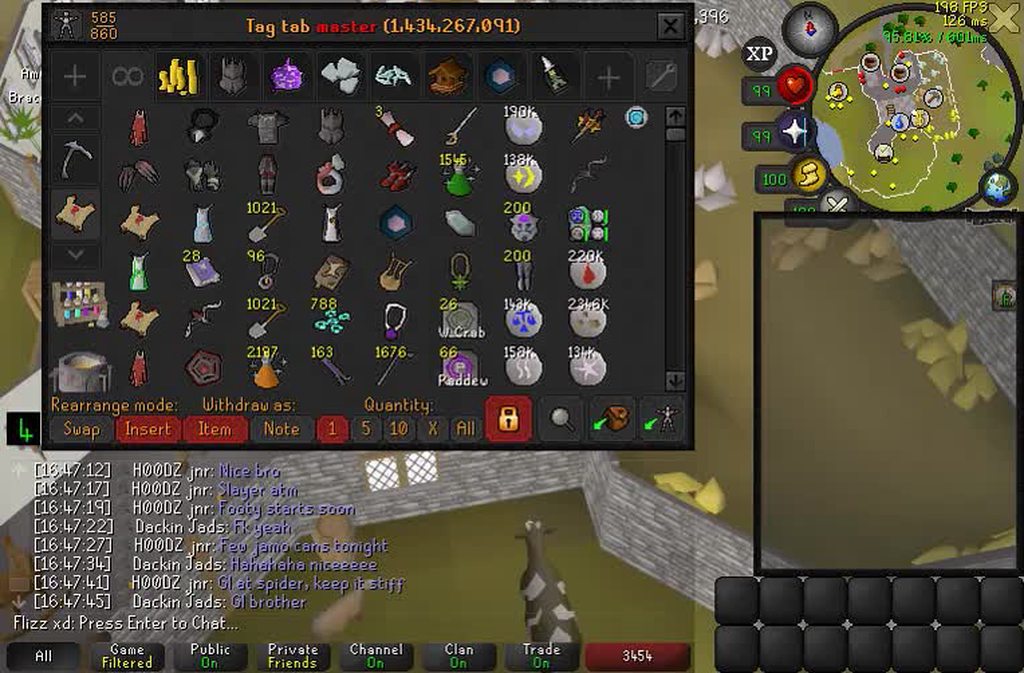 viscid lantern
frosty dune
https://imgur.com/IiJR9PL is this RL or osrs
viscid lantern
frosty dune
https://imgur.com/IiJR9PL is this RL or osrs
Its a known bug, fix should be out today
leaden trail
native pier
Hi I can't seem to get Runelite to work on my jagex launcher. It keeps telling m...
What OS are you on?
 limpid talon
a ton of my "withdraw all" leftclick options have changed to "withdraw all but 1" in the last game update. before that everything was normal.
wtf happened
(im on the correct "quantity" option in the bank)
leaden trail
Scroll up a little
leaden trail
leaden trail
.
limpid talon
that just reset every leftclick to what it would be by default so i have to fix them all manually anyway lol (i have the bank quantity set to 1 but manually changed some things to withdraw all on left click).
weird update, what does that option even do?
leaden trail
Something about charging items in the bank I think
I haven't played the game in any meaningful sense in a few years so I'm not super sure
limpid talon
well, at least now i know nothing is broken. was very worried about that. thank you
native pier
leaden trail
What OS are you on?
Windows 11, Its also my work pc, but i have acces to the password of the admin account
limpid talon
limpid talon
that just reset every leftclick to what it would be by default so i have to fix ...
that just reset every leftclick to what it would be by default so i have to fix them all manually anyway lol
just in case someone reads this and decides not to check the ingame setting:
on second glance this is incorrect. the items i hadn't yet manually set the option on are back to withdraw-all. i was probably just looking at items i'd changed since after the update. enable the option, should fix it
 chilly silo
leaden trail
chilly silo
leaden trail
What does the bank item options do? It evidently works, but not very clear
 upper flicker
anyone help me out im struglling to learn how to test some plugins I created, I have been able to run the plugin exmaple i cloned and also the runelite developer client but cant figure out the proper steps to get my jagex credentials to copy . I would jsut skip this and use an alt that doesnt require jagex launcher but sadly my plugin is for later game conteent so its not feasble atm
More context in the runelite chat but again im brand new to this so im like probably missing some key step ..
I tried running runelite --configure and when i insert --insecure-write-credentials it doesnt actaully save i ntoice taht unless its meant to only do it once for safety reasons which is understandabel .. but yeah tehn if i try login to jagex via bolt launcher or the other flat pak i was using none seem to save the credentials part

 native pier
leaden trail
What OS are you on?
native pier
leaden trail
What OS are you on?
It stays like this, whether I install runelite or not.
 mossy swan
 shadow plank
what does this mean
shadow plank
what does this mean
their antivirus is blocking it
 smoky saddle
Inventory setups seems broken when withdrawing a higher quantity of items via right-click. I tested it with bank tags and it works fine (as well as with no plugin use).
https://streamable.com/jf1h63
 leaden trail
leaden trail
leaden trail
See this
oblique plume
its some hub plugin you installed
upper flicker
upper flicker
I tried running runelite --configure and when i insert --insecure-write-credent...
still need help
leaden trail
This channel is for release client support
smoky saddle
leaden trail
See this
thanks - though I'd prefer to be able to use it as normal with that option off too
wonder why it only broke on this update, it was working for me before, post-charge update
leaden trail
smoky saddle
thanks - though I'd prefer to be able to use it as normal with that option off t...
There's going to be a fix going out soon I think, it just hasn't yet
smoky saddle
ah okay cool, thanks
leaden trail
It's been broken before, fairly recently but I think something changed again
upper flicker
how do i setup the github auth ? so i can ask in the right section ?
oblique plume
run the command
upper flicker
ok ty
 potent dirge
i saw there was a issue with meny entry swap Shift click and checked on github it was fixed when will the fixed be commited?
leaden trail
I think a fix it getting tested
 rigid ravine
hey, i think the latest update broke my menu entry swapper
i had some items set to custom withdraw-1, and now when i have the bank set to withdraw-1 for everything the items i set for withdraw-1 are auto set for withdraw-5
oh just aw the solve thank you
 jagged brook
Hey guys, how do I fix this, popped open Runelite and it's on three monitors? xD
round jacinth
resize it to be on one
jagged brook
Not working for some reason
round jacinth
I don’t know if it would open that large
You’ve disabled resize maybe in the runelite options
oblique plume
Lol
jagged brook
Any idea how to fix lmao
leaden trail
If you launch in safe mode it should reset your client size
haughty pumiceBOT
To enable safemode
Windows
Run the RuneLite (configure) shortcut from the windows start menu
Tick the Safe mode box, save, launch RuneLite the way you normally do.
Mac
In Terminal, run
/Applications/RuneLite.app/Contents/MacOS/RuneLite --configure
Tick the Safe mode box, save, launch RuneLite the way you normally do.
To enable safemode
Windows
Run the RuneLite (configure) shortcut from the windows start menu
Tick the Safe mode box, save, launch RuneLite the way you normally do.
Mac
In Terminal, run
/Applications/RuneLite.app/Contents/MacOS/RuneLite --configure
Tick the Safe mode box, save, launch RuneLite the way you normally do.
 untold ember
jagged brook
Any idea how to fix lmao
untold ember
jagged brook
Any idea how to fix lmao
open "runelite" in rl settings and try to edit the game size there: https://i.imgur.com/NMEvkXG.png
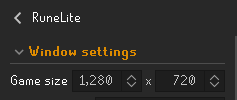 leaden trail
Or do that^
jagged brook
Fixed - thanks!
 topaz nimbus
Bro just wanted to flex the set up
untold ember
i've been having the same issue as other here regrading the mm2 path to kruk game crashes (client not responding and force closing), do i need to edit the heap myself or is this something that's gonna be fixed on a patch from rl on an upcoming update?
jagged brook
topaz nimbus
Bro just wanted to flex the set up
I've got nothing special as a setup lol
topaz nimbus
jagged brook
I've got nothing special as a setup lol
Ben10 watch
untold ember
atm running the quest/tunnels off gpu seems to help, but glad you guys are looking into it for a future update, ty
jagged brook
topaz nimbus
Ben10 watch
Haha, it's one of the first things I printed 😛
 random hemlock
Anyone else having an issue with menu entry swapper withrdaw-x shift click bank ui not working anymore?
round jacinth
yes if you checked github you'd see like 10 duplicates
and if you searched here you'd see 100
 nimble grove
random hemlock
Anyone else having an issue with menu entry swapper withrdaw-x shift click bank ...
nimble grove
random hemlock
Anyone else having an issue with menu entry swapper withrdaw-x shift click bank ...
yes my menu entry is acting weird. I have shift click magic saplings set to withdraw 5 and its doing 10 now. and instead of shift click all withdraw its doing withdraw all but 1
native pier
can anyone please help me? I can't use runelite in the jagex launher and don't know why. I installed it again and again. Still doesn't work. Does anyone know where it needs to be installed exactly?
 round jacinth
native pier
can anyone please help me? I can't use runelite in the jagex launher and don't k...
round jacinth
native pier
can anyone please help me? I can't use runelite in the jagex launher and don't k...
can you open registry editor and screenshot this key
Computer\HKEY_CURRENT_USER\SOFTWARE\Microsoft\Windows\CurrentVersion\Uninstall\RuneLite Launcher_is1
I would start with first completely restarting your jagex launcher
viscid lantern
nimble grove
yes my menu entry is acting weird. I have shift click magic saplings set to with...
its a known issue, for now you can enable the bank item options in the ingame bank settings(I think) and it should. behave as normal again, a fix is in the works
solid mesa
chilly silo
What does the bank item options do? It evidently works, but not very clear
For certain items like the blowpipe it gives you a menu option "Configure charges" so it will always be charged to a certain amount when you withdraw it from the bank
native pier
round jacinth
can you open `registry editor` and screenshot this key
```
Computer\HKEY_CURRENT...
Here this is what it says
 native pier
@round jacinth
round jacinth
i think it looks normal to me?
this is what jagex uses to launch runelite from the location that is in here i think
oblique plume
is runelite actually there
 warped hemlock
so i can reliably reproduce the mm2 dungeon bug regardless of heap size, i get a crash with extended map loading set to 3 or above in gpu plugin but it is rock stable at 0 1 or 2
im testing this by the chinning vine in kruk dungeon
i've tested it at default heap and doubled and tripled and same result so i don't think it's an oom at least not for me
oblique plume
interesting
leaden trail
Does it happen on a fresh profile with everything left with default values except that?
native pier
oblique plume
is runelite actually there
Yes it is! Could it be something to do with the fact that this is my work pc? if I want to start the jagex launcher, i have to run it as administrator and log in with an admin account. Otherwise the launcher is in a constant loop that tells to update and restart.
@oblique plume
charred wind
filepermissions command moment?
oblique plume
dunno
i would still expect it to read that registry value correctly
but not working on a work computer sounds about right to begin with
 foggy tiger
absolutely random question. my = button doesnt work on runelite exclusively. it is NOT keybound to anything, any ideas? haha
haughty pumiceBOT
If one of your keys isn't working in game, you've most likely bound it to a feature of a plugin. The Debug Helper hub plugin can show what keys are bound to what plugins.
 surreal ferry
Any idea as to why these are auto-hidden everytime i open client?
 charred wind
put literally anything in that field and it won't refill it when you reopen the game
surreal ferry
Ah cheers, makes sense
charred wind
Arrow shafts < 2 would be a good one :)
surreal ferry
charred wind
Arrow shafts < 2 would be a good one :)
Thank you :D
Never knew < 2 was a thing haha
You learn something new everyday
 past lily
My RL keeps crashing randomly.
haughty pumiceBOT
To find the logs, you can do one of the following:
- If your client failed to open, click the
Open logs folderbutton. - Open the screenshot directory by right-clicking 📷
Camerabutton, navigate 1 directory up, then open logs folder. - Navigate to
%userprofile%\.runelite\logson Windows or$HOME/.runelite/logson Linux and macOS.
Upload the log files named client and launcher by dragging them to Discord. If there are files prefixed with jvm_crash dated from today, upload them too.
solid mesa
Can you post a screenshot of the error?
 solid mesa
Does this link load in your web browser? https://static.runelite.net/bootstrap.json
 tepid whale
no
solid mesa
So something with your internet is not working
solid mesa
If you open Windows Powershell and copy paste in
Invoke-Webrequest https://static.runelite.net/bootstrap.json
and post the output it might have more details
leaden trail
tepid whale
no
What specifically do you see?
Sometimes people see what they're supposed to but they don't realize that's what they're supposed to be seeing
solid mesa
Try relaunching runelite. Might've just had a network hiccup
tepid whale
k now rune lite opens but it wont from jagex launcher
tepid whale
its fine now idk wtf
 sweet arrow
does anyone else have runelite crashing in mm2 caves? some plugin?
solid mesa
Yes, it's been happening to several people. It seems you can increase your memory to have it stop
haughty pumiceBOT
solid mesa
If you put -Xmx1G into the jvm arguments box it should stop crashing
You may also be able to change the extended map loading in GPU to a lower number
 jade arrow
Hi! I've used runelite forever and suddenly during Children of the Sun (quest) the dialog boxes will not appear during the cinematics. I swapped over to the official client to fix this but then when going back on runelite it happened again at the next cinematic
 solid mesa
It's probably a hub plugin you have installed
sweet arrow
solid mesa
If you put `-Xmx1G` into the `jvm arguments` box it should stop crashing
ty🙏
jade arrow
Ill try disabling the few I installed since this bug started happening
zealous cedar
if you turn gpu off it would probably fix it too
sweet arrow
solid mesa
You may also be able to change the extended map loading in GPU to a lower number
this also works for me
 odd nacelle
has the 117 HD Plugin been removed?
solid mesa
No
odd nacelle
mines not showing or loading
solid mesa
Try restarting the client
odd nacelle
LOOOL
i opened in safe mode
jade arrow
Disabled GPU and the last few plugins that were installed before any of this started happening, still no luck 😐 Maybe I'll search around for other plugins. Is it possible its only with this quest specifically?
 mild swan
In the MM2 tunnels, during the quest, when ever i go over this obstacle, my RL crashes. Regardless if i succeed or fail the obstacle. A few others have caused the crash as well. I am able to go over the obstacle on the official client with no issues.
 zealous cedar
turn the gpu plugin off
 unkempt blade
^this but not just that obstacle consistent in mm2 cave
mild swan
I have tried turning GPU off, it still crashes
unkempt blade
I also dont have it enabled but have 117 on or off still seems to crash
mild swan
I tried adding 117 (my friend just did mm2 last week without issues and plays with 117 so i thought i would try all options) still doesnt work
unkempt blade
Logs are filled with a tonne of this "2025-04-11 00:07:25 ACST [Client] INFO c.N.NPCOverheadDialoguePlugin - NPC being checked is: Gull with an npcID of: -1"
tried uninstalling overhead dialogue plugin but still crashing
zealous cedar
it doesnt crash with gpu off. turn gpu off.
mild swan
I just attempted it, minutes ago with GPU off
unkempt blade
never used gpu and its not enabled for me either
haughty pumiceBOT
To enable safemode
Windows
Run the RuneLite (configure) shortcut from the windows start menu
Tick the Safe mode box, save, launch RuneLite the way you normally do.
Mac
In Terminal, run
/Applications/RuneLite.app/Contents/MacOS/RuneLite --configure
Tick the Safe mode box, save, launch RuneLite the way you normally do.
oblique plume
do it in safemode
zealous cedar
i'm there now with gpu off and its ok.
 soft cape
What plug-in is it so you can make it where you can shift click deposit all in the bank and shift click to walk under monster
solid mesa
There's no need to ask in three channels
mild swan
zealous cedar
i'm there now with gpu off and its ok.
Well it is working now, without GPU. I promise I had it off the last time and it still crashed.
unkempt blade
I'm still crashing, GPU is not enabled
zealous cedar
if not that then safe mode should certainly work
 rotund perch
mild swan
In the MM2 tunnels, during the quest, when ever i go over this obstacle, my RL c...
rotund perch
mild swan
In the MM2 tunnels, during the quest, when ever i go over this obstacle, my RL c...
bruh im having same issue constant crashing in mm2 tunnel
solid mesa
Turn off GPU or increase your memory limit
 stone parcel
Probably turn off 117 if you use that instead.
rotund perch
ok
mild swan
rotund perch
bruh im having same issue constant crashing in mm2 tunnel
I tried all the different combinations for graphics plugins before messaging here, but once Adam said to turn GPU off, I did it and was able to finish that part of the quest without crashing.
gilded kayak
they were using 117HD but that's basically the same thing as GPU
rotund perch
yeah gpu was off i did have 117 on tho
gilded kayak
yeah it's the same thing, making the client run on your GPU
 fringe spire
Anyone having crashing issues recently? Havent added any new plugins, currently doing MM2 and keep crashing while in the caves...
gilded kayak
turn off GPU/117 whichever one you're using
 storm viper
Hey folks. Anyone have any issues where notifications (e.g. IdleNotifier) are playing the notification sound but they're not displaying? Im on a 2025 Macbook Air M4 running Sequoia
storm viper
storm viper
Hey folks. Anyone have any issues where notifications (e.g. IdleNotifier) are pl...
Here are my settings if folks are interested. Again, the notifications are firing correctly, just only playing sound.


 solid mesa
Is Do Not Disturb on?
storm viper
solid mesa
Is Do Not Disturb on?
Nope. I also added RuneLite as an allowed app in my troubleshooting travels.
 final axle
how about don't bot
 grizzled grove
my runelite keeps freezing and not responding everytime i attempt to switch worlds, anyone know the issue? i've tried uninstalling already
storm viper
final axle
how about don't bot
Not sure if this was aimed at my notification issue. But I’m just trying to do some MLM while working on some other projects.
final axle
it was aimed at a message that got deleted
storm viper
final axle
it was aimed at a message that got deleted
Oh word! Sorry for the confusion.
grizzled grove
any help would be great guys
gilded kayak
!safe
haughty pumiceBOT
safemode: To enable safemode
Windows
Run the RuneLite (configure) shortcut from the windows start menu
Tick the Safe mode box, save, launch RuneLite the way you normally do.
Mac
In Terminal, run
/Applications/RuneLite.app/Contents/MacOS/RuneLite --configure
Tick the Safe mode box, save, launch RuneLite the way you normally do.
grizzled grove
ok ill try that thanks
that worked! why do i suddenly need to run it in safe mode? if you dont mind me asking @gilded kayak
gilded kayak
your issue is probably one of your hub plugins
safe mode disables all hub plugins, and GPU
 cold laurel
is there a plugin that shows a timer on when you start the boss and resets when you kill it? something to help for speed chasers i guess.
gilded kayak
there are time-based boss mechanics so an automatic timer would be a boss helper
so need to start and stop a timer yourself
cold laurel
ahh fair enough thanks for hte info
is there s a stop watch that has a hot key configurable to toggle start or stop? i installed 2 stopwatch plugins that makes me manually click it. or are hotkeys shun upon in osrs?
 icy wave
Anyone knows why the xp updater plugin doesn't work? like on templeosrs my exp/profile isn't automatically updated.
round jacinth
Make sure you enable the option for it to go to the sites you want it to
icy wave
it is enabled tho, was working properly few days ago xD
solid mesa
The jagex hiscores have been turbo bad since February. So temple may just be failing to update sometimes
storm viper
Not to keep beating a dead horse today, but is anyone successfully getting RuneLite notifications (e.g. IdleNotifier) on a Mac running Sequoia?
Trying to pinpoint why I’m only getting the notification sound and no alert. I’ve done just about everything suggested in various Google searches and no dice.
Thanks yall!

 leaden jetty
Hey everyone, for months now anytime I get near Civitas illa Fortis, my Runelite fps drop (to around 30) then flashes black screen, then screen comes back, frozen and I must kill task through task manager. I run various plugins but it seems more graphical related, I run 117 HD not sure if some other plugins cause this or is there a way to tell what happened? It's not considered a crash of runelite so not sure if it would make a report of whats going on.
 umbral vortex
https://i.imgur.com/xqv75Go.png
umbral vortex
umbral vortex
https://i.imgur.com/xqv75Go.png
NVM it's fixed itself
oblique plume
Sounds like a video driver crash
leaden jetty
oblique plume
Sounds like a video driver crash
in reply to me? if so, it doesnt effect anything else running on my PC, with a video driver crash if i'm watching a YT vid on my 2nd monitor (typically am) it would crash firefox aswell. The only thing effected when this happens in Runelite.
oblique plume
If the whole screen goes black that's what it is
haughty pumiceBOT
Many plugins from the pluginhub break the client in subtle or not-so-subtle ways, including causing issues like client freezes. We do not support pluginhub plugins because we do not make or quality control them, and do not recommend their use.
Run the RuneLite (safe mode) shortcut, or with a Jagex account, first run the RuneLite (configure) shortcut and tick the Safe mode box, then launch RuneLite via the Jagex launcher.
This temporarily disables the GPU plugin and all hub plugins which will allow you to confirm the issue is caused by one of those plugins and isn't a core RuneLite issue.
If the issue is caused by a hub plugin, you should isolate which plugin it is and then uninstall the plugin.
round jacinth
what are you expecting to happen in safe mode
or at all
a highlight on what to do?
i don't recall, consult the wiki
or check mobile maybe jagex broke it lol
crisp dune
I think you missed a step in the quest if that isn't showing up
It's not a client feature, it's just part of the quest
 tepid solstice
Hey Guys, I'm looking for some help.
I currently use the 0 dark resource pack. But the issue i'm having is when clicking on the quest tab, it overlaps onto the inventory. Wondering if anyone would know a fix? https://i.imgur.com/D43ab0G.png

All other tabs look good and are perfect, just this one
haughty pumiceBOT
Get support for the Resource packs Plugin Hub plugin here: https://runelite.net/plugin-hub/show/resource-packs.
You can also find the support link by searching for the plugin in the Plugin Hub panel and clicking the ? button on the plugin, or by right-clicking the plugin in the plugin panel and clicking the Support menu option.
 sly basalt
Hello, I could use some help with client starting issues
crisp dune
What issues are you having?
icy wave
still can't find the issue for xp updater not updating automatically for templeosrs/wiseoldman 😦
solid mesa
 charred vigil
trying to use menu entry swapper for fairy rings, and the setting changes, but after interacting with the same fairy ring the setting is reset, is there a way to apply it to all types of fairy rings?
solid mesa
It's in the plugin settings in the runelite sidebar
 humble dock
Hello, im having issues getting through the mm2 caves when im using gpu or 117 hd plugin. every so often my whole client goes unresponsive and i have to close and reopen it
viscid lantern
Do that part of the quest with hd/gpu disabled
humble dock
im trying to chin/burst
viscid lantern
Ah
humble dock
it was working fine for me b4 today.
viscid lantern
It doesn't always happen so you might have gotten lucky before, its an issue since last wednesday afaik
humble dock
oh ic ty
charred vigil
solid mesa
It's in the plugin settings in the runelite sidebar
thanks
 viscid kernel
Morning, I've been having issues with Menu Swapper since the last update ...
- straight after, all my bank settings were reset - where I'd previously set most of my items to 'Placeholder' on right-click they reverted back to withdraw
- I logged in today and all of the ones I've set to 'Placeholder' are acting as 'withdraw-all-but-1' regardless of what I do, if I shift-click it and reset, then set it back to 'Placeholder' it still shows as 'withdraw-all-but-1'
Any ideas? I've closed and reloaded Runelite a few times ...
GIF example - https://gyazo.com/3e9a61cf4a2afbc1c4c65d2e68458406
Ah I just saw it's top of the known issues list
 rare oak
I have very bad eyesight even with glasses are there any options inside of runelite or a plugin tha would make text bigger/Bolder?
haughty pumiceBOT
oblique plume
itl make everything bigger
rare oak
Ill have a look at those thank you
 hazy glen
Hi, maybe a stupid question but anyways. I’ve built a plugin that works when I run Runelite via IntelliJ. Do i have to submit the plugin to the plugin hub in order to use it via normal Runelite, or can I somehow just run it locally?
round jacinth
you can make a shadow jar to run it without runningh through intellij
haughty pumiceBOT
Run gradle shadowJar to generate a runnable jar in build/libs/*-all.jar. You can run the jar with java -jar -ea jarName.jar. If you run into problems, update build.gradle to the latest plugin template version.
round jacinth
you should submit it to hub though so that you eventually don't need to worry about that
hazy glen
Great, thank you!
 fresh cosmos
why do clue rewards just keep popping up on my screen?
solid mesa
Did you install Missed Clues?
fresh cosmos
yes, but no monsters have dropped them.
solid mesa
Well it's a pretty good bet that's what is causing it
fresh cosmos
does it show everyones missed clues, that has the plugin installed?
solid mesa
Idk, I didn't write the plugin
fresh cosmos
gotcha
solid mesa
Do you have a chat message that says "You have a sneaking suspicion you would have recieved a medium clue."?
fresh cosmos
idk im at dks so i cant easily see. but thanks for your help
 delicate reef
You guys know how the no walk here tile works it removes the walk here option? Is it possible to have a no attack tile? Like for akkha BF you wouldn’t need to shift click the shadow spawns
Just curious if it exist
 drowsy schooner
What is the plugin called where you can have your rsn show a different name while streaming ?
@solid mesa
charred wind
you don't have to @ people for help
drowsy schooner
Sorry
charred wind
you can probably search the hub for it, start with "rsn" or something like that
solid mesa
Custom RSN Hider or RSN Hider
drowsy schooner
Ty 💙
 odd grove
Hi guys, I'm trying to update the Runelite (configure) app to try enabling IPv4 for a VPN split tunnel, do I somehow update it through the Jagex launcher or from the Runelite website?
zealous cedar
the runelite website
odd grove
Ah the IPv4 option didn't work 😦 still trying to get the game to be exluded from my VPN for 4-5ms ping instead of 45-50
solid mesa
Pings aren't usually sent over VPN
So the game may be routed differently than the ping suggests
odd grove
I tried reconnecting and it's still trying to use the VPN for sure, it's blocking the login attempt on certain IPs
solid mesa
The IPv4 option alone doesn't split tunnel Runelite if that isn't clear. You'll need to use your VPN app to do that.
odd grove
I've excluded the Runelite exe and any Java exes I can find in the VPN settings
I seem to remember from last time speaking to Adam about it, it was due to IPv4-IPv6 mapped addresses or something similar
gilded kayak
yes that's what that setting is for
but it only fixes opening the client
if you're failing to login that's jagex
odd grove
I removed the config file entry and the VM arg as I assume that is what the checkbox now does for you
stone parcel
And as Cooper mentioned, the ping may be incorrect.
Or, not the same as the game's.
odd grove
To be fair I'm not sure what a valid test would be to see if the latency is different to what the reported one is on the graph
viscid lantern
vpn to australia and then play on a world physically close to you
and see if its playable
odd grove
Ah good point
It still kicks me off when switching servers, that's probably the most annoying part 😄
Ok yeah the graph is incorrect haha, it's fine when playing on UK servers through Australian VPN servers and it's reporting 450+ms. Turning off the VPN and it reports 4ms but it's the same.
So the graph just reports on ping latency but the game itself is on a different metric?
solid mesa
The ping is based on ICMP packets which are not usually routed on the VPN. But the game uses TCP or UDP packets which are routed by the VPN
odd grove
Gotcha, I take it there is nothing that can be done about the game disconnecting when the VPN switches on/off/new server? it's kinda pot luck whether Jagex blocks the IP from the pool, ideally Runelite wouldn't go through the VPN at all to avoid the drop
mossy swan
do you need to use a vpn
odd grove
I've got it on my other devices so force of habit really, it's not a dealbreaker but would be nice to find a way around the dropout if there's a solution anyone has found
 civic mango
 crisp dune
Restart your client
crisp dune
Hm it's possible that is https://github.com/runelite/runelite/issues/18914
which we have not fixed yet
gilded kayak
i think abex said in dev that we probably can't fix that
besides removing the <something I don't remember> swap
 plucky quail






 nova breach
Idle notifier not working with mining right now
Tested it with bone shard, mlm, and all rocks. Works with other skills and combat
round jacinth
Your delay is maybe too long or too short I forget. Use Abex’s idle notifier on the hub
What ms is your delay
round jacinth
Yeah there is a pause in animation that is longer than that at mlm and bone mining
nova breach
It didn't work with any rocks either, I'll try out abex's
I've never had this problem in years of 2000ms
round jacinth
Abex’s works because it alerts when the thing you’re mining is depleted
Rather than animating
nova breach
10-4, just curious cus it worked as recently as yesterday
Restarted client, pc, tried on other profiles
round jacinth
I hate to gas light on this one but I think it’s always been this way with 2000ms 🫣
nova breach
I've not changed my delay in years and it's always worked, will try with another delay