#support
1 messages · Page 74 of 1
 vague vapor
 torpid vigil
I think when I tried messing with runelite's resolution I couldn't get it to be crisp on the monitor. Could be user error, though
vague vapor
that's probably the scaling + stretched mode just kind ruining the textures.
It looks fuzzy sometimes when you use like bilinear or bicubic scaling instead of the default integer scaling
Any custom scaling between integers and stretched to fit the native display res is gonna end up a little softer in the edges
torpid vigil
Yeah, I messed around with all that when I first set up this monitor a while ago and just gave up. Truncating half of the sidebar icons doesn't really negatively affect my gameplay, it's just a minor annoyance. I was more hoping that there was an option to lower the runelite width a little below 500 px, or a skin that slims the borders of the expanded sidebar
700 px*
 fossil geode
Update #3 - It's not a plugin, in fact it's not runelite at all... I usually play RS on my main monitor (4k) and watch stuff on my second monitor (1440p). However today I was watching a movie on my main monitor and noticed the movie doing the same 'stuttering' as runelite every few seconds. So I swapped the movie back and forth between both monitors and low and behold, it only occurs on the 4k monitor. I then opened up Runelite and played it on my second monitor, no stuttering @stone parcel - So I apologise, it was never a runelite issue, its a completely seperate issue that I now need to figure out
 stone parcel
No worries! Good luck! I hope you figure it out. 😁
vague vapor
fossil geode
Update #3 - It's not a plugin, in fact it's not runelite at all... I usually pla...
Dang good luck, make sure your display cables/hdmi is rated for 4k. Some cables are more equal than others...
fossil geode
Appreciate it, have bought a new cable on Amazon that is certified (I'm pretty certain my current one is but wanna be certain, its a few years old at this point) - Thanks for all the help, apologies for it not even being Runelite related!
 solid mesa
Just say what you need help with
 ruby jewel
i just export my plugins to my laptop but in my desk the loot tracker just reset
idk why
 haughty pumiceBOT
ruby jewel
haughty pumiceBOT
ruby jewel
tyvm
 median wren
GPU works with runelite only when the gpu plugin is off, gpu stops working(task manager) when gpu plugin is on
Windows 11 laptop RTX 4050
solid mesa
I would try finding new drivers. It seems like it isnt using the right driver
2025-03-27 08:10:06 PDT [Client] INFO  n.r.client.plugins.gpu.GpuPlugin - Using device: D3D12 (Microsoft Basic Render Driver)
2025-03-27 08:10:06 PDT [Client] INFO  n.r.client.plugins.gpu.GpuPlugin - Using driver: 4.6 (Compatibility Profile) Mesa 24.3.0-devel (git-370ac36d5d)
 sacred fulcrum
does anyone know how to amke this smaller

 gilded kayak
i think that's the jagex one so i dont know if you can
you'd have to check in-game settings
median wren
dont think it's drivers

if anyone on a windows 11 machine/laptop I'd appreciate if you can send screenshots of nvidia app settings/nvidia control panel/windows graphic settings, idk what's happening
median wren
it was
and is
cpu goes from like 5-10% -> 50% and gpu goes from like 15-20% -> 0% usage when gpu plugin turned on
tried clean installs of jagex launcher/runeilte and my drivers already so it's likely a setting
gilded kayak
well cooper posted a line from your logs, clearly showing it's not using drivers
it's using windows some shit
median wren
hmmm
 halcyon star
solid mesa
halcyon star
solid mesa
You'd probably have better luck asking in #development
halcyon star
oops yeah sorry search led me here
 sharp warren
Hey guys, how do I get pet names to show above their heads like mobile?
gilded kayak
i've never heard of such a feature so i'm not sure
i don't think we have an extensive list of pets anywhere in the client
jagex obviously knows what pets are in the game, since they have all the pet data
sharp warren
oh, i figured if its on mobile it would be in the settings somewhere
but thank you!
gilded kayak
if u can find a setting for it on mobile then i guess
i checked the wiki page for settings, which has "MOBILE ONLY" notes, but i saw nothing about pets
sharp warren
gilded kayak
i checked the wiki page for settings, which has "MOBILE ONLY" notes, but i saw n...
appreciate the effort ❤️ ill poke around a bit more
 topaz nimbus
There’s a plugin that handles it called like companion names(?)
Named pets
Oh, did you just mean the pet name itself? Like not custom names? Oops
sharp warren
topaz nimbus
Oh, did you just mean the pet name itself? Like not custom names? Oops
Yeah, just the pet name itself
sharp warren
topaz nimbus
Named pets
I did try this, but it didnt rename my smol heredit or phoenix when i place them in poh
 ebon furnace
Anyone had any issues with loot tracker losing a days worth of loot? Have been signed in the whole time, but have loot missing - "remember loot" is on
topaz nimbus
sharp warren
I did try this, but it didnt rename my smol heredit or phoenix when i place them...
You have to shift right click and give them a name
It’s more for giving them a custom name though, not their generic name
sharp warren
topaz nimbus
You have to shift right click and give them a name
yeah i did, it worked for my other pets
topaz nimbus
Oh, it probably needs to be updated to support that pet
sharp warren
ahh i see
topaz nimbus
GitHub
Is there a way to have my roaming pets show their name? It seems to dissappear when I put them in the menagerie. It would also be nice to be able to toggle hide the overlay pet name when they'r...
Looks like there’s a relatively new bug for roaming pets in the menagerie
sharp warren
aww 😦 ok
 real hawk
having trouble configuring npc aggression timer for sand crabs
wondering what im doing wrong
 round jacinth
use their rock state as the name not the active one
Or leave it blank and just use always active
 pure agate
What argument do i use to run Runelite with the developer options?
solid mesa
You have to build from source to get devtools
pure agate
I mean the dev tools that allow you to view id's for items, objects, npcs...
i have this in the program argument "-ea --developer-mode"
solid mesa
Are you doing that in Runelite (configure) or in IntelliJ?
pure agate
intellij
 haughty pumiceBOT
 dull parrot
minor, but isnt this considered south west varrock?

 oblique plume
ye
 leaden trail
🦀
 white nest
how do I change the email associated with my runelite account?
oblique plume
you dont, you just authenticate with a different google account
can move most of the data over by importing your $rsprofile and config profiles in %userprofile%/.runelite/profiles2
white nest
So if I just auth with a seperate google account, it should import by default if that is the only folder?
or where do I put the files for the new email?
 zealous cedar
the easiest thing to do is export/import it
 brazen trout
Hi guys, i've been trying to log out this account but I just CANT, everytime I unistall my runelite client the account comes back. Anyone knows how to remove the account?
 stone parcel
Just open the RuneLite.exe and it should let you type a new account.
brazen trout
Same thing, the account still standing
Just tried everything I could think, unlinked my email account in the launcher, unabled account plugin
Went to the files trying to find a config file but no success
solid mesa
Why isn't that account on the hiscores? Is it a new account? Or did you get banned?
 charred wind
brazen trout
Hi guys, i've been trying to log out this account but I just CANT, everytime I u...
charred wind
brazen trout
Hi guys, i've been trying to log out this account but I just CANT, everytime I u...
Your cheats did this
brazen trout
solid mesa
Why isn't that account on the hiscores? Is it a new account? Or did you get bann...
its my steam account, without runelite I can do normal login
brazen trout
charred wind
Your cheats did this
I'm not banned, I can play in this account. I just want to use another to play all the game from the beginning
stone parcel
Oh, are you a RuneLite developer?
leaden trail
brazen trout
I'm not banned, I can play in this account. I just want to use another to play a...
Can you post your logs?
haughty pumiceBOT
To find the logs, you can do one of the following:
- If your client failed to open, click the
Open logs folderbutton. - Open the screenshot directory by right-clicking 📷
Camerabutton, navigate 1 directory up, then open logs folder. - Navigate to
%userprofile%\.runelite\logson Windows or$HOME/.runelite/logson Linux and macOS.
Upload the log files named client and launcher by dragging them to Discord. If there are files prefixed with jvm_crash dated from today, upload them too.
brazen trout
leaden trail
Can you post your logs?
sure
Woooooww I did it, I don't have known about the logs folder until someone tell me. Just deleted everything, installed runelite again and I'm free from that account

Thanks to all of you that tried to help me
leaden trail
Yeah that account you were trying to client on an hour ago is probably toast
haughty pumiceBOT
You've downloaded a fake client, and your account has been compromised. Remove the fake as soon as possible to minimise further damage.
The following actions should be performed from a secure computer or secure mobile device:
- Change your RuneScape password
- Remove and re-add Authenticator to RuneScape
- Change your RuneScape bank PIN
- Change your email's password
- Add 2FA to your email if you haven't got it enabled
- Check for any linked accounts by accessing the account settings page (https://www.runescape.com/account_settings)
Some fake clients also install malware, only a fresh install of your operating system can guarantee the total removal of any unwanted software.
You might also want to change any email password if you reused the same as your RuneScape account password.
Once your computer is secure, you should download RuneLite from the link available at the #welcome channel.
brazen trout
leaden trail
Yeah that account you were trying to client on an hour ago is probably toast
I wans't trying to log in that account, just needed to change to another, but thanks anyway
charred wind
yea so I'm able to log into a diff account using RL if I just... don't use cheats then forget I used them (which broke my client)
brazen trout
charred wind
yea so I'm able to log into a diff account using RL if I just... don't use cheat...
think what you want, I don't owe you anything
 olive pasture
I've been trying to set up RuneLite for plugin development and followed the official guide here:
https://github.com/runelite/runelite/wiki/Building-with-IntelliJ-IDEA
I'm getting tons of build errors — mostly things like ComponentID, InterfaceID, and other methods/classes not being found (especially in the cache module).
From what I can tell, these files seem to have been removed or refactored, but parts of the code still reference them — like in WidgetInfo, or in the Component and Interface annotations in ~/runelite/api/annotations/.
I tried checking out an older commit that supposedly worked before the removals, but GitHub returns a 404 when I follow the link, and I can’t browse historical commits easily.
Is there a recommended stable commit for plugin development I can use right now? Or a proper way to cleanly build the latest version?
round jacinth
run the build and it builds the interface and components
mvn clean install type of things
you maybe more than likely also should be building hub, for more development questiosn you can ask in #runelite
this is for release support not how to develop/get development set up
haughty pumiceBOT
How to develop plugin-hub plugins: https://github.com/runelite/plugin-hub/blob/master/README.md
stone parcel
That guide.
olive pasture
Oh, bet. I really appreciate the direction guys!
olive pasture
Got everything working smoothly! I really appreciate the help.
Had to do a clean install of Lombok to get the client working. for some reason even though it was installed and functioning (clearly not fully) it wasn't populating the interface and components during the build process.
your info on it that it should build those two things on boot really helped narrow it down zom. 🤙
 odd sail
Anyone know why runelite doesnt work when my vpn is on?
 haughty pumiceBOT
Download and install the updated RuneLite launcher from the website link in #welcome. You don't need to uninstall your current version. You will not lose any settings or plugins.
solid mesa
You can try the new launcher then open Runelite (configure) and turn on the "IPV4" setting
odd sail
does it work with a jagex account? cos i have to go through jagex client first
solid mesa
Yes it does
 red scaffold
I can now only login to runelite with my google account, but I did not use that before, and now all my settings are gone, what can I do?
haughty pumiceBOT
gilded kayak
(we have always used google auth for RuneLite cloud sync)
 warm laurel
Hi, I'm on macOS (M4 Pro) and I periodically get these flashes on my screen while playing. I'm using 117HD here but I'm experiencing the same issue with the normal GPU plugin. Happy to share any specific settings that may help with debugging.
Sorry for the recording of the screen. I wasn't able to catch the issue with screen recording software.
 solid mesa
I also get something similar on my MacBook using GPU but not when I created a new profile. It doesn’t happen on my windows desktop. I think it’s a hub plugin causing it but not sure which
warm laurel
I do have like a trillion plugins. I'll create a new profile and be more selective to see if I can notice an improvement.
 woeful epoch
Is there a way to have the Raid Data Tracker plugin track multiple account data separately?
haughty pumiceBOT
Support for hub plugins should be directed to the author of the plugin.
You can find the support link by searching for the plugin in the Plugin Hub panel and clicking the ? button on the plugin, or by right-clicking the plugin in the plugin panel and clicking the Support menu option.
 summer yoke
i have a green line around my runelite client, anyone seen this before, cant google anyone trying the same

goes away when client isn't in focus anymore
round jacinth
do your normal windows you have opened get a green glow too besides runelite?
summer yoke
never seen before
leaden trail
It's probably obs or other screen recording software
 marble wagon
hey all is there a specific channel to ask about a specific plugin? the tob qol plugin to be exact
round jacinth
marble wagon
hey all is there a specific channel to ask about a specific plugin? the tob qol ...
no
leaden trail
(probably the latter, I don't think obs does that)
haughty pumiceBOT
Get support for the ToB QoL Plugin Hub plugin here: https://runelite.net/plugin-hub/show/tobqol.
You can also find the support link by searching for the plugin in the Plugin Hub panel and clicking the ? button on the plugin, or by right-clicking the plugin in the plugin panel and clicking the Support menu option.
Get support for the ToB QoL Improvements Plugin Hub plugin here: https://runelite.net/plugin-hub/show/tob-qol-improvements.
You can also find the support link by searching for the plugin in the Plugin Hub panel and clicking the ? button on the plugin, or by right-clicking the plugin in the plugin panel and clicking the Support menu option.
round jacinth
this discord/this channel specifically is for core release of the client
marble wagon
yeah i figured thats why i askede before going on a tangent. ill use the hubsupport now 🙂
leaden trail
#runescape would be fine too
summer yoke
leaden trail
(probably the latter, I don't think obs does that)
it was a windows setting, dont know how ive pressed that, thanks for the help btw, was hella confused
 calm patrol
Not sure if this is the appropriate place to ask this but what happened to the ge search history that used to be here in the red circle, i haven't played in a while and just came back and thought it might have been my ge settings but i cant find it
 oblique plume
I don't know what you mean
calm patrol
ok so basically whenever i would search something to buy on the ge or just look an item up on the ge it would get saved in a previous history and the button would appear in the red circle and when i clicked on it it would show all the previous items i bought or looked up
ahhh okay i see thanks
ebon furnace
Any way to get back loot tracker data that's randomly disappeared?
haughty pumiceBOT
ebon furnace
Thanks for that, just gone through all the steps but still missing approx 600kc
gilded kayak
is your issue that you started doing a boss you previously did, but when you did it again today it appeared to start at 1kc
ebon furnace
Was a really weird one - was sending tormented demons consistently, but when I logged for the night, all the runelite settings from the day dissappeared ie. inventory setups etc, when I logged back on, noticed the loot tracker for that day was all lost too, but the screenshots of loot show the tracker was working correctly through the day. Hope that makes sense! (Runelite account logged on the whole time)
gilded kayak
mmm kk i was just making sure your issue wasn't just that the client only loads x amount of recent enemies
so all those kcs would be in the settings, but not yet loaded
but that is definitely something else
 dry cave
hello i just sent this pr through https://github.com/runelite/runelite/pull/18874 just wanted to make sure it was done correctly with the CI build failing

GitHub
Closes: #10856.
Adds Daeyalt Rocks to mining timer overlay. In order to properly display overlay, offsets were implemented.
round jacinth
It probably is a check style fail
leaden trail
You can look at the output to see what failed
solid mesa
[INFO] There is 1 error reported by Checkstyle 8.3 with checkstyle.xml ruleset.
Error:  src/main/java/net/runelite/api/ObjectID.java:[10051] (regexp) RegexpSinglelineJava: Indent must use tab characters
I wasn’t gonna try to find it on mobile 🫣
dry cave
ill check it out tyvm
 low furnace
after trying to run the client through intellij i'm white screened?
 bitter prairie
Anyone else experiencing game freeze everytime Vorkath dies?
bitter prairie
Game still froze even with sidebar closed

Sometimes it unfreezes on its own after a couple of sec, sometimes it doesnt that I had to reopen the client
haughty pumiceBOT
Many plugins from the pluginhub break the client in subtle or not-so-subtle ways, including causing issues like client freezes. We do not support pluginhub plugins because we do not make or quality control them, and do not recommend their use.
Run the RuneLite (safe mode) shortcut, or with a Jagex account, first run the RuneLite (configure) shortcut and tick the Safe mode box, then launch RuneLite via the Jagex launcher.
This temporarily disables the GPU plugin and all hub plugins which will allow you to confirm the issue is caused by one of those plugins and isn't a core RuneLite issue.
If the issue is caused by a hub plugin, you should isolate which plugin it is and then uninstall the plugin.
 shadow bronze
woeful epoch
Is there a way to have the Raid Data Tracker plugin track multiple account data ...
shadow bronze
woeful epoch
Is there a way to have the Raid Data Tracker plugin track multiple account data ...
Not at the moment, it's a work in progress. Still debating how exactly to handle migrating old logs
The account tracking broke long before I started working on it so there's extra stuff I'd like to account for 🙃
 haughty peak
question (not sure if this is the right place for this but I assume so) - My game froze, then my computer froze. I tried to shutdown RL and then tried to restart the launcher. Neither worked so I just forced shutdown my computer. When I logged back on the first thing I noticed was that all of my inventory setups were all messed up. Then the more I thought about it, it looked like they reverted to the setups and settings I had when I played my main, which was around 2 years ago. Long story short I lost probably 40-50 inventory setups and RL settings to not the end of the world, just wondering if there was a way to get that all back
haughty pumiceBOT
stone parcel
Make sure to check all the steps in there, especially step 4.
haughty peak
Okay, making progress. is there anyway to tell which profile to use without checking everyone? for whatever reason there are like 10 in there
stone parcel
Yeah, if you sort by file size that might help.
Often the largest profile is the desisred one.
Or sorting by date modified might help too.
haughty peak
Okay, it seems like it got most of it back. Most importantly the inv setups
A couple other things seem out of whack but those I can figure it out
Thank you
stone parcel
Glad to hear it, no problem! 😄
bitter prairie
bitter prairie
Game still froze even with sidebar closed
Can somebody help me out on this? It's frustrating not being able to pick up my loot and waste pots because of the game freezing
stone parcel
Try safe mode.
haughty pumiceBOT
To enable safemode
Windows
Run the RuneLite (configure) shortcut from the windows start menu
Tick the Safe mode box, save, launch RuneLite the way you normally do.
Mac
In Terminal, run
/Applications/RuneLite.app/Contents/MacOS/RuneLite --configure
Tick the Safe mode box, save, launch RuneLite the way you normally do.
stone parcel
bitter prairie
Can somebody help me out on this? It's frustrating not being able to pick up my ...
Someone tried to help you last time, but I guess that was unseen.
haughty peak
stone parcel
Glad to hear it, no problem! 😄
just wanted to say ty again for the quick response. I really had maybe almost 100 inv setups and was so gutted I lost them lol. cheers
bitter prairie
stone parcel
Someone tried to help you last time, but I guess that was unseen.
I saw it. Didnt mean to say I overlooked
But thanks
 vale mortar
Hello! I just got a new laptop, surface pro 11, and downloaded runelite. When I enable the GPU plugin, my fire cape loses its texture and goes blank orange, and trees lose texture. Wondering how to fix thanks!
 ocean prawn
When using NPC indicators on the minimap the yellow keeping flashing when moving unsure how to fix other than turning NPC indicators off

 subtle lantern
Does this still look like its 13th gen intel fault?
leaden trail
Probably, yes
 silver harness
is this where you ask about help relating developing plugins?
 heavy bobcat
All of my runelite settings have been reset to default ive had the same settings for years and logged into the same account, same machine with no changes to it. Any idea how to recover or am i just screwed?
haughty pumiceBOT
heavy bobcat
@leaden trail thank you reimporting a profile worked for me!<3
leaden trail
o7
 cyan flame
Help! My jagex launcher cant seem to find my runelite it just says install but i have done it already
oblique plume
windows?
cyan flame
Yeah
cyan flame
Ok i will try
 grand sun
we running today?
cyan flame
What? While removing it jagex launcher automatically opens and then it wont remove it
oblique plume
are you uninstalling RL
cyan flame
No jagex launcher should I remove RL
oblique plume
yes
haughty pumiceBOT
If you're getting an error while trying to install RuneLite in the lines of unable to find unins000.exe that means you have a previous RuneLite version that didn't uninstall cleanly. To fix that you need to delete the following windows registry key: Computer\HKEY_CURRENT_USER\SOFTWARE\Microsoft\Windows\CurrentVersion\Uninstall\RuneLite Launcher_is1
oblique plume
what is in that key there
cyan flame
How can i find it
oblique plume
 oblique plume
what does show up
cyan flame
When typing into windows search bar nothing
oblique plume
what are you typing
cyan flame
registry editor
oblique plume
just do registry
cyan flame
Nothing
oblique plume
looks like win10 calls it regedit
 mossy swan
if your windows is in a different language you may need to type "regedit"
oblique plume
go to that location
cyan flame
do i need to give a screenshot or smth
oblique plume
does the path in that key match the path your RL is installed at
cyan flame
yeah
oblique plume
thats where jagex will go to look for RL to know if it exists or not
then idk
did you restart the jagex launcher
cyan flame
Many times
oblique plume
restart the computer idk
cyan flame
Ok i'll try
oblique plume
if that info there is correct you gotta ask jagex why it doesnt work i guess
cyan flame
How can I ask for support or contact jagex
haughty pumiceBOT
If you are new to OSRS, make sure to follow this excellent guide on OSRS wiki: https://oldschool.runescape.wiki/w/New_player_guide. You can also join the official OSRS Discord here: https://discord.gg/osrs
oblique plume
thats their discord server
 tender current
Does anyone have an issue "starting external plugins" via Jagex launcher? I only have a few in use but the message keeps popping up and Runelite will not properly start. Sometimes booting the computer helps, sometimes not(now I've waited almost an hour) I have had this for weeks and can't seem to find a solution online either
zealous cedar
if you enable safe mode it will skip starting external plugins
tender current
Will it remove my settings completely or just ignore them for the startup? I did read about this but thought I'd ask here first lol
zealous cedar
it wont remove settings
tender current
Still stuck at the same message.. running it as administrator now
zealous cedar
open runelite (configure) and enable safe mode
tender current
I did go into appdata now but doesnt seem like there is an option to enable safe mode.. or then im just not getting it
leaden trail
Don't run as admin, as well
haughty pumiceBOT
To enable safemode
Windows
Run the RuneLite (configure) shortcut from the windows start menu
Tick the Safe mode box, save, launch RuneLite the way you normally do.
Mac
In Terminal, run
/Applications/RuneLite.app/Contents/MacOS/RuneLite --configure
Tick the Safe mode box, save, launch RuneLite the way you normally do.
tender current
There is no tick box for that when I try to find that
Just "run" or access properties but nothing about the safe mode
zealous cedar
can you screenshot what you are seeing?
tender current
It just exits the search bar as I try to screenshot or writes some gibberish(my keyboard is mini so functions are pretty weird)
haughty pumiceBOT
leaden trail
You should see a window like the one there^
If not, go to the link in #welcome and reinstall RuneLite. As long as you don't delete anything, you won't lose any settings. Then you should be able to bring up the configure window and launch in safe mode
tender current
Ok I got the new installer version but it keeps spitting out error codes, should I now run the installer as admin?
Now it skipped the plugins yes but its stuck at "starting core interface now"
leaden trail
tender current
Ok I got the new installer version but it keeps spitting out error codes, should...
Can you post a screenshot?
tender current
I deleted all and reinstalled the latest version, it did install it but it keeps trying to open Runelite and stuck at "starting core interface" now. It won't let me access any menus or anything just forces the client open which is stuck at the message
 round jacinth
you can delete local/runelite's entire directory and reinstall runelite, not as admin and just let it do its thing normally
that directory isnt going to cause you to lose any settings either
 mossy swan
try rebooting your pc
tender current
Ok it finally opened the client as I re-installed it through Jagex launcher(wouldnt work otherwise)
I did merge into a Jagex account so the client wont let me log in via Runelite. And if I start RuneLite via the Jagex launcher, it gives a fatal error ;D should I just throw my computer out the window
Ok I can access it again via the Jagex Launcher and game is opening up normally now. Hopefully this fixed it for now, thanks for the replies!💋
 tardy summit
Hey, my microphone starts making buzzing sounds and makes me sound like a robot everytime i log into runescape.
And when i logout it becomes good again
haughty pumiceBOT
Many plugins from the pluginhub break the client in subtle or not-so-subtle ways, including causing issues like client freezes. We do not support pluginhub plugins because we do not make or quality control them, and do not recommend their use.
Run the RuneLite (safe mode) shortcut, or with a Jagex account, first run the RuneLite (configure) shortcut and tick the Safe mode box, then launch RuneLite via the Jagex launcher.
This temporarily disables the GPU plugin and all hub plugins which will allow you to confirm the issue is caused by one of those plugins and isn't a core RuneLite issue.
If the issue is caused by a hub plugin, you should isolate which plugin it is and then uninstall the plugin.
tardy summit
tardy summit
And when i logout it becomes good again
The problem was with the 117 HD plugin. if anyone knows of a fix, please let me know
 regal bluff
does anyone know why ive got 3 different sized empty dotted line boxes on my screen they move when i hover over anything in runelite as if its an info box of some sorts and its getting annoying
haughty pumiceBOT
Visit 117's HD plugin discord (https://discord.com/invite/U4p6ChjgSE) for support, issues & feedback
charred wind
regal bluff
does anyone know why ive got 3 different sized empty dotted line boxes on my scr...
Probably Discord in game overlay?
Not sure
 hollow olive
double check your infobox size setting in the runelite settings
regal bluff
that did not work
theres a medium sized one in top left corner, smallest one in the middle left and biggest one on bottom left
never seen before
leaden trail
Double check discord, they've been turning it back on without promoting people and that's what it sounds like
regal bluff
i have discord turned off
if i click onto a different window they go to the same spot every time but if i hover any of the side panel options itll move
leaden trail
Can you show a screenshot?
When I say discord I mean in discord by the way, not under the Discord plugin in RuneLite

 mossy swan
leaden trail
When I say discord I mean in discord by the way, not under the Discord plugin in...
mossy swan
leaden trail
When I say discord I mean in discord by the way, not under the Discord plugin in...
^
leaden trail
That's the discord game overlay
 stiff tiger
Hi all, recently (maybe for around a month?) I and a few of my friends have been experiencing momentary stalls/hangs in runelite
has this been brought up before?
and is there a way i can have a peep into my clients logs at all?
haughty pumiceBOT
Many plugins from the pluginhub break the client in subtle or not-so-subtle ways, including causing issues like client freezes. We do not support pluginhub plugins because we do not make or quality control them, and do not recommend their use.
Run the RuneLite (safe mode) shortcut, or with a Jagex account, first run the RuneLite (configure) shortcut and tick the Safe mode box, then launch RuneLite via the Jagex launcher.
This temporarily disables the GPU plugin and all hub plugins which will allow you to confirm the issue is caused by one of those plugins and isn't a core RuneLite issue.
If the issue is caused by a hub plugin, you should isolate which plugin it is and then uninstall the plugin.
round jacinth
It’s probably the various hub plugins taking turns slowing down and hitching the client
stiff tiger
ty king
in terms of logs, is it as straight forward as:
config > dedbug > look for a log file?
or will that not show what each plugin is trying to do
stone parcel
So first do what it says and see if the problem continues in safe mode.
leaden trail
Please don't run in debug unless someone here specifically asks you to
It makes the logs a LOT more work to read through and generally isn't super helpful except in pretty specific cases
 tired nova
Im trying to insatll runelite but after clicking install the insatller just closes and nothing gets installed
 tulip scarab
hi guys , i got hacked somehow and got all my bank stolen , i have a jagex account and 2 factor authentication , i didnt recieve anything on my email or phone when that happened , i was afk and my account was logged in and nobody was in the house , i contacted jagex the same day that happened (24/3/2025) still no answer from them , i did change my password and installed a fresh windows btw , can anyone help me with what else to do and how that happened
haughty pumiceBOT
You've downloaded a fake client, and your account has been compromised. Remove the fake as soon as possible to minimise further damage.
The following actions should be performed from a secure computer or secure mobile device:
- Change your RuneScape password
- Remove and re-add Authenticator to RuneScape
- Change your RuneScape bank PIN
- Change your email's password
- Add 2FA to your email if you haven't got it enabled
- Check for any linked accounts by accessing the account settings page (https://www.runescape.com/account_settings)
Some fake clients also install malware, only a fresh install of your operating system can guarantee the total removal of any unwanted software.
You might also want to change any email password if you reused the same as your RuneScape account password.
Once your computer is secure, you should download RuneLite from the link available at the #welcome channel.
leaden trail
Beyond that, we aren't Jagex so can't really help you
tulip scarab
2 shadey stuff happened in the day of the hack was downloading ikov rsps , when i downloaded it refused to open and install and the other thing was i joined opduel discord to get give away money
stone parcel
Ooof, yeah that sounds like a quick way to get hacked.
tulip scarab
is it like they had remote control to my pc or what extactly happenedd
leaden trail
You downloaded some malware and your account got hijacked
tulip scarab
thanks guys 🙂
vale mortar
Hello! I just got a new laptop, surface pro 11, and downloaded runelite. When I enable the GPU plugin, my fire cape loses its texture and goes blank orange, and trees lose texture. Wondering how to fix thanks!
Like magic trees have no animation, neither does fire cape,
stone parcel
Hmmm, does fiddling with the GPU plugin settings have any effect? Particularly AA?
vale mortar
I’ll try that. I did try messing around and I did put it to the exact settings as my previous surface laptop (surface pro 3 lol) and still nothing
leaden trail
Can you post your logs? I doubt they'll show anything but just in case
haughty pumiceBOT
To find the logs, you can do one of the following:
- If your client failed to open, click the
Open logs folderbutton. - Open the screenshot directory by right-clicking 📷
Camerabutton, navigate 1 directory up, then open logs folder. - Navigate to
%userprofile%\.runelite\logson Windows or$HOME/.runelite/logson Linux and macOS.
Upload the log files named client and launcher by dragging them to Discord. If there are files prefixed with jvm_crash dated from today, upload them too.
 meager plinth
How does runelite determine which sound file is played when "Notification sound" is set to "Native"? This seems to be the runelite.notificationSound=NATIVE setting in settings.properties file. I am using linux. I can read source code myself if someone can just point me to the correct place in it.

Actually, it might not be that one. The sound doesn't change when I turn it off. But the sound in question is also played when I press backspace while this search bar is selected and empty so either is fine
 stone parcel
For me the sound level of the sound from backspacing in that field is controlled by "System Sounds" in my audio control panel. Think that is OS stuff.
I can change that sound effect in my OS settings. (Pop).
 hot oasis
auto prayer plugins?
 viscid lantern
a friend you met at toa?
hot oasis
lol
haughty pumiceBOT
@pliant aurora You've downloaded a fake client, and your account has been compromised. Remove the fake as soon as possible to minimise further damage.
The following actions should be performed from a secure computer or secure mobile device:
- Change your RuneScape password
- Remove and re-add Authenticator to RuneScape
- Change your RuneScape bank PIN
- Change your email's password
- Add 2FA to your email if you haven't got it enabled
- Check for any linked accounts by accessing the account settings page (https://www.runescape.com/account_settings)
Some fake clients also install malware, only a fresh install of your operating system can guarantee the total removal of any unwanted software.
You might also want to change any email password if you reused the same as your RuneScape account password.
Once your computer is secure, you should download RuneLite from the link available at the #welcome channel.
 fossil summit
no
stone parcel
Maybe, maybe not. Impossible to tell how deep they went.
hot oasis
follow the steps above
viscid lantern
I would first secure your pc by following those instructions
meager plinth
stone parcel
For me the sound level of the sound from backspacing in that field is controlled...
I'm not sure where a corresponding setting in my system is located. But thanks anyway.
I did find the source of the sound in Runelite. The sound results from Toolkit.getDefaultToolkit().beep(); which can be found on the line 201 of the file runelite-client/src/main/java/net/runelite/client/Notifier.java. Minimal java file I wrote confirmed this. Now I just need to find how java.awt.Toolkit determines that sound, but that is not runelite related.
EDIT: I ended up finding the sound file. It is /usr/share/sounds/freedesktop/stereo/bell.oga
I had looked there earlier but somehow missed it
EDIT2: The file was installed to my system from the dependency chain of packages required by pipewire. I recently replaced pulseaudio with pipewire so that is why I had not heard that sound before
 quaint charm
Hi, found a plugin that basically stops you from being able to use mouse wheel to scroll and took me about an hour to figure out which plugin it was...
Is it possible for runelite to disable the plugin or warn other people from using it? Thought that it might be good so they don't run into the same issue :P
vague vapor
quaint charm
Hi, found a plugin that basically stops you from being able to use mouse wheel t...
Which one is it?
quaint charm
vague vapor
Which one is it?
"Snowplow"
Installed it a while ago, but never noticed I guess. Already reported on github but hasn't been fixed in months :)
vague vapor
I've never heard of that one, if theres no github activity it may have been abandoned by the dev
quaint charm
idk might be, dev responded to issue at least
gilded kayak
@shut barn did you look into that issue, because breaking that is not good
vague vapor
What is it supposed to do? remove the snow during the holiday season?
gilded kayak
snow in fremmy
quaint charm
snow overlay in fremmenik area
vague vapor
oh ok, that makes sense
quaint charm
either way, just thought it would be good for other people to avoid spending hours to figure out why they can't scroll anymore
vague vapor
quaint charm
either way, just thought it would be good for other people to avoid spending hou...
appreciate the heads up
gilded kayak
well fwiw most people usually say "wow I suddenly have a problem, i wonder if it's <the most recent plugin I installed>
 lone sundial
i happened to have run a netstat -a -b on my windows machine just now and i noticed that some windows of runelite have active connections even though they aren't logged in - what would these connections be?
 [RuneLite.exe]
  TCP    192.168.1.70:55622     oldschool24:43594      CLOSE_WAIT
 [RuneLite.exe]
  TCP    192.168.1.70:55678     oldschool140:43594     CLOSE_WAIT
 [RuneLite.exe]
  TCP    192.168.1.70:55681     oldschool31:43594      CLOSE_WAIT
 [RuneLite.exe]
  TCP    192.168.1.70:55716     oldschool15:43594      CLOSE_WAIT
[RuneLite.exe]```yeah haha usually that's the case
zealous cedar
.. close_wait is actually a closed connection (by the remote), and it isnt open
vague vapor
lone sundial
i happened to have run a `netstat -a -b` on my windows machine just now and i no...
i would assume thats related to the features that remember the chat etc while logged out
zealous cedar
43594 is the game port though so that is probably a game connection
vague vapor
i avoid looking at netstat at all costs tbh, i get too paranoid
lone sundial
okay yeah i ran it again with the fdqns and where it said oldschool20 it was oldschool20.runescape.com and one did show up as established once i logged in - so yay wipes brow crisis averted
 patent jewel
when i shift click house tabs it just deposits one but when i do it with anything else it works, any ideas?
menu entry swapper https://gyazo.com/3ef3d2589bd6f244f45e6e84033371db


it says (0) after for some reason
 haughty pumiceBOT
To enable safemode
Windows
Run the RuneLite (configure) shortcut from the windows start menu
Tick the Safe mode box, save, launch RuneLite the way you normally do.
Mac
In Terminal, run
/Applications/RuneLite.app/Contents/MacOS/RuneLite --configure
Tick the Safe mode box, save, launch RuneLite the way you normally do.
hot oasis
does it happen in safe mode
 dull bear
patent jewel
it says (0) after for some reason
dull bear
patent jewel
it says (0) after for some reason
remaining casts plugin
idk what's the cause but it broke something with tabs
patent jewel
dull bear
idk what's the cause but it broke something with tabs
thank you
 void gate
Anyone know how to fix the better npc highlight pluging breaking when editing the settings? Requires a client reset to resolve issue
haughty pumiceBOT
Get support for the Better NPC Highlight Plugin Hub plugin here: https://runelite.net/plugin-hub/show/better-npc-highlight.
You can also find the support link by searching for the plugin in the Plugin Hub panel and clicking the ? button on the plugin, or by right-clicking the plugin in the plugin panel and clicking the Support menu option.
solid mesa
AFAIK there’s no way to fix it. You just have to restart. The plugin has a bug
void gate
ya see 3 threads on the bug report that are open still
round jacinth
The dev is maybe busy with other stuff or the fix is hard who knows
solid mesa
There’s a PR that allegedly fixes it but idk. There’s also two different people in #development who tried fixing it
 cloud notch
Could anyone help me? I have an issue that I can't find any info for as I cant find anyone who has had the same problem. Came back to the game a few months ago and have had no problems. One day, a few weeks ago, on login I suddenly can't use the Enter key to send messages, or to confirm make-x, or search things on ge, or anything that requires inputting text like confirming challenge clue answers. I have to press shift+enter to do this every time and its really frustrating now after dealing with this for weeks. I have key remapping turned off and the problem only exists in game, and not anywhere else. I can use the enter key normally on google, discord etc. I also don't have sticky keys, filter keys or toggle keys enabled. I have also tried uninstalling and re-installing
 young cedar
client is intermittently freezing for a few seconds any tips?
been going on for a week or more
haughty pumiceBOT
@young cedar Many plugins from the pluginhub break the client in subtle or not-so-subtle ways, including causing issues like client freezes. We do not support pluginhub plugins because we do not make or quality control them, and do not recommend their use.
Run the RuneLite (safe mode) shortcut, or with a Jagex account, first run the RuneLite (configure) shortcut and tick the Safe mode box, then launch RuneLite via the Jagex launcher.
This temporarily disables the GPU plugin and all hub plugins which will allow you to confirm the issue is caused by one of those plugins and isn't a core RuneLite issue.
If the issue is caused by a hub plugin, you should isolate which plugin it is and then uninstall the plugin.
@cloud notch If one of your keys isn't working in game, you've most likely bound it to a feature of a plugin. The Debug Helper hub plugin can show what keys are bound to what plugins.
cloud notch
I've not remapped any keys since playing, but I will give it a try. To be clear the enter key does work but only while shift key is held down
Ok I enabled the plugin but I don't see any option to do anything with it?
 round jacinth
it's not default to enter key, you changed it to that lol
but you change the keybind like you change any other keybind
round jacinth
ok
cloud notch
idk how
cloud notch
thank you ❤️
all sorted
it was the preinstalled party plugin, i only ever used the hub party plugin though
but thank you for fixing weeks of pain 🙂
young cedar
haughty pumice
<@254149997266862080> Many plugins from the pluginhub break the client in subtle...
still experiencing the freezes with safe mode on, internet is fine, could this be a hardware issue?
stone parcel
Might wanna double check if the connection to Jagex is fine, you can try using this and seeing if it changes at the same time you have an issue.
haughty pumiceBOT
open command prompt, type this in: ping -t oldschoolXXX.runescape.com where the XXX is your world minus 300, for example world350 = 50
stone parcel
Or if you wanna record a little clip of the freezes you are experiencing, people here are often pretty good at figuring out what kind of issue it is based on clips.
 kind vessel
Hiya.
Whenever i tab into another game while using runelite, runelites fps will crash down to 3-5fps. I've checked the gpu plugin and such to make sure the unfocused tab isnt the problem, but alas it has no effect. if anyone has any suggestions it'd be greatly appreciated- it's even a problem with running another runelite client, so playing an alt is kinda out of the question for me 😦
stone parcel
Might want to check the "FPS control" plugin, and if it's not that then check out your GPU's control panel. (nvidia/amd/intel)
leaden trail
I think that's usually related to gsync being on
kind vessel
the fps control plugin doesnt have the option ticked for limiting fps unfocused either. my pc also doesnt appear to have access to gsync
 dense seal
im having a lag/skip issue. PC specs 9800x3d, 5080, 32gb ram. Internet is 1gb at&t fiber. Gpu plugin is on g-sync is off. this does not happen on regular client. ive tried uninstalling, uncapping fps, capping fps, resetting entire pc (which did work for about an hour). Not sure what else to do.
stone parcel
I'd say that looks like network lag, but someone may come around and correct me. Might wanna try this ping and keep an eye on it at the same time you experience issues.
haughty pumiceBOT
open command prompt, type this in: ping -t oldschoolXXX.runescape.com where the XXX is your world minus 300, for example world350 = 50
dense seal
stone parcel
I'd say that looks like network lag, but someone may come around and correct me....
would be weird since i can run apex and cod without any lag issues. Im wired as well. Ill run it an see
stone parcel
I don't think those are hosted by Jagex, but I may be wrong.
dense seal
they are not, but if im in a world that is supposed to be in my region should it still be doing this?
especially when it isnt happening on regular client
stone parcel
Not happening on the regular client would be odd for a connection issue, but I was assuming it to be somewhat sporadic and perhaps just unnoticed on there.
dense seal
ill run the test and see. I guess ill run safe mode as well
stone parcel
Ahh that was what I was gonna say next. 😄
round jacinth
looks like a hub plugin doing a lot of stuff during what normally would be the LOADING between zones
dense seal
ping sitting pretty, running safe mode now
so running safe mode i haven't had a stutter yet. im guessing that means one of the plugins from the hub is screwed?
gilded kayak
yes
 topaz thorn
Hello, I've been having an issue with GPU plugin. It auto crashes my runelite when it running, but when i turn it off runelite runs perfectly.
It was running before no problem. Yday and today its been crashing to the point where i just reset my computer.
I was told there was a way to increase the ram runelite uses and that might fix itr
gilded kayak
did you update your gpu drivers yesterday
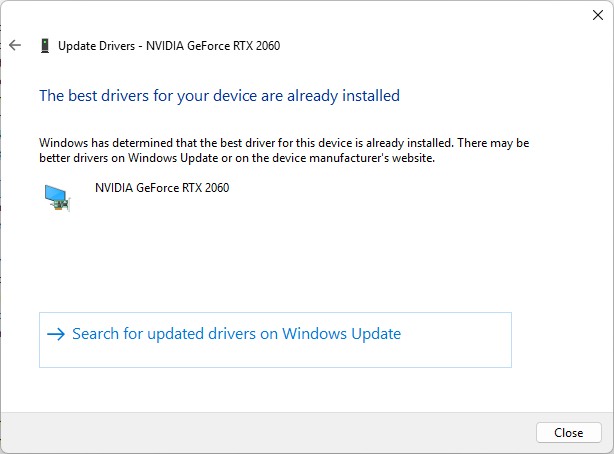 gilded kayak
if you suddenly have an issue with our GPU plugin, after updating your GPU drivers, i bet i can guess the cause of your problem
gilded kayak
...yes
topaz thorn
do you know the cause?
gilded kayak
probably the driver version you updated to yesterday, since you replied, "yes I update my drivers" when I asked if you updated your drivers yesterday
 full briar
my runelite says a fatal error has occurd even after redownloading
solid mesa
As I told you in the other channel, post the error
full briar
where
solid mesa
Here
topaz thorn
i dont think he has permission to post
solid mesa
There are multiple fatal errors
full briar
what do u mean post
gilded kayak
post the other words that are on your screen
solid mesa
Post a screenshot or the full text of what you see
gilded kayak
it does not ONLY say fatal error
 solid mesa
The clock on your computer is wrong
gilded kayak
topaz thorn
i reset my computer today
your original issue report said you have an issue with the GPU plugin, since yesterday and today, my question was, did you update your GPU drivers, yesterday
topaz thorn
gilded kayak
your original issue report said you have an issue with the GPU plugin, since yes...
no didnt yday
full briar
thank you !!
gilded kayak
so something had to have changed on your PC, right before your issue occured
full briar
sorry misunderstood what you ment at first@cooper
solid mesa
No worries, out of curiosity how far off was your clock?
 solemn spire
Hi, so !log (boss name) don't work for me. Should I not be able to write that in the All channel and still be able to show my log in the chat? !KC (boss name) works fine but not the !log but I can see others. Is there something I'm misunderstanding here perhaps?
 final axle
!log is a command from a hub plugin that no longer functions
solemn spire
ah I see and there isn't another one or am I just tripping?
gilded kayak
there is not another one
well
not for !log but the wiki will visuallize it for you
in a similar way, on the wiki site
solemn spire
thanks for the quick response! Yes I saw that but thanks either way
 solid nova
Hello, what is the hub plugin for the giant mole?
gilded kayak
i dont think we have such a plugin? you're maybe thinking of the falador diary reward, that puts the arrow on the boss
solid nova
ah okay thank's
 raw skiff
Hey guys, my runelite is stuck on downloading bootstrap, now i know for sure this is because i'm connected (on my desktop) to the mobile hotspot of my phone, because i moved houses and dont have internet yt, but man i just want to scape
So I'm wondering if anyone knows what causes this / what to change?
and yes i can open this page
 mossy swan
uhhh idk, an exe with the runelite icon but different name?
 mossy swan
it could be anything
 rigid topaz
Yeah...
mossy swan
if you are concerned about downloading like a fake rl or a virus we have these steps
haughty pumiceBOT
You've downloaded a fake client, and your account has been compromised. Remove the fake as soon as possible to minimise further damage.
The following actions should be performed from a secure computer or secure mobile device:
- Change your RuneScape password
- Remove and re-add Authenticator to RuneScape
- Change your RuneScape bank PIN
- Change your email's password
- Add 2FA to your email if you haven't got it enabled
- Check for any linked accounts by accessing the account settings page (https://www.runescape.com/account_settings)
Some fake clients also install malware, only a fresh install of your operating system can guarantee the total removal of any unwanted software.
You might also want to change any email password if you reused the same as your RuneScape account password.
Once your computer is secure, you should download RuneLite from the link available at the #welcome channel.
mossy swan
its the only way to be sure
mossy swan

 real fable
When using dev mode that insta launches jagex runelite is there a way to still get the og runelite client were u need to login with email and password
round jacinth
can you explain that better so it’s more clear
real fable
So in launching runelite through a ide to use the dev build of plugin. In order to make it work with the jagex client i had to write a startup parameter to open the “jagex runelite” client so you can login by clicking the middle. My question is is it possible to launch runelite the og way aswell for my alt accounts somehow? I believe the parameter was something like -writecredentials so it automatically logs you in
I can hop on my pc in 15 if its easier to screenshare it. Not sure how to word it better but can show it and will be easier to understand
leaden trail
The guide that tells you how to launch like that tells you how to undo it
real fable
Yeah but if i delete that file i cant launch my jagex account through the IDE i was asking if there is a fix to have 2 runelites i guess
leaden trail
It's intended for development use, not to be used long term
real fable
Sadge
round jacinth
Publish the plugin on the hub and it won’t be a problem anymore
haughty pumiceBOT
 slate saddle
Hi everyone. I just installed runelite on a new computer and only one of my profiles is synced to my runelite account. Meaning when I opened the client for the first time, only the one profile appeared as available next to "Default". Do I need to manually copy the other profile over and import it myself or can I do something to get the other profile to sync to my runelite account too?
haughty pumiceBOT
leaden trail
You need to set them to sync on the other computer first
slate saddle
leaden trail
You need to set them to sync on the other computer first
My hero! Thank you ❤️
 plain vortex
Hi, is there any way to test plugins with a jagex account character? Or does testing need to be done with a legacy account?
I have developed my own
haughty pumiceBOT
plain vortex
Tyvm
 whole spire
I've noticed a strange interaction with potion storage and bank tags
If I use a bank-tag layout I can see most unfinished pots in my potion storage EXCEPT for 'Snapdragon Potion (unf)'
You can see in my screenshots I have unfinished pots and Lantadymes show in the tag layout but the Snapdragons do not


 frank sonnet
I know there is a way to do it but im blanking. What is the way to back up or make a copy of your Runelite plugins/profile and transfer it to another computer without doing an account sync?
haughty pumiceBOT
viscid lantern
whole spire
I've noticed a strange interaction with potion storage and bank tags
If I use a ...
you probably need to clear your bank placeholder for it
whole spire
viscid lantern
you probably need to clear your bank placeholder for it
Thinking the id has changed?
I'll give it a shot
viscid lantern
no I think its trying to use your normal bank placeholder over the storage one
whole spire
So just removed my bank placeholder, and the tag from the item
Re-added and still not able to see whats in potion storage
It shows what (if I have any) I have in my bank
This is the only unfinished pot that behaves this way that I've found
viscid lantern
no idea then, I never unlocked the storage so I have no idea how it behaves/works 
whole spire
No worries, appreciate the suggestion
Bank-tags is a built in plugin right? So maybe one of the maintainers might know more
I've always been interested in contributing so maybe this will be my excuse to dive in
round jacinth
whole spire
So just removed my bank placeholder, and the tag from the item
Re-added and stil...
duplicate the broken potion
and remove the broken one
idk why it does rhat
my ranarr (unf) was a broken potion but i had them in storage, duped and removed broken and it was fine again
whole spire
round jacinth
duplicate the broken potion
😮
That worked, absolute legend!
round jacinth
i wish i knew why it happened but i cannot recreate it again after the fix lol
but at least the fix works forever 😄
viscid lantern
 ty zom!
 surreal ferry
Hi! Curious what issue is causing this, and how I would go about directly fixing it without having to remove my data for Royal Titans
 round jacinth
You’re swapping gear the game tick you loot the royal titans
Stop swapping gear as you do that and it won’t happen
surreal ferry
Ah, makes sense
round jacinth
The loot event captures a snapshot diff of the inventory between looting so the snapshot is containing equipment swaps
A #suggestions could be to include equipment in that snapshot so that the diff correctly behaves
surreal ferry
Got it. We don't have a way to manually edit our loot tracker data?
leaden trail
No
leaden trail
round jacinth
A <#474137683120095263> could be to include equipment in that snapshot so that t...
Idk if we need a suggestion, we're aware of this behavior tbh
surreal ferry
I'll just have to sacrifice my Royal Titans loot for now :P
 spring otter
I recently lost my loot tracker. Did a reset on my pc and got it back, but now it disappeared again. Is there any way to recover it through the folders somewere? I was never logged into the runelite account i had. Its years of progress down the drain 😦
haughty pumiceBOT
 frank nexus
Im so tired of this happening.... sometimes, randomly overnight Runelite will (i guess) crash, and when I return to my computer, the runelite tab is no longer active, and when I start up the client again (through jagex launcher) so many configurations/settings that I had changed/updated recently are just gone.... I am on the correct profile, logged in, everything. It is particularly frustrating because i was tracking some specific profit information in my notes section that I can't remember now, and had just made some specific changes to the custom menu swapper plugin, and i cannot remember them. This is so frustrating, and seems to happen at least once a month. Does anyone know how to prevent this from happening in the future or how to recover my lost settings??
oblique plume
Turn it off if you aren't using it
haughty pumiceBOT
To find the logs, you can do one of the following:
- If your client failed to open, click the
Open logs folderbutton. - Open the screenshot directory by right-clicking 📷
Camerabutton, navigate 1 directory up, then open logs folder. - Navigate to
%userprofile%\.runelite\logson Windows or$HOME/.runelite/logson Linux and macOS.
Upload the log files named client and launcher by dragging them to Discord. If there are files prefixed with jvm_crash dated from today, upload them too.
oblique plume
Client log could explain a little though
frank nexus
frank nexus
oblique plume
Turn it off if you aren't using it
so just exit the runelite client when I leave my computer, never leave it still open? Ex: I usually just log out of my account, leave the client still up, and close my laptop
oblique plume
Ye
frank nexus
"A fatal error has been detected by the Java Runtime Environment" i guess that can never be a good thing
leaden trail
It looks like your graphics driver is causing the JVM to crash
round jacinth
leaden trail
Idk if we need a suggestion, we're aware of this behavior tbh
I don’t think it’s on the tracker or GitHub but maybe I just forgot
I know we are aware
But idk if GitHub is 🫣
leaden trail
round jacinth
I don’t think it’s on the tracker or GitHub but maybe I just forgot
It may not be tracked but we know so 🤷
leaden trail
frank nexus
so just exit the runelite client when I leave my computer, never leave it still ...
Sleeping your system with the client open can cause some weird issues when it wakes up, and the Iris graphics driver might end up in a weird state because of that. So just closing the client when you aren't playing should avoid this.
Admittedly we don't have a ton of people who come in here running GPU on Iris graphics so it's not a commonly seen issue or anything
frank nexus
leaden trail
Sleeping your system with the client open can cause some weird issues when it wa...
so im using an uncommon driver..? I just use the most vanilla HP laptop and haven't messed with any hardware/OS stuff or anything
leaden trail
Not uncommon in the grand scheme of things but not one we see people using with the GPU plugin a lot
I'm actually kinda curious if I can reproduce this on my school laptop but I'd rather not install the release client on there
frank nexus
hmm interesting haha. I neeeed that GPU draw distance for certain activities... I have also been meaning to build my own actual PC at some point but thats a tomorrow kinda thing. For now I guess Ill just stop leaving the client open overnight lol. Thanks!
leaden trail
That's honestly the better solution anyway. Closing your client regularly makes sure you're on the most up to date version
 fickle owl
is there way to make it so runelite fps doesnt go to 10 when playing other games
idk if its windows thing or runelite thing
charred wind
If it's not enabled in your FPS Control plugin
leaden trail
Could be a few things
charred wind
it might be in NVIDIA settings or your AMD settings
fickle owl
yea fps control settings are off
 toxic tartan
my ghauth command seems kinda stuck rn :x anyone know whats up with that?
leaden trail
You can just ask whatever questions in #runelite for now
Sometimes the bot can be a bit slow
fickle owl
what nvidia settings it could be?
stone parcel
Maybe gsync, also I'm pretty sure there is one for "unfocused" or "background applications" or something in the per-application settings if you wanna check there too.
 fresh python
My screen keeps flashing green when i throw a explosive at kraken any ideas which plugin this is?
round jacinth
In runelite’s cog (the settings) enable the notification game message to see where it’s from (if it’s a notification)
 thin dragon
frank nexus
thin dragon
frank nexus
I'm getting similar issues as Jimmy here with the same sort of crash logs as them. Its happening quite frequently (every 10-30 minutes or so) Any ideas?
stone parcel
I'm not great at determining microcode versions, but you might wanna update your microcode for that processor.
Pretty sure 0x104 is before fixes.
thin dragon
what fixes if you dont mind me asking?
stone parcel
Intel 13th and 14th gen cpus have some issues that are mitigated by the updates.
thin dragon
Gotcha, I'll check that out and report back if it still seems to happen after thank you
stone parcel
Good luck! I really hope it helps, if not there is extended warranty support from what I understand.
leaden trail
thin dragon
I'm getting similar issues as Jimmy here with the same sort of crash logs as the...
This is a totally different crash from what they had, actually.
Definitely update your BIOS/make sure you're on 0x12b, and while you're in BIOS you can try disabling SpeedStep
That's actually not the most common JVM crash we've been seeing for 13/14th gen Intel recently though, which is hopefully a good sign for you since I don't know a fix for that one 😅
thin dragon
Haha just grabbed the latest bios update for my mobo, hopefully it fixes the issues, I'll try that speed step thing as well
leaden trail
If that doesn't fix it, unfortunately I don't have a known fix so fingers crossed for you
thin dragon
oof, just updated bios version/microcode and disabled speed step and it crashed immediately when I launched it
Not sure if it helps but this is the new crash log
 quaint moth
Hello, i have an problem, i can't reset my xp tracker on runelite.. i have tried like everything.. any tips how to fix that?
gilded kayak
🔧 -> ⚙️ next to xp tracker -> uncheck the very first setting save between sessions
 tough dew
Can anyone help me with this issue I'm having? I'm getting blurry lines and text using gpu plugin + stretched mode (see npc tiles and text in chatbox)

 leaden trail
try "catmull-rom" for your scaling option
tough dew
that one makes my inventory grainy and I prefer the look of xBR, I wasn't having this issue on my laptop everything was fine, but on my pc this is happening. Any fixes other than changing to catmull rom?
tender current
Hey I discussed here yesterday about my Runelite having issues and freezing on "starting external plugins". It works fine when I fire up RuneLite without Jagex Launcher but I can not login as my account is merged.. I went back to Jagex Launcher and the freezing came back as I tried to open RuneLite via J-launcher (it worked once yesterday after 2 hours of uninstalling and reinstalling, just magically started working) and now stuck at the same message again. I can not enter the "safe mode" setting as my Windows menu doesn't show the "RuneLite - configure" setup and my normal RuneLite shortcut loads up the game without giving me access to the safe mode(guess I am logged in already somehow) Is there some fix to this that anyone would know?
zealous cedar
what runelite launcher version do you have?
tender current
2.7.4, downloaded it yesterday
zealous cedar
then you do have the runelite (configure) shortcut
tender current

 livid aspen
If I leave runelite client open when I log off, close laptop and come back several hours later, there is no audio at all - the only solution is for me to close client and relaunch it from jagex launcher then all is fine. I would prefer to just leave client open, has anybody heard of this audio "issue" before or is it just expected for me to keep relaunching
tender current
Am i even in the right place searching for it? Doesnt show up here atleast for me
zealous cedar
type RuneLite (configure)
tender current
 zealous cedar
are you sure runelite is installed? weird
tender current
Yes absolutely and I do have the shortcut on my desktop also! I uninstalled and re-installed it 3 times yesterday.
If I could just access the safe mode setting I think that would help but its pretty hard without the actual setup haha
zealous cedar
if you can open command prompt and run "%localappdata%\runelite\runelite.exe" --configure that should do it too
tender current
Let me try that
 shut vine
hi all, would anyone be able to help me please? my laptop crashed and now all my plugins are gone
i have been forced signed out of RL and cannot remember ever using a gmail account to log in
haughty pumiceBOT
tender current
Omg thank you!! Safe Mode is enabled and everything seems to work fine now💯 💋
leaden trail
So that means it's a hub plugin causing your issue
If you post your logs I can try and figure it out from there
haughty pumiceBOT
To find the logs, you can do one of the following:
- If your client failed to open, click the
Open logs folderbutton. - Open the screenshot directory by right-clicking 📷
Camerabutton, navigate 1 directory up, then open logs folder. - Navigate to
%userprofile%\.runelite\logson Windows or$HOME/.runelite/logson Linux and macOS.
Upload the log files named client and launcher by dragging them to Discord. If there are files prefixed with jvm_crash dated from today, upload them too.
leaden trail
We really aren't interested in providing support for something like that
viscid lantern
 oblique grotto
leaden trail
We really aren't interested in providing support for something like that
oblique grotto
leaden trail
We really aren't interested in providing support for something like that
I understand that, is there a way to obtain these files`?
leaden trail
leaden trail
We really aren't interested in providing support for something like that
.
oblique grotto
Can't really see where my question falls into those categories honestly. I simpely asked if the repo was up, or if there is a way to get it. Got a very dysfunctional answer.
leaden trail
We aren't going to answer your questions about starting a private server or help you do so in any way
thin dragon
thin dragon
Not sure if it helps but this is the new crash log
As a heads up, I havent had much time to test anything, but I think this may be an issue with my RAM being corrupted in some way. I tried installing windows fresh and kept getting errors and troubleshooting that led me to trying to reinstall windows with only one ram stick. Seems like one of my sticks was maybe corrupted. on a fresh install of windows now I'll check back in to let yall know if that seems to have fixed the issues I was having
oblique grotto
leaden trail
We aren't going to answer your questions about starting a private server or help...
Aight, just wanted those files, guess i have to find it out on my own. Thanks for nothing.
gilded kayak
you're welcome for nothing
 swift sonnet
Is the mage training arena plugin removed or something? I dont see it in plugins and I dont see indicators automatically once I enter either
 swift sonnet
im really dumb, thanks LOL
stone parcel
thin dragon
As a heads up, I havent had much time to test anything, but I think this may be ...
If you suspect your ram to be bad there are tests like memtest86 that you can run to check btw. 😄
subtle lantern
anyone know how well runelite is running on a new macbook air m4?
stone parcel
Probably 15% more well than a m3.
Based on very little googling. 😂
Maybe less than 15 looking a little more into it.
round jacinth
subtle lantern
anyone know how well runelite is running on a new macbook air m4?
Works great
very happy with my purchase
subtle lantern
nice, i wont game on it too much. trying to decide between mb air or pro but i dont really need the pro for my productivity stuff. will only play osrs on it when traveling
subtle lantern
do you use gpu or 117hd on it or neither?
round jacinth
Regular gpu
subtle lantern
sufficient fps to do endgame pvm stuff?
round jacinth
I don’t use 117 and I imagine it works fine. I refuse to change settings between laptops and desktops
Yeah I think so, I’m not sure how the trackpad would do but wireless mouse would be good
subtle lantern
ofc mouse. thanks for the info
 limber frigate
hey not sure if i have a bug or not, but like 99% of actions i do makes a fishing xp pop up, it stacks on other xp, so its really annoying with pvm as when i barrage the fishing xp icon is all jumbled on top of eachother
gilded kayak
its from profit tracker
the last guy said he was going to report it, but like everyone who comes in here, he didn't
haughty pumiceBOT
Get support for the Profit Tracker Plugin Hub plugin here: https://runelite.net/plugin-hub/show/profit-tracker.
You can also find the support link by searching for the plugin in the Plugin Hub panel and clicking the ? button on the plugin, or by right-clicking the plugin in the plugin panel and clicking the Support menu option.
gilded kayak
if you want to
limber frigate
kk
real fable
Is there any chance anyone here knows why my Better NPC Highlight isnt working? Ever since I used my mains profile on my alt for Colosseum tiles it messed with my mains profile better NPC highlights, I wouldnt see any of them eventho they are turned on. I just reset the plugin but still unable to to tag any npc. Any clue? 👀
gilded kayak
i'm under the impression that plugin is broken
real fable
🤣
gilded kayak
i don't remember the specifics, but i know people keep mentioning it
real fable
did i reset all my settings for nothing
solid mesa
If you restart runelite after tagging an NPC I believe it works
real fable
I mean I had Pestilent Bloat in there but for some reason it didnt tag
unless i had to remove and retype it
Is there a way to get them back if i didnt restart runelite yet but cloud is enabled?
solid mesa
If you alt-f4 runelite maybe? But if you removed the config I think its gone
real fable
shieet 🤣
round jacinth
You can just normal tag bloat
It’s not like nylos or akkha where specific ids are different stages
real fable
Its not about just bloat just a example i got to in a entry
and i have big nylos highlighted etc
round jacinth
I have that list as radius makers I can reshare or I imagine some ones YouTube guide has the plugin settings to copy paste
 distant sleet
Is there a way I can filter out my own auto chat messages? adding my messages to Chat Regex doesn't work

 lean compass
does anyone know the plugin name that condenses duplicative game chat messages?
solid mesa
Chat Filter -> Collapse game chat
lean compass
ty king
distant sleet
distant sleet
Is there a way I can filter out my own auto chat messages? adding my messages to...
@solid mesa any ideas?
solid mesa
No idea, never tried before
oblique plume
it doesnt filter your own messages
 hollow vigil
Why can i not send any messages in dev channel?
solid mesa

 tiny moth
Anyone know where runelite pulls player hiscores from? Is it just the official site?
tiny moth
How do they show levels that are Unranked and are invisible on the hiscores page? Like if you have 10 def or something
gilded kayak
they dont
tiny moth
Yea they do, I'm looking at a player with 13 def, but his def is Unranked on hiscores
Yet 13 def shows up on runelite
 jade dirge
the runelite window size was locked and when i turned on my computer its still locked but this time it changed back to full screen? I tried resetting the computer and not sure if its a glitch, would it be possible to bring it back to the size i scaled it to earlier? noone touched it, so not sure why it changed
even the remember client position was on.. im so confused
any ideas?
i did force shutdown my computer when it was in sleep mode.. so ,maybe?
 fiery vault
jade dirge
the runelite window size was locked and when i turned on my computer its still ...
fiery vault
jade dirge
the runelite window size was locked and when i turned on my computer its still ...
try increasing and decreasing the height/width in the Runelite plugin by 1 pixel
it should snap back to whatever size you had
jade dirge
this? it didnt work
 jade dirge
yeah i guess i have to do that
i remixed it before anbd got used to it. i guess ill save the dimensions for next time
fiery vault
It sometimes happens to me but then I just go back to whatever dimensions I entered
jade dirge
so i changed it to (what i think) is the dimensons and locked it
game size still says 0x0 is there a way to populate it
fiery vault
Yeah just enter whatever you want
That way you'll always have the exact dimensions if it ever resizes
jade dirge
i cant find the current dimensions? i dragged my mouse to stretch it , not entering numbers
fiery vault
it doesn't auto-populate
you gotta enter it manually
for example I keep mine like this
 jade dirge
for resize type should i do keep game size or window size
i was entering numbers but its not even moving
fiery vault
game/window size just affects the plugin panel
like when you open/close it
whether it pushes into the game or out
jade dirge
ohh thanks!
yeah ill just keep this, i entered everything in game size dimensions and nothing changes, even when its not locked window size on
hopefully it doesnt become full screen on me again
fiery vault
weird that it's not affecting the window size
jade dirge
ye
fiery vault
Sorry, I'm not a dev or anything so I can't really help you beyond that
jade dirge
its okay i aprreciate your help its greatly appreciated
fiery vault
Is anyone down to test out a plugin that I had Gemini 2.5 Pro create? I tried setting up a dev environment but I had no idea what I was doing.
It's just a plugin to hide everyone that doesn't have an empty right hand (for hand egging). You're welcome to take credit and submit it, I just wanna be able to use it.
solid mesa
It probably won't even compile
fiery vault
I wouldn't know but it seemed to know what it was doing
solid mesa
Are you aware of the plugin Empty Hands Indicator?
fiery vault
yeah but it's not great when people are stacked
gilded kayak
and you think AI can solve that problem?
gilded kayak
you'll need more than hope
the AI models just make up complete nonsense for RuneLite plugins
also I see no issuess on the plugin that currently exists, asking for them to look into making it better for stacks
kind of fucked up to try and circumvent a feature of someones plugin, with AI
fiery vault
I guess I could try reaching out to whoever created it
haughty pumiceBOT
Get support for the Empty Hands Indicator Plugin Hub plugin here: https://runelite.net/plugin-hub/show/empty-hands-indicator.
You can also find the support link by searching for the plugin in the Plugin Hub panel and clicking the ? button on the plugin, or by right-clicking the plugin in the plugin panel and clicking the Support menu option.
solid mesa
Click the link, click report an issue, click new issue, tell the author what you think would be an improvement
fiery vault
Alright cool, appreciate it
And sorry, I'm just some random guy that wants to hide people who don't have an empty hand. I don't know shit about fuck.
fiery vault
I did good?
 tough dew
Can anyone help me with this issue I'm having? I'm getting blurry lines and text...
tough dew
tough dew
Can anyone help me with this issue I'm having? I'm getting blurry lines and text...
Anyone please help me with this? If you want me to stop asking let me know, I don't want to be annoying but I do wish I could get this resolved. I'm reposting because I didn't get a solution earlier. Appreciate y'all
I wasn't having this issue on my laptop everything was fine, but on my pc this is happening. Any fixes other than changing to catmull rom?
fossil summit
tough dew
Anyone please help me with this? If you want me to stop asking let me know, I do...
Try integer scaling, to see if it improves the lines. I'm assuming you tried all of the scaling options. You'll have to do that yourself. No one knows your setup, or what resolution you have.
tough dew
So integer scaling is smooth, but either the game window is really small, or when I reduce it to 0% the game window is the right size, but the interface is small. Interface scaling is set to xBR which is the one I prefer and looks smooth on my laptop, but not on pc. Mitchell looks the best as far as smoothness (text/tile markers) but inventory is jagged. I'd be happy to provide setup information, just don't know which ones to post. Resolution is at 1430x1036, I've tried messing around with it and it doesn't fix it. I've tried 1920x1080 and adjusting the original 1430x1036 by a few pixels and nothing.
I just don't know why the exact same settings on my laptop look great but on my gaming pc its like this on the same resolution and everything.
fossil summit
tough dew
So integer scaling is smooth, but either the game window is really small, or whe...
1430x1306 doesn’t sound right, right click your desktop/display settings and change it to whatever windows recommends
what kind of monitor do you have is it something with a fast refresh rate
do you have more than one monitor
tough dew
2560x1440 is my native resolution but changing the game to that resolution 1. doesnt fix the jagged lines, and 2. 1/3 of the game is spilling onto my 2nd monitor.
my main monitor is 144hz 2560x1440 and my side monitor is 60hz 1920x1080
fossil summit
unplug the second monitor
tough dew
unplugged the DVI cable from 2nd monitor and still the same issue. btw I don't have this issue anywhere else, not on windows and not in other games
 fossil summit
are you using the recommended display resolution in windows display settings


 tough dew
Yeah I turned it on to see if it would fix it earleir today. I can show screens with gpu plugin as well
fossil summit
I think that’s as good as it will get
it obviously looks much better
you won’t get perfect quality
tough dew
I do have perfect quality on my laptop with xBR on
T_T
I can deal with it if there's no solution I guess I'll just leave xBR on and suck it up
but I know somehow it can be done because it used to be perfect on my pc a couple years ago I just haven't played on my pc in a while, and I changed settings to make it look good on my laptp
I appreciate you for trying to help me though
fossil summit
I think it’s unwise to use a radically different second monitor refresh rate and resolution though
tough dew
I agree with you but it's all I have and I don't have a spare $300-500 to buy another 1440p 144hz
The gripe I have is that I don't have any issues anywhere else like windows or other games I play
only on runelite/runescape
fossil summit
other games may be fullscreen
tough dew
I mean yeah but runelite is still windowed on my laptop and it works fine
fossil summit
wherever you’re shopping that sells a monitor for that much shop somewhere else I would recommend the site dealnews for finding deals
tough dew
Alright, it probably won't be for a while I got a lot of higher priority stuff I need to save for unfortunately
fossil summit
your laptop is a different setup entirely i’m sure, different screen, GPU and doesn’t have a second subpar monitor attached
tough dew
I know this can somehow be fixed without any hardware changed because I've had it be perfect on this same exact pc and setup before. I just don't know what to fix where
2-3 years ago
fossil summit
the photos you shared i think it looks great
I would kind of advise against 184 draw distance
 fervent canyon
fiery vault
I guess I could try reaching out to whoever created it
fervent canyon
fiery vault
I guess I could try reaching out to whoever created it
You're more than welcome to reach out with any suggestions you have that betters the plugin.
tough dew
fossil summit
the photos you shared i think it looks great
This is a screenie from a few years ago. Also I'll change draw distance to 90, is that fine?

see the tile lines how smooth they are and the chat text
That was taken with this same exact pc and monitors and everything
tough dew
Yeah I wish I remembered the exact settings I had back then 😦
fossil summit
3 years is a lot of updates
 tepid robin
will this be an long update or small?
gilded kayak
4 hours
RuneLite would normally say how long the update is, but nobody remembered to turn that on before bed
xd~
tepid robin
Can happen, is nothing wrong with it! we are long happy to use Runelite! Thank you all for your service
 azure vigil
Hello,
Runelite doesn't load sadly. All I get is black screen and whenever I try to run it in administrator mode I get the error message that says the app might need an update, firewall is blocking connection or I don't have internet.
I've read to turn off the GPU settings but that didn't worked... any help?
P.s. this is my work computer, not personal computer 🙂
tepid robin
lol there is a update brother
like 13mins ago
it will take 4 hours
i have the same problem
 sleek compass
I died from a boss will my gravestone be gone when I login
tepid robin
yes Runelit will be up in 4 hours
gilded kayak
if you're getting a firewall error, that's probably seperate from the update*
azure vigil
sleek compass
I died from a boss will my gravestone be gone when I login
No, your items will be sent to deaths coffin
gilded kayak
but if it's a work computer then it's probably being blocked on purpose
azure vigil
You can retrieve them later for a price
sleek compass
Oh ok
azure vigil
gilded kayak
if you're getting a firewall error, that's probably seperate from the update*
Not specific firewall error, it's not a big company. As far as I know nothing has been blocked
 blissful storm
anyone know how long the maintenance?
gilded kayak
4 hours
viscid lantern
sleek compass
I died from a boss will my gravestone be gone when I login
Gravestones pause when not logged in so it will be there when you login
azure vigil
viscid lantern
Gravestones pause when not logged in so it will be there when you login
Interesting
blissful storm
thanks you @gilded kayak
tepid robin
@azure vigil bro i have the same issue and i play on my PC everyone has that problem ignore it, when Runelite is update approx 4 hours then it well be fixxed
azure vigil
tepid robin
<@354999199529697281> bro i have the same issue and i play on my PC everyone ha...
Will do brother, thanks for the fast reply
Was almost dying of heart attack
tepid robin
hahaha no problem you're welcome brother ❤️
 queen arch
Hi all!
Returning player here experiencing some issues regarding bad ticks. Since returning to the game around 2 months ago, I’ve noticed that I’m experiencing a lot of bad ticks when compared to the last time I actively played (around 2.5 years ago). My ping seems to be stable (fluctuating between 21ms-25ms to UK worlds) and FPS doesn’t seem to be the issue either. I’ve tried the following possible solutions already: Switching worlds/Resetting router/Reinstalling Runelite (onto a newer SSD)/Using cloudflare DNS/Using Runelite safemode/Disabling all plugins (with the exception of the tick tracker plugin)
My ticks seem to be better when my internet browser (Firefox) is closed (for which I’ve tried to disable all add-ons without success), worse when the servers are busier and worse when I’m in an instance. Really lost on what else I can try, so hoping someone here knows more.
I've included a screenshot of my latest internet speedtest, to which I'd like to add that I believe my internet is capped by my Ethernet cable (quite old) and not by the speeds my ISP is providing me with (supposed to have 300Mb/s down), however this has been the case for a while, even before I started experiencing these issues. Included it just in case! Thanks in advance and feel free to tag me in any reply ❤️
 haughty pumiceBOT
@queen arch open command prompt, type this in: ping -t oldschoolXXX.runescape.com where the XXX is your world minus 300, for example world350 = 50
oblique plume
what is a "bad tick"
round jacinth
Doing a speedtest/connection test against things that are not jagex is not valuable
i think they mean bad tick health that the tick tracker can report
¯_(ツ)_/¯
queen arch
I have mine set to send a chatbox message whenever a tick is longer/shorter than 600ms by 200ms
charred wind
run a fast.com speed test. Expand the info at the bottom and see what your "Loaded latency" or something like that is
queen arch
haughty pumice
<@150331018048569345> open command prompt, type this in: `ping -t oldschoolXXX.r...
Forgot to include in original message, I have indeed checked this before also, came back stable (some more variance than the in-game ping reveals, but still between 21-31ms)
charred wind

also fwiw, this is likely absolutely 0 to do with RuneLite and everything to do with your connection or your system not having the beef to process all of RL and whatever else you're trying to run in the background (like Firefox)
queen arch
I kinda figured as much but I've asked all of my close osrs friends already 😭, didn't plan on asking here initially since I didn't think it would be a RL related issue
leaden trail
I'm honestly not sure if the hub plugin for tick length is actually at all reliable tbh
round jacinth
for a glance it is fine but to use it as a reportable metric for here it is not ideal
queen arch
I can definitely tell when I'm in combat, it's not solely based off of what the plugin tells me
Both visual delay in movement and prayer flicking is really janky sometimes
round jacinth
get a recording and it can tell if it's internet or client
queen arch
Will do!
queen arch
round jacinth
get a recording and it can tell if it's internet or client
Recorded for +- 4 minutes and this is the only instance I got (pretty typical when ur trying to show others it's not just in ur head)
viscid lantern
looks fine to me?
round jacinth
? where is the lag
queen arch
Also probably not unimportant, but I don't notice any issue on any other games I play (PUBG, Rocket League, League of Legends)
Also, as soon as I teleported out of the catacombs my entire chatbox got spammed red again
round jacinth
oh that
queen arch
the movement just before I missclicked eagle eye
viscid lantern
still looks fine
queen arch
That thing just happens quite often
viscid lantern
if you click just at the start of a gametick its gonna take 0.6 seconds before anything happens yes
charred wind
+1 to all the that looks normal to me
round jacinth
that chat message fucks up when going across loading lines
charred wind
tick tracker is snake oil --- may as well be bot detector
round jacinth
and its been doing that for ever
viscid lantern
the hub plugin is just spamming made up numbers basically, dont rely on it and definitely dont expect it to be accurate
round jacinth
you can see that the two numbers added up for long/short time is equal to ~1200 ms
because its miscalced in the plugin, ignore that messsage
 queen arch
Ok I get the loading line absolutely, but me just purely standing AFK at the ardougne monastery currently and getting these constant messages is not due to loading line
Is the plugin just that unreliable?
round jacinth
ignore the message as its probably wrong
viscid lantern
yes
round jacinth
yes
oblique plume
yes
charred wind
yes
queen arch
Alright, thank you for the help everyone, really appreciate it ❤️
 verbal latch
anyone know why runelite doesnt reset xp/hr after each login?
viscid lantern
you can turn that off in the xp tracker settings, its the first option
verbal latch
awesome thank you!
 wide pebble
how do I actually customize the notification sound that plays? I don't see where to select it, and neither hover-over the option, or the plugin wiki https://github.com/runelite/runelite/wiki/Slayer explains it
 zealous cedar
add the notification sound you want to the notifications folder
haughty pumiceBOT
Place the files for the feature you want in %userprofile%\.runelite on Windows or ~/.runelite/ on Linux/OSX
The names and type for the files are:
- Custom cursor:
cursor.png - Custom default notification sound:
notification.wav - Custom specific notification sound:
<name>.wavin.runelite/notifications, then select<name>in the notification sound dropdown - Custom login screen:
login.pngImage size 765 x 503 recommended, larger images will be (simply) scaled down automatically.
oblique plume
thats the Custom specific notification sound: section
 civic bloom
Hi guys im having a lot of random crashes with no popup. anyone able to help? i have my crash report from the logs file
charred wind
!logs
haughty pumiceBOT
To find the logs, you can do one of the following:
- If your client failed to open, click the
Open logs folderbutton. - Open the screenshot directory by right-clicking 📷
Camerabutton, navigate 1 directory up, then open logs folder. - Navigate to
%userprofile%\.runelite\logson Windows or$HOME/.runelite/logson Linux and macOS.
Upload the log files named client and launcher by dragging them to Discord. If there are files prefixed with jvm_crash dated from today, upload them too.
civic bloom
civic bloom
charred wind
!logs
thankyou
charred wind
Is that this issue? https://github.com/runelite/runelite/issues/10628

GitHub
A fatal error has been detected by the Java Runtime Environment: # # EXCEPTION_ACCESS_VIOLATION (0xc0000005) at pc=0x03d9c70d, pid=15208, tid=9740 # # JRE version: OpenJDK Runtime Environment (11.0...
leaden trail
Definitely update your BIOS because you aren't on the microcode that prevents that CPU from cooking itself
leaden trail
charred wind
Is that this issue? https://github.com/runelite/runelite/issues/10628
I've yet to see the resolution to this work for any JVM crashes on 13/14th gen Intel
I haven't actually seen a crash resolved by that in quite a while
civic bloom
leaden trail
Definitely update your BIOS because you aren't on the microcode that prevents th...
ill update my bios and see if that helps. i have been having other stability issues as well. was hoping maybe the crash log from RL could give me some insight into whats going on
leaden trail
You can try disabling SpeedStep in BIOS as well but I'm not sure we know of a reliable resolution for this crash unfortunately. There are a lot of people with issues on 13th and 14th generation Intel CPUs
civic bloom
leaden trail
You can try disabling SpeedStep in BIOS as well but I'm not sure we know of a re...
owch that sucks. maybe time to go amd. maybe a blessing in disguise lmao. thanks for the help
stone parcel
I hear there is extended warranty support from intel for these issues, so you might not have to purchase a new cpu yourself. 😁
 raw kiln
how do i include my character name in the client bar for screenshots?
 ashen laurel
hey, I'm trying to change the notification sound in runelite, so I took a notification.wav file I made, dropped it in %USERPROFILE%/.runelite and changed the runelite setting to custom, however the sound that runelite uses is NOT the one from my .wav file. anyone know why this is happening or what I have to do to make this work?
haughty pumiceBOT
Place the files for the feature you want in %userprofile%\.runelite on Windows or ~/.runelite/ on Linux/OSX
The names and type for the files are:
- Custom cursor:
cursor.png - Custom default notification sound:
notification.wav - Custom specific notification sound:
<name>.wavin.runelite/notifications, then select<name>in the notification sound dropdown - Custom login screen:
login.pngImage size 765 x 503 recommended, larger images will be (simply) scaled down automatically.
oblique plume
usually that means the file isnt encoded correctly
raw kiln
oblique plume
are you saying the name isnt there
yes, that the name isnt there

 ashen laurel
i encoded it using audacity maybe it screwed it up
oblique plume
we tell people to use that
raw kiln
t hanks! i simply overlooked it 🙂
ashen laurel
if I drop it in the /notifications folder then whatever I named it should come up under this dropdown?
 solid mesa
You need to customize it where the notification is sent, like in idle notifier
oblique plume
depends on what youre changing
if youre looking for a named file its only supported when configuring specific noitifications
ashen laurel
hmm
 oblique plume
if you delete the .wav is it still a wav file
oblique plume
works for me
 grand flame
Whenever I change the color of my RL infoboxes, it always turns back to the default. why is this?
oblique plume
resource packs
grand flame
can i disable it?
oblique plume
yes
grand flame
where? lol
oblique plume
the plugins settings
ashen laurel
oblique plume
works for me
Hmm so just to make sure, I put the file in ~/.runelite, go to runelite settings, change notification sound to custom, then it should work for example like idle notifications?
oblique plume
yep
 hoary junco
Hey guys, been struggling to figure out how to enable loot beams with ground items plugin. Can't seem to get the settings right for it. Could I trouble anyone for some assistance?
hoary junco
hoary junco
Hey guys, been struggling to figure out how to enable loot beams with ground ite...

 leaden trail
That's set so items need to be 10m to show a loot beam
hoary junco
I change lootbeam tier then?
hoary junco
Okay I understand now thank you!
 humble pine
any ideas on why I suddenly cant see overhead chats? and yes my public chat is on. This just happened in the past two days. I can see chats in chatbox but not overheads. Also, I can see my overhead chats.
 mortal pond
you probably have entity hider's "hide others 2D" enabled
 robust kernel
I'm assuming that RL are aware, but there's some weird behaviour where items worn are being counted as loot from Royal Titans
IIRC this also happens in some weird edge cases with Araxxor?
I'm assuming it's not a plugin specific issue, since it happens in both Dink and Loot Tracker

 oblique plume
ye
solid mesa
Yea it happens when you switch worn items the same time you loot
robust kernel
ahhhhh that's what triggers it
cool i can spam scy drops at araxxor now 😉
but fr, all good - just though it was worth mentioning on the off chance you weren't aware
 real tusk
Hey I just figured out why my loot tracker data was gone a long time ago and it's because I got another RSProfile with the same name. It's about 50/50 in the amount of loot between the two now. Is there a way to merge the two back to one?
solid mesa
No
real tusk
Too bad. At least I have the json
 ancient kelp
i have to redownload my plugins everyday. is that normal?
solid mesa
That is not normal
charred wind
is this a filepermissions command moment
oblique plume
usually
civic bloom
leaden trail
You can try disabling SpeedStep in BIOS as well but I'm not sure we know of a re...
looks like updating bios fixed the issue. thanks again for the help
 left swallow
Any idea why better NPC highlight- plugin is only hiding my thrall and not outlining it?
 gilded kayak
plugin* is broken i believe
solid mesa
If you restart runelite it might work
viscid lantern
changing the settings makes it break, restarting might fix it
gilded kayak
is quite a while like 2 weeks
left swallow
at least
left swallow
I'll try resetting, not that big of a deal but tried fixing it for a while and figured id ask here 😄
Okay! What I have found out now.
If you change setting (IDs, colors or even turn on/off the whole plugin) the outlining doesnt work and always requires a reset of runelite.
Why this hasnt worked for me in a long time is mostly for me having it off most of the time, and turning it on for certain content independently. Thats why it hasnt worked for a long time.

Thanks for help!
viscid lantern
glad you got it to work!
solid mesa
Yea the plugin only breaks when you change a setting to my knowledge
left swallow
Weird part is, i use the same plugin to hide and outline sotetseg. But I havent had any issues with that, but thralls are not shown, which is weird
It also does hide the thralls even after chaning settings, so that doesnt break. (I do not use the entity hider plugin)
livid aspen
If I leave runelite client open when I log off, close laptop and come back several hours later, there is no audio at all - the only solution is for me to close client and relaunch it from jagex launcher then all is fine. I would prefer to just leave client open, has anybody heard of this audio "issue" before or is it just expected for me to keep relaunching
fossil summit
livid aspen
If I leave runelite client open when I log off, close laptop and come back sever...
there’s no setting to influence this behavior & no one knows why it happens, you might find success in unloading/loading your audio drivers but no guarantees
 ashen anchor
anyone know what this is from?
 solid mesa
Hunters Rumours
ashen anchor
turning on hunter rumors plugin overrides it to my rumor. but turning it off shows this
I just uninstalled hunter rumors and it still shows this
solid mesa
Turn off the plugin and restart the client
 blissful knot
Good evening, I've learned yesterday that the vanilla bank tab plugin supports using the potion storage for bank tabs, as opposed to the plugin from the plugin hub. However, I observe a really weird interaction with the potions.
If I use the bank interface to select the amount of items to withdraw, everything works fine. But when I try to use the right click menu, things behave weird. All of my withdraw N options withdraw the amount of the previous option.
Withdraw 1 still removes 1, withdraw 5 removes 1, withdraw 10 removes 5, withdraw X removes 10, withdraw All opens the set X chat interface, withdraw all but one withraws all (and technically no way to remove all but one using the menu)
This is also an issue if I try to use shift click to remove all (as it also opens the set X chat interface).
I've tried using a new profile and safe mode too, but I experience the same behavior. I could not find anything about this, any guesses what might be the problem? My friend has no such issue
solid mesa
Turn off bank item options
 blissful knot
Ahh, that actually does fix it
so the trick is to enable it only for the time when I want to configure charges
solid mesa
It'll probably be fixed in the next runelite update
blissful knot
gotcha, thanks for the quick help!
 limpid jetty
Hi, I am unable to run 2 clients simultaneously . can anyone help?
solid mesa
What does unable mean? Bad performance? Fails to launch? An error message?
limpid jetty
when I click on the duplicate, it just opens the same window as the one I am already on
 dapper matrix
Hello, Ive been having a problem with better discord loot logger. It will not post my Collection log in our server or Drops over $ threshold. it works for my main but not my ironman account, any idea why? I have the correct link set in the plugin
haughty pumiceBOT
Get support for the Better Discord Loot Logger Plugin Hub plugin here: https://runelite.net/plugin-hub/show/better-discord-loot-logger.
You can also find the support link by searching for the plugin in the Plugin Hub panel and clicking the ? button on the plugin, or by right-clicking the plugin in the plugin panel and clicking the Support menu option.
solid mesa
But I’d recommend switching to Dink
dapper matrix
its worked for me and works for everyone else jsut fine jsut not for my iron. Not sure what you mean i already have that plugin
solid mesa
You already have Dink and Better Discord Loot Logger?
dapper matrix
What is dink
solid mesa
An alternative to all the other discord plugins that is much more updated and feature complete
dapper matrix
well im sure they arnt gonna switch every clan member for me lol trying to find a solution not a switch
solid mesa
You use the same web hook. Not everyone needs to change
leaden trail
Dink is basically every other discord webhook plugin on steroids, it's pretty rad
 turbid owl
Hey y'all, just joined to see if I can get some help troubleshooting a problem I'm having
round jacinth
What is your problem?