#support
1 messages · Page 65 of 1
 twin scroll
 sonic birch
I already tested it myself, but don't have time to run a perma dev build rn. I know at least one admin who does
It will be live at some point
 median wolf
hey bro can you add me
 severe ether
sonic birch
Some discord overlay probs
severe ether
sonic birch
Some discord overlay probs
i think youre right the overlay pops up when launching runelite, never did before. any idea how to fix? thank you so mcuh
 gilded kayak
discord settings
severe ether
thank you everyone, problem appears to be solved!
median wolf
anyone know how to use F keys on Mac?
When on runlite im unable to use them to switch to prayer,magic, etc
 stone parcel
Were you not able to find that system setting that Cooper showed?
median wolf
i cant find it to save my life lol
stone parcel
Dang. :/
Google claims "You can set which way this behaves in System Prefs > Keyboard > Keyboard
'Use F1, F2, etc. keys as standard function keys'" but idk.
 digital lake
is there a way to hide my stats from "lookup" ?
and only way for them to see my stats will be to look at the higscore from runescape website.
I kind to want to keep my stats private when I will go pvp
gilded kayak
no
it's a feature of the game that Jagex supplies, they don't allow for any form of blocking towards 3rd party usage, such as RuneLite
digital lake
gilded kayak
no
you sure? I encountered a couple people where it show nothing on the higscore from "lookup"
gilded kayak
that's because Jagex does not supply any information for them, due to their stats being too low
you have to have a stat in the top 2m users, for it to show up
which is 60atk for example
digital lake
ok I am visible with low stats prob cause im ironman
gilded kayak
yes ironmen have their own hiscores
median wolf
stone parcel
Google claims "You can set which way this behaves in System Prefs > Keyboard > K...
found it thanks! also thanks to Cooper for helping.
 red fox
Is there a way to make Runelite not open a new app in Dock when it's used by Jagex Launcher?
Mac
sonic birch
Oh, I thought it did that by default as people had to use the run command or smth like that to run 2 instances
But I've never used macos so 🤷♂️
 solid mesa
It just makes a duplicate icon, there's something you can change with the launcher I think. Reflective? I haven't done it but seen it mentioned somewhere on github
 haughty pumiceBOT
solid mesa
haughty pumiceBOT
solid mesa
I think you want --launch-mode=REFLECT
sonic birch
Oh, he wants the taskbar icon behavior to be different
Yh, that is launch mode auto vs reflect
 simple atlas
hey just wanted to double check something for the future - I've taken what was saved on that profile as my starting point to build from again (adding missing plugins back and changing settings back to how i had them). To avoid this from potentially happening again in some form, as long as I am logged into Runelite, have the correct profile selected and have cloud sync turned on, should all my Runelite settings, pluginhub plugins and plugin setting data be saved and ill be all good from here :)? thanks :D
gilded kayak
everything that the plugins save to the profile, so for example, soundswapper creates it's own folder in the .runelite folder, for you to put your audio clips
those would not be synced
simple atlas
gotcha okay, thank you ever so much for your help!
 native citrus
Am I trying to toggle the wrong plugin to get rid of these daily task overlays?


Sorry if not the rigght place for the question, it's been driving me nuts for a while now
gilded kayak
well I see a plugin on the hub called daily tasks and it says daily infoboxes to annoy you to do your tasks
so it seems to be working
well, it's trying to work but u wont do it
native citrus
gilded kayak
well I see a plugin on the hub called `daily tasks` and it says `daily infoboxes...
That one doesn't appear the be the culplrit 😢 I might have to just do them
 gilded kayak
did you restart the client after uninstalling it
native citrus
I never had the one installed that i know of, I only have 'Daily Task Indicatior' which I can't see an uninstall for
but yeah i have restared
gilded kayak
yes you can't uninstall default plugins, but none of the default plugins do that afaik
!safe
haughty pumiceBOT
safemode: To enable safemode
Windows
Run the RuneLite (configure) shortcut from the windows start menu
Tick the Safe mode box, save, launch RuneLite the way you normally do.
Mac
In Terminal, run
/Applications/RuneLite.app/Contents/MacOS/RuneLite --configure
Tick the Safe mode box, save, launch RuneLite the way you normally do.
gilded kayak
if they don't show up in safe mode, it's one of the other plugins from the 
i could only guess daily tasks because it came up when i searched daily and claimed to do exactly what was hapening
native citrus
Oh it's gone now thank you so much. I had to install an old profile and wasnt sure what it was. Thank for your time
 magic pagoda
if I've (apparently at some point) upgraded to a Jagex account, can I still use RuneLite?
 final axle
yes, you can launch runelite from the jagex launcher
 bright dew
https://i.imgur.com/1IsWe3W.png
How do i get rid of this overlay
I made a new profile and turned off literally every plugin and it still shows
 gilded kayak
did you restart the client
gilded kayak
was the restart after turning off every single plugin
bright dew
No
gilded kayak
well do that
 summer star
@zealous cedar Hey im having an issue with runelite chat commands my !kc command is turned on however it does nothing. can you please fix this i would appriciate it very much
 crisp dune
Chances are your client is not able to reach our API server if it's not able to show results from that then
What kc are you looking up?
summer star
okay so how do we fix this? and all the kc commands dont work
other commonds work tho so i dont thing thats the problem
 panel?
summer star
panel?
summer star
 crisp dune
When did you last kill zulrah?
summer star
idk year and a half two maybe
crisp dune
It's possible we could have changed something in the plugin which would mean that whatever is saved on your client isn't what the plugin is now looking for. Did this work recently, or is this the first time you've tried it?
P.S. you can use !lvl zulrah if you want, since that does a hiscore lookup, rather than trying to find saved data from your client seeing a zulrah kill
 spare kindle
Anyone know why commands arent showing in my private chat? (pb's, lvls, kc, etc)
 jolly basin
Is there a reason why my client has been having these lag spikes every now and then? I've noticed that it started happening two or so weeks ago, I haven't installed any new plugins which would cause this. It's a lag spike comparable to the one you typically get when the game crossed a loading line and has to load the next chunk. I also noticed that it happens a lot when I focus on the client again after having my cursor on an open browser window nearby.
sonic birch
jolly basin
Is there a reason why my client has been having these lag spikes every now and t...
!flow
haughty pumiceBOT
flowchart: Please refer to this flowchart for further troubleshooting.
sonic birch
If it happens in aafe mode, check if it also happens in safe mode wirh the sidebae closed
 unreal prairie
Can anyone id the plug-in that gives this timer?
 sonic birch
!flow some hub plugin
haughty pumiceBOT
flowchart: Please refer to this flowchart for further troubleshooting.
 lime dragon
is there any way to get back a jagex acount if you lost the codes off autenticator app and you dont got backup codes??
because i recently maxed the acount bought 1 year membership even apealed ticket at jagex with all bank details etc but it was denyed
haughty pumiceBOT
newplayer: If you are new to OSRS, make sure to follow this excellent guide on OSRS wiki: https://oldschool.runescape.wiki/w/New_player_guide. You can also join the official OSRS Discord here: https://discord.gg/osrs
lime dragon
 round jacinth
You’re better off asking jagex for help
round jacinth
You’re better off asking jagex for help
in a bad place off my life i got myself banned from that discord
if i could join i would have
 leaden trail
We still can't help you with account issues, we aren't Jagex
lime dragon
leaden trail
We still can't help you with account issues, we aren't Jagex
neither can jagex so i guess i quit then gg
because i refuse to build up a new acount
 mossy swan
maybe reach out to their billing support if you bought membership recently
lime dragon
mossy swan
maybe reach out to their billing support if you bought membership recently
to get my 1 year membership back?? they wont do that lol neither will they give my acount back tryed both
 swift nimbus
i cant finish this quest because i get attacked by npcs is there a workaround
 leaden trail
 silk fox
Is there a way to increase sharpness when using stretched mode?
or an alternative to stretched mode to increase the size of the inventory when bossing to avod it being so small
 zealous cedar
adjust the ui scaling setting in the gpu plugin. there are a few options which vary depending on how much you are upscaling
silk fox
even with those its still not as sharp
its fine but id like it super sharp (if possible)
 opal bramble
any ideas?
 sonic birch
silk fox
even with those its still not as sharp
sonic birch
silk fox
even with those its still not as sharp
!config set scale to 1.0
haughty pumiceBOT
sonic birch
Then select catmull-rom in the UI scale algo, or select xbr but only if you are integer scaling
sonic birch
opal bramble
any ideas?
!logs
haughty pumiceBOT
To find the logs, you can do one of the following:
- If your client failed to open, click the
Open logs folderbutton. - Open the screenshot directory by right-clicking 📷
Camerabutton, navigate 1 directory up, then open logs folder. - Navigate to
%userprofile%\.runelite\logson Windows or$HOME/.runelite/logson Linux and macOS.
Upload the log files named client and launcher by dragging them to Discord. If there are files prefixed with jvm_crash dated from today, upload them too.
opal bramble
 reef cedar
for the Ground object hider and skybox to work, is it possible to somehow setup the 117 HD plugin or does it mess everything up? seems like with the 117 HD I cannot get the skybox the desired colour
opal bramble
that file?
sonic birch
You seem to not be able to connect to runescape's servers or repo.runelite.net
sonic birch
reef cedar
for the Ground object hider and skybox to work, is it possible to somehow setup ...
!hd
haughty pumiceBOT
Visit 117's HD plugin discord (https://discord.com/invite/U4p6ChjgSE) for support, issues & feedback
zealous cedar
opal bramble
try now?
opal bramble
Tahnk you internet person, its loading me in now
lime dragon
swift nimbus
i cant finish this quest because i get attacked by npcs is there a workaround
learn to freeze
 vital jacinth
 vapid pumice
i opened unelite on a different computer and logged in it loaded an old version of my profile, and when i went back to my main pc the profile i had was replaced with the old one. am i cooked?
leaden trail
If you synced an old version over the new one, kinda
vapid pumice
D:
 proud granite
Hey Guys!
Issue is randonly but at least every few mins the client will freeze for 2-3 seconds. I run 2 accounts and on the 2nd account it was doing it. Soloution for this was starting a fresh profile and now just setting it up adding plugins in aplhabet order, no freezing yet.
The problem has now started on my main account, under a different profile.
Is there a way to view plug in changes / install date / time so I can try to backtrack a little and see which one is causing the issue for me?
zealous cedar
The logs will show it
proud granite
I followed the guide to find the logs section, sorry but how would I then find the info im looking for?
zealous cedar
there is a log message "Loading external plugin" whenever it loads a plugin
 sonic sky
my collection log seems stretched out and not showing any green logs... any idea why?
 zealous cedar
they semi recently made the collection log interface resizable, so you probably have resized it
sonic sky
how do i reset it? ive not messed around with it or anything
sonic sky
i cant resize it, holding the alt key like i would on other things doesnt show a yellow box around it
zealous cedar
the collection log isnt a runelite overlay, its just part of the game
you can just click and drag the bottom-right corner
sonic sky
ohh my mistake..
when collection log plugin is disabled it fixes green logs issues but when its back on again its shows none
sonic sky
np ty
 rough anvil
Does this mean RuneLite is using the internal/built in shit GPU instead of my actual GPU? If so, how can I switch?

 zealous cedar
the logs will tell you which gpu runelite is using
rough anvil
that should explain why my laptop hits 100C from playing OSRS
 charred wind
you should look into forcing applications to use your dedicated gpu on your laptop
there's usually a bios setting to do this which basically completely removes the onboard graphics
rough anvil
zealous cedar
the logs will tell you which gpu runelite is using
how can I check this
!logs
haughty pumiceBOT
To find the logs, you can do one of the following:
- If your client failed to open, click the
Open logs folderbutton. - Open the screenshot directory by right-clicking 📷
Camerabutton, navigate 1 directory up, then open logs folder. - Navigate to
%userprofile%\.runelite\logson Windows or$HOME/.runelite/logson Linux and macOS.
Upload the log files named client and launcher by dragging them to Discord. If there are files prefixed with jvm_crash dated from today, upload them too.
rough anvil
doesnt say anything about gpu in those files
leaden trail
zealous cedar
the logs will tell you which gpu runelite is using
Task manager shows it using the integrated GPU too, it says GPU 1
leaden trail
rough anvil
doesnt say anything about gpu in those files
Post them here
rough anvil
thats the latest one
leaden trail
Well your client is kinda angry, to start
Restart your client and post your client.log and launcher.log again
sonic birch
Using device: NVIDIA GeForce RTX 2060/PCIe/SSE2
sonic birch
if it's a laptop, it might also be based on the power plan, and if you have your laptop plugged in or not
rough anvil
plugged in, no power saving things on
leaden trail
Are you on high performance as well?
rough anvil
no just the standard mode
leaden trail
Try high performance
rough anvil
weird now it changed in task manager too (havent changed to high perf yet)
Its switching back n fourth lol


like every other second or so
chilling on 0 now, rip no hope for me thought I was about to get a huge boost in performance lol
 idle wasp
is there a way to resync rl hiscores collection log count? it's off for me by 1
being:
 sonic birch
Idt we track any of those ourselves, and they're all done by jagex?
Unless we implemented it incorrectly somehow, but you should check what the jagex hiscores show for your account
zealous cedar
hmm lol you could report a bug to jagex maybe
 glossy forge
Is there a way to make the side menu larger? Scaling is funky on Linux. e: Guess ill just play with my monitor scaling, seems to works
 leaden trail
idle wasp
is there a way to resync rl hiscores collection log count? it's off for me by 1
leaden trail
idle wasp
is there a way to resync rl hiscores collection log count? it's off for me by 1
This might be unique items in-game and total slots filled on the highscores
rough anvil
cool to see the founder himself helping out in here, proper lad!
leaden trail
1568 unique entries but 1766 total slots
 stark harness
Howdy, helping a friend troubleshoot their rlprofiles. None of their profiles are showing up in the tab while logged into their usual email. However, the profiles appear in the profiles2 folder. Was working yesterday.
Their RL loottracker data appears as normal on runelite.net using the same email.
What is the safest bet to keep all their settings and data intact? Should they import from the profiles2 folder first? Download the latest client and hope that solves everything?
Tried:
- Restarting comp and client, relogging into client with email

Any idea why the profiles aren't showing up if the profiles are present in profile2? Any guidance would be appreciated. Thanks!
mossy swan
!lost
haughty pumiceBOT
stark harness
So re-importing those profiles are a safer bet than reinstalling client?
round jacinth
reinstalling doesn’t change settings
stark harness
Want to prevent profile splitting and any weird overwriting, if possible
round jacinth
Profiles are singular and not split into pieces
 dusky sky
hey yall been using the inventory layouts plugin for a bit and like it quite a bit, is there a way for me to use those layouts kinda like the core bank tags? like instead of right clicking the top right, just left clicking an icon on the left like the core bank tags plugin:

sorry if there is a better place to post this
round jacinth
You can make a layout in a bank tag through core without the hub plugin
Idk what you’re asking tho
leaden trail
stark harness
Howdy, helping a friend troubleshoot their rlprofiles. None of their profiles ar...
Have them come in here tbh, troubleshooting through middleman makes our lives a lot more difficult
round jacinth
Yeah the game of telephone is bad
stark harness
round jacinth
Profiles are singular and not split into pieces
sometimes they 'split' when you're swapping between computers. just trying to avoid that
i hear ya will get them in here lol
round jacinth
Just enable cloud sync
They can’t split if they sync
 click this in the profile panel on the profiles you want synced
dusky sky
the inventory layouts plugin doesn't work with potion storage if inventory layouts is enabled is why im trying to switch, just trying to be able to left click an icon vs right click the show worn items and parsing the list for the layout i want
sorry that wasn't too clear, kinda odd question
 warm escarp
heyy wonder if anyone can help...recently the last few days my client been crashing then logging em out with "malformed login packet" ive looked online for sollutions but im seeing something to do with resetting the default web browser...which i have done numerous times..i only have microsoft edge as internet explorer on my laptop...any1 been through this or know how to resolve?
round jacinth
Malformed packet is just bad internet
stark harness
@fickle quest welcome friend! The kind, wise runelite support folks are gonna help you out! 🙏
 fickle quest
hi im the problem
dusky sky
lol hi problem
stark harness
havent imported yet
dusky sky
im guessing the solution for what im wanting would be a feature needed in the inventory layout plugin, but wasn't sure if it already exists somehow and im just blind
leaden trail
dusky sky
im guessing the solution for what im wanting would be a feature needed in the in...
You need to use core bank tag layouts for it to work rather than the hub one I think
dusky sky
yea thats where ive kinda landed as well, i can have one or the other work with storage but not both
leaden trail
I think the hub one is kinda slowly being phased out in general as I understand it
round jacinth
stark harness
Howdy, helping a friend troubleshoot their rlprofiles. None of their profiles ar...
They need to click add or import or what ever from the  tab and select probably the one named Main-0
Or which ever one ends up being right
dusky sky
oh really? that suprises me i find it much easier to use especially when i have a ton of presets
round jacinth
Then it’ll show up in the list to switch to
round jacinth
dusky sky
oh really? that suprises me i find it much easier to use especially when i have ...
Core does everything the hub does and also supports potion storage.
You don’t need a hub plugin to do core’s job.
stark harness
round jacinth
They need to click add or import or what ever from the <:profiles:11835607720229...
@fickle quest follow this, the 2nd to last option Main-0 and let us know if it works
round jacinth
It will work, then enable cloud sync on it so it stays synced between devices
stark harness
click this in the profile panel on the profiles you want synced
dusky sky
gotcha, i much prefer the core one when i keep the total layouts small but ive got like 50 different ones in the plugin hub version and its much easier to find layouts from that right click menu compared to doing right click -> view tag tabs then left clicking the tab, or scrolling and looking at icons
appreciate the help yall provide here btw, cheers
fickle quest
alright that seems to have done it
round jacinth
You can import the hub ones into core btw
dusky sky
yea that might end up having to be the play, and just getting used to navigating the monster scroll menu lol
round jacinth
I like how you two knew how to find the profile files but didn’t bother to click the import button or what ever to see if it would add it in
round jacinth
haughty pumice
**lostsettings**: <https://github.com/runelite/runelite/wiki/FAQ#my-plugins-are-...
And this was provided to you lol
🙃
stark harness
i just wanted to check that import was the safest 1st step lol
round jacinth
It’s the only thing
fickle quest
so is there anything else that needs to be done?
stark harness
Appreciate your help @round jacinth
round jacinth
Unmoon helped first I just held the hand
stark harness
and Unmoon, ofc
dusky sky
on the topic of cloud sync, is there a way to manage cloud saves that isnt via a runelite client? i have an issue when i login to rl, it keeps syncing a fresh profile with a blank name and i get stuck in reimporting hell
sonic birch
dusky sky
gotcha, i much prefer the core one when i keep the total layouts small but ive g...
That's still core.
dusky sky
im talkin about this list

i assume thats from inventory layouts?
thats from right clicking show worn items
sonic birch
That is IS indeed, but I think zom was talking about core layouts vs hub layouts
Can just fully remove the hub layouts one if you use the core layouts
dusky sky
yea ive got stuff in both and it sounds like best option is to just pick one
sonic birch
You can also make a tagtabs tag tab to display all of them more quickly, but it's not as a list indeed
dusky sky
that might be a good fix, a ton of these get used extremely seldomly ty
so like i can make a folder for them effectively?
blind man here not seeing how to do that
sonic birch
The tag tab just more quickly accesses that right click "view tag tabs" option
I think we got some info on it on the wiki, or just on my issue on the wikik
dusky sky
oh i assumed these were different, like those layouts in the right click are from inventory layouts plugin hub, and the core ones are the icons on the left side of bank
sonic birch
ah yes, it's in my issue https://github.com/runelite/wiki/issues/91
sonic birch
dusky sky
oh i assumed these were different, like those layouts in the right click are fro...
they are, but you can more easily get an overview of the bank tags when you create a tagtabs bank tag
enfin, it doesn't matter that much
 static ivy
I'm having trouble identifying what plugin is causing a notification sound when I accept a trade.
Things I know its not:
- Chat Notification "Notify on trade"
- Watchdog
- Screenshot "Notify when taken" combined with "Screenshot trades"
sonic birch
runewatch
 torpid wedge
if i have hide under set to 11k, why is this showing up?
 dusky sky
ohhhhhhhhhhhhh, i see what you are saying
static ivy
sonic birch
runewatch
thank you
torpid wedge
i hide it and then its hidden if its over 11k so idk what to do here lmao
leaden trail
static ivy
I'm having trouble identifying what plugin is causing a notification sound when ...
Runewatch probably
dusky sky
a "tagtabs" bank tag does the same as right click -> view tag tabs. im tracking ty that works for me
i assume the process of exporting from inventory layouts and importing ino the core one is a one by one manual process, i can't really automate it somehow
time to lock in and click like a mad man for half an hour haha
sonic birch
it's one by one yeah
I was looking at adding some batch option at some point, but then I got very busy, so now it's down on my to do
dusky sky
yea makes sense, pretty rare use-case compared to a ton of other stuff
dusky sky
torpid wedge
if i have hide under set to 11k, why is this showing up?
its because of their high alch value
that stack alchs for 23.7k, so if u set it to 24k itll hide
torpid wedge
oh shit okay
dusky sky
on the topic of ground items, is there a way for me to be more specific about hiding items? like say i wanna hide big bones, but show noted big bones
only thing ive figured out so far is being picky about that hide under value
gilded kayak
i tend to use item<#
dusky sky
oh? i can do operators in the hidden items section?
gilded kayak
u can do < and > ye
dusky sky
blew my mind right there, ty king. no clue i could do that
 surreal seal
hi, anyone know where does model exporter export on linux? i cant seem to find .runelite folder at all
dusky sky
i was tempted to check out the poe-esque lootfilter plugin that got posted on reddit but this can make what i want work
haughty pumiceBOT
Get support for the Model Exporter Plugin Hub plugin here: https://runelite.net/plugin-hub/show/model-exporter.
You can also find the support link by searching for the plugin in the Plugin Hub panel and clicking the ? button on the plugin, or by right-clicking the plugin in the plugin panel and clicking the Support menu option.
leaden trail
surreal seal
hi, anyone know where does model exporter export on linux? i cant seem to find ....
Follow the instructions there and ask them tbh ^
surreal seal
them? the plugin maker?
leaden trail
Yes
surreal seal
i checked the page allready but it was no help thats why i was asking here
leaden trail
We don't write or maintain hub plugins so we don't know how they work really
gilded kayak
issue button
leaden trail
Make an issue on the GitHub repo on the page linked above
gilded kayak
"i can't get this to work on linux"
mossy swan
works for me on linux
.runelite is a hidden folder tho so you'll probably have to turn those on to see it
surreal seal
mossy swan
.runelite is a hidden folder tho so you'll probably have to turn those on to see...
i have hidden folders togled
i went on the github other people had the same problem that the folder is not getting generated
im using jagex launcher tho not standalone runelite
mossy swan
dunno then
surreal seal
whats your route for the .runelite folder?
mossy swan
~/.runelite
 gloomy frost
Hey any update on this issue?
My runelite client this last year has been extremely laggy and stutters when I do full item swap...I did the same thing and at some point I even reset my entire windows.
gilded kayak
the most* recent issue about the folder not being made, said that making the folder manually worked
did you try that
surreal seal
mossy swan
~/.runelite
so it was created in home?
surreal seal
gilded kayak
the most* recent issue about the folder not being made, said that making the fol...
i tryed
not sure if i made it in the correct location
gilded kayak
right-click the 📷 icon top right of the client -> open screenshot folder... -> jump back 1 dir
the folder needs to be there
surreal seal
gilded kayak
the folder needs to be there
screenshots is on a dif route i think
because its in pictures/RuneLite/username
surreal seal
found it ''/home/imp/.var/app/com.jagex.Launcher''
 gusty hornet
With the Loot Filters plugin enabled as well as having alt+rmb for camera movement it removes the ability to open the right click menu while holding alt. the use case would be seeing hidden loot to right click pick up the object. Anyone know of a way to disable alt+rmb? or is it a core feature and I need to rebound the highlight items button to something else?
round jacinth
if a hub plugin is breaking a normal client thing then make an issue against the hub plugin to work with core
haughty pumiceBOT
Support for hub plugins should be directed to the author of the plugin.
You can find the support link by searching for the plugin in the Plugin Hub panel and clicking the ? button on the plugin, or by right-clicking the plugin in the plugin panel and clicking the Support menu option.
gusty hornet
Im just not 100% sure if the alt+rmb is core since I cant really find any settings about it
crisp dune
I think that's a core client behavior
torpid wedge
do inventory setups work with the potion storage
gilded kayak
yes
torpid wedge
so itll populate potions and pull from potion storage?
without normal bank placeholders
gilded kayak
yes
torpid wedge
fuck yeah dude
am i able to keep some potions separate?
havent bought it yet lmao
gilded kayak
i dont know
torpid wedge
fair ty
gilded kayak
i just know it works
solid mesa
torpid wedge
am i able to keep some potions separate?
yes
 gleaming pilot
Hey, not sure if its something wrong with my runelite or my plugins are screwing something up but I'm not able to custom menu swap my sanguine scythe shift click to wield. The setting works unkitted but with the kit it doesnt work. Does anybody have any insight to what the problem could be? I attached a vid that could possibly give some context. Thanks!
 rotund thorn
torpid wedge
so itll populate potions and pull from potion storage?
rotund thorn
torpid wedge
so itll populate potions and pull from potion storage?
It will populate whatever doses are stored in potion storage eg. Potion storage is in 4 doses, if you want a 1 dose in your invent setup you need to have those separate in the bank
sonic birch
gleaming pilot
Hey, not sure if its something wrong with my runelite or my plugins are screwing...
!flow can you replicate in safe mode?
haughty pumiceBOT
flowchart: Please refer to this flowchart for further troubleshooting.
gleaming pilot
sonic birch
!flow can you replicate in safe mode?
I have never tried that but will take a look at it and get back to you. Thanks!
gilded kayak
not aware of such an issue but I wouldn't put it past windows
check to make sure the jagex launcher isn't force running as admin
actually, since the install prompt is there it's probably the registry key
can you screenshot this registry key ```
Computer\HKEY_CURRENT_USER\SOFTWARE\Microsoft\Windows\CurrentVersion\Uninstall\RuneLite Launcher_is1
well that would be why the jagex launcher can't find it
re-install RuneLite then
link to the website is in #welcome - just run the installer again
🤷 i would blame windows since the key was missing
 strange drift
Hello, has anyone done some profiling or similar to find common plugins that are heavy on the system? I can guess that things like loot tracker that uses a lot of data is one example.
In short: what should one avoid or disable to minimize lag? Thank you
gilded kayak
nothing core is heavy on the system, except maybe if you mess with draw distance in GPU
most things from the can lag you
strange drift
Then I'll have to do some investigation on the externals side. Many thanks
 main kayak
MY account was just banned for macroing which is utterly false. The last thing I did was install the fortis colosseum plugin but did not use. then boom logged me out a few minutes later. Any ideas?
 viscid lantern
runelite/the plugins on the hub will not get you banned
So its something else, potentially a false positive on their end
 humble hawk
Why have all the plug ins on teh side of my client disappeared?
haughty pumiceBOT
humble hawk
It's the actual bar on the right that isnt there.
leaden trail
Oh if you go to the top right corner there's a little arrow, click that
humble hawk
Thanks
 royal idol
hey guys, I'm trying to develop a small plugin, but I have a jagex account. I tried following the tutorial for getting your credentials from runelite, but I can't seem to get that to work
leaden trail
What tutorial are you following?
royal idol

GitHub
Open source Old School RuneScape client. Contribute to runelite/runelite development by creating an account on GitHub.
leaden trail
I mean I'm not sure how much detail I can give you beyond that tbh. You're probably putting an argument in the wrong place
Is it generating the file?
royal idol
I got it now, apparently it was an outdated runelite
 narrow tusk
hello. i just replaced my computer and got runelite
for some reason everything is running really slow and laggy, even though theres no bottleneck on my pc
like 20-30 fps according too the fps counter plugin
haughty pumiceBOT
Many plugins from the pluginhub break the client in subtle or not-so-subtle ways, including causing issues like client freezes. We do not support pluginhub plugins because we do not make or quality control them, and do not recommend their use.
Run the RuneLite (safe mode) shortcut, or with a Jagex account, first run the RuneLite (configure) shortcut and tick the Safe mode box, then launch RuneLite via the Jagex launcher.
This temporarily disables the GPU plugin and all hub plugins which will allow you to confirm the issue is caused by one of those plugins and isn't a core RuneLite issue.
If the issue is caused by a hub plugin, you should isolate which plugin it is and then uninstall the plugin.
round jacinth
you maybe have too many hub plugins or are in a hard to draw area or with tons of players (or a mix of all 3, who knows)
try a fresh profile with only gpu enabled and see if it is any better
narrow tusk
thanks!
royal idol
how do you create a hitsplat and apply it to a player
round jacinth
#runelite is a better place to ask development questions, this chanenl is for release help not development help.
You maybe should look at what a hitsplat even is and try to see if you can't recreate it, i think a few hub plugins do stuff with hitsplats and you can look into them. "Extended hitsplats" is one
look at their source code and if they did that
royal idol
gotcha. I've been looking around
narrow tusk
round jacinth
try a fresh profile with only gpu enabled and see if it is any better
so i tried a new profile, with nothing but gpu and its around 40fps, im just a little lost on why its not pulling more resourses from the computer too run better. thats in a area with no players and not much going on
 tidal rivet
I am not entirely sure where to look.. Got a fairly new pc but my clients sometime just close randomly without any error or anything wondering if theres anything i can do about that
haughty pumiceBOT
To find the logs, you can do one of the following:
- If your client failed to open, click the
Open logs folderbutton. - Open the screenshot directory by right-clicking 📷
Camerabutton, navigate 1 directory up, then open logs folder. - Navigate to
%userprofile%\.runelite\logson Windows or$HOME/.runelite/logson Linux and macOS.
Upload the log files named client and launcher by dragging them to Discord. If there are files prefixed with jvm_crash dated from today, upload them too.
leaden trail
Post your logs
leaden trail
You can try disabling SpeedStep in BIOS but we don't really have a reliable solution for this
tidal rivet
Whats the problem related to?
leaden trail
It's a JVM bug, we don't know the root cause
 wind rose
idk if this is a question for runelite devs but my world switcher is only showing german regions, is there a way to show all worlds? i can't find a way to fix it on google
round jacinth
You have a world filter on in the world hopper config
strange drift
Is there any way to do profiling, or to see performance/loads of different plugins while playing the game, or is such things only possible through the code?
 oblique plume
no
tidal rivet
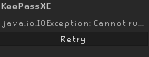
https://i.imgur.com/fhRyLq6.png is there a easy fix for this regarding keepass plugin?
 haughty pumiceBOT
Support for hub plugins should be directed to the author of the plugin.
You can find the support link by searching for the plugin in the Plugin Hub panel and clicking the ? button on the plugin, or by right-clicking the plugin in the plugin panel and clicking the Support menu option.
 stray grove
tidal rivet
https://i.imgur.com/fhRyLq6.png is there a easy fix for this regarding keepass p...
stray grove
tidal rivet
https://i.imgur.com/fhRyLq6.png is there a easy fix for this regarding keepass p...
if you upload your client.log I can look at it
haughty pumiceBOT
To find the logs, you can do one of the following:
- If your client failed to open, click the
Open logs folderbutton. - Open the screenshot directory by right-clicking 📷
Camerabutton, navigate 1 directory up, then open logs folder. - Navigate to
%userprofile%\.runelite\logson Windows or$HOME/.runelite/logson Linux and macOS.
Upload the log files named client and launcher by dragging them to Discord. If there are files prefixed with jvm_crash dated from today, upload them too.
tidal rivet
did post my logs in here little bit up @stray grove
stray grove
wrt keepass, it can't find keepass, do you have browser integration enabled like the readme shows?
 crude pike
Hi all, my game just randomly closed during final boss in ToA. Didn't freeze, didnt show any pop-up or anything, just closed as if i alt-f4'd.
Log attached
Didn't see i needed to attach client.log and launcher.log, here are those
tidal rivet
got it thanks for the help
 midnight oxide
anyone can help me ???
today i tried to open rl and couldnt open
There was a fatal error starting runelite ,
tried restarting my
router , reinstalling rl , nothing works still stuck , was fine for over 6 years never had this happen before , any help pls
haughty pumiceBOT
@midnight oxide To find the logs, you can do one of the following:
- If your client failed to open, click the
Open logs folderbutton. - Open the screenshot directory by right-clicking 📷
Camerabutton, navigate 1 directory up, then open logs folder. - Navigate to
%userprofile%\.runelite\logson Windows or$HOME/.runelite/logson Linux and macOS.
Upload the log files named client and launcher by dragging them to Discord. If there are files prefixed with jvm_crash dated from today, upload them too.
midnight oxide
here
gilded kayak
unfortunately it looks like your config is corrupted
where the logs folder was, is also a profiles2 folder, try renaming that to something else, and the client should start again
and then 🔧 -> and try re-importing your settings from that renamed folder, and see if they are okay
midnight oxide
@gilded kayak Wha the hell , i just renamed profiles2 to profiles and it finally worked , thanks so damn much man
gilded kayak
yes but having renamed the profiles2 folder only, you'll have no plugin settings
as that's where they are stored
midnight oxide
@gilded kayak all the plugins are fine , just the loot tracker is gone
oblique plume
you can reimport that too
gilded kayak
oh you must have those profiles synced then
oblique plume
if youre syncing then loot tracker would have come back
gilded kayak
hmmm good point
oblique plume
you can tell they arnt because No session file exists exists
which is also how it can be corrupted to start with
cuz the sync would have seemlessly fixed that
gusty hornet
I used to use the "`~" key in key remapper as a hot key but it seems it no longer works even when seemingly bound appropriately
oblique plume
perhaps its also bound somewhere else
haughty pumiceBOT
If one of your keys isn't working in game, you've most likely bound it to a feature of a plugin. The Debug Helper hub plugin can show what keys are bound to what plugins.
gusty hornet
its labeled as Back Quote and shown only in one place in debug helper
 oblique plume
dunno then
gusty hornet
it works if in game I bind esc to inventory and keep Back Quote as ESC in key remapper but then also works as close interface. Without it bound in game Back Quote doesn't work at all it seems.
 wet gull
How do I write her name on the bottle?
 solid mesa
Item Identification
crude pike
crude pike
Hi all, my game just randomly closed during final boss in ToA. Didn't freeze, di...
bump 🙂
 fading gate
is it possible to set different notification sounds for different things? eg. low prayer, low hp, and out of combat all have a different alert sound?
zealous cedar
yes. you can place the notifications you want in the notifications folder, and then select them from the dropdown
fading gate
zealous cedar
yes. you can place the notifications you want in the notifications folder, and t...
i have .wav files in %userprofile%.runelite\notifications but i only see these in the drop down
 zealous cedar
that should work hmm
mossy swan
do you need to restart the client?
fading gate
nvm, they are mp3 files...
viscid lantern
Tenacity is a nice free option that allows you to save those mp3s as 16-bit .wav files
zealous cedar
also we need this documented on the wiki
i asked someone to do it earlier but they instead documented something else instead
haughty pumiceBOT
Place the files for the feature you want in %userprofile%\.runelite on Windows or ~/.runelite/ on Linux/OSX
The names and type for the files are:
- Custom cursor:
cursor.png - Custom default notification sound:
notification.wav - Custom specific notification sound:
<name>.wavin.runelite/notifications, then select<name>in the notification sound dropdown - Custom login screen:
login.pngImage size 765 x 503 recommended, larger images will be (simply) scaled down automatically.
oblique plume
i wrote this but didnt ever transpose it to the wiki
zealous cedar
wiki is better for discoverability
oblique plume
yea for sure
sonic birch
Was it dura documenting the profiles thing?
zealous cedar
idr who it was lol
leaden trail
I didn't ever say I'd do the audio thing so probably not
I don't really know it well enough to comfortably write instructions for it
sonic birch
Ah nvm then mb, maybe it was earlier. I am a bit behind on keeping track of it all because of my job. I'll get that sorted out at some point so I can be back in full force though
leaden trail
The audio thing was a while back I think. I just did the profile thing recently because I discovered that person's problem by sheer luck
 hot oasis
wiki's been updated
viscid lantern
its missing the file location for the additional custom notification sounds: .runelite/notifications
hot oasis
oh i for some reason already had my notification.wav in that dir for some reason despite never using custom notifs so thought it was the same lol, i'll fix
 south siren
anyone know if its possible to click an barrow item from plugin inventory setup even when its damage?
i did made a setup when it was not damage but when its at 75% i cannot select it anymore:
 final axle
right click the item in the side panel and mark it fuzzy
sonic birch
Alternatively shift+drag it into the tag tab
 exotic cipher
yo quick
why is the floor in akkha and wardens p1 completely black for me
its not the gpu plugin i cant figure it otu
about to start the raid pls ping me if u know
final axle
low detail plugin?
exotic cipher
thats the one
sonic birch
Probs low detail and removing the floor
 sonic birch
Alternatively ground object hider
 wispy spade
Hello there! I've seen a number of different database repos which mention reading the game's cache. Some mentioned using runelite to read the cache? I've done the regular install for the client but can't seem to figure out what to use to see the cache contents? If I run something like:
runelite\cache\target\cache-1.10.52-SNAPSHOT-jar-with-dependencies.jar
I get hit with a no main manifest attribute
solid mesa
Depending what you're after you're probably best using Abex's cache viewer https://abextm.github.io/cache2/#/viewer/sprite/1017
wispy spade
Seems I might need to parse the wiki if the item data here is what's in the cache. I was looking to gather level requirements
solid mesa
Yea wiki will probably be better
 sand jacinth
So I'm having constant game stutters while in the main gwd area, like game freezes for 2-3 seconds, and occasionally occurns within the boss instances as well. Only issue I'm having is in runelite, nothing else is have problems, have tried client restarts, game restarts, etc nothing has solved it. Any ideas?
(unsure if limited to gwd have just been grinding bandos the past few days)
zealous cedar
try safe mode and/or a new profile
sand jacinth
Like a profile with different settings or a duplicated one?
zealous cedar
a new profile, not duplicated
sand jacinth
Uhh I'm at bandos, so that'll be a bit hard honestly to do this second
I could try it later
So are suggesting basically disabling all the plugins and 1 by one figuring out if its a plugin?
zealous cedar
that may also work
 haughty pumiceBOT

 fading briar
the "resizable classic layout" is just the modern layout
and there isnt an option to resize
zealous cedar
i dont really know what you mean. id try finishing the tutorial first and then try it though
fading briar
i think my client is outdated (?)
solid mesa
During tutorial island some interfaces are disabled
solid mesa
There's the Stretched Mode plugin
 uncut pier
could someone help me? i accidently right clicked my summon thrall counter and my mark of darkness cooldown timer and i cant for the life of me find a setting to turn it back on, all i can find is the cooldown timer, not the actual timer of the time left, thanks
 gilded kayak
are they at the very top left of your client
uncut pier
thanks!
wet gull
Is there an update now? The game is not working for me
 zealous cedar
no
wet gull
now is work but why did this happen
zealous cedar
probably your internet wasnt wroking
wet gull
No problem for me but the internet was working fine at the time of the problem it's scary
gilded kayak
it's not scary
the internet is not a on* or off sort of thing
things break literally all the time
one guy earlier in sweden couldn't load the client
then he could
issues like this happen all the time, it's just that they don't always happen, with things you use
 sterile parrot
anyone know how to get this plugin to work? im trying to set it up to alert me on seaweed spores while i afk ammonite crabs but no matter how much i mess with runelite settings or this plugin i cant figure it out for some reason

 solid mesa
Just add it to ground items highlighted items and enable notify for highlighted drops
sterile parrot
oh wow i dont know how i glanced over that setting. thanks!
red fox
is this right?
 zealous cedar
yes
 tall inlet
Does "better discord loot logger" also show loot keys from pking?
haughty pumiceBOT
Support for hub plugins should be directed to the author of the plugin.
You can find the support link by searching for the plugin in the Plugin Hub panel and clicking the ? button on the plugin, or by right-clicking the plugin in the plugin panel and clicking the Support menu option.
 modern tangle
hey all,
i'm running in dev mode because i'm attempting to make a plugin loot tracking for my clan, but just noticed i'm crashing @ cox when i open any of the chests in the thieving room (the ones with grubs), my client crashes and throws this error:
Caused by: java.lang.NullPointerException: Cannot invoke "io.ably.lib.realtime.AblyRealtime.close()" because "this.ablyRealtime" is null
which i've never seen before, and i'm pretty confident my plugin shouldn't be interacting with anything inside of the cox rooms so not sure where this error is coming from
crisp dune
I can't tell you more without seeing a proper stack trace, but that doesn't sound like anything to do with the core client.
round jacinth
It’s one of the chests he’s got 
gilded kayak
dats not heat
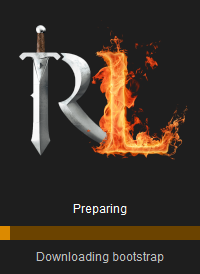 gilded kayak
well that's not good
 ornate kite
why
gilded kayak
because you need the bootstrap to start the client
normally I would ask you to open this link in browser, https://static.runelite.net/bootstrap.json
solid mesa
Does this load in your web browser? https://static.runelite.net/bootstrap.json
gilded kayak
but you probably will be able to, since your browser can ignore the problem normally
ornate kite
i am scared to click that lol
solid mesa
It's fine, it's what the client is trying to download
gilded kayak
if you don't want to click the link you'll unfortunately just have to wait
ornate kite
 ornate kite
😦
gilded kayak
well you need to be able to access that link, to start the client
so maybe try using your phone as a hotspot
solid mesa
Something about your internet seems to be preventing you from accessing static.runelite.net
ornate kite

 solid mesa
That says cloudflare working host error
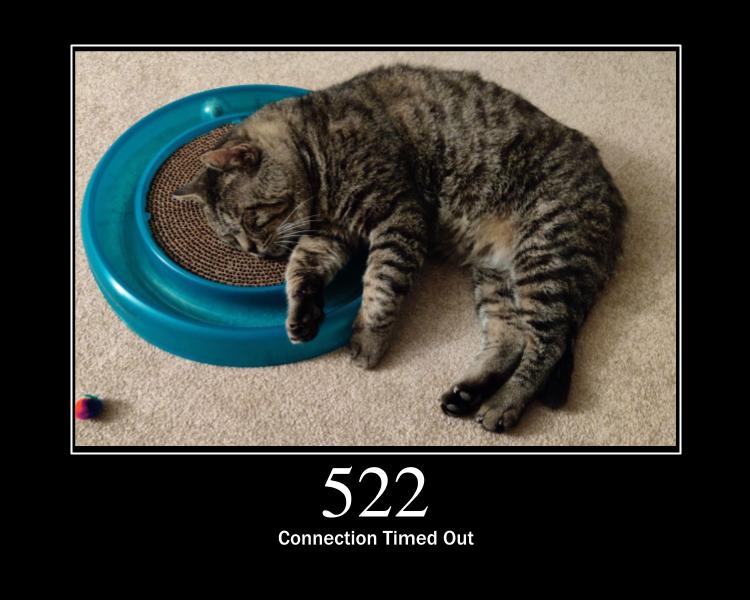 gilded kayak
yeah gotta happen eventually
fwiw if there's others in your area having this same problem they'll probably show up in the discord soon
ornate kite
oh probbaly only me
i am from Honduras
so not so many fans of osrs in this country
gilded kayak
ah alright
ornate kite
so use my phone as host rite?>
gilded kayak
that would be what I would try yeah, you just need to be able to open the client
after that you can switch back to your internet
ornate kite
will reload computer bbr
 tall galleon
solid mesa
Does this load in your web browser? https://static.runelite.net/bootstrap.json
tall galleon
solid mesa
Does this load in your web browser? https://static.runelite.net/bootstrap.json
Excuse me what can i do with this to fix the same issue
gilded kayak
are you also in Honduras
tall galleon
i am in the US
gilded kayak
well shit
tall galleon
bootstrap giving me issues for some reason
round jacinth
Do what they’re doing and using an alternative connection like a vpn or hotspot in cell connection
tall galleon
okay i could try a vpn
round jacinth
you only need it on to load the client then you can turn it off
 twin leaf
same here bootstrap giving me fatal error message and wont let me login to runelite
giving me an ioexception
RuneLite encountered a fatal error while downloading the bootstrap.
Exception: IOException
Message: Server returned HTTP response code: 522 for URL: https://static.runelite.net/bootstrap.json
this is the exact message im recieving
RuneLite encountered a fatal error while downloading the bootstrap.
Exception: IOException
Message: Server returned HTTP response code: 522 for URL: https://static.runelite.net/bootstrap.json
how do we fix bro?
gilded kayak
no you weren't
don't confuse people needing support
with your rsps
or i'm banning you
ornate kite
he’s trying to resolve bootstrap resources tho
gilded kayak
twin leaf
RuneLite encountered a fatal error while downloading the bootstrap.
Exception: ...
a few people in #support are having this problem
twin leaf
bro why threatening to ban people asking for help
gilded kayak
try using a VPN or use your phone as a mobile hotspot to start the client
gilded kayak
you just need to be able to start the client, once it starts you can turn off the VPN/switch back to your internet
twin leaf
okay ima give it a whirl
gilded kayak
same 522 error?
ornate kite
used vpn does not work
tall galleon
mine worked
ornate kite
 tall galleon
ty guys
gilded kayak
ok that's a different error
 tall galleon
vpn fixed my issue, never had a bootsrap error
twin leaf
hotspot worked immediately for me. thanks man
gilded kayak
great
ornate kite
twin leaf
bro why threatening to ban people asking for help
nah he’s right its attempting to resolve but taking to long so it responds with that error code
apprently going to another location and going back to mine made it work
but mine is something similar , an http code but not the same one
but what vpn did was not allowing me connect to runelite netiher jagex launcher
twin leaf
felanbird for the win
gilded kayak
VPN workaround is more of a pre-jagex launcher fix
ornate kite
@gilded kayak thanks brother
twin leaf
thanks g wish i could do more to support ya
gilded kayak
since the jagex launcher doesn't really like VPNs
 cunning horizon
My client crashed randomly during a raid and now I'm stuck on retrieving client. Has anyone had this problem before?

Just as I typed this it finally connected, but now my OSRS is stuck connecting to update server. Is the game down or something?
gilded kayak
depends what error you get at the end
 wind needle
cunning horizon
My client crashed randomly during a raid and now I'm stuck on retrieving client....
wind needle
cunning horizon
My client crashed randomly during a raid and now I'm stuck on retrieving client....
im dealing with this too, client just randomly crashed at muspah and wont load beyond this
cunning horizon
I haven't gotten any explicit error from RL. When I was in game it randomly crashed completely and said connect lost attempting to restablish
gilded kayak
a few people in sweden had such an issue earlier today
but that went away
a few people had 522 error codes, like 20 minutes ago
cunning horizon
Then I was stuck on Fetching applet viewer config for like 1-2 minutes, then for another 1-2 minutes I was stuck "Connecting to update server" in game, and now I'm stuck at a black screen
Very useful screenshot let me just delete it lmao
wind needle
infinity u on mac or windows
gilded kayak
i would want to blame jagex for that if you get that far
cunning horizon
Windows
gilded kayak
or internet
wind needle
hmm

 gilded kayak
i'm not aware of an issue where the client full on crashes before that
cunning horizon
Oh you also got DCed 1799?
gilded kayak
i would expect just a regular old disconnect
wind needle
yes
cunning horizon
https://secure.runescape.com/m=news/game-status-information-centre?oldschool=1 Took 10 seconds for it to load and then it didn't even load properly
Can't tell if ISP/CDN f up or game
wind needle
its game my internet workin everywhere else
cunning horizon
Likewise
gilded kayak
does that page load slowly like infinity
wind needle
yeah wtf going on
final axle
there were 2 people from sweden earlier with connection issues like that
might just be a hiccup in the series of tubes that is the internet
gilded kayak
you and infinity are probably from the same area of the world
cunning horizon
It's so weird though cause the guy I'm raiding with is in the same area and he's online
gilded kayak
it's funny
if not you then its not as funny
or something
fwiw it's probably also happening to others, but they are asleep and not aware of it
cunning horizon
@wind needle Keep trying, it finally loaded the game for me, but now it's stuck connecting to server

 dreamy kestrel
anyone know why i cant read messages in public chat and only sometimes words go above my head ?
 river vine
official client and mobile work fine, but on runelite keeps saying too many login attempts and can not log in to anyworld?
Tried on different clients and logged in fine.
Just on runelite.
Any suggestions please?
river vine
thank you will try.
 untold root
Cox thieving plugin is crashing client
 serene kayak
Is it normal that all external plugins are incompatible after update? I'm not usually on at update time
haughty pumiceBOT
To find the logs, you can do one of the following:
- If your client failed to open, click the
Open logs folderbutton. - Open the screenshot directory by right-clicking 📷
Camerabutton, navigate 1 directory up, then open logs folder. - Navigate to
%userprofile%\.runelite\logson Windows or$HOME/.runelite/logson Linux and macOS.
Upload the log files named client and launcher by dragging them to Discord. If there are files prefixed with jvm_crash dated from today, upload them too.
viscid lantern
can you post your client.log file @untold root ?
leaden trail
serene kayak
Is it normal that all external plugins are incompatible after update? I'm not us...
You'll have to wait for the client to update in a bit yeah
gilded kayak
serene kayak
Is it normal that all external plugins are incompatible after update? I'm not us...
i would be impressed if you managed to have only the plugins that failed to build, but a lot of them did yes
leaden trail
There'll be a post in #announcements
gilded kayak
nah we're done with that the client is updated
viscid lantern
leaden trail
You'll have to wait for the client to update in a bit yeah
the client was updated 30min ago
leaden trail
Oh whoops
<- at work so not paying as much attention as I should, also forgetting it's not Wednesday rn
serene kayak
gilded kayak
i would be impressed if you managed to have only the plugins that failed to buil...
You're quite right, it's just 7 of them but they're stacked at the top. I extrapolated them all the way down
gilded kayak
xd yeah
viscid lantern
up to the authors of those plugins to fix them 
gilded kayak
a few of them have fixes prodigy already supplied them a couple days ago
but they did not merge and submit an update to us
so 🧘
serene kayak
Thank you lads for the info
 scenic estuary
how do I force the client to update, jagex launcher isn't letting me start runelite
gilded kayak
not letting you how
 drifting lotus
was there a change to runelite API today?
scenic estuary
whenever i start runelite from the jagex client I get an error message saying "launcher has experienced an unknown error and needs to close. process returned unknown error code"
it doesn't do that with official client
gilded kayak
does anything happen involving RuneLite
do you see the client at any point
jagex's errors are useless so we have to be more specific
scenic estuary
no, it does that the second I click play
gilded kayak
that's fine
mossy swan
try reinstalling runelite
gilded kayak
just re-install
the link to the website is in #welcome
just run the installer again and that issue should just go away
scenic estuary
It looks like it's running smoothly, i'll let you know if it works
all good, thank you. I should've thought of that myself but thank you
 supple cradle
When finishing Gnome Agility course Game crashes everytime
 gilded kayak
!logs
haughty pumiceBOT
To find the logs, you can do one of the following:
- If your client failed to open, click the
Open logs folderbutton. - Open the screenshot directory by right-clicking 📷
Camerabutton, navigate 1 directory up, then open logs folder. - Navigate to
%userprofile%\.runelite\logson Windows or$HOME/.runelite/logson Linux and macOS.
Upload the log files named client and launcher by dragging them to Discord. If there are files prefixed with jvm_crash dated from today, upload them too.
supple cradle
haughty pumiceBOT
safemode: To enable safemode
Windows
Run the RuneLite (configure) shortcut from the windows start menu
Tick the Safe mode box, save, launch RuneLite the way you normally do.
Mac
In Terminal, run
/Applications/RuneLite.app/Contents/MacOS/RuneLite --configure
Tick the Safe mode box, save, launch RuneLite the way you normally do.
supple cradle
ok
gilded kayak
thanks
supple cradle
yeah i did not crash
stray grove
its in some animation code, so probably some plugin hub plugin that affects your player's animation
supple cradle
Ok i figured out what plugin it is "Level Celebrator" forgot i even downloaded it
Thanks for the help
 tacit delta
!safemode
haughty pumiceBOT
To enable safemode
Windows
Run the RuneLite (configure) shortcut from the windows start menu
Tick the Safe mode box, save, launch RuneLite the way you normally do.
Mac
In Terminal, run
/Applications/RuneLite.app/Contents/MacOS/RuneLite --configure
Tick the Safe mode box, save, launch RuneLite the way you normally do.
 uneven glade
is there a problem with this plugin
 round jacinth
it says what the issue is within that screenshot
uneven glade
any idea when they gonna update it
round jacinth
no, it probably broke today or reently
viscid lantern
https://github.com/runelite/plugin-hub/pull/7453 they submitted a PR yesterday but it has a merge conflict, so they need to resolve that first
 civic arch
did something change with the distance objects are visible from? in volcanic mine I used to be able to see the boulder from this location but now I need to get a lot closer in order for it to render, circle is where it normally is
 oblique plume
id be more concerned about how you cant see anything in that, let alone the boulder
civic arch
that's old screenshot of it

 grizzled gale
Runelite Optimal quest guide is now unavailable 😭
 leaden trail
Just use the wiki page tbh
solid mesa
Or the optimal sorting in quest helper
 visual lichen
I'm not sure if this is a Jagex issue or runelite issue, but i use menu entry swapper as well, and sometimes i can't fill my colossal pouch while in bank, it happens every so often, most of the time it works, sometimes it doesn't and i have to exit the bank to get it to fill.
for that specific trip, i normally have to fill my pouch outside the bank, make runes and next time im at bank it will work again. it's really weird because it's off and on.
solid mesa
Jagex changed how it works recently. Do you have the Runecrafting Utilites plugin installed?
visual lichen
solid mesa
Jagex changed how it works recently. Do you have the Runecrafting Utilites plugi...
I do not.
I have essence pouch tracker, menu entry swapper plugin, item charges improved, guardians of the rift
& I think one just called runecraft but I think that's just part of runelite iirc
solid mesa
It's supposed to automatically fill when it can, and empty when it can. You could try safe mode to see if it still happens
haughty pumiceBOT
To enable safemode
Windows
Run the RuneLite (configure) shortcut from the windows start menu
Tick the Safe mode box, save, launch RuneLite the way you normally do.
Mac
In Terminal, run
/Applications/RuneLite.app/Contents/MacOS/RuneLite --configure
Tick the Safe mode box, save, launch RuneLite the way you normally do.
visual lichen
solid mesa
It's supposed to automatically fill when it can, and empty when it can. You coul...
without menu entry swapper?
maybe i need to turn that off for it
naturally it goes to deposit the rune pouch but i can swap it to fill.
solid mesa
You'd still need menu entry swapper for it to be a left click fill, but there's no longer a fill and empty option
visual lichen
this is while in bank
solid mesa
You can also try resetting the menu entry swapper, then changing it back to left click fill
visual lichen
& its weird because it only happens sometimes.
visual lichen
solid mesa
You can also try resetting the menu entry swapper, then changing it back to left...
yeah iv'e tried that, next time it happens ill record the last 30 seconds and see if there is a trigger that causing it to happen, like a spell or teleport, or something.
 sonic trench
 solid mesa
Only the person who wrote the plugin can answer that
 blissful surge
did npc aggression timer get removed?
or just incompatible with today's update
i don't see it in the plugin search list either
zealous cedar
no, it should be working fine.
blissful surge
could anyone confirm me the name of the plugin
it was working last night and had it in the favorites list
zealous cedar
oh actually it seems it is broken
zealous cedar
#support is best for client bugs like this, I was not aware it was broken but it seems some others were already
so we will fix it
blissful surge
thanks ❤️
civic arch
seems the issue with the vm boulder I posted is probs related to the way things spawn atm since people have reported npcs in lumbridge being invisible, stars being invisible and even some alerts I have which were triggered on npc despawn which used to proc on world hop no longer work
 neat plover
were there any recent changes to the camera api? Detached cam/oculus orb seems to be going going around terrain
zealous cedar
does camera -> expand pitch limit fix it?
err turning off expand pitch limit i mean
 hot portal
only half of my plugins appear to be loading/syncing correctly on my desktop pc. all load fine on my laptop. signed into runelite on both devices
any idea why this is happening?
solid mesa
Cloud sync is enabled for the profile you're using? And both computers are using the same profile?
hot portal
where do i check this? it should be, i've been using both of these devices on this profile with synced profiles for around 6 months already
oh my launcher version is some behind. not sure how to force update this?
solid mesa
In the profiles, the cloud icon should be orange
You can download in #welcome but that shouldn't change things
hot portal
ah i see, some how i have two profiles and a wrong one was enabled
odd, but solved. thank you @solid mesa
 acoustic field
hi guys, i was in the middle of a chambers, my main accounts client froze so i restarted it whilst the others were still in. joined back in same world and it had kicked me outside. do you know why? sorry if this isn't a rl issue
zealous cedar
were you thieving a chest?
mossy swan
continue discussing on #runelite or #development (see channel desc), but have you tried running it from idea, like you did when you developed the plugin?
acoustic field
zealous cedar
were you thieving a chest?
yep
zealous cedar
there was an issue with that earlier but it is resolved now
acoustic field
ahhh i see, i hadn't restarted that client since earlier
 vocal nebula
mossy swan
continue discussing on <#301497432909414422> or <#419891709883973642> (see chann...
vocal nebula
mossy swan
continue discussing on <#301497432909414422> or <#419891709883973642> (see chann...
moved
 left current
Since the update i've noticed things in my draw distance with the GPU plugin are "loading" but you can't see what they are doing. Noticed it a lot in sepulchre with arrows and statues not loading until you get much closer. I have this clip of some of the flames just being stuck within render and not disappearing.
zealous cedar
that might be a vanilla bug but im not sure, ill see
 slow island
Is anyone having an issue of freezing whenever they get to the second log in window?
Uninstalled and restarted everything but it's still happening.
I can log in on mobile with no issues though.
gilded kayak
!logs
haughty pumiceBOT
To find the logs, you can do one of the following:
- If your client failed to open, click the
Open logs folderbutton. - Open the screenshot directory by right-clicking 📷
Camerabutton, navigate 1 directory up, then open logs folder. - Navigate to
%userprofile%\.runelite\logson Windows or$HOME/.runelite/logson Linux and macOS.
Upload the log files named client and launcher by dragging them to Discord. If there are files prefixed with jvm_crash dated from today, upload them too.
round jacinth
looks fine to me
gilded kayak
it extends the map loading
round jacinth
turn it down a few settings to see what it does
gilded kayak
so you can see south africa from your house in ohio
round jacinth
no thats draw distance
maybe your nvidia control panel is messing with it even more
i think most folks leave that as defaults/don't even configure it there
prif is also a hard place to draw
turn off gsync for runelite and see if it improves
i just let gsync auto do its thing and never interact with control panel
try "only for full screen modes"
idk tbh
if you got multiple things trying to control the gsync of the monitor that seems maybe not optimal anyways
you've messed with a lot of stuff i didn't even know existed at this point
ornate kite
Any polywoof plugin user here?
neat plover
zealous cedar
err turning off expand pitch limit i mean
it fixes only when the option is off
zealous cedar
ok
 regal olive
does anyone know why I cant click the top left area of my runelite client? it switches from my ingame cursor to the default mouse cursoer and cannot be clicked on
round jacinth
discord overlay
 outer pulsar
regal olive
does anyone know why I cant click the top left area of my runelite client? it sw...
outer pulsar
regal olive
does anyone know why I cant click the top left area of my runelite client? it sw...
i love you zom
regal olive
TY!
 icy monolith
its anyone having the same issue?
 sonic birch
Describe the issue
gilded kayak
i would think any issues with friends chat would be on Jagex
icy monolith
Getting kicked from the friend chat and then when u try to get back in its pretyped with numbers and a bunch of other things
like the screenshot
sonic birch
Seems like a jagex thing indeed
 haughty pumiceBOT
To find the logs, you can do one of the following:
- If your client failed to open, click the
Open logs folderbutton. - Open the screenshot directory by right-clicking 📷
Camerabutton, navigate 1 directory up, then open logs folder. - Navigate to
%userprofile%\.runelite\logson Windows or$HOME/.runelite/logson Linux and macOS.
Upload the log files named client and launcher by dragging them to Discord. If there are files prefixed with jvm_crash dated from today, upload them too.
 rigid scroll
ornate kite
rigid scroll
ornate kite
@sonic birch I have question for one of runelite plugin is this correct channel to ask?
sonic birch
Depends. If it is a core plugin, yes
ornate kite
I think its not core
sonic birch
If it is a hub plugin, you should ask the person that created the plugin via a github issue
!hubs
haughty pumiceBOT
hubsupport: Support for hub plugins should be directed to the author of the plugin. You can find the support link by searching for the plugin in the Plugin Hub panel and clicking the ? button on the plugin, or by right-clicking the plugin in the plugin panel and clicking the Support menu option.
rigid scroll
Any thoughts on the logs Yves
sonic birch
ornate kite
Can i ask anyways? maybe someone knows
I suppose so. Just expect to be potentially ignored or be told to contact the author
sonic birch
rigid scroll
Any thoughts on the logs Yves
Seems like your internet is a bit broken. We made some recent changes though, so I'll silent ping @zealous cedar just to be sure in case it has anything to do with those changes
Logs: #support message
zealous cedar
that was extremely unsilent
rigid scroll
internet is a bit broken is a first
gilded kayak
yeah silent pings are just a made up feature
sonic birch
zealous cedar
that was extremely unsilent
Oh, it does have the silent option checked
mossy swan

sonic birch
I got all pings muted anyway, so idk exactly how it helps. I thought it'd just not show the pop-up and notification
rigid scroll
Well my internet is working so
sonic birch
Internet is not black or white
gilded kayak
try restarting your computer
sonic birch
Can still be broken regarding connecting to certain websites or servers
gilded kayak
the logs say that certain jagex files, are being used
but they obviously shouldn't be
rigid scroll
this was happening before but i kept spamming it and it worked
sonic birch
gilded kayak
the logs say that certain jagex files, are being used
Oh that as well
Kinda hard to see on mobile ngl
ornate kite
Guys, this plugin allows you to translate quests into any language. But here it asks for api key and email, I'm completely new to runescape, what api key should I enter here?
 gilded kayak
right-click the plugin name at the top, and click support
it's the API for the translation service you want to use
it's all documented on that page
sonic birch
sonic birch
Kinda hard to see on mobile ngl
I shoulda scrolled to the bottom; just immediately saw the ipv6 errors on mobile, sigh
ornate kite
gilded kayak
right-click the plugin name at the top, and click support
Oh! I see the light!
ornate kite
gilded kayak
right-click the plugin name at the top, and click support
This was all i need
U are GOAT
Thank you sir! The plugin works well!
rigid scroll
Restarted my pc and opened runelite first, still same error
gilded kayak
can you post the client.log again
in that same place the logs folder is, is a jagexcache folder, try deleting that
maybe it wont let you? the error seems to suggest you wont be able to delete it
rigid scroll
rigid scroll
gilded kayak
in that same place the `logs` folder is, is a `jagexcache` folder, try deleting ...
I have 2
gilded kayak
you have two folders named jagexcache?
rigid scroll
 gilded kayak
are you still using that
gilded kayak
it's probably the cause

it would make sense that it's the process using the Jagex files, causing that error
gilded kayak
try clicking the xp button near the minimap
you might have clicked it by accident, and turned it off
happens
rigid scroll
Wait ok
Got it
If I quit UltraAV and end task and then open the game it works
if anyone has the issue in the future
dont have to uninstall
 median portal
I have issues with the crondis puzzle room in TOA since todays game update. The problem is occuring in a solo raid whenever I use the waterjug on the palm in the middle, my character will just stay there, no pathing happening... It works on the waterfall tho... any suggestions?
charred wind
Sounds like a Jagex bug
median portal
I submitted a bug report do jagex to be sure.. 😛
 patent sphinx
median portal
I have issues with the crondis puzzle room in TOA since todays game update. The ...
patent sphinx
median portal
I have issues with the crondis puzzle room in TOA since todays game update. The ...
same issue here!
median portal
patent sphinx
same issue here!
uuuh make sure to send jagex a bug report 😄
 quartz lance
how come loot tracker doesn't sanitize araxxor/titans loot using wiki scraper, chat, or something else
solid mesa
I think someone was working on taking a diff including the equipment so it wouldn't have issues
quartz lance
ooh very nice 👍
 inner ginkgo
Hi y'all,
could anyone point to how the TTK calcs/graphs are generated on the DPS page?
mossy swan
inner ginkgo
could anyone point to how the TTK calcs/graphs are generated on the DPS page?
are you talking about the wiki? this is runelite discord...
 elder hedge
Hey all, I got a new PC today and I must have backed up my .runelite folder wrong because none of my settings or plugins are saved. Is there any way to fix this (i.e is there a cloud save somewhere)?
Or do I have to access my old PC which would require me to move the GPU there which I really don't wanna bother doing unless it's a must.
mossy swan
elder hedge
Hey all, I got a new PC today and I must have backed up my .runelite folder wron...
only if you enabled it. does your old pc have an igpu you can use instead?
elder hedge
mossy swan
only if you enabled it. does your old pc have an igpu you can use instead?
sadly not
mossy swan
what did you copy and where did you put it?
elder hedge
I uploaded .runelite to google drive (or at least I thought I did) but it turns out some folders are missing, including the profiles folder (which I assume is the one I need?)
mossy swan
yes
it may have gotten stuck on uploading the screenshots folder in case you had a lot of them
viscid lantern
does profiles2 exist?
elder hedge
nah neither profiles or profiles 2
viscid lantern
then yeah unless you were signed into runelite and had cloudsync enabled you are gonna have to get it from the old pc
or plug in the hdd/ssd from the old pc into the new(might be easier)
elder hedge
Figured as much, thanks for the help
GPU would be easier for me
So I only need the profiles/profiles2 folder?
mossy swan
better copy everything but screenshots and cache, should be relatively small
you never know where hub plugins saved their stuff etc
viscid lantern
ctrl+a, ctrl+click screenshots+cache, and copy that to your drive
elder hedge
gotcha, thanks again
 placid girder
Optimal Quest Guide down? ;-;
 narrow tapir
Seems NPC Aggression Timer plugin in no longer working. Anyone else having this issue?
 austere ferry
narrow tapir
Seems NPC Aggression Timer plugin in no longer working. Anyone else having this ...
austere ferry
narrow tapir
Seems NPC Aggression Timer plugin in no longer working. Anyone else having this ...
This
I just logged on and was confused
solid mesa
A fix is probably coming. It isn't ideal but you can restart your client till it works
solid mesa
Yea, just restart until it shows up
austere ferry
Alright will try that, thank you
narrow tapir
Sick thx. Restarting client worked. I also had to turn the plugin off and back on.
 wintry quiver
On Windows 11 IoT LTSC edition, I can't put my computer to sleep pr hibernate with any Runelite clients open. Is there a setting doing this or something? It just instantly wakes up. I can close them but I multilog and it's annoying logging into 5x accounts every time I turn my pc back on.
gilded kayak
there was an open issue about such a problem on macOS, but it was assumed to be a problem with the vanilla java client, not RuneLite
!safe can you try replicating it with only safe mode clients
haughty pumiceBOT
safemode: To enable safemode
Windows
Run the RuneLite (configure) shortcut from the windows start menu
Tick the Safe mode box, save, launch RuneLite the way you normally do.
Mac
In Terminal, run
/Applications/RuneLite.app/Contents/MacOS/RuneLite --configure
Tick the Safe mode box, save, launch RuneLite the way you normally do.
gilded kayak
enable: turn on the discord plugin
disable: turn off the discord plugin
 modest kraken
doesnt do anything for me @gilded kayak
gilded kayak
it works fine for me in the normal party plugin
join party with discord plugin on, pfp is shown
join party with discord plugin off, pfp is not shown
modest kraken
with disocrd plugin on join a party no pfp shows no matter what :/
gilded kayak
are you just toggling it, while already in a party?
wintry quiver
gilded kayak
!safe can you try replicating it with only safe mode clients
Just running some testing now, give me some time.
modest kraken
nop
ornate kite
civic arch
did something change with the distance objects are visible from? in volcanic min...
did you find any solution to this? I'm having the same problem in TOA where I can't see the tree in zebak puzzle room from the waterfalls etc. objects just aren't rendering but the terrain is since today's update
modest kraken
had disocrd plugin on joined party pfp not showing
civic arch
ornate kite
did you find any solution to this? I'm having the same problem in TOA where I ca...
nah it's just the base game I guess, tried on official client and had same issue https://i.imgur.com/ThD8LFR.png
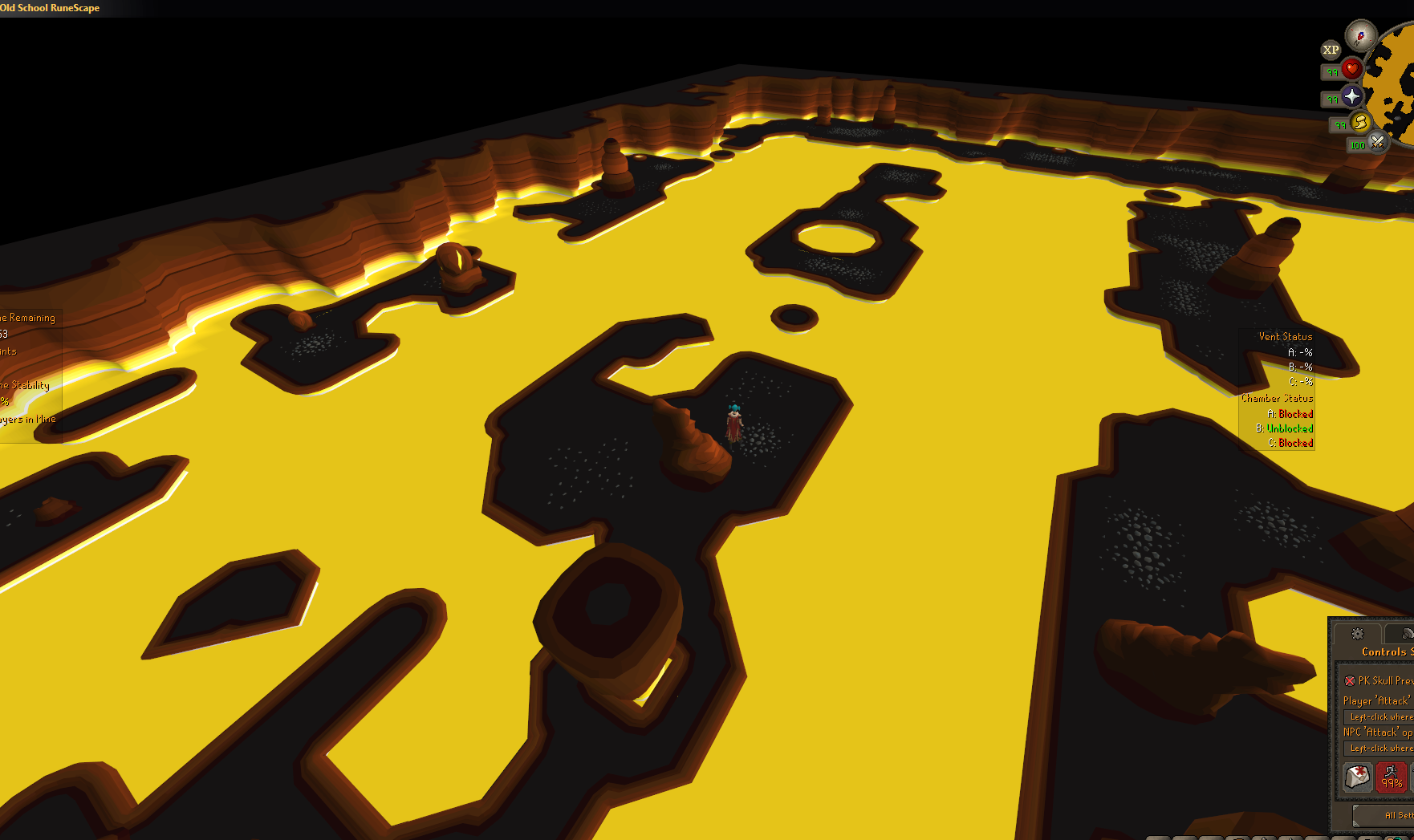
hopefully they will fix next week
ornate kite
yeah sorry didnt mean to imply it was a runelite thing, but it started today right?
gilded kayak
dont forget to right-click the report button and report it!!!!
ornate kite
))
civic arch
ye only started today, done thousands of games of vm and the boulder was always fully visible from B
gilded kayak
modest kraken
had disocrd plugin on joined party pfp not showing
not sure then, it works as expected for me
modest kraken
gilded kayak
not sure then, it works as expected for me
🥹
haughty pumiceBOT
If your Discord activity status is not showing properly follow these steps:
- Make sure your Discord plugin is enabled.
- Make sure RuneLite is not manually added as game to Discord game list.
- Enable
Share your detected activities with othersin Discord settings. - Make sure both RuneLite and Discord are NOT running as admin.
 opaque bloom
how do I stop RL opening in maximum screen?
sonic birch
Some of those steps won't help tbh
sonic birch
opaque bloom
how do I stop RL opening in maximum screen?
Set the size in the runelite config, then enable remember screen size (if it exists, probs not) & remember screen position
If you are opening it via shortcut, check if it's not set to maximized in the shortcut





 sonic birch
Is your monitor 1600x800?
wintry quiver
gilded kayak
are you just toggling it, while already in a party?
Sorted it. Not Runelite related. Thanks
sonic birch
Also, click on the down arrow for the size once. Maybe you just increased the size by dragging the edges, which is not reflected in the runelite config