#support
1 messages · Page 64 of 1
 ornate kite
 round jacinth
can you show me you used the runelite configure
 haughty pumiceBOT
ornate kite
haughty pumiceBOT
ornate kite
I can’t find runelite (configure)
haughty pumiceBOT
Download and install the updated RuneLite launcher from the website link in #welcome. You don't need to uninstall your current version. You will not lose any settings or plugins.
round jacinth
and look for it again
ornate kite
Okay found it, is that it done now?
 round jacinth
that is what i instructed yes
 mossy swan
remember to click save after
 leaden trail
You have to reopen RuneLite as well, I don't think it will work for the already open instance behind the configure window there
ornate kite
Ty🤣. Muchly appreciated.
🤣🤣🤪 and ty for making sure I press save I’ll reopen and report if it’s working 🤞
It didn’t work after restarting runelite and launcher. I’ll restart computer
round jacinth
that wouldn't help i do not think but cant hurt i guess
it maybe just doesnt work for you and can't use the app but can use it in the browser
its not really needed as a desktop app for most folks anyhow
 tropic horizon
hey, anyone experiencing unclickable blood splats on the vard captcha?
 gilded kayak
tropic horizon
hey, anyone experiencing unclickable blood splats on the vard captcha?
gilded kayak
tropic horizon
hey, anyone experiencing unclickable blood splats on the vard captcha?
!safe
haughty pumiceBOT
safemode: To enable safemode
Windows
Run the RuneLite (configure) shortcut from the windows start menu
Tick the Safe mode box, save, launch RuneLite the way you normally do.
Mac
In Terminal, run
/Applications/RuneLite.app/Contents/MacOS/RuneLite --configure
Tick the Safe mode box, save, launch RuneLite the way you normally do.
ornate kite
Yeah it’s weird… sometimes it works sometimes it don’t. Sometimes I pause connect log in and it works then I reconnect and it stops. Oh well I’ll just have to figure something else out for watching context. Safe mode doesn’t allow plugins does it, I think I read?
gilded kayak

that's not you
not being able to start the client will have nothing to do with plugins
tropic horizon
gilded kayak
!safe
Thanks, that's worked, is this a known bug or should i raise it somewhere?
 solid mesa
That means GPU or one of your plugins is causing the issue
 vale wren
dont ask how but i have fixed my client lmfao (the epitomy of software engineering lmao) i just kept messing up till i broke my whole system and eventually reinstalled everything from scratch while the only significant change was swap wayland to x11 lol
gilded kayak
tropic horizon
Thanks, that's worked, is this a known bug or should i raise it somewhere?
very likely something from the hub is causing your issue
tropic horizon
ah ok, I guess I just keep turning plugins off until I find the one thats stopping it?
gilded kayak
yeah, it would probably be best to do half and restart the client
mossy swan
!flow should explain it
haughty pumiceBOT
flowchart: Please refer to this flowchart for further troubleshooting.
tropic horizon
gotcha, ty for help
 rich lark
tropic horizon
hey, anyone experiencing unclickable blood splats on the vard captcha?
rich lark
tropic horizon
hey, anyone experiencing unclickable blood splats on the vard captcha?
I also am running into this, any resolution?
tropic horizon
rich lark
I also am running into this, any resolution?
its the improved item charges plugin
gilded kayak
really improved it for you
seems like it's probably caused by the hide destroy menu options setting
 solid roost
could it be anything else? i turned off every non default plugin and it still happens
gilded kayak
did you restart the client while doing that
solid roost
hmm should toggle them off and then restart client?
gilded kayak
you might need to yes since turning something off doesn't guarantee it will fix what it broke
solid roost
hmm ok ill try toggling all off and restarting client before trying
 hidden holly
That flowchart has me wondering. Could a shitty plugin potentially cause BSODs?
(I am still trying to troubleshoot my crashes that are only happening when playing osrs)
hidden holly
All the more likely suspects have turned up nothing
gilded kayak
I looked up the error, it said my psu, got a new psu, no more crashing
hidden holly
Processor is fine, memory is fine, sfc only "repaired" some wallpapers
leaden trail
Might be an unhappy GPU driver, what does event viewer say around the time of the crash?
hidden holly
The mini dumps all point the finger at ntoskrnl.exe
I'm not on my PC right now, so I can't poke around the event viewer
The time strings go absolutely apeshit, is that indicative of anything?
solid roost
gilded kayak
you might need to yes since turning something off doesn't guarantee it will fix ...
i toggled unlock fps off from GPU, looks like that did the job!
hidden holly
gilded kayak
I looked up the error, it said my psu, got a new psu, no more crashing
Was the error clock watchdog timeout or whea uncorrectable error?
gilded kayak
no idea it was a long time ago
hidden holly
Alright, thanks
PSU is the prime suspect right now, I'll inspect it when I get home
 little trail
Client just crashed, managed to log in after multiple attempts and now i can't even see worlds?

just keeps randomly crashing
 leaden trail
Crashing as in your client is closing, or just disconnecting?
 frosty widget
old pc passed out on me, got a new one. is there a way to import my old plugins, if not - just need help importing tile markers-as i can download them from from runelite.net/account-etc
haughty pumiceBOT
 inland granite
It's people using virgin media that are expirencing the issue, Use a American world you should get in.
little trail
leaden trail
Crashing as in your client is closing, or just disconnecting?
It randomly disconnected, when i closed and re-opened it, i click to switch world and it's like it doesn't recognise my left click, I managed to log in to find worlds unavailable and unable to see or click on them, once i tried to log via the runelite world hopper it crashed and said error connection to server.
gilded kayak
are you using virgin media like that guy just said
leaden trail
Yeah that sounds just like connection issues then
little trail
Yeah i am lol
gilded kayak
well there you go
little trail
I don't see how thats a problem
little trail
unless something has changed between now and yesterday.
leaden trail
Yes
gilded kayak
sigh
little trail
My internet is 100% running
leaden trail
Your ISP started having issues
inland granite
use a vpn or get in an American world
little trail
its just connection to runelite
gilded kayak
it's not connection to RuneLite or your client wouldn't start
it's your connection to Jagex
 wet rapids
Multiple people on virgin are having this trouble Tri - Can confirm I logged onto w421 (US East) just fine but cannot log into UK/Ger worlds
 zealous cedar
looks like w\e it is is affecting many people
little trail
wet rapids
Multiple people on virgin are having this trouble Tri - Can confirm I logged ont...
Thanks for the info, is this a recent thing or has this happened in the past?
wet rapids
As of like 20mins ago mate
leaden trail
It seems like it just started pretty recently
inland granite
little trail
Thanks for the info, is this a recent thing or has this happened in the past?
I had the issue in the past with Kcom
 raven reef
i was having issues in norway but seems fixed for me as of a couple of minutes ago
little trail
wet rapids
Multiple people on virgin are having this trouble Tri - Can confirm I logged ont...
Thanks for the help man + everyone else. Cheers
zealous cedar
its super hit and miss on linux, I dont think we really know why
iirc there is a pr to fix it for some people, but it also broke it for some other people, and noones really looked into it
zealous cedar
its possible its broken, we dont really keep track of which pluginhub plugins are working or not
the logs might say more
gilded kayak
it installed fine for me, so yeah look at your .runelite/logs
round jacinth
We don’t expect end users to normally know what a log would have that is useful so don’t feel bad, some folks that would know maybe don’t know what parts would mean either.
gilded kayak
i expect you to on linux !!!!!
(:
fwiw the plugin actually is broken, unrelated to your install issue
so when you get that fixed, thats why its not gonna work
 carmine pelican
Hello, my runelite client keeps crashing and then when i reload it, it will not let me login and will not let me select a world. Why is this?
gilded kayak
is your ISP virgin media
carmine pelican
gilded kayak
is your ISP virgin media
yes it is
gilded kayak
there were a bunch of people in here an hour ago, with that ISP saying they couldn't login
try a US world
they all went away so maybe they went to bed, or US worlds worked
carmine pelican
ah okay, thanks
 normal silo
Started a new account and cant click on any npc's or the ground, problem is only in runelite I can move and talk to npc's on jagex runescape client, anyone know the fix?
gilded kayak
I assume your wording means you already have another account you played on?
normal silo
Yes
gilded kayak
!safe
haughty pumiceBOT
safemode: To enable safemode
Windows
Run the RuneLite (configure) shortcut from the windows start menu
Tick the Safe mode box, save, launch RuneLite the way you normally do.
Mac
In Terminal, run
/Applications/RuneLite.app/Contents/MacOS/RuneLite --configure
Tick the Safe mode box, save, launch RuneLite the way you normally do.
gilded kayak
one of the hub plugins you installed, is probably broken on tutorial island
not really something that's tested very often
ornate kite
Anyone know where to turn off the click in chat on combat achievs in the cc?
 livid aspen
how do i disable gsync for runelite without using nvidia contrl panel? (i think somebody said not to touch that)
gilded kayak
ornate kite
Anyone know where to turn off the click in chat on combat achievs in the cc?
it's a new jagex feature so if it's possible, it's an in-game setting
but idk if it is
leaden trail
livid aspen
how do i disable gsync for runelite without using nvidia contrl panel? (i think ...
No I said Nvidia stuff doesn't play nice with RuneLite in general, turn it off through the control panel
livid aspen
I dont see runelite listed in the programs for some reason, what is the path to add for that?
i foudn it but no option for gsync
 barren nacelle
Hiii
So when i'm doing toa I can't attack the obelisk in the akkha puzzle room
Option doesn't appear in right/left click
gilded kayak
try going to the  tab, and clicking the
 update button on improved item charges
barren nacelle
Ok word
gilded kayak
if updating doesn't work, then turn off the setting hide destroy options something like that
barren nacelle
Did multiple ppl get this issue today lol
gilded kayak
yes
barren nacelle
:P
gilded kayak
the author pushed a fix but idk if it fixed it
barren nacelle
Weird how an item charge tracking thing woul affect attacks
gilded kayak
cuz it's removing the destroy option
 solid current
better npc highlight broke too?
barren nacelle
Ahhhhh
gilded kayak
no idea i'm not aware of better npc highlight being broken
barren nacelle
Gotcha
barren nacelle
It wont let me update it lol
solid current
yep, can't add any names/id's anymore. it will remove all active marks
also putting the addon off & back on doesn't re-add markers
kinda weird
barren nacelle
Imma just turn off the destroy thing and hope it works
gilded kayak
barren nacelle
It wont let me update it lol
if by "wont" you mean it says uninstall instead of update then you might already be on the "fixed" version and it's infact, not fixed
barren nacelle
gilded kayak
if by "wont" you mean it says `uninstall` instead of `update` then you might alr...
No i click update and the runelite thing pops up and closes
But it doesn't update
gilded kayak
ah well u can also restart the client to get hub plugin updates
but turning off the setting will work
barren nacelle
Gotcha ty! :3
 pliant zealot
Is it possible for me to change which colour objects are highlighted in for objects that aren't displayed in the settings for plugins like Mastering Mixology?
e.g. changing the highlight colours of the three central levers

 charred wind
Yea. Untick the “Highlight levers” then shift right click the levers, tag all or whatever
They don’t have contextual highlighting though :)
pliant zealot
Thanks Dominick, smart fix 🙂
ornate kite
How can i install runelite on arch linux?
ornate kite
No i dont ahve jagex count i have old old account
gilded kayak
then whatever you want
aur
snap
flathub
appimage
i don't know which one is best for arch linux (btw)
ornate kite
gilded kayak
then whatever you want
which one do u use
ornate kite
gilded kayak
i am not on arch linux
still which one do u use
ornate kite
ok thx
 rose perch
Hey, would anyone know what could be stopping better loot logger from posting to clan discord? Webhook is correct, and this is the settings I have
 gilded kayak
use dink
rose perch
thanks, i'll try dink
 lime valley
Hi 👋
mossy swan
hello
 mild rose
Why does gpu plugin insta turn off when I try to switch it on
leaden trail
Post your logs and we can take a look
haughty pumiceBOT
@mild rose To find the logs, you can do one of the following:
- If your client failed to open, click the
Open logs folderbutton. - Open the screenshot directory by right-clicking 📷
Camerabutton, navigate 1 directory up, then open logs folder. - Navigate to
%userprofile%\.runelite\logson Windows or$HOME/.runelite/logson Linux and macOS.
Upload the log files named client and launcher by dragging them to Discord. If there are files prefixed with jvm_crash dated from today, upload them too.
 dark smelt
Hey, trying to figure out why miniquests arent showing up in Quest Helper? Tried reinstalling runelite with no luck. Thank you very much
haughty pumiceBOT
Visit Zoinkwiz's Quest Helper plugin discord (https://discord.com/invite/XCfwNnz6RB) for support, issues & feedback
 cloud quest
cant find which email I used for my runelite, dont remember the plugins I used to have and I had important notes, settings etc.
any way to figure that out?
leaden trail
Assuming it was on an old computer, do you still have access to it?
cloud quest
reinstalled windows
;D
could it be that the runelite "account" got wiped or something
leaden trail
You're probably out of luck in that case
cloud quest
I've tried the emails that are most likely and no luck
leaden trail
Well if you reinstalled windows the files to just re-import are gone
 sonic sky
i have the white screen flash at sote ion tob turned off but still showing any ideas?
leaden trail
Ignore that, misread what you wrote
sonic sky
found someone said tob light up will see if that works when off
 heavy surge
Found a bug on item charges plugin, having it enabled and brinign in book of dead with you on vardovis. You only do dead clisk on blood splatters "osu" part,
haughty pumiceBOT
Many plugins from the pluginhub break the client in subtle or not-so-subtle ways, including causing issues like client freezes. We do not support pluginhub plugins because we do not make or quality control them, and do not recommend their use.
Run the RuneLite (safe mode) shortcut, or with a Jagex account, first run the RuneLite (configure) shortcut and tick the Safe mode box, then launch RuneLite via the Jagex launcher.
This temporarily disables the GPU plugin and all hub plugins which will allow you to confirm the issue is caused by one of those plugins and isn't a core RuneLite issue.
If the issue is caused by a hub plugin, you should isolate which plugin it is and then uninstall the plugin.
heavy surge
Reddit
Explore this conversation and more from the 2007scape community
round jacinth
i thought the author of the plugin fixed it so destroy option still worked
that thread is 18hsr old and the fix was 12 hours ago or so
 crisp dune
@winged flame can you look at this
 plush flower
 winged flame
heavy surge
Found a bug on item charges plugin, having it enabled and brinign in book of dea...
winged flame
heavy surge
Found a bug on item charges plugin, having it enabled and brinign in book of dea...
restart runelite and check again please
 torpid wedge
is there any way i can get the jewelery box's teleport menu to work on shift click
it would make navigating it a lot quicker
 toxic ivy
Does anyone know a way I can rebind middle mouse button (used to move camera around) to different input like mouse4/5?
The only native option RuneLite offers is right click camera moving, but I dont want to use right click
 oblique plume
i use my mouse software
 pallid carbon
Does anyone know of a plugin which can send screenshots to Discord for each mined runite ore?
round jacinth
I would guess dink could send a screenshot on game message played if anything could, give that a check.
pallid carbon
round jacinth
I would guess dink could send a screenshot on game message played if anything co...
Thanks for the reply, will have a look.
 fossil summit
oh thats cool
 misty beacon
Hi
pallid carbon
I tried adding the game chat message to the Dink notifier but that doesn't seem to work sadly.
 gilded kayak
you only have clan notifications selected
runite notifs do not come from clan chat
mm maybe it doesn't work on junk messages
pallid carbon
I've also tried with the other message types now, doesn't work either :(
round jacinth
It maybe doesn’t support game message if type SPAM (game messages that can be hidden by spam filter applied)
Unlucky
gilded kayak
you might be able to hit the discord rate limits if you add a SPAM message trigger and forget tbh
mossy swan
well thats a you problem
round jacinth
It’s 5 messages/second idk what could spam that much
mossy swan
but not being able to do it is a plugin problem!!!!!!!!!!!!!!!!!!!!!!
 finite prism
Did a runelite update reset my RL settings?
haughty pumiceBOT
 fervent hemlock
is zoom extender broken?
gilded kayak
zooming in general tends to break on game updates, if you don't restart the client
so try that
 worn forum
i have a question. as i was doing prayer in the chaos altar. the calculation for dragon bones is 504xp but when i went there i was only getting 252xp with dragon bones. is that needed an update?
or is it just adding 504xp because there a chance of not wasting the bone when praying? just curious
gilded kayak
it's because there's a chance yes
it's a pretty good chance across a reasonable amount of bones
to end up with that much xp
 viscid lantern
there is a 50% chance of not consuming the bone, on average that means you get to use each bone twice
 ocean holly
Need some technical support regarding Runelite that i encoutered in recent weeks if any1 can help
leaden trail
Just post your question
ocean holly
Ok so in recent weeks a problem started (playing on an HP laptop), it only happens with OSRS and more specifically with RL(doesn't seem to happen when using official client),
after a few minutes of logging in everything normal, but then the screen starts to flicker, the entire screen not just RL even if RL is on half screen and on the other half i got something else. the flickering only intensify with time, but they stop if i either minimize RL down or close it entirely, it happens even when im logged out of my character but the client itself is open on the screen. i don't know if has anything to do with it, but when i tried turning off the GPU plugin the entire game-screen was frozen completely(but the client itself was still responsive, like the plugin hub and sidebar).
leaden trail
You can try rolling back your GPU drivers to an older version
Freezing when disabling GPU is a known issue with some GPU drivers and the flickering issue definitely sounds GPU related as well
ocean holly
leaden trail
You can try rolling back your GPU drivers to an older version
ok, how do i do that?
round jacinth
You can uninstall your current driver and target install an older version, you can maybe google how for a better explanation or steps
ornate kite
i'm so sorry if this a dumb question -- i can't figure out how to underline my name in clan chat.
leaden trail
"Highlight own name" in chat notifications
 dense zealot
first time receiving this message, is there any guidance?
 leaden trail
Are you trying to use split tunnelling with a VPN?
dense zealot
no idea what split tunneling even is haha, just turned on computer as usual and booted up runelite
jagex launcher had an update and then this popped up when i pressed start game
leaden trail
Do you use a VPN?
ornate kite
leaden trail
"Highlight own name" in chat notifications
thank you so much!
 tacit cargo
Hi!
I have had this issue for quite some time now. I see that @dense zealot has the same issue. 😦
I tried allowing RuneLite through my VPN and firewall.
This is the error I'm getting in my logs:
java.net.ConnectException: Cannot assign requested address: no further information
at java.net.http/jdk.internal.net.http.HttpClientImpl.send(Unknown Source)
at java.net.http/jdk.internal.net.http.HttpClientFacade.send(Unknown Source)
at net.runelite.launcher.Launcher.getBootstrap(Launcher.java:489)
at net.runelite.launcher.Launcher.main(Launcher.java:317)
Caused by: java.net.ConnectException: Cannot assign requested address: no further information
at java.net.http/jdk.internal.net.http.common.Utils.toConnectException(Unknown Source)
at java.net.http/jdk.internal.net.http.PlainHttpConnection$ConnectEvent.handle(Unknown Source)
at java.net.http/jdk.internal.net.http.HttpClientImpl$SelectorManager.handleEvent(Unknown Source)
at java.net.http/jdk.internal.net.http.HttpClientImpl$SelectorManager.lambda$run$3(Unknown Source)
at java.base/java.util.ArrayList.forEach(Unknown Source)
at java.net.http/jdk.internal.net.http.HttpClientImpl$SelectorManager.run(Unknown Source)
Caused by: java.net.BindException: Cannot assign requested address: no further information
at java.base/sun.nio.ch.SocketChannelImpl.checkConnect(Native Method)
at java.base/sun.nio.ch.SocketChannelImpl.finishConnect(Unknown Source)``` leaden trail
tacit cargo
Hi!
I have had this issue for quite some time now. I see that <@1005163099382292...
leaden trail
tacit cargo
Hi!
I have had this issue for quite some time now. I see that <@1005163099382292...
So are /you/ trying to split tunnel?
tacit cargo
leaden trail
So are /you/ trying to split tunnel?
Yes I am
solid mesa
You should download the new launcher in #welcome , open Runelite (configure), and turn on IPV4
tacit cargo
Oh wow! Thank you!
Such an easy fix! So it's regarding VPN and such. Really appreciate it that thank you.
solid mesa
Yes, it's an issue with split-tunnel VPNs. The launcher just got updated a month or two ago with the fix
dense zealot
i do not use VPN, and no idea what split tunnel means; still dont know whta the solve is or what ipv4 means
im not computer savvy at all lol
just reinstalled and restarted computer still same error
 left pecan
anyone else unable to log in? got dced and can't get back on the hc... same shit happened at the exact same hour last month after an update
 twin scroll
Anyone else's XP drops totally missing after today's update?
 final axle
did you accidentally click the XP button next to the minimap
 cold bone
Upgraded to windows 11 and started seeing big fps drops with runelite, anyone know how to fix?
round jacinth
one of the recent windows 11 builds tanked generic gaming experience/fps, if you’re on that you might want to google around
My dad went from 70fps cyberpunk to 15 with it, other games similarly impacted. Idk if runelite would’ve had the same impact
!flow this is also helpful
haughty pumiceBOT
flowchart: Please refer to this flowchart for further troubleshooting.
cold bone
thanks sounds about right, on windows 11 home version 23H2 for reference
round jacinth
24h2 had his problems, he reverted back to 23h2 to fix it
So idk what you could try now 🫣
livid aspen
Hey so I was told to try to run safemode when runelite client would go to 1fps if i open another game and it works fine, what should I try now?
I think they said to run gpu only how do i do that? do i do that on safemode?
livid aspen
Ok I opened runelite not in safe mode - does gpu plugin disable by default? it is turned off when i logged in but its always on
cold bone
I reverted back to windows 10, issues are gone
livid aspen
So I can confirm that it's the GPU plugin that, when enabled, causes runelite to drop to 1 fps and takes a while for client to react to anything if i have another game open

How should i troubleshoot what my issue is from here?
 wheat scaffold
Is there a way for me to change this color? I can't seem to find it. I find the dark purple very hard to read.
 gilded kayak
try force recolor on the hub
i think it doesn't change the color retroactively, but the next trigger should
wheat scaffold
gilded kayak
try `force recolor` on the hub
I'm sorry, but I don't know what the hub is. Tried searching but all I see is 'Hub Party Panel.'
wheat scaffold
livid aspen
Type in force recolor in the search bar
I tried that, but nothing comes up. Maybe I need a different plugin?
leaden trail
You're typing it in the wrong place then
wheat scaffold
I'm typing it in the settings* search under the wrench icon. Where should I be typing it?
 stone parcel
tab
wheat scaffold
I see it. Thanks folks. 🙂
livid aspen
livid aspen
I disabled vsync and now everything is fine, runelite doesnt stall 1 fps, no problem with disabling vsync right?
livid aspen
I was told to disable gsync on my nvidia but i didnt see the option in control panel
so i turned off vsync in gpu plugin instead
gilded kayak
it could have been either yeah i think the person who mentioned gsync didn't think of vsync also
livid aspen
do newer nvidia graphics card not have that or what, im wondering why it doesnt show up in the nvidia control panel the gsync
gilded kayak
not sure, my experience with newer series cards is "hey runelite is got 4 fps, i have a 40 series card so it can't be that"
"hey i just wanted to let you guys know i downgraded my driver version and my issue went away"
livid aspen
lol
frosty widget
i need assistance with this guide, I'm struggling to load a profile from a dead computer https://github.com/runelite/runelite/wiki/FAQ#how-do-i-convert-the-previous-multi-sessionsetting-file-to-a-profile can I share my screen with an expert that can help?

GitHub
Open source Old School RuneScape client. Contribute to runelite/runelite development by creating an account on GitHub.
haughty pumiceBOT
gilded kayak
- reimport my profile
frosty widget
yeah like im said im strugling with those guides. my profile is not in the profile2 file
does loggin in the correct gmail, that was synced auto load my profile into the profile2 file?
cuz im logged in, and there is nothing there. 😦
gilded kayak
if you log into the correct gmail, that had sync on, you would see the profile in the client
do you remember clicking the little ☁️ button right below the profile?
don't click it now
just a question
frosty widget
there is no profiles in the client 😦 but when i log into rl website it has all my tile markers and stuff to download and i can see all my account info(boss loggs)
gilded kayak
it's not intuitive but we automatically sync the stuff that's not attached to a profile, but the profile sync has to be manually enabled
frosty widget
i clicked that cloud stand by
frosty widget
lol yeh
gilded kayak
you needed to have clicked it before, for the profile to sync sadly
we can't sync everybody's extra settings, and ALL their profiles
it would destroy the servers
frosty widget
yeh id click it but my old computer died lol aww ok, thanks for info
gilded kayak
if you still physically* have the computer, the harddrive might not be dead
and the settings will still be on there
frosty widget
is there a way i can import my tile markers from the rl website
its like a .json file i tried but im not that smart
gilded kayak
that's an old feature I hate for people who wanted the data available to them in a readable state
since for example, the loot tracker data is saved like this: [316,154,1267,11,884,112,1131,15,1383,15,1069,14,581,9,23288,4,1966,616,839,14,561,37,23303,7,1083,10,562,81,348,84,1119,8,577,13,563,62,1207,9,556,193,23312,6,326,121,843,11,1167,11,23306,11,1151,1,1385,11,1063,14,841,14,555,249,1157,19,845,9,559,203,1381,8,23324,12,1129,9,23321,9,1341,2,882,333,557,192,1095,6,558,217,23300,11,23291,9,1387,9,23297,2,23285,6,1353,6,579,9,23294,4,1327,1,23327,11,1295,6,23315,6,554,137,1365,10,1313,1,1017,6,23309,8,23318,6,1361,2,1367,1,1165,1,1107,1,12297,1]} which is not something you can just read
but the client can read it no problem
frosty widget

This SATA to USB cable is an external drive adapter that gives you quick and easy access to a SATA drive through the USB-A port on a laptop.
This SATA solid-state (SSD) or hard drive (HDD) adapter lets you upgrade to an external 2.5"" SATA SSD or HDD.
The cable lets you: add drive space,...
its like a 2022 gaming laptop
im not familiar with building stuff/parts
gilded kayak
ah a laptop of course
i can't personally give you any recommendations on how to access the data on a laptop
frosty widget
ok il have to do some reseearch, il give it a try thank you!
 grand flame
is it possible to launch an account directly through an icon, as opposed to using jagex launcher?
gilded kayak
if you have a Jagex account, no, the Jagex launcher needs to be able to tell the game, that it's okay for you to login w/o typing in your username/password
grand flame
gilded kayak
if you have a Jagex account, no, the Jagex launcher needs to be able to tell the...
is there any way to unstack the icons on my task bar?
that's ultimately what i'm looking for
gilded kayak
right-click the taskbar -> settings -> change the stacking taskbar, setting?
gilded kayak
i would think no, we don't do anything special we just let windows handle it
round jacinth
if you load them as different profiles they dont stack under the same icon
at least mine dont
gilded kayak
is that --profile shortcutting tho
 gilded kayak
yeah they got them j a g e x accounts
round jacinth
unlucker
 ebon bane
are there any plugins that are known to be breaking the client since the update today?

i've relaunched and stuff, not sure what else to try
gilded kayak
!safe
haughty pumiceBOT
safemode: To enable safemode
Windows
Run the RuneLite (configure) shortcut from the windows start menu
Tick the Safe mode box, save, launch RuneLite the way you normally do.
Mac
In Terminal, run
/Applications/RuneLite.app/Contents/MacOS/RuneLite --configure
Tick the Safe mode box, save, launch RuneLite the way you normally do.
ebon bane
i mean yeah safe mode works
but I was curious if there was something specific I could try to disable in normal mode instead of just going 1 by 1
gilded kayak
maybe start with GPU on a new profile
cuz that sort of issue could probably be caused by the newest driver version
ebon bane
oh what the hell, launching safe mode and then relaunching out of safe mode works fine now
does launching safe mode do something to the main profile too?
gilded kayak
gpu will probably be disabled still
 gentle monolith
Changed a bunch of settings and still stuck at 50fps any help?
 tribal hazel
I have the C-Engineer plug in for some time and have never had issues. I noticed starting yesterday when I get a combat task done- the message pops up but no audio plays. I just tested getting a clog item and that audio file played. Any ideas why this might be happening?
haughty pumiceBOT
Support for hub plugins should be directed to the author of the plugin.
You can find the support link by searching for the plugin in the Plugin Hub panel and clicking the ? button on the plugin, or by right-clicking the plugin in the plugin panel and clicking the Support menu option.
gilded kayak
the last update for that plugin was 5 days ago, when it broke for combat tasks, due to jagex adding extra info to them
so u can click them and check the desc
does the rest of the client give any audio?
tribal hazel
yes
gilded kayak
dunno then you'll have to report the issue to the author
haughty pumiceBOT
Support for hub plugins should be directed to the author of the plugin.
You can find the support link by searching for the plugin in the Plugin Hub panel and clicking the ? button on the plugin, or by right-clicking the plugin in the plugin panel and clicking the Support menu option.
 jagged flower
not sure if this the right place to post but hydra bones arent showing up for me on ground loot even when holding alt in image
 haughty pumiceBOT
To find the logs, you can do one of the following:
- If your client failed to open, click the
Open logs folderbutton. - Open the screenshot directory by right-clicking 📷
Camerabutton, navigate 1 directory up, then open logs folder. - Navigate to
%userprofile%\.runelite\logson Windows or$HOME/.runelite/logson Linux and macOS.
Upload the log files named client and launcher by dragging them to Discord. If there are files prefixed with jvm_crash dated from today, upload them too.
gilded kayak
it's definitely something from the hub but I don't know which plugin
if it happens when you drop a bone on the ground, that would probably be useful to figure out what plugin
jagged flower
dropping hydra bones at the ge and i can see tem
them
it happened with chaos runes earlier
not being able to see in hydra room
haughty pumiceBOT
flowchart: Please refer to this flowchart for further troubleshooting.
 bold anvil
having issues with cannon setting

it was working before, but then i clicked the on/off switch coupletimes and it stopped working
mossy swan
put it down again
bold anvil
wow lol, thanks
 whole flint
Hey, I use a laptop running Windows XP, is there a way I can play Runelite with my account configured through Jagex without downloading the Jagex launcher? If not, how can I make a new account to be used via standalone Runelite?
mossy swan
i dont think you can do either of those
whole flint
Darn
mossy swan
maybe install linux instead
whole flint
Hm that's a thought. Jagx works on Linux?
mossy swan
you can run it via wine, or use bolt launcher (which is a replacement)
whole flint
Ah. Do you have any Linux builds you would recommend? Considering the laptop was configured with XP in mind, it's not too powerful, and I haven't use Linux in a hot minute
mossy swan
i use pop os, dont really know how it performs on old stuff though
whole flint
I know this isn't Linux support but I've forgotten, dual booting via another storage medium is possible, yes? I have DVDROMs that won't work on Linux
mossy swan
yeah, but if its games or something they may just work using wine/proton
oblique plume
I'm more surprised you can get runelite to run on XP to begin with
mossy swan
im not sure they got that far
 red fox
sorry how do i make the infoboxes above each other attached?
 oblique plume
are they in two different groups
haughty pumiceBOT
You can configure horizontal/vertical orientation, infobox groups or split infoboxes into new groups with the menu options opened with Shift + right-click. https://runelite.net/img/blog/1.6.28-Release/infobox.gif

 solar gust
in the bank interface I no longer have interact options with inventory items like eat and wear items, any idea what could have caused this ? went through plugins and ingame options without success :> what am i missing
oblique plume
its an ingame bank option to show those
 lilac star
So lately when I'm resizing my client, the fps drops to like 10 or something, lagging my entire computer, It happens just with RuneLite, I have GPU on and I got a very solid pc to not have any issues with it
I have windows 11, this started happening last week
Anyone got any ideas?
I close runelite when this happens and everything is back to normal too
oblique plume
ive heard about recent w11 updates doing this, maybe you can rollback
oblique plume
round jacinth
24h2 had his problems, he reverted back to 23h2 to fix it
this version
 summer sluice
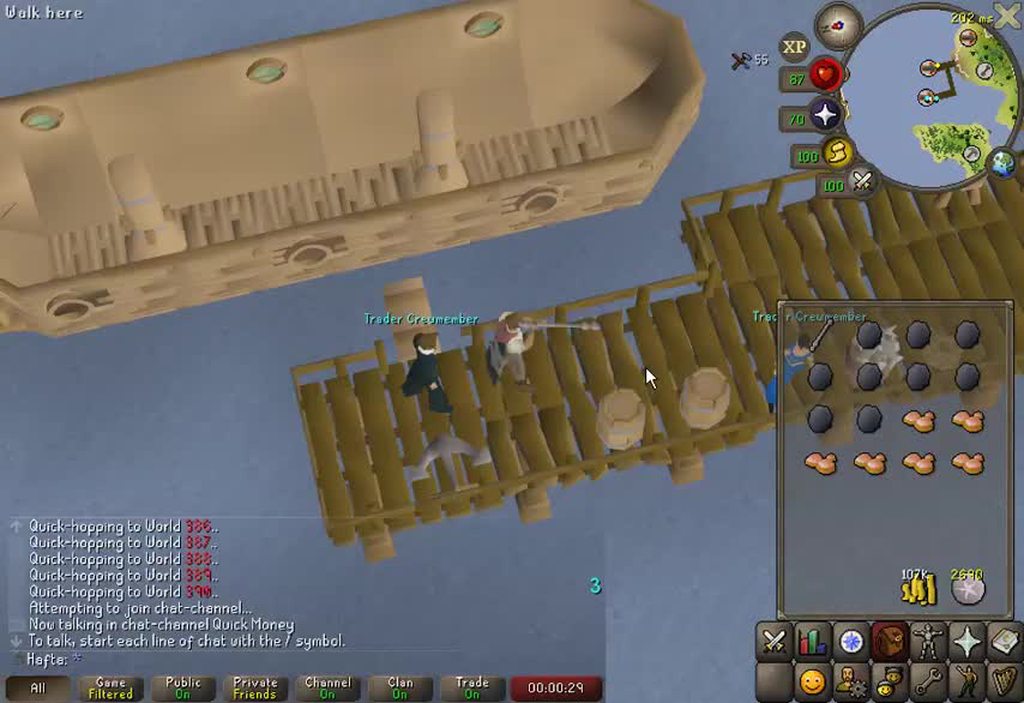
Am I missing something? I don't think I have changed any of my settings, and using scroll wheel to zoom, even on a new profile it takes signficantly longer to go from max zoom out to max zoom in than what it used too; I'm getting over 20+ clicks where I had it at around 12 iirc
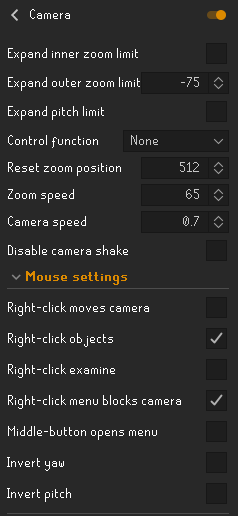
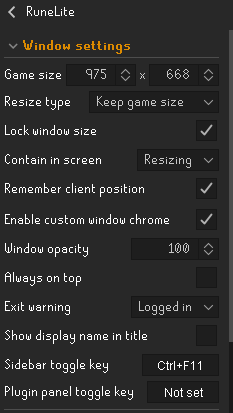
If it wasn't clear, talking about the amount of 'steps' between zoom clicks; https://i.imgur.com/DAr5AZR.mp4
 leaden trail
Does your mouse have multiple levels of scroll sensitivity?
 candid ledge
I am experiencing this bug where sometimes i cant click in this red box, it just wont register. Anyone had this?
 summer sluice
and editing my mouse scroll settings in windows doesnt appear to affect it
zealous cedar
Its caused from the discord game overlay
summer sluice
ill try restarting my PC, as I just noticed it today; but also havent payed attention too it for well over a month so It could have been going on for awhile
restarting pc fixed it 👍
 plush cedar
What should I do if I notice dead clicks (I click, but it does not register)? Other issue included I had to hit enter to leave party hub. Managed to move and close the box for it to work properly.
Main issue: Whenever I am doing HMT I have little to no issue with clicks until Verzik where it does not pick up my input.
zealous cedar
use safe mode
plush cedar
Will try that, ty
 silk fox
Anyone know how to use Radius Markers?
 round jacinth
the readme of the plugin shows how
silk fox
where do I find that
 silk fox
hmmm
i dont have a right click for that
when clicking nothing shows up
nvm
❤️
thanks
 crystal ravine
does anyone know how to use world global chat?? ive tried contacting the plugin creator and i cant
 final axle
because that's how the internet works
solid mesa
When you visit a website that website gets your IP address
 full leaf
Is it safe ? 🤔
gilded kayak
we review the code of the plugin to be safe
fossil summit
i wouldn’t trust username / ip
twin scroll
Timers & Buffs has been off for a little while now
solid mesa
Your farming tick? Or different timers?
twin scroll
The Timers & Buffs plugin
Spec weapon buffs, pots, etc -- it just has no idea what is going on
Mentioned it previously and was told its a spicy stew issue but its happening on other stuff as well
oblique plume
youll have to be specific
twin scroll
The countdown timer that tells me when the next stat drop will occurr is consistently wrong
Itll count down to 0, then go back to 59, no drop in stat
Then a few counts later the stat will drop
Using Crystal Felling Axe currently but it seems to be broken regardless
oblique plume
i know it does that if you drink stews
twin scroll
No stews
oblique plume
i dont even know if it knows what a crystal felling axe even is
twin scroll
They've been in the game for over a year so Id hope so haha
oblique plume
does it do anything other than daxe spec
twin scroll
Same as D axe spec yeah
twin scroll
Can do shortly
 honest wigeon
hey guys, me and some friend are having frame drops when doing xarpus and verzik. like not much but still enough to see.. it started like a week ago
anyone else have this?
we all have good pc's btw
twin scroll
oblique plume
youll have to show it not working i guess
*Boosts information, not Timers & Buffs sorry
round jacinth
honest wigeon
hey guys, me and some friend are having frame drops when doing xarpus and verzik...
probably a hub plugin of some sort, we dont know which one
you could make a blank profile with only gpu on and see if it performs better
if it does then you've got too many hub plugins or a bad acting one and again, we don't know which.
honest wigeon
ok so u guys heard abut this before
round jacinth
no
just because you have an issue and i know soemthing to check doesnt mean the issue is either new or known, it's just the thing to do to check obvious stuff like hub plugins
round jacinth
do what i suggest?
make a new profile, enable gpu (if you used that before) and run it back
honest wigeon
will do
gilded kayak
we've heard of it, in the sense of, that yellow warning at the top of the tab warns this can happen
and it does
 leaden niche
Does anyone know which plugin is causing me to get spammed with this notification? Thanks 🙂
 leaden trail
Probably some tileman or region locking one
leaden niche
gilded kayak
bingo helper
Was that a response to me?
gilded kayak
yes
especially if you use the plugin, bingo helper
oh I lied they did report it
it's only got 100 users maybe it's better disabled
leaden niche
Cheers ty
full leaf
@gilded kayak have you reviewed that one then ?
gilded kayak
I did not personally review it but I trust the person who did
but if you're worried about it then I would not install it
I think generally the info that plugin displays is wrong?
b/c drop rates just don't work that way
twin scroll
oblique plume
youll have to show it not working i guess
Part 1: timers goes from 0 > 59 but boost remains
Discord is bugging and refuses to let me upload the rest, I’m trying lol
gilded kayak
the wiki seems to think the boost lasts exactly 60 seconds like most boosts
if you look at the skills tab instead, does it correctly tick down
or does it incorrectly, match what the plugin thinks
twin scroll
gilded kayak
or does it incorrectly, match what the plugin thinks
Let me check
oblique plume
that sounds like you have preserve on and the tracking for preserve isnt working
twin scroll
I do not, actually have zero prayer points as you can see in clip 1
twin scroll
It used to work for me but it’s been broken for a couple weeks. And it’s not consistent. Seems to just happen every so often.
Long ago it worked flawlessly, didn’t matter if I was using a stew, preserve, etc. The stew comment surprised me last time I reported it because I used stews a ton for Construction upgrades and don’t recall ever having any issues but tbf that was a year or two ago.
oblique plume
based on how it works the stews will fake it out in certain circumstances
that and skill capes
since they change by 1
does it happen in safemode idk
 hot oasis
idk about the first vid but for the second, there is a background timer the client doesn't know about for boosts until you tick down the first time, then it aligns with the minute countdown
are you using lightbearer?
it seems like it from how fast the spec bar is filling, so maybe that is why
oblique plume
why would that change it though
twin scroll
hot oasis
are you using lightbearer?
Yes
hot oasis
idk just a guess. idk enough about boosts.
 rotund glen
Hi! I don't know if this plug-in is still being updated, but I thought I'd just inform that the "Did I Compost?" plug-in is very buggy and works pretty much just 50% of the time you either compost, or harvest composted patches
haughty pumiceBOT
Get support for the Did I Compost? Plugin Hub plugin here: https://runelite.net/plugin-hub/show/did-i-compost.
You can also find the support link by searching for the plugin in the Plugin Hub panel and clicking the ? button on the plugin, or by right-clicking the plugin in the plugin panel and clicking the Support menu option.
solid mesa
The maintainers of runelite don't write that plugin. You can tell the author
rotund glen
Ok, thank you!
oblique plume
Doesn't rl by default already do that
 mortal pond
I think rl only shows if a patch is composted in the time tracking thing, like this
having an option to show an overlay on the actual farm patches would be nice -- I think that's what the plugin linked above is supposed to do, but I think it was broken when I tried it forever ago too 🤷

 glacial pagoda
Hi, just wondering if there is anyway to clear all marked objects from the object marker plugin without manually unmarking them all in game? Ty
round jacinth
Unfortunately you gotta manually do it
glacial pagoda
ok thanks
 harsh mica
Can anyone help me resolve low fps issues? I am following the flowchart and ran rl in safe mode (flowchart says to send a video but all it is is fluctuating between 15-40 fps). I have a i5-7500 and a 1060 with 16gb of ram. i assume its a hardware issue but idk.
 swift saffron
Can anyone tell me why my better npc hightlight plugin wont work for the solarflares at the colosseum? I was sure to input the npc id correctly, and the correct boxes are checked. I can promise on my end, im not missing anything. But the plugin WILL NOT highlight the solar flares. Idk what else to do. Is colosseum bugged?
 zealous cedar
harsh mica
Can anyone help me resolve low fps issues? I am following the flowchart and ran ...
zealous cedar
harsh mica
Can anyone help me resolve low fps issues? I am following the flowchart and ran ...
can you get a video of it running at 15 fps in safe mode?
haughty pumiceBOT
Get support for the Better NPC Highlight Plugin Hub plugin here: https://runelite.net/plugin-hub/show/better-npc-highlight.
You can also find the support link by searching for the plugin in the Plugin Hub panel and clicking the ? button on the plugin, or by right-clicking the plugin in the plugin panel and clicking the Support menu option.
harsh mica
yeah 1 sec
swift saffron
haughty pumice
Get support for the **Better NPC Highlight** Plugin Hub plugin here: <https://ru...
Yes, ive looked at this. Looked at 1000 videos. Tried to find any answers I can. Nothing works. Not just solar flares. Ive uninstalled, and re-installed. Ive been going at this for hours
harsh mica
swift saffron
Can anyone tell me why my better npc hightlight plugin wont work for the solarfl...
better npc higlight is a plugin hub plugin
so idk if theyd be able to help
gilded kayak
swift saffron
Yes, ive looked at this. Looked at 1000 videos. Tried to find any answers I can....
there's literally an issue on there from 5 days ago about highlights not working with multiple comments saying it's happening to them too
swift saffron
gilded kayak
there's literally an issue on there from 5 days ago about highlights not working...
Beautiful. This is what I needed
Thank you
gilded kayak
no problem I just pointed out something that you said you already looked at
harsh mica
zealous cedar
can you get a video of it running at 15 fps in safe mode?
sry for wait
it seemed like my fps was going down when my mouse moved also idk if that helps
zealous cedar
what screen resolution is this display?
harsh mica
window size or my monitor
monitor is 1920x1080 and i play fullscreen
i use stretcehd mode but it doesnt seem to make a difference uif i have it on or not
zealous cedar
if you change the game to fixed mode, does that make a difference?
harsh mica
zealous cedar
if you change the game to fixed mode, does that make a difference?
fixed with stretched mode on not rly, maybe 3-5 fps better but fixed without stretched mode is at 50 more often but drops a little bit still
zealous cedar
that is interesting
harsh mica
i tried making it so runelite used the 2nd core of my cpu or whatever but it didnt rly make a difference either
so idk honestly
zealous cedar
do you normally play with the gpu plugin on?
harsh mica
yeah
zealous cedar
create a new profile in runelite, switch to it, close runelite, disable safe mode, save, start runelite, turn on gpu
and then go back to resizable, that should probably be good?
harsh mica
yeah its stuck at 75 now
zealous cedar
what happens if you turn stretched mode back on now
harsh mica
still at 75
thats weird because i duplicated my profile before trying to go into safe mode and uninstalled all plugin hubs plugins and it was lagging still
https://gyazo.com/dbe6607db0addb2a361b4bb5a73a8b21 maybe its my gpu settings ?
 zealous cedar
id guess its probably a pluginhub plugin, but when running in safe mode it uses a lot more cpu since gpu mode is off, which is offsetting whatever gains it got from disabling the pluginhub plugin
if you disable gpu now is it back down?
harsh mica
na its at 50
zealous cedar
maybe its one of the core plugins then, though that would be unusual
harsh mica
another weird thing, i went back onto my main profile and then back onto the new profile i made with only gpu on and it was laggy again
zealous cedar
if you find out one is causing that might fps loss i would be interested in it
you can't do that
harsh mica
wym
zealous cedar
when you go to the main profile it will load all of the pluginhub plugins
harsh mica
oh ok
zealous cedar
which will then just destroy everything really
zealous cedar
well probably
you can't really turn off pluginhub plugins or switch profiles away from them once they are loaded
harsh mica
if i uninstalled them then restarted runelite theyd be off right
or if i just uninstalled them
zealous cedar
uninstall them and restart runelite yes
harsh mica
this time when i switched back to my main profile with all my plugin hub plugins my fps is stuck at 75 again lmfao
idk wtf happening
its fine now tho
zealous cedar
weird
 dire dove
Is there any way to hide/disable the top bar on Runelite?
 civic folio
gilded kayak
civic folio
gilded kayak
RuneLite and the website both load for me
maybe cloudflare issue in your area?
usually when this sort of thing happens a few people will show up
 proper orchid
Is it possible to add a custom cursor via the Custom Cursor plugin on a Macbook?
gilded kayak
i'm looking at the PR that added this, and it seems like the answer is no
at the time 6 years ago, about 96% of the downloads for RuneLite were on windows
idk what it is now but i doubt it's not much lower
proper orchid
Well thats depressing, but thanks for looking into it
 mellow mica
Hi everyone!
Since around yesterday noon GMT+1 it felt like my entire computer CHOKED while playing OSRS on runelite.
I usually run 6-9 rl clients simultaneously with zero lag and good FPS.
But since yesterday I can hardly even load up 1 runelite client. I get 6-20 fps avg and it totally just freeze lags on me. Unplayable. Not sure what happened? Have been working like a charm since I started doing multi clients in august/september. help appreciated ♥️
gilded kayak
sounds like your gpu drivers updated, yesterday at noon GMT+1
followup for if you say no, hub plugins update, you can sort by most-recently-updated on the website https://runelite.net/plugin-hub/
but the last core RuneLite update was wednesday, and i can count on 1 hand how many things were changed
so more realistically the last update was saturday
gilded kayak
gilded kayak
sounds like your gpu drivers updated, yesterday at noon GMT+1
also windows updates probably happen too, if you remember the exact time stamp, because you turned your computer on and have issues
mellow mica
Yes thanks. Ive been suspecting win update actually. But is there any fix for it that you see apply when this happen? Revert the updates or can you perform any settings in RL?
gilded kayak
i'm not sure how RuneLite would be able to handle windows tanking your fps
mellow mica
I mean, making it run on CPU or GPU something like that? Its a laptop so no ultra mega GPU. It ran smooth like a b previously I mean… so its most likely software/drivers like you mention and not hw issues
mellow mica
Hmm. I went through all different windows update categories. No graphics driver updates and no general big updates since january. Also checked device manager for gpu drivers. Nothing new :/
My PC btw is on Intel i7-8650U 1.90GHz and 16GB RAM. Intel UHD graphics 620.
dire dove
mellow mica
Hi everyone!
Since around yesterday noon GMT+1 it felt like my entire computer C...
I don't have a solution but may I ask why you're running 9 clients at once?
leaden trail
dire dove
I don't have a solution but may I ask why you're running 9 clients at once?
Can you move to #general or #runescape since this isn't support related?
 lyric prawn
hello, my windows 11 laptop has a touchscreen and I have noticed that if I try to use it with runescape it sometimes takes multiple taps for my inputs to register in the correct place (sometimes they register in the last place i tapped even if its on the other side of the screen)
does anyone know what the issue might be? (I don't have the taps register in the wrong place issue in anything else to my knowledge)
zealous cedar
runelite doesnt work with touch screens
dire dove
leaden trail
Can you move to <#334801290645209099> or <#448811926315728896> since this isn't ...
I’m still waiting for my above question to be answered 🤷♂️
leaden trail
You can try using the fullscreen plugin from the hub but I think it breaks stuff. Otherwise no
dire dove
leaden trail
You can try using the fullscreen plugin from the hub but I think it breaks stuff...
If it breaks, is it as simple as disabling it to return to normal or will it be more of a hassle than that?
oblique plume
i havent heard of problems with it in a while
but when it first came out people were saying it broke stuff and didnt revert when it was uninstalled
it like made their gpu software pick up runelite differently and apply some settings or something
and they didnt know how to go back
 prisma flicker
Has anyone had this issue with the UI??


 haughty pumiceBOT
Graphical artifacts? Try disabling hardware acceleration: https://github.com/runelite/runelite/wiki/Disable-Hardware-Acceleration
zealous cedar
try this
prisma flicker
thank you Ill take a look
prisma flicker
zealous cedar
try this
Unfortunatly that didn't work. A little more context: I am developing a plugin and it only happens when test running the game through intellij IDEA, the normal game doesn't have this issue. I know it must be something I am missing in my code, maybe the panels or other UI but I have been banging my head for about 2 days now 🤕 . Was just hoping maybe another dev has run into this issue somewhere along their journey
zealous cedar
..
prisma flicker
would have posted in the dev channel, but I don't have access
 clear stratus
You use the /ghauth command to link your github - then you'll be able to post in that channel
prisma flicker
clear stratus
You use the /ghauth command to link your github - then you'll be able to post in...
oh thanks!
oblique plume
its incredibly relevant to disclose that you aren't using the release client while speaking in the channel dedicated to supporting the release client
prisma flicker
yep, that's why I provided more context in my second comment 👌🏼
zealous cedar
you probably need to disable j2d hw accel, look at how the launcher does it
prisma flicker
that didn't fix the issue unfortunately
zealous cedar
then i dont know
mellow mica
mellow mica
Hi everyone!
Since around yesterday noon GMT+1 it felt like my entire computer C...
I can’t be the only one ever having this issue. Does anyone have a idea to resolve it? Gpu drivers havent updated since feb 2021. CONFIRMED.
They are locked by manufacturer (Dell) so cant either up- or downgrade. But hey, this is not even the case.
And I have 122mb/s stable internet connection. Thought it was that at first glance.
So what else could it be, hmm 😦
stone parcel
Maybe OS updates.
oblique plume
hub plugins can update and become poorly performant
stone parcel
Could try this #support message
mellow mica
stone parcel
Maybe OS updates.
There was no windows update either. Except virus definitions which come daily basis year round.
 latent rapids
does anyone know why my low detail plugin doesnt seem to work?
solid mesa
Anywhere specific? Jagex change it at Hallowed Sepulchre and I think ToB
latent rapids
solid mesa
Anywhere specific? Jagex change it at Hallowed Sepulchre and I think ToB
oh haha, ye sepulchre, that he box jonges looks so clean
solid mesa
Yep, jagex changed it. You can't really replicate that as well
latent rapids
cheers dude, appreciated
solid mesa
You can use Ground Object Hider with these IDs if you want it a bit cleaner
38142,38141,38135,38149,38150,38146,38143,38145,38132,38133,38136,38137,38131,38129,38138,38139,38140,38147,38391,38389,38390,38148,38163,38164,38151,38169,38167,38168,38165,38154,38155,38170,38159,38153,38161,38162,38160,38158,38156,38171,38172,38388,38386,38387,38157,38185,38197,38202,38395,38396,38201,38397,38198,38199,38205,38206,38253,38248,38252,38240,38254,38247,38250,38244,38246,38245,38225,38221,38222,38394,38392,38393,38229,38230,38223,38226,38217,38211,38209,38213,38216,38215,38212,38219,38218,38187,38189,38188,38203,38251,38227,38653,38228,38220,38242,38236,38233,38235,38234,38214,38283,38296,38295,38406,38407,38300,38297,38285,38405,38299,38291,38307,38319,38327,38316,38309,38320,38324,38321,38402,38323,38404,38403,38312,38313,38314,38343,38347,38344,38333,38334,38331,38350,38346,38398,38399,38400,38351,38345,38337,38335,38332,38341,38338,38339,38134,38194,38196,38204,38328
legend tyty, ill give it a go!
 still flare
Having a weird issue on Ubuntu 24.04 with Wayland. Wayland doesn't move the cursor when I use my touchscreen, and it's causing strange behavior when I tap within the game world. I will fail to interact with objects (acts like walk-here) or interact with completely different objects. Double-tapping seems to fix it. This does not happen when tapping interface elements or when using a mouse. I think RL is interpreting the tap as happening at the cursor location, but it's odd that it works fine on the interface
still flare
It worked fine for tapping (left-clicking) back on X11. That's all I want it for
If I know what RL is trying to do, I can patch my input driver to get it back to where it used to be
oblique plume
idk what you mean by used to be
still flare
Back when I was using X11
oblique plume
afaik touchscreens have never worked with RL
still flare
Tapping as left-click has worked for me for over a year, before I upgraded my os
oblique plume
zealous cedar
runelite doesnt work with touch screens
idk man, adam even said it this morning
if it used to work thats nice though
gl trying to get it back
still flare
I was hoping someone could point me to how the client registers clicks. I think I can fix it on my end from there
oblique plume
my understanding of it is the mouse position on the previous frame is where it clicks
but with touch screens they move and click on the same frame
still flare
Hmmm, interesting that it worked on X11 then
gilded kayak
!logs
haughty pumiceBOT
To find the logs, you can do one of the following:
- If your client failed to open, click the
Open logs folderbutton. - Open the screenshot directory by right-clicking 📷
Camerabutton, navigate 1 directory up, then open logs folder. - Navigate to
%userprofile%\.runelite\logson Windows or$HOME/.runelite/logson Linux and macOS.
Upload the log files named client and launcher by dragging them to Discord. If there are files prefixed with jvm_crash dated from today, upload them too.
 random seal
@tawdry bronze me and a buddy of mine have an issue with TOB QOL where the hide white screen box is checked but we still get flashbanged every maze. is there a solution to this?
or is there a known issue causing this (maybe another plugin)
gilded kayak
tob light up
random seal
is that the plugin that causes the issue?
random seal
bet ty it looked like it worked
gilded kayak
I just right-clicked tobqol in the client, clicked support, went to the issues page and looked for an issue
and there was indeed one called Sotetseg White screen
 shy loom
Hiiiiii, Bank Screenshot issues on rl.net refers to the Example Plugin, how do I sent a suggestion for it?
It would be great if it could make screenshots of the Costume Room furniture 🙂
haughty pumiceBOT
Get support for the Bank Screenshot Plugin Hub plugin here: https://runelite.net/plugin-hub/show/bank-screenshot.
You can also find the support link by searching for the plugin in the Plugin Hub panel and clicking the ? button on the plugin, or by right-clicking the plugin in the plugin panel and clicking the Support menu option.
 shy loom
Ok, so it's just not renamed? 😛
mossy swan
its just in a different branch
shy loom
Ah ok, ty 🙂
 tawdry bronze
gilded kayak
`tob light up`
tawdry bronze
gilded kayak
`tob light up`
Fine.. Felan gets a lovely support award for answering for me. 🫶
 tardy onyx
Anyone know how to combine these 2 profile loot trackers, or tell runelite which one to sync to my machine? My Desktop loot tracker is showing my laptop's loot that synced.
 tardy onyx
Update: It looks like it adds a profile every time you sign into runelite. May be a bug. I exported my loot logs. The question now is where to import them.
charred wind
Can’t be imported
 grave wedge

Does anyone know how to edit the discord popup on runelite when people are talking? First time seeing this.
final axle
that's not a runelite feature, that's a discord one
gilded kayak
discord's overlay never worked on RuneLite, they changed something a few weeks ago and now it does
grave wedge
Thank you. I was on yesterday and didn't see it. First time seeing it today and was surprised. I've seen it on other games, but never runelite/osrs.
gilded kayak
the few weeks ago I mentioned, were people reporting that they couldn't click in that section, so assuming that it was there but didn't visually work
maybe they fixed it, again
 frigid umbra
i'm not sure who the author of fixed client hide chat is, but thank you for fixing the chat not coming up automatically on dialogue that is a prompt after a recent update
charred wind
!logs
haughty pumiceBOT
To find the logs, you can do one of the following:
- If your client failed to open, click the
Open logs folderbutton. - Open the screenshot directory by right-clicking 📷
Camerabutton, navigate 1 directory up, then open logs folder. - Navigate to
%userprofile%\.runelite\logson Windows or$HOME/.runelite/logson Linux and macOS.
Upload the log files named client and launcher by dragging them to Discord. If there are files prefixed with jvm_crash dated from today, upload them too.
 simple atlas
heya :) I'm coming back to osrs on runelite after a little hiatus and when I went to load up runelite again (4 months of inactivity) my client creates a new .runelite folder in my C drive and doesn't use the existing .runelite folder in my D drive (which has all my plugin data, screenshots etc etc). I was wondering if anyone knows how to make runelite take the data from my pre-existing folder instead of making a new .runelite with a fresh slate? thanks so much in advance :)
stone parcel
I'm pretty sure you would want to put the old data into the new folder to have it use that.
simple atlas
ahhh i see, I was hoping to avoid just deleting the contents of the new folder and copying across the old contents to the new one in my C drive because im having some unrelated PC issues. I am wondering if I do that anyway and moving the folder to my D drive after, if the same thing would happen
haughty pumiceBOT
stone parcel
You could move just the profiles file to the C drive if you wanted to try that.
leaden trail
It has to be in the location where you actually installed it I believe
simple atlas
stone parcel
You could move just the profiles file to the C drive if you wanted to try that.
Ill give it a go! thank you :)
simple atlas
leaden trail
It has to be in the location where you actually installed it I believe
I thought as much and did reinstall it where my .runelite is already but sadly it didnt change anything :(
simple atlas
haughty pumice
<https://github.com/runelite/runelite/wiki/FAQ#i-want-to-transfer-my-settings-to...
Ill have a look at this too thanks!
 cerulean ibex
How can I make a ticket? The better npc highlight plugin has some issues atm. For me when ever I edit something the whole plugin stops working. i.e. if I rewrite the IDs or change names in the box all of my highlights turn off. Turning the plugin on and off again wont do anything. If I add the name to the box then close my runelite client completely it will then work until I click into the names box to change something again.
zealous cedar
you need to open an issue on the better npc highlight plugin specifically
haughty pumiceBOT
Get support for the Better NPC Highlight Plugin Hub plugin here: https://runelite.net/plugin-hub/show/better-npc-highlight.
You can also find the support link by searching for the plugin in the Plugin Hub panel and clicking the ? button on the plugin, or by right-clicking the plugin in the plugin panel and clicking the Support menu option.
cerulean ibex
ty
simple atlas
stone parcel
You could move just the profiles file to the C drive if you wanted to try that.
sadly, every time i do anything to the newly created .runelite folder it will just create new sub folders within and not take any data from the old one even if i move thingss across D:
it might be a me issue with my computer
stone parcel
Maybe you could try importing the profile from these steps.
haughty pumiceBOT
simple atlas
thank you :) ill have a looksy!
stone parcel
Good luck! 😄
simple atlas
i think I found the issue and it might be a lost cause kinda thing :')
I dont think anything has saved on my profile since early 2023, but i have folders of screenshots, plugins, logs, etc etc that lead up to when i last played - but they arent connected to a profile basically i believe
 plucky elbow
how do i take my runelite settings from one computer to another ? i have tried saving the profile but i can not see it in the file on the other computer
haughty pumiceBOT
simple atlas
simple atlas
I dont think anything has saved on my profile since early 2023, but i have folde...
is there a way to connect these back to together or is this something where I'd have to start from scratch does anyone know :o? (for context - I have a profile which I can import but in terms of what data it has stored, its about 2 years out of sync compared to the folders that are in my .runelite, eg plugins ive added since then and other data that has collected over time)
oblique plume
just put the data directory back where it should be
simple atlas
oblique plume
just put the data directory back where it should be
yeah that's what I've been trying to do but it's sadly still not working :( I think it must be something to do with an issue with my computer not something runelite specific for me, ill try figure it out tho :)
thanks for everyones help <3
oblique plume
you keep saying its in D
it needs to be in C
where it keeps creating the "new" one
because it sees its not there
simple atlas
yeah I did transfer it (the .runelite folder that was in D) all to the "new" one (.runelite folder in C) but its still not detecting it :(
simple atlas
I did that too haha, was just clearing all bases
I put the contents of the old one in first, then scrapped that and instead replaced it, but same result
cold bone
is there a plugin to increase the interface size? (inventory/chat)
i have a really large screen and they appear small
final axle
stretched mode
leaden trail
Your client log looks snipped and also like you may not be running the release client
mild rose
leaden trail
Your client log looks snipped and also like you may not be running the release c...
Snipped?
Should I just delete runelite and reinstall?
leaden trail
This channel is for release client support, and your logs look like you aren't using the release client
mild rose
Not sure what a release client is, I downloaded it off the official website
leaden trail
You look like you're building from source
mild rose
So how would I go about fixing it
leaden trail
When was the last time you closed your client?
mild rose
Like a couple days ago
I just redownloaded the client and nothing :/ I wonder if it’s a graphics driver issue or something
leaden trail
Close your client more often to start
mild rose
Ok
leaden trail
If that doesn't fix it post your logs again
 radiant tangle
I'm having weird problems with my bank today. It's not letting me click on first few tabs of my bank and not letting me click first few items in each tab at all.
oblique plume
its a discord overly blocking it
 wanton mantle
Having performance issues with FPS dropping mostly in TOB at verzik and nylo boss but it also happens some times when doing fast switches or opening bank.
GPU: 2070 super
CPU: Ryzen 7 3800x
16gb RAM
All temperatures are low, % usage is 20-60% (depends if I have multiple clients open and/or YouTube etc, but problem persist even if I only have 1 clients open open)
2 clips that show it, although it doesn’t really "show" how bad it feels in game (I also wasn’t doing item switches in them) It seems like tick tracker registers the FPS dropping as bad ticks. My internet is fine and I’m 99% sure that isn’t the issue.
Any suggestions? Drivers are updated, runelite re-downloaded, cleared out all unused plugins

Watch FPS/Ticks? and millions of other Old School RuneScape videos captured using Medal.

5 Views. Watch ?? and millions of other Old School RuneScape videos captured using Medal.
zealous cedar
Probably its just a pluginhub plugin lagging
wanton mantle
I’ll clean out even more to find the culprit(s), thanks Adam.
zealous cedar
create a new profile -> enable gpu mode, and play on that, it should work fine.
wanton mantle
I have some other profiles that I’ve used for DMM, leagues and alts, which were based on my original main profile. I’ll test out those and then slowly add back plugins I enjoy to rule out which ones are fine
charred wind
@wanton mantle try playing with the party panel closed. Supposedly it was fixed in the past but I have experienced it causing hitching like that
wanton mantle
charred wind
<@132998478849638401> try playing with the party panel closed. Supposedly it was...
Do you mean just having it closed, or not having it at all?
There’s multiple party plugins so I could try others I guess
charred wind
Nono
The one showing your party members gear swapping is what has caused it in my experience
So just play with the panel closed
wanton mantle
charred wind
The one showing your party members gear swapping is what has caused it in my exp...
Thanks! I’ll try it after the weekend
 bleak silo
If I've exported my current .properties file to my desktop and have that seperate to the .runelite folder, am I safe to delete the files from "profiles2" in .runelite? 👀
charred wind
Why
bleak silo
Long story short, I renamed a profile in Runelite and fiddled with some stuff, and now it's all broken, so trying to start fresh with my current good settings lmaoo
But there are .tmp and a json file in there and idk if that will break stuff even more
Every time I launch Runelite it's creating new profiles so kinda stuck in a loop
leaden trail
If you were messing with files directly it's hard for us to know what you did
bleak silo
I agree, but I'm just asking if clearing the profiles2 folder, then adding the exported files back in will work
Or should I just delete everything (except the .properties files I saved) and re-install?
charred wind
You could just move those instead of deleting but also you could just start fresh. Nuke the whole .runelite folder
leaden trail
I don't know if the exported files will work because I don't know what you did
leaden trail
charred wind
You could just move those instead of deleting but also you could just start fres...
Just rename it
bleak silo
I clicked export and saved them to my desktop
leaden trail
I don't know what you did that broke things
bleak silo
I didn't copy anything from the profiles folder or mess with stuff in there
I renamed the profiles IN Runelite
So now I just wanna start fresh with 1 singular .properties files I have saved to my desktop
leaden trail
Post your logs
haughty pumiceBOT
To find the logs, you can do one of the following:
- If your client failed to open, click the
Open logs folderbutton. - Open the screenshot directory by right-clicking 📷
Camerabutton, navigate 1 directory up, then open logs folder. - Navigate to
%userprofile%\.runelite\logson Windows or$HOME/.runelite/logson Linux and macOS.
Upload the log files named client and launcher by dragging them to Discord. If there are files prefixed with jvm_crash dated from today, upload them too.
leaden trail
I want to see what the actual issue is tbh because renaming profiles shouldn't cause problems like that
bleak silo
Are the files case sensitive? I changed it from "IronMan" to "Ironman" and now when I launch it keeps re-making an "IronMan" profile with the older settings
leaden trail
Just post your logs
oblique plume
If everything you're saying is true then the only way this can happen is if you lost write access to .runelite
Which the logs would elude to
bleak silo
These 2 are from last night when I renamed
These 2 are from just now when it re-made the profiles
The profile it recreates with the old name doesn't have any plugins, it's just barebones Runelite as well so not like I can just roll with the new recreated profile
 low flower
Can someone help fix this issue with Ground Markers. As you can see in my POH I have two portal chambers. I want to leave a tile marker on each of them to better explain where they are going. But once I did one room, it keeps mirroring the other (which has portals directed to other places).
 zealous cedar
thats just how it works, you cant fix it
low flower

GitHub
When you mark a ground tile in POH it marks the same tile in each room of the same kind. I want to mark tiles infront of portals with labels so that i can have a visual label with portal names but ...
low flower
zealous cedar
thats just how it works, you cant fix it
Which sucks. There is the Player-owned House plugin, but that doesn't even put labels above them or anything, just icons on the minimap.
zealous cedar
an option for the poh plugin seems good. also I could do something like make it so you can label any marked objects and not only poh portals.
low flower
The main issue is that I am not used to Senntisten actually going towards to the Digsite for example. Any workarounds?
zealous cedar
if an option was added to the poh plugin it would label Senntisten just as Senntisten probably
low flower
Yeah, that's the problem I was hoping to use tile markers to solve.
I guess I will just have to attempt to get used to the strange names Jagex gave them.
oblique plume
leaden trail
It's because you're launching with `profile=IronMan`
Oh wow I hadent considered that
 sonic birch
We know it's always pebcak. The question is just what the users themselves did
leaden trail
oblique plume
Oh wow I hadent considered that
I hadn't til I happened to see that was being passed in the client log, I was looking for file perms errors 🤣
Wait I mean I knew it the whole time ofc
 obtuse blade
Is there a plugin that gives notification for when your prayer regen pot is about to run out?
leaden trail
Assuming there's a chat message you can use chat notifications
sonic birch
Chat notifications can do it indeed. Timers also got a timer but no notif
obtuse blade
Thanks guys
simple atlas
heya, Im looking to understand where types of data are stored as I know there is Runelite account for statistics and loot tracking, profiles on runelite, and just runelite settings itself. I think my overall question is does a profile on runelite contain all your saved data (plugin settings that have been editted, tile markers and misc settings) or is personally edited settings etc saved across multiple files within .runelite? Sorry if that is confusing, I can try reword if needed! any clarification is greatly appreciated thank you! :)
mossy swan
hub plugins may save in to their own files, but runelite saves to just the single profile file
simple atlas
mossy swan
hub plugins may save in to their own files, but runelite saves to just the singl...
ahh that's amazing that clears things up thank you! just a follow up question, is it possible that someone could have been using runelite and making personal settings changes and anything else that would save to a profile, but the actual profile had never saved? by this I mean I have a profile on my runelite and I have been playing exclusively on there up until a few months ago (had a break) but the profile itself has no data since a couple years ago
essentially my data has "wiped" and im left with a profile that was last saved a couple years ago (I believe) unless im missing something
haughty pumiceBOT
oblique plume
Is it just that
leaden trail
Are you looking at the modified dates in the profiles folder and assuming that it has no data more recent than a few years ago?
Profiles have been saved in profiles2 for a while now
simple atlas
oblique plume
Is it just that
I was looking at this yesterday but it didnt appear to be that
simple atlas
leaden trail
Are you looking at the modified dates in the profiles folder and assuming that i...
I think I have been yeah haha sorry, the profile file in question was (still is) in the old 'profiles' folder
silk fox
bought a mac laptop for portability and want to transfer all my plug ins when gaming on the go i logged into runelite on the mac but do I need to install all of them again
or is there a way to hav ethem all move over automatically
zealous cedar
enable cloud sync on the profile on your main pc, then it will show up on the laptop.
simple atlas
leaden trail
Are you looking at the modified dates in the profiles folder and assuming that i...
the profile itself though does still appear to be "out of date" compared to my old plugins folder? I have imported it by bring the old profile across to the new Profiles2 folder now and thats working fine but yeah its still somewhat "old" and might be some other settings missing
which is why I was wondering if nothing had been saving (after I imported the profile back, the plugins folder added some plugins but a mere fraction of what is displayed on my old .runelite folder)
 lucid inlet
Any idea for fixing FPS drops in GOTR? I have entity hider on and its 200fps but a lot of freezing when running around, it looks like a slideshow every 5-10s.
I have two runelite clients open if that matters
zealous cedar
uninstall all of your pluginhub plugins. maybe start with the gotr ones.
lucid inlet
Thanks, I will try, it also happens in forestry worlds or any place there is a large number of players, even with entity hider on, does that give you any clues?
zealous cedar
its probably from a pluginhub plugin. alternatively you could make a new profile, switch to it, and then not install any pluginhub plugins.
simple atlas
simple atlas
which is why I was wondering if nothing had been saving (after I imported the pr...
bit more context :) the old .runelite folder (not conflicting) contains the profile I was usingbefore as well as the old plugins folder which has all the plugins I have ever used (and im assuming any data that may be stored). I moved the profile I was supposedly using in the old profiles file into the new profiles 2 file on my current .runelite but as I say, its quite "outdated"


I understand this could also be a lost cause and it may have been my computer files that broke at some point
leaden trail
I don't think you're supposed to be just moving it from profiles to profiles2
Follow the steps here

GitHub
Open source Old School RuneScape client. Contribute to runelite/runelite development by creating an account on GitHub.
simple atlas
ill give it a go thank you :) im really quite ignorant to all this so I've definitely caused some issues to myself with not understanding haha
same result sadly, I have been able to import the old profile and use it and it does contain some of the plugins (and any data it can hold) so Ill just probably start fresh from there and go through my old plugins folder and search + add them manually :)
 cursive cargo
I added wise old man plugin to runelite but my stats show as lvl 3 and f2p. Anyone have any suggestions?
leaden trail
Are your levels high enough to show up on the highscores?

 dark rose

How do I scale up my plugins? They are hard to read. I am on Linux and unable to do the --configure commandline since I am using the Jagex launcher
zealous cedar
just use runelite --configure, it doesnt matter that you have the jagex launcher
leaden trail
cursive cargo
I don't think any of those are high enough to show up.
RuneLite (and Wise Old Man) uses Jagex's official highscores for lookups, so that's why
cursive cargo
leaden trail
I don't think any of those are high enough to show up.
RuneLite (and Wise Old M...
that makes sense. thank you
simple atlas
leaden trail
Follow the steps here
https://github.com/runelite/runelite/wiki/FAQ#how-do-i-co...
I just discovered 1 more thing, I dont know if its anything to go on but after I did this method, the old profile file which was a 325KB file, when imported became a 116KB file, which kinda makes sense because the settings and plugins it loaded were a fraction of what I had before. I dont know if this means much but thought it was worth mentioning :)
gilded kayak
assuming that this was a profile that was in the profiles folder, not profiles2 it's because the old file would have been both the profile, and the rsprofile (rsprofile is stuff that's attatched to the actual account, like loot tracker)
i can see the very old profile in my profiles folder, has loot tracker data in it, but new profiles in profiles2 have that split off
gilded kayak
if your issue is that the client cant figure out your profiles folder profile then no, it should just work
and it definitely did for the time after this migration was added, feb 2023~ onwards
simple atlas
I see okay, thank you so much :)
 median wolf
hello all, i play on a Mac (unfortunately i know) but on runelite i cant use my F keys does anyone know a way to fix this?
solid mesa
Do you have this on?

 inland adder
Has anyone had an issue opening bank tabs? My first three tabs won't open unless I click off the client first. Wasn't sure if it was a vanilla bug or not
zealous cedar
might be the discord overlay
median wolf
solid mesa
Do you have this on?
where is this?
solid mesa
System Settings
 brazen path
Is there anyone that can assist with crashes
Up to 7m in death fees from random client crashes on the iron. Its unsustainable. 4090/14900k/128gb DDR5 Ram shit shouldnt be crashingf
haughty pumiceBOT
To find the logs, you can do one of the following:
- If your client failed to open, click the
Open logs folderbutton. - Open the screenshot directory by right-clicking 📷
Camerabutton, navigate 1 directory up, then open logs folder. - Navigate to
%userprofile%\.runelite\logson Windows or$HOME/.runelite/logson Linux and macOS.
Upload the log files named client and launcher by dragging them to Discord. If there are files prefixed with jvm_crash dated from today, upload them too.

 dark rose
zealous cedar
just use runelite --configure, it doesnt matter that you have the jagex launcher
dark rose
zealous cedar
just use runelite --configure, it doesnt matter that you have the jagex launcher
I couldn't figure it out, but Bolt allows you to bring it up manually so I went with that. I'm still new to Linux lol
brazen path
brazen path
If anyone can assist with this I'd be super greatful
 quiet meteor
yo, im hoping some1 can help me with some VPN / Runelite issues.
Ill start from the beginning, awhile ago i lost the ability to log into jagex launcher or runelite while using my VPN. I played around with different servers but generally unsuccessful. i recently decided to purchase a 'dedicated ip' through my VPN privider (nord VPN). this allowed me to log into jagex and runelite without any issues (wohoo) except now runelite disconnects randomly around every 5 minutes, says failed to log in please try again (as before it would say with with old VPN issues). the miraculously 10 seconds later i can log back into runelite. now as you can imagine playing runescape doesnt work on 5 minute intervals -.-.
i did some research and found that within my runelite logs i am getting an error code every time it disconnects me from the game. the error code goes as follows:
2025-02-15 12:57:42 PST [Client] ERROR injected-client - Client error: Login authentication error. Response code: 400 Error servicing REST query: auth.runescape.com Response body:
i hoping some1 can help with this
zealous cedar
split tunnel the jagex launcher and runelite
leaden trail
brazen path
If anyone can assist with this I'd be super greatful
Make sure you're using the latest microcode for your CPU, try disabling SpeedStep in BIOS and hope that works
We don't have a reliable solution for this issue though, it's a JVM bug rather than a RuneLite issue
quiet meteor
 brazen path
Thanks Dura Ill try this
quiet meteor
quiet meteor
yo, im hoping some1 can help me with some VPN / Runelite issues.
Ill start from ...
i really hope some1 knows whats going on here, im at a loss
round jacinth
Adam suggested to enable split tunnel on those so they don’t use the vpn
 atomic zinc
Hey im back after like a year and i deinstalled all of this stupid game, and now im back at it again lol. i logged in into my runelite email but my plugins arent here anymore ? i restarted etc. and cant import a single thing
quiet meteor
round jacinth
Adam suggested to enable split tunnel on those so they don’t use the vpn
im sorry im not familiar with this, is there a guild on this process?
round jacinth
!lost
haughty pumiceBOT
gilded kayak
quiet meteor
im sorry im not familiar with this, is there a guild on this process?
it's just an option in your vpn
round jacinth
quiet meteor
im sorry im not familiar with this, is there a guild on this process?
Google how to split tunnel specific applications with your vpn provider’s app
If that doesn’t work you could turn off the vpn at the desktop and use the extension for the browser and have a similar experience you probably are aiming to have probably.
quiet meteor
thank you, i will try this and let you know
quiet meteor
round jacinth
Google how to split tunnel specific applications with your vpn provider’s app




 round jacinth
If your vpn is off can you reach https://static.runelite.net/bootstrap.json
quiet meteor
i turned it off and yes i can access the link
i tested split tunneling and i cant connect to runelite period, turn vpn off entirely and i can connect
haughty pumiceBOT
leaden trail
Follow that, making sure you're on the latest launcher version, and enable IPV4
atomic zinc
round jacinth
!lost
Thank you very much for providing the link, but unfortunately, it doesn’t help me, and I can't solve my problem.
I follow the steps and log in with my old email as instructed, but no old profiles are displayed.
round jacinth
if no old profiles are grabbed then either you’re in the wrong email or you never synced
quiet meteor
leaden trail
Follow that, making sure you're on the latest launcher version, and enable IPV4
i have the latest version of runelite but i am not able to find the runelite (configure)
leaden trail
Search for it in the start menu
quiet meteor
leaden trail
Search for it in the start menu
i tried its not coming up
quiet meteor
okay i changed it to the IPV4
quiet meteor
leaden trail
Follow that, making sure you're on the latest launcher version, and enable IPV4
is this supposed to help with split tunnelling connection?
gilded kayak
yes but not for the issue you're having I don't think
what dura suggests fixes a different issue
quiet meteor
so the loss of connection still occurs while connected to vpn, but this did allow me to connect with split tunneling enabled
ideally i'd like to be connected through a vpn but atleast i dont need to turn it off completely to play osrs now
thanks for the help fellas, i appreciate the support
leaden trail
gilded kayak
yes but not for the issue you're having I don't think
I don't think so but figured I'd have them try just in case tbh
gilded kayak
apparently it was so
he asked if it was supposed to help, after already figuring out that it worked
 quasi thunder
is there a way to colour code these options?
 livid aspen
i have 2 clients open side by side, sometimes when i traverse from one to another, my cursor is stuck in the double arrow (the one used to adjust window size) and cant get it back to regular mouse icon seomtimes. I assume this is runelite specific as it never happens when i have two windows of other applications open in a similar way
 severe ether
livid aspen
i have 2 clients open side by side, sometimes when i traverse from one to anothe...
severe ether
livid aspen
i have 2 clients open side by side, sometimes when i traverse from one to anothe...
im having an issue where the cursor in runelite changes from my custom cursor to windows default cursor and does not allow me to interact with certain things or items in bank. turned off bank tabs and custom cursor but the problem is still happening for me
severe ether
livid aspen
i have 2 clients open side by side, sometimes when i traverse from one to anothe...
to fix your issue though i would try going into the runelite settings and locking the window size. that might make it so the adjusting cursor doesnt appear at all
 mighty raft
hey my runelite is freezing for a sec everytime i kill a monster
anyone know whats cousing this?
 opaque bloom
anyone know why when I try to hide ground items by holding down alt it wants to move my screen rather than hide the item?
sonic birch
Because you also set alt as the drag hotkey in the runelite config
It's alt by default
You double tab alt to hide the ground items, you don't hold it
opaque bloom
holy shit
sonic birch
mighty raft
hey my runelite is freezing for a sec everytime i kill a monster
anyone know wha...
!flow 99.9% it's a bad hub plugin
opaque bloom
pardon my french but I did not realize you could double tap alt
haughty pumiceBOT
flowchart: Please refer to this flowchart for further troubleshooting.
sonic birch
opaque bloom
pardon my french but I did not realize you could double tap alt
It's big; I love using that when raiding
Outside of raids I have the text visible, inside raids I hide it bec of all the pots etc we drop in tob
opaque bloom
but still would like the ability to put items on the hidden list from game
sonic birch
Can do that
opaque bloom
yea so what's the plugin that controls that?
sonic birch
Either hold alt and click the minus, or my preference is hiding them via the config
Or do you mean the item itself
Instead of the ground items text
opaque bloom
yea when I hold alt and try to do it that way it moves the screen so I think I have control set to something somewhere by default
sonic birch
Oh, well I'd recommend using the ground items config anyway
It's way more powerful bec you can use wildcards
Such as clue scroll*
mighty raft
sonic birch
!flow 99.9% it's a bad hub plugin
it was better discord loot logger lol
sonic birch
mighty raft
it was better discord loot logger lol
Only use dink for discord stuff
No reason to use any other discord plugins
twin scroll
If you RL devs can crack the code on why Boosts Information became so unreliable I would be one happy camper. It is killing me. 🥲
I think I just need to read the stats page myself and set a timer manually. The RL one just never knows what's going on..
twin scroll
YOU DID? :D
solid mesa
Ron stream when?
twin scroll
sonic birch
<https://github.com/runelite/runelite/pull/17996>
So this isn't live yet?
solid mesa
No
sonic birch
Tldr is:
- combat and non-combat buff drain timer are not synced anymore since the ancient prayers were tested
- the buff drain timer now loops its first section, our implementation does not
sonic birch
twin scroll
So this isn't live yet?
No, I just wrote code. An admin has to review and test it