#support
1 messages · Page 62 of 1
 haughty pumiceBOT
 solid mesa
Have you tried restarting the client? There was just a quest helper update
 unreal edge
solid mesa
Have you tried restarting the client? There was just a quest helper update
unreal edge
solid mesa
Have you tried restarting the client? There was just a quest helper update
yes
unreal edge
solid mesa
Have you tried restarting the client? There was just a quest helper update
ive uninstalled the helper, tried starting a new profile, and restarting still not coming up
haughty pumiceBOT
To find the logs, you can do one of the following:
- If your client failed to open, click the
Open logs folderbutton. - Open the screenshot directory by right-clicking 📷
Camerabutton, navigate 1 directory up, then open logs folder. - Navigate to
%userprofile%\.runelite\logson Windows or$HOME/.runelite/logson Linux and macOS.
Upload the log files named client and launcher by dragging them to Discord. If there are files prefixed with jvm_crash dated from today, upload them too.
 indigo widget
haughty pumiceBOT
indigo widget
haughty pumiceBOT
To find the logs, you can do one of the following:
- If your client failed to open, click the
Open logs folderbutton. - Open the screenshot directory by right-clicking 📷
Camerabutton, navigate 1 directory up, then open logs folder. - Navigate to
%userprofile%\.runelite\logson Windows or$HOME/.runelite/logson Linux and macOS.
Upload the log files named client and launcher by dragging them to Discord. If there are files prefixed with jvm_crash dated from today, upload them too.
 bronze epoch
has there been any information regarding raids data tracker (for cox points tracking), or if anyone is working on it? unable to find anything on github suggesting that anybody is paying attention to it. it got taken out along with many other plugins on the 21st.
 drifting sphinx
Anybody seen an issue where they get frame drops while swtiching gear?
I drop about 10 frames every time I perform a 4+ way switch
solid mesa
bronze epoch
has there been any information regarding raids data tracker (for cox points trac...
No, it was abandoned by the original author, someone else took it over, only made one change, and seems to have left it now.
 cedar quail
I am having issues with the scale of the RuneLite. It is vertically to tall and I cannot see the bottom half of the play screen. Google said i can adjust the scale inside the cogwheel option but I do not see any cogwheel anywhere. Any ideas?
haughty pumiceBOT
solid mesa
Scale is adjusted there
cedar quail
Thank you, I am assuming under scale I put my monitors pixel ration? EG: 2160x1440
solid mesa
No, it's just a number to scale it. 1.0 is normal, 2.0 is 200%, 0.5 is 50%
cedar quail
Ok excuse the double monitor screen shot, my CTRL ALT PRTSC isnt working for some reason. But as you can see its not filling the screen. I was playing earlier just fine with it filled but all of a sudden its not. Something I did?

 clever thunder
https://runelite.net/plugin-hub/show/inventory-setups#user-content-data-storage
They're stored in plaintext in a .properties file that's about as easy as it gets for manual modification 😅

I'm glad that feature already exists tho it saved a hassle
solid mesa
I get that, but we don't tell people to modify their config then also help them fix it when they corrupt their profile
clever thunder
fair enough yeah that'd definitely be on me if I messed it up
cedar quail
 gilded kayak
yes you enabled `lock window size` in the `RuneLite`
gilded kayak
yes you enabled `lock window size` in the `RuneLite`
AHA! Idk how that got checked. All i did was logout but thank you!
All fixxed and back to the agility grind. You guys are awesome!
 coarse socket
Hi, I'm looking for some help with some crashes I've been experiencing. Each time it happens, I see the attached error log in the client.log file at the exact time of the crash.
I've only done a little bit of investigation, but I can't tell if this is caused by a 3rd party plugin. https://github.com/runelite/runelite/blob/master/runelite-api/src/main/java/net/runelite/api/coords/WorldArea.java#L667
There are no corresponding jvm_crash files and no relevant logs in the launcher file during the time of the crash.
And for some additional context in case it matters, these crashes happen somewhat frequently while doing the Inferno, around every 2-3 attempts. Let me know if you need any additional information.

GitHub
Open source Old School RuneScape client. Contribute to runelite/runelite development by creating an account on GitHub.
 leaden trail
coarse socket
Hi, I'm looking for some help with some crashes I've been experiencing. Each ti...
leaden trail
coarse socket
Hi, I'm looking for some help with some crashes I've been experiencing. Each ti...
Can you post your full client.log and launcher.log files instead of a snippet?
Just because stuff doesn't immediately jump out at you doesn't mean that it doesn't provide useful context for us.
I have a guess at the cause but seeing the full logs would help to confirm
 junior urchin
i posted this is general, but no one seems too be able to help, runelite has been cosistently closing randomly everyday for me for a few weeks at least and i cannot find the issue, my computer wasn't affected by intels meltdown, ive ran coutless tests, anyone have any ideas?
coarse socket
leaden trail
Can you post your full `client.log` and `launcher.log` files instead of a snippe...
Added
leaden trail
It's probably the line of sight plugin
gilded kayak
seems like an easy guess since the stack clearly has com.krazune.lineofsight lol
leaden trail
Yeah I was just making sure it wasn't preceded by something else being angry like sometimes happens lmfao
gilded kayak
yeaaaaaaaaah
leaden trail
junior urchin
i posted this is general, but no one seems too be able to help, runelite has bee...
You can try disabling SpeedStep in BIOS
junior urchin
leaden trail
You can try disabling SpeedStep in BIOS
I've done this also, still happens
leaden trail
Unlucky
junior urchin
leaden trail
Unlucky
yeah i have literally no other ideas myself. i was hoping anyone else would have a clue lol
leaden trail
That's really the one solution we have for Intel CPUs unfortunately
 golden cosmos

 hot oasis
coarse socket
Added
hot oasis
coarse socket
Added
do you happen to know the location where this may have happened
coarse socket
hot oasis
do you happen to know the location where this may have happened
Do you mean location in the game? It happened in the Inferno, which makes perfect sense because I have the line of sight plugin enabled in there
golden cosmos
golden cosmos
somebody help pls
hot oasis
coarse socket
Do you mean location in the game? It happened in the Inferno, which makes perfec...
idk if you have a reliable way to recreate, but you could try enabling the attack ranges plugin instead and seeing if it still crashes?
It does similar line of sight checks. (and i'm curious if I broke something when i rewrote all the line of sight calculations, or if it is just something with the line of sight plugin)
golden cosmos
@mods help!!!!!!!
gilded kayak
the error says what the problem is
golden cosmos
my internet works
gilded kayak
runelite disagrees with that
solid mesa
Something is preventing you from downloading https://static.runelite.net/bootstrap.json Does it work in a web browser?
golden cosmos
PLS HELP
gilded kayak
what if you open Windows Powershell and copy paste in
Invoke-Webrequest https://static.runelite.net/bootstrap.json
what does it say after you do that, it will look something like this
 coarse socket
hot oasis
idk if you have a reliable way to recreate, but you could try enabling the attac...
coarse socket
hot oasis
idk if you have a reliable way to recreate, but you could try enabling the attac...
The crashes are seemingly random. I'll send a few attempt with attack ranges and with LoS uninstalled to see if it still crashes
junior urchin
leaden trail
That's really the one solution we have for Intel CPUs unfortunately
i wonderif i have to change my bios PL1 PL2 settings
 silent charm
how do i delete all my object markers without manually unmarking each object
leaden trail
You don't
silent charm
deleted all this text on settings.properties of a specific runelite profile, how do i delete it from the local saved settings then imported the settings in the edited file
 solid mesa
Manually editing the config is not supported
leaden trail
We don't support manually editing configs
This is how you break your stuff and we will not help you fix it if and when that happens
silent charm
ok thanks for the patrony
 swift swallow
The GPU plugin crashes my game and pc when using it, had no problems for months and in the last few days I haven't been able to use it, any possible fixes /?
leaden trail
Roll back your drivers
swift swallow
its possible to download an older version of nvidia drivers ?
I'll look up a tutorial, appreciate it
 viscid kelp
 sharp tiger
I need help with the clue scroll plugin it isn't displaying arrows or any hud indicators.

 gilded kayak
well there's very clearly a hud indicator right there

but I assume what you're actually asking about is the arrow, there's only 1 arrow and we borrow it from jagex, so it's most commonly because one of your hub plugins has incorrectly taken it hostage
!safe if you still have the clue, try safe mode
haughty pumiceBOT
safemode: To enable safemode
Windows
Run the RuneLite (configure) shortcut from the windows start menu
Tick the Safe mode box, save, launch RuneLite the way you normally do.
Mac
In Terminal, run
/Applications/RuneLite.app/Contents/MacOS/RuneLite --configure
Tick the Safe mode box, save, launch RuneLite the way you normally do.
gilded kayak
actually, it does look like the bank is just too far away for the arrow to load
if i move to the red tile a different area loads and the arrow goes away
 swift swallow
I rolled back my drivers to a previous version and GPU plugin still crashes my game 😦
guess im stuck at 50fps this sucks
 charred wind
swift swallow
I rolled back my drivers to a previous version and GPU plugin still crashes my g...
charred wind
swift swallow
I rolled back my drivers to a previous version and GPU plugin still crashes my g...
Have you tried the gpu experimental on the hub
 verbal flower
anyone know how to hide the walk here option on kittens
 verbal pier
dps calculator out of bizniz?
gilded kayak
the plugin was disabled since it literally hasn't been updated in years, and the author is already maintaining the wiki dps calc
 honest pebble
My runelite has been freezing for 1-2 seconds lately when im getting notification, like "Strength level getting low" etc, anyone else experiencing this?
 oblique plume
does it happen in safemode?
haughty pumiceBOT
To enable safemode
Windows
Run the RuneLite (configure) shortcut from the windows start menu
Tick the Safe mode box, save, launch RuneLite the way you normally do.
Mac
In Terminal, run
/Applications/RuneLite.app/Contents/MacOS/RuneLite --configure
Tick the Safe mode box, save, launch RuneLite the way you normally do.
swift swallow
charred wind
Have you tried the gpu experimental on the hub
yeah,, same issue. Same with 117HD
 ornate kite
Whhen I launch runelite my jagex account is automaticly logged in. how can I login legacy account?
Figured it out thanks
 round jacinth
Yes, your cheats were breaking it
 celest yew
can you have bank tags show the lowest lvl jewerly (all 8 charges) without adding them all manually?
round jacinth
Tag the item with a * at the end of the name
If it’s in a tag called slayer, edit the tags to say slayer*
oblique plume
or shift drag the item into a tagtab
honest pebble
oblique plume
does it happen in safemode?
no, so my guess is its some addon.. question is which 😒
round jacinth
!flow
haughty pumiceBOT
flowchart: Please refer to this flowchart for further troubleshooting.
 pastel patrol
I have this error with my runelite and I have already uninstalled and installed it and it still does not load.

 next anvil
My minimap isn’t showing icons - any suggestions? Data Orbs is turned on. Was working fine yesterday

 flat yew
any1 else got problems with nex nostalgia? I've noticed it didnt work in leagues but i didnt care thn, now Im grinding nex its really buggin me
 foggy yacht
 cedar kestrel
Anyone have an issue with your inventory being grayed out? It seems to be part of a bigger graphical issue because my the standard mage book is all mixed up. When I hover over a spell it says it is a different spell. When I just clicked on HAM robes in my inventory, it shows this weird message. I tried installing some music plugins when it happened. I have since uninstalled them, but the issues persist


 zealous cedar
you probably installed a plugin which prevents using items
cedar kestrel
I've uninstalled everything I recently installed and have restarted the client, but the issue persists. Is there something like resetting the cache that I can do?
round jacinth
you still have the plugin that does it enabled then
The plugin doing it is called chrono.
You should probably stop installing hub plugins if you don’t intend on using them fwiw
cedar kestrel
I was looking for a music plugin that replaced the music with OSRS orchestral and somehow chrono got installed/activated
Turning that off worked. Thanks a ton. I really have no idea how that got turned on
round jacinth
you installed it, it doesnt just install itself
 cloud cape
what are some common reasons for unstable FPS? i've unlocked FPS in the gpu plugin and i have issues with HD too. My laptop has a 3080 and a powerful cpu so it's not expected
round jacinth
busy areas (people to draw) and artistic areas (priff and fossil island) draw a lot more stuff so its harder to drive despite good hardware
cloud cape
round jacinth
busy areas (people to draw) and artistic areas (priff and fossil island) draw a ...
oki, in tob i am dropping to 30 from 60fps limit at times
it makes it unplayable
very very choppy
round jacinth
you proably have hub plugin or 10 slowing stuff down
haughty pumiceBOT
flowchart: Please refer to this flowchart for further troubleshooting.
cloud cape
oki ty
 lilac basin
Hi!
My runelite/jagex runelite client just crashed
Now it seems to have randomly changed settings
Is there any way I can return to the settings from like 5min ago?
round jacinth
!lost
haughty pumiceBOT
round jacinth
How much could you have changed in 5 minutes 🫣
lilac basin
Got it, thanks!
lilac basin
round jacinth
How much could you have changed in 5 minutes 🫣
No, I meant the account that I had until 5 mins ago
 visual swan
Does anybody know how I go about solving this? I have deleted runelite and re installed but still having issues
 zealous cedar
check the logs and see
haughty pumiceBOT
To find the logs, you can do one of the following:
- If your client failed to open, click the
Open logs folderbutton. - Open the screenshot directory by right-clicking 📷
Camerabutton, navigate 1 directory up, then open logs folder. - Navigate to
%userprofile%\.runelite\logson Windows or$HOME/.runelite/logson Linux and macOS.
Upload the log files named client and launcher by dragging them to Discord. If there are files prefixed with jvm_crash dated from today, upload them too.
 wraith olive
@wet thorn hey bro, did you make the plugin Fixed mode hide chat?
 indigo wolf
how can I narrow down which plugin is breaking runelite?
it's a hub plugin, but it never says anything is "starting" so it's difficult to see (with --debug)
solid mesa
If there's nothing in the logs then disable half the plugins and see if it's still broken, if so disable another half
indigo wolf
can I disable them from safemode somehow?
solid mesa
Yes, you can disable them in safemode
Do you have RSN Hider? Because that's a common culprit
indigo wolf
nothing here when I search for hub plugins (safe mode), the last plugin that starts is the boss voicer

yea, boss voicer freezes the client, removing that from the config fixed it
 hasty agate
Am i miss remembering, but did menu entry swapper not used to have an option to set the default tele on jewlery to rub?
(I recognise the "teleport item" swap has that, but it also does it for the explorer ring, and does not have an option to set it back to wear for left click)
round jacinth
Click reset

 round jacinth
Can you check if it’s the same with safe mode on? Shift click drop is normal to see at the top in that instance, I think it means you don’t have a swap from menu entry swapper if you don’t see reset
gilded kayak
the teleports come from jagex now, menu entry swapper can swap to anything thats available
wait i see what u mean
do what zom said
round jacinth
!safe
haughty pumiceBOT
safemode: To enable safemode
Windows
Run the RuneLite (configure) shortcut from the windows start menu
Tick the Safe mode box, save, launch RuneLite the way you normally do.
Mac
In Terminal, run
/Applications/RuneLite.app/Contents/MacOS/RuneLite --configure
Tick the Safe mode box, save, launch RuneLite the way you normally do.
hasty agate
If i turn off menu entry swapper and it will display as normal with wear as the first option. Would you still like me to repeat with safe mode on?
round jacinth
Yeah just to ensure it’s not a hub doing it but I’m not familiar with the new teleport menu stuff at this moment so felan might know more what to try after safe
hasty agate
Menu entry swapper remained on in safe mode


(Just to show safe mode is on)

Is this behaviour not the same for others?
gilded kayak
this seems correct I think? it says the setting swaps the left click of teleport items, from wear to their teleport
and thats what's happening?
hasty agate
Yes, it is, but its not allowing me to manually set it back to wear as the left click
Is that intended behaviour?
(Iirc previously, the explorers ring was excluded)
gilded kayak
i would think so but i'm not sure
hasty agate
I see, I suppose my only option will be the manually set my left clicks on jewellery id like to be left click rub then. A bit of a faff but fine to do. Thanks for the help ❤️
 fervent hemlock
any help with this is greatly appreciated. I have a lot of presets in the 'plugin presets' plugin but anytime I open my other RL that is on the jagex launcher (the first is not), it moves the presets to the jagex launcher RL client and they don't sync. WHY IS THIS HAPPENING???
round jacinth
Seems the hub plugin just is badly written maybe
haughty pumiceBOT
Support for hub plugins should be directed to the author of the plugin.
You can find the support link by searching for the plugin in the Plugin Hub panel and clicking the ? button on the plugin, or by right-clicking the plugin in the plugin panel and clicking the Support menu option.
round jacinth
You could try to enable the link icon to make sure the clients load a specific profile but idk why it seems to yoink a profile alway.
gilded kayak
the plugin pre-dates profiles and I don't think it's had an update since profiles
fervent hemlock
seems to be an issue with multiple plugins actually. Also if I open the jagex launcher RL client, any changes I make to my main RL client are broken and can't be changes as long as the launcher is running
round jacinth
presets was already sorta jank and maybe profiles only made it worse 🫠
fervent hemlock
what is profiles?
haughty pumiceBOT
fervent hemlock
is there seperate plugin folders for base RL and jagex launcher RL? I think I need to copy the files over
leaden trail
No
Jagex launcher just launches RuneLite with a secret handshake to tell it you're logged in on your Jagex account basically, it's the same installation of the client
 fossil leaf
For some reason my FPS is capped at 60, is there a way to uncap?
 zealous cedar
the gpu plugin can uncap it
 twin scroll
Is there any hope of this UI in Mastering Mixology being movable? It is tucked way into the corner on my UW monitor and it feels bad man. :(
 gilded kayak
I believe it's possible if someone goes there and adds the necessary widget info??? momo did it for all the minigames a while back, but obviously mastering mixology didn't exist back then
twin scroll
Yeah sadly there is only one mixology plugin that I can see and it just augments the current one rather than adding a separate infobox, etc. RIP.
 long trench
Hello, I was hoping I could get some help. For the last couple days i've been getting this weird jittery/.05 second freezing, you can see when i try to switch weapons in the clip. ANY help would be greatly appreciated
https://streamable.com/mlgymf
 gilded kayak
!safe
haughty pumiceBOT
safemode: To enable safemode
Windows
Run the RuneLite (configure) shortcut from the windows start menu
Tick the Safe mode box, save, launch RuneLite the way you normally do.
Mac
In Terminal, run
/Applications/RuneLite.app/Contents/MacOS/RuneLite --configure
Tick the Safe mode box, save, launch RuneLite the way you normally do.
long trench
gilded kayak
!safe
will give it a go thanks!
 placid forum
long trench
Hello, I was hoping I could get some help. For the last couple days i've been ge...
placid forum
long trench
Hello, I was hoping I could get some help. For the last couple days i've been ge...
this is happening to me too, just started today. Computer is able to run actual games like Elden Ring, Spider-Man 2, and Armored Core 6 without any stutters or hiccups. But my runelite client is stuttering quite often.
did safe mode help you at all?
long trench
Yes and no lol, it seemed to have stopped but you can't use GPU mode. So I had to switch back. I've never had a problem with runelite until the last few days.. so unfortunately still trying to find a solution!
gilded kayak
safe mode turns off GPU and all hub plugins
did you confirm GPU is actually the problem?
and did you update your gpu drivers, a few days ago
placid forum
Thats what i was just thinking too, yeah I updated my Nvidia drivers on Jan 30th for the new Spider-man 2 drivers
maybe i should revert i had to do that once before for something else
gilded kayak
the new drivers are, as you said, for the newest game, so they very commonly cause issues for our early 2000s game
placid forum
yeah very good point. My only hesitation is that i play everyday and today is the first day this problem arose despite installing the drivers on Jan 30th.
but honestly i dont know what else to try so worth a shot
gilded kayak
but the reason why I asked Cody if he actually confirmed it was GPU, is because it could also be anything from the hub
I assume he just noticed that GPU was disabled, after using safe mode
placid forum
yeah lemme try disablign gpu specifically without safe mode on
leaden trail
I would do basically the opposite, just make a new profile and try that
placid forum
it does seem to be specifically the gpu plugin for me personally. no stutter in normal launch and gpu plugin off
placid forum
leaden trail
I would do basically the opposite, just make a new profile and try that
oh thats a good idea thats worth trying
 rancid abyss
Apologies, but I'm trying to use Force Recolor (https://runelite.net/plugin-hub/show/force-recolor) to make my GE and "X received a drop: " messages readable on transparent mode, but it doesn't seem to be doing anything
 oblique plume
You have nothing that would match a received drop there
What's the grand exchange message again?
rancid abyss
well it made it sound like any message that contains the word would be affected
rancid abyss
Nope, first time trying it
placid forum
placid forum
this is happening to me too, just started today. Computer is able to run actual ...
locking my fps back to 50 seems to have fixed it for now
rancid abyss
oblique plume
It should work on the grand exchange messages
Okay it SEEMS to be working now, but it doesn't apply retroactively?
oblique plume
Correct
rancid abyss
Ahhh, that's where i was mistaken I guess. Welp, time to go get a fat drop then!
oblique plume
If you turn the plugin off and then on again it might though
Since that should replay events
Idk if chat events are in that replay actually though
rancid abyss
doesn't seem to change it. Also the GE message is now actually taking its color from the Chat Color plugin lol. weird. Guess I'll try it next time I'm bossing. Thanks!
oblique plume
Weird
 west mortar
I have an issue where if my client is open for like an hour or more. I start to get freezing when I am gear switching and opening interfaces like the bank or colosseum wave start. When I close my client and reopen it, everything runs smooth again for about an hour and then the lag starts back up.
haughty pumiceBOT
@west mortar Many plugins from the pluginhub break the client in subtle or not-so-subtle ways, including causing issues like client freezes. We do not support pluginhub plugins because we do not make or quality control them, and do not recommend their use.
Run the RuneLite (safe mode) shortcut, or with a Jagex account, first run the RuneLite (configure) shortcut and tick the Safe mode box, then launch RuneLite via the Jagex launcher.
This temporarily disables the GPU plugin and all hub plugins which will allow you to confirm the issue is caused by one of those plugins and isn't a core RuneLite issue.
If the issue is caused by a hub plugin, you should isolate which plugin it is and then uninstall the plugin.
west mortar
ty
west mortar
figured it out. Collapsible Modern Chat was the culprit
long trench
west mortar
figured it out. Collapsible Modern Chat was the culprit
@placid forum this fixed mine too!
thanks for the detective work Justin
 south siren
got a question. when i login to osrs with runelite, my computer makes a strage drop sound. When i logout the sounds disappear, login again the soudsn back...
 worldly raven
can anyone help? im logged in to runelite on my client but all my plugins dissapeared, i tried restarting the client and my cpu nothing worked
haughty pumiceBOT
round jacinth
south siren
got a question. when i login to osrs with runelite, my computer makes a strage d...
is it a static sound?
haughty pumiceBOT
To enable safemode
Windows
Run the RuneLite (configure) shortcut from the windows start menu
Tick the Safe mode box, save, launch RuneLite the way you normally do.
Mac
In Terminal, run
/Applications/RuneLite.app/Contents/MacOS/RuneLite --configure
Tick the Safe mode box, save, launch RuneLite the way you normally do.
 tired roost
Does it happen in safemode?
south siren
did found the issue.
Runelite activates Windows notification sound. So i did turn off the sound of runelite:
Reddit
Explore this post and more from the 2007scape community
oblique plume
lmao
south siren
yea very strange 😄
oblique plume
its sending a notification
if you dont want the notification you should probably disable the notification
instead of disabling your system sounds
south siren
yea can also do that
 vast garden
hi, i've recently been experiencing issues with my rl. is there a way to change some code on my end to allow rl to be allocated more rescoursed?
something similar to this for hsdos

as stated in that post i've ran into the issue after upgrading my pc
 mossy swan
what issues are you having?
vast garden
im experiencing client chugging with fps unlocked even if set at 200fps
mossy swan
do you have a video to show what you mean exactly?
vast garden
best way to describe it would be my fps constantly bounces between 200 and 100 causing chugging
i don't experience it on vanilla client or hdos so i'd like to get that resolved 🙂
mossy swan
if you open runelite (configure) you can change the parameters they are talking about, but more likely its some hub plugin or gpu drivers causing issues
!flowchart if you'd like to troubleshoot more
haughty pumiceBOT
Please refer to this flowchart for further troubleshooting.
vast garden
appreciate you pointing me in the right direction 🙂
vast garden
i see, did not work. the client wouldnt open after perhaps i'll have to start digging though plugins thats annoying 😦
oblique plume
chances are you just did it wrong then
and it was failing to apply an invalid argument
leaden trail
vast garden
i see, did not work. the client wouldnt open after perhaps i'll have to start di...
Post a screenshot of your configure window
 copper hare
Has anyone had success split-tunneling their vpn to allow runelite? Using Proton and have excluded RL and Jagex launcher but still cant log in
solid mesa
There's an updated launcher with an option for it
round jacinth
if you download the newest version of runelite from #welcome you can select an option for it in the runelite (configure)
you will not lose your settings if you reinstall/update
copper hare
🫡 ty both, i'll check it out
ornate kite
copper hare
Has anyone had success split-tunneling their vpn to allow runelite? Using Proton...
I have it working with Mullvad on macOS. Good luck!
I'd recommend keeping the Jagex Launcher on the split tunnel, nothing worse than the "You have been blocked!" by Cloudflare message when you're using a VPN IP.
vast garden
leaden trail
Post a screenshot of your configure window
{
"classPath": [
"RuneLite.jar"
],
"mainClass": "net.runelite.launcher.Launcher",
"vmArgs": [
"-XX:+DisableAttachMechanism",
"-Drunelite.launcher.nojvm\u003dtrue",
"-Drunelite.launcher.blacklistedDlls\u003dRTSSHooks.dll,RTSSHooks64.dll,NahimicOSD.dll,NahimicMSIOSD.dll,Nahimic2OSD.dll,Nahimic2DevProps.dll,k_fps32.dll,k_fps64.dll,SS2DevProps.dll,SS2OSD.dll,GTIII-OSD64-GL.dll,GTIII-OSD64-VK.dll,GTIII-OSD64.dll",
"-Xmx768m",
"-Xss2m",
"-XX:CompileThreshold\u003d1500"
]
}
wichis original right
so u have to add the argument for it to allow more correct?
honestly not sure anymore as i've even tried a fresh rl profile to see if i was missing something but it does the same thing
 hollow olive
you should be looking at a screen like this i'm not sure what that is?
haughty pumiceBOT
vast garden
hollow olive
you should be looking at a screen like this i'm not sure what that is?
ur a freaking rockstar my guy it worked
oblique plume
using it correctly makes it work 
cloud cape
any common culprits for causing lag when switching items quicky
oblique plume
hub plugins
oblique plume
west mortar
figured it out. Collapsible Modern Chat was the culprit
this guy said it was this one
cloud cape
oblique plume
this guy said it was this one
tyvm!!!!!!
omg
been trying to fix for weeks
copper hare
round jacinth
if you download the newest version of runelite from <#432655530352181248> you ca...
maybe a silly question but what do I change in the config menu?
solid mesa
"Prefer IPv4 over IPv6"
zealous cedar
its just labelled "IPv4"
copper hare
my heros, ty again
oblique plume
should name it "compensate for bad VPNs" 
 ionic quail
i was dcd middle of quest and now when loading rlite its saying fetching applet viewer config
any ideas
@crisp dune
gilded kayak
you disconnected from the game and now you're having an issue loading something from Jagex
sounds like your connection to Jagex is having an issue
 copper bronze
Hi all. Since earlier this morning, my RuneLite has been running into some issues:
- I am unable to log in. After entering my credentials, it just says "Connecting to server..." but never does anything and gets stuck. I'm able to log in fine on mobile using the OSRS mobile app.
- I am also unable to switch worlds at the log-in screen. It just switches from "Click to switch" to "Loading..." and then reverts back after a brief moment. Never pulls up the world server list.
I've uninstalled and re-installed to no avail. I did not install any new plug-ins, etc. Been the same for a long while. Any recommendations on a fix?
gilded kayak
that's a connection issue to Jagex's server
maybe use your mobile data as a hotspot
copper bronze
gilded kayak
maybe use your mobile data as a hotspot
Good thought. I'll give that a go and see what I find out.
 steep cypress
Is there a way to merge two Loot Tracker profiles? I logged in to Runelite on a different device a few months ago and it created a duplicate profile, just left it alone but now I want to switch back to the original profile.
zealous cedar
steep cypress
Is there a way to merge two Loot Tracker profiles? I logged in to Runelite on a...
no
I think some recent gpu driver versions have been causing problems but i dont know if we know which ones for sure
zealous cedar
.. then its probably not actually the gpu plugin causing it to crash
maybe its two separate problems then? but if the client is crashing with gpu off, it cant be from the gpu plugin
 modest breach
What's the fix for the common issue for RX 6700 XT Graphics Cards causing Runelite to run at 99%.
I've tried pretty much everything. From updating everything, reinstalling, messing with in game settings and plugins, even from deleting apps and stuff off my pc
solid mesa
Probably trying an old GPU driver
 willow hazel
stuttering and completely freezing when loading areas (especially when using too many nexus teleports after awhile). i cant figure out what could be the cause but this is new as of the poh cosmetic updates.
modest breach
solid mesa
Probably trying an old GPU driver
How old you reckon
solid mesa
I think a lot of people have had success on 22.5.1
 dense terrace
having issues with my jagex launcher, getting an error every time i try and launch runelite
mossy swan
alright, tell us more
dense terrace
did a fresh install of the launcher and still the exact same error so must be related to runelite?
 haughty pumiceBOT
flowchart: Please refer to this flowchart for further troubleshooting.
dense terrace
i use a different profile on my pc for work and rested it there and it works fine
now that i think about it my pc did bluescreen for the first time in a year last night
and i have got that error since then
mossy swan
okay well that doesnt answer the question
dense terrace
no its not launching by itself
haughty pumiceBOT
Download from the link in #welcome or from the link from the Old School RuneScape home page
mossy swan
probably the bluescreen corrupted something
dense terrace
i can export my previous profile through files?
mossy swan
it wont delete your profiles
though if you are experiencing these kind of blue screen issues i'd strongly recommend logging in to runelite with your google account and enabling sync for the profiles
haughty pumiceBOT
mossy swan
and also if you have a intel 13th or 14th gen processor it might be at fault
mossy swan
with ryzen make sure your bios is up-to-date
 tepid robin
hi when is Runelite up?
mossy swan
when game is up
tepid robin
how long will it take?
mossy swan
ask jagex
 fast shuttle
find out in rp
wait
Btw. The author of DPS calculator not around? Hasn't been updated for awhile now. Or any means of contacting?
gilded kayak
she's around she maintains the wiki dps calc instead
the hub plugin hasn't been updated in over a year, so she disabled it the other day
fast shuttle
ah, fair 🙂
 quick tundra
mossy swan
and also if you have a intel 13th or 14th gen processor it might be at fault
quick tundra
mossy swan
and also if you have a intel 13th or 14th gen processor it might be at fault
I've been having very common crashing issues using 13th gen processor any solutions for this?
leaden trail
quick tundra
I've been having very common crashing issues using 13th gen processor any soluti...
Have you done the microcode update or whatever it is?
quick tundra
No just joined the discord, did try running in save mode and stuff but ye been crashing like a year
leaden trail
It still crashes in safe mode?
leaden trail
leaden trail
Have you done the microcode update or whatever it is?
I guess regardless do this first so your CPU doesn't cook itself
mossy swan
quick tundra
I've been having very common crashing issues using 13th gen processor any soluti...
it’s possible your cpu is kind of dead and needs to be rma’d
quick tundra
Na i play a ton of games only runelite crashes
mainly during pvm, on average 1`time per hour making the game kinda unplayable
and ye since i update my bios regularly im pretty sure i did do that microcode update
willow hazel
quick tundra
Na i play a ton of games only runelite crashes
freezing or crashing? because im in the same boat only its strictly freezes the client indefinitely
gilded kayak
crashing
quick tundra
70% of the times it's a full crash, 30% of the time it's a freeze
maybe 80/20
and it definitely happens more during certain activities, like i never crashed during 100 hours of tempeross but pretty much evry type of pvm makes me crash 1 time per hour
pking too
 full leaf
Hey
I just joined discord too, and @quick tundra I think I have exactly the same problem.
My Runelite has been crashing for a while now.. It simply closes the window, no warnings, no popups, nothing, it just closes.
And recently (like 2 weeks ago) it started also FREEZING outta nowhere..
Freezes to the point, I cant click anywhere anymore and I need to restart it.
For instance, it happened just now while doing GOTR
leaden trail
full leaf
And recently (like 2 weeks ago) it started also FREEZING outta nowhere..
Freeze...
Post your logs
haughty pumiceBOT
To find the logs, you can do one of the following:
- If your client failed to open, click the
Open logs folderbutton. - Open the screenshot directory by right-clicking 📷
Camerabutton, navigate 1 directory up, then open logs folder. - Navigate to
%userprofile%\.runelite\logson Windows or$HOME/.runelite/logson Linux and macOS.
Upload the log files named client and launcher by dragging them to Discord. If there are files prefixed with jvm_crash dated from today, upload them too.
leaden trail
Your issue sounds like a bad hub plugin
quick tundra
@leaden trail here are my logs, and i've tried to run in safe mode many times so for me its definitely not a plugin
full leaf
I've uploaded the logs from the last 3 days as I've been having more frequent crashes now
Thanks @leaden trail
If you find the plugin that's causing issues tell me and I'll disable that mf.
leaden trail
quick tundra
<@288504448030867466> here are my logs, and i've tried to run in safe mode many ...
Do the update like I mentioned and then come back if it continues to happen in safe mode
quick tundra
alright, u mean update my bios right? thing is i did that like 6 months ago to try to fix it and it didnt change anything
but ill do it again
modest breach
modest breach
What's the fix for the common issue for RX 6700 XT Graphics Cards causing Runeli...
I switched to 22.5.1 like Coopermor suggested and it didn't do anything major
quick tundra
leaden trail
Do the update like I mentioned and then come back if it continues to happen in s...
@leaden trail i updated my bios to the most recent version, which means the microcode update should be good now, and went on safe mode. Runelite still crashed after like 3 minutes of playing. U have any other suggestions?
Here's the most recent crash log:
leaden trail
quick tundra
<@288504448030867466> i updated my bios to the most recent version, which means ...
You can try disabling SpeedStep in BIOS maybe
full leaf
What about my case @leaden trail ? Did you find anything out of the blue ?
round jacinth
you maybe should try the same
intel speedstep/amd performance boost thing both seem to crash on jvm and we dont know why
and it will be fine for a year or two then have issues, i was fine on my chip until like 2022 and then i've had it off since then and no crashes since
idk what the deal is tho
full leaf
I don't understand, what should I try then ?
round jacinth
what i said is what to try
go into bios and turn off the overclock/intel speedstep/amd performance boost or what ever
quick tundra
Alright i'll try disabling speedstep, will that negatively impact performance of the cpu?
round jacinth
quick tundra
Alright i'll try disabling speedstep, will that negatively impact performance of...
yes but i think you will never notice it
technically it turns off the ability to turbo up to the advertised max speed of say 5ghz and keeps it as the base line 3.4ghz, and while that's like a 1.5x increase in number, it's not a 1.5x increaase in frames per second in a video game or anything you ever do
leaden trail
full leaf
What about my case <@288504448030867466> ? Did you find anything out of the blue...
Your logs have a few different things going on and I'm not really able to poke through them atm
round jacinth
ty dura
leaden trail
But try what Zom is saying
 hot thicket
Sorry to disturb I have experienced some technical issues where runelite crashes and suddenly closes or the pc turn into blue screen and shuts down on its own, I would like to seek help from you all , thank you in advance and sorry for any inconvenience caused, I would like to post the log of error codes I found from the files below:
 blazing beacon
Hey, runelite is using up to 50% of my cpu power, never had this problem before. i even run a bunch of clients for alts. anyone know why that might be happening?
hot thicket
hot thicket
Sorry to disturb I have experienced some technical issues where runelite crashes...
would appreciate if there is any help, thank you so much!!!
sorry for the incorrect format
earlier
round jacinth
blazing beacon
Hey, runelite is using up to 50% of my cpu power, never had this problem before....
50% is not a whole lot to be concerned about, the game runs primarily on a single thread (runelite does stuff off thread, but client thread is 1)
the answer pretty much is always hub plugins though if you wanted to reduce cpu usage, hub plugins are a good place to reduce impact
but 50% is fine
leaden trail
hot thicket
would appreciate if there is any help, thank you so much!!!
Kinda like the people above you a little bit, I'd install any BIOS updates that are available so that your CPU doesn't cook itself, disable "SpeedStep" in BIOS and see how that goes.
The blue screen probably isn't RuneLite directly though.
hot thicket
leaden trail
Kinda like the people above you a little bit, I'd install any BIOS updates that ...
Thank you for your kind help, may I also ask is this one of the ways to disable speedstep by changing the minimum processor state from 5% to 100% as i cant find speedstep disabling option in the BIOS

 stone parcel
I've never heard of that fixing it. Simple enough to try though.
Some bios have a search option for settings too.
hot thicket
This is my bios interface but I can’t see a way to disable speedstep in bios is there any option I can do to disable speedstep based on this, thank you

Sorry for any inconvenience caused
charred wind
That’s a new one to me, what a dookie BIOS
stone parcel
If thats a laptop maybe the option won't be in the bios. I noticed some things tend to be missing on laptop bios.
charred wind
Naw it’s just some proprietary HP garbage
leaden trail
it looks like you need to hit esc when booting up and then F10
 vague wyvern
Hey folks, quick question. I have a plugin that someone is having issues with, I'm thinking that if they were to clear any cached info from the plugin that it might resolve the issue, is there any way to do this?
leaden trail
That's really vague
Can't really give you an answer with that little detail, but speaking broadly, usually no and usually it wouldn't fix it anyway
vague wyvern
Fair. Let me explain more then.
It's the Aerial Fishing Pearl Luck plugin, and for some reason, one of the values, dryStreak in this case, is throwing a -1, which looking at my code means that it's null for some reason. Resetting the RSProfileConfig didn't seem to work as a fix for them and neither did uninstalling it, etc.
No one else has reported this issue, and upon testing with my account, I am not experiencing the issue either. So I thought maybe that clearing the data would've helped somehow
charred wind
what data is stored that can't be pulled when the plugin starts
leaden trail
If you want to move to #runelite I can poke through your source a bit. I assume this is in reference to #22 on your plugin repo?
vague wyvern
It's unable to pull the savedDryStreak by the looks of things and yes it's referencing #22! I'll move it over there!
 drowsy cove
Hi,
I can see in the SpriteID class the comment to add new sprites as you come across them.
Do you want the same done with CompomentIDs?
 crisp dune
Yes and no. ComponentID is generated from interfaces.toml, and we only add entries to that when they are used in the core client, as they are prone to bit rot otherwise
full leaf
@leaden trail when do you think you'll have time to look at my crashes?
I've disabled the Intel Step Shit or something already 🙂
leaden trail
Someone else will probably have to look, I had a little spare time this morning to pop in here and there but I'm fairly busy for most of the rest of the week now
I have a couple minutes here and there but not really time to sift through larger sets of logs rn
At least some of your problem looks like the usual EXCEPTION_ACCESS_VIOLATION issue that we don't have a great solution for, but the rest is a little more than I can look into atm
blazing beacon
round jacinth
50% is not a whole lot to be concerned about, the game runs primarily on a singl...
i used to run a bunch of alts at a time and never had this problem, i do other things on my pc while im playing
I opened WoW classic and it's running at like 20 fps with delayed inputs, 2 games which should be really easy to run
round jacinth
If you’re on windows 11 and got the most recent release it trashed a lot of video game performance
My dad went from 70 fps cyber punk to 15 and had to roll it back
blazing beacon
I'm not but also when i close runelite everything else is fine :/
quick tundra
leaden trail
You can try disabling SpeedStep in BIOS maybe
Hi @leaden trail, i disabled speedstep and ran in safe mode but still crashed, any other suggestions? here's the logs for this crash:
leaden trail
quick tundra
Hi <@288504448030867466>, i disabled speedstep and ran in safe mode but still cr...
If disabling SpeedStep didn't resolve it, we don't really have a known solution for you unfortunately
quick tundra
:C i cant rly play the game with how much i crash
 waxen granite
hi guys can you ask me osrs level 3 ironman account train to only song of the elves all questing and skiling guide me
stone parcel
quick tundra
:C i cant rly play the game with how much i crash
Might be worth using the "Intel® Processor Diagnostic Tool", it claims to be able to detect some of the potential damage from the Intel bug.
 urban badger
Im having trouble with Timer Tracking, How do I set "show relative time" to on ?
and Im having the same bug as described here https://github.com/runelite/runelite/issues/13006 has there been a fix ? maybe a cash that needs deleting or something ?

GitHub
Not sure when it started but random time tracking tabs get a ready mark which wont dissapear.
gilded kayak
we don't know what causes that issue, just to be sure you're actually talking about the sidebar right? not the little infobox with the picture & ready text
urban badger
yes the sidebar
but ok 🙂 it is still a life safer add on
is "show relative time" still a thing ? I found it on the github wiki page, but it doesnt say how to toggle it
solid mesa
Change time format from 12 hr or 24 hr to relative
urban badger
ohh it is under there 🤦♂️ thank you so much, im apparently blind
charred wind
Huh. I'm actually in need for #support now. Unable to enable GPU on Arch. let me post my client.log
zealous cedar
is /tmp mounted noexec?
charred wind
looks like just rw yeah
tmpfs on /tmp type tmpfs (rw,nosuid,nodev,nr_inodes=1048576,inode64)```maybe try reinstalling libgl? not sure
charred wind
can enable GPU when I run as root. Huh.
layer 8 issue - had progl running runelite to improve 117hd frames. Forgot I uninstalled that package or did something funky while trying to make POE2 work
 final heart
blazing beacon
I'm not but also when i close runelite everything else is fine :/
final heart
blazing beacon
I'm not but also when i close runelite everything else is fine :/
Check your GPU / HD plugins toggle them and see if they are effecting performance
 upper lark
hello, when i toggle 117hd or gpu plugin off, the game screen freezes and when i toggle it back ON it unfreezes. Anyone know a fix how to stop the freezing?
leaden trail
You can try rolling back your GPU driver to an older version
 maiden berry
blazing beacon
I'm not but also when i close runelite everything else is fine :/
maiden berry
blazing beacon
I'm not but also when i close runelite everything else is fine :/
I was having the same problem this past week and it was driving me crazy until I finally checked and my CPU temps were through the roof. You can use something like 'CPUID HWMonitor'. I hope it helps
mossy swan
you haven't completed the hard (i think) falador diary
 zinc brook
ty
 sudden canopy
is there anyway to get msi afterburners rivatuner to display on screen
or is runelite just perma conflicting with it?
round jacinth
Runelite black lists it to prevent it from interacting with it
Because it causes issues
sudden canopy
i see figured id at least ask but i understand runelite does have a lot of stuff hooked into it
round jacinth
There is a huge DLL blacklist to stop crap from causing issues too though.
use other programs to track stats
 wild pivot
how do u get custom overhead chat notifications for boosts like this?
 round jacinth
probably watchdog plugin triggering on game chat messages
 devout belfry
I can't zoom in our out with mouse wheel since yesterday. zooming is enabled in game settings, anyone else have this issue?
leaden trail
Restart your client
devout belfry
doesn't do anything, tried switching rl profile to one without any plugin hub plugins and now it works
seems like it might be oneof the external plugins?
solid mesa
Seems like it
devout belfry
ouf, tried disabling/enabling the camera plugin but doesnt change anything
p sure the difference between the profiles are just a couple of plugins, if anyone else is gettin the problem i can post the differences
 plush flower
Hi guys. my runelite client randomly started crashing with no warning or popup. i even factory reset my laptop and it still happens!!! what can i do to fix this? ive got the error log. is there anyone who could please please please help me try and figure out whats happening??
 buoyant hare
Hey, when i was resizing my Opponent information ui, it randomly disappeared & I've been unable to get it to appear even after resetting the plugin as well disabling and re-enabling. any fix for this?
TLDR; I've lost UI & unable to recover it back on screen.
leaden trail
plush flower
Hi guys. my runelite client randomly started crashing with no warning or popup. ...
Post your logs
haughty pumiceBOT
To find the logs, you can do one of the following:
- If your client failed to open, click the
Open logs folderbutton. - Open the screenshot directory by right-clicking 📷
Camerabutton, navigate 1 directory up, then open logs folder. - Navigate to
%userprofile%\.runelite\logson Windows or$HOME/.runelite/logson Linux and macOS.
Upload the log files named client and launcher by dragging them to Discord. If there are files prefixed with jvm_crash dated from today, upload them too.
plush flower
its seems to be getting worse and i just cant seem to understand why. i ever factory reset my computer and for soem reason it is still crashing 😦 i really appreciate any help you awesome people could give me
leaden trail
Well to start you have file permissions issues. Run RuneLite as administrator ONCE (you don't need to log in, just get to the login screen) and it'll fix that for you at least
You definitely also want to make sure your BIOS is updated since you're on 14th gen Intel, and you can try disabling SpeedStep in BIOS as well
 glacial flame
I can't seem to chat in the development channel so I was wondering if anyone could help me with getting started with plugin development. I have gotten a repository cloned and most of my enviorment set up, but I am getting an error for any mention of log
plush flower
guys i just pereformed the previous steps and now i have had the same error 😦 i attached the log. have i done something wrong?
 somber warren
So I am trying to install Runelite on my computer. However, to install I am required to put in admin credentials, but then it installs it on the admin account on the computer, instead of the account I want it installed on. Furthermore, if I try moving it to the other account, it still wants admin credentials everytime I run it. Is there a way to manual set the install directory for runelite?
oblique plume
are you sure you arnt running the installer as admin
 cedar dagger
How do I get permission to write in Development? I'm making a plugin and came here for help with something.
solid mesa
Developer discussion. ❗ Use /ghauth command to get github roles and be allowed to post here.
 uneven delta
Hello, i got a question about my profile. i logged into an old laptop and now it seems my runelite settings have been resetted to that profile. when i now log into other runelite client, i cant recover my new profile which had been updated over time.
round jacinth
!lost
haughty pumiceBOT
uneven delta
not what i mean but thanks
oblique plume
i dont think what you said can happen
uneven delta
yeah i think its overwritten and cant be restored back?
oblique plume
ive only seen that when people click to sync the 0id default profile right after signing in to a RL account before it pulls down the update
but you didnt say you clicked to sync anything
so i dont think what you said can happen
maybe it somehow fails to pull it down due to some connection issue
but then when it goes to send it up it doesnt have the connection issue
that wont explain how you were usingthe same id though
so i dont think this can happen
 glacial sand
hi guys, twice in a row my RL crashed after putting in my bank PIN using numpad
can anyone work out why?
 late badge
Hello, I would like to inquire about the process for requesting the removal of my open source RuneLite plugin submission. I developed a plugin that provides a screen flash or system notification when health drops below a certain threshold for AFK combat. However, I discovered that the Idle Notifier already offers similar functionality and much more. I would appreciate any guidance on how to proceed with this request. Thank you!
glacial sand
late badge
Hello, I would like to inquire about the process for requesting the removal of m...
think you just delete the pull request, right?
late badge
i closed the pull request but just wanted to delete the contribution attempt: https://github.com/runelite/plugin-hub/pull/7143
GitHub
Features of this plugin include:
Idle Animation Alert:
Receive notifications when your character enters an idle animation state. This feature helps ensure you stay actively engaged with the game,...
ornate kite
has anyone with imac had runelite crash after couple hours?
mossy swan
ornate kite
has anyone with imac had runelite crash after couple hours?
mac has some bad opencl drivers, so if you turn off "compute shaders" in gpu plugin it might help
gilded kayak
late badge
i closed the pull request but just wanted to delete the contribution attempt: ht...
you would need to query Github support, I'm not sure if they do such a thing tho
there is no delete pull request button on this website
ornate kite
sweet thanks! will try
late badge
gilded kayak
you would need to query Github support, I'm not sure if they do such a thing tho
I thought runelite as the owner could delete that
gilded kayak
there is no such button for me on any of my personal repos
late badge
ya its okay I guess, I was just requesting this cause it might look bad when I apply for jobs, it was my first open source contribution attempt
oblique plume
it looks fine to me
gilded kayak
you seem to have accepted what we said and didn't freak out like most people, when their PR is denied
oblique plume
you closed it with the comment of "oh this isnt required because functionality already exists"
late badge
yeah I'm not too experienced yet, I was just trying to learn
gilded kayak
so I don't see any problem with the PR
oblique plume
its not like it was closed by the maintainer as "this is malicious"
that would be bad
late badge
nice, I remember osbuddy was a thing and I quit, come back and boom there's runelite
oblique plume
runelite is great
late badge
yeah it's awesome bro
zealous cedar
there is no way to delete a pr that I can see
 clear stratus
anything that gets a number - issues, PRs, discussions - can't be deleted afaik
clear stratus
ah
 dawn mortar
does anyone know how to fix the black ground at phosani's with 117hd enabled
it doesn't seem to honor the Skybox plugin to set a different color for the cave ground
low detail + lower planes
I've tried toggling on and off a bunch of things but the only way it works seems to be with GPU instead of 117
just wondering if theres a way im overlooking or if its just not compatible
haughty pumiceBOT
Visit 117's HD plugin discord (https://discord.com/invite/U4p6ChjgSE) for support, issues & feedback
leaden trail
Ask them tbh
dawn mortar
ah i didnt know they have their own discord, thanks!
 harsh abyss
hello, today I've updated nvidia driver to 570 and I cannot turn on GPU plugin. I found following error log in client.log file
2025-02-05 21:54:49 CET [Client] ERROR n.r.client.plugins.gpu.GpuPlugin - Error starting GPU plugin
java.lang.RuntimeException: unable to find a fb config
    at net.runelite.rlawt.AWTContext.createGLContext(Native Method)
    at net.runelite.client.plugins.gpu.GpuPlugin.lambda$startUp$1(GpuPlugin.java:312)
    at net.runelite.client.callback.ClientThread.invokeList(ClientThread.java:119)
    at net.runelite.client.callback.ClientThread.invoke(ClientThread.java:101)
    at net.runelite.client.callback.Hooks.tick(Hooks.java:226)
    at client.fr(client.java:2261)
    at client.bd(client.java)
    at bt.ap(bt.java:393)
    at bt.av(bt.java)
    at bt.run(bt.java:19683)
    at java.base/java.lang.Thread.run(Thread.java:1583)
try flatpak update, if that doesnt work then reboot
harsh abyss
zealous cedar
try flatpak update, if that doesnt work then reboot
thanks, that helped 🙂
harsh abyss
zealous cedar
try flatpak update, if that doesnt work then reboot
there is still some error msg in the log, but the gpu plugin is now working
 median onyx
lads why cant I hop worlds? Im clicking on a world I want to switch and nothing is happening at all?
solid mesa
Are you using the World Hopper sidebar or Jagex UI?
median onyx
umm the game itself UI I guess? the door at the bottom
gilded kayak
what if you try our world hopper on the right sidebar
median onyx
nothing happening there too, does it maybe have something to do with the account being f2p?
gilded kayak
maybe, are you trying to hop to a f2p world?
median onyx
yup
I used to play like 3 or so years ago and Im back now from scratch so I wanna hop worlds to make some money for a bond
idk whats happening, Im gonna try closing and opening the client again
gilded kayak
the most common cause for the in-game one not working, is your connection to the world service is having a problem
but such a problem doesn't really exist for our sidebar world hopper
we TELL jagex that we're hopping to that world, not ask
but fwiw i don't have such an issue, i can hop fine with both in-game and sidebar
gilded kayak
just to be sure tho
our world hopper requires a double-click
i know the in-game one is single click
just incase u didn't try that?
median onyx
yup I tried that now too it still wont work
I'll figure something out tomorrow it might work
thanks for trying to help
appreciate it
 noble hinge
I accidentally added a gim acc to the jagex launcher, is there any way I can remove it from the launcher?
gilded kayak
I don't think so, but we aren't Jagex so we wouldn't be able to help even if it was
!newplayer
haughty pumiceBOT
If you are new to OSRS, make sure to follow this excellent guide on OSRS wiki: https://oldschool.runescape.wiki/w/New_player_guide. You can also join the official OSRS Discord here: https://discord.gg/osrs
full leaf
8 crashes today only...
Does using Runelite through Jagex Launcher improve something ?
zealous cedar
it allows 1 click login, otherwise no
median onyx
gilded kayak
just incase u didn't try that?
I got it figured out, its a setting within the game, world change confirmation
I guess it wanted me to confirm Im switching worlds but it didnt pop up anywhere on the screen so I couldnt
gilded kayak
ic
stone parcel
full leaf
8 crashes today only...
Did you run the Intel Processor Diagnostic Tool to check if* your CPU is damaged by the intel thing*
Maybe a memtest too if you are crashing so frequently.
 frigid umbra
Hello this may be a little silly, but I use fixed client hide chat and after last week's update, the chat box is no longer automatically pulled up for dialogue that requires an input, for example the teleport menus on items or paying for instance at gwd, would anyone know how or what would've casued this?
hot oasis
known problem that needs the plugin author to fix it
frigid umbra
thank you for the prompt and accurate response!
plush flower
Hi guys im having serious issues with my unrlite constantly crashing! ive tried runnning it as admin but it just keeps randomly crashing with no warning. Ive attached he logs. does anyone know why this might be? ive tried running as administrator and updating bios
 prisma crow
ellow everyone cant click on bank tabs and sometimes could and no clicks on upper left side of the screen anyone has an idea whats going on
oblique plume
It's a discord overlay I think
prisma crow
oblique plume
It's a discord overlay I think
what u mean?
like i cant click on my bank tabs from 1-5
oblique plume
Yea I think someone said once it was a discord overlay eating the clicks
Or some other programs overlay
But you cant see it for some reason
oblique plume
Yea this guy
prisma crow
it was in the discord settings
haughty pumiceBOT
To find the logs, you can do one of the following:
- If your client failed to open, click the
Open logs folderbutton. - Open the screenshot directory by right-clicking 📷
Camerabutton, navigate 1 directory up, then open logs folder. - Navigate to
%userprofile%\.runelite\logson Windows or$HOME/.runelite/logson Linux and macOS.
Upload the log files named client and launcher by dragging them to Discord. If there are files prefixed with jvm_crash dated from today, upload them too.
zealous cedar
after it freezes can you click the thread dump button in the debug helper and paste it here?
zealous cedar
looks like it is in the middle of writing to the log file
it is frozen when you took this snapshot?
maybe your hard drive is dying or something
maybe, im surprised other things work if it is just able to be frozen like this
 wanton pivot
im able to play other games with no issues so idk whats going on
zealous cedar
maybe something else on your system is holding a lock on the runelite log file and prevents it from writing?
although I think that would error maybe
plush flower
plush flower
Hi guys im having serious issues with my unrlite constantly crashing! ive tried ...
Just seeing if any one you wonderful people might have had a chance to look at my error log and have any idea what's causing this? My game is almost unplayable 😦
 torpid wedge
can anyone tell me why this inventory setup has placeholders instead of real items when i just have them in the "additional filtered item section"?


i noticed it had an excess of dupes so i turned off the fuzzies, but it removed the wrong item
just turns out to be an issue with imbued/diary variants not being picked up by the actual search registry, leading to needing fuzzy filtering on all of the items, and therein creating dupes for every single item that is imbued, its just weird that the diary armour is fine, but the desert amulet isnt
but i know why
registry has the individual kandarin headgear 3, etc, but doesnt have level 3 of sword, neck, or cloak
same with offhand bruma/imcando
but no matter how many times i release the extras, they keep popping back 🤔

as in, when i add a new item, all of the fuzzy released versions get readded
 torpid wedge
brother
haughty pumiceBOT
Get support for the Inventory Setups Plugin Hub plugin here: https://runelite.net/plugin-hub/show/inventory-setups.
You can also find the support link by searching for the plugin in the Plugin Hub panel and clicking the ? button on the plugin, or by right-clicking the plugin in the plugin panel and clicking the Support menu option.
torpid wedge
youre not looking at it
you gotta swap to another plugin and back for it to swap to the actual setup
 prime ermine
Oh my other plugins are fine, just that one. Will try to remake the setup n see if it persists
Thanks @torpid wedge
torpid wedge
nw
also midrif
i am filling out a bug report for this dw
i just figured id post it here if anyone knew if it was behaviour surrounding say, a setting or something
but it doesnt feel like it
 wide gate
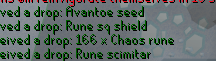
Is it possible to edit the color of loot text? https://i.imgur.com/InQOF5t.png
 solid mesa
Force Recolor probably can
 wet gull
What does this mean Is he a thief, a scammer, or what?
 crisp dune
idk, we don't make or maintain runewatch's plugin or data
 verbal tulip
I restarted my pc and now all of the profles I had except the ones I had synced to cloud are gone from the client, but theyre still in my runelite folder?

Anyone know how to make them show up?
verbal tulip
To add on to the last thing I said... I had all my profiles linked to different characters, and that got reset, too..
 gilded kayak
 red fox
loot tracker broken?
red fox
loot tracker broken?
not broken technically it just doesn't support them
jagex keeps putting fancy looting mechanics into the game
when the plugin would much prefer the boss to die, and drop its items on the ground
red fox
that makes sense
gilded kayak
did you try the import profile button
 quiet river
anyone knowws what casues this and how to fix it? the side of my plugin screen seems to bug the hell out every time i hover over it...

now it looks like this... my ocd is killing me...
 haughty pumiceBOT
Graphical artifacts? Try disabling hardware acceleration: https://github.com/runelite/runelite/wiki/Disable-Hardware-Acceleration
 mystic mortar
Eyup lads. My clients keep crashing and I have no idea why. 2 days ago it kept crashing continuously, yesterday was totally fine, and now it's shitting the bed again.
Anyone have any idea why this is happening, cus I have no idea lol
Can I just delete plugins from the folder, instead of runelite? I keep uninstalling some of them but they keep coming back.
 cerulean jolt
Hi there, just wondering if maybe anyone here could help me figure this out.
Currently, i have my computer set up to turn the screen off after 15 minutes of inactivity, and the pc is set to never go into hibernation or sleep mode.
I leave the runelite client open, and sometimes randomly when waking the screen up runelite will be closed. I dont know if it closed while the screen was waking up, or if it closed while the screen was off. It is only runelite that does this, nothing else closes. There are no error messages that show up.
Brand new installation of windows, gpu drivers are up to date,
 tough slate
cerulean jolt
Hi there, just wondering if maybe anyone here could help me figure this out.
...
tough slate
cerulean jolt
Hi there, just wondering if maybe anyone here could help me figure this out.
...
After yesterdays osrs update my runelite has been closing itself aswell.
Sometimes every 5 minutes
mossy swan
mystic mortar
Can I just delete plugins from the folder, instead of runelite? I keep uninstall...
!safemode to uninstall hub plugins
haughty pumiceBOT
To enable safemode
Windows
Run the RuneLite (configure) shortcut from the windows start menu
Tick the Safe mode box, save, launch RuneLite the way you normally do.
Mac
In Terminal, run
/Applications/RuneLite.app/Contents/MacOS/RuneLite --configure
Tick the Safe mode box, save, launch RuneLite the way you normally do.
mystic mortar
That uninstalls it from all profiles simultaneously?
mossy swan
no
cerulean jolt
tough slate
After yesterdays osrs update my runelite has been closing itself aswell.
Someti...
This isnt while im playing. I have no issues with crashing during game play. This is strictly only when my monitor goes to sleep. I'm assuming it has something to do with my gpu trying to wake up two monitors at the same time
and it bugs out runelite
oblique plume
thats the gpu plugin not waking up smoothly afaik
 grand light
is there a way to quickly replace item tags for every tab?
for example, I want to replace all my house tele tabs with construction cape
im guessing not but never know
oblique plume
no
grand light
thank you
oblique plume
if you press edit tags on the tele tab, itl give you the string of all the tags
you can then type that out into the con cape
thats prob the fastest
then go back and edit the tele tab and delete all its tags
but theres no automated way that does that that i know of
grand light
you can copy the tags when you goto edit on the tele tab and then paste it into the construction cape tags
thank you very much ❤️
 proven swan
Is runelite down right now?
 short swallow
proven swan
Is runelite down right now?
short swallow
proven swan
Is runelite down right now?
it keeps dcing and then having troulbe re-connecting for me, my internet is fine with everything else
round jacinth
Runelite doesn’t impact your connection, it is your connection to jagex
You can try a vpn or different world
round jacinth
proven swan
Is runelite down right now?
If there was a wider outtage this place would become a 2003 irc chat and you wouldn’t be able to read any message quick enough
short swallow
makes sense I suppose, but it is frustrating
not like jagex support will be any help haha, but I am back in
round jacinth
Complaining always works
proven swan
short swallow
it keeps dcing and then having troulbe re-connecting for me, my internet is fine...
Same thing for me.
short swallow
yeah has to be a jagex server side issue I feel like but I was able to get back in again
or isp to jagex, I don't know why I am acting like I am a network engineer or something this all may as well be magic to me
round jacinth
short swallow
or isp to jagex, I don't know why I am acting like I am a network engineer or so...
it's not uncommon for a regional isp or something to have hiccups, last week some folks in eastern europe had issues but they fixed themselves eventually
short swallow
right well it happned again and no amount of world switchign is helping I am giving up and going to bed
 agile oriole
Has anyone had pretty bad crashing issues with GPU on the last month or so?
No clue what happened, but now after enough time of RL being open, it'll just freeze, or it'll start stuttering with the GPU plugin on (not 117)
Logs are just saying heap space issues, but I've never had memory issues before - nothing about my PC changed
 quasi merlin
I've crashed a few times over the past few days causing me to die, not sure why its happening. i dont use 117 either
 fossil summit
I've had stuttering and reset the settings back to default and it went away I didn't know what caused it.
 thorn mesa
I've been noticing this plugin is used as a reference in a ToA scam to potentially get targets to download external clients. https://runelite.net/plugin-hub/show/toa-puzzle-helper
Scammer uses screenshots of a ToA plugin on a 3rd party client that offers all the good stuff in hopes to get victims to download the client/plugin.
This plugin does not work anymore and it only helps the scammer as "The plugin only works on Runelite Plus". The features it previously offered are present in the Tombs of Amascut plugin.
Can this plugin be removed or hidden?
fossil summit
agile oriole
Logs are just saying heap space issues, but I've never had memory issues before ...
you could have downloaded too many plugins and then a heap problem could affect map loading so you can remove some or increase the available resource https://github.com/runelite/runelite/wiki/RuneLite-Launcher-Configuration -Xmx
round jacinth
thorn mesa
I've been noticing this plugin is used as a reference in a ToA scam to potential...
i don't think removing/disabling that plugin would help as people who have ever done toa know to use llemonduck's plugin and the bad actors will just say their plugin is better anyways
thorn mesa
Is there any kind of protocol for plugins that are abandoned broken?
Just keep it online until someone contributes to fix it?
round jacinth
there is a way for a hub take over yes
fwiw that plugin is not broken it just was information in a side panel
the wave order is now wrong i think
but the lights out is still right
but if you're aiming to take it over just to disable it, i don't think that's appropiate lol
fossil summit
contact the plugin developer first
round jacinth
yeah you have to make a good effort in reaching the developer and what not to and then you request for take over from the folks here i think
thorn mesa
I thought I'd highlight the scam referencing it. When I looked into it, it seemed ultra legacy compared to the TOA plugin.
round jacinth

GitHub
Open source Old School RuneScape client. Contribute to runelite/runelite development by creating an account on GitHub.
the scammers will still scam regardless of the hub plugin existing as they have people go to their own phishing site
people are told time and time again runelite is fully free and anything people offer is a scam
there is very little to be done for them, they buy gm zuk helmet accs and prey on the noobs at toa
thorn mesa
i z
plush flower
Hi guys im having serious issues with my unrlite constantly crashing! ive tried runnning it as admin but it just keeps randomly crashing with no warning. Ive attached he logs. does anyone know why this might be? ive tried running as administrator and updating bios
zealous cedar
If the plugin doesnt work at all we could just remove it, but this is the first ive heard of that? it has 68k installs so it must be doing something
cerulean jolt
oblique plume
thats the gpu plugin not waking up smoothly afaik
yeah im using 117hd, so it very well could be the plugin not working well with the way i have my computer setup
I was thinking about backing up the config for the plugin and reseting it. to see if it still does it
 inner ginkgo
what are the plugins that use the most resources other than GPU?
trying to eke out fps
round jacinth
disable as many hub plugins as you can as they're the ones impacting it the most, otherwise tweak gpu
inner ginkgo
I think gpu is fairly optimal
 round jacinth
populated areas && detailed areas are harder to draw than places with nobody there
fossil summit
inner ginkgo
what are the plugins that use the most resources other than GPU?
anything from the plugin hub probably
 summer yoke
for quite i while i have had a thing going on where my hitsplats dont show, or health bars dont show, my most recent example is when doing TOA obelisk, and speccing the little thing, does anyone know if its a plugin i have that is messing with it or settings, cant for the life of me figure out
oblique plume
did you elect to entity hide them
summer yoke
only thing on in entity hider is Hide Npc 2D
i dont know if its something i've mistankenly put on long time ago and not noticed before i started bossing
fossil summit
that’s why
hollow olive
it hides npc overhead dialog i think
summer yoke
oh okay
 dire warren
thorn mesa
I thought I'd highlight the scam referencing it. When I looked into it, it seeme...
dire warren
thorn mesa
I thought I'd highlight the scam referencing it. When I looked into it, it seeme...
i just heard about this
only reason i kept it up is because a few people specifically asked me to because they asked me to because they prefered the sidebar
idm if its just taken down if people are actually dumb enough to fall for a scam like that
zealous cedar
the scammers will just use a different plugin as an example, I wouldnt take it down just because of them
if your plugin doesnt do anything that llemon's toa plugin does then idm disabling it just to cleanup things. but it does appear to have a bit of a userbase
dire warren
the only thing it does is add a sidebar
zealous cedar
you could add a note in the readme maybe saying that this plugin is only available on runelite etc etc and anyone telling you to download one from an external website is scamming you
thorn mesa
Downloading it and opening the icon in the side bar only displays "ToA puzzle helper" or TOA or somethinjg i cant remember
dire warren
 zealous cedar
why does it have so many installs
round jacinth
I’m not convinced that people don’t just install both and forget about this one
dire warren
wouldnt be surprised if that happens now yea
zealous cedar
idm disabling it and seeing if anyone complains
dire warren
go for it
 rustic glade
Is there a way to figure out what plugin is highlighting an item? first time logging in after opening a fresh client it's normal, after relogging or hopping my book of the dead gets highlighted. I have not been able to figure out what plugin it is by toggling off the ones I thought might be it

 zealous cedar
no.
twin scroll
There is a plugin hub plugin causing crashes rn. Not sure if raising that matters to have it disabled, etc.
It's not instant, seems to happen sporadically. But checking the logs seems to show it is the culprit. There's a comment on its GitHub with the same issue as well.
Antifire Checker: https://github.com/sariyamelody/antifire-checker/issues/1
GitHub
Hello, during the past little while my runelite client was freezing on two different pc's and i could not figure out why. I believe I have found the cause as an exception being thrown by the an...
gilded kayak
crashing or freezing
because you're saying crashing but that issue clearly says freezing
twin scroll
Fair, for me it crashes the entire client
zealous cedar
ah yes, that looks like it could probably freeze/crash the client
twin scroll
Generally happens when I teleport somewhere, but also just happened running through Varrock.
zealous cedar
ill disable it just so it stops crashing other people
twin scroll
Gracias! Definitely woudnt want to crash near its intended function: dragons 😆
zealous cedar
the problem is really they are calling npc.getName() off thread, I can fix the api to not allow that at least
twin scroll
Thanks Adam! You are always so quick!
full leaf
stone parcel
Did you run the Intel Processor Diagnostic Tool to check if* your CPU is damaged...
I did. Nothing happened. I think something is broken on it. Activated warranty, let's see.
 dawn ermine
twin scroll
There is a plugin hub plugin causing crashes rn. Not sure if raising that matter...
dawn ermine
twin scroll
There is a plugin hub plugin causing crashes rn. Not sure if raising that matter...
Hi, I am new to runelite and was advised to join discord for some help. I have the same issue where my whole runelite application crashes sporadically as well. I'm not sure what the reason is.
haughty pumiceBOT
@dawn ermine To find the logs, you can do one of the following:
- If your client failed to open, click the
Open logs folderbutton. - Open the screenshot directory by right-clicking 📷
Camerabutton, navigate 1 directory up, then open logs folder. - Navigate to
%userprofile%\.runelite\logson Windows or$HOME/.runelite/logson Linux and macOS.
Upload the log files named client and launcher by dragging them to Discord. If there are files prefixed with jvm_crash dated from today, upload them too.
dawn ermine
haughty pumice
<@352190751314149377> To find the logs, you can **do one of the following**:
- I...
Im sorry Im kind of lost. Im not really good with computers. Both my Jagex and Runelite applications are opening. Its just the runelite application thats crashing. It sounds like youre asking me to screen shot a picture of the crashes? I will attach them now. Hopefully I did it right
gilded kayak
it's instructing you to find the client.log and launcher.log files
it's giving you possible ways to get to the folder
 lean compass

i used to have a button with the Equipment Screenshot plugin but it seems to have disappeared
can anyone advise how to get the functionality of the plugin back?
gilded kayak
i have a vague memory of the author removing that functionality, as they could get it to stop being broken
dawn ermine
haughty pumice
<@352190751314149377> To find the logs, you can **do one of the following**:
- I...
hopefully that worked?
gilded kayak
you're running out of heap space, but you also have literally like no hub plugins
meaning something is probably leaking
 fallow harbor
does anybody know what happened to the toa puzzle helper? it doesn't pop up anymore when i do toa. how do i fix this?
gilded kayak
can you download debug helper from the  - click the new green icon on your sidebar, and toggle on
 heap dump on oom
the author disabled it since it doesn't really do anything that the normal ToA plugin, doesn't
fallow harbor
it helps with the lights the other doesn't
dawn ermine
gilded kayak
can you download `debug helper` from the <:pluginhub:1264314292291895319> - clic...
okay i jus toggled "heap dump on oom"
gilded kayak
ok can you do whatever you've been doing, and crash again
lean compass
gilded kayak
i have a vague memory of the author removing that functionality, as they could g...
what's the point of the plugin if it doesnt have that functionality?
leaden trail
fallow harbor
does anybody know what happened to the toa puzzle helper? it doesn't pop up anym...
It was disabled
lean compass
lean compass
what's the point of the plugin if it doesnt have that functionality?
like, can you still use the plugin for anything? lol. sorry not trying to be rude.
gilded kayak
lean compass
what's the point of the plugin if it doesnt have that functionality?
it looks like from the readme, you can just right-click the 🧍 armor tab and there's a menu option?
dawn ermine
gilded kayak
ok can you do whatever you've been doing, and crash again
It hasn't crashed yet. I will let you know when it does
gilded kayak
I believe the heap dump will show up in that same logs folder*, can you dm it to @haughty pumice when it happens
it might need to be uploaded to google drive or something? i'm not sure how large they are
i have a feeling i know what plugin it is but it's always good to confirm
dawn ermine
gilded kayak
I believe the heap dump will show up in that same logs folder*, can you dm it to...
yes i’ll definitely do that. thank you so much!
zealous cedar
Its probably the loot-filters plugin, try uninstalling it and restarting runelite
dawn ermine
zealous cedar
Its probably the loot-filters plugin, try uninstalling it and restarting runelit...
okay i jus uninstalled it and restarted it. Will report back if anything happens. thank you so much!
zealous cedar
a lot of pluginhub plugins crash runelite, especailly so the ones with a lower number of installs. you really shouldnt use them if possible
lean compass
gilded kayak
it looks like from the readme, you can just right-click the 🧍 armor tab and the...
thank you!! 🙂
dawn ermine
zealous cedar
a lot of pluginhub plugins crash runelite, especailly so the ones with a lower n...
so far no crashes! thanks a lot!
 smoky vigil
is anyone else experience weird interactions between the new prayers and prayer reordering?
trying to redo quick prayers and clicking preserve turns smite on, seems like the prayer book isnt the same when you go to set up qp
for reference
 solid mesa
Yes, it's a jagex bug, they were asked about it on their livestream today
It's an off by N error where N is the number of new prayers you have unlocked
smoky vigil
oh good, i checked the newpost and there wasnt anything about a known bug there or reddit
 orchid jetty
Anyone else getting sent back to the Login screen and told failed to log in when you try to hop worlds?
gilded kayak
probably not, it does happen to people all the time, but rarely do multiple people come here at the same time
 kind yarrow
is anyone having issues signing in through RL?
 sand flame
Hello people! Does aynbody know if it is possible to add stuff to loot tracker? Ive changed my Runelite acc and everthing dissapeard and started from beggning, its only that I really liked the progress from my old tracker. Thanks for the help ❤️
gilded kayak
it is not, otherwise people would just fake their drops
sand flame
True... Damit! Thanks anyways ❤️
 sick moss
2025-02-07 19:42:21 AEDT [Map Loader] ERROR injected-client - Client error: map loading
getting this error recently, havent changed any of my plugins
gilded kayak
post the whole log file not 1 line of it
 urban yarrow
Good morning, does anyone know how to contact jagex to recover a stolen account? I have sent emails but they don't respond.
leaden trail
!new
haughty pumiceBOT
newplayer: If you are new to OSRS, make sure to follow this excellent guide on OSRS wiki: https://oldschool.runescape.wiki/w/New_player_guide. You can also join the official OSRS Discord here: https://discord.gg/osrs
leaden trail
You can try there but 🤷
 dusk ember
Hello. I'm having issues with the client where it doesn't go to login screen. Was working perfectly fine yesterday and today, not at all. Any idea how to fix this?
round jacinth
dusk ember
Hello. I'm having issues with the client where it doesn't go to login screen. Wa...
What do you mean it doesn’t go to login screen? Where does it go instead
dusk ember
Nowhere, just a white screen on the top left corner
round jacinth
!safe does it launch in safe mode
haughty pumiceBOT
safemode: To enable safemode
Windows
Run the RuneLite (configure) shortcut from the windows start menu
Tick the Safe mode box, save, launch RuneLite the way you normally do.
Mac
In Terminal, run
/Applications/RuneLite.app/Contents/MacOS/RuneLite --configure
Tick the Safe mode box, save, launch RuneLite the way you normally do.
dusk ember
It does launch in safe mode, yes
dusk ember
Well, I was using the same plugins yesterday and it was perfectly fine, nothing new installed
round jacinth
The answer is still that
 prisma flicker
Is there a video anyone would recommend watching to set this up for the first time? I am pretty cluey but just want to save time where I can?
round jacinth
Hub plugins update without users knowing
leaden trail
dusk ember
Well, I was using the same plugins yesterday and it was perfectly fine, nothing ...
Are you using 117? This is generally an issue with that as far as I know
round jacinth
prisma flicker
Is there a video anyone would recommend watching to set this up for the first ti...
Blindly following what other people use and recommend is how you get something you don’t like or understand, you’ll figure out stuff you like on and off over time just by using it
dusk ember
leaden trail
Are you using 117? This is generally an issue with that as far as I know
I am not, only GPU
round jacinth
And if you’re the one who changed the settings then you know what you turned on and off.
leaden trail
Try turning GPU off
dusk ember
leaden trail
Try turning GPU off
Have done that too, no success
prisma flicker
round jacinth
Blindly following what other people use and recommend is how you get something y...
Thanks, I understand that, that's how I usually work things out. Was just wondering if there was a video for how to get it running to begin with before making any changes. Otherwise I will work it out...
round jacinth
There are tons of YouTube videos about recommendations but if you just install everyone they say you’ll have so much crap that you don’t know why you’ve got it.
Just do it yourself as you do content
leaden trail
dusk ember
Have done that too, no success
Did you restart your client after?
round jacinth
Finding useful bank tags and stuff is good idea
dusk ember
leaden trail
Did you restart your client after?
Yes.
leaden trail
Alright try safe mode then
prisma flicker
round jacinth
There are tons of YouTube videos about recommendations but if you just install e...
I mean I have never installed and ran an open source file from github before. it's all good I will do some research.
haughty pumiceBOT
To enable safemode
Windows
Run the RuneLite (configure) shortcut from the windows start menu
Tick the Safe mode box, save, launch RuneLite the way you normally do.
Mac
In Terminal, run
/Applications/RuneLite.app/Contents/MacOS/RuneLite --configure
Tick the Safe mode box, save, launch RuneLite the way you normally do.
leaden trail
prisma flicker
I mean I have never installed and ran an open source file from github before. it...
You don't need to do that
Use the link in #welcome to install it
 lone patrol
Hey guys. I'm having a severe issue with my client, if someone could help it'll be much appreciated. I recently had an interface problem where when I'm on resizable - classic layout screen, my tabs (inven, fc etc) was appearing in the middle of the screen. After figuring out how to adjust them and put them back to how they were originally, I've began to notice that my clicks are severely disrupted. For example, if I right click take item, I need to click it multiple times for the command to actually perform, otherwise, it'll just yellow x click on a tile right through the 'take' option. This issue is not restricted to 'take' options, it's happening on every click pretty much.
dusk ember
dusk ember
It does launch in safe mode, yes
@leaden trail
round jacinth
lone patrol
Hey guys. I'm having a severe issue with my client, if someone could help it'll ...
Hold alt and right click them
It’ll send them home to their anchors
haughty pumiceBOT
@lone patrol RL overlays and many Jagex widgets can be moved around the screen by holding the Drag Hotkey, (default: Alt) configurable in "RuneLite" settings, and left click dragging it around the screen.
Some overlays can be resized by dragging their bounds, right clicking will also reset their size and position.
They can also contain additional options, such as opening the config of the plugin that makes them, which can be discovered by shift right clicking.
round jacinth
The other issue about the bad clicks I’m not sure about
lone patrol
The tabs being all over the show part is resolved, just the clicks has become a severe problem for me, it's almost unplayable.
round jacinth
dusk ember
<@288504448030867466>
If it opens in safe mode then it means a hub plugin is causing issues or the GPU is, you’ve said gpu off is causing issue too so it’s hub then.
leaden trail
!flow
haughty pumiceBOT
flowchart: Please refer to this flowchart for further troubleshooting.
leaden trail
There are instructions there for how to best narrow down what hub plugin is causing issues
prisma flicker
leaden trail
You don't need to do that
But I want to make development changes to it. Doesn't that link just take me to the download to run it?
leaden trail
This channel is for release client support
dusk ember
@round jacinth @leaden trail Ty for help! I think I found it.
lone patrol
And also in regards to the bad clicks, I randomly sometimes find pieces of my equipped gear unequipped and in my inven, if I try to alch small slayer drops it's randomly alched a food or pot without me clicking on it, if doing something in bank, it'll somehow unequip all my gear and send it into the bank.
Please watch the portal clicks and the anglers on the floor towards the end
oblique plume
youre left clicking twice
round jacinth
lone patrol
What was it
lone patrol
No I'm not @oblique plume
round jacinth
Yes you are
lone patrol
It looks like that, I'm not double clicking, plus how is it possible to double click?
oblique plume
you can see it red x instantly to a yellow x
you might not want to be clicking twice but you are
lone patrol
That's correct, but I myself am not double clicking
oblique plume
likely the mouse is bad
round jacinth
 lone patrol
That's what I'm probably assuming now, the mouse itself is probably gone bad.
lone patrol
Steelseries
round jacinth
I couldn’t hold down my left click or right click, I couldn’t click and drag it would just auto click additional times
Trying to snipe was a trip 😅
But trying a new mouse you’ve got on hand would fix this issue
lone patrol
I've tried the mouse on other general stuff, youtube, social media etc etc. There's no signs of double clicks there
round jacinth
I think you’d have a harder time noticing on things that when you click they have to load web page
As the second click won’t click anything
lone patrol
True, thank you guys for pinpointing this for me. I'll change it and see how I go. Cheers.
 low dust
Could anyone assist me with low fps issues?
Im using plugin GPU + Low detail, FPS unlocked, target fps set to 75, V sync disabled.
Intel(R) Core(TM) i7-5600U CPU @ 2.60GHz, 2594 Mhz, 2 Core(s), 4 Logical Processor(s)
8gb Ram.
Intel HD 5500 integrated graphics
Too bad of a labtop to get 60 FPS? What specs do i need to maintain a solid 60 fps?
mossy swan
yes that thing is ancient
low dust
Any recommendations? this was in my price range but i might just have to save for a while
charred wind
2 cores is basically a death sentence man
mossy swan
isn’t that thing like 10-15 years old? how is that even sold anywhere
charred wind

 chrome knot
anyone know how to fix this happens everytime
mossy swan
chrome knot
anyone know how to fix this happens everytime
!flow
haughty pumiceBOT
flowchart: Please refer to this flowchart for further troubleshooting.
mossy swan
probably some trash hub plugin
low dust
guys will this be okay?
Core i5 4-core
CPU Speed 3.2 GHz
Graphics Card Description Dedicated
Graphics Coprocessor GeForce GTX 1660 Super 6G GDDR6
Memory Storage Capacity 128 GB
I can save up for this desktop and hopefully be able to get it in a month.
 dim kettle
is there a way to make "view tag tabs" the left click option over "new tag tab" in the top left of bank?
oblique plume

GitHub
HI, I use bank tag tabs A LOT and I love it. For every kind of activity, boss or slayer task I have bank tags configured, Its a must--have plugin for me, which is why I came with a suggestion (coul...
stone parcel
low dust
Core i5 4-core
CPU Speed 3.2 GHz
Graphics Card Description Dedicated
Gra...
I'd imagine that could do 60fps pretty well.
low dust
stone parcel
I'd imagine that could do 60fps pretty well.
oh thank god thanks so much
stone parcel
Might be worth a few more opinions and some research though before pulling the trigger haha.
low dust
Gotta be better than the labtop im rocking everyones saying its bad
and aye its got a dedicated gpu :p
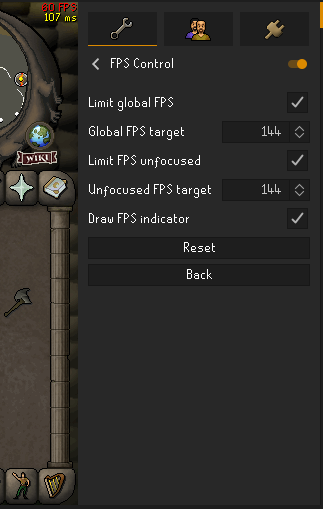

 oblique plume
whats wrong with the fps
chrome knot
stuck at 60
oblique plume
do you have vsync on
oblique plume
gpu plugin
chrome knot
its off
oblique plume
then i guess you can only push 60fps
 fickle solstice
Did client.addChatMessage(ChatMessageType.GAMEMESSAGE... change recently? My strings that haven't changed for like a year are suddenly not working.
Example string with tags:
Unsired <img=404>x3: <col=7c6800>(53% <lt>= your luck | 47% luckier than you | 31% drier than you)</col> in 355x Abyssal Sire kills
the string that actually gets printed is:
47% luckier than you | 31% drier than you)</col> in 355x Abyssal Sire kills
hollow olive
chrome knot
like vsync on from nvidia
just double check your monitor supports >60 fps and that its configured correctly in the nvidia control panel if it does
zealous cedar
Jagex use | to seperate data a bunch
oblique plume
fickle solstice
Example string with tags:
Unsired <img=404>x3: <col=7c6800>(53% <lt>= your luck...
there was a CA thing for announcements where you can click on it to take you to the ca, and it looks like it was done by having a CA_ID: #### | at the start of the message
zealous cedar
you could try prefixing your message with | maybe
oblique plume
so maybe thats thinking the stuff before your first | is that and hiding it
it messed with my plugin too lol
was like da heck is this man
fickle solstice
Interesting, maybe they messed wtih the format. Let me try that! Thank you
That worked, thank you again!!
 pulsar basin
Can anyone confirm if this is still a viable option for getting the plugin hub to work within intellij? Can't seem to get it to work, and am fairly new to intellij.
 pulsar basin
I'm saying it isn't working. Just wanted to ensure it is something that I am doing incorrectly, and not that the method no longer works.
runelite launches fine, it's only the pluginhub that i have never been able to get to load through intellij
solid mesa
Why do you need the pluginhub in intellij?
pulsar basin
To use existing plugins from the plugin hub, while learning how to use intellij a bit. I saw the pluginhub failing to load section on the github and figured I'd ask if anyone new how to get it working.
pulsar basin
 gilded kayak
you would also get that error if you didn't do it, or did it wrong
pulsar basin
ah ok, I probably did something incorrectly. Wanted to double check first that it was still a possibility.
fossil summit
you are probably not doing it vm options
 austere hemlock
is there a way to resync the examine/GE prices for items? Mine are showing very incorrect prices
crisp dune
How incorrect is "very incorrect"?
austere hemlock
sometimes its like double the amount
wolf bones for example, showing 831 GE price but they were going for 459
crisp dune
It seems like there's some pretty big variance for wolf bones: https://prices.runescape.wiki/osrs/item/2859
so that seems valid
austere hemlock
Gotcha, so variance is what's causing the mismatches on some of my items. Thanks!
crisp dune
For items like that with a large amount of variance in their low/high prices, yes. For most items, you shouldn't expect to see such a difference
 solid current
Any known issues with party defence tracker? it does show the NPC' def lvl when drained but not the hits/weapons
haughty pumiceBOT
Get support for the Party Defence Tracker Plugin Hub plugin here: https://runelite.net/plugin-hub/show/party-defence-tracker.
You can also find the support link by searching for the plugin in the Plugin Hub panel and clicking the ? button on the plugin, or by right-clicking the plugin in the plugin panel and clicking the Support menu option.
haughty pumiceBOT
newplayer: If you are new to OSRS, make sure to follow this excellent guide on OSRS wiki: https://oldschool.runescape.wiki/w/New_player_guide. You can also join the official OSRS Discord here: https://discord.gg/osrs
 bold path
thank you
leaden trail
That server would be more appropriate
bold path
i will delete
haughty pumiceBOT
Use /ghauth command to get github roles and be allowed to post in #development
twin scroll
Boosts Information is bugging for me. The timer sometimes jumps up to a higher value, only for the boost to run out "early" and have it reset to the correct 59/89 seconds.
Settings if it matters

Just cost me my +5 Construction spicy stew and I am sad :(
oblique plume
if you have no boost going then it can desync
twin scroll
I had boosts going
oblique plume
ohh stew boosting can fake it out
twin scroll
RIP
oblique plume
if it changes by 1 because of the stew instead of the time
 ocean bramble
I can't seem to get the task jingle custom feature to work. Any suggestions?

