#support
1 messages · Page 58 of 1
 fresh cosmos
 oblique plume
it doesnt matter
if someone asks you if every door is locked
do you try one door
and then declare yes they are all locked
because thats what you did
fresh cosmos
i thought they were npcs. assumed i had a runelite plugin that disabled attack options, because i was trying out new plugins, that were recommended to me from a youtube video. im sorry that i did not check all door before i cried for help.
oblique plume
thats fine
fresh cosmos
i hope you can forgive me sir
oblique plume
but when someone explicitly tells you to do something
and then you respond with "i have done that something"
but in fact you did not
that is just deceit
 sharp nacelle
is anyone having problems with area mute? It's not filtering clan mates/friends and myself
just seems like the options, being selected or not, have no effect
just mutes everyone
 haughty pumiceBOT
Get support for the Area Mute Plugin Hub plugin here: https://runelite.net/plugin-hub/show/area-mute.
You can also find the support link by searching for the plugin in the Plugin Hub panel and clicking the ? button on the plugin, or by right-clicking the plugin in the plugin panel and clicking the Support menu option.
sharp nacelle
ty
 tardy agate
Anyone know if there is an option to change settings for all profiles that can be toggled on and off? Sometimes I want to change settings for all accounts and other times I just want to change it for one or two profiles.
 inland bloom
Hi, does anyone know why my client freezes for 2-4 seconds when the 'Click here to play screen' appears' , i think its plugin related as using a fresh Runelite profile solves this problem.
 leaden trail
tardy agate
Anyone know if there is an option to change settings for all profiles that can b...
leaden trail
tardy agate
Anyone know if there is an option to change settings for all profiles that can b...
No, you'd have to do it profile by profile
leaden trail
inland bloom
Hi, does anyone know why my client freezes for 2-4 seconds when the 'Click here ...
It could be basically any hub plugin then
 carmine sparrow
My RuneLite has been consistently crashing but keeping my account logged in. Does anyone know any fixes or potential plugins that may cause this?
 sour sedge
thanks everyone, it was a corrupted driver. uninstalling the current one and rerolling to a previous one helped.
oblique plume
some peoples gpu drivers are unstable and cause crashes
like that guy ^ lol
perfect timing
sour sedge
How I solved the problem:
- Go to windows event viewer
- Check the most recent error
- If it's a gpu issue, uninstall your current driver on device management and reinstall driver from gpu website. Take the previous version before the one you have.
carmine sparrow
I’ve been playing for about 6 months in this computer. I’ll check it out
What am I looking for exactly when I go there?
 gilded kayak
windows logs -> application -> the most recent one that has the level of Error
carmine sparrow
I don’t have any errors that coincide with my game time. If it’s not that, what else could it be?
haughty pumiceBOT
To find the logs, you can do one of the following:
- If your client failed to open, click the
Open logs folderbutton. - Open the screenshot directory by right-clicking 📷
Camerabutton, navigate 1 directory up, then open logs folder. - Navigate to
%userprofile%\.runelite\logson Windows or$HOME/.runelite/logson Linux and macOS.
Upload the log files named client and launcher by dragging them to Discord. If there are files prefixed with jvm_crash dated from today, upload them too.
tardy agate
leaden trail
No, you'd have to do it profile by profile
Damn that’s a bit poo
 hushed kraken
Anyone ever solve the screen stuttering issue when GPU plugin is enabled? Did a quick search and can't see any answers/fixes.
Got a new laptop recently, hooked it up to a dock and 2 screens and have started getting stuttering.
Doesn't happen when playing directly on laptop screen. Also doesnt happen when GPU plugin is off
 zealous cedar
must be something with how the gpu driver/screen interact i guess, idk
 vocal hawk
ok after a bit of testing it seems performance goes down the longer runelite is running. exacerbated by areas like moons/scurrius that are already taxing. that sounds like it could be a memory/caching thing right
the only plugin i enabled on the profile was gpu, no hub plugins and all the inbuilt plugins were in their default on/off state
hushed kraken
zealous cedar
must be something with how the gpu driver/screen interact i guess, idk
Think I fixed it, seems my screens were on 60hz instead of 144hz. Updating them seems to has fixed the problem
 verbal flower
is there a chat plugin that i can use on all chat where itll keep me in my clan chat without having to mave me type // everytime
 crisp dune
You don't even need a plugin, you can type /@c and it'll switch to always typing in the clan chat. That's a vanilla feature
sour sedge
Update: Runelite still crashes after reverting to an older driver version. Still same error in event viewer.
Unable to recover from a kernel exception. The application must close.
Error code: 3 (subcode 7)
Do I just keep trying an older version until it works?
crisp dune
verbal flower
i wish there was a tab button i could use to cycle thru them
You can right-click the "All" chat tab to choose them
 deep epoch
how do they interact with each other
 round jacinth
uninstall bank tag layouts
core does the hub plugin's job entirely now
and also supports potion storage
deep epoch
is there a guide
round jacinth
export the bank tag layout tab, turn off bank tag layouts hub plugin and import as bank tag
itll import with layout
deep epoch
ok that worked
deep epoch
but if I disable and re-enable the layout it gets lost
round jacinth
why are you disabling and re-enabling
deep epoch
because I'm trying it out
deep epoch
it imported the same but if I enable and disable it gets lost
deep epoch
that is scary
deep epoch
are u the creator
deep epoch
is there a text that I can read
round jacinth
idk what you're asking
 solid mesa
Theres this text but it's pretty much the same thing zom told you

 deep epoch
what is the plugin
deep epoch
but it doesn't say zigzag
deep epoch
where is the file that says zigzag
round jacinth
inventoryt set ups add it
deep epoch
why
also
I'm confused which file
is the one that allows the right click option to set as zigzag
round jacinth
why do you keep talking about files
deep epoch

GitHub
Open source Old School RuneScape client. Contribute to runelite/runelite development by creating an account on GitHub.
round jacinth
zigzag is not offered by core
deep epoch
It looks like it is
round jacinth
hmm
deep epoch
maybe the layout was called zigzag ?
GitHub
Open source Old School RuneScape client. Contribute to runelite/runelite development by creating an account on GitHub.
and it's this ?
oh it's not that
that's confusing
the word Zigzag isn't in the repo
round jacinth
you saw earlier it wasn't an option when you right clicks to eanble layout
the api for bank tags allows other plugins add more options to that stuff, inventory set ups adds it
but core oob doesn't have it
deep epoch
oh
so the new meta is using those two plugins together
and delete the bank tag layouts one?
 stuck meadow
ugh, my old SSD (drive C:) is full, I bought a second SSD (1 TB now drive D:) but runelite seems determined to install itself on C:
round jacinth
runelite itself is just tiny text files, you can move much bigger stuff to an alternative spot?
round jacinth
round jacinth
runelite itself is just tiny text files, you can move much bigger stuff to an al...
besides the actual program itself
solid mesa
You can symlink C:\Users\Username\.runelite to your D:\ if you want
stuck meadow
no CoD here lol
round jacinth
i mean any of ther 100gb game
stuck meadow
oddly enough, this is the only game that was on there
and I confess, I have no idea how to do a symlink
round jacinth
google how to do it
and if you got a full C drive you probably have a lot of stuff you didnt know you had and can move
wiztree that and see 🙂
solid mesa
stuck meadow
Sadly, I deleted both Runelite and Jagex from the drive and cant reinstall them to open it and make changes
round jacinth
runelite's uinstall does not move/remove the .runelite folder
the .runelite folder is always in c:\users\urname\.runelite
and you probably have a ton of screenshots
stuck meadow
in the runelitye file there are 2 subfiles logs and repository 2 totaling 1kb
stuck meadow
Im pretty sure i went in and manually deleted that
 wary sorrel
is there a good way to migrate from bank tag laouts to the core runelite functionality?
round jacinth
scroll up
solid mesa
You might have, usually screenshots takes up a large amount of space if you don't delete it or turn off a lot of what it screenshots

 deep epoch
I used a text file for each tab I had
wary sorrel
that's still a very manual process with 100 bank tag layouts :(
round jacinth
yes
wary sorrel
we've been doing that, but are hoping for a better way
round jacinth
that is how
wary sorrel
is there any way to just edit config files directly?
round jacinth
no
wary sorrel
*sigh* guess we'll get on it
oh, that actually works better than what we were doing, thanks
 warped hare
anyone know why I am getting this graphical glitch in developer mode?
crisp dune
You probably need to disable hardware acceleration: https://github.com/runelite/launcher/blob/928b05d3e21eb94b2145bfa5db89d420cf2c274c/src/main/java/net/runelite/launcher/HardwareAccelerationMode.java#L78
warped hare
crisp dune
You probably need to disable hardware acceleration: <https://github.com/runelite...
this resolved it, thank you!
 reef schooner
No matter what i do, i cannot log into a different account on my runelite, it always gives me the jagex login to my GIM which i don't want to play.
I don't have jagex launcher and i've completely deleted every runelite file on my computer to attempt to fix the issue.
gilded kayak
!logs
haughty pumiceBOT
To find the logs, you can do one of the following:
- If your client failed to open, click the
Open logs folderbutton. - Open the screenshot directory by right-clicking 📷
Camerabutton, navigate 1 directory up, then open logs folder. - Navigate to
%userprofile%\.runelite\logson Windows or$HOME/.runelite/logson Linux and macOS.
Upload the log files named client and launcher by dragging them to Discord. If there are files prefixed with jvm_crash dated from today, upload them too.
 empty current
thank you sir, does that mean i need more RAM, or more harddrive space?
gilded kayak
that depends, how much ram do you have
empty current
ahh i am guilty of having 1000 tabs on the internet open
so nothing to do with harddrive?
gilded kayak
if you're running out of memory, windows will try to use some of the harddrive space, as swap space, so technically it could be yes
I should say, if your harddrive wasn't full, RuneLite closing probably would have been avoided by Windows
gilded kayak
cleaning up the one you have is also an option
but if you'd rather just move a bunch of stuff from the current drive, to the new one, then it probably wouldn't hurt
empty current
im not even sure what to delete on the current one, seems full up with necessary stuff haha
round jacinth
No that’s the only way
 willow zephyr
Hey 🙂 - I'm soon to be moving over to a new PC in the next few days, and I was just wondering if i Export & Import my Runelite Profile, would this also save all the plugins I currently have installed? or would I need to re-install these once I've re-downloaded Runelite on the new PC
round jacinth
Just move the entire .runelite folder over from the current computer to the new one
 proper scaffold
My client has been crashing every day. At random times though. Is this a common issue?
round jacinth
proper scaffold
My client has been crashing every day. At random times though. Is this a common ...
No crashing isn’t normal
!logs
haughty pumiceBOT
To find the logs, you can do one of the following:
- If your client failed to open, click the
Open logs folderbutton. - Open the screenshot directory by right-clicking 📷
Camerabutton, navigate 1 directory up, then open logs folder. - Navigate to
%userprofile%\.runelite\logson Windows or$HOME/.runelite/logson Linux and macOS.
Upload the log files named client and launcher by dragging them to Discord. If there are files prefixed with jvm_crash dated from today, upload them too.
round jacinth
Or just upload now because presumably you already crashed yesterday and can share yesterdays file
But if you’re unsure then yes wait for it to happen again
 dreamy bane
Hi, does anyone know what plugin is causing the screen to flash red seemingly at completely random times? Happened quite often at tempoross as well
 haughty pumiceBOT
Many plugins from the pluginhub break the client in subtle or not-so-subtle ways, including causing issues like client freezes. We do not support pluginhub plugins because we do not make or quality control them, and do not recommend their use.
Run the RuneLite (safe mode) shortcut, or with a Jagex account, first run the RuneLite (configure) shortcut and tick the Safe mode box, then launch RuneLite via the Jagex launcher.
This temporarily disables the GPU plugin and all hub plugins which will allow you to confirm the issue is caused by one of those plugins and isn't a core RuneLite issue.
If the issue is caused by a hub plugin, you should isolate which plugin it is and then uninstall the plugin.
 solid owl
Is there a way to make ground item notifications only ding for actual monster drops, and not clue scrolls being juggled on the ground when I tele into the area?
round jacinth
turn off the notifications for clue scrolls is the simple solution
solid owl
I'd like them highlighted for general monster killing though, just not 5 windows notifications every time I tele to the crafting guild
round jacinth
there is no difference between juggled clues highlighted/notified and newly drops , they're both ground items
i know what you're trying to ask for
but idk if there is a nice or any way in general to do it
solid owl
Bummer, wish there was a way to filter it off by banks or something like that
round jacinth
or just don't juggle em 😄
oblique plume
maybe dont vote no to stackable clues 
 flat wagon
vote no to clues
 ornate kite
On linux I'm unable to use the "sign in to runelite" button, it just does nothing. I found an old github issue that mentioned the .AppImage might not have an executable flag, but I don't seem to have one anywhere I can find. Does the sign in button still use an appimage to launch a browser and/or any obvious known things I should check?
zealous cedar
It uses xdg-open, check that you have that/and it works
ornate kite
Yep, saw that from the same issue. Checked with xdg-open https://runelite.net, and that runs without issue
zealous cedar
try running the client in debug mode (pass --debug) and see what it shows
ornate kite
2025-01-14 12:56:59 EST [pool-2-thread-1] DEBUG n.r.client.account.AccountClient - Built URI: https://api.runelite.net/runelite-1.10.46.1/account/login?port=38379
2025-01-14 12:56:59 EST [Thread-11] DEBUG net.runelite.client.util.LinkBrowser - Opened url through xdg-open to https://accounts.google.com/o/oauth2/auth? ...
Looks like it thinks it started the process
zealous cedar
that means xdg-open exited with 0, so it must be working
alternatively you can just copy the url out of the log i guess
ornate kite
Oh, duh. I was thinking it was going to wait on exit for the auth response, but copying the url works. Very weird because I can see new pids appearing under firefox when I run any xdg-open from bash, but no changes at all when opening it from runelite. Saves me from going down some weird rabbit hole though, appreciate it!
 mortal blade
How come my gear gets cut off like this sometimes? Using 117hd
 zealous cedar
its just how the game works
mortal blade
fair enough
 sand cape
has this been happening to anyone else when teleporting occasionally?
 crisp dune
no
solid mesa
Probably from the latest game update
To further strengthen this connection, we’re adding new in-game surveys where you can have your say.
Every few months you may encounter in-game pop-up boxes asking you to rate your experience with the game. There are two kinds of questions:
A survey question about specific content which varies between scales of 1-5 and 1-10, depending on context.
A survey question about your overall satisfaction with the game. This question will appear more infrequently – about once every 9 months.
These pop-ups will only appear while you are idle in a safe place, to avoid disrupting your gameplay. If you’d rather not answer, you can disable these messages in the Settings menu.
 vapid sigil
Is there a way to have loot logger send screenshot of loot key when you open it at chest?
solid mesa
Send or save? Dink might have the option but I'm not sure
 pure siren
just reinstalled windows and i dont have my plugins hmm
 tidal summit
stuck in random stuff that i cant open runeline in intellij
pure siren
are they not tied to your runelite login?
solid mesa
pure siren
just reinstalled windows and i dont have my plugins hmm
Did you have cloud sync turned on for the profile?
solid mesa
It is off by default
pure siren
ahh, bummer..
solid mesa
Need to click this 
pure siren
i saved a ".runelite" folder, but im not IT enough to know if that helped me or not. do you know?
haughty pumiceBOT
pure siren
solid mesa
Need to click this <:cloudsync:1302133016033886230>
Thank you, i'll be using this going forward! (Y)
solid mesa
If you have the .runelite folder you should be good
haughty pumiceBOT
@tidal summit How to develop plugin-hub plugins: https://github.com/runelite/plugin-hub/blob/master/README.md
pure siren
oh, thank you thank you ❤️
@solid mesa found my profile in there with the help of your link, many thanks for the hours saved!
solid mesa
Make sure you turn on cloud sync for next time
pure siren
Will do! never knew it was a feature you could toggle 🙂
solid mesa
Yep, very useful if you play on multiple computers as it will sync all your plugins, settings, timers, loot tracker, etc.
 strong marsh
Empty Activity Adviser is there a fix?
solid mesa
It was a vanilla bug a while back. I don't know if they ever fixed it?
zealous cedar
its definitely a vanilla bug, not fixed

 oblique plume
what about the java client
solid mesa
Don't have it installed 🤷♂️
oblique plume
i think you can pass rs=vanilla to rl and itl be the java client
solid mesa
It's still broken in rs=vanilla
oblique plume
so then yea vanilla bug
 sacred tree
hey there gang. All of a sudden, i cant get past the bootstrap on RL, as well as the jagex launcher not even installing. I have zero way to play tis gameon pc, but has been running fine until yesterday.
sacred tree
it opens to a bunch of script, yeah
oblique plume
then something must be blocking rl
sacred tree
what are common things that would do that?
i cant open steam either... seams to0 be anything game related
solid mesa
sacred tree
what are common things that would do that?
Usually antivirus or firewall
sacred tree
i did noticew windows 11 just did some anti virus stuff
 true rain
Good evening, I just wanted to report that the timer and buff plugin baked into runelite doesn't properly show how long your mark of darkness lasts while wielding a purging staff (Should be 5x as long). It's not a problem that needs to be fixed immediately but was a little confusing until I figured out why I wasn't losing my mark when the tooltip said I should have been
leaden trail
It's a known issue, there's a PR that should fix it
haughty pumiceBOT

Unknowncall
When you click the tab again, it will refresh the current level and XP that the player has. Plus remove code from another author that did not work as intended.
 atomic ice
guys any idea where i can find settings.properties file for runelite?
i reinstalled runelite but still cannot find it aynwhere
true rain
Oh sick, happy that it's known at least
leaden trail
atomic ice
guys any idea where i can find settings.properties file for runelite?
i reinstal...
What are you trying to do?
atomic ice
i am just trying to find the file,also cannot find folder where to put saved profile
from my previous settings
can you help me please?
is this correct thing to get my previous settings?

 hollow olive
^^ use that
 rigid tusk
Hi I'm sure you all get this question frequently but I am trying to move to a new pc, I am signed in to runelite on both pc's and have cloud sync enabled on both pc's but the plugins and settings are still not transferring to the new pc. The profile's are the same and both pc's have it as default
leaden trail
Turn it off on the new pc
solid mesa
You already had cloud sync turned on for the old PC? What profiles are listed for the new PC now that you've signed in?
leaden trail
Or just copy things over
haughty pumiceBOT
 visual pewter
Anyone know why my spirit trees are blkacked out on the Teleport maps plug in but i have them all grown?
 rigid tusk
Sorry I should have looked at faq, thank you. As for what profiles there are two that show up. I just named them "normal" and "normal 2.0" to see if syncing both on old pc would upload both onto cloud and then I could just pick whichever worked on new pc
haughty pumiceBOT
Get support for the Teleport Maps Plugin Hub plugin here: https://runelite.net/plugin-hub/show/spirit-tree-map.
You can also find the support link by searching for the plugin in the Plugin Hub panel and clicking the ? button on the plugin, or by right-clicking the plugin in the plugin panel and clicking the Support menu option.
 rapid dew
ok i did something wrong with my client - the tab key no longer replies to DMs
shift-tab does reply to DMs
its something specific to RL, as when i log into vanilla client tab works
i want to say its something with the detached camera plugin b/c thats what i was fiddling with shortly before
oblique plume
Maybe you set a keybind to tab
rapid dew
resetting to a blank profile fixes it
rapid dew
oblique plume
Maybe you set a keybind to tab
where am I looking for this?
haughty pumiceBOT
If one of your keys isn't working in game, you've most likely bound it to a feature of a plugin. The Debug Helper hub plugin can show what keys are bound to what plugins.
rapid dew
thanks
i found what it was
thank you 🙏
i guess even with the plugin off, the keybind overrides the default behavior?
oblique plume
Dunno
crisp dune
Try restarting your client after turning the plugin off
oblique plume
it?
 crisp dune
Where is that from?
oblique plume
we arnt 117hd
 sly plaza
you right my bad
sly plaza
yea
 hardy swan
hopw long for runelite to get updated?
 grizzled rivet
HELP RUNELITE IS DOWN
 viscid lantern
wait for the update
 random wraith
But.. My frames
 low flower
Check the Github page to see if they are adjusting and testing out the latest version.
https://github.com/runelite/runelite/actions
I see Adam- is building something now.

GitHub
Open source Old School RuneScape client. Contribute to runelite/runelite development by creating an account on GitHub.
 hollow void
grizzled rivet
HELP RUNELITE IS DOWN
hollow void
grizzled rivet
HELP RUNELITE IS DOWN
meow
 fickle owl
low flower
https://github.com/runelite/runelite/actions
I see Adam- is building something n...
fickle owl
low flower
https://github.com/runelite/runelite/actions
I see Adam- is building something n...
nice try scammer
 placid current
let adam cook
 fossil nest
fickle owl
nice try scammer
fossil nest
fickle owl
nice try scammer
chill i clicked on it like 7 times
 neon thunder
this is outrageous that a free launcher hasnt done exactly what i want already prior to the update, i demand an apology
 real summit
you woont get it
the creators of runelite can take as long as they wont to upd they dont owe you anything
 restive charm
who knew
neon thunder
its a joke brotha lol
 halcyon lintel
someone didn't sense the sarcasm
 maiden berry
These stubborn, unprofessional "Runelite" people are gonna be lucky if they're even still in business after I'm through with them. Somebody will be hearing from my lawyer
 hoary totem
real summit
the creators of runelite can take as long as they wont to upd they dont owe you ...
hoary totem
real summit
the creators of runelite can take as long as they wont to upd they dont owe you ...
my dad works at runescape hell ban them now because i want my quest helper
like do you really expect me to go on the wiki? my hands MUST be held
 true arch
hoary totem
my dad works at runescape hell ban them now because i want my quest helper
like ...
true arch
hoary totem
my dad works at runescape hell ban them now because i want my quest helper
like ...
my dad works there too and he has never even heard of your dad
 north bear
I work at jagex I'm sending our lawyers to runelite for not updating in time
 magic jacinth
maiden berry
These stubborn, unprofessional "Runelite" people are gonna be lucky if they're e...
magic jacinth
maiden berry
These stubborn, unprofessional "Runelite" people are gonna be lucky if they're e...
Actually, my dad is the CEO of lawyers and I will have a word with him to help you with this case
 glossy kiln
broooo wtf is this
 hoary totem
true arch
my dad works there too and he has never even heard of your dad
hoary totem
true arch
my dad works there too and he has never even heard of your dad
thats because we're brothers... i miss you...
real summit
hoary totem
my dad works at runescape hell ban them now because i want my quest helper
like ...
Bro are you really crying cause you dont have quest helper? try doing 200 quests on mobile
hoary totem
real summit
Bro are you really crying cause you dont have quest helper? try doing 200 quests...
its a punchline
a joke
real summit
flipping between the game and the wiki
true arch
hoary totem
thats because we're brothers... i miss you...
....... i always thought i was adopted 😭
maiden berry
magic jacinth
Actually, my dad is the CEO of lawyers and I will have a word with him to help y...
XD
 dreamy badge
i like dudez
hoary totem
true arch
....... i always thought i was adopted 😭
our father was adopted, we were seperated at birth but both decided to adopt him from old man central
dont you remember spring 2002
hoary totem
dreamy badge
i like dudez
dude fuck yeah live it
true arch
hoary totem
our father was adopted, we were seperated at birth but both decided to adopt him...
spring 02 was the best time of my life to date
glossy kiln
 grim totem
how does one update runelite ?
maiden berry
just gotta give the devs some time
north bear
you don't
 north hemlock
grim totem
how does one update runelite ?
north hemlock
grim totem
how does one update runelite ?
Wait till they release the update
 lean sandal
The devs update it
 dry veldt
we wait patiently
 tiny quest
We take time as a community to appreciate each other and the developers of this awesome tool. 😌
dry veldt
and then donate to the patreon afterwards :3
grim totem
hmmmmm it says i cant play becuase my version is outdated
tiny quest
You can surely play
maiden berry
better get a refund
 elder totem
its up
tiny quest
runelite issues refunds in literal seconds, it's awesome.
grim totem
i can play but without the runelite plug ins
low flower
Okay.... now it is working fully. Yay.
maiden berry
this happens on a regular basis lol i dont understand the perpetual confusion/hysteria every time this happens lmao
grim totem
i didnt know ive only had runelite for 4 days lol
next time i know tho so thanks everyone !
true arch
maiden berry
this happens on a regular basis lol i dont understand the perpetual confusion/hy...
i really panicked and also made wee wee in my panty's
grim totem
lol
maiden berry
GL EVERYONE
hoary totem
true arch
spring 02 was the best time of my life to date
new update dropped, now is the best time of your life (to date!)
 lament pumice
ok good thought the world was ending
true arch
hoary totem
new update dropped, now is the best time of your life (to date!)
truer words were never spoken
maiden berry
Nukes will be launched and there are some people who will be more worried about their plugins working lololol
hoary totem
maiden berry
Nukes will be launched and there are some people who will be more worried about ...
i cannot stop or start a nuke
i can stop or start runescape
you are what you percieve, not what percieves you
true arch
maiden berry
Nukes will be launched and there are some people who will be more worried about ...
really doubt that as nukes can kill a really high amount of people
 limpid tinsel
true arch
really doubt that as nukes can kill a really high amount of people
limpid tinsel
true arch
really doubt that as nukes can kill a really high amount of people
go and find out https://nuclearsecrecy.com/nukemap/
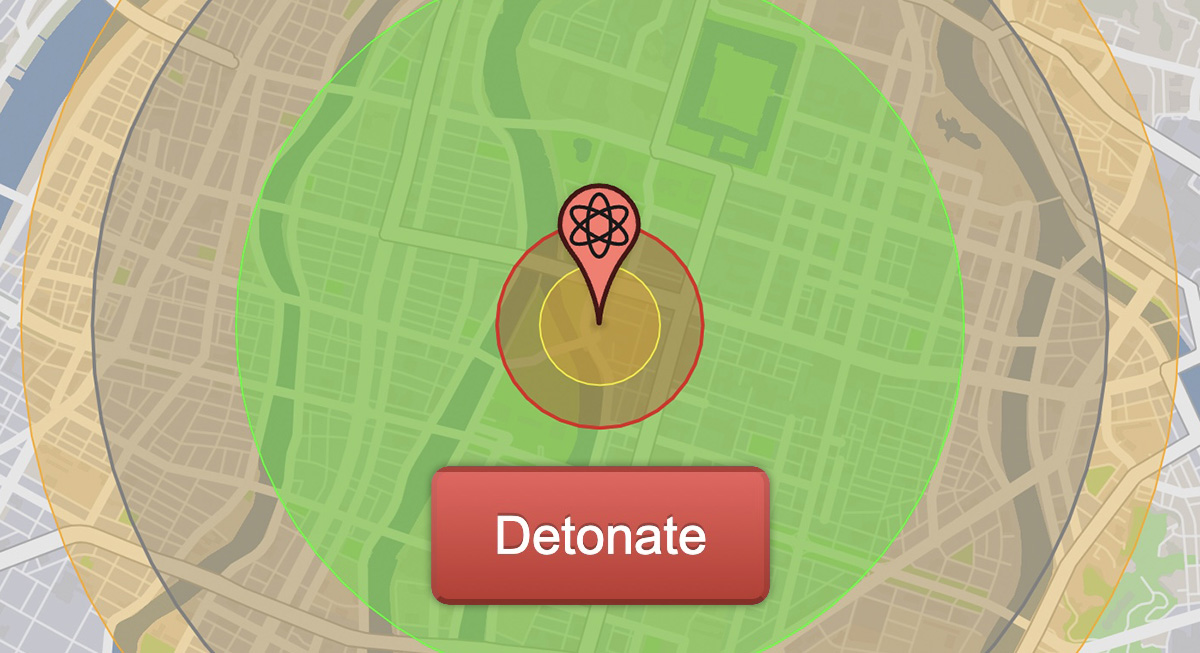
NUKEMAP by Alex Wellerstein
NUKEMAP is a website for visualizing the effects of nuclear detonations.
true arch
limpid tinsel
go and find out https://nuclearsecrecy.com/nukemap/
my dad coded this website
limpid tinsel
sure 😉
maiden berry
my dada invented coding
limpid tinsel
then you should know it can kill millions
hoary totem
limpid tinsel
then you should know it can kill millions
no it cant? my dad invented nukes
limpid tinsel
my dad invented you
hoary totem
he says nukes dont kill anybody they just boom buildings
maiden berry
my dad invented inventions
true arch
limpid tinsel
then you should know it can kill millions
doubt that, my dad never mentioned this ever
hoary totem
maiden berry
my dad invented inventions
what an irrational thing to say
limpid tinsel
oke back to osrs
maiden berry
idk, never met him
true arch
maiden berry
my dad invented inventions
illogical and not really possible at all so im sorry, dont believe you here
maiden berry
you seem to have a point
 clear stag
2000+kc from my shamans is gone from the loot tracker O.o
hoary totem
Honest to god question, why does the fullscreen plugin insist on being on top? I can't have any windows over my runelite when fullscreened. It's on borderless and I'm running two screens if any of that helps.
 mossy swan
the plugin is terrible
hoary totem
Is there no way to fullscreen runelite?
 spring radish
any ETA on quest helper?
mossy swan
ask them not us lol
mossy swan
hoary totem
Is there no way to fullscreen runelite?
no, macos can do that natively tho
clear stag
hoary totem
Is there no way to fullscreen runelite?
there is a plug in for that
hoary totem
clear stag
there is a plug in for that
Yeah, but the plugin always places OSRS on top of everything so I can't really do much with it :(
 jolly tulip
how much more time quest helper not working
 smoky bramble
maiden berry
this happens on a regular basis lol i dont understand the perpetual confusion/hy...
smoky bramble
maiden berry
this happens on a regular basis lol i dont understand the perpetual confusion/hy...
maybe runelite should have a user-friendly message to explain it when it happens 😉
 stark vault
jolly tulip
how much more time quest helper not working
stark vault
jolly tulip
how much more time quest helper not working
be patient
hoary totem
clear stag
but full screen is like.. full screen
Yeah but if you've got a game on borderless fullscreen you should be able to place other windows above it or freely move your mouse to another screen without needing to tab out.
clear stag
this happends too with league of L in my case
 drowsy cove
hi im having some trouble with running example plugin project.
getting:
I've pulled the lastest version of runelite and rebuilt it but when I set runeLiteVersion to 'latest.release' I get the error in the screenshot
If i manually set it to 1.10.48-SNAPSHOT then it works but feel i'm missing something as it should be grabbing the latest snapshot but isn't?
 zealous cedar
gradle pretty aggressively caches the latest release and so it wont update immediately. you can set it to 1.10.47
or otherwise clear the gradle caches
drowsy cove
I'll try that, thanks very much Adam!
limpid tinsel
Hey guys, is it possible to do an export of my runelite profile so I can import it on my laptop?
round jacinth
!transfer
haughty pumiceBOT
limpid tinsel
round jacinth
!transfer
thank you!
round jacinth
you maybe want to enable cloud sync if you're going to play on multiple devices
limpid tinsel
That sounds even better, I'll give this article a read first ❤️
haughty pumiceBOT
solid mesa
For more info on cloud sync
limpid tinsel
Much appreciated ^^
 cunning void
is this a runelite issue?
 mossy swan
have you tried restarting your client recently
cunning void
mossy swan
have you tried restarting your client recently
i started it up about ~4 hours ago.
mossy swan
try restarting
 cursive canyon
Is it possible to change npc dialoge color in rl?

 sullen sable
anyone else hate the new hiscor boss sprites they are so hard to differentiate them? Is there a way to get the old version?
leaden trail
No
 vague juniper
Is there any way to tell what roll chopped a tree down or mined an ore in scenerios where you get 2 rolls? Or maybe somone could share some ways to detect a tree has been chopped for some leads?
oblique plume
what do you mean by two rolls
solid mesa
If you 1.5t teaks you get two rolls to chop a log. But I'm not sure what you'd be able to detect or why it would be useful.
oblique plume
wait does that mean you can get just one log
i thought ive always seen people get two
solid mesa
I believe it just rolls the skilling success twice so you can get 0, 1, or 2 logs. But I may be wrong about that
vague juniper
its a bit more complex than that, you get 2 rolls because you get 1 roll from the 3t skilling action made by knife log or w/e then a second roll from the woodcutting skilling stall that happens on the farming patch trees, and some specific rocks in the game
and it gets more convuluted but basically you cant tell via xp drops or logs recieved
oblique plume
what does it matter though?
vague juniper
need to know to be able to accurate predict the respawn time
oblique plume
are you saying "if i get one item, i could have messed up the tick manip or just gotten one item"
how would it change the respawn time
it should respawn after an amount of time since it depleted
vague juniper
it just does tbh
oblique plume
thats weird
vague juniper
i believe its because of the timing of the 2 rolls that happens but im not sure
open to any ideas as im not really sure whats possible with the plugin creation side of it. i just started learnign with the help of a friend
oblique plume
i dont see how the client would have that info
 sharp wadi
is there any way i can make this action prioritise the guard over the player?


this does not work
 wise agate
I'm having an issue with getting logged out every once in a while "malformed login packet" I never had this issue before until I got a new computer and reinstalled runelite
I've tried everything looked at forums but it constantly happens
wise agate
i never had the issue before, now it happens daily and makes doing anything raid/bossing impossible
only happens on my desktop, never on mobile
sharp wadi
round jacinth
`Cast, Entangle -> Guard*` doesn't work?
apparently jagex doenst allow swapping of spellcast priorities sadge
round jacinth
that would make sense
very obviously your question is asked as against guard but would easily be changed to a player's name :p
 trim lance
 viscid lantern
restart your client
 haughty pumiceBOT
To enable safemode
Windows
Run the RuneLite (configure) shortcut from the windows start menu
Tick the Safe mode box, save, launch RuneLite the way you normally do.
Mac
In Terminal, run
/Applications/RuneLite.app/Contents/MacOS/RuneLite --configure
Tick the Safe mode box, save, launch RuneLite the way you normally do.
 flint thunder
my stats and timer went vertical for some reason, I do not know what I did to change it , how can I make it so it horizontal with multiple rows like it used to be?
 haughty pumiceBOT
You can configure horizontal/vertical orientation, infobox groups or split infoboxes into new groups with the menu options opened with Shift + right-click. https://runelite.net/img/blog/1.6.28-Release/infobox.gif

 sand sentinel
Not sure how i need to show this but the client doesnt seem to been reading the folder for anything, it all got set back to default but the actual folder still exists
haughty pumiceBOT
sand sentinel
did not fix
leaden trail
sand sentinel
did not fix
Post a screenshot of the contents of your profiles2 folder showing the file sizes and the last modified dates
sand sentinel
 round jacinth
the file that is 171kb big is the one you probably want
 supple stirrup
Could someone point me to the /gauth OAuth permission requirements (if any), unless one must be deemed worthy before joining the "development" chat? I am having trouble finding docs in the wild.
You lads and lasses are my heros... and I work in Tech fulltime hehe. THANK YOU for all of your love and efforts into Runelite. ✌️
round jacinth
fwiw you can ask your dev questions in #runelite too, #development exists so you can talk to Adam (lol)
supple stirrup
I'll try again, I caught an invalid token error when using a "classic" token. Im sure its something foolish im doing. Thanks for the wisdom and welcome @leaden trail & @round jacinth!!
round jacinth
i dont think you're meant to share a classic token with it
but i forget, been ages
 vast granite
anyone know what the current version of rl is and how I check it
round jacinth

vast granite
thanks
solid mesa
And current version released today is 1.10.47
round jacinth
oh i guess i figured they reload the client, alternatively going to the link in #welcome and going to the home website it will say the current version too
 torn oriole
Has dink stopped working for anybody else?
round jacinth
did your discord disable webhooks/change them?
torn oriole
Let me see
 glad fox
where did the essence pouch degrade settings moved to?
solid mesa
In the core Runecraft plugin
glad fox
box is checked but doesn't so number of fills left
solid mesa
Do you have a colossal pouch?
glad fox
yea
solid mesa
Jagex has a bug, so it works with medium, large, and giant but not colossal
glad fox
I take it that the ones left in the plugin hub are also broken then
viscid lantern
not sure about degradation and how the hub plugins handled that
viscid lantern
no I deleted it because I was wrong!
solid mesa
I know Adam disabled his hub plugin. So I'm not sure what options you have with the colossal pouch
viscid lantern
infinity disabled his hub plugin, I guess because core covered it already
glad fox
i know that one (infinity) was working because I was using it earlyer, now the ones left in the hub doesn't seem to work with the gotr essences
 fickle comet
Hey im having issues with NordVPN split tunneling and loading Runelite, I can see Adam was chatting about it previously in the dev chat and was wondering if anyone figured out a fix

 solid mesa
He made a custom launcher with some fixes for people to test. But it isn't public yet
fickle comet
 solid mesa
I guess the potential fix is public if you did want to try it https://github.com/Adam-/launcher/actions/runs/12530627547
gilded kayak
same link but forwarded it to include the steps
but you can't download artifacts w/o a github account
cuz microsoft thinks its funnier this way
fickle comet
OKay ive installed and im getting a new connection error not sure if its the "normal" one

Not sure what open runelite (configure) means where I go to enable ipv4
nevermind got it
And its loading, you are all legends thanks ❤️
will runelite always be in safemode now 😄
 tawdry basin
For adding this feature to fill ground marker tiles with any color you'd want at this link, how can I add this into intellij runelite if I've already got the latest developed runelite and I just need to I guess merge this? I just don't want it to break on me if there's an easy way for this to work : https://github.com/runelite/runelite/pull/16285/commits/4d788b68eb6c60a224d4ffe83ba61efaf2a7b3af

GitHub
This change adds the option to fill a ground marker's tile with the color of the tile instead of only being black.
"Fill Opacity with Tile Color" turned off and "...
round jacinth
You’d clone that branch that made the pr and rebase it onto master
For other dev questions #runelite is the spot to ask
 dark palm
any chance someone can help me out?

Reddit
Explore this post and more from the 2007scape community
 stone parcel
Looks like tunnel vision plugin without opening that link.
dark palm
wow... i never downloaded that and yet it was on my runelite...
gilded kayak
plugins don't automatically download themselves
dark palm
well then i must have downloaded it by mistake but never noticed until the update enabled it
 ornate dove
Hello. My computer suddenly crashed and all of my RuneLite plugins have been wiped. I've been trying to get them back but nothing seems to be working.


Attempted to import profile but was unable to with the given options. Any help would be much appreciated!
haughty pumiceBOT
ornate dove
Thank you!
 lime steeple
hey good people, i was trying to figure out how to hightlight an npc on runelite
not all, just 1
selectively
viscid lantern
shift+rightclick tag
lime steeple
viscid lantern
shift+rightclick tag
thats exactly what i thought
but that doesn't do anything
oh
im stupid
thank you 😄 gamma
 wheat patio
Since the update yesturday, my loot beams aren’t working..any advice?
haughty pumiceBOT
Many plugins from the pluginhub break the client in subtle or not-so-subtle ways, including causing issues like client freezes. We do not support pluginhub plugins because we do not make or quality control them, and do not recommend their use.
Run the RuneLite (safe mode) shortcut, or with a Jagex account, first run the RuneLite (configure) shortcut and tick the Safe mode box, then launch RuneLite via the Jagex launcher.
This temporarily disables the GPU plugin and all hub plugins which will allow you to confirm the issue is caused by one of those plugins and isn't a core RuneLite issue.
If the issue is caused by a hub plugin, you should isolate which plugin it is and then uninstall the plugin.
wheat patio
sorted, my gpu plugin was off, now working! thanks
 wild turret
wheat patio
Since the update yesturday, my loot beams aren’t working..any advice?
wild turret
wheat patio
Since the update yesturday, my loot beams aren’t working..any advice?
Same, glad im not the only one.
 mild dirge
anyone know what this issue could be caused by? all objects gone aside from ground and NPCs
 round jacinth
restart your client
mild dirge
do we know what causes it? restarting the client is a bit painful because I end up having to calibrate the npc aggression plugin again
round jacinth
it happens when you don't restart your client when an update happens
mild dirge
weird, I could swear I restarted since yesterday
round jacinth
and npc agression is always calibrated unless you move on mobile/play on mobile and move
restarting the game won't uncalibrate it
mild dirge
weird, pretty often does for me
might be an issue with multiboxing, I run one client for my iron and one for my main
round jacinth
if they're the same profile then yes
mild dirge
but they have separate runelite profiles assigned by default so that shouldn't be it
mild dirge
no, just the npc calibration
and like the settings of the plugin stay, it just does the annoying little '?' where you need to TP/run around to get it to work
round jacinth
afaik it only uncalibrates when you login on a different tile than it last remembered you at
in anycase, you get the dwarf NULL icons and other visual glitches when you don't restart client
mild dirge
interesting, it's definitely happened on my iron and I don't even have that setup on mobile
I'll try paying closer attention the next time it happens
round jacinth
jagex updated the client to allow hot reloading so runelite doesnt need to be restarted between updates but it causes those things, so just restart runelite
mild dirge
alright, thanks for the quick help
mild dirge
round jacinth
afaik it only uncalibrates when you login on a different tile than it last remem...
funnily enough went to restart my iron and it happened immediately
 oblique plume
do you logout or xlog
round jacinth
if you logout normally and close client after it would probably never happen
mild dirge
ok, I'll try to be diligent about logging out first and see if that helps
round jacinth
at logout/going to the login screen, it saves to the config
so yes that is very likely a problem
 vagrant drift
Hi, i no longer have loot beams without the GPU plugin since yesterdays update, restarted client etc. any ideas?
oblique plume
ive heard that but so far no explanation
does it happen on a new profile
to get rid of all the hub bloat
vagrant drift
no worries - i made a new profile to test and lootbeams only come on when gpu is turned on
viscid lantern
oblique plume
ive heard that but so far no explanation
I can repro it, loot beams only work on gpu for me 
 sand flame
Hello! I have a question. The first time I started using RuneLite, I logged in with a Google account. Now I want to change that and am wondering if there's any way to transfer everything to the new account, including all my items in the loot tracker. Thanks for your help!
round jacinth
you want to switch to a different gmail?
sand flame
yea
round jacinth
i think all you'd do is logout of the original one (click red door icon), and login with the new gmail, you may need to re-import the profiles
and then re-enable cloud sync on the profiles
round jacinth
i recently changed emails but i don't remember if i had to reimport
 viscid kelp
hey who do I have to pay to get access to the plugins?
@zealous cedar can I cashapp you or something
sorry wrong Adam
 honest breach
the ge plugin isnt showing p2p items in f2p worlds. as a f2p player im still interested and following items with the GE-plugin, is it possible to get something like tick in the ge-plugin settings so it would also look up p2p items in f2p worlds.
it used to show the p2p items but not anymore.
round jacinth
idk when it last or ever did that, but it doesn't do that because it'd be miselading for a f2p player to search for banana and think they can buy a banana stew
 tawdry imp
Does anyone know how to merge 2 profile settings together? I have both of the profiles exported on my desktop but I don't want 2 separate profiles I want all the plugins/settings in one profile
round jacinth
there is no merge, you just pick one to become the new primary
tawdry imp
What a sad day in history
honest breach
round jacinth
idk when it last or ever did that, but it doesn't do that because it'd be misela...
that is why there would be great to have "toggle" for p2p items too
like "include p2p items"
gilded kayak
toggle's don't really protect anything, people just toggle them on and still get confused
round jacinth
use other resources to search ge, the wiki is good
 jovial totem
infinitays essence pouch plugin was disabled and the core runecraft plugin doesnt provide tracking for the colossal pouch, are we just stuck w/o colossal pouch degrade tracking for the time being
zealous cedar
essence-pouch-tracking was disabled by the author, we didnt disable it
jovial totem
im just stating that it was disabled, not by who
 bronze epoch
infinitay commented that runelite now supports tracking essence pouches within the runecrafting plugin and is disabling it because it is not needed anymore. evidently, this is not the case, is it possible it can be re-enabled?
gilded kayak
if they want to re-enable it I guess
zealous cedar
they might not know that the core plugin doesnt track it, maybe ask @cunning horizon
round jacinth
Didn’t jagex just break the stuff for col pouch and it would work when they add it next week? (If they remember)
jovial totem
would be nice to have the ability to track the colossal pouch until such a fix is implemented 😸 @cunning horizon
deep epoch
@round jacinth the base runelite tab layouts are less performant
auto making bank layout is too hard
and the potion storage support is clunky
gilded kayak
potion storage is clunky
deep epoch
are u the maker
round jacinth
deep epoch
<@179369590902489088> the base runelite tab layouts are less performant
I don’t think there is any difference in performance
Potion storage just sucks
deep epoch
there is a difference
importing tab layout when u already have that tab
doesnt work
so u have to delete the tab
to update it via the feature
also u have to open the setups tab
deep epoch
what even is the point of the inv setups plugin
why was it sweethearted
over the gerheur one
round jacinth
Inventory set ups exists to have people people have a side panel show what they do or don’t have equipped or what ever
It uses side panel to provide info
Geheur one is just replaced by core especially if you have potion storage
deep epoch
ok but the geheur one has some nice options to automatically refresh ur setup from bank
which is very pog
tawdry basin
Is there a way when loading in osrs from the jagex client, that it'll load your plugins that you have built from intellij automatically?
flat wagon
The way you phrase this makes me think you want the answer because you are botting
tawdry basin
If it was was available publicly I'd ask for that Lol
It's just I didn't make this plugin
or w/e
This guy made a change to it and it hasn't been done yet.
That's all..
😐
he put it up as well to be added to ground markers.
 hot oasis
Sideloading plugins isn’t supported
 summer shell
Any way to quickly reset to default all Menu Entry Swapper swaps? Clicking the reset button resets all of the options in the configuration panel to default, but the swaps that are set by shift right clicking game objects still persist.
oblique plume
Not afaik
 sweet pike
not sure if support but this happend today. restarting the client fixed it but... was interesting
 crisp dune
It's a known bug, we don't know exactly what causes it yet
(but restarting the client is the solution to it)
sweet pike
For what it's worth it seems like it happened when I opened rl for 2 different accounts back to back. Seems like the hd plugin didn't load on the second client. Will try to recreate
crisp dune
It has to do with the vanilla client loading a new cache without restarting the client. If you restart after game updates you won't run into it
sweet pike
interesting
I guess it makes sense rl is built on the vanilla client instead of being separate, didn't realize the cache would be an issue between the two. the more you know
 urban sedge
anyone know if theres a memory issue with runelite or osrs? I keep maxing out memory. I have 64g of ram lol. Been happening for awhile
Happens if i leave the client open
zealous cedar
no
 sand jacinth
So I have a consistent problem when I open other games, primarily marvel rivals and fortnite runelite just ramps up gpu usage by like 3x, which is obviously caused by the gpu plugin and stops doing it when I turn on the hd plugin instead, is there any solution I could have to keep using the normal gpu plugin?
 zealous cedar
that is odd, i would expect anything the gpu plugin does for 117hd to also do
sand jacinth

Hmm actually no 117 is also using 70-85%
Now
What it normally is

Oh I covered the manager but it's normally at like 10-20%
 boreal pagoda
been having ongoing freezing issues over the lastyear with 0 chnages
ping spikes, gameplay freezes but sounds, animation etc continues. then 5 seconds later it all comes back with hit splats showing
stone parcel
That sounds a lot like a network issue.
haughty pumiceBOT
Please refer to this flowchart for further troubleshooting.
stone parcel
Maybe that would be helpful though.
oblique plume
thats network instability
haughty pumiceBOT
open command prompt, type this in: ping -t oldschoolXXX.runescape.com where the XXX is your world minus 300, for example world350 = 50
sand jacinth
zealous cedar
that is odd, i would expect anything the gpu plugin does for 117hd to also do
Alright whelp reinstalled my gpu drivers and that seems to have solved it 💀
oblique plume
you can see it happening there
boreal pagoda
sounds good ill try hat
gilded kayak
sand jacinth
Alright whelp reinstalled my gpu drivers and that seems to have solved it 💀
sounds about right
oblique plume
it wont fix it, its just to show you its not a runelite only thing
boreal pagoda
 sand jacinth
I was having a ton of packets dropping like 300 spikes recently until I turned on a vpn, could try a free vpn like cloudflare warp, if it's a ping spike problem could be packets dropping on your isps route
That won't be long enough of a ping
boreal pagoda
Sorry I’ll need to do it again
sand jacinth
If it's not constant
 stone parcel
So ideally you would be running that at the same time as experiencing the issue.
boreal pagoda
its so spartic its impossible
boreal pagoda
sometimes itl go days without happening, and others very often
oblique plume
i dont care what it says, its there so that we can tell you its not a runelite issue
because people always like to quip back and say "only runelite is having problems"
boreal pagoda
okay and if its not a rl issue, youre thinking internet issue?
oblique plume
and thats because only runelite is talking to jagex
discord doesnt uses jagexs servers
stone parcel
Yeah internet issue.
boreal pagoda
and what to do with the internet as i tried different networks with the same issue
and my buddy is on the same line, and it doesnt happen to him
oblique plume
that might suggest that some config on the machine is incorrect
boreal pagoda
and what could i look at you think, or start by doing?
its hard to enjoy the game when you cant. lol
sand jacinth
I had a similar problem about 3 weeks ago, but mine was much more often. Constantly spiking up 500-600 ping every about 15 seconds, only on runescape. For me it was more than likely an issue with the isp route which you really can't do anything about until they fix it. My solution was turning on my vpn and now it works just fine.
boreal pagoda
i can try using a vpn for sure as i do got nord
isp route, you thinking a possible issue with the router itself? or what with the isp. thanks sir
sand jacinth
Well so in that scenario, whatever path they're using to connect your computer to jagex, there's some hiccup with a node doing something wrong on whatever route your isp has chosen.
In which case a vpn could choose a different route.
boreal pagoda
Copy. Where do you set your vpn to? I’ll try that
sand jacinth
Without using my rudimentary knowledge of routing protocols to give you false information
Uhhh I actually just use cloudflare warp
Which just chooses the best closest access point afaik
boreal pagoda
Gotcha. And I got nord already.
sand jacinth
It's not ACTUALLY a vpn but does the same thing more or less
You can just try different ones and see if it happens
boreal pagoda
Will do. And I’ll report back. Thank you
jagex launcher wont work with vpn on now for rl
 zinc garnet
anyone get super low fps while using 117HD or even the GPU plugin? have been searching for a fix but cannot find anything solid
boreal pagoda
got connetec to a canada one, should i diable cpu also?
zinc garnet
got the 6600xt with 100 gpu usage when zoomed out max on GPU plugin and it drops to 15-25 fps but when zoomed in its constant 140 fps. saw someone downgrade to a early driver version but there's gotta be another way
crisp dune
I don't think so
 scarlet bone
Anyone know what’s going on here? Runelite refuses to stay open. For context my computer has been bluescreening all the time so I reset my C drive and had to redownload everything
 zealous cedar
if your computer is bluescreening all the time then either your hardware is bad, or you have broken driver(s)
scarlet bone
Yeah well it’s like 5 years old at this point. Resetting it seemed to stop the blue screening and everything else seems to be working fine just RuneLite won’t stay open now
 humble hawk
For some reason I lost all my profiles, except 1 which i copied them all from originally.
haughty pumiceBOT
humble hawk
I'm signed into the correct account.
The profiles just no longer exist in the configuration section.
 near rover
Can I downgrade my jagex account so I can use RuneLite?
 stark ridge
how do i make brown dye?
near rover
Currently not able to log into OSRS via RuneLite even though user/pass have been typed 10x correctly
stark ridge
ive searched it up but it wont tell me how
solid mesa
stark ridge
how do i make brown dye?
This belongs in #runescape . This channel is for Runelite client support
zinc garnet
switched to hdos sorry yall
gilded kayak
ok have fun
boreal pagoda
anyone else have issues with rl, and nord vpn?
solid mesa
Are you using split tunneling?
boreal pagoda
im not sure what that is
solid mesa
It would be a setting in your vpn
boreal pagoda
i can look. should i be split tunneling or no
solid mesa
Split tunneling usually causes issues
boreal pagoda
ok it is currently off. couldn't use any usa servers to load in even
solid mesa
What is the issue you have? The game says failed to login?
boreal pagoda
yep exactly that
solid mesa
I think thats just jagex blocking some vpns
boreal pagoda
fair. bastards lol
 tight bison
does anyone know why loot beams are not working
crisp dune
They're broken when not using GPU plugin, it's a known bug--we're looking at getting them fixed
 peak moth
Hi Folks, from time time to time roughly once or twice a day, sometimes more sometimes less I get the above error. I already disabled all the GPU plugins. Anything else that I can disable/do to fix this.
 crisp dune
If you're getting that error, you have not disabled all GPU plugins
 ancient coyote
Is anyone else experiencing RuneLite (via Jagex Launcher) running at "very high" power usage in taskmanager the past couple days?
To the point its now causing things like discord to freeze
gilded kayak
afaik the "very high" thing is nonsense, literally any app on my computer can trigger it
 idle pollen
Game lagged for 23 seconds (RuneLite completely froze, other programs were fine). Keep getting this warning in the logs (warning is repeated approximately every 20 seconds and is still being added to the client logs).
 oblique plume
lag is typically network based
idle pollen
oblique plume
lag is typically network based
this was not network based lag. runelite was completely frozen (unclickable), other programs still working fine.
oblique plume
maybe something was hogging the client thread
you already show at least one broken hub plugin
haughty pumiceBOT
Many plugins from the pluginhub break the client in subtle or not-so-subtle ways, including causing issues like client freezes. We do not support pluginhub plugins because we do not make or quality control them, and do not recommend their use.
Run the RuneLite (safe mode) shortcut, or with a Jagex account, first run the RuneLite (configure) shortcut and tick the Safe mode box, then launch RuneLite via the Jagex launcher.
This temporarily disables the GPU plugin and all hub plugins which will allow you to confirm the issue is caused by one of those plugins and isn't a core RuneLite issue.
If the issue is caused by a hub plugin, you should isolate which plugin it is and then uninstall the plugin.
idle pollen
oblique plume
you already show at least one broken hub plugin
are you able to identify which plugin it is based on my screenshot?
leaden trail
No
zealous cedar
Id start with removing whatever com.canvas.CanvasOverlay is..
leaden trail
leaden trail
No
I lied.
Disable "Canvas" and restart your client
I feel like half the time this ends up being one hub plugin getting made very angry by another so it may not fix, but that's a start
 weary needle
Putting this here for some hopeful visibility :). I want to make sure I have all of these steps right. I just deleted the "Bank Tag Layouts" plugin to use the core runelite "Bank Tags." To make a new bank tag I have to do ALL of these steps now?
- New tag tab
- Right-click Deposit Worn Items and tag-equipment
- Right-click Deposit Inventory
- Enable layout on the new bank tab
- Set it to Auto layout: Default


Can't do this in fewer steps or set the layout to do auto ZigZag instead?
oblique plume
thats just how you make a tagtab to begin with, how would it be faster
weary needle
The Bank Tag Layouts plugin (non base runelite) is literally just 1 click to import your gear + inventory AND have it be in ZigZag
This is literally 4 extra steps and you can't do ZigZag it's only this default layout option
Only reason I want to use the base runelite Bank Tags plugin is because it works with potion storage, but it's missing features and requires extra steps for some basic things
round jacinth
bank tags layouts was 1 click because the name of it implied it was a layout
even if it takes more than 1 click or 3 clicks, how often are you making new bank tags? It's just part of the process to get it done right
zigzag is offered by other plugins that interact with the bank tags, like inventory loadouts
weary needle
So that's not the intent of base runelite bank tags, got it
Honestly - quite often. Whether it's net new or making adjustments to a bank tab
oblique plume
you delete your tabs and make them again from scratch?
weary needle
With bank tag layouts, I just reset the layout with any changes and done. With base bank tags seems like it is almost faster to delete it completely and restart yeah
weary needle
Anyways, thanks for the help gents. Appreciate the responses. I think it's just a go back to bank tag layouts play and bear with the minor inconvenience w/ potion storage.
 tired pawn
can you copy & paste text in the chatbox?
solid mesa
No
 cunning horizon
zealous cedar
they might not know that the core plugin doesnt track it, maybe ask <@1083790141...
cunning horizon
zealous cedar
they might not know that the core plugin doesnt track it, maybe ask <@1083790141...
Yea I didn't. Why don't we? I didn't realize there was an issue. Or perhaps I'm not remember the conversation that was had if any.
cunning horizon
jovial totem
infinitays essence pouch plugin was disabled and the core runecraft plugin doesn...
Sorry about that. I assumed that the colossal pouch was supported. I wasn't aware of any issues, and to be honest when I saw Adam disable his plugin I figurered everything was pushed live and working so I disabled mine too. Not to blame anyone of course.
cunning horizon
oblique plume
or rather forgot to i think
I guess that's the reason.
I guess I can re-enable it. Probably won't push the latest changes I was working on because it seems like a waste of time now 😂 but if anything I'll add a toggle to show the overlay only on the colossal pouch, and that way y'all can use the default plugin for the other pouches to ensure stablity/accurateness.
 buoyant robin
I'm having the issue where one of my accounts goes back to world select instead of the "you were disconnected from the server" screen when it gets afk logged. It's honestly not the end of the world, but at this point I'm just more curious than anything else on why this happens only on this specific account. I've tried checking a bunch of stuff from ingame settings to plugins but I feel like I must've missed something because I came up with nothing.
 viscid lantern
I think its related to if you had the world selector selected ingame at some point
It happens to me from time to time as well but since I dont afk log too often I have never been able to pinpoint the exact reason
buoyant robin
Hmm I'll tryout opening it on the account that doesnt have issues and have it closed on the one that does and see what happens in 5 minutes. I do tend to worldhop more on the one having issues so maybe that's all it is
Went to disconnect screen on both, so might just only be when I world hop on the one client for whatever reason
 hasty agate
Anyone knwo how to set this to zigzag?

I cant find the plugin responsible for this auto layout :/
(I dont have bank tag layouts, only default)
 jagged fog
bank tag layouts plugin gives the auto-layout style option, haven't seen it in default bank tag plugin
hasty agate
Dont have bank tag layouts :/
 jagged fog
its in plugin hub
gilded kayak
auto layout is from the default bank tags
if you don't want it, just don't click it?
hasty agate
I want to default it to zigzag
gilded kayak
zigzag is not an option, we only have auto, and the hub plugin bank tag layouts, can add the zigzag option
hasty agate
Ah, right ill have to reinstall it then, ty
gilded kayak
the plugin was re-written with hub plugins being able to add whatever layout option they want, in mind
 neon stump
I'm wondering if it's possible to have Entity Hider on a keybind, preferably specifically for hiding players. It would be incredibly helpful for raids and several other high intensity places where it's not always convenient to hide players when you'd like.
Don't know if it's possible but I know it'd be awesome, maybe a suggestion if it's not already? 😄
 teal swift
Anyone have any idea why my loot beams quit working all the sudden?
buoyant robin
Did you accidently hide ground items by double tapping alt?
teal swift
Nope just double checked it
 polar parcel
Hi. I don't currently have access to post in #development; I wanted someone to review a 1 line change in a pluginhub plugin I help manage. In it's current form it crashes and it's unusable
mossy swan
make the hub pr and someone will look at it once they have time?
or are you looking for someone to actually review if your changes are helping
polar parcel
I've tested the changes locally; i just need someone to review them when they have a chance
mossy swan
yeah make the pr and someone will get to it when they have time
 tiny jungle
hello, i recently updated my OS to windows 11, and now i cant get any of my plugins to import, ive signed in, even manually imported my profile but nothing is transferred, is this because of the OS change?
haughty pumiceBOT
tiny jungle
so that just shows me how to import a profile but it doesn't solve my issue that nothing happens when it's imported
 fossil imp
someone has changed my email address on my acc
i have sent them an email yesterday and no reply is there anyway to get my acc back?
mossy swan
fossil imp
someone has changed my email address on my acc
you mean your runescape account? you'll need to go to jagex support. runelite has nothing to do with the accounts
mossy swan
tiny jungle
so that just shows me how to import a profile but it doesn't solve my issue that...
which plugins are you having trouble with?
fossil imp
my runescape account has been hijacked
mossy swan
we cant help you
runelite does not run the game or have anything to do with the accounts
fossil imp
easy
wild turret
teal swift
Anyone have any idea why my loot beams quit working all the sudden?
Check if ur gpu is enabled
lime steeple
i have a question
what is that plugin called where i can see where i have to walk
to re-agro npcs
its like this yellow square around me, a line
solid mesa
NPC Agression Timer
lime steeple
solid mesa
NPC Agression Timer
boss, thank you so much
 faint ether
jovial totem
infinitays essence pouch plugin was disabled and the core runecraft plugin doesn...
faint ether
jovial totem
infinitays essence pouch plugin was disabled and the core runecraft plugin doesn...
sobbing rn, only plugin that updated essence per click instead of tick based so as long as you dont lag its always correct and can handle multiple clicks in a single tick 😔
solid mesa
I believe he's going to reenable it for colossal pouch degredation. But the fill qty of a pouch is transmitted by Jagex now so the core Runecraft should be 100% accurate
 south siren
This morning my runelite was hanging alot. I had to restart it and saw this error in the logging. Some1 can help me? I did checked and i am up to date with my java version
2025-01-18 06:42:35 CET [RuneLite Shutdown] WARN n.r.client.events.ClientShutdown - Error during shutdown:
java.util.concurrent.TimeoutException: null
at java.base/java.util.concurrent.FutureTask.get(Unknown Source)
at net.runelite.client.events.ClientShutdown.waitForAllConsumers(ClientShutdown.java:60)
at net.runelite.client.ui.ClientUI.lambda$shutdownClient$12(ClientUI.java:827)
at java.base/java.lang.Thread.run(Unknown Source)
tiny jungle
mossy swan
which plugins are you having trouble with?
all of them, it doesnt import anything. I set the profile as active and nothing happens
mossy swan
tiny jungle
all of them, it doesnt import anything. I set the profile as active and nothing ...
did you try logging in to your account? im guessing you may have set the profile as linked to it
tiny jungle
yes
i logged into my account, my profile was there and nothing happened, i manually imported it because i have a laptop that ive done this previously with, and nothing still happens
mossy swan
osrs account i mean
tiny jungle
yes
 silent burrow
I somehow deleted my multicombat and wilderness indicators
oblique plume
tiny jungle
i logged into my account, my profile was there and nothing happened, i manually ...
how do you know youre importing the correct file
tiny jungle
i exported it and then emailed it to myself
oblique plume
yea but which one
tiny jungle
what do you mean which one
oblique plume
post it here, or msg it to @haughty pumice and i can see if it imports for me
tiny jungle
the profile loads
but nothing happens
i got the file from the export button on the profile.

 rigid steppe
companion pet plugin no more in runelite?
oblique plume
it needs to be fixed for the changes in the last release
teal swift
wild turret
Check if ur gpu is enabled
Ya that was my issue thank you
 candid sleet
how can i fix my runelite config? loading screen stops on loading config
zealous cedar
that can be a connection issue maybe. is something blocking the connection to the jagex servers?
 twilit garden
does anyone know this plugin so I can turn this off

 pure grotto
anyone ever experience this opening rl?
 oblique plume
That's amd image sharpening iirc
 median nimbus
GPU plugin is base runelite right?
 shadow bluff
While pking, opponent information only shows percentages for me even after I changed settings to Hitpoints. Has this occurred to anyone else?
round jacinth
shadow bluff
While pking, opponent information only shows percentages for me even after I cha...
You maybe need opponent lookup enabled
Interact lookup or what ever it is
 coral obsidian
i made an oopsie i clicked on profile on the side bar thing and clicked the "deafault" profile and it erased all of my plug ins and settings , how do i get them back
zealous cedar
change back to the profile you were using before
coral obsidian
there was originally 2 profiles there and both of them have nothing on it
zealous cedar
maybe you deleted your profile? you could try and re-import it if is still on disk.
haughty pumiceBOT
median nimbus
round jacinth
Yes
cool i thought so, found a visual bug with the new nexus and I'm not seeing an open issue for it, wanted to check if i needed to contact a ~~mod ~~plugin author or just post in issues
 solid mesa
Probably a Jagex bug. I know the portal nexus hotspot shows when you aren’t in build mode. There might be others that do as well
zealous cedar
what happens if you turn gpu off
 glossy pumice
is it possible to make highlight boxes less blurry when using xBR + stretched?
 zealous cedar
no
glossy pumice
rip 😦
coral obsidian
zealous cedar
maybe you deleted your profile? you could try and re-import it if is still on di...
i checked out that link you posted if i go into my file all my plug ins and settings look like they are in the files but none of the profiles or previous profiles i have restore what i had before
i feel like maybe i was never clicked on a profile before
zealous cedar
you always have to have a profile
shadow bluff
round jacinth
Interact lookup or what ever it is
I have all 3 checkboxes checked, Lookup player on interaction, show opponents in menu, % Show opponent Health Overlay.
Ive tried Changing display style to both just to be only shown percentage. 🫤
coral obsidian
zealous cedar
you always have to have a profile
hmm like i never deleted anything all i clicked on was the second profile that was in those settings i was curious what it was and it just went to a profile with no settings or plug ins so then i clicked back to the other profile that was there and that one has no plug ins and like a couple different settings but not what i originally had
zealous cedar
that doesnt sound right
silent burrow
I deleted my multicombat and wilderrness level icons (the ones from the vanilla game) how do I get them back?
coral obsidian
zealous cedar
that doesnt sound right
hold up sorry i found out what happened the one profile changed my client size to max and had it stretched right out , i got it now my appologies
but all the settings and plug ins are the same just had to change that , my bad
pure grotto
oblique plume
That's amd image sharpening iirc
you're a legend, its back to normal lol
my ping has been spiking like crazy usually 16-20ms going up to 200+ now , not my isp or anything other pc is fine, cleared the cache in runelite folder it was back to normal forl ike 15mins now back to spiking. Long shot but any ideas?
zealous cedar
"clearing the cache" has no impact on ping. its probably your internet connection
 agile garnet
When I launch runelite through Jagex launcher, it's bugged out like this. It does not act like this when I launch runelite seperately, but I can't play like that as my account is a Jagex Account. It persists through reinstalls of both Jagex Launcher and Runelite
 zealous cedar
do you have amd image sharpening?
agile garnet
One sec checking
I don't believe so, I have an AMD CPU with an NVIDIA graphics card
Could only do amd image sharpening with AMD graphics card right?
mossy swan
if you plugged your monitor to your nvidia gpu yeah
zealous cedar
oh yeah, check your monitor is plugged into your gpu
agile garnet
Just confirmed, all 3 monitors are plugged into gpu
zealous cedar
install the debug helper plugin and click dump natives and then paste here
agile garnet
zealous cedar
the only thing here which stands out is Bonjour, but idk if it would cause this type of graphical issues.
pure grotto
zealous cedar
"clearing the cache" has no impact on ping. its probably your internet connectio...
my other pc also on wifi in same house is just fine though so its not my internet 😒
gilded kayak
that's not how it works
pure grotto
appreciate the help ❤️
median nimbus
zealous cedar
what happens if you turn gpu off
sorry late to respond, it only shows while gpu is on
zealous cedar
are you sure you arent using the gpu experimental plugin?
median nimbus
this one, i can try safemode later too but busy atm
 zealous cedar
try ::setdrawdistance 90 with gpu off
median nimbus
it was a lot harder to find but it is possible to see without gpu on it seems (drawdistance didn't change anything) so nvm
 zealous cedar
it really should be pretty identical with gpu on vs off
draw distance will change stuff
median nimbus
hmm maybe standing in a different spot threw me off
 hexed lark
I cannot turn on GPU plugin on runelite, i don't have a dedicated GPU, only a integrated. And on my old Pc that had a Intel Celeron J1800 It worked fine. I have a Intel Core i5-2400 now, there is a way to fix that?
Its intel hd graphics 2000
round jacinth
you could try turning it on with computer shaders off
round jacinth
It’s a hardware problem I think, some min level of OpenGL is required but I thought it was for just shaders but possibly more
!logs would help say what’s wrong
haughty pumiceBOT
To find the logs, you can do one of the following:
- If your client failed to open, click the
Open logs folderbutton. - Open the screenshot directory by right-clicking 📷
Camerabutton, navigate 1 directory up, then open logs folder. - Navigate to
%userprofile%\.runelite\logson Windows or$HOME/.runelite/logson Linux and macOS.
Upload the log files named client and launcher by dragging them to Discord. If there are files prefixed with jvm_crash dated from today, upload them too.
hexed lark
Ok, i cannot do that now because im not in my home now, but i will do that later
stone parcel
agile garnet
When I launch runelite through Jagex launcher, it's bugged out like this. It doe...
I wonder if this is from that Nvidia hdr thing where it forces hdr on things.
#support message
 thin jay
I may of been stupid and disabled something but i cannot work it out, does anyone know why i can not save or load outfits for fashionscape anymore?
 haughty pumiceBOT
Get support for the Fashionscape Plugin Hub plugin here: https://runelite.net/plugin-hub/show/fashionscape.
You can also find the support link by searching for the plugin in the Plugin Hub panel and clicking the ? button on the plugin, or by right-clicking the plugin in the plugin panel and clicking the Support menu option.
thin jay
haughty pumice
Get support for the **Fashionscape** Plugin Hub plugin here: <https://runelite.n...
I had a look but i still could not find anything that fixed it
solid mesa
Then click Report an Issue, and using a github account click New Issue and describe your issue so the author can fix the plugin or provide support.
 pliant lily
Can anyone help me? I have runelite backup folder on my old computer. Im tryna import my plugins from that to my new computer. How can I do this ?
I tried removing all the files in the runelite folder. Then I moved all the backup files to the runelite folder. however, that didnt work
 dim schooner
Hey all, checking in here to see if anyone has an easier solution to my problem. I have been experiencing stuttering/lag while using RuneLite. Tried reinstalling RuneLite. No stutters or lag when using official client. No stutters or lag when using my other profile (for my main account I used to play), which makes me think it is a plugin issue. The problem is, I have a lot of plugins and it would take quite a while to figure out which one is causing issues.
zealous cedar
pliant lily
Can anyone help me? I have runelite backup folder on my old computer. Im tryna i...
copy the .runelite folder from the old pc to the new pc
pliant lily
zealous cedar
copy the .runelite folder from the old pc to the new pc
Is that the backup folder that I have?
thats all i have rn
zealous cedar
I dont know what you have
 zealous cedar
when is this backup from?
zealous cedar
runelite doesnt have a backup button
pliant lily
i put the backup folder in a usb and plugged it into my new computer
ah weird
it was named "runelite-backup"
dim schooner
Maybe try exporting your runelite profile and moving that to new pc and add to your new pc's runelite folder? I believe I did that when I switched comps.
Under Profiles there is an export button under your runelite profile
pliant lily
ty



 small musk
"Enable custom chrome" under RuneLite settings
zealous cedar
solid mesa
there is a bank setting you have to enable
pliant lily
I already have that turned off
I tried restarting my client after turning it off but it didnt work
solid mesa
Enable means turn on
pliant lily
solid mesa
Enable means turn on
I enabled it and it wasnt working before so i disabled it
ah nvm got it ty
dim schooner
dim schooner
Hey all, checking in here to see if anyone has an easier solution to my problem....
Is there any way to troubleshoot what plugin(s) may be causing this?
haughty pumiceBOT
Please refer to this flowchart for further troubleshooting.
To enable safemode
Windows
Run the RuneLite (configure) shortcut from the windows start menu
Tick the Safe mode box, save, launch RuneLite the way you normally do.
Mac
In Terminal, run
/Applications/RuneLite.app/Contents/MacOS/RuneLite --configure
Tick the Safe mode box, save, launch RuneLite the way you normally do.
dim schooner
dim schooner
Hey all, checking in here to see if anyone has an easier solution to my problem....
I'm assuming I post here as it is happening in safe mode. Couple examples of the stuttering in question. These are brief examples but I have had it freeze up for a good 10-15s at times before the game plays catchup and comes back to normal. I would compare it to the same stutter/lag you can get when loading a chunk, but it is very frequent. (Replied to OG post with issue for ref.)
Appreciate any help 🙂 I will be away from PC for an hour or two but I will check back later. Thanks guys ❤️
 green willow
hello im having an issue where certain sounds are muted until i turn the volume up slightly, most noticable at bosses and toa
mostly like certain attack sounds and area sounds
solid mesa
Does it happen in safe mode?
haughty pumiceBOT
To enable safemode
Windows
Run the RuneLite (configure) shortcut from the windows start menu
Tick the Safe mode box, save, launch RuneLite the way you normally do.
Mac
In Terminal, run
/Applications/RuneLite.app/Contents/MacOS/RuneLite --configure
Tick the Safe mode box, save, launch RuneLite the way you normally do.
 crystal pine
is there any way to point scale the entire interface? I can't see anything in window settings
not the game interface, but runelite's interface itself
gilded kayak
!config
haughty pumiceBOT
gilded kayak
set scale to 1.5 or 2
crystal pine
thanks!