#support
1 messages · Page 57 of 1
 past lily
 little eagle
does playing on jagex launcher delete your loot tracker data or something? all my loot from my GIM is gone(checked the website) only loot i can see is leagues and the last few days on main game , the only thing different since i last played is launching runelite with the jagex launcher
 haughty pumiceBOT
little eagle
haughty pumiceBOT
little eagle
tried all that
 oblique plume
then you must have signed in to the wrong rl account
 boreal ridge
Hi guys, I've been having fps drops when zooming out and this is with GPU plugin active, When i try GPU experimental and zoom out i don't get any frame drops at all, i reinstalled my latest drivers but i can't figure out why this is happening
 nova bone
I just switched to a 4k monitor from 1440p and the whole client is super blurry.. anyone know how to fix it?
nevermind I found a fix. changed the scaling in the config settings to 1x and then enabled stretch mode
boreal ridge
^ Safe mode im at 50fps with no issues zooming out
 warped schooner
yo why u ban me from development channel
 zealous cedar
im getting tired of your questions when you are obviously just making a bot
warped schooner
ok
well i never got much help from there anyway lol i just like to post shit and then figure it out 5 seconds later so thats good for everyone
 clear fiber
LOL
zealous cedar
the channel is really for doing runelite development or developing plugins, and you are not doing that
warped schooner
technically im doing exactly that, not just the way you want, but its good, i kinda wasted much time posting questions there anyway, it was bad habit. Thanks for not banning me from the whole server tho
clear fiber
"technically"
zealous cedar
i guess. the channel really exists for people to talk to me specifically. and you are not contributing anything at all and just asking low quality questions constantly. so I don't want you there
warped schooner
that works for me
 wet gull
how i hide Things I don't want off the ground
 solid mesa
Open ground items and type it in Hidden items. Or hold alt and press the minus sign when it's on the ground
 charred wind
Right clicking the item name while alt is held down also works
wet gull
I want to make a shortcut like this

 round jacinth
i think that's how their enhanced client or mobile client does it?
runelite doesnt do it that way, you use alt to show the +- images next to items on the ground
 crisp dune
I don't see any reason we couldn't add that, however as was mentioned it doesn't work that way in RuneLite currently
 coarse sun
Is anyone having trouble with the 30 second master clue timer in casket saver? It was working for me but the info box is no longer showing up
haughty pumiceBOT
Get support for the Casket Saver Plugin Hub plugin here: https://runelite.net/plugin-hub/show/casket-saver.
You can also find the support link by searching for the plugin in the Plugin Hub panel and clicking the ? button on the plugin, or by right-clicking the plugin in the plugin panel and clicking the Support menu option.
 glacial sluice
guys when i try to create a account appears that message
 haughty pumiceBOT
If you are new to OSRS, make sure to follow this excellent guide on OSRS wiki: https://oldschool.runescape.wiki/w/New_player_guide. You can also join the official OSRS Discord here: https://discord.gg/osrs
oblique plume
try asking jagex in their discord there
glacial sluice
oblique plume
try asking jagex in their discord there
what is their discord
can you invite me?
oblique plume
i did
glacial sluice
what?
solid mesa
Second sentence You can also join the official OSRS Discord here: https://discord.gg/osrs
glacial sluice
oh ok sorry
 blazing geyser
wasn't bank tags supposed to get zig zag auto layout? i cant get the zig zag option without turning bank tag layouts on and off.
 shadow isle
my problem is that runelite freezes my laptop (black screen) for a couple of seconds evertime I activate "GPU plugin" when PC starts again the runelite client has stopped responding, heres the logs:
 cedar nebula
I am experincing the same, however my whole pc freenzes - Actually my PC is decent so I wouldnt expect this, should I send the log here?
 leaden trail
shadow isle
leaden trail
shadow isle
It looks like you're using 117, not the core GPU plugin?
leaden trail
cedar nebula
I am experincing the same, however my whole pc freenzes - Actually my PC is dece...
Sure
shadow isle
true I forgot u can use discord from browser as well
shadow isle
leaden trail
It looks like you're using 117, not the core GPU plugin?
yes I am usign 117HD because the gpu plugin isn't working
I tried about 4 times to use the gpu plugin black screen everytime, i dont wanna do it too many times and brick my laptop lol
leaden trail
It sounds like a GPU driver issue, so I would try rolling back to an older driver version maybe
shadow isle
leaden trail
It sounds like a GPU driver issue, so I would try rolling back to an older drive...
I just got this laptop used 2 times, i doubt theres an older version
leaden trail
Try updating to a different driver version then
shadow isle
tbh idk how to do that, when i try to update the drivers it says its running the best version. im just gonna stick to 117HD instead even though i like the look and simplicity of the gpu plugin. i also dont wanna keep testing if im gonna get a black screen every time
oblique plume
just go to your gpu supplier and get a list of their drivers and just pick one
 bitter spindle
Hey y'all, a day or two ago I noticed my GPU plugin turned itself off. I now cannot turn it back on, and get this error in the logs:
2025-01-07 15:27:45 EST [Client] ERROR n.r.client.plugins.gpu.GpuPlugin - Error starting GPU plugin
java.lang.RuntimeException: unable to make current
    at net.runelite.rlawt.AWTContext.createGLContext(Native Method)
    at net.runelite.client.plugins.gpu.GpuPlugin.lambda$startUp$1(GpuPlugin.java:312)
    at net.runelite.client.callback.ClientThread.invokeList(ClientThread.java:119)
    at net.runelite.client.callback.ClientThread.invoke(ClientThread.java:101)
    at net.runelite.client.callback.Hooks.tick(Hooks.java:226)
    at client.gj(client.java:30423)
    at client.bu(client.java)
    at bo.qn(bo.java:391)
    at bo.on(bo.java)
    at bo.run(bo.java:60039)
    at java.base/java.lang.Thread.run(Unknown Source)
My drivers are all up to date and haven't changed within the last week or so. I am using an AMD 6900XT. Anyone seen this issue before?
 bitter spindle
Tried that, still persists
charred wind
are you sure it was a reboot? I ask because Windows does this thing where it says "sure we can restart" but it doesn't - fast boot sucks
bitter spindle
I'll try a hard reset this time
Well that's annoying, its working. I truly hate Windows
thanks for the help and for convincing me to go back to linux
charred wind
Just disable fast boot in power options
shadow isle
leaden trail
It sounds like a GPU driver issue, so I would try rolling back to an older drive...
u were right it was a gpu driver issue, i reinstalled AMD Adrenaline and got a lot of drivers updated that were all old/not installed. seems i had an old AMD adrenaline version that wasnt working corrently, anyways thanks for the help im very glad the plugin is working now!
 broken iris
how do i screen shot?
 stone parcel
There is a plugin "Screenshot" that adds a little camera button, and you can click that button or can configure a hotkey to screenshot inside that plugin.

Or the "Print Screen" keyboard button and your OS might handle the rest.
 velvet obsidian
i am trying to log into my account using runelite launcher because when i try to use the jagex launcher it tells me to download it, so i did but when i try to log in its says invalid credentials and says if you have upgraded to jadgex use the launcher but it wont let to use the launcher. what do i do?
leaden trail
You log into the jagex launcher and then use that to open RuneLite
It sounds like you aren't doing that
oblique plume
Or RL is set to run as admin and that's breaking the jagex launcher launching it correctly
velvet obsidian
oblique plume
Or RL is set to run as admin and that's breaking the jagex launcher launching it...
how do i chnage it to not run as admin?
oblique plume
the properties on the exe
velvet obsidian
oblique plume
the properties on the exe
whats exe?
i cant find a step by step explanation anywhere
 gilded kayak
right-click RuneLite, click the shortcut tab -> properties -> advanced... and make sure Run as administrator is NOT checked
OR it might be
click the Compatibility tab, and then uncheck Run this program as administrator
 ornate kite
I know it's not base Runelite but thought I'd punt here and see if anyone else has had an issue with bank tags not allowing scrolling? It's been around since the start of Leagues (or at least that's when I noticed it first) You can hopefully see in the screenshot items cut off at the bottom but the scroll bar being full with a giant scroll bar preventing scrolling down.
 zealous cedar
someone once reported bank tags with layouts not scrolling, but ive never been able to reproduce it
i assume it works in safe mode?
 hallow tiger
Hey all, how do i copy a bank tag layout over to another account? ( on a different profile ) TIA
ornate kite
zealous cedar
i assume it works in safe mode?
Scrolling on the default bank tabs (top row) works fine, it's specifically bank tag layouts (left side) which have this issue, and only if the layout goes beyond a single page
solid mesa
Right click the icon, Export tag tab with layout, then right click the + and Import tag tab with layout
solid mesa
ornate kite
Scrolling on the default bank tabs (top row) works fine, it's specifically bank ...
Does it work in safe mode?
haughty pumiceBOT
To enable safemode
Windows
Run the RuneLite (configure) shortcut from the windows start menu
Tick the Safe mode box, save, launch RuneLite the way you normally do.
Mac
In Terminal, run
/Applications/RuneLite.app/Contents/MacOS/RuneLite --configure
Tick the Safe mode box, save, launch RuneLite the way you normally do.
ornate kite
Yep no problems in safe mode, must be a conflict somewhere
Ok weirdly it specifically doesn't work in Leagues outside of Safemode, so I'm guessing this is something to do with Potion storage being present on main game and not in leagues
gilded kayak
fwiw Adam has tested potion storage's existance, but maybe not that exact scenario
you tested safe mode on Leagues right
ornate kite
Yeah worked fine on both in safe mode
 deft swan
Is there a way to have runelite show me stat increases from the dragon harpoon for fishing? Like it does for combat potions etc
or maybe a reminder to use my special attack for the dragon Harpoon?
I'm wearing a Lightbringer to get more specs is the reason i am looking for something like this so i get more special attacks with fishing
round jacinth
The same plugin that shows boosts has a setting to show non combat boosts
It’s normally configured to show only combat stuff
deft swan
legit i've been trying to find a special plugin for it.. for like months
round jacinth
also useful to know when you get that +5 boost tho!
deft swan
didn't realize i got that from the boosts plugin
 tough mountain
hi, i ran out of my 30 day trial of intelliJ and cant find the free community version windows
cana nyone help me
 polar hound
Hey, my runelite has been randomly crashing
Like in the middle of doing CG, just randomly closes and my character is still logged in for a minute or so.
haughty pumiceBOT
To find the logs, you can do one of the following:
- If your client failed to open, click the
Open logs folderbutton. - Open the screenshot directory by right-clicking 📷
Camerabutton, navigate 1 directory up, then open logs folder. - Navigate to
%userprofile%\.runelite\logson Windows or$HOME/.runelite/logson Linux and macOS.
Upload the log files named client and launcher by dragging them to Discord. If there are files prefixed with jvm_crash dated from today, upload them too.
 glossy crown
How does the detatched camera plugin work? After pressing, or holding, the hotkey, nothing seems to be different?
glossy crown
oh someone told me it's wasd. Wish that was remappable, not using a qwerty board
haughty pumiceBOT
Graphical artifacts? Try disabling hardware acceleration: https://github.com/runelite/runelite/wiki/Disable-Hardware-Acceleration
 undone basin
Is there currently something wrong with the Item Stats plugin? My food is not showing how much it will heal when hovering over it. This is only on my gim. The overlay appears on my normal account and my iron.
solid mesa
Yes, you need to have an item equipped
undone basin
solid mesa
Yes, you need to have an item equipped
Ah... thank you. Is it normal to need an item equipped for that? I have never noticed that before.
solid mesa
No, sunlit bracers were added for leagues and it introduced a bug if you aren't wearing any items. Will be fixed in the next release
undone basin
Good to know thank you!
 viscid kelp
where do i download the off line version of runelite?
leaden trail
Just unplug your router after launching the client and it'll work offline
 fresh swift
viscid kelp
where do i download the off line version of runelite?
fresh swift
viscid kelp
where do i download the off line version of runelite?
go to http://osrs.wiki/offline

Old School RuneScape Wiki
The Chat Interface is a panel in the GUI in which various messages throughout Old School RuneScape are displayed. These messages include public and private player chat, as well as game messages. The content displayed in the chat interface can be filtered using the six buttons that run across the bottom of the chat panel.
 dusk rivet
does anybody know the reason behind why NPCS are untagging when runelite is closed out?
dusk rivet
ahh i see thank you
so if i want to tag individual monsters it's just going to untag them every time i close out?
because im hunting chins and I don't want them all tagged
leaden trail
In that case yes
 stuck oracle
Asked this same question in the past but does anyone on there end having in issue with turning off GPU and 117 and still running the game in low setting because on my computer I can do it but on my other computer I can not --- basically when I turn these settings off my game just freeze until I turn one of them on
leaden trail
You can try disabling "compute shaders"
leaden trail
Oh, then it's probably a GPU driver issue
leaden trail
Try a different driver version, yeah
 manic crystal
Anyone else experiencing major fps drop/lag in mm2 tunnel when barraging/chinning?
only time i experience this
oblique plume
Does it happen in safemode
haughty pumiceBOT
To enable safemode
Windows
Run the RuneLite (configure) shortcut from the windows start menu
Tick the Safe mode box, save, launch RuneLite the way you normally do.
Mac
In Terminal, run
/Applications/RuneLite.app/Contents/MacOS/RuneLite --configure
Tick the Safe mode box, save, launch RuneLite the way you normally do.
manic crystal
i am on jagex launcher, would I be able to do that on windows? Seems to be only runelite that i experience this with. Only started yesterday and its only when i start barraging that my fps drops heavily like a screen shot sort of
solid mesa
Yes "launch RuneLite the way you normally do." means with the Jagex launcher if thats how you launch it
 haughty pumiceBOT
Download and install the updated RuneLite launcher from the website link in #welcome. You don't need to uninstall your current version. You will not lose any settings or plugins.
manic crystal
okay got it, in safe mode i dont experience any frame drops and its working fine
solid mesa
It is a plugin causing your issue
haughty pumiceBOT
Please refer to this flowchart for further troubleshooting.
stuck oracle
oblique plume
Does it happen in safemode
there no way to change this setting in safemode
solid mesa
Alex was asking Liso, not you
boreal ridge
boreal ridge
Hi guys, I've been having fps drops when zooming out and this is with GPU plugin...
Anyone got any ideas on this?
 viscid lantern
do you have Compute shaders enabled in the gpu plugin?
boreal ridge
viscid lantern
do you have Compute shaders enabled in the gpu plugin?
No mate
viscid lantern
turn those on and restart the plugin
boreal ridge
Ok will do it after this cm pal ty
manic crystal
@solid mesa @oblique plume thank you, it looks like its the lootlogger plugin that was crashing my runelite like crazy
 crisp nymph
If I have two different runelites open and they're both logged into the same gmail account but two separates profiles are being used, how can I manually save any changes made to profiles? Many times it doesnt save anything I do if multiple runelites open.
oblique plume
if its doing that then you probably have permission issues with the directory
launch RL as admin once then it should try to fix those
boreal ridge
viscid lantern
turn those on and restart the plugin
Yes thank you mate, this has worked, appreicate the help ❤️
 sand flicker
since the newest update I consistently get malformed login packet on runelite only, is anyone else seeing this?
Edit: resolved after restarting computer. I think this was somehow due to me having another user logged in on the same computer that was previously being accessed via remote desktop?
 grand fjord
Idle interaction notifier isn't working for me, but idle animation notifier is. I have same settings on both. Anyone know why?
solid mesa
What specific thing isn't working? Not every possible thing has been added
grand fjord
Mining, specifically in motherload mine. Didn't work with woodcutting either doing any tree so I'm forced to use the idle animation notifier, but I can't do that in motherload mine since it notifies after every pay-dirt acquired
polar hound
polar hound
Hey, my runelite has been randomly crashing
Has anyone else been experiencing crashes as well lately? Like from before this update?
grand fjord
solid mesa
What specific thing isn't working? Not every possible thing has been added
It's weird, because other plugins can see whether I'm mining or not mining
solid mesa
I just tested in MLM and it worked for me with an idle notification delay of 1225ms. Try it in safe mode?
haughty pumiceBOT
To enable safemode
Windows
Run the RuneLite (configure) shortcut from the windows start menu
Tick the Safe mode box, save, launch RuneLite the way you normally do.
Mac
In Terminal, run
/Applications/RuneLite.app/Contents/MacOS/RuneLite --configure
Tick the Safe mode box, save, launch RuneLite the way you normally do.
gilded kayak
when cooper said specific he meant specific, like exactly what pickaxe are you using specific
grand fjord
I'm using dragon pickaxe
grand fjord
I'm trying safemode with 1225ms delay now. And no it doesn't have a kit
Still doesn't work with safe mode and 1225ms delay
Should I try reinstalling the client?
solid mesa
Have you customized the notifications for idle interaction and changed to something you aren't seeing?
leaden trail
grand fjord
Should I try reinstalling the client?
No, this would almost certainly be a configuration issue, which a reinstall wouldn't affect
grand fjord
I haven't but I can just use the idle animation notification with a high enough delay since that worked
It's only the idle interaction that doesn't work even though my config is the same on both
gilded kayak
oh
yes you have to do that
fishing only works with interaction, because fishing spots are NPCs
mining spots are not
grand fjord
Ohhh okay, that makes sense. Thanks for the help everyone ❤️
 jovial kite
it'd be real dang nice if y'all could add back task tracker before leagues is over ffs
 jolly kindle
hey I had a quick question regarding the chat colors plugin. When changing the clan chat name color it wont change the name if it is a clan broadcast, only if its a message sent by a player. Is this normal or do I have some setting messed up?
jovial kite
@zealous cedar please king
zealous cedar
we can give it another try
jovial kite
You’re a legend, thanks man
 cinder spruce
I don't have access to my github account currently, but it seems that Idle Notify nor the mining plugin are recognizing idle/non-idle actions in MLM. I tried it in safe mode, but the mining plugin still shows 'Not Mining' the whole time.
solid mesa
Idle Notifier definitely works in MLM, just tested it today. Do you have idle animation notifications turned on? Are you using an ornamented pickaxe?
cinder spruce
Does the pickaxe matter because yes to the orn.
solid mesa
Yes, if it has a different animation id
solid mesa
Can you install the plugin Identificator turn on Show overhead info and Show player animation id and take a screenshot when mining with the ornamented pickaxe?
gilded kayak
we never added that one to the plugin
gilded kayak
i think there's a PR already, but confirmation that the PR is correct would be 🆒
 haughty pumiceBOT

eemuman
Add animation IDs for Trailblazer Ornament Tool Kits with the Reloaded style. Also add them to their respective plugins to make them track properly. For example fishing plugin does not track when using one of these harpoon styles.
Fixes: https://github.com/runelite/runelite/issues/18645 (Mostly)
However I am unable to create a infernal pickaxe (83 smithing) so those are missing.
solid mesa
Doesnt have that if thats the one youre thinking of
 gilded kayak
yup

he's got it commented tho
//public static final int MINING_MOTHERLODE_INFERNAL_TRAILBLAZER_RELOADED_PICKAXE = Cannot create Infernal pick
I'll go mine a star real fast for you too if you want
gilded kayak
sure
cinder spruce
I didn't think MLM used my infernal charges so I just grabbed that pickaxe xd
gilded kayak
thanks
cinder spruce
No problem, thanks for confirming I didn't break my client lol
 fresh swan
Hey y'all, can anyone help me with a firewall issue?
I want to play runelite through the jagex launcher while im at work but i believe the firewall is blocking me
 final axle
might be a thing with having the ground items filter set on 'owned' or whatever it's called
I mean if you turn the whole ground items plugin off, nothing will have text
gilded kayak
^ lol
i think those items have no owner so the plugin doesn't really know what to do about them
they're the only items in the game to work like that afaik
 tacit rune
General question regarding RL settings and Colo - keep getting repeat huge ping spikes in late waves - I do not see this anywhere else.. Anyone had similar issue/have a fix? this may not be an RL issue but driving me insane - My settings attached TIA


 normal haven
any way to go back to old hiscores pictures
 mossy swan
no
ornate kite
Loaded up the game and all my plug ins are gone, anyone know why this is? usually happens on update day but that was yesterday.
haughty pumiceBOT
 narrow bluff
anyone notice any issues with clicking the minimap since yesterdays update?
solid mesa
I have not had any issues
narrow bluff
not registering my clicks for some reason. weird. maybe it's on my end with my windows being cringe
but weird that it would only be in that specific spot
can activate quick prayers but world map, run energy, and inside the minimap are all unresponsive
solid mesa
You can try safe mode and see if it's a plugin causing it
haughty pumiceBOT
To enable safemode
Windows
Run the RuneLite (configure) shortcut from the windows start menu
Tick the Safe mode box, save, launch RuneLite the way you normally do.
Mac
In Terminal, run
/Applications/RuneLite.app/Contents/MacOS/RuneLite --configure
Tick the Safe mode box, save, launch RuneLite the way you normally do.
narrow bluff
I don't see it as a shortcut in my start menu
 haughty pumiceBOT
Download and install the updated RuneLite launcher from the website link in #welcome. You don't need to uninstall your current version. You will not lose any settings or plugins.
narrow bluff
does it not auto update from the jagex launcher?
solid mesa
It updates RuneLite but not the launcher
narrow bluff
okay, I'll download it from the website again
narrow bluff
well I booted into safe mode and played around quickly and it seems like it was fine, then booted back to normal mode and it was working fine for a bit but just broke again
I noticed that when it breaks it is preceded by me clicking the minimap and getting a yellow x there instead of a red flag, and after that I can't click in there again
solid mesa
If you can't get it to break in safe mode then a 3rd party plugin you installed from the plugin hub is causing it
narrow bluff
time to do the ol one by one
hopefully disabling it actually fixes the issue and doesnt require a reboot
solid mesa
You can also disable half the plugins, if it fixes it reenable half of those. Just narrowing down 50% at a time
 willow zephyr
Is there any issues with Runelite at the moment? it was working fine earlier on, but now when I load it up, and I click login it beings to login, but then my client instantly closes?
haughty pumiceBOT
To find the logs, you can do one of the following:
- If your client failed to open, click the
Open logs folderbutton. - Open the screenshot directory by right-clicking 📷
Camerabutton, navigate 1 directory up, then open logs folder. - Navigate to
%userprofile%\.runelite\logson Windows or$HOME/.runelite/logson Linux and macOS.
Upload the log files named client and launcher by dragging them to Discord. If there are files prefixed with jvm_crash dated from today, upload them too.
willow zephyr
narrow bluff
solid mesa
You can also disable half the plugins, if it fixes it reenable half of those. Ju...
there is no consistency among which plugin is (temporarily) fixing the issue. I disable one thing and it fixes it, re-enable and when it breaks again that same plugin being disabled doesn't fix the issue. It only fixes when I disable some other plugin lol
might just be on my end, maybe a pc restart isn't the worst idea
solid mesa
It's probably best to restart runelite after disabling plugins. Not all of them properly remove what they were doing after being disabled.
narrow bluff
I think I would rather play a broken game than manually restart and wait for something to break/not break dozens of times for each individual plugin tbh, but thank you
I will boot back into safemode and give it more time to see if it occurs
solid mesa
willow zephyr
You have an out of memory error. I don't think increasing the heap space is going to help. Do you have a ton of other programs open or a PC with not much RAM?
 abstract marsh
any one know why I keep crashing? Sometimes it's right after I login, 80% of the time once Im already playing for a bit.
willow zephyr
solid mesa
You have an out of memory error. I don't think increasing the heap space is goin...
Nope.. it's been working fine all day but it's only just started happening after I went to log back in after logging off for a couple of hours
as soon as I login it just crashes for some reason
solid mesa
The jvm crash says "There is insufficient memory for the Java Runtime Environment to continue" maybe try restarting your computer just to see if that fixes it
narrow bluff
okay, I can confirm that it is happening while booted in safe mode too
solid mesa
Are you able to film a video in safe mode? I haven't heard of that happening before
narrow bluff
uhh I can try
solid mesa
abstract marsh
any one know why I keep crashing? Sometimes it's right after I login, 80% of the...
I'm not really sure why, there's some NullPointerExceptions in the log but I don't really have any suggestions. Need someone smarter than me
abstract marsh
Is it from a program called "Nahimic"? I just copy and pasted it all and control-F searched "crash" and kept seeing it in relation to that
narrow bluff
for some reason I cant record my cursor with OBS
but here's something I identified
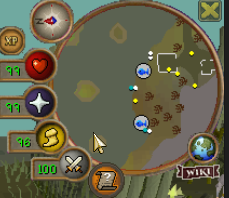
I enabled custom cursor, and in this spot it is registered as in in the client
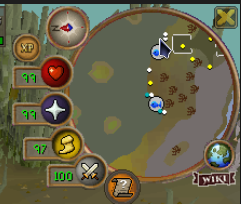
Up here however, it displays my windows cursor
(this is in safe mode)
 copper remnant
My game is going all the way down to 30fps, but my gpu and cpu utilization is around 20% whats going on?
and my game crashes aswell randomly
I installed runelite again but nuthin changed
zealous cedar
maybe you installed a pluginhub plugin that makes the client run at 30fps
 median basalt
Have a question about the party and party hub plugins. I have been using them with many friends in the past with no issues. Everything works as intended.
I tried teaching a noob friend ToA the other night and got him setup with both plugins. I confirmed all of his setting match mine, pings enabled, recolor names, show on map, etc. He can join the party and DOES appear in the side bar and we can see each other inventory. However for some reason his name would not recolor for me or vice versa, we don’t show on the map for each other, he couldn’t see my pings, and if I venged him I couldn’t see the overlay on him.
I rechecked with other friends and everything works fine for me, it’s only his account. But again I confirmed both were enabled on his client and our settings match. Is there something else he may be missing?
solid mesa
I know there have been some recent changes to the player indicators plugin, may want to check those settings.
median basalt
solid mesa
I know there have been some recent changes to the player indicators plugin, may ...
Thanks I will check those tonight as well. Just weird that he shows in party and it shares gear/inventory and all that but none of the other stuff works, and only with this one guy
 toxic girder
low detail isn't working for me inside sepulchre
I have it turned on but the floor isn't changing
watching a video where it seems like it should be working?
 round jacinth
jagex changed that area so it doesnt work anymore there
it also doesn't work at some of the tob rooms
toxic girder
wtf :( good to know i guess
abstract marsh
any1 know why? I keep crashing after playing for some time
leaden trail
Do you have any jvm_crash logs in your logs folder?
 chilly crown
I'm having crashing as well. Crashed twice at Guardians of the Rift in the timespan of about an hour. I'm new to this but searching logs showed three different jvm_crash in my logs
willow zephyr
So it's not just me that's having crashing issues 🤔
chilly crown
Launcher log as well in case it'll help
oblique plume
people crash all the time, its usually a bad hub plugin or gpu driver issues
chilly crown
No plugin changes and gpu driver up to date
solid mesa
There's like 175k clients open, so a few people crashing isn't uncommon
chilly crown
Crashed twice within an hour though... Seems to be on my end
abstract marsh
chilly crown
I'm having crashing as well. Crashed twice at Guardians of the Rift in the times...
we both have MSI laptops with "Nahimic" so theres that
were both crashing, I've been crashing for 1month ish multiple times a day
except it's difficult to remove
chilly crown
I'm on a custom built computer, pretty sure my motherboard is MSI
abstract marsh
that's the issue for me too, Idk why runelite is crashing now all of a sudden because of Nahimic
Looks like runelite blacklisted these now
Drunelite.launcher.blacklistedDlls=RTSSHooks.dll,RTSSHooks64.dll,NahimicOSD.dll,NahimicMSIOSD.dll,Nahimic2OSD.dll,Nahimic2DevProps.dll,k_fps32.dll,k_fps64
solid mesa
That's just Runelite blacklisting DLLs from being injected into the processes. There's no Nahimic code doing anything with runelite
abstract marsh
Ahh okay, I dont understand much, just enough that it's involving Nahimic and it's not a program that easily removes itself even after removing registries of it and such
leaden trail
Those don't even look like the same crash
leaden trail
abstract marsh
Ahh okay, I dont understand much, just enough that it's involving Nahimic and it...
Since you didn't answer earlier, do you have any jvm_crash logs in your logs folder?
abstract marsh
leaden trail
Since you didn't answer earlier, do you have any jvm_crash logs in your logs fol...
no
copper remnant
is there a way to disable and enable all custom plug ins at once?
oblique plume
what is a "custom plugin"
oblique plume
make a new profile
copper remnant
oh yea thats a thing, thanks :D
 still badger
hey if I'm in cox and I export tile markers, is it normal that I can only see see around 20 markers yet It's exporting 45?
round jacinth
it exports all in a region not all visible
still badger
ahhh ok makes sense thanks
copper remnant
Anyone know how to export all my inventory setups from the plugin to my new profile?
round jacinth
on your old profile it's coming from right click the sections and export them and then you import them into the new profile
copper remnant
Can I do all of them at once?
solid mesa
Don't think so, you could duplicate the profile and start there to make the new one
 unkempt heron
cinder spruce
unkempt heron
cinder spruce
There might still be a couple of animation ids missing. If you are interested to check them out! Using that same infernal Trailblazer pick, right click -> change style to the reloaded style and check which animation ids come up this time. Also IIRC the rockfalls in mlm (the annoying things blocking the way) use the same id as starmine, so no need to hunt for a star. But sanity check my rambling with the regular Trailblazer ornament and the 11837 animation :p
cinder spruce
unkempt heron
There might still be a couple of animation ids missing. If you are interested to...
changed style, this is on the wall. rockfall next


 small berry
Where can I view logs that would show things like crashes/disconnects?
haughty pumiceBOT
To find the logs, you can do one of the following:
- If your client failed to open, click the
Open logs folderbutton. - Open the screenshot directory by right-clicking 📷
Camerabutton, navigate 1 directory up, then open logs folder. - Navigate to
%userprofile%\.runelite\logson Windows or$HOME/.runelite/logson Linux and macOS.
Upload the log files named client and launcher by dragging them to Discord. If there are files prefixed with jvm_crash dated from today, upload them too.
cinder spruce
unkempt heron
There might still be a couple of animation ids missing. If you are interested to...
yellow version pick is 11837, red version is 11838 on rockfalls
11825, 11826 on the wall
unkempt heron
cinder spruce
yellow version pick is 11837, red version is 11838 on rockfalls
11825, 11826 on ...
Thank you!
cinder spruce
np if you need me to check more I'll be back in like an hour, going to grab some lunch
 merry prairie
Does anyone know how to get the inventory tag to be the center of the item
rather than the outline
like i have seen people have a red dot in center of the tagged item for whip, or blue dot in center of tridnet, etc.
looks cleaner to me
small berry
Where can I share runelite client logs to get help with an error I'm having (random disconnects)?
unkempt heron
cinder spruce
np if you need me to check more I'll be back in like an hour, going to grab some...
If you’ve the time you could check what the ids are outside of mlm. There should be some coal just outside the place!
stone parcel
small berry
Where can I share runelite client logs to get help with an error I'm having (ran...
Disconnects are probably internet related, but you can share the logs here.
solid mesa
small berry
Where can I share runelite client logs to get help with an error I'm having (ran...
If you're getting disconnects and not crashes it's probably internet
small berry
I feel pretty certain it's not ISP related, have seen this crash on 4 different internets (different houses) and watched ping connectivity and throughput with no drops while i DCed.
I'm using an M1 Mac and I've heard they've seen some hardware issues with connectivity, so that's my only thought. Though I've run mac Wireless Diagnostics while a DC happened and the mac sensed no issues.
Btw it's not a "Connection Lost - please wait..." message sort of DC. I am Instantly sent to the login screen with no warning with fine connectivity right before.
This log contains 2 DCs close to the bottom, the ArrayIndexOutOfBoundsException error
cinder spruce
unkempt heron
If you’ve the time you could check what the ids are outside of mlm. There should...
11831 yellow 11832 red on coal rock
leaden trail
small berry
I feel pretty certain it's not ISP related, have seen this crash on 4 different ...
This looks like an issue connecting to api.runelite.net, at a glance
Or something API related at least
small berry
leaden trail
Or something API related at least
API related, so it's still either be a network issue or a runelite issue?
 fresh cosmos
i keep zooming out my minimap the furthest i set it to be able to. it resets (512). ive tried setting the 'Reset zoom position' value to 512, then 1. how do i keep it zoomed out all, all the time?
round jacinth
There is a hub plugin to remember zoom between logins
But that’s it, middle click resets zoom.
fresh cosmos
any idea what its called?
clear fiber
fresh cosmos
i keep zooming out my minimap the furthest i set it to be able to. it resets (51...

Something like that would probably do the trick
round jacinth
Can you teach a man to fish
clear fiber
hahahahaha
round jacinth
Every time it’s this 😦
fresh cosmos
clear fiber
thanks. im a dum dum
round jacinth
they searched the same way you could’ve and should’ve
 white stirrup
my status bars isnt working properly, shows prayer restoration but blocks out and heals?
 solid mesa
You need to have an item equipped due to a bug
polar hound
My Runelite just crashed
zealous cedar
we dont know why this happens
 waxen kite
Hello! My runelite randomly closes with no warning (typically at toa/cox), was wondering where my crash logs are so i can maybe get a diagnosis :)
haughty pumiceBOT
To find the logs, you can do one of the following:
- If your client failed to open, click the
Open logs folderbutton. - Open the screenshot directory by right-clicking 📷
Camerabutton, navigate 1 directory up, then open logs folder. - Navigate to
%userprofile%\.runelite\logson Windows or$HOME/.runelite/logson Linux and macOS.
Upload the log files named client and launcher by dragging them to Discord. If there are files prefixed with jvm_crash dated from today, upload them too.
waxen kite
here are my logs for my crash
stone parcel
Maybe turning off SpeedStep in BIOS would help https://github.com/runelite/runelite/issues/10628#issuecomment-1967388241
Also might be worth looking into the Intel 13th and 14th gen CPU issue, I think the 13900k is effected, and your 0x115 microcode is before the fix was released.
If I'm not mistaken, which I frequently am. 😅
 dull sky
My computer crashes while playing on pc while playing osrs on hd plugin is there any way to fix ?
haughty pumiceBOT
Visit 117's HD plugin discord (https://discord.com/invite/U4p6ChjgSE) for support, issues & feedback
stone parcel
Might be better asking there if it happens only with HD.
small berry
~bump~
Any idea what the cause of this error is:
2025-01-09 13:54:03 MST [Client] ERROR injected-client - Client error: 120,23,25,4,8613,2786,76,61,-47,-1,
java.lang.ArrayIndexOutOfBoundsException: Index 32 out of bounds for length 23
    at gp.kz(gp.java:8762)
    at client.kl(client.java:64201)
    at client.ka(client.java:6746)
    at client.iy(client.java:3073)
    at client.bu(client.java:1150)
    at bo.qn(bo.java:391)
    at bo.on(bo.java)
    at bo.run(bo.java:60039)
    at java.base/java.lang.Thread.run(Unknown Source)
I wonder if this is related... #support message
 valid dome
was there ever a fix to the old no vpn on runelite?
valid dome
what was it
gilded kayak
it's a code fix you'd have to download the launcher with the changes and try
assuming your issue happens only when you are split tunneling?
as you probably have to split tunnel the jagex launcher(??)
valid dome
i use runelite through jagex would that be an issue my accounts locked to their client
ye
gilded kayak
before i start instructing you can you screenshot the error you get
valid dome
damn im in nightmare zone atm
can i get a rain check its not that important was just wondering
gilded kayak
sure i don't mind the problem doesn't effect me xd
valid dome
my man
 midnight ocean
well im stupid someone dmed me asking something about plugin, so was looking see if anyone else had issue and not reported and just saw this 😄 ty
small berry
stone parcel
I wonder if this is related... https://discord.com/channels/301497432909414422/4...
I bet this is the same thing!!! I'm on Sequoia 15.0.1. I'm surprised I haven't been prompted to upgrade, but I'll do that now. Thanks so much for finding that post!
stone parcel
No problem, good luck! 😄
 glacial sand
Can anyone help me diagnose this issue please?
Crash when going from POH -> Jewellry box -> GE
2025-01-10 09:25:51 GMT [Client] WARN n.r.client.config.ConfigManager - switching to already-active profile!
2025-01-10 09:26:12 GMT [Map Loader] ERROR injected-client - Client error: map loading
java.lang.NullPointerException: null
at jb.at(jb.java:335)
at jb.<init>(jb.java:66)
at jb.ab(jb.java:60)
at ir.ko(ir.java:40021)
at ir.at(ir.java)
at client.ib(client.java:9168)
at kr.af(kr.java:3713)
at rl3.ay(rl3.java)
at rl3.ov(rl3.java:8447)
at rl3.pa(rl3.java:32599)
at rl3.run(rl3.java:25905)
at java.base/java.util.concurrent.Executors$RunnableAdapter.call(Unknown Source)
at java.base/java.util.concurrent.FutureTask.run(Unknown Source)
at java.base/java.util.concurrent.ThreadPoolExecutor.runWorker(Unknown Source)
at java.base/java.util.concurrent.ThreadPoolExecutor$Worker.run(Unknown Source)
at java.base/java.lang.Thread.run(Unknown Source)
2025-01-10 09:26:12 GMT [Client] ERROR injected-client - Client error
java.lang.NullPointerException: null
at client.jv(client.java:7224)
at dn.ly(dn.java:9302)
at client.hi(client.java)
at client.jm(client.java:44687)
at client.hq(client.java:60994)
at client.ka(client.java:6758)
at client.iy(client.java:3073)
at client.bu(client.java:1150)
at bo.qn(bo.java:391)
at bo.on(bo.java)
at bo.run(bo.java:60039)
at java.base/java.lang.Thread.run(Unknown Source)
still badger
are there any reasons a few plugins i installed yday haven't been saved to my profile , i do play a few accounts but they have their own seperate profiles
also if ive logged into runelite with my google account to use cloud instead, can i do a fresh install of runelite and all my plugins etc will be there still?
leaden trail
still badger
also if ive logged into runelite with my google account to use cloud instead, ca...
If you have them set up to use cloud sync yes, but a fresh install doesn't really touch settings anyway unless you manually delete things.
Generally fresh installation isn't going to resolve issues either
still badger
hm ok what do you suggest as for the plugins going "missing" on one of the profiles
oblique plume
do any config changes save
still badger
oblique plume
do any config changes save
configs are saving
oblique plume
then idk
still badger
could it be related to the order i close the clients?
i used to have one profile for all accounts and it would cause issues if i closed them a certain order
oblique plume
no
still badger
oblique plume
no
if it helps, my bank tab layout didn't save either
that i adjusted yesterday I've just seen
oblique plume
that would count as a config change
still badger
ah ok nvm
 junior cedar
Anyone know how to fix the collection log plugin? I still cant get it to update anything, and most of my pbs wont show
i've tried uninstalling it and setting it up again, ive tried opening collection log at poh
haughty pumiceBOT
Support for hub plugins should be directed to the author of the plugin.
You can find the support link by searching for the plugin in the Plugin Hub panel and clicking the ? button on the plugin, or by right-clicking the plugin in the plugin panel and clicking the Support menu option.
junior cedar
I have to sign up to github to contact them?
junior cedar
just found their discord. I dont use github i dont understand how to download things properly from it Im a boomer
round jacinth
you don't need to download stuff from their github, you just make an issue so they can track what is wrong
and then close out if it's fixed, close it if it's not actually a problem
leaden trail
Just post in their discord though.
We don't provide support for hub plugins because we didn't write them so we don't really know what their common issues may be, especially when you consider that there are over a thousand
 glacial hound
Is there a way to debug what plugin is making sound? Theres like a noise coming from my client, even with all ingame sounds muted
oblique plume
no
 woeful spade
just turned on Player Indicators for some wildy stuff, and the plugin isn't working. Anybody have a fix?
leaden trail
Can you be more specific as to what's not working?
woeful spade
there are no names above players heads or on the minimap
leaden trail
Send a screenshot of your settings and minimap
woeful spade
 leaden trail
I'd need to see all of the settings not just the first few
oblique plume
theres no players
woeful spade
No i know lol @oblique plume I had it on at ferox's
leaden trail
Can you show the rest of the settings?
solid mesa
You want Highlight Others set to either Enabled or PvP. If you have it set to PvP they won't be highlighted at Ferox
woeful spade
tyvm ❤️
broken iris
can i get some support in this discord?
haughty pumiceBOT
Dont ask to ask. https://iki.fi/sol/dontask.html
 short locust
Any experts here with client sizing that can seriously save my day? I have tried using as many of the client functions that have to do with sizing and am getting nowhere. my issue is, I have my client set up so that when it is full screen on my laptop, everything UI and inventory wise is comfortably fit. when I move my client over to my 2nd screen(monitor) it resizes itself to be tiny and if i full screen it, it is way too big and the ui I have had setup comfortably is no longer sized or placed correctly. I'd like to be able to play on either screen without having sizing issues
oblique plume
without using the ui anchors i dont think thats possible
or you can change your other screens settings to the same as the other
so it doesnt adapt itself for displaying differently
short locust
would you be able to help me with the ui anchors?
oblique plume
its the blue boxes that show up when you move something around
short locust
like when I hold alt?
short locust
dang so unless I have the same screen side by side im SOL?
round jacinth
Idk, I don’t have your issue and use different size screens all the gime
Or I just live with the issues.
You may want to try the hub plugin that auto resizes on screen resolution change but idk how it works
 sage hound
I was just playing normally and pc got BSOD and I reboot and relaunch runelite through jagex launcher and now I dont have any profiles and all settings are gone?
round jacinth
!lost
haughty pumiceBOT
round jacinth
Check that link
sage hound
ty @round jacinth
 ocean isle
Anyone having issues with installed plugins not showing up? I go to install a new one, it stays stuck on "Installing" then if I close the sidebar and reopen it says "Remove" but it's not in the list of plugins, started last night. Tried fresh installs, nothing worked so far
oblique plume
disable safemode
ocean isle
What's that? I never enabled anything
oblique plume
you had to have turned it on
so do the opposite and turn it off
the top left says (safe mode) does it not?
ocean isle
Where would I even turn it on/off at? I never touched anything lol, no
It says Runelite
oblique plume
well this is exactly what happens in safemode
ocean isle
This?
 solid mesa
Maybe a file permissions issue?
ocean isle
I ran it all in Admin mode, nothing changed
oblique plume
if you ran it in admin then its prob not permissions issues
haughty pumiceBOT
To find the logs, you can do one of the following:
- If your client failed to open, click the
Open logs folderbutton. - Open the screenshot directory by right-clicking 📷
Camerabutton, navigate 1 directory up, then open logs folder. - Navigate to
%userprofile%\.runelite\logson Windows or$HOME/.runelite/logson Linux and macOS.
Upload the log files named client and launcher by dragging them to Discord. If there are files prefixed with jvm_crash dated from today, upload them too.
oblique plume
why not today
oblique plume
did you pay your internet bill
i saw this once before from someone who hadent done that
ocean isle
How would I be on discord? Yeah it gets autopaid the 1st of every month
I got 1G up/down as well, so speed shouldn't be an issue
oblique plume
something is intercepting it
 oblique plume
cuz it cant get the plugin
ocean isle
I just added it through my firewall again and reopened it as admin afterwards
oblique plume
this is like your internet serving something else
or maybe some cloudflare type challenge
do you 403 when you go to repo.runelite.net
ocean isle
IT didn't do this on my laptop yesterday, on my desktop now, but both settings are the same, and both were hardwired into the fiber
Yeah, should I?
oblique plume
ye
i forget the exact path it uses to get the plugins but theyre in there
you just cant access it in reg browser
ocean isle
Turned my firewall off, still nothing
I think this latest osrs update broke my client.
leaden trail
I doubt this is it, but what if you try using a different DNS server? Maybe 8.8.8.8
That's Google, not just some random one
ocean isle
I'll try it, but I think if no firewall didn't work idk if DNS would change it
solid mesa
Well you're getting java.net.UnknownHostException which points to DNS
 remote dagger
Hi, I am unable to click the top left corner of my Runelite. It is specifically a Runelite issue as I've checked other apps. Is this a known bug?
ocean isle
Same issue.
solid mesa
remote dagger
Hi, I am unable to click the top left corner of my Runelite. It is specifically ...
I've seen 4 people report it in the last week. But nobody has ever come back to say if they fixed it. Someone said it also happened for them in chrome though
remote dagger
If I restart my computer it will begin to work for some time, but eventually it will stop being responsive and require me to restart my computer again
leaden trail
Can you post your logs?
remote dagger
If there's anything that would be helpful for me to provide I can do that
haughty pumiceBOT
To find the logs, you can do one of the following:
- If your client failed to open, click the
Open logs folderbutton. - Open the screenshot directory by right-clicking 📷
Camerabutton, navigate 1 directory up, then open logs folder. - Navigate to
%userprofile%\.runelite\logson Windows or$HOME/.runelite/logson Linux and macOS.
Upload the log files named client and launcher by dragging them to Discord. If there are files prefixed with jvm_crash dated from today, upload them too.
remote dagger
If you need others lmk
The area that becomes uninteractable is different each time it happens. Right now its about this sized

If I hover my mouse lower than that red line on the bottom I see the option to deposit the seed storage, then in the pixel above it goes away
zealous cedar
its probably a pluginhub plugin blocking the click. we cant tell from the logs which one
you could use safe mode to disable pluginhub plugins and allow you to click
remote dagger
I tried turning the 117HD pluggin off and on just to see from what you said and it did actually fix it, at least for now. I don't know if that's helpful
zealous cedar
its possible its some app on your pc hooking into runelite and trying to overlay something maybe
since they hook into gpu things when they do that
remote dagger
Ah interesting. Thanks Adam! I appreciate it
 warm karma
Hello, is it possible for new players to use runelite or do I need to be an old player? I registered at jagex's website but I am running into this problem - also, I can't download the oficial client through their launcher for some reason, so I hope I can stick to runelite.
 viscid lantern
you have to launch runelite from the jagex launcher
theres a dropdown on the right hand side that allows you to select RuneLite iirc
warm karma
Ooooh finally, thank you very much it works ❤️
viscid lantern
happy scaping 
ocean isle
Anyone got a new solution on the plugins not installing?
gilded kayak
did you try making a new profile
it's not really a solution, but the last person with this problem did that and their problem went away
oblique plume
this didnt look like that to me
gilded kayak
yeah i saw you assumed safe mode first just like I did
i got to the logs step before the guy said let me try a new profile, and then update: new profile worked
oblique plume
so you never saw logs?
gilded kayak
mmm I see what u mean, i do remember the at&t guy who said his bill wasn't paid
gilded kayak
ocean isle
Anyone got a new solution on the plugins not installing?
did you actually look into what Alex said originally, there was a guy previously who had this sort of issue, because his autopay did not pay
ocean isle
Yeah, I paid my internet
gilded kayak
did you confirm via (i'm assuming) AT&T or just your bank
ocean isle
All the solutions given I have tried. I confirmed via metronet website
"Current Balance Due
$88.82
Due on 01/29/2025"
Next months balance at the end of the month
gilded kayak
well unfortunately those errors very clearly say HELP, INTERNET PROBLEM
ocean isle
Well, internet is 750 mbs up/down when I tested earlier
So internet is not the issue lol
gilded kayak
that means literally nothing
objectively nothing
we don't put fake errors in the client
ocean isle
Well, all the solutions given so far have not fixed it, and if no firewall or anything is stopping it, and my internet is actively working on everything else, besides showing the plugins
stone parcel
Does it work if you use a different network, like a phone hotspot or a vpn?
ocean isle
No, same issue, I'll try again tho
gilded kayak
if you get your phone plan from this same company it might not, if u have someone else in the house using a different company i would also ask to try their phone
ocean isle
Same issue still, different phone company than internet
ornate kite
Is this supposed to be an infinity symbol, for infinite charges? :s
 ornate kite
I'll investigate 😅
gilded kayak
ocean isle
Same issue still, different phone company than internet
what if you delete the cache folder, it's in the same .runelite folder as the logs folder you previously used
ornate kite
looks like its trying to display "∞" but I don't think it renders correctly on macos
gilded kayak
sounds about right
you should right-click the plugin, click support and report it to the hub dev
obviously make sure to mention the macOS part
ornate kite
Yup, writing up an issue now. Thanks :)
gilded kayak
just cache
ocean isle
How the fuck did that fix it
I fresh installed 3 times
@gilded kayak Thank you. But why would it work now, vs fresh installs?
gilded kayak
because we don't delete the cache since cached stuff is good 99.99999% of the time
you're just in the .1 with however many zeros, where something got cached badly
ocean isle
I deleted everything on each install lol
ocean isle
Yeah, that's why I was surprised
oblique plume
why would deleteing something make it download something different
ocean isle
Huh, well that fixed it
oblique plume
i was really hoping it was not paying the isp bill
that was so funny when it happened the first time
ocean isle
Haha
gilded kayak
yeaaaah
ocean isle
Well thanks for the help guys! I appreciate it
ornate kite
Btw, I have a plugin on the plugin-hub but the bot hasn't synced my role yet. It's been about a week or so. I have tried re-authing GH via the command to no avail.
Is there something I'm missing? 😅
gilded kayak
it uses the github api so if there's more users with 1 commit, than the API will return, it won't know about you
it will probably work after you update your plugin
whenever that is
 hollow olive
the api only gives the top 500 users so you're just not part of the top 500 people with enough commits
gilded kayak
yeah we're at 782 contributors on the plugin-hub repo
 half latch
Anyone knows why I have an issue with sote maze not being able to remove the white screen? I have it set like this


I have no clue what it could be I've asked around a ton
viscid lantern
do you have this plugin?
 gilded kayak
img3 but disabled
haughty pumiceBOT
Get support for the ToB QoL Plugin Hub plugin here: https://runelite.net/plugin-hub/show/tobqol.
You can also find the support link by searching for the plugin in the Plugin Hub panel and clicking the ? button on the plugin, or by right-clicking the plugin in the plugin panel and clicking the Support menu option.
remote dagger
Just wanted to give a quick update on my findings that I posted about earlier. I confirmed that safemode stopped my problem of the top left hand corner not being responsive. I then started to selectively turn off plugins that I could think of that hooked into different parts of the screen as Adam mentioned.
It ended up that disabling the Discord integration permanently solved the problem, and it wasn't enough to just disable the discord plugin, I had to disable Discord's ability to see Runelite within Discord's own app settings
Maybe that will help anyone that's started having the problem recently, who knows
From what I could tell the part of the screen that couldn't be interacted with was roughly the same size as Discord's popup asking if you wanted to stream Runelite
Maybe thats all just a red herring but just in case it helps anyone else I wanted to mention it
 fierce barn
can i resize the runelite UI at all? its pretty small at high res
haughty pumiceBOT
stone parcel
Can set scale in there to scale eveyrthing.
Also stretched mode plugin is an option.
leaden trail
remote dagger
From what I could tell the part of the screen that couldn't be interacted with w...
oh did you have the discord game overlay thing enabled?
remote dagger
leaden trail
oh did you have the discord game overlay thing enabled?
A few weeks ago I noticed that Discord had started to give me overlays despite me never turning anything on in Runelite or Discord. It could have been that since that point the top left screen stopped being responsive and I just noticed it a few days ago
hollow olive
go into the discord settings and turn the overlay off then perhaps
remote dagger
yeah that is what fixed it
hollow olive
oh i didn't read
remote dagger
I had never been to that part of discord before, so I'm not sure what could've have turned it on in the first place
I saw a few mentions of "top left of the screen not responding" when I searched this channel in the past few weeks which is why I made my own post asking if there was some known bug or something. Maybe this'll help others if Discord changed something on their end recently
hollow olive
probably improved their game detection or something
i think overlay is on by default or they're doing ab testing lol or someone toggled something in prod :D
viscid lantern
good to know its potentially the overlay though, ty for that info 
remote dagger
I don't always test my code, but when I do its only in prod
leaden trail
Discord likes making silent changes that break things even more
 mellow wedge
ok I got something weird going on here, wasn't happening yesterday
hovering food causes my prayer status bar to disappear and the numbers and icon for the health go as well, hovering potions doesn't cause this, I have disabled every plugin from the hub and restarted my runelite client as well


it doesn't happen while banking if that means anything at all
unchecking show restores also stops it
gilded kayak
yesterday u were wearing gear
today ur not
it's a little hehexd bug from us
if u have no gear on the plugin currently shits itself
mellow wedge
ahh was driving me insane for like 30 minutes 😭
hmm having a holy wrench in the bag also stops it, very strange bug
 opal stream
anyone know how to retrain the client for !pb to work again
gilded kayak
mellow wedge
hmm having a holy wrench in the bag also stops it, very strange bug
it happens because we are looking at the equipment tab, before the game has any reason to load it
once it's loaded, it will continue to work
mellow wedge
runescape interface moment, I see
gilded kayak
no reason to load equipment if ur not wearing any equipment 🤷
gilded kayak
opal stream
anyone know how to retrain the client for !pb to work again
do the boss/agility course again
opal stream
Sad, I have vork pet on 666kc
Would ruin that
It's not even a different machine I just used this rl profile elsewhere and my PBs and kcs got all whack
gilded kayak
does the adventure log in the poh show boss PBs?
the wiki seems to think yes for vorkath
try looking at that
 plush tulip
is there a way to remap the middle mouse camera function to a different key
 wind owl
what happened to the max cape tele? used to be able to click on teleports then type 7:1 fast and it would tele your to house now theres a small delay after typing 7?
gilded kayak
no idea, jagex let us add quick teleporting to the max cape so i don't even think anyone ever opens the window anymore
i should call them submenu teleports but quick teleport sounds less nerd
wind owl
does that allow you to shift click tele hunter guild
gilded kayak
yes
wind owl
i only see options to select teleports not hunter guild specifically
gilded kayak
you have to enable teleport submenus in menu entry swapper
opal stream
Asked a couple days ago but I think it got missed - Is there configs/settings to lessen the harsh FPS drop of a runelite window when its not focused? If I have a client open and I'm like choppin trees afk and I am actively using my main monitor for another game RuneLite window drops to like 29 fps
if thats normal, totally cool just wanna know before i try and troubleshoot other settings on my PC to make that higher lol
hardware shouldn't be limiting it, i'm on a 9900x and 4070S
 ancient kite
How do I scale up RuneLite client (not game) menu? The text is very small and unreadable for me.
haughty pumiceBOT
solid mesa
Adjust the scale option
ancient kite
solid mesa
Adjust the scale option
Thank you!
 pliant zodiac
Hey, I see a lot of people complain about the cartoony font when using xBR but I actually like it. Unfortunately when I use xBR my font doesn't have the same effect, not sure why? Client size is 1530x1006 not sure if it matters
leaden trail
opal stream
Asked a couple days ago but I think it got missed - Is there configs/settings to...
There's a "defocused fps" setting in either GPU or FPS Control (blanking on which at the moment though I'd guess the latter).
If it's not that, it's probably due to a setting in your gpu driver
 queen aspen
Im logged in to runelite but its booting up with none of my plugin settings or external plugins any quick fixes?
round jacinth
!lost
haughty pumiceBOT
glacial sand
Any idea what I can check for this error??
2025-01-11 15:06:25 GMT [Client] ERROR injected-client - Client error
java.lang.NullPointerException: null
at jb.at(jb.java:392)
at jb.<init>(jb.java:66)
at jb.ab(jb.java:60)
at iq.an(iq.java:375)
at fo.al(fo.java:426)
at mn.mf(mn.java:11700)
at mn.mf(mn.java:11610)
at mn.mf(mn.java:11609)
at mn.mf(mn.java:11609)
at mn.mf(mn.java:11609)
at np.ma(np.java:11473)
at mn.mf(mn.java:11613)
at mn.mf(mn.java:11609)
at mn.mf(mn.java:11609)
at mn.mf(mn.java:11609)
at np.ma(np.java:11473)
at client.ju(client.java:4763)
at client.bj(client.java:1187)
at bo.bt(bo.java:421)
at bo.ak(bo.java)
at bo.run(bo.java:54098)
at java.base/java.lang.Thread.run(Unknown Source)
round jacinth
Post the entire log
glacial sand
round jacinth
Do you do development stuff?
glacial sand
I started developing a plugin, if you're referring to the insecure credentials, I've just removed that argument from the config UI
round jacinth
It’s not why this happened I was just wondering why you had it and then asked for help in support
That error is from the stats
Your character is naked
Wear something and it won’t throw this
glacial sand
😆 which plugin is it? i typically take off all items when i log out out of habit
glacial sand
happened twice to me and both times crashed RuneLite 😦
glacial sand
it's only ever the first time, if i reload it doesn't happen again so no idea why it happens
if it happens again ill screenshot, because it definitely crashes - the game freezes but not actually sure if its the client that has crashed (assume so)
 eager moss
all of runelite is missing idk why or how
tried importing profiles they don't seem to do anything
 ocean edge
sry for the belated response. I downloaded the plugin, ground items had alt as a key, i removed it but its still not working
keybinds according to debug now
 leaden trail
ocean edge
keybinds according to debug now
leaden trail
ocean edge
keybinds according to debug now
Do you have the same issue in safe mode?
haughty pumiceBOT
To enable safemode
Windows
Run the RuneLite (configure) shortcut from the windows start menu
Tick the Safe mode box, save, launch RuneLite the way you normally do.
Mac
In Terminal, run
/Applications/RuneLite.app/Contents/MacOS/RuneLite --configure
Tick the Safe mode box, save, launch RuneLite the way you normally do.
ocean edge
leaden trail
Do you have the same issue in safe mode?
issue persists
even in safemode
 worthy lake
anyone have trackpad scroll issues? only within the runescape client, had calculator opened over client and accidentally scrolled, that worked, click back to client, no scroll
scroll works in runelite settings and all the sidebar stuff, just not in game itself, drivers are all up to date, this only started about 2 weeks ago, never had a problem before
 carmine grove
I lost power last night and when I got everything to boot my runelite was wiped. I cant locate my runelite profile file in the .runelite... and when I boot up runelite it make a profile2 file... any ideas on whats going on?
leaden trail
profiles2 is the right folder
haughty pumiceBOT
leaden trail
Follow that^
ocean edge
@leaden trail very wierdly, now that i have switched back to normal it has fixed itself?
carmine grove
leaden trail
profiles2 is the right folder
then why was all my plugins wiped? and I dont see file with my email.
leaden trail
carmine grove
then why was all my plugins wiped? and I dont see file with my email.
Follow that link
You're making some incorrect assumptions
carmine grove
followed it. for some reason my plugins wont load in game. I will just reinstall them all and save a new profile...
leaden trail
carmine grove
followed it. for some reason my plugins wont load in game. I will just reinstall...
Send a screenshot of the contents of your profiles2 folder showing the file sizes and date modified
carmine grove
leaden trail
Send a screenshot of the contents of your profiles2 folder showing the file size...
 leaden trail
Import the MAIN_REXINARR one and then double click on it in the profiles tab to switch to that profile
carmine grove
thats the one I just made after reinstalling plugins
Its fine. I will just save this file in a seperate location in case this happens again.. Thank you for the help
 jovial rivet
How can I determine if a player is a member? Both MEMBERSHIP_DAYS and MEMBERSHIP_STATUS are returning the same for p2p/f2p accounts
leaden trail
It's probably just more useful to determine if the current world has WorldType.MEMBERS
jovial rivet
Yeah, that was my second plan. Would be nice if that worked though - was just building my first rl plugin and was going to do a bond countdown/reminder type thing
 spring sierra
Whenever someone tries Hop to it sends them to 395
While im not in that world
What file or whatever is wrong?
oblique plume
Perhaps they are mis clicking
spring sierra
No
It's been like that for 2 days
And more then 1 people saying it
I also saw my account online on my main today at 395, while i wasn't on. When I logged on it said last login was 16 hours ago
Lol
gilded kayak
the last login comes from Jagex
if it's consistantly wrong, right-click the report button and report bug
gilded kayak
as for your other issue, I cannot replicate it i'm hopping to the expected world
but my sample size is hopping to my alt on a f2p world because i'm not bonded
 harsh kite
Hey! Notifications from Idle notifier now generates full screen flash like a flashbang, in addition to the old pop up and client flash. Any way to disable the full screen flash?
Running on Mac M1
spring sierra
gilded kayak
as for your other issue, I cannot replicate it i'm hopping to the expected world
Seems to be in the account profile or something? On my main it has no problema
haughty pumiceBOT
safemode: To enable safemode
Windows
Run the RuneLite (configure) shortcut from the windows start menu
Tick the Safe mode box, save, launch RuneLite the way you normally do.
Mac
In Terminal, run
/Applications/RuneLite.app/Contents/MacOS/RuneLite --configure
Tick the Safe mode box, save, launch RuneLite the way you normally do.
solid mesa
harsh kite
Hey! Notifications from Idle notifier now generates full screen flash like a fla...
Adjust this setting in Runelite. Unless you're talking about something else

 red nexus
I have an issue. So I got a new computer but I dont have a runelite account. Is there a way to transfer the runelite files from my old SSD to my new one in a way where I keep all my plugins, settings, and tile markers?
haughty pumiceBOT
red nexus
massive thanks Adam
 misty hawk
so my pc just randomly shut off x2 times now and it reset all my runelite plugins
turned on plugins i never had on
haughty pumiceBOT
misty hawk
ok so it changed all my plugins to an old settings i had but now i cant get it back to what i currently had
is there anyway to get back the profile i had?
 sonic birch
just that link
 sand crag
Hi, I seem to be doing something wrong because I can't get my code stored via /ghauth. Since I can't ask in #development, I'll try it here (sorry): How can I listen to the channel chat? Does this also work with ChatMessageType.PUBLICCHAT or is there another method? Many thanks in advance!
zealous cedar
if you enable debug logging it will log all chat messages and then you can see the type
sand crag
zealous cedar
if you enable debug logging it will log all chat messages and then you can see t...
Okay nice, thank you! 🙂
 worn forum
had a question. im on rune lite and it this issue just starting happening idk if it something u fucked with. but on top left screen it tells like how many arrows you got, boost from potions, being frozen you know all that shit. well when in wilderness nand my alarm goes off when enemy near by. all those things get pushed to bottom of screen and cant see any of that. wondering if someone has an idea.
crisp dune
I assume they are in the correct place after the wilderness alarm stops? If so, that's a bug caused by that plugin and you'll need to talk to its author about fixing it
 south jackal
where can i find to turn off the notifcation that my run energy is restored please?
solid mesa
Idle Notifier
south jackal
ty
worn forum
ok ill turn it off and see if the alamr is fucking with it
how do i find the author? sorry im new to this
haughty pumiceBOT
Get support for the Wilderness Player Alarm Plugin Hub plugin here: https://runelite.net/plugin-hub/show/wilderness-player-alarm.
You can also find the support link by searching for the plugin in the Plugin Hub panel and clicking the ? button on the plugin, or by right-clicking the plugin in the plugin panel and clicking the Support menu option.
crisp dune
Alternatively let's see if they have their discord connected
haughty pumiceBOT
[ https://github.com/adhansen ] [ @bitter sleet 183432576965279744 ] aaaaaaaalex#0
crisp dune
That should be them, you can @ them
worn forum
ty senior
zealous cedar
if you are in a really busy area it does that
 stable sigil
is there any way to resize the ingame gui other than resizing the client itself?
sand crag
stable sigil
is there any way to resize the ingame gui other than resizing the client itself?
There is a "Streched Mode" Plugin. You can use it to stretch/ resize your HUD elements/ GUI within RuneLite.
stable sigil
ty
 olive drift
Hey, when I'm tabbed out of the game I keep getting notifications on my system that tells me my run energy has restored, how do I turn this off please?

 rare kite
 untold wing
Any1 help with this
untold wing
Any1 help with this
Ya ditch avg and use windows defender
rare kite
IMO third party av isn't helpful over windows defender
But I don't speak for runelite
For kicks throw those exe files into virustotal and doublecheck
And redownload runelite
@untold wing
untold wing
Okie will try ty
leaden trail
Use the link in #welcome to redownload
Maybe follow these steps if you want to be safe
haughty pumiceBOT
You've downloaded a fake client, and your account has been compromised. Remove the fake as soon as possible to minimise further damage.
The following actions should be performed from a secure computer or secure mobile device:
- Change your RuneScape password
- Remove and re-add Authenticator to RuneScape
- Change your RuneScape bank PIN
- Change your email's password
- Add 2FA to your email if you haven't got it enabled
- Check for any linked accounts by accessing the account settings page (https://www.runescape.com/account_settings)
Some fake clients also install malware, only a fresh install of your operating system can guarantee the total removal of any unwanted software.
You might also want to change any email password if you reused the same as your RuneScape account password.
Once your computer is secure, you should download RuneLite from the link available at the #welcome channel.
sonic birch
If you still have the setup file, you can check
haughty pumiceBOT
You can verify your downloaded RuneLite setup file is authentic by visiting https://runelite.net/verify/
 lofty osprey
sonic birch
If you still have the setup file, you can check
lofty osprey
sonic birch
If you still have the setup file, you can check
Great shout! When im home ill check, ty
lofty osprey
sonic birch
If you still have the setup file, you can check
We good then?

Someone else told me could be avast false positive?
leaden trail
Yeah that would check out lmao
lofty osprey
rare kite
For kicks throw those exe files into virustotal and doublecheck
Yo bro, chucked into that website + rlverify (original and latest from december) and all says clean. U recon false positive from avast then? (As defender has been active whole time nothing flagged etc)
leaden trail
If the verify site shows it's fine then yes it's a false positive
Avast kinda sucks
mossy swan
you should also not have two antiviruses running at the same time
leaden trail
I wouldn't use avast at all tbh
I'm very anti-third-party-AV these days because "Just use Windows Defender and common sense" is the option that's much less likely to actually cause problems at this point in time
lofty osprey
Ty all
 terse heath
is there a fix for the force focus bug on Linux? the window doesnt come to the front
stone parcel
Not atm, there are a few PRs for it, but afaik they are all hit or miss depending on DE.
terse heath
Ah thanks I had already came across those
zealous cedar
really we need someone to test the behavour of all of the popular wms and figure out a solution that works on most of them
 flat wagon
Is there some usage data available to see what os's people run RL on?
zealous cedar
I have some usage data
terse heath
In my case im trying to solve I’m on steamos
 subtle temple
I am having this weird bug idk whats causing it, but stuff i click isn't being fully regeistered? Here is a demo ...
Any tips on how i can resolve this? Never had this issue before
sonic birch
!flow check if you can recreate in safe mode with core tag tab layouts
haughty pumiceBOT
flowchart: Please refer to this flowchart for further troubleshooting.
wind owl
im afking wyverns for vissy clog and want to have a health thress hold that plays a sound when i hit like 20 hp. how do i get it to play a custom sound so i know the difference between being idle from not being attack and my hp neomg below 20
any help appreicated
subtle temple
sonic birch
!flow check if you can recreate in safe mode with core tag tab layouts
How do i navigate to safemode if i use Jagex Launcher?
haughty pumiceBOT
To enable safemode
Windows
Run the RuneLite (configure) shortcut from the windows start menu
Tick the Safe mode box, save, launch RuneLite the way you normally do.
Mac
In Terminal, run
/Applications/RuneLite.app/Contents/MacOS/RuneLite --configure
Tick the Safe mode box, save, launch RuneLite the way you normally do.
solid mesa
Those instructions work with Jagex launcher
subtle temple
Okay will try
subtle temple
Ye i dont get any of those options up, Completely different interface
sonic birch
flowchart also has a "jagex account" option...
subtle temple
not sure if i should post that here
sonic birch
you can post it here, but it is PEBCAK anyway
subtle temple
looks like this for me
sonic birch
you are clearly not following the instructions from the flowchart or the command cooper posted
this is the jagex launcher install directory, which isn't mentioned anywhere
solid mesa
Did you read this part? "Run the RuneLite (configure) shortcut from the windows start menu"
subtle temple
Doesn't appear any Runelite (Configure) for me

forget it im just a noob at this
found it now
 sonic birch
the start menu is indeed located in the bottom left usually (or middle)
can just tick safe mode there, save, and start RL via the jagex launcher
subtle temple
ye it worked honestly just searching RuneLite (configure) solved it but my dumb ass didnt process this.
the issue seems to be the same. Stuff i click on is delayed or doesn't fully register, so if i click 4 items, it probably registers 2 or 3 most of the times...
sonic birch
hit us up with a video of it happpening with the title bar visible
but might just be slightly dragging it, idk
subtle temple
oblique plume
Turn on antidrag
subtle temple
Okay honestly it became somewhat smother that helped somewhat
Idk haven't been playing for 4 months or so but is it expected to have those delays which are visible on my end still?
viscid lantern
thats normal yes
sonic birch
delays withdrawing are normal
you probs often use some hub plugin that fakes it being instantly
viscid lantern
it will withdraw on the next gametick, if you are clicking early in the current gametick it will feel extra delayed
solid mesa
Instant Inventory fakes it visually which makes it feel less laggy
subtle temple
Alright i appriciate the help sorry for causing u all headch tonight 😄
 silent stag
I may have found a Motherlode Mine bug. The "show broken struts" feature won't highlight the struts unless the "show pay-dirt mining spots" feature is also checked.

 haughty pumiceBOT
To find the logs, you can do one of the following:
- If your client failed to open, click the
Open logs folderbutton. - Open the screenshot directory by right-clicking 📷
Camerabutton, navigate 1 directory up, then open logs folder. - Navigate to
%userprofile%\.runelite\logson Windows or$HOME/.runelite/logson Linux and macOS.
Upload the log files named client and launcher by dragging them to Discord. If there are files prefixed with jvm_crash dated from today, upload them too.
silent stag
Should they be uploaded in this channel?
clear fiber
ye
silent stag
 lime sluice
#safemode
haughty pumiceBOT
To enable safemode
Windows
Run the RuneLite (configure) shortcut from the windows start menu
Tick the Safe mode box, save, launch RuneLite the way you normally do.
Mac
In Terminal, run
/Applications/RuneLite.app/Contents/MacOS/RuneLite --configure
Tick the Safe mode box, save, launch RuneLite the way you normally do.
 glad pewter
Hello!
I just installed the Runelite client on my new computer, and every time I launch the game with the GPU plugin on the screen goes black. If I keep the GPU plugin off, launch the game, then re-enable it, it does work for a bit. That is, until my screen resizes (e.g. when closing the sidebar), then it goes back to full black.
I've attached the client log for a session where I got the bug to happens through the following steps:
- Open Runelite (through the Jagex launcher)
- Select account, join a world
- Enable the GPU plugin through the sidebar
- Minimize the sidebar
- Black screen.
I am playing on a PC with an AMD graphics card (Radeon RX 7900 XT) and an AMD CPU (Ryzen 9 7900X). If any further information is needed, I'd be happy to provided it. All help is appreciated.
Thank you!
sonic birch
After the GPU initialization, there are no errors. If I understand correctly, your problem only happens after turning the GPU plugin on?
In that case I'd try changing your GPU drivers
Specifically if an update does not work, rolling back to an old driver version we know that works
glad pewter
After the GPU initialization, there are no errors. If I understand correctly, your problem only happens after turning the GPU plugin on?
Yes, this is correct. The issue also occurs when I launch with the plugin disabled, then enable it and resize my window.
In that case I'd try changing your GPU drivers
Specifically if an update does not work, rolling back to an old driver version we know that works
Hadn't looked into that, but my drives are two minor versions behind (had 24.10.1, current version is 24.12.1). I'll try updating to see if that resolves the issue.
sonic birch
In most cases rolling back to some ancient version we know that works, works better since we don't use the GPU in a way most games do, but you can first try updating indeed.
glad pewter
Don't know if it's the restart or the driver update, but it's working with GPU on now! Thanks for the help
Although when I turn the GPU plugin off now (which I don't plan on doing, so I'm helped) the game freezes until I turn it back on. No errors at the end of the client log, just the initialization of the GPU. Here's the end of my log file if you're intrested:
2025-01-12 22:46:13 CET [Client] INFO  n.r.client.plugins.gpu.GpuPlugin - Using driver: 4.6.0 Compatibility Profile Context 24.12.1.241127
2025-01-12 22:47:05 CET [Client] INFO  n.r.client.plugins.gpu.GpuPlugin - Using device: AMD Radeon RX 7900 XT
2025-01-12 22:47:05 CET [Client] INFO n.r.client.plugins.gpu.GpuPlugin - Using driver: 4.6.0 Compatibility Profile Context 24.12.1.241127```Yeah, the game freezing when being turned off is a semi-common GPU driver bug AFAIK
Nothing to worry about though unless you were planning on often turning off the GPU plugin
 vocal hawk
can anything be done to make rl more performant? im already using low detail and the prif+fossil island plugins but rl chugs where hdos is buttery smooth. however. hdos graphics 🥴
oblique plume
gpu plugin
vocal hawk
using it and i made the render distance really small
oblique plume
fixed mode
vocal hawk
stabilizes fps except in combat which is when it matters 😭
haughty pumiceBOT
To find the logs, you can do one of the following:
- If your client failed to open, click the
Open logs folderbutton. - Open the screenshot directory by right-clicking 📷
Camerabutton, navigate 1 directory up, then open logs folder. - Navigate to
%userprofile%\.runelite\logson Windows or$HOME/.runelite/logson Linux and macOS.
Upload the log files named client and launcher by dragging them to Discord. If there are files prefixed with jvm_crash dated from today, upload them too.
zealous cedar
you cant have perf issues only in "combat" with gpu, that makes no sense
since it is not any more or less graphically intense than non combat
vocal hawk
what do i look for in the client log?
solid mesa
Just post it here
oblique plume
yea if its just certain activities then it could be a hub plugin doing something bad
vocal hawk
oki
it's not "whenever i'm in combat" but stuff like scurrius, moons, even vorkath at times
zealous cedar
you should try: make a new profile, switch to the profile, turn on gpu, restart the client
vocal hawk
im trying it now, im doing moons. just keep an eye out or do i reupload logs after some time
zealous cedar
just keep an eye out
stable sigil
mightve done something but the maximize button is gone?
 zealous cedar
turn off lock window size
sand crag
Hi, when using client.addChatMessage(...) it shows the message on my client. But I've heard from other players that they can't see my message. Do I perhaps have the wrong function?
 marble thicket
I am having fps issues using regular gpu plugin vs using 117hd
solid mesa
I'm just going to take a guess that addChatMessage is client only because anything being sent to the server would be considered autotyping
Can you post your logs?
haughty pumiceBOT
To find the logs, you can do one of the following:
- If your client failed to open, click the
Open logs folderbutton. - Open the screenshot directory by right-clicking 📷
Camerabutton, navigate 1 directory up, then open logs folder. - Navigate to
%userprofile%\.runelite\logson Windows or$HOME/.runelite/logson Linux and macOS.
Upload the log files named client and launcher by dragging them to Discord. If there are files prefixed with jvm_crash dated from today, upload them too.
sand crag
solid mesa
I'm just going to take a guess that addChatMessage is client only because anythi...
I guess you are right. It might be client-side to prevent people from auto typing and spamming. I just thought it would work as there are API calls for it after all.
Do you know if its possible to have plugins communite with each other on like a plugin-channel or something? So they can exchange some plugin data in the background?
solid mesa
You have to have your own server if you want commands to show to other clients. That is how !kc or !log works
But yes there is a plugin bus. Look at shortest path and quest helper for a good example of integration
Or Llemonduck's ToA plugin also does it with some point tracker plugins
sand crag
Okay, thank you very much for the input. I will give it a read! 🙂
 empty current
2025-01-13 18:55:35 NZDT [Map Loader] ERROR injected-client - Client error: map loading
java.lang.OutOfMemoryError: null
at java.base/jdk.internal.misc.Unsafe.allocateMemory(Unknown Source)
at java.base/java.nio.DirectByteBuffer.<init>(Unknown Source)
at java.base/java.nio.ByteBuffer.allocateDirect(Unknown Source)
at net.runelite.client.plugins.gpu.GpuIntBuffer.allocateDirect(GpuIntBuffer.java:79)
at net.runelite.client.plugins.gpu.GpuIntBuffer.ensureCapacity(GpuIntBuffer.java:65)
at net.runelite.client.plugins.gpu.SceneUploader.pushModel(SceneUploader.java:438)
at net.runelite.client.plugins.gpu.SceneUploader.uploadSceneModel(SceneUploader.java:425)
at net.runelite.client.plugins.gpu.SceneUploader.upload(SceneUploader.java:227)
at net.runelite.client.plugins.gpu.SceneUploader.upload(SceneUploader.java:122)
at net.runelite.client.plugins.gpu.SceneUploader.upload(SceneUploader.java:107)
at net.runelite.client.plugins.gpu.GpuPlugin.loadScene(GpuPlugin.java:1525)
at rl3.pa(rl3.java:3870)
at rl3.run(rl3.java:25905)
at java.base/java.util.concurrent.Executors$RunnableAdapter.call(Unknown Source)
at java.base/java.util.concurrent.FutureTask.run(Unknown Source)
at java.base/java.util.concurrent.ThreadPoolExecutor.runWorker(Unknown Source)
at java.base/java.util.concurrent.ThreadPoolExecutor$Worker.run(Unknown Source)
at java.base/java.lang.Thread.run(Unknown Source)
2025-01-13 18:55:35 NZDT [Client] ERROR injected-client - Client error
java.lang.NullPointerException: null
at net.runelite.client.plugins.gpu.GpuPlugin.swapScene(GpuPlugin.java:1601)
at client.jm(client.java:19546)
at client.hq(client.java:60994)
at client.ka(client.java:6758)
at client.iy(client.java:3073)
at client.bu(client.java:1150)
at bo.qn(bo.java:391)
at bo.on(bo.java)
at bo.run(bo.java:60039)
at java.base/java.lang.Thread.run(Unknown Source)
hi guys i got the above error^ any tips
gilded kayak
empty current
2025-01-13 18:55:35 NZDT [Map Loader] ERROR injected-client - Client error: map ...
check task manager, if it says RuneLite (32 bit) then install the 64bit version from the website #welcome
if it just says RuneLite then your computer ran out of memory for a second and runelite is what was killed
 silk eagle
any updates?
 rigid temple
silk eagle
any updates?
rigid temple
silk eagle
any updates?
damn I forgot I posted this but no nothing yet afaik
 warm verge
Hello, i have litte problem, i trade from me main character few items and gold to my new alt, and on this alt i have something like trade restricton idk why all character its on the same account, and now to trade items back to my main i need spend 20h 100 skills and 10 qp on alt ????? or can something diffrent to do this ? idk about this restriction when i traded..
 vital nest
Hello all, with quest helper it highlights some text options, can I customise that feature for other npcs? When I afk on my main I buy low traded 'strange' items on an alt and since it's so boring I forget the dialogue options for different npcs so if they were highlighted it'd be much easier
vital nest
warm verge
Hello, i have litte problem, i trade from me main character few items and gold t...
You can afk splash on seagulls in port sarim, or do a few easy quests, romeo and juliet, vampire slayer, cooks assistant, dorics quest should be viable in an hour or less if you just trade over materials from your main 😊
round jacinth
vital nest
Hello all, with quest helper it highlights some text options, can I customise th...
Quest helper does it specifically for its stuff and it’s not generic but one could make a plugin that does it too. I have no clue how good the ux/ui could be if done
vital nest
round jacinth
Quest helper does it specifically for its stuff and it’s not generic but one cou...
Understood, I figured as much but I'm not skilled enough for that kind of endeavour haha. I'll see if any programmer friends could help me with it
round jacinth
You could also make it so that holding down 1 on a specific NPC does the dialogue navigation to the right 1,3,2,1,1 -> 1,1,1,1,1 but the maybe would just spawn support issues as people forget what’s causing that lol
vital nest
Also I had two other ideas/wants - is there any way to make the world hopper plugin have a clickable interface on screen? Like a right or left arrow for forward and backward. And last thing would be is there a way to limit purchases in shops unless their GE value is higher than shop value? I saw on a Gudi video they'd made a plugin to stop people getting scammed at the GE so there must be some form of interaction with GP values etc for trade windows between players but it'd be nice for newer accs if they can set a buy limit on early money makers like bagged plants (although it feels a little OP and would be possibly rampant with bots)
vital nest
round jacinth
You could also make it so that holding down 1 on a specific NPC does the dialogu...
Which plugin allows that kind of thing? I didn't know you could rearrange order of speech interactions
round jacinth
I’m not saying there is im saying you could also do that
Once again if you knew how
vital nest
Aah okay, I'll ask around. Do you know which language RL scripts are written in?
round jacinth
It’s all Java.
vital nest
Tysm for your assistance btw, I love this discord people are so nice even when I ask dumb stuff xD
Wonderful, thanks buddy
charred wind
Ctrl + shift + left/right arrow hop worlds already
round jacinth
For future development related questions you can just ask them in #runelite this channel is more for release help
round jacinth
round jacinth
For future development related questions you can just ask them in <#301497432909...
And this can be changed I think, that’s just the default
vital nest
charred wind
Ctrl + shift + left/right arrow hop worlds already
I play mostly one handed, I injured my arm in a house fire so I'm trying to relearn it all now hahaha sucks a bit but it's manageable, keyboard + mouse gets a bit fatiguing rn though
vital nest
round jacinth
For future development related questions you can just ask them in <#301497432909...
Ahh I see, I figured this would be the better channel but I'll keep that in mind for future questions ☺️
charred wind
vital nest
I play mostly one handed, I injured my arm in a house fire so I'm trying to rele...
A little deviated from support here, but you might be interested in an MMO mouse with like 15 buttons on the side
vital nest
charred wind
A little deviated from support here, but you might be interested in an MMO mouse...
I have my old Razer Naga still so it has 12 buttons on the side I think, it helps a lot since I can do key remapping on it and stuff it's helped a bunch and let's me still be able to play games haha. Ty for the tip though 😊
 frozen yarrow
Can o please have someone's help
Before i throw this PC outta the window been going mad I've
Got to installing part of runelite and just freezes after that???
mossy swan
got a screenshot of what you mean?
 frozen yarrow
mossy swan
got a screenshot of what you mean?
frozen yarrow
mossy swan
got a screenshot of what you mean?
Any help bro???
 wraith olive

Any1 know what might be causing this to happen? only seems to happen near lava drags 😂
mossy swan
frozen yarrow
Any help bro???
alex already said what i was going to
frozen yarrow
I've allowed all to come into it
Apparently threatening to smash the pc up works hmmmm who knew well
Not to tempt fate and all but got a small green bar going
charred wind
wraith olive
wilderness player alarm?
wraith olive
charred wind
wilderness player alarm?
Nah i dont have that plugin
its so weird, literally nowhere else does it happen but as soon as i get near vetion or lavas everything turns purple
charred wind
!flow
haughty pumiceBOT
flowchart: Please refer to this flowchart for further troubleshooting.
 narrow folio
are there any plugins that changes clan chat back to a single slash instead of a double slash? I know I can set it to certain chat types but i switch a lot and it gets sorta annoying. And my muscle memory for one slash has never gone away
 robust vine
I've had this bug for years that is pissing me off to no end now that I'm on an iron using a glory switch constantly.
I cannot get menu entry swapper to make left click "wear" on a Glory amulet. It is simply not an option no matter what settings I try to switch or reset. Anybody have any ideas?
oblique plume
disable the teleport swap
robust vine
oblique plume
disable the teleport swap
Under "item swaps, "teleport item" checkbox?
oblique plume
yes
 sour sedge
Hello can someone help me? My runelite is crashing randomly and there is no log file in the designated log folder. Unless it's the 'client' file I don't see anything. Inside that file I don't see any indicators on what could cause the crash.
Sometimes it does this 5 times in a row and sometimes I can play for hours without anything happening.
stone parcel
Dragging the client.log, launcher.log, and a jvm_crash (if any), here for a second opinion might be a solid idea.
 tired pawn
all my plugins just got unistalled anyone else having the same issue?
haughty pumiceBOT
oblique plume
windows event viewer could have something around the crash times
sour sedge
where can i see runelite related stuff on there?
Just crashed again, seconds after logging in
leaden trail
You'd just be looking for events around the time of the crash
It wouldn't necessarily say anything about RuneLite
sour sedge
I found something there. It says: Unable to recover from a kernel exception. The application must close.
Error code: 3 (subcode 7)
(pid=14960 tid=8208 runelite.exe 64bit)
corrupted driver maybe?
I got the latest one
leaden trail
try rolling back to an older driver version
sour sedge
I don't have an onboard gpu, will I still get an image on my monitor if I uninstall my current one?
fresh cosmos
anyone know a fix for runelite not showing me the attack menu? i googled it and it said that there is a bug with hiding dead NPCs, but i disabled that and it still isnt working
 solid mesa
Does it happen with everything? I think that’s one of those null NPCs
fresh cosmos
just revs ig
 solid mesa
Yea it’s just an NPC that talks to you sometimes. You can do a wiki lookup on it to find out more
 solid mesa
Click the wiki button then click the NPC
fresh cosmos
cant click the rev
solid mesa
The one you showed is [[Peeve]] I think?
viscid lantern
fresh cosmos
anyone know a fix for runelite not showing me the attack menu? i googled it and ...
its not visible on the minimap so its probably just scenery
solid mesa
solid mesa
The one you showed is [[Peeve]] I think?
GloopyBot?
fresh cosmos
viscid lantern
its not visible on the minimap so its probably just scenery
cant click anything in the rev caves friend
oblique plume
not in these channels
solid mesa
It’s similar to this. Non-interactable NPC https://oldschool.runescape.wiki/w/Peeve
viscid lantern
does it work in safemode?

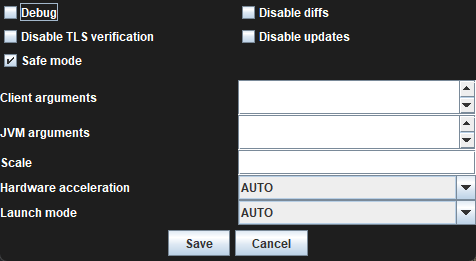



 viscid lantern
well thats still not a rev but a null npc
so its just scenery
do you have the issue on an actual rev?
oblique plume
we need to start a counter
like the zom is wrong one
touch tablet would already be on like 50
oblique plume
fresh cosmos
but i said i cant attack any revs
so this was like a lie then
viscid lantern
fresh cosmos
cant click anything in the rev caves friend
well this then
fresh cosmos
thats why i didnt know that they werent revs
viscid lantern
anything in the rev caves is quite the area to test
fresh cosmos
i dont know how else to explain it
oblique plume
you need to understand that "i have tried nothing and its doesnt work" makes me never want to attempt to help you
and then when people do try to help you, you just lie to them about whats happening
and youre somehow confused at how thats just terrible behavior
fresh cosmos
ok sorry sir