#support
1 messages · Page 56 of 1
 round jacinth
You really should keep a better account of what you’re installing and why/how they’re used
 topaz quartz
round jacinth
You really should keep a better account of what you’re installing and why/how th...
topaz quartz
round jacinth
You really should keep a better account of what you’re installing and why/how th...
started since leagues and went back to main
 haughty pumiceBOT
flowchart: Please refer to this flowchart for further troubleshooting.
 dark ocean
Anyone having issues with entity hider not hiding random events?
 leaden trail
Is it a strange plant?
 viscid lantern
Hide random events only really works for other peoples random events, you would also have to hide attackers in this case
since the events are interacting with you it has to assume they are attackers
dark ocean
got it - ty bro
viscid lantern
this plugin might work better for this usecase

allows you to hide absolutely everything related to randoms
 ashen lion
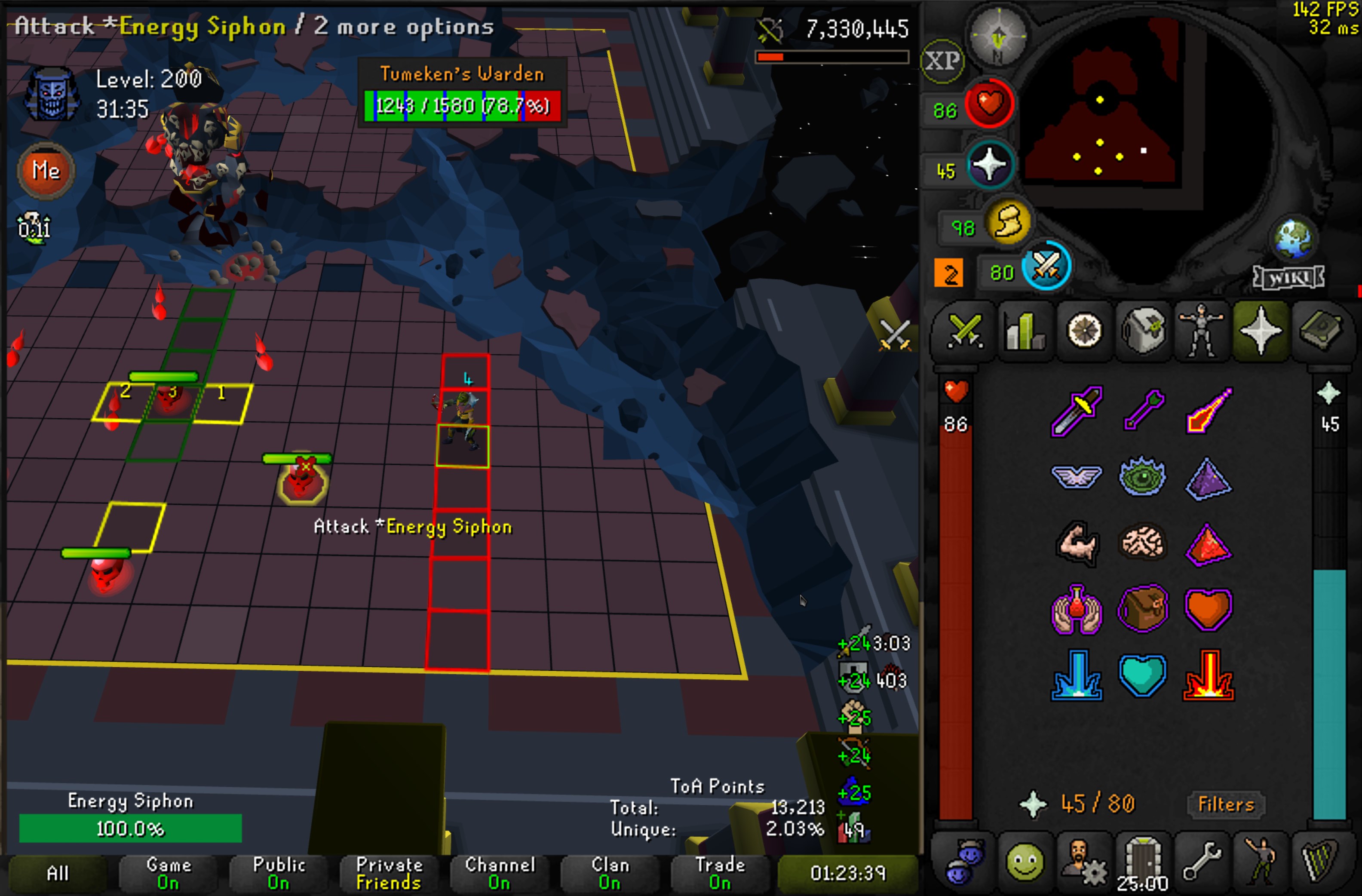
https://zipline.temper.live/u/yJmpK5.jpg is there any type of crash logs or anything? recently my game has been periodically freezing at random points and becomes completely unresponsive. the side bar and plugins are fine, its just the game window that completely freezes and needs a full restart
 mossy swan
!logs
haughty pumiceBOT
To find the logs, you can do one of the following:
- If your client failed to open, click the
Open logs folderbutton. - Open the screenshot directory by right-clicking 📷
Camerabutton, navigate 1 directory up, then open logs folder. - Navigate to
%userprofile%\.runelite\logson Windows or$HOME/.runelite/logson Linux and macOS.
Upload the log files named client and launcher by dragging them to Discord. If there are files prefixed with jvm_crash dated from today, upload them too.
mossy swan
 what the fuck is that game though
mossy swan
looks weird, i guess you hid a bunch of stuff, just not used to it
ashen lion
yeah just get rid of the useless prayers less clutter n shit
 mossy swan
i mean the world tho
mossy swan
quite a lot of errors from various hub plugins
hard to say what the last one is from tho
97 hub plugins 
ashen lion
lmao i just dl shit probably not using like half of them
i can start removing shit
if thats more than likely the cause
viscid lantern
almost certainly yeah
 sonic birch
viscid lantern
fixed mode+hide chat <a:ahehe:811361960452292638>
sonic birch
viscid lantern
fixed mode+hide chat <a:ahehe:811361960452292638>
Best way to play!
leaden trail
sonic birch
Best way to play!
The best way to play is to not imo
round jacinth
look at what they need to mimic the fraction of the qol resizable offers
sonic birch
!flow if randomly removing hub plugins does not work, try the following approach
haughty pumiceBOT
flowchart: Please refer to this flowchart for further troubleshooting.
mossy swan
i would play on vanilla client if it had low detail 
ashen lion
mossy swan
97 hub plugins <a:WHAT:1293890244290019420>
where did i say the amount of plugins
just did a sweep and wana see how many are gone
mossy swan
i counted from the log
ashen lion
clientlog?
mossy swan
many text editors let you select text and it will tell you how many lines you have selected
yes
ashen lion
56 now
viscid lantern
there might be

 deep epoch
ty
 lilac heart
"shift-rightclick" on infobox doesnt show options to detach or flip it
what could be the problem?
 fast tapir
Is there a way to log into runelite without using a google account? I have a fresh PC build and when I try to sign in to the application, it takes me straight to google, but my sign in is through a .edu account
 zealous cedar
The best thing to do is copy your .runelite folder from your previous pc
haughty pumiceBOT
fast tapir
Ill give it a shot, thanks
 twin pivot
nyone know how i completely reset all my menu swaps? resetting the plugin doesnt work
round jacinth
twin pivot
nyone know how i completely reset all my menu swaps? resetting the plugin doesnt...
the "Reset" button at the bottom of the plugin's config isn't doing it?
twin pivot
round jacinth
the "Reset" button at the bottom of the plugin's config isn't doing it?
it resets all the settings but the actual swaps i have made are still there
sonic birch
Gotta do it manually then
twin pivot
damn that sucks, theres so many and not sure which are
 hushed orchid
twin pivot
damn that sucks, theres so many and not sure which are
hushed orchid
twin pivot
damn that sucks, theres so many and not sure which are
If you load a new profile does it keep the settings as well?
round jacinth
no it wouldn't
twin pivot
woudl that lose all drop history?
round jacinth
no
you keep drop history on a new profile but lose all configured plugins
you keep farming timers too
hushed orchid
So it's stored in profile settings somewhere? should be able to remove it then
round jacinth
no
you gotta manually fix them as you find them
do not recommend people to attemtp to surgerically edit a file they dont know about
leaden trail
We don't support manual config editing like what you seem to be getting at
hushed orchid
Ah I see
twin pivot
is this an issue with the plugin then? seems like it isnt working how it should
hushed orchid
So new profile or manually resetting it would be the only 2 options then
round jacinth
correct
leaden trail
Yes
round jacinth
twin pivot
is this an issue with the plugin then? seems like it isnt working how it should
if i have a laptop profile and a desktop profile i want to know my farming timers/loot between the two but i dont want the same gpu settings
thats why
twin pivot
i mean resetting the menu swapper plugin
round jacinth
it would be reset if you switch prfoiles
hushed orchid
That would reset most other things as well though, but not drop log or timers for example
So up to you if you think that's easier than resetting them manually
hushed orchid
There you go
 verbal minnow
my spec if being tracked in info boxes and i have no idea how to get rid of this. I didnt install any plug ins recently either. any ideas

I created a new profile and turned off evvery plugin, and its still tehre
zealous cedar
most pluginhub plugins dont really turn off when you turn them off
if you restart the client after turning the plugins off then it would go away
verbal minnow
right on, ty ty
 real pagoda
if a plugin logs an error, does that show up in the client.log file? or elsewhere?
 crisp dune
If it has an error which would cause a log entry to be created, it would be in client.log. Not all plugin (mis)behavior will create log entries
But generally if a plugin is breaking there will be something in your logs to look at
real pagoda
hmm it just doesnt seem to be doing anything
crisp dune
What is 'it' in this case?
real pagoda
plugin is csvexport.
it should be generating csv files and writing to them.
there's a few log calls there, that I'd assume I should see but don't
crisp dune
Dunno, I'd recommend contacting the plugin author
haughty pumiceBOT
[ https://github.com/fl4xman ] fl4xman
crisp dune
Hmm I guess they don't have their discord linked smh
real pagoda
ugh figured it out. wine being annoying
it was trying to print to home from within a wine instance that didn't know where home was
crisp dune
are you... running a windows RuneLite launcher through wine instead of running a Linux launcher?
I can't help but ask why
real pagoda
crisp dune
are you... running a windows RuneLite launcher through wine instead of running a...
jagex account unfortunately. The jagex account setup uses wine I think, and I just used the jagex launcher to download runelite
crisp dune
Have you looked at Bolt launcher at all? You can play with jagex accounts on linux through that
https://github.com/Adamcake/Bolt specifically
real pagoda
It's an alternative to the jagex launcher? Does it allow use of jagex accounts?
crisp dune
Yes and yes
real pagoda
meh im fine with my setup and having an issue every 6 months for now.
hushed orchid
real pagoda
jagex account unfortunately. The jagex account setup uses wine I think, and I ju...
You can install it without wine, but it is a bit more of a hassle
 kind saddle
what the command for rank the league ? (example !lg)
hushed orchid
kind saddle
what the command for rank the league ? (example !lg)
I belive it's lp for league points, but you have to be on the leagues for it to work iirc
kind saddle
Ty
 unkempt heron
Anyone have issue where Idle Notifier doesn’t fire when mining? Works fine when depositing into the hopper at MLM, etc. But not with actual mining itself
unkempt heron
unkempt heron
Anyone have issue where Idle Notifier doesn’t fire when mining? Works fine when ...
Okay the issue stems from having the Trailblazer ornament kit with the reloaded style on. Idk how Idle Notifier truly works, but if it tracks animations by item ID it seems to be missing that one 🙂
 gilded kayak
it does indeed do that
the plugin does check MINING_DRAGON_PICKAXE_OR_TRAILBLAZER but maybe its not that one
there's also MINING_MOTHERLODE_TRAILBLAZER
crisp dune
I don't think we ever updated it with reloaded styles
since it wasn't obvious the kits added that after leagues 4
so we probably need to update it accordingly
unkempt heron
Yeah, it works great when using the regular trailblazer style 👍
crisp dune
If you have a github account, it would be very helpful to raise that on our issue tracker
if not, I'll see about making a note for us to fix it
 pine lynx
i swapped to bank tag plugin but when i do the zigzag option if theres say 5 pots at then end it wont zigzag them it will just have 1 potion for the rest of inventory
if that make sense, does anyone have a fix or is this how its intentded
 spring imp
anyone know how to get the orbs back? prayer orb, xp, world map?

i just got those bithces re-enabled
 meager oracle
I've noticed RL use up to 8GB of ram on my mac when I leave the app open for a few days vs on windows its about 2GB. Is there any way I can debug my runelite settings with the installed plugins to see what is causing this?
sonic birch
Hope that apple improves it's gpu drivers
You could try updating, if there are newer drivers available
zealous cedar
the jvm heap is capped to 768mb, so in practice RL maxes out at about ~1gb. anything past that is native leaks, yes
meager oracle
ahh gotcha
round jacinth
huh?
sonic birch
Change your bio if you want to type in this server.
 glossy crown
I finally caught a video of this walking bug happening
When I have the ctrl+click to walk option enabled, sometimes my character will randomly walk after red x interactions? Without me pressing ctrl
I started thinking maybe it's a hardware issue, but it's been happening semi-consistently after interacting with Phials (I've been leveling up prayer)
The only thing I press on the keyboard here is 3 to unnote my bones. Sorry about the small video, I could record it again. OBS was being weird
After turning off the ctrl+click to walk option, it seems the bug no longer happens
This is mainly an issue when I'm trying to do pvm, of course
zealous cedar
can you explain what you mean by "When I have the ctrl+click to walk option enabled"
glossy crown
Also as you can see, after I get back in the house, my character is running again without me pressing anything on the keyboard
When I have this set to "Always"

I haven't tried the other options, just "Never" and "Always"
zealous cedar
i cant reproduce this
glossy crown
It doesn't happen 100% of the time, I have a slight suspicion it has to do with timing of the red x?
I also have the "Path Marker" plugin, which looks to be bugging out while this is happening. Only when that ctrl+click option is on, though
zealous cedar
if I cant reproduce it I cant really look into it
glossy crown
There must be some state that it's reading which causes it to incorrectly render the path
Hmm
My settings if you want to further attempt to reproduce this, at least

 oblique plume
can you reproduce it in safemode
haughty pumiceBOT
To enable safemode
Windows
Run the RuneLite (configure) shortcut from the windows start menu
Tick the Safe mode box, save, launch RuneLite the way you normally do.
Mac
In Terminal, run
/Applications/RuneLite.app/Contents/MacOS/RuneLite --configure
Tick the Safe mode box, save, launch RuneLite the way you normally do.
glossy crown
I doubt this plugin is causing the issue but may help lead to some more info
I'll try
zealous cedar
I don't look into issues caused by 3rd party plugins, but if you try safe mode and it happens there I will look. If there is a way to reproduce it
glossy crown
How do I launch the configure option? On Linux, running runelite --configue but it crashes Exception in thread "main" joptsimple.UnrecognizedOptionException: configue is not a recognized option
sonic birch
A video of it happening in safe mode with the title bar visible could also be somewhat useful, but mostly those steps to reproduce it in safe mode
oblique plume
perhaps you arnt using the launcher
zealous cedar
"configure"
glossy crown
woops
I'll try to repro it now
Yep happened in safe mode
It doesn't happen every time, seems inconsistent. Which means it's either timing specific, or I have no idea why it happens, lol
zealous cedar
does it happen if you use the item on him but dont actually do the unnote
glossy crown
I'll try
Can't get it to happen when I don't unnote, so far
It appears I have to unnote, probably
This issue has happened to me during red x scenarios at tob, toa, and sepulchre just fyi
zealous cedar
maybe your keyboard is broken and is sending ctrl when you press 3
lol
like if you hold 3 and click to walk what does it do
zealous cedar
idk it seems fine to me just unnoting 1 bone at a time at phials
glossy crown
I've seen a couple other people reporting this same issue, and on other platforms (Windows), so I'm thinking either we have the same exact defective keyboard firmware or there's a bug in osrs or runelite
But it seems to not be happening to many people, it's very strange
Worst kind of bug to deal with
zealous cedar
could be an osrs bug maybe
but i cant repro it yea
maybe its dependent upon some other setting
glossy crown
True
Would be great to have a default settings toggle or something to eliminate that possibility
zealous cedar
i cant make setting toggles for osrs settings like that
glossy crown
Ye, think I should try reporting to the osrs team? I'd probably need to reproduce on the official client actually, haven't tried that yet
sonic birch
I'd maybe try it with another keyboard and another OS first
glossy crown
Well if I can't repo it on the official client, I'll go from there
sonic birch
also, if it's a vanilla jagex bug, it won't happen on EHC
glossy crown
ehc?
sonic birch
their c++ client
glossy crown
ah
zealous cedar
there are like 4 different "official clients" and you need to use specifically the java one
glossy crown
Yeah I'll try the java one rn
zealous cedar
but, it could be something with java too maybe (its known to mangle inputs sometimes) and so that doesn't necessarily isolate it to the java client
glossy crown
I tried it a handful of times on the official (java) client and it's not happening
 analog hearth
I've been having issues with my flash going off after finishing actions despite it being turned off completely, any ideas why? I started using it a few months ago for afking but its been acting up
 charred wind
Sounds like you might have a hub plugin doing it. Specifically when is it flashing, where, when is it continuing etc
analog hearth
Ahhh hmm. Any way to isolate which one could be doing it?
I guess it would have to be one i've installed recently
round jacinth
Dom is wondering the context it’s happening in because that’s the clue for what it could be
Is there a chat box message for the alert
charred wind
yeah the questions I'm asking are for trying to isolate which it is lol otherwise you'd have to do this:
!flow
haughty pumiceBOT
flowchart: Please refer to this flowchart for further troubleshooting.
analog hearth
No no chatbox message. For example I was killing abyssal leeches for pouches and it was flashing after they died.
But it isnt just pvm related, it happens during random skilling activites too IIRC
sonic birch
You can enable game chat notifications in the runelite config to see the notification message
That might help
analog hearth
game message notifications?
sonic birch
Yeah, in the runelite config it's an option
analog hearth
gotcha I just turned that on
sonic birch
Then in the ingame chat you will see the notification message
If it e.g. says high value ground item, it could be the ground items plugin
analog hearth
so that will let me know why it flashes? even if i've got flashes turned off?
sonic birch
It'll show the notification message at least, if it uses the notifier
If it does not show a chat message then, it does not use the notifier and you should follow the flow chart (it'll be a hub plugin then)
analog hearth
okay got it, thank you!
okay so I just suicided (I'm a UIM) and it flashed when I suicided but had no notification
 wooden mulch
Hey
i need some help, trying to run the plugin example but kinda blocked atm
ive read the guid on the readme file but dont know how to go further

nvm it works now, forgot thje -ea part
 pallid juniper
hi
 subtle wyvern
is anyone having issues with their runelite closing down, mine is crashing/closing by itself at least a dozen times a day (just the last 3-4days)
haughty pumiceBOT
To find the logs, you can do one of the following:
- If your client failed to open, click the
Open logs folderbutton. - Open the screenshot directory by right-clicking 📷
Camerabutton, navigate 1 directory up, then open logs folder. - Navigate to
%userprofile%\.runelite\logson Windows or$HOME/.runelite/logson Linux and macOS.
Upload the log files named client and launcher by dragging them to Discord. If there are files prefixed with jvm_crash dated from today, upload them too.
 harsh venture
Hello
My plugins are gone and runlite logging on and sycning isn't working
empty and stock runlite, basically. New update, or my end?
haughty pumiceBOT
oblique plume
you just try each one
harsh venture
ok ty
 scarlet knot
any reason why every 10 seconds or so my runelite laggs?
like my player will stop then continue a second later
gilded kayak
i would probably guess one of the plugins you installed from the  is doing something laggy every 10 seconds
gilded kayak
maybe start by going to the  tab, clicking
 new profile and double-clicking it to swap to that profile, and see if it still happens
you can see which profile you're currently on, by the orange bar to the left
!flow if it doesn't happen on the new profile, you'll probably want this
haughty pumiceBOT
flowchart: Please refer to this flowchart for further troubleshooting.
lilac heart
I am holding SHIFT when right-clicking. it doesn't give me options to detach infobox or flip them. how can I fix this problem?
oblique plume
what if you move them
lilac heart
still
some setting is causing it, since on fresh runelite profile everything is working. do you know what it could be?
oblique plume
no
lilac heart
okay the problem was with menu entry swapper
oblique plume
really?
lilac heart
yeah not the built-in one but "Custom Menu Swaps" from plugin store
oblique plume
ok that makes sense
 final quarry
just came back to toa after a while and my kephri pillar puzzle doesnt have the numbers on the pillar. it looks like they are showing under the pillar. has this happened to anyone else?
round jacinth
!lost
haughty pumiceBOT
round jacinth
there really isn't a back up of a profile per day anyhow, when people lose the settings generally they profile listing drops em and they gotta readd them or w/e
harsh venture
well i had to do a lot of set up
round jacinth
so if it's none of the stuff in profiles2 folder, then it isn't anywhere
harsh venture
so idk im at loss now
is there any particular naming that would help me find it?
I got put on the newer structure for the profile its supposed to be
round jacinth
i dont know what you're asking for, you wanted to see if you had a backup for a profile, if a back up did exist it would be in profiles2 folder
harsh venture
If I lose these again I probably wont wanna keep playing
round jacinth
because that's where profiles are
harsh venture
yeah ik :\
I have had a lotttt a plethora of numeous issues
its just a matter of time b4 I screw something else up
I had everything on and working yesterday
on top of that 20 day mute in game. I'm not having fun any more.
round jacinth
if only a few settings are lost, those are not too bad to recreate probably
as you have todays' settings which are continued from yesterday
harsh venture
yes i have 126 additional plug ins that were in my profile not showing
oblique plume
chances are you just didnt import your profile
round jacinth
yeah
harsh venture
gone now
showed b4
tried to isolate to specific one
it unloaded the profile
went nuts
round jacinth
can you please click the import profile button
harsh venture
and now I cant find it
 harsh venture
ok
round jacinth
sort by date or size or w/e and see if one is clearly the biggest file that is not named $rsprofile
harsh venture
well what I can tell u for sure zom
is none of these ones are the one itt is wanting to restore the plugins
round jacinth
many many many many people claim that exact thing
harsh venture
as none have kicked them on or they simply not detected
round jacinth
but isntead imported the same file 4 times
or 3 of the 5 files twice
not actually checking all 5.
harsh venture
ok ok
round jacinth
so please, actually humor me
harsh venture
yes I understand
round jacinth
and do what i asked you to do
round jacinth
screenshot the profiels2 folder after clicking that icon i circled in red
after you import a profile, switch to it to confirm
harsh venture
this is a back up of the first folder
I will show u
caause idk whats going on with this one
sorry bare with pls
round jacinth
I'm trying to tell you exact steps to do and you're changing the route on me, just follow those and show what i asked and we'll be done with this sooner
harsh venture
ok np
round jacinth
import profile -> profiles2 -> click that icon screenshot the screen
that's all i want from you
harsh venture
well ok then I need to restore that folder
round jacinth
you may need to sort by modified or size or expand the window size
harsh venture
as those files are gone
i have them on my desk top now
so i will restore old files from copy then show
all good or?
round jacinth
i dont get what you're asking for help with anymore
are you)
- I lost my settings, i had them yesterday
or - I have my settings on my other computer, they're not on the current computer I am on
harsh venture
harsh venture
ok
1 sec
in game rn will show
ok

and there is one at the very bottom not shown
yes it is bad lol
gilded kayak
are you positive that it's not the ones that are 342 KB
harsh venture
 round jacinth
the top 10 files there besides $rsprfofile, are all the same size
are you sure it is not one of those?
are you switching to the profile after you imported?
harsh venture
which one u think pick?
round jacinth
idc any of them, they're all gonna be the same
gilded kayak
2570230...
gilded kayak
double-click the profile once you import it
 harsh venture
need sync or any
round jacinth
no
just load the profile
confirm it's loaded
if it's got the orange line next to it, it is loaded
harsh venture
ok
round jacinth
In the link you followed explains it)
Make sure you are on the correct RuneLite config profile.
Go to Configuration (wrench icon) > Profiles (middle tab) > Check if any of the profiles are correct. You can load a profile by clicking on the > symbol twice. A profile is enabled if there is an orange bar in front of it.
harsh venture
one finally kicked on
round jacinth
then you should be able to to tell if it's the right profile or not
round jacinth
np
harsh venture
tyvvvvmm
 👋 💯
oblique plume
👋 💯
oblique plume

wooden mulch
Which properties/methods to use to check the items around me?
Want to print the items i have around me for example
sonic birch
This channel is for release client support. You can use #runelite Also you should be less vague and state exactly what you want the plugin to do
scarlet knot
hello i asked earlier about the game freezing every 10 seconds for like 1 second .. i made a new profile and it was still doing it, would it be my pc?
mossy swan
do you have a video to show how it looks?
scarlet knot
erm no i dont.. its like my player stops for a split second then carrys on
its just like a lag spike
but i checked my internet connection and its really good
mossy swan
that would either be server lagging, or connection issues between you and the server
first thing to try is rebooting your router and pc
scarlet knot
ok cheers
 frail horizon
i just recently got this issue where when i press my "u" key on my keyboard it doesn't register in the chat box, but instead it turns the report button to the current date for like a millisecond. cant figure out which plugin it is. anyone else had this issue before?
 stone parcel
Sounds like maybe screenshot, but you can use this.
haughty pumiceBOT
If one of your keys isn't working in game, you've most likely bound it to a feature of a plugin. The Debug Helper hub plugin can show what keys are bound to what plugins.
frail horizon
oh wtf it was screen shot lol
 sharp thorn
Can someone help me with the following:
I just changed the name on the Runelite profile I use for my main account. I then opened up another Runelite for my ironman and it has gone back to opening up with the default profile having 0 plugins.
haughty pumiceBOT
sharp thorn
Unable to find what I am looking for. I somehow have this profile, and it is linked to my iron account that never existed until I changed the name on my profile for my main account.

I lost all my plugins before so really don't want it to happen again
 tardy dove
has anyone experienced this bug? when i hover over food in my inventory, my prayer bar disappears along with the numbers. it only happens to one of my accounts, changing profiles didn't help nor turning the plug in on/off.

 gilded kayak
equip a piece of gear
tardy dove
gilded kayak
equip a piece of gear
goddamn you're a savior, it worked! any idea what caused it?
gilded kayak
yeah an oopsie on our end
we are checking for the item that heredit sol echo drops, but we check it before the equipment is loaded sometimes
so it caused the plugin to crap itself, when the equipment hasn't been loaded, i.e when you are not wearing any equipment
tardy dove
ah fair enough, thanks a lot for the hard work!
sharp thorn
Any support around?
I have multiple .runelite folders after getting a new PC. When using Task Manager it says I am using runelite from the desktop file. On the other hand, all data seems to be within the application folder.
round jacinth
The settings are in the .runelite folder
The install location is elsewhere
You shouldn’t have multiple .runelite folders
Unless you made them or copied them.
sharp thorn
so I want to legit copy and paste my account settings onto a drive for a backup
wehen I set up my pc my mate helped me and dumped all on my desktopo
then i must of installed it
sharp thorn
This is my new one
round jacinth
That’s not what I asked
sharp thorn
all data from other is in 1 folder
round jacinth
Do you plan on using both
sharp thorn
no
round jacinth
Then if they put all the data into a folder onto your desktop
Copy that .runelite folder they put there overtop of the .runelite folder that the recent install just created
sharp thorn
I wanna make it a bit more organised so I was hoping to add it to the other drive I have. Can I just bring them both over?
round jacinth
Idk what you mean
The settings for runelite are always at c:/users/name/.runelite
Place it there…? Same spot they copied it from
sharp thorn
would you have a few mins if I shared my screen?
round jacinth
no
Either explain better or follow those instructions
You can install runelite where ever but it’s ideal to use the default spot
You said your friend put all the stuff of your old pc into a folder on your desktop
sharp thorn
correct
round jacinth
I assume in that folder you’ve got .runelite
sharp thorn
yes
round jacinth
So what’s wrong with copying that folder that’s there where it is to go on the computer
don’t cut or move it just copy it so you can confirm it’s working fine
sharp thorn
so copy.runelite to the proper location right?
round jacinth
Yes and that location is where it was before on the old pc but in the same spot for the user you’re logged in as
Please don’t also be a special character name profile
Like &&admin@!
Or what ever
Hope it’s just dain or admin lol
sharp thorn
Can I just clarify something please. Why has this happened from changing the name on a profile do you think?
I appreciate ur help honestly
round jacinth
Idk what you mean
my comment was about the login name for the pc
People used to have issues (and maybe still do) with things that are c:\users@&$admin!!!
So I’m hoping that you aren’t on a user that is like that lol
anyways do you know where to place the folder?
They got their help 1:1 with me in dms but might still need more.
 wispy pilot
I can't get idle notifier to work for thieving. any ideas?
gilded kayak
thieving isn't an afk activity so i don't think it ever worked for that, the exception being stealing valueables and leagues
one of which has a hub plugin
wispy pilot
is the "one of which" leagues?
gilded kayak
no lol
wispy pilot
unfortunate
sonic birch
Don't you pickpocket infinitely in leagues?
Unless you hit the coin pouch cap, but I assume that gives a message in chat
 sinful sandal
does anyone know of a way to figure out which plugin is bricking my client, it won't let me log in with a certain profile selected
gilded kayak
compare the plugins between those 2 profiles?
sinful sandal
it's a new profile vs my existing one with all the plugins
might take a very long time
it's only happened since leagues so it might be a new one that was made for leagues
gilded kayak
or one that's broken due to leagues
e.g. one of the cox plugins would break logging into the beta worlds
but no we have no special way of figuring it out, you'll have to disable half and try until u figure it out
!flow
haughty pumiceBOT
flowchart: Please refer to this flowchart for further troubleshooting.
sinful sandal
alright thanks for your help, off i go
gilded kayak
make sure you're only disabling plugins that show up when you type hub into the 🔧 tab search
for example if you disable loot tracker and the problem goes away, that doesn't mean it was loot tracker it just means it was probably a hub plugin that uses loot tracker
sinful sandal
yeah got it
RSN Hider seems to be the culprit - with "hide in widgets" enbaled (which does warn about lagging the game but it was completely frozen)
solved thanks @gilded kayak the goat
gilded kayak
i'm almost certain the warning for that plugin says it will freeze your client
but 👍
sinful sandal
 gilded kayak
when you installed it
gilded kayak
 sinful sandal
yeah last year me's problem i guess. either way got it sorted so thank you
sonic birch
- This channel is for release client support
- That is not the full error message
- You probs didn't add the vm args box so you wrote -ea in the wrong box
 hallow heart
anyone keeps getting crashes?
sonic birch
Keep your question to 1 channel please
Also, no, we're not crashing
Please define what a crash is in your case
Poof, client gone?
 gentle ether
Can someone help me please, i am having issues with runelite
mossy swan
ehh i don’t know im really comfortable in bed rn
round jacinth
gentle ether
Can someone help me please, i am having issues with runelite
Just state your problem instead of doing this way of asking
!ask
haughty pumiceBOT
Dont ask to ask. https://iki.fi/sol/dontask.html
gentle ether
Runelite client keeps closing immediately after starting. At the moment i am unable to use the runelite client
I have already reinstalled the application, still the same issue
round jacinth
!logs
haughty pumiceBOT
To find the logs, you can do one of the following:
- If your client failed to open, click the
Open logs folderbutton. - Open the screenshot directory by right-clicking 📷
Camerabutton, navigate 1 directory up, then open logs folder. - Navigate to
%userprofile%\.runelite\logson Windows or$HOME/.runelite/logson Linux and macOS.
Upload the log files named client and launcher by dragging them to Discord. If there are files prefixed with jvm_crash dated from today, upload them too.
 cold laurel
been more than a week since task tracker plugin was pulled. as a limited-time game mode and with so many people who were using this plugin for leagues, i was really hoping it would be back up by now 😦 is there any ETA on when we might see it back? looks like the issue was fixed and the PR approved 5 days ago https://github.com/runelite/plugin-hub/pull/7177
thanks for all that y'all do
 shadow isle
everytime I try to use the GPU plugin my laptop freezes gets black screen and then it turns back on with runelite not responding
I am able to use 117HD without any issues but GPU plugin doesn’t work for me… it’s a new laptop
sonic birch
shadow isle
everytime I try to use the GPU plugin my laptop freezes gets black screen and th...
!logs
haughty pumiceBOT
To find the logs, you can do one of the following:
- If your client failed to open, click the
Open logs folderbutton. - Open the screenshot directory by right-clicking 📷
Camerabutton, navigate 1 directory up, then open logs folder. - Navigate to
%userprofile%\.runelite\logson Windows or$HOME/.runelite/logson Linux and macOS.
Upload the log files named client and launcher by dragging them to Discord. If there are files prefixed with jvm_crash dated from today, upload them too.
sonic birch
also, does your laptop have a dedicated gpu or not?
shadow isle
sonic birch
also, does your laptop have a dedicated gpu or not?
no it doesn’t, only integrated which is a AMD Raedon 780M
 ornate kite
is there a way to get PartyHub by stoned turtle to become an overlay?
like a popout rather than a scroll, sort of like (and excuse the shitty paint picture)
 round jacinth
no
shadow isle
sonic birch
!logs
also what should I be looking for in the logs? my old laptop had also integrated graphics, a worse one and ran GPU plugin just fine
On my new laptop I run 117HD perfectly fine too which should be more demanding then gpu plugin so idk what is wrong
round jacinth
you ideally just share the logs with us cause we look at them more than you do
shadow isle
round jacinth
you ideally just share the logs with us cause we look at them more than you do
oh ok should I post from launcher or client?
round jacinth
the !logs said to share both
shadow isle
its not letting me downlod discord for some readon so i have to do it later just says ”something went wrong”
round jacinth
they dont have discord on their desktop i think
leaden trail
You can just do it in browser
 near edge
hello i have a problem :/ my client is crashing everytime if i try to play on more then 2 accs..... any ideas? i have a gaming leptop 1 y old...

Any ideas?
haughty pumiceBOT
@near edge To find the logs, you can do one of the following:
- If your client failed to open, click the
Open logs folderbutton. - Open the screenshot directory by right-clicking 📷
Camerabutton, navigate 1 directory up, then open logs folder. - Navigate to
%userprofile%\.runelite\logson Windows or$HOME/.runelite/logson Linux and macOS.
Upload the log files named client and launcher by dragging them to Discord. If there are files prefixed with jvm_crash dated from today, upload them too.
 chilly ravine
Is there any pro user from Pakistan?
oblique plume
pro user?
round jacinth
there is no runelite pro if that's what you're asking aobut
oblique plume
there is no runelite pro
if someone is telling you there is they are trying to steal your account
 dusty crypt
Hello, im hoping to get some help here. I reset my pc and when i log into runelite, my plugins or tabs are not loading in
Am I meant to be doing something else?
I also turned on auto sync in the profile thing
oblique plume
If you turned it on that means it was off
It needed to be on before you deleted everything
 still creek
Anyone have any idea to maybe give the vorkath ball a sound alert, is there a way to do this
The TOB plugin for example has a weeeeee Sotetseg alert i thought
Any suggestions/ideas ?
sonic birch
That one just replaces an already existing sound iirc
Idk if the vork ball already has a distinct sound and if so what we'd think about replacing it
dusty crypt
oblique plume
It needed to be on before you deleted everything
wish i had the option lol. My pc blue screened so i needed to fresh install windows
chilly ravine
I meant that if someone here from Pakistan kindly tell me
round jacinth
dusty crypt
wish i had the option lol. My pc blue screened so i needed to fresh install wind...
I think you’re outta luck then
dusty crypt
yeah im just bugging a friend to give me a copy of their profile and then ill work from there
lesson learned i suppose
stone parcel
Depending on how you reinstalled Windows, I think there may be a windows.old folder if windows still does that.
round jacinth
You shouldn’t reformat the pc when you get a blue screen either, idk if that would help lol
dusty crypt
round jacinth
You shouldn’t reformat the pc when you get a blue screen either, idk if that wou...
i didnt have an option. The computer would not turned on and i pretty much tried everything including messing with bios. Unfortunately, thats the only thing that works
round jacinth
dusty crypt
yeah im just bugging a friend to give me a copy of their profile and then ill wo...
Ideally you don’t do this because then you’re at the mercy of what they liked as layouts for bank tags or how they have tiles or tagged NPCs etc etc
And just enable sync and build new
You’re going to get a lot of garbage settings you don’t want by copying another person and you have no clue how or what they are to change
dusty crypt
round jacinth
Ideally you don’t do this because then you’re at the mercy of what they liked as...
well yeah but with all my max eff setups gone for like tob, cox, and toa. Im just asking my buddy who i did everything wtih to gimme theres
that way i know what they do since we do the same stuff
round jacinth
ok w/e
dusty crypt
but i get what you mean
just a lot less to really change. I just did it and got most of the stuff i used to have. Still alot of stuff i need to change 😦
leaden trail
That would also leak any webhooks that they use
 stone skiff
my boosts and anyinformation that would be included (farm contract, star mining boost etc...) randomly disappeared on me, my other computer using the same profile still has them showing up. have restarted runelite and pc... I was able to move the "box" with alt prior to switching to a blank profile and back, but now I cant even see that... any suggestions on where to start looking?
charred wind
still creek
Anyone have any idea to maybe give the vorkath ball a sound alert, is there a wa...
sound swapper plugin and replace the sound
sonic birch
stone skiff
my boosts and anyinformation that would be included (farm contract, star mining ...
uhhh, I think we fixed most of those issues, but are you sure it's not behind some interface or out of view? what if you increase the size of your client
 fierce sparrow
https://cdn.discordapp.com/attachments/731771334966640662/1324867809188122664/image.png?ex=6779b6cc&is=6778654c&hm=95a7046e1fcaec0a0b83202c6ea57d68f23446fb3156c2b30f76eb06b5ce7396& is there a way to fix this
 leaden trail
Are you trying to use split tunnelling with a VPN?
leaden trail
Might be a firewall then
stone skiff
sonic birch
uhhh, I think we fixed most of those issues, but are you sure it's not behind so...
I was thinking the same thing, the transparant box when holding alt is just missing
 sonic birch
but you also don't have an infobox visible, right?
stone skiff
Doesn't matter how large I make it or if I have it set to keep window size or keep game size
 sonic birch
what if you drink a potion
stone skiff
nothing shows up
have confirmed it reappears if I install on a fresh profile
also shows on my laptop if I use the current profile and settings :/
I was hoping there was some sort of way to reset infobox positioning on the odd chance you somehow moved it offscreen
sonic birch
can you show your boosts information plugin settings?
stone skiff
I can get them to show up if I use display panel or compact display, however this leaves the other info I use such as thrall timers still missing
 sonic birch
hmmmmmm
I'd set buff and debuff change to always for now so you always got infoboxes assuming you've been boosted once while being logged in
idk exactly where they'd be though. you could try moving your minimap and inventory/cb/armour/prayer tab button thing (don't forget to alt+right click them afterwards a couple of times to reset)
is your profile cloudsynced btw? (just wondering, dont change settings rn)
stone skiff
yeah they are set to cloud
charred wind
boosts infoboxes draw over vanilla client assets
(I could be wrong, just tried on mine)
sonic birch
yeah, I think they can't really be under the minimap etc anymore nowadays
I just couldnt come up with better advice
stone skiff
Yeah I've moved everything I can to see if maybe they were under something but no dice
sonic birch
can you post your profiles tab with the cloudsync thing visible?
stone skiff
 sonic birch
hmmm, and you use the main profile on your laptop?
stone skiff
yes
sonic birch
what if you:
- fully close the client on your desktop
- go to your laptop
- check if you are using the main profile on there as well
- spawn some infoboxes
- drag the group all the way to the left side above your chatbox, maybe alt+right-click some of them (will separate them from another group probably though, so if that annoys you, only try that if the dragging doesn't work)
- then log out, fully close the client
- wait 30s or so to be safe
- boot up the client on your desktop
stone skiff
it is now broken on both...
 plush obsidian
Not sure where to ask i will just ask here and apoligies before hand if it's the wrong place. Is there a plugin to hide models? like houses, trees, soul Devourer at cerb? besides "blind folded" that hides more then i want. I would like to either shift click or write the id in a box of said model to hide it perferably
zealous cedar
I dont think there is a hide-by-id thing for arbitrary models
sonic birch
stone skiff
it is now broken on both...
!flow well the only thing I can think of is to try safe mode
haughty pumiceBOT
flowchart: Please refer to this flowchart for further troubleshooting.
plush obsidian
That's unfortunate, hide everything or nothing then with "blind folded" :/
sonic birch
hide by id has a high chance of abuse, so it doesn't exist
plush obsidian
I would think hide everything or diffrent types would fall under the same issue but oh well
The issue with BF is that it also hides the lava cerb spits, ontop of the soul gate
stone skiff
sonic birch
!flow well the only thing I can think of is to try safe mode
somehow I can get them to appear on a previously copied verision of main but only when using safemode... if I return to non safemode both profiles have them missing... you could say Im a bit frustrated with the idea of having to redo all of my plugins 😦
sonic birch
stone skiff
somehow I can get them to appear on a previously copied verision of main but onl...
might be a plugin interfering then
stone skiff
it doesnt work on the original main profile
 dire anvil
for NPCs that i swapped like attack->left click walk here, can i find that anywhere in runelites config?
leaden trail
If you did it manually, no
 cerulean kindle
fierce sparrow
https://cdn.discordapp.com/attachments/731771334966640662/1324867809188122664/im...
cerulean kindle
fierce sparrow
https://cdn.discordapp.com/attachments/731771334966640662/1324867809188122664/im...
i get the same error, is there anyone to help?
stone skiff
sonic birch
might be a plugin interfering then
disabling itemcharges improved seemed to reset it
 deft swan
Hey all i was trying to use the Resource packs Plugin for Runelite. But any theme i choose comes up as black not the selected theme. I'm not seeing how to get this to work, could anyone help me out?
haughty pumiceBOT
Get support for the Resource packs Plugin Hub plugin here: https://runelite.net/plugin-hub/show/resource-packs.
You can also find the support link by searching for the plugin in the Plugin Hub panel and clicking the ? button on the plugin, or by right-clicking the plugin in the plugin panel and clicking the Support menu option.
round jacinth
they have their own discord, go there
 fathom citrus
Just reinstalled launcher and runelite, updated windows and restarted PC. It only does this with runelite. Any ideas?
charred wind
 fathom citrus
It didn't show up in config, but searched it in plugin hub and it said remove
Thanks for the help folks 🙏
 solemn saddle
is there any fix for a bug with my cursor disappearing while i have the fullscreen plugin on and gpu plugin on
the cursor goes invisible when runelite is in fullscreen but only if the sidebar is closed
sonic birch
!hubsupport
haughty pumiceBOT
Support for hub plugins should be directed to the author of the plugin. You can find the support link by searching for the plugin in the Plugin Hub panel and clicking the ? button on the plugin, or by right-clicking the plugin in the plugin panel and clicking the Support menu option.
 amber scaffold
girls power
 stone vortex
why are ge prices not showing on items on the ground, bank, ge, etc.
 solid mesa
If you internet is spotty sometimes prices don't load when you start runelite. You can try restarting runelite
 cursive canyon
can i download 64bit RL when im using jagex client?
solid mesa
Yes
cursive canyon
how
charred wind
It should happen automatically
cursive canyon
117HD plugin just gives me errors about downloading 64bit one
solid mesa
 cursive canyon
Idk why i assumed it was preinstalled lol, ty
gilded kayak
a simplification to explain what actually happens is, that the jagex launcher literally just double-clicks runelite.exe for you
leaden trail
(while doing a secret handshake to log you in)
 frozen tinsel
How do I remove/reduce the effects of crossing a loading line in CoX? It never used to be this bad? I've uninstalled and reinstalled runelite
zealous cedar
its probably a plugin freezing, try safe mode.
 compact slate
Hello, Im experiencing a situation where runelite is running normally, no problems, but then every minute to two minutes i get the "reconnecting to the server" and it interrupts whatever im doing. i checked internet connection, no problems there, checked compatibility, nothing there. anyone know a potential fix?
zealous cedar
its probably your internet connection dropping.
compact slate
if thats the case, i only experience internet connection dropping when runelite is open
solid mesa
Or you probably just don't notice other disconnects because video and other things are buffered
haughty pumiceBOT
open command prompt, type this in: ping -t oldschoolXXX.runescape.com where the XXX is your world minus 300, for example world350 = 50
solid mesa
If you ping for a while see if there's drops
frozen tinsel
zealous cedar
its probably a plugin freezing, try safe mode.
TYVM, this really helped. Turns out it was "Ground Object Hiders" I had manually entered every Hallowed Sceptre ground texture during leagues and that was causing the massive pause at CoX every loading line as it tried to reload/remove all those textures
 fickle mulch
Anyone have the .wav sound file for a scythe? Or know how I can get it?
I'm trying to swap a sound with another sound, specifically dharok's axe slash to the scythe's slash sound
I'm trying to use the Sound Swapper plugin but there's no way to directly swap ID to ID. It looks like it requires a .wav file...
charred wind
fickle mulch
I'm trying to swap a sound with another sound, specifically dharok's axe slash t...
Use weapon animation replacer, it has a sound swap function for exactly what you want
Just need to know the two IDs you want 😄
 opal ocean
hi jw if anyone could help me out; a rogue squirk has appeared as an infobox, I've tried restarting RL and it's still there, it appears on all of my profiles. I don't have any sorc. garden plugins

 little junco
I'm having an issue with the "NPC Aggression Timer" plugin, I turned it on, and it was acting funny. First it wasn't working, but then a static red border appeared after a few seconds. The normal yellow border did not however, so I tried turning the plugin on and off, but the red border wouldn't go away. I tried restarting my client, but the red border stayed regardless. I tried going to a few new locations in game, and see if that would reset it, but it did not. i tried turning the plugin back on and checking/unchecking the boxes to reset them, and then the yellow lines were working, but the red lines were still there. i tried turning off the plugin and the yellow lines went away, but the red lines have been stuck there since. This is really frustrating because I can't get rid of them and they are everywhere in the world now. Any help would be greatly appreciated

 keen lichen
Do you have Radius markers? Maybe its that?
stone parcel
Maybe Multi Lines.
little junco
it was multilines, tyvm
got confused because i just got that plugin
haha you guys rock
ornate kite
Kind-of a weird problem, but has anybody noticed colour rendering differences between Windows and Mac OS?
Same runelite profile, same monitor but on the windows OS icon colours are much darker, whereas they aren't on Mac.
I don't think it's any OS specific brightness setting. :s
opal ocean
 summer sluice
Boost timer
summer sluice
Boost timer
No
 molten bone
Question:
I want to use idle notifier to notify me if im afking after killing a nechryael. The problem is it still thinks im in combat because of the death spawn. Is there any way to fix this?
 opal ocean
hi jw if anyone could help me out; a rogue squirk has appeared as an infobox, I'...
opal ocean
opal ocean
hi jw if anyone could help me out; a rogue squirk has appeared as an infobox, I'...
i logged in and out of runelite client, seems to have fixed it
fickle mulch
charred wind
Use weapon animation replacer, it has a sound swap function for exactly what you...
I'm having trouble finding the option for sound

 meager star
One of my homies had to re-install his operating system and when he logged back into his account it didn't seem to download his Runelite profiles. But apparently he sees them on the Runelite website? Any suggestions or is he just remaking the profiles from scratch?
 mortal quarry
!logs
haughty pumiceBOT
To find the logs, you can do one of the following:
- If your client failed to open, click the
Open logs folderbutton. - Open the screenshot directory by right-clicking 📷
Camerabutton, navigate 1 directory up, then open logs folder. - Navigate to
%userprofile%\.runelite\logson Windows or$HOME/.runelite/logson Linux and macOS.
Upload the log files named client and launcher by dragging them to Discord. If there are files prefixed with jvm_crash dated from today, upload them too.
charred wind
fickle mulch
I'm having trouble finding the option for sound
Click the cog wheel and choose “sound swap”
fickle mulch
dang thanks!
haughty pumiceBOT
charred wind
Have your friend come here if this link doesn’t help them, but honestly I am unsure if there’s more we can do than what this link says.
 visual spruce
is there certain plugins causing client freezes?
solid mesa
Any plugin can. RSN Hider is quite notorious for it.
visual spruce
everytime i try to log in client just freezing and cant figure out which it is 🙂
haughty pumiceBOT
Please refer to this flowchart for further troubleshooting.
solid mesa
Disable half, if it still happens, disable another half. Keep going until you narrow it down
visual spruce
ty
 halcyon bolt
for some reason i am unable to click on the top left corner of my game client. I cannot click history in the grand exchange screen or press the first 5 items in the top row of my bank. anyone had the same problem ?
solid mesa
Two other people had the same issue in the last few weeks. I never saw what their resolution was. Someone suggested it could be something with Windows notifications
halcyon bolt
very weird mhm
solid mesa
It doesn’t happen with any other applications? One person realized it happened with other applications not just runelite. One person said it was only happening with runelite
halcyon bolt
discord, browser, league of legends don't have this problem with the top left side being unable to be clicked/interacted with
i can't even drag the client when pressing the runelite - username part etc
solid mesa
Does it happen in safe mode?
haughty pumiceBOT
To enable safemode
Windows
Run the RuneLite (configure) shortcut from the windows start menu
Tick the Safe mode box, save, launch RuneLite the way you normally do.
Mac
In Terminal, run
/Applications/RuneLite.app/Contents/MacOS/RuneLite --configure
Tick the Safe mode box, save, launch RuneLite the way you normally do.
halcyon bolt
how does this work with the jagex launcher ? I don't see a "safe" option
solid mesa
Run the RuneLite (configure) shortcut from the windows start menu
Tick the Safe mode box, save, launch RuneLite the way you normally do.
haughty pumiceBOT
To find the logs, you can do one of the following:
- If your client failed to open, click the
Open logs folderbutton. - Open the screenshot directory by right-clicking 📷
Camerabutton, navigate 1 directory up, then open logs folder. - Navigate to
%userprofile%\.runelite\logson Windows or$HOME/.runelite/logson Linux and macOS.
Upload the log files named client and launcher by dragging them to Discord. If there are files prefixed with jvm_crash dated from today, upload them too.
 unreal hill
Do I need to setup a new app like this to get a key to talk in the #development channel? I've been working with gitlab for almost 10 years and this is the first time i've ever had to set one up.
 mossy swan
just do /ghauth without the optional parameter
 idle blade
i created an account with steam and im trying to play runelite with it, so i tried doing the third party login but this happens
 mossy swan
idle blade
i created an account with steam and im trying to play runelite with it, so i tri...
mossy swan
idle blade
i created an account with steam and im trying to play runelite with it, so i tri...
!newplayer try asking in the official discord
haughty pumiceBOT
If you are new to OSRS, make sure to follow this excellent guide on OSRS wiki: https://oldschool.runescape.wiki/w/New_player_guide. You can also join the official OSRS Discord here: https://discord.gg/osrs
idle blade
mossy swan
!newplayer try asking in the official discord
i did
but i need to have a upgraded jagex account to log into runelite?
mossy swan
if you created an account on steam i think so
idle blade
ah okay
 past sage
I've launched RuneLite for a first time in like 4-5 months, and since then I've upgraded my GPU (the only hardware change). For whatever reason now, it seems like the sidebar settings panel is incredibly laggy, and it's definitely extremely less smooth than I remember. Did something change or is this a semi-well known issue that can happen?
haughty pumiceBOT
Graphical artifacts? Try disabling hardware acceleration: https://github.com/runelite/runelite/wiki/Disable-Hardware-Acceleration
past sage
I read somewhere that g-sync can cause the unresponsiveness, but even after disabling that it does not seem to get any more responsive.
Oh.. huh. Kinda strange that I've never touched that setting, but swapping graphics cards caused issues with hardware accel?
Weird. Well that solved the issue entirely.. lol. Thank you for the help
 glossy perch
Hello, ran into an issue where after a computer crash/restart, all of my runelite settings were reset, all plugin-hub plugins uninstalled, all profiles reset, etc.
I believe I was logged into my runelite account prior, and was logged in after relaunching. I don't know if I enabled any sort of cloud settings storage or not.
I have located in .runelite/profiles2 what appears to be my profile settings from before the reset. I have attempted to import under profiles > import profile, and then applying the new profile ("Imported Profile"). However, this is unsuccessful and none of my settings are restored, even for default runelite plugins (such as tile indicators).
My #1 priority is restoring my setups from the Inventory Setups plugin. The setup data is clearly within the profile property file I attempted to import, but definitely is not applied.
Any idea on how I can properly restore my settings? And, for the future, how I can properly setup cloud storage of my settings to ensure its properly saved/restored in the future? Any help is appreciated, thanks.
 livid aspen
Im playing on classic resizable layout with half screen, and sometimes (eg. after i wake my computer up, randomly when i afk), the entire client is zoomed in and scaled off to the side. To fix it, I just click and drag the client and it immediately fixes it but im wondering what causes this weird zoom in/resolution issue, this started happening beginning 2 weeks ago
oblique plume
glossy perch
Hello, ran into an issue where after a computer crash/restart, all of my runelit...
The cloud icon on the profile
haughty pumiceBOT
glossy perch
haughty pumice
<@318261958132367360> <https://github.com/runelite/runelite/wiki/FAQ#my-plugins-...
I have reached step 5 after attempting to import the stored profile properties file, and come here for further assistance 🙂
round jacinth
glossy perch
I have reached step 5 after attempting to import the stored profile properties f...
Can you screenshot your profiles2 folder sorted by size/date after you click the import and navigate to that folder

Click that to add more information to the file picker
glossy perch
round jacinth
Can you screenshot your profiles2 folder sorted by size/date after you click the...
Ok, strangely enough navigating through that dialog and selecting the file applied all the settings correctly.
What I was doing before was navigating to the profile in windows explorer, shift right click > "Copy as path". Then, in runelite, doing profile import, pasting the path to the file in the File Name: field, confirming the correct filename, and hitting open. This happily imports some sort of profile, but does NOT apply the settings, I just confirmed again.
However, when I manually navigate to /profiles2 within the runelite dialog, THEN select the file, and hit import, it correctly imports the settings within the file.
round jacinth
👍
I think you just are forgetting to switch profile after import or actually are picking the right ones now.
Either case you it’s good now?
glossy perch
No I have confirmed by recreating both scenarios that the runelite import handles these two cases differently (Importing AND applying). Maybe a bug of some sort, or at the very least inadequate error messaging?
More generally, it seems that if I provide a path that runelite determines to be invalid (a path it can't handle, path to a nonexistent file, etc.), it does not return any error, but rather imports a blank profile.
It seems this dialog does actually accept the absolute path, but does not handle the quotations that Windows places around the absolute path when using the Copy as Path option.
But yes, I am good now, and thank you for the assistance.
haughty pumiceBOT
run this command in cmd, then show us the displayed output through a screenshot.
"%localappdata%\runelite\runelite.exe" -c -v --console -- --debug
 elfin pumice
Hey, I am working on some clan images and wanted to use the boss icons that are used in the highscores tab in runelite. I think that these are the official osrs icons but I can only find about half of them on the official Wiki for osrs. Does anyone happen to have the all the icons and would be able to provide it somehow?
zealous cedar
they should be in https://github.com/abextm/osrs-cache/releases/download/2024-12-10-rev227/dump-2024-12-10-rev227.tar.gz in the sprites folder
 twin stirrup
Sorry if this question has been answered before, I tried to check the FAQ and also used the search button but didn't find an answer. My config is set to turn off hardware acceleration but it is not saving between each launch. I have to manually go back and change the hardware acceleration to another option then change it back and relaunch runelite each time. I'm using the 64 bit version and having very bad lag in areas and around a lot of people with hardware acceleration enabled.
haughty pumiceBOT
To find the logs, you can do one of the following:
- If your client failed to open, click the
Open logs folderbutton. - Open the screenshot directory by right-clicking 📷
Camerabutton, navigate 1 directory up, then open logs folder. - Navigate to
%userprofile%\.runelite\logson Windows or$HOME/.runelite/logson Linux and macOS.
Upload the log files named client and launcher by dragging them to Discord. If there are files prefixed with jvm_crash dated from today, upload them too.
leaden trail
You miiiight have file permissions issues, logs would help us see more
twin stirrup
leaden trail
You miiiight have file permissions issues, logs would help us see more
This was in response to me?
leaden trail
yes
 lean dawn
Figured id ask here, does anyone ever have terrible FPS while using gpu plugin? I have a 6650xt but im at 100% 3D usage once I turn it on.
crisp dune
It's fine on my 6650xt
round jacinth
You maybe have to try other driver revisions
leaden trail
Does it improve if you disable GPU?
twin stirrup
lean dawn
Figured id ask here, does anyone ever have terrible FPS while using gpu plugin? ...
That's the same issue I was having but with 117 HD and I had to turn off hardware acceleration in the config
final quarry
can someone help me figure out which settting is causing this clipping on some of my overlays. the crab timers are supposed to be above the crab to show how much time is left but it looks like this

this is what it originally looked like and i want it back

i dont know what changed
leaden trail
You started using "better" npc indicators or something like that
It's one of the hub plugins that's "better" something or other anyway
final quarry
yea i did
leaden trail
That's why it's happening
final quarry
i turned all of those off and it persists
leaden trail
Restart your client then
final quarry
restarting
viscid lantern
well thats 99% the "better" npc indicators plugin

 viscid lantern
then its another plugin that mimics that feature
final quarry
hmmm i'll look around
viscid lantern
probably something related to marking npcs
could very well be "better" npc highlight
viscid lantern
oh yeah that one can also do that
final quarry
ty for the help
 dreamy sleet
Search for some help can not maximize window size
 viscid lantern
uncheck Lock window size in the RuneLite settings
 dreamy sleet
Ty soooo much!
 tall moat
hey I have a problem with runelite
Yesterday out of nowhere my clients info boxes suddenly disappeared (yet they are still there perfectly functional on my alt account)
whatever adds the base for these info boxes
 gilded kayak
are they hidden behind the chatbox or inventory
try press+holding alt and left-click moving them
alt+right-click to reset them back to their spot
ornate kite
not runelite related
ornate kite
but, i'm not able to get the make x for bolt/darts to work
it just pulls up the interface for either toggles
tall moat
gilded kayak
are they hidden behind the chatbox or inventory
nope

it has seemingly like fully vanished
gilded kayak
check runelite infobox size setting and make sure it's not on 0
!safe otherwise try safe mode
haughty pumiceBOT
safemode: To enable safemode
Windows
Run the RuneLite (configure) shortcut from the windows start menu
Tick the Safe mode box, save, launch RuneLite the way you normally do.
Mac
In Terminal, run
/Applications/RuneLite.app/Contents/MacOS/RuneLite --configure
Tick the Safe mode box, save, launch RuneLite the way you normally do.
tall moat
box size is default 35px
gilded kayak
just to be sure, you have something equipped that would have an info box, right?
tall moat
i have the logout time plugin on which should automatically show the logout time
gilded kayak
i'm not aware of the default plugin doing that, i think thats a hub plugin
gilded kayak
i mean like the Ammo plugin
ornate kite
😭
tall moat
interesting, in safe mode it does show up
gilded kayak
so one of your hub plugins is breaking it
tall moat
hmmm
guess i'll switch to normal and turn them off one by one until it maybe re appears
gilded kayak
fwiw if it's broken turning it off doesn't guarantee it will unbreak
u might want to do half & restart
tall moat
gilded kayak
u might want to do half & restart
wym?
gilded kayak
i mean you can do 1 at a time and restart, but if it's broken turning it off might not fix it, it's just like flipping the light switch when you know the light bulb is dead
i was suggesting doing half, instead of 1 at a time
tall moat
ok i may have found a culprit
gilded kayak
but obviously if there's some setting in a plugin i don't know about, hide runelite infoboxes then turning it off would probably work
tall moat
yup
gilded kayak
gilded kayak
are they hidden behind the chatbox or inventory
looking at it this first idea seems incorrect, i don't think it's possible for them to fall behind those widgets
unlucky
tall moat
looks like in a plugin update or something, item charge improved has re enabled its infobox which overrides/turns off the default info box space
resetting its settings and clicking the box made it appear again
thanks so much for the safe mode tip
gilded kayak
sounds like they improved your infoboxes
tall moat
i would not have found this in a million years the way i was trying to troubleshoot lol
 twin vault
SO, whenever I launch Runelite it doesn't start in the client size I have specified in the Runelite settings, I have to go into them and go up and down a pixle to get it to snap to the proper size. Also, the 'client resizer' plugin hotkeys no longer work. Anyone got a clue where to start troubleshooting?
 cursive trench
Menu entry swapper in my bank randomly stopped working. Anyone else?
Still works in shops and stuff just not my bank options
round jacinth
Youd have to elaborate cause nothing has changed
You maybe configured a swap
Or need to change a setting in the plugin back to what it was
cursive trench
It's just odd because it was working fine, did some raids, have changed 0 settings and now shift withdraw all isn't working
round jacinth
Shift withdraw all I think is custom menu swaps? If it’s not done through core
 cold dirge
Been getting a lot of crashes again this week with the error message in this log. This time, the only pugin hub plugins I had were wikisync and 'death charge reminder'. uninstalling them both for now to see if anything changes, but happy to hear if anyone knows a solution
 young jasper
having a lot of crashes also is there someone who can check my jvm? had the same issue a month or two back it went away and now back again
charred wind
!logs
haughty pumiceBOT
To find the logs, you can do one of the following:
- If your client failed to open, click the
Open logs folderbutton. - Open the screenshot directory by right-clicking 📷
Camerabutton, navigate 1 directory up, then open logs folder. - Navigate to
%userprofile%\.runelite\logson Windows or$HOME/.runelite/logson Linux and macOS.
Upload the log files named client and launcher by dragging them to Discord. If there are files prefixed with jvm_crash dated from today, upload them too.
solid mesa
I would try turning off Core Performance Boost in your BIOS https://github.com/runelite/runelite/issues/10628

GitHub
A fatal error has been detected by the Java Runtime Environment: # # EXCEPTION_ACCESS_VIOLATION (0xc0000005) at pc=0x03d9c70d, pid=15208, tid=9740 # # JRE version: OpenJDK Runtime Environment (11.0...
stone parcel
Or SpeedStep if Intel.
young jasper
thank you guys im gonna try it out rn
 opal stream
hey guys, sometimes when 2nd screening, my runelite window tanks horridly fps-wise and basically freezes, it's not all the time and i cant seem to drill down to why its happening
 crystal quest
Hey, I lost access to my google account that was connected to my RuneLite account, and I recently wiped/reset my PC. I exported my RL profile data, imported it, but the Loot Tracker data seems to be missing. Is there any way I can recover this Loot Tracker data connected to my google account that I'm not able to access anymore?
 ocean edge
i have had this issue for a while where alt dosnt highlight my widgets anymore and dosnt allow me to adjust their position
i do get it to work still sometimes but its very inconsitstend (no my alt key is not broken)
 late mantle
Just curious if anyone can quickly figure out what caused my client to crash? This is the latest entry in the log but I dont speak Java lol
2025-01-06 19:56:31 NZDT [Client] ERROR injected-client - Client error
java.lang.NullPointerException: null
at ti.kv(ti.java:11)
at pm.aw(pm.java:24)
at me.ab(me.java:26)
at hx.ab(hx.java:28)
at jv.ab(jv.java:26)
at hw.be(hw.java:310)
at gz.mr(gz.java:52224)
at jx.mx(jx.java:11160)
at oc.nd(oc.java:12608)
at oc.nd(oc.java:12888)
at av.ni(av.java:12398)
at client.iy(client.java:3492)
at client.bu(client.java:1150)
at bo.qn(bo.java:391)
at bo.on(bo.java)
at bo.run(bo.java:60039)
at java.base/java.lang.Thread.run(Unknown Source)
charred wind
ocean edge
i have had this issue for a while where alt dosnt highlight my widgets anymore a...
Probably bound alt to a different hotkey in some other plugin. Debug helper plugin (I don’t remember the exact name, if you search in #support you’ll probably find it) can help identify that for you.
charred wind
late mantle
Just curious if anyone can quickly figure out what caused my client to crash? Th...
Out of context snippets of logs don’t help much. Upload the full logs
!log
haughty pumiceBOT
logs: To find the logs, you can do one of the following:
- If your client failed to open, click the
Open logs folderbutton. - Open the screenshot directory by right-clicking 📷
Camerabutton, navigate 1 directory up, then open logs folder. - Navigate to
%userprofile%\.runelite\logson Windows or$HOME/.runelite/logson Linux and macOS.
Upload the log files named client and launcher by dragging them to Discord. If there are files prefixed with jvm_crash dated from today, upload them too.
 desert torrent
Where is the !gc command stored in the .properties file? It doesn't seem to be stored in the same format as !kc commands, and I can't find any reference to the !gc command when I search the file for '32' (my current # of high gambles)
round jacinth
Gamble count would be counted if runelite saw the gamble, you can’t put it there.
 mighty glen
I just had an issue with the launcher
i was logged in and got logged out.
Apparently i have a Launcher_Initialisation_Failure

 buoyant bramble
anyone else having issues with runelite just randomly closing?
leaden trail
buoyant bramble
anyone else having issues with runelite just randomly closing?
Post your logs
haughty pumiceBOT
To find the logs, you can do one of the following:
- If your client failed to open, click the
Open logs folderbutton. - Open the screenshot directory by right-clicking 📷
Camerabutton, navigate 1 directory up, then open logs folder. - Navigate to
%userprofile%\.runelite\logson Windows or$HOME/.runelite/logson Linux and macOS.
Upload the log files named client and launcher by dragging them to Discord. If there are files prefixed with jvm_crash dated from today, upload them too.
leaden trail
!new
haughty pumiceBOT
newplayer: If you are new to OSRS, make sure to follow this excellent guide on OSRS wiki: https://oldschool.runescape.wiki/w/New_player_guide. You can also join the official OSRS Discord here: https://discord.gg/osrs
leaden trail
haughty pumice
**newplayer**: If you are new to OSRS, make sure to follow this excellent guide ...
@mighty glen Ask there ^
We aren't Jagex
mighty glen
k
buoyant bramble
leaden trail
Post your logs
 quartz lotus
any idea how to separate ground object hider floor color from a place to another?
when i use a color i get it on every floor
charred wind
That would be the skybox, correct? I don’t think you can set skybox conditionally
quartz lotus
charred wind
That would be the skybox, correct? I don’t think you can set skybox conditionall...
ye also skybox along with ground obj
 rigid hull
how do I find runelite location when I'm using jagex launcher? I'm trying to add it to my nvidia app
round jacinth
idk if you can add it to the nvidia app? Similar you can’t add it to steam
rigid hull
pretty sure you can? I did it before, it's just like nvidia control panel
 leaden trail
Nvidia stuff like that tends to not work with or break RuneLite a lot anyway, for what it's worth
round jacinth
I thought the purpose of the nvidia app was to auto detect and change settings to make stuff perform best, runelite doesn’t have that probably
desert torrent
round jacinth
Gamble count would be counted if runelite saw the gamble, you can’t put it there...
sorry can you explain this a little because i'm a bit confused.. because if the integer not stored in rsprofile.properties then where is runelite looking when !gc is called ?
round jacinth
You can’t edit it so it doesn’t matter
It can only be updated if you do another gamble
 minor summit
how do i pull my logs?
round jacinth
!logs
haughty pumiceBOT
To find the logs, you can do one of the following:
- If your client failed to open, click the
Open logs folderbutton. - Open the screenshot directory by right-clicking 📷
Camerabutton, navigate 1 directory up, then open logs folder. - Navigate to
%userprofile%\.runelite\logson Windows or$HOME/.runelite/logson Linux and macOS.
Upload the log files named client and launcher by dragging them to Discord. If there are files prefixed with jvm_crash dated from today, upload them too.
 halcyon thunder
Had sudden crash and also startup error, could someone be able to help? Here's the logs
leaden trail
You can try disabling Core Performance Boost in BIOS
halcyon thunder
leaden trail
You can try disabling Core Performance Boost in BIOS
I did that before, but didnt help
 minor crane
ive had to unistall and reinstall rl. relogged in and all plugins and tile markers gone? from same account
oblique plume
those dont mess with your settings so you either did something wrong or had another thing happen at the same time that did
haughty pumiceBOT
oblique plume
maybe its the one that that fixes
minor crane
oblique plume
maybe its the one that that fixes
just loaded back up with none of the plugins, and dced straight away. it just goes black and rl turns off
oblique plume
goes black is usually gpu drivers crashing
haughty pumiceBOT
To find the logs, you can do one of the following:
- If your client failed to open, click the
Open logs folderbutton. - Open the screenshot directory by right-clicking 📷
Camerabutton, navigate 1 directory up, then open logs folder. - Navigate to
%userprofile%\.runelite\logson Windows or$HOME/.runelite/logson Linux and macOS.
Upload the log files named client and launcher by dragging them to Discord. If there are files prefixed with jvm_crash dated from today, upload them too.
 crimson nebula
Hello all I have a question, and i cant find the answer on reddit so I came here.. when I use !log or !pets I cannot see it, same thing if someone else in my clan uses those commands, I cannot see it. But I can use them and t hey see it instead. what could be wrong?
same t hing applies with !kc, or any command in that regard
oblique plume
you mean you see the literal text !kc?
 sterile light
crimson nebula
Hello all I have a question, and i cant find the answer on reddit so I came here...
sterile light
crimson nebula
Hello all I have a question, and i cant find the answer on reddit so I came here...
The !kc command is the "Chat Commands" plugin and !log is the "Collection Log" plugin. Make sure both of those plugins are turned on
crimson nebula
They are both turned on, what can I check next?
haughty pumiceBOT
Many plugins from the pluginhub break the client in subtle or not-so-subtle ways, including causing issues like client freezes. We do not support pluginhub plugins because we do not make or quality control them, and do not recommend their use.
Run the RuneLite (safe mode) shortcut, or with a Jagex account, first run the RuneLite (configure) shortcut and tick the Safe mode box, then launch RuneLite via the Jagex launcher.
This temporarily disables the GPU plugin and all hub plugins which will allow you to confirm the issue is caused by one of those plugins and isn't a core RuneLite issue.
If the issue is caused by a hub plugin, you should isolate which plugin it is and then uninstall the plugin.
sterile light
In the settings of Chat Commands, make sure the killcount command is checked. Other than that idk
crimson nebula
 sterile light
I'd follow what Alexsuperfly said then ^^
crimson nebula
okay will try
twin stirrup
I posted logs yesterday about an issue with very bad FPS in certain areas and turning on and off hardware acceleration works but it seems like overtime it degrades. Right now my FPS in the farming guild on a dead world is 15. I turned back on and then off hardware acceleration and came back into the world with capped 144FPS. Does anyone have any idea why my FPS seems to degrade overtime?
zealous cedar
pluginhub plugins will commonly degrade fps over time. its probably not really related to hw accel
twin stirrup
zealous cedar
pluginhub plugins will commonly degrade fps over time. its probably not really r...
When I have acceleration on and boot up the game I start off with anywhere from 20-40 FPS in the farming guild. Thank you for the response, I'll have to try to find out which plugin is doing it. Just sitting here for 3 minutes I've gone from 144 FPS to under 100
 uncut meteor
is there a way to change highscores back to old sprites?
leaden trail
No
 topaz summit
I feel silly asking this but the right hand icons (things like Hunleft helper), are missing a lot of my plugins and the better teleport menu isn't work but says it's in my plugins. I am able to see things like loot tracker and world selector but when I reloaded profiles nothing changed. Any one have any ideas?
stone parcel
Does it say safe mode on the titlebar?
round jacinth
Are you on the right profile…?
topaz summit
I cycled thru them all, but yeah my right profile is cloud synced
One with gpu and one without and saw the differences
summer sluice
Im still having issues with my runelite client sizes changing each time it opens; was previosuly told it was related to quest helper, but havent been using it; now unsure.
Exact info of whats happening,
My client is set to 950x650 and i find myself being loaded to 900x650 a lot, but runelite still says 950, I have to minus or add and then go back to 950 for it too actually change
topaz summit
Assuming you already went to the "runelite" setting and clicked Remember client position?
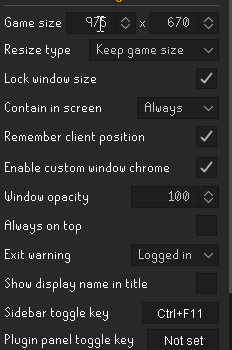 topaz summit
Windows or apple?
summer sluice
windows
and i know its ont my PC i just built a new one a week ago and this issue been going on for months
zealous cedar
have you tried safe mode?
or I guess it resets itself in safe mode maybe, so that wont help
summer sluice
zealous cedar
have you tried safe mode?
It happens on client load
I think it happens the most frequently if I dont close the client, and if windows force closes it
i.e I shutdown without closing
zealous cedar
try and make a new profile, switch to it, and see if it happens on the new profile
summer sluice
I do use profiles
between my other accounts
happens on the 3 I use, the 3rd one is the most common that gets used and it was made without duplicating
summer sluice
zealous cedar
try and make a new profile, switch to it, and see if it happens on the new profi...
the other problem I run into; is that it might not do it back to back; like I might turn on my PC for 3 days and doesnt do it; but then on day 4 it does it
its just annoying enough, because from 900 > 950 is such a subtle difference I dont always notice it, but when im recording footage ill notice it afterwards cause ill have a block of black background
topaz summit
I ran safe mode, and my ground markers are still there but the icons on the right hand display bar aren't there still. 😦
summer sluice
@zealous cedar Is there a possibility that the issue is related to runelite closing unexpectedly?>
zealous cedar
zealous cedar
try and make a new profile, switch to it, and see if it happens on the new profi...
I would try this
summer sluice
zealous cedar
I would try this
If my 3rd profile has like 3 plugins enabled and still does it on that, wouldnt that mean this wouldnt fix it?
zealous cedar
no
summer sluice
So what would making a 4th plugin profile do?
Im telling you I have 1 profile already with basically no plugins enabled and it still does it with that
gilded kayak
unless you have a profile with zero plugins from the tab then we don't care
if your profile with 3 plugins, means 3 default plugins, then that would be fine
summer sluice
 solid mesa
Quest helper was known to do it but has since been fixed. Any hub plugin could be doing the same thing
summer sluice
Yeah, I thought it was quest helper;
the more i think about it; it happens the most on unexected Rl closes
I.e I press shut down, and windows said "you must close this before shutdown" and I say shutdown anyway or w.e
topaz summit
Anyone have any idea how to process me installing a plugin (better teleport menu) and it getting stuck on installing? (I am thinking it may be a directory issue syncing causing the problem?)
gilded kayak
what does the very top left of the client say
does it say RuneLite or does it say RuneLite (something here)
topaz summit
Just Runelite - (My OSRS Login Name)
It did the same thing in safe mode, the plugin installed now, just nothing on right side besides default icons
gilded kayak
that was what I was suggesting, it's supposed to do that in safe mode, because there are no hub plugins in safe mode
and top left in safe mode says RuneLite (safe mode)
topaz summit
Nah this shows all my plugins in the wrech drop down and has my data. The right side icons are just gone.
Yeah, it's not that, I wish it was lol




 topaz summit
Nah the install completed, now, it's just nothing usable over here
gilded kayak
or are you saying the RL prompt in the middle of your screen, is stuck
topaz summit
I think the installing is just not updating fast enough because I clicked off it and back on and it stayed install
but it's not running
gilded kayak
!logs
haughty pumiceBOT
To find the logs, you can do one of the following:
- If your client failed to open, click the
Open logs folderbutton. - Open the screenshot directory by right-clicking 📷
Camerabutton, navigate 1 directory up, then open logs folder. - Navigate to
%userprofile%\.runelite\logson Windows or$HOME/.runelite/logson Linux and macOS.
Upload the log files named client and launcher by dragging them to Discord. If there are files prefixed with jvm_crash dated from today, upload them too.
topaz summit

Like I have ground markers, drop history data but the right icons or plugins aren't actually running
Update: Made a new profile and that fixed the better teleport menu, may just have to make a new profile
yayy it's fixed, 🙂 thank you all so much!
 sly frigate
Hey Im getting insane FPS drops when Runelite is unfocused. Does anyone know what it could be because of? I looked at a dozen reddit posts for the similar issue and they all have different things that fixed it but none worked for me 😦
I remember this happening in the past too but it kinda just went away and ig its starting again
solid mesa
And you dont have FPS Control limiting the unfocused FPS
sly frigate
Ive tried everything with the fps control plugin and it changes nothing
solid mesa
Does it happen in safe mode?
haughty pumiceBOT
To enable safemode
Windows
Run the RuneLite (configure) shortcut from the windows start menu
Tick the Safe mode box, save, launch RuneLite the way you normally do.
Mac
In Terminal, run
/Applications/RuneLite.app/Contents/MacOS/RuneLite --configure
Tick the Safe mode box, save, launch RuneLite the way you normally do.
sly frigate
ya kind of stutters even in safe mode but not nearly as bad
solid mesa
If it isn't as bad in safe mode then a hub plugin you've installed is causing it.
sly frigate
I dont think my system should have any fps drops for base osrs theres still some issue if its dropping fps at all in safe mode
charred wind
There’s known issues with some newer drivers. You can check that. Otherwise g sync is also known to cause issues
sly frigate
ya I saw gsync as a solution on reddit from a few ppl but my nvidia says I dont even have it available
charred wind
Rollback drivers then
Unfocused is a kicker tho
Could search this channel, feel like I’ve seen this a couple times
haughty pumiceBOT
Support for hub plugins should be directed to the author of the plugin.
You can find the support link by searching for the plugin in the Plugin Hub panel and clicking the ? button on the plugin, or by right-clicking the plugin in the plugin panel and clicking the Support menu option.
 narrow folio
weird issue im running into, with gpu plugin on the ground item names render behind my character and i cant see the amount of glass on the ground. When i turn the gpu plugin off it fixes itself. Any ideas or should I just suck it up and play with the gpu plugin off while i do 50k glass

 oblique plume
or turn off the "improved" plugin you installed that "improves" them
or its a "better"
one of those
they usually arnt "better"
zealous cedar
its the "improved tile indicators" plugin breaking it
 vale dome
I'm getting this exception when I'm trying to run the client (after not touching it for a while)

prob being a big dumdum because I'm pretty sure that's an old snapshot
crisp dune
Make sure you reimport maven dependencies after pulling latest
 narrow tangle
Can an admin dm me at their earliest convenience please? ty
crisp dune
You can dm sensitive questions to @haughty pumice
narrow tangle
ty
uncut meteor
anyone know how to adjust the red messages to a different color?

 clear fiber
uncut meteor
anyone know how to adjust the red messages to a different color?
clear fiber
uncut meteor
anyone know how to adjust the red messages to a different color?
I'd imagine this work?
 uncut meteor
if anything i was trying to find out the color it is specifically, I dont mind matching chat color game message settings to it
dunno where to look tho :X
 sand jacinth
What could be causing a singular runelite client to almost max out my 2060?

That being the gpu plugin, because it stops when I turn that off, as in what could I do to make that not happen, it's never done this before
 wide hare
can you not use this app if you are using a jagex login?
 wide hare
oh ok lol thanks
 past lily
I am having an issue with RL crashing randomly. I launch RL through the Jagex Launcher and have not had any issue with it until a few days ago. Anyone else experiencing this?
haughty pumiceBOT
To find the logs, you can do one of the following:
- If your client failed to open, click the
Open logs folderbutton. - Open the screenshot directory by right-clicking 📷
Camerabutton, navigate 1 directory up, then open logs folder. - Navigate to
%userprofile%\.runelite\logson Windows or$HOME/.runelite/logson Linux and macOS.
Upload the log files named client and launcher by dragging them to Discord. If there are files prefixed with jvm_crash dated from today, upload them too.