#support
1 messages · Page 43 of 1
 twin agate
 oblique plume
yes, the person with gpu issues an hour ago was told to re import their config, and not the guy that posted 30 seconds and that had lost their config
twin agate
I apologize for the very obvious oversight I made and fixed my issue, thanks for the help
 gilded kayak
someone react to alex's message with a spraybottle emote for me
oblique plume

 viscid lantern
gilded kayak
someone react to alex's message with a spraybottle emote for me
viscid lantern
gilded kayak
someone react to alex's message with a spraybottle emote for me
I didnt know which one so I went for all 4 
 crimson tree
hey whats the plugin that lets you prioritise clicking on a npc over another npc when ur mouse is hovering over both of them?
 solid mesa
Custom Menu Swaps
solid mesa
The wiki can show you NPC IDs if you're logged in and have the setting on. Or you can use a plugin like Identificator or NPC ID. If you give me the NPC I can also tell you the ID
 leaden trail
Identificator is kinda goated tbh
 spare tulip
I didn't really install anything new
 round jacinth
it looks like how shortest path highlights some stuff
solid mesa
Agreed, do you have shortest path? It looks like some of the debug option highlights
round jacinth
draw transports draws those
round jacinth
you found them first
they're disabled by default and you turned them on lol
just because a checkbox isn't checked does NOT mean you're missing a feature!
luckily its a common hub plugin that people knew what it was
 still wind
hey guys, how's it going. i've got a problem when osrs is loading tiles, i get a lag spike for like 1 sec everytime the new tiles load, im pretty sure this did not happened like 3 months ago. anyone has any idea why this happens? my pc is pretty good overall
round jacinth
im assuming the plugin that draws the graph is showing that to be true?
still wind
how do i check that?
round jacinth
well how ar eyou currently knowing there is lag on loading tiles
i assumed that you have that plugin that draws a graph for ping was the reason, which is a plugin that doesn't work with loading zones
still wind
cuz frame rate drops just in that moment, otherwise im 144 always
round jacinth
if you make a new profile and only turn on gpu on it (or 117 if you use that) does it still happen when you go into a new loading zone?
still wind
let me check
still wind
round jacinth
if you make a new profile and only turn on gpu on it (or 117 if you use that) do...
how do i make a new setting profile?
round jacinth
 still wind
nice, ty
still wind
round jacinth
if you make a new profile and only turn on gpu on it (or 117 if you use that) do...
nope, the frame drop is gone
round jacinth
you probably have a hub plugin that does a lot of stuff on a loading zone or something
and we dont know which\
!flow
 haughty pumiceBOT
flowchart: Please refer to this flowchart for further troubleshooting.
still wind
round jacinth
you probably have a hub plugin that does a lot of stuff on a loading zone or som...
i just checked that and i have no hub plugin. i also reset the gpu plugin and the issue is basically gone, i think it has to do with this thing
 round jacinth
still wind
i just checked that and i have no hub plugin. i also reset the gpu plugin and th...
round jacinth
still wind
i just checked that and i have no hub plugin. i also reset the gpu plugin and th...
you had no hub plugins on the previous profile?
still wind
round jacinth
you had no hub plugins on the previous profile?
neither of them
round jacinth
we made a new profile to see if base runelite did it (with gpu on) and it didn't meaning something in the old profile was doing it, more than likely a hub plugin
still wind
hum
haughty pumiceBOT
To find the logs, you can do one of the following:
- If your client failed to open, click the
Open logs folderbutton. - Open the screenshot directory by right-clicking 📷
Camerabutton, navigate 1 directory up, then open logs folder. - Navigate to
%userprofile%\.runelite\logson Windows or$HOME/.runelite/logson Linux and macOS.
Upload the log files named client and launcher by dragging them to Discord. If there are files prefixed with jvm_crash dated from today, upload them too.
still wind
sure, gimme a sec
round jacinth
having that setting be a lower number would help with loading slightly, but it should be fast i think
still wind
round jacinth
we made a new profile to see if base runelite did it (with gpu on) and it didn't...
okay, no, i misunderstood it, i tested it again, and when GPU is on the issue persist, it just fixes when i disable GPU im thinking
 alpine halo
is there a way i can check the files on my PC to see if I had some other profile/account signed in or anything of that sort then?
round jacinth
if you've been using the same computer since 2023 january logged in, you should have a profiles folder with a folder named the same as the gmail used
located in the .runelite folder that is

 tired cairn
Hi all does anyone know how to run this command -> following rsn: username in discord with webhook for the runelite plugin dink?
I did look on github but i couldnt find the command :/ or even how to set it up
oblique plume
do they have docs
haughty pumiceBOT
Support for hub plugins should be directed to the author of the plugin.
You can find the support link by searching for the plugin in the Plugin Hub panel and clicking the ? button on the plugin, or by right-clicking the plugin in the plugin panel and clicking the Support menu option.
alpine halo
round jacinth
if you've been using the same computer since 2023 january logged in, you should ...
the weirdest thing just happened. I log in on the webclient and a bunch of my loot from a certain point loaded into my accounts profile (not all loot), tried to see if it shows on the desktop client - nothing, i go back to the webclient, switch between profiles to see if more loot loaded in, everything disappeared.
and this happened after using the import profile function just to test (not sure if just a coincndence)
round jacinth
i think if you just go kill something that you should have history for
you'd get some stuff to show up
but idk if that's the recent stuff restored or from the import, not sure.
alpine halo
the imported profile isnt even set to sync with cloud so idek if thats what caused it
and fyi that only happened on the webclient
not my desktop client
i had a 22b loot chest with all my stuff thats why i want it back 😦
oblique plume
are the website and client signed in to the same account
 lofty finch
has menu entry swapper stopped working for anyone else?
 crisp dune
works fine for me
leaden trail
Can you define "stopped working" a little more specifically?
lofty finch
i've tried a few different things and it's not as bad as i thought. I can still entry swap anything in world (NPC's, objects) and anything in bank but i can't customise left/shift click on anything in my inventory outside a few items. going through my settings nothings seems to be changed/turned off so i can't tell what's going on, i rebooted Runelite a couple times as well.
leaden trail
What if you launch in safe mode?
haughty pumiceBOT
Windows
Run the RuneLite (safe mode) shortcut, or with a Jagex account, first run the RuneLite (configure) shortcut and tick the Safe mode box, then launch RuneLite via the Jagex launcher.
Mac
In Terminal, run:
/Applications/RuneLite.app/Contents/MacOS/RuneLite --configureTick the Safe mode box. Launch RuneLite.
If it's not working, download and install the updated RuneLite launcher from the website link in #welcome. You don't need to uninstall your current version. You will not lose any settings or plugins. Then try running safemode again.
lofty finch
yeah it's working in safe mode, so it's a plugin conflict?
 stone parcel
Yeah.
lofty finch
i haven't downloaded any new ones recently but ig it could be an update bricking it
stone parcel
Yeah they get updated often.
Can search plugin list for "Plugin hub", might help narrow it down. 😄
lofty finch
looks like it's the plugin 'Examine Log' causing the problem, cheers for your help everyone!
 modern verge
do u still need help w/ this?
modern verge
tired cairn
Hi all does anyone know how to run this command -> following rsn: username in di...
could you elaborate on what u mean if u still need help
 hazy vapor
can anyone help with this?

 zealous cedar
its probably temporary, just retry
hazy vapor
i've tried a couple times, even exited the launcher and reopened it
I can try restarting my PC
 leaden niche
One of my friends is also experiencing the same issue
Although his doesn't get beyond downloading bootstrap - doesn't ever reach a fatal error
zealous cedar
then that isnt the same issue
zealous cedar
hazy vapor
can anyone help with this?
this looks like an issue between github and cloudflare and so probably will work itself out
hazy vapor
Works now after restarting the PC. Thanks for the response
leaden niche
Any suggestions for this then? @zealous cedar
 zealous cedar
at some point it should pop up an error
leaden niche
Today or tomorrow? 😂
zealous cedar
If not i guess check the logs, but i dont think the logs will show anything if it doesnt pop up an error
tired cairn
modern verge
could you elaborate on what u mean if u still need help
hey prodigy are you there?
modern verge
yup!
tired cairn
well me and rufus are clan mates and we try to solve a issue for our clan discord
so what happend is some guy in our cc who knows everything about discord and so on got banned for rwt and he destroyed our clan cc because he quit rs 😄
tired cairn
sure
gilded kayak
thank
 signal gale
how do i get rid of the how do i use grand exchange message if read it more than once wont go away and i accidently hit it alot
gilded kayak
can you screenshot what you're talking about, i feel like i know but i don't personally have it
 gilded kayak
if you toggle on the menu entry swapper plugin it will change the default option for the GE people from talk-to to exchange
so when you left-click them it will always be the selling/buying window
signal gale
Thanks
 south venture
a friend of mine has an ultrawide what setting/settings can we adjust to make the runelite side panel larger?
haughty pumiceBOT
south venture
gilded kayak
`1.5` or `2.0` in the `scale` box
did the trick thankyou sir
 weak moon
How do I disable the authenticator for runelite? I had one set up years ago and I must have lost the account but now it is impossible for me to sign in with runelite in the jagex client
gilded kayak
RuneLite does not have an authenticator
you can set your authenticator for an OSRS account, but that's clearly not something we can access
only Jagex
i was gonna make a joke but someone might take it seriously
so i wont
weak moon
It's funny I can login to my jagex accout now without one, but not runelite
gilded kayak
you can't directly login to RuneLite with a jagex account
you have to click the play button in the Jagex launcher
weak moon
Huh that's weird
It just let me in, I swear everytime before it asked for an authenticator code
gilded kayak
i wouldn't put it past them to display the wrong error sometimes but 🤷
weak moon
Okay well hey thanks anyway XD
still wind
hey guys, i have an issue with the GPU runelite's plugin. when i enable it, the frame rate drops significantly when loading new tiles, i can only fix it by disabling GPU plugin (which looks terrible) anyone knows why this happen? (i have an AMD graphic card, idk if this has to do with the issue)
stone parcel
Maybe older or newer gpu drivers would help. Assuming its not actually caused by a hub plugin, if you wanna check safe mode you could.
gilded kayak
we've had like 4 people say the latest amd drivers are causing them issues
if you're on the latest driver, drop down 1 version
still wind
gilded kayak
if you're on the latest driver, drop down 1 version
i am
still wind
nice, i'll let you guys know, ty!!
 loud kite
Hey guys, Has anyone else seen this error message when launching client?
 gilded kayak
did you recently install a new antivirus
or a proxy
or do you have a data cap on your internet
loud kite
No I haven't
loud kite
Now my game randomly crashes completely. any suggestions what I can do to fix this?
gilded kayak
!logs
haughty pumiceBOT
To find the logs, you can do one of the following:
- If your client failed to open, click the
Open logs folderbutton. - Open the screenshot directory by right-clicking 📷
Camerabutton, navigate 1 directory up, then open logs folder. - Navigate to
%userprofile%\.runelite\logson Windows or$HOME/.runelite/logson Linux and macOS.
Upload the log files named client and launcher by dragging them to Discord. If there are files prefixed with jvm_crash dated from today, upload them too.
 stoic birch
Great! That worked for me too. Thanks for your investigation 🙂
loud kite
haughty pumice
To find the logs, you can **do one of the following**:
- If your client failed t...
I can't find logs anywhere. Even when I type it in windows
gilded kayak
c:\users\YourPCName\.runelite\logs
 balmy karma
Would anyone help me be able to diagnose my crash log? If not no worries
 strong timber
My runelite keeps crashing anytime i do anything outside of runelite. any idea how to diagnose these crashes?
haughty pumiceBOT
@strong timber To find the logs, you can do one of the following:
- If your client failed to open, click the
Open logs folderbutton. - Open the screenshot directory by right-clicking 📷
Camerabutton, navigate 1 directory up, then open logs folder. - Navigate to
%userprofile%\.runelite\logson Windows or$HOME/.runelite/logson Linux and macOS.
Upload the log files named client and launcher by dragging them to Discord. If there are files prefixed with jvm_crash dated from today, upload them too.
strong timber
solid mesa
I don't see anything that indicates the problem. You do have 136 hub plugins which may be causing an out of memory crash. I'd try disabling any you don't need and see if the issue gets any better.
strong timber
deleting now, we'll see
when it "crashes", it just freezes and immediately closes
recently started happening
solid mesa
And you don't have any jvm_crash files?
strong timber
most recent was 10/21
solid mesa
Safe mode should be able to confirm if plugins are causing your issue
strong timber
lol it just happened to me again, because i typed in discord
haughty pumiceBOT
Windows
Run the RuneLite (safe mode) shortcut, or with a Jagex account, first run the RuneLite (configure) shortcut and tick the Safe mode box, then launch RuneLite via the Jagex launcher.
Mac
In Terminal, run:
/Applications/RuneLite.app/Contents/MacOS/RuneLite --configureTick the Safe mode box. Launch RuneLite.
If it's not working, download and install the updated RuneLite launcher from the website link in #welcome. You don't need to uninstall your current version. You will not lose any settings or plugins. Then try running safemode again.
strong timber
i'll play on this the rest of the night
and try to force the crashes
it's interesting because when it's frozen, the game keeps running in the background
i can hear the mining in the background lol
solid mesa
Maybe it's graphics driver related then? We've had quite a few people recently having issues with the latest graphics drivers. You could also try rolling back your graphics drivers.
strong timber
i'm not very computer literate, what's best way to check my graphis driver
asus laptop
solid mesa
I would look at that later. If you don't have issues in safe mode then issue is either the GPU plugin or hub plugins you have installed.
 atomic hamlet
hey i a couple times accidentally did a more in depth hiscore on runelite... i think i right clicked something on runelite and it brought up graphs (similar to crystalmathlabs). how do i do that?
i always did it on accident
solid mesa
I'm not quite sure what you're referring to. Are you talking about in this panel? Can you post a screenshot?
 viscid lantern
Do you mean the right click on the xp tracker panel to open wise old man?
 tight trench
I am not sure how to outline the specific broken boulder you need to destroy in the BABA room. When I try I end up outlining them all. I learned that the ID is 11783 but I am not sure what to do with it. Is that an NPC Indicators thing or a Radius Markers thing?
 cobalt vessel
hello im not sure if this is the right place ask bout this? but i have been trying to looking for all my settings and stuff but couldn't find how i can change my tile like this when clicking. if someone knows how to do this. please tell me and thank you god bless ❤️

currently mine looks like this and i dont like it

 mossy swan
cobalt vessel
hello im not sure if this is the right place ask bout this? but i have been tryi...
mossy swan
cobalt vessel
hello im not sure if this is the right place ask bout this? but i have been tryi...
try searching the plugin hub for "corner" or something similar
cobalt vessel
mossy swan
try searching the plugin hub for "corner" or something similar
thank you ❤️
 sinful drum
lol plank make stops after doing 1 log now
 zinc ledge
sinful drum
lol plank make stops after doing 1 log now
zinc ledge
sinful drum
lol plank make stops after doing 1 log now
yeah it does
sinful drum
so we cant afk plank make anymore?
zinc ledge
untill its fixed i guess?
leaden trail
I don't see anything indicating that it was an intended change so I'd guess it's a bug
 static pewter
Hi all, anyone knows why my laptop is using my integrated GPU and not using my NVIDIA GPU? I have the GPU plugin enabled on runelite + set runelite in NVIDIA control panel to run using my NVIDIA card. If it matters it's a lenovo slim 7 laptop
Running 2 clients currently and my NVIDIA GPU shows 0%


 green kernel
maybe the wrong place, but anyone on mobile know how to enable menu entry swapper? i think its broken ?
viscid lantern
definitely the wrong place, but they are aware of it
green kernel
oh shit okay, so its a thing is it?
viscid lantern
yeah its broken
 dusk meadow
How do I download tile packs again? Trying to get the pack that has DK prayers and route but I don't remember how
I have it on my main but I'm trying to do it on my iron now
It says they import but when they never show up after importing by right clicking the world map
zinc ledge
sinful drum
lol plank make stops after doing 1 log now
working again
sinful drum
zinc ledge
working again
sick, ty mate
leaden trail
loud kite
How do I resolve this issue?
You could try disabling SpeedStep in BIOS
loud kite
I’ll give that a try. Runelite isn’t the only thing that has been affected .
leaden trail
That specific error code can come from a lot of different things but the SpeedStep thing is really the one solution for it happening with Intel CPUs that I know of
loud kite
If that doesn’t work you think my cpu or motherboard is toasted? Pc is only 3 years old
leaden trail
Nah, but if it doesn't, I don't really know what the solution would be unfortunately.
Like I said, it's a pretty broad error code and a lot of the times it's pretty intermittent so it can be really hard to nail down a root cause
 fallow anchor
How do I put my ui back to normal on mobile
leaden trail
Do let me know if it does or doesn't work for you though, I've been trying to collect a bunch of crash logs so I can look for things in common
fallow anchor
This new set up bites
haughty pumiceBOT
newplayer: If you are new to OSRS, make sure to follow this excellent guide on OSRS wiki: https://oldschool.runescape.wiki/w/New_player_guide. You can also join official OSRS Discord here: https://discord.gg/osrs
leaden trail
You could ask there, I guess
fallow anchor
Figured I'd ask
loud kite
I’ll try again when I leave work . I really appreciate it @leaden trail
 frosty dune
If i have my current bank tag layouts with the plugin hub plugin, how can I migrate that to core
round jacinth
right click export, turn off the bank tag layouts plugin and import
rinse repeat for all layouts
 summer sluice
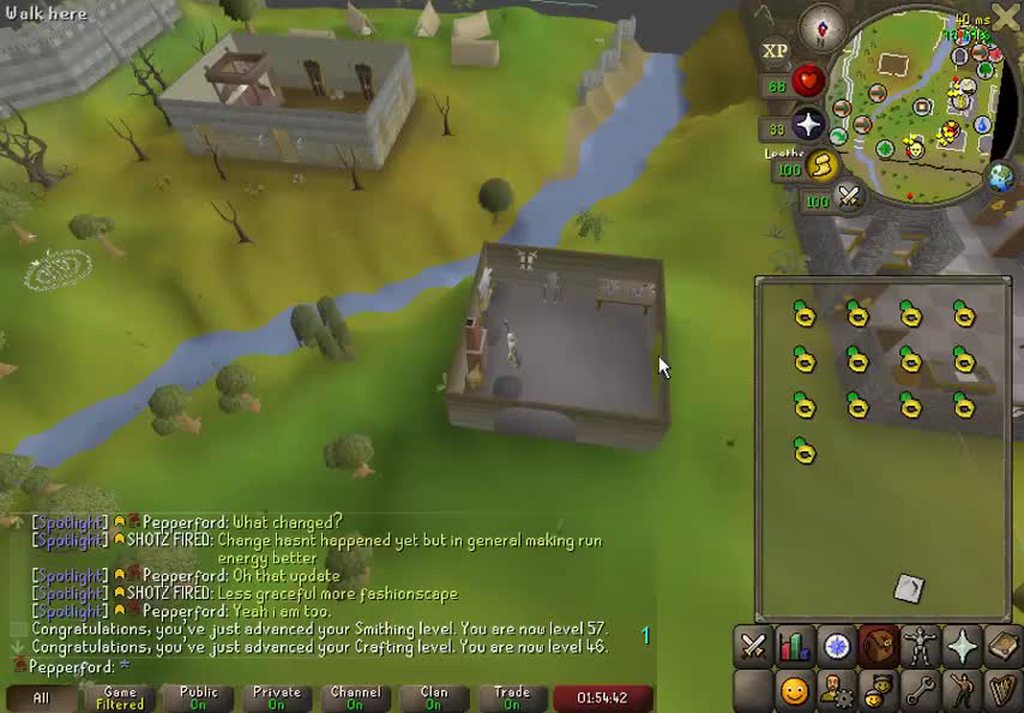
any big brain people that can explain why when using middle mouse button, camera doesnt move when moving mouse slower, (have to move it rather rapidly) in order to have camera start moving. (enhanced precision pointer is turned off)
example: https://i.imgur.com/blGqtUU.mp4
 loud kite
@leaden trail what if it was a dns issue,
round jacinth
summer sluice
any big brain people that can explain why when using middle mouse button, camera...
did you change the rotate speed?
in camera plugin
summer sluice
round jacinth
did you change the rotate speed?
Its been like this for years, just finally asking
round jacinth
that does not mean anything to me
 summer sluice
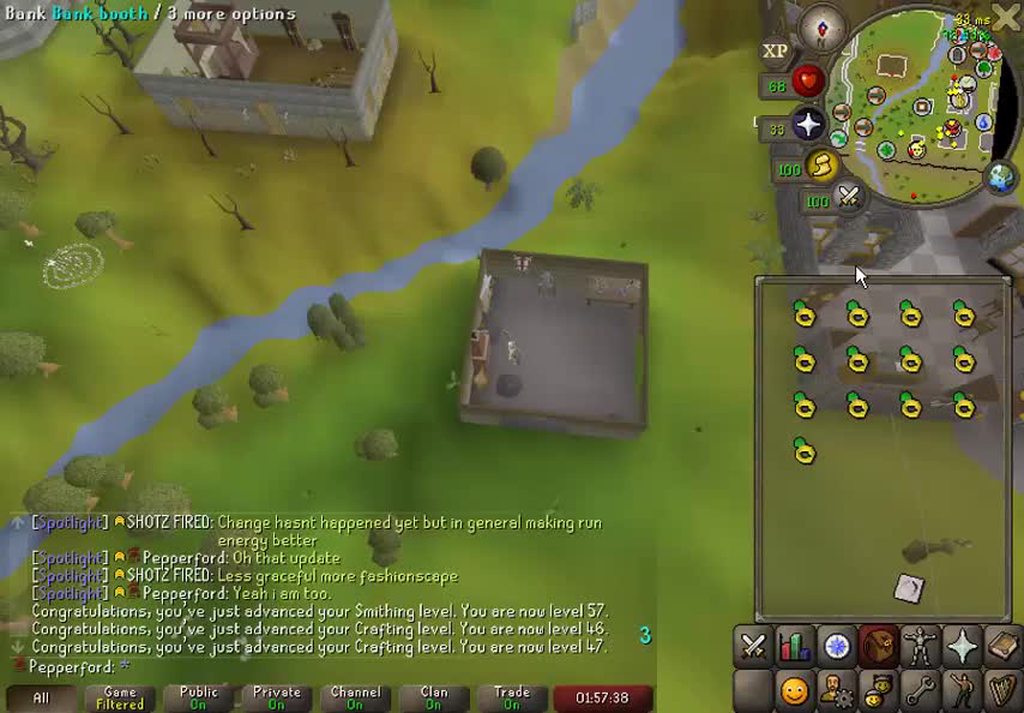
I barely moved the mouse
round jacinth
if you hold down left or right arrow i assume it goes normal speed?
round jacinth
sure but i was asking to ask if normal speed is happening
haughty pumiceBOT
@summer sluice Windows
Run the RuneLite (safe mode) shortcut, or with a Jagex account, first run the RuneLite (configure) shortcut and tick the Safe mode box, then launch RuneLite via the Jagex launcher.
Mac
In Terminal, run:
/Applications/RuneLite.app/Contents/MacOS/RuneLite --configureTick the Safe mode box. Launch RuneLite.
If it's not working, download and install the updated RuneLite launcher from the website link in #welcome. You don't need to uninstall your current version. You will not lose any settings or plugins. Then try running safemode again.
round jacinth
check safe mode i guess or try another mouse
leaden trail
loud kite
<@288504448030867466> what if it was a dns issue,
It doesn't make any sense for your crash to be a dns issue
summer sluice
round jacinth
check safe mode i guess or try another mouse
Its done this for every mouse I've owned
and on a dif computer as well
ill try safemode
oblique plume
mine uised to do that and it was the mouse going bad
round jacinth
i have no clue besides camera that does it
oblique plume
i rebound mmb to mouse4
summer sluice
oblique plume
mine uised to do that and it was the mouse going bad
brand new mouse
oblique plume
great for other games too tbh
round jacinth
sounds about right
round jacinth
why do people do this lol
loud kite
On other applications like Netflix for example it says there’s a network issue. Sam thing with twitch and also rs wiki
leaden trail
Then those aren't related
Your RuneLite problem is related to a JVM crash, nothing to do with networking
loud kite
Would resetting my pc to factory resolve it?
leaden trail
Try the BIOS setting first
That's the thing that has been known to resolve some of these JVM crashes
loud kite
Alright thank you
 odd nacelle
why did cg colour changer osrs get removed? any ideas or a work around, my freind is visualy impaired and struggles to see with it being red.
oblique plume
author said its broken so they disabled it themselves
 ornate kite
Is there a plugin to hide skills like this?
 round jacinth
maybe ask the content creator in the comment section to see what they did for that
oh i found it by searching for it on the hub, go me & go figure
ornate kite
thanks!
ornate kite
Does anyone know how to have different Bank layout tabs for seperate accounts? I try to make a seperate profile however it just still gives me the same bank layouts across both accounts?
round jacinth
if you make a new profile as a duplicate of the first profile, the bank tags will be duplicated too
if you change the bank tags/layouts on profile 2, profile 1 will remain as the original
you can assign a profile for a specific account by using the link

which is only visible when logged in
ornate kite
round jacinth
I have done this just now thank you! So seperate runelite profiles should allow for seperate bank layout tags correct?
round jacinth
yes
 frank thistle
Does anyone know where these horizontal artifacts/lines come from? I've had them for months now and have had no luck googling the issue. I have a similiar issue in the right click menu sometimes, but not always
maybe relevant info:
- Nvidia gpu, amd cpu
- They appear only for the customizable xp drops plugin, not the regular xp drops. And the right click menu
- they appear with stretched mode on and off
Maybe it's 2 different (but possibly related) issues? I've done more testing in the customizeable XP drops plugin.
- The font is not broken up if I use the bold font.
- It is also not broken up in the default font at values of 2^n, e.g. 4, 8, 16, 32, 64 all look normal, while values between look weird to varying degrees

 round jacinth
ornate kite
I have done this just now thank you! So seperate runelite profiles should allow ...
round jacinth
ornate kite
I have done this just now thank you! So seperate runelite profiles should allow ...
the profiles seperate everything that runelite has for settings
there are a few things that stay the same between profiles on the same account like loot tracker and farm timers
ornate kite
round jacinth
the profiles seperate *everything* that runelite has for settings
Thank you, you have fixed it for me you life saver!
 vague bison
Sorry could someone walk me through how to get bank tag tabs to work with potion storage please? Yesterday I somehow got it working, at one point the potions disappeared again and then reappared after opening pot storage.
Today, I cannot for the life of me get the potions to appear in the tabs. I've tried exporting with layout and importing etc etc
All of these unfs were showing yesterday and it was brilliant
 vague bison
Oh wow I swore I uninstalled that
maybe it was on a different profile. Thanks for the good spot
Weird that it worked yesterday though. Idk
Ok so exporting the hub tag layout to clipboard, turning off the plugin and then importing the layout worked
then turning the plugin hub one back on
solid mesa
After you import it to core there’s no reason to turn the plugin hub one back on
gilded kayak
the hub plugin does not have code to work with potion storage, so if you can accidentally break it to work, it will probably stop working again
 vast bone
vague bison
then turning the plugin hub one back on
vast bone
vague bison
then turning the plugin hub one back on
it defers to core layouts if you have them on for a particular tab.
vague bison
Sorry guys maybe I'm just a bit lost but I don't have the placeholder stuff from importing a tag tab into "core" so it's not the same functionality as hub
vast bone
maybe you did it wrong
did you use "import tag tab" on the "+" button on the top left?
vague bison
Ok wait yeah turning off the hub one only breaks Inventory Setups now (which I know doesn't work properly with core).
I can live without that I think
Seems good thanks gang
vast bone
you should be able to leave the hub one on
vague bison
I thought it was an either/or option. So exporting a layout to core is all that's needed? Hub one can stay on for the proper Inventory Setup layouts?
vast bone
yeah
vague bison
Right that makes way more sense then. Sorry for the spam - been a very long day
vague bison
Ah it's a great plugin either way, thanks for your efforts man
vast bone
ty!
 blazing geyser
Can someone help me figure out why zig zag auto layout doesnt become an option unless u turn bank tag layouts on and off again?
round jacinth
core's bank tag layouts doesn't have zigzag but i think if you export the bank tag layout (from hub) with zigzag it imports it into core's bank's layout with the zigzag
it only has a regular auto layout
blazing geyser
oh core doesnt have zig zag. thats unfortunate as its the fastest layout option. but i guess its not a big deal to turn layouts off and on anytime i need a new layout.
solid mesa
I believe Adam plans to add zig-zag to core layouts?
round jacinth
yeah the ability to add presets is a feature of core so potentially more than just default and zigzag will exist
bank tag tabs auto tag zig zag
lol
vast bone
blazing geyser
oh core doesnt have zig zag. thats unfortunate as its the fastest layout option....
just leave hub layouts on. they can coexist.
vast bone
solid mesa
I believe Adam plans to add zig-zag to core layouts?
does he? I don't see him saying that. dilly is adding it natively to IS though.
blazing geyser
vast bone
just leave hub layouts on. they can coexist.
i was having issues having both on in the past, with reordering them and such , it was all wonky so i turned it off
solid mesa
I guess this is what was said #development message
vast bone
blazing geyser
i was having issues having both on in the past, with reordering them and such , ...
you can disable btl per tab and make it not default to on for new tabs.
zealous cedar
the plugin api allows plugins to provide their own layout styles
round jacinth
What would that use case be? i thought it was for core to allow other presets to be added to it but i clearly misread the intent
gilded kayak
inventory setups could generate zigzags without adam having to do anything?
i think thats what he's getting at
round jacinth
yeah or i guess any plugin that wants to do bank stuff could tell the core bank layout to do the magic
 ebon tangle
Maybe sound insane but why is RL like the only program I use where there's like 1 pixel all around the outside I can click the window and it doesn't click RL
The amount of times I've closed my web browser/swapped to it because it's behind RL even though RL looks maximized is like
way too many
zealous cedar
it definitely doesnt do that for me, if i maximize it i cannot click outside of RL
ebon tangle
pebkac
 old tide
why cant i move the bank menu like i can other ui elements?
vast bone
no one made that feature.
gilded kayak
everything else is a widget but the bank is an interface
and yeah nobody ever cared to do it
 crimson plinth
does runelite have issues with login?
i can literally log in through any client other than runelite
gilded kayak
what error do you get
crimson plinth
i always get "too many login attempts"
i can login with steam, official client, mobile
but runelite doesnt work
gilded kayak
yeah all 3 of those are official Jagex clients
this error only applies to us
and maybe hdos i guess
crimson plinth
why am i getting this error?
gilded kayak
because jagex wants to give it to you, we don't know the actual reason
try doing what I forwarded*
crimson plinth
idk how that would help seeing its a runelite issue
gilded kayak
because it's not a RuneLite issue
it's an error from Jagex, that applies to RuneLite
viscid lantern
It applies to the java client, which is what RuneLite uses
gilded kayak
ah yeah right
crimson plinth
ive done a bunch of "fixes" but nothing works, including what you wrote
i cant be the only one having this issue?
gilded kayak
i assume you didn't do the only one on the list that says "this is the only one that will 100% work"?
crimson plinth
i dont want to use jagex account
gilded kayak
you aren't the only person ever to have this problem, but you're the only one here right now
it's just not something we have any control over
jagex decides if you login, not us
crimson plinth
must not be very widespread then if not many ppl are complaining
gilded kayak
it usually isn't no, it's like 1 guy that day, and maybe 1 guy a few days later
it's honestly slowed down a lot recently afaik
crimson plinth
i was having this prob for the last 2 weeks
viscid lantern
definitely became less of a problem recently yeah
gilded kayak
is your roommate running a bot farm
viscid lantern
but we still get a couple users a week
crimson plinth
but it usually solved by logging into an alt with jagex account
but its not working this time
round jacinth
If you already have a jagex account you can just add this character to it?
crimson plinth
its a throwaway alt
i made it just to try to fix the prob
i dont want my actual acc tied to jagex account
viscid lantern
I wonder if bolt needs admin access 
gilded kayak
i wonder if someone at work is running the bot farm
oblique plume
Tru
crimson plinth
lol what
gilded kayak
too many login attempts from that ip address, unless work pc at home
crimson plinth
gilded kayak
too many login attempts from that ip address, unless work pc at home
nah theres no ip issue no one plays osrs aside from me
oblique plume
Allegedly
crimson plinth
jagex being jagex i guess
gilded kayak
just throwing out possibilities based on the error itself, we still don't know the specifics sadly
or good if you're jagex
old tide
wait so the reason i cant move the bank interface is litteraly just because nobodys made that feature?
honestly i was expecting something more complicatedd
old tide
i mean i really want it, i just dont know the first thing about coding
gilded kayak
well it's either we couldn't, or nobody did it
i'm not sure which it is
it's a only "old contributor" kind of question
old tide
it'd be useful for bankstanding so its not like its a pointless feature, thats why i came here to ask, make sure i wasnt missing anything before i bankstand for a couple dozen hours
gilded kayak
someone who's been here a lot longer than me
vast bone
is "bankstanding" for you skilling?
old tide
yes?
vast bone
ok cause a lot of people use that for standing there doing nothing XD.
old tide
ykno like fletching bows, making wines that kind of thing
gilded kayak
dont people move the inventory for that
old tide
oh fr? what do they call this then
viscid lantern
skilling
vast bone
gilded kayak
dont people move the inventory for that
true good idea.
old tide
OH THAT WOULD WORK IM SO STUPID THANK YOU FELANBIRD
gilded kayak
lol
vast bone
"bankstading skilling" maybe.
gilded kayak
np
vast bone
or just "fletching" or w/e.
viscid lantern
oh I think you suggested smth smart felan!
old tide
you have saved my rsi from getting worse
 swift stream
Hey guys! When I'm arranging my items in the bank manually and then close the bank. It rearranges my items again by some default mode. Is this a runelite plug-in thats causing this?
swift stream
I'm new sir, so to be honest, I can't answer your question since i don't know the difference.
swift stream
Sure! Here you go
 vast bone
my best guess is he's leaving empty spaces and expecting them to stay
otherwise I have no idea how it'd move by reopening the bank.
 viscid lantern
ah yes, good call geheur
vast bone
how tf did he do that
gilded kayak
i'm not sure
swift stream
LMAO
vast bone
did they change how the vanilla bank works?
swift stream
just drag and dropping bro
vast bone
was that always possible?
viscid lantern
the bank will always condense everything down
vast bone
well anyways if you want that to stay you have to hit the wrench in the top right and add placeholders
or uh, bank fillers.
that or use bank tags.
viscid lantern
so you will need some kind of item to fill those gaps, the bank offers these for that: https://oldschool.runescape.wiki/w/Bank_filler
gilded kayak
or you can use our Bank tags plugin to make it appear as if the bank is sorted that way
swift stream
I'm happy with the fillers, thank you!
gilded kayak
you're basically doing what our plugin does, in the default bank, which doesn't actually support that
vast bone
I can't figure out how he did that unless it requires you to have no bank tabs.
if I drag an item to empty space it won't move.
swift stream
is the plug in named, bank tag layout?
gilded kayak
bank tags in the 🔧 tab is our default plugin
vast bone
the already installed "bank tags" plugin
gilded kayak
bank tag layouts is geheur's extra plugin from the  tab
tab
vast bone
bank tag layouts works but it's not really being updated atm.
swift stream
yeah i have it. But that didn't solve my issue? Or did you guys mean that its only possible to do what I did with that plug-in? If that's the case, then now we know 🙂
gilded kayak
yes what you want to do is possible with the bank tags plugin
swift stream
but it's still re arranging it by default when closing the bank
viscid lantern
yeah you would have to open the bank tag after you open the bank
its a powerful feature but keeping your bank tidy is equally useful
swift stream
how do i open the bank tag?
gilded kayak
what you want to do is click the + and the chatbox will turn into an input box, type a tag name into there
swift stream
and that is what a tag is?
gilded kayak
yeah, it will cause a new button on the left side of the bank, using the shovel as a default
swift stream
Wow
gilded kayak
left-click on that new button and it will make the bank appear as if it's empty
swift stream
Beautiful, thank you so much
gilded kayak
right-click it and toggle the enable layout button
and then you can drag the items around as you add them, you can add them by dragging them from the real bank to the icon on the left

this is the end result
vast bone
what is that
gilded kayak
putting the item wherever you want, by the default bank is not changed
vast bone
a chainsaw?
gilded kayak
raw graahk
swift stream
Yeah, thank you so much! 🤝
viscid lantern
keep in mind that a bank tag is only visual and only on runelite, if you also want to play on mobile you still want to keep stuff organized in the normal bank as well 
 toxic girder
anyone able to help me out a bit here. I killed wave67 Jad, logged out and logged back into wave68 triple jads, and all 3 of them were invisible
I don't think I have any plugin that uses any sort of "hide dead npcs" function
vast bone
were they clickable?
toxic girder
no, there was nothing on my screen at all
gilded kayak
are you still in there
toxic girder
well
vast bone
no he's fucking dead lol
gilded kayak
or did they bash u
toxic girder
no I died instantly lol
toxic girder
vast bone
"yeah I'm just flicking based on sound in between typing messages here"
toxic girder
maybe a bit loud volume but u can see what happens (or, what doesn't happen) here
viscid lantern
do you have that inferno plugin that auto colors the square indicators based on their hp?
toxic girder
viscid lantern
do you have that inferno plugin that auto colors the square indicators based on ...
Yes, but I specifically have the "hide on death" function on it disabled
viscid lantern
I have heard from others that that plugin can cause invisible npcs
but never been able to confirm/deny that
gilded kayak
where's lenny we need wave-picker on the beta worlds egg
idk if there's even a beta world right now but still
viscid lantern
there isnt 
gilded kayak
sad
 bright dew
is there any way for npc highlights to persist they keep resetting lol
leaden trail
tag-all
bright dew
ah does that fix it, ty
toxic girder
viscid lantern
there isnt <:Sadge:1152558435615916065>
is there any other server I might be able to test it on? not sure if there's some way to go in on speedrun worlds or something like that
viscid lantern
sadly not
toxic girder
I really don't wanna sit through another 68 waves for this to happen again/to be able to test lmao
viscid lantern
it would have to be a hub plugin messing up though
vast bone
    boolean shouldDraw(Renderable renderable, boolean drawingUI)
    {
        if (config.hideDead())
        {
                   // ...
        }
        return true;
    }
hard to imagine it would fuck up.
maybe something else?
toxic girder
vast bone
```java
boolean shouldDraw(Renderable renderable, boolean drawingUI)
{
...
is this from the tzhaar hp tracker plugin?
vast bone
yes
toxic girder
i dunno then
viscid lantern
yeah if that config isnt set it cant cause this
toxic girder
this is the only setting I use anywhere that hides anything

and thats for ignored players
toxic girder
cant do 3+
i will go try 1 and 2
not sure if those jads use the same NPC ID as inferno Jads or not
or even if single & triple jads in inferno are the same either
because single jad was there just fine
 hollow olive
vast bone
no he's fucking dead lol
hollow olive
vast bone
no he's fucking dead lol
omegalul
vast bone
yeah funny vid.
toxic girder
toxic girder
i will go try 1 and 2
these both worked fine
also, both of them do share the same NPC ID as each other
 thin tiger
So, my ''Quest Helper'' icon on the right side of runelite has disappeared. I have completely uninstalled and re-installed runelite, as well as the plug-ins but I can not get quest helper back. Is there something I am missing here?
gilded kayak
!logs
haughty pumiceBOT
To find the logs, you can do one of the following:
- If your client failed to open, click the
Open logs folderbutton. - Open the screenshot directory by right-clicking 📷
Camerabutton, navigate 1 directory up, then open logs folder. - Navigate to
%userprofile%\.runelite\logson Windows or$HOME/.runelite/logson Linux and macOS.
Upload the log files named client and launcher by dragging them to Discord. If there are files prefixed with jvm_crash dated from today, upload them too.
gilded kayak
there's probably a log that says why
thin tiger
gilded kayak
wow that's an impressive amount of internet errors
i think ur internet is lagging a little bit
thin tiger
Very well could be. I live in the middle of nowhere. But never had an issue before.
gilded kayak
it's failing to download both 117 and quest-helper, and it also failed to load the world data (the client sidebar world hopper)
but that second error seems to have stopped happening
thin tiger
I have two computers. The other one has no issues. I was thinking there was an update or something here that may have happened and got corrupted. What may you suggest at this point? I have already reinstalled everything...
gilded kayak
is maybe one wired and the other one wifi
thin tiger
The one that is not working for me is wired Ethernet to the router. Correct
leaden trail
That's backwards from what I would expect tbh
gilded kayak
same lol
thin tiger
Hahah I thought so too.
gilded kayak
maybe use the working one for a bit? it almost certainly smells like an ISP issue
thin tiger
Roger. I will give it a try for a bit here this week and see if anything can change.
gilded kayak
i'd be surprised if the issue didn't just go away
thin tiger
Ill keep you guys posted on if it comes back. I appreciate the advice
 tulip furnace
Hello, I am getting the error once I open Runelite, the whole client freezes. I checked the logs and it stated that I had to allow runelite to the firewall protection. Now it still wont work. Any other suggestions)"?
leaden trail
Post your logs here
haughty pumiceBOT
To find the logs, you can do one of the following:
- If your client failed to open, click the
Open logs folderbutton. - Open the screenshot directory by right-clicking 📷
Camerabutton, navigate 1 directory up, then open logs folder. - Navigate to
%userprofile%\.runelite\logson Windows or$HOME/.runelite/logson Linux and macOS.
Upload the log files named client and launcher by dragging them to Discord. If there are files prefixed with jvm_crash dated from today, upload them too.
tulip furnace
haughty pumiceBOT
run this command in cmd, then show us the displayed output through a screenshot.
"%localappdata%\runelite\runelite.exe" -c -v --console -- --debug
can u do that
tulip furnace
"%localappdata%\runelite\runelite.exe" when I type this is CMD prompt it says it cant find anything
gilded kayak
what if you left-click & drag the runelite.exe shortcut into cmd, and then put
 -c -v --console -- --debug
``` at the endi would guess u installed runelite somewhere other than the default spot, which that command expects

 gilded kayak
very interesting
tulip furnace
indeed
tulip furnace
Nothing to do with latest drivers or latest windows update? otherwise nope idk either
gilded kayak
hmm
leaden trail
I'd honestly try reinstalling at that point
gilded kayak
the error is clearly talking about timezone but the first log you generated clearly has a timezone in it
tulip furnace
leaden trail
I'd honestly try reinstalling at that point
Done that multiple times, didnt work sadly
leaden trail
Your log looking like this scares me a bit
 tulip furnace
keeps freezing my whole pc.. XD
 gilded kayak
-1 point to klogg i had to open n++
tulip furnace
not to old? XD
leaden trail
This is me throwing things at the wall and seeing what sticks, but a quick Google is making me think file encoding issue?
I don't know how you may have arrived there though
leaden trail
That would be the $64000 question
 alpine roost
leaden trail
Your log looking like this scares me a bit
alpine roost
leaden trail
Your log looking like this scares me a bit
this one
tulip furnace
Weeeel was a nice run then 😉
It has been working for 5 years straight, but now since I downloaded my windows on my SSD it seems to not function. Updated my windows to latest possible and updated my nvidia drivers to latest possible of my graphic card
gilded kayak
there's probably a single file causing the problem, but since I don't know what it is we'll just have to try something blanket
can you rename the .runelite folder you got the logs from, to something like .runelite-old
and then start the client, it will generate a new folder
alpine roost
can i ask for some help with something if you aint too busy?
gilded kayak
maybe but it will depend on what the problem is
alpine roost
i got runelite on linux for my chromebook and when i try to make a new account it says i need to use the jadex launcher
haughty pumiceBOT
Using Jagex accounts on Linux is not officially supported by Jagex, but there are some third party community guides to make it work https://help.jagex.com/hc/en-gb/articles/13413514881937-Downloading-the-Jagex-Launcher-on-Linux
tulip furnace
I can’t edit .runelite file it seems like
nevermind i can.
now restart the launcher?
gilded kayak
probably doesn't matter if you mean the Jagex launcher
just need runelite.exe to run in any way
double-click the shortcut or play button on the jagex launcher
gilded kayak
it wont load any of your plugins because we're pretending to be a fresh install right now
but as long as the client actually starts then that problem is solved
gilded kayak
alright so the main thing you'll care about is importing your settings again
you can do that with 🔧 ->  -> import profile
and then go to the .runelite-old folder -> profiles2 folder -> the file that's named the same as your profile
or the one that's the largest defaultOrSomething-195608712509812.properties
i made up the name and number obviously
alpine roost
what does this mean?
 stone parcel
Did you use the instructions for Chromebook? I'm not sure wine should be involved at all.
alpine roost
i did and then went to this github thing
stone parcel
At the bottom of the "TormStorm's jagex-launcher-linux project on GitHub" is the section that says for ChromeBook, and thats where that is from.
stone parcel
If you still can't get it working, the people over at Torm's discord might be able to help with installing and setting up Bolt. 😄
haughty pumiceBOT
For support with using Jagex accounts on Linux, visit 7ormRS's Discord https://discord.gg/aX7GT2Mkdu
 leaden trail
it's probably useful for them somehow 🤷
alpine roost
idk how tho
 lapis elm
The Spotify desktop client is cef
alpine roost
holy shit dudes i was struggling till i found out i didnt have the bolt launcher installed on linux
☠️
got it to work

 obsidian sable
I've been having an issue over the last 2 weeks where my client will go totally black and then when I close it/ re open still same issue. The only fix I've found is uninstalling runelite and then reinstalling to fix. I use GPU plugin not HD- I know some people mentioned to switch between the two but no prevail. Anyone else had this issue or know any perm fixes??
obsidian sable
yes
obsidian sable
It shows my drivers are all up to date.
gilded kayak
yeah that's the bad one right now
obsidian sable
I didn't manually update them I think its on auto
gilded kayak
we've had lots of people so far say downgrading 1 driver version fixes that issue
 frail sentinel
I'm having an issue with Ground Items Highlighted list, and I'm not sure if I'm stupid, user error or if it's a bug.
Items in my inventory automatically add themselves to the Highlighted List, but they persist. I'm trying to backspace/erase the item from the list, but it doesn't save. I'm trying to ovveride by alt clicking the minus symbol, but after 1 second it's back on the list. There are also other items on the list that I am unable to remove, and those items are not even in my inventory.
Edit: I am also unable to alt + items to the highlighted list, they just remove themselves.
Does anyone have any suggestions? I've tried resetting the settings, and the issue has persisted throughout 2 reinstalls of runelite / jagex launcher.
round jacinth
which items are adding themslves back?
frail sentinel
round jacinth
which items are adding themslves back?
Death Runes, Ancient Shard, Coins, Blood Shard, any item I pick up as a drop, even if I remove the item from my inventory (for example Adamant Arrows from Vampyres)
haughty pumiceBOT
Windows
Run the RuneLite (safe mode) shortcut, or with a Jagex account, first run the RuneLite (configure) shortcut and tick the Safe mode box, then launch RuneLite via the Jagex launcher.
Mac
In Terminal, run:
/Applications/RuneLite.app/Contents/MacOS/RuneLite --configureTick the Safe mode box. Launch RuneLite.
If it's not working, download and install the updated RuneLite launcher from the website link in #welcome. You don't need to uninstall your current version. You will not lose any settings or plugins. Then try running safemode again.
oblique plume
Uninstall the plugin you installed that does that
round jacinth
i thought maybe it was the BA plugin but idk which it would be
but yeah you've got a hub plugin doing it
frail sentinel
round jacinth
i thought maybe it was the BA plugin but idk which it would be
I have disabled the BA plugin as someone offered that up previously
round jacinth
well there is only 1000 otherp lugins on the hub and we don't know all of them by heart
but you installed it lol
frail sentinel
round jacinth
but yeah you've got a hub plugin doing it
Sorry, english isn't first language, by hub plugin, do you mean something like Item Menu Swapper, or any 3rd party plugin?
 frail sentinel
ah....okay
So, try safemode, if it works there, then basically I just have to disable every plugin, enable one by one until I figure out which one is the one causing issues?
round jacinth
well you can probably reason which one it is i imagine rather than just trying them all
but that is the gist of the idea
frail sentinel
round jacinth
well you can probably reason which one it is i imagine rather than just trying t...
I actually have no idea >.>
Okay, thanks!
 raw shuttle
anyone having trouble logging in? saying failes to log in?
 mental summit
Does anyone know whats going on here?
 haughty pumiceBOT
Graphical artifacts? Try disabling hardware acceleration: https://github.com/runelite/runelite/wiki/Disable-Hardware-Acceleration
stone parcel
That might help.
mental summit
Unfortunaly, it did not
I installed 117 HD plugin and it seemed to have fixed itself
stone parcel
Interesting, glad to hear.
 hexed pine
hey, my client is getting full out stutters, like if I were to click an item at the time of the stutter, my mouse would be frozen on the item and it would sit there looking like its clicked but not moving
is this a runelite issue?
I dont have any problems with any other games
 flat wagon
Does this happen in safe mode?
haughty pumiceBOT
Windows
Run the RuneLite (safe mode) shortcut, or with a Jagex account, first run the RuneLite (configure) shortcut and tick the Safe mode box, then launch RuneLite via the Jagex launcher.
Mac
In Terminal, run:
/Applications/RuneLite.app/Contents/MacOS/RuneLite --configureTick the Safe mode box. Launch RuneLite.
If it's not working, download and install the updated RuneLite launcher from the website link in #welcome. You don't need to uninstall your current version. You will not lose any settings or plugins. Then try running safemode again.
hexed pine
if it works in safe mode what does that mean
stone parcel
Issue is caused by hub plugin or gpu.
hexed pine
kk so far no lag and I feel like by now I would have
is thre a way I can narrow down what plugin may be doing it?
 hot oasis
!flow
haughty pumiceBOT
flowchart: Please refer to this flowchart for further troubleshooting.
hexed pine
omg tyty
 fickle mulch
Is the issue of bank tags icon having an item in your bank not behaving correctling in the view tag tabs screen known?
For example I'm trying to view my spidines tab but instead it's just withdrawing the eggs
Now if I change the icon to something I don't have in my bank, it behaves normally
zealous cedar
that is not known. does it happen in safe mode?
zealous cedar
hmm ok ill look into it
fickle mulch
Thanks! I'm migrating from bank tag layouts and everything is fine besides this

 final axle
by default it only shows up when you're in zulandra iirc
can change it in the plugin's settings
 sharp crane
you're the best
 lime jacinth
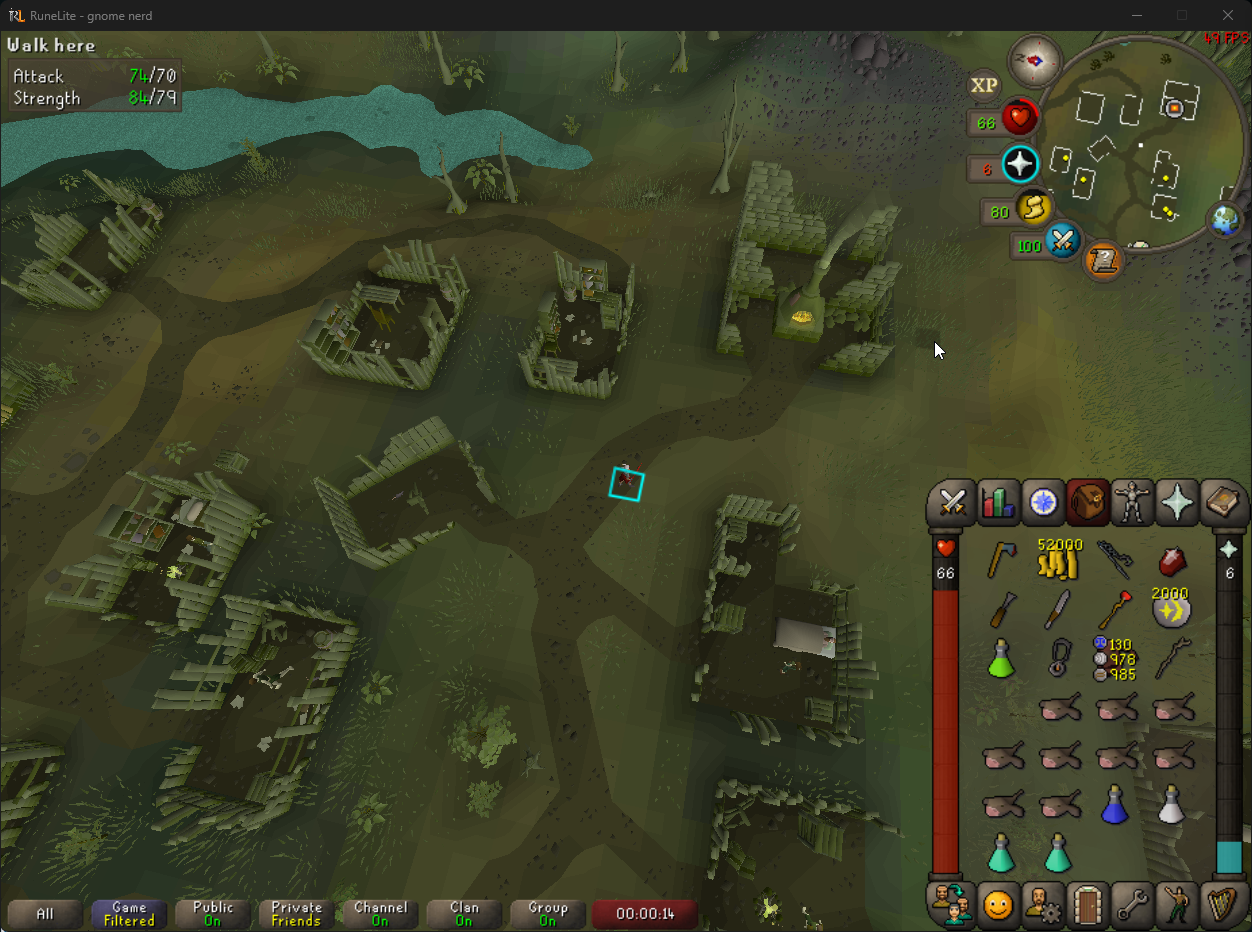
what plugin causes this
 solid mesa
Did you install blindfold?
lime jacinth
I did not
This only happened when I entered volcanic mine
turning skybox on changes the color of the black background
solid mesa
Then it's most likely a volcanic mine plugin
And if you can't figure it out then you'll have to disable plugins to determine the source
haughty pumiceBOT
Please refer to this flowchart for further troubleshooting.
solid mesa
Just start down the yellow path basically
 solid mesa
Ctrl + F11
 terse dust
thank you, must've clicked it by accident
still wind
hey, how's it going... few days ago i started playing runescape again, i've always used runelite and i have an issue where my game freezes for like a second everytime new tiles are being loaded. This only happens when the GPU plugin is allowed, so its related to that im afraid... i don't know why this happens, because i get 144 fps consistently, so i think its no related to my pc performance (btw i have an AMD graphics card, an RX Vega 56)
i downgraded the drivers 2 times, i don't know if i should keep downgrading
solid mesa
If you create a new profile with no plugins and GPU on does it still happen?
still wind
solid mesa
If you create a new profile with no plugins and GPU on does it still happen?
yes, but let me double check, 1 sec
still wind
solid mesa
If you create a new profile with no plugins and GPU on does it still happen?
yes, it still happen
its def GPU
solid mesa
A lot of people with AMD GPUs have been having issues with drivers from the last week of October but it sounds like you've already tried downgrading
still wind
solid mesa
A lot of people with AMD GPUs have been having issues with drivers from the last...

like i said, i don't know if i should keep downgrading, idk if that would solve the issue
maybe there is something i didn't try..?
solid mesa
I'm not sure, maybe there's something in logs
haughty pumiceBOT
To find the logs, you can do one of the following:
- If your client failed to open, click the
Open logs folderbutton. - Open the screenshot directory by right-clicking 📷
Camerabutton, navigate 1 directory up, then open logs folder. - Navigate to
%userprofile%\.runelite\logson Windows or$HOME/.runelite/logson Linux and macOS.
Upload the log files named client and launcher by dragging them to Discord. If there are files prefixed with jvm_crash dated from today, upload them too.
still wind
solid mesa
I'm not sure, maybe there's something in logs
how do i check that?
just reading the notebook?
notepad, idk how is it called in english haha
solid mesa
In explorer go to %userprofile%.runelite\logs find client.log and launcher.log and drag to discord
blazing geyser
Anyone know why this is happening? and how to fix?
still wind
solid mesa
In explorer go to %userprofile%\.runelite\logs find client.log and launcher.log ...
sure
solid mesa
Do you have client.log too?
solid mesa
There's very little in the log. Not sure if it's a driver issue or what the problem might be
still wind
i see, i will downgrade to a 2023 driver or something and if it doesn't work then im cooked i think
 silent sun
is there a way to hide the auto layout submenu entry? i dont plan on changing it regularly, so would rather it not be here most of the time

oh i bet i can use custom menu swaps to do it
yeah, that worked lol
 muted girder
hey guys, i get this error when i start runelite on Jagex launcher
The file permissions of C:\Users\Administrator.runelite, or a file within it, is not correct. Check the logs for more details. If you rerun RuneLite as an administrator, RuneLite will attempt to fix the file permissions.
run as an admin is not working
 rain axle
hey guys i restarted my pc and the runelite gpu plugin was turned off by default and wouldnt turn back on, can anyone help me trouble solve what is stopping it from being available? please would appreciate it
mossy swan
most likely your gpu drivers do not support it (so try updating them)
mossy swan

fickle mulch
I have a question about potion storage and Bank Tags. It seems that you can only withdraw the dose that's set in storage, if not already in the bank. For example if I have no potions in the bank, I cannot withdraw both a 4 dose and a 1 dose of the same pot from storage through bank tags?
fickle mulch
Understandable. It's a miracle it even works at all
There's no API to have runelite set dose count?
vast bone
I think it's possible but it is kind of against jagex's rules
would they care if it was done? idk
I guess adam wasn't willing to test it.
I think the current incarnation is already doing some stuff that would be rejected from the plugin hub.
iirc.
 lusty lagoon
i dont understand for motherload mine why its deposits left instead of room in the sac but the number remains at 0 no matter how much paydirt i put in i think it needs to be updated.
 turbid barn
since this week's update, sometimes my keybinds only halfway work until I restart the client? seems to occur after pc has been asleep with runelite open. If I then login without restarting runelite, my f-key rebinds (1,2,3, etc) and my A/D camera rotation(W/S still works for camera pitch?) no longer function. any ideas / is this just a me problem?
 storm basin
anyone know why this is happening to my chat bar
 leaden trail
Honestly sleeping your computer with the client open can tend to just cause weird issues
storm basin
that off center private chat is freaking me out
leaden trail
storm basin
anyone know why this is happening to my chat bar
This looks like it's probably a resource packs problem
storm basin
leaden trail
This looks like it's probably a resource packs problem
i turned it off it didnt change it :/
leaden trail
Turn it off and restart your client
storm basin
leaden trail
Turn it off and restart your client
Didnt help -- if i go from full screen to windowed it fixes but then if i switch the tab im in (inventory to say prayer book) it breaks
its not game breaking so its fine but thought maybe there was a fix no worries
leaden trail
Does it happen in safe mode?
haughty pumiceBOT
Windows
Run the RuneLite (safe mode) shortcut, or with a Jagex account, first run the RuneLite (configure) shortcut and tick the Safe mode box, then launch RuneLite via the Jagex launcher.
Mac
In Terminal, run:
/Applications/RuneLite.app/Contents/MacOS/RuneLite --configureTick the Safe mode box. Launch RuneLite.
If it's not working, download and install the updated RuneLite launcher from the website link in #welcome. You don't need to uninstall your current version. You will not lose any settings or plugins. Then try running safemode again.
storm basin
leaden trail
Does it happen in safe mode?
doesnt happen in safe mode so then it is plugin related?
leaden trail
Yup
 dawn turtle
Anyone familiar with why clan vex doesnt show on RL? Works fine on offical client. No issue with other items.
 zealous cedar
Its a jagex bug
it does not actually work on the official java client, it works on the official c++ client since they have patched it there, but not on java
dawn turtle
zealous cedar
it does not actually work on the official java client, it works on the official ...
Oh perfect thanks for explaining
 halcyon cobalt
Hello! I'm running RL via the Jagex client.
Quick issue- I closed the sidebar after turning on the GPU renderer (the game was fine while the sidebar was open) however, as soon as I closed it, the screen was covered in [what I can only assume is] a black overlay I could do nothing about.
I presume it's an overlay because opening and closing the sidebar shows me flickers of the game client underneath. This persists even after exiting and reentering the program.
oblique plume
amd gpu?
halcyon cobalt
Yup.
oblique plume
roll back driver
halcyon cobalt
Sigh. Of course. Thank ya kindly.
oblique plume
use this one
halcyon cobalt
Oh, that helps a lot. Appreciate it.
 rapid tiger
is there a runelite plugin that tracks my total net worth and displays it on a graph? I know about the bank value tracker but it swings wildly up and down since it only tracks my total in bank and not on my character or what I have in the GE (I flip a lot)
leaden trail
I think that's the closest there is
round jacinth
rapid tiger
is there a runelite plugin that tracks my total net worth and displays it on a g...
you'd be better off using go ogle sheets than a plugin probably, and just work with the exported ge data?
rapid tiger
That's a lot of work, I'll just stick to the bank value tracker then. It's a lot better than nothing
 rapid tiger
It's just a bit of fun anyways, number go up 🙂
round jacinth
because the bank value plugin will swing wildly as you said, some items contribute to the total value but you'll never sell
ge flipping utilities might track metrics too, but thats all that comes to mind
rapid tiger
I find it a bit annoying that some items are listed as having a GE value, like graceful, because they can technically be converted back to marks and used to buy amylase. Obv nobody will do that
round jacinth
but you can and that's why it's included.
rapid tiger
wish I could manually override it though, I know I'm never selling it
round jacinth
can't sell what hexagon has hostage

 oblique plume

 lethal palm
hello, question. i stopped playing last year and since had wiped my pc. is there anyway to get my profile back? or im i stuck remaking my profile. mostly want my inventory setups back lol. i have logged into runelite but still nothing
leaden trail
If you hadn't set your profile to sync then it's gone
lethal palm
i remember once apon a time i had it synced as i had gotten it back after a similiar situation..
leaden trail
If you had it syncing
haughty pumiceBOT
leaden trail
You can try following that
lethal palm
ya i dont think i can get it back 😦
gonna my backup drive.. maybe i saved it
SCORE! found a backup.. all my inventory setups are in it 🙂
 lone juniper
Having trouble changing chat colors. Its greyed out in the OSRS settings, but I assume its because of the Chat Colors plugin, but changing that plugin doesn't seem to actually change my chat colors.
Trying to change Clan Chat specifically.
 sudden nova
Idle notifications are causing both of my monitors to flash white on mac os after update. This didn't happen before, and doesn't happen on other os level notifications. Anyone seen anything like this? I've tried turning on/off different settings in Runelite notifications but its still causing full screen flashes even without request focus or desktop notifications turned on.
ah nvm, it was screenshot boss kills turned on and the os is flashing the screen for the screenshot 🤦♂️ actually no it wasn't still happening with screenshot plugin turned off
oblique plume
do you have the flash option on for notifications in "runelite" settings
sudden nova
yes, but its a different flash happening, like the color is different and runelite itself still flashes independently of the entire screen flash -- additionally the entire screen flash only happens once even if the setting is for flashing until cancelled.
Also the entire screen flash happens even if the "flash" setting is disabled in runelite
If i turn off idle notifier it stops, so its definitely triggered by the runelite notification
 torpid kelp
I just turned on cloud sync for my profile and now my loot tracker reset to the kc & loot I got on another PC that I rarely use
haughty pumiceBOT
 still badger
Hey guys bit of a strange one but I've installed some plugins and restarted my client and ive found the plugins arent there anymore and some default ones turned off. Is there any reasoning for this?
haughty pumiceBOT
still badger
ty
 clever thunder
In Inventory Setups/bank tag layouts, the bottom at the bottom right that refreshes the filtering to match the plugin tab on the right is missing
 oblique plume
they dont work together anymore
viscid lantern
you can right click the worn items button top left and toggle the layouts, I think that will refresh it
clever thunder
is that a bug or intended
round jacinth
It’s intended, the layout is from core’s bank tag instead of from the hub plugin which is what added those icons
 timid rock
lone juniper
Having trouble changing chat colors. Its greyed out in the OSRS settings, but I ...
timid rock
lone juniper
Having trouble changing chat colors. Its greyed out in the OSRS settings, but I ...
theres 2 different sets of colours for opaque vs transparent
lone juniper
Neither do anything
 misty crater
is motherload mine bugged atm? its not tracking how much paydirt is in the sack
solid mesa
They plan to coldfix it on Wednesday
misty crater
leaden trail
It's a Jagex bug
gotcha thank you
swift stream
hey guys, my quest helper isnt working. It's not syncin, anyone knows why?
haughty pumiceBOT
Visit Zoinkwiz's Quest Helper plugin discord (https://discord.com/invite/XCfwNnz6RB) for support, issues & feedback
leaden trail
You're better off asking in their discord tbh
swift stream
Sorry, thought it was runelites plug-in!
gilded kayak
anything you install from the tab we've checked to make sure it wont hack you, but that's it
oh and doesn't break the rules too I guess
 normal mauve
Hey guys. Can anyone help me with this? 117 HD keeps giving me memory error
leaden trail
Uninstall some hub plugins
normal mauve
Alright will try. Thank you
 covert sorrel
Enabling stretched mode plugin on a clean profile is causing FPS to drop to 20 or lower when moving cursor in circles around the viewport. Not sure if anyone else has reported similar behaviour.
 onyx wedge
Heya @ionic ivy it seems that the equipment screenshot plugin is no longer working (for a couple weeks I think), looking at the client log this is what I got as an output
 glacial sand
Hello, I know Priff isn't great for performance but is 1.8GB of RAM usage normal?
 zealous cedar
I think that is kind of high. my client is using 866mb atm. but I am at araxxor
glacial sand
Shoots up towards 1.9GB-2.0GB if I disable the "Priffdinas" plugin
zealous cedar
i dont know what that is
glacial sand
Essentially just removes scenery to improve performance supposedly
mossy swan
its a copy of your fossil island plugin, down to the icon lol
zealous cedar
that would reduce gpu load, not memory
 ionic ivy
onyx wedge
Heya <@141364906376167425> it seems that the equipment screenshot plugin is no l...
ionic ivy
onyx wedge
Heya <@141364906376167425> it seems that the equipment screenshot plugin is no l...
thanks, I'll look into it
 hollow yoke
How do I incorporate the muspah/dt2 unique item jingle sound to all the rare items on drop?
round jacinth
Find the sound id and then you’d have to find the logic to have the sound play for the event(s) that make rare drops happen
Other plugins exist that play sounds either from in game existing or custom sounds
loud kite
Can someone assist me with runelite issues? it keeps crashing and idk why
haughty pumiceBOT
To find the logs, you can do one of the following:
- If your client failed to open, click the
Open logs folderbutton. - Open the screenshot directory by right-clicking 📷
Camerabutton, navigate 1 directory up, then open logs folder. - Navigate to
%userprofile%\.runelite\logson Windows or$HOME/.runelite/logson Linux and macOS.
Upload the log files named client and launcher by dragging them to Discord. If there are files prefixed with jvm_crash dated from today, upload them too.
 sinful steppe
my menu entry swapper isnt working. can someone help me?
gilded kayak
the in-game shift-click-to-drop setting probably got disabled
a bunch of people are saying that happened for some reason
sinful steppe
that isnt it
sinful steppe
I cant swap the menu entries for items in my inventory
but it works for everything else
been like this for a week or so
hollow olive
did you double check the mes settings? and this stuff is on ?
 haughty pumiceBOT
safemode: Windows
Run the RuneLite (safe mode) shortcut, or with a Jagex account, first run the RuneLite (configure) shortcut and tick the Safe mode box, then launch RuneLite via the Jagex launcher.
Mac
In Terminal, run:
/Applications/RuneLite.app/Contents/MacOS/RuneLite --configureTick the Safe mode box. Launch RuneLite.
If it's not working, download and install the updated RuneLite launcher from the website link in #welcome. You don't need to uninstall your current version. You will not lose any settings or plugins. Then try running safemode again.
gilded kayak
something you installed from the tab is causing your issue
gilded kayak
not really, it could be any hub plugin honestly
sinful steppe
shit
gilded kayak
you can sort by most-recently-updated on the rl website
hollow yoke
round jacinth
Find the sound id and then you’d have to find the logic to have the sound play f...
Sound ID is 6765. Where do I add this ID to play while the unique drop occurs
leaden trail
loud kite
If you tried disabling SpeedStep like I mentioned, I don't think we really have a good solution for this unfortunately
Oh wait
This is a different crash
sinful steppe
how do you see the most recently updated section on rl?
gilded kayak
solid mesa
Sort by time updated
haughty pumiceBOT
@loud kite Visit 117's HD plugin discord (https://discord.com/invite/U4p6ChjgSE) for support, issues & feedback
sinful steppe
thanks bros
leaden trail
You can turn off 117 or ask them if they know a solution
But this is actually a different crash than the one from yesterday
round jacinth
hollow yoke
Sound ID is 6765. Where do I add this ID to play while the unique drop occurs
i dont think there is one, you'd have to make it
loud kite
117 is making it crash you think?
the thing is I'm also in a discord call and it also disconnects me from the call at the same time
 heavy dragon
Cannon plugin needs to be updated I think. It’s not showing ammo hit double hit splat tiles
round jacinth
try picking it up and putting it back down
i think they mean it's not indicating the tiles around it
solid mesa
Yea I see that now
round jacinth
which can happen if the animation for placing the cannon is interupted i think?
leaden trail
loud kite
117 is making it crash you think?
Seeing as the crash log mentions 117, yes I think it's pretty likely
 fresh crypt
Evening gamers, hopefully a QQ...I've been tinkering with the Camera plugin along with Key Remapping. Both WASD/Arrow keys spin my camera opposite of what is expected as I'm used to MMB. D spins counterclockwise, A spins clockwise...just checking if it's is expected or is backwards for some reason. Thanks!
Also, I tried "Right-click moves camera" but I'm far too used to Right-click > Walk here to do that unfortunately...
leaden trail
Yeah that sounds about right I think
fresh crypt
Spinning left hitting the right key (D) just feels weird, throws me off. I'll get used to it if it's expected
Obv it's spinning to look at my character's right side, but I've been using mouse for ages. Thanks Dura. Let me know if you have anything to add!
 quartz wagon
Hi, an Irl friend of mine, and Myself were both logged out of Runelite, at some point, yesterday. This has never EVER happened to either of us, previously, and want to confirm that it will be okay to sign back in? I use the Jagex Launcher. I also wanted to know if this has happened to anyone else, at any point, and Why this would happen?
gilded kayak
do you mean signed out of the game, like the 1-click login button was not there, or signed out of the RuneLite account via google
zealous cedar
Jagex signed a bunch of people out of the jagex launcher the other day
still badger
My party pings is not working for some reason, I can't see anybodies pings or ping myself
I have another account I play at the same time under a different profile and both features are working fine on there
round jacinth
did you disable pings in the party plugin?
still badger
It's enabled right now
I'll reset it and turn it on and off
if it helps I have hub party panel installed too, and for some reason I can't see the party sidebar icon (white men) only the hub party panel sidebar (blue men)
Oof I turned party on and off and now the sidebar icon has appeared & its working , sorry for not trying the most basic thing before asking here lol.
round jacinth
the white party icon does the pings and tons of other stuff
the blue party icon is the one that shares inventory and stuff
blue is hub
 umbral aspen
Hi. I have problem. Yesterday my all plugins and bank tabs/tags was ok but today everything change to my old plugins and bank tags. I dont understand how did it happen. Any ideas?
haughty pumiceBOT
 blissful moon


 vast bone
interface styles
 red fox
Does anyone know how to get discord activity cards /streak to work on Mac's side.


but im on it. so it doesn't register.
 fleet fossil
Turns out I needed to update my thermal paste
leaden trail
red fox
but im on it. so it doesn't register.
Seems like Discord just being discord tbh
red fox
leaden trail
Seems like Discord just being discord tbh
I think it's a mac issue
 safe kelp
Hi guys, I just changed my gpu and now on runelite I am looking at around 50~51 degrees of gpu temp. I have GPU plugin on with everything set to the max basically. I didn't monitor it before. Is this an ok temp? Thanks 🙂
oblique plume
50 is cold tbh
safe kelp
Yeah I was taking that maybe on runelite it was kinda hot, even tho I have the GPU plugin with everything on max (x16, etc...)
round jacinth
anything under 90c is good pretty much, you can set a powerlimit/temperature limit in some softwares tho
50c is a non issue 🙂
 arctic geyser
hey when i try to alt drag nothing happens
is there a plugin for it? i want to move inventory closer to altar
solid mesa
It's core, but you can change the key from alt which you might have done
Check the RuneLite settings for Drag Hotkey
hollow olive
check that there isn't another keybind bound to alt
haughty pumiceBOT
If one of your keys isn't working in game, you've most likely bound it to a feature of a plugin. The Debug Helper hub plugin can show what keys are bound to what plugins.
arctic geyser
alright ill look into it ty
arctic geyser
it was bound to ground, i took it off on the debug helper and still doesnt work
also disabled ground items plugin
round jacinth
holding alt to move camera does not impede the hold alt to move overlays
nor does ground item's alt to show/hide the ground items
can you show a recording of you trying to move an overlay
arctic geyser
alright so what am i doing the debug helper said ALT was bound to ground item plugin
i took it off
solid mesa
When you press alt do your interfaces get a yellow outline?
round jacinth
right, but they can share that alt key, my alt does all 3) move camera
show ground items
move overlays
when you hold alt does your overlays do this?
 arctic geyser
ok so yh my camera moves as well like i said when pressing alt
no it doesnt do that
round jacinth
in runelite at the bottom does it have this set?
 arctic geyser
yep
round jacinth
something else must be consuming the alt some how is all i can think of
check safe mode
!safe
haughty pumiceBOT
safemode: Windows
Run the RuneLite (safe mode) shortcut, or with a Jagex account, first run the RuneLite (configure) shortcut and tick the Safe mode box, then launch RuneLite via the Jagex launcher.
Mac
In Terminal, run:
/Applications/RuneLite.app/Contents/MacOS/RuneLite --configureTick the Safe mode box. Launch RuneLite.
If it's not working, download and install the updated RuneLite launcher from the website link in #welcome. You don't need to uninstall your current version. You will not lose any settings or plugins. Then try running safemode again.
leaden trail
Or just install "Debug helper" from the hub and use that to check your key binds
oblique plume
they said they did
ornate kite
is there an addon that removes (or is it even possible to remove or otherwise disable) the help button on the bank menu? like 20% of the time i go to hit the X i hit the help button and it messes up my flow, love for it to be nixxed - does runelite have that capability? or is there something i could add to my screen that just block clicks over that spot even?
crisp dune
There's a vanilla option to remove it, look in the bank settings
ornate kite
oh wwhhaatt i swear i've scoured it
i'll look again
omg
i was looking in "all settings" and searching for bank, help, tutorial, etc - you're a hero ty
 mystic stump
Hi, I have a question about testing a runlite plugin with the jagex laucher, is this possible? I see no channel to post stuff about developing plugins
haughty pumiceBOT