#support
1 messages · Page 42 of 1
 wet zenith
 viscid lantern
contains everything you need
wet zenith
ok ty
 feral imp
Yeah because master has a fuckhuge refactor I didn't expect RL maintainers to be enthused about reviewing for a relatively unpopular (but wicked sick tbh) plugin
 leaden trail
and it's not a truckload of new deps (unless it is)
feral imp
Just a complete rewrite of an expression parsing and execution engine which I now regret and will probably rewrite again
Comments have already been made about it so I assume my good graces are running out on that plugin
viscid lantern
if you can make a pr that just removes the log for now that would be much appreciated  idm reading a refactor but not if I have to do it twice
feral imp
Yeah I'll submit a PR later tonight
 young flare
RL has been randomly logging me out with a Failed to Log In Please Try Again message displayed on the login screen. Checking the error log I found the following: 2024-11-01 20:20:05 EDT [Client] ERROR injected-client - Client error: Login authentication error. Response code: 400 Error servicing REST query: auth.runescape.com Response body:
Any idea what this is or how I can fix it?
 zealous cedar
its the client being unable to authenticate you to the jagex servers, although that typically only gets shown when you attempt to login. I dont think it would kick you out after you are already in
 undone shuttle
Hi, i've got an issue, i logged in and out of my gamil account on runelite today. Then turned my pc off, its then gone ahead and reloaded a cloud profile from several months ago. Losing all my plugins + plugin data. I can't find any restore point. Have i lost all my data now? Help would be really appreciated
zealous cedar
can you login again and get your profile back?
undone shuttle
I have my profiles back but for some reason the restore point is from several months ago. The data on the website is accurate to couple of hours ago (my last session)
zealous cedar
log back into the client, go to the profiles panel, and select the other profile
 zealous cedar
the profile may still be on disk, you can try and find it and import it directly
 haughty pumiceBOT
undone shuttle
haughty pumiceBOT
undone shuttle
I'm not even getting new profiles, it just wrote over my previous folders. I'll try though
its gone, shame,
young flare
zealous cedar
its the client being unable to authenticate you to the jagex servers, although t...
Tks for the help. 😀 It's definitely logging me out while I'm playing, usually after I've been on for a bit (usually while I'm rcing). When i try to log back in, it says I'm already logged in. Have to wait a bit then I can log back in. It's very random though. I can go a few days with no issues, then it suddenly starts happening again. Any other things I can try?
zealous cedar
i dont know
zealous cedar
try safe mode.
 near spire
how do i do that?
haughty pumiceBOT
Windows
Run the RuneLite (safe mode) shortcut, or with a Jagex account, first run the RuneLite (configure) shortcut and tick the Safe mode box, then launch RuneLite via the Jagex launcher.
Mac
In Terminal, run:
/Applications/RuneLite.app/Contents/MacOS/RuneLite --configureTick the Safe mode box. Launch RuneLite.
If it's not working, download and install the updated RuneLite launcher from the website link in #welcome. You don't need to uninstall your current version. You will not lose any settings or plugins. Then try running safemode again.
near spire
safemode worked
 fleet fossil
how to force runelite to use more of my gpu to be more stable?
 stone parcel
near spire
safemode worked
stone parcel
near spire
safemode worked
Someone earlier had a similar issue and said that updating their GPU drivers helped for them. Might wanna try updating or rolling back gpu drivers.
Or I guess you can also test real quick with a fresh (blank) profile to double check it's not caused by a plugin.
near spire
yeash everything is up to date, i tried redownloading and nothing, safe mode is the only thing that works
fleet fossil
should i be at 50 fps at all times with gpu off?
stone parcel
Try a fresh (blank) profile and see if that works.
near spire
yeah, that did not work either
stone parcel
Maybe try an older GPU driver version, newest isn't always best. 🤷
near spire
can you not use an imported profile in safe mode?
stone parcel
I think that should be fine, pretty sure it just disables 3rd party plugins and GPU.
zealous cedar
stone parcel
Someone earlier had a similar issue and said that updating their GPU drivers hel...
in the future, its good to get info about the bad/good versions from people who claim that
stone parcel
Ahhhh smart, alright I'll try to get that next time. 😄
zealous cedar
if only one person has said it then it is probably not real, but, it is possible to find patterns with the versions
stone parcel
Fair enough, yeah worth a shot.
near spire
idk what else to do. :/ only safe mode works
 oblique plume
Start uninstalling plugins then
fleet fossil
any reason why i wouldnt be getting full fps when i turn off gpu?
oblique plume
describe full fps
fleet fossil
if fps control is set to 60 i should be bouncing off 60 not sitting in the 30s and 40s
oblique plume
depending on where you are/zoom level/screen size that can be expected
fleet fossil
im just tired of my fps bouncing down to the 30s no matter what i do. with both gpu and 117 i bounce from 60 to 30 and with both off i sit around 30
idc if im in piscarillius im 2 ticking swordfish and i should have 60 fps so i dont misclick
zealous cedar
have you tried creating a new profile, turning gpu on, and doing nothing else?
zealous cedar
that is bizzare
.. also that can't happen because the default gpu plugin settings has a cap of 60fps
so i do not think you have followed the instructions
fleet fossil
okay so if every plugin is off except gpu and fps control and it still happens then what
zealous cedar
have you tried creating a new profile, turning gpu on, and doing nothing else?
fleet fossil
how do i see the fps without fps control on
zealous cedar
::displayfps
fleet fossil
yes im on a new profile
zealous cedar
new profiles cant exceed 60fps, so that cant be true you are getting 110fps
try making a new profile and restart the client maybe
fleet fossil
okay new profile maxes at 60
i wonder why the second test profile i made was going past
zealous cedar
might have been because the plugin wasnt restarted
anyway, see if it stays at 60 or not
fleet fossil
okay now everything is off except gpu and its staying at 60
when i turn off gpu, what should my fps be?
zealous cedar
at most 50. but it depends on your hardware, client resolution, zoom, and where you are in game
probably dont turn gpu off
fleet fossil
is there a reason that mem turns red?
zealous cedar
no, just ignore it
fleet fossil
is 117 just incredibly unstable?
fleet fossil
i dont get why with gpu it would stay at 60 but with 117 it would dip down to the 40s and refuse to use extra resources
zealous cedar
id assume its fully utilizing your gpu or so
i cant really speak to the perf of 117hd though
fleet fossil
under task manager its at 15%~ or so
just doesnt want to use more
so now that ive made a new profile instead of a duplicate profile and gpu stays at 60, how do i go about customizing?
zealous cedar
what do you mean by customizing
fleet fossil
like, do i really have to go 1 by 1 through my 200 plugins again in order to find whats clashing
zealous cedar
do you mean pluginhub plugins?
fleet fossil
those and the original supported plugins
there should be a way to scan your instance of runelite to see whats clashing
zealous cedar
the core plugins should all be fine. I dont recommend using pluginhub plugins because they have varying quality and will commonly cause large fps drops and crashes
 lime jacinth
is having my 144hz monitor at 144hz bad for runelite?
fleet fossil
okay thanks adam
zealous cedar
bad for runelite?
lime jacinth
well runescape in general
I feel like im getting frameskips and im starting to wonder if its because of my refresh rate
zealous cedar
i dont think its "bad", no
lime jacinth
can having too high of a refresh rate over 60 cause frameskips?
zealous cedar
i dont think so
zealous cedar
no
lime jacinth
weird
 viscid kelp
holy fuck
 craggy star
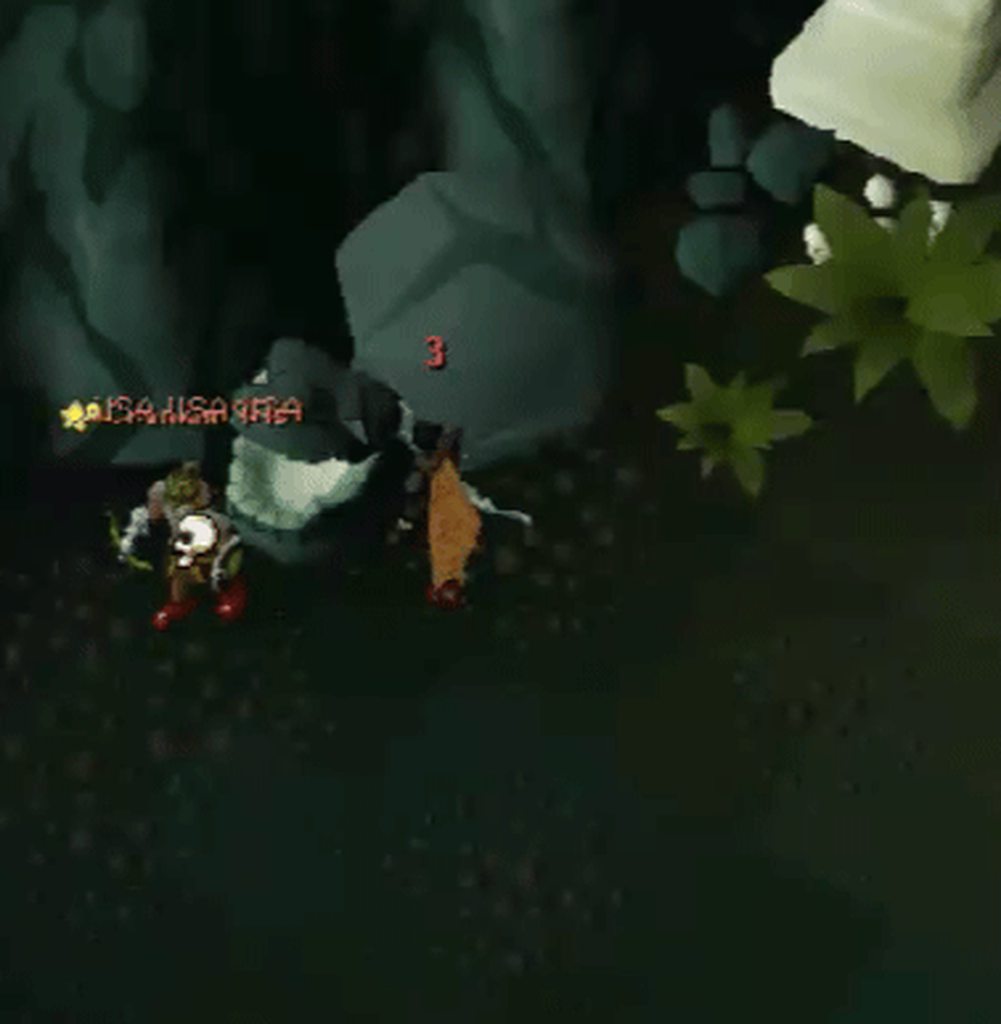
https://i.imgur.com/75UkF8a.gif
This tick counter randomly started showing up on my friend after a raid, we checked for "Tick Counter" "Visual Metronome" "Pray Flick Helper" and "Attack Timer", but he didn't have any of those installed.
 zealous cedar
uninstalling pluginhub plugins doesnt really remove them, you have to restart after. maybe that is what happened
 vast bone
it's probably the cox plugin by buchus
zealous cedar
ah
 ebon walrus
hi problem, I can't sync my runelite settings to my laptop, there's no cloud icon on the profiles tab
 round jacinth
make sure you're logged in
ebon walrus
the runelite setting for making it to default the account is up i toggled it on, still not syncing to my lappy
 gilded kayak
those are 2 different features
you need the ☁️ which only exists if you log into RuneLite with a google account
ebon walrus
ohh
gilded kayak
we couldn't save your settings between devices without that
ebon walrus
im using steam to sign in
gilded kayak
that's not relevant
completely unrelated to your OSRS account is a RuneLite account, for syncing profiles between computers
which uses google accounts
ebon walrus
ok just saw it now thx
gilded kayak
once you've logged in, click the ☁️ so it turns orange on the computer with setting you want to save, then login to the account on your other computer
 low rapids
can i use runelite through steam? are there any exceptions that would hinder me from doing so if yes?
gilded kayak
it depends
are you a new player or do you remember explicitly updating to a jagex account
low rapids
latter yes
gilded kayak
you NEED the jagex launcher to be the one who starts RuneLite
your old username/password is no longer valid, and they have to metaphorically whisper your new info in RuneLite's ear
low rapids
so its possible?
gilded kayak
you can start the Jagex launcher with steam
i don't think its possible to start RuneLite with steam, and be able to login
low rapids
ah so its basically just adding jagex launcher like you would add any other non-steam game
and nothing to do with the actual osrs game on steam
gilded kayak
yes I assume you could track your hours on the Jagex launcher and use that, but with a Jagex account you can't natively go Steam->RuneLite
if that's the reason why you want to use steam
low rapids
i see, thanks
 void gate
Can anyone tell me which of the tick counter plugins allows the count to be above the characters head?
round jacinth
i think multiple of them do
some of them count for your next attack
and others count just ticks in general
the hub is search able by keyword and you can check what is what you want
void gate
round jacinth
the hub is search able by keyword and you can check what is what you want
Thanks. Took a semi brief look but nothing stood out immediately thanks though
round jacinth
then you should've found something related to your exact request maybe
visual mentronome puts a tick counter above your head
which generically does what you ask
which also does show up if you search for the word "tick" :p
 crimson sail
Good morning all, since this morning I have a ´black screen´ in RuneLite, any ideas on how to fix this? Google wasn't helpfull for me.
 leaden trail
Does it happen in safe mode?
haughty pumiceBOT
@crimson sail Windows
Run the RuneLite (safe mode) shortcut, or with a Jagex account, first run the RuneLite (configure) shortcut and tick the Safe mode box, then launch RuneLite via the Jagex launcher.
Mac
In Terminal, run:
/Applications/RuneLite.app/Contents/MacOS/RuneLite --configureTick the Safe mode box. Launch RuneLite.
If it's not working, download and install the updated RuneLite launcher from the website link in #welcome. You don't need to uninstall your current version. You will not lose any settings or plugins. Then try running safemode again.
crimson sail
haughty pumice
<@176738977968160768> **Windows**
Run the ``RuneLite (safe mode)`` shortcut, or ...
This worked, but now I cannot see my downloaded plugins anymore. Do I have to redownload them?
leaden trail
No, safe mode just temporarily disables GPU and hub plugins as a troubleshooting measure
Try launching normally again, turning off GPU, and then restarting the client
And can you post your logs?
haughty pumiceBOT
To find the logs, you can do one of the following:
- If your client failed to open, click the
Open logs folderbutton. - Open the screenshot directory by right-clicking 📷
Camerabutton, navigate 1 directory up, then open logs folder. - Navigate to
%userprofile%\.runelite\logson Windows or$HOME/.runelite/logson Linux and macOS.
Upload the log files named client and launcher by dragging them to Discord. If there are files prefixed with jvm_crash dated from today, upload them too.
 ashen anchor
anyone know how to fix the stone overlap on the bottom client? both profiles have the same game size
 vast bone
Yeah I think so.
crimson sail
leaden trail
No, safe mode just temporarily disables GPU and hub plugins as a troubleshooting...
When switching back from safe mode the issue still persists, However when I both disable the GPU and 117HD the game does start up in full screen.
Once in game I can re-enable 117HD but not rescale the client window size (changes to black again when I do that)
leaden trail
What if you also disable "regex item counter", are you then able to enable GPU (not 117)
 red fox
Is there a way to hide specific text over mouse hover without remove the option -. I know about Custom menu swaps. But that hide/deletes the option.
Some text is relevant but some I don't want to see over hover.
Example :
I want to hide 'Activate quick prayers, but not remove it from a clickable option. :p
leaden trail
I don't think so
red fox
Some text over hover to hide would be so ideal.
leaden trail
If he doesn't deliver, ping me and I'll make sure we bully him for it 😛
red fox
can u send to runescape chronicles hhhh , fuck i want a whole iron to tbow playthrough with plugins like this , make it happen! ! !
🫡 He delievered content!
leaden trail
It's probably a hub plugin
haughty pumiceBOT
Please refer to this flowchart for further troubleshooting.
 wary blade
Hello,
there used to be a plugin called "CG recolor". But I cant find it anymore. With that you could recolor Corrupted Gauntlet. Is it gone? Or does it have a different name?
 hoary palm
Is there any way on Linux to tell the GPU plugin to use my dedicated GPU rather than the integrated one? I tried setting DRI_PRIME=1, but that doesn't seem to be helping.```
2024-11-02 10:53:37 EDT [Client] INFO n.r.client.plugins.gpu.GpuPlugin - Using device: AMD Radeon 780M (radeonsi, gfx1103_r1, LLVM 18.1.8, DRM 3.59, 6.11.5-xanmod1)
2024-11-02 10:53:37 EDT [Client] INFO n.r.client.plugins.gpu.GpuPlugin - Using driver: 4.6 (Compatibility Profile) Mesa 24.2.5 (git-3b9fcb7e4d)
The author disabled it temporarily because it broke
wary blade
leaden trail
The author disabled it temporarily because it broke
Oh ok! So I guess it will be updated and released back some time later?
zealous cedar
hoary palm
Is there any way on Linux to tell the GPU plugin to use my dedicated GPU rather ...
we use glx to get an opengl context on linux, and just use whatever context it gives us. i dont know if there is a way to make it choose differently
hoary palm
I'd think that would respect DRI_PRIME. i'll look into it
leaden trail
wary blade
Oh ok! So I guess it will be updated and released back some time later?
If he updates it, yeah
 livid aspen
are prayer reorganization in prayer tab saved across different runelite profiles?
zealous cedar
each profile is a different set of settings, so they are per-profile, like everything else
livid aspen
as a follow up, are there some things that are not rememberd by runelite and so are not saved? i dont know if that makes sense
LIke settings that are by jagex not by runelite
zealous cedar
i dont know what you mean
stone parcel
In-game settings dont change with RuneLite profiles afaik.
 mint fjord
Does anyone know of a plugin that can alert me while I'm not wielding a weapon, would be useful for my level-3 skiller I'd like to know when I dont have a fun weapon equipped
 limpid orbit
not sure if an issue on my end, but my temps are running extremely high whilst even having the client idle? nothing else is making my temps run this high. Unsure whether i've got to do something with runelite or i've downloaded a plugin recently that's killing it. any help would be appreciated 🙂
 charred wind
temps of what? GPU? CPU?
leaden trail
What CPU?
limpid orbit
Processor Intel(R) Core(TM) i7-10750H CPU @ 2.60GHz, 2592 Mhz, 6 Core(s), 12 Logical Processor(s)
couple of years old but never an issue in the past
leaden trail
How packed full of dust is your laptop?
limpid orbit
essentially 0, it was stripped entirely less than 2 weeks ago lol
weirdly i uninstalled the plugins and redownloaded and the CPU is sitting at 55-60 also now
not sure what's happened there
limpid orbit
limpid orbit
weirdly i uninstalled the plugins and redownloaded and the CPU is sitting at 55-...
gpu plugin*
oblique plume
If it was stripped then the paste could have been put back bad
limpid orbit
it was done professionally so god knows. Everything is running sweet now, i have no idea what was causing it other than the GPU plugin🤷♂️
 wispy remnant
has anyone had a problem with left click tick delay when moving the camera using camera key remapping?
wispy remnant
wispy remnant
has anyone had a problem with left click tick delay when moving the camera using...
i have a 1-3 tick left click delay immediately after moving the camera position with "W,A,S,D keys
wispy remnant
wispy remnant
i have a 1-3 tick left click delay immediately after moving the camera position ...
or when i use any of my keys other than the arrow keys
 wispy moat
Anyone know how to fix animation smoothing? I turned on 117HD for a second and back off and now Animation smoothing wont work...
zealous cedar
turn the gpu plugin back on
wispy moat
Trued that, still does nothing when I turn Animation smoothing on and off.
zealous cedar
are you sure?
wispy moat
positive, I'm looking at it rn
leaden trail
What animation isn't being smoothed?
wispy moat
None of them, woodcutting I checked, idle I checked, it's just not working.
leaden trail
Can you record a video of it?
wispy moat
I can but I don't have nitro
The best way to describe it is, it does nothing.
turning it on and off does absolutely nothing.
gilded kayak
u can upload the video somewhere other than discord
 mossy swan
streamable is good
 obtuse flame
anyone bored that can help me with a few tile plugin questions? 😦
 fossil summit
not that bored
obtuse flame
all good lol
haughty pumiceBOT
Dont ask to ask. https://iki.fi/sol/dontask.html
 sinful flare
Any good plugin for making the "chatbox" is another dark colour aswell? Im pretty new to this plugin-thingy. Havent played OSRS for years.
 obtuse flame
how do u change an NPC's tile box to a different color just when youre hovering that NPC
 solid mesa
Once they're tagged, shift-right cick and change color
 obtuse flame
@solid mesa I want the tile to stay blue but change to red when im hovering that NPC, then when im not hovering it, it goes back to blue
solid mesa
Not sure that's possible
obtuse flame
ahh dang, it does it in the inferno simulator so was hoping it could on runelite 😦
thank you for the response tho 🙂
 opal stream
Is there a way to smooth tile markers on the ground? it's super minor so not really a gripe but I would love sharper looking lines on them
 solid mesa
Probably changing the fill opacity in ground markers
viscid lantern
obtuse flame
<@528600814999306250> I want the tile to stay blue but change to red when im hov...
npc indicators to mark them blue, and interact highlight to add a red outline
obtuse flame
@viscid lantern im gonna stick with that, it highlights the NPC but not the tile but thatll do, thank you=)
viscid lantern
yeah its the closest you can get, you still get instant visual information you are hovering the npc though
which is what matters in most scenarios
obtuse flame
definitely 🙂 thanks for your help friend!
@viscid lantern do u know if theres a list for all Inferno NPCs to mark with tiles or easier just to look them up and add them to "better NPC Highlight"-"tile ID's"
viscid lantern
you can mark them by name in npc indicators
obtuse flame
awesome thanks! i noticed some of them had multiple ID's which was odd. some up to 3
viscid lantern
Jal-Ak,Jal-AkRek-Ket,Jal-AkRek-Mej,Jal-AkRek-Xil,Jal-ImKot,Jal-MejJak,Jal-MejRah,Jal-Nib,Jal-Xil,Jal-Zek,JalTok-Jad,Tok-Xil,Tz-Kek,Tz-Kih,Yt-HurKot,Yt-MejKot I have those but idk if thats all of them
obtuse flame
thank you! 🙂
 hollow olive
or just add * to mark all npcs while youre doing it
 rigid temple
Hi! Is there a way to scale resizable mode interfaces? I play on 1440p and would prefer a middle ground between stretched + the runescape for ants that resizable is
obtuse flame
@ornate kite looks like the hp tzhaar tracker highlights all NPCs atuomatically
doesnt look like u need to type any ids in
thats really nice
itll highlight healers too right?
i guess literally everything?
perfefct
ty!
looks like ill stick with this plugin 🙂
rigid temple
@ornate kite I swap between the two, currently using fixed + stretched mode plugin, but I prefer resizeable usually but with my new monitor its too small
vast bone
opal stream
Is there a way to smooth tile markers on the ground? it's super minor so not rea...
you can turn off stretched mode, that's about it.
or change the gpu plugin ui scaling option.
rigid temple
I've been playing and prefer fullscreen/reizable so I have more play area but fuck is it tiny on 1440p
It does but I dont like how much the UI takes up
where tho
oh shit
huge ty
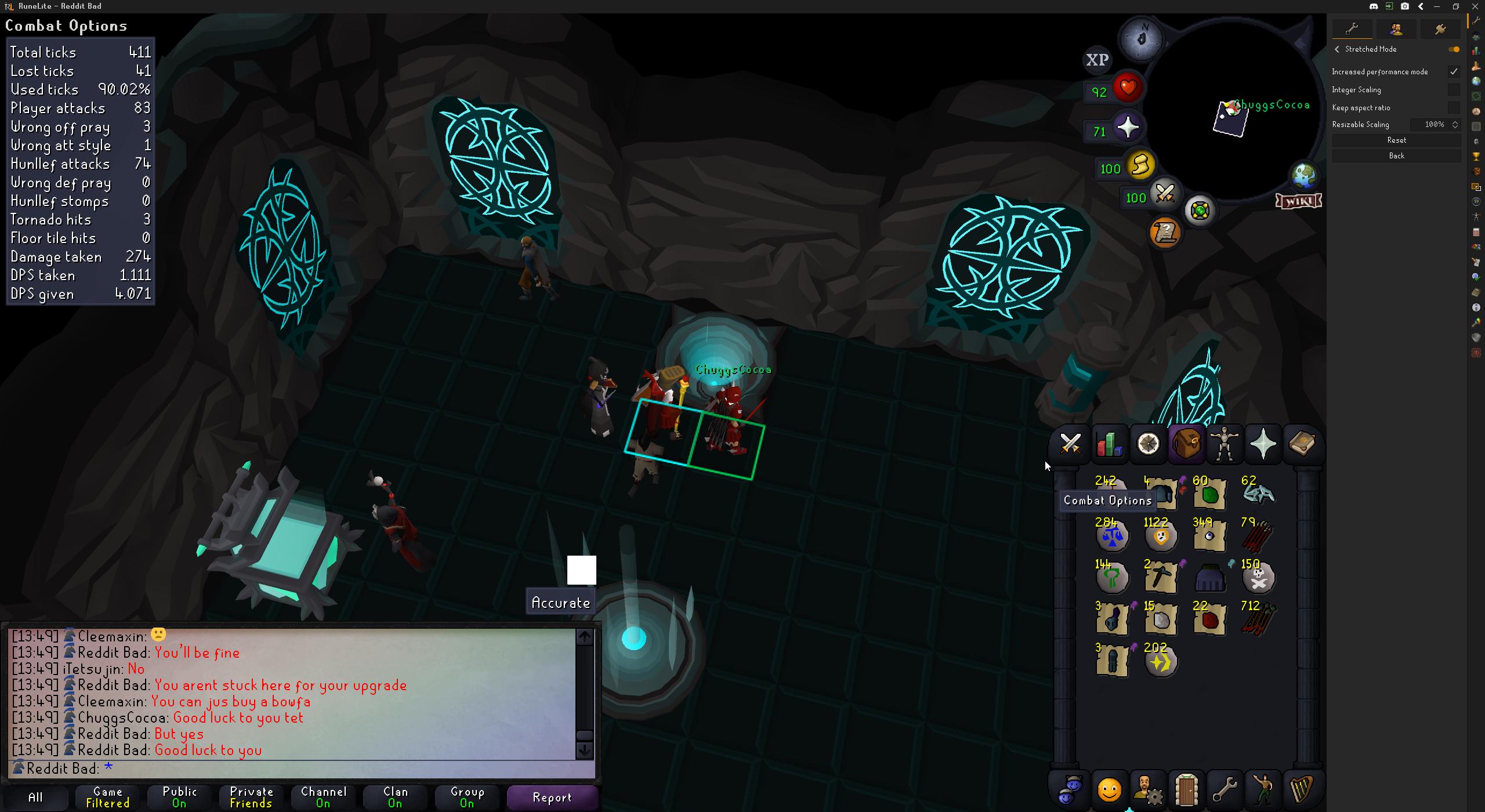
it wasnt working in fixed mode, however when I reset it with resizeable mode it did just what I wanted
 obtuse flame
how do u make npcs dissapear instantly when dead, seems like theres a delay of red until they go disapear
hmm might be something else, i have that toggled
still shows a bit of a delay
tile stays longer
ill work on that, shows the outline of it too in red
oop i might have found it 🙂
under tzhaar hp tracker, theres a dead npc fill color and color
ill let you know if it works
hmm got everything but the highlight around the NPC to go away
highlight style is selected to just tile too
red
might be from interact highlight?
i have show on hover and interact
and yes it does
also when it dies
do i take off interact completely?
or will that get rid of the red color when i clock
would still like it during the fight or when i do attack
aww mannn, my mom use to tell me that all the time
no worries 🙂 i appreciate it!
@ornate kite i figured it out, you can do both 😮
hide dead npc, and the highlight while fighting/hovering
you can do both instead of 1 or the other
under "interact Highlight" > NPC interact and NPC attack change the color setting to 1400fff
to be invisible
yes 🙂 thanks to you!
we figured it out
NPC interact to a color and npc attack off
 neat notch
@obtuse flame the hide dead npcs option in tzharr tracker plugin has been known to cause deaths at the hand of invisible living npcs
obtuse flame
@neat notch what if i keep that off and use ignore dead npcs in npc indicator
neat notch
obtuse flame
<@932023613048115230> what if i keep that off and use ignore dead npcs in npc in...
that will always be safe
obtuse flame
awesome thank you 🙂
ill go back to make sure its running the same and check back
@neat notch it works 🙂
now all players are hidden, any idea how to get them back? 😮
got it thank you @ornate kite ur my hero lol
 wicked depot
Hello, I am experiencing something blocking me to login on my PC, I tried on RuneLite and it tells me to log in with the Jagex launcher. I try the Jagex Launcher and it says that I am blocked. Not sure what to do
obtuse flame
were u banned on rs?
wicked depot
nope, I am able to access the game on mobile fine
obtuse flame
hmm
 ornate kite
using any kind of vpn?
 final axle
I've only ever gotten the blocked message while using a vpn
obtuse flame
@neat notch will i also be good if i have entity hider on with hide dead NPCs aswell?
neat notch
obtuse flame
<@932023613048115230> will i also be good if i have entity hider on with hide de...
Errr yes, I thought you meant entity hider earlier instead of npc indicators. no experience with npc indicators
only one i know works for sure is entity hider's option
obtuse flame
sounds good ty! 🙂
wicked depot
could it be a web browser issue?
 wicked depot
no i dont have Ublock
final axle
is the time on your pc correct
wicked depot
it wasnt originally but I changed it and it hasnt fixed it
I also tried restarting the PC, deleting and re-installing the Jagex and RuneLite launcher, and running it as administrator and still not working
 mortal pond
wicked depot
it wasnt originally but I changed it and it hasnt fixed it
mortal pond
wicked depot
it wasnt originally but I changed it and it hasnt fixed it
Is your time zone set correctly too? (and did you click "sync time" or whatever when you were setting your time)
https://support.runescape.com/hc/en-gb/articles/360018322517-Access-Blocked
wicked depot
no, I manually changed it
ill give that a shot
lol wow it worked
thanks ❤️
well, it worked on jagex, runelite is still giving me issues 🙃
gilded kayak
you clicked play on the Jagex launcher and what happened
wicked depot
yea trying that now
gilded kayak
that's the only way to login with a Jagex account
wicked depot
ok got in, via jagex, gpoing to try going back to RuneLite lol
gilded kayak
click the dropdown menu in the Jagex launcher and swap it to RuneLite
wicked depot
oh, that is strange, is that new?
gilded kayak
no
wicked depot
oh ok, I am now good to go thanks
 frosty drum
why does shift key stay pressed in bank interface after i press it once?
final axle
do you have sticky keys on
frosty drum
final axle
do you have sticky keys on
i think that might be it, sometimes when i type i hear this weird beep sound being played. I have no idea what it does though
final axle
sticky keys does what you said, you press a modifier key once and it keeps it held down
you probably accidentally turned it on by pressing shift 5 times
frosty drum
how do i turn this off
its so annoying
cant really find anything in my computer settings
final axle
google how to turn it off for whatever operating system you're using
leaden trail
press shift 5 times to get the dialogue to show up, I think it give the option to disable it
frosty drum
so guys I have another weird issue, im sorry i just built a new pc and unfortunately the build is forcing me to troubleshoot before im allowed comfy gaming 😦
i turned on a screen timeout and in windows 11 and it activates the timer when im gaming
i turned it off and it stops happening, so somehow i think my pc doesnt recognize runelite as being active?
stone parcel
Even while you are moving the mouse and stuff the screen turns to standby?
stone parcel
Super weird.
And after the monitor goes to sleep you can awaken it with the mouse? Or need to use keyboard?
I'm kinda wondering if its a loose power or display cable.
frosty drum
mouse
stone parcel
Very odd indeed.
frosty drum
it goes black and then immediately (probably because im moving my mouse frantically) goes to the login screen
you know what, im a turn down the timer to like 5 minutes and thuroughly test this theory lmao cus know im doubting it too
maybe the issue totally unrelated even
stone parcel
Sounds interesting to figure out yeah, good luck! 😁
 fringe token
My SSD got fucked and I had to reinstall windows, so my hive and all links are broken. Is there a way to relink my existing runelite install to the jagex launcher?
 pine oar
anyone know how to set runelite to default to a specific profile for specific characters?
gilded kayak
when you are logged into the game there will be a 🔗 in buttons below the profile name
pine oar
that button isnt there for me
gilded kayak
are you logged into the game
pine oar
bruh it be that simple huh damn. thank you lmao
gilded kayak
you can only get that button without being logged in, if ur a jagex account
since the info the client needs is right there where your 1-click login button is
pine oar
but i am using a jagex acc 🤔
gilded kayak
oh maybe it's broken
xd
the figuring out your account without being logged in, not the feature itself
pine oar
i was going down a mad rabbit hole trying to figure it out lol
fringe token
fringe token
My SSD got fucked and I had to reinstall windows, so my hive and all links are b...
For reference, I already have a working runelite install, but it's not recognized. Is there a way I can just use that install instead of reinstalling.
 gilded kayak
your settings are unrelated to the installation process if that's the reason why u dont wan't to reinstall
as long as you just do the installiation and don't start removing random files/folders on your computer manually
fringe token
I have all the files in a folder, that's the thing. Do I have to run the setup again? Because that's just going to install it again.
It boots fine, but since I'm using a jagex account, it's not recognizing it
gilded kayak
jagex is checking windows' secret key for where RuneLite is installed, if you are saying you have all the old RuneLite folders on like a USB, that would probably be why the jagex launcher can't find it
since you never did the install process, there's no key for them to check
if you do the install process, you can just replace the newly generated .runelite folder with your old/good one
and the client wont know any different, it will just work
fringe token
Sigh, okay. Why can't companies make things optional like with the Minecraft Launchers where you can just specify where things are.
Are all the files in the install folder, or are there appdata files I also need to move?
gilded kayak
do the install process, replace the C:\Users\PCNAME\.runelite folder with your saved .runelite folder
the appdata folder is only for installing the client, nothing special is saved there
gilded kayak
fringe token
Sigh, okay. Why can't companies make things optional like with the Minecraft La...
that's what those Windows keys are for, you just probably don't have one because you haven't done the install process
fringe token
So all the plugins and other things are in the .runelite folder? Nothing in the install folder either?
gilded kayak
everything you care about is in the .runelite folder yeah
fringe token
Thanks
 thick linden
I have profiles I have created for different things but it seems to not save everything, like hilighted npc's etc. Am i doing something wrong or ?
 chilly imp
how do i change my notification sound, ive put a custom.wav in the root directory that is the right bit rate but it still palys the weird default sound
haughty pumiceBOT
Place the files for the feature you want in %userprofile%\.runelite on Windows or ~/.runelite/ on Linux/OSX
The names and type for the files are:
- Custom cursor:
cursor.png - Custom notification sound:
notification.wav - Custom login screen:
login.png. An image size of 765 x 503 is recommended, but bigger images will be (simply) scaled down automatically.
gilded kayak
it needs to be notification.wav
chilly imp
i love you so much, you are my hero!. the windows system interupt sound makes me so angry
 cunning horizon
I'm sorry about this. I pushed the update a few hours ago resolving it. 🙃
void gate
are there any like texture pack plugins to get old fang icon back? 🤣
vast bone
not afaik
 viral ermine
As I understand there's now base runelite version of bank tag layouts. And that version works with potion storage. But are there settings to that version anywhere? Asking since in the Bank tag layouts version when you withdraw say a Torva helm it greys out and adds a 0 top left. Runelite version doesn't do that. Can I enable it somehow?
 muted girder
hey guys! when i have a "fatal error" when starting osrs, what can i do ?
haughty pumiceBOT
To find the logs, you can do one of the following:
- If your client failed to open, click the
Open logs folderbutton. - Open the screenshot directory by right-clicking 📷
Camerabutton, navigate 1 directory up, then open logs folder. - Navigate to
%userprofile%\.runelite\logson Windows or$HOME/.runelite/logson Linux and macOS.
Upload the log files named client and launcher by dragging them to Discord. If there are files prefixed with jvm_crash dated from today, upload them too.
 fathom root
hey can anyone help me out with the shield of arrav quest?
 balmy owl
ive been having this issue alot lately where the players just dont show on my screen even with entity hider turned off (i first noticed it when ppl on my friends list would randomly be invisible) the invisible players are also unable to be interacted with by me in ay way so i if im in the wilderness i cant get a freeze out or escape in a normal fashion like that if they dont show up so its a bit concerning
 haughty pumiceBOT
flowchart: Please refer to this flowchart for further troubleshooting.
vast bone
viral ermine
As I understand there's now base runelite version of bank tag layouts. And that ...
do you want the "0" specifically or just that it leave something behind?
for 1) you can't do that. for 2) that means you didn't actually enable layouts.
balmy owl
mossy swan
probs a hub plugin
i found the culprit turns out i downloaded dynamic entity hider and completely forgot about it (i did clean out a bunch of plugins that im not using anyway while looking into the issue) so ty for the help
 ancient meteor
is there a reason i have to flick bank tag layouts on and off to get the zigzag option show up for layouts
ancient meteor
oh, i was under the assumption it did. i was trying to transition back to just using regular layouts since it supports potion storage but ill just leave it on for the zigzag option
 sage marsh
Hello y'all! Possibly a dumb question or two here....
I play two different accounts on RL on my computer. When I change a setting or add a bank layout or anything, it typically carries into both accounts. I have all bank layouts for both accounts showing in my bank at the same time. Sometimes (when the bank tabs are named the same) all items from both accounts are in the same layout. This same thing happens with settings as well. If I add a plugin or change a setting, it happens on both accounts. Any idea how I can get the two separated?
Also, I logged into RL on my old laptop while traveling the other week and when I logged back into RL on my computer, almost all my settings were reverted back to what they used to be on my laptop. Is there a way to have RL carry settings from one computer to another?
Not the most tech savy here..................
 broken otter
I keep seeing people saying bank tags support potion storage but I haven't been able to get the potions to show up in the tag tabs at all, is there a setting I need to enable or something I need to change with my tags to make them show up? (I've never had the plugin hub tag tab layouts installed so it's not that - I'm using the "vanilla" bank tags)
Figured it out - had to add the number of doses to the end of the tag
haughty pumiceBOT
leaden trail
And also
haughty pumiceBOT
 crimson tree
in the partyhub panel plugin
how do i spam ping without having to click my mouse on every tile
round jacinth
crimson tree
how do i spam ping without having to click my mouse on every tile
I answered you in #runelite
Don’t ask your question in every channel
broken otter
broken otter
Figured it out - had to add the number of doses to the end of the tag
Never mind, this wasn't it, but it's only working for my ToA tag for some reason.
round jacinth
Disable the bank tag layouts plugin
broken otter
I don't have that plugin and never have
round jacinth
So that only core’s bank tag plugin is enabled
And you should also have zero doses in the bank and no place holders just in the storage
crimson tree
round jacinth
Don’t ask your question in every channel
i realised i posted it in the wrong channel so i asked on the other one
calm down
broken otter
I've finally figured it out, it only works if you have layouts enabled for the tag, and I must have toggled that on for ToA and not any of my other tags
broken otter
I see, I didn't realise that! Kinda confusing but at least I know now
 mellow cliff
having trouble logging into runelite says i have too many loggin attempts? i can log into mobile just fine.
stone parcel
You can try ending active sessions on Jagex's website.
"if you log into runescape.com | go to my account top right | click active sessions | click the end sessions button and restart RuneLite does your problem go away"
mellow cliff
does not work still same issue
oblique plume
Time for jagex account 
 sharp birch
Ctrl+Click to walk is not working for me. Has anyone had this issue? I restart my client and it will work for 5 minutes, then just stop working.
No matter which setting is on it refuses to work as intended. "Old control run" plugin also does not work. Any advice is greatly appreciated.
charred wind
You might have a plugin using ctrl as a hotkey
mossy swan
sharp birch
Ctrl+Click to walk is not working for me. Has anyone had this issue? I restart m...
stick to this channel plz thx
sharp birch
mossy swan
stick to this channel plz thx
Looking for insight, not just support. I believe it could be posted in both channels.
round jacinth
sharp birch
Looking for insight, not just support. I believe it could be posted in both chan...
Spamming in multiple channels just gets messy, stick to one.
You probably have ctrl used as a hotkey for a plugin and it’s being consumed.
Download the debug helper to see key binds
sharp birch
No Ctrl Keybinds from the debug helper.
solid mesa
Is your runescape setting set properly for ctrl+click?
sharp birch
solid mesa
Is your runescape setting set properly for ctrl+click?
yes unfortunately.
round jacinth
Doesn’t make sense for it to only stop working after 5 minutes, what do you start to do after 5 minutes?
sharp birch
round jacinth
Doesn’t make sense for it to only stop working after 5 minutes, what do you star...
By the time I poke vorkath it just stops working.
haughty pumiceBOT
@sharp birch Windows
Run the RuneLite (safe mode) shortcut, or with a Jagex account, first run the RuneLite (configure) shortcut and tick the Safe mode box, then launch RuneLite via the Jagex launcher.
Mac
In Terminal, run:
/Applications/RuneLite.app/Contents/MacOS/RuneLite --configureTick the Safe mode box. Launch RuneLite.
If it's not working, download and install the updated RuneLite launcher from the website link in #welcome. You don't need to uninstall your current version. You will not lose any settings or plugins. Then try running safemode again.
round jacinth
Check safe mode
viscid lantern
did you just reply to a message from 2 years ago? 
 austere citrus
will potion storage be added to support for the bank tag tabs layout?
solid mesa
It is supported in core bank tags
austere citrus
is there an explantion or demonstration on that? doesnt seem to be working for me
solid mesa
What isn't working? Have you already exported bank tag layouts to core? Have you disabled bank tag layouts? What have you done?
solid mesa
Thanks Dura, I was trying to find the message in discord search. May be worth writing something up for the runelite wiki github
austere citrus
solid mesa
What isn't working? Have you already exported bank tag layouts to core? Have you...
ive done nothing about it
was just hoping it would auto update 1 day
solid mesa
No, you have to transfer your bank tags from bank tag layouts to core
zealous cedar
The core version is not finished yet because inv setups doesnt work with it, so Ive been waiting on advertising it
this whole potion storage thing is bad timing
austere citrus
yeah was never gonna be smooth
its amazing you guys are working on giving us a fix back to how we used to have it, big love for the team <£
<3*
solid mesa
I think what Adam is saying is he has to do a lot of work for sailing. So for potion storage to come out and require changes to core banking is bad timing for him
zealous cedar
I just mean its caused a lot of people to switch to it before I was really intending for it to happen
solid mesa
Oh were you already planning to make core bank tags before potion storage came out?
 calm island
is there a way to figure out if Im running the 32 or 64 bit version trough the jagex launcher?
zealous cedar
solid mesa
Oh were you already planning to make core bank tags before potion storage came o...
yes it existed for awhile prior to that
zealous cedar
calm island
is there a way to figure out if Im running the 32 or 64 bit version trough the j...
check task manager and see if it shows runelite.exe as 32bit
calm island
its just like this
 zealous cedar
you have to check the "processes" tab, at lesat in w10
 young flare
RL has been randomly logging me out with a Failed to Log In Please Try Again message displayed on the login screen. Checking the error log I found the following: 2024-11-03 14:36:50 EST [Client] ERROR injected-client - Client error: Login authentication error. Response code: 400 Error servicing REST query: auth.runescape.com Response body:
Any idea what this is or how I can fix it?
charred wind
Screenshots and whole log files are better than snippets and us guessing what’s going on
young flare
RL has been randomly logging me out with a Failed to Log In Please Try Again message displayed on the login screen. Checking the error log I found the following: 2024-11-03 14:36:50 EST [Client] ERROR injected-client - Client error: Login authentication error. Response code: 400 Error servicing REST query: auth.runescape.com Response body:
Any idea what this is and how I can fix it?
austere citrus
solid mesa
No, you have to transfer your bank tags from bank tag layouts to core
is that what the message is a few before ours here
solid mesa
It's the one that dura forwarded and tagged you in
austere citrus
still cant get it working lmao, its a user error though, im not very good at things like this
solid mesa
You've gotta clarify what "isn't working"
 south kelp
having a real fun time. On a fresh install of windows (yes I reinstalled to try and debug this), have restarted my router, am using an out of the box usb wifi adapter (but have also tried on internal wifi card), and am using a fresh runelite profile & install, and this is what happens on every world. Each spike is a DC. Are there any steps I could take to try and narrow down what's causing this? I've been troubleshooting this the last few days. I've ruled out almost everything by this point. Am open to any suggestion you can think of

Can also post any logs or dev info you need
stone parcel
or plug in the pc near router to test.
leaden trail
south kelp
I'm afraid that's what's left isn't it... gotta buy like a 50 foot cable......
I think I just bought a 250' bundle and learned to terminate it myself lmao
 mellow canopy
ive just logged into runelite and my profile is gone along with all my puglins and settings, any idea why this has happened, was fine a few hours ago
haughty pumiceBOT
mellow canopy
tyty
 bleak dragon
Hey everytime i try setting a custom resolution to my client it ends up resetting itself when i close it
like i gotta give it a nudge so it goes back how i put it before
 south kelp
so, I tried an install on a new windows computer (a laptop I found laying around) and I got the same thing. even when I brought it right next to the router. so it's something goofy
I'm incredibly frustrated and just about out of options
if having it right next to the router didn't fix it, would an ethernet cable? also, I noticed when I reset the router the problem goes away for a few minutes
solid mesa
Do you have an ethernet cable?
stone parcel
Some kind of router strangeness maybe, if using another network like a phone's hotspot, is it different?
gilded kayak
put it on the christmas list
leaden trail
I very much suspect a wired connection would fix that for you
south kelp
I guess let me try a Hotspot. if that doesn't work then maybe my local area is haunted
stone parcel
With the ghosts of the neighbors overlapping wifi frequencies 😂
south kelp
I don't have any issues with literally any other applications. on ten other devices. but specifically it's a runescape issue
frustrating
maybe it's dns
yes I've cleared the dns cache with ipconfig or whatever. every article that comes up when I Google "ping spikes" it's likely I've run every command
solid mesa
DNS isn't going to affect ping spikes
leaden trail
Try connecting to a world in a different region
south kelp
okay
the dcs are still there, but less frequent. the SC I posted is us east (I live in US east)
I'm still definitely dcing in other servers though. on my phones Hotspot. on data
is this the spirit of Halloween
hollow olive
it could be the servers, it could be your internet provider, etc
too many variables, also runescape servers just very bad imo
south kelp
how would it happen with my phone too if it's my ISP
I'm so lost
each spike is a dc on us west

not as many as you see
but still once every 20 seconds or so
hollow olive
have you tried safe mode and or turned off world hopper, star miner etc
solid mesa
How many runelite plugins?
south kelp
all the ones that are on by default + ping grapher
let me turn em off
no way it would be pign graphers fault right 👀
hollow olive
you can try
haughty pumiceBOT
open command prompt, type this in: ping -t oldschoolXXX.runescape.com where the XXX is your world minus 300, for example world350 = 50
south kelp
no plugins except ping grapher it's still happening. I don't know how to interpret the time from ping very reliably but it looks steady ish with occasional 50ms up from baseline 30
seems normal enough to me
this is back to home wifi, no plugins except ping grapher, just for reference

OH WAIT ping caught a 200ms
hollow olive
if you check graph game ticks does it look relatively stable?
solid mesa
Command prompt never shows more than 50? It never says timed out

 hollow olive
idk i think it's really a routing issue out of your hands
south kelp
maybe one wednesday it'll be fixed when things restart then
hollow olive
fwiw i also have similar timeouts that look way worse than that, esp during peak hours. recently it's been ok.
usually i play on us west if i want it to be more stable (i'm on east)
south kelp
it would be okay when I'm doing afk stuff, but I was trying a godwars trip on a german world, and I dc'd at really critical times and it felt extremely aggravating. Oh well, guess I can't really play the game for a while now
solid mesa
Have you tried playing on the Vanilla OSRS client just to confirm it's a network issue?
south kelp
no because it's harder to test
wait my friend had a good suggestion
if it's a routing issue why don't I try a vpn
God help me if I'm actually giving one of them my money to play my point and click game
solid mesa
If it disconnects you from the game it should be pretty obvious in the vanilla client. You don't need ping grapher
leaden trail
hollow olive
fwiw i also have similar timeouts that look way worse than that, esp during peak...
Mine were like 1600ms before I ran cable lmao
 quaint willow
trying to get discird better loot logger does'ent seem to send any screen to discord, any suggestion ?
solid mesa
Use Dink
quaint willow
what's that
solid mesa
A better plugin
south kelp
okay so funny. using a VPN it FEELS fixed, but the ping grapher is wayyy off still. but I'm getting 100% good ticks now from the tick tracker. I'm starting to not trust ping grapher. 🤷 . Whatever at this point I'm done lol
leaden trail
They're both hub plugins so I wouldn't treat either as necessarily being 100% reliable regardless
 clever ginkgo
my power went down and when i restarted my pc, runelite was missing a bunch of plugins, i've been using it for months and usually it just restores to the last session settings, this time it didnt. Anything I can do?
haughty pumiceBOT
clever ginkgo
tyvm, I reimported my missing profile
 zenith drift
is a gaming laptop a must have if i wanna run 117 hd properly? im looking at a ryzen 7 normal laptop with 16gb ram, will that work or no?
haughty pumiceBOT
@zenith drift Visit 117's HD plugin discord (https://discord.com/invite/U4p6ChjgSE) for support, issues & feedback
leaden trail
Ask them tbh
 wooden urchin
is it not possible to have runelite take screenshots on a mac?
ive enabled everything I could think of in privacy & security settings (full disk access, screen monitoring) and it still doesn't take any screenshots, even if I manually click the button at the top
zealous cedar
it should. check the logs?
also the screenshots go into ~/.runelite/screenshots, not into the macos pictures thing
wooden urchin
oh i found it with that thing you sent. i was searching for screenshots folder and couldnt find it. it also doesn't copy to clipboard tho so I thought it just didn't work
ty!
zealous cedar
it can copy to clipboard if you have the option on
wooden urchin
yeah i do and then the image pastes as a file and its just empty and says an error has occurred
but i found the other screenshots i took in that folder
young flare
young flare
RL has been randomly logging me out with a Failed to Log In Please Try Again mes...
gilded kayak
getting bounced back to the login screen with failed to login has always been assumed as a jagex bug
i'm willing to agree with that assumption especially since your client is getting a 400 from jagex, which means "bad request"
but if runelite was sending bad requests, i feel like nobody would be able to log in with runelite
 robust onyx
I was looking for help into why this is happening when I use the 117hd plug-in it never happen before but now it’s won’t go away it’s like it’s tearing or something I’m not sure what to call it
haughty pumiceBOT
Visit 117's HD plugin discord (https://discord.com/invite/U4p6ChjgSE) for support, issues & feedback
 feral goblet
how do i fix the too many login attempts error while using runelite, it only happens with 1 account while using runelite, i can log in to it other ways no issue and I can use runelite wtith other accounts
 coarse stag
im on hotspot and everything else works exept minecraft and runelite
ive tried turning off firewall and allowing rl but nothing seems to work
feral goblet
vast bone
(for too many login attempts)
that doesnt solve it for me unfortunately
ive tried, clearing caches, flushing dns, uninstalling reinstalling runelite, clearing active sessions, using vpn, changing ip and maybe couple other things
tried waiting 24 and 48 hours
its only one account that has the issue though, my other ones can login through runelite, so honetly someone might of gotten my original username from the darkweb or some shit and be actively trying to overtake it
robust onyx
haughty pumice
Visit 117's HD plugin discord (<https://discord.com/invite/U4p6ChjgSE>) for supp...
So I was sent back here from their discord because it also does this when I shut off the hd an use the gpu
haughty pumiceBOT
Windows
Run the RuneLite (safe mode) shortcut, or with a Jagex account, first run the RuneLite (configure) shortcut and tick the Safe mode box, then launch RuneLite via the Jagex launcher.
Mac
In Terminal, run:
/Applications/RuneLite.app/Contents/MacOS/RuneLite --configureTick the Safe mode box. Launch RuneLite.
If it's not working, download and install the updated RuneLite launcher from the website link in #welcome. You don't need to uninstall your current version. You will not lose any settings or plugins. Then try running safemode again.
 minor shuttle
Hi, I am trying to figure out why on my Ironmans runelite profile I am unable to type messages into any field. however, under any other profile. I can. I never turned on any option or anything and was able to type just fine a few hours prior. nothing has changed between now and then. Are there any addons or things that can cause this to happen?
solid mesa
Maybe a plugin is consuming the keys? You can use the plugin "Debug" to see your keybinds
 glossy crown
I'm having this issue https://github.com/runelite/runelite/issues/17993 also asked about here https://github.com/runelite/runelite/issues/16914
Is there any additional info I can gather to help resolve this?

GitHub
Type Incorrect behavior Operating System Windows OS Version Windows 11 Bug description The Run button on mini map hub keeps turning itself off while the run is still lit up causing you to click it ...

GitHub
Type Incorrect behavior Operating System Windows OS Version Window 10 Bug description I find this bug often when in combat, and have not had it occur otherwise. During combat with runelite, my run ...
My run will toggle itself randomly once in a blue moon (I'm not pressing control)
Earlier in TOB I started walking with the run orb still "on", I turned it off (so it looks like I should be walking) and I started running in this state
It's happened to me at tob twice, and a handful of times at hallowed sepulchre
I even went as far as disabling the ctrl+click option and it still happened
gilded kayak
they changed the animations like 1 update ago
u run and walk differently now, said some guy
glossy crown
It's not an animation issue
This has actually been happening to me for years but it's just a very rare bug
 vast thistle
Anyone able to tell me what exactly I have to do to use ghauth? Do i need something from my github? Do i just put my username in?
gilded kayak
run it with nothing in there
vast thistle
ez tyty
ornate kite
Hi everyone, I apologise in advance, since this is probably a very common question. I’ve got an apple macbook air with an M1 silicon chip in it. I can run the standard osrs client, but not runelite. It immediately closes due to an “unexpected error”. Looking at the FAQ, I tried running it in safe mode, using the terminal prompts as suggested. This yields the following:
A fatal error has been detected by the Java Runtime Environment:
SIGBUS (0xa) at pc=0x000000010612af90, pid=72901, tid=5635
JRE version: (17.0.12+7) (build )
Java VM: OpenJDK 64-Bit Server VM (17.0.12+7, mixed mode, sharing, tiered, compressed oops, compressed class ptrs, g1 gc, bsd-aarch64)
Problematic frame:
V [libjvm.dylib+0x406f90] CodeHeap::allocate(unsigned long)+0x1e0
Core dump will be written. Default location: /cores/core.72901
An error report file with more information is saved as:
/Applications/RuneLite.app/Contents/Resources/hs_err_pid72901.log
zsh: abort /Applications/RuneLite.app/Contents/MacOS/RuneLite --safe-mode
Any help would be appreciated 🙂
gilded kayak
what's the name of the runelite file u downloaded
is it runelite-x64 or runelite-aarch64
ornate kite
runelite-aarch64
gilded kayak
that's correct, do you get an apple official™️ crash log when it happens?
those are usually really helpful
gilded kayak
dont thank me yet there's only like 2 issues i'll know the answer from, from the crashlog
ornate kite
This is the crash log
gilded kayak
Crashed Thread: 1
well that's not as helpful as the normal "HERE IS THE PROBLEM"*
sadly something out of my ability to read crashlogs
ornate kite
No problem, thanks anyway 🙂
 still badger
anyone know why my sound randomly turns on when changing runelite profile? the profile im changing to is a duplicated one that defo doesnt have sound turned on
not the end of the world ofc just a bit strange
minor shuttle
solid mesa
Maybe a plugin is consuming the keys? You can use the plugin "Debug" to see your...
couldn't see anything with a plugin consuming keys but I caved and clean re-installed then rebooted my pc and it was working again. idk.
 limpid merlin
Please please please consider adding a way to see fish barrel contents with inventory viewer (Fish Barrel plugin integration)
 vocal wave
runelite plugin isnt saving my settings on steamdeck, i have to keep setting the window size every launch.
this only applies to game mode though, it seems to be fine on desktop mode, even then my control scheme for desktop mode doesnt work like i want it to so i have to use game mode
mossy swan
vocal wave
runelite plugin isnt saving my settings on steamdeck, i have to keep setting the...
is game mode gamescope or something different? if it is, you can report issues here https://github.com/ValveSoftware/gamescope/issues
vocal wave
mossy swan
is game mode gamescope or something different? if it is, you can report issues h...
game mode is what steam deck uses to run like a console, desktop mode makes it run like a laptop
mossy swan
ah ok, not sure where you can make issues for that
vocal wave
it might be the same as gamescope but idk, ive never called it that anyways
 peak swallow
Exception: SocketException
Message: Permission denied: connect```
Hey there, i am able to connect with official client but not the runelite one? any known fixes for thisIts probably a firewall blocking runelite
peak swallow
I will try adding runelite to my firewall exceptions right now
Unfortunately did not work, I even tried turning off the firewall as well
peak swallow
just in case someone in the future does ctrl + f for a similar issue
I got it to work by messing around with my VPN, split tunneling was causing a ton of issues, turned off split tunneling and connected to a different server resolved my issue.
Ill never not regret migrating to a jagex account
leaden trail
Split tunnelling doesn't really work with RuneLite in the vast majority of cases either so that's not really a Jagex account thing
peak swallow
Sure but Jagex launcher is super sensitive to my VPN at least
 compact orbit
ashen anchor
compact orbit
ashen anchor
can anyone tell me why idle notifications don't seem to be working?
it's enabled in RuneLite settings
round jacinth
what are the idle notifier settings like and what are you doing
ashen anchor
I used to use Instant Idle Notify. Maybe it doesn't work with fishing karams
round jacinth
that's a hub plugin anyways
haughty pumiceBOT
Support for hub plugins should be directed to the author of the plugin.
You can find the support link by searching for the plugin in the Plugin Hub panel and clicking the ? button on the plugin, or by right-clicking the plugin in the plugin panel and clicking the Support menu option.
round jacinth
you may want to use the more specifialized fishing notifier which notifies when the interaction you're on is gone
 primal peak
ashen anchor
Ooo sweet ty
primal peak
ashen anchor
Ooo sweet ty
You could also give distraction reducer a try too!
 summer cloak
I don't seem to have any info boxes from boosts information, ive checked the settings, tried running runelite in safemode and tested but still nothing. I've looked behind other UI elements to see if they were hidden but no luck, anyone got some advice?
oblique plume
do you get any infoboxes from anything
summer cloak
Yeh, I got infoboxes for dailies at the top of my UI, also skilling infoboxes like the "Woodcutting" one which shows logs cut and Logs/hr
 summer cloak
Yeh I have those, that exact one in fact
round jacinth
so you have the time tracking reminders one enabled?
can you screenshot your boosts and timers config
summer cloak
Sure, gimme a few
 sour dome
Anyone know how I can change my clan name color for game messages? It's perfectly colored when people type messages, but when loot broadcasts are displayed, it defaults into the normal color.
 round jacinth
summer cloak
Sure, gimme a few
round jacinth
summer cloak
Sure, gimme a few
boosts information
summer cloak
round jacinth
`boosts information`
 oblique plume
are you boosted 
summer cloak
Don't think so lol, im just testing whilst WC on forestry world atm
 lapis elm
it doesn't show the foresty boost
summer cloak
Oh really? I'm sure it used to before I took a break from the game
summer cloak
Ah fair enough, my apologies! Thanks for the help anyways :)#
 hasty agate
Anyone aware of how to scale runelite on Linux (Mint)? Everything else on my desktop is scaled correctly but runelite (the UI itself) is tiny
 gilded kayak
how are you starting RL, bolt?
hasty agate
Yes
gilded kayak
it has a scale config somewhere i think
because he had to re-implement our native one
 hasty agate
This worked perfectly tyty
leaden trail
Someone did that same thing like a week ago 🤣
wet zenith
When jagex releases their own HD version is it going to be exclusive to the default client or will runelite be able to reap the benefits
viscid lantern
it wont come to their java client(which is what runelite uses)
so it will be enhanced client exclusive
 ripe coral
is there a plugin that removes npc attack animations? e.g. smoke devil attack
its laggy in the cave in there due to it, looking to remove it
leaden trail
I doubt attack animations are actually causing that issue for you
It's more likely to be a bad hub plugin
solid mesa
That's an option. You can also use safe mode to see if the lag goes away as it disables hub plugins
haughty pumiceBOT
Windows
Run the RuneLite (safe mode) shortcut, or with a Jagex account, first run the RuneLite (configure) shortcut and tick the Safe mode box, then launch RuneLite via the Jagex launcher.
Mac
In Terminal, run:
/Applications/RuneLite.app/Contents/MacOS/RuneLite --configureTick the Safe mode box. Launch RuneLite.
If it's not working, download and install the updated RuneLite launcher from the website link in #welcome. You don't need to uninstall your current version. You will not lose any settings or plugins. Then try running safemode again.
solid mesa
Maybe Animation Transmog would let you replace them with no animation? I have no idea though. But I also agree attack animations are likely not causing your lag.
 swift stream
hey guys! I'm trying to log in to runelite but it says i got incorrect credentials. I'm sure they are correct. I can log into the jagex launcher
viscid lantern
launch runelite from the jagex launcher
you have a jagex account so you can only use the jagex launcher, from there you can select the client you want to play on
swift stream
Alright, thank you! Do I need to have runelite installed for that?
viscid lantern
yup
if runelite is installed the launcher should recognize it and you can start it from there
swift stream
Is runelite a open source? Where people here is contributing?
viscid lantern
yup
hollow olive
to an extent yes
swift stream
Nice, may I ask what tech stack? I'm a SWE, maybe I could help out sometimes
viscid lantern
the part that interfaces with the osrs client itself is closed source, but the client stuff on top of that is all available on github
its all java
swift stream
Nice!
hollow olive
Contribute button on the website for resources
swift stream
Thanks!
viscid lantern
blame jagex for that one josh 
leaden trail
My first RuneLite PR was the first time outside of one technical interview where I had written Java in about 3-4 years 😅
Not the biggest fan but it is what it is and I'll work with it
ornate kite
does one of the default addons highlight my character's current tile? i can't seem to find one by searching for "tile"



 ornate kite
omg i'm the dumb - like my picture is in the World Book encyclopedia for "dumb" - thanks friendo
viscid lantern
no worries, have a nice day! 
 nocturne laurel
Seen people have expanded dropdown menus, like it expands to the side. Specifically for max cape and allows menu entry swap to left click home tele/Shift click crafting tele from inventory instead of worn inventory. What is needed to do this
zealous cedar
its part of the menu entry swapper, teleport submenus
leaden trail
It only really exists for Max and diary capes though
nocturne laurel
im dumb, thank you
 vapid nymph
im not sure where to look for this walk running animation last tile glitch. when i woox walk melee at vorkath, at the last tile, my player does a run animation when just walking. it throwing me off loop and taking damage.
i tried mobile - and it doesn't do it
oblique plume
Afaik it's a jagex bug
round jacinth
i think its a jagex bug
vapid nymph
really?
vapid nymph
interesting
round jacinth
its a graphical glitch to get your character to line up with the true tile i think, thats my head cannon about it tho
😄
i only notice it when doing woox walk like walks between 2 tiles 5 tiles apart
round jacinth
well because you've got run on so running makes sense
walking only but you run is odd because its not walking.
vapid nymph
so the temp fix is to turn off run, i been using the ctrl key method instead
hmm i wonder if i turn off the ctrl part
round jacinth
i think since its a jagex bug it's just a bug and idk if there is a temp fix? i have no clue what geheur is saying
vapid nymph
basically if u turn off run and attack it doesn't do it
vapid nymph
but using the invert run mode, it does it
yup, a jagex bug with the invert run mode grr
round jacinth
interesting
 low vapor
my client keeps randomly closing, anyone know why it would do that?
haughty pumiceBOT
To find the logs, you can do one of the following:
- If your client failed to open, click the
Open logs folderbutton. - Open the screenshot directory by right-clicking 📷
Camerabutton, navigate 1 directory up, then open logs folder. - Navigate to
%userprofile%\.runelite\logson Windows or$HOME/.runelite/logson Linux and macOS.
Upload the log files named client and launcher by dragging them to Discord. If there are files prefixed with jvm_crash dated from today, upload them too.
low vapor
maybe im dumb, i dont understand what to do with that
round jacinth
idk how to explain what to do when the message already is doing it lol
you have 3 different ways to getting to the logs
 unkempt rock
its giving you instructions on how to open the folder that contains logs
round jacinth
pick one of the 3 and do it
unkempt rock
the logs may contain error info on whats causing it to crash
low vapor
oh ok so i did the 3rd one and have the logs right here
 jovial plover
As of two days ago whenever GPU plugin is active and i use the side bar for anything exp bar, quest bar, etc and i minimize the side bar my runelite screen goes black and stays through restarting runelite
 somber solstice
anybody know why my ground items might not be showing item names? only when i hold alt?
nvm figured it out
unkempt rock
Is there a flag for debug logs? Starting within just a few days ago, I am getting a black screen upon start-up of runelite about 90% of the time. The 10% of the time I get the client to load fully, any changes in window size/opening the sidebar causes the client to go black. If I avoid doing those actions it will work like normal. The logs don't seem to show any errors (can share anyway in case I'm missing stuff)
Turning off the GPU plugin causes the problem to go away, I've rebooted my PC in case it was a one-off thing, and the issue also returns as soon as I turn the GPU plugin back on
Ah I see the exact same behavior above, is this a known issue already?
gilded kayak
i would probably say "hey what gpu do you have" and find out u have the same one on the same driver version
the last RL update was last week
unkempt rock
For me personally, I tend to leave the client open so it doesn't always update right away, but I also may not have played between the update and ~2 days ago. Can't remember honestly lol
gilded kayak
i don't even know the last time the GPU plugin was updated
all new gpu changes are on the hub gpu experimental plugin right now
since they aren't ready for normal gpu plugin
unkempt rock
must be something the gpu plugin is just exposing and not the actual cause
but it's odd there's nothing in the log isn't it?
unkempt rock
yeah latest AMD driver, they are from october 27th
it is kinda close... i'm almost certain i played for several days between then and now for daily tree runs
but i'll roll back to n-1 and see if the issue goes away
i'll report what i find
 stoic birch
Hi! I was having the same issue and intently reading through the thread to get the answer. Any chance you could let me know which plugin was breaking pricing during high alchs?
jovial plover
yea i have a amd 6800xt and i have the driver from 8/27 but it doesnt have a update from that driver
i also reinstalled runelite which did not seem to change anything.
gilded kayak
stoic birch
Hi! I was having the same issue and intently reading through the thread to get t...
it was normal ancient teleports
but you have to restart the client after you disable it IIRC
i only tested it for a little bit
stoic birch
Interesting! Yes, can confirm, Uninstalled, restarted, and high alchs functioning perfectly now. Thanks for your help! 🙂
unkempt rock
Rolling back to AMD driver version 24.9.1 indeed fixed the issue
gilded kayak
gpu driver updates are always just hot glue for the latest game, if they break other 2004 games oh well~
just kidding they usually fix them
unkempt rock
@jovial plover if you can try this too and it fixes the issue, seems like pretty good evidence for a known issue
https://www.amd.com/en/resources/support-articles/release-notes/RN-RAD-WIN-24-9-1.html
Here's the previous driver version's release page for simplicity
jovial plover
I will give it a shot thanks
 digital parcel
anyone know why the runelite hud isnt showing?
 gilded kayak
you turned off custom chrome in the RuneLite plugin
digital parcel
ah ok i did that the other day 💀
 alpine halo
I opened a ticket about this, but thought i'd ask here too. I logged on today on my account noticed my loot tracker that been accumulating for years was gone. I logged in yesterday and everything was fine. I have a runelite account. The webclient shows my profile empty for that account (and some others that i believe I've had loot on). Has anybody experienced this? Is there a hotkey that resets the loot or something I pressed by mistake? Because I didnt do it myself
digital parcel
any idea how i can access the hud to undo it?
gilded kayak
oh you're missing the sidebar also?
haughty pumiceBOT
gilded kayak
digital parcel
any idea how i can access the hud to undo it?
fn+ctrl+f11
digital parcel
apparently hovering over the top right gives a little arrow the pops up the side bar
 gilded kayak
yeah that too
digital parcel
ty
gilded kayak
i normally tell people that but then gamma shows up with the hotkey
so i just posted the hotkey this time
digital parcel
hotkey did nothing for me, but i think thats due to a problem with my keyboard
jovial plover
@unkempt rock that fixed my problem as well thank you.
alpine halo
haughty pumice
<@155897083914616832> <https://github.com/runelite/runelite/wiki/FAQ#my-loot-tra...
this did not help, i dont see any duplicate profiles with the account's loot
 prime stirrup
I just got a new pc and signed into runelite - and my profile wont load
what do i do?
mossy swan
!lost
haughty pumiceBOT
solid mesa
Did you have cloud sync enabled previously?
prime stirrup
I may have done so, how do i check?
solid mesa
The cloud icon would be orange. It should sync to your new computer when you login if you did

Do you still have access to your old computer? If so,
haughty pumiceBOT
prime stirrup
No access to the old pc
solid mesa
If it doesn't sync and you don't have the old files I think you're out of luck
prime stirrup
can i import someone else profile to have all the plugins sorted?
final axle
we don't recommend that, it causes confusion at best
 runic dragon
I also have some sync problems - the edits I made in my notes yesterday, didn't show up today. Any help? Cloud sync is on
 formal edge
is it possible to recover account which was not created when jagex accounts came out?
leaden trail
!new
haughty pumiceBOT
newplayer: If you are new to OSRS, make sure to follow this excellent guide on OSRS wiki: https://oldschool.runescape.wiki/w/New_player_guide. You can also join official OSRS Discord here: https://discord.gg/osrs
leaden trail
@formal edge for account recovery stuff you're better off asking there^
We aren't Jagex and can't really help you with that
 sharp nacelle
is there a way to keep this sidebar always opened? you gotta open it everytime you launch runelite
 leaden trail
Not as far as I'm aware
I might look into trying to implement something since you aren't the first one to ask though
ornate kite
i want to ask about dink plugin.i want to put customized thread on specific rsn like only the select rsn screenshots goes to thread not in the 1 channel how can i do that?
for discord
oblique plume
if its possible to make a webhook for just the thread then yea
leaden trail
I think you pass a thread ID param
leaden trail
I just googled it really briefly
ornate kite
saw someone they are using custome thread for custom rsn like if i just pasted webhook url its wont get screenshots for my all account just it will get the specified rsn like following rsn
not the plugin setting filtered but something else he dont want to tell me
 worldly zinc
hey hey, i have a quistion
i bought a new pc and i logged in to RL but al my settings en loots are gone
how can i get those back?
haughty pumiceBOT
 crimson surge
I need help with getting runelite to run through my steam. I installed it to the folder in steam and copied runelite launch app into the win64 bin and changed my launch path to D:\path\to\runelite but it still launches old school textures
round jacinth
you can't use steam to launch runelite i don't think
crimson surge
can I access my steam account through runelite?
 humble oasis
stoic birch
Hi! I was having the same issue and intently reading through the thread to get t...
humble oasis
stoic birch
Hi! I was having the same issue and intently reading through the thread to get t...
Hi @stoic birch ! It was the "Normal Ancient Teleports" plugin. Could not imagine why though 🙂
crimson surge
I feel dumb right now and frustrated with not near enough caffiene.. it is saying incorrect password/username but it is correct... can I use the runelite launcher or do I have to use the jagex one and do something else?
round jacinth
you should use jagex launcher i think
oblique plume
if you have a jagex account you want to use the jagex launcher
round jacinth
because your steam account -> jagex account i think
crimson surge
and runelite will launch?
round jacinth
yes
round jacinth
you can pick the client to use, and in the drop down select runelite

 sterile granite
What's the keybind to clear chat? I see the configuration mentioned for it everywhere online, but never the actual stroke
oblique plume
chat commands plugin
 worn escarp
everytime i load up runelite on jagax launcher i get a black screen, can hear the music but can't do anything
i deleted and redownloaded all runelite, jagax files. same issue over and over again
stone parcel
!safe
haughty pumiceBOT
safemode: Windows
Run the RuneLite (safe mode) shortcut, or with a Jagex account, first run the RuneLite (configure) shortcut and tick the Safe mode box, then launch RuneLite via the Jagex launcher.
Mac
In Terminal, run:
/Applications/RuneLite.app/Contents/MacOS/RuneLite --configureTick the Safe mode box. Launch RuneLite.
If it's not working, download and install the updated RuneLite launcher from the website link in #welcome. You don't need to uninstall your current version. You will not lose any settings or plugins. Then try running safemode again.
stone parcel
Might wanna try safe mode* first but maybe a gpu driver issue.
worn escarp
also noticed there's a continous popping noise only on this app. any other game is fine
safe mode worked thanks!!! been a long week of frustration
stone parcel
Okay so that means its caused by a 3rd party plugin or the gpu plugin
worn escarp
i dont use the gpu i use 117... however now my graphics are trash
stone parcel
Next you might want to try a fresh (blank) RuneLite profile and only turn on GPU and see if issue persists.
ahhh, okay so try without 117.
worn escarp
in safe mode both gpu and 117 aren't a plugin option for me
stone parcel
Oh sorry yeah, try to disable 117 and then launch without safe mode.
round jacinth
correct, safe mode disables both gpus and all hub plugins
worn escarp
turned off safe mode and redownloaded 117 graphics still look like im playing back on release day in 2007
haughty pumiceBOT
Visit 117's HD plugin discord (https://discord.com/invite/U4p6ChjgSE) for support, issues & feedback
round jacinth
we can provide support for core gpu but go there for help with 117
worn escarp
okay got 117 to turn back on and immediate black screen
round jacinth
go to their discord for help
worn escarp
thank you
worn escarp
runs warzone on ultra graphics perfect. and if you know cod that game requires a lot
oblique plume
does gpu work
 spare tulip
Hi just got my client updated and I see those marks on each enterance
 oblique plume
uninstall whatever you installed that makes those then
 rustic basin
Is there a way to restore runelite to default settings like a factory restore I fell for a scam to use "External plugin for TOA to help learn boss movements" It logged me out of runelite as soon as I launched it and I logged back in with nothing in my bank or inventory
haughty pumiceBOT
You've downloaded a fake client, and your account has been compromised. Remove the fake as soon as possible to minimise further damage.
The following actions should be performed from a secure computer or secure mobile device:
- Change your RuneScape password
- Remove and re-add Authenticator to RuneScape
- Change your RuneScape bank PIN
- Change your email's password
- Add 2FA to your email if you haven't got it enabled
- Check for any linked accounts by accessing the account settings page (https://www.runescape.com/account_settings)
Some fake clients also install malware, only a fresh install of your operating system can guarantee the total removal of any unwanted software.
You might also want to change any email password if you reused the same as your RuneScape account password.
Once your computer is secure, you should download RuneLite from the link available at the #welcome channel.
rustic basin
It looks like they linked a steam and an amazon account is there a way to unlink them
zealous cedar
there should just be a button to unlink on the account settings I think?
 languid cipher
Hey, so I've been trying to play for a couple days now but it's just saying too many login attempts. I haven't been attempting to sign in, this was upon the first sign on. Had to play thru steam yesterday but it is still saying this? I shut down all sessions thru jagex but no luck. Really would like to have my plugins on while I'm bossing and im not sure what to do :'c
oblique plume
time to convert to jagex account
languid cipher
that's so cringe, there is no other way?
unkempt rock
worn escarp
everytime i load up runelite on jagax launcher i get a black screen, can hear th...
Are you using an AMD GPU and on the latest driver version? Me and 1 other person had the exact same issue and downgrading our AMD driver fixed it for both of us
languid cipher
My acc is fine I have auth on, I'm currently playing thru steam .-.
round jacinth
upgrading to a jagex account fixes the too many login attempts and you can still use runelite
languid cipher
No offense to whoever, but I'm an old school, old school player, and I'm skeptical of Jagex since it was bought out. Honestly want to avoid converting if at all possible. This is 100% the only way I'll be able back into Runelite?
round jacinth
everybody will be on a jagex account eventually anyways
mossy swan
if you cleared all sessions, yes.
mossy swan

zealous cedar
if you wait long enough it will probably fix itself
languid cipher
Yeah, I just don't like the guessing game of how long lmao. Was hoping some mod was able to look and see 0 failed attempts thru this IP or something idk. Appreciate everyone's help on this!
round jacinth
languid cipher
No offense to whoever, but I'm an old school, old school player, and I'm skeptic...
I take no offense to it but there it fixes your issue today & +20 bank spaces, 1 click login & still use runelite now
languid cipher
Heard that, I appreciate it!
round jacinth
if anybody has ever used your account before they can also spam log it, not common but is possible too
solid mesa
languid cipher
Yeah, I just don't like the guessing game of how long lmao. Was hoping some mod ...
The authentication is all through Jagex not RuneLite. So nobody here would be able to look at your connections, attempts, etc. We can’t really say anything other than talk to Jagex or convert to a Jagex account
worn escarp
unkempt rock
Are you using an AMD GPU and on the latest driver version? Me and 1 other person...
yes im on amd gpu with updated drivers. keep hearing a pop nosie too only on osrs. when i turn gpu or 117 on i black screen
languid cipher
solid mesa
The authentication is all through Jagex not RuneLite. So nobody here would be ab...
Ahhh, heard that. Well I'd probably be able to login by the time they responded xD
solid mesa
That’s true
round jacinth
do they even respond to that stuff, think they'd just give the same "just go to a jagex acc" response
oblique plume
i would expect a boilerplate "use a jagex account then" response
tbh i really like it
aint gotta type anything ever
languid cipher
Makes me nervous
oblique plume
just dont play on release day of leagues lmao
 hexed valve
Hi guys, my rl acc plugins and all definitions were on an email that no longer exists so i lost it all or is there someway?
haughty pumiceBOT
mossy swan
do you still have the PC where you were logged in?
round jacinth
oic
hexed valve
yeah
mossy swan
and you are no longer logged in?
mossy swan
then its gone
languid cipher
@round jacinth @oblique plume @solid mesa Converted and playing thru runelite :'c
languid cipher
lmao
solid mesa
At least it’s working now
languid cipher
Thank y'all for the help. The regular interface sucks xD
alpine halo
alpine halo
I opened a ticket about this, but thought i'd ask here too. I logged on today on...
anybody know what could have happenned?
round jacinth
you maybe clicked reset all on the loot tab
alpine halo
i dont think so because it gives a big warning after clicking that...theres no way i pressed yes to that
round jacinth
if site is blank, i think thats how you'd clear it
oblique plume
are you signed in to the wrong account
alpine halo
no, i was just logged in 2 days ago and everythign was showing fine
then i logged in yesterday and nothing
didnt switch account or anything, i dont even have another google account
😢
doesnt anybody know a dev that can maybe roll back my account or something
round jacinth
unless it's changed since 2020 (when some one asked for a rollback on a loot tracker), it can't be rolled back
oblique plume
if its gone its gone
but its prob not gone and youre just in the wrong account
or using the wrong plugin
or you did actually reset it
 cold oriole
I have a question. I have the setting "flash, for 2 seconds" on under the notification settings. And I also checked the setting "send notifications when focused". When I do a barrows run, my screen flashen when opening the chest, even when the loot is bad. But it doesn't flash when I kill grotesque guardians and get a 100k loot. My question is why does it flash when opening a barrows chest?
viscid lantern
screenshot plugin maybe?
cold oriole
oh damn
instantly solved my problem
huge thanks. I was thinking it was a specific barrows plugin I installed years ago or idk hahah
viscid lantern
Np! 
unkempt rock
worn escarp
yes im on amd gpu with updated drivers. keep hearing a pop nosie too only on osr...
 twin agate
Hi, I'm having trouble getting my profile to load after my computer shut off from a power outage. Can someone please help me solve this?
haughty pumiceBOT
 signal gale
should display name and account name be same or is that not safe?
leaden trail
For a Jagex account? I don't think it really matters
twin agate
@leaden trail are you able to help me with a profile loading problem?
solid mesa
Did you follow the instructions? What happened?
 ebon tangle
Sorry only Dura can help
oblique plume

twin agate
My power shut off and when I restarted my computer, zero plugins load. It's the default runelite setup. I have tried logging out and back in to the runelite website, and can see my profile on the website, but the client doesn't load anything
oblique plume
have you considered clicking the link you were sent