#support
1 messages · Page 40 of 1
 zealous cedar
 jagged shell
Just my luck to upgrade to Sequoia the week before I get back into OSRS
From the Reddit post linked in one of the RuneLite GH issues about Sequoia issues

 charred wind
You probably have, but have you allowed RL through the FW yet? Funny enough I saw this FW issue a couple weeks ago
jagged shell
Yes, it wouldn't be working at all otherwise 😄
 hollow pilot
On Linux, is there any way for notifications to pop up as a "real" notification and not just in the tray?
charred wind
hollow pilot
On Linux, is there any way for notifications to pop up as a "real" notification ...
You mean like this? on GNOME I'm seeing them at the top of my screen

 gloomy birch
I'm still having this issue today, happened about 5 times I think. The latest was just now and this was the client file it spit out. It's saying memory error but I'm nowhere near out of memory. I still think it may be a plugin hub plugin but sometimes this doesn't happen for hours and hours at a time so Safe Mode isn't too reliable of a confirmation.
 leaden trail
You're likely gonna have to be a little more specific than just "on Linux"
gloomy birch
It also happens when teleporting out like the person above, before that my FPS tanks and then changing areas in any way just crashes the client.
charred wind
gloomy birch
I'm still having this issue today, happened about 5 times I think. The latest wa...
Something tells me it's related to a customitemhovers plugin. Never heard of that plugin tho
zealous cedar
Some pluginhub plugins can use a really large amount of memory. you could give runelite more meomry, or uninstall some plugins
leaden trail
gloomy birch
I'm still having this issue today, happened about 5 times I think. The latest wa...
You're probably indeed running out of heap space
gloomy birch
charred wind
Something tells me it's related to a customitemhovers plugin. Never heard of tha...
I've had that installed for a while and it's never done that, but maybe after a recent update it's begun doing it.
hollow pilot
charred wind
You mean like this? on GNOME I'm seeing them at the top of my screen
Yeah, like that. I'm only getting tray notifications. I'm running Ubuntu Cinnamon 24.04
leaden trail
It's definitely unhappy now
 gilded kayak
they're just blaming that plugin since it's violently shitting all of your logs, what Adam said is correct, you have multiple heap errors which means the client is running out of memory
we only allocate enough to run the client normally by default, if hub plugins want to use a lot of memory it goes boom
leaden trail
I mean I also agreed it was heap space probably
gloomy birch
Would that plugin most likely be what's eating up so much of it considering its a huge part of it? Or is there a way to know for sure which one it is?
gilded kayak
ya ya
zealous cedar
If you get a heap dump using the debug plugin we could tell
gloomy birch
leaden trail
You have a kinda scary amount of hub plugins
Lol admittedly yeah
gilded kayak
yeah that being said u have 326 of them
gloomy birch
It's never complained since that first post though, maybe this is just the limit :P
I'll start with that one though, thanks
gloomy birch
zealous cedar
If you get a heap dump using the debug plugin we could tell
I'll also install this and report back if it happens again (assuming this is the one you mean)
 gilded kayak
that and enable heap dump on oom
 oblique plume
ERROR n.r.client.plugins.PluginManager - Unable to start plugin EssencePouchHealthPlugin
net.runelite.client.plugins.PluginInstantiationException: java.lang.IllegalStateException: must be called on client thread
this one doesnt even start because its broken lol
wait a minute
this log has to be doctored
the customitemhovers log line was removed from the plugin 6 months ago
gloomy birch
Hm?
I dont have any experience with any of this stuff, I wouldnt know what would need to be doctored or the point of doing it
oblique plume
ohh i see whats happened
hes updating the plugin with like 2 year old stuff
for some reason
ugh
 viscid lantern
he never made a pr to get that log.error removed 
oblique plume
but he updated it 2 weeks ago
why is he doing development on multiple branches
in different states
aaaaaaaaaaaaaa
@feral imp 
can you put this commit in a branch youre actually using https://github.com/geel9/runelite-custom-item-hovers/commit/b5e88c29cdd7cb2e1d714ff89d928a2e885170ef
gilded kayak
i poked fun at his co-dev of hunter rumors before about the cross-branching, i guess i needed to bash him also
only geheur seems to be able to use 10 branches and not have commits get lost
or at least ones we know about 👁️ 🌎
viscid lantern
you have never seen adams branches then 
oblique plume
i love adams branches
zealous cedar
??
oblique plume
fix-thing6
zealous cedar
$ git branch | wc -l
1212
this is fine
 mossy swan
finding gpu-experimental code is... something
oblique plume
"that doesnt work, hmm ok, try this fix-thing7"
viscid lantern
escape-jagex 
 oblique plume
it feels like instead of making a new commit to do iterative development, you just make a whole new branch and put it in there
gilded kayak
yeah but he squashes it at the end of the day
mossy swan
well you gotta bookmark working state somehow
oblique plume
he should make a build task that writes a custom version into the jar
gilded kayak
viscid lantern
you have never seen adams branches then <a:ahehe:811361960452292638>
but dont worry, i added his remote once and i was attacked by a sea of branches
 gilded kayak
ya it wasn't a problem before him in my usecases
everyone before him had no branches
 vast bone
gilded kayak
only geheur seems to be able to use 10 branches and not have commits get lost
vast bone
gilded kayak
only geheur seems to be able to use 10 branches and not have commits get lost
on the plugin-hub?
in the phub repos themselves it's generally incomplete work.
(assuming the branch isn't part of master's history, in which case it just hasn't been deleted).
vast bone
vast bone
in the phub repos themselves it's generally incomplete work.
so, lost time I suppose XD.
 lean pulsar
Any one know how to fix an ssl handshake exception error?
jagged shell
I'm on Sequoia 15.1 beta now and so far so good
Apparently 15.1 comes out in a week or so, so hopefully it does fix the network issues and the other RuneLite users with problems can just update
 ornate kite
is it possible to make it so when i click a stack of items on the ground, the option with the highest GE value is the default click? I've been in the ground items menu but none of them seem to say what does that
zealous cedar
i dont think so
ornate kite
dang, it can reprioritize so many things lol
sucks when you spam click a drop at the ge and get a few seeds before ayone else but the expensive stack isn't on top lol
mossy swan
you can deprioritize hidden items and then hide by value
vast bone
custom menu swaps has this if you really want it.
mossy swan
signed, the guy who got all the expensive stuff the other day
ornate kite
omg i already had custom menu swap installed even
tysm it's literally called "ground items sort" in the settings
 jade solar
hello. I can only run runelite in safe-mode. What can I do to make it run not in safe-mode?
oblique plume
uninstall the hub plugin thats causing the issue
jagged shell
or do you mean you don't know how to turn safe mode off?
jade solar
jagged shell
or do you mean you don't know how to turn safe mode off?
I do know how
jade solar
oblique plume
uninstall the hub plugin thats causing the issue
it never was installed

I havent played in months and all of a sudden I can only play in safe-mode.
can I see logs anywhere?
 solid mesa
Then you have a hub plugin causing an issue. It isn’t Hub Party Panel if you don’t have it installed
 round jacinth
That’s just the plugin called hub party plugin lol
jade solar
oblique plume
uninstall the hub plugin thats causing the issue
what plugin are you talking about?
solid mesa
You’ll have to find it. Nobody knows which plugins you have or which is causing the problem
 haughty pumiceBOT
To find the logs, you can do one of the following:
- If your client failed to open, click the
Open logs folderbutton. - Open the screenshot directory by right-clicking 📷
Camerabutton, navigate 1 directory up, then open logs folder. - Navigate to
%userprofile%\.runelite\logson Windows or$HOME/.runelite/logson Linux and macOS.
Upload the log files named client and launcher by dragging them to Discord. If there are files prefixed with jvm_crash dated from today, upload them too.
oblique plume
Lmao
round jacinth
jade solar
is there not a log somewhere
There is 1000 hub plugins we don’t know all of them that break
!flow
haughty pumiceBOT
flowchart: Please refer to this flowchart for further troubleshooting.
round jacinth
Which is why this thing exists
jade solar
the crash is: 0xc0000005
leaden trail
In the future uploading your full logs is orders of magnitude more helpful
But for that
jade solar
leaden trail
Try disabling the first person plugin
 brazen zephyr
are a bunch of ppl having crashes atm?
leaden trail
No why?
There are nearly 200k people on right now, so a small handful of people reporting crashes is pretty common
brazen zephyr
yeah makes sense I'm just getting some weird crashes atm so thought maybe I wasn't alone
jagged shell
You're not on MacOS 15 are you?
brazen zephyr
i am not
leaden trail
jade solar
@hollow lily I think we've seen a couple JVM crashes pop up where it seems like first person may be the culprit
leaden trail
brazen zephyr
yeah makes sense I'm just getting some weird crashes atm so thought maybe I wasn...
If you post your logs as above and provide context we can look
brazen zephyr
my logs look dramatically different from those so I'm not sure I have the right ones
viscid lantern
you probably do, they posted a jvm crash log, which is indeed wildly different from a client.log file
leaden trail
Post client.log and launcher.log
But if you have any recent jvm_crash logs those may help as well
brazen zephyr
viscid lantern
2024-10-25 16:07:52 EDT [Map Loader] ERROR injected-client - Client error: map loading
java.lang.OutOfMemoryError: Java heap space
you are running outy of memory which causes it to crash
viscid lantern
how much system memory do you have>
brazen zephyr
16gb
viscid lantern
!config you could try increasing the allocated memory for runelite, have a look at the JVM arguments section here:
haughty pumiceBOT
jade solar
leaden trail
Try disabling the first person plugin
that worked thanks a lot
 brazen zephyr
viscid lantern
!config you could try increasing the allocated memory for runelite, have a look ...
brazen zephyr
viscid lantern
!config you could try increasing the allocated memory for runelite, have a look ...
will do ty
jade solar
solid mesa
You’ll have to find it. Nobody knows which plugins you have or which is causing ...
no thanks 😛
viscid lantern
you were "lucky" enough that it had a jvm crash that gave the plugin name
leaden trail
Honestly you were lucky that your crash log happened to be helpful in determining the source, they frequently aren't.. there's no need to be like that
Oh gamma was quicker, whoops
brazen zephyr
sry if this is a dumb question but does using rl via the jagex launcher change where I should put the client arg
viscid lantern
thats explained at the top of the page the bot linked
viscid lantern
this bit
 brazen zephyr
gonna keep my memory usage open in case it crashes again, could just be old ram
ty for help
leaden trail
Overall memory usage is very unlikely to show anything
You're just running out of heap space which by default is a fairly small amount of memory, relatively speaking
oblique plume
Why would you think ram could be faulty
brazen zephyr
idk memory crash makes me think faulty ram i'm not super tech savy
oblique plume
It's not a memory crash
Runelite is given a set size box for the stuff it uses
You tried to put more things in that box than it had space for
You can either stop putting a ton of stuff in it (remove plugins) or make the box bigger
brazen zephyr
ok thank you for explanation appreciate it
 wet zenith
Does anyone know of a reason why the picture in picture plugin wouldn't work on MacOS? I know it's a plugin hub thing and out of the control of Runelite devs but I'm just wondering if it's something to do with macOS being paranoid and not allowing a program to create a window to display over others
gilded kayak
it could be that, or it could just be that the dev never made sure it worked on mac
wet zenith
I have read anectodal stuff here and there where people are complaining about other issues with it on macOS but not that it wouldn't work entirely, I'll figure it out I'm sure. Haven't used anything but Linux for years and Mac is giving me more problems getting everything set up than Linux ever did funnily enough
viscid lantern
just install linux on your mac 
wet zenith
That was the initial plan, to not even try mac
But the problem is Linux on Apple Silicon rn doesn't support anything above 60hz so I'm giving macOS a shot
viscid lantern
ah fair, yeah idk how far they got with asahi and if the refresh rate is a high prio thing
wet zenith
I read a blog post that they just completed some big OpenGL graphics milestone a few weeks ago so I have to imagine that's on the horizon
I wonder if that would have better success with 117HD because that plugin just doesn't like Mac hardware either
viscid lantern
apple and gpu drivers, a real classic
wet zenith
Yeah I don't plan on doing anything more than runescape on the laptop but the fact that it has half the framerate of my old machine with 117HD was a bit of a letdown, though the GPU plugin works flawlessly at 120fps no issues and barely any usage, so I suspect it's just the way 117 is written not being optimal for Mac
 hallow tulip
Is there a way to reset the player made quest?
haughty pumiceBOT
Visit Zoinkwiz's Quest Helper plugin discord (https://discord.com/invite/XCfwNnz6RB) for support, issues & feedback
gilded kayak
i think the answer is only if you're developing the client tho
vast bone
something to do with GPU plugin probably. I don't know much more than that.
 dense fog
i turned the gpu plugin off right now lets see what it does
but i really wanna play with the gpu plugin enabled tho
haughty pumiceBOT
vast bone
might be something useful there.
leaden trail
could try disabling compute shaders maybe?
brazen zephyr
brazen zephyr
will do ty
Hmmmm, game just crashed again even after I added the jvm arg
gilded kayak
post your logs again
brazen zephyr
it's weird because i hadn't had an issue until today
and didn't install any new plugins or anything
viscid lantern
try removing the cluedetails plugin
brazen zephyr
roger
brazen zephyr
is this right?
 viscid lantern
not in that log file 
gilded kayak
you can see in your launcher log that the jvm args did not apply until the startup at
16:27:19 EDT
viscid lantern
yeah thats the same timestamp as their previous oom
gilded kayak
ah frick
brazen zephyr
ok so i will get rid of the clue thing then thanks again
viscid lantern
2024-10-25 16:07:52 EDT [Map Loader] ERROR injected-client - Client error: map loading
java.lang.OutOfMemoryError: Java heap space
thats the only oom in their log file
viscid lantern
well the clue thing is throwing 1k errors per second, so that definitely wont make it happy
brazen zephyr
client completely crashed but it just went unresponsive, didn't get a rl crash report
viscid lantern
yeah it just froze
leaden trail
have your friend come in here and talk to us directly.
 bleak wharf
leaden trail
have your friend come in here and talk to us directly.
bleak wharf
leaden trail
have your friend come in here and talk to us directly.
Yeah I was just inviting him
dw
 dawn flicker
hey client has been crashing for about a week now
bleak wharf
^^ there we go 😊
gilded kayak
well your crash log does explicitly blame quest helper, but it's probably not actually that and quest helper was just asking nicely to use the thing, at the time it crashed
dawn flicker
oh interesting... maybe turn quest helper un-ticked and or uninstall it while not using it?
gilded kayak
there might be something clearly obvious other than that, that someone other than me can notice immediately
dawn flicker
oh okay ill wait on it for now then, thanks!
 scenic inlet
CPU spike when logging off on osrs account, lasts a few seconds. What could it be ?
Also, if im logged off, the CPU usage is low (~1%), but when im logged in on an account it goes to 10%+. So If I want to stay logged in on tens of accounts on runelite it becomes problematic. What should I look into to deal with it ?
 zealous cedar
buy a better cpu?
scenic inlet
It's not terrible, I was thinking maybe there's a way to optimize smth.
But if it's as simple as that, I get it.
zealous cedar
playing in fixed mode with maybe gpu off might be best if you are wanting to run dozens of accounts
although im not totally sure, gpu on with compute shaders off may also be ok
but if you do that, decrease the draw distance as much as you can really
and maybe also the frame rate
scenic inlet
zealous cedar
and maybe also the frame rate
for frame rate, I'd have to use this, right ?

Yeah thanks, I forgot about fixed mode, I'll try that too.
zealous cedar
yes
 lost panther
ive been having issues with random lag spikes that last 2-3 seconds for the last 4 days or so. its random timing nothing i do can recreate it happening. ive checked my pc performance and nothing spikes when it happens. so it not an internet or pc issue. ive been deleting plugins or turning them off and still get the random spikes. Happening at least 4-5 times in a 30 minute raid. ive tried checking pc for updates, updating graphic drivers, restarting pc. may try deleting and reinstalling runelite. any suggestions appreciated. thanks!
 sour kindle
Does anybody know why I can't seem to save any settings for Better NPC Highlight? Anytime I try to add or remove something it doesn't have any effect, if I click back or back out it just resets any changes to the 'original' state. I've tried uninstalling and reinstalling but that hasn't helped.
If it helps, for some reason even if i click on a different text box, the cursor/insertion point (the line that blinks where you're typing) remains.

Actually now that I've checked it turns out it's this way for any typable settings, including npc indicators
dawn flicker
just had another crash, wondering if it still says its the questhelper maybe?
 fresh swift
have you considered the possibility that your 14900ks is borked? Specially considering you're still on microcode 0x120
charred wind
isn't this that BIOS problem?
fresh swift
once borked the processor is gone
there's no going back
and he's on old microcode, meaning he didn't update his bios
dawn flicker
ah so nothing i could do?
fresh swift
do you play any other games?
dawn flicker
yeah i do
fresh swift
which ones? Does any of them experience random crashes?
dawn flicker
um like Once Human, New World and a couple more and no i actually never had a crash on those games
not yet atleast
fresh swift
hmm, still, you should read up on this intel problem, just googling "intel stability problems" should yield a bunch of material, from the reports it might start once in a while and then it gets worse
dawn flicker
gotcha thanks for the help
 fossil bough
Is there any plugin/setting that would hide an interact button for the poll stand?
 leaden trail
lost panther
ive been having issues with random lag spikes that last 2-3 seconds for the last...
leaden trail
lost panther
ive been having issues with random lag spikes that last 2-3 seconds for the last...
it probably is in fact your connection to the game server
dawn flicker
@fresh swift so i updated bios, do you think im still pretty much screwed though?
 stone parcel
I think Intel released a tool to check.
dawn flicker
Oooo
stone parcel
I know very little about the Intel issues, but maybe this? https://www.intel.com/content/www/us/en/download/15951/intel-processor-diagnostic-tool.html
Intel
This download record installs the Intel® Processor Diagnostic Tool release 4.1.9.41, which is compatible with multiprocessor systems.
Or maybe I'm wrong altogether haha
dawn flicker
thanks ill look into it, thanks all for the help, seriously
fresh swift
dawn flicker
<@115613788564226056> so i updated bios, do you think im still pretty much screw...
Once it goes bad its a goner, intel has been honoring rmas as far as i know
dawn flicker
ah i see.. and your positive mines already a goner?
fresh swift
No, not really
dawn flicker
ooh okay, well i guess fingers crossed then
the PC in general is relativley new, maybe a couple months max? like 2 or so?
fresh swift
If it is THE issue i’d guess you were on the early stages of it
dawn flicker
ahh gotcha gotcha
fresh swift
dawn flicker
the PC in general is relativley new, maybe a couple months max? like 2 or so?
The whole thing is a lottery, some would go bad quick, others slower and some would never
If you start seeing crashes in other applications then i’d worry a bit more
dawn flicker
copy copy
fresh swift
But yeah, it’s intel 14th gen, hence why i mentioned it to you
 atomic hamlet
Is there a prayer flick plugin that’ll tell me when to prayer flick for minions at Sara?
 final axle
that'd be against the rules
lost panther
leaden trail
it probably is in fact your connection to the game server
its definitely on the runelite side i have official client open and it has not getting the spikes that im getting on runelite. unless its member world related
leaden trail
lost panther
its definitely on the runelite side i have official client open and it has not g...
Are you connecting to the same world on both at the same time?
Because it doesn't sound like you are
lost panther
leaden trail
Are you connecting to the same world on both at the same time?
yes it was doing in non members world
lost panther
leaden trail
Are you connecting to the same world on both at the same time?
i used 2 accounts to dance eachother and waited
 spring swallow
Hey ive been having issues with runelite freezing on linux, it happens once an hour or so and is making it impossible to complete raids
Here are my logs
2024-10-25 20:03:53 CDT [AWT-EventQueue-0] INFO  dev.dkvl.lastrecall.LastRecallPlugin - Last Recall started!
2024-10-25 20:03:53 CDT [AWT-EventQueue-0] INFO  c.tim.tombshelper.TombsHelperPlugin - TombsHelper started!
2024-10-25 20:03:54 CDT [AWT-EventQueue-0] INFO  c.instantnotify.InstantNotifyPlugin - Instant Idle Notify started!
2024-10-25 20:03:54 CDT [AWT-EventQueue-0] INFO  com.casketsounds.CasketSoundsPlugin - CasketSounds started!
2024-10-25 20:03:54 CDT [AWT-EventQueue-0] INFO  c.j.spamfilter.SpamFilterPlugin - Loaded built-in corpus files with 1126 (g) & 1584 (b) entries
2024-10-25 20:03:54 CDT [AWT-EventQueue-0] INFO  c.j.spamfilter.SpamFilterPlugin - Loaded user corpus files with 0 (g) & 0 (b) entries
2024-10-25 20:03:54 CDT [AWT-EventQueue-0] INFO  c.t.b.BankItemStatsTogglePlugin - Bank Item Stats Toggle started!
2024-10-25 20:03:54 CDT [AWT-EventQueue-0] INFO  c.a.AnimationTransmogPlugin - Animation Transmog started!
2024-10-25 20:03:54 CDT [main] INFO  net.runelite.client.RuneLite - Client initialization took 14613ms. Uptime: 15070ms
2024-10-25 20:03:55 CDT [Client] INFO  n.r.client.plugins.gpu.GpuPlugin - Using device: NVIDIA GeForce RTX 4070 Laptop GPU/PCIe/SSE2
2024-10-25 20:03:55 CDT [Client] INFO  n.r.client.plugins.gpu.GpuPlugin - Using driver: 4.6.0 NVIDIA 550.120
2024-10-25 20:04:04 CDT [Client] WARN  n.r.client.config.ConfigManager - multiple matching profiles, choosing RuneScapeProfile(displayName=WhosDoug, type=STANDARD, accountHash=-7441311236015122352, key=rsprofile.UBgyStsm), ignoring [RuneScapeProfile(displayName=WhosDoug, type=STANDARD, accountHash=-7441311236015122352, key=rsprofile.lOHChmGL)]
2024-10-25 20:05:26 CDT [Client] WARN  n.runelite.client.eventbus.EventBus - Uncaught exception in event subscriber
java.lang.NullPointerException: Cannot invoke "net.runelite.api.coords.LocalPoint.getSceneX()" because "lp" is null
    at net.runelite.api.coords.WorldArea.canTravelInDirection(WorldArea.java:274)
    at com.pathmarker.PathMarkerPlugin.updateCheckpointTiles(PathMarkerPlugin.java:577)
    at com.pathmarker.PathMarkerPlugin.onGameTick(PathMarkerPlugin.java:1233)
    at net.runelite.client.eventbus.EventBus$Subscriber.invoke(EventBus.java:70)
    at net.runelite.client.eventbus.EventBus.post(EventBus.java:223)
    at net.runelite.client.callback.Hooks.tick(Hooks.java:220)
    at client.gl(client.java:7686)
    at client.bc(client.java)
    at bz.ax(bz.java:394)
    at bz.hs(bz.java)
    at bz.run(bz.java:29267)
    at java.base/java.lang.Thread.run(Thread.java:840)
2024-10-25 20:05:30 CDT [Client] WARN  n.runelite.client.eventbus.EventBus - Uncaught exception in event subscriber
java.lang.NullPointerException: null
2024-10-25 20:08:57 CDT [Client] WARN  c.c.ConsumableCooldownsPlugin - 486 - Removed item action (id: 3028, slot: 8) from queue (size: 0). More than 1 tick since action on tick: 484
I think it must have something to do with the "cannot invoke "net.runelite.api.coords.LocalPoint.getSceneX()" because "lp" is null" error
zealous cedar
is it still frozen now?
 sly sentinel
I'm having an issue where whenever I have my loot tracker open when getting a drop, my runelite skips and freezes for a few ticks
zealous cedar
you could use jstack, or the debug plugin, to get a stackdump and see what it is doing
spring swallow
I am running runelite from intellij, but the issue happens both on source/the main appimage
sly sentinel
It's been persistent for the better part of a year, I can't figure out what is causing it
zealous cedar
sly sentinel
I'm having an issue where whenever I have my loot tracker open when getting a dr...
maybe try turning hw accel off
sly sentinel
zealous cedar
maybe try turning hw accel off
How do i do that?
zealous cedar
!jw
haughty pumiceBOT
!jw command not found!
zealous cedar
!hw
haughty pumiceBOT
Graphical artifacts? Try disabling hardware acceleration: https://github.com/runelite/runelite/wiki/Disable-Hardware-Acceleration
spring swallow
Where is the debug plugin storing logs?
zealous cedar
it doesnt store logs
spring swallow
What does it do then? There are no options
zealous cedar
it should add a side panel with a bunch of options
sly sentinel
And when i disable hw acceleration on runelite will it do the same for my launcher version
it worked, love you
 gloomy jacinth
Is it expected that exporting a layout from the hub layouts plugin and then importing to the core layouts plugin would add a * tag to every potion in it? Noticing a lot more placeholders for doses than weren't there before
gloomy jacinth
alright, exported/imported all my layouts, fully on core now. A few questions:
- Is it possible to make default bank tag layouts always use "Swap" instead of "Insert"? I find it far more intuitive for manual layout setups
- Is it possible to tag specific dosages of potion per layout, and have them withdraw from potion storage? Say for Phosani I want a 2-dose divine SCB, but for all other content I want a 4-dose divine. Can bank tags know that/automatically change the dosage in storage when I withdraw?
vast bone
No to both
gloomy jacinth
Hmm, the swap is unfortunate. I find it super unintuitive how insertion works in bank tags, since moving an item to an empty space feels like 'swap', while moving it into a contiguous block does something totally different. In particular, it's weird that you can't 'invert' an accidental insert, like so:
for the latter, I figure that's a fundamental technical limitation of potion storage in its current implementation, I guess I'll just work around it by having a few specific dose placeholders in the bank to remind myself what my intended setup is
 coral aurora
Could anybody let me know if i have to have membership to access the full game on runelite or how dose that work?
gilded kayak
you want to click the button bottom left, and select one of the worlds in silver, not gold
the silver ones are the f2p worlds
coral aurora
Yes i understand that the world so i dont have any of the member only crafting skills and stuff if im in free to play world?
gilded kayak
yes
 limber wharf

Hey guys, my improved tile indicators is no longer working for true tiles, has anyone had this issue? Ive tried reinstalling the plugin
vast bone
maybe try turning on/off tile indicators
and then turn on/off improved tile indicators if it's not fixed yet.
gloomy birch
zealous cedar
If you get a heap dump using the debug plugin we could tell
Hey, reporting back with the debug mode and plugin on. I tried to enable Heap dump on oome but I must have just done it wrong in the JVM configure space so it didnt output anything there. Hopefully this can show something regardless. I've uninstalled a bunch of disabled plugins and the few we talked about before that could possibly be the culprits.
A lot of this will be the same as before since its the same day's log file, but there's more logs with debug near the bottom.
gloomy birch
also womp I just found out it has a side panel
so I've enabled it there and I can send that through when it inevitably happens again (since it just happened again) 🙂
leaden trail
Can you delete your client log on your computer so a new fresh one gets created?
gloomy birch
Sure thing
leaden trail
And I don't recall, were you asked to run in debug mode or just to use debug helper?
Unless someone specifically said to run in debug, turn that off too, because it makes logs a lot harder to read through so it's best to only have it on when you've been asked to enable it
gloomy birch
Adam did just say the plugin but when I went to look for "Heap dump on oom", I couldn't figure out what that meant so I assumed it would be in the Runelite (config) place.
Looked it up and you could apparently use a manual java command and put it in there, all rectified now though so the next log file will be exactly how it was asked
leaden trail
I don't think heap dump on oom needs anything like that
I would turn debug mode off and just use the plugin for now
gloomy birch
Yep, will do
gloomy birch
There we go. @leaden trail
It also output the heap dump file but thats a gigabyte lol
leaden trail
Someone else will have to take a look, I'm a bit busy
oblique plume
upload that somewhere then send the dl link to @haughty pumice
like google drive or something
gloomy birch
Yep, was on my way there exactly :P
 merry shard
Does anyone know if there is an event that fires for when a pose animation is changed?
viscid lantern
We are not going to help you write a cheat plugin
 tidal nacelle
does runelite show value of loot key?
 dim canyon
why am I not able to type the letter 'g' into the game chat?
haughty pumiceBOT
If one of your keys isn't working in game, you've most likely bound it to a feature of a plugin. The Debug Helper hub plugin can show what keys are bound to what plugins.
gloomy birch
Not sure if I could reply in DM's or not but perfect thanks alot @oblique plume
oblique plume
it starts a whole thread so you can talk back and forth with mods
but i think its that custom vital bars plugin, it has a lot of objects alive in the heap
gloomy birch
Should I open an issue on their github do you think? Or is this a consequence of having a bunch of hub plugins
oblique plume
ill see about getting someone else to look at it to confirm, then we would open an issue on their repo since its destabilizing the client
gloomy birch
That's great, thanks again for all the help
 coarse willow
Hi I've recently been having a problem with my ingame sounds, they work but in some encounters the sounds disappear;
e.g
- TOB Xarpus (sound works on some sides of him but on others there is no sound
- TOA warden (same thing, if I move more than around 4 tiles away from warden I cant hear the sounds)
I've been looking through plugins trying to resolve but have had no luck, has anyone else experienced this problem, or is anyone able to provide some possible troubleshooting?
zealous cedar
try safe mode?
coarse willow
I am a bit of a RL noob - how would I go about finding safe mode?
haughty pumiceBOT
Windows
Run the RuneLite (safe mode) shortcut, or with a Jagex account, first run the RuneLite (configure) shortcut and tick the Safe mode box, then launch RuneLite via the Jagex launcher.
Mac
In Terminal, run:
/Applications/RuneLite.app/Contents/MacOS/RuneLite --configureTick the Safe mode box. Launch RuneLite.
If it's not working, download and install the updated RuneLite launcher from the website link in #welcome. You don't need to uninstall your current version. You will not lose any settings or plugins. Then try running safemode again.
coarse willow
Hmm so I managed to get onto safemode, but now can't log in because of jagex launcher :/
zealous cedar
are you using a mac?
coarse willow
Windows
zealous cedar
did you read the message from the bot?
coarse willow
Yeah mb I ticked the wrong box, I'm in - will try and test just thinking of how to test without running half a raid
zealous cedar
entry mode?
coarse willow
If it does fix the problem in safe mode, is there a next step or just play in safe mode each time?
zealous cedar
it narrows the problem down to being a pluginhub plugin and not a runelite bug or jagex bug
coarse willow
I'll test to make sure, but im pretty sure its plugin related. It only started happening a few weeks ago and none of my friends have the asme thing
Problem is, I have no clue which plugin it might be and its hard for me to test as there's only a few places which it affects me at
haughty pumiceBOT
Please refer to this flowchart for further troubleshooting.
leaden trail
If you look at that there's an explanation of how to best narrow it down
 vital prairie
Does “stretched mode” have a history or possibility of creating atrocious clickboxes or am I just red xing arraxor 10 feet away from him?
 sand ibex
hi how can i fix resoultion of runlite
stone parcel
What's the issue with it?
haughty pumiceBOT
 leaden trail
That's best guess #1 without context
charred wind
vital prairie
Does “stretched mode” have a history or possibility of creating atrocious clickb...
araxxor has a disgusting clickbox, stretched mode shouldn't be affecting that
 gusty lodge
hey boss, how did you get runelite to work with a vpn? i cant setup split tunneling somehow. i exclude the various java.exes. i still have to turrn off my vpn to play
nvm, looked at this again and tried it. it worked.
bottom comment, pretty easy to do, for anyone looking at this in the future.
https://github.com/runelite/runelite/issues/15098

GitHub
Type Incorrect behavior Operating System Windows OS Version Windows 10 Bug description Using the Mullvad VPN windows app i'm connected to my VPN. Within the app you can choose applications to u...
vital prairie
charred wind
araxxor has a disgusting clickbox, stretched mode shouldn't be affecting that
I can hardly walk around or under without red x’ing him constantly
charred wind
without a video you're not going to get much help, and even if it were a problem the first recommendation would be this:
haughty pumiceBOT
@vital prairie Windows
Run the RuneLite (safe mode) shortcut, or with a Jagex account, first run the RuneLite (configure) shortcut and tick the Safe mode box, then launch RuneLite via the Jagex launcher.
Mac
In Terminal, run:
/Applications/RuneLite.app/Contents/MacOS/RuneLite --configureTick the Safe mode box. Launch RuneLite.
If it's not working, download and install the updated RuneLite launcher from the website link in #welcome. You don't need to uninstall your current version. You will not lose any settings or plugins. Then try running safemode again.
 hasty rose
im trying to download runelite but im getting a pop up when i attempt to open it saying "This program doesn't support the version of windows your computer is running". everything ive read makesit seem like my laptop should be able to run it just fine. I'm new to computers and just need some help.
zealous cedar
try downloading the Windows (ARM64) version
hasty rose
That worked! whats the difference between that and the 32 bit optopn? i figured that since my pc is a 32 bit i would need the 32 bit file. (just get my laptop today so sorry if thats a dumb question haha)
solid mesa
Most computers aren't 32 bit. It was a thing 10+ years ago but pretty much all modern CPUs are 64 bit
zealous cedar
(arm64 is by definition not 32bit and so your computer isnt 32bit)
 fervent geyser
hello, my loot tracker is not registering wintertodd cart loot
hasty rose
in my system information it says my bits/pixels are 32. Is that something different?
vital prairie
charred wind
without a video you're not going to get much help, and even if it were a problem...
When you say disgusting clickbox, you had similar issues with moving?
leaden trail
fervent geyser
hello, my loot tracker is not registering wintertodd cart loot
I think this is a known issue
fervent geyser
okay
 hot oasis
there is a PR to fix the wintertodt tracker
leaden trail
Someone submitted the fix but it hasn't been added yet
hot oasis
I guess it's a known issue and a fix is up, but not included yet
 median nimbus
did something happen with tag tabs? When I "view all" some are scrambled and some are missing, but they're still there on the left
 zealous cedar
yes maybe
is there any pattern to the ones that are missing? mine look like they are all there
 blazing geyser
bank tags are super jank. 2 days ago they were working fine
now i cant export/import old tags to get them working with pot storage. i think it has to do with the bank tag layouts plugin
gilded kayak
if that plugin is enabled it takes priority, which should have been happening 2 days ago also
but there was an update to both bank tags and that plugin, so it's likely that could be the reason
if u can give proper reproduction steps the bank tag layouts dev looks in this channel
e.g. what exactly you're doing, and what happens versus before
blazing geyser
a couple days ago you could export tab tag , import tag tab to get pots working. now nothing changes in the tabs
 warm vessel
hey guys do you know why does some of my plug ins like loot looker or menu entry swapper dont work ?
warm vessel
yes ofc
gilded kayak
there's no such thing as of course in this discord
people come here with a plugin disabled all the time, that's why its the first question
warm vessel
yeah i see lolll
gilded kayak
for menu entry swapper, do u have an example of whats not working
 potent topaz
hi im having issue with writing npc name in plugin, when i write it, it does nothing
 warm vessel

 gilded kayak
potent topaz
hi im having issue with writing npc name in plugin, when i write it, it does not...
gilded kayak
potent topaz
hi im having issue with writing npc name in plugin, when i write it, it does not...
what if you click out of that box
but you're supposed to shift+right-click the NPC and tag-all them, instead of manual input
potent topaz
gilded kayak
what if you click out of that box
does nothing :9
gilded kayak
warm vessel
are you holding shift
potent topaz
no
warm vessel
likr doesnt even show the option to change my left click
gilded kayak
potent topaz
no
that's not you
 warm vessel
no way i didnt know i had to shift click
potent topaz
ok it work thanks but i have this issue with other like star miner
gilded kayak
well there we go 🙂
gilded kayak
star miner like an NPC?
potent topaz
when i write my code in the text box it does nothing
potent topaz
its a plugin 1 sec ill take screenshot
gilded kayak
ah I don't know for hub plugins
i only know answers for default plugins (and i guess my hub plugin)
if you right-click a plugin in the list of plugins, there's a support button which will link you to their README for info
so maybe that might have your answer
solid mesa
NPC Indicators is core but it should just be a comma separated list of NPC names
 potent topaz
 gilded kayak
ya i'm not sure what you put in that box, you should ask in their discord
solid mesa
Yea you have to get an auth token from the star miner discord
blazing geyser
bank tags severely fked up im so sad
potent topaz
solid mesa
Yea you have to get an auth token from the star miner discord
Yea i got one but when i write it, it does nothing
gilded kayak
blazing geyser
bank tags severely fked up im so sad
ur gonna have to be more specific than fucked or we wont know what to fix
warm vessel
hi its me again for loot looker even when i shift right click it doesnt work
gilded kayak
if you mean loot logger that's a hub plugin also so I'm not sure
leaden trail
So is loot lookup if that's what you mean
gilded kayak
ah yes
 leaden trail
Like felan said, loot lookup is a hub plugin so we don't know
haughty pumiceBOT
Get support for the Loot Lookup Plugin Hub plugin here: https://runelite.net/plugin-hub/show/loot-lookup.
You can also find the support link by searching for the plugin in the Plugin Hub panel and clicking the ? button on the plugin, or by right-clicking the plugin in the plugin panel and clicking the Support menu option.
warm vessel
what is a hub plug in ?
gilded kayak
the plugins you installed from the  tab
tab
leaden trail
Plugins that aren't part of the core RuneLite client
gilded kayak
there's a warning in yellow at the top that says we don't make them, we just guarantee they wont hack you
leaden trail
We don't write those so we don't know how to troubleshoot them, basically
blazing geyser
reordering is broken, importing/exporting for potion storage isn't working anymore. a couple days ago export/import to get potions working in tabs was working.
warm vessel
i had to select an ennemy and not an item
gilded kayak
so is bank tags broken or bank tag layouts
oh u show i got lazy 30 seconds in and just thought i'd ask
hehe
vast bone
what is it supposed to show?
vast bone
blazing geyser
reordering is broken, importing/exporting for potion storage isn't working anymo...
what am I supposed to see with the portion storage thing?
not the tag tabs thing
tag tab tab. idc about that one
blazing geyser
vast bone
what am I supposed to see with the portion storage thing?
A couple days ago potions were showing up fine when you export/import old tags
vast bone
so like this scorpia tab is supposed to show potions?
what do you see in the right-click menu for the tag tab
 crimson perch
randomly crashing today, many times an hour anyone able to look over my log
median nimbus
zealous cedar
is there any pattern to the ones that are missing? mine look like they are all t...
sorry just saw this. On a closer look everything is here except for my duplicate icon colosseum tabs. Doesn't seem to be any pattern to the scrambling of them though, it'll be a couple or a few in a row like before then a random one or two that was later in the list
 zealous cedar
can you check safe mode and see if it works there?
median nimbus
where's safe mode?
also switching profiles and back didn't change anything, figured id check
stone parcel
!safe
haughty pumiceBOT
safemode: Windows
Run the RuneLite (safe mode) shortcut, or with a Jagex account, first run the RuneLite (configure) shortcut and tick the Safe mode box, then launch RuneLite via the Jagex launcher.
Mac
In Terminal, run:
/Applications/RuneLite.app/Contents/MacOS/RuneLite --configureTick the Safe mode box. Launch RuneLite.
If it's not working, download and install the updated RuneLite launcher from the website link in #welcome. You don't need to uninstall your current version. You will not lose any settings or plugins. Then try running safemode again.
median nimbus
hm i'll have to look further into it later since I gotta go for now. If relevant I believe i'm on the 32bit client since I was having crash issues with the 64 a while back when I first upgraded and had to revert
leaden trail
crimson perch
randomly crashing today, many times an hour anyone able to look over my log
Just post your logs
crimson perch
crash happened at 7:12ish
leaden trail
@small musk looks like maybe DPS calc?
Could it be related to this maybe?
https://github.com/runelite/runelite/commit/d827e82587b82810cee2c045f97479239c16a127

What if you disable DPS calc?
crimson perch
i'll try but it's been inconsistent without a solid reason, seems to mostly be when i teleport to house/ge with questing
leaden trail
Yeah since slot 6 was added in that commit I'd venture a guess and say the core change /may/ have broken the plugin
at com.duckblade.osrs.dpscalc.plugin.ui.equip.EquipmentPanel.<init>(Unknown Source)``` dull bear
i just downloaded it to test, i didnt crash but the dps calc plugin is just completely broken
crimson perch
it was still trying to calc my dps while fighting surok in while guthzzz but it crashed last right as i teleported out and gear swapped
unsure but hopefully turning it off fixes ty
leaden trail
Yeah I'm looking at trying to reproduce it now
Damn, y'all making me actually log into the game, smh my head
I can't get it to crash but the panel isn't appearing and I have the same error in my logs, let me double check yours
Yeah I just see DPS Calc being angry
crimson perch
thanks for the troubleshooting
 radiant yarrow
Hey need some help, I’m on Mac and my settings wrench has disappeared and I can’t get into settings
solid mesa
Did you click the > in the title bar?
radiant yarrow
It’s also gone
viscid lantern
fn+ctrl+f11
viscid lantern
there is a tiny arrow icon top right that allows you to close the sidebar
you can do the same with that keyboard shortcut
radiant yarrow
Mac doesn’t have that arrow like windows does
viscid lantern
its inside of the game window
looks like this but only appears when your cursor gets close to it
 radiant yarrow
 viscid lantern
its there ish but you have to hover your mouse there
 viscid lantern
yup
viscid lantern
well, now you know the 2 ways to close the sidebar
radiant yarrow
tyvm!
gloomy jacinth
Having a weird issue w/ Core bank tag layouts + menu entry swapper. Shift right click only allows me to change some items' menu options. Examples below. Also, despite my coins being left click withdraw-all in the main bank, left click only withdraws 1 in my clue tab. Shift click still works, but was broken earlier today until I reset that swap in the main bank view. the plugin bank tag layouts is disabled, then uninstalled.

 crimson perch
crashed upon teleporting again (ectophial while questing)
happened around 8:30 local
crimson perch
where do i even allocate memory lol
haughty pumiceBOT
gilded kayak
ctrl+f memory
crimson perch
👍 set it to 4x the old limit, if it happens again to a memory dump is there an easy/understandable way to figure out which plugin it is
gilded kayak
no but we'd look at a heap dump from an oom that large
crimson perch
yeah i figure 4x the limit should only ever be reached by a dud memory leak/hold
gilded kayak
ye
you can install debug helper from the hub and enable the heap dump on OOM setting just incase it happens
crimson perch
mild issue tho is my client doesn't want to open after adding the jvm arg
got it to launch after dropping it to 1536
round jacinth
gloomy jacinth
Having a weird issue w/ Core bank tag layouts + menu entry swapper. Shift right ...
This is a known problem
gloomy jacinth
will try restarting
yep, that did it, ol' reliable I suppose
should've tried that first, sorry!
round jacinth
The client updates regularly so you should restart it every day
Even if there isn’t a game update that forces it
blazing geyser
vast bone
what do you see in the right-click menu for the tag tab
Yes thats correct.

 vast bone
well why not hit enable layout for runelite's core layouts
that's the one that has potion storage support.
blazing geyser
vast bone
well why not hit enable layout for runelite's core layouts
because it does this . i would have to remake every single bank tag i have, when 2 days ago it was working fine
 dull bear
but plugin hub bank tag layouts never had support for potion storage
how would it have worked before
blazing geyser
all i know is that i had both of them turned on working fine until i tried it today
blazing geyser
i know that, but i cant copy my old tags over anymore, it seems the only way to do it now is to manually remake the tabs with potions
round jacinth
It should work 1:1 just fine
round jacinth
If you’re in an old layout you export then you turn it off and import
blazing geyser
i tried that and couldnt get it to work. but i'll try again
 deft pasture
is anyone else having issues of pc crashing to black screen while playing runelite ?
a couiple clan members are having this simialr crash while playing osrs
 wanton latch
Runelite has been working for about 2 years, in the past two weeks it crashes once a day. Ill try reinstalling but if anyone knows how to read crash logs to find the issue I would be very greatful!
haughty pumiceBOT
@wanton latch Please refer to this flowchart for further troubleshooting.
solid mesa
It's probably a plugin. You can try safemode or the flowchart to help first
wanton latch
solid mesa
It's probably a plugin. You can try safemode or the flowchart to help first
I assume if safemode still crashes then go to flow chart?
solid mesa
Yea, the flowchart has insturctions on safe mode
wanton latch
appreciate it
round jacinth
If it still crashes on safe mode you got bigger problems
leaden trail
solid mesa
It's probably a plugin. You can try safemode or the flowchart to help first
Honestly just having people post their logs up front is usually more helpful
round jacinth
Means either a hw problem or runelite core problem
haughty pumiceBOT
To find the logs, you can do one of the following:
- If your client failed to open, click the
Open logs folderbutton. - Open the screenshot directory by right-clicking 📷
Camerabutton, navigate 1 directory up, then open logs folder. - Navigate to
%userprofile%\.runelite\logson Windows or$HOME/.runelite/logson Linux and macOS.
Upload the log files named client and launcher by dragging them to Discord. If there are files prefixed with jvm_crash dated from today, upload them too.
leaden trail
Since we can be spooked (seasonally appropriate) when there are 400 hub plugins installed
wanton latch
leaden trail
Honestly just having people post their logs up front is usually more helpful
if its faster and more accurate im not like coding savvy I can send you or someone logs
of my most recent crash
solid mesa
Yea you can just post them here
wanton latch
oh ok 🙂 second
leaden trail
Yeah logs are easiest, the flowchart is usually more helpful for issues that aren't just a crash in my opinion
leaden trail
Is it usually a fairly quick crash? I kinda neglected to look at timestamps
wanton latch
yea i mean instant dc, game screen freezes so i close reopen and i continue until next crash
from the logs looks like once a day since 01 October
leaden trail
Is it relatively quickly after opening the client though?
wanton latch
mmmmm today's was, before i could play for a few hours and it happens
leaden trail
Hm
I can pick this back up later if nobody else does maybe but I do have to hop off to do some work things
wanton latch
no worries imma continue playing, just a weird thing started happening. I appreciate the help
solid mesa
Admittly I'm not the best at reading logs but it looks like you had two out of memory crashes. You can try removing some plugins or increase the heap space. Scroll down to JVM arguments
haughty pumiceBOT
wanton latch
before i look into that, i have 32gb of ram, is it similar to like minecraft where i can allocate more ram?
solid mesa
Yep, exactly
wanton latch
sweet lemme do that
leaden trail
Oh I totally missed the OOMs but yeah that would seem consistent
wanton latch
just crashed again kek my cpu on task manager shot up to 60% and dropped my gpu usage
from my pea brain, it seems like the gpu plugin is stopping and then maybe overloading it all back on cpu?
cause right now after logging back in, my cpu is at 11% and gpu at 30%
 red fox
Does anyone know a plugin that highlights a npc as soon as they are attacking you.
I use Interact Highlight but it only highlights the NPC once I attack THEM.
Just wondering
median nimbus
median nimbus
sorry just saw this. On a closer look everything is here except for my duplicate...
this issue i was having earlier - I just changed the icon of one of the duplicate icon tabs and that fixed everything, even after switching the icon back it's good again. weird bug i haven't seen before but if i see it again I'll post
 honest dome
just booted up my pc for the day, started up runelite, and the config looks like a fresh install.
 haughty pumiceBOT
honest dome
haughty pumiceBOT
honest dome
will look ty
 mild seal
I just did While Guthix Sleeps twice, and both times my RuneLite crashed at the puzzle before the Balance Elemental. After putting in 5ish of the 8 concoctions my clients starts lagging and finally crashed. I got a log from the second time
2024-10-26 22:42:12 EDT [Map Loader] ERROR injected-client - Client error: map loading java.lang.OutOfMemoryError: Java heap space at ji.<init>(ji.java:14910) at rl3.hz(rl3.java:63929) at rl3.run(rl3.java:63453) at java.base/java.util.concurrent.Executors$RunnableAdapter.call(Unknown Source) at java.base/java.util.concurrent.FutureTask.run(Unknown Source) at java.base/java.util.concurrent.ThreadPoolExecutor.runWorker(Unknown Source) at java.base/java.util.concurrent.ThreadPoolExecutor$Worker.run(Unknown Source) at java.base/java.lang.Thread.run(Unknown Source) 2024-10-26 22:42:12 EDT [Client] ERROR injected-client - Client error java.lang.NullPointerException: null at client.gr(client.java:16943) at client.jn(client.java:20171) at client.ml(client.java:3234) at client.bc(client.java:1237) at bz.ax(bz.java:394) at bz.du(bz.java) at bz.run(bz.java:18227) at java.base/java.lang.Thread.run(Unknown Source)
gilded kayak
mild seal
`2024-10-26 22:42:12 EDT [Map Loader] ERROR injected-client - Client error: map ...
your client ran out of memory, remove some hub plugins or allow it to use more memory
if you are very close to the limit, quest helper can very often push you over the edge
since it has to draw a bunch of stuff
median nimbus
median nimbus
this issue i was having earlier - I just changed the icon of one of the duplicat...
oh wack so every time I click "view tag tabs" it scrambles them and removes duplicate icon tabs. I just removed the dupe icon tabs and I gues it's whatever if they're not in order, but still a weird bug
gilded kayak
did you try safe mode like Adam suggested earlier
mild seal
gilded kayak
your client ran out of memory, remove some hub plugins or allow it to use more m...
ohh ok. how do I allow it to use more?
haughty pumiceBOT
gilded kayak
ctrl+f memory
mild seal
thanks
median nimbus
gilded kayak
did you try safe mode like Adam suggested earlier
yeah, it indeed doesn't bug with safe mode so does that mean it's a plugin hub plugin causing it?
median nimbus
yeah it's bank tag layouts, no individual option something baked into the plugin itself
gilded kayak
he mentioned earlier it thinks the tab is something other than what it is
so it's doing the wrong stuff to it
median nimbus
yeah i see weird behavior when I try to rearrange stuff lol, like swapping these two


sounds like there's a fix in progress though so good to know. Ty for your help ❤️
blazing geyser
round jacinth
If you’re in an old layout you export then you turn it off and import
I found a fix for this, you need to export the old tab, then delete the tab and tags, then import it and it works.
tidal nacelle
Is the blue "team member" name under player indicators plugin based on cape?
lost panther
any suggestions on what could be causing runelite to freeze up and lag? it just happened 9 times in a 1+1 baba over about 10 minutes. 100% not my internet as im running 626 mb download and 37 upload. also is not any pc overload as nothing else is lagging or any performance spike. ive tried official client and it does not lag when runelite does. i have tried to uninstalling runelite and redownloading it with no success. this has been happening for about 6 days now and i have been making clips of whats happening.
haughty pumiceBOT
@lost panther Many plugins from the pluginhub break the client in subtle or not-so-subtle ways, including causing issues like client freezes. We do not support pluginhub plugins because we do not make or quality control them, and do not recommend their use.
Run the RuneLite (safe mode) shortcut, or with a Jagex account, first run the RuneLite (configure) shortcut and tick the Safe mode box, then launch RuneLite via the Jagex launcher.
This temporarily disables the GPU plugin and all hub plugins which will allow you to confirm the issue is caused by one of those plugins and isn't a core RuneLite issue.
If the issue is caused by a hub plugin, you should isolate which plugin it is and then uninstall the plugin.
round jacinth
Fwiw your internet speed is not indicative of how well you connect to jagex
lost panther
round jacinth
Fwiw your internet speed is not indicative of how well you connect to jagex
❤️ i appreciate the response i will test it and hopefully comes back the issue resolves. if it is that what would suggested action be to pinpoint the specific plugins?
haughty pumiceBOT
Please refer to this flowchart for further troubleshooting.
lost panther
haughty pumice
Please refer to [this flowchart](<https://raw.githubusercontent.com/runelite/wik...
its still doing it even in safe mode i tried to play using it for a little while and still got the consistent lags.
mossy swan
lost panther
its still doing it even in safe mode i tried to play using it for a little while...
can you record a video of the lag? you can use OBS for example and upload it to streamable
i got the link from logs, thanks
that is network lag for sure
something between your computer and jagex server is acting up
would recommend first restarting your router, and if that doesnt help, try using a different world (in a different area, so if you use us east, use us west instead)
lost panther
mossy swan
would recommend first restarting your router, and if that doesnt help, try using...
its definitely not world related because ive tried members worlds and non members worlds. but i will try resetting the router. i even tried following my other account in a non members world and the runelite client lagged when the official client did not.
haughty pumiceBOT
open command prompt, type this in: ping -t oldschoolXXX.runescape.com where the XXX is your world minus 300, for example world350 = 50
mossy swan
you can do this also to see if its runelite only
lost panther
mossy swan
you can do this also to see if its runelite only
so in a full page of pings there was all 30-34 with 2 80's which i would not think would be a lag like that visually
mossy swan
you would let that run and when you see the lag ingame, you would check what it says
but that kind of change does indicate a problem also
lost panther
mossy swan
you would let that run and when you see the lag ingame, you would check what it ...
everytime the lag happens the request times out and restarts
but its instant
mossy swan
lost panther
everytime the lag happens the request times out and restarts
yeah so there is something wrong with your connection
try some other website, like google.com instead and see if it still happens
then you know whether its your internet or just your connection to jagex
in the latter case you might be able to use a vpn to fix it
tidal nacelle
Any plugin to highlight tiles a set radius? Looking to use it for pk to determine "gap" distance
tidal nacelle
tidal nacelle
Any plugin to highlight tiles a set radius? Looking to use it for pk to determin...
Found one...player highlighter
mossy swan
jagex broke it
 elfin mesa
When running the plugin code it loads a runelite client is it possible for it run this client via jagex launcher so I don't have to login using my account details ?
haughty pumiceBOT
elfin mesa
Thank you 😊
 uncut hawk
Client freezes and closes after 1min with this error code: Java VM arguments: -XX:+DisableAttachMechanism -Drunelite.launcher.blacklistedDlls=RTSSHooks.dll,RTSSHooks64.dll,NahimicOSD.dll,NahimicMSIOSD.dll,Nahimic2OSD.dll,Nahimic2DevProps.dll,k_fps32.dll,k_fps64.dll,SS2DevProps.dll,SS2OSD.dll,GTIII-OSD64-GL.dll,GTIII-OSD64-VK.dll,GTIII-OSD64.dll -Xmx768m -Xss2m -XX:CompileThreshold=1500 -Dsun.java2d.d3d=true -Dsun.java2d.opengl=false -Drunelite.launcher.version=2.7.1 -XX:ErrorFile=C:\
haughty pumiceBOT
To find the logs, you can do one of the following:
- If your client failed to open, click the
Open logs folderbutton. - Open the screenshot directory by right-clicking 📷
Camerabutton, navigate 1 directory up, then open logs folder. - Navigate to
%userprofile%\.runelite\logson Windows or$HOME/.runelite/logson Linux and macOS.
Upload the log files named client and launcher by dragging them to Discord. If there are files prefixed with jvm_crash dated from today, upload them too.
mossy swan
any jvm_crash files?
uncut hawk
nope
haughty pumiceBOT
flowchart: Please refer to this flowchart for further troubleshooting.
elfin mesa
@mossy swan is it ok I DM you quickly Ive done something silly
mossy swan
no
 errant imp
@mossy swan Can you help me with some runelite problems
haughty pumiceBOT
 mortal pond
errant imp
<@213762071165141002> Can you help me with some runelite problems
mortal pond
errant imp
<@213762071165141002> Can you help me with some runelite problems
It's best to just post your problem so anyone that may know can help
Anyone that had the same problem as me, when the game got a update, a lot of my settings, notes and stuff have been really weird, some things like the health bar when i boss is gone, cant type x amount of gold out of my bank, i've tried for 2 days to see if i could fix it. but nothing helps..
(cross posting from the osrs discord)
haughty pumiceBOT
@errant imp Windows
Run the RuneLite (safe mode) shortcut, or with a Jagex account, first run the RuneLite (configure) shortcut and tick the Safe mode box, then launch RuneLite via the Jagex launcher.
Mac
In Terminal, run:
/Applications/RuneLite.app/Contents/MacOS/RuneLite --configureTick the Safe mode box. Launch RuneLite.
If it's not working, download and install the updated RuneLite launcher from the website link in #welcome. You don't need to uninstall your current version. You will not lose any settings or plugins. Then try running safemode again.
 glad fox
can anyone tell me what plugin is drawing these in lummy swamp cave?
 elfin mesa
So I watched a YouTube video a example repository and then ran the code with it linked via my jagex account the URL to that repository was https://github.com/new?template_name=example-plugin&template_owner=runelite is my jagex account compromised ? The video was from sportsync titled how to create a runelite plugin
oblique plume
what
mossy swan
thats a link to a template, not a repository
haughty pumiceBOT
How to develop plugin-hub plugins: https://github.com/runelite/plugin-hub/blob/master/README.md
mossy swan
but it does look to be the runelite plugin hub template
elfin mesa
So you reckon it's safe
elfin mesa
I used that template to create a repository the I ran in intellij whilst it was linked to my jagex account via runelite (configure) had the write credentials in the client arguement
elfin mesa
I'll double check that thank you
glad fox
what about my question?
mossy swan
looks like a hub plugin
glad fox
any idea which one it might be?
mossy swan
sorry no
glad fox
k, ill start turning them off to see which one is doing it
mossy swan
you can search "plugin hub" to list them all
 dense tendon
how come idle notifier still doesnt work with varlamore prayer training even though there was this PR 2 months ago? https://github.com/runelite/runelite/pull/18210
ive managed to build runelite myself before but do i still get updates after maintenance like that?
mossy swan
probably everyone who can merge it have been busy
glad fox
.... turns out its quest helper drawing them
mossy swan
how helpful!
round jacinth
dense tendon
how come idle notifier still doesnt work with varlamore prayer training even tho...
If you know how to build you can keep it updated to master too.
dense tendon
i can process the guide to making plugin hub plugins but it looks like several hours of work overall
mossy swan
no he means just rebasing that branch to runelite (upstream) master
but probably better to keep asking about it so it doesnt get forgotten
dense tendon
i made an issue, hopefully it gets fixed by leagues start, for now ill have to ponder the decision of wasting money on sinister offering or building runelite
dense tendon
mossy swan
no he means just rebasing that branch to runelite (upstream) master
what does this mean exactly, do i somehow merge the pull with master on my build so it can automatically update while keeping the pull
mossy swan
no, it wont automatically update, would be all manual
dense tendon
both gilded altar and wildy altar require 2 clicks per tick and are very slow xp/h if you just bones be offered automatically, idk how they are so popular
viscid lantern
because you can blast them way faster than 2 ticks
leaden trail
Also wildly altar is usually cheaper even if you die occasionally
Gilded is more just because you can tab out for a bit
dense tendon
its cheaper but u need to click twice per tick and still get less xp/h than sinister offering
viscid lantern
this is becoming #runescape but its definitely way more xp/h
dense tendon
if u include fletching and magic, sinister offering is over 1.5m xp/h
with superior dragon bones
or maybe it was over 1m actually
viscid lantern
dense tendon
either way its 50mil for 88 to 90
elfin mesa
I was reading the runelite development guide it says to start a discussion in #development to confirm the feature is something runelite would want. Sounds awesome but the development channel sends me over to #runelite meaning I'm unable to talk in #development am I missing something here ? I don't use discord a whole lot
elfin mesa
Yeah makes sense thanks
 livid sierra
i added a .wav file and named it notification.wav in the users/.runelite folder and changed noti sound in runelite plugin settings to custom but it wont play
anything im doing wrong?
oblique plume
Prob named notification.wav.wav
Or encoded wrong, you can export it with tenacity to fix that
 uncut lynx
hoping for some help, I have 2 computers that I have trying to sync my runelite settings/plugins/etc. to - but having issues
I've enabled the sync button under my profile on one computer, but on the other computer the profile doesn't show up or sync
 fresh cosmos
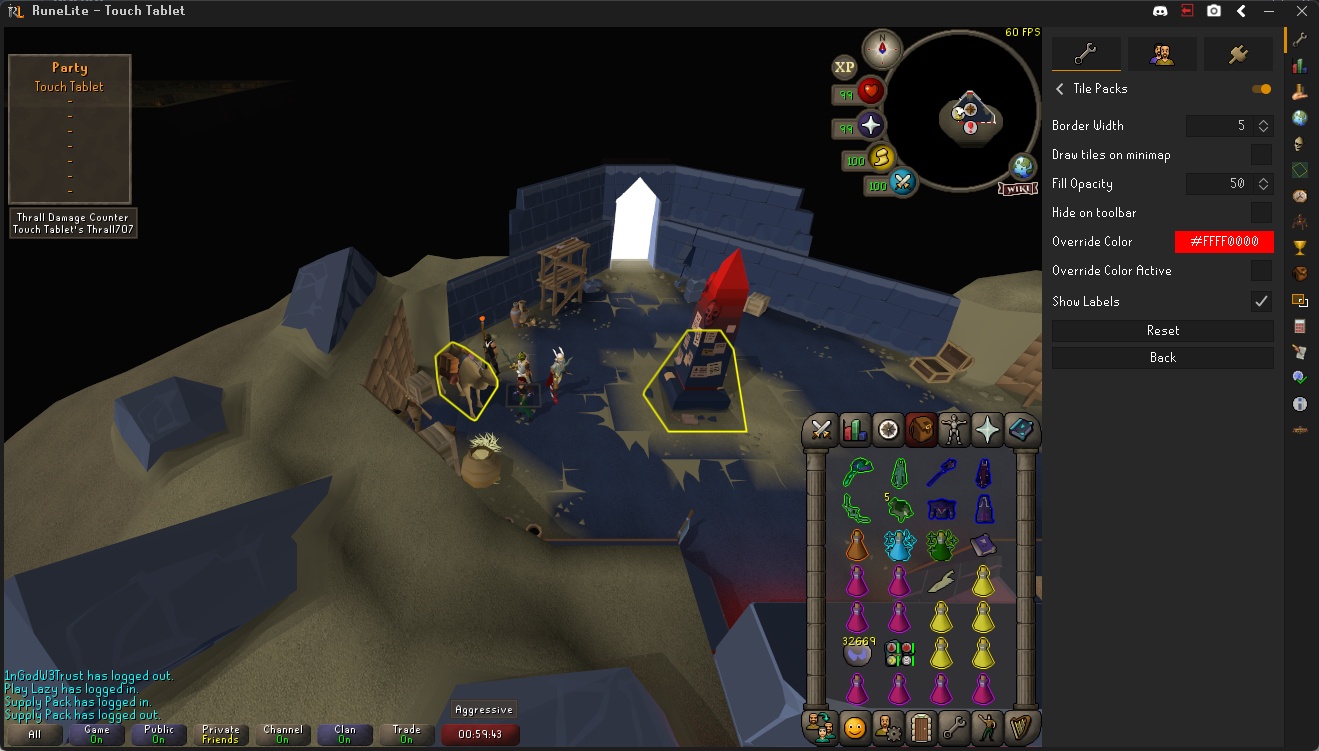
hey boys where do i get the pre-assigned ground markers again? i want to learn how to butterfly akkha
 round jacinth
Google the tiles and then import them
fresh cosmos
i remember there being a list of tile packs that you would like, allowing you to import them and deport them accordingly
but ill do that thanks brother
 crisp creek
Click on that tile looking plug in 6 down on the right side
 leaden trail
Uh
Whatever you have experimental game capture set to in discord, swap it to the opposite
 hasty agate
Tried that already 😦
fresh cosmos
leaden trail
Have you tried searching "tile" on the hub?
i did that, i got the Tile Packs plugin, but i cant see where to import the tiles. i just googled the tiles and imported them. thanks though man
haughty pumiceBOT
Get support for the Tile Packs Plugin Hub plugin here: https://runelite.net/plugin-hub/show/tile-packs.
You can also find the support link by searching for the plugin in the Plugin Hub panel and clicking the ? button on the plugin, or by right-clicking the plugin in the plugin panel and clicking the Support menu option.
hasty agate
leaden trail
Whatever you have experimental game capture set to in discord, swap it to the op...
Just double checked, same results as before (no change)
fresh cosmos
try popping your sidebar back in. also try waiting until the game has fully loaded. ive noticed that when you have the sidebar out, obs still records your selected window capture. and when its not fully loaded, things are jumbled. idk if discord works the same as obs but vOv
leaden trail
hasty agate
Just double checked, same results as before (no change)
I think we generally tell people to disable it but Discord is constantly messing with things on their end so sometimes they'll just randomly break things as well
hasty agate
Suppose Ill attempt reinstalling disc, its the last thing i havent tried 🙃 ty for help
 empty condor
I have a VPN and it is set to only allow access to discord but for some reason this prevents runelite from working can anyone help?
hasty agate
hasty agate
Suppose Ill attempt reinstalling disc, its the last thing i havent tried 🙃 ty ...
Lmao it got worse
 leaden trail
What if you close the sidebar?
I feel like discord has had issues when it's open in the past
hasty agate
Um... it continues to think it's open...
🤷♂️
Whats the most recent runelite version?
solid mesa
1.10.42
hasty agate
Dang, im already on that >.>
round jacinth
solid mesa
1.10.42
As of a moment ago it’s 1.10.42.1 lol
But it likely doesn’t change this
round jacinth
empty condor
I have a VPN and it is set to only allow access to discord but for some reason t...
Split tunneling doesn’t work with runelite
solid mesa
round jacinth
As of a moment ago it’s 1.10.42.1 lol
I saw Adam made the snapshot but I didn’t see the release
round jacinth
Maybe the stuff in dev isn’t the update but idk I’m on mobile
solid mesa
He made the release 2 minutes after I said that. So i was correct
round jacinth
 Adam updating the client
empty condor
round jacinth
Split tunneling doesn’t work with runelite
ok is there any way it can work with vpn as i cant use discord without one due to where i live
round jacinth
Use discord in browser and have vpn for browser probably
 crystal tree
i'm also stuck on "starting plugins" even with safe mode enabled, the logs don't show any issues with a specific plugin
gilded kayak
crystal tree
i'm also stuck on "starting plugins" even with safe mode enabled, the logs don't...
can you post that client.log
vast bone
@blazing geyser btw when you tried moving bank tag layouts to core layouts did you use "import tag tab with layout" or "import tag tab"? Option 2 is the correct one.
crystal tree
i deleted it 😬
i tried reinstalling runelite and now its instead stuck on "setting up environment".
with a blank .runelite it starts without issue but with my previous .runelite i have this issue.
i'll troubleshoot it some more and see if i can find whats causing it.
im guessing its the screenshots symlink since trying to open that folder crashes explorer...
 cloud yarrow
i need assistance with a plug in, star miners, it doesnt give me a list of active stars - what worlds theyre in... nothing
haughty pumiceBOT
Get support for the Star Miners Plugin Hub plugin here: <https://runelite.net/plugin-hub/show/star miners>.
You can also find the support link by searching for the plugin in the Plugin Hub panel and clicking the ? button on the plugin, or by right-clicking the plugin in the plugin panel and clicking the Support menu option.
solid mesa
But also you have to join their discord and get an authorization key if you haven't done that. If you have, you can also ask for help in their discord
 cloud yarrow
solid mesa
But also you have to join their discord and get an authorization key if you have...
cloud yarrow
solid mesa
But also you have to join their discord and get an authorization key if you have...
i never knew that, thank you very much!!
gilded kayak
but it knew that was a plugin
solid mesa
Didn't realize it's called Star Miners in the sidepanel but star-calling-assist
haughty pumiceBOT
Get support for the Custom Menu Swaps Plugin Hub plugin here: <https://runelite.net/plugin-hub/show/custom menu swaps>.
You can also find the support link by searching for the plugin in the Plugin Hub panel and clicking the ? button on the plugin, or by right-clicking the plugin in the plugin panel and clicking the Support menu option.
gilded kayak
yeah ok it just does that if you enter a plugin that doesn't technically exist
instead of pulling it from the discord-embeded-commands-list
 solid mesa
I'd never used that command before so I didn't even realize if you waited it would auto-complete, I just typed in "Star Miners" that would explain it
wanton latch
hey fellas me again, is there a way to go through most recent crash log to find which plugin is sucking my memory? log says out of memory, did the jvm argument and am playing again so no crashes again as of yet, but if i can find the plugin that started doing it id be greateful
if it helps i can tell you my dc's are most common when dying, teleporting, or at akka
solid mesa
You can install deubug helper and turn on "Heap Dump on OOM" which will have infromation after the next crash
wanton latch
by abex?
solid mesa
Yep
wanton latch
thank you, glad to have you guys around 🙂
i dont see that selection on the plugin so i assume its just apart of it now
solid mesa
It looks like there's an in-game panel to configure it, not in the typical plugin settings. Not sure if anyone else know if there's a key combo to bring it up or if you have to launch RuneLite in Debug
solid mesa
The plugin draws a panel but I can't see what triggers drawing it
wanton latch
found it, selected, will report back if crash again
if i dont, yall are life savers
solid mesa
How did you get the plugin settings to pull up? For future reference
wanton latch
i clicked the actualy plugin like where you could turn it on or off, was not looking at side panel
if thats what youre asking
solid mesa
Ahh I see now, it's in the sidebar not in the settings
wanton latch
yessir heap dump on OOM is selected
 low pulsar
Hi - is the crazy z-fighting/flickering with the GPU (experimental) plugin expected? I've been trying it out playing with a docked Steam Deck, as it gives a massive performance increase vs the other options.
low pulsar
figured as much, given the experimental nature haha
still worth it as I can't get 50+ fps on the deck otherwise
zealous cedar
you shouldnt use it unless you enjoy crashes and zfighting
mossy swan
fwiw ive been using it for a week or two, and only have a crash when someone uses a specific teleport iirc
although the zfighting does make vork a bit more difficult because you cant see some of the acid pools
low pulsar
I've had some crashes at the GE which is probably that tele, but yeah, the issues are worth the tradeoff to not play at like 15 fps when I want to be lazy with my deck setup
fresh cosmos
is there a plugin that tells you where to dig for hot/cold clues?
mossy swan
yes
fresh cosmos
hhh
mossy swan
i think it was called clue scrolls or something actually
solid mesa
Clue Scroll
fresh cosmos
 mossy swan
yeah well it doesnt have configuration for it, so what?
fresh cosmos
?
mossy swan
just read your clue
 zealous cedar
you have to use the locator orb
mossy swan
[[beginner clue strange device]]
bleh
theres one for masters iirc and other for beginners, make sure you have the correct one. then use the orb.
 brazen dirge
quick question about core layouts, i assume it is intended to be able to swap between default and zigzag layouts right?
Allthough when i switch from a default to zigzag layout all the items in the tag dissapear
maybe u are already aware of this being an issue than ignore my message
 feral iron
Hey guys, on Mac OS sometimes the client "loses focus". For example F keys do not work, unless I click on a different window and then click back to Runelite.
And typing doesn't work in the RS chatbox either, until I do that.
 past sundial
I'm curious, I've seen other players on Tiktok streams use "effect timers" where the freeze counter appears under their enemies. Is this against Jagex terms of service? I don't see a plugin for it on Runelite anywhere.
solid mesa
!statement
solid mesa
"Indicates how long an opponent is frozen for"
past sundial
solid mesa
"Indicates how long an opponent is frozen for"
thank you, this list is perfect.
The part that confuses me is you still get a timer at the top left of the screen on runelite by default, which fits the description listed?
solid mesa
There are boost timers and such but I don't believe there are any freeze timers
past sundial
solid mesa
There are boost timers and such but I don't believe there are any freeze timers
Theres a freeze timer for when you're frozen, but I see my mistake, it clearly says for opponents, not a timer on yourself.
Thanks Cooper.
 fossil summit
count the ticks
 main kraken
Is animation smoothing bugged? and also is there somewhere I can submit a bug report
charred wind
depends. Is it a bug? or is it something you think is a bug that could be a setting
and what do you mean is animation smoothing bugged?
main kraken
well rn when you walk around corners of a boss your character just randomly runs, and also another place its bugged for me is climbing the stairs on the way to tormented demons
charred wind
This happens without animation smoothing on
But I can confirm it is happening: saw it myself doing door->altar bandos
You can submit issues on the github repository, can also check if someone else has already submitted this as a bug
main kraken
yeah im at vorkath, and when i acid walk my guy just randomly goes into running animtion. Alright ill check it out ty
zealous cedar
that is a jagex bug I think
ornate kite
my aggression timer/lines won't show up but i definitely have it enabled, and it was enabled before i teleported or went into the dungeon - any ideas why that might be or how to fix?
i turned it to "always active" and it shows but it wouldn't show in combat, strange
 clear oar
anyone know why my spacebar would stop working in runelite? it works in any other program (including the official client), and in the runelite plugin area, just not in-game
like i can't type any spaces in chat or skip dialogue
leaden trail
clear oar
anyone know why my spacebar would stop working in runelite? it works in any othe...
If you download "Debug helper" from the hub, it has an option to show all of your key binds
clear oar
leaden trail
If you download "Debug helper" from the hub, it has an option to show all of you...
thank you!!! somehow I set it to "next zulrah phase" lol
 feral sphinx
Anyone ever run into an issue with RL where at random, some locations like caves/chambers/etc. will cause the screen to begin loading and then freeze?
e.g., I enter Chambers, black screen as if the raid was loading, but it freezes.
Seems to be random - wondering if i have a plugin that may cause this?
Can only think of GPU
stone parcel
Could be, might want to try safe mode to check.
haughty pumiceBOT
Windows
Run the RuneLite (safe mode) shortcut, or with a Jagex account, first run the RuneLite (configure) shortcut and tick the Safe mode box, then launch RuneLite via the Jagex launcher.
Mac
In Terminal, run:
/Applications/RuneLite.app/Contents/MacOS/RuneLite --configureTick the Safe mode box. Launch RuneLite.
If it's not working, download and install the updated RuneLite launcher from the website link in #welcome. You don't need to uninstall your current version. You will not lose any settings or plugins. Then try running safemode again.
feral sphinx
it happens really infrequently, so not sure if safe mode would help me narrow it down
stone parcel
I've had to run in safe mode for days to determine if an issue happens there. Safe mode helps determine if it is caused by a 3rd party plugin.
feral sphinx
right, just not which one... Is there a general troubleshooting guide I could follow?
haughty pumiceBOT
Please refer to this flowchart for further troubleshooting.
feral sphinx
want to make sure I clear cache, update java, drivers, etc. before nuking it
stone parcel
That might help (the flowchart)
feral sphinx
ty!
 old nymph
GUYS I AM TRYING TO REACH TEN MILLION ONIONS IN OSRS AND AM ENLISTING THE HELP OF THE COMMUNITY I AM SIRSHREK210 ON OSRS
stone parcel
#runescape is probably better for that.
lost panther
mossy swan
yeah so there is something wrong with your connection
following up finally... and after running the ping test to google and osrs world at same time they would both request time out at same time. which indicates it was my isp end. and while running the test tonight its also seeming to finally have stopped doing it after a week. thanks, for your time helping me do problem solving.
 tardy agate
The other day I realized runelite was installed to my second hard drive which is a HDD so I moved it to my SSD as i was occasionally feeling the HDD having to spin and cop some latency. When running from the SSD moving the camera makes a chopping affect. This does not happen with the game running from the HDD. Any ideas what would cause this? Can screen record an example if that doesnt make sense.
also stops if i turn the GPU plugin off completely but cant work out what setting is doing it after going through all of them
charred wind
Update your drivers maybe
ornate kite
I cant imagine runescape has noticeable differences when run on an hdd vs an ssd
ornate kite
old nymph
GUYS I AM TRYING TO REACH TEN MILLION ONIONS IN OSRS AND AM ENLISTING THE HELP O...
Do farminf
 strong aurora
quick question , is runelite supposed to always use 10%+ of cpu even while being logged out ?
mossy swan
the login screen uses cpu yeah
ever noticed the super cool fire animations (by jagex)?
cloud yarrow
is there a walk through post or video on how to add an custom image for the custom cursor plug in?
haughty pumiceBOT
Place the files for the feature you want in %userprofile%\.runelite on Windows or ~/.runelite/ on Linux/OSX
The names and type for the files are:
- Custom cursor:
cursor.png - Custom notification sound:
notification.wav - Custom login screen:
login.png. An image size of 765 x 503 is recommended, but bigger images will be (simply) scaled down automatically.
 south hill
Using MacBookAir, everytime I use the teleport with the explored ring the game crash once they added the Halloween event.
gilded kayak
south hill
Using MacBookAir, everytime I use the teleport with the explored ring the game ...
!logs
haughty pumiceBOT
To find the logs, you can do one of the following:
- If your client failed to open, click the
Open logs folderbutton. - Open the screenshot directory by right-clicking 📷
Camerabutton, navigate 1 directory up, then open logs folder. - Navigate to
%userprofile%\.runelite\logson Windows or$HOME/.runelite/logson Linux and macOS.
Upload the log files named client and launcher by dragging them to Discord. If there are files prefixed with jvm_crash dated from today, upload them too.
 echo eagle
Hello! I am trying to pass the --scale argument to runelite via the config tool. My ideal would be 1.5, but any value between 1.0 and 2.0 seems to be ignored, and does the same thing as 1.0. Is this expected ? Or am I doing somethinbg wrong ?
oblique plume
south hill
Using MacBookAir, everytime I use the teleport with the explored ring the game ...
are you using the experimental gpu plugin
south hill
oblique plume
are you using the experimental gpu plugin
Yup
oblique plume
the explorer ring tele is known to do that iirc
gilded kayak
that's what the experimental part is
south hill
Aha, thank you!
oblique plume
echo eagle
Hello! I am trying to pass the --scale argument to runelite via the config tool....
maybe non integer values arnt supported on your system
leaden trail
gilded kayak
that's what the experimental part is
I'm surprised gpue doesn't look to have a warning, tbh
gilded kayak
This plugin is for testing EXPERIMENTAL gpu changes, your client will almost certainly crash while using this.
zealous cedar
I can put a warning on it
round jacinth
didnt people who used to use that plugin automatically get it back when you re-enabled it?
zealous cedar
yeah lol
zealous cedar
though im not sure why you would have had it before
round jacinth
idk i remember a few people wondering where the plugin went because its how they could use gpu but that was ages ago
🤷♂️
hey man, it's not fix, but the expiremental GPU plugin from plug in hub works perfectly fine for me. Until we can figure out whats going on with the GPU plug in for the select few of us, it'll have to do.
that's from 2021 tho
xd
gilded kayak
well that guy yesterday said he gets giga fps on the steamdeck so maybe the secrets of the FPS increases are in the circles now
leaden trail
zealous cedar
though im not sure why you would have had it before
Because people click install on anything and everything? 🤣
But yeah a warning probably wouldn't hurt so we can at least say "we warned you about this when you installed it" lmao
zealous cedar
that rsn hider plugin straight up says "dont use this it will crash" and people still install it and get confused when it crashes
idk
I would not mind deleting the rsn hider plugin
leaden trail
I mean Picture in Picture once got so angry it filled someone's whole hard drive with logs
leaden trail
zealous cedar
I would not mind deleting the rsn hider plugin
I'm kinda surprised you didn't do that already.
I'm sure a small number of people will be annoyed but I'm not really convinced there's a real need for it anyway 🤷
round jacinth
surely it could be fixed to not brick by checking to see if the name to change to is the same name they already have set
or maybe its just bad no matter what
echo eagle
oblique plume
maybe non integer values arnt supported on your system
How would I go and check that ?
gilded kayak
i dont have the answer to that question but I do think Alex is correct since lots of people who use that setting say 1.5 is what i was looking for thanks
so it definitely works for some people
gilded kayak
round jacinth
surely it could be fixed to not brick by checking to see if the name to change t...
there's a PR alleging to fix it if u wanna look at that and have a brain blast and figure out the actual perfect fix
(--:
round jacinth
another zom take over
oblique plume
i feel like ive heard mac doesnt use that param well, if youre on that
 maiden pike
Im having an issue with notification sounds…hopefully its ok to ask here. The two plug-ins are the standard “runelite” options and the “idle notifier”.
The issue is no matter what i do (unless i disable the plugin) the sound notification always plays and at the same blasting volume.
For idle notifier it defaults to the runelite notification settings unless you choose to change that within the plugin.
All i want is for my screen to flash or at least to be able to turn down the volume but none of it works. I can make the screen start or stop flashing but the sound always plays at max volume unless i disable the plugin. I have notification sound set to off, volume set to 0% and it still plays.
oblique plume
are tray notification on
maiden pike
Yes
oblique plume
the OS typically plays a sound when it sends a tray notification
maiden pike
That worked. You are a genius! Thankyou
maiden pike
oblique plume
the OS typically plays a sound when it sends a tray notification
But if i had all the runelite volume options set to 0 and off why would that still play. Its in the same option window for the tray notification. Just wondering
gilded kayak
The tray sounds are handled seperately by your OS, they dont rely on what volume the application uses
leaden trail
Because that's an OS thing not a Runelite thing
gilded kayak
Otherwise youd get those sounds always when the client isnt muted
leaden trail
RuneLite just tells the OS to send a notification
maiden pike
Ohhh i understand. Thanks!
 quick dome
leaden trail
I mean Picture in Picture once got so angry it filled someone's whole hard drive...
quick dome
leaden trail
I mean Picture in Picture once got so angry it filled someone's whole hard drive...
Lol
 humble oasis
Hi all - the prices when hovering over inventory interface have stopped working from the "Item Prices" plugin for my runelite, is there a way to add my logs here?
oblique plume
what do you have the settings set to
 tight bison
is there any way to fix the "Ready" status for special patches in the time tracking plugin? all my special patches are empty but it still says "ready" lol
gilded kayak
are you talking about the little infoboxes?
because that's not time tracking, that's the hub plugin time tracking reminder
tight bison
 gilded kayak
mmm
gilded kayak
what about if you click it and screenshot that
isn't special patches a lot of things
round jacinth
are you sure you have nothing special being grown
gilded kayak
including compost
tight bison
yea im pretty sure
round jacinth
can you show us



 round jacinth
hmmg
tight bison
i dont have access to prifdinnas/farming guild yet
gilded kayak
did u play leagues 2
tight bison
i just found that
gilded kayak
i see momo talks about unknown in this issue
 vale dome
Does ::resetfarmtick reset the timers (dont use before someone answers)
tight bison

GitHub
Not sure when it started but random time tracking tabs get a ready mark which wont dissapear.
tight bison
yeah hehe
gilded kayak
i'm not sure, it seems nobody with the issue over the years has had the secret info we need to figure out why
i think i tricked dapper mickie to read the code for the plugin to see if the reset command will work for your situation
round jacinth
i dont think it does
gilded kayak
frick
round jacinth
there is very little harm in doing resetfarming thing anyways
vale dome
I cant rn im on mobile
round jacinth
just need to observe a growth anyhw
vale dome
I figured it wouldnt fix anything really but just remembered there was a command when i looked at the code for that a few months ago
gilded kayak
tight bison
yeah hehe
right-click time tracking in the list of plugins and select wiki and then try doing what it says for the ::resetfarmtick command
idk if it'll work but maybe it will
otherwise we dunno
old issues suck
tight bison
nope it didnt work
vale dome
If that doesnt work ill be home in about 20 minutes i can look into it
No promises though
tight bison
thank you
gilded kayak
you have to see your wood tree patch tick to fix the timers after that btw
 lethal eagle
Alright folks, I may have done something real dumb with my RuneLite profile.
I recently added RuneLite to my work laptop for about a week just for travel. In short, I logged into my RL account, set my profile to my main saved cloud profile, then knowing I had a few laptop-specific tweaks to make to the settings, I tapped "disable cloud sync" thinking that would mean any local changes I made wouldn't affect the cloud profile.
Well I'm logging into my main PC today to find the profile completely gone. It seems like I may have confused the meaning of the setting and instead deleted it from the cloud entirely? I've already uninstalled RL from my work laptop, so I can't access the profile locally there. Is there any way this might my cloud profile might possibly be recoverable?
vale dome
Did you delete the profile from your home pc?
lethal eagle
Nope, just opened up RuneLite today from the Jagex Launcher and it's not there (The only profile available is the "blank" one with default settings, not the named one I've saved)
leaden trail
Did you sync a blank profile over the one you had?
haughty pumiceBOT
lethal eagle
I don't know how profiles are keyed on the backend, but I definitely didn't intentionally do anything to overwrite my named profile with a blank one.
All I did was install RuneLite on a new laptop (mac), load my named profile and set as default, then disable cloud sync
lethal eagle
haughty pumice
<https://github.com/runelite/runelite/wiki/FAQ#my-plugins-are-gone-or-my-config-...
Thanks, I'll try the re-import steps and see if that works
Reimporting from local worked, thanks for linking me @oblique plume 🙂
 boreal maple
is there a way to cahnge which drive the .runelite folder gets saved to?
i got a new ssd and would like it to save there
oblique plume
you can try to symlink the entire thing