#support
1 messages · Page 33 of 1
 odd kelp
lol I swear I tried toggling that in the plugins but it didnt work
 round jacinth
You can right click the xp icon to change the behavior of that thing, that is not runelite doing that
round jacinth
It’s a bit confusing but runelite is a hybrid of jagex’s stuff and runelite’s stuff where it’s not always obvious what does what
You are not the first to ask about the xp thing. Dw
 sonic birch
some stupid alch hub plugin
 cloud sigil
@round jacinth i run a .jar how do i get into safe mode?
 haughty pumiceBOT
Windows
Run the RuneLite (safe mode) shortcut, or with a Jagex account, first run the RuneLite (configure) shortcut and tick the Safe mode box, then launch RuneLite via the Jagex launcher.
Mac
In Terminal, run:
/Applications/RuneLite.app/Contents/MacOS/RuneLite --configureTick the Safe mode box. Launch RuneLite.
If it's not working, download and install the updated RuneLite launcher from the website link in #welcome. You don't need to uninstall your current version. You will not lose any settings or plugins. Then try running safemode again.
round jacinth
Uh
cloud sigil
sonic birch
some stupid alch hub plugin
OH MY FUCKING GOD
cloud sigil
that did it
sonic birch
it's always a hub plugin
round jacinth
Always
round jacinth
Also why run from jar, isn’t that windows ?
cloud sigil
its supposed to be cross platform
idk im just used to it been running it since i switched from OsBuddy yrs ago
LOL
round jacinth
It is, the jar is the it will for sure work cause jvm
 sudden ginkgo
How can I tell if a plugin-hubs changes are live? I can see an issue was closed and merged but it's still occuring
cloud sigil
i do have hardware acceleration issues from it tho, idk if switching to .exe will be better
round jacinth
sudden ginkgo
How can I tell if a plugin-hubs changes are live? I can see an issue was closed ...
Which?
round jacinth
cloud sigil
i do have hardware acceleration issues from it tho, idk if switching to .exe wil...
You can more easily feed options through launcher and doesn’t hurt to give it a try
round jacinth
It should be there if you’ve restarted client since that update was merged
But if it’s still broken it means the dev didn’t fix it
sonic birch
uhhh, did zom check if it was merged on the hub itself?
round jacinth
Didn’t unmoon merge it?
 wet mulch
anyone ever seen this ?
 sonic birch
wet mulch
anyone ever seen this ?
sonic birch
wet mulch
anyone ever seen this ?
!launcher then follow the instructions it'll give you
haughty pumiceBOT
Download and install the updated RuneLite launcher from the website link in #welcome. You don't need to uninstall your current version. You will not lose any settings or plugins.
round jacinth
sonic birch
So just asking
I’m on mobile lol
But fixed issue -> links the issue he linked that user listed 😂
sudden ginkgo
Ah perfect thank you
sonic birch
Restart your client, test if it still happens, then reopen the issue
wet mulch
!launcher
haughty pumiceBOT
Download and install the updated RuneLite launcher from the website link in #welcome. You don't need to uninstall your current version. You will not lose any settings or plugins.
wet mulch
idk still this when using new setup 🤷♂️
 round jacinth
Run the launcher once as admin then reload it normally
wet mulch
same error both times
haughty pumiceBOT
To find the logs, you can do one of the following:
- If your client failed to open, click the
Open logs folderbutton. - Open the screenshot directory by right-clicking 📷
Camerabutton, navigate 1 directory up, then open logs folder. - Navigate to
%userprofile%\.runelite\logson Windows or$HOME/.runelite/logson Linux and macOS.
Upload the log files named client and launcher by dragging them to Discord. If there are files prefixed with jvm_crash dated from today, upload them too.
wet mulch
sudden ginkgo
sonic birch
Restart your client, test if it still happens, then reopen the issue
Yeah nah definitely not working
round jacinth
wet mulch
I see that the entire stuff is read only but not sure why running as admin didn’t fix it
wet mulch
could playing with uhmm
hardware anonymization cause runelite errors?
doesnt with any other game
round jacinth
I have no clue what that is
Looks like you’ve been having issues with this for like a week too
wet mulch
nope just tonight
round jacinth
Hmm ok maybe j read it wrong on mobile
Anyways idk what’s breaking your permissions if runelite admin isn’t fixing it
Can you rename .runelite to being .runelite-orig and reload runelite normally
 mossy swan
maybe just rename .runelite to something else to let runelite regenerate it
round jacinth
Yeah
mossy swan
and dont run runelite as admin when you do that
after that you should just import your profile from the old files using the profile tab's import in runelite
round jacinth
Or just log in if synced
wet mulch
yea nothing idk
round jacinth
You moved it?
wet mulch
renamed it
wet mulch
yes
round jacinth
Is it actually new or is it clone of the folder you moved? Last permissions issue guy copied and not renamed because it didnt let them move it
 native stream
can someone help me with the time the notification will be active?
i thought this would be it, but it doesnt work

it still do the 5000ms as default
 vast bone
isn't that for time between animations?
vast bone
oh my bad, nvm
native stream
i mean, this column
 vast bone
it says linux only, maybe you are not on linux?
otherwise idk
I've never used that feature.
native stream
linux only is when u put 0
i mean, idk if its the right feature, but i want the notification to disappear sooner
vast bone
then why is this thing only used in the function named sendLinuxNotification
native stream
rather than saying "your account is idle" for 5 seconds
native stream
thats sad :/
all i wanted was to reduce the timer of the notification
i thought, like the description, would matter linux only if value 0

but i see, the feature as a whole is linux only
native stream
yeah, i would put "(Linux only)" beside the top, 'Notification timeout (Linux only):'
vast bone
vast bone
oh it's you <@179860737525678080>
you got like 3 names lol
native stream
and if anyone has the same issue as me, unfortunately there is no way of reducing the notification timer on windows (at least win10) 😦
just googled it. you can increase it, but not decrease
 fading ember
guys, is it just me but my shortest path plugin is not working, and also whenever i type out on the map for a location, i cannot press enter for my screen to move me to the location i typed out, i also cannot backspace on the map search, but i can enter and backspace on everything else, but on my phone i can press enter and it will move me
vast bone
does turning off shortest path fix the searching?
otherwise you'll just have to disable stuff
fading ember
no it does not
fading ember
im just tryiung to think what plugin could possibly affect my map search
sudden ginkgo
Oh uuhh is it uhm key remapping?
 indigo wolf
vast bone
oh it's you <@179860737525678080>
indigo wolf
vast bone
oh it's you <@179860737525678080>
👀
vast bone
the horseman has arrived.
indigo wolf
:kekw:
indigo wolf
native stream
but i see, the feature as a whole is linux only
yeah, I added it because on linux the notifications were made sligthly differently, it didn't respect the OS settings
so I made it configurable
I think earlier it was hardcoded to 3s or something
 tender steeple
how do i go about adding more to this list? do i need to type attack again or just list the npcs i want to be the left click option?
 haughty pumiceBOT
Get support for the Custom Menu Swaps Plugin Hub plugin here: https://runelite.net/plugin-hub/show/hotkeyable-menu-swaps.
You can also find the support link by searching for the plugin in the Plugin Hub panel and clicking the ? button on the plugin, or by right-clicking the plugin in the plugin panel and clicking the Support menu option.
 hexed grove
hiya, i keep getting logged out with the 'malformed login packet' error message. This is happening every 5 minutes or so, when i load new areas or complete actions. is there anything i can do with RuneLite to fix this?
 leaden trail
That's more of a sign of a bad connection to Jagex
 olive pendant
Did MenuEntry Swapper get bugged with latest RL update? A lot of my swaps are not working but still exist in the properties file
mossy swan
which ones are not working?
olive pendant
Odd, it's definitely only some now that I think deeper.
All the people you pay to watch trees - I have them all set to left click pay , its defaulting to trade for them all
mossy swan
yeah, those are broken since jagex added trade
olive pendant
Okay, sweet
mossy swan
will be fixed next update
mossy swan
if you want to pay them now, you can turn off "trade" swap from menu entry swapper afaik
 mossy swan

 hollow delta
Action Progress plugin not working for anyone else?
haughty pumiceBOT
Support for hub plugins should be directed to the author of the plugin.
You can find the support link by searching for the plugin in the Plugin Hub panel and clicking the ? button on the plugin, or by right-clicking the plugin in the plugin panel and clicking the Support menu option.
 robust osprey
i reformated windows on my computer. i cant get my profile/settings back on runelite
 oblique plume
were you syncing them before formating
robust osprey
no i didnt do anything with my runelite befoer hand
oblique plume
then chances are you wenrt syncing them
robust osprey
shit
oblique plume
but you can check the  tab anyways
robust osprey
yeah it just the default profile with no plugins basic settings
on the runelite website it has all of my loot tracker so i must have been synced up?
oblique plume
the loot tracker is saved to a different place
robust osprey
ohhhhhh
 dawn mortar
when I have the Resource packs plugin active, it keep overriding the background of my login screen to the default one
even when I have the Login screen plugin active and set to False custom background
is there a way to have resource packs still enabled but not have it override the background?
 lapis elm
disable allow login screen to be changed
 frosty meteor
so yesterday my power went out while i was playing, when i logged in today to play a lot my plugins are reset to how they were like a year ago, (my note tab, invent setups, stuff like that.) But stuff like loot tracker is what it was yesterday. Is there something i did wrong? is there any way to save that info?
mossy swan
frosty meteor
so yesterday my power went out while i was playing, when i logged in today to pl...
!lost
haughty pumiceBOT
frosty meteor
mossy swan
!lost
much love ❤️
 tardy shell
yo, cant find quest helper pluging on sidebar, even it shows to be downloaded?
 empty ridge
hello, need some help with Varlamore's thieving plugin
a few days everything was fine, but after the update bonus chest arrow appearing for a few secs and then disappears or sometimes does not even appear..
round jacinth
jagex changed the behavior of some arrows and i think its impacting that plugin
empty ridge
oh.. hmm
 still badger
hey guys had a weird UI glitch when going into cox and changing profiles, the UI glitched and just showed me mount quidamortem even tho i was inside cox, quick relog and everything is fine
are graphical glitches clientside? little worried if this could flag up as some random bug abuse or something
round jacinth
it's visual only
still badger
round jacinth
it's visual only
noted thanks 🙂
round jacinth
when i teleport away from a tree i just planted it shows a fully grown maple for some reason
just visual
still badger
round jacinth
when i teleport away from a tree i just planted it shows a fully grown maple for...
yea funnily enough this happens to me as well lol , i was just concerned because i was stuck in this birds eye view of mount quidamortem despite character being in cox on minimap, was worried i somehow pathed out of bounds or something
 heady meteor
so while smithing items, escape button to close menu/space to smith previous item is not working
any thoughts? I turned on/off key remapping and issue persisted
same issue does not exist if i use space for something like herblore, escape also works to close bank
 solid mesa
Do you have the in-game setting enabled that Esc closes menus?
heady meteor
yes
 jolly stream
hello, i have an issue with my profiles folder being way too cluttered, please help

Reddit
Explore this post and more from the 2007scape community
jolly stream
what
haughty pumiceBOT
To find the logs, you can do one of the following:
- If your client failed to open, click the
Open logs folderbutton. - Open the screenshot directory by right-clicking 📷
Camerabutton, navigate 1 directory up, then open logs folder. - Navigate to
%userprofile%\.runelite\logson Windows or$HOME/.runelite/logson Linux and macOS.
Upload the log files named client and launcher by dragging them to Discord. If there are files prefixed with jvm_crash dated from today, upload them too.
jolly stream
thank you so much
 paper musk
Just a heads up @fresh swift the box cuts off your addition for the order

Didnt think it was worth raising a github issue over
Also apparently some aren't correct with the order you need to do
 fresh swift

 paper musk
 paper musk
Ye one or the other was wrong 😛
 untold badge
mll and llm both work yes just checked
solid mesa
paper musk
Is this an old screenshot? Looks like it's already been fixed unless it's on a page other than Mastering Mixology
paper musk
solid mesa
Is this an old screenshot? Looks like it's already been fixed unless it's on a p...
I believe it is @untold badge was the one that sent it to me
They can confirm
heady meteor
so while smithing items, escape button to close menu/space to smith previous item is not working
any thoughts? I turned on/off key remapping and issue persisted
same issue does not exist if i use space for something like herblore, escape also works to close bank
untold badge
solid mesa
Is this an old screenshot? Looks like it's already been fixed unless it's on a p...
i had installed it and continued but it resized once i reloaded the client.
solid mesa
I was referring to the wiki screenshot
untold badge
oh idk if its been changed, i grabbed it earlier, but seems both combo's work so idk
solid mesa
It shows MLL now

 tropic idol
Did everyone just lose all their plugins this update? Or just me
haughty pumiceBOT
tropic idol
Nevermind.. I only lost them all when I launch from jagex launcher
Fixed when I launched runelite directly > closed > opened from jagex launcher
 blissful knot
How can I join the development discussion?
solid mesa
Use /ghauth
 ornate kite
found a bug with slayer where its saying i gained 44k exp after a magic axes task
oblique plume
tell jagex?
oblique plume
the report button
solid mesa
Right click the red game clock and click Report game bug
ornate kite
oblique plume
the report button
thats players tho
oblique plume
i dont think it is
solid mesa
 mossy swan
 runelite is not a browser
 reef void
my first time logging back in 2 years brother
the client server
i disabled authenticator but it still asks for the code so I cant log in
any ideas?
reef void
 mossy swan
runelite has nothing to do with the authenticator or login stuff
maybe you are logging in to the wrong account or didnt actually disable the authenticator
reef void
No because when i log in on the jagex server it works and doesnt ask for code, when I log in runelite it asks for code
I want to log in so bad lol
mossy swan
jagex server?
reef void
I can login and play the game in regular jagex browser
runelite it asks for authenticator code
mossy swan
then you are logging in to the wrong account or you already gave authenticator code on jagex client
oblique plume
sounds like you got a jagex account tbh
reef void
Ok I enabled authenticator on jagex
but it wont accept the code when I put it in runelite
Can someone help rq please
solid mesa
If you have a Jagex account you need to use the Jagex launcher to launch runelite
reef void
I am doing that
vast bone
so when you go into jagex launcher and select the non-runelite client, then it shows your username and click here to play and lets you log in?
reef void
The official client and runelite both say play and let me login, right now I am on runelite
vast bone
if it lets you log in then what is the problem
mossy swan
ok well what is the problem?
reef void
sorry it lets me load the client, I can login on offical client not runelite client
runelite client is asking for a code
I put the code
vast bone
and both show the same username on the login screen where it says "click here to play"?
 oblique plume
i dont think it does that
mossy swan
can you screenshot what it shows you on runelite before asking code?
reef void
 mossy swan
lol
oblique plume
lol
reef void
 oblique plume
this isnt the play button with your name in it
reef void
 oblique plume
dont launch RL as admin its breaking the jagex launcher login flow
reef void
how do I launch it
oblique plume
what
reef void
oblique plume
this isnt the play button with your name in it
what do you mean its supposed to be a different play button
oblique plume
what does it look like when you use the official client
reef void
same shit
mossy swan
no its not
oblique plume
are you sure
reef void

sorry guys its literally my first time logging in in 2 years Im tryna get back in the game
Put me on game what would you do if you were me
leaden trail
Click play there and then show us what shows up
reef void
official client or RL

 mossy swan
yes that is the problem
reef void
this is RL
 oblique plume
reef void
same shit
oblique plume
reef void
same shit
so this was a lie
reef void
bro my bad
leaden trail
You have RuneLite set to run as administrator. Undo that
reef void
now what how do I get my name on RL
oblique plume
oblique plume
dont launch RL as admin its breaking the jagex launcher login flow
you need to do this
mossy swan
if you have a very old version of runelite, you may need to reinstall
reef void
I just downloaded RL today
vast bone
did you go to C:\users\username\appdata\local\runelite\runelite.exe and right-click properties untick run as admin?
vast bone
(I think that's how you do it).

 mossy swan
that is the setup file
reef void
not ran as administrator and good product version
leaden trail
That's not the right thing
reef void
how
vast bone
go to where I said
 oblique plume
lol
reef void
wait
oblique plume
this is why you give people the actual path instead of telling them how to find it
reef void
do you guys have runelite accounts on their separate websites that are linked?
oblique plume
%localappdata%/RuneLite
reef void
Should I make an actual Runelite account on their website and link it somehow?
reef void
oblique plume
`%localappdata%/RuneLite`
What do I do with this
vast bone
oblique plume
this is why you give people the actual path instead of telling them how to find ...
I did!
mossy swan
reef void
you can right-click the shortcut and it will give you some option that wil ltake you to right folder
oblique plume
so theyre going to just basically not read it and go somewhere else
 mossy swan
nope
reef void
1 sec
mossy swan
im not on windows so i cant check what it is
but its something like open containing folder
vast bone
oblique plume
`%localappdata%/RuneLite`
type windows key + r and enter the above text ^
mossy swan
you are going there to check if its somehow running as admin anyway
 mossy swan
right click "runelite" and select properties
mossy swan
check if run as admin is selected
reef void
where in security?
mossy swan
screenshot the tabs
reef void
 reef void
what bro
why you flaming me instead of helping out man, get on a call show me real quick idk


 oblique plume
curious
reef void
its not the administrator thing I dont think so
oblique plume
guess youll have to ask jagex why their launcher doesnt work then
haughty pumiceBOT
If you are new to OSRS, make sure to follow this excellent guide on OSRS wiki: https://oldschool.runescape.wiki/w/New_player_guide. You can also join official OSRS Discord here: https://discord.gg/osrs
reef void
lol
leaden trail
I know Jagex launcher needs to be run as admin, could this be what happens if it isn't?
reef void
reef void
this is RL
How do I get my RSN showing on Runelite
oblique plume
you dont have RL set to launch as admin
everyone else it hasnt worked for thats the cause
so idk what your issue is
mossy swan
what was the problem?
reef void
Honestly I dont know it just showed my rsn Waggle on Runelite, and I logged in
i closed out everything and logged back in
and it worked
mossy swan

reef void
I really appreciate you guys honestly
Is there anything yall need from me? I'm about to figure out how to make cash for a dh setr
what world do people pk by the GE at?
 rigid tree
can anyone tell me why all resource packs are doing this
 oblique plume
Describe this
oblique plume
dunno
haughty pumiceBOT
Support for hub plugins should be directed to the author of the plugin.
You can find the support link by searching for the plugin in the Plugin Hub panel and clicking the ? button on the plugin, or by right-clicking the plugin in the plugin panel and clicking the Support menu option.
oblique plume
i guess go ask them, i think they got a discord
rigid tree
ill try
 small gale
runelite crashed (disappeared). I checked the logs and saw this error (Java VM arguments: -XX:ErrorFile=) any help please
leaden trail
That's not an error, that's normal.
Just upload the full log here
small gale
 leaden trail
Upload the full log as a file
That line still isn't relevant to your actual issue since it's normal
 leaden trail
I'm saying to upload the file
client.log
Drag it onto discord and send it
(don't try to cut and paste what you think may or may not be relevant, just send the full, unedited file)
leaden trail
small gale
thats the full line
Yes it's safe to send your logs here, it's the first step in troubleshooting for most issues
If you scroll up in here you'll find that we ask people to do so regularly
sonic birch
round jacinth
when i teleport away from a tree i just planted it shows a fully grown maple for...
Well, that is just because of the way the vars are re-used afaik. The issue of the other guy was probs because he fucked with extended draw distance while on a loading line.
sonic birch
heady meteor
so while smithing items, escape button to close menu/space to smith previous ite...
!flow
haughty pumiceBOT
flowchart: Please refer to this flowchart for further troubleshooting.
 spare holly
Hello. I am having a bit of a struggle on developing a new plugin. Sometimes it appears in runelite (debug mode) and sometimes it doesn't. I do "run maven build" after doing changes to the code and then i run "runelite main".
Have this happened to anyone before?
 jovial moon
hey my runelite via jagex launcher is timing out but i have internet, gets stuck on downloading bootstrap any ideas?
lapis elm
You can make a hub plugin
haughty pumiceBOT
How to develop plugin-hub plugins: https://github.com/runelite/plugin-hub/blob/master/README.md
spare holly
lapis elm
You can make a hub plugin
I believe the difference is that a hub plugin you need to go and get it yourself, is that right ?
lapis elm
What
spare holly
Thought you were answering my question
jovial moon
this is my error
 sonic birch
He was answering your question. Basically no new plugins get added to core. You should make a hub plugin (not a mixology one).
Also, this channel is for release support. Hit up #runelite for further phuh convo
spare holly
I appreciate
sonic birch
jovial moon
this is my error
Probs try some general connection troubleshooting #support message
jovial moon
will try thanks
jovial moon
it was malwarebytes Exploit protection, any idea how i can keep this on but bypass runelite? cheers
ornate kite
Hi guys, I have a crash on login (caused by a plugin). How can I determine which plugin is causing this? For reference it only crashes on mac, works fine on my pc.
vast bone
how do you know it's caused by a plugin? did you try safe mode?
haughty pumiceBOT
Please refer to this flowchart for further troubleshooting.
ornate kite
Yes if I login to the game with a different plugin profile. I can login fine. Otherwise it crashes
vast bone
what kind of crash? freeze, client just closes, etc.
ornate kite
It's a freeze, I have to quit the client all together
vast bone
there might not be much you can do other than disable half your hub plugins and see if it still happens.
ornate kite
Thank you, I will follow the flowchart. Would it not be easier to have a look over the logs instead of manually disabling 250 plugins? 😅
vast bone
you might be able to do a stack dump while it's frozen using debug helper plugin
unfortunately freezes don't generally log anything because the program is frozen, XD
ornate kite
Gotcha
ornate kite
gotcha i see it
Ah okay so repeat the freeze -> dump threads -> paste to word and look for "client"
ornate kite
I've just tried to recreate the freeze and it's logged in without freezing...
it's been freezing for me on login for literally 3 weeks
o.O
vast bone
XD
ornate kite
I just went into the wilderness, logged out, logged back in and it froze. huh
I cant access the plugin whilst frozen unfortunately
ornate kite
Okay do I just turn the plugins off or do I have to uninstall them?
vast bone
turning them off is often enough
although in theory it could even require you to uninstall + restart.
idk if I've seen one that bad though.
leaden trail
generally turn off and restart
jovial moon
sonic birch
Probs try some general connection troubleshooting https://discord.com/channels/3...
nah nothing works for that still returning back as an error
something is blocking it thought it was AV but it is not
sonic birch
jovial moon
nah nothing works for that still returning back as an error
Make sure to test using your phone's network
And on another device using the same network
Then you can determine if it's the network or the pc
 hoary whale
Anyone else having issues with the indicator arrow disappearing too early at the Brimhaven Agility Arena?
round jacinth
yeah, jagex did yet another change to arrows and broke stuff i think
sonic birch
It'll likely be fixed in the next rl update, kinda
hoary whale
I thought maybe people were too happy with the Brimhaven update, so they decided to hurt us.
 fast agate
Bank tabs broken - removes ability to deposit worn items

 sonic birch
Client never restarted - updates the client to the most recent version
fast agate
ty
 limber yacht
Hey so I left the house splashing some seagulls in port sarim. Ive tried to log in on my phone client hours later now and its stating I am still logged in. Is there a way to log me out of runelite? Thanks for the help in advance.
 hollow olive
you should get kicked out after 6 hrs
limber yacht
alright its been about 3 hrs, worried about looking like a bot and missed xp at work lol
sonic birch
call your buddy to log in to your world and hit the seagull, but this is more something for #runescape
hollow olive
well typically you stop combat at 20mins, but if you left something on your keyboard ||i think it counts as an action and thus doesn't kick you out|| so you would probably get logged at 6hrs instead of 20min
limber yacht
Thank you both
 lilac ermine
Not sure if anyone can help me but I have always been able to play overwatch and play OSRS on the side. But all of a sudden if I play a Overwatch and OSRS I get super high ping. I think OSRS is the culprit as I could be watching netflix, youtube, or even downloading a game while playing overwatch with a normal ping. Anyone know whats causing this or a way to fix it?
sonic birch
RL should not impact your ping on overwatch
!flow You can give safe mode with world hopper disabled a try. If it still happens then, it should not be runelite
haughty pumiceBOT
flowchart: Please refer to this flowchart for further troubleshooting.
sonic birch
Some rare routers dislike that world hopper pings the rs servers, but generally that just results in runelite disconnects
lilac ermine
Thank you! I didn't expect much but figured it was worth a shot, I will check out the flowchart
 mint spear
my notes from my runelite all disappered how do i get back ?
sonic birch
mint spear
my notes from my runelite all disappered how do i get back ?
!lost probably?
haughty pumiceBOT
mint spear
sonic birch
!lost probably?
was able to import it back from previous file thank god . randomly got deleted after power outage
 void minnow
Hi, I'm curious as to what the current eta is for reviews on new plugins. I'm guessing the queue has only gotten longer with the release of varlemore pt2
vast bone
what do you want reviewed?
 crude scaffold
ive noticed my game crashes now when i barrage people.unsure if client related
vast bone
try using snare instead
haughty pumiceBOT
Please refer to this flowchart for further troubleshooting.
crude scaffold
tried bind still crashes
😉
but yeah its getting annoying 3x in a row back to back
void minnow
vast bone
what do you want reviewed?
GitHub
This plugin is to be used by the hiders during the Hide and Seek (GieliGuessr) events hosted on the official osrs discord server.
Hiders setup their tracking area around them, enter the list of par...
 cyan wave
The clue scroll plugin is not working with hot/cold clues. The interface just never comes up at all.
mossy swan
did you read the clue?
cyan wave
What do you mean? It literally just gives you an orb and tells you to go looking. What would that have to do with the plugin?
mossy swan
you need to read the clue so the plugin knows you are doing such a clue
cyan wave
If youre asking if I clicked on the clue for the game to read it, yes I did
It told me to go to Reldo for the orb, but then just stopped giving clue help after that
To be fair, I think the game may also be having issues with the orb. Because I kinda know where a lot of them are from years of playing but its REALLY off about temperature
mossy swan
are you using the right orb? there's one for beginner clues and one for masters
crude scaffold
so i narrowed down the plug in thats causing it, but its one i use constantly, just remove and reinstall?
cyan wave
I used the orb given to me by Reldo on the very same clue scroll run
 celest rover
hey i think the item price plug in is broken. its only working with items in my bank but never for items in my inventory.
 runic shale
i just reformatted my pc and tried logging in to runelite to get my plugins back but nothing is showing up, is this because i didnt have sync enabled?
mossy swan
!lost
haughty pumiceBOT
mossy swan
or you need to switch profile
runic shale
that doesnt help 😦 im signed into the correct email
 warped schooner
is there a plugin that would let me walk on tiles that have ground items or npcs in them without needing to right-click, like maybe by holding shift or other key it would allow walk-here to be the left-click option?
 compact spear
you mean like in menu entry swapper?
 warped schooner
yees, thanks!
 thorn pond
warped schooner
is there a plugin that would let me walk on tiles that have ground items or npcs...
thorn pond
warped schooner
is there a plugin that would let me walk on tiles that have ground items or npcs...
Ground items plugin
 winter onyx
I'm using the shortest path plugin and it keeps suggesting items which I do not currently have on me - even though I have the "inventory" option set.
I have a path set to Karamja, and POH tabs, so the shortest path is through Sarim, however it keeps telling me to use a glory which I don't have - even in my bank.
Is this a known issue?
haughty pumiceBOT
Support for hub plugins should be directed to the author of the plugin.
You can find the support link by searching for the plugin in the Plugin Hub panel and clicking the ? button on the plugin, or by right-clicking the plugin in the plugin panel and clicking the Support menu option.
round jacinth
cyan wave
I used the orb given to me by Reldo on the very same clue scroll run
You need to click the orb once after getting it to start the searching lol
winter onyx
haughty pumice
Support for hub plugins should be directed to the author of the plugin.
You can ...
I don't have enough information to submit a bug report to GitHub; asking here to understand if this is the general experience with this plugin currently.
However to bring this to a close, I have been able to stop the behaviour by reinstalling the plugin, so I recommend anyone with similar issues do the same.
 flat valley
Hi, quick question where are the tile marker physically store on the pc?
leaden trail
winter onyx
I don't have enough information to submit a bug report to GitHub; asking here to...
We don't provide support for hub plugins here, asking in a discussion on a hub plugin's repo is probably the best place to get help for most plugins
winter onyx
leaden trail
We don't provide support for hub plugins here, asking in a discussion on a hub p...
I don't think there's a requirement to continue the conversation but I appreciate your input, I will avoid asking questions here in the future.
 stray merlin
good morning, does anyone know why menu entry swapper will not set pay for farm patches, cannot figure it out
oblique plume
you have trade selected to swap as well
stray merlin
oblique plume
you have trade selected to swap as well
fixed it thank you.
flat valley
Is there a ways to edit tile marker without having to physically go to the place?
oblique plume
flat valley
but how do i get them exported in the first place without going to the location?
and will import overwrite the existing tiles?
oblique plume
if you had a RL account before then legacy versions of your markers will be under your account
no
flat valley
oblique plume
if you had a RL account before then legacy versions of your markers will be unde...
i am not quite following you, what legacy version?
oblique plume
before the profiles update
flat valley
when were profiles updated?
round jacinth
profiles were updated in feb 2023
oblique plume
feb 23
flat valley
ok i had an runelite account before profile update, however there are no marker on my account.
round jacinth
did you not login in the last 18 months?
oblique plume
none here? https://runelite.net/account/tile-markers
flat valley
I took a break from 2020 - 2023 November but have been logged on since on runelite and on hamepage
flat valley
oblique plume
none here? <https://runelite.net/account/tile-markers>
none
oblique plume
then i guess you didnt have any
and that page isnt updated to use the profiles sytem so you cant get them from there
youll have to go in game then
but you can mess with then once you do
flat valley
so i can only edit them ingame, so only by going physically there?
oblique plume
you can export then mess with them on the site
flat valley
I guess I have to go into more detail.
I have imported whisperer tile marker for the shadow realm. I want to change them, but doing so during the fight is rough to say the least. Now Alex mentioned that editing tile and re-import wont override the existing tile in that region. Is it possible to edit those tile without having to do it during the fight?
Additional when I first imported the tile set it had a typo in the region id, so didnt show up. Is there a way to delete tile marker for regions that one cannot physically reach?
oblique plume
no
flat valley
to both?
oblique plume
the first one ive answered multiple times now, the second is no
flat valley
so i just going to recap, to make sure that I understood your answers correctly.
My tile marker are not saved to my account and cannot be edited outside of the game, meaning that I have to go to it physical location in game if I want to change them. If that is not possible than there is no way to remove them.
 mystic sluice
Hey can someone give me hand real quick?
Runelite keeps crashing 117 and telling me i need to use the 64 bit client, i downloaded the 64 bit client and now i dont know how to get that one to launch from the jagex launcher
oblique plume
mystic sluice
Runelite keeps crashing 117 and telling me i need to use the 64 bit client, i do...
it just works
mystic sluice
how do i tell? if i have 32 and 64 your sure 64 will just auto load?
oblique plume
you should only be able to have one install
so if you installed 64 then you have 64
task manager will also tell you
flat valley
oblique plume
thats how exporting works
Thank you for your help and most importantly your patients . Man this a fucked system. Absolute mayhem.
oblique plume
its not bad imo
would be nice if the website supported showing stuff from profiles
i looked at it once but idk how the heck to get it to work
 sour depot
not sure if already known but con cape priff teleport is teleporting me to yanille? both max cape and con cape doing it
round jacinth
i think that is known and fixed for next release
or maybe just the nexus doing something similar? some 1 correct me
hollow olive
yep the updated submenus haven't been released yet is all
 chilly heart
Is the Inventory Setup Plugin bugged? It doesn't show them in the right layout anymore
hollow olive
did you try clicking the white arrow thing in the bottom right then green checkmark
chilly heart
I dont even see the white arrow or green checkmark
Gonna delete it and reinstall
Maybe that'll help
Deleting, restarting client, reinstalling fixed it
Maybe had something to do with me reseting my pc recently
 graceful gyro
clue scroll helper doesnt work
 fresh cosmos
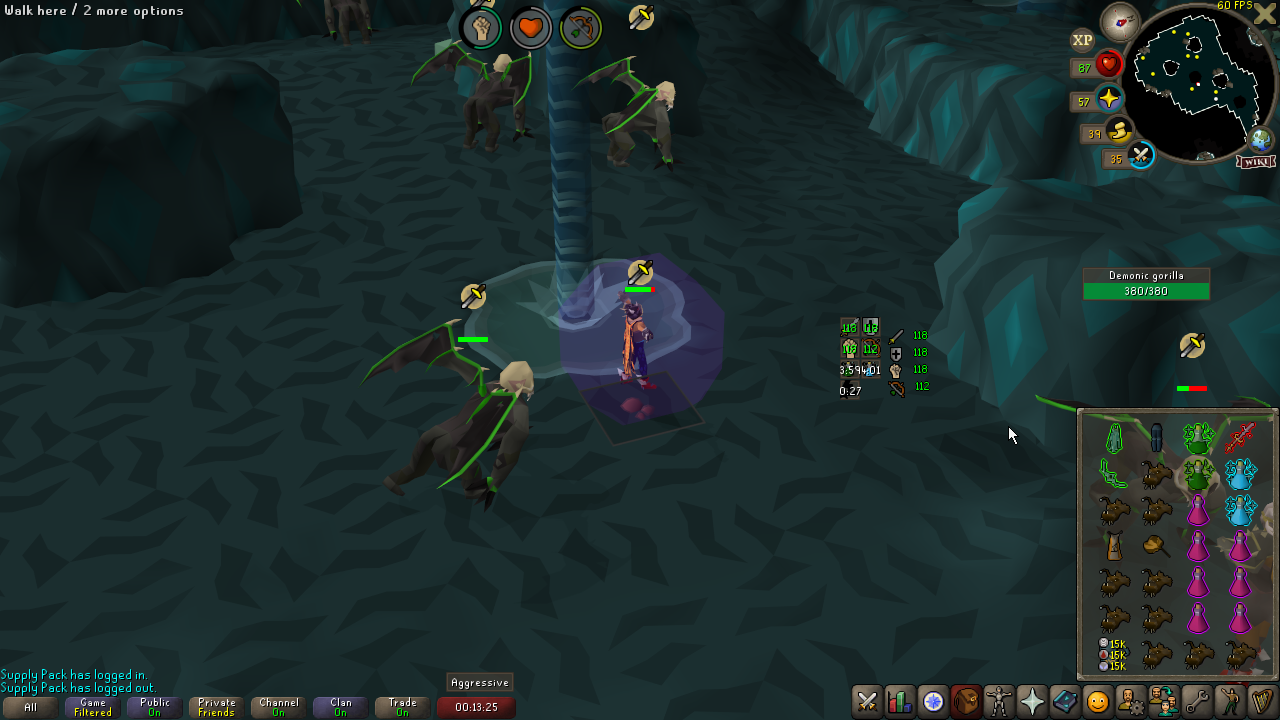
i got told that the plugin overlays dont move around randomly, my plugins must be "resetting" back to a default place on my screen, every ~10 minutes or so. its reallly annoying:/ https://imgur.com/cILGdpV
 leaden trail
graceful gyro
clue scroll helper doesnt work
leaden trail
graceful gyro
clue scroll helper doesnt work
Can you be more specific?
oblique plume
or you have an invisible overlay moving them
graceful gyro
leaden trail
Can you be more specific?
after clicking on clue scroll it doesn't show where to go what to take also icon on map is missing
oblique plume
prob new clue
fresh cosmos
@oblique plume i dont know of anything that would be moving them around. how do i check brother man?
graceful gyro
oblique plume
prob new clue
true, it's a new step, sorry for that
fresh cosmos
oblique plume
hold alt and see if theres a big random box
negative sir
@oblique plume is there a way to manually reset the position of my overlays? maybe i did something and just need to start fresh idk
 obtuse bloom
Hey folks, my runelite is not showing my plugins. Its showing them on the website and in the download section it gives me the option to remove them but theyre not showing on the side bar. Ive rebooted my machine, logged out and back in on runelite, ive also tried removing a plugin thinking it might force it to update my plugins. Im on v1.10.38 . Does anyone have any ideas? Thansk
haughty pumiceBOT
hollow olive
oh
actually nvm, i thought you were just missing them entirely. wait for someone else to help you with logs
obtuse bloom
ty anyway Josh
to add, ive just exported my profile and its showing by the looks of it every plugin on the platform and the ones I should have installed are all set to true
hollow olive
post your logs
haughty pumiceBOT
To find the logs, you can do one of the following:
- If your client failed to open, click the
Open logs folderbutton. - Open the screenshot directory by right-clicking 📷
Camerabutton, navigate 1 directory up, then open logs folder. - Navigate to
%userprofile%\.runelite\logson Windows or$HOME/.runelite/logson Linux and macOS.
Upload the log files named client and launcher by dragging them to Discord. If there are files prefixed with jvm_crash dated from today, upload them too.
mossy swan
what plugins are you missing?
mossy swan
are "all of them" marked with a ⚠️ in the hub list?
obtuse bloom
only ones that are showing are the ones i assume are default, like time tracking and stuff
round jacinth
yes those are core
obtuse bloom
in configuration its only showing say 20 or so which i assume are core. For example I know I should have the optimal quest guide but its not showing there. On the plugin hub its showing all the plugins that I should have with the option to remove them. No icons on side bar other than for core ones
in fact thats a lie
now that ive scrolled its only sort of invisible ones that are showing, like mahoganny homes. It looks like all of the plugins that need to be accessed through sidebare have gone but ones that are always running as such are still there
obtuse bloom
is it just a case of I need to reinstall the plugins? I dont necessarily mind this just dont want to spend the time if i dont necessarily need to
round jacinth
can you just answer unmoon lol
obtuse bloom
mossy swan
^
Sorry mate which bit is the hub list, im not seeing an ! anywhere
mossy swan
where you install hub plugins
obtuse bloom
Yeah nothing showing on there
mossy swan
got a screenshot?
obtuse bloom
Just the option to remove the ones that I assume are core, and to install other ones
give me one sec and i will


thats the ones that its letting me remove, then i just scrolled down
when i searched for optimal quest guide it had the option to install but no !
mossy swan
right, so what about the ones you are missing in the sidebar?
obtuse bloom
sorry yeah probably should have included that

its only the core ones
and oqg that I redownloaed
obtuse bloom
yeah like the default ones like loot tracker and the like
mossy swan
okay, so some are missing on the sidebar, but can you find them on the plugin hub listing?
obtuse bloom
theyre on the plugin hub but I only have the option to downlaod
like for example the shootin stars plugin
I had that on sidebar
now I can search for it, and I can redownload it, but just want to try and bring them all back if that makes sense
mossy swan
did you lose all your settings and just started recreating them, or something else?
obtuse bloom
yeah appears ive lost all settings, came on just now and its like its lost all of my downlaods
nothing has changed between the last time I was on yesterday and today when I came on
mossy swan
all settings for core plugins too?
obtuse bloom
sorry should have been clearer
mossy swan
yes please
obtuse bloom
looks like the settings for core are fine
for instance loot tracker is still showing everything, that hasnt reset
mossy swan
what about for example ground items ignored items?
obtuse bloom
Ill be honest, I never tweaekd the ignored items. It still has what I assume are the defaults with the likes of vial, bones, ashes, coins etc marked as ignore
mossy swan
erm okay, have you changed any settings that you can tell they are still the same as before?
obtuse bloom
having a look through everything looks like it shoudl
mossy swan
ok i see something in the logs, looks like your local file system has had some corruption after last night - did you shut down your pc normally, or did you have a power outage or such?
obtuse bloom
oh shit, theres a good chance I didnt shut down last night and the battery has died
im sure id closed rl at that point tho
im guessing thats probably the issue tho?
mossy swan
alright, can you open the profiles2 folder in your .runelite (do you know how to get there?)? screenshot that
 mossy swan
in the runelite profiles tab, try importing the default-3512862330430600.properties
obtuse bloom
only made a second today to try and switch to to swtich abck
my man
my mna
youve sorted it
thats pulled them all back through
tysm
mossy swan
alright, now make sure you set that profile as synced in the profile tab
that way you wont lose your settings if this happens again
you were lucky it only corrupted the profile listing file, not the profile itself
obtuse bloom
ive set it to sync and disabled the default one from syncing
are you in game rn , I dont have a lot of spare coin but would love to give you something for your help
haughty pumiceBOT
If you are looking to support RuneLite, you can do so through our Patreon: https://www.patreon.com/runelite
sonic birch
celest rover
hey i think the item price plug in is broken. its only working with items in my ...
!flow if works in safe mode, check plugin settings
haughty pumiceBOT
flowchart: Please refer to this flowchart for further troubleshooting.
sonic birch
chilly heart
Deleting, restarting client, reinstalling fixed it
You get plugin updates by restarting. Restart at least daily.
thorn pond
is there a way to get the resource packs plugin active in developer mode?
When importing the ZIP's extracted files it gives errors.
Any ideas?
oblique plume
zips?
sonic birch
He is installing plugins Minecraft style
 sweet hill
hello, my runelite keeps chrasing all of the sudden
mossy swan
!flow
haughty pumiceBOT
flowchart: Please refer to this flowchart for further troubleshooting.
sweet hill
thanks
 steel nexus
hi help my pc crashed and I lost Allll my settings
i had a rl acc
still have, am logged on it
steel nexus
nope
haughty pumiceBOT
!lsot command not found!
round jacinth
!lost
haughty pumiceBOT
steel nexus
oh let me check
well email is right and all my profiles were deleted
i only have the default one now
oh wait, ok ok i had all backups of my settings saved in the import profile
oooooooooooooooooooooooooooooof thank god
 formal meadow
Hi does anyone have a solution to your client closing itself randomly?
haughty pumiceBOT
To find the logs, you can do one of the following:
- If your client failed to open, click the
Open logs folderbutton. - Open the screenshot directory by right-clicking 📷
Camerabutton, navigate 1 directory up, then open logs folder. - Navigate to
%userprofile%\.runelite\logson Windows or$HOME/.runelite/logson Linux and macOS.
Upload the log files named client and launcher by dragging them to Discord. If there are files prefixed with jvm_crash dated from today, upload them too.
leaden trail
Post your logs and we can take a look
formal meadow
 barren rover
my brimahven tele on max cape is sending me to varlamore. any fixes?
chilly heart
sonic birch
You get plugin updates by restarting. Restart at least daily.
Well I was confused because it was a brand new install of RL
I reset my PC last night
 crisp dune
barren rover
my brimahven tele on max cape is sending me to varlamore. any fixes?
crisp dune
barren rover
my brimahven tele on max cape is sending me to varlamore. any fixes?
a fix will be released soon
 covert dome
winter onyx
I'm using the shortest path plugin and it keeps suggesting items which I do not ...
covert dome
winter onyx
I'm using the shortest path plugin and it keeps suggesting items which I do not ...
Hi!
I am the maintainer of the Shortest Path plugin. This is a known issue that I am slowly working on fixing, but I am a bit busy these days so not sure when it will be fixed. Feel free to DM me any other issues or questions related to the plugin
vast bone
crude scaffold
so i narrowed down the plug in thats causing it, but its one i use constantly, j...
which plugin? also reinstalling almost certainly won't do anything.
 hidden ridge
@ionic ivy heya, I just installed your essence pouch health plugin but I'm not seeing any overlays or indication that it's working - where am I supposed to look?
round jacinth
The rc lap tracker plugin is better, I think you’ll have a better experience with that, tracking usage of pouches is harder than tracking laps
They effectively are the same
hidden ridge
round jacinth
The rc lap tracker plugin is better, I think you’ll have a better experience wit...
does it work for GOTR?
round jacinth
Last I used it, it did. 🤷
 cobalt pier
Does the plugin to swap paying farm patch NPC still not update?
sonic birch
next release
cobalt pier
sweet
oblique plume
it updated, but they gained a trade option so if you have that selected it swaps that
so its essentially doing what its told to
next release swaps their priority though so pay will take prio
cobalt pier
Actually, now I just realized they never had the option to trade. So I guess they sell things that used to be in farming stores, but now makes them useless.
oblique plume
yep
 frozen mantle
what i do if my runelite keep crashing?
frozen mantle
ya
sonic birch
!logs
haughty pumiceBOT
To find the logs, you can do one of the following:
- If your client failed to open, click the
Open logs folderbutton. - Open the screenshot directory by right-clicking 📷
Camerabutton, navigate 1 directory up, then open logs folder. - Navigate to
%userprofile%\.runelite\logson Windows or$HOME/.runelite/logson Linux and macOS.
Upload the log files named client and launcher by dragging them to Discord. If there are files prefixed with jvm_crash dated from today, upload them too.
 sullen steppe
There seems to be an issue with varlamore thieving, the arrow pointing to valuables is sometimes appearing, sometimes it disappears a tick later, and sometimes just doesnt appear
tried restarting the client but same effect
sonic birch
Something is stealing the arrow. Likely most of the problem will be fixed after the next rl release
sullen steppe
ah aye, ty ty
sonic birch
looks like adam might do a release now, so restart your client in 30 mins or so
sullen steppe
sounds good, ty ty
sonic birch
when did it crash today
frozen mantle
few mins ago
sonic birch
what is a few minutes ago in your time
frozen mantle
like 20 mins ago
sonic birch
yes, because then there are no logs of it I guess
at 00:00, the client will start a new client.log
 torn girder
fps control (1 fps cap) does not play nicely with camera movement smoothing lol
oblique plume
lmao, that is terrible
i feel like i dont remember it acting like that when i was using it for 20min karambwans on league
it actually does it for any fps
you can slideshow at 5
leaden trail
That's a very towelcat problem
sonic birch
just curious, is there a reason you want to cap it to 1 fps in the current day and age?
crude scaffold
vast bone
which plugin? also reinstalling almost certainly won't do anything.
so it was mostly happening with the pvp performance tracker but now it doesw random dc's.
frozen mantle
sonic birch
just curious, is there a reason you want to cap it to 1 fps in the current day a...
i found something
sonic birch
https://github.com/runelite/runelite/issues/10628#issuecomment-1771957664 probs but scroll down to intel
leaden trail
Maybe
I think the classic version of that is on the client thread but the one they posted isn't
vast bone
crude scaffold
so it was mostly happening with the pvp performance tracker but now it doesw ran...
probably not a plugin then.
the dcs probably aren't.
crude scaffold
so i its not like a dc, but i attack someone game freezes and i black screen, then theres timews where the game willfreeze if im in the bank
then it dc's cause of that
sonic birch
client freezes are usually hub plugin related
crude scaffold
Thats whatiwas saying. i originally turned off gpu etc as the tree showed me. i noticed the plug in for pvp fight history had moved to the bottom wasnt in its normsal spot then this all started happening
turned them both off it was fine ( After i did it on safe mode and no issue.) i toggled gpu onorig no problem i put onthe pvp fight history/performance t racker and it happened immediately.
soi turned it off still had gpu back on ettc but it happened randomly now.
 autumn frigate
My power went out while launching the game, and now I get this error.
Would there be a way to grab my settings before uninstalling and reinstalling runelite?

(Note it will not launch the client, and i can't launch it manually which is why i think this is the solution)
found it, it's the !lostprofiles command or something
haughty pumiceBOT
Download and install the updated RuneLite launcher from the website link in #welcome. You don't need to uninstall your current version. You will not lose any settings or plugins.
sonic birch
maybe it fixes your problem
 final axle
maybe it's all those cheats
vast bone
doesn't it say in the instructions for using it?
haughty pumiceBOT
You've downloaded a fake client, and your account has been compromised. Remove the fake as soon as possible to minimise further damage.
The following actions should be performed from a secure computer or secure mobile device:
- Change your RuneScape password
- Remove and re-add Authenticator to RuneScape
- Change your RuneScape bank PIN
- Change your email's password
- Add 2FA to your email if you haven't got it enabled
- Check for any linked accounts by accessing the account settings page (https://www.runescape.com/account_settings)
Some fake clients also install malware, only a fresh install of your operating system can guarantee the total removal of any unwanted software.
You might also want to change any email password if you reused the same as your RuneScape account password.
Once your computer is secure, you should download RuneLite from the link available at the #welcome channel.
 daring geode
hey how can i can i fix runelite not being able to verify the certificate
while downloadin the bootstrap
solid mesa
Is the clock on your computer wrong?
daring geode
its 2 mins off
round jacinth
you can resync the time to correct it
daring geode
still having issues
anyone else run runelite on linux and have this issue?

keep getting this
 stone parcel
You could try using a different network like a hotspot, or could try a VPN.
daring geode
lemme see if that works
no its not that
it doesnt seem to be a wifi problem
although my clock is 3 mins slower on my computer
but its set to the correct time zone ETC/gmt-3
 fossil summit
replace the battery
solid mesa
SSL certificates are notriously finnicky with the wrong time. If you clock is 3 minutes off you should fix it
sonic birch
Can't you just do something like sudo service ntp stop sudo ntpd -gq sudo service ntp start to force a one time sync
daring geode
fossil summit
see u when u get back
i have spare batteries its not the battery
daring geode
sonic birch
Can't you just do something like ```sudo service ntp stop
sudo ntpd -gq
sudo ser...
will try
ok it works now but my system clock is set to 5:48 pm meanwhile its 10:48
wait and its 1 day ahead?
sonic birch
Well, configure the NTP daemon to just always run, and fix your time problems. then runelite will probs work
daring geode
not sure how to do that, but when i run timedatectl my system clock isnt synced how i sync it i have no clue
sonic birch
Idk, we just offer RL support, not linux support.
You can ask in a linux server, but it's best to just google
 limber pumice
every so often I get no audio on runelite. I used to switch audio output on windows and then switch it back and it would get fixed, but not anymore
sonic birch
Usually my crappy general audio troubleshooting fixes these problems #support message
(not always though, this mostly works for permanently no sound on rl)
limber pumice
it works on restart and is working at the same time on my other acc on runelite
tried reinstalling drivers and disabling all other devices, no ingame music, and not muted in mixer

I'm assuming there's no point in trying safe mode since it's gonna work upon restarting anyway
but I'll try it and see if the issue comes back
 undone pagoda
Hey yall I've been having some issues with runelite as of late. I recently upgraded my graphics card to a 4070 super and changed my system over to windows 11. After this upgrade I currently have an issue where my game will game/character will freeze for 4-5 seconds. Anyone else have this issue and if so what helpped fix it, thanks!
sonic birch
undone pagoda
Hey yall I've been having some issues with runelite as of late. I recently upgra...
!flow
haughty pumiceBOT
flowchart: Please refer to this flowchart for further troubleshooting.
undone pagoda
sonic birch
!flow
thanks ill give it a try
 lone sundial
is it possible to lower the paint refresh rate on the xp tracker panel? when i am on defensive ranged casting, they flicker as they update one, which goes to the top, then the others, and it's super distracting lol like it'd be fine to update them all in the same paint refresh
sonic birch
It shouldn't really flicker.
Maybe you can show a video of what you see?
Alternatively maybe disable hwaccel in case your gpu driver is doing weird stuff with it?
haughty pumiceBOT
Graphical artifacts? Try disabling hardware acceleration: https://github.com/runelite/runelite/wiki/Disable-Hardware-Acceleration
undone pagoda
alright I've captured the issue
my game is continuing to play, but when im clicking on my thralls and to dodge the axes my inputs do not register
sonic birch
Oh hmmm, so the game perfectly keeps going in sade mode, but your clicks are delayed?
Bit hard for me to see on mobile
You have the sidebar closed in the video, right?
 charred wind
Defo network issue
sonic birch
Bit hard for me to fully discern on mobile but that's what I was mostly leaning towards as well. I'd just expect the character to maybe run a bit faster, but all hits kept going so it's not client freezing
haughty pumiceBOT
open command prompt, type this in: ping -t oldschoolXXX.runescape.com where the XXX is your world minus 300, for example world350 = 50
charred wind
My guess is upload problems. Seem to be receiving from the server just fine
undone pagoda
ok ill give this a try
 exotic river
I have been getting a lot of connection lost - re-establishing connection
while using ethernet, on both osrs + runelite
all other applications seem fine
leaden trail
So it's probably your connection to Jagex. I would try a world in a different region
undone pagoda
haughty pumice
open command prompt, type this in: `ping -t oldschoolXXX.runescape.com` where th...
how do you open command prompt?
leaden trail
undone pagoda
how do you open command prompt?
Hit the windows key, then search "cmd"
undone pagoda
oh your actual computer command prompt, i thought it was in runelite
 vital nest
Hello, im pretty new to farming overall i just ignored it as a kid but i am now trying to do tree/fruit/hardwood runs more efficiently. Im not always close to my monitor so i put colour tags on the little farmer assistant NPCs (chop down/protect tree) but they seem to disappear randomly on a few NPCs. Some work fine but several have been hit or miss where their tag is randomly missing after a day or two. Is there a workaround or is this intended?
mossy swan
vital nest
Hello, im pretty new to farming overall i just ignored it as a kid but i am now ...
make sure to select "tag all" and not just "tag"
"tag" will disappear after restarting runelite
vital nest
Ohhhhh i see, must be my mistake as I'd assumed there'd be only one npc id for those ones. Tysm @mossy swan 😁
undone pagoda
ok im getting a ping spike of like 3164ms so that appears to be the problem let me try a wired connection and see if it solves the problem
exotic river
This happened when I dced again

Cant see why Im dcing and only from runelite/osrs
im pinging the world I was on
 leaden trail
Was that running while it happened?
sonic birch
Also, are you sure you are pinging the right world?
If yes to both questions (but really doublecheck world is -300), check safe mode with world hopper turned off
!flow
haughty pumiceBOT
flowchart: Please refer to this flowchart for further troubleshooting.
exotic river
leaden trail
Was that running while it happened?
yes
exotic river
sonic birch
If yes to both questions (but really doublecheck world is -300), check safe mode...
ill try safe mode with world hopper off and i wsa on w317 yes so correct
exotic river
sonic birch
Also, are you sure you are pinging the right world?
im launching from jagex laucher how do i launche runelite wth safe mode from there?
sonic birch
If you pinged 17 instead of 317, then that was correct yeah
haughty pumiceBOT
Windows
Run the RuneLite (safe mode) shortcut, or with a Jagex account, first run the RuneLite (configure) shortcut and tick the Safe mode box, then launch RuneLite via the Jagex launcher.
Mac
In Terminal, run:
/Applications/RuneLite.app/Contents/MacOS/RuneLite --configureTick the Safe mode box. Launch RuneLite.
If it's not working, download and install the updated RuneLite launcher from the website link in #welcome. You don't need to uninstall your current version. You will not lose any settings or plugins. Then try running safemode again.
sonic birch
exotic river
im launching from jagex laucher how do i launche runelite wth safe mode from the...
It literally says on the flow chart
"Do you have a jagex account"
exotic river
leaden trail
Was that running while it happened?
youtube video at HD, discord, and runelite
undone pagoda
The wired connection seems to have fixed my problem thanks for the help gang!
Now to solve the 100 foot wire across my house problem lol
leaden trail
laughs in drop ceiling
 rigid topaz
Add -ea to your VM options in the run configuration to enable assertions, which can be found under Run/Debug Configurations under Modify options, Add VM options, and then adding -ea into the input field which appears.
Is the add vm options suppose to be at the edit configuration settings?
 exotic river
Crashed again seems to crash and lose connection when its lots of videos playing

would it be a network issue on my side? Using network cable to connect.
leaden trail
exotic river
Crashed again seems to crash and lose connection when its lots of videos playing
Are you disconnecting or crashing?
rigid topaz
rigid topaz
Add -ea to your VM options in the run configuration to enable assertions, which ...
wait is it this menu
 leaden trail
rigid topaz
Add -ea to your VM options in the run configuration to enable assertions, which ...
leaden trail
rigid topaz
Add -ea to your VM options in the run configuration to enable assertions, which ...
I would move to #runelite because this channel is for release client support. But you have to actually create a run configuration first
Yes, "modify options"
rigid topaz
leaden trail
I would move to <#301497432909414422> because this channel is for release client...
oooh shiiit my bad lmao ty
exotic river
theres the disconnect
 sonic birch
Idk, only thing I can think of is either wrong world, or e.g. a firewall or smth
Assuming this was safe mode with world hopper disabled
exotic river
ive got jagex launcher and runelite both allowed through firewall and exceptioned on antivirus
yes on safemode with world hopper disabled
I tried pinging my own gateway IP from ipconfig
and theres no ping drops when the disconnect happens
and ONLY runelite onsafesmode with world hopper off was running
sonic birch
Uhhh idk why that'd be relevant
Only the connection between your pc and the world matters
exotic river
Idk ive got a new PC just making sure thats not an issue?
On my laptop I never had any issues, theres only 3 things that have changed:
- A new PC
- Started playing on Pc with ethernet
- Started around about after when runelite had an update
When I get home after work ill try a few fixes on the official runescape page as well for allow/excepts and network stuff
But issue never occurs on mobile so not sure how it could be network on my side
Was playing apex for 3 hours this morning and had no issues with disconnections or even lag spikes
sonic birch
Only thing I can tell you is that it's not the rl update
fresh cosmos
does rl put level up notifcations in cc's for virtual levels?
sonic birch
No
fresh cosmos
we should do that yh?
leaden trail
You can't send additional stuff to the game servers
fresh cosmos
dont they already do that?
leaden trail
Not to the game servers, no
fresh cosmos
i have level up notifications for virtual levels
leaden trail
That's clientside
fresh cosmos
oh mb
 twin lark
Hello everyone! I would like to ask for your help with the following issue. I have a MacBook connected to a 4K monitor, but unfortunately, the text in the game appears blurry. Of course, everything is fine if I use it in 4K resolution, but then everything is ridiculously small!
So I scaled the resolution down by one level, and now the size is just right, but the text is blurry. I've tried everything... UI scaling, etc. I had the same issue on Windows, but there, using DPI scaling (Runelite > right click on the icon > select properties > compatibility > change DPI settings > override high DPI scaling behavior) solved everything.
Thank you for your help!
 full fossil
hi is there loot tracker added for the 2 new bosses yet?
sonic birch
Not yet for huey
full fossil
ty mate
 zealous cedar
? i thought huey was added, is it broken
 hot oasis
its working
sonic birch
Oh, I have mild cognitive impairment
I remembered llemon saying huey missed the point release, but it was the respawn timer, not the loot tracking
 brittle vine
Hi, ive bought a new mouse because me older one was register double clicks.. now ive got the same problem... Maybe has it something to do with Runelite?
sonic birch
What?
"me older one was register double clicks"??
!flow if it happens in safe mode, it's not runelite
haughty pumiceBOT
flowchart: Please refer to this flowchart for further troubleshooting.
sonic birch
If you can provide a vid in safe mode with the title bar visible, I can take another look
brittle vine
sonic birch
"me older one was register double clicks"??
if i click once its register it twice. for example if i want to turn on prayer. it turns it right off
sonic birch
Try safe mode. If it happens in safe mode, it's not runelite
round jacinth
Surely it’s double clicking outside of runelite? No plugin should do more than just mouse listen for hover over
Some tagging sure but nothing does click events to send another click
brittle vine
i gonna try it in safemode. maybe its just corsair faillure xD
 proper lion
So Im having issues launching Runelite via the Jagex Launcher with ProtonVPN enabled. I tried the fix found in this GitHub thread (inputting Djava.net.preferIPv4Stack=true) but it still doesn't work. On launch I get the following screen. I've also tried split tunneling the VPN.

If I disable my VPN, it works fine. Last night I was playing directly through Runelite with no issues. I decided to configure a Jagex account (+launcher) today not knowing it breaks alot of shit.
zealous cedar
i think they block most common vpns
proper lion
But if that was the case, I wouldn't have been playing these last several weeks through Runelite w/ VPN. It became an issue when the Jagex launcher got added to the mix.
I could be wrong, I'm not a huge networking guy.
sonic birch
If it worked with runelite, you changed something and it stopped working, I don't think it's a runelite problem
zealous cedar
its because the new authentication system goes through a different thing, which they block vpns on
proper lion
Of course they do
Well, I'll see if theres any hope of removing my account from the jagex account and go back to launching directly through runelite. It probably won't happen so Ill consider the account lost.
Disappointing because I've been playing on that account since OSRS released.
zealous cedar
you could just turn your vpn off
proper lion
I tried split tunneling it and exempting Jagex/Runelite from the VPN connection but that doesnt work.
Since I do other stuff on my computer while playing I'd like that traffic to remain through my VPN
zealous cedar
the thread you linked to earlier should let you do split tunneling
zealous cedar
im not sure if it matters or not
proper lion

The verbiage is odd but exclude is the one if you want it to be tunneled apart from VPN.

 leaden trail
Why don't you try the other option for split tunneling and only include the stuff you want to have go through your VPN?
proper lion
leaden trail
Why don't you try the other option for split tunneling and only include the stuf...
Not a bad idea. Really it would just be my web browser, discord, and spotify.
I got the default client working, just gonna do some more tinkering to see if I can get Runelite to work because lets be real - it shits on anything Jagex has client wise 
@leaden trail This works.
It'll be a pain to select all the apps I want to INCLUDE in VPN to keep OSRS/Runelite exlcuded - but it works none the less. Better than not being able to play at all.
In your honor, I will make my profile pic a pair of rainbow boots
proper lion
I must admit that as a kid I thought they looked dumb so I wore the fighting boots.
Once I got older and developed a sense of fashion, I transitioned to the rainbow boots.
 grim shuttle
Sorry if this isnt the right location to ask. Is there a solution to the world hopper plugin not showing ping? This has been an issue for a week or
so.
zealous cedar
probably your network is filtering pings
grim shuttle
Looks like I am unable to ping anything so I think you nailed it. Thanks.
exotic river
I've fixed the issue
after various changes lol, I still don't know which fix worked but seems stable now.
 wispy idol
Dont know if this is the right place to ask, any chance hueycoatl gets added to loot tracker? 🙂
 halcyon tulip
fatal error starting runelite.
exception: sslhandshakeexception
tried turning off firewall it did nothing
 vapid yacht
Running into an issue where when i try to play on runelite on my laptop i get to the Welcome screen and press play then my runelite freezes and then my computer black screens comes back on and then runelite UI is all white
Messed with gpu and different video settings and nothing seemed to fix it
zealous cedar
try turning the gpu plugin off?
vapid yacht
Does nothing ill keep it off and see if it eventually changes
but my screen now changed to black instead of white
zealous cedar
it still crashes even with gpu off?
vapid yacht
Ahhh there we go now it works I swear i tried with gpu off and still crashed
Thank you I apprecaite it
zealous cedar
you might be able to have it work by only disabling compute shaders instead of the whole plugin
 queen raptor
Hi all — trying to get some clarity on a plugin I plan to make, just want to ensure im not violating any rules on runelite or Jagex's side of things. If someone could DM for a quick chat I'd super appreciate it, thanks 🙂
queen raptor
Ok sure thing, thanks
 willow wind
why do some of the custom cursor look so washed out
like dragon scimmy
i dont remember it looking like that
https://github.com/runelite/runelite/issues/8731 related to this maybe

GitHub
Describe the bug Custom cursors look discolored or lack color (Dragon dagger/dragon scimitar/trout) on Linux. The cursor shape is rendered correctly, but not the colors. To Reproduce Steps to repro...
but on windows
sonic birch
looks fine for me
 fathom yew
Game drops to 5 FPS when alt tabbed, I have 117HD.
sonic birch
!hd for hd support
haughty pumiceBOT
Visit 117's HD plugin discord (https://discord.com/invite/U4p6ChjgSE) for support, issues & feedback
sonic birch
we only provide support to core runelite
fathom yew
Ok thank you.
 elfin forum
any1 here to help please
round jacinth
just state your problem
elfin forum
i am trying to get my xp drop showing and predicted hits , they are on but still when i attack something it doesnt show ?
and a few of my pluging when i turn on they dont activate
round jacinth
i do not know
haughty pumiceBOT
Get support for the Customizable XP drops Plugin Hub plugin here: https://runelite.net/plugin-hub/show/customizable-xp-drops.
You can also find the support link by searching for the plugin in the Plugin Hub panel and clicking the ? button on the plugin, or by right-clicking the plugin in the plugin panel and clicking the Support menu option.