#support
1 messages · Page 32 of 1
 mossy swan
 opal marsh
so how do i implement this test plugin into the client that i can run through IntelliJ now ?
 vast bone
it should already exist?
did you follow the plugin hub guide?
it sounds like you followed the guide for the base client.
opal marsh
yes, i made a new repository using the link on step 1
i followed two guides now - https://github.com/runelite/runelite/wiki/Building-with-IntelliJ-IDEA and now the Plugin Hub one

GitHub
Open source Old School RuneScape client. Contribute to runelite/runelite development by creating an account on GitHub.
opal marsh
oh right okay
 surreal veldt
can I still test plugins locally with jagex account runelite?
 mental granite
mossy swan
you got a video of that?
mental granite
mossy swan
you got a video of that?
Nah I don’t, essentially my screen just freezes, only the runelite client, then like 3 seconds later everything catches up so I get a few do drops or damage stacks hit me which is very annoying in raids and cg
 gentle cloud
I've learned to live with it but I'm curious. My game starts running really poorly every time I have the sidebar open. Moving camera/zooming in or out is extremely choppy and half of my clicks don't go through. Some sidebar things seem to affect it more than others, farming timer plugin and world hopper sidebar seem the worst.
It's not much of an issue anymore as i just dont play with the sidebar open lol
just annoying if i need to check the timers or hop worlds
I've noticed that it affects the most when the sidebar is "loading" something. Like updating the thing where it shows how many players are in a given world etc.
this doesnt happen at all if i just dont have anything open on the side
so i guess what im asking is if anyone knows whats going on. ty in advance
 haughty pumiceBOT

FrancisIris
Type
Crash or hang
Operating System
Windows
...
vast bone
haha I still remember the id.
14978
apparently turning off hardware acceleration works?
haughty pumiceBOT
Graphical artifacts? Try disabling hardware acceleration: https://github.com/runelite/runelite/wiki/Disable-Hardware-Acceleration
vast bone
but there's other stuff in that thread iirc.
could always just keep the sidebar closed XD.
gentle cloud
yeah reading that right now. i'll try when i get back to my pc, thanks
gentle cloud
vast bone
could always just keep the sidebar closed XD.
yeah thats what ive been doing but sometimes u just need it lmao
opal marsh
hey Geheur, just got it working thankyou for your help. I was wondering however, what is the benefits/drawbacks between what one to use in the long run between the pluginhub example and the base client?
mossy swan
mental granite
Nah I don’t, essentially my screen just freezes, only the runelite client, then ...
sounds like a network issue or server lag then
mental granite
mossy swan
sounds like a network issue or server lag then
Doesn’t seem to happen to any people I play with and my network connection is stable. Also doesn’t happen with any other games
mossy swan
mental granite
Doesn’t seem to happen to any people I play with and my network connection is st...
well, it’s the connection between you and jagex then
you might want to try playing on worlds from a different area, rebooting your internet using a cable instead of wi-fi, or maybe a vpn
gentle cloud
vast bone
apparently turning off hardware acceleration works?
it was hardware acceleration, thank you
surreal veldt
If I want to develop plugins and have a jagex account, do I have to switch the client to open jagex runelite?
haughty pumiceBOT
mental granite
mossy swan
well, it’s the connection between you and jagex then
could it be something to do with my computer?
mossy swan
mental granite
could it be something to do with my computer?
sure
 pulsar beacon
my runelite is shutting down by itself, is there anyone that can help me out?
 charred wind
!logs @pulsar beacon
haughty pumiceBOT
To find the logs, you can do one of the following:
- If your client failed to open, click the
Open logs folderbutton. - Open the screenshot directory by right-clicking 📷
Camerabutton, navigate 1 directory up, then open logs folder. - Navigate to
%userprofile%\.runelite\logson Windows or$HOME/.runelite/logson Linux and macOS.
Upload the log files named client and launcher by dragging them to Discord. If there are files prefixed with jvm_crash dated from today, upload them too.
pulsar beacon
charred wind
!logs <@243046525800808449>
thank you so much for the quick response, but I deleted all the files and re-installed runelite and it seems to fixed itself
If it happens again Ill pull the logs folder right away, thank you!
 cinder river
Anyone have any ideas why Wilderness player alarm is no longer sending notifications to windows? My screen flashes still so it's detecting as expected.
I checked with Idle Notifier and it still will send a system notification as expected
haughty pumiceBOT
Get support for the Wilderness Player Alarm Plugin Hub plugin here: https://runelite.net/plugin-hub/show/wilderness-player-alarm.
You can also find the support link by searching for the plugin in the Plugin Hub panel and clicking the ? button on the plugin, or by right-clicking the plugin in the plugin panel and clicking the Support menu option.
cinder river
I thought it could be a PC side issue not one with the plugin itself
since no one else has asked about it here
Turned on "customizable notification" and it works with that. Good enough for me.
 oblique plume
windows will eat notifications often
 lapis elm
@paper musk does it make a difference of 2 clients vs 3 clients
 paper musk
lapis elm
<@238735822575108096> does it make a difference of 2 clients vs 3 clients
paper musk
lapis elm
<@238735822575108096> does it make a difference of 2 clients vs 3 clients
As in do I get the errors when only having 2 clients open or only with 3 open?
I can drop an alt for a few days to test but have been running 3 clients for a while now
lapis elm
yes
paper musk
I did a complete clean install from scratch of RuneLite today so will run just 2 clients for the next day or so and see what happens
 stark cave
hello, is there a way to recover an old runelite profile? i am now 7 months abroad and am trying to get my profile from my pc, but i have no acces to it
 leaden trail
Did you have it set to cloud sync?
stark cave
well i am using a laptop that back at home had the profile but i cleaned my laptop while i am abroad and now i have 0 profiles
so yes i have (had) cloud sync
haughty pumiceBOT
leaden trail
You can take a look at that then
stark cave
i think i have manually deleted the .runelite folder at some point, that means i am not able to recover it?
mossy swan
login to your runelite account and you should then see the profiles you have synced
just double click to activate one
stark cave
okay thank you, i dont see the profile i used back on my pc. i think i just have to wait when i am back home in 5 months 😛
thanks anyways all 🙂
 autumn bay
Any way for me to change the game text color in the chat? I checked both in the in-game settings as well as the Runelite plugin. None of the options seem to affect the game text.
Maybe a different plugin can help or I'm using a certain settings combination preventing me from changing this.

 hollow olive
is it not the examine color(?)
mossy swan
sorry mate no witchhunts here
 cold nest
D:
mossy swan
you can dm @haughty pumice
cold nest
he is in this server
autumn bay
hollow olive
is it not the examine color(?)
no its not. tried every single option. but not just the examine stuff. but general game text like the 'Welcome to Oldschool RuneScape." etc.
 round jacinth
there is a force recolor plugin to change text colors
or... just change your resource pack?
oblique plume
both examine and game message say pick a color, did you try picking one?
autumn bay
oblique plume
both examine and game message say pick a color, did you try picking one?
yes, perhaps a bad example to circle the examine text in my image. The examine text is fine, I can change that.
I meant more the default game text like 'welcome to oldschool runescape' or another good example whenever you talk with any npc.
oblique plume
whenever you talk with an npc?
i dont think that has a message
and welcome could be a broadcast
no it has its own message type
its literally the welcome message type
autumn bay
oblique plume
whenever you talk with an npc?
this basically. dont know how limited plugins can be in regards to changing this stuff
 oblique plume
that isnt a "chat" message
idk if theres anything that can change it
im sure one could be made by someone but its not part of the current "chat color" plugin
autumn bay
alright. I thought there was a general message color used in the code that was shared in both conversations and in game chat. That's why I was thinking it was possible through this way.
Thanks for helping out!
leaden trail
Can force recolor do it?
 naive hornet
Did you guys update the minimap plugin today or something
“Highlight friend name on minimap” player indicator plugin option is fighting the “minimap” plugin option to…also highlight friend name on minimap* to be more clear
round jacinth
Idk if the minimap plugin has gotten any updates besides the ability to scroll which was a while ago
Can you show what you mean?
leaden trail
Minimap hasn't changed in 5 months, and player indicators hasn't changed in 7
Minimap also only has an option to set the color of dot your friends have, it doesn't have one to draw their names
 hasty agate
Is it possible to store on the cloud only certain files/folders? (Im looking to sync my raid data logger over two pcs)
 wanton trail
anyone else dealing with random FPS drops every few minutes or so no matter what youre doing?
round jacinth
not through runelite but you could use onedrive or any other file saving to cloud service
surreal veldt
is the jagex launcher bad for doing runelight plugin development?
round jacinth
No, it works fine
surreal veldt
round jacinth
No, it works fine
wait, did you make the "left clicker" plugin?
"left click dropper"
round jacinth
yes
surreal veldt
round jacinth
yes
very cool
 scarlet ore
Does chat filter plugin overwrite the (#) data at some point? I just lost a lot of progress at fishing trawler...

Should be closer to like 40 failures
 mystic idol
i think if you go too long without getting the message and it leaves your chat history (aka cant scroll up to see it), it starts over
 verbal falcon
Is there a way to recover bank tag layouts? Just got a new PC and reinstalling all my original plugins but i take it i have to start from scratch on some plug ins?
scarlet ore
mystic idol
i think if you go too long without getting the message and it leaves your chat h...
Interesting... I was still able to scroll up all the way to Welcome to Old School RuneScape. And while it had been a long time since I got the first "you fail" message, not super duper long since the most recent one. Plus I received my first "You manage to fix" earlier than my first "You fail"
Ig that's what I get for using the wrong plugin for the job anyway
 fast stag
Anyone having audio issues with Runelite? Got a new laptop, connected to an audio interface (komplete audio 6) all other audio works but i get 0% audio output from Runelite
verbal falcon
verbal falcon
Is there a way to recover bank tag layouts? Just got a new PC and reinstalling a...
Nevermind i figured it out! Phew!
surreal veldt
is there any difference if I copy the whole entire runelite repo into my pc and using the runelite template?
leaden trail
What
surreal veldt
lol is there a difference between just using the runelite template and using the whole entire runelite repo in my intelliJ?
 hot oasis
What is the "runelite template"?
leaden trail
If you're talking about the plugin template then yes
surreal veldt
oh mb the runliteplugin template
haughty pumiceBOT
How to develop plugin-hub plugins: https://github.com/runelite/plugin-hub/blob/master/README.md
leaden trail
If you try to use a clone of the main core repo for hub development, you'll end up with something totally cursed that you won't be able to submit to the hub, among other things
surreal veldt
leaden trail
If you try to use a clone of the main core repo for hub development, you'll end ...
oh okay, is it more just for testing purposes?
locally testing.
leaden trail
The two things work entirely differently
surreal veldt
for what purposes do people usually clone the main core repo?
leaden trail
Making contributions to core.
If you have any other questions along this line of discussion you can post them in #runelite This channel is for release client support
surreal veldt
leaden trail
Making contributions to core.
If you have any other questions along this line o...
ohhh okay ty I appreciate the help.
 thick panther
How do you obtain the pluginhub-contributor role?
lapis elm
You make it into the top 500 on phub commits
 sacred timber
hi, one of my runelite windows crashes when im playing 2 runelites at once. Here is the error in the Event Viewer after the crash. Any clues on what to do? tried clean reinstall of graphic drivers already, and gpu is not artifacting and is working properly

 leaden trail
you can try rolling back to an older driver version
 sharp nest
because of stretched mode, ground markers are pretty low res. Kinda bothers me that the lines boil and stuff as I move my character, is there any fix to that or ways to make it better?
sharp nest
true I realized I actually prefer it, idk why people like removing the banding, makes it look flatter
 ornate kite
just came back from being afk for like 20 minutes and now my RL launcher says "too many login attempts, you can continue playing on the jagex launcher"
had to upgrade to jagex account to fix wow so cool man
 odd kelp
sharp nest
true I realized I actually prefer it, idk why people like removing the banding, ...
odd kelp
sharp nest
true I realized I actually prefer it, idk why people like removing the banding, ...
I had to turn on catmull UI scaling in the GPU plugin after turning on stretched. I noticed you could also play with the percentage in the stretched plugin and get okay results. Dunno if this will fix your problem though.
odd kelp
ornate kite
had to upgrade to jagex account to fix wow so cool man
yeah everyone had to afaik
but that's not new, happened last year no?
 inland epoch
sometimes when i tab out of the game, everything will freeze and then my client goes black? not sure if its a rl issue or not but figured i would ask?
odd kelp
@lusty hamlet When using the "Did I compost?" plugin, the compost icon will stay over the patch after harvesting and replanting, even if no compost has been reapplied.
sharp nest
odd kelp
I had to turn on catmull UI scaling in the GPU plugin after turning on stretched...
I always use catmull, my percentage is the UI/inv size I like most but I'll probably sacrifice making it a tad smaller and see if it's better, thanks
@leaden trail hey, were the npc IDs I gave you good?
leaden trail
I needed the animation IDs, not the NPC IDs
 pale gorge
For some reason my sidebar sometimes swaps between tabs for no reason when I have it up, and even overlayed two tabs on top of each other. Is this a bug or am I using a compromised client?
 slate nymph
Looking for some help with the KC command. Been trying for days to update the KC to my current KC on gotr but Ive had no luck. Ive done all the basic things to try to update it. Any help is appreciated.
round jacinth
have you done another gotr round?
slate nymph
Yup, over 1000 😛
round jacinth
what version does your client say when you click 
slate nymph
 round jacinth
what does the message at the end of the round say?
maybe we didnt fix it for gotr
jagex broke the complete message for when things were over 1000
slate nymph
Ill have to do another round to get it, give me a few.
round jacinth
i mean if the last time yuou did a few kc was 2 weeks ago
then yes do another but if you did one today since loading the client
then its still broken..?
round jacinth
you're not reading what i am saying and inserting stuff lol
slate nymph
currently at like 1900, was stuck at 1807 and now it says 532
round jacinth
either last week or week before jagex changed the kc message for >1k message
and runelite had to update to capture that change jagex made
it saying 532 instead of 1900 when it should've been stuck at 1807 is odd
can you get a kc and then check if it works?
slate nymph
 round jacinth
!logs
haughty pumiceBOT
To find the logs, you can do one of the following:
- If your client failed to open, click the
Open logs folderbutton. - Open the screenshot directory by right-clicking 📷
Camerabutton, navigate 1 directory up, then open logs folder. - Navigate to
%userprofile%\.runelite\logson Windows or$HOME/.runelite/logson Linux and macOS.
Upload the log files named client and launcher by dragging them to Discord. If there are files prefixed with jvm_crash dated from today, upload them too.
round jacinth
you may need to do a kc with debug mode on so we see the message it tries to capture
i do see you have 1840 kc tho on hiscores
slate nymph
How do I launch it into debug?
haughty pumiceBOT
@slate nymph run this command in cmd, then show us the displayed output through a screenshot.
"%localappdata%\runelite\runelite.exe" -c -v --console -- --debug
Okay I did a kc and it's stuck at 574. Didn't change from last kc command.
leaden trail
Did you launch in debug?
slate nymph
Yep and relaunched
2024-09-23 22:02:03 EDT [Client] WARN n.runelite.client.eventbus.EventBus - Uncaught exception in event subscriber
java.lang.NumberFormatException: For input string: "1,841"
round jacinth
can you share the entire logs
slate nymph
Sure
round jacinth
instead of just that snippet
slate nymph
round jacinth
yeah, because it has that "," in it
ill fix it but it wont be released until next update probably
slate nymph
Ah okay, thank you. was losing my mind. Thanks for working with me, im just a casual player 😛
 blissful maple
Is there a way to hide the achievement diary cape emote* without blocking all random events with entity hider?
mossy swan
 how are those two related
blissful maple
some dude's spamming it and hiding players doesn't remove the emote from appearing.
but selecting hide random events does but it basically affects see foresty events, slightly.
oops, corrected myself. Too tired.
mossy swan
oh i see, i doubt it
maybe @sonic birch could add it to random event hider or something
blissful maple
should be under hide others 😦
 sonic birch
I still don't see how hiding the random event npcs hides the achievement diary cape emote
blissful maple
sec, I'll get a vid when he spams it again.
nvm, ofc when i start to record he decides to log off.
apparently he does it several times a day for some reason, I'll see if i can get a vid later to show.
blissful maple
sonic birch
I still don't see how hiding the random event npcs hides the achievement diary c...
I was wrong, but it's hiding NPCs that hides the emote. I was confusing it with Foresty random NPCs.
sonic birch
i was just gonna say lol
looks like it spawns a null npc with id 5530

none of the random events have id 5530, and NullNpcID.5530 isn't used anywhere
blissful maple
Yeah, my apologies for sending you down the wrong path.
mossy swan
well thats annoying
blissful maple
It's just a major annoyance since turning off NPCs hide the foresty NPCs but if you have the woodcutting foresty highlights on you can still sorta see stuff.
Just a huge PITA trying to avoid the emote when it overlaps on event stuff.
nvm it does affect doing the event :(.
 verbal pier
Hello, could anybody here help me turn off these 0's in runlite?
 mossy swan
!flow
haughty pumiceBOT
flowchart: Please refer to this flowchart for further troubleshooting.
 vivid steppe
Hello just curious if anyone can help me figure out why my friends runelite doesn't load at all
mossy swan
probably your friend should come here
 regal remnant
Here's a line of code that i found in the RuneLite API, the comments mention that camera shake can be disabled for ToA. Is this option in a plugin, or how can I disable the camera shake in ToA as I get motion sickness

GitHub
Open source Old School RuneScape client. Contribute to runelite/runelite development by creating an account on GitHub.
mossy swan
regal remnant
Here's a line of code that i found in the RuneLite API, the comments mention tha...
its an option in llemonduck's tombs of amascut hub plugin
regal remnant
mossy swan
its an option in llemonduck's tombs of amascut hub plugin
That's HUGE. Is there something for Olm as well?
I'm really hoping there's a plugin that disables a lot of the screen shaking in places like VM, cox, Muspah, etc
 tame mountain
older laptop,i cna load the vanilla osrs client but i cant load jagex launcher or runelite
mossy swan
regal remnant
That's HUGE. Is there something for Olm as well?
im afraid i dont know about the other ones
tame mountain
i can download runelite,i can double click runelite but it loads a black box,varys in colour
mossy swan
tame mountain
i can download runelite,i can double click runelite but it loads a black box,var...
!logs
haughty pumiceBOT
To find the logs, you can do one of the following:
- If your client failed to open, click the
Open logs folderbutton. - Open the screenshot directory by right-clicking 📷
Camerabutton, navigate 1 directory up, then open logs folder. - Navigate to
%userprofile%\.runelite\logson Windows or$HOME/.runelite/logson Linux and macOS.
Upload the log files named client and launcher by dragging them to Discord. If there are files prefixed with jvm_crash dated from today, upload them too.
tame mountain
mostly its all black sometimes its the runelite logo faded colours,appears to log but then doesnt
vivid steppe
where is the open logs folder?
mossy swan
read what the bot posted
regal remnant
mossy swan
im afraid i dont know about the other ones
Is there a way to find out more about it or request someone to make a plugin?
I tried requesting a plugin in the past and got ignored
Feels like a motion sickness plugin would be huge for people
tame mountain
it doesnt open runelite at all,its like crashes on the lil loading box then no client
mossy swan
regal remnant
Is there a way to find out more about it or request someone to make a plugin?
I...
tame mountain
downloaded java,seems to have got it goin or its just laoded after a fair few attempts
mossy swan
runelite comes with java so you dont need to install it
regal remnant
mossy swan
<#474137683120095263>
Found this in the camera plugin, gonna try it

 pine lynx
Is there a plugin that brightens olms room?
 solid temple
Hey, please can someone help us, I have downloaded Runelite on an old Mac running Mac OS Sierra and im unable to log in, any ideas? Thanks!
 haughty portal
i've got an issue with both custom cursor and custom notification. i put cursor.png and notification.wav in my %userprofile%.runelite but setting custom cursor to custom image does nothing and setting notification sound to custom changes it to an old file that i deleted from my pc
is it because i use jagex launcher?
leaden trail
solid temple
Hey, please can someone help us, I have downloaded Runelite on an old Mac runnin...
Do you have a Jagex account?
leaden trail
haughty portal
i've got an issue with both custom cursor and custom notification. i put cursor....
Make sure your cursor isn't called cursor.png.png
haughty portal
leaden trail
Make sure your cursor isn't called cursor.png.png
lol. it's not
leaden trail
Are you positive?
haughty portal
yes, if i try to remove the .png it changes from a png to a 'file'
leaden trail
Was it originally a PNG?
haughty portal
i think it was but reddit changed it to a .webp
solid temple
leaden trail
Do you have a Jagex account?
Yes but I am unable to install the client as my Mac is too old 😦
leaden trail
haughty portal
i think it was but reddit changed it to a .webp
You need to actually convert it from a webp to a PNG, just renaming it doesn't work
leaden trail
solid temple
Yes but I am unable to install the client as my Mac is too old 😦
🤷 I'm not a Mac person so I can't really help you with that one.
That feels like it shouldn't be the case though, 8 years old isn't THAT old for an OS, so I wouldn't expect that to be the case
haughty pumiceBOT
If you are on macOS version 10.11 or older (El Capitan, Yosemite), download this Runelite launcher instead: https://github.com/runelite/launcher/releases/download/2.4.2/RuneLite-x64.dmg
leaden trail
Ah right, forgot about that. Thanks Unmoon
solid temple
Everytime I log in it wont let me 😦

I belive I need to download the Jagex client but it wont install cause of the OS, thanks!
haughty portal
leaden trail
You need to actually convert it from a webp to a PNG, just renaming it doesn't w...
thank you, that's fixed the cursor
leaden trail
!new
haughty pumiceBOT
newplayer: If you are new to OSRS, make sure to follow this excellent guide on OSRS wiki: https://oldschool.runescape.wiki/w/New_player_guide. You can also join official OSRS Discord here: https://discord.gg/osrs
leaden trail
solid temple
Everytime I log in it wont let me 😦
Go there ^ we don't provide Jagex launcher support, you'll have to talk to Jagex
leaden trail
haughty portal
thank you, that's fixed the cursor
For the notification sound, open it with audacity and re-export as a .wav with the default settings
haughty portal
i fixed that too. it was the same problem with changing the file type. thanks
mossy swan
solid temple
I belive I need to download the Jagex client but it wont install cause of the OS...
you might be able to build bolt launcher and use that. no idea if it requires newer OS
oh nvm not yet supported on mac haha
solid temple
Thanks. Apple being Apple forcing people to spend money
mossy swan
what mac do you have? you might be able to install newer os by just downloading it manually
solid temple
10.12.6
mossy swan
no i mean the hardware
solid temple
2.7 GHz Intel Core i5
mossy swan
what year
solid temple
2011 xd
mossy swan
solid temple
2011 xd
excuse me, i found another that seems a bit newer https://dortania.github.io/OpenCore-Legacy-Patcher/START.html
again use at your own risk!
 brazen berry
Is it possible to transfer saved loot data from "loot tracker" to "Loot Logger" Anyone know? 🙂
haughty pumiceBOT
Get support for the Loot Logger Plugin Hub plugin here: https://runelite.net/plugin-hub/show/loot-logger.
You can also find the support link by searching for the plugin in the Plugin Hub panel and clicking the ? button on the plugin, or by right-clicking the plugin in the plugin panel and clicking the Support menu option.
 twilit iron
Is the optimisation for AMD ever planned to improve?
mossy swan
runs great on amd
twilit iron
Not really
To the point that I have to, for some content, switch over to HDOS as the client runs so poorly
oblique plume
afaik its gonna be a driver problem
twilit iron
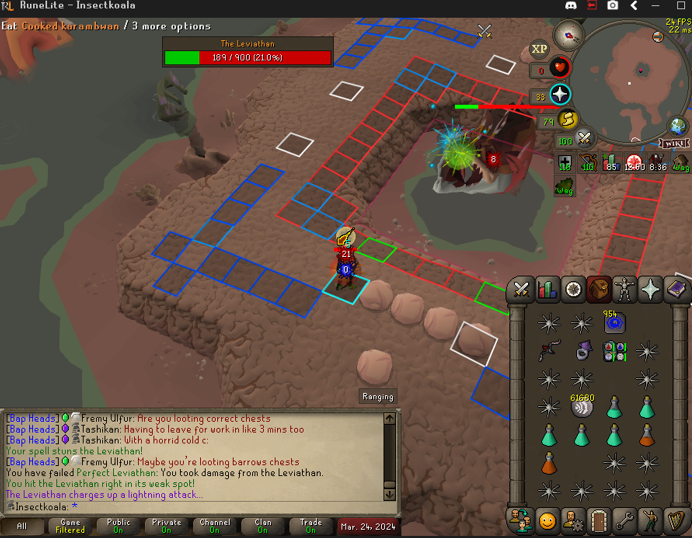
https://i.imgur.com/vQbDP3I.png Example of poor performance, 24fps
 zealous cedar
click "reset" on the gpu plugin settings -> restart the plugin
if that doesn't help, disable "compute shaders" -> restart the plugin
 daring remnant
Ive lost my runelite profiles, is there way to restore my settings and stuff
mossy swan
!lost
haughty pumiceBOT
daring remnant
Ty ❤️
twilit iron
zealous cedar
if that doesn't help, disable "compute shaders" -> restart the plugin
Neither did anything, the client is just seemingly poorly optimised compared to HDOS in a lot of new areas so I have to do the content on there xd
Raids 3 and dt2 being standouts
zealous cedar
then try the same steps but first create a new profile
and also restart the client after switching to the profile
twilit iron
I'm not on a high end system with no knowledge of why my pc is struggling, I'm on a dual core laptop and hdos is just better optimised for low end
Was wondering if there was plans to improve in that area, not complaining about it
If there aren't, well I'll continue to cope lol
zealous cedar
this channel is for runelite support, i'm trying to give you pointers on improving the client performance
if you want to ignore those and just repeat "hdos is better" then please go away
twilit iron
https://i.imgur.com/33QTktf.png Standing outside vard after following all steps
 zealous cedar
then you either didnt actually follow the steps, or your computer sucks at an extreme level
I guess also turn draw distance back to 25 when turning off compute shaders
leaden trail
Does your framerate improve if you turn GPU off?
twilit iron
I did
twilit iron
leaden trail
Does your framerate improve if you turn GPU off?
No, it drops into the 10s
twilit iron
zealous cedar
then you either didnt actually follow the steps, or your computer sucks at an ex...
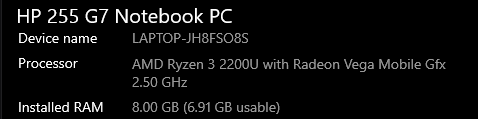
https://i.imgur.com/H8tFyLc.png It does
 zealous cedar
theres no reason you should not get 50fps with 25 draw distance and compute shaders off
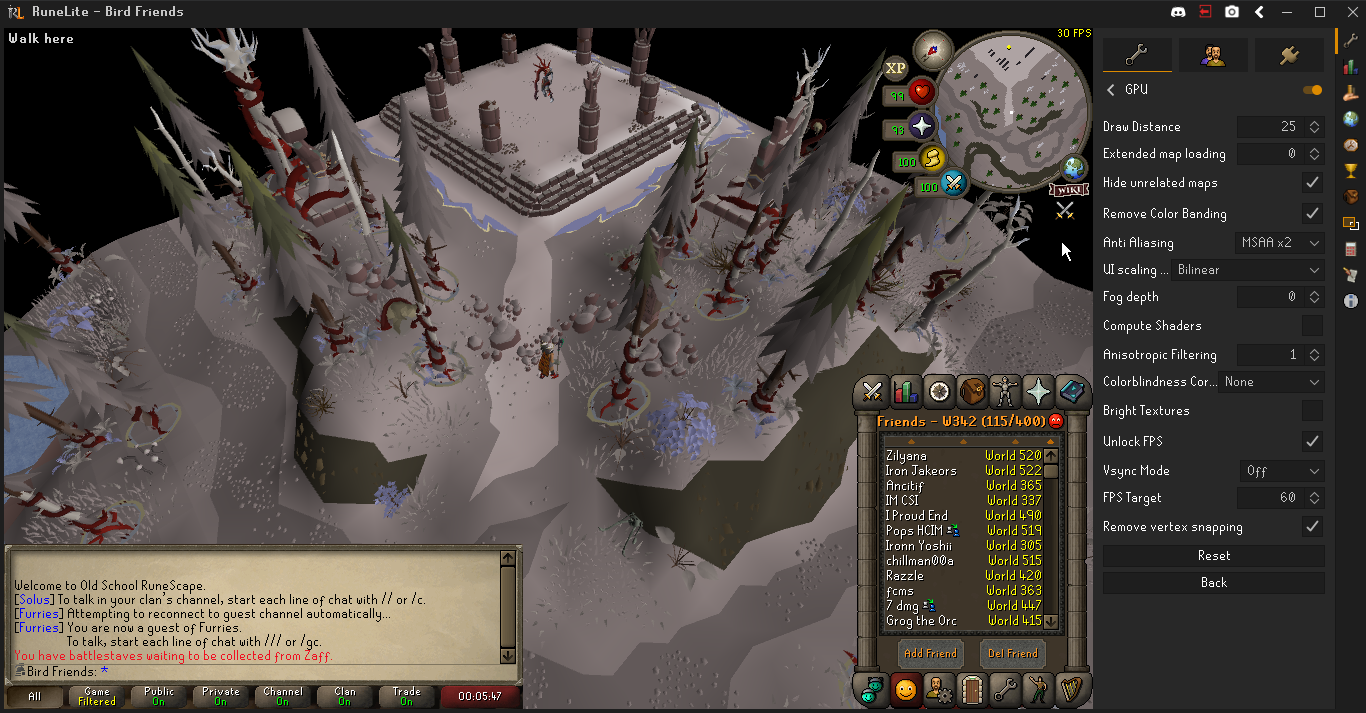 zealous cedar
ive no idea then
mossy swan
that is probably a very sucky laptop
twilit iron
I was just told RL was poorly optimised for amd and had no reason to not believe it
oblique plume
you can maybe turn off AA but i dont see that doing much
zealous cedar
it still has single-core at 2.5ghz though
probably whoever told you that was speaking about gpus specifically, not about amd cpus
twilit iron
Could be
zealous cedar
maybe your cpu is busy doing other things? if you have a full core to give it i would expect it to be a bit better than that
mossy swan
oh yea its just a 2core/4thread cpu, might improve a bit if you set runelite to be on 2nd core instead of first and windows can use 1st?
process lasso iirc can do that
twilit iron
How on earth do I do something like that
mossy swan
probably dont bother
twilit iron
And I use a stripped down version of discord, with all the bloatware fucked off the laptop
zealous cedar
there is some sailing stuff coming that will help you, but it is not for awhile, because sailing
 uneven halo
My game stutters and lags randomly for a few seconds, I cant seem to figure out why. Anyone else had this issue or can help? I can send client.log info if it helps. Only issue I can see is it says [WARN] around the time of the stutter/lag.
leaden trail
It's probably a bad hub plugin
oblique plume
cant hurt to post it
uneven halo
2024-09-24 07:53:40 MDT [Client] WARN n.runelite.client.eventbus.EventBus - Uncaught exception in event subscriber
java.lang.ArrayIndexOutOfBoundsException: null
oblique plume
usually it wont show perf issues though
uneven halo
It only started recently as well
leaden trail
Can you post the full log? That doesn't really have the necessary context to figure out much of anything
uneven halo
Only othjer things in the log are 10mins prior to the stutter/ lag
mossy swan

oblique plume

uneven halo
 uneven halo
haughty pumiceBOT
uneven halo
haughty pumiceBOT
Windows
Run the RuneLite (safe mode) shortcut, or with a Jagex account, first run the RuneLite (configure) shortcut and tick the Safe mode box, then launch RuneLite via the Jagex launcher.
Mac
In Terminal, run:
/Applications/RuneLite.app/Contents/MacOS/RuneLite --configureTick the Safe mode box. Launch RuneLite.
If it's not working, download and install the updated RuneLite launcher from the website link in #welcome. You don't need to uninstall your current version. You will not lose any settings or plugins. Then try running safemode again.
round jacinth
I don't see any issues but you also are opening two clients at the same time
it is easier to debug one client than it is to do two
uneven halo
It happens on both at the same time usually too, Im playing 2 accs at once 😳
lapis elm
are you dropping frames or is your clicks lagging?
uneven halo
It's both I believe
The whole game stutters, my character lags and shows somewhere else in the room, and then shows back up where I left off at
lapis elm
that sounds like a network issue
uneven halo
Usually happens at Olm in COX, or somewhere else important clicks matters lol
mossy swan
if you record a video we can tell more definitely
uneven halo
Ill see what I can do, but it only started recently in the last 2-3 months or so. and only liike 4-5 times a day during a play period ( about 4-5 hours)
mossy swan
you can set OBS to record in to a buffer (similarly to nvidia shadowplay) and then press a button to save last 60 seconds or whatever you configured to disk
 bitter summit
anyone mind helping me troubleshoot performance issues on linux? on windows I can get a consistent 144fps in most zones, whereas in linux (kubuntu/wayland) I'm struggling to get even 80fps in a lot of areas
specs: 7800xt, 5700x3d, 16gb 3600mhz ram
using opensource drivers
I'm noticing that when I get low fps on linux, It tends to affect the performance of my entire pc as well. like my browsers, videos, desktop animations, etc will also slow down significantly
my temps look normal
round jacinth
What type of areas do notice perform worse?
bitter summit
basically every area there is significant slowdown
lapis elm
can you post your logs with you turning the gpu plugin on
bitter summit
but obviously the more intense areas like prif/fossil island/kourend are basically uinplayable
haughty pumiceBOT
To find the logs, you can do one of the following:
- If your client failed to open, click the
Open logs folderbutton. - Open the screenshot directory by right-clicking 📷
Camerabutton, navigate 1 directory up, then open logs folder. - Navigate to
%userprofile%\.runelite\logson Windows or$HOME/.runelite/logson Linux and macOS.
Upload the log files named client and launcher by dragging them to Discord. If there are files prefixed with jvm_crash dated from today, upload them too.
bitter summit
whereas on windows i get 144 fps+ in thsoe areas, even with hd plugin on ultra
sure one sec
umm i cant seem to find .runelite folder
im using bolt launcher if that matters
but yeah no .runelite folder in home dir or in bolt dir
oblique plume
wheres the screenshots then
lapis elm
Open the screenshot directory by right-clicking Camera button, navigate 1 directory up, then open logs folder.
 simple knoll
Hey, i am just using stretched mode and it makes my right side and chat box really big, is there anyway to make it smaller?
 haughty pumiceBOT
 lapis elm
that's from 4 days ago
oblique plume
today is the 24th
oblique plume
this is the one it tells you to post yes
simple knoll
oblique plume
no, thats what stretching does
Damn, i would love to play with classic layout but i cant because this right side is way too big 😄 Where i can check this instead ?
bitter summit
oh i see my bad
lapis elm
do you get performance difference in gpu and 117
bitter summit
yea gpu plugin isnt as bad as hd
hd performance is really poor tho
but it works very well on windows
lapis elm
probably ask in their discord and they can figure out the driver difference maybe
haughty pumiceBOT
Visit 117's HD plugin discord (https://discord.com/invite/U4p6ChjgSE) for support, issues & feedback
bitter summit
their linux support channel isn't very active sadge
zealous cedar
there is also a linux-support discord that can maybe help
haughty pumiceBOT
For support with using Jagex accounts on Linux, visit 7ormRS's Discord https://discord.gg/aX7GT2Mkdu
zealous cedar
it is for jagex-launcher stuff but they help with a lot of random linux things
 rich mason
what is the ID of the text on the report button...
round jacinth
what? text doesnt get ids
sonic birch
regal remnant
Is there a way to find out more about it or request someone to make a plugin?
I...
Did you check if the option in the camera plugin config does not remove it?
I've been wondering if that's the case because Llemon included a separate option. Maybe she just wanted an option to disable it only in toa?
uneven halo
I got a video of my issue from earlier, lemme try to edit it to crop to just Runelite.
mossy swan
if you dont feel like doing that, you can dm it to @haughty pumice so its not public
looks like your cpu load spiked just then
maybe something like antivirus, or some other program is just using max cpu?
open task manager, sort by cpu usage, and see what pops to the top
you can maybe just put it behind so you see the first few entries in recording so you dont need to actively look at it while trying to survive
uneven halo
Runelite is at the top
mossy swan
i mean just when the lag spike happens
lapis elm
you have a lot of hub plugins, try playing in safemode too
uneven halo
Well through yall's big brain suggestions I found the App thats bogging me down randomly. Thank you all for helping Diagnose!! It looks like the culprit is DSAService (32BIT)
Found out its the Intel Driver Support Assistant....... I guess a new windows update recently caused this to have random high CPU usage. Uninstalling now 🙂
mossy swan
thanks intel
sonic birch
thanks steve
back to you steve
uneven halo
If I run Runelite in safemode, how do I keep all my plugins? I opened in safemode, and now I have no extra stuff lol
sonic birch
You don't
You use it to check which plugin is the culprit
!flow e.g. as described here
haughty pumiceBOT
flowchart: Please refer to this flowchart for further troubleshooting.
round jacinth
safe mode is used to see if base client works properly without hub plugins/gpu
you have 170 hub plugins
you should disable a bunch or uninstall a bunch because ideally you'd have close to 0 lol
you likely don't need all 170 of them is what im trying to say
uneven halo
Ahhh dang, yea Im sure I dont!! I just install, see what the plugin is, and sometimes leave it installed
round jacinth
just because there is an install button on a plugin on the hub does not mean it's a feature you're missing
uneven halo
round jacinth
just because there is an install button on a plugin on the hub does not mean it'...
It definitely is 🤣
 unborn willow
Is there any way to add more Blue Square areas for fixed UI? I often have to resize my game window and it gets all weird afterwards
sonic birch
no, not right now
unborn willow
sonic birch
no, not right now
Thanks, and I assume there's no way to choose the direction they go once you have 1+ widgets right?
hollow olive
you can reposition/layout infoboxes, but not widgets
unborn willow
Yea, I mean when I add multiple infoboxes into one blue square, sometimes they are stacked to the right (exameple: blue area on top of chat's left corner) while others are stacked vertically
This can't be changed, correct?
haughty pumiceBOT
You can configure horizontal/vertical orientation, infobox groups or split infoboxes into new groups with the menu options opened with Shift + right-click. https://runelite.net/img/blog/1.6.28-Release/infobox.gif
 unborn willow
Oh, that's not really what I mean though. What I mean is when I add 3 infoboxes into just one blue square area, sometimes they snap vertically and sometimes horizontally
This is not customizable, correct?
The orientation which infoboxes snap, when added under the same blue square area
oblique plume
what
unborn willow
let me record a quick video lol, one sec
oblique plume
why do you have them all detached
sonic birch
just group them together, then flip them if needed
unborn willow
The blue square to the left
paper musk
lapis elm
<@238735822575108096> does it make a difference of 2 clients vs 3 clients
Since we spoke I've ran only 2 clients after a completely fresh install and this afternoon gotten the same java.io.IOException: failed to delete for various okhttp files
unborn willow
sonic birch
just group them together, then flip them if needed
Right, here's the video https://www.youtube.com/watch?v=HAxALZC6-n0

I'd like that the left square box also snapped vertically, not horizontally
oblique plume
those arnt infoboxes
unborn willow
Apologize for the confusion btw, coming back after a while
oblique plume
you cant change that behavior
unborn willow
Got it, thanks!
sonic birch
paper musk
Since we spoke I've ran only 2 clients after a completely fresh install and this...
I still haven't had time to check your previous messages, but try to delete the okhttp cache if you haven't. (I assume you already did that though)
paper musk
sonic birch
I still haven't had time to check your previous messages, but try to delete the ...
I completely removed both RuneLite and the .runelite directory yesterday
unborn willow
oblique plume
those arnt infoboxes
Yea, figured after you guys sent the actual infoboxes behavior. Question solved though, thanks!
 grim badge
Gauntlet plugin just stopped working overnight, I have tried restarting my pc, resetting my gauntlet settings and reinstalling the plugin as well. Is there something else I can do?
 haughty pumiceBOT
Get support for the The Gauntlet Plugin Hub plugin here: https://runelite.net/plugin-hub/show/the-gauntlet.
You can also find the support link by searching for the plugin in the Plugin Hub panel and clicking the ? button on the plugin, or by right-clicking the plugin in the plugin panel and clicking the Support menu option.
sonic birch
I think he deleted the repo or made it private though
grim badge
yeah I tried right clicking and going to support but there isnt a repo I can write an issue to
sonic birch
Maybe a nice person that knows what they're doing like @small musk wants to take it over though
grim badge
weird how it stopped working for me but for my CC it still works fine
 grim oak
any steps for troubleshooting blackscreen on runelite? happens when i teleport or enter a room in toa just now. whole client frozen
 sonic birch
!flow I guess
haughty pumiceBOT
flowchart: Please refer to this flowchart for further troubleshooting.
oblique plume
can you use the sidebar while its frozen
prob not, i dont see anysidebar there at all
 tardy willow
does anyone else have full PC lagging issues when inside the hunters guild with 117 HD enabled? its the only place it happens, but my whole PC starts lagging whenever i'm in there
sonic birch
!hd
haughty pumiceBOT
Visit 117's HD plugin discord (https://discord.com/invite/U4p6ChjgSE) for support, issues & feedback
 tidal loom
how come I can no longer shift click wear items in bank
 crude crystal
im doing a beginner hot cold strange device clue step, is the plugin working for those?
mossy swan
yes
 ember jungle
Does anyone know why switching between the anti aliasing settings in the gpu has no change for me? I can even set it to disabled and it stays on, it used to work fine before, im on macbook btw
And know its a gpu plugin issue cause when i turn the plugin off theres a clear difference
sonic birch
!flow try green tree and if that does not work, show us a video of it happening + post logs
haughty pumiceBOT
flowchart: Please refer to this flowchart for further troubleshooting.
ember jungle
Wdym post logs?
oblique plume
It's prob the driver overriding it
ember jungle
Ill try record it. It used to work fine before, i have updated my mac a few times since i got runelite so idk
ember jungle
sonic birch
!flow try green tree and if that does not work, show us a video of it happening ...
sonic birch
anti-aliasing off will not look the same as gpu off
There's a difference between AA off and MSAA x4, but you have to zoom in and look at finer details
ember jungle
But theres no difference at all wether its on disabled or x16
sonic birch
for me there is
oblique plume
you can see the diff as you go through them

 sonic birch
here you can see AA off (look at the "wings"), and when I move my cursor offscreen, I put it to x4
 bronze idol
Anyone know a fix for this
 sonic birch
ember jungle
surely im not going crazy
sonic birch
ember jungle
surely im not going crazy
surely you could read my previous message #support message
gpu off will never look at the same as just AA off. gpu does a lot more than just AA
oblique plume
that doesnt really help him cuz he thinks its on his machine
sonic birch
bronze idol
Anyone know a fix for this
uninstall the dumb plugin you installed
bronze idol
sonic birch
uninstall the dumb plugin you installed
what plugin o.o been like this for a while
bronze idol
yep that fixed it when tf did i install that lmfao
ember jungle
Okay ty
oblique plume
its time we make a blacklist system and anyone who asks why a plugin is working as intended gets blacklisted from the phub
sonic birch
I'm also fine with that
bronze idol
didnt even realise I had that plugin tbf.
ember jungle
oblique plume
its time we make a blacklist system and anyone who asks why a plugin is working ...
I mean disabled it looking the same as x16 on my screen which is why i asked, it wasn’t like this before so thought it could be an issue
If its intended that way then thats fine
oblique plume
what
i dont think its possible for the recording to be different than whats on your screen if thats what youre looking for on the screen
sonic birch
- gpu off will never look at the same as just AA off. gpu does a lot more than just AA
- AA does minor things like I showed in my video
ember jungle
Your video showed a difference between aa off, and x4
Even tho it was very minor like you said, theres still a difference
My problem is theres no difference at all
oblique plume
your video shows a difference
ember jungle
Ill show a better one sorry
heres me going through all the different settings from disabled up till x16
oblique plume
and youre saying absolutely nothing happens as you do?
ember jungle
yeah literally nothing
sonic birch
You never told us when you are switching settings, but I see a clear difference between e.g. 0:10 and 0:17
oblique plume
i saw at least 4 changes yea
ember jungle
I know yeah, i promise its not like that in game
sonic birch
my discord doesn't like playing his videos, so I just click through them
ember jungle
Its probably just a recording issue
sonic birch
But I see multiple changes, also e.g. comparing 0:02 and 0:10
oblique plume
i dont think its possible for the recording to be different than whats on the screen
ember jungle
Like im zoomed in on the hay in game, and changing it and theres no change
sonic birch
^You unironically need new glasses, a new monitor, or both
oblique plume
do you have another device to watch your vids back on
ember jungle
idk how else to prove it unless im giving u my laptop, i dont gain any benefit for lying about it so idk i just wanted to see if its a common issue but I’m over it ill jus go get my eyes replaced instead prolly thanks anyway though
 bright dock
ember jungle
idk how else to prove it unless im giving u my laptop, i dont gain any benefit f...
bright dock
ember jungle
idk how else to prove it unless im giving u my laptop, i dont gain any benefit f...
record screen with your phone if you think its you think recording issue
 raw marsh
i've sent this question in before, screenshot not working for bosses. i understand there is a comma now in large KCs, but even for bosses where i am below 1k kc the screenshots aren't automatically taking pictures and saving it. "screenshot boss kills" is checked and "screenshot" is turned on. Is the issue with all screenshots are just those that are above 1k kc?
sonic birch
Something got fixed with that again now
So I'd wait till next release to check again
raw marsh
okay how often are releases just so i know when i check it again
sonic birch
I suspect another release will be done after the huey release
But if it's a point release, Adam also has to decide to put it in the release iirc. He usually does though
 void gate
 leaden trail
What if you restart your client?
 bitter sleet
Has anyone reported an issue with notification overrides or the idle notifier moving GUI elements around? I searched high and low in the issues in core, but haven't found any mention of it. This was reported in the wilderness player alarm but since the issue is from the flashing encapsulated in the Notification type I assume people must be encountering this elsewhere as well.
GitHub
As of this morning (7/18/2024, about 8:30 AM Central Standard Time) a triggered alarm moves the plugin information in the upper left corner of Rune Lite down to the bottom left corner. Clearing the...
zealous cedar
notifications cant move gui elements
bitter sleet
The flashing couldn't move other elements around on the same OverlayLayer?
zealous cedar
no
bitter sleet
I haven't been able to verify the issue at all but apparently it's happening even with the idle notifier
sonic birch
Wasn't that plugin using something stupid like creating a huge panel component?
Or was it another plugin I commented on at some point
bitter sleet
lmao, yeah it is. Which is why I thought initially that would be the root cause
But consensus here seems to be that it only happens with the Notification override flashing
sonic birch
I've never had this happen to me with rl core, but this is 2 hub plugins interacting that might have incorrect code
zealous cedar
how is that the consensus here? I just said notifications cant move gui elements
bitter sleet
consensus*
*from users reporting the issue
zealous cedar
maybe the plugin is broken
 spiral sundial
Is there anyway to bring back placeholders you accidentally released?
Without buying the items
leaden trail
No
 rancid carbon
hi which is the the plugin which plays the GTA sound when i complete a slayer task? i cant find it , i wanna turn it off :p
sonic birch
search for task
rancid carbon
taskJingle isit
rancid carbon
sonic birch
search for task
ty it worked ❤️
round jacinth
i think many people are reporting generic internet issues with Sequoia and not just runelite
 fossil bough
Is the screenshot plug-in not working for a few different things a known issue?
round jacinth
you'll need to elaborate more than that
fossil bough
It doesn't seem to be screenshotting certain boss kills, Araxxor for example. Nor is it picking up valuable drops
Just got a blood shard drop that wasn't screenshotted with these settings

Oddly enough though, Chambers and Mole at least are being screenshotted while Araxxor and Abyssal Sire both are not
 sand cape
Is there some kind of entity hider for emotes?
round jacinth
no, you either see people or you don't regardless of their animation
 tribal creek
hello i am new and just doubloaded runelight and was curios on how to log in if i already have a jagex account
nevermind lol i figured it out
sonic birch
fossil bough
It doesn't seem to be screenshotting certain boss kills, Araxxor for example. No...
There'll likely be a fix for some kc not being screenshotted in the next release
Should try again then
 wraith yarrow
at the the top middle of my screen i used to have an overlay that would show the hp of the current boss i was fighting.. i accidentally hide it.. any idea how to reset it so i can see the hp bar?
 sonic birch
!rsopt
haughty pumiceBOT
rsoptions: https://oldschool.runescape.wiki/w/Options
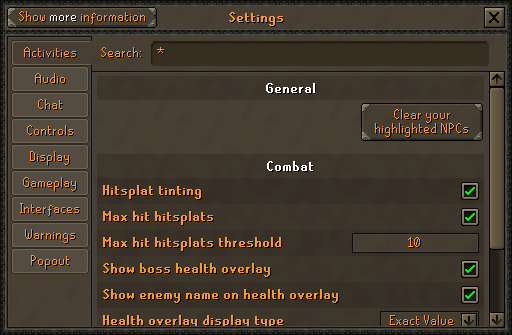
Old School RuneScape Wiki
Settings is the screen that lets players change various settings, such as the brightness of the game client, whether or not chat effects display, whether to accept aid or not, the volume of the music and sound effects, and much more.
 solar cairn
Is there a certain nvidia driver version that works best? Just did a fresh install of win 11 and downloaded the latest driver and still getting random framerate drops with GPU (especially in TOA). Using a Ryzen 5 5600x and 3060ti and dropping under 100FPS in Kephri during swarms as well as random stutters in other rooms. Here's the log in case that helps at all.
ETA: This is even with nothing else running in the background
bright dock
this latest driver has been crashing for me :/
last one i crashed a single time previous one before was stable for me though
If you want stable driver go with studio driver if avalible
if you want game ready drivers do latest ones :]
solar cairn
I'm on 561.09 (latest) but will try studio if nothing else works
bright dock
typically studio drivers are 2-3 months old since they want to Verify there are no bugs or unstable code
super old games like runescape doesnt matter as much xd
solar cairn
Ah okay. They make it sound like it’s for gfx work
bright dock
i mean it is
only because its more stable xd
if you get a 3090 series cards theres multiple studio drivers avalible
last thing you want to do ias have a 2 day render and have it crash
rendering the scene unless
think of it this way
game ready drivers are basicly the beta drivers
its passed alpha testing but ya xd
sonic birch
This is a list of Nvidia drivers that we know to be good https://github.com/runelite/runelite/issues/16496
solar cairn
I will try one of those next time I’m able to. No newer drivers have been tested?
sonic birch
Not really
 timid mason
I think my runelite is about to not be working?
 neat ibex
update in 45 mins see u soon
bright dock
anyone know how long update is today?
more accuratly how long till itll take to build new client
leaden trail
We don't know until we see the changes
 deep epoch
leaden trail
deep epoch
leaden trail
You already opened an issue about this, did you not?
I'm fairly sure if someone wants to implement it they could, but I think changing something in the client specifically to support something from a hub plugin is relatively low on a lot of people's lists of priorities.
This also really isn't a #support issue.
 thorn pond
leaden trail
You already opened an issue about this, did you not?
I'm fairly sure if someone...
thorn pond
leaden trail
You already opened an issue about this, did you not?
I'm fairly sure if someone...
Apologies, i removed it as it didnt fit the channel format.
 sharp void
my deposit armour button doesnt work

 frosty pendant
sharp void
my deposit armour button doesnt work
frosty pendant
sharp void
my deposit armour button doesnt work
bank tags is causing some issues i believe, disabling it fixes the issue
sharp void
thxxx
 bleak dirge
sharp void
my deposit armour button doesnt work
bleak dirge
sharp void
my deposit armour button doesnt work
Is this goign to auto fix if i keep using the bank tags plus in
 viscid kelp
help i keep dieing at NullPointerException
leaden trail
I just keep getting panic during panic and I've already been doing that
viscid kelp
hey is it just me or do the bank equipment button not work
 visual spruce
disable bank tags
 ember leaf
or restart client/game/jagex laucnher- worked for me without resetting plugin
viscid kelp
visual spruce
disable bank tags
i tried that but now my bank tags dont work
 blazing flame
anyone know how to identify why rl keeps crashing
haughty pumiceBOT
@blazing flame To find the logs, you can do one of the following:
- If your client failed to open, click the
Open logs folderbutton. - Open the screenshot directory by right-clicking 📷
Camerabutton, navigate 1 directory up, then open logs folder. - Navigate to
%userprofile%\.runelite\logson Windows or$HOME/.runelite/logson Linux and macOS.
Upload the log files named client and launcher by dragging them to Discord. If there are files prefixed with jvm_crash dated from today, upload them too.
blazing flame
haughty pumice
<@!199492498991611904> To find the logs, you can **do one of the following**:
- ...
is there anything i should be looking for in this like a specific part
leaden trail
Post them here
blazing flame
this correct?
not sure what it is but now every time i click something it just insta crashes
leaden trail
client.log as well
Disable "Display Name Disguiser"
You may need to launch in safe mode to remove it
haughty pumiceBOT
Windows
Run the RuneLite (safe mode) shortcut, or with a Jagex account, first run the RuneLite (configure) shortcut and tick the Safe mode box, then launch RuneLite via the Jagex launcher.
Mac
In Terminal, run:
/Applications/RuneLite.app/Contents/MacOS/RuneLite --configureTick the Safe mode box. Launch RuneLite.
If it's not working, download and install the updated RuneLite launcher from the website link in #welcome. You don't need to uninstall your current version. You will not lose any settings or plugins. Then try running safemode again.
blazing flame
leaden trail
Disable "Display Name Disguiser"
You may need to launch in safe mode to remove ...
uninstall it or turn it off
seems to be working as of now thank you sir @leaden trail
haughty pumiceBOT
[ https://github.com/YaIPartake ] [ @vale island 106848233170472960 ] partake#0
leaden trail
@vale island I suspect your plugin broke with the update today^
 cinder spruce
Just a heads up, new herb Huasca, doesn't show up on farming (time) tracker on current release.
 leaden trail
 cobalt vessel
depoist gear dosent work
cobalt vessel
depoist gear dosent work
Restart your client
cobalt vessel
Copy ty
 vestal sequoia
does any1 know why my payment is getting declined and my card is working normally elsewhere?
zealous cedar
If you are talking about jagex membership, you should probably either talk to your bank or jagex
vestal sequoia
for runelite i meant
zealous cedar
runelite doesnt acecpt payments, if someone is trying to sell you runelite you are being scammed
do you mean patreon?
vestal sequoia
yea
zealous cedar
i somewhat doubt i can see anything but let me check
 still vale
hi im trying to write my first plugin, it was working earlier today but now im getting please restart your client when running from intellij. Do i need to update something through maven? game works if i open it manually from jagex launcher
zealous cedar
can you dm @haughty pumice your email address you used to register at patreon?
vestal sequoia
i sent it
leaden trail
still vale
hi im trying to write my first plugin, it was working earlier today but now im g...
If you're writing a plugin, you should be using the plugin template repo, not a clone of core
zealous cedar
all I can see is it paid ok on Aug 25, but the charge today was declined. maybe contact your bank?
 summer scroll
Anyone elses enter key broken at GE for price / items? Mac OS, not the keyboard
still vale
i did i cloned example plugin and built on it
zealous cedar
im not sure what happens if you get declined, you might get yeeted by the bot at some point from here lol
leaden trail
still vale
i did i cloned example plugin and built on it
That doesn't use maven
still vale
yes fair enough, but the core repo does right? i thought maybe i need to fix something when example plugin launches the client from core
its my first time writing in java and using intellij i might just be mixing stuff up. so whats the solution now?
vestal sequoia
i just used a different card for now problem solved😂
summer scroll
fixed it, plugin GE Calc was stopping the enter key from going thru, only 1.5k installs so I might be in the niche, remove it and your good to go
 scenic knot
is the pay option for farmers broken in the menu swapper? now it's trade
mossy swan
have you tried restarting your client
scenic knot
I just started it but I can try that
mossy swan
oh i guess it is broken
scenic knot
yea
 dry surge
does 117 cause insane fps drops after the update or is it just me?
haughty pumiceBOT
Visit 117's HD plugin discord (https://discord.com/invite/U4p6ChjgSE) for support, issues & feedback
visual spruce
anyones enter key not working when entering ge offers?
summer scroll
it is ge calc
 azure pecan
Menu Entry Swapper seems to be broken when trying to teleport to POH portals in an "off by 1" fashion. When you click prif, it takes you to yanille, when you click yanille, it takes you to brimhaven and so on.
hollow olive
its known, fix isn't out yet
 umbral vortex
Hi, I've just changed over to EE 4G wifi but runelite isn't loading now, doesnt get past downloading bootstrap and says connection timed out. Any ideas?
 night geyser
umbral vortex
Hi, I've just changed over to EE 4G wifi but runelite isn't loading now, doesnt ...
night geyser
umbral vortex
Hi, I've just changed over to EE 4G wifi but runelite isn't loading now, doesnt ...
dont use ee
umbral vortex
rip
 shut lance
Hello
how can i re-open the side bar?
the one for the pluggins , i closed it by misstake and cant find it anymore
 solid mesa
There’s an > at the top right
shut lance
where bro
ornate kite
I'm engrained into runelite enough that I don't know if it's a runelite thing or an osrs thing, but: does anyone know how to turn off the notification and sound jingle for GE offers?
 flat yew
ornate kite
flat yew
ornate kite
I disabled both notify checkboxes there but was still getting them
sonic birch
Osrs iirc
ornate kite
kk ill dig around a bit more in osrs settings, thanks
sonic birch
Idk if you can disable it
 zealous olive
my power went out while i had runelite running and i lost the majority of my plugins+settings.
 haughty pumiceBOT
zealous olive
haughty pumiceBOT
zealous olive
Is there a way to recover it? my only backup is a couple months old T_T
sonic birch
Yeah, see alex's link
zealous olive
haughty pumice
<https://github.com/runelite/runelite/wiki/FAQ#my-plugins-are-gone-or-my-config-...
yoo ty
it fixed it
i thought i was gna have to redo all my plugins manually T_T and like most runelite users that is like 100+
 rough gust
Anyone know if there is a way to only scale inventory size and nothing else?
mossy swan
there is not
rough gust
mossy swan
there is not
tyvm for info
 azure sky
Apologies if this has been asked already, but I can't find it
Just logged on and inventory setups doesn't seem to be working. It doesn't filter the bank when I click a setup (all settings are still the same/correct)
Anybody know if this is something to do with runelite/the plugin or on my side?
vast bone
you wouldn't happen to have a bank tag open would you?
azure sky
You mean like a tag tab in the bank? (the things on the left hand bar)?
Then no I don't
Ahh it works if I keep the setup open in runelite and then close/reopen the bank
Nice easy workaround
vast bone
doesn't work for me either on 1.10.38
vast bone
azure sky
Ahh it works if I keep the setup open in runelite and then close/reopen the bank
you can also open and close a bank tag
oh nvm
i thought that worked for me one time.
azure sky
Thanks for checking!
 sterile void
not sure what broke menu entry swapper, but all the farming guys who's auto Left click was "Pay" has now become "Trade" hahahah
manually had to change all
leaden trail
I believe that should be fixed with the next version of the client
 feral narwhal
 sonic birch
Uhhh, does it drop from a chest or from the npc?
There's a pr to add some chests https://github.com/runelite/runelite/pull/18326
If it's not from a chest, you can check if it works in safe mode
!flow
haughty pumiceBOT
flowchart: Please refer to this flowchart for further troubleshooting.
 exotic dust
Arrows at brimhaven agility arena are broken, they dissappear randomly
sonic birch
If it does not work in safe mode, record a video and add logs + create a github issue and someone might look at it
sonic birch
exotic dust
Arrows at brimhaven agility arena are broken, they dissappear randomly
One of your plugins is stealing the arrow
 spring urchin
never contributed before - anyone mind if i add the new agility course to the agility plugin? should i make an issue first?
(seems i cannot message in #development )
 unreal thunder
I unlocked potion storage today and it's bugged the inventory layouts plugin (they don't work anymore)
vast bone
ask this guy if he's already doing it #development message
otherwise idk if anyone is working on it.
vast bone
unreal thunder
I unlocked potion storage today and it's bugged the inventory layouts plugin (th...
yeah it's known. reopen bank after selecting the estup
unreal thunder
vast bone
yeah it's known. reopen bank after selecting the estup
ah that's nice to know thanks.
spring urchin
@vast bone how do i get permission to message in that channel?
vast bone
ghauth bot command in this discord with no arguments
sonic birch
vast bone
yeah it's known. reopen bank after selecting the estup
Is it a btl problem or an IS problem
sonic birch
Idk, was just wondering
vast bone
something must have changed in runelite where there is now an error where there previously wasn't one.
whenever you do getitemcontainer off the client thread.
vast bone
sonic birch
Idk, was just wondering
w playing favorites with hub plugins XD
exotic dust
sonic birch
One of your plugins is stealing the arrow
it was kourend library if any1 else is having this issue
 quartz silo
I am unable to hit enter to confirm the amount when withdrawing x from the bank. Enter seems to work in other contexts (typing in cc, etc). Version 1.10.38 using the jagex launcher. Anyone know what plugin could be causing this?
 solid mesa
Try disabling GE Calc plugin if you have it
leaden trail
Turn off GE calc
quartz silo
That worked thank you
haughty pumiceBOT
Search for callumhowells returned no results.
Search for cman8396 returned no results.
leaden trail
Unlucky
sonic birch
vast bone
whenever you do getitemcontainer off the client thread.
Oh yeah, more stuff that should have been ran on clientthread now throws when not on client thread
vast bone
is there anything else?
 atomic hamlet
why wont this button work?
 leaden trail
Restart your client
leaden trail
leaden trail
Unlucky
Annnd double unlucky
NOTE: This was a personal project, and probably won't receive any further updates. Feel free to fork and modify the repo.
vast bone
vast bone
is there anything else?
I assume it used to throw assertionerror before so idk how dilly submitted it like this even before this.
sonic birch
vast bone
w playing favorites with hub plugins XD
I just wanted to know who I had to flame for the support traffic for which plugin I had to open an issue if an issue or PR did not exist yet lol
sonic birch
vast bone
I assume it used to throw assertionerror before so idk how dilly submitted it li...
It might not have thrown an assertion error before
vast bone
sonic birch
I just wanted to know ~~who I had to flame for the support traffic~~ for which p...
he has a pr up btw. idr if you can merge on your own.
sonic birch
Search npc agression
 warm python
Hi everyone, i have an issue with runelite inventory setups and hopefully someone can help me figure out what setting i need to turn on/off.
so i got a new computer and copied over all of my runelite info, plugins / settings / screenshots, etc. and pretty much everything is working as expected except for this one issue with inventory setups.
when i have my bank open and click on an inventory setup it doesn't automatically filter my bank for that new setup, like it did on my other computer. i need to close my bank and reopen it to get it to actually filter. I'm sure there is some setting somewhere to enable the automatic filtering without needing to reopen it, but i'm dumb and can't seem to find it.
warm python
a new bug as of today?
vast bone
yes
warm python
lol what are the odds, thanks!!! ❤️
vast bone
np
vast bone
warm python
a new bug as of today?
it just got updated, go to plugin hub and update. @unreal thunder @azure sky
unreal thunder
vast bone
it just got updated, go to plugin hub and update. <@185368034087665664> <@180761...
that was a really efficient update, well done to the plugin devs.
warm python
confirmed that it fixed the problem! you guys are insane at what you do! ❤️
 devout gust
a development question; given an "Item", where would additional data be stored if one ItemID covers multiple versions of the same item & no varbits are changing?
vast bone
probably jagex's own servers only
devout gust
Okay, thanks
vast bone
which item?
oblique plume
bp?
devout gust
The finished potions in the new mini game
sonic birch
All those items got different names, so I can't imagine they're all the same id
Also, we already got people working on a hub plugin for it
devout gust
yeah that's fine, I'm just playing around
sonic birch
Let's not make 5 different crappy hub plugins for the same thing
hollow olive
but better improved plugin v2
 vivid idol
It seems like with the update today some of the things with menu entry swapper have stopped working. Specifically it seems that farmers left click is no longer swapped to pay with the pay box ticked under NPC Swaps, instead the left click is trade. When i untick the trade box under NPC Swaps this no longer occurs but this is not the way the plugin functioned previously. Was the trade box added today, or is this some change that has happened otherwise?
sonic birch
We're aware. It'll get fixed
vivid idol
sorry, perhaps stopped working is poor phrasing, just work different is what i mean :p
awesome thank you! (: i appreciate everything yall do!
 feral vine
Is there any option for pulling a plugin from the plugin hub, might be worth pulling GE Calc until I fix the issue?
vast bone
is it completely broken?
you can make a pr with disabled=true at the bottom of the file that has the repo and hash in it
feral vine
Yep, breaks multiple quantity input fields
feral vine
vast bone
you can make a pr with `disabled=true` at the bottom of the file that has the re...
Will do, cheers
vast bone
or disabled=broken, whatever you want
disabled=breaks all input fields
doesn't really matter
sonic birch
alternatively use unavailable=This plugin is incompatible with the latest RuneLite version, and requires its author to update it.
vast bone
oh there is now unavailable too? nice
 lunar hinge
hello i have a flicking and 20 fps drops when im playing ?
 onyx haven
any idea what would be causing my crashes?
2024-09-25 17:42:23 CDT [Client] WARN n.r.c.ui.overlay.OverlayRenderer - Error during overlay rendering
java.lang.NullPointerException: null
2024-09-25 17:42:48 CDT [Client] WARN n.r.c.ui.overlay.OverlayRenderer - following log message logged 1000 times!
2024-09-25 17:42:48 CDT [Client] WARN n.r.c.ui.overlay.OverlayRenderer - Error during overlay rendering
java.lang.NullPointerException: null
2024-09-25 17:43:31 CDT [Client] WARN c.c.ConsumableCooldownsPlugin - 3957 - Removed item action (id: 2434, slot: 9) from queue (size: 0). More than 1 tick since action on tick: 3955
2024-09-25 17:45:32 CDT [Client] ERROR injected-client - Client error
java.lang.NullPointerException: null
at java.base/java.io.ByteArrayInputStream.<init>(Unknown Source)
at ez.ac(ez.java:23)
at lb.ac(lb.java:99)
at tu.eh(tu.java:400)
at eh.mk(eh.java:11499)
at eh.mk(eh.java:11514)
at eh.mk(eh.java:11514)
at eh.mk(eh.java:11514)
at eh.mk(eh.java:11514)
at eh.mk(eh.java:11514)
at dj.mj(dj.java:11378)
at eh.mk(eh.java:11518)
at eh.mk(eh.java:11514)
at eh.mk(eh.java:11514)
at eh.mk(eh.java:11514)
at dj.mj(dj.java:11378)
at client.hm(client.java:4762)
at client.bp(client.java:1187)
at ba.ak(ba.java:439)
at ba.ff(ba.java)
at ba.run(ba.java:64846)
at java.base/java.lang.Thread.run(Unknown Source)
haughty pumiceBOT
To find the logs, you can do one of the following:
- If your client failed to open, click the
Open logs folderbutton. - Open the screenshot directory by right-clicking 📷
Camerabutton, navigate 1 directory up, then open logs folder. - Navigate to
%userprofile%\.runelite\logson Windows or$HOME/.runelite/logson Linux and macOS.
Upload the log files named client and launcher by dragging them to Discord. If there are files prefixed with jvm_crash dated from today, upload them too.
 latent spire
RuneLite encountered a fatal error while downloading the client.
Exception: SSLException
Message: Tag mismatch!
????
how do i fix? ❤️
onyx haven
 sonic pagoda
Anyone know why I'm not able to drag these infoboxes into a straight vertical line? Best it'll do is 2 columns

 crisp dune
Shift+right-click flip, then drag it to be taller
sonic pagoda
Flip did it ty!
 leaden iris
yo - what plugin are these infoboxes from? they're not 'daily task indicator', and i swear ive looked thru the whole list of plugins three times over and I can't find it
 sonic birch
it is some daily thing from the hub I assume
leaden iris
this is on a fresh profile, but I swapped from my main profile (which uses these infoboxes) to this new profile and they're still there. maybe it's a bug?
sonic birch
hub plugin are notoriously bad at removing stuff when they should
i think this is just daily tasks
a tictac7x special
leaden iris
sonic birch
hub plugin are notoriously bad at removing stuff when they should
i see, so probably not an issue with runelite itself
thanks, i'll just ignore it for now 😛
sonic birch
No, just uninstall the plugin and restart the client
then it'll be gone
I'll bring it up at the next tictac7x scrum meeting
 light bane
I'm having issues with my game not taking up the entire window. Have tried logging in and out, resetting game, and toggling stretched mode plugin
haughty pumiceBOT
sonic birch
alternatively you enabled integer scaling in stretched mode
that will scale your game with an integer value, e.g. 1x, 2x, 3x, 4x, 5x etc the base size (no 1.32423x)
if your client size allows for 2x, but not for e.g. 3x, there will be some black bars with integer scaling enabled
light bane
sonic birch
alternatively you enabled integer scaling in stretched mode
It was the integer scaling. I had it on before without issue, so didn't think to check that. Thanks so much!
 whole star
I am having an issue where I cannot confirm amounts, I can type in the number I want but cannot confirm it with enter or any other key
sonic birch
uninstall the ge calc plugin
whole star
fixed it, thanks
solar cairn
solar cairn
Is there a certain nvidia driver version that works best? Just did a fresh insta...
Just wanted to follow up on this. Downloaded the latest good driver in the list provided. Also tried this with all plugins except FPS control and GPU turned off, turned off hardware acceleration, lowered all of the GPU settings and problem still persists. Anything else I should/could try?
zealous cedar
Did you try making a new profile first? most fps drops are from pluginhub plugins and not your gpu driver
 long kestrel
the boosts information plugin is resetting the + boost time every time I drink a spicy stew. Didnt it used to keep the actual boost time? 🤔
example: If i drink a spicy stew and have 60 secs for that boost, it shouldn't reset the 60 secs if i drink another right after
just lost a +5 crafting boost which is why im here because the timer was wrong lol
sonic birch
The boost information plugin has a couple of bugs
https://github.com/runelite/runelite/pull/17996 this PR attempts to adress them all, but it'll take a bit before a reviewer will be able to get to it
long kestrel
Ah alright. Swear it used to be correct though.
sonic birch
Some bugs include:
- There's a separate combat and non-combat buff timer since the ancient prayer beta. We didn't know about it, so didn't add it to the plugin. This might be a problem you are running into (e.g. boosts plugin sees attack go down, thinks the non-cb buff timer just ticked but the combat buff timer just ticked).
- If unboosted, the non-cb buff timer resets back to 60 seconds at 45 seconds. This was changed a couple years ago, but we forgot to update it.
long kestrel
Hmm interesting, thanks
solar cairn
zealous cedar
Did you try making a new profile first? most fps drops are from pluginhub plugin...
Yes, I created a new profile and turned off every plugin except for GPU and FPS Control
I’m not sure if it’s something on my end, but I’m not sure what it would be. Ryzen 5 5600X and 3060ti should be able to handle 144 FPS easily. Temps are around 40-50 C when I check. Fresh install of Windows, no GeForce Experience, and nothing else running
haughty pumiceBOT
flowchart: Please refer to this flowchart for further troubleshooting.
 hazy wraith
hey guys, i'm having an issue with huey where i cannot set my default left click to anything other than "walk here"
the menu pops up when i shift + right click, but the only option i get is "walk here"
not sure what's going on, but it's extremely annoying having to click a few more times than i would like. my hands are somewhat shit (i'm disabled) and i've only gotten credit from a kill a single time due to this
seems to work fine with everything else :/ menu entry swapper has been a game saver for me
hot oasis
Are you trying to set it to attack?
hazy wraith
yes
hot oasis
isn't that the default option?
hazy wraith
for me, it is "walk here"
my combat level is only 86, and i'm not sure if that's part of the issue, or not
hazy wraith
oh, thanks. i think that's probably the entire issue. i appreciate that 👍
that does work, but now i'm going to have to set everything i don't want to attack to "walk here". not the hugest deal, i will consider it a workaround
sonic birch
it's kinda just how the game works
sometimes people change the setting, but usually players have left click just set to attack permanently
you can shift-click with the right MES settings to run under an NPC
hazy wraith
that makes sense, it's just the first time i've run into this happening. if i regularly right click i get all of the options, but if i shift+right click, i don't get the options i expect with this new boss
solar cairn
sonic birch
Try green tree I suppose (which includes restarting the client)
🤦♂️ I didn't restart the client after switching to the new profile. I did for most of the other changes. I will try that and report. Thank you!
hazy wraith
i'm still not sure why shift + right click won't let me select anything other than "walk here" with menu entry swapper enabled, is that purposefully built in?
sonic birch
no, shift+right click should just work normally
hazy wraith
aye, so there is an issue
hollow olive
if you can take a screenshot of what you're trying to do / what you're expecting it would maybe make more sense
hazy wraith
sure. not a problem

it also happens with the boss itself along with the tail phase
 tame peak
anyone know why my zulrah plugin doesnt show jad phase icon?
hollow olive
tame peak
anyone know why my zulrah plugin doesnt show jad phase icon?
check the config settings it's now a config option which seems to be disabled for some people idk
sonic birch
hazy wraith
!flow give this a try
haughty pumiceBOT
flowchart: Please refer to this flowchart for further troubleshooting.
 sonic birch
one of those top 2 unchecked options probs

 sonic birch
how does it look when not holding shift
sonic birch
yeah, I'd be kinda interested in a video of you showing both right click menus right after each other
but I've not done the fight yet so idk
hazy wraith
i can do that. if i can figure out how to record a video
sonic birch
If your left click is already attack, this menu makes sense tbh
hot oasis

 sonic birch
Attack, walk here, examine -> attack already is left click so not in shift-right click menu, examine is never in there.
hazy wraith
it was the same before i changed it to attack, though
give me just a few seconds, i will record
sonic birch
Nah, pine already posted the stuff
Uhhh, unless pine meant that he could do it normally.
hazy wraith
well, i tried my best to record as the boss started without dying
hollow olive
pine you should have the bottom one set to left click where available, and see if the attack shows. maybe its combat lv is too high for it to prioritize attack
 hot oasis
Well that's the issue they were having, If it is too high level, shouldn't it be able to be swapped? I don't use MES that much
sonic birch
Idk, haven't done this boss and am working on something else rn so my baseline already low mental capacity is now too low to figure this out. Someone else can probs help you
hazy wraith
in the right click menu with the plugin disabled entirely, i still get the option to attack. but it does not show up with MES shift + right click
hot oasis
i always have attack option when available so idk lol
hazy wraith
or if i set the runescape setting to just attack everything... that works. but it's a dangerous game for me
hollow olive
i'm too lazy to walk there and check
hazy wraith
i guess i will just consider this a bug report, considering it works with literally every other enemy in the game. for me, at least.
 little hatch
hazy wraith
i guess i will just consider this a bug report, considering it works with litera...
little hatch
hazy wraith
i guess i will just consider this a bug report, considering it works with litera...
Well it's not just the new boss, at least for me

 hazy wraith
interesting!
i only have three fingers on my right hand, so having this accesibility makes a huge difference
sonic birch
little hatch
Well it's not just the new boss, at least for me
Feel free to create an issue with the appropriate info; some screenshots/video that show these settings, the problem, and the safe mode title bar; the steps to reproduce; and a safe mode client.log
little hatch
hazy wraith
i guess i will just consider this a bug report, considering it works with litera...
@hazy wraith are you sure it "works for literally every other enemy"? With NPC Attack set to "Depends", ANY monster with a higher combat than me is missing the "Attack" menu swap option
hazy wraith
you are correct, it seems it is just straight up broken now
it did, at one point, maybe a couple of weeks ago? work for any enemy, iirc
hm... it seems like maybe i'm wrong. the github for the plugin doesn't even describe a swappable entry for Attack...
i swear i used to be able to do this, but it's definitely possible that i'm misremembering
little hatch
Yeah, code comments seem to suggest that this plugin has never worked on the Attack option, specifically because it would get confusing with the in-game option. It might be possible to implement it (I'm still very new to this codebase), but it's definitely not a bug, it would be a new feature.
 hazy wraith
it seems this plugin has exactly what i need https://github.com/geheur/More-menu-entry-swaps/wiki/Custom-swaps

GitHub
Contribute to geheur/More-menu-entry-swaps development by creating an account on GitHub.
little hatch
Oh nice, gl
hazy wraith
my apologies for all of the confusion... i just want to kill this silly snake dragon thing... and not have my hand hurt afterward or fumble around
 shy wyvern
is there a setting or plugin somewhere that i can turn on that will make ground buttery smooth instead of having the boxes or is that not a thing
 little hatch
shy wyvern
is there a setting or plugin somewhere that i can turn on that will make ground ...
little hatch
shy wyvern
is there a setting or plugin somewhere that i can turn on that will make ground ...
Do you have "Low detail" on? Doesn't actually help the ground tiles, but having grass and stuff over the top makes it less jarring.
 alpine breach
They fixed the import items worn button?
round jacinth
what
shy wyvern
I do I was going for minimalist but the last thing i wanted was smoother tiles so if not possible ill just turn off
round jacinth
If gpu doesn’t have an option you like then it’s not done, no
alpine breach
The bank import button
little hatch
Yeah I'm mucking around with gpu plugin settings and I'm not getting any tile-smoothing, so unless someone has a separate plugin I doubt it has been done
alpine breach
Bottom right
round jacinth
You can shift right click the icon to tag your inventory?
little hatch
The "Deposit Worn Items" button was fixed, yes. You have to restart your client if you're still having issues.
round jacinth
alpine breach
They fixed the import items worn button?
this implies it’s broken which idk if it is
Oh
shy wyvern
idk iif i like gpu that much but never rlly messed with 117hd would any1 mind sharing their settings 4 that that i can try
alpine breach
Thanks @little hatch
round jacinth
shy wyvern
idk iif i like gpu that much but never rlly messed with 117hd would any1 mind sh...
Gpu plugins are subjective so you’ll find what you like by messing around with it yourself
It’s not a one size fits all
Just like all the other settings you can change on the plugins and client
shy wyvern
ik just thought id see what others liked
round jacinth
I find hd horrid
It makes shadows harder to see in pvm mechanics and looks not like the game I want to play, if you want to just copy other people asking in their discord is better
!hd
haughty pumiceBOT
Visit 117's HD plugin discord (https://discord.com/invite/U4p6ChjgSE) for support, issues & feedback
shy wyvern
fair - and ty
solar cairn
sonic birch
Try green tree I suppose (which includes restarting the client)
Only had a minute or two to test, but restarting the client after switching profiles seemed to work. FPS drops are like 1-2 instead of 20+ now. I will continue to test tomorrow and try to narrow it down. Thank you for the help!
Can’t believe I didn’t restart client between those changes. It hasn’t been that long since I was in QA 🤣
 trail rock
Has there been any progress on figuring out why runelite runs so poorly on AMD 6000 series gpus yet, on a brand new profile with a 5800x and a 6950xt I should have much more fps and much less frame drops even an area like varlamore

It also spikes my gpu usage super high which causes anything on my second monitor to have poor performance as well
I know some people go back to the 22.5 driver but going to a 2.5 year old driver shouldn't have to be done
round jacinth
you dont have to go back 2.5 years but thats a known decent one
you can find other drivers that are more recent
sonic birch
solar cairn
Can’t believe I didn’t restart client between those changes. It hasn’t been that...
Yeah, most hub plugins don't shutdown properly.
 rough iron
Finding my main is locked out of GE on runelite, but works on the official client. Any tips to fix?
round jacinth
what do you mean by locked out
rough iron
 sonic birch
You got some stupid plugin
round jacinth
lmao
rough iron
ohh that might explain it let me remove some
round jacinth
You have the original fake iron plugin
rough iron
You both are saints
haughty pumiceBOT
[ https://github.com/Spedwards ] [ @viscid steppe 615816034913353759 ] thenorsepantheon#0
rough iron
I removed all "group iron" plugin's
sonic birch
@shadow ice another victim. Please fix this https://github.com/Spedwards/runelite-plugins/issues/17
sonic birch
Can you take this one and disable it/fix the issue?
round jacinth
I take over plugins I actively use, I don’t use that. It should just be disabled probably or you can yoink.
trail rock
round jacinth
you can find other drivers that are more recent
are there known decent ones, I've tried every one from the last year and seen about the same performance
round jacinth
Nvidia on my chest
solar cairn
sonic birch
Yeah, most hub plugins don't shutdown properly.
That explains why turning them off didn’t fix anything
odd kelp
Where are these settings in runelite? The skills area is gone in the activities tab when opening the settings with runelite. I just went and changed them official launcher since I couldn't find them.
 round jacinth
runelite’s client settings are in a plugin called Runelite
It doesn’t put any settings into the client’s screens it’s all side panel
I have no clue about the activity log thing, I think it’s for new players to be given stuff to do and maybe it runs out of stuff?
odd kelp

this is on runelite
and I found the plugin, but not seeing any of the same settings there
as the first pic
it's not a log, its one of the tabs
 stone parcel
For those settings in the skills sections I think you want Agility plugin, Mining plugin, Woodcuting plugin, Fishing, Slayer, ect.
odd kelp
same as audio is a tab
odd kelp
 cloud sigil
go to the wrench then click all settings
cloud sigil
go to the wrench then click all settings
the pic above shows that
odd kelp
stone parcel
For those settings in the skills sections I think you want Agility plugin, Minin...
woodcutting respawn timer is not under woodcutting plugin
 cloud sigil
odd kelp
woodcutting respawn timer is not under woodcutting plugin
cloud sigil
odd kelp
woodcutting respawn timer is not under woodcutting plugin
brother you are mistaking RS settings with Runelite settings
round jacinth
Show me you have woodcutting plugin off with it still getting the timers
odd kelp
cloud sigil
brother you are mistaking RS settings with Runelite settings
you said go in game, not runelite, I showed you a pic of both official and runelite when clicking the wrench
odd kelp
round jacinth
Show me you have woodcutting plugin off with it still getting the timers
ok just a min
cloud sigil
round jacinth
It doesn’t put any settings into the client’s screens it’s all side panel
RL settings is in the sidebars
round jacinth
I’m so confused by your question lol.
Runelite is the client, the settings of Runelite are in the side panel, the plugin of Runelite has the client level settings on it.
RuneScape has its own settings, your screenshot is the settings of RuneScape, not of Runelite. That is from the gear icon in the game to change stuff.
odd kelp
they aren't the same, why?
cloud sigil
because RL was a 3rd party...
round jacinth
Because runelite is a client to play the game not the game itself
cloud sigil
then it got adopted as the main client
round jacinth
Jagex does its settings in the settings in the game because that’s the mechanism they decided and you turning off woodcutting timer there doesn’t change what runelite does.
And it won’t change runelite
They’re different clients.
odd kelp
yes, I get that, lol, but if the settings are moved they should be elsewhere
how is the in game settings so similar then?
round jacinth
The settings for timers in jagex’s client are settings for their client not runelite
sonic birch
It's quite simple
- Jagex's client puts all settings, both the normal ingame settings and the settings of their client in that ingame menu
- RuneLite (different client) has the normal ingame settings in that ingame menu, and the runelite specific settings in the sidebar
round jacinth
Because their plugin in the client use their setting screens to have settings, they’re not available on runelite because Runelite doesn’t have those from jagex features.
sonic birch
So all the settings of stuff runelite devs added (e.g. plugins) live in the sidebar 🔧
odd kelp
I see
but anyways lemme get that pic or clip whatever hol up
questions is, how can i turn off woodcutting timer and woodcutting xp tracker when the woodcutting plugin isn't even on?
round jacinth
Once again you turned it off in their official client I assume but not on runelite
Just show what you mean.
Because your third eye will open
odd kelp
round jacinth
Once again you turned it off in their official client I assume but not on runeli...
I was about to turn it off in the official yeah, but only because I can't find the setting in RL
round jacinth
Expand the side panel to see the plugins
odd kelp
I know
cloud sigil
?
 round jacinth
Duy, he is figuring it out now because he wasn’t aware the differences of the client’s way of handling a plugin.
I think they get it now but we are here if they didn’t 🙂
cloud sigil
yep np
in another note, is anybody else having issue with low/high alchemy??
the spell is broken for me in RL and isn't showing hte inventory
https://youtu.be/UhMXwf9D3bE




 odd kelp
 round jacinth
cloud sigil
in another note, is anybody else having issue with low/high alchemy??
the spel...
round jacinth
cloud sigil
in another note, is anybody else having issue with low/high alchemy??
the spel...
Show it on safe mode