#support
1 messages · Page 31 of 1
 zealous cedar
its definitely trying to fix your file acls at least
now if you run as non-admin does that work?
 sterile void
so i closed it and ran as non admin, and now its fine. radius markers correct/ client profile/ etc
but if i restart my PC...
ill have to do this all over again
zealous cedar
really lol
 round jacinth
i think you're having some issues understanding what profile it loads on load as default depending on what was loast used
i know you do
but i think you're complaining it's not loading the correct default you want it to be
if you create some shortcuts like this you might be happeir and see it fixed?
 sterile void
for years its always been the last client u close is the one it will remember.
 haughty pumiceBOT
round jacinth
haughty pumiceBOT
round jacinth
but adam sees some permissions being fixed
round jacinth
sterile void
for years its always been the last client u close is the one it will remember.
in 2023 feb the profile system was added, so it's not been years
it's been a while yes
sterile void
even before profiles
if u had multiple clients up
and 1 was bigger than the others
but u closed the big one last
round jacinth
in anycase
sterile void
the next time u played. it would load the big one
i could make different RL Shortcut i guess
round jacinth
i think your qol would improvei if you just made the shortcuts lmao
sterile void
idk Adam, u have any advice?
round jacinth
but it doesnt fix the permissions thing
sterile void
any ideas of what i can do to fix this
round jacinth
there are applications/tools out there to help audit a system on what thing did what and can help see what is changing file permissions if that is the thing, but idk what tools are best/if they are free
they exist because companies use them lol
zealous cedar
try moving .runelite and have the client recreate it as non-admin and see if rebooting sets it back to admin?
sterile void
move the entire folder to a different location?
round jacinth
Yeah, if you move .runelite (the folder that the logs is in) and relaunch runelite it will recreate the .runelite folder
do not delete the original just place it soem where
your settings are in that folder you move
sterile void
kk
wont renaming it do the same thing?
force client to create new one?
i can move it to another HD tho . np
round jacinth
yes but if you move it, you can just move it back
sterile void
kk
doing it now
after i move it should i restart my PC?
moving it actually coppied it . so ill go ahead and delete the one from the userdata spot
round jacinth
it didn't let you move it, it copied it instead?
sterile void
yes
round jacinth
make sure the copy is actually a copy then
 oblique plume
is this one drive synced?
sterile void
it coppied it
sterile void
oblique plume
is this one drive synced?
no.
i dont use one drive.,
any how its in the recycle bin incase.
let me go ahead and restart my PC.
ok just restart
do i open RL normally or as admin now?
@round jacinth
round jacinth
i dont know, i think adam wanted it as normally
try moving .runelite and have the client recreate it as non-admin and see if rebooting sets it back to admin?
round jacinth
when alex/adam spoke about what to do my lets see what stick stopped because they got a better grasp on this stuff
round jacinth
correct because your settings are where you moved em
round jacinth
and if you changed settings/created profiles and did w/e you normally do
does it behave normally?
sterile void
no this is totally fresh i didnt do anything yet
round jacinth
i think thats next is to see if it reverts to needing admin to fix it
sterile void
what should i do. mess with some settings, and see if it remembers it on reload
round jacinth
i think so?
sterile void
so i made 2 profiles
the defualt and an aditional one
ok
now what
i think the client is behaving normally on the fresh copy?
round jacinth
its behaving normally because of what ever was reverting the settings isn't doing it to this fresh copy maybe?
sterile void
idk how to know if its behaving normally
round jacinth
well we can import your old profiles in
dont copy them back
try using the import profile button i think it writes a new file from the contents of what it finds and not copies it directly
idk tho
sterile void
and from the profile itll download all my plugins etc?
oblique plume
no just sign back in to the RL account
sterile void
l0l
round jacinth
if you didn't have them synced to the cloud, you will need to import them though
round jacinth
i think that is my experience with it too and i "fixed it" by putting the same settings on all my profiles..
round jacinth
so i could no longer tell if it got nuked/reset
it doesnt make sense because the settings of that plugin are in the same spot as the rest
🤷♂️
 limpid yew
does anyone know how to stretch the fixed classic layout without the chat box looking all messed up?
 balmy owl
ive been having a weird visual glitch lately, i dont have players hidden with entity hider but i have been having random players missing from my screen including ppl on my friends list (the ppl on my friends list stay invisible and unclickable til they trade me or turn off their friends chat) and even turning off entity hider doesnt change this, im not comfortable doing wildy content atm just incase a pker is invisible and drops in on me at the wildy bosses or something
haughty pumiceBOT
Many plugins from the pluginhub break the client in subtle or not-so-subtle ways, including causing issues like client freezes. We do not support pluginhub plugins because we do not make or quality control them, and do not recommend their use.
Run the RuneLite (safe mode) shortcut, or with a Jagex account, first run the RuneLite (configure) shortcut and tick the Safe mode box, then launch RuneLite via the Jagex launcher.
This temporarily disables the GPU plugin and all hub plugins which will allow you to confirm the issue is caused by one of those plugins and isn't a core RuneLite issue.
If the issue is caused by a hub plugin, you should isolate which plugin it is and then uninstall the plugin.
 rancid loom
I can't seem to get my mythical cape to default to wear on left click. When I turn off Menu Swapper, nothing happens. And when I try to swap left click there is now ""wear" option.

 zealous cedar
try safe mode?
 hasty agate
Is it possible to access the beta worlds via runelite? I alwasy get this prompt when i try to log in
 zealous cedar
it should just work
hasty agate
Im also having trouble logging into world 350... (potentially others too) i wonder if that's related
How odd
zealous cedar
can you screenshot the info panel 
hasty agate
 zealous cedar
duno
hasty agate
Well I've just confirmed it's my vpn preventing me from logging into 350, dunno about the beta world tho, that's still not working
 chrome eagle
for some reason, whenever i finish a CM, the screenshot is labeled at KC #1, instead of the correct kc. any ideas wy this happens?
 vast bone
i think that will be fixed next runelite update
something to do with commas in the kc over 1000.
i bet if you have over 2,000 kc it would show kc 2
chrome eagle
makes sense, ty for info
 winter dock
my runelite keeps crashing 😦
haughty pumiceBOT
To find the logs, you can do one of the following:
- If your client failed to open, click the
Open logs folderbutton. - Open the screenshot directory by right-clicking 📷
Camerabutton, navigate 1 directory up, then open logs folder. - Navigate to
%userprofile%\.runelite\logson Windows or$HOME/.runelite/logson Linux and macOS.
Upload the log files named client and launcher by dragging them to Discord. If there are files prefixed with jvm_crash dated from today, upload them too.
zealous cedar
the first crash can be fixed by disabling "compute shaders" in the gpu plugin
zealous cedar
yes
winter dock
all are same?
😮
ooo tyty hopefully i dont get it again always happens at worst times
 bright radish
hey yall, im having some issues with osrs. I experience lag everytime a load a new area or even just moving every 30 seconds or so. it isnt exclusvie to runelite, cant run the official client or steam client either any #support would be nice. happened a few days ago and havent been able to play
 mossy swan
bright radish
hey yall, im having some issues with osrs. I experience lag everytime a load a n...
mossy swan
bright radish
hey yall, im having some issues with osrs. I experience lag everytime a load a n...
do you have a video of that?
bright radish
first time using OBS so bear with me
i found the issue its my wifi. with ethernet i can at least login
 hybrid orchid
Just to be 100%, I think briefly this was on HDOS, but is it available on runelite to change the whip to the old style?
 vast bone
do you mean to what you show in the screenshot?
you could make a plugin that makes the whip invisible and draws an image on it
but nothing like that exists right now.
and it wouldn't change the model when equipped
 willow wind
why is my cpu usage going down to like 5% when im in zones like prif?
and im getting like 10 fps
this started happening today. prif was always laggy but it was never this bad..
and its lagging my other applications as well, not just runelite
round jacinth
priff is hard to draw
willow wind
yea but why is the rest of my pc going in slug mode whenever im in prif or fossil island
like my mouse is moving at 10 fps rn lol
hybrid orchid
Running 117?
willow wind
gpu
this wasnt happening before
idk what happened
like when i lagged in prif, it didnt bog the rest of my pc down
at least not to this extent
hybrid orchid
Same happens to me near crystal chest and slayer tower
Reducing shadows and lighting can be a big difference
Abby spectres massive drain on my fps
willow wind
hybrid orchid
Same happens to me near crystal chest and slayer tower
Reducing shadows and ligh...
like ur actual pc/mouse movements become extremely slow too?
i dont think whats happening with mine is normal
hybrid orchid
Yeah, until I unfocus or minimize the client
willow wind
hmm
hybrid orchid
Mouse skips across the screen
willow wind
i see
so strange because i swear this only started happening today
maybe im going crazy
 velvet phoenix
hi, Im sorry to interrupt, if there's a separate place I can ask i will go there but i am new to the discord. I was wondering if someone could help me with an issue im having?
 stone parcel
You would need to explain the problem, but maybe someone can help.
velvet phoenix
okay. i have the natural speach plug in that reads out all the messages in game. and larely ive been hearing it read out what i assume are private messages, except i do not see nay private messages in my chat box or anything in public chat that would have been that message.
its like my private messages arent showing for some reason
round jacinth
what does it say?
velvet phoenix
like i said hello to someone when i logged in
and i heard "hey (my name)" as if they had replied but there was no message
there were no random events for me either, and i have the TTS turned off for NPCs
willow wind
hybrid orchid
Mouse skips across the screen
i thought my cpu or something was going bad so i hopped on hdos to see if it was also lagging
but nope i get 165 constant fps at prif and fossil island
round jacinth
hdos is a different client
round jacinth
velvet phoenix
like i said hello to someone when i logged in
i think you'd need to double check ever game,public,privat etc message section
or show a recording
but in anycase, it's a hub plugin making the noise so its something you can submit an issue on their repo about
velvet phoenix
okay thank u 🙂
haughty pumiceBOT
Support for hub plugins should be directed to the author of the plugin.
You can find the support link by searching for the plugin in the Plugin Hub panel and clicking the ? button on the plugin, or by right-clicking the plugin in the plugin panel and clicking the Support menu option.
vast bone
maybe you chat filtered your own name.
velvet phoenix
how would I check my chat filters?
vast bone
chat filter plugin
velvet phoenix
its currently disabled, and i have no configurations on it :/
dang i thoguht that might have been it
vast bone
it would certainly have been funny XD
how many friends have you lost because you never responded... XD
velvet phoenix
im about to lose 2 lol
they can see my messages, because theyr responding, but i cant see theirs. so next time theyre on ill just give them my disc i guess
round jacinth
are you sure you aren't just hiding the private chat so you aren't aware of them responding?
i don't think the logs would contain what fired the text to speech but you could give that a look
they have a discord for you to bother about in though, ask there tbh
willow wind
round jacinth
hdos is a different client
ye i just meant its not my pc acting up out of nowhere
round jacinth
willow wind
ye i just meant its not my pc acting up out of nowhere
you would be surprised how often people claim that for it to not be true
velvet phoenix
round jacinth
are you sure you aren't just hiding the private chat so you aren't aware of them...
im pretty sure. i was standing at g.e when it happened and i have Natural speach muted in G.E. i heard 'hey (my name)" and clicked all aroudn trying to find it. opened all the chat tabs and scrolled up the public tab just in case
willow wind
round jacinth
you would be surprised how often people claim that for it to not be true
i think its just normal in my case
and that im falsely remembering runelite being not as laggy
in those zones
the other guy said it happens to him too
round jacinth
im just stating that you had windows updates or gpu driver updates and who knows what else
and that area is hard to draw
willow wind
round jacinth
im just stating that you had windows updates or gpu driver updates and who knows...
none of those
im on linux
round jacinth
sorta not interested in looking into it too much when the first line you mention is how hdos does it better lol
willow wind
um
thats not the first thing i mention
lol
we had a whole conversation about it b4 that
and again it wasnt a diss at runelite
i was just saying hdos is working like it normally does
so my pc isnt shitting itself out of nowhere
its probably that im just misremembering how it performed on ruinelite
mossy swan
gpu plugin had an update 5 days ago
it was a really minor bugfix so i dont think that would explain it tho
willow wind
nah dont think its that
mossy swan
oh @willow wind check if your monitor is plugged in to gpu or motherboard
willow wind
ive just been using HDOS a bunch in the last 2 days
so i think my eyes are just trying to readjust lol
making me think the performance is worse than it was on runelite
willow wind
mossy swan
oh <@301519660531187712> check if your monitor is plugged in to gpu or motherboa...
definitely the gpu
i havent touched that at all recently
mossy swan
weird stuff
 next notch
How to stop Runelite from automatically running efficiency status at task manager?
 foggy isle
Since 9/16, my boss kc screenshots have not been recording. Usually, Runelite screenshots every boss KC and saves them under "Boss Kills" folder. How do I fix this?
I tried restarting my client and restarting laptop, but none of my boss kc's are showing up on that folder. Oddly enough, it screenshots other things like trades, valuable drops, deaths, untradeable drops, etc.
foggy isle
sorry 9/16, and no my hard drive has space. all other things are being screenshotted too
vast bone
do you have over 1,000 kc
foggy isle
depends on the boss
mossy swan
some (?) bosses are broken rn with 1k+ kc
foggy isle
I kc'd nex (1k+), muspah (less than 1k), vorakth (1k+) and none of these showed up
foggy isle
mossy swan
some (?) bosses are broken rn with 1k+ kc
really? was this brought up before?
foggy isle
thanks for the update! thought I was going crazy that everthing else was screenshotting except boss kc
 reef schooner
I'm currently trying to login to my main which i use username / password to login to, but i've got my jagex account ironman using runelite, trying to log into my main without connecting it to my jagex account but can't figure tf out how... anyone had this?
mossy swan
just... launch runelite without jagex launcher? 
 paper bridge
I'm getting no music or game sounds through runelite but I do receive notification sounds such as idle alert (might just be windows sound thinking about it). When playing the OG client it works fine. Is it because I am using an audio interface midi box? I read somewhere this could be the issue. I've tried most things now but nothing is working. All audio is pointing to the right sources too.
I've read this from the chat. What audio driver is it that I need?
'the windows11 thing is just some audio driver that is not automatically installed
which apparently runelite falls under needing'
I'm on Windows 11 Pro
reef schooner
mossy swan
just... launch runelite without jagex launcher? <:NeuroHuh:1071414397752332429>
How tf... i even uninstalled jagex launcher & runelite... what am i missing here?
 mortal pond
reef schooner
How tf... i even uninstalled jagex launcher & runelite... what am i missing here...
mortal pond
reef schooner
How tf... i even uninstalled jagex launcher & runelite... what am i missing here...
You should be able to just launch runelite like normal... What happens exactly?
Try posting your logs someone (not me) might be able to help
haughty pumiceBOT
To find the logs, you can do one of the following:
- If your client failed to open, click the
Open logs folderbutton. - Open the screenshot directory by right-clicking 📷
Camerabutton, navigate 1 directory up, then open logs folder. - Navigate to
%userprofile%\.runelite\logson Windows or$HOME/.runelite/logson Linux and macOS.
Upload the log files named client and launcher by dragging them to Discord. If there are files prefixed with jvm_crash dated from today, upload them too.
 glacial pagoda
Just wondering if there is any way to save my profile manually?
I keep having an issue where I make a ton of changes, and after I re-launch the settings are reverted to hours prior.
Any help would be much appreciated.
 leaden trail
glacial pagoda
Just wondering if there is any way to save my profile manually?
I keep having a...
leaden trail
glacial pagoda
Just wondering if there is any way to save my profile manually?
I keep having a...
Can you post your logs as well, following the instructions right above your message?
glacial pagoda
leaden trail
Can you post your logs as well, following the instructions right above your mess...
Not sure if my logs will be relevant now as I did a reinstall to see if it would fix the issue but let me find that
leaden trail
Reinstalling doesn't wipe stuff
leaden trail
Was this new "save pls" profile also giving you the problem?
glacial pagoda
Yeah brand new profile and made some changes, relaunched and it didn't save them.
Also if I were to switch profiles and switch back the same thing happens.
Obviously I have no idea how it works but the only "save triggers" that work sometimes are loading into new areas or waiting an extended period of time for it to do what I assume as an autosave.
Loading into a new area doesn't work recently it seems though.
leaden trail
It should just save when you make a change I think
Can you start in safe mode, make a couple changes to some settings, and then relaunch (still in safe mode) and see if they persisted?
glacial pagoda
leaden trail
Can you start in safe mode, make a couple changes to some settings, and then rel...
That seemed to save yeah, but sometimes it does work like that and other times it doesn't.
Either way should I just use safe mode from now on? Not sure what it does exactly.
Also thanks for the help!
leaden trail
Can you just post your new client.log?
Curious if something shows up
I think that's been declined in the past
leaden trail
Oh does it? I thought it just jumbled rsns or something
 small acorn
the last week or so I keep getting ping spikes like this, I saw someone say in here about the cmd prompt ping -t oldschoolxxx.runescape.com - I just ran it and closely watched it and compared with the live ping graph in the OSRS client and they both spiked at the exact same time, does that indicate it's the jagex servers and it's not me? sorry I'm not the best with this sort of stuff. but it's been extremely frustrating trying to raid and pvm for a while now, I already went bald from stress I'm now at the point of plucking beard and chest hairs in my moments of frustration
 round jacinth
does that indicate it's the jagex servers and it's not me?
A connection is a two way street, it could be your connection to jagex.
small acorn
potentially, I live in a deadspot of rural UK where there's no ultrafast broadband so we are stuck with a 4g antenna which has 2 sim cards in it. but up until a week ago it would never spike like this, maybe a spike here and there up to 90ms but these spikes I'm getting recently is instant death in a lot of cases for the content I'm doing. seen alot of people on reddit, osrs discord (and from search feature in here) reporting similar ping graphs to me recently so I hoped maybe it's not me
time to retire from runescape I guess 😄
round jacinth
also to note: pings to jagex are sometimes dropped in high traffic, but since your graph doesn't look like this i think it's genuine
 small acorn
I've had a ping graph like that once, it was last Saturday around 10pm so ''peak time'', otherwise generally it's been looking like the previous photo I've posted, seems to only be the last week or so though, before that I'd maybe get a spike up to like 90ms which is managable tbh but 1500ms is death a lot of the time
 round jacinth
small acorn
round jacinth
small acorn
yeah unfortunately that graph is just normal due to the nature of dropping pings at peak time so the plugin misreports how your situtation actually is, you're better off recording what is happening and asking what is going on rather than using this plugin to tell us what is going on
but if it's network lag it's net work lag and you could try a vpn or just wait it out
 polar radish
hi - i'm having an issue where neither the GPU plugin nor 117 HD will open. trying to open 117 HD gives me a pop-up message saying my graphics driver is broken. i've followed all of the suggested steps in that pop-up and have uninstalled runelite, deleted the cache, and re-installed twice. still having the same issue. it says the next thing i should try is sending my client.log here. are any mods available to help?
round jacinth
for hd you go to their discord for help
haughty pumiceBOT
Visit 117's HD plugin discord (https://discord.com/invite/U4p6ChjgSE) for support, issues & feedback
round jacinth
for regular we can try to help here
polar radish
i dont use 117, they just both give me the same error so i figured i'd mention that
haughty pumiceBOT
To find the logs, you can do one of the following:
- If your client failed to open, click the
Open logs folderbutton. - Open the screenshot directory by right-clicking 📷
Camerabutton, navigate 1 directory up, then open logs folder. - Navigate to
%userprofile%\.runelite\logson Windows or$HOME/.runelite/logson Linux and macOS.
Upload the log files named client and launcher by dragging them to Discord. If there are files prefixed with jvm_crash dated from today, upload them too.
polar radish
round jacinth
Error starting GPU plugin
java.lang.RuntimeException: OpenGL 3.1 is required but not available
try with compute shaders off maybe
it can't find your gpu or you don't have 1
round jacinth
is your display cable to your monitor plugged into the gpu or the motherboard
polar radish
gpu
round jacinth
polar radish
and i've updated its drivers and restarted
if it used to work and now it doesn't roll back the drivers maybe
polar radish
it didn't work before updating the drivers
round jacinth
OpenCL
2.1
apparently that's what the 6750 has
try with compute shaders off is really all i can say to try
polar radish
just tried that and it's still not opening
round jacinth
i guess it just doesn't work for you then maybe
polar radish
the screen flickers for a second and turns back off immediately
i've been using it for years on this pc though
it just stopped working this morning
round jacinth
it didn't work before updating the drivers
i've been using it for years on this pc though
it just stopped working this morning
idk what changed then
because it used to not work and now it's only since this morning lol
polar radish
ok i didnt mean it never worked before updating the drivers
round jacinth
i think there was a gpu update 5 days ago but it was for a bug fix
polar radish
i meant its been working fine, this morning it stopped working, i updated the drivers to fix it, and it still isnt working
which means the drivers did nothing
round jacinth
not necessarily
polar radish
sure but you must understand my point
round jacinth
in previous people with that gdi generic from searching this discord
that GDI Generic thing typically shows when your driver isn't properly installed (or somehow not working)
it could be that you just need to restart
try that, and if it still doesn't work, try manually reinstalling your graphics drivers
they had a 57xx series graphics card
polar radish
ive already restarted so ill manually reinstall the gpu drivers and restart again
round jacinth
you can use DDU to ensure full erasure of drivers
"display driver uninstaller" it's some freeware on a review website that completely nukes the driver
looks like it's from guru3d
 deep pasture
Hey, I've been having a problem with the client for a few days now, I can't log into my account due to ''Too many login attempts'' despite being perfectly able to do so on the official jagex client, is there a fix for this?
round jacinth
there are various things to try that don't work or you can upgrade to a jagex account which will work
but i think the only 100% fix is to upgrade to a jagex acc which you should do if you don't use linux nor do any development
 naive ether
How do I turn off this please? When I interact with a player its displaying the stats
 round jacinth
opponent information
naive ether
thanks a lot
round jacinth
turn off the look up players on interactions if you want to keep some of other benefits it has
 crystal vault
The info orbs that are near the minimap (hp, prayer points, run energy, pop up map, etc), I accidently got rid of them. How do I bring them back?
 bitter summit
hi, how do i make sure that runelite is using my dedicated gpu?
i use linux if that matters
zealous cedar
the log file shows which gpu it is using
 timid rock
crystal vault
The info orbs that are near the minimap (hp, prayer points, run energy, pop up m...
timid rock
crystal vault
The info orbs that are near the minimap (hp, prayer points, run energy, pop up m...
in game settings
bitter summit
zealous cedar
the log file shows which gpu it is using
what's the path to the log?
haughty pumiceBOT
To find the logs, you can do one of the following:
- If your client failed to open, click the
Open logs folderbutton. - Open the screenshot directory by right-clicking 📷
Camerabutton, navigate 1 directory up, then open logs folder. - Navigate to
%userprofile%\.runelite\logson Windows or$HOME/.runelite/logson Linux and macOS.
Upload the log files named client and launcher by dragging them to Discord. If there are files prefixed with jvm_crash dated from today, upload them too.
zealous cedar
theyre basically always written
oblique plume
did you use pasx today?
bitter summit
is that to me?
glacial pagoda
glacial pagoda
Just wondering if there is any way to save my profile manually?
I keep having a...
Just wondering if anyone had more details on my question from last night?
Just curious if there is a way to save a RL profile changes manually or what the save triggers are.
oblique plume
it just does
glacial pagoda
oblique plume
it just does
I keep having an issue where I make a ton of changes, and after I re-launch the settings are reverted to hours prior.
oblique plume
thats indicative of losing write permissions
you can run the launcher as admin once and it will try to fix those
 young ridge
Is there a way to highlight who is attacking me in pvp
round jacinth
no
 jolly cairn
Hey, does anyone know what causes npcs to block ground item text? It is especially noticable when they die and their see-through model with entity hider blocks out the text completely
Is it possible to change the priority of what shows above other stuff? Like making the text a higher priority or making it draw above the models
mossy swan
i think thats some hub plugin, runelite by default draws them on top of everything
jolly cairn
Yeah, I've read similar things online and people mentioned the "improved NPC indicator" being the cause, but I have it disabled and it still occurs
Hoping someone here has experienced a similar issue and might know what causes it
vast bone
improved tile idnciators
oblique plume
"Improved"
jolly cairn
Yeah, it's disabled though
Still causing me issues, might have to remove it all together
Tried removing it but it still happens :/
jolly cairn
Think I found the issue, "Better NPC Highlight" seems to have caused it
 void sequoia
is there a different server/channel for people trying to code/develop plugins themselves?
 cunning bridge
Hi i have been problems with runelite lately. Like once every minute it freezes/laggs for like 1/2 seconds and then its normal again but this is crucial for this game runescape, anyone know how to fix it?
zealous cedar
it depends on the type of lag. could be eg your network.
cunning bridge
its like a freeze it happends random, it freezes for 2 sec then its smooth again for 1 min then freeze
doubt is my network..
zealous cedar
test safe mode. if it still happens in safe mode, get a recording of it, and we can tell you if it is.
cunning bridge
how can i test in safemode?:o sorry i never heard of that haha
haughty pumiceBOT
Windows
Run the RuneLite (safe mode) shortcut, or with a Jagex account, first run the RuneLite (configure) shortcut and tick the Safe mode box, then launch RuneLite via the Jagex launcher.
Mac
In Terminal, run:
/Applications/RuneLite.app/Contents/MacOS/RuneLite --configureTick the Safe mode box. Launch RuneLite.
If it's not working, download and install the updated RuneLite launcher from the website link in #welcome. You don't need to uninstall your current version. You will not lose any settings or plugins. Then try running safemode again.
cunning bridge
ok 1 sec, i need to update
 elfin matrix
I hope it's okay to post this here. It took over a month but I finally figured out there's certain sidebars that cause this behavior. The time-tracking one was the culprit. It was driving me crazy because every time I went to try disable any plugin the problem would go away simply because I didn't have time tracking open anymore. It was dropping inputs and lingering inputs quite frequently.
Removing the FPS limit in Nvidia 3d settings fixed it. Can now chronically leave the time-tracking up with no issues.
 merry citrus
Hello, Animation Smoothing is not working for me anymore
leaden trail
Chainmace?
leaden trail
it'll be fixed with the next update I believe
merry citrus
leaden trail
it'll be fixed with the next update I believe
Thank you , I appreciate it alot
 fresh swift
no work here
 exotic quartz
Is there a way to run runelite on a Samsung tablet?
 celest herald
anyone notice that the examine plug in, examining pricing doesnt always show prices, sometimes you have to examine it 2-4 times before it shows up
celest herald
celest herald
anyone notice that the examine plug in, examining pricing doesnt always show pri...


 stark idol
Helping a buddy out on his plugin,
Does Araxxor use a different loot mechanic that needs to be handled differently? His plugin pulls drops similar to the Loot Tracker, but some reason it isn't registering araxxor drops at all
oblique plume
ye
stark idol
Is there somewhere I can look to help him out on pulling those drops in?
oblique plume
loot tracker
 dense tendon
what code would i have to change to have buff/debuff update timer infoboxes be in ticks instead of seconds if im willing to build myself?
oblique plume
the one that makes the timer probably
next notch
How to stop Runelite from automatically running efficiency status at task manager?
crystal vault
next notch
How to stop Runelite from automatically running efficiency status at task manage...
have you tired GPU?
how do I change my goal for levels? I knew how to do it before I got runelite (open the levels tab on the right side of the screen, click the skill, click "goal", but with rune lite, it only gives me options to reset and add to canvas
mossy swan
crystal vault
how do I change my goal for levels? I knew how to do it before I got runelite (o...
!xpgoals
haughty pumiceBOT
We are using vanilla target goals. To configure them: https://github.com/runelite/runelite/wiki/XP-Tracker#setting-level-goals
crystal vault
ty
 sour jolt
any1 seen this before? looks like the tab is selected over the tab

 lapis solstice
Any ideas why runelite is crazy laggy/stuttery when tabbed into a different window?
stone parcel
Maybe you have "Unfocused FPS target" set in the FPS control plugin.
mossy swan
or some windows power saving thing
lapis solstice
mossy swan
or some windows power saving thing
Dude the windows power thing was a crazy call, it had a power setting that changed my display from 144hz to 60, even with the monitor set to 144
Didn't fix it for runelite lagging, it's only when tabbed to overwatch it seems
next notch
crystal vault
have you tired GPU?
Yes I have GPU plugin turned on.
 hot spindle
has anyone had the issue where runelite doesent load all your plugins? My runelite is back to default even after logging in and restarting
mossy swan
hot spindle
has anyone had the issue where runelite doesent load all your plugins? My runeli...
!lost
haughty pumiceBOT
hot spindle
None of these steps worked for me
the email and account are right
there’s only the default profile in the runelite folder
all I did was log out of my account and log back in
stone parcel
Can you screenshot the profiles2 folder it suggests? Sometimes people in here are able to find your profile in there.
hot spindle

these imported profiles just showed up right now
i dont even understand how this happened?? literally all i did was just log out of my runelite and log back in
stone parcel
Yeah that's weird, hopefully someone will come along that can help. Might take some time at this hour though.
mossy swan
open that in file explorer and check the sizes of each profile
 mossy swan
well the big one would make sense
hot spindle
i imported the top profile and it created "imported profile(1)"
mossy swan
!logs
haughty pumiceBOT
To find the logs, you can do one of the following:
- If your client failed to open, click the
Open logs folderbutton. - Open the screenshot directory by right-clicking 📷
Camerabutton, navigate 1 directory up, then open logs folder. - Navigate to
%userprofile%\.runelite\logson Windows or$HOME/.runelite/logson Linux and macOS.
Upload the log files named client and launcher by dragging them to Discord. If there are files prefixed with jvm_crash dated from today, upload them too.
hot spindle
mossy swan
hot spindle
the properties file here
 shell edge
Anyone else having an issue with this error
“host - unable to load skin”
I’ve tried running as admin and it seems to fix the issue sometimes but when I close out of the client and the launcher sometimes it just keeps giving me this error
mossy swan
hot spindle
thanks i did that
looks fine actually. have you actually tried switching to the profile it creates? you gotta double click it in runelite
mossy swan
shell edge
Anyone else having an issue with this error
“host - unable to load skin”
I’ve ...
can you screenshot that?
shell edge
I logged off for the night but it’s just a simple error saying
Host
Unable to load skin
It happens quite often and then sometimes it randomly doesn’t happen, this is only when I open Jagex launcher btw so I don’t think I can get help here since it’s not technically runelite related
Just wondering if anyone else had this issue
haughty pumiceBOT
If you are new to OSRS, make sure to follow this excellent guide on OSRS wiki: https://oldschool.runescape.wiki/w/New_player_guide. You can also join official OSRS Discord here: https://discord.gg/osrs
shell edge
tyty
I also had a random runelite freeze today where the plugin hub was working, researched that and it seems like it might be a bad plugin
mossy swan
are you a new player?
 ornate kite
yeah
mossy swan
you need to use jagex launcher to launch runelite
ornate kite
ahh ok i see. ill give that a try
mossy swan
the error message you get should say that and give you a link to it
ornate kite
there we go. thank you so much
hot spindle
mossy swan
looks fine actually. have you actually tried switching to the profile it creates...
I did
It’s the same thing
mossy swan
hot spindle
I did
and restart the client?
hot spindle
Yup
the new profile it creates is the same thing as the default
The loot tracker shows fine avtually but no plugins load up
mossy swan
hmmmm
can you turn off runelite, rename the .runelite folder to something like .runelite-old and start runelite again?
then log in to runelite and see what profiles are there
hot spindle
Will try in the morning and update you
 pale current
I keep getting intermittent freezing on my client, like when you disconnect, but it doesn't appear to be network lag because it only happens on a single client at a time when running multiple clients. Seems to only happen at Godwars Dungeon. Anyone got any ideas?
mossy swan
pale current
I keep getting intermittent freezing on my client, like when you disconnect, but...
got a video?
 humble veldt
anyone its been a month ive been asking for help from anyone in the support area ... my runelite keeps freezing when i open and close the side bar repeatly any help?
 pale current
mossy swan
got a video?
pale current
mossy swan
got a video?
I'll try to get a clip
pale current
mossy swan
got a video?
I've realised that when a client freezes, it won't un-freeze until I click on the other Runelite client that I have open. Unfortunately, my clipping software will only clip the active window, so I can't get a clip of it
I suspect it may be related to me switching between which client is active, as I only tend to do this a lot at GWD
 rustic fox
I'd still appreciate some help on this if possible
 honest eagle
Hey guys, any ideas why 3/4 of my profiles got reset? 3 of them have 0 plugins except one profile (Pure Profile) which haven't changed. But my main profile (Ironman Profile) which I use the most is empty...

 haughty pumiceBOT
leaden trail
haughty pumiceBOT
leaden trail
Try following that, maybe?
honest eagle
I've tried reimporting, nothing changes. Also tried importing this big size profile, but it doesnt have any plugins
 leaden trail
That wouldn't be it.
Go ahead and post your logs
haughty pumiceBOT
To find the logs, you can do one of the following:
- If your client failed to open, click the
Open logs folderbutton. - Open the screenshot directory by right-clicking 📷
Camerabutton, navigate 1 directory up, then open logs folder. - Navigate to
%userprofile%\.runelite\logson Windows or$HOME/.runelite/logson Linux and macOS.
Upload the log files named client and launcher by dragging them to Discord. If there are files prefixed with jvm_crash dated from today, upload them too.
leaden trail
humble veldt
Can you make it occur in safe mode?
haughty pumiceBOT
Windows
Run the RuneLite (safe mode) shortcut, or with a Jagex account, first run the RuneLite (configure) shortcut and tick the Safe mode box, then launch RuneLite via the Jagex launcher.
Mac
In Terminal, run:
/Applications/RuneLite.app/Contents/MacOS/RuneLite --configureTick the Safe mode box. Launch RuneLite.
If it's not working, download and install the updated RuneLite launcher from the website link in #welcome. You don't need to uninstall your current version. You will not lose any settings or plugins. Then try running safemode again.
haughty pumiceBOT
Add the following line to your plugins block in build.gradle:
id "com.github.johnrengelman.shadow" version "6.1.0"
Add this block elsewhere in the file, changing the Main-Class to your plugin's test:
shadowJar {
 from sourceSets.test.output
 configurations = [project.configurations.testRuntimeClasspath]
 manifest {
 attributes "Main-Class": "com.example.ExamplePluginTest"
 }
}```
Then run `./gradlew shadowJar` and a runnable jar will appear in `build/libs/*-all.jar`. You can run the jar with `java -jar -ea jarName.jar`Is there a way to run runelite on a samsung tablet?
leaden trail
If it's an android tablet, no
honest eagle
haughty pumice
Add the following line to your `plugins` block in `build.gradle`:
```Gradle
id "...
where can I find build.gradle file?
leaden trail
It's in the plugin directory
That had nothing to do with you though
I just haven't had a chance to look at your logs
haughty pumiceBOT
Run the Maven builder to output a shaded JAR in /runelite-client/target/
 weak sinew
can someone link me to wherever i talk abt action progress issues pls
 hollow olive
search up the plugin in the hub then click on the (?) icon to link to their github repo
then you can make an issue there
haughty pumiceBOT
Get support for the Action Progress Plugin Hub plugin here: https://runelite.net/plugin-hub/show/action-progress.
You can also find the support link by searching for the plugin in the Plugin Hub panel and clicking the ? button on the plugin, or by right-clicking the plugin in the plugin panel and clicking the Support menu option.
oblique plume
honest eagle
this looks fine i can see it having hub plugins in the profiles you switch to
honest eagle
oblique plume
this looks fine i can see it having hub plugins in the profiles you switch to
but only Pure Profile have plugins, all others are empty :/
doesn't show up in the sidebar.
and they appear not installed
oblique plume
everything looks fine in the log
do you have another computer that could have reset it and synced the reset
honest eagle
yes I do, I have a new PC. is there any chance to restore previous profiles? Its the same on my both PC now :/
oblique plume
i would expect them to both be the same
but you can look at the files and see
oh you said they are the same
then no not afaik
if only seen this with the default profile (id: 0) before, so you have an interesting case
hot spindle
mossy swan
can you turn off runelite, rename the `.runelite` folder to something like `.run...
didnt work, the client created a new .runelite folder but none of my old profiles were created
oblique plume
it was corrupted somehow so its gone
hot spindle
lmao only thing that shows up is my loot tracker
oblique plume
anything account specific
hot spindle
like?
haughty pumiceBOT
!task command not found!
oblique plume
yea cuz that wasnt corrupted
oblique plume
yep
unless you have another computer that was getting the synced settings and havent launched RL on it
oblique plume
copy them over yea
then import them
dont overwrite, just put them somewhere then import
then you can name the imported profile something and set it to sync and dselect the other one
mossy swan
i feel like you should have your settings after you login if they were set to sync
oblique plume
if it reset to default because it was corrupted, then synced
then no
but i dont know how they became corrupted
since it shouldnt be able to sync corrupted stuff
 boreal mango
how do i create runelite bank tag tabs? i enabled the plugin but the option to make new tabs didn't show up
round jacinth
there is a + icon in the top left of the bank to add bank tags

 opaque notch
Will Runelite support the jagex account login at any point? As Im returning to OSRS after 6 years and made a new account but its a Jagex Account so cannot use RuneLite
mossy swan
opaque notch
Will Runelite support the jagex account login at any point? As Im returning to O...
yo ucan launch runelite with jagex launcher
opaque notch
Ohhh -_- it said that ifs it a Jagex account then I need to run the Jagex Launcher?
leaden trail
Yes and then that can launch RuneLite
opaque notch
ohhhhh
opaque notch
leaden trail
Yes and then that can launch RuneLite
Hey sorry how do I log in via RuneLite with the Jagex account after installing the offical Jagex launcher
leaden trail
There's a dropdown where you can select RuneLite
 warped flint
sometimes in toa on a good system i drop in 60s i turned off alot of unused plugins etc but drops seems to happen randomly is hardware acceleration to off something i should try in launcher config?
or are any of the other options good in it
even opening bank costs me 60
haughty pumiceBOT
Many plugins from the pluginhub break the client in subtle or not-so-subtle ways, including causing issues like client freezes. We do not support pluginhub plugins because we do not make or quality control them, and do not recommend their use.
Run the RuneLite (safe mode) shortcut, or with a Jagex account, first run the RuneLite (configure) shortcut and tick the Safe mode box, then launch RuneLite via the Jagex launcher.
This temporarily disables the GPU plugin and all hub plugins which will allow you to confirm the issue is caused by one of those plugins and isn't a core RuneLite issue.
If the issue is caused by a hub plugin, you should isolate which plugin it is and then uninstall the plugin.
warped flint
5700xt strix and ryzen 3600 32gb 3600mhz ddr4 2560x1440 monitor stretched mode low detail plugin and preformance mode on stretched
 fresh cosmos
anyone having issues with the ground items plugin?
not displaying highlighted items
oblique plume
does any item show
fresh cosmos
negative brother
fresh cosmos
didnt work:(
 crisp dune
you only need to tap it once to un-hide stuff, so that's probably not why it's not showing
crisp dune
yeah it's double-tap to hide, single-tap to un-hide
fresh cosmos
i have the double-rap delay set to 1000ms, i quickly double tap it and it still doesnt work
help solve my autism
oblique plume
cuz tons of people will come in and say "i can only see them if i hold alt"
so i tell them to double tap
fresh cosmos
it was working yesterday, no problems
oblique plume
and then they go "ohh theyre back now"
oblique plume
is this new?
crisp dune
no, it's always worked that way
oblique plume
oblique plume
cuz tons of people will come in and say "i can only see them if i hold alt"
well thats really weird since ive had a lot of these interactions before
crisp dune

RuneLite
Chat timestamps, cooking plugin, and quick hide ground items overlay
fresh cosmos
 oblique plume
does alt show anything
fresh cosmos
yes it shows the items name then
oblique plume
what if you click the plus
fresh cosmos
tried that. the plus icon just stays highlighted, indicating that it got prioritized
haughty pumiceBOT
Many plugins from the pluginhub break the client in subtle or not-so-subtle ways, including causing issues like client freezes. We do not support pluginhub plugins because we do not make or quality control them, and do not recommend their use.
Run the RuneLite (safe mode) shortcut, or with a Jagex account, first run the RuneLite (configure) shortcut and tick the Safe mode box, then launch RuneLite via the Jagex launcher.
This temporarily disables the GPU plugin and all hub plugins which will allow you to confirm the issue is caused by one of those plugins and isn't a core RuneLite issue.
If the issue is caused by a hub plugin, you should isolate which plugin it is and then uninstall the plugin.
 crisp dune
read the part about "or with a Jagex account"
 latent pier
not sure if its my internet or the client but since i updated to macos 15 i keep getting disconnected
crisp dune
we're not sure yet whether it is a mac issue or a runelite issue
latent pier
crisp dune
we're not sure yet whether it is a mac issue or a runelite issue
oh but im not the only one?
fresh cosmos
@oblique plume ran safe mode, nothing changed. what would you like me to try, while im in safe mode?
crisp dune
correct, we've heard other people say they've had connection issues after upgrading to the latest mac version
latent pier
crisp dune
correct, we've heard other people say they've had connection issues after upgrad...
Okay good to know! thanks for letting me know 🙂
fresh cosmos
didnt change anything from yesterday. must be a runelite issue vOv
leaden trail
That wasn't directed at you
oblique plume
it was
leaden trail
The mac connection issue thing?
oblique plume
no
oblique plume
yes
fresh cosmos
is ground items working for everyone else? because its not displaying any highlighted items of mine
oblique plume
i mean, nfc posted a vid of it working for him
fresh cosmos
okay do you have any other solutions that i could try?
oblique plume
press the reset button
fresh cosmos
wheres the reset button
oblique plume
bottom
fresh cosmos
worked but now i have to get all my highlighted items back in the list 😦
oblique plume
so it was configured wrong
fresh cosmos
thats what it looks like
 boreal bramble
latent pier
not sure if its my internet or the client but since i updated to macos 15 i keep...
boreal bramble
latent pier
not sure if its my internet or the client but since i updated to macos 15 i keep...
same here

 oblique plume
what if you press reset
oblique plume
try me
fresh cosmos
?
 compact spear
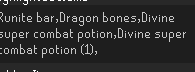
is it not cos you have a space between "potion" and "(1)"?
mossy swan
it is
oblique plume
it is but i want them to just reset it again and learn how to set up their config without breaking it
so that they dont have to come in here every couple hours asking why its not working
compact spear
lmfao understood
oblique plume
theyre like one of the worst offenders iirc
 proper void
I saw people saying I can fix the low detail issue in sepulchre by hiding ground items
anyone know what IDs to hide?
leaden trail
If you search ground object hider in here they'll come up
 knotty raptor
latent pier
not sure if its my internet or the client but since i updated to macos 15 i keep...
knotty raptor
latent pier
not sure if its my internet or the client but since i updated to macos 15 i keep...
ah yes mac
 crude crystal
Hi guys i just came back after 3 years not playing, is there a way to bulk import bank tags?
i see them on runelite.net, but when im ingame they dont work when searching
oblique plume
no, you sure youre just not using the wrong profile
crude crystal
logged in with gmail same account
oblique plume
no, the profiles in the  tab
tab
latent pier
crisp dune
we're not sure yet whether it is a mac issue or a runelite issue
Idk if you can pass this through but i noticed when using Microsoft Remote Desktop, when tabbed in it works fine, but then when i tab out i get yeeted, and i think the same might happen on runelite... maybe a new feature that tries limiting network usage when tabbed out and it just shits the bed? not sure
crude crystal
oblique plume
no, the profiles in the <:profiles:1183560772022964305> tab
ah ok didnt know thats linked to that, ok yea will play with that a bit
crude crystal
oblique plume
no, the profiles in the <:profiles:1183560772022964305> tab
thanks so much, got everything back ❤️
 dry oyster
Hey I'm having an issue with using the "Idle Notifer" default plugin to afk fish karambwan. I have "Idle Animation Notifcations" enabled as that seems to be the thing triggered the notifcation whenever my inventory is full, however this also gives me an annoying notification right as I begin fishing for some reason, is there anyway to only get the full inventory notification?
oblique plume
you sure its that doing it
dry oyster
actually it seems to be "Fishing notifier" thats doing the notification whenever i start
oblique plume
idk what that is
dry oyster
don't know either tbh, but ill try without it 🤷
looks like its some external i installed long time ago, works fine now without it, thanks anyhow
 open sorrel
anyone else not being overhealed when eating blighted anglers?
even at 99 hp, eating, staying at 99
leaden trail
They don't overheal if you're in or have recently been in combat
Similar to anglerfish, blighted anglerfish can heal above maximum Hitpoints (making the maximum Hitpoints possible 121). Overheal does not apply if the player is in combat in a PvP area, whether with another player or a non-player character.
 fierce dock
Does anyone know what plugin adds this big red square to my UI? I can't find the plugin but it seems to go away if I turn off any of the gpu plugins
 boreal bramble
crisp dune
correct, we've heard other people say they've had connection issues after upgrad...
boreal bramble
crisp dune
correct, we've heard other people say they've had connection issues after upgrad...
strangely I ran the client in safe mode with intermittent dc'ing but no logout or crash, redownloaded the client and now there are no issues on macOS 15 (MacBook Pro M3 Pro) 🤞
Edit (Running all the same plugins as before, also installed Tick fixer for Mac plugin but don't think it does anything in particular)
 wheat pier
is it possible to make runelite load a specific profile depending on your rsn?
crisp dune
yes

RuneLite
Profile account linking, GPU performance improvements, and hidden unrelated areas in GPU
crisp dune
np, enjoy!
 scarlet knot
hi is the vig mace still bugged?
leaden trail
should be fixed with the next RuneLite update, I believe
leaden trail
🤷
scarlet knot
hmmm
 drowsy path
Anyone know what setting/plugin I've enabled to get Private Messages to be displayed in Gamechat?.. I've been flicking plugins off and on to try find it.
example
 round jacinth
You changed the color of it
Maybe with force recolor plugin or maybe there is an in game setting for it
drowsy path
Even then, why is it in my gamechat AND split above
round jacinth
What you mean split above? There is an in game setting to split private chat above the chat window
drowsy path

Messages are appearing in my Game chat filter, Not sure what I've done..
I think its solved 🙂
 copper yacht
Hey gang - any idea why 3 of my 4 profiles have completely vanished? Restarting the client doesn't seem to bring them back either.
haughty pumiceBOT
copper yacht
Thanks @round jacinth 🙏🎉
haughty pumiceBOT
[ https://github.com/swirle13 ] [ @remote junco 195672782053310466 ] swirle13#0
 jagged portal
ever since getting jagex launcher my runelite has been freezing i legit cant even boss anymore any suggestions ive re downloaded both jagex launcher and runelite even went as far as resetting my whole pc 😦
stone parcel
Maybe you could see if it continues to happen in safe mode.
haughty pumiceBOT
Windows
Run the RuneLite (safe mode) shortcut, or with a Jagex account, first run the RuneLite (configure) shortcut and tick the Safe mode box, then launch RuneLite via the Jagex launcher.
Mac
In Terminal, run:
/Applications/RuneLite.app/Contents/MacOS/RuneLite --configureTick the Safe mode box. Launch RuneLite.
If it's not working, download and install the updated RuneLite launcher from the website link in #welcome. You don't need to uninstall your current version. You will not lose any settings or plugins. Then try running safemode again.
jagged portal
seems to have worked but how do i make it so i can use my plugins
round jacinth
jagged portal
seems to have worked but how do i make it so i can use my plugins
You use safe mode to see if the client works normally without the hub or GPU. If it works then it means a hub plugin or GPU is not performant or agreeing with your computer
!flow
haughty pumiceBOT
flowchart: Please refer to this flowchart for further troubleshooting.
round jacinth
You can disable a bunch or uninstall ones you don’t use
jagged portal
will try this in the morning
 hexed flume
Having a small issue atm with screenshots. My boss kills screenshots arnt being taken even though the checkbox is ticked and i have ample space on my hard drive.
 neat notch
hexed flume
Having a small issue atm with screenshots. My boss kills screenshots arnt being ...
neat notch
hexed flume
Having a small issue atm with screenshots. My boss kills screenshots arnt being ...
is your boss kc over 1000
hexed flume
one was, one wasnt
neat notch
hexed flume
one was, one wasnt
the one over 1000 kc was probably because of the known bug because jagex added commas, will be fixed next update
what was the other one
hexed flume
Spindel was a boss i never killed before
 proud zephyr
Hi all, I am having crashes (no warning, just closes client) almost daily and I cannot figure out why, was hoping someone here could help? Much appreciated!
 proud zephyr
No issues anywhere else, only Runelite
leaden trail
hexed flume
Having a small issue atm with screenshots. My boss kills screenshots arnt being ...
This is a known issue and will be fixed with the next client update
 undone field
i just brought a new laptop how do i transfer my loot tracker data?
haughty pumiceBOT
 long abyss
why is the hunter guild zapping all of my gpu but its fine everywere else i cant understand why,i have a rtx 4080
leaden trail
Do you have your framerate unlocked?
long abyss
yea
leaden trail
That's probably why
 teal otter
Whatever happened to that citizens plugin? That use to be nice to have on?
oblique plume
its broken
oblique plume
idk what notifications with the runelite symbol means
but the windows ones are the tray notifications
leaden trail
Those both have the RuneLite symbol
leaden trail
What have you attempted to do before you asked here?
oblique plume
and now we look insane talking to ourselves
oblique plume
tru
rustic fox
rustic fox
I'd still appreciate some help on this if possible
I would still still appreciate some help with this if possible 😅
round jacinth
If you have AA off and then turn it on it looks like it’s off or you just don’t notice the difference between 16x and 4x?
rustic fox
round jacinth
If you have AA off and then turn it on it looks like it’s off or you just don’t ...
theres no difference between either off or 16x
or anything
round jacinth
!logs
haughty pumiceBOT
To find the logs, you can do one of the following:
- If your client failed to open, click the
Open logs folderbutton. - Open the screenshot directory by right-clicking 📷
Camerabutton, navigate 1 directory up, then open logs folder. - Navigate to
%userprofile%\.runelite\logson Windows or$HOME/.runelite/logson Linux and macOS.
Upload the log files named client and launcher by dragging them to Discord. If there are files prefixed with jvm_crash dated from today, upload them too.
round jacinth
Idk how you are able to confirm your graphics card isn’t doing its own thing
rustic fox
Yeah idk not sure which log to send lool
rustic fox
yeah but its not like it crashes or w/e
round jacinth
Upload log files named client
leaden trail
@paper musk moving here as to not clutter up #dev.
Try this:
Close all your clients
Restart your computer.
Redownload RuneLite from the link in #welcome
Run it once, launched standalone, as admin. Once you hit the login screen, close it out and just for good measure, reboot again.
If the issue continues, you can go ahead and post in here again, but please don't ping me in the follow up
 round jacinth
Wow
rustic fox
bit weird
round jacinth
😂
rustic fox
Either way there it is
round jacinth
Yeah so no errors in there, it does use your GPU properly
Can you screenshot no AA and 16x AA for me so I can see what you see

 rustic fox
yeah the character is ding a slightly different idle pose
round jacinth
It’s more everywhere tho

 round jacinth
and amd’s image sharpening is off?
 round jacinth
I’m not familiar with the software to know where else it could be
Other games’ AA work correctly?
rustic fox
yep
round jacinth
Then I have no clue
round jacinth
Try older drivers
rustic fox
I guess I can try that yeah
round jacinth
If it used to work then you know it used to and can find a similar driver
 tribal sand
https://i.imgur.com/XTMJvoc.png whats this plugin is called which shows excatly how much you hit next to the xp drop?
 leaden trail
That's from customizable XP drops I think
 neon parrot
plugin name for this dark mode?
 mossy swan
neon parrot
plugin name for this dark mode?
mossy swan
neon parrot
plugin name for this dark mode?
resource packs
 paper musk
leaden trail
<@238735822575108096> moving here as to not clutter up #dev.
Try this:
Close a...
paper musk
leaden trail
<@238735822575108096> moving here as to not clutter up #dev.
Try this:
Close a...
Only just seen this and got a few questions:
- I've seen a few people saying that running RL as admin can actually cause issues so curious if this might cause other issues.
- I assume that if I picked a different drive for RuneLite to install on that wouldn't cause issues for launching via JL? I have several drives in my PC so could see if that solves the
io.Exceptions - I assume when you say "Redownload" it would be best to delete the current
.runelitedirectory and uninstall RuneLite first.
leaden trail
Running it regularly as admin will cause issues, but the one time run is a way to fix file permissions issues
2 I have no idea but maybe try just one thing at once
3 no don't delete anything just install over your existing installation
shell edge
anyone have an issue w plugin hub plugins not updating?
 lapis elm
restart your client
weak sinew
i see this bot rn spamming at the ge about this plugin called combat muting, is it a safe plugin or is it a scam or something
cause i wanna use that cause i hate the bots but if a bots promoting ittt
round jacinth
Any plugins on the hub are safe to use
I made the combat level muting plugin too 😂
 maiden comet
Hi, I am unable to run RuneLite when I have my Nord VPN turned on
leaden trail
If you're trying to use split tunneling, it doesn't work with RuneLite
maiden comet
I have tried it with and without. The jagex launcher won't start without and then RuneLite wont work with
I can get RuneLite to launch but then it says failed to login
leaden trail
You're just gonna have to not use your VPN for RuneLite then probably
There's one workaround which occasionally works but not for everyone, I think
 solemn scaffold
Sorry but how can i create a Runescape Account to play with the Runelite launcher, after i create a new account i cant login, but i dont want to play with the Jagex launcher...
solemn scaffold
okay thank you
leaden trail
You can still use RuneLite, you just have to use the Jagex launcher to start it
solemn scaffold
ah okay thats good to know
I always thought it would be a bad thing to upgrade to jagex
leaden trail
If you aren't on Linux and don't do RuneLite development stuff it's a pretty decent change tbh
sterile void
is there anyway to move the position of the Party Health/Prayer #s?
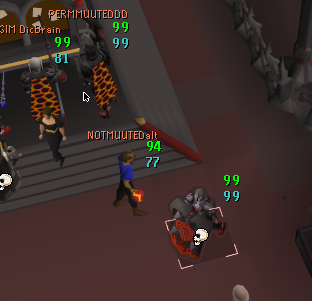
i feel like ive done it in the past long ago on the feet instead of head but idr
 knotty barn
for about the last week i've been having issues with the game freezing randomly, getting bad stutters, i've gone through and tried to eliminate stuff with no help. it has evolved into connection lost notifications with some of the freezes now. My computer isnt struggling at all based off performance monitor on task manager, there are no spikes when it happens, any help is appreciated. unsure if its even a runelite thing at this point
zealous cedar
have you tried safe mode?
knotty barn
have not, i'll give it a go
 sharp nest
Any plans to fix monsters with weird movements on animation smoothing?
knotty barn
zealous cedar
have you tried safe mode?
will having FPS target set too high mess with things also? I turned it down to 144 and its better, i had 1 stutter during a Chambers raid and it only lasted like 2 seconds instead of 10+
leaden trail
sharp nest
Any plans to fix monsters with weird movements on animation smoothing?
What's weird?
sharp nest
leaden trail
What's weird?
for example cyclops twist their arm weird when they attack, and I heard other monsters have weird movements too
leaden trail
If you can get a video of it and maybe use the plugin "Identificator" from the hub to show the animation ID, I can take a look at it (although probably tomorrow)
 lyric remnant
client.getScene(); Seems to be deprecated. What was it replaced with?
round jacinth
check the docs/recommendation of the change?
 vital prairie
What may cause the loot tracker to stop recording killcount without the boss being listed as hidden? Kc and loot is frozen and no longer matches
lyric remnant
client.getTopLevelWorldView().getScene(); is the closest thing I can think of doing but the API docs are not particularly clear/transparent on what the proper recommendation is. Or I could be searching in the wrong places.
crisp dune
That would be correct. We don't have those API deprecations well documented yet because they're related to sailing which is very much still being worked on
lyric remnant
got it thanks. appreciate the response.
 haughty pumiceBOT
Graphical artifacts? Try disabling hardware acceleration: https://github.com/runelite/runelite/wiki/Disable-Hardware-Acceleration
 calm agate
i have hardware acceleration turned off already
 calm agate
lol
 pine lynx
why does my modern keep going longways like this instead of flat, no matter what stretched % i use? https://imgur.com/s40UKwu
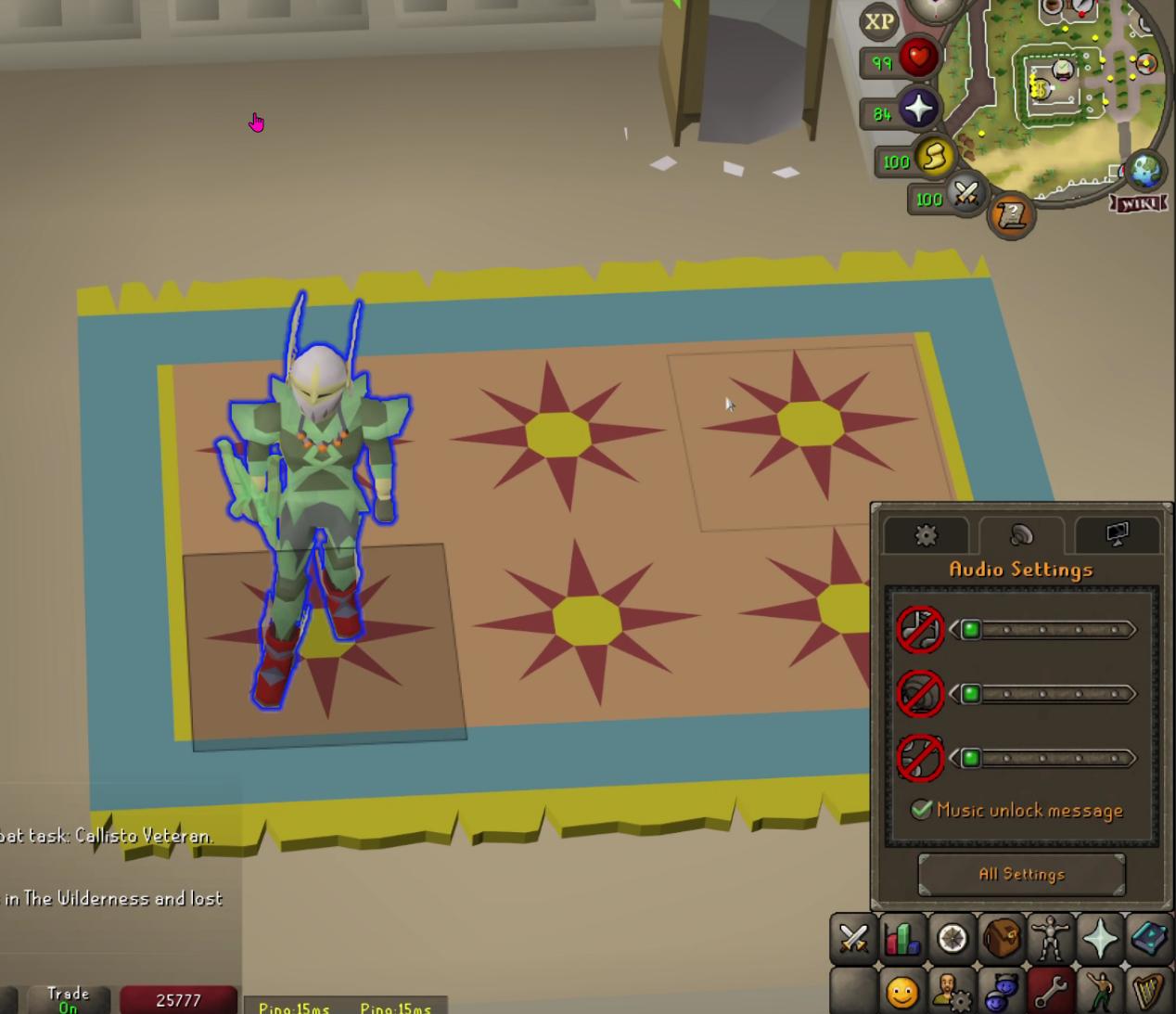



keep gamesize options seems to not be working
mossy swan
you need to have the client a bit wider for it to fit probably
i seem to recall there's a hub plugin that forces them on one line though
maybe not, cant find anything like that now
oh there is this, but i think that doesnt work the other way?

 odd kelp
Hi everyone, I have a 3440x1440 monitor and trying to upscale my UI. I've messed around with the stretched and GPU plugins, but I'm not having any luck.
I was able to upscale it/resize it one way, but it also did my entire screen and made the graphics look bad. I'm just looking for the same thing as the official client offers, only UI scaling without messing with the rest of the game.
 spice pond
hello, I have question about Entity hider plugin. when we are raiding with my clan mates and people in my friend list I would like to hide their overheads, however "Hide others 2D" only works on people that are not in the clan and or in my friend list. I feel like this is kind of an oversight.
Any suggestions? I would be ok with just moving the overheads to the feet of the characters
mossy swan
spice pond
Any suggestions? I would be ok with just moving the overheads to the feet of the...
check the settings, there’s probably toggle for clan/friend also
spice pond
mossy swan
check the settings, there’s probably toggle for clan/friend also
In the plugin setting itself its just Hide other 2D, Hide Local player 2D and Hide NPCs 2D. I dont need to hide my own or the npcs, I can hide whole characters of friends or clan chat members but that is too extreme, you need to know where they are.
Anywhere else I should look?
next notch
How to stop Runelite from automatically running efficiency status at task manager?
mossy swan
spice pond
In the plugin setting itself its just Hide other 2D, Hide Local player 2D and Hi...
so these hide players and not just 2d?

if so, #suggestions
spice pond
yes
spice pond
mossy swan
if so, <#474137683120095263>
will do!
mossy swan
next notch
How to stop Runelite from automatically running efficiency status at task manage...
probably disable whatever windows efficiency/power saving stuff that is going on
next notch
mossy swan
probably disable whatever windows efficiency/power saving stuff that is going on
I don't think I have any power saving settings enabled. I am using a desktop and have Windows' balanced power plan on.
mossy swan
next notch
I don't think I have any power saving settings enabled. I am using a desktop an...
sorry, cant help you there. it's a windows thing, not runelite 
latent pier
boreal bramble
strangely I ran the client in safe mode with intermittent dc'ing but no logout o...
i redownloaded the client too but seem to still have the issues... running tick fixer made it even worse for me 💀 is there anything else you tried?
 wintry crest
For some reason my bosskill screenshots have stopped working. does anyone have any idea what happened? Last time it screenshotted a bosskill was Sept 7th
 mossy swan
wintry crest
For some reason my bosskill screenshots have stopped working. does anyone have a...
mossy swan
wintry crest
For some reason my bosskill screenshots have stopped working. does anyone have a...
if you have more than 1000kc some of them are broken and will be fixed next rl release
wintry crest
mossy swan
if you have more than 1000kc some of them are broken and will be fixed next rl r...
Thank you.
 chilly moth
I can't select attack for the default left click option? Any ideas why?
 mossy swan
"reset"
chilly moth
Thanks!
hollow olive
mossy swan
oh there is this, but i think that doesnt work the other way?
its an rsoption to stack/unstack in resizable modern @pine lynx
!rsopt
haughty pumiceBOT
rsoptions: https://oldschool.runescape.wiki/w/Options
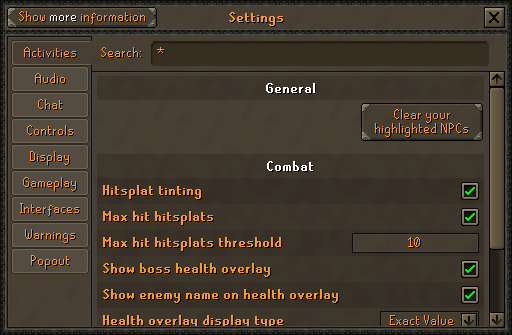
Old School RuneScape Wiki
Settings is the screen that lets players change various settings, such as the brightness of the game client, whether or not chat effects display, whether to accept aid or not, the volume of the music and sound effects, and much more.
undone field
any idea how to turn this notification off?
 zealous cedar
turn off the idle notifier
undone field
i use idle notifier to alert me while AFK mining
round jacinth
the idle notifier has a spot in it for run energy
when you are told about a plugin doing the alert its not to tell you to turn it off, it's to tell you where a setting can be changed/looked at lol
vital prairie
What would cause Loot Tracker to stop tracking Muspah but not any other boss? Last 6 kills randomly didnt register and KC is 6 below actual number?
zealous cedar
i dont know, it looks ok to me
undone field
ty i sorted it, i put both my energy threholds at 0
 thorn pond
any possibilty to locally edit the regen meters to generate horizontally underneath the tabs?
 crisp dune
Sure, you could give it a shot
thorn pond
crisp dune
Sure, you could give it a shot
if i knew how 🙂
sharp nest
leaden trail
If you can get a video of it and maybe use the plugin "Identificator" from the h...
according to the web it says ID's are 2137 to 2143.
leaden trail
those are the NPC IDs. If you go int the settings for Identificator it'll have an option to show NPC animation ID
 lone sundial
if i want to set up addons for a friend, when they log in on their computer will it download the right addons? or will it just keep the addon settings and they'll have to manually add their own addons to the list
so like it would have the individual lines in the config file but no addon to use those lines
wait nvm i'm silly - the best way is to just zip up the .runelite directory... hahaha
round jacinth
It is probably best for you to teach them what to change rather than just giving them everything you’ve got because they won’t know what did what for their config because it’s all done by you
Something about teaching a man to fish > giving a fish away
 rugged crypt
In the time tracking plugin: The tree patches are always "ready" due to having a grown spirit tree in the farming guild, does any one know how to modify this functionality?

 full dirge
I am sorry because I know already know there is a way to do this but I have forgotten after an extended break from the game. On a larger monitor, how do I increase the size of the inventory and mini map with out changing the UI settings for all of windows? My old eyes are finally starting to betray me.

 rich mason
full dirge
I am sorry because I know already know there is a way to do this but I have forg...
rich mason
full dirge
I am sorry because I know already know there is a way to do this but I have forg...
The "Stretched Mode" Plugin is what you're looking for! :)
Also a little tip, inside the GPU or 117 HD plugin there will be an option called "UI Scaling Mode" which will have different settings you can pick that decide the rescaling of the stretched mode plugin, I personally consider the "Nearest" option the best but some people have different preferences
full dirge
rich mason
The "Stretched Mode" Plugin is what you're looking for! :)
Also a little tip, i...
You are both a gentleman and a scholar. I hope you have a wonderful day.
 stable willow
idk if im suppose to message here or what, but when i try to launch rl, or even to go site, i get error 1006, curious if im able to get that ip ban removed or not, thanks.
round jacinth
The answer is the same as last time you asked
stable willow
i did before, yes but at that time i still had my old computer with the client on there, was hoping for a second chance
but if not i understand
sharp nest
leaden trail
those are the NPC IDs. If you go int the settings for Identificator it'll have a...
oh okay. 2465-2467
maybe from 2463
round jacinth
Sign out or just stop clicking the icon
pine lynx
fair thank you
round jacinth
Or don’t show the side panel
round jacinth
Oh after leaving zulrah it goes away and defaults to ?
If that’s the case sign out or just stop showing side panel in streams
pine lynx
i think so
hollow olive
you can turn off the info panel in plugins too i believe
round jacinth
Oh yeah it’s just info plugin
I thought it impacted the account login but that’s different
Good call Josh
 fierce anchor
Is there a means of adding Clan Chat ranks to people's player indicator overhead names, like it does for the friends chat here?
 hollow olive
have you checked the player indicators plugin instead
vital prairie
Loot Tracker randomly quit detecting any Muspah KC and its not listed as hidden either?
 muted mango
it will be fixed in next update
zealous cedar
?
muted mango
Oh, I read that as the KC tracking wasn't working. Reading is hard.
leaden trail
I do remember someone else mentioning a muspah issue with loot tracker earlier
hollow olive
it was him
leaden trail
Ah
zealous cedar
I looked at it when they asked earlier, and I do not think it is broken
leaden trail
I didn't realize it was the same person
I've been staring at playerkit stuff all day so brain empty
 hot oasis
There's an issue with muspah not tracking loot if you step on a spike the tick it dies but i doubt it's that
oblique plume
im pretty sure its this https://github.com/runelite/runelite/issues/18098
hot oasis
lol
zealous cedar
interesting
mossy swan
skill issue
zealous cedar
just dont step on the spikes
oblique plume

odd kelp
rich mason
The "Stretched Mode" Plugin is what you're looking for! :)
Also a little tip, i...
I have 3440x1440, stretched mode doesn't work without distorting the UI, but maybe I just need to find a good setting for the scaling %
117 plugin completely changes the games looks and I don't want to keep that on even if it can work somehow
GPU plugin and it's UI scaling doesn't work for me. I tried catmull first as thats what some reddit post said, but I've tried all of them and nothing changes. Is there a certain procedure to enable the UI scaling with this plugin?
round jacinth
you cannot stretch the game without any distortion
unless you use integer scaling
stretching is stretching, if you integer scale you scale it.
odd kelp
the official client does a good job at it
but so how do I get this UI scaling in GPU plugin to work?
why does nothing change when I select the different options?
I got it, stretched mode has to be on for GPU scaling to work
oblique plume
what
odd kelp
?
round jacinth
I think they're thinking the UI Scaling mode in gpu plugin actually does any scaling
odd kelp
indeed
oblique plume
but they think hd does?
round jacinth
idk
odd kelp
hd?
round jacinth
UI Scaling just renders the stuff with the option picked, stretch plugin does any resize of the ui
odd kelp
oblique plume
but they think hd does?
you mean 117 HD? And yeah how am I supposed to know?
I finally figured it out by hovering over the option in the config and it had a description, which I also wasn't aware was a function until just discovered by accident
oblique plume
odd kelp
I have 3440x1440, stretched mode doesn't work without distorting the UI, but may...
did you read this?
odd kelp
changing the resizable % in stretched mode also helps some without messing with the UI scaling
odd kelp
oblique plume
did you read this?
What are you asking me?
I wrote that, ofc I read it...
oblique plume
im just very confused
oblique plume
since every message after your initial one has contradicted the statements in the original one
so im not sure you understand what youre saying
zealous cedar
try using safe mode.
haughty pumiceBOT
Windows
Run the RuneLite (safe mode) shortcut, or with a Jagex account, first run the RuneLite (configure) shortcut and tick the Safe mode box, then launch RuneLite via the Jagex launcher.
Mac
In Terminal, run:
/Applications/RuneLite.app/Contents/MacOS/RuneLite --configureTick the Safe mode box. Launch RuneLite.
If it's not working, download and install the updated RuneLite launcher from the website link in #welcome. You don't need to uninstall your current version. You will not lose any settings or plugins. Then try running safemode again.
lone sundial
so this is weird - it's only been recently that it started - i've tried restarting my client and it hasnt' fixed it
one of my clients consistently has its graphics freeze. the ui works (i can see my character running on my other window) and i can perform actions if i know where to click (for example, orient north by clicking the compass and click the bottom of the ui so i run south)
i've tried restarting the client and it fixes it for a while but then it stops
i'm on an ARM processor if it matters
lone sundial
round jacinth
It is probably best for you to teach them what to change rather than just giving...
for sure - they're a reasonably experienced gamer, we just only have so much time to play and want to make the most of the playtime =p
round jacinth
experiene with the game is not the same as the client's configuration at all
its not like a graphics slider in a game, plugin settings set up one way could make it so you can't examine anything and they wont know why lol
you are more than welcome in doing it but you're signing up to be that guy to teach them why the client behaves a certain way because they're your settings
lone sundial
lol yes i am definitely that guy
round jacinth
lone sundial
so this is weird - it's only been recently that it started - i've tried restarti...
are you using rsn hider
lone sundial
i don't even know what that is
haughty pumiceBOT
Windows
Run the RuneLite (safe mode) shortcut, or with a Jagex account, first run the RuneLite (configure) shortcut and tick the Safe mode box, then launch RuneLite via the Jagex launcher.
Mac
In Terminal, run:
/Applications/RuneLite.app/Contents/MacOS/RuneLite --configureTick the Safe mode box. Launch RuneLite.
If it's not working, download and install the updated RuneLite launcher from the website link in #welcome. You don't need to uninstall your current version. You will not lose any settings or plugins. Then try running safemode again.
round jacinth
does it lock up in safe mode?
lone sundial
i have no tried safemode - but the two clients are identical in terms of plugins
only one of them consistently freezes
round jacinth
idc about that, if the client locks up in safe mode it means hub plugins or gpu is the cause
so does it lock up consistently if you have multiple safe modes up
lone sundial
oh i don't ahve any safemodes up
lone sundial
i've actually never launched in safemode (can you do that from the jagex launcher?)
lone sundial
kk i'll give that a shot the next time it crashes
now that i've asked for help it prolly won't crash, that's how it works i think lol
odd kelp
looks like the only fullscreen plugin is not recommended and is buggy, I guess I just need to get used to the side and top bars of runelite? No other way to hide them?
vast bone
you can disable custom chrome and then maybe if you have a way to remove the standard windows top bar then you might be able to do something with that.
otherwise no.
no other way to hide it.
odd kelp
oh im dumb I just saw the hide sidebar option lol
but still the top bar
oh well
thanks
 cedar jungle
Hello! My Runelight .exe suddenly stoped working, its just dont launch, no window appears, nothing
mossy swan
have you tried reinstalling?
haughty pumiceBOT
Download from the link in #welcome or from the link from the Old School RuneScape home page
cedar jungle
mossy swan
have you tried reinstalling?
Will that remove my plugins and settings?
mossy swan
no
cedar jungle
mossy swan
no
That worked, thank you so much! I feel stupid now lol
mossy swan
 better to ask than to lose your settings
odd kelp
mossy swan
<:thumbsup:465133049953255424> better to ask than to lose your settings
I just signed in using the google account option, thats supposed to back up the settings, or...?
mossy swan
odd kelp
I just signed in using the google account option, thats supposed to back up the ...
if you turn on sync it will yes
haughty pumiceBOT
cedar jungle
mossy swan
<:thumbsup:465133049953255424> better to ask than to lose your settings
Damn it did deleted everything, is there a way to recover? I have my google account linked
mossy swan
cedar jungle
Damn it did deleted everything, is there a way to recover? I have my google acco...
!lost
haughty pumiceBOT
odd kelp
this client just keeps constantly blowing my mind lol, crazy what yall have done with it
many thanks
cedar jungle
mossy swan
!lost
Thanks! Recovered everything!
mossy swan

odd kelp
Anyway to get the ground like on the top? The top is official client and the bottom is runelite. Pretty sure I haven't messed with any runelite settings that would have tweaked the ground so I think this is how it comes?

 deft fulcrum
Is there a way to globally toggle visibility of UI elements? Specifically elements that are created by Runelite. I sometimes like to play in classic fixed mode and the overlays I have are very distracting.
mossy swan
odd kelp
Anyway to get the ground like on the top? The top is official client and the bot...
increase the brightness in osrs settings
mossy swan
deft fulcrum
Is there a way to globally toggle visibility of UI elements? Specifically elemen...
not all of them at once, but you can usually turn off plugins or the overlay itself. there's a hub plugin called "plugin presets" that might do what you want
odd kelp
mossy swan
increase the brightness in osrs settings
nah it's something else, I just tried, you can see runelite uses tiles whereas official client uses topography type look
mossy swan
this setting
 odd kelp
yeeeep, that was it, I should have just tried toggling everything, but had no clue what that did based on the name lol
thanks again
 mental granite
Hi, i have posted before about my runelite freezing every 5 mins or so for around 3 seconds. I have tried running in safemode and it is still happening. What can i do from here?
 opal marsh
Hey I’m trying to learn how to make plugins. I followed the steps in cloning runelite and getting the client to run from IntelliJ. I then started following the steps on the plugin hub repository and have got stuck on step 5 as there’s no run test button or anything from the plugin template that’s linked. Can anyone shed some guidance/video/steps to help at all?
vast bone
right-click exampleplugintest.java and click run.