#support
1 messages · Page 28 of 1
 zealous cedar
you probably keybound it to something. use the debug helper plugin to find out what
 echo gate
everything seems okay to me
 zealous cedar
try safe mode?
echo gate
how do you do that with jagex launcher?
 haughty pumiceBOT
Windows
Run the RuneLite (safe mode) shortcut, or with a Jagex account, first run the RuneLite (configure) shortcut and tick the Safe mode box, then launch RuneLite via the Jagex launcher.
Mac
In Terminal, run:
/Applications/RuneLite.app/Contents/MacOS/RuneLite --configureTick the Safe mode box. Launch RuneLite.
If it's not working, download and install the updated RuneLite launcher from the website link in #welcome. You don't need to uninstall your current version. You will not lose any settings or plugins. Then try running safemode again.
echo gate
still doing the same thing unfortunately
zealous cedar
is the key remapping plugin on?
echo gate
nope
zealous cedar
then i am out of ideas
echo gate
its like my f4 is keybinded on my pc but its with every keyboard that i use lmao i am so fkn lost
if i hold ctrl + f4 then f4 button works but idk
 gilded kayak
well, does this issue persist outside of RuneLite?
can u alt+f4 stuff without control?
echo gate
yep
zealous cedar
i think alt+f4 might be a different key than just f4
youd have to find something which accepted f4
echo gate
alt f4 also works to open my spellbook
alt f4 and ctrl f4 but not only f4
every other function key works aswell
also i guess while im here. low detail mode doesnt hide verziks floor anymore at tob, is this being fixed soon or is it jagex side
echo gate
thanks very much
i figured out my fkey situation
i had to close nvidia panel
took me an hour and a half to figure that out lmao
gilded kayak
ah yes my favourite nivida feature, the one where they disable f4
 worldly heath
If I’m currently logged out of runelite and want to sign in / make an account will i lose all my current plugins and stuff?
 vast bone
no
 wet zenith
No I have the RPM nvidia drivers
I did a little more digging and I think it's something to do with not storing the contents of the vram after being asleep, I have a few things I can try
 urban lodge
There's a reason why it's commonly referred to as novideo on Linux XD
 upper moon
My computer crashed and i lost my plugin settings. Not a big deal but all my notes are gone. Is there any way for me to recover my notes?
haughty pumiceBOT
upper moon
It is not necessarily a profile setting, never saved any profiles. Regardless my notes have always been there. Need help getting the notes back
gilded kayak
you have a profile by default, that's where your notes are saved
upper moon
Is there any way to recover them? Id assume they are saved somewhere right?
gilded kayak
haughty pumice
<https://github.com/runelite/runelite/wiki/FAQ#my-plugins-are-gone-or-my-config-...
 sterile void
so something really weird has been happening... u know how RL is supposed to remember the last client u had open???
that isnt happening for me
so i often have to change profiles/client positions everytime
upper moon
got it, thanks Adam and felanbird. Just took a bit of play with some settings.
appreciate the helop
help
 last roost
At the risk of sounding stupid, I can't figure out why I can't left click my cat. It's been like this for months because it's just mildly inconvenient but I'd like to fix it lol. It's not menu entry swapper, nor is it npc indicators. Anybody have any other ideas on why I can't left click on pets? Even after trying to menu entry swap to something walk here is always top option.
gilded kayak
in-game setting
gilded kayak
sterile void
so i often have to change profiles/client positions everytime
just to make sure before I say "upload your logs", if you click the > to the right side of the profile once so the buttons appear, can u still clearly see that the 🔗 icon is orange
gilded kayak
!logs i guess
haughty pumiceBOT
To find the logs, you can do one of the following:
- If your client failed to open, click the
Open logs folderbutton. - Open the screenshot directory by right-clicking 📷
Camerabutton, navigate 1 directory up, then open logs folder. - Navigate to
%userprofile%\.runelite\logson Windows or$HOME/.runelite/logson Linux and macOS.
Upload the log files named client and launcher by dragging them to Discord. If there are files prefixed with jvm_crash dated from today, upload them too.
sterile void
@gilded kayak
gilded kayak
oh I guess linked profile info isn't written to logs
dat is problem for figuring out whats happening
gilded kayak
try re-doing the account links I guess?
sterile void
redoing the account links
what u mean
ahh
the setting it to the account
i see
gilded kayak
ye
gilded kayak
well you'd lose all your settings if you did that so probably not
gilded kayak
it seems like an issue that could probably be fixed by just turning the 🔗 off and back on again
sterile void
kk ill try
gilded kayak
mine seems to have worked as expected, linked newprofile1, swapped to my normal profile, closed the client, open & login, client automatically switched to newprofile1
 narrow ruin
erhm ive got a minor but anoying issue, ive set runelite to remember client position yet whenever i open rl it doesnt open on my desired monitor/position. what do i change ?
 limpid glade
hey guys, trying to get the NPC aggression timer plugin to work, not getting any area lines or timer...
 potent plank
https://i.imgur.com/7kdWPuA.png
any reason that the hp bar sometimes is a number like "200hp" then other times its a %?


i do have it set to hp
appears to just be broken on the boss araxxor
 crisp dune
That showing as hp rather than percentage is only possible where the wiki has the monster's data mapped. Maybe araxxor isn't mapped yet, or maybe we need to check that we're pulling it in correctly
 leaden trail
We do have HP listed on the wiki at least
potent plank
hmm weird, it was fine yesterday
 charred wind
limpid glade
hey guys, trying to get the NPC aggression timer plugin to work, not getting any...
charred wind
limpid glade
hey guys, trying to get the NPC aggression timer plugin to work, not getting any...
Can you post your config of this plugin?
 fallow nest
My runelite is not opening for me and is spitting this log I think?
zealous cedar
use safe mode and uninstall the first person plugin
haughty pumiceBOT
Windows
Run the RuneLite (safe mode) shortcut, or with a Jagex account, first run the RuneLite (configure) shortcut and tick the Safe mode box, then launch RuneLite via the Jagex launcher.
Mac
In Terminal, run:
/Applications/RuneLite.app/Contents/MacOS/RuneLite --configureTick the Safe mode box. Launch RuneLite.
If it's not working, download and install the updated RuneLite launcher from the website link in #welcome. You don't need to uninstall your current version. You will not lose any settings or plugins. Then try running safemode again.
 weak sinew
is action progress not working for anyone else?
haughty pumiceBOT
Get support for the Action Progress Plugin Hub plugin here: https://runelite.net/plugin-hub/show/action-progress.
You can also find the support link by searching for the plugin in the Plugin Hub panel and clicking the ? button on the plugin, or by right-clicking the plugin in the plugin panel and clicking the Support menu option.
 buoyant wyvern
my ssd failed, and i had to install a new one, ive logged into my same runlite log in and all my plug ins/ bank tab layouts are gone..... it still shows my loot tracker, but is there a way to get my previous settings back ? i dont think cloud syncing was enabled so i pressume i just need to redownload everything and start fresh again? just thought i would ask the question here before doing so.
zealous cedar
If it was enabled, the profile you had will show in the profiles panel
 vivid lagoon
@zealous cedar hey, what's the progress on the low detail plugin? is a fix to keep its original behaviour possible?
zealous cedar
not really, no
vivid lagoon
what exactly was changed? that's really unfortunate.
zealous cedar
there used to be tiles underneath the objects which made up the ground, but the tiles were changed to be invisible
 cerulean jolt
hmm. I'm racking my brain and cant figure this one out lol. I used to have my keys remapped, to where I could close bank with 1 (f1 remapped with the keyremapping plugin) but it doesn't close the bank anymore.
zealous cedar
ive no idea why you would assume that
zealous cedar
cerulean jolt
hmm. I'm racking my brain and cant figure this one out lol. I used to have my k...
do you have the escape closes interface option on in the game settings?
cerulean jolt
zealous cedar
do you have the escape closes interface option on in the game settings?
yes, and it works with escape. when i remap escape to the 1 key, it doesnt though
zealous cedar
weird
cerulean jolt
right xD
It works with fkeys, if I remap escape to f1, it closes the interface. Any numerical key though, it wont.
Ahh! it does! I'm assuming its so only 1 key performs 1 action, to stay within the guidelines of jagex's tos, you cant have 1 remapped to inventory, and to the escape key.
my bad, makes sense now :p
cerulean jolt
On another note, is there a way to keep inventory tab open when closing bank? or is there no way to keep it from switching back to the last tab you manually selected
 blissful swallow
Anyone know how to turn off this notification? I tried looking under special attack but theres nothin to turn off

Trying to Woodcut while doing homework and it keeps popping up lol
zealous cedar
its part of idle notifier
blissful swallow
Thank you! life saver here haha. Its nice to have lots of plugins, but finding the right thing can be a challenge sometimes
 ivory flame
I've got a notification.wav in the following folder
C:\Users\User\.runelite
And under runelite options set the notification sound to "custom"
however each time i get a notification, this is not the sound that plays.
am I doing something wrong?
 mossy swan
make sure it’s not notification.wav.wav
and that it’s wav file not a renamed mp3 or something so
 ivory flame
Any particular settings?
mossy swan
defaults should be good
ivory flame
mossy swan
defaults should be good
Yup, this worked - thanks so much
 prisma siren
hey guys, i noticed that the gui scale of runelite itself is kinda tiny, is there a place I can change that (not stretcher or gpu, not talking about rs gui scale)?
haughty pumiceBOT
prisma siren
ok so I played with scale (tried 2.0) but then it obviously has difficulty maximizing to the screen, any way to overcome that?
 stark harness
Are these crashlogs helpful in identifying the cause?
#
#  EXCEPTION_ACCESS_VIOLATION (0xc0000005) at pc=0x0000023728e7e25a, pid=8296, tid=25548
#
# JRE version: OpenJDK Runtime Environment Temurin-11.0.24+8 (11.0.24+8) (build 11.0.24+8)
# Java VM: OpenJDK 64-Bit Server VM Temurin-11.0.24+8 (11.0.24+8, mixed mode, tiered, compressed oops, g1 gc, windows-amd64)
# Problematic frame:
# j  java.awt.image.BufferedImage.isStandard(Ljava/awt/image/ColorModel;Ljava/awt/image/WritableRaster;)Z+37 java.desktop@11.0.24```

```# A fatal error has been detected by the Java Runtime Environment:
#
#  EXCEPTION_ACCESS_VIOLATION (0xc0000005) at pc=0x00000264557b1315, pid=37312, tid=24320
#
# JRE version: OpenJDK Runtime Environment Temurin-11.0.24+8 (11.0.24+8) (build 11.0.24+8)
# Java VM: OpenJDK 64-Bit Server VM Temurin-11.0.24+8 (11.0.24+8, mixed mode, tiered, compressed oops, g1 gc, windows-amd64)
# Problematic frame:
# J 16760 c2 java.awt.image.BufferedImage$1.run()Ljava/lang/Object; java.desktop@11.0.24 (5 bytes) @ 0x00000264557b1315 [0x00000264557b12c0+0x0000000000000055]```Upload the full logs. We can guess from those but they're missing useful context
 tulip scarab
anyone know?
urban lodge
Is this another one of those boost clock cases?
zealous cedar
stark harness
this could be the sonic studio thing again, not sure
stark harness
if it was a plugin hub related crash would it be noted in the crash log?
and any suggestions based on those logs?
zealous cedar
uninstall sonic studio?
tulip scarab
on it
 compact spear
So you got someone to help you sort your problem, and they ended up in here anyway asking for help on your behalf 😂
 onyx jacinth
Hey, Im trying to set a custom sound for low HP with idle notifier, I made a .wav file and placed it in the root folder and named it notification.wav but it doesnt seem to be working
 balmy root
Hullo, I'm trying to run RuneLite through the Jagex Launcher with a VPN enabled. I split-tunneled the Jagex Launcher and it stopped giving me an error, but I get this when I hit play now. Any ways around this? (I'm using Nord)
 zealous cedar
runelite doesnt work with split tunneling
balmy root
is there some other solution?
leaden trail
onyx jacinth
Hey, Im trying to set a custom sound for low HP with idle notifier, I made a .wa...
Make sure it's not actually called notification.wav.wav
gilded kayak
and if you made a wav file by renaming something else, that's not a wav file
leaden trail
Export as a .wav from audacity with default settings and that should resolve the other common issue people run into with .wavs
balmy root
zealous cedar
<https://github.com/runelite/runelite/issues/15098#issuecomment-1796518159>
inputted the two steps there and now get this

oh wait hang on
onyx jacinth
leaden trail
Make sure it's not actually called notification.wav.wav
I did that initially because I am dumb lol but no it is a .wav file and named notification.wav
balmy root
balmy root
oh wait hang on
Nah thought I’d missed a comma but it’s all as it should be 🤷
onyx jacinth
leaden trail
Export as a .wav from audacity with default settings and that should resolve the...
This worked, for some reason lol. Thank you
leaden trail
Java is picky about sample rates or something like that
balmy root
zealous cedar
<https://github.com/runelite/runelite/issues/15098#issuecomment-1796518159>
Apologies, wrong screenshot before, this is the error I get, with this in the client log.

 leaden trail
Can you post the whole log?
balmy root
oh wait, I'm a tool
(well, the runelite configure wasn't saving properly because it wasn't loading in admin mode)
all working now
THX
gilded kayak
nothing about RuneLite needs to be run in admin
if admin worked then you have another issue
balmy root
I changed where RuneLite was installed, that is probably why
leaden trail
Yeah that tends to break things
 indigo wolf
am I able to run plugins that aren't yet on pluginhub on a modified runelite?
haughty pumiceBOT
We don't provide builds of pluginhub plugins for snapshot versions. Usually you can pass -Drunelite.pluginhub.version=<current RL version> as a VM option to load the plugins built against the release into your build, which will work if there are no ABI changes. If there are ABI changes, build the plugins yourself and place them into the sideloaded-plugins directory when running in developer mode.
vast bone
sideloaded-plugins
indigo wolf
ah yeah, just found the variable for it private static final File SIDELOADED_PLUGINS = new File(RuneLite.RUNELITE_DIR, "sideloaded-plugins");
indigo wolf
could item ID's be added to the submenu menu entries (1 row change) https://github.com/runelite/runelite/pull/18247 this would allow custom menu swaps to limit the submenu pulling to only whitelisted items

(i.e. max/diary cape and others if allowed in the future)
 polar tusk
i accidently deleted my runelite folder on my computer now i lost all my plugins, bank tabs n everything? any help please
 lapis elm
check your recycle bin?
 vivid creek
Using Key Remapping plugin, I have my F1-F4 keys bound to QWER. Is there a way to use the new keybinds when the chat is open? Then only the F-keys work.
I mean a chatbox with a NPC for example.
 round jacinth
No when you use key remapper plugin it makes it so you need to click enter to chat
vivid creek
Yeah, sorry I wasn't clear. I mean while a NPC dialogue is open.
round jacinth
Probably could be fixed but it’s coded that way
If dialog is available make keyboard act as keyboard
Maybe post it in #suggestions as a bug
Check to see if others already done it tho
 timid rock
would be cool to be added ngl
polar tusk
lapis elm
check your recycle bin?
so i still have the files but runelite doesnt reload them, if i go online it shows all the plugins i have downloaded, but i have to reinstall them on the client
timid rock
i do get annoyed that thats how it works
round jacinth
polar tusk
so i still have the files but runelite doesnt reload them, if i go online it sho...
The plugins it loads are because the config says you should have them
Recover everything, the /plugins folder is useless
Without the stuff in profiles2
vivid creek
guess that's already a suggestion here https://github.com/runelite/runelite/discussions/17299
vivid creek
Surprised so few people are annoyed by that to be honest.
haughty pumiceBOT
 cedar walrus
Im trying to use runelite on my older MacBook Pro but the application just crashes on launch. Any help?
leaden trail
try launching in safe mode and disabling "compute shaders" under the GPU plugin settings
cedar walrus
I tried launching in safe mode but Im not sure where to find the option to disable that
leaden trail
cedar walrus
I tried launching in safe mode but Im not sure where to find the option to disab...
Click the wrench icon, then find GPU in the list and click the gear icon next to it
gilded kayak
if you're crashing on a macbook there should be a popup with apples crash log right?
cedar walrus
Yeah I have the crashlog
round jacinth
vivid creek
guess that's already a suggestion here https://github.com/runelite/runelite/disc...
fwiw there isn’t a concept of bumping or asking for updates on stuff, just doing a thumbs up is plenty
It’ll either be fixed or not, you could try your hand at it too
It’s probably a clever check to see what widget is open
 cinder shuttle
is it possible to move the location of the .runelite file, where it stores plugin information? its eating up like 30gb of space on an already small drive and i would like to be able to have that not be the case
gilded kayak
can you check to see what folder is the huge one
cedar walrus
cinder shuttle
i cant i deleted runelite and reinstalled it on a different drive in hopes i would be able to select a different location
gilded kayak
...
leaden trail
cinder shuttle
is it possible to move the location of the .runelite file, where it stores plugi...
You can make a symlink for your screenshots folder but that's about it
gilded kayak
one day we'll get to resolve this issue
mossy swan
cinder shuttle
i cant i deleted runelite and reinstalled it on a different drive in hopes i wou...
that doesn’t delete .runelite though
leaden trail
Unless it's logs
cinder shuttle
hmm ok ill go check
gilded kayak
!macos-old-launcher @cedar walrus
haughty pumiceBOT
If you are on macOS version 10.11 or older (El Capitan, Yosemite), download this Runelite launcher instead: https://github.com/runelite/launcher/releases/download/2.4.2/RuneLite-x64.dmg
gilded kayak
try downloading that version
cedar walrus
You are my hero. Thank you so much! Ive been at this for hours and never even saw that as an option in everything I read
cinder shuttle
it was the screenshots folder so i made a symlink for that and i think its fine now
 sonic nimbus
Think I found a bug, I'm 200m hp and been doin some rax, the count is all off, it seems to be counting the HP xp I should be getting in the per hour and total gained

 zealous cedar
what do you mean by "the count"?
leaden trail
I would guess under overall
sonic nimbus
Overall and per hour
leaden trail
You can't
It's not allowed
We don't support private server stuff here
If you're on a private server, what you're using isn't RuneLite, and that's not something we'll help you with
gilded kayak
ok
leaden trail
It's so funny that discord itself is telling everyone here that's not true
zealous cedar
we only support runelite here, not rsps clients. you are not entitled to support from us, at all
leaden trail
Do you guys want me to delete my messages there since they just make no sense now or nah?
mossy swan
we can delete them if necessary
gilded kayak
i never delete my now-missing-context messages i want people to think i'm crazy
leaden trail
I don't need to broadcast my craziness 🤣
But, works for me. Just figured I'd ask
sonic nimbus
nono this isn't is not a private server
its old school runescape
i'm using runelite client
zealous cedar
we were talking to someone else who deleted all of their messages
sonic nimbus
ok cool i'm just trying to help
zealous cedar
i wouldnt expect the fake hp xp to be added to the xptracker like that, i dont see any code for it
 zealous cedar
are you sure it just isnt from other skills which you had reset?
sonic nimbus
no, very likely i'm just a dumbass
 vital prairie
During a forestry event (lol) Struggling to select “un-set trap” because of teak trees and other random shit cluttered. What is the proper format within Custom Menu Swaps to prioritize unset trap over everything else?

 south saffron
when the hiscores tab is open, and i enter the bank, it defaults to typing in the hiscores name tab, acting like i'm not in the game, so hotkeys do not work, and cannot type until the game is interacted with again. verified it has happened to a few of my friends. is this a known issue, or some plugin causing this?
gilded kayak
!safe can you replicate this in safe mode?
haughty pumiceBOT
safemode: Windows
Run the RuneLite (safe mode) shortcut, or with a Jagex account, first run the RuneLite (configure) shortcut and tick the Safe mode box, then launch RuneLite via the Jagex launcher.
Mac
In Terminal, run:
/Applications/RuneLite.app/Contents/MacOS/RuneLite --configureTick the Safe mode box. Launch RuneLite.
If it's not working, download and install the updated RuneLite launcher from the website link in #welcome. You don't need to uninstall your current version. You will not lose any settings or plugins. Then try running safemode again.
gilded kayak
I opened the hiscore tab, opened the bank, clicked the search button to prompt the input, and what you've reported doesn't happen, I can type in-game
south saffron
it happens before you click anything after opening the bank
gilded kayak
how would you open the bank without interacting with the game?
south saffron
you can see your flashing typing icon after you click on opening the bank with the hiscores tab openm
gilded kayak
that does not happen to me
 autumn nebula
Any ideas as to why my npc indicators no longer appear? Have tried toggling the plugin and settings but no changes
gilded kayak
did you happen to only tag these NPCs instead of tag-all
autumn nebula
I can shift right click on any npc, tag all, and the expected blue true tile does not appear
gilded kayak
haughty pumice
**safemode**: **Windows**
Run the ``RuneLite (safe mode)`` shortcut, or with a J...
you should try safe mode as well
autumn nebula
Also I have tested on a diff account through runelite, not jagex launcher, and it is working normally there
will try safe mode
Seems to work normally in safe mode
gilded kayak
that means your issue is coming from something you installed on the 
gilded kayak
yes
 ornate tusk
Hey there team,
I'm fairly certain I nuked my profiles by installing runelite through bolt launcher on the steamdeck.
I tried all my profiles on the steam deck while out of town, none worked, clicked all the settings buttons like cloud sync to try and load them over, im fairly certain it nuked all my settings, came home and i see the plugins in the folder but i have no settings or plugins in my settings.
Do you know if im missing anything? I followed the steps here (https://github.com/runelite/runelite/wiki/FAQ#my-plugins-are-gone-or-my-config-profile-is-missing) and nothing worked, kinda hoping theres backups maybe of my settings but i think clicking cloud sync nuked my settings.
gilded kayak
can you screenshot that profiles2 folder on the computer
if you do it from in-client, click the top-right button so extra numbers appear

 gilded kayak
indeed it does seem there's no old settings file in there
ornate tusk
Thanks for double checking, was i right that the cloud sync button nuked my saved settings?
gilded kayak
likely yes
since you would have synced default settings
if you had accepted your assumption before opening the client again on the computer, they could have likely been saved
but it's not unreasonable to not realize that
autumn nebula
It was slayer additions. Must have been a recent update because I've had it for a while w/ no problems. Thanks dude
prisma siren
something is highlighting the answers to the plaques in the museum in varrock, what plugin is that? i uninstalled quest helper
it was puzzle solver. mb
 tribal halo
I have a legacy account, no interest in the jagex account. I am now just getting "too many login attempts" on runelite and I cannot login. Mobile works fine. Is this a Runelite issue or
 cobalt vessel
any idea why save username keeps going away on log in client
 frosty elbow
what plugin/addon to show names of teleports in inventory, like "camelot" "falador" on tele tabs
 burnt gulch
Is there another plugin that can interfere with ground items? as sometimes when i log in, the loot beams dont work, and other times they do, any ideas?
 odd vessel
hey, my runelite keeps not responding, while playing i get a see through white screen and not responding, any idea how to fix
leaden trail
frosty elbow
what plugin/addon to show names of teleports in inventory, like "camelot" "falad...
Item identification
 grand fulcrum
I found a bug. Sorry for not using the github issues, I'd rather not mix work and gaming.
When using Runelite in the i3 window manager on Linux; if i3 forces the window to be too small (as a tiling window) when having a plugin menu open (icons which open the drawer on the right side), such that a part of the drawer is cut off by the window border, I start to experience huge system wide performance slowdown, to the point where other application can become barely responsive. I know this wasn't a bug some time ago. However, due to my sporadic interaction with the game, I cannot pinpoint when this started occurring.
round jacinth
tribal halo
I have a legacy account, no interest in the jagex account. I am now just getting...
Jagex problem and no reason not to upgrade unless Linux user but even then bolt can fix that
 paper musk
Sorry for the extremely long callback but is this still the case? Noticed in the last week a lot of failed to delete for various cache files and currently have 3 clients open almost all the time.
 sand meteor
my loot tracker occasionally resets (every 1/2 monhts or something), is it possible to keep track of lifetime drops? i'm always logged in.
 oblique plume
it only loads so much on start, kill something again to put it at the front again
sand meteor
that doesn't do it , like now i'm killing kraken, but its been a month or so that i had the task
gilded kayak
restart the client after u kill it once
sand meteor
and its only counting the ones i'm doing now, no old ones are showing
gilded kayak
as Alex said it only loads so many on start
it can't update automatically with the old ones, because it didn't load them
sand meteor
restarted the client, and still only shows the new kills
i'm using runelite with jagex launcher, can that be a problem?
oblique plume
have you tried turning it off and then on again
sand meteor
yes
gilded kayak
can you press windowsKey+R and copy paste + ok
%userprofile%\.runelite\profiles2
and dm @haughty pumice the $rsprofile... file
sand meteor
ok, did that , thanks
gilded kayak
are you sure your old Kraken kills weren't on another account
there's loot tracker data for 2 different accounts here, for kraken
sand meteor
no all on this account, i have 3000kc and only ever used 1 runelite account
same with for example clue scrolls, its tracking 59 hard clues but done loads more
oblique plume
what does it show on the website
haughty pumiceBOT
oblique plume
could be that
sand meteor
yeah will try that, seeing loads of other profiles
no duplicate name tho like the site said
oblique plume
they gotta be there then i think
unless you have connection issues to the api to upload them
but that would still show the monster in the client just without the drops
not no monster at all
sand meteor
my boss logs shows the correct amount of kills


and the loot tracker only shows the kills from today
sand meteor
Left pic is website
zealous cedar
paper musk
Sorry for the extremely long callback but is this still the case? Noticed in the...
no idea
oblique plume
then you must just not have connection to send the loot data most of the time
sand meteor
Any Idea if I can fix that?
oblique plume
dunno, check the client log
but itl porb just say something generic like timed out
since the website is showing something now then prob its actually just fixed
paper musk
zealous cedar
no idea
Ah, well it seems to resolve when all clients get closed
 split breach
anyone knows what is the easiest way of transfering plugin settings onto a new machine?
haughty pumiceBOT
 silent charm
wats thhe plugin called where u can set a hotkey to clear the stuff you have typed out in ur chatbox
oblique plume
chat commands
leaden trail
burnt gulch
Is there another plugin that can interfere with ground items? as sometimes when ...
If you use item despawn notifier, it looks like there's an issue with that interfering with the ground items config at the moment
oblique plume
afaik it should work with a reinstall, perhaps try asking jagex directly since its their detection of runelite thats failing, this is their server v
haughty pumiceBOT
If you are new to OSRS, make sure to follow this excellent guide on OSRS wiki: https://oldschool.runescape.wiki/w/New_player_guide. You can also join official OSRS Discord here: https://discord.gg/osrs
burnt gulch
leaden trail
If you use item despawn notifier, it looks like there's an issue with that inter...
hmm i dont have that plugin on, thank you though, if you find anything else pls let me know
 ornate kite
Timers plugin is messed up for me. Sometimes when I log in, it'll show that the bird houses are unknown status and will remain unknown after replacing them. Other times, it'll say they are done right after I replace. Is ther a way to fix?
oblique plume
which plugin
ornate kite
the timers for herbs, trees, and bird houses - Timer Tracker plugin
don't know if it matters, but it started about a week ago. I started clearing some of the old plugins I had, didn't realize what it was by the name at the time. I later re-installed it and the birdhouse section has not worked right since.
oblique plume
these two statements contradict themselves
time tracking is a core plugin and cannot be installed
so if the one you are having issues with is something you installed then it is not time tracking
ornate kite
oh, maybe I just turned it off then. I did uninstall a lot and tried turning off a lot of other ones.
My pc is a little bit of a potato
oblique plume
it works fine afaik, can you record it not working
ornate kite
just record me replacing the bird houses and it showing that it is already considered done?
oblique plume
ye
 tight basalt
hi, since 2 days ago my runelite is lagging at some places in raid and other areas in the game. can someone help me?
round jacinth
I assume you mean framerate lag not connection lag.
There was no an update within the last 2 days to runelite and the only hub plugins updated were clue-details and wasted-bank-space plugins.
What type of area(s) are you in that make you lag more than normal?
tight basalt
at theatre of blood at the xarpus room and when im at ge running for one side to another
like those are the places i noticed it the most
round jacinth
the ge is probably explained by how much there is on the screen (players)
xarpus idk, you might have a hub plugin (mistake tracker maybe) doing a lot of processing and its having issues
tight basalt
nothing on my system has changed in 2 days but i randomly started laggin in game
never had a problem at ge either since a few days
round jacinth
runelite didn't change and you have no clue what back ground updates your OS or your driver managers do
runelite at least has a way to know what was updated and when
is it like 50 fps to 2 or 90 fps to 60
haughty pumiceBOT
Many plugins from the pluginhub break the client in subtle or not-so-subtle ways, including causing issues like client freezes. We do not support pluginhub plugins because we do not make or quality control them, and do not recommend their use.
Run the RuneLite (safe mode) shortcut, or with a Jagex account, first run the RuneLite (configure) shortcut and tick the Safe mode box, then launch RuneLite via the Jagex launcher.
This temporarily disables the GPU plugin and all hub plugins which will allow you to confirm the issue is caused by one of those plugins and isn't a core RuneLite issue.
If the issue is caused by a hub plugin, you should isolate which plugin it is and then uninstall the plugin.
round jacinth
in anycase try safe mode then
tight basalt
okay ill give it a shot ty
 robust plover
Been looking around online and haven't found anything. Is there a command for pvp arena, much like lms?
!duels seems to link to old da win/loss
haughty pumiceBOT
!duels command not found!
zealous cedar
might be !lvl pvp arena - rank
 velvet turtle
Can someone tell me what this rectangle is? It appeared on my screen randomly last night and won't go away. I can move it around by holding alt but don't know how to get rid of it.
 oblique plume
does shift right click show anything
velvet turtle
Nope
oblique plume
dunno then, turn off random stuff youve installed and maybe it goes away
 sleek ibex
today i had ~18fps which is new to me (yes my RL is 64bit) - I turned plugins from top to bottom off/on and couldnt find what caused such a drastic fps decrease, so I just loaded a fresh RL profile, turned on GPU fps control and my FPS was back to normal.
Is there a tool to see what plugin(s) would be causing that? I want to keep my old profile if possible...
 glossy flume
Can we get the ability to lock a party in the party hub panel? Getting people who join and then spam ping once we're in a specific room and it ruins the raid
round jacinth
Announce the party after the raids starts
oblique plume
lmao
zealous cedar
you arent supposed to give random people the passphrase
timid rock
glossy flume
Can we get the ability to lock a party in the party hub panel? Getting people wh...
u can turn off pings too 👍
glossy flume
timid rock
u can turn off pings too 👍
Gamer
 old jacinth
I am looking for some help with what i would describe as a stuttering issue. I noticed maybe a month ago a very small stuttering issue that would grow to be borderline unplayable after 15mins. simply close and reopening RL, restarting or powering off and on the pc would fix the issue until next time it went to sleep. now restart/power cycle and closing doesnt always fix it. i dont think i added any plugins around that time, as i honestly rarely add any these days.
i did a reinstall of RL and it did nothing. i tried a new profile which had no added plugins and that did seem to fix the issue. is my best bet to just remove plugins til i find it runs well again?
also the rest of my pc is unnaffected my the issue it seems
zealous cedar
yes
sleek ibex
zealous cedar
yes
is there a way to find out what plugin would be the one thats causing that fps decrease?
zealous cedar
sometimes the logs will give hints. Otherwise, not unless you know how to use a java profiler
sleek ibex
what would i look for in my logs?
zealous cedar
exceptions
sleek ibex
zealous cedar
exceptions
basically its the same issue as this one #support message
but idk what plugin it is on my end
 shadow hazel

Anybody able to help a lad out with this one?
I've removed all plugins and am lagging out my mind
Got a 1G fibre line to the flat and haven't any issues at all anywhere else
 hollow olive
it's just how it is, your connection to jagex is not great
try a different world region
are you on us east or mac ?
 shadow hazel
hollow olive
are you on us east or mac ?
shadow hazel
hollow olive
are you on us east or mac ?
I'm near Leeds
leaden trail
that doesn't necessarily answer the question you were asked
hollow olive
anyway i have similar issues with us east or being on a mac. but us west has been pretty stable without tick spikes for me, aside from the increased ping. i dont play on other world regions
shadow hazel
leaden trail
that doesn't necessarily answer the question you were asked
I'm UK and don't use Mac
leaden trail
but are you connected to a UK world?
where you are doesn't necessarily mean you're on a world in that region
shadow hazel
I wasn't asked that since we're all acting like a bunch of nonces
leaden trail
you were asked if you were on a US east world
shadow hazel
It's a UK world from the UK not on Mac
shadow hazel
hollow olive
anyway i have similar issues with us east or being on a mac. but us west has bee...
Yea around the time of "maintenance" seems this issue started
 winged nymph
the answer to my question was because of the twisted bow. I guess it doesnt work either but just isnt listed
 manic salmon
I’m on a different computer atm, logged into my runelite profile but it’s not the same profile I use on my main computer…. Any fixes?
It’s like an older version of my same profile
round jacinth
Sync them using cloud sync?
 lucid sedge
someone please halp i have something that sounds like a drum that just goes off please my ears are bleeding
manic salmon
round jacinth
Sync them using cloud sync?
Maybe I turned that off at home… damn
 lyric cedar
shadow hazel
lyric cedar
shadow hazel
having this issue too
shadow hazel
lyric cedar
having this issue too
are you on us east or mac ?
lyric cedar
windows and both us east/west
haughty pumiceBOT
!pets command not found!
 magic otter
the pets command keeps showing this, any ideas? I've opened the all pets tab numerous times, checked each pet many times and also right clicked 'all pets' to check also but nothing yet. I don't have a pet but I've seen people's in clan say 0 pets
 gilded kayak
!logs
haughty pumiceBOT
To find the logs, you can do one of the following:
- If your client failed to open, click the
Open logs folderbutton. - Open the screenshot directory by right-clicking 📷
Camerabutton, navigate 1 directory up, then open logs folder. - Navigate to
%userprofile%\.runelite\logson Windows or$HOME/.runelite/logson Linux and macOS.
Upload the log files named client and launcher by dragging them to Discord. If there are files prefixed with jvm_crash dated from today, upload them too.
magic otter
gilded kayak
!logs
gilded kayak
idunno i haven't ever actually seen that error
what if you run the Runelite (configure) shortcut in your windows start menu
check the debug box & save
close & open runelite, login, check the all pets tab, and then post your client.log again
 lethal stirrup
anyone else having issues using runelite with a VPN VIA jagex launcher?
gilded kayak
RuneLite doesn't work if split tunneling is being used
lethal stirrup
I am trying to figure out a solution. I have been able to use my VPN and jagex launcher for years and now it's an issue
If split tunnel does not work, what is my option?
gilded kayak
don't split tunnel?
lethal stirrup
Thank you, That is creating an issue for me as well
gilded kayak
causing an issue for RuneLite or the Jagex Launcher
lethal stirrup
I only tried splitting due to Runelite and jagex launcher not working anymore
At first jagex launcher, and then I split tunneled it. now it's runelite
gilded kayak
Jagex intentionally blocks VPNs, we only block split tunneling because of a jvm bug
we don't even actually block it, it's just broken
gilded kayak
always
maybe just not PIA
https://github.com/runelite/runelite/issues/15098#issuecomment-1796518159 this would be my only idea as something to resolve the RL problem
lethal stirrup
Ah, yeah I'm not technically inclined enough to go scripting... Thank you though
zealous cedar
we dont "block" split tunneling, I think the vpns dont work with java
lethal stirrup
Whelp. Guess I finally got cooked lmfao
lethal stirrup
Hey
Wanted to post an update
So if you re enable your VPN Jagex will kick your connection on the launcher. You can use split tunnel to open up jagex launcher. disconnect from Split tunnel to open RuneLite. then Re-VPN with the split tunnel on Jagex launcher
So VPN is on with Jagex launcher still having access. But general browsing good with runelite OK
idk if that makes sense or can help someone in the future
sterile void
guys something is happening with my RL. its not remembering changes i make in plugins, and its also now remembering the last client i had open. something is wrong. how can i fix this
for example.. i added some radius markers... closed the client... reopened.. the radius markers are not there... Aside from that, it also doestn remember the same position/client size / profile it was on before close.
lethal stirrup
you logged in?
sterile void
never had this problem before, it started happening the last few days.
sterile void
lethal stirrup
you logged in?
using the remember this proifile for username WORKS. but , i never had to use that . it just remembered based off the FINAL client i closed.
also what i said about the radius markers/plugin mods etc
lethal stirrup
Yeah bro I'm sorry, I am not knowledgeable past that haha. Hopefully one of the lads will come soon
Ya'll have a nice night
sterile void
searching reddit to see if i can find something
silent charm
how do u hide the green bars on the rune pouch plugin, saw some1 streaming w this but mine has green bars
 vast bone
is there an option in the rune pouch plugin?
silent charm
nop
silent charm
i think it was boaty screenshoted while ago
vast bone
I don't think runelite has the option not to show the bars.
 idle bough
Runelite down? Not able to open it even in safe mode.
 verbal pebble
Runelite keep shutting down after sometime without warning? just shutting down client
idle bough
Ketho u using jagex launcher?
verbal pebble
Yea
idle bough
Are you able to open the client and get into a world?
verbal pebble
it just shuts down, i can log right back in after i open it again
idle bough
Hm okay. Mine just wont load in, so thought we may have the same problem
verbal pebble
so many problems after they announced launcher
idle bough
yup
verbal pebble
Saw on reddit that Msi Afterburner, Rivatuner and Wallpaper engine can cause Runelite to shut down, so i uninstalled them
but keeps shutting down time to time
 verbal pebble
i dont think thats the problem, that you can't login
idle bough
i can log in but stuck in loading
verbal pebble
sounds strange man
idle bough
idk i have many problems with it atm
ima try install the launcher and we will see
reinstall
reinstall didnt work
verbal pebble
Hmm
idle bough
something with runelite, cause i can get in on official client
verbal pebble
ah yeah, then its runelite
idle bough
but since there is also problems with loading when i use safe mode, it prob isnt external plugins either. That has been my problem before
Okay it worked after i closed down what i think is called AEGIS III
verbal pebble
what is that AEGIS III
leaden trail
Both of you can post your logs
haughty pumiceBOT
To find the logs, you can do one of the following:
- If your client failed to open, click the
Open logs folderbutton. - Open the screenshot directory by right-clicking 📷
Camerabutton, navigate 1 directory up, then open logs folder. - Navigate to
%userprofile%\.runelite\logson Windows or$HOME/.runelite/logson Linux and macOS.
Upload the log files named client and launcher by dragging them to Discord. If there are files prefixed with jvm_crash dated from today, upload them too.
leaden trail
Guessing randomly based on years-old reddit threads will be ~zero help
idle bough
verbal pebble
what is that AEGIS III
I think its a performance monitoring app for asus
haughty pumiceBOT

Ketner777
A fatal error has been detected by the Java Runtime Environment:
#
#  EXCEPTION_ACCESS_VIOLATION (0xc0000005) at pc=0x03d9c70d, pid=15208, tid=9740
#
# JRE version: OpenJDK Runtime Environment (11.0.4+11) (build 11.0.4+11)
# Java VM: OpenJDK Server VM (11.0.4+11, mixed mode, emulated-client, g1 gc, windows-x86)
...It's possible it's that^ but I feel like there are some things in your crash log I don't remember seeing in previous logs consistent with that issue
Reading JVM crash logs on mobile kinda sucks though
verbal pebble
it just came recently
 leaden trail
If you scroll to the bottom of that issue there are some common fixes
There are a few other similar crashes but someone else would have to look and see if it looks like any of those
 hollow olive
time tracking reminder
 lean compass
ty legend
 sand drift
Having some issues with Death Indicator and/or Dude Where's My Stuff Plugin I wanted to post here before I created an issue. I likely have something turned off elsewhere causing my issue.
I'm not recieving infoboxes for deathpiling or dying. No arrows, infoboxes, or colored piles. Nothing happens upon death.
Anyone have any ideas? @digital bough

 haughty pumiceBOT
Support for hub plugins should be directed to the author of the plugin.
You can find the support link by searching for the plugin in the Plugin Hub panel and clicking the ? button on the plugin, or by right-clicking the plugin in the plugin panel and clicking the Support menu option.
 ember niche
Hola
 zealous cedar
its just part of the game, its not a download
 clever wagon
mine is not like that tho, i have small HP bar
zealous cedar
there might be a setting for it
 silk thicket
does anybody know if there is a way to configure "better npc highlight" to highlight different ids with different color?
And is there a better place to ask this than here (and not the plugin repo issues page? :D)
leaden trail
That's exactly where we would send you because we don't maintain that plugin
silk thicket
Yeah I was thinking that as it's a quite popular plugin, someone will know.
Managed to achieve something similar by selecting a different highlight type for a specific ID.
clever wagon
clever wagon
like this one
i need help finding how to get boss health bars like that, im so cooked, can't find it
oblique plume
search the jagex settings
magic otter
gilded kayak
what if you run the `Runelite (configure)` shortcut in your windows start menu
...
Thanks for looking into it for me, still the same unfortunately but here is the new file
oblique plume
does it work if you send it in a pm
actually no i dont think it will
everything i see looks like its working fine
do any chat commands work
magic otter
oblique plume
do any chat commands work
yeah, i haven't seen any issues with any others only the pet one
i don't have a pet, but i have seen people's !pets say 0 in chat
oblique plume
i can see it saying it found 0 pets
gilded kayak
'_>'
oblique plume
but then the lookup fails still
i thought for a second if you had one of those name changer plugins on that would break it
but the fact its printing the instructions means its actually looking you up correctly
the all pets tab could just be different now
but since its saying it found 0 pets it looks like its parsing it fine


 oblique plume
did you touch it
ornate kite
yes
oblique plume
dont
zealous cedar
can you upload the launcher log file?
ornate kite
this?
 gilded kayak
yes

 mossy grail
could it be a vpn thing
mossy grail
ffs is it split tunneling yet again
leaden trail
Split tunnelling doesn't work with RuneLite
mossy grail
I do use it 'cuz it broke for rs3 without split tunneling sometime last week
I don't think I've set it up for runelite yet though, hold on
leaden trail
There's sometimes a workaround but honestly it's not worth your time since it doesn't work all the time
mossy grail
yeah runelite is not listed on the split tunneling interface
I've never worked with the firewall before, so watch this space I guess :p
leaden trail
ornate kite
Did you hit enter when naming the profile? It looks like there's a newline tacked on
leaden trail
mossy grail
I've never worked with the firewall before, so watch this space I guess :p
I mean I'm gonna be going to class shortly but someone else can help you
zealous cedar
I think you cant have files with spaces at the end of their name
mossy grail
it works when I turn off the vpn but I really don't want to turn off the vpn anytime I wanna play os
guess that'll have to do for now
ornate kite
zealous cedar
I think you cant have files with spaces at the end of their name
tried renaming but
 zealous cedar
I dont think explorer lets you delete the file
tulip scarab
zealous cedar
uninstall sonic studio?
uninstalled it and its still happening :/
zealous cedar
add --profile=test to runelite (configure) client arguments and then start the client, and then go into the profile panel and delete the profile
im not sure how you got it to create this profile though because it uses the .properties file extension
ornate kite
are you referring to me or tetsu
zealous cedar
you
ornate kite
I have no idea myself too 😦
it all started when clicking prayer tab there was a delay so I tried uninstalling runelite/install, deleting all files
oblique plume
damn the nuclear approach to some lag
ornate kite
then there was an error so I restored the deleted files and now in a bit of a pickle o.o
zealous cedar
zealous cedar
add `--profile=test` to runelite (configure) client arguments and then start the...
did you try this?
or does that not work
ornate kite
oh thought that was for tetsu, I don't know how to do that I'm dumb 👀
haughty pumiceBOT
zealous cedar
disregard that, it doesnt work I think
instead run del \\?\C:\Users\FiercePC\.runelite\profiles2\new - no touchy
maybe with quotes actually
del "\\?\C:\Users\FiercePC\.runelite\profiles2\new - no touchy "
 zealous cedar
`del "\\?\C:\Users\FiercePC\.runelite\profiles2\new - no touchy "`
zealous cedar
zealous cedar
`del "\\?\C:\Users\FiercePC\.runelite\profiles2\new - no touchy "`
open command prompt and then copy/paste this
ornate kite
 oblique plume
why is there a \\?\ in front of it
zealous cedar
i dont really understand it i had to google it
something about the file name not being a valid path and so the normal commands the shell uses to delete it cannot delete it
oblique plume
hmm
ornate kite
oh wait its loading runelite 😮
zealous cedar
but unc allows it?
I guess the underlying filesystem allows files ending in a " " but the win32 api doesn't
ornate kite
🔥

how do i solve the prayer tab thing I click it, it has a delay (no other tab has a delay), but its instant when I use an f key
haughty pumiceBOT
Windows
Run the RuneLite (safe mode) shortcut, or with a Jagex account, first run the RuneLite (configure) shortcut and tick the Safe mode box, then launch RuneLite via the Jagex launcher.
Mac
In Terminal, run:
/Applications/RuneLite.app/Contents/MacOS/RuneLite --configureTick the Safe mode box. Launch RuneLite.
If it's not working, download and install the updated RuneLite launcher from the website link in #welcome. You don't need to uninstall your current version. You will not lose any settings or plugins. Then try running safemode again.
gilded kayak
windows finest, give command, ERROR DID NOT WORK, worked anyway
 dim kettle
Anyone know if some type of plug in exists that lets you use ground item models/environmental terrain instead of tile markers?
round jacinth
Object markers?
sterile void
sterile void
guys something is happening with my RL. its not remembering changes i make in pl...
.
afternoon guys!@!! any help with this
round jacinth
Could you reinstall runelite from the link #welcome l
You won’t lose any settings
Then run the client once as admin (the client directly)
Then relaunch client (either jagex launcher or directly- what ever is your use case)
sterile void
is that reffered to me ?
leaden trail
Yes
gilded kayak
you don't need to uninstall
but no
as long as you just run the runelite installer, your settings won't be touched
the latest RuneLite launcher version tries to fix these type of permission issues for you
sterile void
ok let me try that.

 hollow olive
cuz theyre untradable?
 livid sierra
should still show value tbh
livid sierra
like what items
gilded kayak
something else that has no value until after it's merged with another item
livid sierra
and if the tracker sees u got the pieces for a hally it should show the value of a hally
 solid mesa
Not sure what loot tracker does for bellator vestige but that would be similar.
gilded kayak
duke is too far back in my loot tracker so I can't check
i feel like we didn't do anything with it tho
i dont think anyone cared
oblique plume
livid sierra
u do the rancour ge price minus the torture
I don't like this because it requires an activation cost
You cant sell it for that value
You have to buy something else for some unknown value
And then sell it for a higher value than displayed
To then recieve the profit of the value displayed
 dusky fulcrum
Hopefully someone can help; I've recently had to format and reinstall windows onto the drive that had my .runelite folder. I've installed runelite again, logged into my runelite account and all of my plugins and settings haven't been restored
dusky fulcrum
round jacinth
You maybe didn’t enable cloud sync or wrong Gmail?
Correct gmail, can see profile on the website
 serene marten
Hey guys, so i use Jagex launcher but now im trying to login with a regular account, how do i do this? once i open Runelite it automaticly puts in my last used jagex launcher account
leaden trail
serene marten
Hey guys, so i use Jagex launcher but now im trying to login with a regular acco...
can you share your logs and I'll take a look?
haughty pumiceBOT
To find the logs, you can do one of the following:
- If your client failed to open, click the
Open logs folderbutton. - Open the screenshot directory by right-clicking 📷
Camerabutton, navigate 1 directory up, then open logs folder. - Navigate to
%userprofile%\.runelite\logson Windows or$HOME/.runelite/logson Linux and macOS.
Upload the log files named client and launcher by dragging them to Discord. If there are files prefixed with jvm_crash dated from today, upload them too.
serene marten
well it didn't fail to open it's just the account i last used on jagex launcher is automaticly put in instead of allowing me to type my user and pass
can still give you the last log if you want
dusky fulcrum
round jacinth
You maybe didn’t enable cloud sync or wrong Gmail?
cloud sync is enabled on runelite, just can't see any profiles
zealous cedar
The cheats youve installed have configured runelite to always use the Jagex launcher account
leaden trail
yup it's doing exactly what you told it to
serene marten
well it's my old bot client so how do i get rid of this
leaden trail
dammit adam stealing it right out from under me lmao
serene marten
i tried to reinstal it
😢
there's nothing in the config

can i revert this to original? @leaden trail @zealous cedar
well uninstalling it again fixed it nvm
ty sir
dusky fulcrum
dusky fulcrum
Hopefully someone can help; I've recently had to format and reinstall windows on...
Help would be greatly appreciated just noticing now that all of my bank tabs are gone too
Is it doomed?
haughty pumiceBOT
dusky fulcrum
@leaden trail Correct email, no config profiles on runelite, cannot reimport profiles as previous .runelite folder was wiped when my OS failed
I must have never had cloud sync on?
leaden trail
If you didn't enable it then it was off
 rose stag
Would anyone be able to help me? No idea what plug in i accidently turned on but now i have this yellow box that i cannot seem to get rid off
 round jacinth
rose stag
Would anyone be able to help me? No idea what plug in i accidently turned on but...
round jacinth
rose stag
Would anyone be able to help me? No idea what plug in i accidently turned on but...
Npc aggression timer
rose stag
Thank you Heaps
round jacinth
It’s a useful plugin to use to keep it in the back pocket
Maybe turn off the always on
But keep the plugin on
It’s sorta nice to know when to turn it on when you do want it
Imo
rose stag
oh sweet will do, been a year so tough tryin to remember everything
round jacinth
If you turn it off and turn it on you have to calibrate the plugin but if you only turn the always active part off it stays calibrated so you can show lines on command
Nice but not needed 🙂
rose stag
round jacinth
If you turn it off and turn it on you have to calibrate the plugin but if you on...
Yhea just unticked it, and played around with the colours aswell. Thank you again 🙂
 humble veldt
so can any1 assist me 1on1?
when i click the little arrow to make thee settings come up my game goes black

ive uninstalled and re installed worked fine for 20mins or so back to freeing black
 eternal wind
Hi I have a problem where I can't hear the basic attacks of monsters anymore. For example at toa when warden uses its regular attacks in p2 I can't hear the sound etc. Does anyone have any idea on why this happens?
 verbal falcon
how do i hide the unnoted version of an item but not the itemized version? Example vorkath drops 2 blue dhides per kill unnoted. and then will drop the 25-30 of the noted version. How do i hide the ground items text for the blue dhide that drops unnoted per kill but not the noted version of blue dhide?
silent charm
is there any inventory tansmorph plugins
gilded kayak
verbal falcon
how do i hide the unnoted version of an item but not the itemized version? Examp...
the plugin doesn't know the difference between noted vs unnoted, but for some situations, vorkath being one of them, you can just do something like Blue dragonhide<25
it only shows it when the stack is 25 or larger, i.e when the noted drop happens
or if u were to kill vorkath 13 times in one trip, it would show up but that's probably not likely
verbal falcon
gilded kayak
it only shows it when the stack is 25 or larger, i.e when the noted drop happens
Awesome that works, thank you!
 zenith sage
Hi fellas, been using the client for a while now but experienced quite a bit of crashes/pc restarts and can't quite pinpoint why
Suspecting its HD117 but unsure how to troubleshoot, any tips?
 serene kayak
Is there any plugin for hiding ironman helmets in chat?
Anyone with an encyclopaedic plugin knowledge here?
haughty pumiceBOT
@zenith sage To find the logs, you can do one of the following:
- If your client failed to open, click the
Open logs folderbutton. - Open the screenshot directory by right-clicking 📷
Camerabutton, navigate 1 directory up, then open logs folder. - Navigate to
%userprofile%\.runelite\logson Windows or$HOME/.runelite/logson Linux and macOS.
Upload the log files named client and launcher by dragging them to Discord. If there are files prefixed with jvm_crash dated from today, upload them too.
leaden trail
serene kayak
Is there any plugin for hiding ironman helmets in chat?
Not that I'm aware of
zenith sage
these are the logs, scrolled a bit but don't see anything super obvious
leaden trail
Do you have any recent jvm_crash logs in your logs folder?
It looks like Slayer Additions was unhappy once but that wasn't consistently happening
 paper flame
hey guys, i started playing runescape a week ago with the 117 HD plugin, yesterday i decided to swich to the GPU plugin since i always had around 20 FPS ingame. Now i still get FPS drops (from 120 to 60) and i think my Graphics card is not connected to the runelite Client. The AMD Adrenalin Software doesn't display runeltite as a game so i think mybe i could fix it if i can manualy add osrs as a game. where is it installed? i am starting the game over the jagex client
haughty pumiceBOT
To find the logs, you can do one of the following:
- If your client failed to open, click the
Open logs folderbutton. - Open the screenshot directory by right-clicking 📷
Camerabutton, navigate 1 directory up, then open logs folder. - Navigate to
%userprofile%\.runelite\logson Windows or$HOME/.runelite/logson Linux and macOS.
Upload the log files named client and launcher by dragging them to Discord. If there are files prefixed with jvm_crash dated from today, upload them too.
 wicked stump
are the servers down? why i cant start runelite?
leaden trail
Game update, no?
wicked stump
is there a update?

 last marlin
how long does it usually take for runelite to update and have full functionality?
 ivory shore
Depends... Sometimes it's a few minutes, other times it's a few hours
 upbeat herald
It’s back up but no plugins 🥲
leaden trail
Give it a couple minutes
 soft comet
leaden trail
Give it a couple minutes
soft comet
leaden trail
Give it a couple minutes
ty fancy boots
 visual spear
Take your time fellas, we appreciate ya.
 regal aurora
will plugins come back today or nah
 fast shuttle
not for you bro
 small plume
It's ova stalin don't ya get it!
 stiff sparrow
regal aurora
will plugins come back today or nah
stiff sparrow
regal aurora
will plugins come back today or nah
Yeah, not for you buddy
regal aurora
whats that even suposed to mean lol
 vital ember
we love you runelite devs
soft comet
regal aurora
whats that even suposed to mean lol
ur banned from it
 frail geode
banned for asking
leaden trail
regal aurora
will plugins come back today or nah
Give it a few minutes
regal aurora
ah
 last latch
leaden trail
Give it a few minutes
last latch
leaden trail
Give it a few minutes
it was a few minutes 12 mins ago, gg runelite over
regal aurora
its so over
leaden trail
last latch
it was a few minutes 12 mins ago, gg runelite over
Patience is a virtue
fast shuttle
joelever
 primal skiff
leaden trail
Patience is a virtue
primal skiff
leaden trail
Patience is a virtue
but not common 😄
 subtle ravine
sertum rn
 leaden trail
primal skiff
but not common 😄
leaden trail
primal skiff
but not common 😄
I'm in here at update time basically every week. I'm all too aware
weak sinew
some strange specimens in here today
 teal otter
Is it possible for a plugin with the old runescape models?
 trail ore
i want a bird in my poh
last latch
leaden trail
Patience is a virtue
its been 3 more minutes, thats a few more passed. not looking good.
weak sinew
it can take up to a few hours sometimes go outside and have a shower
 main pecan
RL just tweeted that they're no longer pushing updates!
leaden trail
last latch
its been 3 more minutes, thats a few more passed. not looking good.
I'm about to get a spray bottle
subtle ravine
main pecan
RL just tweeted that they're no longer pushing updates!
whats a tweeter
primal skiff
weak sinew
it can take up to a few hours sometimes go outside and have a shower
That's silly, I shower inside.
leaden trail
main pecan
RL just tweeted that they're no longer pushing updates!
Please don't convince gullible people of stuff like this
We'll hear about it for months
main pecan
subtle ravine
whats a tweeter
Little blue bird thing Elon messed with
weak sinew
i just ask random people on the street to piss and shit all over me
 chrome mortar
its back up letsgo!!
subtle ravine
main pecan
Little blue bird thing Elon messed with
it was all a dream
weak sinew
is it actually back that was speedy as if so
last latch
leaden trail
We'll hear about it for months
⌛
 kind rapids
chrome mortar
its back up letsgo!!
kind rapids
chrome mortar
its back up letsgo!!
this guy is not trolling
 gentle epoch
weak sinew
is it actually back that was speedy as if so
gentle epoch
weak sinew
is it actually back that was speedy as if so
yes, its up
 severe steeple
Back for me. Thanks devs!
 little herald
loading plugin 1/234 ❤️
last latch
job well done, see you next week.
 pseudo blade
Devs speedrunning the new update
frail geode
little herald
> loading plugin 1/234 ❤️
how do you play with so few plugins?
leaden trail
little herald
> loading plugin 1/234 ❤️
That's too many hub plugins 😳
little herald
you ever see the twitch streamer with like 9 flashing ads and the running game? thats my runelite
 ashen lodge
ty devs
leaden trail
little herald
you ever see the twitch streamer with like 9 flashing ads and the running game? ...
Casual
little herald
if you can still see the boss, are you really even a gamer?
trail ore
hugs to the runelite team i want a bird in my poh
 proven stump
any news of sepulchre low detail being fixed?
round jacinth
It won’t be
leaden trail
Jagex broke it
round jacinth
Jagex made the lower planes or something invisible so when low detail activates it removes the stuff above the now invisible stuff
proven stump
great
round jacinth
So blame jagex indeed
 cerulean needle
proven stump
great
cerulean needle
proven stump
great
you could just upgrade your potato so you can play properly?
proven stump
nice comment dipshit
i guarantee most ppl prefer doing sepulchre in low detail due to the millions of details to the floor
leaden trail
You can use ground object hider for similar effect
If you search it in here you can find the ids
proven stump
ah cheers
 rancid carbon
is the client back up and running since update?
round jacinth
#announcements yes
 cyan dirge
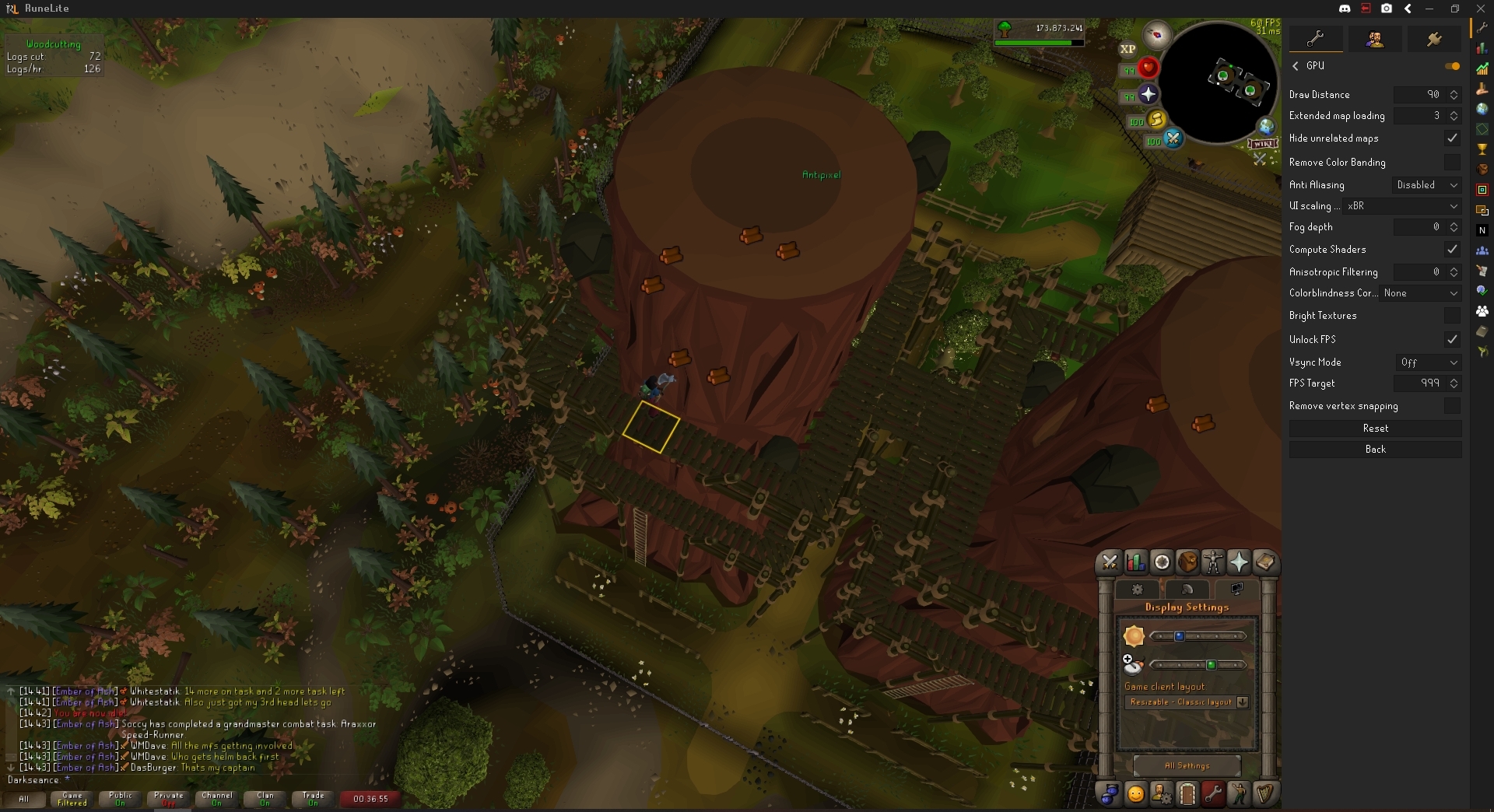
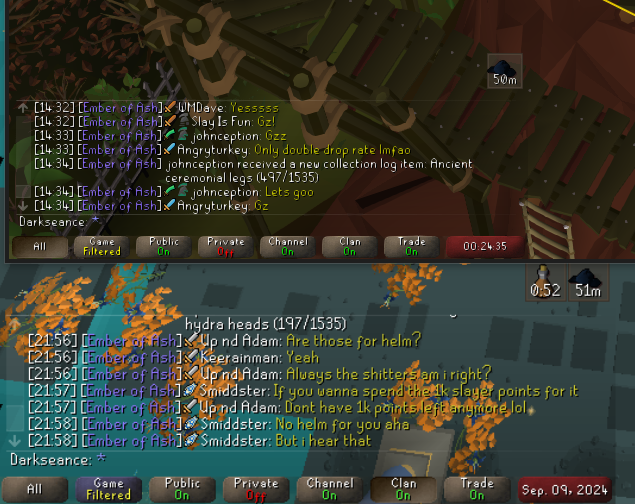
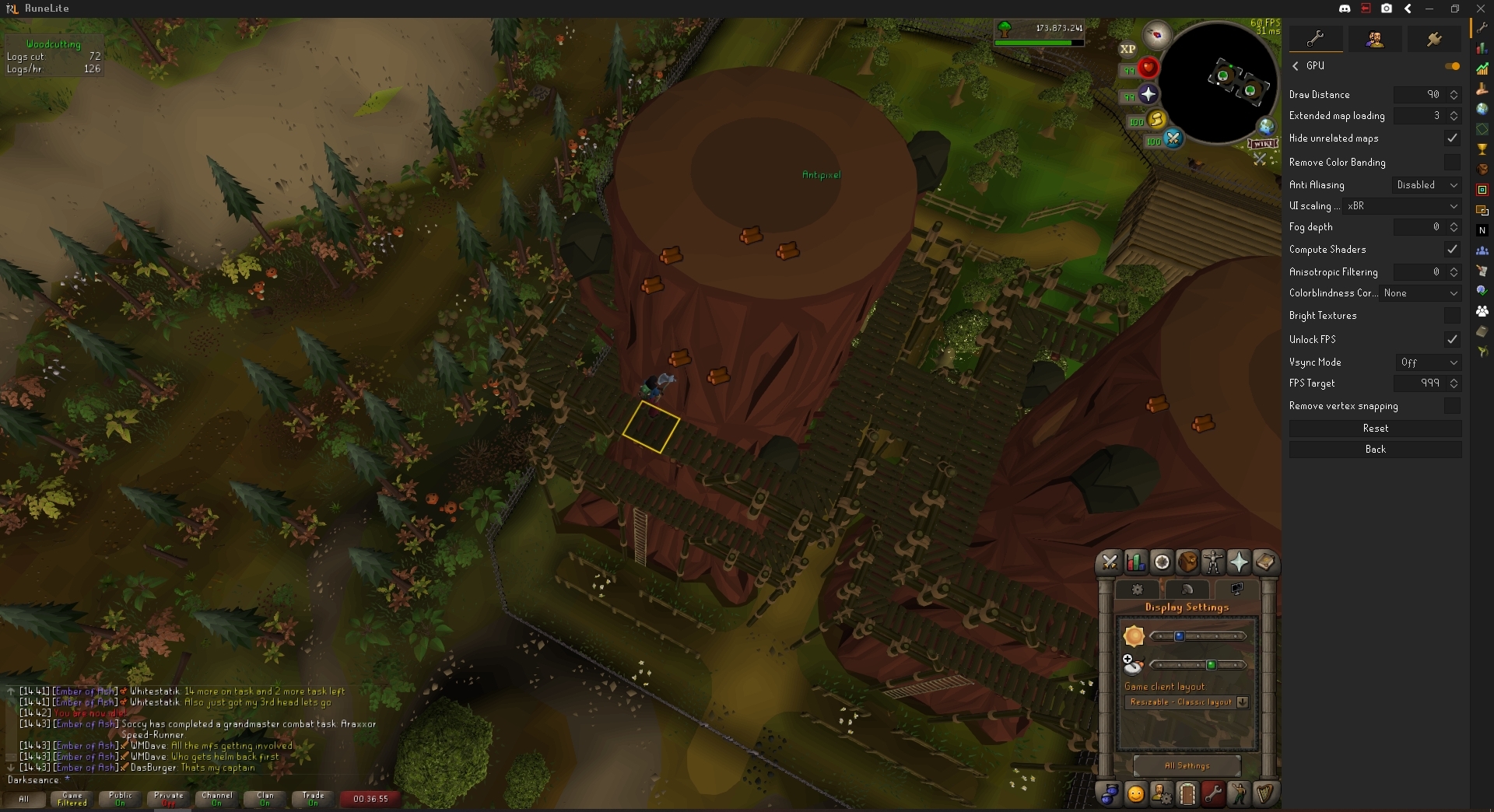
my font changed to the top one in the picture. Anybody have any idea how i can change it back to the bottom version?
 oblique plume
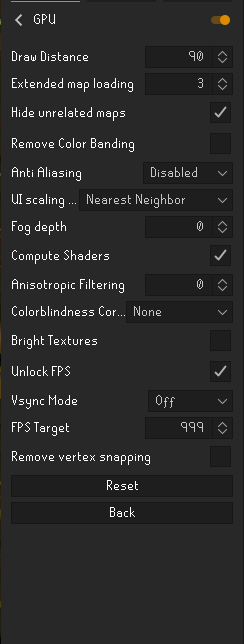
ui scaling algo in gpu settings
 cyan dirge
round jacinth
It’s the same font just scaled as Alex said
cyan dirge
round jacinth
It’s the same font just scaled as Alex said
hehe well i thought i was crasy untill i checked the difference vs an older picture
So beside turning the entire gpu plugin off
how does one make chat readable again?
 lapis elm
change your ui scaling
cyan dirge
i have tried all 5 options but it doesnt change much
 snow echo
is there anything i can do i was pking with a friend in a pvp world and we just was risking stupid stuff and the game had a server update and now the loot is gone
can i do anything to get it back
lost 124m
 fresh swift
nop
 stoic pewter
anyone else having this dink issue? keeps repeating 1 kc, no settings have changed since update
 fresh swift
there's a countdown timer of when the server is gonna go kaboom 🤷♂️
round jacinth
cyan dirge
i have tried all 5 options but it doesnt change much
If you use xbr and make screen itself bigger it’ll look like what you had before, more resolution makes it look smooth like that picture
 leaden trail
I'm just shocked someone who pks 124m doesn't have loot keys enabled
haughty pumiceBOT
Support for hub plugins should be directed to the author of the plugin.
You can find the support link by searching for the plugin in the Plugin Hub panel and clicking the ? button on the plugin, or by right-clicking the plugin in the plugin panel and clicking the Support menu option.
 earnest charm
not sure if its known already, but for me the boss auto screenshots dont work after update. Last screenshot was prior to update, then I played for like 5 kc without any rl plugin, then reloaded Jagex Launcher, all plugins available again but no screenshots taken
oblique plume
are you saying you did kills with the plugin and it doesnt work
or that when you didnt have the plugin that the plugin didnt work
because thats to be expected
 coral lintel
Anyone else notice that the farming contract icon disappeared. It was there and now it's not. 😄
cyan dirge
cyan dirge
still the same chat 😢
beside an unreadable chat. i seem to have lost 90 fps. from 150+ to base 60, anybody know how to fix this?
 dreamy tree
Fatal error while loading client?
round jacinth
cyan dirge
beside an unreadable chat. i seem to have lost 90 fps. from 150+ to base 60, any...
There is many variables to that… you maybe had a GPU driver update or you’re in a populated area or priff or what ever
 prime pumice
coral lintel
Anyone else notice that the farming contract icon disappeared. It was there and...
prime pumice
coral lintel
Anyone else notice that the farming contract icon disappeared. It was there and...
noticed that too when doing my farm run.
cyan dirge
round jacinth
There is many variables to that… you maybe had a GPU driver update or you’re in ...
im at the same place ive been at before the update (been doin a 200m agility grind)
Was having 150 (atleast 100+ evrywhere) in sepulcre. Now it seems hard capped at 60
round jacinth
Is your monitor set to 60 fps…?
coral lintel
I believe it is Rl. It disappeared once before, and Adam fixed it. It was there after Rl was updated, but gone now
cyan dirge
round jacinth
Is your monitor set to 60 fps…?
60hz
round jacinth
FWIW anything above 50 doesn’t really matter (that much) lol
Then you have a 60 fps limit
Lmao
cyan dirge
then how come it was higher before?
round jacinth
Idk I think you’re mis remembering
It didn’t have any impact before either
Just goes to show you can only see 60hz and the rest of the fps is snake oil 😂


 round jacinth
It didn’t have any impact if your monitor was set to 60hz my guy
It trying to draw 100fps on a 60hz screen makes it draw 60 fps
If you want your 100 back buy a monitor made in current year
cyan dirge
i just dont onderstand how my font changes and fps changes this update while i didnt change shit
im not here for a debate of relevance
round jacinth
Runelite didn’t change your hardware your computer runs but something made it correct itself about the fps limit
The font stuff is ui scaling
Many users claim they didn’t change anything but their operating system did do a change
I don’t think any GPU changes were in this update
cyan dirge
ok since all 5 options of ui scaling dont change my chat to readable
timid rock
@leaden trail
@ me if the wiki is liars.
pls fix the grammar ty
cyan dirge
and turning it off fixes it. but makes it unplayable due to draw distance
round jacinth
cyan dirge
https://i.gyazo.com/fa19ddaf0c5041b936a692146b56eff2.png
The top is perfectly readable
cyan dirge
how can i have default ui scaling
round jacinth
Turn off ui scaling
round jacinth
Or gpu plugin
cyan dirge
gpu plugin is needed for the draw distance feature
round jacinth
The scaling options do stuff you’re just not seeing what you want to see
cyan dirge
how does one turn off ui scaling?>
round jacinth
You can also change your stretch mode plugin settings
leaden trail
timid rock
<@288504448030867466>
`@ me if the wiki is liars.`
pls fix the grammar ty
"wiki is liars" is the joke
cyan dirge
round jacinth
Turn off ui scaling
can u tell me how i do this?
timid rock
leaden trail
"wiki is liars" is the joke
oh
cyan dirge
round jacinth
The scaling options do stuff you’re just not seeing what you want to see
yes exactly
i wanna go back to the ui i had before the update earlier today
cyan dirge
but then i lose the draw distance i had before
i had both
why do i have to chose now?
round jacinth
I don’t know lol, you also seem to think you used to get above 60hz so idk if you’re just forgetting that you are on a different computer or what
Maybe your GPU driver did update…?
You’re blaming runelite that could be explained by other things
leaden trail
timid rock
oh
Curious what you were after in my bio though lmao
cyan dirge
i played runescape. went for a run. Reloaded runelite. Reloaded after the announcement
now its like this
timid rock
leaden trail
Curious what you were after in my bio though lmao
nothing i just click people's names when im bored
leaden trail
Zom is this the windows font thing or whatever that messes with it?
earnest charm
oblique plume
are you saying you did kills with the plugin and it doesnt work
yeah, prior to update every boss kill was auto screenshotted. Then after the update no plugin was available (no screenshot was taken --> expected). Then a pushup notification came that RL is back up. I logged out and restarted the whole Jagex Launcher and restarted with RL again. Started the same boss again but no screens were taken. Screenshot plugin says Boss screens activated
round jacinth
I have no clue
leaden trail
I'm curious, post your logs?
haughty pumiceBOT
@earnest charm To find the logs, you can do one of the following:
- If your client failed to open, click the
Open logs folderbutton. - Open the screenshot directory by right-clicking 📷
Camerabutton, navigate 1 directory up, then open logs folder. - Navigate to
%userprofile%\.runelite\logson Windows or$HOME/.runelite/logson Linux and macOS.
Upload the log files named client and launcher by dragging them to Discord. If there are files prefixed with jvm_crash dated from today, upload them too.
oblique plume
can you screenshot it manually and show what the chatbox says when you do a kill
oblique plume
unfortunate
earnest charm
windows explorer is sorted by time


 dreamy tree
runelite encountered a fatal error while loading the client. Can anyone help me?
earnest charm
this was the last auto screenshot, without the ","
 oblique plume
thanks
cyan dirge
cyan dirge
https://i.gyazo.com/fa19ddaf0c5041b936a692146b56eff2.png
can anybody tell me how to get my chat back to the bottom version? Ive been told it requires me to turn off ui-scaling. how do i do this w/o disabeling the gpu plugin?
leaden trail
You can try messing with Windows text settings
cyan dirge
u mean these?
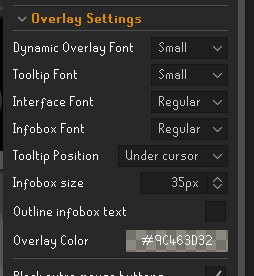
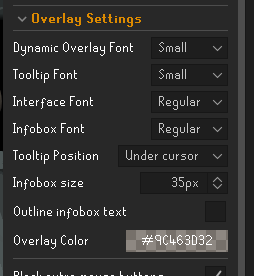
like the issue automaticly fixes itself if i turn off gpu

but its not very playable
i was online 10 minutes before the update today where evrything worked smooth. And since the rl update its been like this (also my fps in top right number is down 50+)
lapis elm
are you sure your window/scale size didn't change
cyan dirge
i didnt change a thing regarding my screen size
leaden trail
cyan dirge
u mean these?
No, Windows system stuff
cyan dirge
Ehm. i reset my computer and now my "alt" profile is working as intended. I guess i will ajust my plugins from there so evrything works the way i need it to
Thanks for ur time gentlemen
 golden heart
can anybody help with RuneLite encountered a fatal error while loading the client.
leaden trail
Post your logs
haughty pumiceBOT
To find the logs, you can do one of the following:
- If your client failed to open, click the
Open logs folderbutton. - Open the screenshot directory by right-clicking 📷
Camerabutton, navigate 1 directory up, then open logs folder. - Navigate to
%userprofile%\.runelite\logson Windows or$HOME/.runelite/logson Linux and macOS.
Upload the log files named client and launcher by dragging them to Discord. If there are files prefixed with jvm_crash dated from today, upload them too.
golden heart
zealous cedar
try deleting the .runelite/cache directory?
leaden trail
Go to where you got your logs from and then go up a level
golden heart
ok that worked thank you guys
zenith sage
leaden trail
Do you have any recent jvm_crash logs in your logs folder?
cant find any jvm_crash logs in the logs folder
oblique plume
what about events in windows event viewer
that will tell you if its video driver problems
 dull bear
round jacinth
Isn’t that from farm tracking reminders or what ever
dull bear
round jacinth
Isn’t that from farm tracking reminders or what ever
something is broken with the farming contract tracking
 dreamy tree
Please someone help!
 gilded kayak
oh no!
can you click that open logs folder button and drag into discord client.log and launcher.log
gilded kayak
are you at work or something
dreamy tree
no y?
gilded kayak
well the only other mention of this zip END header not found error was assumed to be something interrupting the connection
zealous cedar
try deleting the .runelite/cache directory?
dreamy tree
im not sure what you are talking about but this is my home pc
dreamy tree
im a knucklehead how do i do that?
oblique plume
you also got perms issues since the tenth is in there
gilded kayak
you're in .runelite/logs
on the top search bar, click .runelite and it will switch you to that folder
then you'll see a cache folder, click & delete that
dreamy tree
Shweet! Thanks guys!
 lusty hedge
dreamy tree
Shweet! Thanks guys!
lusty hedge
dreamy tree
Shweet! Thanks guys!
did you manage to fix? im having the same issue
gilded kayak
(yes)
oblique plume
weve been hearing reports of them not working
 late citrus
okies cool
oblique plume
can you get a screenshot of her giving you the contract
 zenith fog
Anyone have any idea why idle notifications would be pinging even if I'm not the one going idle? Just cooking inside Hosidius cooking house and every time someone in the stack is finished I'm getting an idle notification play
oblique plume
perhaps your delay is too low
zenith fog
I initially figured it was that but even at default settings it does the same thing
oblique plume
turn on game message notifications, maybe its not even idle notifier
late citrus
i can see some screenshots alex, what screen in particular would you be interested in?
contract is up in about an hour so i can get whatever youd like
oblique plume
the one of her giving you the contract, but we might have found out its the chathead trackign and not message tracking causing the issue
late citrus
ok cool. ill grab one anyway, glad you may have already found it tho
zenith fog
oblique plume
turn on game message notifications, maybe its not even idle notifier
Is there a way to turn on debugging to see what's causing a notification?
solid mesa
In runelite settings turn on game message notifications
oblique plume
not really much more than that, debug logging does a bit more but the game messages are usually enough
zenith fog
It was energy 100% notifier... 🤡
 atomic dome
stoic pewter
anyone else having this dink issue? keeps repeating 1 kc, no settings have chang...
atomic dome
stoic pewter
anyone else having this dink issue? keeps repeating 1 kc, no settings have chang...
I joined this discord just to see if anyone had run into it too. I have the same issue at zulrah rn
gilded kayak
ya jagex put a , in the kc
and our check expects only numbers
so it gets to 1, and is like yeah that's fine
we'll fix it in a bit
atomic dome
Thank you! Much appreciated.
gilded kayak
(normally this wouldn't be the response for a hub plugin, but since it's mine, it just saves waiting for someone to open a github issue)
zenith sage
oblique plume
what about events in windows event viewer
10110 user-mode driver error is what i could find a while back when trying to troubleshoot
have updated all drivers since then but no beans
gilded kayak
contracts are broken in time tracking right now
it should say UNKNOWN or something in the time tracking panel
 subtle plaza
umm
 shy parrot
is there a way to make overhead prayers translucent
subtle plaza
gilded kayak
it should say UNKNOWN or something in the time tracking panel
oh ok t
 calm aurora
oblique plume
weve been hearing reports of them not working
calm aurora
oblique plume
weve been hearing reports of them not working
Yeah I am having the same issue
leaden trail
It'll be fixed with the next update, which I'd guess would be relatively soon
 manic kettle
any one else experiencing a black screen for a tick before you load in when hopping worlds? with gpu plug in TURNED ON, i hop fine without gpu, and hopped fine before todays update, as a pker its terrifying loading in with a black screen before i can see who and whats around me, please help
gilded kayak
!safe can you replicate it in safe mode
haughty pumiceBOT
safemode: Windows
Run the RuneLite (safe mode) shortcut, or with a Jagex account, first run the RuneLite (configure) shortcut and tick the Safe mode box, then launch RuneLite via the Jagex launcher.
Mac
In Terminal, run:
/Applications/RuneLite.app/Contents/MacOS/RuneLite --configureTick the Safe mode box. Launch RuneLite.
If it's not working, download and install the updated RuneLite launcher from the website link in #welcome. You don't need to uninstall your current version. You will not lose any settings or plugins. Then try running safemode again.
zealous cedar
I noticed that too, wasnt sure if it was new
zealous cedar
why?
gilded kayak
zealous cedar
I noticed that too, wasnt sure if it was new
the flash matches the skybox color incase that piece of info helps figuring out the problem
it probably wont but u never know
zealous cedar
that does not help
gilded kayak
sad
manic kettle
zealous cedar
that does not help
you get the black flash on log in aswell?
or world hop
i should say
zealous cedar
i dont know, i noticed it on world hop
manic kettle
yea hopping
manic kettle
zealous cedar
i dont know, i noticed it on world hop
if you turn of gpu you hop fine, but then the game looks asss
back to slayer until they fix it i guess