#support
1 messages · Page 25 of 1
 junior kite
 haughty pumiceBOT
@bitter cypress To find the logs, you can do one of the following:
- If your client failed to open, click the
Open logs folderbutton. - Open the screenshot directory by right-clicking 📷
Camerabutton, navigate 1 directory up, then open logs folder. - Navigate to
%userprofile%\.runelite\logson Windows or$HOME/.runelite/logson Linux and macOS.
Upload the log files named client and launcher by dragging them to Discord. If there are files prefixed with jvm_crash dated from today, upload them too.
 bitter cypress
i ididnt crash
junior kite
junior kite
what happened to the plugin that showed monster health percentage on the npc?
never mind, it seems like it's back on the plugin hub ?
bitter cypress
haughty pumice
<@902207995184816128> To find the logs, you can **do one of the following**:
- I...
got em
 leaden trail
It looks like it couldn't even find a default profile when you started the client
Someone else who knows a bit more than I do will have to take a look
bitter cypress
leaden trail
Someone else who knows a bit more than I do will have to take a look
thank you
 quiet wind
slayer cancel button is not working - i am unable cancel tasks without login into the jagex base client

 zealous cedar
have you tried safe mode?
haughty pumiceBOT
Windows
Run the RuneLite (safe mode) shortcut, or with a Jagex account, first run the RuneLite (configure) shortcut and tick the Safe mode box, then launch RuneLite via the Jagex launcher.
Mac
In Terminal, run:
/Applications/RuneLite.app/Contents/MacOS/RuneLite --configureTick the Safe mode box. Launch RuneLite.
If it's not working, download and install the updated RuneLite launcher from the website link in #welcome. You don't need to uninstall your current version. You will not lose any settings or plugins. Then try running safemode again.
bitter cypress
haughty pumice
**Windows**
Run the ``RuneLite (safe mode)`` shortcut, or with a Jagex account, ...
i have bot safe mode yet
i am in the safe mode
quiet wind
quiet wind
slayer cancel button is not working - i am unable cancel tasks without login int...
i have booted from the jagex launcher in safe mode and was able to cancel the task but my profile or any plugin preset are not loading up.. going back to normal config the issue still persists
 gilded kayak
so that means one of your hub plugins is causing your issue
safe mode starts the client with all your default plugins (except GPU), and nothing from the hub
quiet wind
i am uninstalling some plugins now to see if it fixes itself
 proper void
I hope lowdetail for sepulchre gets fixed
I can't see shit now cause my ground markers are all transparent lol
 spring nexus
hello, I was trying to see if I could figure out some texture model issues within the mini game Guardians of the rift
 haughty pumiceBOT
Visit 117's HD plugin discord (https://discord.com/invite/U4p6ChjgSE) for support, issues & feedback
spring nexus
Ok, I did turn off 117 HD , logged out, back in, and the texture modelling issues persisted even with 117 Plug in off...
 drowsy crescent
hey not sure if this is runelite related but is it possible to change the color of drops in transparent chat?

 oblique plume
for those specifically youd have to use the force recolor hub plugin
drowsy crescent
oblique plume
for those specifically youd have to use the force recolor hub plugin
Not specifically those 2 items I mean in general
Like all the valuable drops are dark green
 proud holly
As there been a runelite breach? I know the question is absolutely silly, but my account just got compromised and i have everything enabled
drowsy crescent
I tried these settings, should I add something or im settled?
 oblique plume
valuable drops are red but youd need force recolor for those too iirc
no, maybe the capitalization could be a problem but from what i remember it disregards capitalization
oblique plume
proud holly
As there been a runelite breach? I know the question is absolutely silly, but my...
no
haughty pumiceBOT
You've downloaded a fake client, and your account has been compromised. Remove the fake as soon as possible to minimise further damage.
The following actions should be performed from a secure computer or secure mobile device:
- Change your RuneScape password
- Remove and re-add Authenticator to RuneScape
- Change your RuneScape bank PIN
- Change your email's password
- Add 2FA to your email if you haven't got it enabled
- Check for any linked accounts by accessing the account settings page (https://www.runescape.com/account_settings)
Some fake clients also install malware, only a fresh install of your operating system can guarantee the total removal of any unwanted software.
You might also want to change any email password if you reused the same as your RuneScape account password.
Once your computer is secure, you should download RuneLite from the link available at the #welcome channel.
oblique plume
proud holly
As there been a runelite breach? I know the question is absolutely silly, but my...
you could have done that maybe ^
drowsy crescent
oblique plume
no, maybe the capitalization could be a problem but from what i remember it disr...
Sounds good
proud holly
So let me elaborate a little: my account is old, like pre EoC old, I recently went on a break, and i haven't really logged into osrs for about 80 days. there's only 2 possible enter points to this account, my phone on the mobile app (apple), or the runelite from the certified let on this discord
now, my account got instantly locked due to what ever method they used was caught on the spot
is there a way to verify my runelite version
haughty pumiceBOT
You can verify your downloaded RuneLite setup file is authentic by visiting https://runelite.net/verify/
oblique plume
thats the installer not the already installed version btw
proud holly
I haven't reinstalled runelite since I built my PC like 1 year ago
like im at a loss of words here because what ever it was, they managed to get the season token for my authenticator and relate it to my account
which is not related to an email
the only thing that has relation to my email is runelite
to my account
 onyx mural
hey @gilded kayak we tried yesterday to found out why the jagex launcher does not recognise that runelite is already installed. i did not solve the issue yet but maybe i am a step closer to finally be able to play with runelite. i got a hint to check the log files of the jagex launcher if any "Task.78f7f133.checkInstallLocation-win - Checking if file exists (C:\Users\Me\AppData\Local\RuneLite)
successful=true
exists=true
... etc" exists which it does not. Furthermore i should uninstall both jagex and runelite with Revo Uninstall, a software which uninstalls also reg edits and so on, while doing this i noticed that Revo Uninstall ALSO recognises only Jagex Launcher, meaning i could detect and delete Runelite from the Controll Panel but not from Revo where i can also delete registry entries. i also uploaded a post with the discussion and video if that helps. https://www.reddit.com/r/2007scape/comments/1f18ecj/issue_with_jagex_launcher_running_runelite/
Reddit
Explore this post and more from the 2007scape community
maybe i am missing something i really dont know why it should not run when i am performing a regular installation on both
so the revo software can detect jagex launcher but not runelite, basicaly the same with jagex not detecting runelite
 stone parcel
Not that it might work, but have you tried the official OSRS Discord? Sounds like the issue is Jagex Launcher not finding the RuneLite installation, so maybe the Jagex Launcher people would be more able to help.
onyx mural
i will try it thank you
stone parcel
Here is a link if needed, good luck 🙂
haughty pumiceBOT
If you are new to OSRS, make sure to follow this excellent guide on OSRS wiki: https://oldschool.runescape.wiki/w/New_player_guide. You can also join official OSRS Discord here: https://discord.gg/osrs
 vagrant night
im having a strange performance issue. every game tick, my FPS drops and quickly rebounds to 60
the effect is too subtle to demonstrate on camera
but the FPS tracker is flickering between 58 and 60 at a regular rhythm of 0.6 seconds
 mossy swan
can you actually tell it’s happening without the fps display?
vagrant night
yes i can see it
its like exactly 1 frame is doubled every tick
or like, it hangs for 1 frame
haughty pumiceBOT
Please refer to this flowchart for further troubleshooting.
mossy swan
probably some dumb hub plugin tbh
vagrant night
im already in the process of trying to troubleshoot a different but similar performance issue
so i have very very few hub plugins rn
my FPS was freezing for an entire game tick, but only once every 10-30 minutes
idk if its my old ass PC or what but ive never had performance issues on RL
oh my god it was quest helper
uninstalling quest helper seems to have fixed my issue
that is very peculiar
is this normal? https://i.imgur.com/HKr0n3v.png
 mossy swan
yes
 fossil vessel
is low detail not working in verzik theatre room anymore?
i've got it on but the floor isn't changing
 woven solstice
the max hit plugin isnt showing anywhere for me, i cant figure out why
oh ok i see its already been addressed. its bork, nevermind
 cosmic agate
somehow all of my plugins are gone and everything is default? its on both my pc and steam deck, which is weird because i specifically keep my sd signed out of runelite so i can have different settings. am i screwed and forced to redo it all manually?
haughty pumiceBOT
 idle bough
Client stuck at "starting eternal plugins" Anyone who can help me with a solution ? 🙂
haughty pumiceBOT
Windows
Run the RuneLite (safe mode) shortcut, or with a Jagex account, first run the RuneLite (configure) shortcut and tick the Safe mode box, then launch RuneLite via the Jagex launcher.
Mac
In Terminal, run:
/Applications/RuneLite.app/Contents/MacOS/RuneLite --configureTick the Safe mode box. Launch RuneLite.
If it's not working, download and install the updated RuneLite launcher from the website link in #welcome. You don't need to uninstall your current version. You will not lose any settings or plugins. Then try running safemode again.
 round jacinth
load in safe mode and uninstall some the hub plugins
idle bough
Which ones? I have loaded in safe and all the plugins that is external is not installed in safemode. Sooo
idle bough
got like +100 plugins. Do i have to uninstall one, 1 at a time to see if it works
oblique plume
no
idle bough
Okay, then i dont understand 🙂
oblique plume
you can uninstall a bunch
idle bough
Yes, but then i dont know which one is the problem, and i needt to install all the ones that works again, and set them up
round jacinth
you don't lose any settings when you uninstall them
idle bough
i see
But there is no telling which specific plugin that it the problem. I just need to narrow it down
round jacinth
correct
you likely don't need all 100 additional hub plugins anymore
most you are not using due to content you're not doing
or some literally don't do anything like bot detector lol
idle bough
Okay. Thanks for the help, i appreciate it 😄 And no i only had like 20 it seems 😉
round jacinth
good good
 tender creek
Hi, recently (a few days ago) installed a new GPU, an AMD 7800XT and since today I've been getting these pixels ig whenever I boot the game, and it crashes as soon as I log in. It was working fine the last few days and even earlier this morning, anyone has any ideas for solutions? The pixels go away when I disable the gpu plugin
 round jacinth
try different driver versions probably
idle bough
Hey Zom. It worked, but now its stuck on "starting plugins" Do i have to delete everything or what xD?
 round jacinth
idle bough
Hey Zom. It worked, but now its stuck on "starting plugins" Do i have to delete ...
round jacinth
idle bough
Hey Zom. It worked, but now its stuck on "starting plugins" Do i have to delete ...
it's still the same problem
round jacinth
tender creek
Hmm, doesnt seem to change a thing
you tried 2 or 3 driver versions of the thousands
you might need to see if you can search that gpu version you have + runelite to see what reviisons people use
round jacinth
tender creek
Hmm, doesnt seem to change a thing
can you post your logs too
haughty pumiceBOT
To find the logs, you can do one of the following:
- If your client failed to open, click the
Open logs folderbutton. - Open the screenshot directory by right-clicking 📷
Camerabutton, navigate 1 directory up, then open logs folder. - Navigate to
%userprofile%\.runelite\logson Windows or$HOME/.runelite/logson Linux and macOS.
Upload the log files named client and launcher by dragging them to Discord. If there are files prefixed with jvm_crash dated from today, upload them too.
round jacinth
Using driver: 4.6.0 Compatibility Profile Context 24.1.1.240110
idk why it's mentioning that
tender creek
idk either
round jacinth
where is the monitpr plugged in
tender creek
DP cable into the gpu
round jacinth
is it int othe card directly or in the motherboard's hdmi/dp
oblique plume
isnt that just the name of the amd drivers
round jacinth
idk when i search compatbility profile context i get other peopleing wondering what it is
shrug
amd gpu stinky
round jacinth
you might just need to try more dreiver versions
 viscid kelp
no other way around, i had windows and now i have mac
tender creek
round jacinth
is it int othe card directly or in the motherboard's hdmi/dp
Could this be a bad cable issue btw?
round jacinth
i dont know
tender creek
Kk
round jacinth
viscid kelp
no other way around, i had windows and now i have mac
lol
viscid kelp
?
 winged imp
Hey guys, quick question. Where can I find my linked google account?
round jacinth
im laughing at you
 winged imp
Thanks!
viscid kelp
round jacinth
im laughing at you
why are you laughing at the guy for asking a simple question about linked accounts?
 prime dagger
hello friends, i am running into an issue regarding FPS. i have a 6800xt graphics card running win 11. i confirmed i am running x64 runelite but my problem is that i get 30-70fps using 117HD, jumping all over the place. i get stable 160fps using GPU tho. i would like to run 117HD
haughty pumiceBOT
Visit 117's HD plugin discord (https://discord.com/invite/U4p6ChjgSE) for support, issues & feedback
prime dagger
ok tanks
winged imp
viscid kelp
why are you laughing at the guy for asking a simple question about linked accoun...
Yeah it was quite rude
oblique plume
do not encourage him
round jacinth
slow cook the cookmeplox
viscid kelp
round jacinth
slow cook the cookmeplox
? i cant parse this sentance man
leaden trail
Maybe mwparserfromhell can help
tender creek
round jacinth
you might just need to try more dreiver versions
Seems like you were right after all
Now for the next question, how do I make it so it doesnt insta update to latest drivers on next boot
round jacinth
why do you have it set to auto update
tender creek
Wait i worded that wrong
Do i have to make it so it doesnt insta update*
Idk if i have autoupdate on or not
round jacinth
check how to disable it
because new drivers often only care about making new AAA titles work better and not about other games
so adding black myth wukong could make tomb raider worse or make runelite not work
tender creek
Smh they dont care about us niche small company indie games..
tender creek
Yeah this one seems to work for now thanks alot
round jacinth
try a new one every once in a while and remember which to revert back to is also a good option
tender creek
Oh good call, i'll write this one down
Yep no more automatic updates, just doing a quick reboot to see if still works ⏸️
Hmm still some slight stuttering on windows startup (runelite not booted) but seems to work after a few seconds
 forest kernel
Hey, my laptop has started freezing and (RL) crashes maybe once or twie a day. Only started recently anyone else getting this issue? Never happened before and it is only runelite.
 languid tangle
sometime it doesn't screenshot every level, it skips some skill, some level, anyone know why?
mossy swan
languid tangle
sometime it doesn't screenshot every level, it skips some skill, some level, any...
if you get interrupted (for example attacked) on the same tick the level up chat box appears, it disappears immediately and there is nothing to take a picture of
languid tangle
mossy swan
if you get interrupted (for example attacked) on the same tick the level up chat...
ah that's unfortunate, so i got unlucky 3 times in a row
leaden trail
forest kernel
Hey, my laptop has started freezing and (RL) crashes maybe once or twie a day. O...
If your laptop itself is freezing then it's probably not RuneLite causing it. Maybe take a look at Event Viewer and see if anything shows up from around the time of a freeze
As for RuneLite crashing, you can post your logs here
haughty pumiceBOT
@forest kernel To find the logs, you can do one of the following:
- If your client failed to open, click the
Open logs folderbutton. - Open the screenshot directory by right-clicking 📷
Camerabutton, navigate 1 directory up, then open logs folder. - Navigate to
%userprofile%\.runelite\logson Windows or$HOME/.runelite/logson Linux and macOS.
Upload the log files named client and launcher by dragging them to Discord. If there are files prefixed with jvm_crash dated from today, upload them too.
idle bough
I got help earlier, when i had problems with external plugins not letting me open the client.
Ive tried to uninstall some, but i need to uninstall almost all of them before it works. And GPU plugins and so on crashed the client. What can be wrong. It happened after a reset on my pc, where i needed to reinstall jagex launcher and runelite
Now it wont work for shit
Sorry for the spam, but i think there isnt a problem with a specific plugin, but in how many im able to have downloaded at the same time.
haughty pumiceBOT
To find the logs, you can do one of the following:
- If your client failed to open, click the
Open logs folderbutton. - Open the screenshot directory by right-clicking 📷
Camerabutton, navigate 1 directory up, then open logs folder. - Navigate to
%userprofile%\.runelite\logson Windows or$HOME/.runelite/logson Linux and macOS.
Upload the log files named client and launcher by dragging them to Discord. If there are files prefixed with jvm_crash dated from today, upload them too.
 valid coyote
for some reason since last update , everytime i relaunch runelite, it thinks I just gained all of my exp, so I have to manually reset all
oblique plume
login to a not populated space/world
valid coyote
everytime?
oblique plume
sure
valid coyote
kind of a nuisance to keep this in mind everytime I log...
leaden trail
There's a fix in the works for that but I've been busy with a lot of personal stuff and haven't had time to work on it lately
 nocturne swift
has anyone else been getting stutters starting today?
 winged nymph
leaden trail
There's a fix in the works for that but I've been busy with a lot of personal st...
winged nymph
leaden trail
There's a fix in the works for that but I've been busy with a lot of personal st...
its okay ur doing great
 fierce anchor
why does my RL do this when booted from jag launcher?

 civic arch
Is this something runelite plans to try and fix? would be greatly appreciated
zealous cedar
no
civic arch
could a plugin technically be made to specifically hide the sep floor again?
type of stuff like fossil island and prif that targets certain things to hide
zealous cedar
does ground object hider not work?
civic arch
I'll go check in like 10
 trim trout
Is there a way to rebind the option to let you resize and reposition things to another key? (Currently alt)
zealous cedar
i think so
trim trout
Found it myself just this second, nevermind. 😄
civic arch
ground object hider works for sep it seems ye
 weary hamlet
does plugin works for you guys not a single one works for me ?
haughty pumiceBOT
leaden trail
Probably do that
weary hamlet
ok thnx , what happend did gagex do something to brake the game again
leaden trail
I mean I don't know exactly what you mean by "plugins not working" so I don't know what your actual issue is
But no, if Jagex broke something we'd have a lot more people in here asking, so I suspect whatever issue is on your end
weary hamlet
nothing i didnt touch anything didnt play today , I login now and all my plugin are gone
round jacinth
haughty pumice
<https://github.com/runelite/runelite/wiki/FAQ#my-plugins-are-gone-or-my-config-...
do what the bot said then
weary hamlet
Already did and it did fix it by importing , just asking did jagex update anything ...
gilded kayak
no it's a RuneLite<->Windows issue but we don't know what causes it
the people who need to fix it can't replicate it
weary hamlet
I see thnx .
fierce anchor
fierce anchor
why does my RL do this when booted from jag launcher?
bump
leaden trail
fierce anchor
bump
Windows just loses app icons sometimes
 subtle skiff
I have recently been trying to help with requests for a plugin, and have got to the point where I think my changes would be worth a pull request. However when going to test my plugin I run into this issue.
I can run RL normally through the jagex launcher, and have followed the steps outlined in the plugin development manual to create the credentials.properties file.
This is (as far as I can understand) the error message I am getting in my IDE when trying to launch
[main] INFO net.runelite.client.RuneLite - RuneLite 1.6.39-SNAPSHOT (launcher version unknown) starting up, args: none
[Preloader] WARN net.runelite.client.rs.ClientLoader - Failed to verify the vanilla cache
net.runelite.client.util.VerificationException: Unable to verify jar entry: ab.class
Incase that helps.
TIA, and sorry if it's a really stupid question.
 leaden trail
Are you running the test or trying to launch a different way?
subtle skiff
running the test
oblique plume
i would expect a version from Jan 27 2021 to not work well
subtle skiff
Lol okay, I re-installed RL assuming that could be the issue but evidentially that did not work as I expected it to
fierce anchor
leaden trail
Windows just loses app icons sometimes
how do I get it back?
oblique plume
youre launching a 3 year old runelite
the game has breaking changes like every couple weeks
theres no way that something from 3 years ago should work
subtle skiff
oh the version it launches is specified elsewhere in the plugin test? I didn't touch that bit I was hoping I would just be able to make the changes I needed to to the rest of the code
ight will take a look thanks
zealous cedar
its in build.gradle
subtle skiff
ye
oblique plume
for hub plugins its here https://github.com/runelite/example-plugin/blob/master/build.gradle#L16
subtle skiff
Ah okay that looks very similar but for some reason the author of the plugin I was working on specifies the runelite version
tyvm
E: worked perfectly, thanks guys
civic arch
zealous cedar
does ground object hider not work?
https://pastebin.com/raw/dt9HLU19 fixed sep low detail with ground object hider plugin. Had to manually hide everything since "hide all" got rid of the teleport squares too and few other things that I wanted to keep like the water areas which helped define where u could actually path through
guess if people ask bout it can refer them to that pastebin
 shell oxide
does anyone know how to transfer a plugin list from one PC to another? is there some folder I can just copy/paste?
Built a new PC and trying to mirror my RL to the new build
haughty pumiceBOT
 mighty flame
is there any way to notify on a clue scroll drop, only when it drops? so if i tele into the region it doesn't notify me, but if i get it as a drop it does?
 crisp dune
no
civic arch
mighty flame
is there any way to notify on a clue scroll drop, only when it drops? so if i te...
can't u just have notification based off the chat msg of you getting it
mighty flame
hmm possibly
civic arch
ye just chuck in watchdog or smthing
haughty pumiceBOT
Windows
Run the RuneLite (safe mode) shortcut, or with a Jagex account, first run the RuneLite (configure) shortcut and tick the Safe mode box, then launch RuneLite via the Jagex launcher.
Mac
In Terminal, run:
/Applications/RuneLite.app/Contents/MacOS/RuneLite --configureTick the Safe mode box. Launch RuneLite.
If it's not working, download and install the updated RuneLite launcher from the website link in #welcome. You don't need to uninstall your current version. You will not lose any settings or plugins. Then try running safemode again.
leaden trail
It looks like menu entry swapper, item stats, and mouse highlight are all a bit angry for some reason but I'm not entirely sure why that would be
Someone else will probably need to take a look
 gusty ember
been getting a few crashes lately, always while loading a new area, here's the most recent crash log
2024-08-26 00:54:31 EDT [Client] WARN  n.runelite.client.eventbus.EventBus - Uncaught exception in event subscriber
java.lang.NullPointerException: null
    at com.example.BossNamePlugin.onClientTick(BossNamePlugin.java:107)
    at net.runelite.client.eventbus.EventBus$Subscriber.invoke(EventBus.java:70)
    at net.runelite.client.eventbus.EventBus.post(EventBus.java:223)
    at net.runelite.client.callback.Hooks.post(Hooks.java:202)
    at client.ko(client.java:48799)
    at client.hz(client.java:3431)
    at client.bp(client.java:1095)
    at bx.az(bx.java:366)
    at bx.kj(bx.java)
    at bx.run(bx.java:22397)
    at java.base/java.lang.Thread.run(Unknown Source)
2024-08-26 02:51:01 EDT [Client] WARN  n.runelite.client.eventbus.EventBus - Uncaught exception in event subscriber
java.lang.ArrayIndexOutOfBoundsException: Index 105 out of bounds for length 104
    at net.runelite.client.plugins.objectindicators.ObjectIndicatorsPlugin.findTileObject(ObjectIndicatorsPlugin.java:511)
    at net.runelite.client.plugins.objectindicators.ObjectIndicatorsPlugin.onMenuEntryAdded(ObjectIndicatorsPlugin.java:244)
    at net.runelite.client.eventbus.EventBus$Subscriber.invoke(EventBus.java:70)
    at net.runelite.client.eventbus.EventBus.post(EventBus.java:223)
    at net.runelite.client.callback.Hooks.post(Hooks.java:202)
    at vw.ev(vw.java:8054)
    at vw.al(vw.java:179)
    at jl.mm(jl.java:10797)
    at ac.mx(ac.java:10885)
    at dq.nr(dq.java:12131)
    at dq.nr(dq.java:12488)
    at dt.nc(dt.java:11998)
    at client.hz(client.java:3430)
    at client.bp(client.java:1095)
    at bx.az(bx.java:366)
    at bx.kj(bx.java)
    at bx.run(bx.java:22397)
    at java.base/java.lang.Thread.run(Unknown Source)
2024-08-26 03:05:47 EDT [Map Loader] ERROR injected-client - Client error: map loading
java.lang.OutOfMemoryError: null
    at java.base/jdk.internal.misc.Unsafe.allocateMemory(Unknown Source)
    at java.base/java.nio.DirectByteBuffer.<init>(Unknown Source)
    at java.base/java.nio.ByteBuffer.allocateDirect(Unknown Source)
    at net.runelite.client.plugins.gpu.GpuIntBuffer.allocateDirect(GpuIntBuffer.java:79)
    at net.runelite.client.plugins.gpu.GpuIntBuffer.ensureCapacity(GpuIntBuffer.java:65)
    at net.runelite.client.plugins.gpu.SceneUploader.pushModel(SceneUploader.java:438)
    at net.runelite.client.plugins.gpu.SceneUploader.uploadSceneModel(SceneUploader.java:425)
    at net.runelite.client.plugins.gpu.SceneUploader.upload(SceneUploader.java:227)
    at net.runelite.client.plugins.gpu.SceneUploader.upload(SceneUploader.java:107)
    at net.runelite.client.plugins.gpu.GpuPlugin.loadScene(GpuPlugin.java:1510)
    at rl3.ua(rl3.java:33933)
    at rl3.run(rl3.java:54914)
    at java.base/java.util.concurrent.Executors$RunnableAdapter.call(Unknown Source)
    at java.base/java.util.concurrent.FutureTask.run(Unknown Source)
    at java.base/java.util.concurrent.ThreadPoolExecutor.runWorker(Unknown Source)
    at java.base/java.util.concurrent.ThreadPoolExecutor$Worker.run(Unknown Source)
    at java.base/java.lang.Thread.run(Unknown Source)
2024-08-26 03:05:47 EDT [Client] ERROR injected-client - Client error
java.lang.NullPointerException: null
    at net.runelite.client.plugins.gpu.GpuPlugin.swapScene(GpuPlugin.java:1586)
    at client.jp(client.java:38269)
    at client.kg(client.java:11810)
    at client.hz(client.java:3072)
    at client.bp(client.java:1095)
    at bx.az(bx.java:366)
    at bx.kj(bx.java)
    at bx.run(bx.java:22397)
    at java.base/java.lang.Thread.run(Unknown Source)
I can't figure out a pattern between when it happens
few uncaught exceptions logged here too
I wasn't fighting a boss during any of the crashes, so I don't know why it says it's coming from "BossNamePlugin"
I guess BossNamePlugin is it? I haven't fought Muspah recently, the only boss it affects, so I'll try disabling it and seeing if it causes the crashes
 crisp dune
gusty ember
been getting a few crashes lately, always while loading a new area, here's the m...
crisp dune
gusty ember
been getting a few crashes lately, always while loading a new area, here's the m...
that is showing a crash while loading maps because you're running out of memory
gusty ember
ahh
 vast forge
Guys any one else having problems with an RTX 4th series card?
and a Ryzen CPU? though I am guessing that CPU has nothing to do with it
 wild sierra
i thought if you logged into your RL profile all of your plugins, etc would be saved?
 flint kelp
My downloaded plugins wont show up, anyone had this? 🙂
leaden trail
vast forge
Guys any one else having problems with an RTX 4th series card?
What's your actual issue you're experiencing?
haughty pumiceBOT
leaden trail
wild sierra
i thought if you logged into your RL profile all of your plugins, etc would be s...
Only if you have the profile set to cloud sync
 quiet bronze
can someone briefly explain how to manage profiles locally? I just want 2 sets of plugins for diff accounts but I'm afraid to fuck up my settings
and is there a way to autodetect which account uses which profile? not as important, jw
flint kelp
haughty pumice
<@691568679648755752> <https://github.com/runelite/runelite/wiki/FAQ#my-plugins-...
Did not work, if i download plugins on a new or old profile, they wont show up but it does say the plugin is downloaded in the plugin hub
haughty pumiceBOT
quiet bronze
oh wow that's easier than I thought, ty
 lime star
any ideas? i enable submenus to use teleports on max cape and my game crashes. just started happening.
 haughty pumiceBOT
To find the logs, you can do one of the following:
- If your client failed to open, click the
Open logs folderbutton. - Open the screenshot directory by right-clicking 📷
Camerabutton, navigate 1 directory up, then open logs folder. - Navigate to
%userprofile%\.runelite\logson Windows or$HOME/.runelite/logson Linux and macOS.
Upload the log files named client and launcher by dragging them to Discord. If there are files prefixed with jvm_crash dated from today, upload them too.
lime star
zealous cedar
does it happen in safe mode?
lime star
how do i enable safe mode? sorry not that computer literate
haughty pumiceBOT
Windows
Run the RuneLite (safe mode) shortcut, or with a Jagex account, first run the RuneLite (configure) shortcut and tick the Safe mode box, then launch RuneLite via the Jagex launcher.
Mac
In Terminal, run:
/Applications/RuneLite.app/Contents/MacOS/RuneLite --configureTick the Safe mode box. Launch RuneLite.
If it's not working, download and install the updated RuneLite launcher from the website link in #welcome. You don't need to uninstall your current version. You will not lose any settings or plugins. Then try running safemode again.
 odd meteor
 fresh cosmos
youre not talking to be apecific person right now
youre talking in the support channel for runelite, incase you didnt know. if you want to contact @zealous cedar just pm him
lime star
game does not crash when in safe mode
oblique plume
then that means a hub plugin was causing the issue
oblique plume
post the client log again then
lime star
zealous cedar
can you provide the exact steps you are using in safe mode to make it crash?
lime star
i just loaded up the client. hit "shift" instnatly just crashed
zealous cedar
i can hit shift and it doesnt crash, so it must be something else
lime star
ill try to replicate
ok i clicked login from jagex launcher. hovered my mouse over max cape. hit shift. and crashed
i disabled "submenus" then when i click shift no crash
zealous cedar
is the max cape worn or in the inventory?
and also what do you have shift swapped to?
lime star
max cape is in inventory. it used to be poh teleport right now its default. yesterday i noticed i was logged out of runelite and decided to login. then noticed some of my settings werent turned on. so i decided to enable submenus again then wanted to shift it to poh telport again. thats where i am now
i apoligize it is "teleports" for the left click
zealous cedar
it crashes from having the shift click op set to "Use"
lime star
so is that fixable from my end with settings?
zealous cedar
turn submenus off, reset the shift-click op, and then turn submenus back on
lime star
how do you reset shift click op?
zealous cedar
shift right click and change it
lime star
ok so i think im doing this right? then when i renabled it whle teleport is the op it still crashed
 leaden trail
Oh this looks like the logs someone had yesterday too
E: guess they left the server. So much for that
zealous cedar
yes
 tribal rapids
is there a fix for low detail in verzik? the floor gives me kank
round jacinth
you can use ground object hider for it
 rough hinge
if u use object hider be aware it will be your sky box colour
 frank warren
Does anyone know if there's an option to sync your RuneLite configuration? I use RuneLite on both my laptop and desktop, but every time I change some settings or add new plugins, I have to export the config and then import it on the other device. I was wondering if there's a solution to sync the config to a cloud or something, so it's always the same on each device you use. Is there already a solution for this, or do I need to keep exporting and importing every time I change a setting or add a new plugin?
Thanks for responding!
haughty pumiceBOT
oblique plume
the cloud button the profile while signed in to a RL account
frank warren
O wauw there is already an option for it very nice!
I will take a look thank you!
 ornate kite
Hey im trying to login to a legacy account on runelite, but i cant seem to stop RL opening a jagexlauncher account? Is there a work around?
gilded kayak
ornate kite
Hey im trying to login to a legacy account on runelite, but i cant seem to stop ...
!logs
haughty pumiceBOT
To find the logs, you can do one of the following:
- If your client failed to open, click the
Open logs folderbutton. - Open the screenshot directory by right-clicking 📷
Camerabutton, navigate 1 directory up, then open logs folder. - Navigate to
%userprofile%\.runelite\logson Windows or$HOME/.runelite/logson Linux and macOS.
Upload the log files named client and launcher by dragging them to Discord. If there are files prefixed with jvm_crash dated from today, upload them too.
ornate kite
My client is loading, its just loading up my most recent jagex launcher account even though ive signed out of JL aswell. Shall I still ypload logs?
gilded kayak
yes, opening the client with runelite.exe should give you a client with username/password login
if that's not happening the logs might say why
It looks like the cheats/bots you previously installed configured RuneLite to work like this
gilded kayak
neither do I 🤷
stone parcel
I wouldn't trust the entire operating system personally.
ornate kite
how so
stone parcel
Anything involving cheats or hacks for a game I assume comes with malware.
ornate kite
Ahh yeah, youre right
 solid mesa
You can DM @haughty pumice
 tiny trail
i had to delete runelite from my c drive to make room however i copied all the files onto my d drive is it possible to get all my settings back
haughty pumiceBOT
leaden trail
Basically you need the .runelite folder
tiny trail
this one?
 tiny trail
so how do i do the thing with the stuff
round jacinth
you already did the thing once where you moved it to the D drive
do it again and mvoe it to where it needs to go on the C drive
tiny trail
cant c drive full and only for my start up
round jacinth
the file(s) there are tiny tiny tiny tiny, i think you've got stuff on the C drive that you can move elsewhere
the screenshots folder is maybe big
use a program like WizTree to see what the heck is taking up all the space on the C drive
tiny trail
yeah its screenshots youre correct
tiny trail
and it will keep auto putting them in d drive
round jacinth
and every once in a while move all the screenshots some where else
tiny trail
oh ok
round jacinth
no you will just have to remember to move them
you disable screenshots that happen a lot like deaths
lol
tiny trail
i was taking a lot of pictures from raids for saome reason
round jacinth
in anycase the screenshot folder is gonna be the folder that grows in size, the rest is just .txt files being small really
so migrate or delete screenshots to decrease folder size
you can also maybe do a symmlink but idk how that works and googling how to do that might be better
tiny trail
yeah alright i have what i need i bascially made this 10000% worse when i didnt just move the screenshots
round jacinth
its an easy fix dw
looks like all you have to do is just put the .runelite folder back without the screenshot folder included
tiny trail
yeah okay have a nice day
 dry scarab
Hi Team
I've been getting some serious freezes on my macbook pro when playing on runelite
it freezes my whole system, never had issues with this in the past
haughty pumiceBOT
Windows
Run the RuneLite (safe mode) shortcut, or with a Jagex account, first run the RuneLite (configure) shortcut and tick the Safe mode box, then launch RuneLite via the Jagex launcher.
Mac
In Terminal, run:
/Applications/RuneLite.app/Contents/MacOS/RuneLite --configureTick the Safe mode box. Launch RuneLite.
If it's not working, download and install the updated RuneLite launcher from the website link in #welcome. You don't need to uninstall your current version. You will not lose any settings or plugins. Then try running safemode again.
solid mesa
Try safe mode
dry scarab
so now it doesnt show the gpu plug in at all
 hollow olive
safe mode disables gpu and hub plugins
hollow olive
if your issue doesnt occur in safe mode then it is likely a hub plugin causing the issue
dry scarab
GPU plugin never seemed to be an issue until yesterday
hollow olive
so you should try to isolate it by disabling plugins until you find the issue
dry scarab
whats considered a hub plugin?
hollow olive
in the settings dropdown at the top of the list you can filter by plugin hub
gilded kayak
but it's any plugin you installed from the  tab
tab
dry scarab
i see
ok lemme check
only one ive dled is the quest helper
when gpu is on now its flickering and freezing
 low hemlock
Is there any particular reason why my loot tracker isn't counting stacked gp drops at dust devils? The first few might get logged fine, but at a certain random point it just ignores them. Walking away with way more gp than it states (tested on the main and iron with the same results)
dry scarab
just froze and shut down now
dont think quest helper is the issue
i reset my gpu tab, things seem to be fine now - but its still flickering
tiny trail
@round jacinth it all worked out in the end, back to normal thanks
dry scarab
is it possible for a certain area to be bugged ingame causing this on Mac?
leaden trail
You can try disabling "compute shaders" under GPU maybe
dry scarab
that didnt work
just logged in and it froze and quit
Any other potential fixes? Looks like it must be something in the GPU plugin
 shrewd pecan
anyone know why i cant access my account and my email is saying no account found?
hollow olive
have you tried signing into the osrs website instead
maybe the osrs discord can help you better, as account issues are not runelite related
dry scarab
any guidance on the issues i mentioned around gpu plugins on mac
gilded kayak
did you try it again after disabling compute shaders, you have to restart the plugin when you do that but most people just ignore the prompt
dry scarab
just did client anyway
seems to be working now you big strong man
it was definitely the shaders
thx man
didnt restart the client after
 ionic nimbus
my low detail doesnt work on the tob floors anymore since the recent update. any help?
oblique plume
use ground object hider
ionic nimbus
yeah i have trouble finding all the ID of the tob floor at versik for some reasons
the plugin Improved floor hider doesnt work neither in tob for me
round jacinth
turns out improved is wrong, jagex changed how the floor stuff worked there and at sep and other places it seems
ground object hider is the tool to use tho
ionic nimbus
anyone can post the tob floor ids ?
round jacinth
you're better off asking a raiding discord for that help
 hazy knot
How can i reduce cpu usage from runelite? I have a i9-9900k and runelite is the only thing that ramps up my cpu usage to ~20-25%
 twin scroll
There is a plugin on the hub that doesn't show the incompatibility warning despite it being broken due to an API update. Can this be reported and the message added to said plugin?
 sacred solstice
what is my github oauth code? is it a personal access token?
twin scroll
twin scroll
There is a plugin on the hub that doesn't show the incompatibility warning despi...
It is this plugin: https://runelite.net/plugin-hub/show/friend-list-viewer
Which has an issue opened on Github that details why it doesn't work. I think having the warning displayed would be ideal and might light a fire under the ass of the developer assuming they haven't abandoned it.
zealous cedar
in what way is it broken from the api update?
twin scroll
Due to the API update weeks back, it's primary function of displaying a list of your friends/clan/etc doesn't work. No UI appears.
According to the open issue the error is a ClassCastException: https://github.com/molo-pl/runelite-plugins/issues/5
GitHub
FYI the API got updated this week, so runelite-plugins/src/main/java/com/molopl/plugins/friendsviewer/FriendsViewerPlugin.java Line 192 in a5655ae .sorted(Comparator.comparing(ClanChannelMember::ge...
zealous cedar
does it cause runelite to crash?
twin scroll
No but it makes me very sad
zealous cedar
if it doesnt cause the client to crash then we dont usually disable plugins
twin scroll
Today I learned! I thought that message simply meant there was an impact on funcionality. Thanks for letting me know!
 past grail
Playing on mac and Runelite keeps crashing at random times. GPU plugin is enabled.

Is there a fix to this?
mossy swan
past grail
Playing on mac and Runelite keeps crashing at random times. GPU plugin is enable...
turn off compute shaders in gpu plugin
past grail
mossy swan
turn off compute shaders in gpu plugin
Thanks will try
leaden trail
twin scroll
Today I learned! I thought that message simply meant there was an impact on func...
Nah hub plugins aren't guaranteed to work correctly. Basically they get reviewed to make sure they comply with Jagex's rules, aren't malicious, and to make sure they won't crash the client (to a degree) and that's about it.
oblique plume
if the thing thats broken is the literally only function of it id say it should be disabled to people dont think it can possibly work
but if its just one of the features then dont because people could be using it for the others still
past grail
mossy swan
turn off compute shaders in gpu plugin
is this fix 100%
oblique plume
yes
 thick ember
heya, im recently having problems with 117 hd plug crashing due to running out of memory. the client is suggesting i reduce the cache size from 600mb to a lower value. any suggestions on what should i do. thank you
haughty pumiceBOT
@thick ember Visit 117's HD plugin discord (https://discord.com/invite/U4p6ChjgSE) for support, issues & feedback
thick ember
okidoki, thanks
 zealous linden
my runeLite wont load im getting and IOexception error. Does anyone know what that means?
 short night
Alrighty, anyone else on linux unable to login? "Too many login attempts, please dowload Jagex launcher"
zealous linden
ok my problem fixed itself
mossy swan
short night
Alrighty, anyone else on linux unable to login? "Too many login attempts, please...
you might be able to login if you clear your sessions through the jagex website
short night
mossy swan
you might be able to login if you clear your sessions through the jagex website
Already tried that. No dice unfortunately.
Usually, I can hop worlds a few times and it works again. Today im unable to login at all.
gilded kayak
short night
Wonder what's changed, used runelite for years on linux without issues, now with this most recent update to runelite (I guess?) this has started happening.
gilded kayak
you just finally got put in the pool of people this happens to
it's been happening for years now
solid mesa
It’s a Jagex issue not a RuneLite issue
gilded kayak
^
short night
solid mesa
It’s a Jagex issue not a RuneLite issue
Lol great
leaden trail
It happened to me on and off for like two weeks maybe a year and a half ago but went away
short night
So, if I "upgrade" to a Jagex account, can I no longer use the runelite as a standalone client? Will I be forced to use the Jagex launcher indefinitely?
leaden trail
Correct
Since you're on Linux you may just want to try and wait it out since it's not OFFICIALLY supported but it's usable
gilded kayak
but the Jagex Launcher launches RuneLite
and the Linux alternatives can do it as well
 rancid carbon
hi there anyone know why every so often my runelites dont have any sounds i have to reset them to get the sounds to work again?
 prime gate
!notification
haughty pumiceBOT
!notification command not found!
prime gate
how do i setup a custom notification sound?
 sacred kernel
someone help me. everytime i try to login using runelite it says to many login attempts and doesnt let me play but it works fine on mobile
 cerulean solstice
Is there a way to merge loottracker data from 2 profiles? (I seem to have logged in with a different google account about 6 months ago and would like to merge the data),
I'm willing to do some scripting to merge the 2 jsons but I also need to know how to "upload / import" it then
oblique plume
no
 median vector
Hi, simple question. Just cloned the runelite repo. It compiles just fine, but it looks like I'm missing some IntelliJ plugin to get rid of this "error"?
 haughty pumiceBOT
 median vector
Just following the readme & the wiki steps..
zealous cedar
median vector
Yes. Did everything exactly as written there.
zealous cedar
search the page for "We now need" and then do what it says there
median vector
Spammed that button 5 times already, after the maven build, as it should.
I can see the class in my target folder, though. I tried restarting IntelliJ itself as well, but still

 median vector
Tried all first three buttons already (download sources as well, just to be sure).
oblique plume
did you run the build though
median vector
i did mvn clean install
I assume the componentID is generated somehow, is that correct? If so, by which "system" is it generated? So I can start investigating in that direction.
zealous cedar
its generated by maven, you can see it in the runelite-api/target folder somewhere
in "generated-sources"
median vector
Okay, so I found out the class ComponentID was present twice in the target folder. One under generated-sources, as you said. And another one under classes, under the same package name net.runelite.api.widgets
After deleting the one under classes (the one in the image), the error disappeared.
However the class returns when doing a new build, but the error does not reappear.
 leaden trail
Okay so to verify, I just made a fresh clone of the repo, followed the build guide exactly and encountered zero issues
So if there are any issues it's pretty likely that you missed a step or did something incorrectly
median vector
IntelliJ Build #IC-242.20224.419, built on August 19, 2024
leaden trail
Try reading through the build guide carefully, step by step, slowly to make sure you don't skip over something accidentally
I followed each step literally, as written, as if I had no preexisting knowledge of anything, and it worked
median vector
You can be sure I carefully followed each step.
leaden trail
Well
median vector
Issue can be fixed as I mentioned above though, looks like an IntelliJ thing.
leaden trail
You did a maven clean install, which isn't specified outside of troubleshooting
Ah yeah intellij being broken
Common issue
gilded kayak
almost certainly due to the most recent intellij version doing whatever it wants
median vector
That was after doing all the steps during troubleshooting :p
oblique plume
its pretty well known that you have to run it twice, we just dont know why
gilded kayak
since i don't think that should end up in that folder
leaden trail
oblique plume
its pretty well known that you have to run it twice, we just dont know why
I actually only ran it once
oblique plume
you sounded like running it twice didnt even work which is weird
leaden trail
Built fine for me
2021.3 ftw I guess
I tend not to update Jetbrains stuff unless absolutely necessary because they always break things in new and "exciting" ways
oblique plume
this is funny
git checkout master && git fetch upstream && git rebase upstream/master && git checkout - && git rebase -
its the same as just
git pull --rebase upstream master
zealous cedar
yes
leaden trail
Was that added with the rewrite of the guide not terribly long ago?
 autumn frigate
So, i think this is more of a me problem but i figured i'd ask anyway
It seems i have bound - to a button inside of a plugin, and I don't know which one, and am now unable to use it to speak with. is there a quick way to find which plugin it is?
hollow olive
you can check your keybinds with the debug helper plugin from the hub
autumn frigate
hollow olive
you can check your keybinds with the debug helper plugin from the hub
Thanks 🫶

 rancid jetty
Anyone know which file controls this dark gray background color? I'd REALLY like to edit it or even texture it considering i stare at it for hours a day.
 leaden trail
I don't think you can
 frigid sky
hey guys, over the passed six months or so ive been fighting with a bunch of issues with my client. They don't always happen, or happen at the same time but the issues are as follows (they only happen to runelite not my other windows
- The enter button wont register on my client
- the entire keyboard wont register on my client
- I can no longer move the camera around with my scroll wheel
- The minimize/maximize/close options wont be clickable
- The side pannel will not be clickable
- The minimize/maximize/close/sidebar will disappear completely
When this happens i have to close the client from the task manager, when i reset it will function as normal for a bit then issues will start to pop up again. I've tried running it from the desktop icon, runelite launcher and in safe mode. I've also uninstalled and reinstalled runelite multiple times. I'm attaching a screenshot showing an example of my sidebar and min/max/close disappearing. Has anyone had similar issues or know how i could potentially fix this?
 zealous cedar
try turning hw accel off maybe
frigid sky
its already off, should i try turning it on?
 haughty pumiceBOT
Graphical artifacts? Try disabling hardware acceleration: https://github.com/runelite/runelite/wiki/Disable-Hardware-Acceleration
gilded kayak
toggle on the setting with submenus in its name in menu entry swapper
i can't remember the exact name
frigid sky
haughty pumice
Graphical artifacts? Try disabling hardware acceleration: <https://github.com/ru...
thanks boys ill give it a go
vagrant night
vagrant night
im having a strange performance issue. every game tick, my FPS drops and quickly...
i am back with more understanding of the issue.
I am unsure of what triggers the issue, but I do know that simply toggling Quest Helper off/on fixes it. It sounds like to me that Quest Helper has some sort of resource leak.
I also know that turning the GPU plugin off does NOT fix the issue. It persisted while GPU was off.
Could it be something funky in my other various performance settings? I can't imagine the problem is exclusively Quest Helper's fault. Someone else surely would have reported it by now
haughty pumiceBOT
Visit Zoinkwiz's Quest Helper plugin discord (https://discord.com/invite/XCfwNnz6RB) for support, issues & feedback
leaden trail
I would ask about it in their discord
 shrewd crow
Hello, I'm having problems with runelite crashing. i've tried uninstalling runelite and the .runeliite folder under my user and then reinstalling from scratch and as I start to add plugins again it crashes again. it also sometimes just crashes if i try to resize the window. When I look at the runelite logs file I dont see any error messages, just info logs. Can someone point me in the right direction for some troubleshooting?
zealous cedar
what happens when it crashes?
shrewd crow
no error message or anything, it just freezes for a second and then the application closes
zealous cedar
does it create a log file named jvm_crash-?
shrewd crow
I do not see a file called jvm_crash in the runelite logs directory, in the client logs i do see this though. That file does not exist
 zealous cedar
check the windows event viewer for application errors maybe
oblique plume
check windows event viewer, it could have a log for runelite
 short trail
Hi guys, I saw this question get asked earlier today without an answer and I'm experiencing an issue as well:
I'm getting too many login attempts on RuneLite, this problem has persisted the last month or so. My initial work around has been going into my account and ending all active sessions, however in the last week that hasn't worked. As of the last two-three days I've been locked out entirely. I've tried to:
- Uninstall and reinstall the client.
- Login on my phone, then logout and try to relog into the game via RuneLite.
- Continually end all active sessions every time I try to play again (this has stopped working).
Does anyone know how I can fix this?
 oblique plume
time to upgrade to jagex account 
zealous cedar
use a vpn?
shrewd crow
short trail
Hi guys, I saw this question get asked earlier today without an answer and I'm e...
when I had this it was because I was using a VPN. there are not nessesarily too many login attempts on your account just too many attempts from the VPN
zealous cedar
i think the error is from jagex ip limiting due to you trying too many logins yeah
short trail
Yeah, I guess that would make sense. However, what I don't understand is when it's my very first login of the day. Maybe it's because I've been spamming in the last hour or so but I always end my active sessions prior to attempting again.
 raven needle
Hi, I'm having an issue where the chest in ToA keeps blinking in a buggy way. Not sure how to fix, when I turn off 117HD plugin it goes away. Here's the vid:
zealous cedar
might be an hd bug?
haughty pumiceBOT
Visit 117's HD plugin discord (https://discord.com/invite/U4p6ChjgSE) for support, issues & feedback
shrewd crow
I see this in the event viewer, it doesnt really say much
 short trail
oblique plume
time to upgrade to jagex account <:YEP:816586860750045195>
short trail
oblique plume
time to upgrade to jagex account <:YEP:816586860750045195>
I don't have access to the original email my runelite account is under, and I have this message in my account when I look into changing it. Do you know how I could upgrade to a Jagex account given these circumstances?
 zealous cedar
well it shows it is crashing in opengl32.dll, which is just part of windows
oblique plume
nope but you can ask jagex
haughty pumiceBOT
If you are new to OSRS, make sure to follow this excellent guide on OSRS wiki: https://oldschool.runescape.wiki/w/New_player_guide. You can also join official OSRS Discord here: https://discord.gg/osrs
zealous cedar
try updating your gpu driver maybe
oblique plume
thats their discord
shrewd crow
i'm on the most recent nvidia driver for my gpu, could it be drivers for any component on my pc causing this or should I just try to find an old driver and install that one
zealous cedar
you could try an older one
shrewd crow
downloading whichever driver they released in july to see if it works
 vital prairie
Hey hope everyones having a good evening/day. Noticed that the KeyBind section of Custom Entry swaps looks different and my custom settings have been cleared out. The hotkeys still work how I last set them, however I am unable to change or add them now. The plugin is no longer working for some reason. An example would be setting Logout to the esc key in RS client settings and then binding esc key to spacebar in Runelite. Esc key and F-12 in the game settings are the only acceptable options that work now. I cant remap esc to spacebar like I remapped F1-4 to HJKL keys?
 elder sigil
the exe file for runelite doesn't launch my game anymore
using the .jar file still works
zealous cedar
try reinstalling?
vital prairie
Can no longer remap keybinds?
zealous cedar
idk what "custom entry swaps" is
 daring patrol
anyone know if this plugin has a way of moving the bars independently of the inventory? I can't figure it out if there is an option for it and I can't move them with Alt like other things
 daring patrol
Yeah they are I'm trying to set them up on each side of it like they are in classic layout
Well it would be a nice addition to the plugin to have that option in resizable as well if anyone knows who made it
 proud glen
Hello, trying to change the custom notification sound.
Does anyone know where to put the file and what to name it?
On the windows version btw
haughty pumiceBOT
Place the files for the feature you want in %userprofile%\.runelite on Windows or ~/.runelite/ on Linux/OSX
The names and type for the files are:
- Custom cursor:
cursor.png - Custom notification sound:
notification.wav - Custom login screen:
login.png. An image size of 765 x 503 is recommended, but bigger images will be (simply) scaled down automatically.
proud glen
based ty !
round jacinth
daring patrol
Yeah they are I'm trying to set them up on each side of it like they are in clas...
Setting them on the sides like classic doesn’t work for modern because in modern the Bezel is too small
So it’s on the left for both
 lime lily
I'm trying to get bronzeman-unlocks synced across computers. It did not sync when I installed runelite on my other computer. Any ideas?
 haughty pumiceBOT
Get support for the Another Bronzeman Mode Plugin Hub plugin here: https://runelite.net/plugin-hub/show/another-bronzeman-mode.
You can also find the support link by searching for the plugin in the Plugin Hub panel and clicking the ? button on the plugin, or by right-clicking the plugin in the plugin panel and clicking the Support menu option.
leaden trail
You may just have to copy it over manually though, I don't think random hub plugin files get synced
 floral linden
adding my own custom image as a cursor with the default custom cursor plugin doesnt work :(!! does the plugin just need an update? i have a correctly sized and named png file in the .runelite directory but using the "custom image" option in the plugin just keeps my default windows cursor
 pseudo shard
@haughty pumice The low detail plugin stopped working since last update on floor 2 until floor 5 of sepulchre. It works on floor 1
leaden trail
floral linden
adding my own custom image as a cursor with the default custom cursor plugin doe...
Make sure it isn't called cursor.png.png
leaden trail
pseudo shard
<@454996275201572864> The low detail plugin stopped working since last update on...
We're aware, Jagex broke it with an update. You can use ground object hider to achieve a similar effect
pseudo shard
Didn't know sorry, thank you!
floral linden
leaden trail
Make sure it isn't called cursor.png.png
i did many times, it seems to just be busted atm
leaden trail
Send the file here
 urban lodge
zealous cedar
might be an hd bug?
urban lodge
zealous cedar
might be an hd bug?
most likely, i know 2 friends that have that same bug and its only with 117HD turned on
 torpid garden
Is there any chance that everyone getting these random mutes yesterday has to do with the Chat Filter plugin on Runelite? I personally caught one and so did one of my friends with no evidence. We saw many people got a similar mute but was listed as "chat blocking." I just appealed it and it got overturned but still with no explanation. I am trying to figure out what happened considering I like never say slurs or anything grotesque. I do call people pussies and bitches and stuff but that shouldn't be mutable. Any ideas?
leaden trail
Chat filter doesn't send anything to the server so very doubtful
ornate kite
"I like never say slurs or anything grotesque"
"I do call people pussies and bitches and stuff but that shouldn't be mutable."
One Of These Statements Contradicts The Other One, Sorry Mate This Is A Video Game Just Relax And Have Fun Without Using Angry Filler Words When Your Vocabulary Can't Contribute To Your Expression
floral linden
i dont think im allowed to send files lol
floral linden
leaden trail
Send the file here
leaden trail
You can definitely send images here, people do it all the time
torpid garden
ornate kite
"I like never say slurs or anything grotesque"
"I do call people pussies and bit...
Slurs and pussy are two completely different things
lol
And it was overturned so
 mossy pagoda
Hello, im having a small issue with recent changes to settings in runelite being reset at times around updates. I closed the runelite window, and opened it again after update. Small changes i have made maybe the last days/weeks has been reset. is there some way to prevent this happening?
haughty pumiceBOT
To find the logs, you can do one of the following:
- If your client failed to open, click the
Open logs folderbutton. - Open the screenshot directory by right-clicking 📷
Camerabutton, navigate 1 directory up, then open logs folder. - Navigate to
%userprofile%\.runelite\logson Windows or$HOME/.runelite/logson Linux and macOS.
Upload the log files named client and launcher by dragging them to Discord. If there are files prefixed with jvm_crash dated from today, upload them too.
leaden trail
Can you post the client.log with no date and the one with yesterday's date?
mossy pagoda
leaden trail
Can you post the client.log with no date and the one with yesterday's date?
no yesterdays log because i dont close the client normally
leaden trail
Start closing your client at least once a day and it's pretty likely that you won't have that issue, then
oblique plume
the log having more than one day in it is indicative of fyou not having write permissions
which explains why you cant write your settings
if you get the latest launcher and launch it the first time as admin it should be able to fix the perms and you can launch as not admin after
leaden trail
Could have sworn you'd have that happen if you just never closed your client, too
oblique plume
no
mossy pagoda
Okay, thanks for fast response!
 reef phoenix
anybody know why my runelite seems to lag for about 2-3 seconds everyday, usually after my client has been open for a good amount of time but once it's happened once it wont happen again for that day. if i have 2 clients open, they will both lag at the exact same time and the rest of my pc runs fine. i've disabled most plugins on plugin hub other than the most necessary ones and they're quite minimal so i don't think they would be causing it. i'm really trying not to reinstall runelite because i don't want to ruin my current settings and i'm using runelite through the jagex launcher. would be much appreciated if somebody could point me in the right direction because i'm playing a hc and i'm at the point now where a lot of what i'm doing is quite risky.
the lag is like 3 freezes btw, it'll freeze then unfreeze 2-3 times over a period of about 3 seconds and then goes back to normal.

that's all i got on plugin hub and i've tested without path marker and tempoross and it still happens. ba minigame only works at ba and none of my community have this issue that i know of and bank tag layouts is a common one people have. my pc is quite good too and 1 year old
and this issue happens every single day once only, has been like that for the past like 4 months i'd guess roughly
 molten aurora
guys why isnt loot tracker working for axaxxor
round jacinth
because it's a new way of looting a boss
it will be added in next release of runelite
 ebon gale
Anyone else having fps issues when zooming out? Only started happening recently and I haven't changed any in-game or RL settings in several weeks. FPS dropping to 11 when fully zoomed out - I normally get max fps no matter what. Using 117 - toggling it off or switching to GPU plugin doesn't help.
 leaden trail
Where in game?
ebon gale
Anywhere
just tele'd all over geilinor to check, I get 11fps when zoomed out no matter where I am
reef phoenix
did you really just delete it and paste it back below what i typed smh
round jacinth
what
ebon gale
yes because my issue makes the game unplayable
haughty pumiceBOT
@reef phoenix Many plugins from the pluginhub break the client in subtle or not-so-subtle ways, including causing issues like client freezes. We do not support pluginhub plugins because we do not make or quality control them, and do not recommend their use.
Run the RuneLite (safe mode) shortcut, or with a Jagex account, first run the RuneLite (configure) shortcut and tick the Safe mode box, then launch RuneLite via the Jagex launcher.
This temporarily disables the GPU plugin and all hub plugins which will allow you to confirm the issue is caused by one of those plugins and isn't a core RuneLite issue.
If the issue is caused by a hub plugin, you should isolate which plugin it is and then uninstall the plugin.
round jacinth
goes for both of you really
ebon gale
nice ill try rn
reef phoenix
will do that and see how it goes thanks
round jacinth
RuneLite didn't update today so your issues are likely from other things
hub plugins update all the time at any time
ebon gale
Yeah I'm getting 50fps on max zoom (albeit less zoom and map loading) in safe mode
round jacinth
!flow
haughty pumiceBOT
flowchart: Please refer to this flowchart for further troubleshooting.
ebon gale
Is there a way to order plugins by date of most recent update?
round jacinth
GitHub
External plugins for RuneLite. Contribute to runelite/plugin-hub development by creating an account on GitHub.
ebon gale
Awesome, thank you!
reef phoenix
i can't play on safemode, it's hard for me to see when my rl freezes because it's literally just once a day and can happen after having my pc on for quite a few hours, really hard to know when it will happen and just unrealistic to play on safe mode, is there any other way i can isolate what it could be like what i've done before with disabling plugin hub plugins and if it still occurs i can mark it as not being from them etc
round jacinth
reef phoenix
i can't play on safemode, it's hard for me to see when my rl freezes because it'...
we are not telling you to use safe mode for ever
we're asking you to see if safe mode has the same problems
the purpose of safe mode is to rule out if it's a base problem or something else
reef phoenix
but i could have it on all today and miss the freeze, it could happen anytime and i don't always see it. i'm not gonna be sure unless i have safe mode on for like a good few days and it just feels horrible to play on lol
oblique plume
sounds like the issue doesnt impact you really to begin with
if you dont feel like attempting to diagnose it
reef phoenix
well i will have to do this if it's the only way but i'm just wondering if there's no other way to check or anything, it's super hard for me to play with it like this and i'll have to have this on for days to see if it's fixed it or not. but i can't really do what i usually do on the game with it like this
oblique plume
you could profile it if you knew when it was going to happen, but since you dont thats not an option
 cosmic dove
I'm having an issue when i turn on the GPU plug in runelite will crash. in safe mode it runs fine (obviously the GPU plugin gets disabled) if i turn off the GPU plug in i get no crashes. i have a 4070ti updated GPU drivers with no luck. i have reinstalled Runelite (also tried the 32bit version) i have also tried with no third party plug ins installed and i get the same issue. any help would be appreciated.!
 slow karma
brand new player how do i make the window bigger?
haughty pumiceBOT
 slow karma
ty
cosmic dove
round jacinth
try different versions, older versions
will do!
ebon gale
round jacinth
!flow
Followed this, I think the issue is 117, which is weird because I haven't touched that in months. It also looks like it hasn't been updated in the last 2 months. Is there another flowchart or something to troubleshoot 117?
cosmic dove
round jacinth
try different versions, older versions
looks like version 560.70 seems to be stable so far thanks for the suggestion!
round jacinth
ebon gale
Followed this, I think the issue is 117, which is weird because I haven't touche...
no, that flow is as good as it gets
haughty pumiceBOT
@cosmic dove Visit 117's HD plugin discord (https://discord.com/invite/U4p6ChjgSE) for support, issues & feedback
leaden trail
You can ask them I guess
ebon gale
Cool I'll try that out, thanks guys
 tender fulcrum
hi so ive got a new pc and all my runelite settings are gone, when i go to import nothing happens
oblique plume
do you have the old pc
tender fulcrum
yeah and nevermind all my plugins just turned up lmao what timing
 minor yarrow
Hi, I'm having an issue where runelite is not pulling the data from my account correctly. I'm looking at the osrs wiki and the data from runelite doesnt match up with my actual stats and quests completed
minor yarrow
This has been going on for at least a month
As an example if you look up on osrs wiki for optimal quest guide, and put in my name it says i dont have 60 rc when in actuallity i have 79
oblique plume
well we arnt the wiki
solid mesa
Do you have the wikisync plugin turned on?
minor yarrow
wikisync plugin?
minor yarrow
Thank you!
molten aurora
@round jacinth ok bro when is update?
round jacinth
idk i dont make that decision
but it'll happen probably sooner rather than later because people want that but also the hiscores to work with new boss
 tiny moth
Anyone know whats up with this chat icon? I don't see it on anyone else's names and my friend can't see it. I do use "Another Bronzeman Plugin" but not sure if thats related.

For clarity I usually have the bronzeman helm icon there.
gilded kayak
did you keep the client open since today's game update
or I should say, since yesterday
sometimes the auto-game update breaks icons
restarting RuneLite will make it go away if that's the issue
vital prairie
zealous cedar
idk what "custom entry swaps" is
Custom menu swap.
haughty pumiceBOT
Get support for the Custom Menu Swaps Plugin Hub plugin here: https://runelite.net/plugin-hub/show/hotkeyable-menu-swaps.
You can also find the support link by searching for the plugin in the Plugin Hub panel and clicking the ? button on the plugin, or by right-clicking the plugin in the plugin panel and clicking the Support menu option.
tiny moth
@gilded kayak I'm offline but ill give that a shot. Thanks
solid mesa
This may be a Jagex limitation. If you have Ground Items Only Shown Own Items turned on and Item A drops from your mob kill then another stack of Item A becomes visible from someone else's kill ground items shows Item A (2). Once you pick up your drop Item A is still identified by ground items although it is not your drop.
zealous cedar
I dont think we can fix that since we cant tell which stack was picked up
solid mesa
I figured so, just thought I would mention it if it wasn't already known.
quiet bronze
anyone else having really bad fps stutters the past week or so? doesn't seem to matter what plugins I use (GPU on or off)
its microstuttery and very very triggering
haughty pumiceBOT
Windows
Run the RuneLite (safe mode) shortcut, or with a Jagex account, first run the RuneLite (configure) shortcut and tick the Safe mode box, then launch RuneLite via the Jagex launcher.
Mac
In Terminal, run:
/Applications/RuneLite.app/Contents/MacOS/RuneLite --configureTick the Safe mode box. Launch RuneLite.
If it's not working, download and install the updated RuneLite launcher from the website link in #welcome. You don't need to uninstall your current version. You will not lose any settings or plugins. Then try running safemode again.
leaden trail
Does it happen in safe mode?
quiet bronze
will try in a min and report back
yes
still happening in safe mode
turning safe mode on fucked all my plugins up though D:
round jacinth
quiet bronze
turning safe mode on fucked all my plugins up though D:
Safe mode turns off all hub plugins
quiet bronze
not just that, it messed with my window size and such, even after I turned safe mode back off
and it's not re-syncing with my profile
quiet bronze
I do not
round jacinth
Ok
If you’re having terrible fps stutters in safe mode idk what the diagnosis is lol
quiet bronze
is there any way to get it to remember my previous window size? immense OCD triggering going on rn
none of it feels right
round jacinth
It should’ve remembered if you have that setting enabled
zealous cedar
safe mode resets the remembered size
quiet bronze
is there any way to remember what it was before exactly?
I had my profiles saved externally, like the .properties, but even importing those doesn't fix
round jacinth
Just refind it..?
 tender peak
Can any1 help me out ?
i have low detail ON but not working at verzik tho
https://i.imgur.com/X4c2ZfJ.png
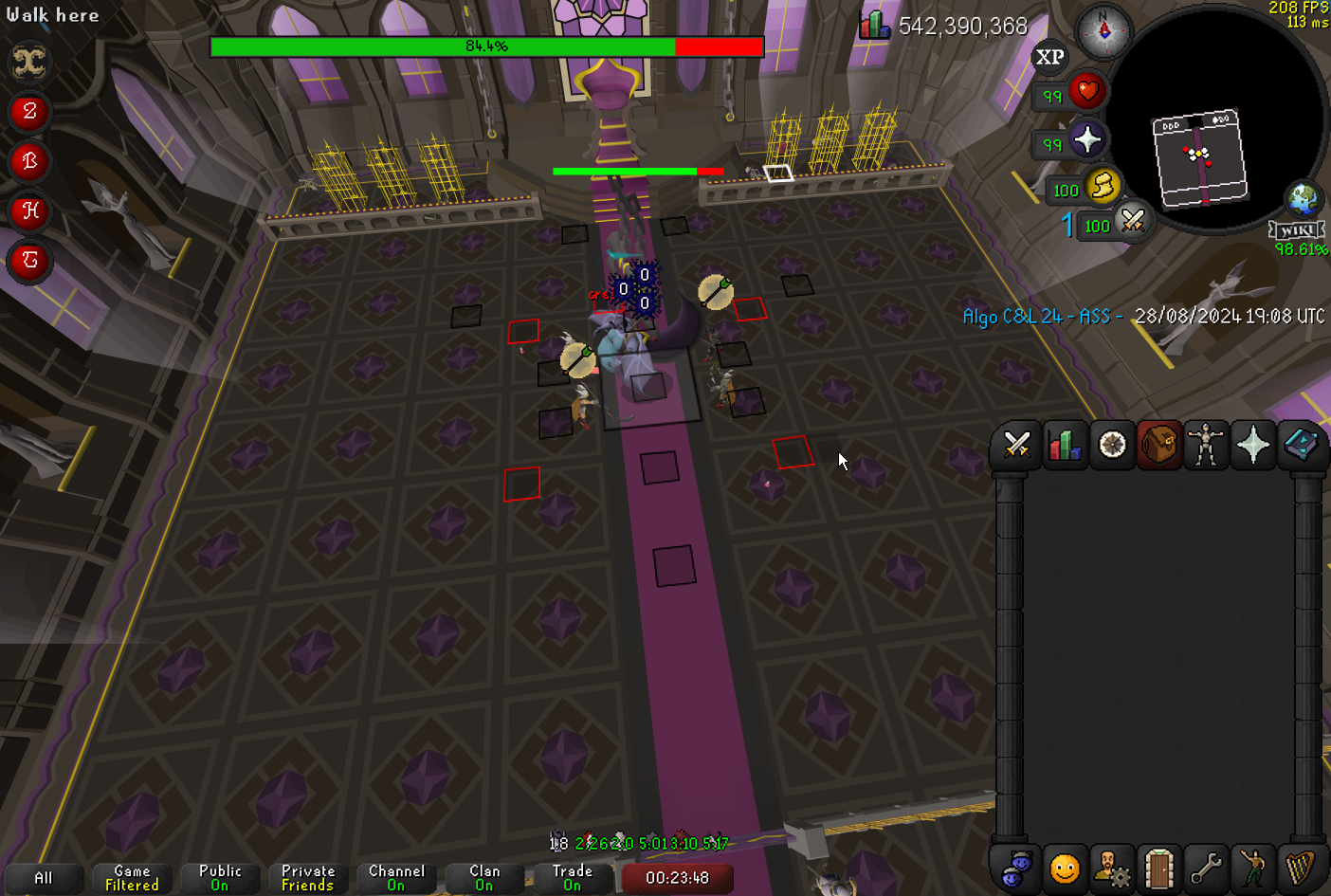 round jacinth
Idk jagex did something
tender peak
feels bad
round jacinth
Game looks better without low detail on anyways 🙂
tender peak
i dont like ground object hider cuz i need to use skybox
yea i pref low detail on
looks more clean idk
kinda depressing 😦
round jacinth
Yes it smooths it out
quiet bronze
does safe mode reset anything else?
hollow olive
it disables gpu and all hub plugin, you have to renable gpu when you turn off safe mode
quiet bronze
resets window size, turns off gpu, are all plugin hub plugins re-enabled when you turn it off?
just trying to make sure ive got everything set back to normal
hollow olive
they should be yeah
quiet bronze
anything else? also any other idea what could be causing the fps stutters recently
safe mode did not fix it - and runelite is using like 5% of my cpu so its not that
friends have said theyre having issues past week or so as well
 green condor
Hi, I just got a new computer and when I try and log in to my runelite account to sync up all my plugins and such I am logged in on the app but on the website I get "You have successfully logged in as xxxxxxxx@mail.com. You can now either close this window or navigate to your account page." yet when I press my account page I get sent to the home page of runeite.net, any ideas?
hollow olive
safe mode is for you to isolate the issue, if the issue doesn't happen in safe mode then it is likely to be a misbehaving hub plugin. you should/need to find that yourself and resolve it by removing or disabling it.
quiet bronze
the issue was still present in safe mode, though
 zinc violet
I can't seem to change left-click to Tree on my Spiritual Fairy Tree in my POH. Any way to fix this?
oblique plume
menu entry swapper, turn the fairy ring swap off
zinc violet
oblique plume
menu entry swapper, turn the fairy ring swap off
Great, thanks 🙂
 acoustic lily
what happened to the discord rare drop notifier plugin?
 frosty elbow
how do i make this to my custom cursor in RL, they dont see them when they are in here, do i hae to put them elsewhere?
i have it set to custom image in runelite too
and no difference if i change name to cursor.png
 leaden trail
you have it named cursor.png.cur
haughty pumiceBOT
Place the files for the feature you want in %userprofile%\.runelite on Windows or ~/.runelite/ on Linux/OSX
The names and type for the files are:
- Custom cursor:
cursor.png - Custom notification sound:
notification.wav - Custom login screen:
login.png. An image size of 765 x 503 is recommended, but bigger images will be (simply) scaled down automatically.
leaden trail
those also aren't the right file type
frosty elbow
leaden trail
those also aren't the right file type
cant manage to change them :3
leaden trail
open in photos, there's an option to save as a png
do that
but right now you have cursor.cur and cursor.png.cur when you want cursor.png
frosty elbow
when ui press open with it dont come up pictures etc
i feel retarded XD
dunno how to do it ._.
leaden trail
"choose another app" and search
frosty elbow
yeah but search for what
leaden trail
"photos"
frosty elbow
ok, then what i do
leaden trail
export it as a png
frosty elbow
well icant save it in pictures/photos
nothing to open it with
or do i create a picute name it cursor.png and open it with that
i dunno, cuz i9t dont work to open with in photos, nothing to open it wth
 plush skiff
Ever find a fix for this? Was it maybe a plugin hub plugin?
gilded kayak
they did the ol nuclear approach and re-installed windows
so I don't think they know what the problem ended up being
 violet oriole
I have no sound from RL 😅 all other apps are working fine but for some reason RL isn't even showing in the windows mixer. Official client works fine :\
plush skiff
Hmm may just yeet .runelite folder then
gilded kayak
violet oriole
I have no sound from RL 😅 all other apps are working fine but for some reason R...
are u on a new windows 11 install
plush skiff
See if that helps
 versed kernel
Trydeleting cache and jagexcache in .runelite.
violet oriole
gilded kayak
are u on a new windows 11 install
nah it's win10
violet oriole
tyvm
frosty elbow
leaden trail
export it as a png
Okey, converted it to a png
Still dont work
And now its cursor.png and is a picture

So what is the issue?
leaden trail
Does the PNG actually open as a PNG?
Also it's not necessary to ping me, I'm looking at the channel when able
frosty elbow
Yep it opens as png
violet oriole
gilded kayak
it maybe it the same problem, i'll find you the issue in a few minutes
nuking drivers worked 🫠 steelseries will be the death of me. thx again
 strong edge
how come I make a new bang tag tab, change the icon, then the left click option in the "view tag tabs" menu changes to change icon
gilded kayak
violet oriole
nuking drivers worked 🫠 steelseries will be the death of me. thx again
ah lol
strong edge
I cant MES to left click view tab
gilded kayak
the windows11 thing is just some audio driver that is not automatically installed
which apparently runelite falls under needing
 quartz lance
seems entity hider hides dead arraxor when dead with the new update
zealous cedar
that is bad
quartz lance
loot traacker seems to work correctly
 fast swan
Menu Entry Swapper stops the looting of Araxxor when enabled suddenly
 vast bone
oblique plume
vast bone
oblique plume
restart, our patch was reverted
 timid rock
my clients just crashed with this trace upon logging in
2024-08-28 22:35:26 BST [Client] ERROR injected-client - Client error: Response code: 429Response body: error code: 1015
2024-08-28 22:35:27 BST [Client] ERROR injected-client - Client error: 547 458 2502
java.lang.ArrayIndexOutOfBoundsException: Index -1 out of bounds for length 878
    at nw.ab(nw.java:45)
    at uh.ar(uh.java:1698)
    at ku.au(ku.java:464)
    at bv.an(bv.java:6383)
    at uy.ay(uy.java:14007)
    at lt.cz(lt.java:5416)
    at qa.na(qa.java:12972)
    at client.kg(client.java:20806)
    at client.hz(client.java:3072)
    at client.bp(client.java:1095)
    at bx.az(bx.java:366)
    at bx.kj(bx.java)
    at bx.run(bx.java:22397)
    at java.base/java.lang.Thread.run(Unknown Source)
2024-08-28 22:35:27 BST [Client] ERROR injected-client - Client error: 2616 2262 2305
java.lang.ArrayIndexOutOfBoundsException: Index -1 out of bounds for length 878
    at nw.ab(nw.java:45)
    at ce.ae(ce.java:1115)
    at ku.au(ku.java:439)
    at bv.an(bv.java:6383)
    at uy.ay(uy.java:14007)
    at lt.cz(lt.java:5416)
    at qa.na(qa.java:12972)
    at client.kg(client.java:20806)
    at client.hz(client.java:3072)
    at client.bp(client.java:1095)
    at bx.az(bx.java:366)
    at bx.kj(bx.java)
    at bx.run(bx.java:22397)
    at java.base/java.lang.Thread.run(Unknown Source)
Fixed now, thank you
 pliant scroll
are runelite broken on the exp tracker?
oblique plume
describe broken
 oblique plume
looks like you logged in to a busy area
itl lag when you do that and make it seem like you gained all the exp you currently have in one big exp drop
gilded kayak
it will happen as many times as you log into a high pop area, we haven't fixed it yet
either don't do that or just clear it when you login
pliant scroll
alrighty
leaden trail
There's a fix in the works, I'm just ironing out some kinks
frosty elbow
someone know how to fix to get custom cursor, its a "cursor.png" in the right folder, but it dont work. please help
leaden trail
Send the file here
gilded kayak
is it actually a png or did you just rename it from something to png
yeah or do that
frosty elbow
used a program to change it to a png, ant it is a png but it dont work
can u convert the normal file to png
it doesnt let me upload it
oblique plume
you can send it to modmail ( @haughty pumice ) maybe
frosty elbow
ill send 5$ pp to anyone who help fix it
gilded kayak
dm the image to the bot Alex linked to
gilded kayak
hope someone is nice enough to try and convert it for you
I tried but ffmpeg doesn't support .cur files
and that's all I got for converting
frosty elbow
aww, thanks for trying tho, i tried but it got all pixelated and some black dots everywhere around it too :3
oblique plume
this is a literal dot bro wtf
frosty elbow
yea ik
gilded kayak
i'm being told there's a hub plugin for this
https://runelite.net/plugin-hub/show/crosshair-cursor does this plugin work for your .cur file? it claims it does
oblique plume
chances are all this black around it would come too which would be terrible
you need a different file
 livid oak
hello good afternoon im unable to move my stuff when i sign into rl withh the same account sadly
frosty elbow
gilded kayak
i'm being told there's a hub plugin for this
yea it works i get a crosshair, but can ichange it to dot?
frosty elbow
oblique plume
chances are all this black around it would come too which would be terrible
can get other files, but when it shows in png it doesnt show all that weird stuff around it
gilded kayak
it has steps in the readme, do they work?
it looks to use a windows option, but one that's not commonly used by other apps
which is kinda clever
frosty elbow
gilded kayak
it has steps in the readme, do they work?
ah nvm, when i press alt/shift/ctrl, it gets removed 😦
 cosmic sable
@small musk is the DPS calc plugin updated anymore or is there an alternative plugin that I've missed that I should use instead?
solid mesa
Not a plugin but I'd recommend the wiki dps calc if you haven't seen it https://tools.runescape.wiki/osrs-dps/

See how your gear stacks up against Old School RuneScape's monsters using the OSRS Wiki's damage-per-second calculator.
cosmic sable
I'm using that and other dps calcs yeah, but just so convenient to see the accuracy ingame with the current gear and specs.
zealous cedar
coincidentally, llemon also made the wiki dps calc :p
cosmic sable
wiki calc really good! If this runelite DPS calc plugin begins to fall off as new items and such are added, I'm going to be very sad :(
zealous cedar
I think the plan is to use the wiki one more since it is much easier to present on a web page
cosmic sable
Right, also shouldn't there be a button under view equipment to the wiki dps calc? I'm missing that, haven't found yet where to enable it.
zealous cedar
there is one
solid mesa
The dps calc can also pull your worn equipment from runelite





 zealous cedar
its just part of the wiki plugin
cosmic sable
Ah yeah! Was disabled.
But yeah, if understood correctly, no means to update the DPS calc plugin?
sad days :<
zealous cedar
its really up to llemon
solid mesa
I can make a github issue if desired but the core Agility plugin only counts laps at the wilderness agility course if you click the middle of the three rocks for the final obstacle
gilded kayak
solid mesa
I can make a github issue if desired but the core Agility plugin only counts lap...
if you're still out there, could you install world location from the hub and mouse over & screenshot the 3 possible squares
honestly i could probably get the correct values without it but might as well
 wet oak
hello, i am on east coast US and have been having ping issues to east coast servers, the last couple months they have been the same ping or sometimes higher than a west coast server...been working with osrs on this and my ISP but i thought i would drop by to see if maybe this could have something to do with runelite client? my internet and hardware are all fine, and osrs says they dont see anything on my end with the traceroute cmd. any suggestions would be helpful!
solid mesa


 solid mesa
wet oak
hello, i am on east coast US and have been having ping issues to east coast serv...
solid mesa
wet oak
hello, i am on east coast US and have been having ping issues to east coast serv...
Does ping from command prompt show a different value than ping from runelite?
wet oak
you mean from the tracer route thing? im not sure how to read it honestly
haughty pumiceBOT
open command prompt, type this in: ping -t oldschoolXXX.runescape.com where the XXX is your world minus 300, for example world350 = 50
solid mesa
Ty felan for the quick fix. Agility fc has known about this for months, surprised nobody has reported it yet.
wet oak
yea its showing the same ping as runelite, so i take it that its not runelite then?
gilded kayak
wet oak
yea its showing the same ping as runelite, so i take it that its not runelite th...
ye
wet oak
thank ya
gilded kayak
solid mesa
Ty felan for the quick fix. Agility fc has known about this for months, surprise...
yeah only a certain % of users will actually report problems, and if it's something that's not critical then it's a % of like 50 people
 turbid hazel
any idea why the runelite link isnt working for a download
hollow olive
wet oak
hello, i am on east coast US and have been having ping issues to east coast serv...
me too i feel like its both a network issue and also jagex servers
turbid hazel
it wontdownload on my windows or mac it seems like the link isnt working
solid mesa
#welcome links to runelite.net and things are downloading fine for me
Maybe your internet is blocking connections to github?
gilded kayak
yeah that randomly happens
turbid hazel
thats what it seems like how do i change that
becaue it only blocks the github link
solid mesa
Does this give an error 404 or something else? https://objects.githubusercontent.com/
solid mesa
If it's error 404 then you're able to connect to the github servers. Not sure why the download wouldn't work
gilded kayak
does downloading from Adam's website linked here work, this is the windows install #runelite message
 hearty nymph
Hello, sending out a Plug-in Question.
I cant figure out what plugin is causing my window to pop back up constantly when updates happen around me.
if i try playing 2 accounts the windows bounce back and forth like crazy with a notification noise
round jacinth
in runelite cog you can decide how notifications work but that is system wide, you can per notification override that so you could make any other notifiy also request attention
youll have to see the chatbox if there is a notification of what and maybe chase that down
 obsidian wadi
im sure its been askked before, but is there a solution to my recordings looking really bad while using runelite? i use nvidia instant replay

they end up looking like this
round jacinth
is that shadowplay?
oh
yes it is
use obs
nvidia shadow play/repaly does not play runelite some times
obsidian wadi
the one trick i learned from we do raids is to turn it on and off, seems like its only an issue when resizing?
round jacinth
yeah it captures an original size or something
my shadowplay seems to capture my entire desktop screen which works great regardless of resizing so idk lol
but obs is more reliable for most
obsidian wadi
awesome. thank you!
 proper olive
If a plugin needs to be updated, is there any way to see what the config of that plugin is? Not the core plugin itself, but the settings inside of that plugin?
I'm in my .runelite directory, inside the 'plugins' folder and I can see the plugin
Ah, I figured it out. I exported my profile and edited the 'profile.properties' and all of the plugin values are there.
 small musk
cosmic sable
<@138318226181324800> is the DPS calc plugin updated anymore or is there an alte...
small musk
cosmic sable
<@138318226181324800> is the DPS calc plugin updated anymore or is there an alte...
yeah, i've only been maintaining the wiki tool at this point
i will eventually return to the rl plugin at some point™️
cosmic sable
small musk
i will eventually return to the rl plugin at some point™️
I'll be waiting for this 🥰
 lilac lantern
launcher
 hollow socket
As a general question, what is the process for reviewing an updated plugin on the plugin hub? Discord Rare Drop Notifier hasn't been working for some time now, and I saw that the code was merged/ready about a week ago
I'm assumming there's nothing I can do to help, as only trusted developers can probably do this?
gilded kayak
correct
this check is bumping it to need a core dev review as the plugin uses APIs we want to extra make sure are being used correctly

otherwise prodigy and someone else probably would have reviewed and merged it by now
hollow socket
Alright, fair enough! I'll wait patiently then 🙂
 warm yarrow
Goodmorning since this morning Customizable Xp Drops isnt working for me? The plugin hub still says i have it installed but it isnt in my Configuration tab. Anyone knows why this is?
 haughty pumiceBOT
To find the logs, you can do one of the following:
- If your client failed to open, click the
Open logs folderbutton. - Open the screenshot directory by right-clicking 📷
Camerabutton, navigate 1 directory up, then open logs folder. - Navigate to
%userprofile%\.runelite\logson Windows or$HOME/.runelite/logson Linux and macOS.
Upload the log files named client and launcher by dragging them to Discord. If there are files prefixed with jvm_crash dated from today, upload them too.
ornate kite
Is there a reason why the regular boss respawn timers (~~not just the infobox but also the ~~ timer on the tile) don't work in godwars instances?
oblique plume
i thought the infobox works
ornate kite
infobox does.
oblique plume
the tile doesnt because instances dont use the same npc index afaik
oblique plume
not just the infobox but also the timer on the tile)
this says the infobox doesnt work
ornate kite
mb
 pallid harbor
Back after a long time, and whenever I open runelite I cannot alt-tab
Whats causing this
leaden trail
Does alt tab just not work or does your client crash?
leaden trail
Does it happen in safe mode?
haughty pumiceBOT
Windows
Run the RuneLite (safe mode) shortcut, or with a Jagex account, first run the RuneLite (configure) shortcut and tick the Safe mode box, then launch RuneLite via the Jagex launcher.
Mac
In Terminal, run:
/Applications/RuneLite.app/Contents/MacOS/RuneLite --configureTick the Safe mode box. Launch RuneLite.
If it's not working, download and install the updated RuneLite launcher from the website link in #welcome. You don't need to uninstall your current version. You will not lose any settings or plugins. Then try running safemode again.
pallid harbor
I dont think I have the safemode so ill probably should reinstall anywa
Ok just reinstalling fixed it
 feral cradle
Question on the https://github.com/BossHuso/discord-rare-drop-notificater i have some friends that were using this plugin around 8 hours ago, but i can't seem to get it into a working state in my runelite, is there anything i can do?

GitHub
Sends a detailed notification via Discord webhooks whenever you get a rare/unique drop. - BossHuso/discord-rare-drop-notificater
oblique plume
hasnt it been broken for weeks
feral cradle
Thats what i thought, but just had loads of posts into a discord server using it (can see it was the same) and they said 'oh it works now)
leaden trail
It's still marked unavailable and has been for like 2-3 weeks now
oblique plume
maybe the .2 patch release it was fixed in but that was reverted in <30mins for another bug
yea its not listed as failed in that one
 ruby magnet
Hey guys,
I had all of my settings saved without signing in for years, i signed in without thinking about it and my settings got changed backt o how they were years ago. I'm not seeing where i can import my old profile back
oblique plume
i dont think its possible to do that
you would have had to switch profiles to get the old settings afaik
is there only one profile listed for you?
the  tab
tab
ruby magnet
yeah there was only profile and now it is overwritten by the setings from when i logged in, even after I logged out
oblique plume
lets look at your client log
haughty pumiceBOT
To find the logs, you can do one of the following:
- If your client failed to open, click the
Open logs folderbutton. - Open the screenshot directory by right-clicking 📷
Camerabutton, navigate 1 directory up, then open logs folder. - Navigate to
%userprofile%\.runelite\logson Windows or$HOME/.runelite/logson Linux and macOS.
Upload the log files named client and launcher by dragging them to Discord. If there are files prefixed with jvm_crash dated from today, upload them too.
oblique plume
i suppose you could have the same profile when signed in and out so when it signed in it over wrote the signed out ones but that doesnt seem like it should behave like that to me
ruby magnet
oblique plume
yep thats what it was
it was marked as being synced even though you were signed out so that when you signed in it took the synced version
ruby magnet
Is there any way to recover?
ruby magnet
i see, im not seeing any profiles saved in my files either
ruby magnet
so whats the best way to proceed? Sign in and redo my settings? I dont want this to happen again
oblique plume
why were you signed in and syncing then signed out and didnt want to sync anymore untill today though
ruby magnet
my bank tag layouts 🥲
oblique plume
youd have to redo them yes
ruby magnet
I've been signed out for years
everythign worked fine so i didnt mess with it. I wanted to set up settings for an alt(which i didnt know how to properly do until just now) and signed in to my gmail aaccount thinking I could set up a seperate profile that way
signing in then overwrote my settings, I needed to restart my computer as outlook crashed and then boom, bye bye old settings
slow karma
hi guys, new player, how do i increase the size of the hud when in fullscreen?
oblique plume
stretched mode plugin
slow karma
sick ty
 gloomy frost
I've been having an issue with my runelite/plugins for a while. Everytime I try to type anything into any plugin, it doesnt save the settings. I uninstalled/reinstalled runelite still having this issue. anyone experience this before?
round jacinth
you might have persmissions issue, run runelite once as admin and then close it and see if that reset the perms
leaden trail
Redownload it from the link in #welcome and then do that^
As long as you don't delete anything, you won't lose any settings
Oh missed that you just reinstalled
 ancient sparrow
I've been having issues with Runelite constantly freezing today, out of nowhere my game completely froze and since then everytime I launched Runelite it would freeze and show a white screen for about 30 seconds. After that it would unfreeze and show the login screen like normal, but as soon as I actually login to RS and press ''click here to play'' my game would load and instantly freeze for about a full minute before unfreezing. After that it's just constantly freezing every few minutes, making playing the game quite literally impossible.
I feel like we already tried everything but came here for one last shot at this
haughty pumiceBOT
Many plugins from the pluginhub break the client in subtle or not-so-subtle ways, including causing issues like client freezes. We do not support pluginhub plugins because we do not make or quality control them, and do not recommend their use.
Run the RuneLite (safe mode) shortcut, or with a Jagex account, first run the RuneLite (configure) shortcut and tick the Safe mode box, then launch RuneLite via the Jagex launcher.
This temporarily disables the GPU plugin and all hub plugins which will allow you to confirm the issue is caused by one of those plugins and isn't a core RuneLite issue.
If the issue is caused by a hub plugin, you should isolate which plugin it is and then uninstall the plugin.
ancient sparrow
I ran it in safe mode but nothing worked, here are my logs if you wanna take a lookie
gilded kayak
can you record these freezes in safe mode
 cursive canyon
Why when i log in into account game runs for like 2 seconds and then closes? Using jagex launcher
haughty pumiceBOT
To find the logs, you can do one of the following:
- If your client failed to open, click the
Open logs folderbutton. - Open the screenshot directory by right-clicking 📷
Camerabutton, navigate 1 directory up, then open logs folder. - Navigate to
%userprofile%\.runelite\logson Windows or$HOME/.runelite/logson Linux and macOS.
Upload the log files named client and launcher by dragging them to Discord. If there are files prefixed with jvm_crash dated from today, upload them too.
oblique plume
what if you turn off gpu plugin
cursive canyon
Seems fine now, looks like it was the problem. Interesting
cursive canyon
Cba, i will go back to 117hd. Used gpu to conserve a bit energy when afking but whatever
oblique plume
why would hd work if gpu doesnt 
cursive canyon
Idk, hd been working for me all the time, problems probably started when i turned GPU plug-in on
Resetting the GPU settings seems to have fixed it
 deft lintel
Anyone know how to fix black screen?
ancient sparrow
ancient sparrow
I ran it in safe mode but nothing worked, here are my logs if you wanna take a l...
nvm guys, restarting the laptop helped
 chrome vortex
anyone know why the dps calc from quipment stats pced
 spark halo
Can I use Jdk 22 to make plugins? or does it have to be jdk 11?
oblique plume
you have to target 11
spark halo
Ok thanks
 mortal pond
chrome vortex
where dps calc im so confused
mortal pond
chrome vortex
where dps calc im so confused
it's part of the "wiki" plugin
 lament island
how do you get your max hit on the plug in?