#support
1 messages · Page 24 of 1
 hollow olive
 sharp galleon
lol .. I had re-opened the jagex launcher few times already but the button conti...
sharp galleon
lol .. I had re-opened the jagex launcher few times already but the button conti...
are you on a mac or windows?
hollow olive
oh ok
sharp galleon
jagex launcher took some time to detect runeLite installed
 scarlet rapids
my low detail doesnt work correctly in tob anymore but works fine for other people. any ideas?
 sudden ibex
scarlet rapids
my low detail doesnt work correctly in tob anymore but works fine for other peop...
sudden ibex
scarlet rapids
my low detail doesnt work correctly in tob anymore but works fine for other peop...
verzik ground floor ids to hide: 32719,32722,32726,32723,32724,32721,32727,32728,32735,32725,
until its fixed ive been hiding it like you would the bloat floor
scarlet rapids
@sudden ibex thank you sir, much love to you!
 leaden trail
scarlet rapids
my low detail doesnt work correctly in tob anymore but works fine for other peop...
leaden trail
scarlet rapids
my low detail doesnt work correctly in tob anymore but works fine for other peop...
A few people have reported it
scarlet rapids
@leaden trail my apologizes, i couldnt find any info about it
 gleaming nebula
Is there any plugin that hides the moons on the ground at moons of peril? The highlighted moon isn't hidden but the normal moons on the ground are.

 haughty pumiceBOT
Many plugins from the pluginhub break the client in subtle or not-so-subtle ways, including causing issues like client freezes. We do not support pluginhub plugins because we do not make or quality control them, and do not recommend their use.
Run the RuneLite (safe mode) shortcut, or with a Jagex account, first run the RuneLite (configure) shortcut and tick the Safe mode box, then launch RuneLite via the Jagex launcher.
This temporarily disables the GPU plugin and all hub plugins which will allow you to confirm the issue is caused by one of those plugins and isn't a core RuneLite issue.
If the issue is caused by a hub plugin, you should isolate which plugin it is and then uninstall the plugin.
 quartz lance
gleaming nebula
Is there any plugin that hides the moons on the ground at moons of peril? The hi...
quartz lance
gleaming nebula
Is there any plugin that hides the moons on the ground at moons of peril? The hi...
disable low detail
gleaming nebula
quartz lance
disable low detail
where do i do that?
in osrs itself or in runelite
quartz lance
runelite plugin
gleaming nebula
oh yeah i disabled it
gonna check if the circles are there now
Yeah they're there now!! Thanks
 crude sail
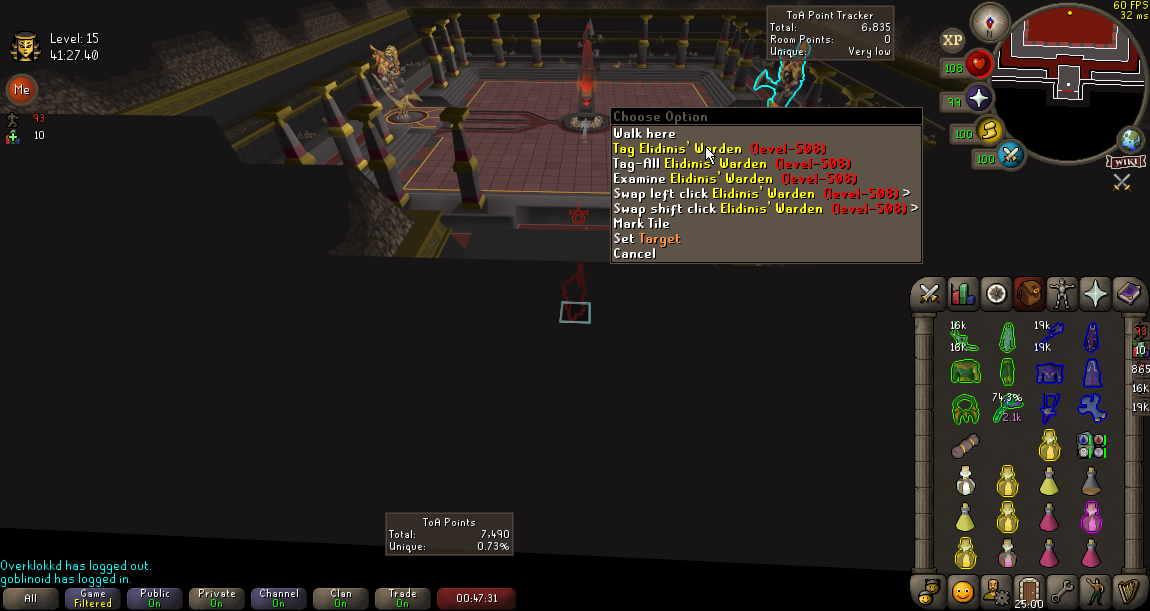
is there a way to switch the "stacking direction" of the interface docking points? I would like the bottom-left (second image) to stack vertically like the bottom-right (first image)


 random copper
i have a m32u (4k, 32inch) and im playing on stretched mode with integer scaling and gpu plugin msaa x16, xbr scaling. I play fixed mode (1530x1006) and used the runelite (configure) and put the scale on 1.5. my windows is scaled 150%. the game itself looks kinda sharp now but the sidebar is now looking very pixelated. can someone help me out with this one?

 bold seal
Is there a plugin that gives you info on the best attack style for a specific monster?
 nova mirage
My brother has problems with idle notifier on runelite. He uses two monitors with runelite on one and whatever on the other. Request focus is off but whenever the idle notifier goes off it requests focus anyway. Other games on the other monitor also get minimized whenever idle notifier goes off.
leaden trail
Have your brother come in here, we don't provide support via games of telephone because it makes things significantly more difficult
nova mirage
Could you throw some ideas in here? The problem is not in the "runelite" plugin or the "idle notifier" plugin.
 urban badger
is there a way to get a special attack timer via runelite ?
hollow olive
have you tried searching the plugin hub at all
urban badger
yea, but there is only 1 that shows time, and it is out dated
but the hub is not really runelite
hollow olive
there's no core timer that i know of
urban badger
damn :/ thought I would ask coz I found one for prayer
can I see via the hub when a plugin was last worked on ?
 heavy bolt
anyone know what plugin could be causing this menu to not respond? im holding the 1 key down in this entire clip and it doesn't work?
 gilded kayak
there's a remux recordings button in obs settings
switch it to mp4, discord no likely mkvs
heavy bolt
guess the clip doesnt really matter too much
idk why it doesnt remove the bench
its a plugin issue but idk which
gilded kayak
urban badger
can I see via the hub when a plugin was last worked on ?
you'd probably have to look here https://github.com/runelite/plugin-hub/tree/master/plugins this is the last time we merged an update for a plugin, otherwise you have to go their github
right-click -> support -> report an issue -> code top left -> this area
 heavy bolt
 round jacinth
and see what keybind you have assigned to 1
round jacinth
and see what keybind you have assigned to 1
ty
urban badger
gilded kayak
you'd probably have to look here <https://github.com/runelite/plugin-hub/tree/ma...
thank you and oh god, the spec timer plugin has no new stuff since 4-5 years ago
gilded kayak
yeah unfortunately hub plugin devs get hit by a bus and never update their plugin again
(that only maybe happens)
round jacinth
don't confuse abandoned with feature complete
gilded kayak
not complete enough for that guy
round jacinth
i suppose
urban badger
I dont think it is feature complete when the timer never goes above or belov 2 min
but seems like it worked fine until last year
round jacinth
then maybe jagex broke it and nobody cared to fix it/take it over since
it happens
urban badger
found something that can work, Party special tracker 🙂
at least it makes it more visual when it is close to being ready
nah nm, just the same
 ocean skiff
gilded kayak
yeah unfortunately hub plugin devs get hit by a bus and never update their plugi...
ocean skiff
gilded kayak
yeah unfortunately hub plugin devs get hit by a bus and never update their plugi...
wow
is that true
@gilded kayak
 halcyon cargo
hello, my pet command is buged, because i have 11 pets it shown only 10
baron pet is missing
gilded kayak
halcyon cargo
hello, my pet command is buged, because i have 11 pets it shown only 10
did you try looking at the pets tab in the collection log
 winged nymph
how do people make their max cape like con cape
1 click poh tele
i saw rigondeaux do it
 zealous cedar
Using the menu entry swapper
winged nymph
am i stupid

 mossy swan
you mean lick rocks or so you actually play the game? 
 runic nimbus
anybody know how to fix this issue with wifi
 gilded kayak
maybe use your phone data as a hotspot for starting the client
 copper wedge
is the color of the number text for xp the "xp drops" plugin? no matter what i do on my osx machine it always appears as white text

nvm ignore me this is 2 plugins fighting (customizable xp drops)
 fossil vessel
has a anyone had an issue muting other plays area sounds? im using the sound swapper plugin to change the sound effect of my claws and the music plugin to mute other players area sounds, and yet i hear the sounds for when both i and another player use claw specs.


 meager fulcrum
not something to do with RL but hoping someone can help me, when you sign up to make a jagex account you get a new login right? so does that mean if someone knew your login they can no longer access your account?
 proper void
I see from searching that a few others reported it already
but I'm also having the same issue with low detail not working in sepulchre floors 2-5
happens both if I turn private instances on or off
 velvet dragon
Anyone know why the low detail plugin isn't working in tob?
gilded kayak
jagex broke it
 ocean quiver
anyone know why all of the sudden my frames on runelite are 15 fps max with GPU plugin on and 35 fps with it turned off? yesterday was fine getting around 100 fps - no settings were changed, not sure what happened. uninstalled and reinstalled, turned off all plugins, still laggy. never had any issues before with runelite. OSRS client runs fine with no lag. seems to be a runelite only issue. not sure what else to try.
i ran runelite in safe mode as well and it is still around 30-40fps
zealous cedar
maybe click "reset" on the settings and restart and see if that fixes it? nothing has changed on our side in awhile
 oblique hound
zealous cedar
maybe click "reset" on the settings and restart and see if that fixes it? nothin...
oblique hound
zealous cedar
maybe click "reset" on the settings and restart and see if that fixes it? nothin...
Reset on the plugin settings? Even when I run it on safe mode without external plugins, it’s the same issue. Or am I missing a spot to reset the overall runelite settings?
Same person, diff account btw
fossil vessel
 vast bone
someone else says the ids include 4140 and 4141
vast bone
someone else says the ids include 4140 and 4141
problem is that it also occurs with godsword specs which all have the same sound id
vast bone
godswords use 4140/4141?
fossil vessel
no godswords are all 3869
 maiden gale
has anyone had a bug where the entire screen flashes a 100% opacity colour when an in-game broadcast happens? (new updates, livestreams, LMS broadcasts, etc)
it's REALLY disruptive
 elfin matrix
Hey I've been having an issue with my client. It is a bit difficult to explain but it's similar to input lingering. If I just very quickly tap to rotate my camera it will continue to rotate awhile after letting go. It's not just camera but is also really noticeable when trying to use items like bones on an altar.
Very few plugins installed, running stable 40ms connection to world and the client itself doesn't freeze up either. Tried a fresh install of runelite and cleared all old folders, the problem persists. Also checked with an input viewer there is no "sticky keys" situation going on. Any ideas?
 hallow lichen
Hello.
I have an issue where once in a while, usually about once every hour, my client just stops responding for like 10 seconds. Everything around me keeps running just as usual. I just cannot interact with the client. The action I input when it happens just happens 10 seconds later - usually leads to me dying.
This never happens with other games, and just started happening when I got I new pc, so I believe its something with how this new pc interacts with runelite. Any idea what this could be/how i fix it?
Thanks!
 clear star
Anyone know if there is a way to by default split all infoboxes and boots? I know you can manually do it, but i'd have to do that each time i see a new boost, for instance will have to go into toa and grab a salt to be able to split it etc
 modest narwhal
Is there a plugin for left click the highest hp left (for slaying with ice barrage)
crude sail
modest narwhal
Is there a plugin for left click the highest hp left (for slaying with ice barra...
not exactly but 'monster menu hp' shows remaining hp in right click menu
maiden gale
modest narwhal
Is there a plugin for left click the highest hp left (for slaying with ice barra...
not exactly what you're asking for but Monster Menu HP is very good for that
oh, ville was faster rip
crude sail
great minds think alike
 ornate kite
Can anyone help me out, everytime I shutdown my pc and open rl again every single one of my tabs/inventory/info boxes shift.

Ah shit, it keeps going back to the old res
Even though the game size on rl plugin is correct
clear star
do you have rememebr client position ticked?
ornate kite
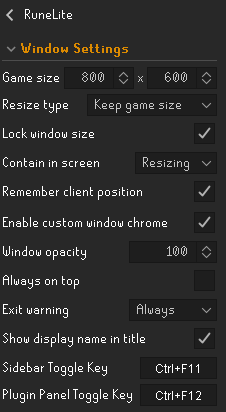
Yeah got this settings atm, lock window size was ticked off. Probably when I was fixing it and forgot to turn it back on. Idk if it was that tho
maiden gale
maiden gale
has anyone had a bug where the entire screen flashes a 100% opacity colour when ...
pinging this again, flashbangs me every time, makes LMS extremely painful to play
clear star
ornate kite
Yeah got this settings atm, lock window size was ticked off. Probably when I was...
looks same as my settings and i dont have your issue :/ I dont have lock window size ticked either
clear star
ornate kite
Yeah got this settings atm, lock window size was ticked off. Probably when I was...
Maybe try alt, right click the invent etc back to its original position so it stays there, maybe its moved at the moment
leaden trail
ocean quiver
anyone know why all of the sudden my frames on runelite are 15 fps max with GPU ...
If you play League or Valorant, make sure they aren't open and kill the process for Vanguard
haughty pumiceBOT
Many plugins from the pluginhub break the client in subtle or not-so-subtle ways, including causing issues like client freezes. We do not support pluginhub plugins because we do not make or quality control them, and do not recommend their use.
Run the RuneLite (safe mode) shortcut, or with a Jagex account, first run the RuneLite (configure) shortcut and tick the Safe mode box, then launch RuneLite via the Jagex launcher.
This temporarily disables the GPU plugin and all hub plugins which will allow you to confirm the issue is caused by one of those plugins and isn't a core RuneLite issue.
If the issue is caused by a hub plugin, you should isolate which plugin it is and then uninstall the plugin.
 oblique plume
@hallow lichen @elfin matrix @maiden gale ^ try that to start
the flash is probably a notification, so check if you have flash notifications on in "runelite" settings
maiden gale
my flash is set to an unrelated colour, with 0% opacity
oblique plume
i know theres a camera smoothing plugin thing thatl make the camera move a bit after you stop, dunno bout other keys
oblique plume
maiden gale
my flash is set to an unrelated colour, with 0% opacity
then i guess its not a notif and check to see if it happens in safemode
maiden gale
yeah as best i can tell it's SOME plugin i've picked a colour for somethihng on, because it's a specific purple i like
but that doesn't narrow it down beyond like
better npc highlight, corner true tile, visual metronome, etc
but idk any way to force those messages other than joining an LMS game
 glad fox
this is probably a windows thing but when I snap clients it always just groups 2 clients together instead of 3 or 4. Anyone gets different results?
round jacinth
snap them to the corners..?
glad fox
yea
 glad fox
on the taskbar it groups the windows together but it never does more than 2
glad fox
yes, window snaping when it groups the tabs in the taskbar icon only ever groups 2
round jacinth
i dont think i am familar with that
if you use different shortcuts to launch the clients
they won't group though
glad fox
I can group them, but the grouping is only ever 2 windows, even when I do 4 clients is makes 2 groups of 2
 oblique plume
i didnt even know what was a feature
 void minnow
Hi quick question, i don't know if this is the right place to ask. if not feel free to point me in the right direction.
I've recently made a pull request for a plugin I've developed for hosting the Hide and seek events (Guiliguessr) on the official OSRS discord server.
I'd like to have the plugin hosted on the hub so game hosts can download the plugin from a trusted source.
However, the next event is coming up next week, and the PR hasn't been reviewed yet (which is fine, i see you guys get a lot of requests, please take your time).
So my question is if there is a way to side-load plugins? So we can start using the plugin for the next event for hosts who'd like to try it despite it not being reviewed yet.
haughty pumiceBOT
We don't provide builds of pluginhub plugins for snapshot versions. Usually you can pass -Drunelite.pluginhub.version=<current RL version> as a VM option to load the plugins built against the release into your build, which will work if there are no ABI changes. If there are ABI changes, build the plugins yourself and place them into the sideloaded-plugins directory when running in developer mode.
haughty pumiceBOT
Add the following line to your plugins block in build.gradle:
id "com.github.johnrengelman.shadow" version "6.1.0"
Add this block elsewhere in the file, changing the Main-Class to your plugin's test:
shadowJar {
 from sourceSets.test.output
 configurations = [project.configurations.testRuntimeClasspath]
 manifest {
 attributes "Main-Class": "com.example.ExamplePluginTest"
 }
}```
Then run `./gradlew shadowJar` and a runnable jar will appear in `build/libs/*-all.jar`. You can run the jar with `java -jar -ea jarName.jar`Thanks for the quick response! I'll try building the jar file myself.
Separate question, I might develop the plugin further into the future into a more generic "Finnish Line" plugin in the future.
Is it possible to rename the plugin in the future?
leaden trail
The display name yes, the underlying name no
void minnow
Display name should be fine, thanks!
 oblique plume
lmao
 light trellis
Question: When referencing the wiki. Despawn time for tradeable items that are dropped is 120s. When you switch the setting in "ground items" from pie, to second. It shows 180 seconds? So is the plugin wrong or the wiki?
oblique plume
theres the time to be shown to players then theres the despawn time
light trellis
but despawn time is 120 and players is 60 according to the wiki
also the plugin only lets you select despawn time. You would just use a half pie as a reference for when others could see it
round jacinth
 light trellis
ohh nvm read wiki wrong. they word it poorly and i havent had coffee yet 😆
light trellis
why do they have to say 60 seconds and an additional 120 instead of just saying 180 seconds 😆
 desert bronze
because people will be wondering why the random bozo is looting their shit after 60 seconds otherwise 🤷♂️
round jacinth
i dont know, rs3 wiki is written by older children than the osrs wiki is written by
oblique plume
if anything i would expect rs3 to be a younger crowd maybe
at least in the beginning of osrs
now osrs is just objectivly better than rs3
desert bronze
you'd be surprised, I believe RS3 is mostly filled by whales too busy swiping and spinning the wheel to even know OSRS exists
light trellis
Ty for everyones input tho 🫶
 umbral crescent
Is it possible to raise the -Xmx memory option to above 1536M? I have one particular plugin that is still causing my client to freeze/crash when i try to logout and it attempts to save data.
gilded kayak
yes
that's just an example but I feel like you shouldn't ever need that much memory
it's likely something else
 empty ore
Hi - i was playing around with settings and my game seems to be stuck to fitting the entire screen, i cannot adjust the size of the window, and the sidebar panel is not opening up (even when i click the top right arrow). Can someone help?
oblique plume
no buttons work at all on the sidebar?
empty ore
i have fixed this, disregard
 stone breach
is anyone having trouble logging in ?
i try to log into launcher it says something went wrong i try to log into the website it says im blocked?
gilded kayak
yeah it's an odd choice that's how the website looks during this
 alpine mirage
stone breach
thought i was banned and no idea why i would be xD
alpine mirage
stone breach
thought i was banned and no idea why i would be xD
Haha I had the exact same thing :P
gilded kayak
gilded kayak
yeah it's an odd choice that's how the website looks during this
"choice"
stone breach
they need to change it to say servers down or something not your blocked
gilded kayak
i doubt it knows that the servers down but yeah
is there a problem? yes? YOU ARE BLOCKED
 vagrant night
i was hopping and got hit with "failed to log in"
so it is some login server trouble
gilded kayak
if more people don't show up in the next few minutes it might be ISP
usually login server problems bring out at least 20 people in the first few minutes
vagrant night
i do hate COX communications
stone breach
yeah thats why i thought i was banned because normally a few people on here posting about it
 nova bone
vagrant night
i do hate COX communications
nova bone
vagrant night
i do hate COX communications
same I got cox as well and its down for me
vagrant night
im back in
stone breach
still not letting me :/
oblique hound
leaden trail
If you play League or Valorant, make sure they aren't open and kill the process ...
I dont but, i think it may be some sort of power supply setting that changed to my laptop, going to look at that today
 fierce bolt
i had this problem last night at midnight..
i turned off my adblocker on chrome and it worked (showed i was blocked before)
stone breach
back up by the looks of it
 ebon coyote
is low detail getting updated for seppy?
round jacinth
i think you gotta ask jagex why they broke it
(i dont know how low detail works) lol
leaden trail
I don't think we've sorted out the root cause of the issue yet
ebon coyote
roger thanks
oblique plume
adam has mentioned this
so they changed the hs floor to be transparent to fix zfighting issues, and our low detail plugin has logic to always show locs on transparent floors to avoid the issues where the floor is totally missing like how cox used to be
so it looks like he knows why its broken
leaden trail
Ah ok I had missed that
oblique plume
maybe the plugin could be adjusted to still be "broken" in sep so it goes back to the way it was but idk, prob not
or jagex change it themselves again and it goes back to normal
 steel hearth
I just bought a new computer and I'm trying to transfer all of my setting over. I downloaded the runlite file over to the new computer and that got me all of my screenshots and stuff but not my plugins or settings. is there any way transfer those?
haughty pumiceBOT
leaden trail
Try following that
steel hearth
thank you that fixed it
 sacred kestrel
Is it possible to recover a profile for runelite, all the plugins are gone
haughty pumiceBOT
round jacinth
Same link as the one right above lol
 molten sigil
Can I have a Legacy Runelite Client and JL Runelite Client open at the same time?
leaden trail
Yup
molten sigil
how do I get it to work? I click runelite on my desktop and it just takes me to the 1click login for the JL
haughty pumiceBOT
To find the logs, you can do one of the following:
- If your client failed to open, click the
Open logs folderbutton. - Open the screenshot directory by right-clicking 📷
Camerabutton, navigate 1 directory up, then open logs folder. - Navigate to
%userprofile%\.runelite\logson Windows or$HOME/.runelite/logson Linux and macOS.
Upload the log files named client and launcher by dragging them to Discord. If there are files prefixed with jvm_crash dated from today, upload them too.
leaden trail
Post your logs and I can take a look
zealous cedar
the cheats youve installed have configured runelite to be one-click login
leaden trail
Thanks for waiting this time Adam lmfao
umbral crescent
gilded kayak
yes
Is there a particular amount i should increase it by/to?
I'm pretty sure it's the flipping utilities plugin. I'm somewhat of a 'heavy user' judging by the size of json file, and I often notice my client lagging whenever a GE offer updates.
I've been meaning to report the issue to the plugin dev but i don't think much can be done on their end.
zealous cedar
If the one plugin is actualy using 1gb+ of memory it might be good to get a heap dump and report it to the developers, that probably isnt intended
 blissful surge
is there a way to have the correct mark of darkness timer when using a purging staff?
gilded kayak
not yet we haven't added any code to handle that new interaction
blissful surge
no worries was just wondering, i'll rely on the game messages for now 🙂
 haughty fog
My runelite crashes every time I teleport. Is there any way to fix this?
 atomic ice
I dont have friends need support
leaden trail
atomic ice
I dont have friends need support
Try #general
atomic ice
leaden trail
Try <#334801290645209099>
im doing it
gleaming nebula
What is the runelite plugin called that allows me to save inventory + armour loadouts in runelite itself
So when I open the loadout it opens a bank tab for me with all the gear and food
round jacinth
you wouldn't believe it but inventory setups from the plugin hub
gleaming nebula
oh setup is the word I was looking for
I kept using loadout when I was looking for it
round jacinth
yeah what you clal loadout is also a set up, sorta need to do that keyword switching when searching the hub
gleaming nebula
round jacinth
yeah what you clal loadout is also a set up, sorta need to do that keyword switc...
Do you know how I open the bank tab where I can withdraw all the items from a setup
round jacinth
the inventory set ups uses its own way of doing it
leaden trail
One of the buttons on a setup does it
round jacinth
you use the side panel and click the EYE looking thing
and it loads the tagged stuff, imo its a nice system to base stuff from but youll enjoy using the regular tag system more
gleaming nebula
Oh yeah I found it
round jacinth
imo
gleaming nebula
thanks
round jacinth
np
 civic arch
oblique plume
maybe the plugin could be adjusted to still be "broken" in sep so it goes back t...
civic arch
oblique plume
maybe the plugin could be adjusted to still be "broken" in sep so it goes back t...
I'd rly hope this is the outcome cause sep looks fucking horrible without it and I've got 800 hours left in there
 vivid summit
i recently switched pcs, and now my runelite shows 2 different profiles for the same name. is there a way i can merge these, i have my previous loot tracker saved on one of them. i miss seeing my loot tracker 😦
 fast adder
Is there a way to make the size of the text on quest helper bigger?
vast bone
vivid summit
i recently switched pcs, and now my runelite shows 2 different profiles for the ...
no. you have to delete one
vast bone
fast adder
Is there a way to make the size of the text on quest helper bigger?
for the side panel there is only scale
haughty pumiceBOT
vivid summit
vast bone
no. you have to delete one
i dont mind deleting one. is there a specific order i need to do this? should i log off runelite on my client prior to deleting a profile
haughty pumiceBOT
fast adder
vast bone
for the side panel there is only scale
Sorry. Can you explain that a little further? Scale to what? What can I change to make RL bigger? I'll do it! hahaha
vast bone
change the scale option to like 1.5 or 2.0 in the thing described in that link
vivid summit
haughty pumice
<https://github.com/runelite/runelite/wiki/FAQ#my-loot-tracker-data-is-gone>
having trouble logging into runelite now to see if the duplicate has been deleted - stuck in a loop of logging in and navigating to account page only to have to log in again lol
vivid summit
vast bone
no. you have to delete one
tysm. fixed it!!
 hushed laurel
is low detail getting updated for sepulchre?
leaden trail
I think Adam has the underlying issue figured out so there will probably be a fix at some point
 formal sinew
Hey, Has anyone lost their Runelite profiles recently? I had 4 on there and now only 1. Have restarted PC and no luck
haughty pumiceBOT
formal sinew
Tyvm!
 terse dust
Is there any way on Ground Items plugin to make it so that when I hold alt the despawn timer is in seconds (instead of the circle) without having the timer on without alt
vast bone
not afaik
that would be a nice feature though
since there are now timers that are like, 1 hour (clues)
the pie used to be good when all items were 2/3 minutes
terse dust
vast bone
since there are now timers that are like, 1 hour (clues)
yeah that is one of the main things I want it for, but I don't like having the timer on all the time
vast bone
maybe a checkbox "show only when pressing alt"
then you can set it to something other than "off" without it showing normally
I did also make a plugin "clue juggling timer" that times clue scrolls.
might be useful
although I haven't used it in a while
 timid rock
is there a way to default sidebar to be closed upon launch?
 leaden trail
ahhh
timid rock
oh there's a key to toggle sidebar, a key to toggle plugin panel, but plugin panel key doesnt close sidebar, and sidebar keeps plugin panel status...

 jagged forum
can anyone help me fix my !codes. nothing shows up when i try to use them or other people use them
leaden trail
Which specific chat commands are you trying to use?
haughty pumiceBOT
!kc command not found!
jagged forum
none of them work
haughty pumiceBOT
To find the logs, you can do one of the following:
- If your client failed to open, click the
Open logs folderbutton. - Open the screenshot directory by right-clicking 📷
Camerabutton, navigate 1 directory up, then open logs folder. - Navigate to
%userprofile%\.runelite\logson Windows or$HOME/.runelite/logson Linux and macOS.
Upload the log files named client and launcher by dragging them to Discord. If there are files prefixed with jvm_crash dated from today, upload them too.
 lone gate
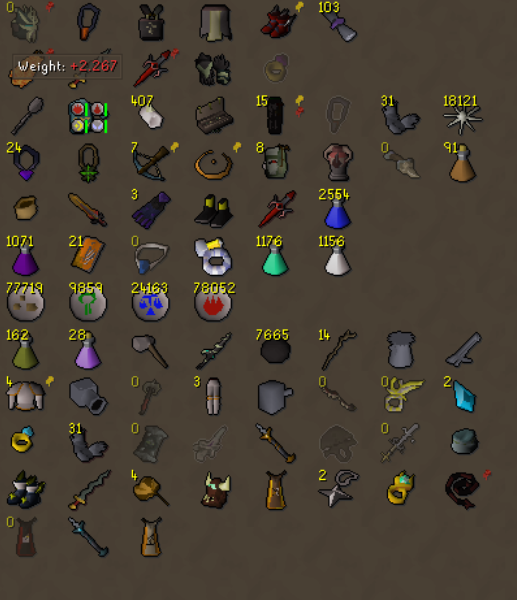
my bank tag layout plugin/ or some other plugin related to it just completely reset my preset layout without me pushing any of the buttons
has this happened anywhere else recently?
leaden trail
Read the rest of the message
lone gate
https://i.imgur.com/f4qOjqG.png
ive partially fixed this one, but they all are zigzaged and fucked

https://i.imgur.com/SvHEVyu.png this is what it looks like now
 haughty pumiceBOT
Get support for the Bank Tag Layouts Plugin Hub plugin here: https://runelite.net/plugin-hub/show/bank-tag-layouts.
You can also find the support link by searching for the plugin in the Plugin Hub panel and clicking the ? button on the plugin, or by right-clicking the plugin in the plugin panel and clicking the Support menu option.
leaden trail
jagged forum
my client doesnt fail to load
So do the second or third bullet point then
jagged forum
leaden trail
So do the second or third bullet point then
so you want me to post my files in here?
leaden trail
Yes
jagged forum
jagged forum
leaden trail
Launcher.log as well too
jagged forum
leaden trail
Okay so now ACTUALLY close your client and restart it because you haven't done so in almost a week
 gaunt valve
@here guys my runelite seems to be stuck on a launcher account i have i dont know why it wont let me log in normal with another account i have thats not connected to launcher is there a quick fix for this?
jagged forum
pull up a different client. not through jagex launcher
haughty pumiceBOT
To find the logs, you can do one of the following:
- If your client failed to open, click the
Open logs folderbutton. - Open the screenshot directory by right-clicking 📷
Camerabutton, navigate 1 directory up, then open logs folder. - Navigate to
%userprofile%\.runelite\logson Windows or$HOME/.runelite/logson Linux and macOS.
Upload the log files named client and launcher by dragging them to Discord. If there are files prefixed with jvm_crash dated from today, upload them too.
leaden trail
Post your logs
mossy swan
it shouldn’t do that, you sure you arent using jagex launcher?
leaden trail
jagged forum
that didnt fix it
Does it happen in safe mode?
haughty pumiceBOT
@jagged forum Windows
Run the RuneLite (safe mode) shortcut, or with a Jagex account, first run the RuneLite (configure) shortcut and tick the Safe mode box, then launch RuneLite via the Jagex launcher.
Mac
In Terminal, run:
/Applications/RuneLite.app/Contents/MacOS/RuneLite --configureTick the Safe mode box. Launch RuneLite.
If it's not working, download and install the updated RuneLite launcher from the website link in #welcome. You don't need to uninstall your current version. You will not lose any settings or plugins. Then try running safemode again.
gilded kayak
yes but you can click-drag them into discord
this is just launcher.log tho, client.log as well
leaden trail
the safe mode was for the other person
jagged forum
haughty pumice
<@275400043643666432> **Windows**
Run the ``RuneLite (safe mode)`` shortcut, or ...
i dont know how to do this
gilded kayak
It looks like the cheats you installed configured RuneLite to use one-click login
leaden trail
Do what it says, it tells you
gilded kayak
I'm not sure what they did to your computer so I can't really give you an answer for that
I didn't write the cheats 🤷
leaden trail
Nor do we support them 🤷
gaunt valve
yes i know that.
mossy swan
wild how nobody banned you yet
gaunt valve
I was bored looking for stupid things haha dint realize this would happen
leaden trail
Play stupid games...
mossy swan

leaden trail
Man that's two in a couple hours
jagged forum
im in safe mode. same thing
 modern spruce
hey guys i have a problem with low fps on a decent pc, I got the 64 bit version and its a i5 8600k overclocked with a 1080 gpu so it theoretically shouldnt have issues. anyone have any tips? I'm using gpu plugin and ive tried the hd
also, there is no throttling due to heat of anything in case that helps
leaden trail
Does it get better or worse if you turn GPU off?
leaden trail
When you say low fps how low are you talking?
modern spruce
like 45 with a youtube video running like 60 without it
i dont need 144 lol i just want to watch youtube and get 60
ok i got it working, something must have updated and instead of going to unlocked fps to 144 it locked it at 75 somehow. i just unchecked and it showed me its locked at 75 and i switched it to 144 and its chilling again. sorry to waste your time but hopefully someone elsse can get some help from this silliness
ty @leaden trail
umbral crescent
zealous cedar
If the one plugin is actualy using 1gb+ of memory it might be good to get a heap...
I tried restarting the client with the plugin turned off and my activity monitor shows the process using 500mb of ram vs the typical 2.5gb.
I always have 2 clients running but the issue only happens with one particular account that has significantly more trade data.
The json file for that account is 285mb, which i imagine is quite large since my other account is only 25mb.
What could I increase the xmx to in the meantime? Just so i can logout and not lose an entire days worth of trade data.
Or is there anything else I can do? such as closing my other client first/programs i have running etc before logging off. I don't know if this would have any impact on the memory available, for when it tries to save my session data and subsequently crashes/freezes.
This is what I usually see in the log
zealous cedar
either 1) stop using the plugin that is consuming all of your memory or 2) give more memory to the jvm with -Xmx
gilded kayak
you can set it to whatever, the old default was 512, we added 256 more to that (768) and we doubled that for the -xmx example (1536) - so you could add 512 more to that (2048) or you could double it (3072) whatever you feel you need if you want to continue using it
obviously dont give it more than your computer has tho
umbral crescent
It's kind of essential to the way i play the game unfortunately. It's not even the crashing that i'm bothered by, it's the loss of the data that the plugin tracks in the first place.
I'll try increasing the memory and see what the dev has to say. Thanks
umbral crescent
gilded kayak
you can set it to whatever, the old default was 512, we added 256 more to that (...
Yeah i was wondering if there were specific parameters it should be set to, or if it was specific to the application or something. I'll try 2048 then, thanks.
gilded kayak
I think(???) it doesn't actually matter but increasing by x256's is just a good standard
i could be wrong tho it's one of those things that's probably common-ish knowledge but snuck past me
since in minecraft modding they mostly just offer you flat GB allocations
gilded kayak
gilded kayak
since in minecraft modding they mostly just offer you flat GB allocations
or suggest it I should say*
 mystic spade
hey I have a quick question - I had my PC bluescreen and when I relaunched runelite all my settings were wiped even though I am logged in. Is there a place someone can direct me to so I can get my plugins/settings back?
haughty pumiceBOT
 lapis elm
4 most likely
mystic spade
Thank you very much @lapis elm youre a life saver
mystic spade
lapis elm
4 most likely
do you recommend saving to your desktop or is it reliable in finding the file always (assuming this happens again)
lapis elm
that file will be the most up to date version always, so would be cumbersome to do that
mystic spade
okay cool, thank you
 dim cairn
Hi guys, ive been having issues lately with missing graphics. typically its small unnoticable things and sometimes its major with walls missing etc. I first noticed it while safespotting zammy warriors at ourania altar, the safespot volcano thing wasnt there, just normal floor (I just marked the tile to safespot properly). having 117hd/gpu on/off doesnt change it.
any settings i might have accidently messed with to cause this?
gilded kayak
i would guess it's low detail due to jagex changing some stuff during the game update
others have reported it explicitly in hollowed sep and ToB but i would assume it could be happening anywhere
dim cairn
Gotcha thanks, ill try to adjust things a lil more and update if anything changes
 stark harness
Any idea why this suddenly started happening?

no other visual artifacts in game or elsewhere
starts small and grows while loading
looks dope tho lol
lapis elm
is your graphics card broken
dim cairn
are your drivers 5 years out of date by chance
lapis elm
try a different driver version
dim cairn
happened to me on my old pc one day everything started to glow like crazy xD
 dim cairn
is it only runelite? might be worth restarting your computer
stark harness
ive restarted comp and no luck
reverted some settings that id been playing with... which is where I'm thinking this is coming from, and no luck
 onyx mural
hello people
stark harness
downgraded driver and restarted
 onyx mural
can I ask here something if im having trouble with starting the client?
mossy swan
yes
onyx mural
okay my problem is i downloaded both jagex and runelite but i can only start the game with the official client
for the runelite it only shows me to install it even if i already did that
mossy swan
are you on mac?
mossy swan
so if you click the install button what happens?
mossy swan
you might need to reinstall for it to figure it out
onyx mural
i know i did that already but that dosent work
reinstalled both jagex and runelite
run as admin, unchecked runelite as admin
nothing helped :\
mossy swan
weird, no idea
mystic spade
Has anyone experienced an issue with the focused runelite plugin being fuzzy? It's based on the app itself I believe because if I take a screenshot using snipping tool/printscrn its clear but in game its fuzzy/blurry - it randomly happens and the only way to fix is restarting the computer.
When I turn off the GPU plugin it seems to go back to normal. If I have multiple clients open it usually swaps to the client being focused at the time and then the other nonfocused client will be normal graphics.
I can post a pic but in order to see it, it will have to be a phone pic


most noticeable in the chat but inventory is just as bad
stark harness
stark harness
downgraded driver and restarted
Was from Radeon Image Sharpening in Adrenaline. Have had this on since day 1 and for some reason now causing this artifact 🤷♂️
Completely resolved by turning this off
 ember goblet
Hello everyone! has anyone experienced an issue before when i make runelite fullscreen, my mouse point goes invisible?
 quiet bronze
issue with OBS + RuneLite:
whenever attempting to use multiple display captures on 2 RuneLite clients (to display my alt's PoV on OBS) it causes my RuneLite clients to crash, sometimes both clients and sometimes only the 2nd one
turning GPU plugin off does not matter
 charred wind
onyx mural
can i open a ticket or something here?
charred wind
onyx mural
can i open a ticket or something here?
Iirc something about installing Runelite as admin breaks it? So try not to install as an admin where possible
 thorn gazelle
from this issue (https://github.com/runelite/runelite/issues/15098) I was trying to get split tunneling to work on my vpn and from the comments I was trying to add the flag -Djava.net.preferIPv4Stack=true, I was able to find the config.json file, but does anyone know what "RuneLite Configure" is? Can't seem to find that based on what they are talking about

GitHub
Type Incorrect behavior Operating System Windows OS Version Windows 10 Bug description Using the Mullvad VPN windows app i'm connected to my VPN. Within the app you can choose applications to u...
 static pulsar
Hey, anyone else facing an issue with GPU plugin ? was working fine yesterday. I am unable to turn on the plugin, whenever I do, it automatically closes immediately
thorn gazelle
do u have 117 on? i think they are incompatible with eachother
maybe im misunderstanding tho, when you say "automatically closes immediately" are you saying your whole runelite client closes?
im not qualified to help people here but maybe try updating your graphics drivers
haughty pumiceBOT
@static pulsar To find the logs, you can do one of the following:
- If your client failed to open, click the
Open logs folderbutton. - Open the screenshot directory by right-clicking 📷
Camerabutton, navigate 1 directory up, then open logs folder. - Navigate to
%userprofile%\.runelite\logson Windows or$HOME/.runelite/logson Linux and macOS.
Upload the log files named client and launcher by dragging them to Discord. If there are files prefixed with jvm_crash dated from today, upload them too.
leaden trail
thorn gazelle
im not qualified to help people here but maybe try updating your graphics driver...
Realistically it's probably more likely that it's a newer driver version that broke things
static pulsar
Thanks for the reply, to clarify the client doesn't crash, just the plugin refuses to be turned on. Whenever I enable it, the plugin just gets disabled instantly.
I am trying to upload the logs into discord, but it keeps telling me 'Upload Failed' (will try again in a separate message), for more info. I am on Linux (using the Bolt launcher), and I don't think the graphics driver was updated
I quickly skimmed through the logs and there seems to be an exception in the client logs whenever I try to enable the plugin (Screenshot attached), I am not sure what does this missing fb config mean
Thanks
 leaden trail
Send the full log
static pulsar
leaden trail
Send the full log
will try to send it as text
leaden trail
Oh the fb thing is a driver issue I think
static pulsar
leaden trail
If you search it in here it should come up
static pulsar
will try different drivers & see if it helps
leaden trail
I'm on my phone and at work so I can't dig through but just searching "fb" in this channel brings up a bunch of people with the same message and I don't remember it being some unresolved issue so one of them should probably mention a fix
static pulsar
issue seems to be related to the Bolt launcher, just tried the Runelite official App Image & the GPU plugin worked fine, will update this if I managed to get it working through Bolt launcher
 pulsar parrot
If i wanna learn and try out making plugins can I just use the github version? Would it trigger bot detection and can I make jagex launcher launch that?
 wicked flare
anyone know why when the client is open no screenshots are made but when im away on another program i do get screenshots?
 onyx brook
Hey, I'm trying to import ground markers for hallowed sepulchre in runelite howevver no matter what I try it says in RS chat "You do not have any ground markers copied in your clipboard". Any suggestions?
leaden trail
pulsar parrot
If i wanna learn and try out making plugins can I just use the github version? W...
If you look through the wiki on GitHub, that should answer basically all of your questions and is a pretty good resource in general
leaden trail
onyx brook
Hey, I'm trying to import ground markers for hallowed sepulchre in runelite howe...
You have to do one floor at a time
pulsar parrot
leaden trail
If you look through the wiki on GitHub, that should answer basically all of your...
Thanks!
onyx brook
thanks
 plain quail
static pulsar
Hey, anyone else facing an issue with GPU plugin ? was working fine yesterday. I...
plain quail
static pulsar
Hey, anyone else facing an issue with GPU plugin ? was working fine yesterday. I...
For anyone else having this issue today, it appears to work fine if you revert to a previous commit. Obviously the version will depend on your environment.
flatpak remote-info --log flathub org.freedesktop.Platform.GL.nvidia-535-183-01
And then choose a commit.
flatpak update --commit=commitID org.freedesktop.Platform.GL.nvidia-535-183-01
leaden trail
wicked flare
anyone know why when the client is open no screenshots are made but when im away...
Post your screenshot settings
static pulsar
plain quail
For anyone else having this issue today, it appears to work fine if you revert t...
Thank you, this worked for me. Reverted back to an old commit dated August 7th !
plain quail
Yay!
 orchid canyon
Unsure if there's a specific discord for this plugin, but for Menu Entry Swapper, I'm having an issue where "chop down xxx" is being prioritised over absolutely everything, even things that should take priority over it. Can't see any options to toggle or any reference to it in its wiki, but disabling it fixes the issue.
 tribal bison
sudden ibex
verzik ground floor ids to hide: 32719,32722,32726,32723,32724,32721,32727,32728...
tribal bison
sudden ibex
verzik ground floor ids to hide: 32719,32722,32726,32723,32724,32721,32727,32728...
When I do this, the floor just goes black. Is there any way to make it a grey-ish color like it was before low detail stopped working? Maybe skybox?
 grave basin
Anyone know of a way to reduce the visual noise of ground markers/npc highlights when also using stretched mode, Here is two pictures just so you can see what i mean.


Its something that has been bugging me for close to two years now but i cant seem to find a solution. I can turn on integer scaling in the stretched mode plugin but i cant seem to make the ui bigger without making the game size smaller
Actually a better question is can you increase the games core UI without turning on stretched mode to begin with
grave basin
After further research im not seeing a way to increase ui without stretched mode. Is there a way to stop two plug ins from interacting, scaling those tile markers by 140% makes the game look awful
 quiet dagger
I'm having problems with profiles not saving my plugins/configs on them when i switch between them
crude sail
grave basin
Actually a better question is can you increase the games core UI without turning...
'scale' in RuneLite (configure), it's a seperate shortcut. it will also make the RL sidebar bigger, I'm not sure how it interacts with highlights
grave basin
crude sail
'scale' in RuneLite (configure), it's a seperate shortcut. it will also make the...
Where do i find this?
haughty pumiceBOT
crude sail
it should be on your start menu, so you can press Windows key and type "runelite configure"
crude sail
it scales the game interface but not the 3D view, not sure about overlays and tile highlights and such
crude sail
I have it on 1.5 on a 1440p display
grave basin
i am on 4k, so will start with 2
round jacinth
grave basin
what would be a safe number to set it as lol
The beauty of it is its personal preference. Find what you like.
grave basin
it seems to be interacting the same as stretched mode does 😢
crude sail
grave basin
it seems to be interacting the same as stretched mode does 😢
you can try changing the UI scaling algo in GPU plugin settings, if you have it on xBR try catmull, or the opposite
haughty pumiceBOT
@onyx mural If you're getting an error while trying to install RuneLite in the lines of unable to find unins000.exe that means you have a previous RuneLite version that didn't uninstall cleanly. To fix that you need to delete the following windows registry key: Computer\HKEY_CURRENT_USER\SOFTWARE\Microsoft\Windows\CurrentVersion\Uninstall\RuneLite Launcher_is1
oblique plume
what does that regkey have in it for you, and is RuneLite actually installed there ^
grave basin
i have tried them all, the only once that improves the visuals is xBR
crude sail
Oof, then I'm out of ideas
grave basin
just reverted the changes in the launcher and now this has happened

fml ignore me, integer scaling is on
Im going to guess that the tile markers arent vector images and thats the issue, most people either a) play on a smaller window or b) dont have a 4k monitor which is probably why im having the issues. ahwell
oblique plume
no, people complain about overlays getting scaled al the time
 sharp void
when i screenshare my runelite client on discord it shows a black screen but i my sidebar is still visable
quiet dagger
sharp void
when i screenshare my runelite client on discord it shows a black screen but i m...
gpu plugin maytbe?
sharp void
quiet dagger
gpu plugin maytbe?
What does that have to do w it?
oblique plume
its some interaction of the gpu plugin and the discord "experimental" capture method stuff
sharp void
Do u know how to fix it?
oblique plume
turn off those video options in discord
 sour mauve
when I turn off the GPU plugin the game freeze, when I turn it back on everything goes back to normal, any ideas?
 sacred timber
When im using 2 runelites at once they both crash. No error window or anything, it just closes, along with jagex launcher. Its not a plugin that causes the crash, as I made a fresh runelite profile, and it still crashed. 0 crashes when using only 1 runelite. Can anyone please help so I can play my iron while afking on my main? thanks for the help in advance xD Here are the logs
I have a oled monitor so i use hdr and auto hdr. Could that be the problem?
leaden trail
sacred timber
I have a oled monitor so i use hdr and auto hdr. Could that be the problem?
Probably not
Do you have any jvm_crash files in your logs folder?
sacred timber
This is the folder
 leaden trail
So no
oblique plume
check windows event viewer then
sacred timber
under windows logs - system right?
sharp void
oblique plume
turn off those video options in discord
Doesn’t help it sadly
oblique plume
theyre in application logs iirc
sacred timber
I guess its the graphic cards driver fault? I dont understand why as I did a fresh reinstall a few days ago to try to fix the issue
 oblique plume
yea thats what it looks like
 cerulean solar
Hey guys,
Yesterday I tried switching runelite profiles and the client crashed while I was logged in. I closed the client and re-opened it and I was met with the attached message. I figured it would resolve itself so I ended up going to bed but when I tried to log in today I was met with the same message. Anyone know how I can fix this?

Okay nevermind it did fix itself
It just needed 5 more minutes than I gave it lol
 safe fable
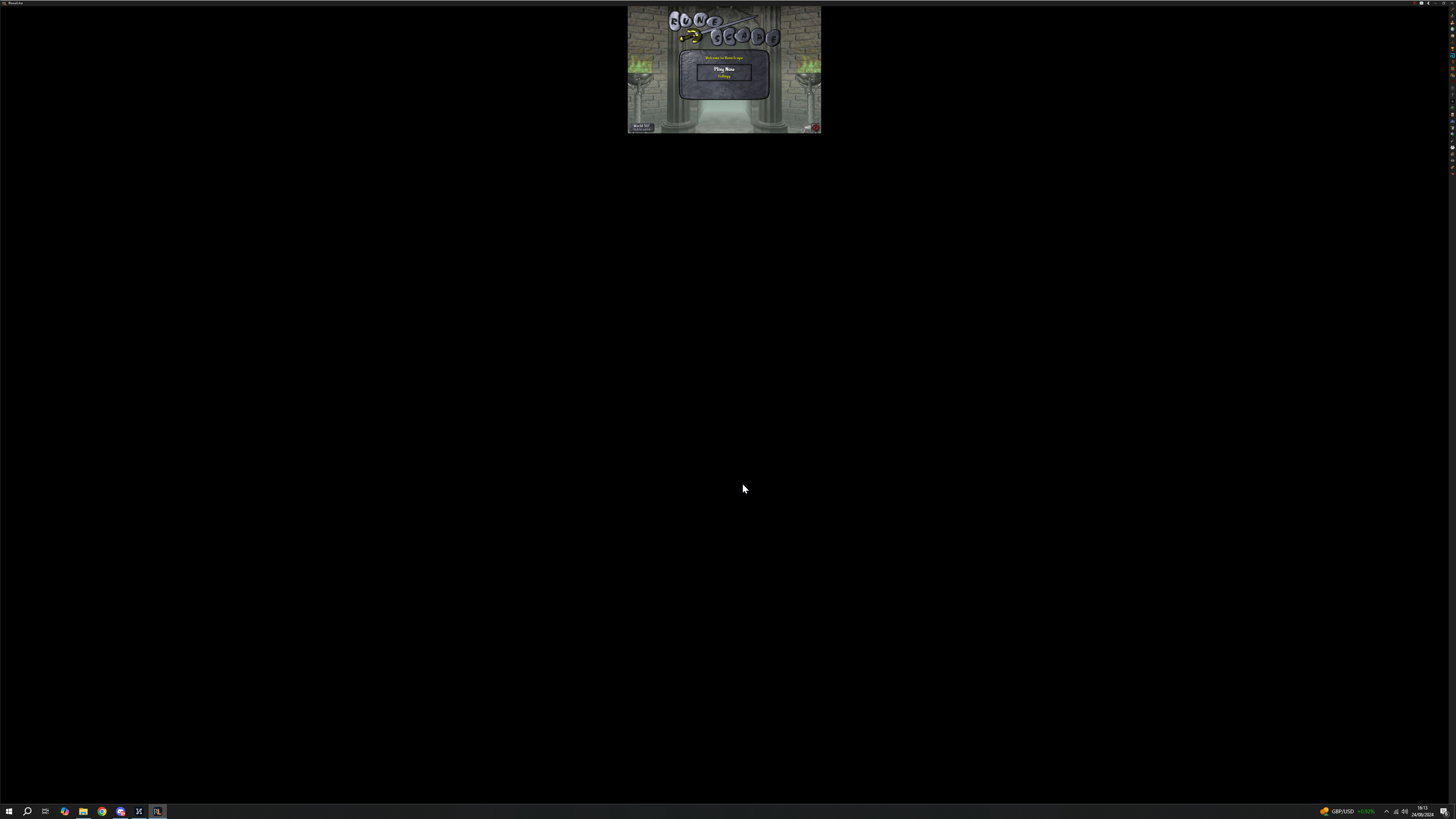
For whatever reason runelite's not picking up my scaling options from config anymore, does anyone know how to fix this?
🔭
 lost leaf
Hi i need some help
i currently reset my laptop completely and lost all of my plugins on runelite through jagex launcher i have gotten a few back but they dont seem to be working
please help me @me or dm me
haughty pumiceBOT
 daring condor
Hello, I came here because my "Tombs of Amascut" plugin hasn't been working for the past week but apparently other players are able to use it without any problems. I have tried re-installing the plugin multiple times as well as runelite and even jagex launcher.
round jacinth
Which toa plugin is it? Can you screenshot the one you’ve got installed
sacred timber
sacred timber
When im using 2 runelites at once they both crash. No error window or anything, ...
I have a solution for anyone that has the same problem as I had. the solution is here: https://forums.developer.nvidia.com/t/bug-report-nvoglv64-dll/53732 also go to Nvidia control panel and to Manage 3D settings - Global Settings - Power managment mode, and set it to Prefer maximum performance

NVIDIA Developer Forums
hello, I’m facing with this issue when running Agisoft Photoscan. Here is from the Event Viewer : The description for Event ID 1 from source NVIDIA OpenGL Driver cannot be found. Either the component that raises this event is not installed on your local computer or the installation is corrupted. You can install or repair the component on the l...
that fixed it for me! hope its of use to anyone
onyx mural
haughty pumice
<@1276759811710648350> If you're getting an error while trying to install RuneLi...
thank zou for zour reply. unfortunately i dont get this problem, instead i can install it without a problem. nontheless the jagex launcher does not recogniye that i already have installed it and still shows only the install button instead of the play one. i tried a couple of things like to run as admin, move the runelite launcher and rename it as osclient, remove the "run as admin" checkmarksa on the .exe file and a couple other things. the download itself works just fine without any errors for both runelite and jagex. but it seems that the jagex launcher can not find the runelite client.. if someone has time i would be happy if i can share my screen or something to troubleshoot it a bit further its for days now and i am completely clueless what is causing this
gilded kayak
did you read the message Alex posted directly after using the command
suggesting he wants you to look at that exact key and tell him what it says
onyx mural
oh ok didnt saw that
ty
do i need to copy the the command and paste it on the registry menu?
ive checked and the .runelite folder is installed on this pc\ win c:\users\chris
round jacinth
Check that registry key
onyx mural
how do i do that
onyx mural
C:\Users\Christo\AppData\Local\RuneLite its getting installed here
round jacinth
I know it is but the registry is how your computer knows it’s there
leaden trail
That's not the question
round jacinth
So when you load runelite from jagex launcher they check the registry and go
onyx mural
round jacinth
Not sure how to explain how to navigate registry
ok so it can detect it right?
round jacinth
That’s what it wants to do but maybe registry is wrong idk that’s why bot has steps to fix
onyx mural
i can open regirsty with win + R are we talking about this registry?
onyx mural
kk i opened it
round jacinth
And it sorta navigates like file explorer
Navigate to the spot the command I referred to said to go
onyx mural
okay
i just went to Computer\HKEY_CURRENT_USER\SOFTWARE\Microsoft\Windows\CurrentVersion\Uninstall\RuneLite Launcher_is1 exact this position im gonna try to delete it and reinstall it
onyx mural
haughty pumice
<@1276759811710648350> If you're getting an error while trying to install RuneLi...
when im uninstalling runelite the reg key is also not there
but if installed its in the same place as here
its weird idk what to do lol
leaden trail
We're asking you the value of that key, not if it's there
onyx mural
leaden trail
We're asking you the value of that key, not if it's there
what do i have to do to find the value?
hollow olive
literally take a screenshot of the page when you're on it
it has multiple columns, one of them says Value or something like that

 onyx mural
anybody a clue? its the same problem as if the MAC can not detect where runelite is and you drag it to the applications folder. Windows should automatically detect it but for some reasons it is not
 next star
I'm not even mildly good at troubleshooting my computer, but recently when I am using RL, i'll try and pull up a video, stream in disc, etc. and my screen goes black then lights back up with RL closed.
Is my computer crashing? Is the application crashing?
zealous cedar
its probably a gpu driver crash
next star
likely missing an update for a driver you think?
zealous cedar
maybe. sometimes if they are too up to date they also crash
leaden trail
From what I've seen you're probably better off rolling it back then trying to use the latest version
next star
thank you for the advice. I'll explore this driver solution
next star
leaden trail
From what I've seen you're probably better off rolling it back then trying to us...
the driver I was using was from 2020 hehe
jagged forum
my !codes arent working. any help
timid rock
next star
the driver I was using was from 2020 hehe
what gpu are you on? and what monitor setup? if its amd 2 monitor update drivers and ensure both have same refresh rate
jagged forum
i have 2080ti 3 monitors
leaden trail
jagged forum
my !codes arent working. any help
Post your chat commands settings
That wasn't directed at you
jagged forum
how

 leaden trail
Turn the plugin on
You've been posting for what, three days now about this and the plugin was off
jagged forum

still doesnt work
so keep your bitchy comments to yourself
i am asking for help
not for you to be a prick
help me or relieve yourself
leaden trail
lmao
next star
timid rock
what gpu are you on? and what monitor setup? if its amd 2 monitor update drivers...
appreciate it bro, i have a gtx 1060, single screen. humble set up here lol. I'm not gonna lie, i updated that driver from 2020 and my game is feeling much bette lmfao
timid rock
👍 was an issue with amd drivers from 2022 ish, so was just seeing if that was the case lol
leaden trail
GPU drivers can be finicky for sure
round jacinth
jagged forum
glad you think its funny
Check your kill counts in your adventure log in the house
Or ring of wealth
 viral trail
Im getting random fps loss throughout the game. Havent ran into any issues like this in the past. Any idea what could be causing this? I am using a nonjagex account
lost leaf
haughty pumice
<@1276757696778993688> <https://github.com/runelite/runelite/wiki/FAQ#my-plugins...
i didn't have a profile previously but things like !Kc cox command KC commands arent working
gilded kayak
it's impossible to not have a profile
and those commands are saved to the profile
you'll need to check the adventure log in the PoH and/or a ring of wealth to restore those commands now, since they were saved to the profile you reset
 latent sentinel
i have some problem with my plug in hub
i have xptrack and loot tools on top right of my screen but i dont have the control panel and configue and i cant add any more plug in .. can some help me
leaden trail
Configure isn't in the client itself
latent sentinel
so what i need to do 😄 ?
haughty pumiceBOT
latent sentinel
but know i open osrs pi jagx
leaden trail
You still do that
latent sentinel
i dowload what u send me and open osrs on jagex launcher and still dont have plug in ..
leaden trail
Are you on Windows?
If so, search "RuneLite" in the start menu and click the shortcut that says "RuneLite (configure)".
Then send a screenshot of the settings that it shows you here.
latent sentinel

 leaden trail
 empty shadow
how do i make this go back to normal
empty shadow
how do i make this go back to normal
Hold alt and right click it
 earnest solar
hi guys, this may sound like a very dumb issue, but i've been working on getting runelite's GPU plugin to work on my cyberdeck that uses a Raspberry pi 4
the first time i installed it, it worked flawlessly
but i have since reinstalled the operating system many times due to other issues
latent sentinel
leaden trail
If so, search "RuneLite" in the start menu and click the shortcut that says "Run...
 earnest solar
and while i have gotten runescape to work in general and have it be in fullscreen, for some reason, i cannot get GPU to turn on
latent sentinel
leaden trail
If so, search "RuneLite" in the start menu and click the shortcut that says "Run...
 round jacinth
latent sentinel
round jacinth
latent sentinel
That is not runelite
That’s the official RuneScape enhanced client lol
latent sentinel
round jacinth
That is not runelite
 round jacinth
Use jagex launcher to launch runelite in the drop down
Above your character name to load
There is a choice of client to use
earnest solar
earnest solar
hi guys, this may sound like a very dumb issue, but i've been working on getting...

i used bolt launcher the first time and now, but i don't understand what changed
latent sentinel
round jacinth
Above your character name to load

i have the plug in on right corner but cant log in lol
round jacinth
You’re not reading what I am saying
 vernal panther
does anyone know the plugin name to get the monsters tagged wit hthe box around it
n vm i found it on npc indicators
earnest solar
@round jacinth i hate to bother you, but do you think you know what's going on?
round jacinth
I don’t know how to make it work no, you’ve got a non normal set up that’s easy for me to figure out
haughty pumiceBOT
round jacinth
That’s really all I’ve got
earnest solar
i've read through the GPU FAQ many times
i have no idea how i got it to work once
it ran at a bearable framerate
but idk how it happened
earnest solar
round jacinth
Try with compute shaders off
tried
round jacinth
Idk what you changed since then
earnest solar
well i completely reinstalled my OS
round jacinth
That’s really all I’ve got in my box of magic tricks for Unix
earnest solar
i'll try again with compute shaders off
 earnest solar
i just spent like the last hour installing vulkan drivers lmfao
earnest solar
round jacinth
This is me
same man i can't stand using linux sometimes
mossy swan
should’ve bought an amd gpu
earnest solar
mossy swan
should’ve bought an amd gpu
it's a raspberry pi :(
@round jacinth turning off compute shaders did not fix it. goddammit.
round jacinth
Get a real computer maybe lol
Literally anything from Facebook market place since 2011 will do
mossy swan
earnest solar
it's a raspberry pi :(
oh good fucking luck lmao
 stone parcel
Well I think if it did work before, and doesn't now that it must be using a different driver or OS. And you are sure the gpu plugin worked before?
earnest solar
round jacinth
Get a real computer maybe lol
i have like billions of real computers
it's just i built this cyberdeck
with a raspberry pi
earnest solar
round jacinth
The use one of them I think
you're missing the point!!
it's a fun project :D
earnest solar
stone parcel
Well I think if it did work before, and doesn't now that it must be using a diff...
same OS, not sure about the driver
and yes i'm absolutely sure
i even installed vulkan 1.4 i believe?
but idek if the GPU plugin takes advantage of vulkan
stone parcel
Well I'd imagine if its same OS and same hardware that it must be a driver thing. Don't actually know though.
round jacinth
I think it’s hardware that supports specific versions of OpenGL or what ever
earnest solar
but the hardware hasn't changed
round jacinth
Sure but your software has apparently
earnest solar
i wish i knew how to replicate it lol
i don't even think i did much when i first installed it
i'm gonna do a sudo apt full-upgrade and hope to god nothing breaks lol
stone parcel
So maybe my googling is wrong but I'm finding Pi4 is OpenGL ES 3.2, and the gpu wiki says it needs OpenGL 4.3 or newer. Idk how the ES 3.2 relates to 4.3 though.
earnest solar
yeah the upgrade did nothing
earnest solar
stone parcel
So maybe my googling is wrong but I'm finding Pi4 is OpenGL ES 3.2, and the gpu ...
yeah i have no idea how it even worked the first time
i would've given up by this point if i hadn't gotten it to work before
 ebon gale
Anyone else having fps issues when zooming out? Only started happening recently and I haven't changed any in-game or RL settings in several weeks. FPS dropping to 11 when fully zoomed out - I normally get max fps no matter what. Using 117 - toggling it off or switching to GPU plugin doesn't help.
 gleaming current
Little bit late but I tried getting in contact with the creator of the Max Hit plugin a couple years ago and seems like he's inactive. Doesn't respond to pull requests either from what I can tell
 urban lodge
round jacinth
urban lodge
round jacinth
Don't know if I should be offended XD
onyx mural
im facing issues with running RuneLite on Jagex Launcher on Win 10. It says install, but I already have the RuneLite client installed. Does anyone know how to proceed?
round jacinth
onyx mural
im facing issues with running RuneLite on Jagex Launcher on Win 10. It says ins...
You’ve been provided help earlier and you ghosted the conversation
Can you delete the registry key/show it to Alex
hollow olive
onyx mural
he sent it here
but idk what alex is looking for
looks right right? the path looks right
round jacinth
I think he deleted the registry stuff and reinstall but idk tbh
I’m talking for Alex who is blue and I’m still pink
(I’m wrong usually.)
onyx mural
i provided the pictures of the registry log and got no anwser
round jacinth
@oblique plume did you get what you wanted out of it?
 gilded dirge
hello, for some reason my client is just closing out randomly, no error messages or anything. Has this happened to anyone else?
haughty pumiceBOT
To find the logs, you can do one of the following:
- If your client failed to open, click the
Open logs folderbutton. - Open the screenshot directory by right-clicking 📷
Camerabutton, navigate 1 directory up, then open logs folder. - Navigate to
%userprofile%\.runelite\logson Windows or$HOME/.runelite/logson Linux and macOS.
Upload the log files named client and launcher by dragging them to Discord. If there are files prefixed with jvm_crash dated from today, upload them too.
stone parcel
Maybe there is something useful in your logs.
gilded kayak
onyx mural
i provided the pictures of the registry log and got no anwser
was a re-install of the Jagex Launcher on your list of things you tried
since it's the one having the issue
gilded dirge
yes I have
onyx mural
gilded kayak
was a re-install of the Jagex Launcher on your list of things you tried
yes, reinstalled jagex launcher problem was still occuring
then i reinstalled runelite
i mean the launcher works fine, even runelite works fine if i open it solely
but it does not connect to the jagex launcher
only offers me to install it even if i already did
gilded kayak
since the most recent install, have you clicked the install button?
i know you probably already know what the prompt will say, but I swear someone said clicking it a few times made the jagex launcher recognize runelite
onyx mural
gilded kayak
i know you probably already know what the prompt will say, but I swear someone s...
just tried it, it pop ups the redirect window to the runelite site do download it again
gilded dirge
A fatal error has been detected by the Java Runtime Environment:
EXCEPTION_ACCESS_VIOLATION (0xc0000005)
gilded kayak
onyx mural
just tried it, it pop ups the redirect window to the runelite site do download i...
if runelite.exe opens when you click it, it's almost certainly the fault of the Jagex launcher that the link is not working afaik
nothing about your registrykey looks wrong tom e
to me*
stone parcel
gilded dirge
likethat?
I think you might be having this issue, you could try this: https://github.com/runelite/runelite/issues/10628#issuecomment-1967388241
gilded dirge
I'll take a look thank you
onyx mural
gilded kayak
if `runelite.exe` opens when you click it, it's almost certainly the fault of th...
that was my thought also cause jagex can not reroot to runelite it thinks its not installed while it is
really weird even reset my pc still same
 spice prairie
hey is there a way to make this smaller?
 earnest solar
confirmed vulkan is working, which makes the case of the GPU plugin not working more strange
 edgy yew
My VPN has randomly started blocking runelite. I whitelisted Jagex Launcher but don't know how to whitelist the runelite that launches from it. Whenever I login I get "Failed to login. Please try again." Any help would be appreciated. Thanks
 finite socket
Is there a plugin that would prevent hitsplats from showing up?
finite socket
finite socket
Is there a plugin that would prevent hitsplats from showing up?
Asking because oddly enough hitsplats aren't showing for me and I WANT them to.
 tranquil crown
Recently my runelite has been looking like this with no options, rebooted, reinstalled, same thing. Any help? 🙂
 finite socket
tranquil crown
Recently my runelite has been looking like this with no options, rebooted, reins...
finite socket
tranquil crown
Recently my runelite has been looking like this with no options, rebooted, reins...
Are you opening runelite through the Jagex launcher?
tranquil crown
I do not have jagex launcher
hollow olive
tranquil crown
I do not have jagex launcher
there's a lil arrow in the top right to hide/unhide the sidebar

otherwise try the default keybind
 hollow olive
are you talking about the title bar?
tranquil crown
yes
 tranquil crown
perfect everything solved yall are the best ❤️
 warm badger
anyone can help me get my plug ins back
 icy falcon
The key for this: ` character doesn't work when i bind it to an action. ive tried to use it in multiple plugins. anyone know if i can fix it on my end?

 idle bough
I have a problem, with runelite stuck on "starting eternal plugins" when loading up. Any ideas for a solution :)?
Im using the jagex launcher.
 haughty pumiceBOT
To find the logs, you can do one of the following:
- If your client failed to open, click the
Open logs folderbutton. - Open the screenshot directory by right-clicking 📷
Camerabutton, navigate 1 directory up, then open logs folder. - Navigate to
%userprofile%\.runelite\logson Windows or$HOME/.runelite/logson Linux and macOS.
Upload the log files named client and launcher by dragging them to Discord. If there are files prefixed with jvm_crash dated from today, upload them too.
leaden trail
It's probably a bad hub plugin
idle bough
So i need to upload my log here?
leaden trail
Yes
idle bough
Should i drag all the client logs on here or the one that only says client
So how does this helps me? Its an alien language for me lol 😄
 compact spear
It helps you cos the people that understand it can read through it and help you? Lol
idle bough
Ah okay, i didnt know if i needed to do it myself 😄 ty
oblique plume
onyx mural
is this installLocation actually where RuneLite is though
 versed island
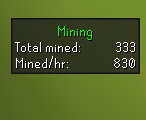
i found a issue with the original mining plugin that it wont appear if you only mine stars. https://i.imgur.com/RW4qaMw.png
to make it show up and work you will have to mine a normal rock and when the info box is there it stays
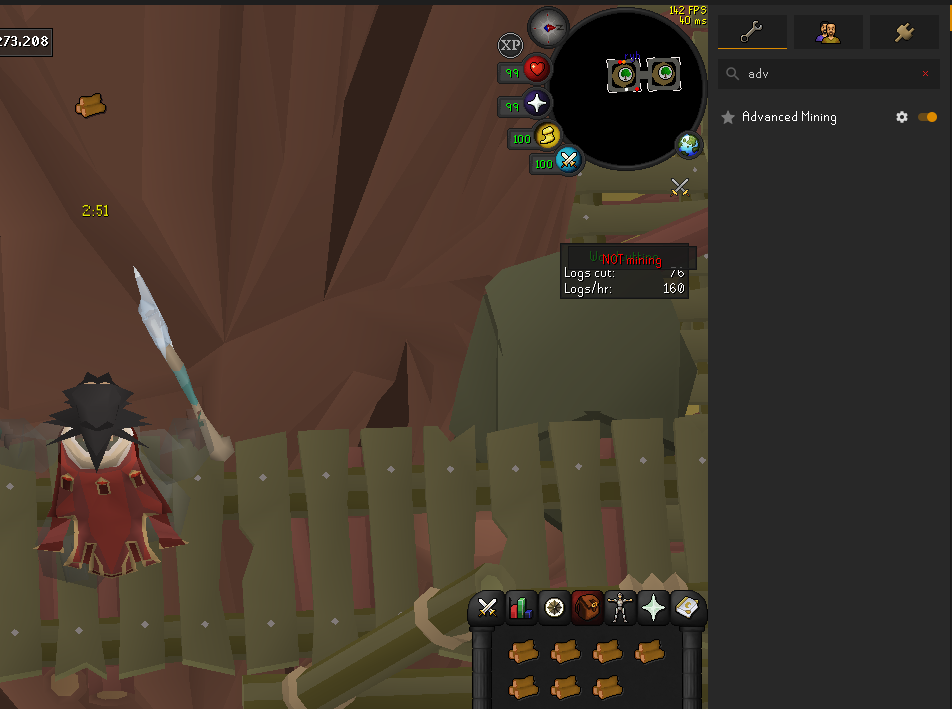
and the advance mining plugin still trigger when i do woodcutting
 oblique plume
does idle notifier work on star mining
versed island
idk never used it
just that when i reload client and do stars i gotta mine some iron rock or any rock to make it show up
in the normal mining plugin but the advance mining plugin doesnt that have issue but that one is poorly tested
oblique plume
test idle noitifer
versed island
to do what?
these 2 plugins just need to help eachother out both missing what the others have
oblique plume
notify you if you go idle mining a star
versed island
well it will work now that i activated the plugin
versed island
oblique plume
notify you if you go idle mining a star
send me what that need to be enabled
inside the plugin
spice prairie
hey is there a way to make this smaller?
 versed island
but idk why that plugin has to matter when the solution for this problem is already fixed in their sibling plugin
oblique plume
there is no sibling plugin
leaden trail
Advanced mining is a hub plugin
versed island
iknow
leaden trail
Hub solutions to things aren't necessarily up to snuff for core standards, and it's also generally a different group of people
Alex is asking about the core plugin because it's relevant to other core stuff
versed island
yeah but i dont have any issues with any other skill i done
woodcutting/fishing etc all work perfect
with the preinstalled runelite plugins
only shooting stars that is the issue
leaden trail
Yeah and he's trying to figure out the root cause by asking if idle notifier catches it correctly
versed island
well we will know in like 5mins then
also if a pluginhub plugin clashes with other original runelite plugins they should be shutdown until fixed by the group
for the advance mining case
gilded kayak
yeah if only
too bad the plugin will work perfectly for 98% of the people and they'll come here screaming
versed island
yeah but that shouldnt matter
leaden trail
I don't know where a plugin conflict came into this
versed island
did report it a while ago and but nothing happend then
leaden trail
Report what, the core mining plugin not picking up on stars?
versed island
leaden trail
Report what, the core mining plugin not picking up on stars?
no
i speaking about the pluginhub one
not core one
leaden trail
Oh well that's on the hub devs then
versed island
....
normal mining has a issue im testing atm
and the plugin one also has a issue that i made the statement for
not core one
in 3mins we will see if i get pinged
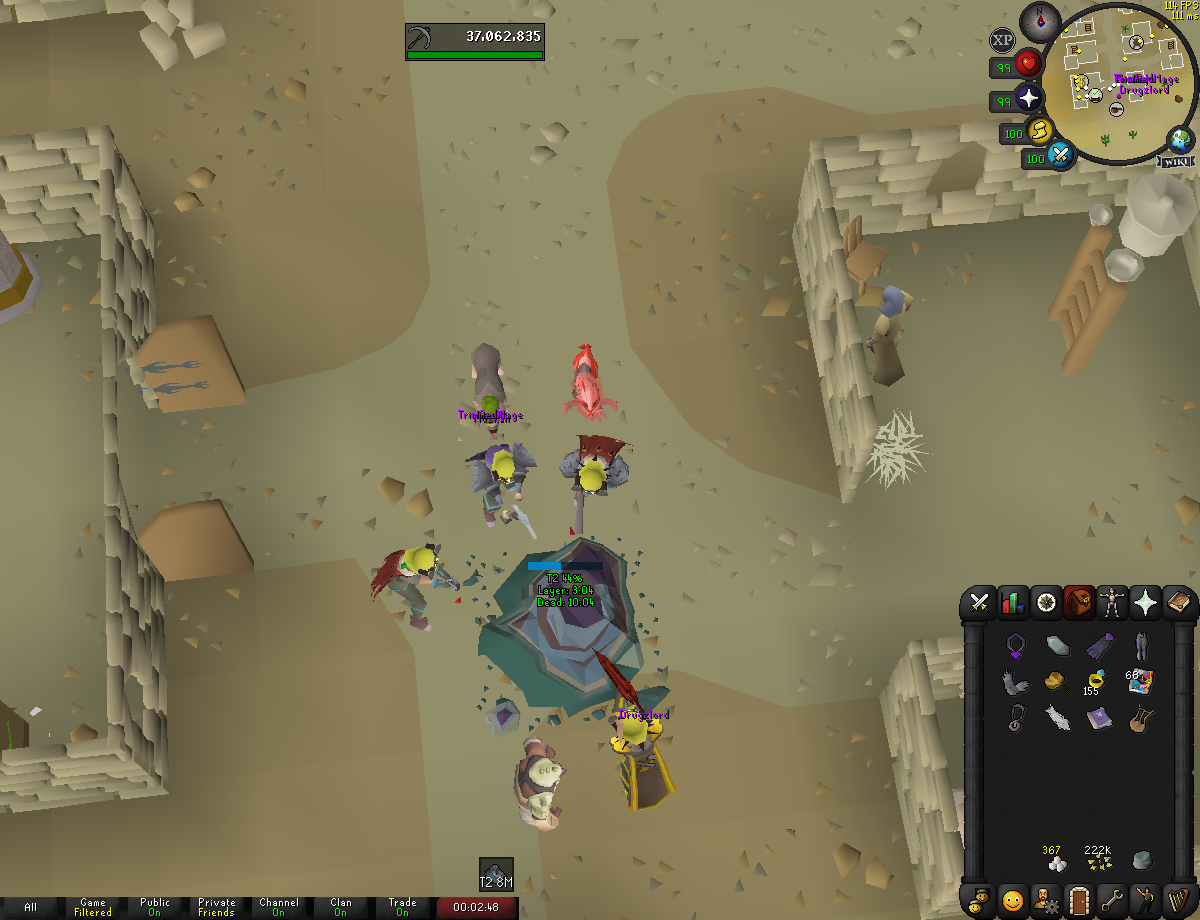
the shut down comment was the advance mining plugin not the core runelite one
@leaden trail@oblique plumehttps://i.imgur.com/OLls9dQ.png
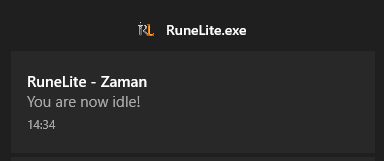
idle works
but info box doesnt show up
leaden trail
let me update my local copy of master and I can poke around and try and see why the mining plugin doesn't see the star action. I have a guess though
oblique plume
maybe it shouldnt have a display for crashed stars to begin with
versed island
and can you send me the discord name of the guy who made advance mining?
he already has the solution
leaden trail
like I said earlier,a hub-appropriate solution isn't necessarily the one we would want to use for core
haughty pumiceBOT
Get support for the Advanced Mining Plugin Hub plugin here: https://runelite.net/plugin-hub/show/advanced-mining.
You can also find the support link by searching for the plugin in the Plugin Hub panel and clicking the ? button on the plugin, or by right-clicking the plugin in the plugin panel and clicking the Support menu option.
versed island
ty ty
leaden trail
you can go there and follow the report an issue link and see if there's any contact info
leaden trail
you don't need to tbh
versed island
would be fun
 limpid haven
Im having issues with the chat box not working. I can talk but nothing shows and it also doesnt show anyone else speaking. Ive deleted and re downloaded but still doesnt work? any ideas?
leaden trail
click the "All" tab in the chat box
limpid haven
lol yep, not sure when I clicked that, thanks
leaden trail
oblique plume
maybe it shouldnt have a display for crashed stars to begin with
there's no popup for essence which is similarly a case where animation continues even when something is received so I'd probably agree
oblique plume
i feel like i remember it working for essence before
from league where you just power leveled relics there
leaden trail
I just logged off but let me check on a fresh profile just in case I disabled the box
Because that sounds like something I may have done
 median lava
hey guys, so I have a problem with fps on runelite. I recently bought used pc just to play osrs, I have tried to play on runelite but the fps is like 30-40. While for example I tried testing how it runs cs2, and it was like 150-200 fps. I even tried hdos and that also was 150 fps. What could be the problem?
leaden trail
Do you have the GPU plugin enabled?
median lava
yup
oblique plume
is it actually using the gpu
haughty pumiceBOT
To find the logs, you can do one of the following:
- If your client failed to open, click the
Open logs folderbutton. - Open the screenshot directory by right-clicking 📷
Camerabutton, navigate 1 directory up, then open logs folder. - Navigate to
%userprofile%\.runelite\logson Windows or$HOME/.runelite/logson Linux and macOS.
Upload the log files named client and launcher by dragging them to Discord. If there are files prefixed with jvm_crash dated from today, upload them too.
oblique plume
the client log would say
median lava
2024-08-25 12:38:32 EEST [Client] INFO n.r.client.plugins.gpu.GpuPlugin - Using device: NVIDIA GeForce GTX 1650/PCIe/SSE2
2024-08-25 12:38:32 EEST [Client] INFO n.r.client.plugins.gpu.GpuPlugin - Using driver: 4.6.0 NVIDIA 560.94
leaden trail
oblique plume
i feel like i remember it working for essence before
it's not showing for essence on a fresh profile even with show session stats enabled
oblique plume
Must just not be a feature then
leaden trail
oh interesting, it doesn't show from mining essence but it counts it and includes the amount ifg you mine something else
oblique plume
I can look at it some more later
leaden trail
so I think we just fail to display it for some reason
oblique plume
The session data is from the exp tracker so it doing that makes sense
leaden trail
ah
sudden ibex
tribal bison
When I do this, the floor just goes black. Is there any way to make it a grey-is...
ye skybox i use #656861
spice prairie
hey is there a way to make this smaller?
 leaden trail
oblique plume
I can look at it some more later
leaden trail
oblique plume
I can look at it some more later
at a quick glance I don't see anything that would catch pure essence being mined
oblique plume
spice prairie
hey is there a way to make this smaller?
No
spice prairie
oblique plume
No
I've seen it on some twitch streamers, that it's smaller. Could a plugin do that?
leaden trail
they probably play at a different resolution
spice prairie
leaden trail
they probably play at a different resolution
interesting thanks, the text is fine like manageable but would like them abit smaller
median lava
median lava
hey guys, so I have a problem with fps on runelite. I recently bought used pc ju...
just tired 117 HD and it runs on 120 fps
wtf
with gpu its 40
zealous cedar
click "reset" on the gpu plugin settings, and then turn the plugin off and on again
median lava
worked, thanks!!!
 open sun
I'm finding low detail only works on the first floor of sep but not the others? Am I being stupid?
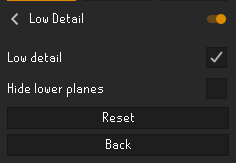
I mean it's not like I can config it wrong?
zealous cedar
jagex changed the maps there recently and so the plugin no longer works. it might be possible to use ground object hider instead
open sun
Ahhh gotcha, presuming it's to do with the instances update?
zealous cedar
its to fix some rendering issues on their new client
 glossy flume
shift right click menu entry swapper not working?
zealous cedar
it is working
leaden trail
What are you experiencing specifically?
glossy flume
Like I cant shift right click opening the next door at tob, i manually have to right click it
leaden trail
can you post your MES settings here?
glossy flume
and how is that done?
leaden trail
open the plugin tab of the sidebar, click the gear next to "Menu Entry Swapper" and post a screenshot
glossy flume

 oblique plume
Wrong plugin
leaden trail
that's not menu entry swapper
glossy flume

 oblique plume
What shows if you shift right click the thing you want swapped
glossy flume
nothing, the normal menu to left click it
leaden trail
post a screenshot of what shows
glossy flume
no
oblique plume
Perhaps your shift key doesn't work
glossy flume
works now, thx
oblique plume
???
gilded kayak
he hit his shift key with a hammer
oblique plume
The Jeremy clarkson approach
leaden trail
Percussive maintenance
 obsidian sluice
 leaden trail
Have you tried installing the "Tombs of Amascut" plugin?
 violet vine
Not sure if this is a runelite issue versus a more general issue. But this morning, I have repeatedly experienced my computer freezing while using runelite. My internet is still working -- I can actually see the game continuing to change, but nothing responds to my clicks (including trying to close the client and trying to adjust other computer windows). This lasts maybe 5-15s each time, but was happening frequently and repeatedly. I tried turning my computer off without resolution of the issue. I've been on my computer doing other things most of the morning without any issue. I've had no problems in the last few minutes since closing my runelite. I have never had similar problems in the past. I am on a Macbook pro, Sonoma 14.4.1, in case that's relevant. Any ideas?
 sage ivy
guys is there a way to remove old bank tags? ive edited my settings.properties file but they keep coming back, im guessing from a cloud save. do i disable cloud then re-edit?
zealous cedar
if you create a tag tab for the bank tag, you can delete the tab which will delete the tag
we dont support editing the settings directly
sage ivy
ah yeah the initial problem was i wasnt sure of all my tags, so ill just check the file for them then add to bank and remove
thanks adam
gilded dirge
@stone parcel issue fixed 🙂
finite socket
Which plugin affects monster hp bar and hitsplats? none are showing up
mossy swan
entity hider
finite socket
mossy swan
entity hider
https://i.imgur.com/dBKFYlt.jpeg which of these settings?
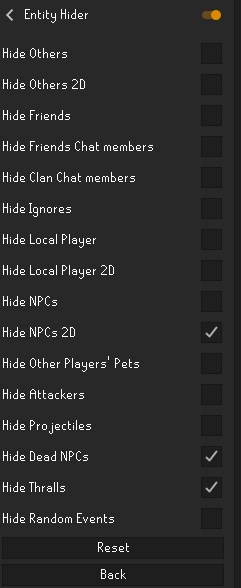 oblique plume
2d
mossy swan
one of the three you have checked
finite socket
Weird, I always had it on and never worked apparently until recently
 fresh cosmos
is there a plugin to not render your hud, for screenshots and things?
oblique plume
i feel like ive heard of one
but might have been just an option in a plugin thats taking screenshots
leaden trail
if you search interface on the hub what comes up?
oblique plume
i am very good at typing into search bars
 lone sundial
maybe i've asked this before but - when my laptop wakes from sleep, about 2/3 of the time runelite is frozen - is there a way to troubleshoot what is freezing it (like a debug dump) to send to you guys to fix the error? my gut tells me it has to do with network io - i'd love to see it fixed but without investigation i can't expect someone to reproduce it or have a chance at finding the issue
oblique plume
id guess gpu plugin
its common for people to say it crashes after sleep at least because of gpu plugin
fresh cosmos
you dont at least put your computer in sleep mode while youre sleeping?
lone sundial
i just close the lid when i move it downstairs
if i log out, would that deactivate the plugin?
oblique plume
no
lone sundial
i only use it for the extra draw distance, i could try it without for a while and see if that changes things
it's weird because the app works it just becomes unresponsive to clicks
oblique plume
if youre logged in im sure its because it lost connection while the lid was closed
lone sundial
like the login screen flames still worked
oblique plume
though it should notice and kick you to login screen kinda quickly
lone sundial
it does
very quickly
but you can't click anything
even the x in the corner - you have to use task manager to end it
it does respond to moving it around tho - if i click the top bar and drag the window around, it will move
haughty pumiceBOT
Graphical artifacts? Try disabling hardware acceleration: https://github.com/runelite/runelite/wiki/Disable-Hardware-Acceleration
oblique plume
can do that maybe
leaden trail
I would recommend just closing the client if you aren't actively using it though
 empty locust
Can I Recommend a plug in for people who can’t spell like if that’s possible I struggle lot in game talking because my spell very bad being dyslexic or even if there already is one?
leaden trail
There isn't one to my knowledge
It might be okay to add a red underline to stuff that's spelled incorrectly like you get in MS Word and the likes, but I think anything along the lines of autocorrect would be a no go
empty locust
Iv been looking a long time now I guess it’s one of them thing iv managed this long anyways thank you
lone sundial
leaden trail
It might be okay to add a red underline to stuff that's spelled incorrectly like...
if auto correct is allowed and works on mobile, shouldn'ti t also be allowed on desktop?
lone sundial
leaden trail
I would recommend just closing the client if you aren't actively using it though
yeah i usually close the laptop when it's like 3am and i'm ready to crash, if i had the wherewithal to remember to close it i'd probably just keep playing lmao
 mental lake
Hey there, i need some help i lost all my plugins by accidently clicking on default profile. Is there any way to turn this back?
mental lake
i dont have it i never saved one. Now was the first time i wanted to put it on my other device
and accidently resetted it or something
oblique plume
i dont understand, you just said you changed profile
so change back
did you press the delete button on it?
ornate kite
i cant login cause I have a jagex account, how fix please
oblique plume
use the jagex launcher
oblique plume
mental lake
but i guess my own one was never saved in there
if youve used it before itl be in there
ornate kite
oblique plume
use the jagex launcher
but its poopy and shit and i dont like it
ornate kite
fuck
oblique plume
the one click login is goated
mental lake
 oblique plume
if thats the profile you want to use then click the arrow on it
 gritty raven
is ther a pluggin for fight cave where it shows on the game wherre the next spawn will be?
mental lake
its the only one there and its just the default settings without my plugins i guess im just fucked xd
oblique plume
one of the fight caves plugins does yea
 somber pasture
Hey! this is such a dumb question probably but my runelite folder on windows is 30gb, Is there a way to automatically clean that up without deleting anything important?
gilded kayak
can you check which folder inside there is the large folder
it should be screenshots but it might be logs
leaden trail
Not another 30gb log folder I hope
gritty raven
oblique plume
one of the fight caves plugins does yea
it doesnt show all the next wave spawn tho
only tells you whats coming next
leaden trail
There's one on the hub that shows locations
gritty raven
leaden trail
There's one on the hub that shows locations
oh really? i downloaded 3 but none shojws it i dont know why
leaden trail
In fact there appear to be two
gritty raven
do you now which one exaclty?
lone sundial
ornate kite
but its poopy and shit and i dont like it
takes a little getting used to but i like it a lot - only downside is mobile
winged nymph
is it possible to specifically seperate one of these?

i want to mvoe the slayer # out
haughty pumiceBOT
You can configure horizontal/vertical orientation, infobox groups or split infoboxes into new groups with the menu options opened with Shift + right-click. https://runelite.net/img/blog/1.6.28-Release/infobox.gif
 winged nymph
thanks beautiful
 noble stump
somehow my client only has a smooth UI when i use xBR, anytime i switch (catmull for example looks nice on the tile markers and such) my ui gets blurry. this happens in safe mode too and it seems to have to do with the stretching as the ui looks good when i turn off stretched mode. anyone has any idea what could cause this? scaling in config is also set to 1.0, makes no difference if i leave that empty too.
oblique plume
thats just what scaling does
noble stump
no it becomes absurdly ugly interface-wise, and my laptop for example (both windows 11 not very varying settingswise) makes it look great
i understand different methods of scaling look a bit different on the ui but mine becomes blurry to the point that its almost unreadable
i tried the options that you apply to runelite with the "choose if application only" scales or something like that, but to no avail
oblique plume
afaik you dont want to do dpi overrides at all
 dire flume


 haughty pumiceBOT
Visit Zoinkwiz's Quest Helper plugin discord (https://discord.com/invite/XCfwNnz6RB) for support, issues & feedback