I was hoping someone might be able to help out with this crash. My friend is having an issue when he has 2 clients open they crash multiple times throughout the day. I saw other people have this issue but I didn't see a good fix for it. I've attached the logs files so hoping we can find something that might help.
#support
1 messages · Page 23 of 1
 marble wren
 wind owl
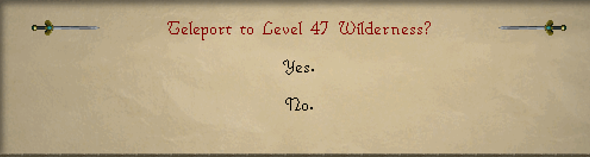
https://gyazo.com/ae092193f99a3428564c5e610599f29c any way i can switch these two options

 desert bronze
wind owl
https://gyazo.com/ae092193f99a3428564c5e610599f29c any way i can switch these tw...
desert bronze
wind owl
https://gyazo.com/ae092193f99a3428564c5e610599f29c any way i can switch these tw...
Autohotkey and swap 1 & 2 🤣
wind owl
im already doing that with space bar
 leaden trail
 tall urchin
World hopper settings
wind owl
i need to switch it for the wilderness sword specifically if possible that way i can hold down space bar to use all charges on my glorys to karamaja then to teleport with wilderness sword with option 2 aswell so i dont gotta release 2 the entire time
leaden trail
marble wren
I was hoping someone might be able to help out with this crash. My friend is hav...
Is that the only JVM crash log you have? I don't remember ever seeing the problematic frame just show up as C and an address before.
Also it may or may not be related but you have a TON of hub plugins installed, which is going to negatively affect client stability and performance so I would recommend uninstalling some
leaden trail
wind owl
i need to switch it for the wilderness sword specifically if possible that way i...
I think you can just disable that confirmation in the in game settings or something
marble wren
I can ask him to get some more logs to share. And it is a lot of plugins installed haha but the thing is the crashes only occur with 2 clients open, never has crashed with just 1. Hence, why it's a bit "weird"
leaden trail
If it's your friend have him come in here. We don't provide support through an intermediary. That makes our lives way more difficult
wind owl
leaden trail
I think you can just disable that confirmation in the in game settings or someth...
i checked only see for wilderness tabs and edge lever 😫
desert bronze
wind owl
i need to switch it for the wilderness sword specifically if possible that way i...
empty glories in edgeville ?
wind owl
desert bronze
empty glories in edgeville ?
i could use option 1 to tele with my glorys and make it work but i get scouted at edge bank and get pked way more often d:
desert bronze
clown methods require clown strats
wind owl
what makes it clown method brotha
 mossy swan
use one of the later options, wildy sword only has two right? i think you can hold down two buttons
wind owl
yeah wildy sword has 2 option 1 for yes and 2 for no
marble wren
leaden trail
Is that the only JVM crash log you have? I don't remember ever seeing the proble...
Here's a bunch more crash logs
 torpid vigil
is there an idle notifer setting for when you stop thieving wealthy citizens?
wind owl
https://gyazo.com/4444f4d54009d68dfc289e11d8be74c1 found pluggin that does it

 cunning hornet
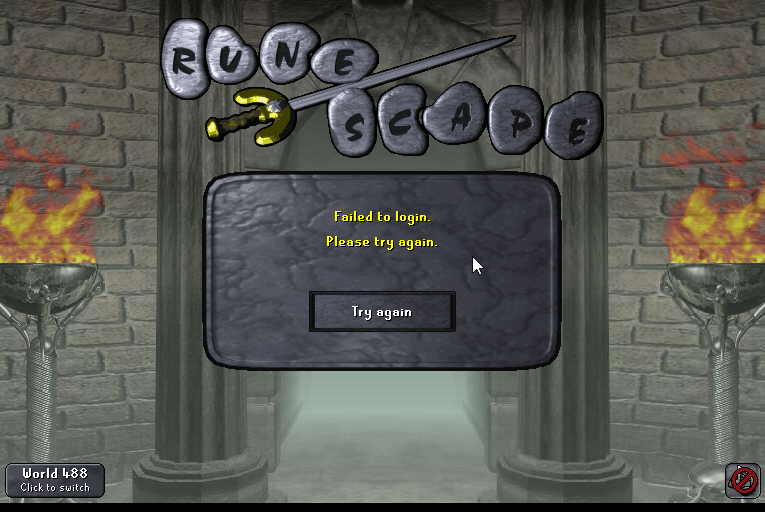
please please please someone help me. ive had this error past 2 days cant login ive logged out logged in jagex launcher, i am launching with runelite like i always have and restarted my pc done absolutely everything and i still cant login.. i was playing the past year just fine now its doing this
 zealous cedar
are you able to login on any client? eg mobile?
cunning hornet
yes
juust not jagex launcher
or official client
i can login just fine on my phone
zealous cedar
oh weird. no idea then
cunning hornet
i havent been able to play for two days ive tried everything
 warm compass
Can anyone help with this issue?
I have 2 accounts - one is a normal email/pw login and the other is a JL account.
Currently when i open runelite it is already showing my JL account and i am unable to type in my email/pw.
Opening RL shows this -

But i am unable to login to my other account using email/PW.
 haughty pumiceBOT
@warm compass To find the logs, you can do one of the following:
- If your client failed to open, click the
Open logs folderbutton. - Open the screenshot directory by right-clicking 📷
Camerabutton, navigate 1 directory up, then open logs folder. - Navigate to
%userprofile%\.runelite\logson Windows or$HOME/.runelite/logson Linux and macOS.
Upload the log files named client and launcher by dragging them to Discord. If there are files prefixed with jvm_crash dated from today, upload them too.
leaden trail
Upload your logs and I'll take a look
leaden trail
Looks like it's doing exactly what you told it to do 🤷
Where's the first half of your client log? You had a launch at 6 something am but your client log doesn't start til after 12
warm compass
mhm yea i just deleated the info in the credentials folder and it fixed it
zealous cedar
the cheats you installed have reconfigured runelite to do that
 oblique plume
Lol
leaden trail
Adammmm you're giving me away like that
wind owl
my method didnt work so still looking for way to switch yes and no on wilderness sword if possible
 shy gull
guys, whih plugin makes a glin over a valuable drop?
 crisp dune
the drop beam, you mean? ground items
shy gull
ye
shy gull
crisp dune
the drop beam, you mean? ground items
tysm, got it
leaden trail
What would that be?
 crude turret
leaden trail
What would that be?
crude turret
leaden trail
What would that be?
Well, what happens is that my runelite doesn't show me the plugins I have installed.
haughty pumiceBOT
crude turret
my pc turned off and now when i turned it on it looks like this

What is the reason for this?
leaden trail
Follow the link from the RuneLite bot above ^
crude turret
where ?
 round jacinth
The message before your picture…?
haughty pumiceBOT
 spark rune
is there a way to check if the bank window is open? I need to hide a UI element that I draw when said interface is open
crude turret
round jacinth
The message before your picture…?
se
spark rune
drawAfterInterface(@Interface int interfaceId)? but how would I obtain the interface id for the bank window?
crude turret
well I logged in and nothing happened and I had no profile.
leaden trail
spark rune
is there a way to check if the bank window is open? I need to hide a UI element ...
Can you post in #runelite ? This channel is for release client support
crude turret
okay
leaden trail
That wasn't directed at you
crude turret
and how long does it take for you to respond?
and for my problem ? which solution can I opt for ?
leaden trail
Read the instructions in the link you were pinged with and follow them
 gilded kayak
probably negative time
crude turret
that link didn't help me much to say
round jacinth
Did you even read it
leaden trail
No they didn't
round jacinth
You aren’t reading this chat so I find it hard to believe you if you did
crude turret
round jacinth
Did you even read it
Yes I read it
crude turret
leaden trail
No they didn't
why do you say no ?
gilded kayak
did you do what it said
crude turret
yep
gilded kayak
can you screenshot your  tab
tab
crude turret
I confirmed that my email was there and I only have one profile which is the default.
 gilded kayak
so that seems to be 1 single profile
crude turret
exacto
gilded kayak
if you had followed the steps you would have at least one profile named imported profile (1)
gilded kayak
gilded kayak
if you had followed the steps you would have at least one profile named imported...
one additional profile*
crude turret
I deleted them because they didn't work for me
gilded kayak
can you screenshot that folder you imported from then
if you do it from in-client press the top-right button so the numbers appear
crude turret
 gilded kayak
that is the .runelite folder
crude turret
yep
gilded kayak
there are no profiles to import from there, they are in profiles2
crude turret
which should matter
 gilded kayak
the numbers on the right-side of the folder, after you press the top-right button to show them
crude turret
I don't understand
gilded kayak
this button in the top right

press it, and other values will show up
ok my screenshot trolled me actually
round jacinth
It looks like they only tried two of the files.
gilded kayak
 round jacinth
And then concluded nothing works
gilded kayak
a whole bunch of extra info will apear after you click the top-right button
post the screenshot after that
crude turret
like this ?
 gilded kayak
ok first thing I'm kind of impressed one of those files is only 56 bytes
but it does look like the settings you were using are not in here anymore
crude turret
I have a .runelite backup should I replace it with this one ?
gilded kayak
they may have been corrupted on "your PC turned off" which I assume was not your doing? since you worded it that way
you could import the correct settings, from that backup folder
up at the top where it says profiles2, follow the path to that backup folder
crude turret
go to
gilded kayak
go to wherever your backup is
or screenshot the profiles2 folder, in that backup and I can probably tell you which one is correct
crude turret
I already imported it and it has been solved thank you very much.
 gilded kayak
👍 - as a note a LOT of people come in here, say they followed the guide, and when we get to the screenshot the folder step, their settings are* very clearly right there
crude turret
my intention was not to waste your time, sorry for any inconvenience.
gilded kayak
you actually had an issue beyond the normal one, so you weren't doing that
 thin moon
with the collection log plugin, none of my logs are correct, and when i try to delete the log, it says "Error deleting the collectionlog.net profile. Check Runelite logs for full error.
haughty pumiceBOT
Get support for the Collection Log Plugin Hub plugin here: https://runelite.net/plugin-hub/show/collection-log.
You can also find the support link by searching for the plugin in the Plugin Hub panel and clicking the ? button on the plugin, or by right-clicking the plugin in the plugin panel and clicking the Support menu option.
 royal frigate
does anyone else feel like switching profiles sometimes results in random settings getting changed? almost like some data is lost each time
granted.. i play on 2 machines. i try to remember to close the client when im done, perhaps i have conflicting writes when they sync?
 clear oxide
So all of the sudden any time I try and stream runelite on Discord, it crashes Runelite?
 versed kernel
Hey team, I'm having an issue where resizing the runelite window or enabling stretched mode with the gpu plugin crashes the client. Any known issues here? Any ideas to fix this?
haughty pumiceBOT
To find the logs, you can do one of the following:
- If your client failed to open, click the
Open logs folderbutton. - Open the screenshot directory by right-clicking 📷
Camerabutton, navigate 1 directory up, then open logs folder. - Navigate to
%userprofile%\.runelite\logson Windows or$HOME/.runelite/logson Linux and macOS.
Upload the log files named client and launcher by dragging them to Discord. If there are files prefixed with jvm_crash dated from today, upload them too.
versed kernel
Here's teh logs
 spare socket
is anyone else's menu entry swapper causing the game to crash?
My game crashes if i try to shift left click an item or turn the plugin on and off
2024-08-18 09:34:23 SGT [Client] WARN  n.r.c.ui.overlay.OverlayRenderer - Error during overlay rendering
java.lang.NullPointerException: null
    at net.runelite.client.plugins.mousehighlight.MouseHighlightOverlay.render(MouseHighlightOverlay.java:109)
    at net.runelite.client.ui.overlay.OverlayRenderer.safeRender(OverlayRenderer.java:734)
    at net.runelite.client.ui.overlay.OverlayRenderer.renderOverlays(OverlayRenderer.java:328)
    at net.runelite.client.ui.overlay.OverlayRenderer.renderAfterInterface(OverlayRenderer.java:242)
    at net.runelite.client.callback.Hooks.drawInterface(Hooks.java:531)
    at client.dj(client.java:44660)
    at ee.mb(ee.java:11583)
    at cd.mi(cd.java:11164)
    at client.ag(client.java:4644)
    at client.bf(client.java:1132)
    at bx.bz(bx.java:396)
    at bx.bb(bx.java)
    at bx.run(bx.java:6950)
    at java.base/java.lang.Thread.run(Unknown Source)
2024-08-18 09:34:23 SGT [Client] ERROR injected-client - Client error
java.lang.NullPointerException: null
    at vw.ab(vw.java:48)
    at client.ag(client.java:4670)
    at client.bf(client.java:1132)
    at bx.bz(bx.java:396)
    at bx.bb(bx.java)
    at bx.run(bx.java:6950)
    at java.base/java.lang.Thread.run(Unknown Source)
 leaden trail
versed kernel
Here's teh logs
leaden trail
versed kernel
Here's teh logs
Can you delete your client.log from the folder on your computer, turn off debug, make the crash happen, and then upload the new client.log?
Debug logs are an absolute pain to read through and generally not necessary
leaden trail
spare socket
is anyone else's menu entry swapper causing the game to crash?
My game crashes ...
Upload the full log here
versed kernel
leaden trail
Can you delete your client.log from the folder on your computer, turn off debug,...
Yep here you go, though, I didn't see any errors or crash info in it myself.
leaden trail
versed kernel
Yep here you go, though, I didn't see any errors or crash info in it myself.
When you say your client is crashing, do you mean it's closing?
versed kernel
leaden trail
When you say your client is crashing, do you mean it's closing?
Yeah, sorry, it closes. There's no crash message or anything that appears.
leaden trail
Do you have any jvm_crash files in your logs folder?
versed kernel
Yeah but none of them recent.
spare socket
leaden trail
Can you delete your client.log from the folder on your computer, turn off debug,...
Im sorry, how do i turn off debug? Im on windows and have a jagex account
I tried searching for runelite (configure) but cant find it
round jacinth
spare socket
Im sorry, how do i turn off debug? Im on windows and have a jagex account
I tri...
reinstall runelite from the link in #welcome
your version of the launcher doesn't have it, the reinstall will
you will not lose your settings
gilded kayak
spare socket
Im sorry, how do i turn off debug? Im on windows and have a jagex account
I tri...
 spare socket
Here it is
versed kernel
leaden trail
When you say your client is crashing, do you mean it's closing?
It's very strange -- it happens whenever the GPU + Stretched mode Plugins are on at the same time, or whenever the GPU plugin is on and the window is resized. Seemingly was working fine yesterday.
gilded kayak
spare socket
Here it is
can you replicate this crash after going to the 🔧 -> tab, clicking new profile, double-clicking the new profile to swap to it and then doing menu swaps
you have many plugins from the hub that mess with the menu as well
(and just many hub plugins in general)
gilded kayak
gilded kayak
can you replicate this crash after going to the 🔧 -> <:profiles:118356077202296...
also turn on menu entry swapper if it's not on by default, I can't remember
spare socket
Hm bingo, it does not crash on a new profile
I will take some time to figure out what is conflicting with menu entry swapper and get back, thanks!
gilded kayak
the recent game update changed a bunch of stuff with Menus, that Adam had to fix for Menu Entry Swapper and geheur had to fix for Custom Menu Swaps - Menu Swapper Extended did not get any updates for that so it would be my guess to be the fault
if it's not that then I'm not sure and you'll have to figure it out
spare socket
oh god i found the issue, its not a plugin
Its the achievement diary cape
I switched to a new profile, banked the achivement diary cape
Switched to my original profile, take out the cape, instant crash
let me get a recording
gilded kayak
well it has to be a plugin, a client crash from an item almost certainly would have been reported before now, (and probably hotfixed by jagex)
spare socket
Hm maybe i am jumping to conclusions too quickly, let me turn off all the plugins and them on 1 by 1
 thin rock
Hi, since this weeks game update my loot trackers been acting weird. It's removing NPC's from the list every day when they usually stay for ages. For example I killed Nex yesterday, log in today and it will only show the kills from today. If I restart my client it will update to include the previous kills as well as the new ones. Is there a way to fix this?
spare socket
Hm Unfortunately i cant figure it out
I have too many external plugins to check. I tried removing all menu entry swapping external plugins and anything that can interact with my cape, but to no avail
Turning on the "Teleport submenus" part of menu entry swapper still crashes my game. Will just have to wait and hope it gets fixed
 bright gorge
Been having problems with my client stuttering and freezing for a brief time with gpu plugin turned on. When i move around it happens ever few seconds or so. Any ideas?
 vast bone
spare socket
I switched to a new profile, banked the achivement diary cape
Switched to my or...
vast bone
spare socket
I switched to a new profile, banked the achivement diary cape
Switched to my or...
the instant it enters your inventory?
haughty pumiceBOT
thin rock
haughty pumice
<@128746917680119809> <https://github.com/runelite/runelite/wiki/FAQ#my-loot-tra...
Already checked this and it's not exactly what my issue is. I have some loot showing it's just falling off the tracker very fast
gilded kayak
do you have like 100 NPCs loot all hidden
thin rock
Oh I have quite a few, I've been turael boosting so a lot of hidden npcs recently killed, is that what would cause it?
gilded kayak
maybe? what you reported sounds like the intended feature where the client only loads the past x amount of NPCs, loot on startup, and then when you interact with a new NPC it loads that one, but doesn't load your historical kills until you restart
it doesn't work the way you've explicitly described your issue, but that's my only thought
spare socket
vast bone
the instant it enters your inventory?
Yes, as long as it is in my inventory. I drop it on the ground, and turn on teleport submenu, pick it up, instant crash
vast bone
well that doesn't sound like something my plugin would do so I hope I'm in the clear 😅
oh you said you were on a new profile
nvm then.
ty for responding anyways 🙂
 surreal ore
Hi all, everytime i start through jagex launcher im missing the new plugins
 sullen ginkgo
anyone know where I can get the Runelite account I am currently logged into?
I bought a new and want to log into my Runelite account on my new PC but I am not sure what email or anything I used on my old account
I still have access to my old PC as well
gilded kayak
 tab
tab
sullen ginkgo
ty so much!
 timber cargo
surreal ore
Hi all, everytime i start through jagex launcher im missing the new plugins
timber cargo
surreal ore
Hi all, everytime i start through jagex launcher im missing the new plugins
Select runelite from the drop down menu in the launcher
 viral jacinth
hey i formatted my pc and i lost my loot tracker and everything from runelite, i have a feeling my runelite was connected to my other discord, how do i switch? (i ported the runelite profile)
 merry ginkgo
My friend got a new pc, now game wont load world at all, it does work on your client but ingame it looks like this, think anyone can help? its a really good machine i-9 processor and nvidia 4070 gpu

 proper pecan
I am getting a black screen whenever I try to resize my game with the 117 HD plugin. Turning off the plugin and restarting the game usually fixes the issue. I am also having another problem with Tormented demons. Whenever I kill one and they respawn their protection prayer is hidden. Relogging or reloading the area seems to fix it.
 summer terrace
The playier indicator is not working, when I click show names on minimap nothing is happening. What should I do?
 wind drum
I haven't logged in in a while but I had a bunch of notes saved. On my account, notes are all blank now. Anyone know why?
leaden trail
summer terrace
The playier indicator is not working, when I click show names on minimap nothing...
Are the players actually being highlighted?
That setting only shows names for highlighted players I believe
haughty pumiceBOT
@proper pecan Visit 117's HD plugin discord (https://discord.com/invite/U4p6ChjgSE) for support, issues & feedback
summer terrace
leaden trail
Are the players actually being highlighted?
That setting only shows names for h...
Oh ok now it worked. Thanks 🙂
 bleak cliff
Hello, I have 4 runelite profiles and 2 off them disappeared, they weren't that important my important ones are still there
haughty pumiceBOT
 random rose
I got a new laptop and just logged back into rl but cant seem to get my old plugin setting back looked into the profiles but cant seem to get in my old profile
haughty pumiceBOT
 jaunty cloak
ive never used profiles before, my settings i redid yesterday on my new pc all did not save when i loaded up this morning
all the plugins i added yesterday are in the .runelite > plugins folder, is there a away i can import them?
haughty pumiceBOT
leaden trail
also see this
haughty pumiceBOT
versed kernel
leaden trail
Do you have any jvm_crash files in your logs folder?
Following up on this -- I do have some crash logs in my Windows event viewer. Looks like C:\WINDOWS\system32\opengl32.dll is the faulting module. All my drivers are up to date though.
leaden trail
you can maybe try disabling "compute shaders" in the GPU plugin then
is that a no to the jvm_crash log question then?
versed kernel
Yeah there's no crash log being generated :/
leaden trail
I'd try disabling compute shaders, otherwise maybe try rolling back your GPU drivers to an older version I guess
 sacred timber
Hello fellow scapers! I have an issue, when I use more than 1 runelite clients (usually 2)my game crashes. Tried to disable 117hd and turned on GPU plugin on both clients, also disabled some other plugins, but it still crashes. Can anyone help? 😄
haughty pumiceBOT
To find the logs, you can do one of the following:
- If your client failed to open, click the
Open logs folderbutton. - Open the screenshot directory by right-clicking 📷
Camerabutton, navigate 1 directory up, then open logs folder. - Navigate to
%userprofile%\.runelite\logson Windows or$HOME/.runelite/logson Linux and macOS.
Upload the log files named client and launcher by dragging them to Discord. If there are files prefixed with jvm_crash dated from today, upload them too.
versed kernel
leaden trail
I'd try disabling compute shaders, otherwise maybe try rolling back your GPU dri...
I think I found the issue here. Saw some more memory exceptions in the windows event viewer, and ran the windows memory diagnostic tool. Looks like I probably have a hardware issue. Thanks for the help man!
 weak sinew
how do i find out what world my cannon is in
sacred timber
here are the files
round jacinth
You zoom in
Other places don’t have any labels, the wiki labels it
Oh I misread… catacombs and very few regions have in game labels
Basically nothing have them
Jagex decides

 round jacinth
Go to the same place you have the world map on
gilded kayak
 leaden trail
sacred timber
here are the files
leaden trail
sacred timber
here are the files
Shot in the dark here but try disabling Friend Finder and seeing if it goes away
sacred timber
leaden trail
Shot in the dark here but try disabling Friend Finder and seeing if it goes away
thanks, disabled it now. also disabled like 10 plugins from the hub and so far 42mins without crashing. will see if the issue is resolved in a hour or two
leaden trail
If that ends up fixing it let me know and I'll open an issue on their repo if I can reproduce it
That doesn't seem to be it, unless it was just conflicting with one of the other plugins you were using
sacred timber
leaden trail
That doesn't seem to be it, unless it was just conflicting with one of the other...
1h11min crashless so far. I did also disable like 10 other plugins on both accs. Citizen is bugged, shows alot of invisible looking npcs across the map, so I disabled that too
jjust had another crash, so dont know what else to do for now xD
leaden trail
Can you send your client.log again?
sacred timber
gilded kayak
likely this is an issue you'd have to go to windows Event Viewer to see what's actually crashing you
leaden trail
Yeah I don't see anything new in that log that would be indicative of another crash
 elfin quarry
Anyone know what causes this? Seems like a short lag will make the tile indicators stay. I usually quick-leave and reenter to solve this
 sacred timber
it says a TDR has been detected. The applicaton must close. and theres 4 other logs, heres a screenshot to one of them
 leaden trail
No
weak sinew
how do i know what world my cannon is in
i remember it used to tell me but now it doesnt
 trim ice
yeah i dont think toggling it now wud help trip to mountains i guess
gilded kayak
it tells you where the cannon is until it despawns, then you have to go back to the vendor and he'll give you it back

 ornate kite
It's not modified, I just run runelite through intellij bc the performance is so much better on my pc
 mossy yoke
anyway to recover a profile on rl? one of mine has disappeared totally randomly
haughty pumiceBOT
mossy yoke
i don't understand what any of that means, I've just opened up runelite and I can only see one profile
mossy yoke
i've finally imported it, it was under a folder names "profiles2" for some reason
sorry for the confusion
 remote meadow
Someone is in my party using the party plugin and has pings enabled, but when I ping it's not showing on their client. Is there any other possible setting / plugin that could be interfering?
Turning it off and on worked
remote meadow
It had been enabled but for some reason they had to turn it off and on again
Thanks <3
ornate kite
round jacinth
What you’re claiming doesn’t make sense too.
Yeh ik I don't understand it, when I use the runelite desktop client my screen has little flicks or little glitches and I get less fps, I have tried everything to understand why and have no idea
zealous cedar
different java versions? hw acceleration?
round jacinth
I guess I figured the shipped Java is bis but maybe depends on other variables of the system
🤷♂️
 fresh cosmos
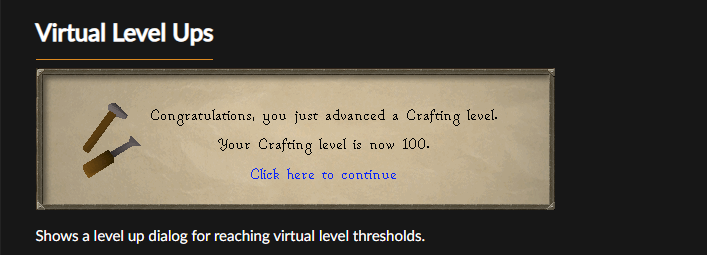
does the 'Virtual Level Ups' plugin show virtual level up messages, aswell? i think ive asked before, but cant remember... sorry friends
leaden trail
No
fresh cosmos
i used to get virtual level up, popups before i switched accounts. how do i get it back?
fresh cosmos
yes sir, sorry lol
leaden trail
Presumably then, what does the page on the plugin hub say?
 ocean iron
Logging into runelite on a second machine seems to have somehow synced a new, empty profile to runelite's servers, which then overwrote the profile on my first machine... I've tried following the guidance on the wiki, and my profile appears to have been overwritten (not renamed or similar). Don't suppose there's a sync history or anything, is there?
Edit: My ID according to the logs is 728994908160300 if anyone happens to have access to server logs
leaden trail
if it's been overwritten I don't think there's really any way to recover it
 boreal bloom
Seeing a weird issue when using GPU plugins. At first I thought the game files may be broken as launching just led to a black screen. Safe mode ended up working and HD plugin ended up being the culprit. I removed it, and was able to reinstall it and have it initialize and work fine, but relaunching the client with it installed always leads to the black screen, as well as minimizing the size bar (even from a working state).
I'm on a fully updated 7900XTX 3d on Win11.
Anyone else seen similar issues?
versed kernel
boreal bloom
Seeing a weird issue when using GPU plugins. At first I thought the game files m...
I'm having the same thing happen. Does the black screen also happen when you have GPU plugin and Stretched mode plugin enabled at the same time?
 stable silo
hi. the plugin "nature runecraft utilities" is not working for me
haughty pumiceBOT
Support for hub plugins should be directed to the author of the plugin.
You can find the support link by searching for the plugin in the Plugin Hub panel and clicking the ? button on the plugin, or by right-clicking the plugin in the plugin panel and clicking the Support menu option.
 sturdy pond
Does anybody know of a way to make the voidwaker special look like it did before the animation change? Using the gear/weapon/animation replacer plugin doesnt seem to work for some reaosn
vast bone
oh I don't think I added it.
I don't know if I ever had the voidwaker so I may not know the old animation id.
probably 1378
that's the dragon warhammer spec.
is the animation of the lightning different than how it used to be?
 winged nymph
vast bone
is the animation of the lightning different than how it used to be?
winged nymph
vast bone
is the animation of the lightning different than how it used to be?
I don't believe so. I pulled up a video of it by mammal from last year.

Solo Raids (COX) for the Twisted Bow as well as Vorkath wich is the best way to get Dragon Bolts on an Iron Man. Hope you enjoy the video!
https://mrmammal.shop/
My Links:
Livestreams - http://www.twitch.tv/mr_mammal
Twitter - https://twitter.com/Mr_Mammal
Join my cc in game : Mammalians
2nd Channel: https://www.youtube.com/channel/UCGjQbuO5yD...
13:33 as well
boreal bloom
versed kernel
I'm having the same thing happen. Does the black screen also happen when you hav...
Good question, I will check tomorrow and respond. Afk atm
 ripe coral
Does having more plugins enabled cause runelite to utilize more ram?
desert bronze
probably, but unless you are running only 8GB RAM most likely your CPU is gonna bottleneck first
 charred wind
 cloud matrix
I have/had multiple instances of RL open and when I went to log back in, 1 of them prompted me with the "Runelite has updated" message. Is there anything that can cause that message to trigger other than an update, seeing as it happened on only a single client at a very odd time? (~1h ago)
gilded kayak
that forced update is from 3 days ago, unless you have super slow internet it's very weird you didn't get it until now
cloud matrix
I know I had a forced update again 3 days ago, and have logged in and out multiple times on both clients since
viral jacinth
hey i formatted my pc and i lost my loot tracker and everything from runelite, i have a feeling my runelite was connected to my other discord, how do i switch? (i ported the runelite profile)
gilded kayak
we don't connect you to a Discord account, we just ask Discord nicely to borrow your info for the Discord plugin
we only connect to google accounts
viral jacinth
dam, i tried both my emails and i wasn't getting back the loot tracker not sure
 fallen zodiac
Hey! Is there any known reason why runelite would just keep fully freezing at random times during only GOTR. I've uninstalled/installed twice and even tried different drives. I can do everything else in the game no issues but I cant even get through one game. Dont have 117 on.
cloud matrix
gilded kayak
that forced update is from 3 days ago, unless you have super slow internet it's ...
2024-08-19 00:03:30 EDT [RuneLite] INFO  net.runelite.client.RuneLite - RuneLite 1.10.36.1 (launcher version 2.6.7) starting up, args: none```
Guess I somehow dodged 1.10.36.1 until now despite logging in multiple times? That's so weird.well if you have slow internet like I mentioned I believe you can dodge the update check
afaik that's the only way
cloud matrix
I do live in the boonies with internet that can only be described as amazing, so that would jive
gilded kayak
yeaaaaaaaah
cloud matrix
Thanks! Glad it (hopefully) wasn't/isn't something to be worried about.
 knotty jasper
 hollow grail
any have this message to wwhen you try to login in?
 hollow grail
nope this an account have have had for awhile
gilded kayak
did you upgrade it to a Jagex account for more bank slots
hollow grail
i dont believe so, if it happened i did. i wwouldnt be able to use runelite then right?
gilded kayak
You can still use RuneLite, you just can't use direct username/password login anymore
the Jagex launcher handles that for you
gilded kayak
likely you may have upgraded, and you'll be able to login again once you login with the Jagex launcher, and select RuneLite from the dropdown menu
 analog grail
i'm getting crashes legit every day, can anyone help
only happens when i teleport or enter an instance
haughty pumiceBOT
@analog grail To find the logs, you can do one of the following:
- If your client failed to open, click the
Open logs folderbutton. - Open the screenshot directory by right-clicking 📷
Camerabutton, navigate 1 directory up, then open logs folder. - Navigate to
%userprofile%\.runelite\logson Windows or$HOME/.runelite/logson Linux and macOS.
Upload the log files named client and launcher by dragging them to Discord. If there are files prefixed with jvm_crash dated from today, upload them too.
analog grail
gilded kayak
are you using 32bit RuneLite
analog grail
not sure?
gilded kayak
it says in Task Manager
analog grail
ok then yes
haughty pumiceBOT
Download and install the updated RuneLite launcher from the website link in #welcome. You don't need to uninstall your current version. You will not lose any settings or plugins.
gilded kayak
download the 64bit version and you should stop crashing
analog grail
thanks, i'll try it 👍
 foggy haven
Hey y'all, I imported my runelite profile on my laptop last night (usually just play on PC) which worked fine, now I'm back on my PC and none of the profiles I can select have any of the plugins I had, all my RL banktabs and notes are at most back to what I had like half a year ago
I'm thinking maybe they were stored locally somehow and switching to a profile has deleted those? the banktabs didn't show up on my laptop either. No idea how to get them back though. I've imported all of the available profiles I could and none of them are recent.
logging back in on my laptop the profiles are also wrong now. I don't know if I clicked sync at the wrong time or what but I really want to know if there's a way to undo this
I am logged in on my runelite account on both btw and already was before last night, my loot tracker works fine since it's not linked to the config profile
 sand oyster
Could the dmm armageddon items show their GE value?
 leaden trail
Someone submitted the change last week to do that, it just hasn't been merged
 magic matrix
Im confused as to why my phone examine gives high alch price but runelite on pc doesnt?
oblique plume
does the item have an alch price
magic matrix
yeah its any item like strung yew bow or d med helm
oblique plume
is the plugin on
magic matrix
the examine plugin?
the examine plugin on or off doesnt make a difference to the text i get when i examine something
oblique plume
its the plugin that tells you the price, so its sort of important to have on if you want to see the price
magic matrix
that is what the text written there that you read says yes
oblique plume
yes
magic matrix
the examine plugin is on and it doesnt change the text that shows up
haughty pumiceBOT
To find the logs, you can do one of the following:
- If your client failed to open, click the
Open logs folderbutton. - Open the screenshot directory by right-clicking 📷
Camerabutton, navigate 1 directory up, then open logs folder. - Navigate to
%userprofile%\.runelite\logson Windows or$HOME/.runelite/logson Linux and macOS.
Upload the log files named client and launcher by dragging them to Discord. If there are files prefixed with jvm_crash dated from today, upload them too.
oblique plume
maybe the logs say why
magic matrix
you want me to share a logs text doc?
oblique plume
that is what the text written there that you read says yes
magic matrix
magic matrix
oblique plume
maybe the logs say why
not really mate. it says maybe the logs have the answer. it doesnt mean you are the person who i should send the logs to
oblique plume
Upload the log files named client and launcher by dragging them to Discord. im not usre how that can be read differently
its pretty explicit
this is also yesterdays log
and not the one it said to do
magic matrix
its been happening for a long time
oblique plume
since the name is not the one it said to do
how do i know you examined something yesterday
haughty pumiceBOT
Many plugins from the pluginhub break the client in subtle or not-so-subtle ways, including causing issues like client freezes. We do not support pluginhub plugins because we do not make or quality control them, and do not recommend their use.
Run the RuneLite (safe mode) shortcut, or with a Jagex account, first run the RuneLite (configure) shortcut and tick the Safe mode box, then launch RuneLite via the Jagex launcher.
This temporarily disables the GPU plugin and all hub plugins which will allow you to confirm the issue is caused by one of those plugins and isn't a core RuneLite issue.
If the issue is caused by a hub plugin, you should isolate which plugin it is and then uninstall the plugin.
oblique plume
its prob this maybe
 regal quest
Btw I was getting this “Jvm_crash_pid EXCEPTION_ACCESS_VIOLATION” like 2 weeks ago and reading threads where nobody knew a common fix, I did literally all sorts and nothing worked but re installing windows as last ditch effort did 🤷🏻♂️ just for other people
Pc was only a month old so didn’t mind losing everything
leaden trail
"nobody knows a common fix" tells me you didn't read the whole post
If you have an AMD CPU, disable "Core Performance Boost" in BIOS.
If you're on Intel, the relevant setting to disable is SpeedStep.
For the large majority of users, doing that will resolve the issue
leaden trail
Upload your crash logs
oblique plume
afaik that thread is a mess
regal quest
I read every entry in every thread there is lmao
leaden trail
oblique plume
afaik that thread is a mess
I put a summary at the bottom recently
So post your crash logs
regal quest
I did at the time?
leaden trail
Access Violation can be caused by loads of things, that issue is just for the most common one
regal quest
I know, I’m saying if none of the solutions work, reinstall windows worked for me
“Common fix” is the wrong term I mean consistent
Or works everytime ygm
oblique plume
chat notifications
 uneven lodge
Hello, can someone please help me... last week i started a new group iron man acc.
now the game says that my main acc is a group iron man en so i cant acces the GE annymore ? how do i remove this ? altough the tutor at lumbrigde says im not an ironman...
haughty pumiceBOT
Many plugins from the pluginhub break the client in subtle or not-so-subtle ways, including causing issues like client freezes. We do not support pluginhub plugins because we do not make or quality control them, and do not recommend their use.
Run the RuneLite (safe mode) shortcut, or with a Jagex account, first run the RuneLite (configure) shortcut and tick the Safe mode box, then launch RuneLite via the Jagex launcher.
This temporarily disables the GPU plugin and all hub plugins which will allow you to confirm the issue is caused by one of those plugins and isn't a core RuneLite issue.
If the issue is caused by a hub plugin, you should isolate which plugin it is and then uninstall the plugin.
versed kernel
regal quest
I know, I’m saying if none of the solutions work, reinstall windows worked for m...
Also had this issue, tried everything. Just reinstalled windows and everything is working again.
 prime heron
Looking to setup an alt and want to minimise all visuals on the screen. Is there anyway to remove all graphics and just have NPCs on top of a black background?
 solid mesa
Blindfold plugin
foggy haven
foggy haven
Hey y'all, I imported my runelite profile on my laptop last night (usually just ...
anyone? still cant figure it out
prime heron
solid mesa
Blindfold plugin
ahh if only there was a way to remove scenery but keep altars in, ahh well this will do
oblique plume
what chat message did you specify
i know what it is
what did you tell the plugin to notify on
try without the punctuation
also youre probably focused on the window
so set it to notify when focused
in "runelite" settings notification section
you didnt tell it to notify you if it highlighted a word
prime heron
another question - my middle mouse button acts as a left click. is that a runelite setting?
oblique plume
maybe if you disable the mmb from moving camera itl do that
prime heron
Yeah I wanna keep that disabled but not have left click enabled
oblique plume
we have the "block additional mouse buttons" setting but i think thats only for mouse4 and up
and its default on
prime heron
Where is that setting found?
oblique plume
"runelite" settings
prime heron
oh mb I was blind
 quick bay
On Windows you can Ctrl+F and it'll key up the bank search. Very useful.
On MacOS this does not seem to work. Neither with control nor command keys. Anyone know how to get this working?
 hollow olive
i switched my / you can switch your keybind to cmd f, but then it doesnt work on windows.
i'm dont think ive tried switching it to ctrl f on mac but if it doesnt work then maybe they have different escape key characters or something
quick bay
Where would I go about rebinding it?
hollow olive
bank plugin probably
quick bay
Yep found it. Was blind apparently
Looks like Ctrl isn't bindable with anything else. It won't register a key combo
Cmd works as expected however
foggy haven
if nobody can tell me how to get my plugin profile back to what it was does anyone at least know the name of the plugin/setting that shows progress bars on your skills tab
quick bay
"Skills Progress Bars"
foggy haven
thank you
haughty pumiceBOT
foggy haven
I tried all the profiles and imported all the ones in the folder, all of them had really outdated settings
is there any way i couldve accidentally deleted the newer settings by syncing to an new computer? that's all I changed
 raw anvil
hey! im having trouble launching runelite through steam! i always get this error? how do i fix it? ive always used runelite through steam but now it doesnt work for some reason
 round jacinth
I think you have to use jagex launcher to launch runelite if you previously used steam
raw anvil
so i cant use steam anymore with runelite?
foggy haven
foggy haven
Hey y'all, I imported my runelite profile on my laptop last night (usually just ...
found a profile that just didnt show up through the runelite searching thing, fixed now
 wheat juniper
hello, i have 2 seperate profiles, each i have set for "defualt profile for said account" whenever i load up one of the accounts the profile is completely reset, is this a bug or is there something im doing wronig
raw anvil
can anyone help? 🧐
leaden trail
raw anvil
so i cant use steam anymore with runelite?
Nope
 simple oar
Is it a plugin or something that is making me drop to 40 fps when I'm thieving on each pickpocket?
leaden trail
Probably
raw anvil
leaden trail
Nope
thats so bad... lmao
zealous cedar
simple oar
Is it a plugin or something that is making me drop to 40 fps when I'm thieving o...
use safe mode to disable plugins which might freeze the client when doing pickpocketing
simple oar
Found it, it was loot logger plugin
 timid quiver
Just lost all my runelite settings. Am logged in to runelite and loot tracker still shows loot.
 gilded kayak
what happens if you double-click that blank area where the name of the profile should be
oblique plume
you arnt using that profile
timid quiver
oblique plume
you arnt using that profile
 oblique plume
and its still wrong?
timid quiver
yeah
 oblique plume
lol
merry ginkgo
merry ginkgo
My friend got a new pc, now game wont load world at all, it does work on your cl...
@haughty pumice so is there no fix for this?
oblique plume
its just a poor connection to jagex
 spring magnet
been experiencing some obnoxious crashes lately - is there any way I can post the crash logs and someone would have any insight? 👀
oblique plume
we can try
haughty pumiceBOT
To find the logs, you can do one of the following:
- If your client failed to open, click the
Open logs folderbutton. - Open the screenshot directory by right-clicking 📷
Camerabutton, navigate 1 directory up, then open logs folder. - Navigate to
%userprofile%\.runelite\logson Windows or$HOME/.runelite/logson Linux and macOS.
Upload the log files named client and launcher by dragging them to Discord. If there are files prefixed with jvm_crash dated from today, upload them too.
 median kiln
Wondering if someone could help me
Runelite OR Jagex Launcher
Using either of them, my screens are flickering black off. Then come back on eventually.
Following things tried thus far
Turning it off and back on 😂
Freesync on then off neither worked.
GPU on Runelite turned off.
Uninstalled and back on.
Turned Hardware acceleration off
Computer is more than capeable to run 100x's runescape games at once like.
But obviously not since the screens are shafting me 😂
leaden trail
Try rolling back your GPU drivers
 granite kindle
So i'm trying out using Linux (Linux Mint to be precise), and i was wanting to get Runelite installed on it to play. I installed Bolt launcher and everything seems like it's working fine, except the sidebar is waay too small:
I use a 4k TV as my main monitor (3840 x 2160) and I know that that can screw up certain things sometimes. Is there a way to make the sidebar bigger, or am I just outta luck?
 oblique plume
the scale param
haughty pumiceBOT
oblique plume
bolt prob has their own way to get to that
merry ginkgo
oblique plume
its just a poor connection to jagex
But it wasnt like this before getting a new pc?
Ty tho
leaden trail
Try disabling hardware acceleration maybe?
haughty pumiceBOT
Graphical artifacts? Try disabling hardware acceleration: https://github.com/runelite/runelite/wiki/Disable-Hardware-Acceleration
spring magnet
i'll give it a shot! i switched it from AUTO to OFF - I'll let you know if it helps! ty friend 😄 it started at Leviathan like a few months back and only there and it just started having this issue again last night when i was trying out Tormented Demons
granite kindle
oblique plume
bolt prob has their own way to get to that
i couldn't figure out how to get to it on bolt, so I found a way to get the jagex launcher installed on linux. how do you get to it on there? i couldn't find it myself
oblique plume
the link i sent
granite kindle
oblique plume
the link i sent
hi, sorry for the long delay but i had something i had to do. I tried using the scale thing and it just doesn't seem like it changes anything
i change around the number and runelite just stays the same size
 lilac tide
There is a bug in the "Corp FFA" plugin that is preventing special attacks from being counted and seen by the group. Wanted to report that to see if it can get fixed. It appears to go back to when the last update happened.
gilded kayak
did u not read the issue template?
 next kernel
Hello I'm having an issue where whenever im on Hunlef's tornados or when he switches phases, I get very noticeable lag spikes, the game slows down, my character starts hovering when moving, etc. Anyone know what would cause this?
haughty pumiceBOT
Many plugins from the pluginhub break the client in subtle or not-so-subtle ways, including causing issues like client freezes. We do not support pluginhub plugins because we do not make or quality control them, and do not recommend their use.
Run the RuneLite (safe mode) shortcut, or with a Jagex account, first run the RuneLite (configure) shortcut and tick the Safe mode box, then launch RuneLite via the Jagex launcher.
This temporarily disables the GPU plugin and all hub plugins which will allow you to confirm the issue is caused by one of those plugins and isn't a core RuneLite issue.
If the issue is caused by a hub plugin, you should isolate which plugin it is and then uninstall the plugin.
oblique plume
granite kindle
hi, sorry for the long delay but i had something i had to do. I tried using the ...
The bolt guys would know more but I think on Linux you can export GDK_SCALE =2 and it can make it bigger too
 karmic thorn
I died with 2/3 keys for the demon slayer quest. I managed to get one back. I currently have the one that was flushed down the drain and the one from the wizard tower. The key is not in my bank and I no longer have a gravestone so I checked to see if death had the key and he didn't. I talked to Captain Rovin again and there is no dialogue to receive another key. PLEASE HELP. (SOLVED: had to speak to Sir Prysin before speaking to Captain Rovin again to unlock the dialogue)
 cinder parrot
So the smelling salt boost doesn't seem to work with the boost information plugin -- is it supposed to give you a countdown until when the smelling salt boosts your stats again? "Next + Restore in X seconds"?
granite kindle
oblique plume
The bolt guys would know more but I think on Linux you can export GDK_SCALE =2 ...
how would I do that?
haughty pumiceBOT
For support with using Jagex accounts on Linux, visit 7ormRS's Discord https://discord.gg/aX7GT2Mkdu
 lament crystal
hey if anyone is getting a crash when resize or resizing i ended up fixing it by deleting/renaming /cache and /jagexcache in .runelite as well as uninstalling/reinstalling the 117 hd plugin
raw anvil
do you guys have any plans of making runelite work with steam again? or its not up to you»
?*
gilded kayak
It wouldn't be up to us now that Jagex has their hand in the login flow afaik, it only "worked" before because steam was just starting a non-steam app
 pine lynx
is there a way to fix the random lag spikes when something on the side changes like drops or partyhub plgin say i get a drop or someone drops a pot in plugin if they its open i get a lag spike (if that makes sense)
gilded kayak
pine lynx
is there a way to fix the random lag spikes when something on the side changes l...
!hw disable hardware accel
haughty pumiceBOT
Graphical artifacts? Try disabling hardware acceleration: https://github.com/runelite/runelite/wiki/Disable-Hardware-Acceleration
spring magnet
spring magnet
i'll give it a shot! i switched it from AUTO to OFF - I'll let you know if it he...
it just crashed again 😄 i was able to play for 13 minutes before the random crashing continued
spring magnet
spring magnet
it just crashed again 😄 i was able to play for 13 minutes before the random cr...
 stone parcel
That looks like (to my untrained eye) a different crash than your last. You might want to look into this issue and comment. https://github.com/runelite/runelite/issues/10628#issuecomment-1967388241
spring magnet
stone parcel
That looks like (to my untrained eye) a different crash than your last. You migh...
i'll give this a try, ty!
stone parcel
Best of luck! 😄
 upbeat kayak
Hello everyone, I’m having issues with my run elite client where every 5-10 minutes I get a 1-3s client freeze, everything else on my pc runs fine it is only runelite. Is there a fix for this?
 carmine ibex
is anyone else having issues with ground items at the moment? tried adding vile ashes to blacklist and they keep appearing
vast bone
maybe they're also in the highlight list
or they're already in the hidden list with a quantity.
carmine ibex
vast bone
maybe they're also in the highlight list
reset to defaults and tried adding to blklist again
 vast bone
so it works for other stuff like fire runes?
that would be odd
what if you hold alt and press the [-]?
carmine ibex
vast bone
what if you hold alt and press the [-]?
nothing works for adding to the highlighted items or blk listed items text box currently, however this did work. Thanks for the work around. However, still not ideal having to wait to highlight the more rare drops.
vast bone
what's the list look like now?
also do you have that BA plugin
the one that messes with ground items?
carmine ibex
vast bone
the one that messes with ground items?
i left, new task. will update shortly. i do have it installed but not currently turned on
its called "Barbarian Assault" but doesn't look like it can be installed
vast bone
The one I'm talking about is called "ba" not "barbarian assault"
"ba minigame"
if you don't have it then it's not affecting you.
 buoyant orchid
Anyone else recently having increased temps on runelite when world hopping? tried running runelite in safe mode and problem still came up, never been an issue before except with latest update.
prime heron
I spent a while yesterday setting up a second runelite profile with different plugins, I log in to that profile today and all the changes and plugin installations are gone. What gives?
prime heron
I guess I should make an export of the profile once I've finished configuring it
haughty pumiceBOT
 acoustic axle
 granite patrol
is anybody else having crashing issues with runelite where after a slayer boss kill it freezes the screen? rest of runelite stays fine but the screens frozen
its related to a specific plugin but not sure how to find out which one without disabling all 200 i have and trying it 1 by 1 lol
haughty pumiceBOT
Please refer to this flowchart for further troubleshooting.
leaden trail
That'll explain how to do basically a binary search and find it faster
 fresh swift
buoyant orchid
Anyone else recently having increased temps on runelite when world hopping? trie...
fresh swift
buoyant orchid
Anyone else recently having increased temps on runelite when world hopping? trie...
Have you been hopping a lot?
 wheat hornet
I have a problem where everything is highlighted and I cannot unhighlight them no matter what, i turned off every plugin and everything is still highlighted, pls help! this happened when i was testing the 117hd plugin, turned it on, everything got highlighted, turned it off, everything is still highlighted
 haughty pumiceBOT
Many plugins from the pluginhub break the client in subtle or not-so-subtle ways, including causing issues like client freezes. We do not support pluginhub plugins because we do not make or quality control them, and do not recommend their use.
Run the RuneLite (safe mode) shortcut, or with a Jagex account, first run the RuneLite (configure) shortcut and tick the Safe mode box, then launch RuneLite via the Jagex launcher.
This temporarily disables the GPU plugin and all hub plugins which will allow you to confirm the issue is caused by one of those plugins and isn't a core RuneLite issue.
If the issue is caused by a hub plugin, you should isolate which plugin it is and then uninstall the plugin.
desert bronze
"I turned off every plugin"
has multiple plugins from hub visible on screen
🇽 to doubt
round jacinth
desert bronze
"I turned off every plugin"
>has multiple plugins from hub visible on screen
🇽 ...
Welcome to support lol
buoyant orchid
fresh swift
Have you been hopping a lot?
I pk so yes
 hexed crest
Hi support, im struggling to login even tho I have an existing osrs member account. I’m using a mac which I’ve only just installed RL. Any help appreciated.
gilded kayak
goes to create new account where?
gilded kayak
and you are seeing a "create new account" prompt? I've never heard of that, can you screenshot it
hexed crest
Okay, im an existing osrs player but not through runelite. I’ve just downloaded the client and tried to login to my osrs account using the existing user method into a members world and say ‘you are not a member’. I then try a free world and it tries to create a whole new RS account.
hexed crest
Nope through the RuneLite .net website
gilded kayak
you can't make an OSRS account through RuneLite's website
gilded kayak
my question is where are you an existing osrs player
did you create your account via steam? and if not VIA steam, how long did you create the account*
was it like 7 years ago
gilded kayak
if it's REALLY long ago, your OSRS account is no longer an OSRS account, it's an RS3 account
it maybe says on runescape.com ???
gilded kayak
the game being dead and your account being automigrated when they created the game is not related
it's not offline
hexed crest
Who me?
oblique plume
how did you play the game at all recently
oblique plume
then you need to launch RL with the jagex launcher
hexed crest
How?
oblique plume
clicking the play button for runelite in the jagex launcher
oblique plume
no
hexed crest
I can’t find no play button
oblique plume
show us what youre looking at then
hexed crest
 oblique plume
this is runelite not the jagex launcher
hexed crest
Got it, thanks
 pure steppe
anyone else failing to login? or is it just me
just says failed to login across all my accs
pure steppe
solid mesa
People in <#334801290645209099> also saying login servers seem to be down
tyty
 shadow yacht
solid mesa
People in <#334801290645209099> also saying login servers seem to be down
shadow yacht
solid mesa
People in <#334801290645209099> also saying login servers seem to be down
working fine on mobile
solid mesa
Someone else here said mobile worked https://reddit.com/r/2007scape/comments/1ewwqfp/login_servers_down/
Reddit
Explore this post and more from the 2007scape community
fresh swift
buoyant orchid
I pk so yes
The game requires the client to complete a “puzzle” before hopping/logging in, the game can also increase the difficulty of the challenge on demand, it might be the case that the current difficulty is making your cpu work a little harder
 cloud silo
anyone know why the cloud sync isn't working? i have the profile selected on my PC, and when i load up my account on steam deck nothing appears. something to do with linux?
hollow olive
is the cloud sync enabled for the profile?
haughty pumiceBOT
leaden trail
Make sure you're following all of the steps there ^
cloud silo
hmm i'm not sure if i missed a step or something, i only see this and have never had the cloud icon

i'll try just copying the runelite folder
solid mesa
Are you logged into runelite? I think that’s required for the cloud icon
cloud silo
oh wow ok that makes sense. i assumed i was with the jagex launcher but i am now, ty lol
 silk thicket
Logged in frmo another pc and somehow overwrote my profile and it synced...
Is there a way to recover it or will have I have recreate all the settings?
desert bronze
hexed crest
I would have said this was troll but you can't make this shit up LMAO
 compact fern
Anyone that could give more info on the dynamic config URL from dink ?
- Like the endpoint you configure there, does it just have to expose the json that reflectes what gets copied to your clipboard when you do
::dinkexport? - I assume dink overwrites all configs set in that endpoint, but does it leave the user defined of the keys you leave empty ?
haughty pumiceBOT
Get support for the Dink Plugin Hub plugin here: https://runelite.net/plugin-hub/show/dink.
You can also find the support link by searching for the plugin in the Plugin Hub panel and clicking the ? button on the plugin, or by right-clicking the plugin in the plugin panel and clicking the Support menu option.
compact fern
The dynamic config url isn't mentioned in that readme 🙃
mossy swan
make an issue or something
gilded kayak
it's the way you think it works yes
it's just hosting a ::dinkimport
it would override all configs at the endpoint, but no it wouldn't override anything that's not included
if you empty a box and then put something in it, it will have something in it
if u dont then it wont
buoyant orchid
fresh swift
The game requires the client to complete a “puzzle” before hopping/logging in, t...
It's never happened before though only since the latest update and I'm surprised it's making an AM5 cpu work that hard, it only draws 6 extra watts but somehow nukes +20celcius
oblique plume
silk thicket
Logged in frmo another pc and somehow overwrote my profile and it synced...
Is t...
if you havent launched runelite on the other pc then yes
silk thicket
oblique plume
if you havent launched runelite on the other pc then yes
guess what I did...
oblique plume
im not sure how it can overwrite a synced config to begin with
silk thicket
well that will be a lesson to not store everything on the default profile
silk thicket
shame to lose all of the bank layouts
haughty pumiceBOT
oblique plume
and you need to import it back like on there
silk thicket
Hmm I might have a few months old version on one of the work pcs, will need to check those
 sharp gorge
Is there a setting or plugin to keep the same camera angle between sessions? I thought I remembered having that feature enabled before
oblique plume
theres some camera plugins on the hub that can save points and use hotkeys to go to them iirc
sharp gorge
Interesting, I'll check it out. Thanks!
zealous cedar
I think its just a default feature you cant not have
sharp gorge
Hmmm. So it saves my camera angle and zoom while logging in and out, with Runelite open. But if I restart the launcher, and then launch Runelite, it doesn't save my camera position
zealous cedar
correct
sharp gorge
Ah. I guess there's no way to preserve it in between launcher sessions
Good to know. Thanks for the help. 😄
desert bronze
the camera plugin is also quite limited, haven't found a single use for it so far
I considered using it for this https://www.youtube.com/watch?v=iZDcVb6g-4Q
but it doesn't have specific angles, only direct North/East/South/West and doesn't have a setting for vertical tilt
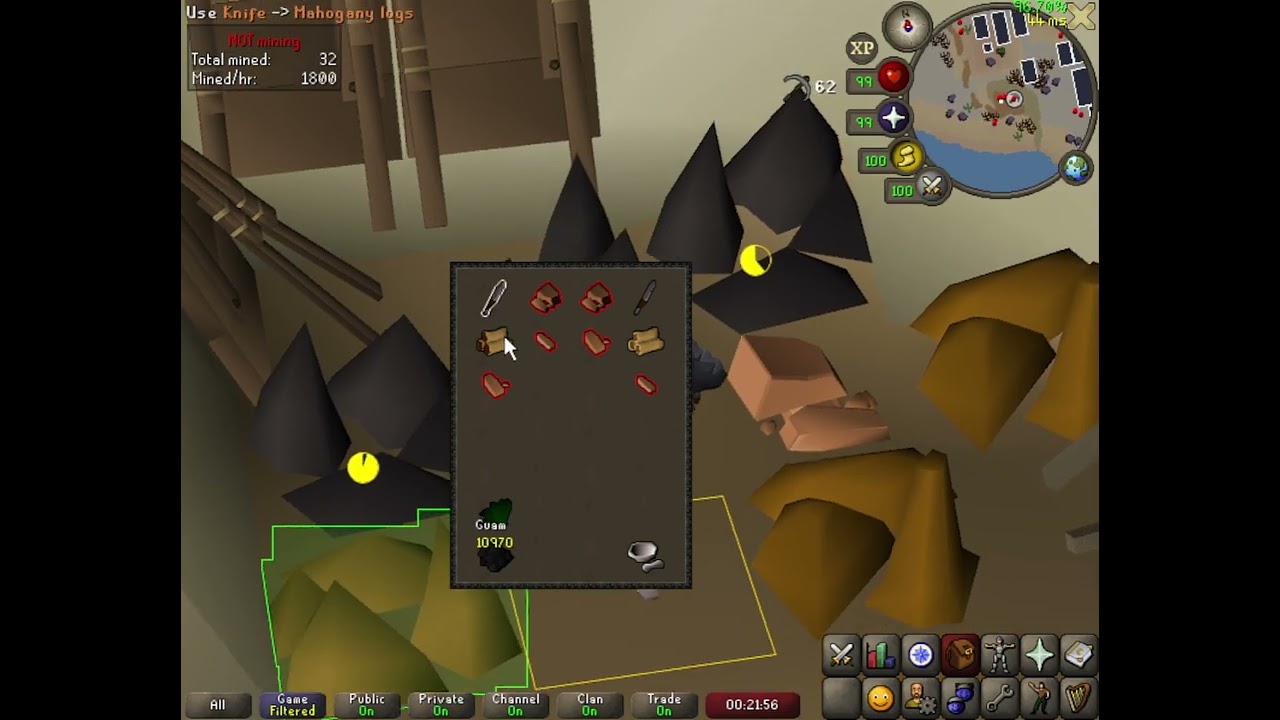
I messed with this angle in the past but it's a little nicer now that you can lower the camera more. The benefit of this is that the granite rocks are always right next to your inventory - usually you have to swing your mouse to one rock across dead space if you're doing 3t4g the standard way. I find this much easier and managed to get a 133k ho...
at best you could use it to auto zoom to specific values with a hotkey 🤷♂️
zealous cedar
you dont have to use it if you dont want to, but, there are other people that do use it
desert bronze
I'd really be surprised if someone looking to save their camera angle is satisfied with only the 4 direct cardinal directions, but hey if someone found a use then good for them 👍
wheat hornet
desert bronze
"I turned off every plugin"
>has multiple plugins from hub visible on screen
🇽 ...
obviously sherlock the ping graph isnt going to cause the item highlighting 🤦
desert bronze
wheat hornet
obviously sherlock the ping graph isnt going to cause the item highlighting 🤦
most likely not
but don't you think it's a little ironic when you say "i turned off every plugin" and then upload a screenshot showing multiple hub plugins ? 🙈
wheat hornet
desert bronze
most likely not
but don't you think it's a little ironic when you say "i turned...
dont you think it is possible that i turned them on and off and then posted the pic maybe?
instead of questioning the screenshot, try to be helpful
haughty pumiceBOT
@wheat hornet Windows
Run the RuneLite (safe mode) shortcut, or with a Jagex account, first run the RuneLite (configure) shortcut and tick the Safe mode box, then launch RuneLite via the Jagex launcher.
Mac
In Terminal, run:
/Applications/RuneLite.app/Contents/MacOS/RuneLite --configureTick the Safe mode box. Launch RuneLite.
If it's not working, download and install the updated RuneLite launcher from the website link in #welcome. You don't need to uninstall your current version. You will not lose any settings or plugins. Then try running safemode again.
round jacinth
just do that
if it's still highlighted then it's a core plugin doing it(it won't be, unless it's inventory tags)
if it's not highlighted you've got a hub plugin doing it
!flow
haughty pumiceBOT
flowchart: Please refer to this flowchart for further troubleshooting.
round jacinth
follow that to help narrow the search
gilded kayak
I would have said the exact same thing if I was awake when you posted that tbf
"you clearly have plugins on in that screenshot"
oblique plume
i knew it would just devolve into "well i turned them back on"
so you just post /3rd-party-issues and close the chat
ez
 whole hearth
Is there an issue with ground items? Anything on the ground the names aren’t showing up
oblique plume
what if you double tap alt
whole hearth
oblique plume
what if you double tap alt
I didn’t even know that was a thing I must of pressed it by mistake, yeah working now, thank you:)
oblique plume
you can lower the double tap delay to prevent accidentally tapping it
to like 1ms so its immpossible to do
in the plugins settings
 whole quail
Im sorry can anyone help me in how to change a color of the person on the transparent chat?

The name of the person is yellow and i wanted to change that but i dont really know the option just to change the name.
whole quail
oblique plume
put their name in chat notifications
But i need to do it for everyone in the clan?
oblique plume
you would yea
whole quail
oh..
I really tought i could just change something in here

But i keep messing the chat up....
whole quail
Ohhhh ok
mossy swan
i guess you could change the message color and then highlight the rest of the message
whole quail
hmmm how can u edxplain?
oblique plume
instead of setting the chat color and highlighting the name
set the name color and highlight the rest of the chat
whole quail
Hmmm ok im going to check that out
oblique plume
maybe gpu plugin related
haughty pumiceBOT
Graphical artifacts? Try disabling hardware acceleration: https://github.com/runelite/runelite/wiki/Disable-Hardware-Acceleration
oblique plume
or that
round jacinth
then you can't use gpu plugin on that many clients open maybe
lower settings
or dont use gpu
perhaps try turn off compute shaders
 vagrant bane
Did u fix it, and if u did how?
aight thanks, dont seem too fix my problem
Everytime i open my bank, my game freezes someone who has had this problem??
haughty pumiceBOT
Many plugins from the pluginhub break the client in subtle or not-so-subtle ways, including causing issues like client freezes. We do not support pluginhub plugins because we do not make or quality control them, and do not recommend their use.
Run the RuneLite (safe mode) shortcut, or with a Jagex account, first run the RuneLite (configure) shortcut and tick the Safe mode box, then launch RuneLite via the Jagex launcher.
This temporarily disables the GPU plugin and all hub plugins which will allow you to confirm the issue is caused by one of those plugins and isn't a core RuneLite issue.
If the issue is caused by a hub plugin, you should isolate which plugin it is and then uninstall the plugin.
 lapis elm
What app is this?
 tepid mirage
Hello folks, just got one of the new Windows ARM laptops. I'm trying to use the GPU plugin, but every time I enable it the game semi-freezes/goes to <1 fps. I've tried disabling/minimizing all the performance settings but have the same results. Any results for troubleshooting/fixing?
I think the chip is snapdragon elite 12 or something
zealous cedar
have you tried disabling the compute shaders option?
tepid mirage
Yep
 finite yoke
any1 know why i cant withdraw anything?
 tepid mirage
Processor: Snapdragon(R) X 12-core X1E80100
Settings:
 zealous cedar
is that still 1fps?
tepid mirage
yup
zealous cedar
weird, idk then
tepid mirage
Probably some driver issue on my end then or something, I'll try to make sure everything is up to date & try again later
finite yoke
@zealous cedar you know why i cant withdraw stuff from bank tags?
tepid mirage
Ty ty
zealous cedar
one of the cheats you installed broke your bank
finite yoke
lets remove the cheat i guess 😄
 prisma garnet
is anybody else having issues with afking? these are my regular settings and it hasn't been working lately
 tepid mirage
Probably some driver issue on my end then or something, I'll try to make sure ev...
tepid mirage
tepid mirage
Probably some driver issue on my end then or something, I'll try to make sure ev...
Yep it was drivers, my bad for trusting Microsoft to update their new devices

 timid rock
probably from one of the tob plugins, turn off and restart client
 honest widget
problem fixed
pine lynx
https://x.com/Likkk825001/status/1811903982396407817
is something like this available?
@JagexAsh https://t.co/xxOqdpVCv3
Is there any way something like this could be added? Some UI setups make it so half the screen is blocked and there is no way to click on the right side of your character. I know rs3 has a similar feature that allows you to adjust "gameview"
 Twitter
·
leaden trail
Twitter
·
leaden trail
can you just attach the picture?
pine lynx
we talked about it before i believe, but you said it wouldnt be allowed. i was wondering if theres anything similar possibly. i found the tweet where mod ash said it was okay. pretty much allowing us to move our camera to the side to center the screen for ui (not my image)
 gilded kayak
is that what that tweet says?
pine lynx
yeah he said its okay
leaden trail
Oh, I didn't say it wouldn't be allowed, I said I wasn't sure
pine lynx
in the replies
 gritty raven
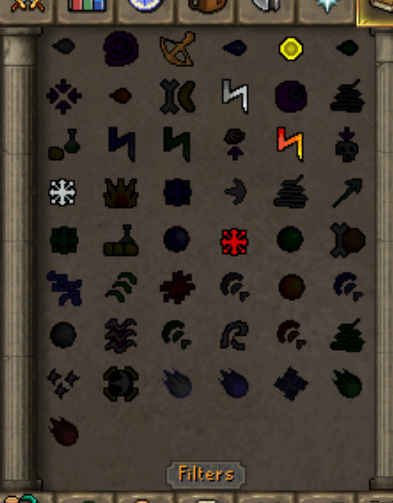
are we able to to change the spot of the magic spell ? https://gyazo.com/4bd84f091072488ca93c91d6321df7b6
 pine lynx
leaden trail
Oh, I didn't say it wouldn't be allowed, I said I wasn't sure
pine lynx
leaden trail
Oh, I didn't say it wouldn't be allowed, I said I wasn't sure
my apologies for misquoting
gilded kayak
gritty raven
are we able to to change the spot of the magic spell ? https://gyazo.com/4bd84f0...
the spells themselves? yes make sure the Spellbook plugin is enabled and right-click the spellbook icon top-right of your image
pine lynx
felan would the camera change be a large thing to implement?
gritty raven
oh thank you 🙂
thin moon
can someone help me?
with the collection log plugin, none of my logs are correct, and when i try to delete the log, it says "Error deleting the collectionlog.net profile. Check Runelite logs for full error.....
timid rock
have you tried checking runelite logs for the full error
 short latch
Hey yall I'm trying to log in with runelite but the launcher is telling me to use the jagex launcher and not allowing me to get into osrs. I already unchecked run as administrater in the runelite properties but the shit still isn't working, it's maddening - Does anyone have any familiarity with this issue?
oblique plume
so youre using the launcher and its acting like its not?
short latch
this is what shows up when i try to log in with runelite

which makes no sense bc i havent done anything differently.
oblique plume
so youre using the launcher and its acting like its not?
short latch
The runelite launcher, yes
short latch
Yeah it lets me in just fine with the jagex launcher but it'll be missing all the plugins, i'm just confused as hell why it's doing this all of a sudden
stone parcel
You probably should be using the Jagex Launcher to then launch RuneLite by selecting a client near the play button.
short latch
oh alright lemme try that
oblique plume
so its working fine if you use the jagex launcher like it says to use?
short latch
No.
I was using the runelite launcher independent from the jagex launcher totally fine up until a few minutes ago
So I was just curious as to why thats happening
short latch
stone parcel
You probably should be using the Jagex Launcher to then launch RuneLite by selec...
Anyway thanks man this worked, big preesh ❤️
oblique plume
sounds like you upgraded to a jagex account
 humble dagger
My client has cloud sync on and for the past 3-4 months i need to export the profile every time i reset the client. All of my settings for plugins and even bank layouts basically rollback to the same point if i dont export. Nothing is updating or saving in my settings.
leaden trail
Upload your client.log
humble dagger
there wasnt one from today which is the last reset, i cant close my client or it happens
 chilly bluff
has anybody had this issue? Even when i do a new BH run or HERB/Tree run, the timers constantly say "ready" for the plugin Time Tracking Reminders
I've tried uninstalling the plugin and it still doesn't seem to track.
 haughty pumiceBOT
Get support for the Time Tracking Reminder Plugin Hub plugin here: https://runelite.net/plugin-hub/show/time-tracking-reminder.
You can also find the support link by searching for the plugin in the Plugin Hub panel and clicking the ? button on the plugin, or by right-clicking the plugin in the plugin panel and clicking the Support menu option.
upbeat kayak
Any fixes for constant client sided lag? I asked a bit earlier didn’t get a response, safe mode reduces the issue but it’s still there. Hardware acceleration makes no difference whether it’s on or off
Pc is good enough to play new games let alone osrs
zealous cedar
get a video of it happening in safe mode and we will look
upbeat kayak
A bit late now I’ll do this tomorrow and tag you in my message thanks!
 vague ivy
Hello! I have a slight problem! lol. Short story is
I bought a new labtop. And want to sign into runelite (to get all my plugins/changes etc) However, I forget what g mail ive used.
I currently am signed into runelite on my old computer. (runelite opened and shows up top i can sign out if i wanted to)
Is there a way to determine what the Gmail account username from my old pc/runelite while signed in?
gilded kayak
tab
vague ivy
Thank you it was there! weird part is i logged into that g mail. then closed runelite and opened and dont got all my plugins. is there a way i can import them or is it suppose to me automatic
haughty pumiceBOT
vague ivy
U guys are great ty
 round portal
so I was told to enable wikisync and now I want to remove it... I didnt realize it would allow others to pull up my info like that
how can i remove the stuff it synced from runelite
haughty pumiceBOT
Get support for the WikiSync Plugin Hub plugin here: https://runelite.net/plugin-hub/show/wikisync.
You can also find the support link by searching for the plugin in the Plugin Hub panel and clicking the ? button on the plugin, or by right-clicking the plugin in the plugin panel and clicking the Support menu option.
round portal
@alpine kite hey are you able to lend a hand
mossy swan
hey @viscid kelp check it out wiki is evil
round portal
no the wiki is great i didnt say its bad
i just dont want people like kalil looking up my quests
 viscid kelp
dm me your username i guess
mossy swan
yeah dw i get it
cook is just a troll
 shut trellis
anyone know why the tileman plugin, after the tutorial island, starts off at -14 tiles and the overlay doesn't show nor does the option to "unlock a tile" not appear.
gilded kayak
I assume "because it's broken" isn't a helpful answer but it's also probably correct
haughty pumiceBOT
Get support for the Tileman Mode Plugin Hub plugin here: https://runelite.net/plugin-hub/show/tilemanmode.
You can also find the support link by searching for the plugin in the Plugin Hub panel and clicking the ? button on the plugin, or by right-clicking the plugin in the plugin panel and clicking the Support menu option.
 supple elk
hey i think the woodcutting plugin is calculating logs/hr and bark/hr by how long your rl client is open rather than ingame time just fyi. im at 45k xp/hr chopping logs, but the on screen display says im getting 53 total logs/hr
crisp dune
Yes, it tracks separately from the xp tracker, and has ever since forestry came out iirc
supple elk
ok thx, just wanted to make sure that was known in case it wasnt!
buoyant orchid
every single world hop makes it happen, going up to like max 75c if constantly hopping
same on safe mode
pine lynx
hey so randomly i have an issue where the game will not let me interact with anything or move but everything keeps going, such as vardorvis axes and stuff but im unable to move. it doesnt seem like an internet issue from my opinion has anyone experienced this before and have a fix?
 atomic ingot
noob question, is there a way to change where does all my files save on RL? its currently on C drive and what if i wanted to cahnge it to D drive etc.. anyone know?
vast bone
Symlinks are the only option afaik.
 reef chasm
Is the RL update server down? It keeps telling me: unable to connect to update server
 dapper trench
@reef chasm yeah!
reef chasm
I'm pretty new, is this normal around every update?
dapper trench
@reef chasm yeah, usually down like 30-45 min after a update where things have changed in the main game
reef chasm
Alright, ty!
dapper trench
np!
buoyant orchid
temp rise happens on safemode but after making a new profile and disabling everything temps don't go up.
buoyant orchid
-nvm found the problem
some reason making a new profile disabling everything and re-turning everything on made hopping not rise my temps, went back to old profile and started nuking each plugin 1-by-1
"multi lines" plugin from plugin hub nukes ur cpu temps each world hop
just weird as safemode replicated the issue too before but now it doesn't
 cosmic blade
low detail is not working in hallowed sepulchre after todays update
leaden trail
If it happened in safe mode too, whatever connection you've drawn between the two is coincidental.
I'm pretty sure you were also told what the root cause was like two days ago
buoyant orchid
leaden trail
If it happened in safe mode too, whatever connection you've drawn between the tw...
Don't think I was, if I was I prob understood it wrong. and yeah the safe mode thing seems weird as I tried it 2-3x and it replicated it each time
now its fine tho so were good
 unborn light
Struggling with playing the game on an external monitor (and have had this issue with two separate monitors). I'm not sure if it's simply the 'blurry' problem that people have reported having, but when moving the camera/movement of NPCs/xp drops/even the mouse cursor itself, it looks kind of clippy somehow. Any ideas?
 broken fjord
like @cosmic blade said, low detail mode is not working. for me not only in sepulchre but everywhere. however, hide lower planes IS still working.
humble dagger
Hey guys really hoping to find a solution for this its getting really bad. If I close my client and releaunch RL (through JL) I revert all my settings back to a point a few months ago. Cloud sync is on. I have to export every time I move something in my bank, download a plugin and or change any setting. Yesterday I was pretty sure I just exported the profile bnefore i updated my gpu driver and when I loaded it in it rolled back to a few days prior (instead of a few months like it usually does). I never had this issue before making a profile for my alt, I linked the profile to each acc as its default. Sometimes the alts profile would actually just be gone and it would take a few restarts to reappear. Is there a way to manually save a profile before you close out besides exporting to my desktop everytime i do anything and importing on reload?
oblique plume
this says its not synced, but you also have a ton of connection issues to api.runelite.net so that would be why stuff probably isnt syncing even if you had that enabled
humble dagger
oblique plume
this says its not synced, but you also have a ton of connection issues to api.ru...
cloud sync? I made sure it was on the first time this happened. Any idea why things wouldnt sync?
 oblique plume
the log says imported profile isnt synced
humble dagger
I mean i always have it on as a setting so I am not sure where the disconnect would be
you can see it right there
and the rollback point is usually the same spot and pretty far back
oblique plume
Profile 'Imported Profile' (sync: false, active: true, id: 667210721500)
humble dagger
oblique plume
`Profile 'Imported Profile' (sync: false, active: true, id: 667210721500)`
I get this I am asking why it would say that if the setting is on, as in what problems would occur for the discrepency between the setting on and the log saying false
oblique plume
because you enabled syncing sometime in the last 3 days
humble dagger
I enable it everytime i log in becauise imported profile has to be imported every time I restart the client
default is always enabled
can you see what it says about default since that is the profile I want to work but instead I import every restart and have to enable cloud sync revery restart because import is a new profile every time
leaden trail
What do you see if you open api.runelite.net in a browser, out of curiosity?
humble dagger
leaden trail
What do you see if you open api.runelite.net in a browser, out of curiosity?
Tomcat?
leaden trail
Ah, there goes that idea then

 valid cove
is there a way for me to combine 2 profiles of the same account so I can recover older loot tracker
 leaden trail
valid cove
leaden trail
valid cove
No, you can't combine loot tracker stuff
 ember socket
Hi RuneLite contributors ,staffs and everyone! Can I know what are the requirements to run Old School Runescape Jagex Launcher RuneLite(when I use 4 game clients)? Thank you. 😃
 patent meteor
low detail broken
leaden trail
patent meteor
low detail broken
Can you give more specifics?
patent meteor
leaden trail
Can you give more specifics?
doesn't hide ground details (at least in sepulchre)
hide lower planes still works
only since the update
zealous cedar
patent meteor
only since the update
do you play on multiple clients at the same time?
patent meteor
zealous cedar
do you play on multiple clients at the same time?
no
that said, apparently it's just for sepulchre
floor 2-5 specifically, it'll work for floor 1
zealous cedar
oh
patent meteor
#support message here someone mentioned it also not working outside of sepulchre, but for me it's fine elsewhere
🤷♂️
zealous cedar
did you happen to login to sepulchure right after the update?
patent meteor
logged to the lobby maybe 45 minutes after update
patent meteor
yes, I only play on 1 account
 jagged forum
none of my !codes work can anyone help
leaden trail
Your chat commands?
 thorn musk
After todays update, low detail plugin no longer hides the details on the Verzik floor. Is this intended?
zealous cedar
no
 storm mulch
So uhm, i tried to log in and after about 10 minutes of a loading sceen, i got hit with this.

i have no idea whats happening
leaden trail
Bad connection between you and Jagex
storm mulch
leaden trail
Bad connection between you and Jagex
Like bad internet? Or need to uninstall and re-download bad
round jacinth
bad internet
leaden trail
It just happens sometimes
storm mulch
ive reset my internet, reset my pc, uninstalled both jagex launcher and runelite and reinstalled them both, reset my default browser, still nothing. Ig im just gonna wait it out lol
 final axle
storm mulch
ive reset my internet, reset my pc, uninstalled both jagex launcher and runelite...
final axle
storm mulch
ive reset my internet, reset my pc, uninstalled both jagex launcher and runelite...
are you using a vpn or split tunneling
storm mulch
no nothing like that
 proper olive
Can someone assist me with setting up discord notifications plugin? I don't understand the Linear Level modifier under 'leveling' and the github doesn't have a discord or anything for support
final axle
This channel is only for core client support. Could ask in #general or #runescape
proper olive
Understood, thank you so much!
 harsh laurel
all my runelite settings just randomly nuked themselves earlier today. Any idea what would be the cause?
haughty pumiceBOT
weak sinew
is there a way i can make it so it notifies me or tells me in an info box or however, that i have put the max amount of ore into the blast furnace?
 glacial coral
low detail seems to not work atm at hallowed sepulchure
not sure if rl side or rs did somethin
zealous cedar
i think jagex changed something
glacial coral
rip
 hollow plume
1186223750602039350
Impostering me and using this server as a mutual for people. Any chance u could ban it, thnaks @zealous cedar @crisp dune
zealous cedar
ok
royal frigate
https://runelite.net/plugin-hub/show/http-server
this isn't really your project, is it? i think it just says adam from the template plugin. im trying to see what other endpoints there are. i've only discovered /stats so far.
zealous cedar
it is
royal frigate
is there a readme for further details?
zealous cedar
no
royal frigate
is just stats available?
zealous cedar
it has /stats /inv and /equip
 stark harness
Missing world with 117 and GPU plugin. Unknown if known but didn't see anything with a quick scan.
Noticed after deboarding boat from Burgh to Meiyr. Stops after jumping over obstacles and landing in the wall (image 4).
Tried: Restarting client. Updating launcher. Switching between GPU and and 117. Turning on and off skybox and ground item hider.
Reproducible if I jump back out of the wall towards the boat


 earnest jay
Why my runelite is not updating? 🥺
 zealous cedar
can you take a screenshot of the info panel?
earnest jay
 zealous cedar
try deleting the .runelite/cache directory
earnest jay
zealous cedar
try deleting the .runelite/cache directory
it worked, thanks!
stark harness
stark harness
Missing world with 117 and GPU plugin. Unknown if known but didn't see anything ...
have a feeling this is hide lower planes in low detail mode but will confirm in a bit
 spark breach
can any one help, i dont have the icon to resize my runelite client... (windows 10)
 zealous cedar
turn off lock window size
stark harness
stark harness
Missing world with 117 and GPU plugin. Unknown if known but didn't see anything ...
Caused by Hide Lower Planes in Low Detail plugin
 half marsh
Good Evening All. I'm trying to setup OBS to stream Runelite. If I choose Game Capture -> Specific Window, runelite crashes. If I select Window Capture, I get a black screen. On Window Capture, if I disable the GPU Plugin, it previews fine in OBS. I'm on an ASUS laptop with AMD Graphics. I've tried setting OBS to use the integrated graphics and discrete graphics, no difference. OBS running as admin, no difference. Tried disabling hardware acceleration, no difference.
Does anyone have any suggestions? I've seen this same quesiton posed on here in 2018, but disabling hardware acceleration didn't help
half marsh
If I change the capture method to Windows 10 (1903 and up), it appears to work. Hmm
upbeat kayak
The wildly clip is in Safe mode GE is in regular. As you can see it’s stuttering much less in safe mode but still there. @zealous cedar
Sorry for the cell phone video
zealous cedar
can you get a recording via obs or something?
upbeat kayak
Screen recording sure give me a bit
this is in safe mode its the mini freezes that im talking about
zealous cedar
install the debug helper plugin, then when it is frozen again click the thread dump button, and then paste it here
upbeat kayak
In regular mode I guess then right?
zealous cedar
yes. but turn gpu off and also all the other pluginhub plugins
upbeat kayak
Lemme figure out how to turn off you 😂
zealous cedar
?
upbeat kayak
Off gpu* sorry autocorrect
zealous cedar
just turn the plugin off
it will already be off if you just ran in safe mode probably
zealous cedar
are you sure you took this when it was frozen? this looks ok
upbeat kayak
Yes
Though more frequent when moving or interacting with objects like doors or ladders
Or in combat
zealous cedar
these thread dumps all look ok, it doesnt show the client frozen
upbeat kayak
Hmm it runs fine on my laptop but on my pc a lot of issues makes bossing impossible anything you can recommend I try?
zealous cedar
are you sure the thread dump is from when it is frozen?
upbeat kayak
Yes as soon as I get the freezing I wait. A few seconds and clip dumb threads
heres another one
zealous cedar
you can try taking a profile of it maybe
upbeat kayak
how do i do that?
zealous cedar
click start profile/stop profile and have it capture a freeze, and note the exact time it freezes relative to the start time of the profile
zealous cedar
its frozen for 1.3s inside of java/io/WinNTFileSystem::getLength(Ljava/io/File;)J when looking at the runelite log file

 tribal bison
thorn musk
After todays update, low detail plugin no longer hides the details on the Verzik...
tribal bison
thorn musk
After todays update, low detail plugin no longer hides the details on the Verzik...
same issue, had to wear sunglasses in verzik
floor was hurting my eyes
zealous cedar
id assume probably your hard drive is failing
upbeat kayak
Oh great Lmaoo 😂 way to debug using software or gotta get a new hard drive?
zealous cedar
do you have your client running in debug mode?
zealous cedar
debug mode isnt the default
turning off debug mode would probably help since it does less disk i/o
but i think your system is definitely just broken
is there anything odd going on with the log file? is it like 100gb or something?
upbeat kayak
Where would I find the log file?
zealous cedar
in the logs folder
upbeat kayak
Cause my pc runs fine if I play anything else like call of duty or web streaming and regular use no lag or anything
Logs folder is 69mb
zealous cedar
try deleting the folder maybe and see if that helps
upbeat kayak
Turning off debug and deleting logs seems to have helped a lot I’ll play for a bit and see
Thanks for the time man I really appreciate it
Yeah everything looks good thank you my man 🙏
 mystic cairn
Is there a way to hide the text box when you hover over your prayers, i find they get in the way
 round jacinth
In game setting
mystic cairn
round jacinth
In game setting
Hero, thank you!
 slim stream
After last night update, my world select window is blank. Just keeps saying loading. Can’t switch worlds. But everything else works fine. Works just fine on mobile. Any ideas?
 dusty ginkgo
hello guys, runelite will not open here

 royal tiger
Since update last night my jagex account wont launch either runelite or hdos on my pc. Works on my second pc no problem. So bizarre man.
weak sinew
is there a way i can make it so it notifies me or tells me in an info box or whatever, that i have put the max amount of ore into the blast furnace?
 jagged matrix
Hi, I have recently returned to OSRS and wanted to use RuneLite as the game client. However, for some reason as soon as I logged in the sound of the Metronome is constant and the sound is driving me mad! I have tried every which way to get rid of it, muting every in game sound - but it is still there ticking away, unless I mute sound on the laptop itself. Has anyone else had this issue? Any help would be appreciated 🙂
 upbeat herald
jagged matrix
Hi, I have recently returned to OSRS and wanted to use RuneLite as the game clie...
upbeat herald
jagged matrix
Hi, I have recently returned to OSRS and wanted to use RuneLite as the game clie...
Isn’t that an external plugin? Have you checked there
 hoary thunder
where can I post this as update request?
Or should I propose a pull request on github by myself?
leaden trail
jagged matrix
Hi, I have recently returned to OSRS and wanted to use RuneLite as the game clie...
Turn off the metronome plugin
leaden trail
hoary thunder
where can I post this as update request?
Or should I propose a pull request on g...
It's known but nobody has made the change
 foggy sierra
so gpu plugin crashes the game for me right now, not sure whats up with it
drivers updated etc, still happening
leaden trail
You can try rolling back your GPU drivers to an older version or disabling "compute shaders"
haughty pumiceBOT
To find the logs, you can do one of the following:
- If your client failed to open, click the
Open logs folderbutton. - Open the screenshot directory by right-clicking 📷
Camerabutton, navigate 1 directory up, then open logs folder. - Navigate to
%userprofile%\.runelite\logson Windows or$HOME/.runelite/logson Linux and macOS.
Upload the log files named client and launcher by dragging them to Discord. If there are files prefixed with jvm_crash dated from today, upload them too.
leaden trail
Logs miiight help too?
foggy sierra
turning off compute shaders did nothing, still crashed as soon as i turn on plugin
leaden trail
First off turn off the max hit plugin, because I'm fairly sure it's broken right now and it's certainly very angry in your logs
foggy sierra
alright ill give it a shot
well it didn't solve it but ill leave it unistalled until it updates i suppose
oblique plume
slim stream
After last night update, my world select window is blank. Just keeps saying load...
that just connection issues to jagex, you can still use the worldhopper plugins sidebar to hop though
leaden trail
foggy sierra
alright ill give it a shot
If that doesn't work, delete client.log from the folder on your computer, make the crash happen, and then upload the new one here
foggy sierra
alright
leaden trail
There's so much angry from Max Hit that it's hard to read the rest of the log
foggy sierra
leaden trail
You'll probably have to look at Event Viewer, I don't see anything out of place there at a glance
If you don't have any jvm_crash logs in the logs folder then it's probably a driver issue though
foggy sierra
yeah the most recent jvm crash log is from like 2021, so i guess its looking like a driver issue
 dire kite
does any1 know how to find my profile I was using? I reset my pc cause of BSODs, so after reinstalling jagex launcher and hopping back in I had no profile. I started reinstalling plugins and building a new profile cause I couldn't find my old one in the wrench/profileis tab. Then, I later realized I should've logged in to runelite with the button in the top right title bar. But after logging in, still my old profiles didn't appear. I went through all the tips on https://github.com/runelite/runelite/wiki/FAQ#my-plugins-are-gone-or-my-config-profile-is-missing , trying to find it in the import folder, but stumped. Last step says to join disc if profile is still missing, am I posting in the right place?

GitHub
Open source Old School RuneScape client. Contribute to runelite/runelite development by creating an account on GitHub.
oblique plume
if you wernt syncing your profile before then it wont be there for you to get again
in order to sync it you need to press the cloud button on the profile
dire kite
alright, I think it might be gone then. ty for the reply
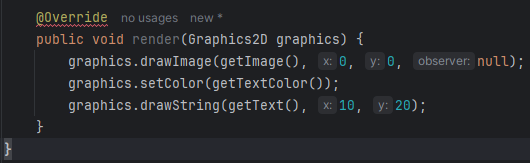




 glacial pivot
ok
oblique plume
this channel is sorta specifically for the release
glacial pivot
ty
 marble thicket
Why does some of the kc commands show wrong results
Chat commands plugin
like !kc for some bosses dont match the collection log, like some solo bosses etc
raids kcs seem fine
and is there some way to correct it?
 gleaming nebula

Is there any plugin that hides the moons on the ground at moons of peril?
Dont see them for some odd reason
haughty pumiceBOT
Many plugins from the pluginhub break the client in subtle or not-so-subtle ways, including causing issues like client freezes. We do not support pluginhub plugins because we do not make or quality control them, and do not recommend their use.
Run the RuneLite (safe mode) shortcut, or with a Jagex account, first run the RuneLite (configure) shortcut and tick the Safe mode box, then launch RuneLite via the Jagex launcher.
This temporarily disables the GPU plugin and all hub plugins which will allow you to confirm the issue is caused by one of those plugins and isn't a core RuneLite issue.
If the issue is caused by a hub plugin, you should isolate which plugin it is and then uninstall the plugin.
oblique plume
marble thicket
and is there some way to correct it?
do another kill or read the RoW boss log
jagged matrix
upbeat herald
Isn’t that an external plugin? Have you checked there
I'm not sure. It was there as soon as I logged in the first time using the RuneLite client.
jagged matrix
leaden trail
Turn off the metronome plugin
As far as I can see, it doesn't appear to be on.
oblique plume
does it happen on the jagex client
 civic arch
I see a lot of people reporting issues with low detail not working in hallowed sepulcher, is there any plans to fix this? (i rly hope it's possible)
gilded kayak
if it's possible to fix I believe so yes
 sharp galleon
hi, new player here 🙂
I just created an account on jadex and I cant enter the game using the runeLine.
It says, Incorrect username or password ( but its not I think )
If you have upgradded to a Jagex account, you need to log in using the Jagex Launcher instead.
I just created the account, so I think its a Jadex account. and I have the Jagex launcher open and loged in
hollow olive
you should be clicking on the dropdown in the jagex launcher and selecting runelite and then clicking play or whatever that button says