#runelite
1 messages · Page 152 of 1
 amber rain
 kindred fulcrum
whats the box that displays timers when you pot and stuff called? I cant find it for the life of me
 rich marsh
it's called an infobox, but I assume what you actually want to know is, it's the timers & buffs plugin
kindred fulcrum
I know that one but Im trying to get rid of the overlay box around each timer, to where its transparent pretty much and you cant see the outline, if that makes sense
 magic ibex
is there a plugin that shows my character's activity? like fishing, running, idle, mining, etc (in an infobox)
rich marsh
the respective plugins show fishing/mining or not doing that, but no, why would you need that?
you don't already know what you're doing in-game?
 ancient sonnet
Tryna pipe it out to the bot yknow
 white phoenix
Anybody know if there is anything like instant inventory that does the update for inventory spots? Like when you swap 2 items in inventory they update positions immediately?
 hushed patrol
they already update immediately though
white phoenix
Sometimes they will swap back and forth 1-2 times as some kind of consequence of the tick system ive noticed this in pking more often with lot of switches
Ive been told its part of the game and not runelite, so with a lot of switches youll see like 6 items switches places at the same time going back and forth sometimes
 pallid drift
It is indeed how the game works sorta like turning on prayers takes the next game tick to actually be on
white phoenix
Found somebody post a gif of what im describing.
ancient sonnet
pallid drift
It is indeed how the game works sorta like turning on prayers takes the next gam...
This is your answer
 hollow yoke
hey, i just downloaded runelite, hit new user, made an account, then tried to log in and its saying incorrect user/pass
but im fairly certain its not incorrect
 next fossil
You need to use the Jagex Launcher to launch Runelite
hollow yoke
next fossil
You need to use the Jagex Launcher to launch Runelite
how does a guy launch runelite through jagex launcher?
next fossil

 strange fable
so why exactly is instant inventory still allowed lol
 inland shadow
because it doesn't actually change anything, it's all visual
strange fable
it lets you drop unequipped items a tick earlier than you should be able to
inland shadow
and how is that at all useful
strange fable
its minor af but its used for recs in tob and i dont think we should be setting a precedent that plugins are allowed to add functionality that the base game doesnt permit
it lets you pass the dawnbringer in 3t rather than 4t
which is not all visual
 storm nest
Does the Razor Kebbit Tracking plugin not work for anyone else?
 burnt pine
strange fable
its minor af but its used for recs in tob and i dont think we should be setting ...
burnt pine
strange fable
its minor af but its used for recs in tob and i dont think we should be setting ...
It's gonna be a moot point pretty soon since the official client is developing it's own plugins and will be nearly identical in function to runelite
 indigo kilnBOT
Get support for the Razor Kebbit Tracking Plugin Hub plugin here: https://runelite.net/plugin-hub/show/razor-kebbit-tracking.
You can also find the support link by searching for the plugin in the Plugin Hub panel and clicking the ? button on the plugin, or by right-clicking the plugin in the plugin panel and clicking the Support menu option.
 half umbra
@storm nest ^
 static grotto
what happened with the bank setting
why does it now withdraw all but one instead of all with the hotkey
indigo kilnBOT
Many plugins from the pluginhub break the client in subtle or not-so-subtle ways, including causing issues like client freezes. We do not support pluginhub plugins because we do not make or quality control them, and do not recommend their use.
Run the RuneLite (safe mode) shortcut, or with a Jagex account, first run the RuneLite (configure) shortcut and tick the Safe mode box, then launch RuneLite via the Jagex launcher.
This temporarily disables the GPU plugin and all hub plugins which will allow you to confirm the issue is caused by one of those plugins and isn't a core RuneLite issue.
If the issue is caused by a hub plugin, you should isolate which plugin it is and then uninstall the plugin.
 harsh raft
Is the Roof Removal plugin a default Runelite plugin
It doesnt give me the option to uninstall it so I assume so
half umbra
Yes
harsh raft
Not sure if this is best place to make a suggestion but this is what Godwars looks like with the plugin off and roof settings turned off in-game

This is what its like with the plugin on (It turns Roofs back on), you cant hover over the walls and it lower them, can these be added as a toggle


Obviously not a big deal to just turn it off and on when I go to Godwars but just figured might be a QoL thing to mention
 simple marsh
is it possible to mute a certain npc but have everything else still on
so hear armadyl for example but not its minions
half umbra
Have you tried "annoyance mute" on the hub?
simple marsh
@half umbra Thats a great step into the right direction ty so much now i gotta find the sound ID of the NPC XD
pallid drift
visual sounds can show sounds as they happen in game
it is some times hard to do it as you're doing the content, record yourself doing some kc with the sounds going on
simple marsh
WE GOT IT LETS GO
pallid drift
alternatively: https://oldschool.runescape.wiki/w/List_of_sound_IDs

 indigo kilnBOT
Use /ghauth command to get github roles and be allowed to post in #development
magic ibex
i'm using the plugin "Camera Points" but it doesnt save the vertical position of the camera, is there a plugin that does?
pallid drift
i think if another one did but that one didn't we would've suggested them to contribute the feature to that plugin
i don't think another plugin does that feature
magic ibex
fair, do you know if theres a way to set or lock my (vertical) camera position then?
ancient sonnet
u can use the left and right arrow keys :')
magic ibex
well yea, but for certain activities i'd like to use the same angle always
 bronze trellis
Im not sure if this is the correct place to ask however its worth a shot, my XP tracker has been acting a funny, for magic ie: alch, teles it shows me the number left to level up but during combat the area remains blank. is there any hot fixes or settings i do not have set up? here are some screen shots


 versed scaffold
it was removed
bronze trellis
oh, was it considered against the rules? i really liked that
next fossil
No, it was just inaccurate for combats
bronze trellis
thank you though, i thought i was losing my mind its been a while since i played on a pc and i thought i did something. 🙂
 rough hill
i rolled my amd drivers back to 22.5.1 as this has solved fps issues for me in the past on rl, but now i have great fps 100+ with 117hd plugin but when I try to use the gpu plugin i get around 40/50 uncapped, any ideas? I tried to turn off every single setting on amd adrenaline as it reset the settings when i reinstalled the driver
rich marsh
did you enable compute shaders in the GPU plugin
rough hill
that fixed it, thanks!
 pallid silo
Does any have experience using "Plugin Presets"? I've gone through the github for it, but can't get it to work for me
https://github.com/antero111/plugin-presets/wiki/General-Features#using-plugin-presets
rich marsh
i've spent a maximum of actually 2 minutes ever using that plugin
so i do remember that it was not as intuitive as i expected it to be
but it definitely did work
each preset is for explicitly changing a setting to its enabled, or disabled, status, not both
that might clear up confusion
so you need a preset to enable, and a preset to disable
pallid silo
Yea I'm completely at a loss. Might be one of the more complicated plugins I've come across
rich marsh
ok it definitely works but i'm not even sure how to describe what i did
i created a new preset, set a keybind, clicked the ⚙️ clicked the 🔄 icon, selected the setting i wanted
went to the actual plugin, changed it to the state i wanted (I turned always on top, on)
unchecked the 🔄 and then rinse* and repeat to create a preset, using the off state
pallid silo
@rich marsh May I share a streamable with you please?
I'd like to DM it to you, if that's alright
 past tundra
pallid silo
I'd like to DM it to you, if that's alright
past tundra
pallid silo
I'd like to DM it to you, if that's alright
Did you get it to work? crazy coinsidence i same to this server with the same problem lo
Nvm I got it finally
pallid silo
@past tundra share your wisdom please!! I could not figure it out. (screenshots/detailed explanation would be very appreciated)
ancient sonnet
Make two presets. Set the settings outside the presets that you want, open the preset and tick the plugins whose settings you want to be in that preset.
Do the same with the other preset. Change the settings of plugins, tick the ones you want remembered in the preset
past tundra
^
 foggy bramble
any idea what this is? pops up then disappears during 1 click summer garden and i wanna turn it off
 foggy bramble
it ended up being autumn or spring garden plugins interfering with summer garden
turned those plugins off and its no longer popping up
rich marsh
that's good because i never actually thought it was the plugin i said
since i know the author of that one and she doesn't make bad plugins
xd
foggy bramble
yeah im usin the one click summer garden one
 wanton obsidian
my acc is been 😥
 foggy bramble
wanton obsidian
my acc is been 😥
foggy bramble
wanton obsidian
my acc is been 😥
rip 😦
rich marsh
you previously posted scam links in this discord, so I would assume your whole computer is compromised
wanton obsidian
i am so sad😢
 foggy bramble
Did u see what u were banned for?
wanton obsidian
nah
foggy bramble
maybe u downloaded a fake runelite idk if thats still a thing, and that compromised ur acc or something
i wont speculate either way i guess, prob felan is right ur comp sounds compromised
wanton obsidian
do i have chance
pallid drift
No probably not. We aren’t jagex tho
pallid drift
foggy bramble
maybe u downloaded a fake runelite idk if thats still a thing, and that compromi...
Or they cheated or botted and blame runelite as everybody does. Runelite is safe.
foggy bramble
yeah ik, there was a fake client at one point a phishing version or something
best hope is just appealing and see what happens, explain situation if you legit didnt do anything wrong, there's your chance. if you did break rules then prob 0 chance
 scarlet bloom
they will quash it if it’s obvious your account was compromised
 sinful cairn
foggy bramble
Did u see what u were banned for?
sinful cairn
foggy bramble
Did u see what u were banned for?
Botting 150%
 heady flume
is there a way to set custom colors for skybox and ocean separately?
versed scaffold
Can you even change the ocean to begin with
heady flume
That's why I'm asking
half umbra
I don't think so
 agile void
question, can i move the buff bar icon beside inventory
 rich marsh
yes, hold down alt
indigo kilnBOT
You can configure horizontal/vertical orientation, infobox groups or split infoboxes into new groups with the menu options opened with Shift + right-click. https://runelite.net/img/blog/1.6.28-Release/infobox.gif
 rich marsh
detatch the ones you want and merge them together, where you want them
heady flume
indigo kiln
You can configure horizontal/vertical orientation, infobox groups or split infob...
I can detach??
 kind crane
its shown in the gif
 random sphinx
huh. so i suddenly started freezing a lot randomly today
pallid silo
@ancient sonnet @past tundra @rich marsh https://streamable.com/wj4si4 Any guidance would be really appreciated
 rich marsh
did you try doing it in the order I said yesterday
pallid silo
rich marsh
did you try doing it in the order I said yesterday
Yessir, I did. I tried to follow your instructions as much as I could, but it couldn't work properly
rich marsh
when I opened the plugin settings, nothing was enabled, so I feel like it's handling your previous setting toggles poorly
when you open entity hider settings, in plugin presets, everything is checked, when I did it, nothing was
that's probably where the issue is stemming from
pallid silo
If it's an order of operations issue, I'll need to see the exact steps. I got 2 different approaches from you and @ancient sonnet, so I'm at a loss until I can see a play by play
ancient sonnet
I clock out in 1 hour. I'll make a video sometime after that. I may PR the author to fully clarify
 restive atlas
Restarted my computer and all my runelite plug-ins are gone, was just fine 30muns ago
Any ideas?
indigo kilnBOT
rich marsh
it's from the interface styles plugin
yeah delete all your messages
nobody else deserves help
just you
yes they do
ancient sonnet
pallid silo
<@270355893638529034> <@419949541928730626> <@323951080188936192> https://stream...
you have to choose settings per preset
you chose settings once, then assigned the same config state to both preset
 noble depot
Been wondering if there's a way to have the panels that come up whenever you click something in runelite sidebar (quest helper, loot tracker, etc panels) come out as a pop-up window that I can have on second monitor, etc or go over the game instead of push the game away. Really just wanna figure out if I can hide the sidebar panels from OBS or at least make it feel less annoying by not having it shift the whole game to left.
next fossil
No
 simple willow
What's the name of the plugin that remembers if you have your inventory open after a qorld hop?
pallid silo
ancient sonnet
What if I want STATE 1 to be: XX plugin is On, but with ABC options enabled / STATE 2 is: XX (the same) plugin is On, but with XYZ options. Is this even possible? I'm not saying your example here is wrong, but you have the exact same settings in both of your presets, so I'm not sure it applies to what I'm hoping to achieve
rich marsh
turning a plugin* on/off is the same as turning a setting on or off
pallid silo
Do I maybe need 3 presets then?
1 for On, another for a slight variation while still being On, and a 3rd for another variation
ancient sonnet
the setting in my preset is remembering the state of the plugin configuration
so the on preset remembers plugin is on
the off preset remembers plugin is off
pallid silo
Right so what if I never want for the plugin to be off?
rich marsh
then dont select that setting
pallid silo
What setting?
 hearty hedge
Hey guys ! I have a question , how i can try my new plugin on Runelite ? But i can't connect to test it because i need to log from Jagex Launcher D:
indigo kilnBOT
rich marsh
just don't select plugin on/off
if you don't select that option, then the plugin wont change it
ancient sonnet
these are the same thing to the plugin preset. They're just states of the plugin configuration. You're just telling it what to remember
 pallid silo
I give up, will have to wait for a theoatrix video or something lol. I can't even get the toggles to move, so I'm perpetually stuck
 ancient sonnet
I cannot make it more clear than this
Plugin Presets
How to Plugin Presets
Presets
Plugin Presets video
I literally make ur use case
 latent shadow
does anyone know how to make the InstantDamageCalculator plugin work?

nothing appears for me when I deal damage to npcs
rich marsh
i would guess you have another plugin breaking it
i installed it, set your settings, hit a guard with my pickaxe and the overlay correctly is showing me my hit, before the hitsplat appears
latent shadow
oh really? it's working for you
ok maybe I'll keep investigating here
I disabled other xp drop related plugins but I can't seem to make this work
I also tried grouped vs. non-grouped xp drops using in-game settings, no dice
@rich marsh do u have any ideas for what plugin might interact with this negatively?
rich marsh
no, literally anything from the hub could break other plugins
latent shadow
is there a way we could perform a diff between the plugins I have enabled vs. yours?
rich marsh
i only have these plugins installed on this profile

(i uninstalled instantdamage before I closed the client)
latent shadow
thanks for showing me that "hub" search, that's useful for isolating the problem here
im going on my alt on blank profile and downloading the plugin hub plugins that I use on my main account to see when it breaks
WAIT lol wtf
I just made a copy of my iron's profile, where it's not working at all
so it has all the same plugins
and it WORKS
does it not work if you have 200m HP xp? lmfao
ancient sonnet
Could be. It’s a hub plugin, should reach out to the author there
indigo kilnBOT
Get support for the InstantDamageCalculator Plugin Hub plugin here: https://runelite.net/plugin-hub/show/instant-damage-calculator.
You can also find the support link by searching for the plugin in the Plugin Hub panel and clicking the ? button on the plugin, or by right-clicking the plugin in the plugin panel and clicking the Support menu option.
latent shadow
yea I opened an issue already
man stocks dramatically down if you have already played the game a lot
I guess it's optimal to do muspah early on acc before 200m hp xd
rich marsh
latent shadow
does it not work if you have 200m HP xp? lmfao
probably lol
latent shadow
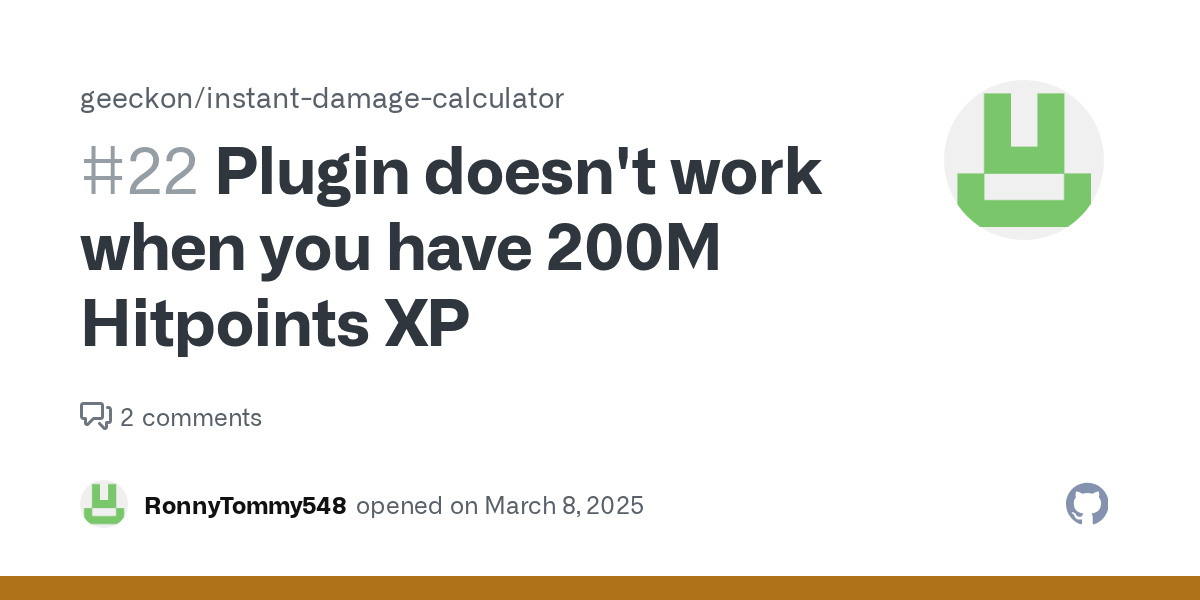
GitHub
The plugin doesn't seem to be working for me no matter what I try. Nothing is being displayed. I tried restarting runelite, restarting the plugin, unchecking various settings, attacking differe...
thanks for this plugin btw it seems really epic, looking forward to being able to use it for muspah
 soft mortar
latent shadow
<@202549981515743232> https://github.com/geeckon/instant-damage-calculator/issue...
soft mortar
latent shadow
<@202549981515743232> https://github.com/geeckon/instant-damage-calculator/issue...
Hi, thanks for opening an issue. I commented on it but also gonna leave a comment here.
Sorry, you had to go through all the trouble. Yes it won't work if you have 200m HP xp. That is because I calculate the hit you'll do by the change in HP xp as it is the most reliable way to get the damage for any combat style.
I don't intend to change it or look for a way to fix this because I myself don't use this plugin or even play the game at the moment.
Instead I would suggest using the plugin "Customizable XP drops" in the plugin hub with the "Show predicted hit" option. It is much more powerful and the one I use.
I don't know if that plugin works with 200m HP xp though.
Also, I can provide the config I use for that plugin that makes it work how I wished my plugin worked.
latent shadow
soft mortar
I don't know if that plugin works with 200m HP xp though.
I use customizable xp drops for predicted hit and it works perfectly fine
unfortunately that doesn't help for this use case
your plugin is important for optimizing muspah kph, I need to see the total damage counter + reset trigger
the customizable xp drops doesn't do that at all
would you be willing to let someone else fix it for you and merge the PR?
soft mortar
latent shadow
your plugin is important for optimizing muspah kph, I need to see the total dama...
This is basically why I made the plugin. Also to know when Sire repositories will die and I can move onto the next one.
soft mortar
latent shadow
would you be willing to let someone else fix it for you and merge the PR?
Yes, of course. However I don't see an easy fix due to how my plugin works.
foggy bramble
Hey does anyone know how to add bank tags to potions in the potion storage?
i imported some tags and it was doable, but idk how to do it manually
 frank bone
Remove them from storage
foggy bramble
i tried that and added tag then re-added, but didnt work so i just have some out of storage and some in and it works, but not the same as when i imported strangely
 cloud quail
colection log ded foreve?
 oblique sun
i guess so
 grizzled magnet
Please could someone get me the widget ID for the confirm button in the GE? https://i.imgur.com/gv6ns57.png
 next fossil
Why do you need the Widget ID but can't use Developer Mode Widget Inspector?
sinful cairn
next fossil
Why do you need the Widget ID but can't use Developer Mode Widget Inspector?
Somebody had to say it
grizzled magnet
next fossil
Why do you need the Widget ID but can't use Developer Mode Widget Inspector?
Couldn't get IntelliJ to work to try make my first ever plugin as it only ever launched into a white screen, got bored of uninstalling and reinstalling and trying different jdk's etc, tried it once in VSC with Maven plugin built in and it worked first time.
Have built a plugin in this environment and got to the finnicky parts where I want to override UI's instead of create them and am running into difficulties by not having widget inspector. Tried for hours to get Dev tools running in vsc with various versions of mvn exec:java -ea -Dexec.mainClass="net.runelite.client.RuneLite" -Dexec.args="--debug --developer-mode" & messing around with pom.xml with no success and so sort of gave up with ever having dev tools running hence asking the question. I have winged it by "scanning" using the plugin ftmp but am past that at this stage.
I have now got round this however and managed to get dev tools running in a downloaded jar in the past 5 minutes so no longer need help though, thanks
tl;dr am brand new to everything and making my first plugin and suck at it all
half umbra
If you follow the instructions in the plugin hub README very literally, it should work.
If you're trying to write a plugin and you're using Maven, you're doing something very wrong
indigo kilnBOT
How to develop plugin-hub plugins: https://github.com/runelite/plugin-hub/blob/master/README.md
half umbra
That's what you should be following^
Likewise to build the client from source for dev tools, follow the "Building with IntelliJ" guide, making sure to follow it closely and not skip any steps. I periodically do exactly that just to verify that everything still works as written
grizzled magnet
half umbra
That's what you should be following^
I followed that from scratch and my IntelliJ would never launch anything other than a whitescreen.
It's all good though i've sorted it now - got Widget Inspector I will no longer ask perplexing questions 🤣
latent shadow
does anyone know how to get an oath code from github to do the /ghauth command
 long pulsar
if it's related to plugin hub dev, you can just post your question here
latent shadow
ok, it's my first time trying to do development work on runelite plugins - I'm trying to make a fix to the InstantDamageCalculator plugin because it is broken for players with 200M hitpoints XP and the plugin author refuses to fix it
I'm following the plugin-hub instructions and starting out it's having me run a test that tries to launch runelite
In order to make sure everything works correctly, try to start the client with your external plugin enabled by running the provided test. If you don't have a run configuration yet for the test, attempt to run it by clicking Run test. This will create a run configuration and fail to run due to asserts being disabled. Add -ea to your VM options in the run configuration to enable assertions, which can be found under Run/Debug Configurations under Modify options, Add VM options, and then adding -ea into the input field which appears.
my problem is that running the test did not create a run configuration
so there is no existing run configuration to add -ea to
long pulsar
go to InstantDamageCalculatorPluginTest and press the play button next to the main method
latent shadow
Oh that did it
I was pressing the play button at the top of intellij
btw, for development work how safe is it to be playing on a custom build?
safe in terms of like, getting banned potentially
I would be testing this on my account with like 20k+ hours on it and I don't want to accidentally get banned for some stupid reason
rich marsh
if it wasn't safe then we would never be able to make any changes to RuneLite
just don't change the plugin to start cheating uncontrollably
random sphinx
is thermy a ghost entity in the system? i can't find an npc ID for it and putting its name in better npc highlight does nothing, and when i use og npc indicator to shift click tag it, its name doesn't show up in the list
latent shadow
so if it's completely safe, and I know my change to the plugin is just a fix rather than adding some rule-breaking feature, would there be any reason to not just 100% play on the custom runelite build until my PR is merged & added to runelite?
long pulsar
yeah that's fine but you'd prolly want to create a shadowjar to avoid needing intellij all the time
rich marsh
random sphinx
is thermy a ghost entity in the system? i can't find an npc ID for it and puttin...
i doubt it
try 499
probably the slayer plugin racing to be the best highlight
random sphinx
the slayer plugin isn't highlighting either but i'll try disabling it anyway
doesn't help
rich marsh
!safe try npc indicators, in safe mode
indigo kilnBOT
safemode: To enable safemode
Windows
Run the RuneLite (configure) shortcut from the windows start menu
Tick the Safe mode box, save, launch RuneLite the way you normally do.
Mac
In Terminal, run
/Applications/RuneLite.app/Contents/MacOS/RuneLite --configure
Tick the Safe mode box, save, launch RuneLite the way you normally do.
latent shadow
hah that's funny, I was just about to write a question about runelite configure
how do I do that?
 quick folio
highlights just fine for me with npc indicators
 latent shadow
I can't find it in the start menu, and passing --configure to the exe in command line doesn't work either
rich marsh
i guess the safe mode command doesn't say it anymore, but that probably means you have a really old installer, since the installer doesn't need to be updated
random sphinx
it works with npc indicators, but npc indicator doesn't have an option to highlight true tile
rich marsh
just run the installer from the website again
random sphinx
oh wait yes it does
rich marsh
if it works in safe mode, then some other plugin is causing the conflict
it theoretically could have been slayer which you've now disabled but i feel like usually disable is good enough
so i'm more inclined to think a hub plugin was breaking it
latent shadow
oh sweet, re-doing runelite download from website gives the configure option
rich marsh
yeah you just had a launcher version from before, we added those shortcuts
 manic void
is there any way to completely reset all infoboxes?
latent shadow
I followed the "using jagex accounts" instructions for plugin-hub development (https://github.com/runelite/runelite/wiki/Using-Jagex-Accounts), and the final step does not work:
2025-03-08 12:57:10 CST [Client] ERROR injected-client - Client error: Login authentication error. Response code: 403 Forbidden Response body: error code: 1020
I confirmed that the .runelite/credentials.properties file was created and populated from the previous step
I tried launching the client via IDE by running the test again
 somber aspen
afaik the 1020 code means jagex blocked you
latent shadow
I'll try without my vpn, normally playing osrs via runelite works completely fine with my vpn on, I've been doing that for months
yea it works with the vpn off
is there some config difference between running normally vs. running via IDE?
somber aspen
shocking
latent shadow
why would it work on one but not the other, curious
latent shadow
oh yes, I do have split tunneling enabled for jagex launcher + runelite executable
random sphinx
somehow i broke something cause now my thrall outlines aren't showing lol
latent shadow
is the IDE using a different location for the exe?
latent shadow
random sphinx
somehow i broke something cause now my thrall outlines aren't showing lol
I use better npc highlight for thrall outlines personally, is that what ur using?
is there documentation I can read somewhere to understand exactly how onStatChanged works, or perhaps what the other options are
i found some message history from 2022 about onStatChanged vs onFakeXpDrop, it seems like maybe only one or the other gets triggered at any one time?
ah it seems like both events are firing when u have 200m:
FakeXpDrop: FakeXpDrop(skill=RANGED, xp=36)
FakeXpDrop: FakeXpDrop(skill=HITPOINTS, xp=12)
StatChanged: StatChanged(skill=HITPOINTS, xp=200000000, level=99, boostedLevel=99)
StatChanged: StatChanged(skill=RANGED, xp=200000000, level=99, boostedLevel=99)
FakeXpDrop: FakeXpDrop(skill=RANGED, xp=52)
FakeXpDrop: FakeXpDrop(skill=HITPOINTS, xp=17)
StatChanged: StatChanged(skill=HITPOINTS, xp=200000000, level=99, boostedLevel=99)
StatChanged: StatChanged(skill=RANGED, xp=200000000, level=99, boostedLevel=99)
but the FakeXpDrop event doesn't happen at all if you don't have 200m
so the fix for this plugin will need to be compatible with both I believe
latent shadow
soft mortar
Yes, of course. However I don't see an easy fix due to how my plugin works.
Hey I opened a PR that implements the fix and added video evidence of it working on two accounts, with and without 200M hp xp:
https://github.com/geeckon/instant-damage-calculator/pull/23

GitHub
This PR fixes the issue for players with 200M hitpoints xp. Here are two videos showing the plugin features working both with and without 200M hp after these changes:
with 200M hp xp:
https://githu...
latent shadow
I don't intend to change it or look for a way to fix this because I myself don't use this plugin or even play the game at the moment.
would you mind adding me as a contributor to your plugin so I can make further changes in the future, since you don't plan on working on it anymore? @soft mortar
soft mortar
latent shadow
> I don't intend to change it or look for a way to fix this because I myself don...
I'd rather not do that. While I'm not working on changes myself, I'll make sure to review any issues and PRs.
 kindred jetty
How do I turn on a form of highlighting when I "use" pots and stuff on other players ? like there is on objects and npcs via some addons
soft mortar
latent shadow
Hey I opened a PR that implements the fix and added video evidence of it working...
Merged the PR and submitted to the plugin hub
latent shadow
soft mortar
Merged the PR and submitted to the plugin hub
thank you! appreciate it
 indigo gorge
Can someone help me understand the Widget Inspector?
I'm trying to get the ID for the WT ui in the top left.

Do I just keep going through the inspector till it draws a box around it?
latent shadow
for event subscribe priority, is the priority relative to all events or only events of the same type?
for example I have an onInteractingChanged subscription with priority 2, and onStatChanged with priority 1
does this mean that onInteractingChanged will run before onStatChanged?
long pulsar
only between events of the same type
pallid drift
indigo gorge
Do I just keep going through the inspector till it draws a box around it?
If you right click while using the widget selector you see the menu of stuff that’s in that area
Makes finding it quicker
indigo gorge
pallid drift
If you right click while using the widget selector you see the menu of stuff tha...
I see thanks! I actually ended up finding the warmth from var inspector
indigo gorge
Another question, So I can get the warmth and draw to screen. How Can I get the cords above inventory so I can draw it there? Is that going to depend on the players client settings? Is there a way to gaurntee it ius above invy
 rich marsh
if you want the warmth bar to be near the inventory could you not use status bars
indigo gorge
im not sure what that is
This is the first time i've ever looked at the runelite api
rich marsh
it's a plugin
it attatches the health/prayer/warmth/maybe other stuff, bars to the inventory
rich marsh
indeed
 civic ibex
Hello friends
 fervent sentinel
hey, anybody know if you can get notifications for low warmth in wintertodt?
static grotto
guys isn't there a problem with the bank withdraw x and withrdraw all options etc?
seems like they are off by 1 or something
withdraw x and withdraw 27
half umbra
Turn off the new bank setting Jagex added last week for charging stuff in your bank
half umbra
fervent sentinel
hey, anybody know if you can get notifications for low warmth in wintertodt?
If Idle Notifier can't do it I assume you can do it with Watchdog
 topaz schooner
Good morning fellas, not sure if this is the place to ask but is there a plugin or setting somewhere to set a GE price for untradeables? More specifically I want to set crystal shards to 15k per shard so that it reflects in the loot tab as such
quick folio
nope
static grotto
half umbra
Turn off the new bank setting Jagex added last week for charging stuff in your b...
does that mean I wont be able to use that feature anymore?
half umbra
There should be a fix in the next RuneLite release but for now just turn it off
 coral orbit
On the better npc highlight plugin is there a way to change the colours of the highlighted npcs?
I have all of my npcs true tile but i dont want them to be all the same colour
indigo kilnBOT
Get support for the Better NPC Highlight Plugin Hub plugin here: https://runelite.net/plugin-hub/show/better-npc-highlight.
You can also find the support link by searching for the plugin in the Plugin Hub panel and clicking the ? button on the plugin, or by right-clicking the plugin in the plugin panel and clicking the Support menu option.
coral orbit
so for vardorvis I have axes/axe thrower/head range all highlighted
but I dont want the head to be the same colour
pallid drift
Check the config options within the plugin, we don’t know. You can figure it out tho.
That’s a hub plugin. We don’t offer support for it.
coral orbit
Oh
quick folio
static grotto
does that mean I wont be able to use that feature anymore?
it will still fill up the items even if you disable the menu options after setting it up
 warm fable
I wanna menu-entry swapper left-click on the ground to "no-op" instead of walking ;;
Give me POWER. That + shift-click to walk would be SO OP for kiting
pallid drift
you can remove the ability to left click walk here with custom menu swapper
warm fable
I don't see that option? Shift right click on the ground doesn't have a swap menu
pallid drift
You probably didn’t look if you don’t see where to hide menu options in it lol
warm fable
?
pallid drift
I said custom menu swap hub plugin not menu entry swapper.
warm fable
ah
somber aspen
I thought you could do that with normal mes too?
warm fable

basically kiting is hard especially smal guys like scarab swarm. I Just hate hitting the ground and walking towards them. If left clicking the ground did nothing and I had to specifically like ctrl or shift click to walk would be easy life
somber aspen
oh you want walk to noop? yeah i dont think you can do that with mes
ancient sonnet
“Hold your ground” plugin exists too. Dunno if it allows shift click walk tho
warm fable
Awesome, ty for the recomends I'm checking them out :)
 sacred magnet
hi
static grotto
welcome
 near niche
No one's made a plugin similar to Gudi's game of chance series, right? And his is still unreleased?
pallid drift
near niche
No one's made a plugin similar to Gudi's game of chance series, right? And his i...
Correct in the same way “nightmare mode” that settled does is completely private
 ruby pasture
yo my game screen is stuck red like its in the middle of a flash idle noti
at todt
any ideas what plugin might be causing it?
next fossil
Wintertodt Idle Plugin?
 tame thorn
just joined for that. i wanna prevent someone else from wasting time hehe
rich marsh
!quest
indigo kilnBOT
questhelper: Visit Zoinkwiz's Quest Helper plugin discord (https://discord.com/invite/XCfwNnz6RB) for support, issues & feedback
rich marsh
also any axe is very clearly at the top of the list
half umbra
 rough rivet
does anyone have a link to bolt launcher discord?
tame thorn
oops
 rough grotto
Quick question; earlier this week I was havin' issues with some plugins.
And just wonderin' if there's simple troubleshooting options or if I should just flush all the settings and reset everything (idm doin' so if needed)
The most obvious issues I've noticed;
- Mouse over options not showing up.
- NPC/Monster Tags being enabled but not showing up in game (no tile etc) for some but not all NPCs.
- Some options like Shift-Left Click resetting itself; like on my PoH Spirit FR Tree.
- Less noticeable and possibly not RL related but; shift not registering in game (works out of game).
pallid drift
- mouse tool tips is a plugin
- you have to tag the stuff you want, and then you can pick the style after
- not sure, maybe you have other read/write issues with settings (if related to #2)
- you probably mapped shift to a plugin's hotkey
indigo kilnBOT
@rough grotto If one of your keys isn't working in game, you've most likely bound it to a feature of a plugin. The Debug Helper hub plugin can show what keys are bound to what plugins.
pallid drift
that can help with #4
rough grotto
mouse tool tips is a plugin
you have to tag the stuff you want, and then you can pick the style after
not sure, maybe you have other read/write issues with settings (if related to #2)
you probably mapped shift to a plugin's hotkey
Yeah I had a lot of the stuff set up as I wanted and it worked; but sometimes it doesn't work.
Like sometimes I'll just teleport to do my farm run and suddenly mouse over stuff isn't working.
I had the Araxxor spiders tagged for color and true tiles; and some times I zone in and they're not tagged (but right click says "Un-tag" instead of tag.
I don't think I set shift to anything but I can check; and it once again is somethin' that works but then stops workin; and fixes itself eventually.
rich marsh
assuming you're doing it on a spider task, probably the slayer plugin also trying to highlight them, and bonking heads
rough grotto
That's a posibility; don't have an araxxor task right now but I can check that next time I do.
It's just strange how, all the other options are sometimes workin' sometimes not workin'
Lookin' at the debug helper; this is all I see that's even usin' shift, hmm.

 buoyant forge
I've only downloaded plug-ins from the official client. If a plug-in is deemed illegal it's automatically removed? Basically I took long break came back updated the client logged in logged off came next day banned for Macroing Gold Farm. Which makes no sense at all.
somber aspen
theres not been any plugins disabled due to being "illegal" or anything else in quite a long time, its probably not related to any ban you have got
buoyant forge
I figured thank you. Since my zerker account is OK I used the same thing to log on with..they definitely did something to flagged it incorrectly.
rough grotto
Usin' a new profile with everythin' set up how I want it and the mouse over tool tips are actin' up again.
I was gettin' the mouse over text, then suddenly I didn't.
I log out and back in; and the text shows up again hmmm.


Very weird how that's happenin'.
Are plugin conflicts common? (like how mods conflict for other games)
rich marsh
yes that's why we have that warning at the top of the hub
rough grotto
hmm, I did enable less hub plugins, maybe I'll disable some more and try to find the culprit.
Safe to assume there should be no conflicts with all included plugins with RL or will there still be a hiccup once in a while?
rich marsh
yes, but if you disabled the hub plugins i would include a client restart
we have some bugs, like the highlight one I mentioned earlier but not any where tooltips just don't appear afaik
rough grotto
I see, hmm.
So probably an external one I grabbed from the hub.
Do any of these seem like a likely cause?

I do have 158 plugins currently enabled, is that a lot? lol.
The screenshot is all the plugin hub ones not included base with RL.
pallid drift
rough grotto
I do have 158 plugins currently enabled, is that a lot? lol.
The screenshot is a...
158 is a large number yes lol
rough grotto
-sweats-
pallid drift
!flow
indigo kilnBOT
flowchart: Please refer to this flowchart for further troubleshooting.
pallid drift
Just use less and uninstall the ones you don’t use or need imo
rough grotto
That's part of my issue lol, so many of em are nice QoL changes; or a single aspect of an entire plugin.
So I tend to leave a lot of em enabled xd
does the plugin loaded at the start of RL bootin' up count only enabled ones?
That's where I'm grabbin the 158 or so number from.
rich marsh
that counts default plugins, so you don't have 158 like zom assumed, you have 28
rough grotto
So all included 158, and then 28 from the hub.
rich marsh
lots of people in here with issues, have 158, from the hub
rough grotto
-sweats- sounds like me and Skyrim.
And of the total plugins; it's just the enabled ones showin' up while loading right?
Cuz there are some I leave disabled till I need em like minigame plugins.
rich marsh
the number is the amount of plugins loaded, so it doesn't care about enabled/disabled
if we had to load plugins when you enabled them, then they'd take forever to turn on, each startup
rough grotto
Ah okay, so realistically I'm not savin' any effort by disablin' plugins I don't need at the moment.
rich marsh
well i think you're trying to figure out what plugin is causing your issue
so disabling them is probably going to help with that
but if you mean turning off default plugins, no not really
rough grotto
Yeah. But normally I lave some disabled when not using em; like mini-game plugins or raids etc.
Thought it would save load times or what not.
pallid drift
rich marsh
that counts default plugins, so you don't have 158 like zom assumed, you have 28
I do as the users say.
 cloud spear
does the runelite loot tracker text file not exist anymore? or am i missing something
i don't have a loots folder in .runelite folder
trying to merge loot tracker between laptop and pc
versed scaffold
That's not a thing
indigo kilnBOT
versed scaffold
This is though
 sacred spindle
Has anyone had any success getting to play with the runelite client through the jagex launcher and still getting steam to count your hours?
next fossil
Manually add the Jagex launcher as a game to steam?
sacred spindle
I did consider that, but sadly manually added games don't count towards achievements or your steam playtime stuff
The furthest i can get is set a launch parameter in the OSRS steam entry to open the jagex launcher, but when i click Runelite from there the game just stops running according to steam and so there are no hours being registered
rich marsh
i googled steam guide osrs runelite jagex launcher hours and that came up
sounds like it might work
sacred spindle
Yeah that's the same guide i followed, but when i launch it the Jagex Launcher pops up and the status on Steam goes from Running to nothing within like a second
might have a look through the comments on that post though and see if anyone's experienced the same thing
rich marsh
not sure then, there was a wave of people asking about this, and then they all went away, I assumed because they figured out a way, which is why I googled it
sacred spindle
I see a couple different things people are trying in terms of putting different commands into the launch parameters so i'll give it a try. If something works i'll just post it here for clarity sake
Alright i have a solution that works perfectly.
Right-clicking OSRS in Steam and set the launch options as "C:\Program Files (x86)\Jagex Launcher\JagexLauncher.exe" --disable-gpu --disable-software-rasterizer --single-process --launch=osrs --silent %command%.
Once this is done launch the game and the Jagex Launcher will appear. Importantly you must exit out of it and then find it in the system tray and right-click "exit" it, as it's technically still running.
Once you've done this the next time and all subsequent times you run OSRS through steam it will put you directly into Runelite and track your hours normally.
 lusty flame
Hey is there a way to change the scale of RL Ui without changing my monitors resolution?
Not game ui, specifically the sidebar etc
rich marsh
!config
indigo kilnBOT
 deep osprey
Anyone know if there's a plugin that calculates something you send in chat? So like if I type =25/5 it corrects to 5 kind of?
half umbra
No
quick folio
the game is down for maintenance
 half siren
okee
quick folio

📢 PSA: On Tuesday, 11th March at 09:00 AM UTC, all game worlds will be taken offline for planned maintenance. Downtime should last approximately 4 hours and worlds are expected to be back online by 13.00 PM UTC.
 stone badger
📢 PSA: On Tuesday, 11th March at 09:00 AM UTC, all game worlds will be taken offline for planned maintenance. Downtime should last approximately 4 hours and worlds are expected to be back online by 13.00 PM UTC.
 pallid gulch
What time will the servers be on again?
Oh god, 4 hours?!?
4 hours...
The hell are they updating?
rich marsh
probably the servers
pallid gulch
Shiet, I was in the salt mines grinding! Slaving away!
 edgy inlet
my runelite is having connection error
oblique sun
edgy inlet
my runelite is having connection error
oh thats so weird, can you post your logs plz?
edgy inlet

 hard axle
is the game back up=
edgy inlet
@oblique sun
hard axle
oh 4 hours serious. Damn.
 ionic blaze
edgy inlet
my runelite is having connection error
ionic blaze
edgy inlet
my runelite is having connection error
yeah same here 😦
ionic blaze
not for mee
oblique sun
edgy inlet
!logs sorry i meant these logs
indigo kilnBOT
To find the logs, you can do one of the following:
- If your client failed to open, click the
Open logs folderbutton. - Open the screenshot directory by right-clicking 📷
Camerabutton, navigate 1 directory up, then open logs folder. - Navigate to
%userprofile%\.runelite\logson Windows or$HOME/.runelite/logson Linux and macOS.
Upload the log files named client and launcher by dragging them to Discord. If there are files prefixed with jvm_crash dated from today, upload them too.
quick folio
the logs you posted also appear to not be from today 
oblique sun
thats crazy

 prime basalt
are servers down?
quick folio
for maintenance yes
📢 PSA: On Tuesday, 11th March at 09:00 AM UTC, all game worlds will be taken offline for planned maintenance. Downtime should last approximately 4 hours and worlds are expected to be back online by 13.00 PM UTC.
prime basalt
mustve missed that one TY
quick folio
np!
ionic blaze
back online? sorry for asking currently at work debating going home
quick folio
yup
ionic blaze
cheers, thats me for the day then
 oak iris
Hey, I recently reinstalled my os and am getting this now like these white dots on my textures
 versed scaffold
amd gpu?
oak iris
versed scaffold
amd gpu?
nvidia
reinstalled gpu driver
Used DDU & Nvclean install
still the same
💀 I don't get it on MSAA x16 but.. I also don't like the look of 16x
versed scaffold
yea that would have been my next question, what you got aa on
oak iris
Oh, I worked it out..
It was remove color banding
quick folio
That sounds odd
versed scaffold
thats only for the ground tiles afaik

 versed scaffold
perhaps you did somethign with compute shaders
oak iris
Nope
versed scaffold
no it doesnt
quick folio
It just massively improves performance if you want to see further
But yes it used to be the requirement for that
oak iris
versed scaffold
perhaps you did somethign with compute shaders
See the two screensohts?
oak iris
it couldc be some weird artifacting?
versed scaffold
ive seen this before with some amd drivers and AA
but nvidia and not aa soudns weird
oak iris
versed scaffold
ive seen this before with some amd drivers and AA
Anything I can try in nv control panel to try and fix it I prefer colour banding on
versed scaffold
not that i can think of
 fickle jay
anyone have radius markers for dag kings ?? cant find online anywhwre
or if theres a list of npcs radius markers somewhere thatd be great. having to manually put them in im just butchering them idk what to do
pallid drift
You could probably figure out how to do it.
indigo kilnBOT
Get support for the Radius Markers Plugin Hub plugin here: https://runelite.net/plugin-hub/show/radius-markers.
You can also find the support link by searching for the plugin in the Plugin Hub panel and clicking the ? button on the plugin, or by right-clicking the plugin in the plugin panel and clicking the Support menu option.
versed scaffold
no one knows what blue icon youre talking about is
thats why no ones responded to you
 subtle vapor
is anyone able to test to see if they can replicate this issue? Not sure if i've got some funky settings on or if it's a bug - Using base runelite bank tab layouts (not the old plugin hub one)
(Please forgive paramore in the background lol)
versed scaffold
turn off the extra bank options
subtle vapor
legendary, thanks
versed scaffold
we dont make a blue icon
so we dont know what youre talking about
well you installed something that does it
half umbra
Can you just show us a screenshot?
versed scaffold
thats the taskbar?
half umbra
Yeah that's a lot easier than trying to describe it
versed scaffold
so you already know its a notification that flashes your taskbar icon
did you enable the notification feature to flash your taskbar icon
idk it looks like the taskbar to me
half umbra
Turn off tray notifications?
versed scaffold
the flashing is another option
 swift vault
I'm sure this is a dumb and easy to figure out question, but is there a way to find what plug ins come preinstalled with the base client?
I'm sure I could probably create a new profile but my luck I'd mess up everything I have on the main account. 😆
We're trying to create a list for some clanmates of useful ones to add and don't want to double up on things that would already be there.
rich marsh
you would have to do something insanely stupid to mess up your main profile, with a new profile
literally just 🔧 ->  ->
-> new profile -> double-click to swap to it
and double-click the old profile, to swap back
 zealous harbor
Can also sort the list of plugins to show "Plugin Hub".
swift vault
I figured I'd ask here first just to be sure. I appreciate it ❤️
 tidal skiff
subtle vapor
is anyone able to test to see if they can replicate this issue? Not sure if i've...
tidal skiff
subtle vapor
is anyone able to test to see if they can replicate this issue? Not sure if i've...
+1 for paramore
sacred spindle
subtle vapor
is anyone able to test to see if they can replicate this issue? Not sure if i've...
pretty sure it randomly stopped for me now but all of last week anything i took 1 out of would cause a visual glitch where 2 were placed in my inventory permitted i had multiple of said item in the bank
havent touched any bank related plugins so not sure what stopped it
half umbra
The thing that stopped it was that you disabled the new setting Jagex added that had broken it
 formal dragon
anyone got this working with bolt launcher or jagex launcher on linux? 🐧 -> https://github.com/runelite/runelite/wiki/Using-Jagex-Accounts
trying to populate the crentials.properties that gets generated at ./.var/app/net.runelite.RuneLite/.runelite/credentials.properties

GitHub
Open source Old School RuneScape client. Contribute to runelite/runelite development by creating an account on GitHub.
 tawdry timber
Should just be in ~/.runelite afaik
quick folio
formal dragon
anyone got this working with bolt launcher or jagex launcher on linux? 🐧 -> htt...
Should be able to just go to bolt settings, launch runelite configuration from there and follow the instructions from that page
formal dragon
Yea, I went into their discord, searched and found that. It's so obvious! But I did also have to move the file
mv ./.var/app/com.adamcake.Bolt/data/bolt-launcher/.runelite/credentials.properties ~/.runelite/
then launch from the IDE and it worked
thanks for the help!
quick folio
Glad you figured it out 
 topaz star
the shaking has started, get the game up
quick folio
its just a game update and its back up already
topaz star
shaking stops
 shy yarrow
Is there a way to make these icons render larger? I'm ona 4k display and at fullscreen, these icons are tiny
 versed scaffold
The scale param in there

 light trail
There is no official server. It doesn't like vpns and/or cheats
 willow bough
I think i dont have any vpn etc
light trail
work network?
half umbra
Turn off uBlock
 round quartz
Make sure your time is set correctly https://support.runescape.com/hc/en-gb/articles/360018322517-Access-Blocked
 earnest fox
legendary cloudflare moment
 compact karma
Yo I used to have a plugin that showed me my dps based on my gear and the thing I was fighting as well as my chance to hit. It was an on screen overlay.
I took a little break using the same runelite profile and its gone. I have no idea where it went or what plugin it was, Can anyone give me some insight?
pallid drift
the one by llemonduck was disabled
The wiki has a really robust dps calculator, that Llemon also worked on.
compact karma
I just liked that I didn't have to input my gear manually it just popped up
Appreciate the info
pallid drift
the wiki syncs with what you currently have equipped
compact karma
Lol
pallid drift
And is more right
compact karma
That's crazy
pallid drift
wiki sync needs to be enabled

See how your gear stacks up against Old School RuneScape's monsters using the OSRS Wiki's damage-per-second calculator.
I think Llemon is working towards making the hub be available and use the same very correct data this uses
🙂
half umbra
Doesn't the wiki plugin add a button to the equipment screen that opens the DPS calc with your gear as well?
(I could be wrong, I stopped playing well before the wiki dps calc existed)
pallid drift
I think that sounds right
 shell galleon
Not an issue per se, so didn't wanna post in support as it's not technical at all, but have the below question and I'm unable to answer it myself
 ancient sonnet
doesn't look like it
 mighty stratus
anybody who uses the Inventory Setups community plugin, does potion storage work well with it?
pallid drift
That hub plugin relies on core’s bank tags which does work with potion storage.
Bank tag layouts the hub plugin doesn’t work with potion storage
mighty stratus
pallid drift
That hub plugin relies on core’s bank tags which does work with potion storage.
so it should work then? how does it work exactly
pallid drift
it should work and idk how, it just does. Give it a spin
Bank tags pulls from potion storage only if you have no place holders for that potion in the bank and when you do it that way you can’t withdraw 1,2,3,4 individual doses they’re all going to be the same size, but if you leave them in the bank then you can use any dose.
 fierce field
can somebody explain what vertex snapping is in the GPU settings
quick folio
are you using animation smoothing?
if so that setting wont do anything, if you disable anim smoothing and look at your characters eyes you will see them change shape(snapping to vertices), the gpu plugin setting makes them not do that
fierce field
im not using animation smoothing
quick folio
then it would do something, look at your characters eyes with and without the vertex snap option
and you should be able to tell the difference
fierce field
i noticed a difference in the idle animation
quick folio

fierce field
i wish the skybox plugin let you set sky color for individual areas like it does by default
but once you pick a color its that color in every area
itd be cool if they gave more control over that
quick folio
the UX would be pretty tricky there
pallid gulch
Anyone else jsut got DC'd?
 chilly dragon
jup
 distant jackal
yp
 weary cloud
YUP
chilly dragon
also cant log back in
 warped trench
yup
 errant furnace
pallid gulch
errant furnace
pallid gulch
well, I just lost 6 coconuts on the ground
rich marsh
sad
chilly dragon
I just lost 5 tbows and 6 shadows in my inventory. Compensate me jagex
I mean, scythes... definitely scythes
 sharp mountain
was just on a trio 515 invo toa and got dc'd when almost done with it. I demand compensation for the shadow drop I surely would have gotten
 formal condor
@Adam I can't log into RuneLite can u please fix 🙂
fierce field
did it disconnect you guys or is it just not letting you log in yourself
rich marsh
like everyone got disconnected, lots of people are back but jagex launcher users seem to be the ones saying it's not fixed yet
 karmic dagger
Yeah, there are a few in my clan that still can't log in. Can't even get RL to launch after closing it down
 sweet saddle
new wave
 hexed vault
dc :
sweet saddle
i told you guys dont bot
 sharp wasp
if it was Runligh only this wouldn't have happened!
karmic dagger
So are those using the launcher still not able to log into the game?
formal condor
thank god im not a jagex acc yet 😄
 dire dagger
I use launcher and still cant log in
fierce field
i never got dc'd
rich marsh
+1 point to you
sweet saddle
i will call mod mark
fierce field
2 points for me
dire dagger
all it says is network issue but I can load every thing else
rich marsh
except gamers
 arctic plume
only true premium exclusive 50 dollarydoodoo gamers can still play from now on
rich marsh
maybe if you're in a non-intensive area
my friend is amethyst mining and never got dc'd
 bright leaf
I was in the middle of a hunleff cg fight
 fair wharf
i was ight until i hopped worlds like a fool
rich marsh
unlucky
arctic plume
oof
fair wharf
suppose best hit facey to initiate panic
 azure tapir
Problem with launcher ?
scarlet bloom
fair wharf
i was ight until i hopped worlds like a fool
can you change ur pic
fair wharf
scarlet bloom
can you change ur pic
can you change yours.... rude
fair wharf
 jaunty crescent
85 not working for me
jaunty crescent
85 not working for me
yeh shes down im afraid
karmic dagger
jaunty crescent
Is launcher down ?
Yeah, it seems to be the launcher is having problems
 misty monolith
only runlite working
sharp wasp
did RL crash a little less
scarlet bloom
 arctic plume
not just the launcher
fair wharf
scarlet bloom
nor do i, notice the colour?
karmic dagger
Only a few with the launcher in my clan can log in, most can't. Those not using it can log in
 lusty oracle
got to be some unhinged mf to ahve that as a pp lmao
arctic plume
their website doesn't even load https://osrs.game/Game-Status
or that's just me
- server's dc'd
lucky for those who can for sure
 trim fox
the website works for me
arctic plume
oh weird
 reef vortex
barelly loading as well
 cloud rivet
someone closed the laptop that hosted all their servers 🤓
dire dagger
lol
 spiral monolith
lunch bug
rich marsh
i can load osrs.game fine but /game-status loads like shit
spiral monolith
only work on cell
rich marsh
maybe because everyone is trying to access it xd
cloud rivet
F5 squad reporting for duty
arctic plume
oh yeah the rest of the site loads fine
rich marsh
ye i eventually got a 522 for /game-status
fair wharf
spiral monolith
only work on cell
i cant even get on mobile lol
spiral monolith
lol
lusty oracle
mine loaded up
karmic dagger
Yeah, their status page loaded at first, then when I refreshed the page, it went down
lusty oracle
yay game back up
karmic dagger
I saw that
scarlet bloom
where’s auto mod when you need it
spiral monolith
is it back on now?
rich marsh
dealing with zom saying bad words
fair wharf
scarlet bloom
where’s auto mod when you need it
daddy chill
arctic plume
what the hell is even that
fair wharf
arctic plume
what the hell is even that
made me laugh out loud that lmmaooo
dire dagger
I'm back on now
spiral monolith
then I need to restart pc
arctic plume
legendary line
 quasi hawk
How can you help
scarlet bloom
bye nice meeting u all
arctic plume
no wait
spiral monolith
scarlet bloom
bye nice meeting u all
it was short my friend
quasi hawk
Luncher not opend
fair wharf
bye papasito
 calm scarab
still getting failed to log in
spiral monolith
looooooooooool
arctic plume
^
quasi hawk
Jagex issues
spiral monolith
its netflix time
fair wharf
get on ozark
karmic dagger
Is the launcher working now?
spiral monolith
my launcher wont open nor close lol
 molten wren
its cucked
half umbra
rich marsh
dealing with zom saying bad words
zom, et al, but yeah
spiral monolith
ddhost attack or what?
quasi hawk
But my luncher open
half umbra
Probably just server issues
 misty monolith
jax acount falid to login issu
 fading lagoon
its only the launcher that is down, you can try mobile, steam, or just go take a shower
sharp wasp
alright the launcher is being strange, had to close it from task manager. Won't try to open it again till everything's clear.
hushed patrol
another L for jagex accounts
 safe ocean
Use this free time to take a shower lads.
spiral monolith
safe ocean
Use this free time to take a shower lads.
what a great idea
could even clean the bed sheet while we at it
safe ocean
This is the worst man.
I've taken my weekly shower 4 days earlier than usual.
And I've cleaned my apartment
game is still down
fading lagoon
meal prep
quick folio
meal prep is the strat 
fading lagoon
spiral monolith
FIX THE GAMEE!!
no u
 gilded musk
Is anyone aware of a setting/plugin that would allow me to see ground markers from further away? For example, there is a tile marked between the drops on the ground by the arrow that I cannot see. Any way to extend that distance?

 torpid timber
the steam client works btw ;o
spiral monolith
FIX THE GAAAAAAAAAAAAAME
 long flax
Mobile works too xD
 opaque creek
I guess one benefit of servers dying is we can see how many of active players are steam/mobile/etc for real for real
sweet saddle
70p is bott
 rich briar
Does launcher work with vpns?
rich briar
I'll try in a little bit just to confirm
opaque creek
it blocks certain vpns
rich marsh
some of them are still ok
quick folio
opaque creek
https://www.misplaceditems.com/rs_tools/graph/
https://abex.sauville.org/rlsg/ this is also pretty nice
rich briar
The one I have usually works
opaque creek
if you use residential proxies you wouldn't be asking the question
spiral monolith
FIX THE GAME!
rich briar
Sometimes it doesn't, but usually it does
opaque creek
quick folio
https://abex.sauville.org/rlsg/ this is also pretty nice
it is nice!
 haughty slate
 spiral monolith
thank you gaggak for trying to fix the game
sweet saddle
its working again
safe ocean
Wtf they mean by "thanks for your patience"
sweet saddle
i am online
safe ocean
sweet saddle
i am online
Do not lie to me
safe ocean
say wallahi
spiral monolith
he is online with either runelitre or mobile lolol
sweet saddle
wallahi
safe ocean
It's not working for me
sweet saddle
runelite
 maiden cave
more lies
spiral monolith
he odnt have gagak lunch
safe ocean
Allah will flame your ass for this
sweet saddle
i switched world now its lagging again
maiden cave
still loading then crashes
safe ocean
the gagek lunch aint working
maiden cave
why can no one tell truth here instead of being tools
sweet saddle
is ramadan
jaunty crescent
sweet saddle
i swear on god
We must not be playing the same game
spiral monolith
haughty slate
no way they actully tryna FIX THE GAME!!!! FIX IT!!!
sweet saddle
i was online for a second
i switched world to riot
and now i cant get back in
wtf should i do now
lol
and tey wanna ad sailing
spiral monolith
FIX THE GAME!!!!
safe ocean
spiral monolith
FIX THE GAME!!!!
FIX THE GAME!!!
 white charm
so, out of their control, do we have an eta because i can get on mobile but its laggy as hell, cant load rl due to launcher being broken, im assuming its the same for others
inland shadow
half an hour longer every time someone asks
safe ocean
Yes, we are all miserable.
 paper python
when work?
spiral monolith
paper python
when work?
When FIX THE GAME you should be asking.
FIIIIIIIIIIIX THE GAMMMMME!
molten wren
maybe touch grass then it will work
spiral monolith
lie
safe ocean
spiral monolith
lie
 spiral monolith
show gagak launcher!!!
safe ocean
I am using the gagak lunch!
spiral monolith
🙅♂️
 pallid drift
Nature is healing
spiral monolith
omg it work
 unique nova
Hey fellas restarted pc and it allowed me to login
spiral monolith
unique nova
Hey fellas restarted pc and it allowed me to login
yes I did that
rich marsh
you might not have had to restart, you maybe could have just killed the jagex launcher, in task manager
 edgy mulch
is it still down
ah got it finally
have to end task in task manager
janky ass program
 marsh spire
Anyone know if theres a plugin or a way to get the price checker to show high alch prices?
 gloomy sequoia
anyone have any idea why my xp drops vanished after the most recent upddate?
inland shadow
click the xp orb next to the minimap, you probably hit it by mistake
gloomy sequoia
inland shadow
click the xp orb next to the minimap, you probably hit it by mistake
thanks a million! 😅
gloomy sequoia
inland shadow
click the xp orb next to the minimap, you probably hit it by mistake
too much scurrius is melting my brain.. i even bring bandos pet to try and intimidate him into giving me his little one
pallid drift
marsh spire
Anyone know if theres a plugin or a way to get the price checker to show high al...
That’s a toggle in the existing bank plugin
Maybe even examine
 narrow shale
Hey does anyone know if there's a way to make the runelite client smaller. There seems to be a limit to how small i can make it
pallid drift
Correct. Thats the limit, you can make it smaller by adjusting the dpi of the screen but that would impact everything
narrow shale
pallid drift
Correct. Thats the limit, you can make it smaller by adjusting the dpi of the sc...
alright, thanks. i appreciate the reply
 chrome gale
anyone know if i can setup custom menu swaps for the fremmys in colo, by setting left click attack to melee>mage>range. Or can I only do it for 1 NPC?
haughty slate
any know how i can dissable this?
 pallid drift
Some hub plugin you decided to turn on.
pallid drift
chrome gale
anyone know if i can setup custom menu swaps for the fremmys in colo, by setting...
The order you put the attack,this
Attack,that matters. The option at the bottom becomes the priority.
Meaning if all 3 stacked you the bottom one takes priority. It says that in the guide/read me.
haughty slate
pallid drift
Some hub plugin you decided to turn on.
yes but forgot what pug in 😄
haughty slate
thanks
light trail
narrow shale
Hey does anyone know if there's a way to make the runelite client smaller. There...
!config you can set scale to scale down the whole client, but idk the lower limit. Maybe 0.8, maybe 0.5 At least I remember someone saying 0.2 didn't work as expected
indigo kilnBOT
 snow totem
Hey guys, anyone know if i can add an each item price to either the ground items or the menu?
 ancient sonnet
item filters might be able to.
snow totem
ancient sonnet
item filters might be able to.
I just messed around with it and no luck!!
ancient sonnet
yeah I'm asking in their discord for confirmation
 crystal abyss
where's the plugin that shows you the tiles where enemies spawn in the fight caves?
half umbra
I bet if you searched it on the plugin hub you'd find it pretty quickly
crystal abyss
I tried them the tiles aren't appearing on the ground
quick folio
Did you wait like the plugin tells you to before entering the fightcaves?
crystal abyss
I got it
 median ibex
are there currently any issues with runelite? my plugins arent currently working.
 rich cypress
Has anyone upgraded from a m1 pro to a m4 or other recent macbook? was hoping to play with 117 HD plugin without the fans going full blast 😅
pallid drift
median ibex
are there currently any issues with runelite? my plugins arent currently working...
You’ll need to be way less vague than this.
marsh spire
pallid drift
That’s a toggle in the existing bank plugin
Thats for showing the value at the top of the bank
Im talking about this:
 pallid drift
Seeing as jagex made that for grand exchange prices I don’t think anybody’s made one to change that to be high alch
You can get the high alch to appear on items when you examine them
marsh spire
Reddit
Explore this post and more from the ironscape community
Saw this
But idk if that plugin is anywhere
hushed patrol
yeah maybe they never released it
https://github.com/TheHappyPittie?tab=repositories some code is there though
kind crane
i like to tell everyone i know about the cool plugin i made before its released and then never release it
next fossil
Its how you gauge if there's enough interest to actually release
kind crane
i can then strongarm runelite devs to merge it because it has a lot of upvotes
median ibex
pallid drift
You’ll need to be way less vague than this.
solved the problem, runelite had some how hard reset itself and had to restore the backups.
marsh spire
hushed patrol
yeah maybe they never released it
Ahh I see :o
marsh spire
hushed patrol
https://github.com/TheHappyPittie?tab=repositories some code is there though
Ah well
Would be so nice to have a way to show only HA prices on iron accounts
Is it allowed to commission someone to create a plugin?
versed scaffold
sure
marsh spire
versed scaffold
sure
Youre up for it?
versed scaffold
no
marsh spire
Oh ok then haha
versed scaffold
it shouldnt be hard though
hushed patrol
need more time in a day ugh
next fossil
We just had a 23 hour day. In about 6 months though you’ll get a 25 hour day
versed scaffold

lusty oracle
Whats some of yalls favorite, not as popular plugins?
lusty oracle
lol u funny man
pallid drift
just because they're not installed does not mean you're missing a feature
you should only "want" new hub plugins if you're doing something new and want to see if a hub plugin exists for it
otherwise youll be back here with 218 hub plugins asking which one is the worse and need help figuring out which to remove
versed scaffold
The delete button?
indigo kilnBOT
 mortal dawn
ye ty
 icy tangle
Anyone got the new M4 Macbook Air? Wondering how it performs with the GPU plugin over a long period of time.
somber aspen
no. but id assume its comparable to the m1/m2/m3?
indigo kilnBOT
To remove the Java memory limit on your PC follow https://github.com/runelite/runelite/wiki/Remove-java-memory-limit
 unique quest
Did you ever find a fix for that? Same problem now
sacred spindle
could you give me a point in the right direction for how to use https://github.com/runelite/runelite/tree/d04bc8a332fba036b610eeed4dafdfbea55f93e7/runelite-jshell/src/main
please? looking to use it to test code on-the-fly with F10 like it says
 rancid beacon
my gim mate is claiming dink is causing bsod, had this been reported before
rancid beacon
ok will do thanks
sacred spindle
i found out about powershell winninit today
edited so nobody bluescreens their computer pasting stuff
 gusty lake
Is there a kph tracker on runelite for normal NPC's and not just bosses?
half umbra
Not to my knowledge
 marble harness
How do I reorder the side panel?
ancient sonnet
you can't
marble harness
Hard feature to develop?
sharp wasp
guys u can log back into the game now
 mental shell
Hello. Everytime I start Runelite, I have to open my inventory and add skills im monitoring to the canvas. It's minor, but wondering if there is a way for these to save state when closing Runelite and have them there when starting Runelite?
 crisp veldt
is there any feature for organizing info boxes? I would love to be able to want to be able to activate all tooltips from all plugins I have in a sort of set-up mode and be able to organize them. I know you can alt drag but it only shows ones that are currently active.
 harsh knot
hi. In the "runelite" window plugin, it displays the window size (for fixed), which is standard 765x503. Is there a way to see what the current resized size is?
pallid drift
No afaik. You could use a screenshot tool and count pixels or maybe obs could tell you the size of a window
rich marsh
a good screenshot tool would tell you, no counting required
 harsh knot
what do you use
rich marsh
sharex
harsh knot
will take a bit of tinkering. i now exclude the frame from all my screenshots and recordings
 next fossil
In Item Stats settings
 radiant heath
Ty ❤️🔥 Much better visability now 🙂 Guess u cant disable the one action text left tho, like ”drink” on a brew… 😅
pallid drift
You can change the left click action to be drop or use or empty
indigo kilnBOT
The Menu Entry Swapper, through various config options, allows you to hold shift+right click on items/NPCs/objects and configure new default left and shift click options on them.
 pallid drift
Idk why you wouldn’t want to drink it tho
next fossil
Its Mouse Tooltips
radiant heath
Entry swapper is gr8! 🙂 I want 2 drink it haha 😅 Just thought u could have no text n 2 see left click action u right click n its the first choice, Its just troubles me a little that it hides a clear View of other items in inventory. Comforting 2 see n check all whenever cuz alwayz playin on pvp hr
pallid drift
Mouse tooltips can remove that hover over as cooper said
radiant heath
Ah now I see 😅 Tysm both of u, U r Gr8! ❤️🔥
simple willow
I can swear I remember seeing a plugin that removed the "squeeze through crack" option at the ZMI alter, but I cannot for the life of me find it. Anybody have a clue which pkugin?
pallid drift
custom menu swapper can hide stuff like that
 next furnace
best day to day plugins???
pallid drift
the ones in core.
 sharp river
When was the UI changed? I don't remember it being this big last week 🤔

Same for other parts of the UI, but not others. For example this tab's UI seems big, but the other tab is small

 quick folio
sharp river
When was the UI changed? I don't remember it being this big last week 🤔
quick folio
sharp river
When was the UI changed? I don't remember it being this big last week 🤔
It wasnt, do you have an amd gpu?
#support message since that driver seems to be doing smth funky
 tidal valve
when the xp tracker fix they count dont reset daily anymore
quick folio
tidal valve
when the xp tracker fix they count dont reset daily anymore
You can turn that feature off in the xp tracker plugin settings, its not a bug
sharp river
quick folio
It wasnt, do you have an amd gpu?
Sorry I forgot to reply back, no I don't have an AMD GPU. Also haven't closed my client in a few days so not sure if there was an issue that was fixed or something.

Oh I guess it's just some odd bug because I just noticed this 🤔 I'll try restarting later after my task
 tidal valve
quick folio
You can turn that feature off in the xp tracker plugin settings, its not a bug
tidal valve
quick folio
You can turn that feature off in the xp tracker plugin settings, its not a bug
where?

 fervent mist
is there a way to watch a discord stream in runelite?
quick folio
Not sure what you mean
fervent mist
like you can get discord notifcations right?
quick folio
discord does that yes
tidal valve
quick folio
first option
tnx
sinful cairn
fervent mist
is there a way to watch a discord stream in runelite?
Yes there is
You can enable the new discord overlay, then go into the overlay settings and overlay the discord streams onto your runelite client
 normal sierra
I'm curious if there is a Runelite settings or plug-in available that highlights or indicates the state of a patch when I'm by it?
Like a red indicator for a patch that is not protected or not composted, or a green indicator for a patch that is good to go?
Had a Mahogany die on me because I had forgotten to pay one of the squirrels.
somber aspen
the time tracking plugin tracks the compost/protection state
normal sierra
somber aspen
the time tracking plugin tracks the compost/protection state
Well shoot. So it does.
I have the Time Tracking Reminder plugin that just tells me when patches are ready with an Infobox, so I never bother to check the actual feature.
Excuse my ignorance.
Appreciate all the work you have done with this client
 uncut aurora
how do i get permission to talk i nthe development channel
oblique sun
read the channel description
indigo kilnBOT
Use /ghauth command to get github roles and be allowed to post in #development
 fleet peak
g'day everyone
was just wondering if someone could help me with a terminal command to find where the screenshots that RL takes automatically are saved
somber aspen
theyre in ~/.runelite/screenshots





 somber aspen
probably
fleet peak
cause I did try this command line yesterday when I found it on some forum
just wondering where my screenshots are
is Bolt stored in the root folder somewhere or my home folder?
somber aspen
I dont know where it stores it
rich marsh
could just use find to find where .runelite/screenshots is
fleet peak
still says it doesn't exist
but I know it does
cause RL screenshots when I lvl up or get rewards and whatnot
hushed patrol
doesn't bolt have their own support