#sonar
1 messages · Page 30 of 1
 inner quail
They changed that in GG 60.0 #gg-updates message
 dim cradle
suspected as much
I'm not holding a pitchfork or anything. just want to say I don't like it
Should not be enabled by default, in my opinion. That's all
thanks for your quick response @inner quail
 gloomy otter
its posible to use at the same time sonar and dts sound unbound?


my headphones are Artics 5
 mild jewel
Steelseries GG hasn't opened for MONTHS please help!!!
Doesn't open in task manager, nothing happens when I open it
If I reinstall will I lose my EQ settings?
mild jewel
inner quail
They changed that in GG 60.0 https://discord.com/channels/299040363123965952/715...
they should add hotkeys to switch devices next 👀
mild jewel
mild jewel
Steelseries GG hasn't opened for MONTHS please help!!!
Ok it hasn't been months but it started at the beginning of march
did you ever get it to launch
 random moss
mild jewel
did you ever get it to launch
random moss
mild jewel
did you ever get it to launch
Yeah somewhat, I just want into the directory and launch it from there
mild jewel
I tried that and it didn't work, I caved and am reinstalling
Probably gonna lose my EQ presets...
Oh well, it's a free software so I can't complain too much
random moss
C:\Program Files\SteelSeries\GG > SteelSeriesGGClient
mild jewel
too late lol
 random moss
Rip
mild jewel
it's fine, let's see if this even works
 sacred pecan
fallout 4 doesnt have audio when using sonar
because sonar forces 24bit, 96KHz. But Fallout only works when using 16bit, 48KHz for some weird reason.
Is there a way to fix this?
 elfin path
anyone know why my stream output for mic isnt picking anything up outside of the GG app, I've tried reinstalling, checking for software updates, troubleshooting, unplugging and plugging it back in, restting my PC, I've made no progress
mild jewel
random moss
Rip
Don't have my old EQ presets anymore but idc, anything is better than using Voicemeeter
I hate voicemeeter, every time I had it installed it fucked up my audio devices. Sonar is miles easier to use
mild jewel
ohh something is very wrong
in discord calls, sometimes people get really quiet all of a sudden
mild jewel
oh it's definitely clearcast
 mortal geyser
Wait i'mhaving the same problem, what is clear cast?
 pliant pawn
yo i think sonar is completely fucked
if i a disable it my mic works but my sound doesnt
if i enable it my sound works but mic doesnt
ngl at this point im just buying a seperate mic
mortal geyser
Thank you so much! I shall test it out.
 boreal pike
Does anyone else have a problem where whenever you turn your headset off, the next time you turn it on Sonar changes your mic to the headset one? Its been like this for weeks, and backup switch has the headset mic fully disabled. The mic it should be using is a usb one that is 24/7 connecting to my computer.
Ik backup switch is still in early access but it hasnt had problems until now.
pliant pawn
what do i do? i cant find steelseries game

i cant find game chat or media
i see them in window sound settings
just not sonar
boreal pike
pliant pawn
what do i do? i cant find steelseries game
Thats for deciding where your steelseries game output is going to go to
i.e will it output via your headset speakers, your computer speakers, streaming capture software etc
pliant pawn
boreal pike
Thats for deciding where your steelseries game output is going to go to
yeah i know
but its supposed to steelseries sonar - game
but it isnt popping up
boreal pike
Its not supposed to say that in that menu, no
 boreal pike
Ohhhh forgot abt the 7's built in channels
Ive only ever used the original Arctis 7, not the Nova. Not sure if the Nova has two built in channels like the original 7
boreal pike
Steelseries' website page for the Nova 7 mentions using ChatMix via Sonar for the channels. so i dont think it has separate built in channels
Either way im not sure if it matters since Sonar should be doing all of the audio mixing and adjusting anyways, so afaik it should work fine on just selecting Arctis Nova 7 as your playback
Sonar is supposed to be doing all the chatmix that those Game and Chat channels woulda done otherwise
pliant pawn
so thern what do i select here

too bad sonar just ruins my mic so ima have to buy a seperate oned
what
boreal pike
pliant pawn
so thern what do i select here
Whichever you prefer as your default output. My sonar yells at me whenever i set the default to anything but gaming, idk why. But if it lets you do something else then id recommend using Media, since usually the things id use on my computer that are new programs / ones that use default audio settings are things like browsers and desktop apps, which id rather mixed to my Media settings over smth like game
Though if youre more of a Steam user then game might be a better bet if youre playing PC games more often than installing regular software / apps
pliant pawn
boreal pike
Though if youre more of a Steam user then game might be a better bet if youre pl...
okj
sonar fucks my mic up tho
it doesnt work
if i turn it off
it works but my headset doesnt work
really annoying
boreal pike
Wdym by if you turn it off? Are you using headset mic or smth else
pliant pawn
boreal pike
Wdym by if you turn it off? Are you using headset mic or smth else
turn off sonar
boreal pike
Odd, im not sure what the problem there would be. Sonar is honestly like not that good of a mixer in general rn and has a ton of problems so that could really be anything. Usually I just kinda alyways keep sonar open to make sure nothing bugs out. Could be that when you turn it whatever is using your input/output devices is still trying to use sonar, which since its closed isnt outputting audio so nothing goes through. No idea why the mic would still work when its off and not when its on tho, unless you dont have mic input on whtv program youre using set to Sonar but i doubt thats the issue, esp with it flip flopping
Maybe testing with another mic just to see if its the input device's / another program's fault or if its sonar (its prob sonar)
pliant pawn
boreal pike
Odd, im not sure what the problem there would be. Sonar is honestly like not tha...
yeah idrc i got it for the headset not the mic so ill just get an external one
no
boreal pike
pliant pawn
yeah idrc i got it for the headset not the mic so ill just get an external one
Entirely fair. I swapped to the Nova Pro bc my Arctis Pro's muffs broke (which also happened to my Arctis 7 in the same way, so idk if theres like a manufacture issue there or smth) and the Nova Pro was the only real replacement for it besides just buying the same one. It was kinda disappointing to have to use Sonar for mixing instead of just having the two separate channels naturally thru the gamedac and the headset but hopefully it gets tuned out more in the near future.
 neon nimbus
can someone please help me figure out how to make voicemeeter work with sonar, everything was fine until i gott myn new headset today
all these inpuuts and outputs arent working
ive tried everything
boreal pike
Backup switch might do it, just unsure why that would let the mic work when sonar is completely closed but not when its on, unless its sonar and another program just fighting over defaults and not getting anything right
neon nimbus
whaat do i swap around with this


and for the playback in the mixers
too complicated for me and it’s frustrating, i just wanna hear thru my headset and talk thru my desk mic
sonar is more confusing than voicemeeter
boreal pike
neon nimbus
whaat do i swap around with this
Sorry, im not familiar with voicemeeter so i dont really know how to troubleshoot. From the looks of it i cant see anything that seems wrong? Just curious as to why youd want to use two mixers at the same time tho
neon nimbus
i don’t, i just wanna use voicemeeter but sonar is taking priority and fuckin up all my inputs and outputs
and now i can’t hear anything thru my headset and my voice thru my microphone is choppy and cutting out
and my steelseries isn’t working with voicemeeter so i thought downloading sonar to route it all would help but it made it worse
could someone help explain in a vc or something
even in the sound control panel on windows is all messed up too
feels like sonar is a virus atm, destroying all my sound settings😭
 elder wraith
I have a question about sonar. Everytime I boot up my PC, I have steel series GG starting up. For some reason, my sonar uses my pc default settings audio. I did change on my sound settings on control panel to headphones. Is there a way I can change the default audio settings on Sonar?
elder wraith
let me try that, thank you
 lyric wadi
ok so now that the problem with soundsettings is somehow working , new problem. just had a epic win TWICE but it has no sound atr all. not from the game not from discod talking. bruh wth
i didnt changed anything else, i only did this disable switch on reboot option
yeah

but then the sound probably dosnt work when i start my pc
?
ah i cant change the third one in that option, the one for mircophone
ok done
ok so i hear things in browser, ingame and the call itself in discord but cant hear others talking
and they can hear me. but i dont hear anything
nope nothing
no i mean in general , not in clip. idk about the clip lemme test that^^
nvm i started steelseries, it wasnt on (did a reboot from pc) i have no sound now no matter where

just my headset
aight
omg i can hear people
and browser and ingame. oh my god finally. hope it will stay like this now
thanks i think that fixxed it.
ill do a reboot of my pc quick and see if its still like that
ok people cant hear me
ah i forgot to change the microphone i gues xD
 white galleon
Sonar is forcing my game audio to go to media? i cant change it to game?

 wild wren
white galleon
Sonar is forcing my game audio to go to media? i cant change it to game?
wild wren
white galleon
Sonar is forcing my game audio to go to media? i cant change it to game?
did you select it on
in game?
white galleon
wild wren
did you select it on
doesnt matter what i change it forces it to go to media
of what?
inner quail
white galleon
Sonar is forcing my game audio to go to media? i cant change it to game?
if you can select the output device in your FiveM application, you need to set it to Sonar Game instead of Sonar Media.
 sinful linden
Is there a way i can make sonar save my settings? everytime i restart sonar it changes everything
seems weird to me that it prefers My AOC screen as Audio Out rather than the actual Steelseries headset...
oh damn thanks 🙂
sinful linden
yes its saving now thank you very much 🙂
 fallen lily
Hello Sonar no work?
 willow citrus
Yeah why does Sonar every time I boot my PC or log in direct playback to my monitors speakers instead of the Arctis Pro? It's annoying to keep putting it back into the dedicated hardware
 inner quail
willow citrus
Yeah why does Sonar every time I boot my PC or log in direct playback to my moni...
inner quail
willow citrus
Yeah why does Sonar every time I boot my PC or log in direct playback to my moni...
try this #1231169325868515370 message
 queen quartz
where is this in english
i see nvm
i have to see on next startup
but i believe it will fix it because my sonar started defaulting to my monitor and not my headphones when they are listed as my default audio device
 crisp ingot
Does anyone know the solution to this?

 fresh bramble
My friends hear me in my stream when i'm streaming fullscreen on discord so does anyone know if we can disable the thing where they hear me on my stream
 honest kindle
hello friends I bought it for my arctis 9x laptop, but when I enter the game, the sounds sound distorted, when the game opens, 7.1 turns off and I get muffled and distorted sounds, no clear sound, when I close the game, the sounds get better
 topaz sierra
my sonar just keeps loading any ideas?
never haad this issue beforre rest of the app seems to work fine sonar just wont load
 cinder lion
hey my sonar keep changing the desired device by default to my screen instead of my headphones any suggestion?
 vale terrace
Someone who can help me route so that the music comes out as if I were talking through the microphone
 velvet walrus
vale terrace
Someone who can help me route so that the music comes out as if I were talking t...
velvet walrus
vale terrace
Someone who can help me route so that the music comes out as if I were talking t...

Support
With Sonar for Streamers, sharing your music with your friends has never been easier. To get started, simply route the source of your music to either the media or aux channel. More about audio rout...
cinder lion
thx dude, if my headset is wireless i should turn this off aswell right? or as soon as its powered on it will have prio over the other device

 solemn citrus
Hello, why doesn't the SONAR have the SAVE SETTINGS?
EVERY TIME I TURN OFF THE COMPUTER THE REPLACEMENT PLACE NO MORE RETURN TO THE MONITOR BOXES,,
DO I HAVE TO SWITCH TO MY SPEAKERS FROM THE USB AUDIO CODEC EACH TIME WHAT IS MY AUDIO INTERFACE?
BUG?

 unborn locust
crisp ingot
Does anyone know the solution to this?
unborn locust
crisp ingot
Does anyone know the solution to this?
i just reinstalled the software, it was the only thing that i could get to work
 kind idol
solemn citrus
Hello, why doesn't the SONAR have the SAVE SETTINGS?
EVERY TIME I TURN OFF THE ...
kind idol
solemn citrus
Hello, why doesn't the SONAR have the SAVE SETTINGS?
EVERY TIME I TURN OFF THE ...
Got the same issue. Any fixes known yet?
 silver basin
solemn citrus
Hello, why doesn't the SONAR have the SAVE SETTINGS?
EVERY TIME I TURN OFF THE ...
silver basin
solemn citrus
Hello, why doesn't the SONAR have the SAVE SETTINGS?
EVERY TIME I TURN OFF THE ...
thank god im not the only one to suffer you would think that it would have an auto setting for even their own product im using a S/S game dac and it still forces it all down one channel and i have to rebalance one i notic normally about 30 mins into gameing
 restive valve
Hello! got a question regarding Sonar, I've recently updated to Windows 11 and by doing that the program stopped working. Or well yeah i can't get sonar to actually work, It's constantly loading.
 cunning bolt
Does anyone have a problem to where after you install a GEFORCE update it screws with Sonar. You have to keep going in and changing the mixer in Sonar because it changes the settings by itself? If I restart my computer it changes the settings and I have to go in and fix it. If I uninstall and reinstall it is fine. This is the second GPU update that has screwed up the settings
 dawn willow
my sonar straight up does not work but everything else is fine, anyone know why?
 tawny sundial
can anyone tell my why all of a sudden everytime i turn my pc on my audio doesnt work and i have to cahnge the input in sonar for it to work?
 past hazelBOT
SteelSeries Sonar has “Device Fallback” that will automatically switch the outputs on Sonar when the current device turns off, or becomes unavailable. For example, Sonar can detect when a Nova headset is disabled, and automatically switch your Sonar output to your speakers.
This functionality can be adjusted or turned off by going into the settings in GG. You can find it under Settings > Sonar > Backup Device Switch.
You can also adjust the order in which devices fall back to. This can be adjusted in the same options menu. Simply scroll down to see the full list of devices.
tawny sundial
everything in the pics is already on
tawny sundial
i got hyperx quadcast and my headphones plugged into it
i just turned the settings off, dont know if it works tho
 lofty lodge
Looks like Sonar mixer / Arctis headphones does not work with certain ASIO drivers
Would be great if sonar had ASIO support
in particular PreSonus USB ASIO drivers
 humble spire
Anyone know about an issue with Rainbow Six Siege going into the media app routing and not being able to remove it?
humble spire
humble spire
Anyone know about an issue with Rainbow Six Siege going into the media app routi...
nvm of course two seconds later I realize its siege's annoying insistance on having an in-game audio selection
 dense ginkgo
i have a problem with what i believe is an audio mixer problem but im not sure. when i have the mixer towards the side that makes chat louder, it will occasionally stop working for a second. weirder yet is that it only seems to affect dicord calls but truthfully i havent done much testing in any other chat software
lofty lodge
lofty lodge
Looks like Sonar mixer / Arctis headphones does not work with certain ASIO drive...
For all intents and purposes I have decided to ditch Sonar for now, it's just completely incompatible with ASIO and DAWs like Ableton and Cubase.
If someone from SteerSeries could ping me here when this compatibility will be fixed, as I'll be back over in the VoiceMeter discord for a while longer it would seem.
inner quail
dense ginkgo
i have a problem with what i believe is an audio mixer problem but im not sure. ...
what does stop working mean? no sound? or more sound?
inner quail
lofty lodge
For all intents and purposes I have decided to ditch Sonar for now, it's just co...
you might be better of creating a #1070392859125104660
dense ginkgo
inner quail
what does stop working mean? no sound? or more sound?
it plays audio as if theres no mixer
inner quail
dense ginkgo
it plays audio as if theres no mixer
hm. I am not sure what that would mean if it only happens for a very short time. If the playback devices in Sonar change, it might be an issue with the cable, port or connection causing it to fallback to another backup device until the headset is recognized again.
dense ginkgo
inner quail
hm. I am not sure what that would mean if it only happens for a very short time....
i have no idea if they do change, never thought to check. the only problem is that it doesnt happen very often (like once an hour) and it doesnt happen for very long at all (2 seconds max)
inner quail
you could try disabling the automatic backup device switch and see if it resolves the issue. Settings > Backup Devices Switch
inner quail
dense ginkgo
it plays audio as if theres no mixer
are we talking about software or hardware Chatmix? Like the Chatmix slider in Sonar or a hardware wheel?
dense ginkgo
inner quail
are we talking about software or hardware Chatmix? Like the Chatmix slider in So...
I have a wired nova pro and im using the gamedoc wheel
i will try that settings change
inner quail
dense ginkgo
i will try that settings change
so the issue occurs when you use the GameDOC wheel to set Chatmix? Check if it also appears when you use the Chatmix slider in Sonar.
dense ginkgo
inner quail
so the issue occurs when you use the GameDOC wheel to set Chatmix? Check if it a...
how do i change it? since the sonar chatmix is locked because i have the gamedoc. just plug my headphones directly into my pc?
inner quail
dense ginkgo
how do i change it? since the sonar chatmix is locked because i have the gamedoc...
it is blocked? are the game playback device and chat playback device in Sonar set to the same device?
dense ginkgo
inner quail
it is blocked? are the game playback device and chat playback device in Sonar se...
this what it says so i assume yes?
 inner quail
dense ginkgo
this what it says so i assume yes?
inner quail
dense ginkgo
this what it says so i assume yes?
I see it works different with your GameDOC than with my wireless Chatmix then. I am not familiar with it.
dense ginkgo
inner quail
you could try disabling the automatic backup device switch and see if it resolve...
this isnt the issue because when the mix messes up it doesnt switch to my next audio device which is my monitor speakers. it would be very obvious if it did switch
inner quail
wild wren
<@170182116657725440> brother can u help me?
Backup Device issues?
wild wren
naah
İ just buy Arctis 7+ X and my mic is seriously bad
how can i fix it
i need help
and i need some music settings
or
game
like how can i say
and here
 inner quail
wild wren
İ just buy Arctis 7+ X and my mic is seriously bad
inner quail
wild wren
İ just buy Arctis 7+ X and my mic is seriously bad
bad in what way?
 copper hollow
Hi guys i have a problem. My SteelSeries GG - Sonar keeps changing my playback device. How can i solve that? Its keeps selecting my monitor, nvidia etc as primary.
inner quail
wild wren
breath sounds
did you position it like this? https://support.steelseries.com/hc/en-us/articles/229151368-How-do-I-position-the-mic
inner quail
copper hollow
Hi guys i have a problem. My SteelSeries GG - Sonar keeps changing my playback d...
wild wren
inner quail
did you position it like this? https://support.steelseries.com/hc/en-us/articles...
yes
 pallid temple
hello, is there anyone who uses arctis 7+ plus? i'm wondering what are the best mic settings on sonar to get the best efficiency?
pallid temple
wild wren
breath sounds
did u fix it?
wild wren
nah
wild wren
pallid temple
hello, is there anyone who uses arctis 7+ plus? i'm wondering what are the best ...
ye i need to
pallid temple
wild wren
ye i need to
i've found some settings from a nova user. i'm not sure if they are gonna work. but i can send them anyway if you want.
pallid temple
wild wren
thanks.
i sent you friend request
 humble tide
hello anyone had troubles with sonar and Discord?
sometimes the discord sound jumps
i have discord voice at chat line but it jumps to games media utc.
and volume jumps with ds :/

 low skiff
So dissapointed in my arctis nova 1, everyone complains about echo
 quiet marten
can someone help me?
ive been having a problem where sonar keeps changing the default audio output
either its that or razer synapse is making the mic my output
or sonar thinks its the output
and i have to change it every time i boot up
inner quail
quiet marten
ive been having a problem where sonar keeps changing the default audio output
do you mean the playback device in sonar or the default audio output in windows?
quiet marten
uhh
inner quail
you can show a screenshot of what changes if you are not sure
 crystal wave
quiet marten
can someone help me?
crystal wave
quiet marten
can someone help me?
i have the same problem. it is not because of the default win setting it is within sonar. with each restart sonar grabs the first audio device that it finds... in my case that is the monitor. even when sonar gaming is default in the win settings.


 bleak plover
just had this error occur again and im without audio again but now with windows update. its kinda incredible how the way to avoid a 400$ tool from breaking is to not keep your pc up-to-date. i have made a ticket few weeks ago but if anyone knows how to resolve this quickly without using system restore, i'm all ears
quiet marten
inner quail
you can show a screenshot of what changes if you are not sure
ive sent a ss
 floral quest
crystal wave
floral quest
crystal wave
i have a simmilar problem it pi**es me off when i turn my third monitor on it just gives audio over the monitor not over the headset anymore
inner quail
quiet marten
thats my headphones
bleak plover
virtual audio outputs (gaming, chat, mic) ceased from working after a standard windows update. few weeks ago same happened when i updated nvidia drivers
 floral quest
great eq setting for f*cking up your ears xD
 crystal wave
works.. thx!
 iron oracle
Did somebody have some similiar issue that Windows suddenly does not recognize the Arctis Nova Pro anymore while I was using it? Everything went silent suddenly and now Windows does not seem to recognize when i turn it on. Even restart of the computer and pulling USB does not help
 gilded rampart
I hope this the right place to ask; I'm new to Sonar and am trying to use it so I can have game sound in my VR headset as well as sound to my Bass Thumpers for vibration in the game. I am a combat flight simmer and would love to have the sound in my VR headset and still feel the game vibrations. Thanks
velvet walrus
gilded rampart
I hope this the right place to ask; I'm new to Sonar and am trying to use it so ...
If you want you can use streamer mode to set two outputs in Sonar, but it's probably not the most ideal setup/workaround.
gilded rampart
velvet walrus
If you want you can use streamer mode to set two outputs in Sonar, but it's prob...
Thanks, I didn't think of that, I'm not a streamer so I passed it on by. I'll look into it. Thank you
 near hazel
Can we please get Steelseries to stop putting that awful Clearcast on by default? It doesn't work. All it does is filter out people I'm trying to have a conversation with rather than any noise.
Also, every update I have to turn off moments. Last thing I need is ANOTHER app trying to capture my screen. I already have about 5 installed.
velvet walrus
near hazel
Can we please get Steelseries to stop putting that awful Clearcast on by default...
both clearcast and moments should stay off once you turn them off. if they keep turning on then it's a bug that you should report to #official-support
near hazel
Both of them turn themselves on every time I start the PC, but the fact they're on by default is still annoying.
Especially Moments
I didn't know by screen was being recorded, closed a game down, and it was like "Where do you want to save your screen captures".
Just stealthily started recording my screen, like wtf
velvet walrus
moments isn't on by default on a new install, it asks if you want it on when you first log in to GG. otherwise it's not running like if you skip login.
lemme see if I can find a screenshot of the thing where it asks
near hazel
velvet walrus
moments isn't on by default on a new install, it asks if you want it on when you...
My app updated the other week and I certainly didn't turn it on.
velvet walrus
maybe you had it on before and the update with voice clipping happened? so before it wasn't triggering but now it does since it has a new way to clip? there was a lot of people coming into this chat asking about it when the voice clipping update came out, not realizing they had it on the whole time
when it's off it has this icon
 inner quail
This disables Moments
 near hazel
velvet walrus
maybe you had it on before and the update with voice clipping happened? so befor...
near hazel
velvet walrus
maybe you had it on before and the update with voice clipping happened? so befor...
No, I made a point of turning it off at the point when you said on installation. It updated and turned itself on automatically. I haven't even touched the Moments tab since turning it off during the initial set up.
velvet walrus
then report it to #official-support as a bug. i've never had it turn back on after an update.
near hazel
Is there any way to uninstall that functionality?
inner quail
Clearcast was set to default enabled with GG 60.0. It shouldn't turn itself on again when you disable it.
 crisp delta
crystal wave
crisp delta
crystal wave
I have this exact problem, my computer goes to sleep and then sonar just grabs the 1st audio device listed and changes to that when the computer wakes.
past hazelBOT
SteelSeries Sonar has “Device Fallback” that will automatically switch the outputs on Sonar.
Fallback can be triggered when a device is unavailable (such as when booting your PC or unplugging a device), or it can switch outputs if it detects if a Nova headset is turned off, and automatically switch to speakers.
This fallback functionality can be adjusted or turned off by going into the settings in GG. You can find it under Settings > Sonar > Backup Device Switch.
You can also adjust the order in which devices fall back to. This can be adjusted in the same options menu. Simply scroll down to see the full list of devices.
velvet walrus
@crisp delta ^
crisp delta
ohhhhh thanks m8 !
near hazel
inner quail
Clearcast was set to default enabled with GG 60.0. It shouldn't turn itself on a...
I turned it off last time I played because I realised it was dumb and just cropping off half the people I was chatting with. Logged back in again today and it was back on again.
I'll raise them as bugs
velvet walrus
near hazel
Is there any way to uninstall that functionality?
no, everything is wrapped together in GG so you can't uninstall sonar/moments/engine separately, it's all together
 fast dagger
Hi, Im hhaving issues getting spotify to pop up in my Sonar... How can i get it so i can assign it?
 karmic surge
why is sonar not loading
vale terrace
velvet walrus
https://support.steelseries.com/hc/en-us/articles/14660250166285-How-can-I-share...
Can someone help me do it please, I do all the steps but it doesn't work
 molten helm
did anyone found a fix yet for nvidia geforce recordings ?
like the audio is either super low or just pick up no audio
btw : if anyone reply please ping me
 pale topaz
is there a way to edit the side bar "the taskbar"
I don't always need to see "Home, sonar, Moments, 3D Aim training, Engine and Giveaways"
I use just Sonar interface and I use moments once in a while. I do have auto clipping.
I just want to have the Sonar mixer visible at all times and not have to to scroll at the bottom left and right, when I make the window smaller.
Like this, or something like it.


Right now its like this, and I cant make the window any smaller.

 surreal otter
Hello guys i have a problem 😦

 violet grail
pale topaz
is there a way to edit the side bar "the taskbar"
I don't always need to see "...
violet grail
pale topaz
is there a way to edit the side bar "the taskbar"
I don't always need to see "...
You can ask for it in #1070392859125104660 :)
 tiny galleon
Hello, just purchased the arena 7s to go with my setup and also using a nova pro headset. Is there any way to automatically shift all sound (input and output) to my nova pros when its turned on? Currently everything goes through the new speakers even when i turn on the headphones and i have to manually direct sound to the novas. Any help here?
 lapis mural
My Default Audio for Headphones are set as "Gaming" how do i change it to "Media"? for default? when i change it in windows mixer settings it says in the software to "Revert back to your default settings"
is there a way to make "Media" as my Default audio playback?
 heavy mango
Help me pls
 sly cedar
how do I stop sonar from changing my default device constantly?
Like, it used to swap to my headset mic when I turned it on
now it isnt
 torn fox
I have the same issue ^^
Whenever I restart my PC, or my headsets turns off due to inactivity or battery change, Sonar just decides to set a completely different device and I need to manually go back and set my headset as the device every single time. Extremely annoying.
 rare thorn
sly cedar
how do I stop sonar from changing my default device constantly?
rare thorn
sly cedar
how do I stop sonar from changing my default device constantly?
its something to do with this

 sturdy temple
Seems like a new "feature". My headphones seem to "go to sleep" momentarily and sonar switches to the next available. Headphones are Arctis Nova Pro Wireless
 shut valley
Had the same issue, except mine switches from my Scarlett Solo (where my wired headphones are connected to) to a screen without speakers.
Weird feature is weird, but I tried what @rare thorn suggested and I'm hoping it works.
 fleet oriole
pale topaz
is there a way to edit the side bar "the taskbar"
I don't always need to see "...
fleet oriole
pale topaz
is there a way to edit the side bar "the taskbar"
I don't always need to see "...

 hard berry
can i somehow setup that when i start computer, sonar will automatically choose the bottom option? cuz i dont want to change it manually everytime i turn on computer
 inner quail
hard berry
can i somehow setup that when i start computer, sonar will automatically choose ...
inner quail
hard berry
can i somehow setup that when i start computer, sonar will automatically choose ...
make sure your headset has priority in your backup device switch priority list. #sonar message
 hoary kindle
why do i always have to open the app to get sound on my pc, and manually change to my headset in sonar
 raw dragon
what's up with sonar?
stuck on starting
logs say this:
System.Runtime.InteropServices.COMException (0x80040154): Retrieving the COM class factory for component with CLSID {DEA05346-7BE3-4DB0-AE9F-14423648EA7B} failed due to the following error: 80040154 ॣ (0x80040154 (REGDB_E_CLASSNOTREG)).
 odd pond
I have a keyboard with a scroll bar for volume. When I scroll it it changes the 'Game' volume... I want it to change the 'Master'.
When I try to use the options to set a shortcut it doesnt detect the scroll wheel on the keyboard. But it is working to change the 'Game' bar by default and idk how to change it.
Any help would be appreciated, thanks!

 forest furnace
sonar keeps defaulting to the elgato instead of my headset, it's annoying to turn on gg everytime I boot up the pc
past hazelBOT
SteelSeries Sonar has “Device Fallback” that will automatically switch the outputs on Sonar.
Fallback can be triggered when a device is unavailable (such as when booting your PC or unplugging a device), or it can switch outputs if it detects if a Nova headset is turned off, and automatically switch to speakers.
This fallback functionality can be adjusted or turned off by going into the settings in GG. You can find it under Settings > Sonar > Backup Device Switch.
You can also adjust the order in which devices fall back to. This can be adjusted in the same options menu. Simply scroll down to see the full list of devices.
velvet walrus
forest furnace
sonar keeps defaulting to the elgato instead of my headset, it's annoying to tur...
^
forest furnace
velvet walrus
^
thanks mate!
 cursive ingot
Hey there,
everytime i startup my pc, the settings in sonar changes to an other audio device. In my pc settings they arent set as default. Default is steelseries Sonar.... anyone has an idea what i can do?
inner quail
cursive ingot
Hey there,
everytime i startup my pc, the settings in sonar changes to an other ...
Check your priority list. #sonar message
 vagrant smelt
odd pond
I have a keyboard with a scroll bar for volume. When I scroll it it changes the ...
vagrant smelt
odd pond
I have a keyboard with a scroll bar for volume. When I scroll it it changes the ...
I need an answer to this too, I want my apex pro keyboard scroll wheel to control my master volume not my game volume
 vocal verge
i swear i hate everything about your headphones. im sitting here playing games then the sonar in the app starts acting up bam headphones arnt working and mic
velvet walrus
vagrant smelt
I need an answer to this too, I want my apex pro keyboard scroll wheel to contro...
I have some info on it here: #1216790188559171696 message
vagrant smelt
velvet walrus
I have some info on it here: https://discord.com/channels/299040363123965952/121...
Ah thanks, kinda sucks that the apex pro’s wheel can’t be customized to change certain things
Also would be dope if sonar master was a VAD
 karmic temple
hey every time i turn on my computer and launch steelseries GG and go to sonar the gaming audio output is set to my monitor speakers for some reason. how can i set the default to my headphones?
karmic surge
anyone know how i can get my gun to not make any sound like the streamers? on wz
vagrant smelt
karmic surge
anyone know how i can get my gun to not make any sound like the streamers? on wz
That’s probably an obs thing
 rigid mesa
my sonar page keeps loading like that, anyone got any soloution ?

 final cosmos
I have a bug with Sonar, where Discord for some reason is fixed to the "Game" slider. I cannot move it to the "Chat" slider.
past hazelBOT
In order for apps to output to the other devices in Sonar, you'll need to route the apps to the specified device. Routing can be done in one of two ways:
-
Use the routing drag and drop interface underneath the audio outputs to simply move any apps playing sounds to the required output
-
Open the Windows sound device by going to Settings > Sound > App Volume and Device Preferences. From this settings menu you can use the dropdown to route any app.
If you are having issues with routing not working or apps moving back to another device after dragging them, you may need to check the app itself for any sound output settings. Some apps like Discord, Spotify, and Apple Music may need to have their outputs changed within their app settings rather than done through Sonar.
final cosmos
past hazel
In order for apps to output to the other devices in Sonar, you'll need to route ...
Despite Discord indeed being set to output to "Chat" instead of "Game", it doesn't show this in Sonar itself. And when I edit clips in Moments, it is very clear that Discord and Game were recorded on the same channel; "Chat" has no audio file.
 velvet walrus
final cosmos
Despite Discord indeed being set to output to "Chat" instead of "Game", it doesn...
velvet walrus
final cosmos
Despite Discord indeed being set to output to "Chat" instead of "Game", it doesn...
can you send a screenshot of your discord audio settings? just to be sure
final cosmos
From within Discord itself you mean? @velvet walrus
velvet walrus
yeah, the input/output in Discord
final cosmos
 velvet walrus
it should be set to chat
 final cosmos
velvet walrus
it should be set to chat
final cosmos
velvet walrus
it should be set to chat
I'm clearly more stupid than I make myself believe. Thanks, Lago. You're a hero ❤️
karmic surge
vagrant smelt
That’s probably an obs thing
This what I mean, their guns are quiet
vagrant smelt
karmic surge
This what I mean, their guns are quiet
His game is low and I think the gun has a suppressor, I don’t think it’s a sonar thing unless I’m out of the loop on this
karmic surge
vagrant smelt
His game is low and I think the gun has a suppressor, I don’t think it’s a sonar...
It’s no matter what gun he uses
velvet walrus
karmic surge
It’s no matter what gun he uses
assuming this isn't an in-game mod, my assumption would be either an aggressive compressor/smart volume on the game audio, or a very specific game EQ that has a notch at the frequency of the gun firing
 polar zenith
@keen niche or @mighty estuary , not sure if what I posted (just above) is worth Pinning, at least until they actually get the bugs in Sonar fixed...
 zenith kraken
@polar zenith Please do not turn off automatic updates. We occasionally push out security updates alongside other features in GG. Turning off or blocking the update system could leave yourself vulnerable to exploits that we patch.
If you're running into bugs or issues, PLEASE open a ticket with our support team. They can gather logs and escalate issues to us faster than Discord/Reddit/Twitter.
polar zenith
zenith kraken
<@151769659945910272> Please do not turn off automatic updates. We occasionally ...
Steelseries has had more than a month to fix the bugs they put into Sonar with v60 and above. The support reps I've reached out to have said that it's just how the new version is when I explain to them that the volume controls are broken and the auto device switch doesn't work. I've been working with them since installing v60 got released and it's been an exercise in futility.
And there are tons of threads in the #1047622297382567936 channel with these issues as well with no fix other than 'turn off this feature' or 'use a separate app to fix the key assignment'. The response from SS has been one of 'meh, we'll get to it eventually'.
zenith kraken
Our support team has already escalated that issue to our Sonar team thanks to reports like yours. You can view that reply here: #sonar message
polar zenith
zenith kraken
Our support team has already escalated that issue to our Sonar team thanks to re...
That mentions an excluded device. I have no excluded devices. And as soon as I put v58 back, the volume controls work correctly on my keyboard and the DAC and the auto device switching works like it was working.
zenith kraken
Do you have a ticket number? I'm not on the Sonar team so I cannot say to what extent your issue a bug/not a bug, but if there's confusion on the ticket I can help escalate it (if it's not already escalated)
polar zenith
zenith kraken
Do you have a ticket number? I'm not on the Sonar team so I cannot say to what e...
I have ticket 1433227; opened on 4/4/24 after a few days of trying to figure out the issue myself incase it was user error. Last reasonable update from Jayr was 'disable the feature'.
I haven't even opened a ticket for the volume controls being broken in this version as the experience has been a bit of a letdown.
Also, @zenith kraken, thanks for actually responding. I appreciate that software coding and bugfixes aren't as simple as an on/off switch; just frustrated at this being a feature breaking update for a month with little more than basic copy/paste troubleshooting. I get the security viewpoint of keeping sw up to date, but when I can't use the very high priced headphones I decided to splurge on because of a bad patch...
zenith kraken
You're free to do/block whatever you want on your own PC, as long as you understand the problems that can arise from it (I can't stop you anyways  ). I'd just ask that you don't post steps for others to do such as the permanent solution to a temporary problem, as it could lead to a much bigger problem (in a worst case scenario).
what's the volume problem you have mentioned? I tried searching in discord to see if you brought it up but I don't see any messages.
polar zenith
zenith kraken
You're free to do/block whatever you want on your own PC, as long as you underst...
Hey, when the software features actually work, I fully intend on installing the update.
They volume control issue is that in v60 and up, the volume knob on my keyboard and the volume no longer does anything. Same with the mute button. I can mute and still hear audio.
v58, both volume controls actually change the system (master) volume.
Ideally, I would expect to be able to use my keyboard controls (knob for volume, button for mute), the knob on the DAC, or my system tray to control my master volume regardless of what output device I'm using at the time.
And just incase you think of this (as someone has mentioned it a few times in the #1047622297382567936 channel), you can't set the volume knob and mute button in the 'shortcuts' settings page:

It just doesn't register the input when you try
zenith kraken
that's strange, as AFAIK the sonar/windows interaction that causes the volume wheel confusion has not changed at all, since it's up to windows to take those media commands and apply them to audio devices. did you change anything else about sonar in the last while, like turning on streamer mode? if you open a keyboard testing site, can you see those volume key commands get registered?
a site like this should say if the commands are being registered: https://keyboardchecker.com/

Test all keys on your keyboard with this easy-to-use website. Works with any keyboard and any browser. Simply press any key to test it.
polar zenith
zenith kraken
that's strange, as AFAIK the sonar/windows interaction that causes the volume wh...
Yeah, it didn't work at all in v60. v60.10.0 (or whatever it was) it would affect the 'game' volume. When I reinstalled v58, it works as expected; controlling the master volume. I'd still like the DAC knob to be usable too, but that's more of a 'this should logically work and would be nice to have'. So I know it's not a problem with my keyboard or Windows. Also, just for kicks and giggles, I did test on that website, it registers both up and down. It's a Corsair K70 in case that matters.
zenith kraken
Yeah, that's what I find strange. When you use the wheel, it just sends a media command to Windows, and then Windows will turn down the main device. And since "Game" is the main device when Sonar is active, it should turn down Game. "Game" has pretty much always been the main VAD in Windows, so that's why I'm confused what could be going on in GG 58.
polar zenith
zenith kraken
Yeah, that's what I find strange. When you use the wheel, it just sends a media ...
oh yeah, it brings up the display that i'm turning the volume up/down/mute. It just didn't actually change anything. Audio levels (regardless of if the app was in the game category or a different one) didn't budge. I feel like if anything, we should be able to configure what level we want it to actually apply to.
 zenith kraken
I'm not entirely sure what's going on, since the volume interaction you're describing is expected, both for GG 58 and GG 60. Unless I'm misunderstanding something...
To clarify: The volume interaction for only changing Game is expected in both versions, for the reasons I've previously mentioned. So what you're saying is going on in GG 60 is what I'd expect based on my understanding, and what you're describing in GG 58 sounds abnormal
polar zenith
zenith kraken
I'm not entirely sure what's going on, since the volume interaction you're descr...
well, in 60 changing the volume knob had no effect on the actual audio volume. in 58, it does. I guess the other stuff is just 'wishlist'.
 still sequoia
Hey does anyone know how I can completely delete all the other options that aren't "Headphones (Artics Nova Pro Wireless)" from Sonar? I have a Razer Leviathan V2 soundbar and it has an input switch button. I'd like all the options in sonar to ONLY be the "Headphones (Artics Nova Pro Wireless)"
 velvet walrus
still sequoia
Hey does anyone know how I can completely delete all the other options that aren...
velvet walrus
still sequoia
Hey does anyone know how I can completely delete all the other options that aren...
if you want to FULLY remove them, you'd need to disable the devices in Windows, since Sonar is just reflecting available devices in Windows.
otherwise, it looks like you already went into the fallback settings to disable the devices, so I'd assume if you turned off fallback then it would never switch off.
 arctic cairn
Crap software doesn't play audio on my $350 headset
backup devices only work like half the time
and when it does break it takes down stereo speakers aswell
karmic temple
how do i set playback settings and make them actually stick? every single time i turn off my PC sonar automatically sets Game, Chat, Media and AUX to my monitor instead of my headphones. kinda annoying that i have to change it every single time i turn on my computer
past hazelBOT
SteelSeries Sonar has “Device Fallback” that will automatically switch the outputs on Sonar.
Fallback can be triggered when a device is unavailable (such as when booting your PC or unplugging a device), or it can switch outputs if it detects if a Nova headset is turned off, and automatically switch to speakers.
This fallback functionality can be adjusted or turned off by going into the settings in GG. You can find it under Settings > Sonar > Backup Device Switch.
You can also adjust the order in which devices fall back to. This can be adjusted in the same options menu. Simply scroll down to see the full list of devices.
 tranquil valve
past hazel
SteelSeries Sonar has “Device Fallback” that will automatically switch the outpu...
tranquil valve
past hazel
SteelSeries Sonar has “Device Fallback” that will automatically switch the outpu...
yeah this is the fix

set game - aux to the same one ( for me its arctis nova 7)
and the mic is whatever your mic is

 halcyon surge
hello, just got my arctis nova today. im having some difficulty getting iTunes to come up under 'Media' and Discord under 'Chat'. Dragging them doesnt seem to work. any tips?
ahh ok i need to designate the 'device' in the windows mixer
 marsh kayak
what is this?

 deft kite
you can make sonar to ps 5
 south raven
hi, is it possible to assign chatmix in sonar to hotkeys?
 winter mulch
the media tab in sonar isnt working, when i drag browser from media to gaming for example the audio it works
 fast raft
Why doesn't my chatmix dial doesnt pop up when i press the dial wheel down?
 deft bough
I am not sure what to do. I am using Sonar and everytime I update my graphics driver (Nvidia) Sonar is switching my output device on every channel to a monitor with (Nvidia High Definition Audio). After every driver update I have to go into settings to "Backup device switch" and move it to the excluded list otherwise I cant here anything. This is kinda frustrating 😅 . Is there a solution to this problem?

Would be nice to have a checkbox called "Do not include any new devices"
velvet walrus
can't you just turn off the fallback entirely? since it seems like you're just using the one thing
deft bough
I am using my Monitor with 2 devices and when I switch it back to my computer using Sonar the monitor will always be set as output device somehow. Thats why I turned the fallback on. So I only have the issue after a driver update which is better I guess 😄
I also tried to disable the monitor output in windows entirely but after a driver update it will appear as new device.
velvet walrus
I'm a bit confused, you say you want to remove your monitor from excluded devices, but you also say you are using your monitor's audio output?
Turning fallback completely off means that it shouldn't switch at all (unless you manually do it), which is what it sounds like you want.
 shell terrace
any1 got an idea how to fix sound devices changing everytime i boot my PC?
have to change playback device everytime i boot my PC back to my "Headset earphones (gamedac hi-res)" instead of the "Alias pro stream" or my monitors audio
past hazelBOT
SteelSeries Sonar has “Device Fallback” that will automatically switch the outputs on Sonar.
Fallback can be triggered when a device is unavailable (such as when booting your PC or unplugging a device), or it can switch outputs if it detects if a Nova headset is turned off, and automatically switch to speakers.
This fallback functionality can be adjusted or turned off by going into the settings in GG. You can find it under Settings > Sonar > Backup Device Switch.
You can also adjust the order in which devices fall back to. This can be adjusted in the same options menu. Simply scroll down to see the full list of devices.
polar zenith
shell terrace
any1 got an idea how to fix sound devices changing everytime i boot my PC?
I posted a 'not officially supported' method yesterday.. basically roll back to v58 and disable updates until they fix their stuff... The official stance is: open a support ticket and wait for them to get around to fixing this. Meanwhile, disable the auto switching and manually switch any time you go from one output to another.
 clear citrus

It's not letting me drag the game to the game channel
What's the point in even having that if it's not even gonna work?
I have errything set to "Game"
And it keeps showing up in "Media" for no reason
 inner quail
 faint osprey
how come it doesnt pop up with my new headset?
faint osprey
how come it doesnt pop up with my new headset?
is your headset connect with usb or audio cable?
 sturdy halo
is there any way to reduce white noice with sonar?
 eternal plover
sturdy halo
is there any way to reduce white noice with sonar?
eternal plover
sturdy halo
is there any way to reduce white noice with sonar?
Try using clearcast
sturdy halo
hmm, I don't think that did anything, but most of the white noise is there even when nothing is connected, so I guess it's something wrong with the headset
I have an arctis pro wireless headset
faint osprey
inner quail
is your headset connect with usb or audio cable?
audio cable
 glass sparrow
when actvating sonar which aduio do i use on bottom right off home page screen to be able to use it
gaming mic chat stero
and on discord which ones do i select
 mighty star
HI im new in sonar. anyone can help me for setting in valorant?
inner quail
sturdy halo
I have an arctis pro wireless headset
the PC source provides less white noise than the AUX source in your base station.
inner quail
faint osprey
audio cable
if you're using audio cable, then you need to select your onboard sound which might be C-Media Audio in your case.
inner quail
glass sparrow
and on discord which ones do i select
in Discord you Select Sonar Chat and Sonar Microphone. If you don't hear anything make sure the playback and input devices for Chat and Mic are set to your headset.
glass sparrow
what aboout on sound mixer bottm right off windows 11 whihc do i select
inner quail
glass sparrow
what aboout on sound mixer bottm right off windows 11 whihc do i select
Sonar Gaming. that should be default anyway
glass sparrow
ok
 cyan thistle
Every time I start up my computer I have to manually select my headset as the audio device in sonar for all profiles (Game, Chat, Media, Aux, Mic). It used to stay on my headset, but lately it resets on every startup.
 vocal sequoia
cyan thistle
Every time I start up my computer I have to manually select my headset as the au...
vocal sequoia
cyan thistle
Every time I start up my computer I have to manually select my headset as the au...
ok im not crazy i JUST started using my artcis9x on my pc (i bought as a xbox specific headset of course forever ago, i tried it on pc once awhile back and it sounded poor so i didnt try aghain) but yeah my biggest complaint is every time i restart and sometimes just if the headset turns off (IE: i leave my computer for awhile) i have to adjust the audio defaults again
also i noticed it only works properly if i have windows outputting to "xbox headset' and then steelseries software running, if i actually output to steelseries, i get nothing
 gusty raptor
can someone help this has been happening for like the past day

 plucky fossil
i cant conect to discord with my audio
 brazen hemlock
can you help? So I don’t hear wireless audio if I pass thru Soner. I was able to hear fine with wireless Nova 7 thru my comp setting, but I get muted all over channels of Soner. I checked dongle and device side fine also with wireless because I chose authentic Nova 7 on comp audio setting without Soner and I could hear so, seems Soner is the problem. Miss the Soner tuning! So help me out reconnecting with Soner features again!
 hidden moat
gusty raptor
can someone help this has been happening for like the past day
hidden moat
gusty raptor
can someone help this has been happening for like the past day
This happened to me once, I had to uninstall and reinstall
hidden moat
cyan thistle
Every time I start up my computer I have to manually select my headset as the au...
With the latest update to Sonar you can set up backup devices. This should help you.
hidden moat
plucky fossil
i cant conect to discord with my audio
Make sure you have the audio Channels set right in discord and sound settings from your pc.
hidden moat
brazen hemlock
can you help? So I don’t hear wireless audio if I pass thru Soner. I was able to...
Would need to check routing in sound settings and sonar. Make sure whatever you use for audio routing matches in sound settings to sonar
hidden moat
mighty star
HI im new in sonar. anyone can help me for setting in valorant?
Default setting is pretty nice otherwise a good YouTube search for eq settings is probably your best route.
 blissful kestrel
anyone elses sonar just stuck on this?
 brazen hemlock
hidden moat
Would need to check routing in sound settings and sonar. Make sure whatever you ...
brazen hemlock
hidden moat
Would need to check routing in sound settings and sonar. Make sure whatever you ...
I checked all the settings about my audio in my computer and Soner if it sounds on master volume on mixer and the volume register fine but can’t hear the very audio so how I can I solve it?
I’m thinking it’s a bug, but what are you guys saying?
gusty raptor
hidden moat
This happened to me once, I had to uninstall and reinstall
I’ve tried that and I’ve tried running as an admin
But nothings working
 gentle leaf
blissful kestrel
anyone elses sonar just stuck on this?
gentle leaf
blissful kestrel
anyone elses sonar just stuck on this?
when that happened to me i had to reinstall backup all your stuff and do that or try restart pc
hidden moat
blissful kestrel
anyone elses sonar just stuck on this?
Processing error, try closing out and restarting. At the very least restart pc as well.
hidden moat
brazen hemlock
I checked all the settings about my audio in my computer and Soner if it sounds ...
You’ll have to send images of routing. Sometimes it defaults back and forth. Are you trying to hear mic audio? Or just any audio source
hidden moat
gusty raptor
I’ve tried that and I’ve tried running as an admin
Make sure it’s uninstalled completely and not saving any profiles or registry
 gritty geyser
cyan thistle
Every time I start up my computer I have to manually select my headset as the au...
gritty geyser
cyan thistle
Every time I start up my computer I have to manually select my headset as the au...
You have to go to your settings on gg, go to the sonar section, and change the order / disable audio devices you don't want to show up.
I would also go into your windows sound settings and use "Don't allow" button on the devices that still manage to take the audio from sonar
hidden moat
gritty geyser
You have to go to your settings on gg, go to the sonar section, and change the o...
Following this you could also disable audio devices you don’t want used. Ya know if you’re into a single output kinda thing
glass sparrow
inner quail
Sonar Gaming. that should be default anyway
It don’t work after I turn pc off
@inner quail it don’t work after I turn pc keeps gaming as default and microphone as input and chat as output on discord but here no sound at all
inner quail
glass sparrow
It don’t work after I turn pc off
check your priority list
past hazelBOT
SteelSeries Sonar has “Device Fallback” that will automatically switch the outputs on Sonar.
Fallback can be triggered when a device is unavailable (such as when booting your PC or unplugging a device), or it can switch outputs if it detects if a Nova headset is turned off, and automatically switch to speakers.
This fallback functionality can be adjusted or turned off by going into the settings in GG. You can find it under Settings > Sonar > Backup Device Switch.
You can also adjust the order in which devices fall back to. This can be adjusted in the same options menu. Simply scroll down to see the full list of devices.
 inner quail
I am not familiar with Windows 11. Is there a yellow bar in Sonar? Usually it indicates when it isn't default
@glass sparrow if there isn't, check the playback devices in sonar.
halcyon surge
ok i gotta say, the more I'm learning my way around the nuances of Sonar, the more I'm loving this thing. My Astro A50 lasted me 11 years and the only reason I got the nova pro is because the microphone at the end of the mic boom straight up fell off. I hope the Nova Pro gives me at least 3 - 5years considering what I paid for it, but I am really pleased with this thing so far 🙂 (edit: Also because Astro got acquired by 'someone else' and I avoid their products these days)
The chatmix is taking some getting used to since i was used to adjusting the game/chat balance on the side of the headpiece, but the visual feedback on the base unit/charger is kinda cool
halcyon surge
glass sparrow
How do I make gaming default
You will have the option 'Set as default device' if it is NOT currently your default device

apologies if sonar makes this easy, im still getting acquainted
hidden moat
halcyon surge
apologies if sonar makes this easy, im still getting acquainted
Once you learn audio mixing and sub mixes and eq setting it can get pretty insane. Love my nova pros
glass sparrow
hidden moat
Once you learn audio mixing and sub mixes and eq setting it can get pretty insan...
I’ve got nova pro 7 wireless just wanted the proper sounding foot steps
 lament flare
halcyon surge
The chatmix is taking some getting used to since i was used to adjusting the ga...
lament flare
halcyon surge
The chatmix is taking some getting used to since i was used to adjusting the ga...
You can adjust chat mix with the headset wheel I thought. I think you gotta press it like a button first
Is there a sticky or something in here for community sonar profiles to download?
inner quail
lament flare
Is there a sticky or something in here for community sonar profiles to download?
you can find configs in #1209138827571232819
halcyon surge
lament flare
You can adjust chat mix with the headset wheel I thought. I think you gotta pre...
holy... thanks i had no idea i can toggle the wheel function 😄
looks like some people are going for 3rd party cusions but these seem pretty comfy to me (nova pro). i might get the popular ones mentioned in most reviews ive already spent this much whats 30 bucks more lol
so ive got MS Teams, Slack, Discord properly tagged to 'Chat' using their internal audio settings, i put chrome browser and iTunes under 'media' using the windows mixer, and so far im pretty content with the designations. i havent gotten around to playing any FPS games yet but I'm curious to see how good (and accurate) footsteps around me sound
lament flare
halcyon surge
looks like some people are going for 3rd party cusions but these seem pretty com...
Not sure if we can mention products in here, but yeah, the cooling ones are nice and thicker, but will affect ANC a little. IMO, the leatherette ones from that company aren’t any better than the OG ones.
halcyon surge
yeah i kept that statement vague for that reason, but was mainly asking if people found their headsets comfy over extended use
i wore these all day yesterday and no complaints!
lament flare
Me personally I’m fine with the OG ones, but over time the ANC nub does kinda bother me a little during super long sessions, but it’s not as bad as say the Sony 3d Pulse headset. That headset kills my ears and also the top of my head after gaming a few hours. I can have the Nova Pro Wireless on for hours and no pain.
The cooling pads are nice because they are super deep and, well, cooling. I like them both for their separate uses, and you can always pop them off to switch them out.
lament flare
inner quail
you can find configs in <#1209138827571232819>
Thank you! I’m just seeing this channel now
halcyon surge
i just imported an eq preset from sonar-configs, but it imported to 'Aux'. is there an easy way to move this to 'media' ?
 cobalt shoal
^ This feed was helpful lmao. Turning device fallback fixed a problem where my devices were switching back and forth when I was getting new audios sources going.
inner quail
halcyon surge
i just imported an eq preset from sonar-configs, but it imported to 'Aux'. is th...
which config?
halcyon surge
inner quail
which config?
"Music is the food for the soul with a SteelSeries Arctis Nova Pro Wireless" - it is tagged as an Aux config, was wondering if i can use it in media instead
just trying things out
rigid mesa
blissful kestrel
anyone elses sonar just stuck on this?
i've got the same thing
inner quail
halcyon surge
"Music is the food for the soul with a SteelSeries Arctis Nova Pro Wireless" - i...
just tried to change the virtualAudioDevice to "media" in the config file but it doesn't change anything and doesn't survive app reboot. So no. There doesn't seem to be a way to change it.
 gentle arch
Hey yall, I have the Arctis Nova 7 and the Arctis 1's. When I go therough Sonar for gaming I can not hear Gaming Channel, however when I move the game to Chat I can hear the sound. When I move it back to gaming the volume meter fluctuates as if there is sound going to GG however I can not get the sound to go to the headset. Anyone had this issue and know of a fix? I have tried uninstalling and reinstalling GG and it did not resolve the issue?
vocal sequoia
ok im just super frustrated with my arctis 9xs on pc, im gonna stop using them and go back to my wired logitech: first: the audio cuts out randomly, no reason, no disconnect noise, fully charged, etc. second: anytime they turn off (like i restart/shutoff/put computer to sleep/locked) and come back, its just a pain and a process to get them working again, turn them on, wait for that (it always takes 10-15 seconds it feels like) then change windows audio settings to use the headset (i have to say use xbox headset, not one of the 5 different steelseries sonar audio devices), THEN go to sonar and make sure it changes back to using the headset (because that too will change to whatever the other default was when the headset turned off), like what a pain in the ass to do multiple times a day
vocal sequoia
lament flare
Me personally I’m fine with the OG ones, but over time the ANC nub does kinda bo...
i got a pair of cooling pads for my logis and they work great
ive setup a 7.1 atmos setup in my home theater and it wasnt as frustrating as this lol
 vapid stratus
Hey guys I have a new computer
Solar 9 headphones
Sound settings are set up correctly all volume is up as high as possible
When testing unfortunately it plays extremely quiet
Have to focus extremely to hear them
Anyone have this issue
vapid stratus
vocal sequoia
ok im just super frustrated with my arctis 9xs on pc, im gonna stop using them a...
I’m dealing with the same as you
It randomly works then doesn’t
 clever scroll
does sonar not work on windows 11?
 twin saddle
blissful kestrel
anyone elses sonar just stuck on this?
twin saddle
blissful kestrel
anyone elses sonar just stuck on this?
mine was
 vestal escarp
clever scroll
does sonar not work on windows 11?
vestal escarp
clever scroll
does sonar not work on windows 11?
not anymore and my headphones messed up now
1% volume on pc is no different that 100% im getting earaped
clever scroll
damn
 marble lake
vestal escarp
1% volume on pc is no different that 100% im getting earaped
marble lake
vestal escarp
1% volume on pc is no different that 100% im getting earaped
Scary
inner quail
vocal sequoia
ok im just super frustrated with my arctis 9xs on pc, im gonna stop using them a...
Make your headset top priority if you want to have it changed after headset or pc restart. #sonar message
inner quail
gentle arch
Hey yall, I have the Arctis Nova 7 and the Arctis 1's. When I go therough Sonar ...
Is Chatmix in the middle? Playback device for audio cable connections is your mainboard sound. Playback device in Sonar for wireless and usb connections is your headset.
gentle arch
inner quail
Is Chatmix in the middle? Playback device for audio cable connections is your ma...
Is there any way you can show me what you are talking about, I am confused
gentle arch
inner quail
Is Chatmix in the middle? Playback device for audio cable connections is your ma...
I have tried everything I could possibly think of and am getting absolutely nowhere with it, starting to get fraustrated.
inner quail
gentle arch
Is there any way you can show me what you are talking about, I am confused
Chatmix in Sonar is the slider on the Mixer tab below the Chat and Game sliders . It needs to be in the middle if you want to hear both channels equally.
gentle arch
I have it in the middle
inner quail
If you click on the cog of chat and game on the mixer tab you can set the playback devices.
gentle arch
Are you able to hop in a channel for a min?
inner quail
No but you can share screenshots here.
gentle arch

when I'm in game it shows that I have sound going into GG but I cant hear anything through the headphones
inner quail
gentle arch
A disabled Chatmix slider usually means the playback devices are not the same for Chat and Game. Can you confirm this?
gentle arch
I have a chatmix wheel on my headset, disables the slider in app
 south vault
gentle arch
south vault
gentle arch
Yes, I have the same problems again and again. Turning the headset on again sometimes helps. Or check the Windows settings to see if everything is correct and change it briefly, then it works. At the moment the software is crap, when I turn off my headset the settings in Sonar go to Realtek Digital but when I turn it on it doesn't automatically go back to the headset. grrr
inner quail
south vault
Yes, I have the same problems again and again. Turning the headset on again some...
Check your priority list. #sonar message
inner quail
gentle arch
I have a chatmix wheel on my headset, disables the slider in app
Make sure they are the exact same playback devices in both channels. Some headset have Arctis Chat and Arctis Game
hoary kindle
everytime i turn on my pc all the sonar settings goes to the screen and mic. i always have to manually set the audio everytime, and its annoying. any help with this??
south vault
inner quail
Check your priority list. https://discord.com/channels/299040363123965952/876900...
Where do I find the?
inner quail
hoary kindle
everytime i turn on my pc all the sonar settings goes to the screen and mic. i a...
Check your priority list. #sonar message
inner quail
south vault
Where do I find the?
In the linked thread it says where you find it. #sonar message
hoary kindle
inner quail
Check your priority list. https://discord.com/channels/299040363123965952/876900...
where do i find that ?
inner quail
hoary kindle
where do i find that ?
south vault
inner quail
In the linked thread it says where you find it. https://discord.com/channels/299...
Suppi, thanks, I don't know much about everything, I didn't know there was a link where I could see where and what. I'm old 🙂 and don't know much about it. Now I found it and it works, thank you, thank you.
gentle arch
No luck with that either
 shut spruce
Hi, guys, I am facing an issue with Sonar. Every time after I wake up my pc from sleep the Sonar playback mode changes from one sound device to another for 'Media'. What should I do? I had reinstalled it when there was another issue that was every time my pc was rebooted, all 'Gaming', 'Aux', Media, and 'Chat' would change to one sound device. What do I do?
inner quail
shut spruce
Hi, guys, I am facing an issue with Sonar. Every time after I wake up my pc from...
try checking your priority list #sonar message
 keen mortar
it always changes it on startup to "kuuloke", but it doesnt work or is really silent and i can hear anything. it should be set to "sankakuuloke"

and it changes every option to it
shut spruce
Yes, this has been happening recently. Dunno what is wrong.
inner quail
shut spruce
Still it's changing for some like 'Gaming' and Media'
there are multiple tabs in the priority list. you need to set it up for each tab.
inner quail
keen mortar
it always changes it on startup to "kuuloke", but it doesnt work or is really si...
same for you. check your priority list. #sonar message
molten helm
geforce replay is broken when using sonar
wtf is this
no sound
AND NOW IT'S MY WHOLE SOUND CONFIG ON MY WHOLE PC
 mellow mauve
Hi sonar for mw3 rank ?
 young bolt
hi guys what the best configuration for foot steps on pubg ?
 dark trellis
why does the sonar always forget my input settings for "game" "chat" etc. when I restart my computer?
past hazelBOT
SteelSeries Sonar has “Device Fallback” that will automatically switch the outputs on Sonar.
Fallback can be triggered when a device is unavailable (such as when booting your PC or unplugging a device), or it can switch outputs if it detects if a Nova headset is turned off, and automatically switch to speakers.
This fallback functionality can be adjusted or turned off by going into the settings in GG. You can find it under Settings > Sonar > Backup Device Switch.
You can also adjust the order in which devices fall back to. This can be adjusted in the same options menu. Simply scroll down to see the full list of devices.
dark trellis
ah nice
 rough lotus
Over the last two weeks, I've switched to GG Sonar from using GoXLR/BEACN Mix Create, and I've encountered a rather peculiar volume problem. Even when I reduce the volume from say, 100% to 50%, the volume remains remarkably loud. The volume only begins to noticeably decrease when it's adjusted down to like around 20%ish. Has anyone else encountered this issue? Also, adjusting the level does nothing at all. Can't even edit the level per source as it changes it for each one.
velvet walrus
I wonder if one program uses a different volume scale compared to the other? i've never noticed anything peculiar about the volume in Sonar but I've never used the other app to compare against
 flint beacon
I'm pretty sure it's sonar because if I turn sonar off, the problem stops immediately. I've already tried entirely uninstalling steelseries gg but I'm out of ideas at this point.

 rough lotus
Restart Computer, Reseat all USB Connectors.
 hexed pilot
same
polar zenith
Did they put out a new update that broke it more?
 pale trout
mine is still busted
 hoary spire
hey guys i wanted to see if someone can help me out with a issue i am currently having with my sonar. For some reason everytime i have turn on my computer i have to go into the steelseries application under sonar and change the playback to my headset. (outlined in white in the picture above) Would anyone have an idea why that happens and a way to fix the issue?

 fossil wadi
Can anyone help? My output devices in sonar keep changing from my headset to monitor speakers and it happens randomly on it's own while using the PC or while not using the PC. This was never an issue previously until the last week
 hearty dirge
I think they did an update that messed up stuff
past hazelBOT
SteelSeries Sonar has “Device Fallback” that will automatically switch the outputs on Sonar.
Fallback can be triggered when a device is unavailable (such as when booting your PC or unplugging a device), or it can switch outputs if it detects if a Nova headset is turned off, and automatically switch to speakers.
This fallback functionality can be adjusted or turned off by going into the settings in GG. You can find it under Settings > Sonar > Backup Device Switch.
You can also adjust the order in which devices fall back to. This can be adjusted in the same options menu. Simply scroll down to see the full list of devices.
 outer hound
sup guys, i have a problem, the sound was reflected, in the left ear there is sound from the right, and the same with the right, and also shadow play does not record sound

 hasty pilot
@past hazel
past hazelBOT
In order for apps to output to the other devices in Sonar, you'll need to route the apps to the specified device. Routing can be done in one of two ways:
-
Use the routing drag and drop interface underneath the audio outputs to simply move any apps playing sounds to the required output
-
Open the Windows sound device by going to Settings > Sound > App Volume and Device Preferences. From this settings menu you can use the dropdown to route any app.
If you are having issues with routing not working or apps moving back to another device after dragging them, you may need to check the app itself for any sound output settings. Some apps like Discord, Spotify, and Apple Music may need to have their outputs changed within their app settings rather than done through Sonar.
hasty pilot
but im trying chanche
violet grail
hasty pilot
but im trying chanche
Check out the message above :)
violet grail
 delicate burrow
what does the nvcontainer mean
delicate burrow
what does the nvcontainer mean
The answer is in your screenshot? :)
It's not a SteelSeries thing for sure 😄
hasty pilot
violet grail
Check out the message above :)
im know but is he dont work
violet grail
hasty pilot
im know but is he dont work
Make sure you set the output to Sonar chat in Discord
hasty pilot
violet grail
Make sure you set the output to Sonar chat in Discord
how
violet grail
hasty pilot
how
Settings in Discord
violet grail
hasty pilot
<@112973716362645504> dm me pls
My DMs aren't open, I'd like to keep everything here :)
hasty pilot
 hasty pilot
ye
delicate burrow
I already uninstalled and it's still the same
 violet grail
delicate burrow
I already uninstalled and it's still the same
violet grail
delicate burrow
I already uninstalled and it's still the same

CONNECT
Twitter: https://www.twitter.com/steelseries
Instagram: https://www.instagram.com/steelseries
Facebook: https://www.facebook.com/SteelSeries
TikTok: https://www.tiktok.com/@steelseries
Discord: https://www.discord.gg/steelseries
Twitch: https://www.twitch.tv/steelseries
Reach out to #official-support if you don't find a solution here :)
delicate burrow
Fixed c:
 violet grail
delicate burrow
Fixed c:
violet grail
delicate burrow
Fixed c:
What fixed it?
delicate burrow
I fixed it by opening it as administrator
violet grail
Ah okay. Great that you fixed it :)
 storm hinge
We agree that there is no configuration for the game Fallout 76 ??
 pastel geyser
So I got my mic set up but when I try to use discord or gamebar no one can hear my voice. Can anyone help me figure this out?
 wooden scarab
Bought Arctis 7+ recently, and the sound quality is atriocious. Characters in game do sound nice, and their voice is clear, but everything else? Muffled, silenced and feels bland. Tried game specific sonar options - didn't work. Tried different EQ setting? Nada, any ideas as to why that might be, given that every review talked about their supreme sound quality?
 glad skiff
Every time I connect a new audio device, Sonar changes my default device to the new one even though I have it on an exclusion list, it's very annoying to have to keep changing the audio device every time I connect something to USB, why isn't there an option so that the default device is never changed?
velvet walrus
glad skiff
Every time I connect a new audio device, Sonar changes my default device to the ...
there is, it's in backup device switch settings
past hazelBOT
SteelSeries Sonar has “Device Fallback” that will automatically switch the outputs on Sonar.
Fallback can be triggered when a device is unavailable (such as when booting your PC or unplugging a device), or it can switch outputs if it detects if a Nova headset is turned off, and automatically switch to speakers.
This fallback functionality can be adjusted or turned off by going into the settings in GG. You can find it under Settings > Sonar > Backup Device Switch.
You can also adjust the order in which devices fall back to. This can be adjusted in the same options menu. Simply scroll down to see the full list of devices.
 knotty socket
Does anyone have any serious recommendations how to set up Arctis 7 Nova? I am not a sound expert so EQ and stuff means gibberish to me.
 last mason
I found these 2 video's helpful for getting decent sound into my headsets from the audio being generated by my computer. I had a mixture of both these guy's recommendations and bounce back and forth as I am also figuring out Sonar. Hope this helps you @knotty socket

If your App to Device Routing doesnt look like mine:
https://www.youtube.com/watch?v=pYxHFGJhBkg
I got a Twitch! https://www.twitch.tv/mygamester
Twitter! https://twitter.com/MyGamesters
Gaming Channel:
/ mygamestergaming
If you need more help join my Discord https://discord.gg/ZayG5vqFW2
These settings wo...
Here is the 2nd video.
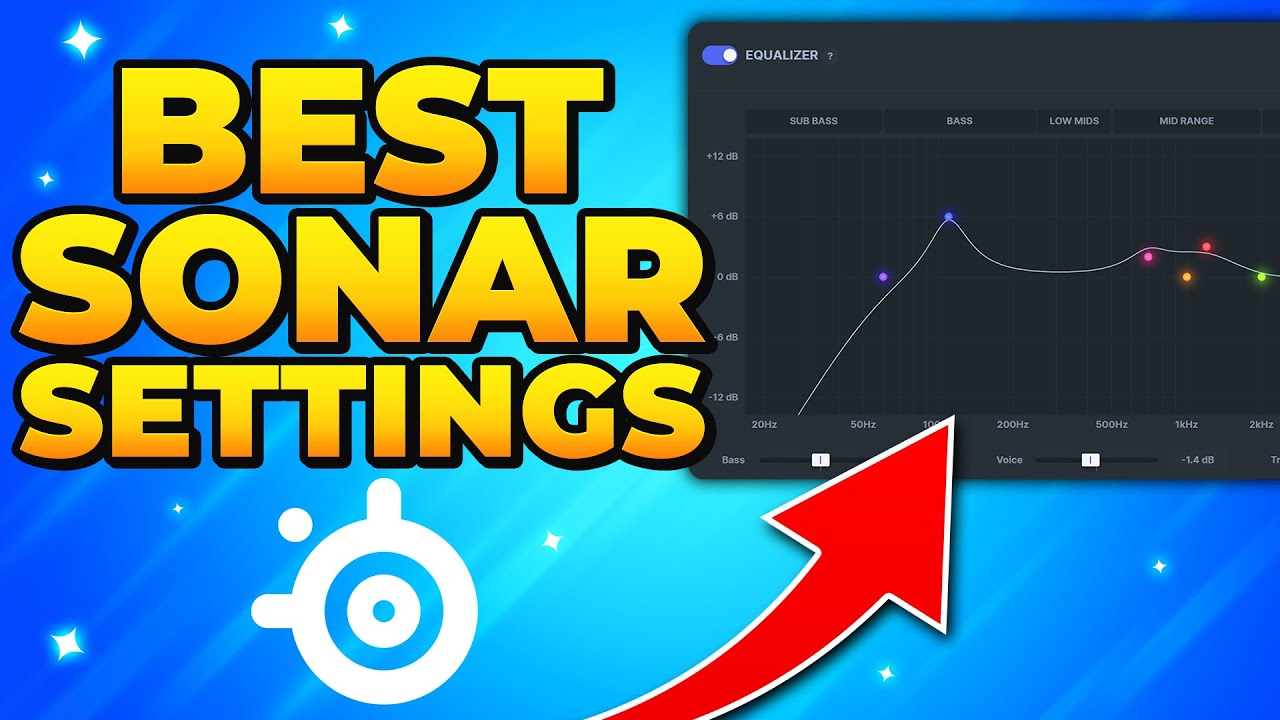
In this tutorial I show you the best SteelSeries Sonar settings for gaming. These settings will help you hear footsteps better, and make movies and music sound better. Additionally, Sonar can also be used to remove background noise from people you are talking with. Therefore making it easier to hear game sounds.
Although SteelSeries Sonar might...
There also seems to be sonar-configs channel below this one that likely has more.
 carmine maple
any one else have an issue where links on the shared links in configs open the browsers but not import anything to sonar
last mason
I just gave Steelseries GG admin so it would run as a administrator and I stopped being able to access or see the Gui interface for Steelseries GG. Disabling adminstrator on SteelSeriesGGClient.exe fixed this issue for me.
carmine maple
last mason
I just gave Steelseries GG admin so it would run as a administrator and I stoppe...
cheers odd little bug that is thanks sorted straight away
last mason
np
Glad I could help, though I came here for help myself lol.
Can anyone tell me how to link my Razer Huntsman V3 Pro Tenkeyless keyboard's volume controls to Sonar? So I can use the volume wheel to adjust Sonar's volume. ATM it only controls the #1 volume controls (Game on my Gui screen). I'd like to have it control master but I have not been able to figure out how to make this happen. Any ideas?
knotty socket
last mason
Here is the 2nd video.
https://www.youtube.com/watch?v=SU2tNZ4I-a4
Thanks!
 lavish hare
can someone tell my why I'm having this for like an hour? I've restarted my pc, fully closed the app via task manager, reinstalled and nothing helped. any solutions?

opening it as administrator also does nothing
 undone current
This is gonna sound dumb....but disconnect all your devices and set it up and then plug them all in
had that issue, Win10 and Win11
delicate burrow
i've got a problem with the sonar mixer
whenever i restart my pc or my monitor restart or basically anything at this point the sonar mixer changes my output device
i need to manually change it to "headphone arctis nova 7"


 vagrant raptor
im using Sonar and the last couple of days Sonar has seemed to make the Mixer amp with my Actis nova pro Wireless unless cause the mixer no longer works like its meant too
 delicate sapphire
delicate burrow
i've got a problem with the sonar mixer
whenever i restart my pc or my monitor r...
delicate sapphire
delicate burrow
i've got a problem with the sonar mixer
whenever i restart my pc or my monitor r...
I had this same issue and found a solution. DM me?
delicate burrow
delicate sapphire
I had this same issue and found a solution. DM me?
Yes please
 eager hare
hey i just bought the alias and for some reason clear cast ai noise cancellation wont on the new mic and i have a lot of back round noise in my house was wondering if anyone had a solution
 sinful scarab
delicate burrow
i've got a problem with the sonar mixer
whenever i restart my pc or my monitor r...
sinful scarab
delicate burrow
i've got a problem with the sonar mixer
whenever i restart my pc or my monitor r...
Me to. Even happens leaving pc in sleep. Wasn't an issue since launch and started a month or so ago. I use the audio switcher taskbar app and that worked great to set hotkeys to switch speakers, atmos and sonar but have to go into sonar every time now. Reported as bug. Did notice a yellow pop up bar to set defaults today, but only happened once and doesn't appear again when changing the other modes after Game. Weird.
 wintry hare
@everyone if you're having sonar problems, I can help you, just join the voice chat
and if you dont beleive me, look in general, look at the many people I have helped already
wintry hare
eager hare
hey i just bought the alias and for some reason clear cast ai noise cancellation...
you need a noise gate
 full cypress
delicate burrow
i've got a problem with the sonar mixer
whenever i restart my pc or my monitor r...
full cypress
delicate burrow
i've got a problem with the sonar mixer
whenever i restart my pc or my monitor r...
same here, any help?
wintry hare
i can fix this @full cypress set everything how you want it in the steelseries app and then go to settings>sonar> backup device switch, turn that all off
YOU ARE WELCOME!
wooden scarab
@wintry hare what do i do if my Arctis 7 sound muffled and very not clear?
wintry hare
yo join the voice channel and I can have a look at it bud
 spring wasp
I just got windows 11 and now i am trying to start sonar, but it doesnt work, any known fix?
 split cargo
My microphone quality is crap whenever I use my Microphone (USB device) and whenever I use my Microphone (Realtek R Audio) It doesn't pick up sound, I need help guys
please guys I need some help, give me a ping or a dms
My sonar can't seem to improve my mic quality
please I need help
what do I do?
wintry hare
split cargo
My microphone quality is crap whenever I use my Microphone (USB device) and when...
scrolling back through the caht always helps
split cargo
wintry hare
scrolling back through the caht always helps
got any recommendation?
wintry hare
wintry hare
@everyone if you're having sonar problems, I can help you, just join the voice c...
read this @split cargo
 obsidian zodiac
Hello guys i have some issue with sonar is on infinite loading , how can i fix it ?

 humble tartan
delicate burrow
Yes please
humble tartan
delicate burrow
Yes please
You fix this issue I am having the same issue as well?
 frosty crag
wintry hare
i can fix this <@742727391952109660> set everything how you want it in the steel...
frosty crag
wintry hare
i can fix this <@742727391952109660> set everything how you want it in the steel...
Mate you're a life saver thank you 🙏 Have had this issue for a while and just joined to figure out a solution
wintry hare
frosty crag
Mate you're a life saver thank you 🙏 Have had this issue for a while and just ...
yeah could you hop in the vc real quick bud?
frosty crag
Ah sorry, kinda busy right now
wintry hare
frosty crag
Ah sorry, kinda busy right now
all good, when u get a minute could you give me a shout?
frosty crag
Yeah otherwise you can just ask someone else if I don't find time
wintry hare
frosty crag
Yeah otherwise you can just ask someone else if I don't find time
of course man give me a message when you're free bud
eager hare
@wintry hare so do i just turn it on and put it to the automatic setting?
 grave shoal
Anyone else having an issue where a comp restart or sleep wakeup causes sonar to change its output targets for mixers?
 feral sand
is there a way to prevent sonar from detecting my controller every time i turn on my pc or plug in my controller it switches to it
inner quail
feral sand
is there a way to prevent sonar from detecting my controller every time i turn o...
check your priority list. Since I don't use the sound feature of my controller, I've moved it to the exclusion list for all tabs.
past hazelBOT
SteelSeries Sonar has “Device Fallback” that will automatically switch the outputs on Sonar.
Fallback can be triggered when a device is unavailable (such as when booting your PC or unplugging a device), or it can switch outputs if it detects if a Nova headset is turned off, and automatically switch to speakers.
This fallback functionality can be adjusted or turned off by going into the settings in GG. You can find it under Settings > Sonar > Backup Device Switch.
You can also adjust the order in which devices fall back to. This can be adjusted in the same options menu. Simply scroll down to see the full list of devices.
 mortal osprey
hey, is there a way from me to stream music through my microphone? if so could you please guide me with setting it up! thank you 
 simple linden
mortal osprey
hey, is there a way from me to stream music through my microphone? if so could y...
simple linden
mortal osprey
hey, is there a way from me to stream music through my microphone? if so could y...
voicemod?
mortal osprey
with GG
inner quail
mortal osprey
hey, is there a way from me to stream music through my microphone? if so could y...
you could try the streamer mode
https://support.steelseries.com/hc/en-us/articles/13761015491725-Setting-up-Sonar-for-Streaming
use the Sonar Stream device in your streaming application as microphone input device
hoary spire
delicate burrow
i need to manually change it to "headphone arctis nova 7"
In order for apps to output to the other devices in Sonar, you'll need to route the apps to the specified device. Routing can be done in one of two ways:
-
Use the routing drag and drop interface underneath the audio outputs to simply move any apps playing sounds to the required output
-
Open the Windows sound device by going to Settings > Sound > App Volume and Device Preferences. From this settings menu you can use the dropdown to route any app.
If you are having issues with routing not working or apps moving back to another device after dragging them, you may need to check the app itself for any sound output settings. Some apps like Discord, Spotify, and Apple Music may need to have their outputs changed within their app settings rather than done through Sonar.
mortal osprey
inner quail
you could try the streamer mode
https://support.steelseries.com/hc/en-us/article...
than kyou <3
simple linden
also im having problems whenever my pc goes in sleep mode or i turn it on it changes to my oculus headset microphone and my oculus headet stuff
inner quail
simple linden
also im having problems whenever my pc goes in sleep mode or i turn it on it cha...
you should check your priority list too. #sonar message
simple linden
thanks schlabbi 👍
 full atlas
whenever i restart my pc , my default device for audio changes to sonar gaming, when i want it to just keep it on my normal headphones. I tried to use the Sonar.DevInst.exe thing to stop that but it wouldnt work, it also re-enables the devices after i disable them and i do not know how to only keep the sonar mic but nothing else.
 teal dove
Does anyone know what happened?
I played WoW and just mid gameplay the audio just stopped working. I tried to relaunch the game and I still can't get any audio.
Then I looked at my sonar and it says that it's muted. What do I do?
 wintry hare
teal dove
Does anyone know what happened?
I played WoW and just mid gameplay the audio jus...
wintry hare
teal dove
Does anyone know what happened?
I played WoW and just mid gameplay the audio jus...
I may be able to help with this
teal dove
wintry hare
I may be able to help with this
Alright ^^
I don't know if it's sonar or the game itself
everything else works except for that game
wintry hare
teal dove
Alright ^^
sent you somethin bud
 zealous thicket
id love for presets to be added to sonar, when i plug in my controller it automatically switches every one of my options to the controller forcing me to have to switch back to all of my main audio output device and my microphone
 loud sparrow
For a few weeks now, I've been having an issue where everytime I turn my PC on (sometimes fresh boot, sometimes from sleep), my sonar resets all the audio devices. Anyone know a resolution for this? It was setting everything to steam link devices, which I don't use often, so I disabled those in Windows settings, now it will load my desktop speakers and desktop Mic before choosing the arctis.
teal dove
loud sparrow
For a few weeks now, I've been having an issue where everytime I turn my PC on (...
Haven't found one yet sadly. They don't have a lock function yet
if it's possible for you, you can inactivate your other devices in sound settings on your computer
loud sparrow
teal dove
Haven't found one yet sadly. They don't have a lock function yet
It was working fine just a few weeks ago, was there a recent patch? - I may do that, I don't use the speakers as much. It's just a general pain in the neck
teal dove
loud sparrow
It was working fine just a few weeks ago, was there a recent patch? - I may do t...
yea
I have the same issue
loud sparrow
teal dove
I have the same issue
Ah, well maybe they'll get it sorted in the next round. Thanks for your quick reply
teal dove
I sure hope hope so xD
teal dove
loud sparrow
Ah, well maybe they'll get it sorted in the next round. Thanks for your quick re...
nw ^^
velvet walrus
@teal dove @loud sparrow you can modify or disable the fallback behavior in the settings under "backup device switch"
past hazelBOT
SteelSeries Sonar has “Device Fallback” that will automatically switch the outputs on Sonar.
Fallback can be triggered when a device is unavailable (such as when booting your PC or unplugging a device), or it can switch outputs if it detects if a Nova headset is turned off, and automatically switch to speakers.
This fallback functionality can be adjusted or turned off by going into the settings in GG. You can find it under Settings > Sonar > Backup Device Switch.
You can also adjust the order in which devices fall back to. This can be adjusted in the same options menu. Simply scroll down to see the full list of devices.
loud sparrow
velvet walrus
<@275030437108121600> <@129983152507715584> you can modify or disable the fallba...
Hey thanks, I switched those around and it stayed set after rebooting! Is this supposed to automatically switch to the next device on the priority list? From what I read here, and in the settings, thats what it seems to do... does it only work with the nova? I have Arctis that's several years old.
 heady mulch
Guys when i open my open my pc always steelseries changing settings every time in sonra it I have to move my monitor to my monitor and back to my headphones every time, just like my headphones, the same thing happens when I turn the computer on and off, can you help me?
velvet walrus
scroll up to the bot reply, lol
 tough trout
anyone know why this happens?? it was working fine a couple days ago. and yes sonar has access to the mic
 wintry hare
tough trout
anyone know why this happens?? it was working fine a couple days ago. and yes so...
wintry hare
tough trout
anyone know why this happens?? it was working fine a couple days ago. and yes so...
yes
I do know, I can fix it but it wont be easy @tough trout
clear citrus

It keeps moving to "Media"
Why is it suddenly doing this?
I have erry other setting putting it on "Game"
I can't even drag it to "Game" bcuz it doesn't let me
What's the point of even having that if it's not even gonna work??
honest kindle
I've been trying to use my 9x headset with the sonar application for about two weeks, the microphone problems come out and fixed somehow, but now when I enter the game, it gives the sounds from both ears at the same time and the sound quality is very bad, even if I try to correct the settings for hours, it doesn't improve, I think the sonar application shouldn't be broken, it shouldn't be so difficult, there are software problems, if I close the sonar application, there will be less sound from my headphones, if I have the same problem with me, can they like it, if anyone knows the solution, please help?
 bold wedge
the bum thing with fallback is that there does not seem to be a fallforward. I disabled it because I only really use my pc with headphones, but it just doesn't work.
Turn headset off, falls back to speakers.
Turn headset back on... gfy, still speakers
inner quail
clear citrus
Why is it suddenly doing this?
as the yellow banner indicates, your default windows audio devices are not setup correctly anymore. I would assume for some reason Sonar Media is default instead of Sonar Gaming. You can fix that by click the link in the yellow banner.
inner quail
clear citrus
What's the point of even having that if it's not even gonna work??
some apps don't support routing but they support picking output and input devices in their settings. I would assume Dragon's Dogma uses the default device, which is Sonar Media atm.
inner quail
bold wedge
the bum thing with fallback is that there does not seem to be a fallforward. I d...
there is an option in the Backup Device Switch settings to disable changing devices when your headset turns off.
inner quail
 frozen folio
why i don't hear any voice song
frozen folio
why i don't hear any voice song
can you elaborate and also share a screenshot of sonar?
clear citrus
inner quail
as the yellow banner indicates, your default windows audio devices are not setup...
I know, and I make it "Media" intentionally because it's stupid to use the "default" setup. I'd rather listen to all my media with the "Media" setting instead of whatever spatial audio my "Game" has set. And it's annoying to have to manually switch to "Music and Bass" or something instead of just making "Media" the default
Also, none of that's the issue. I've had it like this since "Media" and "Aux" were introduced. This is an issue that came suddenly and very recently. Until recently, it's worked just fine. Perfectly
DDDA does use "Default Device", but the thing is, in "Sound Settings" in my Windows settings, I have the default set to "Game". I have all my apps manually set to "Media" or "Game". Even if I were to set the default default to "Game", it still wouldn't work. It'd continue to play in "Media" anyways
Disabling "Media" solved the issue, but now I gotta re-enable it when I'm NOT playing games. The only thing that could possibly be triggering this malfunction is likely due to me streaming my games to/from my Steam Deck OLED, mainly bcuz I just want to use Sonar in the games. But doing so also bugged TF out of my audio stuff, mainly with the "Steam Link" app I had to uninstall (bcuz it was breaking Sonar and audio BADLY). But despite that issue being resolved, it still troubles me with yet another issue, and I genuinely have no idea how to fix this one. I've tried errything, but it keeps playing ERRYTHING in "Media", even when I'm not streaming to/from my Deck. It just refuses to play in "Game" or anything else
(I don't have DD open rn, but it's this area in which I manually set all audio for all my apps
 wintry hare
I can fix all of these problems that all of you are having, go look in general to see the proof, I'll do first come first served tomorrow from the top of this post
 final galleon
Anyone knows why when I share my screen with audio enabled - why my mates can hear themselves speaking?
 frozen folio
inner quail
can you elaborate and also share a screenshot of sonar?
frozen folio
inner quail
can you elaborate and also share a screenshot of sonar?
yes
 eager elm
Hello part people, I updated Sonar and now evertime I have to switch outputs manually, any chance someone has found out in the settings what has changed?
For example I an aux set of speakers for main on my PC and a windows 10 wireless adapter for my Steelseries 9x
The app used to run flawlessly for around a year. had to reinstall it
2 issues, one is above, and the second is when I use my oculus headset, EVEN if the headset is set to use its own speakers the game will not have any sound and in setting the oculus to run through GG instead the echo is intense and nothing is comprehendible, this issue might just be oculus, any other people had this problem? any solution would be great
past hazelBOT
SteelSeries Sonar has “Device Fallback” that will automatically switch the outputs on Sonar.
Fallback can be triggered when a device is unavailable (such as when booting your PC or unplugging a device), or it can switch outputs if it detects if a Nova headset is turned off, and automatically switch to speakers.
This fallback functionality can be adjusted or turned off by going into the settings in GG. You can find it under Settings > Sonar > Backup Device Switch.
You can also adjust the order in which devices fall back to. This can be adjusted in the same options menu. Simply scroll down to see the full list of devices.
delicate burrow
final galleon
Anyone knows why when I share my screen with audio enabled - why my mates can he...
its a feature from dc idk how to turn it off
 clever owl
how do i stop sonar from automatically setting steelseries sonar virtual audio or whatever as my output device on startup? i hate it always having to switch outputs
 lofty mortar
Hi, i have problem with sonar. ALWAYS if the pc is turning on sonar changes audio for something else, even after i change it. How to fix this?
violet grail
clever owl
how do i stop sonar from automatically setting steelseries sonar virtual audio o...
That's as intended. Sonar is made to be used for everything. Is it because you only want to use it for the mic?
Same question to you @lofty mortar
clever owl
violet grail
That's as intended. Sonar is made to be used for everything. Is it because you o...
yeah
im considering uninstalling it because of that i absolutely hate it
violet grail
clever owl
yeah
You can support the request for that feature here: https://discord.com/channels/299040363123965952/1219057176447025204
You can also disable Sonar and use the rest if you'd like
lofty mortar
violet grail
That's as intended. Sonar is made to be used for everything. Is it because you o...
No, i need to change all the time

for that
its always changing
and its very boring
violet grail
Check your fallback options
past hazelBOT
SteelSeries Sonar has “Device Fallback” that will automatically switch the outputs on Sonar.
Fallback can be triggered when a device is unavailable (such as when booting your PC or unplugging a device), or it can switch outputs if it detects if a Nova headset is turned off, and automatically switch to speakers.
This fallback functionality can be adjusted or turned off by going into the settings in GG. You can find it under Settings > Sonar > Backup Device Switch.
You can also adjust the order in which devices fall back to. This can be adjusted in the same options menu. Simply scroll down to see the full list of devices.
clever owl
violet grail
You can also disable Sonar and use the rest if you'd like
you mean here?
 violet grail
clever owl
you mean here?
violet grail
clever owl
you mean here?
No, check the faq message above
 edgy wedge
can anyone here help me with my audio issues? I've fixed the Device Fallback thing, but my audio still keeps cutting out, and no matter what I change my settings to I can't get any audio whatsoever. I have no idea what to do
I'm using the Artic Nova 7P
 subtle gale
Hi. I have a similar "issue" as Rafael. I switch to a non-Sonar output after each PC restart.
As for the Why: I applied an equalizer to the all channels I use with my headset. However, I don't want this equalizer applied to the other output devices. And I do switch my audio devices (gaming with friends = headset, working or gaming alone = speakers or headphones).
Am I using Sonar wrong? Or is my scenario just not considered?
 sick ravine
Sonar is super helpful, but it can be such a buggy mess sometimes.
Can anyone help me with an issue where the gaming audio part of Sonar is not playing through the headphones even though it's being recognized and displayed on the Sonar application?
I am able to hear through the media and chat portions just fine, but it's just not playing the gaming audio from Sonar through my headphones at all
I can hear everything just fine when Sonar is disabled, but I lose the tuned surround sound functionality. When Sonar is re-enabled, I can hear all audio except that which is in the gaming category again.
I've tried disabling and re-enabling Sonar and I've tried force closing it through task manager and reopening it. I've tried replugging in the OLED display device that comes with the headset and restarting the game that I'm trying to hear from.
sick ravine
I fixed it by restarting my PC
I guess the drivers for Sonar just screwed themselves up somehow
 somber kite
Is there a way to save the sonar equlazier and mick setting in the headset? I got Steelseries artic 7 +. I love the headset! I am from sweden and my output was a bit low on the phone. But changing the region from sweden to usa and restart it restored the full volymn from phone to thats awesome 🙂
 burnt dew
hey im having problem with Sonar, so basically none of my inputs work for example my airpods or speakers in my laptop, ive tried everything i think from going to the master, to changing audio inputs both on windows and in sonar, nothing works
the only output that works is the nova pro wireless output and then i NEED to use the headsets,
i dont have the dock connected or nothing now
 zealous musk
 pure berry
need help with sonar, whem im using it I can't hear voice chats on valorant and fivem doesn't have a sound
 sudden dune
When i restart my pc sonar chnage the enter of audio
 spring axle
is there a good open source alternative?
velvet walrus
alternative for sonar? there's voicemeeter but i don't think it's open source.
 tidal island
Anyone use creative pebble plus speakers with the down facing subwoofer I'm looking some presets for gaming
Using sonar
 alpine cobalt
Hello! anyone elses sonar not working at all? im just infinite loading when i try to turn it on
alpine cobalt
nvm i uninstalled and reinstalled and that fixed it

 urban sedge
What’s up with sonar not working right in windows 11 for shadow play
velvet walrus
urban sedge
What’s up with sonar not working right in windows 11 for shadow play
what's not working right? shadowplay is a super basic recording app and it's limited to the number of audio devices it can record at once.
urban sedge
velvet walrus
what's not working right? shadowplay is a super basic recording app and it's lim...
It always worked fine with ever other software in windows 10 but I cannot get game sound to work at all I can get it to record my mic but seeing as it’s the most popular screen capture too used figured we would have a easy fix
Is streamer mode the only way to capture all the sounds on a clip
Seems like a no brainer to have a shadow play drop down that combines all the channels that are playing
I hate to be negative about these products but we have been recording clips on our pcs for over 10 years and it seems like there are more issues then ever with this steel series stuff as of late.
 vestal pollen
yo, anyone know why sonar will not pick up my mic? i have the nova 3
velvet walrus
urban sedge
Seems like a no brainer to have a shadow play drop down that combines all the ch...
i think the problem is that sonar adds features that shadowplay isn't really designed for
like, shadowplay is nice as a lightweight simple "comes with your graphics card so why not" kind of thing. but since it's so simple it doesn't really allow for or handle higher end features too well, like recording more than one audio output. not like it really needs to, since most setups are just one output, but it's something to be aware of for when you change your setup and install/uninstall new programs or get hardware with new features.
technically this has been an issue since chatmix became a thing back in 2018/2019, even predating Sonar, since it's just a limitation of shadowplay. other stuff has come out like OBS or Moments that can handle this recording stuff. one can argue it's even better for recording since in Moments you can edit the separate audio streams after the fact, so you can turn your friends down if they were yelling or saying something you'd want to remove.
ultimately with GG providing two solutions to this problem (using Moments or using Streamer mode) I don't think you're going to see any other updates to Sonar that caters to people using a barebones recording software.
delicate burrow
i was looking through the support articles of sonar and it one of them said i can share music with friends, but after reading through it, it said to "add to stream mix" but whenever i looked for this under where it said i couldnt find it?
 eager patrol
delicate burrow
i was looking through the support articles of sonar and it one of them said i ca...
eager patrol
delicate burrow
i was looking through the support articles of sonar and it one of them said i ca...
you need to enable the stream mode
 proud comet
delicate burrow
i was looking through the support articles of sonar and it one of them said i ca...
proud comet
delicate burrow
i was looking through the support articles of sonar and it one of them said i ca...
and then use the Sonar Stream device as input for Discord
 chilly vortex
Hey, I was actually facing some issues with streaming my desktop on discord with sonar audio, where my friends can hear me twice, how can i solve this ?
last mason
chilly vortex
Hey, I was actually facing some issues with streaming my desktop on discord with...
Are you speaking through a headset and listening through desktop? Sometimes that causes reverb. Try rebooting?
proud comet
chilly vortex
Hey, I was actually facing some issues with streaming my desktop on discord with...
Tell us a bit about the setup.
You are using the Discord Stream function?
Is chatting without Streaming working fine?
What is meant by hearing twice? Same output twice, or like @last mason suggested a reverb?
How is your discord setup? What is the input and output device?
How is your sonar setup?
 bitter condor
Hello
I bought a new steelseries arctis nova pro wireless
But I couldn't get the microphone to work.
Help me pls
alpine cobalt
 shut ice
when i try to drag discord to chat in the mixer it wont work
shut ice
when i try to drag discord to chat in the mixer it wont work
Go to your settings in steel series and go to sounds then set your input and output to default pretty sure I had this same issue before. Make sure your desktop is set to whatever sonar you prefer (gaming for me) and your discord voice and video are also set to default
 bleak solstice
Hi, I don't know why but these days,my sonar disconnects my sound input and microphone, so I have to put it back on manually every time my pc is switched on, can someone explain me how can I fix it please ?
pure berry
anyone can help me with sonar, the default output device is already set on what i usually use but whenever i restart sonar or my pc it goes back to my speaker which i only use when im not gaming
it always goes back to realtek

 timid sapphire
pure berry
anyone can help me with sonar, the default output device is already set on what ...
timid sapphire
pure berry
anyone can help me with sonar, the default output device is already set on what ...
I also have this issue and I don't know how to solve it either.
 tall timber
pretty sure everyone is too
 pure helm
well im glad its not just me lol
tall timber
i think its cuz the cloud sync has been disabled
pure berry
thought it was just me
tall timber
naw me too
ive had it for a few days now
we gotta wait till they release an update or smth
timid sapphire
This is so stupid. I now have no sound coming out of my headphones either. have shut down Sonar and everything but still haven't gotten any sound. Tried switching devices nothing has worked.
tall timber
naw you dont have to
tall timber
timid sapphire
This is so stupid. I now have no sound coming out of my headphones either. have ...
just go to sonar and change the playback to headphones
so each channel
timid sapphire
tall timber
just go to sonar and change the playback to headphones
Yeah i did that. It did nothing.
timid sapphire
I then disabled Sonar and it didn't work.
timid sapphire
tall timber
youll have to do it everytime u boot up ur pc
Well thats just silly quite frankly.
tall timber
timid sapphire
Well thats just silly quite frankly.
yeah well
its starting to become second hand for me now
timid sapphire
Guess I'm going to have to deal with media being in the background of my Moments clips now.
tall timber
yupp
past hazelBOT
SteelSeries Sonar has “Device Fallback” that will automatically switch the outputs on Sonar.
Fallback can be triggered when a device is unavailable (such as when booting your PC or unplugging a device), or it can switch outputs if it detects if a Nova headset is turned off, and automatically switch to speakers.
This fallback functionality can be adjusted or turned off by going into the settings in GG. You can find it under Settings > Sonar > Backup Device Switch.
You can also adjust the order in which devices fall back to. This can be adjusted in the same options menu. Simply scroll down to see the full list of devices.
velvet walrus
@pure berry @timid sapphire ^ this might fix the changes
tall timber
it acutallt can
 vapid imp
Is there some way to fix spatial audio? When I have it enabled, the vibrations hurt my ears
velvet walrus
you can always try modifying the settings like distance and see what works best. you can also click and drag the speakers to move them around if one particular thing is being disruptive

might also help to turn the bass down?
 subtle carbon
can I increase the volume of the stuff I'm listening trough my phone with bluetooth trough sonar?
proud comet
Since your phone is probably not routed through your Pc (where Sonar is running), I doubt it.
delicate burrow
my sonar refuses to laod
pure berry
velvet walrus
<@1097205256334627026> <@402171124449804289> ^ this might fix the changes
thank you so much!
alpine cobalt
delicate burrow
my sonar refuses to laod
Uninstall and reinstall worked for me yesterday
shut ice
alpine cobalt
Go to your settings in steel series and go to sounds then set your input and out...
i can't find sounds in the settings
 reef orchid
I’ve downloaded the app and I can’t hear myself when I test my mic,
 worn plaza
j
 zinc schooner
velvet walrus
<@1097205256334627026> <@402171124449804289> ^ this might fix the changes
zinc schooner
velvet walrus
<@1097205256334627026> <@402171124449804289> ^ this might fix the changes
this fixed my issue thanks
 grizzled scaffold
can any one help with my mic sounding so quiet on sonar???
velvet walrus
 sweet spire
i have 32 gb ram and it uses 2.3k mbs
sweet spire
i have 32 gb ram and it uses 2.3k mbs
isn't 200mb of ram out of 32gb like... less than 1% of your ram?
inner quail
velvet walrus
isn't 200mb of ram out of 32gb like... less than 1% of your ram?
2.3k MB = 2.3 GB
inner quail
sweet spire
i have 32 gb ram and it uses 2.3k mbs
Sometimes the AI tools do weird stuff. Restarting GG usually helps. Might be clearcast.
 grizzled sluice
Has anyone had Sonar add audio outputs like this^. every time I've logged in 'Gaming' is set as default device and Sonar gives this message.

 inner quail
grizzled scaffold
can any one help with my mic sounding so quiet on sonar???
inner quail
grizzled scaffold
can any one help with my mic sounding so quiet on sonar???
Make sure your mic is very close to the corner of your mouth. https://support.steelseries.com/hc/en-us/articles/229151368-How-do-I-position-the-mic
Support
Make sure that the flat side of the microphone is aimed at your face. Then position the head of the microphone near the corner of your mouth no more than 1.5” away. See the diagram for a graphical ...
inner quail
grizzled sluice
Has anyone had Sonar add audio outputs like this^. every time I've logged in 'Ga...
Yes if you want to use sonar, the sonar gaming channel should be default.
grizzled sluice
How does it work I just got the headset but when Gaming is set to default there is no audio
inner quail
You need to set the playback device in sonar gaming to your headset
grizzled sluice
Okay but if gaming is my output device will i be able to hear chat?
inner quail
Yes you will hear all channels. Just make sure they have all the right playback device in sonar.
And routing apps to channels works like this
past hazelBOT
In order for apps to output to the other devices in Sonar, you'll need to route the apps to the specified device. Routing can be done in one of two ways:
-
Use the routing drag and drop interface underneath the audio outputs to simply move any apps playing sounds to the required output
-
Open the Windows sound device by going to Settings > Sound > App Volume and Device Preferences. From this settings menu you can use the dropdown to route any app.
If you are having issues with routing not working or apps moving back to another device after dragging them, you may need to check the app itself for any sound output settings. Some apps like Discord, Spotify, and Apple Music may need to have their outputs changed within their app settings rather than done through Sonar.
grizzled sluice
inner quail
You need to set the playback device in sonar gaming to your headset
it works I guess
inner quail
Also make sure the backup device switch in settings is correct. Headset should have more priority than (be above) monitor and onboard audio.
grizzled sluice
What is the backup device switch
inner quail
It handles the playback device fallback when your headset is not connected, you connect other devices or you reboot your computer.
grizzled sluice
Idk why theyre in that order but the monitor is set to not used as default. I think you fixed my problem tho thanks @inner quail
chilly vortex
proud comet
Tell us a bit about the setup.
You are using the Discord Stream function?
Is cha...
okay so the exact issue is, when i'm screen sharing (not application sharing) on discord, my friends are actually hearing back all the audio from discord, as in them speaking, so my discord screen share is picking up discord audio too and sharing , resulting in an effect where my friends can hear me twice, and hear themselves back as well.
My sonar is set to streaming mode, on master - personal mix: my audio interface output, stream mix: sonar stream, mic input: usb audio interface mic in
on discord, input :sonar microphone (as i'm using the mic fx from sonar) , output: usb audio interface
And everything works fine without streaming, the repeating issue occurs during desktop screen share, application share eliminates it as discord audio wont be shared in that, only the application audio
 tame mica
https://i.imgur.com/MUobqKN.png
i see that it says its excluded but how come it still got selected?
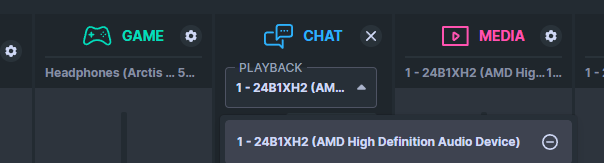 inner quail
tame mica
https://i.imgur.com/MUobqKN.png
i see that it says its excluded but how come it...
inner quail
tame mica
https://i.imgur.com/MUobqKN.png
i see that it says its excluded but how come it...
Excluding from backup device switch settings just means that it won’t get auto selected anymore. You can still select it in the dropdowns.
tame mica
i understand that, but i didnt select it myself, it selected itself when i turned on my pc from sleep state
inner quail
tame mica
i understand that, but i didnt select it myself, it selected itself when i turne...
There is a bug regarding the exclusions. Try moving it back to the top of the playback devices list. Then move it down to the bottom of the list. Then exclude it again. It worked with my controller.
tame mica
inner quail
There is a bug regarding the exclusions. Try moving it back to the top of the pl...
thanks, ill do that see how it goes next time
 flat geode
pure berry
it always goes back to realtek
flat geode
pure berry
it always goes back to realtek
I am still having this issue as well. Still no fix for this?
pure berry
flat geode
I am still having this issue as well. Still no fix for this?
try this #sonar message
 final cloak
Can anyone help me? How do I set the MEDIA in obs? I already tried but if i mute media in sonar, obs continues to play the music
basically I want to use twitch VOD
in Media
zinc schooner
pure berry
try this https://discord.com/channels/299040363123965952/876900874054692904/1234...
it's this probably idk why they made the setting automatically turn on
 naive nebula
I had to completely turn off the backup switch. It kept defaulting to my monitor. Haven’t had an issue since
urban sedge
anyone know why my audio channels always change when I restart my pc like my game channel moves to chat each time
 opal grove
past hazel
SteelSeries Sonar has “Device Fallback” that will automatically switch the outpu...
opal grove
past hazel
SteelSeries Sonar has “Device Fallback” that will automatically switch the outpu...
THANK YOU SO MUCH
proud comet
@violet grail
violet grail
proud comet
<@112973716362645504>
Ty :)
 spark cave
Hello gents,
I've the artic pro wireless and I'm using sonar (love it, except one thing which annoys me).
I'm using the automatic device switch and in the preference device list I've set the artic pro wireless, then followed by my sound card. There is an option on the sonar settings that set the headset as "not connected" if they are off, which my understanding is the device list should automatically switch to the next available device - my sound card.
This does not work as expected after the PC boot up.... it doesn't switch automatically to the sound card, unless I switch on my headset so sonar recognize it as "on" and then turn if off again - sonar will then detect it as "off" and switch to the sound card.
I believe all the settings are set properly, and all the sonar functionalities are working as expected, except this one - after OS boot up, sonar does not switch automatically to the next audio device in the list if the headsets are off.
Is this a bug in the software, or am I missing something? Looks like the code for managing the device list preferences is working fine, but not triggered properly after OS boot up....
anyone else has this same behavior?
Steelseries staff - is this a known behavior?
thx!
opal grove
I ain't reading all of that
proud comet
chilly vortex
okay so the exact issue is, when i'm screen sharing (not application sharing) on...
Thank you. The way you phrase it sounds, that you’ve set up everything correctly. Let me think ab Bit about the issue
violet grail
spark cave
Hello gents,
I've the artic pro wireless and I'm using sonar (love it, except on...
Have you tried reinstalling GG? Or just installing it again then you shouldn't lose settings
 chrome plume
hello, i reinstalled my steel series headset software, but now it has a critcal update but when i click on it, nothing happen?
 velvet walrus
chrome plume
hello, i reinstalled my steel series headset software, but now it has a critcal ...
velvet walrus
chrome plume
hello, i reinstalled my steel series headset software, but now it has a critcal ...
what version did you reinstall? it looks like you have a very old version of GG, which means it might be trying to install old firmware
polar zenith
spark cave
Hello gents,
I've the artic pro wireless and I'm using sonar (love it, except on...
It's a known bug in v60 and up. They've had it for over a month now but haven't fixed it yet. I can say from personal experience that v58 works correctly.
 brazen juniper
I bought steelseries arctis nova 7. The normal microphone of the headset works, but the sonar microphone does not work. It appears as a fault on the gg software. I cannot use the sonar microphone in any game. I would be happy if you help me.
 glossy mulch
I dont know if this is an issue with sonar or with my headset (arctis nova 7 dragon edition) but after some time my headset sometime just disconnects.
Yes i did change the auto power off to "never" but i still have this issue and i have no clue why. also it only happens with my 2.4ghz connection and not my bluetooth and i only have it sometimes....
 tight tree
Hello, I installed my steelseries GG software again, but now I cant hear any voice/sound in Fivem/other games. Anyone knows why? I cant even change something to the headset, it just says "None"
spark cave
polar zenith
It's a known bug in v60 and up. They've had it for over a month now but haven't ...
Any chance to rollback to that version? (Temporarily until a proper fix )
spark cave
violet grail
Have you tried reinstalling GG? Or just installing it again then you shouldn't l...
No, not yet. But can give it a try.
 tranquil geyser
I have a customer keyboard with a knob for audio control. Is there a way to bind that knob so it would control Mater slider not a game slider?
 rugged dew
What's the newest version of GG out?
rugged dew
violet grail
Have you tried reinstalling GG? Or just installing it again then you shouldn't l...
I don't think reinstalling fixes the auto switchign issues they're having.
clever scroll
is there any way you get sonar working on windows 11?
velvet walrus
? there shouldn't be any special steps, it works normally on win10 and win11
 pale orbit
why the fuck is sonar only making my scrollwheel set to game volume
what kind of smoothbrained prick thought this was a good idea and i know im not the only one complaining about this
 wicked atlas
yeah dogshit server for dogshit app
pale orbit
ong
 hazy pond
its not loading why????
 pale orbit
hazy pond
its not loading why????
pale orbit
hazy pond
its not loading why????
the apps ass bro its not even worth a shot
 trail gulch
 glad cobalt
Any special configuration for Warzone 3?
proud comet
hazy pond
its not loading why????
Try the usual troubleshooting stuff:
- Restart app
- Reboot computer
- Reinstall
 knotty otter
Sonar doestn save my Output device anymore, always have to manually change it to my headphones from my monitor when I boot up
pure berry
ayneon here suddenly lost sounds of games?
pure berry
proud comet
Try assigning it in the windows sound mixer settings
pure berry
proud comet
Try assigning it in the windows sound mixer settings
already did

everything set to default
still nothing
pure berry
welp managed to fix it by restarting
rugged dew
wicked atlas
how can I disable steelseries gg updates
Careful asking. They're banning people from the server for discussing their bugs and app problems.
proud comet
pure berry
welp managed to fix it by restarting
That is great. But that is not the sound mixer I meant. You can assign each app to have particular in and output devices. Also, some games have this setting in their game settings, so there are a few places to check 😉
 brave trout


 violet grail
rugged dew
Careful asking. They're banning people from the server for discussing their bugs...
violet grail
rugged dew
Careful asking. They're banning people from the server for discussing their bugs...
Absolutely not
glass sparrow
does any have mic mlag issue on other end when on sonar gaming and mic inout and chat outoput
tidal island
question regarding steelseries gg software
will i still get the benifts of steel series gg software if i only wanna use the chat and mic tab presets for example and then go into audio setting and disable game media or aux
cuz when i disable one the software pops a notification say set as default to use gg?
i only ask cuz i have other software i use for audio i most wanted gg for the game chat and mic settings
 long portal
Sonar always resets my playback devices every time I restart my pc? It gets set to my monitor, even tho I always set it back to my headphones :(
delicate burrow
My friend is having an issue with every time someone talks in the chat we hear ourselves in her background kinda like an echo, can someone help us?
 kindred kiln
Yo this is a little dumb to ask but I have a sound card that has 2 inputs one I use for my mic another for guitar. in Fl studio I can easily use only one of those channels but I can't seem to split them in Sonar ( I dont want my guitar to be heard by discord when its raw) I want only my voice to be used by Sonar.
When testing I hear my voice in the left ear and the guitar ni the right ear
 sinful nexus
long portal
Sonar always resets my playback devices every time I restart my pc? It gets set ...
sinful nexus
long portal
Sonar always resets my playback devices every time I restart my pc? It gets set ...
I'm having the same problem. Does anyone has a solution for that? It started after the last update.
past hazelBOT
SteelSeries Sonar has “Device Fallback” that will automatically switch the outputs on Sonar.
Fallback can be triggered when a device is unavailable (such as when booting your PC or unplugging a device), or it can switch outputs if it detects if a Nova headset is turned off, and automatically switch to speakers.
This fallback functionality can be adjusted or turned off by going into the settings in GG. You can find it under Settings > Sonar > Backup Device Switch.
You can also adjust the order in which devices fall back to. This can be adjusted in the same options menu. Simply scroll down to see the full list of devices.
 remote barn
So a question/ tech support that i don't know if it can be done but is there a way of using sonar to have 2 mics setup in sonar?
i play VR and Desktop and am tired of having to swap my mic in my in my settings every time i want to go between VR and Desktop.
if anyone has any solutions please feel free to dm me or tag me here.
long portal
sinful nexus
I'm having the same problem. Does anyone has a solution for that? It started aft...
After every update there is a need for a new update…
rugged dew
sinful nexus
I'm having the same problem. Does anyone has a solution for that? It started aft...
There's a fix, but people get banned for mentioning it. Tread carefully.
violet grail
rugged dew
There's a fix, but people get banned for mentioning it. Tread carefully.
Absolutely not, like I already told you
 river tulip
having problem that my my apps on sonar wont be routed to the catagoryis i want them.
sombody who knows how to fix that?
 plain basalt
hihi!
so i wanted to hear myself in a recording so i can see whether or not my roommates talking can be heard (background noise, etc)
but when i went to listen back to the recording, i couldn't hear myself at all
why? please help me fix
plain basalt
why does sonar make everything sound like absolute garbage 😭
help 😭
how to you set everything back to default on sonar
i followed a tutorial on "the best sonar setttings for audio" and om it made everything sound god aweful
the media tab, for youtube etc, was just blasting my ear drums out of my head 😭
 agile glacier
plain basalt
i followed a tutorial on "the best sonar setttings for audio" and om it made eve...
agile glacier
plain basalt
i followed a tutorial on "the best sonar setttings for audio" and om it made eve...
you're just not used to godlike audio quality, get used to it.
plain basalt
aint no way
i had the thing on 1% and it didnt soun good at all 💀
the spatial sound for games is really nice tho
ok here's my fourth(?) question of the day
how come the volume scroll wheel on my steelseries keyboard only works on my game channel in sonar?
why doesnt it sinc with the master volume control pannel like (imo) it should
anyone have a good tutorial on how to use sonar properly?
how come turning on sonar turns off my beats head phone noise cancelation?
like i need the noise cancellation part o-o
lyric wadi
idk where to go with this tbh but it fits into SS i think? since i got the prgramm always when i start any game discord shutsdown and ends itself. no task in taskmanager. wtf? why? and how can change it back to normal?
flat geode
past hazel
SteelSeries Sonar has “Device Fallback” that will automatically switch the outpu...
Are we ever going to get an update for this or?
urban sedge
flat geode
Are we ever going to get an update for this or?
by far the most annoying part of this program
 red plover
hey guys i need help with setting up obs
 midnight peak
CS2 sonar - gaming output not appear???
 violet grail
Does the game show up in Sonar or Windows?
past hazelBOT
In order for apps to output to the other devices in Sonar, you'll need to route the apps to the specified device. Routing can be done in one of two ways:
-
Use the routing drag and drop interface underneath the audio outputs to simply move any apps playing sounds to the required output
-
Open the Windows sound device by going to Settings > Sound > App Volume and Device Preferences. From this settings menu you can use the dropdown to route any app.
If you are having issues with routing not working or apps moving back to another device after dragging them, you may need to check the app itself for any sound output settings. Some apps like Discord, Spotify, and Apple Music may need to have their outputs changed within their app settings rather than done through Sonar.
red plover
why my audio is not showing in obs?
glossy mulch
I dont know if this is an issue with sonar or with my headset (arctis nova 7 dragon edition) but after some time my headset sometime just disconnects.
Yes i did change the auto power off to "never" but i still have this issue and i have no clue why. also it only happens with my 2.4ghz connection and not my bluetooth and i only have it sometimes....
 opal nova
yoo just bought a new moniter and everytime i log on it immdielty switches the audio to the moniter itself and not my headset how to fix
ok just disabled it from windows hopefully that fixed it
 weary rose
why wont sonar save my device
like i always have to go in and change it every time my pc boots up
 opaque violet
FIX SONAR FALLBACK DEVICE :pepe_makeItStop:
 charred remnant
weary rose
like i always have to go in and change it every time my pc boots up
charred remnant
weary rose
like i always have to go in and change it every time my pc boots up
i also have that problem
 obtuse heath
game channel keeps refusing to outpout audio to my headphones.
 gilded stream
whenever i screenshare on discord, my friends can hear me talking when I am not pressing my ptt key. They can also all hear their own voice through stream as well. Anyway to fix this?
 twilit kite
I cannot assign discord to the chat portion of sonar, it only stays in the game section or unassigned in master
 split sonnet
twilit kite
I cannot assign discord to the chat portion of sonar, it only stays in the game ...
split sonnet
twilit kite
I cannot assign discord to the chat portion of sonar, it only stays in the game ...
This started happening to me the other day, still not fixed.
Also is there a way I can assign the wheel on my Apex keyboard to Sonar?
twilit kite
I believe there is, since it acts as a button. But yes any suggestions or solutions to the other problem would be greatly appreciated
 full pivot
did anyone managed to fix double voice hearing while share screening with desktop audio?
 thorn flint
im having issues with my sonar i think?I have a arctis7+ and it has a chat mix dial but when i turn it nothing happens. and because chat mix is on my headset i cant change the chat mix in sonar and its stuck at 75% game. anyone know how to fix this ????
 small elm
gilded stream
whenever i screenshare on discord, my friends can hear me talking when I am not ...
small elm
gilded stream
whenever i screenshare on discord, my friends can hear me talking when I am not ...
same problem. can´t find a way to fix it.
 swift saddle
small elm
same problem. can´t find a way to fix it.
swift saddle
small elm
same problem. can´t find a way to fix it.
I have the same problem(double voice in screenshare)
 dim tiger
what is the best steelseries sonar configuration for music
thorn flint
small elm
same problem. can´t find a way to fix it.
so i fixed it by unplugging my bluetooth dongle and plugging it back in @swift saddle
 sterile breach
gilded stream
whenever i screenshare on discord, my friends can hear me talking when I am not ...
sterile breach
gilded stream
whenever i screenshare on discord, my friends can hear me talking when I am not ...
i fixed it by changing my headset to aux on discord
🤷♂️
dim tiger
dim tiger
what is the best steelseries sonar configuration for music
send help plz
 chrome hearth
does anybody know the reason why my nova pro wired have such horrible mic quality
 winged crescent
.
 elder sable
hi guys
any help?
my friends seems to struggle to hear my voice on discord
what settings should i change?
i use nova 7x
wintry hare
the mixer constantly resetting, go to settings> scroll down on the left> backup device switch> turn the top one off and it will turn it all off, fixing the problem... you're welcome!
@elder sable If you're using sonar, go to Mic (to the right of Mixer) and turn off the AI noise cancelling, turn off all the other settings for it too....
wintry hare
plain basalt
i followed a tutorial on "the best sonar setttings for audio" and om it made eve...
this looks like your first mistake, what may work for someone else will probably not work for you, there is no one "best settings" when it comes to audio.... you need to learn about sound and what you want it to do for you....
inner quail
check your backup device switch settings. give your headset priority.
past hazelBOT
SteelSeries Sonar has “Device Fallback” that will automatically switch the outputs on Sonar.
Fallback can be triggered when a device is unavailable (such as when booting your PC or unplugging a device), or it can switch outputs if it detects if a Nova headset is turned off, and automatically switch to speakers.
This fallback functionality can be adjusted or turned off by going into the settings in GG. You can find it under Settings > Sonar > Backup Device Switch.
You can also adjust the order in which devices fall back to. This can be adjusted in the same options menu. Simply scroll down to see the full list of devices.
 strange token
Ive got sonar on and only recently has it started switching the output of the sound from my headset to my monitor
inner quail
past hazel
SteelSeries Sonar has “Device Fallback” that will automatically switch the outpu...
@strange token look above
strange token
inner quail
<@906926460491694151> look above
I only just woke up so I didnt see that lmao
inner quail
good morning 🙂
flat geode
past hazel
SteelSeries Sonar has “Device Fallback” that will automatically switch the outpu...
Instead of this method there should be a hardware update or something. Its been like 2 months since NVidia caused this issue... What is going on?
wintry hare
it's literally not NVIDIA, this is donwn to steelseries, the app has defaults that it is shipped with and they havent changed it.....
 regal spear
Any audio configs for xdefiant ?
 tiny tusk
whats the best mic eq for nova pro wireles
violet grail
regal spear
Any audio configs for xdefiant ?
The game isn't really out yet, so I doubt you'll find many options :)
 warm violet
A new bug started happening to me, my arctis pro bluetooth bugs when I load into a Hunt Showdown game, I have to unplug / plug back the "dongle" mix and restart the headset every game, it's really strange
regal spear
violet grail
The game isn't really out yet, so I doubt you'll find many options :)
So normal footstep eqs till then
violet grail
regal spear
So normal footstep eqs till then
Lots of options in the app and also tons and tons of options in #1209138827571232819 and #config-discussion :)
 high rapids
how do i include clips of people talking in discord while im playing a game? or will it only be able to capture your voice?
 nova orchid
my SteelSeries sonar automatically sets to another output, my oculus. and I'm trying to figure out how to set it so it stays in my arctics 1
also which mic setup should i have
violet grail
nova orchid
my SteelSeries sonar automatically sets to another output, my oculus. and I'm tr...
Check your fallback settings :)
past hazelBOT
SteelSeries Sonar has “Device Fallback” that will automatically switch the outputs on Sonar.
Fallback can be triggered when a device is unavailable (such as when booting your PC or unplugging a device), or it can switch outputs if it detects if a Nova headset is turned off, and automatically switch to speakers.
This fallback functionality can be adjusted or turned off by going into the settings in GG. You can find it under Settings > Sonar > Backup Device Switch.
You can also adjust the order in which devices fall back to. This can be adjusted in the same options menu. Simply scroll down to see the full list of devices.
 copper mesa
is there anyway to turn sonar off but like keep mic settings. cus like omg Also how do i make it work with voicemod
wild wren
I formatted the computer and all my sonar settings are gone
what should i do?
It was said that there would be no problem if you format it
violet grail
copper mesa
is there anyway to turn sonar off but like keep mic settings. cus like omg Also ...
Nope, it's all or nothing currently. You can ask for it in #1070392859125104660
violet grail
wild wren
what should i do?
Your settings are lost, there's no cloud storage
So redo them? :)
If you have specific settings for a game you like, you can do a share of it and save the URL for it and then you can always come back to those settings
wild wren
violet grail
If you have specific settings for a game you like, you can do a share of it and ...
yea i already found them
violet grail
Great :)
copper mesa
violet grail
Nope, it's all or nothing currently. You can ask for it in <#1070392859125104660...
what does my mic sound like. it sounds different on voicemod and on the mic monitor
wild wren
I experience a lot of fps loss and game freezing when the sonar setting is turned on, what should I do?
 hollow ibex
wild wren
I experience a lot of fps loss and game freezing when the sonar setting is turne...
hollow ibex
wild wren
I experience a lot of fps loss and game freezing when the sonar setting is turne...
Disable it and use Engine instead
For Engine I keep it on Performance mode and keep everything at Default value
hollow ibex
Yeah, but the thing about Sonar is it uses up a lot of the memory and I used Engine and it still works. I know there is Nahimic as well by Steelseries and it works about the same as Sonar without having to configure any settings for games
delicate burrow
hello everyone, how i stop Sonar from switching my game sound in the mixer from Game to Media or AUX?? sometimes even to Chat. i did it manually in the mixer and also in Windows but still change them
in all games not only one game
 digital tusk
delicate burrow
hello everyone, how i stop Sonar from switching my game sound in the mixer from ...
digital tusk
delicate burrow
hello everyone, how i stop Sonar from switching my game sound in the mixer from ...
Open GG go to settings scroll down to backup device switch turn of automatic backup device switch
delicate burrow
digital tusk
Open GG go to settings scroll down to backup device switch turn of automatic bac...
wow, you are my hero thanks a lot 🫶
digital tusk
delicate burrow
wow, you are my hero thanks a lot 🫶
i had same problem...you are welcome 🫶
 long root
I don't know what exactly i have done but somehow my sonar is stuck on "turning Sonar on"
Does anybody know how to fix this?
digital tusk
long root
I don't know what exactly i have done but somehow my sonar is stuck on "turning ...
did you try turn the GG off? Restart?
long root
jup, still stuck, also tried startign it as an administrator, and reinstalling GG
digital tusk
long root
jup, still stuck, also tried startign it as an administrator, and reinstalling G...
that happend with latest update or?
long root
I don't know what happened, I started my pc played for a few hours suddenly sonar turned off, then I tried to turn it back on and since then it's stuck
digital tusk
long root
I don't know what happened, I started my pc played for a few hours suddenly sona...
do you have dolby atmos or dts X installed... maybe there is some interference? What about Windows updates?
long root
i think it's the windows updates
digital tusk
long root
i think it's the windows updates
Maybe you can try to roll back?
long root
I'm not entirely sure but I think it could be that i am missing some Steelseires Software compomenents
digital tusk
long root
I'm not entirely sure but I think it could be that i am missing some Steelseires...
Uninstal GG, remove everything related and wipe device in device manager. I hope that helps
digital tusk
long root
I'm not entirely sure but I think it could be that i am missing some Steelseires...
first of all disconnect device
long root
fixed it
digital tusk
Nice
long root
thx for the help
digital tusk
long root
thx for the help
i am glad to help. youre welcome
 past radish
why is it that no software like this has the ability to delete inputs i could care less about. it clutters my windows sound device stuff, i really only need media & mic and games autopick other ones at times its annoying. Voicemeter doesnt let you do this either.

i should be able to click this little dial here and select "delete"

so i only have media & mic, i dont need 5 inputs.
you should at your leasure be able to delete + add these, they clutter up all your audio devices.
i would pay like $100 for this piece of software if it did that, its the better eq and the only decent noise cancelation software there is out there but seriously this one thing is such a detriment to the experience.
i have tried manually deleting them in windows sound devices and making sonar read only and stuff and it still will create them, im someone who also uses my computer for streaming & as a home theatre with a soundbar so when things are always changing and there are dozens of inputs it overcomplicates things.
 subtle thunder
Before, if the headset was not connected, it would output from the main monitor on its own, and when connected, to headphones, and when disconnected, to the original monitor, but now it must be set to the monitor each time. Can this be turned back on? I really don't understand this update.
The mic on the headset that I don't use also interrupts me every time.
I excluded it from the settings, but it's not a feature I want. What do I do?
copper mesa
Anyone know how to make the mic better it sounds good through the mic monitoring but it sounds like bad in voicemod. its the steelseries artic pro
digital tusk
past radish
why is it that no software like this has the ability to delete inputs i could ca...
Open GG go to settings scroll down to backup device switch turn of automatic backup device switch
digital tusk
copper mesa
Anyone know how to make the mic better it sounds good through the mic monitoring...
try to disable all discord settings like noise canceling etc... that worked for me
copper mesa
digital tusk
try to disable all discord settings like noise canceling etc... that worked for ...
idk man nothing is working it sounds like im so close to my mic
digital tusk
copper mesa
idk man nothing is working it sounds like im so close to my mic
lol... i have problem where my team told me that i am to quiet nova arctis pro
copper mesa
idk man im just mad cus it was 300 dollars and my 40 dollar mic was better.
digital tusk
copper mesa
idk man im just mad cus it was 300 dollars and my 40 dollar mic was better.
you are right. Only reason beacause i use arctis nova pro mic is beacuse mobility
copper mesa
digital tusk
you are right. Only reason beacause i use arctis nova pro mic is beacuse mobilit...
like the headphones are so comfy too