
#archive-user-support
1 messages · Page 16 of 1
 trim venture
 urban ore
The keyboard or the ticket lol still no response on my ticket since last Thursday
 uncut roost
@urban orehiya who did u purchase thru originally ?
@proper forgeare you online i would like to have a listen
@trim venturehiya can you ask in #sonar pls as someone might know more about that headset
 violet wave
Does anyone know, how to turn off the 7.1 sound? Didnt find it for 3 days....
 tender rapids
violet wave
Does anyone know, how to turn off the 7.1 sound? Didnt find it for 3 days....
tender rapids
violet wave
Does anyone know, how to turn off the 7.1 sound? Didnt find it for 3 days....
Steelseries > Engine (NOT SONAR) > Headset
tender rapids
trim venture
any way to make steelseries artic 7 dual output work with this setting on discor...
Put discord on game audio and not on chat
violet wave
tender rapids
Steelseries > Engine (NOT SONAR) > Headset
And now? Idk if im blind or something...
 tender rapids
What headset do you have?
 violet wave
tender rapids
What headset do you have?
violet wave
tender rapids
What headset do you have?
i have arctis 7+
tender rapids
Weird
 tulip totem
violet wave
Does anyone know, how to turn off the 7.1 sound? Didnt find it for 3 days....
tulip totem
violet wave
Does anyone know, how to turn off the 7.1 sound? Didnt find it for 3 days....
the arctis 7+ uses Sonar for it's surround sound. if you have sonar turned off then the headset isn't running any surround sound, it's just how the headset sounds normally.
violet wave
i cant understand, sound is horrible in csgo and others... Sonar is off
tender rapids
Turn it on
violet wave
no difference if its on or off
tulip totem
one good way to test if there's some software messing with your sound is to take the 3.5mm headphone cable that comes with the headset and do a test game with the headset wired in. this just goes straight to your on-board audio card and usually bypasses any other software that may be messing with the sound
I think this also bypasses any EQ settings on your headset, just in case that's messing with the sound as well
tender rapids
can i install steelseries headphone app to android phone?
tulip totem
GG is windows/mac only
tender rapids
tulip totem
GG is windows/mac only
why not android
if i download it to windows and change settings does that settings works still when i disconnect it from pc and connect to playstation
No
tulip totem
idk you'll have to call SS and ask
tender rapids
i dont have pc 😂
 heavy blaze
hello i cant login on the gg app
i can login on website
but not the steelseries gg app
tender rapids
where i know if my steelseries arctis 7 plus are fully charged
tulip totem
the power button blinks to show the power level.
 violet wave
I connected the 3.5mm jack and for now is sound ok, dont understand 😄
tender rapids
@tulip totem but if green is 50-100% where i know if its under 100 or full

does green light turn off or something
tender rapids
you can only image how long it takes to install gg and update headset with this specs

 fallow flicker
my arctis 7+ arent charging any help???
tender rapids
fallow flicker
my arctis 7+ arent charging any help???
i have same headphones but my charging try other adapter if its broken or maybe cable is broken
fallow flicker
but i just bought a new charger and it works so i dont understand why its happening
tender rapids
idkk i just unboxed my headphones so im not expert of this headphones
 opaque sand
Hello! I have a couple of issues with my Apex Pro Mini TKL Wireless (2023), wondering if it's a common thing or if there is something defective with my unit.
Sometimes, in the illumination editor, the hashtag (#) key and the angle brackets key(<>) and sometimes Enter (Deutsch Layout) become unselectable and get stuck in the spectrum cycle mode, this usually happens when i turn on my computer.
tender rapids
fallow flicker
but i just bought a new charger and it works so i dont understand why its happen...
Does it work with aux
urban ore
uncut roost
<@532534994820923393>hiya who did u purchase thru originally ?
amazon bro, they now replied they want me to destroy this keyboard before they send me a new one lol
urban ore
opaque sand
Hello! I have a couple of issues with my Apex Pro Mini TKL Wireless (2023), wond...
Common issue, something to do with the default keyboard language and what keys arent there for certain languages
opaque sand
urban ore
Common issue, something to do with the default keyboard language and what keys a...
I figured out something. Only way to resolve this problem for now is to disable engine on startup then manualy open when windows boots .
 azure ore
when does the steelseries X raid shadow legends promotion end?
 copper dirge
how long until the sale ends on the arctis pro? I’m currently out of town and I wanna know if it’s a Halloween thing or a Black Friday thing or something else.
 heavy gust
Hey so I have had a Arctis Pro + Game DAC for a while but im trying to optimize the sound quality a bit, I have changed some of the settings in the config to add a custom equalizer but some video suggested I use dolby atmos, only issue is when I came to do the setup it doesnt let me add a spatial sound format, anyone know a way around that?
 woven silo
Anyone know how to fix an issue where your headset isn't showing up in the mixer section on SteelSeriesGG?

 royal girder
any body here have Arctis Nova Pro Wireless i have some questions to ask if you dont mind ?
i wounder if i could do multimonitoring with 2 devices and hear them at the same time with wireless ?
if i could play piano wirelessly without any delay or lag
i have siberia 650 headset and im using its aux for my other device and the main usb to my pc at the same time but i have 2 cables around me and im like tethered now XD
 amber vortex
royal girder
any body here have Arctis Nova Pro Wireless i have some questions to ask if you ...
amber vortex
royal girder
any body here have Arctis Nova Pro Wireless i have some questions to ask if you ...
You may be limited to one USB input and then Bluetooth for the second device at the same time, maybe someone has a better solution?
royal girder
amber vortex
You may be limited to one USB input and then Bluetooth for the second device at ...
i need someone to experiment bc i dont wanna pay to try and fail thats why im asking of i can use 2 devices at the same time with wireless as far as iv seen from the reviews the dac has usb 1 usb2 line in and i need someone to use 2 devises at the same time say pc and a piano in wireless
uncut roost
@royal girderi have the headset you can bluetooth to one device whether you can wireless at the sametime no idea you can usb to pc ps4/5 and laptop etc but whether it will do what your asking you would need to chat to the store assistant at www.steelseries.com and or submit a ticket for tech advice
@woven silook lets start with pc type desktop laptop model or motherboard and headset or device type
woven silo
desktop, asus ROG strix z490-g, Arctis 3
royal girder
thanks for the help
uncut roost
@woven silohave you updated the bios at all ?
woven silo
yes
uncut roost
@woven silostraight to the latest or in steps ? sometimes this has a bearing as whenever i have spoken to a techie they always advise each bios in line by date and yes it can have an effect on your usb if things aren't right in bios they will not be right in windows
 mint holly
hi, its possible to connect the Arctis 5 with an USB-C plug ?
uncut roost
@mint hollyhave you followed the connection guide for your headset ?
mint holly
Yes, but I was just wondering if there was an adapter for USB C
uncut roost
@mint hollyyou would need to check the steelseries accessory store for that
mint holly
It's not stupid lmao but thanks u and sorry for the inconvenience :)))
uncut roost
@mint hollyjust to be clear i am a user like you and i don't have that headset and you didn't provide a pic of the connection on the headset sorry if you feel disappointed i only have the same resources you do also did you check the pinned messages in this channel ?
mint holly
I just saw them :) i go check it thx
 hasty cedar
Hi all. So i just got the Nova Pro Wireless, and was scrolling through the base station settings and im stuck on the EQ settings and cant back out. Is that an issue or can i get back to the menus?
 weak geyser
hasty cedar
Hi all. So i just got the Nova Pro Wireless, and was scrolling through the base ...
weak geyser
hasty cedar
Hi all. So i just got the Nova Pro Wireless, and was scrolling through the base ...
You see the little ring to the left of the big dial on the base station? You press that to cycle back through the menus and get back to the main screen
hasty cedar
Oh. I thought that was a sensor 🤣
weak geyser
Nope, it's the back button lol
 crisp lance
I just got a Stratus Duo Controller and I cant get GG software to recognize it.....Help please
weak geyser
The Stratus Duo doesn't have software support. It's plug and play
 delicate mauve
Hey i just got a pair of arctis primes and the mic is super quiet I’ve tried everything to fix it but nothing works can someone help (i play on xbox series x)
Plz help
 opal sinew
I just got the Arctis Nova Pro Wireless and the GameDAC secondary button randomly stops working. I already tried updating firmware and resetting it.
 wanton walrus
arctis nova pro 1p, audio is not playing at all. not in the slightest. in the sonar i can see the audio is going through to there but it wont go anywhere past that. whats going on? it started when i accidentally disconnected my headset's cord
nevermind seem to have gotten it
 stoic fractal
Can I got some Help
I got the arctis nova pro
It was working fine out of the box but when I went to update it the headphone wouldn’t work
It was blinking white despite hiring the power button so I took the battery out and now it won’t do anything
 paper tree
My arctis 5 is only playing audio through one side of the headset
like who the heck made these
 remote perch
why are my arctic 9x cracking and popping
paper tree
actually my arctis 5 also crackles when using the headset audio controller
 rough lintel
Discord Notifications on Apps in SteelSeries Engine is basically broken. Some of it works, some of it doesn't
remote perch
how can i fix it
paper tree
I dont think anyone actually answers anyones help questions
and thats really aggrivating
paper tree
actually how do I do that
 faint cipher
hi ive been waiting for over a year now for the arctis pro wireless to come back in shop because i was given a coupon code for a replacement because of a warrenty issue but not only has my coupon expired but never came back in stock for the time the coupon was issued
 dusky lagoon
Hi guys so my Arctis 7+ has been frustrating me lately. I don't know what's up but whenever I use it I often sound muddy and it's not picking up the hard consonants like the s's and t's. It sounds like I'm lisping and I don't do that irl. I've tried adjusting the settings in Sonar. I've tried adjusting the mic. I've tried filters in OBS. I just CAN'T seem to get coherent audio out of this.
Oh yeah, by the way, hi everyone, I'm new to this Discord
 misty cedar
hi i have a problem with the artics 3 console i can't hear the audio
 rose jungle
Hey all, since i bought the Arctis Pro i was having one issue. I couldn't use the Chatmix because when i started any voicechat app using the "Arctis Pro Chat" the "Game Channel" of the headset wouldn't play any sound. Also when i change the "Game Channel" to default i wouldn't get the "Chat Channel" to work. So it seems like i can only use one channel when they are supposed to work simultaneously. Was anybody else having this issue or similar problems?
The Support of Steelseries couldn't really help me. Their focus is to uninstall/install...
 quick laurel
Hi I just bought the Arctis 3 2019 Edition and my PC isn't recognizing it, nor is it playing audio at all
stoic fractal
For an official server there isn’t much help
rose jungle
quick laurel
Hi I just bought the Arctis 3 2019 Edition and my PC isn't recognizing it, nor i...
You got the latest GG installed ? https://steelseries.com/gg

SteelSeries
SteelSeries GG helps create better connections with your gear, your people and your game.
rose jungle
paper tree
actually how do I do that
Open the Website, click on "Contact Us" And follow through the Chatbot until you can write your Ticket. Thats what worked for me
 bright wyvern
Hey guys, ive got a nova pro wireless and when there is constant audio output the seems to be crackling or popping but it seems to be fine with only voice chat. Any ideas?
tender rapids
Hi everyone, Had anyone use Arctis 7P+ ? I have a trouble
rose jungle
tender rapids
Hi everyone, Had anyone use Arctis 7P+ ? I have a trouble
Lemme guess...having issues with game and chat channel?
tender rapids
rose jungle
Lemme guess...having issues with game and chat channel?
No, its about the device. My headset is not charging. The light of the microphone is constantly red. When I plug the cable into other usb c devices, there is no problem with the cable. I would appreciate if you can help me. There is no reaction when I press the power button.
When the device ran out of battery, I plugged it in, thinking it would charge, but it wouldn't turn on.
rose jungle
tender rapids
No, its about the device. My headset is not charging. The light of the microphon...
have you tried other ports on your computer as well?
tender rapids
rose jungle
have you tried other ports on your computer as well?
Yeah, there's no improvement. I've even changed the cables.
rose jungle
tender rapids
Yeah, there's no improvement. I've even changed the cables.
do you see the device when you open GG? Or is it displayed as offline?
tender rapids
 tender rapids
rose jungle
do you see the device when you open GG? Or is it displayed as offline?
tender rapids
rose jungle
do you see the device when you open GG? Or is it displayed as offline?
It says reconnect the device
rose jungle
When you open the Win. Device Manager can you see it there ?
rose jungle
rose jungle
When you open the Win. Device Manager can you see it there ?
if so, have you tried uninstalling it in the devicemanager and reconnect it afterwards
tender rapids
rose jungle
if so, have you tried uninstalling it in the devicemanager and reconnect it afte...
Yes I tried and the problem seems hardware
rose jungle
tender rapids
Yes I tried and the problem seems hardware
for me the red light on your microphone indicates that the mute button might be pressed?
but that shouldn't affect your charging.
These are the steps the support will ask you to do...
backup you GG config of GG
uninstall gg
reboot your PC
Uninstall the device in the device manager
unplug the device and plug it back in.
See if it shows up again.
Install GG again.
If this still doesn't help i'd also say it's a hardware issue.
Still have guarantee?
tender rapids
rose jungle
for me the red light on your microphone indicates that the mute button might be ...
The problem is When I press the power button of the headset, normally the leds on the power button should light up to see whether ithe microphone mute is switched on or not, but the device does not turn on. The mute button is still red either way. I did as you said, the dongle works, but the device does not see it because it does not turn on.
rose jungle
maybe the red led when turned off is something like an error code. i don't know it tho.... better contact the support ( maybe a firmware update that got interrupted with something)
uncut roost
@tender rapidshave you looked up on steelseries and followed the hardware reset for your headset ?
tender rapids
rose jungle
for me the red light on your microphone indicates that the mute button might be ...
Yes , in hardware reset the red led are closed or not ?
uncut roost
to reset the headset you just need it switched on
uncut roost
how long have you had this headset ?
tender rapids
6 months
uncut roost
where did you buy from originally ?
tender rapids
uncut roost
then goto steelseries submit a ticket and have them replaced as i would say you have a hardware fault
tender rapids
Yes I submitted a ticket and wait an answer
uncut roost
then there is nothing else to be done it's just the waiting game
 sick gyro
my arctis 7+ stopped being able to charge or have bluetooth so i was using it manually for a while with the cable plugged in to my computer but now the microphone doesnt work either
i got this headset 17 days ago-
uncut roost
same answer if you purchased anywhere other than steelseries pls return them to them or submit a ticket to steelseries as you have a hardware fault and for future reference if you purchase anything electrical and it doesn't work as expected or to your satisfaction or as described then it is not fit for purpose and you return them instantly for either full refund or replacement if you like them
sick gyro
i got it from the steelseries amazon thing so should i just contact the amazon thing and use my warrantee?
uncut roost
@sick gyrofrom amazon they have a 30 day no quibble return if your not sure you phone them they will help you
 potent briar
Hey all, small problem, I ordered a headset without creating an account and made a typo when putting in the contact info, so I was just wondering how to get this sorted so I can track my order
 dry quail
Hey all, some of my keys are linked to others, for example when I use the letter "j" it writes me "jà" and other example when I use the comma ", "it writes me ", 4", when I use there "l" it sends me back to the beginning of the sentence.
Please help me on this (apex 5 keyboard_)
uncut roost
@potent briarhow long and where did you purchase ?
potent briar
I purchased it on the 21st of October and purchased it on the steelseries website
uncut roost
@dry quaildid you try changing the language of the keyboard as it's probably writing in java 🙂
@potent briardid they say they have despatched it ?
potent briar
I'm not sure, it said it would be dispatched in 24 hours when i bought it
uncut roost
@potent briarjust out of sheer curiosity what was the typo
dry quail
@uncut roost I use the french language for my keyboard
potent briar
Instead of putting gmail I put gmaii
uncut roost
@dry quailthere is your problem it's an english keyboard (joke) how long have you had the keyboard ?
@potent briarhave you received any emails from steelseries ?
potent briar
None
dry quail
1 week :/
uncut roost
@potent briarthen i would contact steelseries and report the typo and ask them to correct this for you so they can then send you the electronic receipt for your purchase and any subsiquent emails pertaining to your purchase and delivery as the courier will have been given the wrong email too
@dry quailsend it back
potent briar
uncut roost
<@463415272024309760>then i would contact steelseries and report the typo and as...
How would I go about doing that?
uncut roost
@potent briarwww.steelseries.com then click support and submit a ticket
potent briar
Will do, thank you
potent briar
uncut roost
<@463415272024309760>www.steelseries.com then click support and submit a ticket
I'm sorry, I can't find where it says submit a ticket, only says my tickets
uncut roost
@potent briarin support there is a chat window bottom right click that talk to the bot and hopefully it will give you an email submission form to fill in
potent briar
Ok thanks again
opal sinew
Is there any fix for the gamedac secondary button not working for the arctis nova pro wireless
uncut roost
@opal sinewcan you show a picture or screen shot what you mean pls
 wind kernel
Hello, can someone help me with the moments application? I can't even hear the conversations in my team during the match, Cs Go
[17:32]
I don't keep the application open non-stop, I only open it when I want to remove certain moments from the match
opal sinew
uncut roost
<@470021719554260993>can you show a picture or screen shot what you mean pls
Im not at home at the moment but what i mean is whenever i press or hold down the back button on the GameDAC it is unresponsive and doesnt do anything
Its for the Arctis Nova Pro Wireless instead of the Arctis Pro so the back button is digital instead of physical so i think its a firmware issue
 safe pilot
Hello. Is there a quick way to switch audio outputs in Sonar other than opening up the application and selecting the output I want in the drop down?
 whole hamlet
Is anyone having issues with GG currently? Went to update to v26 and keep getting an error occurred. Tried uninstalling and reinstalling completely and now it won't log-in to my account saying that the password is incorrect after redoing it like 3 times lol
 quick nymph
Hey guys, my Arctis Nova Pro Wireless was turned off/disconnected due to inactivity. I came back and turned them on, now the volume/chatmix button scroll functionality doesn't work BUT pressing it in cycles through volume/chatmix (can be seen on the DAC). Is there a setting/button to disable the scroll functionality?
 marble iris
I have a Arctis nova pro wireless that i use with Discord voice chat through bluetooth. Alot of the times my mic will turn off or not work after a while in the voice chat. I have to leave the call and re enter for my mic to work. Anyone else have this problem or know a fix?
 hardy tusk
Ive got an arctis 7p plus and I’m trying to charge it and it wont charge or start
The light isn’t working either
Its completely new from 2 days ago
amber vortex
quick nymph
Hey guys, my Arctis Nova Pro Wireless was turned off/disconnected due to inactiv...
Unplug the usb from the PC and then replug, or simply re-pair the headset to the DAC and that should fix it
hardy tusk
amber vortex
Unplug the usb from the PC and then replug, or simply re-pair the headset to the...
Do you possibly know fix for me ?
amber vortex
hardy tusk
Do you possibly know fix for me ?
Those may have a hard reset, you can Google that and see if resetting it will work
hardy tusk
amber vortex
Those may have a hard reset, you can Google that and see if resetting it will wo...
It has a reset
 misty yarrow
Anyone know how to make Nova 7 mic not sound like crap on discord?
stoic fractal
jesus it seems like the nova got a ton of issues they need to solve
mine completely died after update
tender rapids
@shut sleet the headset Arctis Prime is not showing as an option in sound settings or everywhrtr
misty yarrow
stoic fractal
jesus it seems like the nova got a ton of issues they need to solve
Everything about the Nova 7 has been great, I have even been making calls and they hear me fine. It is Discord that has been giving me issues, everyone says it sounds horrible.
So I guess...it's a Discord thing?
stoic fractal
misty yarrow
Everything about the Nova 7 has been great, I have even been making calls and th...
hmmm, mine is dead and i gotta send it back
went into a blinking phase and wouldnt respond took out battery and back in and still nothing
$379 headphones but with software issues
did everything i could reset dac etc
misty yarrow
Sounds like fun.... imma research a bit later on Discord fixes....hoping someone fixed in here
stoic fractal
return is annoying since ups has to pick up which could be whenever
uncut roost
@opal sinewhave you tried resetting it ? or updating the firmware on it ?
@stoic fractaldid it complete the update properly ?
tender rapids
uncut roost
<@470021719554260993>have you tried resetting it ? or updating the firmware on i...
hi why the headset Arctis Prime not showing in sound options or whatever
opal sinew
uncut roost
<@470021719554260993>have you tried resetting it ? or updating the firmware on i...
@uncut roost yeah i already tried that
 shut sleet
tender rapids
<@112973716362645504> the headset Arctis Prime is not showing as an option in so...
shut sleet
tender rapids
<@112973716362645504> the headset Arctis Prime is not showing as an option in so...
Please read the #rules :)
tender rapids
oh sorry
stoic fractal
uncut roost
<@469337367065395221>did it complete the update properly ?
yes
uncut roost
@stoic fractalyou try hard resetting headset?
stoic fractal
uncut roost
<@469337367065395221>you try hard resetting headset?
like the headset itself or the dac in settings?
uncut roost
the headset
stoic fractal
how do i do that
uncut roost
which headset do you have ?
stoic fractal
nova pro wireless pc
uncut roost
remove left earcup small pinhole but look it up there is a video you can watch so you do it correctly
stoic fractal
i couldnt find anything on youtube or google on how to rest them like that
stoic fractal
uncut roost
remove left earcup small pinhole but look it up there is a video you can watch s...
is there a link u can send me
uncut roost
@stoic fractal this is more or less the same

CONNECT
Twitter: https://www.twitter.com/steelseries
Facebook: https://www.facebook.com/SteelSeries
Instagram: https://www.instagram.com/steelseries
Discord: https://www.discord.gg/steelseries
Twitch: https://www.twitch.tv/steelseries
Blog: https://steelseries.com/blog
@stoic fractalerm removal of left earcup different please refer to your headset guide for that part
stoic fractal
uncut roost
<@469337367065395221>erm removal of left earcup different please refer to your h...
uhh
yeah
the nova pro doesnt have the same thing as those
uncut roost
the rest of it though is same in sequence
uncut roost
yes there is i have the same headset arctis nova pro wireless and mine has a pinhole
stoic fractal
nope

These tiny holes are just holes
augh
they should work out the kinks before selling
uncut roost
have you seen it yet ?
stoic fractal
those do nothing
uncut roost
the one on the left earcup place carefully a paperclip end into it and gently but firmly push it in til you feel it click and hold for 6 secs
shut sleet
stoic fractal
they should work out the kinks before selling
It's literally impossible to avoid not having issues with some units
Especially for cheap mass produced consumer electronics
stoic fractal
uncut roost
the one on the left earcup place carefully a paperclip end into it and gently bu...
nothing.
shut sleet
uncut roost
the one on the left earcup place carefully a paperclip end into it and gently bu...
I'm not sure the new Nova headsets can be reset like the Arctis
shut sleet
I believe it's mentioned in the manual for Arctis but not for Nova
But please confirm that yourselves I'm out having a sushi dinner 😅
stoic fractal
🗿 i can confirm the methods of the arctis arent working on the nova
uncut roost
@stoic fractalit has to be turned on i think for the nova never had to do it so not trying you don't fix what ain't broken
uncut roost
@stoic fractalwhere did you purchase from ?
stoic fractal
amazon
hardy tusk
Some1 help me please
uncut roost
@stoic fractalgood choice
stoic fractal

uncut roost
@hardy tuskplease start by listing your pc/laptop or motherboard make and model and windows version ie 10 or 11
hardy tusk
Im using it for my psn
Yesterday it all worked fine
And then it started beeping and I thought I needed to charge it so I did
And it didn’t seem to charge
Since the light wasn’t working
And it still isn’t
And it has been in the charger for 2 hours
uncut roost
headset model ?
uncut roost
@hardy tuskwhen purchased ?
hardy tusk
2 days ago
uncut roost
@hardy tuskwhere purchased ?
uncut roost
@hardy tuskreturn immediately for either a refund or a replacement as you have a faulty unit
tender rapids
hi, will Arctis Primes microphone work even though i used 1 jack only?
tender rapids
tender rapids
hi, will Arctis Primes microphone work even though i used 1 jack only?
^^ on laptop
uncut roost
@tender rapidslaptop or desktop ?
tender rapids
laptop
 pastel ruin
Hey! 😄
I cant get my mic on my new nova pro to work. It worked just fine earlier. Used the headset on playstation and used bluetooth on my pc. After i turned off ps and just used the sonar settings on my pc. the mic is not detected. I followed the steps online in the support and then it worked. I was botherd with the sidetone, so i selected that off. Now its not working....
uncut roost
@tender rapidsnope you need one of these https://www.amazon.co.uk/gp/product/B07Z6G4361/ref=ppx_yo_dt_b_asin_title_o00_s00?ie=UTF8&psc=1

Headset Splitter Mic and Audio (Green for Headphones and Pink for Microphone). Connect all 4-position headset with Audio and Microphone input to your PC or Laptop. Perfect solution for online gaming. Compatible with VOIP Applications, such as Skype, MSN Messenger, Yahoo and Google Voice. Metal pl...
uncut roost
@pastel ruini have same headset give me a few
tender rapids
the thing is i only have 1 jack
hardy tusk
This shouldn’t be normal
hardy tusk
uncut roost
<@695587781920948237>i have same headset give me a few
Why do I hear myself with my headset
pastel ruin
@uncut roost Perfect! no worries! 😄
uncut roost
@hardy tusksidetone
tender rapids
uncut roost
<@456226577798135808>nope you need one of these https://www.amazon.co.uk/gp/prod...
i got one with the headset, but i only have 1 jack on my computer
however
will this work
 uncut roost
oh yours is the other way round
tender rapids
uncut roost
oh yours is the other way round
yeah i only have 1 jack
uncut roost
yes or a cable that does the same
tender rapids
on my computer
hardy tusk
uncut roost
<@709021683364659301>sidetone
Ty love you so much
tender rapids
uncut roost
yes or a cable that does the same
alright
hardy tusk
What can I customize when using the app
tender rapids
tender rapids
will this work
it works with desktop too right
 outer crypt
that wouldn't work, that just splits 1 jack into 2 identical ones
uncut roost
@tender rapidsfor your laptop and desktop i would check to make sure that jack socket does both in and out and then get the appropriate adapter
@hardy tuskopen engine and double click configuration text
tender rapids
uncut roost
<@456226577798135808>for your laptop and desktop i would check to make sure tha...
i checked earlier and the mic seems to be not working
with just 1 jack, so i think i should try the adapter
that i sent an image of
uncut roost
@tender rapidsno i said check the specs of your laptop and desktop to make sure that the single jack does both the audio and mic then get the appropriate adapter
tender rapids
uncut roost
<@456226577798135808>no i said check the specs of your laptop and desktop to mak...
how do i check, im so sorry
im bad w these stuffs
 frail flicker
Hi, i just plug in my new arctis nova pro and the mic seems to not working
uncut roost
@tender rapidscheck your dm
tender rapids
alr
frail flicker
i'm trying my best with steelseries GG but i can't get a sound from my mic
pastel ruin
@frail flicker same here...
frail flicker
so 'im not alone
pastel ruin
i dont know if that helps... but hehehe
frail flicker
well at least maybe the mic is not broke xD
i'm hoping i don't have to return it ...
pastel ruin
no, i had it working for like 2 minutes.. but then i just disconnected and stopped working...
every sound setting is set to sonar microphone
uncut roost
@frail flickergive me time i'll get you sorted one way or another
frail flicker
uncut roost
<@274613138597347328>give me time i'll get you sorted one way or another
thanx
pastel ruin
But i have to say! The sound is amazing!
frail flicker
pastel ruin
But i have to say! The sound is amazing!
yeah agreed
pastel ruin
frail flicker
yeah agreed
let me know if u get anything sorted out 😄
pastel ruin
I will 😄
frail flicker
uncut roost
<@274613138597347328>give me time i'll get you sorted one way or another
if you need anything let me know
 deft pawn
I have no sound
amber vortex
stoic fractal
🗿 i can confirm the methods of the arctis arent working on the nova
Try holding down the power button or the volume pressed in for 6 secs. I could have sworn there’s a way to reset the nova but I’m not home
stoic fractal
amber vortex
Try holding down the power button or the volume pressed in for 6 secs. I could h...
I tried that, it’s Like it’s dead or unresponsive
It works when I use 3.5mm cable
Not like turning on or anything just playing audio
amber vortex
stoic fractal
Not like turning on or anything just playing audio
You can try and leave the batteries out for a couple of hours? I don’t know what else to try and reset it before just exchanging it. Assuming you went through regular trouble shooting steps
dusky lagoon
So I don't think I've received any help on my question. So my Arctis 7+ has been pretty frustrating lately. I don't know what's up but whenever I use it I often sound muddy and it's not picking up the hard consonants like the s's and t's. It sounds like I'm lisping and I don't do that. I've tried adjusting the settings in Sonar. I've tried adjusting the mic. I've tried filters in OBS. I just CAN'T seem to get coherent audio out of this.
amber vortex
I would try the moments channel if you don’t get an answer here
amber vortex
dusky lagoon
So I don't think I've received any help on my question. So my Arctis 7+ has been...
Threres some mic suggestions here and in the #sonar and #config-discussion channels you can search for. Also multiple YouTube videos and reviews with suggested settings for sonar and your headset if you don’t get the answer here
 dim urchin
my arctis 9 wont connect to my pc wirelessly or with a wire. When I hit reconnect or pair in the engine it just says failed with no additional info. I am not using sonar
 opal pine
I have. Problem with arctis 7 the game sound is chappy and my chat mix is chappy aswell
 exotic prairie
My arctis 9 do not turn on :/
The Led turn to red when i want to start him and after 1 second he turn to Black
uncut roost
@exotic prairie need to be returned and or submit a ticket
@opal pineplease test on your mobile
@dim urchindoes your pc have wireless capability ? also for wired please use rear usb and retry
exotic prairie
uncut roost
<@414840484033200128> need to be returned and or submit a ticket
I will do that now, I hope they respond quickly
dim urchin
uncut roost
<@553355440625549333>does your pc have wireless capability ? also for wired plea...
I know my pc has wireless bc it was working for almost a year before it stopped. Also it is on a rear usb and still won’t work. Both the transmitter and the headphones are plugged directly into the motherboard
uncut roost
unplug transmitter @dim urchin then see if headphone works also was there an update of headset and windows etc
dim urchin
uncut roost
unplug transmitter <@553355440625549333> then see if headphone works also was th...
Like unplug and replay the transmitter? Because I’ve tried that. Also all my software is up to date even the driver update that came out today for nvidia
dim urchin
I just tried the manual reset button and they still don’t work
uncut roost
@dim urchinnope i said unplug the transmitter as you said the headset was connected via wire to pc and to try that
 royal panther
why is that my audio settings in windows is defaulted to my nova 7 but the default setting is my speakers in the sonar software?
 upbeat cedar
Hello, I have an issue with audio echo. When I try to test my microphone to edit setting, I hear an echo. I'm not sure what its from
I use Razer Kraken v3 x
dim urchin
uncut roost
<@553355440625549333>nope i said unplug the transmitter as you said the headset ...
Still doesn’t work but it can connect via Bluetooth to my phone so I am gonna try to get a new transmitter probably and see if that works
uncut roost
@dim urchin using audio cable from headset to pc and see if you get sound
@upbeat cedarwhat with sonar ?
 rough depot
Hello guys! I bought a new Aerox 5 Wireless and got this error when installing GG. Macbook 2021 M1 pro, MacOS 13 Ventura. I tried to search through the chat to find a solution - but there's no. Can someone help me? Thanks.


Can send more logs if that would help.
uncut roost
@royal pantherthen goto gg settings and scroll down and turn off fallback
@rough depotdid you check to see if gg is compatible with macbook and the m1 cpu ?
rough depot
@uncut roost Yes, Steelseries provides official support for macs on intel and partial support for macs with m1. Even more, many people have no trouble installing it on M1, which works like a charm.
In the parallels windows 11, it also works fine, but I wish I could run it natively on mac
 hoary sleet
amber vortex
Unplug the usb from the PC and then replug, or simply re-pair the headset to the...
hoary sleet
amber vortex
Unplug the usb from the PC and then replug, or simply re-pair the headset to the...
This fixed the same issue for me as well.
You have my gratitude. 
uncut roost
@rough depotif you had gone for the intel cpu you would have been able to run windows and the sound should have been fully working too but thats freakin apple for you
rough depot
@uncut roost, well, it is not about the sound, but the software for mouse config 🙂
The Windows in parallels works just fine with the engine. I wish I could go back to Ukraine to my home PC with windows, but I have what I have now.
 astral matrix
I have a problem with the GG app. I created an account - back in 2020. In the game distribution application, he writes to confirm the mail. But what if, when creating an account on the steelseries website, I ALREADY confirmed it?
Giveaways game code.* srry.
 peak shadow
I got an issue with the GG app. When trying to setup Sonar is just sits on " Starting..." forever and doesn't do anything. When I close the app and try again. Brings up select audio devices but doesn't list anything.
whole hamlet
Been having issues with the app since the 26 update
uncut roost
@rough depotyes well look forward not back and we have to make the most of what we have so to that end i am no good with gg mice but those that are can maybe help from the #sonar channel hopefully sorry i haven't been much help maybe someone in there can help you install to mac
 graceful coral
Hiii does someone knows how to solve this

it stays like that everytime I click the sonar thing
 shadow trout
having the same issue
amber vortex
@graceful coral @shadow trout you can try uninstalling sonar and any leftover steelseries folders, reboot then reinstall
There’s also this in the Steelseries FAQ:
https://support.steelseries.com/hc/en-us/articles/360060998272-Is-GG-not-opening-

Support
Is GG not opening, get a blank screen or loading circle?
If you’re getting a blank screen, loading circle or GG isn’t opening for you at all, try the following:
Step 1:
Close the App entire...
graceful coral
Thanksss, I'll try that
 sour python
Hi, I have a problem with pairing SteelSeries Arctis Pro Wireless. I had information about Critical Update of Firmware, and after installation there are still asking for update also my headset is unpaired and paring procedure from here https://support.steelseries.com/hc/en-us/articles/360057365812-How-do-I-pair-my-Arctis-Pro-Wireless-to-the-transmitter- doesn't work. Every time headset gives me beep for pairing but transmitter did not react and Pairing Failed. Please help

Support
If your Arctis Pro Wireless needs to be re-paired to the transmitter, go into the pairing menu on the transmitter and follow the on-screen instructions.
Options > Pairing > Follow on-screen ...
 kind plinth
graceful coral
kind plinth
graceful coral
I'm having the same issue. Seems to be common
Restarted pc, ran as admin, full shutdown through task manager, no effect. Sonar is having the exact same issue and WILL NOT open.

 ivory vapor
hi
eveytime i try to connect my headset it doesnt make a sound (when i turn it of or on ) or the connection sound . the volume button up i tryed reseting pc, reconecting headset , reset button on headset and turning it off and on . this also means that the headset is turning on but isnt connecting to my transmitter so i get no audio (arctis 9)
 vivid ingot
i have apex 7 tkl ghost and suddenly the f11 key is discolored to more yellow. tried changing color and that one key color will always mix with yellow. also tried factory reset & all the help from support page but none of them works
uncut roost
@sour pythonhiya you online ?
@kind plinthfollopw this exactly uninstall gg yes uninstall to do this goto search type control panel enter control panel top right if it says catagory drop it down and select large icons this will show the proper control panel apps then scroll to find and click "programs and features" then in the window scroll until you find steelseries and highlight and click uninstall then click back until your in control panel again and click "explorer file and folder options" then select "show hidden files, folders and drives" click apply and ok close goto c drive and delete steelseries from "programfiles" and " programfiles (x86) " and "programdat" unplug your device reboot and before you plug back into a different port install gg login to your account plug your device back in and activate sonar ....... it should then work properly (edited)
@ivory vaporplease submit a ticket to steelseries support as you may have a faulty wireless transmitter to test try connecting your headset to your mobile phone
@vivid ingotplease submit a support ticket ty
@graceful coraluninstall gg yes uninstall to do this goto search type control panel enter control panel top right if it says catagory drop it down and select large icons this will show the proper control panel apps then scroll to find and click "programs and features" then in the window scroll until you find steelseries and highlight and click uninstall then click back until your in control panel again and click "explorer file and folder options" then select "show hidden files, folders and drives" click apply and ok close goto c drive and delete steelseries from "programfiles" and " programfiles (x86) " and "programdat" unplug your device reboot and before you plug back into a different port install gg login to your account plug your device back in and activate sonar ....... it should then work properly (edited)
@shadow troutuninstall gg yes uninstall to do this goto search type control panel enter control panel top right if it says catagory drop it down and select large icons this will show the proper control panel apps then scroll to find and click "programs and features" then in the window scroll until you find steelseries and highlight and click uninstall then click back until your in control panel again and click "explorer file and folder options" then select "show hidden files, folders and drives" click apply and ok close goto c drive and delete steelseries from "programfiles" and " programfiles (x86) " and "programdat" unplug your device reboot and before you plug back into a different port install gg login to your account plug your device back in and activate sonar ....... it should then work properly (edited)
vivid ingot
i did, they marked it as solved because my country isn't eligible for RMA
 boreal stratus
The battery percentage bug on my steeleries arctis nova pro wireless plz fix it fast
uncut roost
@vivid ingotseriously ?
@boreal stratusi have that headset and there is no bug from what i see but it could mean either your headset needs firmware update resetting or the batteries need replacing but this is user support not official steelseries support if you have a problem or fault please submit a ticket with their support thank you
 fervent rivet
I have the Steelseries Arctis 7P+. It was just on and when I came back 5 minutes later I couldn't hear anything. The mic flashes but doesn't restart either. This beep does not sound when the device is switched off and on.
boreal stratus
@uncut roost i have the latest firmware update and its not does not work
and i make a ticket and i do what they said i was supposed to do and it didn't work
uncut roost
@fervent rivetthats electronics for you please contact support
@boreal stratusso you have tried changing usb port and resetting the hardware etc
 last geode
hi i have the arctic 7s and recently they have been incredibly loud like even on windows 20 volume i cant have a yt vid on full
tender rapids
last geode
hi i have the arctic 7s and recently they have been incredibly loud like even on...
Turn down the volume
last geode
i have its on the tinniest amount and it still loud
 bronze hollow
hi, i was wondering if there is a way to make certain apps recognized as chat instead of game. it keeps registering telegram as game and there is no noise cancelation there
tulip totem
bronze hollow
hi, i was wondering if there is a way to make certain apps recognized as chat in...
if you scroll down to the bottom of the windows sound settings then you can change what device it outputs to

 earnest inlet
Hey guys I just got an Apex 3 full size keyboard from someone but it only is lighting up green and blue, when I change the color to red it is a very faint green and orange lights up as green, and pink and purple light up as blue. Anyone got suggestions or any idea why my keyboard won't show red/orange/yellow/pink/purple?
 frank seal
I use my arctis 7+ on my PS5. I am constantly being told that my mic "spikes" or gets super loud if I laugh but people can't hear my voice when I am speaking regularly into the mic. My mic is also SUPER sensitive to background noise in my home. I played with sonar and engine a bit but couldn't figure out how to fix it. I've also been told that sonar settings won't transfer to the PS5, only PC, is that true? My game sounds great if I play on PC but not so great on my PS5.
bronze hollow
tulip totem
if you scroll down to the bottom of the windows sound settings then you can chan...
i have only 1 output device, how would that help in differing the category assigned to the program?
oh nvm it creats 2 options thanks a lot
 whole jolt
"B+CTRL+1" i think my leds dying. How can i solve this problem ? (Apex 7)

 dire abyss
Hi, I have a question.
It has been a long time since M1 Mac was released, is GG/Engine fully supported in macOS 11~13?
 deft frigate
Hey, I'm having issues with my arctic 7 pros crackling, it's really annoying and ruining my experience. Does anybody know anything about this?
Oh wow it's getting worse by the second
tender rapids
deft frigate
Hey, I'm having issues with my arctic 7 pros crackling, it's really annoying and...
Keep chatmix dial in the center (You feel a little gap)
deft frigate
tender rapids
Keep chatmix dial in the center (You feel a little gap)
Uhh sorry, what do you mean by that?
tender rapids
On the Headset you have 2 turning wheels right
deft frigate
Oh yeah it is in the senter
Wait it wasn't
What
OH WOW
Thank you
I thought it was in the middle
tender rapids
Ye its cracking a bit when you dont have it in the center same issue for me
deft frigate
tender rapids
Ye its cracking a bit when you dont have it in the center same issue for me
Thank you so much! This has been so irritating
 amber crystal
why can i hear myself whenever i talk
i just bought the arctis 9 and i can just hear my self
 zinc parcel
I am at my wits end in frustration over getting the ChatMix to function correctly on my Nova Pro Wireless headset. Really makes me regret upgrading from the Arctis 7 which worked 100% of the time - no software needed. Seems like no matter what I try the mix just doesn't work with Discord. The dial doesn't do anything for the audio balance between discord and games. I assume there's something that I'm just blundering on but I can't figure it out. My googlefu and youtube help guide browsing has failed me.
Anyone out there with the knowhow to help the helpless have any advice?


 zinc parcel
amber crystal
i just bought the arctis 9 and i can just hear my self
zinc parcel
amber crystal
i just bought the arctis 9 and i can just hear my self
That's sidetone. You should be able to turn it off. Always drove me nuts but its so you can hear if you're being loud or not I guess?
amber crystal
zinc parcel
That's sidetone. You should be able to turn it off. Always drove me nuts but its...
yeah i can see the good things in it but when its to my mouth and i breathe i can hear myself being load asf. Do u know where u turn it off?
zinc parcel
amber crystal
yeah i can see the good things in it but when its to my mouth and i breathe i ca...
In the GG App, Engine, Gear, (your headset)
 amber crystal
zinc parcel
In the GG App, Engine, Gear, (your headset)
amber crystal
zinc parcel
In the GG App, Engine, Gear, (your headset)
thanks for the help :D
amber vortex
zinc parcel
I am at my wits end in frustration over getting the ChatMix to function correctl...
All you have to do is unplug the usb from the pc for 10 send and plug it back in or re-pair the headset to the DAC, this will fix the chat mix issue assuming everything else is set up correctly
zinc parcel
amber vortex
All you have to do is unplug the usb from the pc for 10 send and plug it back in...
I'll give it a try. I'm not sure if everything else is setup correctly though (it looks like it is?).
amber vortex
zinc parcel
I'll give it a try. I'm not sure if everything else is setup correctly though (i...
From the screenshots it does
amber vortex
zinc parcel
I'll give it a try. I'm not sure if everything else is setup correctly though (i...
The chat mix glitches when there’s a new update so just keep that fix in your pocket for when it happens next
zinc parcel
amber vortex
The chat mix glitches when there’s a new update so just keep that fix in your po...
So the mixer is "working" now, but the mixer controls all the audio. Setting it 100% to game boosts all audio, setting it to 100% chat kills all audio (discord included).
Progress, kinda?
amber vortex
zinc parcel
So the mixer is "working" now, but the mixer controls all the audio. Setting it ...
Yes, just have to set the output in discord to sonar chat
You have it in sonar game in the screenshot, then you should be good to go
zinc parcel
amber vortex
Yes, just have to set the output in discord to sonar chat

Thanks @amber vortex . Time to screenshot all my settings
amber vortex
zinc parcel
Thanks <@585308457939501066> . Time to screenshot all my settings
There’s a pinned post on this channel’s main page with the same set up guide
zinc parcel
I didn't even think to check for pinned posts. Much appreciated
kind plinth
uncut roost
<@211678761173778434>follopw this exactly ...
I'll give this a shot, thank you
dire abyss
dire abyss
Hi, I have a question.
It has been a long time since M1 Mac was released, is GG/...
I wonder if anyone uses it on a Mac... I would have liked to know the current state of support, but...
tulip totem
dire abyss
I wonder if anyone uses it on a Mac... I would have liked to know the current st...
mac support has not changed since the M1 release, so this support post is still accurate https://support.steelseries.com/hc/en-us/articles/4794019898893-M1-Chips-Compatibility
Support
Hello SteelSeries Fam!
We currently do not have full compatibility for Macs with M1 (Apple Silicon) chips. This means that some device features in SteelSeries GG/Engine may not fully work. Our soft...
dire abyss
tulip totem
mac support has not changed since the M1 release, so this support post is still ...
I thought it was old information as much time had passed... Thanks for letting me know!!
 vapid gazelle
yo guys
i need help
i justbought the steelseries arctis 1
the headphones work
but the mic doesnt
 neat bane
hey steel series doesnt recognize my games anymore.. will uninstalling it delete my clips ?
 dusk mauve
neat bane
hey steel series doesnt recognize my games anymore.. will uninstalling it delete...
dusk mauve
neat bane
hey steel series doesnt recognize my games anymore.. will uninstalling it delete...
Your clips are saved locally on your system.
On one of your clips click the 3 dots then open file location.
to be on the safe side I recommend copying them into another location before uninstalling.
The oled screen does not seem to shut off after I turn off my pc. Even with the screen timeout set to 1 minute.
Does anybody have a fix for this?
dusk mauve
dusk mauve
The oled screen does not seem to shut off after I turn off my pc. Even with the ...
figured out that the oled screen timeout setting only dims the screen 😛
dusk mauve
dusk mauve
figured out that the oled screen timeout setting only dims the screen 😛
still need a fix
 half basalt
Anyone know how to get the center hub speaker and both rear blutooth speakers to work on the arena 9? showing connected on the OLED hub but no sound is coming through
 vestal inlet
vapid gazelle
the headphones work
vestal inlet
vapid gazelle
the headphones work
update your headset and reconnect
 still trout
does anyone know how to check address
vestal inlet
check address?
 split venture
My W keycap is a bit stuffed, is there a way I can request a replacement?

 tough swan
Has anyone encountered a popup in SS Engine where it asks you to revert, overwrite, or create a new headset configuration? Selecting any of the three options causes a fatal error for SSGG. I've reinstalled the GG software, reinstalled my device drivers. Still no luck.
Would there happen to be a factory reset button somewhere on the Arctis Nova Pro Wireless headset itself? I'm not seeing anything on the headset or in the documentation indicating there is
tough swan
tough swan
Has anyone encountered a popup in SS Engine where it asks you to revert, overwri...
For anyone who runs into this same issue, or is having issues where Device Fallback is no longer working, I believe I've finally found the fix for both and am back up and running:
- Uninstall the Steelseries GG software.
- In Windows Search look for Device Manager, open it.
- Under the 'Audio inputs and outputs' section: Find every listing that has 'Arctis Nova Pro Wireless' or 'SteelSeries Sonar' in the name, right click them and select 'Uninstall Device'.
- Under the 'Sound, video and game controllers' section: Find every listing that has 'Arctis Nova Pro Wireless' or 'SteelSeries Sonar' in the name, right click them and select 'Uninstall Device'.
- Unplug the Wireless Base Station and turn off your headset.
- Restart
- Once your machine has restarted, reinstall the latest SteelSeries GG version and re-setup your headset.
That got everything back to default for me, the configuration Fatal Errors ceased, and the Device Fallback feature started working again.
 orchid sundial
I’ve checked the website but I’m double checking here, does anyone know if there’s been a firmware update or something for the Arctis 9 to support the Chatmix feature on PS5?
tender rapids
Hi, folks. New member here.
I had a TKL keyboard like 3 years ago, and it eventually had a light pattern issue.
It happened again on my 7 months old Apex 7. I don't know what's causing this. My best guess is due to aging or the dust on the board.
I did some basic troubleshooting like re-plugging the cable, switching to a different USB port, and even a factory reset. But it's still happening.
 zenith oxide
Do anyone know if the new Steelseries Apex Pro's have the system info in the OLED compatible with Ryzen CPUs and AMD systems?
weak geyser
zenith oxide
Do anyone know if the new Steelseries Apex Pro's have the system info in the OLE...
The OpenHardwareMonitor software (that the SteelSeries system monitor app uses) is updated to support Ryzen 5000 CPUs by replacing the .dll file in the SteelSeries app folder for SysMonitor from the main OHM download, but it doesn't work with Radeon RX 6000 series GPUs so if you have one of those cards you're out of luck since they cause SysMonitor to glitch out. If you have an Nvidia RTX 3000 series or older card though it should work fine with the file replacement
 eternal gorge
H there, I bouight a Steelseries Nova Pro (Wired) for PC. But even at Max Volume it is not loud at all. Did not use the EU setting in the setup. Other Headsets like my old Astra A40 are a lot louder. Is there any way to make the Nova Pro louder, or are they supposed to be that low volume? In that case I think I will return them.
 main timber
How do you remove the cushoin padding on Arctis 1 for replacement?
 upbeat tundra
I'm from Ukraine and I have a Steelseries Aerox 3 Wireless 2022 Onyx mouse. After the latest firmware, my mouse does not see the 2.4 GHz module, only after a few mouse on / off. Also likes to reconnect while in use. How can I roll back the firmware? I understand that you have tried to improve the product. But I want to use the previous version because now I'm having problems.
 tired seal
So my Arctis Pro + GameDAC keeps getting this issue where the screen and audio stutters, even though my memory, CPU and GPU aren't overloaded, it's happened before, and I've tried to do a factory reset to no avail
uncut roost
@split venturedoes it not work at all ?
@tired sealyour overclocking aren't you 🙂
@upbeat tundrado this uninstall gg yes uninstall to do this goto search type control panel enter control panel top right if it says catagory drop it down and select large icons this will show the proper control panel apps then scroll to find and click "programs and features" then in the window scroll until you find steelseries and highlight and click uninstall then click back until your in control panel again and click "explorer file and folder options" then select "show hidden files, folders and drives" click apply and ok close goto c drive and delete steelseries from "programfiles" and " programfiles (x86) " and "programdat" unplug your device reboot and before you plug back into a different port install gg login to your account plug your device back in and activate sonar ....... it should then work properly
@main timberhttps://www.youtube.com/watch?v=gQ8YETsc-9g

Steelseries Arctis 1 ear pad installation by AHG
This ear pad installation applies to these headphones:
Steelseries Arctis 1
WATCH THIS VIDEO FROM START TO FINISH SO YOU KNOW EXACTLY WHAT YOU WILL BE DOING :)
Get in touch anytime via e-mail - info@accessoryhouseglobal.com
Subscribe to our channel to get all of our latest news, reviews and h...
@eternal gorgetell me your setup ie pc desktop or laptop
main timber
@uncut roost thank you for the link but I am looking for the cushion pad at the headband. Sorry I didn't mention in my first message.
uncut roost
@main timberwww.steelseries.com and look in the accessory shop
 dreamy elk
Guys need help. My apex 5 keeps on auto muting audio in and out.. Any ideas??
The volume auto goes up and down and gets muted
Damn, it was my apex pro all along
main timber
@uncut roost thank you for taking time. I am looking for thr steps to remove the cushion padding of the headband. I already have a replacement. Thanks 🙂 I can't find so far in the net. All they provide are steps to remove the earpads but no headbands.
upbeat tundra
uncut roost
<@389853694809866251>do this ...
yeah, but I need the penultimate firmware for the mouse and the 2.4 GHz module. steps with steelseries GG DO NOT HELP me
uncut roost
@upbeat tundrayou may need to submit a ticket
upbeat tundra
omg, why i bought this mouse...
uncut roost
@dreamy elkyou may need to submit a ticket for that
@neat baneyes you need to find the directory it saves them to on your pc and save them somewhere different then uninstall
dreamy elk
Will try it @uncut roost
 wild mulch
Does anyone know why my apex pro tkl has a bump on certain keys
Mainly on the wasd keys
And the onesie around it
amber vortex
upbeat tundra
I'm from Ukraine and I have a Steelseries Aerox 3 Wireless 2022 Onyx mouse. Afte...
Try and unplug the dongle from the PC for 10 secs or try a different USB port and see if that will reset it
 bright lichen
amber vortex
Try and unplug the dongle from the PC for 10 secs or try a different USB port an...
bright lichen
amber vortex
Try and unplug the dongle from the PC for 10 secs or try a different USB port an...
how do u verify your email?
amber vortex
bright lichen
how do u verify your email?
By clicking the verify email option? I don’t know what you’re talking about lol.
upbeat tundra
amber vortex
Try and unplug the dongle from the PC for 10 secs or try a different USB port an...
no, no result
bright lichen
amber vortex
By clicking the verify email option? I don’t know what you’re talking about lol.
and where is that?
amber vortex
upbeat tundra
no, no result
Besides doing a clean uninstall, reboot and reinstall as @uncut roost suggested then you may have to open a ticket. As a good measure you can make sure your windows is updated.
If you have another pc or laptop you can try the mouse in that will help you eliminate the mouse or your system.
amber vortex
bright lichen
and where is that?
It was a joke, I don’t know what you’re talking about
bright lichen
alr
amber vortex
bright lichen
alr
If you’re trying to activate an account or something maybe check your spam folder
bright lichen
dw
upbeat tundra
amber vortex
Besides doing a clean uninstall, reboot and reinstall as <@258390859714658304> s...
These steps have already been used. No result, the problem remains relevant on other computers.
bright lichen
you have to sign up on the website
amber vortex
upbeat tundra
These steps have already been used. No result, the problem remains relevant on o...
Gotcha, sorry I have the mouse but not that issue. You may have to open a #official-support ticket
uncut roost
@main timberhttps://www.reddit.com/r/steelseries/comments/q5pacj/how_to_replace_arctis_1_headband/
amber crystal
any1 got an idea if there is ANC on steel seris cuz with jbl headsets u can press a button and i says "ANC ON" or off
vapid gazelle
vestal inlet
update your headset and reconnect
How do I update it
vestal inlet
Connect it to the gg app. I had to usb be in to my computer for the app to see my wireless headset. But now its just Bluetooth and works fine
 vast socket
It appears that when I'm using my Arctis 5 headset, I can only use two of the following: game output, chat output, and microphone input. Never have all three worked, meaning I can only use both output lines and no microphone or one output line on my microphone, any suggestions?
amber crystal
how to deactivate noice cancelling?
amber vortex
amber crystal
how to deactivate noice cancelling?
Mechanical ANC is only in the Nova pro and can be turne off via the DAC or headset settings in GG. AI ANC through sonar if you’re using it
amber vortex
vast socket
It appears that when I'm using my Arctis 5 headset, I can only use two of the fo...
Follow the set up guide pinned in the main page of this channel
amber crystal
amber vortex
Mechanical ANC is only in the Nova pro and can be turne off via the DAC or heads...
ive got a arctis 9
can uremove it
vast socket
amber vortex
Follow the set up guide pinned in the main page of this channel
I have sonar set up, but my microphone is still not working. Both audio channels are working now
amber vortex
vast socket
I have sonar set up, but my microphone is still not working. Both audio channels...
As long as everything is set up exactly how the guide shows it should work, the only other things would be to unplug the usb for 10 secs or try another port to reset the driver.
You can also try and uninstall, remove any remaining folders, reboot and reinstall
One last thing you can try to “un-default” the devices then make them default again in case windows is glitched but this basically is done when you reinstall GG
vast socket
I see, I'll give that a shot
wild mulch
Does anyone else get like bumps with their apex pro tkl I only get the bumps with my different keycaps
main timber
@uncut roost yeah.. I expected that much. I was wondering if there's like a latch or something. I still want to thank you for your assistance.
amber crystal
can u disable noice cancelling on arctis 9
 normal briar
I have arctis 7+ and my mics not working
opaque sand
wild mulch
Does anyone else get like bumps with their apex pro tkl I only get the bumps wit...
J and F on German layout
 wild mulch
opaque sand
J and F on German layout
wild mulch
opaque sand
J and F on German layout
No no I’m talking about when I press down there is a bump
opaque sand
wild mulch
No no I’m talking about when I press down there is a bump
Oh... I dont have that problem.
normal briar
anyone know how to fix arctis 7+ mic not working it wont work at all was working perfectly fine yesterday
didnt drop it or anything
zenith oxide
weak geyser
The OpenHardwareMonitor software (that the SteelSeries system monitor app uses) ...
I am a total noob when it comes to this. I have a Ryzen 5 3600x and a 5700xt card. Will it work or do I still have bad luck?
 dim summit
Anyone think that ANC of the nova pro is not aggressive enough?
 tepid blaze
Err... hello everyone! I bought the arctis 7+, was using okay until it stopped.
Now i cant get to pair up, i cant hear anything, even with wired connection on cellphone, and i cant even turn off...
normal briar
tepid blaze
Err... hello everyone! I bought the arctis 7+, was using okay until it stopped.
...
charge it
red mute liight stays on when mines fully dead
 silver tapir
i have arctis 1 and sonar dont detect mic
tepid blaze
normal briar
charge it
Is in yellow, and i even slept while was charging and... it's still in the yellow...
tepid blaze
I saw in the website that i could reset it, but i'm kind of afraid to lose any reimburse option or anything like that
tepid blaze
But to do that, i have to remove the cushion? It's okay?
normal briar
tepid blaze
But to do that, i have to remove the cushion? It's okay?
yes
u gonna say something or we supposed to help off the photo
 grim moat
engine can't find my nova 1
 violet yew
my mouse doesn't work even though the batteries i have work fine
 spice haven
Bump
 tardy kiln
split venture
My W keycap is a bit stuffed, is there a way I can request a replacement?
tardy kiln
split venture
My W keycap is a bit stuffed, is there a way I can request a replacement?
Ayo u need to clean it bruh
vapid gazelle
vestal inlet
Connect it to the gg app. I had to usb be in to my computer for the app to see...
i have the gg app but idk how to connect it
weak geyser
zenith oxide
I am a total noob when it comes to this. I have a Ryzen 5 3600x and a 5700xt car...
It should work fine after updating the config file in the System Monitor app folder. Just follow these steps and it should work fine:
 vapid gazelle
this is prob a really dumb question
but how do u connect ur steelseries headset to gg
zenith oxide
@vapid gazelle just plug it in 🙂
vestal inlet
like i said earlier. plug it in via usb
usb from pc to your headset so it see's it. from there you can update
boreal stratus
uncut roost
<@753634843375697982>so you have tried changing usb port and resetting the hardw...
for sure i have
 agile oak
Help? I just bought Steelseries Arctis Nova 1 & the mic sounds absolutely horrible even w/ all mic corrections of discord
SOund like it's raining & I'm not sure but I think it got worse after installing the steelseries drivers
vapid gazelle
zenith oxide
<@753783875687284807> just plug it in 🙂
i did
it doesnt show my device anywehere
normal briar
anyone know how to fix arctis 7+ mic not working it wont work at all was working perfectly fine yesterday
didnt drop it or anything and sidetone is working
 fiery isle
What settings for Sonar do you recommend for playing S.T.A.L.K.E.R (Anomaly w/ G.A.M.M.A Mod)? I am looking for the most immersive sound.
normal briar
fiery isle
What settings for Sonar do you recommend for playing S.T.A.L.K.E.R (Anomaly w/ G...
default
with max bass
 silent spear
hello
fiery isle
normal briar
anyone know how to fix arctis 7+ mic not working it wont work at all was working...
Did you try a factory reset?
normal briar
fiery isle
Did you try a factory reset?
yeah i did it while mic was muted so imma do it again
vapid gazelle
yo guys
silent spear
i have a problem where the mic is under something
vapid gazelle
does anyone know how to fix when arctis 1 mic isnt working but the headphones work fine its just that the mic doesnt work and it doesnt even get detected
silent spear
silent spear
i have a problem where the mic is under something
when its not
it just happened yesterday
i didnt do anything to mic
not sonar
nothing
fiery isle
normal briar
yeah i did it while mic was muted so imma do it again
also make sure your firmware is up to date.
 native plume
Anyone having issues with Arctic 7+ and crackling voice audio when using discord?
tender rapids
@rough oak Hey mayday, Have you heard anything about the giveaway issue?
fiery isle
silent spear
when its not
By under something do you mean it is not being detected? If so try a factory reset, and make sure your firmware drivers are up to date.
silent spear
fiery isle
By under something do you mean it is not being detected? If so try a factory res...
no imean the quality of the mic
it didnt happen b4
fiery isle
silent spear
it didnt happen b4
Is it wireless?
silent spear
fiery isle
Is it wireless?
yes
fiery isle
silent spear
yes
Try pairing it with the dongle. Do you know how to do a factory reset?
normal briar
fiery isle
also make sure your firmware is up to date.
how do i check
unless you are talking about steelseries gg
fiery isle
normal briar
unless you are talking about steelseries gg
Yeah under GG>Engine>Gear.
fiery isle
silent spear
no
Follow these instructions: https://support.steelseries.com/hc/en-us/articles/360062118992-My-headset-is-not-charging#:~:text=*For Arctis 1 Wireless%3A On,seconds to reset the headset.
Support
If you are experiencing issues with your headset not charging, try doing the following to see if it will help with the issue.
-First please make sure both the charging port on the headset, and c...
normal briar
 fiery isle
normal briar
fiery isle
normal briar
It should auto detect if your drivers are out of date. Did you re-pair your headset with your dogle?
normal briar
fiery isle
It should auto detect if your drivers are out of date. Did you re-pair your head...
it works
thx
i had to reconnect it like 8 times
fiery isle
normal briar
thx
Awesome!
normal briar
after reconnecting it 10 times already lol
fiery isle
normal briar
after reconnecting it 10 times already lol
Wireless headsets do strange things sometimes.
normal briar
yeah they do
 shut jewel
why Steelseries dont have Apex pro tkl 2023 in nordic layout in own website?
fiery isle
native plume
Anyone having issues with Arctic 7+ and crackling voice audio when using discor...
Have not had that issue my self, but this may work: https://www.youtube.com/watch?v=Y9DLLxeY5vo.

This video will show you how to fix any crackling or static issues with your mic in Discord. This works for those of you that have Voicemeeter setup with Discord as well.
After this video you will know:
- How To Fix Crackling/Static Issue in Discord
- How To Fix Discord Mic Quality
- How To Set Affinity For Discord
- How To Fix Crackling Audio
...
agile oak
Help? I just bought Steelseries Arctis Nova 1 & the mic sounds absolutely horrible even w/ all mic corrections of discord
SOund like it's raining & I'm not sure but I think it got worse after installing the steelseries drivers
I lowered Upper Mids (4khz) and it seems to be better but now I'm muffled, still need help, is the mic just THIS bad ???
fiery isle
vapid gazelle
does anyone know how to fix when arctis 1 mic isnt working but the headphones wo...
Make sure your firmware drivers are up to date in SteelSeries GG (I will auto detect if they are not), do a factory reset: https://support.steelseries.com/hc/en-us/articles/360062118992-My-headset-is-not-charging#:~:text=*For Arctis 1 Wireless%3A On,seconds to reset the headset, then pair your headset and dongle again. You may have to try a few times.
Support
If you are experiencing issues with your headset not charging, try doing the following to see if it will help with the issue.
-First please make sure both the charging port on the headset, and c...
 celest plume
When I use Steelseries GG to modify clips I captured with Steelseries Moments, I get the "Captured with Steelseries" ad. However my friend who does the same doesn't.
Is it because he has Steelseries hardware and I don't? 
 gleaming glen
my steelseries arctis 9x keeps clicking and chopping the audio and i can’t updated with the engine. what do i do?
tulip totem
celest plume
When I use Steelseries GG to modify clips I captured with Steelseries Moments, I...
there's a setting in moments to turn on/off the overlay on exported clips (but it'll always be on for clips shared through the Share button) so it's likely your friend has this setting turned off and is just exporting the video rather than using the Share buttons
celest plume
tulip totem
there's a setting in moments to turn on/off the overlay on exported clips (but i...
I don't see the setting 
tulip totem
gotta scroll down to the bottom of "capture and sound"
 celest plume
I already have it disabled
 tulip totem
celest plume
I already have it disabled
tulip totem
celest plume
I already have it disabled
like it says, the overlay will always be added if you use the "share" button in Moments. this only removes it if you click Export
 celest plume
tulip totem
like it says, the overlay will always be added if you use the "share" button in ...
celest plume
tulip totem
like it says, the overlay will always be added if you use the "share" button in ...
oh right I'm dumb sorry

 crystal locust
how do i turn this off
 celest plume
crystal locust
how do i turn this off
celest plume
crystal locust
how do i turn this off
Well it's impossible for Steelseries GG to record when it's not enabled. So you can't
gleaming glen
any other fixes for crackling audio on xbox!
vapid gazelle
why is my mic muffled
 rough oak
tender rapids
<@212419419719073792> Hey mayday, Have you heard anything about the giveaway iss...
rough oak
tender rapids
<@212419419719073792> Hey mayday, Have you heard anything about the giveaway iss...
Hello - we get back to the office next week (currently still on the road for TI) but first of my list when we get back 🫡
 soft stream
need help with setting if anyone can help
when i turn my headset up ive got a little static noise
 tranquil pond
yo i need help - my Delete key is being weird. i will send video
It’s not the same color as the rest of the keys
@rough oak could you possibly help me?
 bleak jetty
tranquil pond
<@212419419719073792> could you possibly help me?
bleak jetty
tranquil pond
<@212419419719073792> could you possibly help me?
Read the rules please
Also, mayday just said he's busy with TI
tranquil pond
oh i didn't know what that meant
 sinful yoke
Hi I need help with my artics7p+ ,I was playing and my headset discharged, the power button led went off but the microphone led stayed on. I left them 3 hours charging and the led is still like this, the power button led does not turn on and neither does the headset. This is the second time this has happened to me, previously it was solved by factory reset but I wanted to know if there is another solution :3
 cedar tide
chatmix doesnt work for me, I have all the audio settings right and output for each program is set right but chatmix doesnt adjust volume levels at all
 dusty folio
do you guys know what i can do to fix my aerox 5 wires less
it keeps dropping out randomly and i just got it
and my mouse wheel goes the wrong way sometimes when i use it
tender rapids
rough oak
Hello - we get back to the office next week (currently still on the road for TI)...
Alright Hf with TI 🫡
 humble field
how this server so popular but still so dead
anyway my apex 5 keyboard keeps disconnecting from my pc and idk why
i think its because the usb port is trash
 loud ledge
Is there a way to change what this button does?

 tawdry fossil
yo i just bought the artic 3 and im wondering why no audio will come out even though i plugged everything in and tried all my available audio options
tender rapids
i have a weird problem with my mic i use arctis 1 so bassicaly i was playing like a week a go it was like 1 am i had to go to sleep next day i had to go to school once i came back from school my mic wasnt working anymore any solutions?
 placid pumice
hi there doews anyone know what audio jack the nova 1 black is because the mic jack for it broke on me
uncut roost
@placid pumicesteelseries accessory shop that will give you what it is then maybe try getting it cheaper elsewhere
placid pumice
ah ok thanks
uncut roost
@tawdry fossillaptop or desktop ?
@tender rapidscreate and submit a ticket to support
tawdry fossil
uncut roost
<@629416319468699650>laptop or desktop ?
desktop the audio works but it seems like the mic has a seperate audio option so the audio works but the mic wont or only the mic works
nvm i fixed it the audio was disabled idk why
uncut roost
see fixed you just by chatting to you 🙂
tawdry fossil
half my audio setting were disabled cuz this is like my 4th headset and they all just jumbled w each other
uncut roost
@tawdry fossilok try doing this before plugging in any new devices set a restore point that way if it messes up you can go back
 atomic estuary
I just bought the arctis nova Pro, and I-m not able to get any audio. My DAC is set up, and in the software I "should" be hearing audio, but none appear in my headphones, any pointers?
amber vortex
atomic estuary
I just bought the arctis nova Pro, and I-m not able to get any audio. My DAC is ...
Yes, follow the set up guide pinned in this channels main page under PINS
atomic estuary
I seem to be a tad slow, I'm not able to find the PINS tab 😦
amber vortex
Click the channel name up there 👆🏼 and you’ll see a “Pins” option
tender rapids
uncut roost
<@456226577798135808>create and submit a ticket to support
they're discontinued i think so cause i dont see it in the list
my headset is wiret
 atomic estuary
I had already tried that route that's in the Pinned tab, so the issue still persists sadly
Quite perplexing, tried both options, manually setting them via Windows Settings, and via the software with the headset itself
amber vortex
atomic estuary
I had already tried that route that's in the Pinned tab, so the issue still pers...
You can try to disconnect the USB from the PC for 10 secs and then plug back in or even bette try a different USB port.
The second thing is you can do a clean uninstall of steelseries gg and any remaining folders, reboot, and then install again.
If all of those things in the guide are set up correctly and you have Sonar Game selected as the Audio source in windows, you can check by clicking the speaker icon to make sure the right device is selected then it should work.
atomic estuary
Got it to wokr, cheers
Next issue haha; in Warzone my microphone shows that I'm talking, but no cant' be heard by anyone, pointers?
The mic works in the software, but neither warzone nor discrd
 valid geode
yo! just got my first Arctis 7+ Wireless, it has been great so far but I’m noticing the sound is somewhat “popping”, I’ve adjusted the chat dial and it still persists.
for context, i do have the SteelSeries software downloaded and have done some tampering with it
 cloud finch
Please help


I have a AMD Radeon RX 6700 XT, my drivers constantly crash and my screen goes black for around 30 seconds - 5 minutes. This usually happens when I alt tab/switch applications.
amber vortex
atomic estuary
Next issue haha; in Warzone my microphone shows that I'm talking, but no cant' b...
Yes in the warzone sound settings you need to select Sonar game for main audio, sonar chat for voice chat, and sonar mic for the mic input
 pine slate
how do i fix that my steelseries moments only work in some games, and others not?
 bright horizon
cloud finch
Please help
bright horizon
cloud finch
Please help
Have you tried reinstalling (aka uninstalling through the uninstaller and using a fresh install exe)
cloud finch
bright horizon
Have you tried reinstalling (aka uninstalling through the uninstaller and using ...
Yes
bright horizon
cloud finch
Yes
When you uninstall and check the path C:\Program Files is there a steelseries folder at all in the entire “Program Files” folder? (You may need to enable hidden folders to get access to program files). If after uninstalling and you still see a steelseries folder in here, try deleting it because it seems as though maybe either 1. The uninstaller isn’t deleting the steelseries folder (in program files), or 2. Something is possibly modifying/corrupting the gsdk-ffmpeg.dll file that moments depends on for encoding. (Which is something that’d be a lot harder to pinpoint)
 quick tendon
hey guys. I just got my Apex Pro TKL in today and I was wondering what actuation distance correlates with the numbers in the GG Engine?
 thin hearth
hi i have arctis nova 7... why is there about 1 second mic delay... is it defective?
also why does some programs use the character encoding instead of the OS language like is this for real???
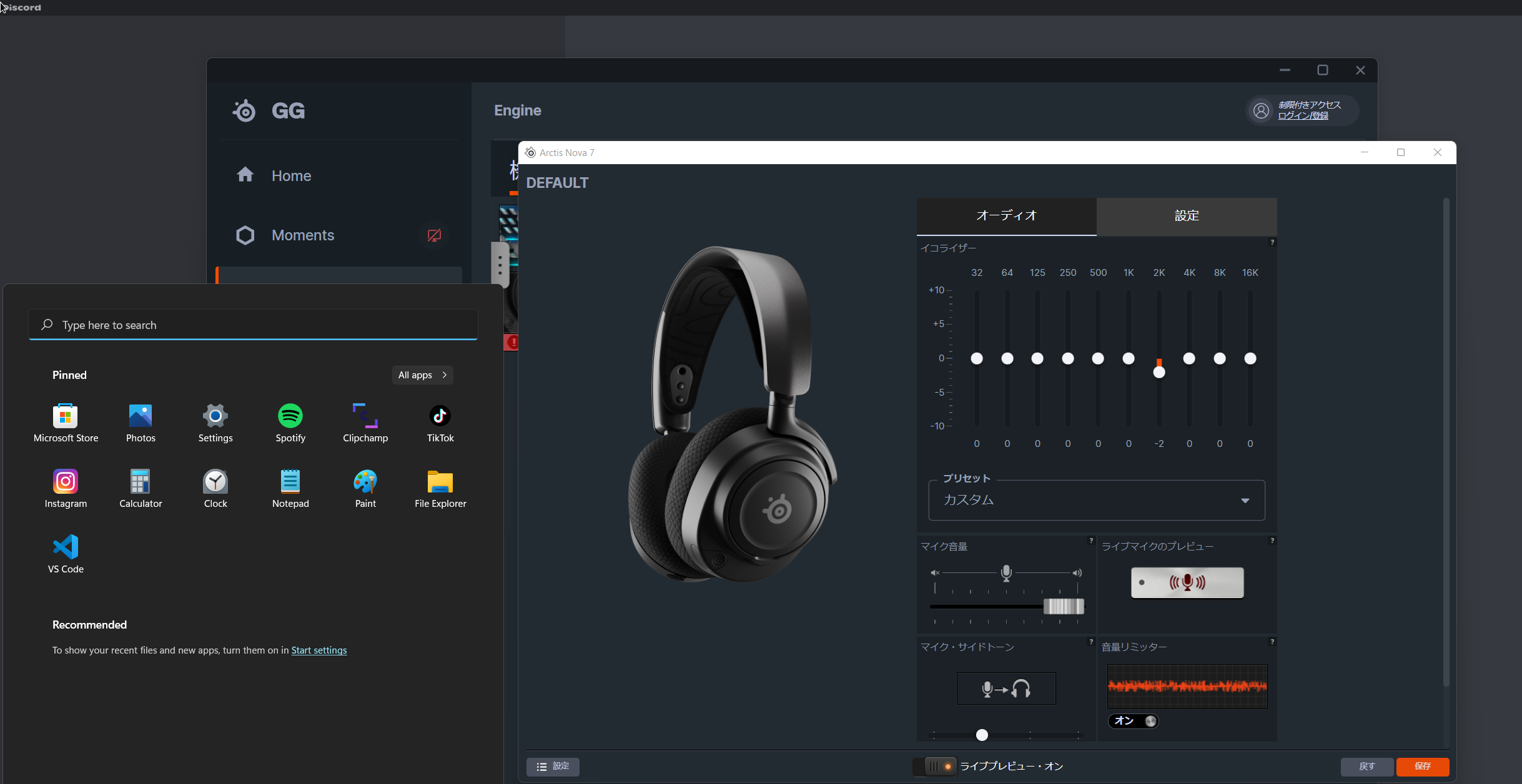
like bruh my pc is in english way put it on japanese it's so dumbbbbbbbbb
like ohhh noes your system locale is japanese so let's put our software in japanese even tho the language is in english
https://i.imgur.com/PWKNWhd.png

what were the devs thinking i don't get it
 heavy forge
Hey, my arctis 7+ died today while i was away and i tried charging it with 4 different chargers in 4 hrs but nothing worked it wont turn on
it also shows in the steelseries app that my headset is connected via usb but it doesnt function
thin hearth
heavy forge
Hey, my arctis 7+ died today while i was away and i tried charging it with 4 dif...
DOES YOUR MIC HAVE 1000MS DELAY?
imagine doing death metal growls to a song
not that i would with a bad mic
but i would have to go in post
and like push all 1000ms to the right to sync it up
just one example
this can't be acceptable right
i can get less delay from playing a guitar string (wired tho) then i get with a wireless mic
how sad
heavy forge
tbh if its just mic problems i would say that u should just stay with a normal headset and buy like an 20 euro mic or smthing they often have a better quality than headset mics
if ur looking for smthing like that
thin hearth
ik it's just i wanted it rn :(( not have to order online.. wait... go through the hassle... buy headphones and mic seperately.... having like 2 wires... unmatching too
but yea gaming headsets not quite up for my standards
heavy forge
damn ur standards need to be pretty high then
thin hearth
well it would be nice if it could be used for singing, yknow for just a lamely produced demo song
and sometimes it's nice to hear yourself while u play ur instrument or vox
so if it's a big vox delay well
 gaunt gorge
i was playing mw 2 and i lagged a bit and now i cant hear anything out of my arctis 7p
thin hearth
gaunt gorge
i was playing mw 2 and i lagged a bit and now i cant hear anything out of my arc...
hardware check: the wheel u can scroll for volume / battery / receiver etc
software check: is the windows volume or whatever on? is the output device selected as your headset?
 keen forge
Can you use sonar with Dolby atoms as spatial sound?
uncut roost
@thin hearthi can maybe fix you but i would need you to call me and share your screen so i can direct you
@keen forgevery muchly doubt it as they do the same job
@cloud finchyou overclocking ?
@pine slatedid you try scanning for your games in engine ?
thin hearth
uncut roost
<@362513369972080642>i can maybe fix you but i would need you to call me and sha...
i kinda got it fixed! also i understand now how to hear myself through engine (although it's still in japanese instead of english =__=)
uncut roost
@thin hearththats the part i was gonna help you fix
thin hearth
uncut roost
<@362513369972080642>thats the part i was gonna help you fix
i think the programmers of the software should fix it, but yeah sure if you know a fix to overwrite my locale or w/e i'd be down to fix it
lol i fixed it
it did have language settings! i didn't know cuz it said "language" in japanese X)
maybe they hsould make it like a flag or something
like icon
uncut roost
@thin hearthyou could always do a cover of "i'm turning japanese ... i really think so"
tender rapids
I heard that you can get a free Nitro subscription for 3 months.
 woeful loom
That's no longer a thing
 regal plaza
Im typing here as a last ditch effort. I have the Nova Pro Wireless. I get a buzzing noise when the audio is very low. I understand now that this is extremely common and I have not found any solutions online for it. additionally I searched the word 'buzz' in this discord channel and see many others had this same issue but no one had a solution for them. I am going to return them tomorrow if there simply is just no answer for it.
 wheat kernel
 nova drift
Anyone here have a fix for GG crashing all the time and breaking my audio? the only fix I have rn is to uninstall the program and reinstall it after a restart which would be fine if it didn't happen multiple times a day.
uncut roost
@nova driftcheck your cpu heat and memory etc
nova drift
All fine I've tested my pc alot to make sure temps are good
And temps won't make a software crash and not anything else
uncut roost
@nova driftyes they will and so does bad memory so does overclocking so to make sure your not access bios and set the default optimised defaults this will totally make sure it is running within all given parameters
if it still crashes remove 1 stick of ram if it still crashes change the ram around
 warm pawn
I need help I cant hear anything and im using the Arctis Nova 1 Steelseries headset i can talk i just cant hear can some one please help me with my problem
uncut roost
@nova driftalso make sure your graphic card cooling is kicking in as this can also cause crashing
@warm pawnhow do you have it connected ?
warm pawn
yes
 sharp zodiac
yo im using the steelseries arctis 1 wireless had it for 2 years i cant plug in the headset to charge ive tried 2 usb a cables and none of fhtem fit could it be broken?
warm pawn
its connect its wired
uncut roost
@warm pawnwhich wire audio or what ?
warm pawn
im sorry but what do u mean by wire audio
uncut roost
@sharp zodiacsteelseries accessory store look up the cable for your headset then buy it somewhere cheaper if possible
sharp zodiac
uncut roost
<@707966097315463280>steelseries accessory store look up the cable for your head...
i dont think the cable is broken ive tried multiple cables none of them are going inside the port i looked it up and thye are the right cables
uncut roost
@warm pawnyes exactly how is it wired audio cable or otherwise like usb etc
warm pawn
its Audio cable
uncut roost
@sharp zodiacon the headset as it can be a different shaped end
@warm pawndesktop or laptop ?
warm pawn
Desktop
uncut roost
@warm pawnfront or back jack ?
uncut roost
@warm pawnplease make sure you have it plugged into the audio out green port you won't be able to use the mic without a splitter cable
uncut roost
@warm pawnplease provide a picture of the splitter cable ends and the headset audio jack end please
also remove the splitter cable and just plug the audio cable into the green audio output and test
uncut roost
@warm pawnthe cables have jacks the computer has jack sockets so when i ask for the jacks i mean the cables but before you do that test the audio cable on it's own pls as i suggested

 uncut roost
@warm pawnok so that end in the picture with the orange tab pls plug that into the headset and the other end into the front audio jack pls then try
warm pawn
still cant hear anything
uncut roost
does the headset turn on at all ?
warm pawn
I can talk with it to people on discord i guess u can count that as it working
but audio wise no
uncut roost
can you connect it to a mobile phone or tablet etc and test pls
warm pawn
i works when i plug it in to my phone
the audio is a little bit weird tho
like staticy
uncut roost
@warm pawnhmmm i think you need to return them and have them replaced
uncut roost
then it's your desktop settings that are at fault
 mighty mural
Aye does anyone know how to raise the max volume on the Mixer? I change it from 47% to 60% but it keeps reverting.
 elfin python
The software department really just gonna ignore known issues with the oled screen burn in, and not add no screen burn in protection on nova pros like on previous models. People should think twice before buying their products until they can use some common sense.

 cedar tide
elfin python
The software department really just gonna ignore known issues with the oled scre...
cedar tide
elfin python
The software department really just gonna ignore known issues with the oled scre...
To me it sounds like the person who responded was pretty polite and considerate yet you decided to be a dick. The nova pros are really recent and are bound to not be perfect like chill dude
 undone idol
Hey,I just buy the steelseries artics nova pro wireless,and when I start sonar on Steelseries GG the sound gets weird,like strange sounds on my headphones,without sonar is all good,some advice? thanks in advance
 orchid void
mighty mural
undone idol
Hey,I just buy the steelseries artics nova pro wireless,and when I start sonar o...
orchid void
mighty mural
undone idol
Hey,I just buy the steelseries artics nova pro wireless,and when I start sonar o...
I had that due to the mic, mute the mic and check.
 urban cedar
hi guys, i upgraded my arctis pro wireless to the nova pro wireless but i'm having problem to carry the audio from the speaker to the headset, on the old arctis pro there was an autoswitch when i switched on my headset
i looked too that i can't put my windows volume down from 100, and i need it because i have speaker that i control by windows toggle
 digital thicket
Hey guys, I wanted to know something. I ordered a nova pro wireless with a promo code (-12%) if my headset have an issue can I still have the warranty ?
uncut roost
@mighty muralreboot retry
@digital thicketwhere'd you buy them ?
@urban cedarunplug the base unit turn the headset off wait 10 secs replug into different usb port and turn headset back on
@orchid voidno idea submit a ticket for that or purchase thru amazon when they don't fit return them
 old lion
Hello,
I just recieved my new SteelSeries Arctis Nova Pro X and upon installation on the GameDAC I cannot continue. I'm at the question: 'Are you located in the EU? If yes, MAX volume will be restricted.' and it won't let me select yes or no. I can hover over both answers but not select it to continue. Please help
uncut roost
@old lionturn the jog wheel
old lion
uncut roost
<@222642399363465217>turn the jog wheel
you mean spin it? Yeah I can see it switching on both answers but unable to confirm
uncut roost
when on one answer press the jog wheel
old lion
I know, doesn't do anything
uncut roost
@old lionunplug the dac plug it into a adapter like for your mobile phone plug it into wall socket then try then replug back into pc
mighty mural
uncut roost
<@63083703550615552>reboot retry
Worked, thanks dude!
old lion
uncut roost
<@222642399363465217>unplug the dac plug it into a adapter like for your mobile ...
When I plug it into a wall socket, it boots up but after 2 seconds just shuts down automatically. Then I plugged it back into my pc, same thing. Won't let me select/confirm yes or no..
uncut roost
@old lionwhich usb on the back of the base unit you using ? can u turn the jog wheel until system settings shows ?
old lion
uncut roost
<@222642399363465217>which usb on the back of the base unit you using ? can u tu...
USB, and it's plugged in into my pc. I finally got passed it, don't know how though. But it seems the jogwheel doesn't confirm/press down properly. I'm hovering now over system settings but confirming doesn't respond.
uncut roost
@old lionok well you may have a faulty unit so i would return it and get a replacement as it is not supposed to be a problem the jog wheel is supposed to click on press and select easily
digital thicket
uncut roost
<@164708938229612545>where'd you buy them ?
On the steelseries website sir
uncut roost
@digital thicket you would need to submit a ticket to them but to me nope it should not affect your warranty
digital thicket
uncut roost
<@164708938229612545> you would need to submit a ticket to them but to me nope i...
Ok thank you Sir ! Hopefully I don't have any issue with it !
 serene wagon
Hello, first sorry for my english, i just buy the arctis 7 nova wireless and the tchat mix say me that: please select the same playback device for game and chat to use the chatmix , but it was working i just made an update of the headset and it's not working now
 serene wagon
ok i just disconnect reconnect him and it's working now
elfin python
cedar tide
To me it sounds like the person who responded was pretty polite and considerate ...
You can think that, but this isnt the 1st time ive talked to them. And on top of that, when you pay $400 for a product it should come with burn in protection of some sort when they decide to put a oled. Theres a reason its on every oled tv, and on the previous model. If a year passes by and i all of a sudden it has screen burn in afrer warranty, how are you gonna feel knowing you told them all along and all they had to do was use common sense and do what every company does for oled. You think im the dick, imagine getting sent pics of all the screen burn in issues people are having, and what they are saying, and they do nothing to address the issues. So now they know about the issues and then still put out a money grab for $400, thats the biggest dick move ever!
elfin python
cedar tide
To me it sounds like the person who responded was pretty polite and considerate ...
The fact you give them a out by calling them fairly recent is also not acceptable. I dont know what your budget is on electronics, but if youve ever owned oled products, they all have burn in protection of some sort and thats still not enough sometimes. If youve never had oled burn in because you never had oled its even crazier to comment on my frustration. And if youve had oled(not a steel series keyboard) youd understand the frustration and know ITS COMMMON SENSE to have protection from day 1!
 manic blaze
elfin python
The fact you give them a out by calling them fairly recent is also not acceptab...
manic blaze
elfin python
The fact you give them a out by calling them fairly recent is also not acceptab...
I completely understand your frustration. And as an owner of the Nova Pro Wireless myself I am somewhat disappointed that there’s no burn in protection for the display.
However, by getting angry with customer service, and calling people idiots, etc, you are not making yourself look good with this tirade.
I hope you can find your way past whatever is causing this behaviour.
elfin python
@manic blaze you get it. I wasnt trying to be a dick, i was just trying to get my point accross is a serious manner due to them not taking the issue seriously. I can pist previous conversations aswell, they are in my email. This is a premium price point for a headset, and they should at the bare mininum have screen burn in protection. Wasnt trying to be a dick though
@manic blaze and if youve owned high end oled tvs youd get it even more. Which is why its a big issue
tulip totem
you're also constantly posting in the Sonar channels asking for this oLED feature when Sonar is the audio software and it's not related to the physical hardware. you're probably doing more harm then good there by adding unrelated noise to drown out other people's requests.
manic blaze
elfin python
<@338614077435674624> and if youve owned high end oled tvs youd get it even more...
Yep. I get it. Just saying this isn’t the way.
elfin python
@tulip totem i do it to let people who might not know theres a issue. If your not tech savy you also wouldnt know of this issue. I post to hopefully get peopleattention to get traction. Trust me, they arent planning on fixing the issue unless it gains traction in the community.and if we are being honest they should have a customer service number and not a email, and discord to help users. That way people dont get drowned out💯💯
amber vortex
24.00 introduced a feature that Steeleseries thought would fix the DAC turning off on PS when it went to sleep, the “fix” was to have the DAC turn on as long as the USB-C provided power.
They obviously did not take into account the fact that most people’s PCs have the USB power setting on when the PC is “shut down”.
The best way to request a fix or feature for the NPW is through the #official-support links and chat option on the site to open a ticket.
This channel is user support by members of this community and not Steelseries employees, even the mods in this server are not SS employees.
That being said, there are SS employees that do monitor and keep and eye on the chats but unfortunately there isn’t a headset specific channel.
With that said, for now you can turn off the USB power settings through BIOS if your motherboard supports it, this will let the DAC turn off when you shut off the PC
tulip totem
i'm not disparaging the idea of a screensaver, since the APW had it so the NPW not having it is odd. (granted, even with the screensaver, my APW got burn in)
it's just more about how they're approaching talking about the issue, like posting about it in irrelevant channels, or drowning out others who are posting their suggestions or looking for their own help
elfin python
@amber vortex yea, im pc, mine turns off once my pc shuts down, but if im not using the headset when pc is on im forced to unplug the dock which is just terrible concidering i pair around $400. Its common sense, and people should complain more now rather then when its too late.
@tulip totem speak up then, people wouldnt have to post every where to get awareness out there. This is a issue that not many people are gonna face right away till its too late. If you own sonars pros you should be on them about the bare mininum your headset should have.
amber vortex
You can request in the #sonar-feature-requests and would make more sense probably, or like I said open a ticket and at least there’s a record on both ends
uncut roost
right can i make a suggestion that now everyone knows about it can you take this convo to a voice channel
 wise root
Anyone has the Nova Pro Wireless and have the issue where the dock's screen doesn't turn off anymore when you shut off your PC? Began happening about 3 weeks ago for me...
amber vortex
wise root
Anyone has the Nova Pro Wireless and have the issue where the dock's screen does...
Lol please read the comments above, known issue since 24.00
 fossil pasture
Hi guys,
I've submitted a ticket to SteelSeries Support but unfortunately I'm not getting much help there. I was wondering if anyone here could help me.
I'm trying to re-pair my Arctis 7P+ headset with a new USB-C Dongle (old one broke), but am unable to pair due to SteelSeries GG not detecting the headset as connected even when it's plugged in.
GG detects the new dongle just fine, but for some reason, it won't detect the headset when it's plugged in via its charger. Having both the dongle and headset connected are necessary for them to pair.
When the headset is plugged in, my computer acknowledges it, and the headset begins charging. I'm using the correct cord (not 3rd party), I've tried uninstalling / reinstalling GG, the SteelSeries drivers, and just about everything the support websites list and more. I'm at a complete loss and I'd really like to be able to use this headset wirelessly (especially considering I just paid $40 for that new dongle). I'll send a screenshot of the issue below.
Any help would be so incredibly appreciated. Thanks a lot!

 shy nexus
I recently bought the SteelSeries Arctis 3 and for some reason it doesn't work on my phone when I'm in a call... how do i fix it, the call gets routed to the phones speaker automatically and I don't know if there is an option to change that or if its a problem with the adapter. or even the headphone.. I use iPhone 13 Pro Max
tender rapids
is there a way to re run the sonar wizard without having to uninstall/reinstall every time?
 bleak pilot
hi, my nova pro wireless has stopped working mid game. GG software says there is a firmware update but have when I hit update nothing happens. have rebooted, any iodeas
 frail agate
hi, i have a uk layout keyboard, however in the illumination settings of the GG software, the layout is US (even though I have set it to "English UK" within the software, so I have two keys that dont work with my lighting configuration. how do i fix this?
cedar tide
elfin python
The fact you give them a out by calling them fairly recent is also not acceptab...
Bro I have the nova pros too, how is insulting customer service reps gonna solve anything you baboon
opaque sand
frail agate
hi, i have a uk layout keyboard, however in the illumination settings of the GG ...
Same with me but on German layout. Closing and opening GG software helps.
frail agate
opaque sand
Same with me but on German layout. Closing and opening GG software helps.
closing completely in task manager? haven’t actually tried that aha, thank you!
opaque sand
frail agate
closing completely in task manager? haven’t actually tried that aha, thank you!
Yes
uncut roost
@shy nexusis it wireless connection ?
@tender rapidsnot that i know of no
@bleak pilotwhat version of gg is it ?
opaque sand
frail agate
closing completely in task manager? haven’t actually tried that aha, thank you!
It works for me. Youre welcome
shy nexus
uncut roost
<@537685443270017064>is it wireless connection ?
nope, wired
outer crypt
uncut roost
@shy nexus no idea because mine is wireless and works not all the time but most sometimes i have to select it manually
 long nacelle
Is anyone else having issues with Warzone2 footstep audio?
amber vortex
long nacelle
Is anyone else having issues with Warzone2 footstep audio?
The game is a whole issue right now lol, depending on your headset you can look for a good review or EQ recommendation that you can use as a baseline and tweak from there. In game, home theater or headset/headset bass boost seems to be what most people are using
Also, these are finally out!

 teal widget
ivory vapor
teal widget
ivory vapor
my headset is blinking in a white/ sky blue colour arctis 9 what does that mean?
 azure bridge
I've got the Arctis 7+ Headset and after playing a bit I realised, that I hear myself when I talk. Thats distractive and I don't know how to turn it off. Can anyone help me?
bleak pilot
uncut roost
<@604798362763526145>what version of gg is it ?
Just the latest only got it last week I'm away now so csnt see sorry but it said firmware update available on the little hub thing too but I discconected it all and rebooted again and it stopped doing it now. It didn't update but it is back working at least haha
 foggy halo
Hello, i bought artics 7 plus and i download sonar software and i have a question. Can i use gaming mode with discord at the same time? and how
amber vortex
foggy halo
Hello, i bought artics 7 plus and i download sonar software and i have a questio...
Yes, if you click on the channel name up there 👆🏼 you’ll see the set up guide pinned under “Pins”
cedar tide
i never said it wasnt an issue I said youre being very disrespectful and the representative acknowledged that and was respectful yet you were still acting like a child
 hardy spruce
i hope this prompt goes away soon

because its deefinitely not as if it's just staying there permanently
 dusk kernel
amber vortex
Yes, if you click on the channel name up there 👆🏼 you’ll see the set up guide ...
dusk kernel
amber vortex
Yes, if you click on the channel name up there 👆🏼 you’ll see the set up guide ...
Did the setup guide, but the "Game Sonar" is still not giving me any sound
Right now im using Chat to get any ingame sound
But here i got the problem, that even if noise gate is off, the sounds fades out if its to quiet
amber vortex
dusk kernel
Did the setup guide, but the "Game Sonar" is still not giving me any sound
Unplug the USB from the PC for 10 secs, then replug into another USB port if possible and see if that works.
Worst case you can uninstall steelserries GG and delete any remaining folders, reboot, then install again
dusk kernel
Will try, thanks for the quick help
 gloomy leaf
my apex pro tkl has been ghost pressing keys and stops taking inputs for a few seconds for example if im trying to move forward it'll spam w and not react to anything i press for a few seconds this was initially rare but has become way more frequent and happened through a entire overwatch game of the keyboard doing it over and over anyone know a fix?
amber vortex
dusk kernel
Will try, thanks for the quick help
No prob, hope that does it
dusk kernel
Right now i unplugged it and plugged it into another usb slot.
It's akward, since the mixer shows me audio output, but the headset is still quiet
 weak geyser
hardy spruce
i hope this prompt goes away soon
weak geyser
hardy spruce
i hope this prompt goes away soon
The overlay can be kind of buggy. You can disable certain popups like the "Moments Active" one (or just turn the whole thing off) in GG settings
 hardy spruce
ty
amber vortex
dusk kernel
Right now i unplugged it and plugged it into another usb slot.
It's akward, sin...
It still quiet in general or only a certain app/game?
tender rapids
artics 5 mic started cracking and plastic is hardened well i dont think there is fix but its weird

 quick inlet
amber vortex
It still quiet in general or only a certain app/game?
quick inlet
amber vortex
It still quiet in general or only a certain app/game?
I bought an Arctis 7+ today and i can't hear anything but the mic seem to work it's only the sound that doesn't
amber vortex
See the sonar set up guide mentioned above if you’re using sonar
dusk kernel
A reinstall did it for me
But the reboot for essential
Thanks for the quick help and have a good evening @amber vortex
amber vortex
dusk kernel
A reinstall did it for me
Enjoy
quick inlet
amber vortex
See the sonar set up guide mentioned above if you’re using sonar
I got it thanks a lot!!
amber vortex
quick inlet
I got it thanks a lot!!
Enjoy your new headset
quick inlet
Thanks ❤️
 real meteor
Hi there. Currently having an issue with the Arctis Pro (Wired) + GameDac. Purchased almost exactly a year ago. Hasn't seen heavy use at all.
For some reason the GameDac Game output device (on W11) seems to keep crashing. The physical dac/device itself then appears to turn off and is no longer detectable by the PC unless I unplug it and plug it back in.
Based on image attached I'm wondering if I'm missing a driver? All other input modes seem to work fine, including the Hi-Res mode. GameDac Chat still works in PC mode but has all output routed through it instead of just chat output from apps like Discord (other output from games, browsers, etc should be going through GameDac Game).
I would like to keep GameDac Game from crashing the device. This issue is getting pretty annoying since I'm trying to play online while in-chat on Discord. Any advice would be helpful.
Steps already taken:
1. Reset GameDac Device
2. Uninstall GG + Restart PC
3. Uninstall all relavent drivers/devices through Device Manager + Restart PC
4. Reinstall GG and devices
 amber vortex
real meteor
Hi there. Currently having an issue with the Arctis Pro (Wired) + GameDac. Purch...
amber vortex
real meteor
Hi there. Currently having an issue with the Arctis Pro (Wired) + GameDac. Purch...
I would uninstall steelseries gg and delete any remaining folders, reboot and then do a clean install and see if that fixes it
real meteor
Did that
 desert moth
I tried using Sonar earlier and the microphone part of it just wasnt working. Im not sure if it was because I was using a different mic than the headset one or something.
 dusky jetty
RIP
 mighty mural
uncut roost
<@63083703550615552>reboot retry
mighty mural
uncut roost
<@63083703550615552>reboot retry
nvm didn't work, the mixer is reverting back to 47% again XD
split venture
Spilt my drink on my keyboard and now the arrow keys don't work FML
The lighting still functions as intended
Anything I should do to fix the issue
Also the Logo key appears to be randomly activating a couple arrow keys, but functions regularly as well
weak geyser
Wrong channel. Try #archive-battlestations
split venture
weak geyser
Wrong channel. Try <#732363458380824636>
Lol I was joking about my issue, note the keyboard in rice and my spare hooked up to the passthrough
 tight lintel
My transmitter wont turn on for my 7's but the headset turns on with no problem.
frail agate
opaque sand
It works for me. Youre welcome
restarting the app seems to have worked, however i cant change the colour of the enter key lmao, did you have this issue?
opaque sand
frail agate
restarting the app seems to have worked, however i cant change the colour of the...
I tried right now and i dont have that issue. Did you choose your keyboard layout in engine?
frail agate
yup, in "OLED & Settings" the keyboard region is set to UK English
it has the correct layout in the illumination settings, i just cant click on the enter key at all
its almost as if the app doesnt recognise that it is an actual key
 opaque sand
frail agate
yup, in "OLED & Settings" the keyboard region is set to UK English
opaque sand
frail agate
yup, in "OLED & Settings" the keyboard region is set to UK English
Hm strange. Do you have any other layout in your operating system?
frail agate
in my system settings (win11), my installed keyboard layout is UK QWERTY
opaque sand
frail agate
in my system settings (win11), my installed keyboard layout is UK QWERTY
Ok. Did you try to reinstall GG software?
frail agate
havent yet, let me just uninstall real quick
fresh reinstall and still have the issue :|
opaque sand
frail agate
havent yet, let me just uninstall real quick
You should contact customer service. You should send it back and get new one.
frail agate
i got it from amazon though, idk if that would make a difference. will contact them, but its a bit frustrating since i literally only got it yesterday lmao
fossil pasture
customer service rep literally copy & pasted one of the steelseries online support articles when i reached out for help. like yes trust me i’ve tried this 100 times that’s why i’m talking to you now instead
 fading halo
Hello. i need help to set up my steel series arctis pro Game dac
I have like 5 different settings in my windows settings idk which to select
shut sleet
@olive peak English only please. You can turn off side tone to not hear yourself in Engine :)
shut sleet
fossil pasture
customer service rep literally copy & pasted one of the steelseries online suppo...
I think that would be from getting tons of people who haven't done anything to fix their problem themselves :)
I don't know for sure obviously
 robust adder
thats cool 🙂
 ivory marsh
It's ueser support #💬-general
robust adder

amber vortex
fossil pasture
customer service rep literally copy & pasted one of the steelseries online suppo...
It’s because most people have not taken the time to do basic troubleshooting or even searching the steelseries website and FAQ before they seek direct help, it happens here all the time and even we paste and copy the same solutions or trouble shooting tips over and over and over and over and over. If you search any user here who often offers help you will see they almost always offer a few of the same solutions/tips that work for most people
amber vortex
fading halo
Hello. i need help to set up my steel series arctis pro Game dac
If you’re using Sonar, you can click the set up guide pinned in this channels main page under “Pins”.
The set up is basically the same for all headsets, you just have to make sure the right devices are selected in sonar, windows, and any apps or games that let you chose the input/output device
uncut roost
@amber vortex forgot the other 12 overs plus the thousand more overs lol
 acoustic patrol
Hello i just noticed my APEX 5 keyboard has a key that is not synched with others. Tried fixing it on the engine but nothing happens.
 fading halo
Does anyone have a tipp for the mic settings in sonar for a clean voice? I have the arctis pro game dac
So that my mic is clear
 marsh glen
have steelseries taken away nordic layout on the new apex pro tkl 2023?
 steep rapids
hey guys. is there any support email? i've placed an order on the official site and didn't get any confirmation email and the order it s on the dashboard,even though it's been payed
the site didn t help me as it only shown me to create an account and i already have an account
 hollow trench
Hey I am having this issue with SteelSeries GG for some days and couldn't solve it. It used to work before I reinstalled windows and it is working fine in another machine I have (every installation was with a different version though; this problem is happening since v25). It basically won't finish "starting up". If I close the app and open it again, it'll consider Sonar has already started up and will proceed with the selection of the inputs/outputs, but with no option to select from the combobox.


 wanton folio
My arctic nova pro wireless keeps disconnecting. i repaired the headset, updated the firmware for both the headset and steelseries.gg, but the issue keeps happening
i also turned off the inactive power option
 vapid needle
Anyone have the Arctis nova 7? I was wondering what size the dongle was since I use a laptop and i'm afraid it might block some other USB ports
I saw from the pictures that its quite long
shut sleet
vapid needle
Anyone have the Arctis nova 7? I was wondering what size the dongle was since I ...
The Nova 7 wireless?
vapid needle
Yes
shut sleet
It is a bit on the big side but comes with a USB-C to USB-A Dongle Extension Cable (5 ft / 1.5m)
So that you don't need to plug it directly into the laptop
vapid needle
nono, i mean this thing
shut sleet
(assuming you have a USB-A port)
vapid needle
 shut sleet
Exactly
There's an extension cable in the box
That you can plug the dongle into
It's a male USB-A to a female USB-C
vapid needle
ohh
shut sleet
It's a little messy but it's possible :)
vapid needle
i get it, so i can plug a normal usb into then connect it to the dongle?
shut sleet
yup
vapid needle
but do you know the dimensions of it? since it would be nice to just have as less cables as possible
 shut sleet
yw
boreal stratus
The battery percentage bug on my steeleries arctis nova pro wireless plz fix it fast
 north kiln
arctis nova pro wireless - i connect my speakers to the output on the dock. it works fine during startup. but when i turn on my headset and turn it off, sonar turns off and no sound will come from the speakers. i tried resetting and updating the firmware, nothing works. tried toggling the fallback setting on and off as well. anyone else having this issue?
shut sleet
boreal stratus
The battery percentage bug on my steeleries arctis nova pro wireless plz fix it ...
Which bug?
I haven't noticed anything
gloomy leaf
can someone help me my apex pro keeps spamming pressing random keys i press and wont take any other inputs its got to the point where happens every minute or so sometimes and doesnt stop until i unplug my keyboard and put it back in sometimes the right arrow key flashes red othertimes it doesnt other times it just stops taking inputs all together, i've tried it on different pcs tried all the diff usbs on my pc idk what to do
shut sleet
gloomy leaf
can someone help me my apex pro keeps spamming pressing random keys i press and ...
Make sure to send in a #official-support ticket on the website
Sounds like something you'd need official help for
tender rapids
Is the Artics 9x supposed to degrade in audio and microphone quality when going into a VC?
I got a adapter to fit into the headset and it still doesn't help
also my headset is making popping noises like static
 hardy bane
tender rapids
Is the Artics 9x supposed to degrade in audio and microphone quality when going ...
hardy bane
tender rapids
Is the Artics 9x supposed to degrade in audio and microphone quality when going ...
Discord vc? if so then there is the question of the max audio quality allowed by your nitro/non nitro plan, which would affect that
 echo ermine
My headphones (artics 7) sounds weird. The left ear is louder than the right. It only fell on the right side. Is there any fix ?
tender rapids
hardy bane
Discord vc? if so then there is the question of the max audio quality allowed by...
no
this is if im using the mic at all
wanton folio
is there a way revert a firmware update? arctis nova pro wireless keeps disconnected even after doing all the troubleshooting steps i could find online
 timid thistle
Is there I way to only use sonar with specific applications? Because it makes watching YT videos and listening to music sound really weird.
I feel like I'm missing something obvious, but idk what
cedar tide
timid thistle
Is there I way to only use sonar with specific applications? Because it makes wa...
Windows sound settings and go to volume mixer and switch any applications you don’t want sonar for to just go to the headset
timid thistle
cedar tide
Windows sound settings and go to volume mixer and switch any applications you do...
ahh okay okay thank you :)
cedar tide
timid thistle
ahh okay okay thank you :)
I gotcha
boreal stratus
shut sleet
Which bug?
the battery percentage bug
shut sleet
boreal stratus
the battery percentage bug
But what is the bug?
 tight plover
hi, i have problem..

my headset mic light is on.. but they don't issue any sound..
when i want turn down them.. it does nothing..
sinful yoke
tight plover
hi, i have problem..
Same
 ancient loom
it wont let me even choose and device
 sinful yoke
tight plover
my headset mic light is on.. but they don't issue any sound..
sinful yoke
tight plover
my headset mic light is on.. but they don't issue any sound..
You have to factory reset them
echo ermine
My headphones (artics 7) sounds weird. The left ear is louder than the right. It only fell on the right side. Is there any fix ?
tight plover
sinful yoke
You have to factory reset them
how to do it ??
boreal stratus
shut sleet
But what is the bug?
in steelseries engine on my wireless headset then the power is not on the app on my headphone plz report it to steelseries team
sinful yoke
CONNECT
Twitter: https://www.twitter.com/steelseries
Facebook: https://www.facebook.com/SteelSeries
Instagram: https://www.instagram.com/steelseries
Discord: https://www.discord.gg/steelseries
Twitch: https://www.twitch.tv/steelseries
Blog: https://steelseries.com/blog
🙂
This happened to me just yesterday, 2 times already. :[
tight plover
sinful yoke
This happened to me just yesterday, 2 times already. :[
it works.. thx so much
hollow trench
ancient loom
it wont let me even choose and device
Same problem.
It works on other computer though.
I think it is a bug introduced in the v25
ancient loom
hollow trench
Same problem.
ight thx
shut sleet
boreal stratus
in steelseries engine on my wireless headset then the power is not on the app on...
Okay. I don't have any contact with them as I don't work for SteelSeries. I'm sure they're working on it
Have you contacted support about it? Keep in mind that this channel/server is only for help between users. You gotta make a ticket on the website for help from SteelSeries
echo ermine
Well this is a small problem I don't think I need to make a ticket for that
 jaunty nacelle
does anyone know why the sonar software doesnt have the gamedac game option for the headset? it says game dac chat for the game setting.

And because of such, the volume splitter between game and chat only works on sonar and not the game dac
 winged stump
is the sonar thing not working for anyone else
 drifting talon
it shows volume on the master and game mix, but i cant hear anything through my headset.. ( arctis nova pro wireless )
amber vortex
@everyone having Sonar/audio source issues?
Most, if not all of the audio/sonar software related issues we see here is because the set up is not correct or has been updated by some device, program, or update.
Follow the guide below for Sonar, and the link after that for Discord. In some games you will also need to make sure the audio input and output is pointing to the correct devices.
IF you are using Sonar then first you need to follow this:
Discord set up:
https://support.steelseries.com/hc/en-us/articles/4412048537869-How-do-I-setup-Sonar-on-Discord-
Support
Whether you cannot hear any audio coming to the headset or your friends do not hear audio input from your microphone, here are some helpful tips to make sure your setup is correct:
Step 1: Check th...
Support
Step 1: Set your headset as the output device in Sonar
Step 2: In Discord, set your input device as SteelSeries Sonar - Microphone
Step 3: Set your output device as SteelSeries Sonar – Chat ...
drifting talon
I have done all of that but there is still no sound coming through my headset.
 ember copper

