#💻-building-a-pc
1 messages · Page 2 of 1
 compact bear
compact bear
compact bear
what motherboard do you have?
 simple ivy
i7 12700k
Arctic freezer 34 duo fan
Msi z690 A pro A ddr4
Gigabyte 3070ti OC
Corsair RM 850x
compact bear
nice build man
compact bear
no, 750 is already enough
compact bear
i have a 650 bronze psu and a friend told me that can even power a 3070
have you tried updating your bios?
PRO series motherboards, tuned for better performance by Core Boost, Memory Boost, Extended Heatsink Design, M.2 Shield Frozr, USB 3.2 Gen 2x2, Lightning Gen5, Front Type-C, 2.5G LAN
compact bear
into the bios update?
compact bear
thats really weird
simple ivy
It shutdown in the bios
compact bear
but even when tehe pc is idle it stil shuts down?
simple ivy
I even got a 900w ups
compact bear
exactly
simple ivy
And it doesn’t pick anything up
compact bear
external batery?
simple ivy
The computer still just shut off
simple ivy
Somebody told me to change the sata cables from my new psu
Did that last month ago
I can do that again
compact bear
i would reccomend using the cables that come with your psu
when was the last time you did it?
simple ivy
The thermal?
compact bear
yes
compact bear
thats weird, then i would leave it as it is
simple ivy
Temps aren’t the issue
compact bear
where did you see the temps?
compact bear
as xeltic already said i would reccomend doing a stress test
simple ivy
Cpu ?
compact bear
and gpu
compact bear
msi afterburner is also very good to see your temps
compact bear
who, best buy?
simple ivy
Correct
compact bear
i would do a stress test yourself to check the temps
compact bear
by hand right?
simple ivy
No by the Windows?
simple ivy
I don’t know, I just didn’t want to fry them
Cause the multiple times it has shut down.
compact bear
your cpu will under power it self when it gets to hot so you dont fry it easily
simple ivy
Can I show you my bios fan curve
compact bear
sure


 compact bear
thats good, i see cooling isnt the problem with 6 case fans
simple ivy
3 intake front
2 exhaust top
1 exhaust back from the case
compact bear
i would change the upper ones to intake
a lot of people have that cofiguration
5 intake and 1 exhoust

 compact bear
those are nice
simple ivy
Then SP in the fronts
compact bear
but when you use them as out take it isnt an oven
simple ivy
Nope
compact bear
it is a prebuild right?
simple ivy
Yes
compact bear
then i dont know what could be wrong
simple ivy
So it’s like my baby since my first one
compact bear
😂
simple ivy
Haha
compact bear
did you plug the cables that came with your new psu in your new psu or did you use the old cables?
simple ivy
Only the sata I didn’t use
compact bear
i would recommend doing that
simple ivy
Yes jusr m.2 nmve
compact bear
nice
maybe there is something to change in your bios maybe?
just settings
last time i did that i ended up resetting my pc becous it would start (now it is working againi)
simple ivy
Becous?
compact bear
i turned SAM on
simple ivy
Because
compact bear
that your gpu directly sends information to you ram and not via the cpu
every one said it is good
more frames is more happy
simple ivy
Where is that at?
compact bear
i dont know anymore
sorry
i can search it
AMD.com
I find somewhat strange that AMD doesn't tell You the full requirements, one has to search for it. SAM (Smart Access Memory). Some games actually will see a performance loss, and in most games that support SAM will only gain somewhat between 5-10 FPS and that is in particular high resolutions 1440 o...
simple ivy
Should that be off?
 compact bear
you can try and see what happens
If i were you i would watch your temps just tk be sure nothing bad happens
simple ivy

Should I press the toggle cpu sign
But I feel like the fans for the cpu fan go 100%
I don’t know if it’s all the time 100%
compact bear
so if i am corect, it doesnt use the graph you made for the fans
simple ivy
Everything good here?


 compact bear
And with the old settings?
Weird
If you go to Board Ezplorer, does everything show up?
 simple ivy
Yes
compact bear
Have you posted it on Reddit?
compact bear
They have some really good people
simple ivy
I have posted it everywhere
compact bear
And what did they say?
simple ivy
Last guy said check the sata cables and change em with the new psu
That I haven’t done yet
I will do it.
simple ivy
Other guy said if I did put any thermal past on it
compact bear
Haha
simple ivy
Um nope I haven’t
 compact bear
The paste
simple ivy
Do I did not
simple ivy
Im just gonna post that my Pc shuts off when it’s idle and in the bios
 simple ivy
Raid is off for me and the top one is at uefi
compact bear
I also have uefi on
simple ivy
But the bios doesn’t use the card does it?
 orchid cairn
it does as it uses the gpu to display your image as soon as you plug the screen in lol
Just take out the gpu and plug the display in the port on the mb
and check if it turns off then*
compact bear
If that’s the case, what would it be then, the gpu?
compact bear
F
orchid cairn
Can happen, shouldn't happen tho
compact bear
No it shouldn’t
orchid cairn
parts can get damaged if psu was damaged beforehand
compact bear
True
orchid cairn
could also be ram, but ram usually gives you a nice bsod
compact bear
Can you explain bsod
 compact bear
now i understand
orchid cairn
Ye just start without card first
if it still crashes try 1 ram stick
if this ram stick crashes try the other one
quick and simple trial and error test if a part is cooked
simple ivy
Cleared the cmos battery too
orchid cairn
not necessary to clear the cmos but k 😄
I mean not necessary if you didn't do any changes but the fan curve
you usually don't need to fck around with the bios if you aren't undervolting/overclocking
simple ivy
Ok so it turned off and restated it
And now it’s in windows
With no card one stick of ram
orchid cairn
now play the waiting game if it turns off like before
simple ivy
I hope it’s not the graphics card 🙈
compact bear
i also dont hope it for you
simple ivy
So far it hasnt shut off :/
orchid cairn
simple ivy
So far it hasnt shut off :/
try with both ram sticks to make sure its not the ram 😄
if it doesn't turn off rip gpu
you could also try running a small stress test with aida 64 extreme
simple ivy
shut it off and then plug the other ram?
orchid cairn
ye
simple ivy
ok
brb
now, i just wait!
i think it's the graphics card
cause when i press the power button there wasn't any delay starting up.
:/
orchid cairn
simple ivy
cause when i press the power button there wasn't any delay starting up.
doesn't have to be
The delay can be caused by detecting hardware x)
if you wanna make sure that the ram is fully intact you can even run a ram test like memtest64
Bootable usb drive and give it a go
But I guess time will tell now
simple ivy
True, but it was very guick when i did the second power on
with only the mb graphics
?
orchid cairn
you could order a gpu on amazon and test it
If it runs fine with the amazon gpu, try contacting the gpu manufacturer to see if they repair it
dunno how old it is and if theres still warranty on it
orchid cairn
then they'll fix it
simple ivy
 orchid cairn
bad psu does bad things 😄
simple ivy
i bought it yesterday
orchid cairn
the old psu I mean
simple ivy
cause i thought the 750 wasnt enought
orchid cairn
old psu may have damaged your gpu
orchid cairn
thing is, rtx 3000 has a problem with power management
it shoots up, way over the tdp, before going down where it belongs
I wouldn't run a rtx 3080ti on my 850w psu
3070ti/3080 would be max I trust it with
orchid cairn
10-15 mins? how quickly did it turn off?
simple ivy
about 20 min 30
orchid cairn
then this long x)
simple ivy
im at 13 min in
simple ivy
ye but i meazn for the mem test 64
5 min in no errors
but for 2 months i was on a y-split before i switched to the recommended 2 8pins
do you think that played a role ?
353.422: Starting loop 8
353.422: Stuck Address Test...
355.000: Random Data Test...
356.907: Move Data Test...
357.610: Bitpattern Test...
397.610: Test finished with no errors detected
6min in
orchid cairn
simple ivy
but for 2 months i was on a y-split before i switched to the recommended 2 8pins
hm
Nah should be fine usually
Could be that it tried to draw an unusual amount of power when it turbo'd up and it killed it but not sure tho
simple ivy
Could be, all i know i am almost 40min in and it hasnt shut off.
and temps are at 27c
simple ivy
orchid cairn
hm
Nah should be fine usually
Could be that it tried to draw an unusual amount ...
so i did an intel memory stress test and cpu for 5 min and nothing happend.
And we are at 51 min in that it hasn't shut down.
Do you want me and put the graphics card in and check it again? if that is soo.
orchid cairn
simple ivy
Do you want me and put the graphics card in and check it again? if that is soo.
yuo
yup
gpu in and see if it turns off
if yes, gpu ded
simple ivy
i noticed at times my screens would flicker is that a posibility?
not all the times, but random times.
orchid cairn
yup
orchid cairn
fingers crossed
simple ivy
isnt there an app to check the health or run tests for the graphics card?
orchid cairn
simple ivy
isnt there an app to check the health or run tests for the graphics card?
all you can do is checking hwinfo64 to see if theres something wrong with voltage or power draw
simple ivy
 orchid cairn
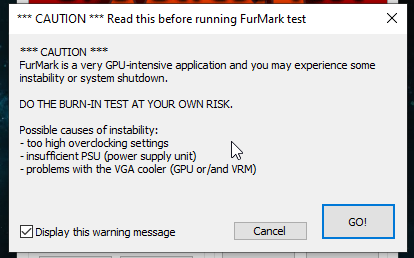
give the gpu some work and run furmark
that way it runs on 100% with max turbo
simple ivy
right now at idle
orchid cairn
would be nice to see if fans actually spin up
maybe those are broken 😄
but nothing special in idle
orchid cairn
my 3070ti FE looks lke this: https://i.imgur.com/VdP7lHl.png

it's not really idling, youtube is running in the background
orchid cairn
simple ivy
i do feel the backplat is little warm
thats normal, it's used to put away some heat
simple ivy
ima gonna run bf1 on spectate mode and see
orchid cairn
simple ivy
whats a good card benchmark
furmark is a stresstest
simple ivy
1.31 ?

 orchid cairn
yup
 simple ivy
ye all 3
simple ivy
so far it hasnt shut off
lol

but it says here only 80% fan
@orchid cairn 10 min mark https://i.imgur.com/9oHA5mg.jpeg
 orchid cairn
simple ivy
but it says here only 80% fan
orchid cairn
simple ivy
but it says here only 80% fan
ye they won't spin up to 100%
they never do 😄
that looks fine for me
simple ivy
usually its time where it shuts off
but it hasnt
HAHAHAHHAHAHAHAH
im telling you this machine is driving me crazy
orchid cairn
maybe re-seating the gpu fixed it, who knows xd
orchid cairn
did you f around with the bios after getting everything together?
orchid cairn
then this didn't do anything 😄
compact bear
Sorry, just a quik question for xeltic.
Are u dutch?
orchid cairn
nah, german potato
compact bear
Haha, i am dutch.
Saw your bio
simple ivy
Do you want me to do anything on the bios?
orchid cairn
simple ivy
Do you want me to do anything on the bios?
only a fan curve if you want to control your fans, nothing else
and maybe update the bios
but first update the bios, fan curve after that xd
simple ivy
how do i do that again?
orchid cairn
board manufacturer website -> go to your board -> "support and downloads" (or something like that) -> newest bios file -> read instructions
mostly it's something like "put it on a usb drive, go to bios, run m-flash, select usb drive, select bios file, don't do anything till it's finished"
oh and obviously put the bios file on the usb drive beforehand
 simple ivy
unzip is extract all?
orchid cairn
yes
 orchid cairn
ye
looks good
go into bios, run m-flash, select the usb drive, go into the folder it just created and select the bios file
bios will flash and keyboard + mouse will be disabled for the time being
it will restart when it's finished
simple ivy
k
I hope it doesn’t shut off all my bias is updating
Bios
It shut off and restart it twice now I’m at the Windows lobby
So far so good I think
orchid cairn
ye first bios version xd
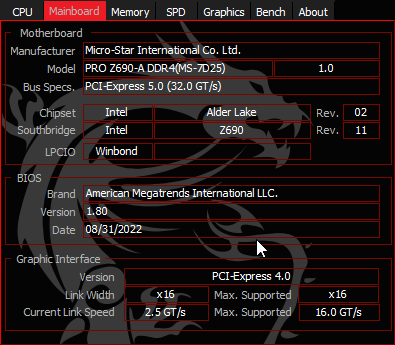
you can always check your current version in cpu-z if you got that

look at me not updating my bios because I'm scared
don't want to re-do my fan curve xd
simple ivy
 orchid cairn
yup perfect
simple ivy
i think it deleted my audio progaram
oof xD

realtek audio console doesnt support it xD
simple ivy
ic ant even open tio
orchid cairn
download the newest audio driver from msi
orchid cairn
those are ALWAYS supposed to work
simple ivy
 simple ivy
cause my headphones are plugged in the back and the music and sounds come from my monitor that has a speaker
orchid cairn
you can change that in windows
and disable the monitor speakers aswell since you won't wanna use it I guess? 😄
simple ivy
how can i dissable it?
orchid cairn
just go to sound settings in windows and disable it
simple ivy
can you show me reall quick on a call, i made a mess.
orchid cairn
my pc is in german and on windows 11, you'll probably not see anything xd
you can share me your screen tho and I guide you through
orchid cairn
sent you a friend request
 sinful owl
Hey guys
compact bear
Yes?
orchid cairn
compact bear
Yes?
oh btw dude, the pc of uncleherc fixed itself after re-seating the gpu 😄
compact bear
O, seriously, i am happy for him that it works
simple ivy
Fixed the gpu, and now the motherboard don’t work 🤣
I tried to boot it up and the motherboard didn’t have any power in it to boot up, when I press the power button. So I have to reset it from the power supply every time.
And if it powers up, it lags.
compact bear
maybe better psu, 1600 wattts?!!?!?!??!?
simple ivy
Nah, already switched 3 psus and had the same problem.
Ima talk with msi today and see what can we do.
 noble oak
tbh i think this is what ima go for
lmk if its good or what i can upgrade/fix
https://pcpartpicker.com/list/cCdXd9
PC Builder - Intel Core i7-10700K, GeForce RTX 3060, Deepcool CK560 ATX Mid Tower
this would be my first build
budget is abt 1250 usd
the mushkin ram is white, but the one ima buy would be black
total would be abt 1219.04 on amazon
 mint sundial
is this cooler worth it for it's price or not?
the price of the cooler is $108 and the features is mentioned too

 noble oak
seems good
but tbh i think you should go with an ek fluid aio
or even a be quiet aio
depending what you cpu, you could also go with an air cooler if u want to
 agile ether
noble oak
tbh i think this is what ima go for
lmk if its good or what i can upgrade/fix
ht...
agile ether
noble oak
tbh i think this is what ima go for
lmk if its good or what i can upgrade/fix
ht...
MB 3060ti?
noble oak
wish I could, but it'll be a bit out of my budget
mint sundial
noble oak
depending what you cpu, you could also go with an air cooler if u want to
i have 5600x
maybe 7600x in near future
mint sundial
noble oak
but tbh i think you should go with an ek fluid aio
i also want an argb aio cooler so im planning to buy the aio cooler that i mentioned
 crimson scroll
7600x is a big jump in price
New mobo, all of which are pretty expensive currently, new ram
For a $300 cpu it kinda sucks
mint sundial
i know, i will only upgrade these if it's neccessary but i don't think it will be neccessary for the rtx 4070
my cpu can work great with rtx 4070
agile ether
noble oak
wish I could, but it'll be a bit out of my budget
Ryzen 5 5600x almost same as intel
agile ether
I7
crimson scroll
Which i7?
The statement you made was pretty vague and broad
I certainly wouldn't put a 5600x as close to the 12900k in production workloads
orchid cairn
crimson scroll
I certainly wouldn't put a 5600x as close to the 12900k in production workloads
12700k*
And ye, the 5600x can’t compare to a 12700k
12700k is around 30% faster in anything 😄
noble oak
true
 languid egret
Maybe thats not the perfect channel...
But which headphones are better? Arctis 5 or Arctis nova 3
Pls explain
 indigo patrol
kfa2 geforce rtx™️ 3060 ti ex 1-click oc 8gb lhr anyone know if this is a good alternative to my current 1660 super? I'm really tempted to actually just give it back and cancel the financing because the numbers are kind of not quite there for me. It's not really a significant upgrade. I could rather do a bigger upgrade than spending 500€ on a Graphics Card that won't actually be a big boost in performance.
crimson scroll
500 euro for a 3060ti is not a good deal right now imo
it is a significantly better card than the 1660 super though
simple ivy
If you told me about the 2080, I would say don’t do it, but 3060ti is still good too!
 dense mantle
best gpu under 300 euros
 rancid nymph
3070
 muted notch
will i be able to run basic games on a ryzen 5 5600g igpu
rn im on an i5-4210 and the hd 4400 graphics do the job but suck
and the benchmark says the vega 7 graphics are about 300% better than the hd 4400
orchid cairn
muted notch
will i be able to run basic games on a ryzen 5 5600g igpu
what do you mean with basic games?
It will be able to run many games on low settings yes
You should run at least ddr4-3600 for decent performance
 nocturne folio
muted notch
will i be able to run basic games on a ryzen 5 5600g igpu
nocturne folio
muted notch
will i be able to run basic games on a ryzen 5 5600g igpu
I have a ryzen 5 5600g and when I was on the integrated I could run optifine mc at 100fps, with full render distance, so I think you should be ok
noble oak
psu's getting cheaper
or cause of like prime day agin
idk
nzxt full modular psu is like $70 for a 750w one
a steal
ima get that one if i can
 prisma radish
 stoic plaza
Hello, beautiful community
Planing to upgrade my 1660, and thinking about 6700xt/6800xt, still considering
Maybe someone here user GPU from Sapphire? Are they reliable?
crimson scroll
They have a good customer support reputation among amd gpu aibs
 static pecan
stoic plaza
Hello, beautiful community
Planing to upgrade my 1660, and thinking about 6700x...
static pecan
stoic plaza
Hello, beautiful community
Planing to upgrade my 1660, and thinking about 6700x...
Sapphire is generally considered the gold-standard AIB when it comes to AMD GPUs. And like Saucy said they have great customer support as well so in the unlikely event something does go wrong with one of their cards they're really good about helping out their customers.
I bought my card back in 2020 during the shortages so I didn't have much of a choice in AIBs back then but Sapphire was at the top of my list when I was trying to get my 6800XT (ended up snagging an ASRock Taiichi instead which has also been great)
stoic plaza
Thank you friends! All life I had Nvidia GPU's, so have some doubts and concerns with AMD
noble oak
What ATX Motherboards are recommended currently?
(No wifi, 2/4 Ram sticks)
noble oak
Intel Core i7-12700K is lga 1700 right?
 sly jasper
Yep
 cedar stirrup
Seems good mate, without checking the motherboard - only thing i'd point out, is making sure the motherboard knows how to read up to 6000Mhz from the ram you've chosen 🙂
Beside that, i'm fairly sure you'll have a great time with a PC like this 😉
 spare mulch
Seems good, but I would downgrade 360 to 240fps
More frames is better but, human eye can barely see a difference and 240 fps monitors tend to preform better then 360 fps monitors.
noble oak
Should be good
Max ram speed 6400
Yours is 6000
 devout wolf
there is no upper limit for RAM speed besides what the weakest link in the chain can handle
 green birch
@noble oak
 slender ore
you guys think I should get evga XC3 or gigabyte gaming OC as my RTX 3080 Ti (both have 12 gigs of vram)
 toxic spoke
stoic plaza
static pecan
Sapphire is generally considered the gold-standard AIB when it comes to AMD GPUs...
toxic spoke
stoic plaza
static pecan
Sapphire is generally considered the gold-standard AIB when it comes to AMD GPUs...
Build is complete, new Sapphire GPU working great, thank's again for your reply
 subtle rose
You literally said “tell me later”
subtle rose
Since you say price doesn’t matter and you want something good
I suggest the i9-12900KS
It’s 650$ on new egg

 wooden acorn
guys quick and very stupid question .. did CS:GO will work with ddr5 ?
nocturne folio
wooden acorn
guys quick and very stupid question .. did CS:GO will work with ddr5 ?
yes
wooden acorn
thank you
subtle rose
as far as I’m aware every game works with DDR5
There might be some super odd edge cases with old games but definitely would the exception
 viral portal
What's ddr5
subtle rose
Ram
viral portal
5 gb ram?
subtle rose
No, DDR5 is the type of ram, the new “generation”
viral portal
Oh ok
subtle rose
Double the bandwidth of ddr4 which is what most computers use
subtle rose
If it’s older than like.. 8 months yes it does
viral portal
It's older than 2 years
stoic plaza
I would like to ask a stupid question:
I have 4 slot's for RAM on my mother board, and 2 sticks of RAM. Will it works fine if I buy another same RAM and plug it in my mother board?
Like for now I have 2x8, and would like to have 4x8
crimson scroll
Sure
If you've overclocked your ram 4 sticks is harder on the imc than 2 sticks so you might not be able to hold the same timings but if you're using them stock it's fine
stoic plaza
crimson scroll
If you've overclocked your ram 4 sticks is harder on the imc than 2 sticks so yo...
Thank you. They are 3600 mhz and 16 timing, so I did not overclock them, as this is enougth for me
 grizzled hazel
Would it be worth it to buy a 1000W PSU if my PC only consumes around 500W for future proofing?
nocturne folio
grizzled hazel
Would it be worth it to buy a 1000W PSU if my PC only consumes around 500W for f...
I would say so, if eventually you are planning on going high spec (look at the power draw of the gpu and cpu range you are aiming for eventually)
crimson scroll
Depends on how soon you're upgrading, what your upgrades will draw what the price is compared to a 850w or 750w psu now
 barren ocean
Hi, I build pcs for a living 😳
noble oak
Can someone tell me if this setup for my pc is any good (peripherals + pc)
Its a tab bit pricey
PC Builder - AMD Threadripper 3990X, GeForce RTX 3090 Ti, 2 x Quadro GV100, Lian Li O11D XL-X ATX Full Tower
 earnest meadow
Are you aware that you have 64 TB of storage added
earnest meadow
noble oak
https://pcpartpicker.com/list/TV8XZw
Okay I looked at this for longer than a second and noticed that it's $94,000 and I need to know what you plan on doing with this
Unless it's just a meme
noble oak
earnest meadow
Unless it's just a meme
meme dont actually analyze this
I am completely aware of every item I put on there. my goal is to get over 100k which I can do if I change the monitors but im to lazy
used every sata, pcie, m.2, and ram slot there is. I feel proud :)
 exotic ice
just built a computer and at a loss now it turns on but wont post tried an older cpu that should be supported a ryzen 2200g gpu works on another pc bad motherboard?
reseated ram cpu 8 pin connected and 24 pin connected
bad motherboard maybe?
 pulsar fossil
Looks fantastic
crimson scroll
Please post finished builds in #archive-battlestations
crimson scroll
exotic ice
just built a computer and at a loss now it turns on but wont post tried an older...
yeah, sounds like it
orchid cairn
stoic plaza
Thank you. They are 3600 mhz and 16 timing, so I did not overclock them, as thi...
its best to just get the same kit
noble oak
i have 2 seperate builds, butdget is abt 1.2k, but hopping to go lower. lmk which i should go for or what i should upgrade (btw i dont wanna go above like 1.25k usd?
PC Builder - Intel Core i7-10700K, GeForce RTX 3060, NZXT H510 Elite ATX Mid Tower
PC Builder - Intel Core i5-12400F, GeForce RTX 3060 Ti, NZXT H510 Elite ATX Mid Tower
 slate crypt
subtle rose
slate crypt
subtle rose
On a 1200$ build I think upgrading to ddr5 is one of the lowest priorities
crimson scroll
Yeah, I wouldn't really bother
At the point you upgrade to ddr5, you're getting a new motherboard
Might as well upgrade other stuff
noble oak
yeah true
I'd probably get ddr5 in the far future
hoping to combine it with the new zen 4
crimson scroll
Also, bottom link is better than the top in general
Although the motherboard being significantly more expensive than the cpu is meh
 ionic rapids
got a question for my pc airflow knowers. im going to be getting the Fractal Torrent Case to swap with my NZXT case (bad airflow) and i saw someone mount the 180mm fans on the bottom like the image attached. my question is that if i have those and the front 2 / 3 fans as intake, will the single 140mm fan on the back be enough as an exhaust fan? i dont quite understand how the whole positive / negative air pressure stuff works and i dont want to get a brilliant airflow case to just mess it up with how i configure my fans. i tried to draw over the image to show where the intake (blue arrows) fans would be vs the exhaust fans (red arrow)

the question mark is because im wondering if the idea is that the air will just exhaust out of the back panel holes without a fan or not since there would be a clear over abundance of intake fans
 hexed ledge
ionic rapids
the question mark is because im wondering if the idea is that the air will just ...
hexed ledge
ionic rapids
the question mark is because im wondering if the idea is that the air will just ...
As long as there is a single outtake fan you should be good
It'll mean airflow is somewhat directed to the back
I'm assuming there's no space for fans at the top
Where does your psu go though haha?!?!
ionic rapids
the psu is actually mounted at the top in this case. it allows for wayyy better cable management for the psu
 static pecan
ionic rapids
got a question for my pc airflow knowers. im going to be getting the Fractal Tor...
static pecan
ionic rapids
got a question for my pc airflow knowers. im going to be getting the Fractal Tor...
Yeah a 140mm exhaust at the back will be fine. It'll help pull the already warm air from the AIO fans over your CPU and out the back. If you're planning to use an AIO like the one in the picture, of course. If you're using a tower cooler on the CPU then the fans at the front will be pushing fresh air directly into the CPU cooler fan which will push it out towards the 140mm at the back so it can be exhausted out of the case. The bottom intakes will help keep your GPU nice and cool with fresh air. The excess heat from the GPU will get pushed out by its own fans out the back of the PCIe bracket
simple ivy
ionic rapids
i like the design on that case.
devout wolf
the Torrent is awesome for air cooling
stoic plaza
It's generally an awesome case. Was on my list, but I chose lian-li lancool 3 instead
 toxic raftBOT
 Hoàng là tên#9138 has been warned
Reason: Posted an invite
toxic raftBOT
 Vitin#3676 has been warned
Reason: Posted an invite
 scarlet mirage
Question regarding a PC:
What would people here recommend as a good price for this 2 year old pc? (it has 2 more years of warranty)
 subtle rose
I’d look up used prices of these parts on eBay then add like 100$ on top
@scarlet mirage
scarlet mirage
subtle rose
I’d look up used prices of these parts on eBay then add like 100$ on top
Thanks 🙂
subtle rose
Use sold listings, as that’l show prices people are actually paying/have paid for
scarlet mirage
subtle rose
I’d look up used prices of these parts on eBay then add like 100$ on top
Thats like 2021euro (not counting the +100 dollar)
I can buy it for 1801 euro off my colleague, and that comes with +2 more years of warranty on the entire PC
subtle rose
3080 and 5900x for 1800?? That’s a damn good deal
scarlet mirage
yea 1800euro :p 2 years old, and with 2 more years extended warranty
comes with 64gb ram, 2Tb SSD, licensed W10 etc
And not used much (hes not one gaming 8-10 hours /day)
He gave 2997euro for it, 2 years ago xD
subtle rose
That’s a crazy deal
scarlet mirage
subtle rose
That’s a crazy deal
Hope so! I said yes to the deal and picking up this weekend 🙂
I dont play any giga games either, so 4080/4090 I will not need for a very long time either. Mostly concerned about the CPU, but I think itll be just fine for a few years?
crimson scroll
5900x is fine
 strong flower
crimson scroll
strong flower
crimson scroll
More sticks is actually harder on the imc
Speed of ram is more important than quantity for games if you're above 16gb
orchid cairn
crimson scroll
Speed of ram is more important than quantity for games if you're above 16gb
On Ryzen 5000 more sticks actually matter
https://www.youtube.com/watch?v=-UkGu6A-6sQ&t=502s

This benchmark started as an AMD Ryzen 5000 memory timings and frequency benchmark (like of 3600 vs. 3200, 3800, with FCLK changes), but morphed into a 2x8GB vs. 4x8GB benchmark.
Sponsor: EVGA XR1 Capture Card on Amazon (https://geni.us/3IMrqPi)
Watch our AMD R5 5600X CPU review: https://www.youtube.com/watch?v=01EhbmJAW-k
Watch our AMD R9 5950...
crimson scroll
orchid cairn
On Ryzen 5000 more sticks actually matter
https://www.youtube.com/watch?v=-UkGu6...
Dual rank, not more sticks necessarily
 split ingot
i just bought steelseries artic nova pro and in game my mic makes my sound like a robot can someone help
stoic plaza
split ingot
i just bought steelseries artic nova pro and in game my mic makes my sound like ...
Hello please address this chanell https://discord.com/channels/299040363123965952/737323443908771931
 slender veldt

Fast, sleek, and ultraslim, the 2022 Zephyrus M16 delivers an exhilarating Windows 11 Pro experience. Everything from content creation to competitive play is smooth with up to a 12th Gen Intel® Core™ i9-12900H CPU with liquid metal and an NVIDIA® GeForce RTX™ 3080 Ti Laptop GPU with MUX Switch.
Is this a do or dont
 fringe swan
Anybody knowledgeable on gaming PCs? If I may borrow a bit of somebody’s time to look over a purchase I just made?
crimson scroll
Sure
fringe swan
Thank you, @crimson scroll
It’s from Skytech. Just purchased like last week, gets here Monday. I did a lot of research before I bought it, but I’d like a second opinion on the parts in this (as I’m fairly new to PCs—I’ve been on console for like 15+ years) I didn’t wanna go over the price point of 1.5k (including taxes) and this fell within my budget.
crimson scroll
It's got an older cpu and just an acceptable cooler
Are you uncomfortable with building yourself since you're new to pcs?
 sturdy stirrup
fringe swan
https://skytechgaming.com/product/0226-3600-3060ti-16g/
sturdy stirrup
fringe swan
https://skytechgaming.com/product/0226-3600-3060ti-16g/
No clue how pricing is in the us for the single parts, but where i live (italy) this is actually a decently good deal
fringe swan
crimson scroll
Are you uncomfortable with building yourself since you're new to pcs?
Yes, but I feel a little more comfortable as far as upgrading it. Especially now that I have a prebuilt. Once I get it I can see where all the parts are and how everything works together.
I’m hoping, in the future, to swap out any parts that I need to and eventually getting high-end stuff. Like, I imagine I’ll probably want a ryzen 7. (From what I know so far)
fringe swan
sturdy stirrup
No clue how pricing is in the us for the single parts, but where i live (italy) ...
Thank you for your input!
crimson scroll
PC Builder - AMD Ryzen 5 5600X, Radeon RX 6600 XT, Corsair 4000D Airflow ATX Mid Tower
That's totally fair
If I was on your budget this is what I would build, the gpu I would probably go for a 6700xt since you can get them for sub 400 at this point but you could even throw in a 6800xt and still be in budget
It's not great pricing in the US @sturdy stirrup but that's prebuilts for you
It's the price of convenience of single stop warranty and not needing to build
fringe swan
Damn, that’s cheaper than the prebuilt I purchased. Thank you, @crimson scroll I will definitely save that parts list and use it for reference when I start upgrading.
I appreciate your input!
sturdy stirrup
fringe swan
Yes, but I feel a little more comfortable as far as upgrading it. Especially no...
Upgrading the cpu in the future it’s a nice upgrade to that pre-built, i would suggest buying a ryzen cpu (R7 should do the trick if you plan on gaming for the most part) since the motherboard its a b550. Also, now that rtx 40th series are coming out pricies for the 30th series should drop a bit and considering a gpu update to would be a nice match with the cpu one
crimson scroll
R5 >r7 for just gaming in general
Exception is if you want the highest frames, then the 5800x3d
sturdy stirrup
crimson scroll
It's not great pricing in the US <@704857423139045406> but that's prebuilts for ...
Good to know, rn i’m building a pc for a friend with a 3070ti strix oc edition and a i5 12600k fully water cooled and the price it’s arround 2.3k €
fringe swan
crimson scroll
Exception is if you want the highest frames, then the 5800x3d
Ooh. Damn that’s only $399 on Amazon right now…and something I’m willing to consider sooner than later
fringe swan
sturdy stirrup
Upgrading the cpu in the future it’s a nice upgrade to that pre-built, i would s...
Okay!
sturdy stirrup
crimson scroll
R5 >r7 for just gaming in general
I had the r7 in mind only in case of a gpu update too, i’m worried the r5 could bottleneck something like a 3080
crimson scroll
Alternatively, get a 13600k over the 5800x3d if building a new system
But if you're upgrading your pre-built, the 5800x3d is the best drop in cpu you can get for gaming without needing a new motherboard
fringe swan
Okay, thank you! Do you typically recommend Intel CPUs over Ryzen?
Like. For future reference
I know everybody has their preference, and originally I was gonna go with the skytech Intel build but I changed my mind last minute
crimson scroll
No
I recommend based on what's best for your use case
And that recommendation changes generation to generation and CPU to cpu
Right now, for most people gaming, I'd pick the 13600k over the 7600x/7700x/5800x3d
crimson scroll
fringe swan
Damn, that’s cheaper than the prebuilt I purchased. Thank you, <@17829977090791...
Also keep in mind prices fluctuate a lot and new parts come out all the time, so don't take this list as a source of truth
fringe swan
crimson scroll
Also keep in mind prices fluctuate a lot and new parts come out all the time, so...
Ahh okay I got ya.
Thank you, seriously. Your opinion, input/recommendations helps a lot!!
sturdy stirrup
Since i never did, imma post my own build just to see what you guys think about (this was my first ever build and i did everything by myself with the aid of YT videos)
Parts:
Motherboard (ROG Maximus Z690 Hero)
CPU (i9 12900k)
GPU (RTX 3070ti ROG Strix OC Edition)
RAM (32GB GSkill Trident Z5 rgb @6400hz)
PSU (ROG Thor 1200W Platinum)
Storage (Samsung SSD 980 Pro 1TB / Samsung SSD 980 500GB)
Fully watercooled with Corsair components
 fringe swan
@sturdy stirrup while I’m not qualified to review your parts list, I can confidently tell you that case is super cool
crimson scroll
#archive-battlestations, looks good though
sturdy stirrup
fringe swan
<@704857423139045406> while I’m not qualified to review your parts list, I can c...
Appreciate it G
sturdy stirrup
crimson scroll
<#732363458380824636>, looks good though
No idea there was such a channel for that, my bad ahah, thank you too kind sir
ionic rapids
devout wolf
the Torrent is awesome for air cooling
been using it for a few days now, can already see about a 5-10 degree difference in temp and im even water cooling my cpu. this case is top tier for sure
 white ridge
Hello guys, after a long time, saving and always having Gaming laptops, I want to set up my desktop computer and according to what I have been investigating and my budget, I can acquire the following:
Cooler Master Masterbox TD500 Mesh
ASUS ROG STRIX B660-F GAMING WIFI Hovedkort
ASUS GeForce RTX 3090 TUF OC GAMING
Intel Core i9-12900K
Kingston FURY Beast RGB DDR5-5200 C40 DC - 32GB
Samsung 970 EVO Plus M.2 NVMe SSD 2TB
Samsung 970 EVO Plus M.2 NVMe SSD 500GB
ASUS ROG STRIX LC II 360 ARGB
Corsair HX1000i
I want to acquire these components as much as possible for black friday if I find any offer. this would be the main computer
but seeing that I can spend a little more, I have seen that I could acquire a better motherboard and among them are the following two:
ROG STRIX Z690-E
ROG STRIX Z690-F
I just don't know what its most important differences would be or how it would improve performance.
I accept recommendations and opinions of everything, I hope that many can help me in making my decision and if you think I should change another component, let me know and tell me why it would be better, all this will help me in my learning.
thank you all very much in advance. Cheers
crimson scroll
I wouldn't get a 12900k
For just gaming, 13600k is better
Might as well get gen 4 SSDs as well
crimson scroll
Hx1000i
crimson scroll
Also you haven't listed any prices on these, I'd make a pcpartpicker list
The prices aren't always accurate but it's a good way to share
crimson scroll
Could probably get a 4080 instead of the 3090 depending on when you're buying
6k? Nah, too high
 elfin dirge
idk
3090 is $1.5k
12900k is $800
that much ddr5 is like $1k
case, mb, etc is around $2k
so right around there
devout wolf
DDR5 would cost quite a bit in late 2020
fringe swan
What antivirus software do y’all use?
static pecan
Windows Defender FTW. At this point any third party antivirus is just a waste of resources and potentially more of a risk to your data
devout wolf
that and common sense is an incredible pairing
you could keep Malwarebytes around for the occasional scan (not scanning in the background all the time) when things get sketchy
 coral scroll
Hey guys, how do I put temperature sensors on my motherboard?
 ripe olive
apexe pro tkl or apexe pro tkl mini?
coral scroll
I got these temp sensors with my motherboard, its an ROG rampage VI extreme encore
 magic cedar
sturdy stirrup
Since i never did, imma post my own build just to see what you guys think about ...
magic cedar
sturdy stirrup
Since i never did, imma post my own build just to see what you guys think about ...
do you learn that on yt cuz im scared to build my own pc in case i mess up the system
sturdy stirrup
magic cedar
do you learn that on yt cuz im scared to build my own pc in case i mess up the s...
Yep, watched a couple of vids on yt and figured it out myself, it’s honestly not that hard, in case you build it yourself and need help i would be glad to hell you figure out stuff
magic cedar
sturdy stirrup
Yep, watched a couple of vids on yt and figured it out myself, it’s honestly not...
im scared that i mess up the system cuz if it is i have to look all over again
sturdy stirrup
magic cedar
im scared that i mess up the system cuz if it is i have to look all over again
As i said, it’s easier than it looks, just need a bunch of time and patience, i would be glad to help you if need any
magic cedar
sturdy stirrup
As i said, it’s easier than it looks, just need a bunch of time and patience, i ...
ye maybe in few more years when i grab the part right now i stick with gaming laptop i also thinking to buy the 4080 or 4070 gaming laptop
sturdy stirrup
magic cedar
ye maybe in few more years when i grab the part right now i stick with gaming la...
Years?
If you are talking about years i would say looking for parts it’s pretty useless rn
spare mulch
sturdy stirrup
If you are talking about years i would say looking for parts it’s pretty useless...
Yeah lmao , rtx 3060 is still good rn but in few years it will be viewed as the 1060 rn
 ancient raft
Hi, not sure if this is the correct place, but I recently purchased a north bayou f80 and tried to mount my monitor, (HKC curved 27") but it seems that the vesa mount screws doesn't go all the way in so it's a bit loose when mounted. Is this supposed to be like this since the back of my monitor is a bit "curved"? Or should I buy a different set of screws? Thank you.
 fierce moat
I messed up
I pulled the cpu out with my cooler in amd system
And rip cpu
It was a ryzen 7 5700g and all
static pecan
F
I did that once with an Athlon X4 880K in my old build. Luckily only a few of the pins were bent and I was able to fix them and get it working again
crimson scroll
Heat up the cpu first next time
Run some benchmarks
Then shut it down and wiggle the cooler off
noble oak
The Apollo Gaming PC features an AMD Ryzen 5 5600x and GeForce RTX 3060 graphics card at a great quality at a great price. Shop Now!

thoughts on this prebuilt?
1.2k price point
crimson scroll
Eh
 fiery blaze
Prebuilt=trash, ryzen=bad, rgb... @noble oak
 last island
noble oak
that are budget friendly
last island
noble oak
that are budget friendly
Most times, building a pc will be cheaper than buying a prebuild with the same components. If you don't want to build a pc yourself, that's when a prebuild is the right choice for you. What NaggX says about Ryzen being bad is complete garbage.
I am not that deep in the PC Building thematic at the moment, what is your budget?
noble oak
last island
I am not that deep in the PC Building thematic at the moment, what is your budge...
1.3k
last island
Currency? US-Dollars?
noble oak
usd
last island
Unfortunately, I have no idea what you get for 1.3K usd. Maybe someone else can help you though
 plucky oasis
Guys what can I have for under 1000€
 blazing crow
plucky oasis
Guys what can I have for under 1000€
blazing crow
plucky oasis
Guys what can I have for under 1000€
something like this specs
AMD RYZEN 5 5600X 6-Core 3.7 GHz Socket AM4 (Box Type) 2yrs. Warranty
Gigabyte B550M DS3H AC
TEAM T-FORCE DELTA RGB LED 16gb (2x8gb) 3600MHz DDR4 DESKTOP MEMORY - black D8GBX23600B
CRUCIAL P2 1TB M.2 SSD PCIe NVMe Gen 3 CT1000P2SSD8
SEASONIC S12 III 650W 80+ Bronze PSU SSR-650GB3
INPLAY ICE ONE ARGB FAN (add-on to Ice tower Kit) 7x
INPLAY ICE TOWER KIT 3in1 ARGB FAN w/remote
INPLAY ROBIN 101 WHITE Transparent Design ATX Gaming Case
MSI GeForce® RTX™ 3060 VENTUS 2X OC G57-V1B0337-Y47
i changed your currency to my currency, and checked some shops that offer some products in just 1000 euro, thats what i find
plucky oasis
blazing crow
AMD RYZEN 5 5600X 6-Core 3.7 GHz Socket AM4 (Box Type) 2yrs. Warranty
Gigabyte B...
Dude thank you so much
blazing crow
plucky oasis
Dude thank you so much
it looks like this tho

full tower build
i suggest uh b450 motherboard for full atx, and it has 2 ssd slots
and it suits really well with the robin build
plucky oasis
I know nothing about PC building, idk if this is good, can it play Star Citizen at atleast 30fps ?
blazing crow
idk what that game is, but since you possess 3060, it might be able to
it depends on the game whether its cpu intensive or gpu intensive i guess
nocturne folio
blazing crow
i changed your currency to my currency, and checked some shops that offer some p...
Remember parts prices can vary massively by country (so what you can get with their country's currency in yours could be wildly different to what they can there)
plucky oasis
Yeah but I think my country isn't so much in demand
sturdy stirrup
nocturne folio
Remember parts prices can vary massively by country (so what you can get with th...
As an example i’m currently looking to buy a rtx 4090 fe here in italy, the msrp instead of 1600$ as it is in the us ($ and € are pretty much worth the same, so would be around 1600€) but here in italy the msrp is 2000€ the equivalent of 2000$
sturdy stirrup
plucky oasis
Guys what can I have for under 1000€
Since your currency is € may i ask where are u from?
plucky oasis
sturdy stirrup
Since your currency is € may i ask where are u from?
France
sturdy stirrup
plucky oasis
France
No clue how to pricies are in france but should be lower than italy, you might be able to put something together with that budget
sturdy stirrup
plucky oasis
France
If you have the time we could get in a discord call and i can help you choose the right parts
pulsar fossil
sturdy stirrup
As an example i’m currently looking to buy a rtx 4090 fe here in italy, the msrp...
You can't compare American prices to European prices. They don't include sales tax in prices and we have import fees
sturdy stirrup
pulsar fossil
You can't compare American prices to European prices. They don't include sales t...
That was the point of my example, the impossibility pf comparing prices from different countries
pulsar fossil
Ah fair enough
 swift lodge
what would be a good GPU to use with the Ryzen 3 2300X?
elfin dirge
what
crimson scroll
You can get a 1650 or 580 for around the price of a 1050ti
There's not really a point to getting one unless you have strict pcie socket power or case compatibility requirements
noble oak
i believe it is better to go with the 1650, or even more powerful, as long as you plan on updating ur cpu soon and depends on what games and other parts as well. but you dont want to be running a 370+ with that. You will be bottlenecked
devout wolf
the b word
 tough vine
Office Depot selling the RTX 4080 already. Listing at MSRP of 1199
Return policy good until Jan 24th even if you open it (according to their live chat). I just purchased one as a backup depending on what inventory looks like next week and with the AMD launch so I have time to decide. Wanted to share in case! https://www.officedepot.com/catalog/catalogSku.do?cm_cat=1001461934&id=7493495

Use this PNY graphics card to enhance your gaming experience. The gaming graphics card offers 16GB GDDR6X on board memory enhanced RT Cores and Tensor Cores and more to create an exciting atmosphere.
tough vine
It's not worth 1200 to me either, but it is faster than the 3090ti which is selling for about 1100 right now if you somehow find one in stock. So from a overall performance hierarchy, I'd still rather have the latest gen.
If I could get a 3090 ti for $900 or less, I likely would have just done that. I am strongly considering the 7900XTX for my primary desktop for gaming/editing/and streaming. It seems it will be great for streaming, but I'm not sure how well it will play with Adobe products. If the 7900XTX works well on Adobe Premiere Pro, I may finally switch back to team red
 novel rover
tough vine
It's not worth 1200 to me either, but it is faster than the 3090ti which is sell...
novel rover
tough vine
It's not worth 1200 to me either, but it is faster than the 3090ti which is sell...
what do you think about this then...
 tough vine
I’d rather buy a car
novel rover
that would probably be more sensible at this price point
elfin dirge
novel rover
what do you think about this then...
id rather pay for a hospital trip
 keen ruin
Hello everyone, I’ve decided to slowly start building gaming room and need someone opinion or suggestions. Pretty much my question is - if I want to build everything from 0 to “ultimate” gaming room, what amount of money should I expect to spend? Including up to date pc(preferably 4090 GPU), monitors, gaming table, all the accessories, LED’s etc.
If someone has experience with this, please let me know 🙂 Thanks in advance!
keen ruin
crimson scroll
Are you remodeling the room at all
Yes, I will have a spare room for gaming only, I would like to know approximate ammount for gaming gear mostly. Not counting the room remodeling
This would be a good example
 crimson scroll
4 to 5k for the pc, couple hundred to a half thousand per monitor depending on which you get, couple hundred for the peripherals
Speakers can vary wildly in price
The TV will probably be around a grand
keen ruin
So around 10-11 grand including headphones, keyboard and so on.
Thank you very much @crimson scroll !
crimson scroll
Sure
The lights can get pretty expensive too
The table I'm considering part of the room remodel but if you want a nice wood one, that'll easily run you a couple hundred to a thousand depending on size
A 72x30 is around 400 right now, but again depends on the kind of wood
keen ruin
Oh yeah, I'm ready for that 😄 Will not cheap out on the gaming room as it will be for me and my girlfriend as a relaxation room 😄 Have to mention - will have two setups in this room, so it's gonna be pretty sick when it's done!
 idle bridge
tough vine
If I could get a 3090 ti for $900 or less, I likely would have just done that. ...
idle bridge
tough vine
If I could get a 3090 ti for $900 or less, I likely would have just done that. ...
true, altough Nvidia is still better for a lot of video editing and workstation tasks also still has much better raytracing.
So Nvidia is still kinda like, high end 4k raytracing / workstation cards, whereas AMD is still kinda high-mid end, with better value for money.
tough vine
idle bridge
true, altough Nvidia is still better for a lot of video editing and workstation ...
Yup. Bought the 4080 yesterday. So much of my work utilizes NVENC +CUDA right now with my YT channel because of Adobe.
Although... I bought a Macbook Pro with the M1 Max recently and it runs Adobe products better than my stupid desktop
So no idea lol
idle bridge
yeah, makes it kinda hard to decide
right now, especially for the mid range Radeon is looking to be hugely better value / perf
tough vine
Even that is hard to say tbh.
We'll know more when real benchmarks come out, but leaks show the 4080 being only slightly faster for $200 more MSRP. When you factor in DLSS 3.0, NVENC, and Cuda though, there is still a value prop here. Both new cards support AV1 encoding which is huge (and awesome).
The older cards still show AMD and NVIDIA going back and forth between games and settings. With sales all over the place, it's hard to say one is really better than another at this point, especially if you have particular use cases that* benefits from one over the other
idle bridge
Pretty sure someone extrapolated some data by comparing the data shown at the AMD announcement and the data from the AMD website saying that 7900 xtx gets up to 139 fps in COD MW2
and the 4090 also gets around 139 fps
tough vine
CoD has a big performance advantage over Nvidia in general though
idle bridge
true
tough vine
Look at the 6900XT vs a 3090
idle bridge
but Linus tech tips also used the data from the slides they showed, the 1.7x performance in this and that game over 6950xt
tough vine
Wasn't that with FSR enabled though?
idle bridge
where 7900xtx looks about 1-2% slower than 4090 in Cyberpunk 2077 at 4k Ultra
tough vine
Interesting. I'll def keep an eye out for GN to compare the top 4 new cards, power draw and temps included
I'd love to see how they stack up across the board, and if AMD further closed the gap on some production tasks
idle bridge
7900xtx is somewhere in the ballpark of 5-10% slower than 4090 on average at 4k
altough radeon usually is faster at lower resolutions
tough vine
That's crazy, I was seeing 5-10% slower than the 4080 lol
idle bridge
oh, lol
nah
also increasing reports of PCIE5 power cables melting
looks like a mix of too hard bends and not properly inserted power cables
tough vine
yeah that i'm aware of
idle bridge
cause its kinda tough to insert the new PCIE5 cables fully apparently
tough vine
In RDR2, the 4080 is 6% faster than 7900XTX. In CoD, 4080 is 10% slower.
Those leaks are why I just went with the 4080 for now. Once the 7900XTX becomes available I'll likely buy it and see how they compare for what I'm using it for. I don't really use Nvidia broadcast anymore
idle bridge
true
tough vine
Leaks are early and not super reliable though because they used different CPUs. At least they are close
If the 7900XTX was trading blows with the 4090 then it'd be an easy win for team red for sure, especially with DP 2.1 and lower price
tough vine
yeah best call there
idle bridge
would love to see more competetion to fight Nvidias aggressive pricing
tough vine
Who am I kidding, I play games on the PC like once every 2 months lol. I'm building a new gaming PC for my 9 year old son, so he's getting my 2070S in that build with an i7. I figure this is the best time to upgrade my own PC
idle bridge
like, the MSRP for the 1080 was 599
tough vine
yeah that part hurts
tough vine
yeah
I'm just going to write it off for taxes at this point lol. This market is insane now
The fact that intel is cheaper than an AMD build is crazy
idle bridge
bruh yeah
AMD used to be the mid and low range price to perf king, now its just kinda
there
like the 7000 series was def a flop, way too expensive mobos
 frosty skiff
tough vine
Who am I kidding, I play games on the PC like once every 2 months lol. I'm buil...
frosty skiff
tough vine
Who am I kidding, I play games on the PC like once every 2 months lol. I'm buil...
Literally building a PC for my 9 year old right now, that's funny. My wife is giving me crap for upgrading my PC and giving him my old mobo and CPU.
idle bridge
and 5800x3d still competes with the top SKUs for gaming perf
idle bridge
frosty skiff
Literally building a PC for my 9 year old right now, that's funny. My wife is gi...
I dont really see what the problem is here, lol
like, you both recycle pc hardware, so less waste, and you get a due upgrade
tough vine
frosty skiff
Literally building a PC for my 9 year old right now, that's funny. My wife is gi...
That's awesome! I basically bought a brand new Corsair case for him (with the three iCue fans). He's getting a liquid cooled i7-7700k with 32GB of RAM (my old Plex server build). That with a 2070S and some other new bits will still be an amazing gaming rig for a while
He primary plays a couple cpu light games on Steam (Brick Rigs and BeamNG Drive), and Roblox for the most part
idle bridge
Im kinda a cheapskate, haha, so ill likely wait for something like the 7800xt or 7700xt
tough vine
So the i7 is fine for that. He plays on an i3-3000 series and a 750ti right now and doesn't complain (even though those games do not run well). He does love when he gets to play on my computer though, so I feel this is a good/fair upgrade for him
idle bridge
tough vine
So the i7 is fine for that. He plays on an i3-3000 series and a 750ti right now...
750ti? I wish, lol
R9 M360
frosty skiff
idle bridge
like, you both recycle pc hardware, so less waste, and you get a due upgrade
hahaha exactly, it's environmentally friendly. I'm trying to figure out what to do GPU wise. I have a 3060 that I'd really like to upgrade and give to him but I've already exceeded the budget I had for this. I may buy a lower end AMD for him to get by, or take the 1660 out of the "family" computer his brothers use and let them just use the GPU on the intel CPU until I figure something out.
tough vine
frosty skiff
hahaha exactly, it's environmentally friendly. I'm trying to figure out what to ...
Yeah that's a tough call. Originally I was looking at the ARC770 GPU for my Plex server, which has a 1070 in it right now. ARC has AVC1 and HDMI 2.1 for like $300. Performance is comparable to a 3060 as well.
idle bridge
frosty skiff
hahaha exactly, it's environmentally friendly. I'm trying to figure out what to ...
depending on what your budget looks like, you could probably find a 1650 for 150-200 dollars
tough vine
But with some unknown driver issues, and known ones, I decided to just give him my 2070S and leave that system alone for now. It really needs an HDMI 2.1 card though
Hard part is 1650 is so slow for the money. A cheap 3060 is such an improved card
idle bridge
tough vine
Hard part is 1650 is so slow for the money. A cheap 3060 is such an improved ca...
Yeah its much faster, but still much more expensive
frosty skiff
tough vine
Hard part is 1650 is so slow for the money. A cheap 3060 is such an improved ca...
Truth, I bought mine a year ago for 3x what it is now, I think I saw $300 recently for a 3060.
idle bridge
idle bridge
Yeah its much faster, but still much more expensive
something like 300-400 dollars
idle bridge
frosty skiff
Truth, I bought mine a year ago for 3x what it is now, I think I saw $300 recent...
yeah if you find a good deal, like on newegg or something you would likely get it for that
Right now the cheapest I can find it for new is 370 dollars on Newegg
Inflation ;-;
tough vine
BBY is selling an AMD 6700 for $330 now
idle bridge
wow
tough vine
frosty skiff
idle bridge
yeah if you find a good deal, like on newegg or something you would likely get i...
I'm already $400 over budget so I'll have to wait a bit. Went with a Ryzen 9 5900x for my upgraded CPU (9 year old is getting my Ryzen 7 3700x).
idle bridge
tough vine
6500XT is $180 atm.. https://www.bestbuy.com/site/gigabyte-radeon-rx-6500-xt-ga...
not that good
its like
lacking a lot of functings
tough vine
Yeah 6500 is rough, still would run with the 1650 at least
tough vine
frosty skiff
I'm already $400 over budget so I'll have to wait a bit. Went with a Ryzen 9 590...
Damn if I had a way to hook you up with some HW I would lol
frosty skiff
tough vine
6500XT is $180 atm.. https://www.bestbuy.com/site/gigabyte-radeon-rx-6500-xt-ga...
Yeah, I think until Christmas I'll put in the 1660 super
idle bridge
6500 xt would barely run 1080p at 35 fps
tough vine
Makes sense
tough vine
idle bridge
6500 xt would barely run 1080p at 35 fps
gross
idle bridge
tough vine
gross
better than what I have
frosty skiff
tough vine
Damn if I had a way to hook you up with some HW I would lol
haha thanks, he'll just be happy to not have to share with his brothers


 tough vine
frosty skiff
haha thanks, he'll just be happy to not have to share with his brothers
tough vine
frosty skiff
haha thanks, he'll just be happy to not have to share with his brothers
Sounds like you're raising them right 🙂
frosty skiff
On that topic, I went with a Ryzen 9 5900x but thought long and hard about a Ryzen 7 5800x3D... thoughts on how they compare. What I read seemed to be all over the place.
frosty skiff
tough vine
Sounds like you're raising them right 🙂
Trying to, I'll definitely make him sit and watch as I put it together. Maybe I'll let him do a few things but definitely won't get to touch the CPU or set the cooler until he's more coordinated.
tough vine
I had my son help with installing the PSU and some screws
tough vine
frosty skiff
On that topic, I went with a Ryzen 9 5900x but thought long and hard about a Ryz...
Purely for gaming, the 5800x3D is the better option for sure
5900 makes sense if you need to do more software based rendering/productivity tasks, Zip, virtualization, etc
frosty skiff
tough vine
Purely for gaming, the 5800x3D is the better option for sure
Thanks, that makes sense. I also use my PC for work and the gaming improvements seemed marginal compared to the processing power benefit for work when I looked at the benchmarks. I literally flipped a coin.
tough vine
Also - keep an eye on my channel this holiday. I told my viewers a month or two ago if I hit 20k subs before the holidays I'll be gifting some gaming/audio stuff 🙂
It seems like there's a real possibility/likelihood this is going to happen. I'll be mailing a headset or two, some wireless earbuds, at least a keyboard, and more.
Drawing will be random but it'd be cool if you or someone here won 🙂
tough vine
frosty skiff
Thanks, that makes sense. I also use my PC for work and the gaming improvements ...
Yeah I think between the two the differences aren't massive, especially when you game at higher resolutions. And depending on GPU, you're GPU limited anyway
frosty skiff
tough vine
Yeah I think between the two the differences aren't massive, especially when you...
Yeah for sure, that'll be my bottleneck regardless until I can save up and get a better one.
tough vine
Yeah, and it gets to a point where we start chasing frames and focus less on games so we're good lol
 wispy river
Hi
noble oak
Do you guys use any windows tool to control PC fans?
frosty skiff
noble oak
Do you guys use any windows tool to control PC fans?
I only use Dragon Center scenarios for fan speed management
noble oak
frosty skiff
I only use Dragon Center scenarios for fan speed management
Thanks. Will check it out. I'm currently using Argue monitor was looking for a replacement.
 fast delta
tough vine
6500XT is $180 atm.. https://www.bestbuy.com/site/gigabyte-radeon-rx-6500-xt-ga...
fast delta
tough vine
6500XT is $180 atm.. https://www.bestbuy.com/site/gigabyte-radeon-rx-6500-xt-ga...
4gb is too low
don't go with 4gb gpus
 whole creek
So, I haven't commented here before. I was hoping to ask if anyone has an I9 10th or 11th gen CPU they could sell for cheap?

I need it for the new build
 onyx lodge
whole creek
So, I haven't commented here before. I was hoping to ask if anyone has an I9 10t...
onyx lodge
whole creek
So, I haven't commented here before. I was hoping to ask if anyone has an I9 10t...
I7 10th gen
whole creek
onyx lodge
I7 10th gen
I want to get an I9, not an I7. Thank you tho!
frosty skiff
Anyone had issues with a "CPU Fan Error" on bootup when using the Corsair H150 on an ASUS mobo? I have the Corsair AIO (3-pin) plugged into the CPU fan (4-pin) on the mobo per the manual but I'm getting this error every time I bootup. If I enter the BIOS and then exit it boots up normal and the temps are fine.
fast delta
frosty skiff
Anyone had issues with a "CPU Fan Error" on bootup when using the Corsair H150 o...
strange solved this ?
frosty skiff
fast delta
strange solved this ?
The best thing I found googling was to just disable the error message lol

First time doing an AIO and I found it really odd Corsir wanted me to plug the AIO into the CPU Fan port and then not actually change any settings for the fan but I'm assuming all the controls happen through the commander pro it plugs into.
 sacred crypt
Stuck between getting a used 3070 and a new 6750xt. Currently Using an 11700f and a 1660S, so im on the fence rn about which gpu to get.
crimson scroll
Prices?
sacred crypt
Both are roughly the same rn @crimson scroll
350-400$
I don’t mind a $20 difference, if it means a better performance/more reliability from a component
crimson scroll
They're mostly the same
Difference comes in Ray tracing or non game workloads
If you don't care about those, go with what's cheaper imo
sacred crypt
crimson scroll
If you don't care about those, go with what's cheaper imo
What about power consumption? I’ve checked a lot of videos and benchmarks and they also look mostly the same. Is that true?
agile ether
Best GPU under 450
sacred crypt
agile ether
Best GPU under 450
Is that a question or a statement?
 dusty zinc
frosty skiff
Anyone had issues with a "CPU Fan Error" on bootup when using the Corsair H150 o...
dusty zinc
frosty skiff
Anyone had issues with a "CPU Fan Error" on bootup when using the Corsair H150 o...
u need to go to bios and disable monitor for cpu fan cause u dont have a cpu fan u have an aio cooler
 hardy pasture
This isn't really a question about building a PC, rather it is a question about a mouse setup. Will glass mouse skates actually start to damage a cloth mousepad or is that just a rumor?
 fading relic
agile ether
Best GPU under 450
fading relic
agile ether
Best GPU under 450
4090 ti i got mine for 2 dollars
agile ether
fading relic
4090 ti i got mine for 2 dollars
From wish?
pulsar fossil
fading relic
4090 ti i got mine for 2 dollars
A sticker of a gpu doesn't count 😅
noble oak
Best ATX case for best airflow?
Has to be on bigger size for the gpu
noble oak
Thinking about the Fractal Torrent ATX
frosty skiff
My 14 year old wants a gaming PC for xmas, I'm trying to do it for $800 in a way that he can upgrade over time. Any thoughts on this https://pcpartpicker.com/list/28m7H2
PC Builder - AMD Ryzen 5 5600X, GeForce RTX 2060, Phanteks Eclipse G360A ATX Mid Tower
frosty skiff
noble oak
Best ATX case for best airflow?
Has to be on bigger size for the gpu
Depends on your budget. I've heard great things about the Corsair 5000D Airflow and it should be more than big enough for your GPU
noble oak
frosty skiff
Depends on your budget. I've heard great things about the Corsair 5000D Airflow ...
Anything lower budget that fits a cpu watercooler too?
static pecan
The be quiet! 500DX is also a good option that can be had for usually $90-$100. I'm using it with my own 5900X/6800XT rig and it's been working great. The stock fans are solid and it fits a 360mm AIO at the front while still having enough room for a 320-something mm GPU (ASRock Taichi 6800XT)
crimson scroll
noble oak
Anything lower budget that fits a cpu watercooler too?
Low budget and watercooling?
Curious why you'd want your case to be even cheaper but still want an aio
noble oak
is the 3060 ti founders edition worth it?
i've heard founder edition cards heat up fast
i could either get the founders edition from best buy or the zotac version from amazon
both $399
 ivory owl
what??
 fading relic
frosty skiff
My 14 year old wants a gaming PC for xmas, I'm trying to do it for $800 in a way...
fading relic
frosty skiff
My 14 year old wants a gaming PC for xmas, I'm trying to do it for $800 in a way...
this looks pretty solid, i think you can fit a better gpu if you go for a cheaper case tho
noble oak
crimson scroll
Curious why you'd want your case to be even cheaper but still want an aio
I dont feel like spending 250€ on a tin can but will still do it sadly
 stable dagger
will the 11th work on the z490 chip?
stable dagger

https://www.x-kom.pl
MSI MAG Z490 TOMAHAWK w x-kom.pl > Odbiór za 0 zł w dowolnym salonie, błyskawiczna wysyłka. Zapewniamy inteligentny wybór.
motherboard
 lapis obsidian
show me cpu
stable dagger

https://www.x-kom.pl
Intel Core i7-11700KF w x-kom.pl > Odbiór za 0 zł w dowolnym salonie, błyskawiczna wysyłka. Zapewniamy inteligentny wybór.
stable dagger
thx
 little ermine
Any techy guys here knows about RAM oc?
I got a 3600mhz corsair vengeance rgb pro with a cl18-22-22-22-42 config but the ryzen 5600x can only support upto 3200mhz
Whats weird is when you select XMP it and just run 3200mhz its unstable
Turns out, I have to set the default 1.35v to 1.4v.
Is 1.4v safe in long term?
 rustic hearth
About to buy a PC for streaming to my laptop, and have questions if my headset will still work properly.
is the wired Steelseries Nova Pro for PC compatible with an Elgato 4K60 capture card?
is this headset also compatible with Elgato Steam Deck?
magic cedar
For gaming monitor with 240hz 1ms and my gaming laptop got 300hz 3ms
So for 240hz 1ms and 300hz 3ms which one is faster
does 240hz 1ms overkill 300hz 3ms because 300hz is not even 1ms
If so then I might think I'll get esport gaming monitor with 360hz 1ms
 dapper vector
@magic cedarget 360hz 1ms some people dont see much of a difference beyond 144 so u should be fine
little ermine
rustic hearth
About to buy a PC for streaming to my laptop, and have questions if my headset w...
this im curious how you'll set it up. Got a workaround for the audio output? Not sure if any capture card can past through the audio along the HDMI given you;ll be outputting your game audio on your gaming headset
I tried streaming from a seperate computer and the challenge I encountered before is the audio output. Game audio, game chat and mic is coming out on my PC but the laptop only gets the video output and no sounds.
or at some case, with HDMI audio output, it will only send the game's sound to the capture card but not along with the chat channel and mic
rustic hearth
little ermine
I tried streaming from a seperate computer and the challenge I encountered befor...
well i bought my pc yesterday and capture card is coming tomorrow. i was told by the best buy associate that was very knowledgeable that I would have no issues. And I would assume the audio would go from the “line out” of the cant mixer into the microphone jack on your laptop or desktop you’re streaming on
chat *
little ermine
if you have a condenser mic that you can plug into the streaming laptop as your chat input audio
since the mic on your headset will output to the PC game
hope you put some update here how you managed it
rustic hearth
little ermine
since the mic on your headset will output to the PC game
i believe the “ line out & line in” is how you transfer your audio between pc’s
 little ermine
this im not quite familiar of
I really havent used any line in & out
so Line Out > Capture card?
rustic hearth
little ermine
so Line Out > Capture card?
i honestly don’t have the best idea either, i think it’s line out > microphone jack in streaming pc
little ermine
looks like you'll really gonna test it out
rustic hearth
little ermine
looks like you'll really gonna test it out
yeah lol but i’m sure it won’t take too long to figure out, my friend is using a similar set up
 magic cedar
dapper vector
<@840797328503734312>get 360hz 1ms some people dont see much of a difference bey...
magic cedar
dapper vector
<@840797328503734312>get 360hz 1ms some people dont see much of a difference bey...
Does 360hz 1ms fine with 4080 and 13700KF
Some people got 360hz with 3090 and i9
dapper vector
magic cedar
Some people got 360hz with 3090 and i9
well what r u trying to achieve
magic cedar
fps game
magic cedar
360hz resolution usually are FHD
I might start build a pc next year so rn I’m looking at the monitor
dapper vector
ah well for a fps game u should be good don’t know any sane person that plays fps games on 4k
magic cedar
i could go for ViewSonic elite 25inch with 360hz or I go for cooler master 27inch 165hz with QHD or 160hz with UHD
dapper vector
with 165hz the 4080 and 13700 will definitely out do the monitor
magic cedar
Thanks
dapper vector
np