#General modding chat
1 messages · Page 4 of 1
 reef musk
Pressing A selects all btw
 open acorn
data_dynamic for people that download the mod from the workshop is saved in the userdata section of steam, however the file directories for file loading is relative to the mod folder, and seeing as we cannot go back in folders, it makes this not possible
tm.physics.AddMeshDynamic(path, id) when?
 buoyant cave
Could anyone help me with the creation of a race track?
or could someone please assist me with how to export trackmaker mod to trailmappers?
 shadow iris
buoyant cave
or could someone please assist me with how to export trackmaker mod to trailmapp...
shadow iris
buoyant cave
or could someone please assist me with how to export trackmaker mod to trailmapp...
ok so heres how to do that:
you don't ||(i think? maybe you can)||
the extra scripts and stuff won't be there but the actual track maybe possible
buoyant cave
what da heck
 radiant lion
You can't import the track (it's something I should have done a while ago) but you can load both a map and tracks with this #modding-archive message
It should still work
buoyant cave
radiant lion
You can't import the track (it's something I should have done a while ago) but y...
how do i access the save file for the track?
 regal bear
buoyant cave
how do i access the save file for the track?
regal bear
buoyant cave
how do i access the save file for the track?
Mod save files are buried deep within your Steam Installation. Eg, for Jess' Trackmaker:
C:\Program Files (x86)\Steam\userdata\[your usercode]\585420\remote\Mods\2509484109\data_dynamic\Saves
You can search your C: drive using the mod code 2509484109 and Windows will eventually find it.
[your usercode] = a unique number code that Steam assigns to you eg. 87654321 (not the same as your Steam ID)
585420 = the Trailmakers Steam code
2509484109 = Trackmaker Steam Workshop code
I've asked the Devs to please provide a button in TM so that players can easily find these save files. Still hoping but it's been a while.
buoyant cave
regal bear
Mod save files are buried deep within your Steam Installation. Eg, for Jess' Tra...
Thank you!
 grave trellis
Hi, im sure poeple ask this all the time but besides Trailmappers links i have not found many answers yet or just don't know how to look for them properly so i'll try my luck here: how do poeple make custom maps? Theres maps with water and everything on the workshop, that look like they're made on a custom map foundation, or by altering the official maps and i would realy like to learn how to do that.
 near parcel
all maps are made by spawning assets on normal maps. Trailmappers is the easiest way to do that (it's a separate program that generates all the files required to spawn the objects in the game)
grave trellis
Ty, now i know what i need to look for to get started. 
 solemn sinew
how do i make mods?
radiant lion
Could you be a bit more specific?
For now I can tell you that you gotta use Lua to make your mod, the default ones are good examples, you can find the mod directory directly from the in-game mod menu
 formal crane
solemn sinew
how do i make mods?
formal crane
solemn sinew
how do i make mods?
Trailmakers Wiki
You can open the .lua files in any editor you like; however, here is a guide for how to set up Visual Studio Code for getting auto suggestion related to Trailmakers API while coding.
 ionic jacinth
Is there a way to find the vector of which direction a player's camera is facing?
Nvm its been requested in vote-modding features 😦
 hoary skiff
radiant lion
For now I can tell you that you gotta use Lua to make your mod, the default ones...
hoary skiff
radiant lion
For now I can tell you that you gotta use Lua to make your mod, the default ones...
nuh uh
I've been making mods with typescript 
you might have to f|| ||k with it a little to make it work it's a little finicky

GitHub
Scaffolding project for making Trailmakers mods with Typescript. - GitHub - spidunno/trailmakers-scaffolding: Scaffolding project for making Trailmakers mods with Typescript.
radiant lion
hoary skiff
nuh uh
If he doesn't know how to code he's better off going with lua
hoary skiff
if you don't know how to code why start with a worse language
also yeah you should use lua this isn't polished enough yet
radiant lion
hoary skiff
if you don't know how to code why start with a worse language
1: I dunno about that
2: it's not just the language, it's avoiding all the hassle
hoary skiff
knowing typescript would definitely be more useful to most people than lua because of all of the web dev it would let you do
also yeah I have been trying to make it easier to just start using
radiant lion
hoary skiff
knowing typescript would definitely be more useful to most people than lua becau...
Just use javascript+html+css like normal people
hoary skiff
ew
radiant lion
Or php like cool people
hoary skiff
ewer
hoary skiff
I did not understand why anybody would use typescript but now every time I have to use js I just end up adding types to make it easier to work with
if you have a big enough codebase you will make bugs that would have been caught if you used typescript
radiant lion
Well, I can't deny that, especially since I lack the experience
hoary skiff
you should try typescript some time it's fun
radiant lion
Nah, I have some php code injection to do
hoary skiff
fair enough
near parcel
hoary skiff
if you don't know how to code why start with a worse language
Lua is easier to learn than typescript, and isn't worse. It also requires less setup since it's directly supported (and you don't need to worry about transpilation, which could have it's own errors and make debugging harder as you might only get the error location in the transpiled lua code which you would need to be able to read anyways)
hoary skiff
near parcel
Lua is easier to learn than typescript, and isn't worse. It also requires less s...
I believe there is a compilation setting in ts2lua that overwrites the error code so it gives you ts line numbers
but also lua is definitely a worse language, I'm not saying ts is good, but lua is worse
array indexing literally starts at 1
formal crane
already had this chat before 😉
radiant lion
That ain't a good reason to say it's bad
hoary skiff
radiant lion
That ain't a good reason to say it's bad
I mean... it kind of is
every other language does it from zero, doing it from one just causes bugs when you forget
radiant lion
Skill issue
hoary skiff
you seem like the kind of person who would say "why use rust? just don't write memory unsafe code"
radiant lion
Just don't use other languages and you won't forget
formal crane
if you'll going into general discussion about whether lua, ts or whatever else is least bad, then please take it to #off-topic
hoary skiff
sorry sorry
radiant lion
Time to move
near parcel
hoary skiff
I believe there is a compilation setting in ts2lua that overwrites the error cod...
errors messages are generated by the game with all the relevant information as a single string, so you would need to manually parse that to get the line/column number and then use a mapping between the code in the 2 languages. You can't overwrite the error message generation function as that's inside of the game rather than on the lua side. That doesn't solve the problem of errors in one language making no sense in another though, you would need a complex mapping for that or knowing the language the game is executing and how the transpilation is changing things to be able to understand the error directly. If you know what you are doing, it can be done, but you are adding more moving parts that can fail and you need to understand
hoary skiff
seems like a problem with the game then, it should be an actual normal error message
near parcel
it's not though, having error messages as strings is normal. Even if it was a struct with the column/line/message fields (which wouldn't be that hard to parse anyways), that wouldn't solve the bigger problem of translating error messages across languages
hoary skiff
it doesn't need to translate any error messages, just the line numbers
near parcel
then you potentially get errors that don't make sense, because they will be about the lua code that's being executed rather than your original code. Unless the only difference between the languages is syntax or you implement a full interpreter in the target language, you will always have to deal with that and by extension be able to understand what code is actually being executed
hoary skiff
 near parcel
the debug module as a whole is disabled in the sandboxing
hoary skiff
and yes, it is a syntax difference
there are some slightly different things like es functions that compile down to lua ones, but generally the output lua code looks like the input ts code
near parcel
i know there is a syntax difference, my point was that that would need to be the only difference. Any semantic differences in the languages throw a wrench at the error message conversion
hoary skiff
near parcel
i know there is a syntax difference, my point was that that would need to be the...
yes, it is basically the only difference
the semantic differences are documented in the the ts2lua docs, like what values are truthy and falsy, and how undefined just compiles to nil
near parcel
then there are in fact extra semantic differences you need to know when using it. My point isn't that it can't be done, it's that for a newcomer interested in tm modding it's just easier to go with the officially supported language (lua) as there are less things you need to learn/know/remember
hoary skiff
I already said that
near parcel
sorry, didn't saw that
hoary skiff
I use it because I understand how it works and how to get around its problems, other people can if they are willing to do that too
my goal is to make it as easy as possible to use typescript to make mods, right now that is not the case
regal bear
Track Creator Plus mod Drift Mode vid posted here: #1242291936715608205 message
regal bear
Can anyone tell me the mod api name for the Airborne map?
open acorn
regal bear
Can anyone tell me the mod api name for the Airborne map?
WLD_AirborneIsland
regal bear
open acorn
`WLD_AirborneIsland`
Cheers mate!
regal bear
The new version of the Track Creator Plus mod is now live on Steam. If anyone gives it a go please let me know of any bugs or issues (in the TCP mod thread).
open acorn
 power core crates look like very nice as glass
 open acorn
I love how sometimes when using concave meshes the wheels on one's car straight up decides to become hover wheels

 scenic echo
how can i spawn a explosion with a specific size?
open acorn
scenic echo
how can i spawn a explosion with a specific size?
make a local variable, and spawn the explosion as it, then set the size of that gameobject's transform:
local explosion = tm.physics.SpawnObject(pos, "PFB_Explosion_XL")
explosion.GetTransform().SetScale(0.1)```thanks
radiant lion
I am quite sure you can't scale explosions, just use the different sizes
open acorn
radiant lion
I am quite sure you can't scale explosions, just use the different sizes
it scales the damage range, but not the visual particle effect
scenic echo
why does the "failed to call update" error usually appear?
radiant lion
That means that something in your update function (or a function called in the update) is giving issues
scenic echo
Is ModBlock.GetStartHealth() broken and is there a way to see if it is?
radiant lion
I guess make a little test mod to see if it works, just something that with a button grabs the blocks and prints the values
scenic echo
Found out that the 1x2 block and many other blocks have different health than what ModBlock.GetStartHealth() shows, for example the 1x2 has 175 hp but the ModBlock.GetStartHealth() function says it has 400 hp
 dapper jay
i love health so much
open acorn
very healthy
regal bear
Some blocks must be eating too much processed food
open acorn
done some testing and it seems the blast radius of "PFB_Explosion_SeatDeath" at scale 1 is around 48 blocks (could be off by about 5 idk)
open acorn
SeatLock

 forest dome
radiant lion
forest dome
radiant lion
There are simply better things to be added (getColor was a godsend)
hoary skiff
I present (probably) the first workshop mod written entirely in typescript
https://steamcommunity.com/sharedfiles/filedetails/?id=3262614055&
 open acorn
Holy macaroni, you actually wrote a tm mod in a seperate language to lua?
impressive
(even if typescript isn't as flexible)
hoary skiff
for this, typescript is working just as well as lua, just with a syntax I prefer and static typing
open acorn
hoary skiff
I present (probably) the first workshop mod written entirely in typescript
http...
I subscribed to it however I cannot find it in the list, nor does the mod have any other data in it's workshop downloads folder
 hoary skiff
uh
that's... strange?
let me try and fix it
try now
yeah I have no clue why it didn't upload any files the first time lmao
open acorn
sometimes steam workshop has servers lagging on their end, steam's not perfect, but it's pretty good
open acorn
hoary skiff
try now
it's as if nothing changed, probably a me issue
hoary skiff
you might have to remove and re download it
if it still doesn't work it probably like hasn't updated or something
open acorn
it doesn't say you updated it, to update it go into the workshop ingame > "my uploads" > your mod > "edit mod"
 hoary skiff
done, steam is waiting to analyze it
if that doesn't work, try this https://steamcommunity.com/sharedfiles/filedetails/?id=3262633169
yeah, for some reason editing the existing one doesn't work, I had to upload a new one
but that one seems to have worked
wait... it still didn't?
f||🦆||k it
(not a zip bomb I promise)
open acorn
all this work just to change the time of day every few seconds
+respect
 open acorn
hoary skiff
(not a zip bomb I promise)
open acorn
hoary skiff
(not a zip bomb I promise)
yeah nah it's not a zip bomb
hoary skiff
there's a little more than just the time of day mod
I have some ui classes
and a random id generator
this is the ts code for a very simple version with no ui or anything
const DAY_LENGTH = 480;
let time = 240;

function update() {
        const delta = tm.os.GetModDeltaTime();

        time = (time + delta) % DAY_LENGTH;

        tm.world.SetTimeOfDay((time / DAY_LENGTH) * 100);
}
anybody want some classes that represent ui elements on screen?
they automatically generate their own unique id and you interact with them as a class instance as opposed to via an id you give them
hoary skiff

GitHub
Scaffolding project for making Trailmakers mods with Typescript. - GitHub - spidunno/trailmakers-scaffolding: Scaffolding project for making Trailmakers mods with Typescript.
This should contain everything you need to create a mod with typescript
shadow iris
open acorn
sometimes steam workshop has servers lagging on their end, steam's not perfect, ...
valve's not perfect, but it's pretty good
for example: the number three
scenic echo
What does tm.os.SetModTargetDeltaTime(targetDeltaTime) do and how do i use it?
radiant lion
You set it to something like 1/60 and that's how often the update function gets called (in that case 60 times a second)
scenic echo
so it needs to be tm.os.SetModTargetDeltaTime(1/60)
radiant lion
Yes, if you want it to update 60 times a second (you can do it slower, like 1/30), but you can't do it faster
scenic echo
Thanks
scenic echo
how do you give the mod menu only to the host?
near parcel
only load it for player id 0
scenic echo
Thanks
hoary skiff

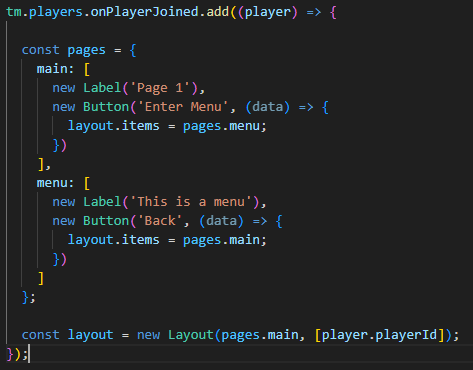
working with a class that represents a UI label feels so much nicer than having to use an ID to interact with one

 hoary skiff
published that to npm and now it's as simple as installing it and I can easily make different pages of ui
 hoary skiff
wait I still don't have the modder role
i have now published a mod to the workshop someone give me that I'm special
hoary skiff
I present (again) the first (real and useful) workshop mod written 100% in a language other than lua:
https://steamcommunity.com/sharedfiles/filedetails/?id=3264225034
(this time with the files actually uploaded)
hoary skiff
I'm doing it I'm making a workflow to automatically upload mods to the workshop
github actions I love you
and steamcmd
should be possible to do everything without ever needing to upload from in-game
shadow iris
hoary skiff
should be possible to do everything without ever needing to upload from in-game
https://cdn.discordapp.com/attachments/994707718361317439/1236038467880751105/cat-trigger-yippee.gif

huh
dyno what do you mean
"your mod has been uploaded to the workshop"
I UNDERSTAND
hoary skiff
shadow iris
https://cdn.discordapp.com/attachments/994707718361317439/1236038467880751105/ca...
couldn't get it to work but it's definitely doable
hoary skiff
@near parcel could I have the modder role, I'd like to be able to post in vote-modding-features
open acorn
average trailmakers mesh shenanigans
 hoary skiff
what the hell
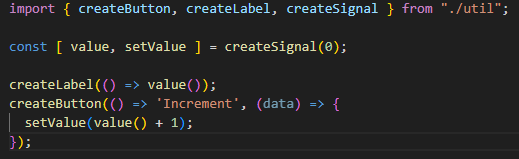
time to write react but for trailmakers
not really react, I hate the architecture of react
but a reactive ui library
 split skiff
Guys, I downloaded a map for Trailmakers on the internet, and I don't know how to put it in the game, I don't use Steam Workshop because I don't have it in the stem
 dry sentinel
split skiff
Guys, I downloaded a map for Trailmakers on the internet, and I don't know how t...
dry sentinel
split skiff
Guys, I downloaded a map for Trailmakers on the internet, and I don't know how t...
I wouldn't trust something random downloaded from online... I think the only way to run lua maps is through Trailmakers steam (unless the Microsoft store version has "unofficial" lua support)
If you downloaded something you don't understand, delete it now; could easily be malware
split skiff
I downloaded it from a trustworthy website that I always use, and it doesn't have malware
dry sentinel
It's clearly not that trustworthy, considering the only official distrubtion for maps is through steam
split skiff
dry sentinel
It's clearly not that trustworthy, considering the only official distrubtion for...
ok, but do you know if there is a way? put this map in trailmakers, in folders or something like that
 paper bone
split skiff
ok, but do you know if there is a way? put this map in trailmakers, in folders o...
paper bone
split skiff
ok, but do you know if there is a way? put this map in trailmakers, in folders o...
Only the steam version can run mods
dry sentinel
Thank you, was just about to send this 😆 #newcomers message; basically, if you're looking where to drop a bunch of files that aren't .lua right now on your pc, there's a chance its malware
near parcel
split skiff
I downloaded it from a trustworthy website that I always use, and it doesn't hav...
mods are only available on the version downloaded through steam
scenic echo
how can you get the number of players in a server?
near parcel
#tm.players.CurrentPlayers()
regal bear
I'm having problems with "RegisterMouseDownPositionCallback" and custom meshes.
It seems that MouseDownPosition (along with the player's footsteps and the jetpack particles) doesn't respect the concave hull collision. In fact these things seem to use a convex hull for collision. Yet raycasts and other object collisions seem to respect the concave hull.
The attached pic shows objects spawned by mouse clicking the surface of a large custom terrain object. They form a line at the same height which points across to the distant high point, even though the terrain curves down at the points that they were spawned.
Devs, is this something that can be fixed? I really hope so, otherwise I'll have to completely redesign my track editor so that custom terrain works with it 😬
 open acorn
regal bear
I'm having problems with "RegisterMouseDownPositionCallback" and custom meshes.
...
open acorn
regal bear
I'm having problems with "RegisterMouseDownPositionCallback" and custom meshes.
...
if you can get the camera position you should be able to fix it yourself (by casting a ray toward the click position from the camera pos, unless you click in the sky it should always be valid, however currently you can only add cameras, which is unfortunate so that's the only way you can solve it rn), this thing also occurs with wheel deformation on concave collision
regal bear
open acorn
if you can get the camera position you should be able to fix it yourself (by cas...
Thanks - that seems like a decent workaround. I also have a couple of different ideas for workarounds that don't use cameras, but we shouldn't need workarounds.
I can't see this issue with the mouse world position as being intended behaviour. If it were simply just fixed by the devs it would really help 🙂
 cinder spruce
im making a large desert map for flying, and i have 2 airfields on opposite sides of the map. is there a way i cant have 2 spawnpoints for players to spawn or at least a way to teleport them from one to the other
near parcel
I looked into it a while ago, but afaik steamcmd can't delete workshop uploads
open acorn
cinder spruce
im making a large desert map for flying, and i have 2 airfields on opposite side...
- get used to modding with the tm api
- either use 3D models, textures, click detection, and custom cameras to make a custom map screen with teleport points, use the pre-existing ui functions to do so, or some other method that works for detecting when the player does something and moves their player there after deleting the current creation
cinder spruce
open acorn
1. get used to modding with the tm api
2. either use 3D models, textures, click ...
2 seems easier, ima go with that
open acorn
cinder spruce
2 seems easier, ima go with that
how to make a car
- make a body
- make a wheelbase
- add steering
- add engines
"4 seems easier, imma go with that" 
cinder spruce
how to make a plane:
- fuselage
- thrusters
- wings
- tail
5 seems a lot easier
 cinder spruce
found an odd bug
if you load a overcomplex build in the builder then a mod is turned on with a custom spawnpoint, it will automatically spawn you with the overcomplex creation at the spawnpoint
open acorn
cinder spruce
found an odd bug
if you load a overcomplex build in the builder then a mod is tu...
well it's pretty much a forced backspace so it'll probably do that
 cinder spruce
mmm backspace
open acorn
managed to make it to where I can click on a block and directly track it rather than tracking the closest to the click position on the ground
 cinder spruce
open acorn
managed to make it to where I can click on a block and directly track it rather ...
cinder spruce
open acorn
managed to make it to where I can click on a block and directly track it rather ...
what the vr mod
open acorn
cinder spruce
what the vr mod
nah pretty much just detecting the click position, sending a raycast in that direction (to detect structures and concave collision), and having hand models rotate toward it if it's not near a block, however if it is, still rotate toward it, but instead the block, and apply velocity to the block to attract it toward the hands
an earlier version of it is currently on the workshop, however there's a few bugs that I'm fixing
radiant lion
Tm gravity gun
shadow iris
open acorn
managed to make it to where I can click on a block and directly track it rather ...
would it be possible if like the hands get too far away from the selected block, that it detaches?
radiant lion
Not in a clean way, you could check the nearest detached and destroy it, but it won't always work
cinder spruce
6 am moment
radiant lion
Eh, I woke up
open acorn
shadow iris
would it be possible if like the hands get too far away from the selected block,...
already does that, and works very nicely, however it tries to keep the player toward it by moving them in that direction, but if they keep walking away it detaches
open acorn
I forgot if this is local or global, I hope it's global, however it shouldn't be too hard to adapt what I'm doing to make it local
 radiant lion
open acorn
already does that, and works very nicely, however it tries to keep the player to...
radiant lion
open acorn
already does that, and works very nicely, however it tries to keep the player to...
Ah, detached in that way... Turns out answering at 6am is not a good idea
It's global btw
regal bear
Frans - please don't delete the original #modding-archive channel. Some form of accessible archive for it would be much appreciated.
open acorn
🤔 there is quite a lot in #modding-archive that does deserve to stay, I definitely agree
formal crane
regal bear
Frans - please don't delete the original <#535786481214685194> channel. Some for...
Yeah I agree! I just wished we could migrate them somehow.
It mainly comes down to Discord not being great platform -- but I am just unsure how to cleanup 🙂
I think it is fair to keep it. Discord is just not really a platform for knowledge finding.
And I would prefer if it could live on the new Wikipedia instead.
radiant lion
I check it once in a while when I question the quaternions
But i'm also not sure how easy it is to migrate without losing some random possibly important thing
formal crane
Maybe just as a future not, see if you could post the info here. Then I (and maybe someone else) wouldn't mind moving that to the wiki somehow 🙂
But nice to hear the channel is useful. I was under the impression that it was getting a little outdated at this point / information had now been reshared here.
EDIT: Just to clarify, won't delete it 🙂
paper bone
formal crane
Yeah I agree! I just wished we could migrate them somehow.
It mainly comes down ...
you could maybe make a new folder for archived channels(if there are gonna be more) so they wouldnt clutter the already existing channels when collapsed
regal bear
formal crane
Yeah I agree! I just wished we could migrate them somehow.
It mainly comes down ...
On the new Wiki would be fine. I guess it would be nice if there's a way to maintain 'links' to the identities of posters. I agree Discord is not great for archiving and searching for stuff. The archive Category is another good idea - although still has the problem of Discord's limitations.
cinder spruce
quick question does anyone know what the size of the world in meters?
regal bear
Which world? Planet Earth? One of the maps in TM? World of Tanks? 😛
cinder spruce
tm map
im trying to get a heightmap of a place in the irl world and i want it to be the same scale as the game
regal bear
I think there is some variation in the limits of the TM maps. Eg Space Sector is much bigger than any other map. For scale, I ~think~ the player character might be 1m tall? Could be wrong.
cinder spruce
player is 1.25m tall, based of what the distance sensor says, 1m = 4 blocks
i was hoping someone measured it with the in game with the player distance
regal bear
You could try making a track with my TCP mod and go dead straight across Test Zone. It gives an approximate track length in metres - but I happen to know it's not super accurate with that 😬
open acorn
cinder spruce
player is 1.25m tall, based of what the distance sensor says, 1m = 4 blocks
iirc from last time I looked at the player in blender (without hair or hat), it was 1.2m tall, so that's pretty close
open acorn
regal bear
You could try making a track with my TCP mod and go dead straight across Test Zo...
or you could just take the x (or z) position of the player on either side then subtract that from eachother and round the measured distance up to the nearest integer
cinder spruce
or just have a friend go to the opposite corner of the world and square that value
but i dont have a friends
wait no dont square
i forgot hwo to geometry
x sqrt(2) = one side length
open acorn
cinder spruce
or just have a friend go to the opposite corner of the world and square that val...
🤔
open acorn
cinder spruce
tm map
about 15000 x/z on test zone and what appears to be around 7200 metres from the ground (ground is at 300 y level)


 cinder spruce
found a friend
open acorn
too bad you already get measurements
cinder spruce
21212 opposite corners on test zone
darn was same number
actual it was 14999x14999
open acorn
cinder spruce
actual it was 14999x14999
player has width of about half a metre, adding onto both sides giving 15000x15000
formal crane
WLD_TestZone Test Zone
Width 15000
Height 15000
WLD_AirborneIsland Airborne
Width 15000
Height 15000
WLD_Exploration Stranded
Width 4000
Height 4000
WLD_HighSeas High Seas
Width 5000
Height 5000
WLD_KingOfTheHill Dethrone
Width 1100
Height 1200 😢
WLD_RaceIsland Race Island
Width 4000
Height 4000
WLD_Sandbox Treasure Island
Width 2500
Height 2500
WLD_StuntIsland Danger Zone
Width 4000
Height 4000
WLD_TheMoon Space Sector
Width 25000
Height 25000
These numbers might also be completely wrong -- I remember some discussions ago that we did have maybe 2 systems for world boundaries and I am not really familiar with either of them.
Also this is on Unity X and Z axis. I didn't look up the Y (height).
cinder spruce
yea so i was testing a map sized directly to the border on test zone; on dethrone it was still the same sized border
regal bear
open acorn
or you could just take the x (or z) position of the player on either side then s...
Much smarter idea (1am moment for me also 🤦♂️)
 full grove
will these mods be available on the microsoft/xbox edition?
paper bone
what kind of message id is expected to remove Subtle Messages?
it doesnt seem to be this

oh i see the issue
paper bone
Custom Model wont load correctly.
it just spawns a White Cube in its place with the correct Rotation, any ideas?
i checked other mods but couldnt find what they were doing different
 near parcel
are you loading the mesh first?
paper bone
no, i have to do that?
radiant lion
Yes
near parcel
you need to call tm.physics.AddMesh(filename, resourceName) once to load the mesh
 elder zinc
so my friend has got to my build and got my modded build on HIS nick name on my build id 3281870343
on workshop
pls fix that]
mine build
 paper bone
#workshop-reports if you want to report a stolen build, keep in mind that you can only report builds that you have uploaded before they did.
paper bone
how can i spawn a beacon that is only visible to a certain player?
elder zinc
nah i dont upload
near parcel
paper bone
how can i spawn a beacon that is only visible to a certain player?
you can't
near parcel
elder zinc
nah i dont upload
then you can't report reuploads
paper bone
near parcel
you can't
oh ok

 uneven oyster
can someone show how to get started with a mod
like how to make the project or what not
 reef notch
uhmm I dont know where else I can ask this but, in trailmappers can I copy paste a model from a diff map to an existing one?
formal crane
uneven oyster
like how to make the project or what not
The wiki has a guide
https://trailmakers.wiki.gg/wiki/Basic_Modding_Guide
Trailmakers Wiki
You can open the .lua files in any editor you like; however, here is a guide for how to set up Visual Studio Code for getting auto suggestion related to Trailmakers API while coding.
formal crane
reef notch
uhmm I dont know where else I can ask this but, in trailmappers can I copy paste...
There is a Trailmappers thread you can ask in 🙂 https://discord.com/channels/296562030624899072/1226065444364877835
formal crane
I might misremember, but I think all (up to date) material got moved to the wiki.
open acorn
ah
reef notch
reef notch
uhmm I dont know where else I can ask this but, in trailmappers can I copy paste...
a similar question appeared in https://discord.com/channels/296562030624899072/1226065444364877835 and seems like it isnt possible
open acorn
reef notch
uhmm I dont know where else I can ask this but, in trailmappers can I copy paste...
from a diff map to an existing one?
so like moving models between maps in trailmappers
or copying one from an exported one and putting that in trailmappers?
yes that is possible
to my knowledge
reef notch
open acorn
from a diff map to an existing one?
so like moving models between maps in trailm...
Just moving models between maps in trailmappers
open acorn
reef notch
Just moving models between maps in trailmappers
well, shouldn't the model still be in the custom models folder? then you can just import it from there
reef notch
im afraid that im using the term models wrong, I just meant copy pasting objects to another
for example I just want to copy paste this animal friendly contraption on another map

with the same scale and placement
open acorn
reef notch
im afraid that im using the term models wrong, I just meant copy pasting objects...
well yeah, copy and put all the position, rotation, and scale information into some place, then go into another map, and place it down again then paste it in again, it's a tedious process to do with multiple things but it will work
I honestly don't know how the maps are saved while using trailmappers, so maybe there's a way to do it there aswell
paper bone
reef notch
for example I just want to copy paste this animal friendly contraption on anothe...
there is no simple feature added for that, you would need to do it by hand like noiro said
paper bone
open acorn
I honestly don't know how the maps are saved while using trailmappers, so maybe ...
just a long .json list so you could theoratically just put it in there
 reef notch
I see thanks for the help! 👍
open acorn
oh, that seems simple enough, just finding the right set of objects and pasting it into the other map, then reloading the software
paper bone
just have to identify the models you want to copy
reef notch
Ooh that could work too
regal bear
If you use a tool that formats a JSON file it's easier to find stuff in the map file. Eg in Notepad++ there's a plugin called JSON Viewer which can format the file. It can also 'un-format' (compress) it again.
reef notch
🙃
 near parcel
regal bear
If you use a tool that formats a JSON file it's easier to find stuff in the map ...
near parcel
regal bear
If you use a tool that formats a JSON file it's easier to find stuff in the map ...
Trailmappers also has that built-in, you just need to enable it
reef notch
reef notch
🙃
This worked better for me since I have to do it to multiple things rather than manually doing it in trailmappers
Also sorry bout the confusion before
paper bone
is it currently possible to spawn a arrow like this for a player?
 formal crane
paper bone
is it currently possible to spawn a arrow like this for a player?
formal crane
paper bone
is it currently possible to spawn a arrow like this for a player?
No -- but great idea and I cant believe it hasnt come up before!
paper bone
would be cool to have a function to display a arrow like this that points at a Position Vector you supply it with
formal crane
You can do a real nitty gritty one thats is spawned above the player structure using a custom mesh. Everyone would be able to see it though
cinder spruce
i have a problem where if an aircraft with a large amount of weld groups is moving at a high speed and is a far distance away from a player (a player in cinematic cam recording it) it does some funky things and looks bad. the only way to fix that is for the player position to be close to the plane. is there a way for player to be invisible so i can move the player near the plane while being in the cinematic camera?https://cdn.discordapp.com/attachments/1252048392612216883/1259029022407524413/2023-12-21_16-04-24.mov?ex=668a31a6&is=6688e026&hm=e026be3552aa200bf2bbd935e3ecf1f95f8eb30550ea12099ce0a6043ac44157&
i kinda need this since im making a short film on this
(oh yea that footage was taken before the cinematic cam before and used custom missile mod with a camera to look at the target)
formal crane
Interesting problem; My gut feeling says that teleporting the player near the player shouldn't be interfering with the cinematic camera, but completely untested.
So worst case you could find spots to "hide" the player. I am not sure if anything exist out there for this problem at the moment though.
cinder spruce
it isnt that it is interfering with the camera, its just that i need the player in the camera to be in close proximity to the person flying without being visible on screen. im guessing this is caused by some sort of LOD system. having a second seat on the plane does work and fix the problem, but its hard to fit another seat onto 13 total very complex aircraft with very limited space
heres an example of a 2 seat aircraft at probably a further distance than the video above:https://media.discordapp.net/attachments/1071557404715647046/1248710018253983754/GifCapture-202406071447148010.gif?ex=668a3a14&is=6688e894&hm=7a3e7d7a75ebbd060a0f4174349fa7d96cf346a3737a1bb83e25d9c16219b281&=&width=683&height=385
 formal crane
I did understand that 🙂
I am just not sure if you can teleport the player closer to the plane so this doesn't happen WHILE the cinematic camera is active for said player
And whether teleporting the player would break the cinematic camera for the player.
cinder spruce
i could test this but if the player is in first person would it keep them invisible in cinematic cam?
formal crane
snip.
misunderstood
I think it might. But maybe the airplane is close enough to something where you could just hide the player behind such that it is not visible to the camera?
I believe we have explictally always made sure to show the player when in cinamtic camera, also if you start in first-person camera.
I at least remember this being reported and fixed as a bug before it was released.
Alternative, teleport the player behind the plane from the persepective of the camera... Hopefully the plane is big enough to hide the player :p
cinder spruce
hmmm
is it possible to access the cinematic cam position and rotation?
also most the planes should be big enough
formal crane
No. But it looked like the position was fixed no? And you don't need the rotation. Just need to draw a line from the camera towards the planes position.
cinder spruce
yes i guess, but wouldnt you need to input the position of the camera every time you want to make small adjustments?
formal crane
Yes. I am just trying to work with the limitations. I can't come up with any other solution at the moment
If it is small adjustment and at long distance then I think your adjustment margin is alright.
cinder spruce
well i hope i can solve this problem soon but shouldnt be too big of an issue right now
formal crane
Alternative just teleport the player above/below the plane and fix it in post 🤷
Maybe johannes and the marketing team has some solution to the problem of jittering of far objects that I am not aware of.
Most of the team is on vacation the next 2 weeks mind you.
uneven oyster
formal crane
The wiki has a guide
https://trailmakers.wiki.gg/wiki/Basic_Modding_Guide
thanks a lot!
uneven oyster
didnt expect it to be lua
dapper jay
formal crane
You can do a real nitty gritty one thats is spawned above the player structure u...
the client side..... we yearn for the client side.....
radiant lion
formal crane
Alternative just teleport the player above/below the plane and fix it in post 🤷
i was unsure if setting the player to invisible worked since player visibility seems to be client side, but it works (at according to host pov, not sure about the rest)
so i made a little mod that teleports near the target while making you invisible, should be a decent fix
paper bone
is there a way to create an object with the name of a variable.
for example if i want to spawn a CustomObject that "belongs" to a certain player, can i name it something like "object_playerId" ?
near parcel
there is no good reason to do that, just store the spawned object reference in a table with a key for each player
paper bone
alr thanks
paper bone
does anyone have an idea what the problem here might be?

 near parcel
what's at line 54 and 55?
 near parcel
you are passing a function to tm.vector.Distance
paper bone
do i have to save the vector first?
near parcel
and trying to index the GetTransform function
near parcel
paper bone
do i have to save the vector first?
no, you have to call it
paper bone
i dont think i can quite follow you, how would that look like?
paper bone
ah ok yeah makes sense

 paper bone
why does it have problems with a null value?

 near parcel
are you initializing all varaibles/table fields?
paper bone
paper bone
yeah like up here
near parcel
cargohandlingp isn't initialized there
paper bone
doesnt it use 0 when there is no value at that position?
dapper jay
no lol
near parcel
no, it uses nil
near parcel
just initialize the field before trying to read it
dapper jay
whats this mod going to be?
paper bone
about Transporting different cargo around a map by land
and doing so in as little time as possible while also being gentle with the cargo
dapper jay
Ah cool
radiant lion
Can't check the logs rn, anyone know if you can do controller presses other than keyboard ones
If not then if there is any way to detect a repair that's not just checking for an r press
open acorn
radiant lion
Can't check the logs rn, anyone know if you can do controller presses other than...
I don't think mods can detect controller button presses
open acorn
radiant lion
If not then if there is any way to detect a repair that's not just checking for ...
iirc the game considers a structure in the builder while the repairing animation is playing, so possibly detecting if it's been in build for less than some specific amount of time (repairing animation is just under a second, so that'd work I guess)
regal bear
radiant lion
If not then if there is any way to detect a repair that's not just checking for ...
I did it in Repair Restrictor by checking if the player was out of their seat for a very short time.
 radiant lion
open acorn
iirc the game considers a structure in the builder while the repairing animation...
radiant lion
open acorn
iirc the game considers a structure in the builder while the repairing animation...
I doubt, else the mod would be detecting them (it already detects when a player leaves build)
radiant lion
regal bear
I did it in Repair Restrictor by checking if the player was out of their seat fo...
And I didn't want to have yet another check, but it seems I'll have to...
regal bear
radiant lion
And I didn't want to have yet another check, but it seems I'll have to...
It would nice if we had access to the game's repair 'event' 🙂
I think we may have asked for that a couple of years ago but it's probably fallen off the Dev's radar.
radiant lion
Ye, stuff like that and controller binds should have been asked a while ago
regal bear
Isn't there an old list of modder requests somewhere?
radiant lion
Yeah, but quite sure they ain't in there
regal bear
Damn. I guess they got lost in translation. Are you going to make those requests now?
formal crane
#1123915629653667943
regal bear
formal crane
<#1123915629653667943>
Hey Frans - what about posting your list somewhere so that we can see what's already been requested? Might save you some extra hassle reading through repeat requests?
formal crane
Hi! What do you mean "your list"?
All the posts in there are intended as "the list". Every entry is a suggestion
The intention is that we delete the post or mark them as "implemented" if it has happened
regal bear
formal crane
Hi! What do you mean "your list"?
All the posts in there are intended as "the li...
Ah OK. I thought you might have a compiled list which might include those features that were asked for before the big changes to the Discord server. I could be wrong but I though Simon used to collate them into a list back then.
radiant lion
There should be a pdf somewhere
I'd say look for terror's messages with a file attached
regal bear
radiant lion
There should be a pdf somewhere
Right - I did find this PDF that TerrorSoul posted in June 2022:
https://cdn.discordapp.com/attachments/535786481214685194/988082251801702431/Trailmakers_Modding_Issues__Functionality.pdf?ex=668f3e0e&is=668dec8e&hm=7d3713baf1f892b2aa7a6904ff55cf3e7ddb4036be53b30187b572bd26388876&
That's probably what I was thinking of.
formal crane
I think we had 1-2 internal "passes" on fixing things in that document (and a I believe another one? it is a while ago).
It was hard to answer to specific points and request previously, so that's why we moved to a thread based solution where we could discuss and implement certain features 🙂
At this point, I would say, create a new thread for specific things you want to see as it is -- this is pretty much the place we go to when we looking to add more modding functionality.
 warm canopy
Looking forward to more modding functionality 🙏
warm canopy
I recall Simon did also have a list a long long time ago, I think the pdf I made had some of the suggestions from that original list
radiant lion
You can
radiant lion
Tables also act as classes
radiant lion
Basically here you only have tables that act as arrays, dictionaries, classes...
uneven oyster
radiant lion
Basically here you only have tables that act as arrays, dictionaries, classes...
ill figure it out
why do we make mods in lua?
radiant lion
Easy to implement/learn, interpreter is real portable, fast
uneven oyster
also makes my life harder
radiant lion
I mean, they can't possibly add support for all languages
Someone will have to suffer
radiant lion
It says "if you have any questions I'll answer"
uneven oyster
😐
radiant lion
And c# is annoying cause compiled
uneven oyster
radiant lion
And c# is annoying cause compiled
i like it..
radiant lion
Reasonable
uneven oyster
and im not trying to start a fight here but in my opinion i think object oriented code is pretty easy
radiant lion
There's nothing stopping you from doing it in lua
uneven oyster
radiant lion
There's nothing stopping you from doing it in lua
k
radiant lion
It just also has a bunch more options
uneven oyster
radiant lion
It just also has a bunch more options
k
near parcel
uneven oyster
i meant they could've just gone with C#
C# is also harder to learn for beginners, and much harder to embed into another program. The entire lua interpreter with its standard library takes less than 500KB of memory
near parcel
uneven oyster
and im not trying to start a fight here but in my opinion i think object oriente...
#1140936220487192587 message
uneven oyster
near parcel
C# is also harder to learn for beginners, and much harder to embed into another ...
maybe an option would be nice!
near parcel
and much harder to embed into another program
radiant lion
Options are expensive in developer terms
near parcel
correct
uneven oyster
huh
it said i spammed
stupid dyno
you prob know this but anyone know how to make a delay
hoary skiff
so why exactly do the methods for getting keyboard input take in a string with the name of a global function as an argument?
instead of just a function?
near parcel
probably because they were among the first to be implemented and the devs didn't know you could just pass functions as arguments, i suggested changing it a while back (https://discord.com/channels/296562030624899072/1134472573380468848) but i don't know how hard it would be to change without breaking older mods (easiest way would be with a new function, not sure how hard overloading the current one would be)
hoary skiff
near parcel
probably because they were among the first to be implemented and the devs didn't...
why not allow a function or a string to be passed
wouldn't break old mods
near parcel
That's the overloading approach i suggested, but again, i'm not sure how hard that's to implement from the C# side
 kindred drum
someone should make a mountain map that you can drive up and down
hoary skiff
near parcel
That's the overloading approach i suggested, but again, i'm not sure how hard th...
given that trailmakers uses moonsharp and lua code only runs on the server it seems like it probably wouldn't be too hard?
yeah moonsharp supports overloaded methods
I'm making a lot of assumptions though, this is assuming it's implemented in the best way possible which obviously might not be true
near parcel
The problem is that i don't know how moonsharp/C# handle function overloading. Using tables for named (optional) parameters for example was surprisingly difficult to do because it forced functions to take any type parameters
hoary skiff
seems it does some "dark magic" (quote from the docs) heuristics to figure out which overload to call
moonsharp I mean, C# is more deterministic
Overloads
Overloaded methods are supported. The dispatch of overloaded method is somewhat a dark magic and is not as deterministic as C# overload dispatch is. This is due to the fact that some ambiguities exist. For example, an object can declare these two methods:
void DoSomething(int i) { ... }
void DoSomething(float f) { ... }
How can MoonSharp know which method to dispatch to, given that all numbers in Lua are double ?
To solve this issue, MoonSharp calculates an heuristic factor for all overloads given the input types and chooses the best overload. If you think MoonSharp is resolving an overload in a wrong way, please report to the forums or discord, for the heuristic to be calibrated.
MoonSharp tries as much to be stable with the heuristic weights, and in case of a draw of scores between methods, it always deterministically choses the same one (to provide a consistent experience among builds and platforms).
This said, it’s entirely possible that MoonSharp picks an overload which is different than the one you think of. It’s extremely important then that overloads perform equivalent jobs so that the impact of calling the wrong overload is minimized. This should be a best practice anyway, but it’s worth reinforcing the concept here.
hoary skiff
raycast direction is in euler angles
relative to what though
and in degrees or radians?
or something else?
near parcel
euler angles=degrees, but i don't remember the order used
hoary skiff
degrees relative to what, up?
near parcel
yaw/pitch/roll
hoary skiff
angle isn't absolute
near parcel
doesn't matter, because you can just interpret a rotation as a transformation that rotates your object by the given amount on each axis once you know its rotation when at (0, 0, 0) angles
hoary skiff
I don't know it's rotation when at 0, 0, 0 angles
it's a raycast
so degrees relative to what, up?

trailmakers map
ignore the bad code I was just trying to make something work
near parcel
near parcel
euler angles=degrees, but i don't remember the order used
#modding-archive message #modding-archive message
@radiant lion do you remember the order in which the euler angles rotations were applied?
 radiant lion
near parcel
<@494134147527475213> do you remember the order in which the euler angles rotati...
radiant lion
near parcel
<@494134147527475213> do you remember the order in which the euler angles rotati...
Y,X,Z
But honestly I thought raycasts took for direction a vector parallel to the ray
But if it says Euler then degrees, and go spawn a whale with trailedit, with a given rotation the ray will follow the nose
near parcel
yeah, i thought so as well, but it says euler angles in the docs
hoary skiff
I think it has something to do with unity
the api is very similar to unitys api for raycasts so maybe that's how it is in unity
radiant lion
If you want i have a basic function that turns a direction vector into euler
hoary skiff
that would be great
radiant lion
(which probably unity also has, but idk if is included in lua)
radiant lion
turns out my function is not too clean (it's TargetRot, with PosHun being an empty vector and PosTar being your direction vector)
you can delete any reference to PosHun if you want to not do 3 extra sums
hoary skiff
trailmakers doesn't like me doing 160,000 raycasts 😔
radiant lion
if you are just mapping the map you can probably do them in waves
btw how are you turning it into a pic?
hoary skiff
writing it to a file and then some shitting code with p5.js
not shitting code damn my hands
shitty code
hoary skiff
might be possible to write a simple bitmap image writer or something
radiant lion
ascii moment
radiant lion
(quite sure just reading a jpg and then re-writing it corrupts it)
near parcel
hoary skiff
wonder if coroutines would help
they wouldn't, they are still run in the same thread
hoary skiff
good to know
made a higher res version it took like 15 minutes to do all the raycasts

 sweet dove
@radiant lion in your missile tracker mod, can't mines set off dynamites? It doesn't seem like it
I wanted to use a mine with a micro explosion to create a proximity trigger for a dynamite
maybe the micro explosion isn't enough to destroy the dynamite?
radiant lion
sweet dove
<@494134147527475213> in your missile tracker mod, can't mines set off dynamites...
No, they can't directly
But putting mine near dynamite or in front of a sensor should work
sweet dove
radiant lion
No, they can't directly
When i say set off, i mean detonate with the explosion. But i think i found the problem: anything below a medium explosion won't damage the block enough to detonate it
Also, i didn't understand from the mod description. Is there a way to make the mod only react to other players, without using targets? Mines and trackers
radiant lion
You should have a "targets" menu, there you can choose who you want/not to target
So you can disable targets and leave players
sweet dove
got it, thanks!
radiant lion
regal bear
I did it in Repair Restrictor by checking if the player was out of their seat fo...
AAAAAAAA, flying repair moment
i can check if the rotation remain constant for a moment, doable, but sure is annoying
i sure hope lag won't be lagging
AAAA, flying repair is too fast, i can't put it in my slow update
wth, not even the fast update can always detect it
radiant lion
and now it's just behaving nonsensical. when using vector equals it's fine, if i only use x it goes always false... even with a not in front... confusing
AAA, changed the == to ~= and it now at least gives different results, i give it a not so it acts opposite, and it once again breaks, always returning true this time
radiant lion
stuff keeps being nonsense, if i call it every frame i get like 15 repair checks on avarage, if i call at half speed i get like 2... if i'm lucky...
regal bear
OK well I guess my code is hugely inefficient as it just 'brutes' the job - not unexpected for my coding ability hehe. Last I checked it was working ~95% of the time but that was only with 3 players in the server, and possibly before the last update.
radiant lion
Ye, there wasn't air repair yet
regal bear
Ah yes true
The other thing I did was check for damage before penalising a repair. Probably adds more strain.
warm canopy
Feel like we are missing at times some core functionality for modding, hopefully the devs can catch up with the backlog with modding
regal bear
I agree. Fingers crossed they do manage to make it a priority to fill out the API and assets. It would be a win/win scenario for sure.
radiant lion
anyone messed with tm.players.SetCameraRotation()? it seems to just not work
near parcel
what's the issue?
radiant lion
correction, seems to work in some mystical way, these sure ain't euler angles
near parcel
iirc it's a direction vector
radiant lion
was just about to try that
would be real dumb tbh
expecially since raycasts use euler
and here having z would actually make sense
it is a direction vector btw
paper bone
radiant lion
correction, seems to work in some mystical way, these sure ain't euler angles
I have no idea how it works, i just put random numbers till it points the way i want it
dapper jay
radiant lion
it is a direction vector btw
 regal bear
radiant lion
it is a direction vector btw
regal bear
radiant lion
it is a direction vector btw
Is it a similar thing to the tm.players.SetSpawnPoint mysteries?
https://discord.com/channels/296562030624899072/1228861252457992272
dapper jay
scammed by the devs 😭
 jade ibex
are there any mods that add a type of area 51 map in test zone?
 novel maple
am i just schizo or did they move the dethrone island origin point before and now theyve moved it back? i used to have some issues with maps that covered up the island, but now they are as they were
hoary skiff
Documentation for Trailtypes
if anyone needs a way to search for individual methods and stuff in the trailmakers api this will probably help
it's for a different thing but it happens to have all of the definitions and docs for the builtin apis
near parcel
https://github.com/ALVAROPING1/Trailmakers-API-LuaLS/blob/master/library/tm-api.lua you also have this, which contains all the docs the game generates plus extra information about types/function parameters/integers used as handles/etc

GitHub
Definitions for the Trailmakers modding API. Contribute to ALVAROPING1/Trailmakers-API-LuaLS development by creating an account on GitHub.
hoary skiff
near parcel
https://github.com/ALVAROPING1/Trailmakers-API-LuaLS/blob/master/library/tm-api....
yeah you could search through that if you wanted instead, would probably work just as well
oh wait yeah mine has all of that stuff
near parcel
most of it will be the same if you used the nvm, you seem to have used my version as basetrailmakers_docs.lua bundled with the game as a base (since i did so too), but i manually cleaned that afterwards and added more information
hoary skiff
near parcel
~~most of it will be the same if you used the `trailmakers_docs.lua` bundled wit...
yeah
(+ I cleaned it up a little for typescript)
 cold knoll
Is it just me or do weapons ignore the block health set by block.SetHealth() I've tried both 0, 99999, etc and every combination, and weapons do not care at all
For all its worth the visuals seem to respect it (or just break)
Also it seems to bug when trying to set all colors on large creations

 dapper jay
the health functions are borked
 @warm canopy
regal bear
cold knoll
Is there expected to be a fix in 1.9?
@warm canopy
regal bear
cold knoll
Is there expected to be a fix in 1.9?
It's been brought up a few times so we can always hope. 🤞 With the new impact damage system coming in 1.9 they might be revising the whole block/structure health system. It would make sense to update the modding API then also. If they don't update the API then I imagine a lot more things could be broken after the update.
cold knoll
I was making an armor mod because I thought the block healths are stupid. Like i'm building a battleship that's massive and I can't afford to be shredded to paper
but turns out the block health is just ignored
except for impacts
for some reason impacts work fine
regal bear
Yep it used to work. My Super Strength mod used block health to make vehicles much stronger. Sadly that mod doesn't do anything now.
cold knoll
I was planning to increase the strength of blocks proportional to their size
regal bear
nice idea
 wet dagger
Hey guys I'm a programmer who recently fell in love with trail makers. I was wanting to hopefully make new logic gates to expand on what we currently have. Does anyone have any resources for modding?
near parcel
mods can't currently add new blocks
wet dagger
I wonder if there's a way to override a block and bring up a GUI window to configure it
Cause I know custom missiles has its own menu
Would be awesome to add a timer block, etc
near parcel
there isn't, closest thing you can do is use color to store 3-4 floats worth of information. Other than that you can only add forces, change mass/drag/power (of engines/thrusters)/a couple more general things
btw, all blocks already have built-in timers
formal crane
wet dagger
Hey guys I'm a programmer who recently fell in love with trail makers. I was wan...
Best resources for modding is in here and the wiki
.tmwiki Modding
 mint oxideBOT
Trailmakers Wiki
DLL modding goes against the Trailmakers Terms of Service[1], promoting it on the official Discord server will result in a temporary ban at first which will become a permanent ban for serial offenders.
mint oxideBOT
Trailmakers Wiki
You can open the .lua files in any editor you like; however, here is a guide for how to set up Visual Studio Code for getting auto suggestion related to Trailmakers API while coding.
cold knoll
wet dagger
Hey guys I'm a programmer who recently fell in love with trail makers. I was wan...
The most we can hope for for logic is that the ones in the artwork aren't just artistic license and actually new gates, because the testers are tight-lipped, and johannes is on vacation so he can't leak anything
radiant lion
wet dagger
Hey guys I'm a programmer who recently fell in love with trail makers. I was wan...
Am planning to do that whenever we get access to block input/output
But we don't have that yet
 loud slate
wet dagger
Hey guys I'm a programmer who recently fell in love with trail makers. I was wan...
loud slate
wet dagger
Hey guys I'm a programmer who recently fell in love with trail makers. I was wan...
Custom logic blocks are something that I have an idea to make.
- Save the logic type, connected output block indexes and input key to the colors with a bit conversion.
- Use distance sensors as end gates to send the signals to the blocks you need.
- Make an ui where you can just click the block to be connected with colored boxes that are ontop of the logic gates and show the type with 3d text.
Pros:
- More logic gates
- More compact
Cons: - Performance (maybe)
- Has to use in-game blocks as logic blocks
I have most of the bit compression methods already
loud slate
wet dagger
Cause I know custom missiles has its own menu
Which custom missiles?
 worldly ice
jess' missile/tracker mod
loud slate
worldly ice
jess' missile/tracker mod
To my belief it doesn't have a custom menu only the built-in mod one
radiant lion
Ye, it's just the classic mod ui
radiant lion
Gonna ask here because I know it was mentioned, tho not really TM related
How were those 3d textures called? The one that vary based on world position
Those that stuff like camo paint uses
cold knoll
radiant lion
How were those 3d textures called? The one that vary based on world position
triplanar mapping
radiant lion
Thank you
 dusky dagger
What do you put in mod directory when uploading a mod to the workshop?
I put the path there and it didn't do anything
near parcel
mods/mod_folder_name
near parcel
theoretically you can use the full path to the directory, but there is little reason to bother when you can use the mods/ shortcut
dusky dagger
Uh
near parcel
dusky dagger
I'm bad with files lol
take the name of the folder where your mod is, then write mods/ followed by that name

 final wave
is it possible to overlay the layout of a map onto trailmappers to make it easier to build?
open acorn
final wave
is it possible to overlay the layout of a map onto trailmappers to make it easie...
custom model moment
cinder spruce
final wave
is it possible to overlay the layout of a map onto trailmappers to make it easie...
blender
final wave
aight thanks
paper bone
Is it possible to check for modGameObjects that a different mod has spawned?
paper bone
Didnt find anything that would work for that so i guess not
dapper jay
can you hook the function for creating them?
cold knoll
paper bone
Is it possible to check for modGameObjects that a different mod has spawned?
The only actual way i think can be used is raycasts, though it is possible it would be pain
open acorn
dapper jay
raycasts return no info about the hit object(why?)
they return the info about the hit object's hit point, normal, and distance from the raycast's origin
so I guess you could get objects with raycasts, that is if they exist or not, but it'd be very much confuse when other objects around it occur
formal crane
What information would you want to see? I presume collider?
cold knoll
Hi frans summons in general for you
formal crane
dapper jay
https://discord.com/channels/296562030624899072/1168904060733243412
Cheers -- Covers it pretty well 🙂 I'll just answer in there.
cold knoll
Have the block health setting methods been fixed in the current build of 1.9?
Last i checked they simply do nothing but bug the visuals
formal crane
cold knoll
Have the block health setting methods been fixed in the current build of 1.9?
No fix for 1.9.
formal crane
I doubt that they would never be fixed.
how do you english that sentence; I would doubt, if they never were to be fixed.
dapper jay
block health fix will come next update for sure 🙏
cold knoll
devs knew about this for a while now, I don't see why it couldn't come in 1.9
considering it did work before 1.8 I believe
near parcel
it broke in 1.7 because airborne changed how weapon damage worked. Modding has always been a low priority
cold knoll
I could see an option, instead of setting absolute block health, setting a block health multiplier might make it easier to integrate with the airborne damage changes. Similar to what the devs have already done with gravity
regal bear
formal crane
I doubt that they would never be fixed.
Sadly I also feel that a large number of broken and buggy things in the API are never going to be fixed.
Some of them are 'day one' bugs so after 3 years... what hope is left?
I'd love to hear Flashbulb commit to fixing the API bugs and commit to a timeline for it too - but honestly, I don't expect that to happen.
open acorn
regal bear
Sadly I also feel that a large number of broken and buggy things in the API are ...
that is sad, but also very true
I feel like the bug of a mesh inverting around it's X axis fits this, as it likely will never be fixed either, as it'd break a few already existing mods containing custom models
(at least I think it's a bug, might not be, might've been intentional, for some reason)
 storm basalt
we need a mod for this
 open acorn
storm basalt
we need a mod for this
cinder spruce
open acorn
storm basalt
we need a mod for this
cinder spruce
with new logic update u can prob use the new 1x1 panel and surround a all sided pipe with those
open acorn
cinder spruce
with new logic update u can prob use the new 1x1 panel and surround a all sided ...
yeah might be possible
 regal bear
A new version of Track Creator Plus is coming very soon. I've posted a new video in the TCP Mod's channel:
#1242291936715608205 message
warm canopy
Can we seriously look into the custom meshes again at some point, having to split terrain up into 1000 tiles is crazy
No amount of caching capabilities aint going to fix a inherently flawed implementation in its current state
This frustration comes from spending multiple days trying to create similar terrain polygon level as the games maps, I dont think its unreasonable to expect the game to handle a mesh that is a mb or two without the game freezing up, splitting the mesh up even into low poly 170kb tiles still causes lag spikes - some also due to the fact that the caching system seems to have some sort of lazy loading feature on the first load which is adding to this
cinder spruce
why does a simple 1024x1024 texture take about 10 minutes to load. ive made maps people play on and they didtn even realize stuff had custom textures until it finally loaded
making small changes in textures is a PITA cuz of that
open acorn
cinder spruce
why does a simple 1024x1024 texture take about 10 minutes to load. ive made maps...
1048576 pixels 
I mean it seems like a lot, but most games these days can load that in seconds
if only they redid the texture and mesh loading of mods, it wouldn't break any already existing, as it'd just be a new system for loading it, and the things being loaded will stay the same
cold knoll
I mean it takes a noticable amount of time for the api to load even 256 pixels, and that was a hellish amount of optimization for noiro's spherical planets mod
Also one thing i noticed is tm sends like 50x the amount of data than should be required to load a mesh, maybe they're using json to send it over? Would explain some of the lag
Even then its easy to do this shit right. Dunno about the networking, but creating textured meshes runtime shouldnt be an issue
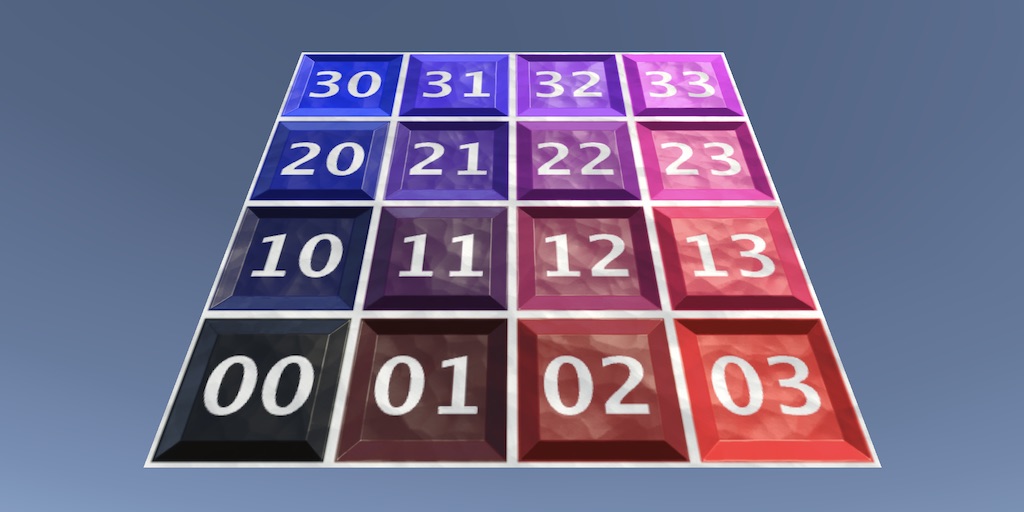
A Unity C# Procedural Meshes tutorial about creating a mesh via code, with the simple and advanced Mesh API.
The code is MIT-0 licensed, so they could straight up rip this into the game with no consequences, other than better mods (i am not a lawyer)
 unique oriole
Hey, I've tried to get a basic mod down and i was wondering how i can set the strength of an engine?
near parcel
call the .SetEnginePower(power) method of the block
unique oriole
How do i call this function for all the engines that are loaded?
unique oriole
Nvm
I might have it
Just wondering how i can get the block type that is selected if I have the Modblock
radiant lion
By block type you mean engine/thruster/ecc?
radiant lion
You have to go by names, there isn't a pre-made way
unique oriole
Alrighty
radiant lion
For example most thruster have Jet in the name, so you'd check for that (iirc tho the dlc ones don't)
radiant lion
Sure
unique oriole
@radiant lion How do i get all blocks that are loaded?
radiant lion
you have to first go trough all creations "tm.players.GetPlayerStructures(playerId)" then through all blocks "ModStructure.GetBlocks()"
unique oriole
Thanks
I was looking for the GetPlayerStructures function
The documentation isnt amazing
radiant lion
yeah, it works if you already know what you are looking for, not really when you don't
unique oriole
Sorry, another question, when i call tm.players.GetPlayerStructures(player.playerId) and i try to itterate it it just throws a bunch of errors
near parcel
unique oriole
The documentation isnt amazing
if you are using the auto generated documentation, you might want to take a look at https://github.com/ALVAROPING1/Trailmakers-API-LuaLS/blob/master/library/tm-api.lua instead which is a version i manually cleaned and improved to add more information and be easier to use for new players

GitHub
Definitions for the Trailmakers modding API. Contribute to ALVAROPING1/Trailmakers-API-LuaLS development by creating an account on GitHub.
loud slate
@unique oriole If you do a lot of block processing consider splitting the blocks into chunks and process them in those chunks (not having to process like 4k blocks every frame but split the work across multiple frames)
Especially getting the coordinates of the blocks is very expensive
unique oriole
I'll have a look, I might also check every 4th frame or something
But how could I do block processes most effectively
Split by structure or something?
cold knoll
loud slate
Especially getting the coordinates of the blocks is very expensive
Huh? This seems like an algorithm issue. It shouldnt be more expensive than just looking up the local position of the block and mulitplying it by the parent weld group's transformation matrix. Because that's all that needs to happen
radiant lion
unique oriole
But how could I do block processes most effectively
If you just want to change engine strenght you can check it only once when the player repairs/leaves build
cold knoll
Block health methods still broken innit?
radiant lion
radiant lion
If you just want to change engine strenght you can check it only once when the p...
If you need to change that multiple times you can store only the blocks you need in a table
 stable sand
do the mines for the missile mod work?
have them on medium and they dont seem to explode at all
radiant lion
Last I checked they worked, just make sure the mine is armed and the targeting options are set properly
dapper jay
cold knoll
Block health methods still broken innit?
yeah last i checked
loud slate
unique oriole
Split by structure or something?
That's one way to do it
loud slate
cold knoll
Huh? This seems like an algorithm issue. It shouldnt be more expensive than just...
Seems that Trailmakers is maybe doing some global calls when you call ModBock.GetPosition() For example the Modblock.GetName()
isn't that expensive to call compared to the GetPosition
cold knoll
It shoudn't be doing those global calls tbh
cold knoll
If a block knows its local position, and the parent weld group, those two and a matrix multiplication is all that'd really be necessary
radiant lion
It should be just directly linked to unity's transform.position
Which iirc by default is global
cold knoll
from my unity experience transform.position is relative to the parent node
 stable sand
radiant lion
Last I checked they worked, just make sure the mine is armed and the targeting o...
stable sand
radiant lion
Last I checked they worked, just make sure the mine is armed and the targeting o...
figured out the problem we chillin now
cinder spruce
radiant lion
Last I checked they worked, just make sure the mine is armed and the targeting o...
they work fine on players, but have never detected targets/flare blocks since
is there some way to fix it, its really bugging me (pun intended)
unique oriole
I was wondering if it is possible to add blocks into the builder?
warm canopy
Nope
near parcel
only hacky ways: spawn the "block" as a 3d object and manually move/rotate it to track the creation
dapper jay
and it cant be integrated into the game's systems soo
cold knoll
unique oriole
is there any other way of adding things like 1x2 blocks?
If you wish for an example, noiro's custom block mod exists. Its extremely hacky at best
cinder spruce
unique oriole
I was wondering if it is possible to add blocks into the builder?
it would also ruin the concept of dlcs, people would just make any block they would want without any costs
radiant lion
It would be cool if they allowed us to select a size and a mesh and it would add said object to a new tab, but honestly i think it's low priority
Given just the general difficulty, requirements so you can choose where it connects and supposedly mesh position
unique oriole
cold knoll
If you wish for an example, noiro's custom block mod exists. Its extremely hacky...
I was thinking of making a shape tool so that wont work i fear
unique oriole
cinder spruce
it would also ruin the concept of dlcs, people would just make any block they wo...
Not custom ones, just existing blocks
scenic echo
is there a way to see weld groups with mods?
cinder spruce
nope
open acorn
scenic echo
is there a way to see weld groups with mods?
not directly, but you can use the slight offset from the grid in relation to other blocks to get roughly where a new weldgroup would be
cold knoll
You know what would be epic for cinematics? A blueprint to 3D model converter
warm canopy
It used to exist in the base game
near parcel
it was a quick hack, was unmaintained, and eventually stopped working correctly though
radiant lion
AAA, am hella confused
the "ModBlock.SetDragAll" seems to have some sort of permanent effect on all other blocks of the same kind
but extremely unreliable
warm canopy
That function has always been unreliable, we also can't reset back to default I dont think
radiant lion
mod ain't even active, i add a new one of said block, works fine,remove and add another, not fine
radiant lion
warm canopy
That function has always been unreliable, we also can't reset back to default I ...
that's not the problem, i just wish it didn't have some sort of global effect that fucks everything up
video coming up, just need to make it discord compatible
warm canopy
The mods not disabling properly happens a-lot for me, I've had cases where a mod is actively running even though its disabled in-game
radiant lion
also not the issue, it would activate only on specific colors to begin with (it works properly, i logged the activations) and now it's also commented out
look, just nonsense
warm canopy
So many issues with the modding api
radiant lion
first time: no drag
second: tons of it
third: no drag
fourth: a bit
dapper jay
warm canopy
The mods not disabling properly happens a-lot for me, I've had cases where a mod...
not to bash the devs but how do you screw that up
loud slate
warm canopy
The mods not disabling properly happens a-lot for me, I've had cases where a mod...
The hot-reload feature is not working it leaves the mod running in the background. Try to reload a performance heavy mod like 5 times and you'll notice it.
cold knoll
Modding is very neglected in this game, even though its the main source of secondary content on steam. Prolly the reason its neglected is that it only works on steam
However, xbox games have had official(ish) mod support done in the past
https://news.xbox.com/en-us/2019/02/20/paradox-mods/

Xbox Wire
We are absolutely thrilled that Paradox Interactive has teamed up with Microsoft to release Paradox Mods on Xbox One! Now, for the first time, PC mod creators have a direct line to showcase and publish their work for Xbox One gamers to enjoy — making this a momentous day for gamers and modders everywhere. Surviving […]
final wave
How do you import a map into trailmappers? trying to work on my map after i reset my pc, but the directory doesnt seem to work
cold knoll
final wave
How do you import a map into trailmappers? trying to work on my map after i rese...
import it? you need to just put it in the correct directory
final wave
cold knoll
import it? you need to just put it in the correct directory
its in the mods folder, i just assumed that importing it would allow me to work on it
cold knoll
final wave
its in the mods folder, i just assumed that importing it would allow me to work ...
It should be in Documents/Trailmappers/Saves/Map_Name
final wave
aight ill try that
cold knoll
Both the map.json and preview.png
final wave
cold knoll
Both the map.json and preview.png
would i move just the folder?
 cold knoll
final wave
would i move just the folder?
cold knoll
final wave
would i move just the folder?
if those are in the folder ye
final wave
cold knoll
if those are in the folder ye
all i see is the preview, not the json
cold knoll
final wave
all i see is the preview, not the json
if you've exported the map to trailmakers before, then the json will be in the mod files
final wave
i downloaded it from the workshop cause my pc was reset, so it hasnt been exported
cold knoll
Show ss of the entire folder
there should be this folder


This inside the folder is the map data
 cold knoll
ok, you're looking in not exactly the correct folder
final wave
oh that would be why
cold knoll
Steam steamapps workshop content 545820
then you need your mod ID
(as in steam content id)
open the folder

mine wont match yours
final wave
found it
cold knoll
Copy the map file into the folder, rename it to map.json
(the folder where your map files are in for trailmappers)
where preview.png existed
 cold knoll
it should be in the "yes" folder
final wave
it worked, thanks for your help
paper bone
cold knoll
Both the map.json and preview.png
U only need the map.json
near parcel
they deleted it themselves
warm canopy
Yeah I deleted it, since the caching feature was added the loading of actual meshes the first time is slower than it was before caching
radiant lion
was there a specific channel for mod reposts?
can't confirm yet, but i feel like this is a copy


yep, identical files
warm canopy
Great, now it’s happening with mods
radiant lion
ye
i mean, there was that time where a guy uploaded the whole mods folder, but i think this is the first actual rip
(and maybe the complexity mods, there are plenty enough that some might be copies)


@open acorn
near parcel
probably use #workshop-reports
formal crane
I think I can clear, can you link?
EDIT:
Should've been removed now.
dapper jay
I think someone should make a mod
 frail galleon
anyone know if trailmakers is moddable if the game was bought via xbox pc gamepass
?
open acorn
frail galleon
anyone know if trailmakers is moddable if the game was bought via xbox pc gamepa...
Trailmakers mods are only accessible/useable through the Steam version
frail galleon
open acorn
Trailmakers mods are only accessible/useable through the Steam version
darn
regal bear
radiant lion
Now another one! 😐 @open acorn
 cinder spruce
same username too
dapper jay
regal bear
Now another one! 😐 <@827682206990204970>
I think this user should be on the receiving end of a thermonuclear explosion!
 lament arch
does anyone know of any like relistic tank mods?
what is it?
also i was more looking for realistic tank cannons and stuff
lament arch
okay
loud slate
lament arch
also i was more looking for realistic tank cannons and stuff
after 2 updates my mod will feature those
dapper jay
dapper jay
I think someone should make a mod
it would be so cool
regal bear
dapper jay
it would be so cool
Of course it would be cool... you're a fan
 open acorn
 minor snow
THOUGHTS?
minor snow
THOUGHTS?
very though, much though
minor snow
open acorn
very though, much though
missed a T
open acorn
minor snow
THOUGHTS?
very racetrack, would love to see how the terrain turns out
minor snow
open acorn
very racetrack, would love to see how the terrain turns out
do you know how to use grammar??
regal bear
minor snow
THOUGHTS?
Monza - nice 🙂
minor snow
regal bear
Monza - nice 🙂
ty
open acorn
minor snow
do you know how to use grammar??
I'm just being silly with words, I think I know how to use grammar, although I'm not quite sure if I do.
minor snow
open acorn
<:LaughingDog:789114431127945247>
I'm just being silly with words, I think I kno...
ok
minor snow
open acorn
very racetrack, would love to see how the terrain turns out
rn im doing the v
 dapper jay
regal bear
Of course it would be cool... you're a fan
dapper jay
regal bear
Of course it would be cool... you're a fan
umm i also made amogus twerk block...
i updated the script and now the game is stuck like this
oh oops accidentally tried using a 10k vertices model silly me
devs you really gotta fix the mesh importer because its just trash
dapper jay
dapper jay
oh oops accidentally tried using a 10k vertices model silly me
even the 3k vertices model was freezing the game
dapper jay
issue circumvented
 paper bone
When better mesh importer??
dapper jay
better mesh importer tomorrow
paper bone
Yipeeee
dapper jay
ive secretly been a trailmakers dev for 5000 years and i can confirm that this is 100% true
thats kinda cursed


good that it works though lol
near parcel
dapper jay
thats kinda cursed
No? You are printing different values
dapper jay
im talking about how i can use nextId
near parcel
Ah, i thought it was related to the other image, but being able to use nextid inside the function is normal as well, that's how closures work
warm canopy
I think we need to start a crowdfunding campaign for a different mesh importer. Lol
dapper jay
dapper jay
oh oops accidentally tried using a 10k vertices model silly me
I tried using the same model on 1.5, and the game handled the model flawlessly
seems like the mesh importer has jumped off a cliff since then
formal crane
regal bear
Now another one! 😐 <@827682206990204970>
Thanks. He had multiple other duplicate uploads.
I don't know if you already did; but remember to use the built-in report feature in Steam Workshop as well 🙂 It will be easier to track etc.
dapper jay
dapper jay
I tried using the same model on 1.5, and the game handled the model flawlessly
devs pls fix
formal crane
dapper jay
devs pls fix
Could you send me the OBJ so I can attempt to replicate it?
formal crane
dapper jay
even the 3k vertices model was freezing the game
When you say freezes, do you mean complete freeze and never continue, or big long pause until the model has been loaded?
dapper jay
from what i could tell it just freezes indefinitely
I only waited like 2-3 minutes, after that i just quit back to the main menu
(its really great how UI is handled separately)
dapper jay
dapper jay
10k model
this is the 3k model
formal crane
dapper jay
10k model
How you spawning the mesh, I have no issues?
This is with completely cleared asset mod cache.
Might have to try with the texture as well as they are usually much heavier in bandwidth.
dapper jay
i just use addmesh and the game dies?
formal crane
Could you send me the texture as well?
Maybe just send me the whole mod, just wanna be sure I am not missing anything obvious.
dapper jay
dapper jay
i just use addmesh and the game dies?
this is with the 3k model
all that happens is that i add the 3k model, nothing else
seems like it does eventually do something

nevermind

well here are the logs
dapper jay
formal crane
Could you send me the texture as well?
Maybe just send me the whole mod, just wa...
i use the second one because the original was too big for the game

 dapper jay
all that happens is that i add the 3k model, nothing else
dapper jay
dapper jay
all that happens is that i add the 3k model, nothing else
i tried again by commenting all the code out apart from AddMesh, same outcome
dapper jay
formal crane
Could you send me the texture as well?
Maybe just send me the whole mod, just wa...
heres the mod, at line 207 you can adjust what assets the mod should load
formal crane
dapper jay
heres the mod, at line 207 you can adjust what assets the mod should load
There we go. Now my game crashes as well. I am not sure what's going on with this mod, and I'll have to do some digging to figure out what is actually crashing here.
But yeah, didn't have any issues with the big nor small mesh and the small texture with the spawnadvmod. Could you maybe verify that it is the same in your end?
EDIT: or thats what you meant in the message above?
EDIT 2: Okey that 7MB dif.png texture is rather huge.
dapper jay
loading the bigger texture doesnt crash my game but it does take ages to load
and i cant load either of the higher poly models without the game dying
dapper jay
formal crane
There we go. Now my game crashes as well. I am not sure what's going on with thi...
regarding edit 2, all of these assets are ripped from trailmakers lol
flak_base.obj
flak_seat_base.obj(3k vertices)
flak_seat.obj(10k vertices)
dif.png
flak_base is small enough to work fine, but I had to make simple versions of the other assets
dapper jay
dapper jay
loading the bigger texture doesnt crash my game but it does take ages to load
finally finished loading, only took around 5 minutes
dapper jay
went back to 1.5 to see if the assets would work, but it seems like loading them all at once makes it freeze as well
alright this is weird
big texture - still takes ages
base - as quick as current day
base_seat - freezes the game
seat - works fine
loading base and seat together works fine
the obj importer has always been picky it seems, but it also seems to have been better?
idk man this entire thing is so weird
oh this is new
loaded just base_seat, and after some time it seemed to actually load it
but everything outside of the graphics is frozen, i can see the character playing the idle animation, but I cant move or anything
I clicked the spawn object button but nothing has happened yet
still nothing lol
 glass lake
Does anyone know if we can mod custom blocks?
near parcel
not atm
 wet burrow
can i ask here for like
uhh
a certain mod
and why it does work or why it works like it works
dapper jay
maybe
wet burrow
the custom missles mod
dapper jay
#1174457776601305118 ?
 limber matrix
is there currently a mod that gives fireworks damage, or if not is that even possible
cinder spruce
not possible unfortunatly
open acorn
limber matrix
is there currently a mod that gives fireworks damage, or if not is that even pos...
not possible without some janky workarounds like calculating the trajectory and reload duration of the firework on the mod and having the person assign the input key they use for the firework
limber matrix
damn
dapper jay
it is big sad
dapper jay
does anyone know how to fix the spawn position?
if i spawn a crate or something it spawns where i want(directly in front of the barrel)
the blueprint im spawning is just a single dynamite
---@param rotation ModVector3 Euler angles defining the rotation
---@param vector ModVector3 Vector to rotate
---@return ModVector3 # Rotated vector
function GetVectorRotation(rotation, vector)
    local q = tm.quaternion.Create(rotation)
    local qInverse = tm.quaternion.Create(-q.x, -q.y, -q.z, q.w)

    local p = tm.quaternion.Create(vector.x, vector.y, vector.z, 0)
    local pRotated = q.Multiply(p).Multiply(qInverse)

    return tm.vector3.Create(pRotated.x, pRotated.y, pRotated.z)
end

function cannonShoot(pId)
    local cannonId = playerData[pId].cannonId
    if not cannonId then return end

    local cannon = cannons[cannonId]
    local rot = cannon.seat.GetTransform().GetRotation()
    local id = "cannon_projectile_"..projectileCount
    tm.players.SpawnStructure(pId, "projectile", id, cannon.origin + GetVectorRotation(rot, barrelPos), rot)

    local force = GetVectorRotation(rot, vec3_fwd) * 100
    for k, structure in pairs(tm.players.GetSpawnedStructureById(id)) do
        structure.AddForce(force.x, force.y, force.z)
    end

    --tm.physics.SpawnObject(cannon.origin + GetVectorRotation(rot, barrelPos), "PFB_Dispensable-BeachBall")

    projectileCount = projectileCount + 1
end
Carrying over from #general-trailmakers:
What does SetIsTrigger actually do?
Because this is not true
 formal crane
It is one of the more cursed functionalities we have.
I would say the Docs are not good on that part.
It goes through all RigidBodies of the gameobject (and its children) and sets their isTrigger to whatever bool you set.
BUT there is a milion gotchas with triggers in TM and I would say this API does not take these things into account probably.
Using them to disable colliders I would argue against.
But it is currently the only way to toggle colliders (ish) that we have, hence why people use it for such thing.
dapper jay
idk what to say other than that it just does not work on anything
i have rigidbodies spawned and i cant pass through them no matter what i set
the only effect it seems to have is mess up seats
setting the rigidbody to be a trigger makes it into a jump pad but only if the player clips into it(doesnt matter what the player is set to)
mappers take note!!
for a moment you start falling through it, but then you get pushed out(player set to trigger, body set to not trigger)
if i set the player to not be a trigger it doesnt happen
formal crane
Yeah I cringe every time I see this 🙂
I believe this is more know to a few mappers at this point. But yes, SetIsTrigger is very broken.
And doing SetIsTrigger on the player sounds very cursed and I was under the impression that we had safeguards for that.
near parcel
dapper jay
setting the rigidbody to be a trigger makes it into a jump pad but only if the p...
you are passing through them, otherwise you would hit them and fall to the ground instantly. The problem is that they behave like one way floors: they always push you upwards
dapper jay
formal crane
Yeah I cringe every time I see this 🙂
I believe this is more know to a few mapp...
it would be neat to see some fixes to "quirky" functions like these
formal crane
dapper jay
it would be neat to see some fixes to "quirky" functions like these
There is a longer backlog of this. (Ex. see Custom Mesh issues, SetHealth/GetHealth, Loads of funkyness with UI, etc.). The list was much longer before and we have been slowly chipping away at it.
I am personally optimistic, but it is just a very slow process admittelly!
warm canopy
I just want to see some progress on the backlog/list as havent really seen much movement
With some things we even seem to have gone backwards
radiant lion
who was the guy that decided what we can do .Forward/Back/Left/Right for blocks and structures but not Up/Down?
i mean, i can do the cross product, but it's kinda stupid
regal bear
radiant lion
i mean, i can do the cross product, but it's kinda stupid
Haha yes I agree. I thought the same thing.
regal bear
formal crane
It is one of the more cursed functionalities we have.
I would say the Docs are ...
Would it be simpler to have a new function to import a custom mesh with no collision by default? This might also allow us the option to use another (simpler) mesh as a collider object for that.
formal crane
regal bear
Would it be simpler to have a new function to import a custom mesh with no colli...
I like the suggestion. The AddMesh function is more of a "add a resource to the asset bank" than "spawning stuff" so it would make more sense to have that argument for the spawn functions.
I do still think that SetCollision for GameObject should still be a thing, such that we can "toggle" things (Ex. doors, shields, etc.).
--
Something completely different; what is the process of uploading a mod to the workshop?
I checked out the wiki article on how to upload blueprints. Is it just the same? Does steamcmd upload all the files located together with the .vdf or do you need to add kind of files var or something to it?
radiant lion
It upload anything in the folder you tell it to upload, yes, if you only write "mods" it uploads the whole mods folder (at least a guy managed to do so a while ago)
warm canopy
I thought an error popped up if you put just mods, damn if that’s true I need to be super careful with uploading mods as my mods folder has 50 mods in it
formal crane
radiant lion
It upload anything in the folder you tell it to upload, yes, if you only write "...
Just to be sure
I have a folder trailmakers/mods/mymod
In there I have a mymod.vdf - Do I even need this or is this just for metadata?
Then in steamcmd I simple type workshop_build_item trailmakers/mods/mymod or full path to the vdf required?
I would just like to know the intended practice, as I am having trouble finding proper documentation.
Second question; how is the mod tag given? Can you do that from the vdf or do you do it through web somewhere?
radiant lion
the intended practice is doing it trough the in-game "upload mod" button
which handles by itself giving the tag, doesn't need vdf, and applies the preview image if you have a file named "Preview.png"
formal crane
radiant lion
the intended practice is doing it trough the in-game "upload mod" button
TIL.
My brain had completely filtered this button lol
Thanks, that explains a lot more!
radiant lion
yeah, it would be quite a pain having to use steamcmd for everything
formal crane
And how do you update the workshop item? Also using upload mod and simple use same title?
radiant lion
if you find your own mod in the in-game workshop (aka look for your uploads)
there is an update button
formal crane
Cheers!
regal bear
formal crane
And how do you update the workshop item? Also using upload mod and simple use sa...
That makes intuitive sense but unfortunately all that does it upload the mod again as a new mod, even if it has an identical name 🤦♂️ It catches new (and old) modders out all the time lol
regal bear
formal crane
I like the suggestion. The AddMesh function is more of a "add a resource to the ...
Yes SetCollision would be a great way to do it 🙂
dapper jay
would SetCollision change the collision mesh or toggle the collider?
if its the latter, then just fix SetIsTrigger lol
radiant lion
@formal crane not sure if you know about it, but are you able to confirm that blueprints spawned by mods must have an onwer?
(which makes sense as an ease to add point of view, just annoying that a player could always just... press b when near it, also they despawn if you backspace)
warm canopy
Yeah they need to fix that so that the server can be the owner
formal crane
radiant lion
<@904666716032868364> not sure if you know about it, but are you able to confirm...
Yes, must be a player.
radiant lion
:(
warm canopy
Or just make it so we can assign a playerid that isn’t used such as player Id 8,9
formal crane
I am not the best to answer this; but it requires a player instance, as it uses the build system to spawn the blueprint. So requires some refactoring in order to spawn through server.
warm canopy
The more I use the caching system the more I’m not that keen on it, it creates a huge lag spike/game freeze on the initial loading of a model
radiant lion
car moment

 cinder spruce
radiant lion
car moment
cinder spruce
radiant lion
car moment
is guy making friends with modding?
sweet dove
@radiant lion I've been experimenting with your custom missiles mod a lot, and I'm curious, what kind of things have you done with it? That are more complex than sticking an eyeball onto a rocket and making it track
I've been trying to get a cruise missile thing working, putting an eyeball on a weak setting between distance sensors, to have gyros turn a bigger thing
radiant lion
sweet dove
<@494134147527475213> I've been experimenting with your custom missiles mod a lo...
Not really, just a pid that turns/moves the eyeball, then you have the targets, flares and mines
sweet dove
I figured you'd have made something different with it, besides it's original purpose
paper bone
Sareth and Mr Nothing have made a camera rig that follows players
radiant lion
sweet dove
I figured you'd have made something different with it, besides it's original pur...
I mean, it's still mostly that, pointing players, missiles, turrets, bombs, the mines are so missiles can explode when near a player... Drag block doesn't work, but was also a missile useful block
cinder spruce
paper bone
Sareth and Mr Nothing have made a camera rig that follows players
was the original plan for the film on how to track planes
paper bone
how can i despawn a players structure?
both of these dont work and give the same result


 near parcel
tm.players.DespawnStructure() is for blueprints spawned by the mod itself, for others use ModStructure.Dispose() (instant despawn) or ModStructure.Destroy() (destroy all blocks)
paper bone
ok thanks
loud slate
Is it only me or is the ModBlock.SetPrimary/SecondaryColor broken?
radiant lion
If the missile mod still works then the function works
Remember that the color goes from 0 to 1, not 0 to 255
paper bone
paper bone
is it currently possible to spawn a arrow like this for a player?
@formal crane sorry for the ping but, i was wondering if we could get an update regarding this.
Can we expect to see improvements and additions to the modding api like this in 2.0?||(or maybe even before 2.0?)|| Or will there be minimal changes to the api in 2.0?
 dusty umbra
paper bone
<@904666716032868364> sorry for the ping but, i was wondering if we could get an...
dusty umbra
paper bone
<@904666716032868364> sorry for the ping but, i was wondering if we could get an...
No mayor modding changes planned for "2.0" (next update)
radiant lion
Minor....?
dusty umbra
Bugs etc are always in our backlog to fix, but we haven't planned any new functionality as we are focusing on content for all platforms.
 edgy trench

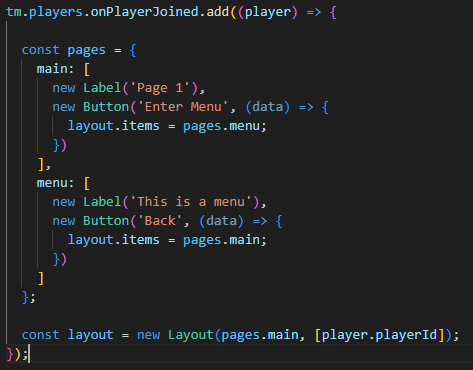

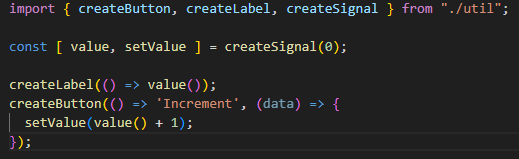
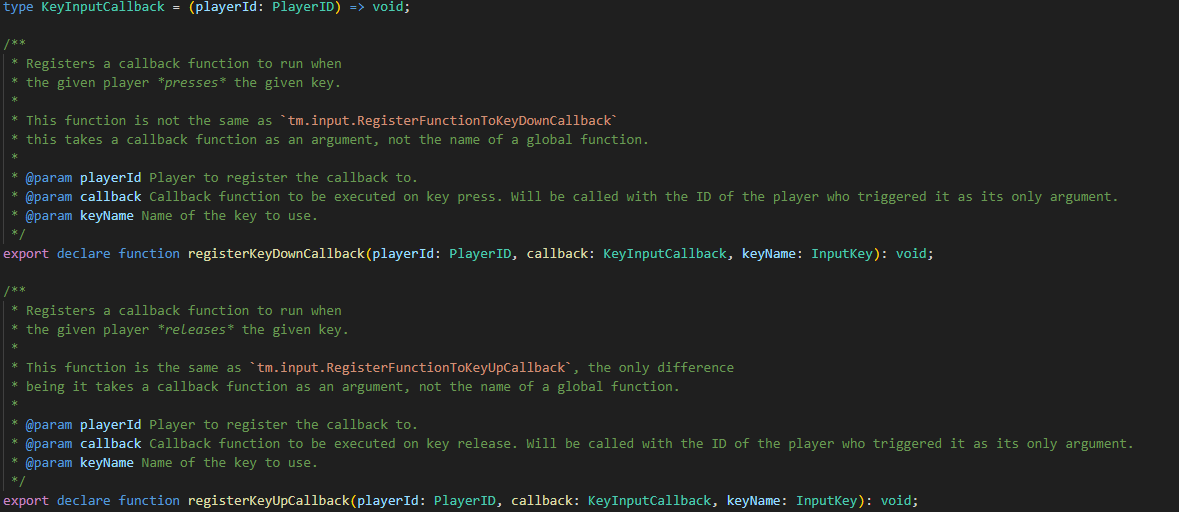

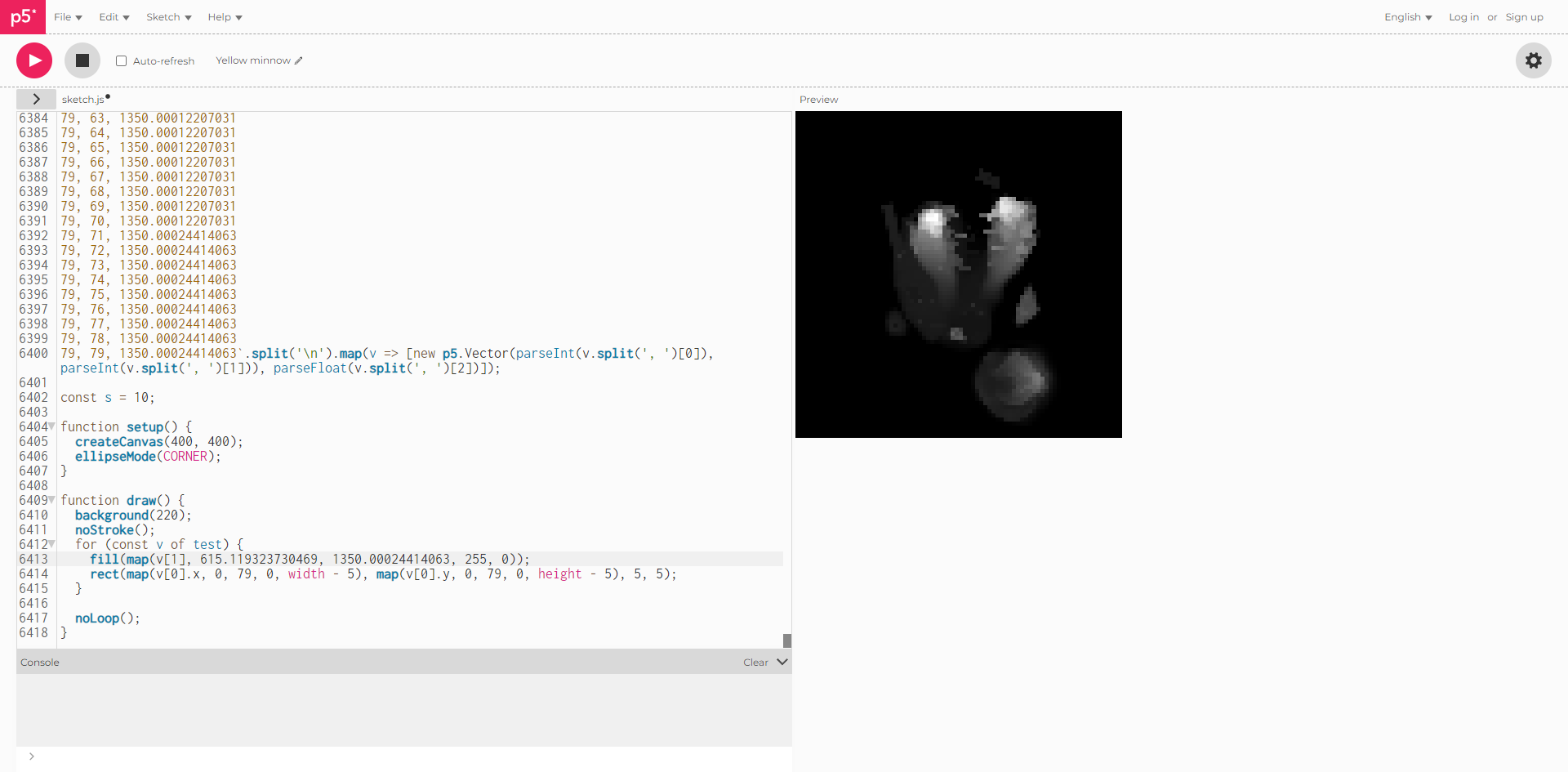 shadow iris
cinder spruce
hmmm
shadow iris
cinder spruce
hmmm
min rift font woeieeeieie so fanhciieiiiiiiii
open acorn
smallmakers moment
 dapper jay
ratmakers mod
 tall lava
Lol
open acorn
why isn't there a way to add torque, or atleast rotational force to structures, eh probably could do it from the seat anyways, still strange
 ember sparrow
Does anyone know why my game crashes when I change the power of a thruster with the custom missiles mod?
It wasn’t crashing before but just wouldn’t change it to the speed I set, it would set to -614.567 or something
open acorn
ember sparrow
It wasn’t crashing before but just wouldn’t change it to the speed I set, it wou...
the devs accidentally screwed up the setting of colour on engines and thrusters (it broke in 1.9.1 due to attempts at optimisation, as I've heard)
open acorn
ember sparrow
is there anyway to fix it?
for the devs yes, for us no
 thorny sparrow
The crash from doing that is new to us. Send Error Logs from when it crashes so we can see why. We are only aware of the thrust value not storing correctly and the colour not changing.
cinder spruce
i mean the mod itself has been crashing a lot more recently just due to how big its been getting, could be unrelated
cinder spruce
ember sparrow
It wasn’t crashing before but just wouldn’t change it to the speed I set, it wou...
there is currently an issue where objects like thrusters are not properly being colored with mods, the thruster being -614 could be if you created a thruster a long time ago before a certain update to make all values negative instead of positive
dapper jay
hi chat is anyone making a mod
cinder spruce
moddig has felt dead for a bit now
dapper jay
Block Behaviour - Attach custom behaviour to blocks, for example press space to spawn crates
Creation Grab - Grab creations and throw them
Delivery Quest - Dialogue and quest system test
Flak Cannon - The pirate Flak Cannon enemy but as a useable entity
Handheld Tools - Tools that the player can hold, a pistol for example
Nuclear Bomb - Sawn bombs that create big booms
warm canopy
Lack of modding functions and broken modding functionality sort of kills the spirit
 stuck peak
dapper jay
I think this user should be on the receiving end of a thermonuclear explosion!
stuck peak
dapper jay
I think this user should be on the receiving end of a thermonuclear explosion!
✅
dapper jay
someone managed to upload their mod folder again
loud slate
open acorn
somebody should make more mods
I would make my RWM but the devs fucked around the coloring so can't even develop it until the problem isn't fixed
 paper dove
(for the missile mod) It'd be cool to have like a lofting system for the missile mod, i know the math would be pretty complicated which is why im saying that this should only be taken as a suggestion not a neccesary feature, but itd be cool to like have a part of the menu to where when modifing the seeker head theres the additional option of "Lofting: on/off" then you would like insert the burn time and power of the missile's engines and it would calulate what angle it needs and what not, i know it wouldnt have much of a purpose but itd add some realism for more modern missiles, im actually not even sure if this is possible tbh.
cinder spruce
paper dove
(for the missile mod) It'd be cool to have like a lofting system for the missile...
u could post this on https://discord.com/channels/296562030624899072/1174457776601305118, thought it seems pretty complicated and the mod is getting to a point where its too complex and unstable
loud slate
paper dove
(for the missile mod) It'd be cool to have like a lofting system for the missile...
I can add that to my mod tho
formal crane
dapper jay
hi chat is anyone making a mod
For a while been trying to find time to just do some basic Lua stuff just to keep the familiarity up.
I realised the other day that I had never released anything on Steam Workshop, so I put this little utility Vote kick mod up.
https://steamcommunity.com/sharedfiles/filedetails/?id=3314359544&searchtext=votekick
dapper jay
oh thats neat
open acorn
messing around with a 4D spheres mod and decided to make them float, but after adding a decent amount (a lot of them) they all seem to sink, is there a limit to how many objects can have a force applied to them at once? I assume so from what I'm experiencing here, as everything else seems to work fine, and it isn't spitting any errors

 dapper jay
do rigidbodies not float on water?
warm canopy
Nope
open acorn
dapper jay
do rigidbodies not float on water?
yeah they don't, so I have to apply the buoyancy and drag forces seperately
dapper jay
well that sucks
dapper jay
open acorn
messing around with a 4D spheres mod and decided to make them float, but after a...
the game probably just gets overwhelmed cuz something