#archived-modding-help
1 messages · Page 148 of 1
 spice oar
 vernal rain
do you have hk open?
spice oar
no, i closed down steam when I saw it saying it was being used but it still came up with that error for some reason
vernal rain
then idk, other people that had this error were like "i have this error", and 5 mins later "nvm, fixed it", so i don't know how they fixed it, but try closing the modinstaller and then opening it again
spice oar
i've tried pretty much everything from uninstalling the game and reinstalling it to my other hard drive and reinstall the modinstaller
that's why I came to the discord for help but i can't find the issue lol
feelsbad
vernal rain
hm, sadly i can't help
spice oar
it's annoying because every other mod works but custom knight x)
spice oar
restarting which?
 wheat orchid
The pc
spice oar
yeah, i've tried that too
wheat orchid
Ok
So what happens when you use manually install on the CustomKnight you download from the drive?
spice oar
i posted the error, if you scroll up abit you can see it
that was from installing using the mod and it comes up with that when i try to do it manually too
 proud quailBOT
Saves
Windows File Paths: (Assumes Default Steam Install Path, Adjust accordingly for DRM Free or Non-Standard Steam Path)
Game Files: C:\Program Files (x86)\Steam\steamapps\common\Hollow Knight\```
** **
Mac File Paths:
```Save Files: ~/Library/Application Support/unity.Team Cherry.Hollow Knight/
Game Files: ~/Library/Application Support/Steam/steamapps/common/Hollow Knight/hollow_knight.app/```
** **
Linux File Paths:
```Save Files: ~/.config/unity3d/Team Cherry/Hollow Knight/
Game Files: ~/.local/share/Steam/steamapps/common/Hollow Knight/```
wheat orchid
Go to the game files path
spice oar
I'm just reinstalling it on my D drive as it has more space, I thought switching to my main C drive would work so im just gonna do that
then i'll try this method
wheat orchid
Now go into the hollow_knight_Data folder
spice oar
alright
wheat orchid
Now go into the managed folder
spice oar
yeah
wheat orchid
Now go into the mods folder
spice oar
ok im in
wheat orchid
Now put the CustomKnight.dll in that folder
If it’s not .dll and instead .zip, then extract it
wheat orchid
Yes
spice oar
ok it's in the mod folder
oh wow it works now.. thanks
im guessing it was the dll file not being in the mod folder?
 cunning loom
Does anyone here know what script or system handles the particle effects that spawn as the player walks? They change based on whether you are walking on grass, stone, or other things, and I would like to see how.
vernal rain
walk/run audio is handled in HeroController.checkEnviroment
dash particles in DashEffect.OnEnable
hard land particles in HardLandEffect.OnEnable
jump particles in JumpEffects.OnEnable
soft land particles in SoftLandEffect.OnEnable
walk/run particles in dynamically spawned GameObjects using PlayMakerFsms
vernal rain
alternatively you can use the SFCore mod that i recently updated, which makes it very easy to add additional particle effects
 novel bronze
would the mod installer work if i have it on the xbox for pc app?
vernal rain
no
novel bronze
ok
 grand spruce
what do you need help with?
 rough zenith
When I try to install custom knight mod I get the error central directory is corrupt
no problem with other modes
Can anyone send me custom Knight mod rar ?
wheat orchid
@rough zenith follow my instructions starting from here #archived-modding-help message get CustomKnight from https://drive.google.com/drive/folders/0B_b9PFqx_PR9Um9MeFZMV21oWGs
 dry flame
this is modding help is there a window to allow me to assist in modding i am twolanguagual and maybe can assist brasil translateing?
boy it is game modding i apologize!
wheat orchid
rough zenith
@wheat orchid what is choice ?
rough zenith
evet
wheat orchid
Ok
 tribal raptor
I'm doing a room randomizer run but suddenly my shade doesnt attack me anymore so i cant take it back, how can i change this?
rough zenith
did u tried edit save ?
tribal raptor
Oh no, how can i do that?
rough zenith
probably sharing link is forbidden,so u search in google "hollow knight save editor" or use cheat engine
wheat orchid
Use jiji or whatever their name is
Why can’t you take your shade if it doesn’t attack?
It’s normal for shades to not attack after collecting the void heart(I think that’s it)
rough zenith
sharp shadow ?
i think for shade attack u need sharp shadow
what is the bonfire mod ?
i never played dark souls,so i dont know it
 wary pawn
why does it do this? https://gyazo.com/4a97a4ed87789d9ebc4c4b69befe4973
 rough zenith
before this screen,it gave a error ?
 real jacinth
because it's not booted up right
rough zenith
i had same thing but my problem is mscorlib.dll
i added white cloak but its not changed
i clicked white cloak
rough zenith
i reinstalled net framework
rough zenith
if i say something wrong i'm so sorry
 wary pawn
what now
rough zenith
send me ss
 rough zenith
try to repair net framework
wary pawn
how?
wary pawn
k
rough zenith
i'm using translate
wary pawn
ok
 round wolf
That's not a .net installation issue
Quick search:
#archived-modding-help message
 edgy oasis
Hey I have a question how do I download the google translated HK mod and Its manual download only and I have only ever downloaded mods with the mod installer
 hybrid ocean
does anyone know if it's possible to mod the game on a mac, and if so, how to go about it? thank you 
alternatively, if mods are windows only, does anyone know of a mod that will just increase my hp a little?
wary pawn
@round wolf
I tried that already
round wolf
have you tried deleting F:\temp
wheat orchid
@hybrid ocean yes you can get mods on Mac. To increase your hp, save editing is best as no mods add hp.
Unless you want invincibility or infinite hp
@edgy oasis you just get it from the google drive then use the manually install mods button on the installer
 solid raven
in randomizer is the missable arcane egg in abyss forced to be a non-required item?
 west bane
its not missable in rando iirc
wary pawn
i know this is modding help but does anyone know why my sound doesn't work?
real jacinth
The egg in abyss can be progression if you have the abilities to get to it
 stark crag
Im trying to install randomizer mod, but installing bench warp cause the game to crash on startup
real jacinth
Unplug controller. Launch. Plug in at title
 sand thunder
I'm trying to get hollow twitch to work on my computer, but when I start the game, it says "TwitchMod: UNKNOWN" in the top right, even though I followed the instructions
west bane
unknown is just the version #.
sand thunder
so just update the mod loader?
west bane
if it doesnt say failed to load, its working
sand thunder
Thanks!
novel bronze
is the pale king skin contest thing still open??
cause i couldnt find a way to send it to the guy
 hollow hare
The pale king challenge skin is sadly no longer available via the challenge.
Sorry for the late response.
 fringe marsh
everytime i try to install the poorly translate mod it shows this is this me or the mod?
hollow hare
Oh Poorly translated has a bug. You have to mainly install it through the google drive and that stuff.
fringe marsh
how do i obtain this?
hollow hare
?mods
proud quailBOT
Mods
Google Drive with Mods - https://drive.google.com/drive/folders/0B_b9PFqx_PR9Um9MeFZMV21oWGs
Installer - https://radiance.host/mods/ModInstaller.exe
Mod Summaries - https://docs.google.com/document/d/1cz5tcggpGofrBcM90XyTkMWjMelDHzugvQM6HpB13Ew
fringe marsh
thank you good sir
hollow hare
No problem.
 past swallow
so i got the wind mod hoping i could do an entire run with it so i tried going to pop to activate it then leaving on my main save and it worked but on a fresh new save i warped to pop and nothing happened. im wondering what could activate the wind does anyone know
novel bronze
Could someone help me install ModInstaller? I have Hollow Knight through Xbox Gamepass and it's been a real hassle
vernal rain
according to the pins it doesn't work with the gamepass version
rough zenith
hi
 slate basin
which mod gives you that menu that you can enable like infinite hp and stuff in and how do you open it?
I did use it before but it's been a while 
vernal rain
debug, f1
slate basin
ty
 barren osprey
Please 🥺 help how download mod
Help please how download mods I'm not know how download mods
 trail flint
?i
proud quailBOT
Reminder: The mod installer (https://radiance.host/mods/ModInstaller.exe) and other modding resources can be found from the pinned messages.
 frosty hornet
im getting a "central directory corrupt" error
barren osprey
I'm too getting a error why???
wheat orchid
@frosty hornet @barren osprey we need more information about these errors than that. When did they happen? What did you do to get there?
@ me if you respond
frosty hornet
nvm i got mine figured out
vernal rain
@barren osprey screenshot or it didn't happen
wheat orchid
lol
 fringe basalt
Hi, so I downloaded the radiance.host thing but it says it can only run on windows (I'm on mac) is there a mod installer that works for mac?
past swallow
pretty sure its in beta
fringe basalt
alrighty, thanks tho
novel bronze
Where is a good place to get a mod? I just finished the game and now I feel like trying some out-
vernal rain
?i
proud quailBOT
Reminder: The mod installer (https://radiance.host/mods/ModInstaller.exe) and other modding resources can be found from the pinned messages.
fringe basalt
ok so I tried to use the installer in the pins but it doesn't open, is there something I need to do first? (I've already allowed it to open in my preferences so that isn't it)
 sick dune
it doesnt let me go off fullscreen in the settings. i have qol modcommon and modding api
real jacinth
alt+enter
sick dune
oH. thats cool, thanks
fringe basalt
macOS catalina
real jacinth
download installer
install hollow point
okay, so did you get the catalina installer
not you
for soda
?i
proud quailBOT
Reminder: The mod installer (https://radiance.host/mods/ModInstaller.exe) and other modding resources can be found from the pinned messages.
real jacinth
use this if windows
past swallow
how can i check a mod's code so i can figure out what makes the wind start up in the wind mod because i really want to do a whole run with wind on but it doesnt start up when i enter PoP in a new save file and no one knows why
past swallow
which is easier
real jacinth
yes
past swallow

how do i check source code, i remember not being able to use dnspy last time i tried using it
past swallow
then?
real jacinth
then read it
past swallow
ok
i might sound like an idiot (thats because i am) but how exactly can i find it? like who made it
proud quailBOT
Mods
Google Drive with Mods - https://drive.google.com/drive/folders/0B_b9PFqx_PR9Um9MeFZMV21oWGs
Installer - https://radiance.host/mods/ModInstaller.exe
Mod Summaries - https://docs.google.com/document/d/1cz5tcggpGofrBcM90XyTkMWjMelDHzugvQM6HpB13Ew
wheat orchid
Just search the page for the mod’s name
Then hope the creator has an guthub account and posted the source
Just noticed my spelling mistake not going to fix it
past swallow
there is no readme for the wind mod and i cant find it in the drive
real jacinth
where did you get it
past swallow
the mod?
past swallow
yes
wheat orchid
Look in the description again
past swallow
on that exact vid
wheat orchid
past swallow
so i search that up on github right?
wheat orchid
Yes
Then click on the users tab
Click on their name
Click repositories
Hope that it’s there
past swallow
its... not there
past swallow
dnspy it is then
real jacinth
dnspy can't compile stuff, but you can look at it
wheat orchid
It can?
I accidentally made my first mod in dnspy since I didn’t know what I was supposed to make it in
past swallow
can i get the link to that page with the modding and dnspy stuff or whatever
wheat orchid
Dnspy isn’t covered much
past swallow
AAAAAAAAAAAAA
real jacinth
okay lemme rephrase then... you "shouldn't" do any ide stuff in dnspy
wheat orchid
Good point
past swallow
why does such a simple thing have to be so difficult
past swallow
first i need dnspy, where can i get it, do i just search it up on github?
round wolf

GitHub
.NET debugger and assembly editor. Contribute to 0xd4d/dnSpy development by creating an account on GitHub.
past swallow
o
how can i find where the dll for the mod is? i have dnspy open i just need to find where the dll is
round wolf
hollow_knight_data/managed
wheat orchid
?saves
proud quailBOT
Saves
Windows File Paths: (Assumes Default Steam Install Path, Adjust accordingly for DRM Free or Non-Standard Steam Path)
Game Files: C:\Program Files (x86)\Steam\steamapps\common\Hollow Knight\```
** **
Mac File Paths:
```Save Files: ~/Library/Application Support/unity.Team Cherry.Hollow Knight/
Game Files: ~/Library/Application Support/Steam/steamapps/common/Hollow Knight/hollow_knight.app/```
** **
Linux File Paths:
```Save Files: ~/.config/unity3d/Team Cherry/Hollow Knight/
Game Files: ~/.local/share/Steam/steamapps/common/Hollow Knight/```
wheat orchid
Game files path
Then hollow_knight_Data
Then managed
Then mods
Then disabled if you disabled it
past swallow
the game files arent where they are supposed to be
past swallow
steam
wheat orchid
You used the 2nd path for your operating system, right?
past swallow
its not in the C:\Program Files (x86)\Steam\steamapps\common\Hollow Knight\
past swallow
idk i dont think so
wheat orchid
Ok
Go to steam
Right click hk on steam
Click properties
Click local files
Click browse local files
past swallow
oh i found it its in local disk D
wheat orchid
lol
past swallow
i opened it yay
wheat orchid
Now go through the drop down menus until you find a bunch of them
Drop the lowest one
Click the name of the mod
Explore the code
If there is more than the name of the mod, you can look at the code there too
past swallow
where is the drop down menu
wheat orchid
Oh I meant the arrows next to the names on the left that drop down options
past swallow
uhhh i still dont know where thats supposed to be
wheat orchid
Screenshot
round wolf
ctrl alt l
past swallow
then?
wheat orchid
Screenshot
past swallow
wheat orchid
Now do what I said before
past swallow
im confused, where is the dropdown
wheat orchid
Oh I meant the arrows next to the names on the left that drop down options
@wheat orchid
real jacinth
past swallow
this one?
past swallow
im just gonna read through all of that
there are a lot of things saying "void" but thats vague and probably not what im looking for
wheat orchid
Yeah
past swallow
ok i have no idea what it could be
wheat orchid
Maybe look in the modlog after it doesn’t work
past swallow
wdym
wheat orchid
After going to pop and it doesn’t work, send your modlog here
proud quailBOT
Saves
Windows File Paths: (Assumes Default Steam Install Path, Adjust accordingly for DRM Free or Non-Standard Steam Path)
Game Files: C:\Program Files (x86)\Steam\steamapps\common\Hollow Knight\```
** **
Mac File Paths:
```Save Files: ~/Library/Application Support/unity.Team Cherry.Hollow Knight/
Game Files: ~/Library/Application Support/Steam/steamapps/common/Hollow Knight/hollow_knight.app/```
** **
Linux File Paths:
```Save Files: ~/.config/unity3d/Team Cherry/Hollow Knight/
Game Files: ~/.local/share/Steam/steamapps/common/Hollow Knight/```
vernal rain
next to the save files
past swallow
where it says old modlogs?
wheat orchid
No
past swallow
then where
past swallow
here it is, also i had bindings mod on for whatever reason but i dont think it interferes with anything tho
also i entered PoP on both a new save and a full save
wheat orchid
Yay null reference
past swallow
wdym
wheat orchid
An type of error
wheat orchid
Idk
past swallow
what is it, like, connected to which mod made it happen
wheat orchid
It’s showing a lot from fsms so idk what happened to those
Some were from the wind controller
past swallow
huh
wheat orchid
Oh I just realized that they aren’t fsm errors idk what errors they are
wheat orchid
Probable encountered enemies that don’t need hp bars
past swallow
oh its prob the wingsmoulds
 neon pawn
Is there a mod that just puts a platform next to Flukemarm so you can wail on her? I want to do some DPS tests of Quick Slash, Strength, and Steady Body (that last one mainly so I can tell off people who say it's a good charm).
neon pawn
Its only effect is that it makes you dependent on it, thus permanently locking you out of a charm notch.
wheat orchid
Find a stationary enemy that doesn’t attack and give it infinite hp with debug
neon pawn
Mawlurk will do.
 mental prairie
Hey I'm trying to set up hollow twitch, I found Zaliant's video explaining it but I found it was pretty vague and didn't explain everything. I did all the steps but it didn't work, can anyone else explain better what I need to do or something?
wheat orchid
Idk how to use hollow twitch but I can try to help
In the globalsettings did you take the oauth part out of the token
real jacinth
the syntax in specific parts is probably wrong
wheat orchid
Is there any null things?
real jacinth
send a screenshot of your settings file, but block out the token
mental prairie
will do
as for null things I'm not sure
where I wrote token here is where the token is
wheat orchid
Looks good to me
mental prairie
when I launch hk it says "Twitch mod: FAILED TO LOAD"
wheat orchid
Well that’s a sign either you are missing a dependency or something is still wrong with the global settings
wheat orchid
Ok
mental prairie
wheat orchid
?saves
proud quailBOT
Saves
Windows File Paths: (Assumes Default Steam Install Path, Adjust accordingly for DRM Free or Non-Standard Steam Path)
Game Files: C:\Program Files (x86)\Steam\steamapps\common\Hollow Knight\```
** **
Mac File Paths:
```Save Files: ~/Library/Application Support/unity.Team Cherry.Hollow Knight/
Game Files: ~/Library/Application Support/Steam/steamapps/common/Hollow Knight/hollow_knight.app/```
** **
Linux File Paths:
```Save Files: ~/.config/unity3d/Team Cherry/Hollow Knight/
Game Files: ~/.local/share/Steam/steamapps/common/Hollow Knight/```
mental prairie
ok
wheat orchid
Located in the saves path
wheat orchid
Np
mental prairie
you've helped with 3 out of 4 of my modding problems, you should be a modding staff
mental prairie
maybe, but you've certainly helped me
I have another question
Is this file in the saves files or the game files?
mental prairie
ok thank you
 rugged basalt
hey guys I'm having trouble trying to make a steel soul file using the randomizer 3 mod
wheat orchid
You can’t
rugged basalt
yeah i just looked at the guide rip. i'll just make it hard in other ways i guess lol ty
wheat orchid
You can try editing your save after making it I guess
 spring bane
that does sound like a spicy way to play randomizer, if logic allowed it
wait how was that other person playing on steel soul though... or were they just planning to?
wheat orchid
Save editing?
spring bane
perhaps
wheat orchid
Can’t
novel bronze
sob
wheat orchid
Can only mod the pc steam and gog versions
 torn cloud
I downloaded the mod pack yesterday but only one of the mods works
I downloaded some custom skins too but the game won't let me apply them
hollow hare
What have you downloaded?
wheat orchid
There is no mod pack..... there is only the mod manager/installer
@torn cloud did you get the mod installer?
torn cloud
yes thats what i meant
 dapper ruin
when I launch hk it says "Twitch mod: FAILED TO LOAD"
@mental prairie hk twitch depend other libraries(ModCommon and Vasi),you should install them
mental prairie
Redfrog already helped me out, but thanks anyway!
dapper ruin
nop
actually i am one of the contributors of this mod, lol
if you have any good ideas for it, i can try to add them 
torn cloud
@wheat orchid the custom skins mod, the enemy randomizer, but the enemy health bar works
torn cloud
I don't think so
dapper ruin
hey redfrog,when ck+?
spring bane
?saves where the saves are
proud quailBOT
Saves
Windows File Paths: (Assumes Default Steam Install Path, Adjust accordingly for DRM Free or Non-Standard Steam Path)
Game Files: C:\Program Files (x86)\Steam\steamapps\common\Hollow Knight\```
** **
Mac File Paths:
```Save Files: ~/Library/Application Support/unity.Team Cherry.Hollow Knight/
Game Files: ~/Library/Application Support/Steam/steamapps/common/Hollow Knight/hollow_knight.app/```
** **
Linux File Paths:
```Save Files: ~/.config/unity3d/Team Cherry/Hollow Knight/
Game Files: ~/.local/share/Steam/steamapps/common/Hollow Knight/```
 small rain
huh
wheat orchid
@dapper ruin I have lost a lot of encouragement to work on ck+ as I don't know how to make a program to make xml files for locating sprites on spritesheets
spring bane
Can you look at how custom knight stores sprite position data? However that is
wheat orchid
customknight doesn't store sprite positions.....
spring bane
How does it know where to put them then
spring bane
Don't worry about answering, just an uninformed thought
wheat orchid
so basically there is a list of sprite positions on the sheet. customknight replaces the sheet so when the game looks for that position on the sheet, it gets the modified sheet instead
dapper ruin
if xml is not convenience for you ,you can use other way instead
spring bane
Ohh, you're looking for how to get the game to read the sheet, I misinterpreted what you said 
wheat orchid
I already know how to get it to read it and get positions on there for it
take a look at rusty's b day stream
spring bane
Ahh, so generating that info dynamicly is the hold up?
wheat orchid
the modded npc's animations were added to the game with the same code that I'm using for customknight+
yeah
also the reason this isn't going to be swappable mid game
 void dove
Short nail is in the mod installer right
 willow oyster
does anyone know why when i try to open modinstaller it just doesnt work and bogs down by cpu
west bane
is it being blocked by windows
willow oyster
how do i check?
 cobalt ravine
how exactly do you fight absolute inferno king grimm?
cobalt ravine
interesting
i have weavercore enabled but i dont see the settings
it might be outdated
got it
 copper zinc
is the Map glitch related to the mod API fixed yet?
 craggy shuttle
So I keep trying to download daughter of hollownest to get the hornet skin and it downloads a file type I've never seen. It wants internet explorer to open it. How do I fix this so I. Can play as hornet. Plz and thank u
wheat orchid
@craggy shuttle here is a guide from fireborn
craggy shuttle
I downloaded winrar
craggy shuttle
Make what
wary pawn
bruh
So I keep trying to download daughter of hollownest to get the hornet skin and it downloads a file type I've never seen. It wants internet explorer to open it. How do I fix this so I. Can play as hornet. Plz and thank u
craggy shuttle
I know what were talking about I'm asking what
craggy shuttle
On the daughter of hollownest file? In google drive
craggy shuttle
Ok I did. Now I save it and open. It right
craggy shuttle
Archive
craggy shuttle
Ok it's open
craggy shuttle
craggy shuttle
Lol ya me to
past swallow
i want short slash mod. where do i get short slash mod
wheat orchid
Idk
wheat orchid
You open the .7z file in winrar or 7zip
proud quailBOT
Saves
Windows File Paths: (Assumes Default Steam Install Path, Adjust accordingly for DRM Free or Non-Standard Steam Path)
Game Files: C:\Program Files (x86)\Steam\steamapps\common\Hollow Knight\```
** **
Mac File Paths:
```Save Files: ~/Library/Application Support/unity.Team Cherry.Hollow Knight/
Game Files: ~/Library/Application Support/Steam/steamapps/common/Hollow Knight/hollow_knight.app/```
** **
Linux File Paths:
```Save Files: ~/.config/unity3d/Team Cherry/Hollow Knight/
Game Files: ~/.local/share/Steam/steamapps/common/Hollow Knight/```
craggy shuttle
wheat orchid
Go to your game files path in a file explorer tab
craggy shuttle
Ok
wheat orchid
Then drag the hollow_knight_Data folder from winrar into the Hollow Knight folder and replace the files when asked
craggy shuttle
Hollow knight data folder from steam
wheat orchid
Back
craggy shuttle
Where at
wheat orchid
craggy shuttle
So not in steam at all
craggy shuttle
Whata u mean that picture is not in steam. That his computer files
craggy shuttle
wheat orchid
Ok
Now drag the hollow_knight_Data from winrar into that folder. Don’t drag it into the hollow_knight_Data though
craggy shuttle
Hollow knight data is a file folder
wheat orchid
Drag that from winrar into the Hollow Knight folder in file explorer
Does your mouse change at all when you try to drag it?
craggy shuttle
Ya when I click it pointer turns into red circle with line threw it
craggy shuttle
wheat orchid
Click ok
craggy shuttle
Now what
wheat orchid
Go to the Daughter of hollownest folder in your downloads
Drag the hollow_knight_Data folder into the Hollow Knight folder
craggy shuttle
Nope still won't work
wheat orchid
Screenshot
craggy shuttle
I did. Is that good now
craggy shuttle
Which one
wheat orchid
Either
past swallow
help i really really want the short slash mod how can i get it
wheat orchid
Idk
craggy shuttle
Ok
Is that alĺ
wheat orchid
It’s not in the description of fireb0rn’s vid
craggy shuttle
Thank uou so much
wheat orchid
Open the game now
wary pawn
you might need to reput the skins you had
wheat orchid
No
wary pawn
oh
wheat orchid
They stay
wary pawn
ohhhhhhhhh
novel bronze
guys how can I use custom knight
wheat orchid
Have you got the mod installer @novel bronze
novel bronze
yes
wheat orchid
Have you installed CustomKnight and modcommon
novel bronze
and I loaded custom knight
wheat orchid
Ok
novel bronze
modcommon?
wheat orchid
Required for custom knight to work
novel bronze
oh
proud quailBOT
Saves
Windows File Paths: (Assumes Default Steam Install Path, Adjust accordingly for DRM Free or Non-Standard Steam Path)
Game Files: C:\Program Files (x86)\Steam\steamapps\common\Hollow Knight\```
** **
Mac File Paths:
```Save Files: ~/Library/Application Support/unity.Team Cherry.Hollow Knight/
Game Files: ~/Library/Application Support/Steam/steamapps/common/Hollow Knight/hollow_knight.app/```
** **
Linux File Paths:
```Save Files: ~/.config/unity3d/Team Cherry/Hollow Knight/
Game Files: ~/.local/share/Steam/steamapps/common/Hollow Knight/```
wheat orchid
Don’t go to your saves, go to the game files
novel bronze
how
wheat orchid
Then tell me if you are on a Mac or not
novel bronze
I cant do it
novel bronze
its not working
wheat orchid
What
novel bronze
i cant open the files
wheat orchid
Which files?
novel bronze
game?
novel bronze
ok
wheat orchid
Look at the Game Files path of your operating system
Copy the path
Now go there in your operating system’s file explorer
wheat orchid
Now are you on a Mac or not
novel bronze
not
novel bronze
there is no hollow_knight_Data
wheat orchid
Screenshot
novel bronze
wheat orchid
Bruh
novel bronze
uhh
wheat orchid
You did the thing I told you not to do
I told you not to go to the save files path
I told you to go to the game files path
wheat orchid
K
 misty magnet
Is it possible to get the mod installer on MacOS?
hollow hare
4th pin in this chat.
novel bronze
hi
guys
i have a quastion
question
i uninstalled modinstaller but the 'mod' option is still in the game
i dont have any mods but can i delete it?
wheat orchid
Uninstalling the installer deletes an app
It has nothing to do with the modding api running
It does have a way to easily return your game to normal if you don’t delete it
But since you deleted it, did you get the game on gog or steam?
novel bronze
steam
wheat orchid
Go to steam
Right click hk
Click properties
Click local files
Click verify integrity of local files
Wait for a file not to validate
Wait for it to finish downloading
Done
wheat orchid
Idk
real jacinth

novel bronze
ok thanks
real jacinth
(help end)
 reef blaze
I can lose my save if I download the mods?
wheat orchid
Some people said they lost theirs to the more saves mod
So don’t get that and your fine
reef blaze
ok
 tame harbor
ok, so I attempted to install some mods and now the whole game is in the weird language thats in the game
wheat orchid
Did you get arts mods?
tame harbor
yes
wheat orchid
Disable or uninstall
tame harbor
oooh, thankyou
 uncut plover
How do I access mantis gods?
wheat orchid
are you using a godseeker save?
most modded bosses don't work on godseeker
They can be accessed through godhome or the normal fight
 silk cliff
Hey guys. Can anyone knowledgeable with the modloader help troubleshoot why my game is crashing?
vernal rain
try unplugging controller and plug back in once you're in the main menu
wheat orchid
I’m slow again
silk cliff
That's a common issue?
wheat orchid
Yes
silk cliff
Would that explain why a successful game would crash after you save and quit?
wheat orchid
Did you downpatch?
wheat orchid
Getting an older version of the game usually fir speed running
wheat orchid
No
silk cliff
kk
wheat orchid
Just asking because that happened to me when I used a down patched version
silk cliff
Game did run this time
The controller issue might be because of Benchwarp mod. Its the only thing enabled now. When I first installed the modloader, I ran it stock, and the controller was plugged in. It worked fine. Ran it with hp bar mod. Still fine. Then I tried the randomizer, which installed support mods. Then the crashing.
wheat orchid
Controllers at the startup of the game mess with some mods
real jacinth
the crash on save and quit is because you have the controller beta option turned on
so.... turn it off
wheat orchid
Oh ok but my controller acted weird before I turned it on
silk cliff
You mean native controller thingy in vanilla? I'll turn that feature off then.
wheat orchid
Yeah
silk cliff
Game runs fine now, thanks for the assistance, lovelies.
Now I can play the room randomizer that I have been seeing in videos
Plus, I read the readme for the charm overhaul mod, and got a mini boner
Ah, this is awkward. How do I turn on randomized stuff?
real jacinth
start a new save
silk cliff
OH. I was running a fresher save, but one I was testing the mods with
that explains that
thank you
 last crater
Anybody know why Child of Light isn't working?
wheat orchid
@last crater do you have modcommon?
last crater
Yeah I have modcommon and it's enabled
wheat orchid
Try getting Vasi, seanprcore and SFCore since some mods depend on them
last crater
Enable all 3 of those?
last crater
Alright I enabled those mods so i'll try the Child of Light mod again
wheat orchid
K
 quasi anchor
i need mod to health bar for enemys
 night sail
 raw kraken
I installed random map/randomnizer 3 through the mod installer and it's having erroes, anyone know why?
hollow hare
Do you have benchwarp on?
hollow hare
No thats just a reason why it wouldn't work.
wheat orchid
Do you have modcommon, seanprcore, Qol, and Vasi?
raw kraken
It just auto installed when I instal.led the map mod
wheat orchid
Screenshot main menu
 wheat orchid
Are you using a controller?
raw kraken
nope just PC
raw kraken
im dyslexic give me a break
wheat orchid
What operating system?
raw kraken

wheat orchid
Oh sorry
raw kraken
Windows
wheat orchid
Hmm
raw kraken
just running it off steam
wheat orchid
Did this happen before modding?
raw kraken
Nope
wheat orchid
When did you start modding?
raw kraken
I just did every achievement and decided id try the random map mod
legit like 30 min ago
lul
wheat orchid
Hmm
Go to steam
Right click hk
Actually
Never mind
Try going into mod installer
Then click the disable all installed mods button near the bottom
raw kraken
Revert back to unmodded?
wheat orchid
Yes
raw kraken
unable to llocate vanilla hollow knight
wheat orchid
Ok
Go to steam
Right click hollow knight
Click properties
Click local files
Click verify integrity of local files
raw kraken
kk
wheat orchid
Wait for files not to validate
Wait for steam to download some stuff
See if you can open hk
 wheat orchid
What happens when you try to open mod installer
raw kraken
Modinstaller just breaks and gets a windows error and closes
proud quailBOT
Reminder: The mod installer (https://radiance.host/mods/ModInstaller.exe) and other modding resources can be found from the pinned messages.
raw kraken
I think I gotta uninstall one of them
wheat orchid
Delete the one you got before
wheat orchid
What
wheat orchid
Ok
raw kraken
So i enable which mods for rando map
wheat orchid
Randomizer 3
Modcommon, seanprcore, Qol, Vasi
Rando map mod if you want. It doesn’t change the layout of the map in game afaik
raw kraken
Oh, how do I get the random map mod then
Caus ei remember watching a video of someone with it
wheat orchid
Show me
real jacinth
what exactly do you mean by this
wheat orchid
I don’t think the in game map is randomized
real jacinth
describe more of what you're looking for
yes it can be with rando 3
unless they really mean rando map mod
which does nothing to the map except show some pins
raw kraken
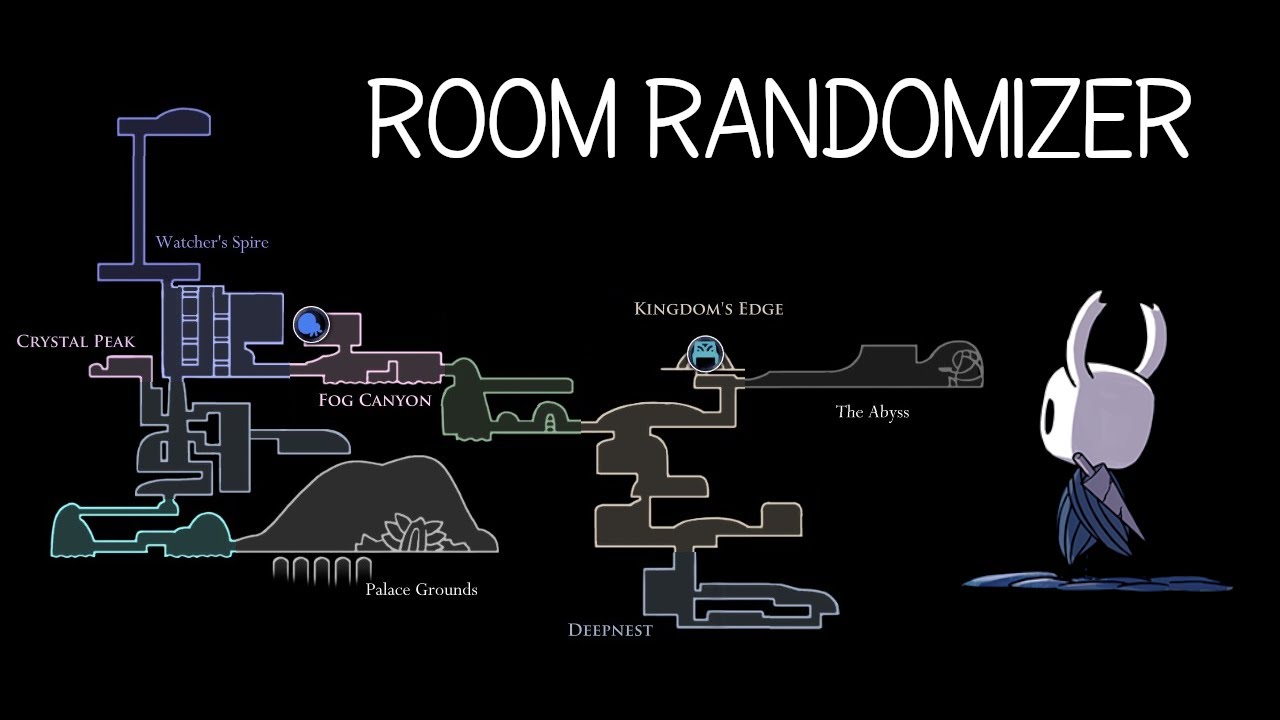
I work my way through the craziest mod of Hollow Knight.
Room Randomizer was created by homothety.
The easiest way to get this mod yourself is by using the mod installer (Randomizer 3): https://www.nexusmods.com/hollowknight/mods/9?tab=files&file_id=24
You can also find th...
raw kraken
Oh ok sorry, new to this 
wheat orchid
The in game map isn’t changed though
real jacinth
not like the thumbnail, no
wheat orchid
putting that at the bottom of my mod to do list
raw kraken
Ok so I am in my menu where would I enable randomizer
wheat orchid
In the mod installer?
raw kraken
Nvm im dumb ignore me
I thought i had to select someone on the menu to enable map randomizer
not start the save file
Thanks for trhe help guys
 timid jetty
hey i have a problem with custom knight
i can click on what skin i want and it does the flashy animation before it changes skins but it doesnt actually change anything
hollow hare
What does the file path look like to the sprite?
 long onyx
yes
hollow hare
https://discordapp.com/channels/283467363729408000/462200562620825600/604156732717137930
This should take you to the chat with both of the docs with skins and a guide on how to install it.
long onyx
thank you @hollow hare
hollow hare
No problem.
novel bronze
how do u download mods
what are good mods
?
the list of mods, what they do, and how to install them are on the pinned messages. I can't really give an opninion on what are good since I've not delved deep into those tho
trail flint
?i
proud quailBOT
Reminder: The mod installer (https://radiance.host/mods/ModInstaller.exe) and other modding resources can be found from the pinned messages.
novel bronze
is there any mod that gives u all the charms
vernal rain
you can use debug for that
 pseudo cape
debug
tame harbor
anyone know how to properly use the custom knight for the game?
novel bronze
is hollow point worth playing
wheat orchid
@tame harbor are you on Mac, Linux, or windows
 minor spire
vernal rain
minor spire
vernal rain
no(t yet)
wheat orchid
Making hornet wouldn’t be hard
We already have a hornet skin
Just replace spells and nail arts
tame harbor
Ah, no need anymore, I figured it out lol
 north raft
Can anyone help me? i want to uninstall the Modinstaller for hollow knight and if i try so this comes up and i don't know what to do
novel bronze
Guys should i play hollow point first or lightbringer
wheat orchid
@north raft did you get hk on steam or gog?
north raft
steam
north raft
yes
wheat orchid
Right click hk on steam
Click properties
Click local files
Click verify integrity of local files
Wait for files not to validate
Wait for steam to download stuff
Done
Don’t open mod installer until you want to play mods again
north raft
wow thank you man
wheat orchid
Np
north raft
perfect every thing works normal
 crimson obsidian
What does Charm Overhaul do?
novel bronze
Idk
Adds more charms im guessing?
But guys what is better lightbringer mod or hollow point
wheat orchid
Your choice
Charm overhaul does not add charms
It makes charms better and more combinations
 median marten
Hi
I wanted to know if you can mod hk with the game pass pc version?
real jacinth
no
median marten

real jacinth
did you install any mods, acroo
crimson obsidian
Are there any mods that can let me teleport into rooms i haven't been in?
My game is bugged
real jacinth
how so
median marten
Is it not supported or something?
 covert oasis
microsoft doesn't allow file access
median marten
But I didn't buy it from windows Store tho...
real jacinth
it's the same thing
real jacinth
then why would mods be in the mods folder
if you didn't install any
so open it again
what os version do you have
which installer version did you get
you might need installer 2
okay, then have you tried the other one
and did you move the app file to your desktop
 obsidian jasper
is the current version of bonfire mod the highlighted one?
wheat orchid
Why can’t you get it from the mod installer?
real jacinth
you did not answer the question acroo
you came here saying it's crashing. walk us through exactly what you did
wheat orchid
@obsidian jasper I guess that might be it. Idk
real jacinth
it crashes.... immediately? after a minute? did it show anything at all? Did it act differently after you moved it to desktop and ran it from there?
the installer worked at least once. because it generated the mods folder
okay. please share everything. I don't want to play 20 questions here dude
see how I'm prying all these details from you
saying you ran it and it crashed tells me nothing
wheat orchid
Confused about why it worked but ok
obsidian jasper
wait is the bonfire mod still broken?
real jacinth
no
novel bronze
Is lightbringer mod better than hollow point
real jacinth
depends on you
real jacinth
you double click it
novel bronze
but i shut down my computer and now i dont know how to open it
i cant find it anywhere
real jacinth
it's probably still in downloads
unless you moved it somewhere
in which case I can't help you
novel bronze
tysm it is in downlooads
real jacinth
yes
timid jetty
can someone help me with customknight? skins are downloaded and side menu pops up, but when i click on them no sprites change
 naive plover
Hello, I downloaded the ModInstaller and when I try to open it my antivirus says it is a virus.
naive plover
I also came across the smart screen problem too
timid jetty
they are in the custom knight folder in mods
real jacinth
show where you put them
timid jetty
 mellow oasis
quick question, do mods work if i own hollowknight on the microsoft store?
mellow oasis
damn
real jacinth
just show 1. don't need to see all
timid jetty
naive plover
how can I no-clip?
real jacinth
i don't care about the sprite sheet
i meant open one of those folders
and screenshot inside it
debug mod has noclip
naive plover
ty
real jacinth
okay. the structure there looks fine. So now send a screenshot of your title screen
need to see what's installed
you're likely missing modcommon
timid jetty
ok 1 sec
real jacinth
or another mod with UI changes is messing with it
real jacinth
yeah, you don't have modcommon
real jacinth
open the installer
timid jetty
ok
wheat orchid
Get modcommon, seanprcore, Vasi, and SFCore from the installer as they are all dependencies for some mods
timid jetty
i see