1 messages · Page 1 of 1 (latest)
 pulsar sand
I halve assed it.
What I have now on github and what i want in the
It is my second time using git. So no clue what im supposed todo now
 wise tulipBOT
<@&987246399047479336> please have a look, thanks.
 proven fossil
so u got a public github repo already and it has a "first commit", great
is ur project in ur IDE (intellij) already "connected" to that github repo?
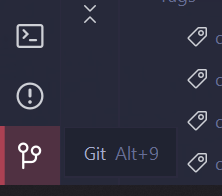
u should have a little git-view in ur IDE
default seems to be ALT+9 i guess
that should show us the git status
pulsar sand
(i hope ) ah yes i have git connected
proven fossil
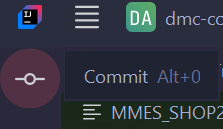
great. then u just have to make a commit and push the commit. u can do that through this icon here:
https://i.imgur.com/brRVWXy.png
ALT+0 apparently
pulsar sand
I mean i shared it on git
pulsar sand
proven fossil
great. then u just have to make a commit and push the commit. u can do that thro...
ok
pulsar sand
proven fossil
great. then u just have to make a commit and push the commit. u can do that thro...
uhh

I feel so lost hahaha
proven fossil
right. so in this window u forge ur commit
u have to select what changes u want to include
cause maybe u dont want to add everything yet
or some things are still WIP or similar
after u checked everything u want to add, u enter a "Commit Message"
its in that field at the bottom of ur screenshot
and then click the commit button
u will then be asked if u also want to push the commit
push = upload
so u click yes
and then it appears on ur github
pulsar sand
ah so this commit messsage will then just appear as a title in github?
proven fossil
yes
its ur summary of what u changed in this commit
think of it like a version
"in this version, i have changed this and that"
just that its more liki mini-versions
pulsar sand
do they mean in the uploaded scripts or did the upload have errors?
 pulsar sand
proven fossil
"in this version, i have changed this and that"
pulsar sand
proven fossil
"in this version, i have changed this and that"
okay thanks
pulsar sand
proven fossil
u will then be asked if u also want to push the commit
I was not asked to push
yea i just realized I probably should have pressed commit and push button
proven fossil
pulsar sand
do they mean in the uploaded scripts or did the upload have errors?
they ask u if u first want to check ur code bc apparently there are 2 errors and 15 warnings in ur code
proven fossil
pulsar sand
yea i just realized I probably should have pressed commit and push button
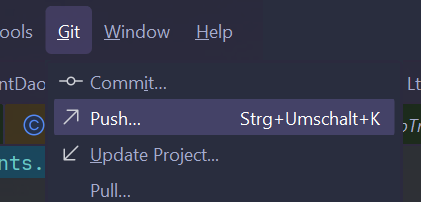
yeah but no worries. u can also press the push button separately
pulsar sand
proven fossil
they ask u if u first want to check ur code bc apparently there are 2 errors and...
ah thats okay im just uploading it to ask questions. then ill ignore it
pulsar sand
ok thank you very much
proven fossil
ur welcome 👌
pulsar sand
proven fossil
ur welcome 👌
is there like a button to merge that im missing?
it also didnt create create any pulls

 unreal basin
You need to create those yourself.
proven fossil
can u send the link to ur repo please
i think u forgot to push
but its so much easier to check if u send us the link
pulsar sand
Contribute to morfius8305/forge-1.20.1-47.4.0-mdk-tutorial development by creating an account on GitHub.
proven fossil
yeah. so u have two branches currently. one called master and the other called main
master has content, main doesnt
and what do u want to do now?
pulsar sand
ok wait maybe im not getting something. what is the main file for when it has nothing init? I also never uploaded main branch. I dont get its existence
proven fossil
to me it seems like u just misclicked a bunch of times and accidentally created multiple branches without wanting to
cause ur two branches dont even share a common history
and hence u also cant merge them by normal means
id suggest u delete the main branch and make the master branch ur default branch instead
the other route is more annoying since u have ur content in master
pulsar sand
ah okok thanks
proven fossil
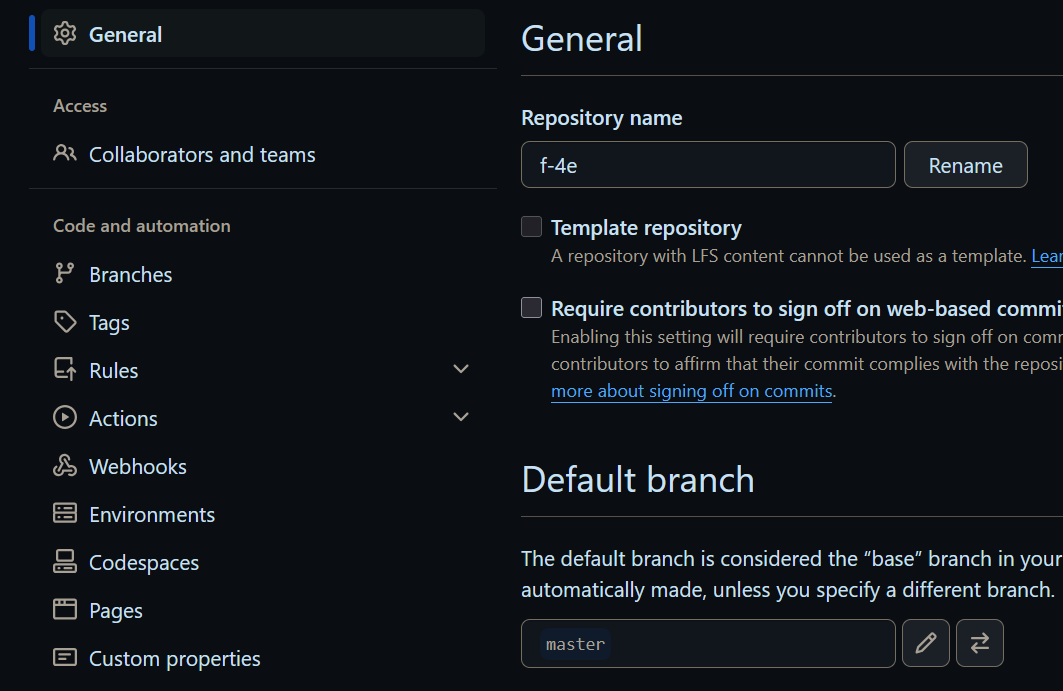
the default branch can be set in the repo settings
set that to master and then delete the main branch
for ur next project id suggest u either create the github repo through the IDE. or the other way around, creating the IDE project from the existing github repo
and not making both independently and then trying to get them together
master is the old outdated name for default branches. nowadays its called main
(but it doesnt really matter how its called)
pulsar sand
proven fossil
for ur next project id suggest u either create the github repo through the IDE. ...
ah thats what i did
This github title was created through the IDE
it just didnt really work in the beginning because I didnt enter my github datas