#Setup and Connect Apache Derby Embedded Database to Java Application

1 messages · Page 1 of 1 (latest)

versed wyvern
#

Hey everyone,

I want to create a java application that I can compile and ship to some friends to use. To store and manage data I want to integrate a database so that when my friends and I run the application we can use it to add and work with data that persists between runs. But I also don't want to set up a cloud database/application to connect to, because this would then require a server setup and cost etc.

Now, my problem is, I downloaded the java jdk-21 (https://www.oracle.com/de/java/technologies/downloads/) and the db-derby-10.17.1.0-bin.zip (https://db.apache.org/derby/releases/release-10_17_1_0.cgi). I extracted the content of the derby database into a db folder inside the jdk-21 as it was shown in a tutorial (View Screenshot 1). But I also tried to put it into another folder like a C:\DerbyDB. Which made no difference to the problems I'm facing.

I also added the DERBY_HOME system variable path to the db folder and the JAVA_HOME path to the jdk-21 folder.

Then I opened my java application in IntelliJ Ultimate IDE and opened the Data Sources and Drivers window. I tried to set up the driver and here the first problem occurred. Intellij only allowed me to configure the vers. 10.16.1.1 driver, not the vers. 10.17.1.1 one. Screenshot of Drivers window Then I tried to set up the connection with the path to the db a username, connection type default and embedded driver. When I hit "Test Connection" I got two different errors depending on whether the checkbox "Create Database" is checked or unchecked.

When checked I get a "database already exists" (View Screenshot 2)

When unchecked I get a "database not found" (View Screenshot 3)

Also: the loading circle next to "test connection" never finishes. I don't get a success or failed message from the IDE. The connection test continues to be in progress endlessly.

blazing acornBOT
#

<@&987246584574140416> please have a look, thanks.

mellow coyote
#

@versed wyvern so you just want data to persist on their machine?

versed wyvern
#

yes, that's the idea. They start the application, add, update, remove, filter data via the UI and when they close it and oprn it again the next day the data should still be there.

mellow coyote
#

use sqlite

#

so make a new project in intellij

#

make it a maven project

#

and you will see a file named pom.xml

#

put this in there

#
<dependencies>
  <dependency>
      <groupId>org.xerial</groupId>
      <artifactId>sqlite-jdbc</artifactId>
      <version>3.45.1.0</version>
  </dependency>
</dependencies>
#

then to connect to the database

#
var db = new SQLiteDataSource();
db.setUrl("jdbc:sqlite:file.db");

try (var conn = db.getConnection();
     var stmt = conn.prepareStatement("""
         SELECT 1 as number
         """) {
    var rs = stmt.executeQuery();
    while (rs.next()) {
        System.out.println(rs.getInt("number"));
    }
}
versed wyvern
#

I'll try that

versed wyvern
versed wyvern
mellow coyote
#

right click on it, refresh

mellow coyote
#

but yeah

#

put it in main

#

if you see it print 1 thats good

versed wyvern
versed wyvern
#

Do I have to create the database file first via commandline (sqlite3 mydb.db)
or does this happen in the code db.setUrl("jdbc:sqlite:file.db") and where will the file.db be located?

versed wyvern
#

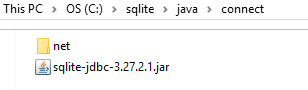
I found this tutorial: https://www.sqlitetutorial.net/sqlite-java/sqlite-jdbc-driver/
and there they use

import java.sql.Connection;
import java.sql.DriverManager;
import java.sql.SQLException;

and if i try to connect to with var conn = db.getConnection();
I also get told to add java.sql.Connection to the dependencies. But when I try to do so I get this window by the ide and don't know what to do.

In this tutorial, we will show you how to download SQLite JDBC Driver and connect to the SQLite database via JDBC, source code and screenshot are included.

blazing acornBOT
mellow coyote
#

Don't fuck with the default setup

mellow coyote
#

You need to create tables, but the file itself will be created automatically

#

The Connection class should come with java

versed wyvern
#

Ok, I get 1 as output. But with the additional information:

#

And also this notification on the SELECT query where I'm not sure if I should change anything:

mellow coyote
#
<dependency>
    <groupId>org.slf4j</groupId>
    <artifactId>slf4j-api</artifactId>
    <version>2.0.12</version>
</dependency>
<dependency>
    <groupId>org.slf4j</groupId>
    <artifactId>slf4j-simple</artifactId>
    <version>2.0.12</version>
</dependency>
mellow coyote
#

then select the db that is generated as a datasource (or whatever)

#

that will shut intellij up

#

(its all so intellij can do smart stuff like tell you which columns and tables exist)

versed wyvern
#

Which is helpful. So in the dialect window I select the file.db and that's it?

#

ok, got it changed to sqlite

#

Now it tells me no data sources are configured. But you said I shouldn't mess with the default setup?

mellow coyote
#

select the file

mellow coyote
versed wyvern
#

ok, database is now configured and shown inside intellij.
The existing sqlite_master table is probably the default one.
I'll go lookup on how to access the database now. If I have any more questions I'll do that in a new thread.
Thank you very much for your help.

#

Oh, before I forget.

#

If I now compile the application into an executable, will the database(file) be integrated and the database accessable by the users?

mellow coyote
#

well

#

will the database(file) be integrated
No, the database will be a seperate file always

#

If I now compile the application into an executable
I think unless you already know the words GraalVM, this will be hard

#

the easiest thing will be to make an installer / .app file on mac

#

and with that you will have options for bundling a db

mellow coyote
#

which is a little crazy

#

if you are looking for a place to put the sqlite db, i know on windows you can use %APPDATA% like minecraft does

#

but...problem for another day

mellow coyote
versed wyvern
#

ah yeah, makes sense. If they run the code it will create the database for them locally. But that would also mean I have to create the tables via code and not in the intellij database window?

mellow coyote
#

Hmm, thd

#

TBD*

#

But that might end up being the most convenient way

versed wyvern
# mellow coyote old school yugioh games like the Power of Chaos series actually stored card data...

I would like to avoid that and keep content close to the application itself. But I could also look up on how to create an installer and put everything into the installation folder.
I'm not trying to create a whole yugioh game. Just a card manager. I have an api I can pull the list of all cards as well as images. I want to store the data in the database and the images... well, I don't know yet.
And then I want to be able to add my own custom cards into the pool. Because all the card managers out there lack the feature to add and manage custom cards.

mellow coyote
#

or edited in the app

#

like

#

is it just to have the list of cards or are you storing other stuff like decks they made in the db

#

But I could also look up on how to create an installer and put everything into the installation folder.
There are two (maybe more) answers for this

versed wyvern
#

deck and pack creation and pack drafts should be possible too.

mellow coyote
#

one is jpackage, that comes with java

#

the other one i know of is launch4j

#

focus on making your thing first i guess

#

packaging it up can be a problem for another day

versed wyvern
#

Well, I wanted to know how I can do it before I write all the code.
In the end I write a lot of code and create a database construct and then cannot use it they way I want to.
That's why I want to make a small test first.
Store some dummy data in the database or pull 1 entry from the api and then pull it from the db and print it in cmd. Compile my application and execute it on another device to be sure it works as intended.

mellow coyote
#

i don't have time today to do a full tutorial, so make the simple app

#

then ask another question