#Trying to run a java file
1 messages · Page 1 of 1 (latest)
 open rockBOT
Here is an AI assisted attempt to answer your question 🤖. Maybe it helps! In any case, a human is on the way 👍. To continue talking to the AI, you can use </chatgpt:1108714622413963314>.
To run a Java file, you need to execute it using the Java Virtual Machine (JVM). Here's how you can run a Java file from the command line:
-
Open a terminal or command prompt.
-
Navigate to the directory where your Java file is located using the
cdcommand. For example, if your file is in the "Documents" folder, you can usecd Documentsto navigate to that folder. -
Once you are in the correct directory, use the following command to run your Java file:
java -jar filename.jarReplace
filename.jarwith the actual name of your JAR file.
If you're still unable to run the JAR file, make sure that you have Java Development Kit (JDK) installed on your system and that it is added to your system's PATH variable.
Note: The "unluac" JAR file might not be intended for direct execution but rather as a library for other Java programs. Make sure you have a clear understanding of how to use it before proceeding further.
 late talon
I tried this, I get an error saying "Unable to access jarfile"
 vast hedge
which version of Java do you have installed, and did you add .jar? Try wrapping your path in "
late talon
I think its Version 8
I have tryped .jar at the end
What do you mean by wrapping your path in?
vast hedge
java -jar C:\Path with spaces\someFile.jar vs java -jar "C:\Path with spaces\someFile.jar"
And I'd upgrade to 21
open rockBOT
Download latest Java from https://adoptium.net/, run the installer.
Open a CMD and type java -version and javac -version, if both show your new Java version, you have successfully installed Java! 🎉
https://i.imgur.com/CurMujt.png
In order to prevent issues with old installations you may want to remove them. Type where java and where javac. They should only show the new and no old entries:
https://i.imgur.com/x5k1GxG.png
If that is not the case, you may want to clean up. Therefore, type "environment variable" into the Windows search and follow the dialog. You will see two entries for a variable called Path, one for your user and one for the system. This variable tells Windows where to look for commands, like java and javac.
https://i.imgur.com/3bN9QE2.png
Edit both. Make sure that they only list the entry to your new Java installation and remove all the old entries you have seen with the where command before:
https://i.imgur.com/JAYog1U.png
Confirm and close all dialogs. Restart your CMD window and try where java and where javac again. It should only list the new installation now and nothing else.
Congratulation, your Java is now finally ready, happy coding 🎉
simon_verhoeven • used /tag id: install
·

Eclipse Adoptium provides prebuilt OpenJDK binaries ...
 crystal remnant
late talon
I tried this, I get an error saying "Unable to access jarfile"
crystal remnant
late talon
I tried this, I get an error saying "Unable to access jarfile"
show the command you used to run it
late talon
I have used it wrong but I am a still a little confused on how to use it
Here is an example usage of unluac:
java -jar unluac.jar myfile.lua > myfile_decompiled.lua
crystal remnant
where did you get the jar from? theres probably instructions
vast hedge
you're executing a jar file, passing in your file as input, and outputting it to the decompiled file
late talon
SourceForge
Download unluac for free. A decompiler for Lua 5.x. unluac is a decompiler for Lua 5.0 through 5.4. It runs on Lua chunks that have been compiled with the standard Lua compiler.
crystal remnant
late talon
https://sourceforge.net/projects/unluac/
so you're probably not specifying the jar location properly
where is the jar?
late talon
Okay i see
vast hedge
in your terminal, are you in the folder where the files are?
that's why I used the absolute path
late talon
the jar file that is "unlac" is in C:\DUMP
crystal remnant
so you'd need to use that when specifying the jar
crystal remnant
when you specify the file name
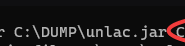
so instead of unlac.jar, you would put C:\DUMP\unlac.jar
vast hedge
well there are 2 options
late talon
I see
crystal remnant
could also cd to the directory the file is in
vast hedge
you can use the fully qualified path like java -jar "C:\Path with spaces\someFile.jar" or you can use CD so you're in the DUMP folder and then you can do the normal version

 late talon
yes
 rotund thunder
either the file is in use by another process or its a bust jar
also just for the sake of checking things, in your topic your name is different then on the command
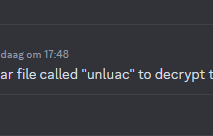
u got unlac
@late talon
vast hedge
can you do ls -lrt
late talon
 vast hedge
ah I guess no WSL, my bad. Can you do dir
late talon
 vast hedge
is that the folder you're running it from? I don't see the jar file
late talon
 vast hedge
yes but where you ran the dir command didn't
so in DUMP also place the other two files
late talon
which files
 brittle sail
Or just type "cmd" in the folder bar
late talon
Okay i see
crystal remnant
you could also just specify the path of the files, if you dont want to move them
brittle sail
crystal remnant
you could also just specify the path of the files, if you dont want to move them
Well you don't know how that jar reads files, it could search inside the installation folder
late talon

 crystal remnant
brittle sail
Well you don't know how that jar reads files, it could search inside the install...
crystal remnant
brittle sail
Well you don't know how that jar reads files, it could search inside the install...
and it could also not, could look in a completely different folder dedicated to lua files. the site doesn't specify
brittle sail
late talon
That is a custom exception, for this u have to write the devs of that jar or either search for a solution online
crystal remnant
late talon
its saying the file you passed in isn't a lua file, based on the file signature
brittle sail
Probably it's because it doesn't recognize .lua as a lua file
Nah probably because of it's content
late talon
bruh
itss alright
Im just trying to decode a lua file
and someone told me that the lua decoder thing would work
brittle sail
Maybe that file has been compiled by a newer version of lua the ones supported by the jar
crystal remnant
it's a decompiler. you probably need a luac file, not a lua file
brittle sail
That too
late talon
ah its okay
thank you guys for trying to help
do you guys know if theres anyway to actually be able to read this file or is there no way
 vast hedge
are you certain you have the right version?

Stack Overflow
I have a lua file, which, when opened in Notepad++ shows a mixture of English (uncorrupted), understandable text, as well as a mixture of "NULS" "ETX's" and other strange symbols,
brittle sail
late talon
do you guys know if theres anyway to actually be able to read this file or is th...
Did you try to open the jar file or it is the lua?
late talon
brittle sail
Did you try to open the jar file or it is the lua?
its the lua
late talon
vast hedge
are you certain you have the right version?
the right version of?
vast hedge
the tool, there are different lua versions. it's what's mentioned in the main answer
vast hedge
check out https://stackoverflow.com/a/64944113
Stack Overflow
I have a lua file, which, when opened in Notepad++ shows a mixture of English (uncorrupted), understandable text, as well as a mixture of "NULS" "ETX's" and other strange symbols,

GitHub
Lua Decompiler for lua 5.1 , 5.2 and 5.3. Contribute to viruscamp/luadec development by creating an account on GitHub.


 late talon
okay that works