#🔒 can't pip install
63 messages · Page 1 of 1 (latest)
 smoky tapir
 inland marlinBOT
smoky tapir
"The term 'pip' is not recognized as the name of a cmdlet, function, script file...
inland marlinBOT
smoky tapir
"The term 'pip' is not recognized as the name of a cmdlet, function, script file...
@smoky tapir
 Python help channel opened
Remember to:
- Ask your Python question, not if you can ask or if there's an expert who can help.
- Show a code sample as text (rather than a screenshot) and the error message, if you've got one.
- Explain what you expect to happen and what actually happens.
:warning: Do not pip install anything that isn't related to your question, especially if asked to over DMs.
Closes after a period of inactivity, or when you send !close.
 austere wigeon
smoky tapir
ive also tried other ways to pip install but it doesnt work
austere wigeon
smoky tapir
ive also tried other ways to pip install but it doesnt work
did you also try with python3 -m pip install whateverpackagenamehere?
smoky tapir
austere wigeon
did you also try with `python3 -m pip install whateverpackagenamehere`?
yes
smoky tapir
yes
its installed
Python was not found; run without arguments to install from the Microsoft Store, or disable this shortcut from Settings > Apps > Advanced app settings > App execution aliases.
austere wigeon
smoky tapir
Python was not found; run without arguments to install from the Microsoft Store,...
Thats not Linux. Thats Windows
austere wigeon
Try py -m pip install requests for example
austere wigeon
smoky tapir
idk im on linux but 😭
What Linux are you on?
smoky tapir
austere wigeon
What Linux are you on?
lenovo
austere wigeon
smoky tapir
its installed
How did you install it?
austere wigeon
smoky tapir
lenovo
.... Thats a computer brand
austere wigeon
Lenovo, Acer, Dell, MSI, are computer brands. They make computers and computer accessories, etc
austere wigeon
smoky tapir
i went to the website
What website?
smoky tapir

ive used pip install b4 i hard reset my laptop so im not really sure why its not working
austere wigeon
austere wigeon
Try `py -m pip install requests` for example
Try this and find out ☝️
smoky tapir
Downloading requests-2.32.3-py3-none-any.whl.metadata (4.6 kB)
Collecting charset-normalizer<4,>=2 (from requests)
Downloading charset_normalizer-3.4.2-cp313-cp313-win_amd64.whl.metadata (36 kB)
Collecting idna<4,>=2.5 (from requests)
Downloading idna-3.10-py3-none-any.whl.metadata (10 kB)
Collecting urllib3<3,>=1.21.1 (from requests)
Downloading urllib3-2.4.0-py3-none-any.whl.metadata (6.5 kB)
Collecting certifi>=2017.4.17 (from requests)
Downloading certifi-2025.4.26-py3-none-any.whl.metadata (2.5 kB)
Downloading requests-2.32.3-py3-none-any.whl (64 kB)
Downloading certifi-2025.4.26-py3-none-any.whl (159 kB)
Downloading charset_normalizer-3.4.2-cp313-cp313-win_amd64.whl (105 kB)
Downloading idna-3.10-py3-none-any.whl (70 kB)
Downloading urllib3-2.4.0-py3-none-any.whl (128 kB)
austere wigeon
ok so it works
So whatever package you wanna install, just use py -m pip install and then whatever package you wanna install
smoky tapir
austere wigeon
So whatever package you wanna install, just use `py -m pip install ` and then wh...
it says no such option
austere wigeon
smoky tapir
it says no such option
wdym?
austere wigeon
smoky tapir
Downloading requests-2.32.3-py3-none-any.whl.metadata (4.6 kB)
Collecting charse...
It shows that it worked here
austere wigeon
smoky tapir
it says no such option
What did you do?
smoky tapir
nvm sorryy i got it
smoky tapir
austere wigeon
What did you do?
im trying to make a discord bot and im using "py -3 example_bot.py" to run it but its saying "can't open file 'C:\fnqs\example_bot.py': [Errno 2] No such file or directory"
austere wigeon
smoky tapir
im trying to make a discord bot and im using "py -3 example_bot.py" to run it bu...
where is example_bot.py at?

 austere wigeon
Its in the main folder
smoky tapir
yes
austere wigeon
so you should be running py main/example_bot.py
smoky tapir
ohhh okay
austere wigeon
Don't need the -3
 fringe oriole
smoky tapir
IM SORRY IM SLOW
fringe oriole
smoky tapir
IM SORRY IM SLOW
thats not being slow, thats just not knowing
smoky tapir
austere wigeon
Don't need the `-3`
im trying to use node too, but it says "npm" isnt recognized
austere wigeon
smoky tapir
im trying to use node too, but it says "npm" isnt recognized
did you install nodejs?
Consider using nvm
 modest pike
smoky tapir
im on linux
modest pike
smoky tapir
im on linux
Try pip3 <package name>
smoky tapir
ive fixed it but tyy
modest pike
Alr good
austere wigeon
smoky tapir
nvm as the term?
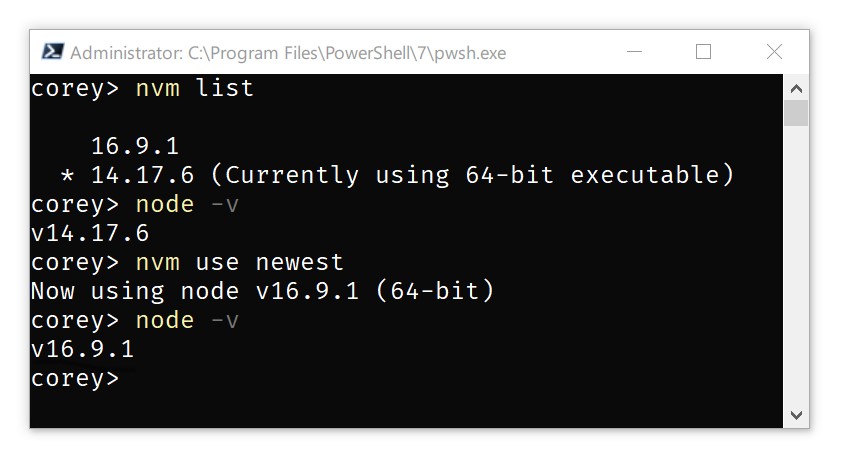
GitHub
A node.js version management utility for Windows. Ironically written in Go. - coreybutler/nvm-windows
Considering that its not Python related anymore, you'll have to ask further questions about it at a Javascript or NodeJS server
inland marlinBOT
 Python help channel closed for inactivity
This help channel has been closed. Feel free to create a new post in #1035199133436354600. To maximize your chances of getting a response, check out this guide on asking good questions.