
#🔒 Can self.variable have said variable be flexible
114 messages · Page 1 of 1 (latest)
 spiral iris
 lyric hemlockBOT
spiral iris
I don't know how exactly to be able to specify which self.variable to return wit...
lyric hemlockBOT
spiral iris
I don't know how exactly to be able to specify which self.variable to return wit...
@spiral iris
 Python help channel opened
Remember to:
- Ask your Python question, not if you can ask or if there's an expert who can help.
- Show a code sample as text (rather than a screenshot) and the error message, if you've got one.
- Explain what you expect to happen and what actually happens.
:warning: Do not pip install anything that isn't related to your question, especially if asked to over DMs.
Closes after a period of inactivity, or when you send !close.
spiral iris
Here are some additional pictures in case they are needed, I apologize for bad readabilty, I've never had clean code


 acoustic kite
can you copy the code over here?
spiral iris
acoustic kite
can you copy the code over here?
Just the part that's the issue?
spiral iris
acoustic kite
you can put the code into \`\`\`code here\`\`\`
How exactly do I do that?
acoustic kite
```py
print("Hello World!")
print("Yes!")
```
print("Hello World!")
print("Yes!")
 river monolith
!e if you want to see what variables you have in your class, you can always do this:
class MyClass:
    def __init__(self):
        self.name = "Some name"


my_class = MyClass()

print(my_class.__dict__.keys())```:white_check_mark: Your 3.12 eval job has completed with return code 0.
dict_keys(['name'])
def get_variable(self,variable):
for possible_variable in list_of_variables:
if possible_variable==variable:
print(variable)
return exec(f"self.{variable}")
elif possible_variable == list_of_variables[-1] and variable!= possible_variable:
print("Cannot find variable")``` drowsy light
return exec(f"self.{variable}") nooo
acoustic kite
yea, im working on a better solution, @spiral iris can you specify what is variable in your code and what do you want the function to do?
drowsy light
I think you're looking for the __getattr__ dunder that you can override
or
using @property 's
at the very least, you can do return getattr(self, variable) instead of exec
spiral iris
acoustic kite
yea, im working on a better solution, <@773305594387496970> can you specify wha...
variable is either a string or an integer that I specify
print(testbutton.get_variable("name")```
self.name already exists, and is set as "test"
the function is meant to return the value of the self. def get_variable(self,variable:str): # variable has to be string
if variable in self.__dict__.keys():
return self.__dict__[variable]
else:
print("cannot find variable")
but why? Why not just use testbutton.name
spiral iris
drowsy light
but why? Why not just use `testbutton.name`
There's up to 14 variables, and I will be adding more, so not having to go back up to make a def set_attribute and def get-attribute for them individualy will help me a ton
 final frigate
You don't normally make getters and setters in python
drowsy light
and if you need to, you make property's
acoustic kite
acoustic kite
```py
def get_variable(self,variable:str): # variable has to be string
...
This should work @spiral iris can you try it?
spiral iris
final frigate
You don't normally make getters and setters in python
I didn't know that, this is only my 4th project ever
drowsy light
Just access the variables directly
spiral iris
acoustic kite
This should work <@773305594387496970> can you try it?
on it
acoustic kite
drowsy light
Just access the variables directly
Yeah thats better solution
lyric hemlockBOT
drowsy light
!e
```py
import this
```
:white_check_mark: Your 3.12 eval job has completed with return code 0.
001 | The Zen of Python, by Tim Peters
002 |
003 | Beautiful is better than ugly.
004 | Explicit is better than implicit.
005 | Simple is better than complex.
006 | Complex is better than complicated.
007 | Flat is better than nested.
008 | Sparse is better than dense.
009 | Readability counts.
010 | Special cases aren't special enough to break the rules.
... (truncated - too many lines)
Full output: https://paste.pythondiscord.com/5DUJKAIEISXDCXNTGUZLFBDHFI
drowsy light
Simple is better than complex.
acoustic kite
drowsy light
python already handles all the `cannot find variable` stuff
Yes, its there just to show what to do if it cannot find it
spiral iris
spiral iris
on it
that did actually work!
 left notch
and there is no such thing as private or protected attributes or such in python, everything is generally accessible
acoustic kite
spiral iris
that did actually work!
Perfect, just try to never use exec or eval in your code, it might be dangerous
drowsy light
also just scrap this whole thing and access variables directly
spiral iris
drowsy light
also just scrap this whole thing and access variables directly
I don't think it would be good, since it's a function of a class
acoustic kite
drowsy light
also just scrap this whole thing and access variables directly
Its okay if he's just starting, everyone starts somewhere
drowsy light
I get it. But there's nothing wrong with saying "you shouldn't actually do it that way" imo
acoustic kite
drowsy light
I get it. But there's nothing wrong with saying "you shouldn't actually do it t...
Yes, completely agree with you here
spiral iris
Could I ask one more question
final frigate
There's no limit on questions
spiral iris
what exactly does dict do, since I want to understand the code so i can manipulate it
left notch
__dict__ holds all attributes and methods/functions of a class in a dictionary
acoustic kite
spiral iris
what exactly does __dict__ do, since I want to understand the code so i can mani...
Do you know what is a dict as a type? {"Key" : "value"}
left notch
what language are you coming from to python, java maybe?
spiral iris
acoustic kite
Do you know what is a dict as a type? {"Key" : "value"}
I think?
spiral iris
left notch
what language are you coming from to python, java maybe?
Python is my first
Scratch excluded
left notch
spiral iris
Python is my first
then welcome to the wonderful world of coding/programming 🙂
acoustic kite
spiral iris
I think?
So class.__dict__ creates a dictionary of all variables and functions inside of a class
So if you have self.value = "hi"
self.__dict__ will hold {"value" : "hi"}
left notch
python is an excellent language to pick up then
spiral iris
left notch
then welcome to the wonderful world of coding/programming 🙂
Thank you very much!
Last time I had an issue with my console minesweeper, the answer came to me while sleeping, so I can say that my code is held up by divine intervention only
spiral iris
acoustic kite
So `class.__dict__` creates a dictionary of all variables and functions inside o...
Oh
That makes it SO much simpler than what I was doing
acoustic kite
spiral iris
Oh
That makes it SO much simpler than what I was doing
Yes, don't worry you will discover many cool things in python ;)
spiral iris
I will go back to my project now, and will be rememebring all of you for the help offered
Thank you very much!
acoustic kite
No problem, happy to help
left notch
you are always welcome to come back and ask more questions 🙂
spiral iris
acoustic kite
Perfect, just try to never use exec or eval in your code, it might be dangerous
    def set_variable(self,old_variable,new_variable):
        for possible_variable in list_of_variables:
            if old_variable == possible_variable:
                if old_variable == "texture":
                    try:
                        pygame.image.load(str(f"graphics/{new_variable}")).convert_alpha()
                    except FileNotFoundError:
                        self.button_surf = pygame.image.load("graphics/Default Texture.png").convert_alpha()
                    else:
                        self.texture = f"graphics/{str(new_variable)}"
                        self.button_surf = pygame.image.load(str(self.texture)).convert_alpha()

                else:
                    exec (f"self.{old_variable}={new_variable}")
                break
            elif possible_variable == list_of_variables[-1] and old_variable!= possible_variable:
                print("Not a correct variable")```

I was revewing my code to see if anything was affected by the change with get_variable, and saw I had this exec in my code. Should I remove it?
And sorry for the ping!No problem, do you want me to help you redo this function?
oh also, one thing that might help you:
instead of elif possible_variable == list_of_variables[-1] and old_variable!= possible_variable:
at the end of the loop just do this:
for possible_variable in list_of_variables:
    ... # do something here
    break # use this is it has been done
else:
   print("Not a correct variable") # this will run if break was not executed in the for loop
The funtion does work (unlike its cousin), it's just that you said exec should really be avoided
I'm wondering how and if I should remove it
And thank you for the suggestion, I don't know why I didn't think of that myself
acoustic kite
spiral iris
The funtion does work (unlike its cousin), it's just that you said exec should r...
yes, if you don't want to change anything else, do this:
self.__dict__[old_variable] = new_variable
however, I think you can remove the entire loop inside of your code
spiral iris
acoustic kite
however, I think you can remove the entire loop inside of your code
I am grateful for the suggestion, but I already feel like I'm borrowing too much code😅
acoustic kite
spiral iris
I am grateful for the suggestion, but I already feel like I'm borrowing too much...
no, don't worry, you are learning and I think this might help you make it more readable and efficent
left notch
there is also the getattr() and setattr() functions
spiral iris
acoustic kite
no, don't worry, you are learning and I think this might help you make it more r...
What's a little beginner code without spaghetti and hindsight (refering to the efficiency part)
As for readability, is there an option in pycharm to auto-follow these tips?
 spiral iris
left notch
there is also the `getattr()` and `setattr()` functions
spiral iris
left notch
there is also the `getattr()` and `setattr()` functions
These actually sound quite useful for what I'm doing
acoustic kite
spiral iris
```py
def set_variable(self,old_variable,new_variable):
for possible...
    def set_variable(self,old_variable,new_variable):
        if old_variable in self.__dict__: # we will check if old variable is inside of our class variables
            if old_variable == "texture": # now we check if its texture
                if os.path.exists(f"graphics/{new_variable}"): # we use "os" module to check if the file exists
                    self.texture = f"graphics/{new_variable}" # if yes we use this texture
                else:
                    self.texture = "graphics/Default Texture.png" # otherwise we use default one
                self.button_surf = pygame.image.load(self.texture).convert_alpha() # now we just load the image
            else:
                self.__dict__[old_variable] = new_variable # we will change the "self.{old_variable}" to "new_variable"
        else: # its not in our class
print("Not a correct variable")```there should be a format option
acoustic kite
acoustic kite
```py
def set_variable(self,old_variable,new_variable):
if old_varia...
@spiral iris I added comments, you can check it out, it might be a better solution for what are you working with
left notch
spiral iris
These actually sound quite useful for what I'm doing
oh yeah, there is also hasattr() and delattr()
so maybe
if hasattr(self, old_variable):
```insteadif you are going to even test for it's existence before just trying to access it
final frigate
Just making texture a property and using other variables directly is what i would do
spiral iris
final frigate
Just making texture a property and using other variables directly is what i woul...
I don't exactly know if I can/should use the other variables directly. I thought about it, but it gives me a sense of comfort knowing they're sealed away inside of init
left notch
nothing is sealed away in python
acoustic kite
well, if you need my help please ping me I have to go for now
left notch
you can always access any property of a class/instance/object from outside
spiral iris
acoustic kite
well, if you need my help please ping me I have to go for now
Will do and thank you!
spiral iris
left notch
nothing is sealed away in python
Then allow me to rephrase
It gives me a much needed but false sense of security
I'm primarily afraid of messing my already atrocious code up even more by skipping the middleman and accessing class variables directly
left notch
spiral iris
Then allow me to rephrase
It gives me a much needed but false sense of security
...
aha, i see 🙂
spiral iris
Still, thanks a lot for recommending alternatives I might actually use later down the project when I become more confident in my skills
left notch
are you familiar with LBYL (look before you leap) and EAFP (easier to ask forgiveness than permission)?
python mostly leans towards the last one
spiral iris
left notch
are you familiar with LBYL (look before you leap) and EAFP (easier to ask forgiv...
only ever so slightly
left notch
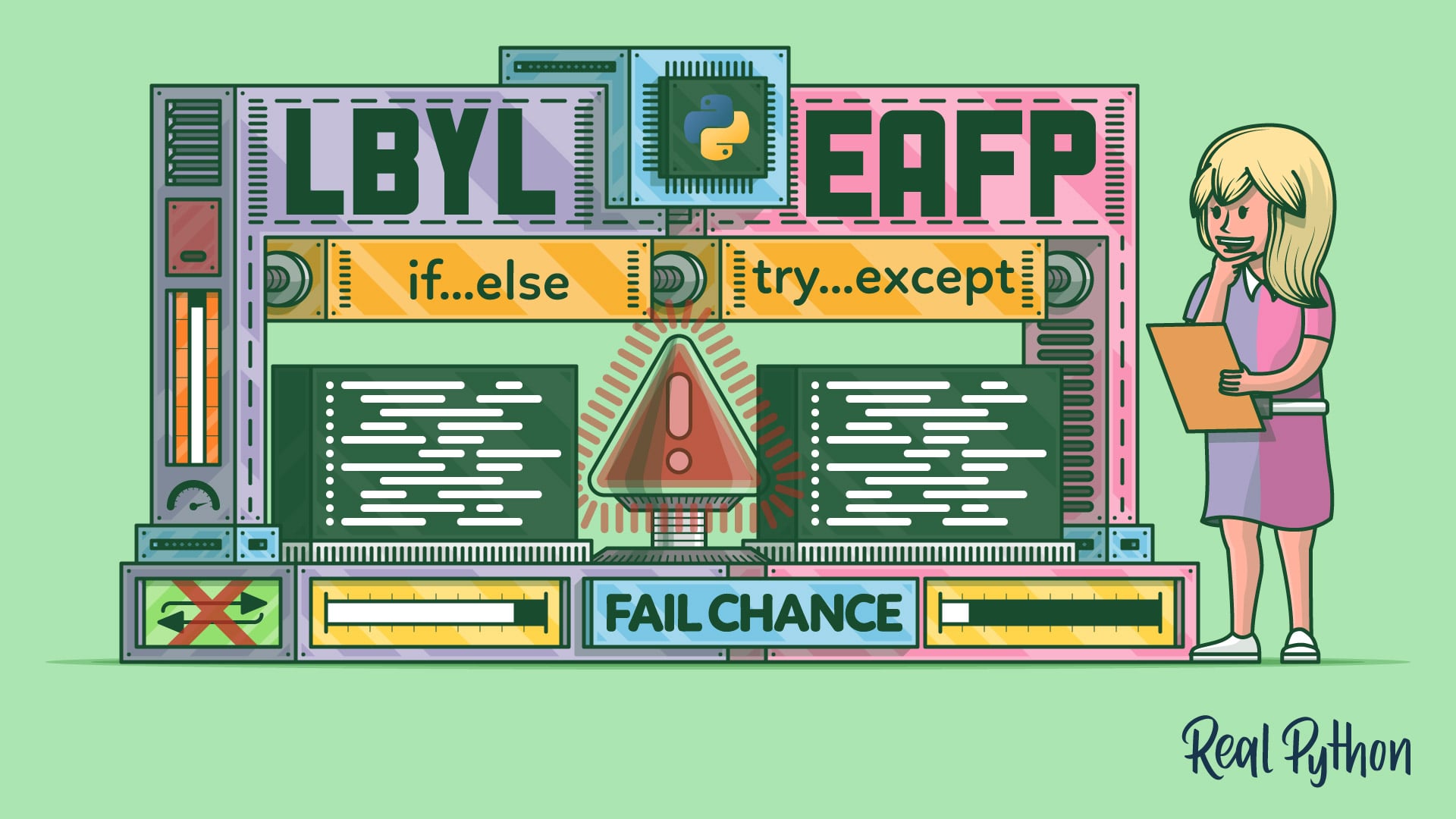
In this tutorial, you'll learn about two popular coding styles in Python: look before you leap (LBYL) and easier to ask forgiveness than permission (EAFP). You can use these styles to deal with errors and exceptional situations in your code. You'll dive into the LBYL vs EAFP discussion in Python.
the short of it is that it's often recommended to just try to access something in a try block and handle the exception if that happens, unless you think it will be a very common code path, then it might be better to first test for existence for performance reasons
spiral iris
That's a bit contradictory for my type of coding, I don't really work with stuff that doesn't exist unless I am at least 90% sure I can poof it into existence, hence I never really had a use for try up until this project
left notch
spiral iris
That's a bit contradictory for my type of coding, I don't really work with stuff...
that might be fully valid, every project is different 👍
 naive mist
spiral iris
```py
def set_variable(self,old_variable,new_variable):
for possible...
naive mist
spiral iris
```py
def set_variable(self,old_variable,new_variable):
for possible...
That's an awful lot of extra stuff for essentially foo.bar = "whatever"
left notch
naive mist
That's an awful lot of extra stuff for essentially `foo.bar = "whatever"`
unless you for some reason absolutely don't want something to be created unless it already exists 🤷
naive mist
Then use __slots__
left notch
ha ha, true
spiral iris
naive mist
That's an awful lot of extra stuff for essentially `foo.bar = "whatever"`
I had to come to terms across 2 days that if I want to open a window I'll have to learn pygame
Learning another extension will probably make me explode
Base python already has too many commands and keywords I don't know about
naive mist
!e
class Foo:
    __slots__ = ["a", "b"]

    def __init__(self, a, b):
        self.a = a
        self.b = b

f = Foo(9, 10)
print(f.a)
f.c = "blow up, please"
:x: Your 3.12 eval job has completed with return code 1.
001 | 9
002 | Traceback (most recent call last):
003 |   File "/home/main.py", line 10, in <module>
004 |     f.c = "blow up, please"
005 |     ^^^
006 | AttributeError: 'Foo' object has no attribute 'c'
Understandable, there are many things inside Python that might be hard to understand at first.
What this comes down to in this case is perhaps a philosophical difference with how data in Python is handled (there are essentially no private attributes as there are in other languages).
left notch
spiral iris
I had to come to terms across 2 days that if I want to open a window I'll have t...
what do you mean that you needed to learn pygame to "open a window"?
naive mist
Often times the thing you're trying to guard against isn't really that much of a problem when you get down to it.
How often is someone trying to add an attribute that shouldn't exist onto a class instance?
If they want to, what's the harm?
spiral iris
left notch
what do you mean that you needed to learn pygame to "open a window"?
my third program was essentially an incredibly scuffed minesweeper, right after learning how to use the random module in my first program, and how to access exit code colors in my second.
I had to do the whole "gui" part of minesweeper in console, and becuse I'm no artist, the only way I could advance was learn to manipulate some form of proper window with png textures
final frigate
import pygame
from pathlib import Path


class Example:
    DEFAULT_TEXTURE = Path("graphics") / "Default Texture.png"
    _texture: Path
    button_surf: pygame.Surface

    def __init__(self, texture):
        self.texture = texture

    @property
    def texture(self):
        return self._texture

    @texture.setter
    def texture(self, value):
        new_path = Path("graphics") / value
        if new_path.exists():
            self._texture = new_path
        else:
            self._texture = self.DEFAULT_TEXTURE
        self.button_surf = pygame.image.load(self.texture).convert_alpha()```
example with propertythat is way beyond what I can reasonably come up with by myself
naive mist
Patience. It doesn't come naturally, or quickly.
There's a detailed explanation available here, when you want to dig in:
https://realpython.com/python-property/
Short version is that properties look like attribute access, but they act like the getter/setter pattern.
def texture(self) is the getter, returning a value.
The one decorated by @texture.setter is the setter method, taking a value arg. This is called when doing .texture = "blah".
So in the __init__, self.texture = ... is calling that setter.
left notch
spiral iris
my third program was essentially an incredibly scuffed minesweeper, right after ...
oh, i see, you are actually using it for a game as well 👍
otherwise if it was just for doing some GUI stuff you might have wanted to look towards tkinter or maybe PyQt/PySide or Kivy
final frigate
Don't undersell yourself, you were able to come up with that complicated setter you had yourself
naive mist
Agreed, you had the pattern in mind. We're demonstrating some better tools for it. 🙂
spiral iris
You're all incredibly helpful and kind people, I thank you all with as much sincerity as I can
lyric hemlockBOT
 Python help channel closed
This help channel has been closed and it's no longer possible to send messages here. If your question wasn't answered, feel free to create a new post in #1035199133436354600. To maximize your chances of getting a response, check out this guide on asking good questions.