#๐Ÿ”’ flask_jwt_extended

75 messages ยท Page 1 of 1 (latest)

alpine aurora
#

so i m trying to access a protected html page using jwt authentication, so far i have done everything i could think up of, I will provide my python-flask code as well as my javascript code to handle the frontend requests

from flask import Flask, render_template, request, redirect, url_for, jsonify, session
from flask_jwt_extended import JWTManager, create_access_token, jwt_required, get_jwt_identity
from flask_bcrypt import Bcrypt
from flask_sqlalchemy import SQLAlchemy
import pymysql
from datetime import datetime, timedelta

app = Flask(name)
app.secret_key = '' # Set a secure secret key

JWT Configuration

app.config['JWT_SECRET_KEY'] = ''
app.config['JWT_ACCESS_TOKEN_EXPIRES'] = timedelta(hours=1)
app.config['JWT_TOKEN_LOCATION'] = ['headers']
app.config['JWT_HEADER_NAME'] = 'Authorization'
app.config['JWT_HEADER_TYPE'] = 'Bearer'

jwt = JWTManager(app)

Updated login route

@app.route('/login', methods=['POST'])
def login():
username = request.json.get('username')
password = request.json.get('password')

app.logger.debug(f"Login attempt for user: {username}")

user = User.query.filter_by(username=username).first()
if not user or not bcrypt.check_password_hash(user.password, password):
    return jsonify({"msg": "Invalid username or password!"}), 401

# Create access token
access_token = create_access_token(identity=username)
return jsonify(access_token=access_token, msg="Login successful!"), 200

Updated dashboard route

@app.route('/dashboard')
@jwt_required()
def dashboard():
current_user = get_jwt_identity()
user = User.query.filter_by(username=current_user).first()
if not user:
return jsonify({"msg": "User not found"}), 404
return render_template('logged_in.html', user=user)

solar gulchBOT
#

@alpine aurora

Python help channel opened

Remember to:

  • Ask your Python question, not if you can ask or if there's an expert who can help.
  • Show a code sample as text (rather than a screenshot) and the error message, if you've got one.
  • Explain what you expect to happen and what actually happens.

:warning: Do not pip install anything that isn't related to your question, especially if asked to over DMs.

analog moss
alpine aurora
#

{
"msg": "Missing Authorization Header"
}

#

the error m getting if that's not visible in case

#

i have provided my python code in the question

analog moss
#

But where do you send the request in the javascript code ?

#

I don't see any fetch or something like that

alpine aurora
#

let me send my javascript code as well

#

// User login handling
let isLoggingIn = false;
async function handleUserLogin(event) {
event.preventDefault();

if (isLoggingIn) return;
isLoggingIn = true;

try {
    const username = document.getElementById('loginUsername').value.trim();
    const password = document.getElementById('password').value;

    const response = await fetch('/login', {
        method: 'POST',
        headers: {
            'Content-Type': 'application/json'
        },
        body: JSON.stringify({ username, password })
    });

    const data = await response.json();

    if (!response.ok) {
        alert(data.msg || 'Login failed. Please check your credentials.');
        document.getElementById('password').value = ''; // Clear password field
    } else {
        // Clear any existing token
        localStorage.removeItem('access_token'); 
        // Set the new token
        localStorage.setItem('access_token', data.access_token);
        console.log('Access Token Set:', data.access_token); // Log the access token

        closeModal('userLoginModal');
        window.location.href = '/dashboard';
    }

} catch (error) {
    console.error('Error during login:', error);
    alert("Something went wrong. Please try again.");
} finally {
    isLoggingIn = false;
}

}

#

this is for handling user login, if user login credentials are correct, it should redirect to '/dashboard'

#

.

#

.

#

// Event listeners
document.addEventListener("DOMContentLoaded", () => {
// Check authentication on protected pages
const isProtectedPage = window.location.pathname === '/dashboard';
if (isProtectedPage) {
const token = localStorage.getItem('access_token');
console.log('Token Retrieved:', token); // Check if this logs the token or null

    if (!token) {
        // If token is not found, redirect to the login page
        window.location.href = '/';
        return;
    }

    // Verify token validity
    fetch('/dashboard', {
        headers: {
            'Authorization': `Bearer ${localStorage.getItem('access_token')}` // Set Authorization header
        }
    })
    .then(response => {
        if (!response.ok) {
            // Handle unauthorized access
            if (response.status === 401) {
                alert('Unauthorized access. Please log in again.');
                localStorage.removeItem('access_token'); // Clear invalid token
                window.location.href = '/'; // Redirect to login
            } else {
                throw new Error('Failed to fetch dashboard data');
            }
        }
        return response.json(); // Parse JSON only if response is ok
    })
    .then(data => {
        console.log('Dashboard Data:', data);
        // Handle dashboard data here (e.g., update UI)
    })
    .catch(error => {
        console.error('Error:', error.message);
        localStorage.removeItem('access_token'); // Clear token on error
        window.location.href = '/'; // Redirect to login
    });
}

});

#

this is authentication, and retrieval of access token from local storage and setting authorization header

analog moss
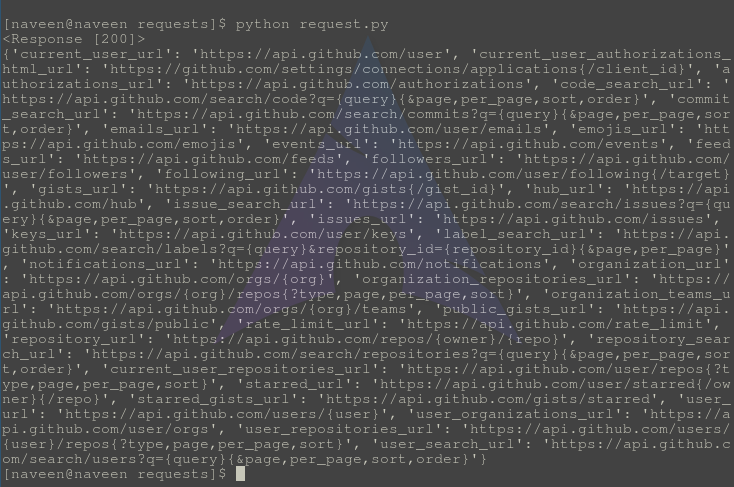
# alpine aurora { "msg": "Missing Authorization Header" }

In your python code, you use request.json.get('username'), but I think watching this that json is a mthod and not a attribute : (https://www.geeksforgeeks.org/response-json-python-requests/)

# import requests module 
import requests 

# Making a get request 
response = requests.get('https://api.github.com') 

# print response 
print(response) 

# print json content 
print(response.json()) 
#

Can you try to print response.json() in your login method ?

alpine aurora
#

okay let me see

alpine aurora
solar gulchBOT
#

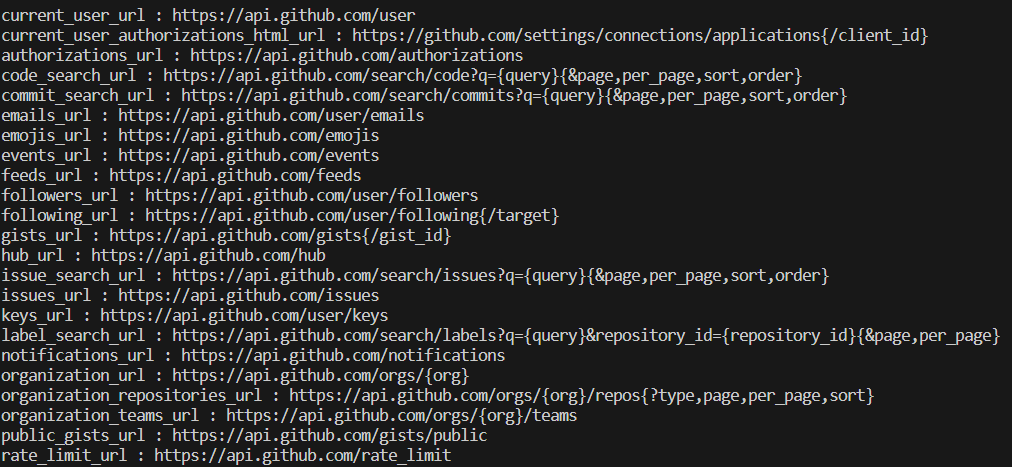
:incoming_envelope: :ok_hand: applied timeout to @alpine aurora until <t:1730742286:f> (10 minutes) (reason: links spam - sent 33 links).

The <@&831776746206265384> have been alerted for review.

analog moss
alpine aurora
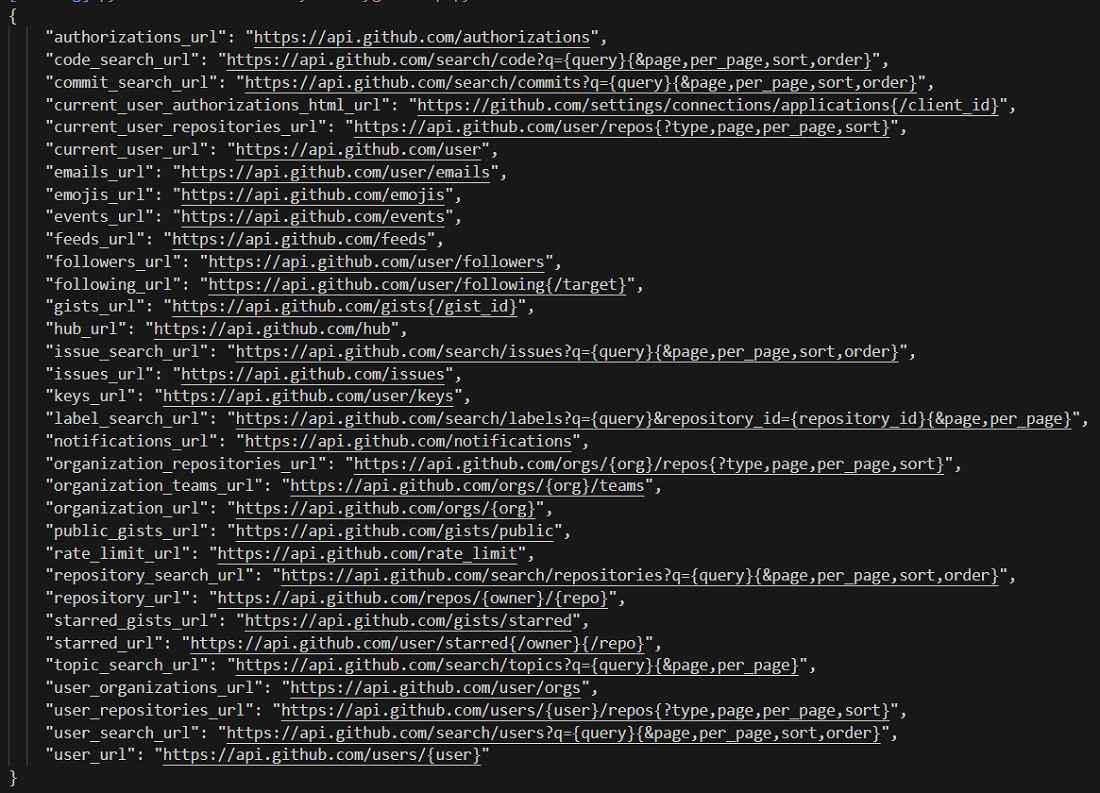
#

this is what i got

analog moss
#

But i wanted to say to print response.json() on you own code to see if there is the username and password key

alpine aurora
#

'''

Updated login route

@app.route('/login', methods=['POST'])
def login():
username = request.json.get('username')
password = request.json.get('password')

print(response) 

print(response.json()) 

app.logger.debug(f"Login attempt for user: {username}")

user = User.query.filter_by(username=username).first()
if not user or not bcrypt.check_password_hash(user.password, password):
    return jsonify({"msg": "Invalid username or password!"}), 401

# Create access token
access_token = create_access_token(identity=username)
return jsonify(access_token=access_token, msg="Login successful!"), 200

'''

solar gulchBOT
#

Hey @alpine aurora!

It looks like you are trying to paste code into this channel.

You seem to be using the wrong symbols to indicate where the code block should start. The correct symbols would be ```, not '''.

Furthermore, it looks like you pasted Python code without syntax highlighting. Please use syntax highlighting to improve the legibility of your code and make it easier for us to help you.

To do this, use the following method:
```py
print('Hello, world!')
```

This will result in the following:

print('Hello, world!')```
You can **edit your original message** to correct your code block.
alpine aurora
#

i get this error

analog moss
#

And your python code didn't print anything ?

alpine aurora
#

\Software 1st Attempt\g3.py", line 284, in login
print(response)
^^^^^^^^^
NameError: name 'response' is not defined

#

i get this error

#

def login():
username = request.json.get('username')
password = request.json.get('password')

print(username) 
print(password)

print(username.json())
print(password.json())
#

when i do this

#

line 287, in login
print(username.json())
^^^^^^^^^^^^^^^^

#

AttributeError: 'str' object has no attribute 'json'

#

i get this error

analog moss
#

And if you try to print request.json ?

alpine aurora
#

lemme see

alpine aurora
analog moss
#

But without parentheses please

alpine aurora
#

just print(request.json)?

analog moss
#

Yes please

alpine aurora
#

uh

#

i got the username and password i logged in with

#

also i got the same "missing authorization header" error

analog moss
#

So you have something like {"username": "john", "password": "smith"} right ?

alpine aurora
#

yes

analog moss
#

And does username and password print good if you try to ? And what about user ?

alpine aurora
#

i didn't understand that

#

but this is what i got

#

"GET /static/pic5.png HTTP/1.1" 200 -
{'username': 'aki000780', 'password': 'akatsuki007'}
[2024-11-04 23:30:29,716] DEBUG in g3: Login attempt for user: aki000780

#

and if u meant this, yes i got the same user and pwd i logged in with

analog moss
#

I meant printing the variable user in your code and see what do you obtain

alpine aurora
analog moss
#

I don't know, it's why i tell you to see for now if all variables are defined, and it will possibly explain the error

alpine aurora
#

uh, lemme actually show u what i had done so far in this project, and how things r exucating

#

uh so i can't send the thing at the moment but let me elaborate

alpine aurora
# alpine aurora

in this, u see the link below, that opens a sign up window, and the info user puts there (like name, username, email, phone no, dob, and password) those are stored in the mysql database

and then when user come to login again and puts his user and password, it is actually getting checked against the info already stored in the database.

and if it is correct, it should redirect to another page, otherwise give user or pwd error

analog moss
#

Ok
But from the message missing authorization header, I think the part sucking is not the login at all, I think it's when you're trying to access /dashbord protected endpoint

#

Lemme see

#

Does this line actually print the token or does it stops before ? console.log('Access Token Set:', data.access_token)

alpine aurora
#

i kinda messed up my code, and m getting error from all over the place

#

if u don't mind can we pick this up again in a while or tmrw please

analog moss
#

Yes, no problem for me
I don't know if I'll necessarily see your message since every thread closes after a moment of inactivity, but I'm sure someone will come to see the new thread

alpine aurora
analog moss
alpine aurora
#

alright got it

#

thanks for ur time

solar gulchBOT
#
Python help channel closed

This help channel has been closed and it's no longer possible to send messages here. If your question wasn't answered, feel free to create a new post in #1035199133436354600. To maximize your chances of getting a response, check out this guide on asking good questions.