#🔒 help with script
82 messages · Page 1 of 1 (latest)
 untold wrenBOT
@hidden tide
 Python help channel opened
Remember to:
- Ask your Python question, not if you can ask or if there's an expert who can help.
- Show a code sample as text (rather than a screenshot) and the error message, if you've got one.
- Explain what you expect to happen and what actually happens.
:warning: Do not pip install anything that isn't related to your question, especially if asked to over DMs.
Closes after a period of inactivity, or when you send !close.
 hidden tide
this is the script
import requests
from PIL import Image
import numpy as np
import cv2
import keyboard
def download_image(url):
response = requests.get(url)
if response.status_code == 200:
with open("image.jpg", 'wb') as file:
file.write(response.content)
else:
print("Failed to download image.")
exit()
def process_image(image_path):
image = Image.open(image_path)
gray_image = image.convert("L") # Convert to grayscale
gray_image.save("gray_image.jpg")
return gray_image
def autodraw(image):
image_array = np.array(image)
height, width = image_array.shape
canvas = np.ones((height, width, 3), dtype=np.uint8) * 255  # White canvas

for y in range(height):
    for x in range(width):
        color = image_array[y, x]
        cv2.circle(canvas, (x, y), 1, (color, color, color), -1)

cv2.imshow("Autodraw", canvas)
cv2.waitKey(0)
cv2.destroyAllWindows()
def main():
url = "https://www.example.com/kitten.jpg" # Replace with your chosen image URL
download_image(url)
gray_image = process_image("image.jpg")
print("Press 'F' to start autodrawing...")
keyboard.wait('f')
autodraw(gray_image)
if name == "main":
main()
untold wrenBOT
Hey @hidden tide!
It looks like you're trying to paste code into this channel.
Discord has support for Markdown, which allows you to post code with full syntax highlighting. Please use these whenever you paste code, as this helps improve the legibility and makes it easier for us to help you.
To do this, use the following method:
```py
print('Hello, world!')
```
This will result in the following:
print('Hello, world!')```
You can **edit your original message** to correct your code block. slender sundial
!code
untold wrenBOT
hidden tide
Failed to download image.
slender sundial
hidden tide
and it gives me this
are you using venv?
hidden tide
slender sundial
are you using venv?
idk that i don't think so no
slender sundial
did you pip install opencv-python
hidden tide
nop
slender sundial
oki
hidden tide
do i do it?
slender sundial
well thats a good place to start
slender sundial
retry to run the script?
hidden tide
same error
slender sundial
is it the same error?
hidden tide
yes
slender sundial
did pip install work correctly
hidden tide
Requirement already satisfied: opencv-python in c:\users\fatob\appdata\local\programs\python\python312\lib\site-packages (4.10.0.84)
Requirement already satisfied: numpy>=1.21.2 in c:\users\fatob\appdata\local\programs\python\python312\lib\site-packages (from opencv-python) (1.26.3)
(am new)
slender sundial
okay so you have opencv
hidden tide
hidden tide
Requirement already satisfied: opencv-python in c:\users\fatob\appdata\local\pro...
but that came up when i pasted pip install opencv-python
hidden tide
slender sundial
okay so you have opencv
ohh oke mb am new to phyton
so what do u think i should do?
untold wrenBOT
hidden tide
uh i dont get how could u give example?
 past geode
hidden tide
ohh oke mb am new to phyton
past geode
hidden tide
ohh oke mb am new to phyton
might be too big a project for a beginner
opencv is not simple
hidden tide
past geode
might be too big a project for a beginner
no please i really need this to work.
untold wrenBOT
Pasting large amounts of code
If your code is too long to fit in a codeblock in Discord, you can paste your code here:
https://paste.pythondiscord.com/
After pasting your code, save it by clicking the Paste! button in the bottom left, or by pressing CTRL + S. After doing that, you will be navigated to the new paste's page. Copy the URL and post it here so others can see it.
slender sundial
or use that
hidden tide
import requests
from PIL import Image
import numpy as np
import cv2
import keyboard

def download_image(url):
    response = requests.get(url)
    if response.status_code == 200:
        with open("image.jpg", 'wb') as file:
            file.write(response.content)
    else:
        print("Failed to download image.")
        exit()

def process_image(image_path):
    image = Image.open(image_path)
    gray_image = image.convert("L")  # Convert to grayscale
    gray_image.save("gray_image.jpg")
    return gray_image

def autodraw(image):
    image_array = np.array(image)
    height, width = image_array.shape

    canvas = np.ones((height, width, 3), dtype=np.uint8) * 255  # White canvas

    for y in range(height):
        for x in range(width):
            color = image_array[y, x]
            cv2.circle(canvas, (x, y), 1, (color, color, color), -1)

    cv2.imshow("Autodraw", canvas)
    cv2.waitKey(0)
    cv2.destroyAllWindows()

def main():
    url = "https://www.example.com/kitten.jpg"  # Replace with your chosen image URL
    download_image(url)
    gray_image = process_image("image.jpg")

    print("Press 'F' to start autodrawing...")
    keyboard.wait('f')
    autodraw(gray_image)

if __name__ == "__main__":
    main()
this is gpt right
hidden tide
past geode
this is gpt right
yess
 ashen sequoia
Did you forget to pip install something?
slender sundial
you dont have an actual url made.
slender sundial
ashen sequoia
Did you forget to pip install something?
naw they have the pip
past geode
hidden tide
yess
what do you expect autodraw to do?
ashen sequoia
slender sundial
naw they have the pip
K.
hidden tide
past geode
what do you expect autodraw to do?
just autodraw? or wym
hidden tide
slender sundial
you dont have an actual url made.
ohhh
past geode
hidden tide
just autodraw? or wym
yes what do you actually want to autodrwa to do
hidden tide
past geode
yes what do you actually want to autodrwa to do
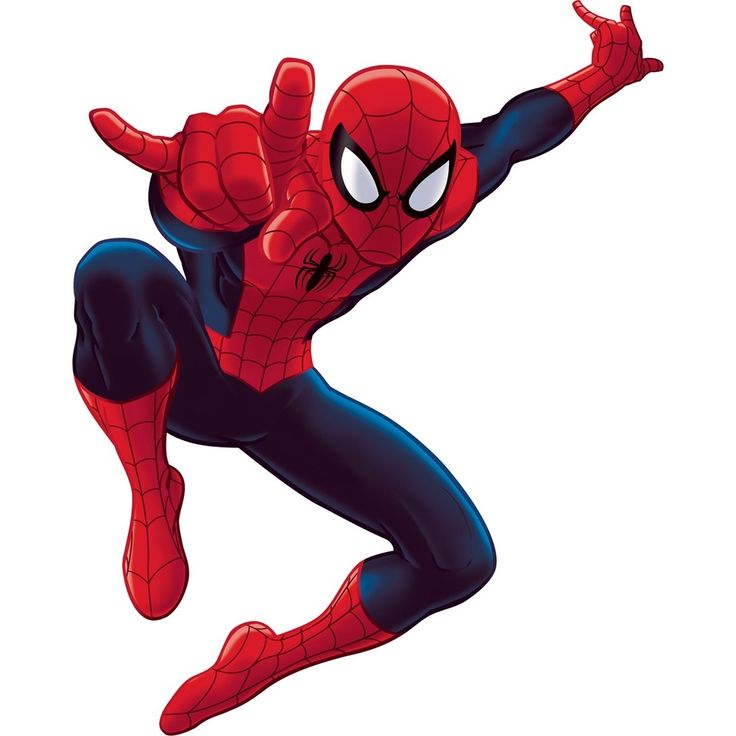
spiderman this is just an test i want to see if it really works
then it can be drawing some other stuffs
past geode
what do you want the result to do?
i ask bc i don't think this code will do what you want it to do
hidden tide
past geode
i ask bc i don't think this code will do what you want it to do
ohhhhh
past geode
you give it an image and what does it create?
past geode
what do you expect it to create
hidden tide
idk
past geode
you have no idea what you want the code to do?

 past geode
what do you want to do with that url?
what is the output of your code supposed to be?
hidden tide
hidden tide
https://images.app.goo.gl/8zUxF33VMT9HWZ5w7
draw what is shown here
past geode
i have no idea what that means. a coloring app to draw a picture of a picture?
hidden tide
the script is suppose to do something like this

the game for the lazy ones: https://web.roblox.com/games/1547610457/Free-Draw-2
note: this does not work on mobile, and mac os, this program is for Windows only. And it does not work on executors, and black and white only.
download autoit v3: https://www.autoitscript.com/site/autoit/downloads/
drawing script: https://www.autoitscript.com/foru...
guys nvm i do not have any expirence with coding or something like that i don't think i will come far with only chat gpt💀💀
thanks for helping guys tho
u can delete this post now
 slim wasp
hidden tide
u can delete this post now
slim wasp
hidden tide
u can delete this post now
!close
hidden tide
!close
untold wrenBOT
 Python help channel closed
This help channel has been closed and it's no longer possible to send messages here. If your question wasn't answered, feel free to create a new post in #1035199133436354600. To maximize your chances of getting a response, check out this guide on asking good questions.