#🔒 Flask function to read csv files not working correctly.

78 messages · Page 1 of 1 (latest)

mortal oracle
#

I'm currently in the midst of migrating my CLI application to a flask dashboard GUI. One of the main function is exporting the required data to a .csv file which I have made a dedicated folder for.

This is what I've came up with for the flask function:

@app.route('/third-static')
def third_static():
    csv_data = []
    # Read all .csv files in the attendance_folder
    for filename in os.listdir(attendance_folder):
        if filename.endswith('.csv'):
            filepath = os.path.join(attendance_folder, filename)
            with open(filepath, 'r', newline='', encoding='utf-8') as csvfile:
                csvreader = csv.reader(csvfile)
                data = list(csvreader)
                csv_data.append({
                    'filename': filename,
                    'data': data
                })
    
    return render_template('third-static.html', csv_data=csv_data)

I've been struggling to implement this into my html page. If there are any references or solutions to this I'd really appreciate it.

vale pewterBOT
#

@mortal oracle

Python help channel opened

Remember to:

  • Ask your Python question, not if you can ask or if there's an expert who can help.
  • Show a code sample as text (rather than a screenshot) and the error message, if you've got one.
  • Explain what you expect to happen and what actually happens.

:warning: Do not pip install anything that isn't related to your question, especially if asked to over DMs.

mortal oracle
#

I'm really not confident in my html so I'm asking around for some tips on how to implement this

zenith dove
#

Show your template also?

#

And the html output

mortal oracle
#

Got

#

In a sec

#

    <h1>CSV Data</h1>
    <ul>
        {% for csv_file in csv_data %}
            <li>
                <h2>{{ csv_file.filename }}</h2>
                <table border="1">
                    {% for row in csv_file.data %}
                        <tr>
                            {% for cell in row %}
                                <td>{{ cell }}</td>
                            {% endfor %}
                        </tr>
                    {% endfor %}
                </table>
            </li>
        {% endfor %}
    </ul>
</body>


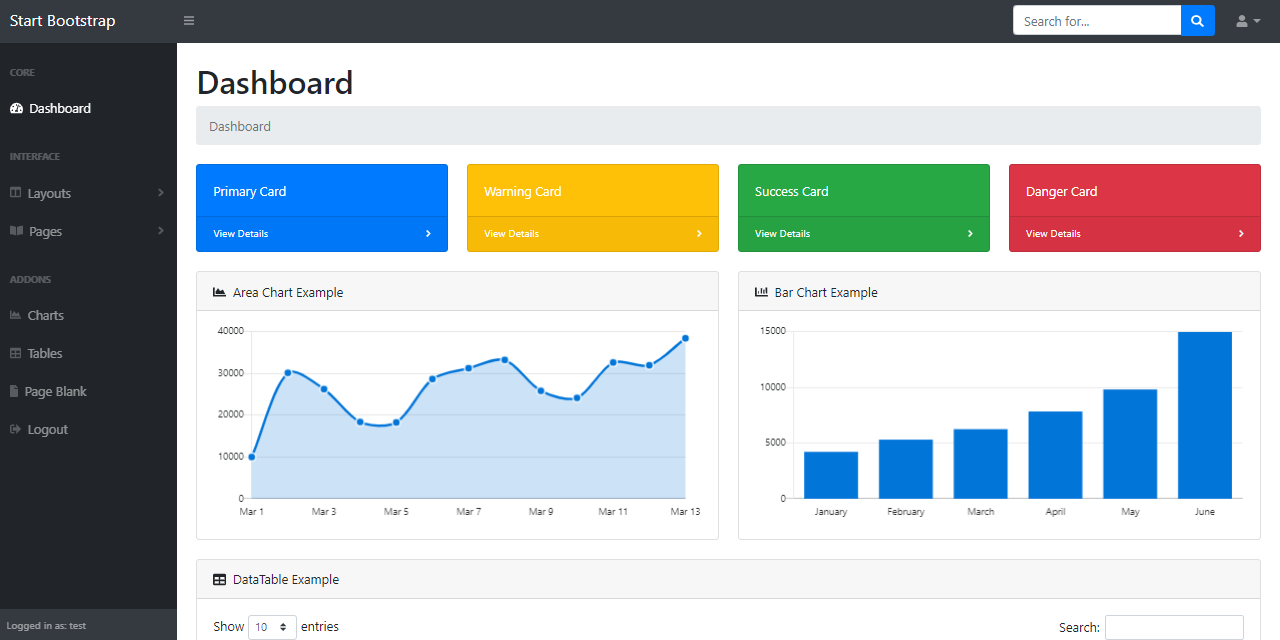
And this is the result:

zenith dove
#

Try putting a print in your for filename loop

#

See if it ever gets run

mortal oracle
#

I've just put two here and my terminal doesn't seem to be printing those two variables

#

I guess the function doesn't get called lol

zenith dove
#

Try a print right at the top of the function

#

So far I suspect your attendance_folder is empty

mortal oracle
#

I double checked the path too and it checks out

mortal oracle
zenith dove
#

Show your full file and console output?

mortal oracle
#

I think I need a refresh button of some sort to activate the flask function

#

Do you think that would suffice?

zenith dove
#

You're visiting /third-static.html but your route is /third-static

mortal oracle
#

Oh shoot

#

The website broke if I add the extra .html sadly

#

I just noticed that I did the same for other functions and they worked properly too

#

Not sure why

zenith dove
#

Show your python code?

zenith dove
mortal oracle
#
## Route to view CSV files in /Attendance directory
@app.route('/third-static.html')
def third_static():
    print("testing")
    csv_data = []
    # Read all CSV files in the attendance_folder
    for filename in os.listdir(attendance_folder):
        if filename.endswith('.csv'):
            filepath = os.path.join(attendance_folder, filename)
            print(filepath)
            with open(filepath, 'r', newline='', encoding='utf-8') as csvfile:
                csvreader = csv.reader(csvfile)
                data = list(csvreader)
                csv_data.append({
                    'filename': filename,
                    'data': data
                })
                print(filename, data)
    
    return render_template('third-static.html', csv_data=csv_data)
#

If I add the extra .html at the @app.route point it doesn't seems to work

zenith dove
#

Why are you navigating to /third-static.html?

mortal oracle
#

It's one of my dashboard pages

#

I thought I would have to do that

zenith dove
#

But it should be /third-static

mortal oracle
#

I just started in flask so I'm a little bit confused

zenith dove
#

Show your full python code

mortal oracle
#

The entire file?

zenith dove
#

Yeah

mortal oracle
#

Gimme a sec

zenith dove
#

Hide any secret keys etc

#

!paste

vale pewterBOT
#
Pasting large amounts of code

If your code is too long to fit in a codeblock in Discord, you can paste your code here:
https://paste.pythondiscord.com/

After pasting your code, save it by clicking the Paste! button in the bottom left, or by pressing CTRL + S. After doing that, you will be navigated to the new paste's page. Copy the URL and post it here so others can see it.

mortal oracle
#

Oh wrong website

zenith dove
#

I don't understand why navigating to /third-static.html is giving you a 200

#

But it should be 404

mortal oracle
#

I'm not quite sure either but at least if I do @app.route('/third-static') then the page returns to normal

#

So at least that's the solution...?

zenith dove
#

What happens if you navigate to /third-static

mortal oracle
#

Except for the whole csv thing of course

zenith dove
#

Go to it without the .html

mortal oracle
zenith dove
#

Does it print?

mortal oracle
#

It does!

zenith dove
#

Right so /third-static.html is something bogus

mortal oracle
#

I guess so...

zenith dove
#

What's your create_app do?

#

Show the full file that's in

mortal oracle
zenith dove
#

Where did you download that from?

mortal oracle
#

Apparently it's for app = create_app(app_config)

zenith dove
vale pewterBOT
#

apps/home/routes.py line 19

@blueprint.route('/<template>')```
zenith dove
#

It matches any path

mortal oracle
#

Ah I got it

#

Not sure how I should work around this tho

zenith dove
#

Your template is probably at home/third-static.html that's why it's not being found when your route is called

mortal oracle
#

Oh so that was why

#

I should be able to fix this then

#

Thanks man!

#

!close

vale pewterBOT
#
Python help channel closed

This help channel has been closed and it's no longer possible to send messages here. If your question wasn't answered, feel free to create a new post in #1035199133436354600. To maximize your chances of getting a response, check out this guide on asking good questions.