#๐Ÿ”’ Github project I found is impossible

214 messages ยท Page 1 of 1 (latest)

modern fractal
#

Project: https://github.com/Fernando-Medeiros/The-Hero-Journey?tab=readme-ov-file

I'm trying to get the game, I followed all the steps and even used ChatGPT for 7 hours trying to make it work and it can't!!

I had to download a bunch of packages and edit my environmental variables and there was so many issues and I was going in circles!

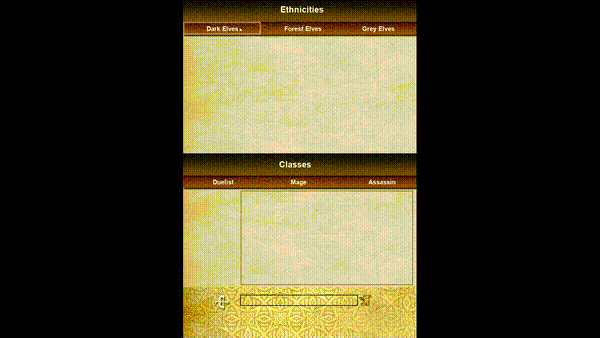
I don't know what to do anymore. I'm basically just wanting to change the pics of the heroes/villains and song. Sprites for heroes + song already swapped in.

I've already successfully made the sprites + got them to the exact sizes as the already existing classes. And the song I changed. But I can't get it to convert all in 1 .exe file. Even before I made changes I tried and it's not working. It can't make a virtual environment and it can't do various stuff...

I'm an idiot when it comes to programming. I'm less than a noob. I just want to get the game, change images(already made) and convert to a .exe...

Any advice or wtf should I do
GitHub

Contribute to Fernando-Medeiros/The-Hero-Journey development by creating an account on GitHub.

shrewd kelpBOT
#

@modern fractal

Python help channel opened

Remember to:

  • Ask your Python question, not if you can ask or if there's an expert who can help.
  • Show a code sample as text (rather than a screenshot) and the error message, if you've got one.
  • Explain what you expect to happen and what actually happens.

:warning: Do not pip install anything that isn't related to your question, especially if asked to over DMs.

modern fractal
#

I tried on everything. PowerShell, Python (latest version), Microsoft Visual Studio, everything has it's issues

#

I'm trying to do it again. So "pip install virtualenv" then it can't find it and ChatGPT says I have to find where python is installed. So I do where python and no output. And chatgpt is giving me a bunch of complicated steps...

lofty plover
#

Show the full output of your command

#

!paste

shrewd kelpBOT
#
Pasting large amounts of code

If your code is too long to fit in a codeblock in Discord, you can paste your code here:
https://paste.pythondiscord.com/

After pasting your code, save it by clicking the Paste! button in the bottom left, or by pressing CTRL + S. After doing that, you will be navigated to the new paste's page. Copy the URL and post it here so others can see it.

modern fractal
#

I've uninstalled and reinstalled Python Numerous times and still it can't find it

shy cliff
#

it can be because of the version

#

i had problem with pygame

modern fractal
#

I have the latest one

#

Yeaahh pygame issue too!

shy cliff
#

ye but for pygame i had to down grade to 3.9

#

maybe try open up diff version ides

#

and import

#

the module

modern fractal
#

Apparently I need at least a 10 for one part. But I can try, thanks

lofty plover
#

How did you install python?

modern fractal
#

From the website

lofty plover
#

Ok so use py -m venv C:\\path\to\your\project\.venv

modern fractal
#

I just installed Python 11 and same issue

lofty plover
#

And show what you ran and the output

modern fractal
lofty plover
#

What's venc? You also used the wrong path

modern fractal
#

Sorry it's q V

lofty plover
#

You need the .venv on the end

modern fractal
#

It's working now

#

Ok it worked

lofty plover
#

Show output and command

modern fractal
#

No output, it worked I assume

lofty plover
#

What was the path you ran it on

#

It also looks like you downloaded the 32bit version of python, you want 64bit

modern fractal
#

Now next step isn't working

#

Also on it, downloading x64

lofty plover
#

You used the wrong path for your virtual environment

modern fractal
#

Is it? That's where the game is

lofty plover
#

You need it in .venv or something not directly in your project

modern fractal
#

Oh ok

lofty plover
#

Use git to find out the files it added and remove them

modern fractal
#

So I do this for a venv folder inside the game folder? Or outside

lofty plover
#

You can make it anywhere except exactly the project folder

modern fractal
#

Kk

lofty plover
#

A folder inside or a folder outside

#

But not where you just made it

modern fractal
#

Ok done. New folder outside of the game folder

#

And removed the venv folder inside the game folder

lofty plover
#

There is no venv folder inside the game folder there's like lib and Scripts and a bunch of stuff

#

Show the output of the command and the command you ran

#

And use text copy/paste not a screenshot/camera

modern fractal
#

PS C:\Users\Ivo\Desktop\DBGame\The-Hero-Journey> py -m venv C:\Users\Ivo\Desktop\DBGame\venv

#

That's the latest I did and it worked

#

It's outside of the Hero Journey Folder

lofty plover
#

Remember to use ```

modern fractal
#

Then I did:

PS C:\Users\Ivo\Desktop\DBGame\The-Hero-Journey> pip install -r requirements.txt

Fatal error in launcher: Unable to create process using '"C:\Program Files\Python39\python.exe" "C:\Program Files\Python39\Scripts\pip.exe" install -r requirements.txt': The system cannot find the file specified.

#

(This is the next step on the Github instructions)

lofty plover
#

You need to activate the virtual environment first

modern fractal
#

PS C:\Users\Ivo\Desktop\DBGame\The-Hero-Journey> ./.venv/bin/activate.ps1
./.venv/bin/activate.ps1 : The term './.venv/bin/activate.ps1' is not recognized as the name of a cmdlet, function,
script file, or operable program. Check the spelling of the name, or if a path was included, verify that the path is
correct and try again.
At line:1 char:1

  • ./.venv/bin/activate.ps1
  •   + CategoryInfo          : ObjectNotFound: (./.venv/bin/activate.ps1:String) [], CommandNotFoundException
      + FullyQualifiedErrorId : CommandNotFoundException


PS C:\Users\Ivo\Desktop\DBGame\The-Hero-Journey>

lofty plover
#

That's not where you put your virtual environment

modern fractal
#

Oh crap yea sorry

lofty plover
#

Remember to use ```

#

!markdown

#

Hmm I can't remember the command to explain ```

modern fractal
#

How was the way to tell it to go up a level? 2 dots?

#

1 dot is current directory right? I know linux a bit but not this

lofty plover
#

This is why it's handy in project\.venv

#

But yeah ..\ should work or you can type out the whole path

modern fractal
#

..\venv\activate.ps1 is that it? I'm not sure how activate works or what file I'm looking for

lofty plover
#

It's the Scripts\activate.ps1

#

in the virtual environment directory

#

C:\Users\Ivo\Desktop\DBGame\venv\Scripts\activate.ps1

modern fractal
#

PS C:\Users\Ivo\Desktop\DBGame\The-Hero-Journey> C:\Users\Ivo\Desktop\DBGame\venv\Scripts\Activate.ps1
C:\Users\Ivo\Desktop\DBGame\venv\Scripts\Activate.ps1 : File C:\Users\Ivo\Desktop\DBGame\venv\Scripts\Activate.ps1
cannot be loaded because running scripts is disabled on this system. For more information, see
about_Execution_Policies at https:/go.microsoft.com/fwlink/?LinkID=135170.
At line:1 char:1

  • C:\Users\Ivo\Desktop\DBGame\venv\Scripts\Activate.ps1
  •   + CategoryInfo          : SecurityError: (:) [], PSSecurityException
      + FullyQualifiedErrorId : UnauthorizedAccess
#

I have to open as Admin I guess?

#

I forgot to do that..

lofty plover
#

No you don't need to open as admin just allow running scripts

modern fractal
#

PS C:\Users\Ivo\Desktop\DBGame\The-Hero-Journey> C:\Users\Ivo\Desktop\DBGame\venv\Scripts\Activate.ps1
(venv) PS C:\Users\Ivo\Desktop\DBGame\The-Hero-Journey>

#

Awesome I'm in

#

Ok and I installed the pip install -r requirements.txt

#

So last step is to run

#

python3 doesn't work though. Pip install python3?

#

python.exe -m pip install --upgrade pip (Did this to hopefully fix it)

lofty plover
#

Remember to use ```

#

And you can't pip install python it's already installed

modern fractal
#

I thought python3 was a package or something but kk sorry

#

(venv) PS C:\Users\Ivo\Desktop\DBGame\The-Hero-Journey> python3 'main.py'

Python was not found; run without arguments to install from the Microsoft Store, or disable this shortcut from Settings > Manage App Execution Aliases.
(venv) PS C:\Users\Ivo\Desktop\DBGame\The-Hero-Journey>

#

Still not working

lofty plover
#

What's in your venv\Scripts\ directory I thought it created python3.exe for you

#

Anyway you can just use python without the 3

lofty plover
#

Wrap all command line input and output in ``` markdown syntax

modern fractal
#

3 of them on either side?

#

kk

lofty plover
#

Yeah

modern fractal
#

venv) PS C:\Users\Ivo\Desktop\DBGame\The-Hero-Journey> python3 '''main.py'''

Python was not found; run without arguments to install from the Microsoft Store, or disable this shortcut from Settings > Manage App Execution Aliases.

lofty plover
#

Edit your message with ```

modern fractal
#

(venv) PS C:\Users\Ivo\Desktop\DBGame\The-Hero-Journey> python3 main.py

Python was not found; run without arguments to install from the Microsoft Store, or disable this shortcut from Settings > Manage App Execution Aliases.

(venv) PS C:\Users\Ivo\Desktop\DBGame\The-Hero-Journey> python main.py

C:\Users\Ivo\AppData\Local\Programs\Python\Python311\python.exe: can't open file 'C:\Users\Ivo\Desktop\DBGame\The-Hero-Journey\`main.py``': [Errno 2] No such file or directory

#

Oh I get it! 3 's = appearing like that here on discord

#

It doesn't actually have an effect on the script, it's for seeing it better here. Got it

lofty plover
#

```powershell
venv) PS C:\Users\Ivo\Desktop\DBGame\The-Hero-Journey> python3 '''main.py'''

Python was not found; run without arguments to install from the Microsoft Store, or disable this shortcut from Settings > Manage App Execution Aliases.
```

#

Like that ^

modern fractal
#

Oh ok

#

'''(venv) PS C:\Users\Ivo\Desktop\DBGame\The-Hero-Journey> python main.py
C:\Users\Ivo\AppData\Local\Programs\Python\Python311\python.exe: can't open file 'C:\Users\Ivo\Desktop\DBGame\The-Hero-Journey\`main.py``': [Errno 2] No such file or directory'''

lofty plover
#

You put backtics into your powershell command

#

You need to put them around the output you paste in discord but not in the actual command you run

modern fractal
#

'''(venv) PS C:\Users\Ivo\Desktop\DBGame\The-Hero-Journey> python main.py
Traceback (most recent call last):
File "C:\Users\Ivo\Desktop\DBGame\The-Hero-Journey\main.py", line 4, in <module>
import pygame as pg
ModuleNotFoundError: No module named 'pygame' '''

shrewd kelpBOT
#

Hey @modern fractal!

It looks like you are trying to paste code into this channel.

You seem to be using the wrong symbols to indicate where the code block should start. The correct symbols would be ```, not '''.

Here is an example of how it should look:
```
Hello, world!
```

This will result in the following:

Hello, world!```
You can **edit your original message** to correct your code block.
modern fractal
#
Traceback (most recent call last):
  File "C:\Users\Ivo\Desktop\DBGame\The-Hero-Journey\main.py", line 4, in <module>
    import pygame as pg
ModuleNotFoundError: No module named 'pygame' ```
lofty plover
#

No just edit your message

modern fractal
#

OMG how do I differentiate between the forward and backward one

lofty plover
#

Paste it from here: `

#

What's your keyboard layout?

modern fractal
#

Ohh got it

lofty plover
#

Run where pip

modern fractal
#

Ok I did pip install pygame and it worked

lofty plover
shrewd kelpBOT
#

requirements.txt line 6

pygame==2.1.2```
lofty plover
#

What happened when you did pip install -r requirements.txt?

#

What was the output?

modern fractal
#
pygame 2.5.2 (SDL 2.28.3, Python 3.11.4)
Hello from the pygame community. https://www.pygame.org/contribute.html
Traceback (most recent call last):
  File "C:\Users\Ivo\Desktop\DBGame\The-Hero-Journey\main.py", line 110, in <module>
    main = Main()
           ^^^^^^
  File "C:\Users\Ivo\Desktop\DBGame\The-Hero-Journey\main.py", line 47, in __init__
    self.game = GameController()
                ^^^^^^^^^^^^^^^^
  File "C:\Users\Ivo\Desktop\DBGame\The-Hero-Journey\src\events.py", line 80, in __init__
    self.game = Game(self.group_game)
                ^^^^^^^^^^^^^^^^^^^^^
  File "C:\Users\Ivo\Desktop\DBGame\The-Hero-Journey\src\game.py", line 65, in __init__
    self.character = Character(self.group_character)
                     ^^^^^^^^^^^^^^^^^^^^^^^^^^^^^^^
  File "C:\Users\Ivo\Desktop\DBGame\The-Hero-Journey\src\character\character.py", line 22, in __init__
    Views.__init__(self, *groups)
  File "C:\Users\Ivo\Desktop\DBGame\The-Hero-Journey\src\character\view.py", line 112, in __init__
    Obj.__init__(self, img, pos_x, pos_y, *groups)
  File "C:\Users\Ivo\Desktop\DBGame\The-Hero-Journey\src\tools.py", line 25, in __init__
    self.image = pg.image.load(img)
                 ^^^^^^^^^^^^^^^^^^
FileNotFoundError: No file './static/images/classes/dark-elf-assassin.png' found in working directory 'C:\Users\Ivo\Desktop\DBGame\The-Hero-Journey'.```
#

Weird, I checked the image file and it's there

lofty plover
modern fractal
modern fractal
modern fractal
#

So I assumed that pygame wasn't installed..

modern fractal
#

Yeah I did that

#

Or do I redo it to overwrite the pyinstall thing

lofty plover
#

What was the output

modern fractal
#

Wtf I guess it's too long, it won't let me paste it here it gives it as a txt file

#

I'll paste the end

#
          vc_env = query_vcvarsall(VERSION, plat_spec)
                   ^^^^^^^^^^^^^^^^^^^^^^^^^^^^^^^^^^^
        File "C:\Users\Ivo\AppData\Local\Temp\pip-build-env-du68yoob\overlay\Lib\site-packages\setuptools\_distutils\msvc9compiler.py", line 281, in query_vcvarsall
          raise DistutilsPlatformError("Unable to find vcvarsall.bat")
      distutils.errors.DistutilsPlatformError: Unable to find vcvarsall.bat
      [end of output]

  note: This error originates from a subprocess, and is likely not a problem with pip.
error: subprocess-exited-with-error

ร— Getting requirements to build wheel did not run successfully.
โ”‚ exit code: 1
โ•ฐโ”€> See above for output.

note: This error originates from a subprocess, and is likely not a problem with pip.```
lofty plover
#

!paste

shrewd kelpBOT
#
Pasting large amounts of code

If your code is too long to fit in a codeblock in Discord, you can paste your code here:
https://paste.pythondiscord.com/

After pasting your code, save it by clicking the Paste! button in the bottom left, or by pressing CTRL + S. After doing that, you will be navigated to the new paste's page. Copy the URL and post it here so others can see it.

modern fractal
lofty plover
#

Ah that version of pygame doesn't support 3.11

modern fractal
#

Ohh...dang I'll try 3.10 then I guess

lofty plover
#

I'd be tempted to proceed with newer pygame

modern fractal
#

Would that be easy to implement?

lofty plover
#

Just update the requirements.txt file with pygame==2.5.2

modern fractal
#

Ok, thanks

lofty plover
#

Then hope the code still works

modern fractal
lofty plover
#

Did you save the file?

modern fractal
#

I did for sure this time but still same thing

lofty plover
#

What does git diff say?

modern fractal
#

Do I have to change this?

#

I opened it in the "runtime" file

lofty plover
#

No

modern fractal
#

OHHH dang it it's because I changed them I guess

#

They're the same size though...the images

lofty plover
#

But you didn't change requirements.txt

modern fractal
#

and all share the EXACT same name as the original...how tf did the script know

#

I did, I swear. I changed + saved it + refreshed the folder

#

I saved it

lofty plover
#

What happens when you run Get-Content requirements.txt

modern fractal
#
black==22.12.0
click==8.1.3
mypy-extensions==0.4.3
pathspec==0.10.3
platformdirs==2.6.2
pygame==2.1.2
tomli==2.0.1```
#

wtf

lofty plover
#

I think you have a different requirements.txt path open in notepad

modern fractal
#

Dang..yea maybe

lofty plover
#

Show the full window from explorer.exe

modern fractal
#

Ok yeah you're right, I was working on the wrong one

#

Now it's fixed

#
black==22.12.0
click==8.1.3
mypy-extensions==0.4.3
pathspec==0.10.3
platformdirs==2.6.2
pygame==2.5.2
tomli==2.0.1```
lofty plover
#

Yaye

modern fractal
#

So now python main.py ?

lofty plover
#

Yeah

modern fractal
#
pygame 2.5.2 (SDL 2.28.3, Python 3.11.4)
Hello from the pygame community. https://www.pygame.org/contribute.html
Traceback (most recent call last):
  File "C:\Users\Ivo\Desktop\DBGame\The-Hero-Journey\main.py", line 110, in <module>
    main = Main()
           ^^^^^^
  File "C:\Users\Ivo\Desktop\DBGame\The-Hero-Journey\main.py", line 47, in __init__
    self.game = GameController()
                ^^^^^^^^^^^^^^^^
  File "C:\Users\Ivo\Desktop\DBGame\The-Hero-Journey\src\events.py", line 80, in __init__
    self.game = Game(self.group_game)
                ^^^^^^^^^^^^^^^^^^^^^
  File "C:\Users\Ivo\Desktop\DBGame\The-Hero-Journey\src\game.py", line 65, in __init__
    self.character = Character(self.group_character)
                     ^^^^^^^^^^^^^^^^^^^^^^^^^^^^^^^
  File "C:\Users\Ivo\Desktop\DBGame\The-Hero-Journey\src\character\character.py", line 22, in __init__
    Views.__init__(self, *groups)
  File "C:\Users\Ivo\Desktop\DBGame\The-Hero-Journey\src\character\view.py", line 112, in __init__
    Obj.__init__(self, img, pos_x, pos_y, *groups)
  File "C:\Users\Ivo\Desktop\DBGame\The-Hero-Journey\src\tools.py", line 25, in __init__
    self.image = pg.image.load(img)
                 ^^^^^^^^^^^^^^^^^^
FileNotFoundError: No file './static/images/classes/dark-elf-assassin.png' found in working directory 'C:\Users\Ivo\Desktop\DBGame\The-Hero-Journey'.```
#

Weird! I'll double check the image

#

The image is there and this 100% is the right folder

lofty plover
#

What happens if you put a breakpoint() in src/tools.py just before line 25?

modern fractal
#

Do you know how to enable line count in Visual Studio?

lofty plover
#

VSCode?

modern fractal
#

Dang, don't have that one. I'll install it now

lofty plover
#

You probably don't need VSCode if you have VS

modern fractal
#

Ok did it:

pygame 2.5.2 (SDL 2.28.3, Python 3.11.4)
Hello from the pygame community. https://www.pygame.org/contribute.html
Traceback (most recent call last):
  File "C:\Users\Ivo\Desktop\DBGame\The-Hero-Journey\main.py", line 110, in <module>
    main = Main()
           ^^^^^^
  File "C:\Users\Ivo\Desktop\DBGame\The-Hero-Journey\main.py", line 44, in __init__
    from src.events import GameController, MenuController
  File "C:\Users\Ivo\Desktop\DBGame\The-Hero-Journey\src\events.py", line 5, in <module>
    from .game import Game
  File "C:\Users\Ivo\Desktop\DBGame\The-Hero-Journey\src\game.py", line 7, in <module>
    from .battle.battle import Battle
  File "C:\Users\Ivo\Desktop\DBGame\The-Hero-Journey\src\battle\battle.py", line 4, in <module>
    from .view import Views
  File "C:\Users\Ivo\Desktop\DBGame\The-Hero-Journey\src\battle\view.py", line 4, in <module>
    from src.tools import COLORS, draw_status_bar, draw_texts
  File "C:\Users\Ivo\Desktop\DBGame\The-Hero-Journey\src\tools.py", line 25
    self.image = pg.image.load(img)
IndentationError: unexpected indent```
#

I don't get it...there's problems with a bunch of lines but in the comments on the github everyone seems to imply the code was fully working and no issues

#

But I didn't change anything on these lines...

hasty adder
#

you have a line that is wrongly indented

modern fractal
#

Dang! Which one?

hasty adder
#

line 24

modern fractal
#

Yeah I was told to do that

hasty adder
#

you where told wrong

modern fractal
#

What happens if you put a breakpoint() in src/tools.py just before line 25?

#

Oh ok

#

I'll remove it, thanks

hasty adder
#

breakpoint() will stop your python program at that line and enter the python debugger

modern fractal
#

Oh ok, got it. So I removed it but still get

pygame 2.5.2 (SDL 2.28.3, Python 3.11.4)
Hello from the pygame community. https://www.pygame.org/contribute.html
Traceback (most recent call last):
  File "C:\Users\Ivo\Desktop\DBGame\The-Hero-Journey\main.py", line 110, in <module>
    main = Main()
           ^^^^^^
  File "C:\Users\Ivo\Desktop\DBGame\The-Hero-Journey\main.py", line 47, in __init__
    self.game = GameController()
                ^^^^^^^^^^^^^^^^
  File "C:\Users\Ivo\Desktop\DBGame\The-Hero-Journey\src\events.py", line 80, in __init__
    self.game = Game(self.group_game)
                ^^^^^^^^^^^^^^^^^^^^^
  File "C:\Users\Ivo\Desktop\DBGame\The-Hero-Journey\src\game.py", line 65, in __init__
    self.character = Character(self.group_character)
                     ^^^^^^^^^^^^^^^^^^^^^^^^^^^^^^^
  File "C:\Users\Ivo\Desktop\DBGame\The-Hero-Journey\src\character\character.py", line 22, in __init__
    Views.__init__(self, *groups)
  File "C:\Users\Ivo\Desktop\DBGame\The-Hero-Journey\src\character\view.py", line 112, in __init__
    Obj.__init__(self, img, pos_x, pos_y, *groups)
  File "C:\Users\Ivo\Desktop\DBGame\The-Hero-Journey\src\tools.py", line 25, in __init__
    self.image = pg.image.load(img)
                 ^^^^^^^^^^^^^^^^^^
FileNotFoundError: No file './static/images/classes/dark-elf-assassin.png' found in working directory 'C:\Users\Ivo\Desktop\DBGame\The-Hero-Journey'. ```
hasty adder
#

is the error unclear?

modern fractal
#

I mean to be honest, I'm a bit confused as the comments confirm the code should all be good from Github

#

But all these lines being wrong is strange

modern fractal
hasty adder
#

if you add the breakpoint() back but indent it correctly, you can share what img is

modern fractal
#

OOOOK GOT IT

#

The image was a jpg not png

#

Hence the issue. Now it works!

#

Thank you! And thanks to Graingert!

hasty adder
#

alright..

#

did it start correctly?

modern fractal
#

Yeah, it works completely

hasty adder
#

excellent

shrewd kelpBOT
#
Python help channel closed

This help channel has been closed and it's no longer possible to send messages here. If your question wasn't answered, feel free to create a new post in #1035199133436354600. To maximize your chances of getting a response, check out this guide on asking good questions.


