 Python help channel opened
#🔒 Unusual Maze Asymmetry
188 messages · Page 1 of 1 (latest)
 crude yarrowBOT
Python help channel opened
crude yarrowBOT
Python help channel opened
 fathom quarry
I'm working on a project that involves generating and drawing a circular maze using Python's turtle graphics, and I've encountered a peculiar issue regarding symmetry. The maze is supposed to be symmetrically circular, with curved paths and arcs that extend from the center outwards. However, I've noticed that the top and left sides of the maze are symmetrical with each other, and so are the bottom and right sides, but there's a noticeable difference in symmetry between these two pairs. Essentially, the way the curves and arcs are drawn on the top/left differs from how they're drawn on the bottom/right.
The maze drawing involves calculating angles and radii for the arcs, and I've ensured that the turtle's orientation and the direction of drawing (left vs. right turns) are accounted for. Yet, something seems off. I've checked the initial heading settings, the application of angles for arcs, and the consistency in pen movements (forward, backward, pen up, and down) across different sections of the maze. Despite these checks, the asymmetry persists.
I'm wondering if there might be a subtlety in handling the turtle graphics coordinate system or in how the mathematical calculations for positioning and drawing arcs are applied differently across the maze's quadrants. If anyone has experience with turtle graphics or insights into common pitfalls that might lead to such asymmetry, your advice would be greatly appreciated. I'm particularly interested in tips on ensuring consistent drawing directions and angles, especially when working with circular patterns and arcs in a coordinate system centered on the screen.
Thank you in advance for your help!
To run:
Place both files in the same directory, and run circle.py in Python 3.12
Make sure you have ghostscripts installed on your PC. when installed, rename the executable in Program Files to gs.exe. it should be the .exe that's name has a C at the end (there are 2 .exe files)
wont let me upload files 😭
 dusk plume
What's ghostscript?
fathom quarry
i honestly dont know much about it, only that Pillow (library) uses it to convert
Ghostscript is the #1 PDL conversion and interpreter tool available, offering native rendering of PDF, PostScript, PCL, XPS, raster and vector files, as well as ASCII text.
dusk plume
oh alright
 cloud bloom
some screenshots of what you are talking about could be nice
fathom quarry
kk
dusk plume
Interesting
fathom quarry
this is the inner circle

 dusk plume
unfortuanatley I haven't used turtle, so I probably won't he able to help
fathom quarry
no worries
im just wondering if i did my math wrong
¯_(ツ)_/¯
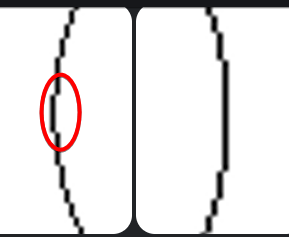
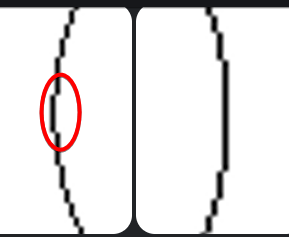
the asymmetry is continued thru the entire maze
 dusk plume
the only think i can think of
is maybe a rounding error
that shifts it by one pixel
cloud bloom
on which lines are you doing the math and the drawing
fathom quarry

 fathom quarry
cloud bloom
on which lines are you doing the math and the drawing
fathom quarry
cloud bloom
on which lines are you doing the math and the drawing
its in draw_maze im pretty sure, im 99% sure the DFS is fine
lemmie see
maybe its in draw_circular_pattern
no cause..
uh
hm
cloud bloom
i see something, maybe, idk, i dont really have the energy to dissect this top to bottom to figure out if this means anything but it does look off to me
fathom quarry
ok
cloud bloom
circle(radius, arcAngle, steps)
this is in draw_maze and draw_circular_pattern, but steps is calculated differently in both
fathom quarry
(also i got this one script using 55GB of ram lol)
cloud bloom
i would imagine steps has something to do with the precision when it comes to the circle
fathom quarry
cloud bloom
```py
circle(radius, arcAngle, steps)
```
this is in draw_maze a...
thats likely me tinkering with it, ill try it tho
these 3 areas? or just 2

 cloud bloom
maybe, that is what i was looking at but i also dont understand the signifiance of circle in those contexts
fathom quarry
(also dont judge for light mode)
cloud bloom
i am judging
fathom quarry

cloud bloom
lol
fathom quarry
i used copilot to generate some of this, i dont know what circle does either lmao
hmmmmmmm
still some asymmetry, but on first test its less
running again
this is
so weird
its um
how do i describe
cloud bloom
this is why i dont use stuff like copilot lol
fathom quarry
left circle 16
top circle 16
right circle 12
bottom circle 12
uh
so

see the pixelated inside
the top bit

that inside face is 16 pixels
same with left

right and bottom are 12

 hybrid topaz
What happen if you draw a full circle ?
 hybrid topaz
Yep
fathom quarry
uh lemmie see
oh wait thats not an issue, it continues thru the entire maze, and the start isnt always in the same palce too
so the assymetry would be all over the palce
and its not (seen over testing)
cloud bloom
i wonder if its in the circle method tbh. sin and cos are almost certainly used in it and those are gonna give floats and irrationals that a computer cant represent, so maybe in the process of turning it just loses accuracy
fathom quarry
smaller scale?
asym still there at smallest scale
still at the same offset values too
 jolly yacht
fathom quarry
i used copilot to generate some of this, i dont know what circle does either lma...
jolly yacht
fathom quarry
i used copilot to generate some of this, i dont know what circle does either lma...
The problem with using CoPilot to generate stuff you don't understand is that you don't understand it - so when it breaks you don't know how to fix it.
fathom quarry
so real
jolly yacht
Also it's not guaranteed to work in the first place.
cloud bloom
if you had a radius of 180π then you would in theory draw 1 pixel, turn 1 degree, draw 1 pixel, turn 1 degree, repeat.
sin(1) = 0.01745240643 which looks super prone to inaccuracy, and so any other trig function with the same degree would be too.
all other possible radii could be described as 180π * n and so the degrees you would turn per pixel would also just be some transformation of the same inaccurate number
so i dont even know if using math to generate a pixel perfect circle is realistic, i think you have to do it an algorithmic way that uses more representable numbers
hybrid topaz
Don't you just need to add more steps ?
The higher step you have the more smooth the circle will be
fathom quarry
🤔
cloud bloom
if the problem is the steps, then yes. but if the problem is the method not being able to generate a proper circle regardless of the number of steps, then i dont think so
hybrid topaz
Nah, Circle can do perfect draw. Sadly the lower the steps are the less smooth / symetrical it gets
fathom quarry
hybrid topaz
Don't you just need to add more steps ?
The higher step you have the more smooth...
i doubled the steps and same exact results
12 & 16
hybrid topaz
I'm installing your code 🥲
fathom quarry
ok ok warning tho
if you run it at anything higher than 15 levels, RAM usage spikes
i had it using 55GB
and 8% CPU on my ryzen 9 5900x
so
tread carefully
jeez thanks for all the help guys this is so confusing
this is the kind of stuff that keeps me up at night 💀
hybrid topaz
Oh, I need to install Ghostscript didn't I
fathom quarry
^
yeah
hybrid topaz

fathom quarry
im sorry for your loss
hybrid topaz
Do it needs a PC restart ?
fathom quarry
shouldnt
u need to edit env vars too

or just send me the generated file and ill convert it
hybrid topaz
what file ?
fathom quarry
aw
it not letting me send .zip
ok so uh
run the installer
then uh
do to program files -> gs -> gs10.02.1 -> bin
rename gswin64c to gs
dusk plume
you don't have to restart for PATH changes
you only have to restart your terminal
atleast on windows
fathom quarry
ahhhhh
hybrid topaz
dusk plume
you don't have to restart for PATH changes
Well, RIP
I understood my mistake, I know why it doesn't work, And I will not explain what I did wrong
fathom quarry
🤨
hybrid topaz
My gs version isn't recognize for some reason
hybrid topaz
Yes
Ok, finnaly works xD
Got the same problem than you, will try to work something on that
hybrid topaz
fathom quarry
🤨
Install the thing in 32x instead of 64x
hybrid topaz
Still there ? 🙂
fathom quarry
yes
hybrid topaz
I did some testing, I think the problem isn't your code but the conversion from eps to png
fathom quarry
?!?!?
hybrid topaz
I converted it in an svg file, and it was perfect
Might be a small problem in the conversion somewhere, but have no clue how to correct it
fathom quarry

i probably actually look like this atp
also
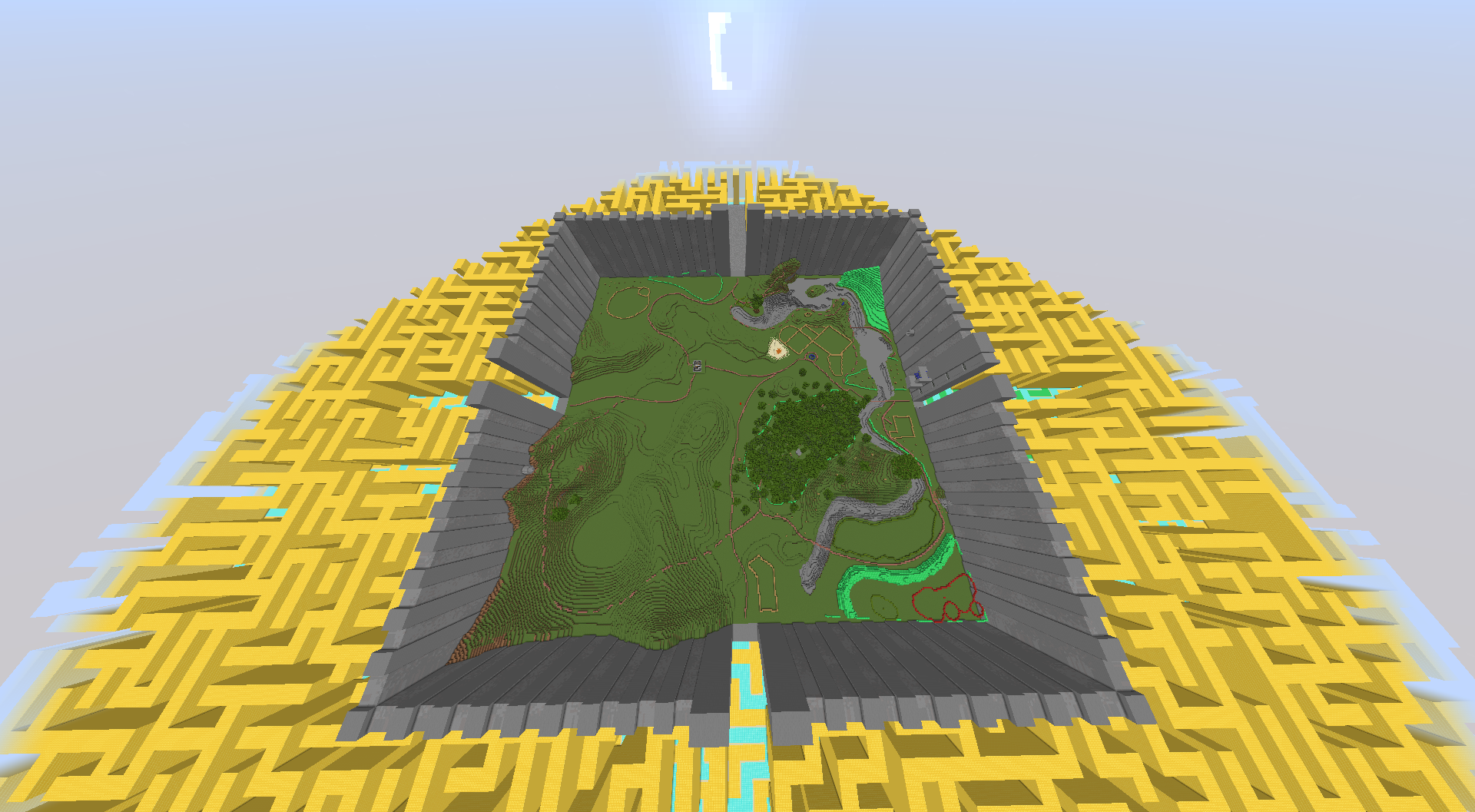
do u wanna see what this is all for?
hybrid topaz
Yeah, why not
 hybrid topaz
Oh they did a book ? 😄
fathom quarry
it was a book first lol
hybrid topaz
Yeah, read it first, then watch the movie 😉
fathom quarry
okok
so
this is that
and uh
its huge
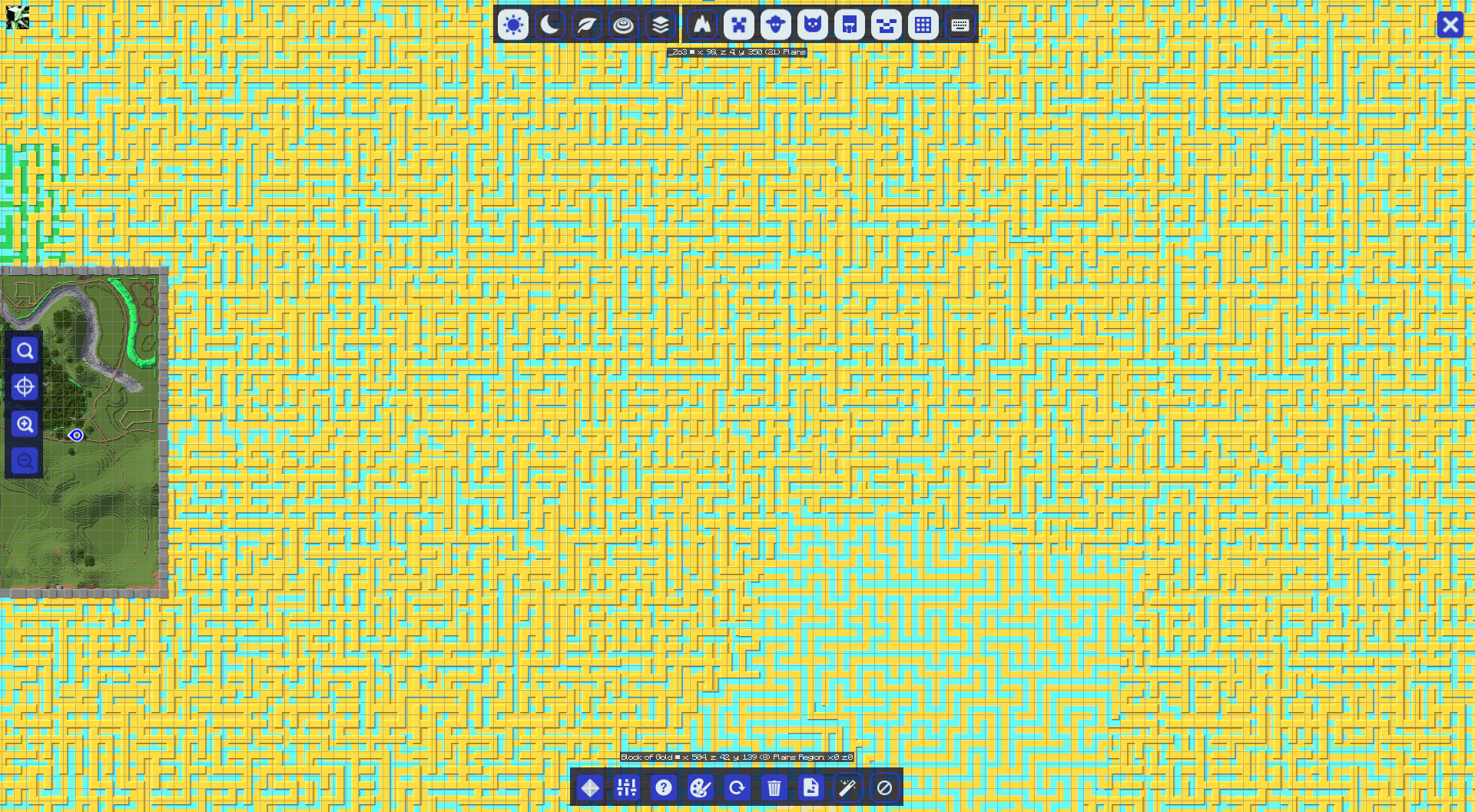
11.4k blocks in diameter to be exact
the largest maze runner project minecraft has ever seen
 hybrid topaz
Is that minecraft ?
fathom quarry
yeah
literally bigger than sacrimento california
the square maze has been finished
its fine
but the circle maze
hybrid topaz
damn ^^
fathom quarry
 hybrid topaz
That's explain why the pixel of annoyes you tho
fathom quarry
hybrid topaz
I converted it in an svg file, and it was perfect
Might be a small problem in th...
anyway how did u do it
hybrid topaz
with this lib svgwrite
Good luck, cannot continue today
Need to sleep (almost 6 am)
fathom quarry
JEEZ
ok
yeah
u sleep
tysm
when u can, do u think i can send over the source?
again thank you soo much for your help
crude yarrowBOT
 Python help channel closed
This help channel has been closed and it's no longer possible to send messages here. If your question wasn't answered, feel free to create a new post in #1035199133436354600. To maximize your chances of getting a response, check out this guide on asking good questions.