 spark blaze

#code-help-voice-text
5 messages · Page 4 of 1


 keen onyxBOT
Hey @sand kite!
It looks like you tried to attach file type(s) that we do not allow (). We currently allow the following file types: .gif, .jpg, .jpeg, .mov, .mp4, .mpg, .png, .mp3, .wav, .ogg, .webm, .webp, .flac, .m4a.
Feel free to ask in #community-meta if you think this is a mistake.
 sand kite


 clear fern
hello?
 worthy kayak
hi
 neat vault
hello, i need help with a simple pythone turtle exercise. i need to make a star, any help?
keen onyxBOT
Here's how to format Python code on Discord:
```py
print('Hello world!')
```
These are backticks, not quotes. Check this out if you can't find the backtick key.
 deft heron
import turtle

t=turtle.Turtle()
for i in range(5):
  t.begin_fill()
  t.forward(75)
  t.right(144)
t.end_fill()
 silk timber
@meager cloud maybe post your question here and post your actual code, not a screenshot.
 clear agate

 frank hollow
import matplotlib
import matplotlib.pyplot as plt
import matplotlib.animation as animation

def animate(i):
    plt.setp(plt.plot([i for i in range(40)][:i], [i**2 for i in range(40)][:i]), color='r')

Writer = animation.writers['html']
writer = Writer(fps=3, metadata=dict(artist='Me'), bitrate=1800)

fig = plt.figure()
ani = matplotlib.animation.FuncAnimation(fig, animate, frames=40, repeat=True)

ani.save('test.html', writer=writer)
[i for i in range(40)] -> x
[i**2 for i in range(40)] -> y
40 -> len(x)
!docs max
keen onyxBOT
max(iterable, *[, key, default])``````py

max(arg1, arg2, *args[, key])```
Return the largest item in an iterable or the largest of two or more arguments.

If one positional argument is provided, it should be an [iterable](https://docs.python.org/3.10/glossary.html#term-iterable). The largest item in the iterable is returned. If two or more positional arguments are provided, the largest of the positional arguments is returned.

There are two optional keyword-only arguments. The *key* argument specifies a one-argument ordering function like that used for [`list.sort()`](https://docs.python.org/3.10/library/stdtypes.html#list.sort "list.sort"). The *default* argument specifies an object to return if the provided iterable is empty. If the iterable is empty and *default* is not provided, a [`ValueError`](https://docs.python.org/3.10/library/exceptions.html#ValueError "ValueError") is raised.!e print(max(1,2,5))
keen onyxBOT
@frank hollow :white_check_mark: Your eval job has completed with return code 0.
5
!e print(max(1,8,5))
keen onyxBOT
@frank hollow :white_check_mark: Your eval job has completed with return code 0.
8
!e print(max([1,8,5]))
keen onyxBOT
@frank hollow :white_check_mark: Your eval job has completed with return code 0.
8
 turbid python
 frank hollow
 turbid python
 frank hollow
import matplotlib
import matplotlib.pyplot as plt
import matplotlib.animation as animation

x = [i for i in range(40)]
y = [i**2 for i in range(40)]

def animate(i):
    plt.plot(x[:i], y[:i], color='r')

fig = plt.figure()
ani = matplotlib.animation.FuncAnimation(fig, animate, frames=len(x), repeat=True)

plt.xlim(min(x), max(x))
plt.ylim(min(y), max(y))

plt.show()

 little badger
@long robinhttps://pandas.pydata.org/docs/reference/api/pandas.Series.mean.html
my_mean = df['column'].mean(numeric_only=True)
 long robin
@little badger I got "NotImplementedError: Series.mean does not implement numeric_only." but ended up working around it. Thanks for the help
little badger
long robin
<@!568276116062863405> I got "`NotImplementedError: Series.mean does not impleme...
https://github.com/pandas-dev/pandas/issues/10480 interesting, i found this issue
i'll have to try it for myself and see
GitHub
In [1]: import pandas as pd In [2]: pd.Series([1,2,3]).sum(numeric_only=False) Out[2]: 6 In [3]: pd.Series([1,2,3]).sum(numeric_only=True) ----------------------------------------------------------...
long robin
little badger
https://github.com/pandas-dev/pandas/issues/10480 interesting, i found this issu...
Well, maybe it's my wrong understanding of the data
little badger
no it sounds like.. a mistake in the documentation. i'll try it out tmrw :) what was your workaround?
 sly merlin
@clear agate need help with something?
clear agate
sly merlin
<@!617377389974126631> need help with something?
i am facing problems with django channels
 serene siren
could someone help me in voice?

 tender hill
reader= easyorce.Reader(['en'], False)
 echo urchin
reader = easyocr.Reader(['ch_tra', 'en'])
reader = easyocr.Reader(['en'], [False])
TypeError: 'list' object is not callable
tender hill
tender hill
`reader= easyorce.Reader(['en'], False)`
did you try this
echo urchin
RuntimeError: CUDA out of memory. Tried to allocate 538.00 MiB (GPU 0; 2.95 GiB total capacity; 658.60 MiB already allocated; 517.00 MiB free; 668.00 MiB reserved in total by PyTorch)
tender hill
what regex you want help for?
 main solar
from inspect import isfunction as lame,ismodule as armature
to get {'os': {'lisdir': 'main'}, 'inspect': {'isfunction': 'lame'}}
def refrence_finder(view):
    tet={}
    inherit={}
    nested=[]
    regex=r'from\s([\w*.\w*]*|\w*)\simport\s([\w*,\w*]*)\sas\s(\w*)'


    lll=r'([\w*.\w*]*|\w*)\simport\s([\w*,\w*]*)\sas\s(\w*)'
    a=re.compile(lll)
    for x in [view.substr(y) for y in  view.find_all(regex)]:
        attr=re.search(a,x)
        tet[attr.group(1)] = {attr.group(2):attr.group(3)}
    print(tet)
    return tet
this code parse the relative import for a single item
wait
lemme join via phone
no
tender hill
import _ast
import ast

class Analyzer(ast.NodeVisitor):
    def __init__(self):
        self.stats = {"modules": []}

    def visit_Import(self, node: ast.Import) -> None:
        for alias in node.names:
            self.stats["modules"].append((alias.asname if alias.asname else alias.name))
        self.generic_visit(node)

    def visit_ImportFrom(self, node: ast.ImportFrom) -> None:
        for alias in node.names:
            self.stats["modules"].append((alias.asname if alias.asname else alias.name))
        self.generic_visit(node)

    def report(self):
        return self.stats
try:
            tree = ast.parse(text)
        except Exception as _:
            pass
        else:
            analyzer = Analyzer()
            analyzer.visit(tree)
            code_data = analyzer.report()
{'modules': ['lame']}
{'modules': ['lame', 'armature']}
'from inspect import isfunction as lame,ismodule as armature'
{"inspect":{"isfunction":"lame","ismodule":"armature"}}
tender hill
import _ast
import ast

class Analyzer(ast.NodeVisitor):
    def __init__(self):
        self.stats = {"modules": {}}

    def visit_Import(self, node: ast.Import) -> None:
        for alias in node.names:
            self.stats["modules"].append((alias.asname if alias.asname else alias.name))
        self.generic_visit(node)

    def visit_ImportFrom(self, node: ast.ImportFrom) -> None:
        for alias in node.names:
            self.stats[node.module][alias.name] = alias.asname
        self.generic_visit(node)

    def report(self):
        return self.stats

try:
    tree = ast.parse("from inspect import isfunction as lame,ismodule as armature")
except Exception as _:
    pass
else:
    analyzer = Analyzer()
    analyzer.visit(tree)
    code_data = analyzer.report()
    print(code_data)
'inspect'
tender hill

import _ast
import ast

class Analyzer(ast.NodeVisitor):
    def __init__(self):
        self.stats = {"modules": []}

    def visit_Import(self, node: ast.Import) -> None:
        for alias in node.names:
            self.stats["modules"].append((alias.asname if alias.asname else alias.name))
        self.generic_visit(node)

    def visit_ImportFrom(self, node: ast.ImportFrom) -> None:
        for alias in node.names:
            if not self.stats.get(node.module):
              self.stats[node.module] = dict()
            self.stats[node.module][alias.name] = alias.asname
        self.generic_visit(node)

    def report(self):
        return self.stats

try:
    tree = ast.parse("from inspect import isfunction as lame,ismodule as armature")
except Exception as _:
    pass
else:
    analyzer = Analyzer()
    analyzer.visit(tree)
    code_data = analyzer.report()
    print(code_data)
print(ast.dump(ast.parse('from inspect import isfunction as lame,ismodule as armature')))
{'modules': [], 'inspect': {'isfunction': 'lame', 'ismodule': 'armature'}}
def functions_in_module( module_name):
    _mem = [
        x[0]
        for x in getmembers(importlib.import_module(module_name))
        if 'function' in type(x[1]).__name__
    ]
    return _mem
def trailing_func_calls_functions( cur_class_OR_module:str, core_module: str) -> list:
    regex=r"\w+"
    if sys.platform == "win32":
        cmd=["python", "-c" ,'import {},inspect; print([x[0] for x in inspect.getmembers(eval("{}")) if "function" in type(x[1]).__name__])'.format(core_module,cur_class_OR_module)]
    else:
        cmd=["python3", "-c" ,'import {},inspect; print([x[0] for x in inspect.getmembers(eval("{}")) if "function" in type(x[1]).__name__])'.format(core_module,cur_class_OR_module)]

    if cur_class_OR_module != '': # reason being for instance we are writing a call that has no `cur_class_OR_module`
                                  # for that also it would `like print` go and get the results by running `shell_cmd`.
        if core_module in [x for x in sys.modules]:
            try:
                # print('eeentered',cur_class_OR_module,core_module)
                __import__(core_module)
                main_command=[x[0] for x in getmembers(eval('{}'.format(cur_class_OR_module))) if 'function' in type(x[1]).__name__]
                # print(main_command)
                return main_command
            except Exception as e:
                # to make the relative import and underlying functional calls)
                return [x[0] for x in getmembers(__import__(core_module)) if 'function' in type(x[1]).__name__]
                pass

        else:
            if sys.version[0:5] == '3.3.6':
                main_results=subprocess.check_output(
                    cmd,universal_newlines=True)

                attribute=re.findall(re.compile(regex),main_results)
                return attribute

            else:
                main_results=subprocess.run(
                                cmd,capture_output=True
                                ).stdout.decode('utf-8')
                attribute=re.findall(re.compile(regex),main_results)
                return attribute


 stable marsh
GitHub
Kriltars Humble Assistant. Contribute to SamimiesGames/KriltarBot development by creating an account on GitHub.
main solar
anyone here know py?
 low minnow
Traceback (most recent call last):
File "C:/Users/farsc/AppData/Local/Programs/Python/Python310/AI.py", line 5, in <module>
driver = MicrosoftWebdriver.exe()
NameError: name 'MicrosoftWebdriver' is not defined
 faint hinge
!stream 682835573714845728
keen onyxBOT
✅ @main solar can now stream until <t:1633712094:f>.
faint hinge

 modern dust
def resource_path(relative_path):
    """ Get absolute path to resource, works for dev and for PyInstaller """
    try:
        # PyInstaller creates a temp folder and stores path in _MEIPASS
        base_path = sys._MEIPASS
    except Exception:
        base_path = os.path.abspath(".")
    return os.path.join(base_path, relative_path)
resource_path('Data/turn indicator.png')
modern dust
--windowed
 muted sandal
@faint hinge
I have some doubt about smart Home
What type of hardware should I buy
I am trying to automate a fan and a light an AC
I hope that I get my response soon Ig
I am going to sleep
But by Tommorow I should see an response
modern dust

GitHub
env: MacOS Big Sur 11.3(20E232) Python 3.9.2 pyinstaller 4.3 tkinter 8.6 I write a simply python application to test tkinter and pyinstaller. I can run the python code (python main.py) on my MacOS....
pip3 install -U py2app
main solar
@modern dust i guess u are disturbing ur kids 😆
modern dust
@main solar Always
 granite hawk
Hi
modern dust
Learn Python Language - py2app
 vapid panther
If you guys have any experience working with sockets and ngrok, I have an interesting problem I have not been able to solve combining django with sockets for networking between server and raspberrypi. Full question: https://stackoverflow.com/questions/69503197/ngrok-with-python-and-raspberry-pi
Or Join
code-help-voice-0

Stack Overflow
I am sorry to return with more ngrok/django issues, but this seems super inconsistent. I am trying to send a string from my django site hosted on heroku to a forwarded socket on my raspberry pi. Te...
muted sandal

 dire bluff
class bot:
    #informations

            browser.get('https://godaddy.com/')
#finding the search bar
            Search = browser.find_element_by_xpath ('//*[@id="id-76d4a4b5-9ed0-44a7-9060-e3bf820741be"]/div[2]/span[1]/input')
            #using keys
            Search.send_keys("test")
            time.sleep(1)
            Search.send_keys(Keys.RETURN)
            time.sleep(1)
#error is search.send
Search.send_keys(Keys.DOWN)```@muted sandal
if choice == '3':
  Print("hello world")

 trim loom
If choice == “1”:
dire bluff
If
trim loom
Print(“absolutely mental bruv”)
vapid panther
trim loom
Print(“absolutely mental bruv”)
print("get a new mic")
muted sandal
 dire bluff
@mikewill2
muted sandal
 dire bluff

BrowserStack
Action Class in Selenium is used to perform user interactions on a website. Learn how to execute mouse hover, click and other mouse actions in Selenium with examples.
 keen onyxBOT

Bot's GitHub Repository
Repository
 hallow yacht
maybe \\ or /
 finite grove
hallow yacht
maybe \\\\ or /
finite grove
hallow yacht
maybe \\\\ or /
/ works :;D
finite grove
python manage.py runserver
muted sandal
Are u coding a game
 near gust
kinda
 sly merlin
In computer programming, an enumerated type is a data type consisting of a set of named values called elements, members, enumeral, or enumerators of the type. The enumerator names are usually identifiers that behave as constants in the language.
@finite grove btw shouldn't we be using is for comparison?
for an enum
 ionic tulip
Can someone hop in a channel and help me understand something?
 viscid fog
Excuse me, why can't I import Discord?
 balmy sundial
do people really voice chat here
 unkempt delta
Not in #code-help-voice-text not really, but in a few hours you'll see some activity in #voice-chat-text-0
finite grove
xcode-select --install
sudo xcodebuild -license
python -m pip install --upgrade Pillow
 tepid ivy
 tepid ivy
tepid ivy
tepid ivy
Seems something is wrong?
The only options are the icons at the button
Any one has an idea?
main solar
i need help
 pulsar basin
main solar
i need help
pulsar basin
main solar
i need help
with what?
if it's some basic python stuff I can help
if it's django, I can't really do anything
pulsar basin
main solar
i need help
don't ask to ask, just ask lmao
pulsar basin
is it just some basic python stuff?
main solar
Traceback (most recent call last):
  File "C:\Python\lib\site-packages\discord\client.py", line 333, in _run_event
    await coro(*args, **kwargs)
  File "C:\Users\mrshe\Documents\ZeroX The Flow\run.py", line 16, in on_ready
    async with aiofiles.open("ticket_configs.txt", mode="a") as temp:
NameError: name 'aiofiles' is not defined```i cant speak
idle
IDLE 3.9
yeah
i didnt have it installed i just used what i had
easier to access
okay
sure
do i have tio setup through cmd prompt
pulsar basin

PyCharm Help
pulsar basin

JetBrains
Download the latest version of PyCharm for Windows, macOS or Linux.
main solar
got it
educational?
i don't have one
i just did thx
yeah because IDLE is like notepad
thats why i found it easy
not long
music code
yeah
and like embed
yesha
this my first
ik some basics
like how to start up the bot and music code
thats what i was trying to go for
music
like hold on
can i dm
yeah okay
im just trying to make a ticket system and its giving me problems with the aiofiels
aiofiles
its still going
its soooo close

@pulsar basin
could you repeat that
oaky
automatically selects
well it just says python.exe
pulsar basin
 main solar

just click next?
i cant
i have no perms
how do i get those
alright i dm'd them


in the bottom box?
like paste all my code
i did that
  File "C:\Users\mrshe\PycharmProjects\pythonProject\main.py", line 1, in <module>
    import discord
ModuleNotFoundError: No module named 'discord'```what the hell
i have pip i think
i cant type in there
got it
pulsar basin
pip install discord
 amber epoch
!ytdl
keen onyxBOT
Per Python Discord's Rule 5, we are unable to assist with questions related to youtube-dl, pytube, or other YouTube video downloaders, as their usage violates YouTube's Terms of Service.
For reference, this usage is covered by the following clauses in YouTube's TOS, as of 2021-03-17:
The following restrictions apply to your use of the Service. You are not allowed to:

1. access, reproduce, download, distribute, transmit, broadcast, display, sell, license, alter, modify or otherwise use any part of the Service or any Content except: (a) as specifically permitted by the Service;  (b) with prior written permission from YouTube and, if applicable, the respective rights holders; or (c) as permitted by applicable law;

3. access the Service using any automated means (such as robots, botnets or scrapers) except: (a) in the case of public search engines, in accordance with YouTube’s robots.txt file; (b) with YouTube’s prior written permission; or (c) as permitted by applicable law;

9. use the Service to view or listen to Content other than for personal, non-commercial use (for example, you may not publicly screen videos or stream music from the Service)
alright
got it
oh shit

i gotta move my whole documents
i just gotta move it
um??
yeah
i cant find the pycharmprojects folder
found it
i jsut had to copy and paste
sorry whatd you say my mom came in
thats fun
another error
keen onyxBOT
Missing required argument
package
 Command Help
!pypi <package>
Can also use: pack, package
Provide information about a specific package from PyPI.
main solar
lemme call you through dms
amber epoch
!code
keen onyxBOT
Here's how to format Python code on Discord:
```py
print('Hello world!')
```
These are backticks, not quotes. Check this out if you can't find the backtick key.
amber epoch
!paste
keen onyxBOT
Pasting large amounts of code
If your code is too long to fit in a codeblock in discord, you can paste your code here:
https://paste.pythondiscord.com/
After pasting your code, save it by clicking the floppy disk icon in the top right, or by typing ctrl + S. After doing that, the URL should change. Copy the URL and post it here so others can see it.
tepid ivy
#python 2.7.15
print ('creat account' )
print('creat a username' )
username=input ('')
print ('creat a password' )
password =input ('')
print ('********×**×*********' )
print ('now login your account')
print ('input your username')
un=input('')
while username!=un:
print ('invalid user name, please try again' )
un=input('')
print ("now enter your password ")
pw=input ("")
while password!=pw:
print('wrong password!, try again')
pw=input ("")
print("""login successful,
now select what
you want to buy""")
print("")
print("")
print ("items available")
i =('bread', 'drink', 'cake' )
print ('1',i[0], ',$10')
print ('2',i[1],',$450')
print ('3',i[2],',$23')
print ("reply with 1,2 or 3")
buy=input("")
if buy == "1":
print ('enter your password to confirm your pay of $10')
bpass=input("")
while bpass != pw :
print ('invalid password, try again' )
bpass=input ("")
if buy =="2":
print ('enter your password to confirm your pay of $450')
bpass=input("")
while bpass!= pw:
print('wrong password, try again' )
bpass =input("")
if buy =="3":
print ("enter your password to confirm your pay of $23")
bpass=input("")
while bpass!= pw:
print("wrong password, please try again")
bpass=input("")
print (" purchase successful ")
print ('GIVE ME A STAR 🌟 ')``` patent wind
amber epoch
!ytdl
patent wind
amber epoch
!ytdl
i cannot join voice yet please if you can DM me
 desert meteor

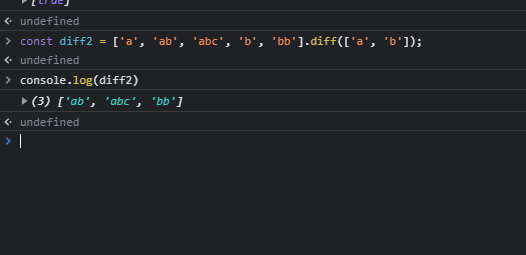
 fading phoenix
const EmptyIterable = Object.freeze(Object.defineProperty({}, Symbol.iterator, {
  * value () { if (false) yield undefined; }
}));
for (const v of EmptyIterable) { console.log('It was not empty?'); }

const Test = class {
  constructor (value) {
    this.value = value;
  }
  * [Symbol.iterator] () {
    yield* this.value;
    //for (const value of this.value) {
    //  yield value;
    //}
  }
}

let obj = {
  * [Symbol.iterator] () {
    for (let i = 1; i < 101; ++i) {
      if (i < 3 || i > 98) {
        yield i;
      } else {
        yield 'Skip a few';
        i = 98;
      }
    }
  }
};
for (const value of obj) {
  console.log(value);
}
bbl
main solar
hmmm
pulsar basin
@finite grove would you happen to have the time to help me with something, specifically an image not loading on an html page, after I used <img> tag?
finite grove
could you share me the code your using and ill take a look tomorrow
pulsar basin
okay
finite grove
or maybe a github link or somerhing that i can take a look at or reproduce at worse
pulsar basin
is there a way I can directly create a repository from pycharm onto github?
finite grove
and ill help you out later 😄
pulsar basin
I want to use heroku to host my currently locally hosted website
finite grove
yes, you can do it right from pycharm
pulsar basin
yeah since I heard professional has that feature
so why not, try it out?
are there resources online on how to do that?
finite grove
yes, or our #editors-ides can help you as well
its very built into pycharm
init the git repo, push it to github
all within pycharm
pulsar basin
ah okay
that's very useful
is that a pycharm community feature too or just for professional?
since I don't see the differences between prof and CE lmao
finite grove
the difference is in the build in webstorm editgor in pro
and a few database features
and stuff like that
for python they are equal
pulsar basin
ah okay
finite grove
that means, if you only write python code, there are no benefit from pro
i use pro due to the lisencing since i use it at my professional work
pulsar basin
the webstorm pro allows you to see the result of a html or webpage without having to run it in a browser right?
pulsar basin
finite grove
i use pro due to the lisencing since i use it at my professional work
ah okay
finite grove
pulsar basin
the webstorm pro allows you to see the result of a html or webpage without havin...
i have never used community, so im not sure what small parts im missing. i only know one thing that affects me compared to you
 oblique badger
How can I ask a question?
finite grove
that is intellisense for jinja templates in django projects
finite grove
oblique badger
How can I ask a question?
pulsar basin
and I find it nicer when I test a web scraper or when I'm learning web crawlers
since I can test html pages from inside pycharm
without having to run anything in the browser
finite grove
well, then you are all set 😄
finite grove
pulsar basin
<@!172395097705414656> have fun with ff14 !
thanks.. my bunny girl quest is for sure the more important thing to get done 😄
im having a bad evening @pulsar basin so im relaxing with FF instead of working 😄
pulsar basin
finite grove
im having a bad evening <@!867430190888386581> so im relaxing with FF instead of...
ah man that happens sometimes 😦
hope you feel better with whatever went bad for you this evening
pulsar basin
finite grove
im having a bad evening <@!867430190888386581> so im relaxing with FF instead of...
always important to take time off and just relax with some good old video games sometimes 🙂
pulsar basin
finite grove
thanks.. my bunny girl quest is for sure the more important thing to get done 😄
it really is honestly, don't work if you don't feel like it
finite grove
pulsar basin
it really is honestly, don't work if you don't feel like it
thank you 😄 I appreciate you for saying this 😄
pulsar basin
np, enjoy yourself, and be sure to relax once in a while and take things easy.
finite grove
i do 😄 thanks
amber epoch
hyperlinks are a html thing, less a Python thing.

 fossil tundra
hiu
 thick minnow
is this an actual voice help channel
 viscid bone
Hello
 signal wedge
from random import randint
chances = 3
computer_guess = (randint(1,6))
while chances >= 0:
user_input = int(input("you have 3 chances of getting the computer generated number (from 1-6): "))
if user_input == computer_guess:
print("Well done you guessed it in the first try.")
print(chances)
elif user_input > computer_guess:
print("Your input was bigger than the computer generated number, Try again.")
chances -= 1
print(chances)
else:
print("Your input was smaller than the computer generated number, Try again.")
chances -= 1
print(chances)
 tropic basin

 tulip herald
I want to host my discord bot online but all the services are paid , does anyone here knows about any free services where I can host my bot for free??
I tried replit but it shuts down after 1 hr
from flask import Flask
from threading import Thread
app = Flask('')
@app.route('/')
def home():
return 'Hello. I am alive!!'
def run():
app.run(host='0.0.0.0', port=8080)
def keep_alive():
t = Thread(target=run)
t.start()
I am using this code but it is also not working
tepid ivy
tulip herald
from flask import Flask
from threading import Thread
app = Flask('')
@app.rout...
If services are paid then why not take of some money and host a bot?
I don't think hosting a bot should cost you more than 10$ a month
tulip herald
yeah , so will you pay me 10$ a month?
viscid fog
why give this error

 spark root
what would be that thing
tho?
i not sure if this make sense for me but
looks like your having an error
of exception
within the famous python error
 pseudo bane
Input: Social security Account
Explanation: If Account is present beside security in the input then remove account from input text
Output : social security
Help plz
little badger
pseudo bane
Input: Social security Account
Explanation: If Account is present beside secur...
ok nvm i see you have a help channel
little badger
pseudo bane
Input: Social security Account
Explanation: If Account is present beside secur...
sorry i am busy at the moment, and still think you need to present more information for anyone to be able to help you. show what data you have, what code you have, and what result you're trying to get.
 acoustic kelp
Guys, can you tell me something cool to put in my bot? 🥺
I'm working on it from some months.. because i don't work on it every day, but i don't know..
I thinks it is not so cool, i'm quite sure it would be not so good
I'm italian, i'm not good at english, but i try anyways 😂
main solar
tulip herald
I want to host my discord bot online but all the services are paid , does anyone...
this should help https://youtu.be/SPTfmiYiuok

Learn how to code a Discord bot using Python and host it for free in the cloud using Repl.it.
🚨Note: At 16:43, Replit now has a new method for environment variables. Check the docs: https://docs.replit.com/programming-ide/storing-sensitive-information-environment-variables
Along the way, you will learn to use Repl.it's built-in database and cr...
main solar
acoustic kelp
Guys, can you tell me something cool to put in my bot? 🥺
I'm working on it fro...
economy system
 tardy silo
main solar
this should help https://youtu.be/SPTfmiYiuok
tardy silo
main solar
this should help https://youtu.be/SPTfmiYiuok
he does it on replit in a different way then most tutorials. he might get stuck and not be able to make big changes with what he has to work with here.
+his way is kind of inefficient
acoustic kelp
Sorry i'm responding only now
Well, my bot can do anything, hasn't a precise scope.
Thank you dude
 thin notch
 main solar
loc means line of code
scale is a number used as a multiplier to represent a number on a different scale
 upper wave
            if intrade:
                if intradesymbol == symbol:
                    if close >= target:
                        print('')
                        print(symbol)
                        print('target reached')
                        print(f'sell for {close}')
                        print(datetime.datetime.now())
                        print(f'target: {target}')
                        print(f'stoploss: {stoploss}')
                        print('')
                        intrade = False

                    if close <= stoploss:
                        print('')
                        print(symbol)
                        print('hit stoploss')
                        print(f'sell for {close}')
                        print(datetime.datetime.now())
                        print(f'target: {target}')
                        print(f'stoploss: {stoploss}')
                        print('')
                        intrade = False
            if not intrade:
                if ema4 < ema3 and ema3 < ema2 and ema2 < ema1:
                    if closelast > ema1last and openlast < ema1last:
                        if ema1 < open and ema1 < open:
                            # macds less than macd
                            if macds < macd:
                                # macdlast less than macdslast
                                if macdLast < macdsLast:
                                    print('')
                                    print(symbol)
                                    print(f'buy for {close}')
                                    print(datetime.datetime.now())
                                    intradesymbol = symbol
                                    buyprice = close
                                    hi = np.sum(0.003*buyprice)
                                    lo = np.sum(0.002*buyprice)
                                    target = np.sum(hi+buyprice)
                                    stoploss = np.sum(buyprice-lo)
                                    print(f'target: {target}')
                                    print(f'stoploss: {stoploss}')
                                    print('')
                                    intrade = True
ANTUSDT
buy for 5.032
2021-10-17 14:35:27.890360
target: 5.047096
stoploss: 5.021936


NMRUSDT
buy for 43.5
2021-10-17 14:35:45.408642
target: 43.6305
stoploss: 43.413
 dark copper
def fx(): print('b')

print('a')
fx()
print('c')

# abc

 minor isle
ooops i was writing in the wrong thing
plz help
i have math thingy with prime numbers i want to test
aaaaa
keen onyxBOT
✅ @quick latch can now stream until <t:1634591943:f>.
keen onyxBOT
✅ @quick latch can now stream until <t:1634592899:f>.
 steep rock
hello i need help please
 loud ether
steep rock
hello i need help please
loud ether
steep rock
hello i need help please
with what? I dont know much but i can prob help you
steep rock
nvm i can't use voice yet, thanks tho
loud ether
I could use voice but I can also help you without talking. And I couldn't talk because I am in class rn 🤣 👌 😅
steep rock
i have put my problem in #help-bagel
dark copper
dou-ble-u-S-L
 tidal seal

 crystal bison
what cant i get voice verifiedL?
 slim torrent
Why dont this work?\
Firstname = "zoro"
lastname = "zoro"
print(my chacters name is Firstname + lastname)
?
 tropic dagger
hey is anyone available to help quick?
spark root
@pulsar basin
why wont you use docker?
in some digital ocean
yea is like a linux
just try to learn docker
it's like
XAMP
but better
😄
pulsar basin
@spark root alright, thank you for the suggestion(s)!
viscid fog
'Client' object has no attribute 'command'```why give me this erorr
<@&267628507062992896>
 tiny delta
viscid fog
<@&267628507062992896>
tiny delta
viscid fog
<@&267628507062992896>
Hi, please don’t ping admins unless something is wrong with the server. For python help, check out #❓|how-to-get-help
spark root
pulsar basin
<@!892086105334239272> alright, thank you for the suggestion(s)!
no problem
 onyx loom
Hi can someone help me with coding loops?
 tawny vapor
onyx loom
Hi can someone help me with coding loops?
tawny vapor
onyx loom
Hi can someone help me with coding loops?
what's your problem
onyx loom
tawny vapor
what's your problem
Hi, I am trying to make 2 loops with index i and j using the Discrete Correlation function you start off with one point, X1, at time t1, in the X-timeseries and you first pair it up with Y1, measuring the time diff, tau_11 between them, series about and the Y1 point could have any time.
Next you pair X1 with Y2, etc.
When finished with X1 you move on to X2 and repeat the process, starting again at Y1. my data is from csv file i have 2 data sets with time series
 vagrant garnet
hey let me in
fading phoenix
F1 through F12 @faint hinge
OH! ... Minecraft: Java Edition without the F1 - F12 keys
@silk timber your camera is black
 tranquil anchor
hey, i want to install pyaudio on my mac book pro how do i do this?
 modest rampart
I need help
i have a set of integers
where I want to insert the first element in the first position the second in the last the third in the mid. The next ( 4th integer ) in the first half middle and the 5th integer in the second half middle and so on
any idea how I would go about it in python
 sweet glen
 light epoch
I'm looking to chat about discord.py and seek some help there if anyone is experienced
sly merlin
!venv
keen onyxBOT
Virtual Environments
Virtual environments are isolated Python environments, which make it easier to keep your system clean and manage dependencies. By default, when activated, only libraries and scripts installed in the virtual environment are accessible, preventing cross-project dependency conflicts, and allowing easy isolation of requirements.
To create a new virtual environment, you can use the standard library venv module: python3 -m venv .venv (replace python3 with python or py on Windows)
Then, to activate the new virtual environment:
Windows (PowerShell): .venv\Scripts\Activate.ps1
or (Command Prompt): .venv\Scripts\activate.bat
MacOS / Linux (Bash): source .venv/bin/activate
Packages can then be installed to the virtual environment using pip, as normal.
For more information, take a read of the documentation. If you run code through your editor, check its documentation on how to make it use your virtual environment. For example, see the VSCode or PyCharm docs.
Tools such as poetry and pipenv can manage the creation of virtual environments as well as project dependencies, making packaging and installing your project easier.
Note: When using Windows PowerShell, you may need to change the execution policy first. This is only required once:
Set-ExecutionPolicy -ExecutionPolicy RemoteSigned -Scope CurrentUser
echo urchin
sly merlin
@echo urchin https://www.youtube.com/watch?v=pfaSUYaSgRo

Learn the basics of Tailwind CSS by building a Discord-inspired navbar from scratch. Learn how to leverage utility classes to build responsive animated UI elements faster https://fireship.io/lessons/tailwind-tutorial/
#webdev #css #tutorial
🔗 Resources
Tailwind Docs https://tailwindcss.com/
Tailwind React Setup https://tailwindcss.com/docs/gu...
 sturdy bloom
could one of yall rate the code i wrote? it pretty much finds resultant force or the components of it with math module
erm
 quiet inlet
main solar
quiet inlet
main solar
does anyone know ai
can someone join vc and help me with tensorflow
i know what i want to do
i have the data
i dont know how to do it
pkls
pls
vc
 pulsar sparrow
 main solar
you variable name
dont use -
use _ or dont use it at all
change the name and it works
sly merlin
 soft sedge
ah gotcha
 fickle vale
I did figure out a little bit of what I may have to do here after talking it out irl
 rocky cairn
#video
 twin knot
FreeRDPServer , Get your free rdp windows no verifications free rdp windows 10
free rdp windows 7
free rdp windows trial
free rdp windows 2019
free rdp windows admin
free rdp windows 10 home
free rdp windows 2018
free rdp windows server 2012
free rdp windows xp
free rdp alternative windows
free rdp account vps windows
free rdp client windows xp
...
 tender hill
join vc here
 compact mason
can you help me with my code?
main solar
no
 lament brook
JOJOOOOOOOOOOOOOOOOOOOOOOOOOOOOOOOOOOOOOOOOOOOOOOOOOOOOOOOOOOOOOOOOOOOOOOOOOOOOOOOOOOOOOOOOOOOOOOOOOOOOOOOOOOOOOOOOOOOOOOOOOOOOOOOOOOOOOOOOOOOOOOOOOOOOOOOOOOOOOOOO
2wetrdhgjfhmv,jbmn,m.,.
 misty marten
If anyone is able to help me, I would really appreciate it. I'm in a beginner python class and really struggling. I am in the voice chat.
 next lava
ice what did you need help with?
 molten stirrup
 midnight meteor
@little imp please, play guitar for us 🙂
muted sandal
@modern forge
 modern forge
who summoned me?

 muted sandal
muted sandal
muted sandal
This is the error
muted sandal
muted sandal
This is where the error is occurred
modern forge
are you using tkinter in jyputer notebook
modern forge
instead of !pip instll tikiter.ttk import*
try
from tikinter.ttk import *
modern forge
!pip install tkinter
from tkinter.ttk import *
muted sandal
Ok
Let me send you the code viewing perms
https://colab.research.google.com/drive/1lKQXGe0RumwHad8XQYePbzs5QInKLuoH?usp=sharing
Pls check this code and find what is worng with this
This is he code
This is the code
Check this and find the error
Foxy is there anything to say
modern forge
mybad, my internet stopped working
modern forge
from the docs I found that google colab does not support these GUI modules like tkinter and turtle etc
muted sandal
What would it support
 muted sandal
muted sandal
muted sandal
I did this on replit
modern forge
add a space between import and *

 vital sinew
@worthy badger where pfp
 sudden sphinx
can anybody help me with my problem
 sage zenith
!compile
reverse("124")
raise MissingRequiredArgument(param)
discord.ext.commands.errors.MissingRequiredArgument: member is a required argument that is missing.```why give me this error
@sharp merlin
viscid fog
raise MissingRequiredArgument(param)
discord.ext.commands.errors.MissingRequiredArgument: member is a required argument that is missing.```give me this erorr
 sharp merlin
Do not ping random people for help plz. I am busy.
viscid fog
sharp merlin
Do not ping random people for help plz. I am busy.
sorry man but i need this help
sharp merlin
viscid fog
sorry man but i need this help
 quartz ridge
can anyone give me an opening sentence for blockchain, not crypto that interests the reader...any ideas guys? Like a something to interest them/make them want to read the next line
im really bad at creative writing
 shy matrix
json.dump(ending_match, ending_match)``` fading thicket
with open("example.json", "r") as f:
  match = json.load(f)

print(match) # This is the dict of the json object

with open("example.json", "w") as f:
  json.dump(match, f)
with open(f"matches/{matches[match_end]}") as ending_match:
        ending_match = json.load(ending_match)
with open(f"matches/{matches[match_end]}") as f:
        ending_match = json.load(f)
json.dump(ending_match, file)
<_io.TextIOWrapper name='matches/taco.json' mode='r' encoding='cp1252'>
fading thicket
note that it has mode='r'
you are trying to write
mode='r' is meaning read mode
you want mode='w'
fading thicket
fading thicket
```py
with open("example.json", "r") as f:
match = json.load(f)
print(match) ...
this can be set in the open as show in the reply
shy matrix
with open(f"matches/{matches[match_end]}", "w") as file:
        ending_match = json.load(file)
      with open(f"matches/{matches[match_end]}", "r") as file:
        ending_match = json.load(file)

        with open("player_data.json")as player_data:
          player_data = json.load(player_data)

        print(ending_match)

        for user in ending_match["users"]:
          user_pos = ending_match["users"].index(user)

          player_playcount.append(player_data[user][18] - ending_match["initial playcount"][user_pos])
          player_score.append(player_data[user][0] - ending_match["initial score"][user_pos])

        ending_match["final playcount"] = player_playcount
        ending_match["final score"] = player_score

        print(file)

        json.dump(ending_match, file)
with open(f"matches/{matches[match_end]}") as file: # Open the file in read mode
  ending_match = json.load(file) # Set the variable to the dict version of the json file
# The file is now closed

with open("player_data.json")as player_data:
  player_data = json.load(player_data)

for user in ending_match["users"]:
  user_pos = ending_match["users"].index(user)

  player_playcount.append(player_data[user][18] - ending_match["initial playcount"][user_pos])
  player_score.append(player_data[user][0] - ending_match["initial score"][user_pos])

ending_match["final playcount"] = player_playcount
ending_match["final score"] = player_score

with open(f"matches/{matches[match_end]}", "w") as file: # Open the file in write mode
  json.dump(ending_match, file) # Write the variable out to the file, json formatted
# The file is now closed
!paste
keen onyxBOT
Pasting large amounts of code
If your code is too long to fit in a codeblock in discord, you can paste your code here:
https://paste.pythondiscord.com/
After pasting your code, save it by clicking the floppy disk icon in the top right, or by typing ctrl + S. After doing that, the URL should change. Copy the URL and post it here so others can see it.

 tacit fern
give me a second @mint cobalt
 idle drum
hey guys
i kinda need help on my code
ill send it
@commands.command()
  async def dep(self, ctx, money):
    money = int(money)
    print("1")
    if money < 0:
      print("1.1")
      await ctx.send("hey you gotta at least deposit something lol u not gonna go to the bank to deposit nothing are you?")
      return "little pp amount"
    elif money > 0:
      print("1.2")
      with open("accounts.json", "r") as f:
        print("2")
        bals = json.load(f)
        print("3")
        if str(ctx.author.id) not in bals:
          bals[str(ctx.author.id)] = {
          "Wallet":100,
          "Bank":0,
          "Inventory":{}
        }
          with open("accounts.json", "w") as f:
              json.dump(bals, f, indent=4)
              await ctx.send(f"{ctx.author.mention}\nYour bank account has been opened!")
        else:
          print("4")
          if money > bals[str(ctx.author.id)]["Wallet"]:
            await ctx.send("hey ur not mr beast now GET A F*CKING JOB")
          else:
            print("5")
            bals[str(ctx.author.id)]["Wallet"] -= money
            print("6")
            bals[str(ctx.author.id)]["Bank"] += money
            print("7")
            with open("account.json", "w") as f:
              print("8")
              json.dump(bals, f, indent=4)
              print("9")
    else:
      await vibe_check(ctx, "The fact that you got this makes you ultimate hecker")
      await ctx.send("STOP: UNEXPECTED_SYSTEM_EXCEPTION\nAn unexpected error has occurred and Windows has been shutdown to prevent damage to your PC")
bot wont respond help
nothing showing in console
next lava
is anyone here to help?
main solar
hey @safe hawk
 safe hawk
Hi!
I'm having some problems opening a file in Atom, it says its not in the directory when I have it saved there. Could anyone help here?

 safe hawk
sorry what's that?
main solar
safe hawk
sorry what's that?
i am in there
safe hawk
the voice chat 1?
main solar
the on in which i am in
safe hawk
Oh if it's voice chat I don't think I can join now because I'm in the middle of a zoom class but it will finish in 5 minutes if you don't mind!
safe hawk
ok
main solar

 main solar
because u didn`t tell the code to print anything
# all this would be saved in the main file in which u are editing

file=open('main.go', 'r')
contents=file.read()
print(file,f'{contents}: contents of file')```i used what you sent but the same result comes out
I'm able to use the voice chat now!
main solar
safe hawk
I'm able to use the voice chat now!
oh
i am sorry actually didnt`t noticces it mybad
safe hawk
dw but yes what you sent didn't work either
main solar
is ur teminal is in the same folder in which ur .py file is in
safe hawk
I'm pretty sure it is, at least IDLE is
main solar
if things sont work for u try passing full path of the txt file
like
path of the txt file ->'/home/xxx/xzxx/zzzz/lalalal/activator.py'

file=open('/home/xxx/xzxx/zzzz/lalalal/activator.py', 'r')

print(file)```the file that u wanna open the .txt file take the ful path of the file --> the full path is the ntire location of file
 upper wave
is it possible to run a asyncio within another
 pliant hill


 raven blade
I ran a huge block of code and the output doesn’t really look like an output.
 dire bluff
@tropic peak
4232 5432525F HFW
import ctypes
from os import read
from selenium import webdriver
from selenium.webdriver.common.action_chains import ActionChains
import time
from selenium.webdriver.common.by import By
import pyautogui
from datetime import datetime
from selenium.webdriver.common.keys import Keys


def main():
    options = webdriver.ChromeOptions()
    options.add_experimental_option('excludeSwitches', ['enable-logging'])

    browser = webdriver.Chrome(options=options)
    browser.get("https://secure.toronto.ca/CourtCaseLookUp/welcome.jsf")
    time.sleep(1)
    #clicking agrees
    browser.execute_script("return myfaces.oam.submitForm('terms','terms:j_id_12');")
    time.sleep(1)
    browser.execute_script("return myfaces.oam.submitForm('po','po:j_id_1d');")


    # clicking in the enter ticket info


    court_location = browser.find_element_by_css_selector(f"#form\:entry\:0\:setCourtLoc")
    offence_number = browser.find_element_by_css_selector(f"#form\:entry\:0\:setCaseNumber")
    last_name = browser.find_element_by_css_selector(f"#form\:entry\:0\:setSurname")
    form_fields = [court_location, offence_number, last_name]

    #READING each line of the data file
    with open("test.txt") as f:
        for i, line in enumerate(f):
            values = line.split()
            for i, item in enumerate(values):
                form_fields[i].send_keys(item)
                lastName = (item)
            time.sleep(2)

            ctypes.windll.user32.MessageBoxW(0, "you have 30 seconds to do the recpchta. please close this popup", "recapchta", 1)
            time.sleep(30)

            # this is the submit button to get to the final

            browser.find_element_by_css_selector("#form\:submitbtn").click()
            time.sleep(2)
            browser.find_element_by_css_selector("#form\:proceedbtn").click()
            time.sleep(2)
            browser.find_element_by_css_selector("#entry\:0\:j_id_1o").click()
            time.sleep(1)
            # after submitting, do internal stuff here like document savin
            #moving mouse curor so actually install

            Downloadlocation = pyautogui.locateCenterOnScreen('download0.PNG')
            pyautogui.click(Downloadlocation)
            time.sleep(1)
            ChangeName = pyautogui.locateCenterOnScreen('yessgsdgfs.PNG')
            time.sleep(.5)
            pyautogui.write(f'{item} {datetime.now().strftime(r"%b %d %Y")}')
            pyautogui.press('Enter')
            time.sleep(1)
            pyautogui.locateCenterOnScreen('afs.png')
            pyautogui.hotkey('alt','f4')
            browser.execute_script("window.location = 'https://secure.toronto.ca/CourtCaseLookUp/lookup.jsf'")
            time.sleep(.5)

            ctypes.windll.user32.MessageBoxW(0, "you have 10 seconds to delete everything in the text boxes. please close this popup", "textboxes", 1)
            time.sleep(15)


    #input() keeps the browser opened. Another way is time.sleep(100000)


if __name__ == "__main__":
    main()
for i, line in enumerate(f):
values = line.split()
court_location = browser.find_element_by_css_selector(f"#form\:entry\:0\:setCourtLoc")
offence_number = browser.find_element_by_css_selector(f"#form\:entry\:0\:setCaseNumber")
last_name = browser.find_element_by_css_selector(f"#form\:entry\:0\:setSurname")
form_fields = [court_location, offence_number, last_name]
for i, item in enumerate(values):
form_fields[i].send_keys(item)
lastName = (item)
time.sleep(2)``` tropic peak
        k = 1
        for i, line in enumerate(f):
            values = line.split()
            court_location = browser.find_element_by_css_selector(f"#form\:entry\:0\:setCourtLoc")
            offence_number = browser.find_element_by_css_selector(f"#form\:entry\:0\:setCaseNumber")
            last_name = browser.find_element_by_css_selector(f"#form\:entry\:0\:setSurname")
            form_fields = [court_location, offence_number, last_name]

            for i, item in enumerate(values):
                form_fields[i].send_keys(item)
                lastName = (item)
            time.sleep(2)

            ctypes.windll.user32.MessageBoxW(0, "you have 30 seconds to do the recpchta. please close this popup", "recapchta", 1)
            time.sleep(30)
            if k < 2:
                browser.find_element_by_css_selector("#form\:submitbtn").click()
                time.sleep(2)
                browser.find_element_by_css_selector("#form\:proceedbtn").click()
                time.sleep(2)
                browser.find_element_by_css_selector("#entry\:0\:j_id_1o").click()
                time.sleep(1)
k += 1``` k = 1
for i, line in enumerate(f):
values = line.split()
court_location = browser.find_element_by_css_selector(f"#form\:entry\:0\:setCourtLoc")
offence_number = browser.find_element_by_css_selector(f"#form\:entry\:0\:setCaseNumber")
last_name = browser.find_element_by_css_selector(f"#form\:entry\:0\:setSurname")
form_fields = [court_location, offence_number, last_name]
for i, item in enumerate(values):
form_fields[i].send_keys(item)
lastName = (item)
time.sleep(2)
ctypes.windll.user32.MessageBoxW(0, "you have 30 seconds to do the recpchta. please close this popup", "recapchta", 1)
time.sleep(30)
if k = 2:
browser.find_element_by_css_selector("Change this here").click()
time.sleep(2)
else
browser.find_element_by_css_selector("#form\:submitbtn").click()
time.sleep(2)
browser.find_element_by_css_selector("#form\:proceedbtn").click()
time.sleep(2)
browser.find_element_by_css_selector("#entry\:0\:j_id_1o").click()
time.sleep(1)
k += 1```
GitHub
Contribute to eivl/ultimate-cheese-index development by creating an account on GitHub.
"[python]": {
    "editor.codeActionsOnSave": {
    "source.organizeImports": true
  }
}
"emmet.includeLanguages": { "django-html": "html", "jinja-html": "html" }
@clear finch
my_list = [Ham() for i in range(4)]
my_list = []
for i in range(4):
  my_list.append(Ham())
 mild igloo
i made and txt dokument but i whant to rename it in phyton how can i do that

 random stump
is points to memory location, and None will already be present in memory, so any variable which has the value None, will actually just refer to the already present Nonein memory
elo hem
helo*
 clear finch
 random stump
`is` points to memory location, and `None` will already be present in memory, so...
random stump
random stump
`is` points to memory location, and `None` will already be present in memory, so...
if you want to understand this in a better way, then

@clear finch
only till 256 is in memory
from 257, new values are created
same case with None, it is already in memory at a known location
is he streaming or my cache is just weird
faint hinge
class Ham:
  pork = "Class Attribute"

  def __init__(self, spam):
    self.spam = spam # This is an instance variable
!stream 167416076039094272 15M
keen onyxBOT
✅ @clear finch can now stream until <t:1636058978:f>.
random stump
u can stream now
stream too small on my bed laptop, lol
too used to my big screen
clear finch
 faint hinge
class CustomCar(Car):
  def __init__(self, tires, *args):
    super().__init__(*args)
    ...
CustomCar(["tires yay"], "beige", "salami")
random stump
positional argument
I don't think its required here tho, its overkill
i think we have a tag
!args
keen onyxBOT
Did you mean ...
args-kwargs
mutable-default-args
random stump
!args-kwargs
keen onyxBOT
*args and **kwargs
These special parameters allow functions to take arbitrary amounts of positional and keyword arguments. The names args and kwargs are purely convention, and could be named any other valid variable name. The special functionality comes from the single and double asterisks (*). If both are used in a function signature, *args must appear before **kwargs.
Single asterisk
*args will ingest an arbitrary amount of positional arguments, and store it in a tuple. If there are parameters after *args in the parameter list with no default value, they will become required keyword arguments by default.
Double asterisk
**kwargs will ingest an arbitrary amount of keyword arguments, and store it in a dictionary. There can be no additional parameters after **kwargs in the parameter list.
Use cases
• Decorators (see !tags decorators)
• Inheritance (overriding methods)
• Future proofing (in the case of the first two bullet points, if the parameters change, your code won't break)
• Flexibility (writing functions that behave like dict() or print())
See !tags positional-keyword for information about positional and keyword arguments
random stump
there
I can show an example
!e
def something(*args):
  print(args)
something("hello", "there")```@random stump :white_check_mark: Your eval job has completed with return code 0.
('hello', 'there')
True
random stump
!e
def something(color, *args):
  print(args)
something("red", "hello", "there")
@clear finch this is how it works
keen onyxBOT
@random stump :white_check_mark: Your eval job has completed with return code 0.
('hello', 'there')
and color will be "red"
color var inside the func I mean
overload override something
in java
for example
ill show u an amazing use case of **
!e
a = {"color": "red"}
b = {"name": "iceman"}

c = {**a, **b}
print(c)```@random stump :white_check_mark: Your eval job has completed with return code 0.
{'color': 'red', 'name': 'iceman'}
wala
** unpacks dicts
- unpacks lists/tuple
also the stream
need to renew it
nice
ez A grade
unkempt delta
!e ```python
d = {'a': 1}
c = {**d} # Copy
d['b'] = 2
c is now not modified
print(c)
@unkempt delta :white_check_mark: Your eval job has completed with return code 0.
{'a': 1}
it copies the stuff and does not reference it
there are 2 types of copies also
deep and shallow
you can read about them
faint hinge
!resources
keen onyxBOT
Resources
The Resources page on our website contains a list of hand-selected learning resources that we regularly recommend to both beginners and experts.
https://pythondiscord.com/resources
clear finch
I will look into corey
and yes cyber sec is costly to get into but I think worth it
it just one of my many ideas lol
 rancid trench
Anyone here?
 dull coral
can the mod let me talk in vc
 prime mango
yo guys, how can i learn coding?? coz i saw some people that they know what to do like what to put in the coding area, like howw?? wtf is that, did they memorizing it?? or whatever it is?? plss guys how?? im college now and we still on c sharp and we are on basics coding but im still struggling to do coding even it is easy,
 weary swallow
You are in college and I am in 6th will I know python I know it may be new for you but you should search online like w3school code.org hour of code
Learn the basics from Coursera
If you are Indian then go to codewithharry the best teacher and best motivator he teach on yt for free
My 2nd teacher of coding
And what language you wanna learn
keen onyxBOT
Hey @ivory frost!
It looks like you tried to attach a Python file - please use a code-pasting service such as https://paste.pythondiscord.com
 ivory frost
!resources
keen onyxBOT
Resources
The Resources page on our website contains a list of hand-selected learning resources that we regularly recommend to both beginners and experts.
https://pythondiscord.com/resources
ivory frost
!e
keen onyxBOT
Command Help
!eval [code]
Can also use: e
*Run Python code and get the results.
This command supports multiple lines of code, including code wrapped inside a formatted code block. Code can be re-evaluated by editing the original message within 10 seconds and clicking the reaction that subsequently appears.
We've done our best to make this sandboxed, but do let us know if you manage to find an issue with it!*
faint hinge
!paste
keen onyxBOT
Pasting large amounts of code
If your code is too long to fit in a codeblock in discord, you can paste your code here:
https://paste.pythondiscord.com/
After pasting your code, save it by clicking the floppy disk icon in the top right, or by typing ctrl + S. After doing that, the URL should change. Copy the URL and post it here so others can see it.
faint hinge
!traceback
keen onyxBOT
Please provide the full traceback for your exception in order to help us identify your issue.
A full traceback could look like:
Traceback (most recent call last):
    File "tiny", line 3, in
        do_something()
    File "tiny", line 2, in do_something
        a = 6 / b
ZeroDivisionError: division by zero
The best way to read your traceback is bottom to top.
• Identify the exception raised (in this case ZeroDivisionError)
• Make note of the line number (in this case 2), and navigate there in your program.
• Try to understand why the error occurred (in this case because b is 0).
To read more about exceptions and errors, please refer to the PyDis Wiki or the official Python tutorial.
main solar
i ned help plesas
god my spelling is horrbile today
anyway.... server kinda dead ngl
i need help though how can i put in a command that allows users to select which file is within that command
@ancient blade
ah whatever
cause i cant find it anywhere
 dry arch
I'm a beginner with python, and I would like some advice on my first project, I have been working on.
I have learned quite a bit from it, and I wanna keep pushing forward.
 versed tusk
it depends on what you've learned try looking up online for project ideas with whatever you learned and try and see if you can implement something
or come up something completely different than what you find
dry arch
@versed tusk Appreciate the advice
versed tusk
np
 cobalt pecan
OMG
 open quartz
can u repeat it pls
@sly merlin

1 sec

does this help?

after the comma?
sorry my headphones are very bad rn
 topaz oriole
need help automating snmp queries via shell commands... Ive tried some different plugins.. but dont seem to do what I need, easysnmp, pysymp
I will leave screen share up in a few, while I fumble through this.
taking a short break atm.. the learning curve for python seems quite high.
dang, I cant screen share in this channel.. doh doh
sly merlin
have you tried opening an actual help channel?
if you do it would get alot more attention then here
topaz oriole
I have, and have gotten things to try ie, easysnmp, pysymp.. but have yet to correctly configure them to work correctly..
 bold remnant
import time, os

Menu ={
    "335160"  : 484.99,
    "354732"  : 221.44,
    "3514676" : 257.42,
    "3006905" : 315.55,
    "3351600" : 447.50,
    "357888"  : 379.15
    }

Order={}

OptionMenu='''
    ***CGL Computer Products ***
    ---------------------

    '''

def AddItem():
    while True:
        selection = input('Item Number: ')
        if selection in Menu:
            quantity = input('Quantity: ')
            ItemPrice = float(Menu[selection])
            ItemPrice = ItemPrice * int(quantity)
            Order[selection]= ItemPrice
        elif selection == '0':
            break
        else:
            print (f'We do not currently carry {selection}')

def PrintMenu():

    print('-----Menu------')
    for Item, Price in Menu.items():
        Price = '${:,.2f}'.format(Price)
        print(Item,Price)

    print('')


def CheckOut():
    print('')
    print('-----Check Out-----')
    for Item,Price in Order.items():
        Price= '${:,.2f}'.format(Price)
        print(Item,Price)

    print('----Total-----')
    SubTotal= SubPrice()
    Taxes = SubTotal * .07
    Total = SubTotal + Taxes
    SubTotal = '${:,.2f}'.format(SubTotal)
    Taxes =  '${:,.2f}'.format(Taxes)
    Total =  '${:,.2f}'.format(Total)

    print(f'SubTotal: {SubTotal}')
    print(f'Taxes: {Taxes}')
    print(f'Total: {Total}')


def SubPrice():
    SubTotal=0

    for Price in Order.values():
        SubTotal = Price +SubTotal

    return SubTotal

def CreatePurchaseOrder():
    PO = open('PurchaseOrder.txt','w')
    PO.write (CheckOut())


print(OptionMenu)
PrintMenu()
AddItem()
CheckOut()
CreatePurchaseOrder() ```Hello can anyone can suggest me where to practice for basic python
vital sinew
practice, or learn?
main solar
practice
vital sinew
just on your computer
make a small project or smth
main solar
i learn basic python from youtube I want to practice for my basics...topic wise
vital sinew
so go on, write some programs
think of smth you wanna do which relates to the topics you've learned
faint hinge
There's a few sites that can help you sure up the basic basics
But when it comes to things slightly more complex than that, then it's better to think about a little project. Like take a look at other hobbies you have and make something from that.
It doesn't have to be something new or difficult, just something to help you go from concept to completed project.
Focus on breaking it down into its component parts. Like if you're making an address book, think about how to take the input from the user for each of the fields, how you'd want to store it, how you'd want to look them back up, etc. Focus on one piece at a time. Prototype it, play around with the concepts, stuff like that
@main solar Does that help at all?
main solar
Yes it is helpful @faint hinge . Now trying to make some project which strongs my basics
thanks a lot
faint hinge
Happy to help!
main solar
Just one thing where I get easy question or project for practice?
faint hinge
The codingbat site I linked is good
We also have a good list of potential projects:
!projects
keen onyxBOT
Kindling Projects
The Kindling projects page on Ned Batchelder's website contains a list of projects and ideas programmers can tackle to build their skills and knowledge.
 blissful sandal
!e
keen onyxBOT
Command Help
!eval [code]
Can also use: e
*Run Python code and get the results.
This command supports multiple lines of code, including code wrapped inside a formatted code block. Code can be re-evaluated by editing the original message within 10 seconds and clicking the reaction that subsequently appears.
We've done our best to make this sandboxed, but do let us know if you manage to find an issue with it!*
blissful sandal
!e print("Hello World")
keen onyxBOT
@blissful sandal :white_check_mark: Your eval job has completed with return code 0.
Hello World
!e for x in range(10): print(x)
keen onyxBOT
@blissful sandal :white_check_mark: Your eval job has completed with return code 0.
001 | 0
002 | 1
003 | 2
004 | 3
005 | 4
006 | 5
007 | 6
008 | 7
009 | 8
010 | 9
!e import random print(random.randint(1,10))
keen onyxBOT
@blissful sandal :x: Your eval job has completed with return code 1.
001 |   File "<string>", line 1
002 |     import random print(random.randint(1,10))
003 |                   ^^^^^
004 | SyntaxError: invalid syntax
!e import random
print(random.randint(1,10))
keen onyxBOT
@blissful sandal :white_check_mark: Your eval job has completed with return code 0.
5
!e import socket
print(socket.gethostname())
keen onyxBOT
@blissful sandal :white_check_mark: Your eval job has completed with return code 0.
snekbox
!e for x in range(100): print(x)
keen onyxBOT
@blissful sandal :white_check_mark: Your eval job has completed with return code 0.
001 | 0
002 | 1
003 | 2
004 | 3
005 | 4
006 | 5
007 | 6
008 | 7
009 | 8
010 | 9
011 | 10
... (truncated - too many lines)
Full output: https://paste.pythondiscord.com/apapepafav.txt?noredirect
blissful sandal
!e import pyautogui
keen onyxBOT
@blissful sandal :x: Your eval job has completed with return code 1.
001 | Traceback (most recent call last):
002 |   File "<string>", line 1, in <module>
003 | ModuleNotFoundError: No module named 'pyautogui'
!e print(for x in range(10): list(x)
keen onyxBOT
@blissful sandal :x: Your eval job has completed with return code 1.
001 |   File "<string>", line 1
002 |     print(for x in range(10): list(x)
003 |           ^^^
004 | SyntaxError: invalid syntax
!e for x in range(10): print(list(x))
keen onyxBOT
@blissful sandal :x: Your eval job has completed with return code 1.
001 | Traceback (most recent call last):
002 |   File "<string>", line 1, in <module>
003 | TypeError: 'int' object is not iterable
!e for x in range(10): print(list(str(x)))
keen onyxBOT
@blissful sandal :white_check_mark: Your eval job has completed with return code 0.
001 | ['0']
002 | ['1']
003 | ['2']
004 | ['3']
005 | ['4']
006 | ['5']
007 | ['6']
008 | ['7']
009 | ['8']
010 | ['9']
!e import random
a = random.randint(1,100)
for x in range(10):
print(a)
keen onyxBOT
@blissful sandal :x: Your eval job has completed with return code 1.
001 |   File "<string>", line 4
002 |     print(a)
003 |     ^
004 | IndentationError: expected an indented block after 'for' statement on line 3
!e print("")
keen onyxBOT
@blissful sandal :warning: Your eval job has completed with return code 0.
[No output]
!e import random
a = random.randint(1,100)
for x in range(10):
print(a)
keen onyxBOT
@main solar :white_check_mark: Your eval job has completed with return code 0.
001 | 67
002 | 67
003 | 67
004 | 67
005 | 67
006 | 67
007 | 67
008 | 67
009 | 67
010 | 67
@main solar :x: Your eval job has completed with return code 1.
001 |   File "<string>", line 2
002 |     a = random.randint(1,10000)while True:
003 |                                ^^^^^
004 | SyntaxError: invalid syntax
!e
heell
keen onyxBOT
@main solar :x: Your eval job has completed with return code 1.
001 | Traceback (most recent call last):
002 |   File "<string>", line 1, in <module>
003 | NameError: name 'heell' is not defined
@keen onyx
 normal rover
Write a function:
class Solution { public int solution(int[] A); }
that, given an array A of N integers, returns the smallest positive integer (greater than 0) that does not occur in A.
For example, given A = [1, 3, 6, 4, 1, 2], the function should return 5.
Given A = [1, 2, 3], the function should return 4.
Given A = [−1, −3], the function should return 1.
Write an efficient algorithm for the following assumptions:
N is an integer within the range [1..100,000];
each element of array A is an integer within the range [−1,000,000..1,000,000].
// import java.util.*;

// you can write to stdout for debugging purposes, e.g.
// System.out.println("this is a debug message");

class Solution {
    public int solution(int[] A) {
        // write your code in Java SE 8
    }
}
what is the solution?
 heavy magnet
!e
for i in range(0,10):
  print(i)
!stream 146636616612577281
keen onyxBOT
✅ @hardy sigil can now stream until <t:1636556797:f>.
faint hinge
!e
print(
    "Text here\t"
    "More text here\t"
    "Final text here\t"
)
@hardy sigil
keen onyxBOT
@faint hinge :white_check_mark: Your eval job has completed with return code 0.
Text here More text here Final text here
Hey what is going on
!e
    print("loggged in")
def register(name,password):
  print("registered")
def access(option):
    name = input(prompt)("Enter Your name:    ")
password = input("Enter Your passsword:  ")
login(name,password)
else:
 print("Enter Your Name and password to register")
name = input(prompt)("Enter Your name:    ")
password = input("Enter Your passsword:  ")
register(name, password)

def begin():
    global option
    print("Welcome To Book&Quill")
option = input("login or reg:  ")
if (option!="login" and option!="reg"):
      begin()

begin()
access(option)```@muted sandal :x: Your eval job has completed with return code 1.
001 |   File "<string>", line 9
002 |     else:
003 |     ^^^^
004 | SyntaxError: invalid syntax
How to fix this
@hardy sigil Can you explain in chat what is going with your stream
I can’t join bcuz
It is full
faint hinge
@muted sandal Hop on one of the other channels, I'll pull you down
muted sandal
keen onyx
<@826502486076293170> :x: Your eval job has completed with return code 1.
```
0...
Any solution
Why
 knotty holly
Heyy 😄
What's up?
Oh right. So your task is to print out a table of the cost in litres of fuel of driving a car in the city or on the open road, for different distances?
muted sandal
Oh my gosh
knotty holly
I know right. 1, 2, 3, ... so many numbers, who needs them 😄
muted sandal
If I in the place of Moosie
I would make an phrase
Where the user will input
Amount fuel
And then
And do a sample math of the calculator
For example
If a user sets the rule amount 200ML
And take a refenrce of the Google
And I would divide or subtract or multiply or add it
@hardy sigil
 hardy sigil
yeah, that's just a whole new realm of math
muted sandal
Yea
I think you have to do it this way
So it would be much easier
My bruh
@hardy sigil
Pls take the reference of a car
In the stream
Moosie what car you are gonna chose
Simple math
knotty holly
Sorry, I wasn't paying attention.
knotty holly
And you want to calculate the number of liters per kilometer?
knotty holly
Sorry, you have the km/litre and you want to calculate the number of liters it would take to drive 5km?
muted sandal
Simple
8.80
-3.80
5KM
So
200ML
1.6
3.0
4.5
This madness of math
It takes up to
600ML - 650ML
knotty holly
@muted sandal I don't really understand what you're saying.
knotty holly
If X is the fuel efficiency in km/litre, and you want to calculate the number of litres required to drive Y km, then you would do Y/X.
knotty holly
Yep @hardy sigil, so somewhere in the code you have a syntax error.
Do you understand what that means?
So syntax is kind of like grammar.
A syntax error is like saying that your code isn't "grammatically correct".
An example of a syntax error is an unclosed (, or something like that.
Are you using IDLE?
Oh right.
Could you copy and paste the code into a code-block here?
hardy sigil
def Main():
    openl = 8.08
    cityl = 5.95            #Variables
    openkm = 0.62
    citykm = 0.84
    basec = 1.949                                 #Episode 1 of Coding with Dyslexia
    dist = 5
    print("=*="*20)
    print("Comparing the cost per litre in a City or Open Road\n") #print statement to inform the user what the program is about
    print("=*="*20)
    print("open road litres, open road cost, city litres, city cost") #print statement Titles for costs
    print("=*="*20)

    for dist in range(5,101,5):                    #Buying base cost = 1.949   -  Litres - Car uses 0.62 open and 0.84 city per km/mile   Cost - open 1.21 and city 1.64   -  8.08 km/Litre = 1.616  City only 5.95 km/Litre = 1.19
        basec = openl*dist
        basec = cityl*dist
        print(f"{open road litres}\t{open road cost}\t\t{city litres}\t{city cost}")
        print("=*="*20)
Main()
Oh right.
So the error is on this line: ```py
print(f"{open road litres}\t{open road cost}\t\t{city litres}\t{city cost}")
Anything inside the {} in an f-string has to be a valid expression.
This isn't a valid python expression: open road litres
Were you planning to put something else there?
Ah, so in place of open road litres you want to include the code that calculates the number of litres.
Or rather, the expression that calculates it.
muted sandal
Input = Y
Remaining = R
Closest To Y = A1
Amount of Fuel = X
Remaining/KiloMetres = A2
((C) or (O) /5 * Closest to Y = A1)
+
(R/Y = A2)
A1+A2 = Main Answer!
May look like complex math
knotty holly
@hardy sigil Do you feel like you understand what you're doing?
muted sandal
muted sandal
Input = Y
Remaining = R
Closest To Y = A1
Amount of Fuel = X
Remaining/KiloMet...
I think
This would be so much easier than collapsing your mind
Make a input
Make some variables
Do like this
It would work
🧠 1M IQ Move
knotty holly
muted sandal
Input = Y
Remaining = R
Closest To Y = A1
Amount of Fuel = X
Remaining/KiloMet...
I can't even make sense of this, tbh.
muted sandal
knotty holly
I can't even make sense of this, tbh.
Then you haven’t learnt math
Properly
This like basic multiplication and division
Input = Y
Remaining = R
Closest To Y = A1
Amount of Fuel = X
Remaining/KiloMetres = A2
((C) or (O) /5 * Closest to Y = A1)
+
(R/Y = A2)
A1+A2 = Main Answer!
@hardy sigil
muted sandal
muted sandal
Input = Y
Remaining = R
Closest To Y = A1
Amount of Fuel = X
Remaining/KiloMet...
It would be same for diffrent scenarios
I am studying grade 6
faint hinge
open_litres = distance / open_road_km_per_litre
@muted sandal We appreciate you trying to help out, but please stop sending confusing instructions.
muted sandal
This is not confusing
(Divide by 5 and Mutilple till to the closest to the Kilometres) and if there is any remaining remaining then do this (Remaining /Fuel) and Add these both answers
But thx
And sorry
At the same time
I tried my best of helping
faint hinge
Change openl to be open_km_per_litre and cityl to city_km_per_litre
hardy sigil
I do appreciate it sorry, i just didn't understand the way you explained it @muted sandal
knotty holly
Yep, they've given you the first row of the table as an example of what the output should look like.
normal rover
Write a function:
class Solution { public int solution(int[] A); }
that, given an array A of N integers, returns the smallest positive integer (greater than 0) that does not occur in A.
For example, given A = [1, 3, 6, 4, 1, 2], the function should return 5.
Given A = [1, 2, 3], the function should return 4.
Given A = [−1, −3], the function should return 1.
Write an efficient algorithm for the following assumptions:
N is an integer within the range [1..100,000];
each element of array A is an integer within the range [−1,000,000..1,000,000].
What should the function and solution be?
knotty holly
@normal rover Did you mean to post that in #voice-chat-text-0?
normal rover
wdym
knotty holly
normal rover
wdym
Well you're currently in #751591688538947646, and #voice-chat-text-0 is the associated text channel.
This is #code-help-voice-text, which is the text channel for #751592231726481530
normal rover
knotty holly
Well you're currently in <#751591688538947646>, and <#412357430186344448> is the...
oh ok
ty
knotty holly
No worries 😄
Nice!
{dist:.2f}
You can also use the formats to line up the numbers. But tabs would also work!
faint hinge
openKmPerLitre
knotty holly
He has his fingers in many pies.
A busy man indeed 🧐
I haven't played runescape since about 2004 😄
👍
I doubt I remember my password yeah.
Heading back up to VC0
Yep?
Oh right 😄
Hmm, yeah, I don't think I even remember the username.
Cya
main solar
guys help
 modern lake
Stack Overflow
I have used the following methods to attempt to create an ANN model. However, my classification matrix (at the bottom) strongly indicates something has gone amiss. However, I am not sure where the
versed tusk
what is it about
 waxen shoal
just a numpy array
im trying to get a list of names from a file
and get it to
Use a function that calculates
Distances
from cities
versed tusk
ask on #❓|how-to-get-help they can help
little badger
@fringe flax

no status symbol for that folder
some files within it are synced and up to date, but at least one is not
 fringe flax
little badger
<@!285152779465654272>
fringe flax
little badger
<@!285152779465654272>
If you don't mind - Go ahead and nuke it, and let's try again
Remove the link to the folder from your OneDrive
Open the settings and stop syncing the SharePoint folder (see screenshot)
Exit OneDrive and start it up again
And then try to click sync again

Why did you link in your OneDrive?
That might be part of what confused it - trying to sync it twice
fringe flax
It is syncing now?
little badger
yes
but this is really stupid
and msft made no indication that the file was out of date
i could i open it fine
and potentially could have overwritten the remote up-to-date copy unknowingly
other files within the directory were fine/up to date
fringe flax
little badger
and msft made no indication that the file was out of date
technically they did - they didn't give you the synced icon
But you're right, it's not very obvious and can easily cause problems
fringe flax
little badger
other files *within* the directory were fine/up to date
Interesting
little badger
yeaaah teeeeeechnicallyyyyyyyy
fringe flax
little badger
yeaaah teeeeeechnicallyyyyyyyy
Sorry - Technical person here
So - the folder was still working fine - It was just the one file that had issues then?
little badger
yeah i didn't check every single file
but skimming most of them they seemed up to date
except for 1
and i could open it fine
i didn't try editing & saving it tho for fear of losing data on the up to date remote copy
and when opening the file from the browser it was up to date
little badger
fringe flax
If you don't mind - Go ahead and nuke it, and let's try again
Remove the link t...
ty :)
 wet flint
shall you go on the vc
quartz ridge
guys i need a couuple any (cool) unix commands outside of mkdir and the ones we all know
wet flint
cause i don't have much tame
quartz ridge
wet flint
cause i don't have much tame
my mic is broke, are you going to be back later on?
wet flint
quartz ridge
my mic is broke, are you going to be back later on?
after lunch
*dinner
it's 8:33 here
but really, try ./hello_world
see that it does not work
then try chmod +x hello_world
that adds the right to be executed to hello_world
then ./hello_world executes the file
also, other commands : seq
easy to try : seq 10
tr : you can try echo "this is a test" | tr "i" "1"
quartz ridge
i did seq 10 and it just listed 10 things